#New MSI Board - Annoying RGB Issue with Graphics Card

55 messages · Page 1 of 1 (latest)

cyan veldt
#

Hello there,

i have the MPG Z790 CARBON WIFI Board and have trouble since i upgraded my PC
The RGB Light of my graphics card (Zotac 4070ti) started to flash red every 15-30 seconds since i have the new Board.

I had a MSI Gaming Titanium Z270 Board before with this Card and it was fine, no Problems.

I'm writing with dm, Zotac and MSI support, but so far I haven't received a helpful solution. The (German) MSI support seems to be incompetent. I described my problem and hardware in detail when opening the ticket. They didn't even ask for the BIOS/UEFI, just stalling tactics and excuses like "it's the card".

I am in contact with Zotac and MSI at the same time

The fact that the problem with the old MSI board did not occur was skillfully ignored, as well as information from the ticket itself. I am very disappointed with MSI and hope to get hints and help here.

Newest BIOS
i tried a config reset in the BIOS/UEFI
i tried the RGB reset Tool from Zotac
i deinstalled the MSI Center, Zotac Firestorm, DDU´ed the Nvidia Driver and installed the newst

This red Flashing is there in the UEFi Windows and Linux

rugged ember
#

So the Xotac 4070TI performs as expected, except that its RGB lighting flashes every 15-30 seconds?

cyan veldt
#

Yes exactly this is. The card is fine itself and the Gaming Power it performs.

#

This is the problem. This occures without a reason

#

This was not with my old Z270 Board and this card.

rugged ember
#

Have you tried uninstalling all RGB software from your system?
Have you uninstalled MSI Center using the Clean Center Master to completely remove MSI Center?
https://www.msi.com/Motherboard/MPG-Z790-CARBON-WIFI/support#utility

#

Just wondering if we can start with a blank canvas... no conflicts among RGB software from MSI and Zotac

#

If you're overclocking the GPU, then I would reset to defaults.

#

I'm assuming you have installed relevant updates for your motherboard.

cyan veldt
#

I had the old MSI software on it before, which I still had from the old board. I used this uninstaller from the MSI site.
Then I installed the new MSI Center software. I uninstalled the Zotac Firestorm software and downloaded and installed the latest version.

In the last few days I have uninstalled everything again (also with the MSI uninstaller) And use DDU to uninstall the Nvidia driver. And then the system rebooted without all this software. None of that helped.

Well, the problem does not only occur in Windows, but also in the BIOS and when the PC boots up, even in Linux. This has to come directly from the board.
I do no overclocking, i dont see a need for this with new hardware.

#

Yes i have the newest BIOS

rugged ember
#

Did you do a fresh installation of windows?

#

or just move old SSD to new board?

cyan veldt
#

This problem occures outside windows too.

#

But i moved my old windows the new board.

#

Today did a config reset in the UEFI and pushed the CMOS Button after this. No Change with this problem.

#

I took out the card and pluged out my psu for 40 minutes. (This was advice from a zotac mod on reddit).

rugged ember
#

Can you reset the GPU's RGB lighting in Zotac Firestorm?

cyan veldt
#

I can set it "off" but not reset it.
Today i used a RGB reset tool from the zotac website. Zotac linked me this tool under the comments.

#

Down there under "newest comments" you see me "Harzer" and the answers from Zotac

#

But this tool does nothing but set the standard rgb light

cyan veldt
#

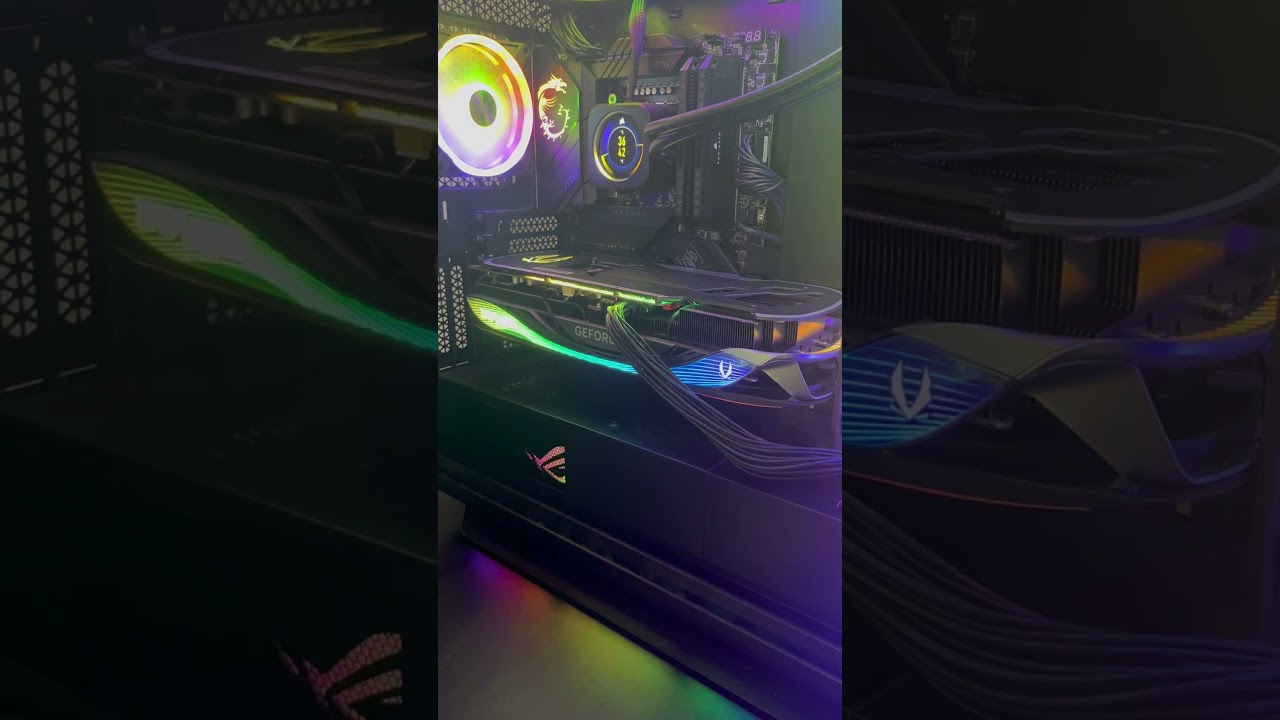
Yes, that's exactly what it looks like for me. Only that the presentation of my 4070ti is a bit different.

rugged ember
#

Read some of the comments. Might have suggestions.

#

What's your PSU?

cyan veldt
#

I read the comments.
My PSU is the BeQuiet! Dark Power Pro 11 850W

rugged ember
#

One commenter suggested it could incompatibility issue with the card and some motherboards.

cyan veldt
#

If this was a power supply problem, the whole system would become unstable or crash or the card would go completely crazy while playing. I have a meter on the socket. When gaming, I get a little over 400 watts in the worst case. Most of the time even around 300 watts approximately.

cyan veldt
rugged ember
#

yes, don't believe it's PSU.

#

Yup so maybe down the road, they might have a fix for it

#

Could be a known bug they are trying to fix or unknown bug that needs to be reported

rugged ember
#

A commenter did RMA and got back a different card with the same issue.

#

Don't know where you can report bugs to MSI or Zotac.... Have you tried MSI Global English Forum?

rugged ember
cyan veldt
#

I know, but I bought the card in September. Too late to simply send the card back. I've had the new MSI board for 14 days. I can only hope that Zotac will offer me a refund or that MSI will have a solution (although I don't think MSI will help me)

cyan veldt
#

i gonna cry :C

rugged ember
#

Have you tried contacting Zotac support?

#

or Zotac Discord server?

#

Maybe others have/had a similar issue and found a fix for it.

#

Idk... still wondering if a fresh Windows install and a fresh Linux install will fix it.

rugged ember
cyan veldt
#

I am in contact with zotac and msi.

#

Iam in the Zotac Server and at this server here.

The issue is when iam in the UEFI there too. It seems it has nothing to do with any OS or Software.

rugged ember
#

GPU firmware maybe?

cyan veldt
cyan veldt
#

"GPU says noooo"

cyan veldt
#

Here's someone else who has the problem with the exact same motherboard even. (The one who replied under my Reddit post with his RTX 4090):