#High CPU temps (90-95C) when gaming, even old games on minimum settings

1 messages · Page 1 of 1 (latest)

ivory roost
#

Whenever I am gaming on this Laptop, Psensor and the "temperature" Applet report that my CPU1 temp is 90-95C.
This is despite using a cooling pad.

This occurs when playing any game, including old 2006 games such as Guild Wars 1, and 2012 games like Guild Wars 2. Temperatures do not significantly differ when running the game on either Minimum or Max settings.

My system info:

Cinnamon Version: 6.4.8
Linux Kernel: 6.14.0-24-generic
Processor: AMD Ryzen 9 7940HX with Radeon Graphics × 16
Memory: 30.6 GiB
Hard Drives: 2024.4 GB
Graphics Card: NVIDIA Corporation AD106M [GeForce RTX 4070 Max-Q / Mobile]
Graphics Card: Advanced Micro Devices, Inc. [AMD/ATI] Raphael
Display Server: X11```

My Linux Kernel is `6.14.0-24`

I am currently up to date on ALL "Update Manager" software updates.

My "Driver' is `nvidia-driver-550`

This occurs regardless whether I launch a game using `"run with dedicated GPU'` or not.  This also occurs regardless if I switch my NVIDIA settings to `performance mode` or `On-Demand`

This does NOT occur when I game on Windows.

I am very worried for my laptop help continuing to game on Linux. However, I dislike switching to Windows very much.

Please help me investigate this issue further.

Thank you!
ivory roost
#

More info on my temps. Any advice appreciated!

fervent burrow
#

AMD told us that Ryzen 7000 is being run hot, so this is technically normal. Also, this is a gaming laptop with insufficient cooling (they all have insufficient cooling). You can try running it in Power Saver mode all the time, but I very much think this is normal for your badly-designed computer.

ivory roost
#

I'll try it...

I don't want it to damage my laptop... But is this truly normal for AMD Ryzen 9 7940HX???

#

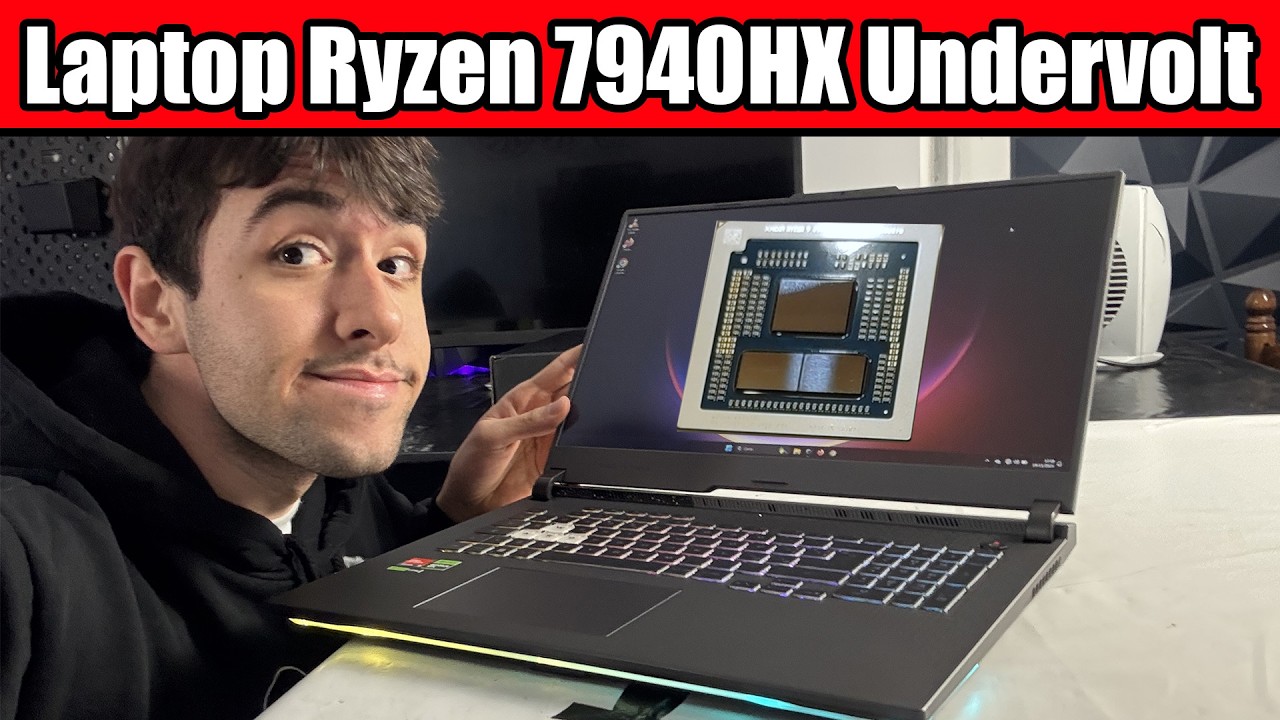
https://youtu.be/OJdE2NC77dQ

He's using the same laptop in this video.
Is undervolting a good idea??

Undervolting really seems to be the best option in terms of CPU optimization for the Ryzen 7000 series. Even on laptops. Be it a 7940hs, 7945hx, 7945hx3d, 7845hx, 7840hx, 7745hx, 7645hx, if you do it properly, you’re gonna lose virtually 0 performance or even get an increase, while dramatically reducing heat and power consumption. Today we are...

▶ Play video
#

It's a ASUS ROG Strix G17

ivory roost
#

UPDATE:

I have followed the first method (only) he showed in video, by switching curve optimizer to negative and switching it to 25.

However the CPU1 temperature is still 91.4C, even just at the login screen of my game. (without being ingame)

My Power Mode is also currently in Power Saver.

Where do I go from here?

ivory roost
#

A simple window of static images that just looks like this sends the CPU temp to 90C+

I'm not even ingame.

So is something up with the GPU settings causing the CPU to go overboard?

fervent burrow
# ivory roost I'll try it... I don't want it to damage my laptop... But is this truly normal...

It's a 55-75W CPU in a laptop that was built for thinness and not for proper cooling. In case your CPU has bad paste (usually too much, or not well-applied), you can achieve some improvements by re-pasting. Do not use Liquid Metal, but a sheet of PTM7950 might help. https://www.lttstore.com/products/ptm7950-phase-change-thermal-pad
Other than that, unvervolting will likely only drive this CPU to higher turbo clocks. It is overclocked by design.

cunning oriole
#

As curunir said, newer AMD CPUs will overclock themselves until they stabilize around 90-95C because they were designed to handle that heat level. Combined with the fact that it's a thin laptop that can't possibly have the cooling to handle the maximum of that overclock, you'll probably be sitting at that temperature regardless of what you do (which, again, is not a problem)

fervent burrow
#

Also one more note: 7940HX is technically a desktop CPU.
It should not be a problem, at least not for the CPU. But the constant heat level may make the mainboard die young. Which is probably fine with the manufacturer.

ivory roost
#

Thank you very much for the responses.

So they put a desktop CPU inside a laptop and poorly designed it? And this CPU automatically overclocks any time a game is detected?

I'm a bit confused at the moment. Can it handle the temperatures or not? One post says it was designed to be stabilized with that temperature. Another post says mainboard will die young?

I currently cannot afford a new laptop. So any advice is appreciated to extend its lifespan!

Although I always have a cooling pad underneath running, it does not seem to make a difference on this laptop's temperatures it seems.

Is there anything else I can do in terms of Settings or BIOSs?

I am willing to open the laptop itself again and perform "surgery", as a last resort if there is no other way I can help the cooling situation. (I have taken a picture in the past of its insides, for those who want to look)

fervent burrow
# ivory roost Thank you very much for the responses. So they put a desktop CPU inside a lapto...

The CPU is actually pretty good and running within its specifications. It can take the heat. It will also only auto-overclock when load is applied, idle should be fine and quite cool. The issue here is, the laptop maker should limit the thermal and power limits, and/or design a cooler that can deal with the heat. In practice, manufacturers build a few one-size-fits-all designs, or even use pre-made designs from OEMs like Clevo, and they have no issues plonking CPUs in there that are technically beyond spec, or at the very edge of spec. Because if it dies after three years, instead of 10-15 years like a well-designed machine would, you will buy a new one sooner. This is why we hate gaming laptops so much here - and because they tend to have weird bonus hardware that does not work on Linux.
The CPU is a good chip, even your MaxQ GPU is semi-decent. But they are intentionally run hot by the manufacturer, and you canot do much about it.

ivory roost
#

Here is what the internals look like when i opened it last February.
I try to avoid opening it however, since every time i do is a chance of messing up

fervent burrow
ivory roost
#

Does that mean the laptop manufacturer designed it with the wrong cooler?

Also did "underclocking" my PC by turning "Curve Optimizer" to "negatize 25" not do anything practical in that situation?

#

My last gaming laptop from MSI last me around 8 years. I will lament if this one dies.

#

It will also only auto-overclock when load is applied, idle should be fine and quite cool.

How do we explain the CPU going up to 90C when at a literal login screen for a game? (it's not even ingame)

Is it simply auto-running hot when it detects a game, and i can't do anything about it? Not even underclock?

fervent burrow
fervent burrow
ivory roost
#

I do not mind performance loss if it extends lifespan. As I said, I'm way too high temperature for old games that already run 80+ FPS on max graphics

#

my FPS limit ingame is 30.

However the CPU temp goes up even before ingame

fervent burrow
#

Look for max fps settings in games, use them. Set them to the refresh rate.

ivory roost
#

let me take a more clarifying screenshot

#

simply opening this causes my CPU to jump to 87.8C

#

as you can see there's not much being rendered. Unless it's happening behind the scenes

ivory roost
fervent burrow
ivory roost
#

is there another program I can test with? I recall accessing gears from terminal

fervent burrow
fervent burrow
ivory roost
#

I have glxgears running. Temp is 82.8C, jumping down to 68C, back up to 77C.

fervent burrow
# ivory roost I have glxgears running. Temp is 82.8C, jumping down to 68C, back up to 77C.

As I keep telling you, this is normal and expected for a CPU that is meant to sit under a tower cooler, but is wedged into a metal pancake. You can experiment with power daemons and manually limit clock speeds. But this is wonky stuff, and I cannot guide you on that. If you do, make Timeshift snapshots before installing and changing stuff, so you can roll back if you need to.

ivory roost
#

I will launch another game and test CPU

#

Pizza Tower, a 2D Sidescroller, is running at 91.5C.

My understanding this is "normal". But I would like to limit it if it's able to extend lifespan, and keep temperature under control, anyway.

If there's any more BIOS advice you can give, I will try it.

Otherwise I will look into "Power daemon", and make sure to backup with Timeshift. 🫡

fervent burrow
#

This is the real aggravating thing. Desktop UEFIs tend to have lots of options to limit these things, but laptops generally do not. I am frankly surprised you even have access to curve optimizer. But this only fiddles with voltage curves, it does not do what actually needs to be done: Lowering the TDP.

fervent burrow
ivory roost
#

creating a new timeshift snapshot as we speak

#

Alright, I see indicator-cpufreq in software manager. I will install it, as per the advice of the reddit thread

#

well... it doesn't seem to be doing any difference ingame. When i click it, all it does it give me two options: "power saving" and "Performance". I'm currently on power saving, and no decrease in temp

fervent burrow
#

Tread carefully, this thread is old, and things are moving quickly in this space. If you bork it, remember that you can restore a Timeshift snapshot also from the live medium.

fervent burrow
ivory roost
#

Right... I'm willing to try anything at this point.

My goal is to lower TDP?

If indicator-cpufreq doesn't do the job I will try another program.
You mentioned Power Daemon

fervent burrow
ivory roost
#

Is influencing the Clock Speed what is also called "Limit CPU Freq"?

fervent burrow
ivory roost
#

I'm googling about indicator-cpufreq. Others seem to be able to edit the frequencies. Whereas I only had "Performance" and "Power Savings". Any gueses why that was the case?

fervent burrow
#

No idea. It is possible that the tool is deprecated. As I said, things are moving fast.

ivory roost
#

uhhh so i downloaded cpupower-gui from software manager, as I saw that recommended on Reddit.

What is the safe thing to do here? Do I click "all CPUs" and then just turn Max Frequency to half or something? What numbers should i be striving for if i want to limit temp to like 70C?

#

I do not want to damage my hardware, so I'd like to confirm before i click Apply 😅

#

According to google, a good max would be 3.0 GHz? That's approx 3015 MHz, I should set the max, all cores?

fervent burrow
#

You could try something like 4000Mhz max and not touch minimum.

ivory roost
#

Oh I did not touch minimum at all

fervent burrow
#

You can always set the ceiling lower later.

#

And yes, set it for all cores.

#

If it only applies to the powersave governor, you will actually have pretty good control over it.

#

It should be enough if you can push the peak below 80°C. My old Thinkpads peak around there as well, and they are fine.

ivory roost
#

the good news is that this.. seems to work? Only 70.6C with Pizza Tower running.
Guild Wars 2 login screen no longer making me hot either. 69C at login screen, char select.
72C ingame. Max graphics. No apparent performance issues so far.
Going up to 77C

Okay yeah, having it constantly run 90C+ before was DEFINITELY unnecessary, if it's running this well right now at only 76C
The physical fan of the laptop as well is notably a LOT cooler too.

I only wish I discovered this sooner, since heating it to 90C for months until now, 12+ hours a day, was probably not good.... But better I did this sooner than later.

I AM noticing I no longer hit 60-80FPS when uncapped, but that's not an issue since I limit to 30.

Okay this is too good to be true. What's the tradeoff? (I actually noticed one right now....)

#

current settings btw

#

the only drawback is wtf did it do to my task bar:
There is a glitched icon 2nd to left?

#

the /!\ symbol

#

any way to fix that?

#

Well it was working but upon restart, it does not save my setting. So do I simply have to reset the CPU frequency each time?
Also the taskbar icon is still the /!\

#

Other than those two issues (not saving, questionable taskbar icon), it DOES seem to be doing what I wanted.

Hopefully this will extend laptop lifespan rather than damaging it? (Please assure me, just to be sure?)

Thank you very much for the help!

fervent burrow
fervent burrow