#problem booting
443 messages · Page 1 of 1 (latest)
 iron wagon
 steel ivy
@iron wagon Hi & welcome, greetings from Switzerland 🙂
Did you flash a BIOS your very first time? Mine got bad years ago.
Is your computer an old or a new built?
steel ivy
iron wagon
and i flashed the bios last month
Is it a beta-version BIOS or a "proofed" one? (I once got a boot-loop similar to your one with an unlucky version.)
And you experienced the trouble how much earlier than last month?
iron wagon
i don't think it's a beta-version but i got the issue since last year when i got the motherboard
and it was a used one
i think
steel ivy
So we don't know if it ever worked correctly.
How many RAM bars are inserted?
iron wagon
4 bats
bars
but i think it was a trustable seller
is there a way i can know it the problem come fromm the motherboard without swapping for another one??
steel ivy
iron wagon
bars
Hmm, well if RAM was the issue it couldn't boot finally, I guess. Or you could shutdown the computer, remove 2 RAM bars (according to your mb docs) and try booting again.
And in the past the board worked well all the time, for days without reboot? Never a blue screen or error messages?
iron wagon
how i know if the ram as to be a slot between or close together
and yep work well without rebooting
steel ivy
iron wagon
how i know if the ram as to be a slot between or close together
Wait with the RAM, please.
steel ivy
iron wagon
and also with the former motherboard it was working pretty fine
Okay.... if it works really good after booting I would let it unchanged. How long is your boot time about?
steel ivy
iron wagon
from 5 mins to maybe 30-45 mins
Oh, really bad!
iron wagon
yep
steel ivy
iron wagon
yep
What is your boot drive? hdd, ssd or nvme?
iron wagon
nvme
steel ivy
Do you use internal or external grafic card?
iron wagon
what do u mean my gpu in inside my computer
steel ivy
iron wagon
what do u mean my gpu in inside my computer
internal = mb's / cpu's graphic -- external = separate card in a pcie-slot.
iron wagon
external
steel ivy
iron wagon
external
Could you use a dvi or hdmi plug of the mb itself?
steel ivy
iron wagon
i guess i can
And your computer is now off or running?
If it's the battery, the computer shows almost always a wrong time in the BIOS - but the right time when booted and online. Can you tell me?
steel ivy
iron wagon
i discus from my computer
Please change the monitor plug from the graphic card to the connector on the mainboard (and back, if it doesn't work). What do you see/saw?
iron wagon
do i unplug the second monitor ??
steel ivy
iron wagon
do i unplug the second monitor ??
No, it's to check if the CPU has GPU-capability.
steel ivy
iron wagon
it doesn'T detect the monitor
Some mb detect monitors only at boot time. Additionally, the internal gpu could be switched off in the BIOS.
iron wagon
why u wanna know if i can use a monitor on a mb port??
steel ivy
To rule out problems with your graphic card.
You could pull the graphic card and test if the booting improves.
iron wagon
but i'm pretty sure my cpu don't have integreted graphic
steel ivy
In your situation I think the easiest way is...
A) to replace the CMOS battery first and then look if it helped.
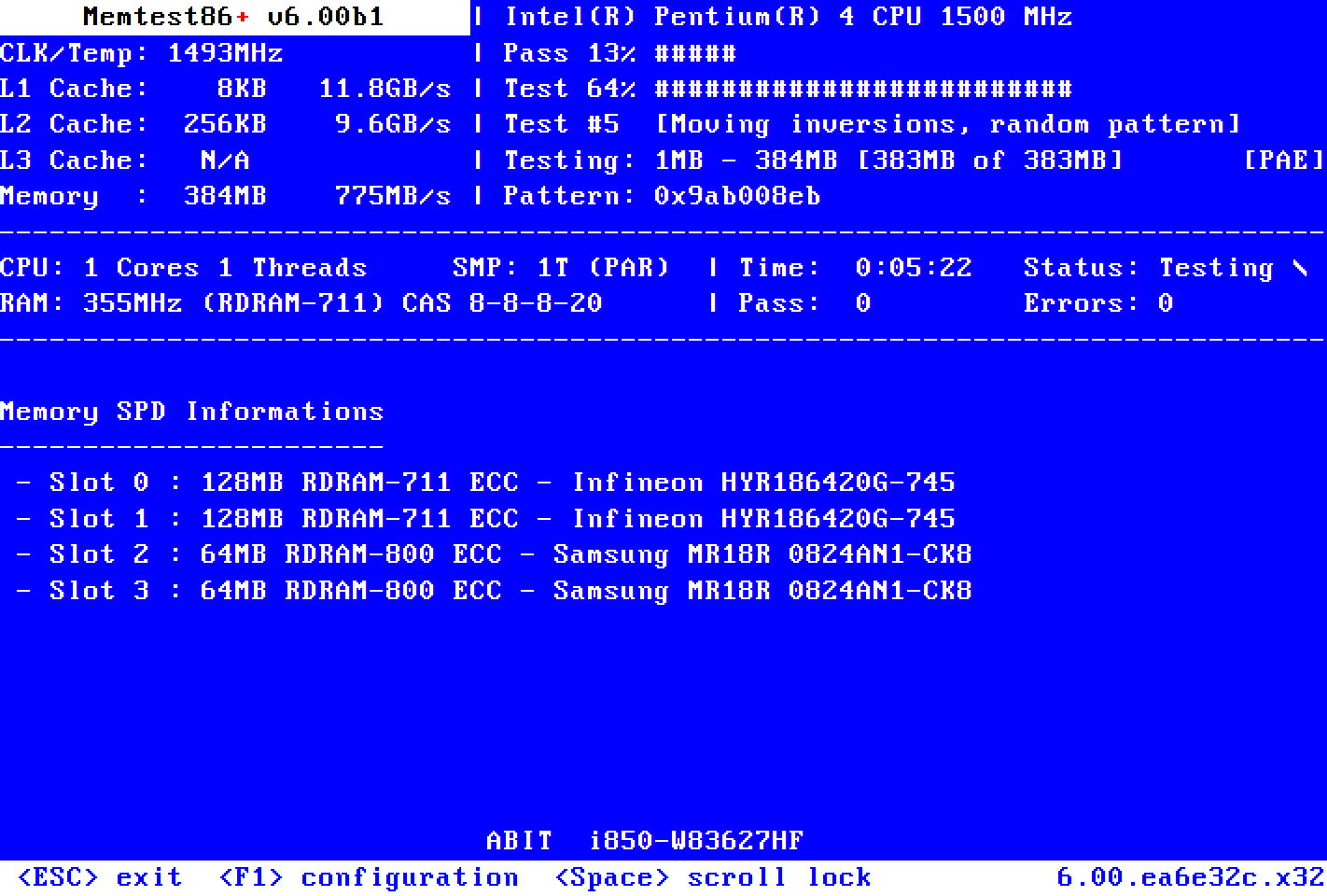
B) Prepare a USB memory stick with MemTest86 and test the RAM with that.
iron wagon
do i have to boot on memtest86
steel ivy
iron wagon
do i have to boot on memtest86
Yes... 🥺 but you don't have to work on the mb. So you opt for A) I guess?
iron wagon
b
can u help me to make my usb bootable on memtest86??
first does it as to be empty ??
steel ivy
iron wagon
b
If the data is needed, secure it. The data on the stick will be wiped out!
Go to https://memtest.org/ the instructions are all there 🙂
Memtest86+
Memtest86+ is an advanced, free, open-source, stand-alone memory tester for 32- and 64-bit computers (UEFI & BIOS supported)
iron wagon
i use an external hdd but i'm unable to remove what's inside what can i do ??
steel ivy
iron wagon
i use an external hdd but i'm unable to remove what's inside what can i do ??
You got no USB drives left? Or a CD-R/W?
iron wagon
no only a usb external hdd
it says to use balena to make the usb bootable but i can't make it run
steel ivy
iron wagon
it says to use balena to make the usb bootable but i can't make it run
Don't try with your data on the external hdd! 😮
iron wagon
why??
steel ivy
iron wagon
why??
Because your data on the external hdd will be killed, as I mentioned earlier. Or is it really, really empty?
iron wagon
the only thing i got on it is the linux iso that i can put back later
i don't care if everything get flush from the drive
i got nothing important on it
steel ivy
iron wagon
i don't care if everything get flush from the drive
Okay, so try installing the memtest86, please.
iron wagon
the site for the memtest says to use balenaetcher to do it but idk how to make it run
i'm a new linux user who want to learn
do i just put the .exe in the external drive ??
i try to open the imaging program and it open like a folder
i'm lost
that's what i see when i open what i have dl
 steel ivy
iron wagon
steel ivy
iron wagon
Oh my! I lost my last USB drive, so I can't try the install 😦
Please read some help post in the forum: https://forums.ventoy.net/forumdisplay.php?fid=2
Are you running MS windows (which version?) or Linux Mint now? Did you boot Linux from the external hdd?
steel ivy
I have to run the installation by myself. Please wait. How long idk...
iron wagon
of mint ??
iron wagon
Now i'm running the test
steel ivy
iron wagon
of mint ??
no, installation of ventoy
iron wagon
I'm in memtest86 rn running the test
steel ivy
iron wagon
I'm in memtest86 rn running the test
cool! 😄
iron wagon
No errors for the moment
steel ivy
iron wagon
No errors for the moment
It takes hours! I forgot to mention.
steel ivy
iron wagon
Should i go sleep and check tomorrow??
That's a good idea. It should have at least two passes.
Good night, then 😴
iron wagon
Ok are u gonna ne There after the test or later
steel ivy
iron wagon
Ok are u gonna ne There after the test or later
Well, now it's 07:05 o'clock local time. I look in the evening, in about 13 to 14 hours.
iron wagon
Ok ty but if it's not the Ram what else could it be
steel ivy
iron wagon
Ok ty but if it's not the Ram what else could it be
The CMOS-battery (some say BIOS-battery)
iron wagon
Even if the MB is from 2022??
steel ivy
iron wagon
Even if the MB is from 2022??
Well, depends on the usage. Three years in the shelf doesn't help for health. Or the battery itself was old?
steel ivy
Other possibilities: BIOS version? Sometimes an older version works better. Combination of mb, ram and cpu compatible? What do the lights on the mb say? Terminal commando 'sudi inxi -Fxxx'!
iron wagon
the ram wasn't the problem there was no errors
steel ivy
iron wagon
the ram wasn't the problem there was no errors
okay 😄
iron wagon
for the cmos battery can i buy one at any place where they sell battery ??
steel ivy
iron wagon
for the cmos battery can i buy one at any place where they sell battery ??
It's like with all items: you need to know the exact type of the battery and find a store which offers it. You can read the type on the battery itself or in the mainboard manual. What do the lights do on the mainboard during booting, do they blink fast (0.5 sec) or slow (1 sec) and how many times?
iron wagon
i don't even see the light
steel ivy
iron wagon
i don't even see the light
So... open the case, please.
iron wagon
i got a glass so i can see everything in it
steel ivy
Well, you can see everything on the mb and no light (LED) is on? But you know where they are?
iron wagon
i don't know where they are and even if i look everywhere i see no light on
but the computer in booted
steel ivy
iron wagon
i don't know where they are and even if i look everywhere i see no light on
The manual knows that. What is the manufacturer and model of the mb?
iron wagon
ASUS Prime B550-PLUS AC-HES AMD Socket AM4 DDR4 ATX Desktop Gaming Motherboard
steel ivy
iron wagon
ASUS Prime B550-PLUS AC-HES AMD Socket AM4 DDR4 ATX Desktop Gaming Motherboard
I downloaded the manual but I can't see a hint for diagnose lights. 😦
What's the BIOS version you flashed?
steel ivy
iron wagon
version 3621
SHA-number of the download was correct and you cleared the CMOS respectivly set in BIOS the default values, I suppose?
steel ivy
iron wagon
and also was doing it before i flashed it
Cool 🙂
Asus doesn't explain the numbers on page 1-1 (11) of the manual - fail! 😕
I got also a mb with B550 chipset from Asus - and experienced too long boot times, too!
iron wagon
how did u fiex it
steel ivy
iron wagon
how did u fiex it
Well, I didn't... yet. I have to do some tests to rule out the nvme ssd as the issue. Speed is slow as about 300 MB/s but should be 3 GB/s 😦 You can do the speed test in gnome-disks or just 'Disks' 🙂
iron wagon
how does it work ??
how do i know wich one is the nvme??
because it should be SAMSUNG 990 EVO SSD 1 To and i don'T see it
steel ivy
iron wagon
because it should be SAMSUNG 990 EVO SSD 1 To and i don'T see it
You booted from the nvme? And now your 'disks' app is open and you can't see ANY drive at the left side of the window? 🤔
Hey, I put a Samsung 990 Pro 1 TB in! 😄
iron wagon
i can see 3 of them but none of them are the one i booted on
steel ivy
iron wagon
i can see 3 of them but none of them are the one i booted on
What's their names?
iron wagon
i think i know what's wrong maybe is there a way i can run a test on my disk ??
i think it can be because my 2 os are one an old ssd
can it be ??
like i had the drive before this computer
steel ivy
iron wagon
i think i know what's wrong maybe is there a way i can run a test on my disk ??
That's what I'm talking about 🙂 Click on the sprocket icon below the picture of the correct disk and choose 'performance test' or similar.
iron wagon
the gears ??
i don'T see any options like u said
can it be check filesystem ??
is it smart ??
steel ivy
iron wagon
can it be check filesystem ??
No. The one I mean is at the bottom of the gears menu. I got a german linux and it says 'Leistungstest' - in english 'performance test' or maybe 'speed test'.
To check the health, 'check filesystem' and run SMART tests is a good option.
iron wagon
in the gear options i only see things about files and partitions
can it be benchmark disk??
is that it
 steel ivy
iron wagon
can it be benchmark disk??
steel ivy
iron wagon
can it be benchmark disk??
Right, it's "benchmark disk" 🙂
steel ivy
iron wagon
is that it
cool, test all other disks and partitions, please.
iron wagon
do i send picture for all of them
steel ivy
iron wagon
do i send picture for all of them
No, 'average read rate' should be sufficiant. With drive & partition mentioned - so picture could be easier...
steel ivy
iron wagon
and the nvme 6.2 gb/s
very fast 🙂
Did you see that the BIOS size DEcreased with version 3202 significantly - that's very odd!
iron wagon
didn'T see that
steel ivy
iron wagon
didn'T see that
version 3002: 20.14 MB - version 3202: 15.79 MB and higher version are all below 16 MB. It should always increase and newer decrease, says an unwritten rule.
iron wagon
so what should it mean??
steel ivy
iron wagon
so what should it mean??
Maybe code (functions/BIOS options) got deleted, but don't worry.
iron wagon
ok
steel ivy
iron wagon
ok
Exchange the cmos battery is now the next thing to try, I guess.
iron wagon
ok
steel ivy
But the manual doesn't tell us the battery type! 😦
For the exchange you have to open the case anyway... the battery is at the bottom right corner of the mb. What's written on the battery?
steel ivy
iron wagon
DBV lithium battery cr2032
CR2032 is a pretty standard one 🙂 But is it in store? You will see 😉
iron wagon
does it need to be rechargeble
steel ivy
iron wagon
does it need to be rechargeble
no
iron wagon
ok
steel ivy
Oh, if you can buy a 'system warning speaker', you can hear boot error codes. Plug it in like on manual page 1-5 (15) written.
iron wagon
where do i buy it ??
steel ivy
iron wagon
where do i buy it ??
where are you, in which country?
iron wagon
canada quebec
steel ivy
iron wagon
canada quebec
so idk anything about Canada - just that Ottawa is the capital.
well, google it or use amazon, I guess?
iron wagon
how is it called ??
steel ivy
'system warning speaker'
iron wagon
ok i'll buy it when i can
iron wagon
when i get the battery do i just swap it or i got someting more ??
steel ivy
iron wagon
when i get the battery do i just swap it or i got someting more ??
Good instructions are here: https://www.wikihow.com/Replace-the-Battery-in-Your-PC
scroll down to method #3 (desktop computer)

wikiHow
Have you noticed your laptop battery isn't holding its charge like it used to? Perhaps there is a red "x" over the battery icon in the taskbar. Windows may even be giving you alerts about your battery capacity. This will happen after a...
 odd bloom
after reset of CMOS battery and/or reset of BIOS, set time/date in bios and also turn off secure boot if that's how it was before.
and turn off intel RST or VMD in BIOS if u can't see drives in Linux.
storage mode should be on AHCI
iron wagon
Is IT normal that my computer take a while to boot after i've change the battery
odd bloom
how long is it taking?
steel ivy
iron wagon
but now it's doing the same thing as before
So we can exclude the battery from the list of issues. Maybe something went wrong during flashing the BIOS?
Could you see the BIOS version during booting? For that you have to set in the BIOS 'full logo screen' or similar to 'no'.
iron wagon
IT pas doing it before i flashes it
steel ivy
iron wagon
IT pas doing it before i flashes it
You mean the BIOS version was displayed before you flashed it - but after the flashing not? What does it show then?
iron wagon
Wich parts are Beeing used before the bios logo apear
No i Mean the problem was There before i flashed it
I think i have Never See the bios version during the boot
odd bloom
boot to linux, no matter how long it takes
iron wagon
Already done
odd bloom
then run inxi -Mxx in terminal for the uefi/bios information and motherboard number
 odd bloom
well there it is
iron wagon
why did u need it ??
steel ivy
iron wagon
why did u need it ??
Me? Just to ensure that BIOS is working good.
Maybe the other two drives disturb the boot process?
Would you like to pull the data cables of them after shutdown the computer, and then reboot it?
steel ivy
iron wagon
??
I mean:
- shut down the computer.
- open the case
- locate your SSD (you wrote earlier that you are booting from a NVME)
- there are a big (power cable) and a small plug (data cable), pull the small plug
- remove also the external HDD
- boot the computer
- tell what is going on 🙂
iron wagon
I remove every Drive i was thinking IT could have the Linux un and same long boot without shutting down as when i changes the battery
i tryied gain to boot IT and the same thing happened going on and off several Times until IT boot
Can IT juste be the motherboard because IT the last thing i changed before the problem start to happen the First i tryied to boot
Ok i Found what was tuning on and off the GPU fans
Now i'm trying each Ram one by one
Now i'm trying each Ram one by one
Now i'm 100%sure it's not the Ram after i tryied 2 stick the problem still apeer
Do u think a place like canada computer Who sell parts and fix computer can test my MB
steel ivy
iron wagon
Do u think a place like canada computer Who sell parts and fix computer can test...
idk
Is Compatibility Support Module (CSM) in BIOS on?
iron wagon
marbe i did something wrong trying each driver
because when i let only my linux drive it boot directly in the bios
odd bloom
iron wagon
Can IT juste be the motherboard because IT the last thing i changed before the p...
why do you keep capitalizing "IT"?
iron wagon
it's doing it when i reply with my phone
odd bloom
Terrible.
iron wagon
sorry
odd bloom
did u try supergrub as I mentioned at some point?
iron wagon
didn't need it
odd bloom
are you in linux now?
odd bloom
do lsblk -o name,type,model,label,size,fstype,fsavail,mountpoint please and show
iron wagon
 odd bloom
ok. just so you see, if you take the nvme out, you cannot boot linux
iron wagon
why??
odd bloom
yes it shows because linux root of filesystem is mounted in point / in samsung
sdb5 to be specific
iron wagon
so how do i make my computer able to boot if i only have the samsung drive connect??
iron wagon
i didn't found the right option
odd bloom
iron wagon
but i got back the menu to choose where i want to boot
odd bloom
go to that link and website, and match the picture
iron wagon
i don't see the beta version
odd bloom
maybe it's final now
iron wagon
Super Grub2 Disk 2.06s4 ??
odd bloom
close enough to my pic. for usb
then save it, and extract it, and put the IMG onto ventoy usb
odd bloom
is it really old or fairly current?
iron wagon
what do u mean ??
odd bloom
iron wagon
what in ventoy usb??
the supergrub2.img
iron wagon
no i did it today
odd bloom
iron wagon
i already got a bootable version of he program
what are u talking about?
u have ventoy usb right?
iron wagon
what is ventoy ??
odd bloom
usb tool
iron wagon
i did it on my windows os
iron wagon
 odd bloom
sdc?
iron wagon
idk
iron wagon
 odd bloom
BUP Slim . is that ur usb?
odd bloom
well go to file manager and see what is on both those mountpoints for sdc1 and sdc2
odd bloom
how did you prepare this crazy thing?
it shows 1.4 tb but only 260 mb used
supergrub is at least 550 MB
iron wagon
rufus
odd bloom
do from linux
iron wagon
with ventoy ??
odd bloom
#1295816480256163892 message
follow it EXACTLY
then once it's prepared, put the supergrub extracted IMG file (one file) onto ventoy partition
guide explains all
iron wagon
the blank ??
iron wagon
to put an iso in the blank
odd bloom
not any live mode thing
iron wagon
yes the real one
odd bloom
iron wagon
to put an iso in the blank
ok u got the supergrub zip file?
iron wagon
yep i extracted it in the blank
iron wagon
 odd bloom
Why says loop0p1 and loop0p2
not supposed to be ventoy live cd
i saw this even last pic
iron wagon
because the first 2 times i dl the wrong thing
odd bloom
do u have the MINT iso too still?
iron wagon
no
iron wagon
can i put it in the same drive as ventoy??
odd bloom
yes
that's the point
also from file manager see the "ventoy live cd" and r-click it and 'unmount'
iron wagon
done

 odd bloom
what is in the folders?
iron wagon
linux mint and supergrub 2
odd bloom
show inside

 odd bloom
u fucked it so good
iron wagon
lol
iron wagon
i just drag and drop the iso ??
odd bloom
yes dont fucking extract it
iron wagon
in the blank
odd bloom
it says ONE FILE
 iron wagon
done<
odd bloom
odd bloom
it should be ONE IMG file
is it?
iron wagon
 odd bloom
good, delete the ZIP from ventoy
iron wagon
done
odd bloom
now, u will power off, then remove nvme
then boot ventoy, and choose supergrub ,
til u get orange screen
iron wagon
ok
odd bloom
there u will choose 'manually pick an OS to boot' option
and u will have your stopwatch ready or wall clock
iron wagon
ok
odd bloom
and pick Linux. and time it til u reach desktop of mint
 iron wagon
And after Linux from/boot partition
odd bloom
it should say linux, n done hit enter on it
odd bloom
iron wagon
partition3 of samsung
iron wagon
 odd bloom
i meant partition5 of samsung
yes highlight the first vmlinuz u see, and hit enter and time it
those are 3 different kernels.
whichever one you usually use
iron wagon
 odd bloom
i meant partition5 of samsung
odd bloom
odd bloom
i meant partition5 of samsung
which supergrub is calling (hd2,msdos5)
iron wagon
Ok now i'm m booted
odd bloom
iron wagon
this long job it's waiting on must mean u put windows drive as automount job
or some drive it is not finding
odd bloom
how long it took? obviously long cuz of that missing drive delay
iron wagon
Almost 2 mins
odd bloom
 odd bloom
no
iron wagon
what do i do ??
 iron wagon
ok
iron wagon
 odd bloom
n put a # at the start of the line that mentions 8ADF-A13C
 odd bloom
Save file
iron wagon
 iron wagon
ok
odd bloom
iron wagon
ok
nvme still out, yes?
iron wagon
what u mean by cold boot ??
odd bloom
meaning, power down, wait 10 seconds, turn on machine andboot ventoy
iron wagon
ok
iron wagon
Ok
odd bloom
also take notice if ventoy takes long to come white screen or not
iron wagon
to boot on ventoy from the bios it took milisec and the boot took 17 sec
odd bloom
ok so do u see a big difference from compared to when both the nvme and this linux drive are in?
iron wagon
from the moment i press power ??
odd bloom
no i mean in general for how long linux takes to boot
obviously this adds more time to start supergrub n stuff.
but i mean the linux boot
iron wagon
linux boot fast
odd bloom
and before it was slow?
odd bloom
so do u still get the problem of the PC stalling or not wanting to boot now?
iron wagon
yep
odd bloom
oh you do still?
iron wagon
yep
odd bloom
ok well idk. take the # sign off the fstab file exactly like u did before to add it, and save.
then put the nvme back in.
can just boot normally after. no need for supergrub. this was a test.
odd bloom
in BIOS you may find a "fast boot" setting. try it with both ways : off or on.
perhaps it may help. perhaps not.
also keep your BUP slim drive like this. no need for reformat. u can still use for files or bootable ISOs as it is now with ventoy
iron wagon
Ok
With or without fast boot nothing change
But i want to try one more Time when it' s disable
Something else i could try??
And It still boot un Windows
Only
iron wagon
Yep