#How do i remove these
13 messages · Page 1 of 1 (latest)
 lethal spear
 worthy marlin
You probably have partitions of these operating systems
I would check with Gparted or with Gnome-disks
Do you have Gparted on your main os? @lethal spear

 crimson tapir
lethal spear
crimson tapir
lethal spear
you can remove the respective directories in /boot/efi/EFI
do note removing Microsoft will break your windows, if you dualboot. you probably don't want to remove the one you use currently either, that is "ubuntu" for ubuntu/linuxmint or other Ubuntu-based distros
lethal spear
crimson tapir
you can remove the respective directories in /boot/efi/EFI
do note removing Micr...
i use mint i don't use windows
crimson tapir
lethal spear
i use mint i don't use windows
I'm just saying so that you don't come here in 30 seconds and say your windows no longer boots
lethal spear
lmao
 regal grail
lethal spear
lmao
regal grail
lethal spear
lmao
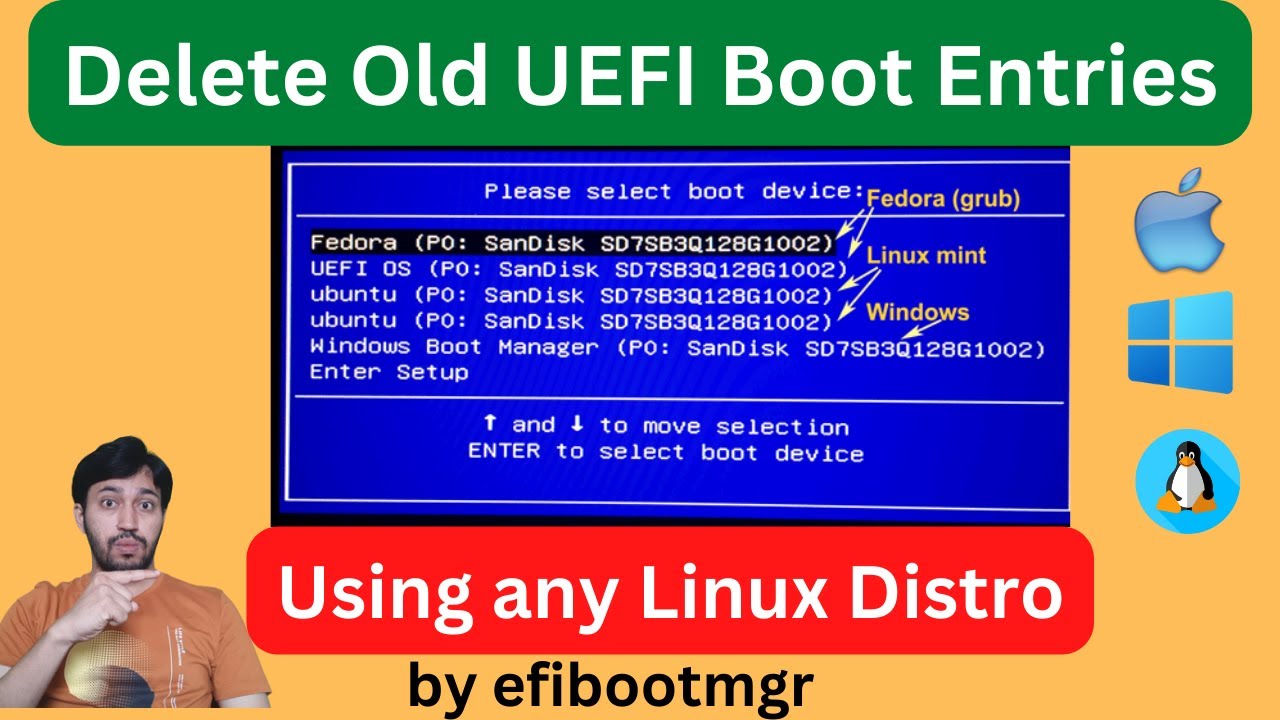
Here I have shown how to delete old or obsolete UEFI Boot entries in the BIOS that are not useful or active. The are boot entries of previously installed OSs. I have used the app called efibootmgr. It is a free command line tool to change UEFI BIOS configurations.
Also using this package you can create/add boot entries, change boot order or chan...
lethal spear
how do i remove the sound too
lethal spear
crimson tapir
you can remove the respective directories in /boot/efi/EFI
do note removing Micr...
didn't work💔
regal grail
use method in vid at stated time