I've been at this for about a week and I simply cannot figure this out, I have been on countless reddit posts and linux mint forum threads and despite everything I try nothing seems to work.
What happens is the majority of the time I launch the game, it works fine till it loads... something or the other and then either simply crahses or freezes my entire OS and I need to reach for the power button.
The games that can launch fine are PDX games and Cookie Clicker, everything else CTDs or freezes my OS.
Here are my specs, they are modern and everything is updated, I am open to any suggestions at this point.
#Most Steam games won't launch
342 messages · Page 1 of 1 (latest)
 paper anchor
 peak warren
 surreal tartan
Have you installed anything besides steam? Lutrix, extra Proton packages, etc?
 jagged knot
something I noticed is he does have an 13th Gen Intel Core i9-13900H gen and NVIDIA AD106M [GeForce RTX 4070 Max-Q / Mobile]
@peak warren think it's actually good to recommend a custom xanmod kernel in this case?
From what I've noticed with Mint 22 this happens a lot with very brand new hardware since the kernels are still stuck at 6.8
peak warren
jagged knot
<@725510568492138497> think it's actually good to recommend a custom xanmod kern...
I really have no idea. I'm thinking it's more a of a Steam/Proton compatibility layer thing not being turned on
jagged knot
peak warren
I really have no idea. I'm thinking it's more a of a Steam/Proton compatibility ...
I assume he checked the box of enabling it in the settings?
peak warren
can never assume anything
jagged knot
@paper anchor Just to be extra sure have you:
#1 enabled Proton compatability in settings:
#2 manually activated the compatability in the settings of the game
After that have you installed the recommended Nvidia drivers?
550 should be fine and are most stable.
If you have done these 3 things, the next thing I would have you do is try installing a custom kernel due to your very brand new hardware, BUT before you do that make sure to make a backup of your system using the Timeshift app:
https://xanmod.org/

 paper anchor
jagged knot
<@836777287117832234> Just to be extra sure have you:
#1 enabled Proton compatab...
paper anchor
jagged knot
<@836777287117832234> Just to be extra sure have you:
#1 enabled Proton compatab...
yep done all that
jagged knot
paper anchor
yep done all that
the custom kernel?
paper anchor
jagged knot
the custom kernel?
that I haven't tried, let me test it after I make another timeshift backup
jagged knot
paper anchor
that I haven't tried, let me test it after I make another timeshift backup
It did fix stuff for me since I was using a very new MSI motherboard, like I managed to get my wireless wifi back.
paper anchor
jagged knot
<@836777287117832234> Just to be extra sure have you:
#1 enabled Proton compatab...
Should I install MAIN, LTS, or RT?
jagged knot
lemme check
jagged knot
paper anchor
Should I install MAIN, LTS, or RT?
nah just follow the commands
paper anchor
kk
jagged knot
I think you need v3 (the already default option) for your Intel 13th gen
 paper anchor
yeah thats what I was thinking but I just wanted to make sure
still a partial linux newbie
@jagged knot ok so I rebooted and I have neither prime profiles now nor the ability to change my display refresh rate
but, let me try launching a game
jagged knot
paper anchor
<@880825377033973780> ok so I rebooted and I have neither prime profiles now nor...
prime profiles?
paper anchor
Nvidia Prime Profiles
jagged knot
as for the display refresh rate here I ain't sure how that got disabled
currently on uname -r
6.12.6-x64v3-xanmod1 and I can change my refresh rate
you should be on the same version
paper anchor
how do i check kernel version again?
jagged knot
I gave you the command
paper anchor
yeah same version
jagged knot
go launch a game (with the compatibility settings I mentioned)
paper anchor
jagged knot
go launch a game (with the compatibility settings I mentioned)
yeah nope same thing
jagged knot
paper anchor
yeah nope same thing
Are you using nvidia drivers now?
You can check with the Driver Manager and it should show 5XX something selected
paper anchor
jagged knot
Are you using nvidia drivers now?
You can check with the Driver Manager and it s...
it said im on 550
jagged knot
paper anchor
it said im on 550
no I just wanna make sure you are right now
had some cases when I was messing around when I didn't switch for some reason from open source nouveau driver
 jagged knot
idk what to do, we both have an rtx 40s series and an intel 13th gen, just that yours is i9 and not i7
paper anchor
like, this is basically a fresh install of Mint, all I did was download discord and proprietary drivers
and steam ofc
jagged knot
where'd you get steam from
jagged knot
ah ok
wait
can you try removing it and getting it from the software manager and reinstalling GMOD
I will launch my GMOD to see if it works
paper anchor
ah thats
 jagged knot
paper anchor
ah thats
jagged knot
paper anchor
ah thats
that's very odd
did you do a sudo apt remove with the deb file you used for installation?
paper anchor
jagged knot
did you do a sudo apt remove with the deb file you used for installation?
I uninstalled from the menu
jagged knot
try with this one instead:
 paper anchor
jagged knot
try with this one instead:
paper anchor
jagged knot
try with this one instead:
is this from the software manager?
I can't find it if it is
jagged knot
paper anchor
is this from the software manager?
yeah
jagged knot
paper anchor
is this from the software manager?
if you have Mint 22 you should have this

 jagged knot
perhaps I too have it downloaded from a .deb file on their page
@paper anchor also Gmod launched for me
paper anchor
:/
jagged knot
paper anchor
:/
these are my settings for preferences for the software manager but I think they shouldn't matter
 paper anchor
jagged knot
these are my settings for preferences for the software manager but I think they ...
paper anchor
jagged knot
these are my settings for preferences for the software manager but I think they ...
I see steam from flathub but not steam-launcher
paper anchor
paper anchor
ah thats
same issue after reboot
jagged knot
paper anchor
I see steam from flathub but not steam-launcher
if you redownload steam from the .deb file and search "steam-launcher" in software manager would it appear for you?
paper anchor
let me try
paper anchor
jagged knot
if you redownload steam from the .deb file and search "steam-launcher" in softwa...
nope
jagged knot
lemme ask the other guys
@paper anchor figured out what was happening
basically when you install the .deb file and refresh the store that's when the steam-launcher appears as a package, it's the deb file you installed
 paper anchor
jagged knot
basically when you install the .deb file and refresh the store that's when the s...
paper anchor
jagged knot
basically when you install the .deb file and refresh the store that's when the s...
I still don't see it
I did reinstall the .deb file
jagged knot
 jagged knot
paper anchor
I did reinstall the .deb file
jagged knot
paper anchor
I did reinstall the .deb file
click the refresh from the menu and then re-search for steam-launcher
jagged knot
paper anchor
found it
yeah leave it installed like that
that's the one both you and I have
paper anchor
right right
jagged knot
so we both have xanmod, steam (same package), nvidia rtx 40s with 550 drivers and intel 13th gen (yours is i9 instead of mine i7)
I am quite lost honestly
jagged knot
could it be because you are on the laptop nvidia gpu?
jagged knot
nvidia drivers are a bit of an arse
His pc information if anyone sees this:
jagged knot
peak warren
jagged knot
paper anchor
rename it with .txt at the end
paper anchor
jagged knot
@peak warren here is another one you could help if you can, I am really stumped here
peak warren
I have no idea that's why i called out for others.
jagged knot
peak warren
I have no idea that's why i called out for others.
we basically have almost the same hardware and software so I dunno how his is doing so bad
paper anchor
It's always me with the edge case bugs... Even back on Windows
I think I'm cursed or something
peak warren
maybe it's a graphics driver crash.. i was gonna say google up some "linux openGL GPU graphics test demo"
and run it. the demo will produce fancy shapes, and 3D fish n colurs etc.. if the thing crashes af, then u know it's the GPU
jagged knot
peak warren
maybe it's a graphics driver crash.. i was gonna say google up some "linux openG...

Performance benchmarks by Unigine
peak warren
booyah
jagged knot
@paper anchor
paper anchor
ill try it and see if it's the GPU or something else
peak warren
that one linked says needs VR headset in the min. requiremnts
but u can prob also just find something in Software Manager under "GPU test"
or 3D accelerator stress test or whatever similar notion
jagged knot
there is this utility
 peak warren
no
jagged knot
unverified flatpak gui benchmark
 peak warren
there was this one I saw that looked like graphics of being in a flying hot air balloon ship
very 3Dish
just was months ago so i cant recall name
basemark might be of some use. depends if user wants to download a FATPAK
paper anchor
peak warren
basemark might be of some use. depends if user wants to download a **FATPAK**
what's wrong with that?
jagged knot
1.3GB huge
jagged knot
https://web.basemark.com/run/tests/30/graphics_suite/draw-call_stress_test/
@peak warren here is basemark but in a website, does this work?
paper anchor
jagged knot
unverified flatpak gui benchmark
do these settings work?
 peak warren
sure
jagged knot
paper anchor
do these settings work?
seems to be detecting your GPU so I think so?
peak warren
jagged knot
https://web.basemark.com/run/tests/30/graphics_suite/draw-call_stress_test/
<@72...
I have intel GMA graphics from nearly 2 decades ago. it's running about 1 FPS
paper anchor
nope
 peak warren
sorry, 2 FPS
paper anchor
not a GPU issue
jagged knot
seems to be working fine
 peak warren
shows it used Vulkan right?
paper anchor
yes
jagged knot
peak warren
shows it used Vulkan right?
Vulkan 1.0
can he run the games from terminal ?
paper anchor
this is like your doctor asking other doctors to take a look at your results because they're incomprehensible
jagged knot
Also @paper anchor something you can do if a game locks you out of your desktop is this:
Ctrl + Alt + ->
using the arrow keys on the right you can switch workspaces
paper anchor
oh that's neat
jagged knot
you can use Alt + F2 to enter commands
r -> refresh desktop
xkill -> an X cursor with which you could click a window and it kills the app
paper anchor
mm
peak warren
can also do ctrl-alt-backspace to logout immediately, nothing saved in case of a hangup
jagged knot
basically the last option before needing to shutdown
peak warren
or ctrl-alt-t then xkill
jagged knot
NOTE: Do not press these
Ctrl + Alt + F1 = Terminal UI where you could only type in a terminal and nothing else
Ctrl + Alt + F7 = Bring back the Desktop UI
paper anchor
well that's useful but those are in case the game freezes my OS... Which shouldnt happen me thinks
jagged knot

Paradox Interactive is a world leading PC games publisher known for games such as Cities: Skylines, Europa Universalis and Crusader Kings.
Stellaris?
Cities Skylines?
neat
paper anchor
Victoria 3
peak warren
something or the other and then either simply crahses or freezes my entire OS and I need to reach for the power button.
The games that can launch fine are PDX games and Cookie Clicker, everything else CTDs or freezes my OS.
paper anchor
yeah PDX games can run on linux natively
peak warren
what does CTD mean?
paper anchor
Crash to desktop
jagged knot
paper anchor
yeah PDX games can run on linux natively
so native linux games run ...
but other ones which require proton don't?
why doesn't GMod run then ...
 jagged knot
I think Gmod doesn't run natively
paper anchor
jagged knot
I think Gmod doesn't run natively
"Source, the game engine Valve uses for all of their games(or Source 2), has been Mac native since 2010, Linux native since 2012. As they updated to this version porting to linux was fairly trivial for their older games, it was all opengl based and had no directx in the code. " - guy on reddit
paper anchor
why do you think i've been at this for a week
this is basically a fresh install of mint, no changes (other than the kernel one you suggested), and it seems to be working for EVERYONE else except me
I literally downloaded each version of proton and none of them worked
surreal tartan
Inside or outside steam?
paper anchor
surreal tartan
Inside or outside steam?
inside steam
surreal tartan
Did non-linux games ever launch or no?
paper anchor
surreal tartan
Did non-linux games ever launch or no?
you mean non-native games run through steam or games not on steam?
surreal tartan
Not on steam...do you have something else to launch non-steam games?
paper anchor
I have Lutris
surreal tartan
Get rid of it. All the problems I had started when I installed Lutris.
Just happened to me last week too. I installed some WINE and Proton stuff outside of steam just messing around, including Lutris, went to game and the games would flash open and then close. Never had a hard lock tho where I had to reboot.
jagged knot
there is this command which you can use to launch Garry's Mod from the terminal but I don't think Steam would output any errors in the terminal
steam steam://rungameid/4000
surreal tartan
I back tracked and removed Lutris and all the extra Proton/WINE stuff I installed outside Steam and everything went back to working.
paper anchor
surreal tartan
I back tracked and removed Lutris and all the extra Proton/WINE stuff I installe...
nope, wasn't it
surreal tartan
Poo.
Well...if I were in your situation, I'd just reinstall Mint, install steam and only 1 game and test it. If it doesn't work, then you know it is probably a hardware or driver problem.
If it does work, try another game...etc. Until something breaks.
Who knows, maybe it's some oddball DRM somewhere causing a conflict.
jagged knot
surreal tartan
Who knows, maybe it's some oddball DRM somewhere causing a conflict.
he said GMod doesn't run
paper anchor
surreal tartan
If it *does* work, try another game...etc. Until something breaks.
the thing is, this is my second run with the OS, both times fresh install nothing worked
how have I broken more things trying to fix steam, I didn't even do anything
 jagged knot
paper anchor
how have I broken *more* things trying to fix steam, I didn't even do anything
jagged knot
paper anchor
how have I broken *more* things trying to fix steam, I didn't even do anything
I think you can just press Add to reuse the old folder
paper anchor
jagged knot
I think you can just press Add to reuse the old folder
that just brings me back to the file selection
jagged knot

/home/sonny/.steam/debian-installation
btw IF you want you can remove the steam folder by typing rm -rf ~/.steam (ALWAYS check commands which start with rm as they are used for removing directories)
paper anchor
ill try that and install steam... again
jagged knot
paper anchor
ill try that and install steam... again
don't
it's basically telling you that there is already an existing steam folder
just delete your .steam folder located in your user folder (right click to enable hidden files)
surreal tartan
Since you do have an Intel 13th gen, have you done the Intel BIOS updates for the instability issues?
jagged knot
surreal tartan
Since you do have an Intel 13th gen, have you done the Intel BIOS updates for th...
I haven't and I am with a 13th gen too
paper anchor
surreal tartan
Since you do have an Intel 13th gen, have you done the Intel BIOS updates for th...
I believe so, incase I didn't, where would I get that?
paper anchor
jagged knot
just delete your `.steam` folder located in your user folder (right click to ena...
nope
didn't work either
surreal tartan
paper anchor
I believe so, incase I didn't, where would I get that?
Check your OEM for a BIOS update
jagged knot
usually I wouldn't recommend updating the BIOS but this is a very strange case indeed so idk
paper anchor
surreal tartan
Check your OEM for a BIOS update
I have the most recent version
can't be that either
this entire situation has me convinced the Adeptus Mechanicus is right
maybe I need to buy incense and just start praying to my laptop
surreal tartan
The other thing to try along with the incense is grab a crowbar (baseball bat, hammer, whatever) and just lean it up against the computer so it gets the idea of the direction things are going.
jagged knot
paper anchor
maybe I need to buy incense and just start praying to my laptop
The machine spirit is not happy with the way you've been treating it
paper anchor
surreal tartan
The other thing to try along with the incense is grab a crowbar (baseball bat, h...
the machine spirit should not be threatened
lest I get a visit from a certain 'terminatus'
paper anchor
jagged knot
The machine spirit is not happy with the way you've been treating it
I have treated it VERY well
what a sassy machine spirit
aside from the superstition
I am completely out of options, as in I have tried everything suggested to me and other users with the same problem
surreal tartan
So...going back to the beginning beginning...have you deleted all the partitions and formatted the drive fresh with Ext4 and installed?
paper anchor
yep
surreal tartan
Hmmph.
Well if we can't threaten it, maybe bake it a cake and put a bottle of wine next to it 😂
paper anchor
that'd hurt...
surreal tartan
Does everything run normally aside from games?
peak warren
jagged knot
https://web.basemark.com/run/tests/30/graphics_suite/draw-call_stress_test/
<@72...
does this demo run well?
sorry didnt meant to tag-reply to Mr. Bones.
but rather asking if the web graphics demo runs smoothly and no crashes for @paper anchor
paper anchor
ill try that one too
paper anchor
still on test 8/20
peak warren
the first one i did was like some cgi of a giant still monster robot parked near a warehouse building
did it run well for u?
surreal tartan
Just curious what was your score on that stress test?
And do you have Windows on this PC?
paper anchor
surreal tartan
And do you have Windows on this PC?
yeah on a different partition
surreal tartan
Everything work in Windows?
paper anchor
yep
surreal tartan
So at this point I'm just brainstorming b/c doesn't seem like your problem makes any sense anyway.
Have you tried the Open Source or Noveau or whatever drivers instead of the Nvidia ones?
paper anchor
surreal tartan
Have you tried the Open Source or Noveau or whatever drivers instead of the Nvid...
No I haven't...
 surreal tartan
Yeah some of the new intel chips don't have them...k-series I think? I'm not 100% up on the new intel stuff.
peak warren
paper anchor
ref.
paper anchor
surreal tartan
Ok...so that's something. Have you tried with the iGPU at all?
I did but I disabled them in BIOS to force games to use my dGPU
didn't work clearly
surreal tartan
I mean at this point it's just spaghetti. Try new drivers, try old drivers, try the open source drivers, double check bios settings, enable rebar/disable rebar, disable SMT, disable e-cores, etc. Just anything really >.<
This is at the point of "Well this shouldn't happen" x_X
paper anchor
I tried nouveau and now everything is frozen
surreal tartan
BIOS probably has a fast start up that can be disabled as well.
paper anchor
I'll try both
peak warren
they're two separate beasts, but yes
paper anchor
Alright it's getting really late here I'll try something in the morning and update you guys on what happens next
surreal tartan
Set out the incense over night >.>
paper anchor
peak warren
they're two separate beasts, but yes
disabled both, and it didn't work either
Ok, I have made a decision.
Since this is such an odd edge case and nothing seems to be able to fix it... I have decided to completely wipe everything 'linux' from my drives, and reinstall for a third time, preferably I would like input on what to do afterwards so I 100% don't screw up this install, unless someone else has a solution I will continue with this decision
jagged knot
What I suggest is after you reinstall the OS, make a timeshift instantly
that way you won't need to reinstall every time
paper anchor
@peak warren @surreal tartan @jagged knot thank you three for your help so far but it seems unless Linus Torvalds himself can diagnose my issue then im basically screwed
paper anchor
jagged knot
that way you won't need to reinstall every time
good Idea
peak warren
ya idk what's wrong
surreal tartan
That sucks dude 😦
jagged knot
peak warren
ya idk what's wrong
don't we have a person who knows a lot about drivers we could ask?
jagged knot
peak warren
is it really a driver issue?
honestly idk I am stumped
my last idea is to just GPT it and see what it spits out if it could help me with figuring out something 💀
peak warren
wdym?
jagged knot
give it the inxi
surreal tartan
Is it a specific error or things just CTD
peak warren
oh chat bot
jagged knot
surreal tartan
Is it a specific error or things just CTD
basically his games crash or even the pc crashes (I have tested them and they run for me)
surreal tartan
Ok wasn't sure if I missed something this is a pretty long thread.
jagged knot
Looking at the system information, I notice a potential issue with your graphics configuration. Despite having a powerful NVIDIA RTX 4070 Max-Q GPU, your system appears to be using software rendering (llvmpipe) rather than the dedicated NVIDIA graphics
@peak warren what do you think?
peak warren
paper anchor
<@725510568492138497> <@211633480998584321> <@880825377033973780> thank you thre...
u know what u could try rn. add a different desktop environment n use it as an alternate to test
paper anchor
peak warren
u know what u could try rn. add a different desktop environment n use it as an a...
how do I add a different enviroment?
jagged knot
@peak warren
Some of the given potential solutions by the Ai are:
To fix this, you should:

Make sure you're using the NVIDIA proprietary drivers (which you are - v550.120)
Check if NVIDIA Prime is properly configured on your system
Try running Steam with the NVIDIA GPU explicitly:
__NV_PRIME_RENDER_OFFLOAD=1 __GLX_VENDOR_LIBRARY_NAME=nvidia steam
Verify that your NVIDIA settings are properly configured using nvidia-settings
again I usually wouldn't rely on it LLM but this case is very odd
peak warren
pluss the API thing being llvm
jagged knot
that is indeed odd ...
 peak warren
 jagged knot
wrong gif
peak warren
^ nvidia interview
jagged knot
this is the accurate one
https://tenor.com/view/linus-torvalds-linus-nvidia-fuck-you-gif-19475186
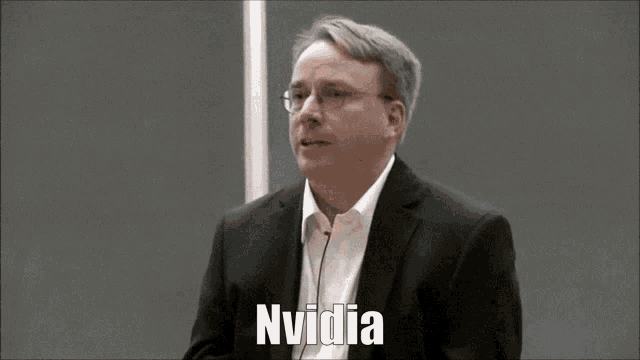 peak warren
jagged knot
that is indeed odd ...
peak warren
jagged knot
that is indeed odd ...
size and modes n/a too. a properly set up vid card/drivers would not say that
paper anchor
jagged knot
that is indeed odd ...
I always did find that strange... it identified everything else except the screen
jagged knot
peak warren
size and modes n/a too. a properly set up vid card/drivers would not say that
leme check my inxi
jagged knot
paper anchor
I always did find that strange... it identified everything else except the scree...
what did you say was your inxi command?
paper anchor
jagged knot
what did you say was your inxi command?
inxi -Fxz
peak warren
scroll to very top
jagged knot
peak warren
scroll to very top
mine for comparison
Graphics:
  Device-1: NVIDIA AD106 [GeForce RTX 4060 Ti] vendor: Palit Microsystems
    driver: nvidia v: 550.142 arch: Lovelace bus-ID: 01:00.0
  Display: x11 server: X.Org v: 21.1.11 with: Xwayland v: 23.2.6 driver: X:
    loaded: nouveau unloaded: fbdev,modesetting,vesa failed: nvidia
    gpu: nvidia,nvidia-nvswitch resolution: 1920x1080
  API: EGL v: 1.5 drivers: kms_swrast,nvidia,swrast platforms:
    active: gbm,x11,surfaceless,device inactive: wayland,device-1
  API: OpenGL v: 4.6.0 compat-v: 4.5 vendor: nvidia mesa v: 550.142
    glx-v: 1.4 direct-render: yes renderer: NVIDIA GeForce RTX 4060 Ti/PCIe/SSE2
  API: Vulkan v: 1.3.275 drivers: N/A surfaces: xcb,xlib devices: 2
 jagged knot
@paper anchor after you have reinstalled can you show is the inxi command output again
paper anchor
I still think the best course of action is a full reset, my current install is frankensteined together at this point because of all the fixes I tried, and multiple things other than steam are now broken, ill preform the format, reinstall from my USB
jagged knot
paper anchor
I still think the best course of action is a full reset, my current install is f...
do that and inform us once you have backed up the new install with Timeshift
peak warren
also the og api for openGL showd nvidia for renderer, not LLVM
peak warren
jagged knot
do that and inform us once you have backed up the new install with Timeshift
yeah then I recommend talk to Satomi about getting the proper Steam before install steam, after the snapshot
jagged knot
peak warren
yeah then I recommend talk to Satomi about getting the proper Steam before insta...
the one that works for sure is the .deb from their website
peak warren
oh
jagged knot
it won't update of course but it would ensure that we can know that nothing is wrong with the app
jagged knot
peak warren
oh
- don't forget we could use my hardware as reference as it's almost identical for CPU and GPU
paper anchor
@jagged knot question I'm at the driver selection screen and which driver should I use?
Just wanted to make sure since I want a clean install
jagged knot
paper anchor
<@880825377033973780> question I'm at the driver selection screen and which driv...
550 after installing it reboot
paper anchor
Gotcha
paper anchor
jagged knot
550 after installing it reboot
ok so installed 550 drivers, used update manager, restarted, made a timeshift, and now I have a fresh install of mint
now in regards to steam, install through the .deb file, install a game that didn't work before, and try it?
jagged knot
paper anchor
now in regards to steam, install through the .deb file, install a game that didn...
yeah, you can use the .deb provided from their website
paper anchor
YES
paper anchor
jagged knot
yeah, you can use the .deb provided from their website
YES
TBOI WORKS
jagged knot
paper anchor
YES
TBOI WORKS
the games launch!?
paper anchor
hold on let me try installing TF2 see if that freezes now
paper anchor
jagged knot
the games launch!?
yeah TBOi was just black screen then crash now its... well, not that
it's working and everything
jagged knot
paper anchor
it's working and everything
leeess go, so it's solved right?
paper anchor
well if TF2 crashes still then it might still be persistent, if not then im home free baybee
jagged knot
we can hope
paper anchor
still no clue what happened last installation, guess we'll never know...
jagged knot
paper anchor
still no clue what happened last installation, guess we'll never know...
wrong driver perhaps or something went wrong?
jagged knot
paper anchor
<:shrugpepe:1301985437488906261>
did tf2 download
paper anchor
jagged knot
did tf2 download
loading vulkan shaders rn
@jagged knot IT WORKS
BY GOD IT WORKS
this thread... is