#how to install wifi adapter drivers

146 messages · Page 1 of 1 (latest)

fathom rivet
#

hi there. i just installed linux on a computer of mine today, and my usb wifi adapter that i used without issue on Windows 10 is detected by Mint, but isn't offering connectivity. Forum searching leads me to believe that i need to install drivers for the Realtek RTL8811AU chipset that the adapter uses, but i don't think there's a way for me to connect to the internet to download and install those drivers to begin with:

my router does not have an ethernet port.
i cant use tethering because i live in an area where there is no cellular service.
the wifi adapter is detected by my computer and plugged-and-played when my computer was using Win10, but isnt functioning now that im using mint. (i just installed Mint Cinnamon 22 today).

i used another computer that is connected to the internet to download the github drivers for the adapter's chipset, but the installation instructions say that internet access is required for initial installation.

is there any other method i can use to get this adapter working? right now im thinking that there is no way for this computer to connect to the internet.

fathom rivet
#

the device shows up when i type in lsusb but there isn't a wireless option in the network button on the taskbar

loud sail
#

The easiest way does seem to be to connect to internet some other way at least temporarily

#

Unfortunately it doesn't seem that the driver is packaged into a .deb already for you

fathom rivet
#

yeah

#

its only $20 to get a linux usb adapter from amazon but that might also require drivers

#

and i dont know if it comes with said drivers

loud sail
#

Usually ones advertised as Linux-compatible shouldn't need additional drivers pulled from anywhere

#

You don't have the option of connecting to ethernet?

fathom rivet
#

unfortnately no. we have starlink where im at and the router that came with it does not have an ethernet port

loud sail
fathom rivet
#

yeah...

#

ill probably just buy a linux-compatible adapter. theres one on amazon with 4.5 stars and 10000 reviews

loud sail
#

Your only other option would be if you can get internet through your phone or bridge from the other computer

fathom rivet
#

i havent tried bridging from this pc yet

loud sail
#

I'm not entirely sure how to do that unfortunately

fathom rivet
#

seems pretty simple from windows to windows, but from windows to linux may require some further research

#

ill figure it out, and if i cant ill just buy the adapter

loud sail
#

Might be less headache LUL

fathom rivet
#

true

#

thanks for checking out this thread

loud sail
#

No problem :) Sorry I couldn't be more help.

fathom rivet
#

i appreciate the assistance nonetheless

loud sail
#

Do you know if the 8811AU is covered by the 8812AU driver?

fathom rivet
#

you mean if 8812 is backwards compatible with 8811?

loud sail
#

Kinda

#

Sometimes they'll say a chip number in the driver name but it covers anything like say 8812au might support 881x series

fathom rivet
#

i see. i did find a github link with 8811au drivers, but the installation instructions said that an internet connection was required to be established beforehand

loud sail
#

I think from a quick look the answer to my own question is no

fathom rivet
#

i wasnt really finding anything either

#

i think my only option is to bridge the connection from my windows pc. the linux wifi adapter on amazon says that you need to install drivers for it to work which requires an existing internet connection

loud sail
#

Oof

#

I suppose a long-winded workaround is one of those WiFi extenders that also has an ethernet port inside it

fathom rivet
#

anything to get the initial connection started so i can install the drivers

loud sail
#

That's so fucked that the Starlink router doesn't have even just one ethernet port on it though

fathom rivet
#

the wifi extender might not be a bad option in general though. my room is on the other side of the house from the router, and if its got an ethernet port i could run my main pc off of that instead of wifi

fathom rivet
#

some do and some dont

#

i wasnt living here when my parents got the router, otherwise i wouldve done some research beforehand

loud sail
#

Bruh

fathom rivet
#

definitely an oversight

loud sail
#

But yeah there's plenty of Powerline/g.hn adapters that would probably be good

#

I don't know how many of those can relay the network through the lines as well as act as extenders though

fathom rivet
#

theres gotta be at least one

loud sail
#

I think most of them do it don't think they need to explicitly be connected by ethernet to bounce the signal but I really don't know

#

Mine is just ethernet only

molten turret
#

Is that a laptop or a desktop?

lunar bay
#

and rfkill --output-all to see if any switches are suppressing/blocking the WiFi adapter

#

if inxi reports n/a for driver for the wifi chip, then write down all its model and stuff and find on ur other computer

#

u may use synaptic on the online linux pc if u have. tick the 'download packages only` box

#

it saves to /var/cache/apt/archives

#

then u can carry the installer over to the offline machine with usb stick

lunar bay
#

Note: you can even live boot Linux Mint on the other computer via USB and use it to grab packages for offline transport

fathom rivet
#

i still have the installation media that i used to install Mint

#

i might try that too

molten turret
#

In case that is a laptop with M.2 Wi-Fi, you could just get an Intel AX210 card. If it is a desktop, I would still get that, with a PCIe-to-M.2 card if needs be. Relatively cheap solution with 11/10 quality, never drops a signal, no matter how crap the signal is.

fathom rivet
lunar bay
#

bridging is a difficult thing

#

unless u have an old junk-drawer wifi router with ethernet ports lying around, then it's easy

fathom rivet
#

unfortunately we dont. and our router doesnt have an ethernet port either

#

technically i do have a third machine. its a steam deck, but that runs Arch i think so i dont think Synaptic is available for that

lunar bay
#

did u do the commands I wrote above?

#

send the info

fathom rivet
#

alright, one minute

#

Yeah it says driver is N/A

lunar bay
#

what's the precise model of the thing?

#

and make

fathom rivet
#

I found the drivers for the adapters chipset already.

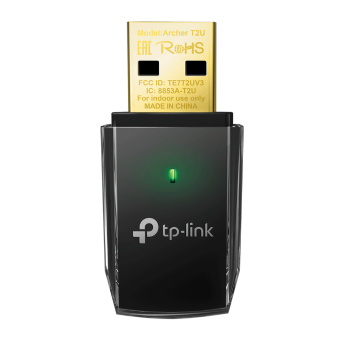
The model is the TP-Link AC600, Realtek RTL8811AU [Archer T2U Nano]

lunar bay
#

yeah i've seen tickets here regarding that model, T2U Nano, and they were solved.

fathom rivet
#

says this driver here supports ubuntu which mint is based on i believe

molten turret
lunar bay
#

typically, the person would smartphone tether with a data-plan (or smartphone tether bumming WiFI from a cafe) and get the drivers installed

fathom rivet
#

unfortunately out here in the sticks i get 0 bars

lunar bay
#

what kind of thing are u chatting on right now?

#

I could probably just get u the file(s)

molten turret
lunar bay
#

that too

fathom rivet
#

oh, i didnt know it could tether the wifi. thought it was cellular only

fathom rivet
lunar bay
#

oh ic

fathom rivet
#

i do also have a steam deck but that runs a different distro

lunar bay
#

let me check the old tickets

#

ok does Win11 have WSL?

#

I think it does. (windows subsystem for Linux)

#

u could probably clone the folder as per the ticket here.. copy the folder to USB, bring it over to ur offline computer, log to that folder on USB in terminal, and run the sh script. #1255183512760225792 message

#

though ur Mint computer would still need the dkms package . (it may or may not already be there)

fathom rivet
#

i dont believe it is

fathom rivet
#

honestly i think the easiest way to go about this is to get an AX210 card

lunar bay
#

yep that too

fathom rivet
#

i will try that

#

itll be a while before one comes in though, so we can consider this case closed for the time being

livid shell
fathom rivet
#

6.8.0.38-generic

livid shell
#

What is the USB ID from lsusb

livid shell
#

I can build the driver on my computer and upload it, you will just have to download, put it on a USB drive and get it on the Mint computer and I can help with commands to get it working

fathom rivet
#

that would be great

#

ID says 2357:011e

livid shell
fathom rivet
#

secure boot is enabled. i can disable it if that is required

livid shell
fathom rivet
#

alright ive got secure boot disabled, and the file is saved to my desktop

livid shell
#

Open a terminal window and cd Desktop

#

Then in terminal sudo cp 8821au.ko /lib/modules/6.8.0-38-generic/kernel/drivers/net/wireless/

#

Then sudo depmod -a and you should be able to reboot

fathom rivet
#

rebooted now

livid shell
#

Any luck?

fathom rivet
#

woah. it worked!

#

so what exactly did that do? im assuming it directly installed the drivers?

livid shell
#

Just for the current kernel, if you have a kernel update the wifi won't work, but that can be fixed

#

In terminal sudo apt install git dkms

#

git clone https://github.com/morrownr/8821au-20210708.git

#

cd 8821au-20120708

#

sudo dkms add .

#

Post results from terminal after that command

#

The final command is likely sudo dkms install rtl8821au/5.12.5.2

fathom rivet
#

Name@pc:~$ cd 8821au-20210708
Name@pc:~/8821au-20210708$ sudo dkms add
creating symlink /var/lib/dkms/rt18821au/5.12.5.2/source/usr/src/rtl8821au-5.12.5.2
Name@pc:~/8821au-20210708$

fathom rivet
livid shell
#

sudo dkms install rtl8821au/5.12.5.2 should work then

fathom rivet
#

Says that the module version exactly matches what is already found in the kernel

#

DKMS will not replace it but I can override that by specifying —force

livid shell
#

That sounds good, and it should work now after a kernel update

fathom rivet
#

lovely

#

thanks for getting that up and running for me

livid shell
#

Not a big problem, I have done it before on the Mint forums

#

But with Mint 22, it may upgrade the the 6.11 kernel in January at some point and I can't be certain the driver source code will still work, but I can check with a quick reboot

fathom rivet
#

Wouldn’t I have the option of just not upgrading the kernel?

#

I am new to Linux. Installed Mint yesterday so I don’t know if that’s an option

livid shell
#

Post results from terminal for dpkg -l | grep linux-generic

#

It does seem that the driver builds on 6.11 kernel with some minor errors, so it may not be an issue

fathom rivet
#

Trying to install discord on this machine but right now it’s faster to send photos of the terminal

livid shell
#

You missed the | symbol in the command

fathom rivet
#

ah so i did

#

linux-generic is now red

livid shell
#

Does it show linux-generic-hwe-24.04

fathom rivet
#

no. linux-generic 6.8.0-38.38

#

Complete generic linux kernel and headers

livid shell
#

Might be good then

#

If there is an issue you can come back here