#access denied to integrated SSD on laptop -- cannot install mint onto said SSD

1 messages · Page 1 of 1 (latest)

harsh lodge
#

I am working with a barely used, Dell Inspiron 11-2162 laptop.
It has a dual-core, dual-thread CPU with integrated graphics, 2GB of RAM, and 30GB of integrated SSD storage.
I am trying to install Linux Mint 22 Xfce edetion onto the computer, as Windows 10 took nearly the entire 30GB of storage.

This is my first time working with Linux.

I used the Windows command prompt to "clean all" the integrated SSD as well as format the drive to NTFS.

I installed Ventoy on my USB stick using the GPT partition format and then copied the Mint install file onto the USB stick.

I then booted the laptop from the USB stick and was able to enter the live session.

However, when attempting to install Linux mint I ran into an issue.
I followed the normal steps. Connect to the internet. Double-click the installer icon on the desktop. Select language. Select keyboard layout. Select whether or not to install drivers.

But

When selecting the "installation type" in the installer and using the default "erase disk and install Linux mint" it would try to install Linux onto my USB stick.
I then had to re-format and re-copy-paste my USB stick.
With the fresh USB stick, I tried again. I was able to get back into the live session, back to the "installation type" step, but this time I selected "something else".
In the "something else" tab, I could see the integrated SSD, it showed that it had 29GB of free storage, but when I selected that drive, the "install" button stayed greyed out.
I clicked on the menu button on the bottom left side of the screen, searched "disks", and loaded the disks program. I did not see the integrated 30GB SSD in the left menu, only my USB stick.
In the terminal, I tried to read the drive to see if Linux could give me the drive's details, but everything I tried in the terminal just came back with "access denied"
I don't know if I even used the right commands in the terminal for what I was trying to do, but I am stumped.

If anyone can help I would be very thankful.

mellow bear
#

all u had to do was pick the 29gb part n click 'change'

#

change to ext4 file system, tick 'format', set mountpoint to /

#

and that drive is likely emmc, so u would set location for bootloader to mmc

mellow bear
#

did you resolve this, @harsh lodge ?

harsh lodge
#

Not yet, I tried it and it didn't work. I am not at the computer rn but will give more details when i am

harsh lodge
#

Update: The drive I had found was only 30MB... not 30GB. I am pretty sure there is a 30GB drive on the laptop, but it just can't see it for some reason.

I ran these two commands in the terminal:
inxi -F
lsblk -fm

The two drives it found were two usb sticks. The one the live session was running on and one that I used to save the terminal output to put on this pc. Here's the terminal output for those two commands.

#

To run a command as administrator (user "root"), use "sudo <command>".
See "man sudo_root" for details.

mint@mint:~$ inxi -F
System:
Host: mint Kernel: 6.8.0-38-generic arch: x86_64 bits: 64
Desktop: Xfce v: 4.18.1 Distro: Linux Mint 22 Wilma
Machine:
Type: Portable System: Dell product: Inspiron 11-3162 v: 2.4.0
serial: <superuser required>
Mobo: Dell model: 050HCR v: A00 serial: <superuser required> UEFI: Dell
v: 2.4.0 date: 01/31/2018
Battery:
ID-1: BAT0 charge: 26.4 Wh (92.6%) condition: 28.5/32.0 Wh (89.2%)
CPU:
Info: dual core model: Intel Celeron N3050 bits: 64 type: MCP cache:
L2: 2 MiB
Speed (MHz): avg: 800 min/max: 480/2160 cores: 1: 1120 2: 480
Graphics:
Device-1: Intel Atom/Celeron/Pentium Processor x5-E8000/J3xxx/N3xxx
Integrated Graphics driver: N/A
Device-2: Sunplus Innovation Integrated_Webcam_HD driver: uvcvideo
type: USB
Display: x11 server: X.Org v: 21.1.11 with: Xwayland v: 23.2.6 driver: X:
loaded: modesetting,vesa unloaded: fbdev dri: swrast gpu: N/A
resolution: 1366x768~60Hz
API: EGL v: 1.5 drivers: kms_swrast,swrast
platforms: gbm,x11,surfaceless,device
API: OpenGL v: 4.5 vendor: mesa v: 24.0.9-0ubuntu0.1 renderer: llvmpipe
(LLVM 17.0.6 128 bits)
Audio:
Device-1: Intel Atom/Celeron/Pentium Processor x5-E8000/J3xxx/N3xxx Series
High Definition Audio driver: snd_hda_intel
API: ALSA v: k6.8.0-38-generic status: kernel-api
Server-1: PipeWire v: 1.0.5 status: active
Network:
Device-1: Intel Wireless 3160 driver: iwlwifi
IF: wlp1s0 state: down mac: e4:02:9b:c2:5e:02
Bluetooth:
Device-1: Intel Bluetooth wireless interface driver: btusb type: USB
Report: hciconfig ID: hci0 state: up address: E4:02:9B:C2:5E:06 bt-v: 4.0

#

Drives:
Local Storage: total: 15.04 GiB used: 0 KiB (0.0%)
ID-1: /dev/sda model: General UDisk size: 15.04 GiB type: USB
Partition:
ID-1: / size: 933.1 MiB used: 41.6 MiB (4.5%) fs: overlay source: ERR-102
Swap:
Alert: No swap data was found.
Sensors:
System Temperatures: cpu: 39.0 C mobo: 29.0 C
Fan Speeds (rpm): N/A
Info:
Memory: total: 2 GiB available: 1.82 GiB used: 815 MiB (43.7%)
Processes: 197 Uptime: 4m Shell: Bash inxi: 3.3.34

#

mint@mint:~$ lsblk -fm
NAME FSTYPE FSVER LABEL UUID FSAVAIL FSUSE% MOUNTPOINTS SIZE OWNER GROUP MODE
loop0
squash 4.0 0 100% /rofs 2.3G root disk brw-rw----
sda 15G root disk brw-rw----
├─sda1
│ exfat 1.0 Ventoy 4E21-0000 15G root disk brw-rw----
└─sda2
32M root root brw-------
sdb 14.7G root disk brw-rw----
└─sdb1
vfat FAT32 ESD-USB 847C-5E29 14.7G 0% /media/mint/ESD-USB
14.7G root disk brw-rw----
mint@mint:~$

#

The bios detects the SSD. Its a "SanDisk DF4032 222B6D12 (32.GB)"

mellow bear
#

yeah if u cant see the internal storage, that's a problem

#

see if you find anything VMD or RST in the BIOS near the advanced or storage sections, and disable

#

even IF u were able to find internal storage on this, Mint would be way to heavy and run like crap on an Atom processor with only 2 GiB of RAM

#

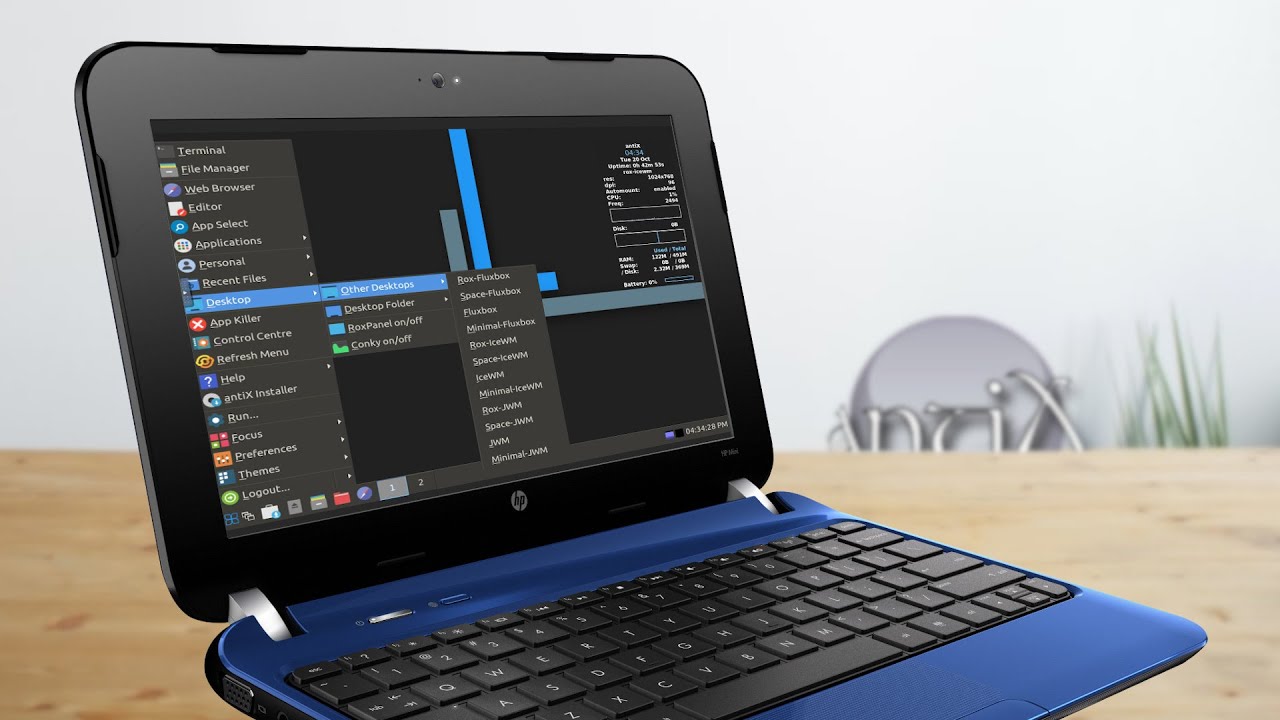
this needs a superlight distro like AntiX.

harsh lodge
#

even the Xfce version?

mellow bear
#

yep

harsh lodge
#

pity

#

what do VMD and RST mean btw?

mellow bear
#

google it

harsh lodge
#

is the rst intel rapid storage tech

#

and vmd intel volume management device?

mellow bear
#

yeah their technologies that often some manufacturers use for high-speed flash internal storage, and prevent linux from seeing it

#

but mostly on nvme ssd

#

not cheap emmc

#

if u can boot from usb, and if there's two usb ports, then you could technically install an os to an external portable usb hard drive or usb ssd

harsh lodge
#

that's a good idea

mellow bear
harsh lodge
#

my goal for the laptop was just to be able to record audio on it using audacity or obs, do you think this thing would be able to handle that if i can get a decent os on it?

#

thanks for the link, will watch

mellow bear
#

yeah it would work fine for that with likely no stutters with antix

#

that's actually a good deal for the ADATA drive

#

that plus some velcro tape, and you're rocking.

#

i see no graphics driver is found from your inxi. test it out well, including microphone

#

u can put antix 64 bit "full" on your ventoy and test it out