#supergrub not working as intended
126 messages · Page 1 of 1 (latest)
 west gull
 copper mortar
west gull
when booting from supergrub and then picking, "test for os", i just get a bunch ...
copper mortar
west gull
when booting from supergrub and then picking, "test for os", i just get a bunch ...
why are you using supergrub?
west gull
because my bios doesnt support booting from another disk
copper mortar
west gull
because my bios doesnt support booting from another disk
what does that even mean?
west gull
i have mint on one hdd and windows on one ssd
my bios doesnt allow me to boot between the two
only the ssd
copper mortar
west gull
only the ssd
are you using UEFI or legacy?
west gull
uefi
copper mortar
west gull
uefi
set Ubuntu as the top entry in bios then
west gull
no
it doesnt show up
its impossible for me unless i flash my bios to a newer version
i made a post about this a few months ago, i got mint working with supergrub but i havent touched it since
for some reason i cant get it to work anymore
copper mortar
west gull
its impossible for me unless i flash my bios to a newer version
show a screenshot of your BIOS
copper mortar
west gull
i made a post about this a few months ago, i got mint working with supergrub but...
you should use Linux mint live and use recommended boot repair option
 torn holly
if ur able to boot to usb stick u are able to boot another drive
torn holly
show the bios screens
copper mortar
west gull
i cant right now, im away from my desktop but i can show you my last post
so, if the HDD is not recognised, perhaps put the bootloader on SSD drive?
torn holly
it's probably some "ADD device" setting to do in the BIOS
west gull
ill see when i get back home
torn holly
just gotta find it, and add the other drive, or the "ubuntu" loader of the other drive
also possible that Windows somehow turned Secure Boot back on, and that's why supergrub is now failing
west gull
i turned secure boot off
before i booted into supergrub
i double checked to see if my bios was correct when i booted supergrub
im pretty sure everything is fine
torn holly
dont do test for OS then. just pick manual boot. choose 'Linux" in the orange list.
west gull
i tried that
torn holly
and hit enter on vmlinuz (the kernel)
copper mortar
west gull
i tried that
perchance try to use boot repair because your bootloader got broken with windows updates as you didn't touch Linux for a few months and now supergrub can't find it?

 torn holly
west gull
torn holly
west gull
adjust boot filter to show all modes
also check in Hard Disk drive priority
torn holly
which is?
west gull
uefi
torn holly
enable CSM, maybe mint got installed as legacy
after enable csm, recheck the boot filter
copper mortar
torn holly
enable CSM, maybe mint got installed as legacy
not possible
torn holly
and recheck available hard disk priorities
torn holly
copper mortar
not possible
anything's possible due to some slight oversight at one step
torn holly
west gull
it’s on legacy now, the hard disk priority shows nothing now
and the filter thing?
west gull
it’s on legacy
torn holly
it ought to show at least another hard drive somewhere in there.
west gull
my bios is just old ngl
torn holly
worse comes to worse, u can do a boot repair with manual options, and tell it to reinstall grub to the win-boot-manager partition (probably nvme0n1p1)
west gull
idk this seems unnecessary, I rather just use super grub as a temporary solution
torn holly
u wouldnt have to use an additional usb to start linux if what I just said works.
u just need the mint live usb, and its boot repair tool
anyway, if u made change in BIOS now, exit without saving them
copper mortar
west gull
idk this seems unnecessary, I rather just use super grub as a temporary solution
you can't use supergrub if your bootloader is broken
torn holly
or change them back
torn holly
copper mortar
you can't use supergrub if your bootloader is broken
they can, it's the bootloader.
it just fires up the linux kernel on a disk
copper mortar
torn holly
they can, it's the bootloader.
doesn't it just load the grubx64.efi file?
torn holly
eh it can if u direct it to, but I've seen it show a list of bootable linux kernels too
west gull
the bootloader is fine
copper mortar
torn holly
eh it can if u direct it to, but I've seen it show a list of bootable linux kern...
hmm, youre propably right. I haven't looked that much into it
west gull
i rather keep the two systems on individual disks
torn holly
ok so boot the supergrub thing
west gull
im pretty sure the only reason i wasnt able to boot was because i flashed supergrub wrong
copper mortar
west gull
the bootloader is fine
if it's fine and works, then why this thread?
west gull
the mint bootloader is fine
torn holly
it was working before though, the supergrub way
west gull
yeah but i had to reflash the usb for something else
west gull
ye
torn holly
then u dont have to unflash/reflash
torn holly
and use gpt in the setup options in ventoy, for guaranteed best performance on the most picky of modern BIOS's
west gull
still doesnt fix my supergrub problem though
copper mortar
west gull
its a pretty big usb
you can allocate some space to just your files
west gull
what version do i pick
torn holly
windows
or whatever thing ur setting up on
ventoy it once, (properly) and u can use it for life in a multitude of purposes
then once ventoy is installed, slap the supergrub img onto it
and boot it up and it should work when u choose manually boot an OS, and scroll the list for Linux.
west gull
uhhhhhh
 west gull
no clue
torn holly
better be careful
check in file explorer. u only want ONE usb thing plugged in during this operation
west gull
yes its just
torn holly
no phones, no nothing, just mouse and one flash drive.
west gull
ahhh
torn holly
then confirm the drive letter of the flash drive in Explorer,
and confirm upon re-running Ventoy2disk

 torn holly
what is that from?
west gull
ventoy log.txt
torn holly
replug the flash drive
close ventoy
reinsert drive. confirm drive letter in explorer.
re-run ventoy.
and make sure the options match the picture I sent precisely.
west gull
i cant find the drive in the explorer
torn holly
open Windows Disk Management and show
west gull
 torn holly
what size is the USB stick supposed to be (advertised size)
west gull
250gb
torn holly
is it Acer (C:) ?
west gull
no
torn holly
reboot the machine, take the usb out first
should have stopped before hitting "Install" when u saw TWO drive letters showing up in Ventoy.
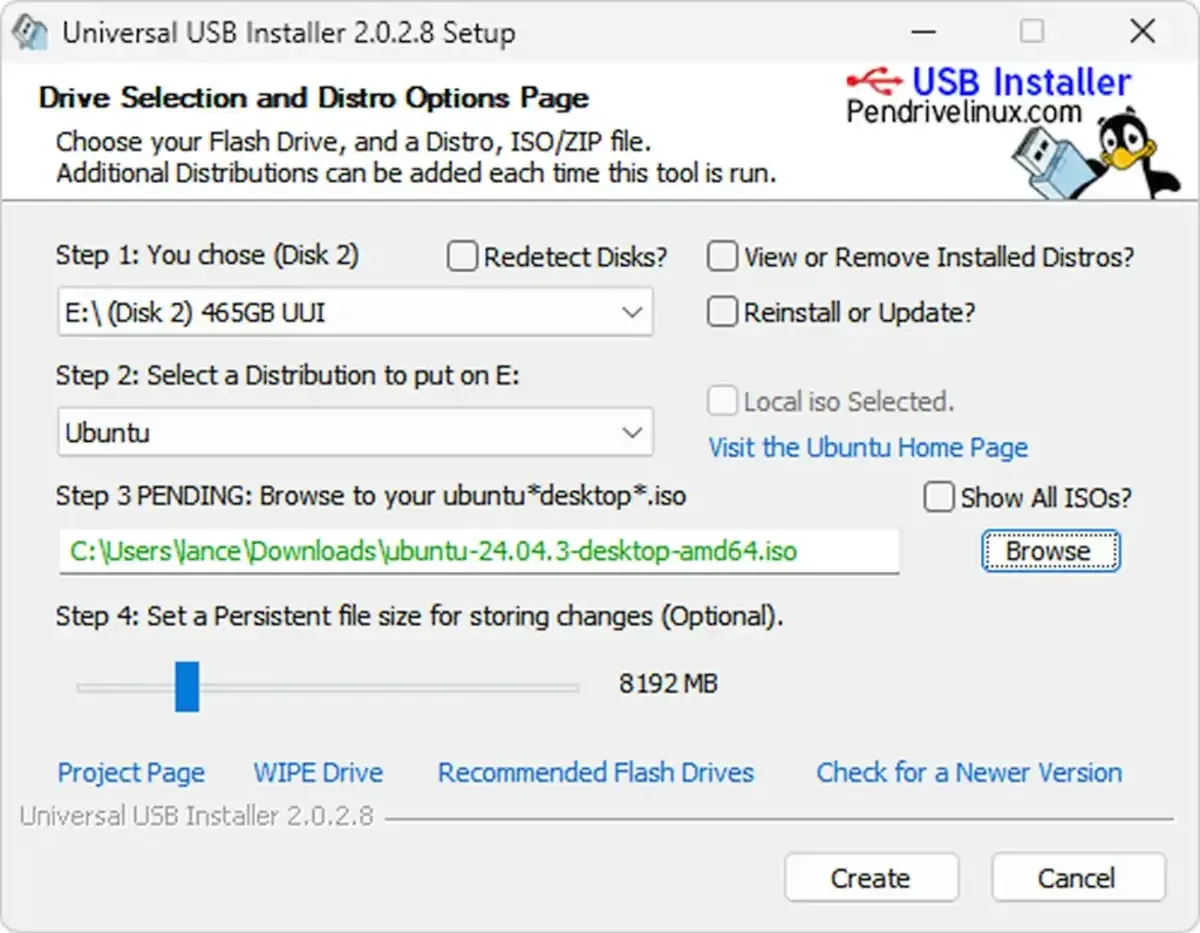
Pen Drive Linux
Universal USB Installer (UUI) USB Bootable Pendrive Software. Boot from USB Windows setup installers, Live Linux ISO files, system repair tools.
can also use that one.
as long as ur thumbdrive shows up again.