#Stuck on boot select cause laptop died during boot select
136 messages · Page 1 of 1 (latest)
 proven crater
 zenith viper
Fuck
zenith viper
Fuck
that's some fault of your bios. try booting into bios and show me the boot/startup tab
zenith viper
proven crater
that's some fault of your bios. try booting into bios and show me the boot/start...
 proven crater
zenith viper
proven crater
zenith viper
is this an already installed system or did you not even run the installer yet?
proven crater
can you go to windows?
zenith viper
No
Windows boot manager just stayed there
Idk why
I might be getting a steamdeck soon
So maybe I can use that as a replacement
proven crater
zenith viper
Windows boot manager just stayed there
so you can't boot anything?
 sand olive
zenith viper
sand olive
zenith viper
what you need to do is either some sort of specialized boot repair tool to clean this absolute mess or just format everything and reinstall linux , set it up and then separately install windows
the windows boot manager was at the top which probably caused a fuck up
zenith viper
Ubuntu was already at the top I just tried windows boot manager
sand olive
what you can do is boot into the ubuntu iso and then repair your grub
proven crater
sand olive
what you need to do is either some sort of specialized boot repair tool to clean...
he can't reinstall, because he can't boot anything (or at least that's how I understand it)
sand olive
sand olive
what you can do is boot into the ubuntu iso and then repair your grub
@zenith viper 
proven crater
as you can see in the video, he can't boot anything. not even windows
zenith viper
Yeah
sand olive
proven crater
as you can see in the video, he can't boot anything. not even windows
Yeah, windows boot manager along with grub confused each other or something along those lines probably. Now the bios cant find the bootloader. He needs to use his ubuntu live iso and hopefully repair grub
after which he can try to repair windows boot mgr
zenith viper
Il just use my steamdeck for stuff like this instead when I get that
sand olive
zenith viper
Il just use my steamdeck for stuff like this instead when I get that
Do you have the pendrive with which you installed ubuntu?
sand olive
Oof. Do you have any other pendrives and another pc with which you can put ubuntu on that pendrive?
zenith viper
No
proven crater
@zenith viper can you record your screen after you press the power button, without pressing anything else? for clarity
zenith viper
It just shuts down the computer like normal
sand olive
Yeah, this isnt looking good
zenith viper
Soak slushy cozy j sa go go go go sad e no d je Dw h see no h eq b eq hi a by h CB be Bo Bo bingo
proven crater
zenith viper
It just shuts down the computer like normal
still
zenith viper
Still whqr
proven crater
zenith viper
Still whqr
record it.
proven crater
zenith viper
that's pretty upsetting. idk what went wrong, but something did. I may suggest you to unplug the laptop and CMOS batteries and try to boot without them.
It should reset all things related to bios, so possibly resolve itself.
 mighty sequoia
zenith viper
mighty sequoia
zenith viper
u need an emergency repair USB stick for this. Preferably a brand name, 16GB+ USB stick, WITH A LIGHT, and made bootable using VENTOY (with its gpt option) then you can add Mint, MX linux, and Hirens Boot CD all to it at once.

Be prepared next time your computer collapses in on itself!
• Get up to 77% off Private Internet Access VPN! ⇨ https://privateinternetaccess.com/thiojoe (Sponsored)
IMPORTANT NOTE! : After making this video, you all informed me about a way you can actually put all ISOs onto just one USB drive using a cool program called Ventoy. Watch this new ...
proven crater
mighty sequoia
u need an emergency repair USB stick for this. Preferably a brand name, 16GB+ U...
how will he boot it?
mighty sequoia
and the Ventoy one, which can replace those 4 physical ones:

THE LAST BOOTABLE USB YOU'LL EVER NEED
Links:
• Samsung USB on Amazon ⇨ https://geni.us/Bb5B (affiliate)
• Ventoy Website ⇨ https://ventoy.net/en/index.html
• Ventoy GitHub ⇨ https://github.com/ventoy/Ventoy
• Gnome-Look ⇨ https://www.gnome-look.org/browse/cat/109/order/latest/
⇒ Become a channel member for exclusive features! Check it out here...
mighty sequoia
proven crater
how will he boot it?
it would simply show up as a 4th option in the OP's first video.
if that still doesn't boot to USB, then need BIOS factory reset.
mighty sequoia
any news with this issue, @zenith viper ?
mighty sequoia
eh. welp u'll need a rescue disk to kickstart/repair ur ailed OS
can probably do it on a public library pc or friend's
easiest tool would be UUI
to load an ISO to the usb and make it bootable.
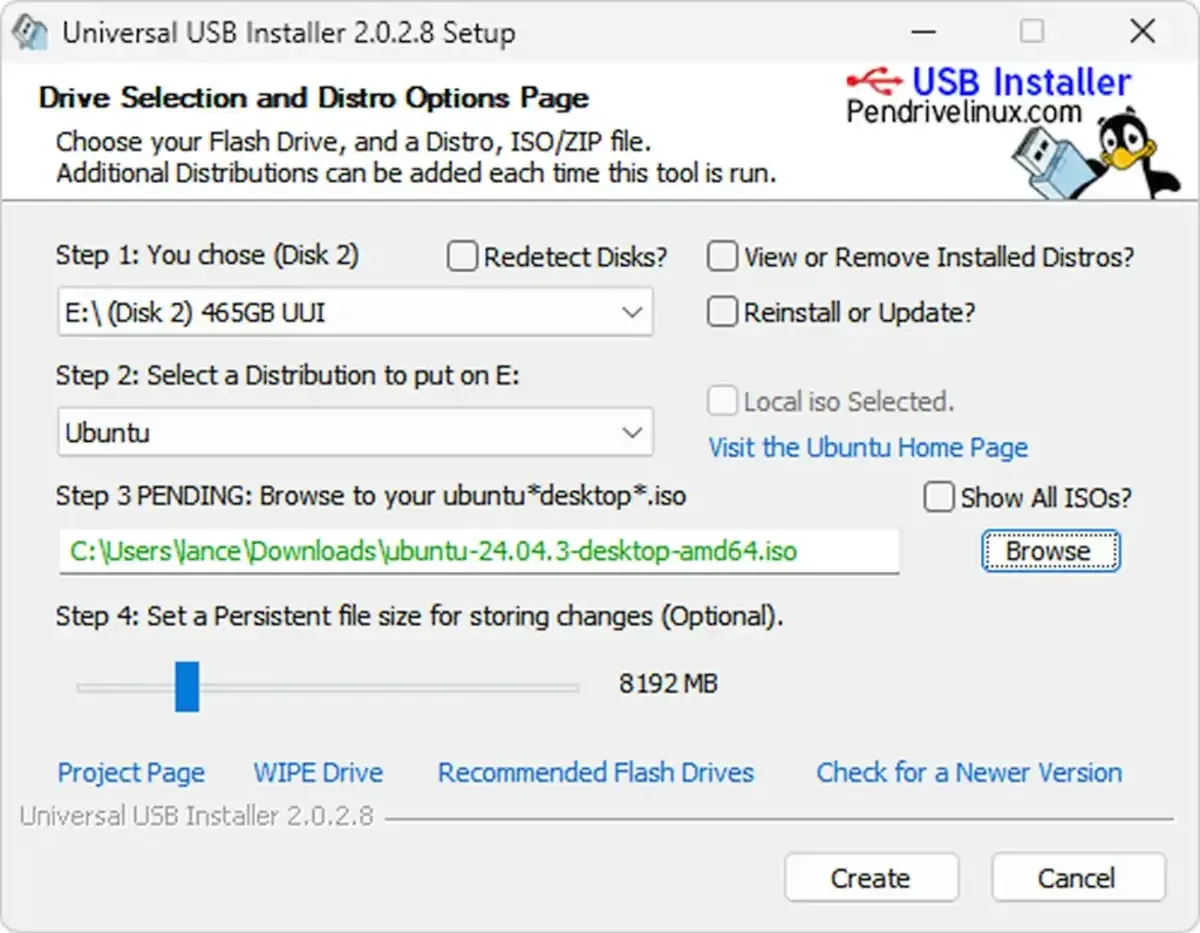
Pen Drive Linux
Universal USB Installer (UUI) USB Bootable Pendrive Software. Boot from USB Windows setup installers, Live Linux ISO files, system repair tools.
I can practically guarantee once u make that usb, you'll be able to boot it, then call for help here to fix GRUB
if we can fix linux first, that'll be a gateway to then get the tool to fix Windows
zenith viper
Il do it sometime
zenith viper
update: I fixed it I think it dying on boot select did something to the files
I had to plug in a ventoy USB
And reinstall mint
Thank you.
mighty sequoia
ayyy\
zenith viper
I think it dying during the boot selection did something to the files
Il see if something happens after installing
mighty sequoia
what was initial cause? dead battery. power failure?
zenith viper
mighty sequoia
what was initial cause? dead battery. power failure?
Yeah it ran out of battery
Still confused how that happens
mighty sequoia
well if was weak and shutdown, and not recharged enough sure
or it lost charge just sitting and off
 mighty sequoia
is windows gone?
zenith viper
Yeah because I wiped my drive
mighty sequoia
ah
zenith viper
Hold on I need to check to see if the windows boot thing is still there
Why is windows boot manager still there???
mighty sequoia
maybe it's a certain microsoft folder inside the EFI partition
zenith viper
Did they change the login screen on mint 22
mighty sequoia
can go in live mode n mess around, but i'd just leave it
mighty sequoia
zenith viper
Did they change the login screen on mint 22
idk, did they?
zenith viper

It looks like something from fallback mode
And then when I login it refreshes the UI
mighty sequoia
idk it looks normal?
mighty sequoia
when u boot the pre-install desktop
mighty sequoia
u checked disks app and file mgr?
zenith viper
They weren’t in file manager and I forgot the disks app existed
mighty sequoia
i guess if you couldnt see any volumes listed in the Devices pane in file mgr
zenith viper
most of the files were my 3ds roms and citra
I could easily just rip the roms from my 3ds anyways
zenith viper
There
mighty sequoia
did buy a usb stick to keep?
zenith viper
Yeah
mighty sequoia
keep ventoy on it, with linux on it as a rescue tool
can also add those other thiojoe things
zenith viper
I should add windows 11 JUST in case if I want to sell Ig
mighty sequoia
esp. if u maintain other Windows pc's
zenith viper
Cause It came with 11 stock
mighty sequoia
kool hopefully the licence key is still embedded in the uefi/tpm
zenith viper
It is
zenith viper
mighty sequoia
kool hopefully the licence key is still embedded in the uefi/tpm
I have a question
Am I allowed to take the information stickers off of ram
I have no use for the ram
zenith viper
All I know is it’s made from that one Chinese company
mighty sequoia
but do your own research
zenith viper
SK Hynix