#Linux Dual-Boot Fixing the EFI FAT32 UUID
47 messages · Page 1 of 1 (latest)
 digital spade
 obtuse glen
Sda1 only or all of them?
digital spade
The drive that gives you trouble, and only that drive.
obtuse glen
Is this enough? @digital spade
 digital spade
I am beginning to understand your trouble. You have a partition with a partial file system. How did you manage that?
obtuse glen
digital spade
I am beginning to understand your trouble. You have a partition with a *partial*...
I was resizing it and removed the usb by error ( the usb i use to run linux mint to resize partitions)
digital spade
I am not sure if that is recoverable without a full reinstall.
obtuse glen
Reinstalling what?
Linux mint and windows still work
So kparted wouldn't work?
I can install it in my usb too
digital spade
Partitions are formatted completely with a file system. Yours was formatted in an incomplete fashion. It is weird that it works at all. If it does work like that, do not touch it and continue to use the system. If it creates issues, back up all your data and reinstall both operating systems like you would on a new PC.
obtuse glen
digital spade
Partitions are formatted completely with a file system. Yours was formatted in a...
Well i think it didn't change the 100mib fat32 partions. It just failed to add 200mib
digital spade
Either way, this cannot be fixed unless you are an expert on filesystems and partition structure, in which case you need to fix the partition table byte by byte. Have fun with that, I know nobody who can do that. This is a broken partition, and the fix is wiping it.
obtuse glen
digital spade
Either way, this cannot be fixed unless you are an expert on filesystems and par...
 ok :3
ok :3
Last question do you know how to creat* not change a fat32 partions with a specific UEID
digital spade
I know that you cannot. As to why, feel free to study what a UUID actually is: https://en.wikipedia.org/wiki/Universally_unique_identifier
obtuse glen
@digital spade i can't believe it i found someone who had the same issues as me
 digital spade
Relevant XKCD: https://xkcd.com/979/
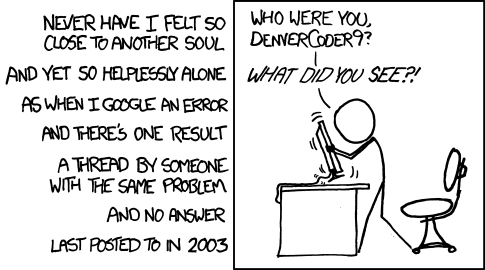
All long help threads should have a sticky globally-editable post at the top saying 'DEAR PEOPLE FROM THE FUTURE: Here's what we've figured out so far ...'
obtuse glen
Actually i found an answer
digital spade
Congratulations.
obtuse glen
@digital spade so i found a way to create a new fat32 sda1 with a specific uuid ( i used the old one as you can see)

It's because fat32 apparently don't use uuid. It uses some medata used as uuid
digital spade
Feel free to share the link to that solution and rename the thread with the actual topic, then it will help other people in the future.
obtuse glen
I need to rename the flags too?
obtuse glen
digital spade
Feel free to share the link to that solution and rename the thread with the actu...
I'll create a thread with the solution
digital spade
Just make it something more useful than "My thread".
obtuse glen
It did work. I'll write the complet steps i followed now @digital spade
Linux Dual-Boot Fixing the EFI FAT32 UUID

Super User
How do I change the UUID of a vfat partition?
For ext2 / ext3 / ext4, this is done with a simple:
tune2fs -U <new-uuid> /dev/<partition>
Is there a similar command for vfat partitions?
This issue is related to GParted
I used a command to copy my files in the sda1 into a backup folder
Then formated it into ext4 and back to fat32
Then used
sudo mkdosfs -F 32 /dev/sda1
Sudo mkdosfs -i put the UUID /dev/sda1
remember mkdosfs will format the fat partition and give it the specific UUID it does not change the UUID. If you want to change it follow the steps in the useful link provided
Then i added the flags boot, esp
And that's how i resolved the issue


 frosty jasper
obtuse glen
frosty jasper
obtuse glen
does it boot fine now?
obtuse glen
Yeah both win and lm