#(SOLVED) idk how to work a computer
196 messages · Page 1 of 1 (latest)
 obtuse plume
 obtuse fjord
obtuse plume
<@1224967227736850537>
obtuse fjord
obtuse plume
<@1224967227736850537>
Restart and before the logo show up click F10
yeah we were all in your place once
obtuse plume
ok
obtuse fjord
obtuse plume
ok
Sorry press F2 not F10
obtuse fjord
Asus changes it's bios keys from model to another so we are just trying to go into bios
obtuse plume
aaaand im back on windows
obtuse fjord
obtuse plume
aaaand im back on windows
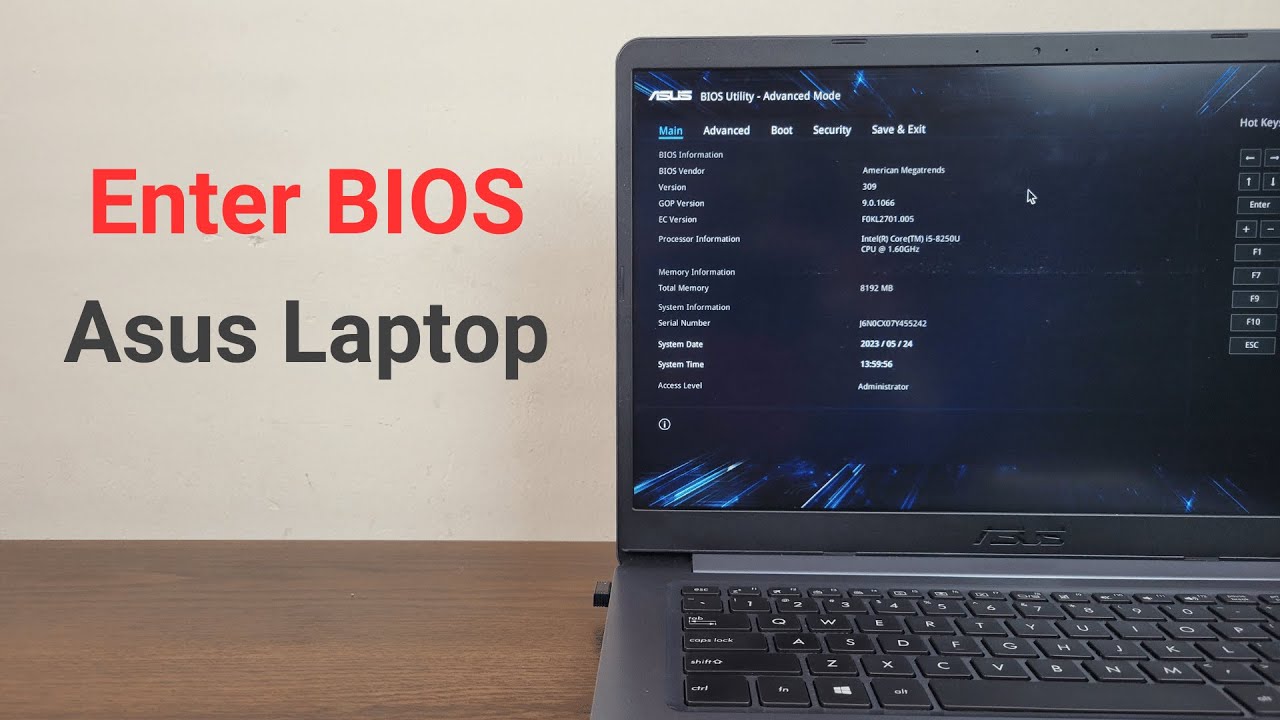
A quick tutorial on, how to enter the bios on any Asus laptop easily.
 novel igloo
obtuse fjord
Asus changes it's bios keys from model to another so we are just trying to go in...
novel igloo
obtuse fjord
Asus changes it's bios keys from model to another so we are just trying to go in...
He opened up boot loader and got it loading, isn't it fine?
That's what I did
obtuse fjord
novel igloo
He opened up boot loader and got it loading, isn't it fine?
Bro Get Out, Call me in the DMs
obtuse fjord
obtuse plume
this is a load of malarkey
he tells you to press F2 key
obtuse fjord
obtuse plume
quit trolling
i am not trolling, why would i
obtuse plume
obtuse fjord
he tells you to press F2 key
which does nothing
obtuse fjord
obtuse plume
which does nothing
it's 3 simple steps
- Shutdown Your Device Completely
- Hold F2
- Click Power Button
obtuse plume
and when i do that it brings me back to windows
obtuse fjord
obtuse plume
and when i do that it brings me back to windows
are you on a laptop or pc?
obtuse fjord
obtuse plume
laptop
Try Pressing ESC or Alt+F2 when Asus logo appears
one of these should work
obtuse fjord
obtuse plume
I am not trolling
i don't know what model you are on so i am telling you all the keys for all models
obtuse plume
obtuse fjord
Try Pressing ESC or Alt+F2 when Asus logo appears
dude why didnt you tell me i had to use alt 😭
obtuse fjord
obtuse plume
dude why didnt you tell me i had to use alt 😭
some models use Alt and some doesn't
i don't know what ASUS laptop do you use
obtuse plume
ok im in the ms dos ass interface whats next just boot from usb?
obtuse plume
so what
obtuse fjord
I NEED YOU IN THE DUCKING BIOS
obtuse plume
thats what im in
obtuse fjord
image?
novel igloo
obtuse plume
thats what im in
Chill and dont do anything without telling fish sticks
obtuse plume
 obtuse plume
thats what i meant
obtuse fjord
and find secure boot, and turn if OFF
 obtuse plume
obtuse fjord
and find secure boot, and turn if OFF
obtuse plume
obtuse fjord
and find secure boot, and turn if OFF
 obtuse fjord
obtuse plume
obtuse fjord
obtuse plume
where is Secure BOOT
obtuse plume
you tell me!
obtuse fjord
obtuse plume
from security > secure boot menu
ok good
now save and restart to the usb
by pressing F12 while booting
obtuse plume
alr, im booting linux now
obtuse fjord
now where will you put Mint?
obtuse plume
on my laptop idk what u mean
obtuse fjord
obtuse plume
on my laptop idk what u mean
Drive
novel igloo
obtuse plume
on my laptop idk what u mean
Do you want to put it on your ssd Or hard drive
Do you want to use both windows and linux or just linux only
obtuse plume
novel igloo
Do you want to use both windows and linux or just linux only
the correct option
novel igloo
obtuse plume
the correct option
Lmao
Good luck then
obtuse fjord
obtuse plume
the correct option
- If Linux Mint Only > Windows Will Be Deleted
- If Linux Mint And Windows > You Will Have The Option Every Time You Restart To Boot Either Windows Or Linux Mint
novel igloo
obtuse fjord
1. If Linux Mint Only > Windows Will Be Deleted
2. If Linux Mint And Windows > Y...
He wants to boot linux only
obtuse plume
obtuse fjord
1. If Linux Mint Only > Windows Will Be Deleted
2. If Linux Mint And Windows > Y...
windows will be deleted 😻
obtuse fjord
When you click "Install Mint" you will have two options choose 2nd one
novel igloo
obtuse plume
windows will be deleted 😻
Just follow the mint installer then
obtuse fjord
novel igloo
Just follow the mint installer then
He Will have to change Disk Type As Windows is already there
obtuse fjord
obtuse plume
wha
what is your progress?
obtuse plume
installation type
obtuse fjord
obtuse plume
installation type
2nd option

 obtuse fjord
obtuse plume
obtuse fjord
obtuse plume
you have 2 disks 1 with 256 GB and other with 1TB
what do you want to install Mint on
obtuse plume
dont kno which one i should do
obtuse fjord
obtuse plume
dont kno which one i should do
ok choose the 1TB one
 obtuse fjord
obtuse plume
obtuse fjord
obtuse plume
btw do you have any data that you want to keep?
obtuse plume
it’s all backed up dw :3
obtuse plume
alr
obtuse plume
actually its just asking me where i am
and that wasnt working so i went back and uhh

try again aint working
obtuse fjord
does your drive have any issues?
obtuse plume
well i gotta do that again
obtuse fjord
obtuse plume
well i gotta do that again
did you create the EFI partition
it's a requirement
novel igloo
obtuse fjord
you have 2 disks 1 with 256 GB and other with 1TB
256 gig is the ssd 1 tb is the hdd
obtuse fjord
novel igloo
256 gig is the ssd 1 tb is the hdd
yeah he's still flashing the usb
novel igloo
oh ic
obtuse fjord
will probably take the whole summer
novel igloo
bruh
 frozen lagoon
what's the issue
novel igloo
frozen lagoon
what's the issue
nothing
he hadnt disabled RST or secure boot before trying to flash the usb
its fine now i think
frozen lagoon
novel igloo
nothing
he hadnt disabled RST or secure boot before trying to flash the usb
context
novel igloo
frozen lagoon
context
Hm?
Too long to explain
Bottom line : it's fixed now
obtuse plume
novel igloo
Hm?
Too long to explain
Bottom line : it's fixed now
nope
i gotta redo everything now
novel igloo
obtuse plume
i gotta redo everything now
Bruh
obtuse plume
some error fucked everything up
frozen lagoon
obtuse plume
some error fucked everything up
and change this thread name to something that reflects the issue
obtuse plume
idk how to work a computer
 obtuse fjord
Woo
novel igloo
obtuse plume
alr i got it to stop
Lesgoo
Were you able to install mint
 ionic star

obtuse plume
my brother fucked up the computer again
 pine goblet
windows strikes again
novel igloo
obtuse plume
im in the bios and when i look at boot theres no boot options
Send ss
Does it show a particular error maybe
Or just straight up no options
obtuse plume
novel igloo
Send ss
cant, no phone storage
obtuse plume
novel igloo
Or just straight up no options
this
novel igloo
obtuse plume
cant, no phone storage
💀
novel igloo
obtuse plume
this
Just wait for fish sticks to come online. You probably restarted during an update
obtuse fjord
I Can't get up to make me some coffee without someone breaking a thing 🗿
novel igloo
obtuse plume
cant, no phone storage
Can you screen share in vc and open the camera app
obtuse plume
ill just delete + reinstall discord
novel igloo
obtuse plume
ill just delete + reinstall discord
Isn't your hdd failing
obtuse plume
typo
obtuse fjord
obtuse plume
im in the bios and when i look at boot theres no boot options
Don't you see Ubuntu option there?!
novel igloo
novel igloo
Isn't your hdd failing
I think your drive which was failing has failed.
obtuse plume
obtuse fjord
Don't you see Ubuntu option there?!
absolutely nothing but i put the stick back in
which .efi file
novel igloo
Put the liveboot in and boot using it
And check your hdd through storage manager first
obtuse fjord
obtuse plume
which .efi file
Try this
- I made "Customized Boot" the top option (yes, I tried them all and played with every single setting in BIOS)
- Go to "Customize Boot" and switch it to "Add" then define the path to the efi file
With Secure Boot: EFI\ubuntu\grubx64.efi
Without Secure Boot: EFI\ubuntu\shimx64.efi
- Saved and rebooted
obtuse plume
grub 64 boot 64 or freaky boot 32
obtuse fjord
obtuse plume
grub 64 boot 64 or freaky boot 32
Just go to BIOS>BOOT>Add>Enter EFI\ubuntu\grubx64.efi
save and boot
frozen lagoon
obtuse plume
cant enter bios because of this
your drive is dead.
obtuse fjord
obtuse plume
my files are not there bc i booted from the usb
Check your drive health
Probably dead but check
novel igloo
frozen lagoon
your drive is dead.
I literally told him that...
frozen lagoon
when smart fails, it means that the drive is about to die and fail
novel igloo
obtuse plume
my files are not there bc i booted from the usb
Go to storage manager and check hdd health
frozen lagoon
if you don't backup, you'll lose all the data
you can use mint and linux tools to check the drive
obtuse plume
it still says its likely to fail SOON so hopefully its still there
ill back it up rq
obtuse fjord

 obtuse fjord
obtuse plume
it still says its likely to fail SOON so hopefully its still there
obtuse fjord
obtuse plume
it still says its likely to fail SOON so hopefully its still there
Likely Is A Soft Word To Tell You That It Will
novel igloo
frozen lagoon
you can use mint and linux tools to check the drive
Yup storage manager
It's called something those lines
frozen lagoon
novel igloo
Yup storage manager
It's called something those lines
not really. gsmartcontrol and other terminal tools can check the health
novel igloo
Oh I see
frozen lagoon
obtuse plume
it still says its likely to fail SOON so hopefully its still there
don't expect it to stay alive for too much time
obtuse plume
im copying all my files rn
frozen lagoon
obtuse plume
im copying all my files rn
you have to, before it dies forever
obtuse fjord
frozen lagoon
you have to, before it dies forever
Yeah you should
novel igloo
Buy an ssd if you can if you're gonna replace the drive
obtuse fjord
You can just move it to the SSD
obtuse plume
how do i do that
obtuse fjord
obtuse plume
how do i do that
Just open the files>Mount the disk>move the important files
obtuse fjord
Permission for what?
novel igloo
Just give fishsticks remote access again smh
obtuse plume
The folder “(folder)” cannot be handled because you do not have permissions to read it.
novel igloo
obtuse plume
apparently i dont have permissions
Since you booted from the live boot and not as the user, you don't have permission
obtuse fjord
novel igloo
Since you booted from the live boot and not as the user, you don't have permissi...
Live USB is pretty much a temporary user