#when trying to install windows 10 dual boot on my system it won't run via flash drive even though I
84 messages · Page 1 of 1 (latest)
 dusk plover
dusk plover
I printed the Windows 10 iso file to my flash drive and set it as priority throu...
dusk plover
dusk plover
dusk plover
I printed the Windows 10 iso file to my flash drive and set it as priority throu...
wdym by print? you can't print an ISO
dusk plover
dusk plover
wdym by print? you can't print an ISO
I created bootable USB flash drives. That's what I meant.
dusk plover
dusk plover
I created bootable USB flash drives. That's what I meant.
use ventoy for that
 sand glade
when you reboot, the default behaviour is for the system to boot from the main internal drive. you have to adjust the boot order in the BIOS setup, or press the key that gives you Boot menu options, pick uefi usb device
dusk plover
dusk plover
use ventoy for that
I think I'm doing everything right but I'm getting this error. Is there any way to solve this?
 sand glade
dusk plover
I think I'm doing everything right but I'm getting this error. Is there any way ...
sand glade
dusk plover
I think I'm doing everything right but I'm getting this error. Is there any way ...
is this screen after installation of Windows?
dusk plover
sand glade
is this screen after installation of Windows?
No. I get this error on the first boot screen.
sand glade
u mean when you're trying to begin the Windows installer ISO?
sand glade
and ur trying to add windows to the same disk that u have linux on?
dusk plover
sand glade
and ur trying to add windows to the same disk that u have linux on?
Actually, I know I shouldn't do this, but I got this error when I tried to partition the disk, so I tried to install it on the same disk. And I don't know how to solve this error.
 sand glade
because if so, this has to be done very precisely using the same boot mode for each
if u can do it on a separate disk, it's better
dusk plover
sand glade
if u can do it on a separate disk, it's better
I don't have a separate disk unfortunately.
dusk plover
dusk plover
I printed the Windows 10 iso file to my flash drive and set it as priority throu...
send a shot of your partition table
dusk plover
dusk plover
I think I'm doing everything right but I'm getting this error. Is there any way ...
corrupted iso, misconfigured BIOS
sand glade
ok np. it can be done, but after Windows successfully installs, you will need a linux live usb to repair the linux bootloader
dusk plover
the cleanest solution is to nuke the drive , install windowz 1st then mint
you can install windoz after mint, but it requires extra steps
@dusk plover
dusk plover
dusk plover
send a shot of your partition table
I think that's what you're talking about.
 dusk plover
I think that's what you're talking about.
dusk plover
dusk plover
I think that's what you're talking about.
that's gnome disk utility, not gparted
it's literally called gparted
dusk plover
dusk plover
that's gnome disk utility, not gparted
Okay, I'm correcting my mistake
 dusk plover
Okay, I'm correcting my mistake
dusk plover
dusk plover
Okay, I'm correcting my mistake
can you use mint screenshot tool? I can't see anything
 dusk plover
dusk plover
dusk plover
and you want to dual boot?
dusk plover
dusk plover
and you want to dual boot?
Yes
dusk plover
dusk plover
Yes
you can either backup your data then clean install or try this
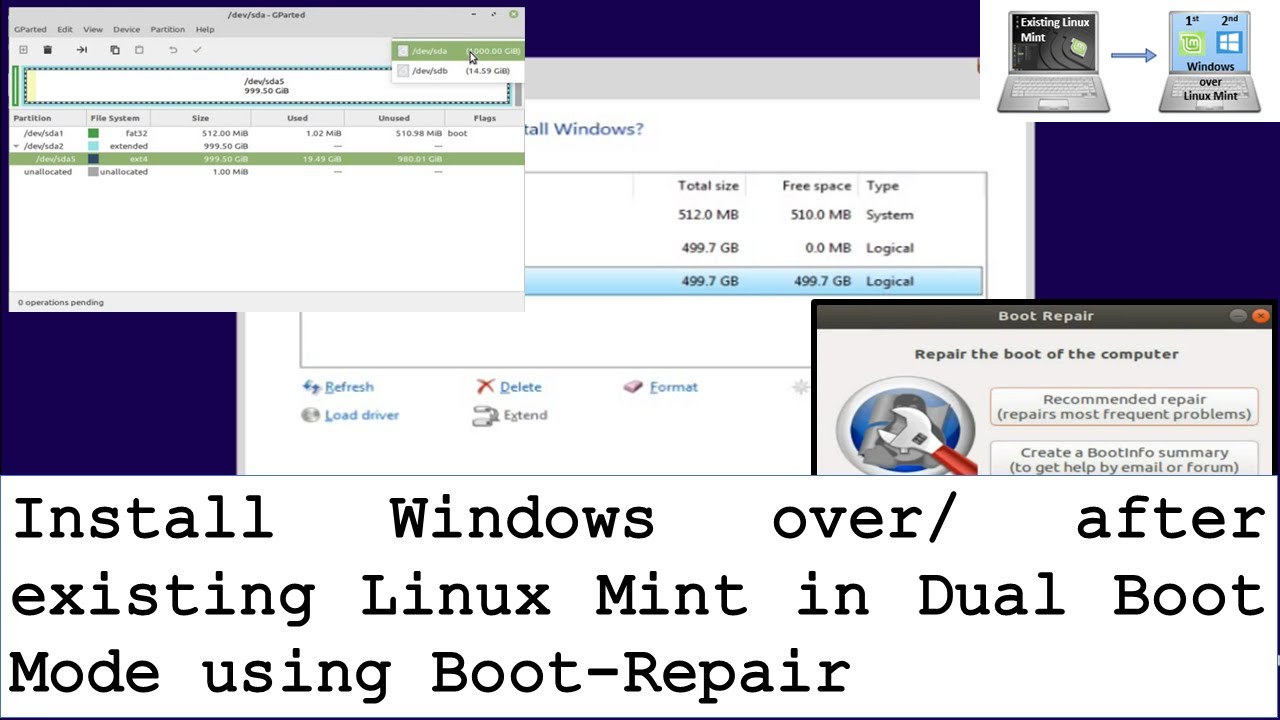
The process of how to install windows over existing Linux Mint in dual boot mode. You will need to create Windows and Linux Mint bootable Flash Drive, free some space, install Windows and repair boot loader. For Windows, you will need at least 8 GB flash drive, for Linux Mint, you will need at least 2 GB flash drive.
Steps involved:
- Create ...
I decided to install Windows first and then install Linux as dual boot thank you guys. @dusk plover @sand glade
dusk plover
dusk plover
I decided to install Windows first and then install Linux as dual boot thank you...
it's way faster and cleaner tbh
sand glade
dusk plover
I decided to install Windows first and then install Linux as dual boot thank you...
good. u may need to wipe the disk first.
because the Windows installer cant read ext4 and thinks there's no space.
so u need to put mint iso on ur ventoy (cuz it has gparted) AND also the windows installer iso.
boot live to gparted, then do Device> make new partition table>GPT approve, then exit.
then reboot ventoy usb to the Windows installer and u should be good to install Windows.
if u dont want to use ventoy (though u should) you'll need a) a usb stick for gparted-live or mint iso and b) a usb drive with windows
dusk plover
dusk plover
I decided to install Windows first and then install Linux as dual boot thank you...
backup your data 1st
dusk plover
I have turned off Secure Boot in the settings but I keep getting this error. can you help? I cannot start Linux Mint in a live environment.
 dusk plover
I have turned off Secure Boot in the settings but I keep getting this error. can...
dusk plover
dusk plover
I have turned off Secure Boot in the settings but I keep getting this error. can...
are you using ventoy?
dusk plover
dusk plover
are you using ventoy?
Yes
dusk plover
dusk plover
Yes
be sure to have ventoy with secure boot support and gpt
dusk plover
dusk plover
be sure to have ventoy with secure boot support and gpt
I tried again, but it didn't work.
 dusk plover
I tried again, but it didn't work.
dusk plover
dusk plover
I tried again, but it didn't work.
looks right to me
be sure you have a non corrupted iso
dusk plover
dusk plover
be sure you have a non corrupted iso
I just downloaded the ISO file, so I'm sure it's not corrupt.
dusk plover
dusk plover
I just downloaded the ISO file, so I'm sure it's not corrupt.
verify it
mint website tells how
sand glade
dusk plover
I tried again, but it didn't work.
go to ventoy live-boot white splash menu, press enter on mint iso, then choose Verify checksum
Choose the SHA256 test. take a pic of the resulting number string, then compare
to the sha256 fileon mint website, on the download page
dusk plover
sand glade
go to ventoy live-boot white splash menu, press enter on mint iso, then choose V...
The number string is not the same as on the website. Probably my ISO file seems to be corrupted. I don't really understand how it happened. Anyway, is there any way to get this ISO file into Ventoy without corruption?
sand glade
do u have a copy of the downloaded iso on ur hard drive?
dusk plover
sand glade
do u have a copy of the downloaded iso on ur hard drive?
Yes, i have
sand glade
verify it from command line
sand glade
either it wrote to usb bad, or it downloaded bad
dusk plover
¯_(ツ)_/¯
sand glade
sha256sum /path/name.iso
dusk plover
sand glade
verify it from command line
The ISO file on the hard disk matched the fingerprint on the site.
sand glade
k simply delete the one on the usb
then recopy it.
dont pull out the usb or restart too soon
dusk plover
sand glade
dont pull out the usb or restart too soon
When I try to restart the computer without removing the USB-Flash drive, it stays at the shutdown screen. So the computer does not shut down and restart. So I have to pull the flash drive, is there any way to fix this?
sand glade
it might still be writing. wait at least a full 60 seconds after the copy
otherwise the iso gets ruined
same thing for the Windows iso. u may have errors on it
dusk plover
sand glade
same thing for the Windows iso. u may have errors on it
I'll make a copy for both of them again
sand glade
good idea. and if the Windows website offers a md5 or sha256 sumcheck string, then verify after it's copied to usb from commandline
dusk plover
sand glade
good idea. and if the Windows website offers a md5 or sha256 sumcheck string, th...
Hello again, I recently installed Windows on my computer and today I installed Linux Mint on my computer, but Linux Mint does not appear on the splash screen, but Windows 10 opens directly.
dusk plover
sand glade
change in Bios to grub-ubuntu
I changed it, but it only happens once. The next time, only the operating system I closed last time opens.
sand glade
sounds like you used the temporary boot menu. u got to go into the BIOS and shift the proper thing to the top of list. then save and exit.
dusk plover
sand glade
sounds like you used the temporary boot menu. u got to go into the BIOS and shif...
I re-set it in the boot menu but I need to assign a priority OS separately. If I select Windows Boot Manager in this OS selection section, Windows boots directly, but if I select Ubuntu, an OS selection screen pops up, but this only happens on the first reboot after the boot reset and not afterwards.
sand glade
the OS selection screen which has a title of grub 2.x something, that is what you want to always show.. so ya just edit the BIOS options to have that at the top.