#Cannot access EFI
101 messages · Page 1 of 1 (latest)
 stoic coral
 zealous lion
grub-mkconfig and grub-install i believe
stoic coral
I ran the commands, now what


 red thicket
stoic coral
red thicket
stoic coral
are u replacing Mint?
stoic coral
im trying to replace windows
i already deleted windows 11 and i have arch installed. but grub still thinks that windows is there, the terminal log there shows whats going on
red thicket
ok there's a way to delete windows entry
stoic coral
do you mind hopping in the support call thing, i can screenshare so you see what i see
red thicket
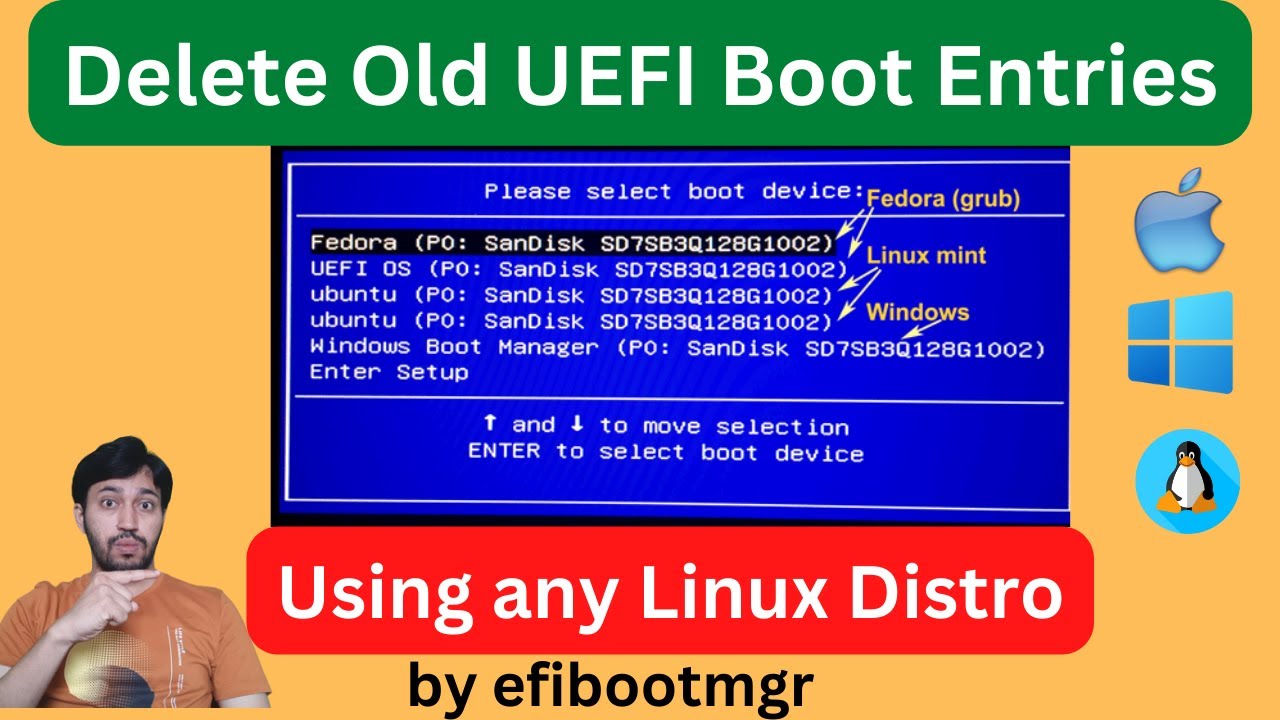
Here I have shown how to delete old or obsolete UEFI Boot entries in the BIOS that are not useful or active. The are boot entries of previously installed OSs. I have used the app called efibootmgr. It is a free command line tool to change UEFI BIOS configurations.
Also using this package you can create/add boot entries, change boot order or chan...
4:20
 weak lotus
stoic coral
do you mind hopping in the support call thing, i can screenshare so you see what...
weak lotus
stoic coral
do you mind hopping in the support call thing, i can screenshare so you see what...
What results for cat /etc/default/grub
stoic coral
 weak lotus
stoic coral
weak lotus
stoic coral
This computer has a single drive?
weak lotus
Windows is gone?
stoic coral
yes, i wiped it by going into disks and turning it all into free space
then installed Arch in the free space
weak lotus
In terminal sudo rm -rf /boot/efi/EFI/Microsoft
weak lotus
run sudo update-grub again
 weak lotus
You had a typo sudo rm -rf /boot/efi/EFI/Microsoft not `sudo rm -rf /boot/ef/EFI/Microsoft
stoic coral
dammit
red thicket
i saw the typo too
weak lotus
Not sure why it didn't error with doesn't exist
 weak lotus
Yes, there will be no Windows entry
stoic coral
okay, windows is gone, but Arch didnt show up
weak lotus
efibootmgr -v
 weak lotus
@red thicket familiar with custom grub entries?
stoic coral
why is it using boot 0002 and not 0001
weak lotus
stoic coral
why is it using boot 0002 and not 0001
It is using Grub from Mint rather than systemd boot as default
weak lotus
stoic coral
Im not sure what Arch is tied to
Yes Grub and systemd boot
stoic coral
so grub isnt seeing arch
weird
ill go back into the voice channel
worst case scenario ill backup my computer then reinstall arch as my only OS if this still causes me issues
weak lotus
Might have to boot into Arch and run bootctl update and see if systemd boot finds grub in EFI\Ubuntu
stoic coral
i cant boot into it
its not even showing up. in fact, grub doesnt even pop up when i restart my computer. I have my USB drive tho
with the archISO
weak lotus
BIOS boot menu should have it, or from in Mint sudo efibootmgr -n 0001 then reboot
stoic coral
 weak lotus
Try my command from in Mint
stoic coral
Thata the result of trying the command then rebooting
weak lotus
Try EFI default loader
stoic coral
Boot sstraight into mint
weak lotus
Can you get into BIOS and get to a UEFI boot order?
stoic coral
Fuck, i dont think it can see arch
I can
weak lotus
See if it shows Linux Boot Manager, that should be arch
stoic coral

I really dont wanna reinstall arch 😦
I still have my arch install usb if that helps
weak lotus
Post results for sudo ls -R /boot/efi
stoic coral
 weak lotus
Is secure boot enabled?
 weak lotus
Is there an option to boot an efi file, then find EFI/systemd and choose the systemd-bootx64.efi file
stoic coral
Again i can pull you in voice chat, screenshare my bios screen and we can look
You havong trouble?
weak lotus
Trying to join voice crashes my discord
stoic coral
Tell discord its being cringe
weak lotus
It might know I don't have a microphone or speakers
stoic coral
Ew

This is the only screen i can get
I seriously am at a loss
I can see arch is installed from mint so i know things are there
weak lotus
stoic coral
See if you can figure out how to chroot into arch and install grub
weak lotus
Looks that way
stoic coral

These are options on booting into it
Do i have to mount the files before i can get into them?
weak lotus
Might want to check on arch linux forums and see if anyone has done a chroot to fix the systemd boot
Been a few years since I used systemd boot
weak lotus
You will likely have to mount and bind EFI, root partition and a few directories
stoic coral
Let me mount the partitions before the suffering begins
weak lotus
I won't be much help with fixing systemd boot in arch
stoic coral
Why cant i mount them anymore 😠
I wont lie this is mt very first time TOUCHING arch
I followed a guide to the best of my understanding and did not use an install script and im still having weird baloney. Im gonna reinstall
Unfortunately, i dont pickup computer stuff thats new naturally but im trying to challenge myself
zealous lion
if you tried to mount as /mnt/boot/efi