
#Error booting linux mint from usb using ventoy
448 messages · Page 1 of 1 (latest)
 coarse copper
 coarse copper
?
 quartz furnace
it's here:
https://gparted.org/download.php scroll down a bit, get the 64 bit iso (only half a gig)
 quartz furnace
the live iso ?
coarse copper
no
quartz furnace
get the live iso there then. u can save it to the Ventoy drive, then pick it when u ventoy-boot
coarse copper
ok
quartz furnace
quartz furnace
it will look like this after booting up
coarse copper
what do i do there
quartz furnace
then you can run gparted and fix your hard drive for windows?
which I can help u on when u get there
coarse copper
ok
 lament rapids
coarse copper
took me a while but i finally managed to get into ventoy, selected linux mint ci...
lament rapids
coarse copper
took me a while but i finally managed to get into ventoy, selected linux mint ci...
Either flashing didn't work alright, or you got one of those beautiful Nvidia chip sets on your motherboard which screw with USB.
(or something else broke USB data transfer)
coarse copper
are you supposed to copy the iso file onto the ventoy drive
quartz furnace
that's alright, we'll try a different USB port this time
lament rapids
coarse copper
are you supposed to copy the iso file onto the ventoy drive
Yes.
coarse copper
thats what i did
quartz furnace
coarse copper
are you supposed to copy the iso file onto the ventoy drive
yes or choose to directly save it to venoty
whatever drive that happens to be
copy or save-to up to u
coarse copper
i have 6 total usb slots
lament rapids
lament rapids
Either flashing didn't work alright, or you got one of those beautiful Nvidia ch...
I've had this experience with an AM3 motherboard where the Nvidia chip set continuously caused all USB data before boot to be read out incorrectly about 90% of the time. I just had to keep trying again until it worked every time I had to boot from USB.
quartz furnace
well, we'll try it running the gparted-live(debian) iso, and see if it errors out too
it can't always be the case cuz Sea Wolf managed to somehow already install Mint.
quartz furnace
wait hang on please
coarse copper
ok
coarse copper
yeah
quartz furnace
is to check some deets on ur ventoy core stuff
ur in the working linux mint right now, right?
coarse copper
yeah
quartz furnace
alright, can you go to the folder where you saved the ventoy installation files please
coarse copper
downloads
coarse copper
you mean tar?
quartz furnace
ya tar.gz file. where did u unzip it to? go into THAT folder
it be called ventoy-1.096
quartz furnace
alright, so once in that
right click a blank area in the file pane, and select 'open terminal here'
quartz furnace
yes i know. i need to ask something
once in the terminal there, run the installer like so:
./VentoyGUI.x86_64
coarse copper
ok
lament rapids
quartz furnace
it can't always be the case cuz Sea Wolf managed to somehow already install Mint...
Yeah, I said 90% of the time too
The other 10% is when it'd actually boot despite the crappy Nvidia USB controller 🫠
quartz furnace
so once you're in that window, where it says Ventoy in Device, does it show MBR or GPT?
coarse copper
MBR
coarse copper
why did you wanna know that
quartz furnace
yes
coarse copper
Now what
quartz furnace
u boot up to the live environment desktop as shown in the pic?
quartz furnace
quartz furnace
ie -
coarse copper
Bunch of code just came up
quartz furnace
give it time
coarse copper
 quartz furnace
does your USB drive have a blinker light on it?
coarse copper
No
coarse copper
So I do don't touch keymap?
coarse copper
The thing
quartz furnace
"desktop"
coarse copper
 lament rapids
coarse copper
lament rapids
coarse copper
0 > enter 👍
quartz furnace
x is the graphical session btw
quartz furnace
ok.
coarse copper
Taking to you on 0% 
 coarse copper
Ok in there now
quartz furnace
does the computer you're working on have wired ethernet?
coarse copper
Yes
quartz furnace
grab Disks while waiting on phone charge
open terminal , and do apt search gnome-disk-utility
is it able to find?
coarse copper
Think so
quartz furnace
ok then sudo apt install gnome-disk-utility
sudo password should be live
or it will just do it without asking
quartz furnace
no.. check first
ping www.yahoo.com
does it return some data packets n give info?
coarse copper
It says temporary failure in name resolution
quartz furnace
launch the built in web browser, try to surf to any site
coarse copper
Can't
quartz furnace
try to do the network setup thing on the desktop..
should have an auto mode for your ethernet
and DHCP set, etc.. ipv4 auto
coarse copper
Now it works
quartz furnace
ok back to terminal n arrow up a few times till u get to install gnome disks, then Enter.
coarse copper
OK it worked
quartz furnace
once installed, run it : gnome-disks from command line
then locate your hard drive on the left side, click it n we'll see some stuff. send a pic if ur phone has the power
by the way, welcome to Debian. You're running it now.
a very slim distro of it, anyway
coarse copper
 quartz furnace
coarse copper
quartz furnace
coarse copper
wrong drive. i said the hard drive. also take pictures sideways please

 quartz furnace
good. take not that your Lexar SSD has been setup as GUID Partition Table (GPT)
as shown on the fourth line of text
now click partition 2, and hit the play button, (this mounts it as working media) n send pic
try to get the full frame of the program in the pic
coarse copper
 quartz furnace
good. Note the 1.9 TB free that it reports
and also note its UUID
also note since that partition has no label, it mounted it in the live system in media/user/xxxxxxxxxUUIDnumber
just a note to know.
alright, close Disks.. fire up gparted from the desktop shortcut
 quartz furnace
so, now it's your choice, do you :
a) want to wipe the whole drive in gparted, (erasing the current install of Mint) and proceed to install Windows (recommended)
b) split the drive into two, and try installing Windows now, and repairing the Mint boot loader later
note: you can save your home folder in linux mint from this environment
coarse copper
If I split the drive could windows screw over Linux
quartz furnace
yeah it will screw over the startup
it is repairable but could take some fair amount of messing around afterwards
quartz furnace
which option, a or b?
coarse copper
I forgot to put windows on my USB
However
I have a laptop that I left at my dad's, he just came over and brought it
Would it be possible to take out the drive now
quartz furnace
that's fine you can exit gparted live, n copy over the thing.. but u'd have to shut down now
coarse copper
Vento drive
quartz furnace
but what option did u want to do a) or b) ^
coarse copper
A
quartz furnace
ok, and do you want to copy over any saved data from the Mint partition? any text files, pictures or settings?
coarse copper
Nah
quartz furnace
since you're going to wipe the whole thing.
quartz furnace
alright so shut down.. boot back up to Mint.. then copy the Win ISO to the inserted Ventoy USB.
coarse copper
Jk
quartz furnace
and while ur there, in Mint, u can also copy the one image or whatever files also onto your ventoy
coarse copper
 quartz furnace
you may remove
coarse copper
Damn that's blurry
quartz furnace
just replug it again when u get to Mint desktop
quartz furnace
also do me a favour... go back to that Downloads folder, and copy the Ventoy folder that had all the install files for Ventoy program ONTO YOUR ventoy usb stick . just copy/paste the 'ventoy-1.0.96' folder
might need it later
coarse copper
OK
quartz furnace
do me another favour
coarse copper
I put 104 images on it
quartz furnace
run that ./ command u did before in the Mint terminal.. the one that got you to the ventoy installer window
(just arrow up in Terminal, it would have remembered history commands)
coarse copper
OK
quartz furnace
so idk if ur files copied yet.. did they finish?
coarse copper
Yeah
quartz furnace
I'm thinking it's safer to make the Ventoy stick in GPT mode
so open the ventoy gui 64 installer program from the Mint terminal
coarse copper
Ventoy2disk?
quartz furnace
no
i mean yea i guess.
remember the thing i asked way before on whether it had mbr or gpt?
coarse copper
Yeah
quartz furnace
get to that window
coarse copper
Here
quartz furnace
and then from the Options menu, try changing the Partition style to GPT (if it lets you)
quartz furnace
no
left means that's what's in the installer files folder , the right side is what's in the secret bootup area of ur usb flash stick
u may have to hit update
coarse copper
Did
quartz furnace
ok so now it's gpt on both?
coarse copper
Still mbr
quartz furnace
gpt on left, and mbr on right?
coarse copper
Should I turn off secure boot support
quartz furnace
nah leave it on
coarse copper
I turned off secure boot
coarse copper
K
quartz furnace
ok exit that.. u copy ur Win ISO over?
coarse copper
The right is still mbr
 red cipher
coarse copper
took me a while but i finally managed to get into ventoy, selected linux mint ci...
red cipher
coarse copper
took me a while but i finally managed to get into ventoy, selected linux mint ci...
you have to enable secure boot support for ventoy
should look like tis'
 quartz furnace
red cipher
should look like tis'
quartz furnace
red cipher
should look like tis'
he had it on MBR before, it doesnt seem to be changeable now after even hitting update button .. We WERE however able to boot a gparted-live session as such though
coarse copper
 quartz furnace
coarse copper
quartz furnace
coarse copper
hit update button again
red cipher
coarse copper
looks good
quartz furnace
yeah copy it over.. imma 'av a coffee goin
red cipher
coarse copper
Not yet I will bite
now what you want to boot? mint?
coarse copper
K
quartz furnace
then we go back to gparted live as before
red cipher
or dual boot?
quartz furnace
red cipher
or dual boot?
gonna aim for that.. need to do a wipe, then windows, thn mint
red cipher
quartz furnace
gonna aim for that.. need to do a wipe, then windows, thn mint
backup, then nuke and fresh dual boot I guess
coarse copper
 quartz furnace
yup.
red cipher
coarse copper
????
quartz furnace
oh ur pet
red cipher

quartz furnace
i thought it was just a random lizard before
red cipher
wtf
coarse copper
That is my bearded dragon tilly
red cipher
.... how is that relevant to this ticket?
coarse copper
Not
quartz furnace
lol just waiting n chilling on copy
coarse copper
But now windows is done copying
quartz furnace
out of curiosity, how BIG is that win iso?
coarse copper
6.8gb
quartz furnace
ah ok
red cipher
coarse copper
But now windows is done copying
backup, then nuke and fresh dual boot I guess???
quartz furnace
ok so what u should have on your ventoy stick now is:
- Windows 10 iso
- gparted live iso
- possibly screwed (failed parity) Mint iso
- the Ventoy folders with all the installation files from the tar zip
- your backup photos n stuff
is this correct?
coarse copper
Dang you reminded me of the ventoy folders
OK now that's done
Should I get a new mint iso?
 magic wyvern
yeah
red cipher
coarse copper
Dang you reminded me of the ventoy folders
you could just wipe the flash drive, make a new ventoy usb, then place the isos again
quartz furnace
coarse copper
Should I get a new mint iso?
nah, it was probably the port being glitchy as Simon said earlier
coarse copper
K
quartz furnace
at least if u get Windows installed and running fine, you'll have options to diagnose the linux iso or whatnot later on
u COULD troubleshoot it right now too, since ur still in Mint
red cipher
coarse copper
K
tldr, you have mint already installed and want a dual boot?
quartz furnace
ya
red cipher
they can do that with this video, or go the traditional way by nuke and clean dual boot
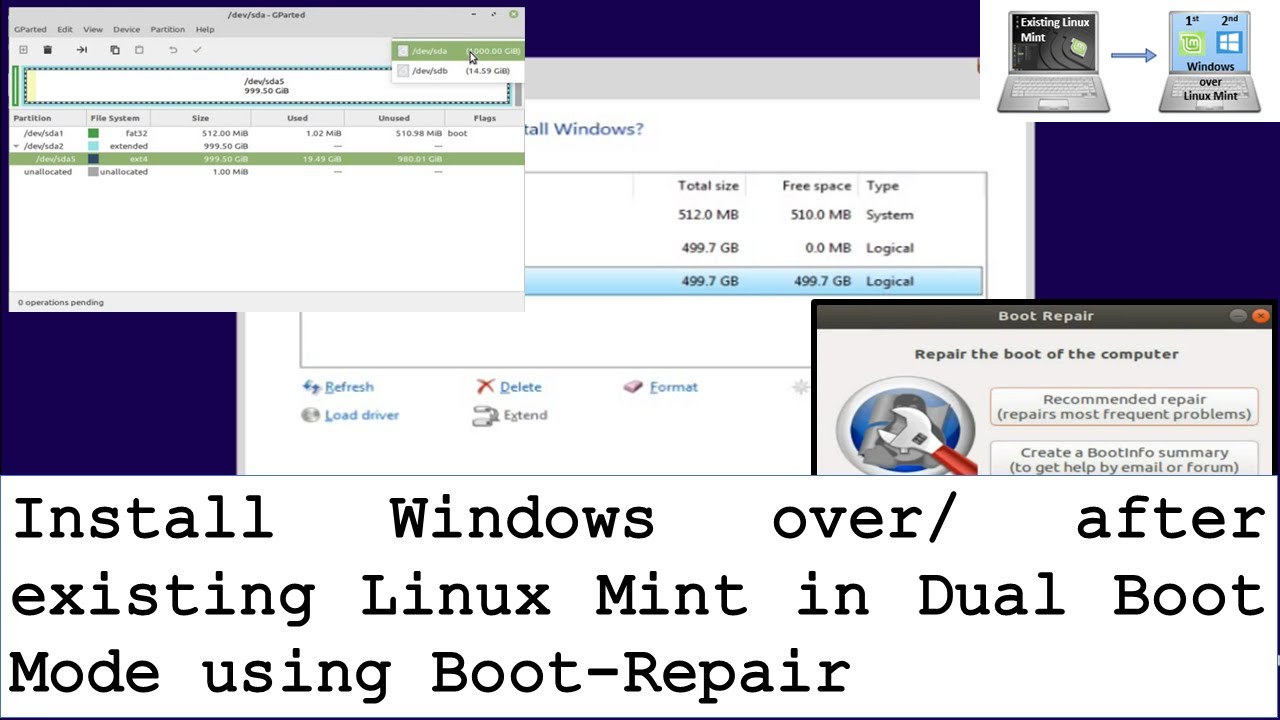
The process of how to install windows over existing Linux Mint in dual boot mode. You will need to create Windows and Linux Mint bootable Flash Drive, free some space, install Windows and repair boot loader. For Windows, you will need at least 8 GB flash drive, for Linux Mint, you will need at least 2 GB flash drive.
Steps involved:
- Create ...
@coarse copper @quartz furnace
quartz furnace
yeah option a) nuke n do clean install in proper order
coarse copper
@quartz furnace so do I go back to where I was now?
quartz furnace
coarse copper
<@725510568492138497> so do I go back to where I was now?
reboot to the ventoy stick, gparted live
quartz furnace
coarse copper
Now what
run gparted, n pick the 2TB drive from a list in the top right corner
it will show the 2 TB graphic rectangle in the middle
with similar results to what Disks showed.. right click it or go to the top partition menu : and choose New Partition Table
coarse copper
Ok
quartz furnace
and make it GPT style
it will likely warn u that it will erase that whole drive.. make double sure ur on the right drive
 quartz furnace
alright.. now there's a big checkmark button on toolbar.. is it green?
coarse copper
No
quartz furnace
greyed out?
coarse copper
Yeah
quartz furnace
ok close gparted.. after a second, relaunch it, and go to the same drive. it should show as all blank space unformatted
red cipher
coarse copper
It says unallocated
now boot to the windowz installer
from it, you make the partitions for windowz and leave some space for mint
quartz furnace
yeah ^
Note: Windows will install, then afterwards, when Mint installer is run, it will give you a very simple way to "split" the drive once it sees that Windows is on it.
red cipher
quartz furnace
Note: Windows will install, then afterwards, when Mint installer is run, it will...
kinda, they can still go full manual install, we can guide
quartz furnace
coarse copper
Do I just do next
yeah.. fresh install
coarse copper
Ok
quartz furnace
n then it will give u some advanced button
red cipher
coarse copper
Ok
send a shot when you reach the partitioning part
coarse copper
Ok
red cipher
because you have to calculate the size for the windowz partition
quartz furnace
it should find a drive but say there's no space or sumthing.. u will likely hit the New button
coarse copper
I am in windows now
quartz furnace
alright so if that works.. verify the linux mint ISO
i'm pretty sure that it can be done with powershell
coarse copper
How
quartz furnace
open powershell, then type Get-FileHash e:\name of mint.iso
assuming e: is the drive letter of the ventoy usb
coarse copper
d
quartz furnace
oh ok so in powershell just type d:
and hit enter
then dir
u should see the iso files yes?
coarse copper
are you sure saying mint.iso will work?
quartz furnace
lol no was just abbreviating
Get-FileHash <exact name of your Mint iso file>
give it a bit of time to calculate it
coarse copper
now working
quartz furnace
ok so leave that powershell window open,
go to the linuxmint website,
do the download area
*to the
find that same iso from where you first got it, there should be around there a SHA256 sum string of text
coarse copper
Which one
quartz furnace
compare that very well to the results in powershell
coarse copper
I used a torrent
quartz furnace
hmm
coarse copper
The other times
quartz furnace
it shouldnt matter tho
if the torrent was legit, then it would have the same sum check posted by the authors of mint
quartz furnace

u may not have to get another iso.. just see that sha256sum.txt link
and compare the string to the powershell results. if they match, then it should be good
if not, then u should re-download it
coarse copper
With a torrent?
quartz furnace
doesnt matter
coarse copper
But it might take a while
quartz furnace
but maybe try it however u got it the first time when u installed mint
coarse copper
Torrented it the first time
quartz furnace
aight. like i said, doesnt matter. verify what u have now
if the sums match, we can proceed
coarse copper
linuxmint iso is mounted
coarse copper
wdym sums
quartz furnace
quartz furnace
this vs what u got in powershell when u did the hash file
coarse copper
hash file didn't work
quartz furnace
coarse copper
now working
thought u said it was
quartz furnace
ok anyways. copy the ISO file from your thumb drive to the Windows SSD
coarse copper
local disk?
quartz furnace
ya
coarse copper
ok
quartz furnace
ok do a restart, and boot to Ventoy splash
wait, change the usb port
plug the stick to a farther away one
once it's done copying fully
and u eject it safely
might have just been the port raising issues before
reboot to the USB, and pick Mint from the ventoy splash
 quartz furnace
coarse copper
Same thing
quartz furnace
coarse copper
Same thing
ok.. reboot to gparted live
 quartz furnace
ok is there a file manager there?
coarse copper
No
quartz furnace
ok open terminal, and enter lsblk
you should see the 2 Terabyte drive listed..
note the device id name
not the UUID,
but something like /dev/nvme0
@coarse copper u see it?
coarse copper
Yeah
quartz furnace
is it nvme0 exactly like that?
coarse copper
No
quartz furnace
what is it?
coarse copper
 quartz furnace
ok then nvme0n1 is the disk device name
mount /dev/nvme0n1 /mnt
enter that, then cd /mnt
since you dont have a file manager to mount disks easily, that command will ready your SSD to the location /mnt so we can verify the darn iso u saved on it
coarse copper
 quartz furnace
hit up arrow, and put sudo and a space before all of that
 quartz furnace
hit up arrow again and put one forward slash right after mnt
coarse copper
Same thing
quartz furnace
kek.. ffs. alright close that.. run the network wizard thing on the desktop again
then after it sets up network for you
do sudo apt install thunar
coarse copper
Wdym wizard
quartz furnace
the network setup wizard icon on ur desktop in gparted
coarse copper
and what is thunar
quartz furnace
a file manager
coarse copper
Ok
quartz furnace
u could do nemo instead
or pcmanfm
the last being the fastest
may have to do sudo apt update first
once u get ur net on
coarse copper
i did pcmanfm because thunar didn't work
quartz furnace
ok so run it.. type that name as a command in terminal
then in the devices list on the left, click the nvme drive to mount it
quartz furnace
scroll down
quartz furnace
da fugg.. sudo apt install gnome-disk-utility
coarse copper
they were hidden
quartz furnace
then gnome-disks
find ur nvme drive as before, hit the play button on the main big partition of it where Windows now lives.
coarse copper
still doesn't work
coarse copper
yeah
quartz furnace
check the spelling
sudo apt install gnome-disk-utility
im pretty sure it's not plural disks in that
or try it with plural
quartz furnace
hang on
earlier we did apt search gnome-disk-utility
that runs a package search and it seemed to find it.
try that command
quartz furnace
just wanna verify that iso
i guess do it on Windows
verify the mint iso.. get a windows based graphical program if you want .. search the microsoft store for sha256 checker
if that result code is off from the linux mint website sha256sum.txt, then get a new mint iso, and install
coarse copper
can we do this tommorow
quartz furnace
or just get a new iso
coarse copper
im kinda tired now