#api-announcements
1 messages · Page 1 of 1 (latest)
 random briar
random briar
random briar
Webhook token problem has been identified and we are working on rolling out a fix. We will update this message when it is resolved.
 dusty stirrup
The webhook token problem should be fixed.
As a reminder, we saw a Snowflake length increase to 19 characters today! Snowflakes are 64 bit integers, so the max base 10 length is 20 digits now.
 vale thistle
 naive dust
**Change to Bot Permissions in Interactions and Webhooks**
> ⚠️ This includes an...
naive dust
**Change to Bot Permissions in Interactions and Webhooks**
> ⚠️ This includes an...
This change related to the treatment of MENTION_EVERYONE and USE_EXTERNAL_EMOJIS permissions will roll out next week.
naive dust
Hey everyone  An important reminder for developers of verified apps: the deadline for the new message content restrictions is <t:1661972400:D>, so you have 1 month left to make any remaining changes.
This is a breaking change and will restrict access to message content for verified bots and apps across the Discord API, including in the content, embeds, attachments, and components fields.
To prevent your app from breaking, you should update it to follow the new restrictions before the <t:1661972400:D> deadline (most apps can use slash commands and message components to maintain functionality without needing access to message content), or you can apply for the message content privileged intent within the developer portal.
For additional information about the change and how your app may be affected, you can read the Message Content FAQ: https://support-dev.discord.com/hc/en-us/articles/4404772028055-Message-Content-Privileged-Intent-FAQ
vale thistle
naive dust
**Change to Bot Permissions in Interactions and Webhooks**
> ⚠️ This includes an...
This update to webhook and interaction response permission calculations is rolling out today. It may affect responses that require MENTION_EVERYONE, USE_EXTERNAL_EMOJIS, and SEND_TTS_MESSAGES.
naive dust
Session-specific Gateway Resume URLs
A new resume_gateway_url field has been added to the Ready gateway event to support session-specific gateway connections. The value of resume_gateway_url is a session-specific URL that should be used when resuming the gateway session after a disconnect. Previously, wss://gateway.discord.gg was used to connect and resume sessions, but should now only be used during the connection.
⚠️ Starting on September 12, apps that aren’t using resume_gateway_url to resume gateway sessions will be disconnected faster than normal. wss://gateway.discord.gg will NOT stop working.
📝 Change log entry: https://discord.com/developers/docs/change-log#sessionspecific-gateway-resume-urls
Note: At the moment, the value of resume_gateway_url will always be wss://gateway.discord.gg to give developers more time to adopt the new field. In the near future, the value will change to the zone-specific URLs (ex: wss://us-east1-b.gateway.discord.gg).
naive dust
naive dust
**__Session-specific Gateway Resume URLs__**
A new `resume_gateway_url` field h...
helloooo it is I once again  I wanted to clarify a few things from the post from yesterday since parts of it seemed unclear:
-
“disconnected more frequently than usual” does not mean that your app will need to re-identify. Instead, when your app is disconnected, you should open a connection to the
resume_gateway_urlfrom theREADYevent, then send aRESUMEpayload as normal (https://discord.com/developers/docs/topics/gateway#resuming) to resume that gateway session. -
Even though you should use
resume_gateway_urlto resume sessions,wss://gateway.discord.ggwill not stop working. -
When an app can resume a connection isn't changing with this update. An app can resume in the same circumstances as before like when it receives a
RECONNECTevent, when a connection is dropped without a close code, when it receives a close code that indicates you can reconnect (see the table in the docs: https://discord.com/developers/docs/topics/opcodes-and-status-codes#gateway-gateway-close-event-codes), or when it receives anINVALID SESSIONevent with thedfield set totrue.
👀 also I know gateway documentation is a bit confusing at the moment, so i'll try to give those some love soooon
naive dust
🌐 Localized Application Commands 🌐
Today, support for localized command names and descriptions will be rolling out across all* clients. To add localized commands to your app, you can use the name_localizations and description_localizations fields when creating or updating commands.
- For Android, only the new React Native client (https://discord.com/blog/android-react-native-framework-update) supports localized commands
✍️ Documentation: https://discord.com/developers/docs/interactions/application-commands#localization
🐧 Penguin fact: while penguins can't fly, they can jump out of the water up to 9ft in the air
 naive dust
 Automatic Command Scope Migration
Hey all  Based on feedback from our scope migration experiment announced on <t:1657728000:d>, we’ve decided to grant
 applications.commands to all apps with the bot scope. This will be rolling out within the next couple of days.
How it’ll work
When an admin opens a server, apps in that server will automatically be granted the applications.commands scope. If the app previously didn't have applications.commands and has at least one global command registered, the @everyone role's permission to use the app’s commands will be turned off by default. However, the admin will be shown a banner that prompts them to navigate to their server settings and toggle that permission.
 And just a reminder: as of <t:1657555200:d>, any apps installed with a
 bot scope are granted the applications.commands scope by default.
naive dust
@@@ Slash Command Mentions @@@
📰 Change log: https://discord.com/developers/docs/change-log#slash-command-mentions
Slash Command mentions are rolling out across all clients* this week!  Similar to mentioning a user or channel, you can now mention a Slash Command to surface and share it. Simply use the new format
 </NAME:COMMAND_ID>, and the command will display inline as a clickable element. When a user clicks the mention, the command will auto-populate in their message input.
Subcommands and subcommand groups can also be mentioned by using </NAME SUBCOMMAND_NAME:ID> and </NAME SUBCOMMAND_GROUP SUBCOMMAND_NAME:ID> respectively.
- For Android, only the new React Native client (https://discord.com/blog/android-react-native-framework-update) supports Slash Command mentions
🦦 Otter fact: Otters have a small pocket under each forearm that they use to store and carry their favorite rock wherever the world may take them. How relatable!
naive dust
__🤖 Global Slash Commands in Bot Profiles 🤖 __
As many of you noticed, we recently began rolling out global slash commands to bot profiles last week for verified apps. This week, we're rolling them out to 100% of verified apps 
With this update, a max of 5 of your app's most-used global slash commands are now visible in your bot profile (as long as your app is verified). These commands are directly invokable, making them more discoverable and usable for users across Discord 
How do I enable it?
You don't have to do anything! As long as your app is verified and has at least one global slash command, a max of 5 will be displayed in your bot profile automatically.
Can I change which commands appear in my bot profile?
No, at the moment you can't control which commands are present.
 naive dust
**__🤖 Global Slash Commands in Bot Profiles 🤖 __**
As many of you noticed, we...
naive dust
naive dust
**__🤖 Global Slash Commands in Bot Profiles 🤖 __**
As many of you noticed, we...
ok embarrassing that I got this wrong, but this is for **all verified apps **, not just discoverable. It's not letting me edit the message, but ignore the discoverability part.
if your app is verified and has global slash commands, you should be good to go! if you aren't seeing certain commands, make sure you have permissions to use them.
naive dust
FYI message content changes are beginning to roll out. Will post a longer message in a second after a few things happen on our end.
naive dust
💬 Message Content is Now a Privileged Intent 🗨️
⚠️ Today, message content is becoming a privileged intent for verified bots and apps as previously detailed: https://support-dev.discord.com/hc/en-us/articles/4404772028055-Message-Content-Privileged-Intent-FAQ
Any app that does not have the message content intent configured in its settings within the Developer Portal wiIl receive empty values in fields that expose message content across Discord's APIs. These restrictions do not apply for messages that a bot or app sends, in DMs that it receives, or in messages in which it is mentioned. The new message content restrictions will happen gradually throughout today, so you may not immediately encounter the new restrictions.
💡 Details about the message content intent is in the docs: https://discord.com/developers/docs/topics/gateway#message-content-intent
➡️ If your app is verified or eligible for verification:
Verified apps must be approved for the message content intent to receive message content. If your verified app isn’t approved, or doesn’t account for the new message content restrictions, it will break for users.
Temporary Message Content Intent Toggle
Verified apps or apps that have submitted for verification can temporarily opt-in to a grace period which will allow your app to continue receiving message content until October 1. However, if you opt-in to the grace period, your app will be prevented from joining any additional servers until you opt-out. You can toggle the temporary grace period at any time in your app's settings within the Developer Portal.
After Oct 1, the toggle will be disabled and there will be no way to enable the message content intent without Discord approval.
💡 Details about temporarily enabling message content: https://support-dev.discord.com/hc/en-us/articles/8561391080471
Applying for the Message Content Intent
To be approved for the intent, your app must have a use case that requires message content as described in the Review Policy: https://support-dev.discord.com/hc/articles/5324827539479. You can apply for privileged intent from your app’s settings in the Developer Portal after it’s verified.
Once your app is approved for the message content intent, you still must toggle the intent in your app’s settings on the Bot page under the “Privileged Gateway Intents” section.
➡️ If your app is not verified:
For unverified apps (that aren't eligible for verification), Discord approval is not required to use the message content intent, but you still must enable the intent in your app’s settings within the Developer Portal.
Existing unverified apps will automatically have the message content intent toggled on in their settings, but going forward, newly-created unverified apps will have the message content intent toggled off by default.
➡️ Gateway session reconnects:
As part of the deployment of the new message content restrictions, the majority of connected bots (verified and unverified) will see their WebSocket gateway sessions invalidated and closed. Because of the amount of bots using the Gateway, these restarts will not happen all at once. If your bot is correctly implementing normal recovery logic of a dropped connection, you shouldn't see any issues. Most developer libraries have recovery logic built-in, but if you aren't sure you can check the library's documentation or ask its maintainers.
For the Gateway session rollovers, bots will receive an INVALID_SESSION (Opcode 9) and the d field will be set to false, indicating the session is not resumable and that your bot will need to reconnect to the Gateway and send a new Identify event.
💡 Details about
INVALID_SESSIONand how to handle it: https://discord.com/developers/docs/topics/gateway#invalid-session
📌 FAQs and Resources are pinned in #api-questions (in DDevs)
naive dust
📓 Update to App Directory listing fields 📓
Hey all, just a quick update about recent changes to App Directory listing fields. There are now two fields where you can add Directory-specific descriptions for your app: Description and Expanded Description.
Both fields are in your app's settings within the Developer Portal (if your app is verified). On the left sidebar under App Directory > Product Page:
• Description is a short description for your app (up to 200 characters) that cannot contain markdown. This will be shown in places like search, and will be required for your app to appear in the Directory.
• Expanded Description is a longer description for your app (up to 8k characters) that can contain markdown. It will be shown as the description on your actual App Directory listing. This field is optional, but if you don't provide an expanded description for your app, the listing will fall back to the Description field.
🐍 Snake fact: The fastest snake in the world is the Black Mamba, recorded at 12.5 miles per hour. It would take a Black Mamba about 2 years to slither to the moon!
naive dust
__ Forum channels released to community servers __
As you may have seen on the blog, forum channels have started rolling out more broadly to community servers. Forum channels are a new channel type (GUILD_FORUM) that offer a more dedicated space for topics of discussion, composed only of threads.
✏️ API documentation: https://discord.com/developers/docs/topics/threads#forums
📰 Change log: https://discord.com/developers/docs/change-log#forum-channels-release
And more information about forum channels can be found in the blog post:
https://discord.com/blog/forum-channels-space-for-organized-conversation
--
 In our DDevs stage event at <t:1663178400:t>, you can hear from an engineer from the Forum channels team and ask any questions you may have.
naive dust
AutoMod Spam and Mention Spam Trigger Types
Hey all, a few new trigger types were added to AutoMod to protect against server spam and raids:
MENTION_SPAMblocks messages that mention more than a set number of unique server members or roles. The limit can be controlled with the newmention_total_limitfield.SPAMblocks links and messages that are identified as spam
Just like before, your app must have the MANAGE_GUILD permission to create, update, or delete any Auto Moderation rules.
And feedback or questions can be answered in the #automod channel 
✏️ API documentation: https://discord.com/developers/docs/resources/auto-moderation#auto-moderation-rule-object-trigger-types
📰 Change log: https://discord.com/developers/docs/change-log#automod-spam-and-mention-spam-trigger-types
And more information about the new trigger types is in the blog post:
 https://discord.com/blog/new-anti-spam-raid-automod-safety-update
Sticking with the animal speed theme...
**Corgi fact: ** Corgis can run up to 25mph, just under the world sprinting record for humans (and twice as fast as black mambas)
naive dust
 New Select Menu Components
✍️ Change Log: https://discord.com/developers/docs/change-log#new-select-menu-components
📄** Documentation**: https://discord.com/developers/docs/interactions/message-components#select-menus
Four  shiny brand new select menu message components have been added. The new components' options are automatically populated with the corresponding resource:
- User selects (type
5) - Role selects (type
6) - Mentionable (user and role) selects (type
7) - Channel selects (type
8)
They're defined in a similar way to the existing select menu component (now named the string select component), though their payload doesn't include options. Channel selects also have an additional channel_types field available to filter on channel type.
**Pelican fact: **Oh pelicans pelicans, their beaks can hold more than their bellies can~ (up to 1 galloon in the stomach, and 3 galloons in the beak!)
naive dust
 As you may have seen this morning (https://discord.com/blog/building-the-future-of-discord), our App Directory is about to start rolling out! The experiment will be rolling out to a select number of users in the next 1-3 days. It will be accessible in server settings, which means you’ll only see it in servers where you have manage server permissions.
We’ve also given the experiment to anyone with an app in the App Directory, so if you’ve completed your checklist and opted-in, you will see it in your support server starting tomorrow
It’s been a long road and we’re so thrilled to be sharing this with you! 
naive dust
naive dust
<a:wumpus_peek:841420679643529296> As you may have seen this morning (https://di...
Just edited this post, but a previous version said App Directory would be visible today. It will actually be available to support servers starting tomorrow. Sorry for the miscommunication!
naive dust
Happy App Directory day! 
The App Directory experiment is now rolling out! If your app is approved for discovery, your support server will have access, and the experiment will be more widely available very very soon 🐧🦦🐍
The Directory will be accessible in server settings, which means you’ll only see it in servers where you have manage server permissions.
naive dust
** Delete Ephemeral Messages
  **
**
📜 Change Log: https://discord.com/developers/docs/change-log#delete-ephemeral-messages
Add even more ephemerality to your already-ephemeral messages by deleting them  oOoooOOoOoo
Ephemeral interaction responses and follow-ups can be deleted with a valid interaction token using DELETE /webhooks/<application_id>/<interaction_token>/messages/@original or DELETE /webhooks/<application_id>/<interaction_token>/messages/<message_id>.
🐰 Rabbit fact: Bunnies make noises, but they are very quiet. Content rabbits purrrrr by gently grinding their teeth together, and excited rabbits oink
 burnt plover
naive dust
Happy App Directory day! <a:happydance:989375101248094269>
<a:ablobwobroll:642...
burnt plover
naive dust
Happy App Directory day! <a:happydance:989375101248094269>
<a:ablobwobroll:642...
Hello everyone!
Just a quick note: our App Directory video released today - you can check it out here! https://youtu.be/g_la_fvKM7w

This week we started rolling out a way to browse community-created applications and add them to your servers without ever leaving Discord. The days of wandering around the web are over: welcome to the App Directory.
Learn more on the blog: dis.gd/app-directory-for-servers
↓ look at us goooooooooooooooooooooooo ↓
Twitter: https://twitter.com/...
 cedar bluff
🤖 Automod Regex Support 🤖
📜 Change Log: https://discord.com/developers/docs/change-log#add-automod-regex-support
Automod KEYWORD rules now support the ability to catch unwanted messages using regex patterns. This is available through a new regex_patterns field within trigger_metadata (https://discord.com/developers/docs/resources/auto-moderation#auto-moderation-rule-object-trigger-metadata).
Regex patterns are a powerful way to describe many keywords all at once using one expression. Only Rust flavored regex is currently supported, which can be tested in online editors such as https://rustexp.lpil.uk/.
🦛 Hippo fact: Hippos can sleep underwater, because they have a natural reflex that lets them come up for air, take a breath, and sink back down without waking up
naive dust
🔞 Upcoming Change for Age-Restricted Commands 🔞
Next Wednesday, November 16, we’re making updates to how age-restricted commands appear and are used in Discord. As some may know, commands have accepted an nsfw field in the API for some time, and we're ready to release the next part of that feature which will hide those commands from underage users on Discord.
ℹ️ Apps in the directory are unaffected—as a reminder, age-restricted content is not allowed in discoverable apps.
In line with Discord’s other policies on age-restricted content, here’s how commands marked nsfw will work. Users who are 18 or older can opt in to age-restricted commands by going to User Settings > Privacy, and enabling the age-restricted commands toggle (which will be turned off by default).
- In servers, these commands will only be visible and usable within age-restricted (
nsfw) channels - In DMs, these commands will be visible and usable if
- The user is 18 years or older
- They have turned on age-restricted commands within Discord settings
- Age-restricted commands will not show as popular commands on app profiles
You can see some screenshots of how this will work in the thread attached to this message. In the future, we will also start automatically tagging commands as nsfw if they fall within our policy but are not properly flagged.
We really appreciate those of you who have been asking for this feature, and your commitment to helping us keep Discord safe 
💡 Help Center article: https://support.discord.com/hc/en-us/articles/10123937946007
❓ If you have questions, feel free to ask them in #963510648917069899
dusty stirrup
✨ Say hello to the new "Active Developer" badge! ✨
We know you've all been wanting a way to proclaim yourself a Discord Developer - so starting now you can head over to the Developer Portal to grab yours! Here are some quick things to know:
 This badge is for active developers - all you need in order to qualify for this badge is to have at least 1 app that has had a global application command used in the last 30 days!
Note: if you have an 'Early Verified Developer' badge, that is not going away and will remain on your profile.
You'll also sign up for our new Developer News feed! This will make it even easier to keep up with the latest news. We'll be sending the first edition out in the next few weeks!
You can run this check here: https://discord.com/developers/active-developer. Just select which app you want to get checked from the dropdown!
🦫 Beaver fact: Beavers secrete castoreum, which is used to bring out flavor in vanilla ice cream and add fruity notes to perfumes
random briar
naive dust
🔞 **__Upcoming Change for Age-Restricted Commands__** 🔞
**Next Wednesday, Nov...
Age-Restricted Commands Update
The code for this feature has been merged!
- You'll start seeing these updates in the Discord desktop client this week
- On mobile, the changes are planned to roll out to beta builds next Monday, November 21
- Mobile changes are planned to be on production builds starting the following Monday, November 28
naive dust
🔓 Upcoming Change for Command Permissions 🔐
Based on feedback, we're making some updates to permissions for application commands to simplify permission management and to make command permissions more closely resemble other permissions systems in Discord. Server admins can begin to opt-in to the command permission changes outlined in the change log on a per-server basis starting on December 16, 2022. However, changes will not be applied to all servers until late January or early February.
📰 Change log: http://discord.com/developers/docs/change-log#upcoming-application-command-permission-changes. This includes many more context and details about whether you'll be affected + how to update your app accordingly.
Most apps will be unaffected by this change, but if your app uses the
PUT /applications/<application_id>/guilds/<guild_id>/commands/<command_id>/permissionsendpoint, you may need to make updates.
There are two main changes included:
1️⃣ The logic used to apply permission configurations to a user in a given context within Discord clients.
The new command permissions configuration behavior allows command-level permissions, app-level permissions, and default_member_permissions to work together rather than independently.
default_member_permissionsacts as a “default” that a developer can set when creating or updating a command- App-level permission configurations (typically set by admins) now act as the "base" configuration
- Command-level permission configurations (typically set by admins) now act as an “override” of the app-level
2️⃣ A new APPLICATION_COMMAND_PERMISSIONS_V2 guild feature flag to indicate whether that guild is using the old permissions logic or the new (upcoming) logic.
And now....a flowchart to help understand and visualize how permissions configurations are used by Discord clients (it's huge, so you might want to click "Open Original" to see all of it)
 naive dust
__ Application Connection Metadata and Linked Roles __
We're really excited to announce that a new feature called ✨ Linked Roles ✨ is starting to roll out today and will continue to over the next few weeks! Linked Roles allow admins to assign roles automatically based on users' information in 3rd party services (like having a verified account, having certain stats, or having more than a certain number of followers).
Apps can plug-in to Linked Roles by configuring new role connection metadata. Read more in the resources below:
🔗 **Overview page: ** https://discord.com/build/linked-roles
📜 Documentation: https://discord.com/developers/docs/resources/application-role-connection-metadata
🏁 Getting started guide: https://discord.com/developers/docs/tutorials/configuring-app-metadata-for-linked-roles
✍️ Blog post: https://discord.com/blog/connected-accounts-functionality-boost-linked-roles
Along with this rollout, we're adding a new verification tier for apps that want to use Linked Roles in an official capacity. Note that this will be scaling up early next year, so stay tuned to details on how you can make your connections apps official.
naive dust
 Stricter Type Enforcement for Falsy Values
Starting early next month (January 2023), falsy field values must match that field’s specified type. If your app is not passing correctly-typed falsy values for all API fields, you should update your app or you will begin to encounter new errors.
An exception to the new stricter type enforcements is boolean-typed fields, which will accept 0 in addition to false (though using false is still recommended in most cases).
Previous behavior
Though the behavior wasn’t documented, some fields previously allowed any type of falsy value and would resolved them all to null. For example, an empty string passed in a list-typed field would resolve to null.
Updating your app
If your app is passing any falsy values that do not correspond to that field’s type, update your code so that it matches. For example, if your app is passing an empty list for a string-typed field, update that code to instead pass an empty string.
Reindeer fact: The back feet of reindeer make a clicking noise as they move caused by the friction of their tendons slipping over bone. This click clack lets reindeer stay near their herd even in harsh winter conditions. (bonus fact: reindeer sometimes make a cute yawn and wiggle their chins afterwards
)
naive dust
🧵 Thread Member Details and Pagination Support 🧵
✍️ Change log: https://discord.com/developers/docs/change-log#thread-member-details-and-pagination
A new member field, which contains general user information about a thread member, was added to the thread member object. This field will only be present when the new with_member field is set to true when calling List Thread Members (GET /channels/<channel_id>/thread-members) or Get Thread Member (GET /channels/<channel_id>/thread-members/<user_id>).
In addition to exposing additional info about a thread member, setting with_member will make the results of List Thread Members paginated. You can paginate through the results using the after and limit fields. Starting in API v11, all results returned by List Thread Members will be paginated. Additional details are in the change log and documentation~
Clownfish fact: Clownfish (or anemonefish) live in colonies with a strict hierarchy, at the top of which is a female. If that female dies, the most dominant male in that colony will transition into female and assume the top of the hierarchy.
 versed grail
Hi all! Update on stricter type enforcement for falsy values (previously announced in #api-announcements message): This change is beginning to roll out now. If you see any issues with input that you think is correctly typed, let us know in #api-questions. Thanks!
edit: This is now rolled out.
Discord
Discord is the easiest way to communicate over voice, video, and text. Chat, hang out, and stay close with your friends and communities.
naive dust
 New
New GUILD_AUDIT_LOG_ENTRY_CREATE Gateway Event
✍️ **Change Log: **https://discord.com/developers/docs/change-log#guild-audit-log-events
A new GUILD_AUDIT_LOG_ENTRY_CREATE event was added, which is sent when an audit log entry is created in a server.
GUILD_AUDIT_LOG_ENTRY_CREATE requires the VIEW_AUDIT_LOG permission and passing the GUILD_MODERATION (1 << 2) intent when connecting to the Gateway.
Bee fact: When honey bees find a delectable food source, they communicate the location of it to other colony members by dancing (called a waggle dance). Those members then dance for others, and so on until the entire colony knows of the location.
naive dust
As many know, yesterday there was a significant disruption to Discord’s API, which impacted application commands, interactions, and a portion of other API traffic. Disruptions slowly began around 3AM PT due to instability around accessing user data, and effects lasted until ~2:40PM PT.
First, we want to apologize for the impact this incident had, and don’t take this level of disruption lightly. While we can’t share too much more at this time, we’re hoping to share additional details in the future. Secondly, we'll be making changes to make sure that API disruptions like this are communicated in this server (in addition to https://discordstatus.com/) in the future. Stay tuned, and apologies again for the impact this disruption had.
naive dust
 __Upcoming Change to Locked Thread Behavior __
✍️ **Change Log: **https://discord.com/developers/docs/change-log#update-to-locked-threads
Starting on March 6, the behavior of threads that are locked without being archived will slightly change. After this update, users (including bot users) without the MANAGE_THREADS (1 << 34) permission will be more restricted in locked threads. They won't be able to create or update messages in locked threads, or update properties like its title or tags. Additionally, some user activity like deleting messages and adding or removing reactions will only be allowed in locked threads if that thread is also active (or un-archived).
This change won't affect the meaning of the archived field or the behavior for threads that are both locked and archived. More details are in the Change Log entry 👀
naive dust
__ Increase Limits for AutoMod Keywords __
✍️ **Change Log: ** https://discord.com/developers/docs/change-log#increase-auto-moderation-keyword-limits
Two minor updates for AutoMod:
 The maximum number of
 KEYWORD rules per guild was increased to 6 (previously 5)
The maximum length for keyword_filter and allow_list fields were increased to 60 (previously 30)
 pallid cradle
Hey everyone, we're aware there are some errors with application commands endpoints due to a change we released, we're working on rolling it back ASAP.
Edit: The incident should be resolved now.
naive dust
IP Discovery Upcoming Change
We recently pushed out a change related to Voice Connections that broke apps sending 70-byte UDP packets to the voice server when using IP Discovery. While the documentation and deprecation were updated in December 2019, there wasn't communication around the the change starting to roll out so we've temporarily reverted the change to give developers more time to handle the breaking change.
⚠️ Starting <t:1678896000:D>, all apps with Voice Connections using IP Discovery must send 74-byte UDP packets. IP Discovery requests sending the deprecated 70-byte packet will no longer receive a response.
Some 3rd party libraries may be needed to be updated to support this change, so if your app uses Voice Connections and a 3rd party library, check with the maintainer(s) to see if it sends the updated packet and/or whether you need to update the library version you're using.
📰 Read the IP Discovery documentation for more information about the UDP packet to send: https://discord.com/developers/docs/topics/voice-connections#ip-discovery
naive dust
naive dust
<:thread:910289229949599784> **__Upcoming Change to Locked Thread Behavior __**...
Just a reminder that this locked threads change is rolling out today
 snow karma
naive dust
**__IP Discovery Upcoming Change__**
We recently pushed out a change related t...
snow karma
naive dust
**__IP Discovery Upcoming Change__**
We recently pushed out a change related t...
A reminder that this IP discovery change is rolling out today (was originally scheduled for March 15th)
 heady bear
 Update on March Verification Requests
Hey everyone  , here’s a quick announcement for those of you who hadn’t heard back after applying for bot verification or privileged intents during the month of March 2023.
 Beginning early last month, there was a bug in our system that may have resulted in tickets not being created after a bot verification form or privileged intent form was filled out. **See our previous message here for more details: **
#app-verification message,
 Fortunately, we have since resolved this issue, and new applications for both intents and verification are processing without issue. We unfortunately are unable to recover applications that were lost as a result of this bug. If you applied for verification during March 2023 and you believe you’re impacted, please send in a ticket containing your bot’s ID so we can determine whether or not your ticket was created. You can create a ticket here: https://support-dev.discord.com/hc/en-us/requests/new
We apologize for any inconvenience this created and are aiming resolve this as quickly we possibly can. Thanks for your patience and understanding.
 quick flume
 Bot users added to all new apps
✍️ Change Log: https://discord.com/developers/docs/change-log#bot-users-added-to-all-new-apps
Starting today, bot users will be added to all newly-created apps. Existing apps will not be affected by this change.
If your app doesn't need or want a bot user added during installation, you can refrain from using the bot scope. Additional details and links to relevant documentation are in the change log entry.
quick flume
__AutoMod Badge for Apps __
Since AutoMod launched last year, moderation apps have been integrating with its APIs to create custom moderation experiences for Discord mods and admins. The AutoMod APIs help simplify message scanning by letting developers create custom rules for servers, while improving their users' experience with built-in AutoMod features like moderating messages before they're sent.
And today....we're excited to let you know we've released an AutoMod badge to showcase AutoMod-powered apps to Discord users. The badge will appear on a bot's profile when it has created 100+ AutoMod rules.
📰 Check out the official blog post about integrating with AutoMod: https://discord.com/blog/supercharge-your-moderation-with-automod-in-your-apps
❓ Or the help center article for more specifics on the badge: https://support-dev.discord.com/hc/en-us/articles/13847462843543
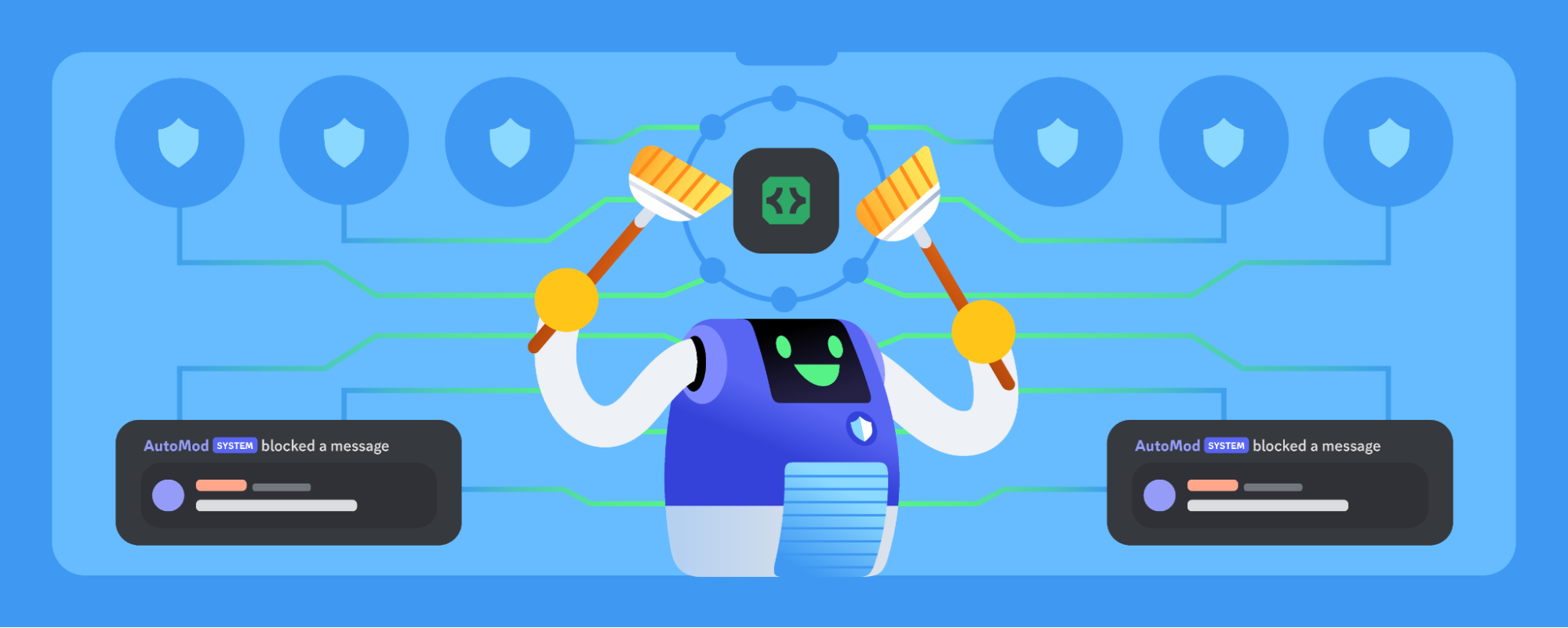
Today, we’re inviting developers on Discord to supercharge their own moderation applications by integrating directly with AutoMod. Read more to learn what the future of moderation apps on Discord holds!
 elder harbor
Hey DDevs! 
Today we are launching 🚀 expanded markdown (lists, headers, and masked links) to 100% of all guilds and users.
You can read more about it here Support Article
Not just users but also Apps/Bots/Webhooks 🤖 can take advantage of this new functionality!
As always, everything we do is a work in progress. We are still open to feedback and bug info, and we welcome you to provide both. 
elder harbor
elder harbor
# Hey DDevs! <:KermitSmile:798808491590156349>
Today we are launching 🚀 **ex...
Small update: We needed to roll this back for 24 hours to patch some security issues. It'll be back real soon. Update: we don't want to re-roll it out on a friday afternoon, so thisll be back next week.
elder harbor
Small update on expanded markdown 
We had to roll it back yesterday to patch some issues. We will most likely be bringing it back sometime next week. soon 
Have a good, markdown-less weekend! 
Animal fact of the week: a group of rhino is called a "crash" 🦏
quick flume
 Impact of Unique Usernames on Apps and Bots
Today we announced that Discord’s username system is changing. Discriminators are being removed and new, unique usernames (@name) and display names are being introduced. These changes will make it easier for users to connect with their friends and give more control over identity on Discord. You can visit https://discord.com/blog/usernames to hear from one of our founders about why usernames are changing, or read more details about how changes to the username system affects non-bot users at https://dis.gd/usernames
More details for developers (including an FAQ) are in the Help Center article:
https://dis.gd/app-usernames
Below is an overview of how apps and bots will be affected by the username change. More details for developers, including exact dates, will be communicated soon.
Changes to bot users on Discord
1️⃣ We recently made a change to add bot users to all newly-created apps. During the username migration, all apps without a bot user created before April 14 will have a bot user automatically added. If your app doesn’t require a bot user, you can skip adding the bot scope during installation.
2️⃣ After migration, developers will no longer be able to directly set bot usernames or bot icons. The bot user’s icon will always be the same as the App Icon. Bot usernames will be determined differently for verified and unverified apps:
- Verified apps: Bot usernames will be determined by the Application Name. When an unverified app goes through the verification process, a username created from the Application Name will be given to the bot user.
- Unverified apps: Bot usernames will be randomized for new and existing unverified apps. This does not affect the Application Name.
3️⃣ Application Names (the Name field on the General Overview page within the app’s settings) will be used as the Display Name for an app’s bot user. This means developers cannot manually update the Display Name for a bot user without updating the Application Name. Server nicknames are unaffected by this change.
4️⃣ The Discord client will be updated to only display Application Names in most surfaces, including the bot profile and in the search interface. The client changes will allow all Discord apps, verified and unverified, to use their Application Name as the identity for their app (and bot) across Discord.
Migration of verified app usernames
Most verified apps with Application Names which can be automatically migrated to the new username system have been reserved. No user will be able to claim the reserved username, and during migration the reserved name will be automatically given to the app's bot user.
Verified apps that cannot be automatically migrated or wish to change their Application Name for another reason will be able to make a one-time change at the time of migration.
Identifying migrated users
To keep clients backwards-compatible, users that are migrated to the new username system will have a single zero (#0) discriminator. This will not appear in the client, but will be in payloads your app receives. After the migration to the new username system is complete, the 0 discriminator will be removed.
 Preparing your app for username changes
- Remove any logic that depends on discriminators for Discord users. Apps should continue using user IDs to uniquely identify Discord users in their code. Make sure to account for the temporary
#0discriminator that updated users will have when updating your code. - Be prepared for your username change. That includes in code, or anywhere else you may reference your bot username.
- If your app is verified, stay tuned for details about migration dates and how to perform a one-time update for your Application Name/bot username.
quick flume
🔠 Updated max character limit in app names 🔡
Application names are now limited to 32 characters when you're creating a new app or updating the name of an existing app. This change does not currently affect apps with existing names longer than 32 characters.
This change is related to upcoming username changes for apps and bots, which you can read more about at https://dis.gd/app-usernames
 dire arch
Explicit Image Filtering for Slash Command Attachment Options
Hey everyone! Next week, we're shipping a change to attachments sent through slash command options to make image filter settings consistent across a server. Attachments sent using command options will now be scanned for explicit content according to the server's settings, similarly to other user-sent attachments.
Scanning will follow the settings for that server (the "Filter messages from all members" or "Filter messages from members without roles" options), with some exceptions:
- Commands marked as NSFW are never scanned
- Commands run in NSFW channels are never scanned
random briar
Follow-up on Unique Usernames for Apps
Hi everyone,
We recently announced upcoming changes to Discord’s username system. While that new system continues to roll out to users, we have updated information to share with you all about the bot side of this transition: application names and bot usernames will remain on the discriminator system. Below are details on how this may simplify things for you and what you still need to know about what is changing.
What does this mean?
- Bot usernames and avatars can still be changed independently of app names and icons, using the current system. This may change in the future.
- Bot usernames will not change immediately, and will remain in the Username#1234 format with a discriminator.
- App names and bot usernames will not be required to be unique, even for verified apps.
- Unverified apps will not be assigned randomly generated bot usernames.
Changes that are staying, and looking into the future:
- Bot users will continue to be automatically added to newly-created applications.
- Application names will continue to be limited to 32 characters.
- We will be maintaining a blocklist of some application names that are high-risk for impersonation and abuse.
- In the future, we still plan to use application names as the identity for your app and bot across Discord.
The team is focused on ensuring that the username transition is smooth for all users and will continue to monitor how applications / bots interact with the new system.
For more information, refer to the help center article: https://dis.gd/app-usernames
elder harbor
Hey DDevs! (again)
-
Today we are re-rolling out 🚀 masked links (as part of the new markdown) to 5% of all guilds, with the intention it will be out to 100% in the coming weeks.
-
You can read more about it here Support Article
-
We are aware of the security and abuse vectors relating to this feature, and are keeping a close eye on reports. Please report to CX/Support (https://support.discord.com/hc/en-us) if you see any issues.

Discord
Want to inject some flavor into your everyday text chat? You're in luck! Discord uses Markdown, a simple plain text formatting system that'll help you make your sentences stand out. Here's how to d...
quick flume
⚙️ OpenAPI Spec Public Preview 👓
Today, we’re introducing an OpenAPI 3.1 spec in public preview to make it easier and more reliable to develop with the HTTP API. While our current developer documentation requires manual reviews and updates, the OpenAPI spec is generated from the source code which means it better reflects the nooks, crannies, and nuances of the Discord API.
👀 You can find details about the spec in the discord-api-spec repository on GitHub. You can also explore our Postman collection (which was generated using the spec) to easily discover and test HTTP endpoints.
What is an OpenAPI specification?
From the OpenAPI Specification website: “The OpenAPI Specification defines a standard, language-agnostic interface to HTTP APIs which allows both humans and computers to discover and understand the capabilities of the service without access to source code, documentation, or through network traffic inspection”.
Why is it in public preview?
While we’re excited to share the spec with the community, we’re still making improvements and refining some technical details in the spec. During the public preview, there may be bugs and unannounced breaking changes.
If you see something that looks incorrect or can be improved, open an issue on GitHub.
quick flume
 Setting Activity State for Bot Users
The state field in activity objects can now be set when you're updating presence for a bot user.
When the activity's type is Custom (4), the value of state will become the custom status text for the bot user. For other activity types, it will be displayed as additional data under the activity's name.
 pseudo wyvern
🌐 Embed Debugger 🧑💻
We've released a new Embed Debugger tool that shows you how a URL's metadata will be parsed and rendered as a link embed within the Discord client. Use it to preview your site's embed, or debug why your site's link embed isn't working as expected.

 quick flume
 Team Member Roles
You can now select roles other than admin when inviting users or configuring members of a team. There are four role types (owner, admin, developer, or read-only) that a team member can now be assigned based on what information and actions they need access to.
 quick flume
Default Values for Auto-populated Select Menus
A new default_values field was added for user (5), role (6), mentionable (7), and channel (8) select menu components. default_values is a list of default value objects, which includes an id of the user, role, or channel and a corresponding type.
ℹ️ The UI updates to support default values in auto-populated select menus are not supported in older client versions, so if you're running into issues try updating your client!
 charred sinew
💸 Premium App Subscriptions Available in the US
Starting today, eligible US-based developers can monetize their verified apps with App Subscriptions.
App Subscriptions let you to charge your users for premium functionality with a recurring, monthly subscription.
To support App Subscriptions, apps now have access to:
- Manage subscription SKUs in the Developer Portal
- View monetization analytics in the Developer Portal
- Team owners can setup and manage payouts in Developer Portal
- New endpoints for working with SKUs and Entitlements
- New
PREMIUM_REQUIRED (10)interaction response type is available to prompt users to upgrade - New
entitlementsfield, which is an array of entitlement objects, available in interaction data payloads when receiving and responding to interactions
To learn more about eligibility details and how to enable monetization for your app, check out the Monetization Overview.
✍️ Change Log
For a full list of features and API changes, read more details in the Change Log.
📣 Feedback & Bug Reports
For feedback and bug reports on monetization features, please submit issues on GitHub.
quick flume
🔐 New Authenticated Attachment URL Parameters
To improve security of Discord's CDN, attachment CDN URLs have 3 new URL parameters: ex, is, and hm. Once authentication enforcement begins later this year, links with a given signature (hm) will remain valid until the expiration timestamp (ex).
⚠️ Attachment CDN URLs have already started following the new pattern, so your app will begin to encounter the new parameters in attachment CDN links, but authentication is not being enforced until later this year. More details about when authentication will start to be enforced will be shared in the upcoming weeks.
Details about authentication parameters
ex: timestamp indicating when the attachment URL will expire, after which point you'd need to retrieve another URL (by doing something like retrieving a message via HTTP). More details to come about the length of time this will be by default.is: timestamp indicating when the URL was issuedhm: unique signature that remains valid untilex.
Handling authentication parameters
When links expire
To access the attachment CDN link after the link expires, your app will need to fetch a new CDN URL. The API will automatically return valid, non-expired URLs when you access resources that contain an attachment CDN URL, like when retrieving a message.
The client behavior is not changing and will refresh posted URLs to be automatically valid, so your app doesn't need to worry about refreshing URLs itself if the link was valid at the time of posting.
In messages your app sends
The behavior in the client will remain the same. Links posted in the client will be automatically updated if the link was valid at the time of posting, so you don't need to update your message's content when it includes an attachment CDN link (in cases like apps reposting images using CDN links).
If your app needs access to the content
If your app requires access the content from an attachment CDN link, you should fetch the contents from the valid CDN link and upload them to a secure, independent host that your app maintains access to.
charred sinew
Global Rate Limit added to discordapp.com/*
ℹ️ We have added a global rate limit for API requests made to discordapp.com/* and may further restrict requests in the future.
To limit impact on your app, please make sure you are making calls to discord.com/*.
This does not apply for cdn.discordapp.com.
🔍 Refer to the API Reference for more info on which url(s) to use when building on the REST API
- February 14, 2022 Change Log: Requests to v10 and higher will no longer be supported on discordapp.com (this does not affect cdn.discordapp.com)
- May 4, 2020 Change Log #api-announcements message
quick flume
quick flume
# 🔐 New Authenticated Attachment URL Parameters
To improve security of Discord...
Hey all—I wanted to follow-up about the authenticated attachment URL parameters change to clarify some areas of confusion. If you haven't seen 🔗 the original announcement, you should read that first.
As an overarching note, the goal of this change is for there to be little-to-no impact to users and apps that are sharing non-expired links within the Discord client. Most impact will be with expired attachment CDN links and links shared outside of the client. There may be edge cases that we will monitor during and after the rollout of the change.
When will the change go out?
The URL parameter change will be a gradual rollout that may adjust based on identified user impact. The earliest the rollout will begin no earlier than December 15. As the change is rolling out, we will be monitoring developer and end-user impact to ensure that the client experience is not breaking in unintended ways.
How will link refreshing work?
Link refreshing happens behind-the-scenes. Events (like MESSAGE_UPDATE) will not be sent out when a link is updated within the client, so apps will not need to adjust for an increase or decrease in receiving any events based on this change.
Can I use attachment CDN links in API fields?
Some fields, like avatar_url for webhooks and url for embed images, have CDN links passed as values. We intend to maintain current support of passing non-expired CDN links in these and similar fields. After a non-expired CDN link is passed, it will be automatically refreshed since the images appear in the Discord client.
quick flume
 Fix Interaction Response Permissions
The behavior for message edit interaction response actions like updating interaction responses and sending follow-up messages have been updated to follow a bot user's permissions.
Previously, some message edit interaction response actions would use the default permissions rather than a bot user's permissions.
Dino fact: Oviraptor was a Theropod whose name means "egg thief" because its fossils were found around egg nests. But...we eventually learned that the nests belonged to the Oviraptors
 charred sinew
💸 More Ways to Test Premium App Subscriptions
We've made it easier for developers to test their app subscriptions without having to use real payment methods.
- Team members will automatically receive a 100% discount on a subscription for your app, allowing you to test the end-to-end payment flow
- Developers can create and delete test entitlements to toggle access to an application's premium features
Read more about Testing your App Subscriptions Implementation for details.
 slender isle
📝 Developer Survey
📣 Calling all developers! Ready to make a difference?
We're thrilled to announce that our annual developer survey is live now to gather your valuable feedback and insights. Your opinions matter greatly to us, and we're committed to making our developer offerings even better with your input. 
➡️ Log in to your developer portal and find the survey link in the navigation bar. You may also see a special winter surprise! ❄️
It only takes a few minutes to make a big impact! Thanks in advance for completing the survey. 💜
charred sinew
🔐 Experimenting with End-to-End Encryption for Voice & Video
As outlined in a blog post earlier this year, we are experimenting with end-to-end encryption (e2ee) for voice and video channels.
During this testing phase, there is nothing developers need to do to support end-to-end encryption. Voice channels will automatically downgrade to currently documented, non-e2ee protocols when a bot user joins the channel. This is transparent to the connecting client but may result in a slight delay between establishing a connection and receiving audio.
We will be continuing our testing and will share updates along with developer documentation and sample code once it is available.
quick flume
🔗 Updates to CDN-hosted images on App Directory profiles
Due to upcoming CDN changes, we are making updates to images within App Directory profiles. Going forward, all new and updated URLs for images in App Directory profiles must be hosted outside of Discord’s CDN. This includes images in the Images tab (under Media in your app's settings) and within expanded descriptions.
If you have images in the Images tab
Previously, using Discord attachment CDN URLs was allowed in the Images tab. To make migration easier, existing Discord CDN-hosted images in the Images tab have been migrated off of the CDN, so no action is needed on your part. Going forward, any Discord attachment CDN URLs will be rejected.
If you have images in the Expanded Description
Previously, using Discord attachment CDN URLs was allowed in the expanded description. Going forward, they will not be allowed. To continue supporting images in expanded descriptions, non-CDN URLs are supported going forward.
⚠️ By the end of this year, Discord attachment CDN-hosted images in your expanded description should be migrated elsewhere, and their URLs should be updated in your app's settings accordingly.
slender isle
📝 Developer Survey Closes Friday
Did you see our announcement earlier this month? #api-announcements message 👀
Our annual developer survey is currently live to gather your feedback and insights. It will close this Friday.
➡️ To complete the survey, log in to your developer portal and find the link in the navigation bar.
Thank you! 🫶
quick flume
Stricter Limit on Number of Embed Fields
Embed objects are now strictly limited to 25 embed fields. If you pass more than 25 fields within an embed's fields property, you'll get an error.
Previously, only the first 25 embed fields would be displayed within the embed, but no error was returned.
Snowflake fact: The largest flake ever recorded was 15 inches across and 8 inches thick, spotted back in 1887 in Montana (but there isn't much corroborated evidence for it, so take this fun fact with a pinch of salt).
charred sinew
**Small update to start off 2024  **
**
We've aligned the API's character limit for the Guild description field with the app's limit of 120 characters. This change addresses the previous discrepancy where the API allowed bypassing the client's character limit for this field.
The new limit is now reflected in our Open API spec.
pseudo wyvern
Interactions sent with Transfer-Encoding: chunked
From <t:1705097820> to <t:1705599000>, we erroneously delivered interactions with chunked encoding. This has now been resolved.
quick flume
🔗 Authenticated Attachment URL Parameters Update
Hey everyone  I'm back (once again), here with some minor updates and clarifications about the authenticated attachment URL parameter change we posted about last year (you can read more in the original and follow-up posts). This post includes some important information and dates, as well as answers some questions we've repeatedly received from developers.
When is the change going out?
We refined the timeline for the gradual rollout of the URL parameter change:
1️⃣ On <t:1706810400:d>, signature enforcement will begin to be applied for any new attachment uploads to Discord.
2️⃣ On <t:1708624800:d>, we're planning to apply signature enforcement to previously uploaded attachments.
Update to App Directory CDN Links
Previously, we posted an update that said net-new attachment links in the Images tab and all attachment links in the Expanded Description would no longer be allowed. However, based on your feedback, we've rolled back this change to allow more flexibility for images in the App Directory.
Since the change is rolled back, you can use Discord attachment links in your app's Images tab and Expanded Description going forward, and they will be automatically re-signed like other attachment links in the client. Sorry for the confusion, but we believe the end result is a net-positive for developers and Directory pages.
FAQ
What is the expiration window for attachment links?
Initially, URLs will expire after 14 days, and new ones will be issued every 7 days. We've chosen a longer expiration time to simplify the rollout. However, this may be reduced post-launch so you should use continue using the ex URL parameter mentioned in the original post to determine when a specific link is expected to expire.
Are these dates final?
We aim to stick to the above dates, but we'll be closely monitoring the impact on users and developers to ensure a smooth transition. If needed, we might modify the rollout plan, but we would communicate any changes here.
How should I handle this change in my app?
Please refer to the original post and follow-up post for more information on handling the change for your app.
quick flume
Update to Max Number of Guild Integrations
Guilds can no longer add more than 50 integrations. An error will appear or be returned if you try to add more than the max number of integrations. Guilds that currently have more than 50 integrations are not affected by this change at this time.
To see all integrations in a guild, you can view the Integrations tab in Server Settings or use the Get Guild Integrations endpoint.
Edit: To clarify, webhooks of any kind are not considered as integrations.
quick flume
🔗 Masked Link Support in Expanded Description
Keep your App Directory page sleek with new masked link support. The Expanded Description field on profile pages now support masked links 
 marsh urchin
bots can now have animated avatars 
excited to see all the creative and genuinely cool avatars y'all come up with for your bots. please don't do anything too cursed. good luck, have fun!
technical notes: just upload an animated avatar through PATCH /users/@me like you would a regular avatar. same constraints apply to bots here as they do user accounts w/ nitro.
 quick flume
 User Interaction Response Deletion
❗ EDIT: due to feedback, this change is being temporarily rolled back.
On desktop and web, Discord users can now delete responses to interactions they initiated.
This change isn't available on mobile just yet, but will be included in the next release.
quick flume
🔐 Upcoming Permissions Change for Pruning
Starting on <t:1710529200:D>, the Get Guild Prune Count and Begin Guild Prune
endpoints will require the MANAGE_GUILD permission alongside the existing KICK_MEMBERS permission.
See the change log PR draft for details.
slender isle
🤖 Bot Banners
Hey everyone! 👋
Today we’re releasing bot banners! You’re now able to add a banner image (static or gif!) to your bot. You can access editing your banner from the bot tab in the developer portal or the API. Note that animated banners can only be updated through the API at this time. This will appear in your bot profile, mobile, and other new places coming soon! Enjoy!
quick flume
User-Installed Apps are in Preview
Apps can now be installed to users 

making them easier to install, discover, and access across Discord. By default, user-installed apps can be used across all of a user's servers, within their (G)DMs, and in DMs with an app's bot user. Apps can be updated to support user installation on the new Installation page in your app's settings.
During the preview, interaction responses for the user installation context will be forced to be ephemeral in servers with over 25 members. There also may be changes to the new fields discussed in the change log before general availability.
✍️ Read all of the juicy technical details, limitations, and known issues in the change log, or follow the tutorial to get started.
charred sinew
 Developers can now build Activities!
Activities are interactive, multiplayer experiences that run in an iframe in Discord! Think games or social experiences running right inside of Discord. A few examples you might have already used are Putt Party, Sketch Heads, and Jamspace Whiteboard!
Developer Preview: Building Activities with the Embedded App SDK
In order to make the communication between your experience and Discord possible, we've introduced the Embedded App SDK to assist in communicating between your app and the Discord client.
- New Discord Activities developer docs with a tutorial, code samples, development guides, and design principles.
 The Embedded App SDK is now available via npm and GitHub.
 The Embedded App SDK Reference is now available.
During the preview, Activities in development can only be launched in servers with fewer than 25 members. See the other public preview limitations here.
✍️ Read all about this developer preview in the change log, or follow the tutorial to get started.
 viral lava
 Embedded App SDK Hotfix
 In the spirit of "move fast and break things" we moved fast, and broke a thing.
  If you had installed @discord/embedded-app-sdk v1.0.1 please run
npm install @discord/embedded-app-sdk@latest
to update your SDK. More info here.
slender isle
📊 Native Polls Launch
Hi devs! 👋
You're hearing it here first: We're excited to announce that native polls are almost here! 
The experiment has rolled out to a small percentage of users and the full launch is coming soon. We know this may impact how you want to think about your builds.
💻 API Info
This rollout includes new APIs for developers to build on top of it. More information can be found in the PR here and Help Center article here.
💬 Questions & Feedback
Drop your questions and feedback in the below thread. Please note that staff replies may be delayed because of the GDC event. Thank you in advance for understanding!
charred sinew
📊 CSV Export for Premium App Analytics
Hi everyone! 👋
If you have an app with Monetization enabled, we have released the ability to export your SKU analytics to CSV. This will allow you to use your preferred data tools to report on your premium offerings.
You can find the export at the bottom of the Monetization → Analytics tab of your app to export datapoints such as sales_count, sales_amount, sales_currencies, cancellation_count, refund_amount, and refund_count, aggregated by each of your offerings for the selected month.
Happy building!
 quick flume
📊 Polls API Support
Hiya devs!  You may have seen that native polls began rolling out today
Unfortunately API support for polls isn't quite ready yet, but we'll post another announcement in the coming weeks once it can be considered stable. The current draft for API support is in the discord-api-docs PR, but there will be changes before the PR is merged.
slender isle
User-Installed Apps Experiment in DDevs
Hi everyone! User-Installed Apps are still in preview, meaning interaction responses are forced to be ephemeral in servers with over 25 members. Today we are lifting this limitation in our Discord Developers server for a limited experiment. (All followup messages will still currently be ephemeral.)
Try it out and let us know your feedback in the thread below. 👇 Please note that User-Installed Apps are still in preview and are subject to change.
Edit: The experiment is off for the weekend but will be back soon!
quick flume
🔗 Authenticated Attachment URL Parameters Expiration
The expiration time for Attachment URLs will be decreasing from 14 days to 1 day. The rollout will happen gradually on a per-attachment basis, so your app will encounter some attachments with a 1-day expiration, and others with a 14-day expiration.
As noted in previous announcements, you should continue using the ex URL parameter to determine the expiration time for an attachment URL.
charred sinew
💸 Store and One-Time Purchases Launch
Two new features are now available for Premium Apps: One-Time Purchases and Stores.
🪙 One-Time Purchases
- Durable Items: A one-time purchase that is permanent and is not subject to either renewal or consumption, such as lifetime access to an app's premium features.
- Consumable Items: A one-time, non-renewable purchase that provides access, such as a temporary power-up or boost in a game.
Learn more about implementing One-Time Purchases.
🛒 A Store for Your App
To showcase your App Subscriptions and One-Time Purchase items, we have also introduced a Store for your Premium App. You can now create a unique Store page within the developer portal and add your published subscription SKUs or one-time purchase SKUs to your store view, allowing your users to buy these items from your App Directory or Bot User Profile.
✍️ Read more about the developer documentation updates in the change log or learn how to enable monetization for your app in our Monetization Overview.
slender isle
⏩ Forwarding Coming Soon
Forwarding is coming to Discord soon™️!
Forwarding will let you click on any message or piece of media and send it to another place in Discord. It'll show up clearly labeled as "forwarded" with only the content of the message included.
We'll launch to a small % of users within the next month and then ramp up from there over time.
💻 API Info
We're letting you know early as there will be a few changes for apps to "see" forwarded messages and we want you to be able to leverage forwarding for your apps. You can see the updates, subject to change, in the PR here.
slender isle
 Identity Verification Update
Hi devs! 👋
The identity of an owner of a verified app or development team will now need to be re-verified every three years. You may have seen a notice about this in the Developer Portal. Anyone who needs to re-verify their identity at this time will receive an email with more information this week. If it has not yet been three years since you last verified your identity, you will receive an email at a later date when you need to re-verify.
We're working on updating related Help Center articles with information and fixing a bug which may cause the button to disappear too quickly in the Developer Portal.
slender isle
User-installed apps updates
While user-installed apps are still in developer preview, we wanted to share some upcoming product and availability updates:
- Currently, interaction responses are forced to be ephemeral in servers with over 25 members. Starting later this week, interaction responses will be forced to be ephemeral in servers with 200 or more members, and we will turn the experiment in DDevs back on.
- 🛡️ User-installed apps will be integrated into AutoMod. Messages from user-installed apps will be blocked if they contain flagged words.
- 🔧 Later, when user-installed apps reach general availability, their usage will be attached to a server permission. We'll share more information about that permission soon.
Edit: the experiment is back on in DDevs.
quick flume
✅ Verification is Faster and Easier
We’ve made app verification faster and easier for developers. If your app is eligible for verification, you’ll see a new App Verification page in your app's settings:
- 📝 The long, hand-written form is now an easy-to-understand checklist
- 🔍 You should confirm the name and ownership of your app at the bottom of the page before verifying since they can't be changed afterward without reaching out to developer support
 Some verification requirements have changed, like the app needing to belong to a team. Consult the checklist on the App Verification page for all requirements.
- 🟡 If you have already submitted your app for verification and haven't heard back, you can use this new checklist instead
 quick flume
📜 Updates to Developer Terms of Service and Policy
This morning, we published updates to our developer terms of service and policy that will take effect on July 8. We also published a blog post that details the changes.
🔗 Updated developer terms of service and developer policy
💬 Blog post that details the updates
charred sinew
 Premium Apps: New Premium Button Style & Deep Linking URL Schemes
We’re releasing two new features today based on feedback we received from the Premium Apps Store and the release of One-Time Purchases:
- A new button style for you to include in your commands
- You can now deep link directly to products and your Store
✨New Premium Button Style
We've introduced a new button style, that accepts a SKU ID. You can now have commands with these new premium buttons to showcase your products in buttons, that when clicked, will automagically open the SKU Details page for that product.
** ✨New Deep Linking to Store and Individual SKUs**
With our new Application Directory URLs, you can copy the link from a SKU or your Store and post it in chat for others to easily access. These links also create rich embeds in chat that show a little bit more information about the linked object, allowing them to view details or continue with the purchase flow.
Beyond the release of these two new features, we’re also beginning work on multi-subscription support, which will allow you to offer multiple subscription tiers to your users.
✍️ Read more about these updates in the change log
quick flume
🚢User-installed Apps General Availability
User-installed apps are officially out of beta and are now generally available 
- 🔨 The API is stable, with one final set of breaking changes, which can be found in the change log
- 🔐 Our new “Use External Apps” permission is out to 100% of servers. Learn more about how to moderate apps in your server
- 🔍 💰 Eligible apps that support only user installation can now get Verified and get access to Discovery and Premium Apps
Though the beta has ended, that’s not the end of the roadmap. We’ve already started on our next features: user installation events and support for custom emojis.
✅ Verification is More Accessible
In part to support the general availability of user apps, today also brings another big update for Verification, Discovery, and Monetization.
- 🔑 All eligible apps can now go through our new Verification process, regardless of size or server count. This includes both user-installed and server-installed apps
- 🔍 💰 Discovery and Premium Apps are therefore now available to all eligible apps, after getting Verified
- ✅ You can apply for Privileged Intents at any time. Before you get Verified, you must be approved for any intents you have enabled. You can still request additional intents after getting Verified.
- 🦺 We recognize that making new verified apps with familiar branding seems much easier now. While we can't discuss the specifics of our enforcement and investigation criteria, we have seen no increase in user harm due to these changes, and will continue to monitor platform abuse and any potential issues from this change specifically.
Verification has been an important part of our app ecosystem for several years. It helps us identify and support apps that want to grow and scale. By becoming Verified, eligible apps can get access to Discovery and Premium Apps. These are important tools for early success, but have been unavailable to new and growing apps. We want to support more apps from the beginning and give every app the opportunity to succeed.
random briar
🔤 Simplifying Privileged Intents for Small Verified Apps
As a follow up to our [recent verification changes](#api-announcements message), we’re rolling out changes to make Privileged Intents simpler when your app is small:
- You are no longer required to get Discord’s approval to use Privileged Intents in a Verified app if the app is in less than 100 servers
- You must get approved, or turn off unapproved intents, to grow your app past 100 servers — even if it’s already Verified
- You may apply for approval for Privileged Intents once your app reaches 75 servers
- Apps of any size can still go through our Verification process
Why?: Our recent Verification changes showed that many of you want the benefits of Verification, even when your app is very small. That’s great! But small apps are often still iterating, and requiring Discord approval for data access in these small apps was a large barrier to development.
This change makes developing small apps easier, without taking away access to Verification and its benefits.
charred sinew
Activities CSP Update
We will be making updates to our Content Security Policy (CSP) on <t:1724828400:d> for the Activities Domain (https://<application_id>.discordsays.com).
⚠️ This represents a breaking change for all Activities, and as such we have a migration plan in order.
Our CSP will be updated as follows:
- All requests must be made through
https://<application_id>.discordsays.com/.proxy/, and requests to other paths on thediscordsays.comdomain will be blocked. - Requests to
https://discord.com/api/will be permitted, but other paths on thediscord.comdomain will be blocked. - Only allowed paths on
cdn.discordapp.comandmedia.discordapp.netwill be permitted such as/attachments/,/icons/, and/avatars/. - Nested child iframes must also mount paths prepended by
/.proxy/
As of embedded-app-sdk v1.4.0 we have updated patchUrlMappings to automatically route requests through /.proxy/, so updating your SDK version and calling patchUrlMappings is a good first step. If you are unfamiliar with patchUrlMappings, please consult the documentation.
All Application IDs created after <t:1721217600:F> (applicationID greater than 1263102905548800000) will also automatically have the new CSP applied. Testing your production code on a new application created after this date is a suggested way for developers to test compliance with this new CSP.
For existing applications, we will be deploying this update to the CSP on <t:1724828400:d>.
✍️ Read more about this update in the change log
random briar
😃 Application-Owned Emojis
You can now upload emojis for your apps in your app’s settings and use them as custom emojis anywhere on Discord 🎉
- 🔢 Up to 2000 emojis per app
- 👥 Support for user-installable apps — no guilds required!
- 🛠️ Can be managed via the API with a bot token
- 📚 Read the changelog
Read the docs, and 🔨 🫵 💬 💃 🎉
 quick flume
🎙️ Fetching Voice State Using HTTP
Tired of accessing user voice state over plain old Gateway connections? Well tire no more! Apps can now call the Get Current User Voice State and Get User Voice State endpoints using HTTP.
✍️ Tune in to the change log entry and updated Voice docs
quick flume
🔢 User-installable App Install Count
Approximate install counts have been added in the approximate_user_install_count field on the Application object for user-installable apps. You can also view this number in the Install Count section on the General Information page in your app's settings.
✍️ See the Change Log entry
charred sinew
🎙️ Voice Connection Updates for Encryption Modes & Voice Gateway Versioning
On November 18, 2024, we will be officially deprecating some very old voice gateway versions and removing the concept of a default version for the voice gateway.
Voice Encryption Modes:
- New Documentation Added: We've introduced documentation for more performant and more secure voice encryption modes:
aead_aes256_gcm_rtpsizeandaead_xchacha20_poly1305_rtpsize. - ⚠️ Deprecation Alert: All
xsalsa20_poly1305*variants andaead_aes256_gcmare now deprecated and will be discontinued on November 18th, 2024.
✍️ Check out the change log for voice encryption modes
Voice Gateway Version 8 & Deprecation of Older Versions:
- Version 8: The latest voice gateway version supports Buffered Resume, which re-sends lost messages, enhancing voice connection stability.
- ⚠️ Deprecation of Older Versions: We are deprecating voice gateway versions older than 4, which are over 7 years old.
- ⚠️ Deprecation of Default Voice Gateway Version: Specifying a voice gateway version will be mandatory as the default option has been removed.
- Action Required: Ensure your systems specify a voice gateway version and that you are using an available version. Versions older than 4 will also be discontinued on November 18th, 2024.
✍️ Check out the change log for voice gateway versions
Important Note on Voice State Updates:
- When changing channels within the same guild, you may receive a
VOICE_SERVER_UPDATEwith the sameendpointas before. However, thetokenwill change, and you cannot reuse the previous session. Please handle this appropriately in your implementations.
quick flume
🎨 Simplified App Profiles
Profiles for apps have been simplified to be easier to read and closer to the redesigned profiles for Discord users.
Including spiffy before and after screenshots to help you visualize the changes✨


⚙️ Full message object in Message Update events
Message Update Gateway events have been slightly updated to now always send the full message object.
Previously, there was inconsistent behavior. When your app received a Message Update event, you would sometimes only receive a partial payload—particularly with embeds in messages. These updates will now include the full message object.
quick flume
🚀 Launching Activities using Interactions
Hi DDevs! We have an exciting update to our Activities Developer Preview! Activities can now be launched via interactions! This means that you can now launch activities in response to things like commands and message components.
We’ve also created a new type of command: Entry Point commands. Entry Point commands represent the primary way to interact with apps that have Activities enabled. Apps are limited to one Entry Point command, which will be shown to users in the App Launcher with a dedicated button. And you can customize how your app's Entry Point command is handled using the handler field.
After you set up your app to launch activities through the Entry Point command and / or interactions, you will be able to test your Activity in text channels. Within a few weeks, it will become required for your app to have a primary entry point app command to continue launching the activity in voice channels.
Read more details about these releases in the Change Log entries:
✍️ Launching Activities in Response to Interactions
✍️ Entry Point commands
charred sinew
Activities CSP Update is now LIVE
Our updates to the Content Security Policy (CSP) for the Activities Domain (https://<application_id>.discordsays.com) are now live.
If you have any issues with network requests in your Activities after this change, please see the change log for full details on what has changed and steps to remedy.
Happy building!
charred sinew
🪙 Premium Apps: Upcoming Entitlement Migration and New Subscription API
Upcoming Entitlement Migration
We are migrating our entitlement system to a new behavior where entitlements will not have an ends_at until they are explicitly cancelled.
⚠️ This represents a breaking change for all existing applications that have Premium App Subscription SKUs, and as such we have a migration plan in order.
Current Entitlement System
Currently, entitlements have an ends_at date that corresponds to the subscription interval. This date is updated at each billing cycle.
New Entitlement System
Post-migration, entitlements will no longer have an end date (ends_at will be null) until the user decides to cancel the subscription.
As of October 1, 2024, all existing entitlements that grant access to user-subscription and guild-subscription SKUs, will begin to transfer to the new system on their renewal date. This means we will have a month-long migration window to allow all of your entitlements to migrate to the new system upon renewal.
Please refer to the Entitlement Migration Guide to learn more about the change in ENTITLEMENT_CREATE and ENTITLEMENT_UPDATE events before the rollout date to avoid disruptions in service.
New Subscription API
With the new system, entitlements for subscription SKUs will no longer emit events at the start of a new subscription period. Instead, subscription lifecycle management can be handled through the new Subscription API.
New Monetization Docs
With the Entitlement and Subscription changes, we have also updated documentation for Premium Apps to
charred sinew
💵 Premium Apps: $1.99 Price point now available
Quick win, but we've enabled a lower price point for Premium Apps based on your feedback. The $1.99 price point is now available as a pricing option for SKUs in the Developer Portal.
charred sinew
🎙️ Introducing Discord's Audio and Video End-to-End Encryption (DAVE) Protocol
Last year, we announced that we were experimenting with new encryption protocols and technologies for audio and video calls on Discord. After extensive experimenting, designing, developing, and auditing, we’re excited to announce Discord’s audio and video end-to-end encryption (“E2EE A/V” or “E2EE” for short), which we like to refer to as our DAVE protocol.
Developer Impact
Starting September 2024, Discord is migrating voice and video in DMs, Group DMs, voice channels, and Go Live streams to use end-to-end encryption (E2EE).
Who this affects: Any libraries or apps that support Discord Voice connections.
You are not immediately required to support the E2EE protocol, as calls will automatically upgrade/downgrade to/from E2EE depending on the support of clients in the call.
Implementing E2EE Voice
We have added high-level documentation for Discord's Audio and Video End-to-End Encryption (DAVE) protocol, and the new voice gateway opcodes required to support it.
The most thorough documentation on the DAVE protocol is found in the Protocol Whitepaper. You can also use our open-source library libdave to assist with your implementation. The exact format of the DAVE protocol opcodes is detailed in the Voice Gateway Opcodes section of the protocol whitepaper.
Future Deprecation and Discontinuation of Non-E2EE Voice
Non-E2EE connections to voice in DMs, Group DMs, voice channels, and Go Live streams will eventually be deprecated and discontinued.
In 2025, all official Discord clients will support the protocol and it will be an enforced requirement to connect to the end-to-end encryption-eligible audio/video session types listed above.
Once a timeline for deprecation and discontinuation is finalized, we will share details and developers will have at least six months to implement before we sunset non-E2EE voice connections.
Read more about Discord's Audio and Video End-to-End Encryption (DAVE) protocol:
- Discord Developer Docs Change Log
- Meet DAVE: Discord's New End-to-End Encryption for Audio & Video
- DAVE protocol whitepaper
- libdave open-source library on GitHub
quick flume
 Activities Generally Available for Developers
We’re excited to announce that Activities are now generally available for all developers! 🚀 🎊
In addition to API stability, general availability means that apps with Activities can now be verified, discoverable in surfaces like the App Directory, and can use monetization features.
- ✍️ Read the Change Log entry for more detailed API updates and a list of new and updated documentation
- 🚀 Read the blog post about the release, or jump right into building
- ⚙️ Explore the sample Activity projects on GitHub
Recent API Updates
There have been a few important updates we want to highlight since we originally announced the developer preview below. A more detailed list of updates is in the Change Log.
- Activities can now enable and implement monetization features, and
getEntitlements,getSkus, andstartPurchaseare generally available in the Embedded App SDK. - New Get Application Activity Instance endpoint
- Apps with Activities can create an Entry Point command as the primary entry point for their Activity in the App Launcher. When new apps enable Activities, a default Entry Point command will be created. Read the Entry Point command guide for details.
- Activities can now be launched in response to interactions using the
LAUNCH_ACTIVITY(type12) interaction callback type. - Apps can now be installed to users (in addition to servers). After setting up your installation contexts, make sure to request the
application.commandsscope when authorizing with users to make sure your Activity is available for them across their Discord servers, DMs, and Group DMs. - In August, there were updates to the Content Security Policy (CSP) for Activities that limits how you can make requests to external resources when building Activities. Read the change log and the guide on using external resources for details.
quick flume
📸 Updates to Media Proxy Service
Hello fellow developers! The Discord Media Infra team has been working on a revamped version of our Media Proxy Service. Over the week all media requests (image and video retrieval) except embeds will be redirected to this new service.
While we’ve done extensive testing, there is a possibility that some media loading issues may arise during this migration. If you notice any problems with media loading or encounter any errors, please report them in thread
We’ll be actively monitoring and addressing issues. Thanks for your cooperation!
viral lava
⚙️ Updates to Activity Configuration
We made some updates to Activity configuration in the developer portal, which you can see in your app's settings:
- Activity Settings visibility: Activity settings are always visible now under the Activities section, regardless of whether you have Activities enabled or not
- Enabling/Disabling Activities: There's a new toggle under Activities > Settings to enable or disable Activities for your app
- Root URL Mapping requirement: You must add at least one Root URL Mapping on Activities > URL Mappings before you can enable Activities
View the updated Building an Activity guide.
quick flume
↗️ Webhook Events
You can now subscribe to a limited number of HTTP-based outgoing webhook events after configuring a webhook events URL.
While more events will be added over time, the main use case right now is the Application Authorized (APPLICATION_AUTHORIZED) event which allows your app to listen for when a user adds your app to a server or to their user account.
✍️ Read the Change Log entry
📜 Read the Webhook Events documentation
charred sinew
💰 Premium Apps: Support for Multiple Subscription Tiers
We’ve released support for multiple subscription tiers in premium apps! You can now publish multiple subscriptions for your applications at various tiers and allow users to upgrade and downgrade between them.
For developers
- You can now publish multiple subscription SKUs of the same type (user or guild).
- We’ve made some slight changes to publishing flows, managing your SKUs, and managing your store to support multiple subscription tiers.
- Your subscriptions are auto-sorted by price in your store. One-time purchases are still able to be reorganized to your liking.
- Subscriptions cannot be offered at the same price (IE: Sword Subscription, Shield Subscription, both at $4.99, will not work)
For your app’s users
- Users can manage App subscriptions in their user settings. (User Settings → Subscriptions → App Subscriptions)
- Users can seamlessly upgrade & downgrade between subscription plans.
- Users can easily resume their canceled plans easily without going back through the entire flow.
Implementing Multiple Subscription Tiers
📓 Our Implementing App Subscriptions guide has been updated to include steps for supporting upgrades and downgrades between multiple subscription SKUs in your app.
✍️ Check out the change log for details on what has changed in the API.
 charred sinew
🖼️ Default File Upload Limit Change
On January 16, 2025, the default file upload limit will change from 25 MiB to 10 MiB.
⚠️ This represents a breaking change for any apps that are uploading files larger than 10 MiB.
While this limit is already active for users and bot users, it hasn't yet been applied to webhooks.
- This change will take effect on January 16, 2025.
- The 10 MiB limit will apply to both webhooks and interaction responses.
✍️ Read the Change Log entry
📜 Read the file upload documentation
charred sinew
🔭 Apps now featured in the Discover Tab!
Exciting news - we've revamped the App Directory, and added it to Discord's Discover tab! So far, we've seen a +50% increase in Directory opens. This means your users are more likely to discover and add your App!
To learn more about these changes and what you can do to improve your listing, keep reading ⬇️
⭐ Streamlined App Directory Listings
- All Apps have an About page to describe your features and functionality. Add images, videos, and other details to the About tab to make your app’s listing stand out!
- If Premium Apps features are enabled, the Store tab will display your app’s premium offerings.
🔗 New App Discovery URL Format
- You can easily share your App Directory listing by linking directly to your app.
- Use this URL format:
https://discord.com/discovery/applications/{APP_ID}to help users navigate directly to your listing. - Existing links using the previous
https://discord.com/application-directory/{APP_ID}format will be redirected to the new discovery format so you do not need to update your existing links.
Action Item For Developers with Discovery Enabled
Take a moment to review your app’s visuals and details to ensure everything looks its best on the new Discover tab!
🤖 For Discoverable Apps
- App display tiles will feature your
App IconandBot Banner. If noApp Iconis set, listings will fallback toBot Icon. - Your App’s
Bot Bannerwill play on hover if it is an animated image. - Bot settings are configurable under
Settings > Botin the Developer Portal. App Iconis configurable underSettings > General Information.
🚀 For Discoverable Activities
- Activity display tiles will feature your
App IconandCover Art. - Your Activity’s
Video Previewwill play on hover. - These settings are configurable under
Activities > Art Assetsin the Developer Portal. App Iconis configurable underSettings > General Information.

 charred sinew
 Introducing the Discord Social SDK
New developer SDK, inbound!
The Discord Social SDK allows you to build social features, like friend lists, invites, messaging, and voice chat directly into your game, whether players have a Discord account or not.
 What can the Social SDK do?
With the SDK, you can offer players:
- Flexible account options with Discord account linking and provisional accounts
- A unified friends list across their game and Discord
- Game invites to jump right into the action
- Rich Presence game updates in Discord
- Direct messages from your game or in Discord
- Lobbies to squad up easily
- In-game chat synced to a text channel in their Discord server with Linked Channels
- Voice chat to share those clutch moments
See these features in action!
 New Developer Resources
To help you get started, we’ve rolled out fresh developer docs in the Developer Portal:
 Getting Started Guides: C++, Unity, and Unreal Engine.
- Development Guides: Build social features your players will love.
- Design Guidelines: Design seamless social experiences in your game.
- SDK Reference: Full SDK reference docs.
 Download the Discord Social SDK binaries in the Developer Portal after enabling the SDK for your application.
glhf!
charred sinew
📎 Per-Attachment File Upload Behavior for Apps 📎
We've rolled out some changes to how file uploads work for apps!
Starting today, file upload limits for apps are checked per-attachment rather than per-message. This change makes the app attachment behavior the same as when a user uploads multiple attachments on a single message.
- File size limits now apply to each individual attachment
- Previously, limits were applied to the combined size of all attachments in a message
- These changes make building apps with file handling more consistent and give you more flexibility if a user or server has higher upload limits
The interaction payload will also include a new
attachment_size_limitkey that specifies the maximum allowed attachment size. This limit may be higher than the default attachment size limit, depending on the guild's boost status or the invoking user's Nitro status.
- For more information, check out our documentation on file uploads.
- ✍️ Check out the change log.
 oak wraith
🔒 Deprecating Guild Creation by Apps
Breaking Change
To address security concerns, we're deprecating the ability for applications to create guilds using the Create Guild endpoint.
What's Changing
- 🚫 The Create Guild endpoint (
POST /guilds) will be restricted for applications starting July 15, 2025 - 📨 Existing Guilds owned by bots will have their ownership transferred to a real user
- 🔐 After the deprecation date, the endpoint will no longer be available.
Timeline
- 📣 April 15, 2025: Deprecation announcement (today)
- 📧 June 15, 2025: System DM/Email notifications to affected app owners and designated guild members
- 🛑 July 15, 2025:
Create Guildendpoint restricted for applications
For complete details, please see the API Change Log.
 inner current
oak wraith
inner current
oak wraith
 wet sedgeBOT
inner current
wet sedgeBOT
inner current
📦 Raised Component Limits 📦
We're removing the top level component limit and raising the limit on number of components in a message to 40 when using the IS_COMPONENTS_V2 message flag! We're also removing the limit on the number of components in a Container Component. Legacy messages have not changed and continue to allow up to 5 action rows.
What Changed
- Total components: The limit for total components in a message has been increased to 40.
- Top-level components: There is no longer a limit on top level components in a message (previously it was 10).
- Container Component: There is no longer a limit on the number of components in a Container Component (previously it was 10).
Resources
- Get started with Using Message Components
- Check out the changelog for more details
 tall umbra
🔊 Voice Gateway Update for Library Developers 🔊
Hey developers! We've identified an issue causing 4006 "Session no longer valid" errors for bots using voice connections. Here's what's happening and how to fix it.
🔍 What's going on?
Some libraries are dropping port numbers from VOICE_SERVER_UPDATE payloads. This worked historically with default ports, but our infrastructure uses custom ports (like sweetwater-12345.discord.media:2048) that must be preserved.
We're updating our API docs with fresh examples showing the proper endpoint format.
🛠️ Action needed:
Library maintainers
- 🔧 Update your voice gateway implementation to use the full endpoint from
VOICE_SERVER_UPDATE, including port numbers
Bot developers
- 🚀 Update to the latest library versions once fixes are released - no code changes needed on your end!
inner current
💾 Simplified proxy requests are now available in Discord Activities! 💾
We've updated the Content Security Policy (CSP) for Discord Activities to remove the /.proxy/ path requirement when making requests through the proxy. This change simplifies the developer experience while maintaining full backward compatibility.
All existing code will continue to work without changes. The /.proxy/ path prefix is still fully supported and will be maintained indefinitely. You can:
- Continue using existing
/.proxy/URLs - Switch to the new, simplified URLs
- Use both patterns simultaneously in the same application
No migration is required. This is a purely additive change that makes it easier to work with the Proxy!
The patchUrlMappings utility will also be updated in the Embedded App SDK to generate the simplified URLs by default, though it will continue to support the /.proxy/ format for backward compatibility.
Check out the full changelog for details
charred sinew
Introducing a Request Guild Members Rate Limit
We're introducing a change to the Request Guild Members gateway opcode.
👀 What's changing?
We are implementing a rate limit on the Request Guild Members opcode. This limit specifically affects requests for all guild members, when developers set limit to 0 and use an empty string for query.
Note: This rate limit applies only to the initial request when requesting ALL Guild Members, not to the Guild Members Chunk events that are sent in response.
- Rate Limit: 1 request per guild per bot every 30 seconds
- Scope: The limit applies per guild per bot (one bot can request members for different guilds within the 30-second window)
- Behavior: Requests that exceed this limit will receive a
RATE_LIMITEDevent as a response - Changelog: See the changelog for more information on this event payload
For example, if you are connected to guilds 123 and 456, you can request members from both guilds within a 30-second period. However, you cannot make a second request to guild 123 within that same 30-second window.
 Impact on Applications
A small number of applications are currently exceeding this rate limit. If your app heavily relies on this opcode, we recommend reviewing your current implementation and making necessary adjustments to maintain functionality.
🗓️ Timeline
Most apps won’t encounter this rate limit until it is rolled out to all servers on October 1, 2025. However, if you are the developer of an app that is requesting all guild members in very large guilds then you may start seeing this as soon as today so we can ensure platform stability.
✍️ Check out the changelog for more details on this change and the shape of the rate limit payload
inner current
📌 Pin Updates! 📌
We've raised the pin limit per channel from 50 to 250!
Permissions
Pinning and unpinning messages now has its own permission. We split PIN_MESSAGES out of MANAGE_MESSAGES to give more granular control over who can pin messages in a channel. This is effective immediately for both users and apps. This change will be backwards compatible until January 12th 2026 when MANAGE_MESSAGES will no longer grant the ability to pin or unpin messages.
New Endpoints
We've added new endpoints to manage paginated pins in channels. The Get Channel Pins endpoint allows you to retrieve and manage pinned messages in a more efficient way, especially for channels with a large number of pinned messages. As part of this change we have deprecated the old endpoints for pinned messages. Here are the new endpoints:
Get Channel Pins: Retrieve a list of pinned messages in a channel with pagination support:
/channels/{channel.id}/messages/pins
Pin Message: Pin a message in a channel:
/channels/{channel.id}/messages/pins/{message.id}
Unpin Message: Unpin a message in a channel:
/channels/{channel.id}/messages/pins/{message.id}
Check out the full changelog for pin permission splitting and paginated pin endpoints
 thick locust
MODAL COMPONENTS? FINALLY!
After a thousand years of simple modals with text inputs, we've finally added a new top-level Label component containing a label, a description, and a component: a Text Input or a String Select! You heard right, String Selects now work in modals!
-# Yes, we do read your feedback, give us more! 👀
✨ What's New
- String Selects now work in modals when placed inside a Label component
- Text Inputs can also be used inside a Label component
- When a Text Input is used in a Label component the
labelfield on the Text Input is not allowed in favor oflabelon the Label component - ActionRow + TextInput is now deprecated in favor of the new Label component for better accessibility
- The
requiredfield is now available on String Selects (defaults to true in modals, ignored in messages) - The
disabledfield on String Selects is not currently allowed in modals, and will trigger an error if used
📦 New Layout Component
- Label - A new top-level component that lets you add a title and description to your modal components!
📦 Updates to Modal Components
- Text Input - Text Input can now be used in a Label
- String Select - String Selects can be used in modals! Place them in a Label
Developer Resources
- Check out the changelog for more info.
- Check out our component reference for details on all available components.
🐢 Turtle fact: Green sea turtles have green cartilage and fat due to their diet of mostly seagrasses and algae! Unique among sea turtles, they are primarily herbivores.
oak wraith
Deprecating Non-E2EE Voice Calls
We started work on end-to-end encryption for Discord over two years ago to enhance our user privacy and security. With DAVE now supported across all platforms, we’re very close to making every call fully end-to-end encrypted.
🧷 Developer Impact
To support our long-term privacy goals, we will only support E2EE calls starting on March 1st, 2026 for all audio and video conversations in direct messages (DMs), group messages (GDMs), voice channels, and Go Live streams on Discord. After that date, any client or application not updated for DAVE support will no longer be able to participate in Discord calls.
💻 Implementing E2EE Voice
For developers working with Discord's voice APIs, you can consult the updated voice documentation and the implementation examples available in our open-source repository as well as the protocol whitepaper.
We're committed to making this transition as smooth as possible while delivering the enhanced privacy and security that DAVE provides to all Discord users.
inner current
MORE MODAL COMPONENTS
You thought we were done??? What if we added ALL selects to modals?? That means User Select. That means Role Select. Did we mention Mentionable Select? Heck we'll even add Channel Select. What if we added Text Display as a top level component with full markdown support too??
-# Please keep giving us feedback, that's how we prioritize and make these changes!
✨ What's New
- All Selects now work in modals when placed inside a Label component
- Text Display works as a top level modal component
- The
requiredfield is now available on all Selects (defaults to true in modals, ignored in messages) - The
disabledfield on all Selects is not currently allowed in modals, and will trigger an error if used
📦 Updates to Modal Components
- User Select - User Selects can be used in modals in a Label
- Role Select - Role Selects can be used in modals in a Label
- Mentionable Select - Mentionable Selects can be used in modals in a Label
- Channel Select - Channel Selects can be used in modals in a Label
- Text Display - Text Display works as a top level component in modals
Developer Resources
- Check out the changelog for more info.
- Check out our component reference for details on all available components.
🐜 Ant fact: Scientists estimate that there are about 10 quadrillion ants (that’s one million billion ants) in the world. Hopefully they don't become sentient and rise against us!
charred sinew
🔊 Voice & Video Transport Update - Deprecated Modes Being Removed
We have begun the rollout of new software that removes support for the deprecated voice & video transport encryption modes. You may already have experienced voice gateway connections which no longer support the deprecated modes.
- Please ensure you support
aead_xchacha20_poly1305_rtpsizeand optionallyaead_aes256_gcm_rtpsize - This rollout will gradually progress to 100% of our voice fleet over the next 1-2 months.
Note: You may see
xsalsa20_poly1305_lite_rtpsizetemporarily included in the shortened list of available modes. This is still a deprecated transport encryption mode and you should not rely on it remaining available.
- ✍️ Read the changelog
- 📓 Read more about Voice Connections: Transport Encryption Modes in the docs
thick locust
MODAL FILE UPLOAD
Have you ever wanted to collect more than text from a user through a modal? With the new File Upload component you can! It uploads! It downloads! It does everything in between! Any file types are accepted! You've never seen a component like this!
✨ What's New
- New File Upload component in modals
- File Upload can be configured to accept between 0 and 10 files
- File Upload can be set to be required or not
- Any file type can be uploaded and the size limit is based on the user's upload limit in that channel
Developer Resources
- Check out the changelog for more info.
- Check out our component reference for details on all available components.
📬 Mail fact: Nearly the entire world can be reached by mail, with your help we can cover the same amount or more by file upload!
charred sinew
📢 Recent Permission Split Changes and Breaking Change Timeline: February 23, 2026
Discord devs, we have some important permission changes to be aware of!
What's New?
🆕 A new BYPASS_SLOWMODE permission and bot access to the existing CREATE_GUILD_EXPRESSIONS and CREATE_EVENTS permissions are now live. The addition of this permission and bot access to expression and events permissions are non-breaking changes.
⚠️ The **breaking changes **described below - where the old permissions will no longer grant these abilities - will take effect on February 23, 2026. These changes involve a few permissions that we split from their original permission to provide more granular control over bot and user actions. Their individual change logs are each linked below.
What's Changing?
1. Pin Messages Permission
- The
PIN_MESSAGESpermission (1 << 51) was split fromMANAGE_MESSAGESon August 20, 2025. - Read the change log.
- Starting February 23, 2026, users and bots will need the
PIN_MESSAGESpermission to pin messages.MANAGE_MESSAGESalone will no longer be sufficient.
2. Bypass Slowmode Permission
- The
BYPASS_SLOWMODEpermission (1 << 52) is being split fromMANAGE_MESSAGES,MANAGE_CHANNEL, andMANAGE_THREADS. - Read the change log.
- Note: This primarily affects users, as bots are not affected by slowmode restrictions.
- Starting on February 23, 2026, users will need the
BYPASS_SLOWMODEpermission to not be affected by slowmode restrictions.
3. Create Expressions Permission
- The
CREATE_GUILD_EXPRESSIONSpermission (1 << 43) was created in July 2023 and split fromMANAGE_GUILD_EXPRESSIONSfor users in December 2023. Read the original change log. - As of today, bots now have access to the
CREATE_GUILD_EXPRESSIONSpermission. - Read the latest change log.
- Starting on February 23, 2026, bots will need the
CREATE_GUILD_EXPRESSIONSpermission to create custom emoji and stickers.MANAGE_GUILD_EXPRESSIONSalone will no longer be sufficient.
4. Create Events Permission
- The
CREATE_EVENTSpermission (1 << 44) was created in July 2023 and split fromMANAGE_EVENTSfor users in December 2023. Read the original change log. - As of today, bots now have access to the
CREATE_EVENTSpermission. - Read the latest change log.
- Starting on February 23, 2026, bots will need the
CREATE_EVENTSpermission to create scheduled events.MANAGE_EVENTSalone will no longer be sufficient.
👀 What Do You Need to Do?
If your bot performs any of the following actions, please review and update your bot's permission requests before February 23, 2026:
- Pins messages: Request the
Pin Messagespermission - Creates custom emoji or stickers: Request the
Create Expressionspermission - Creates scheduled events: Request the
Create Eventspermission
These changes are designed to give server administrators more control over what bots and users can do.
🗓️ Timeline
- November 24, 2025: Announcement of permission changes
- February 23, 2026: Permission changes take effect
inner current
👤 Get Guild Role Member Counts Endpoint 👤
Apps can now use the Get Guild Role Member Counts endpoint to access the number of members that have each role!
/guilds/{guild.id}/roles/member-counts
Discord Developer Portal
Build games, experiences, and integrations for millions of users on Discord.
oak wraith
Upcoming Deprecation of Non-E2EE Voice Calls
As we announced earlier this year, starting March 1st 2026 clients and apps without DAVE support will no longer be able to participate in Discord calls (Stages excluded).
For developers working with Discord's voice APIs, you can consult the updated voice documentation and the implementation examples available in our open-source repository as well as the protocol whitepaper.
If you use a library to support voice connections, that library will need to update to be compatible with DAVE.
We know some library developers have been waiting for a C API for libdave, we are happy to announce that it was just released. We hope to additionally release pre-built binaries in January.
If you have previously integrated libdave you may need to make some changes if you choose to update. Note that you do not need to update to keep supporting the DAVE protocol, existing implementations are still compatible.
A notable API change was made to Decryptor::Decrypt - it now returns 0 on success to align with the return format of Encryptor::Encrypt.
inner current
💌 New Invite Endpoints 💌
We've added new endpoints and functionality allowing invites to grant roles and/or be accepted by specified users. These are perfect for communities that want to manage access more granularly or reward members with special roles when they join a server. Use this from a game to give players a role related to their character, or from your livestream to note which community members actively support you, and anything else you can think of! People already in your community will still get the role if they accept the invite. Currently specifying the users able to accept an invite is only available through the API but granting roles through an invite works through the client and API.
Endpoint details:
- Create Channel Invite has been updated to support
target_users_fileandrole_idsparameters.target_users_file: A CSV file with user IDs to specify who can accept the inviterole_ids: Role IDs for roles to assign to users when they accept the invite
- Get Target Users: Gets the users allowed to see and accept an invite
- Update Target Users: Updates the users allowed to see and accept an invite
- Get Target Users Job Status: Checks the status of the job that processes the target users for an invite
Check out the changelog for more info
 inner current
🫂 Relationships.read scope 🫂
We've opened up the relationships.read scope for Activities under the Social SDK terms! To get access to the scope you will need to accept the Social SDK terms for your app in the Social SDK settings. Requesting approval for this scope from Discord is no longer necessary. With this scope getRelationships() in the embedded app SDK will now return a player's relationships.
Check out the changelog for more info
inner current
We've updated the [community invite endpoints](#api-announcements message) with a breaking change:
- Get Target Users returns a standardized CSV file with a header
user_idand each user ID on its own line. If you relied on the header you submitted or weren't reading it from the file you got back you'll need to update to expect onlyuser_idas the header in the csv now. - Get Channel Invites returns a partial for roles instead of the full role object. This is a breaking change as it used to return the full role object and now only contains
id, name, position, color, colors, icon, unicode_emoji.permissionswill no longer be included for security purposes.
-# changelog
inner current
Hi DDevs 👋
You may have seen Discord's recent announcement about our age assurance rollout, which begins in March. We wanted to share what this means for you as developers.
The short version: We do not expect any action to be required from developers. These changes focus on Discord's safety defaults and how users access age-restricted features, not on your integrations. Discord is not requiring everyone to complete a face scan or upload an ID, most people can continue using Discord as they do today without ever being asked to confirm their age.
Read more: Age Assurance Update for Developers
update: #api-announcements message
thick locust
Modal Radio and Checkbox Components
We're introducing three new modal components: Radio Groups, Checkbox Groups, and Checkboxes. These components expand the ways users can interact with your app through modals, enabling single-choice selections, multi-select options, and simple yes/no toggles.
-# check em out!
The New Components
- Radio Group: An interactive component for selecting exactly one option from a defined list.
- Checkbox Group: An interactive component for selecting zero to many options via checkboxes.
- Checkbox: A single interactive component with a checkbox for yes/no style questions.
Check out the changelog for more details!
🐟 Fish fact: All checkerboard wrasses are born female, and as well as changing color as they age, they can change into male depending on social cues
oak wraith
🔒 Reminder: Non-E2EE Voice Calls Deprecated on March 2nd, 2026
We're less than two weeks away from the deadline — starting March 2nd, 2026 (we bumped it to the Monday), clients and apps without DAVE support will no longer be able to participate in Discord calls for all audio and video conversations in direct messages (DMs), group messages (GDMs), voice channels, and Go Live streams on Discord.
✅ What You Need to Do
If you're working with Discord's voice APIs directly or maintaining a library that supports voice connections, now is the time to ensure DAVE support is in place before the cutoff.
Resources to get you up to speed:
inner current
Hi DDevs 👋
Stan (our CTO and Co-founder) released a blog post this morning to share, recognize, and address feedback from Discord users about our Global Age Assurance approach.
Read more: Getting Global Age Assurance Right: What We Got Wrong and What's Changing
thick locust
Updates to Context Menu Commands
We've redone the UI for User Commands and Message Commands to make it easier to find commands and unlock higher limits!
✨ Refreshed UI
The UI has been updated based on feedback! No longer do you have to scroll through a long list of commands:
- Commands are now organized by their application, providing hierarchy
- Frequently used commands are now hoisted to the top for easy access
- A new search bar lets you quickly find the exact command you're looking for
 A Higher Limit
We've heard your feedback about the 5 command limit feeling too restrictive! With this new UI, we have increased the limit to 15 per type, providing breathing room for your app.
Check out the changelog for more details!
🦜 Bird fact: Most birds have tetrachromatic vision, meaning their eyes have four types of cones! This allows them to see ultraviolet light, which is invisible to us.
charred sinew
 Discord Dev Portal & Dev Docs got a big refresh!
The Developer Portal and Developer Docs have both been updated with improved navigation, usability, and a redesigned theme, with more developer experience improvements on the way.
Developer Portal
- New dev portal home page with quick access to apps, docs, and new developer videos.
- New theme with updated navigation and updated light/dark support.
- New Localization support! This will use the same language you have set in the Discord client.
 Developer Docs
- Reorganized structure with new tabs for each feature area and new sidebars for easier navigation.
- New guides and overviews for platform-wide features and use cases, with more on the way!
- AI & MCP support: Docs now work with AI development tools via Copy-as-Markdown, an LLMs.txt file, and an MCP server, available at
https://docs.discord.com/mcp - Existing docs URLs are stable and were preserved during the reorganization. Some titles and content were updated or moved for clarity.
charred sinew
🔍 Search Guild Messages Endpoint
We’ve added documentation for the Search Guild Messages endpoint, which allows bots to search for messages within a guild using a variety of filters.
The endpoint supports filtering by content, author, channel, mentions, attachments, embeds, and more.
✍️ Read the change log for more details
oak wraith
📡 RPC over IPC Documentation
Happy Friday!
Full Documentation for Discord's RPC over IPC (Inter-Process Communication) transport is now available! IPC is a transport for native applications to communicate with a local Discord client, offering high-performance local communication without network overhead.
The RPC documentation covers:
- 🗂️ IPC socket paths for Windows and Linux/macOS
- 🤝 Handshake flow and opcodes
- 📨 IPC-specific events (
`READY`,`ERROR`, and`GUILD_STATUS`)
**Note: ** If you're building a game that integrates Discord social features, we recommend using the Discord Social SDK instead of communicating directly over RPC.
inner current
🎮 Game Developer Resources in Docs 🎮
We’ve launched a new set of guides in our docs for game developers. These guides help you use Discord's APIs, SDKs, and communities to grow your game. They provide real world examples for how to build a community for your game, grow your player base organically, and re-engage players between game updates.
How to Grow Your Game: Start here for an overview of the guides and what you can learn from them
How to Create a Community: Deep dive into creating a game development community for your game. Covers everything a developer or community manager needs to know about using Discord to capture and engage your player base.
How to Get Your Game Seen: Learn how to drive organic growth to your game in Discord. A huge overview of Rich Presence using the Social SDK with genre-specific examples.
How To Keep Your Players Engaged: Learn how to re-engage and acquire new players in Discord. Build a bot or companion app to power leaderboard/build sharing, ARGs, giveaways and more.
oak wraith
Message Forwarding Requires Message Content Access
Starting today, applications must be able to read a message's content in order to forward it.
An application attempting to forward a message it cannot read will now receive error code 160014 with the message "You cannot forward a message whose content you cannot read."
⚠️ Most applications will not be affected by this change, but those recently affected have been notified directly via system DM.
charred sinew
🎙️💬 Voice Channel Status and Start Time Documentation
Voice channel status has been available in the client for some time, but we're now officially documenting the endpoint, permission, and related Gateway and audit log events so apps can integrate with it.
- Set Voice Channel Status endpoint: Set a short description (up to 500 characters) for a voice channel. Requires the
SET_VOICE_CHANNEL_STATUSpermission (1 << 48), andMANAGE_CHANNELSif your bot isn't connected to the channel. - Gateway commands & events: Use the Request Channel Info command (opcode
43) to readstatusandvoice_start_time, and listen for Voice Channel Status Update and Voice Channel Start Time Update events. - Audit log events:
VOICE_CHANNEL_STATUS_UPDATE(192) andVOICE_CHANNEL_STATUS_DELETE(193) for tracking status changes.
✍️ Full details in the changelog.
inner current
 Proximity Voice Chat Using the Social SDK
We've launched a new guide for game developers showing how to add proximity voice chat to a multiplayer game using the Social SDK! This guide walks through the general architecture with code examples, and the concepts are adaptable to any game or engine. So if you've been thinking about making a friendship game with spatial voice take a peek at our guide.
random briar
Figma links broke but I have one captured on video
random briar
Small cleanup - #app-verification is now it's own channel. Reminder, this is not the place for general discussion. Use this channel if you're hitting errors and need to contact one of us to get stuff resolved. We've created #api-talk for specifically Discord API questions, and will be moderating heavily there
random briar
So, those Figma links blew up a little bit yesterday. Apologies! Our lovely designers have turned the prototypes into gifs for me 🙂 They aren't quite the same as being able to click for yourself, but hopefully you can see for yourself some of the great stuff we're working on 😄

 tough wave
If you've been having issues completing application verification we've added some more specific error messages to help you determine what went wrong in your upload (rather than a generic try again message). If you're still confused why your upload is not supported, please continue to reach out to us so we can continue to help debug it.
random briar
🕰️ Verification Timeline 🕰️
So, I really shouldn't be surprised about how quickly y'all jump on new stuff. I swore that I'd learned my lesson already. Turns out I was wrong!
So far, we've received over two thousand verification submissions. Most of those came last Tuesday night  Turns out sending a DM to everyone is pretty effective. Good to know.
We started doing verifications last Thursday, as that's when all our tooling was set up. So, with all that in mind, it's definitely gonna be more than a 5 business day turnaround time. I really apologies for our mis-estimation on that one. I wasn't expected such expediency from you all! I would say that for now, you should expect around 10 business days total. I promise I'll update back here frequently as that estimate changes.
Here's the good news:
📉 The number of incoming requests has slowed down a lot after the first couple days last week. So, once we get through the original huge wave, we'll definitely be able to re-commit to shorter wait times
🙇 We're getting more help! We're working to further re-prioritize people so that more eyes are on the verification queue and we can get it done faster
🗓️ We're still prioritizing requests as first come, first serve.
🎃 Remember, no restrictions until October! I know y'all want the badge. I do too 😄 We'll continue to work to get these done as fast as we possibly can, in spite of the long time that we have. No procrastinating!
Thank you all so much for your patience on this 
random briar
💻 New API Feature 💻
We've got a new PR up for a new query argument on GET guilds/<id>. with_counts with return approximate member and presence counts for said guild when passed as true. We heard the use case of lots of folks wanting the Guild Member intent to keep track of user numbers for everything from usage statistics to dashboards. Hopefully this solves those needs without needing to cache from the Gateway.
Feel free to leave comments! https://github.com/discord/discord-api-docs/pull/1528
random briar
📣 Verification Updates 📣
This is your irregular bot verification update from the Discord crew! As night mentioned in #697236247739105340 , we are now officially through Day 1 of applications! That means that if you applied by 11:59 p.m. PST on April 7, you should have received a response from us with either an approval or a request for some additional information.
We are now starting to dig into Day 2 (April 8) requests. There are over a thousand of them. While we were able to meet our 10 day commitment for April 7, we obviously will not be able to for the 8th, and for that we apologize. These do take time, and we want to get them right.
We've now got the whole Bots and API team (engineers included) putting in time doing verification approvals, so our head count is higher than it has been the past two weeks. This means that we should get through the applications faster, but remember we do have a thousand of them, and we do have other work to do (especially the engineers, building all the cool stuff in the blog post  )
)
The good news is that after the April 8 queue, the number of requests per day slows down dramatically. So, things will go much faster and we'll start getting back on track to our time commitment.
As a separate note, I know a lot of you are anxious to get the badge. Please, please keep #app-verification clean for people who need help with the process, and not for general chatter and thinking out loud how you hope yours processes soon. The more moderation that we have to do, the less time it is actually doing verifications.
Lastly, thank you all for your patience, and thank you to all of you who are answering questions for others. We deeply appreciate the help
random briar
Hey all  A short FAQ on the verification process, in specific regard to data policies between Discord and Stripe, can be found in #697236247739105340 starting with this message:
https://canary.discordapp.com/channels/613425648685547541/697236247739105340/703359005963059331
tough wave
📣 API Updates 📣
May the 4th be with you  Discord has finally made the switch to
 discord.com 🎉
With this change also means that the API endpoint is moving too! Please start moving your libraries, webhooks, and integrations over to using discord.com in place of discordapp.com.
We currently plan to start requiring the new domain later this year for third party developers on November 7th, 2020. We will be sending out more formal notices (system DMs and account emails) to announce this breaking change in the coming weeks.
random briar
Hey all—known issue that the popup for verification seems to be broken. Could be related to the discord.com migration. We're investigating, but due to separate issues, are unable to deploy any code changes today. We'll get back to you when it's fixed, and apologies for the inconvenience.
For right now, you may not be able to submit verifications to Stripe
random briar
Hey all, quick late-night announcement.
The issue with the Stripe verification popup has been fixed, so you should all be good to go if you haven't done that piece of verification yet.
As a quick update to timelines! We made some excellent progress at the end of last week and over the weekend, and we are down to about 900 verifications to go through, and are a few shy of being up to April 13 submissions.
Some of you may have older verification requests and have not seen a message from us yet. We apologize for the delay, but need to make some thoughtful considerations with some outstanding apps. If you've been asked to provide more info, we'll prioritize getting back to you quickly.
Thanks everyone for your continued patience and keep being wonderful and helpful to each other
random briar
You can now (once again) see mutual servers that you share with a bot!
random briar
The changes to mentions are now live for bots! If you’re using mentions and don’t want to ping users, please use the new allowed_mentions field on the message create endpoint.
This marks the end of the 60 day (and a little more, woops!) deprecation period for the old mention behavior. You can read in this PR and in our documentation:
random briar
Hi everyone--wanted to make official note of the rate limit change on channel updates that was deployed yesterday. While most of you won't notice anything at all, there are known and unknown use cases that this effects.
The new rate limit for channel NAME AND TOPIC updates is 2 updates per 10 minutes, per channel. (Sorry that was unclear at first)
This is reflected in the normal rate limits headers so no library changes should need to happen.
For a bit of context, frequent channel updates have significant impact on our infrastructure and performance, especially in the case of large guilds and mobile clients, hence the limit changes.
I apologize that this went out without a prior announcement. While in general we do not announce rate limit changes as they are dynamically handled by libraries, this change was significant enough to warrant one. If crucial functionality has broken for your implementation because of these changes, please feel free to reach out to me directly (@random briar in the Discord Developers server) so that I can understand!
 raven fulcrum
It's been a trying time for a lot of folks this week, both in the United States and around the world. You may have seen our tweet today regarding the ongoing protests against police violence and racism in the US--if you haven't, here's a link: https://twitter.com/discord/status/1267543707399581701
In addition to that statement, we wanted to take time to celebrate how incredibly rich and diverse our development community is. We want our developer tools to be a playground for everyone, regardless of background or experience, and we're so proud of how you as a community have helped make that possible. If you're an experienced developer and you have the bandwidth, please consider offering mentorship to a marginalized person. Code should be open to everyone, and we hope that our API can be a healthy place for any new dev to start a lifelong love of programming.
We also want to specifically express solidarity with the Black members of our dev community. We stand with you as fellow developers and as fellow citizens, and we'll do whatever we can to support you now and into the future.


 random briar
What's up everyone! Today we're launching a cool new surface in server settings for all the great things you create, from bots to webhooks to channel following, and maybe more in the future 
https://media.discordapp.net/attachments/338006709224210442/735252240561864704/unknown.png
You can learn all about this new "Server Integrations Page" from our small post here and see some pretty screenshots: https://old.reddit.com/r/discordapp/comments/hw3rm3/new_server_integrations_page/
These new settings are out on Canary today, and will roll to the rest of our versions (PTB, Stable) as the week goes on.
Important note: Bots do not currently show up on this page! We need to run a migration script early next week, and then you'll see all your lovely robot friends in their new home as well.

 random briar
Hey everyone! Today we have another exciting announcement, this time on the community side.
We know that Discord has become an incredible places for groups of friends and communities alike, and we know that many of you have grown communities around the wonderful bots and apps that you've created. We want to make your bots even better, and we want to make those communities even better.
So today, we're rolling out the "Community" flag for your server, where you can identify your server as a community and get helpful features and updates like Server Insights, Announcement Channels, and the Welcome Screen.
You can read more about communities here: https://dis.gd/communityservers
Keep making your own communities awesome, and thanks for continuing to be a part of ours
random briar
Hi everyone!
We have news about the Bot Verification program and the Verified Bot Developer badge.
For those of you who have already verified, thanks for being so ahead of the game. For those that still need to, October 7 is fast approaching! Remember you can still get verified after October 7, but that's when our restrictions will be enforced on non-verified bots in 100 or more servers.
When we announced the Bot Verification process, we promised that it wouldn't be a long and difficult process. We wanted to maintain a five-day turnaround time, and we haven't done that. We’re taking the following step to try and better meet that commitment.
We’ve approved thousands of bots so far. As time goes on, the verification queue has become more and more filled with fraudulent submissions by individuals that are not submitting actual bots, but are going to extreme lengths to get a profile badge. These submissions are hindering the ability for legitimate bots to get verified in time for the deadline.
So, as of today--August 19, 2020--we are changing the “Verified Bot Developer” profile badge to the “Early Verified Developer” badge, and will not be granting it to anyone who submits for approval after today. If you have already submitted your application, you will still receive the badge.
All verified bots will continue to receive the Verified checkmark. The checkmark for your bot is an important way for our community to recognize your bot as a trusted bot partner.
Thank you all for your patience in the verification process, and we apologize to those new developers who may have been looking forward to the profile badge. But remember, verification isn't about the badge! It's about being a bot on Discord that we are proud to show off to others.
random briar
Hey all,
I saw a lot of great questions about intents on v6 and some confusion. Apologies for that, so wanted to post this message to clear it up.
Originally, we did intend that if you wanted to receive Presence or Guild Members at all, you would need to specify intents on the gateway (whether you had been whitelisted or were just under 100 servers). However, we lost that bit of info in all the communication. Apologies.
Because of that, this is what will happen on v6. As stated previously, Guild Members and Presence are being turned default off on v6 on October 7. If you want access to that data, you must toggle it on in the Developer Portal, and go through verification if you are in over 100 guilds.
You do not need to specify the intents on v6 to get this data if you have toggled it on. We will send it to you based on what you've toggled.
I will update the intent documentation to reflect this.
Gateway and API v8 will make intents mandatory. Those have been completed and deployed, and we'll start documenting those shortly.
random briar
We've added documentation around our new feature: Inline Replies! These changes are not yet merged or deployed for everyone. It will be about 3 weeks before this feature is complete, so this is simply a heads up!
https://github.com/discord/discord-api-docs/pull/2118
Be mindful of the different type in v6 and v8. While generally new types are not breaking changes, replies will most likely be widely used and "change" the flow of chat as it is today. We don't want existing moderation bots to miss those messages and be unable to do their work, so we're keeping replies as a type 0 for API v6.
v8 is new and not yet default, so replies will be a new type (19) in v8.
random briar
Hey everyone! Tomorrow is Verification Day! For clarity on timing, Verification will start being enforced by the end of the workday San Francisco time tomorrow--we have some flags to flip on our end. I'll share the exact details and timing in the morning (again, San Francisco time) and what you can expect.
Not going to publish this announcement because it's not as critical as the "real" thing, but just in case you're all starting at a UTC stopwatch and wondering what happens when the clock strikes midnight 😉 Or, well, I guess it technically already has, so there's that :p
random briar
Good morning everyone! Today is Verification Day! Wanted to make sure that we were all clear on what was happening, so here is a timeline of events to pay attention to and prepare for:
https://reddit.com/r/discordapp/comments/j6tv47/bot_verification_day (Sorry to link to a Reddit post, hit max characters on Discord!)
Due to some production issues with Google this week, the changes to the gateway will ship next week. But API changes--joining over 100 guilds and the List Guild Members endpoint--will go out by the end of the day San Francisco time today.
Thank you so much to you all for the work you've done in getting your bots verified. We've verified over 5000 bots to date. But we aren't done! Verification doesn't end today! If you meet the requirements, you can get verified at any time by heading over to your bot in the Dev Portal.
Thanks again for all your hard work, and look out for some more info about new features Soon ™️
 mint gull
New Rate Limits are rolling out for API Endpoints
DELETE /channels/<channel_id>/permissions/<permission_id>is now considered a Channel Update and the Channel Update Rate Limit will apply.PUT /channels/<channel_id>/permissions/<permission_id>is now considered a Channel Update and the Channel Update Rate Limit will apply.PATCH /guilds/<guild_id>/channelshas a shiny new rate limit as well. The Guild Channels Rate Limit is 5 requests every 10 seconds per user per guild.
To accommodate the additional routes that are now protected by the Channel Update Rate Limit this limit has been changed from 5 requests every 15 seconds per user per channel to 10 requests every 15 seconds per user per channel.
random briar
Hey all--known issue happening with our webhooks service where username and fields are not being respected on webhook executions. There is a related issue where editing webhooks is throwing 500 errors. Both issues are being investigated and fixed right now, and I will update when it is fixed.avatar
EDIT 1: avatar should be fixed now. https://discordstatus.com/ has a status page for the incident (and is being updated to reflect the issue being just usernames right now)
EDIT 2: The fix to usernames is rolling out and should be live within the half hour. The issue of 500 errors when editing webhooks should already be fixed.
EDIT 3: This should all be resolved 🙂 Thank you for your patience!
Welcome to Discord's home for real-time and historical data on system performance.
random briar
Putting out a separate message to say that the webhook issues should now be resolved. Thanks for your patience, and apologies for the bug!
raven fulcrum
Gateway Update FAQ
We wanted to take a moment to clarify some basic questions regarding the new gateway intents update and our privileged intents slate, and help folks get their bots back online if they're having issues. As such, we made a beefy new help center article to answer some of your questions!
(This is in the bot now, it's !gwupdate)

Game Dev
As of October 27th, 2020, a long-promised gateway update was rolled out to incorporate our gateway intents, and as a result, we've seen an escalation in bot connection issues and general confusion ...
raven fulcrum
Just a heads' up, I updated the Gateway Update FAQ post to share some specific guidance for discord.js users having issues building caches while having only GUILD_MEMBERS and not GUILD_PRESENCES, and some guidance on building leaderboard features in the absence of privileged intents. I'll include that here for your reference.
If you're using discord.js, and you rely on building a cache of member data while only having access to partial intents, you should consider building a persistent cache which is updated when a member uses your bot, or by tracking member events using the GUILD_MEMBERS scope.
While discord.js does not currently fully support persistent caching, you could consider regularly triggering events to fetch all members and fill your cache as a stopgap.
For building basic leaderboards, we would instead encourage you to build a persistent database of user score information, and query that database to present active leaderboard data rather than querying a full member cache.
random briar
Hey all Earlier this year, we mentioned that we had officially moved from discordapp.com to discord.com, and would be enforcing that domain change for API requests as well starting tomorrow, November 7.
We have not successfully migrated all of our clients (Desktop, iOS, Android) to the discord.com domain, so we are not able to fully deprecate discordapp.com.
Therefore, tomorrow will not be a mandatory swap to discord.com.
The new date is yet to be decided as we do not have 100% clarity as to when all of our internal clients will be migrated--things like old mobile versions take time to be phased out everywhere in the world. We will update you with a new date when we have one, most likely in the beginning of 2021.
For those of you who have already made the swap, congratulations, you are future-proofed! For those yet to make the switch, you do not have to for tomorrow, but it would be smart to get ahead of it!
Sorry for the last-minute change but thanks for your patience and hard work
raven fulcrum
Issues with External Media Embed
As of 10:12 AM PST, we've identified an issue with one of our upstream providers. A loss of power at a datacenter is causing a disruption with our external media proxies. External images are not loading at this time. This will obviously impact any image embeds from an external source sent via the API.
Uploaded images and GIFs embedded with the GIF Picker are still working at this time.
Engineering is working to resolve the issue. I'll update this post when a fix is live.
Update: Power has been restored to the datacenter, engineering is working on restoring the proxy service.
Update 2: Service impact has been mitigated, engineering is now monitoring the situation. Status is now restored, but monitoring, and embeds should be functioning for your bots once more.
Final Update: This issue is now considered resolved.
 random briar
🚢 Replies Have Shipped (to a small percentage) 🚢
Replies have officially started shipping out to clients today, and will continue their rollout over the week. Thanks to all who left comments on the docs PR and helped it along. For those of you wondering how replies work for bots, you can see:
- This commit: https://github.com/discord/discord-api-docs/commit/7a0f76f6505c949021db0f593ae3a8cef2ce2ccf
- This PR discussion: https://github.com/discord/discord-api-docs/pull/2118
The main documentation site will deploy by the end of the day with the new changes. Enjoy the feature (but don't just test them in this server. We're a discussion place, not a testing sandbox 😄 )
random briar
Status Incident
https://discordstatus.com/incidents/1j6ttn9rq365
Endpoints and functionality that depend on our internal task systems are currently failing. This is seen as embeds and Bulk Delete Messages currently failing, but may have other consequences. We'll update as the issue moves.
EDIT: Resolved as of 3:30 pm PST
random briar
🎉 Slash Commands Public Developer Beta 🎉
Hey everyone
Today is an incredibly exciting today. We are pleased to announce the beginning of the Slash Commands Public Developer Beta period!
Slash Commands are a brand new way to interact with bots; all you have to do is type /. They include a commands explorer, built-in type validation, events over the gateway or outgoing webhook, and returned JSON payloads so we can all stop string parsing. We think they're pretty awesome, and now we're ready for you to try them out! They're available on Desktop, Android, and iOS!
Start building today and check out our docs: https://discord.com/developers/docs/interactions/slash-commands
We want you to join us during this open beta period and really give Slash Commands a test drive. Interactions are the backbone of Slash Commands and many new bot features to come, so we really want to hear your feedback, be it feature requests or bug reports.
If you want to share or report something to us, use the special Slash Commands issue templates on our GitHub: https://github.com/discord/discord-api-docs/issues. Make sure to use those templates so they're properly tagged; we want to be able to read them all!
OAuth2 Scope Migration
You'll notice that Slash Commands require a new type of authorization scope instead of bot. From now on, you'll want to start asking users for the applications.commands scope if you want to make Slash Commands on their server. For all existing servers, we will be running a scope migration script in January 2021 that will add the applications.commands scope to any app that has already been authorized with bot, so that you won't have to re-authorize to all your existing guilds.
raven fulcrum
As a bonus, we now have a #788586647142793246 channel that's a dedicated space for you to ask questions, trade notes, and share what you're working on! This channel will last throughout the entire duration of the ongoing developer beta.
random briar
Incident opened for slow API response time and failing messages: https://discordstatus.com/incidents/4bhmnznzh9cl
EDIT: The incident has been resolved.
tough wave
Small improvement for slash commands has been released today: you can now bulk update commands on the global or guild level.
PUT /applications/{application.id}/commands
PUT /applications/{application.id}/guilds/{guild.id}/commands

[
  {
    "id": "12345678910", // id is optional, but required if you want to rename a command without its id changing
    "name": "command-name",
    "description": "command description",
    "options": [
      ...options
    ]
  },
  ...commands
]
Please let us know if you have any questions or concerns.
tough wave
This evening we deployed a breaking change to the Create Guild Channel endpoint to address a permission escalation issue brought to our attention.
Permission overwrites in the guild channel creation endpoint are now validated against the permissions your bot has in the guild. Permission overwrites specified in the request body when creating guild channels will now require your bot to also have the permissions being applied.
Setting MANAGE_ROLES permission in channel overwrites is only possible for guild administrators or users with MANAGE_ROLES as a permission overwrite in the channel.
random briar
Hey all
In case you missed it, we're tracking Slash Command feedback from the docs repo over on this issue: https://github.com/discord/discord-api-docs/issues/2490
We'll be updating the issue as we decide on/change/fix tracked topics, as well as providing a small weekly roundup of what's new in Slash Command world. If you have feedback that you don't yet see tracked, feel free to open an issue, and thanks to all who have given feedback so far!

GitHub
Thank you all for all the responses and feedback you've given us about Slash Commands during this beta period. GitHub is great for tracking issues, but can sometimes be hard at a glance to ...
 onyx sedge
Hi erryone,
We're planning on making improvements to the Membership Screening API (specifically just on the getting/editing of the form itself). TLDR is that we don't think the API is that great right now and want to improve it before we expand screening functionality and more people build on top of it.
https://github.com/discord/discord-api-docs/pull/2547
The pending field and how that ties to GuildMemberUpdated/GuildMemberAdd will not be changed. This is just specifically on like changing rules via a bot, etc.
I'll merge that PR EOD.
GitHub
Hey everyone, a couple of weeks ago we released Membership Screening, a feature that allows servers to require members to agree to rules before they can talk. As part of this, we also introduced ne...
random briar
Hey all. Known issue going on right now with sharding errors when starting your bots. It's been escalated and we're looking into it.
random briar
GCP networking issues are leaving us unable to roll out the fix, so the issue is going on longer than expected. Apologies and thank you for your patience
random briar
GCP network issues have been resolved and our fix for the sharding error should be out.
Apologies for the extended delay. Thanks for all your patience
random briar
Hello and welcome again to your not-quite-weekly update! We've made a bunch of changes in the past couple weeks and are excited to share them with ya
- All the new relevant slash command changes: https://github.com/discord/discord-api-docs/issues/2490#issuecomment-781653366
- Check out some fancy new designs for slash commands: https://github.com/discord/discord-api-docs/pull/2615
- Try out the new "Use Slash Commands" permission to
oppressimpress your friends! - S e r v e r s i d e v a l i d a t i o n
On another note, a couple days ago we announce some changes to bot roles and the max guild roles (https://github.com/discord/discord-api-docs/issues/2616). These changes were originally scoped for March 12, but we're going to be moving those changes up to next week due to infrastructure reasons.
EDIT: Oh hey I also forgot resolved is also shipped 🎉 Enjoy your objects
raven fulcrum
The Developer Portal appears to be malfunctioning on our Stable domain. Impacted users will find themselves unable to properly access the Applications or Teams pages. Documentation is still fully accessible on Stable domains for now. I've reported this issue to engineering and I'll update you when I have more information.
In the meantime, please use either our PTB or Canary domains to access the Developer Portal. These are ptb.discord.com/developers and canary.discord.com/developers respectively. Thanks!
UPDATE 12:30 PST: This issue is now resolved.
tough wave
Small update for everyone:
We've lowered the large bot sharding requirement down to 150,000 again to improve reliability for bots starting new gateway sessions. If your bot has passed 100,000 guilds you may have received an email from us to get your bot ready for large bot sharding. Let us know if you have any questions or concerns.
vale thistle
** Slash Command scope migration **
On Wednesday we will grant the applications.commands scope to all apps that currently have the bot scope.
Moving forward, if you plan to use slash commands, you should add the applications.commands scope to your invite link. If your invite link is not updated until after the migration, your users may have to reauthorize with both scopes in order to use slash commands.
vale thistle
Slash commands update
A couple things affecting slash commands now that the developer beta period is over:
-
Scope migration: Applications with the
botscope were granted theapplications.commandsscope. Starting today, you should addapplications.commandsto your invite link if you plan to use slash commands. -
New InteractionResponseTypes TLDR: Response types 2 and 3 are deprecated for slash commands. Types 4 (
ChannelMessageWithSource) and 5 (DeferredChannelMessageWithSource) are the new hotness. Please update your apps! These changes enable a slicker UI and better handling of ephemeral messages and followups. More info here https://github.com/discord/discord-api-docs/pull/2615 -
Updated UI: You'll notice a new, more compact UI for slash commands on all platforms
For more info, as well as example bots, check out the slash commands blog post: https://blog.discord.com/slash-commands-are-here-8db0a385d9e6
tough wave
Slash Commands Update (late night edition)
There was a regression in validation logic that was shipped out around 5PM PT that caused allowed_mentions to not take effect for slash commands being sent. We've now rolled out a fix for this.
In this deploy we also made a breaking change to the default mentioning behavior of slash commands + slash command webhooks. Now only user mentions will be parsed by default. To mention everyone, here, and roles you will now need to configure allowed_mentions. Messages sent via bot users remain unaffected.
 neon jolt
Slash Commands Update (Afternoon Lull Edition)
We have released a change to webhook follow-up behavior where the request will now wait for the interaction to be acknowledged (calling /callback or responding to the outgoing hook). This also means you can no longer send a webhook message from an interaction without acknowledging it. It is worth noting that for those of you using http interactions, you don't need to worry about the race between replying to the request and sending a followup, we will handle that for you. Messages sent via bot users remain unaffected.
raven fulcrum
Discord Transparency Report: July - December 2020
Today we posted our most recent Trust & Safety Transparency report on our blog! Sharing this here because I know a whole lot of you have questions about how our Trust & Safety Team handles spam and actions against abusive bot behavior.
Some spam and bot-focused highlights:
-
Reports regarding spam and platform abuse made up 13% of all reports in the latter half of 2020
-
Roughly 30% of all reports regarding spam are actionable by our team
-
Our anti-spam tools are doing the bulk of the work in handling spam. Manual actions and behind the scenes tooling removed a total of 3,264,655 accounts for spammy behavior over this period. This is on top of the work being done to prevent spammers from even registering in the first place.
Read more here! https://blog.discord.com/discord-transparency-report-july-dec-2020-34087f9f45fb

Medium
2020 was a year of rapid growth for Discord. We’re pleased to bookend our reporting the year with information on the second half of 2020.
neon jolt
Slash Commands Update (Midnight Snack Edition)
We have released a change to HTTP interactions which modifies how responses are handled. Due in part to this, you should ensure you respond to HTTP interactions with a valid Content-Type header. Interactions received via the gateway (INTERACTION_CREATE events) are unaffected by this change.
 craggy temple
Hello everyone,
Exciting news today, we have just published the documentation for API v9: https://github.com/discord/discord-api-docs/pull/2855
We're providing a 2 month upgrade window for application developers. This means we won't release threads for at least two months in order to give everyone time to update.
To make that a cinch, we have a guide that pulls together all the relevant information in one place, so in the PR above, you can check out docs/topics/Threads.md for all the details and links.
Lastly, we want to make sure that bots won't crash when we do ship threads, and so bots on older API versions will not receive any gateway events for threads, or messages in threads. You'll need to upgrade for that! (And if you've already upgraded, you might want to undo that :D)
I'll be around today for any questions, but will merge the PR and update the documentation site tomorrow.
Enjoy!
 proven salmon
Ephemeral messages now support embeds.
vale thistle
Hello everyone,
Today, Buttons are available to all developers!
We’ve been working hard on this new message component to provide a better solution for user choice when interacting with bots. Not only is this a more intuitive user experience, it’ll also drastically help with rate limit issues. We’re looking forward to seeing how you use Buttons - we invite you to share examples in the new #847167520711639040 channel we created today!
You can check out the API documentation for Buttons here: https://discord.com/developers/docs/interactions/message-components
We also have a new Help Center article up for some answers to quick questions: https://support.discord.com/hc/en-us/articles/1500012250861-Bots-Buttons
If you have other feedback, feel free to post in #847167520711639040.
Have fun!
raven fulcrum
Stripe Verification Issues
Our requests to Stripe are currently being API rate limited, so users attempting to verify their identities as a part of bot verification will experience errors. We don’t have a workaround at the moment, so for now consider fresh verifications to be down. We’ll share an update here when the issue has been resolved.
raven fulcrum
Update on the above: Stripe requests are sending again! Status page is live for future updates. https://discordstatus.com/incidents/p6j1tdxyqt2c
craggy temple
Threads early access
One year ago to the day, we started on a journey to bring threads to Discord. Throughout that year, we've collected a lot of feedback from the community, and there's been one consistent theme from everyone: bots, bots, bots. Everyone wants to make sure threads are supported by their preferred moderation bot.
Now, we know this is a pretty big update, so we've been trying to go above and beyond to be mindful of bots:
- We published API documentation more than two months early
- We bumped the API version so that old bots wouldn't crash
- We shared threads with Library Developers so they could have a head start getting updated. discord.js and discord.py both even merged support to master already!
And now, we're going to do something almost unprecedented for a new Discord product feature:
We're letting bot developers test their bots with Threads BEFORE they even launch
Here's how this will work:
- You have to be using the Desktop Canary or PTB clients. Additionally, you have to be in a server with AT MOST 5 members, AND one of those members has to be a bot
- If you meet those requirements, then just refresh your client and go to Server Settings, and you should see a new tab called "Threads" where you can opt-in.
- During this test you'll have access to all Premium Features for Threads as well, but keep in mind those will be removed when Threads launches.
To be clear:
- Your server cannot have more than 5 members total
- If you have 7 members, it will not work
- If you have 8 members, it also will not work
- If you have 1 member and 1 bot, it will work
If you have questions:
- Check out the documentation at: https://discord.com/developers/docs/topics/threads
- Check out our Help Center article at: https://support.discord.com/hc/en-us/articles/4403205878423
- Otherwise, we'll be setting up a new channel here,
#threads-questions. Please try to keep thread discussion out of #api-questions.
Finally, any API bug reports can be submitted as an issue on Github, but we aren't accepting any bug reports for UI stuff at this time.
https://tenor.com/view/get-excited-excited-minions-jumping-clapping-gif-12510340


 vale thistle
Select Menus are available to all developers!
We’ve cooked up this new message component in order to provide a better solution for bots that want to display choices to users. We’re looking forward to seeing how you use Selects - we invite you to share examples in the new #859922749069852672 channel.
You can check out the API documentation for Selects here: https://discord.com/developers/docs/interactions/message-components#select-menus
We also have a new Help Center article up for some answers to quick questions: https://support.discord.com/hc/en-us/articles/4403375759255
If you have other feedback, feel free to post in #859922749069852672
Have fun!
dusty stirrup
GitHub Discussions
Hey everyone,
We're moving feature requests in our discord-api-docs repo over to GitHub Discussions. We think this will help create a distinction between bug reports and the ideas you all have!
We're excited to try this new model for a few reasons:
- We think only having bugs in our Issue Tracker will allow us to respond to them more quickly. Previously, they were crowded out by feature requests.
- Discussions have better first-class tools that allow the community to vote ideas up or down depending on their popularity, which helps send a clear signal to us!
- We've seen this model successfully used by other projects, and we think it could work for us too!
Overall, we think this will help us track feedback and prioritize bugs and popular feature requests. If you have any feedback on the new structure, let us know!
GitHub
Official Discord API Documentation. Contribute to discord/discord-api-docs development by creating an account on GitHub.
vale thistle
The embed description character limit has been doubled to 4096. Ten engineers toiled away for weeks to bring you this improvement to content in embeds.
vale thistle
App descriptions will become visible to users
Next week we will roll out a change that displays application descriptions in the "About Me" section of a bot's profile!
Bot developers should head to https://discord.com/developers/applications and make sure their application descriptions are up-to-date, as they will become visible to users after this change.
The About Me section will support any markdown or links you put in your description.
Please note that bot descriptions are currently a max of 400 characters, while the About Me section shows a max of 190 characters. For now, any characters over 190 will be cut off, and we'll consider changing field lengths in the future.
craggy temple
Hi all, FYI that threads are starting to roll out now, about 10% of servers have access to threads already! As such, we’re removing the “bot opt-in” flow since pretty soon all servers will have access to threads.
I hope this period of early access was valuable to you all! If you have additional thread questions, feel free to ask away here in #859161948184379403 channel.
vale thistle
Slash commands now support a NUMBER option type (10). This type lets you accept floating point numbers as input.
random briar
Hi everyone! We have an important update to share today.
As the popularity and number of Discord bots grow, it's important to keep our users and developers safe and healthy. This means from time to time, like any maturing platform, we need to update our policies to reflect the current needs of the ecosystem.
In April of 2022, message content will become a Privileged Intent. Like other privileged intents (Presence and Guild Members), it will require approval and affect only verified bots.
If you run a verified bot, or a bot that you plan to get verified in the future, we recommend starting to transition to new functionality like slash commands and other interactions.
We want to help make this transition as easy as possible, so we're starting off by providing plenty of time (nine months) as well as hosting an "office hours" where you can ask us questions or flag any considerations. This will be on Wednesday, August 4, at 11am pacific. We will be sharing our answers to questions that come in for those who want to read but can't make that time.
We're also continuing to invest in interactions as the future of bots, including new slash command option types, better moderation controls, and new types of interactions.
- You can read the full details in our help article here, along with an FAQ: https://support-dev.discord.com/hc/en-us/articles/4404772028055
- If you have questions or concerns, we'd appreciate you filling out this very short survey to help us centralize feedback: https://s.alchemer.com/s3/f1811257ea63. We'll use these responses as discussion topics for part of the office hours and to help inform our roadmap.
- To keep this server organized, please keep discussion of this change in #intents . Discussion in other channels will be removed to ensure that your fellow developers with other questions about the API can get answers.
Thank you all for your help in making this change with us. We know it's a big one, and we know that the future of bots on Discord remains incredibly exciting.

Game Dev
As the popularity and number of Discord bots grow, it's important to keep our users and developers safe and healthy. This means from time to time, like any maturing platform, we need to update our ...
random briar
Hi again everyone
First, we want to thank the many developers who took the time to read our announcement yesterday and give us their feedback in the survey and in chat. We read and will continue to read everything closely, and we're grateful for your ideas, passion, and productive conversation.
We’ve noticed that a number of you had questions about the announcement, so we’d like to address those points here.
-
Our reasons for making this change can be found in this article: https://support-dev.discord.com/hc/en-us/articles/4404772028055. We believe in the importance and value of user privacy, something that’s been core to Discord from the beginning. We’ve worked with you all—through policy and practice—to make sure that developers are treating user data appropriately and securely. In some cases, like Guild Members and Presence data, we’ve put in place further protections for information that we deem particularly sensitive. The changes to message content are in line with these past changes; our intention to keep our users and developers safe and healthy has not changed.
-
We’ve read all of your responses in #intents and in the survey, and will continue to do so. This feedback directly informs our discussions and Q&A next week, so please do keep providing that feedback in a constructive and respectful way. The team is working hard (on product, on decision-making, and on helping the community in this server) because we know you work hard; we love what you all build, and we want more users on Discord to be able to experience it, too.
-
Thank you to everyone in the #intents channel who have been helping their peers by directing them to the FAQ and helping us answer questions. We want to re-emphasize that we are hosting a live Q&A session on <t:1628100000>, and we will post a link ahead of the event where you can submit questions anonymously. We will answer as many as we can.
-
Please note: The exact date for when developers who need to request the intent can do so is not yet announced, but will be in fall of 2021. As a reminder, we’re not discussing specifics about use cases right now. We will publish an official policy that addresses these questions before approvals open.
-
Please keep your fellow developers in mind and be respectful when engaging with this topic, as this community means a lot to all of us. We want everyone’s voice and opinion to be heard.
Finally, please bring your questions to the office hours next Wednesday, ask them in the survey (https://s.alchemer.com/s3/f1811257ea63), or post them in #intents, if they aren't already covered in the FAQ. We are grateful for our passionate dev community, and look forward to the Q&A next week. Thank you!
vale thistle
Message intent Q&A event
Hi everyone,
Just a reminder that we're conducting a message intent Q&A at 11am PDT tomorrow (Wednesday). This event will be held in #872293466548342896 in the Discord Developers server.
To enter a question for the Q&A session, use this Slido link: https://app.sli.do/event/c1oe5pzf. We'll also be monitoring chat during the event if more questions arise.
Over the past week, we've seen a lot of questions about what specific features and improvements we're working on. So, here's a list of stuff that's already in the works. Make sure to have a look before you ask your questions! https://github.com/discord/discord-api-docs/discussions/3581
vale thistle
User, channel, and role mentions are now resolved when using the string option type in slash commands. This means you can more easily accept mixed inputs.
The resolved object is available in Application Command Interaction Data: https://discord.com/developers/docs/interactions/slash-commands#interaction-object-application-command-interaction-data-structure
dusty stirrup
Select Message Component API Changes: We've increased the Select Option label and description limits to 100 characters each
vale thistle
Context menus
We've just rolled out support for context menu commands on desktop clients!
You can register context menu actions on users and messages. These commands are visible when you right click on a user/message or click the three dots next to a message.
Head over to #874764598354522112 to mingle with other context menu aficionados. We're excited to see what you build 😁
Docs for user commands: https://discord.com/developers/docs/interactions/application-commands#user-commands
Docs for message commands: https://discord.com/developers/docs/interactions/application-commands#message-commands
 random briar
Hey everyone,
We wanted to thank you again for your participation in last Wednesday’s Q&A. It was great to engage with you all directly, and to hear your questions and concerns. A common question from that Q&A was:
“Will bots be able to receive message content for DMs and messages in which they are mentioned?”
We said that we were still considering it, and now we have an update.
Yes, bots will continue to receive message content (and embeds, attachments, and components) for DMs and messages in which they are mentioned.
We’re confident that this decision is correct in both championing user privacy and keeping bot and app development accessible for all developers. We’ll be updating the help center FAQs with this information.
If you want to know more about what our plans for improving slash commands and interactions are, check out the pinned discussion on GitHub: https://github.com/discord/discord-api-docs/discussions/3581
We look forward to hosting more events together!
GitHub
Hey all, an update on plans for the API. We've reviewed a lot of your survey responses and messages in DDevs #message-intent. We appreciate your candid feedback and want to offer a peek int...
neon jolt
Interaction Update
Today we rolled out some changes to message interactions. Among these changes is enforcement of custom_ids being unique within a message. This was previously documented but never asserted until now. Please ensure that your custom_ids are unique within each message.
More excitingly:
- interactions on ephemeral messages will now include the entire message payload, instead of just the
idandflags. - message components are fully validated on our servers now, so you shouldn't have to worry about receiving invalid interactions in any case now.
raven fulcrum
CDN/Image Fetch Issues
At around 3:00 PDT, we became aware of an issue impacting bots' ability to gather images and other attachments from our CDN without specifying a User-Agent header. Impacted bots were experiencing 403 errors when attempting to gather files from our CDN without a User-Agent header. This change was not intentional, and has been resolved.
Status: 
Resolved as of 3:23 PM PDT on Monday, August 23rd, 2021 PDT
The above has been updated to reflect the issue being resolved. Stay gold.
vale thistle
Community event - September 21
Hey everyone,
We're hosting another community event on <t:1632250800:F>! This event will be held in a stage channel in Discord Developers.
We'll use this time to preview and discuss some of the features we've been working on lately, followed by Q&A 
You may begin submitting Q&A questions here: https://app.sli.do/event/ottparxr
neon jolt
Ephemeral Attachments
OwO! You can now attach files to ephemeral messages. There's also a new ephemeral boolean property on attachment objects (see the docs for more info).
That's it.
burnt plover
Hi everyone! Our live event is underway, so hop into the Community Stage if you're joining us. We'll share some updates on what we're building for ~45 minutes, and the team will post links with examples here in chat when they begin their presentations so you can follow along.
We'll also have ~15 minutes for a Q&A. Big thanks to everyone who submitted questions and upvoted using the Slido link! We got more than 200 questions. See you soon!
burnt plover
Hello everyone! We want to know how this event went for you and hear what topics you'd like us to cover next time, so here is a super quick survey if you want to give feedback or make suggestions: http://s.alchemer.com/s3/Developer-Event-Survey-Sept-2021
(You can take this survey even if you did not attend the event!)
burnt plover
FYI - we've just posted answers to an additional 45 questions submitted for last week's Q&A. You can read them here!
vale thistle
You can now restrict CHANNEL slash command options to specific channel types: https://discord.com/developers/docs/interactions/application-commands#application-command-object-application-command-option-structure
vale thistle
Good news today. Buttons now support URLs starting with discord://
Thanks to the person who requested this in github discussions https://github.com/discord/discord-api-docs/discussions/3347
Learn more about button message components https://discord.com/developers/docs/interactions/message-components#buttons
random briar
We're noticing an elevated level of usage for the time of day and are currently monitoring the performance of our systems. We do not anticipate this resulting in any impact to users using Discord, but the /typing endpoint may return unanticipated errors (403).
We have temporarily disabled typing notifications. We expect these to be re-enabled soon, and will post back here when that happens.
https://discordstatus.com/incidents/k8jpm6gqr9kx
(We're also looking to automate posting these messages from our status page into this announcement channel)
random briar
Typing indicators have been re-enabled, and the /typing endpoint should no longer return unexpected errors (403). All Discord services are operating normally.
random briar
We're currently looking into an issue with embeds not unfurling.
https://discordstatus.com/incidents/r50dqsfl0qbj
(Also almost have an automated webhook for this 😄 )
random briar
Hey @everyone
Earlier this summer, we announced that message content will become a Privileged Intent in April of 2022. This change is for verified apps only, and follows standard intent application process (so just like with Presence and Guild Members intents, it will require approval to use).
Today we are providing some important follow-up information that we want to make sure you're aware of.
-
Our policy is now posted, and you can read it here: https://support.discord.com/hc/en-us/articles/4410940809111. We received a lot of questions after the announcement that can be answered by reviewing this policy, like what criteria we'll use to grant the intent. Please make sure to read this if you are looking for details about our review process and criteria.
-
We will begin accepting intent requests <t:1635188400>. If you are eligible to apply—are in 75 or more servers or are already verified—you'll find the link on your bot's page in the Developer Portal.
We know that you may have additional questions, so we also want to remind you of two other resources:
-
We have an FAQ page on message content becoming a Privileged Intent here: https://support-dev.discord.com/hc/en-us/articles/4404772028055-Message-Content-Access-Deprecation-for-Verified-Bots. We've updated this with additional questions and answers, so be sure to check there!
-
Our monthly community event is <t:1634929200> Head on over to the events tab to view the event and mark yourself as interested. We'll spend the majority of the time on Q&A around message content. We posted the slido link last week, so as a reminder, you can submit questions (and upvote on others' questions) here: https://app.sli.do/event/b6ftnc2w
Please be sure to read the FAQ and policy page before submitting questions about message content in the slido! You can submit questions about other topics as well. Thanks everyone, and see you on Friday!
raven fulcrum
Good afternoon @everyone
The button has been pressed. Message content intent requests are now LIVE in the Developer Portal under your application's Bot tab.
Need to apply for Members or Presences? That's also moved to the Developer Portal! You can apply for any privileged gateway request from the Developer Portal now, whether you're applying to verify for the first time, or have been verified from the beginning.
 FAQ
FAQ
-
Do I need to provide ID again if my bot's already verified? Nope!
-
What questions do I need to answer? The form provides some pretty clear examples of what information we're looking for. If you have any doubts, ask in #intents!
-
Where should I upload my screenshots or videos? Wherever you'd like! Some great options include unlisted YouTube videos, Imgur, Gyazo, and Lightshot. Try to avoid linking us ZIP files, Discord messages, or non-public Google Drive/other file storage sources.
-
What are you going to approve? Read the policy!! https://support.discord.com/hc/en-us/articles/4410940809111
-
If I'm in under 75 servers, do I need to turn on the Message Content intent? Not yet, but you should! Enabling the intent won't be required to read message content until April 2022, but you can go enable it now! The checkbox is live for all bots.
-
If I'm not verified, do I need to apply to use Message Content? Nope! Only bots that are verified or are in 100 servers or more will need to verify and request approval to use the Message Content intent.
-
Will I get an email to confirm my submission? Nope! It's just like Bot Verifications--the tickets are hidden until we reply to them.
-
I don't see it yet! Force refresh the Dev Portal or clear your browser cache!
See you soon! 👋
neon jolt
Application Command Option Autocomplete
Autocomplete interactions are now available, allowing application commands to provide server completed options. Check out the docs for more information: https://discord.com/developers/docs/interactions/application-commands#autocomplete
Feel free to ask questions in #788586647142793246
random briar
Service Impact: Bot Rate Limiting Issue
We have identified an issue with some new bot-only rate limits that have erroneously impacted more bots than intended. We are rolling back these changes now.
If your bot is seeing unexpected rate limits (429s) from Discord or Cloudflare style error messages, you should expect to see these errors clear up in approximately 2 hours.
vale thistle
Minimum and maximum values for slash command options
Developers can now set min_value and max_value constraints on numeric slash command option types (INTEGER and NUMBER)
Documentation: https://discord.com/developers/docs/interactions/application-commands#application-command-object-application-command-option-structure
Thanks to community member itohatweb who made this feature request: https://github.com/discord/discord-api-docs/discussions/3327
raven fulcrum
Hey all! Quick note about Message Intent requests, if you've submitted one. As we mentioned in our live Q&A last month, we anticipated an influx of tickets when the Intent request opened, so we did make preparations - like adding more staff to our review team, providing FAQs (https://support-dev.discord.com/hc/en-us/articles/4404772028055-Message-Content-Privileged-Intent-for-Verified-Bots) to read before submitting, and publishing a Review Policy (https://support.discord.com/hc/en-us/articles/4410940809111)).
We heard your feedback on the importance of keeping wait times down as much as possible - and also your desire for more transparency, which is why we're posting a little update today! Here's where we're at:
- Status: The wait time is still longer than the usual 5 business days - but know that our system is working well and we're making great progress. We expect to get back to the standard SLA in about four weeks. As a reminder, we respond in order of submission, so if you've been waiting a few extra days, know that you'll be helped very soon!
Note: please make sure you have a Public Privacy Policy telling your users about their data - this drives up the wait time for everyone, so please don't forget this!).
- Tips: You can link to a publicly available privacy policy from your bot (e.g. in a help command), or you can have a rules channel that makes it clear your bot is logging message sends, or you can even have your bot send a DM to users upon joining.
Most importantly, we want to say a BIG thank you to those of you who read the FAQ, checked the Review Policy, and submitted their request with detailed explanations of your use-case. We know you're eager to submit and even more eager to hear answers, so the more you ensure you read our guidelines, the more streamlined our communication can be - which will keep the wait times down for everyone!
While you wait, our Developer Support team is happy to help in any way we can:
- FYI: You will receive a re-confirmation if your ticket has been in the queue for over a week just so you know we've got it! If you'd like to add additional information to your existing request, you can respond on that same email thread. If you have a need that we didn't cover here, please feel free to reach out at https://dis.gd/contact and let us know.
Thanks so much!
random briar
Hey @everyone ! We have some big news. We've mentioned before that in the future, we want to offer ways to make apps and bots more discoverable on Discord. Today, we're announcing that app discoverability is coming to Discord!
What is discoverability? You can read more about this in our blog post here—http://dis.gd/app-discovery. After all your hard work to make apps more user-friendly, more scalable, and safer, we're now able to make it easier for everyone to find bots and apps you've made that they'll love having in their servers!
So, what's happening exactly? We are releasing something new today: an "Add to Server" button for your bot profiles! You can head to the Developer Portal to complete the following:
-
Set up your default invite link. Tell us what permissions your bot needs to function, or add a custom URL, and see the "Add to Server" button show up!
-
Add at least one tag to help classify your bot. You can add up to 5 tags. Be thoughtful about the tags you use, since the more accurate you are, the easier it will be for new users to find, learn about, and start using your bot!
All of this is opt-in, so you can be sure you're putting your best foot forward before showing off to the world. If you don't see it at first, don't forget to refresh!
To say we're excited about this is an understatement, and this isn't even all there is to come 👀 For those of you wanting to get even more ready:
-
Prepare to get verified - keep growing and doing great, and get ready for verification if that's on your horizon.
-
Make sure you're following our best practices for commands, like migrating to Slash Commands where possible and following the new policy on Message Content Intent (as a reminder, you can continue to access message content until April 30, 2022, and at that time only verified apps are impacted by the change).
We can't wait to discuss this more at next week's event. Head over to the Events tab to get a reminder! In the meantime, we just want to say thank you for coming along with us on this journey. This community helps power so many awesome experiences on Discord—so here's to the future.
@everyone I didn't actually ping the first time so HERES YOUR PING YOU ARE WELCOME ^
cedar bluff
Guild Scheduled Events API
Hi everyone! The API for the guild scheduled events feature which allows users to create guild level events which other users can subscribe to is live. These events can take place in voice channels, stage channels, and externally. Here is the entry point for this feature's documentation: https://discord.com/developers/docs/resources/guild-scheduled-event. We will be creating a new channel to facilitate discussions specific to this feature.
If you started implementing against the docs for this feature which were published a few days ago, we pushed a few changes recently. One of them was a breaking change, due in part to very helpful developer feedback we received. We apologize for the inconvenience and the extra work this may have caused some of you but we wanted to make sure the API was more consistent and easier to work with for all of you in the long run. Big thank you to anyone who provided feedback and helped test this API early on, it was inspiring to see how much you all care about what we do here and hear about your experiences 🙂
cedar bluff
** Guild Member Timeouts **
Hi all! The timeout feature which we released today is now available to developers. Timing out a guild member temporarily prevents them from interacting in the server. While timed out, members will not be able to send, reply to, or add new reactions to messages, and will be unable to join voice or stage channels.
Once bots are granted the newly added MODERATE_MEMBERS permission, they can set or clear timeouts by updating the new communication_disabled_until guild member field.
For more info:
- check out the demo from last Friday's live event: #event-info message
- Discord API Docs: https://discord.com/developers/docs/resources/guild#guild-member-object
- FAQ Article here: https://dis.gd/timeout
Discord Developer Portal
Integrate your service with Discord — whether it's a bot or a game or whatever your wildest imagination can come up with.
versed grail
User locale in interaction structure
Hi everyone! As mentioned in our December event, a locale (and guild_locale) field has been added to the interaction structure, representing the interacting user's language selection on their Discord client.
Details are available at https://discord.com/developers/docs/interactions/receiving-and-responding#interaction-object-interaction-structure.
random briar
Small Verification Updates
Hi everyone
If you have a verified app already, quick reminder that in order to be eligible for discovery this spring, you’ll need to have at least one tag (you can have up to five total) as well as your ‘Add to server’ button enabled on your bot profile. You can complete both of these tasks in the Developer Portal whenever you’re ready (and you can read more about our discovery announcement here: https://dis.gd/appdiscoveryblog ). We’ll follow up soon with how to opt-in for discovery opportunities.
For everyone else, an important note: Moving forward, we’re now going to check for the following when applying for verification
- A filled out description
- At least one tag
- A link to your privacy policy
- A link to your terms of service
- An enabled "Add to Server" button
If you submit a verification request any time after today, you’ll need to have this information filled out in order to submit.
If you have any questions, you can ask us in the #app-verification channel.
vale thistle
Application command timeout message
Users can now see a clearer message when a command times out. This error means the application hit either the 3 second interaction deadline or the 15 minute follow-up deadline.
https://cdn.discordapp.com/attachments/697489244649816084/930520357092356157/unknown.png

 tough wave
Slash Commands + Context Menu Commands Availability
Due to an ongoing production issue application commands have mixed availability in guilds. As a result, some guilds may have missing or outdated slash commands and context menu commands. We expect this to be resolved within the next hour, and you can follow along over on our status page: https://discordstatus.com/incidents/pllv57603svq
neon jolt
Modal Interactions Are Here
Have you ever been in that annoying situation where you're trying to upload your new Rift Apart / Twilight crossover fanfic but the string input type in slash commands is holding you back? Worry no more, because modal interactions are here!
You can now respond to interactions with the new MODAL type, which will present the user with a popup of inputs for them to fill in and submit, which will send you a handy MODAL_SUBMIT interaction. Check out the docs for more info and discuss in #interaction-modals.
 dusty stirrup
🖼️ Application Command Attachment Option Type Now Available
That last announcement is a hard one to follow, but you can now add attachment option types to your slash commands! To use the new type, create an option with type 11. The resolved attachments will follow the same structure we already use for attachments in other areas of the API.
Thanks for your patience with this, the team is looking forward to seeing what you all create with it!
Check out the docs for more info and discuss in #788586647142793246.
 vale thistle
Hey everyone,
We have a few updates regarding API versioning and what to expect over the coming months. As of today, you can begin specifying v10 in your API requests. API v8 is being deprecated. More information here: https://github.com/discord/discord-api-docs/discussions/4510
We also want to take this opportunity to clarify the possible states of an API version. There are 4 states:
- Available: A stable API version
- Default: The recommended stable API version (also the default version for non-versioned requests)
- Deprecated: An unrecommended API version, pending decommission
- Decommissioned: An unavailable API version
Changes as of today:
- API v10 is Available
- API v8 is Deprecated
After April 30, 2022:
- API v10 will become the Default version
- API v9 will be moved to the Deprecated state
- API v6 and v7 will be Decommissioned
For more information on these changes, see https://github.com/discord/discord-api-docs/discussions/4510
vale thistle
Update to bot token visibility
For security reasons, bot tokens are no longer visible on the developer dashboard. The only way to see a token is by clicking the "Regenerate" button. This will invalidate the old token and create a new one. Be sure to store the new token safely, as it is only visible once.
https://cdn.discordapp.com/attachments/950465247507005461/950466497879367760/unknown.png

 vale thistle
API versions & deprecations update
Based on a review of bot usage and discussion with developers, we are postponing the decommission of API v7 until early 2023
The API v6 decommission will continue as planned. The last officially supported date is Tuesday, May 3.
Additionally, we’ve gotten some questions around what the decommission process looks like. We've provided further details on what to expect here: https://github.com/discord/discord-api-docs/discussions/4657
Thanks to all community members for their feedback and input!
versed grail
Hi all! We’re happy to announce that open beta for slash command localization is starting today! In addition to being something we know a lot of you have been eager for, it’s also a great feature for expanding the userbase of your apps. We have betas available for iOS and desktop.
-The iOS beta requires you to have an app of version 117.0 or higher installed. You don't have to do anything special to enable it, other than be a member of this server.
-The desktop beta requires a build override, which is linked below. It's built on top of slate 2, so it will include the look and feel changes from that override.
-(Android is under development and we’ll have more news on it in the future.)
In addition, you can already begin submitting translations for slash commands, as the API for this is stable. See the documentation at https://discord.com/developers/docs/interactions/application-commands#localization for instructions and other details.
As a reminder, a user’s chosen language is now available in interaction payloads, so you can localize your interaction responses as well.
Please let us know in #956670794925228032 if you have any feedback about the behavior of localized slash commands!
vale thistle
API v6 decommission extension
Another update on decommission plans for deprecated API versions. We are extending the API v6 decommission to 2023 to match the v7 timeline.
For more information, see here: https://github.com/discord/discord-api-docs/discussions/4725
random briar
Hey everyone,
Last summer, we shared a big announcement: on April 30, 2022, Message Content would become a Privileged Intent.
This change was for only verified apps, and it meant that over the following nine months, developers would need to migrate to our new best practices on commands (i.e. use Slash Commands, or request and be approved for the Message Intent). This was and still is a significant change for many of you, and one you’ve told us you were anxious about. With that in mind, we have an update about the timeline.
Now that we’ve finished the major feature work required to enable those of you who have not been able to migrate - including massive projects like the new command permissions system (in testing!), Slate v2, a whole set of improvements like attachments, localization (desktop and iOS), autocomplete, channel type restrictions, min/max constraints on numeric option types, and other features like modal interactions and guild locales -- we believe there is a clear pathway to migration for verified apps. That said, we also want to acknowledge two things:
- Even with the tools and time, migration can still be a big lift for some developers.
- Users can benefit from more proactive information and education about Slash Commands.
Privacy is paramount for users on Discord, so we want to support you by doing our part to spread awareness about the new way to interact with apps. We want to help your users, and you, feel as confident about Slash Commands as we do. With all this in mind, we have some news to share with you:
👉 🗓️ We have extended the deprecation period for message content by an additional four months. The new deadline is now Wednesday, August 31, 2022, with enforcement starting on Thursday, September 1, 2022. During this time, we’re going to be educating users actively on Slash Commands, from content in our marketing to in-app indicators and prompts.
👉 🗓️ Note that since this milestone is a requirement for the App Directory, that will be moving out to later this year as well.
What should you do during this additional time?
-
Finish migrating as soon as you can. We want to encourage everyone to work toward the original date, so you can participate in opportunities that require your migration to be completed. Make sure to read our Message Content review policy (https://support.discord.com/hc/en-us/articles/4410940809111-Message-Content-Intent-Review-Policy) if you haven’t yet, and if you need the intent and meet the criteria, submit your request ASAP.
-
Try out our new features! Give us feedback in their respective channels, and make new feature requests on GitHub discussions for functionality that would help with your use case.
-
Get ready for discovery. You now have more time for this, as well. Create some new marketing assets for your app, localize your commands -- anything you think puts your best foot forward. If you are verified, you will see an "App Directory" section of the Developer Portal with a checklist of things to complete before you can click Enable Discovery. As always, we’ll post news here as soon as we have rollout timing updates to share.
You all have done such a fantastic job iterating, joining alphas and betas for our features, submitting productive questions to our Q&As, and most importantly being specific about what you need to be successful. Keep it up! As always, thanks for joining us on the journey.
Happy migrating,
- Discord
tough wave
Guild Bans Pagination
Today we've made a breaking API change to improve reliability and stability of the GET /guilds/{guild.id}/bans endpoint. Starting today, a maximum number of results will be returned in the response (configurable via a limit parameter). before and after can be supplied with a user id to paginate the response from the endpoint. You can learn more about the new endpoint parameters over on our docs site: https://discord.com/developers/docs/resources/guild#get-guild-bans
 velvet umbra
Hey everyone!
Today we are rolling out our new Command Permissions system to the rest of the servers on desktop. You can see our documentation for it here: https://github.com/discord/discord-api-docs/pull/4830
If you haven’t checked it out yet, you can head to Server Settings → Integrations and then click ‘Manage’ next to an app. Here you can customize individual permissions for each command, as well as specify where they can be used and who can use them.
As many of you know, we’ve been testing this for a while - thanks to those who have given us great feedback along the way! Anyone is still welcome to send us more (https://survey.alchemer.com/s3/6826166/Command-Permissions-feedback) and you can see the full blog post here: https://discord.com/blog/slash-commands-permissions-discord-apps-bots
Thanks!
vale thistle
Hi everyone,
Earlier this week, we rolled out the long-awaited Command Permissions v2. If you’re active in this server, you’ve seen the iteration of permissions over the course of several months, from wireframes and tech proposals to betas and sneak peeks. (If you’re not, the first you heard about this new feature may have been Wednesday’s announcement.)
We’ve been working with many of you over those several months to make a great new system for managing slash commands. We landed on something we’re proud of: a system that gives moderators the power to configure their servers how best works for them, and also gives developers peace of mind when you make new commands or migrate for the first time.
The new permissions system is inherently a breaking change, because it is an inversion of control from the previous command permissions system. Before, developers were entirely in control of permission setups, much like text commands. Now, that control lies in the hands of server moderators. There is no API version bump that can protect against that change; both cannot be supported simultaneously. For changes like this, there needs to be an ample amount of heads up and communication to those using the current system, which we failed to provide.
Here’s what we’ll be doing moving forward:
-
We’ll continue investing in the new permissions system, and fix the bugs that were reported to us in the past few days—thank you to all who did so
-
We’ll do an internal postmortem on this launch to understand why this release did not get properly audited as a breaking change requiring communication. We’ll also review our internal runbooks for breaking changes to ensure that things are properly communicated when raised
-
Moving forward, that communication will happen here in our API docs as well as the Discord Developers server. We recognize that not all developers are present in DDevs, but we hope you’ll consider joining—discord.gg/discord-developers. Our announcement channels are the place to follow for API updates, product announcements, and community events!
-
We’ll take another look at our public roadmaps. Right now, they’re useful for understanding what kinds of projects we’re thinking about, but not for understanding timing or near-ness
-
We’ll also take another look at how we are running feature betas. The most surefire way to be prepared for changes is to be able to experience them ahead of time.
Thank you again for all the great thoughts and suggestions to our new Command Permissions system (over the past months as well as yesterday). We appreciate it and will share more updates here on the above.
random briar
Hi everyone! As mentioned earlier this week, we’ve built a way to preview what your app product page will look like (if your app is verified and you are interested in joining the App Directory, coming later this year).
How to preview your page:
- In the Developer Portal’s new App Directory section, the Product Page tab now shows a “Preview” button at the top. Clicking this will open a new tab that displays how the information you added in that tab will appear.
- You can also view your app product page in your browser directly by going to https://discord.com/application-directory/your_application_id. This will display information from the last time you clicked “Save changes” on your Product Page tab.
A few things to note:
- The only Discord user who can see your preview page is you! (If you’re on an app’s team, anyone on the team can see the preview).
- We’ve heard from some of you that you’d like to get your app ready early - i.e. even before you’ve checked off everything in the Discovery Status tab’s list or clicked the “Enable Discovery” button - so we’ve made this available for you as well! This means no matter your eligibility or opt-in status, you will still be able to preview your app product page. (However, note that your app must be at least verified to see this section of the Developer Portal.)
- Lastly, as with any feature, things may evolve so certain details can change.
We encourage you to make the most of all these available fields - think about how you want your bot to look and feel to users who will visit your page and consider adding it to their servers. Not all of these fields are required, but we encourage you to fill out all you can and take advantage of them. Below is an example for inspiration. Enjoy!
 naive dust
Happy Thursday everyone! Today we’re excited to roll out AutoMod, a new auto-moderation tool in Discord, along with new APIs and events for developers to build on top of it.
Details about the API updates can be found in the Changelog and AutoMod docs:
✏️ https://discord.com/developers/docs/change-log#auto-moderation
📄 https://discord.com/developers/docs/resources/auto-moderation
And information about the feature itself can be found in the Help Center article:
 https://support.discord.com/hc/en-us/articles/4421269296535-AutoMod-FAQ
If you have any questions or feedback about the API updates, we'd love to have you at the event later today! The AutoMod team will be walking through the feature and API in detail, and answering the questions you've submitted.
naive dust
Updated Connection Property Field Names
A teeny tiny API change for your Friday afternoon delight...
The $ prefix in identify connection properties are deprecated. Now instead of the $os, $browser, and $device fields, you should use os, browser, and device. Full details can be found in the change log:
📝 https://discord.com/developers/docs/change-log#updated-connection-property-field-names
Do I need to do anything??
Nah, at least not on a lovely Friday afternoon like today. Discord's server will automatically resolve $-prefixed fields to their non-prefixed counterparts for now, so nothing is going to imminently break. However, with the next major API version, support for this resolution will go away and you'll need to update your app. When that deadline is near, we'll give ya another heads up.
naive dust
Removing Message Content in AUTO_MODERATION_ACTION_EXECUTION Event
As you probably know, in API v10+, the MESSAGE_CONTENT (1 << 15) intent is required for your app to receive message content.
Message content is currently being exposed in the content and matched_content fields for AUTO_MODERATION_ACTION_EXECUTION gateway events, so we're updating its behavior to match other content fields across the API. Starting next week, apps using API v10+ will start receiving empty strings for content and matched_content unless the app has the MESSAGE_CONTENT intent.
📝 https://discord.com/developers/docs/change-log#message-content-in-automod-events
What do I need to do?
If your app depends on matched_content or content in AUTO_MODERATION_ACTION_EXECUTION events, remove that dependency OR make sure your app is using the MESSAGE_CONTENT (1 << 15) intent.
When will the change go in effect?
The change will rollout next Monday, June 27. While we technically consider this a bug fix (as no message content should be exposed in API v10+), we realize it's also a breaking change so we're going to hold off deployment of the change until next week.
naive dust
Calculated Permissions in Interaction Payloads
👋 Say hey to the newest field on the block
Interaction payloads now contain an app_permissions field whose value is the computed permissions for a bot or app in the context of a specific interaction. Similar to other permission fields, the value of app_permissions is a bitwise OR-ed set of permissions expressed as a string.
app_permissions is meant to help identify the permissions your bot or app has without having to cache or store any server-specific permission settings or updates. It can be used before replying to an interaction in order to prevent any permission-related failures. Neat!
📝 Change log entry: https://discord.com/developers/docs/change-log#calculated-permissions-in-interaction-payloads
naive dust
Change to Bot Permissions in Interactions and Webhooks
⚠️ This includes an upcoming breaking change for some bots
Starting on July 28, 2022 (in about a month), the way bot's permissions will be calculated for interaction responses and webhook execution will be updated. Instead of using the permissions calculated for @-everyone, permissions will be calculated specifically for the bot (including any overwrites).
This change aligns with how bot's permissions are calculated when performing actions like posting a message to a channel. The permissions that may be affected for your bot are ATTACH_FILES, EMBED_LINKS,MENTION_EVERYONE and USE_EXTERNAL_EMOJIS. More details can be found in the change log entry.
📝 Change log entry: https://discord.com/developers/docs/change-log#changes-to-bot-permissions-for-interactions-and-webhooks
🧑💻 Updating your app
If your bot wants to use any affected permissions when responding to interactions or executing a webhook, ensure that the bot was installed with them. If it wasn’t, your app with the bot should be re-authenticated with them before July 28.
Using the new app_permissions field will hopefully make it a bit easier to fetch the contextual permissions your bot has.
naive dust
naive dust
**Change to Bot Permissions in Interactions and Webhooks**
> ⚠️ This includes an...
Hey everyone, thanks for your feedback on the bot permissions change announced yesterday. Our main goal of this change was to make permissions for interactions more flexible for bots, not to add new restrictions.
Currently, when responding to interactions, bots always have permission to attach files and embed links. At the moment, we don't intend to take that flexibility away since many bots depend on it. In line with that, we’re going to move forward with the change for the MENTION_EVERYONE and USE_EXTERNAL_EMOJIS permissions, but remove the changes for the other permissions mentioned (ATTACH_FILES and EMBED_LINKS).
Apologies for any added stress and pressure to update apps, but hopefully the changes on July 28 will now be a net-positive change for bots.
(I'm working to update the change log, but wanted to communicate this as quick as possible)
versed grail
Hi all!
We're pushing a change to message.interaction which will make its name field include subcommand group and subcommand if applicable (i.e. if the message is a response to a slash command with subcommand groups or subcommands). This change is not retroactive, and will affect messages from gateway as well as api. Please let us know if you see any issues invoking slash commands with subcommands.
This is being reverted, sorry for the disruption!
naive dust
Add Subcommand Groups and Subcommands to Message Interaction Objects
⚠️ This includes an upcoming breaking change for some apps
This is the same change announced as yesterday, but we're extending the timeline and adding some clarifications.While this is a breaking change, most apps only rely on interaction responses (INTERACTION_CREATE), not message interaction objects (MESSAGE_CREATE). Interaction responses are unaffected by this change.
Starting on July 18, the name field for message interaction objects (https://discord.com/developers/docs/interactions/receiving-and-responding#message-interaction-object) will now include subcommands and subcommand groups in the value (along with the existing top-level command). In the future, we recommend not relying on this message interaction field.
The format of the value will be the different command levels (if they exist), separated by spaces:
<command name> <subcommand group name> <subcommand name>
The name field is only seen on messages that are a response to an interaction without an existing message, so interaction objects for message components don’t include this field.
📝 Change log entry: https://discord.com/developers/docs/change-log#add-subcommand-groups-and-subcommands-to-message-interaction-objects
💡 Example
Pretend you had a command /role with subcommands add and remove. Currently, the name field in the original interaction payload would contain role. If you responded to that interaction with a message then fetched its contents, the name field for that message interaction would also contain role.
After this change, the name field for the original interaction payload will still contain role. However, now if you responded to that interaction with a message then fetched its contents, the name field for that message interaction would contain role add or role remove.
dusty stirrup
Desktop Slash Command Quality of Life Changes
In response to user feedback, we've been working on a couple of quality of life improvements for desktop slash commands (we'll be working on mobile soon). We hope you'll like them!
Copy Command ID
If you have Developer Mode enabled, after selecting a command you can right click on the reply bar to copy its ID.
Up Arrow Recall
After sending a command, you can hit up arrow to refill your editor with your previous input. Attachments and autocomplete values will not refill.
Better Copy-Paste
We've improved the reliability of slash command copy-paste. When you copy a command from a message tooltip, Discord chooses the correct command and pastes any values into their corresponding options.
Technical restrictions prevent us from adding a button to automatically copy complete commands to your clipboard, but we're watching several web standard proposals that would eventually unblock this!
What About Mentions?
We are actively working on adding slash command mentions to our mobile apps and hope to share more news soon!
 naive dust
Min and Max Length for Command Options
📝 Change log entry: https://discord.com/developers/docs/change-log#min-and-max-length-for-command-options
A little delayed, but last week the min_length and max_length fields were added to application command options. These fields let apps control the allowed length of text a user can input.
naive dust
Default applications.commands Scope for Bots
After upgrading to the latest client (or when using the web), users installing an app with the bot scope will have the applications.commands scope automatically requested during the OAuth flow. Apps without the bot scope will still need to explicitly request the applications.commands scope.
Moderators’ and admins’ ability to limit an app’s permissions for commands are unaffected by this change.
Do I have to do anything?
Nope! As commands become more essential for apps, we wanted to make it easier for devs to start installing and implementing them.
If you're requesting the bot scope during OAuth installation, you're all set.
naive dust
Reminder: Upcoming Message Interaction Object Change
Just a reminder about the minor breaking change to Message Interaction Objects rolling out on <t:1658174880:d> (mostly because I forgot to publish the last one 😅). This change updates the name field for message interaction objects to include subcommands and subcommand groups in its value (in addition to the existing top-level command).
The name field is only on messages that are a response to an interaction without an existing message, so interaction responses are unaffected.
🔁 Original message with more info: #api-announcements message
naive dust
Upcoming Prompt for Mods/Admins to Enable Slash Commands
Next week, we’ll begin rolling out a prompt to users with the Manage Server permission in servers with one or more apps installed that have the bot scope but are not granted the applications.commands scope. The prompt will provide information about slash commands and include a button to enable them. Enabling slash commands will grant all eligible apps in the server the ability to install commands without requiring reinstallation with the applications.commands scope.
This update has no effect on the existing permissions system. After enabling commands, the prompted user will be guided through toggling command permissions on a per-app basis in the Integrations tab within Server Settings so that users can invoke each app's commands.
Users with the Manage Server permission will only be shown the modal once, but after that they can still enable slash commands through a sidebar banner.
🖼️ Preview images in thread~
neon jolt
Upcoming Permissions Change to Webhook Routes
Hey fam. On <t:1659942109:D> we will begin requiring the VIEW_CHANNEL (1 << 10) permission for webhook routes which require MANAGE_WEBHOOKS (1 << 29), to align with our documented behavior. We don't expect that many applications will be affected by this, but in case you are, please ensure you have updated permissions needed for accessing the following routes:
GET /webhooks/{webhook.id}DELETE /webhooks/{webhook.id}PATCH /webhooks/{webhook.id}GET /channels/{channel.id}/webhooksPOST /channels/{channel.id}/webhooks
naive dust
naive dust
**Add Subcommand Groups and Subcommands to Message Interaction Objects**
> ⚠️ T...
👀 Just an FYI: this change is currently rolling out to production
vale thistle
TLS 1.2+ required
Discord has raised the minimum TLS version from 1.0+ to 1.2+ for all Discord websites, including the API.
Transport Layer Security (TLS) is an encryption protocol that protects Internet communications. TLS 1.2 was released in August 2008 (along with Twilight: Breaking Dawn) and its requirement is in line with industry best practices.
dusty stirrup
Hey everyone! We’ve got an announcement to share with you: we're testing a commands badge on bot profiles, which will help draw attention to the fact that a bot supports commands - as well as help educate users on features that bots have, which we know is something you all have requested.
If your app has at least one global command, you will see this badge show today!
What to know:
 The badge will be displayed on the bot's user profile
The tooltip (when hovering over the badge) will say "Supports Commands"
Clicking on the badge itself will direct users to a web page that describes in more detail what slash commands are, what additional features bots can support, and other FAQ. If you haven’t seen this page yet, it’s here: https://discord.com/blog/welcome-to-the-new-era-of-discord-apps
All bots and apps are eligible! Slash commands, user commands, and message commands all count. All you need to do is register at least one global command for your app. (You can learn more about how to do this here: https://discord.com/developers/docs/tutorials/upgrading-to-application-commands)
If your app already meets this criteria, congrats!
Helping users understand how to get the most out of apps has been and will continue to be one of our top priorities. This is one thing we’re trying out, and there will be more coming soon! Enjoy.
