#Mobula 8... new one :)
102 messages · Page 1 of 1 (latest)
 restive lake
?

I did flash this into it again
and followed up with the CLI commands like last time
but I think that might not be the same
restive lake
flashed the drone multiple times. put in the binding phrase everytime. tryed to check boxmasters binding phrase to make sure. still the same.
Used the 'bind receiver' button in betaflight, doesn't do shit I'm lost 🤣
 lofty ferry
could you post a photo of the actual flight controller you got please


 lofty ferry
it says X12 in one of the corners, yeah?
so that's an !spi fc
 strange estuaryBOT
https://www.expresslrs.org/hardware/spi-receivers/
Flight controllers with built-in ELRS SPI receivers are not flashed using ELRS Configurator, the ELRS firmware is "baked in" to Betaflight. Thus to update your ELRS firmware, you'll need to flash the latest version of Betaflight for your FC. Betaflight 4.3.x is compatible with ELRS v2.x.x, and Betaflight 4.4.x is compatible with ELRS v3.x.x.
In Betaflight 4.4 and newer, the binding phrase can be set directly on the receiver tab in Betaflight Configurator.
In Betaflight 4.3, the binding phrase needs to be set via CLI. Enter it here and paste the resulting code in the Betaflight CLI: https://www.expresslrs.org/hardware/spi-receivers/#binding-phrase

All-in-one Flight Controllers were released with ExpressLRS receivers using SPI connection.
restive lake
lofty ferry
it says X12 in one of the corners, yeah?
so that's an !spi fc
X12 ELRS
V2.2
Does that mean I just need to flash it to a 4.3 version
because I've flashed it multiple times but always the newest versions
and it just wouldn't bind to my boxmaster
lofty ferry
restive lake
Does that mean I just need to flash it to a 4.3 version
4.5.1 betaflight, with your radio/tx module flashed with ExpressLRS 3.5.1
set the packet rate on your radio to one of the SPI-compatible packet rate, and they should sync
lofty ferry
restive lake
ok so boxmaster needs get reflashed aswell
if it's not yet on latest ExpressLRS firmware, then you should
restive lake
it was the latest in the start of this year >.<
lofty ferry
guides are here: https://www.expresslrs.org/quick-start/transmitters/rm-internal/

ExpressLRS aims to provide the best completely open, high refresh radio control link while maintaining a maximum achievable range at that rate with low latency. Vast support of hardware in both 900 MHz and 2.4 GHz frequencies.
restive lake
lofty ferry
guides are here: https://www.expresslrs.org/quick-start/transmitters/rm-internal...
oke just updated boxmaster to the newest, what do I do with the lua again?
lofty ferry
restive lake
oke just updated boxmaster to the newest, what do I do with the lua again?
set the packet rate to the supported modes
 restive lake
lofty ferry
restive lake
lofty ferry
managed to link mine,
but my friends boxmaster just gets 'update failed' when we try to update hes boxmaster
lofty ferry
restive lake
but my friends boxmaster just gets 'update failed' when we try to update hes box...
are you FOLLOWING the flashing guide?
does it actually have an internal ELRS module?
restive lake
it's literally the same shit I have, but for me it worked
trying to do it again
and it's just saying update failed
when we try to update hes boxmaster >.<
lofty ferry
post a photo of the battery bay, near the sd card slot of the boxer that won't update
restive lake
 lofty ferry
restive lake
lofty ferry
restive lake
does the lua script load in the system menu?
https://www.expresslrs.org/quick-start/transmitters/lua-howto/
https://www.expresslrs.org/assets/images/lua/lua-version-bw.jpg

Here is a simple ExpressLRS Lua Script guide explaining the different options.
 restive lake
but again we bought the exact same one, long time ago, flashed to the same stuff that time as well. used the same mobula 8 we both destroyed it and bought a new one
it does work, we can use the wifi connectivity as well
it all works but when I press update in the 10.0.0.1 thingie to update the firmware it says update failed
lofty ferry
restive lake
it does work, we can use the wifi connectivity as well
so update via wifi.. or recheck the steps for etx passthrough and see if you missed a step
restive lake
we tryed updating via wifi, but when I press update it says update failed
lofty ferry
restive lake
we tryed updating via wifi, but when I press update it says update failed
so update via ETX Passthrough instead
update failed on via wifi will show up if the wifi connection is flaky
restive lake
 lofty ferry
restive lake
lofty ferry
restive lake
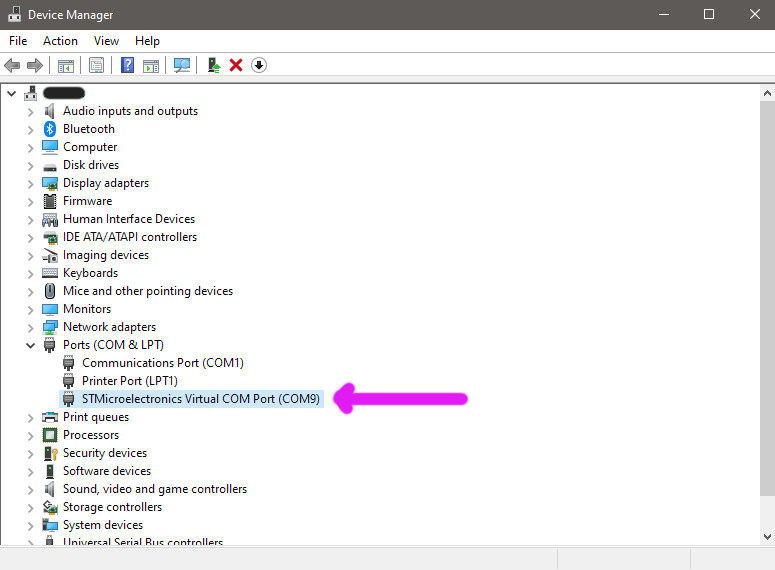
did you guys install the drivers for the vcp device?
restive lake
lofty ferry
did you guys install the drivers for the vcp device?
sorry but what's that
.>
you mean with impulse? if so then yes
lofty ferry
so you're not following the procedure
drivers were mentioned on step 3
that's before step 4
restive lake
lofty ferry
so you're not following the procedure
I'm very following procedures, like I said it all worked out on my boxmaster, it just doesn't work now when I try to do it for my mate
lofty ferry
restive lake
I'm very following procedures, like I said it all worked out on my boxmaster, it...
post a screenshot of the device manager app from your computer, with Ports device grouping expanded.. like in the photo on step 3
 restive lake
 lofty ferry
so please install the vcp drivers as mentioned on step 3

flashing guide is here once again:
https://www.expresslrs.org/quick-start/transmitters/rm-internal/#via-etx-passthrough
FOLLOW the guide
restive lake
lofty ferry
FOLLOW the guide
sorry man


i really don't get why it's not working
with mine it worked instantly after following the guide, updated through wifi.
but with hes boxmaster it just doesn't want to work
lofty ferry
restive lake
i really don't get why it's not working
reboot the computer and make sure no other app is running that uses the com port.
e.g. betaflight configurator
lofty ferry
restive lake
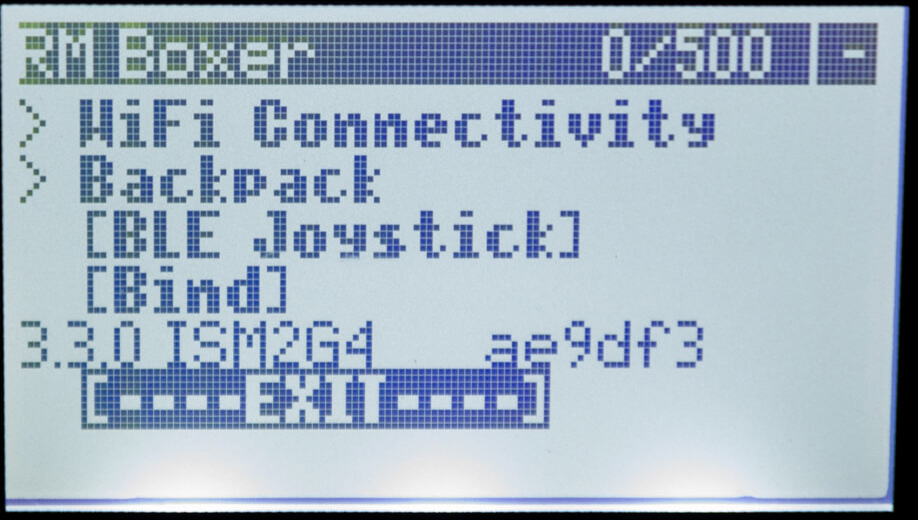
post a screenshot of the hardware page of the system menu, under the serial ports..
usb-vcp setting
(from the radio)

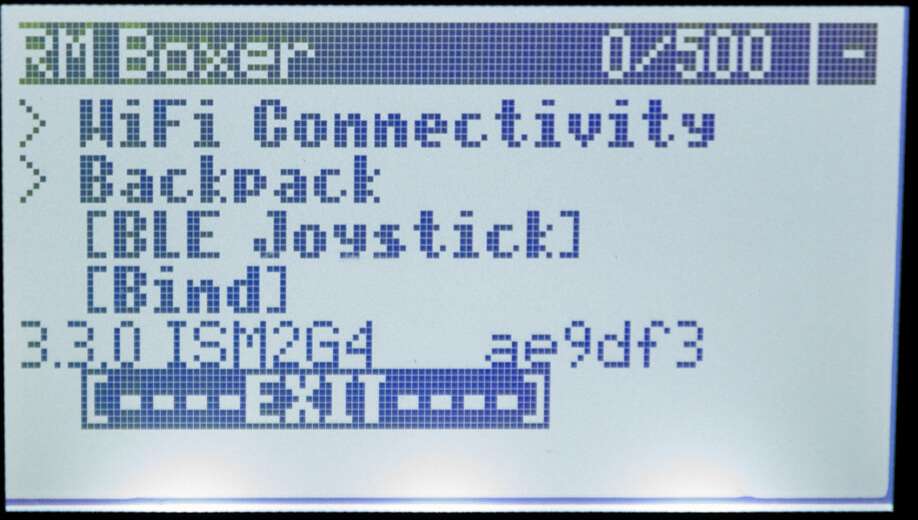
 restive lake
Dear sir
@lofty ferry we can't go into video transmitter to setup a channel for the analog goggles
lofty ferry
restive lake
<@779307690040098817> we can't go into video transmitter to setup a channel for ...
did you flashed the flight controller with osd(hd) option?
if you did, reflash WITHOUT that option
 restive lake
lofty ferry
restive lake
lofty ferry
did it without now but still have no setup channel on the video transmitter
 lofty ferry
restive lake
did it without now but still have no setup channel on the video transmitter
lofty ferry
restive lake
did it without now but still have no setup channel on the video transmitter
find the vtx table from happymodel, or the full CLI diff all backup
apply the backup via the CLI tab
restive lake
lofty ferry
find the vtx table from happymodel, or the full CLI diff all backup
how can you find the VTX table
lofty ferry
restive lake
how can you find the VTX table
go into the manufacturer website and do a search for the drone you have..
or if you made a backup of the configuration before updating the drone firmware, use that
Mobula8 UART ELRS version dump file for Betaflight 4.4.x Mobula8 SPI ELRS version dump file for betaflight 4.3.1 support expresslrs v2.x.x Mobula8 SPI ELRS version dump file for Betaflight 4.4.2 support expresslrs v3.x.x Mobula8 FRSKY version dump Mobula8 FLYSKY version dump Mobula8 TBS Crossfire version dump Mobula8 PNP version dump
use the one for SPI
lofty ferry
restive lake
what now
you can just ignore the errors as they will be set to defaults anyway..
restive lake
you
are
the best
all the buttons are changed after that
the throttle is no pitch >.<
etc
lofty ferry
restive lake
the throttle is no pitch >.<
match the Channel Mapping settings on receiver tab with the order of channels on your radio's Mixes page (Model Menu, mixes)
restive lake
lofty ferry
match the Channel Mapping settings on receiver tab with the order of channels on...
you defused us