Please someone help me, it's been more than 15 days since my new JUMPER T-PRO arrived, but I still haven't been able to use it. One day I managed to open the update page via wifi, but I wanted to add my home network and password (WIFI SSID), after that the ExpressLRS Network disappeared, and never appeared again. I can't update any other way. I've installed Edgetx, and opentx several times, followed several tutorials and nothing works. Can anyone help me?
#HELP JUMPER T-PRO INTERNAL ELRS
53 messages · Page 1 of 1 (latest)
 solar flint
 winged chasm
have you tried edge tx passthrough?
solar flint
winged chasm
have you tried edge tx passthrough?
I've tried numerous times, "Flash error" happens
winged chasm
the edge tx passthrough with the module boot loader button jumper on the right momentary switch on the radio work for me when the 3.1 brick my t pro and had to rollback to 3.0
solar flint
The problem is that I don't have that card. But apparently I'll have to arrange it, since I couldn't get it any other way. Very strange, t-pro has never been used. I am upset.
winged chasm
i think not
but atleast you only need to do the mod the first time and keep it can be handy having it incase you have a bad flash again
yes no need just have your radio flashed with edge tx 2.7.0 or higher
the fdti method is a hassle in my opinion
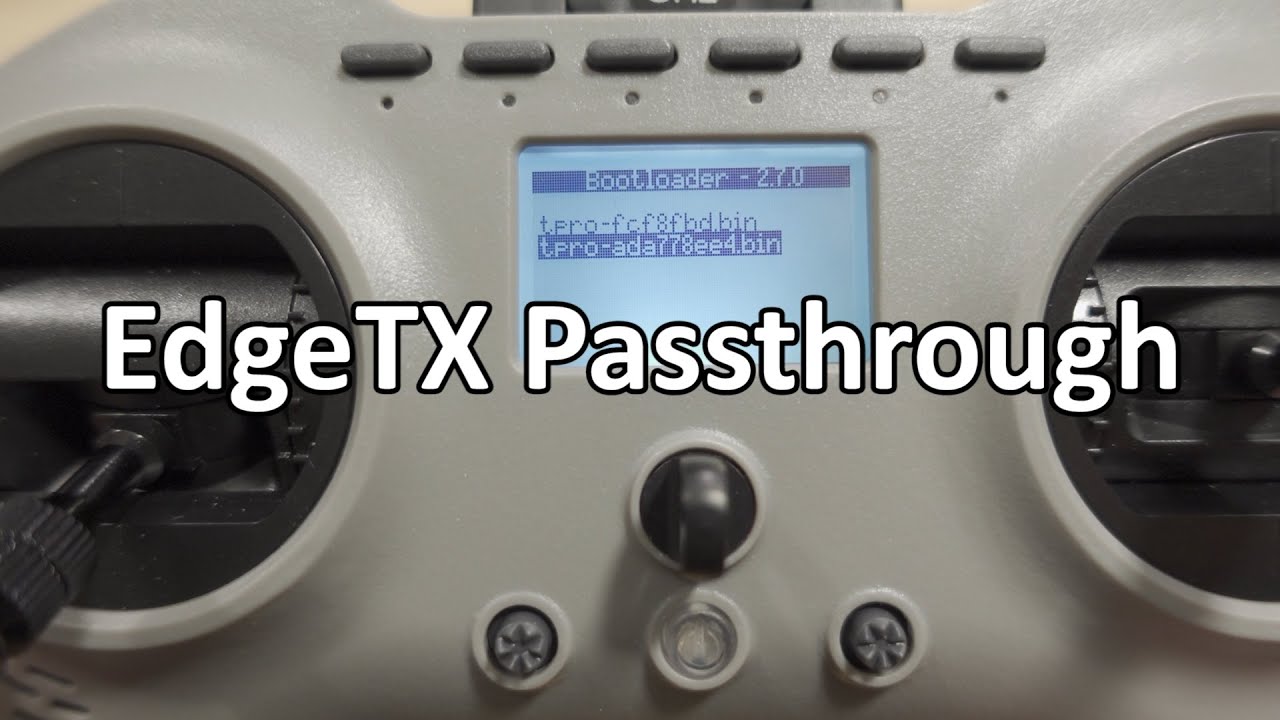
You only need the updated EdgeTX firmware from the ExpressLRS website to enable the USB passthrough feature. You can get it at this link... http://bit.ly/3s3VbJ5
After you flash this firmware when you plug in the transmitter into USB on your PC you'll get a third option for the USB port called "USB Serial Mode". Select this to enable passthrou...
you can follow this tutorial
solar flint
This looks good. I'll try again without ftdi, if not I'll buy an FTDI for the last try. Thanks
winged chasm
it works multiple times for me haha had been try to flash the 3.1 then rolling back again and flashing it again till i had enough and went back to 3.0.1. just have to wait for the new release
solar flint
Maybe I'm hitting the button at the wrong time, I'll try again later. Now I need to work. Thank you very much, I'll come with answers soon
winged chasm
when connected to usb serial (vcp) and when the flashing starts I just hold the button till the flashing is done and i let go
solar flint
The method of the first link posted worked Thank you very much. Now I have another problem 😦
This worked, thank you very much!
 harsh finch
Im having a problem with my t pro i soldered the wite for the boot button and when i build and flash with expresslrs configure it fails while im holding the manual boot button iv followed every youtube video and post i can read still cant get it to open elrs (jumper pro t with interl elrs 1w ) it didnt come with the memory card so i got a 8gb one i downloaded the sd contents from opentx any help will be greatly appreciated
harsh finch
@solar flint hay bro u get ur jumper t pro working

 winged chasm
harsh finch
Im having a problem with my t pro i soldered the wite for the boot button and wh...
winged chasm
harsh finch
Im having a problem with my t pro i soldered the wite for the boot button and wh...
strange i have done it several time on my T pro no problem with the boot bottun jumper wire going to the right momentary switch and holding it down as i start flashing it and release when the flash is down
harsh finch
@winged chasm i got it
My controller is set up
Just trying to get it to bind to a mobula 7
 dense rivet
harsh finch
Just trying to get it to bind to a mobula 7
dense rivet
harsh finch
Just trying to get it to bind to a mobula 7
betaflight_4.3.1_CRAZYBEEF4SX1280_ICM42688P_ELRS_V3.0 These earlier beta version of betaflight 4.3.1_CRAZYBEEF4SX1280 support all Happymodel SPI ELRS AIO flight controller. And this version of firmware already support new BMI270 or ICM42688P gyro. We tested over around 100 packs with Mobeetle6 ELRS, and find it’s working without issue. To those...
if your t-pro is on 3.x firmware
!spi
 somber hollowBOT
https://www.expresslrs.org/3.0/hardware/spi-receivers/
Flight controllers with built-in ELRS SPI receivers are not flashed using ELRS Configurator, the ELRS firmware is "baked in" to Betaflight. Thus to update your ELRS firmware, you'll need to flash the latest version of Betaflight for your FC. Betaflight 4.3.x is compatible with ELRS v2.x.x, and Betaflight 4.4.x is compatible with ELRS v3.x.x.
To set a binding phrase on a SPI receiver, enter it here and paste the resulting code in the Betaflight CLI: https://www.expresslrs.org/3.0/hardware/spi-receivers/#binding-phrase

All-in-one Flight Controllers were released with ExpressLRS receivers using SPI connection.
harsh finch
Yea i got my controller updated to 3.001 the newest from the configurator the board on the modulas is a elrs v2.0
So do i only read the first link
And ignore the second since the controller is up to date
harsh finch
Ok
harsh finch
@dense rivet

The part were it says target will differ would u happen to know the target for the mobula 7 1s
Ima about to a tempt it iv reread it about 4times im just making sure i got everything right
dense rivet
harsh finch
The part were it says target will differ would u happen to know the target for t...
go into the CLI and execute the command version
the first few lines of the output will show you the Board Name, which is the Target name
harsh finch
@dense rivet sorry to bug u again but before i click any thing esle do connect the drone?

It dont say in the guide when to connect it
dense rivet
harsh finch
<@779307690040098817> sorry to bug u again but before i click any thing esle do...
STOP.
Watch a couple videos with regards to flashing betaflight firmware and prerequisites (saving diff all backups, etc)
harsh finch
I did save dif
harsh finch
I got it saved on my computer before i did this
This is were im at rn

Ima watch the video if i got any question ill get back to u
dense rivet
harsh finch
Ima watch the video if i got any question ill get back to u
and perhaps start your own thread as this is no longer the same topic