#cth-history
1 messages · Page 86 of 1
 fickle pulsar
 simple crest
Can i use the chat link pro without using the headset input? Chat link pro connect with nintendo switch and pc. Put my 3.5 jack in pc for game audio and voice chat discord.
Is this possible?
 naive hull
Ok will in a bit. About to drive home for Easter
fickle pulsar
naive hull
Wdym
in settings/audio
 south bronze
anyone here have intermittent lag spikes using 4k capture card?
I am running a threadripper 32 core and RTX 3090 but seem to be getting some lag spikes every 15 seconds
with 128 gb memory
fickle pulsar
south bronze
anyone here have intermittent lag spikes using 4k capture card?
4K60Pro MK.2?
 hardy blaze
is there anyone here that is open to help me right now?
 shadow anchor
hardy blaze
is there anyone here that is open to help me right now?
shadow anchor
hardy blaze
is there anyone here that is open to help me right now?
Can you describe the issue you are having in detail please?
hardy blaze
shadow anchor
Can you describe the issue you are having in detail please?
Im using a 4k60 pro and in my preview my game is skipping like ever 3-4 seconds and i cant figure it out why its doing it
 faint umbra
so i went to the elgato site and clicked donwloads i dont see a driver update for the hd60x
getting the slight buzz sound @stark pecan had
Do i just hold control key and the settings wheel
 rare elm
faint umbra
so i went to the elgato site and clicked donwloads i dont see a driver update fo...
rare elm
faint umbra
so i went to the elgato site and clicked donwloads i dont see a driver update fo...
the firmware?
faint umbra
rare elm
the firmware?
Yes ma’am
rare elm
please try other troubleshooting first before a firmware update
issues may seem similar but be different
 stark pecan
I updated the firmware and it fixed my issue, however I tried a few things before hand like reinstalling 4K capture and different USB ports.
faint umbra
also tried the usb ports ill try the 4k then the firmware thank you guys
hardy blaze
Im using a 4k60 pro and in my preview my game is skipping like ever 3-4 seconds and i cant figure it out why its doing it
rare elm
hardy blaze
Im using a 4k60 pro and in my preview my game is skipping like ever 3-4 seconds ...
can you post a short video of the issue please?
hardy blaze
rare elm
hardy blaze
https://www.youtube.com/watch?v=9zMwy8KXU20&t=1963s
from what i can see its the whole stream, not just the gameplay. like your camera kinda does it as well. Does this happen only when streaming or also when you record?
hardy blaze
steaming and recording
lol i have my obs up right and i can see it happening
and at the setting i change is doing nothing
im open to call and is if we can figure this out at all
rare elm
hardy blaze
im open to call and is if we can figure this out at all
if you want to call the numbers are in #official-tech-support
but if you give me a few minutes i can see what i can find
rare elm
actually if you'd prefer we can move this to email so we don't clog up the chat here
hardy blaze
I'm to dm or email
fickle pulsar
hardy blaze
Im using a 4k60 pro and in my preview my game is skipping like ever 3-4 seconds ...
did you update your drivers?
hardy blaze
yes there are up to date
rare elm
hardy blaze
I'm to dm or email
Cool, open a support ticket with #official-tech-support, you can say its specifically for Alyssa if you'd like, then let me know what your ticket number is
fickle pulsar
hardy blaze
yes there are up to date
oh nvmd @rare elm got you! 🙂
rare elm
Yeah Vic I'm working here jeez
 hardy blaze
ok ill do that
hardy blaze
rare elm
if you want to call the numbers are in <#842491937038925865>
it was submitted
hardy blaze
rare elm
Cool, open a support ticket with <#842491937038925865>, you can say its specific...
i need see where i could of ask just for you though
rare elm
oh you would've just put my name in there somewhere, but i got it.
hardy blaze
rare elm
oh you would've just put my name in there somewhere, but i got it.
awesome!
 fickle pulsar
 worn fog
I don't know why it's like this
worn fog
I don't know why it's like this
um that is odd! your mic is even missing. try uninstalling, reboot, and reinstall.
worn fog
fickle pulsar
um that is odd! your mic is even missing. try uninstalling, reboot, and reinstal...
still no use
This question also surprised me
I have tried reinstalling
fickle pulsar
worn fog
This question also surprised me
open a ticket with #official-tech-support
worn fog
support ticket ?
fickle pulsar
worn fog
support ticket ?
yup!
worn fog
ok thx
fickle pulsar
worn fog
ok thx
You're welcome!
 rancid zenith
Hey guys, I'm trying to install Elgato Control Center so I can control my Key Light Air from my Stream Deck. I keep getting an error saying there's a problem with the "Windows Installer Package." If anybody has any help for this, that'd be amazing!
fickle pulsar
rancid zenith
Hey guys, I'm trying to install Elgato Control Center so I can control my Key Li...
reboot your pc, and try again.
rancid zenith
fickle pulsar
reboot your pc, and try again.
Anything else to try if that doesn't work?
fickle pulsar
rancid zenith
Anything else to try if that doesn't work?
let's start there first.
rancid zenith
fickle pulsar
let's start there first.
Nope, didn't work. What else ya got for me?
fickle pulsar
rancid zenith
Nope, didn't work. What else ya got for me?
right click, and run in admin mode
rancid zenith
Run what in admin? The stream deck app?
if that's what you're talking about, i already am
fickle pulsar
rancid zenith
Run what in admin? The stream deck app?
control center, the app you've been trying to install, run it in admin.
rancid zenith
unless i'm not seeing something, it doesn't give me the option to run the installer as admin
fickle pulsar
rancid zenith
unless i'm not seeing something, it doesn't give me the option to run the instal...
right click doesn't show run as admin
rancid zenith
nope

i went into the properties and the option to run as admin is grayed out, not clickable
fickle pulsar
rancid zenith
i went into the properties and the option to run as admin is grayed out, not cli...
shows repair, try that
rancid zenith
"This action is only valid for products that are currently installed."
fickle pulsar
rancid zenith
"This action is only valid for products that are currently installed."
I'd suggest opening a ticket with #official-tech-support
 grizzled adder
anybody online for some help?
 blazing stone
I am stumperinoed homies, my HD60S is being weird on Win11
Had no problems with passthrough directly to a display with my iPhone 8 (using the official Apple lightning -> HDMI adapter) but my Game Capture HD is telling me "use a proper usb 3.0 port mate"
and the 4K Capture Utility is throwing HDCP errors lmao
I have a Switch that captures without issues, so I'm uncertain as to what the problem is 
 turbid steeple
I just bought the elgato 4K60 pro, but I still have bad quality. when I record my quality is good, but when I start my stream my quality is instantly bad, my fps is good, and my obs say that my bitrate is good to and I stream on 1920x1080 resolution. My quality is only bad when I move fast in-game. Anyone know whats going wrong? I think my pc is basically to bad
Specs:
1660 super
Ryzen 7
16gb RAM
 marsh scroll
worn fog
marsh scroll
worn fog
I would try to unplug your mic, close wavelink in system tray, launch wavelink and when prompted, plug your mic back in.
marsh scroll
turbid steeple
I just bought the elgato 4K60 pro, but I still have bad quality. when I record m...
Good morning. The first attempt I would do is trying to do an output resolution of 720p30. Unless you stream to YT, Twitch picks and chooses who gets full 1080 sadly. I found this out when I first started 3 years ago and started to use 720p30 and haven't had any issues. What I would also do is launch your Task Manager or your Monitoring software and keep an eye on your cpu, memory, and gpu usage. If any of those three spike while you are streaming, that will lead you in the direction of best fix.
marsh scroll
blazing stone
and the 4K Capture Utility is throwing HDCP errors lmao
SO, sadly enough there is no fix for this as the HDCP error occurs due to the encoding that is used by most devices. Most game consoles don't have an issue with this as they are intended to be "broadcast" to another device via wire, where as phones are more or less designed to go wireless. The only console that I know of that has that issue is the PS and they have updated their software to allow people to turn this on and off.
I would try to see if you can find a way to disable this on your phone.
worn fog
marsh scroll
I would try to unplug your mic, close wavelink in system tray, launch wavelink ...
Still can't, it seems that I can only go to open a support ticket
still thank you
marsh scroll
worn fog
still thank you
Sorry man. I had that issue when I first got my mic, and every now and again, it will happen. I just force close everything from the system tray and re-launch and seems to be fixed. I have restarted my pc a time or two because of it as well.
worn fog
marsh scroll
Sorry man. I had that issue when I first got my mic, and every now and again, i...
Could it be caused by my system?
w11
marsh scroll
worn fog
Could it be caused by my system?
All well a possiblity, I haven't upgraded as my CPU just won't cut it right now. I would go to #official-tech-support and fill out a support ticket. Just be as informative as possible and give as much detail as well. Your issue today my fix someone elses problem in the future with an update.
worn fog
marsh scroll
All well a possiblity, I haven't upgraded as my CPU just won't cut it right now....
ok thx
marsh scroll
Of course.
 iron acorn
hi. i have added a new profile, and wanting to add my headset source from SLOBS into Stream Deck. but whenever i tap on the icon (on my phone), it doesnt mute in SLOBS, as it should do. only making it visible and invisible. the only sourse i have in the Starting Soon scene/overlay is the image and the headset. my goal was/is to mute and unmute the headset source. so am i doing something wrong here? if i am, what is it?
marsh scroll
iron acorn
hi. i have added a new profile, and wanting to add my headset source from SLOBS ...
Are you trying to mute yourself in obs?
@iron acorn If you are trying to mute yourself, you are going to want to use the Mixer Audio. This will give you the option to mute/unmute your headset mic. If you are trying to just mute the audio for a specific source within SLOBS, you will use this same Mixer Audio, but you will want to select the source you want to mute/unmute.
 night cosmos
hello, so i bought an hd60s+ yesterday and tried to stream from my phone and severely having issues with displaying it to obs. The only time i get something is from samsung dex, am i missing a step ?
south bronze
Make sure everything is plugged in and fine, once you've checked that and look up some good settings on google if that isn't the case, contact #official-tech-support
blazing stone
marsh scroll
SO, sadly enough there is no fix for this as the HDCP error occurs due to the en...
Dang, yeah I kinda figured even if I got game capture HD working it would throw the same error. Thanks for the advice though homie
marsh scroll
blazing stone
Dang, yeah I kinda figured even if I got game capture HD working it would throw ...
Of course. Sorry to be the bearer of bad news.
 lyric isle
My screeen keep going in and out and it’s only showing a black screen I got the hd60x any idea what I’m doing wrong

 next relic
is there a way to add a screensaver thats a clock? be it digital or analogue? that works and not just a picture
south bronze
my store is not loadinig up what do i do it is stuck on a black screen
 magic hill
next relic
is there a way to add a screensaver thats a clock? be it digital or analogue? th...
magic hill
next relic
is there a way to add a screensaver thats a clock? be it digital or analogue? th...
Try this. Krabs recently made this.
next relic
magic hill
Try this. Krabs recently made this.
on it, will update when tried
next relic
magic hill
Try this. Krabs recently made this.
how does it work? sturggling a bit here
magic hill
next relic
how does it work? sturggling a bit here
sorry, bruv, i’ve never used it. just remembered seeing it here the other day and dropped the link.
here’s the original message thread, if that helps. #general message
next relic
im tinkering, but am having some teething issues
magic hill
next relic
im tinkering, but am having some teething issues
https://www.krabs.me/streamdeck-plugins/clockworks
this is the link to the plug-in on Krabs’ site.

Open a Support Ticket, Report a Bug, or Submit a Feature Request: Here
simple crest
HD60 X or HD60 S+ or 4K60 PRO MK.2 mainly for Nintendo switch?
 old jackal
Hi guys. I'm recording PS5 gameplay on obs and I use a chat link pro to capture the audio into my recording, however, I'm getting a choppy/distorted gameplay sound...does anyone know how to fix this?
magic hill
simple crest
HD60 X or HD60 S+ or 4K60 PRO MK.2 mainly for Nintendo switch?
this should help. https://www.elgato.com/en/capture-card-selector?msclkid=e5365df5bcd011ec9dbe6e74eb0711ef

 spark panther
ok, so im curious, i have an elgato 4k60 that i use for my switch and my series x. instead of constantly having to yank out the hdmi from the switch or the xbox or vice versa into the capture card, is it feasible to get a splitter that allows for 2 inputs into the capture card and it simply just detect whatever source is currently active?
old jackal
Hey @spark panther if you test it I would love to know if that works for you. I switch back and forth from switch to PS5 but I have a hd60s and want to get a 4k60
blazing stone
marsh scroll
Of course. Sorry to be the bearer of bad news.
Just wanted to report back with some hilarious news! It turns out I am an incompetent bumblefuck as I was using the wrong USB cord. I couldn't find the one that came with my capture card so I was trying random USB-C cables... until I glanced at the back of my desktop for shits and giggles, and realized the Elgato cable was still plugged in. 
Plugged all my shit back in, reinstalled Game Capture HD, and it works like a charm. LMAO
marsh scroll
blazing stone
Just wanted to report back with some hilarious news! It turns out I am an incomp...
LMFAO!!! You are too funny.
blazing stone
I damn near shit a brick earlier though when I was running a windows update because I unplugged the cable to straighten it out and untangle it from the clusterballs mess behind my rig and it threw a DRIVER_POWER_STATE_FAILURE error BSOD. Thankfully I didn't somehow curse anything else.
Still curious as to why 4K Capture Utility gives me the finger when Game Capture HD works fine though. Ah well at least it works 
simple crest
spark panther
ok, so im curious, i have an elgato 4k60 that i use for my switch and my series ...
Interesting idea.
If you have tested it and it worked great. Can you tell how it works?
 cosmic marsh
hey so i got a wave mic is it possible to capture audio from my hd 60s using the wavelink software?
shadow anchor
next relic
how does it work? sturggling a bit here
@fickle pulsar just posted a video tutorial in #community-resources
next relic
shadow anchor
<@476160810457235466> just posted a video tutorial in <#837073573981323314>
Thanking you, will look later when I'm home
shadow anchor
next relic
Thanking you, will look later when I'm home
The plugin should be pretty self explanatory. Feel free to DM me with what you struggled with understanding so maybe I can improve it and make it easier for others!
next relic
shadow anchor
The plugin should be pretty self explanatory. Feel free to DM me with what you s...
Will do 👌
 wise wren
Can someone help me find good settings for my crappy laptop?
 magic onyx
wise wren
Can someone help me find good settings for my crappy laptop?
magic onyx
wise wren
Can someone help me find good settings for my crappy laptop?
what kind of settings you mean?
 ruby tangle
can someone help me with mic vst and things like that, dm me and can we go into a call (ive tried so many things and now im lost)
 marble musk
hi! how can i get the streamlabs obs plugin? its not in the store
only the dashboard is there
marble musk
This article is for general Streamlabs functionality, and not for Streamlabs OBS (SLOBS) for Windows 10.
u literraly linked the wrong source
im asked for slobs plugin, to control the my stream
not that shit dashboard
but propably there is no way atm
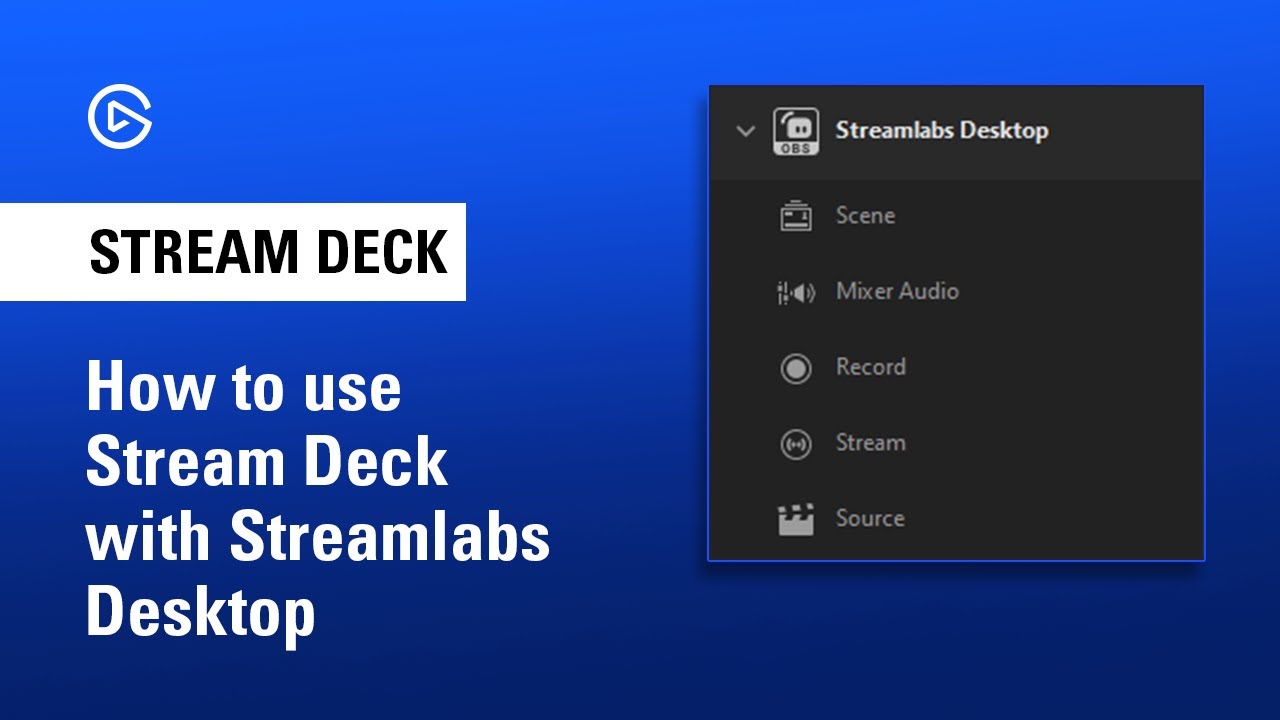
In this video, we show you how to set up and use Elgato Stream Deck with Streamlabs Desktop.
▼ Learn more about Elgato Stream Deck:
http://e.lga.to/StreamDeck
▼ Follow Elgato:
Twitter: http://www.twitter.com/elgato
Instagram: http://www.instagram.com/elgato
Facebook: http://www.facebook.com/elgato
YouTube: http://www.youtube.com/elgato
im looking for this, but there is no Steamlabs Desktop Plugin in elgato store
shadow anchor
marble musk
This article is for general Streamlabs functionality, and not for Streamlabs OBS...
I see that in the article now
 molten prairie
Hey all, got a weird problem with my Wave XLR and Wave Link software
I have a Corsair Virtuoso Wireless XT RGB headset connected to my PC with the USB wireless dongle
It seems that Wave Link app has some sort of processing issue where it'll cause crackling / popping / distortion to the audio when it's under load. This happens more frequently when loading up VST's, but can happen with no VST's added.
My system isn't weak by any means either- I have a Ryzen 5950X and an RTX 3090 so I'm not sure what's goin on here.
Raising the buffer sizes for both the input and output seems to help, but it's still happening frequently, somewhere around every 30ish seconds with no VST's and pretty much the whole time when loaded up with just 2 VST's
shadow anchor
marble musk
im looking for this, but there is no Steamlabs Desktop Plugin in elgato store
Is it checked there?


click here and check the box
 shadow anchor
molten prairie
Hey all, got a weird problem with my Wave XLR and Wave Link software
I have a Co...
shadow anchor
molten prairie
Hey all, got a weird problem with my Wave XLR and Wave Link software
I have a Co...
Is the wireless dongle near any other USB plugs or in a hub?
USB 3.x runs at 2.5GHz and can interfere with wireless signals. I had the same issue with my Razer Nari Ultimate headset. I had to move the dongle for it to way away from any other USB ports
molten prairie
It's plugged into the PC directly. Normally it's with a USB extender cable that I have far away from everything so the range is better, but I tested with/without and tried different USB ports to no avail
shadow anchor
When USB 3.0 is in use, it will add about 20dB of noise in the 2.4G band, causing radio frequency interference to the 2.4GHz ISM band. This interference will reduce the sensitivity of wireless reception, thereby reducing the range of reception, which is enough to affect the normal use of interfering wireless devices (wireless network cards, wireless mice, wireless headphones, etc.).
well maybe thats not your issue
is it all audio coming to the headset?
molten prairie
I'm about to test it with a physical connection, I'll see if the issue is still present
molten prairie
Well that seems to confirm your suspicions
Using a direct USB connection works fine even with VST's
Anything I can do to improve my situation when using the headset wirelessly?
shadow anchor
yes
so its USB 3 devices, connectors, AND the cables that leak the EM radiation that is interfering. Make sure your extension cable and wireless dongle is well away from any other USB 3.x cables. I have an extension cable as my solution also.
dont worry about the extension cables proximity in the back of the PC to others, just along the route to the dongle
and in between the dongle and your headset
molten prairie
I'll rearrange my cables then, thank you for the help!
shadow anchor
molten prairie
I'll rearrange my cables then, thank you for the help!
Anytime
shadow anchor
marble musk
im looking for this, but there is no Steamlabs Desktop Plugin in elgato store
It comes pre-installed
see my screenshots above to turn it on
molten prairie
On a related question: is there a recommended piece of hardware to have physical dials/sliders for controlling the different Wave Link virtual audio devices?
marble musk
shadow anchor
It comes pre-installed
yeah, i found it. thx
 fierce crane
Need help w/ audio.
I'm streaming from my Series X using the HD60 S+ using the Chat Link Pro cable and all Xbox party audio is sounding robotic or echo-y. My voice when talking is completely normal but anyone else in my party has this slightly robotic sounding echo. I've had multiple people come into my stream and point it out to me. Anyone know what the heck is going on? If you want a sample clip of my audio sounding normal and two other members having the slight robotic sound, listen to this clip. https://clips.twitch.tv/OddPeacefulLyrebirdTheTarFu-TBV1p77CYSGjkvjJ
Edit: Solved. Thanks!
ruby tangle
also need help with voicefx vst3 plugin as ive seen a lot of problems with that and cant find a solution (not showing up in my plugins)
fierce crane
fierce crane
Need help w/ audio.
I'm streaming from my Series X using the HD60 S+ using the...
SOLVED! I had to change audio setting on my Series X. Settings > Volume and Audio Output > Additional Options > Party Chat Output > Headset. It was set to Headset & Speakers.
 sleek ember
Is it at all possible to stream PS3 through an Elgato device?
 jovial lotus
Wave link keeps closing on its own for some reason
 weak nacelle
Hello all! I'm using the Wave link software, but have also purchased PC panel. I had hoped the two would integrate with each other but it seems that this isn't the case. Any suggestions as to how I could get the two to work together?
 finite carbon
good evening , yesterday i was streaming perfectly with my elgato 60 hd + , but today i turn on everything it doesnt want to pick up the audio no more ive tried everything but nothing seems to work . I also noticed that the capture card doesnt apperar in the audio setting in the control panel . Anyone know what to do ?
ruby tangle
need help with voicefx vst3 plugin as ive seen a lot of problems with that and cant find a solution (not showing up in my plugins) please help
faint umbra
finite carbon
good evening , yesterday i was streaming perfectly with my elgato 60 hd + , but ...
I would unplug the usb-c and hdmi cords from the sides, for 15sec plug it back in, try restarting the console and the pc
finite carbon
faint umbra
I would unplug the usb-c and hdmi cords from the sides, for 15sec plug it back i...
thanks for the suggestion i will try it after the stream
faint umbra
I had audio delay yesterday, i muted my elgato hd60x and added source input audio device (elgato hd60x)
marsh scroll
weak nacelle
Hello all! I'm using the Wave link software, but have also purchased PC panel. I...
Good morning and sorry to hear about your issue. The easiest way to do a work around is to set your pcpanel to control the audio within the windows volume mixer. After you had linked them together, you would just use the pcpanel to control your volume within windows, not through WaveLink. Only issue with this is that you will be turning the volume up and down for each of your sub-mixes. I don’t have a pcpanel yet, so I haven’t been able to tinker with settings enough to know how, but once I do get my two pcpanel pros, I will definitely be posting a full tutorial of setup specific for WaveLink.
faint umbra
So can we use an hmdi splitter switch on the elgato hd60x
weak nacelle
marsh scroll
Good morning and sorry to hear about your issue. The easiest way to do a work ar...
I've just seen Harris Hellers video, where he's said exactly as you have. it's still workable for me as i haven't used the stream mix, but rather have opted to insert every virtual audio cable into OBS and control stream output using the PC Panel. I'm using my second Stream deck to change my monitor mix instead.
Would be interesting to see if elgato release a product which works with the Wave software like this.
faint umbra

 limpid vale
First off: Hi!!
Second: Starting maybe a week ago, I started noticing static in the background of my streams and it's really annoying.
It seems to follow the sound level of my game audio, so it's not coming from my mic.
I'm using a Elgato HD60 S and Chat Link with my PS5.
Anyone have suggestions?
marsh scroll
weak nacelle
I've just seen Harris Hellers video, where he's said exactly as you have. it's s...
I can only wish Elgato releases their own version of the GoXLR but for wavelink.
marsh scroll
limpid vale
First off: Hi!!
Second: Starting maybe a week ago, I started noticing static in ...
If your controller Plugged into anything besides the chat link cable?
limpid vale
marsh scroll
If your controller Plugged into anything besides the chat link cable?
Console is only plugged into my TV, capture card is plugged into PS5 and PC, Chat Link cable is plugged into my PS5 controller and PS5 headset
 swift ember
Is that the chat link pro? I know the new one has the "Isolator" switch on it, that is supposed to help with that kind of feed back
limpid vale
swift ember
Is that the chat link pro? I know the new one has the "Isolator" switch on it, t...
No, it's not the PRO
swift ember
I'm not a pro by any stretch of the imagination. But the videos I've seen, it seems that might be the issue, nothing to cut that humming out.
rare elm
limpid vale
No, it's not the PRO
if you have a recording of the sound i may be able to determine if its a ground loop or not
limpid vale
swift ember
I'm not a pro by any stretch of the imagination. But the videos I've seen, it se...
But I've not had this problem before about a week ago
limpid vale
rare elm
if you have a recording of the sound i may be able to determine if its a ground ...
I will get you a recording when I get home, out for a walk now
limpid vale
rare elm
if you have a recording of the sound i may be able to determine if its a ground ...
lol, its' gone now... I've not done anything, but there's no more static
 vital peak
Hello guys, If you guys can help me it would be great. I have a elgato hd60 s+ capture card that is not being recognized properly in my computer. The card is recognized by the computer, but as a monitor. Shouldn't I have something like Elgato Game Capture in my device manager some ware?
magic onyx
vital peak
Hello guys, If you guys can help me it would be great. I have a elgato hd60 s+ c...
in the device manager - > Sound video and gamecontrollers there should say something about elgato, do you have that?
 magic onyx
vital peak
I do not, have anything that says elgato in it
magic onyx
vital peak
I do not, have anything that says elgato in it
have you installed the software and drivers from elgato?
vital peak
I did, the 4k video software doesn't recognize that I have the device
magic onyx
vital peak
I did, the 4k video software doesn't recognize that I have the device
are you using the usb 3.0 port? you can also scan for hardware changes in device manager.
 waxen harbor
With Wave Link, what's the recommended channel I send OBS sound to?
fickle pulsar
waxen harbor
With Wave Link, what's the recommended channel I send OBS sound to?
Wave Link System, but if you’re trying to setup in OBS Wave Link Stream.
 mossy canopy
Hey guys, I could use some advice. Having a few issues with wave link, at least thats what I think is the issue.
Bought a Elgato Wave 3 tonight, and mic sounds great in Wave Link, but in discord it is super choppy.
I'm not quite sure how this is happening, or why, but when I'm playing a game, the audio from everything is tin canny, almost echoy, but when I'm on ANYTHING else, it sounds perfectly normal
waxen harbor
fickle pulsar
Wave Link System, but if you’re trying to setup in OBS Wave Link Stream.
When extensions play, like Sound Alerts, will that go through Wave Link System too?
fickle pulsar
waxen harbor
When extensions play, like Sound Alerts, will that go through Wave Link System t...
if you set it up that way. System is my default.
fickle pulsar
waxen harbor
When extensions play, like Sound Alerts, will that go through Wave Link System t...
you could always setup your alerts in obs.
 stuck kindle
Hi guys! I just bought elgato hd60s plus today. So it might be a little bit dumb question to ask. I have acer nitro 5 with 3070 gpu and ryzen 7 5800h. I also have 1440p asus vg27aq 144hz monitor. I usually play games on that monitor by connecting my laptop with it. Now how do i connect hd60splus with my laptop and monitor? I am a little bit confused. I see loads of tutorials in youtube connecting to pc or laptop with xbox/ps5 etc. So this is where i have to come to ask these casual questions.
marsh scroll
stuck kindle
Hi guys! I just bought elgato hd60s plus today. So it might be a little bit dumb...
Good Morning. The setup is going to be the same as if you were setting up a console. Plug an HDMI into your laptop and then into the in port on your HD60 S+, then another from the HDMI output to your monitor. This will capture any video sent via HDMI from your laptop and send it to your PC. Something I would also like to say is that you will need the Elgato Chat Link PRO to capture audio. Especially if your laptop is plugged in, it will eliminate your ground loop as it has an isolator built in.
stuck kindle
marsh scroll
Good Morning. The setup is going to be the same as if you were setting up a con...
did it. but it locked down my fps to 60 ( external monitor ) i extended the display.


 stuck kindle
marsh scroll
Good Morning. The setup is going to be the same as if you were setting up a con...
stuck kindle
marsh scroll
Good Morning. The setup is going to be the same as if you were setting up a con...
what should i do now? it detects my external monitor as hd60s+
stuck kindle
marsh scroll
Good Morning. The setup is going to be the same as if you were setting up a con...
reminder. i have no extra pc setup. i only have my laptop and external monitor and hd60s plus.
marsh scroll
@stuck kindle So you are trying to capture what is being played on the secondary monitor?
stuck kindle
Yes
 mint anchor
hi, i've been having an issue since is bought my hd60s+ a couple of months ago, and i've asked on the reddit but usually no one gives and answer so i'll try here, when i use obs or 4KCU there is no audio going to the programs, in the case of OBS i need to manually add the audio in the options of the capture source and in the case of 4KCU i need to add the audio as a mic input, i know the audio is coming to my pc because i can hear it in wavelink and it works when i do those things but i obviously want to fix this, i know elgato has a page about this https://help.elgato.com/hc/en-us/articles/4404680379149-Troubleshooting-Windows-10-No-Audio-with-Elgato-Game-Capture-HD60-S- and when i look on msinfo i have the (microsoft) usb drivers, so i guess that's my issue, but when i download the drivers elgato left there i can't installed them, it says that it can't find the hardware for my system, i even found a more updated version of the driver that elgato lefts on that page but it's the same result, so what can i do now? for my setup i'm using a laptop an MSi Katana G76 11UE with Windows 10
marsh scroll
stuck kindle
Yes
I would just use OBS. There, you can add a "Display Capture" which will allow you to capture everything that is displayed on said monitor. You can record directly from there without going "LIVE".
marsh scroll
mint anchor
hi, i've been having an issue since is bought my hd60s+ a couple of months ago, ...
Good Morning and sorry to hear about your situation. What I would recommend is filling out the form in #official-tech-support and someone with the best knowledge will get back to you. Another route you can take is to find their phone number listed in their Contact Us area of their website and reach out to them. Again, sorry that you are having this problem and wish I could be of more assistance.
mint anchor
marsh scroll
Good Morning and sorry to hear about your situation. What I would recommend is ...
i'll try that
stuck kindle
marsh scroll
I would just use OBS. There, you can add a "Display Capture" which will allow y...
My external display locks at 60hz. How do if fix that?
swift ember
@stuck kindle The issue could very well be that the HD60+ kind of caps out at 60hz refresh.
stuck kindle
So i cant play games at 144 hz on my laptop and capture/stream it 1080p 60?
swift ember
Something in there is causing that to happen. I had the same cap card but was going from my Xbox to Laptop, worked ok, but I tried to upgrade to the 4k external cap card and it auto set my refresh to 60hz. Virtually unplayable after being used to 120hz. You might be better off trading the 60+ in for the 60x, it's like another $20 sure, but it's more geared to handle higher pass throughs. I upgraded to it once it launched and my Series X streaming is much happier
There is likely a more technical answer, to that, I'm just not quite that technically advance to do so lol
 floral jetty
stuck kindle
So i cant play games at 144 hz on my laptop and capture/stream it 1080p 60?
floral jetty
stuck kindle
So i cant play games at 144 hz on my laptop and capture/stream it 1080p 60?
If you are using the monitor the card does not support over 60fps. If you are capturing stuff on the same machine its usually best to just use screen capture in OBS.
https://help.elgato.com/hc/en-us/articles/360033796252-Elgato-Game-Capture-HD60-S-Supported-Resolutions
swift ember
Just out of curiosity, the capture card has a USB C to run to a USB 3 input on the laptop/pc. Is there anything wrong with going from USB C to USB C on the lap top/pc?
 warm mason
Hi guys, a friend has a problem with his Stream Deck : when he try to open the store or when he drag and drop an action the software crash and he never succed to do these actions… Does anyone has an idea ? We already uninstall the software and delete Stream Deck folder but it doesn’t work…
stuck kindle
swift ember
Just out of curiosity, the capture card has a USB C to run to a USB 3 input on t...
I have 2x usb 3.2 gen 2 on my laptop so no issue on bandwidth transfer. The only issue is i cant play game at my 144hz in my external monitor after plugging in the capture card.
molten prairie
Hey guys, wondering if someone can help me figure this out
I have a Wave XLR and a Stream Deck
I want to send soundboard sounds through my mic into Discord voice chat so my friends can hear the sounds
The way I did this was by setting my mic device to "listen to" the SFX virtual device, and then I have the Stream Deck's "Play audio" soundboard button configured to play into the SFX device
Problem is, I can hear my mic through the SFX device now
So instead of it doing SFX -> mic it's doing SFX <-> mic which I don't think is intended
 empty pilot
Hey y'all, was curious if there was a better way than just duplicating my monitors on my Gaming PC to capture the gaming PC screen for my Elgato HD 60 S+? The way I have it set up is I'm duplicating my main monitor onto the elgato on my gaming PC & just using a Video Capture source on my Streaming PC. Is there a better way to do this or is this fine?
Thanks!
fickle pulsar
empty pilot
Hey y'all, was curious if there was a better way than just duplicating my monito...
are you on a dual screen?
empty pilot
The way I have it now is I have one monitor going into my Gaming PC and 2 different monitors going into the streaming PC 😄
 split monolith
My cam link keeps freezing and I can’t fix it please help
fickle pulsar
empty pilot
The way I have it now is I have one monitor going into my Gaming PC and 2 differ...
so you're doing a dial PC. There is a guide from Streamlabs. see if this works. https://support.streamlabs.com/hc/en-us/articles/360043804934-Dual-PC-setup-with-Elgato-Capture-Card
empty pilot
fickle pulsar
so you're doing a dial PC. There is a guide from Streamlabs. see if this works. ...
I'm assuming if my gaming monitor is 1440p it won't matter and I can follow the same steps?
fickle pulsar
empty pilot
I'm assuming if my gaming monitor is 1440p it won't matter and I can follow the ...
yeah I’m sure, however output will be 1080p 60
empty pilot
Yep! Everything seems to be working so ty ❤️
 river lance
My audio is abit off when recording it... it feels like heavily compressed. And it gets louder and quieter
I’m using an elgato 60s+ on a switch
fickle pulsar
empty pilot
Yep! Everything seems to be working so ty ❤️
You’re Welcome!
fickle pulsar
river lance
My audio is abit off when recording it... it feels like heavily compressed. And ...
What program for streaming and recording?
river lance
I’m usin 4K capture utility
I’m listening to directly what it’s recording
And it sounds awful
I’m streaming atm if listening would help
 warped quarry
Hey ya'll! I'm having a problem when I play Red Dead 2 on my 1 PC setup that my Elgato cam link pro cuts in and out from a clear image of me to the 'no signal' screen through my OBS.
My PC is quite beefy, 3080TI, 64GB of Ram, 5950x CPU so can def run all at once. It's ONLY when I play RDR2 that I experience these cut outs sporadically.
Wondering what some troubleshooting advice may be to see if it's a mistake on my end?
 wooden spindle
Hello, I wanted to ask if anyone has any idea how I can control the amazon plug with the elgato streamdeck xl. I can't do it with the ifttt option because I don't understand how to do it.
I've watched and read tutorials but I can't follow them because if I want to set it up that way I can't find an amazon plug there
 shadow anchor
wooden spindle
Hello, I wanted to ask if anyone has any idea how I can control the amazon plug ...
shadow anchor
wooden spindle
Hello, I wanted to ask if anyone has any idea how I can control the amazon plug ...
TBH, I don't know. I don't have an Amazon smart plug. I will look into it and see what I can find.
stuck kindle
how to troubleshoot and check if my elgato is working or not.
 near ferry
My elgato lights go white when it’s plugged in but it still says detecting signal
shadow anchor
<@&581565551495741448>
waxen harbor
Is there a way I can split music coming from a specific tab from Wave Link Browser to Wave Link Music?
 shrewd smelt
Hello, all. I got a new Mac Studio on Monday and I cannot for the life of me get WaveLink to pick up audio from either my Wave XLR or my Wave:3. v1.4.1 (2927) of the WaveLink software is installed and both mics have the latest firmware as well. I've gone through the process to allow user added system extensions as well, though I was not prompted when I installed WaveLink to enable them so I am not sure if that is still necessary. Also when I list installed extensions (using systemextensionsctl list from Terminal) it says there are none. I've been working on this since Monday night and I'm at a loss. Anyone have any suggestions of what I could/should be looking at?
shrewd smelt
I also made sure that WaveLink has access to my mic via Security & Privacy settings.
 green heron
I want to reset my PC. Are the plugins and their settings saved somewhere so I can export them? @here
 queen path
Ref. #camera-chat message
 warm mason
Hi guys, a friend has a problem with his Stream Deck : when he try to open the s...
warm mason
warm mason
Hi guys, a friend has a problem with his Stream Deck : when he try to open the s...
anyone has an idea ? 😭
 next ice
does anyone know where to download like the rgb gif icons pack, the links under the video dont work
night cosmos
Does anyone know when I connect my phone to game capture it immediately goes to dex and not my actual phone ?
Nvm i figured it out
shadow anchor
next ice
does anyone know where to download like the rgb gif icons pack, the links under ...
Answered in #general for anyone else that is interested
shadow anchor
green heron
I want to reset my PC. Are the plugins and their settings saved somewhere so I c...
Please don't @ here or @ mods or MOTM'S. In the stream deck software you do a full back up of your profiles. You will have to reinstall the plugins but when you restore the back up, the settings will be kept.
fickle pulsar
green heron
I want to reset my PC. Are the plugins and their settings saved somewhere so I c...
which plugins?
green heron
fickle pulsar
which plugins?
All the plugins I had selected for my Elgato Wave 3.
But it's already too late since I've already reset my system.
fickle pulsar
green heron
All the plugins I had selected for my Elgato Wave 3.
No. If you do a reset, it requires a full install. You could try to copy your VST3 folder, make note of location, and paste it in the fresh copy see if it works. You’ll have to reconfigure your settings once more on the fresh install.
fickle pulsar
waxen harbor
Is there a way I can split music coming from a specific tab from Wave Link Brows...
Not that I’m aware of, but if they have an app, install the app, route to music.
river lance
river lance
I’m using an elgato 60s+ on a switch
Still really need help with this. Sorry if I’m rushing or something but I’d like to play with my friend tonight
 warped ore
Question, why has the streamdeck STILL got no plugin support with regular Stream Elements? I don't understand why it's only SE Live... ?
fickle pulsar
river lance
I’m streaming atm if listening would help
Question, have you tried different HDMI cables?
fickle pulsar
stuck kindle
how to troubleshoot and check if my elgato is working or not.
what product?
shadow anchor
warped ore
Question, why has the streamdeck STILL got no plugin support with regular Stream...
Because Stream Elements hasn't written a plugin for it. I would email Stream Elements and request it
river lance
fickle pulsar
Question, have you tried different HDMI cables?
i can try? if i have any?
 plush crystal
Hey; I’ve had my WaveXLR for a few months now; ever since I built my new pc my WaveXLR won’t shut off. Rgb stays on, can even tap the top to mute. It’s not in my bios, toggled with them. Nothing else is on but the WaveXLR. Can someone assist? Thanks
fickle pulsar
plush crystal
Hey; I’ve had my WaveXLR for a few months now; ever since I built my new pc my W...
have you unplugged it, and plugged back in? also does the mic require a separate power source?
 rain mica
Is there a preview window that I can see above 60hz in? I observed obs has a limit in the preview to 60hz. I ask because I like a streaming platform that doesn’t use stream keys to link, it just observes my desktop(bigscreen in vr). And I have a 2 pc setup, so naturally I would like to view in real time preview above 60 hZ for some games. I just want to know if it’s possible. Maybe a obs plugin? If you have questions For me I can answer. Setup is 2 3090s one in each pc, 5900x, 3900x, both have 32 gigs of ram, 3600,3200 mghz speed respectively. Fast ssd’s. I haven’t checked, but I know the elgato preview is generally slower by a good bit than the obs preview for some reason. And I noticed the audio drivers sometimes bug out on it. Where ,it seems,the obs drivers(audio/visual) are much more up to date. The actual issue is I play/watch the games in bigscreen, and I want to be able to play a fast paced game that benefits from the fps bump, and not be limited to 60 by obs preview limits. More like raw capture footage? I see that the card is receiving 2k 144hz in the device menu.
fickle pulsar
rain mica
Is there a preview window that I can see above 60hz in? I observed obs has a lim...
This might better answered by OBS's forum, or discord. As for the Elgato capture card, Passthrough is onething, output is another.
rain mica
fickle pulsar
This might better answered by OBS's forum, or discord. As for the Elgato capture...
I’ll use any program as long as it gives me the desired effect.
plush crystal
fickle pulsar
have you unplugged it, and plugged back in? also does the mic require a separate...
ive unplugged and replugged, mic does not require seperate power source, just xlr directly into mic
fickle pulsar
rain mica
I’ll use any program as long as it gives me the desired effect.
not sure if that's possible. Realtime, your monitor should display the correct fps, and the streaming software may output 60fps, but if you're doing vr, vr is limited to whatever specs they setup for the vr gear.
fickle pulsar
plush crystal
ive unplugged and replugged, mic does not require seperate power source, just xl...
and it still doesn't power off?
fickle pulsar
plush crystal
Can confirm not my bios though
what about a firmware update for the wave xlr?
plush crystal
Tried both turning on disable usb power in s5 state and erp but no result, no firmware updates
To be done
fickle pulsar
plush crystal
Tried both turning on disable usb power in s5 state and erp but no result, no fi...
open a ticket with #official-tech-support
fickle pulsar
plush crystal
My firmware is the latest version
yeah, if you've done all you can, and tried different USB ports, office may need to have you run a diagnostic test, and send it in with your ticket# so they can look further into your issue.
fickle pulsar
plush crystal
K thanks for help
you're welcome!
rain mica
fickle pulsar
not sure if that's possible. Realtime, your monitor should display the correct f...
Thanks, I feel like I’m alone in this endeavor. I’ll find something
 viral urchin
Hello everyone. I just received just received purchased and connected the new hd60x to my setup for streaming from my Xbox series x. The picture looks amazing and everything works fine buy, the game audio is very delayed on stream. What could I be doing wrong?
waxen harbor
Hi! Whenever I restart my computer my FaceCam settings reset in OBS. Namely the exposure settings with Auto turning back on. How can I stop this?
fickle pulsar
rain mica
Thanks, I feel like I’m alone in this endeavor. I’ll find something
have you tried OBS's forums?
viral urchin
@waxen harbor can you not set the settings on the elgato software so it doesn't change ?
fickle pulsar
viral urchin
Hello everyone. I just received just received purchased and connected the new hd...
do you have a dual monitor?
viral urchin
@fickle pulsar yes multiple.
waxen harbor
viral urchin
<@382456606530732042> can you not set the settings on the elgato software so it ...
I've done this, but it seems to have reset again
fickle pulsar
viral urchin
<@476160810457235466> yes multiple.
are you listening to the audio from the streaming software? because it can have a latency, but most claim 1 mil sec
fickle pulsar
viral urchin
<@476160810457235466> yes multiple.
is your gameplay lagging too, or you use the output connected to your gaming monitor?
viral urchin
fickle pulsar
are you listening to the audio from the streaming software? because it can have ...
I listen to the VoD after stream is over to check how audio is. That's when I notice there's significant delay in what I see on screen and what is transmitted on stream.
viral urchin
fickle pulsar
is your gameplay lagging too, or you use the output connected to your gaming mon...
Gamelplay is not lagging at all. Xbox. Outputs to hd60x, then hd60x outputs to both PC via usb-c to usb-a and to tv.
fickle pulsar
viral urchin
I listen to the VoD after stream is over to check how audio is. That's when I no...
do you hear real time audio in sync, or no?
fickle pulsar
viral urchin
I listen to the VoD after stream is over to check how audio is. That's when I no...
do a test recording, see if the recording is off too.
viral urchin
fickle pulsar
do you hear real time audio in sync, or no?
Yes buy, I'm listening the game audio through a headset wirelessly connected to Xbox. So there isn't going to be a delay there.
fickle pulsar
viral urchin
Yes buy, I'm listening the game audio through a headset wirelessly connected to ...
ok, but what about your recording vs streaming vid.
viral urchin
fickle pulsar
do a test recording, see if the recording is off too.
I have. It's still delayed. I have read that elgato cards have a natural delay. Will I just have to continuously test till I find the right amount of delay to input?
fickle pulsar
viral urchin
I have. It's still delayed. I have read that elgato cards have a natural delay. ...
yeah, but honestly the new card shouldn't be that delayed. i've heard it's been pretty great. what is the base size, like 1080p or is it higher?
fickle pulsar
viral urchin
I have. It's still delayed. I have read that elgato cards have a natural delay. ...
also what is the bit rate?
viral urchin
Base is 1080p and output is 720p.
fickle pulsar
see if you can change the bitrate to 12.6 mbps
viral urchin
fickle pulsar
also what is the bit rate?
Obs settings are 6000bitrate when streaming 720p60.
fickle pulsar
viral urchin
Obs settings are 6000bitrate when streaming 720p60.
no i mean the capture card
viral urchin
fickle pulsar
see if you can change the bitrate to 12.6 mbps
Is that 12,600 kbps?
fickle pulsar
viral urchin
Is that 12,600 kbps?
in 4K Capture Utility
 viral urchin
fickle pulsar
no i mean the capture card
viral urchin
fickle pulsar
no i mean the capture card
Wait how and where would I cha ge the capture cards bitrate?
viral urchin
fickle pulsar
in 4K Capture Utility
Did not know about that. Let me see.
viral urchin
fickle pulsar
in 4K Capture Utility
Ok I just realized this is only for recording through the 4k capture utility. I need to re order order stream through obs.
 gray depot
Hello, I am struggling to figure out why both StreamlabsOBS and OBS are not capturing my Switch console through the Elgato. I make sure either one of the applications is close while using the other. Both softwares don't read the Elgato. But the elgato on its own captures my switch. I'm just looking for any help or advice on how to solve this issue. I'm trying to capture my gameplay through my Mac Laptop for the streaming aspect of the setup and I have a tv I also use to play full screen on when I game.


 mossy canopy
Any audio experts in here? When playing one specific game, my audio sounds like it swaps audio channels, it gets significantly louder, and almost has a echo behind it. When I'm on any other application open, the audio sounds completely normal.
rain mica
are there any advanced 4k60 pro, tip videos you guys recommend? just for fine tuning or anything?
oh and also @fickle pulsar sorry for late response, but I'm asking now. got caught up making guac and watching cartoons 
fickle pulsar
rain mica
oh and also <@476160810457235466> sorry for late response, but I'm asking now. g...
For me, I didn’t have to do anything different, but dual PC users do.
fickle pulsar
viral urchin
Ok I just realized this is only for recording through the 4k capture utility. I ...
It changes the base canvas in obs though, and thought it might help.
marsh scroll
mossy canopy
Any audio experts in here? When playing one specific game, my audio sounds like ...
Are you using the WaveLink software? I know that sometimes what happens for me, is certain programs/games won't load into the correct Game Audio sound even when said to go there in the routing table, and will go to the system audio channel which most people keep loud so they can hear over everything else.
marsh scroll
gray depot
Hello, I am struggling to figure out why both StreamlabsOBS and OBS are not capt...
You will want to make sure in OBS that you are using the Video Capture Device and have is set to 4K Capture Utility.
gray depot
marsh scroll
You will want to make sure in OBS that you are using the Video Capture Device an...
Thank you how do I check to behold it's set to 4K Capture Utility?
marsh scroll
So it actually looks like your settings are correct. What I would do now is Launch 4K Capture Utility and see if it pulls up on your OBS.
fickle pulsar
viral urchin
Ok I just realized this is only for recording through the 4k capture utility. I ...
sorry, I fell asleep. Question, have you tried adding the audio as an input, vs video capture?
ex:
 viral urchin
fickle pulsar
sorry, I fell asleep. Question, have you tried adding the audio as an input, vs ...
viral urchin
fickle pulsar
sorry, I fell asleep. Question, have you tried adding the audio as an input, vs ...
That doesn't seem to be an issue. That way I'd just have 2 inputs from the card and have to mute one. On the consoles the audio and video both come through the one hdmi out. No more separate audio outputs unfortunately.
fickle pulsar
viral urchin
That doesn't seem to be an issue. That way I'd just have 2 inputs from the card ...
Question, Is IN is connected to your console, OUT connected to your gaming monitor? OBS I recommend Setting up a video capture source, and mute it, and create an audio input source label it your capture card, select your capture card, monitor and output this audio source.
fickle pulsar
viral urchin
That doesn't seem to be an issue. That way I'd just have 2 inputs from the card ...
I played around with my HD60S+ last night before I fell asleep, and again this morning, 0 latency. Your’s is the HD60X which I don’t have, but essentially should work the same. Just better options on video.
viral urchin
fickle pulsar
Question, Is IN is connected to your console, OUT connected to your gaming monit...
Yes it's connected like that. So I could indeed try having a separate audio and video source from the same card. That might work.
fickle pulsar
viral urchin
Yes it's connected like that. So I could indeed try having a separate audio and ...
yeah, I realized you don’t need to change anything in 4K Capture Utility, so if you did, reset to factory settings.
viral urchin
fickle pulsar
yeah, I realized you don’t need to change anything in 4K Capture Utility, so if ...
Lol. Ok
fickle pulsar
viral urchin
Lol. Ok
I tried a few things, and figured this wasn't needed. lol
gray depot
marsh scroll
So it actually looks like your settings are correct. What I would do now is Lau...
Ok will do thank you again for your help much appreciated! 🙏🏼😁
marsh scroll
gray depot
Ok will do thank you again for your help much appreciated! 🙏🏼😁
Always happy to help!!!
fickle pulsar
viral urchin
Lol. Ok
Did it work out?
viral urchin
fickle pulsar
Did it work out?
At work at the moment. Haven't had the chance to try it yet.
mossy canopy
marsh scroll
Are you using the WaveLink software? I know that sometimes what happens for me,...
Yeah I’m using wave link software, I’ve tried changing the games audio channel to everything and nothing is changing how it sounds. Any ideas of what I can try?
fickle pulsar
mossy canopy
Any audio experts in here? When playing one specific game, my audio sounds like ...
Some games go to system default like GTAV, as long as your default is enabled during stream when this game is played, you can adjust the volume in wave link under your default output.
 still spade
I’ve just taken delivery of my 4th Stream Deck XL.
When plugged in it lights up and I get the blue Welcome button.
But on assigning functions to buttons all 4 Decks become unresponsive.
2 of the Stream Decks are plugged into rear USB 3.0 slots.
The 4th is connected along side #3 on front USB 3.0 slots.
No hubs or anything in between.
Anybody got any ideas?
night cosmos
When I plug in my hdmi to my phone the image pops up for a split second and it goes black
mossy canopy
fickle pulsar
Some games go to system default like GTAV, as long as your default is enabled du...
This isn't the case during stream. My OBS is picking up all audio fine, its only for my hearing it is doing this. I've tried changing outputs to every different source available, nothing has worked so far
 hybrid spindle
So I have started getting a really bad delay with my capture card, at first it only did it with some games on my PS5 but now it's doing it with a lot more. it is ONLY audio delay not game delay. Anyone know how I might be able to fix this?
 iron lava
Would I need a DAC for hd560s or can I just use them plugged into my wave 3?
fickle pulsar
mossy canopy
This isn't the case during stream. My OBS is picking up all audio fine, its only...
Let me see about the delay setup
fickle pulsar
mossy canopy
This isn't the case during stream. My OBS is picking up all audio fine, its only...
See if this helps

 stuck badge
hey wondering if anyone would know why my camera hub crashes everytime i try and open it?
fickle pulsar
stuck badge
hey wondering if anyone would know why my camera hub crashes everytime i try and...
have you tried uninstalling, rebooting, reinstall?
 opal portal
i tried every port restarted pc tried about 5 3.0 different cables i still get this any ideas how to fix this?
 rare elm
opal portal
i tried every port restarted pc tried about 5 3.0 different cables i still get ...
rare elm
opal portal
i tried every port restarted pc tried about 5 3.0 different cables i still get ...
Did you try the cable that came with the card too? Can you get a signal in OBS?
opal portal
rare elm
Did you try the cable that came with the card too? Can you get a signal in OBS?
ya i did and no i don't get a signal from obs
rare elm
opal portal
ya i did and no i don't get a signal from obs
What are you trying to capture? Any external USB hubs in use?
opal portal
rare elm
What are you trying to capture? Any external USB hubs in use?
tryingto capture xbox series x i have 4k60 pro mk.2 for pc games what that be the cause of it ?
rare elm
Maybe if you were trying to use them at the same time, but probably not. What are your pc specs?
opal portal
gtx 1080i i9 29000k 32 gb
rare elm
opal portal
gtx 1080i i9 29000k 32 gb
Yeah having both of them shouldn't be an issue with your setup. Go ahead and send a reporter and more details to #official-tech-support ,you can put "For Alyssa" in the subject line or in the description and someone will get it to me. Here's the reporter: https://help.elgato.com/hc/en-us/articles/360027964592-How-do-I-use-the-Elgato-Windows-Reporter-utility-
opal portal
ok ty
 wheat peak
Hello! I just got a HD60 S+ and I'm having an issue where the 4K Capture Utility crashes every time I try to screen share on Discord, I tried a lot of thing to fix it but none of them do anything if anyone would know what is the issue pls TT
 coarse elbow
Hey there,
I am looking to capture two more PCs audio/video into my current PC.
Unfortunatley my gfx card is overlapping my PCI slots, so I only have one PCI slot available. I do not want to use the USB solution though, since I was told that the PC then handles the processing, is that correct?
Is there a Capture card that also handles the processing and that can capture two different pcs (or maybe uses one pci slot but has 2 inputs)?
Thank you! 🙂
 next pecan
Hey team, had a problem when streaming tonight for the first time using a Wave 3 and the Wave Link software. Apparently the game volume would go entirely silent until I spoke into the microphone; and when speaking, the game audio would then come through in the background as intended; until I stop speaking and then silent again. I have the game output set to 'Wave link game' option and as far as I can tell all other Wave Link setup options correct. Could this be an issue with the Wave Link software or more likely OBS Studio? I also looked through setting in OBS Studio and couldn't figure it out; one of my viewers said it may be compression or noise gate related, but I couldn't find any settings for those things anywhere
 clever charm
Hey guys I have a problem, I have a K95 Platinum and I'm having difficulty in the operation of the "G" buttons (G1, G2, G3, G4, G5, G6) the Elgato software allows me to program them to my liking in order to perform various functions.
The problem is the following: the buttons do not work, although the Elgato software is synchronized with iCUE it seems that the software does not respond at all I press them; I have already tried to verify the correct functioning of the mechanics of the buttons and they work perfectly but it seems that one of the two software does not work (iCUE or Elgato Stream Software).
I have tried everything, uninstall and reinstall, continuously check for possible updates but the problem persists and after a month of research I still have no idea what can cause all this ...
It's a shame because those six programmable buttons are really handy even for casual streaming or gaming, can anyone help me?
Thanks in advance.
p.s. I don't think Stream Deck plugins are the cause because until a few months ago everything worked.
 kindred arrow
wow, that's some timing, came to ask the same question
seems to be that the iCue plugin needs an update but it won't?
happened on the latest iCue software update
marsh scroll
clever charm
Hey guys I have a problem, I have a K95 Platinum and I'm having difficulty in th...
Have you tried closing down both your iCue and your Stream Deck programs from the system tray? I have noticed that when you are trying to use certain plug-ins, you have to make sure that what ever program you are using is opened before Stream Deck. It used to not be that big of a deal but I know a couple months ago is when I started seeing the problem arise a lot more. I started closing down SD and launching all apps and programs first before my SD and that generally fixed my issues.
clever charm
kindred arrow
seems to be that the iCue plugin needs an update but it won't?
Yep I uninstalled the discord plugin many times now but nothing works apparently but yes it's probably the iCUE update issue
kindred arrow
trying to find out how to roll back but doesn't seem like there's an option
clever charm
marsh scroll
Have you tried closing down both your iCue and your Stream Deck programs from th...
I tried to id anything but nothing works apparently
marsh scroll
next pecan
Hey team, had a problem when streaming tonight for the first time using a Wave 3...
I would double check and make sure that you don't have VST's enabled on your Game Audio. This would definitely cause this issue.
 clever charm
kindred arrow
trying to find out how to roll back but doesn't seem like there's an option
clever charm
kindred arrow
trying to find out how to roll back but doesn't seem like there's an option
Same thing I download the iCUE software version 3 and the G buttons work properly but with the iCUE version 4.22.203 G buttons stop working for no reason
marsh scroll
I am running 4.21.173 with no issues. Granted, I don't have the G-Keys.
clever charm
marsh scroll
I am running 4.21.173 with no issues. Granted, I don't have the G-Keys.
I’ll send you a video of the problem
marsh scroll
clever charm
I’ll send you a video of the problem
Okay.
clever charm
clever charm
clever charm
I cut the audio off cuz it was awful sorry lol
kindred arrow
anyone got the exe for 4.21.173 then?
cause I can't find a rollback on Corsairs site
clever charm
kindred arrow
anyone got the exe for 4.21.173 then?
Try to download the iCUE version 3 that version strangely enough works
At least for me
marsh scroll
clever charm
Can you try something for me, close out of iCue, StreamDeck, and Discord from your system tray. After all three are completely closed, re-launch Discord, then iCue, and lastly, Stream Deck. After you have restarted all three programs, try using your G-Keys again for Discord and see if that fixes it.
fickle pulsar
wheat peak
Hello! I just got a HD60 S+ and I'm having an issue where the 4K Capture Utility...
You could set it up like a gaming app. So you can just click on it, see if that works, vs screen share.
clever charm
marsh scroll
Can you try something for me, close out of iCue, StreamDeck, and Discord from yo...
I just restarted the system completely by removing the start option of both iCUE and Stream Deck, I opened them both by hand but no result yet those damaging G buttons do not seem to respond ... at this point I think it is a problem updating the two software because in the previous version everything worked
clever charm
kindred arrow
the one intended for legacy devices?
If I remember correctly yes
fickle pulsar
clever charm
Hey guys I have a problem, I have a K95 Platinum and I'm having difficulty in th...
Mine works, however, I have to close out Stream Deck’s software, relaunch, and then my G1-G6 keys work
marsh scroll
clever charm
I just restarted the system completely by removing the start option of both iCUE...
You shouldn't have to restart the system. Make sure that Discord is 100% loaded before opening SD or iCue.
fickle pulsar
next pecan
Hey team, had a problem when streaming tonight for the first time using a Wave 3...
Can you show your settings please for wavelink, and obs.
clever charm
fickle pulsar
Mine works, however, I have to close out Stream Deck’s software, relaunch, and t...
Even in the old version I did this and I had the same result as you
clever charm
marsh scroll
You shouldn't have to restart the system. Make sure that Discord is 100% loaded...
done, nope nothing changed
fickle pulsar
clever charm
Even in the old version I did this and I had the same result as you
was there a new update recently? Mine hasn’t prompted me.
marsh scroll
@fickle pulsar What version are you running? I am on 4.21.173
clever charm
fickle pulsar
was there a new update recently? Mine hasn’t prompted me.
yeah the iCUE software had Yes iCUE had an update recently, I'm sure that's the problem
 marsh scroll
 clever charm
marsh scroll
clever charm
marsh scroll
4.21.173 what the hell mine is 4.22.203
marsh scroll
And mine automatically checks for updates daily.
clever charm
i just check if there's some update nope still 0 update
stuck badge
fickle pulsar
have you tried uninstalling, rebooting, reinstall?
Yeah several times 😅
First couple times it would open first time then wouldn't again
marsh scroll
And I have a mouse, keyboard, ram, headset, etc. on mine.
clever charm
marsh scroll
And I have a mouse, keyboard, ram, headset, etc. on mine.
i have only the keyboard (i'm poor lol) but yeah apparently in mine version Elgato Software won't communicate at all
 clever charm
 marsh scroll
clever charm
marsh scroll
clever charm
Crazy. Let me do a little more digging and I will get back to you.
clever charm
marsh scroll
Crazy. Let me do a little more digging and I will get back to you.
Thanks a lot m8 i have no idea what the hell is going on honestly
kindred arrow
I rolled back and now G-Keys work
but Stream Deck buttons for iCue profiles don't? 😅
clever charm
kindred arrow
I rolled back and now G-Keys work
i know older version apparetly works with G keys
kindred arrow
but still, something ain't right
not sure if it's on iCue end or Stream Deck end now
clever charm
kindred arrow
but Stream Deck buttons for iCue profiles don't? 😅
nope apparetly i'm on "new" version that can't communicate with iCUE but the G keys tacnically works in older iCUE version idk why
kindred arrow
it's so weird
clever charm
kindred arrow
it's so weird
i know i have no idea what is going on
marsh scroll
@kindred arrow and @clever charm From the sounds of it, I think like you said, it's a communication error between iCUE and Stream Deck. I'm guessing that one or the other just isn't sending / receiving the right code. What I would recommend is fill out the form in #official-tech-support and see if you can get the issue resolved for you. I'm sorry that I couldn't be of more help, but without knowing the coding itself or being able to personally diagnose the issue, it's hard to say what is happening exactly.
clever charm
marsh scroll
<@327537987371925504> and <@754065331617529866> From the sounds of it, I think l...
it's ok dude thanks a lot, i'm gonna see if I can make this thing work again haha
kindred arrow
no worries, appreciate the assist, the rollback has sorted half my issue, will drop a ticket when I can 🙂
marsh scroll
clever charm
it's ok dude thanks a lot, i'm gonna see if I can make this thing work again hah...
You are more than welcome. If I come across a fix before then, I'll make sure to let you both know.
clever charm
marsh scroll
You are more than welcome. If I come across a fix before then, I'll make sure t...
thank you <3
fickle pulsar
marsh scroll
<@476160810457235466> What version are you running? I am on 4.21.173
I think it’s the same. I’ll check in a bit
fickle pulsar
marsh scroll
<@476160810457235466> What version are you running? I am on 4.21.173
I'm on this one, and it's working fine for me.
 marsh scroll
So then it has to do with something in their download file. They are running the same version as you and having issues. @clever charm @kindred arrow , What I would do is try to completely uninstall iCUE software from your PC and then reinstall. I am certain it has something to do with the download file. What I would also do is redownload the software from Corsair's website so you know you are getting a full and correct version file.
clever charm
marsh scroll
So then it has to do with something in their download file. They are running th...
reinstalled but nope still in that version (4.22.203)
 brisk cove

 pliant jungle
Has anyone dealt with BSOD when unplugging their Elgato HD 60s capture card? I get this BSOD error called Page Not Found and Google not helping lol
fickle pulsar
marsh scroll
So then it has to do with something in their download file. They are running th...
Agreed!
fickle pulsar
clever charm
reinstalled but nope still in that version (4.22.203)
Did you close out stream deck software, and reinstall? Is it’s official, or beta?
clever charm
fickle pulsar
Did you close out stream deck software, and reinstall? Is it’s official, or beta...
yes close it multiples times and reinstall it from the official site, no it's not a beta software
fickle pulsar
clever charm
yes close it multiples times and reinstall it from the official site, no it's no...
@shadow anchor do you have the app data thing?
clever charm
fickle pulsar
<@!234517444826234880> do you have the app data thing?
uhm?
shadow anchor
fickle pulsar
<@!234517444826234880> do you have the app data thing?

If you are still having issues re-installing, Clear the Elgato Plugin Store Cache Close and exit out of the Stream Deck software completely. Press Win+R and paste %APPDATA%\Elgato\StreamDeck\PluginStoreCache and press Enter. Delete all files in this folder. (They will be recreated when you go the Elgato Stream Deck Plugin Store again.). Restart ...
fickle pulsar
shadow anchor
https://streamdecklabs.com/%f0%9f%a7%af-remove-a-stream-deck-plugin-completely/
Thanks!
 red saffron
How do i set up the HD60x with the mac
 toxic tundra
Has anyone heard if there's a timeline on when the increased delay on the HD60 X will be fixed?
fickle pulsar
toxic tundra
Has anyone heard if there's a timeline on when the increased delay on the HD60 X...
What software are you using?
toxic tundra
fickle pulsar
What software are you using?
OBS Studio. It's what I used for the HD60S when streaming/recording
fickle pulsar
toxic tundra
OBS Studio. It's what I used for the HD60S when streaming/recording
Create the Video Capture as a source, and mute it, then create an audio input for the capture card, monitor and output. See if this works.
swift ember
pliant jungle
Has anyone dealt with BSOD when unplugging their Elgato HD 60s capture card? I g...
Is this a Unplug, re-plug in kind of thing and then you have that issue populate?
 cold lily
hey there. i have a problem with my streamdeck, sw version 5.2.1.15025.
some days before i was able to control my philips hue lamps via the streamdeck that was connected to the hue bridge.
now the bridge wont show up in the dropdown menu for the bridge.
what i have done so far:
restarted system, restarted elagato software, deinstalled plugin and reinstalled it (also with restarting stream deck software in between).
everytime its the same issue, when i want to search for a bridge, it just hows "unable to discorver bridges". didnt made any known changes in the network for quite some time.
every other 3rd party app is running fine with the bridge btw.


 cold crane
Does anyone use OBS and the Wave 3 and experience double audio issues?
 deft rivet
Hello all, I am looking for advice/help with my Elgato HD60 S+. - Attempting to stream the gameplay and game sound to OBS but also wanting to be able to hear the game at the same time. - Feel free to @ me or DM me 👍🏻
cold crane
I only get double audio when OBS is open, and I have all monitoring off
 snow silo
anyone else ever have an issue with wave software not recognizing you plugging in a wave 3?
never had any issues until now
computer see it as wave 3 but the software doesnt
 mortal slate
Anybody know how to fix the issue with the HD60X sound desync issue? I went back to use my HD60S and it is perfectly fine again however the HD60X has about 5 seconds of sound delay after using it for about 10 minutes
 static bison
Hi, i was wondering if you can use the hd60+ to broadcast between PCs without using the passthrough. So i could play my game on pc 1 , mirror that screen to the 2nd pc so I could retain my resolution instead of being bottlenecked by the capture card. I think im making sense lol.
 tardy verge
static bison
Hi, i was wondering if you can use the hd60+ to broadcast between PCs without us...
tardy verge
static bison
Hi, i was wondering if you can use the hd60+ to broadcast between PCs without us...
You can use capture cards without the passthrough yes, but the resolution would still need to be a supported resolution for the device, since it goes into the device first.
fickle pulsar
mortal slate
Anybody know how to fix the issue with the HD60X sound desync issue? I went back...
setup video capture and mute, as one source, and then create a source as audio input for your capture card, monitor and output. see if that helps.
rare elm
snow silo
computer see it as wave 3 but the software doesnt
Make sure your software's up to date, plug in to a different USB port, reinstall the wave link software and try again
 proud zealot
This fixed my audio problems. Video was coming through, couldn’t get audio at all in any program.
 acoustic talon
Greetings
I've had a keylight for some time now and after I bumped on my table hard enough to make the computer freeze, had to reset the bios, replug everything, reseat memory, when I could boot the pc up eventually, control center doesn't find my wifi
tried resetting the lamp, resetting the router, resetting the keylight, turning it on and off from the plu9g, disabling virtual wifi networks, changing wifi mode from dual to single band in properties but whenever I get to the point of listing the available wifi networks, mine doesn't show up (the neighbor one does tho)
The keylight is recognized, I'm able to click Identify and see it flashing, but can't go through wifi selection :/
Anyone has any other idea?
Thanks in advance 💗
 muted ruin
acoustic talon
Greetings
I've had a keylight for some time now and after I bumped on my table h...
muted ruin
acoustic talon
Greetings
I've had a keylight for some time now and after I bumped on my table h...
Is your WiFi 2.4Ghz?
acoustic talon
I got both
muted ruin
acoustic talon
I got both
So splitting them didn't help at all? I had to split mine because a lot of my devices didn't like when it was together but now they're happy on the 2.4Ghz. Do any other devices have issues showing the WiFi?
acoustic talon
yeah, didn't work :(
not really, I can connect everything with no issues
I had the same problem back then when I first bought the keylight, had to pair it up with the app on my phone, because the computer one wouldn't work at all, but at least the phone did the trick, not this time though..
 shell cobalt
Hello! I just got an HD60 X, but can't seem to get the video to show up in OBS and in the 4K Capture Utility. Does the HD60 X not support Game View?
south bronze
shell cobalt
Hello! I just got an HD60 X, but can't seem to get the video to show up in OBS a...
Unplug the Elgato Game Capture HD60 hardware from the Mac or PC, and video source. Wait a minute, and then attach everything again. The Elgato Game Capture HD software may need to be reset. If it does, Quit the Elgato Game Capture HD software, and then launch it again
 wind viper
https://clips.twitch.tv/EnjoyableDependableSnoodHotPokket-4NwEbP5kShy-xCVG
Hi there, has anyone ever seen this? Looks like screen tearing kind of but not as harsh? Didn't have this before with how I set up my stream (gaming PC with OBS and projecting the preview to the streaming PC capture card, not doing direct display capture or cloning). Other PC before upgrading didn't have this when doing project preview so I'm not sure why the new one does when everything OBS related stayed the same.

4K 60 Pro for reference
 visual geyser
Hi all I was wondering if anyone could help me? I am having issues with what seems to be the HD60S+ competing with my USB Microphone- I'll fix one then the other won't work and vise versa.. please help if you know anything, can't ring the support as I'm in New Zealand
clever charm
fickle pulsar
<@!234517444826234880> do you have the app data thing?
i tryed the appadata but nope still don't work haha
 restive ledge
Hi everyone!
I have been streaming with my capture card HD60Pro and my widescreen monitor for almost two years, I recently had to unplug everything and replug everything. Now, my computer won't clone my widescreen properly. It simply refuses to keep the 1440p resolution and forces it in a weird 1080p. Anyone has an idea what could be happening? Thank you. 
mortal slate
fickle pulsar
setup video capture and mute, as one source, and then create a source as audio i...
Think that solution has fixed it for me. Been using it for an hour and no audio delay whatsoever thanks so much as I was starting to go insane haha. Bit weird how I didn't think of that though considering all my other audio sources are set up as audio input captures as well. Just the capture card that wasn't set up like that
rare elm
restive ledge
Hi everyone!
I have been streaming with my capture card HD60Pro and my widescree...
Since the HD60 Pro doesn’t support 1440, 1080 is the max supported output. I’m really not sure how you did this in the first place. Maybe something to do with your nvidia settings somehow?
restive ledge
rare elm
Since the HD60 Pro doesn’t support 1440, 1080 is the max supported output. I’m r...
I am so sad that it doesn't work anymore. I didn't know it was an issue and I had a miracle happening! 
rare elm
restive ledge
I am so sad that it doesn't work anymore. I didn't know it was an issue and I ha...
I looked into it and it seems like maybe something you can do in the nvidia control panel. You can try this but note we don’t officially support it and if it doesn’t work I don’t think there’s an alternative
 restive ledge
rare elm
I looked into it and it seems like maybe something you can do in the nvidia cont...
restive ledge
rare elm
I looked into it and it seems like maybe something you can do in the nvidia cont...
Thank you so much for trying to help me out. I'll go try this!
rare elm
restive ledge
Thank you so much for trying to help me out. I'll go try this!
No problem I hope it works!
restive ledge
rare elm
No problem I hope it works!
Thanks! I don't know how I had managed it the first time around since it was a no-issue. Had I known, I would've taken notes on how I did it in the first place. 🙂
fickle pulsar
clever charm
i tryed the appadata but nope still don't work haha
@shadow anchor any ideas?
fickle pulsar
mortal slate
Think that solution has fixed it for me. Been using it for an hour and no audio ...
glad it’s working!
fickle pulsar
visual geyser
Hi all I was wondering if anyone could help me? I am having issues with what see...
Sounds like a power bandwidth issue, or drivers. Try updating your bios/drivers.
fickle pulsar
shell cobalt
Hello! I just got an HD60 X, but can't seem to get the video to show up in OBS a...
It should, but only one program at a time can be used. Also make sure IN is connected to your Console/Gaming PC, OUT connected you your Gaming Monitor/TV, and USB-C connected to your Streaming PC’s USB 3.0 port.
clever charm
fickle pulsar
<@234517444826234880> any ideas?
i'm done man lol i think i will wait until this thing fix itself hahahaha
fickle pulsar
clever charm
i'm done man lol i think i will wait until this thing fix itself hahahaha
open a support ticket with #official-tech-support
clever charm
fickle pulsar
open a support ticket with <#842491937038925865>
yeah, i open one yesterday, wish me luck :')
fickle pulsar
clever charm
yeah, i open one yesterday, wish me luck :')
I’m sure they will get it sorted.
clever charm
fickle pulsar
I’m sure they will get it sorted.

fickle pulsar
clever charm
<a:sonosad:928248040425390080>
that looks so trippy.
clever charm
fickle pulsar
that looks so trippy.
like my life ngl
 stone plinth
Heyo, need some elgato hd60s help if anyone is available. So my capture card is connected to my computer and my computer says in devices that it’s connected, but I can’t get audio or video and every time I plug it in it flashes red to say that it’s not communicating. It was working and then it suddenly decided to not work
 snow tangle
Hey could my Hdmi be going busted because my footage through my 4k60 Pro is turning on and off when I start using it.
stone plinth
The only possible reason I can think of for why it went down is that the audio plugin did something (I don’t know any reason why it would), but I was getting a signal from the mixer I connected to it for several minutes before it went down
I could hear what I was supposed to from the mixer and I was getting camera feed
 swift jungle
Hello guys!! I have a question about purchasing a elgato master mount L for my setup. Maybe someone here have a setup close to what i want to do and maybe is possible. So i have 2 keylight air on my desk with the base that come and i want to see if is possible for me to if i buy 1 master mount to put my dlsr camera on the top and 2 solid arm to extend to the side each one and attach my keylights air that way i have only one thing clamp on my desk for this. Is that possible? Any suggestion and help is really appreciate it!! 😁
 torpid tapir
Hello. I just purchased an Elgato HD60X and I am upgrading from my computer internal capture card. I am streamer on Twitch and I use OBS. I hooked the HD60X up and upgraded its firmware. However, when I go to add the HD60X as a video caoturr source, it is still recognizing my old capture card. Is it because my old caoture card is still physically installed in my computer? Please advise me how I can resolve this issue if anyone can help
fickle pulsar
stone plinth
I could hear what I was supposed to from the mixer and I was getting camera feed
just to make sure, IN is connected to your console/gaming pc, OUT is connected to your TV/Gaming Monitor, and USB-C is connected to your Streaming PC?
fickle pulsar
snow tangle
Hey could my Hdmi be going busted because my footage through my 4k60 Pro is turn...
That is a possibility, unless the power bandwidth isn’t enough going to the PCIe slot. Make sure your bios/drivers are updated too.
fickle pulsar
torpid tapir
Hello. I just purchased an Elgato HD60X and I am upgrading from my computer inte...
if the capture card is still installed, it will show up, but in the video capture source should let you go to properties and select the HD60X.
torpid tapir
fickle pulsar
if the capture card is still installed, it will show up, but in the video captur...
It lets me choose it, but when I choose it, it gives me the the Elgato "no signal" error...it only recognizes the capture card that's installed in the computer which is the one I am upgrading from
fickle pulsar
torpid tapir
It lets me choose it, but when I choose it, it gives me the the Elgato "no signa...
Is IN is connected to your console/gaming pc, OUT is connected to your TV/Gaming Monitor, and USB-C is connected to your Streaming PC?
stone plinth
fickle pulsar
just to make sure, IN is connected to your console/gaming pc, OUT is connected t...
Yes
 strong nexus
Hey folks, Wave Link is crashing on my M1 Mac with the latest version. Going to try a previous version but wondered if anyone else had/ resolved this issue?
torpid tapir
fickle pulsar
Is IN is connected to your console/gaming pc, OUT is connected to your TV/Gaming...
Yes
And BOTH hdmi cables are unplugged from the old capture card
fickle pulsar
torpid tapir
And BOTH hdmi cables are unplugged from the old capture card
See if there is an update, if not open a ticket with #official-tech-support
fickle pulsar
stone plinth
Yes
Are you using a console?
torpid tapir
fickle pulsar
See if there is an update, if not open a ticket with <#842491937038925865>
An update for the Xbox Series X or an a Firmware update for the HD60X? Because the FIRST thing I did when I plugged it in is I updated the firmware for the HD60X
fickle pulsar
torpid tapir
An update for the Xbox Series X or an a Firmware update for the HD60X? Because t...
I never update unless #official-tech-support tells me too.
fickle pulsar
torpid tapir
An update for the Xbox Series X or an a Firmware update for the HD60X? Because t...
open a support ticket with #official-tech-support
Try unplugging it for 1 min, see if that changes anything
fickle pulsar
floral jetty
😂
fixed! Thanks!
floral jetty
lol enjoy!
fickle pulsar
floral jetty
lol enjoy!
Thanks!
static bison
tardy verge
You can use capture cards without the passthrough yes, but the resolution would ...
Thank you I just treated it as a screen and mirrored my game screen, works great.
 pearl smelt
any clue why my 4k60 pro mk2 can't handle 4k and can barely manage a 1440p signal while the passthrough works just fine?
this is the same one I was troubleshooting in latefeb/early march, I just got my computer back from the shop and fixed a GPU crapping out by switching the motherboard (still testing that issue) and the elgato issue seems to be even worse. Even with the Xbox plugged directly into the elgato without extension cables
previous mobo was a Gigabyte B550-I and the new one is a Gigabyte X570-I
I've just tried enabling IOMMU and PCIE ARI and the signal seems to be slightly more stable, but still unusable
pcie bifurcation seems to be helping immensely
seems it doesnt like sharing it's bus with the GPU
bifurcation 8x2 seems to solve the problem without any major difference in rendering times on my GPU (I was testing on a low memory blender project, so I dunno if it could have a bigger impact on larger memory renders)
Need to test this more thoroughly, but so far I haven't dropped signal in the Xbox TV settings screen
visual geyser
fickle pulsar
Sounds like a power bandwidth issue, or drivers. Try updating your bios/drivers.
Thank you, sadly checked for updates on everything and seems to keep saying all up to date 😩
It seems all mics work at the same time BUT the one but my brother has the same setup so I fail to understand what's happening on my end, big sad
tardy verge
swift jungle
Hello guys!! I have a question about purchasing a elgato master mount L for my s...
Yeah you can do exactly that. Just remember the length of the Solid Arm is about 10 inches, and you'll only be able to adjust the rotation of the lights via the ball head. I'd probably recommend flex arms instead but either would work.
tardy verge
visual geyser
Hi all I was wondering if anyone could help me? I am having issues with what see...
What motherboard do you have? You can find this by tying "system information" in the windows search bar then look for baseboard product. Also what mic do you have? Two tests, make sure that in your Windows sound options that your USB mic is set to the default + default communications under recording, and try with only keyboard, mouse, capture card and mic plugged in, take out any other usb devices.
tardy verge
pearl smelt
any clue why my 4k60 pro mk2 can't handle 4k and can barely manage a 1440p signa...
If I got your motherboard right, it only has 1 PCIe lane which I'm assuming your GPU is in, so if you're using other methods of creating another PCIe lane, that can cause some issues. the main thing though is if you have a NVME M.2 SSD your req goes up to x8. So if youve managed to change the speed of your lane to that and it's working good now, that makes sense. Edit: although I'm not familiar with bifurcation so may not be stable.
 empty grail
I have noticed an issue when I am using Streamer.Bot application, if it is launched by a Streamdeck using the "Run" buttons, it seems to have a working directory of C:\Windows\system32\ rather than eg. C:\StreamerBot\ Which means anything within the application that uses relative file paths gets stuffed up. How/why would this be happening?
The application just runs some C# scripts, as a demo this is the script I ran.
CPH.LogInfo(Path.GetFullPath(filePath));```
Here is the logfile:
```[2022-04-24 18:39:40.128 INF] Streamer.bot (v0.1.7)
[2022-04-24 18:39:40.150 INF] Startup Path: C:\Program Files\obs-CLOUD\STREAMERBOT
[2022-04-24 18:39:40.161 DBG] OBS Service :: Starting event thread
[2022-04-24 18:39:43.507 INF] Streamer.bot (v0.1.7)
[2022-04-24 18:40:28.390 DBG] InlineCode :: Running default entry point from instance '7f44c744-d019-4166-8f6b-9d0ca5a6a170'
[2022-04-24 18:40:28.393 INF] C:\Program Files\obs-CLOUD\STREAMERBOT\mushiiies.txt
RUN FROM STREAMDECK BUTTON:
"C:\Program Files\obs-CLOUD\STREAMERBOT\Streamer.bot.exe"
[2022-04-24 18:41:13.227 INF] Streamer.bot (v0.1.7)
[2022-04-24 18:41:13.246 INF] Startup Path: C:\Program Files\obs-CLOUD\STREAMERBOT
[2022-04-24 18:41:13.257 DBG] OBS Service :: Starting event thread
[2022-04-24 18:41:16.457 INF] Streamer.bot (v0.1.7)
[2022-04-24 18:42:09.483 DBG] InlineCode :: Running default entry point from instance '3498a0b8-d893-4a30-bbf6-f60b3764cf2e'
[2022-04-24 18:42:09.486 INF] C:\WINDOWS\system32\mushiiies.txt``` copper zinc
Would someone be able to help me with my elgato hd60 s please
copper zinc
My elgato hd60 s is plugged into a USB 3.0 port on my pc but when I go on to the software to check it all it is saying It need to be plugged into a USB 3.0 port to function properly

I am at a lost on how to fix it
south bronze
Ohh thats quite common
So first exit your elgato and search ''device manager'' on the windows search bar
then press ''universal serial bus controllers''
then right click ''USB Root hub (usb 3.0)''
press ''properties''
go to ''power management''
where it has a box that says ''allow the computer to turn off this device to save power'', make sure thats not ticked
then press ok
then repeat what i said but tick the box that says ''allow computer to turn off this device to save power'' then press ok
then restart your computer
then unplug the port that goes from your elgato to the computer, wait like 5 or so, then plug it back in
then it should be working fine
if you don't understand my ways of explaining just dm me and i'll find you a video that explains it better! :))
south bronze
ok look at the vid I sent you thtats 2021
empty grail
Try a different cable too
fickle pulsar
copper zinc
I am at a lost on how to fix it
try a different usb 3.0 port
copper zinc
I have tryed a different cable and I have tryed a different port I have ordered a new cable from elgato
 low crescent
So, anyone have any good recommendations for wireless desktop computer adapters? I need one for tomorrow but don’t know which ones are the best
swift jungle
tardy verge
Yeah you can do exactly that. Just remember the length of the Solid Arm is about...
Nice thank you. I think you are right. The flex arms i may be able to adjust the hight also of the key lights right? If i put my camera on the center of the master mount L and i want the lights on the above hight of my camera i belive the arm solid wont work since is only a straight pole or i attach to it with the flex. lol so many ideas just want to buy the right thing for this. Thank you!!
 cedar bobcat
am I able to have 3 elgato face cam on one computer... I have two but I'm having a hard time getting the other to register
tardy verge
swift jungle
Nice thank you. I think you are right. The flex arms i may be able to adjust the...
Anytime, and yeah with the flex arms you can position them in all kinds of different ways, but if you're wanting them on one master mount, you may need the solid arms as well to attach some of the flex arm to. If you're wanting like a stick man type setup, arms = lights and head = camera. Just be sure to check the weight ranges for these arms. (im pretty sure you can add flex arms to the end of a solid arm since it the same ball joint)
tardy verge
cedar bobcat
am I able to have 3 elgato face cam on one computer... I have two but I'm having...
 dawn inlet
Okay so I'm wanting to stream on Twitch, but every time I click the stream button it gives an error 404. I've got an HD60S if that changes anything.
fickle pulsar
dawn inlet
Okay so I'm wanting to stream on Twitch, but every time I click the stream butto...
what program are you using?
dawn inlet
The game capture software.
I ended up switching to Streamlabs, but I'd like to cut out the middleman in the future
fickle pulsar
dawn inlet
The game capture software.
Have you thought about moving to OBS?
fickle pulsar
dawn inlet
I ended up switching to Streamlabs, but I'd like to cut out the middleman in the...
Sorry just saw Streamlabs
dawn inlet
You're good
fickle pulsar
dawn inlet
I ended up switching to Streamlabs, but I'd like to cut out the middleman in the...
what do you mean middle man?
swift jungle
tardy verge
Anytime, and yeah with the flex arms you can position them in all kinds of diffe...
nice thanks i will look into it i really appreciate it!!👍🏻 😁
dawn inlet
I'd like to just be able to stream from the capture app instead of having to pull it up to have the game screen, then go into Streamlabs to use Screen Capture, and stream from Streamlabs. It tanks my computer
It's got the stream option, so I'm pretty sure it's possible unless they removed it like they removed the ability to find the Sound Capture drivers apparently.
fickle pulsar
dawn inlet
I'd like to just be able to stream from the capture app instead of having to pul...
OBS is way better on resources than Streamlabs. Honestly, I use to use game capture HD, and moved away from it because it was a bit laggy for me. Once I learned OBS, I preferred it.
dawn inlet
Do you still have to pull up the Game Capture app and use screen record?
fickle pulsar
dawn inlet
Do you still have to pull up the Game Capture app and use screen record?
nope
dawn inlet
How do you do that?
fickle pulsar
dawn inlet
How do you do that?
I have a video i think in #community-resources that can help, or dm me, and I'll send you the video link.
dawn inlet
The one on July 1st?
fickle pulsar
dawn inlet
The one on July 1st?
not sure what date, I'll dm you. I have it pulled up on my channel.
dawn inlet
Okie doke. Thank you!
fickle pulsar
dawn inlet
Okie doke. Thank you!
You're Welcome!
fickle pulsar
dawn inlet
Okie doke. Thank you!
It's long, so you can skip through it if needed, to get to parts that you need. Sadly I can't do markers yet. Also, in the output just keep it in simple. I keep it this way now because it prevents pixelation on my PC games. Will 100% work for the capture card too.

 still drift
am I crazy or does it seem like the stream deck needs to be run as admin more these days? I swear i have to run my mini as admin to get any F keys to work or even the Discord plugin.
Any ideas on what I can do to make sure it works?
next relic
stream deck wont move from the screensaver, no idea what to do
all is plugged in and up to date and the streamdeck software is running
 compact warren
next relic
stream deck wont move from the screensaver, no idea what to do
compact warren
next relic
stream deck wont move from the screensaver, no idea what to do
So basically your buttons are stuck on screensaver?
and when you press button nothing happens? || @next relic ||
next relic
compact warren
So basically your buttons are stuck on screensaver?
Yeah
deft rivet
Anyone willing to help me with Elgato capture card stuff?
tardy verge
deft rivet
Anyone willing to help me with Elgato capture card stuff?
What's goin on?
deft rivet
tardy verge
What's goin on?
I am looking for advice/help with my Elgato HD60 S+. - Attempting to stream the gameplay and game sound to OBS but also wanting to be able to hear the game at the same time.
tardy verge
deft rivet
I am looking for advice/help with my Elgato HD60 S+. - Attempting to stream the ...
Right click the settings wheel in your audio mixer, go to advanced audio properties and set the HD60 S+ source to monitor and output in OBS.
deft rivet
tardy verge
Right click the settings wheel in your audio mixer, go to advanced audio propert...
Did that.
tardy verge
you should be able to hear it through your PC's default playback source now like your headset. Unless your HD60 S+ source isn't getting audio in the first place?
rare elm
deft rivet
Did that.
What are you capturing from if its a ps4/ps5 make sure your headset isnt connected to the controller
deft rivet
rare elm
What are you capturing from if its a ps4/ps5 make sure your headset isnt connect...
PS4 Headset is not connected to controller, I have one headset and it is connected to my PC
tardy verge
Are you seeing audio movement within the OBS mixer for your HD60 S+ source? It should look like the green bar is lighting up, and moving towards the yellow+red
deft rivet
my 4k Capture Utility keeps closing after a minute of it being open do I need that program at all for this?
tardy verge
You'll only want one at a time, S+ doesn't support multi app
rare elm
deft rivet
my 4k Capture Utility keeps closing after a minute of it being open do I need th...
not if youre using obs
deft rivet
tardy verge
You'll only want one at a time, S+ doesn't support multi app
gotcha
I am currently using OBS 😄
But bad news, No game is showing up to my OBS from my PS4
deft rivet
rare elm
not if youre using obs
gotcha
tardy verge
Nvm I see you said no game is showing. Is HDCP turned off on the PS4? You might need to plug your ps4 directly into a tv/monitor to change this if you can't see anything at the moment
deft rivet
tardy verge
Nvm I see you said no game is showing. Is HDCP turned off on the PS4? You might ...
I can see it on my monitor but its not showing on OBS
tardy verge
Ahh okay. If you close OBS and open the 4K Capture app, does it prompt you with any message or can you see it there? That'll help the most
deft rivet
tardy verge
Ahh okay. If you close OBS and open the 4K Capture app, does it prompt you with ...
I have game view coming through OBS now, only issue is the audio for me now. but OBS does have sound and Video coming through from the PS4
south bronze
audio problems are dealt with alot here, if your having trouble, if you scroll up I guarantee someone else will have explained it
deft rivet
I am just attempting to find a way to hear my game as well while i stream but okay
tardy verge
deft rivet
I am just attempting to find a way to hear my game as well while i stream but ok...
I'll dm you a pic of what obs should look like just to be sure. Cause you should be able to hear it o.o
 slate mica
hello guys i'm new here. i have this problem... i have a dual pc. my monitor is 2550x1440p at 165hz. if I set it to 1080, it works.
 cloud dove
Hi anyone that can help with the Wave XLR?
 earnest ember

regardless of what i do its still there, it also moves around to other squares but goes away
 fierce kestrel
Hey all, so I'm using the new software for my capture card, but I don't know how to change displays that it captures. It basically takes and creates it's own display and turns it into a 4th monitor, and that's not I want it to do. For record, I have hooked this up to my new PC. So I'm trying to dual PC this now.
 minor thicket
i just moved and set up att wifi, and my control center software isn't able to find my wifi network but it can find those around me. any ideas of how to fix this?
rare elm
minor thicket
i just moved and set up att wifi, and my control center software isn't able to f...
is it 2.4 or 5ghz
minor thicket
it cant find either, but i'm connected to the 5ghz. should i be on 2.4?
rare elm
minor thicket
it cant find either, but i'm connected to the 5ghz. should i be on 2.4?
which light are you using?
minor thicket
key light air (cam link 4k also, setting that up next)
rare elm
minor thicket
key light air (cam link 4k also, setting that up next)
key light air requires the 2.4 connection. make sure the router is in range as well
minor thicket
thank you!!
fickle pulsar
slate mica
what are you trying to do?
fickle pulsar
slate mica
 green vector
I recently got the wave xlr and have not been able to get the volume function of the knob to work. The volume is just static unless i go into wave link itself and adjust volume in there. I use wireless headphones (Astro a50) so it isn't plugged directly into the device. I was wondering how I could get the two devices to work together.
I also hade some other issues but this is the one that most bothers me.
fierce kestrel
fierce kestrel
Hey all, so I'm using the new software for my capture card, but I don't know how...
I guess no one csn help ?
marsh scroll
fierce kestrel
Hey all, so I'm using the new software for my capture card, but I don't know how...
I’m having a hard time understanding this one. Your saying your capture card is making a fourth monitor. What do you mean by this? It should only be displaying what you have plugged into the in port.
 fervent cargo
Hey everyone! Could anyone please help me set up my Wave 3 mic? It's picking up WAY too much background noise includingkeyboard. Thanks!
Sound like a lot of echo
fickle pulsar
fervent cargo
Hey everyone! Could anyone please help me set up my Wave 3 mic? It's picking up ...
reduce the gain, unless you're using VST's, then you may need to play around a bit, and maybe a noisegate
fervent cargo
Thanks, what a good noise gate?
fickle pulsar
fervent cargo
Thanks, what a good noise gate?
to remove any extra noises. ex: typing on a keyboard, or ac.
fervent cargo
I know but where do I find one?
fickle pulsar
fervent cargo
I know but where do I find one?
You can start here! These are pretty helpful. https://help.elgato.com/hc/en-us/articles/4410914582797-Wave-Link-Recommended-VSTs
 sullen radish
hi, does anyone know how to make music play through mic on wave link software?
slate mica
fickle pulsar
what are you trying to do?
I want to record and stream in 1440p.
 dull sluice
hi does anyone know what the difference between the 4K60 Pro and the 4K60 Pro Mk.2 is? was looking at picking up a used 4K60 Pro but not sure if the extra price for the Mk.2 is worth it and i cant really find any proper comparisons
marsh scroll
sullen radish
hi, does anyone know how to make music play through mic on wave link software?
What do you mean by play on mic?
marsh scroll
 sage viper
My Elgato 60S+ isn't picking up audio on Streamlabs OBS
sage viper
My Elgato 60S+ isn't picking up audio on Streamlabs OBS
Have you verified that your audio isn’t muted within SLOBS and that your audio routing table is also accurate?
sage viper
Audio routing table?
marsh scroll
It should be in your sound settings. With OBS, we have a routing table that allows us to determine what audio channels get routed to where and what audio is passed through.
Have you checked 4K Capture Utility to see if it is getting audio?
sage viper
4K Capture Utility isn't even picking my Elgato up, even though Streamlabs OBS is
I'll try restarting my PC
Nope still isn't working
marsh scroll
I would try to unplug your HD60 S+ and then restart your pc. Once your pc is completely restarted, plug your capture card back in. If 4K Capture Utility doesn't see it, I would then try to uninstall the 4K software, go to https://elgato.com/en/downloads and download a fresh copy of the 4KCU.
 sage viper
Okay
rare elm
sage viper
Okay
Also make sure to only run one software at a time
marsh scroll
rare elm
Also make sure to only run one software at a time
Which is funny. For OBS, it won't capture my 4K Pro without 4K CU running. LOL;
I do have a question myself. With adding my SD Pedal, I am running out of USB ports. I am looking at getting a PCIe USB Expansion Card but want to know if this will work with my Elgato Products or not.
sage viper
Still ain't working
Screw it I'm emulating
If anyone else can suggest anything let me know
marsh scroll
sage viper
Still ain't working
I'm sorry I couldn't be of more assistance. I would suggest going to #official-tech-support and reaching out to them. They might be able to give you some more solutions.
simple crest
Can i use the chat link pro with the hd60+ but connect it to my back of pc and use obs studio to put the audio in sign with the gameplay?
And can i listen to the sound without using the jack input from the chat link pro.
I want to connect my earbuds to my pc to hear Nintendo switch audio and discord vc audio. And use the wave 3 to talk to stream and discord vc.
 regal brook
You're all probably bored of this question honestly. I've got an Elgato HD60s and its just a black screen in OBS when I setup the video capture, all my wires and ports are fine, my switch is showing up on my monitor fine also. Any idea what to do?
 little vale
Hello I need help on my elgato HD60 s
I kinda want to stream but I don't know how to use it
or even set it up
regal brook
I've gave up with mine, good luck 🙂
little vale
🥲 Thanks
little vale
Yes
sage viper
Then attach a HDMI cable from the in slot on the capture card to the console you wanna stream
And another from the out slot to your TV
And use the Micro USB C to plug to the computer you are streaming from
little vale
The thing is I have a gaming pc and a laptop that was supposed to be for streaming
sage viper
Right, so you want to plug the in HDMI cable to the gaming PC
little vale
on the GPU?
little vale
aight
sage viper
Hopefully yours will pick up audio unlike mine
little vale
then the out hdmi on laptop right>
sage viper
No, if you are streaming from a PC you won't need the HDMI out
little vale
?
sage viper
Because the monitor is connected via a different cable
little vale
Im streaming on my laptop...
sage viper
Yeah
The laptop will be broadcasting the game, but you'll be watching the PC's screen
All the HDMI Out cable does is displays the game on a television screen
As in for console games
If you have a cable that connects the GPU to the monitor you don't need the HDMI cable to do it
little vale
so...in hdmi on my GPU, usb -type c on my laptop?
sage viper
Yes
Next on the laptop you will want to install streaming software, my personal recommendation is Open Broadcaster Software
little vale
i got obs
sage viper
Good good
And with some luck you should just be able to click add source, video capture card, see your capture card in the drop down menu, add it and voila
little vale
but it's black screen...
little vale
 sage viper
Hmm, try unplugging and plugging it back in? Also can you see what's on the monitor on your PC?
little vale
Just this
 sage viper
Okay so recap, you plugged the HDMI cable from the input slot to the PC's GPU
little vale
yes
sage viper
You might also wanna try installing the drivers to your laptop, in case they weren't installed automatically
little vale
yep latest driver
sage viper
And the Micro USB C is plugged into the laptop?
little vale
yes
sage viper
There shouldn't be more to it than that, try restarting the laptop
little vale
already did
little vale
nope just my laptop and my gaming PC
sage viper
Right
Well, I don't know how to help, I've got technical issues of my own
Maybe stick with streaming low CPU games for now
little vale
aight well thanks for the help...I'll get it down eventually
sage viper
Good luck, wish I could be that confident on my end
little vale
Thanks...and have a good one!
sage viper
Thanks, I'm definitely most likely to just emulate the game I wanted to stream
little vale
I mean I can stream on my gaming pc....it just that my ping is so high when streaming and recording
marsh scroll
regal brook
You're all probably bored of this question honestly. I've got an Elgato HD60s an...
You will want to open 4K Capture Utility.
regal brook
marsh scroll
You will want to open 4K Capture Utility.
And do what though just have it open in the background?
marsh scroll
regal brook
And do what though just have it open in the background?
Yes.
 regal brook
marsh scroll
Yes.
regal brook
marsh scroll
Yes.
Black screen in 4k Capture Utility too
marsh scroll
regal brook
Black screen in 4k Capture Utility too
#official-tech-support and fill out their form. They are generally really quick to get back to you too.
floral jetty
regal brook
Black screen in 4k Capture Utility too
This is capping a switch?
regal brook
floral jetty
This is capping a switch?
yeah
The settings on the switch are also fine as far as I'm aware, 1080p Full range etc
floral jetty
regal brook
yeah
ok so two things I would try as I have had to do them before on mine. Reseat the switch in the dock. Also can try going in to OBS, go to the elgato card properties, deactivate , wait 10 seconds, enable.
regal brook
I've tried all that 😦 I've unplugged everything and waited etc, swapped cables around
floral jetty
have you deactivated in OBS?
regal brook
yep
It comes up as something else on OBS, not what I've seen on videos etc, one mo
 sage viper
It seems to me like if you don't install Elgato as soon as you get the PC, things get in the way of the drivers working properly
floral jetty
regal brook
It comes up as something else on OBS, not what I've seen on videos etc, one mo
and does the 4k utility or game capture show the black screen as well?
 sage viper
In my case OBS picks up my card but 4K doesn't, explain that
regal brook
I'd settle for that xD
floral jetty
regal brook
It does yeah
are you on windows?
sage viper
Without game audio =w=
regal brook
floral jetty
are you on windows?
I am
floral jetty
regal brook
I am
you can try this, go to device manager, go to sound video game controllers, find the hd60, right click and uninstall, check the box to remove the drivers as well.
reboot, download the latest drivers from https://help.elgato.com/hc/en-us/articles/360027961152-Elgato-Gaming-Hardware-Drivers
regal brook
I'll give it a go, thanks
floral jetty
no problem, if that doesnt work i would put a ticket in.
sage viper
If it works for Zolton I'll try it too
regal brook
Nope, didn't change anything 😛
I've tried pretty much everything I can think of, I know I've had it working in the past maybe like a year ago
sage viper
Yeah, seems like a lot of PCs just go "nope" when it comes to running Elgato
floral jetty
and youve tried different usb cables\ ports?
sage viper
Well Zolton if you put out a ticket and figure out how to fix it, DM me and let me know
I'm accepting defeat for now
regal brook
floral jetty
and youve tried different usb cables\ ports?
Tried literally everything
I've tried different usb cables, ports, hdmi cables, hdmi > display port cables
Running in admin, reinstalling drivers, there's kinda' just nothing I haven't tried
I've even tried to just get it all plugged into the PC rather than a monitor and I'd play it through OBS
floral jetty
regal brook
Tried literally everything
is 4k and game capture the only products installed?
floral jetty
ok, so the other thing you can try, do the above again and pull the driver like you did. Uninstall 4k and game capture.
after they are removed, go to c:\program files\elgato rename the folders for 4k cap and game cap.
reboot, and just try using the driver
regal brook
Okay
I'm just gonna use in port too, not using the out port, so USB into the in & HDMI Switch > In
floral jetty
yep, let me know
 floral jetty
go to properties of the elgato in obs
what are all the devices you see in the drop down?
regal brook
 floral jetty
ok. and if you hit deactivate\activate nothing happens?
regal brook
Nothing happens
floral jetty
do the sounds bars move in obs when moving around on the switch?
regal brook
Nope, the only sound it makes is a crackling sound which is driving me nuts xD
floral jetty
but do the bars move at all?
regal brook
Yeah
floral jetty
ok, also are you using the official switch dock? or a 3rd party one?
fierce kestrel
marsh scroll
I’m having a hard time understanding this one. Your saying your capture card is ...
Right, which is technically my PC. I got a new PC recently so I hooked up my old pc and capture card to my new PC. When doing that, the game capture program upon being opened treats the capture as a 4th display. So it acts as its a 4th monitor.
regal brook
floral jetty
ok, also are you using the official switch dock? or a 3rd party one?
Official
floral jetty
regal brook
Official
grasping at straws, umm try taking the switch out, start playing a game and then dock it?
rare elm
fierce kestrel
Right, which is technically my PC. I got a new PC recently so I hooked up my old...
Duplicate your displays
regal brook
floral jetty
grasping at straws, umm try taking the switch out, start playing a game and then...
Hahaha, I tried it, still nothing xD
floral jetty
regal brook
Hahaha, I tried it, still nothing xD
ah idk... I would call Elgato using the info in #official-tech-support
regal brook
floral jetty
ah idk... I would call Elgato using the info in <#842491937038925865>
Yeah I've made a ticket, thanks for your help though, If the tech support doesn't help I'm honestly just going to have to give up, its infuriating
shadow anchor
(Shady in here trying to get MOTY today)
floral jetty
😅
had some free time while on zoom meetings at work
this was the chat I lived in when I had free time back in the day 😭
fierce kestrel
rare elm
Duplicate your displays
That actually makes a lot of sense. Thank you lmao I'll give it a shot when I'm home. I was sick yesterday when doing it so not thinking straight haha.
muted ruin
Is there no 4k capture utility for Mac? A HD60X needed audio changed to analogue with a chat link cable but without the software, it doesn't seem possible to change that? Is there a way to change audio to analogue on a mac for HD60X? Sorry I don't know if my question even makes sense!
rare elm
muted ruin
Is there no 4k capture utility for Mac? A HD60X needed audio changed to analogue...
the HD60 X is not compatible with the GCHD software and the 4k capture utility is windows only, so OBS is what is needed for macs, but i dont think OBS has the analog option, so this would be a #feature-request
muted ruin
rare elm
the HD60 X is not compatible with the GCHD software and the 4k capture utility i...
oh. thank you for the answer. OBS is already installed for recording and streaming but its using the HDMI audio. Was hoping for a way to change it. So OBS is the only real software to use with HD60X on Mac?
 vagrant jungle
I have HD60s connected to my graphics card (RTX 3070 TI). I use a laptop to capture my gameplay on obs and my gaming pc to play on with (mirror screen). For some reason I feel quite a lot of input delay on my gaming computer while playing. What might be the cause for this?
marsh scroll
Hey Elgato Family, I want to run a Poll. If Elgato released an Audio Mixer like the Razer Mixer and/or the GoXLR, how many people would be interested in something like that? = Yes : ❌ = No
rare elm
muted ruin
oh. thank you for the answer. OBS is already installed for recording and streami...
Yep, OBS only. I believe if you have a dock that has an analog in port that may work, actually. I'll have to look more into that for you.
fickle pulsar
muted ruin
Is there no 4k capture utility for Mac? A HD60X needed audio changed to analogue...
you could use bootcamp to run windows to change it, or just use bootcamp.
south bronze
Hi, how can I “force” elgato game capture software and capture card to record in 1080/60fps a device which is 720/60fps?
Because software records at 720p automatically
magic onyx
south bronze
Because software records at 720p automatically
depends what capture card you have.
fickle pulsar
muted ruin
oh. thank you for the answer. OBS is already installed for recording and streami...
at this time yes, unless you use streamlabs, which is also compatible with mac os, however it’s very resource hungry.
green vector
green vector
I recently got the wave xlr and have not been able to get the volume function of...
I'll bump this just once, just in case someone has a quick fix I'm missing
rare elm
south bronze
Hi, how can I “force” elgato game capture software and capture card to record in...
the card doesnt upscale. if your source is 720, you're not getting 1080 unfortunately, unless im misunderstanding your question
rare elm
green vector
I recently got the wave xlr and have not been able to get the volume function of...
seems more like a #official-tech-support question
green vector
did drop a ticket. just wanted to be sure i wasnt doing something silly wrong because it seems like something simple on paper
 iron coyote
I just got 2 keylight minis and they were paired and working normally with Control Center and my Streamdeck. Suddenly (without any changes), it looks like one of the lights no longer is connecting to control center and the blue wifi light isn't even on anymore. Any ideas?
EDIT I did a hard reset on the light and could re-pair. That said, I don't know why my lights magically disconnected from Control Center when I didn't change anything.
marsh scroll
@ancient silo are you still having issues getting wireless audio to your Virtuoso XT’s?
 fading spire
Is there a way to launch Epic Games from the stream deck?
marsh scroll
fading spire
Is there a way to launch Epic Games from the stream deck?
You have to find the execute file for it, then add it as a program launch.
fading spire
ok thank you
marsh scroll
fading spire
ok thank you
You are more than welcome.
If you need anything else, I'll be on for a little while, so feel free to ping me.
fickle pulsar
fading spire
Is there a way to launch Epic Games from the stream deck?
yes! I made a video! it’s in #community-resources
iron coyote
iron coyote
I just got 2 keylight minis and they were paired and working normally with Contr...
I spoke too soon. Only hours after everything was working fine. My #2 Key Light Mini just decided it didn't want to be controlled by Control Center anymore and somehow magically got removed. My Key Light Mini #1 has no problems. Any ideas?
 ancient silo
marsh scroll
<@421764616515747850> are you still having issues getting wireless audio to your...
ancient silo
marsh scroll
<@421764616515747850> are you still having issues getting wireless audio to your...
Yes, I am
 rose pier
Hey, how do I get this mini overlay to re appear? It's disappeared and I cannot find an option to toggle it back on anywhere

 grim trench
hey guys, my wavelink software is crashing sometimes, is there something going on? im running windows 11 latest update
also why does my speaker (LG TV HDMI) shows a yellow ! and goes me no sound after wake up from standby
i always have to change back and forth from headset to tv speaker
marsh scroll
ancient silo
Yes, I am
How do you have everything set up? I have the Wave:3, WaveLink, and the Virtuoso XT Wireless and mine works flawlessly.
@ancient silo The first thing you will want to do is go into your iCUE software and make sure that the Virtuoso headset is paired with your wireless receiver. After you have done this, you will unplug the USB C cable from the headset and verify that it is connected. Now that your Headset is paired, you will want to go to your WaveLink software and look towards the bottom at the "Monitor Mix". Click the dropdown menu arrow and find the "Headset Earphone (CORSAIR VIRTUOSO XT Wireless Gaming Headset)" If you select the one that says USB, it will not work in "Wireless" mode and only when connected via USB.
ancient silo
I am almost certain I have done this but I will check when I get home.
ancient silo
marsh scroll
<@421764616515747850> The first thing you will want to do is go into your iCUE s...
im pretty sure its a simple that i am over looking
marsh scroll
ancient silo
im pretty sure its a simple that i am over looking
Double check your monitor mix as I know that had me stumped for a couple hours.
ancient silo
marsh scroll
Double check your monitor mix as I know that had me stumped for a couple hours.
dude, I have been stumped for 4 hrs until I said screw it we will go wired lol
marsh scroll
ancient silo
dude, I have been stumped for 4 hrs until I said screw it we will go wired lol
pm sent
mint anchor
quick question, how can you delete a trash tag in 4kcu? dind't know that the program would act crazy if you use an accent mark and made the tag "pokémon" with the é, instead of just "pokemon", i know i can edit the tags in the .json of the files, but now when i record anything i have a the pokemon tag there and i can delete it
this btw

more info, no matter what i do, if i press the x to delete it and save it comes back again, lol
marsh scroll
mint anchor
more info, no matter what i do, if i press the x to delete it and save it comes ...
As far as I remember, it requires a title. Change your title and save. If that doesn’t work, go back into the .json file and change the letter back to its original format and then try changing and saving within 4KCU.
 frigid aspen
Why does the right slider on my wave link only work when linked and if i slide it down it sends the left slider to the bottom?
Noticed it a while a go but wasn't needing to use it much but now i'm getting back into streaming i'm wanting to use it more.
Software has been uninstalled and reinstalled
Update has been done since then too but issue remains
Using on Windows 10 and it happens on all sections not just SFX in the gif
https://gyazo.com/06e69f3ce85346a570a7a27e7e211be4

 rancid turtle
Anyone come across an issue where a WaveXLR will just drop audio like it has an over-aggressive noise gate? I have everything I can see turned off but it still cuts off.
shadow anchor
rose pier
Hey, how do I get this mini overlay to re appear? It's disappeared and I cannot ...
There is a stream deck button for it
I am not at my PC so I can't give you the exact name of the action
 ionic tendon
Hi. Been using my Wave 3 for a while, and then stop using it because I didn't have a boom-arm. But, to the problem...
I have the issue of some people saying my microphone sounds "robotic" at times, or just has like a quick sequence of lag (maybe 0.1 sec of a stutter, like fuzzy). And when I listen to the mic in discords settings, and do a continous "aah" sound, it starts going "aa...aa...aa...aa".. pinging silence to voice, silence to voice. This is not the case when you listen to the microphone through Windows settings.
Any ideas?
south bronze
I accidentally downloaded the firmware update from game capture hd and it broke my elgato, anybody got fixes?
floral jetty
south bronze
I accidentally downloaded the firmware update from game capture hd and it broke ...
I would say your best bet will be #official-tech-support
south bronze
floral jetty
I would say your best bet will be <#842491937038925865>
thx fam ❤️
night cosmos
i connect my elgato to my phone and all i get is a black screen, even when i switch the settings to full on mirror mode. I get a split second of the image and it just goes completely black
i even bought a new phone to test this out and im still getting the same results
rare elm
night cosmos
i even bought a new phone to test this out and im still getting the same results
iPhone or android
night cosmos
rare elm
iPhone or android
android
i also bought the hdmi splitter to bypass the hdcp block
rare elm
night cosmos
i also bought the hdmi splitter to bypass the hdcp block
HDMI splitters aren’t supported as many of them cause issues. I’d reach out to your phone’s manufacturer to see if there’s another way to disable hdcp
night cosmos
rare elm
HDMI splitters aren’t supported as many of them cause issues. I’d reach out to y...
No luck
night cosmos
so i tried it without the hdmi splittler and now the image flickered and then went to black and then no signal and then black screen
nvm i got it to work finally
 knotty lynx
My elgato HD 60, is outputting my ps3 SOMETIMES, and on the app it says finding signal

also my screen with my ps3 is black
waxen harbor
My stream deck and wave link software is often not talking to each other. Is there a quick fix for this?
Happens often while I'm streaming and I use a multi action, but the sound levels arent adjusting
 cinder peak
Hi all, I’ve setup a dual computer, I’ve plugged my gaming pc into the line in of the 4KPro card and line out into my 144hz monitor and it’s reading 240hz on the system?
I’ve configured the 4K utility to show only 1080p and on the gaming system it’s showing 60hz in the display settings?
rancid turtle
rancid turtle
Anyone come across an issue where a WaveXLR will just drop audio like it has an ...
Anyone have any thoughts on why this could be happening? I have no plugins loaded and these are my current settings. Been getting crickets across the board on this.

 fleet zealot
The whole interface on my streamdeck is.. pushed a few pixels to the right and down? Putting it to sleep and then waking it up sorts it out, but this misalignment happens whenever I boot up.
 shadow anchor
fleet zealot
The whole interface on my streamdeck is.. pushed a few pixels to the right and d...
shadow anchor
fleet zealot
The whole interface on my streamdeck is.. pushed a few pixels to the right and d...
Put in an official support ticket #official-tech-support
fleet zealot
shadow anchor
Put in an official support ticket <#842491937038925865>
Will do, cheers!
 primal crescent
@fickle pulsar I just seen your reply , can you take a pic of your usb type c port for your devices I think I mixed mines up
fickle pulsar
primal crescent
<@476160810457235466> I just seen your reply , can you take a pic of your usb ty...
USB-C needs to connect to your Streaming PC's USB 3.0 Port. IN connectes to your Console/Gaming PC, and OUT to your TV/Gaming Monitor. 🙂
primal crescent
I have gold usb idk If it’s to the wave 3 or the facecam or it doesn’t matter?
The piece that plugs in ofc
fickle pulsar
primal crescent
The piece that plugs in ofc
i think the gold one is the facecam
primal crescent
fickle pulsar
i think the gold one is the facecam
Ok good thanks
fickle pulsar
primal crescent
Ok good thanks
you’re welcome. The one with the blue usb is the 3.0 cable could be facecam or capture card, the one with white is the wave:3
 velvet slate
Anyone have suggestions for an HD60 Pro with no signal from 3 computers, a PS4 with HDCP disabled, and a lightning to hdmi adapter for my iphone?
I've tried disabling and re-enabling the card in the device manager, and even changed pci slots
 next tusk
hey im struggling with understanding how compression and equalizers and all that work on a mic does someone understand it and can help me out?
fickle pulsar
next tusk
hey im struggling with understanding how compression and equalizers and all that...
have you watched Defrag's video? It's on Elgato's website too! https://www.youtube.com/watch?v=STQh84KHDy0&t=3s

The Elgato Wave Link 1.4 VST update is no joke. And whether you're using a Wave mic or not, this guide will get your mic sounding great. Whether your microphone is USB, XLR, Elgato or not Elgato - I'm covering it all. The Wave Link VST Update is FREE to Wave Mic owners, but these plugins are ALSO FREE FOR EVERYBODY! Incredible? I think so.
0:0...
next tusk
fickle pulsar
have you watched Defrag's video? It's on Elgato's website too! https://www.youtu...
thank you ive been looking for 3 days and alll the vids just say buy a 500 dollar mic
fickle pulsar
next tusk
thank you ive been looking for 3 days and alll the vids just say buy a 500 dolla...
You're welcome!
velvet slate
is there firmware updates for the hd60 cards?
fickle pulsar
velvet slate
is there firmware updates for the hd60 cards?
never do firmware updates unless #official-tech-support has instructed to do so. so many things can go wrong, or go right. best to reach out.
next tusk
velvet slate
is there firmware updates for the hd60 cards?
ye aman im huge on doin stuff alone but elgato and anyone affiliated with is someone ill take their word with
 rigid jetty
Hello! I am using the Stream Deck and have created a Multi action. But there is always a delay between one action and another and I would like it to be simultaneous. Could that be configured?
velvet slate
I'm just having a hell of a time getting signal
i've done the disable/enable trick, swapped slots, used the older version of the software, installed current and older versions of the drivers
no joy
fickle pulsar
rigid jetty
Hello! I am using the Stream Deck and have created a Multi action. But there is ...
what kind of amulti-action are you creating?
rigid jetty
On obs, I want move 2 sources at the same time using at move transition obs plugin
fickle pulsar
velvet slate
no joy
open a ticket with #official-tech-support so they can see what's actually going on doing a diagnostic run.
 slim tundra
guys, so is the wave link app down? im experiencing some issues with my mic and audio
when the wave xlr is unplugged it is workign again
fickle pulsar
rigid jetty
On obs, I want move 2 sources at the same time using at move transition obs plug...
ok so you're wanting to do 2 transitions at once? one transition at a time can occur in obs.
fickle pulsar
slim tundra
when the wave xlr is unplugged it is workign again
if you unplug your wave device, via wave xlr, or wave:1, wave:3 it will not work. only works when the wave device is connected.
rigid jetty
Yes, because I can't put the 2 sources together. Because it flips horizontal
slim tundra
@fickle pulsar yes indeed, when the wave xlr is plugged in it doesn't work
but when using the actual audio output it works
the wave link app is really buggy rn
fickle pulsar
slim tundra
<@476160810457235466> yes indeed, when the wave xlr is plugged in it doesn't wor...
oh wow! try a different port. see if any changes.
fickle pulsar
rigid jetty
Yes, because I can't put the 2 sources together. Because it flips horizontal
I know after effects can maybe adjust the transition to make it 1... but i am not savy in AE. You could always setup a scene to have a custom transition.
like a one at a time thing.
rigid jetty
I think I'm not explaining myself. I'm doing in obs that my camera goes from one side to another while it rotates. But I have a source that I want to go with. The problem is that if I put them together they rotate together too.
fickle pulsar
slim tundra
the wave link app is really buggy rn
only thing i can suggest other than changing ports, is update your bios/drivers.
rigid jetty
rigid jetty
I think I'm not explaining myself. I'm doing in obs that my camera goes from one...
Now, so I had chosen to do 2 different actions on the stream deck but they don't do it at the same time and it looks weird
fickle pulsar
rigid jetty
Now, so I had chosen to do 2 different actions on the stream deck but they don't...
only 1 transition can work at a time. unless the maker of these can fix it for you to to the function in one file.
fickle pulsar
rigid jetty
xD
idk, much on AE (After Effects) but maybe someone who is, can help you out. Otherwise, you're going to have to do 1 at a time.
velvet slate
fickle pulsar
open a ticket with <#842491937038925865> so they can see what's actually going o...
Yea, thanks, I got one opened now, wish me luck, appreciate the eyes on my issue 🙂
fickle pulsar
velvet slate
Yea, thanks, I got one opened now, wish me luck, appreciate the eyes on my issue...
you're welcome! I hope it gets sorted out.
 bright delta
I am just wondering which resolutions support VRR?
 lean robin
Good morning all ❤️ can someone help me. I have camlink 4k and im trying to connect with my canon m200 and stream with obs studio. But i see just black screen....


 lean robin
imk using hdmi adapter smal to big is this can be the problem ?
lean robin
 shadow anchor
rigid jetty
Hello! I am using the Stream Deck and have created a Multi action. But there is ...
shadow anchor
rigid jetty
Hello! I am using the Stream Deck and have created a Multi action. But there is ...
Actions in a multi action run consecutively not concurrently, so they will never execute simultaneously.
 wheat pawn
Hi all not sure this counts as a technical question but I was wondering if someone could fill me in on how long exactly is the power adapter cable for the elgato light strip?
dull sluice
Hi im currently having an issue with my 4k60 Pro Mk.2 where when i try to capture my PS5 i just get a green output like this but when i plug in my PSTV it works just fine, i have HDCP turned off
 marsh scroll
lean robin
imk using hdmi adapter smal to big is this can be the problem ?
marsh scroll
lean robin
imk using hdmi adapter smal to big is this can be the problem ?
The adapter isn't going to be the problem in itself, what I would try to do is get a longer Mini HDMI to HDMI cable that will make the full run. This will eliminate the extra cables and other points of possible problems. In regards to the black screen, I would try making sure that you have your camera set to Video mode. That caused me a big headache when I switch from USB to CamLink Pro.
marsh scroll
dull sluice
Hi im currently having an issue with my 4k60 Pro Mk.2 where when i try to captur...
Check that your software is up to date. If it is, I would try un-installing and re-installing. If that doesn't work, I would fill out a ticket which is linked in #official-tech-support
lean robin
Yes its is in video mode... I think yes its adapters hdmi foul
dull sluice
i just installed 4k Capture Utility so it should be upto date
marsh scroll
lean robin
Yes its is in video mode... I think yes its adapters hdmi foul
Very possible. I have the T6 and T6i... When I went from just having one plugged in via USB, it didn't matter, but once I switched to the CamLink Pro, I started having issues until I switched to video mode. If you are in video mode already, I would start off by trying to replace all of the adapters and extensions with a long adapter. If this doesn't fix the issue, I would submit a ticket which is linked in #official-tech-support
marsh scroll
dull sluice
i just installed 4k Capture Utility so it should be upto date
Oh. Give me a couple mins to do some digging on my system and see if I can't replicate this and then report back with a resolution for you.
dull sluice
it only seems to be an issue when the source is set to 4k as if i set it to 1080p it works just fine
could it maybe be a cable issue then?
lean robin
dull sluice
i just installed 4k Capture Utility so it should be upto date
Capture camlink is updates it sefl or need to do manualy?
marsh scroll
lean robin
Capture camlink is updates it sefl or need to do manualy?
It should update automatically, but you can try doing a manual update.
marsh scroll
dull sluice
could it maybe be a cable issue then?
Very well a possibility. If you are only getting the error when it is set to 4K, I would verify that you have an HDMI 2.1.
dull sluice
tbh i have no clue what hdmi spec the cables are
they just say "High speed" lol
which could mean anything
ill dig out some 2.1 cables
marsh scroll
lean robin
Capture camlink is updates it sefl or need to do manualy?
Here is the cable that I use from my T6 and T6i to my CamLink Pro.
https://www.amazon.com/Cable-Matters-Speed-Resolution-Ready/dp/B005H4Y6YK/ref=sr_1_8?crid=3MLAUQQMLGC11&keywords=mini+hdmi+to+hdmi+cable+10+ft&qid=1651233739&sprefix=mini+hdmi+to+hdmi+cable+%2Caps%2C598&sr=8-8

Cable Matters High Speed HDMI to Mini HDMI Cable 10 ft (Mini HDMI to HDMI) 4K Resolution Ready
I always go with 10' cables as I am going to be eventually switching to a sit/stand desk and don't want my tower on my desk itself.
lean robin
@marsh scroll can i call you ?
marsh scroll
What's up? I can't really talk as my three year old is sitting on my lap and watching tv.
lean robin
Oh ok 😄
id try wit my firiend to connect camera to usb and pc with canon web utility software its working. and tryed to connect camlink to diferend pc and pbs is showng desktop true obs studio. i think hte problem yes its a apter
but dont inderstant why its not working with adapter 😄 strange
marsh scroll
It might just be the connection. Some of those adapters are sadly built horribly.
lean robin
❤️ ok tnks a lot
marsh scroll
You are more than welcome!!!
 worn anvil
Hey there 👋🏼
I have a problem with the Wave Link Programm and OBS Studio.
I am using OBS Studio and my Wave Link 3 with the WaveLink Programm for over a year now on my gaming PC (WIN 10) for streaming - everything worked fine.
Now I have a second streaming pc (WIN 11) where I also installed everything (OBS with a Backup cause it’s to much work).
The wave link worked when I listen to something but it’s not possible to set the stream output in OBS. I did the settings like they told in every video, so the audio mix is WaveLink Stream… but I didn’t get any sound in OBS and in the Wave Link Programm the Monitoring (Click on the ear) does not work..
I tried to install a clean version of OBS (no Backup) but it also didn’t worked…
What’s the problem? Is it Windows 11? Or can I use my Mic with the program only on 1 PC?
Thanks a lot 🙌🏻
marsh scroll
worn anvil
Hey there 👋🏼
I have a problem with the Wave Link Programm and OBS Studio.
I ...
A lot of people have been reporting issues with Windows 11 and the Elgato programs. I would try doing this as I know this has helped others recently. https://streamdecklabs.com/🧯-how-to-disable-windows-10-11s-usb-selective-suspend-setting/
Once you complete these steps, Windows will no longer power off USB devices connected to your computer, which will fix any problem are experiencing as a result of this Windows feature. Windows 10+ includes the USB selective suspend feature that lets you automatically put USB devices in a very low-power state when they’re not actively… Continue r...
worn anvil
marsh scroll
A lot of people have been reporting issues with Windows 11 and the Elgato progra...
Thanks for the quick response! I will try this later and give a response if it worked for me 🙂
marsh scroll
worn anvil
Thanks for the quick response! I will try this later and give a response if it w...
Sounds good.
south bronze
Hello guys i have an Issue with my hd60x i have a crackling Sound, im using the 4k utility programm
dull sluice
@marsh scroll i tried using the HDMI cable that came with my PS5 and im still having the same issue, any other ideas? :/
does it matter that i dont have an output connected? i only have 2 1440p monitors so i just left the output port empty
lean robin
@marsh scroll i connected my canon with usb to canon webacam utility and after 10 min camera overheats 😄 and turns of 😄
canon m200
 dull sluice
<@656643524628054026> i tried using the HDMI cable that came with my PS5 and im ...
dull sluice
dull sluice
<@656643524628054026> i tried using the HDMI cable that came with my PS5 and im ...
it even does something similar when i have 1080p 120hz mode on in DMC5SE
fickle pulsar
south bronze
Hello guys i have an Issue with my hd60x i have a crackling Sound, im using the ...
have you tried to do one video source and mute it, and then a audio input source, and monitor and output it in obs and see if that fixes the distortion, worked for someone else.
south bronze
fickle pulsar
have you tried to do one video source and mute it, and then a audio input source...
I havent tried a lot of Things yet
How can i do that?
fickle pulsar
south bronze
How can i do that?
in obs! I have a video in #community-resources if you're new to OBS. 🙂
south bronze
Oh i havent used Obs yet tbh for it
I bought the capture card to be able to stream it to people here on discord
fickle pulsar
south bronze
Oh i havent used Obs yet tbh for it
cool! hmm... Might want to open a support ticket with #official-tech-support if the sound is bad through the 4k Capture Utility software.
fickle pulsar
south bronze
I bought the capture card to be able to stream it to people here on discord
you can use obs as a virtual cam for discord though. 🙂
molten prairie
Anyone know of a way to play soundboard audio into my mircophone so my friends in discord can hear it?
I was initially going to use the Stream Deck's "Play Audio" action into my Wave Link's virtual audio devices, but that Stream Deck action only plays audio on output devices, not input ones
I should clarify that I would rather not use VoiceMeeter software, it's pretty terrible
marsh scroll
lean robin
<@656643524628054026> i connected my canon with usb to canon webacam utility and...
Do you have the battery power adapter?
marsh scroll
dull sluice
it even does something similar when i have 1080p 120hz mode on in DMC5SE
Try setting to 1080 60.
lean robin
marsh scroll
Do you have the battery power adapter?
No i need to buy it . but with normal batery supose to work.

i think problem is with canon utility software 😄
dull sluice
marsh scroll
Try setting to 1080 60.
it works just fine at 1080p60 but not anything higher


 marsh scroll
lean robin
No i need to buy it . but with normal batery supose to work.
marsh scroll
lean robin
No i need to buy it . but with normal batery supose to work.
There is a 10-30 min shutdown on battery to prevent overheating. Once you get the power adapter, that problem will go away.
marsh scroll
dull sluice
it works just fine at 1080p60 but not anything higher
What is your ps5 output set to?
dull sluice
currently 1080p but the 3rd screenshot is when its set to 2160p
 marsh scroll
lean robin
and some people i read are saying i need special hdmi cable
marsh scroll
lean robin
and some people i read are saying i need special hdmi cable
That is what I sent your earlier. https://www.amazon.com/Cable-Matters-Speed-Resolution-Ready/dp/B005H4Y6YK/ref=sr_1_8?crid=3MLAUQQMLGC11&keywords=mini+hdmi+to+hdmi+cable+10+ft&qid=1651233739&sprefix=mini+hdmi+to+hdmi+cable+%2Caps%2C598&sr=8-8

Cable Matters High Speed HDMI to Mini HDMI Cable 10 ft (Mini HDMI to HDMI) 4K Resolution Ready
lean robin
Ohhh okey! need to order this one ! with not all cables works yes?
need to be high speed 2.0
?
dull sluice
@marsh scroll i solved the issue! Just on a whim i removed a PCI-E Network card that i had installed that i no longer needed but never got around to removing and it works now!

 fickle pulsar
dull sluice
<@656643524628054026> i solved the issue! Just on a whim i removed a PCI-E Netwo...
fickle pulsar
dull sluice
<@656643524628054026> i solved the issue! Just on a whim i removed a PCI-E Netwo...
so it was a power bandwidth issue.
dull sluice
i wouldnt say power but definitely a PCI-E bandwidth issue
the signal was fine when it was 1080p60
simple crest
Do elgato products work on windows 11 too?
fickle pulsar
simple crest
Do elgato products work on windows 11 too?
yes
shadow anchor
south bronze
One question what can I do if I got sent a broken cable?
open an official support ticket #official-tech-support
shadow anchor
simple crest
Do elgato products work on windows 11 too?
Yes
south bronze
shadow anchor
open an official support ticket <#842491937038925865>
Nah found it
Found the problem wasn't the cable
 sullen crown
Hello, I'm trying to play Jackbox party on stream but the stream cannot hear the game sound - it's set to Wave Link Game from Volume Settings menu 
south bronze
Ok so now I have another problem
The Elgato is just crashing
And sometime even "unpowering my other usb ports"
shadow anchor
south bronze
The Elgato is just crashing
The Elgato what?