Hi i need help how to setup the the elgato HD game capture. I only have 1 monitor too and is using the dpi cord instead of hdmi , can I not use the dpi ? Do I have to use hdmi cord only. I've hooked it up correctly as told but something weird happens and changes my monitor desktop view to where I cant use or hear anything its very hard to explain what happens when I set it up
#cth-history
1 messages · Page 80 of 1
 gilded escarp
 chrome acorn
Hey I'm using the HD60 S, been working just fine to stream my switch to my mac
I was curious though, could I use the HD60 S to Stream my mac's screen to my Windows Laptop? I wanna free up some RAM for when I stream art but set up doesn't seem very linear between the two systems. thanks in advance!
 sinful dome
Okay so I got my hd60s capture card working but the audio is SUPER choppy if I mute it in the capture software and use Wave link. anyone have any ideas?
I can add the capture card as a source in OBS and it shows it as there and working ( i can see the bar moving and what not) but I can't hear anything.
 fickle pulsar
sinful dome
Okay so I got my hd60s capture card working but the audio is SUPER choppy if I m...
fickle pulsar
chrome acorn
Hey I'm using the HD60 S, been working just fine to stream my switch to my mac
...
fickle pulsar
sinful dome
Okay so I got my hd60s capture card working but the audio is SUPER choppy if I m...
fickle pulsar
chrome acorn
Hey I'm using the HD60 S, been working just fine to stream my switch to my mac
...
It’s works only with HDMI cables.
sinful dome
fickle pulsar
Try this! https://help.elgato.com/hc/en-us/articles/4416633321485-Wave-Link-Audi...
Will do after my husband puts my pc back together lol
chrome acorn
fickle pulsar
It’s works only with HDMI cables.
Oh what. Damn that stinks
sinful dome
fickle pulsar
It’s works only with HDMI cables.
Wait like I’d have to plug the capture card in with an hdmi instead of usb-c for wave link to work properly?
fickle pulsar
sinful dome
Wait like I’d have to plug the capture card in with an hdmi instead of usb-c for...
so the capture card should have IN via HDMI to your Console, or Gaming PC. OUT connected to your TV/Gaming Monitor, and USB-C connected to your Streaming PC’s 3.0 port, and not a USB hub.
fickle pulsar
fickle pulsar
so the capture card should have IN via HDMI to your Console, or Gaming PC. OUT c...
@chrome acorn this is the only way it will function properly. Unless you’re using a HDMI Switcher/Extractor. That’s extra on the steps though. Still HDMI is what’s used for video/gameplay capture.
sinful dome
fickle pulsar
so the capture card should have IN via HDMI to your Console, or Gaming PC. OUT c...
yes, that's how I have it currently. The audio from the hd60s software is working fine but just in wavelink it's choppy
fickle pulsar
sinful dome
yes, that's how I have it currently. The audio from the hd60s software is workin...
follow the process in the article to fix the audio. 😉
fickle pulsar
sinful dome
yes, that's how I have it currently. The audio from the hd60s software is workin...
fickle pulsar
sinful dome
You're the bomb
You're Welcome!!!
 wind garnet
Hello everyone I am having an issue getting my audio from my mic connected to my gaming pc on streamlabs obs on my streaming laptop. i use the hd60S+ to connect gaming pc which is i7 with 2070 super to my streaming pc galaxy book? Can anyone help with this
 sudden valve
Hello is there someone who can help me with the keylight?, it wont connect to my wifi
i tryed every possible thing on the internet, i have no clue anymore
 radiant owl
wind garnet
Hello everyone I am having an issue getting my audio from my mic connected to my...
radiant owl
wind garnet
Hello everyone I am having an issue getting my audio from my mic connected to my...
Sometimes I have to open the capture software in order for my audio to come through. What software are you using to stream?
wind garnet
radiant owl
Sometimes I have to open the capture software in order for my audio to come thro...
obs streamlab
radiant owl
I've only ever had my mic input go into the PC that is running the streaming software. Never done 2 PCs but I would think you need to connect the mic directly into your galaxy book
@wind garnet
 rare elm
wind garnet
Hello everyone I am having an issue getting my audio from my mic connected to my...
rare elm
wind garnet
Hello everyone I am having an issue getting my audio from my mic connected to my...
i dont think your notebook will have the proper specs for streaming
 pure delta
i need help
my elgato capture card will not display my screen and all my cables are in the correct spot
obs and the elgato software
rare elm
pure delta
obs and the elgato software
what console and which capture card
rare elm
and youre going hdmi in from the xbox and out to the tv or whatever you use as a passthrough?
rare elm
Don't @ me, im already asking questions to assist you
pure delta
oh sorry
rare elm
what messages are you receiving in the Elgato software?
pure delta
i fixed it now thank you
 gloomy umbra
rare elm
what messages are you receiving in the Elgato software?
gloomy umbra
rare elm
what messages are you receiving in the Elgato software?
ehhh.... i may have tighten the thing too much on my elgato key light and now the handle broke lol
 knotty fjord
since the recent update for wave 1 mic my gain button no longer chances the gain but instead it chances the overall volume. is there a way to change that to making it change the gain?
 gritty quarry
Random one sorry. Can i use a ps5 through elgato 4k60 pro mk2 at 4k, then output downscaled to a 1440p monitor? Im not sure if the elgato card can downscale ? The monitor cant (dell s2721dgf)
rare elm
gloomy umbra
ehhh.... i may have tighten the thing too much on my elgato key light and now th...
rare elm
it will say s/n on the box or i believe the bottom of the mount
 iron coyote
Did you ever have any luck with this? I'm having exactly the same problem on my Mac. It's super frustrating.
 velvet pelican
iron coyote
Did you ever have any luck with this? I'm having exactly the same problem on my ...
velvet pelican
iron coyote
Did you ever have any luck with this? I'm having exactly the same problem on my ...
I did not. I did however figure out that you can open the mixerConfiguration.json file from the wavelink software and copy-paste the mixIds into your streamdeck manifest.json files to make it work. It is a pain in the *** to do though. I’m suspecting there might be a bug in the Wavelink plugin and have tried debugging it but no luck yet. Will give it more of a look at a later time. Let me know if you figure out a fix!
iron coyote
velvet pelican
I did not. I did however figure out that you can open the mixerConfiguration.jso...
Interesting. Do you have a link to a tutorial about how to do that or maybe YT or something? This bug is super annoying and breaks a lot of things with the streamdeck. I wonder if the new Wavelink version will fix this bug... not sure how long we have to wait for that.
 tame sail
Good evening - I am having an issue with voicemod and the wave link system - I can't seem to get the voicemod app to work on any channel except the voicemod virtual channel but when I open the app it does not want to work with the virtual channel and now the channel is all garbly and sounds robotic. Any suggestions on how to fix this.
velvet pelican
iron coyote
Interesting. Do you have a link to a tutorial about how to do that or maybe YT o...
I’m sorry, I figured it out myself. I could maybe show you somehow?
iron coyote
velvet pelican
I’m sorry, I figured it out myself. I could maybe show you somehow?
I saw someone else in this thread had the same issue. I don't know if it's too much trouble to possibly include a couple of screenshots?
 lost wharf
I made a post on the reddit, but hoping someone here can help too! https://www.reddit.com/r/elgato/comments/s20t4k/does_anyone_know_why_this_is_happening_and_any/
reddit
0 votes and 0 comments so far on Reddit
wind garnet
Thank you everyone for the info and help it was greatly appreciated
 snow tangle
I cannot see my keylights
2.4Ghz WiFi is on
Can someon help?
Solved 😄
On my own 😄
 winged ore
Hi I just received my stream deck and was wondering if it's possible to change image upon keypress?
oh I already found how to do it
fickle pulsar
@left hound IN connects to console via HDM, OUT connected to TV/Gaming Monitor via HDMI. USB-C connects to your Streaming PC via USB 3.0 port. No USB hubs either.
fickle pulsar
fickle pulsar
<@!705381607929806962> IN connects to console via HDM, OUT connected to TV/Gamin...
@dire elm please make sure your setup is matching this. see if this helps.
fickle pulsar
 left hound
thanks
left hound
thanks
You're Welcome!
left hound
One more thing though, what is the name of the website for elgato to download the app for the card?
Because when i go to it all i see is to download 4k streaming or something dont remember
i dont see anything to download any software for the actual streaming/recording setup
or where could i get a link?
 dire elm
Has anyone had an issue with Game Capture saying "No capture Devices found"
left hound
not me
fickle pulsar
left hound
i dont see anything to download any software for the actual streaming/recording ...
4k capture utility is good to have in case, also for recording, but streaming, I prefer OBS.
dire elm
How about this issue.
 fickle pulsar
dire elm
Has anyone had an issue with Game Capture saying "No capture Devices found"
fickle pulsar
dire elm
Has anyone had an issue with Game Capture saying "No capture Devices found"
Please follow the setup, I mentioned, and you should see your capture card. If you don’t have USB 3.0 it wont work.
dire elm
The setup is this for me Elgato HD60S+ HDMI in to the gaming PC and Elgato. USB 3.0 to the Steaming Laptop
fickle pulsar
dire elm
The setup is this for me Elgato HD60S+ HDMI in to the gaming PC and Elgato. USB ...
So dual PC?
gloomy umbra
fickle pulsar
So dual PC?
u got keylights?
gloomy umbra
dire elm
is Keylights a program?
theres software but its also a product
from elgato

aka the lights
keylights
dire elm
No i dont use those
dire elm
Dual PC setup gaming PC and a laptop for steaming. Cant even get that up and running let alone those haha
gloomy umbra
rip
gloomy umbra
dont use that lol
dire elm
Dont use what
gloomy umbra
the HD60
dire elm
its the S+
fickle pulsar
dire elm
Yes
Try this guide but for which ever program you’re using https://streamlabs.com/content-hub/post/dual-pc-setup-with-elgato-capture-card same process for OBS too.

Streamlabs
Using higher refresh monitors for PC gaming and streaming is becoming ever more popular, yet most capture cards do support native inputs of 120Hz or...
winged ore
Is there a way to eliminate the zoom out effect when pressing a streamdeck key?
fickle pulsar
winged ore
Is there a way to eliminate the zoom out effect when pressing a streamdeck key?
@shadow anchor got any ideas?
dire elm
Wont allow me to clone the the display.
Not sure whats up with this.

thats how it ends up cloning it. Instead of side by side
fickle pulsar
dire elm
thats how it ends up cloning it. Instead of side by side
There might be a YouTube video… working atm so I can’t search for it, but try searching see what you find.
dire elm
Yeah ive watched a bunch but nothing I could find would help. Thanks for trying its a mystery. Probably return the HD60 S+ and just buy a steaming computer.
left hound
fickle pulsar
4k capture utility is good to have in case, also for recording, but streaming, I...
k i will try obs
fickle pulsar
left hound
k i will try obs
Good luck! Let me know if it works out! 🙂
fickle pulsar
left hound
On obs?
You’ll have to create a source
left hound
can u guide me through?
fickle pulsar
left hound
can u guide me through?
At work right now
fickle pulsar
left hound
can u guide me through?
I do have a video in #community-resources for OBS. 🙂
 shadow anchor
winged ore
Is there a way to eliminate the zoom out effect when pressing a streamdeck key?
shadow anchor
winged ore
Is there a way to eliminate the zoom out effect when pressing a streamdeck key?
No. It is a built in function by Elgato and can't be altered.
 noble umbra
Did you ever find a solution? Going through the same thing now. It's a recognizable device within Windows 11.. other apps see and can successfully use it, but Wave Link doesn't see it for me.
 slow basalt
Uh, I updated from the wave link beta to the release version with official VST support and when i record videos, the audio is doubled and it's really disorienting. I use nvidia shadowplay to record and the audio of everything plays like 3 times half a second apart and its almost intelligible. This didn't happen during the beta and I was wondering if anyone had a solution to this.
Also, when I open a game or anything that plays audio while audio is playing from my web browser at the same time, it sorta just cuts out and gets all jaggedy for a few seconds and I'm not sure why. Also didn't happen in the beta. Tips?
fickle pulsar
have you unplugged the mic, and changed ports?
 dawn tiger
Does anyone know how to split audio using wave length? I would like to play spotify without having it go to my VOD but I am unsure how to do that
lost wharf
lost wharf
I made a post on the reddit, but hoping someone here can help too! https://www.r...
In this post I am using the Porrta Component to HDMI convertor upscaler with these component cables on my HD60S as using Wii2HDMI made the sound go scratchy and chipmunky, this worked fine on my old tv but I just got a new lg tv and well, as you can see in the video on reddit, the screen is messing up BAD but audio is fine, any ideas?

 tepid yarrow
Does anyone else's wave link software reset auto effect settings whenever the PC reboots?
noble umbra
fickle pulsar
have you unplugged the mic, and changed ports?
I have. Different ports, different cable. Same setup worked as expected on Win10
fickle pulsar
noble umbra
I have. Different ports, different cable. Same setup worked as expected on Win...
Open a ticket with #official-tech-support
 wispy vault
Hi all, I was wondering what Nvidia control panel settings are recommended for my 4k60 pro mk2 under the "adjust desktop size and position" I play and stream a full screen game that I duplicate onto my capture card. Just wondering what settings to use to optimal performance or just what is recommended for stability
these are screenshots of my current settings for my display and capture card, sorry that they are in Danish but I can translate if needed


 dense steppe
Hello I would need help I would like Stream with two pc prass the elgato hd60 I would like to know how to plug if you have the solution thank you very much
 mystic lake
Does anyone here know how to increase the volume of mp3 audios i added to my streamdeck? other than the little volume bar on the windows app itself because that doesnt seem to increase it at all
 orchid charm
how do you stream with the elgato?
 quiet osprey
Hello, I have a elgato hd360S, when I use streamlabs and minimize it, the gameplay on streamlabs freezes. Then I normally have to reset the computer to get it to unfreeze. Do you know how I could fix this issue?
fickle pulsar
dense steppe
Hello I would need help I would like Stream with two pc prass the elgato hd60 I ...
you can try this, and see if it helps, but same process if using OBS. https://streamlabs.com/content-hub/post/dual-pc-setup-with-elgato-capture-card
Streamlabs
Using higher refresh monitors for PC gaming and streaming is becoming ever more popular, yet most capture cards do support native inputs of 120Hz or...
fickle pulsar
quiet osprey
Hello, I have a elgato hd360S, when I use streamlabs and minimize it, the gamepl...
do you mean HD60S?
 torn carbon
I just turned on my PC, and my Wave Link software shows no Inputs. not even the Wave Mic one. Yet, when I go to the settings, it's still showing that programs are linked to the inputs they were set to. Anyone else having this issue? I've tried restarting the PC twice. And it's up to date on the software. I should also point out that there is no audio playing.

 torn carbon
I just turned on my PC, and my Wave Link software shows no Inputs. not even the ...
torn carbon
torn carbon
I just turned on my PC, and my Wave Link software shows no Inputs. not even the ...
I also tried uninstalling and reinstalling, but keeping the settings. That didn't work.
noble umbra
Possible Solution for Windows 11 / Wave Link Detection Issue
For those of you using Windows 11, and having trouble with the Wave Link software detecting the mic when it starts up, I found a possible solution. I wanted to cover as many bases as I could before filing a ticket, since I know those can sometimes give you more homework than it's worth (did you try unplugging it, restarting, etc). I knew it worked fine when I ran the last version in Windows 10, so I went to the download the previous version of the software, to see if IT would work in Windows 11, also. It DID. At least on my machine, it seems the detection in the 1.4 build can't seem to find the mic, with or without it being plugged in, and I noticed that a screen in the setup of the 1.32 version gave me a screen that said "Make sure the mic is unplugged for the setup process. That's something that DIDN'T happen when I installed 1.4 on Win 11. Once 1.32 was working as expected, I was relatively confident I could get it to work again if I busted it. So I let 1.32 upgrade itself to 1.4. Now that works, as well! My guess based on what I went through, is something's jacked in the 1.4 setup that isn't playing nicely with Windows 11.
Here's where I got the 1.32 version of Wave Link if anyone needs it, and I hope it works for you!
https://help.elgato.com/hc/en-us/articles/360043289491-Elgato-Wave-Link-Release-Notes?_ga=2.40260260.769661612.1642024118-2051397146.1642024118
 lost sundial
So this may or may not be a unique issue: I am using the Elgato HD60s and Wave 3 Microphone to stream nintendo switch games and am having audio issues where the audio gets distorted.
Separately I don't think there's an issue. I ran 4k capture utility without the wave 3 plugged in and the audio coming from soley the Capture card was fine and perfect.
Unplugged the Capture card and plugged in the Wave 3 and put one some youtube to test the audio with my earbud plugged into the wave 3. Everything sounds normal. No static or audio distortion.
But together when trying to listen to the audio from my Nintendo Switch it gets all messy. I don't know why. I can't comfortably stream with that audio.
What can I do? Or is this something to ask official tech support or something to replace? I'm lost.
 agile girder
Trying to setup an Elgato HD60+ for a friend. He is using a Mix-Amp (Astro) where his headphones are connected to (that would make a ChatLink 'not needed' am I right?). His stream shows perfectly, but there is no sound. I already tried the possible solutions from the official Elgato website but nothing helps.
He is using a PS5 to stream on, we switched to Linear PCM and also changed the HDMI audio output to Analog audio output in the 4K Capture Utility.
He will get audio if he switches his Audio Output device to 'TV' instead of the 'Mix-Amp'.
Is there anyone that had this before? or someone that has a possible solution?
dense steppe
fickle pulsar
you can try this, and see if it helps, but same process if using OBS. https://st...
But you have no pictures to show how to hook up
 plucky falcon
Is it a known issue that the VST settings are not being saved in Wave Link? If I turn of my PC the next time I open Wave Link the VST settings are all default.
 tacit summit
lost sundial
So this may or may not be a unique issue: I am using the Elgato HD60s and Wave 3...
tacit summit
lost sundial
So this may or may not be a unique issue: I am using the Elgato HD60s and Wave 3...
Sounds like a USB bandwidth issue - Have you tried plugging the Wave and HD60 into different USB controllers, making sure that the HD60 is plugged into a USB3 port?
 sour valve
Hey everyone.
I hope someone has some idea on my issue. I emailed Elgato about it 2 weeks ago and no reply.
I have 2 Key light air. I am able to open the control centre on my Windows PC, and if I click add accessory, it finds them. When I try to add them to my wifi (both my standard 2.4 or one I have made just for them) it sits spinning and doesn't connect. either stays like that or says reset the adapter, which doesn't help. I have reinstalled the software, reset the lights multiple times. Any other ideas I can try?
fickle pulsar
dense steppe
But you have no pictures to show how to hook up
The guide usually tells you via reading. What goes where. IN connects to Gaming PC/Console, OUT connects to Gaming Monitor/TV
 grim trench
hey
i have problems updating my "wave xlr", when i click firmware update it runs trough but its still at 1.2.0
 scenic linden
hello i have a problem with wavelink i can't install can i have help please ? thnaks
fickle pulsar
scenic linden
hello i have a problem with wavelink i can't install can i have help please ? th...
Did you reboot your pc?
scenic linden
yes
fickle pulsar
sour valve
Hey everyone.
I hope someone has some idea on my issue. I emailed Elgato about ...
Have you tried to setup up using a mobile phone first on WiFi 2.4?
scenic linden
what is this ?
fickle pulsar
scenic linden
what is this ?
Are you on android or iPhone?
scenic linden
iphone
sour valve
fickle pulsar
Have you tried to setup up using a mobile phone first on WiFi 2.4?
Hi, Yes. They are both in my phone control centre and working as they should.
fickle pulsar
sour valve
Hi, Yes. They are both in my phone control centre and working as they should.
So is your PC connected to the same WiFi? Are you using the elgato software via control center to control the lights?
scenic linden
yes is connect (it's my first prduct elgato)
fickle pulsar
scenic linden
iphone
Sorry I mean to reply to @sour valve
scenic linden
oh ok
sour valve
Yes the PC is connected via Ethernet and a Wifi adapter. The phone is the elgato control centre, and the PC is also the software from Elgato. The phone is connecting fine, just the PC when I try and add the lights it says no?
fickle pulsar
sour valve
Yes the PC is connected via Ethernet and a Wifi adapter. The phone is the elgato...
Yeah elgato has a PC app. https://www.elgato.com/en/downloads
 scenic linden
@fickle pulsar can you help^me ?
fickle pulsar
scenic linden
<@!476160810457235466> can you help^me ?
Try running the install ad admin.
scenic linden
i can't
fickle pulsar
scenic linden
i can't
Not sure what to tell ya, but maybe open a ticket with #official-tech-support if the installer isn’t installing.
sour valve
fickle pulsar
Yeah elgato has a PC app. https://www.elgato.com/en/downloads
Yes thats the software I am trying to connect on the PC. I have the issues in that
fickle pulsar
sour valve
Yes thats the software I am trying to connect on the PC. I have the issues in th...
Try adding it mobile first, and then control center should pick up on the same network.
sour valve
fickle pulsar
Try adding it mobile first, and then control center should pick up on the same n...
That was my thought, They are connected in the mobile app. I can control them in the mobile app fine. On the PC however its blank and not showing it at all.
Does this software get blcked by any firewall of anti virus?
fickle pulsar
sour valve
That was my thought, They are connected in the mobile app. I can control them in...
Not that I’m aware of.
fickle pulsar
sour valve
That was my thought, They are connected in the mobile app. I can control them in...
Does your PC have the option of WiFi? If so for the moment try connecting to your 2.4. WiFi, and see if they show up on PC. Then go back to Ethernet.
sour valve
fickle pulsar
Does your PC have the option of WiFi? If so for the moment try connecting to you...
OK I completely removed the lights from my mobile app, and then added them back to the 2.4G on the phone. They are on the phone again, but the computer that is running only on WiFi2.4 on the same network is still not seeing them.
fickle pulsar
sour valve
OK I completely removed the lights from my mobile app, and then added them back ...
Have you rebooted the PC
sour valve
fickle pulsar
Have you rebooted the PC
I shall give it another go.
quiet osprey
fickle pulsar
do you mean HD60S?
Yes
fickle pulsar
quiet osprey
Yes
I get out 7pm ct, I can help then.
 coarse hawk
Hey guys ive got two problems in Game Capture.
First Problem: A Black Border (see following Screenshot)
The Second Problem is a Cracking while Streaming. (Rhode USB Mic) It worked perfectly 4 Months ago o.O. And its just a Problem at Streaming not at recording.
Could you help me?


 sacred nexus
Never mind
What a very very poor designed product

Decides to not work after i unplug and plug it back in
Very disappointed in this company
fickle pulsar
sacred nexus
Very disappointed in this company
You have to let it reset for 1 min, and plug back in. See if it helps.
sacred nexus
fickle pulsar
You have to let it reset for 1 min, and plug back in. See if it helps.
I've got it working now, the reasoning for it was actually pretty silly.. I got very mad over nothing sorry lol
coarse hawk
fickle pulsar
You have to let it reset for 1 min, and plug back in. See if it helps.
Whats up with the black border?
Any Ideas?
 south bronze
Hi I have a few problems..
I recently began streaming Apex Legends but if I listen to the stream I only hear hard sounds like abilities and shooting. I can't hear softer audio on my stream. I also want to play music in the background but if I lower the sound (75 or 50%) that audio is also not working.. I also cannot hear audio if I minimize my browser or game. Can someone help me?
A link to my gameplay so you can hear it: https://www.twitch.tv/videos/1263012231
 fickle pulsar
coarse hawk
Whats up with the black border?
fickle pulsar
coarse hawk
Whats up with the black border?
Black border?

 gaunt lion
Hey im having trouble with my elgato and my camlink, for some reason, when i have either my elgato or my camlink in the same scene, one just stops working. But if i turn one back off the other starts to work again magically
Any help? Thanks!
fickle pulsar
coarse hawk
<@!476160810457235466>
what are your output settings? 1080p? Also have you tried 4K capture Utility, or OBS?
 native furnace
Question here and I'm a little stumped. I just upgraded from the HD60S to the S+ (60s finally bit the dust) and I'm not able to get my game PC to recognize it. I deleted Game Capture HD and did 4k capture utility and have it all plugged in correctly for my game and stream PC, but not coming up. Is there any other places to look to get rid of the stuff for HD60S or am I looking in the wrong direction?
rare elm
coarse hawk
youre capturing at 480p30, it will not fill the screen
grim trench
@all can please someone check for the latest "wave xlr" firmware in wavelink? for me it shows 1.2.0 and offers me to update but im stuck at 1.2.0
the website changelog says latest is 1.2.2
 shadow anchor
grim trench
nobody have a wave xlr and can help me for a second?
shadow anchor
grim trench
nobody have a wave xlr and can help me for a second?
You can try holding in the CTL key while clicking the update firmware button.
grim trench
i did that, nothing changed
im just wondering its true there is a 1.2.2 or is 1.2.0 maybe the latest
shadow anchor
grim trench
im just wondering its true there is a 1.2.2 or is 1.2.0 maybe the latest
Are you having an issue with 1.2.0?
grim trench
no i dont, but i like to have the latest firmware. also it offers me to update but it wont without error. this drives me nuts
coarse hawk
How to reset Elgatos settings ?????
shadow anchor
coarse hawk
How to reset Elgatos settings ?????
Elgato what?
coarse hawk
Elgato Game Capture HD
I cant fix my problem, i tried to reset my settings but it didnt worl D:
shadow anchor
coarse hawk
Elgato Game Capture HD
Select Capture mode > Device section > tools icon > Reset Defaults button at the bottom.
shadow anchor
coarse hawk
<@!234517444826234880> time to talk?
sure call me
coarse hawk
10 minutes?
shadow anchor
coarse hawk
10 minutes?
May not be here, but someone will be here to help you
grim trench
shadow anchor
do you have Wavelink 1.4.0 installed?
yes
south bronze
south bronze
Hi I have a few problems..
I recently began streaming Apex Legends but if I lis...
Anyone? :S
shadow anchor
south bronze
Anyone? :S
I don;t know the answer to your question. Maybe @fickle pulsar can answer it soon.
grim trench
@shadow anchor it goes though the firmware update without any error, but it stays at 1.2.0 after its done.. thats nuts...
shadow anchor
grim trench
<@!234517444826234880> it goes though the firmware update without any error, but...
I am not sure. Someone has a similar issue with their Stream Deck XL. Put in an official support ticket #official-tech-support
grim trench
shadow anchor
You can try holding in the CTL key while clicking the update firmware button.
when i hold ctrl while clicking update, it ask me for a file, i dont have that.
do u find the firware file for the xlr? i searched everywhere on the website
shadow anchor
grim trench
do u find the firware file for the xlr? i searched everywhere on the website
You will need to get that from #official-tech-support
south bronze
shadow anchor
I don;t know the answer to your question. Maybe <@!476160810457235466> can answe...
I'm calling elgato rn. I tried everything...
 leaden condor
If I use the audio input through my Elgato it produces static and crackling on the 4k Utility and OBS. If I bypass that and use line-in with the same device then it sounds fine. Any ideas what might be up?
All of my audio devices are at 48Hz including input ones
grim trench
shadow anchor
You will need to get that from <#842491937038925865>
ok i just called the support, they dont know the problem and also can't give me the manual firmware update file. very nice....
 floral jetty
grim trench
ok i just called the support, they dont know the problem and also can't give me ...
floral jetty
grim trench
ok i just called the support, they dont know the problem and also can't give me ...
Just want to point out, I believe standard recommendation for elgato is not to update firmware unless a tech request it.
grim trench
floral jetty
Just want to point out, I believe standard recommendation for elgato is not to u...
thanks.
support just called me yesterday morning and told me to update.
firmware updates are there for a good reason. elgato rolled it out to public with the latest WaveLink 1.3.2 to everybody. For what reason ppl should not have the update?
Sure i understand there is no deadly reason to update if anything runs well, but thats not the definition of an update.
 deep plover
Hi I plan on purchasing a capture card to record gameplay footage from my switch. I noticed on the el gato website there is a link to download game capture software. Does that have a built in editor for the videos? If not what editing service would you recommend? 
 autumn rover
So I have managed to break the connection between my between my capture card (not elgato) and streamdeck using wavelink buttons. This happened when I went to change the name of the usb device so I would know which capture card it was ( I use two). So when I add the capture card to wavelink I hear sound it works great but when I try to use the mute input on the stream deck it does nothing like it doesn't see the source
floral jetty
grim trench
support just called me yesterday morning and told me to update.
if you have to hit a extra set of buttons to see the firmware update option...there is a reason.
at the end of the day you are going to do what you want to do.
But i am just letting you know that Elgato does not recommend doing firmware updates unless told to by a support tech
grim trench
because some updates are not for any user? updates are working different for any customer?
i dont get the point, sorry.
never mind, kein stress ;D
floral jetty
grim trench
because some updates are not for any user? updates are working different for any...
Firmware can in rare cases break\cause other issues. I can link you to numerous post in discord with staff recommending you not do updates unless asked to, as well as documents on their website saying the same.
grim trench
sure updates can end up with a broken "everything", but updates are there for a reason, you should make them.
if updates are not applied well or causing broken "whatever" is the fault of the provider of that update
floral jetty
like I said, you are going to do what you want to do. But this is what elgato's stance is for firmware updates.
 grim trench
ya but this destroys the meaning of an update. they just state this because the update does not change that much and they dont want ppl with broken product.
never mind. lass es uns gut sein. ^^
rare elm
a software update and a firmware update are not the same thing
most of our updates are for the software
grim trench
software "update" and firmware "update" are both updates
rare elm
ford and chevy are both car manufacturers
grim trench
ya, thats true.
grim trench
guys can we please stop that? there is a newer firmware for my product, its offical released and i want to install it. there is nothing wrong about that.
please stop telling me "if u cant update, forget it, u dont need the update".
grim trench
rare elm
only update the firmware if it is specific to your issue
also i can not know if u have a specific issue, because there is not changelog for 1.2.2
rare elm
this is something #official-tech-support would tell you
deep plover
Hi I plan on purchasing a capture card to record gameplay footage from my switch. I noticed on the el gato website there is a link to download game capture software. Does that have a built in editor for the videos? If not what editing service would you recommend?
fickle pulsar
south bronze
Anyone? :S
alrighty, what program are you using for streaming?!
fickle pulsar
grim trench
firmware updates are there for a good reason. elgato rolled it out to public wit...
Some basic IT stuff, firmware updates aren’t always needed if it’s fully functional. It only is on an as needed basis, ex: a device function isn’t working properly, this could be a reason unless a software update fixes it. A firmware update may break something too, so please don’t assume that since it’s an update it’s needed.
south bronze
fickle pulsar
alrighty, what program are you using for streaming?!
I use OBS. I already called elgato, we figure out that something in OBS is not good.
grim trench
Well I found the issue.
The firmware for "Wave XLR" which is included into the latest "WaveLink v1.4" Version is old (v1.2.0).
The new firmware for "Wave XLR" (v1.2.2) which came out with Wavelink v1.3.2, can only be installed if you have the old Wavelink v1.3.2 running.
So I installed WaveLink v1.3.2 and updated the WaveXLR firmware to 1.2.2, took me a while to find out.
fickle pulsar
deep plover
Hi I plan on purchasing a capture card to record gameplay footage from my switch...
there are plenty of editors out there, are you using windows or mac?
grim trench
fickle pulsar
Some basic IT stuff, firmware updates aren’t always needed if it’s fully functio...
You always should work with the latest software or firmware update, doesnt matter what product. the only reason u dont update asap is that u wannw see if there are any new bugs/error.
fickle pulsar
south bronze
I use OBS. I already called elgato, we figure out that something in OBS is not g...
OBS is coming out with an update, what wasn’t good?
fickle pulsar
grim trench
You always should work with the latest software or firmware update, doesnt matte...
good luck to you, and this isn’t correct. Talk to anyone with IT experience, just cause it’s “new” doesn’t mean it’s “ideal”
south bronze
fickle pulsar
OBS is coming out with an update, what wasn’t good?
Well we figure out that if you record gameplay in OBS all the sounds are good. That is not the case for streaming.
grim trench
bullshit.
fickle pulsar
south bronze
Well we figure out that if you record gameplay in OBS all the sounds are good. T...
what about your output/resolution? Did you downscale it? Did you change the bitrate as well to lower?
south bronze
fickle pulsar
what about your output/resolution? Did you downscale it? Did you change the bitr...
1080p 6000 bitrate
fickle pulsar
grim trench
bullshit.
you know that phrase “ if it ain’t broke, don’t fix it” this applies. Good Luck
fickle pulsar
south bronze
1080p 6000 bitrate
give me about 20 to 30 minutes I’ll pop on voice chat and I can help you.
south bronze
Thank you! I'll wait
fickle pulsar
south bronze
Thank you! I'll wait
You’re Welcome!
floral jetty
fickle pulsar
good luck to you, and this isn’t correct. Talk to anyone with IT experience, jus...
facts, only thing that we keep remotely up to date is OS patches. Unless its a critical security thing. Than we push out asap.
fickle pulsar
south bronze
Thank you! I'll wait
when ready dm me.
 oblique sun
Having a bit of trouble with Stream Deck software detecting iCue but here's a screenshot of them both open on my screen. As far as I'm aware I have the latest version of iCue 4 and Stream Deck respectively.... What kind of troubleshooting can I try to see if I'm missing something?
 fickle pulsar
oblique sun
Having a bit of trouble with Stream Deck software detecting iCue but here's a sc...
fickle pulsar
oblique sun
Having a bit of trouble with Stream Deck software detecting iCue but here's a sc...
I run into this every so often. close out streamdeck, and relaunch should pick up
oblique sun
fickle pulsar
I run into this every so often. close out streamdeck, and relaunch should pick u...
Weird glitch but that worked great!
Thank you
 fickle pulsar
oblique sun
Weird glitch but that worked great!
Thank you
fickle pulsar
oblique sun
Weird glitch but that worked great!
Thank you
you're welcome, and agreed. I guess if anything, maybe open a ticket to #official-tech-support so they are aware, and hopefully fix it.
quiet osprey
fickle pulsar
I get out 7pm ct, I can help then.
Ok
fickle pulsar
south bronze
Thank you! I'll wait
issue resolve! 🙂 glad Apex is working! 🙂
fickle pulsar
quiet osprey
Ok
ready?
quiet osprey
Yes
fickle pulsar
quiet osprey
Yes
ok you can dm me
south bronze
Yes thank you so much! You made my day better.
fickle pulsar
south bronze
Yes thank you so much! You made my day better.
You're very welcome! 🙂
deep plover
fickle pulsar
there are plenty of editors out there, are you using windows or mac?
i use windows..
fickle pulsar
deep plover
i use windows..
there's a free version of Davinci Resolve. There's also some free easy to use windows editors. Shotcut is a good one too.
lost sundial
tacit summit
Sounds like a USB bandwidth issue - Have you tried plugging the Wave and HD60 in...
That was exactly the issue. Everything sounds perfect. Thank you very much.
agile girder
Trying to setup an Elgato HD60+ for a friend. He is using a Mix-Amp (Astro) where his headphones are connected to (that would make a ChatLink 'not needed' am I right?). His stream shows perfectly, but there is no sound. I already tried the possible solutions from the official Elgato website but nothing helps.
He is using a PS5 to stream on, we switched to Linear PCM and also changed the HDMI audio output to Analog audio output in the 4K Capture Utility.
He will get audio if he switches his Audio Output device to 'TV' instead of the 'Mix-Amp'.
Is there anyone that had this before? or someone that has a possible solution?
 native dove
One of my Keylights turned off without any reason and is not turning on again as well as not visible in the app
Anyone here know how to fix that?
tacit summit
fickle pulsar
good luck to you, and this isn’t correct. Talk to anyone with IT experience, jus...
Sorry Vic, I couldn't leave this.
Working in IT for close to 25yrs, Customer, Reseller + vendor level. You are totally right about "Bleeding edge is not a good place to be" for production workloads, ***but the stance of "Dont upgrade the firmware unless Tech support tell you to" goes against every other HW vendor out there, particularly the consumer/Pro-Sumer grade stuff like Elgato.
Updated FW is released to fix issues and enable new features. If its breaking something when others bring themselves up to date, then QA are not doing their job and its not being validated well enough against the rest of their range. Any firmware that is there to fix a specific issue quickly without QA is Beta FW and should be stated as such.
tacit summit
lost sundial
That was exactly the issue. Everything sounds perfect. Thank you very much.
Glad I could help - It can be frustrating sometimes!
 glad gazelle
Hey there... does anyone have a fix for this error?
The app is working fine. My PC is connected to the internet. I rebooted once, and tried closing / exiting the software and opening it back up.

I'm connected top ethernet on my home network.
 shadow anchor
tacit summit
Sorry Vic, I couldn't leave this.
Working in IT for close to 25yrs, Customer, ...
shadow anchor
tacit summit
Sorry Vic, I couldn't leave this.
Working in IT for close to 25yrs, Customer, ...
I have been in IT for 27+ Years. It is not unusual to have different firmware for the same device. The difference is Elgato makes it available to you should you need it. All your statement shows, is that you can't have the firmware readily available to the end user because people are not willing to follow instructions and have a sense of entitlement if you do make it easily available. So, I agree. Elgato should keep their firmware in house and unavailable except through Technical Support to resolve this issue.
glad gazelle
Kinda frustrating, I just want to add some of the provided sounds to my stream deck.
glad gazelle
shadow anchor
I have been in IT for 27+ Years. It is not unusual to have different firmware fo...
❤️ to another IT pro...
(I've got about 6 years in...)
shadow anchor
glad gazelle
Hey there... does anyone have a fix for this error?
The app is working fine. My ...
are you using a VPN?
glad gazelle
no
shadow anchor
Can you get here in a browser?: https://apps.elgato.com/discover
glad gazelle
Yup loads up quick
shadow anchor
glad gazelle
Yup loads up quick
Hmm, have you exited the SD software and reopened it?
shadow anchor
@glad gazelle still not working?
glad gazelle
Still not working
shadow anchor
ok can you voice chat so we can share screens?
glad gazelle
Aight sure why not
shadow anchor
The problem above is on Elgato's end if you are experiencing the same issue.
tacit summit
shadow anchor
I have been in IT for 27+ Years. It is not unusual to have different firmware fo...
You know what? I agree with you. You need to have a consistent workflow and the role of the FW release defined. I mean, we all know that once it's out there it will be made available by somebody but at least the message will be clear - "Use at your own risk"
Where I disagree is when the same HW starts shipping with newer firmware. At that point upgrading to said FW should be a non-issue unless the HW itself has changed (differing SOC for example).
fickle pulsar
tacit summit
Sorry Vic, I couldn't leave this.
Working in IT for close to 25yrs, Customer, ...
I’m grateful you shared. Not a lot of people understand this.
south bronze
Hi guys, I need help with elgato product. So I'm pretty new with elgato stuff and recently I purchased elgato hd60pro product. I set it up and install new drivers but every time I try to record via obs or elgato game capture I'm getting big frame drops and pixelations on the recording video / stream. I assume I didnt setup setting corectly, can anyone help me with that 🙂
fickle pulsar
south bronze
Hi guys, I need help with elgato product. So I'm pretty new with elgato stuff an...
Sure! I’ll be avail in 10 mins.
 foggy depot
I have the elgato on with the right cables it stops recording when i started a game
its weird and I dont know how to fix it
I have HD60s+
fickle pulsar
south bronze
Hi guys, I need help with elgato product. So I'm pretty new with elgato stuff an...
ready?
fickle pulsar
foggy depot
I have HD60s+
unplug the capture card, and cables for 1 min, let it cool down, and reset. After 1 min, connect IN to your Console/Gaming PC, and connect OUT to your TV/Gaming Monitor. Then connect USB-C to your Streaming PC's USB 3.0 port on your motherboard, not a USB hub. See if any changes.
foggy depot
nope didn’t work already done that, is it maybe because I use display port for 240?
hz
fickle pulsar
foggy depot
nope didn’t work already done that, is it maybe because I use display port for 2...
HD60s+ is only 1080p 60hz display port doesn't work with it, as it's HDMI.
foggy depot
fickle pulsar
HD60s+ is only 1080p 60hz display port doesn't work with it, as it's HDMI.
so how do I record when I have a 240hz monitor on display port?
fickle pulsar
foggy depot
so how do I record when I have a 240hz monitor on display port?
do you have an HDMI port on your Gaming Monitor/TV?
foggy depot
fickle pulsar
do you have an HDMI port on your Gaming Monitor/TV?
yes
fickle pulsar
foggy depot
yes
dual monitor, or single?
foggy depot
fickle pulsar
dual monitor, or single?
single
fickle pulsar
foggy depot
single
are you able to have your TV near by for gameplay?
foggy depot
fickle pulsar
are you able to have your TV near by for gameplay?
oh wait no I have a 2nd monitor
yes
2 monitors
fickle pulsar
ok, use 1 monitor for PC, and connect the other to your OUT via HDMi on your capture card.
foggy depot
fickle pulsar
ok, use 1 monitor for PC, and connect the other to your OUT via HDMi on your cap...
Wait I dont get it
fickle pulsar
foggy depot
Wait I dont get it
are you streaming console or dual PC?
foggy depot
fickle pulsar
are you streaming console or dual PC?
single pc
fickle pulsar
foggy depot
single pc
ok, so are you doing PC games, or console games?
foggy depot
pc
fickle pulsar
foggy depot
pc
what's your GPU?
foggy depot
RTX 3060ti
fickle pulsar
foggy depot
RTX 3060ti
your PC is more than capable of streaming without a capture card, via game capture in OBS.
I can show you, via VC< but I use my capture card only when connecting consoles.
foggy depot
I only wanted to use the capture card so I wont get less performence
Im kinda competitive
fickle pulsar
foggy depot
I only wanted to use the capture card so I wont get less performence
shouldn't be a hinderance.
think about it this way you're adding extra with using a capture card, when your gpu can actually do the work, while streaming/gaming.
foggy depot
Hmm okay, thank you
fickle pulsar
foggy depot
Hmm okay, thank you
if you want me to guide you on it, dm me and we can do a vc.
fickle pulsar
foggy depot
Hmm okay, thank you
if it were a dual PC setup this could work via capture card.
fickle pulsar
foggy depot
id?
it*
foggy depot
you mean like OBS settings?
fickle pulsar
foggy depot
you mean like OBS settings?
yes
foggy depot
alright
fickle pulsar
foggy depot
alright
you can dm me when and if you're ready.
foggy depot
fickle pulsar
you can dm me when and if you're ready.
will do :)
 ancient stump
Hey everyone, Question about recording. I noticed that when I record my gameplay on the elgato game capture card (HD60S), usually about 45 mins in the video freezes but it still seems to be recording the audio from my mic and the gameplay. The recording will last for the full duration but the image it frozen. This seems to always happen around the 45 min mark. Would anyone know how to fix this?
 delicate badger
Fake
 sullen copper
I am trying to run a .bat file with 'System: Open' and it appears to be opening the file, but not the window associated with the file.. its just 'hiding it'
 lime skiff
If it's plugged into a USB3 port and you have the camera software installed, it should be working.
 muted mulch
I tried connecting my switch to my elgato but suddenly my resolution was messed up so i went into OBS to change to custom resolution but now my elgato is stuck at 1024 x 768

 light field
Hi
muted mulch
hi
 woven sonnet
Hey all! I picked up a wave 3 with the shock mount, pop filter, and a boom arm. I’ve seen recommendations to keep the gain at around 2 dots (12db), but this results in the voice volume being low. If I up the gain to about 5 dots (24db) it starts to get better, but picks up a lot of background noise. I keep the microphone one fist length away from my mouth.
Does anyone have any experience with this or suggestions? I’m on MacOS so VSTs are not supported yet on wave link. I tried krisp, but that seems to reduce the audio quality of the mic.
Thanks!
 undone violet
Can anyone tell me why my 4k60 pro is not capturing at full screen
I plug the hd60+ in and it goes full screen
 queen hound
Is there a way to make ur stream deck icons form a picture together?
floral jetty
queen hound
Is there a way to make ur stream deck icons form a picture together?

elgato.com
Welcome to Key Creator, the only tool you'll ever need to customize Stream Deck keys.
you can do wall paper mode
queen hound
floral jetty
you can do wall paper mode
Thanks honey ❤️
 coral basin
Hello so i just my elgato hd60 pro in the mail today and tried setting it up and i keep getting no signal and i just need some help with this cause i wanna stream on the nientendo switch but cant cause of the issue i have been dealing with all day ive gone on countless reddit threads and youtube video and no hope i think it could be something with my switch idk i just need help
 fickle nest
G’day all 😎
Are there any known bugs or other macOS users out there who are experiencing an issue with significant gain drop in their Wave microphone when they commence a FaceTime call?
If I open FaceTime everything’s fine, but the moment I instigate a call the volume output drops significantly, even though the Input Gain in Wave Link and my System Sound Input volume are still configured as they were. It’s only the input level output that has dropped, whereby I’m no longer loud enough for anyone to hear me.
I then need to quit/restart Wave Link in order to get my gain back up to where it was (sliding the Input Gain in Wave Link or the Input volume in my system’s Sound settings has no effect once this issue occurs).
I’ve tried toggling Wave Gain Lock in Wave Link, but it didn’t help. I also uninstalled/reinstalled Wave Link (am using the latest macOS version 1.3.2 (2785)).
It doesn’t seem to occur using any other software.
Am hoping I’m missing something obvious and/or being a complete muppet, as it’s pretty frustrating and is preventing me from making/answering calls on my iMac.
Cheers 🖖
fickle nest
woven sonnet
Hey all! I picked up a wave 3 with the shock mount, pop filter, and a boom arm. ...
G'day @woven sonnet …I’m on macOS and have had to use krisp for my day to day video conferencing. That being said I’m currently exploring the option of using a workaround with OBS Studio, where I setup the mic with the appropriate Noise Gate, Noise Suppression, Compressor and VST Plugin filters with VB-Cable. I then select the “VB-Cable” virtual mic as my microphone in my video conferencing apps - https://vb-audio.com/Cable/index.htm.
I discovered this concept via this YouTube video from Joe Milne - https://youtu.be/Clcq7fk6L1k
It means I need to be running OBS in the background, but it might work for you until we get VST support on macOS?

▶ 15 Audio and Video Tips for OBS Studio:
https://youtu.be/y0W7w_1HzOQ
▶ VB-Audio Cable:
https://vb-audio.com/Cable/
00:00 Intro
00:15 Audio Filters
01:48 What is a VAC?
02:17 Installing VAC
03:46 Check OBS Monitor
04:43 Connect OBS and VAC
05:57 Important Reminder
06:07 Zoom Test
07:23 Second Microphone (optional)
08:01 Second Mic Test (optio...
fickle pulsar
muted mulch
I tried connecting my switch to my elgato but suddenly my resolution was messed ...
Unplug your hdmi cables from the dock, and remove the switch, unplug the cables from the capture card, give it a min, reconnect, and dock the switch, resolution should reset. The switch causes this issue sometimes.
 stable thunder
anyone got a link for sonic radar 3?
 valid storm
hello everyone. there is no external sound card. what can I do?

 rotund ingot
Okay I need someone’s help here.
I got myself a 4k60 s+ cap card. And I have two BIG problems with it.
Number one, it keeps flickering unless if I full screen it. I’ve looked at so many reddit posts about it and no one had an answer for me, and I’m using an Alienware, so answers for this problem were not so helpful for me.
Number 2, I can’t get it to work on OBS. I tried to set it up on the “video capture device” source, but I can not for the life of me get it to work. The only way for me to get it to work is with window capture, and I’d rather not do that, because I want to stream it at the 4K I was promised.
I need someone’s help, I beg.
This has been haunting me for a long while.
 magic onyx
rotund ingot
Okay I need someone’s help here.
magic onyx
rotund ingot
Okay I need someone’s help here.
have you installed the drivers and software from elgato?
 surreal harbor
Hello. I have a small problem with my capture card (hd60 s+) when I start the pc and launch some software (discord for example), the peripheral is no longer available and I cannot use it. I have to restart my computer by going through Microsoft visual c++ first. Does anyone know why this is happening to me? This is not the first time.
And this is how it looks when I can't use it anymore
 rotund ingot
magic onyx
have you installed the drivers and software from elgato?
rotund ingot
magic onyx
have you installed the drivers and software from elgato?
That fixed the flickering problem but not the OBS problem.
It’s still shows nothing on OBS.
rotund ingot
Ah you know what, the flickering is happening again...!
I am literally lost.
Also, the flickering seems to respond to my mouse hovering over the UI, why?
magic onyx
rotund ingot
Also, the flickering seems to respond to my mouse hovering over the UI, why?
what obs do you use? and you know you cant use the 4k sftware and obs at the same time
surreal harbor
surreal harbor
Hello. I have a small problem with my capture card (hd60 s+) when I start the pc...
Is there anyone who can help me or who has had this problem before?
magic onyx
surreal harbor
Is there anyone who can help me or who has had this problem before?
you cant use 4k/obs and discord a tthe same time
surreal harbor
magic onyx
you cant use 4k/obs and discord a tthe same time
I think I found the problem. I will test it but it seems to work. In fact, my capture card is considered as a camera/video when normally from what I have seen, it should be considered as a device. But I noticed that in the windows settings the camera devices were blocked. So I activated and authorized only for certain software and for the moment, it works.
 solid jungle
Hey, sorry to bother you, but i got an issue, im using streamlabs OBS with the HD60S+, and i finally unpacked my Series X and start playing Ori and the Blind Forest (i know im late), and i have two issues, first when i look at Streamlabs, the video is really dark, i never had that before while using it, i think it started cause i enabled the HDR10, is there an issue regarding my device and or Streamlabs, and HDR10 ? But weirdly it doesnt look dark on Twitch if i open a window ^^'.
Secondly, i realized (while opening a twitch page) that there's A LOT of delay between when i move in the game and when its happening on twitch, (no delay when i look at Streamlabs), i probably got this for a while no ? Is this possible to fix it ? Is it coming from the device, or Streamlabs ? Cause someone also told me that there was a delay between audio and action (but now i probably think its cause of the delay in video right ?)?
Sorry for that big chunk of words, stay safe ;p
 versed dome
Hello
I have an Nikon D5600 and just purchased a 4K cam link
Working fine but I have a issue
My cam stops recording and goes into sleep mode after 30 mins … anyway of getting around this ?
 sonic lagoon
hey everyone!
I need help with my HD60S+
when I play with the 4k capture utility
so I can use my pc and play in the switch at the same time, there's a delay with the capture card
so everytime I move the joystick, after some miliseconds the action shows in the app, so there's a certain delay with the actual capture card capturing the video
woven sonnet
fickle nest
G'day <@!222541199406268416> …I’m on macOS and have had to use krisp for my day ...
Thank you so much! I will definitely try this 😃
rotund ingot
magic onyx
what obs do you use? and you know you cant use the 4k sftware and obs at the sam...
Really? I just use regular OBS. What am I supposed to do then?
 cerulean kestrel
Yo homies, I've got some issues with the Facecam, I get a really present flicker ever since unpacking the camera. I wonder if anyone has the same issue. (Issue persists when all lights are turned off)
 dark crystal
Hi all, my HD60S+ keeps freezing after a few minutes. After which the only way to get it going again is to unplug it and plug it back in. Does anyone know how to solve this?
 sleek bough
I have hd60s+ running on a dual pc setup, the gaming pc is windows 11 with a 2k monitor and 3060 graphics the second computer (streaming pc) is an alienware laptop with a 2080 running on windows 10 on a vertical monitor i have.
i run streamlabs obs on there and my gameplay is always pixilated
here is a clip of what its like https://clips.twitch.tv/ShyGlamorousOysterPraiseIt-aCHqIL0GXp0kAUlM

in the clip im talking about my in game username and not just plugging myself 😅
this happens on all my games btw
cerulean kestrel
@sleek bough all your games, or all your fast paced games?
sleek bough
it is 1080p60
cerulean kestrel
Can you screenshot me your bitrate tab
sleek bough
@cerulean kestrel resolved it thx
cerulean kestrel
❤️ much love, glad to be able to help
sleek bough
umm
its even worse than before now lmao
im gonna open a ticket w/ elgato dont worry about it
ive done it be4
this si it now

nvm im good
it put it back to 2500 bitrate
w/ a 0 interval agian
magic onyx
rotund ingot
Really? I just use regular OBS. What am I supposed to do then?
just stream with 1 tool
rotund ingot
Easier said than done, I use OBS for everything.
If streaming means I have to drop OBS, then I can’t do that.
I’ll window capture if I have to...
cerulean kestrel
@sleek bough Thats quite bad yea, I dont think 2500 bitrate will do it though
Did you also get your B frames to 4 instead of 2?
solid jungle
If someone got a solution for le that would be dope btw 😁
sleek bough
no i said IT put it back to 2500 when i changed it to NVENC
thats why i thought it didnt work
but 6k did work
 unborn jay
I'm not sure how common this is but my capture card (Or the 4K capture software) really seems to be acting weird lately. My monitor refuses to acknowledge that my consoles hooked up to it are on unless the software is open AND is the only window in focus. And even still it seems to be luck on when it actually does work that way.
My consoles go into an HDMI splitter, which itself goes into the capture card. 4K60 pro mk2 card
This only started happening after I got my PS5 hooked up this way
leaden condor
leaden condor
If I use the audio input through my Elgato it produces static and crackling on t...
Last call on this for me. Official support doesn't even know what's up and I'm ready to move on from Elgato products.
Its been a terrible first time user experience.
shadow anchor
leaden condor
Last call on this for me. Official support doesn't even know what's up and I'm r...

this fix has to be redone once in awhile. Its possible if you leave it on a diff buffer size depending on console, it would stay fixed, not sure.
@leaden condor That fixes it for most
leaden condor
shadow anchor
<@!88365071532593152> That fixes it for most
That option isn't in the 4k Capture Utility from what I can tell.
Even after holding CTRL and clicking the settings button.
shadow anchor
the buffer size?
leaden condor
Yeah.
shadow anchor
Right click on source in scene -> Properties
also, make sure Windows is also set to 48khz for all audio devices as well
leaden condor
It is, and in which application should I be doing that in?
shadow anchor
sorry those were in my OBS notes. Hold on let me find it for 4k capture
 pale edge
ive just got a new pc with a AMD Ryzen 7 5800X 8-Core Processor and a rtx 3080 ti and i want to stream fifa from xbox using a elgato hd60s the game capture works for about a minute and then it loses signal and i cant find a solution at all for it any help boys it isnt my elgato itself as it still keeps the display on my actual xbox monitor anyone know a solution to fix this
i also used to use the same device on a old pc with no problems at all but got this pc on friday and had the problem since getting it all drivers are up too date and still loses signal on obs and 4k capture utility
leaden condor
The crackling does occur in OBS and the 4k Capture Utility respectively. Tried with a Wii U, SNES Classic, PS2, and PS3. The latter two using a component to HDMI convertor but the direct HDMI connections from the Wii U and SNES classic also have the issue.
pale edge
anyone able to help?
shadow anchor
@leaden condor are you capturing in 1080p or what resolution?
and hardware or software encoding for audio?
leaden condor
shadow anchor
<@!88365071532593152> are you capturing in 1080p or what resolution?
1080p59 input according to the capture utility. This is all happening on the preview without any recording/streaming going on.
I've tried both.
shadow anchor
@leaden condor can you try setting the resolution to 720p and see if the crackling goes away?
pale edge
pale edge
ive just got a new pc with a AMD Ryzen 7 5800X 8-Core Processor and a rtx 3080 t...
@shadow anchor could you be any assistance for my problem?
shadow anchor
pale edge
<@!234517444826234880> could you be any assistance for my problem?
I am working with someone else at the moment. I will try when I get a chance
pale edge
shadow anchor
I am working with someone else at the moment. I will try when I get a chance
thanks
shadow anchor
@leaden condor Did that work?
leaden condor
shadow anchor
<@!88365071532593152> Did that work?
Listening now with the Wii U set to 720p.
Issue is still present but less frequent.
Definitely still a problem though.
shadow anchor
leaden condor
Listening now with the Wii U set to 720p.
I am a plugin developer for Stream Deck. I am not a capture expert. I will ping someone who is. Give her a bit to respond. @fickle pulsar.
leaden condor
shadow anchor
I am a plugin developer for Stream Deck. I am not a capture expert. I will ping ...
Appreciate it.
 plain badger
Question, does anyone use a USB 3.0 extension cable that they use with the camlink they can recommend me that works?
shadow anchor
plain badger
Question, does anyone use a USB 3.0 extension cable that they use with the camli...
as long as it is 3m or less, it should be fine.
plain badger
You sure? I'm reading a lot of reviews on Amazon of extenders that don't support enough power etc
shadow anchor
plain badger
You sure? I'm reading a lot of reviews on Amazon of extenders that don't support...
let me change what i said. 3m is the max recommended length of a USB 3.x cable. How well it works will depend on the quality of the cable.
plain badger
I was just gonna get a braided USB 3.0 cable
shadow anchor
if you dont need 3m get the shortest cable that meets your needs.
plain badger

Brand Guarantee CableCreation Focus to the Ideal Design of All of Our Quality Cables CableCreation is not Only a Brand But Also a Creative Team With Own Factory manufacturing CableCreation Offers All Buyers with Items Worry-Free Two Years Warranty and Lifetime Technology Support. Specifications S...
This one
shadow anchor
I can't tell you anything about any of the cables available. There are just too many.
plain badger
Is there any you can recommend that you've seen used?
shadow anchor
pale edge
ive just got a new pc with a AMD Ryzen 7 5800X 8-Core Processor and a rtx 3080 t...
I do not know the answer to your question. Be patient and let someone who does answer it. Hopefully, it will be soon.
shadow anchor
plain badger
Is there any you can recommend that you've seen used?
No, because I never use extension cables with USB devices for precisely this reason.
I have tried before and had very mixed success and stability
pale edge
shadow anchor
I do not know the answer to your question. Be patient and let someone who does a...
appreciate it and i hope so too lol
 random cradle
@shadow anchor are you free right now?
shadow anchor
random cradle
does the Elgato HD60 S+ work with Switch oled?
I believe so. You could open an #official-tech-support ticket to confirm. Because, I am not positive about the OLED model.
plain badger
Unfortunate, my USB hub other USB 3.2 port gets blocked cause the camlink is way too thick
shadow anchor
plain badger
Unfortunate, my USB hub other USB 3.2 port gets blocked cause the camlink is way...
Get a short as possible extension, if it doesn't work, return it.
shadow anchor
You may have to try a few, but technically speaking it is possible.
fickle pulsar
shadow anchor
I am a plugin developer for Stream Deck. I am not a capture expert. I will ping ...
What’s up? Sorry, I’ve been busy today, and may chill playing Tribes of Midgard later.
 pale pasture
Whenever i try to set icon "set from file" on my OBS Studio: Source the software crashes
whelp
 restive jetty
Is anyone using go xlr with the PS5? Im finding the volume is low but I cant seem to find how to turn it up.
pale edge
pale edge
ive just got a new pc with a AMD Ryzen 7 5800X 8-Core Processor and a rtx 3080 t...
@fickle pulsar
this is what he @ you for any help is appreciated
coral basin
So i’m getting a no signal through the switch i have two elgatos hd60 pro and hd60s and i have tried using both of them on the switch and it has not worked at all idk if it’s something wrong with the switch hdmi or tv but idk
please help
 wanton crater
Help! My Twitch account isn't connecting, and I really wanna stream tonight.

\

I also got this email so idk
 snow moat
In this video I go over a way to use Nvidia's virtual green screen that works with the HD60 S+ https://youtu.be/A9qfZIPLHg0
In this video I'm going to show you a 3D effect I've created to make a dynamic webcam that goes out of the bounds of your normal frame. Subscriber Goal:
Will you be using this effect?
.............................. 0% ⭐ Yes https://yt.strms.net/Ra7mL
|||||||||||||||||||||||||||||| 100% ⭐ No https://yt.strms.net/x7wo6
............................
wanton crater
snow moat
In this video I go over a way to use Nvidia's virtual green screen that works wi...
Will that help me sync my Twitch acc?
iron coyote
velvet pelican
I’m sorry, I figured it out myself. I could maybe show you somehow?
Or maybe it's possible to share some screenshots? What do you think/
velvet pelican
iron coyote
Or maybe it's possible to share some screenshots? What do you think/
Let me just grab a shower and I’ll see what I can conjure
fickle pulsar
pale edge
ive just got a new pc with a AMD Ryzen 7 5800X 8-Core Processor and a rtx 3080 t...
wanna vc? you can dm me
fickle pulsar
shadow anchor
I am a plugin developer for Stream Deck. I am not a capture expert. I will ping ...
so the issue is the audio???
fickle pulsar
coral basin
So i’m getting a no signal through the switch i have two elgatos hd60 pro and hd...
IN is connected to your Console/Gaming PC, Out is connected to your TV/Gaming Monitor? if an external capture card, USB-C connected to your PC's USB 3.0 port, not a USB hub?
fickle pulsar
wanton crater
Help! My Twitch account isn't connecting, and I really wanna stream tonight.
have you tried OBS for now?
fickle pulsar
random cradle
does the Elgato HD60 S+ work with Switch oled?
yes it does. it's the same, just a different screen.
fickle pulsar
pale edge
ive just got a new pc with a AMD Ryzen 7 5800X 8-Core Processor and a rtx 3080 t...
check and see if you have any pending updates, power off for 1 min . Make Sure your IN is connected to your Console/Gaming PC, OUT is connected to your TV/Gaming Monitor, and USB-C connected to your USB 3.0 on your PC's port, and not a USB hub, maybe your mobo USB 3.0 Port. Power PC back on, and also make sure depending on your mobo that USB 3.0 is enabled. Some mobo's may had it disabled. GYGABYTE is one I'm aware of that does this.
fickle pulsar
sleek bough
this happens on all my games btw
pixelation could be your bitrate configs in your setting/output. try simple mode, and see if it resolves it. It will configure to your internet speed etc...
random cradle
fickle pulsar
yes it does. it's the same, just a different screen.
awsome thank you!
fickle pulsar
random cradle
awsome thank you!
You’re Welcome!
coral basin
fickle pulsar
IN is connected to your Console/Gaming PC, Out is connected to your TV/Gaming Mo...
no usb hub and yep
i have everything plugged in the right place
fickle pulsar
coral basin
no usb hub and yep
Ok, try the power off option.
coral basin
on the console?
fickle pulsar
coral basin
i have everything plugged in the right place
give it at least 1 min.
fickle pulsar
coral basin
on the console?
everything
coral basin
ive tried that
 glad grove
This question probably got answered already, but this is driving me nuts so I apologize ahead of time:
Recently purchased a Samsung Odyssey G9 and my resolution is 5120x1440 and I wanted to dual pc stream. But it won't let me clone that high of resolution. Is the Elgato capture card just not able to work with this high of a resolution?
coral basin
listen ive been trying to fix this for at least like 10 hours now half the day of yesterday and half the day today
fickle pulsar
glad grove
This question probably got answered already, but this is driving me nuts so I ap...
@shadow anchor don’t you have a big monitor and do wide streams?
fickle pulsar
coral basin
listen ive been trying to fix this for at least like 10 hours now half the day o...
I’m going to bed, but want to vc tomorrow?
fickle pulsar
coral basin
here let me add you
add me to what?!👀
fickle pulsar
coral basin
on discord
my dm is open, just dm me tomorrow!
coral basin
sure thing add me back homie thank you for trying to help
fickle pulsar
coral basin
sure thing add me back homie thank you for trying to help
you’re welcome! We’ll figure it out. I have a very similar build, but with a 5900
velvet pelican
iron coyote
Or maybe it's possible to share some screenshots? What do you think/
Writing a little quick tutorial now. Give me a few dozens of minutes and I'll send you a link. Think you can send me a screenshot of what it looks like in the StreamDeck configurator? I'm not at home so don't have my StreamDeck with me.
snow moat
wanton crater
Will that help me sync my Twitch acc?
One, we don't exist in this channel to only help you.
Two, that's a Twitch authentication issue, not an Elgato issue.
 tough plinth
Hello, I'm trying to play on a 1440p monitor 270hz but output 1080p 240hz to my streaming PC. My issue is when I tab in game my scaling for the elgato goes to 200% and makes my cursor really big and feel faster, I'm also on an AMD graphics card. Can someone please help
fickle pulsar
glad grove
for widescreens?
I’ve seen him stream with one.
velvet pelican
@iron coyote https://medium.com/@petar/streamdeck-with-wavelink-on-macos-2fa656cb3a5e
Let me know if something is unclear or could be expressed better!

Medium
If you are experiencing problems with the Wavelink plugin for Streamdeck on macOS, this guide might be for you.
 proper flume
does anyone have a url that will give me an idea of what specs i need for 4k60pro on a second machien that is purely for streaming only.
 sweet falcon
im not sure if here or #wave-chat is the better place for this, but ive been having a bunch of issues with my wave link software
first off the feature where you lock the monitor and stream sliders for an input are completely broken. if the lock is turned on, and i slide the monitor slider, the stream slider doesnt move. If trhe lock is on and i move the stream slider, the monitor one moves 5 times as far
second, even when not muted, stream output doesnt exist, and looks like this

and clicking the ear icon to listen to it does nothing
i tried uninstalling and reinstalling but that didnt do anything
did anyone else have this problem? any tips on fixing it?
queen hound
im having trouble with the giveaway button in streamdeck
cerulean kestrel
Hey @sweet falcon I got a fix for you!
First back up your VST settings if you're using them, I screenshotted mine. Heres to hoping we get a save button!
Then head into %appdata% > Elgato. Then find your Wave Link Folder to rename it to: "Wave Link Save Feature when?" and you should get a new configuration set up. Btw the name is flexible, you could rename it to anything.
shadow anchor
glad grove
This question probably got answered already, but this is driving me nuts so I ap...
I have the same monitor with dual 3090's. I stream from the same pc I game from. I do NOT use or need a capture card. I don't think capture cards will accept that high a resolution. So you will have to lower it if you want to use it with a capture card.
shadow anchor
proper flume
does anyone have a url that will give me an idea of what specs i need for 4k60pr...
Bottom of the page under system requirements: https://www.elgato.com/en/game-capture-4k60-pro

elgato.com
A state of the art capture solution that takes production quality to the extreme, 4K60 Pro supports crystal clear 4K resolution at 60 fps, and vibrant HDR10 imaging.
shadow anchor
snow moat
In this video I go over a way to use Nvidia's virtual green screen that works wi...
This should be posted in #community-resources not #cth-history unless it is the answer to someone's question.
shadow anchor
fickle pulsar
I’ve seen him stream with one.
Answered in DM with user and this channel
shadow anchor
solid jungle
Hey, sorry to bother you, but i got an issue, im using streamlabs OBS with the H...
Generally you shouldn't enable HDR when streaming for that exact reason. Due to different monitors and viewer settings it is usually too dark for a lot of your viewers.
shadow anchor
solid jungle
Secondly, i realized (while opening a twitch page) that there's A LOT of delay b...
There will always be a delay between what you see on your PC and what you see on Twitch. Once sent to Twitch it has to be encoded and streamed plus all the internet latency between here and there. Everything you are experiencing
is normal.
fickle pulsar
shadow anchor
There will always be a delay between what you see on your PC and what you see on...
This right right here! So very true!
 long sparrow
hi, I have a somewhat strange question I don't know if someone has already asked it. To use the wavelink you have to buy a wave product, it would be possible to use the wavelink software without taking a hardware product, even if you buy a license only for the software ?
cerulean kestrel
long sparrow
hi, I have a somewhat strange question I don't know if someone has already asked...
I don't think it is. Maybe you could contact the support for an exception?
I'm looking to get some help with my Facecam, the light I use causes a incredibly bad flicker.
But my previous camera (EpocCam) didn't have this problem.
lost wharf
Damn! The component to hdmi converter I bought DOES stabilise the picture and audio but shows up in the game capture as 480p my last converter before I got my lg smart c1 showed up as 1080p people aren't gonna watch twitch at 480p!
proper flume
i have read that krabs, but that for streaming and playing on the same pc, i wiould assume for a dedicated 2nd machine for streaming it would be less, that why i asked.
cerulean kestrel
proper flume
i have read that krabs, but that for streaming and playing on the same pc, i wio...
How many seconds of delay do you have?
proper flume
i dont' have any, i want to build a 2nd machine.
cerulean kestrel
I meant on Twitch
shadow anchor
proper flume
i have read that krabs, but that for streaming and playing on the same pc, i wio...
Internet latency will be true no matter how many machines you have. It's about travel time from your machine to twitter, Twitter then having to process it, then traveling back to the machine you are viewing it on. No Capture card or software will ever have any effect on that latency.
@proper flume Even live television is delayed by latency and processing. It is delayed even more because they usually put in extra delay time in case they need to censor something. But that's a whole other topic. Live TV you are watching is 10-15 secs behind what you are seeing on you TV without an added delay for censoring and they are using the best equipment and transmission methods available.
@proper flume Internet speed/bandwidth can affect it as well. But only to a certain point. There will always be delay from Twitter's side.
solid jungle
shadow anchor
There will always be a delay between what you see on your PC and what you see on...
Thx for that clarification ;p
restive jetty
Anyone that's using GOXLR with PS5 know how to turn the volume higher in headphones?
fickle pulsar
long sparrow
hi, I have a somewhat strange question I don't know if someone has already asked...
not that we’re aware of yet. I don’t know if elgato would do that, but for now it does require a wave:1, wave:3, or wave XLR.
 queen adder
restive jetty
Anyone that's using GOXLR with PS5 know how to turn the volume higher in headpho...
queen adder
restive jetty
Anyone that's using GOXLR with PS5 know how to turn the volume higher in headpho...
How’s your setup?
restive jetty
queen adder
How’s your setup?
4k60pro mk2, Ps5, GoXlr, Hdmi converter with headphones plugged into Go XLR
queen adder
What headphones/ohms are you using?
 crisp wedge
can i use game capture hd software with 4k60 pro mk2
sweet falcon
cerulean kestrel
Hey <@!510964431526821918> I got a fix for you!
First back up your VST settings...
Oh my god that did it. You are a lifesaver! How did you manage to figure that out?
fickle pulsar
crisp wedge
can i use game capture hd software with 4k60 pro mk2
4K Capture Utility you can, but if you're looking to stream OBS, Twitch Studio,LightStream Studio, Melon, Xsplit, Gamecaster, lastly Streamlabs Desktop.
sullen copper
is it possible to mak a plugin for Streamdeck using Python?
crisp wedge
👍
restive jetty
queen adder
What headphones/ohms are you using?
dt990 pro 250 ohms
queen adder
restive jetty
dt990 pro 250 ohms
Might be why, going to need a headphone amp for those 250’s to get the loudness you want
 signal cradle
 I'm having some delay (roughly 4seconds) every time I open or close a folder on my stream deck mk2
It's plugged directly into my mobo via USB2 and software is up to date
Any ideas or fixes would be much appreciated! 
 outer yoke
Does anyone know why I am constantly having the yellow error symbol show up on my stream deck whenever I attempt to switch to a new scene? If I go into the program on my pc and double click that tile, the issue goes away but comes back at a later date. Any ideas as to what is going on?
iron coyote
velvet pelican
<@!256271847975419905> https://medium.com/@petar/streamdeck-with-wavelink-on-mac...
Thank you so much! I was able to fix my streamdeck and things seem to be operational again for now. 👍
velvet pelican
iron coyote
Thank you so much! I was able to fix my streamdeck and things *seem* to be opera...
Awesome! Glad to be of help
shadow anchor
outer yoke
Does anyone know why I am constantly having the yellow error symbol show up on m...
<Answered in #stream-deck-showcase>
shadow anchor
signal cradle
<a:junimoWave:825195962011877446> I'm having some delay (roughly 4seconds) every...
It sure sounds like the behavior of a Mk1 or Mk2 that is plugged into a SUB hub or a USB 3.x port (Usually blue or red). I have never heard of this happening plugged directly into the motherboard in a USB 2.0 port (Usually black). Feel free to DM me about this issue and we will see what is happening.
shadow anchor
sullen copper
is it possible to mak a plugin for Streamdeck using Python?
Yes, there are Python wrappers for Stream Deck on GitHub. I would link some, but I have never used them, so I can't recommend one over another.
 high musk
I've been running into an issue with Elgato audio being delayed 2-3 seconds when using OBS. The 4k Capture software displays just fine and the audio is synced, but when I switch to OBS and select Audio to be output, there is a delay. Does anyone know of a fix for this? Using the Elgato HD 60 S
 solid dragon
when using the elgato hd 60 s plus are you still able to game in 144hz with a PC gaming setup?
 bronze flint
Good morning! 💖
I was planning my purchases for my setup by measuring everything to avoid the unexpected and I realize a potential problem...
My cable for my microphone, and where I want to install it, the ideal place in my opinion, would be too short... If I was well informed, the one supplied with the microphone would be 2.5m long... I would need the double with 5m long, because of the size of my office, with already 1m of cable which passes in the microphone arm, etc... It is a USB C cable if I am well informed...
Here are my questions:
-> Can any USB C cables do the job or is it just the Elgato Wave:3 cable that would be compatible?
-> And if so, is there a 5m long USB C cable or is it too long? 🤔 ❓
Thank you for your answers! 💖
(P.S. I used google translate, please bear with me, thank you for your understanding...)
high musk
Based on the specifications on their website, there is no specific cable specs that you need to look out for, so you should be okay purchasing a longer USB-C cable. Just make sure that it's not a USB-C to USB-C cable. The cable you are looking for is USB-C to USB-A. You could also use a USB-A (3.0)extender, but I would personally recommend just getting a straight cable instead.
You can indeed get a 5m cable btw. (That's a very long cable though o.O)
 bronze flint
high musk
Based on the specifications on their website, there is no specific cable specs t...
bronze flint
high musk
Based on the specifications on their website, there is no specific cable specs t...
Is there any possibility of disturbance if I use another cable or is it ok? I was advised to be careful on this point... 🤔 ❓
Thank you very much for your answer anyway, it helps me a lot in my research... 💖
high musk
bronze flint
Is there any possibility of disturbance if I use another cable or is it ok? I wa...
There is always a possibility of disturbance when not using a manufacturers cable. That's just how it goes. However, I believe you would be safe using another cable. If you want a definitive answer, I would recommend contacting Elgato Customer Support to see if they have any recommendations.
I'm glad I could help! Hopefully you get the answers you're looking for 🙂
high musk
south bronze
Hello, can I make that I only see the game?
You could delete your cam source or hide it. Or deactivate it
south bronze
high musk
You could delete your cam source or hide it. Or deactivate it
but I want the cam
high musk
south bronze
but I want the cam
Maybe I am confused in what you are asking for then
south bronze
high musk
Maybe I am confused in what you are asking for then
I only want see my game
Not my facecam
high musk
south bronze
I only want see my game
Then i would hide the camera source
south bronze
high musk
Then i would hide the camera source
but my stream dont see the cam than
high musk
Isn't that what you want?
Correct me if I am wrong, but are you trying to watch your preview in Streamlabs while playing the game? If so, I would not recommend doing that. I would recommend using the HDMI Out on your Elgato and connect it to your monitor/TV. If you absolutely need to use the screen capture, then I would recommend using the 4K Capture Utility to view your game, then Streamlabs can show the camera source on top of the capture on its own.
 paper shoal
So is the 4k capture utility the screen capture everyone uses with an HD60+? Because it is incredibly hard to troubleshoot it's issues since most videos are on older captures
floral jetty
paper shoal
So is the 4k capture utility the screen capture everyone uses with an HD60+? Bec...
it is the recommended elgato software. Or OBS\xsplit\etc
paper shoal
floral jetty
it is the recommended elgato software. Or OBS\xsplit\etc
Am I missing something or does it have a lot less settings than the older versions?
I am having issues with sound popping/crackling and all the yt vids fixes I find are on older versions
floral jetty
uhhh im not sure, I don't do much recording. But I tend to use OBS for my video needs
 pastel vine
How do I find the issue to why my elgato is randomly freezing for a few seconds when recording or streaming
 twin arrow
Hi, I have the wave software for all my stuff but I want to add these settings
https://youtu.be/-SLk_ScNAps?t=275
But it looks so much different as in the wave software
Can someone help?

Learn how to easily improve your microphone sound for free! By following these 5 steps, we'll learn about microphone positioning and technique, adding filters like noise gates, expanders, equalization (or EQ), compressors, and limiters, all of which can be added in OBS Studio or Streamlabs OBS for free!
🔶 Reaper Plugins (for EQ): https://www.re...
 marsh scroll
Good morning Elgato Fam, I am in search of advise. I recently got over having Covid-19 and went to start my stream. In doing so, I have no audio coming in from my console into my HD60 Pro. Can anyone advise of a possible fix?
 glossy kettle
Anyone have trouble with a Facecam on a Mac Pro M1?
Just got a new Facecam.
Thunderbolt 3 cable directly into camera and then directly into Thunderbolt port on the side of the Mac Pro.
Fire up Camera Hub. Using all auto settings I'm blown out and also slow/glitchy. Turned off auto settings and tried every setting I can and added in Key lights (I have two Key Light Airs).
Still the output is slow and glitchy when recording. Stutter steps during recording the video. (Right into Quicktime). Not clear or in focus. Spent WAY too much time on this so far.
Wondering if anyone else has has similar problems.
 marsh scroll
south bronze
Hello, can I make that I only see the game?
marsh scroll
south bronze
Hello, can I make that I only see the game?
If you are trying to remove/hide your camera source, just right click and select hide.
south bronze
Hello my Epocam dont work
marsh scroll
south bronze
Hello my Epocam dont work
Is there a connection between your phone and pc/laptop?
south bronze
It wont connect with the pc
marsh scroll
Are you using wireless or wired connection?
 icy socket
Hi all! Just have a question does anyone know how to get a clean HDMI output for my Canon Rebel T6?
Putting it in manual focus doesnt get rid of it
Just puts it right in the middle

 mellow bloom
Anyone know anything about these red lines on the stream deck? They appear on every page, and even when there’s an icon there

 pseudo galleon
After an OS rebuild, I'm running into some random issues. Tonight though, things came to a crawl on the machine and I noticed that the StreamDeck.exe file was using 4GB of memory (According Task Manager/Processes Tab) With 'only' 16GB of Ram, this brought the system to a virtual standstill. I was at least able to get the process stopped, but would be curious what happened.
Where do I even start to troubleshoot this?
south bronze
marsh scroll
Are you using wireless or wired connection?
wireless
marsh scroll
south bronze
wireless
Try connecting your phone to your device via usb. See if that fixes it.
south bronze
marsh scroll
Try connecting your phone to your device via usb. See if that fixes it.
It doesnt work
south bronze
I'm using a Macbook Pro 2017 (macos Monterey) with an Elgato HD60S+. I tried to use a Nintendo Switch V2 on Game Capture HD and OBS and everything is fine, but the games come off looking yellowish. This never happened before. Any way to fix this?
 glad thistle
Ok question: Is there any hardware that's still compatible with the Game Capture software....and is the software itself still in use?

 floral jetty
glad thistle
Ok question: *Is there any hardware that's still compatible with the Game Captur...
floral jetty
glad thistle
Ok question: *Is there any hardware that's still compatible with the Game Captur...
are you looking at recording or streaming
glad thistle
floral jetty
are you looking at recording or streaming
Recording for both my mic audio and game audio, I have the HD60 S+ but unfortunately my laptop falls beneath the minimum system requirements so I'm trying to see if there's anyway I could use Game Capture software for another Capture card.
floral jetty
glad thistle
Recording for both my mic audio and game audio, I have the HD60 S+ but unfortuna...
gotcha, I would look at the 4k capture utility or OBS.
 jagged sundial
Anyone know why my MicrophoneFX is not working properly? like in the wave link app i got an output but as soon as i try it in other stuff for example Discord i dont get any output at all
 sterile willow
My HD60S feed isn't being registered
I've connected it to the computer via USB 3.0
And it says I need to connect it in a 3.0 port
I've tried all 3 of my ports and none of them work
I know my computer is compatible because of the ss symbol and I checked in control panel
Could it be a faulty cable??
rare elm
sterile willow
Could it be a faulty cable??
possibly, could also be specs. What are your processor and graphics? Also if you want to try another cable you can acquire them from our spare parts page https://www.elgato.com/en/spare-parts

elgato.com
From cable clips to power supplies, we've got you covered. Get what you need from Elgato.
rare elm
what are your specs
sterile willow
Idk like an i3 processor
I'll have to check to know everything exactly
I'm turning the computer on
 supple crag
can someone link me to older versions of wavelink? this new version isnt it for me. nvidia voice and my pc panel pro will not work with it
fickle pulsar
supple crag
can someone link me to older versions of wavelink? this new version isnt it for ...
sterile willow
@rare elm I have an intel core i3-5010 CPU @ 2.10GHz and Intel HD graphics 5500
With 8 gigabytes of ram
rare elm
sterile willow
<@565042173360209920> I have an intel core i3-5010 CPU @ 2.10GHz and Intel HD gr...
i5 architecture and dedicated graphics are required for the hd60 s https://help.elgato.com/hc/en-us/articles/360028243351-Elgato-Game-Capture-HD60-S-System-Requirements-
sterile willow
Oh
glad thistle
floral jetty
gotcha, I would look at the 4k capture utility or OBS.
Unfortunately there's a problem, 4K Capture Utility is only recording my footage not my Mic or game audio.
floral jetty
glad thistle
Unfortunately there's a problem, 4K Capture Utility is only recording my footage...
are you using a mic on the pc with 4k cap? did you go to settings and choose the audio input for the mic?
glad thistle
floral jetty
are you using a mic on the pc with 4k cap? did you go to settings and choose the...
I'm using my Blue Snowball Mic for 4K Cap I went through settings and still nothing.
floral jetty
glad thistle
I'm using my Blue Snowball Mic for 4K Cap I went through settings and still noth...
if you go to settings in4k cap, last tab is mic. can you send a screen shot
glad thistle
floral jetty
if you go to settings in4k cap, last tab is mic. can you send a screen shot
Okay
marsh scroll
south bronze
It doesnt work
Try to uninstall epoccam from both devices and re-install.
glad thistle
@floral jetty
 floral jetty
glad thistle
<@!282765899746902026>
floral jetty
glad thistle
<@!282765899746902026>
is your yeti in that list? or is it using a 3.5mm port to the intel input?
glad thistle
@floral jetty Yep
 floral jetty
glad thistle
<@!282765899746902026> Yep
floral jetty
glad thistle
<@!282765899746902026> Yep
pick that. see if it works... might need to unmute on the bottom of the 4k utility

 weary mist
Anyone have a Keylight that doesnt turn off? Like, I turn it off and instead, it goes to the lowest brightness setting. I tried to reset it, tried to unplug it for a bit, behavior wont change. Works fine while on, just doesn't actually turn off.
Tried using the search in here, didn't see anyone mention a similar issue.
glad thistle
floral jetty
pick that. see if it works... might need to unmute on the bottom of the 4k utili...
Yeah I did and it doesn't work.
 proper stirrup
Can I use a Cam Link Pro as a capture card? I have dual pc setup and a sony camera also an iPad, will i be able to connect all three to a Cam Link Pro and stream them to OBS and capture audio?
high musk
I've been running into an issue with Elgato audio being delayed 2-3 seconds when using OBS. The 4k Capture Utility software from Elgato displays just fine and the audio is synced, but when I switch to OBS and select the audio to be output (from the elgato capture card), there is a delay. Does anyone know of a fix for this? Using the Elgato HD 60 S
 twin sentinel
Is there a good camera for the camlink 4k for around 1.4k €?
south bronze
Hey, I was wondering for those of you whom stream from PC but capture gameplay from your console using elgato HD60S/Pro, how do you route your audio? Do you use an external audio mixer, or do you have OBS open and do audio monitoring? Maybe something else? I'm trying to ditch my audio mixer, but can't seem to find a different way to control the audio.
 stoic ether
weary mist
Anyone have a Keylight that doesnt turn off? Like, I turn it off and instead, it...
stoic ether
weary mist
Anyone have a Keylight that doesnt turn off? Like, I turn it off and instead, it...
Hi, it could be either a software or hardware issue.
I suggest trying to check within the control center settings to adjust the brightness or other options that may fix this issue.
 deep heath
Anyone else having issues with the stream deck mk2? I have to hit a button like 4 times to get it to respond and it just moves insanely slow
fickle pulsar
weary mist
Tried using the search in here, didn't see anyone mention a similar issue.
after you unplug it, give it 5 mins
shadow anchor
deep heath
Anyone else having issues with the stream deck mk2? I have to hit a button like ...
Is it plugged into a USB 2.0 port (usually black) or a USB 3.x port (usually blue or red)?
fickle pulsar
shadow anchor
Is it plugged into a USB 2.0 port (usually black) or a USB 3.x port (usually blu...
wonder if it's a hub
fickle pulsar
south bronze
Hey, I was wondering for those of you whom stream from PC but capture gameplay f...
I have a set setting in OBS, because I can't route it through wave link yet.
fickle pulsar
high musk
I've been running into an issue with Elgato audio being delayed 2-3 seconds when...
south bronze
fickle pulsar
I have a set setting in OBS, because I can't route it through wave link yet.
Ok. So the idea is I can route the audio through the wave link software?
fickle pulsar
south bronze
Ok. So the idea is I can route the audio through the wave link software?
sadly it's not compatible atm. so I have it as a direct source in OBS.
high musk
fickle pulsar
Hope this helps https://help.elgato.com/hc/en-us/articles/360027953872-Elgato-Ga...
Fortunately, the issue is not affecting my stream, only the audio that I hear from my headset
Unfortunately that means that this article really only affects people with a delay on stream
The weird part is that it works perfectly with the 4k Capture Utility, but OBS does not sync properly
high musk
high musk
Fortunately, the issue is not affecting my stream, only the audio that I hear fr...
So the workaround for this, I've discovered, is to just go to the audio source for my capture card and just select it to output and monitor. I was trying to select an audio source directly on the properties of the capture source. Weird issue
south bronze
fickle pulsar
sadly it's not compatible atm. so I have it as a direct source in OBS.
Just tested it as monitor source in obs and honestly it sounds higher quality then routing it through my mixer. Which is great! So I found a way to make it work 👌
fickle pulsar
south bronze
Just tested it as monitor source in obs and honestly it sounds higher quality th...
awesome!!!
fickle pulsar
high musk
So the workaround for this, I've discovered, is to just go to the audio source f...
make a video on it, and out it in community resources, it may help someone with the same situation
high musk
fickle pulsar
make a video on it, and out it in community resources, it may help someone with ...
Once I get a minute I'll work on it 🙂
glad thistle
Is there any current elgato hardware that still works with the Game Capture software or did elgato stop supporting Game Capture software all together?
 limpid wind
Anyone having problems saving settings for elgato cam?
south bronze

What’s going on
I just brought another hdmi cord because it’s something about a missing hdmi from the pc on screen as seen on picture, tried that and it still doesn’t work
If you want to help me dm me as I don’t want to keep checking a very regularly updated chat every 2 seconds thanks
magic onyx
south bronze
have you installed the driver aswell? and which colour hdmi did you use? and do you use 2.0 or 3.0 usb cable?
 dull heron
limpid wind
Anyone having problems saving settings for elgato cam?
dull heron
limpid wind
Anyone having problems saving settings for elgato cam?
Every time I save the settings, next time I boot up my pc they are not saved
I could use help fixing this
limpid wind
I change no lighting, I change no settings, all I do is reopen obs after getting all my camera settings good and then it looks like it's got a blurry filter over the top..
rare elm
south bronze
make sure not to use any splitters or usb hubs
glad thistle
south bronze
Do you have Windows 11?
 native kite
hello there, i just wanted to ask if there is a reason for why my elgato facecam is very pixelated in my discord calls. i have purchased the webcam a couple of days back, but i can seem to get discord to display the full quality of the elgato facecam
the quality is perfect in the camera hub btw
 mighty bluff
i have problem with game sound being lower then party sound when i stream? any help
 cedar vine
Hi guys, I’m looking to stream the Nintendo Switch gameplay w/ the HD60 Pro w/ the gameplay on my TV as a separate display, but I want to get the audio to play on my PC headset instead of the TV’s speakers. The reason being that we use Discord to talk to each other while we play. Any help?
unborn jay
Anyone know why the 4K capture software freaks out when I try to screenshare it on Discord?
Either goes on and off or just stops recognizing the console entirely
And this ONLY started happening with my PS5
 desert sigil
Does anyone have a good audio capture device i could use? I'm using a capture card for video footage right now, but the audio is not recording (my computer specs don't meet the requirements). I was thinking if I used something completely separate things might work out. (I don't even know if something like this exists but I'm desperate at this point)
 untold quartz
I have only this capture card plugged into my laptop, and a USB mouse dongle. And hdr10 is enabled on my Xbox

 mild patio
Hi, I am running elgato webcam and hd60s+ on a 2020 MacBook Pro with 16gb ram. I have them both setup on obs (camera has two sources and capture card one source) every time I restart obs or change scene collection, I have to play with settings to make them show up. Is there a more permanent solution?
 late spruce
Okay. I have exhausted all resources I can find and am just waiting for a response on my support ticket.
I CANNOT get my HD60 pro to work no matter what I do
I've tried all my PCI-E slots. I've tried uninstalling and reinstalling drivers/software. I've updated BIOS. I've even done a fresh install of windows.
This thing is not being picked up by device manager at all. Not even as an 'unknown device'.
Has anyone else had this issue?
 scarlet garnet
Is there a way to mount the wave mic arm to a wall instead of it needing to be clamped to something?
south bronze
Is there a way to input a file directly from my computer into a message (Any type of DM, Slack, twitter, insta, facebook ect.) or would I need a weblink to insert it from instead? Or is that going to depend on the messaging app?
late spruce
south bronze
Is there a way to input a file directly from my computer into a message (Any typ...
Depends on the app. I know twitter allows you to upload images to dms but not files so I used a google drive link instead. Instagram I know hates links. Slack, don't you just press the + button?
south bronze
late spruce
Depends on the app. I know twitter allows you to upload images to dms but not fi...
yes to all of that, I was just curious if there was a quick way to add "reaction gifs" to messages with my friends. the google drive option might work for some of them.
late spruce
south bronze
yes to all of that, I was just curious if there was a quick way to add "reaction...
Slack has the /giphy command which is good for that
 still niche
Hello. Does anyone know where I can download the beta firmware for the 4k60S+ 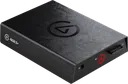 ? I have problems with my new capture device, it restarts, it stops giving an image.
I appreciate the help
 earnest crest
So how would I use my PlayStation 5 wireless headset to capture both game and chat audio including my own voice
 noble cloak
I don't suppose you ever found an answer to this or got any further?
I have a ticket open for this and have tried several things to resolve and now we are back to the "uninstall and delete all plugins" solution which I have tried before and does not work.
YouTube chat works at start of stream but fails after about 30 minutes.
 loud portal
noble cloak
I don't suppose you ever found an answer to this or got any further?
I have a t...
loud portal
noble cloak
I don't suppose you ever found an answer to this or got any further?
I have a t...
I submitted a ticket at the Elgato web site and am working with them. They had me clear the cache and cookies from all my web browsers and my YT chat buttons worked for a while then were suddenly broken again. I updated my ticket and am waiting to hear back.
noble cloak
Ditto. Thanks for the update - I came here to see if anyone else was having the same issue - and it looks like a few people are (I have found at least 3 or 4 people since September asking about it here). Hopefully they will find a fix soon...
pastel vine
i cant get my 4k utility audio to work with my elgato 4k mk2 pro with ps5
 unborn ingot
My Wave:3 camera is muted, how do I unmute it?
 safe wagon
Hi, I'm thinking about buying a used Stream Deck, but I'm not sure (the seller too) if it works as it should, after hooking it up to a PC it looks something like this: any idea?
 south bronze
Hey everyone, I'm having an issue with my wave 1 microphone, where I get distorted audio at random intervalls (Intermittent). It's kinda like a buffering type of noise you sometimes hear when loading a video on youtube. Any suggestions as to what might be causing this?
 amber furnace
Hey guys! I'm trying to connect my Govee lightstrips to my streamdeck and for some reason, I get this error mesage "Setup failed: success" (I've attached a screenshot)
any fixes?
 rare elm
safe wagon
Hi, I'm thinking about buying a used Stream Deck, but I'm not sure (the seller t...
rare elm
safe wagon
Hi, I'm thinking about buying a used Stream Deck, but I'm not sure (the seller t...
do not buy that stream deck
safe wagon
rare elm
do not buy that stream deck
Why? I mean... Its for 200 PLN and the new one is for 550 PLN, IDK if it's broken that's why I'm asking
fickle pulsar
safe wagon
Hi, I'm thinking about buying a used Stream Deck, but I'm not sure (the seller t...
Is that’s the screensaver?
rare elm
safe wagon
Why? I mean... Its for 200 PLN and the new one is for 550 PLN, IDK if it's broke...
it is broken and if you buy it from a 3rd party it isnt covered by warranty so this person is def gonna scam you
rare elm
amber furnace
Hey guys! I'm trying to connect my Govee lightstrips to my streamdeck and for so...
did you follow the 3 steps under the error message?
amber furnace
rare elm
did you follow the 3 steps under the error message?
Yes
rare elm
amber furnace
Yes
contact the plug in creator to see if they have a fix https://github.com/GeekyEggo/GoveeController/issues

GitHub
Govee controller for the Elgato Stream Deck. Contribute to GeekyEggo/GoveeController development by creating an account on GitHub.
amber furnace
rare elm
contact the plug in creator to see if they have a fix https://github.com/GeekyEg...
Alrighty, thanks!
 wheat tapir
Hey, Is there any way to use multiple wave mic's or a combination of Wave Mic's and Wave XLR's on a single PC? I would like to do some talk show style content but I am unable to have my Wave XLR and Wave Mic connected at the same time... (and if it's not possible at the moment, will that potentially change in the future?)
 spring cypress
can the streamdeck do If statements like this ?
http://thecynicalkitty.com/s/220121175605.png
Also can it listen for events (like redemptions or a 1st user chat).
 shadow anchor
spring cypress
can the streamdeck do If statements like this ?
http://thecynicalkitty.com/s/220...
shadow anchor
spring cypress
can the streamdeck do If statements like this ?
http://thecynicalkitty.com/s/220...
No
spring cypress
shadow anchor
No
Well thats depressing 😦
shadow anchor
spring cypress
Well thats depressing 😦
Plugins contain varied functionality. Certain plugins may contain the functionality you are describing, but the Stream Deck itself does not have any If/then logic in its mulitactions.
spring cypress
shadow anchor
Plugins contain varied functionality. Certain plugins may contain the functional...
What about listening for events (I use touchportal for triggering users intro sounds when they 1st say something in chat).
shadow anchor
@spring cypress It does support webhooks, IFTT, OBS, etc, etc
shadow anchor
spring cypress
What about listening for events (I use touchportal for triggering users intro so...
It depends on the plugin, typically they are picked up by the plugin via a webhook.
spring cypress

shadow anchor
so for example, in your example scenario, lets say it is twitch, you can have whatever functions the various plugins for Twitch offer.
it is varied from plugin to plugin
You would really need to check the available plugins to see if any of them trigger on first chat.
I am a plugin developer, not a streamer. So I have never looked for that functionality.
You can build multiactions and multiaction toggles, but there isnt any built in if/then logic to the multiaction tiself.
shadow anchor
no you can not nest multiactions
spring cypress
god darn it...
shadow anchor
User defined conditional operands can be built into a plugin by a plugin developer. However, we can not interact that way with other plugins. So... we can't create a multiaction plugin that calls other plugins. Only Elgato would be able to do that. You can always open a Feature Request.
spring cypress
I'll just stick with touchportal for those, I got the SD to replace TP but  guess not.
shadow anchor
spring cypress
I'll just stick with touchportal for those, I got the SD to replace TP but <:111...
Maybe that will make it into the software soon. It would be a nice addition.
spring cypress
Well they would need If/else/then statements with live status tracking & also global events, without the needed to be on a specific page.
shadow anchor
99% of that already exists in the software.
the restriction is more of their security model. So it would have to be done by Elgato.
spring cypress
The thing is my current setup for users to have intro sounds is split into 3 events and some events toggle the status of another event so its not repeatable.
Example:
http://thecynicalkitty.com/s/220121192615.png
http://thecynicalkitty.com/s/220121192533.png
http://thecynicalkitty.com/s/220121192511.png
http://thecynicalkitty.com/s/220121192600.png
being able to recreate that on SD would be sick
shadow anchor
there is nothing revolutionary in those examples. But the logical operands in mutliactions are missing.
spring cypress

shadow anchor
put in a feature request. The more requests the more attention it will receive.
 zenith totem
Hey any ideas on why my Capture card 4k60 resizes weirdly when I tab out of games? I have to reset it in obs, (DUAL PC) here's what I mean. https://gyazo.com/4b7ce7c63b60433b68926baf01a0038c
spring cypress
Might want to check what the "tv settings" are in the Elgato software, and make sure ya clone screen on ya gaming machine is set up appropriately.
safe wagon
rare elm
it is broken and if you buy it from a 3rd party it isnt covered by warranty so t...
I know that warranty go to bin but if You say that it's broken... Well... Thank you for saving my money ;)
zenith totem
spring cypress
Might want to check what the "tv settings" are in the Elgato software, and make ...
u replying to me or
what tv settings, in game capture ?
spring cypress
Yes sir 🙂
zenith totem
I dont see any TV settings
whats the other elgato software?
its not game capture
the 4k60 has a different s oftware whats it called?
spring cypress
4k60 should also use gamecapture 
zenith totem
no i found it
its called 4k capture utility
okay so
I got input EDID on Internal
and EDID 1440p
spring cypress
Maybe the stuff changed since I had my HD60 🤔 in the settings on the last tab there's a TV setting issue
zenith totem
Should it be display, internal or merged
no HD60 has elgato capture, but the 4k has its own dedicated program
spring cypress
oh 
then im no help for the software side of things until my 4K60 arrives.
Sorry
 unique jungle
@gloomy umbra What's your ticket number?
gloomy umbra
unique jungle
<@!226134699351736321> What's your ticket number?
for my product or my ticket?
unique jungle
Your ticket. It'd be the ticket number you'll receive when you file a support ticket.
gloomy umbra
unique jungle
Your ticket. It'd be the ticket number you'll receive when you file a support ti...
2004971018 i think this one
does it usually take 3-4 weeks for processing of the mic arm?
unique jungle
gloomy umbra
2004971018 i think this one
Thanks, I'll pass this to our support team. They'll get back to you as soon as they can.
 unreal shard
I have the hd60 pro and for some reason the program now shows a tiny window in the corner of any game im playing on pc and i cant get it to go away someone please help?
zenith totem
Hey jasmine do you know about this issue? Is it known?
Any ideas on why my Capture card 4k60 resizes weirdly when I tab out of games? I have to reset it in obs, (DUAL PC) here's what I mean. https://gyazo.com/4b7ce7c63b60433b68926baf01a0038c


I created this GIF to show u
glad thistle
With the Windows 11 update, is the Game Capture software still compatible and can I use the HD60 S hadware with it? (Windows user)
proper stirrup
I just got the HD60S+ but when I setup my OBS Studio and video capture my iPad it works with no audio, and when i open 4k capture utility it video capture becomes black screen on OBS. How do I get then both to work at the same time?
rare elm
proper stirrup
I just got the HD60S+ but when I setup my OBS Studio and video capture my iPad i...
you cant use more than one software at a time
proper stirrup
rare elm
you cant use more than one software at a time
How do I hear the audio?
rare elm
try adding the hd60s+ as an audio source in obs
 bold ember
zenith totem
Any ideas on why my Capture card 4k60 resizes weirdly when I tab out of games? I...
bold ember
zenith totem
Any ideas on why my Capture card 4k60 resizes weirdly when I tab out of games? I...
Please contact our support team by going to http://e.lga.to/help. You’re device needs a firmware update which will solve the alt+tab problem.
proper stirrup
Can i link the HD60S+ with the GoXLR and control the audio from their?
fickle pulsar
glad thistle
With the Windows 11 update, is the Game Capture software still compatible and ca...
I have Win11, and use 4K Capture Utility work great. I can test out Game Capture tomorrow, but OBS works great on Win11!
glad thistle
fickle pulsar
I have Win11, and use 4K Capture Utility work great. I can test out Game Capture...
Ok Thanks
fickle pulsar
glad thistle
Ok Thanks
You’re Welcome!
 old jackal
@bold ember hi Phil. I'm having a major issue connecting my chat link pro correctly. I can't seem to get my game audio playing into my obs recording. Can you or anyone who has experience help me?
Anyone available for tech support?
shadow anchor
old jackal
<@72645962819964928> hi Phil. I'm having a major issue connecting my chat link ...
Please do not @ the admins. Be patient and give it it a little more time. It is still very early in the US. I am sure someone will help you.
 willow seal
I got a hd60 pro and was wondering if i could stream games from a nintendo switch, i have a gaming laptop
old jackal
Any admin available for some quick tech help with the chat link pro?
twin sentinel
Is there any ETA for the epoccam for Android?
fickle pulsar
willow seal
I got a hd60 pro and was wondering if i could stream games from a nintendo switc...
if it’s a pcie you need a desktop pc… not a laptop. ☹️
fickle pulsar
old jackal
Any admin available for some quick tech help with the chat link pro?
not an admin, but we can give it a go. What’s the question you have?
old jackal
@fickle pulsar I have a chat link pro and I plugged it into my hd60s and into my switch/PS5 and when I go to record in obs I'm not getting any game audio into my recording
Not exactly sure where the disconnect is but I'm not getting any audio as I do exactly what they do on the elgato chat link pro YouTube tutorial
fickle pulsar
old jackal
<@476160810457235466> I have a chat link pro and I plugged it into my hd60s and ...
is your audio in analog?
old jackal
Yup changed it in 4k capture
fickle pulsar
old jackal
<@476160810457235466> I have a chat link pro and I plugged it into my hd60s and ...
also, are you monitoring and outputting in OBS?
old jackal
I also use a wave 3 and obviously the wave link software. Idk if I'm supposed to add that as a source or something
fickle pulsar
old jackal
I also use a wave 3 and obviously the wave link software. Idk if I'm supposed to...
you should be able too!
old jackal
Uhm not sure about the monitoring or outputting in obs. Maybe that's the disconnect. What do I do to check it
fickle pulsar
old jackal
Uhm not sure about the monitoring or outputting in obs. Maybe that's the disconn...
give me a If you minutes I’m on my way home so that way I can jump on voice chat and help
old jackal
As far as adding that as a source in wave link I don't know where to find it as the hd60s is already plugged in and all. I don't know how to intercept the audio routing
 steel escarp
Hello!
Can someone help me possibly fix my audio issues?
My brand new HD60S+ is not capturing gameplay audio on my laptop. When I take the HD60S+ to my PC, it will capture the audio. I’ve tried everything from different HDMI cables, USB cables, and updating drivers etc on my laptop; however, it still does not capture gameplay audio.
My 4K60S+ does capture game audio on my laptop.
Attached are the specs for my laptop. The 4K Capture Utility is not muted and is at max volume.
If you need any additional details please let me know! 🔥

I was directed to go here for a possible quicker solution by the Elgato support staff. All while they look into a possible Windows 11 issue (Ticket: 2004997540). Shout out to the Elgato Support staff that was very helpful in attempting to find a solution! 🔥
rare elm
old jackal
Any admin available for some quick tech help with the chat link pro?
If you'd like assistance from Elgato employees, please reach out to #official-tech-support in the meantime you can check these articles https://help.elgato.com/hc/en-us/sections/4409741225613-Elgato-Chat-Link-Pro-Cable
 pallid hound
Can someone please help, out of nowhere on obs the capture card shows that it is displaying audio but I am not hearing any of it
rare elm
pallid hound
Can someone please help, out of nowhere on obs the capture card shows that it is...
make sure the audio is set to "monitor and output"
pallid hound
it is
i have all settings the same as before its just today I cant hear the capture card
idk why
although this is showing up on my screen idk what it means

idk what it wants me to refresh
fickle pulsar
old jackal
As far as adding that as a source in wave link I don't know where to find it as ...
issue resolved!
fickle pulsar
pallid hound
Can someone please help, out of nowhere on obs the capture card shows that it is...
monitor and ouput
pallid hound
Its already set to that
Now when I open the elgato software I can hear the game because it shows it on there but then my stream cant hear it
rare elm
pallid hound
Now when I open the elgato software I can hear the game because it shows it on t...
what are you trying to capture from?
 rose sigil
is it possible to configure my HD 60 S to series S?
When I plug my headset (Razer Kraken) into AUDIO IN, I can't hear the volume coming from the Xbox.
I use OBS, can anyone help me? I've been trying to figure it out for two days.
pallid hound
rare elm
what are you trying to capture from?
nvm i fixed it
rare elm
rose sigil
is it possible to configure my HD 60 S to series S?
When I plug my headset (Raze...
The audio in port sends audio in, not out, so you cant hear anything. Try connecting your headset to the computer, you should hear audio through your software that way.
rose sigil
rare elm
The audio in port sends audio in, not out, so you cant hear anything. Try connec...
Thanks! How can I set up the headset on my PC? Do I need to change anything in OBS?
I've tried connecting headphones but I can't hear the volume from the HD60S on the PC either.
rare elm
rose sigil
I've tried connecting headphones but I can't hear the volume from the HD60S on t...
In OBS the audio needs to be set to monitor and output in the mixer settings
rose sigil
rare elm
In OBS the audio needs to be set to monitor and output in the mixer settings
if i were to purchase a gaming chat link would that solve the problem?
Sorry but I'm noob lol
 somber marlin
Finally managed to solve my VST plugin issue with WaveLink - however my OBS still receives the raw audio from my mic rather than after the VST have been applied?
Clearly I'm doing something wrong, should I be adding my stream output as my mic source in OBS?
rare elm
rose sigil
Sorry but I'm noob lol
not necessarily give me a moment and I'll grab some articles for you
rose sigil
rare elm
not necessarily give me a moment and I'll grab some articles for you
Thank you! tomorrow I will finish doing the necessary tests! thanks for the support
fickle pulsar
glad thistle
With the Windows 11 update, is the Game Capture software still compatible and ca...
it works find for me.
fickle pulsar
somber marlin
Clearly I'm doing something wrong, should I be adding my stream output as my mic...
are you using the fx vs regular mic?
 warped peak
I am having issues with Wavelink software crashing right when opening. It says about incompatible plugins. Here are the pics. My question is why is it looking in different folders for plugins instead of the ones that are assigned for plugins?


Yes I deleted the files in red and reinstalled but for some reason they still show up and I believe is the cause of the crash
I also tried installing the program on a different drive and still getting the same issue.
 worldly bone
my microphoneFX randomly cuts out even if i disable all the effects. and if i listen to it on the monitor mix it comes up as loud static. this all stops if i just use mic in. i have updated wave link and restarted pc.
whats also kinda of weird is even if i turn off all my effects it still sounds different from mic in, idk if thats normal tho
 tropic steppe
howdy friends! I run a dual PC set up and my 4K60 Pro Mk.2 is trying to put out an active signal of almost 4k causing my gameplay on my gaming PC to be somewhat choppy despite the stream being buttery smooth. Anyone have any insight?
I cannot change the resolution in AMD control panel (more reason to stick with NVIDIA for streaming)
 tropic steppe
I have noticed that when I change my EDID in 4K Capture Utility to 1080p that it refreshes the screen, goes to 1080p100 temporarily, refreshes again back to 2160p60
earnest crest
i need help figuring this out for my stream setup
im using streamlabs to stream with and i have it capturing a window and i dont know how to get the bottom layer of the elgato no to show on my satreamlabs

anyone know how to get that to stop showing?
 regal whale
For other Wave XLR users: is there a way to toggle between having all audio running through Wave Link System (basically headphones) and my computer speakers? Preferably not with another physical interface. Sometimes, I want to play stuff out of those speakers, but don't want to have to keep going to system sound settings every time. Thanks in advance! /cheers
shadow anchor
<@&581565551495741448>
fickle pulsar
earnest crest
anyone know how to get that to stop showing?
do you have both apps open?
fickle pulsar
pale edge
ive just got a new pc with a AMD Ryzen 7 5800X 8-Core Processor and a rtx 3080 t...
calling this issue resolved! 🙂
 humble plume
How would I be able to control the wave link mixer using stream deck? I have done it before, but the options arent showing up for me right now
And I have the wave link add on installed
fickle pulsar
humble plume
And I have the wave link add on installed
wave link profiles are installed?
humble plume
no
How would I get the prompt again?
I have the addon installed
but nmo profiles
it isnt letting me uninstall the wave link addon either

when I try to hit uninstall it does nothing
Also
fickle pulsar
humble plume
it isnt letting me uninstall the wave link addon either
I had to completely remove anything in my specific folders with wavelink to reinstall it
humble plume
how would I do that?
fickle pulsar
humble plume
Also
I’m actually stepping out so I’m not able to jump on voice chat and walk you through it but give me till later in the evening and I can probably help
 spare oracle
Has anyone had issues where audio is glitchy and distorted from sources that are from hardware inputs? My capture card input HDMI and an analog cable from my game PC going into the line in on the sound card are both nearly inaudible from all the popping. It did it with my Elgato HD 60 Pro and the EVGA XR1 Pro. Analog cable, if listened to through Windows is nice and clear, but as soon as I bring it in as an input into Wavelink, it is extremely distorted. If someone has found a fix, could you post what you did?
glad thistle
fickle pulsar
it works find for me.
Wait HD60 S still works with Game Capture software?!
fickle pulsar
glad thistle
Wait HD60 S still works with Game Capture software?!
Yes
fickle pulsar
humble plume
Is there a video on it somewherE?
not that I’m aware of
fickle pulsar
humble plume
Is there a video on it somewherE?
@shadow anchor you have that app data process thing?
shadow anchor
fickle pulsar
<@234517444826234880> you have that app data process thing?
Which one?
glad thistle
fickle pulsar
Yes
Awesome, thanks for the info, really appreciate it.
shadow anchor
fickle pulsar
<@234517444826234880> you have that app data process thing?

If you are still having issues re-installing, Clear the Elgato Plugin Store Cache Close and exit out of the Stream Deck software completely. Press Win+R and paste %APPDATA%\Elgato\StreamDeck\PluginStoreCache and press Enter. Delete all files in this folder. (They will be recreated when you go the Elgato Stream Deck Plugin Store again.). Restart ...
humble plume
shadow anchor
<@!773294763587272755> https://streamdecklabs.com/%f0%9f%a7%af-remove-a-stream-d...
ty
fickle pulsar
glad thistle
Awesome, thanks for the info, really appreciate it.
You’re welcome!
fickle pulsar
shadow anchor
<@!773294763587272755> https://streamdecklabs.com/%f0%9f%a7%af-remove-a-stream-d...
thanks!😃
 lament meadow
So I got an Elgato HD60S a few months ago and I have had a good time using it, I recently moved into my new dorm and for some reason it’s not working like it used to. I figured there would be less fuss with this thing because at home I had it connected to my ps5, VR HDMI splitter and my TV, now in my dorm it’s just ps5 and TV and it’s not displaying on my game capture. Not only that but for some reason my TV won’t even display anything if my computer isn’t even on. What’s weird about this is I turned on OBS and it still shows it in the set up just not in game capture. If I turn game capture it says that it’s not detecting the ps5 even though my TV is displaying everything perfectly. I thought I connected everything correctly. Ps5 hdmi to hdmi in and hdmi out to TV. At home my pc didn’t need to be on to display the ps5. What did I do wrong?
 balmy osprey
Anyone knows, how I can get my screen to record the wii aswell? I connected everything so far, which shows my wii screen on my the capture card software, but not on my actual screen, which is connected to
fickle pulsar
lament meadow
So I got an Elgato HD60S a few months ago and I have had a good time using it, I...
is hdcp turned off?
lament meadow
fickle pulsar
is hdcp turned off?
yes
fickle pulsar
lament meadow
yes
Is IN is connected to your Console, Out to your TV/Gaming Monitor, and USB-C connected to your Streaming PC?
 wide radish
Hotkey no longer works! I reinstalled Stream Deck and now have no hotkey working. Had it working with MSFS2020 for views with keyboard keys. Now cant get the views to work. Any ideas?
lament meadow
fickle pulsar
Is IN is connected to your Console, Out to your TV/Gaming Monitor, and USB-C con...
yes
glad gazelle
Hey all
I have a question. When using my Nintendo switch on my Elgato capture card, I cannot figure out where the audio is going. I can hear the audio but it is not a source in OBS. Using the game capture software when I turn the audio up on the Elgato game capture I just get a duplicated sound. So it’s going through… somewhere. How do I control it?
humble plume
shadow anchor
<@!773294763587272755> https://streamdecklabs.com/%f0%9f%a7%af-remove-a-stream-d...
There is no "Plugin Store Cache" folder... running the pasted location didnt bring anything up
going through and looking with file explorer through APPDATA cant find the PluginStoreCache folder either
 cyan void
I'm having trouble getting wave link to see my HD 60- Is this a known issue?
fickle pulsar
lament meadow
yes
USB 3.0 port right?
fickle pulsar
glad gazelle
I have a question. When using my Nintendo switch on my Elgato capture card, I ca...
are you using Sound Capture?
fickle pulsar
cyan void
I'm having trouble getting wave link to see my HD 60- Is this a known issue?
Shouldn’t be an issue if it’s an external capture card HD60s, and HD60S+, but if it’s internal via PCIE, or the 4K60S+ is needs to be as an audio source directly in OBS, as it’s not compatible with Wave Link. Not yet anyway.
cyan void
Oh it's an original HD 60, not an S. That's too bad. There's really no reason why it shouldn't work otherwise.
lament meadow
fickle pulsar
USB 3.0 port right?
yes
fickle pulsar
lament meadow
yes
and nothing is showing up? try a different usb 3.0 port or new hdmi cables.
lament meadow
fickle pulsar
and nothing is showing up? try a different usb 3.0 port or new hdmi cables.
ok, do you think that well help with the TV not displaying if my PC isnt turned on?
 spare wedge
hey Elgato family, im having continued issues with my camlink 4k i got a RMA replacement and im still experiencing the same issues
i run a dual pc setup but for the purposes of this post ill condense it down to just my gaming pc
Equipment
Sony A6000 camera + Micro HDMI to HDMI
GPU 2080ti
MSI MPG Z390 Gaming Pro Carbon AC Motherboard
if i plug it into my streaming pc it clashes with my Game Capture 4kPRO MK2
I NEED HELP  😅
😅

 shadow anchor
humble plume
There is no "Plugin Store Cache" folder... running the pasted location didnt bri...
shadow anchor
humble plume
There is no "Plugin Store Cache" folder... running the pasted location didnt bri...
Did you paste the directory EXACTLY? ```
%APPDATA%\Elgato\StreamDeck\PluginStoreCache
@humble plume replace <YOURUSERNAME> with your user name to do it manually: C:\Users\<YOURUSERNAME>\AppData\Roaming\Elgato\StreamDeck\PluginStoreCache
@humble plume the paths provided in the article work correctly if you follow the instructions and paste the path exactly.
@humble plume If you are still having issues, DM me and I will try to help you further!
@humble plume
 fickle pulsar
lament meadow
ok, do you think that well help with the TV not displaying if my PC isnt turned ...
fickle pulsar
lament meadow
ok, do you think that well help with the TV not displaying if my PC isnt turned ...
your pc has to be on.
 onyx fjord
im interested in getting an elgato multimount for my phone and also led light Panel, im curious as to what I would need to get this setup


Measurments:
MasterMount to Phone: 2in
MasterMount to LightPanel: 24i
 edgy spruce
ok im looking for help , trying to hook up two PCs with a external hd60 s+ capture card ,i have it installed but nothing is showing up
spring cypress
Is there a way to turn OFF LIVE preview on the software, trying to take screenshots using the SD for pages on SD is bloody annoying with the constantly LIVE preview...
 bronze robin
Hi everyone.. I have a problem with elgato hd60 s+ with PlayStation 5.. the monitor freezes and when start have too much lag.. why?
safe wagon
Is there any way to get "return" to the lowest tile?

 bitter mortar
Does anyone get static noise after a while whenever they use their elgato? If so, does anyone have a solution to it? It’s gets annoying closing it and opening back up again
 wind valve
For the hd60 s+ i keep getting a sound delay that progressively gets worse. It is a dual pc setup and i am using streamlabs obs of course
 hushed dust
Is it possible to control a light strip (not from el gato) with stream deck?
 velvet beacon
Having an odd issue with WaveLink.
Every so often the sound will get all choppy and mental, and the only way to fix it, is to unplug the microphone and set it up again.
Had to do it a number of times on stream tonight.
Using a Wave 3, with Windows 11.
Re downloaded the exe and reinstalled it midstream but it did not resolve it.
velvet beacon
hushed dust
Is it possible to control a light strip (not from el gato) with stream deck?
Depends, but generally yes if the strip has a SD plug in or can be controlled with IFTTT
onyx fjord
Still interested in help
 tranquil quarry
what would be better for me, wifi 6 (what i have currently) or powerline ethernet (router is on some floor, but more or less opposite from where I am, with multiple people in the house)
 north flume
So i'm trying to figure out how to be able to split my discord audio from my main system/stream audio but i cant remember how I did it. Would really appreciate some help
north flume
nvm I got it fixed
 rare bridge
velvet beacon
Having an odd issue with WaveLink.
Every so often the sound will get all choppy...
rare bridge
velvet beacon
Having an odd issue with WaveLink.
Every so often the sound will get all choppy...
Uninstall the microphone in device manager and restart your pc and it should fix it if it does not uninstall it again and unplug the mic and plug it back in and then it should work I done this when I had that problem and it worked
hushed dust
velvet beacon
Depends, but generally yes if the strip has a SD plug in or can be controlled wi...
How can I check that? It’s just a random light strip from China, but it has its own app - ehome light
 hazy hazel
Hey, are there any official ways to fix the Elgato store?
When I open the Streamdeck app and click on the store label I get to the first screen, but whenever I try to click on a topic I just get a black screen.

 harsh storm
Can you record your android phones or tablets with an elgato hd60s?
 valid spade
Okey thig might sound very dumb, But If I buy a capture card, Will I be able to take most/all of the weight away from my GPU/CPU? Just like how it would be if you owned a second streaming pc?
Cuz I all have heard is that it's only for doing from a console to a pc
shadow anchor
hazy hazel
Hey, are there any official ways to fix the Elgato store?
When I open the Strea...
Are you using a VPN?
hazy hazel
shadow anchor
Are you using a VPN?
No, I'm not.
shadow anchor
hazy hazel
No, I'm not.
Can you get to here and browse? https://apps.elgato.com/discover
hazy hazel
shadow anchor
Can you get to here and browse? https://apps.elgato.com/discover
Yep, through my Chrome browser that works fine.
shadow anchor
hazy hazel
Yep, through my Chrome browser that works fine.
Have tried rebooting?
hazy hazel
shadow anchor
Have tried rebooting?
Yeah, this is a continuous problem. I've seen other topics on sites like Reddit with similar issues to mine. But there does not seem to be a easy fix, some uninstall and reinstall the Streamdeck software, others go into the Regedit and remove keys there...
shadow anchor
Try the section in this article about clearing the plugin store cache: https://streamdecklabs.com/🧯-remove-a-stream-deck-plugin-completely/
If you are still having issues re-installing, Clear the Elgato Plugin Store Cache Close and exit out of the Stream Deck software completely. Press Win+R and paste %APPDATA%\Elgato\StreamDeck\PluginStoreCache and press Enter. Delete all files in this folder. (They will be recreated when you go the Elgato Stream Deck Plugin Store again.). Restart ...
hazy hazel
shadow anchor
Try the section in this article about clearing the plugin store cache: https://s...
Thanks, will test it. 🙂
 quiet ether
yeah so everytime i do something with the new discord plugin stream deck crashes
floral jetty
quiet ether
yeah so everytime i do something with the new discord plugin stream deck crashes
I had no issue in a quick test i just did, I would say try rebooting your PC? Also check if streamdeck has any updates. Last might need to try a reinstall of streamdeck software.
 fleet vector
valid spade
Okey thig might sound very dumb, But If I buy a capture card, Will I be able to ...
fleet vector
valid spade
Okey thig might sound very dumb, But If I buy a capture card, Will I be able to ...
I dont think you would be able to using that because it might slightly change performance you still have to use a recording software or capture software such as obs or streamlabs or the one that comes with the elgoto
hazy hazel
shadow anchor
Try the section in this article about clearing the plugin store cache: https://s...
The path in the article to the PluginCache didn't exist, and I tried to search for it on my PC, and found another Elgato\Streamdeck\Cache, so I tested removing it, and rebooted the PC. Bam, got a new Streamdeck software update, installed it, and suddenly the Store started working again... very suspicious. But now it works at least. 🙂
 quasi tinsel
where is the discord plug in? I don't see it in the store
fickle pulsar
quasi tinsel
where is the discord plug in? I don't see it in the store
search for any plugin made by elgato, then select by elgato in the description, you'll see it
 cerulean kestrel
Is there any software to bundle Elgato Software?
I now own Streamdeck, Facecam, Wavelink and Keylights
fickle pulsar
cerulean kestrel
I now own Streamdeck, Facecam, Wavelink and Keylights
there's no software bundle but individual apps, and with streamdeck you can install plugins.
 warped surge
Which elgato keyboards allow you to use the stream deck software
fickle pulsar
ones with G1 - G5, and G1 - G6. Also Streamdeck just had an update via Software.
north flume
Okay it didnt get fixed. How do I stop discord from coming through Wave link stream/system
while streaming in streamlabs obs
I really would like this to be a permanent fix cuz i tend to psen dalot of time in discord while streaming
spend *
 young rune
hey, how can i run a python script on my streamdeck mk2
it updated today and it doesnt work anymore like it did
i could just drag and drop it in and it worked
north flume
I'm not sure where to post this but I wanna give a big thanks to @fickle pulsar for helping me through my issue on slobs and wave link 
fickle pulsar
north flume
I'm not sure where to post this but I wanna give a big thanks to <@!476160810457...
You’re Welcome! Glad it was fixed!
pale pasture
How to export profiles when the program crashes when you click Export lol
velvet pelican
@iron coyote If you update the StreamDeck app the wavelink plugin will work with the new version!
pale pasture
Actually. Question: I am going to "Reset my pc" Windows 10. Will i be able to get my Stream Deck profiles without exporting them first?
gritty quarry
Does anyone know if the capture cards can serve as an edid emulator to downscale ps5 signal to 1440p?
hushed dust
Is it possible to control a light strip (not from el gato) with stream deck?
shadow anchor
pale pasture
How to export profiles when the program crashes when you click Export lol
If SFC didn’t help or was unable to repair the corrupted files, it’s time to use DISM. This is another system utility that helps in repairing Windows system images and other files. Users should keep in mind to only use DISM after exhausting all other options. To run DISM do the following: Click on Start… Continue reading 🧯 Troubleshooting Stream...
shadow anchor
hushed dust
Is it possible to control a light strip (not from el gato) with stream deck?
Does it have a public API or a plugin already available? Like Phillips Hue for example.
hushed dust
shadow anchor
Does it have a public API or a plugin already available? Like Phillips Hue for e...
it's ehome light, only has an app
shadow anchor
hushed dust
it's ehome light, only has an app
Try IFTT
I don't see a public API but I only did a quick search
hushed dust
shadow anchor
Try IFTT
What is iftt? What should I be looking for?