#cth-history
1 messages · Page 72 of 1
 fickle pulsar
 shadow anchor
@livid sparrow Additional note: USB C refers to the shape of a 24 pin connector. Just because a cable is USB C doesn’t mean it supports a specific power, transfer speed or protocol. For example, if a cable is USB C it could be USB 3.1 (fast data transfer), 2.0 (slower data transfer) or a different specification. Make sure you have the proper USB C cable for your needs.
 livid sparrow
I tried switching it out with the cable of the Stream Deck XL, it works on OBS but not on the output to my 2nd monitor. When I turn on the 2nd monitor, the signal to OBS gets cut
shadow anchor
livid sparrow
I tried switching it out with the cable of the Stream Deck XL, it works on OBS b...
Sounds like its a configuration error not an issue with the USB-C cable.
@livid sparrow Hopefully, @fickle pulsar can help you.
Unfortunately, I am a plugin developer not a streamer. So, I don't use capture cards or streaming software.
livid sparrow
Thank you, it's greatly appreciated anyway!
shadow anchor
But Vic is the best 💪
 lament cairn
Does anyone have Stream Deck mk.2? Mine does not go to sleep; only dims the brightness.
shadow anchor
lament cairn
Does anyone have Stream Deck mk.2? Mine does not go to sleep; only dims the brig...
They don't turn all the way off when sleeping anymore.
lament cairn
shadow anchor
They don't turn all the way off when sleeping anymore.
Really? Has it been changed?
lament cairn
shadow anchor
Been that way for a long time
This is the way I thought it works: https://www.facebook.com/Elgato/videos/stream-deck-screensaver-sleep-mode/915516212548468/
Facebook Watch
Stream Deck Pro Tip:
You can set a Screensaver or Sleep mode. 🎓
I already exchanged one thinking it's defective. Thx for letting me know!
lament cairn
Did you set a screensaver from Preferences?
shadow anchor
yes
lament cairn
Ah that's why. So, if you remove it, they just dim the brightness?
shadow anchor
I am working on it... one sec
Ok, after removing my screensavers on BOTH my stream decks. It goes completely dark.
lament cairn
both?
lament cairn
With sleep button, mine only dims
shadow anchor
lament cairn
both?
I have an XL and an MKII
lament cairn
even after the set minutes
shadow anchor
Are you on stream deck software 5.1?
lament cairn
what happens to urs when you set sleep mode to 5 minutes and after 5 minutes? no screensaver set.
yes the latest
It's actually a 2nd unit I got thought the first one is defective
shadow anchor
Mine would go black but not all the way off before 5.1. That's why I set screen savers. Good to know it's working again.
Waiting the 5 mins
BTW
lament cairn
k thx
Ok. I tried setting it to Never and pressed Sleep button. It only dims as well.....
fickle pulsar
lament cairn
Does anyone have Stream Deck mk.2? Mine does not go to sleep; only dims the brig...
Did you go to preferences, to change it?
lament cairn
fickle pulsar
Did you go to preferences, to change it?
Yes of course
shadow anchor
one more minute
fickle pulsar
livid sparrow
I tried switching it out with the cable of the Stream Deck XL, it works on OBS b...
by any chance do you have a thunderbolt 3 cable?
fickle pulsar
livid sparrow
I tried switching it out with the cable of the Stream Deck XL, it works on OBS b...
windows like to magically detect which monitor is primary, so that may be your culprit. try display settings make sure it's setup to your liking, and then, see if streamdeck will work normal.
fickle pulsar
lament cairn
Yes of course
try closing out the software, and relaunching it. also, test it with a lower minute requirement say 5-10 mins. test out the sleep.
shadow anchor
@lament cairn It went completly dark. Open an official support ticket #official-tech-support. I was maybe experiencing the same thing as you prior to 5.1 and maybe 5.1 wasn't what fixed it for me.
lament cairn
I even tried it on other PCs. Works the same way. I think this one being sold on Amazon are all defective!
I already send an official support ticket. No reply.
Tysm for help @shadow anchor
shadow anchor
lament cairn
I even tried it on other PCs. Works the same way. I think this one being sold on...
NP, Any time.
@lament cairn One more thing. Have you tried setting a screen saver image. Press the sleep button. Wake it up. Remove the screensaver and see if it goes all the way off?
fickle pulsar
livid sparrow
Also getting static-y lines on screen on OBS 😦
I haven't encountered green lines like others, but is your firmware up to date, and try just connecting only the usb devices you're using for stream right now. lets make sure it's not a power bandwidth issue. also, on your pc, is your bios/drivers updated?
fickle pulsar
 kind spruce
Doesnt help
kind spruce
Doesnt help
are your bios/drivers updated?
kind spruce
yep
fickle pulsar
kind spruce
yep
open a support ticket with #official-tech-support nvmd, saw that you've opened on. just wait for support. maybe they can run diagnostics.
lament cairn
shadow anchor
<@!893397913479303189> One more thing. Have you tried setting a screen saver ima...
after removing the screensaver...what do i do ?
shadow anchor
try sleeping it again
lament cairn
with the button?
shadow anchor
yes
kind spruce
fickle pulsar
open a support ticket with <#842491937038925865> nvmd, saw that you've opened on...
I didn't o: ! But will do 🙂 Thanks!
shadow anchor
lament cairn
with the button?
What was the result?
lament cairn
shadow anchor
What was the result?
nah it's the same lol
im very disappointed with Corsair's product quality 😦
I've always preferred Corsair's parts for my PC but this.....
fickle pulsar
kind spruce
I didn't o: ! But will do 🙂 Thanks!
sorry I was looking at the wrong message. 
lament cairn
shadow anchor
What was the result?
btw, did you buy mk.2 from Amazon?
shadow anchor
lament cairn
btw, did you buy mk.2 from Amazon?
No. Direct from Elgato.
lament cairn
shadow anchor
No. Direct from Elgato.
maybe i should do that too!
kind spruce
fickle pulsar
sorry I was looking at the wrong message. <:Chocobo:823027154489049168>
No problems! I unplugged the usb capture card and that solved the problem
I don't know if this is a common problem. But thanks for the fast help 😄
fickle pulsar
kind spruce
I don't know if this is a common problem. But thanks for the fast help 😄
yay! you're welcome! 🙂
 queen adder
I’m wanting to talk in game chat, party chat within PlayStation and discord on the PC, with one mic.
fickle pulsar
queen adder
I’m wanting to talk in game chat, party chat within PlayStation and discord on t...
I use two mics to achieve this. as for 1 mic, never seen it done before.
queen adder
Yeah it’s possible but I can’t get my head around how to achieve it with wave link. As in voicemeeter you can select what input you want your mic to output through
fickle pulsar
queen adder
Yeah it’s possible but I can’t get my head around how to achieve it with wave li...
wavelink lets you choose your default mic, try it and see if it helps. 🙂
 tidal cloud
Using Elgato Screen Link on iOS 15.0.2
The screen link connects and is fine, until I switch to another app. Then I get the below error message and the screen link stop - any advice?

 crimson forge
nits still doesnt work
 hexed cobalt
I need some help please
fickle pulsar
crimson forge
nits still doesnt work
Open a support ticket with #official-tech-support it can take a bit of time for a reply.
fickle pulsar
hexed cobalt
I need some help please
what are you having issues with?
hexed cobalt
fickle pulsar
what are you having issues with?
A friend was wondering he is going to start streaming from a Laptop with the Elgato and PS5 and then will he be able to talk through Streamlabs and hear sound alerts whilst hearing the game chat and party chat if he plugs his headset into the PS5 Controller?
fickle pulsar
hexed cobalt
A friend was wondering he is going to start streaming from a Laptop with the Elg...
yes, but chatlink or chatlink pro is essential. audio must be in analog as well. which capture card? HD60S, HD60S+, or 4K60S+?
hexed cobalt
fickle pulsar
yes, but chatlink or chatlink pro is essential. audio must be in analog as well....
HD60 S
fickle pulsar
hexed cobalt
HD60 S
That should all be fine, and I do recommend using a gaming monitor connected to the output on the capture card, or a TV, because that capture card can cause a lag of 2.5 seconds. If the capture card has not been bought I would recommend opting for an HD60S+, as I’ve had zero latency using this particular capture card.
hexed cobalt
fickle pulsar
That should all be fine, and I do recommend using a gaming monitor connected to ...
A chatlink is something additional to buy right?
 keen grail
Heya all. I just downloaded the Windows mover/re-sizer for the stream deck. I have added the x/y coordinates and the monitor I want the window on. I also set the re-sized measurements. I'm trying to get Pretzel to move to the bottom right corner. I saw a video where it said to put a pause in the open command to give the software a chance to open but I don't see that option in the settings. Can anyone assist?
crimson forge
fickle pulsar
Open a support ticket with <#842491937038925865> it can take a bit of time for a...
okey thaks
 hidden jolt
Unfortunately I think pretty much all my ports are 3.x. only have like 1 or 2 2.0.
But would that be the cause of the yt and twitch buttons stopping working and causing a restart for those, not related to random freezes or?
If I can avoid a reinstall that'd be best haha.
fickle pulsar
hidden jolt
If I can avoid a reinstall that'd be best haha.
agreed!
 karmic fox
Hey, I have the 15 key Stream Deck, a lil over a year now. No issues. No falls, same place as always, but, now it turns on - shows all buttons and abruptly turns everything white and unusable. Any ideas?
 mystic ore
Am I the only one with a streamdeck XL that doesn't turn off with the computer? (Connected to USB hub in my monitor) I have two 15 button streamdecks that does turn off fine, connected to the same monitor. Even when plugging the XL in the exact same port as one of the other streamdecks, it still doesn't turn off. Any suggestions as to what I can do about it? Unplugging the device or turning off the monitor is inconvenient, and as such, not an option.
fickle pulsar
mystic ore
Am I the only one with a streamdeck XL that doesn't turn off with the computer? ...
is there a way to connect it to your pc vs. a monitor?
mystic ore
fickle pulsar
is there a way to connect it to your pc vs. a monitor?
Perhaps, but if it's the connection to the monitor, I would expect it to affect the other two streamdecks as well.
fickle pulsar
mystic ore
Perhaps, but if it's the connection to the monitor, I would expect it to affect ...
possibly, it may be seeing the monitor as a hub vs directly to pc.
mystic ore
The monitor is a 4 port hub, but again the other streamdecks works fine.. Also there's actually no available USB port in the computer, that can be permanently connected. But let me try it with multiple ports anyway.
fickle pulsar
mystic ore
The monitor is a 4 port hub, but again the other streamdecks works fine.. Also t...
ok 🙂
mystic ore
fickle pulsar
ok 🙂
Nope.. No difference when connected to the computer directly. Still shows the elgato logo, while the other two are completely blank.
fickle pulsar
mystic ore
Nope.. No difference when connected to the computer directly. Still shows the el...
that is unusual behavior. can you try setting up a screensaver on each and test it out?
mystic ore
fickle pulsar
that is unusual behavior. can you try setting up a screensaver on each and test ...
With an image, or without it?
fickle pulsar
mystic ore
With an image, or without it?
yes with an image
mystic ore
So, 5 minutes passed, all but the XL powered off.
mystic ore
fickle pulsar
yes with an image
Can I use any image, or do I need a specific size?
fickle pulsar
mystic ore
Can I use any image, or do I need a specific size?
i never had issue with a size. just try any image 🙂
mystic ore
fickle pulsar
i never had issue with a size. just try any image 🙂
I assumed so, so I did just pick a random. 😉 5 minutes is a LONG time when you're just waiting. 😉
fickle pulsar
mystic ore
I assumed so, so I did just pick a random. 😉 5 minutes is a LONG time when you'...
sorry, at work. 🙂
mystic ore
fickle pulsar
sorry, at work. 🙂
Oh, I meant for the screensaver to kick in. 😉
fickle pulsar
mystic ore
Oh, I meant for the screensaver to kick in. 😉
so it seems like it's more of a power bandwidth issue... if it's taking 5+ mins, are your bios and drivers updated?
mystic ore
fickle pulsar
so it seems like it's more of a power bandwidth issue... if it's taking 5+ mins,...
Nah, the screensaver timeout is 5 minuttes at minimum when running.
But with an image they all changed, without an image, only the 15 button devices when blank, not the XL.
fickle pulsar
mystic ore
But with an image they all changed, without an image, only the 15 button devices...
so it seems like it's a power bandwidth issue where one may only function vs 2, or of both are connected a delay.
mystic ore
fickle pulsar
so it seems like it's a power bandwidth issue where one may only function vs 2, ...
Well, apart from the XL not powering off when I turn the computer off, everything works fine.
mystic ore
fickle pulsar
so it seems like it's a power bandwidth issue where one may only function vs 2, ...
Also, when shutting down the computer, the XL displays the screensaver image, while the 15 button devices go blank.
Fun fact, if I setup a button to make the streamdeck sleep, the XL just dims the screen, the other devices turns off.
Could it be a device/firmware issue?
fickle pulsar
mystic ore
Well, apart from the XL not powering off when I turn the computer off, everythin...
it could be the monitor is powering it when pc is off.
fickle pulsar
mystic ore
Could it be a device/firmware issue?
possibly. i wouldn't rule it out.
mystic ore
fickle pulsar
it could be the monitor is powering it when pc is off.
It most likely does, but it still puzzles me why 2 other devices connected to the SAME monitor, even in the same port, does not have the same behaviour.
mystic ore
fickle pulsar
possibly. i wouldn't rule it out.
I think I'll open a ticket with Elgato support. They might have some ideas as well. 🙂
fickle pulsar
mystic ore
It most likely does, but it still puzzles me why 2 other devices connected to th...
perhaps they don't get power once pc is off.
mystic ore
Perhaps, but seems strange the monitor randomly decides to deliver power to one device, not the other, over the same USB port. As far as I know, that's not normal behaviour for a hub, to care about which device is plugged in. 😉
fickle pulsar
mystic ore
Perhaps, but seems strange the monitor randomly decides to deliver power to one ...
agreed.
hidden jolt
@shadow anchor Why would the XL have a "SS" usb icon if it didn't support usb3? That's a usb3 icon I think?
fickle pulsar
what's the issue with the capture card or software?
mystic ore
hidden jolt
<@!234517444826234880> Why would the XL have a "SS" usb icon if it didn't suppor...
There is no such icon/logo on my streamdeck XL, or it's box?
fickle pulsar
are you needing help with what goes where, and how to setup?
just to make sure, USB-C connected to a USB 3.0 on your Streaming PC, and IN connected to your Console/Gaming PC, and OUT connected to your TV/Gaming Monitor?
ok, that's totally fine. 🙂
the labels on the capture card, follow the diagram i mentioned, and it should be showing up.
hidden jolt
The XL is plugged into usb3 (since it has the "SS" usb icon) and the OG was also in a usb3, I don't think I have any usb2 ports available for the OG. Would having the OG in a usb3 port be the cause of my probs? I have like 1 maybe 2 usb2 ports on the entire tower, all the rest are 3.
fickle pulsar
Look for IN on your Capture Card, connect that to the Switch.
yes the other HDMI port is OUT connect that to your TV/Gaming Monitor.
hidden jolt
nvm, i have zero usb2 ports. All are usb3
fickle pulsar
hidden jolt
nvm, i have **zero usb2 ports**. All are usb3
see if your motherboard lets you have it backwards compatible to usb 2.0, as some do this not all.
hidden jolt
can't boot into bios working on other things right now; but do ASUS mobos generally have support?
fickle pulsar
sound, are you using OBS?
The monitor is the reason you connected to out, so there is no delay when using the gaming monitor, or tv. as for the program that's normal behavior. some have latency, and some don't.
audio mixer, monitor and output via advance properties.
not on software, but the output shouldn't have lag on the tv or monitor.
be in where?
shadow anchor
hidden jolt
<@!234517444826234880> Why would the XL have a "SS" usb icon if it didn't suppor...
The Stream Deck XL is USB 3.0... The Stream Deck is USB 2.0
hidden jolt
My mobo apparently has zero usb3 on the mobo
and my case is also usb3. So that means I have ZERO physical usb2 ports. Only usb3 'backwards compatible'
 safe bronze
shadow anchor
The Stream Deck XL is USB 3.0... The Stream Deck is USB 2.0
safe bronze
shadow anchor
The Stream Deck XL is USB 3.0... The Stream Deck is USB 2.0
is the streamdeck mk2 usb 2 or 3?
fickle pulsar
I'm free around 5:30pm ct
shadow anchor
safe bronze
is the streamdeck mk2 usb 2 or 3?
The MKII is USB 2.0
fickle pulsar
but you can share your screen here, and i can guide you, but i do have a obs video in #community-resources
safe bronze
interesting
 summer parcel
Is it possible to connect one stream deck to multiple PCs
mystic ore
If you mean moving the cable from PC to PC, yes, if you mean having it control both PCs at the same time, no.
shadow anchor
summer parcel
Is it possible to connect one stream deck to multiple PCs
No, it is not.
summer parcel
Thanks
 daring terrace
Thank you for your help everyone, I do appreciate it!
 obsidian nimbus
Hello. When I use my stream deck it would say driver errors. It would connect then disconnect on my computer
 wooden flax
mystic ore
I think I'll open a ticket with Elgato support. They might have some ideas as we...
wooden flax
mystic ore
I think I'll open a ticket with Elgato support. They might have some ideas as we...
I'm having the same issue with the new mk.2 that I just got. Sleep mode only dims the lights.
 pure oyster
hey! just got a new wave 3 and I've noticed there's a delay with the mic sound compared to other input sources? If I record myself singing along to a sound the mic and audio aren't synced - is there a way to fix that?
 sweet pelican
pure oyster
hey! just got a new wave 3 and I've noticed there's a delay with the mic sound c...
sweet pelican
pure oyster
hey! just got a new wave 3 and I've noticed there's a delay with the mic sound c...
I'm having this same issue when I stream. I have astro a50 headset and if i sing along to music live it's not in sync
 lilac moss
does anyone know how to unlock the option to raise the
16bit 48khz, i want to get the most out of my headphones (Blue Ellas) and my DAC Modi 192khz 32bit

 rough surge
Does anyone know if you can remove this part of the legato wave 1

It looks like it can be removed and with it on my it doesn’t fit my boom arm
 frozen wren
hey there! is there any way to bind the "FN"/Function key on Streamdeck? thanks!
fickle pulsar
rough surge
It looks like it can be removed and with it on my it doesn’t fit my boom arm
yes, it can, via unscrewing it.
 south bronze
I am using Voicemod along with the Wave 3. I want to use Voicemod with any software that I use the mic (Voicemod, Discord, and COD). I seem to have everything working properly but for some reason audio in discord is coming through on both the System and VoiceChat inputs in WaveLink. The System input seems to be playing both audio from voice chats AND the discord system sounds but the VoiceChat input only plays the voice chat audio. If I turn the System input up to 100 there is an echo from the voice chat audio. Should I be doing something different?
fickle pulsar
south bronze
I am using Voicemod along with the Wave 3. I want to use Voicemod with any softw...
well, there is a guide here. https://help.elgato.com/hc/en-us/articles/360060269412-Using-Elgato-Wave-3-Wave-1-and-Wave-Link-with-Voicemod if you need a more 1 on 1, can chat via DM written, and you could share your screen. I can't do a VC right now, because it's late here.
rough surge
fickle pulsar
yes, it can, via unscrewing it.
I’ve tried it’s not coming off 😞
fickle pulsar
summer parcel
Is it possible to connect one stream deck to multiple PCs
I did a bit of digging... I have no idea if this would be a solution or workaround to your inquiry, but there is in existence a USB switch for a dual PC... You could see if that may be an option, but sidenote: I don't know if it will have enough power bandwidth for the streamdeck, but maybe this might be something worth trying...
 fickle pulsar
rough surge
I’ve tried it’s not coming off 😞
fickle pulsar
rough surge
I’ve tried it’s not coming off 😞
good old fashioned elbow grease. I had to turn mine really hard for it to finally get loose enough. If not, maybe a wrench that can be adjusted to help. 🙂 it's harder than a jar of pickles, but you are capable of this. 😉
rough surge
fickle pulsar
good old fashioned elbow grease. I had to turn mine really hard for it to finall...
Ok thanks lol this seems like it could be something they should fix tho haha
fickle pulsar
rough surge
Ok thanks lol this seems like it could be something they should fix tho haha
I've learned to secure things, not tighten beyond. Somethings if a product is manufactured, it's a machine that does it, not a person. So an adjustable wrench comes in handy, but not for a jar of pickles. I still have to use old fashioned elbow grease. lol 
rough surge
fickle pulsar
I've learned to secure things, not tighten beyond. Somethings if a product is ma...
Holy moly it was difficult but I got it
fickle pulsar
rough surge
Holy moly it was difficult but I got it
yay!!! 🙂
 quiet breach
Anyone else having a problem after monitors go to sleep that the stream deck and the control center both stop working and can't be opened (stream deck shows error triangle, control center won't open in windows) and the only way is to force close and restart the programs?
 dawn wasp
really hope there is a new update soon i am getting really ticked off having to uninstall wave link and reinstall it because of issues anyone have issue like stream output not working and slider's not working right and the best one it resets all your settings when you turn your PC off then on
shadow anchor
frozen wren
hey there! is there any way to bind the "FN"/Function key on Streamdeck? thanks!
Only with an additional key. The function key itself, like shift, alt, and ctl keys, can't be assigned by themselves.
 pine ravine
Hi guys! Im planning to invest in a small esport production team. Would this kind of set up be viable? Also I am open to suggestions for streamlining the production
 fickle pulsar
pine ravine
Hi guys! Im planning to invest in a small esport production team. Would this kin...
fickle pulsar
pine ravine
Hi guys! Im planning to invest in a small esport production team. Would this kin...
the elgato camlink pro can be used as a capture card with 4 hdmi ports, but 60fps. I wonder if that maybe another option too.
frozen wren
shadow anchor
Only with an additional key. The function key itself, like shift, alt, and ctl k...
Oh cool, how do I do that? Pressing my function key in combination with another does nothing, whether I do it simultaneously or one at a time. And I can't find it in the menu to manually assign either.
shadow anchor
frozen wren
Oh cool, how do I do that? Pressing my function key in combination with another ...
You can't arbitrarily assign function key combos. It is a keyboard modifier not a key. So you CAN use the function key in a hotkey if the FN+<other key> has a secondary function. (for example, on laptop keyboards often page up / down are activated by the FN key + another key).
mystic ore
wooden flax
I'm having the same issue with the new mk.2 that I just got. Sleep mode only dim...
Interesting. Sounds like a firmware thing then. Ping me in a couple of days, if you want to know what elgato support has to say on the issue.
shadow anchor
@frozen wren If you are looking for blank keys to use for hotkeys, use F13-F24. More information, read the Tutorial named "Unassigned Keys to Use as Hotkeys" at: https://www.streamdecklabs.com/tutorials

Stream Deck Help & Tutorials
mystic ore
F13-F19 are keys on must Mac keyboards. For touchbar Mac's you have the entire range available. 😉
 vocal hedge
Hi there good afternoon 🙂 i am trying to add scenes for obs studio to my Stream Deck but says, The Elgato Remote Control plugin is missing. i have uninstalled and reinstalled and followed the directions on the website trouble shooter and still it says the same is there any way someone can please help me, thank you
shadow anchor
vocal hedge
Hi there good afternoon 🙂 i am trying to add scenes for obs studio to my Stream...
Did you follow both of these?
Elgato Stream Deck – OBS integration
https://help.elgato.com/hc/en-us/articles/360028239431--Elgato-Stream-Deck-OBS-integration-
Elgato Stream Deck – How to Fix "Elgato Remote Control plugin is missing" error
https://help.elgato.com/hc/en-us/articles/360035620211-Elgato-Stream-Deck-How-to-Fix-Elgato-Remote-Control-plugin-is-missing-error
 floral jetty
@gleaming ice you would want the HD60S+ for the 4k60 HDR passthrough
 gleaming ice
Okay so HD60s+ and I can play games in 4k with HDR... nice.
For now Im stuck with 1080/60 then using HD60S. Hmm, might have to upgrade then and the HD60S+ is on special anyway.
shadow anchor
@vocal hedge if you did, you can also try this:
Additional Troubleshooting:
- Find plugin file in:
<OBS Studio base installation directory>\obs-studio\obs-plugins\64bit folder. - Copy it into the folder at:
<OBS Studio base installation directory>\obs-plugins\64bit.
Your installation paths may look slightly different.
fickle pulsar
@gleaming ice the HD60S+ will capture your PS5 but cap the out to 1080p 60, there is no capture card that can do 120Hz with VRR at the moment, butthe HD60S+ is able to passthrough HDR. Here's a chart, that's helpful from elgato. https://help.elgato.com/hc/en-us/articles/360041842611-Elgato-Capture-Devices-How-Do-They-Compare-
gleaming ice
@fickle pulsar All I really wanted was to play PS5 at 2k or 4k / 60 and stream or whatever 1080/60. The playing part is more important to me because I want to play like you would without a capture card if that makes sense. Right now with HD60 Im playing PS5 at 1080.
fickle pulsar
gleaming ice
<@!476160810457235466> All I really wanted was to play PS5 at 2k or 4k / 60 and ...
I hope this helps!
 gleaming ice
I don't understand. So I can't play games at 2k/4k with HD60S+?
I saw 3840 x 2160 / 60hz when I plugged my PS5 directly into the monitor. So I won't see this with any capture card? Who the hell sacrifices high quality gaming just to stream/capture using a capture card? I'm confused 😆
 inner meteor
gleaming ice
I saw `3840 x 2160 / 60hz` when I plugged my PS5 directly into the monitor. So I...
inner meteor
gleaming ice
I saw `3840 x 2160 / 60hz` when I plugged my PS5 directly into the monitor. So I...
because some people want to stream lmao
floral jetty
The HD60S+ has 4k60 hdr 10 pass through
fickle pulsar
gleaming ice
I saw `3840 x 2160 / 60hz` when I plugged my PS5 directly into the monitor. So I...
you can but at 60hz, so the capture card is for when you stream or record gameplay. Should you do so, it will cap 1080p 60fps. Pass through is what's in your OUT to your monitor, or tv.
gleaming ice
Yeah sorry, Im just getting so confused lol. Ive been reading and watching videos and I just can't get no proper answer if I can play games at 4k or not while streaming 1080, that's all. But seems like I can with HD60S+ from what you just said 🙂
fickle pulsar
it will pass that info, and output at what ever the card is capped at.
fickle pulsar
gleaming ice
Yeah sorry, Im just getting so confused lol. Ive been reading and watching video...
yeah it should be ok. 🙂 iused that one for over 1-2 years
gleaming ice
Because Im thinking to get the HD60S+ tomorrow and it's not the cheapest thing around, that's why Im being so careful 😆
So definitely I'll be able to play my PS5 like I normally do with 4k and HDR? Great.
Thanks.
frozen wren
shadow anchor
You can't arbitrarily assign function key combos. It is a keyboard modifier not ...
I understand what you're saying, I'm saying that the streamdeck software doesn't detect the FN key whether I'm pressing it alone or in combination with another key
fickle pulsar
gleaming ice
Thanks.
You're Welcome!
 cunning latch
gleaming ice
I don't understand. So I can't play games at 2k/4k with HD60S+?
cunning latch
gleaming ice
I don't understand. So I can't play games at 2k/4k with HD60S+?
With HD60 S+ you can play at 4K 60fps with HDR and your computer will receive 1080p 60 for streaming,. This is the intended use-case.
south bronze
swapped PCs and my camlink is laggy/low FPS now... any fixes?
sorry to dm you just needed to figure this out
gleaming ice
cunning latch
With HD60 S+ you can play at 4K 60fps with HDR and your computer will receive 10...
Exactly what I need. Thanks again.
cunning latch
south bronze
swapped PCs and my camlink is laggy/low FPS now... any fixes?
sorry to dm you ju...
Low FPS is often due to USB bandwidth. Try different ports on the system.
fickle pulsar
cunning latch
Low FPS is often due to USB bandwidth. Try different ports on the system.
Thanks, I'm at work so I can only respond here and there. glad you had the info I didn't. 🙂
 sharp zephyr
Hey yall, question to anyone who might be able to help.
I have an Elgato HD60s+ capture card. I am having an issue where anytime i go to use it in OBS it doesnt show. Normally when this happens with other devices I just switch the device input and switch it back and it "jumpstarts" it back. however, with my capture card I ALWAYS have to disconnect the power to it then plug it back in and then switch the device inputs. It work eventually but it can be very difficult.
to make it worse if I switch scenes in OBS then go back to the capture card, the screen freezes and I have to do the whole process over again mid stream. Anyone have this problem or know how i might fix it?
quiet breach
Anyone else having a problem after monitors go to sleep that the stream deck and the control center both stop working and can't be opened (stream deck shows error triangle, control center won't open in windows) and the only way is to force close and restart the programs?
 rugged mesa
Camlink Pro just stopped working after installing https://help.elgato.com/hc/en-us/articles/360027961152-Elgato-Gaming-Hardware-Drivers?_ga=2.12178032.511797188.1634244200-1896193618.1634244200

wut

 atomic nova
Hey yall
Anyone know if its possible to remove Spotify music from VODs using wavelink?
safe bronze
not at the moment, we need a 3rd submix for that
atomic nova
Gotcha, cheers Jami ❤️
safe bronze
atomic nova
Gotcha, cheers Jami ❤️
there is a workaround but it completely bypasses the functions of the wave link software
so if you dont use the volume sliders in wave link to control stream volumes, then itll work, if you do then you'd have to change your workflow
shadow anchor
quiet breach
Anyone else having a problem after monitors go to sleep that the stream deck and...
Please follow the instructions in the "How to Disable Windows 10 & 11's 'USB selective suspend' Setting" at https://www.streamdecklabs.com/tutorials

Stream Deck Help & Tutorials
@quiet breach I think it will solve your issue.
shadow anchor
frozen wren
I understand what you're saying, I'm saying that the streamdeck software doesn't...
I will try to explain further, what kind of Keyboard to you use?
@safe bronze I DM'ed you
frozen wren
shadow anchor
I will try to explain further, what kind of Keyboard to you use?
A razer keyboard if that matters
shadow anchor
frozen wren
A razer keyboard if that matters
It does, I am trying to give you a specific example for your keyboard. What model Razer Keyboard?
frozen wren
Blackwidow V3 Pro
atomic nova
safe bronze
so if you dont use the volume sliders in wave link to control stream volumes, th...
Ahh - i see, I do use the sliders pretty frequently so It might be a tradeoff
safe bronze
atomic nova
Ahh - i see, I do use the sliders pretty frequently so It might be a tradeoff
Okay, well if you’re interested, you can use an audio output capture for each individual wave link audio device in OBS, which would allow you to select a channel for VOD only…
You would still be able to adjust volume for individual sources within OBS but changes made in wave link would have no effect
atomic nova
Ahhh - so submix capabilities completely disappear
safe bronze
Pretty much
atomic nova
Ah yeah - not sure if I can use that trade off just yet - does it remove it only for the music channel or everything?
safe bronze
You know what, you could probably only have an output capture for your music in OBS and it would only remove wave link features for music solely
And everything else could probably be controlled within wave link
atomic nova
^^ if thats the case then i might take the chance on it
safe bronze
I don’t use wave products personally so Im not sure but I think that should work
shadow anchor
frozen wren
Blackwidow V3 Pro
Because your keyboard is a full size 10-key keyboard, I am not finding any fn combos that are mappable. But for example, I use a Razer Huntsman Mini. It is a compact keyboard. I dont have arrow keys or prt srcn keys. However, if I press fn+P i get the prtscrn key as output. I can map that as a hotkey in the HotKey plugin. It will not show the fn+P, it will just show prt scrn in the HotKey Capture.
atomic nova
safe bronze
Okay, well if you’re interested, you can use an audio output capture for each in...
Is there a youtube guide on this - so far all ive seen for it is using VB Audio products
safe bronze
atomic nova
Is there a youtube guide on this - so far all ive seen for it is using VB Audio ...
There might be, I’ll have a look
Someone linked a YouTube clip for it here a while ago
frozen wren
shadow anchor
Because your keyboard is a full size 10-key keyboard, I am not finding any fn co...
interesting, I was just trying to make shortcuts for my lighting profiles (which is basically FN+1, FN+2...)
atomic nova
Yeah if you can shoot me a link of it - ill try out and see, if it only removed my slider for Music control then thats fine
shadow anchor
@frozen wren Those are the only fn hotkeys you can define. It has to map to a real keyboard button or it will not work in a HotKey.
shadow anchor
frozen wren
interesting, I was just trying to make shortcuts for my lighting profiles (which...
You are using custom fn functions controlled by your keyboard software. They won't map in HotKey.
safe bronze
atomic nova
Yeah if you can shoot me a link of it - ill try out and see, if it only removed ...
It’s fairly easy to explain,
Add an audio output capture in OBS or SLOBS and set it to the wave audio device corresponding to your music, mute the music channel in your wave link app (so it doesn’t play music to the wrong channel in OBS), then set your channels for VOD only and Live audio…
I’ll have a look for the video though as it’s easier to follow
shadow anchor
@frozen wren I tried mapping fn+Y which for our keyboards records macros on the fly. It will not map in the HotKey plugin for the Stream Deck.
atomic nova
safe bronze
It’s fairly easy to explain,
Add an audio output capture in OBS or SLOBS and set...
Ahhhh - i have an idea of what you mean, ill have a look
shadow anchor
@frozen wren I even wrote a VBScript to press the keys. Still no dice unless it maps to an actual keyboard key. You could try AutHotKey. It may work. Then, if it works, you could put your AHK script in the Open plugin for Stream Deck.
safe bronze
atomic nova
Ahhhh - i have an idea of what you mean, ill have a look
Nope I can’t find the clip haha, let me know if you’re having trouble, I’ll try go into greater detail
atomic nova
So - i think I got it - i added the wave music channel - and did a test recording and everythings fine
Only question is - i cant turn on monitoring on the new audio channel to hear the music volume
safe bronze
Hmm, what do you mean by that, in OBS or in wave link?
 safe bronze
Yup
atomic nova
Did monitor and output just so i can get an idea of how it sounds on stream, but I cant seem to get the monitoring in my headphones - i assume this is due to a conflict with Wavelink?
safe bronze
Hmm I’m not sure about that one, what you could do is do a test recording while playing music and talking+game sounds or whatever else and open the file in Audacity or similar program, then listen to how it sounds
Each channel should be separate in audacity
As long as you’re recording in a format which supports multiple audio channels such as MKV
(And have the channels enabled)
atomic nova
Yep - right now im just doing tests to see a ballpark figure since the monitoring doesnt seem to want to work - but , all in all looks like it works pretty well!
Cheers again for the help Jami ❤️
safe bronze
No problem! Happy to help
pine ravine
fickle pulsar
the elgato camlink pro can be used as a capture card with 4 hdmi ports, but 60fp...
Hey this is great! I didnt know the camlink pro existed 😅
Each work pc would have 2 displays. 2nd display would be for the program output with transparency/keying and would be on an hdmi splitter then connect to the camlink pro. I think i got the setup now
Thanks!
@fickle pulsar btw, the camlink pro is a 1x pci card... Theortically i can use multiple cards at the same time if i want to expand my setup, right?
 main imp
time to send elgato back ... broken ??
 fickle pulsar
pine ravine
<@476160810457235466> btw, the camlink pro is a 1x pci card... Theortically i ca...
fickle pulsar
pine ravine
<@476160810457235466> btw, the camlink pro is a 1x pci card... Theortically i ca...
i believe so! there’s a video on a guy who has a major setup for different angles with drums. It’s pretty awesome.
 frozen vortex
does anyone have patch notes for Elgato Media 1.1.0.195 that installed on my PC
Google was no help
pine ravine
fickle pulsar
i believe so! there’s a video on a guy who has a major setup for different angle...
awesome! gonna check it out
quiet breach
shadow anchor
Please follow the instructions in the **"How to Disable Windows 10 & 11's 'USB s...
Thank you so much! I will try and let you know the result!
wooden flax
Any update on Stream Deck not going to sleep problem?
shadow anchor
wooden flax
Any update on Stream Deck not going to sleep problem?
Not that I am aware of, yet.
 vocal sundial
Hello, all. I'm having a problem with an HD60. It seems like an hour into streaming, it gets choppy. If I change a setting, or even deactivate/activate it in OBS, it comes back but crashes again about an hour later. I have a clip of it. This has been my setup since 2016, and I'm unsure as to why now it doesn't work.

You can see the ghost's mouth animation isn't choppy when this happens.
wooden flax
shadow anchor
Not that I am aware of, yet.
I'm not sure if I should return it until it gets fixed. I don't want the new device's screen to burn. lol
safe bronze
@frosty sequoia its all about which settings you use
 frosty sequoia
ive literally went through all of the settings testing every single one though 😕 not exaggerating when i say ive done at least 75 test streams
safe bronze
Are you using OBS?
amd are you streaming on twitch
@frosty sequoia cuz i can give you the best settings which would have minimal performance hit on your PC
frosty sequoia
obs and yes on twitch @safe bronze

 floral jetty
i just want to jump in for a sec, @frosty sequoia have you ran an internet speed test? if so what is your upload?
safe bronze
ohthats a good point
floral jetty
okay
safe bronze
in that case you should have perfectly fine streams
can you send me a link to your vod for those settings?
if you dont mind
floral jetty
so id like to make two other points, i feel like cpu encoding is typically better looking, and twitches max bitrate of 6k is really not that great for 1080p. id look at 720p or 900p personally
safe bronze
floral jetty
so id like to make two other points, i feel like cpu encoding is typically bette...
NVENC is arguably as good if not almost as good as x264, as is quicksync
frosty sequoia
i mean it's fine for the most part put when i'm playing games like battlefield and moving a lot it gets a lil pixelated or artifacty and that's at 720p, 864p, and 900p, so i don't even bother with trying 1080p on there, yet ive watched people who have the same pc specs or similar if not worse than me, stream the exact same game at 1080p60fps without the pixelation during fast movement?
which is what's making me think that they're using an elgato? bc idk what else it would be
safe bronze
That sounds like bitrate more than anything
frosty sequoia
floral jetty
so id like to make two other points, i feel like cpu encoding is typically bette...
yea i think it does too, which is why i was thinking about getting an elgato and just using my m1 macbook air to do all the streaming stuff, but idk how much of a quality difference that would even make
safe bronze
Elgato capture cards dont support m1 macbooks is the thing im p sure
at least some of them dont
frosty sequoia
the hd60 s+ doesnt?
i keep reading where that's the only one that supports the new macs
safe bronze
I think the cam links work with the new macbooks but im not sure about the capture cards, i know at least some dont
 safe bronze
Ah so its only the 60s+
floral jetty
Yeah, so dual PC does have its perks. Pulling the cpu usage off of the machine and such. if your gaming pc needs a reboot stream is still up. But than it also adds a layer to complicating it. I do not have experience with apple to talk about how it works on that part.
safe bronze
floral jetty
Yeah, so dual PC does have its perks. Pulling the cpu usage off of the machine a...
audio is a big pain in dual pc
shadow anchor
wooden flax
I'm not sure if I should return it until it gets fixed. I don't want the new dev...
Use it. Shutdown your computer when you're not on it. It will be fine.
wooden flax
shadow anchor
Use it. Shutdown your computer when you're not on it. It will be fine.
If I shut down my PC, all my RGB fans go wack lol
 signal hollow
any help with my problem, my elgato camlink can't detect my sony a5100 camera i've been try all the 3.0 usb port but still cant detect the signal? any help please thank you
shadow anchor
signal hollow
any help with my problem, my elgato camlink can't detect my sony a5100 camera i...
Sorry, cut & paste fail. Have you followed the guide video for the a5100?: https://www.youtube.com/watch?v=THS1Jit2N64
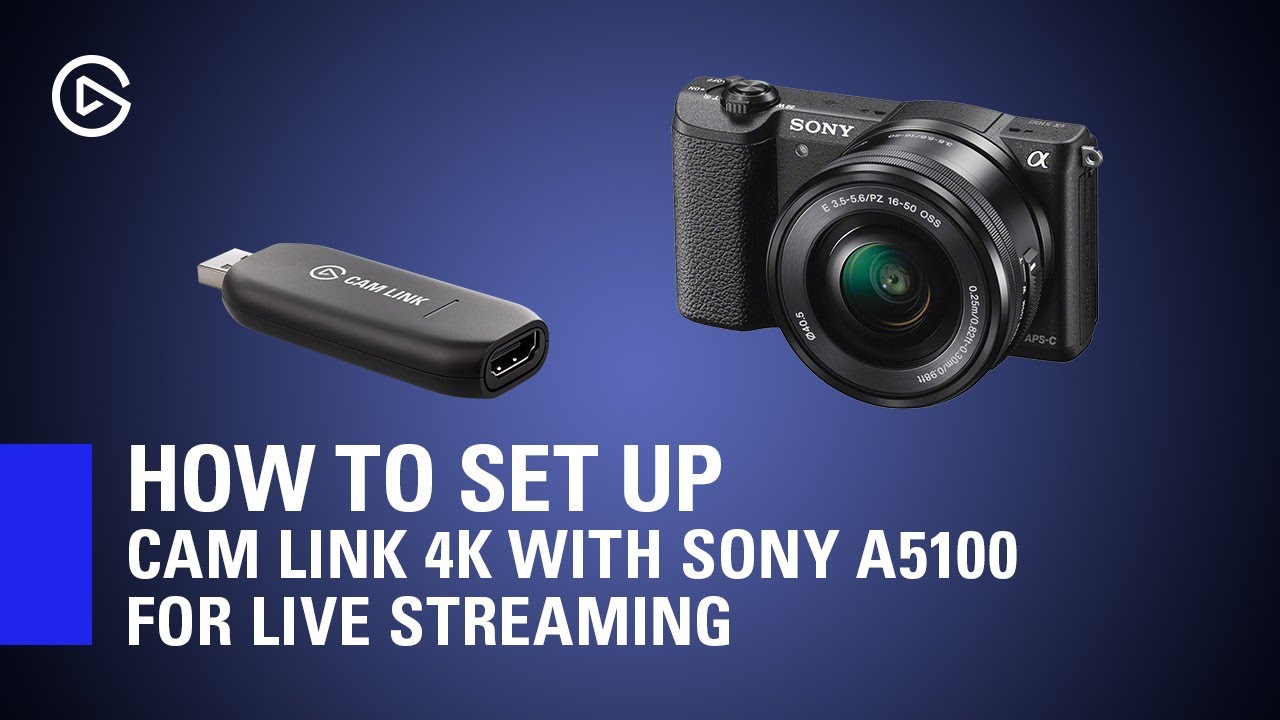
In this video we show you how to properly configure a Sony A5100 for live streaming with Elgato Cam Link 4K!
▼ Product Links:
Sony A5100: https://www.amazon.com/Sony-16-50mm-Mirrorless-Digital-Camera/dp/B00MHPAFAG/ref=sr_1_3?keywords=Sony+A5100&qid=1583787629&sr=8-3
A5100 Dummy Battery: https://www.amazon.com/AC-PW20-Adapter-Coupler-Gonine-Repl...
 compact granite
Can anyone help me figure out how to setup my New Key Light Air?
It wont connect to any of my stuff and I have reset it multiple times and it still says no accessories found
signal hollow
shadow anchor
Sorry, cut & paste fail. Have you followed the guide video for the a5100?: https...
yes i already try that but still not detected, but when i connect the camera to hd60 pro it worked
shadow anchor
signal hollow
yes i already try that but still not detected, but when i connect the camera to ...
Unfortunately, I don't use CamLink. We will have to wait for someone else to help troubleshoot with you.
compact granite
Hey @shadow anchor any solution to my problem?
signal hollow
shadow anchor
Unfortunately, I don't use CamLink. We will have to wait for someone else to hel...
copy that thank you!!
shadow anchor
compact granite
Can anyone help me figure out how to setup my New Key Light Air?
You have tried this already?
@compact granite How to Reset Key Light Air
-
Press and hold the reset switch next to the power cord on the back of the Key Light Air for 10 seconds until the Key Light Air blinks 3 times.
-
Release the reset the button
-
Turn the Key Light Air off by switching the power button off.
-
Wait 10 seconds
-
Switch the Key Light Air on
@compact granite You can also, try restarting your PC/Mac and Restarting your router. Also, your WiFi network needs to be 2.4ghz not 5ghz. That should get us started to a solution!
 tiny jacinth
Heyo!
Any way to have a shortcut in Wavelink to toggle between headphones and speakers for the monitor output..?
I use PcPanel too.
 pale sandal
I have been having issues with my HD60s where it won't register on my computer at all, and i have tried all of the trouble shooting suggestions, but another thing i noticed was that it doesn't appear at all under the device manager much less the game capture software. (I have installed the drivers for this, and uninstalled them, then reinstalled them) i have also tested the USB cords so that isn't the problem.
It does blink 7 times red, so that may be apart of the issue but i doubt it.
shadow anchor
 kind yoke
anyone having issues with stream deck new update?
kind yoke
anyone having issues with stream deck new update?
What error?
 warm umbra
Is there anything I can do to tighten up the ball locks on the mount systems? I can only tighten them so much and they don't always hold tight it seems. I am having sag in my keylights every so often
hidden jolt
For some reason my Twitch connection sends "chat message" fine and clips fine, but "Create Marker" isn't working?
 topaz lotus
while im waiting for a reply to my support issue does anyone know why my PC is saying my elgato has to be in a 3.0 slot when all of mine are 3.1 (front ones are 3.0 but the header on board is a 3.1 too)
for the HD60S (forgot to specify the device) motherboard is an asus z390-f and has worked on an old z270-h motherboard in teh past before i upgraded
fickle pulsar
topaz lotus
for the HD60S (forgot to specify the device) motherboard is an asus z390-f and h...
does your MB allow you to change it from 3.1 to 3.0 some MB do, and some are auto backwards compatible.
topaz lotus
im honestly not sure i had an option to enable or disable
fickle pulsar
topaz lotus
im honestly not sure i had an option to enable or disable
Check and see if your MB has that. 🙂
fickle pulsar
hidden jolt
For some reason my Twitch connection sends "chat message" fine and clips fine, b...
IDK, mine hasn't had issues with Twitch or YouTube.
fickle pulsar
hidden jolt
For some reason my Twitch connection sends "chat message" fine and clips fine, b...
If you've done everything you can, reach out to support via #official-tech-support
topaz lotus
also im getting the same thing on my laptop thats got a USB 3.0
its backwards compatible isnt it?
fickle pulsar
topaz lotus
its backwards compatible isnt it?
it ideally should be, but some MB have to enable a feature
topaz lotus
im not sure where to check in bios. iv checked the USB area and its just disable or enable
fickle pulsar
topaz lotus
im not sure where to check in bios. iv checked the USB area and its just disable...
ok, and does it in the UBS area show enable for 3.0?
fickle pulsar
topaz lotus
and take a photo?
Sure!

 fickle pulsar
topaz lotus
My laptop on the other hand would work wouldn't it though
fickle pulsar
topaz lotus
My laptop on the other hand would work wouldn't it though
seem like it's correct
topaz lotus
I've tried all the blue USB ports to. I don't use the capture card for this reason and I can't send it in as I got it a couple years ago
It's been collecting dust for a long time 😂
fickle pulsar
topaz lotus
I've tried all the blue USB ports to. I don't use the capture card for this reas...
open a support ticket with #official-tech-support see if they can run a diagnostics, and see what can be done. 🙂
hidden jolt
fickle pulsar
If you've done everything you can, reach out to support via <#842491937038925865...
Yea... that got me nowhere with 2 weeks of back and forth in a ticket haha
for the other problem relating to stream connection
fickle pulsar
hidden jolt
for the other problem relating to stream connection
did you ever reinstall windows?
hidden jolt
Yea... that'd be a huge chunk of a day wasted reinstalling haha
topaz lotus
how would i go about as i dont hve the serial number on the back anymore
fickle pulsar
topaz lotus
how would i go about as i dont hve the serial number on the back anymore
I never enter the product part number cause idk it, but i put what my issue is, and say my product. as for the serial, it's usually on the device in tiny print
fickle pulsar
topaz lotus
a whille ago my ADD got to me
Well just explain, maybe elgato can still help.
topaz lotus
i just installed a hypervisor on my old desktop but now i wanna see if it works on there so ill try and install windows
i should have specified i was on windows 11 but it didnt work before either
 deft ibex
Hey guys, I have the 4kpro MK.2 and I can't stop the audio from crackling when I'm streaming my switch into the program. in the 60k capture program there was the secret menu I could match the audio quality with
But I can't find that in the 4k capture program, I even drop the quality to 720p30fps and I still get crackles
Sometimes it will start without crackles but it'll set in within 10 minutes of playing
 unique jungle
@charred flower Hey Snicks, since you've already filed a ticket - what's your ticket number?
 charred flower
unique jungle
<@!592895554665578540> Hey Snicks, since you've already filed a ticket - what's ...
charred flower
unique jungle
<@!592895554665578540> Hey Snicks, since you've already filed a ticket - what's ...
i didnt get a return email
unique jungle
charred flower
i didnt get a return email
After filing a ticket - you should automatically receive an email with your ticket number.
charred flower
i didnt
unique jungle
Did you file a ticket at e.lga.to/help?
charred flower
2004728399 i made another one
unique jungle
Perfect - I'll relay your message to the support team. They'll get back to you via email as soon as they can. 😊
charred flower
ok
 upper dirge
as the icue plugin been fixed yet
shadow anchor
@upper dirge I am not sure. I haven't heard that it has. But, I could have missed it. Let's give it a bit and see if someone knows for sure.
upper dirge
ok i just miss useing my streamdeck to control my pc lighting 😦
shadow anchor
@upper dirge for sure!
south bronze
my monitor still goes black occasionally with the 4k60 pro, i dont have any console on or showing, the only thing thats on is windows
south bronze
it also shows up like this on the app

would it be because my hdmi cable isnt strong enough? when i alt tab from games it causes my screen to go black too which makes me swap hdmi switch channels and switch back to make windows show up again
south bronze
DE: wer kann mir da helfen über die handy app bekomme ich es nicht so hin EN: who can help me with the mobile app I can't do it that way

 rustic moat
Hello, I am trying to fix my audio issues, where Rocket League's sound does not work with Wave Link Game (Elgato Wave:1). Can someone please help? 🙂
 exotic dragon
Also been having audio issues like the one mentioned above ⬆️
 graceful shard
just a quick question here, can the eglato keylight give people seziures at all
shadow anchor
graceful shard
just a quick question here, can the eglato keylight give people seziures at all
If you have Photosensitive Epilepsy, yes. Any light could trigger a seizure.
@graceful shard Here is some additional information if you need it: https://www.epilepsy.com/learn/triggers-seizures/photosensitivity-and-seizures

Epilepsy Foundation
Find safety tips if you’re among the few people with seizures triggered by flashing lights.
rustic moat
Blocked.
Good day, I seem to be experiencing issues with Wave Link on my Elgato Wave 1.
Last week everything was working fine and Rocket League's sound was playing as intended through the Wave Link Game (Elgato Wave:1) channel. (I have not played Rocket League since last weekend though)
Now the Rocket League's sound only works when I choose Headphones (Elgato Wave:1) as the output channel.
While the game is running, I can switch between the channels and when I choose Headphones (Elgato Wave:1), everything works. If I choose any other channel, it doesn't work, whether it is Wave Link Game (Elgato Wave:1), or Wave Link Browser (Elgato Wave:1, or anything else.
The problem persists whether I am playing the game through Epic Games, or through Steam. I also start both applications as an administrator, to rule privileges out.
Other games' sound works, without any problems.
For the Wave application, I was on version 1.2.0.2452 when I noticed the issue, in an attempt to fix the problem I have updated the application to the latest version 1.3.0.2538, but the problem persisted.
I have restarted my PC, and it did not fix the issue.
My operating system is Windows 10 Version 21H1 (OS Build 19043.1288)
Specs:
- CPU: AMD Ryzen 7 2700X
- RAM: 2x 8GB DDR4 3200 MHz RAM
- SSD: 500 Samsung 860 EVO
- GPU: NVidea GeForce RTX 3080
- Headphones: Sennheiser HD 450BT
Any ideas of what troubleshooting steps I can do?
exotic dragon
rustic moat
Good day, I seem to be experiencing issues with Wave Link on my Elgato Wave 1.
...
i've been ending task and un/replugging mic a a temp fix
 devout ether
I’ve been having issues with my el Gato key light I have if of them and they won’t connect to my wife all of a sudden and they will not show up in control center
wooden flax
Hi. I have Wave 3 mic, and I want to use it just as a microphone for things like Zoom and Discord. Do I need to have Wave Link software running in background?
fickle pulsar
upper dirge
as the icue plugin been fixed yet
Not yet, but I got an email with a link to download the previous version of icue, and that one works.
upper dirge
awsome
fickle pulsar
wooden flax
Hi. I have Wave 3 mic, and I want to use it just as a microphone for things like...
not really, but the software has some awesome features.
wooden flax
fickle pulsar
not really, but the software has some awesome features.
For using just as mic? Like what?
 bronze rivet
Hello! I wanted to ask about an issue I've been having with my Elgato ever since I built my new pc. I'm trying to connect my switch. I've replaced cables, tried all usb and hdmi ports, changed the dock I used, unplugged and replugged the cables, restarted my computer, uninstalled the game capture program and trouble shooted it as well. Nothing is working, and I'm not sure if its a cable issue or if the elgato itself is having issues.
shadow anchor
bronze rivet
Hello! I wanted to ask about an issue I've been having with my Elgato ever since...
Your Elgato what? What device and model?
shadow anchor
bronze rivet
its the
Your PC isn't seeing it at all?
bronze rivet
it tells me no signal
The elgato will light up and then give me red lights indicating no connection
shadow anchor
bronze rivet
The elgato will light up and then give me red lights indicating no connection
Try these steps first: https://help.elgato.com/hc/en-us/articles/360041857951-Troubleshooting-No-Signal
@bronze rivet Let us know if any of those fixes your issue or you need more help!
@bronze rivet Double check this part "The source needs to be connected to the HDMI in port, and the TV/Monitor needs to be connected to the HDMI Out port. Cables that are not properly connected to the source HDMI Output port or the capture card HDMI Input port could cause the capture card to not correctly acquire the signal."
bronze rivet
Those I've already checked. I've had it working before. I'm thinking its possible to be a HDCP issue
bronze rivet
nope not working
bronze rivet
@shadow anchor in case you didnt see
 sterile wave
Hey everyone, my wave link isn't channeling audio through the stream channel. It all of the sudden stopped working. Anybody around that can assist me? I'm using Wave XLR, wave link 1.3.0.2538
 woeful widget
Does this mean anything or is it just a standard message put across all games that will need it? Its a pre-ordered game but it has been installed ready for charge and release.

Only comes up on certain games not all.
Its on the Microsoft Store.
shadow anchor
bronze rivet
<@!234517444826234880> in case you didnt see
Hmmm... let's give it some time and see if someone else has any ideas. @fickle pulsar
shadow anchor
woeful widget
Does this mean anything or is it just a standard message put across all games th...
This probably not the place for your question. You will get much better help on a Microsoft forum / Discord since this is an Elgato product forum.
woeful widget
👌
shadow anchor
woeful widget
👌
I will ask the obvious, do you have the update mentioned? Are you running the install as administrator?
woeful widget
Yes. I just didn’t know if everyone gets the message or if it was just a me problem. The game is installed but not released yet.
shadow anchor
woeful widget
Yes. I just didn’t know if everyone gets the message or if it was just a me prob...
Fair enough. I will say that I have never seen that message from the MS Store or any of the games/apps on there.
frosty sequoia
how long is the hdmi cord that comes with the elgato?
woeful widget
shadow anchor
Fair enough. I will say that I have never seen that message from the MS Store or...
I think it all depends on the game really because even on the notes on some news articles for the release of games its there.
Example:
 safe bronze
^ rlly good game btw
woeful widget
Another example.. I should be OK.. we will see what happens when the game comes out
 shadow anchor
woeful widget
Another example.. I should be OK.. we will see what happens when the game comes ...
shadow anchor
woeful widget
Another example.. I should be OK.. we will see what happens when the game comes ...
Good luck!
woeful widget
shadow anchor
Good luck!
Cheers!
 hallow axle
guys im missing the more actions button on the bottom right can someone tell me where it is? Thanks
 shadow anchor
hallow axle
guys im missing the more actions button on the bottom right can someone tell me ...
shadow anchor
hallow axle
guys im missing the more actions button on the bottom right can someone tell me ...
It has been replaced by the Plugin Store. Click on the icon at the top.
 hallow axle
shadow anchor
It has been replaced by the Plugin Store. Click on the icon at the top.
hallow axle
shadow anchor
It has been replaced by the Plugin Store. Click on the icon at the top.
gotchu ok thanks
livid sparrow
been having trouble getting the hdmi passthrough to work on my 2nd monitor. whenever i switch my monitor to HDMI, the signal of the hd60s+ gets cut and it doesn't show up on the monitor at all, then signal goes back to the HD60S+ just fine. not sure how to fix this problem, i've tried replacing the HDMI cable to the same result. any ideas how to fix this?
wooden flax
The same dimming thing happens even on MacOS.....why would my Steam Deck mk.2 not go to sleep!!!!
fickle pulsar
wooden flax
For using just as mic? Like what?
controlling all audio being routed to a monitor and stream mix
wooden flax
fickle pulsar
controlling all audio being routed to a monitor and stream mix
But I won't need to output other sounds other than my voice for Zoom and Discord, right?
fickle pulsar
bronze rivet
The elgato will light up and then give me red lights indicating no connection
IN is connected to your Console, OUT to your TV/Gaming Monitor, and USB-C to USB 3.0 on your PC Motherboard? Are your bios/drivers updated?
charred flower
anyone know how to make the facecam stop freezing
 clear dragon
does anypne know where the capture card doesnt show up in share screen on discord ?
bronze rivet
fickle pulsar
IN is connected to your Console, OUT to your TV/Gaming Monitor, and USB-C to USB...
Yep yep :D all updated and good. I ended up sending in a ticket just in case.
bronze rivet
shadow anchor
Hmmm... let's give it some time and see if someone else has any ideas. <@!476160...
Thank you for the help though<3
fickle pulsar
bronze rivet
Yep yep :D all updated and good. I ended up sending in a ticket just in case.
is it working?
bronze rivet
fickle pulsar
is it working?
Nope
 lunar kernel
Sound capture is giving me no PC audio
topaz lotus
is it possible to update a ticket that i created?
frosty sequoia
i'm running a 2 pc stream set up and when i connected my elgato it has a second display?
so now some of my apps are on the 2nd display that i can't see
 rare elm
Try extending the displays on the streaming pc
rare elm
topaz lotus
is it possible to update a ticket that i created?
Yep, add a reply to your previous email and it will be added to the ticket
 hasty steeple
Hi guys! I got an issue with my Elgato Facecam (or my motherboard I guess, not sure which one is the problem)
After I got a new Motherboard: ASUS ROG Strix B550-F Gaming (Wi-Fi)
and a new GPU: RTX 3060Ti
my Eglato Facecam just stops working. If I'm just using the webcam in calls its fine, but if I use OBS and route the video to OBS. Or if I use Microsoft Teams (it works if I'm just in a call) but if I start screensharing simultaneously, the Facecam just freezes and shuts down.
- I've tried all the USB ports that I have (they are 3.2 USB ports)
- I've tried another cable
- I've tried reinstalling Windows and all the drivers, completely resetting my PC
- I've tried scaling down the resolution via Camrea Hub
nothing seems to work... Any ideas?
tiny jacinth
hello again~
Any chance anybody knows about this issue?
if that's a Windows10 thing maybe the problem is on windows/touchportal's end?
exotic dragon
Is it y’all are selective with what issues you help with or is all audio/wave software questions out of the realm of the community techs here? I’ve seen the question about the wave 3 not picking up game audio/ audio not coming thru monitor mix at least 3 times with no answers feedbacks or suggestions.
safe bronze
exotic dragon
Is it y’all are selective with what issues you help with or is all audio/wave so...
the majority of people who give help here are just users who know a thing or two about elgato hardware, software and general troubleshooting...
When something is asked that we don't know the answer to or can't help with... We can't provide help...
if you're lucky you might get the attention of elgato staff who can help but I've only rlly ever seen em respond in beta channels
exotic dragon
safe bronze
if you're *lucky* you might get the attention of elgato staff who can help but I...
I get that… but at least saying “hey we’ve seen this a few times here, but we can’t really help. Just wait on that support ticket” I feel would be helpful. Especially those that came here after submitting a ticket via the site saying “hey join our discord” 😂 just kinda frustrating
Appreciate the kind response tho
safe bronze
I get that, but generally people will just wait for the next person to see it and possibly help
exotic dragon
safe bronze
I get that, but generally people will just wait for the next person to see it an...
Sorry, I lol’d, cuz if this isn’t a perfect analogy for our world today 😂😂😂
safe bronze
true haha
shadow anchor
exotic dragon
I get that… but at least saying “hey we’ve seen this a few times here, but we ca...
I don't think you really want 30,000 sorry I can't help you messages. We answer every question we can help with. Unfortunately, when someone sees that I replied for example, they assume I am working the issue (at least I do). Be patient. There ARE people here who can help you with audio/wave issues.
@exotic dragon I don't see your question here about your audio/wave issues. You will get help quicker if you describe your issue and what product your issue is with.
Don't forget, we do this out of the kindness in our hearts. We don't get paid for this!
 versed sonnet
Heyy i'm trying to get my old game capture hd to work but no matter what I do, it keeps saying no devices found. I was having the same problem with trying to connect epoccam to my pc via usb. pls helpppp
exotic dragon
shadow anchor
Don't forget, we do this out of the kindness in our hearts. We don't get paid fo...
No I absolutely understand, and I did just join the server yesterday (via elgato help sections on the site) but in that amount of time I saw the same audio issue being presented a few times and no one to answer.
I’ve been having several issues with wave link software. Sometimes it won’t pick up game audio, sometimes monitor mix goes dead silent but stream mix works. Troubleshooted via elgato website and didn’t help (unplug usb from mic and pc, update drivers, etc whole nine yards) . The LEDs on the mic go off even when the mic is plugged and working—from what has been a temp fix for me : ending task and starting the program over, sometimes have to do it a couple of times
shadow anchor
versed sonnet
Heyy i'm trying to get my old game capture hd to work but no matter what I do, i...
The HD60s?
versed sonnet
nah older. it's simply the game capture hd

 shadow anchor
exotic dragon
No I absolutely understand, and I did just join the server yesterday (via elgato...
shadow anchor
exotic dragon
No I absolutely understand, and I did just join the server yesterday (via elgato...
Windows or Mac?
shadow anchor
versed sonnet
nah older. it's simply the game capture hd
Could you be having USB issues? If multiple devices won't work in the USB ports, then the first thing that comes to mind is a USB issue.
exotic dragon
shadow anchor
Windows or Mac?
Windows 10
shadow anchor
exotic dragon
Windows 10
Try this: Go to https://www.streamdecklabs.com/tutorials and read the "How to Disable Windows 10 & 11's 'USB selective suspend' Setting" and see if that resolves the Mic turning off.

Stream Deck Help & Tutorials
versed sonnet
shadow anchor
Could you be having USB issues? If multiple devices won't work in the USB ports,...
Maybe. I do have a prebuilt pc after all. How would I fix it? I mean the usb's worked for charging my phone and I used them with my keyboard once
exotic dragon
shadow anchor
Try this: Go to https://www.streamdecklabs.com/tutorials and read the "How to Di...
Will give it a go
shadow anchor
exotic dragon
Will give it a go
Let me know if that fixes your issue!
shadow anchor
versed sonnet
Maybe. I do have a prebuilt pc after all. How would I fix it? I mean the usb's w...
Are you getting any errors when you plug it in or just nothing.
versed sonnet
This is on settings but that's it
 shadow anchor
versed sonnet
This is on settings but that's it
shadow anchor
versed sonnet
This is on settings but that's it
Did you install the latest drivers? https://gc-updates.elgato.com/windows/drivers/hd/download.php
versed sonnet
That worked! Thankyouuu


 crude fox
I have the elgato 4k one @shadow anchor
 bold ermine
alright you guys I have a little problem, my hd60 pro passthrough is not working, but is capturing well
I tested the cable and it's good, and I tested on different monitors and "no signal" any idea ? i have the latest hd60pro driver installed and latest game capture
i'm inputing a nintendo switch
bold ermine
now testing with yet another screen and with 4K utility and still, no signal on the TV but perfect signal in the 4K capture utility, I turned my computer off and unplugged the power supply for 1min and restarted
nothing works
apparently nobody on the internet ever had this problem so here I am, except some people that said some update broke the passthrough and to reinstall an older version, I did install the exact same version as they did to no avail
frosty sequoia
i'm using a 2 pc setup, one is my gaming pc and the other is my streaming pc (M1 macbook air), i can get obs studio to show the stream so i know it's detected, yet the 4k capture utility keeps saying no elgato detected? I have the Elgato hd60s+
shadow anchor
crude fox
I have the elgato 4k one <@234517444826234880>
Try restarting OBS,. If that doesn't help, Try changing the USB port it is plugged into.
bold ermine
Tried reseating the card and still the same, only input working but no pass through, I also desinstalled everything and reinstalled 4K utility and low and behold as earlier in the night when I did this, it broke the HD60 Pro driver that now appears as "PCI Device" in device manager with a warning on it 'no driver installed"
so** PSA: 4K Capture utility breaks HD60 Pro driver (or actually installs broken driver) if nothing was installed before**
shadow anchor
bold ermine
Tried reseating the card and still the same, only input working but no pass thro...
Install it from here: https://gc-updates.elgato.com/windows/drivers/hd60-pro/download.php
bold ermine
as you can see it's not my first ride xD

this is exactly what I downloaded to get the input to work again, shut the pc down unplugged the power, waited 1min and restarted
the input works again and the card is detected, still no passthrough at all tho, tested the switch in 720p, full/limited range, restarting the switch disconnecting everything etc etc
no passthrough
this card used to work perfectly (passthrough included) on a prior intel build
6950x x570 tomahawk, tried on a small pci port and big x16, same problem
shadow anchor
bold ermine
the input works again and the card is detected, still no passthrough at all tho,...
Glad it's working again at least. I am a plugin developer not a streamer, so I don't use a capture card. Lets give it a bit and see if @fickle pulsar comes on and can help you. This is her area of expertise 🙃
bold ermine
oh nice ! thanks
fickle pulsar
bold ermine
6950x x570 tomahawk, tried on a small pci port and big x16, same problem
what console?
 sweet falcon
ok so, im doing a big project and wanted to confirm what i was about to do so i dont lose any vide footage
im using an elgato hd60, and the EGC_Library folder is taking upa a lot of space on my computer.
online i read that its better to just delete the videos in the "edit" tab of HD60 capture software to free up space than just deleting the contents of the folder itsself
i want to do that, but i dont want to lose any footage. I have all of the videos exported already, but wanted to make sure it wouldnt be an issue if i delete the videos in teh edit tab

these are my exported videos in my videos folder on my computer
and the egc library which is currently taking up almost 300 gigs of space
 pastel vine
Does anyone know why when i add an "NDI Source" to try and use multi app with elgato 4k utility theres no option on streamlabs obs for that? I'll literally dono you if you can help me
bold ermine
fickle pulsar
what console?
switch
fickle pulsar
are your bios/drivers updated?
bold ermine
actually yes
had some previous problems with usb audio and pcie 4
so updated very recentlyu
 pastel vine
Also why doesnt Elgato support multi app for 4k60S+
kind yoke
@shadow anchor this

i have tried uninstalling
reinstalling
deleting temp files
deleting the program under program files
nothing has worked
 burnt barn
has anyone gotten HD60 Pro working on linux yet? (either wine or native)
shadow anchor
kind yoke
- Right click task bar to open Task Manager. If necessary show More Details
- On Details tab look for msiexec.exe, highlight to End Task.
- Now try install again.
@kind yoke Let me know if that works for you
kind yoke
doesnt work
there is no msi.exec.exe
only comes on under details when i go to run uninstaller
shadow anchor
burnt barn
has anyone gotten HD60 Pro working on linux yet? (either wine or native)
Someone started making a Linux driver, but gave up. That was awhile ago, so you may want to do some searching.
shadow anchor
kind yoke
doesnt work
Try the MS Troubleshooter here: https://support.microsoft.com/en-us/topic/fix-problems-that-block-programs-from-being-installed-or-removed-cca7d1b6-65a9-3d98-426b-e9f927e1eb4d
The Program Install and Uninstall troubleshooter helps you automatically repair issues when you're blocked from installing or removing programs.
@kind yoke that works most of the time. Let me know.
pastel vine
Can I record raw gameplay on the elgato 4k60S+ with sd card whilst streaming on streamlabs obs?
burnt barn
shadow anchor
Someone started making a Linux driver, but gave up. That was awhile ago, so you ...
I already contacted the people who made the card itself to ask for their drivers/software, but I'll probably have to start digging in the driver eventually
windows drivers are a pain in the butt to reverse-engineer though...
shadow anchor
burnt barn
I already contacted the people who made the card itself to ask for their drivers...
Just create a windows partition and run linux in a VM and record the VM. You can't do it the other because you wont have USB passthrough.
burnt barn
I'll pass on that, I'd have to move my entire PC into a windows VM for that :P
right now windows is my side partition for capture only
I also don't really know why Elgato doesn't support linux; Their software uses dotnet (I think?) which is now cross-platform, and the capture cards (+QCAP software) should support linux according to YUAN's website
shadow anchor
create an image of your Linux side, load onto VM, Done.
burnt barn
ah yes let me load up a 5tb image on a 50GB partition
shadow anchor
lol 5tb linux partition?
a 1TB thumb drive is only $30
Just trying to thow out some solutions for you
fickle pulsar
bold ermine
so updated very recentlyu
I'd say open a a support ticket. #official-tech-support I don't think it's hdmi cables, but you could switch out your cables, and see.
bold ermine
I tested 3 cables
 snow silo
anyone here know how to tell if a Corsair Void is charging? its been plugged up since last night and its still not staying connected to my PC
I'm in that discord but get ignored when I ask
shadow anchor
snow silo
anyone here know how to tell if a Corsair Void is charging? its been plugged up ...
ahhh
@snow silo DOes it not tell in iCUE?
@snow siloIt's under settings device
snow silo
 shadow anchor
or the Dashboard when you select battery
@snow silodo you have an amber charging light?
 shadow anchor
@snow siloI found this for you. Evidently this is not an uncommon issue: https://forum.corsair.com/forums/topic/137011-corsair-void-pro-wireless-wont-finish-charging/
Corsair Community
I just purchased the VOID PROs. I Plugged them in to charge straight out of the box as the instructions say. They have been plugged in for over 36 hours. Are they faulty, or is there something I can do?
frosty sequoia
so i got the elgato hd60s+ and i have the hdmi going to my gaming pc and the usb 3.0 going to my my streamjng pc (m1 macbook air). After hooking the elgato up i know have a ghost screen to the right of my only monitor?
the ghost screen is showing as the hd60s+
 hollow hare
To my veteren steamers/content creators out there whom use Elgato lights, quick question - Do you use 2 Elgato Key Lights or can you light just as well with 1 Key and 1 Air light? Haven't been able to get a nice clean cutout on my greenscreen with just the 1 Key Light
fickle pulsar
snow silo
might want to lower the brightness on the led. i have mine as low is it can be, but not off. It reduces the battery usage.
fickle pulsar
frosty sequoia
the ghost screen is showing as the hd60s+
here's a compatibility chart, and maybe try using OBS. https://help.elgato.com/hc/en-us/articles/360052527791-Apple-Silicon-Compatibility-M1-Chip-
 frosty sequoia
i am using obs
fickle pulsar
hollow hare
To my veteren steamers/content creators out there whom use Elgato lights, quick ...
I use 2 key lights.
frosty sequoia
it shows it's compatible
fickle pulsar
frosty sequoia
it shows it's compatible
are you using OBS Link?
frosty sequoia
what is that
fickle pulsar
frosty sequoia
what is that
I'll take that as a No. Try a different USB port.
fickle pulsar
pastel vine
Can I record raw gameplay on the elgato 4k60S+ with sd card whilst streaming on ...
have you tested it out, or is this a question before buying?
frosty sequoia
it only has 2 thunderbolt ports?
so just switch it to the other thunderbolt port?
fickle pulsar
frosty sequoia
so just switch it to the other thunderbolt port?
are you using a thunderbolt 3 to thunderbolt 3 cable, or usb-c to usb-c cause it could be power bandwidth based on the cable. Does your Mac not have a usb 3.0, and are you not using the cable elgato gives with the capture card?

 fickle pulsar
frosty sequoia
using this
fickle pulsar
frosty sequoia
using this
ok, try a different port.
frosty sequoia
okay
fickle pulsar
frosty sequoia
are you connected to a charger while using the capture card?
frosty sequoia
i can be if needed
fickle pulsar
frosty sequoia
i can be if needed
please try it connected to a charger, my guess is power issues.
frosty sequoia
i was connected all day yesterday charging and was still experiencing the same issues, although now i'll be switching what port i used and see if that makes a difference
fickle pulsar
frosty sequoia
i was connected all day yesterday charging and was still experiencing the same i...
ok, if not it could be the cable. maybe a thunderbolt cable may be ideal.
 ruby kayak
Can someone help me learn how to set up a sound bar on the stream deck I’m going I want to played on my stream like an airhorn sound
pastel vine
fickle pulsar
have you tested it out, or is this a question before buying?
Yeah owned it for few months doesn’t work
fickle pulsar
pastel vine
Yeah owned it for few months doesn’t work
are there drivers to install?
pastel vine
fickle pulsar
are there drivers to install?
Everything’s updated. Ndi is what you need but no option on the source on streamlabs obs
 spring quail
Hi guys, i need a bit of help in getting my head arround this. Now i have found individual setup guides, but i am looking for a combination. So i have an X7 amp for my headphones, an HD 60S+ and an elgato XLR. my plan, is to use wavelink to have the headphone sound with all sounds and stream mix that goes with the HD60 captured video
i believe my question is how to get the waveLink stream mix output to become NVIDIA speakers (which is what i believe is the audio that goes to the HD60S+?)
burnt barn
Does anyone know how to find the serial number for the yuan board the HD60 Pro uses?
spring quail
update: i realised i can set the HD60s nvidia output to listen to the Wave stream input source. that solved it
 undone fox
What could be causing my capture card OBS preview to lag behind my actual gameplay when I'm not even streaming or recording? I'm using the Elgato HD60 S to capture my PS4 display for OBS
shadow anchor
burnt barn
Does anyone know how to find the serial number for the yuan board the HD60 Pro u...
It would be printed on the board itself. WinVIEWS can extract it via software, if you can find a copy.
 quasi brook
Anybody know how to fix Wave Link from crackling constantly?
Having a look on google it's a thing a lot of people have experienced and apparently changing a config buffer in settings is meant to be the fix, but that didn't do anything for me
fickle pulsar
pastel vine
Everything’s updated. Ndi is what you need but no option on the source on stream...
did you install the ndi with OBS as a plugin?
pastel vine
fickle pulsar
did you install the ndi with OBS as a plugin?
Installed it after streamlabs obs as a plug-in yes
fickle pulsar
undone fox
What could be causing my capture card OBS preview to lag behind my actual gamepl...
This card had#s latency. It’s recommended to have OUT connected so you can still game
fickle pulsar
pastel vine
Installed it after streamlabs obs as a plug-in yes
open a support ticket with #official-tech-support
 finite wing
is there a way to swap my buttons from slobs to obs with out redoing them all?
 shadow anchor
finite wing
is there a way to swap my buttons from slobs to obs with out redoing them all?
shadow anchor
finite wing
is there a way to swap my buttons from slobs to obs with out redoing them all?
Good question. I don't really know. @fickle pulsar will probably know. She is probably asleep. Give her a bit.
finite wing
shadow anchor
Good question. I don't really know. <@!476160810457235466> will probably know....
ok no worries i just dont want to delete them all and start again haha
 crystal jewel
Hi, does anybody have any experience in using elgato wave:3 in an office plan space? Meaning, is it good to use compared to "traditional" head sets that they use in call centers?
safe bronze
crystal jewel
Hi, does anybody have any experience in using elgato wave:3 in an office plan sp...
The wave:3 is a condenser microphone, which means it is very sensitive compared to dynamic microphones such as the microphone in call center headsets
so if you have a lot of people talking around you and lots of background noise, the wave 3 is not suitible
crystal jewel
safe bronze
The wave:3 is a condenser microphone, which means it is very sensitive compared ...
Thank you a lot for this swift answer!
safe bronze
no problem!
 terse tiger
Hello Guys, im on a dual streaming setup and wanted to know if the PCIE capture cards with an inbuilt video encoder have any advantage over a regular capture card (hdmi + usb) etc.
Im looking for a card that has the least possible ressource drain on my gaiming computer.
Help would be very appreciated, thank you.
safe bronze
terse tiger
Hello Guys, im on a dual streaming setup and wanted to know if the PCIE capture ...
Elgato capture cards with built-in encoders have little advantage over other elgato capture cards, the reason for this is that all GPUs from the past 8 years have built in encoders themselves which can be used in OBS, and if you dont have a GPU in your computer, chances are you're using an intel CPU with an integrated GPU, which supports Quicksync encoding, which utilises the integrated GPU for encoding, with similar levels of quality to x264 (software encoding)
Alternatively, if you have a cpu with 8 or more cores, you would easily be able to use software encoding.
However, if you have neither a GPU or CPU with integrated graphics or a cpu with enough cores, you would benefit from a capture card with built-in encoding...
This is my knowledge on quality between different encoding methods (this is not linear, some of these are very similar quality, some arent):
x264 (software) > NVENC (nvidia encoding) > Quicksync (intel encoding) > AMD Encoding
(Im not sure where elgato encoders fall on this scale)
crystal jewel
safe bronze
The wave:3 is a condenser microphone, which means it is very sensitive compared ...
Would you perhaps able to recommend me a microphone for that kind of setting?
safe bronze
crystal jewel
Would you perhaps able to recommend me a microphone for that kind of setting?
sure! what are your requirements? do you need a USB microphone?
crystal jewel
safe bronze
sure! what are your requirements? do you need a USB microphone?
Yes, USB and if possible, something standalone (not headset) like the wave:3
safe bronze
here are a few options
http://www.samsontech.com/samson/products/microphones/usb-microphones/q2u/
this mic is very well priced but has minor quality control issues
https://www.amazon.co.uk/Shure-MV7-Microphone-Podcasting-Voice-Isolating/dp/B08G7RG9ML/
This mic is a little more expensive but is very well valued, sounds very good, but requires a boom arm (or you can buy the optional tripod

Samson Technologies
Samson - USB Microphones - Q2U Recording and Podcasting Pack

Shure MV7 USB Podcast Microphone for Podcasting, Recording, Live Streaming & Gaming, Built-in Headphone Output, All Metal USB/XLR Dynamic Mic, Voice-Isolating Technology, TeamSpeak Certified - Black
crystal jewel
safe bronze
here are a few options
http://www.samsontech.com/samson/products/microphones/us...
thank you!
terse tiger
safe bronze
Elgato capture cards with built-in encoders have little advantage over other elg...
thank you. since ndi also uses x264 i just could keep using ndi?
safe bronze
terse tiger
thank you. since ndi also uses x264 i just could keep using ndi?
what do you mean?
NDI is a network video protocol right?
Are you using NDI to capture your main pc and send it to your streaming pc?
terse tiger
yes
i thought a capture card could be less Ressource intensive
but i guess no Matter what you pick, theres always a ressource drain on the gaming rig
safe bronze
terse tiger
but i guess no Matter what you pick, theres always a ressource drain on the gam...
It would in that case
Using NDI to capture video on your main PC would involve encoding the video on that PC, thus using resources on that computer, using a capture card would capture the video in an uncompressed format allowing your streaming PC to do all of the encoding...
so your gaming pc would have no performance hit
So you should capture video from your main PC using a capture card such as any from elgato
terse tiger
wont it simulate another monitor that has to be feed with data by gpu/ cpu?
im new to capture cards and find it hard to Wrap my head around it  i will use passtrough anyway right?
safe bronze
terse tiger
wont it simulate another monitor that has to be feed with data by gpu/ cpu?
There are 2 ways to use a capture card,
you can passthrough the HDMI which would have 0 performance hit whatsoever as you arent adding an additional monitor
or
you can mirror a display to the display output going to the capture card which would only effect the frame buffer which would not effect performance in any meaningful way
safe bronze
terse tiger
im new to capture cards and find it hard to Wrap my head around it <:tomstare:58...
yeah
shadow anchor
Personally, I use a late 1990's VHS Sony CamCorder, then I take the tape to Kinko's and have them convert it to video. But DONT STEAL MY SET UP.
safe bronze
haha
 brave rivet
Surface Pro 7+ i7, 32gigs, 64-bit Windows 11 connected to a Surface Dock 2. Why is my HD60S+ keeps blinking red? It's not diplaying in OBS either.
fickle pulsar
finite wing
is there a way to swap my buttons from slobs to obs with out redoing them all?
No, you’d have to create them with the Streamlabs OBS plugin
finite wing
fickle pulsar
No, you’d have to create them with the Streamlabs OBS plugin
ok no worries
fickle pulsar
safe bronze
Elgato capture cards with built-in encoders have little advantage over other elg...
I love how you explained this.
crystal jewel
safe bronze
here are a few options
http://www.samsontech.com/samson/products/microphones/us...
If you allow me this question: how do they compare to noise cancelling headsets? I'm kinda worried that they could cost more (esp. the shure) but work less good than a headset. I don't know much about mics actually.
safe bronze
crystal jewel
If you allow me this question: how do they compare to noise cancelling headsets?...
Dynamic mics aren't very sensitive but because they're higher quality, they'll probably pick up more sound than worse mics, there are sofwtare solutions that can help with this though, such as noise suppression, noise gate, etc, which may be worth looking into
crystal jewel
so if you'd have the choice in between, lets say the samson and a headset with noise cancelling, which one would you go for? setting would be an open space office.
or if you could pick the shure?
sorry that I'm probably asking n00b questions - i am deaf so I don't know much about mics.
safe bronze
I'd probably go with the samson and use software to minimise background noise
safe bronze
No it doesnt, but there's apps like https://krisp.ai (krisp isnt free)
 crystal jewel
the costs aren't the issue but the fact that its a cloud solution is.
safe bronze
Other solutions are usually harder to set up
im assuming you dont have a geforce RTX gpu?
 crystal jewel
safe bronze
im assuming you dont have a geforce RTX gpu?
crystal jewel
safe bronze
im assuming you dont have a geforce RTX gpu?
is this an answer to me? what does RTX gpu hav to do with sound? and just to answer, no I don't have this.
crystal jewel
safe bronze
Other solutions are usually harder to set up
I'm willing to learn though 🙂
safe bronze
crystal jewel
is this an answer to me? what does RTX gpu hav to do with sound? and just to ans...
Geforce RTX GPUs have AI accelerators which can be used to remove background noise from an audio signal, if you had one, you would be able to make use of this, thats why I asked
crystal jewel
ah, now i understand.
safe bronze
crystal jewel
I'm willing to learn though 🙂
Are you working on a work computer or is it a personal computer
I ask because IT admins might not like you installing audio software on a work computer and your environment makes it sound like you're on a work computer
crystal jewel
safe bronze
Are you working on a work computer or is it a personal computer
I ask because IT...
PMed you.
fickle pulsar
 abstract onyx
is there a way to fix it
abstract onyx
is there a way to fix it
Per elgato
Thank you for contacting Elgato Support.
We are sorry to hear that you are having issues with the Elgato Stream Deck software.
Our Developers are investigating this problem.
Please uninstall the current version of iCUE and then install the following version:
https://downloads.corsair.com/Files/CUE/iCUESetup_4.15.153_release.msi
Does that help?
fickle pulsar
abstract onyx
they are working on it. as I got a follow up email too.
fickle pulsar
abstract onyx
thank you
You're Welcome! If I ever have issues, I troubleshoot first before opening a ticket. When I get an answer I share too. 🙂
safe bronze
safe bronze
Elgato capture cards with built-in encoders have little advantage over other elg...
just need to clarify something
I've looked into the HD60 pro and its encoders and it seems as though they can only be used in elgato's game capture utility, so can't be used in OBS... they do enable for a few nifty features in elgato game capture...
 jaunty carbon
Is it normal for Wavelink to use a constant 12% cpu?
safe bronze
jaunty carbon
Is it normal for Wavelink to use a constant 12% cpu?
what CPU?
and are you using any VSTs in the new BETA
jaunty carbon
It's an 8700k and I am using VSTs in the new beta but I tried reinstalling the non beta version and had the same issue
safe bronze
thats curious
jaunty carbon
I tried googling obviously but couldn't find anything at all, it's mostly bothering me because it prevents my cpu from clocking down while not in use.
safe bronze
As a band-aid solution you could change wave links affinity so it can only utilise one core
although it may already do that idk lol
jaunty carbon
I was thinking that. The problem also remains if I unplug my wave 3 and headset cable
It's mostly a fresh install of windows 11 as well
safe bronze
you might have to make a support ticket for this one
jaunty carbon
You might be right, I thought I would make sure no ones else was having issue before I submitted one
wooden flax
I hope Stream Deck not turning off the screen completely in Sleep mode gets fixed soon too!
jaunty carbon
safe bronze
you might have to make a support ticket for this one
I tried setting affinity to one core and it takes that one core to 100% non stop haha. I submitted a ticket!
rustic moat
exotic dragon
i've been ending task and un/replugging mic a a temp fix
I have tried that, but unfortunately that didn't fix the problem.
I have found that the issue is not limited to Rocket League, GTA V is also affected.
It looks like there are 2 audio channels created for 1 game. The one is routed to Headphones (Elgato Wave:1) and the other is routed to Wave Link Game (Elgato Wave:1).
The problem is that the instance of the GTA V channel that plays through Wave Link Game (Elgato Wave:1) is not making any sound. Also the channels are independent, meaning if you mute the one, it doesn't mute the other. Very strange... What could be causing this issue? Why is it making 2 channels for 1 game?
signal hollow
signal hollow
any help with my problem, my elgato camlink can't detect my sony a5100 camera i...
Any help please thank you 😔😔😔
any help with my problem, my elgato camlink can't detect my sony a5100 camera i've been try all the 3.0 usb port but still can't detect any signal? But when i plug the camera to hd60 pro it worked any help please thank you
fickle pulsar
rustic moat
I have tried that, but unfortunately that didn't fix the problem.
I have found ...
Some games are hardcoded to system default audio, and some aren’t.
 solemn rain
Hey everyone. I'm new here. I got an issue. Whenever my Elgato HD60 is on during OBS, it mutes on the TV and in OBS, and I don't know how to fix it.
burnt barn
Does anyone know the YUAN board used for the HD60 Pro?
sweet falcon
sweet falcon
ok so, im doing a big project and wanted to confirm what i was about to do so i ...
Hey all, asking this same question :)
 gritty quarry
hi guys, playing xbox through a 4k60 pro. my colours seem really washed out compared to if i just connect the HDMI cable direct. any idea what setting i might be missing?
i was assuming it'd be something with colour space, but thats only really affecting the obs capture for example not the display
safe bronze
gritty quarry
hi guys, playing xbox through a 4k60 pro. my colours seem really washed out comp...
Is this a new Xbox series console?
gritty quarry
one x
safe bronze
That console supports hdr right?
My guess is possibly hdr is having issue with a capture card
Not sure tho
gritty quarry
yes, ive tried disabling hdr
safe bronze
Hm
See if someone else can help but if not, you could try use a hdmi splitter instead of using the capture card passthrough
gritty quarry
i mean it really screws up the system because it thinks my display is a 4k but my display sadly really doesnt accept 4kinput
safe bronze
Yeah someone else is gonna have to help you with this one I have no experience with capture cards so I can’t really help with rare issues
undone fox
Why is there a ton of lag on my HD60 S’s preview in OBS but basically no lag on my PS4’s monitor? This is becoming a real problem
It makes streaming my speedruns unfeasible because the lag between the audio I hear through OBS’ HD60 S preview and the actual gameplay makes playing the game at the level that I do really hard
Some context to the lag: it’s been happening ever since I got the capture card last month but it’s been worse since I moved my PS4 into my desk space where I had removed a drawer… I wonder whether this could be a matter of the capture card or PS4 not having enough ventilation but like I said, this lag has been happening for me ever since I got the HD60 S
I’ve thought about buying the Elgato Chat Link to let me hear the unlagged gameplay directly through my PS4 controller but I’ve seen a lot of reviewers say that the Chat Link’s cables break super quickly and send out lots of feedback
wooden flax
What should my output for Discord chat be for non-streaming? I just want to use Wave 3 as mic for discord chat.
 primal nest
wooden flax
What should my output for Discord chat be for non-streaming? I just want to use ...
primal nest
wooden flax
What should my output for Discord chat be for non-streaming? I just want to use ...
Here's how I have mine setup for discord
 wooden flax
primal nest
Here's how I have mine setup for discord
wooden flax
primal nest
Here's how I have mine setup for discord
Isn't Wave Link Voice Chat for streaming?
rustic moat
fickle pulsar
Some games are hardcoded to system default audio, and some aren’t.
What do you mean by this? Do you mean that it will always use the default audio system which you set in control panel > hardware and sound > sound > playback?
The thing is, I have been playing Rocket League and GTA:V through Wave Link Game (Elgato Wave:1) since I've gotten this mic a year ago, with no problems, now suddenly its not routing properly.
primal nest
It's to have it outputted to the wave software. Doesnt have to be streaming specifically @wooden flax
wooden flax
primal nest
It's to have it outputted to the wave software. Doesnt have to be streaming spec...
I just want output to be my headphone for others' voices.
Doesn't Wave Link Voice Chat add to streaming channel, which I do not use?
primal nest
Then that's how it's done for teamspeak Skype etc
Even when I dont stream I still use these channels to have seperate volumes for all my sources
wooden flax
primal nest
Even when I dont stream I still use these channels to have seperate volumes for ...
ah I see. thx
primal nest
No problem
The stream output channel you dont have to neccesarily use unless you wanna stream or record later
wooden flax
Also, if I test my Wave 3 with monitoring output, I find that it picks up so much noise even with low gain. Is it how it will sound on discord?
primal nest
Maybe try lowering the output gain a bit if your peaking or move back a bit from the mic
wooden flax
I tried very close to mic with no gain and my voice was too quiet
primal nest
Hmmm. Have you tried the new 1.4 beta?
It has vst support now. Maybe some reaper plugins can help you out
Also a pop filter will help you with the plosives a bit
wooden flax
primal nest
It has vst support now. Maybe some reaper plugins can help you out
I have pop filter, arm, and the thing around the mic. It sounds horrible with monitoring.
Maybe my windows settings are wrong. I'll take a look at it when I go to my PC.
wooden flax
mic vlume on windows = gain level ....idk what to do next
 sturdy umbra
@floral jetty @signal musk @tepid cosmos @gleaming harbor Good Morning. Can someone help me. Cant update streamdeck say MSI missing or something. Windows 11

 elfin hedge
So I figured I'd make a post here in relation to the Elgato Facecam in the hope it may assist somebody else..
Purchased my Facecam locally today & upon first plugin, nothing but low fps & stuttering issues.
After several troubleshooting steps followed including swapping the cable, updating the firmware, trying the Rear of the Motherboard USB ports, reinstalling of the Camera Hub software etc to no avail..
I started to unplug things incase I was overloading the USB controller (very unlikely with just a Wave Mic 3, Stream Deck XL, K65 Keyboard & Virtuoso SE Dongle connected)..
Upon Immediately removing my Xbox Wireless Adapter from the front IO that's connected to the USB Motherboard Internal Header; all the Facecam fps & stutter issues completely have gone away & I was able to replicate the issue several times by having the adapter connected either via the front IO or rear USB ports directly on the motherboard.
PC specs:
CPU: Intel 9700k
Motherboard: Asus Z390-I
Memory: 32GB Corsair Dominator RAM
GPU: EVGA 3080 XC3 Ultra
My solution to be able to still use my Xbox Wireless Adapter with my Elite Series 2 Controller was to plug the Adapter to a USB hub & then connect the hub to a spare USB port at the rear.
looks like it's occurred for others too.. https://www.reddit.com/r/elgato/comments/opzx6z/comment/h6i12ob/?utm_source=share&utm_medium=web2x&context=3
 balmy osprey
Is there a way to fix the one second delay on my capture card? It's the HD60S+
 patent pasture
Hello! Did anyone have issue with their camlink not working with every restart of PC? to fix it I need to add new source in OBS everytime which is super annoying.
fickle pulsar
rustic moat
What do you mean by this? Do you mean that it will always use the default audio ...
I can say GTA V since launch had always routed to system default. It may have dine the same to you.
 fluid musk
Do any of yall have issues of stream deck freezing when you open the store
fickle pulsar
balmy osprey
Is there a way to fix the one second delay on my capture card? It's the HD60S+
are you using OUT connected to a gaming monitor or Tv?
floral jetty
sturdy umbra
<@!282765899746902026> <@!145374226138791936> <@!123831608976474113> <@!11157...
Please do not tag mods or admins for support request. This is a community tech help channel. if you need official support please use the info in #official-tech-support to file a ticket.
balmy osprey
fickle pulsar
are you using OUT connected to a gaming monitor or Tv?
Gaming Monitor
fickle pulsar
balmy osprey
Gaming Monitor
On your gaming monitor via pass through is there latency, or just in obs/game capture?
balmy osprey
fickle pulsar
On your gaming monitor via pass through is there latency, or just in obs/game ca...
It's only on game capture
fickle pulsar
balmy osprey
It's only on game capture
have you tried OBS? also windows not mac right?
balmy osprey
fickle pulsar
have you tried OBS? also windows not mac right?
It's on game capture itself. I tried it OBS. Also I'm on windows
fickle pulsar
balmy osprey
It's on game capture itself. I tried it OBS. Also I'm on windows
but your gaming monitor has 0 latency right?
balmy osprey
Exactly
fickle pulsar
balmy osprey
Exactly
then it's working as expected. the software could have latency, but the passthrough doesn't . this is normal.
fickle pulsar
balmy osprey
Exactly
is your PC a laptop or a build, that you could add an internal capture card? Just thinking ahead future planning if this is a route you might go.
quiet breach
shadow anchor
Please follow the instructions in the **"How to Disable Windows 10 & 11's 'USB s...
Hi! I'm afraid it didn't help. Left the computer today for a few hours for meetings. Came back and the Stream deck won't turn the lights off. The control center works if I open it on the computer. But the stream deck won't cooperate. Most strange.
abstract onyx
my elgato has become useless nothing is working
icue plugin doesnt work
cpu stats dont work
 supple condor
 fickle pulsar
abstract onyx
cpu stats dont work
fickle pulsar
abstract onyx
cpu stats dont work
Per Support: Thank you for contacting Elgato Support.
We are sorry to hear that you are having issues with the Elgato Stream Deck software.
Our Developers are investigating this problem.
Please uninstall the current version of iCUE and then install the following version:
https://downloads.corsair.com/Files/CUE/iCUESetup_4.15.153_release.msi
Does that help?
supple condor
supple condor
https://youtu.be/_rKPXU3gXHc
Is there anywhere/any way I could add wd40
shadow anchor
abstract onyx
my elgato has become useless nothing is working
Your Elgato what?
abstract onyx
 shadow anchor
quiet breach
Hi! I'm afraid it didn't help. Left the computer today for a few hours for meeti...
shadow anchor
quiet breach
Hi! I'm afraid it didn't help. Left the computer today for a few hours for meeti...
Tell me your issue again please?
abstract onyx
its always on 0%
shadow anchor
abstract onyx
so a StreamDeck? What model?
abstract onyx
streamdeck mini
shadow anchor
@abstract onyx I am looking that plugin. Whats the name of it and what category is it under?
abstract onyx
 shadow anchor
abstract onyx
shadow anchor
abstract onyx
thanks. Give me a min
@abstract onyx is your Stream Deck plugged into a USB 3.x port (They are blue) or a USB 2.0 port (They are black)?
shadow anchor
abstract onyx
i have only USB 3
The Stream Deck Mini and Stream Deck 15 key must be in a USB 2.0 port
or you will experience all kinds of strange things
make sure to reboot after switching
shadow anchor
ok I will be here
abstract onyx
still 0% stuck
shadow anchor
try re-adding the plugin
abstract onyx
ok
abstract onyx
i did it and still stuck
shadow anchor
odd. That's a very simple plugin.
abstract onyx
how can i download a older version
shadow anchor
so the current version on the store is v1.3. You can go to GitHub and download v1.2 here: https://github.com/elgatosf/streamdeck-cpu/releases/tag/1.2

GitHub
First public version of the CPU plugin for Stream Deck.
@abstract onyx Has that plugin worked for you in the past on the same hardware and OS?
abstract onyx
yes
shadow anchor
try the one above, but you have been using 1.3 since July 23rd 2021
I tired it and it was fine, so it's not broken for everyone. Very odd.
abstract onyx
shadow anchor
so the current version on the store is v1.3. You can go to GitHub and download ...
still no report on cpu
shadow anchor
i suspect the issue is not the Stream Deck
have tried to use HWINFO and see if it can read your CPU Usage?
abstract onyx
shadow anchor
have tried to use HWINFO and see if it can read your CPU Usage?
no but task manager is reporting
shadow anchor
It requires you to install the HWINFO plugin and the HWINFO application. That's what I use for system monitoring.
 abstract onyx
oh ok
shadow anchor
let me know how it goes
abstract onyx
yes it works
shadow anchor
you are welcome
 supple linden
Hi All - first time poster here. I have a stream deck and one of my shortcuts is for teamspeak 3. The shortcut on my desktop opens TS3 with no pop up but when I copy that shortcut to my streamdeck I always get a UAC popup? Anyone have any ideas why this might be? Thanks
shadow anchor
supple linden
Hi All - first time poster here. I have a stream deck and one of my shortcuts i...
Are you running TS3 as administrator?
supple linden
I dont believe so - im just double clicking the shortcut on desktop that was added during installation - same shortcut launched via streamdeck causes the popup
shadow anchor
supple linden
I dont believe so - im just double clicking the shortcut on desktop that was add...
can you paste me the shortcut in your stream deck open plugin?
supple linden
"C:\Program Files\TeamSpeak 3 Client\ts3client_win64.exe"
shadow anchor
supple linden
"C:\Program Files\TeamSpeak 3 Client\ts3client_win64.exe"
is that identical to the one in your shortcut?
supple linden
Yes - i literally dragged the shortcut into the streamdeck window (i also tried adding it by navigating to the file
shadow anchor
supple linden
Yes - i literally dragged the shortcut into the streamdeck window (i also tried ...
It seems the UAC prompt is a common issue with TS3. Give me a min to do some research.
supple linden
Great thanks - its more of an inconvenience that anything so no urgency - appreciate the help.
shadow anchor
supple linden
Great thanks - its more of an inconvenience that anything so no urgency - apprec...
OK, right click on C:\Program Files\TeamSpeak 3 Client\ folder@supple linden
select properties > then security
under the group or usernames field, find your user, highlight it, and click Edit
let me know when you are there
supple linden
OK - so i dont find my user name but i find som eother groups ( i am the only user on this pc )
shadow anchor
click on the Users group then
supple linden
ok
shadow anchor
in the bottom pane, select Full control and hit OK
that should do it
let me know if that works for you
supple linden
No it didnt - maybe I am Admin group?
shadow anchor
no, we want it for the regular user
You should follow the steps above again and set things back to the way they were
supple linden
OK - pretty sure its enabled now when i selected the users group and clicked edit , I have another option with all the groups listed again
shadow anchor
is it working?
supple linden
no
shadow anchor
You should follow the steps above again and set things back to the way they were
Why TS3 needs elevated privileges, I will never understand. But, it does.
wooden flax
I ended up returning Wave 3, Wave Shock Mount, and Pop filter. The digital mixer had too much delay. Unuseable. Also, the mic's sound was soooo low unless I maximize the gain. Very disappointed. I'll just keep the Stream Deck mk.2.
shadow anchor
wooden flax
I ended up returning Wave 3, Wave Shock Mount, and Pop filter. The digital mixe...
Do you stream?
supple linden
OK - have returned it to how it was before - appreciate you trying though thanks
wooden flax
shadow anchor
Do you stream?
Not at the moment. I'll just get an XLR mic and decent audio interface.
shadow anchor
supple linden
OK - have returned it to how it was before - appreciate you trying though thanks
No problem, if you do a quick google search there are other ways to get it to stop prompting, but I wouldn't recommend them.
 sullen storm
hi
i updated my 4k capture utility and now when i go onto flashback recording the quality goes all distorted
i have tried installing other versions but nothing works, its only happened since the update


when its live the quality is perfect, its only in flashback its happened
 junior adder
My stream deck software keeps crashing after like one minute
shadow anchor
junior adder
My stream deck software keeps crashing after like one minute
Is it plugged into a USB 2.0 port (they are black) or a USB 3.x port (they are blue)?
 wind igloo
Just got gifted a mini for my birthday, and when I download a plugin it says it's downloaded, but if I go back to the main window and look for it, it's not there, and when I open the store back up, whatever I've downloaded says "install" again as if I never clicked it.
Already tried a fresh install, the plugin doesn't download at all into the plugins folder, it's in a 2.0 port
Checking the log for it, this is what pops up
ESDAppStoreManager::onPluginDownloadQueryFinished(): Downloading plugin https://appstoreconnect.elgato.com/store/download/streamDeckPlugin/com.elgato.keycreator/2.0.0.135/?id=74409CA0-3362-41BC-AB70-F9A8DB6C0A11 failed with code 6 (http code: 0) (error: SSL handshake failed) (text: empty)
south bronze
does anyone know why my 4k60 pro keeps saying this? i only have my monitor showing on 1080p 60hz

also i would like help with this because it keeps happening
 fickle pulsar
wind igloo
Just got gifted a mini for my birthday, and when I download a plugin it says it'...
fickle pulsar
wind igloo
Just got gifted a mini for my birthday, and when I download a plugin it says it'...
see if it’s hidden. there’s a menu bar to the left. You can see if it’s unchecked, and check it in blue. You can also organize your plugin layout order by dragging to the desired order.
wind igloo
It's not hidden, they're not installing
fickle pulsar
wind igloo
It's not hidden, they're not installing
open a support ticket with #official-tech-support they’re really good about replies. Send as much info as you can, and also any screen shots to help.
fickle pulsar
south bronze
also i would like help with this because it keeps happening
sounds like your monitor’s input maybe the culprit. is it auto detecting?
south bronze
yes
fickle pulsar
south bronze
yes
see if do it manually vs auto detect may fix it.
south bronze
can the 4k60 pro do 1080p 144hz or is it only 1440p
south bronze
oh it says 1920x1080 is up to 60fps
 south bronze
oh okay thank you
fickle pulsar
south bronze
oh okay thank you
there’s this also on the reddit elgato
 south bronze
@fickle pulsar does this look good?

i just put it on my second monitor which is 1920x1080 60hz
EDID (internal) was set to default so i am assuming that was causing the issue but i will keep you updated
is there any hdmi cables you recommend too? i need around 3-4 cables
fickle pulsar
south bronze
is there any hdmi cables you recommend too? i need around 3-4 cables
I use the ones that came with my capture card since I’m not capturing hdmi2.1 lol
 sand quartz
could someone help me with a weird issue for my 4k60pro?
topaz lotus
quick question yall. why do i have to use some HDMI splitter to strip the HDCP to be able to use a 2 pc setup
all my other devices are fine except my PC
it just says no signal when its from gaming PC to capture card and nothing happens
 pseudo sonnet
Hi, are Wave Link actions supposed to work in Stream Deck multi actions?
undone fox
PSA: If you use the Elgato HD60 S in OBS make sure you turn buffering off in the Source properties. I had it set to auto and I was experiencing infuriating lag in my OBS preview where my preview would be over 2 seconds behind my gameplay at some points. Now with Buffering set to "off" (as recommended by Elgato themselves on their HD60 S setup with OBS guide) I can actually play games without tearing my hair out!
topaz lotus
undone fox
PSA: If you use the Elgato HD60 S in OBS make sure you turn buffering off in the...
you use a 2 pc stream seutp or console?
undone fox
PS4 connected to my monitor via DP (PC also connected via HDMI) and I have an additional monitor for OBS and Twitch stuff
topaz lotus
ah i typed my issue lmao i have a no signal with a 2 pc setup the cable going from gaming pc is DP to HDMI
junior adder
shadow anchor
Is it plugged into a USB 2.0 port (they are black) or a USB 3.x port (they are b...
My pc only has usb 3 it worked perfectly till yesterday
quiet breach
shadow anchor
Tell me your issue again please?
After the monitor/computer has been in sleep mode, the stream deck refuses to respond (or rather, gives me the !-triangle) for turning lights on. I have to either pull up control center and manually use that, or force close both control center and stream deck and reboot both, to make them work.
undone fox
shadow anchor
Is it plugged into a USB 2.0 port (they are black) or a USB 3.x port (they are b...
They’re not always blue, sometimes they’ll just have the USB logo with ‘SS’ for super-speed next to that
shadow anchor
quiet breach
After the monitor/computer has been in sleep mode, the stream deck refuses to re...
so this is only an issue with one plugin? Not the whole Stream Deck?
shadow anchor
undone fox
They’re not always blue, sometimes they’ll just have the USB logo with ‘SS’ for ...
I am not aware of any motherboard manufacturer who does not adhere to the USB 2.0 standard of black or white and the USB 3.x standard of blue or red for USB 3.1 Gen2 or USB 3.x that are sleep and charge ports that do not power off during sleep or standby mode. (These can also be yellow)
undone fox

Purchase Hosa SuperSpeed USB 3.0 cables today. We supply SuperSpeed USB 3.0 cables perfect for connecting audio interfaces, external hard drives, and more to your PC.
That's what I used to think but I'm pretty sure SS is another way to tell it's 3.0
shadow anchor
@undone fox thats a cable not a port
undone fox

On a modern computer, we're all used to seeing the USB icons, but you might also see the letters SS next to some of your USB ports. In this guide, we explain what the SS stands for.

Not trying to be a know-it-all, I didn't know this until like a month ago and now I know I have more 3.0 ports than I thought
shadow anchor
undone fox
https://www.majorgeeks.com/content/page/what_is_an_ss_usb_port.html
On a device, yes. On a motherboard port, no. Like I said, I am not aware of ANY motherboard manufacturer who does not adhere with USB Standards Body's specifications.
but anything is possible, especially with very low end products.
shadow anchor
Every mention of USB ports made here have been talking about ports on the motherboard.
 shadow anchor
undone fox
shadow anchor
undone fox
That is asking if the stream deck is plugged into a specific color port on the motherboard.
junior adder
junior adder
My pc only has usb 3 it worked perfectly till yesterday
So could someone help me with this?😅
shadow anchor
junior adder
So could someone help me with this?😅
What model Stream Deck do you have?
junior adder
the normal stream deck
shadow anchor
It has to be plugged into a USB 2.0 port or you will experience issues like this. If you don't have any, there ways to turn USB 3.x ports to legacy USB 2.0 ports. Is this a laptop or Desktop?
junior adder
it's a desktop
shadow anchor
junior adder
it's a desktop
do you know the make/model?
junior adder
Of my PC?
shadow anchor
yes
junior adder
i built it myself
shadow anchor
ok awesome, what motherboard?
junior adder
its a Gigabyte X570 GAMING X
shadow anchor
@junior adder

@junior adder Plug into one of those ports circled.
@junior adder then you will need to reboot
junior adder
I just rebooted and the software still crashes :/
shadow anchor
junior adder
I just rebooted and the software still crashes :/
is there an error message?
junior adder
no, the window just disappears and the buttons wont work
shadow anchor
junior adder
no, the window just disappears and the buttons wont work
Ok, make it crash. Don't restart the Stream Deck Software.
junior adder
wdym?
shadow anchor
@junior adder paste this into file explorer: %appdata%\Elgato\StreamDeck\logs\StreamDeck0.log
 hearty yacht
My streamdecks are showing up on the software but when I drag icons to the board it doesn't change the streamdeck, is there an apply button Im missing?
shadow anchor
@junior adder can you DM me that file?
hearty yacht
how do I reboot my streamdeck?
shadow anchor
hearty yacht
how do I reboot my streamdeck?
reboot your pc
hearty yacht
shadow anchor
reboot your pc
Im running my streamdeck through a usb hub, I read that there would be issues with it being stuck on the G logo, is the only way to fix it to reboot?
shadow anchor
hearty yacht
Im running my streamdeck through a usb hub, I read that there would be issues wi...
It should be plugged directly into the motherboard.
hearty yacht
shadow anchor
It should be plugged directly into the motherboard.
to far away and don't think I have enough USB ports
shadow anchor
hearty yacht
to far away and don't think I have enough USB ports
Then you will experience issues like the ones you are describing. If you search this Discord you will see that plugging it directly into the motherboard will resolve those issues. If you can't/won't, there are not many ways I can help you. You could do it temporarily to see if that resolves the issues you are seeing.
undone fox
What about front panel ports?
hearty yacht
undone fox
What about front panel ports?
even further away and it would probably take another 6 hours of cable management to get it to work
undone fox
Bruh, that sucks
hearty yacht
I spent from 7 to 2am last night working on cable management because we just moved
I'm so done looking at cables ngl 😭
shadow anchor
hearty yacht
I spent from 7 to 2am last night working on cable management because we just mov...
I feel your pain. But, it IS the solution. I had to the same exact thing with my Stream Decks.
hearty yacht
shadow anchor
I feel your pain. But, it IS the solution. I had to the same exact thing with my...
I just don't have the length at all
and it would easily be over 3 meters of cable
which I also heard has issues
shadow anchor
hearty yacht
I just don't have the length at all
I am suggesting you do it temporarily, if it fixes your issues then you have some hard decisions to make.
hearty yacht
Interesting
well...
Would the streamdecks have any issue with Ankers IQ ports?
because when I plug it into my secondary usb hub
I only get that issue when pluged into the "faster" ports
shadow anchor
it has to be in a USB 2.0 port. You could try plugging a hub into a USB 2.0 port and seeing if it behaves better. But experience here says it most likely will not. You can always try and see.
hearty yacht
shadow anchor
<@!367012069855199233> what motherboard do you have?
Z390 aorus waterforce xtreme
shadow anchor
hearty yacht
Z390 aorus waterforce xtreme
6 x USB 2.0/1.1 ports (2 ports on the back panel, 4 ports available through the internal USB headers)
hearty yacht
Interesting
But that still leaves me with one
All usb headers inside pc are used
Um
But in that case I can plug one into the back?
That still leaves me with one unplugged tho
I have a goxlr plugged into a 2.0 btw
if I can get it to work
shadow anchor
@hearty yacht You will have to decide for yourself. I feel the pain of too few USB ports. You have 2 ports on the back, I would try to move the stream deck there temporarily to confirm it solves the issues you are seeing. Then decide how the final setup will work (USB 2.0 hub, etc)
hearty yacht
does that mean it'll be more or less consistent?
shadow anchor
hearty yacht
does that mean it'll be more or less consistent?
the stream deck or the XLR?
hearty yacht
shadow anchor
the stream deck or the XLR?
The stream deck
if I can get get it to run
through a hub
basically what Im asking is
is it issue that some hubs don't work with the stream deck
shadow anchor
@hearty yacht through a hub I suspect you will have issues. But there are people doing it without any issues. However, it is recommended it be plugged directly into the motherboard. You will have to test it with the hub and see. I went through the exact same thought process as you. I gave up and plugged both stream decks directly into the motherboard and haven't had a single issue since.
hearty yacht
shadow anchor
<@!367012069855199233> through a hub I suspect you will have issues. But there a...
If I can get the hub to work does it mean I'll be more or less without issues or will it still bring issues later down the line?
Because I managed to get it working through the hub by changing the USB ports it connected to
for some reason
it didn't like the IQ ports
but it liked the normal ones
shadow anchor
@hearty yacht like I said, I continued to have issues in a hub until I went to a directly into the motherboard connection.
hearty yacht
shadow anchor
<@!367012069855199233> like I said, I continued to have issues in a hub until I ...
I guess I'll order the longer USB C cables rn then and leave it how it is until they get there 😄
any brand they like?
shadow anchor
@hearty yacht what stream deck model do you have again?
hearty yacht
I have 2 XL's
shadow anchor
OK i was confused with some other conversations
hearty yacht
Alright 😄
hearty yacht
shadow anchor
<@!367012069855199233> XL's ARE compatible with USB 3.0
that's alright 😄
Dw bout it
we all human
shadow anchor
ok so most likely the issue is still the hub
hearty yacht
shadow anchor
ok so most likely the issue is still the hub
I got it working
shadow anchor
but dont worry about the USB 2.0 port stuff
hearty yacht
however that's just for now?

Those bottom 3 didn't work
but the top 7 did
not sure why
shadow anchor
It might cause you issues again in a hub. I think it is a power issue with hubs, even powered ones. If it does start having issues again, direct into the motherboard is your only option.
hearty yacht
shadow anchor
It might cause you issues again in a hub. I think it is a power issue with hubs,...
agreed
so I'll order longer cables now
what type of cables work with it?
shadow anchor
also, get quality cables if you are ordering more than 1m and no more than 3m.
safe bronze
hearty yacht
Those bottom 3 didn't work
p sure those are power only
hearty yacht
safe bronze
p sure those are power only
oh shit really?
safe bronze
yeah
shadow anchor
haha