#cth-history
1 messages · Page 68 of 1
 south bronze
 fickle pulsar
south bronze
are you trying to take the piss out of me
fickle pulsar
south bronze
are you trying to take the piss out of me
please calm down. 🙂
south bronze
wdym calm down
fickle pulsar
south bronze
wdym calm down
previous comment, unless I read it wrong?🤷🏻♀️
south bronze
i dont think u understand what im tryna ask
how would the performance in games differ if i recorded with elgato or without it
fickle pulsar
south bronze
how would the performance in games differ if i recorded with elgato or without i...
so elgato, I use for consoles only. PC i use obs, and display capture to stream or record.
south bronze
ok
fickle pulsar
south bronze
ok
which programs are you using for your capture, and for PC gameplay?
south bronze
fickle pulsar
which programs are you using for your capture, and for PC gameplay?
bandicam
fickle pulsar
south bronze
bandicam
that’s new to me. never heard of it. 😳😳😳
south bronze
when its not the offical its bad
then its good
and i cant say that
because admins would ban me
fickle pulsar
south bronze
because admins would ban me
do you use elgato with bandicam?
south bronze
fickle pulsar
do you use elgato with bandicam?
no
wait
dafuq u mean
u have to use another recording software
with elgato
cuh i dont even know
i thought elgato was just a thing where u install the software and plug the thing in and can record individually
fickle pulsar
south bronze
with elgato
elgato works with it’s native software, OBS, Streamlabs OBS, StreamElements, Xsplit, and a few others.
fickle pulsar
south bronze
obs takes up so much fps
not for me, what are your settings when using OBS?
south bronze
fickle pulsar
not for me, what are your settings when using OBS?
nonono u have a better pc
so like i said
it wouldnt matter to u
im using the best fps settings for obs
and all games are bad on it
which is why i stick to bd
or action when i used to have it
fickle pulsar
south bronze
ok i wouldnt get elgato
well, maybe reach out to bandicam if you’re using their product so they can assist better.
south bronze
fam
LOL
elgato wouldnt make a difference if i recorded with or without bandicam
so why would i buy it
fickle pulsar
south bronze
elgato wouldnt make a difference if i recorded with or without bandicam
nobody is telling you to buy it, but if your having issues using your capture card it’s best to reach out to the manufacturer for settings, and configs as they may slightly differ.
fickle pulsar
south bronze
i dont have no capture card
so what are you needing help with?
south bronze
fickle pulsar
so what are you needing help with?
bro all i did was ask a question
 glad anvil
I am on about streaming, there is no audio coming through the elgato when I change the setting. it just sucks having a good headset and I can't use it properly xD
fickle pulsar
south bronze
bro all i did was ask a question
no worries, but if you need help this is what the channel is for. best of luck! 🙂
 torn oar
still nothing
fickle pulsar
glad anvil
I am on about streaming, there is no audio coming through the elgato when I chan...
by any chance are you also using chat link? and connect to console via headset?
fickle pulsar
torn oar
still nothing
did you turn off sound capture?
torn oar
fickle pulsar
did you turn off sound capture?
I uninstalled it completley
fickle pulsar
torn oar
I uninstalled it completley
I’m avail after 6pm we can do a vc? maybe it might be better so I can walk you through it. 🙂
glad anvil
fickle pulsar
by any chance are you also using chat link? and connect to console via headset?
I am not using a chat link, the headset is connected through an optical cable in a convertor that is needed to use optical cable headsets on PS5
fickle pulsar
 south nexus
it might not support optical
south nexus
it might not support optical
agreed, but I’m gonna research something on it.
glad anvil
Just trying to use my headset properly on PS5 as I need to use a different output which seems to not allow me to use my headset properly
Would it help if I send all the links to the current equipment I am using etc?
fickle pulsar
glad anvil
Just trying to use my headset properly on PS5 as I need to use a different outpu...
are you streaming or recording? also what program? have you considered listening to the audio through the pc via capture card since it’s a passthrough? like leave it on hdmi, and pass through the capture card, and in ex: OBS monitor and output to hear your game?
I do it with mine that way.
glad anvil
So I am using SLOBS. It's when I stream as even when i'm not streaming it showcases me the audio going through the mixer on the side. If I leave it on HDMI on the PS5 it all works perfectly and I can stream fine, the problem is that the headset just doesn't sound anywhere near as good as when it is on the other setting.
fickle pulsar
glad anvil
So I am using SLOBS. It's when I stream as even when i'm not streaming it showca...
I haven’t found anything about audio. I’m wondering if your headset has a unique configuration.
torn oar
fickle pulsar
I’m avail after 6pm we can do a vc? maybe it might be better so I can walk you ...
what time zone? cuz im in eu
fickle pulsar
torn oar
what time zone? cuz im in eu
I’m CT in the US.
 floral jetty
fickle pulsar
I’m CT in the US.
floral jetty
fickle pulsar
I’m CT in the US.
neighbor
torn oar
fickle pulsar
I’m CT in the US.
thats 2 am for me
fickle pulsar
torn oar
thats 2 am for me
so it’s like 9pm there?
torn oar
fickle pulsar
so it’s like 9pm there?
1 h before midnight
fickle pulsar
torn oar
1 h before midnight
wanna try for tomorrow so you can get some sleep?
fickle pulsar
torn oar
1 h before midnight
I’m off on Sat/Sun! If that’s better for you?
torn oar
fickle pulsar
I’m off on Sat/Sun! If that’s better for you?
u can messege me what steps i can do when i wakeup, and yeah sat sunday or someday earlyer is better
fickle pulsar
torn oar
u can messege me what steps i can do when i wakeup, and yeah sat sunday or somed...
will do!
 stuck elk
@fickle pulsar Found my problem! It was a corrupted BIOS files
file
I reinstalled the bios update once again and haven't had a problem
yet
fickle pulsar
stuck elk
yet
yay!!!! 🙂
fickle pulsar
torn oar
u can messege me what steps i can do when i wakeup, and yeah sat sunday or somed...
when you wake up, wondering if you can let me know what your pc specs are , and laptop specs are. Also which capture card you’re using. I’ll research, and then send steps. 🙂
torn oar
fickle pulsar
when you wake up, wondering if you can let me know what your pc specs are , and ...
im still up, dm me il look them up

 slim jackal
Hey, I'm probably stupid, but I was wondering how would I enable it so once I turn on my PC my stream deck connect's and has like the buttons
 proud thistle
Where might I go to adjust the Audio frame buffer size nowadays?
fickle pulsar
south bronze
i'm not sure if it lets you edit more so like the metadata info, but see if it does. i am not on my mac os partition rn, but if not, use iMovie, or FInal Cut, or which ever editing software you have. iMovie is free with Macs.
stuck elk
fickle pulsar
yay!!!! 🙂
Jinxed it. It just crashed
fickle pulsar
stuck elk
Jinxed it. It just crashed
we can rule out the bios.
fickle pulsar
stuck elk
Jinxed it. It just crashed
I’d say open a support ticket, maybe something else is going on.
stuck elk
I did have a power outage a few weeks ago, psu prolly?
fickle pulsar
stuck elk
I did have a power outage a few weeks ago, psu prolly?
reset!!!
stuck elk
Reset?
 shrewd smelt
AC Adapter for one of my key lights died. 13v4a replacement is hard to find and it doesn’t look like Elgato sells just the adapter. Anyone have an adapter they can suggest?
fickle pulsar
stuck elk
Reset?
can’t you reset the psu?
stuck elk
fickle pulsar
can’t you reset the psu?
Nope.
fickle pulsar
shrewd smelt
AC Adapter for one of my key lights died. 13v4a replacement is hard to find and ...
I think someone in #general mentioned shipping being the same as the charger. Might want to reach out to elgato customer service and see if they sell it. sounds like they do. 🙂
fickle pulsar
stuck elk
Nope.
I use a mac mini running bootcamp so psu’s is something I’ll be learning about when I do a pc build. 😵💫
shrewd smelt
Ah, that would be good. I did also open a ticket just in case already. Let’s hope that’s the first step on the road to replacement. Thanks!
fickle pulsar
stuck elk
Good luck, it’s fun 😉
so i hear! lol
fickle pulsar
shrewd smelt
Ah, that would be good. I did also open a ticket just in case already. Let’s hop...
sure way to ant replacement or rma. 🙂
fickle pulsar
stuck elk
Good luck, it’s fun 😉
i think the water cooling is the part that looks complicated. but as for the build, i just wish the parts were inflated on prices right now for gpus and cores.🥲
fickle pulsar
stuck elk
Custom water cools?
yeah
fickle pulsar
stuck elk
Those are horrid, never going near those.
I do like those daisy chain fans…
stuck elk
fun fun fun



and a driver update has come through as we're talking about these problems.
That should be a fix...
 wispy citrus
Any way to get retro consoles footage like the PS2 on elgato?
fickle pulsar
stuck elk
That should be a fix...
any success?
fickle pulsar
wispy citrus
Any way to get retro consoles footage like the PS2 on elgato?
I think someone was doing it earlier. @south nexus got any pointers on it?
stuck elk
fickle pulsar
any success?
negative
wispy citrus
I would appreciate it adam
stuck elk
fickle pulsar
any success?
actually got a blue screen this time, VIDEO_TDR_TIMEOUT_DETECTED
might RMA my gpu
fickle pulsar
stuck elk
might RMA my gpu
sounds like it’s something going on with it. 😵💫 Hopefully it gets sorted!
wispy citrus
@south nexus any options?
 past reef
Can't find much official word on the usual social channels, but does anyone here know when Elgato will release updated capture cards with HDMI 2.1 support? Currently have a PS5 and the 4K60 Mk.2 paired with a TV that has the 2.1 standard so the bottleneck here is the card
 magic hill
past reef
Can't find much official word on the usual social channels, but does anyone here...
magic hill
past reef
Can't find much official word on the usual social channels, but does anyone here...

Elgato
Do any Elgato capture cards support 4K120Hz passthrough or capture?
No, at this time there are no capture devices from Elgato that support 4K120Hz over HDMI 2.1, or other HDMI 2.1 features such as...
it sounds like they’re working on it.
past reef
magic hill
https://help.elgato.com/hc/en-us/articles/360052398731-Elgato-and-HDMI-2-1
I'm aware of this article, were now 9 months post next gen console launch and haven't heard a peep
south nexus
@wispy citrus https://www.youtube.com/watch?v=MCPw_KQl2c8
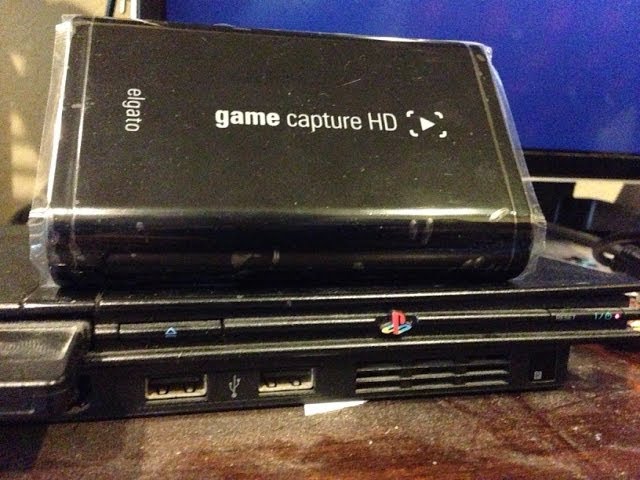
In this video I show how to setup and record your PS2 console using the Elgato Game Capture HD. You can either record via Composite AV or through Component. I'd suggest recording via Component because you will get the best video quality possible. Make sure to subscribe like the video.
Download for Mac: http://services.eyetv.com/l/dl_egc_mac
Do...
 young shore
Will the wave 3 work with any type c
fickle pulsar
past reef
Can't find much official word on the usual social channels, but does anyone here...
I think a few of us are hoping for this. I guess we’ll have to wait and see. 👀
fickle pulsar
young shore
Will the wave 3 work with any type c
I know my HD60S+ is capable of just USB-C to USB-C. It never hurts to try it out. I can test this later today. Maybe closer to 3pm CT.
south bronze
Guys is it “legal” to monetise video on YouTube made with elgato? Is it against elgato TOS or can I do without problems?
 final heath
Hey Guys! Good morning. I have a question. I want to create in my stream deck a switch button with three phases. Example: UP, OFF, DOWN. Is it possible? Thanks for help me.

 naive stone
Is elgato 4k60 pro mk2 not support XRGB 240hz? cus everytime i start record or streaming its start making alots of pixle wierd color like a broken TV color.
 scarlet narwhal
Hello ladies and gentlemen, i just bought the elgato 4k60 pro mk2 for a dual streaming setup with my main-pc and my laptop as an streaming-pc. I cant get it working and I cant figure out why it ddoesnt work. Is there anybody who can help me maybe? :/
And on my main-pc i have multiple monitors so.. yeah..
 proven bison
The twitter title name change is not working 😦
fickle pulsar
proven bison
The twitter title name change is not working 😦
in stream deck? i'd say logout, login, and reconfigure the status
fickle pulsar
final heath
I've only been able to toggle between to actions on/off
proven bison
Yep the button for change to title to Live
fickle pulsar
scarlet narwhal
Hello ladies and gentlemen, i just bought the elgato 4k60 pro mk2 for a dual str...
there is a video not by elgato... i'll dm it.
proven bison
 scarlet narwhal
fickle pulsar
there is a video not by elgato... i'll dm it.
scarlet narwhal
fickle pulsar
there is a video not by elgato... i'll dm it.
yes plsss
fickle pulsar
proven bison
Yep the button for change to title to Live
did you try what I suggested?
proven bison
Yep! It's works!
I revoke the app in Twitter settings and connected again, that's works
fickle pulsar
scarlet narwhal
yes plsss
did it help?
scarlet narwhal
fickle pulsar
did it help?
I think my problem is, that i have to mirror the screens, what is not possible because of the multi monitor setup and the second thing is, that the streaming-pc is a laptop so i could put the 4k60pro only in the gaming-pc.. :/
fickle pulsar
scarlet narwhal
I think my problem is, that i have to mirror the screens, what is not possible b...
Wonder if this could be an option for you… https://youtu.be/1ChBo65TMz0
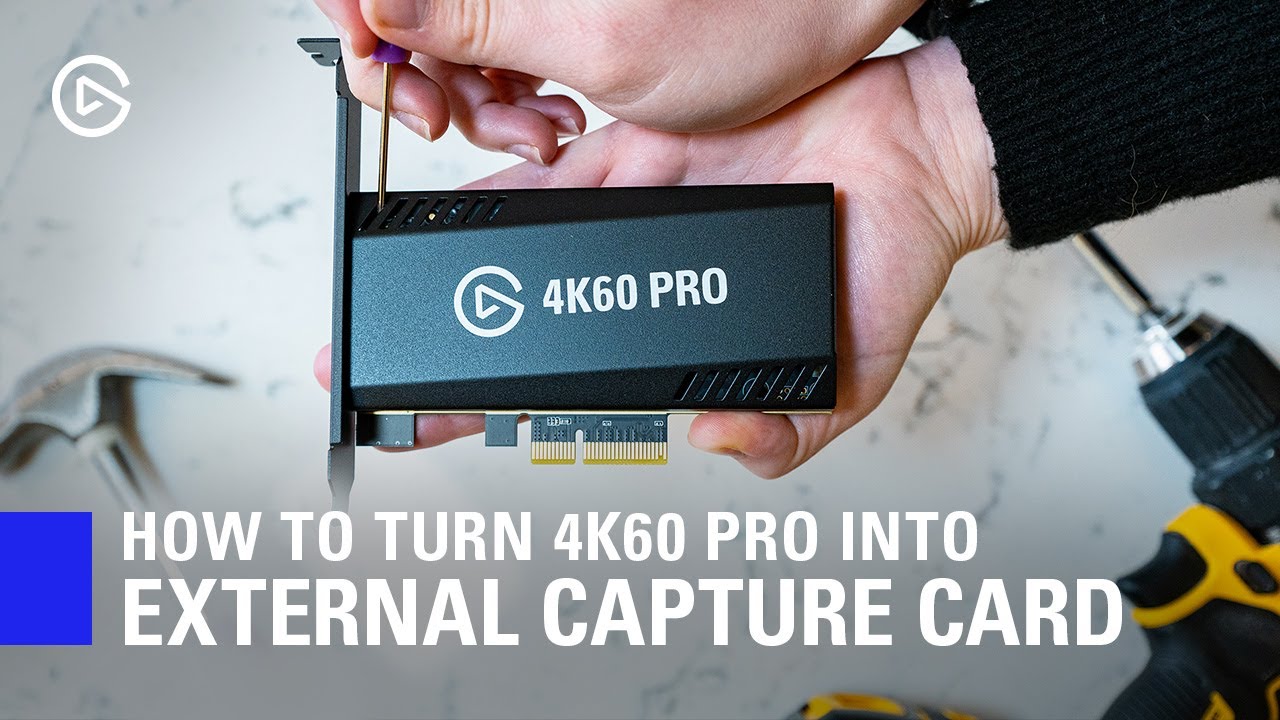
In this video, we show you how you can easily turn your 4K60 Pro MK.2 into an external Thunderbolt 3 capture device.
► Elgato 4K60 Pro MK.2: http://e.lga.to/4K60proMK2
► HighPoint RocketStor https://www.bhphotovideo.com/c/product/1413496-REG/highpoint_rs6661a_rocketstor_6661a_thunderbolt_3.html
▼ Follow Elgato Gaming:
Twitter: http://www.twi...
 stark pecan
So i have the Wave Mic arm ordered and it should ship in the next 2 weeks. I have a desk setup that is a bit awkward. I have the philips hue light strips on the back part of my desk. Should I put the mic arm on the back where the philips hue light strip are? I dont know if the clamp will adjust well enough against the light strips.
 thorn gulch
Silly question, I’m trying to set up my Elgato Wave Mic Arm, and I can’t seem to figure out how to adjust the top half, the spring just keeps bringing it back to the same position.
I push it down and it just goes back up. Is this how it’s supposed to be like?
 upper coral
I have a question i hope someone can help me with, I just found out that the stream deck has a ton of royalty free music and sounds and i was wondering how i could import the ones i have downloaded into my video editor....i use DaVinci Resolve.
wispy citrus
You think this would be good to get PS2 footage with elgato?
thorn gulch
Seems hard to find guides for the Wave Mic Arm. Pretty much every video I can find is about the other arm, the LP.
fickle pulsar
young shore
Will the wave 3 work with any type c
I tested it, it works!
young shore
fickle pulsar
I tested it, it works!
Oh ok thx very much
fickle pulsar
thorn gulch
I push it down and it just goes back up. Is this how it’s supposed to be like?
there’s a L wrench it comes with. You may have to tighten it a bit.
fickle pulsar
young shore
Oh ok thx very much
You’re welcome!🙂
thorn gulch
fickle pulsar
there’s a L wrench it comes with. You may have to tighten it a bit.
I’m struggling a bit to find the spot where I’m supposed to use the wrench.
fickle pulsar
thorn gulch
I’m struggling a bit to find the spot where I’m supposed to use the wrench.
they should be the little screes section
usually at the hinges
 rustic mesa
thorn gulch
I’m struggling a bit to find the spot where I’m supposed to use the wrench.
rustic mesa
thorn gulch
I’m struggling a bit to find the spot where I’m supposed to use the wrench.

are you referring to this spot?
fickle pulsar
rustic mesa
are you referring to this spot?
wonder if they adjust like the LP? or if it’s set, and not adjustable.🤔
rustic mesa
kinda seems like its not adjustable
but in the videos it doesnt appear as though it "springs" back so Im wondering if theres anything mentioned in the instructions on how to adjust it
its got the elgato symbol on either side so I assume there isnt an allen screw there
fickle pulsar
rustic mesa
its got the elgato symbol on either side so I assume there isnt an allen screw t...
agreed! I was thinking the LP, but had to read it again.
rustic mesa
I didnt like my scissor boom mic for this same reason, I'd double check the material included with the arm and see if that mentions anything otherwise reach out to elgato directly, dont overtighten anything
 low crater
some one please help ....i just got an elgato hd60 s and when i try to record from my pc instead of getting an mp4 file it gives me a text file.... please help
rustic mesa
which program are you using to create your recordings?
scarlet narwhal
fickle pulsar
Wonder if this could be an option for you… https://youtu.be/1ChBo65TMz0
Sadly not. I have not much money the capturecard was the highest i was able to go and spending another 100€ is not in my budget. And then there still is the problem with the multimonitors. Yesterday as i tried to mirror my mainscreen onto the 4660pro-"screen" windows said it doesnt work and couldnt save the changes.. I think i will send it back and get the hd60+ or something..
naive stone
Is elgato 4k60 pro mk2 not support XRGB 240hz? cus everytime i start record or streaming its start making alots of pixle wierd color like a broken TV color. 00
00
 magic onyx
naive stone
Is elgato 4k60 pro mk2 not support XRGB 240hz? cus everytime i start record or s...
naive stone
magic onyx
naive stone
Is elgato 4k60 pro mk2 not support XRGB 240hz? cus everytime i start record or s...
naive stone
Doent anwer my queastion
magic onyx
naive stone
Doent anwer my queastion
but yes it supports 1080p- 240hz
naive stone
magic onyx
but yes it supports 1080p- 240hz
Look my qestion again its about xrgb 240
i will send pic and short clips of record how i mean

this will happened alot with XRGB mode when i record or stream not NV12 or other
but it said it support so it might be some thing wrong?
that is just one of the weird pixle color it can be worst sooo bad, specially when i open uni4k sofware
magic onyx
tried it in obs aswell?
magic onyx
naive stone
that pic is from obs
can you give me full specs of your hardware
naive stone
magic onyx
can you give me full specs of your hardware
stream pc or gaming pc?
magic onyx
naive stone
stream pc or gaming pc?
both
naive stone
Stream pc : GTX 770 + 3700x + b450 tomohawk max + 8gb ram + HDD ( game pc 3070 + 5600x + 16gb + b450 tomohawk max + ssd 240 + hdd 500 )
stream pc 144hz monitor IPS EX2510
game pc 240hz TN benq Xl2546
thorn gulch
rustic mesa
Yes, the half of the arm above the Elgato symbol, it snaps back into place.
The bottom is totally adjustable.
I still can’t find a spot to wrench.
That’s right, in the videos showing the Wave Mic Arm it seems to be adjusted all over with ease.
I’ll try contacting Elgato.
Seems like everyone bought the LP. There’s barely anything out there about the regular arm.
magic onyx
naive stone
Stream pc : GTX 770 + 3700x + b450 tomohawk max + 8gb ram + HDD ( game pc 3070 +...
and which screen gives the black pixels the game pc or stream?
naive stone
stream
for stream

its hard to screen shot but on vid and live stream holy sh is it alot like broke old tv color.
magic onyx
naive stone
its hard to screen shot but on vid and live stream holy sh is it alot like broke...
i dmed you
 hallow moon
Hey guys, im currently using my HD60S+ and whether I have PC input or PS5 the sound has this weird phasing issue. Does anyone know why? Thanks in advance
hallow moon
Hmm, so I uninstalled it in Device Manager and whatever that has done has temporarily fixed it (at least thats all I can tell for now)
hallow moon
Problem came back about 30 mins later
magic onyx
hallow moon
Problem came back about 30 mins later
have you tried other hdmi cable perhaps?
hallow moon
Oddly the issue seems to not occur in the 4K Capture Utility, only through Wave Link
Im bypassing Wave Link to see if that fixes the issue
Okay, so bypassing Wave Link by splitting the sound off of the HDMI with an HDMI switcher with Optical means I can hear what Wave Link is outputting and what the optical sounds like. It's only the Wave Link sound
Whats the best way to report this? Through a support ticket?
I might try calling support when they open
magic onyx
hallow moon
Whats the best way to report this? Through a support ticket?
yes trough a support ticket
rustic mesa
thorn gulch
Yes, the half of the arm above the Elgato symbol, it snaps back into place.
Th...
Yeah I think maybe sending a video or something of what’s happening to elgato might help a lot. Hopefully they can help get you sorted. Goodluck.
south bronze
Hello there,
I am currently running a ton of UI Networking Hardware.
Now I want to setup my newly purchased Keylight Air and it always just times out in the setup process but is avaiable in the network?
The mobile I used for the setup just showed "Product not found mid-setup" lol
fickle pulsar
south bronze
Hello there,
I am currently running a ton of UI Networking Hardware.
Now I want ...
if you're on 2.4 GHZ it will recognize, but if you're on 5 GHZ it wont. https://help.elgato.com/hc/en-us/articles/360027958432-Key-Light-What-network-types-are-compatible-

Elgato
If you are not able to pair Key Light to a network, the network may be incompatible. Network Requirements - Compatible Network SettingsThe following are the network requirements for Key Light:• W...
south bronze
fickle pulsar
if you're on 2.4 GHZ it will recognize, but if you're on 5 GHZ it wont. https://...
Thanks for the quick reply, yes I tryed that already
fickle pulsar
south bronze
Thanks for the quick reply, yes I tryed that already
You're welcome! However I'm curious, what methods have you tried to have it show up?
south bronze
I also run wireshark over the network and the device seems to request an IPv4 via DHCP and gets the IP, then it starts mDNS requests followed by spamming a clear cache for all devices? Which makes no sense
south bronze
fickle pulsar
You're welcome! However I'm curious, what methods have you tried to have it show...
Everything that you would do aka rebooting, resetting, manually adding via config, changing network SSID
enableing UPNP on the router
disabeling arp station table remapping
disabeling igmp snooping
enabeling legacy support on the AP's down to WiFi b
basically everything a typical network admin would do in that situation
I went three hours trough my network and trough debugging by now
so yeah
and replacing the entire office network is not possible unless someone wires me 5 million USD real quick thats not an option
so bruh I am kinda frustrated by now and phone support is not avaiable right now which makes it even more fun
fickle pulsar
south bronze
so bruh I am kinda frustrated by now and phone support is not avaiable right now...
sorry the bruh comment makes a Lady laugh, but if it’s a deeper issue, I definitely recommend reaching out to #official-tech-support so they can help.
south bronze
fickle pulsar
sorry the bruh comment makes a Lady laugh, but if it’s a deeper issue, I definit...
Totally ok, yeah the official support seems to be offline right now
Phone lines are just on nope.jpeg mode atm
fickle pulsar
south bronze
Totally ok, yeah the official support seems to be offline right now
I’m sure they’ll be on soon via working hours.
south bronze
I hope so aswell because my boss will be very unhappy if that stuff is not working for the podcast later on today
Gotta grab some lights from a nearby construction side than
¯_(ツ)_/¯
fickle pulsar
south bronze
I hope so aswell because my boss will be very unhappy if that stuff is not worki...
have you tried to set it up via mobile phone, and use the control center app, for now until #official-tech-support can help?
south bronze
yes
I tried it with android, ios, linux, windows, macos
so nope
I usually don't call tech support, so trust me I already tryed the standard stuff
even one opensource integration under linux didnt help
fickle pulsar
south bronze
I usually don't call tech support, so trust me I already tryed the standard stuf...
yeah, just give them a bit. I’m sure they can get it sorted.
south bronze
Dude I hope so, hopefully I don't need to deal with first level too long...
fickle pulsar
south bronze
Dude I hope so, hopefully I don't need to deal with first level too long...
hopefully they have a solution.
south bronze
I doubt it that some poor college student is having a solution right on site, I have a CCNA R&S and I am a certifyed network admin with LPIC I and II for Linux aswell so I doubt that one
gotta call them thanks for your time man
fickle pulsar
south bronze
I doubt it that some poor college student is having a solution right on site, I ...
perhaps they can escalate it after getting info.
south bronze
I really hope so, yes.
fickle pulsar
south bronze
gotta call them thanks for your time man
good luck! 🙂
south bronze
yes, thank you
waiting for 10 mins now no agent responding
ggwp elgato thats how to threat customers
south bronze
toll free phone number? Yeah rodger that thanks for wasting 20 bucks and then just getting disconnected
@bold ember dude can you help me navigate your helpdesk real quick cuz your first level support just sayed "Wow you already went trough advanced troubleshooting" right before my connection went lost so thats usually not the stuff I like to hear
floral jetty
@south bronze please do not tag employees
south bronze
Well if your employees in helpdesk dont want to help me I would like someone else to help me
its always fun to have a screaming boss a broken studio setup. only one of four lights and a wife that waits at home and is complaining about overtime
Thats really how I like my thursdays shady
btw your helpdesk hotline not being so tollfree and eating up my private phone and data volume was also fun to experience....
Do you have more jokes for me? @floral jetty
floral jetty
I can't control how your Thursday is going. Nor do I control Elgato's support numbers. The administrators are not tech support and the discord rules we have in place is to not tag them. The discord only provides community support.
south bronze
ok thats fair, that really makes my day better.... I guess I can cancel the order over an additional 500 elgato facecams, sony will be happy to provide support and so will be logitech.
 limber ether
I need help
I got the audio cord but it’s still has a ringing noise to it

This is my set up, can someone please help me quickly I wanted to record a video today
 blissful trail
I'm moving around my set up and don't really have room for my TV near my computer anymore. Is there a way to use my HD60 S capture card without one?
 wraith mountain
Hello Guys. I have just bought a Elgato Wave 3 Mic with all bits, Pop filter etc. I have a Astro A40 Headset with a Mixamp. I was wondering if someone could help me set the headphones up so i can hear stuff from the elgato wave link, At the moment everything is dead.
 red sierra
Hey all, I've having an issue with my HD 60+..for some reason it won't register my PS5, I usually need to open the 4K Elgato app just to activate it and when I do it just says "No Signal".. I've unplugged it and plugged it in multiple times with no results, I could use some help?
fickle pulsar
blissful trail
I'm moving around my set up and don't really have room for my TV near my compute...
yeah, but live preview mode may have a lag.
blissful trail
As in if I'm just watching through OBS or whatever I'm using to record?
That's what I usually do anyway
I just don't know how to get it to work without being hooked up to the TV
red sierra
Like, what am I potentially doing wrong to not get a signal?
Fixed it, ignore my messages
 digital zephyr
How does the switch audio work with elgato again? I'm still struggling with it even with the settings set to analog audio because now it only goes through streamlabs and not my headset
 arctic bronze
Ok so I’m completely useless when it comes to PC parts, this is my brothers old computer that he gave to me, and idk what I need for it TBH, all I know is that I need a GPU
 south nexus
Gpu yes @arctic bronze, do you know what processor it is?
u can find it in "My pc" then rightclick properties
also looks like there's one stick of ram?
arctic bronze
I don’t have a monitor to check that’s the problem, I could hook it up to like my tv, would that work?
south nexus
it's difficult to see
arctic bronze
Yeah there’s one stick of ram, the computers from like 2010 ish
south nexus
yeah if theres the same connection from the motherboard to tv then yes
arctic bronze
My laptop is almost completely gone so I need to get this running haha
Beb lemme put it up to my tv
Brb*
south nexus
what are you planning on using it for?
arctic bronze
I just need it for slight gaming etc
Well not slight
Bit more than that 😂
Ok I have it running here
It’s on windows 7 home premium
But it’s like the fake version cus I need to activate it
south nexus
what are you planning on playing
you defienietly need a graphic card if you want to play anything tho.
arctic bronze
Oh yeah I know that haha
Tbh I might just build one from scratch
I got the system settings up !
Omg I literally should be a computer person I’m so good at this
 arctic bronze
It doesn’t say CPU
south nexus
Are u in that app?
arctic bronze
Just says
processor:
Ram:
system type
Pen and touch
south nexus
then right click anywhere and click properties
processor yes
what does it say there
arctic bronze
AMD A6-6420K APU with Radeon(tm) HD graphics 4.00 GHz
I have no idea what that mean
Means
south nexus
I'm not good at AMD sadly, but it seems it's pretty old
but I have no clue how much it will help if u buy a Graphics card
arctic bronze
This pc was in the attic for like 5 years haha
south nexus
Oh yeah
south nexus
I'd recomend you just getting a new one
cause this one is very outdated
and will probably not run modern games very well if at all
arctic bronze
I do wanna get a new PC, gonna get a job soon
Most the time I’m playing like minecraft on my laptop at 20FPS
south bronze
I just got a wave 3 how do I monitor my voice
fickle pulsar
blissful trail
I just don't know how to get it to work without being hooked up to the TV
it will work with no OUT connected, but just a bit of latency. and yes should show up in obs.
fickle pulsar
red sierra
Fixed it, ignore my messages
can you post your fix please!
blissful trail
I haven't gotten it to work without being plugged into something on the TV end
fickle pulsar
blissful trail
I haven't gotten it to work without being plugged into something on the TV end
I guess that’s not a bad thing. However, it should display what’s your IN when using obs.
blissful trail
It does display it on OBS
The bad thing for me is I don't have room for the TV so I'd rather not have it plugged in to anything on that end if I don't need to
I've been trying to find a small countertop TV since I don't use it to look at what I'm recording, I just watch through OBS
fickle pulsar
blissful trail
I've been trying to find a small countertop TV since I don't use it to look at w...
OBS is great for recording, but if it’s just recording, why not use OUT with a gaming monitor/TV? there’s no latency with the OUT connected to the monitor, vs using the software as a live preview.
blissful trail
I haven't experienced any delay
fickle pulsar
blissful trail
I haven't experienced any delay
that’s good!
blissful trail
My computer has never really been next to my TV, and my computer is what I use to record audio, etc., so it's where I sit to record. So it's much more difficult to watch through the TV vs. just watching what's being captured through OBS
And now that I've changed my set-up into a smaller room I don't have space for the TV because it takes up half the surface I was going to use for a second computer
 short quarry
so I got the Wave:3 mic, and it was going good, until one day when i started my pc, the wave link app stopped receiving the audio on the "streaming mix" output, the monitor mix works perfectly tho
 idle parcel
Hey guys. I have the HD60 S hooked up to my series X and for some reason as of yesterday and today my elgato capture software wont display my series x screen on my pc. my software is up-to-date and i cant think of what could be the cause besides netflix- which i have deleted off the xbox since and the problem still happens.
 fickle pulsar
idle parcel
Hey guys. I have the HD60 S hooked up to my series X and for some reason as of y...
fickle pulsar
idle parcel
Hey guys. I have the HD60 S hooked up to my series X and for some reason as of y...
Did you turn off HDCP?
fickle pulsar
short quarry
so I got the Wave:3 mic, and it was going good, until one day when i started my ...
are you on 1.3? if so, try downgrading to 1.2 🙂
short quarry
fickle pulsar
are you on 1.3? if so, try downgrading to 1.2 🙂
I tried it and it still doesn't work, thx tho
fickle pulsar
short quarry
I tried it and it still doesn't work, thx tho
uninstall the wavelink 1.3 software. reboot your pc, then install 1.2 and ideally it should work. please reboot PC after any uninstalls.
 plush crest
Hi guys, I just got the Wave XLR and have Wave Link installed. Set everything up with all the inputs. My issue is I'm getting no sound going to my stream mix, and I can't even click the ear to monitor the stream mix. Any tips?
 grand bough
I am just popping in a quick message to say thanks, have finally flashed my bios for the first time ever as it has always worried me, so with that done, I am hopeful my HD60 S graphics problem will be fixed, will find out on Monday.
 gritty quarry
Hi, i have an issue with my WaveXLR which i have to reboot for my audio to work. it never seems to work when i boot from a shutdown
actually need to unplug it and back in to get it to work each time.
 nocturne sail
if I use my audio from only my elgato on streamlabs will my discord be captured
 lapis radish
nocturne sail
if I use my audio from only my elgato on streamlabs will my discord be captured
lapis radish
nocturne sail
if I use my audio from only my elgato on streamlabs will my discord be captured
Your elgato what? The wavelink software will allow you to set different audio sources to different channels, and you can adjust and mute those channels
lapis radish
nocturne sail
if I use my audio from only my elgato on streamlabs will my discord be captured
If you're on windows, go to "App Volume and Device Preferences" (the start menu calls it sound mixer for some reason). All your apps that have sound should appear, and for each app you can select the dropdown as a different wavelink "channel". Then in the wavelink software, add a channel and choose the elgato source that you selected for your desired app in "App Volume and Device Preferences"
For me, discord shows up twice, I just made the change for both of them
 upper dirge
any way to show fps on the streamdeck
 lime nova
Hey, I'm trying to play rocket league and there's no sound, this has happened before but usually I restart and it works, it isn't this time, no music, no game sound
fickle pulsar
plush crest
Hi guys, I just got the Wave XLR and have Wave Link installed. Set everything up...
I’d say try uninstalling wavelink, reboot the pc, then install 1.3 because of wave xlr, then see if issue is resolved. I know it sounds odd to do it, but also, see if the firmware is update after this process.
plush crest
fickle pulsar
I’d say try uninstalling wavelink, reboot the pc, then install 1.3 because of wa...
that worked! Thanks!
fickle pulsar
plush crest
that worked! Thanks!
You’re Welcome!
 novel parrot
I keep checking the compatibility list but has anyone heard of an update for the thunderbolt dock with M1 Apple's hardware?
 zinc agate
Hey! I remember there being a setting on the hd60s to include party chat audio for the PlayStation but I can’t find it, where would that be?
wispy citrus
@south nexus
Yo sorry I'm late but
Are you sure about the game capture hd old model from elgato?
Aren't those things expensive?
 rare mason
hey I've been trying all week to get my elgato hd 60 s to transfer audio and I've watched dozens or video and read troubleshooting articles nothing has fixed it can some please help?
 young drift
Does anyone else have issues where the Twitch actions don't work? I haven't been hate/bot raided yet, but I'd like to have an emergency button setup JUST in case it ever happens.
I'm fairly advanced on multi-action setups. I have my account linked & It seems like the Twitch actions just don't work.
shrewd smelt
Elgato Support was able to give me a link to a replacement Key Light power supply I could purchase (which is awesome) For some reason you can’t search for it in the Corsair store unless you search for the SKU explicitly (which is not awesome). I tired all sorts of other searches and browsing for it and nothing. My question is does this community keep a list of items like that and their SKUs?
@young drift do they work outside the multi-action? I ran into a situation like that with a Control Center action.
young drift
shrewd smelt
<@166385766233145344> do they work outside the multi-action? I ran into a situat...
let me check
young drift
shrewd smelt
<@166385766233145344> do they work outside the multi-action? I ran into a situat...
doesn't seem to
shrewd smelt
Then it’s not a similar issue. My Control Center action worked outside the multi-action. Try reconnecting your Twitch account?
young drift
shrewd smelt
Then it’s not a similar issue. My Control Center action worked outside the multi...
good idea
young drift
shrewd smelt
Then it’s not a similar issue. My Control Center action worked outside the multi...
that did it. don't know why i didn't think of that LUL
shrewd smelt
No worries. Glad it’s working now.
young drift
shrewd smelt
No worries. Glad it’s working now.
and now the panic button i made works fully
 barren osprey
anyone know why a wave XLR might flip the audio going through my headset, left is right and right is left
 mint edge
Wondering why the video settings in streamlabs doesnt work for EpocCam?
glad anvil
fickle pulsar
I haven’t found anything about audio. I’m wondering if your headset has a unique...
Sorry for the slow response, I'm using a SteelSeries Arctis Pro +gamedac i've not done any custom settings to it so im not too sure about a unique config, All I want to do is use my headset properly xD
south nexus
@wispy citrus what you mean?
@glad anvil I got SS Arctis pro + gamedac, it works well for me, what your issue?
fickle pulsar
glad anvil
Sorry for the slow response, I'm using a SteelSeries Arctis Pro +gamedac i've no...
@south nexus has the same headset. Thanks for helping!
glad anvil
@south nexus Do you use this headset alongside a PS5 or just on PC?
glad anvil
Yeah my issue is using the headset properly alongside the elgato being able to pick up game sound
 uncut sparrow
Hi! I have Stream Deck on my Mac and I can't figure out how to change the soundboard output so it will play the sound on stream. Can anyone help? Thanks so much!
 round skiff
Question. Has anyone recieved their wall mount yet? It's been a month since I've ordered with no ETA as of yet
 swift jungle
Hey guys i have a question about elgato hd60s+ If i plug that capture card from my gaming pc to my laptop streaming pc and using a USB Power Adaptor to plug the capture card and then the Power USB connecting to the laptop, do i loose quality? Is because i dont have many USB Ports on my laptop.
magic onyx
swift jungle
Hey guys i have a question about elgato hd60s+ If i plug that capture card from...
the only things that changes is a usb hub. and it need to support 3.0
swift jungle
magic onyx
the only things that changes is a usb hub. and it need to support 3.0
ohh ok . Yes is a USB 3.0 Supported ( Powered), My Laptop have 3 USB 3.2 2nd Gen and 1 USB TYPE -C 3.2 2nd Gen too but im connecting like a 4k Cam Link for my DLSR , My goxlr, my styream deck and my capture card to my streaming laptop. I'm trying to get the most of the capture card and the cam link i though this will help spread the load of the laptop
 summer osprey
OK, just wondering something, why in the world is my Wave 1 mic suddenly staying ON after I turn my computer off? This was NOT happening prior to now, and this morning I wake up (after installing my new Elgato mic arm last night) and discover that the mic was not only on all night, but the white light (meaning that it can hear everything) was on, even with a completely shut down computer, what is going on here?
rustic mesa
summer osprey
OK, just wondering something, why in the world is my Wave 1 mic suddenly staying...
Did you switch the USB port it was plugged into after installing the usb cable into your arm the yellow USB ports are always on so maybe that’s the issue?
 summer osprey
No, didn't think I needed to, and the port that it's plugged into is part of a USB hub, and it's blue

 rustic mesa
is that the same hub it was plugged into originally? Youre not required to switch plugs or anything I was just asking to see if you plugged into a port that was pushing power to connected devices even after powering off your pc (ie a yellow usb).
summer osprey
Yeah it is. I've got an Evolve gaming rig and needed to use the USB hub for just about everything after the original ports ran out.
rustic mesa
Okay, Im not sure then, maybe swap your usb hub to a different blue 3.0 port and see if that helps
 paper wigeon
Im currently having a wave 3 issue where its not working in obs or discord. The light is and everything but Its not working. I updated it and looked in the wave link app but still nothing.
paper wigeon
Any advice?
magic onyx
swift jungle
ohh ok . Yes is a USB 3.0 Supported ( Powered), My Laptop have 3 USB 3.2 2nd Gen...
only for the power yes.
 dense robin
Before I try and contact tech support, anyone happen to know why my stream output isn't picking up that there is any sound on my computer, but my monitor mix is?
I can't adjust any of the sliders for the stream output, and there is no audio being sent to it after the wave link update 😐
south bronze
hiya everyone ❤️ For some reason I'm going into the Stream Deck software and cannot drag actions over...what gives? Weird...never run into this in years.
 signal basin
Help
 wispy citrus
@south nexus like the original Game Capture HD. Where can I buy them at an affordable price!
fickle pulsar
signal basin
Help
this one requires a support ticket form official. If in warranty they can RMA it. 🙂
signal basin
fickle pulsar
this one requires a support ticket form official. If in warranty they can RMA it...
Can I fix it myself
fickle pulsar
signal basin
Can I fix it myself
no sadly, my first hd60s+ did this, but elgato send me a replacement.
signal basin
fickle pulsar
no sadly, my first hd60s+ did this, but elgato send me a replacement.
How Long Is The Warranty?
 clear sundial
Hello 🙂
Just wanted to ask if it's safe to leave the Elgato Keylight plugged in the outlet? I turn it off through the app only.
fickle pulsar
signal basin
How Long Is The Warranty?
not too sure, but i think a year.
fickle pulsar
clear sundial
Hello 🙂
Just wanted to ask if it's safe to leave the Elgato Keylight plugged in...
I do, never had an issue, however i do turn it off during storms.
clear sundial
@fickle pulsar thank you ☺️
fickle pulsar
clear sundial
<@476160810457235466> thank you ☺️
You're welcome! 🙂
 summer charm
Is there currently an issue with StreamElements overlays showing in the Game Capture software? My alert sound effects work fine but my overlays and alert box aren’t showing at all. They don’t show in the Game Capture preview or when steaming.
 errant current
Anyone familiar with Streamlabs OBS?
Looking to lower the volume my viewers hear through Discord chats i'm in (without lowering in my headphones) & same goes for Music.. I want to keep the music lower in my headphones, but a tad louder for the viewers. Any thoughts/help would be greatly appreciated! Thanks
 tight rampart
errant current
Looking to lower the volume my viewers hear through Discord chats i'm in (withou...
tight rampart
errant current
Looking to lower the volume my viewers hear through Discord chats i'm in (withou...
Your best solution is to use a Wave 3, or VoiceMeeter (I use VM Banana) to control your output volumes for each.
south bronze
i have the elgato game capture hd very old and everytime I connect the device it gives me an error saying that the USB has malfunctioned. im sure its plugged in because in device manager it says elgato game capture sound etc, its also not popping up in elgato software. any help? ive tried installing newest drivers, doesnt work
magic onyx
south bronze
i have the elgato game capture hd *very old* and everytime I connect the device ...
try the older capture software
fickle pulsar
errant current
Looking to lower the volume my viewers hear through Discord chats i'm in (withou...
in the audio mixer, bring it to where it’s ether green or yellow. That lowers the vol for that audio item.
 signal hollow
does anyone using elagto cam link 4k for canon eos rebel t3?
south bronze
magic onyx
try the older capture software
I have the older software. It’s just called Game capture HD. is that the correct one?
 humble stump
https://www.youtube.com/watch?v=dsVqRq71zeQ&t=121s
Question: I'm gaming on a 1440p 240hz monitor, have a secondary 1080p monitor (same pc) and i recently got the 4k60pro mk2 for my stream pc. I cloned my 1440p 240hz monitor with the 4k60 pro. i still need to put 1440 as base resolution on my stream pc and in the video capture device setting in OBS correct? I did all this and my stream looks grainy and not clean. what did i do wrong? above is a video of how it looks when i record it. it didn't look this bad when i was on my 1080p monitor and my hd60s.

 jade canopy
I got a replacement from my local shop, strangely enough I have more keys making weird noise now if I press the left side, but since I nearly only push the up and down areas I’ll just let it slide, and maybe with time it will be gone.
The tolerance is too high that the plastics rub against each other. They should’ve added some rubber ring around the plastic button and housing to avoid friction. Nonetheless besides getting a usb cable that didn’t have the white plugs(which raises some questions) at least I can enjoy the deck without having annoying button noise for the most part.
Now I need to find some icon pack for Greek letters 😅
fickle pulsar
jade canopy
I got a replacement from my local shop, strangely enough I have more keys making...
That’s great news.
fickle pulsar
jade canopy
Now I need to find some icon pack for Greek letters 😅
Many places online for that!😉
 stark cloak
Hello im having problems with my elgato I have it plugged in correctly and its not showing up on streamlabs.
I have the elgato HD60 S
fickle pulsar
stark cloak
Hello im having problems with my elgato I have it plugged in correctly and its n...
Just to make sure you have IN connected to console/gaming PC, your USB C to a USB 3.0 on your PC motherboard, and OUT to your TV/Gaming Monitor?
stark cloak
fickle pulsar
Just to make sure you have IN connected to console/gaming PC, your USB C to a US...
we did all that and im still having issues its showing black screen on streamlabs
fickle pulsar
stark cloak
we did all that and im still having issues its showing black screen on streamlab...
try going to properties, and unselect the capture card, and reselect it. Sometimes it works for me like that to activate it.
jade canopy
fickle pulsar
Many places online for that!😉
I looked online for many hour and couldn’t find one, I fear I’ll have to make one on my@own 😩
fickle pulsar
jade canopy
I looked online for many hour and couldn’t find one, I fear I’ll have to make on...
I’ve done it before, photoshop is my bff for it!🙂
 warm latch
how do i find sounds for my streamdeck?
 gloomy vale
If I have a dual PC stream setup and I get a 4k60 Pro so I can game at 1440p but stream to twitch at 720p-1080p does both computers monitors have to be 1440p?
gloomy vale
humble stump
https://www.youtube.com/watch?v=dsVqRq71zeQ&t=121s
Question: I'm gaming on a 144...
Im asking a similar question but I think its because both computers need to have the same resolution ie 1440p for both game/stream PC. I emailed Elgato and posted here so Ill let you know what they tell me.
humble stump
@gloomy vale cool.thanks.
jade canopy
fickle pulsar
I’ve done it before, photoshop is my bff for it!🙂
any template for the sizing?
fickle pulsar
jade canopy
any template for the sizing?
I have to check mine, but yeah
 hidden jolt
Is there a reason I have to manually start wave link on pc bootup? It shows up in Startup, but it seems to want to run as admin and so it prompts that every time I turn my PC on...
fickle pulsar
hidden jolt
Is there a reason I have to manually start wave link on pc bootup? It shows up i...
does it let you change in preferences?
 hidden jolt
yea that's checked (auto update is off tho)
I'm staying at 1.1.7 cause 1.2 and 1.3 breaks stream mix for me
fickle pulsar
hidden jolt
I'm staying at 1.1.7 cause 1.2 and 1.3 breaks stream mix for me
i had to reinstall mine 2 times before 1.3 worked for me.
hidden jolt
I'll stay at 1.1.7 until they confirm it's 100% fixed haha
fickle pulsar
hidden jolt
I'll stay at 1.1.7 until they confirm it's 100% fixed haha
not all users are affected, there are some who have issues, but not on a volume that is worry some. still, if you feel like trying what I did, hopefully it helps. if not, just wait for a future update. 🙂
south nexus
@humble stump I'm guessing it's bitrate and video rate options in OBS. Also I'm getting a better result cloning using the windows tool. Windows + P then Duplicate
It also depends on your internet, how good your upload is.
humble stump
south nexus
<@!331102225717788673> I'm guessing it's bitrate and video rate options in OBS. ...
That’s not a stream it’s a local recording so bitrate wouldn’t matter
I have 50 up
south nexus
It does matter, as there's a recording bitrate aswell in your options. It doesn't come as lossless by default
 modern bobcat
can someone pls help? i can not get game audio on my streaming pc, i have called and tried links but nothing works. what should the audio setting be on my gaming pc?
south nexus
You mean while recording or audio at all?
modern bobcat
any audio, have the game fine, but no game audio
south nexus
hey @fickle pulsar any idea why when my elgato isn't plugged in my CS:GO runs at 500fps but when I connect the HDMI of my 60PRO it drops down to 200?
@modern bobcat even chrome or windows sounds?
modern bobcat
no my normal sounds work on my streaming pc, just can not get game audio from my gaming pc into my streaming pc
south nexus
do you use the elgato audio software?
modern bobcat
yeah, have sound capture running on my gaming pc
south nexus
what are the settings on that?
modern bobcat
hearing is set at my headphones, output is elgato
south nexus
what about your windows settings?
modern bobcat
output device is set at elgato sound capture. in the sound control i have the elgato enabled. i uninstalled and reinstalled the game capture program,
south nexus
not your elgato software settings but your audio in windows
modern bobcat
no those are my settings in windows. when i open sound setting in windows those are the current settings
south nexus
is it on both your pc's?
modern bobcat
ok so it just started working lol. it does the same thing with the game capture, it shuts off and then a day later will work again. ty for helping me out
south nexus
Yeah I got the same issue :d just not with audio but with recording
 sinful bone
hello - i just bought an HD60 S capture card and it won't be recognized by my windows laptop. It plugged into my other computer and worked with the Capture Software just fine, but for whatever reason, it never shows up on this one. I've tried reinstalling the software, drivers, using different cords, everything. It just won't show up, even though it's recognized by Windows Device Manager. It doesn't even flash when plugged into this laptop. Help?
 knotty surge
does anyone know whats going on with my streamdeck i just bought it and it flashes with the elgato logo
also says no device found
 fickle pulsar
south nexus
hey <@!476160810457235466> any idea why when my elgato isn't plugged in my CS:GO...
fickle pulsar
south nexus
hey <@!476160810457235466> any idea why when my elgato isn't plugged in my CS:GO...
wish I knew, but perhaps the capture card is only capable of running a a certain fps.
 sudden crater
Hey all
I hope this is ok to post here.
I have an elgaro hd60s+ a PS5 and 4K monitor with HDMI2.1
The issue I’m having is when I plug in my monitor I lose image inside of the elgato capture program (4K utility). If I unplug the hdmi from The monitor, the feed shows back up in the program.
It only seems to work when I switch the PS5 to 1080p. 🤔🤔
magic onyx
sudden crater
Hey all
I hope this is ok to post here.
I have an elgaro hd60s+ a PS5 and 4K mo...
have you tried in obs aswell?
sudden crater
magic onyx
have you tried in obs aswell?
No. I haven’t I have PC in DVI and PS5 in HDMI 1. I was toggling just to try it out I have another monitor coming. But the pass through isn’t working.
magic onyx
sudden crater
No. I haven’t I have PC in DVI and PS5 in HDMI 1. I was toggling just to try it...
hdcp is turned off? try again with obs and other settings
sudden crater
magic onyx
hdcp is turned off? try again with obs and other settings
Yep HDcp is turned off.
magic onyx
sudden crater
Yep HDcp is turned off.
sudden crater
magic onyx
https://help.elgato.com/hc/en-us/articles/360053160831-Elgato-Game-Capture-HD60-...
I’ll give this a try and report back.
fickle pulsar
sinful bone
hello - i just bought an HD60 S capture card and it won't be recognized by my wi...
is it a usb 3.0 port on your laptop?
hidden jolt
hmm hearing a lil echoy sounding effect with my Wave 1 I just got yesterday. I have sound reduction foam, 3 monitors and a desk with lots of knick-knacks on it, along with a tv next to me which should remove the echo?
digital zephyr
Is there a way to get the bar to appear? I don't think it's invisible but I can't figure out what's not plugged in (or maybe it is invisible but I already tried the disable hardware accelerations thing)
 rustic mesa
digital zephyr
Is there a way to get the bar to appear? I don't think it's invisible but I can'...
rustic mesa
digital zephyr
Is there a way to get the bar to appear? I don't think it's invisible but I can'...
Click the gear>advanced properties>change it from monitor off to monitor and output
digital zephyr
rustic mesa
Click the gear>advanced properties>change it from monitor off to monitor and out...
I've already tried that :/
rustic mesa
In slobs go into your hd60’s properties, configure video, and verify it’s set to hdmi.
digital zephyr
Oh lol wait the problem was that in properties it was set to default and now it isn't
I have the bar back
rustic mesa
Okay cool! Nice work!
glad anvil
Can anyone confirm for me that the Elgato HD60 S+ Can allow for 120Hz passthrough on PS5?
 tacit root
Hi all,
I’ve recently bought a second hand PS3 super slim as I wanted to stream some PS3 games on my twitch channel.
Am I right that I need the Elgato Game Capture HD for this? Also if i manage to get one that doesn’t come with the necessary cables - which would I need besides a HDMI?
Thanks!
 gilded totem
Hello, my HD 60 Pro skips badly when using the 4k capture utility, but is fine in OBS. https://www.youtube.com/watch?v=NHXc9lVRVJs
 fickle pulsar
gilded totem
Hello, my HD 60 Pro skips badly when using the 4k capture utility, but is fine i...
fickle pulsar
gilded totem
Hello, my HD 60 Pro skips badly when using the 4k capture utility, but is fine i...
think it's a cable?
gilded totem
fickle pulsar
think it's a cable?
I don't think so since OBS uses it fine. Its just in the 4k capture utility.
fickle pulsar
gilded totem
I don't think so since OBS uses it fine. Its just in the 4k capture utility.
have you updated your bios/drivers etc?
gilded totem
fickle pulsar
have you updated your bios/drivers etc?
Yes, newest BIOS, Windows update (stable) updated. I downloaded newest versions of Elgato software from the website.
The 4k capture utility uses the HD 60 pro encoder, correct?
Similar to Master Copy?
fickle pulsar
gilded totem
Yes, newest BIOS, Windows update (stable) updated. I downloaded newest versions ...
I know this is gonna sound dumb, but have you tried uninstalling the 4k capture utility and HD60Pro drivers, powering off your pc, removing the capture card, power on the pc, install the 4k capture utility, and drivers for the HD60 Pro, then power off pc, install the capture card, and then turn PC on? Reason I suggest this is to make sure the connection is soldid for the pcie, also with the HD60Pro wonder if 4k capture utility is compatible, or just Game Capture...
gilded totem
It says it is on the website. Is there any reason to use it over Game Capture
HD?
I could also just use that
fickle pulsar
gilded totem
It says it is on the website. Is there any reason to use it over Game Capture
not really, i don't use it. i use obs, and if I have to update anything 4k capture utility.
gilded totem
Gotcha.
The reason I wanted to do this was to stream using OBS, and then record using game capture hd
fickle pulsar
gilded totem
The reason I wanted to do this was to stream using OBS, and then record using ga...
did you know you can record in OBS too?
just turn off all your overlays if you're only wanting gameplay 🙂
that's what I do.
gilded totem
fickle pulsar
did you know you can record in OBS too?
Yes, I've done that without issue. On Epos Vox review of the card, he said that the elgato software uses the onboard encoder, while OBS uses a lossless stream. So, I was thinking that the 60mbps elgato stream would be good for recording not to tax the video card too hard.
fickle pulsar
gilded totem
Yes, I've done that without issue. On Epos Vox review of the card, he said that ...
oh, i see.
 weak solar
Hello! I tried posting this to Reddit but I haven't recieved an answer. I have two monitors and an 4k60 Pro Mk2 incoming. Let's say I use the passthrough to play my Nintendo Switch doing some casual streaming. None of the monitors have sound output. Would using the passthrough to see the image along with using instant gameview for Audio be a good experience? Would I notice any audio lag?
 glad pendant
Hello, the Stream Mix on Wave Link suddenly stopped working for me (No longer able to toggle to it and no audio is being sent to it).
I already put in a support ticket for it, but figured I’d ask the community and see if anyone else has had this happen before?
south nexus
what have you tried @glad pendant
glad pendant
south nexus
what have you tried <@!565804737312718858>
I’ve tried unplugging and replugging the mic, rebooting, running Wave Link as admin, re-installing wave link… nothing seems to fix it
It’s weird because it was working fine, and just randomly stopped working this most recent time I booted my pc
 tropic crane
Alright, so, hopefully someone has the solution(s) to these pesky problems I've been facing recently with the Elagto('s) software. As of right now I am somewhat forced to record gameplay through the 4K Capture Utility software, because of a separate issue with the Game Capture HD software where it freezes/gets stuck on one to two frames in the middle of a recording. Note: the audio is completely fine for the rest of the recording, but the picture is ruined due to it not advancing past that frame it is stuck on. If anyone has a solution to that I would SUPER appreciate it so I can go back to using that software. The issue with the 4K Capture Utility is that it is reading my Gamecube's resolution input correctly [720x480 59FPS] BUT the Output is at 405p 59FPS, so of course the quality is not as good as what it's inputting. Note: I know the elgato isn't designed for these older systems per say, but I've NEVER had this issue using the Game Capture HD software, and have been recording SNES, N64, and Gamecube footage on it for years now no problem. Note: pls ignore the bitrate setting on the 4K Capture I know it's a bit off in the screen shot compared to the Game Capture HD's bitrate, but that shouldn't have anything to do with it(?) One last thing is that when I am recording Switch footage on the 4K software it reads input and output with no issue. So its only these lower/older resolutions that its struggling with.
tldr: 4K capture utility software is outputting the wrong resolution making the quality of the video worse. I would use Game capture HD but another issue of freezing during the recording is present (2 separate issues atm)

 light relic
yo does anyone have experience w audio interfaces?
im trying to get my hd60s to hook up to my audio interface, kinda
namely, i cant hear game audio anymore
my elgato sound capture tray doesnt seem to be working with it well, that or im just not aware of what setting to use
everything else on my pc works with my headphones except the capture card
was able to figure it out w some troubleshooting, nvm ^^
 river fox
Hey I'm testing the Wave XLR on Mac and it seems to be really buggy, anyone else with issues on Mac (10.15.7)? Not really the Wave XLR but the Wave Link
 late oracle
Notice the color in the gradients are wrong
In the top picture, the gradient is backwards
In the bottom picture both the gradient and the values are in the wrong direction
But I guess if that's how they represent color temperature, from high to low, then it's okay.... Just a little confusing

Also any word on the Facecam not saving any settings? Its been causing me a ton of problems.. -_-;
 tall vine
hi, what exactly is passthrough on a capture card? if im dual pc streaming and im doing what most people are doing, which is mirroring display, it technically doesn't matter which capture card I use right?
and the "mirroring" way isn't passthrough correct?
 old jackal
Hello. Does anyone know which adapter I need with the hd60s to stream mobile games on my Android phone? I know the apple phone uses the apple adapter and I heard the androids need a specific one. Can I get some help me.
 green nexus
@old jackal https://youtu.be/zLWxuT2k68M

I Hope This Tutorial Helps!
For Any More Questions Comment Down Below! :)
HDMI Adapter:
https://www.amazon.com/Adapter-uni-Thunderbolt-Compatible-Pixelbook/dp/B075V68NVR/ref=sr_1_3?s=electro...
Not sure if this will help
So I’m recording my gameplay and doing a live commentary but the gameplay is still loud and doesn’t lower when I’m talking can anybody help me out with this
old jackal
Thanks for the help @green nexus but I actually tried this. Bought everything in this video and it doesn't work for me. Idk if it's because it's several years old but that's why I was seeking help. Current help maybe there is another new way. But for me that box adapter does not work.
green nexus
That sucks
rustic mesa
old jackal
Hello. Does anyone know which adapter I need with the hd60s to stream mobile gam...
Hiro, which model phone are you using? is HDCP a possible issue? I dont have an android, but the more information available the more likely someone might be able to help
sudden crater
magic onyx
https://help.elgato.com/hc/en-us/articles/360053160831-Elgato-Game-Capture-HD60-...
This didn’t work
sudden crater
Circling back to my issue. 4K monitor hdmi 2.1 elgatoHD60S+ hdcp is turned off and 4K video transfer rate is set to -2. I can get image into. OBS AND ELGATO. But once I plug in my monitor to the pass thru it goes black again
 mossy bough
Hi, I moderate a few channels on Twitch. Am I able to use my stream deck to send keys to the chat I'm moderating in? I don't stream myself.
south bronze
Hello @everyone, My question is that i'm running on and Imac MacoOS Big Sur V 11.5.1, for the past 4 months I can't get Streamelements overlays to work on my gamecatpture card HD60 s nor Streamlabs overlays work. Can anyone help me and thank you
 misty sonnet
@south bronze Please do not try to ping the everyone role. This is a very large server
If you can't find help in the community help channel, we recommend contacting support
 pulsar hull
Hi guys, just got the wave:3 -- the sound quality is great but it occasionally stops picking up my voice entirely, usually when I change discord channels. I've already turned off automatic gain control in discord, tried updating all my drivers, etc. Has anyone else run into this issue / any idea how to fix this?
old jackal
@rustic mesa I'm using the Google pixel 4a. I'm not sure about anything regarding HDCP or how to disable it.
rustic mesa
old jackal
<@431812669389930496> I'm using the Google pixel 4a. I'm not sure about anythin...
misty sonnet
south bronze
sorry was just using it to say hello
No worries! Glad you found what you needed 
 cunning latch
pulsar hull
Hi guys, just got the wave:3 -- the sound quality is great but it occasionally s...
cunning latch
pulsar hull
Hi guys, just got the wave:3 -- the sound quality is great but it occasionally s...
Are you using headphone monitoring from the mic itself? Does your voice cut out there as well?
cunning latch
sudden crater
Circling back to my issue. 4K monitor hdmi 2.1 elgatoHD60S+ hdcp is turned off...
If you are on Windows, try going into 4K Capture Utility. Preferences. Device tab. Then change EDID mode to display.
cunning latch
late oracle
Also any word on the Facecam not saving any settings? Its been causing me a ton ...
Update the firmware: https://help.elgato.com/hc/en-us/articles/4406041241997-Elgato-Facecam-Firmware-Update
If the issue remains, email our team: http://e.lga.to/help
cunning latch
late oracle
Notice the color in the gradients are wrong
In the top picture, the gradient is...
This was apart of a discussion and it may still be changed. Essentially since it's used as compensation for the lighting in the space, it could be seen as reversed. If your light is a low Kelvin, it's very warm. So you'd be moving the slider to blue to compensate.
Key Light is how the light will actually shine that temp.
This is still good feedback, so I appreciate you posting about it.
cunning latch
river fox
Hey I'm testing the Wave XLR on Mac and it seems to be really buggy, anyone else...
What sort of issues are you having?
cunning latch
tropic crane
Alright, so, hopefully someone has the solution(s) to these pesky problems I've ...
Can you confirm that the files it generates are indeed 405p? Never seen that type of problem before.
pulsar hull
cunning latch
Are you using headphone monitoring from the mic itself? Does your voice cut out ...
I am using the headphone monitoring and no, my voice does not cut out there, only through windows
cunning latch
pulsar hull
I am using the headphone monitoring and no, my voice does not cut out there, onl...
Any Windows program will do this? Or just Discord like you mentioned?
pulsar hull
cunning latch
Any Windows program will do this? Or just Discord like you mentioned?
It seems to 'turn on and off' fairly randomly, though I notice it most with discord as I'm frequently using discord; I don't use too many other programs
It seems to turn off fairly consistently when switching discord channels
tropic crane
cunning latch
Can you confirm that the files it generates are indeed 405p? Never seen that typ...
I’d have to double check the file details when I get home, but I know for sure it is lower quality than what Game Capture HD gave me. I did a test between recording the same game, which both programs read the input correctly as what I described/showed in the picture, and afterwards I did a quality test between the both of them. The 4K Capture Utility gameplay was def lower quality (resolution?) than the Game Capture HD gameplay. Any thoughts on what it could be?
mossy bough
Hi, I moderate a few channels on Twitch. Am I able to use my stream deck to send messages to the chat I'm moderating in? I don't stream myself and it's not working outside my own channel. Thanks
 remote ermine
I'm trying to add more actions to my stream deck but the "more actions" button isn't there??
river fox
cunning latch
What sort of issues are you having?
I can’t get any signal through the Wave Link apart from the mic. I have to re-select any input again and no vumeters at all…
 quiet saffron
remote ermine
I'm trying to add more actions to my stream deck but the "more actions" button i...
quiet saffron
remote ermine
I'm trying to add more actions to my stream deck but the "more actions" button i...
If you've upgraded to 5.x software, you use the multicoloured keyboard icon with the +
 remote ermine
Thx
sudden crater
cunning latch
If you are on Windows, try going into 4K Capture Utility. Preferences. Device ta...
Tried that to.
 gaunt lion
Having major problems with my stream deck, for some reason when I want to turn on my key lights and I have it set to "all" it only turn on one camera, when I take the one that turns on out, the other one turns on and vise versa, can someone help? Thanks
remote ermine
How to get stream deck sound board sound to discord??
green nexus
When I use the Elgato Game Capture for commentary when I’m recording the gameplay doesn’t go low when I’m talking
 verbal cosmos
Hey you guys wanted to know if anyone could help me fix my hd60 pro Bc it’s not recording my voice(I’m recording console)
green nexus
Do you have the mic selected as your input?
fickle pulsar
mossy bough
Hi, I moderate a few channels on Twitch. Am I able to use my stream deck to send...
I use cloudbot via streamlabs, and enable certain commands for my mods to use, if I failed to do so live stream. perhaps you could mention, and there limited things that can be done. I setup custom commands for them though.
fickle pulsar
gaunt lion
Having major problems with my stream deck, for some reason when I want to turn o...
uninstall the control center plugin, and reinstall. know issue. 🙂
fickle pulsar
gaunt lion
thanks
You're Welcome! 🙂
verbal cosmos
green nexus
Do you have the mic selected as your input?
Do I need a separate mic for recording?
magic onyx
sudden crater
This didn’t work
what settigns are your monitor
sudden crater
magic onyx
what settigns are your monitor
 magic onyx
sudden crater
magic onyx
sudden crater
i meant settings in the monitor self not the specs :p
hidden jolt
When I moved my Wave Link exe to my startup folder I get this:
 green nexus
@verbal cosmos if you wanna add your voice you need something to pick it up and have it set to the mic like this
 verbal cosmos
green nexus
verbal cosmos
green nexus
You think maybe in a lil but we can get in a call
green nexus
@verbal cosmos sure no problem
green nexus
When I use the Elgato Game Capture for commentary when I’m recording the gameplay doesn’t go low when I’m talking
verbal cosmos
Hey you guys wanted to know if anyone could help me fix my hd60 pro Bc it’s not recording my voice(I’m recording console)
sudden crater
magic onyx
i meant settings in the monitor self not the specs :p
I’ve messed with most the setting even turned off HDR and HDMI 2.1 hoping that would help.
magic onyx
sudden crater
I’ve messed with most the setting even turned off HDR and HDMI 2.1 hoping that...
Anything changed?
 quartz radish
hello, i wanted to ask if there's anyway to eliminate interlacing combing with 480i source, i'm trying to capture japanese ps2 gameplay through a simple ps2-hdmi-adapter and it works fine except in capture i get a lot of interlacing combing
is there way in the software side to force deinterlacing etc or should i look into adapters that would upscale it beforehand :E
sudden crater
magic onyx
Anything changed?
Nope
fickle pulsar
sudden crater
Nope
what configuration do you have setup on your monitor, i saw the specs, and you mentioned you turned off hdmi 2.1 and hdr, but can you give more info please.
sudden crater
fickle pulsar
what configuration do you have setup on your monitor, i saw the specs, and you m...
I’m not home at the moment. Anything in particular you’re looking to know ??
fickle pulsar
sudden crater
I’m not home at the moment. Anything in particular you’re looking to know ??
what settings you have on your monitor while the issue is occurring.
sudden crater
fickle pulsar
what settings you have on your monitor while the issue is occurring.
I’ll go thru the menus and send you photos. When I get home.
fickle pulsar
sudden crater
I’ll go thru the menus and send you photos. When I get home.
Thanks that was @magic onyx or anyone else here can try and help.
 zinc ocean
Hello there,
My computer bluescreens since I installed a camlink pro booting some applications. I've installed drivers, reinstalled applications, updated anything I can with game capture, I've seen some post about elgato products bluescreening their computers and solving it with firmware updates, but can't seem to find firmware updates for the camlink pro.
Any suggestions?

 raw wigeon
hey yall so i bought a used HD60 and when I connect it to my pc it blind twice white and then once red. the pc doesnt recognize / see it but when i connect my phone to it, it recognized that its connected to an "external display". any ideas ?
 void comet
My game audio kept dropping during my stream. How do I fix? I had to constantly restart my stream
magic onyx
zinc ocean
Hello there,
My computer bluescreens since I installed a camlink pro booting so...
for everyone it is diffrent. for some its the driver and for others its the firmware/software. i suggest you to go contat elgato themself: https://help.elgato.com/hc/en-us/requests/new
magic onyx
raw wigeon
hey yall so i bought a used HD60 and when I connect it to my pc it blind twice w...
have you installed the "right" driver and software?
magic onyx
void comet
My game audio kept dropping during my stream. How do I fix? I had to constantly ...
only the sound or also the frames? and it this happening in elgato software or obs
void comet
magic onyx
only the sound or also the frames? and it this happening in elgato software or o...
Just the sound. Happens in OBS only
magic onyx
void comet
Just the sound. Happens in OBS only
do you use streamlabs or obs studio
 stoic holly
Does the hd60 pro work with the elgato wave link as input? I'm considering on getting it to control the audio of my Nintendo switch streams. I rather not get USB.
fickle pulsar
zinc ocean
Hello there,
My computer bluescreens since I installed a camlink pro booting so...
usually on windows, hold down the Ctrl button when clicking on settings will allow you to see the firmware update button. I usually suggest opening a ticket with tech support before doing so, as they run diagnostics etc. before suggesting to update it.
zinc ocean
@fickle pulsar Thanks! Unfortunately, it doesn't seem to show for "internal" parts; only for external capture cards/products. I submitted a ticket a couple of days ago, I'll wait for that! Thank you. And thanks @magic onyx , too.
fickle pulsar
zinc ocean
<@!476160810457235466> Thanks! Unfortunately, it doesn't seem to show for "inter...
I hope it all works out. 🙂
 modest rover
bit of an obvious one but i want to double check. Can the Wave product accessories be used on both the wave 1 and the wave 3?
rustic mesa
modest rover
bit of an obvious one but i want to double check. Can the Wave product accessori...
yeah wave 1 and 3 are identical with the exception of the controls
modest rover
Wonderful. Thanks
void comet
magic onyx
do you use streamlabs or obs studio
OBS studios
south bronze
what does it mean when my hd60s flashes 2 white lights then a red light?
 feral compass
Hey, so I'm having issue with my HD60 S+ connecting to my switch. It seems to be a driver issue regarding with AMD's RX 5700 XT since I tried to update/change it recently.
It works when I go to device manager and completely downgrade it (but you know, then 2 of my 3 monitors won't work) but I haven't figured out which driver works and was wondering if anyone using the HD60 S+ in general or specifically the 4k capture utility and the same/similar GPU could tell me what driver they're running.
All the guides I find online are mainly for the regular S, so it's a bit frustrating.
rustic mesa
Device Connected:
When Elgato Game Capture HD60 S connects to the computer, seven white lights will briefly flash twice, all at the same time.
HDCP On:
If Elgato Game Capture HD60 S detects a signal protected by HDCP, then seven red lights will briefly flash once, all at the same time.
This sounds like what youre experiencing, which console do you have connected?
rustic mesa
I assume its connecting and then showing the red one to indicate an hdcp issue, but nintendo doesnt have hdcp enabled by default unless your in a hulu or netflix app so thats odd
are you getting output to your pc or passthrough to your monitor with it?
south bronze
i am yes
magic onyx
void comet
OBS studios
can you run a upload log and analyze it
magic onyx
south bronze
i am yes
whats your nitendo output set on?
south bronze
what does that mean? like I know what output is but what do you mean by output in this
magic onyx
south bronze
what does that mean? like I know what output is but what do you mean by output i...
is it set on 720 or 1080
south bronze
1080
 fallow urchin
@rustic mesa Hi! I have a question for you in regards to a mic issue that you helped me resolved back in July, is it ok if I can DM you?
 idle wharf
hey whats up. can you guys help me with something lol
fickle pulsar
idle wharf
hey whats up. can you guys help me with something lol
what's up?
idle wharf
fickle pulsar
what's up?
i am trying to stream. i use camlink 4k with a lumix for my face cam and and a hd60 capture card. but when i try to use both it wont let me. the cam freezes. is there a fix for that?
fickle pulsar
idle wharf
i am trying to stream. i use camlink 4k with a lumix for my face cam and and a h...
idk about lumix, but what software are you using?
fickle pulsar
can your pc handle both?
idle wharf
yes
i was thinking it maybe a issue with using both products and once and they are conflicting with each other but idk if that makes sense or not
and i cant find anything online for ir
it*
fickle pulsar
idle wharf
it*
have you updated the bios/drivers?
rustic mesa
fallow urchin
<@!431812669389930496> Hi! I have a question for you in regards to a mic issue t...
Yeah of course, you’re more than welcome to!
fallow urchin
@rustic mesa Sent you a FR since I think your DMs are off!
idle wharf
fickle pulsar
have you updated the bios/drivers?
yes
fickle pulsar
idle wharf
yes
do they work when running 1 vs the other?
 turbid rampart
Heyo, Streamdeck question. Is there a way to have one of my buttons click my mouse at a certain pos? I couldn't find anything, I am sure there are plenty of loopholes though
 atomic nova

Anyone know why the Stream mix gets no audio?
I've had this issue since the last update, for some reason theres no way to click the little ear to listen to it either
fickle pulsar
atomic nova
I've had this issue since the last update, for some reason theres no way to clic...
there was a recent update, have you updated?
atomic nova
All updated - still seems to be no fix
fickle pulsar
atomic nova
All updated - still seems to be no fix
so some are still having issues, try uninstalling, unplug the mic, reboot the pc, install the software, and then plug in the mic. ideally should work after.
fickle pulsar
turbid rampart
Heyo, Streamdeck question. Is there a way to have one of my buttons click my mou...
i see many options but not a mouse click. Hotkey options
 turbid rampart
fickle pulsar
i see many options but not a mouse click. Hotkey options
turbid rampart
fickle pulsar
i see many options but not a mouse click. Hotkey options
Hmmm....yeah saw that. Thank you anyway!
fickle pulsar
turbid rampart
Hmmm....yeah saw that. Thank you anyway!
you're welcome! 🙂 I'd say maybe a 3rd party plugin might have it...
turbid rampart
fickle pulsar
you're welcome! 🙂 I'd say maybe a 3rd party plugin might have it...
You bet. Gonna ask some friends lol
fickle pulsar
turbid rampart
You bet. Gonna ask some friends lol
Good Luck! 😏
rustic mesa
@red sierra moved it over to tech help to get it away from #general but try opening Game Capture HD if you have it installed select the gear under device (where my mouse is) and then you should get a settings box for you hd60s+ with an audio tab, try adjusting there, and closing it all down and then using 4k utility as you'd like. I dont know if this gonna get you the results youre looking for, you may need to record in GCHD software to keep this setting.
 red sierra
@rustic mesa I may have fixed it, but tomorrow I will look at this and thank you so much
rustic mesa
sounds good!
 rare jungle
Hi, I want to apologize in advance for possible incomprehensibility but I have to use a translator. I bought the Elgato Stream Deck, everything works absolutely great except for one thing, the soundboard. When I add sound to the deck, my sound doesn't play, I don't even have the option to set the output as it is in the instructions on youtube. Could someone tell me breaststroke how to put the soundboard into operation?
feral compass
feral compass
Hey, so I'm having issue with my **HD60 S+** connecting to my switch. It seems t...
Going to add onto this that I got it to work with the switch outputting to 720p, but it REFUSES to pick up signal if it's 1080p. This wasn't an issue before as I had 1080p working before and it works on my laptop.
 spring timber
So I updated my Graphics Card on my gaming PC, and since updating it I'm unable to get audio from my Gaming PC to my Streaming PC on my 4k60 Mk2. But when I connect my Xbox to it, it works fine and I get audio in and out. Any suggestions?
 rose crane
hello everyone, i just got my wave XLR na di have this error while installink Link.. does someone have any tip?

2503 and 2502
fickle pulsar
rose crane
hello everyone, i just got my wave XLR na di have this error while installink Li...
Reboot the pc, and then install.
naive stone
is it anyway to use elgato capture card to capture game and not screen for 2 pc?
rustic mesa
is hdcp disabled?
Nintendo Switch
HDCP is off by default on Nintendo Switch.
HDCP will activate when media players such as Netflix or Hulu are started.
HDCP automatically turns off when the media app is quit, if the signal does come back restart the console.
someone else was having a similar issue recently
yeah, no I get that, its just part of elgato's run down, are you using the cable that was provided with the cap card between the cap card and the switch? I know some cables can cause issue, so I'd try swapping out the hdmi and see if that helps.
check that
late oracle
cunning latch
Update the firmware: https://help.elgato.com/hc/en-us/articles/4406041241997-Elg...
I tried that, it still says version 1.0.0.211
In fact Ive been trying to solve problems with the Facecam for 23 straight days and everyday this thing fails on me.
At this point my relationship with the Elgato brand is ruined. I feel like I should sue for emotional damages.
The faster I sell, return and or replace my Elgato products the better.
I am not sure if I am breaking TOS by being so negative. I've been trying to make a YT video about my feelings but I keep losing my temper.
The less I think about your brand the better.
Thanks for trying to help in any case Brett! 🙂
rustic mesa
its a new product with some apparent kinks for sure, but i understand the frustration you and a lot of others are having with it. oddly enough there are others out there without any issues so its kinda strange.
late oracle
I was about to delete my comments. I hate being so negative. I need the camera for something very important to me emotionally. Its sort of like a product failing and hurting my child or my pet. I get its a new product but because of my heightened emotional state it's doing what I fear is irreversible damage to my emotional association with the brand. It's gotten so bad I started using a Stream Deck alternative with an old IPod Touch and bough some cheap lights to replaced my Keylight.
But I should try to put my emotions aside when I am on here and I am sorry for that.
If anyone can help me figure out why the software isnt updating I would appreciate it
rustic mesa
It looks like Crest set you up with the best way to update the firmware so if thats still not working you may just want to follow their other suggestion and email elgato.
magic hill
I love Elgato. Their products are great and worth every penny. Their tech support is also amazing. That being said, anytime any company releases a new product (especially a first time product in a category they have never made before) it is best to wait a bit to purchase. It is impossible for any manufacturer to test every possible variable their product will be used with. Elgato will most definitely fix the issues with Facecam. It’s just going to take time.
late oracle
I see. Well I followed Crest's instructions. I uninstalled all ELgato software and reinstalled it and it still says version 1 for some reason
magic hill
Don’t be afraid to call Elgato Tech Support. They are amazing.
late oracle
magic hill
Don’t be afraid to call Elgato Tech Support. They are amazing.
Not in my experience but I guess I got a bad rep... twice....
late oracle
magic hill
I love Elgato. Their products are great and worth every penny. Their tech suppor...
I'm aware of this but imo that doesn't excuse the lack of clarification on the camera needing so much power and not playing nicely with USB hubs. I doubt that will ever be solved with a software update and I feel they should be more clear that while this is a USB camera it takes a ton more power to run than most adv devices.
But that is neither here nor there and it's a problem I had to painful solve so it's behind me now.
Any idea why Im not updating to v2? The instructions are pretty easy to follow and Im using the USB cable that came with the product.
I feel so on edge. I hate being this prickly. Im sorry. I am sure this is not enjoyable for you and I assure you it's not for me. I feel like I need to lie down from being so upset. I'm sorry.
rustic mesa
thats correct, is the usb c cable from your hd60 plugged into a blue usb 3.0 port on the motherboard of your pc (not a hub or 2.0 port)
sorry on the cap card side it should be if youre using the HD60S, oh...
ah
well thats not good, did you buy it new?
okay so which cap card do you have?
your using the hdmi cable from the dock of your switch right?
ah, okay
HEY! there it is :D
well glad, you got it sorted!
those tricky S's and +'s
hidden jolt
(pls mention or I won't see, won't be able to check for a few hr)
It seems I have to restart the Wave Link and Streamdeck softwares every time right before I go live. I shouldn't have too. Not sure what's going on but its like the SD XL doesn't pick up the Wave software until I restart em?
cunning latch
late oracle
I see. Well I followed Crest's instructions. I uninstalled all ELgato software a...
Can you screenshot what you're seeing on your screen for me?
cunning latch
late oracle
I feel so on edge. I hate being this prickly. Im sorry. I am sure this is not en...
Feel free to DM me about this if you'd prefer.
cunning latch
hidden jolt
(pls mention or I won't see, won't be able to check for a few hr)
It seems I ha...
Wave Link says no Wave XLR is connected?
cunning latch
rose crane
hello everyone, i just got my wave XLR na di have this error while installink Li...
Is this something you're still having problems with?
Do other versions of Wave Link do this for you? Can find older versions here: https://help.elgato.com/hc/en-us/articles/360043289491-Elgato-Wave-Link-Release-Notes
cunning latch
spring timber
So I updated my Graphics Card on my gaming PC, and since updating it I'm unable ...
Sounds like you just need to now make sure that your Gaming PC is using the 4K60 Pro as the audio output again. When updating the GPU drivers it'll update the audio drivers that the GPU uses to send audio to TVs and monitor.
cunning latch
atomic nova
All updated - still seems to be no fix
Does rolling back to the previous version have any effect?
cunning latch
stoic holly
Does the hd60 pro work with the elgato wave link as input? I'm considering on ge...
It does on the newest driver. https://gc-updates.elgato.com/windows/drivers/hd60-pro/download.php
cunning latch
quartz radish
is there way in the software side to force deinterlacing etc or should i look in...
Depends on the software. Some devices do it in hardware like the Game Capture HD or HD60 Pro.
But Game Capture the program and 4K Capture utility should deinterlace automatically.
If you're using OBS or SLOBS, you can customize the deinterlacing filter used.
cunning latch
sudden crater
Tried that to.
Please send our team an email here: http://e.lga.to/help
I think we'll need logs for this. Please also mention the model of display you're connecting.
hidden jolt
cunning latch
Wave Link says no Wave XLR is connected?
No, streamdeck xl. Not xlr
cunning latch
pulsar hull
It seems to 'turn on and off' fairly randomly, though I notice it most with disc...
When you say channels, you're switching text channels or voice channels?
And it's cutting out in a recording? Stream? It makes sense to me that the people in voice channels would stop hearing you if you switched channels. Just trying to get a clear idea of where it's losing audio.
cunning latch
tropic crane
I’d have to double check the file details when I get home, but I know for sure i...
Did you happen to verify the resolution of the final file? First thing is the bitrate, but file should certainly be 480p. This may be a display problem.
hidden jolt
I have to restart both or the Link software doesn't seem to get detected in sd software
cunning latch
river fox
I can’t get any signal through the Wave Link apart from the mic. I have to re-se...
Ok so these are input channels from different programs? I'd try reinstalling but, other than that I think it would be best to email us: http://e.lga.to/help
I'm not sure what would cause that.
cunning latch
hidden jolt
I have to restart both or the Link software doesn't seem to get detected in sd s...
You really have a knack for software integration problems, eh? I still remember all the OBS remote plugin posts.
Wave Link is a plugin, so I'd try going into the plugin store and having it uninstall the plugin and then reinstall it.
river fox
I’ve solved it this afternoon. I had to uninstall the app and delete manually some files. Now it’s working
cunning latch
hidden jolt
Would that break my buttons?
Shouldn't remove any buttons you have. But you can always back up your profiles: https://help.elgato.com/hc/en-us/articles/360048424432-Elgato-Stream-Deck-How-to-Back-Up-and-Restore-Profiles-
hidden jolt
Hopefully that fixes it, got link to run on startup but yea not being able to control the audio is... Fun
 restive field
Hey, i have an elgato hd60s or something, but the cable is gone, where can i get one?
rustic mesa
Hey sorry got busy, from what I understand and have experienced that’s to be expected with the Nintendo switch
cunning latch
1-2 Seconds on HD60 is very high. But 500-1000ms is normal for that card due to the encoder on the card.
cunning latch
restive field
Hey, i have an elgato hd60s or something, but the cable is gone, where can i get...
restive field
Thanks mate
tropic crane
cunning latch
Did you happen to verify the resolution of the final file? First thing is the bi...
Odd, the file details reads 720x480, but look at these comparison shots of the same game and set up (same settings as well, with perhaps a difference of one or two minus brightness)


The second image is from the 4K Utility, and you can notice how it's ever so more blurry than the first image, which is from the Game Capture HD
It's not a huge deal tho, because I actually went and uninstalled everything Elgato related on my PC, and then installed a slighlty earlier version of Game Capture HD, which seems to be working perfectly fine as of rn
meaning no hiccups with the video freezing at random points
quartz radish
cunning latch
Depends on the software. Some devices do it in hardware like the Game Capture HD...
thanks for the tip, I mainly use xsplit and it's deinterlacing looks awful, I'll try the capture utility or obs next
cunning latch
I do see what you mean. Very odd. Also doesn't look to be a compression issue. Does it look soft in the preview? or just in the final file?
cunning latch
quartz radish
thanks for the tip, I mainly use xsplit and it's deinterlacing looks awful, I'll...
I'd need to check, but Xsplit should also have some other deinterlacing filters available.
quartz radish
I could only find the force deinterlace -tab from the source page
tropic crane
cunning latch
I do see what you mean. Very odd. Also doesn't look to be a compression issue. D...
It's present in the preview as well I noticed. Another thing to note is that the preview gameplay is stretched out to fill the full frame (I guess you'd call it lol). Not sure if that has anything to do with it, since of course the final file is the correct aspect ratio, but as I said as of rn there's no real reason to dive deeper into fixing it since I got Game Capture working again, so thanks for your help thus far 👍
cunning latch
quartz radish
<@!65061149367861248> here's quick examples of the drop in quality in xsplit
oooo ok. So Xsplit doesn't let you choose the type of deinterlace. Then I'd say OBS Studio will do a much better job. You can choose options such as Yadif 2x which will maintain the original 60fps gameplay while removing the lines.
quartz radish
cunning latch
oooo ok. So Xsplit doesn't let you choose the type of deinterlace. Then I'd say ...
👍
 toxic sail
I’m having an issue with controlling my key lights from the stream deck. Is the new stream deck not compatible?
tall vine
hi, so im doing a two pc stream, and right now im having the issue of my mic being loud, and everything else being a lot more quiet, since it all goes into the line in on my stream pc, im not sure how to make adjustments since the sounds on my gaming pc sounds perfect through my headset
south nexus
I am at a loss here, Whenever i duplicate my screens my game runs at 60hz... It's driving me crazy at this point. I've got a 240hz screen and I want my game running at 240hz. I can't use OBS or Streamlabs or any other shitty software cause it makes my pc go mental for no reason whatsoever. I've got a better than enough rig to run this bullshit. I got 2 PC's, Main and Rec, GPU connected from Main to Screen, and from Main to Rec's Elgato. I tried duplicating with Windows, and Nvidia Control panel, same result they both make my game run at 60hz... I also tried source and input projection on OBS and they both made my game underperform, not to mention I need to use Windows 10 capture method cause DXGI doesn't work (Even with the power saving mode fix, power saving for me is still running it from my GPU) ... Any ideas?
cunning latch
south nexus
I am at a loss here, Whenever i duplicate my screens my game runs at 60hz... It'...
We gotta know which Elgato model you're using.
south nexus
the HD60Pro @cunning latch Sorry for that, My frustration is over the roof at this point
I can also add that I didn't have this issue when I used 1 pc, duplicating the screen did so I still could run the game at 240hz and elgato at 60hz, but then I had other issues which made me buy a 2nd rig.
Now after spending alot of money on something I'd expect to work it's been only causing pain and frustration, and it's even more frustrating cause simple fixes that worked for other people are just not helping.
cunning latch
south nexus
the HD60Pro <@!65061149367861248> Sorry for that, My frustration is over the roo...
Alright in that case, just to set some expectations.
Firstly, HD60 Pro is limited to 60hz. That is a fundamental limitation of the hardware. So using passthrough is not possible. (not that you were. Just clarifying)
Secondly, Duplicating the screen often can work and is the most common solution. Though you may need to manually re-set the refreshrate to 240hz on the duplicated pair. 60Hz is the common refreshrate between them, so that is what Windows will default to first. Newer windows releases handle this better. The Windows 10 2004 Update does a lot to help with duplicating monitors with different refreshrates. I would suggest that along with running the games in borderless with the desktop refreshrate at 240hz. This will essentially keep the game from changing the resolution when loading it.
Thirdly, the OBS projection method does have overhead, but is flexible.
What are your system's specs?
south nexus

I've tried what you're saying with manually changing the refresh rate back up to 240hz after duplicating with various methods. None of these seemed to work. My Windows is also updated to the newest release. OBS in general make my PC run bad, Just launching it drops my fps by 200 and also makes everything stutter.
same goes for Streamlabs. XSplit works but they don't have a projection feature
my recording pc specs are:
motherboard: MSI Z97S SLI Krait Edition
processor: Intel Core i5-4690K Processor 6M Cache, up to 3.90 GHz
GPU: AMD RADEON SAPPHIRE RX570 4GB
Crucial 16GB DDR3 1600MHZ 4x4
M2 SSD
- Elgato 60HD Pro
I also want to note that my PC lags from OBS and Streamlabs but there are no indications that my GPU, CPU or RAM gets overloaded.
 jovial notch
Hoping to get some insight/help :
Setting up a new mounting solution for an at home work desk and before I go and purchase, I wanted to ask the community. I understand the Key Light comes included with the Master Mount L, is there anyway to get a flex arm added to that? Can the flex arm attach the the end of a solid mount? Trying not to get 3rd master mount (as i am getting 2 key lights), to save some desk space.
If anyone happens to know, I would be greatly appreciative. Thanks in advance.
cunning latch
jovial notch
Hoping to get some insight/help :
Setting up a new mounting solution for an at h...
Yes you can use Flex Arm on a Solid Arm accessory or with the mounts that come with Key Light.
jovial notch
cunning latch
Yes you can use Flex Arm on a Solid Arm accessory or with the mounts that come w...
Perfect, i need the mount on the key light for the light itself, but if adding a solid arm to the master mount allows me to then add a flex arm to the same master mount ,that solves my problem
jovial notch
cunning latch
Yes you can use Flex Arm on a Solid Arm accessory or with the mounts that come w...
Thank you for your help sir!
cunning latch
jovial notch
Perfect, i need the mount on the key light for the light itself, but if adding a...
Just be aware of torque and leverage. Our mounts use a ball in socket type attachment. So if you put too much weight or use too long of an attachment it will just begin slowly falling under the weight.
cunning latch
south nexus
I've tried what you're saying with manually changing the refresh rate back up to...
Did these settings just not stick?
Did you happen to enabled Hardware Accelerated GPU Scheduling in windows settings? I've personally experienced that causing stuttering and other issues when duplicating screens.
south nexus
Yeah the settings don't stick. They just got back whenever I enter any game whatsoever. Also in the desktop it maxes out at 180hz instead of 240.
Where can I find the hardware accelerated gpu scheduling?
I've found a fix that works for now. I used the Projected Preview instead of projected input or projected output. For some reason it gives me good HZ and good fps.
cunning latch
south nexus
I've found a fix that works for now. I used the Projected Preview instead of pro...
Source Projector did worse? That's really weird, but if it works it works.
cunning latch
south nexus
Where can I find the hardware accelerated gpu scheduling?
You can go to the normal windows display settings. And then at the bottom click on Graphics Settings. You can then try toggling this:

 jagged spindle
Anyone have a clue why my wave 3 has crackling when im using it thru wave link? Am on usb 3.0 (only 1 so i cant switch otherwise not enough power) and am on latest firmware
cunning latch
jagged spindle
Anyone have a clue why my wave 3 has crackling when im using it thru wave link? ...
Wave runs on USB 2.0, so you should be good to connect to other ports. But is it crackling for viewers? Yourself?
jagged spindle
cunning latch
Wave runs on USB 2.0, so you should be good to connect to other ports. But is it...
Was having some issues with power warnings earlier but it seems to work now. When I was streaming earlier, i was told that at random there would be a "popping" sound when i spoke into the mic
fickle pulsar
toxic sail
I’m having an issue with controlling my key lights from the stream deck. Is the ...
uninstall the plugin for control center, and reinstall.
toxic sail
Did it twice and no luck.
fickle pulsar
toxic sail
Did it twice and no luck.
try rebooting the pc and then try it.
 versed star
Hello everyone I have just purchased the elgato capture card hd60s+ & it’s proving a mission to set up with my ps5 on obs & audio seems out of sync.
I’ve tried a few youtube guides but not had much joy.
Any help would be much appreciated.
fickle pulsar
are you connecting OUT to your TV or console, or no OUT? If you have lag, OUT should be connect to your TV or Monitor.
fickle pulsar
versed star
Hello everyone I have just purchased the elgato capture card hd60s+ & it’s provi...
I have the same capture card. My audio routes without an issue. How bad of a lag are you having?
Is IN connected to your Console/Gaming PC, and the USB C, connected to the motherboard USB 3.0?
it has to be connected to a USB 3.0 on your motherboard. The cable is USB C to USB 3.0 from elgato.
ah ok, that makes sense.
it’s suggest making sure your bios/drivers are updated.
how’s your gpu? is it updated?
fickle pulsar
ok, check and see if your gpu is updated too. also, if there is anything else vis usb connected, I’m wondering if it may be a bandwidth issue. Try just with the capture card plugged in.
cunning latch
Well we wouldn't suggest that on any capture card. That's what the HDMI output on the card is for.
But HD and HD60 have the highest delay of any model due to their onboard encoder.
So... you're not supposed to play like that.
versed star
@fickle pulsar are u on console also?
fickle pulsar
cunning latch
So... you're not supposed to play like that.
Thanks, that’s why I always suggest using out.
cunning latch
fickle pulsar
Thanks, that’s why I always suggest using out.
Hey I remember you from Twitter. I primarily run ElgatoSupport. I'm -B. We've talked a few times before.
Thanks for your help in here. Much appreciated as I can often only look in here once a week.
fickle pulsar
cunning latch
Hey I remember you from Twitter. I primarily run ElgatoSupport. I'm -B. We've ta...
Yes! I always ask questions, and share!🙂 I like helping, and thanks for helping me too! 💗
fickle pulsar
versed star
<@476160810457235466> are u on console also?
Yes, I use PS5, Xbox Series X, and my Nintendo Switch. 🙂🎮
versed star
@fickle pulsar Im going to have another play around with it & come back👍🏻
 jolly bolt
I have issues with discord taking control of the ElgatoHd60 pro as the camera. I used to be able to disable the camera in discord, but discord updated and that option isn't available now. Any solutions?
This causes Game Capture HD to "detecting signal"

 fickle pulsar
jolly bolt
This causes Game Capture HD to "detecting signal"
fickle pulsar
jolly bolt
This causes Game Capture HD to "detecting signal"
does it prompt you to switch? or auto does it? Mine always prompts me. I click don’t switch.
jolly bolt
I dont have another camera on this computer so it auto does it
It seems like GameCapture HD and discord are fighting over the camera
fickle pulsar
jolly bolt
I dont have another camera on this computer so it auto does it
if you close out discord while using the capture card, that may be your only work around. 🤷🏻♀️
jolly bolt
Discord has some background application running that listens for new devices or something
I disabled the HD Pro driver and quit discord
I enabled it and the Game Capture HD60 pro detected a signal but did not display the video, and discord took control again.
Discord is trash
I wonder if discord has a config file
fickle pulsar
jolly bolt
I wonder if discord has a config file
When closing out discord, and just running game capture, it was fine?
jolly bolt
Nope
I probably have to change a registry settings
discord is shit man - it runs in %localappdata%\Discord
fickle pulsar
jolly bolt
discord is shit man - it runs in %localappdata%\Discord
I’ll see if there is something online. I never had this issue, but I also have a brio for my webcam for now…
jolly bolt
This is a similar issue
"I have actually! If you go into Settings > Voice & Video and disable: "Use our latest technology to capture your screen" it just magically works! Who knew? (The setting is at the very bottom of the tab)"
Except the discord setting is now gone
It's like discord takes priority over the camera in windows
 somber path
Hi there ! i'd need some assistance. I own an elgato streamdeck and since today, no plugins are working anymore. I already tried to reinstall it, tried a previous version (even prior to v5) i'm 😔 in despair.
fickle pulsar
jolly bolt
It's like discord takes priority over the camera in windows
I can’t find a way to disable it ether. 😑
fickle pulsar
somber path
Hi there ! i'd need some assistance. I own an elgato streamdeck and since today,...
I’d suggested rebooting your pc, and then see if that work.
jolly bolt
I might try reinstalling windows. I think it's a registry thing.
somber path
fickle pulsar
I’d suggested rebooting your pc, and then see if that work.
already did this after each reinstall of the software
fickle pulsar
somber path
already did this after each reinstall of the software
seems like a support ticket is ideal.
somber path
fickle pulsar
seems like a support ticket is ideal.
i'll do that. thx for the answers anyway
fickle pulsar
somber path
i'll do that. thx for the answers anyway
You’re welcome!
fickle pulsar
jolly bolt
I might try reinstalling windows. I think it's a registry thing.
idk I’d say before that open support ticket.
 tiny jacinth
Is the wavelink routing just iffy with peculiar apps?
I'm trying with PCem at the moment (windows emulator) and its audio will only route to "System", no matter what I set it to.
feral compass
feral compass
Going to add onto this that I got it to work with the switch outputting to 720p,...
So it's not picking up the 720p for very long via desktop. It freezes after 10-20 minutes.
But my laptop works fine??? Elgato hasn't gotten back to me and this issue is driving me insane because it worked fine on my desktop before I updated my driver, plugged back in my razer webcam to use PrprLive. But I also uninstalled PrprLive and unplugged my razer webcam after that????
The only time I've gotten it to work since then is when I uninstalled ALL MY DRIVERS. But as soon as I install a driver it refuses to work.
https://www.reddit.com/r/elgato/comments/p7cs4q/hd60_s_not_connecting_anymore_with_nintendo/
 uneven wasp
I've selected and deselected my HD60 S multiple times and its still asking me to select my capture card despite having the name of it show up on screen when i select it. Any ideas? (mac)

 jolly bolt
I reinstalled windows without discord > installed the driver....it didnt work. I disabled the driver and rebooted. I re-nabled the driver with game capture running and it works now...what the heck
I closed Game Capture and now it doesnt work
it's just detecting signal
what the heck is going on
It seems like I can only get Game Capture to work if i have the driver disabled, open Game Capture and then Enable the driver.
Is that failing hardware?
uneven wasp
:/
jolly bolt
If I have discord running and Game Capture HD running, and then I enable the driver the screen is black but I have sound

I have to close discord and then enable the driver while Game Capture is running.
That's so hacky
:\
fickle pulsar
jolly bolt
:\
😵💫
fickle pulsar
jolly bolt
I have to close discord and then enable the driver while Game Capture is running...
Seems like you found a workaround, but like you said a bit of tweeking.
fickle pulsar
uneven wasp
it doesn’t work unless obs link is on?
uneven wasp
fickle pulsar
it doesn’t work unless obs link is on?
It is
fickle pulsar
uneven wasp
It is
No I’m asking. Have you tried without obs link?
uneven wasp
I have an HD60 S, not an S+
fickle pulsar
uneven wasp
I have an HD60 S, not an S+
oh! I understand.
fickle pulsar
uneven wasp
I have an HD60 S, not an S+
is your obs running in 64bit vs 32bit?
uneven wasp
Where can i find that?
fickle pulsar
uneven wasp
Where can i find that?
C:\Program Files (x86)\obs-studio\bin\64bit\obs64.exe
uneven wasp
I’m on mac
fickle pulsar
uneven wasp
I’m on mac
oh, i'm on my win via bootcamp hold on, i have a mac mini. I can look up some stuff.
fickle pulsar
uneven wasp
I’m on mac
Did you follow this setup? https://help.elgato.com/hc/en-us/articles/360031363132-OBS-Link-Setup
uneven wasp
Yes
fickle pulsar
do you have the ndi setup?
uneven wasp
Yes
uneven wasp
uneven wasp
I've selected and deselected my HD60 S multiple times and its still asking me to...
I got to this screen
fickle pulsar
uneven wasp
I got to this screen
Did you setup OBS Link though here?

 fickle pulsar
uneven wasp
Yes
fickle pulsar
uneven wasp
Yes
top bar on your mac right , and then click this first?

 fickle pulsar
ok lets remove the source and start fresh
uneven wasp
wdym
fickle pulsar
uneven wasp
delete the source, and try again but first close out obs, and relaunch it.
fickle pulsar
uneven wasp
as well
No
 fickle pulsar
ok add a source, but select ndi
uneven wasp
ok
fickle pulsar
name it whatever hd60s or obs link
uneven wasp
ok
fickle pulsar
now open the properties once setup
then you want to make sure your properties look like this but matching your mac's local name
 uneven wasp
ok
nothing is showing up under source name
no drop down
there used to be one
¯_(ツ)_/¯
fickle pulsar
uneven wasp
no drop down
something going on with your mac... all macs have one
fickle pulsar
uneven wasp
¯\_(ツ)_/¯
this may be why you can't see your capture card.
uneven wasp
if i restart my mac it shows up but if i try and redo the source it always disappears
fickle pulsar
uneven wasp
if i restart my mac it shows up but if i try and redo the source it always disap...
lets have you reboot your mac.
uneven wasp
ok
fickle pulsar
open obs link first
fickle pulsar
uneven wasp
I already restarted
that's fast...
uneven wasp
Its an M1
fickle pulsar
uneven wasp
Its an M1
M1 don't always play nice with others...
uneven wasp
(That might be part of the issue but im wanting to see if regular troubleshooting can fix it)
Ok i have OBS Link open and thats it
Nothing else
fickle pulsar
uneven wasp
(That might be part of the issue but im wanting to see if regular troubleshootin...
I think with the M1 it maybe be OBS and the Mac not playing nice together, but lets try it. Open OBS.
fickle pulsar
uneven wasp
Ok
is the source there?
uneven wasp
Yes
uneven wasp
 fickle pulsar
uneven wasp
fickle pulsar
uneven wasp
yay
uneven wasp
i have a black screen on obs
fickle pulsar
uneven wasp
i have a black screen on obs
is your console on?
uneven wasp
yes
fickle pulsar
do you have hcdp off?
uneven wasp
whats that
fickle pulsar
to prevent you streaming media like movies
uneven wasp
(where can i find it to turn it off)
fickle pulsar
you have to disable it on your console first before it shows ip on the capture card
uneven wasp
oh its working fine with the capture card
if i open the game capture app it shows up fine
fickle pulsar
you have to disconnect it from your capture card, connect directly to tv and do it
fickle pulsar
uneven wasp
if i open the game capture app it shows up fine
so it may be obs
uneven wasp
oof
fickle pulsar
uneven wasp
oof
may be the M1 chip
uneven wasp
if i restart obs link right now i should get that blue screen asking to connect my card on obs
fickle pulsar
uneven wasp
oof
or it may be the capture card… i use the hd60s+
fickle pulsar
uneven wasp
if i restart obs link right now i should get that blue screen asking to connect ...
ok try it see if it picks up
uneven wasp
yep
 fickle pulsar
uneven wasp
yep
fickle pulsar
uneven wasp
yep
but no game or console shows up right?
fickle pulsar
uneven wasp
nothing
if Game Capture HD is working, use it for now. I’d say open a support ticket, with elgato. Maybe the link needs to be updated for M1 chips.
fickle pulsar
uneven wasp
thanks for your help
you’re welcome! I’m hoping there’s a solution via elgato. When they figure it out, please share. I’m sure others may have the same issues with the newer macs.
uneven wasp
i will :)
@fickle pulsar i guess its a known issue

on the article they said theyre looking into it
¯_(ツ)_/¯
fickle pulsar
uneven wasp
<@!476160810457235466> i guess its a known issue
I had a hunch it was the M1... Use game capture for now, and all we can do is hope they find a fix soon. Game Capture HD does allow you to add some overlays, and widgets like OBS so that's a good thing. 🙂
uneven wasp
Ok :)
 wide reef
i cant get video to my main monitor after getting my HD60 working...any thoughts?
 feral wigeon
Hello, I have 2 monitors and I’m trying get 2 different audio source from it but can’t get it to separate audio source. I am trying get my alert box and YouTube audio separately, like for copy rights stuff is that even possible? Because they all keep going in 1 audio source but if I separate it I can’t hear other audio source?
Do I need some sort or audio mixer to “combine” it or something?
fickle pulsar
feral wigeon
Do I need some sort or audio mixer to “combine” it or something?
are you using wave link?
feral wigeon
I’m using elgato hd 60 s and obs on pc
And my 2 monitors on 1 gpu one on hdmi and one on display port
 silk panther
Is there a way to get system text to press enter before it posts the text? for games like world of warcraft? I want to be able to press the button once to post it.
hidden jolt
Can the Elgato keylights be mounted to an standard tripod instead of the ones they come with? My desk doesn't support either desk stand (big hutch on top) or clamp (no sides).
rose crane
wake link stucked like this

 boreal hound
Hey guys! I've got a new CamLink 4k for my Sony A7R3 but it's just showing a black screen in OBS and in it's software. With HD60s it worked perfectly but I need HD60s for my switch. Any ideas how I can fix it? Already tried different USB Ports (all 3.0) and changed some settings inside my Sony.
versed star
@fickle pulsar hello again I had another play with the elgato & only issue I have is I get static coming through obs so there’s no game sound. I get game sound sound through headset fine. Any suggestions what I could do?
fickle pulsar
feral wigeon
And my 2 monitors on 1 gpu one on hdmi and one on display port
without wavelink no way to route audio as one source. It will be separate sources.
fickle pulsar
hidden jolt
Can the Elgato keylights be mounted to an standard tripod instead of the ones th...
elgato released wall mounts! 🙂
fickle pulsar
rose crane
wake link stucked like this
close out, relaunch. see if it fixes.
fickle pulsar
versed star
<@476160810457235466> hello again I had another play with the elgato & only iss...
lets try a process of elimination. remove anything connected via usb, except mouse/keyboard, and capture card. See if anything little by little is causing the issue as you plug in more usb stuff, also same with software, don’t have anything else running except OBS. Quick question, is all bios/drivers updated?
versed star
@fickle pulsar I shall have a check tonight. I believe everything is updated. Is it possible to see how urs is set up at all? As in cables in right place?
fickle pulsar
versed star
<@476160810457235466> I shall have a check tonight. I believe everything is upda...
I recently did a video in the #community-resources section.
versed star
Oh brill I shall take a look @fickle pulsar
hidden jolt
fickle pulsar
elgato released wall mounts! 🙂
I can't wall mount anything except pictures in my apartment
fickle pulsar
hidden jolt
I can't wall mount anything except pictures in my apartment
I think there’s a base you can buy from elgato, and use it like you would a lamp, vs using a clamp.
hidden jolt
Can't use a standard thread? Or an adapter? Already would be spending a lot on 2 airs.
fickle pulsar
hidden jolt
Can't use a standard thread? Or an adapter? Already would be spending a lot on 2...
Wish you much luck if you can find anything that would be ideal as an adapter. Idk if other than base if there other options like via google/etsy etc…
hidden jolt
I would also need at least 2 of them, if not 3. But my current desk with hutch wouldn't allow a ring light for face.
for some reason as well, I have 3 wave link in my Startup Apps screen? O_o
 fickle pulsar
try closing our wavelink, and open again. See if 1 exe is running.
 inner trail
Hello, does anyone know if getting a hd60 capture card for pc streaming remove pixelation issues?
 glossy frost
My device just says initializing and doesn't work anymore. It was working fine before. Anyone know a fix? https://i.imgur.com/3ViFnHR.png

 glossy frost
please someone lol im going insane
 hot grotto
So, my nintendo switch has been working perfectly fine for the past abt year. I decided to plug my playstation 4 into it, and now there is no picture, and the audio cuts in and out. I use obs, but i went into game capture software to see what's up. Here's what I saw.
 quaint wren
does anyone know why i cant get sound through my headset while using the 4kpro
fickle pulsar
glossy frost
please someone lol im going insane
try closing out, rebooting your pc, and then start up.
fickle pulsar
hot grotto
So, my nintendo switch has been working perfectly fine for the past abt year. I ...
is hdcp off?
fickle pulsar
quaint wren
does anyone know why i cant get sound through my headset while using the 4kpro
what’s your setup? OBS, or 4K Capture Utility or Game Capture HD
glossy frost
fickle pulsar
try closing out, rebooting your pc, and then start up.
Ive done that :(
fickle pulsar
glossy frost
Ive done that :(
are you plugged into a usb 3.0 on your motherboard? IN to your console, OUT to your TV/Gaming Monitor?
quaint wren
im using SLOBS and yes im using usb3.0
fickle pulsar
quaint wren
im using SLOBS and yes im using usb3.0
Ok, do you have your capture card also setup as an audio input? monitor and output in your audio mixer enabled?
quaint wren
how do i set up the capture as an audio input
fickle pulsar
source, audio input
quaint wren
ok so ill go into detail haha.i am running a dual PC setup using voice meter banana everything works in VM and on SLOBS to. the problem i am having is i cant capture the game audio on the stream PC while having the input for my headphones on the game PC. but as soon as i switch the input on the game PC to Elgato 1080HDR I loose sound in the head set but it picks up the sound in SLOBS
fickle pulsar
quaint wren
ok so ill go into detail haha.i am running a dual PC setup using voice meter ban...
So voicemeeter is like Wavelink… See if this could help. https://help.elgato.com/hc/en-us/articles/360045679072-Wave-Link-Dual-PC-Streaming-Send-Sound-to-a-Streaming-PC-from-the-Gaming-PC
glossy frost
fickle pulsar
are you plugged into a usb 3.0 on your motherboard? IN to your console, OUT to y...
its in a normal usb slot and its set up correctly. It worked fine before, but now its not
glossy frost
tried reinstalling the game capture HD but still is just initializing
dont understand why it just randomly would stop working
fickle pulsar
glossy frost
dont understand why it just randomly would stop working
if it’s not usb 3.0 that can be an issue, if your power bandwidth is going else where that’s also an issue. Make sure your bios/drivers are updated too. Did you add any new peripherals?
 shadow anchor
silk panther
Is there a way to get system text to press enter before it posts the text? for g...
shadow anchor
silk panther
Is there a way to get system text to press enter before it posts the text? for g...
You can do it with the Super Macro plugin by Barraider available in the plugin store
south bronze
Hey, i have a question, the HD60 Pro is compatible with the desktop pc HP Pavilion Gaming Desktop TG01-1xxx?
magic onyx
south bronze
Hey, i have a question, the HD60 Pro is compatible with the desktop pc HP Pavili...
https://www.elgato.com/en/game-capture-hd60-pro See below page at requirments
south bronze
Hey guys, not sure if i can drop this message here but i'm curious to know if its possible to run a HD60pro a dual monitor only.
Obviously HDMI runs from the gaming pc to the streaming rig.
I'm curious as to how i can still use the streaming rig to view OBS, do i still have to clone from gaming monitor? If so, how do i see the OBS or do i need to setup 3rd monitor?
Any help is appreciated on setting the HD60pro up
Basically the gaming rig has 1 display and the streaming rig has 1 display
The GPU in the streaming rig only has 1 DP and 1 HDMI
 midnight violet
I am really struggling with my audio on my new HD60 S, I got everything to work! Then when I came back to the program after running some errands it was all messed up.
My game audio keeps doubling up and I do not understand why.
It is also always up in the air if my audio is working!
late oracle
Hello @cunning latch I tried to send you a PM but got an error. Not sure what happened. May I have some clarity? Thank you.
The error reads: Your message could not be delivered. This is usually because you don't share a server with the recipient or the recipient is only accepting direct messages from friends.
cunning latch
late oracle
Hello <@!65061149367861248> I tried to send you a PM but got an error. Not sure ...
Looks like I can't DM you either for some reason.
late oracle
Odd I sent you a friend request as a temp work around.
 clever mirage
I often have errors on stream deck when executing wave link functions. I don't know if the error is with Wave link or with Stream Deck. Any wave link functions operated by stream deck have the error "please launch wave link" even tho it is up and running. Would appreciate any info or fix!
 real badge
I have my HD60s hooked up to my switch and there's no audio output on my display monitor
 pastel rapids
Hey I'm using the hd60s for streaming does the chat link cable not detect in game voice chat
south bronze
I'm not sure how we're being ignored on this server 😂
Oh well I'll be leaving. Good luck guys on your responses!
pastel rapids
Grr
 vital gale
Hey all - I’m currently streaming on twitch through OBS via a single PC setup. I want to improve my video quality when I upload videos to YouTube / TikTok. What is the best way to do this? I’m worried if I use OBS record while streaming and gaming then performance will be crap
 red saffron
Hey, weird question has anyone used 4K60 S+ on MacOS using Parallels?
fickle pulsar
red saffron
Hey, weird question has anyone used 4K60 S+ on MacOS using Parallels?
I use bootcamp for the HD60S+ I would think as long as it’s in windows it should be fine. However, I’d suggest bootcamp vs virtual box. 🤷🏻♀️ Virtual Box already takes up a lot of resources.
red saffron
@fickle pulsar Thanks ill probably get that and just use it with ecamm live
 vivid nexus
does anyone know if the camlink pro would work with a KVM switch?
south bronze
Hey guys, I just got a 4K 60 pro mk2 and I would like to stream my Nintendo Switch with it. My problem is I can’t listen to audio through my headphones at the same time as broadcasting. Anyone know how I can do this?
 fringe sedge
I feel like this question is asked very often, but I might as well throw it out here because I can't find a fix.
I have my Switch connected to my HD60 S via the HDMI-IN port, then the HD60 S is connected to my laptop via the USB-C port. Once my Switch is powered on, and everything is connected and good, my HD60 S blinks white 2 times, then red once. Game Capture can't find my capture device. I'm using 1 monitor (2 monitors is out of the budget and I move around very often so having 2 is extremely bothersome). I was told 1 monitor is fine, and i've seen this setup work countless times. Any help?
SOLVED: after some screwing around, reinstalling drivers, uninstalling and reinstalling game capture, and many tears shed I managed to fix the issue. Thanks anyways! 
fickle pulsar
red saffron
<@!476160810457235466> Thanks ill probably get that and just use it with ecamm l...
Trust me it's better than stressing your CPU. 🙂
fickle pulsar
south bronze
Hey guys, I just got a 4K 60 pro mk2 and I would like to stream my Nintendo Swit...
Are you using OBS?
 gaunt spade
(HD 60 S) After my flashback recording has been on for a certain time (anytime over 20min-2 hours) it no longer works correctly, either footage is way behind to where I'm pulling the flashback to, or just corrupted entirely. I've reinstalled, tried different game capture versions, have more than enough space on my library drive, and idk what to try anymore. Anyone know a fix to this?