#cth-history
1 messages · Page 65 of 1


 quaint pond
 rustic mesa
dont touch anything EVER AGAIN.
rustic mesa
dont touch anything EVER AGAIN.
omg I know right
Thank you so much for your time, patience & uber assistance 🙏 😭 💜
I felt so bad troubling the elgato community with a semi-obs related issue but i'm very grateful
rustic mesa
Thats what we're here for happy you got it solved
quaint pond
it's amazing how much can be learned in the streaming world, TIL where the flashback button in GCHD is 🤩 ...& That my pc might be haunted
rustic mesa
hahah I didnt know anything about the flashback either
quaint pond
But it's the folks that reach out & are so generous with their time that make this industry a better place 🥰
 subtle dust
Hello all 🙂 So I just got my Deck+ Wave 1 some days ago. i did set it up and "all" was working fine except of that there was no game sound and the mic picked up all keyboard sound -.-. SO i separated Music from Elgato Wave 1 mix, and all the others to. then i applied a Filter to the mic and then all was god, till i saw that when i changed the Scene nothing with the sound changed in OBS. now i what it just to work with my deck and wave link at the same time with separate channels in OBS. if its possible. Ps. i might answer slow today 🙂
 odd root

 neat crow
Hey guys, my buttons weren't triggering anything in my SLOBS but things like the soundboard were still working.
I removed the SLOBS account and was going to re-add it to see if that fixed it. I now can't re-add the SLOBS account.
Nothing happens when I click the plus in the bottom left corner and select SLOBS.
Anyone know how to fix?
 rustic mesa
neat crow
Hey guys, my buttons weren't triggering anything in my SLOBS but things like the...
rustic mesa
neat crow
Hey guys, my buttons weren't triggering anything in my SLOBS but things like the...
I'd try restarting your stream deck software if that doesnt work a full restart of your pc and worst case scenario re-install stream deck software.
 hallow moon
Hey guys, my Wave Link software is acting very strangely. I have the lock set on the channels but it seems to decrease the volume in strange increments rather than together. Is this a known bug?
Ah, complete reinstall fixed - all good!
 simple locust
hey, so im routing a game called celeste to wave link game, and its not working. i closed the game and opened it to make sure it reset, and its still not working, can someonehelp me?

 south bronze
I don't know if window capturering the Elagto in OBS is making my computer bluescreen but it's always after an hour of streaming and having it window capture the 4K Capture Utility I get a unexpected_kernel_mode_trap BSOD so if anyone can help that would be great 🙂
rustic mesa
hallow moon
Ah, complete reinstall fixed - all good!
The all fixing “reinstall” 
hallow moon
LOL
 spice granite
hi guys is anyone having an issue with  where you have to unplug and put it back in after every system restart?
 upper wedge
spice granite
hi guys is anyone having an issue with <:StreamDeck:583446512336633875> where yo...
upper wedge
spice granite
hi guys is anyone having an issue with <:StreamDeck:583446512336633875> where yo...
Never had this myself
 quasi wigeon
Hello, I completed the setup in Wave Link but now I have the following problem: My Wave Link Software doesn't send the stream mix to my OBS so in the stream nothing can be heard. I did everything correctly. Would someone please help me?
rustic mesa
quasi wigeon
Hello, I completed the setup in Wave Link but now I have the following problem: ...

what do your obs settings look like? are you bringing in the stream output as a source or through settings like shown above?
quasi wigeon
These are my settings @rustic mesa shouldn't it work with only one the Wave Link Stream in the first mic source?
 rustic mesa
yes that should come through on your mixer, and wave link is open and running?
I've seen two people mention recently theyre stream output wasnt outputing anything
quasi wigeon
yes it is running but there is no single output in the stream mix of the Wave Link Software and then of course not in OBS
rustic mesa
Im using 1.2.2

so if its added via obs settings like you had it it should appear in the sound mixer here:

mine is renamed but WL:Stream is the stream output
 quasi wigeon
I have a newer version
 rustic mesa
your outputs in wave link are at the bottom
Im not certain if that update may have mixed something up, pun intended.
subtle dust
Hello all 🙂 So I just got my Deck+ Wave 1 some days ago. i did set it up and "all" was working fine except of that there was no game sound and the mic picked up all keyboard sound -.-. SO i separated Music from Elgato Wave 1 mix, and all the others to. then i applied a Filter to the mic and then all was god, till i saw that when i changed the Scene nothing with the sound changed in OBS. now i what it just to work with my deck and wave link at the same time with separate channels in OBS. if its possible. Ps. i might answer slow today 🙂 im not sure how to explain in a diffrent way and would love to try to explain it in voice mode xD
quasi wigeon
subtle dust
Hello all 🙂 So I just got my Deck+ Wave 1 some days ago. i did set it up and "a...
Wait it's the same issue, isn't it?
@rustic mesa
subtle dust
Not sure have not red your issue xD
quasi wigeon
Just read our message above, it is the same with my new Wave 3
subtle dust
i cant control my wave link settings with Deck when im separate the inputs 😛
rustic mesa
Im not entirely certain its the same issue
Hey @quasi wigeon check this if you have something running sound via wavelink is it appearing in both monitor mix and stream output at the bottom of wave link:
 subtle dust
No its not. but i had to make a separet input with "game" sound "music" sound and so on to get it right. but then all the settings on my deck dident work
rustic mesa
did you change all the names of inputs @subtle dust ?
quasi wigeon
The same it's just the monitoring and 0 stream mix
rustic mesa
if youre using the wavelink plugin that may be the issue
 rustic mesa
this means monitor is passing through and stream is muted, this isnt the case on your inputs is it?
 rustic mesa
okay just know 1.3 or whatever appears to be giving some folks more issues
rustic mesa
sure, I wasnt trying to stop you from downloading and installing either
subtle dust
ye i know xD i really need all help xD
is it normal to take longer then 5 min to install it?
rustic mesa
i'd just be patient and let it do its thing, try not to run 15 processes while installing and it should be ok
quasi wigeon
So could it be that because of some buttons on my stream deck for controlling the stream mix that it doesn't work?
But it is a very similar problem
subtle dust
I just dont want to have all "inputs" at one on OBS. i want to control all inputs separate
rustic mesa
I think if you split them up before you bring them into obs you wont be able to control them the way you want.
@quasi wigeon I thought your problem was just with wave link software not outputting to obs: #cth-history message
you didnt mention stream deck
quasi wigeon
I have a stream deck but I deleted the folder with the actions so we can focus on Wave Link Software and OBS Studio
rustic mesa
okay yeah I'd worry about stream deck later and just focus on getting that sound into obs
quasi wigeon
rustic mesa
okay yeah I'd worry about stream deck later and just focus on getting that sound...
Yes xD
rustic mesa
can you screen shot your mixer of obs, or let me know if your stream output is appearing there?


 quasi wigeon
@rustic mesa
 rustic mesa
so maybe youre trying to do the same thing that as\ Notli and separate everything in obs?
subtle dust
there is music going in to OBS but when i change Scean the sound is the same even if it changes in Wave link, the green bar in obs shows still it goes out the same volume
@rustic mesa if i do that i cant use my steam deck to change volume.
rustic mesa
correct
subtle dust
i did try it and it worked but the DECK doesent work properly then
😦
sorry caps -.-
rustic mesa
Yeah wave link is supposed to control your volume on each input and output to stream mix at 100% into obs so its just one source
quasi wigeon
rustic mesa
so maybe youre trying to do the same thing that as\ Notli and separate everythin...
How do you mean separate everything, like instead 1 source I just put Game, Music and so on separately in OBS
rustic mesa
theyre already separated in wavelink
quasi wigeon
subtle dust
<@!847579152491610123> Yes
This is possible but I think I need to write an email to the support because of this issue
subtle dust
I have done that
rustic mesa
yeah you can definitely submit a ticket @ #official-tech-support
quasi wigeon
But I can't do it like this there aren't all my audio sources like in Wave Link and too less slots
 subtle dust
Ye but OBS is putting it all together so we cant chose what to mute etc. i had to do it like this cuz my keyboard is loud and the mic dident want to take that noise away. so when i put a filter on the Wave 1 in OBS, i aplayed filter on music game and all other stuff that is put in the same input (wavelink)
@quasi wigeon Dont think it will still work with DECK
rustic mesa
You shouldnt need to bring in every audio input separately into obs, thats why you have wavelink stream output
everything routes through there where you can individually adjust volume to your headphones (monitor mix) and stream (stream output) and that single stream output gets picked up by obs
subtle dust
one question.. its maby i that confusing my self right now.
quasi wigeon
rustic mesa
everything routes through there where you can individually adjust volume to your...
Yes but we does Wave Link send no stream mix to OBS?
Thats my big problem
Or let us say the only problem 😄
rustic mesa
quasi wigeon
Yes but we does Wave Link send no stream mix to OBS?
i think this may have to do with recent updates honestly, like I mentioned before two other people here were having issues with "stream output" not working properly
quasi wigeon
Okay let's hope
rustic mesa
Im not seeing any issue with mine and I havent updated anything lately
if it aint broke 
quasi wigeon
So I need to work like before I got my mic today
subtle dust
Fith kolumn is "Music" and its muted on my Wave link but still "moves" on OBS. Does it mean its muted in OBS cuz it goes thrue wave Link?
 quasi wigeon
rustic mesa
Im not seeing any issue with mine and I havent updated anything lately
quasi wigeon
rustic mesa
Im not seeing any issue with mine and I havent updated anything lately
You can get the latest version and maybe you will get our issue 😄
rustic mesa
it means you have the music input added as a source in obs, that negates wavelink and doesnt take it into consideration.
subtle dust
i have 1.2 update right now.
Okey, so if i take this of then i can rout it as normal "begginers" guide. and then if i mute it it will get muted?
quasi wigeon
I have 1.3.0.2536
 rustic mesa
again I dont think youre having the same issue
notli youre still seeing feedback on the stream output at the bottom of wavelink right?
subtle dust
No cuz mine worked yesterday. its just the deck that dosent want to do it my way xD
yes
subtle dust
rustic mesa
notli youre still seeing feedback on the stream output at the bottom of wavelink...
Yes
@rustic mesa should be standard right?


 subtle dust
so you can put filter on it?
rustic mesa
WL:Mon is my monitor output with music for stream (not recorded on my twitch vod)
subtle dust
Smart!
rustic mesa
WL:Stream is stream output (with music muted in wavelink) set to record to vod
subtle dust
@rustic mesa Does this work with deck?
rustic mesa
I dont use deck for it at the moment so I dont know
rustic mesa
with stream deck I just dont use stream deck for my audio right now, I set my audio and leave it as is.
 rustic mesa
subtle dust
track 2 is where it record to VOD?
rustic mesa
subtle dust
track 2 is where it record to VOD?
correct

so that Monitor track (and spotify) arent sent to the VOD
anyway @worn spoke @south bronze were the other two people having issues with Stream Output, are you guys running 1.3 or higher on wavelink?
I've gotta dip out for now but Ill be back later
subtle dust
@rustic mesa Thx man! will try your settings and see if its better then my last 🙂
Why do you have Monitor and Stream at OBS? just last questing xD
questionÄ*
 broken zenith
if he is streaming to twitch, you can use multiple audio streams so stuff heard on the live stream is different from the vod
rustic mesa
subtle dust
questionÄ*
so that I can play spotify music on stream without it getting output the VOD after
broken zenith
^
quasi wigeon
So to say it again we think it is a bug and Elgato needs to fix it with that Stream Mix "not- sending"?
rustic mesa
If you watch the vod later itll just be game sound, mic, etc.
subtle dust
okey so all game music should go to monitor
Exacly what i want to do! and now i saw that de deck works to
with this settings
rustic mesa
quasi wigeon
So to say it again we think it is a bug and Elgato needs to fix it with that Str...
thats just my thoughts, cause it just started happening it seems and I dont know if those other people updated or not
subtle dust
Now i will try to go live and se if they hear it all
rustic mesa
goodluck @subtle dust
subtle dust
Why is my mic still going to WL:Stream?
rustic mesa
subtle dust
Why is my mic still going to WL:Stream?
if your mic is coming in as its own source in obs, mute both of these under wave in wavelink
 quasi wigeon
rustic mesa
thats just my thoughts, cause it just started happening it seems and I dont know...
quasi wigeon
rustic mesa
thats just my thoughts, cause it just started happening it seems and I dont know...
Okay thank you so much for the help you gave me and I hope it is fixed soon

 hazy echo
 versed helm
how do I make it so other people can hear this
versed helm
how do I make it so other people can hear this
You'd have to make it to where the software you are using can pick that audio source up. Usually you can add in an audio output capture and the device (in your case) would be the speakers-hyperx quadcast
versed helm
hazy echo
You'd have to make it to where the software you are using can pick that audio so...
wdym
hazy echo
... by other people, do you mean people in your stream?
versed helm
hazy echo
... by other people, do you mean people in your stream?
stream and discord
hazy echo
I'm not sure how to do it in discord but in stream you would need to make an audio output capture source. That way it picks up the audio that's being played through the audio output source, from the SD software, is being picked up
 junior jacinth
I don't have 2 monitors but my elgato is picking up a second one, so my screen is black on the elgato app and idk how to change it
like i can grab smthing all the way to the right of my screen and itd appear on the elgato screen but the thing is i dont have 2 monitors
 worldly junco
Having consistent issues with elgato facecam freezing until unplugged/plugged in while streaming with OBS - i5-8400, 1080ti, 16gb ram
anyone have anything similar?
 fickle pulsar
junior jacinth
I don't have 2 monitors but my elgato is picking up a second one, so my screen i...
fickle pulsar
junior jacinth
I don't have 2 monitors but my elgato is picking up a second one, so my screen i...
what’s connected to your OUT?
fickle pulsar
worldly junco
Having consistent issues with elgato facecam freezing until unplugged/plugged in...
Try following this guide and see if it helps with your issue. Also, try a different usb 3.0 port. I’m sure you’re not getting the error, but perhaps this may help. https://help.elgato.com/hc/en-us/articles/4404885984397-Elgato-Facecam-How-to-fix-USB3-REQUIRED-FOR-FACECAM-error-message

Elgato
Elgato Facecam requires a USB 3.0 port to operate. In some cases, you may receive a "USB3-REQUIRED-FOR-FACECAM" error message as indicated below.
If you receive this message, attemp...
worldly junco
not getting errors
fickle pulsar
worldly junco
not getting errors
I understand that, but it has steps about the drivers etc… I figure it may help. If not try this guide for initial setup. https://help.elgato.com/hc/en-us/articles/4404227697165-Elgato-Facecam-First-Time-Set-Up
Elgato
This guide will go over how to set up Facecam.
Requirements
Facecam
USB cable
Included with Facecam
Monitor Mount
Included with Facecam
Setup Steps
- Download Camera Hub softwar...
fickle pulsar
worldly junco
not getting errors
These are the only support options available right now. I thought trying a process of elimination may help you before reaching out to official support via opening a ticket. Good Luck!

 warped lantern
Hey guys! Ive posted here about my 4k60 pro mk2 before. The issue i have when using this product with stream labs is that the source doesnt sit center. By that i mean a portion of the screen will appear on the opposite side of the screen. This does sometimes fix itself, then sometimes it will go off again. I combat this in SLOBS but having two of the same source and butting them together, but im constantly having to re adjust it. Ive put up with it for some time but im trying again in the hope to fix it once and for all
south bronze
warped lantern
Hey guys! Ive posted here about my 4k60 pro mk2 before. The issue i have when us...
When you get a chance can you upload a screen capture of SLOBS to show the issue?
warped lantern
@south bronze as you can see bud its wrapping around. its hard to explain but at random times it will just move over
south bronze
warped lantern
<@456226577798135808> as you can see bud its wrapping around. its hard to explai...
I found something very similar, and you may looking into a faulty 4k60 Pro as I assume this doesn’t happen with your normal GPU, or anything outside of the 4k60.
https://community.amd.com/t5/graphics/display-sometimes-wraps-the-left-part-of-the-monitor-display/td-p/377280
Scroll to the bottom and there’s a list of things to try to figure out the issue. Think of the 4k60 as a GPU when reading.
AMD.com
This is hard to describe. My monitor sometimes freaks out and the displayed image is shifted to the right, so that about half of the image shows up on the left side of the monitor, while the rest stays on the right side. The error has occurred while using Outlook and nothing else in use, like a brow...
warped lantern
south bronze
I found something very similar, and you may looking into a faulty 4k60 Pro as I ...
i had a quick read, i'm doubtful that this will resolve the issue as it is only happening to the capture card. I only have one monitor for my gaming pc and then theres the capture card.
This isnt the only PC ive used for the capture card source also and it tends to happen with others as well 😦
south bronze
warped lantern
i had a quick read, i'm doubtful that this will resolve the issue as it is only ...
I would then assume the capture card is defective. I would contact #official-tech-support at this point.
warped lantern
south bronze
I would then assume the capture card is defective. I would contact <#84249193703...
thanks for you assistance bud
 stone kettle
I want to stream my switch to my friends should I get the regular one or the s model?
fickle pulsar
stone kettle
I want to stream my switch to my friends should I get the regular one or the s m...
the only that works is the Switch that’s dockable, not the the lite.
 wanton hinge
Hey guys, i connected my Switch with the Elgato HD60S i got the switch screen on my Streamlabs but no picture on my gaming monitor. Can someone help me pls?
stone kettle
fickle pulsar
the only that works is the Switch that’s dockable, not the the lite.
I mean which elgato model I have the regular model
I got this one but it’s just a bad game capture. The stream will freeze and the audio will cut out so I want to know if I should get the regular elgato or the elgato s
 fickle pulsar
stone kettle
I got this one but it’s just a bad game capture. The stream will freeze and the ...
fickle pulsar
stone kettle
I got this one but it’s just a bad game capture. The stream will freeze and the ...
I use the hd60s+ mainly cause I have a Mac and like the plug and play vs having to use the ndi plugin for obs link.
fickle pulsar
wanton hinge
Hey guys, i connected my Switch with the Elgato HD60S i got the switch screen on...
So IN is connected to your Console, USB connected to a 3.0 USB port in the PC and OUT connected to your TV/Gaming Monitor?
stone kettle
fickle pulsar
I use the hd60s+ mainly cause I have a Mac and like the plug and play vs having ...
Would you recommend the regular version or s?
fickle pulsar
stone kettle
Would you recommend the regular version or s?
I think elgato only has these external capture cards. HD60S, HD60S+, and 4K60S+. These should all be fine.
stone kettle
Kk
stone kettle
fickle pulsar
I think elgato only has these external capture cards. HD60S, HD60S+, and 4K60S+....
What about the regular version?
 low crescent
I just got my new Wave 3, but when I plugged everything in, The mic isn't picking up any audio and nothing I add to wave link is picking up any sound. What do I do?
fickle pulsar
low crescent
I just got my new Wave 3, but when I plugged everything in, The mic isn't pickin...
do you have wavelink installed? Also try a different USB port.
fickle pulsar
stone kettle
What about the regular version?
I think the regular version is HD60S.
low crescent
it's installed, but nothing is registering at all

(snapshot taken while I was speaking into the mics and had a video playing)
fickle pulsar
low crescent
it's installed, but nothing is registering at all
strange that it opens without wave3 there. usually the software wont take you to this screen if the mic isn’t there.
low crescent
It's plugged in (and is the second source)
fickle pulsar
low crescent
(snapshot taken while I was speaking into the mics and had a video playing)
try uninstalling, rebooting pc, reinstalling. then connect wave 3.
 fickle pulsar
low crescent
It's plugged in (and is the second source)
fickle pulsar
low crescent
It's plugged in (and is the second source)
sorry, I see what you mean. try the method I mentioned. See if it picks up. Mine is in the first slot, but that makes sense.
low crescent
I'll try all that jazz
fickle pulsar
stone kettle
oh! ok I can see how it’s setup. give me a bit to research, I would think it can.
stone kettle
I just need it to stream to my friends I don’t want it to spaz out and freeze up on me
fickle pulsar
stone kettle
I just need it to stream to my friends I don’t want it to spaz out and freeze up...
It should be fine.
 stone kettle
Are you sure man it’s a lot of money to drop on them
fickle pulsar
stone kettle
Are you sure man it’s a lot of money to drop on them
Based on what I read you should be ok. However, if you’re wanting current updates etc… the newer models may be ideal.
stone kettle
Updates like what?
low crescent
stone kettle
Are you sure man it’s a lot of money to drop on them
if you want a cheaper alternative, try looking up the Genki Shadowcast. Otherwise, Elgato's capture cards are pretty good 
fickle pulsar
stone kettle
Updates like what?
Look at the screen shot! 😉 And agreed, never has issues with Elgato.
stone kettle
Gotcha
low crescent
fickle pulsar
Look at the screen shot! 😉 And agreed, never has issues with Elgato.
I mean, I've had a FEW issues, but nothing major
low crescent
fickle pulsar
try uninstalling, rebooting pc, reinstalling. then connect wave 3.
just uninstalled, gonna try the reboot. BRB!
Back, currently installing (WITH the mic unplugged, as instructed)
low crescent
fickle pulsar
do you have wavelink installed? Also try a different USB port.
just finished installing, when do I plug it back in, BEFORE or AFTER opening Wave Link?
fickle pulsar
low crescent
just finished installing, when do I plug it back in, BEFORE or AFTER opening Wav...
before!🙂
fickle pulsar
low crescent
just finished installing, when do I plug it back in, BEFORE or AFTER opening Wav...
were you successful?
low crescent
fickle pulsar
were you successful?
I believe so? wanna hop in a call real quick to help me troubleshoot?
fickle pulsar
low crescent
I believe so? wanna hop in a call real quick to help me troubleshoot?
at work so can’t right now! But after say closer to 7pm ct i can!🙂
 fickle pulsar
low crescent
I'll find someone else to help. thanks for all the help though!
fickle pulsar
low crescent
I'll find someone else to help. thanks for all the help though!
I was gonna say, do a test “stream” via record and test your video see if all is well. I usually do that. Then go live when ready.
 glass garden
Anyone know, why Camerahub dont recognize the facecam? unplugged, used differend USB3 port, computer restart, nothing seems to work
low crescent
fickle pulsar
I was gonna say, do a test “stream” via record and test your video see if all is...
Don't know when or how, but I lost all audio of my computer outside of discord calls, what do

And for some reason, Music lets me hear discord calls
all the channels with all audios playing (YT vid, game, stream notif, etc.)
 fickle pulsar
low crescent
all the channels with all audios playing (YT vid, game, stream notif, etc.)
fickle pulsar
low crescent
all the channels with all audios playing (YT vid, game, stream notif, etc.)
I have a break 10:45am ct I can jump on then
low crescent
kk
 frail tendon
hey im running into an issue with the 4k capture utility longer i have it open the audio starts to comepletly desync is there a fix?
south bronze
i have a question im using elgato hd60s for dual pc stream but when im using elgato sound capture my game sound gets lower for a reason, any ideas to fix??
fickle pulsar
frail tendon
hey im running into an issue with the 4k capture utility longer i have it open t...
I usually suggest, closing out the program, and restart. If that doesn't fix it, try uninstalling, rebooting, reinstalling.
frail tendon
fickle pulsar
I usually suggest, closing out the program, and restart. If that doesn't fix it,...
ive tried all that only thing that fixes is closing the program but i need it open for flashback :/
fickle pulsar
frail tendon
ive tried all that only thing that fixes is closing the program but i need it op...
I'll see if I can find something on the support page. I've never encountered that.
frail tendon
thank you its driving me crazy lol
fickle pulsar
south bronze
i have a question im using elgato hd60s for dual pc stream but when im using elg...
Do you use Wavelink?
fickle pulsar
frail tendon
thank you its driving me crazy lol
what kinda of GPU do you use?
frail tendon
fickle pulsar
what kinda of GPU do you use?
rtx 3080
fickle pulsar
frail tendon
rtx 3080
I have a 2080Ti never had that issue. I'm looking up support for the software and nothing comes up about this. It's probably best to open a support ticket.
frail tendon
damn ok thanks though
fickle pulsar
frail tendon
damn ok thanks though
If elgato finds a solution, do you mind posting it for others too please 🙂
 south bronze
fickle pulsar
Do you use Wavelink?
south bronze
fickle pulsar
Do you use Wavelink?
NOPE
fickle pulsar
 hardy mountain
so tryna use the wave link software for a dif mic, how do i get past this?
hardy mountain
so tryna use the wave link software for a dif mic, how do i get past this?
only works with wave1, wave3, and wave XLR.
junior jacinth
@fickle pulsar do I need to connect something to the out?
There was only 1 hdmi cord in the box
fickle pulsar
junior jacinth
Nothing
try unplugging it for 1 min via capture card, and reconnect. see if that helps. 🙂
fickle pulsar
junior jacinth
<@!476160810457235466> do I need to connect something to the out?
Usually a TV/Game Monitor
fickle pulsar
south bronze
NOPE
I tried to see if there was a dual setup for just the capture card, but only found via audio for wavelink. Wondering if the PC setup for it may help though.
 fickle pulsar
junior jacinth
Cant see the game icons?
fickle pulsar
junior jacinth
Cant see the game icons?
that could be a good thing? try launching a game see if it shows! It may act like a second monitor in the software.
fickle pulsar
junior jacinth
only capturing my desktop <@!476160810457235466>
Looking up the software.
junior jacinth
where?

Is it because of this? @fickle pulsar
I only have 1 monitor btw
and when I click show only 1 theres no signal in elgato
OH! I got it
had to click "Duplicate these displays"
lmao im so dumb
sorry for bothering you
fickle pulsar
junior jacinth
lmao im so dumb
No you figured it out when it wasn’t listed on support. Not dumb at all! Good job! 🙂
fickle pulsar
junior jacinth
sorry for bothering you
No bother at all. I learned something new!🙂
south bronze
fickle pulsar
I tried to see if there was a dual setup for just the capture card, but only fou...
what u mean??
fickle pulsar
south bronze
what u mean??
See if this helps! 🙂 https://help.elgato.com/hc/en-us/articles/360027956972-Capturing-video-from-a-PC-using-Elgato-Game-Capture-HD60-S
Elgato
This article will guide you on connecting a desktop PC to Elgato Game Capture HD60 S, to record PC gameplay. Items Needed for Setup• Desktop PC with the Elgato Game Capture HD60 S attached to ...
 coral coyote
Hi, I have a question about the hd60s. I keep trying to use it but it keeps telling me the device needs to be in a 3.0 usb (which it is) I've tried redownloading drivers, redownloading the capture software and trying every port on my pc. It goes through to the second monitor just fine but it just won't pick up. Also I've checked and my motherboard does support 3.0 usb
It worked fine on my laptop but now on pc I just can't get it to work
rustic mesa
coral coyote
Hi, I have a question about the hd60s. I keep trying to use it but it keeps tell...
Just to confirm youre plugged into a port that looks like the ones on the right (blue) with an SS associated with them right?
 coral coyote
rustic mesa
Just to confirm youre plugged into a port that looks like the ones on the right ...
coral coyote
rustic mesa
Just to confirm youre plugged into a port that looks like the ones on the right ...
Yeah I'm using the blue one
rustic mesa
Can you post a screenshot of where the error is presented?
coral coyote
rustic mesa
Can you post a screenshot of where the error is presented?
Just running a diagnostic for support, they seem to think it's an issue with the port reverting to the speed of a usb 2
Thank you for the response though
rustic mesa
Oh that’s interesting. I wonder what would cause that to happen. Sounds good though hope you’re able to get it worked out 
low crescent
I don't know why, but the mic is playing twice at once with the voice mod, anyone know why this is happening?
fickle pulsar
low crescent
I don't know why, but the mic is playing twice at once with the voice mod, anyon...
I sent you a DM! I'll post here, see if the setup is matching for voicemod. 🙂 https://help.elgato.com/hc/en-us/articles/360060269412-Using-Elgato-Wave-3-Wave-1-and-Wave-Link-with-Voicemod
Elgato
This guide will walk through a first-time setup of Voicemod on Windows 10 using Wave Link.
Installing Wave Link
- Download Wave Link from https://e.lga.to/download
Disconnect Wave:1 or Wave:3 ...
low crescent
don't know why, but it's like this atm, and if I mute voicemod, it mutes 100%, and if I unmute it it's back to double
 fickle pulsar
low crescent
don't know why, but it's like this atm, and if I mute voicemod, it mutes 100%, a...
fickle pulsar
low crescent
don't know why, but it's like this atm, and if I mute voicemod, it mutes 100%, a...
check voicemod's app, see if you have something enable that shouldn't be
low crescent
n o p e
low crescent
fickle pulsar
check voicemod's app, see if you have something enable that shouldn't be
strangest thing is in the "Voicemod play-back" feature, it doesn't echo, but everywhere else it does
fickle pulsar
low crescent
n o p e
strange... was the setup matching per elgato's support page?
low crescent
even the voicemod button sound effects are echoing
fickle pulsar
low crescent
even the voicemod button sound effects are echoing
not sure about the echo. 😦
low crescent
fickle pulsar
strange... was the setup matching per elgato's support page?
almost perfectly
rustic mesa
Are you using just wave link and voicemod? Do you use discord, voicemeeter, obs, streamlabs?
low crescent
rustic mesa
Are you using just wave link and voicemod? Do you use discord, voicemeeter, obs,...
Discord and Streamlabs, though what does that have to do with anything?
rustic mesa
Your audio is likely routed every which way through these programs so the reason Im asking is to find out which programs youre using and how your audio is being routed through them.
low crescent
let me get to photo getting. . .
rustic mesa
cool, that should help a bunch!
low crescent
wave link

Discord

OBS

Though the "Echoing Mic" is all in one input. mute it, no sound. unmute, echo
rustic mesa
Okay so what I'm seeing in your discord settings is wave link stream is an output from wave link and then you have the output of discord feeding back into wave link via voice chat does that make sense?
Wave link Monitor and Stream are the outputs at the bottom of wave link software
so I think youre trying to route voicemod into wavelink and then into your discord so everyone in voice chat hears your voicemods and soundboard stuff right?
low crescent
I'm a little lost, what needs to be done to stop the echo?
rustic mesa
I'd change your discord input to just be your wave mic
low crescent
one seeeeec. . .
 fallow urchin
Hello, when possible could someone help me out with an issue that me and my husband have been encountering with our brand new Wave3 mics. Everything is plugged in correctly, Wave Link is installed but on start up both of our mics lights are not on. We have to unplug and replug it back in to get the lights to come on. Any idea on what's causing this issue? Thanks in advance!
 fickle pulsar
rustic mesa
I'd change your discord input to just be your wave mic
fickle pulsar
rustic mesa
I'd change your discord input to just be your wave mic
I just noticed that!
low crescent
rustic mesa
I'd change your discord input to just be your wave mic
nothing happened.
still echoes
fickle pulsar
fallow urchin
Hello, when possible could someone help me out with an issue that me and my husb...
I would close out wavelink, relaunch. see if that works, or uninstall, reboot,l your pc, make sure wave3 is unplugged too. turn pc on, install wavelink, plugin wave3. see if that helps!
fallow urchin
fickle pulsar
I would close out wavelink, relaunch. see if that works, or uninstall, reboot,l ...
Thank you! I'll give this a try and report back if it's still an issue!
fickle pulsar
low crescent
Discord
make sure wave3 is your mic.
low crescent
actually here's the stuff inside of Voicemod?
 fickle pulsar
low crescent
OBS
fickle pulsar
low crescent
OBS
mic/aux device 1 change to wave stream.
rustic mesa
@low crescent its all just a matter of following the inputs and making sure youre not looping back into your audio (creating the echo)
low crescent
Mic In (wave 3) is the only elgato option that picks up ANY noise
oh yeah what does the third thing on wave 3 do? 1 is mic sensetivity, 2 is volume, but what's 3?
low crescent
neat
 low crescent
back to the problem at hand. . .
low crescent
rustic mesa
can I video-call you?
glass garden
worldly junco
Having consistent issues with elgato facecam freezing until unplugged/plugged in...
Yeah got the same issue, but I can just close/open cam and work again, didnt test it on stream
rustic mesa
not at the moment sorry
worldly junco
glass garden
Yeah got the same issue, but I can just close/open cam and work again, didnt tes...
Not really a solution more of a workaround
fickle pulsar
low crescent
actually here's the stuff inside of Voicemod?
do you have headphones to listen too vs wave link system.
low crescent
it's what I've been doing
fickle pulsar
low crescent
it's what I've been doing
I’m wondering if that’s causing the echo though.
rustic mesa
you dont have this on down here do you SuperWill?
 fickle pulsar
worldly junco
Not really a solution more of a workaround
fickle pulsar
worldly junco
Not really a solution more of a workaround
I’d recommend opening a support ticket, and see if elgato could address this via an update.
fickle pulsar
rustic mesa
you dont have this on down here do you SuperWill?
good point.
low crescent
I would KNOW if it was that, there's a noticeable gap with hear yourself. it's eerily similar to the 2x1 effect, but that is off right now
also the "hear yourself" is singular, while everything else is echoed, which is dumb
wait nevermind it's also echoing
 last pecan
hey, so tried this and its still happening, im not sure why its doing this
rustic mesa
@low crescent here are my current settings for all three programs. My mic is represented separately in all 3 shown, (4 including voicemod). Discord is routed to wavelink via output, Voicemod is routed to wavelink via output, thats all brought into obs via wavelinks output channel wave link stream.

 carmine solar
I would appreciate if someone have a solution for this issue. Thank you.
I tried re-installing Wavelink (remove, reboot, install again) still not worked. (I check keep setting) in case it matters.
rustic mesa
Superwill, you may consider muting the Monitor output of your Voicemod microphone in Wavelink so it doesnt play in your ears just to your stream, that could be the echo youre hearing.
fickle pulsar
last pecan
hey, so tried this and its still happening, im not sure why its doing this
I would suggest uninstalling, unplug, reboot your PC, reinstall the software, plugin capture card.
fickle pulsar
carmine solar
I would appreciate if someone have a solution for this issue. Thank you.
I trie...
so it doesn’t let you listen to your stream mix?
low crescent
rustic mesa
Superwill, you may consider muting the Monitor output of your Voicemod microphon...
headphones were on (proof here), moved mike as FAR away as possible, still echoed. (voicemod sound buttons also echo) So as far as I know, it's 100% software-side problem
fickle pulsar
low crescent
headphones were on (proof here), moved mike as FAR away as possible, still echoe...
I already had lunch, via free time and my last break. So I’ll be free after your stream to help via VC if needed. Unless @rustic mesa gets to you before I’m free.
rustic mesa
I'd recommend working your way up from the bottom, start with your mic and wave link, close everything else, speak into your mic and check for echo. then bring discord in, check it again, then voicemod, check it again, then run it through obs and see where the hiccup is.
fickle pulsar
rustic mesa
I'd recommend working your way up from the bottom, start with your mic and wave ...
I love this idea process of elimination!💙
rustic mesa
its really the only way with so many audio channels crossing and such 
carmine solar
fickle pulsar
so it doesn’t let you listen to your stream mix?
No
fickle pulsar
rustic mesa
its really the only way with so many audio channels crossing and such <:NotLikeT...
Agreed 100%
fickle pulsar
carmine solar
No
how recent did you try the uninstall, reboot, reinstall method? I only ask because there was an update recently.
rustic mesa
@carmine solar I have run into that issue before where it almost seems locked... but your install seems a bit borked with the way those sliders were operating altogether.
fickle pulsar
fallow urchin
Thank you! I'll give this a try and report back if it's still an issue!
Did it work?
fallow urchin
fickle pulsar
Did it work?
I was JUST about to message you, lol. No, I'm stuck on this

my device is connected but it's not doing anything
fickle pulsar
fallow urchin
I was JUST about to message you, lol. No, I'm stuck on this
try a different usb port.🙂
fallow urchin
Ok
carmine solar
fickle pulsar
how recent did you try the uninstall, reboot, reinstall method? I only ask becau...
I reinstall it today. I downloaded the latest version from the website
fickle pulsar
carmine solar
I reinstall it today. I downloaded the latest version from the website
I’m wondering if the install was bad.
carmine solar
it was a normal install, there is no advanced option
rustic mesa
carmine solar
I reinstall it today. I downloaded the latest version from the website
I'd do a solid reboot, power all the way down, power on and just open up wavelink alone, see if it operates normal if not open discord and we can go from there,
fallow urchin
fickle pulsar
try a different usb port.🙂
Still nothing <_>"
fickle pulsar
fallow urchin
Still nothing <_>"
have you tried all usb ports?
fallow urchin
yes
the mic is on but yeah, it's stuck on that part of the software where it's not detecting the mic
Let me try and restart
fickle pulsar
fallow urchin
the mic is on but yeah, it's stuck on that part of the software where it's not d...
try closing out the software and relaunch.
fallow urchin
Ok, that did the trick! it works now, jesus what a headache this is lol
but I'll have to see if the lights will remain on when I shut down my pc and reboot the next day
rustic mesa
heck lets find out right now @fallow urchin
last pecan
fickle pulsar
I would suggest uninstalling, unplug, reboot your PC, reinstall the software, pl...
So I did that, and it’s still happening :/ it works fine on game capture hd but it’s not a big window
fallow urchin
rustic mesa
heck lets find out right now <@!79838619073777664> <:p9kGOTEM:551193869103005716...
Hahah good point!
rustic mesa
last pecan
So I did that, and it’s still happening :/ it works fine on game capture hd but ...
Morgano, is the hdmi cable supplied by elgato the one being used between your cap card and the switch?
last pecan
rustic mesa
Morgano, is the hdmi cable supplied by elgato the one being used between your ca...
No, I’m not sure which one it is now
fallow urchin
Ugh... Unfortunately the mic doesn't light up on start up still <_>"
And it's directly connected to my MB via USB
rustic mesa
is wavelink set to startup at boot @fallow urchin ? I wonder if this would "wake" the mic up
 rustic mesa
last pecan
No, I’m not sure which one it is now
rustic mesa
last pecan
No, I’m not sure which one it is now
youre using an hd60 s?
rustic mesa
fallow urchin
yeah it's marked accordingly
okay cool, so its recognizing the mic and it lights up when wave link software opens up or no?
last pecan
rustic mesa
youre using an hd60 s?
yeah, its confusing, it works fine with my ps4, and im not having the same issue with my switch when running the game capture hd program
fallow urchin
rustic mesa
okay cool, so its recognizing the mic and it lights up when wave link software o...
No, it's currently off. It picks up the mic in wavelink but the lights are still off
rustic mesa
last pecan
yeah, its confusing, it works fine with my ps4, and im not having the same issue...
yeah, Im thinking it has something to do with the 4k cap utility not playing nice with the 720p output maybe...
fallow urchin
rustic mesa
okay cool, so its recognizing the mic and it lights up when wave link software o...
 fickle pulsar
fallow urchin
Ugh... Unfortunately the mic doesn't light up on start up still <_>"
And it's di...
fickle pulsar
fallow urchin
Ugh... Unfortunately the mic doesn't light up on start up still <_>"
And it's di...
I’m wondering if the light issue is needing a support ticket. Maybe a firmware update, best to reach out to elgato support official.
fallow urchin
fickle pulsar
I’m wondering if the light issue is needing a support ticket. Maybe a firmware u...
Booooooo, ok thanks! haha
last pecan
rustic mesa
yeah, Im thinking it has something to do with the 4k cap utility not playing nic...
it literally worked on sunday night and then go to boot up again on monday it wouldnt work
fallow urchin
Hii, sorry! I got another question. I can't seem to hear the stream mix output now for some reason. (No noise goes to that channel)
Before I uninstalled everything, it used to work, any idea on what's causing this? I got everything set up according to the elgato instructions from wavelink and still nothing

 rustic mesa
I feel like the 1.3 wavelink software is doing some silly stuff lately.
fallow urchin
😩
fickle pulsar
rustic mesa
I feel like the 1.3 wavelink software is doing some silly stuff lately.
agreed! I've had to reinstall the new update twice for it to work.
fallow urchin
I guess it's a good thing I am on hiatus right now or I'd be raging LOL
fickle pulsar
rustic mesa
I feel like the 1.3 wavelink software is doing some silly stuff lately.
I also took a risk, and did a firmware update... it works fine for me.
fallow urchin
So should I wait for an update or should I uninstall/reinstall again? 
rustic mesa
https://help.elgato.com/hc/en-us/articles/360043289491-Elgato-Wave-Link-Release-Notes?_ga=2.53571304.1129004006.1626896233-291739203.1621619848 I'd consider reverting to a previous version if the new one is giving you trouble
Elgato
=======================================================================
Below is a comprehensive list of Elgato Wave Link releases.
Elgato Wave Link Release Notes - Software Download Links
N...
fickle pulsar
fallow urchin
So should I wait for an update or should I uninstall/reinstall again? <:monkaS:8...
I'd say check with support. just cause you've done all you can.
fallow urchin
rustic mesa
https://help.elgato.com/hc/en-us/articles/360043289491-Elgato-Wave-Link-Release-...
Good idea! I'll try this
rustic mesa
yeah, worst case you update back to 1.3 lol
fallow urchin
yeah haha!
 grizzled owl
Hey everyone, I got a problem with a Elgato Keylight Air not finding my WiFi, thus making it impossible to use it from my phone, can anyone help me ?
fickle pulsar
grizzled owl
Hey everyone, I got a problem with a Elgato Keylight Air not finding my WiFi, th...
we can continue here 🙂
grizzled owl
Sure !
actually, it's not MY keylight, it's my gf's, but the thing is that whenever she's connecting on her phone on the control center, then connecting on Elgato Key Light Air via wifi, and starting the app
fickle pulsar
grizzled owl
Sure !
try rebooting your modem and router.
fickle pulsar
grizzled owl
The app doesn't recognize my wifi
did you do a full 5 mins of the modem unplugged, and the cables removed?
grizzled owl
Haven't done that, just rebooting my router
fickle pulsar
grizzled owl
Haven't done that, just rebooting my router
reboot the modem and then the router
grizzled owl
Other people on forum have said it's because of the security of the wifi
sure, will do
rustic mesa
Just to verify Towen check this against your wireless capabilities:
 grizzled owl
rustic mesa
Just to verify Towen check this against your wireless capabilities:
grizzled owl
rustic mesa
Just to verify Towen check this against your wireless capabilities:
I can'tfind WPA2 (AES) or TKIP AES
Sorry, i'm not used to do all of this lol
This is all I have

on my livebox webpage to change the security
fickle pulsar
grizzled owl
This is all I have
i think mine is setup to wpa2 personal
grizzled owl
fickle pulsar
did you do a full 5 mins of the modem unplugged, and the cables removed?
Still doesn't work :/
grizzled owl
fickle pulsar
i think mine is setup to wpa2 personal
mine always was on wpa2 personal
rustic mesa
yeah thats typical, just making sure you were current, which I assumed you were.
fallow urchin
rustic mesa
I feel like the 1.3 wavelink software is doing some silly stuff lately.
You know what... You right.. I reverted back to 2.1, and my mic lights up now at start up!
Still can't hear the stream ouput but at least one problem got solved!
grizzled owl
it finds me a LOT of wifi, just not mine
 rustic mesa
fallow urchin
Still can't hear the stream ouput but at least one problem got solved!
rustic mesa
fallow urchin
Still can't hear the stream ouput but at least one problem got solved!
it was supposed to solve allllll the problems!
fallow urchin
I knooooow! 😩
rustic mesa
can you screenshot your wavelink real quick
grizzled owl
rustic mesa
can you screenshot your wavelink real quick
me ? xd
fallow urchin
rustic mesa
can you screenshot your wavelink real quick
In case you were talking to me! 
 fickle pulsar
fallow urchin
You know what... You right.. I reverted back to 2.1, and my mic lights up now at...
fickle pulsar
fallow urchin
You know what... You right.. I reverted back to 2.1, and my mic lights up now at...
I’m wondering if lights are on, and you tried an update if that would still show the lights or cause the issue again? As for the stream output can you select the stream mix and listen?
fallow urchin
fickle pulsar
I’m wondering if lights are on, and you tried an update if that would still show...
I can't 😦
I can see the ear but it's unclickable
rustic mesa
grizzled owl
me ? xd
sorry Towen, youre not using wavelink I was talking to Selenis
fickle pulsar
grizzled owl
it finds me a LOT of wifi, just not mine
your phone is connected to your current wifi right?
fickle pulsar
fallow urchin
I can't 😦
I can see the ear but it's unclickable
Lets try the update!!! Lets see if you can click it and lights on after?
grizzled owl
fickle pulsar
your phone is connected to your current wifi right?
wait i'll show you
fallow urchin
fickle pulsar
Lets try the update!!! Lets see if you can click it and lights on after?
Oh god I'm scared LOL!!! Since 1.3 was what I was using before and the mic lights wouldn't come on
rustic mesa
haha, hang on a sec!
fickle pulsar
fallow urchin
Oh god I'm scared LOL!!! Since 1.3 was what I was using before and the mic light...
if it’s a bug, then support knows it will occur. Just testing it out!
fallow urchin
fickle pulsar
if it’s a bug, then support knows it will occur. Just testing it out!
True true
fickle pulsar
fallow urchin
Oh god I'm scared LOL!!! Since 1.3 was what I was using before and the mic light...
before you open a support ticket
fallow urchin
Unfortunately I already did but at least I'll have some feedback when they get back to me!
fickle pulsar
fallow urchin
Unfortunately I already did but at least I'll have some feedback when they get b...
that’s a good thing though! Perhaps a nee update is in the works!
grizzled owl
I'm connected to the Key Light on my phone, and trying to connect on the wifi via the control center

otherwise
I'm having this message telling i'm not connected to the wifi, if I'm connected to the wifi instead of the Keylight
 rustic mesa
fallow urchin
Unfortunately I already did but at least I'll have some feedback when they get b...
rustic mesa
fallow urchin
Unfortunately I already did but at least I'll have some feedback when they get b...
can you check the settings here, is that output showing up?
 fallow urchin
rustic mesa
can you check the settings here, is that output showing up?
fallow urchin
rustic mesa
can you check the settings here, is that output showing up?
Sure!
RQ, tried installing 1.3 and I got this error message
 rustic mesa

fickle pulsar
fallow urchin
Sure!
RQ, tried installing 1.3 and I got this error message
that’s happened twice to me. Uninstall, reboot reinstall.
rustic mesa
low crescent
THIS STUPID ECHO
did you try listening to Wavelink alone? nothing else running?
rustic mesa
grizzled owl
I'm connected to the Key Light on my phone, and trying to connect on the wifi vi...
thats alot of networks, maybe interference? idk, I dont have a key light to help much sorry
low crescent
rustic mesa
did you try listening to Wavelink alone? nothing else running?
is the only program open using wavelink, still echoes
grizzled owl
rustic mesa
thats alot of networks, maybe interference? idk, I dont have a key light to help...
if that's it, nothing much I can really do lol
fallow urchin
fickle pulsar
that’s happened twice to me. Uninstall, reboot reinstall.
So I rebooted and it uninstalled my wave link all together somehow, LOL!
Should I download the 1.3 update on the website and try installing it that way?
rustic mesa
low crescent
is the only program open using wavelink, still echoes
voicemod and any other utilities that may take your audio into acct are closed, I dont mean to be repetitive but I just want be certain.
 low crescent
Voicemod IS the mic.
rustic mesa
grizzled owl
if that's it, nothing much I can really do lol
Im just thinking its definitely not helping ya know ;)
rustic mesa
low crescent
Voicemod IS the mic.
Well your wave mic is where you need to start, and work your way through each program til you determine which one is causing your loop (echo)
grizzled owl
Well, I can do it from my computer, but my gf would've liked to do it herself
low crescent
rustic mesa
Well your wave mic is where you need to start, and work your way through each pr...
muted VM and unmuted wave, it's picking up the audio but NOTHING'S COMING OUT

rustic mesa
fallow urchin
So I rebooted and it uninstalled my wave link all together somehow, LOL!
Should ...
Yeah, id go directly from their resource, that way something doesnt go wrong in transit with the program.
fallow urchin
rustic mesa
can you check the settings here, is that output showing up?
to answer your question from this earlier, I do have this option!
rustic mesa
low crescent
muted VM and unmuted wave, it's picking up the audio but NOTHING'S COMING OUT
in the wave link software? Can you send a screen shot showing where youre seeing audio
low crescent
ALSO SixOhEight you are a saint, helping everyone out all day
rustic mesa
fallow urchin
to answer your question from this earlier, I do have this option!
just making sure it isnt disconnected or disabled
fallow urchin
Yeah I was about to say, ya'll are really nice for helping!
rustic mesa
low crescent
ALSO SixOhEight you are a saint, helping everyone out all day
we out here tryin ya know!
low crescent
rustic mesa
in the wave link software? Can you send a screen shot showing where youre seeing...
sound is being captured, but I ain't hearing JACK (pun intended)
 rustic mesa
okay let me see your outputs below, whats your top monitor mix output set to?
thats where you should be hearing your voice right now.
just once, not twice
low crescent
what's my "top monitor mix output"?
rustic mesa
 low crescent
and this is the whole shebang (most of them are unused atm)
 fickle pulsar
low crescent
what's my "top monitor mix output"?
fickle pulsar
low crescent
what's my "top monitor mix output"?
your mix vs stream mix
low crescent
aaah kk
rustic mesa
set your output to where you want to hear your audio SuperWill
fickle pulsar
fallow urchin
So I rebooted and it uninstalled my wave link all together somehow, LOL!
Should ...
I would!
low crescent
here it is (I switch the output as I want, but every output echoes)
 fallow urchin
fickle pulsar
I would!
fallow urchin
fickle pulsar
I would!
Ok so I did that! Good news, the mic lights work! Woopy!
Bad news, still can't hear out of the stream output 😆
rustic mesa
what is that nvidia output?!
fickle pulsar
grizzled owl
if that's it, nothing much I can really do lol
does the app let let you scroll through networks?
rustic mesa
that seems like that may be causing us issue, do you have a headset you can just plug into the audio jack on your pc?
oh is that your tv?
low crescent
yes
fickle pulsar
fallow urchin
Ok so I did that! Good news, the mic lights work! Woopy!
Bad news, still can't h...
so doesn’t let you select stream mix at all?
low crescent
sometimes I need a break from headphones and switch imputs
fallow urchin
fickle pulsar
so doesn’t let you select stream mix at all?
Nu uh, doesn't let me manipulate the volume on any of the channels on it either
low crescent
oh no
I was testing the "elgato headphones" option, and now I can't hear ANYTHING
nevermind fixed it by resetting
still echoing tho
fickle pulsar
low crescent
*still echoing tho*
are you using your speakers?
wondering if it’s cause an echo…
low crescent
n o o o o o o o
it's ALLLLLLL in the stupid mic
I am SLOWLY losing my sanity to this thing
rustic mesa
i was literally thinking this, the gain is turned up too high and speaker feedback
fallow urchin
Audio issues is the vain of my existence
fickle pulsar
fallow urchin
Nu uh, doesn't let me manipulate the volume on any of the channels on it either
I know the update is a hit or miss, but it did fix it for someone else earlier. via rinse and repeat. 😿
low crescent
to quote what I said earlier (once I find it. . .)
rustic mesa
low crescent
I am SLOWLY losing my sanity to this thing
I want you to mute everything except the Monitor Output on your mic and try listening to it. is there echo then?
fallow urchin
fickle pulsar
I know the update is a hit or miss, but it did fix it for someone else earlier. ...
I think for now Imma take a break and see when El Gato will get back to me on my ticket and I'll let them know what's going on. I'll probably try going at this again in a couple of hours but yeah, thanks so much for the help! ❤️
fickle pulsar
rustic mesa
i was literally thinking this, the gain is turned up too high and speaker feedba...
gain could be the culprit too. I have min at 20
fickle pulsar
fallow urchin
I think for now Imma take a break and see when El Gato will get back to me on my...
you’re welcome!
rustic mesa
fickle pulsar
gain could be the culprit too. I have min at 20
mine is low too
low crescent
"headphones were on (proof here), moved mike as FAR away as possible, still echoed. (voicemod sound buttons also echo) So as far as I know, it's 100% software-side problem"
rustic mesa
id like to know what you hear when your wavelink is set up like this (everything muted and not running any sound through any other inputs)
 low crescent
start a call and you'll find out 
rustic mesa
alright hit me with the call
fallow urchin
Ok.. because I am stubborn, everything finally works now! Tho I am running on version 1.2 atm... I'm too intimidated to go back to 1.3 and have something break again. I basically uninstalled everything and reinstalled it and this time, it gave me the full prompt like when you first get the mic (with the proper introduction panels to choose your output, yadi-yada). The microphone lights go out when I shut down and they turn back on when I turn the PC on! I can also hear from the stream output (finally!) and manipulate the audio. Idk if I should update... I think I'll wait until el gato reaches out to me and I'll explain what happened and see what they think

Also, for my own curiosity, when it comes to OBS, I currently have these two mic settings and I'm wondering if it's set up correctly? I need Nvidia broadcast since me and my husband have our desks in the living room and before I had the Nvidia broadcast filter, my chat could hear everything that he was doing. I guess I'm asking about this cause I'd like to know if it's ok to have the "Wave Link Stream" as a second option and still have it have the effect it's suppose to (lowering what the stream hears vs what I hear)?
 rustic mesa
I think you have that setup correctly to run your mic through nvidia separately and then have everything else come through via wavelink (mic muted the way you’ve got it). In case you didn’t know you can sub your nvidia mic for your wave and then set filters to it for noise gate, etc… but otherwise you should be golden the way you’ve got it setup. @fallow urchin
 torn cypress
what is the recomended way to view your games during recording, is it on the software
or the hdmi port on your tv/monitor
rustic mesa
If it were me I’d record in obs or a capture software and play on an external. It’s gonna be personal preference I believe though. Your signal should pass thru either way.
torn cypress
ok.
 tough plinth
Hello, on my Elgato 4K60 pro it is connected to a Dual PC Setup and on the Elgato 4k utility software there is a red bleed around text and everything looks blurry. I've tried switching out HDMI cables and reinstalling the software and not has worked.
 fickle pulsar
low crescent
start a call and you'll find out <:lytWIPED:814620931334733835>
fickle pulsar
low crescent
start a call and you'll find out <:lytWIPED:814620931334733835>
is everything setup?
rustic mesa
fickle pulsar
is everything setup?
I think he was mostly worried about the output and as far as we could tell he wasn’t getting echo anywhere but in his ears. I believe he was clicking the live button this evening tho so probably tied up in that atm.
 ripe wadi
Hey there i'm having an issue getting my 4k60 pro working. Half of my screen isnt working heres an example.
 rustic mesa
yikers, maybe not inserted all the way into the PCIe slot?
ripe wadi
Ill try reslotting.
rustic mesa
might help, seems like a bad connection
junior jacinth
@fickle pulsar Elgato works fine but when i enter fullscreen on a game while streaming it freeze
using obs btw
fickle pulsar
junior jacinth
<@!476160810457235466> Elgato works fine but when i enter fullscreen on a game w...
PC?
junior jacinth
@fickle pulsar YEs
 maiden moat
hello everyone i have just purchased an elgato stream deck but it wont let me install to my pc i keep getting an error cod 2503 and 2502 when attempting to download any ideas for a fix?
fickle pulsar
junior jacinth
<@!476160810457235466> YEs
Sorry, I was falling asleep. Did you follow the guide earlier?
fickle pulsar
maiden moat
hello everyone i have just purchased an elgato stream deck but it wont let me in...
Reboot, try again.
fickle pulsar
 mint apex
reboot the pc? <@!476160810457235466>
mint apex
reboot the pc? <@!476160810457235466>
yes!
mint apex
kk, i shall return kind sir
fickle pulsar
mint apex
kk, i shall return kind sir
lol Ok! 😅👩🏻💻
rustic mesa
Vics is a lady @mint apex
fickle pulsar
rustic mesa
Vics is a lady <:p9kGOTEM:551193869103005716> <@!474007047676100609>
Totally fine! 😅😆
fickle pulsar
mint apex
Attempt to re download?
yes!
fickle pulsar
mint apex
Same thing
did you try that one suggestion in the stream-deck section?
 fickle pulsar
mint apex
Me rn^
fickle pulsar
mint apex
Me rn^
No worries sent you a DM!
 spare arrow
So I need to know from somebody here can I use the Elgato HD60 S+ with obs on Windows 7? I'm currently using HD60 S and it works fine I want to upgrade tho so it shows the proper color on my stream when I'm using HDR
rustic mesa
spare arrow
So I need to know from somebody here can I use the Elgato HD60 S+ with obs on Wi...
Elgato
Elgato Game Capture HD60 S+ has HDR 10 bit for passthrough and capture, when using Windows 10
HDR capture is currently only available for Windows 10.
HDR capture is not available for macOS in any ...

Also this ^ 
spare arrow
Yes I'm aware of that, but it won't work in obs? I have the proper set up besides the windows 10
rustic mesa
I mean the whole win 10 requirement kinda overshadows the obs part, you could definitely give it a shot though. I’m just going off what elgato lists as requirements.
spare arrow
Yeah but I kinda just assumed the win10 requirement was for the elgato software rather then the hardware limited
cant really find anything on it only the S
rustic mesa
Should’ve shared this too, their specs recommend win 10. No guarantee you’ll be in the clear with win 7
 spare arrow
I see yeah, I suppose one thing I'm not clear on is the S+ uses UVC what does that mean?
rustic mesa
Can you share the page you see that on sorry.
spare arrow
 rustic mesa
UVC, also known as the USB video class or USB video device class, is a USB device class that describes devices capable of streaming video. Why some capture devices don't support UVC? Let's find out.
It’s an external card that connects via usb. I think that’s all that’s referring to
rustic mesa
np! Sorry I didnt have a better answer for ya
spare arrow
That's alright
 acoustic halo
Hi everyone, hope you're all doing good.
Was wondering if anyone could help shed some light on an issue I'm having with the OBS + Wave Link + HD60S+ combo - maybe someone here who isn't as smooth brained as me has actually figured this out:
Is there a way I can connect separate audio channels from OBS into the separate channels in Wave Link?
Here's a chart (hopefully not too confusing) to explain what I'm looking for.
Thank you so much!

 regal hazel
Hey there, I do have a Question and I wanted to try asking it here, since I didnt find any help online about my matter.
I just got my Stream Deck and I am very happy with it. Before I used Touch Portal, which is pretty good too.
On the Stream Deck I miss one option, that Events can Trigger some other Events.
Let me explain. Touchportal can monitor your Twitch Chat. And I did set up, that when one of my moderators used a certain Phrase or Keyword, it triggered the Scene to change, or turn off/on Overlay parts. Or some keywords could trigger a sound file.
I have been looking through plugins and the Stream Deck functions and didnt find anything like this.
I hope Stream Deck can do this too, cause it is a awesome function
Is this possible with the Stream Deck?
 vocal vine
hi all, not sure if i am posting this in the right chatroom.
i have a sony A6400 that i am using with a 4k camlink.
ive been having frame cut issues (not drops) which in the process i have bought more ram, re-installed GPU drivers, slobs and OBS.
ive just discovered its the cam. taking around 40-50 frames off.
is there something i can do/change/tweak that will allow me to get back those frames, (change resolution on camera)?
TIA
 upper socket
Hi, I have a 4K60 pro and I'm loosing the signal on both OBS and 4K utility from time to time, sometimes it works for a few minutes or a few hours, it worked very well for several months, I thought my card was damaged and bought a new one but it's doing the same thing (I tried a different pci-e port, softwares and firmwares are up to date), I have another el gato card (camlink pro) working without issue on both pci-e port.
ripe wadi
ripe wadi
Hey there i'm having an issue getting my 4k60 pro working. Half of my screen isn...
Still currently having issues getting video output correct, I swapped hdmi cables, I reslotted my card, reinstalled both 4K capture and hd capture, reinstalled drivers and now I get only audio and no signal
I’m using a 4K60 pro btw. Anyone else have this issue before?
JK IT JUST DECIDED TO WORK ALL OF A SUDDEN, WTF???
glass garden
@upper socket can you try another hdmi cable?
Got this issue on my old hd60s, replacing the cable fixed it ( but bought the internal )
upper socket
@glass garden how the hdmi cable could be responsible if passthrough is working flawlessly ? (thx for the answer)
glass garden
upper socket
<@!107200495197638656> how the hdmi cable could be responsible if passthrough is...
I just lost Signal multiple Times too, so i dont know, just got Reserve cables onmass and suddenly it worked
Same usb slot etc
So qould be Worth a try, if you got a cable somewhere
upper socket
I'll try that, thx a lot 🙂
regal hazel
regal hazel
Hey there, I do have a Question and I wanted to try asking it here, since I didn...
Does anyone know that?
 autumn vortex
Hello, I own a 4K 60 pro mk2, after swapping out my 2080ti to a 3080ti, i can't get my capture card to capture my gaming pc (running dual pc for streaming)
 plush cedar
Hello, I have a Ps5, 4k 60 pro, astro a40 TR, and the astro HDMI adapter. Im able to capture game audio from the 4k60 but i’m not getting any party chat audio.
glass garden
worldly junco
Having consistent issues with elgato facecam freezing until unplugged/plugged in...
Hey mate, did you get an answere for this problem?
worldly junco
glass garden
Hey mate, did you get an answere for this problem?
nothing official. All feedback I got are obvious like change ports.
glass garden
worldly junco
nothing official. All feedback I got are obvious like change ports.
Ports means, USB port?
glass garden
I got the problems yesterday, now I got them every 5 minutes.. that sucks
worldly junco
you think they'd put in the time to test it huh?
glass garden
maybe that was the stuttering in the trailer xD
worldly junco
LUL
glass garden
Tried now all my ports, all got this bug after some minutes, maybe I will return it and buy another cam if this wont work :(
glass garden
which one? there are plenty :)
south bronze
my hd60 s+ is keep disconnect every 1 min
like restart
go black screen for 10 sec and the pic back
glass garden
Sounds like the bug mentioned above, I got this with my hd60s and someone else with his 4k pro
I got the bug fixed, it worked 2 days after, but got the internal 4k then so I dont know if this really fix it
if you have a spare hdmi cable, try it with it
 glad pawn
Question Do you need Elgato Sound Capture running to Have the Wave 3 Software to work or do they conflict . I’m having issues with the wave 3 software running properly
torn cypress
how do i fix screen tearing on a hd60 s
mint apex
unfortunately, i still cant download the stream deck software
idk what it is, one of my mods downloaded it fine
just wont work for me
error code 2052, 2053
fickle pulsar
south bronze
go black screen for 10 sec and the pic back
Is your IN connected to Console, USB to the PC USB 3.0 (Blue Port), and OUT to your TV/Gaming Monitor?
fickle pulsar
glad pawn
Question Do you need Elgato Sound Capture running to Have the Wave 3 Software to...
I had a conflict, and just use wavelink. I uninstalled sound capture.
glad pawn
@fickle pulsar thank you
fickle pulsar
glad pawn
<@476160810457235466> thank you
You’re Welcome! 🙂
south bronze
fickle pulsar
Is your IN connected to Console, USB to the PC USB 3.0 (Blue Port), and OUT to ...
yes its connect to red usb 2 gen
of 3.2
fickle pulsar
south bronze
yes its connect to red usb 2 gen
so it’s 3.0 compliant?
south bronze
3.2 2gen
fickle pulsar
south bronze
yes its connect to red usb 2 gen
try unplugging it for 1 min, then reconnect the capture card. Also check the cables see if swapping out a cable may work. Also make sure your drivers and bios are updated, and that your USB 3.0 is enabled based on your motherboard.
south bronze
i did all that and still bad
 cloud bolt
Hi everyone! I’m having an issue with a delay in sound and I’m not sure what to do. I have tried researching and I’m not having any luck. have a HD60 S and I’m using OBS Studio. Any help would be appreciated!
south bronze
hallo
rustic mesa
south bronze
hallo
Just try and be patient, unfortunately these channels are just monitored by people trying to help but they still have personal lives too. Are you connected to a Playstation?
south bronze
no to ipad
rustic mesa
okay, are you using a third party adapter or apple official?
south bronze
yes
rustic mesa

south bronze
it was working fine for the last 2 year
south bronze
no
rustic mesa
which software are you using to capture with? Game Capture HD, 4k Utility, obs, slobs?
 south bronze
4k
 south bronze
no at all
rustic mesa
ok
south bronze
i am streaming pubg mobile
pubg is the only thing on my ipad
it was working good for 2 year
i think it die
should buy new one
rustic mesa
just checking, have you considered trying a different capture software to see if you get the same results, that could help pinpoint if the cap card is possibly the culprit, especially considering nothing changed.
Id try Game Capture HD before dishing out money for a new one, just to be safe.
south bronze
ok
torn cypress
I am having an issue with my hd60s. Every few seconds there is a black line that appears on the softwares screen for a second and dissapears.
It only appears on the area that displays the consoles screen
rustic mesa
is it outputting to your recording/stream/output monitor? or is it JUST in the software preview?
torn cypress
It's the preview screen in the software. But if I use the actual hdmi input from the elgato the screen flashes.
So for me to record the game I have to deal with black lines or the video cutting in and out
rustic mesa
the heck, okay, has it been like this from the start or just began happening, no changes to system or setup?
torn cypress
its gotten better since i got it. but its a litle distracting.
rustic mesa
Ok, well neither of those things should be happening as long as your system requirements are met which can be found on elgatos website. your hd60 should have come with an hdmi cable, is it being used between your console/device and then cap card?
torn cypress
yeah.
rustic mesa
 torn cypress
that is how it is
rustic mesa
okay great, have you tried swapping hdmi cables maybe a bad connection
torn cypress
yeah.
rustic mesa
you can reset your hd60 by unplugging all the cables from it for 1 minute. I'd give that a shot first. While thats doing its thing, shut down all extra software on your pc and just restart the cap software youre using (4k cap utility, game capture hd, obs, slobs), this way we can isolate everything to the software and cap card.
after you've done that you should be able to plug back in your hdmis and usb cable to the cap card.
rustic mesa
ok, I'd try a full restart of your pc, if it comes back and still isnt working, I'd try seeing if another piece of software gives you the same results. If you can post up a screenshot of what youre seeing that would be appreciated too.
torn cypress
how do i use this with obs
rustic mesa
install obs, open it, create a new scene, add a new video capture device, select the elgato hd 60 in the device pulldown and it should appear.
vics also posted a nice little video about setting up obs in #community-resources
torn cypress
i got it. and it does the same thing
rustic mesa
okay cool, did you happen to do a full shut down, restart?
rustic mesa
yeah thatll work
torn cypress
Nvm it won't send
 normal terrace
so i made elgato to become a thrid screen instead of duplicating over my first screen how would i be able to capture games on it when its in own screen
Nvm i figuered it out
 gritty quarry
hi, have a hd60s + and its seemingly really laggy with nintendo switch, any ideas on settings to fix?
 fathom hound
Are monoprice cables any good
glass garden
gritty quarry
hi, have a hd60s + and its seemingly really laggy with nintendo switch, any idea...
Do you use game capture to watch, or 2nd tv?
Game capture got a small Delay
gritty quarry
2nd monitor. it was recording laggy, but i think i have adjusted USB port and it is working better, will double check
i am using obs
fickle pulsar
south bronze
hallo
sorry i'm at work! lol did you get it sorted or still having issues?
 fickle pulsar
 nova echo
https://prnt.sc/1ehfhcz
nova echo
https://prnt.sc/1ehfhcz
this a pcie slot?
fickle pulsar
nova echo
thats why im asking
that picture looks really compressed to tell what pcie slot it is.
nova echo
ASUS Global
ASUS Prime series is expertly engineered to unleash the full potential of AMD and Intel processors. Boasting a robust power design, comprehensive cooling solutions and intelligent tuning options, Prime series motherboards provide daily users and DIY PC builders a range of performance tuning options via intuitive software and firmware features.
thats the mobo
fickle pulsar
nova echo
https://www.asus.com/Motherboards-Components/Motherboards/PRIME/PRIME-A320M-K/
thanks, i think you'll be ok. here's the info on pcie: Expansion Slots
3rd/2nd/1st Gen AMD Ryzen™ Processors
1 x PCIe 3.0/2.0 x16 (x16 mode)
2nd and 1st Gen AMD Ryzen™ with Radeon™ Vega Graphics /7th Generation A-series/Athlon X4 Processors
1 x PCIe 3.0/2.0 x16 (x8 mode)
AMD Athlon™ with Radeon™ Vega Graphics Processors
1 x PCIe 3.0/2.0 x16 (x4 mode)
AMD A320 chipset
2 x PCIe 2.0 x1
fickle pulsar
nova echo
but i ask somone and he said only on graphic card pci
wait... PCIe x4 per elgato 4k pro
nova echo
 fickle pulsar
nova echo
https://prnt.sc/1ei34wl
fickle pulsar
nova echo
https://prnt.sc/1ei34wl
requirements

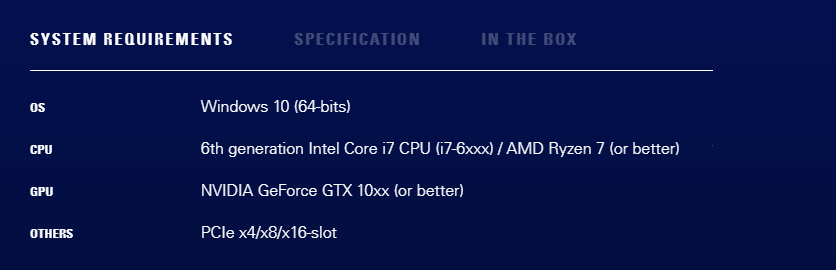 fickle pulsar
nova echo
https://prnt.sc/1ei3g3f
fickle pulsar
nova echo
https://prnt.sc/1ei3g3f
yes cause it has the slot require. i checked
fickle pulsar
nova echo
but the size good right?
yes you'll be fine. i had to double check. but yes it's good!
nova echo
k ty bro
fickle pulsar
nova echo
k ty bro
You're welcome!
 rose oyster
Im having a weird issue where on the Wave 3 my stream output is not picking my mic in obs, and on the streamdeck app I cant toggle between monitor and stream mix
 modern bobcat
Im stuck if anyone can help. Im on pc i have the game captured but no game audio
 silk ibex
anybody else facecam settings not saving?
south bronze
fickle pulsar
sorry i'm at work! lol did you get it sorted or still having issues?
i get my friend elgato and try it on my pc
the same problem
i can share u a screen to see it
now i have 2 elgato and i canot stream
 stray hill
Anyone else having issues with YT giving errors to Stream Deck? I have to "rejoin" every 15-20 minutes. Just wondering if anyone else has this issue
 summer canopy
I would like to resolve this issue, but I cant figure it out, this is with my elgato capture card. And no matter what I do, it wont fix it. Switching ports, uninstalling drivers, etc.
 summer canopy
Turns out, in device manager, it renames the card to this : Unknown USB (Device Descriptor Request Failed) idk what to do
 limpid adder
Hello.
I am using the 4k60pro card and the 4k Capture Utility (updated as well).
Last night while streaming, the audio to the stream was clear, but on my headset, when things got real messy, the audio started distorting (probably because the captured audio is too loud?) I wasn't exactly blasting it on my headset as well becausee I don't want to go deaf.
But I can't seem to figure out why the PS5 captured audio > Stream is good and without interruptions BUT the PS5 captured audio > Headset had distortions at really loud / big bass moments during Demon souls.....
cloud bolt
Anyone have issues with their sound being delayed from the video? I've tried to research it and nothing seems to happen. The delay gets worse as time goes on. I deactivate and activate it to get it on time but only lasts for a few minutes.
 steel ivy
Losing my mind this morning trying to get the wavelink software working on my mac. I've read all the posts about how to allow permissions in terminal etc but I cannot for the life of me see whats happening. Has anyone got a definitive solution for Intel mac? Can't see anything in pins but also might be being a moron
fickle pulsar
south bronze
now i have 2 elgato and i canot stream
I wonder if it could be your adapter.
fickle pulsar
summer canopy
Turns out, in device manager, it renames the card to this : Unknown USB (Device ...
have you tried device manager and removing it? I’d recommend unplugging the capture card after, reboot your pc and then plug in.
fickle pulsar
steel ivy
Losing my mind this morning trying to get the wavelink software working on my ma...
I have wavelink on mac. What are you running into?
steel ivy
fickle pulsar
I have wavelink on mac. What are you running into?
When I try and bring say Spotify in as a channel it tells me the audio engine is not installed properly. The guidance on the elgato website provides information for M1 macs and the work around and there is mention of historical issues with big sur but I can’t seem to get it working for my intel mac
 deft hearth
can someone help me? the feed from my elgato hd60s+ stops after a few seconds of using it on 4k capture utility or obs, it just stops but the passthrough is still working
fickle pulsar
steel ivy
When I try and bring say Spotify in as a channel it tells me the audio engine is...
oh! I don’t have M1 in mine. I know M1 has caused a lot of compatibility issues for a variety of software. 😕
fickle pulsar
deft hearth
can someone help me? the feed from my elgato hd60s+ stops after a few seconds of...
Try unplugging for 1 min the capture card. Plug back in.
 static parrot
~~i'm having an issue connecting my wave,
i reset my windows because it was being an a**
but upon reinstalling wave the installation process cant find the mic,
i've swapped ports,
manually removed driver,
restarted pc
the driver installs fine,
but the installer cant find it~~
i tried using an older installer i had and that seemed to work :/
 exotic plume
good morning. my epoccam pro shows its connected via wifi but my zoom camera has the three bouncing blue dots. i checked the drivers and i'm all up to date. I did have a geforce driver update yesterday. any thoughts?
steel ivy
fickle pulsar
oh! I don’t have M1 in mine. I know M1 has caused a lot of compatibility issues ...
Thats odd then because mine is also not M1 but you can get yours working. Did you have to do anything special when you installed it
fickle pulsar
steel ivy
Thats odd then because mine is also not M1 but you can get yours working. Did yo...
Not at all. Do you have spotify open? When open, add it as an input in Wavelink. Wavelink only works when the apps are open. I use iTunes and it works.
steel ivy
Hmmmmm, the plot thickens.
 steel ivy
fickle pulsar
Not at all. Do you have spotify open? When open, add it as an input in Wavelink....
steel ivy
fickle pulsar
Not at all. Do you have spotify open? When open, add it as an input in Wavelink....
^
deft hearth
fickle pulsar
Not at all. Do you have spotify open? When open, add it as an input in Wavelink....
i think i kinda fixed it, just needed to unplug one usb from the back, seems that elgato is not getting enough power if theres too many connected. thanks 😄
steel ivy
fickle pulsar
Not at all. Do you have spotify open? When open, add it as an input in Wavelink....
Well interestingly, install 1.3 no good, uninstall 1.3, install 1.2.1 upgrade to 1.3 and it works!
Thanks for your help
fickle pulsar
deft hearth
i think i kinda fixed it, just needed to unplug one usb from the back, seems tha...
yay!!! Glad you fixed it!!! Yeah, bandwidth can be an issue. 🤦🏻♀️
fickle pulsar
steel ivy
Thanks for your help
You’re Welcome! 🙂 It seems even on Macs 1.3 is having issues. 😕
 silver tree
Hi  Every time I use my Stream Deck I have to pull the usb cable and reinsert to make Stream Deck work. Is there a fix for this?
I have to Unplug/replug the cable every time I start my pc.
 silent sphinx
Any ideas as to why I may be having ghosting issues with FaceCam? Definitely connected to a USB 3.0 port
summer canopy
fickle pulsar
have you tried device manager and removing it? I’d recommend unplugging the cap...
Yeah I've tried that.
plush cedar
Hi I have a Ps5, 4k 60 pro, astro a40 TR, and the astro HDMI adapter. Im able to capture game audio from the 4k60 but i’m not getting any party chat audio. Do i need a chat link in order to get the party chat audio, or is there another way to get the chat audio?
fickle pulsar
summer canopy
Yeah I've tried that.
still not working? If not open a support ticket with official.
fickle pulsar
plush cedar
Hi I have a Ps5, 4k 60 pro, astro a40 TR, and the astro HDMI adapter. Im able to...
I use discord for party, but yeah chatlink and analog audio is the way to go via console.
 humble vault
how do I import a profile to my streamdeck mini?
south bronze
Isn't there a option to change the language in the Streamdeck Software?
 mental marsh
So when I plug in my 60+s into my monitor it won't recognize my monitor anymore and switches to my second monitor when I turn on my PC.
It only shows black. I have more than one hdmi on the monitor.
 storm pelican
hello, is there any way to have g-sync with hdmi passthrough with the 4k60 mk2 capture card?
what i would like to do on a single pc setup: game at 3840x1600p 120fps with g-sync and somehow capture/stream (resolution doesn't matter that much, just 60fps would be nice)
 tired flint
Can I use an USB microphone with Wave XLR?
 fathom scaffold
Hi, I can´t figure out to get the audio from my usb microphone onto my streaming pc by using the elgato HD60 S+. Is there someone who can help me with this problem?
storm pelican
storm pelican
what i would like to do on a single pc setup: game at 3840x1600p 120fps with g-s...
https://www.reddit.com/r/elgato/comments/oqd6tn/elgato_4k60_capture_card_mk2_how_to_capture_219/
this would be my thread if anyone is interested to help, thanks in advance!
reddit
0 votes and 2 comments so far on Reddit
 lavish heath
Hey Y’all,
I’m hoping to start djing publicly soon on Second Life and I currently use the Wave 3 for my mic. I use Serato right now, it was included with my board…was wondering if anyone knows how to get the audio to route via the Wave. I can only find information to download the Virtual Audio Cable…if I have to do that will it mess up the wave software?
TYIA
 vivid nexus
Heya, so I just bought the 4K60 Pro, but realized my streaming PC only has a PCIE x1 slot. Is there any way for me to basically put the capture card into my gaming pc, but output the capture to my streaming pc?
Reason why im not going with the HD60 Pro is cause i need that 1440p144hz passthrough
 surreal tinsel
4k 60 pro question
Video of issue: https://youtu.be/AwZB63X_Pqk
So, I'm going to try and explain this as clearly as I can.
I have a 2 pc setup.
Gaming PC : 3090, 10900k, with 2 monitors, Main display is BenQ 1440p 144hz with HDMI 2.0 capability. Side display is a predator 1080p 240hz monitor.
Stream PC : 1080ti, 7700k with 1 monitor, another predator 1080p 240hz monitor.
(I have all 3 monitors set to 144hz)
I've purchased a 4k60 pro a few years ago, everything worked flawlessly, and I mean flawlessly when capturing 1440p 144hz.
I stopped streaming for ONE month, came back, and now I have terrible vertical screen tearing and jitter, on stream, on recording, on 4k capture utility. I can just move a random window around on my desktop and see the tearing/jitter.
I normally have my setup as such : HDMI 2.0 cable from Gaming pc graphics card to 4k60 pro input in the stream PC.
While I have the Displayports connected to my 2 gaming pc monitors from my graphics card on my game PC.
I cloned my screens (BenQ + Elgato 4K 60pro). Again, both set at 1440p 144hz.
On the 4k capture utility on my stream PC, I have it as 1440p 144hz.
 fickle pulsar
surreal tinsel
**4k 60 pro question**
Video of issue: https://youtu.be/AwZB63X_Pqk
So, I'm go...
fickle pulsar
surreal tinsel
**4k 60 pro question**
Video of issue: https://youtu.be/AwZB63X_Pqk
So, I'm go...
have you made sure your cables are good? Have you check your bios/drivers are current?
fickle pulsar
humble vault
how do I import a profile to my streamdeck mini?
double click it! 😉
humble vault
ty
south bronze
Hey guys I have some issues with the elgato Facecam constantly disconnecting.
Is there someone that can help me?
fickle pulsar
humble vault
ty
yw!🙂
south bronze
Actually I fixed it. And heres what I did.
Anyone who has disconnect issues with elgato facecam. Install the elgato software first and then connect the device when prompted. Plugging in the camera screwed it up and required a full reinstall. Do not plug and play, you also cannot use the software while using OBS. 
 🍴
🍴
south bronze
Hello, My stream deck will only turn on one of my key lights. When i turn off my pc and turn it back on it sometimes alternates. It never does it in sync anymore and i do have it checked to where it is sync together. I have the regular key light and Keylight Air
rustic mesa
south bronze
Hello, My stream deck will only turn on one of my key lights. When i turn off my...

⚠️ Stream Deck Users ⚠️
ℹ️ We've temporarily rolled back the Control Center plugin update, which caused unintended behavior when controlling multiple lighting devices.
➡️ How to get the previous Control Center plugin version
https://t.co/Dpwd6Qex2O
Likes
114
 Twitter
·
glass garden
south bronze
Anyone who has disconnect issues with elgato facecam. Install the elgato softwar...
Twitter
·
glass garden
south bronze
Anyone who has disconnect issues with elgato facecam. Install the elgato softwar...
Just disconnecting, not camera freeze?
But thanks, will keep this in mind if this happen to me :)
 hollow willow
I swapped back to my other cam for now, until I can figure out what the heck is up with my Facecam. 😢
I think I saw that you can't use the Camera Hub while using OBS? Well when I exit the hub, the camera just shuts off and that's it, it seems. I can't get OBS to see the camera. D= Very frustrated. I was so excited to try this camera out.
 slate tangle
I have an issue with the stream deck software not being able to tell that the iCUE software is running; which is creating an issue where the stream deck software doesn't show the keyboard g-keys.
 ornate lake
Welp, it's nice to know I'm not the only one who cannot get the Facecam to work. I'll keep trying to find a solution, but I hope someone beats me to it.
surreal tinsel
fickle pulsar
have you made sure your cables are good? Have you check your bios/drivers are cu...
I haven’t looked at bios. But yes I’ve done different cables, bought another capture card, reinstalled drivers on both computers. Did a fresh windows install on stream PC. Nothing fixed.
ornate lake
So uh, I fixed the Facecam.
I gave up trying to plug it into my motherboard, so I plugged it into my monitor instead and it works perfectly fine.
I hope this works for you guys as well.
 grave nimbus
Hi all. Has anybody had an issue with an echo since the last Wave Link software update?
fickle pulsar
surreal tinsel
I haven’t looked at bios. But yes I’ve done different cables, bought another cap...
it may be your bios/drivers, and if not I’d def open up a support ticket. However, I learned Gigabyte Motherboards have 3.0 disable on some and you have to enable it. Does your motherboard do stuff like that too?
fickle pulsar
ornate lake
So uh, I fixed the Facecam.
I gave up trying to plug it into my motherboard, so ...
it didn’t work plugged into your motherboard? It should, one person posted you need to have the facecam software open first before plugin, and then it should read it. I’d say try it again.
fickle pulsar
grave nimbus
Hi all. Has anybody had an issue with an echo since the last Wave Link software ...
One person did when trying to help him setup. I haven’t but a lot of people are just having issues with 1.3 in general. If you’re able too reinstall previous version.
surreal tinsel
Hmm not that I know of. I’ll give it a look when I get home from work. I have asus motherboards in both PCs. It’s just crazy one month away and it’s not working now. I was getting terrible jitter just on my main gaming pc when using OBS (checked it just for sake of checking) I rolled back my graphics driver on game pc and the jitter went away. But the problem on stream pc / 4 capture utility still exists.
fickle pulsar
surreal tinsel
Hmm not that I know of. I’ll give it a look when I get home from work. I have as...
idk that’s odd. i’d say open a support ticket with official.
fickle pulsar
ornate lake
So uh, I fixed the Facecam.
I gave up trying to plug it into my motherboard, so ...
fickle pulsar
hollow willow
I swapped back to my other cam for now, until I can figure out what the heck is ...
surreal tinsel
From what I was reading some people are suggesting it’s a monitor issue since I have 2 different monitors and they are throwing different signals? I did notice when I go into display settings my refresh rates are all different. Main BenQ is like 143.05, side predator monitors are like 144.2 and Elgato capture is like 143.06. Then again my thing is, I didn’t change monitors out at all and everything worked fine previously. So idk if it’s a windows update or driver issue? Do I open tickets on the website @fickle pulsar
fickle pulsar
surreal tinsel
From what I was reading some people are suggesting it’s a monitor issue since I ...
yes open one, because if it worked before and isn’t now and you’ve exhausted all options then a official support should be able to help. 🙂
grave nimbus
fickle pulsar
One person did when trying to help him setup. I haven’t but a lot of people are ...
Thanks for the reply! Re-started my PC and seemed fine, but was strange having the double audio.
surreal tinsel
Alright. Thanks for taking the time to read my issue and offer some help @fickle pulsar I’ve been losing my mind!!! Haha
fickle pulsar
grave nimbus
Thanks for the reply! Re-started my PC and seemed fine, but was strange having t...
Glad it went away. Hopefully the roll out another update. I’m guess with bringing on XLR bugs are eminent.
fickle pulsar
surreal tinsel
Alright. Thanks for taking the time to read my issue and offer some help <@47616...
You’re Welcome! Don’t lose your head over this, if we as users can’t figure it out, support should via running a diagnostic. This will eventually get working. elgato has amazing people working with them. Their customer support is great too. I’m sure they can fix it!🙂
south bronze
my elgato keep disconnects randomly . i am streaming from iPad
what is the best settings for ipad
what is the EDID input for ipad ?
regal hazel
regal hazel
Hey there, I do have a Question and I wanted to try asking it here, since I didn...
I guess no one has a idea about my question?
hollow willow
fickle pulsar
https://discord.com/channels/581549424518365226/581551435074764810/8683374029833...
I saw that, did the reinstall and connected when prompted. Did not help me. 😦
 stiff cliff
Dear Community and Elgato Team:
I have a question but first i need to explain the situation. In my work we are now using 5 Streaming stations each equipped with a CamLinkPro. All of them are grabbing between 2 and 4 HDMI signals coming from completely offline computers. My streaming computers are online (or a least connected to an internal network).
This is my question : is there a tool (software) I can use to broadcast all the HDMI signals I acquire over the network. My though is as I grab signals on my Steaming Station, can I get them send back over the network and just watch the different feeds from another software ?
Thanks a lot for your help
 spiral dirge
hello is anyone available to help?
 main imp
Elgato Facecam work with android phone ?
 bleak phoenix
Hello there . i get some fps drop on my HD60 Pro when playing on my PS5 fps from 60 goes to like 30 for 1 seconds and then is okay . any idea of why is happening that ?
ornate lake
fickle pulsar
https://discord.com/channels/581549424518365226/581551435074764810/8683374029833...
Already tried this 4 times
south bronze
Hey guys here are some suggestions if you might be having issues with with freezing on the facecam. If youve already installed the software and plugged the cam in when prompted then try these next steps. Try connecting to all usb 3.0, 3.1 and 3.2 ports. Sometimes case 3.0 slots suck. Try plugging it into your monitor if it has USB 3.0. Try a usb hub with internal power supply. Before you try a hub, if nothing else works, uninstall the software, uninstall previous wecam drivers and old device drivers. Update bios drivers for your motherboard USBs. Reinstall facecam software and then plug in the camera when prompted.
fickle pulsar
ornate lake
Already tried this 4 times
Reach out to official support. I wonder if an update is due.
fickle pulsar
spiral dirge
hello is anyone available to help?
what do you need help with?
mental marsh
Hello, so I just got an s60+. When setting up, do I have to lose a monitor when connecting? I use 2 screens, one for obs and one for actually using my stream. Do I have to lose access to my main monitor? This is kind of annoying. When I turn on my pc it won't display anything even if the console is turned on.
 steep cliff
has anyone had problems with Xsplit vcam and the facecam?
worldly junco
south bronze
Hey guys here are some suggestions if you might be having issues with with freez...
Have you tested any of these or are these blanket attempts at a fix
gritty quarry
so for xbox one x on 4k60 pro i need to switch the edid and settings to 1440p,. is there a way to flick between profiles so if i go back to say switch which is 1080p? or is it just change settings each time
just sometimes OBS is a bit funny about changes in settings
fickle pulsar
mental marsh
Hello, so I just got an s60+. When setting up, do I have to lose a monitor when ...
are you using that monitor for console as well?
 naive stone
did anyone know how passthough work ?
I wanna use passthough then cloning for dual pc
 frozen vortex
What’s up ya’ll
south bronze
Out of curiosity. I have an HD60 S and everything is set up with the usb-c connected to a 3.0 port. But I still get the message that it needs to be connected to a 3.0 port to function properly. Anyway to get around it?
south bronze
@worldly junco All were tested by me. I found that the power supply and the 3.1 A slot on my MOBO worked however my case did not. Had constant crashes due to not installing the software correctly. Also had updated bios and drivers before reinstall. I had also removed my c920 drivers as well in an attempt to rectify my situation.
I have not had specifically the issues with freezing, but to my knowledge issues like that are caused by bad ports or lack or power to the USB port itself.
worldly junco
yikes all of that should not be remotely necessary to make a webcam work
rustic mesa
south bronze
Out of curiosity. I have an HD60 S and everything is set up with the usb-c conne...
Well either your not plugged into an actual 3.x port (on your motherboard) or your cable could be bad or not seated in the ports correctly. I’ve never run into an issue with it personally where it misidentified a 3.x port. Feel free to post some photos of your setup and the port your plugged into if you can.
 dusk cloak
Does anyone have any recommendations to get your in-game audio to pick up on an Elgato HD60s even with the sound software it doesnt pick up on the Nintendo Switch.
gritty quarry
Is there a way of adjusting the passthrough audio levels? On hd60s+ there was a slider in recording sounds but cant see it there for 4k60 pro? Just switch sometimes is super loud
dusk cloak
That actually worked! I seem to keep setting and adjusting my audio perfectly but some update always reverts it back. Thank you @gritty quarry
gritty quarry
Um not sure how i helped mine is legit a seperate question 🤣
But i know when i was using hd60s+ it was a case of restarting everything playing with setting then going again
It was not just simple plug and play sometimes
 dusty magnet
So my keylight is no longer interacting with my stream deck. I have it set to keylight and it turns on my light strip. no matter what i change it to it turns on/off my light strip
i can control it from my phone and computer perfectly fine
south bronze
@worldly junco I don't think all of it was, but it doesn't hurt to uninstall old drivers of devices you don't use, and also update the bios. Its hard to truly pinpoint what exactly made it work, but removing old drivers helped a totally unrelated issue I was having with another piece of hardware. So win-win I guess.
south bronze
can anyone help me? my elgato wave 1 stopped having the option to choose in the input devvice "Mic In (Elgato Wave:1)" when i updated wave link up to the 1.3 version and now i cant find out how to make it work again please help (SOLVED)
 patent tapir
Hi, I have an issue with Stream Deck Mobile, where my phone does not get added to the Stream Deck-software. My pc is on a wired internet, does anyone have any tips?
neat crow
Did stream deck do an update which broke stuff????
None of my buttons are working...
Only the sounds are working which are direct files.
None of my SLOBS buttons are working and none of th ebuttons that post messages to my chat.
neat crow
How can I get on the phone with an actual Elgato Stream Deck support staff?
 potent wigeon
anyone gotten an issue with the facecam? the video is just black with white particles for me
nvm, fixed it lmao
fickle pulsar
south bronze
can anyone help me? my elgato wave 1 stopped having the option to choose in the ...
Sent you a link to previous builds!🙂
fickle pulsar
neat crow
How can I get on the phone with an actual Elgato Stream Deck support staff?
i fill out the tech support form, and ask in your request for a phone call. Not sure if they will, but it never hurts to ask.
fickle pulsar
dusty magnet
i can control it from my phone and computer perfectly fine
uninstall the control center plugin, and reinstall. 😉
fickle pulsar
south bronze
thanks :D
That’s what my suggestion was too, but you DM’d me when I was asleep. lol
 olive geyser
hey, whenever i start obs, my camera freezes in obs after a few seconds. im using a elgato cam link 4k as input. i have to change the input a couple of times to get it to work. any idea how to fix it? the 4k capture utility nad the windows camera app works fine
bleak phoenix
Hello there . i get some fps drop on my HD60 Pro when playing on my PS5 fps from 60 goes to like 30 for 1 seconds and then is okay . any idea of why is happening that ?
Anyone an help me ?
 fervent scaffold
what is this spotify problem in the stream deck, in fact when I click it does that to me and the music does not want to pause

 eternal plume
Alright, almost getting a little desperate here since I've already spent a bit of money on figuring it out and I still can't get it to work even after looking at video guides.
With a particular mobile game I've been looking forward to coming out this week, I'm looking at trying to stream directly from my Samsung phone through the HD60S. I've heard it's possible with a HDMI splitter as part of the set up (something to to with HDCP protocol on the phone), but even after connecting everything it's still not working.
Anyone have some insight?
south bronze
Hello guys so i have an wave 3 but dont have an boomarm for it and the store where i want to buy it doesnt have the wave arm or LP so i wanted to ask if i can mount my wave 3 with the multi mount and flex kit
 summer osprey
OK, honestly I don't know where else to post this, I'm thinking of if I got the Wave Panels, and it offers two different types of putting up on walls. What if you want to put the panels up, but have textured walls, but don't want to drill holes in the walls. It seems that the sticky pads use can't be used on the textured surface, so what would be used instead of drilling for the textured walls?
fickle pulsar
fervent scaffold
what is this spotify problem in the stream deck, in fact when I click it does th...
t try reconfiguring the button. see if that solves it.
fickle pulsar
eternal plume
Alright, almost getting a little desperate here since I've already spent a bit o...
is your IN connected to your HDMI splitter, and USB from the capture card to USB 3.0 on your PC and OUT to your TV/Gaming Monitor?
fickle pulsar
south bronze
Hello guys so i have an wave 3 but dont have an boomarm for it and the store whe...
I tried it was a no go. the screws didn’t fit even with the adapter for me. Currently waiting for an ETA for the LP though.
fickle pulsar
summer osprey
OK, honestly I don't know where else to post this, I'm thinking of if I got the ...
is it textured but flat, or super textured? I hated using screws on mine, but I would’ve gone the sticky strips vs. My wall was flat enough too, but I misplaced the stickies. 🤦🏻♀️
summer osprey
fickle pulsar
is it textured but flat, or super textured? I hated using screws on mine, but I ...
This is the wall, kick is, we've been able to get Command Strips to actually hold on here, but the object getting held has to be WAY below the needed weight. That's way I'm wondering about the whole thing
 fickle pulsar
summer osprey
This is the wall, kick is, we've been able to get Command Strips to actually hol...
fickle pulsar
summer osprey
This is the wall, kick is, we've been able to get Command Strips to actually hol...
oh yeah this will be fine for the sticky adhesive strips.
summer osprey
fickle pulsar
oh yeah this will be fine for the sticky adhesive strips.
😕 They will be, I find that hard to believe, but I'll take your word for it
fickle pulsar
summer osprey
😕 They will be, I find that hard to believe, but I'll take your word for it
if you want, test out 1 of the strips.
rustic mesa
summer osprey
😕 They will be, I find that hard to believe, but I'll take your word for it
I mean you really only have two reasonable options here. I believe the wave panels come with TESA adhesive and the video on the website clearly shows mounting with screws on a textured wall. The panels weigh 1.8oz so if you’re not confident in the TESA mounting strips I’d suggest going to a hardware store and picking up some extra 3M adhesive strips or something. I’d personally secure it to the wall with screws and just putty em in if you ever take them down but just putting this info out there for you to make your own decision


You could likely get away with two screws on the lower panels and then maybe one at the top of any you put above them if you wanted reduce the amount of holes you have to make but following instructions will ensure nothing falls
summer osprey
We're not going to be drilling holes into the wall, we can always try it with the strips.
rustic mesa
Yes you sure can, I think you’ll be okay like Vics mentioned but as I said just trying to make sure you’ve got all the information. Best of luck
 tired verge
hi guys, i'm trying to record my switch with my elgato game capture hd, there is a delay between my game and my direct display
on obs
fickle pulsar
tired verge
hi guys, i'm trying to record my switch with my elgato game capture hd, there is...
usually can range between no lag to 2.5 at min.
I have a gaming monitor just for pc/console so ai have no lag. streams are at min 10 sec behind.
autumn vortex
Hi, I have a elgato 4k 60 pro mk2 running a dual pc setup where the capture card is installed in the streaming pc. The capture card was working fine when capturing 1080p 240hz through my RTX 2080ti that is installed in my gaming PC but after replacing my 2080ti with the RTX 3080ti the capture card glitches when selecting 1080p on the 4k capture utility software where the screen just turns green can a portion of my gaming PC is captured. But when selecting 3440p on the EDID it works fine until I tab out from a game where it then loses the signal. I tried installing the RTX 2080ti back into my gaming PC and the capture card works fine so I find it weird that it's only happening to my RTX 3080ti graphics card.
 wet nova
How do you connect elgato hd60s+ to an iOS device?
rustic mesa
wet nova
How do you connect elgato hd60s+ to an iOS device?
Hdmi cable to Apple certified adapter depending on your model iPhone
rustic mesa
rustic mesa
Hdmi cable to Apple certified adapter depending on your model iPhone

How to set up iOS Devices with the Elgato Game Capture S
▼ HD60 S Highlights:
- Stream and record your Xbox, PlayStation, or Wii U gameplay
- Stunning 1080p quality with 60 fps
- Built-in live streaming to Twitch, YouTube & more
- Instant Gameview: stream with superior low latency technology
- Stream Command: add webcam, overlays, and more
- B...
wet nova
rustic mesa
Hdmi cable to Apple certified adapter depending on your model iPhone
Thank you ❤️
 acoustic acorn
@bleak phoenix It's still pretty early in the morning, and I'm guessing most are AFK.
eternal plume
fickle pulsar
is your IN connected to your HDMI splitter, and USB from the capture card to USB...
I just got home from work so replying now re: the Android question.
I've got as far as phone to splitter in, splitter out to HD60S in, and the usb from the HD60S connected to the computer. So, what I'm technically missing is the OUT port from the HD60S going to something, then? Unless I've missed something I'm not sure if any of the tutorials mention anything going out from the Elgato device. Most just focus on the "you need a splitter because HDCP".
 swift jungle
Hey guys how is everyone? I have a question. I have a wave 3 mic and just got the goxlr and i connect it using the 3.5mm from the back of the mic to the mic input on goxrl. The issue is when i go to goxlr software where i choose mic to 3.5mm it not sending the audio. Anyone had this issue using the wave 3 to goxrl before? Any help is really appreciate it.
fickle pulsar
eternal plume
I just got home from work so replying now re: the Android question.
I've got as...
Did it show your on your screen?
 oak raptor
Hello there, can anybody tell me if the HD60S works for an hp 15 notebook? When I go to devices it says "Driver is unavailable" for the game capture. I'm planning on getting a new laptop either way but I'm just wondering if the problem is my laptop.
bleak phoenix
@acoustic acorn i am on EU so i dont know if there is a timezones difference
I get some fps drop on my HD60 Pro when playing on my PS5 fps from 60 goes to like 30 for 1 seconds and then is okay . any idea of why is happening that ? if anyone can help i would appreciate that
acoustic acorn
bleak phoenix
<@!105332681604132864> i am on EU so i dont know if there is a timezones differe...
That's fair... Completely understandable. :)
hollow willow
So I seem to have my Facecam working now... and I did it by using a different cable.
But when I go to save settings in the Camera Hub, it reverts several settings and doesn't save correctly. :\
 floral jetty
@hollow willow since it is a new product I would say open a ticket http://e.lga.to/help
hollow willow
floral jetty
<@!112006814618419200> since it is a new product I would say open a ticket http...
Thank you! 🙂
 paper wasp
Hello i m looking for some help with my 4k Pro with Nintendo Switch Recording. i Ran in to a real strange problem the screen changes size on every aktion on screen.
 upper swan
Hello. I connected my new Elgato Capture card H60 s+ from my switch to my monitor and my laptop. though the only issue is that I want to be able to hear the game sounds from my switch on my laptop, not through the monitor. how do I change this?
 stone plank
I am having an issue with too much lag between the time button is pressed and the time that it is changed in my OBS. I’m attaching a video, someone could help me figure this out I would appreciate it.
A separate issue that I’m having is that each time I restart my computer I have to remove twitch from the Stream Deck app, then re-add it, and log into Twitch again. I contacted support about this a while back. Their suggestion was something about adjusting a power plan. I did try to figure out how to do that but I did not have any luck resolving it. Has anyone else had this issue
 grand whale
Hello everyone 🙂 I just bought a card capture HD60 and everything seems to be working except the sound. I installed the Sound Capture software but no sound comes out from the game, weither it is in my speakers, headphones or OBS Studio. I think the problem comes from the fact that my Elgato Card Capture is connected to my monitor, but the monitor doesnt handle sound (it has no sound coming from it, i use speakers or headphones). Do you have any idea what to do ? Do I have to buy some kind of jack cable for it to work ? Thanks 🙏
stone plank
@grand whale what is your card attached to? Xbox, ps4?
grand whale
stone plank
<@403299810981052426> what is your card attached to? Xbox, ps4?
Switch only !
stone plank
Hmm well I was hoping you’d say ps4 cuz I could probably tell you how to fix that. Sorry 😢
grand whale
@stone plank you were gonna tell me about the chatlink right ? Idk if it’s working for Switch 😦
rustic mesa
Hey @grand whale which software are you using for capture? (Game capture hd, 4K util, obs)
grand whale
Hey @rustic mesa ! I am using OBS, Game Capture and Sound Capture but the thing is there is no sound even when I don’t run OBS
rustic mesa
Okay I personally am not a fan of sound capture. If you’re using obs and you’ve got your HD60s added as a source does it also appear in your audio mixer? If so right click it select advanced properties and change the hd60 from monitor off to monitor and output.

 echo dirge
Anyone use an HD60s and have experience crackling/static from audio after around 5ish minutes of gameplay? The only way I've found to fix this is restarting game capture which isn't ideal. I've had this same issue on PS4, Xbox 360, PS2, Wii, and Switch.
fickle pulsar
upper swan
Hello. I connected my new Elgato Capture card H60 s+ from my switch to my monito...
What program are you using?
 chilly magnet
I'm having an issue with the Lumia Stream Plugin for Stream Deck not recognizing that I have Lumia Stream installed
 desert nova
I recently upgraded from HD60 Pro to 4k60 Pro. I noticed that that all audio through it is “stuttering” until I open 4k Capture software. Is that normal?
Only asking because I never needed to open software on previous capture card so want to be sure there isn’t any underlying issue that needs tweaked before it gets out of warranty.
Note - audio issue is fine on my end on Xbox, just is messed up for viewers who are watching stream.
 vestal topaz
I have one question guys, i bought elgato 4k60 S+ and 3 months ago and it was working super great!! i record video games for fun (3 times a week for 2 hours) 3 days ago the capture card stopped working for no reason! i dont have signal at all and the red light is blinking, i changed all the cables and im still having the same issue. I contacted customer service... and im still waiting for an answer... is there a way to fix that problem by myself? to me looks like a hardware problem...
rustic mesa
vestal topaz
I have one question guys, i bought elgato 4k60 S+ and 3 months ago and it was wo...
Elgato
Elgato Game Capture 4K60 S+ has 3 different LEDs which serve as status indicators for the device.
General
Standby
Blue status LED
Slow flashing
Booting
Red status LED
Flas...
which of these are you seeing SeaDragon?
 nocturne sail
If i plan to not use the elgato 4k60pro in a one pc set up should i take it out or can i leave it in there i want it disabled temporarily
 urban hound
Hey guys. Little question. Using a 2 PC setup btw. I am trying to stream using both PC's and an Elgato HD60 S. I have an issue though. And it is one that I have had for quite some time. But I have tried everything I know how to do. My problem is this. I am trying to play games at 240Hz and capture at 60Hz. Some games work with 240Hz and some dont. They will run at 60Hz. So here's how I have it set up.
GTX 1080 > DisplayPort > 240Hz Monitor
GTX 1080 > HDMI > Elgato HD60 S
I am mirroring my main display to the Elgato. Some games run perfectly fine, such as CS. But others run at 60Hz even through my DisplayPort, which is set to 240Hz. Not entirely sure what the issue is here. I can screenshot all of my settings if need be. The HD60 S is running to my Alienware M17 laptop for streaming. If anyone knows a workaround to this 60Hz issue, I would greatly appreciate help.
stone plank
@grand whale No, it was about PlayStation. There is a setting that has to be changed in order for audio to transmit via a capture card.. Since you’re not on PS4, it doesn’t affect you. And the chat link cable is completely unnecessary. 
 late oracle
Hello!
I made the purchase from Montreal and paid the shipping just to get my hands on it
I was so excited to set it up. The camera was just in my price range and is amazing.
After about an hour of setting up my lights I decided to use my old camera as sort of a b-cam
While setting it up the Facecam disconnected.
I used OBS to quickly reconnect.
It disconnected again. I unplugged everything except my GoXLR, Cam and Keyboard.
It kept disconnecting faster and faster. Restart. Shut down all apps. About three hours of trouble shooting later: now it disconnects right after I activate it
I have the latest dell XPS 13
One USB c port is connected to a razer core that houses a graphics card
The other usb port connects to that powered 250$ usb c hub sold by Apple. That hub is being used as a usb hub.
Windows 10 and OBS fully updated.
Please help 🥺
upper swan
fickle pulsar
What program are you using?
Obs
late oracle
😔 I can't figure it out...I guess I plug it into my other computer and see if it persists?
south bronze
late oracle
😔 I can't figure it out...I guess I plug it into my other computer and see if i...
Are you connecting the Facecam through the USB-hub?
late oracle
I have to. My dellxps has only two thunderbolt ports
Maybe I should plug it directly in for a test?
I had my Logitech cam working for months btw
south bronze
late oracle
I have to. My dellxps has only two thunderbolt ports
Two things...
- Elgato doesn't recommend connecting to any of their products via a hub. (Heard in many streams.)
- The Facecam uses a lot of computer power since the video is uncompressed. I would honestly not trust that to be plugged into a hub.
Try plugging it in directly and see if it works, I'm going to assume it will.
late oracle
Ok. Odd that it worked fine for over an hour right?
Not sure how I'm going to get around not using a hub .. this is a really frustrating problem... I wish I had enough to get a dedicated PC...
south bronze
late oracle
Not sure how I'm going to get around not using a hub .. this is a really frustra...
I get you. The hub probably didn't have the power to use it for an extended period of time. What else do you have plugged into the other USB port? One for the hub, connect everything else. The other port just for the Facecam.
late oracle
It likely does. It's a 300$ hub with a dedicated power source
Let me look it up
One min Ill turn on my PC without my egpu
My laptop
XPS 13 9300 with latest version Windows 10
Port 1
Razer Core X
NVIDIA GeForce RTX 2070
Port 2
Thunderbolt 3 Express Dock HD (https://tinyurl.com/y225vwca)
GoXLR Audio Mixer
SM7B XLR Mic
Elgato FaceCam
Razer Blackwidow Keyboard (about 6 years old)
The camera has been on and been working just fine this whole time.
I am suspecting if I start opening alot of tabs that might cause the error maybe?
OBS
Jammed!
So about 15 min
On ideal
Keep in mind before I posted my request I fully restarted and the camera would stop right away when it was the only app running so it seems random
I just grabbed my server from my basement and Im thinking of putting the 2070 into the server and setting up a 2 PC set up.
dusty magnet
fickle pulsar
uninstall the control center plugin, and reinstall. 😉
Thanks all fixed!
 wise field


 novel tusk
hey then if a video card is used for the hd 60 s
 winged plover
Hey could someone help me setting up my elgato hd60 capture card
I think i dont have an item that i need that i didnt even know about that i needed :/
So i have the elgato hd60 s and want to stream nintendo switch into obs, i only have one monitor
fickle pulsar
upper swan
Obs
Did you select Monitor and Output in the audio mixer’s advance properties?
fickle pulsar
desert nova
I recently upgraded from HD60 Pro to 4k60 Pro. I noticed that that all audio thr...
I have to open OBS, 4K Capture Utility, or Streamlabs OBS with my HD60S+ in order to hear audio. The capture card doesn’t actually start or activate until the streaming software is open. This includes listening to audio. elgato has worked with me on this. Mine use to do the audio standalone before, now only with streaming software.
fickle pulsar
stone plank
I am having an issue with too much lag between the time button is pressed and th...
is your streamdeck connected to the motherboard or a USB hub?
upper swan
fickle pulsar
Did you select Monitor and Output in the audio mixer’s advance properties?
Yes I did. but is there a way to make the sound come throuhg my laptop at all times? not just when OBS is open?
fickle pulsar
stone plank
A separate issue that I’m having is that each time I restart my computer I have ...
No, but depending how your setup is there may be a limit of power via bandwidth going to your device.
fickle pulsar
grand whale
Hello everyone 🙂 I just bought a card capture HD60 and everything seems to be w...
Did you select Monitor and Output in the Audio Mixer properties in OBS? Make sure in 4K Capture Utility it’s not muted.
 bleak phoenix
I am posting again here.maybe can someone help posting here for days
I get some fps drop on my HD60 Pro when playing on my PS5 fps from 60 goes to like 30 for 1 seconds and then is okay . any idea of why is happening that ? if anyone can help i would appreciate that
Please if anyone know something g could you please assist me ?
novel tusk
fickle pulsar
No, but depending how your setup is there may be a limit of power via bandwidth ...
why doesn't he let me talk to you anymore
fickle pulsar
novel tusk
why doesn't he let me talk to you anymore
Why doesn’t who? 🤷🏻♀️ I’m here!
fickle pulsar
south bronze
what capture card? Also have you tried different hdmi cables, or a different usb 3.0 port?
bleak phoenix
@fickle pulsar since you are the only one who answers got any idea for my problem posted above ?
fickle pulsar
bleak phoenix
I get some fps drop on my HD60 Pro when playing on my PS5 fps from 60 goes to li...
I wish I could. I use the external ones, but I wonder if @rustic mesa might know.
fickle pulsar
bleak phoenix
<@!476160810457235466> since you are the only one who answers got any idea for m...
Only thing I could think of is in settings/preferences in 4K Capture Utility what’s it’s setup as. Also are you using OBS?
fickle pulsar
novel tusk
hey then if a video card is used for the hd 60 s
Usually a laptop has one, and it would work decently, however I use an eGPU for my Mac Mini when running bootcamp. Helps with live streaming.
bleak phoenix
@fickle pulsar yeah as i said i am useing streamlabs OBS to play on the preview i am not using the 4k capture utilty
fickle pulsar
bleak phoenix
<@!476160810457235466> yeah as i said i am useing streamlabs OBS to play on the...
Oh on Streamlabs, did you configure it to 60 and then it drops? How’s your bandwidth, and pcie with the capture card is connected securely?
fickle pulsar
bleak phoenix
<@!476160810457235466> yeah as i said i am useing streamlabs OBS to play on the...
are you using a riser cable?
fickle pulsar
bleak phoenix
<@!476160810457235466> since you are the only one who answers got any idea for m...
I wonder if this may help you with streamlabs https://streamlabs.com/content-hub/post/dropped-frames-cpugpu-issues-and-improving-stream-quality

Streamlabs
First, check out this video that breaks down this topic in 3 parts:https://www.youtube.com/watch?v=WnRhaZaQ2ns Before we discuss fixes, there are the...
fickle pulsar
bleak phoenix
<@!476160810457235466> since you are the only one who answers got any idea for m...
Found this on reddit, have you checked your monitor too?
 south bronze
fickle pulsar
what capture card? Also have you tried different hdmi cables, or a different usb...
south bronze
fickle pulsar
what capture card? Also have you tried different hdmi cables, or a different usb...
I had hd60S+ and now mk.2 60 pro
fickle pulsar
south bronze
I had hd60S+ and now mk.2 60 pro
so this is internal, is it secure in the pcie slot? also the HDMI cables have you swapped them out and tried new ones?
south bronze
Yes i tried my second hdmi screen and new

I moved it to up pcie
And now i format my ipad

Restore all settings
Also i Format my win 10 😂
fickle pulsar
south bronze
Yes i tried my second hdmi screen and new
Elgato
An Elgato Game Capture 4K60 Pro video signal that is flickering, or has incorrect colors, is usually the result of a HDMI cable issue.• The HDMI cable may be defective in some way• The HDMI cable m...
fickle pulsar
south bronze
I swear i just wanna cry
I've had days like that. I totally can relate.
fickle pulsar
south bronze
I was working on it for 4 days
here's some more info that may help https://help.elgato.com/hc/en-us/articles/360027959012-Elgato-Game-Capture-4K60-Pro-Troubleshooting-4K-Video-Issues-
Elgato
Elgato Game Capture 4K60 Pro can capture video at many different resolutions and frame rates, up to 2160p60 (4K).That said, if there are any issues with the video quality, use these steps to help r...
fickle pulsar
I wish I could answer that. I currently rock a HD60S+ so idk...
fickle pulsar
try fully uninstalling, reboot the PC, and reinstall.
fickle pulsar
south bronze
Like 100 time
it seems to be a high speed cable issue.
south bronze
no it seems to be EDID file not working will with new m1 ipads
fickle pulsar
south bronze
no it seems to be EDID file not working will with new m1 ipads
oh, I've heard people have issues with the M1 chip.
fickle pulsar
south bronze
no it seems to be EDID file not working will with new m1 ipads
Let me do some digging see if I can find anything out.
fickle pulsar
south bronze
no it seems to be EDID file not working will with new m1 ipads
Seems like it's a thing right now. Not sure if there is a solution yet, but I'd recommend opening an official support ticket.
 south bronze
I think we need an EDID file that working well with new screen and new m1 cpu on the new ipad pro 12.9 2021
Sameee problem
fickle pulsar
south bronze
Sameee problem
yeah, open a ticket with official. as I couldn't find a solution.
fickle pulsar
south bronze
Where to open a ticket?
here's the link, and you're very welcome! http://e.lga.to/help
south bronze
I have a solution but it’s hard to explain 😂
upper swan
fickle pulsar
Did you select Monitor and Output in the audio mixer’s advance properties?
Yes I did. but is there a way to make the sound come throuhg my laptop at all times? not just when OBS is open?
fickle pulsar
upper swan
Yes I did. but is there a way to make the sound come throuhg my laptop at all ti...
I've reached out to elgato on this, and the capture card doesn't work without the streaming software therefore can not run standalone with audio. It requires streaming software to function.
fickle pulsar
south bronze
I have a solution but it’s hard to explain 😂
Did you fix it?