#cth-history
1 messages · Page 63 of 1
 south bronze
right click
and click on listen this device
there is no admin or modo to help us here ?
 hidden ivy
Hi. Can anyone tell me if it’s possible and how to use the Elgato light strips with the HomeKit? To turn them on or off with Siri specifically?
 weary zenith
So I might have actually found a fix, I updated my Chipset + bios and it seems to work fine now.
 lilac arch
so yall idk what to do im experiencing an issue that i looked everywhere for to fix but cant find a fix
so
^idk if yall can open the video but this is what is being outputted
and idk what to do
 fickle pulsar
Is the audio in Analog? https://help.elgato.com/hc/en-us/articles/360050373852-Elgato-Game-Capture-HD60-S-Chat-Link-Setup-Analog-Line-In-Audio-in-3rd-Party-Apps-OBS-XSplit-SLOBS-

Elgato
Elgato Game Capture HD60 S+ has a stereo analog line-in port which can be used to capture analog audio like that from Elgato Chat Link. Changing the audio input for the Game Capture HD60 S+ must ...
Can you try a different usb 3.0 port see if that may help. You're connected directly to the mother board, also try a new cables via HDMI, and usb. If no other ports work, and hdmi still not working reach out to support.
Did you select in advance audio properties in the audio mixer via OBS Monitor and Output?
south bronze
fickle pulsar
Did you select in advance audio properties in the audio mixer via OBS Monitor an...
My probleme is my Elgato and computer sound are in the same audio
which is my headset, I used to have my elgato sound on my elgato track and my headset separeted
fickle pulsar
weary zenith
So I might have actually found a fix, I updated my Chipset + bios and it seems t...
yay! 🙂
south bronze
So know I need to decrease the volume in my computer setting manually between Elgato and my computer to have the balance I want
And I run only with my headset audio and micro audio now
fickle pulsar
south bronze
And I run only with my headset audio and micro audio now
so there aren't separate tracks for them via obs?
south bronze
 weary zenith
fickle pulsar
Can you try a different usb 3.0 port see if that may help. You're connected dire...
weary zenith
fickle pulsar
Can you try a different usb 3.0 port see if that may help. You're connected dire...
Yeah I tried the things you mean you mentioned in detail already. Turns out: it was the faulty chipset/ bios
south bronze
My elgato video can send the audio to my viewers but I can't hear it when Elgato video is on
 frozen vortex
Anyone mind helping me layer Tonite please
fickle pulsar
south bronze
My elgato video can send the audio to my viewers but I can't hear it when Elgato...
but did you select monitor and output? The will actually send it to your monitoring device. I setup mine via my headset.
south bronze
Yes
It work, but my elgato keep sending the audio to my headset and elgato output
so it's not effective, I can just turn off the elgato and keep my headset on
fickle pulsar
south bronze
It work, but my elgato keep sending the audio to my headset and elgato output
are you using wavelink?
south bronze
No
fickle pulsar
south bronze
No
ok.
south bronze
I'm streaming Nintendo switch with elgate HD60s+
What i'm looking for is : stop sending the sound of my switch to my headset, and only on my elgato
but can't do it
fickle pulsar
does your elgato video output audio? via advance settings monitor and output?
so you don’t want to hear the game audio right?
south bronze
I want to
But I want the audio of the game be on the elgato
and my headset for the youtube/computer sound
south bronze
south bronze
see
fickle pulsar
OBS only has one monitoring device setup. Not multiple.
south bronze
When i'm puttin the elgato video up, It will send the same amount of audio in the elgato and casque logitech X
So I need to adjust like that : ?
fickle pulsar
south bronze
When i'm puttin the elgato video up, It will send the same amount of audio in th...
so you want to reduce the sound? is that correct?
south bronze

What I want is : Cut the sound of my computer or Elgato by changing settings only from OBS
but since the switch sound and computer sound are using the same Casque logitech X out put
IF I down the sound of Casque logitech X , both sound are decreasing
whereas I just want to dicrease 1 sound
fickle pulsar
the sound settings will be for your audience. As for system audio vol, you may have to reduce it in normal audio sound settings.
south bronze
Ok like the screenshot above ?
fickle pulsar
yeah, exactly!
south bronze
Ok ok, so I can just let the elgato volume down to 0
and stay with my only audio Casque logitech x + changing from my sound tab in my computer
fickle pulsar
if you’re trying to not hear it or if you just change in obs from monitor and output to no monitoring. maybe that may work for you.
south bronze
so monitoring into settings obs is only for me to hear the sound of the elgato canal
right ?
fickle pulsar
south bronze
so monitoring into settings obs is only for me to hear the sound of the elgato c...
right
 bleak grotto
I have a question that may be a little dumb. I have a HD60S to capture my Xbox Series S
In order to capture my own voice would I need the voice cable thing? Since the mic I have connects to the Xbox controller and isn’t a wireless
 visual nest
Hey fam! Anyone know a fix to this?
I'm running 2 keylights off my stream deck and this week pressing the "all lights on" button is only turning on the left light. In fact whether i select "keylight left" OR "keylight right" OR "all" only the left keylight responds via streamdeck.
Note: I can still control the right keylight via the control centre on both PC and phone app, so i know it still has power / wifi etc - it just isn't being controlled by the streamdeck like it's supposed to.
Any pro tips on this one?
lilac arch
this is what i see
idk what to do
i swapped cables
i tried looking but couldnt find anyone with the same issue
anyone here know what this is?
 brazen schooner
hi yo guys i've got into a problem when i plug my HDMI in port to the elgato it captures only my windows home screen and i cant move my mouse
south bronze
The same problem just happened to me
I fixed that somehow try closing the app or exit the app and launch it again
Its common dont worry
fickle pulsar
visual nest
Hey fam! Anyone know a fix to this?
I'm running 2 keylights off my stream deck ...
Have you rolledback the update?

 random pivot
Having trouble with WaveLink routing Minecraft through the game channel. No trouble with other games, specifically mine craft. It is set to output to game channel
 merry pelican
When streaming with a hd60 S+ i get no game audio to the stream. I'm using a ps5 how do i fix that?
 magic onyx
merry pelican
When streaming with a hd60 S+ i get no game audio to the stream. I'm using a ps5...
magic onyx
merry pelican
When streaming with a hd60 S+ i get no game audio to the stream. I'm using a ps5...
check your audio settings in the ps5
merry pelican
Yea i have everything sorted there but to get the audio to my stream i need to put it out of my tv and i can't hear it from my headset
 frail ingot
anyone having any issues with stream deck not responding and plugins not working?
I press a button that i have programed and it doesnt work but i press an empty button and it works
 patent helm
I guess elgato don't look at support tickets over the weekend? so anyone know what I can do to fix yt chat messages not working for stream deck? " i already tried disconnecting my account and reconnecting and because I know someone is gonna ask YES i tested while being live 
south bronze
Can anyone help me
 pulsar coyote
Hello. Dose this discord help with seting up elgato hd60s in a dual pc set up?
 silent lynx
I’m trying to use Voicemod with my Stream Deck, I have Voicemod and the Stream Deck software open but the stream deck software is telling me that Voicemod need to be running, but it’s already open. Ideas?
 floral jetty
Hey everyone just so you know it is a holiday weekend in the states so Community Tech Help might be a little slow. I'm not sure on Elgato Official Support hours during the holiday. So please keep that in mind when asking for help here.
magic onyx
merry pelican
Yea i have everything sorted there but to get the audio to my stream i need to p...
you need a chatlink aswell
merry pelican
Chatlink? To get game sound from playstation to my laptop and stream?
magic onyx
merry pelican
Chatlink? To get game sound from playstation to my laptop and stream?
no, if you want sound from your headset + sound in obs then yes
merry pelican
Oh so for me to hear the game and the stream to hear it ok i get you
magic onyx
merry pelican
Oh so for me to hear the game and the stream to hear it ok i get you
yes.
merry pelican
Ok thank you
magic onyx
merry pelican
Ok thank you
see example: https://help.elgato.com/hc/en-us/articles/360027964412-Elgato-Chat-Link-Manual-and-User-s-Guide
Elgato
The Elgato Chat Link is a simple adapter that allows you to capture all audio from your Xbox One, Xbox Series X/S, PlayStation 4 (PS4), or PlayStation 5 (PS5). Without Chat Link, you normally...
fickle pulsar
random pivot
Having trouble with WaveLink routing Minecraft through the game channel. No trou...
Windows or Mac?
fickle pulsar
merry pelican
Yea i have everything sorted there but to get the audio to my stream i need to p...
obs streamlabs obs, or 4k utility?
random pivot
fickle pulsar
Windows or Mac?
I am on PC, but I actually got it fixed last night! Reset all of the in game stuff and it finally rerouted! Appreciate the reply!
fickle pulsar
random pivot
I am on PC, but I actually got it fixed last night! Reset all of the in game stu...
nice!!!!
merry pelican
fickle pulsar
obs streamlabs obs, or 4k utility?
Obs
random pivot
fickle pulsar
nice!!!!
Yeah I was pretty hype
fickle pulsar
merry pelican
Obs
to hear the game in audio mixer click the cogwheel for advanced audio properties. Select where your capture card audio is, and select monitor output so you can hear it.
merry pelican
fickle pulsar
to hear the game in audio mixer click the cogwheel for advanced audio properties...
Will i hear it through my headset and stream hear it?

Doesn't show up for me
fickle pulsar
merry pelican
Doesn't show up for me
in the audio mixer?
fickle pulsar
merry pelican
Doesn't show up for me
where the green, yellow, and red bar is
fickle pulsar
merry pelican
Doesn't show up for me
also if it’s not there, you may have to add it as an audio input source.
fickle pulsar
merry pelican
Doesn't show up for me
I made this video help setup OBS for those who are looking to do overlays, initial setup etc… Keep in mind I use wavelink, but I do cover for those who don’t. https://youtu.be/13BUEec10Eg

I decided to make an in-depth video of setting up OBS. I've recently helped people setup up things, basic things that most videos usually don't cover. I'm currently using The Swift Animated Overlay from PremadeGFX. The link is below. It's a long video, but short enough that you are able to follow along. You can pause at any time to set up OBS. N...
magic onyx
merry pelican
its a macbook see this: https://help.elgato.com/hc/en-us/articles/360028233031-Recording-from-a-Mac-using-Elgato-Game-Capture-HD
Elgato
Using Elgato Game Capture HD to record content from your Mac is a simple process.Some Macs have built in HDMI Output, and thus will not need any adapter to connect to the HDMI Input of Elgato Game ...
merry pelican
fickle pulsar
I made this video help setup OBS for those who are looking to do overlays, initi...
See for me monitoring device i'm guessing should be my headset and tv but my only options are default and built in output so...?
Could i be missing cables?
fickle pulsar
merry pelican
Could i be missing cables?
No unless you have a bad one.
fickle pulsar
merry pelican
See for me monitoring device i'm guessing should be my headset and tv but my onl...
your audio input is like your mic and capture card. Your monitoring device should be your headset/speakers.
merry pelican
Do you need an aux to aux though? Because i have all other cables connected except that
merry pelican
fickle pulsar
your audio input is like your mic and capture card. Your monitoring device shoul...
Nope doesn't show up
Do i need my headset to be connected to my laptop or can it be connected to the console
fickle pulsar
merry pelican
Do i need my headset to be connected to my laptop or can it be connected to the ...
personally I have mine connected to my computer, and use discord for party chat vs using chatlink.
 warm scarab
i dont have a slot in computer for my hd60pro, can i just connect pc in 1 end and switch in other?
and do i connect pc in in or out
fickle pulsar
warm scarab
i dont have a slot in computer for my hd60pro, can i just connect pc in 1 end an...
without the capture card it wont work. is your motherboard out of slots, or just not enough space? maybe a riser cable could help if it’s just a space factor.
merry pelican
fickle pulsar
personally I have mine connected to my computer, and use discord for party chat ...
Damnnn i'll have to either get a usb adapter because i have mine used with the mic and capture or use a chatlink
warm scarab
you know the slot where you remove a screw and take out a rectangle, i dont have any more of those i only had 2 and grafic card takes bowth
fickle pulsar
merry pelican
Damnnn i'll have to either get a usb adapter because i have mine used with the m...
yeah, at one point I used a splitter, horrible delay. That’s why I went the discord route for party chat. Much easier and can get game audio and my buddies on stream.
fickle pulsar
merry pelican
Damnnn i'll have to either get a usb adapter because i have mine used with the m...
also I didn’t have to be in analog mode going this route. With chatlink you have to setup analog audio.
merry pelican
Yea see atm all my friends are ps4/5 so i have to use ps party
fickle pulsar
merry pelican
Yea see atm all my friends are ps4/5 so i have to use ps party
chatlink and analog audio also having the headset connected to the ps5/ps4 is the route you want then.
merry pelican
Damn ok thank you so to be able to hear the game audio in obs and my headset i need a chat link good to know
fickle pulsar
also make sure you’re not charing your controller when using chatlink or you get an awful hum.
fickle pulsar
merry pelican
Damn ok thank you so to be able to hear the game audio in obs and my headset i n...
well you wont hear it obs, if you’re connected via headset to the console. However you’re viewers should hear it.
warm scarab
 fickle pulsar
merry pelican
Damn ok thank you so to be able to hear the game audio in obs and my headset i n...
fickle pulsar
merry pelican
Damn ok thank you so to be able to hear the game audio in obs and my headset i n...
as long as you’ve setup your audio for them to hear it.
fickle pulsar
warm scarab
you know the slot where you remove a screw and take out a rectangle, i dont have...
so you don’t have another pcie slot open on the motherboard?
fickle pulsar
warm scarab
looked at your image you’re right no free slots. Do you have an external capture card ex: hd60s/+ or 4k60s+?
warm scarab
i have hd60pro
fickle pulsar
warm scarab
the slot on top
that one on top looks like a dvi connection.
warm scarab
yes
fickle pulsar
warm scarab
yes
External captures I mean are these https://www.elgato.com/en/game-capture-4k60-s-plus or https://www.elgato.com/en/game-capture-hd60-s-plus lastly https://www.elgato.com/en/game-capture-hd60-s

elgato.com
4K60 S+ sports 4K60 HDR10 capture and zero-lag passthrough, an SD card slot for standalone recording, and compatibility with leading PC broadcasting software.

 merry pelican
fickle pulsar
well you wont hear it obs, if you’re connected via headset to the console. Howev...
merry pelican
fickle pulsar
well you wont hear it obs, if you’re connected via headset to the console. Howev...
Wait so for me to hear the game and stream to hear it i need to plug my headset into the laptop?
Tbh my brain is turning to mush trying to get all this
warm scarab
i do not have external
fickle pulsar
merry pelican
Wait so for me to hear the game and stream to hear it i need to plug my headset ...
No you would hear it directly through console, via chatlink. you’re viewers would hear it via obs
warm scarab
do i have to get new pc case if i want to use my capture card then?
merry pelican
fickle pulsar
No you would hear it directly through console, via chatlink. you’re viewers woul...
Ahhh ok thank you
fickle pulsar
warm scarab
i do not have external
because you have no free slots you won’t be able to use your particular capture card. maybe a diy project in putting it an epgu chassis as an external capture card may work, granted I’ve only seen elgato show this off with the 4k pro.
fickle pulsar
merry pelican
Ahhh ok thank you
you’re welcome!
fickle pulsar
warm scarab
do i have to get new pc case if i want to use my capture card then?
does your motherboard have a free pcie slot just not your case?
warm scarab
how does pcie slot look like
fickle pulsar
warm scarab
how does pcie slot look like
it’s like an empty slot on the motherboard where you would put ex: a graphics card
fickle pulsar
warm scarab
i do not have external
Have you seen this? I’d say see if support may recommend if this works with hd60 pro. https://youtu.be/1ChBo65TMz0
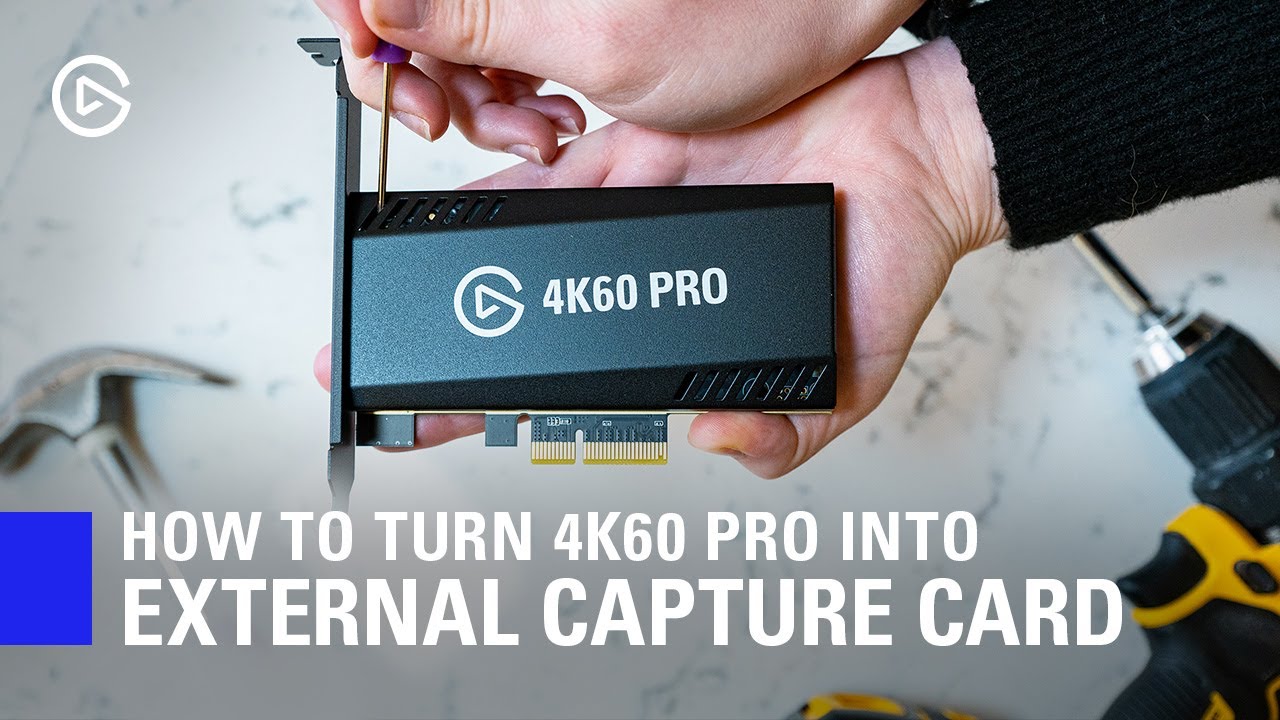
In this video, we show you how you can easily turn your 4K60 Pro MK.2 into an external Thunderbolt 3 capture device.
► Elgato 4K60 Pro MK.2: http://e.lga.to/4K60proMK2
► HighPoint RocketStor https://www.bhphotovideo.com/c/product/1413496-REG/highpoint_rs6661a_rocketstor_6661a_thunderbolt_3.html
▼ Follow Elgato Gaming:
Twitter: http://www.twi...
warm scarab

 charred trout
Hey everyone. Wondering if anyone can help. Currently I stream using an old Game Capture HD (I don’t stream nearly enough to warrant the upgrade) and there is about a 2.5 second lag when connected to OBS. As a result I use the headphone Jack on my Tv for audio. I’m looking at getting a Wave3 mic for streaming and also the hundreds of video calls I make each week (thanks Covid). I’m guessing using the Wave link software, I’d still have the horrendous lag in game audio making it unusable for this purpose?
warm scarab
warm scarab
do i need a new case or motherboard or both to use my hd60pro
fickle pulsar
warm scarab
can't really tell if that blue is a pcie slot, but design looks small form factor on your case. I don't see how your card would fit.
fickle pulsar
charred trout
Hey everyone. Wondering if anyone can help. Currently I stream using an old Game...
I personally don't have a lag, but based on specs there may be. I have seen some people have a 2.5 sec lag at min. As for wavelink, that' purely for the mic, and routing your apps via audio like a digital mixer.
 marsh scroll
Hey guys and gals, I am experiencing issues where my Wave Link is not obtaining audio from a specific source, i.e. OBS. It is set for the output to Aux 1, the volume is all the way up, but I cannot hear anything like alerts, etc. Can anyone please offer assistance?
fickle pulsar
marsh scroll
Hey guys and gals, I am experiencing issues where my Wave Link is not obtaining ...
your monitor mix and stream mix aren't muted are they?
 marsh scroll
fickle pulsar
your monitor mix and stream mix aren't muted are they?
marsh scroll
fickle pulsar
your monitor mix and stream mix aren't muted are they?
Not muted, set correctly in PC Audio settings.
 fickle pulsar
marsh scroll
Not muted, set correctly in PC Audio settings.
fickle pulsar
marsh scroll
Not muted, set correctly in PC Audio settings.
What does your routing look like? This is how I have mine setup so I can hear OBS and alerts, also so my views can hear the alerts.
 marsh scroll
@fickle pulsar
 fickle pulsar
marsh scroll
<@!476160810457235466>
fickle pulsar
marsh scroll
<@!476160810457235466>
I would recommend changing your output to aux 1 via routing and change your obs to default. Then in the regular wavelink section make sure your monitor mix is outputting to your headset/speakers where you’re listening.
 raven crane
what do these radio buttons actually do when setting up a button in stream deck?

 shrewd lake
Does the elgato stremdeck work with OBS or just streamlabs obs?
fickle pulsar
raven crane
what do these radio buttons actually do when setting up a button in stream deck?
those are for the icon. if there is a on/off function on is the left, off is the right so you can set up each icon for it.
fickle pulsar
shrewd lake
Does the elgato stremdeck work with OBS or just streamlabs obs?
it works with both! 🙂
shrewd lake
Hi, can I plug in can I use a 4k60pro and an hd60s. 4k60pro for my pc capture/dual pc and the hd60s for ps4/xbox?
 rigid stirrup
hi all, i have a streamdeck XL but the twitch commands dont work (stream marker, ad, clip). i have linked and re-linked my twitch account, reauthorised the token too. i have tried it in a test stream and its not working, just get the big yellow triangle. any idea on how this is fixed? thnx
silent lynx
raven crane
what do these radio buttons actually do when setting up a button in stream deck?
It makes it so you can change the graphic for when it’s active versus not active
fickle pulsar
shrewd lake
Hi, can I plug in can I use a 4k60pro and an hd60s. 4k60pro for my pc capture/du...
I don’t see why not, but I’ve never setup dual pc. I think it will work though.
fickle pulsar
rigid stirrup
hi all, i have a streamdeck XL but the twitch commands dont work (stream marker,...
have you uninstalled, rebooted, and reinstalled, and started over clean slate?
 untold lichen
https://clips.twitch.tv/PiercingAmorphousParrotKappaClaus-nQQt-qvndS2kuX0B
I'm experiencing constant slowdowns on the capture card footage if I keep moving without stopping, it seems like a sort of buffer underflow, if I stop for a bit will it quickly correct itself
I'm running a 5950x and a 1660ti
the footage in the stream is 1080p 60fps from the nintendo switch
Current attempts
Driver: reverted back to the xx18 driver = result lagg in everything
giving full resources to the NVcontainer and the 4k app = result less extreme stutter but still there
Applications attempted
Vmix, Xsplit, OBS, Wirecast and 4k capture
all replicate the same behavioral slowdown
Tried removing my passtrough HDMI to my monitor and just watching the footage from within the 4k capture app, Tried Internal EDID 1080p and Default. neither seemed to help either
The Card is updated to the newest firmware, and Drivers are the current most up to date drivers, it is connected to a PCI 4 x8 port ajusted to 2x4 below will I post a HWinfo dump


 twin steeple
Hi, I'm trying to do a double PC setup and elgato isn't picking up my sound from my other PC. I originally used a sound line but for some reason it's not working and I forgot how I did it before. Any help is appreciated
 golden geyser
My wave software is acting kinda weird
I can adjust the volume for the monitor mix but I cant adjust it for the stream mix
I have the most recent version of the software
marsh scroll
fickle pulsar
I would recommend changing your output to aux 1 via routing and change your obs ...
I shut my pc down last night and this morning, it was working just fine. Idk if it was just a hiccup or what.
south bronze
Would anybody be willing to help me in DM's with setting up a Switch Elgato HD60S?
I can't figure out how the setup works, at all. I haven't been able to figure it out since I got it last Christmas
south bronze
south bronze
I can't figure out how the setup works, at all. I haven't been able to figure it...
What issues are you having? I use this exact setup with no issues
 gaunt gulch
anyone had issues with the streamdeck turning the wrong or same key ligh on/off, desktop software works fine
as does the mobile app

I reset them as well
SD Software fully up to date
south bronze
south bronze
What issues are you having? I use this exact setup with no issues
What set up?
fickle pulsar
marsh scroll
I shut my pc down last night and this morning, it was working just fine. Idk if ...
Maybe, good to know it's working! 🙂
fickle pulsar
gaunt gulch
anyone had issues with the streamdeck turning the wrong or same key ligh on/off,...
have you rolled back the plugin?
 fickle pulsar
gaunt gulch
anyone had issues with the streamdeck turning the wrong or same key ligh on/off,...
fickle pulsar
gaunt gulch
anyone had issues with the streamdeck turning the wrong or same key ligh on/off,...
Here's the link in the Tweet! I hope it helps! 🙂 https://t.co/Dpwd6Qex2O?amp=1

reddit
Posted in r/elgato by u/elgato_phil • 6 points and 8 comments
 old jackal
Hey community how's it going? I'm not sure where to post this question so I'll ask here. I have a YouTube channel I stream and record my Nintendo switch on using the hd60s and obs. But I also play mobile games and I want to stream or record using the same exact setup. However, once I unplug the HDMI from the switch and plug into my adapter (USB-C to HDMI) for my Google pixel phone it doesn't work. So I did some research and I guess I need some kind of splitter for the android? Anyway I bought one. Still doesn't work. So my question here is how do stream mobile games using obs and elgato hd60s?
south bronze
south bronze
What set up?
Switch with the Elgato HD60s, also use it for PS4 and PS5
south bronze
south bronze
Switch with the Elgato HD60s, also use it for PS4 and PS5
Well yeah, that's the hardware, but...That's not..A set up
south bronze
south bronze
Well yeah, that's the hardware, but...That's not..A set up
What issues are you having? You never answered my original question
Fair I suppose
The display itself won't show up, and whenever I have gotten it to show up in the past year or so, it has a ton of lag
I was planning on sharing a video of the set up, and a video of the lag (if the set up even works)
Which is why I wanted to do it in DM, so I could go into that sorta detail
 visual eagle
This isn't exactly a technical question but the twitter account hasn't responded to me for the last few hours....
So I added in the key light air bundle and the wave 3 audio bundle to my cart. Both items are being calculated at checkout as the full price for the individual components rather than the bundle price... Is there any way to fix this? Its adding at least $80 to my final price.
 muted void
Hey guys, streamdeck question, is there a way I can trigger an action then have it roll a countdown for say 30 seconds, then revert back to the original icon? or trigger a timer in button 2 when i press button 1?
i was hoping i could use multi action for that, but cant seem to get what i want
i could clone my profile and change the button icon, then have it revert back to that profile i guess?
fickle pulsar
south bronze
I can't figure out how the setup works, at all. I haven't been able to figure it...
I can chat for a quick min. I have my Switch setup. You avail?
south bronze
fickle pulsar
I can chat for a quick min. I have my Switch setup. You avail?
It’s pretty late for me. Would you be okay doing it tomorrow?
And by late I mean I’m in bed ready for sleep lmao
fickle pulsar
south bronze
It’s pretty late for me. Would you be okay doing it tomorrow?
it will have to be after 6pm ct tomorrow because of work.
fickle pulsar
visual eagle
This isn't exactly a technical question but the twitter account hasn't responded...
Were you able to find the bundled link?
fickle pulsar
south bronze
Damn, that’s 7PM for me
well I'm happy to help ya, but it will have to be after work.
south bronze
Nah nah it’s fine
visual eagle
fickle pulsar
Were you able to find the bundled link?
 south bronze
I’ll message you first thing tomorrow with a video showing what I typically do
visual eagle
fickle pulsar
Were you able to find the bundled link?

You can see the prices don't match after hitting checkout
fickle pulsar
visual eagle
You can see the prices don't match after hitting checkout
I'd wait for support to be avail. I know right now most companies are off today due to Holiday.
fickle pulsar
visual eagle
You can see the prices don't match after hitting checkout
in all honesty looks like it does match, but just tax included.
fickle pulsar
visual eagle
You can see the prices don't match after hitting checkout
I ran the numbers they are correct. what’s throwing you off is the discount on shipping. underneath it add the tax, and the total is correct.
visual eagle
fickle pulsar
I ran the numbers they are correct. what’s throwing you off is the discount on s...
509 does not equal 429
visual eagle
fickle pulsar
I ran the numbers they are correct. what’s throwing you off is the discount on s...
Bundles are more expensive in checkout than what is displayed in cart
fickle pulsar
visual eagle
Bundles are more expensive in checkout than what is displayed in cart
have you added the amounts, subtracted the shipping, and added the tax? Based on the photo you’ve posted the math is accurate.
visual eagle
fickle pulsar
have you added the amounts, subtracted the shipping, and added the tax? Based on...
Are you not seeing the blue picture where it shows the price being lower? subtotal 429.97... white picture subtotal is 509.93... those are pre tax/shiping amounts... Idk how you aren't seeing that... the bundles themselves are of a higer cost than listed in cart which is why the subtotal is too high...
 rustic mesa
Appears you may only be able to do one bundle at a time so you’d have to order separately to get the deals. Also having both of those bundles added and adding the pipeline subscription cancels the deals altogether as far as I can tell (refer to text in attached screenshot) and that is the reason I believe you’re having issues @visual eagle if you want to get all the bundles you may just need to contact elgato tomorrow during normal business hours to see if they can get it sorted for you. Also, we’re all just trying to help in our spare time and most of us don’t work for elgato so please try not to get too impatient with people just wanting to help. 

Not sure it’s intended or not but as shown below adding two bundles will cancel the “bundle” deal for the higher cost bundle. Each bundle alone shows “bundled” pricing. Also shown is adding that subscription which cancels both “bundle” deals. So, hope this helps and if you want both bundles, I’d reach out to elgato via their contact for more help.


 fervent matrix
Wave Link is acting weird for me: everything is working fine excpet Minecraft isn't playing out of the game channel even though I relaunched and set the device preference in Windows. I have no idea why the stream can't hear the game when I can hear it out of my monitor mix and not any specifc channel. Any advice?
rustic mesa
What happens if you set it to output to system instead of game in the windows preference? I don’t have Minecraft on my pc.
 silver citrus
hello guys, something buged me since the start of using my elgato wave 3 and wave link, is it normal than when i lower or up the gain in wave link or on the mic, i see the windows mic lvl moving too? for me it's weird to not have thee mic lvl 100 then modifying mic gain, is it how that should work or bug ?
fickle pulsar
fervent matrix
Wave Link is acting weird for me: everything is working fine excpet Minecraft is...
Windows or Mac?
fervent matrix
windows
 glacial iron
Hey, would anyone have time and could help me set up my stream
fickle pulsar
fervent matrix
windows
Some games may not route to game if you set it up that way, which is why I setup default to aux 1. Aux 1 will play the game audio when that happens. GTAV does this to me.
fickle pulsar
glacial iron
Hey, would anyone have time and could help me set up my stream
What are you trying to setup?
fickle pulsar
silver citrus
hello guys, something buged me since the start of using my elgato wave 3 and wav...
I haven't experience that. Have you tried uninstalling, rebooting, reinstall?
fickle pulsar
rustic mesa
What happens if you set it to output to system instead of game in the windows pr...
Some games may not route to game if you set it up that way, which is why I setup default to aux 1. Aux 1 will play the game audio when that happens. GTAV does this to me. I made a video about it, and first part covers wavelink. https://youtu.be/IYTop49OYVo

If you have a Windows PC or a Mac You can use these on both. Mac is a bit of a different Setup, as when you open an app you can set it custom to Wavelink, but I mainly use Windows for my Live streams and Mac OS for editing.
https://github.com/fredemmott/StreamDeck-Discord/releases/tag/v3.0
fickle pulsar
glacial iron
Hey, would anyone have time and could help me set up my stream
If you're using OBS, I made a video that can help you. https://youtu.be/13BUEec10Eg
I decided to make an in-depth video of setting up OBS. I've recently helped people setup up things, basic things that most videos usually don't cover. I'm currently using The Swift Animated Overlay from PremadeGFX. The link is below. It's a long video, but short enough that you are able to follow along. You can pause at any time to set up OBS. N...
 solar echo
Hello, I recently bought Phillips Hue Light and I would like to connect my Hue to my stream events ( Sub, follow etc ) Can somebody tells me if a cool software exist to do that ? Thank you
 upper jolt
Hello everyone, sorry to bother you all with this.
I am getting a new computer soon & would like to start streaming. For my own reasons, I am completely mute online. Obviously playing FPS games & VR games whilst mute is less than ideal when it comes to streaming.
Does anyone have any suggestions for TTS, live subtitling, etc?
Thanks a ton, everyone.
 hallow crow
fickle pulsar
have you uninstalled, rebooted, and reinstalled, and started over clean slate?
hallow crow
fickle pulsar
have you uninstalled, rebooted, and reinstalled, and started over clean slate?
I'm actually having the same issue, ever since updating to the current version of the stream deck app it won't save my login credentials for anything (Twitch, Streamlabs, Twitter), every time I turn my pc on the app opens up login windows for everything despite the fact that all my accounts are still listed in the preferences window. I also can't connect my philips hue bridge all of a sudden, I can get through the pairing process without any issues but when I go to select my bridge in the drop down menu there's nothing there
I'm assuming that's what's causing these buttons to break, there's similar reports of this issue on all over twitter and reddit so I'm starting to wonder if something in the update is wonky
I've tried reinstalling and starting from scratch/ rolling back to the previous release of the stream deck app/ I've even tried some workaround fixes that solved this issue in previous versions but nothing seems to help.. the only thing that seems to work at the moment is deleting all my accounts in the preferences window and then adding them all over again whenever I turn my pc on
fickle pulsar
hallow crow
I'm actually having the same issue, ever since updating to the current version o...
I’d say open a support ticket to be on the safe side. Seems like many are having this issue. 😳
hallow crow
fickle pulsar
I’d say open a support ticket to be on the safe side. Seems like many are having...
Oh okay! I already opened a ticket but I came here to see if anyone else may have figured it out lmao. Thank you though!!
It's so strange though, it was perfectly fine a few days ago and then plop
 stable mantle
Hello, just got a stream deck and I can't seem to find or configure the shoutout command. I do not see the plugin. Has the option to shoutout changed?
 half hemlock
I have an important question if my elgato cord (the cord that goes from the pc to the elgato ) brakes is there way to replace it
 cobalt sinew
i have an elgato HD60s and I can’t get my Wii U to output in hd in OBS
 cloud bolt
I have a problem with my Elgato HD60s + when I use it it makes a sort of crackling in my ears and when I unplug it why does it do so?
A nice person to help me
half hemlock
@cobalt sinew hd60s can connect to a wii u
half hemlock
For older consoles with my hd60s I have a hdmi spitter and works on ps3 wii /u xbox360 @cobalt sinew
cobalt sinew
oh but the elgato has a Wii U setting it just shows up blurry
glacial iron
fickle pulsar
What are you trying to setup?
I have an ultrawide
fickle pulsar
glacial iron
I have an ultrawide
should still work. you can select your base canvas.
fickle pulsar
half hemlock
I have an important question if my elgato cord (the cord that goes from the ...
It’s a usb 3.0 cable. I’m sure if you reach out to support maybe then can see if they can send you a new one, but you can buy one anywhere as long as it’s 3.0
fickle pulsar
cloud bolt
I have a problem with my Elgato HD60s + when I use it it makes a sort of crackli...
are you using party chat? via chatlink? Are you charging your controller while using chatlink, if so it causes a hum. if not then it may be your audio setup.
fickle pulsar
hallow crow
Oh okay! I already opened a ticket but I came here to see if anyone else may hav...
yeah it’s random. Usually a reboot helps.
fickle pulsar
stable mantle
Hello, just got a stream deck and I can't seem to find or configure the shoutout...
what do you mean by shout out command? is this a source or something via obs streamlabs etc?
fickle pulsar
cobalt sinew
oh but the elgato has a Wii U setting it just shows up blurry
if you're using obs do you have your video setting like this? it may help sharpen to your viewers.
 cobalt sinew
they’re set like that
it’s only blurry when i use the Wii U
when i use my switch or Xbox with it, it shows up fine
fickle pulsar
cobalt sinew
they’re set like that
then that should be ok when streaming. have you recorded a video to test the quality of the video before stream?
cobalt sinew
i have it set to the full screen preview
but the only option is for like some really weird resolution
fickle pulsar
cobalt sinew
i have it set to the full screen preview
but have you sampled the video prior to streaming?
are you outputting higher than the base? if so choose the output same as base.
silver citrus
fickle pulsar
I haven't experience that. Have you tried uninstalling, rebooting, reinstall?
yeah ii tryed it many time actually, but always the same,even with updates
 strange yarrow
hello guys. theres an audio input on the elgato. if i wanted to get sound from my dac to that. what kind of cable would i need?
cobalt sinew
fickle pulsar
are you outputting higher than the base? if so choose the output same as base.
I’m not sure i think everything is set correctly i just want the game to show up in 1920x1080 but the full screen preview only lets me choose 1536x864
i just checked they’re both set to 1920x1080
 idle rune
cobalt sinew
i just checked they’re both set to 1920x1080
idle rune
cobalt sinew
i just checked they’re both set to 1920x1080
Is the Wii U's resolution set to 1080p in it's system settings?
Is the monitor you're using to preview the Wii U 1080p itself?
fickle pulsar
cobalt sinew
I’m not sure i think everything is set correctly i just want the game to show up...
sorry fell asleep. if they are set to 1080p you should be ok via streaming. it should show normal on your screen. I still suggest doing a test video before streaming. Also, wondering if OBS is just taking up full screen?
fickle pulsar
silver citrus
yeah ii tryed it many time actually, but always the same,even with updates
open a support ticket may be a software issue.
cobalt sinew
i want the game im playing to display in full resolution and fullscreen on my computer because my TV isnt working currently
fickle pulsar
cobalt sinew
i want the game im playing to display in full resolution and fullscreen on my co...
if you run in full screen via obs, your stream will be fine, but your preview is gonna be stretched.
cobalt sinew
there's no way to have the preview show up in full resolution?
 mental glade
Hi guys! I was trying to setup my stream/record settings in Streamlabs and for some reason in the audio option I dont have the option tho choose "Wave Link Stream Mix" I only have the option to choose from the different outputs I have in Wave Link such cas "Game", "Music", etc. Do anyone else have this same issue or knows how to fix it?
fickle pulsar
cobalt sinew
there's no way to have the preview show up in full resolution?
it probably is, but stretched because you’re probably in full screen. however your output seems fine if it’s 1080p.
cobalt sinew
the console outputs the same resolution as my computer screen though
fickle pulsar
mental glade
Hi guys! I was trying to setup my stream/record settings in Streamlabs and for s...
if should be there, it’s kinda an oversight sometimes because all the inputs are listed. just go through them slowly. if it’s not try closing and reloading, or uninstall, reboot, reinstall.
fickle pulsar
cobalt sinew
the console outputs the same resolution as my computer screen though
I thought your screen was 1536x834?
cobalt sinew
no it's 1920 x 1080
the only option for fullscreen preview is 1536x834 for some reason and idk why lol
there's no option for the full resolution
fickle pulsar
cobalt sinew
no it's 1920 x 1080
then it should be normal… try closing out obs and relaunch. see what the preview shows up as
mental glade
fickle pulsar
if should be there, it’s kinda an oversight sometimes because all the inputs are...
I will look into it and also what would you recommend me to set as my output for Master Volume in my windows settings?
 cobalt sinew
closing and reopening doesn't fix it
mental glade
fickle pulsar
if should be there, it’s kinda an oversight sometimes because all the inputs are...
Nope is just not there I got 2 extra options called: Wave Link Aux 1 and 2 are those normal?
fickle pulsar
mental glade
I will look into it and also what would you recommend me to set as my output for...
personally I have it aux 1 cause some pc games don’t route to game when I set it up. and I enable aux 1 as an input in wavelink mixer.
mental glade
fickle pulsar
personally I have it aux 1 cause some pc games don’t route to game when I set it...
Thanks and for input?
fickle pulsar
cobalt sinew
closing and reopening doesn't fix it
what’s your display settings at? via windows
fickle pulsar
mental glade
Thanks and for input?
i use my mic as input via wave3
mental glade
fickle pulsar
i use my mic as input via wave3
Thanks! I also watched some videos to see if I can find a solution and they didnt have the Master Volume section that I have in the windows sound settings, is that something I should worry about?
fickle pulsar
mental glade
Thanks! I also watched some videos to see if I can find a solution and they didn...
no, depending on pc specs some have it some don’t.
mental glade
fickle pulsar
no, depending on pc specs some have it some don’t.
Thanks I will try reinstalling and see if I get the wave link stream option
fickle pulsar
mental glade
Thanks I will try reinstalling and see if I get the wave link stream option
cool! let me know what the outcome is.
cobalt sinew
fickle pulsar
what’s your display settings at? via windows
everything is set correctly it's only when im in OBS trying to use the fullscreen projector with my elgato HD60s
fickle pulsar
cobalt sinew
everything is set correctly it's only when im in OBS trying to use the fullscree...
if your monitor is 1080p it shouldn’t stretch. I’m wondering how your obs settings are. I pisted a video setting up obs. may want to watch it just to see if everything is setup correctly. Also, something is def not right if it’s causing a stretch do you have the hdmi out connected to a tv or something? to see if maybe the wii u settings may be off?
fervent matrix
fickle pulsar
Some games may not route to game if you set it up that way, which is why I setup...
ive never had this issue until now so i find it weird. athe issue may be because i recently had changeed the default device to the game channel becase my clipping softeware wasnt picking up game audio, but then when i switched it back to just my headphones (aka my monitor mix), minecraft's sound stopped working. would it be better to set the default to the game channel instead?
fickle pulsar
fervent matrix
ive never had this issue until now so i find it weird. athe issue may be because...
you could, but that will pick up all default system sounds too.
fervent matrix
but wouldnt it also do that if i set the default device as one of the auxs?
fickle pulsar
fervent matrix
ive never had this issue until now so i find it weird. athe issue may be because...
minecraft, gtav, and a few other games have this issue.
cobalt sinew
fickle pulsar
if your monitor is 1080p it shouldn’t stretch. I’m wondering how your obs settin...
obs settings are like this and I just realized the issue isn't just with the Wii U after trying it out with my other console

but it shows this when i open the projector
 fickle pulsar
fervent matrix
but wouldnt it also do that if i set the default device as one of the auxs?
fickle pulsar
fervent matrix
but wouldnt it also do that if i set the default device as one of the auxs?
yeah. it would do exactly the same. however I have it as aux 1 just as a personal preference. mainly because for the games that do work through selected game input it’s always on. I do it to identify the games that don’t play nice in wavelink vs the ones that do.
fervent matrix
fickle pulsar
yeah. it would do exactly the same. however I have it as aux 1 just as a persona...
ah i see, so it's your default on windows correct?
fickle pulsar
cobalt sinew
but it shows this when i open the projector
it’s probably picking up your display settings then. check your display settings make sure your settings are showing 1920x1080 vs that.
fickle pulsar
fervent matrix
ah i see, so it's your default on windows correct?
yes aux 1 is.
cobalt sinew
fickle pulsar
it’s probably picking up your display settings then. check your display settings...
 fickle pulsar
cobalt sinew
fickle pulsar
cobalt sinew
that is odd then if it’s projecting more than the screen size. see if you can try windowed projection. lmk what happens
cobalt sinew
Doesn't look any better
rustic mesa
Are you trying to play the game and stream from one monitor using obs @cobalt sinew ? With all the menus and such in obs maybe it’s downscaling to the available space to show the preview on your monitor?
fickle pulsar
cobalt sinew
Doesn't look any better
here's my settings
 cobalt sinew
I'm not even trying to stream right now I just want the game to show up in full resolution on my screen
cobalt sinew
fickle pulsar
here's my settings
mine are the same
fickle pulsar
cobalt sinew
Doesn't look any better
here's what I'm getting
 fickle pulsar
rustic mesa
Are you trying to play the game and stream from one monitor using obs <@34278550...
fickle pulsar
rustic mesa
Are you trying to play the game and stream from one monitor using obs <@34278550...
it's stretching it sadly.
cobalt sinew
yeah mine shows up as 1536x834 which is a really weird resolution too
fickle pulsar
cobalt sinew
mine are the same
try putting the scale layout to 100% in display settings
rustic mesa
Can you check the properties of the source what’s the resolution set to there?
cobalt sinew
fickle pulsar
try putting the scale layout to 100% in display settings
well that fixed it but it makes everything on my computer really small
fickle pulsar
cobalt sinew
well that fixed it but it makes everything on my computer really small
i am glad it fixed it, and once you're done in projection just change it back to how you want it, but when using projection scale it back to 100%.
cobalt sinew
alright thanks
fickle pulsar
cobalt sinew
well that fixed it but it makes everything on my computer really small
i found it via obs forum, and it's the only logical workaround.
cobalt sinew
yes that helps
fickle pulsar
cobalt sinew
yes that helps
yay! 🙂
cobalt sinew
yes thank you so much
fickle pulsar
cobalt sinew
yes thank you so much
You’re welcome! 🙂
strange yarrow
how do i get analog audio to turn on in obs?
strange yarrow
anyone?
fickle pulsar
strange yarrow
how do i get analog audio to turn on in obs?
Hope this helps tbh it’s the same for HD60s and + https://help.elgato.com/hc/en-us/articles/360050373852-Elgato-Game-Capture-HD60-S-Chat-Link-Setup-Analog-Line-In-Audio-in-3rd-Party-Apps-OBS-XSplit-SLOBS-
Elgato
Elgato Game Capture HD60 S+ has a stereo analog line-in port which can be used to capture analog audio like that from Elgato Chat Link. Changing the audio input for the Game Capture HD60 S+ must ...
fickle pulsar
 silk cave
so when i download Game capture HD, will it include camera?
silk cave
so when i download Game capture HD, will it include camera?
what do you mean by including camera? Can you elaborate a bit on what you’re trying to achieve please.
 formal prawn
can someone help me with multiactions on the streamdeck

I have this
But I dont want it to open if obs is already running
also I want to change the icon throughout the process
 thin dove
So I have a very important question so I've been wanting to record in a better quality I have the "Elgato Game Capture HD" but I'm thinking of either getting a HD60 or HD60 s as I don't need the 4k quality because of rendering times in Vegas and SSD storage in my laptop
formal prawn
I found out a multi action switch is what I need for anyone having my problem
but i still dont know how to change the icon
 tulip radish
I stream VR
I have an Elgato Hd 60
Im trying to pull the video source into two programs at once
OBS for 1 and LIV Mixed reality Capture as the other
Basically I want to use my camera in two programs without having it be disabled once i start the other program. I was told it was possible hence why I joined the Elgato discord
 heady leaf
Hey guys I need some help.
I have the Elgato HD 60 and a PS5. My issue is, when my friends are in party or game chat with me they hear everything I do on my end as well as they hear themselves. What can I do to avoid this problem?
rustic mesa
formal prawn
but i still dont know how to change the icon
you can pull the arrow here to add an icon. Left radio button I believe is for On/enabled, Right radio button is for Off/disabled

 wheat mural
hi people!
im having problems with the "elgato Twitch" pluggin.
I use this to make a command in chat, at the start work, but now isn't (like 2 weeks). I try to uninstall the pluggin, delete everything. The only think i do try was unistall/reinstall Elgato Stream Deck.
I check and i have the last update.
Any idea?

and isn't just the messege option.
This ones isn't working too 😦
 EDIT: i solve the problem closing and reopening the Twitch Profile in the Stream Deck.
Hope this help anyone else 🙂

 fading oasis
Hello community! I'm new to the eglato family and I am a little stuck. I want to record nintendo switch games and do live commentary with a blue yeti microphone. When I plug the microphone in via USB I can only hear the game audio through the headset connected to the microphone. Can anyone help? I'd greatly appreciate it
cobalt sinew
Hello again I was wondering if there's any way to change the audio input on an HD60s via OBS, Like changing the sound from HDMI to analog or even better, a way to have both HDMI and analog audio enabled at the same time?
I know you can change it in the Elgato Game Capture HD app but I prefer OBS and I couldn't find a way to use both inputs at the same time.
fickle pulsar
cobalt sinew
I know you can change it in the Elgato Game Capture HD app but I prefer OBS and ...
i'm not sure if it's possible. i'm guess it's for party chat via chatlink?
cobalt sinew
no I’m trying to capture audio from the hdmi output on my Wii U at the same time as the controller’s separate audio
fickle pulsar
cobalt sinew
no I’m trying to capture audio from the hdmi output on my Wii U at the same time...
I don't know if the controller audio will come through, but the hdmi audio should already be setup, unless obs had one for video and one for audio via capture card. is your audio miser advance settings monitor and output?
cobalt sinew
the audio works fine on it's own
fickle pulsar
cobalt sinew
the audio works fine on it's own
 cobalt sinew
just wondering if there was a way to swap between HDMI and analog through obs
fickle pulsar
cobalt sinew
just wondering if there was a way to swap between HDMI and analog through obs
i think chatlink support has about setting up analog via obs, granted I never do it. i use discorf for party chat so never needed to use analog. any reason why analog for you?
cobalt sinew
i use discord too
fickle pulsar
cobalt sinew
just wondering if there was a way to swap between HDMI and analog through obs
Elgato
Please Note: OBS Link is not needed for the newer Elgato Game Capture HD60 S+ model. Elgato Game Capture HD60 S+ can directly connect to OBS Studio on the Mac without any extra software.
Enabl...
sorry meant the one for windows not sure why mac came up. brb
fickle pulsar
cobalt sinew
just wondering if there was a way to swap between HDMI and analog through obs
found this on reddit... idk if that's what you're trying to do though https://www.reddit.com/r/ElgatoGaming/comments/7ptid2/recording_with_both_hdmi_and_analog_audio/
reddit
2 votes and 1 comment so far on Reddit
fickle pulsar
fading oasis
Hello community! I'm new to the eglato family and I am a little stuck. I want to...
are you using obs, streamlabs obs, or 4k utility/game capture?
cobalt sinew
fickle pulsar
found this on reddit... idk if that's what you're trying to do though https://ww...
I think this is what I’m trying to do, i just don’t know if there’s a way to use the HDMI audio and the analog audio at the same time
rustic mesa
Just mention what the issue is @south bronze if we can help we will 
south bronze
Im getting a usb 3.0 connection issue
i have my input to my switch and my output to my tv
i have an external elgato
rustic mesa
that all sounds good, are you getting some kind of error that you can screen cap and show here?
fickle pulsar
cobalt sinew
I think this is what I’m trying to do, i just don’t know if there’s a way to use...
I'm not sure there is. i's say check the OBS forums. I found nothing other that what's on reddit.

 rustic mesa
okay youre just plugged into a 2.0 port, try finding a 3.0 on your pc
use that instead.
perhaps?
fickle pulsar
south bronze
you got the capture card connected to a usb 3.0 port on your PC? also your IN to your console, and your OUT to a TV/Monitor?
south bronze
yes in to switch out to tv
rustic mesa
yeah that part is good I think you just need to check that the usb your plugging into is 3.0 capable
south bronze
and i have an intel 5 computer optiplex 750
it has 8 ports in the back and 4 in the front
fickle pulsar
the blue looking ports are usually 3.0 or 3.1

 south bronze
no
fickle pulsar
😦
south bronze
could i use an alternative?
fickle pulsar
I've used usb-c to usb-c and it's worked via capture card
rustic mesa
if there isnt a usb 3.0 on that theyre probably isnt a usb c
yeah no usb 3.0 on that pc sorry S0UL
fickle pulsar
rustic mesa
if there isnt a usb 3.0 on that theyre probably isnt a usb c
agreed. i'm wondering if it's time for a PC upgrade...

 fickle pulsar
south bronze
like a usb 2.0 to a usb 3.0 adapter?
fickle pulsar
south bronze
like a usb 2.0 to a usb 3.0 adapter?
sadly it won't work with an external dock, or adapter. it has to be directly to the pc. I mean you could try an adapter, but coming from experience it never worked for me when I first started out 3-4 years ago.
south bronze
 rustic mesa
yeah, agree with vics on that one, if you just recently got it maybe look into exchanging it for an internal you can install into the board
that needs to plug into a 3.0 likely, just has more 3.0 ports
yeah you can see in your screen shot it says usb 3.0 on the male end
assuming you have room in your pc, for $20 bucks more you can get this: https://www.elgato.com/en/game-capture-hd60-pro

elgato.com
Stream, record and share your gameplay in 1080p60 - without compromise.
south bronze
So I tested out the HD60 S on my Mac, and when I’m capturing it, I can hear the audio and my voice just fine, but when I go to the capture, I hear nothing. Is this normal? And how do I fix it if it’s not?
fickle pulsar
south bronze
So I tested out the HD60 S on my Mac, and when I’m capturing it, I can hear the ...
are using game capture or obs, or streamlabs obs?
south bronze
fickle pulsar
are using game capture or obs, or streamlabs obs?
I’m using game capture.
fickle pulsar
south bronze
I’m using game capture.
on mac the audio should come through, are you live previewing it, and audio isn’t on mute?
south bronze
fickle pulsar
on mac the audio should come through, are you live previewing it, and audio isn’...
It’s not on mute, and the sound is fine while I record, but when I try to edit. There’s dead silence.
south bronze
fickle pulsar
on mac the audio should come through, are you live previewing it, and audio isn’...
Also without the live commentary, the audio from the gameplay is gone as well.
fickle pulsar
south bronze
It’s not on mute, and the sound is fine while I record, but when I try to edit. ...
edit i game capture? or like another app?
fickle pulsar
south bronze
Also without the live commentary, the audio from the gameplay is gone as well.
live commentary should be setup just for your mic. as for the audio is it setup to your heaphones/speakers?
south bronze
fickle pulsar
edit i game capture? or like another app?
The same app
south bronze
fickle pulsar
live commentary should be setup just for your mic. as for the audio is it setup...
Also can I isolate the two audios? It seems like I should, because without the live commentary online, there’s no audio regardless.
fickle pulsar
south bronze
Also can I isolate the two audios? It seems like I should, because without the l...
I may have to jump on the mac version to test it out and send you my findings. It’ late here for me, but will it be ok tomorrow after work say 6:30pm ct? I can help out.
south bronze
fickle pulsar
I may have to jump on the mac version to test it out and send you my findings. I...
That should work just fine.
fickle pulsar
south bronze
That should work just fine.
Thanks! have a nice day/night!
silk cave
fickle pulsar
what do you mean by including camera? Can you elaborate a bit on what you’re try...
Like when I download GAME CAPTURE HD will it include camera for recording
rustic mesa
The software will record your gameplay yes, it will not record your face.
fickle pulsar
silk cave
Like when I download GAME CAPTURE HD will it include camera for recording
Sorry mate I was asleep. The camera has to be configured, but yes I believe you can add one. If not OBS/Streamlabs OBS can do it.
south bronze
What is reccomended for Mackbook Air?
silk cave
fickle pulsar
Sorry mate I was asleep. The camera has to be configured, but yes I believe you ...
i have obs but ali a uses this that's why i wanna download it
silk cave
rustic mesa
The software will record your gameplay yes, it will not record your face.
oh then how does ali-a record his face
fickle pulsar
rustic mesa
The software will record your gameplay yes, it will not record your face.
I think he can add a camera i Game Capture, but I think OBS may be better.
fickle pulsar
south bronze
What is reccomended for Mackbook Air?
Your usb is 3.0 right?
south bronze
fickle pulsar
Your usb is 3.0 right?
I don’t follow
fickle pulsar
south bronze
I don’t follow
your usb ports are 3.0?
south bronze
fickle pulsar
your usb ports are 3.0?
They should be
fickle pulsar
south bronze
They should be
Ok, I’ll help you after work today! 😏
south bronze
fickle pulsar
Ok, I’ll help you after work today! 😏
Mm
rustic mesa
My apologies @silk cave I misunderstood your issue. You should be able to add a personal camera (given you have one) in game capture. Here’s a link to a YouTube video setting it up, hope it helps https://youtu.be/0j4tr7XPsNA

This tutorial reviews how to use a webcam as a facecam while recording live commentary gameplay (you can stream like this as well).
Any questions, leave them below! Also if you want to use your DSLR as a facecam you can use the Elgato Cam Link!
MY SOCIAL NETWORKS!
TWITTER ➤ https://twitter.com/Gam...
rustic mesa
I have it on my phone but don’t use it @blazing quarry
Running into an issue?
yeah, you can upgrade to the pro version for 7.99 i think and get microphone capabilities, but yeah if you want to put in a feature request there's a form available here: https://e.lga.to/FeatureRequest
 molten rampart
Hi i am having this problem where i have the elgato 4k60s and i have it connected to my xbox series x and when i turn on my xbox it appears in the elgato app but not on my tv
rustic mesa
I wouldnt delete your messages here, someone may have a solution for you, but thats your choice lol
fair enough, sorry I couldnt help more, goodluck
 narrow mist
Hi
I have a bit of a problem
I was hoping I could get help here?
I just bought a HD60S and also bought a molex powered USB 3.0 pcie expansion card since my PC doesn't have any USB 3.0 ports
Once my capture card is hooked up it flashes white and then red and my PC doesn't recognise it. I heard it's due to HDCP though the thing I'm recording from (a nintendo switch) has it disabled for games by default.
it could be my pcie expansion card though if for example plug in a phone to it, it seems to work so I don't know.
it also gets picked up by one of the USB 2.0 ports but then tells me I need to use USB 3.0
rustic mesa
do you have a link to more info on the 3.0 pcie card you picked up?
narrow mist
I got it from ebay
I'll send the listing

eBay
Expand the number of available ports on your existing USB 3.0 capable system. This USB 3.0 4-Port card supports the higher transfer rates of the new USB 3.0 specification. The root hub consists of four downstream facing ports enabling the simultaneous operation of multiple peripheral devices.
rustic mesa
I know theres alot to rule out here but if you havent done so already try everything here: https://help.elgato.com/hc/en-us/articles/360042141431-Troubleshooting-USB-3-is-required-for-this-device-Windows-10-
Elgato
The following article covers some troubleshooting steps for when you receive an error message that says "USB 3 is required for this device".
Some Elgato Capture Devices that use USB 3.0 a...
Otherwise Im guessing it needs to be a "powered" 3.0 usb port and this hub doesnt support "powered" ports
rustic mesa
it gets some power but not the power required to work I'm assuming
narrow mist
Ok thanks for the help
rustic mesa
that being said, are you seeing 7 red lights blinking?
rustic mesa
yeah
narrow mist
Do you think this card is okay
https://www.ebay.co.uk/itm/203337234180?ssPageName=STRK%3AMEBIDX%3AIT&_trksid=p2060353.m1438.l2649

eBay
Features: 100% Brand new and high quality! This Internet Streaming/Media Centre TV Box is for you! Supports usual for Android apps so you can access your for email, for Facebook etc. via your TV. Best choice for yourself or your friend.
It's self powered
south bronze
Does anyone know the turnaround time for Elgato tickets? I submitted one about two weeks ago
fickle pulsar
south bronze
Does anyone know the turnaround time for Elgato tickets? I submitted one about t...
not sure, but i'm sure they are working them as quick as they can. need help?
south bronze
fickle pulsar
not sure, but i'm sure they are working them as quick as they can. need help?
The elgato wave 3 driver is updated. Any other specific drivers? I think my audio one is
fickle pulsar
south bronze
The elgato wave 3 driver is updated. Any other specific drivers? I think my audi...
yeah like your motherboard bios, and drivers.
south bronze
fickle pulsar
yeah like your motherboard bios, and drivers.
Not sure how to see if they're updated. Bit of a noob pc person😅
rustic mesa
narrow mist
Do you think this card is okay
https://www.ebay.co.uk/itm/203337234180?ssPageNam...
sent you a dm/friend request to try and get your issue resolved
 limber ether
I have everything plugged up but the game capture won’t show me the game play on my computer
Does anyone know how to fix it
rustic mesa
limber ether
Does anyone know how to fix it
Need some more detail, which cap card, console, capturing software are you using?
fickle pulsar
south bronze
Not sure how to see if they're updated. Bit of a noob pc person😅
usually the makers will have updated etc
limber ether
rustic mesa
Need some more detail, which cap card, console, capturing software are you using...
I’m using the HD60s program and card
south bronze
fickle pulsar
usually the makers will have updated etc
My PC is less than a year old so I think its all up to date, and the issue only happens when wave link is active
limber ether
The audio won’t work either even tho I have the headphone splitter
rustic mesa
limber ether
I’m using the HD60s program and card
great first double check that all of this has been followed to a T: https://www.youtube.com/watch?v=e6h3j6I60Vg

How to set up PC Recording with the Elgato Game Capture HD60 S
▼ HD60 S Highlights:
- Stream and record your Xbox, PlayStation, or Wii U gameplay
- Stunning 1080p quality with 60 fps
- Built-in live streaming to Twitch, YouTube & more
- Instant Gameview: stream with superior low latency technology
- Stream Command: add webcam, overlays, and mo...
which console are you using, is HDCP turned off on it?
 wild gazelle
Keep on getting this message when i boot up my computer and have tried: reinstalling stream deck, deleting microsoft visual basic and reinstalling. Nothing works and I don't know how to fix, anybody have an idea????

 limber ether
For the audio issue do I have to use a elgato chat link or any chat link for it?
rustic mesa
if you want to take advantage of party chat yes, if you just want game audio no
rustic mesa
limber ether
Still have no signal
if you click the little gear icon in game capture hd is this set up the same?
 limber ether
Yes
rustic mesa
are you plugged into a usb 3.0 port on your pc?
limber ether
Yep
south bronze
fickle pulsar
usually the makers will have updated etc
Just checked, system is up to date
limber ether
The audio also won’t work either, I tried plugging the headset to my controller to see if that did anything but it didn’t. I tried plugging it in the capture card but that didn’t work either
rustic mesa
As long as the software is recognizing the capture card, Id double check hdmi cables, swap em out with different ones and see if that resolves it. Your audio should output via hdmi to your pc, but if youre not getting video or audio, your hdmi's may be the issue?
can you screenshot what youre seeing on your pc?
 rustic mesa
game audio should come through via the hdmi:

Okay, so Id swap your hdmi cables and see if that helps any, some sort of disconnect there, check your settings ensure HDCP is turned off (should be by default)
limber ether
Do you play on Xbox? And have the capture card hooked up to it?
rustic mesa
i get the same errors, if the hdmi cable is even a little bit disconnected too so double check connections.
 limber ether
That worked but the audio still won’t work
limber ether
Yes
rustic mesa
is anything appearing here?
 limber ether
If I plug the headset in the compeuter the audio works in game but I can these myself
rustic mesa
yes, you wont have voice capabilities unless you have a pc mic or chat link setup: https://www.youtube.com/watch?v=ZkI4UVzPxzw&t=91s

Elgato Gaming Chat Link - Introduction and Overview
▼ More information:
Chat Link makes it simple and fast to add party chat from your Xbox One or PS4 to your gameplay recordings and streams. http://e.lga.to/ChatLink
Now available: https://www.elgato.com/online-store
▼ Follow Elgato:
Twitter: http://www.twitter.com/elgato
Instagram: http:/...
limber ether
Do you have that all set up? If so can you please show me the set up
rustic mesa
I dont, sorry. but that video lays it out pretty clearly. do you have a chat link cable?
if you have the spliter, set it up like this and change your audio input to analog.
 rustic mesa
great, set it up like that and you should have no issue
limber ether
I wasn’t able to hear anything and the audio didn’t get picked up
rustic mesa
Oh i see, you had some third party spliter before
limber ether
Yeah
rustic mesa
okay, yeah, so now you wait for the chat link to arrive?
limber ether
Do you have to have a mic for people to hear you? Like other than the mic that comes with your headset?
And yeah I’m just waiting for the chat link
rustic mesa
Your headset mic should work with chat link
and passthrough to your stream/recording.
limber ether
rustic mesa
if you have the spliter, set it up like this and change your audio input to anal...
With this set up this will get my voice and the game audio right?
rustic mesa
Thats the expectation yes.
limber ether
Ok sweet
rustic mesa
Yep, and if you run into any issues you can come back here and we can try and help more. But try following that video first 

 hard compass
This is my first time recording with a WII and I'm encountering this sound issue. Has anyone ever dealt with this? I'm using the El Gato HD60 S
 jolly fractal
ALL the hardware is installed and whatnot, but the Elgato HD60 Pro PCIe card capture software is NOT capturing.
Here is the card I'm using.
I have done ALL the steps from Elgato, various YT videos, etc.
Uninstalled/reinstalled software, disabled/enabled the hardware, swapped out HDMI cables, and so forth. Nothing works.
The 4k capture software sees it and the out HDMI cable puts it on my monitor, so it's not hardware.
 rustic mesa
Can you screenshot your settings in that top right gear under device?
jolly fractal
OK
 rustic mesa
What system are you capturing? Can you set it to that under input device and get results?
jolly fractal
SNES Clasic Mini and no. I can't. BUT.....Elgato's website said it's compatible according to testing and customer feedback.
rustic mesa
Ah okay, hmmm
 rustic mesa
Oh, if you have that running at the same time that could be your issue.
jolly fractal
I don't. I turned it on for a screen cap.
rustic mesa
Ok, just making sure
I don’t have the 4K capture software installed. It’s not secretly running in the taskbar is it?
jolly fractal
Nope. Just checked.
rustic mesa
Ok cool
jolly fractal
It's like getting a brand new car to make work related calls while driving and the built in phone system doesn't work and you can't figure out why.
EVERYTHING ELSE WORKS!!!
Sorry for caps. Just supper frustrated, as I bought all the stuff to stream SNES games on twitch.
rustic mesa
I wonder if it’s an HDCP issue
jolly fractal
I read some of that somewhere, but I don't see a physical switch or a box to check/uncheck in the SNES' settings.
rustic mesa
Apparently it doesn’t though 
jolly fractal
yeah. Just checked.
So unless the card/software isn't compatible ...... there has to be something we're mising.
And I don't see why it wouldn't be.
It's HDMI to HDMI.
rustic mesa
Yeah. I have a classic mini and hd60s let me try it on my end and see what happens
jolly fractal
OK
 runic magnet
has anyone had an issue with the discord mute hotkey not working when clicking out of the discord app on desktop for some reason i have to click on the app before i push the button on the stream deck to work but no other apps do that
rustic mesa
jolly fractal
OK
I was able to plug and play on my end. 😕 It seems to me your input is getting utilized somewhere else first, so game capture hd can’t see it. Can I suggest uninstalling 4K capture utility reboot and see if it detects gameplay then?
jolly fractal
rustic mesa
I was able to plug and play on my end. 😕 It seems to me your input is getting u...
Didn't work.
rustic mesa
okay, well crap youre not using obs or streamlabs at the same time either right?
thats so bizarre
jolly fractal
I don't even have SLOBS on.
I just reconnected the card. Still nothing.
The OUT port to my monitor sees it fine when I change HDMI channels.
So it's DEFINITELY not hardware.
rustic mesa
okay so its passing through fine
jolly fractal
yup
I sent a tech support email through their website a while ago...but who knows how long that will take.
rustic mesa
yeah, some people have mentioned its taking quite a while
jolly fractal
I swear, it's 1 of 2 things.
Current capture software is incompatible for some reason (even though the website says it is) .... or there is some stupid box to uncheck or setting to change.
rustic mesa
I really feel like something else on your pc is holding that signal hostage somehow... can you screen shot your task bar just to verify nothing else is running
 jolly fractal
 rustic mesa
this is the version im using, with the hd60s and it works


 rustic mesa
I feel the frustration
rustic mesa
mine is capturing in obs, but still shows up as detected in game capture, but doesnt show it in the preview on game capture, so it would still technically work even if something else was using it at the time I suppose
 jolly fractal
How would I capture it in SLOBS?
It's been so long, I forgot all the settings on how to do what.
LOL
nevermind.
rustic mesa
haha I think you'd just open a new scene, add a source, select video capture device, select your cap card
jolly fractal
Got it.
rustic mesa
ok cool
jolly fractal
So, apparently, the capture software is just drunk.
LOL
rustic mesa
hahaha
so itll show up there too...
okay let me as you this does it show up in game capture hd as detected now thats its running in SLOBS?

 rustic mesa
 rustic mesa
 jolly fractal
EXACTLY!!!
marsh scroll
jolly fractal
Try using the 4K capture utility instead.
 hasty tiger
rustic mesa
hasty tiger
rustic mesa
it works there he mentioned SSGT
hasty tiger
hasty tiger
anyone know what could be causing this? Mic in sounds terrible clean sound from other sources
Happens randomly and i have to restart entire PC to fix it
rustic mesa
are you just using wave link @hasty tiger no other programs (voicemeeter, voicemod)
hasty tiger
yeah
marsh scroll
hasty tiger
yeah
Try turning on automatic input sensitivity.
rustic mesa
hasty tiger
yeah
go into sounds and check you recording tab send a screenshot to see whats defaulted/active and such

 rustic mesa
that looks good
hasty tiger
Yeah it's weird because it's definitely getting the audio clean as you can hear from the monitoring or the stream audio but those are a little delayed compared to mic in so i'd rather not use it
Force closing Wavelink and discord don't fix it
 hasty tiger
just tried that with all different variations
I also just tried recording the mic in directly through obs and still the same sound so it's coming from the mic in audio
rustic mesa
is voicemod having some kind of effect on the mic
hasty tiger
Voicemod is not installed
jolly fractal
rustic mesa
that looks good
I'm not getting sound either in SLOBS.
It shows up on the video capture device bar, but I hear nothing.
 jolly fractal
 rustic mesa
so something is still installed ;)
hasty tiger
yes and it is NOW uninstalled i recorded that a couple of days ago
rustic mesa
got it, didnt know that.
@jolly fractal Im still searching for a solution for your issue too man, nobody apparently uses that combo (snes classic min w/ hd60 pro) or has had any issue with it lol
jolly fractal
rustic mesa
<@!478078966972940288> Im still searching for a solution for your issue too man,...
DAMMIT!!!!!
hasty tiger
My first suspect was voice mod interfering somehow as well but i had it not launch with the pc as well as uninstalled it now so i can see why you'd point to that it's just so weird because clearly there's good audio being captured from the monitoring and the stream mix but somehow mic in is broken AF
rustic mesa
I've honestly seen people talking about voicemod effing up their mic even after uninstall so that could be the case :(
I cant imagine it is still but maybe see if its installed in your device manager still:

weird still cause I have it installed and not having that issue.
hasty tiger
It's not a constant issue and it may honestly being triggered by discord it's just annoying having to restart
rustic mesa
this doesnt help @jolly fractal but I found a person at least: https://www.reddit.com/r/miniSNES/comments/nofrck/cant_capture_my_snes_mini_with_elgato_hd60_pro/
reddit
6 votes and 2 comments so far on Reddit
hasty tiger
just checked it's not in device manager either maybe a reinstall of wave link might be a good idea?
rustic mesa
the one time people in discord complained about my mic acting weird it was an unplug the usb and plug it back in sort of situation. Yeah, its worth a shot at least.
hasty tiger
Yeah unplugging and repluging usually messes things up really badly
rustic mesa
haha yeah well it shuts down wave link altogether unfortunately too
jolly fractal
rustic mesa
this doesnt help <@!478078966972940288> but I found a person at least: https://w...
Made a post myself a little while ago.
I'm surprised no one uses the SNES mini/HD60 Pro combo. I see a ton of streamers playing retro games on twitch.
rustic mesa
You might hop into one of those and maybe and see if they list their pc setup til you find someone that has a similar setup
hasty tiger
I even just tested with my headset mic so for some reason it's just the mic in on the wave 3 so weird
even with Wave link force closed
rustic mesa
jolly fractal
Made a post myself a little while ago.
I'm surprised no one uses the SNES mini/...
Im gonna recommend maybe giving them a call tomorrow or now if youre on the west coast #cth-history message maybe you can get some answers quicker
The next time it does it @hasty tiger could you record a new video? Also, can you just verify your windows application sound settings as such:
 jolly fractal
rustic mesa
Im gonna recommend maybe giving them a call tomorrow or now if youre on the west...
jolly fractal
rustic mesa
Im gonna recommend maybe giving them a call tomorrow or now if youre on the west...
Called them. The VERY nice and informative man who helped me had me install OBS for a sound check and it finds the SNES audio.....so SLOBS is borked somehow.
LOL
So I might swap over to OBS, due to having to redo all my scenes anyways.
Thanks for all the help.....even though it didn't work.
Stupid technology being all douchey.
🤣
hasty tiger
rustic mesa
The next time it does it <@!176497701653970944> could you record a new video? Al...
I restarted but i'll SC it rn
 rustic mesa
its interesting you have the master output set to another wave link channel, is that on purpose?
This is how mine is setup:

 hasty tiger
I do it because i play a lot of games so i'd prefer to be able to control the audio easier without setting it for every single game
i also regularly switch between a sound bar and headphones so it nice being able to use the stream deck for that through wave link
rustic mesa
Ok, just wondering if looping it into itself is capable of causing issue, im not really sure, it only does it on occasion, not consistently?
 hallow moon
Hi guys - Im having abit of an issue with one of my 4K60 Pro mk2s not accepting video signal. I do get the elgato No Signal prompt and have tried multiple cables from my PS5 to it. After testing abit I moved my PS5 into my second 4k60 pro and it showed up immediately. Are there any normal troubleshooting steps for this? I have also tried rebooting the PC more than once
Cold reboot seems to have done the trick! Sorry for the inconvenience!
frozen vortex
What’s up ya’ll….anyone want to help me setting up Streamdeck this weekend
silk cave
rustic mesa
My apologies <@845308244213104650> I misunderstood your issue. You should be ab...
thankks
 muted fox
I have a question. I have a macbook pro 2019 (13 inch). Will I be able to screen capture in 1080p with obs? The console that I am planning to hook-up the elgato with is PS5 and the elgato I am planning to get is HD60S+. Do the specs of my macbook limit the resolution of the screen capture? Please Help
Also Please DM Me the answer or ping me so I can always check the answer later.
fickle pulsar
muted fox
I have a question. I have a macbook pro 2019 (13 inch). Will I be able to screen...
Does your Mackbook Pro have a USB 3.0? If so they you should be ok. Also it shouldn’t limit the screen size.
fickle pulsar
jolly fractal
I'm not getting sound either in SLOBS.
It shows up on the video capture device ...
did you in your audio mixer select monitor and output?
jolly fractal
fickle pulsar
did you in your audio mixer select monitor and output?
Yes. SLOBS won't put out audio for anything.
I downloaded OBS and it works fine there, so it's a SLOBS thing.
fickle pulsar
jolly fractal
Yes. SLOBS won't put out audio for anything.
I downloaded OBS and it works fine...
that’s odd. I wonder if you configure OBS and import it in Slobs if it fixes it. 🤷🏻♀️
jolly fractal
I was having issues with SLOBS from the start and I was going to have to rebuild all my scenes anyways, so whatever.
fickle pulsar
jolly fractal
I was having issues with SLOBS from the start and I was going to have to rebuild...
I’d say save a backup of your OBS, just incase. I’ve had to do that for other reasons. However once done try importing it in Slobs.
jolly fractal
All my scenes in SLOBS were for tarkov and other PC games. Now that I'm using a capture card, some will need to be rebuilt. Others scrubbed due to not being useful anymore.
 solid cosmos
Hello,
A few days ago I reinstall Windows, is since my stream deck with my key light air do not want to know anything more. When I select the right lamp it is the left lamp that lights up (while it is well marked right) Even when I turn on everything there is that left that lights up.
I tried to reset the lamps but the problem is still there...
I get a lot of messages so if people can ping me:)
floral jetty
solid cosmos
Hello,
A few days ago I reinstall Windows, is since my stream deck with my key ...

⚠️ Stream Deck Users ⚠️
ℹ️ We've temporarily rolled back the Control Center plugin update, which caused unintended behavior when controlling multiple lighting devices.
➡️ How to get the previous Control Center plugin version
https://t.co/Dpwd6Qex2O
Likes
113
 Twitter
·
limber ether
Twitter
·
limber ether
What’s the difference between the HD60 + and the HD60 Pro
solid cosmos
floral jetty
https://twitter.com/ElgatoSupport/status/1410288614949330944?s=20
Thanks Man ❤️
rustic mesa
limber ether
What’s the difference between the HD60 + and the HD60 Pro
If you scroll to the bottom of the page you can compare all the cap cards. Was there something in particular you were hoping to determine either of them were capable of? https://www.elgato.com/en/game-capture-hd60-s-plus
limber ether
Nope just curious
rustic mesa
Yeah they should have it laid out pretty well there. I think you mean to hd60 s+ and that’s external vs the internal hd60 pro
 wet wraith
Just finished setting up two key lights, I am only able to power on/off one of the lights from the streamdeck, everything seems to work fine from the control center and I can see the two device options in the streamdeck when I add a control but regardless of what I select it only turns on/off one of the lights. Anyone else ever see this issue or know of a resolution?
wet wraith
wet wraith
Just finished setting up two key lights, I am only able to power on/off one of t...
Sorry I posted this then started reading the post about the roll back of the control center plug in.
hidden ivy
Hi. Is there a tutorial or is it even possible to use the Elgato light strips with the HomeKit so I can use my voice via Siri to turn them on or off?
rustic mesa
hidden ivy
Hi. Is there a tutorial or is it even possible to use the Elgato light strips wi...
Per elgatos site you need stream deck mobile on iOS to get Siri to work with it so assuming it’s not HomeKit compatible.
 hidden ivy
Thanks. That means I have to pay for it too @rustic mesa
rustic mesa
Yes @hidden ivy correct, there is a trial available, so you could test it out and determine if it works for you or not. 2.99/mo or 25/year for a streamdeck on your phone ¯_(ツ)_/¯
hidden ivy
@rustic mesa Thanks. The issue is I already paid for the streamdeck. Why would I want to pay for another service?
rustic mesa
That’s totally fair.
That being said you can set up a button for your lights, not as fun as saying, “Siri,” but definitely just as effective.
hidden ivy
I have read you can do that. Do I just need to install Elgato control center on my PC and that’s it?
Nvrmnd. I found the video. I will need to install it.
rustic mesa
Yeah @hidden ivy, just keep this in mind: #cth-history message
muted fox
fickle pulsar
Does your Mackbook Pro have a USB 3.0? If so they you should be ok. Also it shou...
It does have a 3.0 port/slot
fickle pulsar
muted fox
It does have a 3.0 port/slot
Nice!!! Test that baby out!!!😏
hasty tiger
rustic mesa
Ok, just wondering if looping it into itself is capable of causing issue, im not...
Yeah it just happens sometimes i'm not too worried about it at this point
 clever nebula
my primary monitor is not getting a signal when i plug in elgato, can someone help?
here is my setup with the cables
 clever nebula
When ever I unplug the second monitor, the first one turns on
rustic mesa
clever nebula
When ever I unplug the second monitor, the first one turns on
So are you outputting your pc to the hd60 pro?!
clever nebula
rustic mesa
So are you outputting your pc to the hd60 pro?!
Yes, since from what I heard this is the only way to utilize the refresh rate on your monitor while using the HD60 pro
rustic mesa
Hmm okay, wasn’t aware of that, unfortunately I don’t have any other Insight on that setup, sorry. Hopefully someone else might.
clever nebula
Ok
I think it might be my GPU, like it’s only allowing two “displays” to be outputted at a time.
south bronze
I have Elgato HD60 S and when I put the HDMI for my Xbox 360 it doesn't capture audio. It works on all my other consoles however. I checked on the website and none of the solutions have helped me as of yet. Can someone assist?
Issue fixed, it was an issue with the xbox's Settings
 high halo
I think I finally got elgato and goxlr all working together but, I have to use my headset wired to the goxlr, I can't use it wireless. anyone know a fix for this?
 visual meadow
Here’s a stupid question but a real valid question how do I get twitch soundtrack to be controlled with my stream deck XL. I’m looking to have it to be controlled so when I hit start streaming button on my stream deck it runs all the macros and everything and eventually towards the end it will play the music and start the countdown at the same time
 cyan shard
I have a serious question and im hoping someone has the answer to it!!
So i have 2 pc’s
1xgaming
1xstreaming
2 of the same monitors other then..
1x alienware 1080p 240hz g-sync
1xalienware 1080p 240hz freesync
The computers are able to handle at whatever and i do have a beefy set up if not the full package....
My main issue is with streamlabs...
I am using a 4k60pro mk.2 capture card in my streaming pc and already have that all set up the way it needs to be but since i am a new streamer id like to maintain my stream at 720p so my pc doesnt overkill its self doing all this work right? Anyhow when i go to record a video and my base input is set for 1080p and my output (scaled) is set for 720p it just doesnt look HD at all! But when i go to set it for both being the same thing like 1080p base canvas x 1080p output scaled then EVERYTHING looks amazing when im recording a video! However... my settings for my monitor are set for 1080p 240hz and that is the non HD version due to the fact if i were to go to 1080P HD then it limits me to only 60fps which i dont want...
but also i have my video settings in slobs set for both the base input and scaled output set for 720p but im sure if i were to change my monitors resolution to 720p im sure it would look amazing !! The thing is ... i just dont like how it makes everything so big and its ruining the experience of wanting to play games like this for me... is there something im doing wrong ?
fickle pulsar
cyan shard
I have a serious question and im hoping someone has the answer to it!!
So i ha...
Do you have Lanczos on your video selected?
 smoky fulcrum
yo, could I ask you guys something?
for whatever reason, my elgato capture card (elgato HD60 S+) flashes green and red whenever i stream it on discord
but its completely fine everywhere else. OBS Studio, 4K Capture Utility, even works on a Zoom call. idk why discord is receiving it that way. any ideas?
help would be appericated, thanks!
 leaden timber
Hello!
I have a StreamDeck Mini and it works great! But I have been looking into switching to a Linux distro and one thing that is stopping me is the Streamdeck as the software isn't available for Linux. I have seen one software no GitHub but it doesn't work well nor have plugins to my knowledge. Anyone have any ideas on what I could do to get my Streamdeck to work? Thanks!
- Lemur
 versed star
Good Morning
I’m going to start streaming using my PS5 but I’ve been told my elgato hd60 won’t stream game at 120fps, can anyone recommend which elgato device is capable of this please?
cyan shard
fickle pulsar
Do you have Lanczos on your video selected?
Yes and i did try bicubic as well and both didnt fix much
fickle pulsar
cyan shard
Yes and i did try bicubic as well and both didnt fix much
Stay with Lanczos, but the base should still look the same via quality wise, before it outputs/downscales to 720p. Have you checked for any updates, etc? Reboot?
fickle pulsar
smoky fulcrum
yo, could I ask you guys something?
for whatever reason, my elgato capture card ...
I’ve never experienced this, but I can test it out in discord as a direct source later this evening see if I get the same thing. I would recommend unplugging it for one minute, and re-plugging the capture card back in. maybe check to see if discord has any updates.
fickle pulsar
leaden timber
Hello!
I have a StreamDeck Mini and it works great! But I have been looking int...
I would recommend asking for a #feature-request so elgato could possible make a version for linux. Also there is a feature request ticket you can open. 😉
 polar plume
is this supposed to happen basically always when i turn on wii mode on my wii u mode i get this picture inside the elgato hd60s+ i use arch linux btw :(

okay nvm it sshows a pcture but i dunno video is kinda choppy when i turn on the wii u in general
smoky fulcrum
fickle pulsar
I’ve never experienced this, but I can test it out in discord as a direct source...
Already tried all of that and it doesn’t work. Let me know how the direct source thing goes
I’m pretty stumped about it
 compact warren
smoky fulcrum
Already tried all of that and it doesn’t work. Let me know how the direct source...
compact warren
smoky fulcrum
Already tried all of that and it doesn’t work. Let me know how the direct source...
Ok i saw this problem a few months ago, here are three fixes that may help:
-
Try different wire
-
Make sure its plugged directly into pc (not in ucb hub)
-
Shut down computer for over 8 hours
This worked a few months ago, so it may not work now
leaden timber
fickle pulsar
I would recommend asking for a <#597893780087111869> so elgato could possible m...
Where would I open it :)
rustic mesa
leaden timber
Where would I open it :)
Check the #feature-request channel and there should be a link
Nvm I’m wrong
leaden timber
I was able to find it, thanks!
cyan shard
cam someone checkout my last broadcast and tell me if this is a twitch bitrate issue or something not being right in my settings
fickle pulsar
leaden timber
Where would I open it :)
Elgato’s support page!😉
fickle pulsar
compact warren
Ok i saw this problem a few months ago, here are three fixes that may help:
* T...
Thanks been busy helping a friend move. Just barely checking messages. You’re correct to try those things. 🙂
compact warren
fickle pulsar
Thanks been busy helping a friend move. Just barely checking messages. You’re co...
👍 hope the moving went well
 mossy hound
Hello, I bought the elgato HD60 S mainly because i wanted to play my switch without changing channels all the time. However I dont have any audio when playing but when i record i get audio then, what do i do?
fickle pulsar
mossy hound
Hello, I bought the elgato HD60 S mainly because i wanted to play my switch with...
If it’s obs you need to monitor an output your audio mixer’s advance settings for the game capture.
mossy hound
fickle pulsar
If it’s obs you need to monitor an output your audio mixer’s advance settings fo...
im just using the elgato software not obs, should i change?
 mystic root
Any idea how to let Game Capture HD have access to you camera? I’m having a hard time getting it to sync up.
rustic mesa
mossy hound
im just using the elgato software not obs, should i change?
You dont need to use obs but you can if you'd like, what do your settings here look like, (click the little gear next to your cap card)
 rustic mesa
mystic root
Any idea how to let Game Capture HD have access to you camera? I’m having a hard...
rustic mesa
mystic root
Any idea how to let Game Capture HD have access to you camera? I’m having a hard...
what are you seeing here?

 tawdry rover
Hi, I have the hd60s and I'm not sure why but the software keeps giving me the "One Moment Please" screen. I even tried it on the 4k capture software and it only shows a black screen even after replugging the system in, restarting the computer, and checking if the drivers are up to date, I still can't get it to work. My processor is an Intel Xeon e5 2620. Can anyone help me with this issue?
rustic mesa
Source > Input of cap card (usb cable to 3.0 port on your pc) output of cap card > monitor. Is this how you’re set up? Which console (source) are you trying to cap?
 novel tusk
hey hi guys I would like to know if in the cat hd 60 s can do direct with with cpu intel core i3-10110U
I would like to know if I also need a video card for the hd 60 s el gato
please someone tell me, thanks so much
tawdry rover
rustic mesa
Source > Input of cap card (usb cable to 3.0 port on your pc) output of cap car...
Nintendo Switch
fickle pulsar
mossy hound
im just using the elgato software not obs, should i change?
I prefer OBS or Streamlabs OBS vs Elagato’s software.
fickle pulsar
mystic root
Any idea how to let Game Capture HD have access to you camera? I’m having a hard...
Do you have stream commands enabled?
rustic mesa
tawdry rover
Nintendo Switch
Are you setup correctly, console on, I know these may sound dumb but it’s easy to get input/output swapped. And your plugged into a 3.0 usb on your pc?
novel tusk
hey hi guys I would like to know if in the cat hd 60 s can do direct with with cpu intel core i3-10110U
I would like to know if I also need a video card for the hd 60 s el gato
please someone tell me, thanks so much
please let someone tell me
rustic mesa
Hey @novel tusk this is all the hd60s requires system wise:

you also need a 3.0 usb port to plug into
i3 vs i5 you may not have much luck, but you could always return it if it doesnt work out
novel tusk
i need a video card for the hd 60s el gato
rustic mesa
a graphics card is recommended yes
 magic kayak
Hello. I have my Wave 3 mic running WaveLink just about everywhere and I love it. However, I've been having difficulty lately with having Call of Duty and Halo Master Chief Collection recognize the mic input for in game chat. Any help would be greatly appreciated.
novel tusk
and it can't be done without a graphic card
novel tusk
rustic mesa
i3 vs i5 you may not have much luck, but you could always return it if it doesnt...
because I can't have much luck
rustic mesa
Im sure it can run without a top of the line graphics card but honestly you'll have to just give it a go the hd60 does most of the work your computer just needs to handle the workload.
rustic mesa
it doesnt mention usb 3.0 ports so its hard to say.
novel tusk
But can I buy a USB 3.0 adapter?
but if I buy the laptop and a 3.0 adapter I can use hd 6 s the cat
rustic mesa
You keep say hd60 s cat do you mean cap? Also a 3.0 adapter isn’t the way to go typically, you’ll want to plug directly into your pc 3.0 usb for best results.
novel tusk
but the hd 60s can be connected to a 3.0 adapter
fickle pulsar
novel tusk
but the hd 60s can be connected to a 3.0 adapter
it wont work with an adapter. It has to be directly on the motherboard.
novel tusk
el hd 60 s se puede usar en esta laptop
fickle pulsar
novel tusk
el hd 60 s se puede usar en esta laptop
por favor en ingles. This is an english discord I believe. 🙂
 neat sigil
is there a way to get the raw input from button presses for the streamdeck
novel tusk
do you think this laptop can use the hd 60 s elgatp
neat sigil
trying to write a python script that increments on a press of a button but dont want to lose access to a key on the keyboard
novel tusk
fickle pulsar
novel tusk
do you think this laptop can use the hd 60 s elgatp
Let me check, however look for USB 3.0
rustic mesa
Just needs a 3.0 usb and equal or better than those specs I screen capped from elgatos website @novel tusk that’s the recommended. Anything less than will be touch and go.
Not sure about that @neat sigil sorry.
novel tusk
this usb 1 USB SuperSpeed Type-C® with 5 Gb / s signaling speed; 2 USB SuperSpeed Type-A with 5 Gb / s signaling speed; 1 HDMI 1.4; 1 smart AC pin; 1 headphone / microphone combo
16 more rows
rustic mesa
That should be it @novel tusk the super speed
fickle pulsar
novel tusk
this usb 1 USB SuperSpeed Type-C® with 5 Gb / s signaling speed; 2 USB SuperSp...
if you have a usb c cable to usb c it will work, but you’d probably want one with 3.0
rustic mesa
Oh crap, you’ll need a different cable though usb c to usb c to make that work
novel tusk
so if you can on this laptop
fickle pulsar
neat sigil
trying to write a python script that increments on a press of a button but dont ...
Wish I could help, but I’m not versed in python & scripts.
fickle pulsar
novel tusk
so if you can on this laptop
as long as you buy the correct cable for it.
novel tusk
Well, I have the cable that comes in the box of the hd 60 s
I have the two cables that comes in the box of the hd 60 s and also the game capture
in all if you can use HD 60 s in this laptop

 winter jackal
Hello all! I'm trying to do a 1440p stream and having a bit of an issue...I did a test stream on YouTube and it did indeed stream at 1440p 60fps, but the gameplay was definitely not great. I'm using a CamLinkPro capture card. My display resolution on the screen i'm capturing for gameplay is 2560x1440. I'm duplicating the desktop to the capture card (monitor 2). My 4k Capture Utility is telling me that my video input for my gameplay screen is 2160p30. Not what I'm expecting. My cameras both seem to be fine at 1080p60 Can anyone tell me how I can send 1440p60 to the capture card? I'm not sure what to adjust. Thanks!


 fringe holly
How color chan andd copasta, help I m nub
novel tusk
in toces if you can the hd 60 s in this lap top
https://www.amazon.com.mx/HP-Laptop-14-CF2063LA-Intel-Core/product-reviews/B08KHWZ5LC/ref=cm_cr_dp_d_show_all_btm?ie=UTF8&reviewerType=all_reviews
this usb 1 USB SuperSpeed Type-C® with 5 Gb / s signaling speed; 2 USB SuperSpeed Type-A with 5 Gb / s signaling speed; 1 HDMI 1.4; 1 smart AC pin; 1 headphone / microphone combo
thin dove
So I have a question with the Elgato HD the 2015 model can it not use USB 3.0 because I plugged mine in and it didn't work but I can plug in my kinect adapter which requires it and it works fine so I know it's not the port it's self but I just thought that was odd
 surreal lava
Can anyone promote or sponsor my channel
 fickle pulsar
 torn mural
And OBS shows a black screen
torn mural
And OBS shows a black screen
Just to make sure, your IN is connected to your console, USB to your PC via USB 3.0, and OUT to your TV/Gaming Monitor?
torn mural
Yeah
fickle pulsar
surreal lava
Can anyone promote or sponsor my channel
There’s a #live-now channel where you can announce you’re live, with your channel. If you’re lucky maybe one day you’ll get a sponsor, or partnership. I’m currently working towards that dream, as a goal, but having fun along the way. Also they do open up partners/sponsors every so often. Keep your eyes ready!😊 Good Luck to ya!
fickle pulsar
torn mural
Yeah
unplug your capture card for a min, plug back in. See if that help. If not check your cables.
torn mural
Ok
fickle pulsar
novel tusk
in toces if you can the hd 60 s in this lap top
https://www.amazon.com.mx/HP-Lap...
I replied in a dm. I hope it helps you.
fickle pulsar
torn mural
Ok
try a different port that’s USB 3.0 also make sure that your drivers etc… are up to date.
torn mural
Ok
fickle pulsar
torn mural
Ok
please let me know your results, via outcome.
 fickle pulsar
torn mural
fickle pulsar
torn mural
ouch man! I’m not entirely sure why it’s green, can you show me a video or photos of your capture card setup and where the cables are touted please.
torn mural
Would bad cable management be a potential reason?
fickle pulsar
torn mural
Would bad cable management be a potential reason?
idk I don’t think so.
torn mural
Ok
fickle pulsar
torn mural
Ok
have you shutdown your PC via a reboot?
torn mural
I've restarted it
fickle pulsar
torn mural
I've restarted it
what about the TV?
fickle pulsar
torn mural
so console is Connected to IN?
fickle pulsar
hard to tell with cables tbh
fickle pulsar
torn mural
And the out is going to the TV
I wonder if you might have to open a support ticket, but before you do. Can you try a different hdmi cable for your out?
 fickle pulsar
torn mural
So I switched the HDMI for the out and the same thing is happening
fickle pulsar
torn mural
So I switched the HDMI for the out and the same thing is happening
try a new cable for IN?
torn mural
Ok
fickle pulsar
torn mural
Ok
Any changes?
torn mural
It’s a little better
 fickle pulsar
torn mural
It’s a little better
fickle pulsar
torn mural
It’s a little better
so it may be the hdmi port… try changing it via your tv
fickle pulsar
torn mural
It’s a little better
at least there’s a bit of color
torn mural
fickle pulsar
so it may be the hdmi port… try changing it via your tv
So plugging the HDMI port from the switch to the TV?
fickle pulsar
torn mural
So plugging the HDMI port from the switch to the TV?
no change the hdmi from the TV to another one on the TV, but still be connected via OUT.
torn mural
So change it from like the HDMI 1 port to the HDMI 2 port?
fickle pulsar
torn mural
So change it from like the HDMI 1 port to the HDMI 2 port?
yes exactly!
 fickle pulsar
torn mural
fickle pulsar
torn mural
keep trying all of them!
torn mural
There’s only 2 on my TV
fickle pulsar
torn mural
There’s only 2 on my TV
ok then it may be a bad hdmi cable…
torn mural
I should mention this but I’ve had this for over a year and it’s worked fine
Just today it’s been acting up
fickle pulsar
torn mural
I should mention this but I’ve had this for over a year and it’s worked fine
do you have a different usb 3.0 cable you could try?
torn mural
No
Do you think this is something that has to do with the elgato itself?
Like something is broken
Or is this like an easy fix?
fickle pulsar
torn mural
No
idk if the firmware on the capture card may need an update or not, but at this point since we tried all resources and you’ve got everything updated, maybe the capture card needs the support team to look at it. does the green go away if the console is directly to tv without the capture card connected?
novel tusk
hello
torn mural
fickle pulsar
idk if the firmware on the capture card may need an update or not, but at this p...
Yes
novel tusk
ok I buy the usb type c and I can use hd 60 s in that lap top
fickle pulsar
torn mural
Yes
so if it’s normal not connected, open a support ticket. I think there is something going on with your capture card. Idk if it’s firnware or something else. 🤷🏻♀️
fickle pulsar
novel tusk
ok I buy the usb type c and I can use hd 60 s in that lap top
just make sure you buy the right cable to use it, but you buy that laptop.
fickle pulsar
novel tusk
ok I buy the usb type c and I can use hd 60 s in that lap top
usb c to usb c.
torn mural
How do you open a support ticket?
novel tusk
fickle pulsar
usb c to usb c.
ok
fickle pulsar
torn mural
How do you open a support ticket?
novel tusk
fickle pulsar
https://help.elgato.com/hc/en-us/requests/new
but I don't know if it has a video card
fickle pulsar
They will more than likely reply when they can, and they will probably have you run a diagnostic test, and the upload it. I’ve done this and they replaced my capture card when I had a crazy issue.
novel tusk
but I don't know if it has a video card
fickle pulsar
novel tusk
but I don't know if it has a video card
Probably has a standard one with the motherboard, but laptops can work with external gpus. However, how many usb-c ports does this laptop have?
torn mural
Its asking for a part number where would I find that?
novel tusk
fickle pulsar
Probably has a standard one with the motherboard, but laptops can work with exte...
I'll see
fickle pulsar
torn mural
Its asking for a part number where would I find that?
your elgato may have it, if not just put n/a and continue filling it out.
novel tusk
it has three usb
fickle pulsar
novel tusk
it has three usb
ok cool, but none that are 3.0?
fickle pulsar
novel tusk
I'm going to buy the usb type c to use the hd 60 s
ok
novel tusk
fickle pulsar
ok
thanks for helping
 scarlet flame
Hello! Can someone help me with an issue im having with my 4k60 pro?
merry pelican
Anyone able to help me i get 0 game audio to my obs when using my hd60 S+
magic kayak
Hello. I have my Wave 3 mic running WaveLink just about everywhere and I love it. However, I've been having difficulty lately with having Call of Duty and Halo Master Chief Collection recognize the mic input for in game chat. Any help would be greatly appreciated.


 crystal palm
Hi can someone maybe help me. I have bought 2 key light. Both works fine. I added both lights on my phone (android) - works fine. I tried to add both lamp on my stream deck. The stream deck recognized both lights (name : Left for light 1, right for light 2). But when I add a button on my stream deck, the button controls always the same lamp... So I can only ajust one light with my stream deck. I have already desinstall control center, change the name of the lights, reboot, unswitch and reswitch light, reset lights. The problem only appears if I click the button, If I switch the tool bar on the right or the left (to increase/decrease the luminosity), it controls the right lights. But if I click the button, problem ...
fickle pulsar
magic kayak
have you tried to change in game from default to wave mic?
fickle pulsar
crystal palm
Hi can someone maybe help me. I have bought 2 key light. Both works fine. I adde...
It's a known issue. Try rolling back the plugin. https://www.reddit.com/r/elgato/comments/ob1m3b/stream_deck_control_center_plugin_issue_fix/

reddit
8 votes and 8 comments so far on Reddit
crystal palm
I test that tonight. Thx for your answer. 👍😁
fickle pulsar
merry pelican
Anyone able to help me i get 0 game audio to my obs when using my hd60 S+
when you say 0 like no audio moving on the audio mixer, or it's there but you can't hear it?
merry pelican
fickle pulsar
when you say 0 like no audio moving on the audio mixer, or it's there but you ca...
When i choose audio output capture the capture card doesn't show up for game audio
fickle pulsar
merry pelican
When i choose audio output capture the capture card doesn't show up for game aud...
try selecting Audio Input for a source, and select your Game Capture, and in audio mixer advance properties monitor and output. 🙂
merry pelican
fickle pulsar
try selecting Audio Input for a source, and select your Game Capture, and in aud...
Ok i have audio input set to my capture but now the bar doesn't move
Well it didnt move in general
fickle pulsar
merry pelican
Well it didnt move in general
that's odd. try your game and see if sound is coming through while OBS is open.
fickle pulsar
merry pelican
Well it didnt move in general
I did make an OBS video, you want to watch it and follow along make sure your settings are good? Maybe it will help for any settings via OBS. https://youtu.be/13BUEec10Eg
I decided to make an in-depth video of setting up OBS. I've recently helped people setup up things, basic things that most videos usually don't cover. I'm currently using The Swift Animated Overlay from PremadeGFX. The link is below. It's a long video, but short enough that you are able to follow along. You can pause at any time to set up OBS. N...
merry pelican
Yea i skimmed through it earlier and got nothing
What do i do if i have the chat link cable?
fickle pulsar
merry pelican
What do i do if i have the chat link cable?
is your audio in analog? https://help.elgato.com/hc/en-us/articles/360027964412-Elgato-Chat-Link-Manual-and-User-s-Guide
Elgato
The Elgato Chat Link is a simple adapter that allows you to capture all audio from your Xbox One, Xbox Series X/S, PlayStation 4 (PS4), or PlayStation 5 (PS5). Without Chat Link, you normally...
fickle pulsar
merry pelican
What do i do if i have the chat link cable?
This one is for OBS! https://help.elgato.com/hc/en-us/articles/360027964412-Elgato-Chat-Link-Manual-and-User-s-Guide#link05
Elgato
The Elgato Chat Link is a simple adapter that allows you to capture all audio from your Xbox One, Xbox Series X/S, PlayStation 4 (PS4), or PlayStation 5 (PS5). Without Chat Link, you normally...
merry pelican
I had it in audio and without audio i get nothing
fickle pulsar
merry pelican
I had it in audio and without audio i get nothing
via analog? cause of chatlink?
merry pelican
Yea with analog on or off i get nothing do i change that in the capture app itself?
Cause thats what i did
fickle pulsar
merry pelican
Yea with analog on or off i get nothing do i change that in the capture app itse...
and your advance audio is monitor and output?
merry pelican
Yep
fickle pulsar
merry pelican
Yep
did you try following the guide via elgato links?
merry pelican
Wdym like the website help links?
fickle pulsar
merry pelican
Wdym like the website help links?
yes
merry pelican
I'll see if it does anything later busy atm
 unborn jay
Not sure if this is a normal thing, but it's kind of annoying. When I wake my PC from sleep, both Wavelink and the stream deck software stop working. I have to kill and restart both of em (As well as Voicemod) just to fix it. And this only happens when turning on my computer from sleep
 pallid harbor
Hello there, i just bought a Sony ZV1 and a Elgato Camlink 4K, i'm streaming with a dual PC setup so i have a Elgato Capture Card 4K MK2 in my streaming pc, while i using the camlink in a USB 3.0 for my Sony, my preview in SLOBS stutter a lot, the preview of the game, my cam is working fine, already tried to change USB port, and my game continue to stutter, on the gaming pc i have 0 issues with fps etc... Any tips? Sorry for my bad english btw (If i unplug the camlink completly, the game capture card is fixed) just got the camlink today btw!
rustic mesa
unborn jay
Not sure if this is a normal thing, but it's kind of annoying. When I wake my PC...

Just never put your pc to sleep
 kind badger
i setup me elgto keylight and air but in the stream deck control center it only turns on one of my lights even though I have it set to two different ones
 rustic mesa
kind badger
i setup me elgto keylight and air but in the stream deck control center it only ...
kind badger
rustic mesa
kind badger
i setup me elgto keylight and air but in the stream deck control center it only ...
kind badger
Thanks we good now
One last question Does anyone know a plugin that can hold down left click. I play games like 7 days and sometimes mining a Metal safe takes an hour. It would be nice if I can walk away in the meantime.
 wicked current
hi. I have a Stream Deck XL with software version 5.0.1.14252 on Win. I have downloaded some icon packs from the store but when I click the + sign to open the library and get to the icons, nothing happens.
**The library window does not open for some reason.
**
The icons I downloaded are in the roaming data folder, I checked.
Do you know how I can fix this?
rustic mesa
wicked current
hi. I have a **Stream Deck XL** with software version 5.0.1.14252 on Win. I have...
Hmmm... thats interesting, its not hiding behind some other window by chance? If not I'd recommend closing out stream deck software from the icon tray and restarting to see if that corrects the issue
When I try to do the plus symbol on a key with a set icon it brings up a blank library like so:
 wicked current
I checked if the window was hidden and did restart the software by quitting from the tray. And yet I do not get this window.
rustic mesa

what happens if you try and Open Stream Deck Icon Library here instead
also, if that doesnt yield any results can you choose "set from icon" navigate to the roaming folder and set the icon from there?
wicked current
ohhh.. I do not get this Open Stream Deck Icon Library option
 glacial zenith
Whenever I try to change my scenes in OBS with the stream deck, this stops me. How can i fix it?
 rustic mesa
wicked current
ohhh.. I do not get this `Open Stream Deck Icon Library` option
rustic mesa
wicked current
ohhh.. I do not get this `Open Stream Deck Icon Library` option
Ah, bummer, have you tried a clean install, see if that fixes whatever got knocked loose?
rustic mesa
glacial zenith
Whenever I try to change my scenes in OBS with the stream deck, this stops me. H...
Id try re-installing stream deck software (newest version), and install it to its default location
wicked current
rustic mesa
Ah, bummer, have you tried a clean install, see if that fixes whatever got knock...
Thank you. I will try that 🙂
rustic mesa
Yeah, if it still continues to do that post up about it again.
glacial zenith
I tried but it didn’t help :/
 bright halo
Hello i have a issue with my elgato hd60s where it will have low frame rate(yellow marker) it never did this before when recording i had it for two months now
my specs are cpu: intel i7 3770 gpu: amd radeon r9 290

any help?
rustic mesa
so did something change? or just out of nowhere?
bright halo
out of nowhere
i literally recorded a whole ps5 gameplay video a week prior to this no issue
rustic mesa
Youre just using game capture HD software only when recording? anything else resource heavy being utilized during? What do your settings on the device look like (click the gear in the top right box)?
bright halo
i use the obs to record my gameplay but the audio was static when trying to record so i went to the hd software to look at my settings i dont use the hd capture to record ill send info on the setting rn


here it is
like i said i use obs to record my gameplay i dont use the hd software let alone it is not on when obs is on
rustic mesa
Okay cool, but if thats not the software you use then we dont need to worry about any of that then
so your videos are coming out choppy now then?
bright halo
not even that the preview is laggy and slow to begin with
with that this static noise keeps making noise on the obs
rustic mesa
okay well it seems like youve got the hardware to support it just need to check that obs is configured correctly. I'd recommend checking out vics video on setting up for recording to just make sure youre in good shape and hopefully rid yourself of that static noise: #community-resources message
bright halo
so your sure its not the elgato itself my wifi is good why is the frame is super low is it because of obs?
im still going to watch the video but im just making sure
i belive the static noise is from the lag because it is initially the ps5 audio
i dont believe its something wrong with my current obs settings
rustic mesa
wifi? Are you recording locally or streaming?
I mean there shouldnt be any "static noise" honestly, something is creating it. Youre just using hdmi for audio not analog via a 3.5 mm port on the hd60 right?
rustic mesa
bright halo
not even that the preview is laggy and slow to begin with
in regards to this if your recording is coming out fine and your preview is just lagging you could disable your preview
bright halo
im recording locally
im using hdmi for audio yes but the static noise is for sure coming from the ps5 audio in due that the lag is making it sound like that
my recordings buffer a little but the audio is lagging so its pointless
rustic mesa
I've gotta take care of some family stuff @bright halo but I've got my ps5 hooked up to my hd60 to help you figure it out later if youre available.
bright halo
yes im availaible later thank you for your recent help
 near totem
While I’m streaming my elgato HD S + stops playing the sound from my game but still shows the video I’m streaming from OBS can someone please help me
Like before I stream the elgato will show up in audio mixer but after a while it was stop playing the sound
rustic mesa
near totem
While I’m streaming my elgato HD S + stops playing the sound from my game but s...
and @bright halo you guys both have you HD60's set to Output and Monitor

@bright halo I set up a profile just for ps5 test, set up with a single scene and source (ps5) and Im not getting a static noise, can you try creating a new profile in obs, adding the scene/single source (ps5) and check to see if its actually coming from your ps5?
 bright halo
my desktop audio is the one making the static noise
i made sure it says monitor and output
nvm
my video capture device is the one making the noise
bright halo
hdmis
rustic mesa
okay I was hoping it was some sort of analog interference, I'd try switching on the hdmi's if possible because you shouldnt have any static noise
just swap the two you have connected to see if it helps or not
rustic mesa
not sure, hdmi's are finicky, but just put your best one on the input side of your elgato for best results
bright halo
ok i will
rustic mesa
fps isnt affected in your recording just your preview right?
rustic mesa
any chance you can post a short clip here of you moving through menus to show how off audio is, seems odd


Im having no issue on my single source scene with these settings
bright halo
ill try
rustic mesa
near totem
<@431812669389930496> so what do I need to do to fix my problem ?
Can you screenshot what your obs settings look like, is your cap card outputting the console audio?
these bars lighting up?
 bright halo
ugh i cant the file size is too big
but i can for sure tell you it static when i record aswell
rustic mesa
this is a longshot but do you have any filters running on it?!

I just dont understand where that static can be coming from if youre running hdmi unless something is going on with your hd60
bright halo
nope none at all
this frame drop came out of nowhere so i wouldnt be suprised if it was my elgato but why thoooo ugh
rustic mesa
haha yea, thats a good point, not sure, how old is it? thursday we could get some new stuff to consider replacing older parts with

bright halo
i got it literally 1 month ago
rustic mesa

did you setup the new profile in obs with a single scene, single source and nothing else running? Cause if I were you I'd start there, record a video, and see if your frame rate and or audio is suffering.
bright halo
yes i have done that still no luck
rustic mesa
using the hdmi elgato provided between your ps5 and the cap card, plugged into 3.0 usb port, ps5 audio settings set as I showed earlier?
bright halo
yes i switched it to dolby on the ps5 bc i didnt have it on that( even before this even started happening) and still dropping frames and laggy audio idk what to dooo
rustic mesa
do you have any of these videos posted anywhere so I can see what youre referring to or have you stopped posting since this started?
bright halo
what videos
rustic mesa
the ones you record weekly?
bright halo
i record to my youtube channel ill send a link

That ending escalated so quickly i was not prepared
Join me Discord ► https://discord.gg/B2JuuCz
Follow The Twitch(Streams Soon) ► https://www.twitch.tv/beastxboy18_
Twitter ► https://www.twitter.com/BeastxBoy_
Instagram ► http://instagram.com/itstalib_
Subscribe to join the Beast Gang https://www.youtube.com/channel/UCAYGROw9o59htJpq1vaIVAQ...
this is my last yt video with my elgato when the problem wasnt a issue
rustic mesa
yeah, def doesnt look like you've got any issues there. hit the revert button
bright halo
i really dont wanna risk buing another elgato for this to happen again
rustic mesa
understandable, do you have another console you could swap it out for and check to see if it continues to give you issue? Just trying to narrow down the issue.