#cth-history
1 messages · Page 59 of 1
 latent delta
 quiet linden
latent delta
For the game console, I have a way around that. My A/V receiver has 2 monitor ou...
quiet linden
latent delta
For the game console, I have a way around that. My A/V receiver has 2 monitor ou...
I’m not entirely sure if that will work
quiet linden
Hmm
But if you have the hd60, you don’t need to plug the game console into the CamLink Pro
latent delta
True, but I also don't get the 4k feed. . . which I guess also isn't a big deal if I'm only streaming in 1080
quiet linden
I mean, you have 3 cameras so you are getting the CamLink pro anyway , so if that doesn’t work like the hd60 oh well lol
latent delta
BUT, it is a pain to connect/disconnect from the receiver/TV. Right now I just have a 2nd HDMI cable coming out from the receiver that I plug in whenever I need it. It also helps for switching between the Xbox and PS5 because I can just hit the button on the remote to change the source.
I'm debating between the Camlink Pro and the BlackMagic ATEM Mini Pro.
I've already got a bunch of Elgato stuff, so keeping it all the same brand would be nice.
BUT, the BlackMagic is USB based, so I'd be able to disco and move it to another machine if I needed to
quiet linden
Do some research I guess, unless someone here has more wisdom about all these
latent delta
Yeah, since neither E3 or any of the camera tech trade shows are happening this year, it's annoying because I can't really get hands on with any of these things before I buy one.
. . . though, I couldn't see myself actually going to one currently anyway. . . way too many people for my comfort.
 round summit
hey guys Idk if this belongs here but, i have an HD60 (base Model) and when I record thru OBS with a 1070, ryzen 7, 32GB ram with the elgato, I keep getting Encoding overloaded...
(even going to 720p 30fps)
is this normal??
latent delta
I've never seen that error
There used to be a tick box to flip between encoding on the HD60 and encoding on the PC, but with my new install, I don't see that option anymore
latent delta
It was in the configuration screen
round summit
I think I found what u mean.
And It says I’m using my PC graphics card. Which is the GTX 1070 as the Decoder and Encoder.
I honestly don’t know what they mean so I didn’t really mess with them
latent delta
Try using flipping it to use the HD60 and see if that helps.
It determines whether your computer is processing the video or the HD60 is
round summit
Ahh ok...I never thought about that cuz that’s what it was set to auto when I used to use the Elgato software to record. But I’ll give that a shot in 1 sec. Thanks!
latent delta
Sure. . . but where did you find that option haha, I don't see it on mine.
round summit
In the Elgato software click on the Settings Cog on the top right and then there should be a tab that says advanced
latent delta
Ahhh, that's something else. You definitely want the hardware option in there. . . I'm using OBS/SLOBS
round summit
Yeah me too! But don’t the Elgato settings transfer to OBS? If u click configure Video on the Elgato inside of OBS/Slobs, it doesn’t give us the option to Encode but, I think like the color space and Quality settings carry over?
Anyway, if this doesn’t help out, I won’t worry about it too much cuz I really only get Encoding Overloaded like once every 10-15mins, which is a very Short freeze in frames.
Though it’ll bother me, atleast i have good quality and All features using OBS
latent delta
It looks like the option may have been removed since the newer products don't have the built-in h.264 encoder.
 tardy juniper
Has the wavelink plugin for the stream deck xl been realllllly slow for anyone else lately?
Like it chugs and pegs my CPU at 100%, dropping frames in games etc. and sometimes it won't even load, even with wavelink opened
 modern fiber
Hey guys, just got my first stream deck today (15 key) trying to set it up with my streamlabs obs and i constantly get the missing remote control plugin when trying to set up my scenes. Tried researching and following elgatos steps but i really don't want to uninstall obs and lose my settings. Can anyone help? Thanks!
 runic kernel
Hi,
I have an Elgato 4k60Pro Mk.2, using 240hz passthrough to my monitor.
The picture is fine in OBS on this passthrough method on the stream pc, but the audio is **very ** choppy.
Is there a fix for this? Or is it just how it is?
If I use 60hz, it is fine, but 240hz deletes frames down to 60hz to capture 60fps (I think) , so is it also deleting the audio here also, and that is the issue?
 wheat dove
hey i am tryto reinstall the Elgato game capture hd software but i keep getting this error message "the specified account already exists" anyone had this message
quiet linden
latent delta
There used to be a tick box to flip between encoding on the HD60 and encoding on...
i dont believe the Hd60 has encoding built in
the only card that does is the HD60 pro
 raven ore
who can give me some info about capture cards
like whats better to buy a hd60 pro or a hd60s or a hd60 s+
raven ore
i want to capture my switch ps3 wii
 jovial shuttle
hey do u guys have anyone who can help me wit my goxlr
I just got a goxlr mini and Im hella confused on the setup
quiet linden
raven ore
i want to capture my switch ps3 wii
you either want the Hd60s or the HD60 pro becuase the max passthrough you can have is 1080p is with the ps3/ wii
jovial shuttle
if you use streamlabs u can boost it tho
jovial shuttle
I run my elgato through obs and it works
raven ore
jovial shuttle
I run my elgato through obs and it works
i use normal obs
quiet linden
raven ore
i think ima buy the hd60pro
there is the 4k 60 pro mk 2
jovial shuttle
i think its the same set up tho
raven ore
i dont have 4k conslole so yea
jovial shuttle
ok
raven ore
im good
jovial shuttle
@quiet linden do u know anything about the goxlr
quiet linden
raven ore
i dont have 4k conslole so yea
lol ok
quiet linden
jovial shuttle
<@431954845436477440> do u know anything about the goxlr
no i dont :/
jovial shuttle
damn
raven ore
but what does the s+ have that the pro doesnt have
jovial shuttle
does anyone know anybody that would
quiet linden
raven ore
but what does the s+ have that the pro doesnt have
the s+ allows 4k hdr passthrough
raven ore
oh im good
quiet linden
but no encorder
raven ore
quiet linden
but no encorder
what does a encoder do
jovial shuttle
if u have a basic elgato u can get things like converters that can also boost ur picture
raven ore
is that thing in the pro
raven ore
jovial shuttle
if u have a basic elgato u can get things like converters that can also boost ur...
noice
jovial shuttle
I recored n64, and wii and ps2
jovial shuttle
im not sure
jovial shuttle
there is always a solution tho, I mean with the older consoles everything is just a youtube video away
raven ore
jup
jovial shuttle
for me, i used a jawn where I plugged the av chords into a box and then on the other side of the box was an hdmi port that went into an elgato
quiet linden
raven ore
what does a encoder do
"A Video Encoder converts analog or digital video to another digital video format for delivery to a decoder. For television broadcast, video encoders will typically input SDI as an uncompressed digital video signal into H. 264 or HEVC." - internet
it pretty much takes stress off of your GPU
quiet linden
i think so too
jovial shuttle
im pretty sure
jovial shuttle
wym
jovial shuttle
to record and stream
jovial shuttle
either
quiet linden
raven ore
i have 2 monitors
one for your Switch, PS3, Wii and the other for your PC
so yes
 formal pendant
Hi! had a question about setting up my elgato capture card for recording android gameplay
I plugged everything in but its not showing up on the software
quiet linden
formal pendant
I plugged everything in but its not showing up on the software
is the elgato itself showing up?
formal pendant
says no capture devices found
have my samsung galaxy connected to capture card -> then capture card with hdmi to pc
im using usb c to connect to input in and hdmi out
quiet linden
@formal pendant what program and capture card are you using?
formal pendant
using the 4k capture utility the guide said to install
capture card is elgato hd60 s+
quiet linden
is it telling you, you need an USB 3.0 (or somthing like that)
or its just not detecting
 quiet linden
formal pendant
quiet linden
formal pendant

Elgato
If you see a message in Elgato Game Capture HD software that"No capture devices found""Connect your capture device to get started""Capture device not connected"then El...
quiet linden
@formal pendant if you have anymore questions make sure to ask
 hard compass
@quiet linden have you eve come across this?
quiet linden
hard compass
<@!431954845436477440> have you eve come across this?
does this happen in the game preview
hard compass
yes
quiet linden
ive never seen that before
 compact warren
hard compass
<@!431954845436477440> have you eve come across this?
compact warren
hard compass
<@!431954845436477440> have you eve come across this?
he probably has but i also have! it can happen when your cables are not plugged in properly or the cables are not clean/ are broken
hard compass
ahhhhhh
hard compass
ty
quiet linden
thats just very weird
hard compass
lol yeah it freaked me out
compact warren
ive seen that problem a few months ago
quiet linden
what are you playing on?
hard compass
this was on console (Xbox)
quiet linden
what are your video settings?
make sure you have it set to Auto Detect (not HDMI or DVI)
compact warren
⬆️
hard compass
interesting it doesn't give me the option to change it...its greyd out
omg
for some reason its set to Xbox Series X instead of just Xbox One
compact warren
are you HD60 S and S+ ?
hard compass
HD60 S
quiet linden
hard compass
interesting it doesn't give me the option to change it...its greyd out
what is it set as?
hard compass
 hard compass
oh its on Auto-detect
quiet linden
alrighty, so just change out the cable that connects the xbox to the elgato and see if it fixes itself
if that doesnt work, it might be a USB port malfunctioning or you are running out of resoruces
hard compass
ok ty!
quiet linden
also, you could switch which hardware encorder you are using (but i dont belive thats the issue)
also, can someone explain what "stream link" is
compact warren
quiet linden
also, can someone explain what "stream link" is
In what?
quiet linden
in the 4k Capture Utility
compact warren
Its used to record clean video and audio while using the same video and audio in a rec software, like obs || @quiet linden ||
compact warren
yea u may wanna
quiet linden
compact warren
yea u may wanna
i personally dont see any diffrence lol
so im not going to mess with it
compact warren
Lmao good idea
 azure drift
when i extend my main monitor, elgato only captures the "right side" of the extension and games on appear on the "left side", but if i duplicate the monitor all works well, does duplicating rather than extending effect input lag? or is there a way to get games/applications to appear on the left side? this is for a dual pc setup, elgato hd 60
quiet linden
azure drift
when i extend my main monitor, elgato only captures the "right side" of the exte...
extending makes the Elgato act like a monitor. duplicating does take some preformance away, but shouldnt mess with input lag
 quartz radish
Hello, my mk2 only says "no signal" nowadays, I have a setup where a long hdmi cord comes from my ps4 to the mk2 and is passed through to my 2nd monitor. This setup worked without issues 1-2 months ago when I last used it but now the card only says no signal in Xsplit
I've checked the hdmi cable that it works, so does my ps4 and it has hdcp disabled already. I've tried uninstalling and reinstalling the latest driver from Elgato with no luck, plus doing the cold reset on my pc. Any ideas?
compact warren
@quartz radish sorry this is hard for me to understand (I got condition), so it works with one cable but not another?
 mild jewel
Hello! i am currently trying to get a Dual streaming pc setup going and i am so close to successfully doing so but the only problem i have is my Elgato HD60 projects audio about 1second delayed to Streamlabs and i am stumped on how to fix it. Is this a known or common issue with the external capture card?
compact warren
mild jewel
Hello! i am currently trying to get a Dual streaming pc setup going and i am so ...
Make sure the wires are plugged in probably and also uninstall and reinstall slobs and the capture utility (if need be)
quartz radish
compact warren
<@94515315123175424> sorry this is hard for me to understand (I got condition), ...
No, it seems no matter the cable the mk2 just says no signal. Should I try taking out of my comp and putting it back in?
compact warren
quartz radish
No, it seems no matter the cable the mk2 just says no signal. Should I try takin...
Yes, also try moving it to a different slot on the motherboard
quiet linden
Elgato
This guide will walk you through steps to take if your capture card has a source plugged in but it not detecting the signal correctly and is displaying No Signal or there is no video on the pass-th...
compact warren
@quartz radish
quartz radish
Ok
quartz radish
quiet linden
https://help.elgato.com/hc/en-us/articles/360041857951-Troubleshooting-No-Signal
I've already read through this guide but the steps in it didn't solve the issue
 latent nest
Hi!
I'm pretty sure I've got the best possible way of streaming Dual Pc with a 240hz monitor but i just want to make sure...
Sooo i have a hdmi 2.0 from my gaming PC into my Elgato 4kPro mk2 In slot on my streaming PC and then a dp from my gaming PC to my 240hz monitor
Then i have duplicated screens on my gaming PC so my streaming PC can see my gameplay
Is this the best method of Dual PC streaming as sometimes i see a little bit of screen tear when im watching back clips etc?
mild jewel
compact warren
Make sure the wires are plugged in probably and also uninstall and reinstall slo...
Uninstalled and reinstalled SLOBS and its still 1 second delayed
is that a commom problem if its an external card?
 loud portal
Congratulations Viper! 
raven ore
viper is a good guy
quiet linden
raven ore
viper is a good guy
Thank you 😊
quiet linden
loud portal
Congratulations Viper! <a:ElgatoSpin:636265808397467669>
Thank you much
 ebon vessel
does anyone know the best way to use wave link and voice mod together? right now I run VM through the SFX channel and i have to mute the Wave 3 channel, unmute the SFX channel to use VM, then mute the SFX and mute the Wave 3 channel. if both are unmuted at the same time it echoes. any advice?
 cedar wagon
I run both simultaneously so I have two microphone noises. Then I mute which ever one I do not use. The same with NVIDIA broadcast mic style @ebon vessel
ebon vessel
cedar wagon
I run both simultaneously so I have two microphone noises. Then I mute which ev...
That sounds pretty similar to what I do, I was just hoping there was a way to run it through one voice channel.
cedar wagon
nah otherwise it would double down you can just hotkey no filter on mic through it and you'll be fine
ebon vessel
Thanks! sounds like i've got some tinkering to do tonight
 white tiger
Hi guys(and gals), I just bought an HD60S really just to stream console games to discord for friends and I'm using 4k Capture Utility. the game and sound captures fine but I'd like to remove the "capture/library" tabs and the bottom info bar.
Is there a way to do this without going fullscreen mode? just to prevent alt tabbing back and forth to see stuff
 neat tulip
hey how do i restart my pc with out ending my stream
quiet linden
neat tulip
hey how do i restart my pc with out ending my stream
Don’t believe you can
quiet linden
neat tulip
Then how did kreekcraft manage to do it
He probably has two computers one for gaming one for streaming
neat tulip
but it says on his stream Elgato No Sigle
quiet linden
Yes, because his streaming pc doesn’t detect the gaming pc
neat tulip
wha
i wanna know how to do that
i got 2 pc pluged in
oh for the love on god Elgato is asking me to accept thare tearms for the 100th time
neat tulip
quiet linden
Yes, because his streaming pc doesn’t detect the gaming pc
THEN YOU SHOW ME MR.SMARTY PANTS
 floral jetty
@neat tulip do not be rude to people trying to help you
quiet linden
Please calm down. I’m trying to find a link because it’s too much to explain
neat tulip
Ok
neat tulip
floral jetty
<@!838210480806953001> do not be rude to people trying to help you
@floral jetty do not be rude people trying to help you
floral jetty
🙄
cedar wagon
white tiger
Hi guys(and gals), I just bought an HD60S really just to stream console games to...
what do you mean? you need to add it as a NDI source which is a plugin attachment for OBS unless you use Xsplit
quiet linden
white tiger
Hi guys(and gals), I just bought an HD60S really just to stream console games to...
You can use obs
white tiger
Sorry, I guess I'm like doing it as dumbed down as I can like this and sharing my window to discord

OBS would be the answer?
quiet linden
You can either set up a virtual webcam or click on the source and show full screen (by right click and view or something like that)
white tiger
Thanks for the help 🙂
 summer charm
Mac user here, I know that Mac doesn’t have the Sound Capture features like windows does, but are there any work arounds that get close? I know Blackhole is a thing but have struggled to get it working correctly. Basically I’m wanting to capture and output both my Xbox audio as well as discord (on computer) audio.
If it makes any difference, I’m rocking the ol Game Capture HD. If the HD60S+ would make this doable, I’ll buy it in a heartbeat lol.
Any help/tips/suggestions are greatly appreciated.
 teal wren
there is still his link here that wasn't erased
latent nest
Hellooo! Ive just tried Elgato 4k60pro 240hz passthrough to my monitor
and if i run it any higher than 60hz i get a black screen on my display?
Any help with this would be amazing
Im using the XL2546 monitor that supports 2.0 and i have 2.1 hdmi cables? could that be an issue?
floral jetty
@gleaming leaf please do not post links to downloads
 ruby fractal
Yes i did. No changes.
quiet linden
see if you can do 120 or 144 hz without an issue @latent nest
quartz radish
@compact warren well I found out that my 4k60 pro mk2 works, just not with a 4k signal. If it set my console to 1080p the card gets video

but when I set my console 2160p or automatic (I have a 4k tv), the card goes black

the thing is I remember this setup working before in automatic/4k, why doesn't it work anymore? The card should support 4k right?
 wispy horizon
Is there a guide on how to ensure my Game Capture HD is all good to go?
latent nest
quiet linden
see if you can do 120 or 144 hz without an issue <@!95541133156814848>
i cant do 120 or 140 😦
latent nest
quiet linden
see if you can do 120 or 144 hz without an issue <@!95541133156814848>
i have just seen that it needs a 10 series card so that might be the problem i only have a 970 in ym stream pc
quiet linden
latent nest
i cant do 120 or 140 😦
can you do high refresh rates without the capture card? (using both cables)
 quiet bough
Yeah ive tried using a chromebook with obs linux and nothing has worked with the elgato hd60s
quiet linden
quiet bough
Yeah ive tried using a chromebook with obs linux and nothing has worked with the...
do you have usb 3.0
 south bronze
Good morning all. Okay, I need you. I did several searches via YT and the internet, to no avail. So, I recently bought an Elgato 4k60 (acquisition card to be plugged in via PCIE to PC), so I made the connection via the PC to PS5. My question is, how do I put the sound in my headphones and on the live at the same time? Indeed, if I encounter the sound in my headphones, nothing comes out in the live (vice versa). I specify that I have a StealSeries Arctis Pro headset (wireless headset). What should I do as a manipulation? Thank you for your help pcq it pisses me off to search without finding .. (I don't know if I explained myself well ..)
 vivid harbor
I wish I would have found this note weeks ago when I first started to troubleshoot my Windows Audio Service crashing
 latent nest
quiet linden
can you do high refresh rates without the capture card? (using both cables)
latent nest
quiet linden
can you do high refresh rates without the capture card? (using both cables)
That’s a good shout I’ll check tomorrow before my stream!
quiet linden
south bronze
Good morning all. Okay, I need you. I did several searches via YT and the intern...
You need a chat link cable
(But that only works with wired)
south bronze
quiet linden
You need a chat link cable
Okay, what does that know? And how do I plug it in? Thank you for your answers.
quiet linden
@south bronze
 south bronze
I have an acquisition card, there is no jack port .. (This is the Elgato 4K60 pro acquisition card)
 magic onyx
south bronze
I have an acquisition card, there is no jack port .. (This is the Elgato 4K60 pr...
magic onyx
south bronze
I have an acquisition card, there is no jack port .. (This is the Elgato 4K60 pr...
you need an audio mixer
 wise field
need some help. the last two days i turned my PC on it whiped my El Gato Sound Wave saved settings
wise field
ok need more help lol. I just re setup my El Gato Capture card to work with my Switch. And im using El Gato Wave software. how do i get it to pull my Switch audio?
 scenic acorn
I use a HD60S capture card to stream. Suddenly, as soon as I turn on my computer, I lose game sound from my PS5. Goes totally mute, including through OBS. I'm pretty sure it started after a windows update. Anybody have any ideas for a fix so I can get game audio back? Thanks!!
south bronze
magic onyx
you need an audio mixer
do you have a brand to advise me?
wise field
ok so now this is the third time Wave has crashed in sent everything to default
 night valley
my wave 3 will randomly unmute itself and I have no idea whats causing this.
compact warren
@wise field it can work
Can you send a screenshot of your wave link software? (The main page @wise field )
compact warren
night valley
my wave 3 will randomly unmute itself and I have no idea whats causing this.
Is it plugged into a hub or straight to the computer?
compact warren
scenic acorn
I use a HD60S capture card to stream. Suddenly, as soon as I turn on my computer...
Make sure the wires are connected properly, you may wanna uninstall and reinstall OBS etc.
latent nest
quiet linden
can you do high refresh rates without the capture card? (using both cables)
just tested it and it does work straight from gaming pc to monitor with 240hz
 grand kelp
hello i bought a camlink4k (this big usb stick) to use it with my canon eos 250d , and it worked till i plugged it out and in .
since then i cant choose the camlink 4k in dc or zoom.
pls ping me if you answer
and if i can choose it as camera and then turn my camera on the camlink4k dissapears
 cunning latch
quartz radish
<@!733647238110380046> well I found out that my 4k60 pro mk2 works, just not wit...
cunning latch
quartz radish
<@!733647238110380046> well I found out that my 4k60 pro mk2 works, just not wit...
You're on an old driver. Try updating and then do that screenshot again. Newer drivers should have another bit of info there for 'PCI info'. Should read gen2 x4.

Elgato
Elgato Gaming Hardware Drivers - Windows 10
When you install Elgato Game Capture HD software for Windows 10, or Elgato 4K Capture Utility, the necessary drivers should automatically be installe...
south bronze
Hello, I reiterate my request because I have not had a concrete answer. I have an Elgato 4K60 Pro that I plugged into my PC. I made the connection to my PS5. The problem is that I have no sound on OBS (because in the PS5 settings, I put the sound in my headphones). And when I put the sound in the HDMI, I have the sound in on OBS but not in my headphones. I specify that I have a StealSeries Arctis Pro (wireless) headset and that I have a Samsung Odyssey G7 screen. What should I do ? A person told me that I had to buy an audio mixer, which brand do you recommend? Is it really going to work after that? Do you have another solution? And how should I plug in the audio mixer to fix the problem? Thank you !
 hoary bridge
epoccam pro is messing up,, my camera application goes like this and the app camera freezes

i am using a usb connection and the latest driver for my pc
hoary bridge
hoary bridge
epoccam pro is messing up,, my camera application goes like this and the app cam...
i just realised it works fine on my iphone 6s plus but not on my iphone 7 for some reason
quartz radish
cunning latch
You're on an old driver. Try updating and then do that screenshot again. Newer d...
I downloaded the latest driver from that website, ran it but it didn't seem to have any effect. Am I missing a step to finish up the update?
cunning latch
quartz radish
I downloaded the latest driver from that website, ran it but it didn't seem to h...
Did you reboot after installing? And you're sure to grab the MK.2 driver and not the original? https://gc-updates.elgato.com/windows/drivers/4k60-pro-mk2/download.php
quartz radish
cunning latch
Did you reboot after installing? And you're sure to grab the MK.2 driver and not...
Yes, I did just that. I ran the correct update file, it said update successful, rebooted the system but the driver date and version are unchanged
 outer grove
I got my stream deck a couple of days ago, and yesterday downloaded the HWinfo plugin. It worked fine yesterday, but when i booted up my computer today, it didn't work anymore. Any tips on how to make it work again?
 quartz radish
@cunning latch I've now uninstalled and reinstalled the device and updated the firmware through the capture utility but the driver update still doesn't seem to go through. I read something about m.2 drives and pcie-lanes and I did install a new m.2 drive this spring: could this be the issue? The mk2 is still recognized and does show 1080p video so I'm sceptical but at this point I'm baffled
cunning latch
outer grove
I got my stream deck a couple of days ago, and yesterday downloaded the HWinfo p...
HWINFO's shared memory feature to work with other software is now a "HWINFO pro" feature. Something the HWINFO devs changed. It works for like 12 hours for free
cunning latch
quartz radish
<@!65061149367861248> I've now uninstalled and reinstalled the device and update...
Could be. But that PCIe link is what I wanted to find out.
If you got another PCIe slot, I'd try that. The issue definitely could be that if you installed a new M.2 drive it's sharing lanes with your PCIe slot where the 4K60 Pro MK.2 is
quartz radish
Ok, I'll give it a shot
I tried changing the mk2 to another free pcie-slot and reapplying the update afterwards with no luck

 bitter hull
Hey everyone!
Just got back from the store with a 60s.
Was going to try it out and have it hooked up with hdmi to gpu, hdmi to tv screen and usb in a usb hub.
Have installed 4k capture utility and was going to test it out. Fired up my game and I have zero audio in my headphones.
I checked sound settings in windows and it auto changed to elgato instead of my usb headset.
Will it record game audio if I change back to my headset or do I have to play without audio in my headset completely?
quiet bough
quiet linden
do you have usb 3.0
Is it possible to buy something that has a usb 3 support into a usb 2?
If not whats the cheapest computer that supports a usb 3
quiet linden
quiet bough
Is it possible to buy something that has a usb 3 support into a usb 2?
No
quiet linden
quiet bough
If not whats the cheapest computer that supports a usb 3
And I have no idea lol. There are so many types of laptops
quiet bough
What laptop do you use?
quiet bough
Yeah im not buying that 😂
But I do plan on saving this summer
I just need to know where to get usb 3 support laptops
You mind if I dm you some laptops? @quiet linden
quiet linden
quiet bough
You mind if I dm you some laptops? <@431954845436477440>
Sure. I can double check specs and if it has a usb 3.0
quiet linden
quiet bough
You mind if I dm you some laptops? <@431954845436477440>
And can you send me the link to the one you already have?
quiet linden
bitter hull
Hey everyone!
Just got back from the store with a 60s.
Was going to try it out...

Streamlabs
Using higher refresh monitors for PC gaming and streaming is becoming ever more popular, yet most capture cards do support native inputs of 120Hz or...
bitter hull
quiet linden
https://streamlabs.com/content-hub/post/dual-pc-setup-with-elgato-capture-card
I need two pc's for it to work 😮
quiet bough
The one I have is from 2010 with 3gb ram so im pretty confident it doesnt have usb 3 support
quiet linden
bitter hull
I need two pc's for it to work 😮
So your have your pc plugged into itself?
bitter hull
I have one pc yeah with a headset.
I have multiple monitors and a vr headset too if that helps 😛 but I have one pc
aaah
can I install the elgato sound capture thing and run that on the same pc?
hmm, obs only needed "windows sound" to record game audio and it was ouputed to my headset
quiet linden
So you recording your one PC with the elgato that’s plugged into the pc?
bitter hull
I playing games on one pc, I want to record the gameplay yes
quiet linden
So you don’t need to follow that instructions I sent you
Since you only have one pc
bitter hull
So it's not possible to record both video and audio on the same pc using the capture card?
quiet linden
bitter hull
So it's not possible to record both video and audio on the same pc using the cap...
It is, but it’s weird because you can screen capture without the capture card
The capture card is meant for another pc or console
bitter hull
Yes it's wierd, how do I set it up? 🙂
quiet linden
Let me think
So. Make sure your audio is set to headset (or speakers)
Set up desktop sound so you can hear through that
Through OBS
bitter hull
ah yeah obs is the way to go right
bitter hull
yeah i ended up using studios instead
quiet linden
Ok
 thick nova
Hİ is there anyone who can help with me 4kPRO
quiet linden
thick nova
Hİ is there anyone who can help with me 4kPRO
Write down what you need help with and someone will get to you eventually
thick nova
Sometimes Capture Utility doesnt get the signal from my ps5 until i reboot my pc. What might be the issue?
quartz radish
@cunning latch I took out the new m.2 drive but the problem persists, the mk2 just won't apply the driver update. Is my card faulty?
by looking at DrvInstallLog I can see:

It always says that installation was a success, even though the old driver version persists
What's going on here 😦
quiet linden
quartz radish
It always says that installation was a success, even though the old driver versi...
can you delete the the older drivers?
quartz radish
I only know how by deleting the "entire device" from the device manager, and when I tried to delete the device plus changing the pcie-slot, the mk2 wasn't recognised at first. I then ran the driver update file which then made mk2 show up, only again with the old driver version
night valley
compact warren
Is it plugged into a hub or straight to the computer?
straight into the computer
 cedar bobcat
I just uninstalled OBS.Live and Installed OBS.Studio.... Now when attempting to change scenes with my stream deck it says, " the elgato remote control pluggin is missing"..... How do I fix this
 wide abyss
i am having input delay
for obs whenever i try to play
is there a way to fix it
ps i am using an elgato hd 60 sand a nintendo switch connected to imac
and i connected the hd 60 s to obs
using obs link
quartz radish
quiet linden
can you delete the the older drivers?
Should I try deleting the driver files from the Windows folder?
quiet linden
quartz radish
Should I try deleting the driver files from the Windows folder?
Try to delete them, and then replace them with the new ones
quartz radish
Ok, all the ones without Microsoft as the provider (don't know if that's the right word in English)?

@cunning latch what is the mk2's most up-to-date Driver Date?
bitter hull
Aight Elgato crew I got a new question.
I set up the 60s to between my gaming rig and my laptop instead. As adviced. However Im noticing a bit of performance reduction when in VR. I am able to solve it by reducing the SS however if I could I would love to keep the SS where it was.
I followed Murray Frost's "How to set up dual PC Stream step by step (not sure im allowed to link it so im not), basically you use OBS to make a fullscreen preview window that you locate to the 60s extended display and on your streaming/recording pc you use the elgato as a source a voila you have picture you can record.
The sound is mirrored not by voicemeeter but instead directly from within the steamVR settings to the 60s.
I mean it works more or less flawless on the recording, picture is crisp and sound is great but for it to work as I said I had to lower the settings on my vr headset, which imo is a bit wierd since no streaming/recording is done on the gaming rig.
There's only one thing as I see that can cause this and that would be the fact that the mirror image in now rendered on one more display. So in reality instead of being rendered on 3 displays (two in the vr headset and one monitor) now with the obs preview window I have a 4th display.
Does anyone have experience regarding recording with a valve index and elgato 60s?
 vagrant forge
I have tried that and same results.
 swift peak
Hello, looking for any tips for dealing with low frame rate with the Cam Link 4K. I have tried to make sure it's on a separate bus so the connection isn't overloaded but no matter which USB port I plug it into, the frame rate is still low. The frame rate is fine if I plug it into my HD60 Pro, but I prefer to use that to capture my Switch.
The camera I'm using is the Sony ZV-1 (website says it's compatible) and I'm happy to provide any additional information if needed!
 final torrent
hello
I am trying to set up my Elgato HD60+
I have my switch going into the dock, a wire going from the dock to the input, a wire going from the mac to the other input thingy, and an output wire going to the mac
When I try to use Elgato, it'll say "No Signal, is the HDMI output correct"
any tips/advice?
 stiff zinc
So I currently use a 3900x (dedicated streaming pc) and a 8086k (dedicated gaming pc). I will be replacing the 8086k with a 5950x setup. Now my question is (I’m encoding in x264 slow) which should I use for the dedicated streaming pc now? The 5950x or 3900x? Note the gaming pc will have a 2080TI on water and both CPUs will be on water too.
cunning latch
quartz radish
<@!65061149367861248> what is the mk2's most up-to-date Driver Date?
I think 2020-10-22.
But you can also extract the driver installer to get the exact driver file. Can you try updating directly to that file through Device Manager without using the driver installer? I'm not sure whats happening.
Is your 4K Capture Utility updated as well?
cunning latch
stiff zinc
So I currently use a 3900x (dedicated streaming pc) and a 8086k (dedicated gamin...
I'd keep the 3900x in the streaming PC. Still plenty. 5950x will win by far in games due to higher clock speed and 8core CCX's. So it makes sense to put that in the gaming PC.
quartz radish
cunning latch
I think 2020-10-22.
But you can also extract the driver installer to get the ex...
Ok, mine stays at 2020-03-08. How do I extract the file from the installer 
cunning latch
quartz radish
Ok, mine stays at 2020-03-08. How do I extract the file from the installer <:tha...
If you have 7zip or winrar, you can right click on the installer and have it extract to a folder. Or open it directly.
 tribal herald
does the capture software NEED to start recording in order to display my device's output?
because every time i open it starts creating a file and i dont want to all of a sudden run out of storage because of it
quartz radish
cunning latch
If you have 7zip or winrar, you can right click on the installer and have it ext...
Ok, thanks, I'll give it a try
cunning latch
tribal herald
because every time i open it starts creating a file and i dont want to all of a ...
That's the Flashback recording feature. You can turn it off. Doesn't need to be running to get a signal.
 frail linden
everytime i try screensharing my gamecapture it doesnt capture the sound
would anyone know anything about that
im using it on my monitor
and using a nintendo switch
nvm fixed
quartz radish
@cunning latch I was able to update the driver by extracting the .exe, however the problem still persists: 4k isn't recognized, 1080p works fine
 quartz radish
it does read gen2 x4 tho 🤔
 upbeat sandal
Hi everybody! Does anyone have this issue where you try to sign into twitch on the game capture hd app and it first let u in? It freezes at this spot at authentication. I logged into my YouTube one just fine. It’s the twitch one just not going in. I do receive an email saying I logged in successfully. But it’s stuck there on the app and no way off it than canceling. Any help, friends?

 late moat
Question on my Stream Deck. I'm using a Multi Action shortcut to launch two applications. It launches one application perfectly but then when it attempts to launch TeamSpeak it asks for admin rights. I don't mind it, but is there any reason and possibly a way to make it not need admin rights?
 vivid harbor
Does it do the same thing when teamspeak is first @late moat ?
vivid harbor
Teamspeak asks for admin in the first slot or the second application?
late moat
Both
late moat
No, CitizenFX does not ask for admin at all. If it's launched first or second.
vivid harbor
ok, then it is related to teamspeak wanting admin access when launched through the launcher. You can check the compatibility settings, but it likely wants admin access so that it can take priority
late moat
Interesting, when I use the desktop shortcut it doesn't ask. I wonder why the Stream Deck would have it ask for admin.
vivid harbor
well, the shortcut likely has some settings under properties that prevents it from asking
That's the direction I'd suggest going in

 vivid harbor
if you navigate to the folder for the exe and launch it without the shortcut on your desktop does it ask for admin there?
late moat
It does not, sorry for the delay. Had to walk the dogs
vivid harbor
Sorry, I wish I could give you a better response
late moat
No worries, I was just curious and I'll mess around with it a little bit.
@vivid harbor So interestingly enough, I installed the "Advanced Launcher [BarRaider]" plugin and it doesn't prompt the UAC when I select the same executable file.
So it seems there is some kind of issue between TS3 and StreamDeck software, just not sure where lol
tribal herald
cunning latch
That's the Flashback recording feature. You can turn it off. Doesn't need to be ...
How do I turn it off exactly?
cunning latch
quartz radish
<@!65061149367861248> I was able to update the driver by extracting the .exe, ho...
Does look like the PCIe configuration is working though. PCIe gen2 x4 is what it should read. There's been issues where your exact issue was from a PCIe slot only running in 1x somehow so it was something I thought would be a quick fix.
If you wanna run this tool: http://e.lga.to/reporter then send me the supportinfo zip file in a DM I can take a look.
Elgato
The Elgato Windows Reporter is a free utility that collects selected information from users of Elgato products.It works with Windows 7, Windows 8 and Windows 10.Please Note: Elgato Windows Reporte...
cunning latch
tribal herald
How do I turn it off exactly?
Are you using Game Capture HD or 4K Capture Utility?
tribal herald
the former
tribal herald
cunning latch
Are you using Game Capture HD or 4K Capture Utility?
I dont have a 4k display just a 1080 so it'd be the former
cunning latch
tribal herald
I dont have a 4k display just a 1080 so it'd be the former
"4K" is just a label. You can use it with our 1080p cards too.
So for Game Capture HD, go to the top right and click on the gear cog icon to go into Game Capture Preferences. Then on the first tab, Capture, you should see a checkbox for 'Enable Flashback Recording'. Uncheck it and click OK.
cedar wagon
I would recommend moving over to the 4K utility progam. (especially if you're using a HD60S+) but one thing to note is make sure you have the NDI source plugin otherwise it won't work
tribal herald
cedar wagon
I would recommend moving over to the 4K utility progam. (especially if you're us...
im only using HD 60 S
not plus
and im stil not sure if thats the right call as the resolution seemed to get worse on my display and i dont know how to rectify that
thick nova
I still have the same issue. Sometimes Capture Utility doesnt get the signal from my ps5 until i reboot my pc. What might be the issue?
south bronze
Hi! Would anybody be willing to help me with sound issues?
HD60 S . I get this phantom popping sound and when I do a test it has this grainy echo sound to it.
cedar wagon
yeah I have that problem as well. I actually need to have my TV on first and the program on before I do anything for it
if that doesn't work usually just take out the USB and put it back in
south bronze
having some problems with epoc cam, could someone help?
Hi! Would anybody be willing to help me with sound issues?
HD60 S . I get this phantom popping sound when I have it hooked to my gaming pc and when I do a test it has this grainy echo sound to it.
 pure oriole
Hello. Whenever my computer wakes from sleep, my HD60S does not work at all. I have to completely restart my computer to correct the issue. I have updated the drivers and I have disabled USB selective suspend settings in the Power Options but the issue persists. Does anyone have a solution?
south bronze
are there suppose to be lights on when I plug in the HD60S? Thanks?
 tender flame
Do anyone know where I can find help an issue with my Elgato HD60s, flickering and or staying off when I load it up and when I open Obs.
quiet linden
south bronze
are there suppose to be lights on when I plug in the HD60S? Thanks?
Yes.
@south bronze but, are they turning off when you have it and everything else on?
south bronze
quiet linden
<@456226577798135808> but, are they turning off when you have it and everything ...
I get no lights at all. Just got this yesterday too 😦 I get crackling sounds too when I do pc to pc. This is the USB version. thinking I got a bad one or bad usb cable
think I got lights once when I first plugged it in.
and nothing after that just bad sounds and semi ok picture.
quiet linden
@south bronze https://help.elgato.com/hc/en-us/articles/360027954492-Status-lights-on-Elgato-Game-Capture-HD60
Elgato
Elgato Game Capture HD60 has a strip of LED lights that have various meanings, depending on their color, duration, and what direction they are traveling in. Device ConnectedWhen Elgato Game Captur...
south bronze
hmmm well that's not good.
quiet linden
south bronze
hmmm well that's not good.
What’s wrong?
south bronze
yep I must have a bad unit. I tried the usb 3 cable from the stream deck xl and still got nothing also don't see it listed in on the pc.
ok it shows now
 umbral root
Im trying to use my wave 3 mic with rtx voice and i think im doing it wrong. I cant get any audio coming out of the rtx voice channel in wave link. Anyone have any ideas what im doing wrong?
south bronze
yeah still sound bad.
 hidden jolt
Anyone familiar with the Stream Deck for Visual Studio Code plugin? I installed the SD plugin, and the VS Code extension and restarted VS code, but when I try to "Insert Snippet" and put in doc to input the starter bits of code for HTML, nothing happens.
 cinder igloo
hey! does anyone know how to fix this problem? when i have my elgato control center connected to my elgato key light, it always disconnects from my control center and i'm unable to control my lights anymore
raven ore

does the hd60 pro fit in here
i want to order one but im scared that its not going to fit
 stable oar
OBS Replay Buffer vs Elgato Flashback Recording
Is it equal as good or is one better than the other? If one is better then explain why. Thank you :D
south bronze
Morning! Does anyone know how long the included hdmi cable is for HD60 S?
 sweet falcon
how does plugging headphones into the Headphone jack on the HD60 work? what, where, and how am i supposed to hear
should i hear the console? the computer? both?
sweet falcon
stable oar
OBS Replay Buffer vs Elgato Flashback Recording
Is it equal as good or is one b...
personally i dont like either, they do the same thing but it takes up a bunch of space on your computer when you are probably just sitting in a menu
stable oar
sweet falcon
personally i dont like either, they do the same thing but it takes up a bunch of...
Which one takes more space than? Or is it the same amount?
sweet falcon
stable oar
Which one takes more space than? Or is it the same amount?
should be the same amount, unless one is recording lower quality / frame rate, but all that is customizable
they are just recording video when you arent
stable oar
Well ok. Thank you :D
If I use OBS then it doesn't matter if I get Elgato or Avermedia than? Or does it still make a difference?
Because if it doesn't then I might get Avermedia instead just cause it looks cooler in my opinion plus it's cheaper too. 😅
@sweet falcon
sweet falcon
stable oar
Because if it doesn't then I might get Avermedia instead just cause it looks coo...
whats avermedia?
stable oar
Other capture card like Elgato.
I've heard Avermedia is for streaming probably cause it can change alot of layouts like OBS, and Elgato for recording maybe cause of flashback.
But if I can do both on OBS no matter which card I get then I start to wonder if there's still a difference between the 2, or does it not matter.
sweet falcon
well do you plan on extending your streaming gadgets to more than just the capture card?
beccause if you want a full streaming set up eventually, elgato stuff links so well with each other
stream deck, capture card, wave 3 etc
but if all you are looking for is the flashback then you should be fine
ive never heard of replay buffer, but i assume it just records in the background
also, if you are streaming, people can clip stuff too
so if something cool happens on your stream you dont have to depend on obs or anything
you or your chat can clip it
stable oar
Both can stream and record. Avermedia is more well known for streaming is all.
So I can still record with Avermedia and it's cheaper too.
I want to do both stream and record really.
I don't know everything that's why I'm asking here, but I do know atleast some stuff though.
And what's wave 3? I heard of file named wav, but not wave 3 though.
floral jetty
I'm old... I know avermedia from security cameras 😂
stable oar
floral jetty
I'm old... I know avermedia from security cameras 😂
Oh wow, lol 😂
sweet falcon
@stable oar the Wave 3 is an elgato branded microphone that also comes with mixer software. There is also the Wave 1, which has a few less features and costs a little less.
we dont talk about the wave 2
stable oar
I see :D
I'll keep looking to see if there are any other advantages for Elgato but at the moment I'm still in for Avermedia. If Elgato did had better flashback then I might get Elgato instead but since it doesn't I'm for Avermedia atleast for now cause it looks cool and cheaper too.
But I'll keep looking just incase Elgato has any other advantages. Thank you for letting me know pal :D
Lol 😂
stable oar
sweet falcon
<@!263116470819618827> the Wave 3 is an elgato branded microphone that also come...
Another question.
Is Wave 3 mixer software real-time?
As in I just change somethings then it would automatically impact my audio in recording and steam, or it have many effects but only record your audio like Audition and Audacity?
stable oar
Oh. Thank you :D
sweet falcon
you do have to have the wave mic tho to use the software
cunning latch
raven ore
does the hd60 pro fit in here
Yes
cunning latch
south bronze
Morning! Does anyone know how long the included hdmi cable is for HD60 S?
I don't recall the specific length but atleast 5 ft. But for HD60 S, almost any HDMI will work fine. 1080p60 does not need high end cables.
cunning latch
raven ore
but is that the right slot
Yep, thats PCIe 1x
south bronze
cunning latch
I don't recall the specific length but atleast 5 ft. But for HD60 S, almost any ...
I got it sorted. It got mixed with another short hdmi.
raven ore
cunning latch
Yep, thats PCIe 1x
thx ima order it now
 keen breach
hi everyone, so I have an elgato hd60 s+ and I recently built my computer, I was wondering if anyone can help me set it up so I can stream some gameplay
any help is greatly appreciated
keen breach
 fallow parrot
<@!322142934856368129> what specifically do you need help with?
fallow parrot
<@!322142934856368129> what specifically do you need help with?
So I connected my display port to my gpu, then I connected an hdmi from my gpu to the "in" on the elgate, next I connected the usb-c from the elgato to an usb on my computer
what do I do next?
fallow parrot
well
keen breach
I only have one monitor
keen breach
I want to stream yes
fallow parrot
from console to PC?
fallow parrot
from PC to what?
keen breach
Like, I want to stream from my pc to twitch
fallow parrot
you have to use a software called obs
keen breach
can I use streamlabs?
fallow parrot
If you are just starting out I would use streamlabs obs yes
it is good for beginners
keen breach
so, I just download streamlabs?
keen breach
wait so I don't need an elgato?
fallow parrot
then you don't need a capture card haha
fallow parrot
it's ok
keen breach
welp
fallow parrot
we all mess up
so basically, a capture card is to send the screen and audio from a console to obs so you can stream it
but when you are playing on PC, obs can just record that screen without any special devices bc it's already connected
but @keen breach do you have a console tho?
bc you could just keep it and stream both console and PC games
keen breach
fallow parrot
but <@!322142934856368129> do you have a console tho?
I do, but I don't play console anymore
 full hedge
hello i have a question is there a way to increase this ? or do i do something wrong :/ i have the same issue with the camlink

 true stag
Hello. Someone who knows how to create a shift + ctrl hotkey on streamdeck. Tried to make that hotkey but the streamdeck just changes it to ctrl + shift?
 south bronze
quiet linden
<@456226577798135808> https://help.elgato.com/hc/en-us/articles/360027954492-Sta...
south bronze
quiet linden
<@456226577798135808> https://help.elgato.com/hc/en-us/articles/360027954492-Sta...
hey, been trying to figure this out but I finally got a light. I got 1 red light now because it thinks it's in HDCP mode.
quiet linden
south bronze
hey, been trying to figure this out but I finally got a light. I got 1 red light...
If you are on PS4-5, you can turn off HDCP in settings
south bronze
this is on pc
I'm returning it because some times it connects and sometimes it doesn't. its very unstable.
I love the stream decks but the captures feel cheap compared to the decks.
 fathom hound
 stuck elk
Hmm. I always unplug so I don’t really need the mute. Prob can’t help with this but how fan sensitive is it lol
 ivory cobalt
So I have this slight annoyance hitting me today. My PS5 is no longer outputting 60 FPS to the Elgato 4K M2. It's stuck at 2160p59 and I can't for the love of me figure out what has changed
The console will however output 1080i60.
quiet linden
ivory cobalt
So I have this slight annoyance hitting me today. My PS5 is no longer outputtin...
I believe that’s completely normal
ivory cobalt
@quiet linden Just driving me up the wall since none of my other consoles do that, and having 59.xx output means stutters every 12 seconds or so if streaming at 60 FPS.


 thorn dune
How can I revert the update to 1.8? I can't use "Game Capture HD60s" because it will show a blank screen. Using "Elgato Game Capture HD" be having audio delay at times. anyway I can fix it?

 true hearth
Everytime I start my machine back up, WaveLink wants to start taking my game audio directly into it for a game. I keep setting that particular game to default. If there a way to make it stay that way?
 tight night
Anyone know why my elgato would be picking up video and my mic audio, but not the game audio? It was all working fine before. I have my chatlink cable and anything. I’m using Streamlabs
stuck elk
tight night
Anyone know why my elgato would be picking up video and my mic audio, but not th...
Where is your chatlink connected to?
tight night
From the elgato into my PS4 controller. (I also tried plugging it into my PS5 controller)
 low willow
How do I get my Elgato Party Link to stop making buzzing noises? I have the Elgato Hd60s +
low willow
Can someone help me with the Elgato party link buzzing noiese? At this point I’m willing to pay someone to help me fix it.
floral jetty
 velvet bough
I have a faulty piece elgato HD60S
velvet bough
I have a faulty piece elgato HD60S
If the device it's self is faulty you best bet is to put a ticket in. All the information can be found I. The pins.
floral jetty
low willow
Can someone help me with the Elgato party link buzzing noiese? At this point I’m...
You can take a look at the below article to see if it helps. If not you may be able to try a ground loop isolator. https://help.elgato.com/hc/en-us/articles/360028239231-Buzzing-or-hissing-when-using-Chat-Link
Elgato
This article will help troubleshoot any buzzing issues you may have with Elgato Chat Link. When Plugging into a ControllerWhen the Elgato Chat Link is connected to a controller, the most common cau...
velvet bough
@floral jetty
Brother, what kind of this card is and how do I know that the defect is in elgatoHD60S
low willow
I bought this and used it and still makes the noises

Think it might be the Elgato party link cable?
 timber yew
I just got an Elgato HD60 capture card, its showing up in my device manager with a triangle. I have the drivers installed but there is no signal to that monitor.
 hearty jacinth
timber yew
I just got an Elgato HD60 capture card, its showing up in my device manager with...
hearty jacinth
timber yew
I just got an Elgato HD60 capture card, its showing up in my device manager with...
I have the same problem to
Just sell your elgato there’s no point in keeping it. There’s so many issues with it and yet they offer no solutions
Like cmon a easycap from 2010 is more reliable
timber yew
Sorry not selling it and that was not helpful in the least unless your going to provide some actual help keep your opinions to yourself.
 woeful latch
hearty jacinth
Like cmon a easycap from 2010 is more reliable
woeful latch
hearty jacinth
Like cmon a easycap from 2010 is more reliable
I have multiple capture cards from Elgato that do not give me problems. I would recommend opening a support ticket and if they can't help you get it working they can help you with an RMA. 🙂
@lament yew Try asking your question in here. 
 lament yew
Think someone deleted it or something I don't remember what it was fully but I am 1. wondering if i can turn off the live preview in 4k capture utility and 2. wondering about the delay with the stream link, because i currently have a sporradic delay on the video feed up to a second in lag
woeful latch
I typically run my capture card w/out opening the utility if I don't want the preview (it'll still work) but I'm pretty sure there is a way to do it through the software too. I can't remember on the top of my head.
and yes, there will always be a slight delay between captures. There isn't a capture card in the market that doesn't but the elgato lines have some of the fastest response times. I don't think it should be a second though so their might be some optimizations that need tweaking.
 gray portal
I upgraded from the HD60S to the HD60S+ and I'm getting noticeable latency now. I was able to play with it just coming through the capture card, but now I can see the lag. Is it just me or is there a fix for it?
quiet linden
gray portal
I upgraded from the HD60S to the HD60S+ and I'm getting noticeable latency now. ...
Are you playing through the game preview?
gray portal
Not primarily but I am seeing a difference between the two. On occasion I use the preview and would like to reduce the latency If at all possible.
 sudden barn
gray portal
I upgraded from the HD60S to the HD60S+ and I'm getting noticeable latency now. ...
sudden barn
gray portal
I upgraded from the HD60S to the HD60S+ and I'm getting noticeable latency now. ...
same here, i just bought the HD60 S+ which is my first card, and it has really noticeable latency
also it looks like the capture card's light isnt on
hm, looks like the 4K video transfer on -2 reduces it a bit on ps5
tribal herald
whats the proper way to display my captured feed to discord?
quiet linden
gray portal
Not primarily but I am seeing a difference between the two. On occasion I use th...
So, do you have some latency through the pass through?
It’s completely normal to have some latency through preview on the PC, but not through the pass through
gray portal
no, there's no latency on the passthrough, but there's latency on the preview when there wasn't any with the non+, wasn't sure if it was normal between the two
quiet linden
gray portal
no, there's no latency on the passthrough, but there's latency on the preview wh...
Ok. latency on the preview is completely normal, and it is more for some reason
gray portal
okay thanks for letting me know. I appreciate it.
low willow
Can someone help me fix the buzzing for when I record and stream on my Hd60 S+ and I use my Elgato Party Link.
I use a ground loop noise isolator it still doesn’t fix it.

 upbeat furnace

 fervent matrix
Hello! Tiny bit of a weird question, but I'm having trouble with monitoring my audio from OBS. I tried setting the output to Aux 1 since I want to make that my primary OBS input from Wavelink. It was working just fine last night but now I'm unable to hear any audio that I'm monitoring in OBS. The mic picks up just fine based on test recordings, but I'm trying to fix my audio and I'd prefer to listen on it in real time, so what can I do to get that working again?
low willow
Would this work for with the party link?


I play on ps4 and I streams and record on pc
I called Elgato they said I probably wanna buy better good looper isolation
So I’m thinking about buying this if it works
 ashen rose
I use an Elgato HD60s to record my switch and randomly yesterday the audio was all crackly. I did reset my OBS settings recently but I've tried changing everything back to what I remembered and it's not helping, anyone know what's going on?
here's an example https://clips.twitch.tv/SpicyWanderingPepperoniUncleNox-nUe9pQ_rOSx7ZKOU

 rotund river
I'm having an issue where my Wave 3 is just falling down from the multi-mount (like... it's too heavy for the multi-mount) - anyone else had this issue or have any tips? And yes I've tightened each segment as best as I can but it's still moving/falling!
raven ore
im still scared that the hd60pro dont fit in here. should i be scared
 low willow
@raven ore no , just make sure you have a line in on the back of your pc.
low willow
https://www.amazon.com/gp/product/B000KUD2G4/ref=ppx_yo_dt_b_search_asin_title?tag=comments-r-20 will this work as a ground loop isolation?
I called the Elgato support teams and they said I should get a better ground looper fix the buzzing noises
raven ore
low willow
<@419892298411802624> no , just make sure you have a line in on the back of you...
whats that
@low willow i have this

 frozen vortex
have a question about streaming, can someone help me out. It is in regards to 1080 and 1440 Resolution, streaming on Streamlabs with internal capture card on a next gen console....Anyone mind helping me out while I explain?
low willow
@raven ore type in your pc you have on google and look up guide
For sound card should say what it has
low willow
No
You need a line in on back of pc
Other wise buzzing gonna happen non stop and audio issues
What happened to me 😦
 full hedge
does anyone know why i cant get my elgato capture card and cam link not above the resolution of 640
 low willow
Yes, @raven ore
https://www.amazon.com/gp/product/B000KUD2G4/ref=ppx_yo_dt_b_search_asin_title?tag=comments-r-20 will this work as a ground loop isolation?
I called the Elgato support teams and they said I should get a better ground looper fix the buzzing noises
raven ore
low willow
Yes, <@419892298411802624>
even with the m.2 ssd
low willow
Yes, You have the slot needed to fit for the Elgato Hd60pro and you have a Line in. Now if you hear buzzing when you recording you have a ground line problem then need to buy a ground loop
@raven ore
raven ore
oke
so is can order it nice and save without problems
do i need anything extra to add
like accessoires
@low willow
quiet linden
low willow
Can someone help me fix the buzzing for when I record and stream on my Hd60 S+ a...
Turn down the gain? Try a different controller
quiet linden
frozen vortex
have a question about streaming, can someone help me out. It is in regards to 10...
What do you need help with?
 civic nova
How come the wave link software doesnt save my settings?


 quiet linden
Oh okay
raven ore
but the circle is the problem
quiet linden
@raven ore should fit. Look up how to install the card on YouTube, and the port looks like yours

 compact warren
frozen vortex
have a question about streaming, can someone help me out. It is in regards to 10...
compact warren
frozen vortex
have a question about streaming, can someone help me out. It is in regards to 10...
Hallo! What do you need?
raven ore

@quiet linden
not the best picture
but it thing the ring is gonna hit the ssd
or the scherw
quiet linden
Ah. So you might have to get an external card
 quiet linden
Because the encoder?
 compact warren
ashen rose
I use an Elgato HD60s to record my switch and randomly yesterday the audio was a...
compact warren
ashen rose
I use an Elgato HD60s to record my switch and randomly yesterday the audio was a...
Hallo! You need to make sure your wires are clean, and you may wanna try some new ones!
low willow
@raven ore I promise you it’s gonna fit
raven ore
@quiet linden and my dont think so @low willow
quiet linden
@raven ore is the PCIe port taller than that screw?
quiet linden
raven ore
<@!431954845436477440> and my dont think so <@!444973904063365122>
It might
low willow
It won’t
raven ore
quiet linden
<@419892298411802624> is the PCIe port taller than that screw?
yea not a huge diffrents
quiet linden
Then it should be fine. It might be tight
low willow
I have my Hd60 pro plugged into my pc right now
quiet linden
You can always get it form a local electronic store and ask for their return policy (and see if you can return a open product)
quiet linden
raven ore
like 0,3cm
I believe it will fit because it’s slightly taller than that screw
 quiet linden
I don’t think it will interfere, so it should fit
raven ore
im just scared to wasted 150 euros
low willow
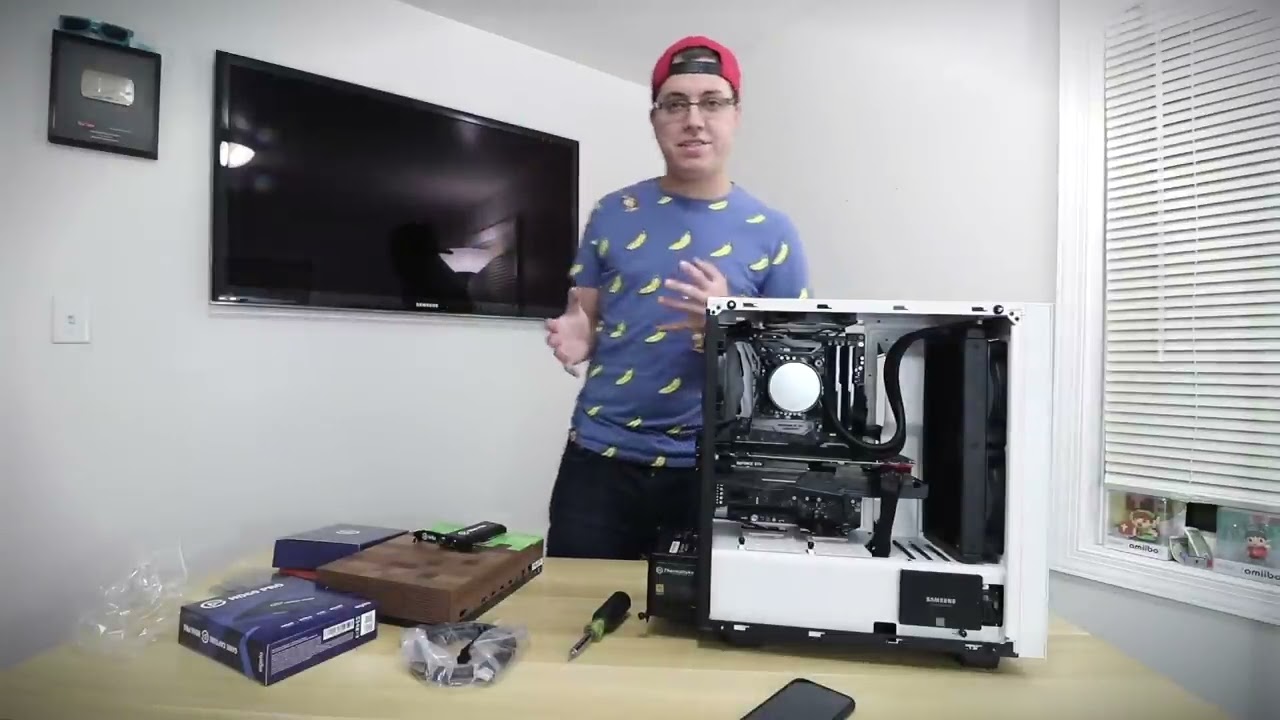
• Buy the HD60 Pro on Amazon - http://amzn.to/2zaFmDN
• Watch my gaming PC playlist - http://difran.co/2je7LlD
• See my tech, games and more - http://kit.co/daviddifranco
• $25+ Patrons: Joel Shaw - http://whoisjoelshaw.com | Michael Eng - http://difran.co/2qeMHkq | Mike Marentes - http://difran.co/2iHkQ9Q
• Websites: http://daviddifran.co | ...
There a video
Watch it
If you do not have a line in. Then you wasted 150
Like me 😭
quiet linden
That’s right
quiet linden
@raven ore you need line in port because you are using ps3, and switch
raven ore
quiet linden
<@419892298411802624> you need line in port because you are using ps3, and switc...
i have
quiet linden
raven ore
i have
Good
compact warren
this seems a bit complicated for viper lol, id be stressed rn
quiet linden
Then it should be no problem and you have enough space
raven ore
quiet linden
<@419892298411802624> you need line in port because you are using ps3, and switc...
i think most of the time switch
low willow
@raven ore for the last time it fits
raven ore
low willow
https://youtube.com/watch?v=9yJvBPVi0cA&feature=share
if you look at this guy
he doesnt have a m.2 ssd
quiet linden
The ssd is lower than the pcie
raven ore
yea but the ring is also very long
quiet linden
@raven ore do you have a local electronic store, like Best Buy?
raven ore
 raven ore
quiet linden
<@419892298411802624> do you have a local electronic store, like Best Buy?
raven ore
quiet linden
<@419892298411802624> do you have a local electronic store, like Best Buy?
life in netherlants so no
low willow
Yup
Viper. https://www.amazon.com/gp/product/B000KUD2G4/ref=ppx_yo_dt_b_search_asin_title?tag=comments-r-20 will this work as a ground loop isolation? I called the Elgato support teams and they said I should get a better ground looper fix the buzzing noises
quiet linden
Elgato says it supports PCIe x1 (your port)
raven ore
should i order it then
low willow
If you have a line in . Yes
raven ore
should i risk it😬
low willow
Also get a party link
raven ore
low willow
Also get a party link
whats that
 raven ore
jup
quiet linden
raven ore
whats that
It allows you to use headphones and record sound with the switch
raven ore
i know
raven ore
quiet linden
It allows you to use headphones and record sound with the switch
noice
is is inportend
like do you really need it
quiet linden
If you want headphones
low willow
Yes
raven ore
oh god this is going to cost a lot
low willow
@raven ore I bought the hd60 pro and I didn’t have line in I had to buy a new one
I wasted 180 usd
quiet linden
low willow
<@419892298411802624> I bought the hd60 pro and I didn’t have line in I had to b...
Try to sell it
low willow
I’m giving it to a friend
raven ore
😬
low willow
You shouldn’t be
You are good
But viper
Could you answer my question please 😔
@quiet linden
raven ore
how sure are you
low willow
99%
Only problem you have is to much electricity going throught a outlet and causing buzzing in your recording
raven ore
oof
quiet linden
@low willow sorry. I have no idea
low willow
All you need is this to fix it
Cheap
But my problem is worse. I gotta buy a more expensive one
Fix the buzzing
quiet linden
I’m not sure
low willow
Ok, thank you anyways viper
quiet linden
raven ore
viper
Yes?
quiet linden
raven ore
how sure are you
I’m 99%
low willow
I seen 2 people recommended it on a post and all said it works
raven ore
danm im scared
quiet linden
But if your gut tells you no, go with a Hd60s
low willow
But how would I put in the cords and stuff
Viper you think any one knows or should I call the company up and ask them
quiet linden
So you are trying to figure out how to plug it in?
quiet linden
Send pic please


 quiet linden
I have no idea
low willow
😂
quiet linden
@low willow watch YouTube
quiet linden
🤔
quiet linden
low willow
<@431954845436477440> do you use a ground loop?
No, I’m on Xbox so I don’t have to worry about all the audio issues
quiet linden
Pretty much LOL
quiet linden
I mean. Try a different controller etc
low willow
I did
quiet linden
Okay
low willow
I called the Elgato support team they basically said buy a better ground loop
quiet linden
Hopefully sometime, they make an update that allows party chat through HDMI and Headset
quiet linden
Do you have it connecting to the correct line in on your pc?
low willow
Yes

What I just bought if it don’t work just going x bows
Already spent over hundred tryna fix the buzzing
low willow
At this point I might actually get a x box 🤦🏽♂️
quiet linden
If you need an upgrade, wait to a series X or S
@low willow are you getting static with hdmi audio?
quiet linden
@low willow when you have hdmi audio instead of analog audio
low willow
Idk
Cuz you need to use analog to get audio
I really might sell my ps4 and just go buy x now
Xbow
Which one does 120fps?
 spring magnet
any1 know how i am able to get audio through OBS with the capture card currently getting video, but no sound. When i use the 4k capture utility app it says "USB Connection issue detected. Please re-connect Game Capture HD60 S+ to a USB 3.0 port.". I've used all my ports and i get the same message, even though i get the video through OBS.
compact warren
spring magnet
any1 know how i am able to get audio through OBS with the capture card currently...
@quiet linden
spring magnet
Also additional information, i checked the device manager on my laptop it says it has a 3.0 USB port, but i am not sure which one it is and the box says it came with a USB 3.0 cord online, but I didn't see one in my box. was thinking it just may be my cord also. Let me know if i can fill in any other blanks
low willow
Viper what Xbox do you have
compact warren
@spring magnet can you kind of simplify what you mean? I'm slightly confused as to what you want
spring magnet
I was trying to get sound to come through my second device for recording/streaming, right now i am only receiving video
spring magnet
no its a direct connection, from desktop to laptop. The HDMI from the gaming PC is going into the In and the USB is plugged into the in to the recording laptop
compact warren
spring magnet
no its a direct connection, from desktop to laptop. The HDMI from the gaming PC ...
and is it a 3.0 port?
quiet linden
low willow
Viper what Xbox do you have
One s
compact warren
spring magnet
no its a direct connection, from desktop to laptop. The HDMI from the gaming PC ...
if it isnt in a 3.0 port, you may want to use a different wire
quiet linden
low willow
Thank you. You don’t need anyways at all? For the audio
Just an hdmi
(With settings set to hdmi and headset)
@low willow but first make sure you can try to fix your problem
spring magnet
i tried all the ports, but this is what my device manager says. i assume one of them would be 3.0
 low willow
And to much time and stress
compact warren
spring magnet
i tried all the ports, but this is what my device manager says. i assume one of ...
you may want to use a different wire
spring magnet
ok ill try and buy a 3.0 cord, I am not sure how to tell if t he cord is a 3.0 or not
post purchase i mean. ill go buy a new one that says 3.0
 dire sandal
audio being weird with elgato HD60 S. when i try to listen to it in 4k capture it has this awful buzzing sound, and in streamlabs it does as well.
this is what happens when i stream it tho
compact warren
dire sandal
audio being weird with elgato HD60 S. when i try to listen to it in 4k capture i...
Make sure the wires are clean or you may wanna use a new wire
dire sandal
im using the one that came with my elgato
maybe i need to buy a new one
oh wait
am i not supposed to be using the chat link for this
that might be it
low willow
You need one for ps4 and do t for xbox
Buzzing might be from ground currents. You need a ground loop isolation
 random mountain
hey, i have a question about the soundboard function.
is it possible for me to edit the function to add another audio output?
 cinder peak
Having problems re-connecting my Keylights... I've reset wifi, keylights and still says it cannot connect?
 royal wyvern
My HD 60 S is being very picky, whenever I plug in my external hard drive or anything else into my USB bus it won’t work. It says “Signal not found”. This didn’t happen before. I’m using a Mac book pro, thank you for talking your time to read this and please respond as soon as possible, thank you
quiet linden
royal wyvern
My HD 60 S is being very picky, whenever I plug in my external hard drive or any...
USB overload maybe
quiet linden
low willow
You need one for ps4 and do t for xbox
Because you don’t need analog for Xbox one
quiet linden
@low willow before buying anything, make sure you have crisp audio with through HDMI
 buoyant geyser
How can I add a button on my Streamdeck to play a .m3u file, please? I've tried a few of the media inputs
It's basically a streaming 'radio station'
 idle dust
Hello. Just thought I'd post a bug in the Elgato software that I discovered today. In case it helps someone. I'm using XSplit Broadcaster. If you try to use the MutliAction or MutliAction Switch... using an XSplit Source... it seems that the "hide" and "show" commands are exactly opposite of what they should be. It took me a while (and a lot of swearing) to figure this out. So... in the end, you CAN get the MultiAction and Switch to work... but you have to use the opposite "show / hide" commands. Hope they get it fixed. I put in a ticket. Thanks.
raven ore
@quiet linden
or someone that has a hd60s or a +
does that capture card has stream delay
 lyric minnow
Hey I was hoping that I could get some help. I'm opening game capture hd software and it shows my ps4 screen fine with no delay but after around 3 seconds, it freezes and closes itself, consistently, and I have no idea why
lyric minnow
lyric minnow
Hey I was hoping that I could get some help. I'm opening game capture hd softwar...
Please help me
compact warren
lyric minnow
Hey I was hoping that I could get some help. I'm opening game capture hd softwar...
Hey! What are your computer specs?
lyric minnow
Unfortunately I'm not at my computer right now as I had to go to work,but I'll send them tonight when I can, that said, I've been actively streaming to twitch for nearly 3 years with little to no issue before. I was using the program yesterday with no problem and I was even simultaneously using slobs, streaming to twitch, streaming to discord, AND watching a tv show, so I shouldnt have an issue using JUST Game Capture. Just to note
 unborn zenith
Hey, I got an elgato keylight and for some reason the stand is awful
Like I'm screwing it into the stand but it's really loose and falls off
compact warren
lyric minnow
Unfortunately I'm not at my computer right now as I had to go to work,but I'll s...
Do you know how much RAM is in your pc?
lyric minnow
16gb ram 3gb vram I know that much
compact warren
lyric minnow
16gb ram 3gb vram I know that much
Ok have you tried reinstalling?
 devout osprey
Does anyone have a ps4 hooked up to an HD60S+ and using the steel series artic pro wireless?
 abstract heath
Does anyone know why with the HD 60 pro card there are two sources in OBS? One is egato game capture and the other it game capture HD. What's the difference? I am using it to capture a Sony cam.
lyric minnow
compact warren
Ok have you tried reinstalling?
No I only had about half an hour this morning. It's going to be an issue when I stream tonight but oh well
compact warren
lyric minnow
No I only had about half an hour this morning. It's going to be an issue when I ...
Ok, try that
 silent lynx
I am having trouble with my HD 60 S, sometimes it flashes red and the screen cuts out. Any ideas why this is happening?
compact warren
silent lynx
I am having trouble with my HD 60 S, sometimes it flashes red and the screen cut...
Make sure the wires are clean, and maybe use a new wire.
 idle ridge
how do i remove AM-PM from the analog clock on my streamdeck ?
raven ore
raven ore
or someone that has a hd60s or a +
?
low willow
Viper so the Xbox one and the Elgato hd60 S + do I need to have my tv volume on for them to hear it?
 north oriole
Question for those that use the Elgato Wave:3 & Play JackBox games... My Wave Link software won't pick up any game sound from the JackBox games. It works perfectly fine with all my other games, but not JackBox. I've tried all the separate audio outputs and had no luck. Anyone else had this issue and did you manage to solve it?
 mossy bough
 Hi, does anyone know if with the Twitch commands.. can I use them in other chats besides mine? Thanks
compact warren
mossy bough
<a:PeepoWave:797605204895072257> Hi, does anyone know if with the Twitch command...
Pretty sure you can only use them in yours
mossy bough
compact warren
Pretty sure you can only use them in yours
Thanks... I moderate a lot of other channels. It would be helpful to be able to use the commands/stream deck for those channels I'm in also
 wooden spoke
Ahhh Yes my chat link cable is making a buzzing sound in my ear how great
Why is my chat link cable doing this
 rare dock
I'm having issues with my elgato camlink, anyone able to assist?
basically what's happening is when I have the microdhmi (for video) and the microusb (for charging) plugged in to my sony a6300, the output just says "connecting..." (see image attached)

It works fine when I only have the microHDMI plugged in, but then it drains the battery
I ordered a dummy battery, that should fix the problem, but In the meantime is there a way to make it work with what i've got?
 jaunty sun
Is the 4k60 pro only way that will let u be able to get the 120hz refresh rate with new Xbox console
magic onyx
jaunty sun
Is the 4k60 pro only way that will let u be able to get the 120hz refresh rate w...
yes. see link for the list: https://help.elgato.com/hc/en-us/articles/360041842611-Elgato-Capture-Devices-How-Do-They-Compare-
Elgato
Here is a comparison between our current lineup of Elgato Capture Devices, as of 2020.
Elgato Game Capture HD60 S+
Elgato Game Capture HD60 S
Elgato Game Capture 4K60 S+
Elgato Game Capture HD60 Pr...
 gaunt latch
i have just setup my elgato hd60 pro and it nly captures my desktop and nothing else does anyone know what to do
magic onyx
gaunt latch
i have just setup my elgato hd60 pro and it nly captures my desktop and nothing ...
how did you got it setup exactly?
 stuck hemlock
Hi, I have my PS4 hooked up to my Origin PC and I had a few questions: 1) when I'm playing PS4, there is a black square around the screen at all times I'd like to remove and 2) the first time I played PS4 my Origin PC lights turned Blue but now it doesn't do that anymore. Does anyone know of a way to make it go back to doing that? Thanks!

 wise sinew
Hello, when I installed the capture 4k60 pro (plugged the capture an hdmi to the gpu only, i have a monitor with 144hz so I plugged it directly to the GPU and I made a duplicated screen) so, when I use streamlabs I get an FPS drops, like if it is not using the capture, I don't know what am I doing wrong.
floral jetty
@golden axle sorry bot grabbed yeah for to many lines. ill unmute
 golden axle
thanks...was just trying to give as much info on the issue.
floral jetty
no worries, try screen shots for the error so that you dont have a million lines.
golden axle
Ok so I keep getting random crashes on the wavelink software. It happens when I am not actively using the application.
 south bronze
@quiet linden hey there. got all my capture issues fixed 😄 Thanks for the help 😄
 cedar arrow
I installed the Wave Link Beta And now, I cant hear my games and I cant open the app, what should i do?
wise sinew
Anybody help me?
Before when I was running the streamlabs, I didn't get 20 fps in video games, but now that I install the jack every time I open the streamlabs, I have low fps. my pc is an i9 and 2080 ti
gaunt latch
magic onyx
how did you got it setup exactly?
i used the tutorial from elgato
 edgy halo
Hi everyone, maybe you can help me.
I am using my Stream Deck with the Wave Link extension and created a button to toggle the lowcut filter on/off. With standard settings there is an icon with two toggle states that shows if it is on/off, but when i select a custom icon i can only insert one icon instead of two different states. Am i somehow able to add a second icon?
Thanks in advance.
 mortal urchin
Hey guys! I’ve had an issue with my Wave Link where the sound will sometimes stop. Can fix it by changing the headphone output to a different output and back. Not a massive issue, just slightly annoying. Anyone else had this?
vivid harbor
mortal urchin
Hey guys! I’ve had an issue with my Wave Link where the sound will sometimes sto...
If you're running version 1.17 you need to downgrade to 1.16
mortal urchin
vivid harbor
If you're running version 1.17 you need to downgrade to 1.16
I haven’t updated recently unless it’s updated itself
vivid harbor
mortal urchin
I haven’t updated recently unless it’s updated itself
Check your version
My windows sound service kept dying with 1.17 and it didn't start immediately. Could be unrelated though
mortal urchin
It just seems to happen every so often it’ll just disconnect the sound even though there’s still sounds being played. I’ll check that later when I’m home! Thanks @vivid harbor 
stuck hemlock
Hi, I have my PS4 hooked up to my Origin PC via a HD60 Pro and I had a few questions: 1) when I'm playing PS4, there is a black square around the screen at all times I'd like to remove and 2) the first time I played PS4 my Origin PC lights turned Blue but now it doesn't do that anymore. Does anyone know of a way to make it go back to doing that? Thanks!
 vivid harbor
mortal urchin
It just seems to happen every so often it’ll just disconnect the sound even thou...
vivid harbor
mortal urchin
It just seems to happen every so often it’ll just disconnect the sound even thou...
You're welcome
I had an issue where my windows audio service randomly stopped until I went in and forced it to restart. It could be unrelated. I downgraded to 1.16 and then upgraded to 1.2beta and haven't had the issue since
 misty dirge
can someone tell me how i can use github plugins on my streamdeck
 wispy condor
I'm curious if there's a way I can create a way to turn off and on my integrated graphics on my laptop via my StreamDeck. I have to toggle it off to play some games and toggle it back on to play other games, does anyone know how to do this? I can't use the normal 'open' function as it doesn't detect device manager.
magic onyx
gaunt latch
i used the tutorial from elgato
have it fixed?
 lavish bluff
Hello, can anybody help me please? An elgatoHD60s update done recently on my computer is causing delay in the sound, if I do a recovery on my PC to a date before such update, the program works fine with the elgato, however whenever the update of the elgato is done, the delay comes back, annybody knows how to fix this?
mortal urchin
vivid harbor
You're welcome
I had an issue where my windows audio service randomly stopped un...
So im on 1.16, It seems this happens when I open a new window/software
 random sky
my 4k capture app is saying im using HDR but neither of my PCs are. its making my gameplay really saturated and bright, and basically unusable
i have the 4k60 mk2
 full wagon
is there anyone who know if i can use chanelpoints from streamdeck?
compact warren
full wagon
is there anyone who know if i can use chanelpoints from streamdeck?
Twitch channel points? No, sorry
full wagon
dang :/
 unborn jay


 exotic mortar
Hi i'm running a dual pc steup with HD60s, when i set my main pc to duplicate i can't get my main pc to run games at 1440p, 1080p is the max i can choose, I can select the correct refresh rate, all the settings in nvidia control panel is correct, anyone know why? Thanks!
lavish bluff
Hello, can anybody help me please? An elgatoHD60s update done recently on my computer is causing delay in the sound, if I do a recovery on my PC to a date before such update, the program works fine with the elgato, however whenever the update of the elgato is done, the delay comes back, annybody knows how to fix this?
 timber meadow
someone please be the blessing i need - just got off the phone with elgato customer service and they didnt help at all in fact i believe they made the situation worse. i will venmo or cashapp someone for their time - hate to beg but im at my wits end - youtube and google have been of no help
floral jetty
Please dont post offering money here... Post your issue and if some one is able to help they can. @timber meadow
timber meadow
bummer my bad - are you willing to help ?
floral jetty
you can post the issue, if i know anything about it i can try
timber meadow
spoke with customer support over phone they were no help - camlink4k at time working and then not all of a sudden - moved connection from back usb 3.0 that was directly in motherboard to usb3.0 on front of case - now only thing on back of pc is the hd60s+ which isnt capturing audio in streamlabs obs ---- additionally upon attempting access to this discord through the google el gato link page it prompted me phone verification --- was kinda sus -- and now in my actual account settings its telling me that my phone cant be verified as its connected to some account already - but i only have one account ......
floral jetty
so cam link i wouldnt really know anything about. havent picked one up yet. First need to get a better camera 😂 ... for the hd60s+ what are you capturing?
timber meadow
nintendo switch - video is good and i have source set up in streamlabs but no audio
floral jetty
So the audio levels dont move at all on the mixer?
timber meadow
"an existing discord account is already using this number. please remove it before it can be used with a new account" what the heck???
only audio moving in mixer is the chat mic which is my condenser mic via goxlr pro
floral jetty
can you send a screen shot of your audio sources
timber meadow
am i allowed to message you privately and screen share? just wondering, may be far more easier
 rugged hare
Is anyone else having issues with the hd60 pro and the latest motherboards? I have an asus z590-e strix and I've gone back and forth with elgato and asus with no solution as to why my pc isn't picking up the capture card... it's been over a week
 brittle rivet
Why does Wave Link randomly close? I paid a lot of money for the Wave and the software seems to be garbage majority of the time and only okay at the best of times
stiff zinc
So I have a gpu and 3 4k60 pros. (Long story short I ended up with 3 after an RMA and getting a good deal on the other) Unless you own a MSI x570 MEG Godlike you can’t use all three. Yes I want to though. Will a PCIe bifurcation riser work with 4k60 pros?
I know for other things it’s mobo/bios dependent
 autumn rover
Ok so.. from time to time when I start a pc game my wavelink will crash and not show any of my internal sound devices. My speaker icon has a red x next to it and I have to restart wavelink but it takes like 5 mins to start up. This also happens sometimes when I open up discord and try to join a voice chat.
Anyone else have this problem?
 icy cipher
Hi, I’m a complete noob with hardware specs. This is my new laptop from work. Will this be good enough for streaming PS5 via a elgato HD60S
 woeful latch
@south bronze try asking your question in here :)
south bronze
thanks
Just got my xl
Is it correct that the keys cannot be used as "new" keys, for setting up in ex. Flight simulator. I have to first map the controll to my keyboard, and then make a streamdeck hotkey, that presses the same button?
i thourght that the keys on streamdeck could be used as an additional set of keys
anyone know?
lavish bluff
Hello good morning, can anybody help me please? An elgatoHD60s update done recently on my computer is causing delay in the sound, if I do a recovery on my PC to a date before such update, the program works fine with the elgato, however whenever the update of the elgato is done, the delay comes back, annybody knows how to fix this?
 somber belfry
Hello. On a dual pc setup I have my game pc running into a 4k60 pro. I just upgraded my camera and am using the camlink 4k. have the 4k capture utility show both, my camera and my gaming pc?
magic onyx
icy cipher
https://media.discordapp.net/attachments/581551338496983041/841946248533508106/i...
yes
magic onyx
lavish bluff
Hello good morning, can anybody help me please? An elgatoHD60s update done recen...
you can change some delay options in obs to correct it.
magic onyx
somber belfry
Hello. On a dual pc setup I have my game pc running into a 4k60 pro. I just upgr...
im not sure if thats possible. but you can do both in obs.
icy cipher
magic onyx
yes
Thx. Good to see another Dutchie here 🙂
magic onyx
icy cipher
Thx. Good to see another Dutchie here 🙂
yes indeed. welcome 🙂
lavish bluff
magic onyx
you can change some delay options in obs to correct it.
How?🥺
lavish bluff
Ty!! I will check it out
Any ideas of why this is happening now? After 2 years using the same laptop and capture card?
magic onyx
lavish bluff
Ty!! I will check it out
no answer for that. but probably a windows thing because of the update
lavish bluff
Oh! Well, thank you
 cyan crane
Hello. the cat 4k60 pro mk2 has support to use the Elgato Sound Capture and thus record the audio coming from an audio output?
quiet linden
icy cipher
Hi, I’m a complete noob with hardware specs. This is my new laptop from work. Wi...
You should be fine
BUT, make sure you have a usb 3.0 port
icy cipher
I do have a 3.0. Thx @quiet linden
 brisk hearth
is there a guide on how to setup correctly wavelink software with macOS?
woeful latch
@mossy hound try asking your question in here. :)
 mossy hound
woeful latch
<@126043882025779201> try asking your question in here. :)
mossy hound
woeful latch
<@126043882025779201> try asking your question in here. :)
thank you ❤️
Can anyone tell me what the triangle means?
 magic onyx
mossy hound
Can anyone tell me what the triangle means?
magic onyx
mossy hound
Can anyone tell me what the triangle means?
it means low frame rate
mossy hound
guessing because im streaming the switch?
magic onyx
mossy hound
guessing because im streaming the switch?
correct. also it depends which capture card you have. you can try it on 720p and disable 60fps and see what it does ten. and what are the specs of your streaming pc/laptop?
mossy hound
still comes up
 mossy hound
magic onyx
correct. also it depends which capture card you have. you can try it on 720p and...
mossy hound
magic onyx
correct. also it depends which capture card you have. you can try it on 720p and...
Its not for streaming, I bought it because i didnt want to change the channel each time i went on my switch 🤣
magic onyx
mossy hound
Its not for streaming, I bought it because i didnt want to change the channel ea...
i see. well maybe you can try these steps. https://help.elgato.com/hc/en-us/articles/360027955372-Elgato-Game-Capture-HD60-S-and-Resolving-Performance-Issues-Windows-
Elgato
Elgato Game Capture HD60 S captures raw HD video, and passes it on to your computer to be displayed, encoded, streamed and recorded. It connects to your computer using USB 3.0, and relies on both t...
mossy hound
magic onyx
i see. well maybe you can try these steps. https://help.elgato.com/hc/en-us/arti...
Okay thank you 😁😁
 sand finch
@vivid harbor I see in one of your screenshots (in the wave link beta channel) you have the game capture HD60 S game audio coming into your wave link. how did you do that? did you have to use the sound capture app?
vivid harbor
sand finch
<@!294543419693596682> I see in one of your screenshots (in the wave link beta c...
It just shows up. I am running the beta software and I’m using the 4K capture utility instead of the game capture hd software
 dense pasture
does anybody know how I could get the elgato mk 2 pro internal capture card to display on my OBS/4k Capture utility when using an display port adapter to get sound to my mixer.
 turbid ridge
hoping someone can help me with my OBS pickle and the Elgato game capture program!
In OBS, the sound from the elgato HD60 Pro input device is coming through OBS as well as my audio on my PC through voicemeeter, so it is doubling. Naturally, you'd assume i would just disable the sound from the Elgato capture card, HOWEVER, the lag on the elgato audio coming from through my regular audio output channel is very laggy. Also, if i disable the other instance of the audio, i'll end up disabling all of my sound alerts through stream etc.
How do I capture the audio from the elgato so it's not laggy, but also listen to the audio from my computer?
 drowsy tundra
Any idea what's going on with wavelink here?
...just force quit and restarted the streamdeck app on my PC, and now it works. Guess it's a streamdeck issue then
magic onyx
dense pasture
does anybody know how I could get the elgato mk 2 pro internal capture card to d...
magic onyx
turbid ridge
In OBS, the sound from the elgato HD60 Pro input device is coming through OBS as...
how is your setup and why you using voicemeter?
magic onyx
raven ore
is there someone with a hd60s+
yes, what is your question?
magic onyx
raven ore
can we talk dutch here because im dutch too and it talks easier
dm me to talk dutch else talk english in this chat
runic kernel
Can anyone here atm assist me, still having audio issues with elgato 4k mk2
woeful latch
@winter knoll try asking in here.
runic kernel
TBBiT - would you be able to assist me?
magic onyx
runic kernel
Can anyone here atm assist me, still having audio issues with elgato 4k mk2
tell me
 winter knoll
Hey how to put gif and audio alerts on stream deck?
woeful latch
runic kernel
TBBiT - would you be able to assist me?
I'm at work so I cannot at the moment. Sorry. 
runic kernel
runic kernel
Hi,
I have an Elgato 4k60Pro Mk.2, using 240hz passthrough to my monitor.
The pi...
this @magic onyx
 sharp quartz
Hi guys, I installed Elgato 4k pro on my gaming pc but nothing is display on my streaming pc
can someone help me please i've been stuck for weeks now
I have AMG 6900xt on my gaming pc and 6700k intel on my streaming pc, is that the problem
sharp quartz
this is the second time I'm asking a question and no one asnwers, dead community 😦
magic onyx
sharp quartz
this is the second time I'm asking a question and no one asnwers, dead community...
Have you installed the driver and software from elgato?


