#cth-history
1 messages · Page 46 of 1
 queen sky
4K Pro
 versed pagoda
 cunning latch
Stream Deck might need to be running in Admin. Is OBS in Admin mode?
cunning latch
Stream Deck might need to be running in Admin. Is OBS in Admin mode?
OBS is ... Streamdeck loads with booting up maybe i will try to change that somehow.
queen sky
sometimes when i remove the hdmi cable that is connected from my game pc to stream pc ( i removed it from the streaming pc) it restarts my gaming pc
cunning latch
queen sky
sometimes when i remove the hdmi cable that is connected from my game pc to stre...

That's not good. Has it ever worked?
queen sky
yea before i upgraded my motherboad and cpu. worked perfectly
cunning latch
Are you 100% sure it's installed properly? That sounds like may it's not seated properly in the slot. And if disconnecting or reconnecting an HDMI cable causes a restart, might be an electrical issue somewhere
queen sky
i did, i saw the edge part click into the elgato
the elgato emblem on the side is glowing white from the power, so i know its on
and i hear the ding when i connected the hdmi cable
cunning latch
Ok so this is an original model.
queen sky
yes
my only guess is maybe the PCI slot isnt getting enough power? I dunno im not good with these things
cunning latch
PCIe slots by spec provide up to 75watts and the original 4K60 Pro uses perhaps 10.
Do you have another PCIe slot you can connect it into?
queen sky
umm no unfortunately, it only has 3 PCIE slots (graphics taking the x16, x4 for elgato and the last is a normal one PCIEX1
 desert quarry
Hey there, I'm so lost so I hope you can help me!
My Key Light suddenly won't connect to any devices in my house. I've tried my iPhone, iPad, mac, and another windows pc that has a wifi adaptor but nothing 😦
I just got my Elgato greenscreen and I can't use it. 😦
I've reinstalled the control center one everything and held the reset button down for 10 secs multiple times.
I'm so lost. 😦
It seems like it started acting up after I updated a Gforce ready driver Version 457.51 but idk if that should have effected anything or not.
 tender quartz
the NVidia driver does install a USB driver sometimes. so i wouldnt put it past that as the cause
if its usb
idk i dont have one lol
cunning latch
Thing is we talk to Key Light over network packets. There really isn't a driver.
desert quarry
Yeah true^^
cunning latch
desert quarry
Hey there, I'm so lost so I hope you can help me!
My Key Light suddenly won't co...
I was the one replying to your ticket on Twitter. But in any case I think if it's not working on multiple computers and resetting hasn't helped I'd have to forward it over to the email team to take a closer look.
Maybe there is information in the logs from our Control Center software that can spot the issue.
desert quarry
ok 🙂 Do you know where I can find the logs?
cunning latch
If you primarily use a windows PC then we have a tool here: http://e.lga.to/reporter

Elgato
The Elgato Windows Reporter is a free utility that collects selected information from users of Elgato products.It works with Windows 7, Windows 8 and Windows 10.Please Note: Elgato Windows Reporte...
I'll still be responding to your ticket for formality though
desert quarry
ok thank you I really appreciate you!!! srry I've been trying everywhere because I feel like a chicken with their head cut off. 😅 💀
cunning latch
desert quarry
ok thank you I really appreciate you!!! srry I've been trying everywhere because...
All good, I understand. It's good that you tried it through many other computers. That's one of the first things we check for.
You can send us an email here: http://e.lga.to/help and attach the zip file with the logs to the form.
desert quarry
ok perfect! I'll get on that right now!
queen sky
@cunning latch anything else?
cunning latch
Whats the motherboard model? Do you have any M.2 SSDs installed?
cunning latch
Looks like it has two M.2 slots. It might turn off a PCIe slot with it installed in one of the slots. Trying to find out if it has that limitation. Pretty common on AM4 boards with dual M.2
queen sky
ok gonna remove the m2 and see what happens
nop nothing change
4k capture utility not showing anything, device manager not showing anything
cunning latch
What I'm seeing is that this board has three x16 sized slots. One wired for x16, one wired for x8 and one wired for x4.
Do you have another PCIe card in there? Or does the GPU block the x8 slot?
At this point, I'd probably also need log files to see if our software finds anything.
queen sky
where's the x8 slot?
i only have x16 x4 and a normal one
top one is the graphics, middle was for elgato, the last one cannot be used
cunning latch
Is this your board?
queen sky
yes
tender quartz
the x8 slot is likely a x16 with only halfthe pins wired
its likely the seccond slot down
cunning latch
You mentioned the last one can't be used. Does that one not work?
queen sky
its blocked
cunning latch
ohhh
queen sky
with an rgb custom switch
to change colors etc
ok top to btm is x16, x8, x4. (x16 graphics, x8 elgato, x4 is blocked)\
just put it in the x4 slot, restarting pc to see
OK some progress, the x4 slot now shows the elgato in the system devices
@cunning latch @tender quartz thank you guys so much. It works fine now with x4 slot. x8 slot was not doing it justice. It's working now, gonna take it to the shop tomorrow to rewire everything. Greatly appreciate you guys taking the time to help me. much love
 queen sky
any help is always appreciated
cunning latch
Yea I was going to say even just temporarily trying it in the 4x slot would be worth the information. Glad to hear it's working now.
queen sky
is there a reason why x4 works more than x8
cunning latch
Highly depends on the board I'm afraid. Even could be down to the BIOS.
One thing to check for is with the 4K60 Pro installed in the 8x slot, go into Windows and use something like GPUZ to find out what the negotiate link speed is
If it's reporting 16x lanes then you know the 8x slot is essentially turned off
In which case the BIOS may have a manual override to force the board to operate in 8x 8x mode, vs 16x 0x
 polar plume
So my Game Capture HD60S killed a whole row of usb ports bc mine threw on everyone of these an too much power error all of them got roasted is there anyway of fixing your capture card to not cause this issue btw i plugged the cable that came with it INTO a USB 3.0 PORT
cunning latch
polar plume
So my Game Capture HD60S killed a whole row of usb ports bc mine threw on everyo...
I'd email us about this: http://e.lga.to/help
This is something we'd need to take a close look at.
 south bronze
hiya everyone i need help setting up the HD60, nothing is working and i’ve visited the support page and googled it
any help would be greatly appreciated. it’s all plugged in (when the usb is plugged in the capture card doesn’t light up) but nothing comes up on the software
cunning latch
south bronze
hiya everyone i need help setting up the HD60, nothing is working and i’ve visit...
So the card does not light up at all when connecting it? Does the passthrough work? Aka does something show on the TV connected to the HDMI OUT port of the card?
south bronze
i got the capture card to show up and it’s all working but there’s still no lights on for it. but it is working now @cunning latch
cunning latch
If it's working right then no need to worry about the lights. Just sometimes used for diagnosis
 severe wigeon
Can I connect a HD60S to a laptop with a regular usb cable?
my laptop meets all the other requirements said in the website
tender quartz
severe wigeon
Can I connect a HD60S to a laptop with a regular usb cable?
the usb C in on the capture card side. the computer side is a standard USB connection
severe wigeon
so the hd60s does have a cable to connect it to a normal usb?
tender quartz
its standard usb on one end. USB C on the other
the usb c goes into the capture card.
the USB does have to be USB 3.0 though
it will not work otherwise
@severe wigeon
tender quartz
you need to check the specs of you pc from the manufacturers site
thats probably the easiest
look up your model number
severe wigeon
i saw this in device manager, it means it is usb 3.0 right?
severe wigeon
ok, thank you
south bronze
Hey I got an HD60S recently and sometimes when i stream, the audio delays on my end
For the viewers, the audio is synced with the gameplay just fine
but its really disorienting for me. is there a way for me to fix this?
 quartz night
Duplicate main display to an HDMI output without losing my 144hz on the main screen?
queen sky
@south bronze is this when you play console games?
south bronze
yeah @queen sky
mainly switch
my solution so far will prob be like 3 headsets lol, 1 for mic 1 for switch audio and earbuds for notifications and other shit
queen sky
I had a similar problem with audio, then i messed around with obs mixer and the elgato audio source
south bronze
how so?
 eager lagoon
i can hear myself in my wave 3
 limber quail
Can anyone help me? My streamdeck doesn't wanna update anymore? It says it can't find the installation file
south bronze
how do i get rid of the delay of the capture? (so i can use pc headphones to hear game and alerts without having it behind what im doing on my console)
polar plume
@cunning latch how would i contact em? like idk what to pick
 light ridge
im having a brain fart yall, if i have a hd60S+ but my laptop only has usb 1.0/2.0, can i theoretically get a 3.0 usb dock and just plug it into that instead of directly into my laptop?
 final stump
Hello! I ran the latest update for the Game Capture HD60 S, and now I can't get me game to show up in the software. All I can get is a black box where the game preview is supposed to be. Is anyone else encountering this issue or know the fix?
Sometimes I can't get the signal to connect at all. It worked better before the update. Is there a way to reinstall the version from before?
final stump
This is what it does now if I try to put into full screen mode and hiding the side bar no longer works.
tender quartz
light ridge
im having a brain fart yall, if i have a hd60S+ but my laptop only has usb 1.0/2...
depends, if you mean can you get a ubs 3.0 hub and plug that into the 2.0 port : no , youll still be limited by the 2.0 port
if you mean buy a laptop dock that connects using a large multipin connector on the side/back/bottom of the laptop: this might work, depending on how the laptop/docking station are configureed. though its a gamble and probably wouldnt work.
 dire hound
Is it normal that the elgato software will not bring up your device when you plug it into a USB 3.0 extension cable?
 zinc plaza
can someone help me with my elgato i always get a black screen in the exe when i try to capture my ps5 HDCP is already disabled and im using the elgato HD60s+
dire hound
Like, I’m plugging the cable into a extended USB 3.0 cable and putting that into a USB 3.0 Slot and it says it’s 2.0
zinc plaza
did you update the driver ?
dire hound
Yup
zinc plaza
then i dont know
dire hound
Oh I figured it out, my cable is too long
tender quartz
dire hound
Oh I figured it out, my cable is too long
i see you figured it out but yes, extension cables are a big no-no when using higher powered elgato products
south bronze
i have a hd60 s and every time i plug it in to record my screen looks odd any reason why?
 carmine fern
hey!! can someone help me out?? i recently purchased the elgato 4k cam link and it isn't working for me at all. it boots up but won't recognize that my switch is connected to it. 😦
 half hemlock
Did u put it in wrong
carmine fern
i have updated all my drivers, tried uninstalling and reinstalling, tried installing an older version, lightened the USB bandwidth load, etc etc
half hemlock
Did u put it in wrong
carmine fern
no
half hemlock
Or did u put it in the wrong usb port
carmine fern
out of every maybe 10 tries of booting it up, it will connect to my switch and work for maybe 2 or so minutes before disconnecting agian
again*
it's in a 3.0 usb port which is what is required
half hemlock
Could it be the usb ports is messed
carmine fern
i tried all of the 3.0 usb ports on my pc so no i don't think it's that
half hemlock
I recommend going to the elgato website and find your product
carmine fern
i've already done that
half hemlock
Did you look it up on YouTube
 stable yoke
Heyo, is it fine to send links into this channel to explain my problem more? I got like.. a second sound delay when I stream it on Twitch.
Everything else is fine. Just the sound is dead. It's really weird to watch
 errant hearth
Hello, my name is Ebie. I have a stream deck xl and was wondering if anyone knew why the stream chat doesnt work anymore as of yesterday?? I have buttons set to dissplay in the twitch chat however, it was working on the 2nd and as of the 3rd, yesterday, it stopped working?? I know SLOBS had an update and so did nvdia on the 2nd. Does anyone have any suggestions about what i can do or is there a patch coming to correct it??
Thank you for any assistance
 dry plover
I just purchased the Wave 3 today and I am having some difficulty setting it up the way the tutorials have shown. I have a Sennheiser GSX 1000 DAC and headphones that I would like to continue to use with the Wave 3. I would appreciate any help I can find as YouTube did not help me very much. also when I restart my pc, and go to do something, I have no audio being read from Wavelink. So I have to uncheck and recheck everything each time this happens. Is this a known issue?
 solemn gate
do we have any kind of tips for anyone that is struggling to run game capture trying to capture smash at all? whenever im capturing gameplay, my cpu usage goes through the roof and if a single other application is running, it completely freezes up my computer
solemn gate
i5-8700k i believe
quartz night
huh pretty sure that should work just fine
so something else must be happening
I have the same symptoms but I have an extremely low end processor that isn't meant to encode video at all
solemn gate
Gotcha
Ywah, idk..
I just wanna stream smash
But whenever I load game capture and turn on my switch and launch it and all
CPU usage caps out to 100% instantaneously
And it gets si bad that I can’t even click anything for 5 minutes
 storm juniper
Hey, does anyone have experience with the elgato cam link 4K and the fujifilm xt30 camera? I'am using both and my fujifilm xt30 runs out of battery (i plugged in a usb c cable to charge it while using it). I would be really thankful for any help 🙂
 sonic fractal
Hey, i have quick question about elgato key light - to connect device i need to have Wifi in PC? Or its enough to have router what create Wifi and this router is connected to PC with a cable?
or can i prepare using smartphone?
 sinful flume
Hey folks, just got my hands on a Streamdeck XL (like literally an hour ago) and have been playing around with setting stuff up... Has anyone else had issues with the Streamdeck software hanging/crashing when trying to connect to accounts that pop up a web login window?
sonic fractal
So i know now that i can connect device through my smartphone with anrodi, but there is problem i tried multiple times to connect and every time after trying to pair it says - accessory no found. My wifi is correct (2,4) i see it in device but cant connect this..
 winged glen
i have same problem - looks like i get scammed. In your FAQ is guide how to connect device with Android but its not working
 weary shard
does anyone know why i wouldn't be able to see my own webcam while I'm in a discord call with people, but others still can? (please ping)
 sharp pumice
Sooo anyone else having the issue of this? I have the plugin installed and same version but after reinstalling streamdeck its not working still....
 next cave
Is anyone here familiar with 2 pc setups? because I have a question about it with the HD60 pro in my second computer. but I think this might be a long conversation so It might be best top directly just PM me instead xD.
 granite snow
Hiya! So I just purchased an Elgato HD60 S and it is lagging on the computer's end. Does anyone know how to fix this problem?
These are the option that were preset in OBS
 dense cradle
@dry plover how do you have everything connected?
dry plover
Yes I do have everything connected.
solemn gate
ive just about had it with my hd60 s
im sick of it
it just caps my CPU at 100% from idle levels without anything else running in the background
its ridiculous
next cave
@solemn gate what is your setup?
 tawny nimbus
aight so i have this gif but i dont know how to split it up into 15 equal squares to overlay icons on top
 astral beacon
Anyone who has a dual display streaming setup and elgato capture card and could help me figure out the best way to connect it all? I drew a diagram to illustrate my current situation:
https://www.reddit.com/r/elgato/comments/k7e8b4/help_figuring_dualmonitor_setup_with_elgato_4k60/
reddit
1 vote and 0 comments so far on Reddit
 summer solar
Anyone know how to fix audio cracking issue from my capture card to obs. Only when loud noises in games or gunshots does it cracking. Atro 40 headsets plug into the capture card as well. Please and thanks!!!!
 small girder
hey im very cofused with capture cards
i play in 1440p
will that work with a Elgato Game Capture HD60 S
 hollow kestrel
Does anyone have any information on what a pink light could mean on my HD60 S
I would like to know how to fix this very frustrating device before my Amazon return period ends. This is the third time I've had issues with it.
 visual dirge
how do i change the links to direct me to google chrome
 grim sigil
Hi got a elgato 4k60 pro mk2 few days ago. I have screen tearing and studdering on my monitor. I have connected hdmi from my gaming rig rtx 2080 to elgato in. And from elgato out to my gaming monitor. All with hdmi 2.0 . Did even limit it to 1440p 120fps/hz. And then in obs i have video capture 1440p 60 fps.
On gaming pc i have limit fps to 120. I get studder and screen tearing on gaming monitor. And some in obs. What have i done wrong?
 mint oxide
Is there anything that can be done to eliminate EpocCam Pro frame skipping? I get fairly significant frame skips both over WiFi and USB with iPhone 12 Pro Max and Windows 10. I’ve seen reviews and people on Twitter talking about the same issue, but it doesn’t seem universal. Are there settings or other fixes for this behavior?
I’ve been talking up EpocCam a lot in my streams because the quality and latency is fantastic, but the frame skipping is getting to me and I’m less confident recommending it lately
 pulsar scarab
Hi guys. I am new to streamdeck and just checked out the streamdeck mobile app to get a decison betwennn the XL and the normal version.
Is it possible to add more buttons to the streamdeck software if no XL device is connected, so that I can prepare my profiles and play with the configuration for the future XL device?
Current I only see 15 buttons available
south bronze
Hello! I'm new to the server, and I have a question.
I'm attempting to connect my Elgato Chat Link to my Elgato Game Capture HD, needing to connect the A/V in (Component Breakout Adapter / Cable) to an RCA Cable, and connecting the Chat Link to that RCA Cable... but I can't find a properly shaped Component Breakout Adapter, to fit into the Game Capture HD. I don't have money for an upgraded Capture Card - HD60, so I want to make sure that I can actually connect the cables to the Elgato device. If someone could help me out with finding a Component Breakout Cable where it fits into the HD Capture Card. I'd appreciate any help, whether I'm just not reading the directions properly or if I'm missing something. Thank you!
south bronze
my stream deck shows my screensaver wallpaper on the sides of the buttons even when its not supposed to be there
it happens usually when I start my pc up again
 frigid tiger
sharp pumice
Sooo anyone else having the issue of this? I have the plugin installed and same ...
frigid tiger
sharp pumice
Sooo anyone else having the issue of this? I have the plugin installed and same ...
Was this ever addressed? I am having the same problem.
sharp pumice
frigid tiger
Was this ever addressed? I am having the same problem.
no i never saw a reply
Sooo anyone else having the issue of this? I have the plugin installed and same version but after reinstalling streamdeck its not working still....
frigid tiger
IS yours just on the "record" one or on all of them?
sharp pumice
frigid tiger
IS yours just on the "record" one or on all of them?
huh?
frigid tiger
well, I dont have the issue if I'm "going live" I only have it when I'm trying to "record" the session to my PC
sharp pumice
i got that issue when i was live
frigid tiger
strange. not sure how im not getting a remote control issue with somethings but not with others.
sharp pumice
it seems to work now though which is weird
south bronze
How to setup obs with elgato
 knotty trellis
So I recently picked up the 4k60 pro to capture game footage of my ps5, but how can I still communicate with my ps5 party when my headphones have to be plugged into my monitor to hear game sound?
 bleak sun
Heya I got a Problem:
Lately my Capture Card doesnt really "work" on my Tv anymore. When I open up my Streamlabs obs the Screen of my Console shows up on the Screen on my Pc but not on my Tv anymore. When that happens I have to unplug the hdmi cable from the Tv until it finally works. Does somebody know what the Problem could be?
granite snow
My elgato isnt working........ I have it plugged into both and it stopped working. Can I send it back somehow? I have been trying to troubleshoot for a while
I turn it on and it just opens to a grey screen.
 stray galleon
anyone have a issue where the noise removal stopped working
dire hound
As I mentioned before, I had a problem with my elgato cable, only to soon realize that it was too long, and I came here to ask if there was anyway to get it working with a setup like mine
tender quartz
dire hound
As I mentioned before, I had a problem with my elgato cable, only to soon realiz...
what elgato device are you using?
dire hound
Elgato HD60 S (External)
tender quartz
dire hound
Elgato HD60 S (External)
i see, yeah thats a tough one.
theres not really a good way
you could put the console closer to the pc and run a longer hdmi
i dont think youll be able to run the USB
you might be able to get away with it if you had an externally powered USB3 hum
but its still probably wouldnt work
dire hound
This makes me wish I got the internal version, then all I would need is two very long HDMI Cables
Wait, I got an idea
tender quartz
you can still do this with two very long HDMI cables...
 true hearth
I've got my wavelink setup but my game audio won't play through it. I have it set for the game audio to play through the Game channel in Wavelink, but it's not registered sound from the game. The only wany I can currently use game sounds for recording or streaming is if I set the game setting to Default.
 fleet hornet
Hi guys, I was just wondering if anybody could tell me the difference between these two HD60S capture cards
tender quartz
The bottom one looks like a fake lol
fleet hornet
I ordered one via best buy and on the product page it's the one above (triangle logo) but when I look at my orders it shows the one on the bottom
tender quartz
Hmm could just be an old product photo.
fleet hornet
yeah lol i hope it is
 hazy pond
stream was perfectly fine,. i turn it on and now my audio isnt being picked up on obs studio -_- send help
true hearth
I'm having a similar issue, but it's just my game sounds that aren't picked up through Wavelink at the moment.
 silent bloom
Sound delay when adding source to obs.
 dusty spear
Hey guys, I’m having a static noise coming from my analog audio input on my HD60s. I’ve changed chat link cable and HDMI cable but still the same thing. Does anybody know how to fix this?
 hardy summit
hey guys! having a slight problem using my elgato hd60 pro in obs and was wondering if anyone could help
south bronze
Hello, I would like to know when the partnership will be reopened? Because I've been patient for a while and I can see who doesn't want to open 
 floral jetty
Hey @south bronze as far as I know there are no dates yet. It will be announced when they are opened again.
floral jetty
What do you mean only the game screen?
south bronze
like only capture the screen of game i am playing not desktop while streaming
floral jetty
The elgato is going to capture what ever is coming over the hdmi signal. If you show your desktop it will show your desktop.
south bronze
ok got it then how other people stream...in their videos they dont show desktop or otherthings..
floral jetty
they could be showing a different scene while switch. Or if not using a capture card they could be doing just game capture.
but if you play on say screen 1 and are capturing screen 1 over the elgato, anything that shows on screen 1 will show up
south bronze
yeah that what confused me a lot when i am using game capture from obs then its ok but when using elgato its basically recording/showing my every activity.
is there any workarund or video that i can follow so that only game screen is visible thanks for ur time
 stoic valve
Hey does anyone else have this issue.
I have the Elgato 4k60 Pro and Xbox Series X. But My Resolution is always at 1080p 60fps. Occasionally it goes to 1440p 120hz but most of the time the xbox doesn't give the option. Only happens when I play through the 4k60 Pro
floral jetty
I don't think the Series X actually supports 1440p So that might be a reason?
stoic valve
Nah it does, I have it occasionally. When I go straight from my monitor to Xbox I get 1440p everytime, when I go though the 4k60 it goes to 1080p most of the time and I don't get the option on Xbox to change it to 1440p (occasionally it gives me the option)
floral jetty
opps might have been the ps5 that didnt support 1440.
stoic valve
Yeah I think its PS5 aha
floral jetty
I would say submit a ticket at http://e.lga.to/help . I don't have either device so not much i can say.
 livid pasture
is it normal to have a bit of snowy white noise when you put your earbuds into the Wave 1 headphone jack with no sounds going? i don't remember this and its been a few months since i last used it
south bronze
@floral jetty
 dusk nest
whats a FedEx IPD seems like my purchase from Elgato/Corsair its coming from outside of the US?
floral jetty
@south bronze ?
desert quarry
I submitted a support ticket on the 3rd for my key-light not connecting.
Y'all super swamped? I just wanna know if my device is defective. I just got a elgato greenscreen and I can't really use it 😦
floral jetty
Hey @desert quarry sorry we wouldn't know how support is with tickets right now. While I know they try to get back to everyone asap it can take up to 4 business days to get a response.
desert quarry
alrighty, just thought I'd check in. Of course things had to mess up right in the middle of the holidays when things are at their busiest 😭 😩 grrr!!
thank you ❤️
floral jetty
np
dense cradle
@true hearth what game? I know with Warzone I have to constantly reassign it to my game channel.
south bronze
Any fix to my screensaver being stuck behind the buttons?
fleet hornet
My HD60S is giving me a headache. I am 100 percent sure that my cable is usb 3.0 (it has SS on it) and that my computer has a usb port. I've looked at and tried a couple of vids. Any recommendations as to what to do or where to search?
I'm using the included USB cable that was in the box
half hemlock
Did u try it in a different port
half hemlock
What's your PC specs
fleet hornet
its an HP laptop, i can pull up the rest here in a sec
half hemlock
K
fleet hornet
here is the usb stuff idk if you need it
half hemlock
What's your cpu
fleet hornet
half hemlock
Just quick question do you have the elgato software downloaded on your computer
fleet hornet
I've got the game capture HD and the sound one
half hemlock
Open the capture one
fleet hornet
done
half hemlock
Make sure you have the hdmi in the correct spot
half hemlock
Ya that's right
Try to plug out the cord that's going to the computer from elgato and like maybe flip it around cuz I did that once and it worked
fleet hornet
oof no it didnt work
half hemlock
Do you think we can like voice call Quick and maybe you can screenshare so I can see what you're doing
fleet hornet
i cant rn 😢
half hemlock
K do you have stream Labs just quick question
fleet hornet
yes
south bronze
Hey i just bought a Wave 1 mic but whenever I speak, I can hear myself, and the mic picks up almost every background noise, is there a way to change these things?
half hemlock
Open it up@fleet hornet
fleet hornet
done
fleet hornet
yeah im tring to set up video devices is that right?
then ill see an option for elgato
half hemlock
Yeah video capture device click on that and then at the very bottom corner says add new source instead click on that
And then hit add and then I should bring up like devices when it says your elgato and all that tell me if you see that
fleet hornet
yep i see it
half hemlock
Make sure your console is on and I should pop up on the screen thing your console
fleet hornet
its just black 😦
half hemlock
Did you pick the elgato game capture HD?
half hemlock
Cuz I get two options like elgato game capture HD and then just the hd60s one
What are you trying to stream on PS4
fleet hornet
switch
fleet hornet
yeah I put the setting to switch
half hemlock
Have you tried multiple different USB slots it could be your cord or a USB port is faulty
fleet hornet
yeah I've got two and i've tried both on my laptop
half hemlock
Is your computer up to date like updates
fleet hornet
ye
half hemlock
Is your USB port dirty at all
fleet hornet
its not
half hemlock
I'm trying to think
fleet hornet
i found another vid so i think ill try it out
fleet hornet
ok so i replug in my usb and the card flashes red
fleet hornet
ok im just gonna buy another usb C cable see if it fixes it
 vagrant seal
Hello, I need help with setting up my Nintendo Wii to my Elgato Game Capture HD. I have the AV cords going to the Elgato and the Wii is on but the Game Capture app on my computer says it isn't receiving a signal. I have the settings to Other and composite but it still won't work.
 ember haven
i was wondering if there are good quality mics for under $50 i was looking to buy an elgato but they are too expensive for me if i am in the wrong place can you refer me to the correct discord server
south bronze
Needing some help. So my stream deck isn’t working with my key light anymore. I can’t get the control center to work with the stream deck. I didn’t have this problem when I first got the key light but it’s been doing this for a few months now.
 rough lance
Hey! I’ve got an audio question:
I use the Wave 3 (plugged into my PC) and it works great whenever i play games or use the pc for anything! I plug my old set of turtle beach headphones into the audio port in the back and it’s great! My only problem is if i play games on my consoles (which are on the same monitor), i’m not able to hear without unplugging the headphones from the wave and plugging then into the monitor (since obviously the pc and consoles aren’t connected in any way). What would be advise on solving this problem, if there is a fix?
 patent gust
I have an issue with the wave software. Can anyone in here help me out?
tender quartz
Please post the issue
Also please don't triple post
If you want help from an official elgato employee you will need to file a support ticket on thier site. This is a community discord not an official help channel
But we have a lot of experience helping here
@patent gust
patent gust
Well for starters i like the software but the issue that i'm having is that with certain games do not stay in the inputs.
for example with Warzone everytime i start the game i have to go into the software, go into the inputs and put it into the game
i have to do that everytime
I have created tickets and the issue hasn't been fixed
tender quartz
patent gust
Well for starters i like the software but the issue that i'm having is that with...
It's not a wavelink issue. It's a windows issue.
patent gust
do you know a fix?
tender quartz
Nope. And I've been dealing with it for many years. Windows doesn't handle audio routing well. Hopefully it gets better now that they are building it into the OS
hazy pond
my audio for stream randomly stopped working on obs studio. not sure the issue, i re-opened as admin both programs but still nothing. im running a dual pc setup
floral jetty
I dont think he was talking to you
patent gust
I just got a brand new comp and i was hoping that would fix the issue but it's still there
tender quartz
Like I said. It's a windows issue that has existed as long as time
hazy pond
yea, i use voicementer banana. everythign was good. then i randomly stopped when i turned my pc on lmao
patent gust
damn that sucks
floral jetty
with vmb some times you just have to go reset the outputs
tender quartz
patent gust
I just got a brand new comp and i was hoping that would fix the issue but it's s...
You can try ear trumpet
hazy pond
@floral jetty yea it did that. but i cant remember what i had it on. so i was going down the list and nothing was working. audio works good for me but obs studio just aint havin it
tender quartz
hazy pond
yea, i use voicementer banana. everythign was good. then i randomly stopped when...
Restart the audio engine. Or audio driver. I forget the exact wording of the voicemeter setting
Hmm
floral jetty
usally a1 is set to headphones and a2 is set to your elgato hdmi
floral jetty
or vice versa
tender quartz
There is literally a setting in the voicemeter menu that says restart of relaunch
hazy pond
i have the el gato 4k hd60 pro mk2
ok let me take a peep
restart audio engine
found it
tender quartz
A1 should always be set to the highest quality output device (usually built in audio)
hazy pond
ahh still nothing rip.
tender quartz
Even if you aren't using that device
hazy pond
yea i have it set to my tc helicon go xlr
tender quartz
Yeah but the go XLR. Isn't a sound card
hazy pond
im running a dual pc setuip. 1 streaming pc and 1 gaming
in order to get clean audio to the stream, my buddy set it all up for me. i hit him up but hes asleep lmao
floral jetty
yeah the goxlr has outputs for that or the input depending on what pc you are using
hazy pond
-_-
i didnt know that lol he told me he would set up the dual pc setup for me. so i let him cuz ive never messed with it before
south bronze
I guess no one had an answer to the problem I have
floral jetty
yeahhh i stopped using vmb when i got a goxlr... than i moved to single pc
hazy pond
so you have a dual pc setup at some point and you just used the goxlr? @floral jetty
hazy pond
shiettt, you mind helping me set that up or link me a vod that shows
the el gato is on my streaming pc
floral jetty
nah the go xlr
hazy pond
ahh its on my gaming pc
floral jetty
ok, so on the back of the goxlr is a 3.5m output, on your streaming pc motherboard tjere is going to be a 3.5m input. basically just connect the two. on your routing you just set things to line out instead of stream mix
on obs you add that line in as an audio source
south bronze
Needing some help. So my stream deck isn’t working with my key light anymore. I can’t get the control center to work with the stream deck. I didn’t have this problem when I first got the key light but it’s been doing this for a few months now.
floral jetty
are you able to control the key lioghts from your phone?
south bronze
I don’t use the phone stream deck thing
south bronze
I just use the actually stream deck
floral jetty
you would still have used the control center to configure
south bronze
Ik but I use to be able to control the key light with the stream deck but now I can’t
floral jetty
there is a control center phone app, if you install it does it see your keylight
south bronze
I mean I can control the key light on the pc but I can’t with the stream deck
hazy pond
@floral jetty damn im gonna need to get a cable. lol. i dont have an extra one.
my go xlr is usb connected to my gaming pc, i dont have a 3.5mm cable
floral jetty
south bronze
I mean I can control the key light on the pc but I can’t with the stream deck
ahh ok so control center will work by its self
south bronze
Like it won’t even let me use the control center on the stream deck for some reason anymore
floral jetty
is your control center and streamdeck software on the latest versions?
floral jetty
hazy pond
my go xlr is usb connected to my gaming pc, i dont have a 3.5mm cable
yeah thats the best way to do it... you might want to grab a ground loop isolator as well as some times those 3.5 cables can give off some white noise
tender quartz
Oh damn shady out here talking about ground loop isolation. I'm. Impressed
floral jetty
😂 ive dealt with my fair share of audio issues.
hazy pond
@floral jetty you mind tossing me a link to both of them? so i doint get the wrong shit. im still newer to pc's n stuff so im learning along the way of me getting help
south bronze
floral jetty
is your control center and streamdeck software on the latest versions?
Yes it is
floral jetty
south bronze
Yes it is
if you go to stream deck, on bottom right go to more actions. uninstall the control center. than reinstall it and see if you can configure
south bronze
floral jetty
if you go to stream deck, on bottom right go to more actions. uninstall the cont...
Have tried that it won’t reinstall it
floral jetty
interesting.... have you completely uninstalled control panel from your comp?
south bronze
Yes I have
floral jetty
and after reinstalling it still cant work?
 unique whale
I have clicked the tool in obs and keep getting this. Any idea what I could do?
south bronze
I stream on dual pc's. I also play stretch res, but for some reason it doesn't let me make a customs resolution. Can someone please help thank you.
true hearth
@dense cradle it's with Magic Arena. But even if I reassign the game audio it doesn't come through any channel in WaveLink.
 idle scroll
Need some help, I have a wave 3 mic, I downloaded the Nvidia broadcast software and used the noise removal (I play in the same room my where my wife watches tv). It was working fine for day one, then the next day the noise removal feature stopped working with the wave mic altogether. Have uninstall and reinstalled software for the wave and broadcast app and still not working 😔
 autumn cypress
Yo I need some assistance. I just bought a Stream Deck and I have to approve my card, but when I went to go purchase it, it said that it didn't pass a verification thing but the payment went through. Anybody knowledgeable about this and what I should do?
 verbal condor
need help! i bought hd60s . can't plug propely in pc '' game capture need to be connected to a usb 3.0 port to function proprely ''
dense cradle
@autumn cypress that's probably something you'll have to call your bank for.
@idle scroll man I had nothing but issues trying to use the 2 softwares together. I gave up on trying to use broadcast and just use the wave link and add filters in streamlabs.
@true hearth not sure then. Might just have to call them and troubleshoot on the phone.
idle scroll
dense cradle
<@230416052301987840> man I had nothing but issues trying to use the 2 softwares...
It sucks as the software is amazing when it works. Do the filters work im blocking out the background sounds for you?
dense cradle
I haven't tested it yet. Just figured it out a couple of days ago @idle scroll

This is a review of the elgato wave 3 microphone. in my time using this microphone i have discovered a few issues. First being game audio not in stream while using wave link, second is an echo in my headset, and third is there is not an option for noise filters. ill be showing you how to fix all three of those issues.
MY TWITCH- https://www.tw...
I used that video
 lunar kernel
hey, my HD60 S is not working
I rearranged all the USB and HDMI cords, updated my drivers, etc. I did notice that the card isnt in my device manager, though I never do recall it ever being there
 safe salmon
What elgato product can i use to stream switch games?
fleet hornet
safe salmon
What elgato product can i use to stream switch games?
HD60s is one
safe salmon
Thanks
fleet hornet
lunar kernel
hey, my HD60 S is not working
like does it not show up when you go to game capture HD?
lunar kernel
@fleet hornet it is not in the device manager period
 coral valley
Anyone familiar with an issue since the last wave 3 update my wave link software doesn’t see my audio from my elgato Hd 60s capture card. It shows under system. But not game even after assigning input and output?
 burnt cape
should i buy stream deck
tender quartz
yes
burnt cape
no
south bronze
hello guys,
im facing a problem that i couldnt fix in the past week, i searched youtube videos, read and post solution on Reddit, noting work out for me.
i have an ps5 hooked to my elgato 4k60 pro paired with bleuyeti usb mic and astro a50
bleu yeti and the astro is plugged in my computer.
problem is in the mixer audio tab, desktop audio is my astro a50.
which one is need to be monitor and output and which one needs to be set on Monitor off?
i want to hear ingame sound and alerts thru my headset. thats all i want. but for some reason my alerts sounds echoen like 4 times in a row in my headset
can someone please help me out with this? its so confusing for me
 barren storm
Ladies and Gents, your advice please: in order to improve my streams performance, ie smoothness, lag/skiped frames etc would you upgrade your CPU or GPU?
barren storm
south bronze
hello guys,
im facing a problem that i couldnt fix in the past week, i searched ...
Have you get Desktop audio turned up? Turn it all the way down and see if that helps
south bronze
barren storm
Have you get Desktop audio turned up? Turn it all the way down and see if that h...
if i do that , then theres no sound in alerts
next cave
Hi so I tried to stream today and I am using the HD60 PRO. But on my stream I noticed that the image quality was lagging and stuttering a tone as well.I know this is not an internet issue because I was recording the stream as well and the recording is the same. The audio is fine if that makes a difference just the image quality. I do have an example as well and will PM it to anyone who would like to help! 😄
barren storm
south bronze
if i do that , then theres no sound in alerts
are you also viewing your stream on the same machine?
south bronze
barren storm
are you also viewing your stream on the same machine?
no different account on twitch with my iphone , mic of pc is muted
 elfin herald
Destiny 2 came out with 1080p 120hz pvp mode today on PS5. I purchased the 4k60pro mk.2 and only getting 1080p 60hz passthrough. But, when I bypass the cap card and plug straight in, I get the 1080p 120hz. Any suggestions to get 120 through cap card too?
idle scroll
It can only record 60hz @elfin herald
Thats why its called the 4k 60
Nvm, just realised it should passthrough at 120hz
Tbh this isn't the best place to troubleshoot, this discord is very quiet, you're better off going to reddit imo
 steel talon
Hello all, I am hoping if someone could please help me on what exactly is going wrong with my recordings. Bought a 4k6 pro today and all my ps5 recordings are stuttering. Anyone else having this issue?
I especially bought this card to help with my growing YouTube channel and have had nothing but issues so far 😦
if the stuttering stopped it would be perfect but ive tried everything I can
 stone halo
anyone know why can't nvidia broadcast hear anything from my wave:3 mic unless I select the link stream microphone source on noise reduction? If I select the mic source (mic in, wave), nvidia gets zero sound input
@dense cradle here's the screenshot
If I switch nvidia broadcast's source to the wave 3 mic in source, I get no sound through the noise reduction feature, so I can either push the whole wave link stream through nvidia broadcast or none at all which kinda defeats the purpose of wave link
worth noting that the wave 3 will not work if wave link is not open, no programs pick up sound from the wave 3 mic input
this is a fresh win 10 install
not to mention that using the wave link stream on nvidia broadcast means I can't monitor the microphone or it will infinitely loop audio
 kindred arch
So whenever I export with 4k Capture Utility, it generates 3 files. The .mp4 with the game footage (which has both game and microphone audio), and two .m4a's (one with mic, one with game audio)
Issue here is that both .m4a files, including for some reason the game audio one, are off-time with the .mp4 file, and play a noticeable amount of time later. I'm wondering if I can possibly rectify this by somehow setting the .mp4 to only have game audio and keep the microphone audio COMPLETELY separate. The Game Capture HD program already has this feature, so it's odd to me that I can't figure out how to do it on 4K Capture Utility.
 raven moth
Is there a good way to view the output from the Elgato HD60S+ without using the passthrough HDMI? I can't use it with my monitor as I need access to my desktop when capturing/streaming with the capture card. I've tried using the 4K Capture Utility and while it does work, there's a pretty bad delay on it. OBS Studio seems to be better on the delay, but using the Fullscreen Projector option seems unreliable at times. It'll run at 60fps sometimes, and then dip down to 30fps, with the only way to fix it being to manually change the output fps of the capture card. Any advice would be greatly appreciated
kindred arch
raven moth
Is there a good way to view the output from the Elgato HD60S+ without using the ...
The program you use shouldn't affect whether or not there's a video delay. The 4K60 S+ model is the only one without instant gameview (sans the passthrough which is still instant), but all other models should be instant from what I can tell.
raven moth
Let me give it a test just to be certain, but that was my experience last time I tried to use the 4k capture utility
fleet hornet
wohooo! I got my thing setup! all it needed was a new usb3 cable
raven moth
kindred arch
The program you use shouldn't affect whether or not there's a video delay. The 4...
I did some rough testing using my phone's slow motion mode, and it seems the 4K Capture Utility has the worse delay out of the four options I tested.
250 ms on Elgato 4K Capture Utility
140-150 ms on OBS
92-100 ms on Elgato passthrough
70-80 ms on Switch screen
Is there some kind of setting I have to turn on in the capture utility to lower the latency or something?
kindred arch
I'm not sure why you're having the issue, to be honest. I'm noticing no delay whatsoever on my end.
There are no options pertaining to delay on the software.
fleet hornet
also elgato y u no put working usb 3 cables in the box
 rapid trail
Hey guys wondered if i could get a little tech assistance. I recently just upgraded to a 2k 144hz monitor and i was wondering if i would need to upgrade my capture card to an elgato 4k60 pro in order to both have that 2k 144hz experience and still capture at 1080/60fps for my stream. This is in use in a 2 pc streaming set up.
Thanks in advance ❤️
 copper verge
Hello I hope everyone is ok . I am Yasser , I would like to ask what is the best capture card to stream from PC as I will play from pc . is the HD60 Pro is good or it's better for consoles ? Also do I need 2 PC one for play and one for stream ? Can I Play from desktop and stream from laptop ? and which capture card is better for my situation - HD60 Pro or HD60s+? That's all
Thanks a lot ^_^
final stump
I recently started getting crackly audio throughout my stream when playing with my Nintendo Switch. I have the elgato running through the Game Capture HD software and I stream on OBS. The audio is fine for about an hour and then it gets crackly and the only fix seems to be unplugging the USB and then plugging it back in. It'll be good for a little while longer and then get crackly again. I've tried dropping the quality a bit in capture settings and dropping the audio output. I've tried switching my encoder/decoder, its usually set to my GPU for both. Any one know of any fixes I may have not tried?
Please @ me if you reply, so I can find it easier. Thanks!
 last girder
Hello, I have a problem with the elgato HD 60Pro that is not detected at all on a computer with an AMD Ryzen 5 3600 processor.
I am aware of the various concerns that Elgato has had over the last few years regarding the operation of their Elgato acquisition cards on AMD hardware and I have come to you for help.
The frame grabber is inserted into the PCIe X1 slot.
What I have tested so far:
- Uninstall and reinstall the driver and the Game Capture HD application.
- Makes a cold boot of the PC
- Updated the BIOS of my motherboard (Asus Prime B550M-A Wifi)
- Install the AMD driver for the chipset
None of these solutions worked.
I tested the frame grabber on another PC running on a 4th generation Intel Core i3 and it was spotted the first time.
 jovial nova
Hello,
Can someone @ me when they respond if anyone does to help.
I am using my Elgato HD60 S with a single PC to record. (I dont wanna use OBS and Shadowplay is not working for me anymore) I had my elgato in the closet collecting dust so I decided to use it to capture videos plus now I have a stream deck which makes it nice for flash back recording which is mostly what I wanna use it for...
So how I have it setup... HDMI (IN) from Elgato with HDMI to USB C into my 2080TI since it has a USB C port.
I had to go order another USB C to A 3.0 cable since I lost mine.... I plug that in and now I can capture video and audio etc.
I duplicate my display in the Nvidia control panel with the Elgato/Main screen I play games on since I am only using the (IN) (I have a 244hz monitor with display and I wanna be able to keep that 244hz when play games)
Now you know how I have it setup. Which leads me to my issue that I cannot find help online with people having similar issues which I think is because I am doing the duplicate display but I have read and been told it should work without an issue.
When its capturing the video from the (Capture Panel) it looks fine (it is behind a little because of the duplicating displays which I DON'T care about. I just wanna use it to capture clips not stream)
But when I use flashback recording and I go into the (Edit Panel) to watch the recording the video is lagging, the system audio is lagging, and so it my voice audio.
I am not sure why its doing this or what to do.
I will mention again I don't wanna use OBS to just record clips or ShadowPlay.
jovial nova
Also another thing.... Does anyone else know how to setup the Elgato Sound Capture with a GoXLR
stone halo
stone halo
anyone know why can't nvidia broadcast hear anything from my wave:3 mic unless I...
can anyone help with this, please?
I'm pretty close to just returning the Wave
my 30€ tonnor microphone worked much better than this
elgato support on the web is extremely unhelpful considering I'm using a fresh win 10 installation and have tried everything in the basic troubleshooting direction (unplug, plug to another port, everything closed except wave link, restart, etc.)
floral jetty
I'm not sure if there are many here that use nvidia broadcast. Have you submitted a ticket?
stone halo
floral jetty
I'm not sure if there are many here that use nvidia broadcast. Have you submitte...
I have a pair of very noisy dogs and no other de-noising solution works this well without spending much time in it. I give classes at a university, now online because of lockdowns
it's not even a matter of nvidia broadcast anymore
the microphone straight up does not work if wave link is not the first program I open when I restart the computer, and stops working as soon as I want to use the microphone in any other program that is not wave link
which is the dumbest thing ever
not even windows can access the mic's output, using the same source it's dead on the windows pref pane and outputs sound on wave link
stone halo
oh well, back to amazon it goes, I shouldn't have to spend this much time figuring out how a 170€ microphone works, if I want a technical challenge I'll do some problems from my CV course 👍🏻
last girder
Elgato still flashes HD60 PRO frame grabbers with firmware for Ryzen?
dense cradle
@stone halo switch your input in broadcast to default and make sure mic in wave 3 is set as your default in windows. You also want to mute the wave 3 channel on both sliders in wave link.
@copper verge if you only have one pc then there is no need for a capture card. If you want to use your laptop to stream from your desktop, either card is fine. Just depends what quality you want.
copper verge
dense cradle
<@523634360755159064> if you only have one pc then there is no need for a captur...
I need 1080p . But when I am using the graphix card to stream . The quality it's not really clear and very blurry . Can helping with what should I do in this case . Becasue I already bought the hd60 pro.
dense cradle
What graphics card do you have?
copper verge
RTX 2070
stone halo
dense cradle
<@150550181404737536> switch your input in broadcast to default and make sure mi...
doesn't do anything. I even gave up on using nvidia broadcast altogether as I need to give my classes and the webcam mic is shitty, but I can't even use the wave mic in source anywhere else outside the wave link software, doesn't matter if it's closed or open. I uninstalled wave link, then I could use the mic in source everywhere, I installed wave link and it was bugged again
not keeping it, i'm just gonna re-buy the 30€ tonor I had before my dog decided it was a tasty bone
dense cradle
Sorry to hear @stone halo
I had a few issues as well but once I got it dialed in, it worked great.
I agree though that there shouldn't be so much of a learning curve.
@copper verge what software are you using to stream.
stone halo
ye, but 169€ is very close to the 200€ that is worth something like a samsung Q2U + interface which is an xlr mic
i specifically got it because people said it was easy to use
copper verge
dense cradle
<@523634360755159064> what software are you using to stream.
Streamlabs OBS
stone halo
I have legit spent more time figuring out how to use the Wave this week than studying for my master's degree in computer vision 🤷🏻♂️
dense cradle
@copper verge do you have it set to software or hardware encoding?
Whats your internet speed like?
copper verge
dense cradle
Whats your internet speed like?
100 download 10 upload
dense cradle

▶ Complete Streamlabs OBS Setup Playlist: https://geni.us/SlobsPlaylist
🔥 50% OFF Clean & Professional Own3d.tv Graphics (ad): https://geni.us/yqIlFgp
A lot of your questions are about setting up Streamlabs OBS to stream in the best quality possible for your computer so it was about time to make a separate Streamlabs OBS settings tutorial. We w...
I used that video to configure mine
copper verge
Please can you show me how the quality in your stream ? Thank u
south bronze
How can I reduce the background noise pick-up on my wave 1? Currently it picks up almost every keyboard and mouse press and I have the gain level on 0%.
tender quartz
south bronze
How can I reduce the background noise pick-up on my wave 1? Currently it picks u...
add a gate to the input on obs
south bronze
tender quartz
add a gate to the input on obs
How do I do that?
south bronze
I'm attempting to use Screen Link, however when I start broadcast on my phone OBS just stays on "connecting to screen link source" and the capture software states "no input". Does anybody know how to resolve this?
 ember canyon
Hi ! I have a question. Does the elgato HD60s allow me to plug an electric guitar or an electric bass on the jack in order to have the sound on my computer?
There are the models:
https://www.thomann.de/gb/harley_benton_pb_shorty_lh_bk_std_series.htm?ref=intl&shp=eyJjb3VudHJ5IjoiZ2IiLCJjdXJyZW5jeSI6IjQiLCJsYW5ndWFnZSI6ImVuIn0%3D
https://www.thomann.de/gb/harley_benton_jb_20_sb_lh.htm?ref=intl&shp=eyJjb3VudHJ5IjoiZ2IiLCJjdXJyZW5jeSI6IjQiLCJsYW5ndWFnZSI6ImVuIn0%3D

Musikhaus Thomann
Short Scale Electric Bass Left hand model, Body: Poplar, Bolt-on neck: Maple, Fretboard: Amaranth, Dot fretboard inlays, Neck profile: Modern C, 19 Frets, Scale: 762 mm, Nut width: 42 mm, Dual action truss rod, Pickups: 1 PB style split coil, 1...
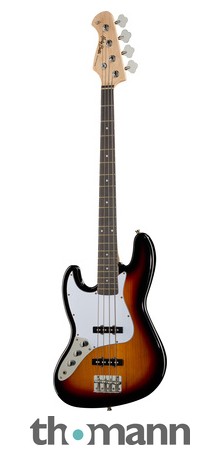
Musikhaus Thomann
Electric Bass Left hand model, Body: Poplar, Bolt-on neck: Maple, Fretboard: Amaranth, Dot fretboard inlays, Neck profile: Modern C, 20 Frets, Scale: 864 mm, Nut width: 38 mm, Double action truss rod, Pickups: 2 JB style single coils, 2 Volume...
 vale stratus
i have a elgato key light air i have been looking at theses elgato flex arm l multi mount and i am wondering is the original base and stand weighted anf to be able to handle it being on there without it being unsteady or am i better off getting the Elgato Multi Mount and to get the Elgato Multi Mount Weighted Base and putting it on there
south bronze
I'm attempting to use Screen Link, however when I start broadcast on my phone OBS just stays on "connecting to screen link source" and the capture software states "no input". Does anybody know how to resolve this?
 gusty badger
elgato audio keeps popping anyone know a fix?
dry plover
i set up the wave 3 and everything is working but my SLOBS alerts no longer make a sound
 raw raven
Hello, ive been trying to get my dual pc stream setup audio working through hd60pro sound capture but I can't seem to get anything working, ive tried the step by step manual and no sound response , all im trying to do is get my gaming pcs ingame audio to be picked up by my streaming pc , I plan to buy a wave1 and use that for a mic , and for now I have a headset on each pc
Plz help
 north badge
Hi, just wondering if someone could help me with settings for streaming from my Canon 7D Mark II camera. I am looking to find the optimal settings.
 vague charm
My Elgato stream deck cant cant see the sources of my obs if i ever do something that might lag my obs. all sources of all scenes disappear from the selecting and all actions got to do with changing the visibility of a source stops working. they only come back after restarting both my obs and stream deck
 pine anchor
Anyone have issues with streamdeck "waiting for info" from their GOXLR? and cannot get them to connect to each other again?
rapid trail
Hey folks had a question. I just got a new 4k60 pro mk.2 card and a new hdmi 2.1 splitter, however while the feed is fine to the monitor through the splitter, the feed to the capture card is all flickering and weird. Anyone encountered this?
true hearth
Does elgato have a live support options. I'm going to end up bouncing emails and screenshots and notes back and forth via emails for a week at this rate to try and fix one problem which I'm sure others have dealt with already.
tender quartz
true hearth
Does elgato have a live support options. I'm going to end up bouncing emails and...
pinned messages #cth-history message
 terse stirrup
Is there a way to capture your own PC using the 4K60? in hopes to free up some resources on my PC while gaming + streaming
 stuck bridge
like a 2 pc setup
 livid wasp
Hey guys! I'm streaming my PS4 via the Elgato and I have an issue where my sound goes out mid stream. Currently I get no sound from the Elgato at all. What do I do?
cunning latch
terse stirrup
Is there a way to capture your own PC using the 4K60? in hopes to free up some r...
This 4K60 Pro or 4K60 S+? If the former then your computer is performing the work of encoding when recording.
If 4K60 S+, then it will still happen if you're streaming. When streaming the software can't use the pre-compressed video feed off the card. It has to encode the video stream to the specific format that the streaming service needs.
So the only way to completely, 100% remove the performance hit is to run dual PC.
But to answer your initial question, yes you can absolutely capture the same PC that the card is installed in.
cunning latch
livid wasp
Hey guys! I'm streaming my PS4 via the Elgato and I have an issue where my sound...
Which Elgato model? Audio still works on the TV/Monitor?
cunning latch
vague charm
My Elgato stream deck cant cant see the sources of my obs if i ever do something...
If I can ask, do you have a lot of scenes?
cunning latch
north badge
Hi, just wondering if someone could help me with settings for streaming from my ...
Optimal settings on the camera or for the streaming settings? Optimal camera settings would be something like at least 1/60th, wide open Fstop, and lowest ISO you can go. Those are usually good options. I think 7D II has dualPixel AF so should do great with AF and wide Fstop.
cunning latch
gusty badger
elgato audio keeps popping anyone know a fix?
Which product are you using? is this Wave or a capture card?
cunning latch
dry plover
i set up the wave 3 and everything is working but my SLOBS alerts no longer make...
Are you having SLOBS output alert sounds into Wave Link through the monitoring feature? Where did you normally hear the alerts.
cunning latch
ember canyon
Hi ! I have a question. Does the elgato HD60s allow me to plug an electric guita...
The 3.5mm analog audio ports on our devices are expecting Line Level audio signals. mic level sounds like from an electric guitar would simply be too low to register. If you had a amp or preamp of some kind to bring it to a line level output this would work.
Or you could always just connect it into the Mic In on your PC and use it that way. Depending on your streaming/capture software you often can just use the different audio input instead rather than having it go into the card.
cunning latch
last girder
Elgato still flashes HD60 PRO frame grabbers with firmware for Ryzen?
Can you go into some more detail on this? HD60 Pro and other PCIe cards had problems on AM4/Ryzen platforms when connecting to x1 and x4 slots but HD60 Pros in late 2017 began shipping with a new firmware which solved this. Any new HD60 Pro you buy since about 2018 will work out of the box on Ryzen.
livid wasp
I only have one scene
@cunning latch The audio still works on the tv and monitor.
@cunning latch I'm using the Elgato HD60
last girder
cunning latch
Can you go into some more detail on this? HD60 Pro and other PCIe cards had prob...
First of all I apologize for my English, I am French but I am desperately looking for a solution.
Well I recently bought a new Elgato HD60 Pro to replace my HD60s.
who was beginning to struggle a bit, (I've had it for 3 years now).
I installed the Elgato HD60Pro on my PCIe x1 slot on my motherboard which is an ASUS Prime B550M-A WI-FI in an AM4 socket.
My processor is an AMD Ryzen 5 3600.
The problem I have is that the PC is barely 3 months old. And that the PC doesn't locate the acquisition card at all.
Windows doesn't locate any peripherals in the device manager and elgato applications like Game Capture HD or 4K Capture Utility doesn't locate the frame grabber.
On the other hand, when I plugged the capture card on one of my old PCs running i3 of 4th generation, still on a PCIe x1 port, the card was immediately recognized and fully functional.
I'm looking for information on why and how my PC under AM4 socket doesn't locate the acquisition card.
Namely that I performed the tests on the website (uninstall, reinstall, update bios and disable quick start, cold start ect ...)
terse stirrup
cunning latch
This 4K60 Pro or 4K60 S+? If the former then your computer is performing the wor...
Gotcha, thank you so much. I have a 4k60 pro. I don’t really wanna spend on another PC, so I was trying to find a workaround haha. I play Cold War so FPS matters a lot to me, and I didn’t wanna drop frames while doing both playing and streaming. Thanks for your help tho!
I also have another question, is there a way for the Astro Mixamp to pair with the Elgato Wave?
vague charm
cunning latch
If I can ask, do you have a lot of scenes?
yes i have allot of scenes
cunning latch
vague charm
yes i have allot of scenes
It's possible that the issue is due to the plugin struggling to import all the scenes. Do you have a rough number?
cunning latch
terse stirrup
Gotcha, thank you so much. I have a 4k60 pro. I don’t really wanna spend on anot...
In that case I'd focus on upgrading the PC first if you're looking to stream.
vague charm
cunning latch
It's possible that the issue is due to the plugin struggling to import all the s...
around 100
allot for special stream effects
its a few
 balmy mesa
So who can I contact in here regarding lack of communication on email support? This has been well over a week now and communication has died on my ticket.
 hushed hatch
Hello! I just received my Elgato HD60S+. I'm using it for a double streaming setup. After connecting the device to my desktop it changed my windows resolution. It seems like it upscales the resolution of windows to 4k even though my system only runs in 1080p. Is there a control center or something where I can configure this?
Okay, so I just installed the control center software, but it won't find my HD60S+ when searching for accessoires. What causes this?
The problem resolved itself when I opened the 4k capture utility
dry plover
cunning latch
Are you having SLOBS output alert sounds into Wave Link through the monitoring f...
Before wave three it was just output to whatever the default was.
 brittle rivet
How do I get 4k Utility to capture 144hz?
 brittle plank
Quick q, does the Stream Deck hotkeys function not work if the app is not in the foreground?
stuck bridge
from my experience the hotkey feature only works in the application that is being used
but hotkeys such as the obs studio ones do work outside of the application
 clear raptor
hi! my game capture hd just all of a sudden closed and now says that there's an issue, prompting me to click reopen, but it still doesn't open when I click on reopen. I tried restarting my mac and redownloading the game capture hd application, but it's still happening.
and now nothing is popping up at all lol
cunning latch
vague charm
its a few
@south bronze Any thoughts on that scene list?
cunning latch
balmy mesa
So who can I contact in here regarding lack of communication on email support? T...
I think I found your ticket based on your username. It was escalated to our Tier 3 team. I asked them to look at it as soon as they can.
But I'll ask again tomorrow morning.
dusk nest
for stream deck is it possible to hold a key and let it spam almost as if you were holding A key in your keyboard
cunning latch
clear raptor
hi! my game capture hd just all of a sudden closed and now says that there's an ...
Are you on MacOS Big Sur? Which version of Game Capture is installed right now?
clear raptor
I'm on MacOS Mojave. I got on the phone with customer service, and they had me download 2.11.9 and then i thought it was working. now, the application pops up, and the game pops up, but then turns off as if the capture card isn't connected. there's also a warning sign next to my capture card. I just tried 2.11.10, but that isn't working either.
vague charm
cunning latch
<@456226577798135808> Any thoughts on that scene list?
So its because i have to many scenes, how do i fix to issue without having to delete them. perhaps a software optimizations i can do?
dusk nest
for stream deck is there anyway to increase the text limit of the System->Text from 500 to say 1k?
south bronze
@dusk nest There is a secret preferences in Stream Deck to increase the text limit. Please note that you might encounter some issues if you try to paste a text with too many characters.
On macOS type in the Terminal the following line to allow up to 500 characters: defaults write com.elgato.StreamDeck text_characters_limit -int 500
On Windows you can use this .reg file
dusk nest
 thank you very much @south bronze
it works flawlessly thank you very much @south bronze
last girder
You know if there is an option in the Asus UEFI bios to enable the PCIe x1 slot ?
 wind stag
does anyone know how to fix this? the screen is cutt in half
 flint silo
what happens to lets say a steam account if i delete the email account thats connected to it?
 noble kettle
anybody else's Stream Deck app keep crashing all the time? Feels I can't set any keys without it crashing
can't seem to get any useful info from the logs either :/
can't even click on one of the keys to edit its settings without having the whole app crash
only seems to happen with actions installed through the Plugin Store though...
 hidden ledge
My CaptureCard HD60 S randomly disconnects with my switch. how do I fix? 
Yes i tried disconnecting, rebooting pc and that such.
 tropic peak
So I have a weird problem that has showed up on my keylights. The software is somehow moving the sliders to the left on its own and I have no idea why.
If I move the brightness on the Control Center all the way to the right, it moves on its own all the way back to the left.
It seems the Air is moving the brightness slider and the key light is moving the temperature.
Okay, it seems to have stopped after a restart. I'm still not sure why it happened in the first place.
fleet hornet
can the HD60S let signal through while my computer is off? sometimes I want to play my switch while my computer is off but It wont connect to the monitor until I plug in my usb to my computer
 latent lotus
Hello. when I connect my camlink to my computer it has a delay of about 1.5 seconds. can anyone explain to me how to fix that. and how i have no signal in the program from elgato itself
 fiery compass
I need help. I have an iPhone 11 pro and it doesn’t have a headphone jack, how do i stream game sounds while hearing it at the same time without any delays
 atomic sphinx
Holla, is there a way i can add text on the mac version? My friends can do it on there capture cards. Im so confused.
 timber wind
Does anyone have any experience using other power adapters for the Key Light Airs? I feel like the cord is about a foot or two too short, which is a bit limiting, and would love to know if there is any alternative
 waxen minnow
After I restarted my PC, El Gato Game Caputre HD no longer opens.
Things I have tried & done:
- Updated all Windows updates/drivers
- Reinstalled Game Capture HD Software
- Reinstalled Game Capture HD Software on a different HDD
- Unplugged all inputs/outputs with Game Capture HD for 1 minute+ to reset
- Tried using different USB-C and HDMI cables
I have literally done everything the website has said to do, and what others have recommended. Has anyone else had this problem and know how to fix? I am using the HD60 S.
 spice vortex
Hey everyone! I am trying to stream with two Elgato game captures. I have the Elgato Game Capture HD60 S - Plugged into a PS4 and a Elgato Game Capture HD60 S+ -plugged into an Xbox One S.
This is causing a lot of issues. The gameplay might work okay to start off with but after an hour the screen will either freeze or go black and not work until I restart the computer. I do not have any of the Elgato software installed, as I was told it would cause problems. I was also told that it may be USB Bandwidth overusage but I haven't had any problems with the one Elgato Capture.
NOTE - Only the S+ is messing up when using two at a time, the S is perfect.
 light tree
Heyo, was hoping someone could assist me with an issue im having. I am trying to stream with the 4k60 pro mk2 capture card I purchased. It appears on the preview for OBS perfectly fine, but once I hit the record/stream button it starts flicking between the image and no signal. It works perfectly fine on xsplit and the elgato recorder, but I would prefer to use OBS honestly. Anyone have any clues?
https://www.youtube.com/watch?v=-I05ix-BGKQ A video of the issue

 south olive
Hello, I am having issues getting gaming desktop audio to streaming PC with HD 60 Pro, It was working perfectly fine but i had to unplug my gaming PC so i could add fans, and when i put everything back in now it's not sending the audio to my streaming pc
fleet hornet
does anybody have any any advide on capturing smooth video on the HD60S? I dont really care all that much about resolution but idk which settings to change in OBS and the elgato HD capture software
south bronze
Does anyone have advice on what can I do. I can’t get audio from my gaming pc to my streaming pc. I have the sound capture set up and the obs link. I only get audio on my headset.
fiery compass
I need help. I have an iPhone 11 pro and it doesn’t have a headphone jack, how do i stream game sounds while hearing it at the same time without any delays
 primal palm
Hey elgato staff, your website twitter icon is wrongly linked to twitch. just wanted to inform you
brittle plank
stuck bridge
but hotkeys such as the obs studio ones do work outside of the application
Yeah I'm having issues with the hotkeys not working in OBS unless the streamdeck app is forefront
 lusty folio
Can't get my PS5 working with my Elgato HD60S
PS4 works fine, same setup with PS5 gets no signal
lusty folio
Okay figured it, I literally can't capture when outputting 4K
I thought I could avoid passing through the capture card to still get 4K on my TV using an HDMI splitter, but I didn't realize the capture card literally can't accept anything outputting above 1080p either. I guess I assumed the capture card would just downscale?
That's disappointing 😔
 meager osprey
So I’m trying to stream from my xsx using an elgato HD60s but it keeps telling me format not supported to change my video output on my console, so my question is I can’t play at 1080p 120fps an stream lower?
 shrewd lake
Hi I have a question about the 4k60 and the hd60 s... what's the point of putting it inside your computer besides the 4k? This may sound like a dumb question but I'm genuinely confused?
please @ me
stuck bridge
I beileve they are better because they have less latency and faster encoding but not 100% sure. @shrewd lake
shrewd lake
But besides that is the only difference that it’s internal not external?
And can capture pc straight from the card? If that makes sense ? @stuck bridge
shrewd lake
 south bronze
I can't tell what's causing this static glitch that I've never had before. I don't know if it's caused from a problem in OBS, a problem with the capture card itself, or just a problem with cables. Any help?
 pallid basin
Anyone here with an Elgato Ring Light?
I have two key lights and a ring light at home AND the same setup at work (completely two different locations, access points and environments).
in both cases, the ring light disappears from the control center and cant be controlled.
any ideas why?
- Wi-Fi is stable (and the two key lights work flawlessly)
- According to my Access Point, the Ring light is offline
- Tried with different phones (obviously makes no sense, ring is offline..) and different Wi-Fi Networks
- Reset/Power cycle did not help
- Firmware is up-to-date
 crimson whale
Is Streamdeck Compatible with BigSur/
 storm geode
My Game Capture Device has random popping noises
dusk nest
how do i make Discord open up? say if it was minimized/not running
for stream deck xl sorry i forgot to mention that
 quiet saffron
@dusk nest I use the plugins from Bar Raider - launch discord, wait a few seconds, then use window mover to make it take up the right size and position on my screen
dusk nest
ah, thanks i will try that now
quiet saffron
🙂
discord won't allow you to run two instances, so it's safe to launch even if it's already running
 latent lotus
Did someone no how i can fix my camlink 4k delay
dusk nest
where can i find the sddk for the stream deck? ive been googling around but i havent seen any sdk download
balmy mesa
@cunning latch by chance anymore updates on my case?
 ancient stump
brittle plank
Yeah I'm having issues with the hotkeys not working in OBS unless the streamdeck...
ancient stump
brittle plank
Yeah I'm having issues with the hotkeys not working in OBS unless the streamdeck...
I am also running into the same issue
Does anyone else have the issue with hotkeys not working with OBS?
ancient stump
Okay! Will try
nope same issue
like my text commands won't appear
it used too. The sound effects had the same issue but now seem to be working?
some things are working and others are not
 frozen vortex
I have an MSI application on my program to update some stuff on my rig. One of the updates is:
realtek HD universal driver 6.0.9049.1
Where can I find details of this update?
floral jetty
@ancient stump are the text commands to send a chat to twitch?
ancient stump
yea
floral jetty
are you getting the yellow triangle?
ancient stump
so its text that should show up within the chat but for some reason its not appearing?
no its a check marlk
floral jetty
strange, might need to redo the twitch login
ancient stump
Sorry, its not a check mark
it doesnt say anything?
!discord
oh
wait
it worked on here?
!crowns +
so when I click the button these things are now appearing?
ohh but on obs it doesnt
floral jetty
are you doing system text?
ancient stump
yes
floral jetty
if you are trying to send text to twitch i would use twitch send message
ancient stump
im not sure if its because I updated streamelements obs
got it!
yea I will do that!
floral jetty
yeah the send text will be what ever is main window.. so to your game probably
ancient stump
weird how this used to work though?
but if I click on the obs software shouldnt it just send the text to the obs?
but interesting I will make the adjustment!
Will need to figure out how to do shout outs though because right now its set up to be !so and then I add in the name and press enter
text system would allow that to happen but I dont think twitch chat message would let that happen
floral jetty
yeah i dont think so. I think streamlabs might have a command in the bot to auto SO raider\host
ancient stump
yea, but thanks for the help! Like I said, it all used to work before but something weirds been happening since yesterday. Half the commands stopped working and now things are slowly coming back? Not sure what it is haha
Looked into the issue more. It is my OBS haha The commands work everywhere but StreamElements OBS
so I think the update must have changed something haha
thanks for looking into this @floral jetty
appreciate it!
 prisma trout
Hello, I recently got the Wave 1, installed Wave Link, and got everything set up. The issue I’m having is every time I boot up my computer and go to open Wave Link, this message pops up. If I click yes, Wave Link doesn’t launch. If I click no, Wave Link does launch. Any ideas on why it does this? Any help is greatly appreciated!
dusk nest
ive seen that but i have no idea whats going on. but when i reinstalled the wave link it went away
prisma trout
hmmm, I tried reinstalling as well, but am still having the issue.
dusk nest
that happen to me but after reinstalling it 4 times it went away. but im not sure what causes it
prisma trout
maybe 4th time is the charm 😂 ill try a few more times
so i just tried running it as Administrator, and it opened up with no issues 🤪
dusk nest
its weird for me sometimes saying yes runs it sometimes it doesnt
prisma trout
i guess as long as everything runs properly, it doesnt matter how you get there lol
thank you @dusk nest for the help
south bronze
My wave 3 isn’t working now
It’s plugged it but it tells me to plug it in
I’m about the break the damn thing
brittle rivet
Will recording look bad if I use gsync or freesync?
 wind apex
Hey guys, my elgato hd60s is not capturing my audio in OBS. Any help out there would be awesome
 unreal haven
Dual PC Setup. HD60 Pro & 1440p Monitor.
I want to duplicate my display, run a HDMI to my monitor and another to the HD60 Pro.
I cannot get my games to display at 1440p.
Is there a fix for this outside of using OBS on my Gaming PC, extending my display, etc?
Thank you. (Please @ me)
 stone isle
Audio sync while playing... not what everyone else deals with - I stream from my iPhone 7+ to the HD60s and I am having issues with my audio through my speakers/headphones while playing/streaming - there is a delay... BUT... If I record and/or go back and watch my stream, the audio is synced up and sounds great. This only happens when I am doing thing live and it’s terrible to have sound lag while playing/streaming.
I have tried so many different things by watching/reading tutorials online, but nobody seems to have this specific type of audio lag... they all have lag in their stream and recordings, not live while playing.
Any help would be appreciated, please @ me or shot me a DM with any suggestions.
 night wing
I am still new to the stream deck and I was curious, if I have a couple of folders for different things, is there a way that I can have stream deck open to a specific folder on launch of the stream deck software?
 hollow moss
i installed a custom app and had to do a system restore, and now it doesnt show on my stream deck software. i try to install it again and it tells me its already installed. How do i fix this? i no longer have the buttons on the streamdeck and cant add them back either.
 warm ginkgo
how does this phone stream deck work because it doesn't work for me for some reason and i have already added everything to the pc the phone also but it doesn't work
cunning latch
unreal haven
Dual PC Setup. HD60 Pro & 1440p Monitor.
I want to duplicate my display, run a H...
If you're not yet on Windows 10 version 2004 or later. Maybe give that a try. That update heavily updates the Windows Desktop Window Manager which helps with multiple displays and can help with duplicating monitors.
cunning latch
wind apex
Hey guys, my elgato hd60s is not capturing my audio in OBS. Any help out there w...
Audio coming through on your TV?
 wicked latch
My Elgato HD60S instant game-view screen only shows a black screen. I would like to fix this. I'm currently using a windows 10 laptop and unfortunately it does not have hdmi inputs so I'm using a hdmi adapter instead. That could be the problem, is there any way to work around this situation?
 floral yacht
I bought my Ring Light during the 15% off Black Friday sale and so far the product worked great until today. As far as I can tell my Ring Light is plugged in properly and I tried different outlets in my room and it's still not turning on. Whenever I switch on the power it doesn't do anything. If anybody has any troubleshooting tips I'd love to hear them.
I do also have a Key Light that is working as intended and I can turn it off and on with my stream deck.
wind apex
cunning latch
Audio coming through on your TV?
Yeah the audio was coming through my monitor. I solved the problem by deleting the elgato game software
wicked latch
Also should I be concerned by the red HDCP icon? Is HDCP off or on? I can't tell.
cunning latch
wicked latch
Also should I be concerned by the red HDCP icon? Is HDCP off or on? I can't tell...
If you see that, the card thinks HDCP is on. It can sometimes be a false positive though. What console?
wicked latch
It's a HP Spectre 360x Windows Laptop. So a PC to put it simply.
cunning latch
wicked latch
It's a HP Spectre 360x Windows Laptop. So a PC to put it simply.
So you're capturing a second PC?
Does the preview show anything or not?
floral yacht
To follow up with my previous post I updated Window's 10 and afterwards I held the reset button until it flashed 3 times. I'm not sure which one of those things that fixed my issue but that's what I did to get it to work again
 split cloud

i need help
this is my elgato set up
i can hear game volume and everything fine but when i record it, it just records my microphone and nothing from the sound capture
anyone got a clue how to fix this?
 cosmic flame
My elgato key light air will not join my wifi network
 polar jungle
I think its because the mic you're putting in for the capture from the regular capture screen is different from the mic you're using in the pc gaming screen if that makes sense cause they both seem to be different @split cloud
split cloud
the mic is the only thing that works
i want my game audio to be captured, its detected on the sound capture thing but not when i record
@polar jungle any clue?
polar jungle
I recommend using The Advanced Tab because that's what I used when I did some PC Gaming stuff
split cloud
i tried that too D:
polar jungle
I'll see if I can find a video for you
polar jungle
If you did congratz homie LOL
split cloud
is there a way to make the mic sound less shit?
on obs it doesnt pick up every single decible...
polar jungle
That depends on how your on how your mic is set up you probably have to go into the mics sound settings
or raise the DB on elgato itself could help yoo
polar jungle
Yes it does but it's too big brain for me lol I just keep it at default LOL
unreal haven
cunning latch
If you're not yet on Windows 10 version 2004 or later. Maybe give that a try. Th...
I did some research and it turns out it's a known issue. You can only play games at the resolution of the lowest native monitor when duplicating your display.
I have the latest update for Windows 10. I've tried Display Settings and NVidia Control Panel and neither have been able to fix the issue.
On the off chance that the "Windows Desktop Window Manager" is something I've not heard of, can you send a screenshot of what I'd be looking for?
Thanks,
meager osprey
Am I able to stream 1080p 60 FPS but play on 1080p 120 FPS? This is on a series x with an elgato hd60s, thank you
wicked latch
cunning latch
So you're capturing a second PC?
Does the preview show anything or not?
I'm capturing one PC, so just my laptop screen. The preview doesn't show anything, it's just a black screen.
 sudden elm
Thinking about using the HD60 (the PCIe one) to use as a way to have output from all my game consoles displayed on my computer so I don't have to keep swapping inputs on my monitor. Will it be able to do this with no latency and in full screen? and will it matter that they all come out of an HDMI switcher and then into the card?
 white bison
Hey, so I'm trying to stream my Elgato HD60 S to discord through OBS but I keep finding that it's pixelated, and discord turns off my audio from discord when I use OBS, how do i remedy this? Thank you in advance 🙂
 fringe lichen
Reset my PC last night....redled everything. Now Im unable to get my mic or anything else to show up. Just keep getting these yellow symbols.
south bronze
Hi there, just setting up my gaming pc. I have one output from the display port going to my Omen 144 Hrz monitor and another out put from the HDMI to an elgato HD60 S+, but its coming up as 120 hrz. everytime I change it to 60 it changes back. any idea as to what the heck is going on?
 bitter galleon
Hi, I'm trying to figure out how "Game Capture: Screenshot" works. The message is "Please launch Game Capture" - how do I launch "Game Capture" ?
bitter galleon
ok i think i get it - "Game Capture" is Elgato software to use specifically with their proprietary devices.
south bronze
Any reason why the wave link software isn’t working?
It tells me to plug the mic in but it’s plugged in
dense cradle
@south bronze have you tried a different port?
@fringe lichen try removing the channels and then adding them back. Also unplug your mic and then plug it back in.
 dense shard
hi! so my capture card isnt reading? ive tried the steps to see what the issue is but no luck??
fringe lichen
@dense cradle I have tried both of those recommendations. as well as uninstalling then reinstalling the program.
dense cradle
@fringe lichen where it says name, that should be your mic correct? Did you change the name?
fringe lichen
Nope I just wiped the system, and now its doing this stuff.
dense cradle
Hmmm
Not sure then. I've had to Uninstall and install again a couple of times and never had that except when my mic is still turning on
Once everything loads the triangle goes away
south bronze
dense cradle
<@372253785214550016> try removing the channels and then adding them back. Also ...
Yes I tried other ports
Me and @fringe lichen are having the same problem
cunning latch
south bronze
Me and <@372253785214550016> are having the same problem
@fringe lichen Can you both confirm the Wave Link version currently installed?
Disconnect the Wave mic
Try going into Device Manager.
Then go to View > Show Hidden Devices.
Then you should see a category called "Elgato USB Audio Devices"
Inside of this group, right click on any listings and go to Uninstall. When all the Elgato Wave listings are gone, try reconnecting the microphone.
south bronze
@cunning latch won’t we have to re download the software again if we do that
cunning latch
south bronze
<@65061149367861248> won’t we have to re download the software again if we do th...
Nope. It'll just wipe the driver for the mic off the system. The moment it's reconnected Windows should reinstall it from the installer.
fringe lichen
Yea did that and it doesnt give me the option of the different channels unless I restart
south bronze
fringe lichen
Yea did that and it doesnt give me the option of the different channels unless I...
So it works now?
cunning latch
fringe lichen
Yea did that and it doesnt give me the option of the different channels unless I...
That's primarily in regards to the Mic not being properly picked up, since it looks like it was missing in Wave Link in the image. As for channels not working properly there could be more going on. Did you ever Disable any of the channels in Windows Sound Settings before?
 novel ocean
Hey all, I'm here asking for some help, as I'm pretty sure I've read every OBS and Reddit article on the matter. I'm trying to stream Cyberpunk in a dual PC setup (3080). I am using OBS full screen project to capture card to eliminate screen tearing in stream. However, when I do this, I get bad stuttering (even when not streaming, just in the capture). Does anybody have some advice? I've tried cloning displays in Nvidia control panel, which works, but this produces screen tearing. Vsync helps, but that locks me to 60fps (or 30 if it falls too low). I have a 120Hz monitor, so would prefer not using Vsync if I can. Please help lol
south bronze
cunning latch
That's primarily in regards to the Mic not being properly picked up, since it lo...
How do you do that?
@cunning latch thank you so much I got it working now
dense shard
so my hd60 s works on my mac, but not on my windows pc.... can anyone help??
i have a "no capture device found"
south bronze
When I’m streaming the game audio fades in and out randomly. Can anyone help me with this?
 proud ice
can elgato hd 60s + Do a single pc stream?
or u need a second pc ? (most probably yeah that's why ppl do dual pc stream like that)
but just to confirm
also if anyone can help with colours on xbox series X
the colours look quite washed up while streaming
and last why does 60S+ not work with the game capture HD app
it has way more options dunno why not 😐
bitter galleon
I see where there are five OBS Studio commands built into the Stream Deck software. Is there any way for me to add more OBS Studio commands to that section?
quiet saffron
Look at the OBS tools from Bar Raider - you can access them (and other plugins) by clicking on the "more actions" button at the bottom of the list - see if they do what you want
bitter galleon
Great idea, I will check that.
balmy mesa
Who else can I contact above the usual email support? This has seriously gotten out of hand with the support almost a month and still no solution for 1440p at 144hz on a brand new monitor.
This isn't new technology. Your card states it supports it and I can bypass the card and have zero issues. I went and bought a brand new card and the same exact issues.
cunning latch
balmy mesa
Who else can I contact above the usual email support? This has seriously gotten ...
I know in the ticket it was mentioned to try the Internal EDID, but since you're not cloning have you tried the Display EDID mode? This will cause the card to use the monitor's EDID and act closely as if it were the monitor.
I talked with someone in tech marketing and we went over the case and we're finding mentions of this monitor having problems hitting 144hz at 1440p, unless Adaptive Sync is disabled in the monitor's own OSD menu. I know it was discussed to disable Freesync and such in the drivers control panel but that was something we came up with. I know you mentioned 144hz is working fine connected directly, but I was wondering if that's something you could try.
 echo jetty
Hey there 🙂 I'm kinda lost atm. I'm trying to setup a 2-PC Streaming System, got everything thats needed, Elgato 4k60Pro MK2 on the streaming rig - I get a signal 1440p60 and works fine with OBS. The only Issue I have is, I have no Audio coming from the Gaming Rig to the Streaming PC - OBS is kinda "muted" or atleast the sound bar is not moving at all, no matter what i do on my Gaming PC. Anyone an Idea? Researching since hours and cant find a way to fix it.
 uncut elbow
Hey
When I plug in my chat link cable and go to Elgato settings to put it as that it doesn’t show up
Any help
echo jetty
Alright, could finally fix it. You have to download the Audio Capture Software from the old HD60, there you can select the options that are missing on the 4K utility software.
cunning latch
dense shard
i have a "no capture device found"
What software are you working in?
uncut elbow
Can anyone help
balmy mesa
@cunning latch if I change the EDID to to display I am able to get 1440 @ 144 but then no audio passes
Only way I can get audio is if I set it to internal.
So I can confirm 144 will pass through
pallid basin
Anyone here with an Elgato Ring Light?
I have two Elgato Key Lights and an Elgato Ring Light at home AND the same setup at work (completely two different locations, access points and environments).
in both cases, the ring light disappears from the control center and cant be controlled at some point (sometimes seconds, sometimes minutes).
Any ideas why? It drives me crazy
- Wi-Fi is stable (and the two key lights work flawlessly)
- According to my Access Point, the Ring light is offline
- Tried with different phones (obviously makes no sense, ring is offline..) and different Wi-Fi Networks
- Reset/Power cycle did not help
- Firmware is up-to-date
balmy mesa
@cunning latch also on display EDID It won't cap the video it passes it fine.
 dire wolf
Is there a place to ask development questions ?
 sweet imp
I have an older Elgato Game Capture HD Capture card, and while using it for a dual PC setup, it always has about a 1 second delay, is this only a problem with my specific capture card or am I using it improperly?
uncut elbow
There will always be a little delay @sweet imp
storm geode
This is what my Elgato sounds like on stream, any suggestions on how to fix this issue
 oak sapphire
pallid basin
Anyone here with an Elgato Ring Light?
I have two Elgato Key Lights and an Elga...
oak sapphire
pallid basin
Anyone here with an Elgato Ring Light?
I have two Elgato Key Lights and an Elga...
I can't even get my Ring Light to connect to my wifi. I've tried on both 5 ghz and 2.4 ghz frequencies, using both my iPhone and my laptop. I need to reset it every time I've tried to set it up once since it seems to receive the wifi config but it never connects at all.
pallid basin
thats even worse 😦 I don't quite understand what's so different about the hard- and software between the key light and ring light. i mean, they should act almost exactly the same.
 frail ingot
i have been trying to install the games onto my stream deck including the profiles but it does not seem to be working right, has anyone else had this issue?
oak sapphire
pallid basin
thats even worse 😦 I don't quite understand what's so different about the hard-...
I finally got mine to connect to my wifi but it's super unstable. Trying to update the firmware but it keeps failing and disappearing. I decided to assign a static IP to it so I can ping spam it and see what's happening.
On the left is another smart device connected to my 5 ghz network. On the right is the Ring Light after a reboot (which is why it starts with a set of "Destination host unreachable" messages). Seems like either the firmware needs tweaking or worse, the wifi hardware in the Ring Light is not as good as the ones you find in the Key Light.
oak sapphire
Managed to update the firmware by putting the light point blank on my router's antennas and spamming update until it worked but the update did nothing. Running at version 1.0.4 (143)
 iron osprey
So I've been playing PS5/Switch through the 4K Capture program and a HDMI Switcher with no lag I could notice for a few weeks
But now for some reason, while input delay feels the same
The sound has a very noticeable probably 5-6 second delay
Seems like for now I can just use my headset wired directly into the controller
Rather than wireless listening to the program audio from PC
 terse tinsel
hey there, mouse pointer getting bigger (like x5) when capturing an screen (full screen in csgo 1440x1080 resolution) (4k pro), can anyone help to fix it?
pallid basin
@oak sapphire so you have another light, like key light -- right?
my router is not even 2 meters away from my router 👀 but for some reason, i had no issues today
cunning latch
oak sapphire
Managed to update the firmware by putting the light point blank on my router's a...
Then if you haven't yet, email our team: http://e.lga.to/help
It may be an issue with the particular unit.
cunning latch
terse tinsel
hey there, mouse pointer getting bigger (like x5) when capturing an screen (full...
This might be due to DPI scaling. If you're using one of our 4K Cards, then windows will try scaling the DPI up. Check inside of Windows Display Settings that the scaling is on 100% and not 200 or 300.
terse tinsel
for sure on 100, check few times
cunning latch
storm geode
This is what my Elgato sounds like on stream, any suggestions on how to fix this...
Which model of device? Are you running the audio through any adapters like Chat Link?
cunning latch
terse tinsel
for sure on 100, check few times
you're seeing this huge cursor in the capture and on your normal monitor?
cunning latch
dire wolf
Is there a place to ask development questions ?
Our developers don't really check here, but if you have something specific I can forward it to them.
terse tinsel
gonna check one more time, give me a minute
terse tinsel
cunning latch
you're seeing this huge cursor in the capture and on your normal monitor?
yep, on both cursor is bigger
on my destkop (after alt tab game) cursor has normal size
pallid basin
don't wanna [at] you, crest.
but if you read this, I just wanna say, that I appreciate your help you've given last time about my multi mount / spare part. got a replacement.
thank you very much! 🙂
cunning latch
pallid basin
don't wanna [at] you, crest.
but if you read this, I just wanna say, that I app...

cunning latch
terse tinsel
on my destkop (after alt tab game) cursor has normal size
Do you have an Nvidia GPU by chance? Are you using Dynamic Super Resolution possibly?
I still think the DPI scaling may be at play here. Since you're using a 4K60 Pro which natively is 3840x2160 to the computer, it might be scaling the image up or down.
I'd try going into 4K Capture Utility. Go to Settings. Then go to Device tab. Set the EDID Mode to Internal and then the Internal EDID to 1080p.
terse tinsel
helped, love ya ❤️
dire wolf
cunning latch
Our developers don't really check here, but if you have something specific I can...
Thanks for the reply crest. The Java API's i have found for stream decks, seem to allow me to setup new buttons folders animations etc. I would like to integrate with the stream deck so i can programatically activate a streamdeck button - there is alot of software i can integrate onto a button, i would like to write a java (not javascript) program to execute some of my buttons i have set up. Would like a point in the right direction.
cunning latch
dire wolf
Thanks for the reply crest. The Java API's i have found for stream decks, seem t...
Is this in regards to the SDK?
It's not my area, but just wanted to be sure I'm forwarding it to the right person.
 worn sonnet
Hey everyone. So first time having this problem been banging my head against the keyboard on this one with the NO SIGNAL pooping up on my streamlabs obs. I have a 2 pc set up my gaming under display isn't popping up and my streaming pc is not show the elgato capture card pretty much my Elgato 4kpro mk2 is not in my pc. I followed all the trouble shooting tips on the website. anyone else have any ideas?
 worldly skiff
my hd60 s is for some reason not allowing me to show current gen consoles on my pc's preview. i can show and record my ps2 but not my ps4 or switch
can someone help?
sweet imp
Will the Elgato HD60s have like almost no delay if using it for a dual pc setup using the mirror method or do all capture cards have delay?
 wild tulip
So would any of the Elgato software people be able to tell me what installing Game capture does to OBS that makes a cam link go from NOT showing up to showing up ??? After uninstalling Game capture it still works, it must change something in the cam link ?
I've had to do this previously on other computers. Nothing seems to get the thing working but soon as I install game capture it shows up no problem. Then always does after that. Just wish I knew what it does ?
 heavy bay
Im feeding the ps5 into the elgato 4k60 Pro into the monitor and it made the colors terrible
How do i fix this
It looks good on obs but not on the actual screen
If i could swap that, that would save me
wild tulip
and its not the actual monitor?
when its plugged straight in you dont get the saturation ?
heavy bay
When its ps5>hdmi cable>monitor, it looks amazing
When i have it ps5>hdmi cable >elgato 4k60 pro>hdmi cable >monitor then i dont get the satuation
I can plug the ps5 straight to the monitor but then i cant stream the footage
 bold jungle
try changing the color mode in Streamlabs
@heavy bay
If not, filters, color correction
heavy bay
Its not obs that i need to change
Its my actual gaming monitor
As you can see in the image
bold jungle
relax, see this
Don't have a panel to increase the color?
use filters
....
@sweet imp HD 60 has delay
only HD 60
bold jungle
worldly skiff
my hd60 s is for some reason not allowing me to show current gen consoles on my ...
Mana
Do you see this when you capture the console?
worldly skiff
I've made sure that hdcp is disabled when trying to stream PS4. Switch doesn't have that option unless I use the YouTube app
bold jungle
worn sonnet
Hey everyone. So first time having this problem been banging my head against the...
Drivers!
bold jungle
worldly skiff
I've made sure that hdcp is disabled when trying to stream PS4. Switch doesn't h...
Can't you record the ps4?
worldly skiff
I used to be able to but it's not letting me right now
I'm not really recording games right now I'm mainly just trying to stream it to my computer so friends can watch it on discord
bold jungle
Have you ever updated the capture program in windows?
worldly skiff
I don't remember if I downgraded it so I could record PS2 footage or not but I can check the update at some point
bold jungle
If you don't download the program, the drivers won't install. There are times when it works when connecting directly, maybe it doesn't work because you didn't install the drivers.
It sounds absurd, but sometimes it gives problems
worldly skiff
I've been having errors on my computer about kernels stuff and my girlfriend recommended checking the drivers so maybe both of them are connected
worldly skiff
I did several different ones
bold jungle
I did not understand that
I use google translate to help you
For PS4 there is remote play
Sitio web oficial de PS Remote Play. En este sitio web se indica cómo utilizar Uso a distancia con las consolas PlayStation®5 y PlayStation®4.
But it's weird that it doesn't work for you.
- Install the program again with the Drivers
- Connect it to a USB 3.0
Check that the HDMI cable is not bad
OR
Look at the previous versions of the program.
It tests directly if it is captured by Discord, Streamlabs or the OBS.
You can only capture for one application at a time, if you try to capture for two or more, the Camlink goes black screen.
@worldly skiff
heavy bay
No way
Im a speedrunner for the games
Been playing them professionally for 3 years now
bold jungle
🙀
heavy bay
Dude if you love rare jak stuff check out my yt
bold jungle
yes yes
I am looking at OBS to help you
try going by tapping the Deinterlace options
heavy bay
Yeah i must be blind because i cant see any color mode
bold jungle
Tell me if the game is wrongly captured in the same ElGato program, close OBS and open Game Capture. @heavy bay
@worldly skiff You do not tell me anything
Have you tried something?
worldly skiff
No because it's 3am right now
bold jungle
close OBS and open Game Capture
You can only capture for one application at a time, if you try to capture for two or more, the Camlink goes black screen.
@heavy bay
heavy bay
I have obs closed and the elgato 4K capture utility
bold jungle
do you have it in USB 3.0?
heavy bay
im not using any usb ports


 heavy bay
does usb 3.0 mean something else?
bold jungle
sorry, I thought you used another model
heavy bay
im using the 4k60 pro
bold jungle
it is rare that you do not appear in the program
heavy bay
what program are we talking about?
bold jungle
This doesn't work for you?
https://www.youtube.com/watch?v=NpquAmfUaVU

In this video we show you how to set up your Playstation 5 with Elgato 4K60 Pro MK.2.
▼ Click "Show More" for details and features.
►Plug and Play: Works out of the box with all streaming software including OBS Studio, Streamlabs OBS and XSplit
►Multi Feed: Simultaneously capture your video in multiple apps
►Multi Device: Slot several 4K60 Pr...
If the ElGato capture doesn't work for you, there is something wrong, or you don't have the PCI drivers installed or something is wrong. How much is your power supply?
heavy bay
450
heavy bay
yeah i have a 1660s
bold jungle
Anyway, if it keeps giving error. Try removing the graph. And restart the computer and try to see if it looks good
removing? take off?
i use google translate
disconect?
It is very rare that it does not work for you
heavy bay
i turned off and on my PC and the PS5 and it now captures again
bold jungle

heavy bay
not in a while
it shows all the colours when i plug the PS5 into the monitor
but when i put it through the elgato it messes up the colours
bold jungle
OBS Forums
RGB color has two color ranges, commonly referred to as limited range and full range. The background for these is rooted in TV, and you can read up more on the topic here.
Setting the correct color range is very important, as mismatched settings...
bold jungle
make photo
MMM
Remember that if your monitor is not 4K, the monitor compress the color
heavy bay
I am using a 4K monitor
bold jungle
have you tried seeing the link?
heavy bay
i dont understand?
bold jungle
OBS Forums
RGB color has two color ranges, commonly referred to as limited range and full range. The background for these is rooted in TV, and you can read up more on the topic here.
Setting the correct color range is very important, as mismatched settings...
bold jungle
send me a photo
bold jungle
what is the problem on photo? Maybe your monitor is wrong color calibrated
bold jungle
heavy bay
to my knowledge everything youve been telling me is stuff that only changes obs
No
bold jungle
try changing the options
It is to connect and voila, if it goes wrong, maybe you have the PCI wrongly connected (rare)
ElGato products, is to install and connect and they already work.
@heavy bay Try displaying the OBS image on the 4k monitor, maybe it will loop the image
heavy bay
now i have 50ms of delay
heavy bay
just tried it, it looks amazing
heavy bay
I did the HDR settings
bold jungle
If the error is from the small monitor, record a video and upload it to youtube. It sure looks good
heavy bay
the error is not the monitor
heavy bay
yeah it looks amazing but it has 50ms of delay
ps5 to hdmi cable to monitor looks good.
ps5 to hdmi cable to elgato 4k60 pro to hdmi cable to monitor looks bad.
bold jungle
You must have a cable from the capturer to the PS5 direct
heavy bay
how do i record the PS5 then?
bold jungle
PS5
- to 4k60
- to other screen
You must use an HDMI signal duplicator
heavy bay
HDMI signal duplicator?
bold jungle
From the PS5 to the 4k60 it has to go directly or at least through a signal duplicator that does not alter the signal
is example
heavy bay
and HDMI signal duplicator to elgato 4k60pro to what?
bold jungle
so you can see the PS5 on your screen and the capturer at the same time
heavy bay
do I put the HDMI signal duplicator wire into the " in " part of the elgato 4k60pro
bold jungle
you connect the ps5 to the duplicator
then an output for the PC "in" 4k60
and the other to the monitor
heavy bay
do i leave the "out" empty?
bold jungle
disconnect output and try
heavy bay
i dont understand
bold jungle
disconnect the "output"
now you will see it only in OBS, tell me if it looks bad
@heavy bay
heavy bay
this?
heavy bay
i unplugged the "out" and now it wont show anything on the screen