#cth-history
1 messages · Page 4 of 1
 grand summit
 floral nest
OBS 2.0 Integration in the bane of my existence. Even with the so-called update, it breaks any type of option requiring a multi-function because the "Waiting for OBS" nonsense isn't fixed, even with the recent plugin update.
 gritty quarry
already done the update file and removed the folder in the support ticket. any further ideas?

 floral jetty
gritty quarry
already done the update file and removed the folder in the support ticket. any f...
floral jetty
gritty quarry
already done the update file and removed the folder in the support ticket. any f...
double check this path as well: C:\Program Files\obs-studio\obs-plugins\64bit\
gritty quarry
Aha! thank you
silly question how do i validate new version working? if buttons work its good?
 lime skiff
If you open OBS and don't get the error, and if your stream deck connects and works, you're good
gritty quarry
so it seems obs tools isnt supported (bar raider). is there a fix for Source Visibility - getting active scene ?
i have a toggle for webcam on off etc and bar raider would work no matter what scene im on
grand summit
Is anyone able to change their scenes and toggle sources? Mine StreamDeck still says waiting for OBS.. Kind of annoying lol
floral nest
grand summit
Is anyone able to change their scenes and toggle sources? Mine StreamDeck still ...
Multi-actions are literally shredded with the update because of the same thing.
grand summit
floral nest
Multi-actions are literally shredded with the update because of the same thing.
I can't even simply change scenes lol... 😦
 willow cape
When i try to get my elgato to show my ps5 screen on streamlabs it’s just a black screen. Not sure if i plugged the wires wrong or my elgato is broken
I have the hdmi from my ps5 to the input part and the wire it brought plugged into the output and into my monitor
floral jetty
willow cape
When i try to get my elgato to show my ps5 screen on streamlabs it’s just a blac...
have you turned off HDCP on the ps5
willow cape
floral jetty
have you turned off HDCP on the ps5
I did not. Does that matter if i do or dont?
floral jetty
willow cape
I did not. Does that matter if i do or dont?
Yes, it needs to be off.
willow cape
floral jetty
Yes, it needs to be off.
I did see a tutorial do that but didn’t think much of it
floral jetty
yeah its a protective measure to prevent recording movies and stuff. So no capture cards will work with it on.
willow cape
floral jetty
yeah its a protective measure to prevent recording movies and stuff. So no captu...
Alright i turned it off and will try again. If anything I’ll get back to you🫡
willow cape
floral jetty
yeah its a protective measure to prevent recording movies and stuff. So no captu...
But did i have the wires plugged in correctly?
floral jetty
yep
willow cape
floral jetty
yep
Still a black screen
 fickle pulsar
gritty quarry
so it seems obs tools isnt supported (bar raider). is there a fix for Source Vis...
fickle pulsar
gritty quarry
so it seems obs tools isnt supported (bar raider). is there a fix for Source Vis...
they bumped me this morning with an answer. They are working on it!
 floral jetty
willow cape
Still a black screen
floral jetty
willow cape
Still a black screen
you might have to power off the ps5 then bring it back on... ive seen mine act wonky when coming on and stuff
willow cape
floral jetty
you might have to power off the ps5 then bring it back on... ive seen mine act w...
Alrighty let me try
willow cape
floral jetty
you might have to power off the ps5 then bring it back on... ive seen mine act w...
Doesn’t work
floral jetty
does the monitor display?
willow cape
floral jetty
does the monitor display?
Yea i can see my monitor screen on streamlabs
floral jetty
you have the ps5 hdmi going to the in on the elgato, the out of the elgato going to a monitor?
if yes do you see the ps5 screen on the monitor
willow cape
No i can see my monitor on streamlabs. When i make a new scene and put to make it as my elgato the ps5 screen wont show
I have the hd60 s+
floral jetty
ok, but the out hdmi of the elgato is going somewhere right?
willow cape
Yea the out hdmi is plugged into my monitor
floral jetty
ok, and you are using the same monitor for pc?
willow cape
Yes
floral jetty
ok, so switch the monitor to hdmi and see if it shows the ps5 dashboard
willow cape
Wait lmao my ps5 was off😹
floral jetty
lol
willow cape
But i had it off after i turned off hdcp and turned it on and nothing happened
Now it works
Finally
floral jetty
its weird with powering off. need to wait like 5 minutes to fully shutdown
floral jetty
no problem
willow cape
And after i shut off everything and turn it on it should still work
floral jetty
yes
 quasi acorn
hello I just installed the new OBS update and it says the stream deck plugin failed to load
any idea when this will be fixed?
floral jetty
unless you watch netflix or something.
floral jetty
quasi acorn
hello I just installed the new OBS update and it says the stream deck plugin fai...
oh i know you. https://help.elgato.com/hc/en-us/articles/8815141056013-Elgato-Stream-Deck-Plugin-Update-for-OBS-Studio-28 use C:\Program Files\obs-studio\obs-plugins\64bit\ for the path for the troubleshooting steps.

Elgato
This guide goes over installing the Stream Deck plugin for OBS Studio 28.
OBS Studio 28 is a major update that also changed the underlying plugin framework, requiring updates to all existing OBS St...
 fair folio
ok looks like my beta version is dead and I need to update, I can't find the link for the beta stuff
did it move?
 onyx fjord
So im trying to buy the elgato multimount system, and Im trying to use anyones creator code to support someone with my purchase and none of them want to go through
 cobalt ruin
Help please
 onyx fjord
does anyone know if creator codes just dont work on elgato products of its this one itself
onyx fjord
cobalt ruin
Help please
restarting my pc fixed that issue for me
 zealous owl
new obs update broke stream deck plugin :(
 lime skiff
zealous owl
new obs update broke stream deck plugin :(
lime skiff
zealous owl
new obs update broke stream deck plugin :(
https://help.elgato.com/hc/en-us/articles/8815141056013-Elgato-Stream-Deck-Plugin-Update-for-OBS-Studio-28 use C:\Program Files\obs-studio\obs-plugins\64bit\ for the path for the troubleshooting steps.
Elgato
This guide goes over installing the Stream Deck plugin for OBS Studio 28.
OBS Studio 28 is a major update that also changed the underlying plugin framework, requiring updates to all existing OBS St...
zealous owl
lime skiff
https://help.elgato.com/hc/en-us/articles/8815141056013-Elgato-Stream-Deck-Plugi...
this still occurs, even after deleting
 lime skiff
zealous owl
this still occurs, even after deleting
lime skiff
zealous owl
this still occurs, even after deleting
Close OBS and the stream deck software. re-open OBS and wait for it to finish loading, then open the stream deck software. If that doesn't work you can try rebooting.
For some reason it seems to take a bit to convince it to connect after updating
zealous owl
yup! works now, thanks a lot 
yeah, kinda weird. but not complaining
woah, I really like the new pulsating icon
lime skiff
It should be better/faster after the first connect
I haven't actually updated my streaming computer yet :( I'll probably do it tonight or tomorrow morning
zealous owl
awesomee
gritty quarry
fickle pulsar
they bumped me this morning with an answer. They are working on it!
sorry working on what, elgato allowing scene visibility or bar raider side?
fickle pulsar
gritty quarry
sorry working on what, elgato allowing scene visibility or bar raider side?
barraider
 pale lynx
Can anyone help me with possibly getting my 4k60 S+ to work?
I've done practically everything to get it to work and still no signal, contacted technical support and I am waiting on their response
I've narrowed it down to the actual unit sensing the HDMI input, but not displaying anything, as on the 4k utility it does sense that I plug a HDMI in, but displays no signal
If you're curious the HDCP isn't apparent, as I am only using a pc and webcam as the test, and also I have already used the Camlink 4k with the exact setup and it works for that
floral nest
So, the "Waiting for OBS" thing is still happening despite numerous rollbacks, reboots, upgrades and plugin reinstalls. Yet, if I run a test and literally select the multi action that keeps causing the problem, the step in the multi action works. There's literally something in the coding of the "OBS 2.0" plugin that is causing this disconnect, but no one is willing to look into it?
floral jetty
floral nest
So, the "Waiting for OBS" thing is still happening despite numerous rollbacks, r...
The OBS update did just release. It will take time for any bugs to be found.
 sleek rain
So I downloaded 7-zip and the tutorial says to right click then open archive and then says to select files but I cannot seem to find the files anywhere in this 7-zip thing
Baffled
fickle pulsar
floral nest
So, the "Waiting for OBS" thing is still happening despite numerous rollbacks, r...
I haven't had this issue since after the beta. where is obs installed, and did you update to 28, also did you follow the guide for the update plugin?
floral nest
fickle pulsar
I haven't had this issue since after the beta. where is obs installed, and did y...
Default installation folder in C:\Program Files and yes, I also followed the guide for updating the plugin.
fickle pulsar
floral nest
Default installation folder in C:\Program Files and yes, I also followed the gui...
did you remove the old files?
fickle pulsar
floral nest
Default installation folder in C:\Program Files and yes, I also followed the gui...
this is pretty helpful! #stream-deck-showcase message
floral nest
fickle pulsar
did you remove the old files?
This issue has been existing for me before OBS28 was a thing. Running the Stream Deck software at v5.3 even with OBS27 gave the same problem. It is just persisting through versions.
floral nest
fickle pulsar
this is pretty helpful! https://discord.com/channels/581549424518365226/58665437...
And that links to the guide for updating the plugin, which I've followed already.
fickle pulsar
floral nest
This issue has been existing for me before OBS28 was a thing. Running the Stream...
uninstall streamdeck, after you export your profile. then reinstall, with the new update. and new plugin.
fickle pulsar
floral nest
Default installation folder in C:\Program Files and yes, I also followed the gui...
obs is in c:/program files?
fickle pulsar
floral nest
And that links to the guide for updating the plugin, which I've followed already...
and you've deleted the old files per the guide.?
 fickle pulsar
floral nest
And that links to the guide for updating the plugin, which I've followed already...
fickle pulsar
floral nest
And that links to the guide for updating the plugin, which I've followed already...
make sure you install only this one.

also this one
 sleek rain
Thanks for all the help I think I fixed it
floral nest
fickle pulsar
and you've deleted the old files per the guide.?
All of which has been done numerous times over the course of the last 8.5 hours.
fickle pulsar
floral nest
All of which has been done numerous times over the course of the last 8.5 hours.
look you sound like you're coming off pretty hot, have you rebooted your pc?
lime skiff
The guide has the wrong folder for the files >.>
fickle pulsar
lime skiff
The guide has the wrong folder for the files >.>
 lime skiff
It should be C:\Program Files\obs-studio\obs-plugins\64bit\ not C:\Program Files\obs-studio\data\obs-plugins\64bit\
fickle pulsar
lime skiff
It should be `C:\Program Files\obs-studio\obs-plugins\64bit\` not `C:\Program Fi...
thanks!
lime skiff
I'm not sure who I can abuse talk to so it can get fixed.
floral nest
fickle pulsar
look you sound like you're coming off pretty hot, have you rebooted your pc?
Honestly, anyone would come off a smidge hot if they've been dealing with this over the course 8.5 hours. Alas, that is not my intent. Also yes, I've rebooted.
sleek rain
one tip is to go through any obs plug in files and remove those old plugins that is what was holding me up
fickle pulsar
I wonder if you can get that updated on the site so others aren't getting this worked up...
fickle pulsar
floral nest
Honestly, anyone would come off a smidge hot if they've been dealing with this o...
keep in mind, we don't get paid for your venting or frustration we are a community of people just like you to help. most people are grateful for help, not rude.
floral nest
fickle pulsar
keep in mind, we don't get paid for your venting or frustration we are a communi...
I assure you, I'm grateful for any help that is given. That said again, not my intent.
fickle pulsar
floral nest
Honestly, anyone would come off a smidge hot if they've been dealing with this o...
have you tried looking in the #stream-deck-showcase so they could maybe tailor to your issue on a hardware, and software level? see if anyone else might have some suggestions? if not maybe support via a ticket can also help #official-tech-support. or call them during operational hours. 🙂
fickle pulsar
floral nest
I assure you, I'm grateful for any help that is given. That said again, not my i...
well, let's move past it, and try this with a fresh start.
floral nest
fickle pulsar
have you tried looking in the <#586654371115302948> so they could maybe tailor t...
I've done a full search for "waiting for OBS" in this discord, OBS' discord and StreamElements discord with the same steps being suggested.
fickle pulsar
floral nest
I've done a full search for "waiting for OBS" in this discord, OBS' discord and ...
what streamdeck version are you on via software?

this is the most recent
floral nest
fickle pulsar
what streamdeck version are you on via software?
I was on v5.3.1.15197. But was seeing this issue before OBS28. When 5.3 was initially released is where the issue began to crop up. It forced me to downgrade back to 5.2.1 to fix the issue.
fickle pulsar
floral nest
I was on v5.3.1.15197. But was seeing this issue before OBS28. When 5.3 was init...
have you used this guide? https://help.elgato.com/hc/en-us/articles/7262866127757-Elgato-Stream-Deck-Troubleshooting-OBS-Integration-
Elgato
This article will cover troubleshooting steps such as the "Waiting for OBS..." error message for Elgato Stream Deck 5.3 or later and OBS Studio Integration 2.0.
Please follow these steps if you are...
fickle pulsar
floral nest
I was on v5.3.1.15197. But was seeing this issue before OBS28. When 5.3 was init...
thing is this will not be ideal with 28 via obs
because those files will need to be removed
in obs 28
floral nest
fickle pulsar
have you used this guide? https://help.elgato.com/hc/en-us/articles/726286612775...
Yes, I have followed the steps in that guide with no result. I am only stating that OBS28 was the only contributing factor that I had to re-upgrade back to the Stream Deck 5.3.1 software in hopes that the waiting for obs issue I was experiencing prior would be resolved.
fickle pulsar
floral nest
Yes, I have followed the steps in that guide with no result. I am only stating t...
and did you uninstall the 5.2.1, remove the files, reboot, and install the newest one on the obs 28 guide?
i'd suggest try it in the that order
floral nest
fickle pulsar
and did you uninstall the 5.2.1, remove the files, reboot, and install the newes...
I did, yes.
fickle pulsar
floral nest
I did, yes.
then open a ticket with #official-tech-support because maybe it's something else is going on that elgato can run a diagnostics and see what else could be the issue.
seems like a better idea so you're not wasting anymore time on it today
floral nest
It's something with the way the plugin is attempting to communicate with OBS that it ends up being stuck trying to talk to an application that is running. But other plugins that do the same thing, works normally.
lime skiff
I know Phil isn't around right now, but this is what he had me do the other day when they were writing the guide for OBS 28: <#stream-deck-showcase message>
fickle pulsar
floral nest
It's something with the way the plugin is attempting to communicate with OBS tha...
idk, but i was able to do this with ease via @lime skiff was a great help yesterday. the guide provided was what worked for me. 🙂
 autumn pivot
Anyone know why my wave link just resets sometimes? Like the software just says reconnect wave link, but when I do I lost all my previous settings, vst settings and channels

reddit
9 votes and 32 comments so far on Reddit
fickle pulsar
autumn pivot
Anyone know why my wave link just resets sometimes? Like the software just says ...
this happened to me recently, but I think elgato is working on something to fix this behavior. for now just redoing it all is the only option.
autumn pivot
Here's a reddit post I found where people have the same problem
Ahh okay good to know it's not only me
fickle pulsar
autumn pivot
Here's a reddit post I found where people have the same problem
yes, it's a know issue at this point.
autumn pivot
Hope it gets fixed
fickle pulsar
autumn pivot
Hope it gets fixed
I do recall a stream where Phil was talking about this in the pipelines. I'm sure it may be when ever the new update is ready for release. 🙂
 solid ingot
Hello I am setting up my wave link 3 and the audio routing to discord is not working has this happened to anyone else?
 civic fern
Hello im sitting up my Capture card and every thing is ok but still I have issue with the sound Capture cant Reach to My streaming Pc i watch much videos and still have same issue if some one can help me with this pls
 patent seal
Need some help with the chat link pro with wave 3 on xbox, every time i try to monitor my mic with this plugged into the wave it dampens the monitoring of my mic, any ideas?
fickle pulsar
solid ingot
Hello I am setting up my wave link 3 and the audio routing to discord is not wor...
can you show your audio settings wave link and discord via screen shot?
fickle pulsar
patent seal
Need some help with the chat link pro with wave 3 on xbox, every time i try to m...
when using a chatlink pro make sure your capture card audio is in analog.
 cerulean kestrel
civic fern
Hello im sitting up my Capture card and every thing is ok but still I have issue...
cerulean kestrel
civic fern
Hello im sitting up my Capture card and every thing is ok but still I have issue...
Hey Man, go to sound settings > recording > wave link stream > set to capture card and tick a box
 distant nimbus
so is it only connected through the wifi or is it possible to hard wire connect to elaborate on what im trying to do i would like to i have a guitar hero guitar and i think it would be neat to light up my background based on note pressed so if i press green the lights turn to green or if i hit 2 notes like a red and a blue simultaneously it would show like a purple color
 mellow plankBOT
**Friendly reminder**
Elgato Customer Support does not monitor this channel. This channel is meant for our community to help one another when they are free, but it does not guarantee that someone from our community can help/answer your questions.
For official support, you can contact Elgato Support via phone or by filing a ticket.
To contact Elgato Support via phone visit http://help.elgato.com/hc/articles/360028242811-How-do-I-contact-Elgato-support-via-phone-.
To file a support ticket visit http://e.lga.to/help.
 final copper
hi there can i stream using el gato cam link pro like i would using hd60x or s+
on my ps5
using obs
 timid remnant
Hello, I just purchased the HD60 s+ and am having an issue. I have no sound. neither in the preview or in any of my recordings. I have already followed all the troubleshooting tips on the website and have even watched a couple videos on youtube but so far I have not found a fix
 urban iris
o/ I have the Elgato Game Capture 4K60 Pro & it was working fine for a while & then it started giving me this message on my monitor when I try to use my PS5 with it. Some testing & googling told me it's to do with the capture card because the PS5 works perfectly fine when hooked up to the monitor directly.
Monitor is set to 1920x1080 60Hz & so is the PS5 in settings. I'm not really sure what else to try so if anyone has fixed this in the past I'd love your help 🙏

 simple vessel
hey guys, had anyone of you the following problem:
 timid remnant
Hello, I just purchased the HD60 s+ and am having an issue. I have no sound. nei...
timid remnant
timid remnant
Hello, I just purchased the HD60 s+ and am having an issue. I have no sound. nei...
so, in addition to my above issue, I am now having an issue in obs. I've added the HD60 s+ as a source but it only gives me a black screen
ok, apparently I can't have the 4k Capture Utility and OBS running at the same time. it just gives me a black screen but if close the Utility app and the re add the card as a source it works. but still no audio
 unborn crow
Ok so example
You use your elgato 4k60s+ with ps5 together with laptop
You recorded everything and it is good.
You turn off your laptop and your ps5 goes to rest mode. Next day I turn on my ps5 and want to play some games without even turning the laptop on. It does not pass through the image. Every time I turn off my console, it stops sending image next time I turn my console on. The only fix is to unplug the power and plug it back in
Will it be fixed? Or is there some update I can download? Cause it is really annoying
 tribal pewter
that seems a bit odd to me. I dont have the 4k model or the ps5 but i do have all my other consoles hooked up to my regular one and i dont have to power my pc on to run say the ps4 or ps3. It is possible that your tv doesnt have hdmi control enabled or could be your hdmi cable. I had a similar issue like that about a year ago but after swapping all the hdmi cables with new ones it works without powering the pc up.
unborn crow
You didn’t read what I wrote
I don’t power the pc up
Even if I power the pc up and connect it to my pc
It does not pass through
The only fix is to unplug and plugin again
HDMI control?
It is not a tv
It is my monitor
The hdmi connected to the monitor is from elgato card
HDMI connected to ps5 is from ps5
fickle pulsar
timid remnant
Hello, I just purchased the HD60 s+ and am having an issue. I have no sound. nei...
Did you make sure to do this?
 fickle pulsar
simple vessel
hey guys, had anyone of you the following problem:
fickle pulsar
simple vessel
hey guys, had anyone of you the following problem:
@lime skiff any ideas 👀 
fickle pulsar
timid remnant
ok, apparently I can't have the 4k Capture Utility and OBS running at the same t...
you can only run 1 or the other not both.
fickle pulsar
unborn crow
You didn’t read what I wrote
please be courteous to anyone who is trying to help 🙂 no need to take your frustration out on them.
lime skiff
It looks like they left :(
 rose current
after updating my obs, my elgato game capture stopped working. any idea on how to fix?
 sleek rain
Any Ideas I fixed this last night and then it all of the sudden did this

 tired laurel
Hello, I am very dissapointed with elgato facecam 😦 saving button in camer hub is not working and in OBS the virtual cam (to filters to work) after a while I get this (screebshot). Pkease tell me there is some fix for it. Original USB cable is connected direct to the USB 3 PC port
 unborn crow
fickle pulsar
please be courteous to anyone who is trying to help 🙂 no need to take your frus...
unborn crow
fickle pulsar
please be courteous to anyone who is trying to help 🙂 no need to take your frus...
Please note that I didn’t do anything wrong in here
I just noted that the person offering solutions must at first read the whole problem
Without connecting to pc
If I restart my console
It works fine
But if I connect it to pc
Turn off console and pc
And then turn on console or console and pc - then I need to unplug the power from my card
fickle pulsar
unborn crow
Please note that I didn’t do anything wrong in here
I just noted that the perso...
perhaps they did read it, and was trying to be helpful. Perhaps some communications skills are with well intentions. again please be kind. have a good day. I’d suggest a ticket with #official-tech-support
 rotund leaf
hi guys, i have a problem with my mk60 pro, do u guys know what's wrong with it ? thanks guys

😦
fickle pulsar
rotund leaf
😦
have you tried different hdmi cables?
rotund leaf
fickle pulsar
have you tried different hdmi cables?
yes
i can't seem to find the cable that comes from the elgato
rotund leaf
my elgato works on ps4 but on pc its not working
rotund leaf
rotund leaf
hi guys, i have a problem with my mk60 pro, do u guys know what's wrong with it ...
this is my problem when i plug it to the PC
fickle pulsar
rotund leaf
this is my problem when i plug it to the PC
double check, IN connected to console/gaming pc, OUT connected to you TV/Gaming Monitor?
 delicate cloak
Is anyone having issues with there stream deck connection to obs with the new update?
fickle pulsar
delicate cloak
Is anyone having issues with there stream deck connection to obs with the new up...
@lime skiff has this nice guide. 🙂
delicate cloak
fickle pulsar
<@351166251445518337> has this nice guide. 🙂
Bet thanks I'll ask him for it
lime skiff
delicate cloak
Bet thanks I'll ask him for it
If it has trouble connecting open OBS before stream deck
delicate cloak
Thanks 😊
 raw tartan
guys is it possible to hook 2 mons up with HD60S+ ?
 shrewd lake
Can someone dumb down how to install elgato streamdeck plugin on obs?
tired laurel
https://www.reddit.com/r/elgato/comments/x4ltym/elgato_watch_i_found_that_effect_with_virtual_cam/ Maybe this can help somebody too. TL;DR: OBS with elgato virtual cam when effect is applied in camera hub totally destroys performance in game

 rocky lark
how do i stop my wave link software resetting every couple weeks for no reason
cerulean kestrel
rocky lark
how do i stop my wave link software resetting every couple weeks for no reason
You don’t, the best you can do is make sure it’s backed up so it’s a 1 minute progress setting it back up
So back up your VST’s
 thick spindle
camlink no signal

 jaunty viper
Does camlink reduce load on gpu? Can run Sony ZV 1 to cam link to desktop or Logi stream cam to Desktop for Zoom video conference. Want lowest gpu use, stream cam is easier to set up and ok quality. Z V 1 and cam link have better image and is used for desktop vlog recording.
thick spindle
cam link no signal
 wet lynx
can someone help me troubleshoot low capture framerate on an HD 60S+?
 spring tundra
Okay. Could someone help me out? I'm trying to get my audio right in OBS using Wave link. But when I tried doing some test recordings, I don't hear any game audio or music playing until I actually speak into my mic? Is that normal or am I doing somethign wrong?
 slow merlin
hello friends if one of yall have some spare time im having trouble setting up my elgato 4kpro cc is someone available to help me ??
mellow plankBOT
**Friendly reminder**
Elgato Customer Support does not monitor this channel. This channel is meant for our community to help one another when they are free, but it does not guarantee that someone from our community can help/answer your questions.
For official support, you can contact Elgato Support via phone or by filing a ticket.
To contact Elgato Support via phone visit http://help.elgato.com/hc/articles/360028242811-How-do-I-contact-Elgato-support-via-phone-.
To file a support ticket visit http://e.lga.to/help.
 analog flint
I need help with my audio 🥲
My HD60 captures my voice but I also have a source with my mic and it makes me echo I hear myself twice
I’ve been struggling for hours trying to fix it someone help plz lol
 mighty bluff
MY elgato 4KPRO stopped picking up my xbox game sound i am running windows 11?
analog flint
mighty bluff
MY elgato 4KPRO stopped picking up my xbox game sound i am running windows 11?
So many ppl can’t hear their game sound but I can hear everything including my voice twice 😩
mighty bluff
streamlabs nor the elgato software is picking up the xbox game sound!
when i stream to twitch i had sound thursday then friday no game sound?
fickle pulsar
slow merlin
hello friends if one of yall have some spare time im having trouble setting up m...
explain a bit more please
fickle pulsar
analog flint
I’ve been struggling for hours trying to fix it someone help plz lol
what program?
fickle pulsar
mighty bluff
MY elgato 4KPRO stopped picking up my xbox game sound i am running windows 11?
make sure the hdmi cables are good, and secure.
slow merlin
fickle pulsar
explain a bit more please
Someone helped me already thank you getting back with me 🙏
mighty bluff
they are
fickle pulsar
mighty bluff
they are
try rebooting, see if any updates too.
mighty bluff
I have many times
fickle pulsar
mighty bluff
I have many times
have you tried other hdmi cables?
mighty bluff
@fickle pulsar can i get back with you later about this i have to get cleaned up and go to the fair and Help out my DAV chapter sell Raffle Tickets!!!!!!!!!!!!!!!!
fickle pulsar
mighty bluff
<@476160810457235466> can i get back with you later about this i have to get cle...
have fun!
analog flint
fickle pulsar
what program?
Obs studios
fickle pulsar
analog flint
Obs studios
did you make sure the monitor and output in your audio mixer just has your game vs your mic?
analog flint
fickle pulsar
did you make sure the monitor and output in your audio mixer just has your game ...
I’m pretty sure but tbh idk how to make sure I thought I had all my cords correct
analog flint
If anyone could help I’d appreciate it my dumb ass is still struggling
 mossy wolf
This is my problem. Angle. Any solutions? Am I looking to get a new boom arm?

my boom arm is to the left of me - and from wha ti can see, the elgato boom arm will have the same issue. looks like i have to move the arm to the middle in the front, but another issue is the screw on the shock mount, it has the mic at a very weird angle. not pointing forward, not pointing backward...
i mean, this looks so dope and clean.

however, i have two monitors, not allowing me to do that
fickle pulsar
analog flint
Obs studios
In connected to console, out to tv/gaming monitor?
mossy wolf
anybody help
fickle pulsar
analog flint
If anyone could help I’d appreciate it my dumb ass is still struggling
did you get it sorted?
fickle pulsar
mossy wolf
however, i have two monitors, not allowing me to do that
what about the LP?
mossy wolf
LP?
I ended up moving the arm binder to the back of the table but it's not ideal bc monitors but seemingly works for now
 waxen schooner
mossy wolf
i mean, this looks so dope and clean.
waxen schooner
mossy wolf
i mean, this looks so dope and clean.
You could always bring the arm out in between the monitors but people would yell at you because the manufacturers of monitors have spent years trying to make the bezels as small as they can so you can have virtually no space between monitors
I would also suggest the wave LP arm it's really great for these kinds of situations
mighty bluff
MY elgato 4KPRO stopped picking up my xbox game sound i am running windows 11?
@fickle pulsar i am back got a few moments before i get in bed\
fickle pulsar
mighty bluff
<@476160810457235466> i am back got a few moments before i get in bed\
sorry, I was editing, and going to bed. I can help tomorrow!
 idle hollow
hey when i was streaming my facecam keeps freezing
mossy wolf
waxen schooner
You could always bring the arm out in between the monitors but people would yell...
oh the lower arm? ill keep it a consideration. atm the arm is to the left of the monitors, but im not sure about the placement yet, for the mic to pick up my voice. the quick test i had suggested my yeti nano picked me up better.
mighty bluff
fickle pulsar
sorry, I was editing, and going to bed. I can help tomorrow!
Same I'll be online in a few myself
 lilac nexus
any ideas on how to sort this after obs update

 keen violet
Hey
this driver is causing a blue screen on the latest version of Windows 11 (happens like once a week)

But I need this driver for Wave Link to work right?

Does anyone have an idea what I could do?
fickle pulsar
keen violet
Does anyone have an idea what I could do?
I’m in win 11, haven’t had this issue yet. Make sure your bios/drivers are updated.
fickle pulsar
lilac nexus
any ideas on how to sort this after obs update
in #stream-deck-showcase Phil has provided. Also, maybe @lime skiff you think he can pin the solution?👀
fickle pulsar
mighty bluff
<@476160810457235466> i am back got a few moments before i get in bed\
I’m awake now!
fickle pulsar
idle hollow
While I am streaming/recording
have you turned off noise reduction? see if that helps.
idle hollow
fickle pulsar
have you turned off noise reduction? see if that helps.
Yup
And did the alt camera setting thing
fickle pulsar
idle hollow
And did the alt camera setting thing
so you updated the firmware too?
idle hollow
Yup
fickle pulsar
idle hollow
Yup
have you tried a different usb 3.0 port?
mighty bluff
okay i just removed the capture card put it back in and i dont think its picking up my xbox sound
 vernal root
I have a wave XLR and ever since i got it. Whenever i launch F1 2022 and am recording/streaming on OBS streamelements my in-game sound just gets stutter/lags, and makes everything else broken. (like the mic will lag aswell etc), any help ?
mellow plankBOT
**Friendly reminder**
Elgato Customer Support does not monitor this channel. This channel is meant for our community to help one another when they are free, but it does not guarantee that someone from our community can help/answer your questions.
For official support, you can contact Elgato Support via phone or by filing a ticket.
To contact Elgato Support via phone visit http://help.elgato.com/hc/articles/360028242811-How-do-I-contact-Elgato-support-via-phone-.
To file a support ticket visit http://e.lga.to/help.
mighty bluff
this is crazy the Elgato Software is picking up my mic just not the sound from xbox
 green peak
Just bought a elgato camlink 4k to get the full resolution out of my DSLR camera but everything I do and try keeps telling me that theres no signal anyone else run into this?
cables are all brand new
mighty bluff
it seems to be A headset issue when i plus my headset into controller box stops sending game sound out
 gleaming vapor
How come 80% of the scenes are missing in the new Streamdeck Plugin for v28?
Every plugin for v28 works except for StreamDeck 
It's showing the existing scene, as red. Previous profile worked fine, and this button also works even though StreamDeck V28 thinks the scene doesn't exist (it does)

It has fetched approximately 15 scenes out of 120.
And also, they're in random order, no longer alphabetical.
gleaming vapor
Really a shame that this is the only thing holding me back from being able to do production on v28 over v27. Hopefully it's something someone somewhere is somewhat aware of.
Also frightening how elgato just overwrites old files/profiles to new, which aren't backwards compatible - without any notion or warning. Thankfully I backed up, but that's not good customs imo.
fickle pulsar
mighty bluff
okay i just removed the capture card put it back in and i dont think its picking...
different port?
fickle pulsar
mighty bluff
it seems to be A headset issue when i plus my headset into controller box stops ...
which headset?
fickle pulsar
vernal root
I have a wave XLR and ever since i got it. Whenever i launch F1 2022 and am reco...
does the game require you select an audio input?
fickle pulsar
 gloomy sigil
i want to play sound through my stream deck through my mic
gloomy sigil
i want to play sound through my stream deck through my mic
phil talked about this via ndi, but I was waiting for elgato lab’s channel before making a video. 👀
fickle pulsar
gleaming vapor
And also, they're in random order, no longer alphabetical.
you may have to reconfigure it.
fickle pulsar
gleaming vapor
Also frightening how elgato just overwrites old files/profiles to new, which are...
you could suggest a #feature-request but my profiles worked no issues. 🤷🏻♀️
 red sierra
Hey everyone, I'm trying to figure out how to make my capture card audio come through my PC so that I can have all the sound in one unified place
Could someone please tell me how I can make it so that the audio is fed through my computer audio, I know this is a simple fix that is right under my nose
gleaming vapor
fickle pulsar
you may have to reconfigure it.
What is there to reconfigure?
gleaming vapor
fickle pulsar
you could suggest a <#878510201173585971> but my profiles worked no issues. 🤷🏻...
I mean, I didn't do anything. I just updated to newest streamdeck. Installed the plugins into my OBS v28. Booted up, and everythings messed up.
red sierra
red sierra
Could someone please tell me how I can make it so that the audio is fed through ...
bump
gleaming vapor
Not a whole lot for an individual to do when it does run, but just isn't doing things properly.
red sierra
Hey everyone, I'm trying to figure out how to make my capture card audio come through my PC so that I can have all the sound in one unified place
Could someone please tell me how I can make it so that the audio is fed through my computer audio, I know this is a simple fix that is right under my nose
fickle pulsar
gleaming vapor
I mean, I didn't do anything. I just updated to newest streamdeck. Installed the...
yeah, sometimes you have to remap what you’ve already done. After I did, worked like a dream.
fickle pulsar
red sierra
Hey everyone, I'm trying to figure out how to make my capture card audio come th...
are you using OBS?
red sierra
fickle pulsar
are you using OBS?
No just running it through my computer
fickle pulsar
red sierra
No just running it through my computer
are you using 4k capture utility, or some recording/streaming software?
red sierra
Yes but when I use the 4k capture utility i hear two versions of the sound and its very annoying
gleaming vapor
fickle pulsar
yeah, sometimes you have to remap what you’ve already done. After I did, worked ...
I tried making a new macro to make sure it wasn't an old profile issue. Had the same "scenes are missing" issue.
fickle pulsar
ok, it could be your sound properties
gleaming vapor
Also, remapping like 100s of keys is not ideal.
fickle pulsar
gleaming vapor
Also, remapping like 100s of keys is not ideal.
did you change anything is whatever software the scenes were?
fickle pulsar
gleaming vapor
Also, remapping like 100s of keys is not ideal.
i understand it’s not ideal, but it may have to come down too it. You could always open a ticket with #official-tech-support see if there may be another solution. 🤷🏻♀️
gleaming vapor
fickle pulsar
i understand it’s not ideal, but it may have to come down too it. You could alwa...
Perhaps. I have very little faith though. Unfortunately this whole issue with missing scenes & scrambled list was also a thing in the previous version for a while until they got around to fixing it.
fickle pulsar
gleaming vapor
Perhaps. I have very little faith though. Unfortunately this whole issue with mi...
well, ether remapping, or support would be ideal. best of luck.
gleaming vapor
fickle pulsar
well, ether remapping, or support would be ideal. best of luck.
Can't remap things that don't show up in a list 🙂
I'll try the other channel I suppose.
fickle pulsar
gleaming vapor
Can't remap things that don't show up in a list 🙂
I'll try the other channel I...
oh for that, i've had to remove and readd the sources, and then it shows up. see if that works.
gleaming vapor
fickle pulsar
oh for that, i've had to remove and readd the sources, and then it shows up. se...
Unfortunately I tried all the tricks in the book to make things work, nothing does. There's definite issues with sources. Added the 4 to a group, it could only see two and decided to just pick two other sources and display them as being in the group since it could see there were 4 sources in there.
It's similar to the issue v2u had. Hopefully someone catches it at some point. All I can really hope for.
fickle pulsar
gleaming vapor
Unfortunately I tried all the tricks in the book to make things work, nothing do...
i's still suggest support with a ticket! #official-tech-support
 naive rapids
hi, i dont suppose anyone here can help me update the firmware on my hd60x? currently having issues with audio on my ps5 were the audio is distorted/static and i can see online their is a firmware update i just cant seem to find the firmware
fickle pulsar
naive rapids
hi, i dont suppose anyone here can help me update the firmware on my hd60x? curr...
elgato usually doesn't suggest firmware updates unless support does it, but at your own risk, CTRL + Left Click on the cogwheel settings in 4K Capture Utility will get you there.
naive rapids
i can find that it just asks for a file path
im not sure where the file is or where i download it from
fickle pulsar
naive rapids
im not sure where the file is or where i download it from
you would just CTRL + Click the cogwheel, and then just regular click update.
 naive rapids
 fickle pulsar
naive rapids
fickle pulsar
naive rapids
ok... I provided a screen shot, so best of luck. 🙂
naive rapids
my bad that wasnt the screenshot i i was supposed to upload but ive updated the firmware but unfortunately the audio issue still persists
fickle pulsar
naive rapids
my bad that wasnt the screenshot i i was supposed to upload but ive updated the ...
what recording software are you using?
where is the audio being routed?
naive rapids
obs studio and in terms of audio routed its just connected via hdmi to the ps5 and then out of my pc to my steelseries headphones
fickle pulsar
naive rapids
obs studio and in terms of audio routed its just connected via hdmi to the ps5 a...
for the HD60X have you created an Audio Input separate from the video source?
make sure to mute the video source
naive rapids
ive fixed it, im so sorry the hdmi was the issue running from the ps5 to the hd60x
just swapped it out to a different hdmi cable and the audio is crisp now
thank you for all the help, genuinely appreciate it 💙

 hardy aurora
can u use the hd60 with xbox series s ?
 shut raptor
I'm hoping I can get some advice with my Stream Deck XL. I've been having a problem for a while where my device will just randomly shut down and freeze. The display only shows the elgato screen and the only way to use it again is to quit the stream deck software on my PC and reopen it, and then the stream deck will reload and go back to normal. I've seen it happen anywhere between a couple of minutes up to overnight, but I've never gone a full day without it happening.
 summer pagoda
Does this look ok
 nimble ingot
anyone else deal with this issue? Ive updated everything, restarted multiple times and even reinstalled the elgato software... only thing I havent tried yet is reinstalling OBS which is gonna be a pain

dunno if its on elgatos end or OBS
 summer osprey
nimble ingot
anyone else deal with this issue? Ive updated everything, restarted multiple tim...
summer osprey
nimble ingot
anyone else deal with this issue? Ive updated everything, restarted multiple tim...
Mine currently says waiting on OBS, the new program broke the dang links
nimble ingot
summer osprey
Mine currently says waiting on OBS, the new program broke the dang links
I thought the new hotfix was supposed to fix it though?
summer osprey
nimble ingot
I thought the new hotfix was supposed to fix it though?
The new Hotfix is up
https://help.elgato.com/hc/en-us/articles/8815141056013-Elgato-Stream-Deck-Plugin-Update-for-OBS-Studio-28
Elgato
This guide goes over installing the Stream Deck plugin for OBS Studio 28.
OBS Studio 28 is a major update that also changed the underlying plugin framework, requiring updates to all existing OBS St...
nimble ingot
summer osprey
The new Hotfix is up
https://help.elgato.com/hc/en-us/articles/8815141056013-Elg...
ok so following that guide it still says failed to load but my deck is working now regardless so I guess that's a step in the right direction. thanks
summer osprey
Same here, but it's saying that I need to update or remove plugins
fickle pulsar
nimble ingot
anyone else deal with this issue? Ive updated everything, restarted multiple tim...
did you remove the old plugins?

nimble ingot
fickle pulsar
did you remove the old plugins?
how do I locate them to do so? Im not super savvy with this stuff lol
fickle pulsar
nimble ingot
how do I locate them to do so? Im not super savvy with this stuff lol
C:\Program Files\obs-studio\obs-plugins\64bit the files are StreamDeckPlugin.dll and StreamDeckPlugin.pdb the info is here https://help.elgato.com/hc/en-us/articles/8815141056013-Elgato-Stream-Deck-Plugin-Update-for-OBS-Studio-28
Elgato
This guide goes over installing the Stream Deck plugin for OBS Studio 28.
OBS Studio 28 is a major update that also changed the underlying plugin framework, requiring updates to all existing OBS St...
mighty bluff
okay this is very weird i am getting my Xbox sound though my computer VIA the Capture card
 worthy gull
Hello! I have an HD60 capture card that I've been using for more than 5 years now, and it's worked great and captured all the high quality footage I needed, but I noticed an issue that's been plaguing me for several days now.
When recording through Game Capture HD, everything looks great, the video output matches the quality of the game itself.
But when I run it through another app such as OBS, Streamlabs or XSplit the quality is seriously hindered. Serious Compression with nasty artifacts everywhere.
This isn't a new development, the device isn't dying, I just kind of ignored it till now.
At first I thought it was an issue with bitrate/setup in OBS but I already tried cranking the bitrate as high as possible, plus none of my other applications have that reduced quality level when I get take a Screenshot of the video source, the compression is still there. Meaning that there is compression that occurs BEFORE it even gets to every other application EXCEPT Game Capture.
In the game capture app I can just move the quality slider up, but that slider isn't available in the video configuration tab for OBS.
So my question is: How do I change the compression level of the HD60 going into other applications?
Example of compression in OBS, vs Elgato.

 fickle pulsar
mighty bluff
okay this is very weird i am getting my Xbox sound though my computer VIA the Ca...
fickle pulsar
mighty bluff
okay this is very weird i am getting my Xbox sound though my computer VIA the Ca...
that’s pretty normal
fickle pulsar
worthy gull
Example of compression in OBS, vs Elgato.
maybe I can help out in the am. What gpu do you have?
worthy gull
GTX 1080Ti
 graceful wraith
How can I improve the latency of my HD60 S? Currently there's a very slight delay between something happening on my TV and the same thing happening in the 4K Capture Util. I'm trying to make it so I can actually game without my TV, but this delay is severely hindering me.
vernal root
fickle pulsar
does the game require you select an audio input?
Nop i did set it up on the default window options to have the wave system as a default. But the weirdest thing, when not recording or streaming it works great. It seems like it's a OBS issue but it didn't happen before i got the wave xlr settep up.
mighty bluff
fickle pulsar
that’s pretty normal
It's preventing it from being broadcasted out on my stream. Basically it's soon as I connect headset to controller it stops broadcasting
fickle pulsar
vernal root
Nop i did set it up on the default window options to have the wave system as a d...
I had to reconfigure all my audio after upgrading. I can vc laster in a few hours
fickle pulsar
vernal root
Nop i did set it up on the default window options to have the wave system as a d...
I can vc laster in a few hours
fickle pulsar
worthy gull
GTX 1080Ti
Have you made sure everything is updated? bios/drivers too?
fickle pulsar
graceful wraith
How can I improve the latency of my HD60 S? Currently there's a very slight dela...
That is normal, the tv is ideal.
 fallen trellis
This "waiting for OBS" is so annoying. What is it even for? Previously, everything worked without it and there were no such strange problems. A while ago, scene changes suddenly stopped working and I had to do a stream deck restart...
 lyric harness
Is anyone else having a issue with their streamdeck? mine has been waiting for OBS for a few days now
nvm i just looked above in the chat and fixed it myself! thanks chat! 
 calm gorge
mine does not connect obs studio with the stream deck
 loud portal
calm gorge
mine does not connect obs studio with the stream deck
loud portal
calm gorge
mine does not connect obs studio with the stream deck
Did you update your OBS to V28? If so, you would need the updated OBS Pluging which you can find here https://help.elgato.com/hc/en-us/articles/8815141056013-Elgato-Stream-Deck-Plugin-Update-for-OBS-Studio-28
calm gorge
@loud portal thank you very much crack
loud portal
calm gorge
<@301571565840236564> thank you very much crack
You're welcome!
rose current
so my game capture just started doing this and idk why
game capture HD60 S+
last changes ive made was in the NVIDIA Control panel
"Adjust Video Color Settings"
"Change Refresh Rate"
Any idea on how to fix?
 fickle pulsar
rose current
so my game capture just started doing this and idk why
**game capture HD60 S+**
...
fickle pulsar
rose current
so my game capture just started doing this and idk why
**game capture HD60 S+**
...
have you unplugged it for 1 min, and reconnect everything?
rose current
fickle pulsar
have you unplugged it for 1 min, and reconnect everything?
Yes. So when ever I increase the refresh rate of my main monitor (the one that’s connected to the game capture) it bugs out. And I can’t go any higher than 60
fickle pulsar
rose current
Yes. So when ever I increase the refresh rate of my main monitor (the one that’...
hopefully this helps https://help.elgato.com/hc/en-us/articles/360051938572-Elgato-Capture-Devices-and-120Hz-High-Refresh-Rate
Elgato
PlayStation 5 and Xbox Series X/S have the capability to output high refresh rate video at 120Hz at various resolutions.
To maintain a 120Hz output from PlayStation 5 or Xbox Series X/S, the entir...
mellow plankBOT
**Friendly reminder**
Elgato Customer Support does not monitor this channel. This channel is meant for our community to help one another when they are free, but it does not guarantee that someone from our community can help/answer your questions.
For official support, you can contact Elgato Support via phone or by filing a ticket.
To contact Elgato Support via phone visit http://help.elgato.com/hc/articles/360028242811-How-do-I-contact-Elgato-support-via-phone-.
To file a support ticket visit http://e.lga.to/help.
 pearl venture
Hello, I'm currently trying to retrieve the audio Volume of an audio source and display it to my Streamdeck. Are there any plugins available to do so or do I have to create my own plugin?
If I have to create my own plugin, then, how will data be transferred from OBS [Audio Volume Data] to the Streamdeck? Two plugins are required right? One for the OBS side and another one for the Streamdeck.
fickle pulsar
pearl venture
Hello, I'm currently trying to retrieve the audio Volume of an audio source and ...
BarRaider has one for OBS. As for windows volume, I think if you're not using a wave mic, with wavelink, then voicemeeter is a thing.
pearl venture
No I don't think I'm being precise enough ... I'd like to retrieve Volume of a specific Audio Input on OBS and display it on my Streamdeck. In this case it would display -10dB as the "Music" Audio Output is set to -10dB.
 fickle pulsar
pearl venture
No I don't think I'm being precise enough ... I'd like to retrieve Volume of a s...
fickle pulsar
pearl venture
No I don't think I'm being precise enough ... I'd like to retrieve Volume of a s...
so Barraider allows this, but atm they are working on it, because of the obs28 update.
pearl venture
Oooh alright I thought you were referring at BarRaider's ability to grab Windows' audio device volume. My bad.
Thanks anyways!
fickle pulsar
pearl venture
Oooh alright I thought you were referring at BarRaider's ability to grab Windows...
@shadow anchor THINK YOU MIGHT MAKE A NEW PLUGIN???
pearl venture
I'm working on it already 🙂
fickle pulsar
pearl venture
I'm working on it already 🙂
ah you're a dev. too?
pearl venture
Not used to making plugins but I usually tend to make anything I need myself
 toxic peak
Running into a major issue with OBS28. I use Elgato HD60s+ for my main game capture, camlink 4K for my DSLR, and an elgato facecam for a channel point redemption. When I try to add the facecam it won’t show up. If I disable either the hd60 or camlink, then the facecam will show up. Is there a bug in OBS28 that you can’t run more that 2 elgato video streams? The way the channel@point redemption works is my DSLR decomes hidden, then the facecam because visible on a model ship with sounds, flashing light, and smoke. After 30seconds the facecam is hidden and my DSLR is visible. So only two elgato sources are visible at once but OBS doesn’t seam to care and won’t load of the third feed. I use trigger fire to make the sources visible/hidden with the channel redemption so is there a way to use it or Aitum to make the sources enabled/disabled instead of visible or hidden. Or is there something I’m missing to allow 3 elgato videos sources to be visible
 shy junco
I’ve been using the Pedal for a while and it’s been great until the last couple of weeks - now the Stream Deck software is saying the pedal can’t be found. I’ve tried multiple USB ports and removing and re-adding. It detects it as a new Pedal for a second or two and then immediately switches back to “not found”. My Stream Deck and Stream Deck XL both work fine. Am I missing something?
fickle pulsar
shy junco
I’ve been using the Pedal for a while and it’s been great until the last couple ...
not sure if this is helpful, but maybe check and see what USB port you're using https://streamdecklabs.com/🧯-how-to-disable-windows-10-11s-usb-selective-suspend-setting/

Once you complete these steps, Windows will no longer power off USB devices connected to your computer, which will fix any problem are experiencing as a result of this Windows feature. Windows 10+ includes the USB selective suspend feature that lets you automatically put USB devices in a very low-power state when they’re not actively… Continue r...
 void ruin
How do you update a plugin?
The Elgato OBS plugin is out of date with the current OBS version
loud portal
void ruin
The Elgato OBS plugin is out of date with the current OBS version
Go here https://help.elgato.com/hc/en-us/articles/8815141056013-Elgato-Stream-Deck-Plugin-Update-for-OBS-Studio-28 and follow all the instructions.
void ruin
This is BarRaider’s OBS plugin
loud portal
Ah. Sorry.
void ruin
I will try it out since Elgato’s is not uodated
loud portal
The link I post is for the official Elgato OBS Studio plugin. It will work if you've updated to OBS Studio V28.
void ruin
So BarRaider is actually Elgato?
loud portal
void ruin
So BarRaider is actually Elgato?
Don't know sorry. I'll bow out of this one, sorry.
 loud portal
void ruin
loud portal
void ruin
I'd follow the instructions at the link I posted above. That should resolve that.
loud portal
You're welcome.
 small scroll
Anyone else having an issue where a VST will crash, then when you go to click the cog wheel for the VST settings no window pops up? The only temp fix for me is restarting Wave Link.
 empty kestrel
Has anyone encountered an issue with the 4K60 Pro where it will just no-signal, as if it has been unplugged and plugged back in?
I am running into a common problem where, 3 or 4 times a stream, the signal just drops and picks itself back up
fickle pulsar
empty kestrel
I am running into a common problem where, 3 or 4 times a stream, the signal just...
it could be your pcie slot. the nvme drive could be disabling the pcie.
fickle pulsar
empty kestrel
is 16x recommended over 8x?
Elgato
In some rare cases it may be possible that your Elgato Game Capture 4K60 Pro MK.2 may not be recognized by your PC.Please follow the steps below, in order to possibly resolve this issue:
- Pleas...
 pliant geyser
i keep getting a "waiting for OBS" in my stream deck software when i try to add a button
 misty heron
I think you have to go to the elgato website for a fix for that
Look up on that site and search obs 28 streamdeck plugin fix
misty heron
Oh
toxic peak
I just wish i know what was up in 28 with the multiple elgato video source problem, if i add 3 different elgato sources even in different scenes the last one wont show up until i deactivate one of them. Never had that problem in 27.
 torn wave
how can i fix this i had to revert to OBS 27 because 28 is a PoS now i cant get my stream deck to connect to OBS 27
 lime skiff
uhhh
toxic peak
I kept getting the error with the streamdeck in 28 but it still worked even with the error popping up
lime skiff
torn wave
how can i fix this i had to revert to OBS 27 because 28 is a PoS now i cant get ...
I think this will work:
Open stream deck software, right click any of the OBS actions and click uninstall
Close stream deck software
Start > Settings > Apps > uninstall stream deck plugin
Start > Settings > Apps > uninstall stream deck
Reinstall stream deck from https://www.elgato.com/en/downloads
lime skiff
toxic peak
I kept getting the error with the streamdeck in 28 but it still worked even with...
Did you remove the two files from the plugins folder?
 lime skiff
If you click the menu in the upper right do you see it?
torn wave
nope
lime skiff
try skipping the first two steps then
toxic peak
No i didnt remove anything, just installed the updated plugin and even though I was getting the error my streamdeck still controlled OBS
lime skiff
toxic peak
No i didnt remove anything, just installed the updated plugin and even though I ...
torn wave
ive tried uninstalling and reinstalling v5.3.1.15197

the plugin doesnt even appear as installed
toxic peak
yes, i installed those. so my stream deck works even with the error popping up. I dont have an issue with my streamdeck, im having an issue when i connect more than 3 elgato video sources i cant see the third without diabling one of the others
lime skiff
toxic peak
yes, i installed those. so my stream deck works even with the error popping up. ...
Under troubleshooting it tells you to remove two files, that will get rid of the error
lime skiff
torn wave
Might have to wait until the morning when Phil is around. He should know where the files for the plugin are kept and can help you remove them. Otherwise you can try #official-tech-support and see if they can get back to you quicker
torn wave
ty
fickle pulsar
lime skiff
Might have to wait until the morning when Phil is around. He should know where t...
this was posted a bit back. The site should have the new obs plugin, and which files to remove. They just have to read via the link, and find the files in their obs plugin folder. 
lime skiff
fickle pulsar
this was posted a bit back. The site should have the new obs plugin, and which f...
Does the new plugin work with OBS 27? I didn't see rollback directions, but I haven't really looked at the link in a bit.
fickle pulsar
lime skiff
Does the new plugin work with OBS 27? I didn't see rollback directions, but I ha...
No, only OBS 28. If they want the 27, they need to rollback.
lime skiff
Yea, it was being broken during the rollback :(
fickle pulsar
lime skiff
Yea, it was being broken during the rollback :(
There’s a guide for previous to 28, for those issues. https://help.elgato.com/hc/en-us/articles/7262866127757-Elgato-Stream-Deck-Troubleshooting-OBS-Integration-
Elgato
This article will cover troubleshooting steps such as the "Waiting for OBS..." error message for Elgato Stream Deck 5.3 or later and OBS Studio Integration 2.0.
Please follow these steps if you are...
This was the fix for issues with obs 27, after 5.3, before obs 28’s fix.
lime skiff
ahh okay, thanks
willow cape
So in order to get game chat audio we need another wire?
 pine lava
Hello everyone, I have an issue with my new camera, and I was wondering if anyone might have some answers. I have a panasonic Lumix G7 and I just bought a cam link 4k to use it for streaming. However, OBS, SLOBS, and even the elgato camera hub do not recognize the camera when it is connected to the pc. I have tried different micro hdmi cables, altering the resolutions, trying different usb ports on the pc, and have been fiddling with this thing for legit 2 months. All it shows is a black screen every time. Any advice on this would be very helpful if you have it!
fickle pulsar
willow cape
So in order to get game chat audio we need another wire?
in reference too?
 vague pollen
I am struggling with the new obs update, my streamdeck plugin for the streamelements/obs app wont fetch the updated plugin. Can anyone help me with where to look, so everything looks correct in the obs files, but its for some reason not correct, and i cant for the life of me find where the streamelements installation files are located
So basically my stream deck wont change visibility status of sources in OBS, and its just cycling the search function within the stream deck app.
I have tried deleting and reinstalling the plugin files
Have also followed this: https://help.elgato.com/hc/en-us/articles/8815141056013-Elgato-Stream-Deck-Plugin-Update-for-OBS-Studio-28
Elgato
This guide goes over installing the Stream Deck plugin for OBS Studio 28.
OBS Studio 28 is a major update that also changed the underlying plugin framework, requiring updates to all existing OBS St...
willow cape
fickle pulsar
in reference too?
So for call of duty. I heard the elgato only picks up the game audio not the game chat unless we have another wire plugged into the headphone port of the elgato
fickle pulsar
willow cape
So for call of duty. I heard the elgato only picks up the game audio not the gam...
ok you’re talking about chatlink/pro then yes, and audio would need to be analog.
 tranquil imp
hi, i have the elgato hd60 s+ and it just randomly made everything in obs dark and red. i tried unplugging and replugging everything in, i tried restarting. it’s still all dark and red in obs, any ideas?
floral jetty
ty
loud portal
yw
 hot rune
Shady tooo fast. For me.
 silent sphinx
Hey everyone. While using the wave 3 mic why am I unable to see my input meter move under the wave 3 input? It moves in the monitor mix but not under the input section?
mellow plankBOT
**Friendly reminder**
Elgato Customer Support does not monitor this channel. This channel is meant for our community to help one another when they are free, but it does not guarantee that someone from our community can help/answer your questions.
For official support, you can contact Elgato Support via phone or by filing a ticket.
To contact Elgato Support via phone visit http://help.elgato.com/hc/articles/360028242811-How-do-I-contact-Elgato-support-via-phone-.
To file a support ticket visit http://e.lga.to/help.
 tender hollow
vague pollen
I am struggling with the new obs update, my streamdeck plugin for the streamelem...
tender hollow
vague pollen
I am struggling with the new obs update, my streamdeck plugin for the streamelem...
I'm having the same issue after the OBS update. My streamdeck just says 'waiting for OBS' even after following the steps on the Plugin Update page
vague pollen
after carefully going through my files i found 3 obs folders, uninstalled obs and deleted the folders, then did a fresh install of obs, streamdeck and the plugin and it worked fine, gl @tender hollow
tired laurel
Hello, why is my Elgato facecam pixelated on stream? On recording the quality is soo good, but on stream sometimes it is really pixelated. Streaming at 936p with 6000 bitrate. Cam is set to 1080p60
 south bronze
hi there i have a quick question
i bought a stream deck to be able to cut time with the multi task function
but i end up spending even more time individually copy and pasting the text actions in between other actions
is there a way to easier edit the actions within multi action?
south bronze
or is there a way to just edit one text action and have all the other text actions become the same as that one edited text action?
im honestly just very done with going through all of this individually manually every time
 prisma egret
Am I supposed to hear myself when the stream output is enabled???? this has never happened before and I sound quiet when I know im not, this is so annoying
 fresh charm
I'm new to the streaming world. I bought the HD60 S+ to hook up to my PS5. My streams have no audio. I have looked this issue up on the interwebs and cannot find an answer that works for me. I decided to see if I'm even getting audio through the 4K Capture Utility software and I'm not getting anything there either......please send help
 wooden granite
Is there any way to move the title text of a button on a Stream Deck to the top of the image instead of the bottom?
Welp, nevermind, answered my own question. There's a button the right of the Title box
 umbral root
Not sure if this is the right place but I updated my stream deck plugin and obs but whenever I open OBS I get an error saying to update or remove StreamDeckPlugin. Stream deck still works though and lets me control things on OBS so im not sure whats up with that
 brisk badger
Has anyone had issues with the hd60s+ after the last few updates i seem to lose my elgato feed now when I turn on obs just a black screen, i have no idea how i fix it have to to restart everything a few times and then it will work?
loud portal
umbral root
Not sure if this is the right place but I updated my stream deck plugin and obs ...
Follow the Troubleshooting section.
https://help.elgato.com/hc/en-us/articles/8815141056013
 umbral root
loud portal
Follow the Troubleshooting section.
<https://help.elgato.com/hc/en-us/articles/8...
umbral root
loud portal
Follow the Troubleshooting section.
<https://help.elgato.com/hc/en-us/articles/8...
Gotcha thanks for the help!
loud portal
umbral root
Gotcha thanks for the help!
You're welcome!
 wooden yacht
Question how I can get game chat work plus I got Elgato hd 60 x & new softwares 4K Uninty
wooden yacht
wooden yacht
Question how I can get game chat work plus I got Elgato hd 60 x & new softwares ...
I use to do it all the time before I got Elgato hd 60 x & new software I got
south bronze
Howdy yall! im brand new so im sorry im jumping straight into a troubleshooting question but i had just gotten a Elgato game capture hd
and i'm trying to stream a gamecube game but i can't get the input and output to match fps, and its stuttering backwards a lot
it inputs at 60 and outputs 30
is there a way to cap the input at 30?
 dire summit
Hi my streamdeck worsk well after the OBS 28 update. I did what the annoucement channel instruction said. What I want to know is how do I remove the old StreamDeckPlugin so I don't get that Plugin Error anymore
loud portal
dire summit
Hi my streamdeck worsk well after the OBS 28 update. I did what the annoucement ...
Read and follow the steps in the Troubleshooting section on that page.
fallen trellis
Why new update for OBS Studio plugin is not available directly in Stream Deck store?
 analog vigil
hello i noticed with my OBS recordings that there is audio delay coming from my HDMI source (HD60X btw) and i'm not doing any of the audio mirroring options from the source or using the chat link thing
anything i can to to fix the delay?
and how im receiving audio is that i'm using the plugged in audio device
 gleaming vapor
This has to be one of the worst StreamDeck updates to date. While it was broken before, at least it showed proper icons yesterday, not having changed anything and opening OBS + StreamDeck I now get

I sincerely hope there's someone actually working on this atm 
 simple rock
Can someone please help me understand this If you encounter this error while installing the Stream Deck OBS plugin, please follow these steps:
-
On the right-hand side in the action bar, expand the OBS Studio plugin actions
-
Right-click on any action and select 'Uninstall...'
-
Now double click on com.elgato.obsstudio.streamDeckPlugin to install the plugin.
 tiny sparrow
Question: now that PS5 supports 1440p I need to upgrade my capture card from 60S+ to the 60X or the 4k60 pro… any suggestions on which I should lean towards more?
fickle pulsar
silent sphinx
Hey everyone. While using the wave 3 mic why am I unable to see my input meter m...
have you closed out the software, and relaunched it?
fickle pulsar
south bronze
is there a way to easier edit the actions within multi action?
Not yet, I usually make a template, and edit the template, and then have a custom for each thing I may need to repost in the future.
fickle pulsar
prisma egret
Am I supposed to hear myself when the stream output is enabled???? this has neve...
Are you using wavelink?
prisma egret
fickle pulsar
Are you using wavelink?
Ya, it was toggled as listening but I can’t remember if I ever changed it so it confused me and I still didn’t understand why it was quiet when they were both at 100%
fickle pulsar
fresh charm
I'm new to the streaming world. I bought the HD60 S+ to hook up to my PS5. My st...
make sure your hdmi cables are compatible, and make sure you’re using a usb 3.0 port on your streaming pc.
fickle pulsar
prisma egret
Ya, it was toggled as listening but I can’t remember if I ever changed it so it ...
were the icons in the input channel muted, not the stream mix/monitor mix, but the actual inputs?
fresh charm
fickle pulsar
make sure your hdmi cables are compatible, and make sure you’re using a usb 3.0 ...
I am. I believe my issue stems from me not having the actual chat link cable. I tried to be cheap and use a generic aux splitter which doesn’t have as many channels as the chat link cable. Got one on order though
fickle pulsar
umbral root
Not sure if this is the right place but I updated my stream deck plugin and obs ...
if you read the whole article, it tells you how to remove the old files. https://help.elgato.com/hc/en-us/articles/8815141056013-Elgato-Stream-Deck-Plugin-Update-for-OBS-Studio-28
Elgato
This guide goes over installing the Stream Deck plugin for OBS Studio 28.
OBS Studio 28 is a major update that also changed the underlying plugin framework, requiring updates to all existing OBS St...
fickle pulsar
south bronze
is there a way to cap the input at 30?
maybe in the settings. Which program are you using?
fickle pulsar
fresh charm
I am. I believe my issue stems from me not having the actual chat link cable. I ...
did you put your capture card in analog audio?
fresh charm
fickle pulsar
did you put your capture card in analog audio?
Yes
fickle pulsar
dire summit
Hi my streamdeck worsk well after the OBS 28 update. I did what the annoucement ...
follow this guide, it tells you how to remove the old files. https://help.elgato.com/hc/en-us/articles/8815141056013-Elgato-Stream-Deck-Plugin-Update-for-OBS-Studio-28
Elgato
This guide goes over installing the Stream Deck plugin for OBS Studio 28.
OBS Studio 28 is a major update that also changed the underlying plugin framework, requiring updates to all existing OBS St...
dire summit
Thanks
south bronze
fickle pulsar
Not yet, I usually make a template, and edit the template, and then have a custo...
thats exactly what i do

but i gotta paste the text action inbetween like every action in this multi action
if more multi action control could be added for in the future then that would be really helpful
prisma egret
fickle pulsar
were the icons in the input channel muted, not the stream mix/monitor mix, but t...
Yeah it was unmuted so I was just having a blonde moment… but it’s only cause the program sort of reset and said I needed to plug the device in… so it was always unmuted but before hand I never heard myself in the stream mix
umbral root
fickle pulsar
if you read the whole article, it tells you how to remove the old files. https:/...
I got it thanks for the help!
fickle pulsar
fresh charm
Yes
analog audio is usually pretty low to hear. Not sure how to make the volume louder, without extra gain noise.
fickle pulsar
south bronze
if more multi action control could be added for in the future then that would be...
you could ask for a #feature-request 
south bronze
thanks!
fickle pulsar
fallen trellis
Why new update for OBS Studio plugin is not available directly in Stream Deck st...
this was such a recent roll out. It’s on their site as a manual update here. https://help.elgato.com/hc/en-us/articles/8815141056013-Elgato-Stream-Deck-Plugin-Update-for-OBS-Studio-28
Elgato
This guide goes over installing the Stream Deck plugin for OBS Studio 28.
OBS Studio 28 is a major update that also changed the underlying plugin framework, requiring updates to all existing OBS St...
fickle pulsar
analog vigil
and how im receiving audio is that i'm using the plugged in audio device
with the HD60X, I usually help people by having 1 video source, and mute it, and one audio input source for the capture card, and monitor and output it. It usually fixes the issue 100% on the time.
fickle pulsar
gleaming vapor
I sincerely hope there's someone actually working on this atm <:facepalm:8373683...
open a ticket with #official-tech-support or redo the icons. Have a good one!
fickle pulsar
simple rock
Can someone please help me understand this If you encounter this error while ins...
did you first update the stream deck to the new version before attempting to install the new plugin for obs in stream deck?
unborn crow
elgato website says```
Elgato Game Capture 4K60 S+ - Maximum Bitrate
Elgato Game Capture 4K60 S+ features an on-board hardware encoder which provides the following encoding options.
Up to 200Mbps at 2160p (4K) 60fps AVC/H.264 (SDR recording).
Up to 140Mbps at 2160p (4K) 60fps HEVC/H.265 (HDR recording).```
can i use h.265 with 200Mbps and sdr?
or h265 is only for hdr?
south bronze
fickle pulsar
maybe in the settings. Which program are you using?
Replies will be slow bc I'm not home but I'm using the 1.2.1 Game Capture HD software, I'm just trying to stream the capture on discord so I wasn't using anything like obs
I was following this video and my settings are the same as theirs https://youtu.be/XCQZJ7k6nmE

Follow this guide step by step and you will learn how to record your Gamecube with the Elgato HD. It will be easy for you to record nintendo gamecube gameplay whenever you like, once you learn this method.
If you have any questions, put them in the comments below and i will try to help you.
Software: https://www.elgato.com/en/gaming
Subscrib...
But it still inputs 60 fps interlaced
And I also tested on a wii u, and I receive the same kind of choppyness even when the settings were hd 720 and the input and output frames were matching at 60
 cold hound
Anyone using the camlink 4k with a gopro8heroblack?
simple rock
@fickle pulsar yes I did. The only thing I don’t understand is “the action bar” and there was no image included
 young shale
how do i make my stream deck a soundboard the yt tutorials doesnt really work for me somehow
i want it to work in games and in discord
not a streamer
fickle pulsar
south bronze
And I also tested on a wii u, and I receive the same kind of choppyness even whe...
does it allow you to change the fps to 30?
fickle pulsar
young shale
not a streamer
I just made a video in #community-resources
fickle pulsar
simple rock
<@476160810457235466> yes I did. The only thing I don’t understand is “the acti...
I’m sorry what’s this in reference too?
south bronze
There's only a checkbox on the software that says "allow 60fps" and not anything about setting a framerate
 shell blaze
Is there a way to set a multiaction (or some other action, lol) that will open the website and it's corresponding profile?
fickle pulsar
@young shale help can be here. you can use apps like voicemeeter, eartrumpt. I use a wave:xlr, but the idea is the same.
fickle pulsar
I can research it!
young shale
thanks
young shale
fickle pulsar
I can research it!
what you think?
 lapis bane
So I have a question. I have updated the streamdeck plugin and it works but the "OBS failed to load module" still shows when I open OBS. I cannot seem to find the .dll and .pdb in the plugins folder either.
young shale
fickle pulsar
I can research it!
i downloaded it and it works really easy and costs onlt 5 bucks but its perfect for th small price
mellow plankBOT
**Friendly reminder**
Elgato Customer Support does not monitor this channel. This channel is meant for our community to help one another when they are free, but it does not guarantee that someone from our community can help/answer your questions.
For official support, you can contact Elgato Support via phone or by filing a ticket.
To contact Elgato Support via phone visit http://help.elgato.com/hc/articles/360028242811-How-do-I-contact-Elgato-support-via-phone-.
To file a support ticket visit http://e.lga.to/help.
south bronze
Yo i just connected my ps3 to my elgato hd60+ and theres no audio going through i used a hdmi splitter to do this btw
 ornate hatch

ℹ️For those experiencing issues with Valorant and Elgato capture cards, we are aware of the issue.
🛠️ While Elgato capture cards are not the only ones affected by this, our team is in contact with Riot to find a solution.
 Twitter
·
Twitter
·
Is there an update to this issue?
floral jetty
ornate hatch
https://twitter.com/ElgatoSupport/status/1562877583284260867?cxt=HHwWhsCisbW4urA...
From the thread, it looks like it was fixed, then broke again. There is no current ETA for a fix and Elgato is working with Riot to fix.
floral jetty
@weak tangle saw your post. Check https://discordapp.com/channels/581549424518365226/581551124281163777/1016842313135300721
 prime jetty
constantly does this wont load. Any help?

 weak tangle
i give up on trying to link the mini to my obs, i have uninstalled both software deleted files, downloaded every plug and still nothing
 copper cave
hi, I just bought a elgato HD60S, and it's not outputing 60FPS even though it "says" it's outputing 60FPS
 lethal scarab
i hope this is the right section but i have some audio questions on my dual pc set up
wet lynx
I think I need some shopping help, not sure if what I want exists. I'm looking for a capture card that outputs to network instead of over USB link
Basically I want to be able to roll my own low latency capture and broadcast solution. I know there's stuff like Nvidia Gamestream but I want to be able to do this off of any HDMI source
 knotty sail
Question, Ive recently not been able to stream/record Valorant Gameplay with my Webcam. The moment Val fully boots up and is on the main screen my Elgato Capture card Loses signal and is unable to get signal back until I close the game and turn my cam off and back on. any ideas?
 torn marsh
I’m trying to find a HDMI splitter for my HD60S+ so I can capture gameplay on my PS3, any recommendations with links to those products at all please?
 spring cypress
Has the plugin been updated for v28 yet and if yes, How does one get the new plugin ?
lime skiff
spring cypress
Has the plugin been updated for v28 yet and if yes, How does one get the new plu...
Elgato
This guide goes over installing the Stream Deck plugin for OBS Studio 28.
OBS Studio 28 is a major update that also changed the underlying plugin framework, requiring updates to all existing OBS St...
spring cypress
lime skiff
https://help.elgato.com/hc/en-us/articles/8815141056013-Elgato-Stream-Deck-Plugi...
thanke 🙂
Are already installed plugins on the Streamdeck auto updated or naw ?
From the store I mean
 rapid wigeon
hiya I'm looking for some support on a fairly old product so I thought community support would be the best place to look.
I'm looking at using my old elgato game capture HD from many years ago I have all the hardware and software setup and it all works for around 10-15 minutes before the software looses connection to the capture card and heads to back to initializing. this will continue for around 5 mins or so and then begins to work again. I have tried using multiple usb and HDMI cables and turned off power saving on my usb ports on my desktop however the issue still persists. wondering if anyone would have any idea what could be causing this.
thanks in advance
 dense sandal
Had my stream deck xl turn into a black screen during a firmware updated over the OBS studio 28. Profile and everything for the XL is gone.
Though it was the firmware and now....black screen and doesn't recognize it.
Anyone had luck in this situation?
 dull lake
Hey, I dont know if its an elgato problem or a monitor problem, but when I try and use my capture card (HD60S+) the capture card will not stream to my monitor, but it will to my OBS software. checked the cables and moved them around a lot and nothing changes
pearl venture
Streamdeck plugin help:
Is it possible that a blocking call to a function such as recv(. . .) from WinSock2.h located in the constructor of the plugin would stall the execution of other components such as the ESDConnectionManager?
The blocking call is being called by a function on the main thread: mSourceVolumeHelper->RunServer();
MyStreamDeckPlugin::MyStreamDeckPlugin()
{
    mSourceVolumeHelper = new SourceVolumeHelper();

    mTimer = new CallBackTimer(); // Runs on its own thread.
    mTimer->start(1000, [this]()
    {
        this->UpdateTimer();
    });

    mSourceVolumeHelper->ServerThread(); // Runs on the main thread. Prevents further initializations???
}
Anyone knows a way for me to run in parallel? mSourceVolumeHelper->ServerThread();
I believe it would prevent the main thread from stalling due to the blocking call.
I've tried threading but it requires to join the thread when ended. But the function containing the blocking call has a while loop that constantly listens for inbound socket data. (TCP - Blocking mode for minimal CPU utilisation).
Thanks!
pearl venture
Found a solution that seems to work:
MyStreamDeckPlugin::MyStreamDeckPlugin()
{
    mSourceVolumeHelper = new SourceVolumeHelper();

    mTimer = new CallBackTimer();
    mTimer->start(1000, [this]()
    {
        this->UpdateTimer();
    });

    auto lExp = [this]() {
        mSourceVolumeHelper->ServerThread();
    };

    std::thread tSVH(lExp);
    tSVH.detach();
}
N.B. I store and retrieve values throughout:
std::atomic<int> vValue;
As I'm communicating between 2 different threads.
spring tundra
Is anyone here familiar with setting up the Wave 3 mic with OBS?
lime skiff
spring tundra
Is anyone here familiar with setting up the Wave 3 mic with OBS?
I did it once
spring tundra
You remember how you did it?
lime skiff
Kind of
 proper lance
Hey y'all! I just picked up an HD60S+ and I'm having an issue where the signal will drop at a random interval (sometimes in a few seconds, sometimes over an hour later). To resolve the problem i need to un-plug and re-plug the card into USB and deactivate/reactivate the capture source in OBS. The capture card has a USB 3 port all to itself. This seems to happen regardless of the video input source. Has anyone else had a similar issue? If so, any luck in finding a solution?
 lilac eagle
Hello everyone
maybe someone can help me I bought elgato hd60s + I did everything right but I always have no signal, I downloaded 4k utility but there is no driver for it
 spice sapphire
Hi all! I followed the steps on the Elgato page to update the plug in for my streamdeck, but I am STILL getting the error message when I run OBS. (I did delete StreamDeckPlugin.dll and StreamDeckPlugin.pdb) Anyone know what I am doing wrong?
lime skiff
Was obs closed when you deleted the files?
 oblique crag
Anyone know how to get the Wave Link profile to show all items open?
spice sapphire
lime skiff
Was obs closed when you deleted the files?
yes
lilac eagle
No one can help ?
mellow plankBOT
**Friendly reminder**
Elgato Customer Support does not monitor this channel. This channel is meant for our community to help one another when they are free, but it does not guarantee that someone from our community can help/answer your questions.
For official support, you can contact Elgato Support via phone or by filing a ticket.
To contact Elgato Support via phone visit http://help.elgato.com/hc/articles/360028242811-How-do-I-contact-Elgato-support-via-phone-.
To file a support ticket visit http://e.lga.to/help.
weak tangle
@spice sapphire I'm still having the same problems
spice sapphire
weak tangle
<@219580977662394368> I'm still having the same problems
I put in a ticket to Elgato. I am waiting to hear back
weak tangle
Ok cool I have also myself have uninstalled everything and installed indifferent formats and nothing I'm missing something
south bronze
What would be the best Elgato to get? I want to be able to play in 1440p120hz for FPS games and 4K60 for everything else
floral jetty
south bronze
What would be the best Elgato to get? I want to be able to play in 1440p120hz fo...
I would probably say the hd60x
 dense sandal
I've been fixing the cluster of OBS after my stream deck bricked from the firmware update. Now when I boot up OBS I get a little window that says PlugInsFailedToLoad.text

 pearl eagle
@thick stag Post your issue here
 thick stag
So just got the wave 3  and installed the wave link software and I don't see windows recognizing that there is any sort of sound being detected by the mic. Wave link software doesn't register that there is any sound coming into the device either.
weak tangle
@dense sandal we have been having the same problems with the mini
thick stag
thick stag
So just got the wave 3 <:Wave3:723595686498795600> and installed the wave link s...
Problem has been solved. Issue with my motherboard
south bronze
My hd60 x through my ps5 is delayed everytime I try to play, is there a fix?
I used the hdmi cable I was given and even watched the video and it's still delayed
And can I use my astros a40 mixamp with chat link?
south bronze
And are you able to use spotify with the capture card or no?
south bronze
floral jetty
I would probably say the hd60x
Oh ok thanks for the help
 fallow summit
Hi there! I have some trouble with my stream deck app. When i open it, i can easily press on my stream deck buttons and it works fine with obs, when whenever I click on a button on my software, it crashes. If anyone can help me i would appreciate it!
weak tangle
so the plug link for me for obs studio 28 runs as a a different code for me so i can download it any tips
 near tapir
Wow elgato's email support really doesn't wanna help me 😦
 rare elm
near tapir
Wow elgato's email support really doesn't wanna help me 😦
rare elm
near tapir
Wow elgato's email support really doesn't wanna help me 😦
What’s the issue
 fickle cypress
Is there anyway to get the facecam to save settings?
Had one delivered today but its unable to save any settings
Latest firmware etc
near tapir
rare elm
What’s the issue
Issues with me Game Capture HD software (using a HD60 S)
- Sometimes the playback freezes on a frame, so the footage will be normal up until 1 point where it 'freezes', and then all of the footage after that point is just that 1 frame
- Very often the playback audio will have a crackling noise, which is terrible especially when I'm streaming and that noise is coming through. If I restart the software that often fixes the issue but it can come back again very quickly
I also tried switching to the 4k Capture Utility as a temporary fix but I've been having yet another issue with that:
- When something important happened that I need to record, and I move the playhead back to start recording, the software will crash and I will lose all of that footage
near tapir
near tapir
Issues with me Game Capture HD software (using a HD60 S)
1) Sometimes the playb...
I had my HD60 S for so many years without any issues, and then less than a year ago I started having these issues incredibly frequently
rare elm
near tapir
I had my HD60 S for so many years without any issues, and then less than a year ...
Does this happen in obs as well
near tapir
No it doesn't
 shadow anchor
pearl venture
**Streamdeck plugin help:**
Is it possible that a blocking call to a function su...
shadow anchor
pearl venture
**Streamdeck plugin help:**
Is it possible that a blocking call to a function su...
@floral jetty Could you add @pearl venture to Dev Channel Role?
Or do I need to DM Chek?
floral jetty
Umm good question. I can add. But let me check as well
shadow anchor
floral jetty
Umm good question. I can add. But let me check as well
Tell him I am the one asking
i provided most of the people anyway
floral jetty
I pinged Chek to see what the process should be. Will let you know if anything comes up
 green heron
Is there any way of restoring my Wave Link audio settings? My settings have been randomly deleted after restarting my PC.
mellow plankBOT
**Friendly reminder**
Elgato Customer Support does not monitor this channel. This channel is meant for our community to help one another when they are free, but it does not guarantee that someone from our community can help/answer your questions.
For official support, you can contact Elgato Support via phone or by filing a ticket.
To contact Elgato Support via phone visit http://help.elgato.com/hc/articles/360028242811-How-do-I-contact-Elgato-support-via-phone-.
To file a support ticket visit http://e.lga.to/help.
 desert merlin
Would using wavelink impact hearing sounds alerts via OBS? For some reason I don't consistently hear them. Some streams I do and some I don't even though I don't change the settings.
 thorny wind
Hello everyone, I'm new here.
I'm having trouble with my Elgato HD60S+ capture card with audio sounding weird and video showing at like 20fps. I have seen many people on the internet that it happens to them and that with this capture model it is happening, I have tried many things and I don't know what to do.
worthy gull
Got the HD60 X a few days ago, and it worked great. Now I'm facing this error. No other recording software is open and I already tried unplugging and replugging in the device as well as restarting my computer.

 fallen olive
Has anyone ever had trouble using an elgato on a aalienware desktop
 tranquil forge
Anyone having issues with there Stream Deck not being able to see any iCUE stuff? It says that I should check if im running the latest version of iCUE. But when I do that, iCUE dosnt see my H110i...
 idle nexus
Should i set my webcam to 720 if i stream 720
 steel vale
hey all -
trying to re-set up my capture card on my dual pc set up, but its downscaling my monitor from 2560x1440 144hz to 1920x1080 and 60hz with a ton of screen tearing... its an el gato hd60s
Before I moved and disassembled my stuff, i was able to game and have my pc capture everything on my highest res and i cant figure out what i did a year ago
 brazen zenith
I am trying to use passthrough on my 4k60 for my switch for the first time and for some reason its in 720p? Before trying the passthrough I was getting 1080p as a source. Any ideas?

 shut steeple
is anyone awake to help me got my barraider to work but my obs studion plugin still not working and did everything on faq on elgato website (plugin downloaded and even downgraded my obs studio since crashed my obs websocket
never mind it just fix itself
 jagged sparrow
Hey I have a question. So I’m using a chat link for my ps5 while using the 4k60 pro. I can get my game audio but I can not get my chat audio.
 dusky ledge
Anyone know why i cant change the volume of the Stream Mix? It's 100% all the time, and cannot manually change it

well this made my wave link impossible to use with the latest version
okay, solution was to remove the folder in Appdata
 radiant geyser
brisk badger
Has anyone had issues with the hd60s+ after the last few updates i seem to lose ...
radiant geyser
brisk badger
Has anyone had issues with the hd60s+ after the last few updates i seem to lose ...
Having same issue in OBS when loading game and ps5 switches to 120hz. Close game and ps5 back to 60hz and screen comes back in OBS. Monitor passthrough works fine 60 or 120hz. Before restarting all devices would eventually fix it somehow but this time isn’t working.
 wheat fractal
Hey guys,
Is there a video quality difference between the HD60 Pro and 4K60 Pro MK2 ?
 sleek briar
hello, im monitoring the microphone by plugging the headphone jack into the microphone's output but the plugins like the eq and the gate doesnt work
how do i make sure im getting the zero latency while being able to hear the plugins that i use?
mellow plankBOT
**Friendly reminder**
Elgato Customer Support does not monitor this channel. This channel is meant for our community to help one another when they are free, but it does not guarantee that someone from our community can help/answer your questions.
For official support, you can contact Elgato Support via phone or by filing a ticket.
To contact Elgato Support via phone visit http://help.elgato.com/hc/articles/360028242811-How-do-I-contact-Elgato-support-via-phone-.
To file a support ticket visit http://e.lga.to/help.
 leaden tree
Can someone help me with some settings on my Camera Hub? I have some nanoleaf lights that want to show nicely on stream but the whole thing looks like one big flash bang effect lol.
Ive tried turning down the brightness of the devices, but you cant tell its changing colors, it just looks whitew
 fickle pulsar
leaden tree
Ive tried turning down the brightness of the devices, but you cant tell its chan...
fickle pulsar
leaden tree
Ive tried turning down the brightness of the devices, but you cant tell its chan...
light causes noise. You’ll have to play around with it until you’re content. Keep in mind the darker you go, the colors will show, but you wont. 😅 You gotta find a balance
fickle pulsar
jagged sparrow
Hey I have a question. So I’m using a chat link for my ps5 while using the 4k60 ...
your audio needs to be in analog for chatlink
Try this guide in 4KCapture Utility https://help.elgato.com/hc/en-us/articles/7665182136333-Elgato-Game-Capture-HD60-X-How-to-use-NVIDIA-G-SYNC
Elgato
This guide will cover NVIDIA G-SYNC with Elgato Game Capture HD60 X.
NVIDIA G-SYNC is a proprietary adaptive sync technology that provides smooth frame rates while reducing tearing, stuttering, an...
fickle pulsar
idle nexus
Should i set my webcam to 720 if i stream 720
no, you’ll auto downscale that with the stream output. Your base shouldn’t be changed.
fickle pulsar
tranquil forge
Anyone having issues with there Stream Deck not being able to see any iCUE stuff...
it’s been a little buggy… I am actually opening a ticket for multiple xeneon monitors due to the plugin controlling all vs individual. also, side note, the nexus is having the same issue for me.
fickle pulsar
worthy gull
Got the HD60 X a few days ago, and it worked great. Now I'm facing this error. N...
windows version, and are you connected to a usb 3.0 port?
worthy gull
fickle pulsar
windows version, and are you connected to a usb 3.0 port?
I am, yes. Though I unplugged everything and let it sit for a few minutes yesterday and the problems seems to have resolved itself.
But for future reference, do USB 3 ports cause issue?
fickle pulsar
worthy gull
I am, yes. Though I unplugged everything and let it sit for a few minutes yester...
no, it’s required for the power bandwidth.
shadow anchor
But hubs do/can.
tranquil forge
fickle pulsar
it’s been a little buggy… I am actually opening a ticket for multiple xeneon mon...
I sent a ticket in yesterday too
fickle pulsar
shadow anchor
But hubs do/can.
Thanks for that, I totally forgot.
toxic peak
So is there any solutions to the 3 or more elgato sources not working in OBS28?
 fervent ice
With the new OBS update I can't use my streamdeck to transition between scenes. I asked in the OBS discord and they told me to go here instead. I can select a scene with my buttons and the preview window will change the program windows never changes and it only records which ever scene is in that window. The only way I can transition is to manually click the transition button in OBS. I already uninstalled and re-installed the plug-in multiple times. Is anyone else having this problem and have a fix?
 placid lark
are there any known issues with installing 4k capture utility? it gets to a point in the installation and completely crashes my computer
shadow anchor
placid lark
are there any known issues with installing 4k capture utility? it gets to a poin...
Run both of these, they apply to any application... https://streamdecklabs.com/🧯-troubleshooting-software-installation-problems-not-plugins/
If SFC didn’t help or was unable to repair the corrupted files, it’s time to use DISM. This is another system utility that helps in repairing Windows system images and other files. Users should keep in mind to only use DISM after exhausting all other options. To run DISM do the following: Click on Start… Continue reading 🧯 Troubleshooting Stream...
placid lark
ran both tools. should i try install 4k capture utility?
placid lark
shadow anchor
Run both of these, they apply to any application... https://streamdecklabs.com/%...
thank you! installation successful! now however im getting no signal 😦
 proud compass
Hey guys, My Stream Deck keeps disconnecting to StreamLabs.....
The buttons still animate and I can switch folders but nothing controls the scenes or sources?
proud compass
fervent ice
With the new OBS update I can't use my streamdeck to transition between scenes. ...
I have the exact same problem in Streamlabs OBS.. Buttons work and nothing actually change the secens or sources
fickle pulsar
placid lark
are there any known issues with installing 4k capture utility? it gets to a poin...
no, reboot your pc
placid lark
fickle pulsar
no, reboot your pc
installed now but giving a no signal error. everything was absolutely fine a week ago.
fickle pulsar
placid lark
installed now but giving a no signal error. everything was absolutely fine a wee...
that’s odd
 pulsar sun
After updating to new OBS and updating streamdeck it has changed all my pictures also when i try to go in and change pics and look at new options it freezes on me... help

 stray kettle
hey pls i’m begging someone to pls help me fix the hd60s black screen on ps5 u turned off my hdcp too im crying rn
fickle pulsar
stray kettle
hey pls i’m begging someone to pls help me fix the hd60s black screen on ps5 u t...
i'm avail for a bit
fickle pulsar
stray kettle
hey pls i’m begging someone to pls help me fix the hd60s black screen on ps5 u t...
did you want to voice chat?
radiant geyser
stray kettle
hey pls i’m begging someone to pls help me fix the hd60s black screen on ps5 u t...
Are you getting black screen all the time? I have black screen on OBS from HD60S+ when PS5 switches to 120hz games only, passthrough to monitor works fine. Can't find anything to fix it either.
fickle pulsar
radiant geyser
Are you getting black screen all the time? I have black screen on OBS from HD60S...
the hd60s+ can't run 120hz, can only do 60. you may need to change some settings, hd60X does vrr. might want to look into the upgrade
radiant geyser
fickle pulsar
the hd60s+ can't run 120hz, can only do 60. you may need to change some settings...
The OBS feed is 60hz yes but the pass through is 120hz.
fickle pulsar
radiant geyser
The OBS feed is 60hz yes but the pass through is 120hz.
for hd60x yes, but not hd60s+
it will capture hdr, and it will do 1080p 60
radiant geyser
it has been working this way for months. monitor acknowledges the 120hz feed and OBS gets 1080p 60.
fickle pulsar
radiant geyser
it has been working this way for months. monitor acknowledges the 120hz feed and...
if it were a dual pc setup, things would be a bit different, but from console to streaming pc it would be 1080p 60
fickle pulsar
radiant geyser
it has been working this way for months. monitor acknowledges the 120hz feed and...
hope this helps explains things. https://help.elgato.com/hc/en-us/articles/360051938572-Elgato-Capture-Devices-and-120Hz-High-Refresh-Rate
Elgato
PlayStation 5 and Xbox Series X/S have the capability to output high refresh rate video at 120Hz at various resolutions.
To maintain a 120Hz output from PlayStation 5 or Xbox Series X/S, the entir...
 fickle pulsar
radiant geyser
it has been working this way for months. monitor acknowledges the 120hz feed and...
fickle pulsar
radiant geyser
it has been working this way for months. monitor acknowledges the 120hz feed and...
this card just can't do 120hz
so what you claim isn't possible.
this could be the cause of your screen issues
maybe your monitor is 120, but the capture still doesn't passthrough it.
radiant geyser
fickle pulsar
hope this helps explains things. https://help.elgato.com/hc/en-us/articles/36005...
I am not trying to capture at 120hz.... it has always fed OBS a 1080p 60hz picture while the monitor passthrough is 120hz... problem is right now OBS or 4k Utility are black screen when ps5 is sending 120hz.
fickle pulsar
radiant geyser
I am not trying to capture at 120hz.... it has always fed OBS a 1080p 60hz pictu...
yeah, because it wont. again, i think your monitor may be capable of 120hz, but not actually passing through it.
radiant geyser
fickle pulsar
maybe your monitor is 120, but the capture still doesn't passthrough it.
if the monitor signal is 60hz it shows 60hz if it is 120 hz it shows 120.... how would it show 120 if it wasn't receiving it?
fickle pulsar
radiant geyser
I am not trying to capture at 120hz.... it has always fed OBS a 1080p 60hz pictu...
you could try changing your edid mode see if it helps, but i'm thinking it may not be a change at all. best of luck.
 fickle pulsar
radiant geyser
if the monitor signal is 60hz it shows 60hz if it is 120 hz it shows 120.... how...
fickle pulsar
radiant geyser
if the monitor signal is 60hz it shows 60hz if it is 120 hz it shows 120.... how...
not sure about your monitor, or the manufacturer, but perhaps start there with them, see if you can change the setting to be fixed at 60 when using the capture card.
fickle pulsar
radiant geyser
if the monitor signal is 60hz it shows 60hz if it is 120 hz it shows 120.... how...
i'm only relaying the facts provided for your card. again, best of luck. if issue continues open a ticket with #official-tech-support
radiant geyser
fickle pulsar
i'm only relaying the facts provided for your card. again, best of luck. if issu...
thanks for the suggestions.
fickle pulsar
radiant geyser
thanks for the suggestions.
Good day Sir.
lime skiff
What would cause Wave Link to freeze and crash? Is there somewhere I can check for logs?
stray kettle
fickle pulsar
did you want to voice chat?
i fixed it thanks i unplugged all usb from my pc
 dense peak
Is there any way I can get my Mirrorless cameras to not freak out while connected to a Cam Link if the wire in the camera gets tapped a tiny bit and freezes the connection ? is there any tech available to stop this from happening
south bronze
hello
I Play a game on my Tower PC, and I record that gameplay with a Laptop with the HDS60 Elgato
I used to be able to have OBS on the laptop to get the sound from my Tower PC, AND lput my headphones directly in the Tower to listen . Basicly the audio was being sent to both the Tower and The Laptop.
For 2-3 Weeks now i can't do this anyumore
I HAVE to chose one or the other, meaning i have to listen to the audio on the laptop, otherwise nothing gets recorded. But the problem this causes is that there is always a half a second lag in the sound vs the image, which makes some games really challenging.
Is there a setting i need to activate?
I dont know if it's an Elgato issue or an OBS issue... (or maybe a windows issue)
 scarlet halo
is there a place for streamdeck developers to get help?
 hexed epoch
What software do i need for my HD60, is the 4K utility capture compatible?
fallen trellis
Please fix this "Waiting for OBS".. everytime i must restart stream deck app to everything start working in OBS...
 coarse tundra
Anything over 60hz give me green lines in 4k capture and OBS . Display port to monitor@ 144hz, HDMI to 4k 60pro mk2 any ideas ??
coarse tundra
coarse tundra
Anything over 60hz give me green lines in 4k capture and OBS . Display port to m...

 sinful dome
Okay I just updated obs and it says my streamdeck doesn't work with anymore. I haven't streamed in a while so I have no idea if this has been answered but can someone help me?
fickle pulsar
@brazen crown you can ask here! Also, what capture card are you currently using?
fickle pulsar
coarse tundra
have you tried different hdmi cables?
fickle pulsar
scarlet halo
is there a place for streamdeck developers to get help?
@shadow anchor think you know someone?
fickle pulsar
lime skiff
What would cause Wave Link to freeze and crash? Is there somewhere I can check f...
maybe in appdata, but the workaround close it, relaunch it.
lime skiff
fickle pulsar
maybe in appdata, but the workaround close it, relaunch it.
They were in appdata, I didn't really see anything that cause it to crash. Seemed okay after a re-launch. Crashed the other day too. Was good for three hours after crashing an hour in.
fickle pulsar
lime skiff
They were in appdata, I didn't really see anything that cause it to crash. Seeme...
I’d say let’s open a ticket with #official-tech-support I may have too as well. For a couple of things, and 1 feature request. I do know last stream I watched, Phil mentioned they are working on something to fix a few things.
lime skiff
Yea I plan to, but, lazy
shadow anchor
@scarlet halo You can DM me and I will give you the information you are looking for. There are a couple of places for devs.
lime skiff
I submitted one 😛
fickle pulsar
lime skiff
Yea I plan to, but, lazy
I’ve been a bit on that side too. I just submitted a ticket with corsair about the nexus, and streamdeck plugin for icue.
lime skiff
I've found two scorpions in my garage and am only in sweatpants and a t-shirt. Didn't really want to go out there haha
fickle pulsar
lime skiff
I've found two scorpions in my garage and am only in sweatpants and a t-shirt. D...
be safe! I don’t like those critters.
lime skiff
One was dead, one dropped on to my kitchen counter from the skylight 😢
100% didn't sleep until I tore the house apart to find it.
It'll be better when they're done with construction in the area.
fickle pulsar
lime skiff
It'll be better when they're done with construction in the area.
Yikes!
 green rapids
I was considering buying "Elgato Game Capture HD60 S+" but noticed the cables are kinda short for my setup. Would it work with a 5 meter usb c to usb 3.0 instead? or do I need to use the cable in the box
fickle pulsar
green rapids
I was considering buying "Elgato Game Capture HD60 S+" but noticed the cables ar...
16 feet is a very long cable. as long as it meets the power bandwidth requirements, it should be ok.
green rapids
seems hard to find a usb that long anyway, I guess it'd be better with 2 hdmi cables?
fickle pulsar
green rapids
seems hard to find a usb that long anyway, I guess it'd be better with 2 hdmi ca...
yeah, you can get long hdmi cables. Just make sure they meet the specs required for the capture card.
@young shale I’m not sure outside of a wave product, because in wavelink it is used as a vst, but I believe voicemeeter can probably achieve it, and not sure about eartrumpet.
green rapids

HDMI 2.0 cable - length 5 meter
fickle pulsar
green rapids
https://www.kiwi-electronics.com/en/hdmi-2-0-high-speed-cable-5m-4018 would this...
it should!
fickle pulsar
green rapids
xD
just cause something is affordable, doesn’t mean it wont work. As long as the cable meets the specs, you’re as good as gold! I have a 10ft cable for my setup.
coarse tundra
fickle pulsar
have you tried different hdmi cables?
yeah i have just ordered an new one hdmi 2.0 that does the same
fickle pulsar
coarse tundra
yeah i have just ordered an new one hdmi 2.0 that does the same
was this with the new one?
coarse tundra
yes this is with the new one, have to put edid mode to internal for it work that seems different from all over setup videos I have watched saying to put it to display mode
mellow plankBOT
**Friendly reminder**
Elgato Customer Support does not monitor this channel. This channel is meant for our community to help one another when they are free, but it does not guarantee that someone from our community can help/answer your questions.
For official support, you can contact Elgato Support via phone or by filing a ticket.
To contact Elgato Support via phone visit http://help.elgato.com/hc/articles/360028242811-How-do-I-contact-Elgato-support-via-phone-.
To file a support ticket visit http://e.lga.to/help.
fickle pulsar
coarse tundra
yes this is with the new one, have to put edid mode to internal for it work that...
i'd suggest using what works. maybe open a ticket with #official-tech-support if wanting to use display.
fickle pulsar
<@&581565551495741448>
 peak zenith
 drowsy aurora
anyone know where I can find this stuff for my OBS??

 brazen crown
How to stop screen tearing with dual pc setup? Only the stream is experiencing the tearing in the vods. I use elgato HD60 pro and minor the capture card and using 1080p 240hz gaming monitor
@fickle pulsar
fickle pulsar
brazen crown
<@476160810457235466>
this may be a setting you need to fix. Check this out. https://obsproject.com/forum/threads/screen-tearing-obs.149184/ Also, maybe change your edid setting too https://help.elgato.com/hc/en-us/articles/7665182136333
OBS Forums
screen tearing obs RTX 2060
AMD 5 3600
16 GB RAM
1 TB SSD
100 MB Download speed 100 Upload Speed
i have 2 monitors 144 And 75 HZ when i streaming its so screen tearing its so annoying pls help.
Elgato
This guide will cover NVIDIA G-SYNC with Elgato Game Capture HD60 X.
NVIDIA G-SYNC is a proprietary adaptive sync technology that provides smooth frame rates while reducing tearing, stuttering, an...
fickle pulsar
brazen crown
How to stop screen tearing with dual pc setup? Only the stream is experiencing t...
I know you said HD60 Pro but see if you have this option to change it.
 zinc token
Stream deck is saying waiting for obs. How do I connect my stream deck to obs

 lean quarry
Anyone able to help me with what seems like a tedious issue? I recently upgraded to a 144Hz Monitor, and I'm attempting to figure out how to stream it without my game dropping to 60Hz. From what I've read online I should be able to clone my display to make it work. But I can't get any of these workarounds to work. (I run a HD60S on a Dual PC Setup)
 obtuse grail
Anytime I open OBS I get this message any idea on how to resolve it?

 hollow egret
Hello, I'm trying to setup my stream using a capture for my switch but there's a really bad static noise, anybody got any suggestions please and thank you 😊
south bronze
Hello one question the Sound dissapeared for my Obs so i dont have any Sound anymore from my capture card what can i do?
 lone isle
Is there any way to output the game sound to both the Elgato (obs on stream computer) and at the same time locally on the PC gaming computer?
mellow plankBOT
**Friendly reminder**
Elgato Customer Support does not monitor this channel. This channel is meant for our community to help one another when they are free, but it does not guarantee that someone from our community can help/answer your questions.
For official support, you can contact Elgato Support via phone or by filing a ticket.
To contact Elgato Support via phone visit http://help.elgato.com/hc/articles/360028242811-How-do-I-contact-Elgato-support-via-phone-.
To file a support ticket visit http://e.lga.to/help.
floral jetty
@undone pendant hi there, please upload a file format that would not need to be downloaded .
 lament mason
Is there a way either via the capture utility or via OBS/Streamlabs to crop out the letterboxing from my feed? I play at 3440x1440 and down sample to 1080p so it creates a pair of boxes at the top and bottom of my stream I would like to remove/
south bronze
lament mason
Is there a way either via the capture utility or via OBS/Streamlabs to crop out ...
If you're windows, you can hold down ALT+left mouse button and adjust the green lines around your video source
Anyone else using Extentions on there Wave 3, Facecam or StreamDeck.
Any problems with that
 cloud grail
Hello, I'm having a lot of issues with my 4K60 Pro MK2. Basically, it works SO bad. When using PS5, it disables resolutions higher than 1080p, capping the frames to 60hz and making the HDR really bad.
Long story short: I've been trying to stream on Twitch The Last of Us remake. Yesterday, the first live went somehow really well, no issues and I've been able to stream in 1080p120hz, with a RGB(HDR) color space. Today, even tough I didn't touch any setting, colors were really dark, and when I tried to open the 4K software, signal went off on OBS. I tried to unplug HDMI cables, to restart both console and PC, but everytime I opened the 4K app, everything went dark. The few times I've been able to open the software it capped both resolutions and frame rate, displaying bad colors when in HDR.
It would be great if someone that knows more than me about Elgato products knows if the problem is the PS5, the Elgato, or both of them. The 4K costs alot of money and I'm not finding any sense in wasting 30 minutes everytime I'd like to stream something by trying to fix problems without any result.
Asking here before opening a ticket, I couldn't find anything helpful on internet.
Even some suggestions on how to set it/a better guide than the one on the Elgato website would help. Things on Elgato website/videos are put in a easy way, when as I can see it is harder than that.
idle hollow
my stream deck live button is not working :c
anyone else stream twitch buttons not working
 frail ingot
So i just updated my obs and followed some directions from a friend who had to do some things with the stream deck to make it work with obs and i got this error

Anyone know how to get around this?
 hallow bobcat
I need a small form speaker 2.0 w/ integrated sub.
What do you all think of Razer's Nommo Chroma 2.0 Gaming Speakers??
If you have an answer just ping me 😉
fickle pulsar
hallow bobcat
I need a small form speaker 2.0 w/ integrated sub.
What do you all think of Raze...
I have them, and they are great. It's the only thing that doesn't sync with icue. as for sound though, pretty great.
hallow bobcat
fickle pulsar
I have them, and they are great. It's the only thing that doesn't sync with icue...
Okay awesome thanks the info. I'd just use set my "output source" in WaveLink to them so the usb connect will be great.
I just hope I still get 0% latency monitoring if I don't have it plugged into the Wave3 mic 🤔
fickle pulsar
hallow bobcat
I just hope I still get 0% latency monitoring if I don't have it plugged into th...
personally I haven't, but I'm wired into everything. no wireless at all.
hallow bobcat
fickle pulsar
personally I haven't, but I'm wired into everything. no wireless at all.
If you have a wired headset, do it bother you? or get in the way?
fickle pulsar
hallow bobcat
If you have a wired headset, do it bother you? or get in the way?
not it doesn't bother me. I have a wifi mode, but only use it during work.
hallow bobcat
Ah
fickle pulsar
hallow bobcat
If you have a wired headset, do it bother you? or get in the way?
that's the one place I don't like being wired in.
fickle pulsar
hallow bobcat
How do you like the bass from the Razer speakers?
bass is good if you adjust the eq. i also use dolby atmos on my personal with it.
hallow bobcat
fickle pulsar
bass is good if you adjust the eq. i also use dolby atmos on my personal with it...
I'll be using a vst eq on it so yea lol
Thanks for the info! 😁
Have a great night! 👋
fickle pulsar
hallow bobcat
Thanks for the info! 😁
Have a great night! 👋
you too!
hallow bobcat
🙂
idle hollow
my stream deck doesn't let me clip my stream
 outer trout
i need help capturing gameplay from my gaming pc to my streaming pc
can anyone help i've been stuck for 4 days on this
 undone pendant
floral jetty
<@522874497955659777> hi there, please upload a file format that would not need ...
undone pendant
floral jetty
<@522874497955659777> hi there, please upload a file format that would not need ...
this is what is happen. When i disconnect and connect again its also not working
cloud grail
cloud grail
Hello, I'm having a lot of issues with my 4K60 Pro MK2. Basically, it works SO b...
Anyone by any chance?
lament mason
south bronze
If you're windows, you can hold down ALT+left mouse button and adjust the green ...
Sweet thank you
 sleek mesa
Hey y'all! I'm looking to use my elgato 4k60 Pro Mark2 to capture my phone - doesn't anybody have a recommended usbC to hdmi cable? I live in Germany btw 
idle hollow
help :c
 mellow plankBOT
**Friendly reminder**
Elgato Customer Support does not monitor this channel. This channel is meant for our community to help one another when they are free, but it does not guarantee that someone from our community can help/answer your questions.
For official support, you can contact Elgato Support via phone or by filing a ticket.
To contact Elgato Support via phone visit http://help.elgato.com/hc/articles/360028242811-How-do-I-contact-Elgato-support-via-phone-.
To file a support ticket visit http://e.lga.to/help.
 woeful cove
Having some issues with my Elgato 4k60 card and an HDMI switcher. When I remove the switcher and plug HDMI from elgato direct into pc or switch, it looks and acts normal but when the switcher is plugged in, it shows the 'no signal' screen
 blissful hull
Ever since updating to OBS 28, I can't seem to get the StreamDeckPlugin to install properly. I'm using OBS Portable Mode, and expected to be able to install the plugin directly into my Portable Mode directory. Instead it's installing to the Elgato/OBS directory and I'm not quite sure how to fix this. Any help?
 dense sentinel
I just recently bought the Elgato HD 60S+, and I got the Video to work, but I can't get the Audio to transfer to the streaming PC. I've found guides that point to sound capture but seems it doesn't work with the new 4k capture software. I tried to download the old Game Capture, but it's not compatible with my device.
Any advice on this would be appreciated.
 random musk
Just got HD60X and downloaded 4k capture utility program but for some reason I get no sound, the sound indicator on the bottom right of the program shows no sound coming through. I am using this for my xbox series x, sound comes through my tv fine and normal computer sound is fine tried obs and still no sound. Can anyone help
dense sentinel
If I set my audio to only stream to the Elgato it works but I can not get it to stream Audio to both my headset and the Elgato.... Stero Mix is refusing to work.
dense sentinel
So the game capture does not work with the HD 60s +. What would be a good alternative for that and sound?
fickle pulsar
idle hollow
my stream deck doesn't let me clip my stream
did you reauthenticate your twitch?
fickle pulsar
cloud grail
Even some suggestions on how to set it/a better guide than the one on the Elgato...
I hope this helps. https://help.elgato.com/hc/en-us/articles/360033795231-Elgato-Game-Capture-4K60-Pro-MK-2-Supported-Resolutions-and-Frame-Rates
Elgato
Elgato Game Capture 4K60 Pro MK.2 supports many different resolutions and frame rates between 1080p and 2160p (4K). We have tested the common resolutions, but not every possible resolution and fra...
fickle pulsar
cloud grail
Hello, I'm having a lot of issues with my 4K60 Pro MK2. Basically, it works SO b...
i haven't tested anything in 120hz, via ps5. from what I understand the ps5 only does 120hz through vrr, so since the 4k60pro mk.2 doesn't have vrr, it's not likely, that it would do 120hz from console. As for the HDR, which program are you using?
fickle pulsar
woeful cove
Having some issues with my Elgato 4k60 card and an HDMI switcher. When I remove ...
switchers can be a pain, and may not all be compatible. you might need to look for one that is compatible.
fickle pulsar
blissful hull
Ever since updating to OBS 28, I can't seem to get the StreamDeckPlugin to insta...
it may not be compatible with portable. open a ticket with #official-tech-support see if they have any suggestions. also, maybe a #feature-request will help too.
fickle pulsar
dense sentinel
I just recently bought the Elgato HD 60S+, and I got the Video to work, but I ca...
what program are you using for streaming/recording?
dense sentinel
Going to use OBS
fickle pulsar
random musk
Just got HD60X and downloaded 4k capture utility program but for some reason I g...
did you create 1 video source for the video, and one audio input source for the audio? did you in your audio monitor mix in OBS "Monitor and Output" the audio source?
fickle pulsar
dense sentinel
Going to use OBS
please see above, except make sure you just monitor and output your video source. you don't have to do a separate one for audio, unless a delay. ^
dense sentinel
If I set my default audio on my gaming pc to the Elgato device, the audio transfers, but then I can't hear on my headphones that are hooked to my gaming pc.
I did the One source for the Video, I'm not sure about the one audio input source.
fickle pulsar
dense sentinel
If I set my default audio on my gaming pc to the Elgato device, the audio transf...
wait so you're doing a dual pc setup?
dense sentinel
Yes
Laptop Streaming PC
I have the HDMI coming from the gaming pc to the Elgato device and the USB going to the Streaming Laptop
fickle pulsar
ah, ok, I don't know about dual pc setups, but I do know you can run a line from your gaming pc to your streaming pc.
dense sentinel
If the old Software was still a thing I feel this would be 10X easier but it's not compatible with my device. I'm considering taking it back because of how difficult this is lol
fickle pulsar
dense sentinel
If the old Software was still a thing I feel this would be 10X easier but it's n...
shouldn't be that difficult. many people have been able to route the audio. look up dual pc setups for your capture card, if not, open a support ticket with #official-tech-support and they should guide you how to setup properly.
dense sentinel
I think I'm going to have to put the ticket in because there are not much out there for this caputure card. All videos point back to the game capture software. I'm currently attempting to make it work with Voice Meeter.
fickle pulsar
dense sentinel
I think I'm going to have to put the ticket in because there are not much out th...
I'm not versed in voicemeeter because the ui is awful. however, i know many use it. I'm sure it will be easy. I'd say see if you get lucky, someone here might be able too guide you as well. @queen adder any suggestions for this person?
dense sentinel
Yeah because the sound capture software was bundled in with the game capture software and it's not available in the 4k software.
fickle pulsar
dense sentinel
Yeah because the sound capture software was bundled in with the game capture sof...
nope, and elgato moved the sound stuff to wavelink via the wave:mics
dense sentinel
Will wavelink work without a wave microphone?
fickle pulsar
dense sentinel
Will wavelink work without a wave microphone?
nope
voicemeeter does the same thing though
dense sentinel
Of course. I just bought the Beacn Mic and I'm wondering if that software might work
fickle pulsar
dense sentinel
Of course. I just bought the Beacn Mic and I'm wondering if that software might ...
oh, i think I saw something on Harris Heller's YT channel that has info.
dense sentinel
I watched some of that video but did not seem like a dual pc setup for it just how to make it work with the mixer.
fickle pulsar
dense sentinel
I watched some of that video but did not seem like a dual pc setup for it just h...
i think the mixer is to your streaming pc right?
dense sentinel
If I hooked my mic to the streaming pc yeah, but I don't want to do that if I don't have to.
fickle pulsar
dense sentinel
If I hooked my mic to the streaming pc yeah, but I don't want to do that if I do...
I'm sure ther eis a way to have it the way you want, but maybe see if having to the streaming pc is gonna work for now.
dense sentinel
Possibility, I was hoping for an easier way to set this up but voice meeter is looking hopeful right now.
south bronze
@frail ingot @blissful hull
 fickle pulsar
dense sentinel
Possibility, I was hoping for an easier way to set this up but voice meeter is l...
fickle pulsar
dense sentinel
Possibility, I was hoping for an easier way to set this up but voice meeter is l...
well, i'm going ot bed, but hopefully you can find someone to help until support can. 🙂
south bronze
idle hollow
help :c
whats it say in the streamdeck app when you go to the button action? i had this problem and it said something about the action not connecting to the scene collection, i closed the streamdeck app and obs and restarted and it worked fine
dense sentinel
fickle pulsar
well, i'm going ot bed, but hopefully you can find someone to help until support...
Thank you!
 queen adder
fickle pulsar
I'm not versed in voicemeeter because the ui is awful. however, i know many use ...
queen adder
fickle pulsar
I'm not versed in voicemeeter because the ui is awful. however, i know many use ...
No sorry, everything I seen with voicemeeter is single pc setup
@dense sentinel you try this? Looks like they have the same CC too

This is the Best Voicemeeter Potato dual pc setup tutorial! This is my personal setup and works really well!! Please feel free to copy this setup and hope this can help you to make your audio mix great with your stream! Also if you have any questions please comment below and if you like it or helped don't forgot to give us a Thumbs Up and or sub...
random musk
fickle pulsar
did you create 1 video source for the video, and one audio input source for the ...
yes have done that and I am getting audio but seems to work strangely but it works which is something but I really didn't want to use obs at all, I want to use the elgato software 4k capture utility but still no sound from that program at all
fickle pulsar
queen adder
<@280476792026824715> you try this? Looks like they have the same CC too
https:...
Thanks!
dense sentinel
I'm going to try this out after work and see if it works. Thank you!
south bronze
hi guys! Quick question with OBS 28 updates/fixes... I am trying to get the streamdeck plugin to update, but for the life of me it will not open when I'm double clicking it... is there some other way to update this plugin?
fickle pulsar
random musk
yes have done that and I am getting audio but seems to work strangely but it wor...
are you just recording, or streaming? Cause 4K Capture Utility doesn’t stream.
random musk
fickle pulsar
are you just recording, or streaming? Cause 4K Capture Utility doesn’t stream.
Just recording
queen adder
Anyone tried Prism Live Studio?
fickle pulsar
queen adder
Anyone tried Prism Live Studio?
Is that new?
queen adder
fickle pulsar
Is that new?
New to me 😊
cloud grail
fickle pulsar
i haven't tested anything in 120hz, via ps5. from what I understand the ps5 only...
OBS!
fickle pulsar
cloud grail
OBS!
Are you running OBS 28?
fickle pulsar
queen adder
New to me 😊
I was watching setups on it, seems like obs, but just another streaming/recording platform.
 vapid latch
hey im new here ive just recently brought a hd60 for my xbox is it compatible with the series s and also is it compatible with windows 11?
cloud grail
fickle pulsar
Are you running OBS 28?
Yes.
mellow plankBOT
**Friendly reminder**
Elgato Customer Support does not monitor this channel. This channel is meant for our community to help one another when they are free, but it does not guarantee that someone from our community can help/answer your questions.
For official support, you can contact Elgato Support via phone or by filing a ticket.
To contact Elgato Support via phone visit http://help.elgato.com/hc/articles/360028242811-How-do-I-contact-Elgato-support-via-phone-.
To file a support ticket visit http://e.lga.to/help.
 unkempt galleon
question: If 2 pc setup, and wave-3 is connected via usb to stream pc, and 3,5 jack on mic to gaming pc, can the gaming pc (3,5 jack) use the mic without needing the stream pc (usb) turned on
I am considering different ways of setting up a 2 pc stream setup.
 little topaz
Hello I have a small problem with my wave 3, I have an Astro A40 + Mixamp (headphones) but if I plug the headphones into the mixamp I get no sound and the wave link software crashes and I can't hear anything, I have to reboot the pc. Does anyone have a solution?
cold hound
Can anyone help me, GoPro8 HeroBlack...Elgato CamLink 4k with HDMi to Usb C cable into the Gopro, it shows me camlink in the 4k capture device and obs as an option, but no picture 😛 am i missing here something?
 split orchid
Hello, new to stream deck is there anyway to connect Soundtrack by twitch as a play music button? also can someone help with setting up an auto discord post when live button
cobalt ruin
I'm still getting waiting for OBS. what do i do
 half falcon
Hello I just found my elgato HD60 S so I can stream ps2 games and when I plugged it in to my computer and open up the software it said that a card wasn’t found.
I did install the driver for it and everything
And when I plug it in it flashes twice.
I don’t know if that means anything but just wanted to let you know.
 fleet spoke
How to use ifttt with streamdeck ??
fickle pulsar
cloud grail
Yes.
OBS 28 has HDR tone Mapping. So passthrough is ideal, and just let OBS do it vs your capture card if you’re having issues. I plan to make an OBS video soon. I’ve actually been busy with work, but EposVox has a nice video playlist on it.
fickle pulsar
unkempt galleon
question: If 2 pc setup, and wave-3 is connected via usb to stream pc, and 3,5 j...
Hope this helps! https://help.elgato.com/hc/en-us/articles/360045679072-Wave-Link-Dual-PC-Streaming-Send-Sound-to-a-Streaming-PC-from-the-Gaming-PC
Elgato
This guide will walk through how to send audio from a gaming PC to a streaming PC using Wave Link and a capture card in a dual PC streaming configuring.
Requirements for this setup:
A gaming P...
fickle pulsar
split orchid
Hello, new to stream deck is there anyway to connect Soundtrack by twitch as a p...
there’s something I posted in #cth-history about Discord… As for the soundtrack, haven’t tried that. Is that in Twitch Studio, or separate?
fickle pulsar
half falcon
I don’t know if that means anything but just wanted to let you know.
make sure you’re connected to a USB 3.0 port.
split orchid
fickle pulsar
there’s something I posted in <#581551435074764810> about Discord… As for the so...
Okay cool ill take a look. Um not sure ill look and get back to you
half falcon
fickle pulsar
make sure you’re connected to a USB 3.0 port.
How do I find out if I have a 3.0 port?
It also worked in the past
dense sentinel
@fickle pulsar So, I found the below video and Found that my Streaming PC was running OBS 28 while my gaming desktop was running OBS 27.
I downgraded and did the NDI thing and now Desktop Audio and Mic audio is going through so I think that My issue might have been 28 being on my streaming computer from the get go.
https://www.youtube.com/watch?v=haFIooNeqm8

In this video we show how to add Sonar on Dual Pc Stream PC Setup. With this setup you will able to use the feratures of Sonar from steelseries on the gaming PC while able to monitor your stream as well. Any question let me know into the comments below and thank you for watching.
#ndi #sonar #obsstudio
Sonar website link- https://steelseries....
The NDI did not work on 28 which made me downgrade and now it all works.
dense sentinel
queen adder
<@280476792026824715> you try this? Looks like they have the same CC too
https:...
For you for indirectly causing me to find my fix 😄
half falcon
Please help.
fickle pulsar
dense sentinel
For you for indirectly causing me to find my fix 😄
Yeah, @queen adder is very informative about dual setups!
fickle pulsar
half falcon
How do I find out if I have a 3.0 port?
it’a usually blue
fickle pulsar
half falcon
Please help.
sorry just saw above. 😅
half falcon
fickle pulsar
sorry just saw above. 😅
It’s alright.
half falcon
fickle pulsar
it’a usually blue
It’s orange or red but it worked before.
fickle pulsar
half falcon
It’s orange or red but it worked before.
red i think is 3.1 but you might have to update your drivers/bios.
half falcon
I installed the driver for the HD60 S today.
fickle pulsar
half falcon
I installed the driver for the HD60 S today.
no i mean for your mobo. usually usb drivers/bios are updated from the manufacturer.
half falcon
fickle pulsar
no i mean for your mobo. usually usb drivers/bios are updated from the manufactu...
Oh.
cloud grail
fickle pulsar
OBS 28 has HDR tone Mapping. So passthrough is ideal, and just let OBS do it vs ...
Actually, since I found a better color quality, I've been playing directly on the main source (so, without projecting 4K's source) but HDR have been locked on OFF and resolution we're set without an actual criteria, as I can say. It may be just be me being ignorant about it.
For some reasons I've found bad colors after projecting the source.
I also tried every possible settings combination, but I couldn't find a good one.
Because when I found an HDR settings on the main source I got dark colors (on my PS5).
fickle pulsar
cloud grail
Because when I found an HDR settings on the main source I got dark colors (on my...
hdr can appear darker for non hdr screens.
cloud grail
fickle pulsar
hdr can appear darker for non hdr screens.
Mine is an HDR one!
 modest jewel
Anyone getting a blank page when trying to launch the Stream Deck Store? I've tried uninstalling and reinstalling the app and still not working.
 fickle pulsar
cloud grail
Mine is an HDR one!
fickle pulsar
cloud grail
Mine is an HDR one!
I’ll send you a video about HDR tomorrow!
unkempt galleon
fickle pulsar
Hope this helps! https://help.elgato.com/hc/en-us/articles/360045679072-Wave-Lin...
thanks, reading through that helped me get the answer. The article states that to get it to work, you need to activate "Listen to this device". As that is technically a "windows/software" function and not hardware, that means that whichever pc wave 3 mic is connected to via USB, needs to be turned on.
cloud grail
fickle pulsar
I’ll send you a video about HDR tomorrow!
Thanks a lot! 
random musk
fickle pulsar
Ok, when I get out of work, I can help!
Can you still help
 vestal brook
hello, i just got and elgato hd60pro to capture nintendo switch games but when using game capture HD it says detecting signal... but nothing happens. I tried out 4k capture utility and it immediately worked however, the resolution is set to 480p on my switch and i cannot change it to anything else. I want to be able to use game capture HD and change my resolution to 1080p, please help
 manic ferry
Hey, i got a Wave XLR i wanna sepretate my audo on obs, i have example, my music on the music xlr on my wave xlr but on obs it still picks the audio up from my headset?
and i i mute it it still goes thru ive changed it in the windows settings thing too
https://i.imgur.com/3uIjnN5.png i mute mic it gets onto headset so idk i confused
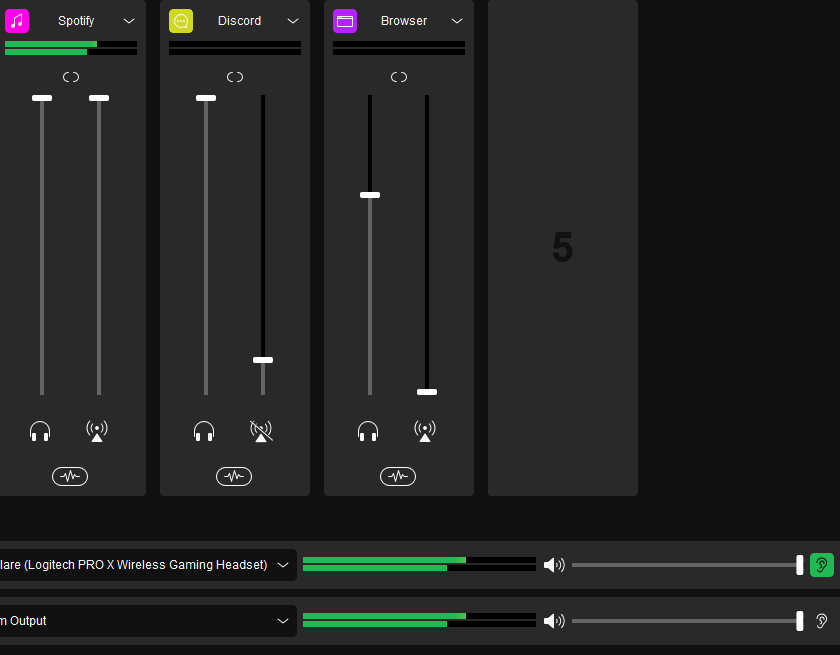
 azure patrol
Hi, i have some troubles with my OBS studio and my elgato HD60 S+
I just have no sound and i can't link it in with the video Capture Device
And the OBS didn't notice the audio exit
I try to have the sound with the option "capture audio only" but i didn't work
so i try to create a new audio (exit) and my OBs can't see my it
 spare shuttle
does anyone know why the new obs update breaks elgato stream deck obs plugins from working?
is there a fix to this?
 jolly narwhal
Latest update my StreamDeck buttons no longer change when pressed. I'm using Streamlabs Desktop. The button presses still work and scenes will change but the currently selected scene will not be highlighted
 fickle pulsar
random musk
Can you still help
fickle pulsar
random musk
Can you still help
yeah later today, after work. sorry been a bit busy.
 iron acorn
my phone stream deck is on my home wifi. but neither of the emoji buttons work in my folder???
 shadow anchor
 patent night
hello guys, i pressed a button on my streamdeck xl and now it wont come out :(
patent night
hello guys, i pressed a button on my streamdeck xl and now it wont come out :(
Open an #official-tech-support ticket
patent night
shadow anchor
Open an <#842491937038925865> ticket
does elgato do out of warranty repairs?
fickle pulsar
vestal brook
hello, i just got and elgato hd60pro to capture nintendo switch games but when u...
undock the switch, and make sure your settings are correct on the Switch. Then dock the switch see if any changes
mellow plankBOT
**Friendly reminder**
Elgato Customer Support does not monitor this channel. This channel is meant for our community to help one another when they are free, but it does not guarantee that someone from our community can help/answer your questions.
For official support, you can contact Elgato Support via phone or by filing a ticket.
To contact Elgato Support via phone visit http://help.elgato.com/hc/articles/360028242811-How-do-I-contact-Elgato-support-via-phone-.
To file a support ticket visit http://e.lga.to/help.
fickle pulsar
manic ferry
https://i.imgur.com/3uIjnN5.png i mute mic it gets onto headset so idk i confus...
I made a video in #community-resources hope it helps!
fickle pulsar
azure patrol
I try to have the sound with the option "capture audio only" but i didn't work
s...
In your audio mixer in OBS, did you in advance settings “Monitor and Output” the Capture Card audio?
fickle pulsar
patent night
Open a ticket with #official-tech-support but see if you can gently wiggle it holding it down.
patent night
fickle pulsar
Open a ticket with <#842491937038925865> but see if you can gently wiggle it hol...
i fixed it!
azure patrol
fickle pulsar
In your audio mixer in OBS, did you in advance settings “Monitor and Output” the...
When i'am on my Obs, i Can't see the green Line who show that the sound is here
 fluid plank
Hey anyone having an issue with the stream deck software crashing
can't edit the layout at all
oh actually my streamdeck just isnt working lol
anyone else having this
vestal brook
fickle pulsar
undock the switch, and make sure your settings are correct on the Switch. Then d...
i tried that but soon as i dock it again it changes back to 480p with no other option to choose
iron acorn
anyone who might have a solution for me to try? 
vestal brook
vestal brook
i tried that but soon as i dock it again it changes back to 480p with no other o...
and if i plug the switch straight into my monitor it immediately changes to 1080p without me doing anything, this issue only happens when i try to use my switch with the capture card
half falcon
Hello I just found my elgato HD60 S so I can stream ps2 games and when I plugged it in to my computer and open up the software it said that a card wasn’t found.
fickle pulsar
vestal brook
and if i plug the switch straight into my monitor it immediately changes to 1080...
unplug your hdmi cables from the capture card. then plug back in, see if any changes. I had this happen maybe twice before.
vestal brook
fickle pulsar
unplug your hdmi cables from the capture card. then plug back in, see if any cha...
no changes at all
i tried using different hdmi cables as well but it didnt change anything either
 snow moat
Having an issue with my stream deck, updated to latest version, being stuck on “waiting for obs” when highlighting an obs action like start stream
loud portal
snow moat
Having an issue with my stream deck, updated to latest version, being stuck on “...
Did you update the OBS Studio plugin? See this post <#announcements message> in #announcements
half falcon
I tried to install the drivers for my Elgato HD60 S and 4K capture Utility still says there isn't a device connected.
half falcon
Please help me
half falcon
I tried calling support it was too busy
snow moat
loud portal
Did you update the OBS Studio plugin? See this post <https://discord.com/channe...
Pretty sure, tried to download it again last night and it said I already had it installed. I’ll try that one again when I get home. Thank you
loud portal
snow moat
Pretty sure, tried to download it again last night and it said I already had it ...
You're welcome
half falcon
I really need help
 shell flame
Anyone know what's up with Stream Deck not working with Streamlabs Desktop?
 unique finch
When I stream to discord my game is fine but my stream is lagging
azure patrol
i still have the same problem ; i can't find a solution and i try everything to fix the audio output of my elgato HD60s+
 zenith totem
Hey I updated to OBS 28 and streamdeck plugin updated as well, but now all my actions has been reset and I need to go to each and every single action and choose the OBS Source... this is a major headache how can I fix this?
south bronze
Hello. I want to stream with a Ps5 and I'm going to buy el gato HD 60 X. I'm going to connect it to a powerful gaming laptop and stream/record with OBS. I have a Corsair HS80 RGB connected via usb to the Ps5 and I would like to know, how do I make OBS pick up the sound from the headphones and the microphone without having to use Chat Link Pro!? Thanks.
gleaming vapor
God, Stream Deck 2.0 not being able to find your sources properly has got to be the biggest issue with OBS v28 atm. How is this not a priority to fix 
floral jetty
Friendly reminder
Elgato Customer Support does not monitor this channel. This channel is meant for our community to help one another when they are free, but it does not guarantee that someone from our community can help/answer your questions.
For official support, you can contact Elgato Support via phone or by filing a ticket.
To contact Elgato Support via phone visit http://help.elgato.com/hc/articles/360028242811-How-do-I-contact-Elgato-support-via-phone-.
To file a support ticket visit http://e.lga.to/help.
 loud python
Hey there, this question has probably been asked millions times but how tf do I connect my Facecam properly? I tried with different good USB-C cables on a USB 3.2 Gen 2 port, even tried to plug it at the back of my motherboard (Only USB 3.1 or 3.2 ports) but it still says that the Facecam is connected on USB 2.0 and thus won't work. The only way to make the camera work is using the provided cable (which I find way too thick and not long enough for what I want to do) and plugging it on the motherboard. Not even the front panel. Please help 😭
unique finch
is it required to have the 4k utility to stream with obs or can i direct to obs
mellow plankBOT
**Friendly reminder**
Elgato Customer Support does not monitor this channel. This channel is meant for our community to help one another when they are free, but it does not guarantee that someone from our community can help/answer your questions.
For official support, you can contact Elgato Support via phone or by filing a ticket.
To contact Elgato Support via phone visit http://help.elgato.com/hc/articles/360028242811-How-do-I-contact-Elgato-support-via-phone-.
To file a support ticket visit http://e.lga.to/help.
fickle pulsar
vestal brook
i tried using different hdmi cables as well but it didnt change anything either
i'm avail now
fickle pulsar
snow moat
Having an issue with my stream deck, updated to latest version, being stuck on “...
in the #announcements there is a guide
fickle pulsar
half falcon
I tried calling support it was too busy
are you connected to the usb 3.0 like we talked about?
fickle pulsar
 cursive salmon
it wont give mic audio to pc
cursive salmon
it wont give mic audio to pc
try a different port
fickle pulsar
shell flame
Anyone know what's up with Stream Deck not working with Streamlabs Desktop?
I haven't tried streamlabs. what's the issue with it not work, can you explain more in detail?
fickle pulsar
unique finch
When I stream to discord my game is fine but my stream is lagging
what capture card are you using? what are your pc specs, and gpu?
fickle pulsar
azure patrol
i still have the same problem ; i can't find a solution and i try everything to ...
i can help real quick if avail
fickle pulsar
zenith totem
Hey I updated to OBS 28 and streamdeck plugin updated as well, but now all my ac...
i've also had to reconfigure this, the end result everything was working once reconfigured.
fickle pulsar
south bronze
Hello. I want to stream with a Ps5 and I'm going to buy el gato HD 60 X. I'm goi...
audio is ether in analog, with a chatlink pro, or you have everything through hdmi, and the headset connected to your laptop.
unique finch
fickle pulsar
what capture card are you using? what are your pc specs, and gpu?
4k60m.2 2060 ryzen 5 2600
fickle pulsar
gleaming vapor
God, Stream Deck 2.0 not being able to find your sources properly has got to be ...
the priority it seems was making sure it was working with obs 28, if you're that frustrated, and don't want to reconfigure the keys, which is the only solution atm, then contact support, and open a ticket with #official-tech-support
fickle pulsar
unique finch
4k60m.2 2060 ryzen 5 2600
I have the same card, and your gpu is more than capable. How are you streaming this to discord?
unique finch
niether caping my entire screen or just the 4k utility works btw and i have my switch plugged to the card directly and im viewing my switch on the 4k app on my pc
on the app its self is fine btw
 mild current
Hey guys. I want to use my pc as a tv monitor to play my nintendo games. So i bought the hd 60 s plus and i wanted to use Gamecapture to use instant gameview. But it is not supported so i used the 4k capture utility. But there was Input lag, so i have no idea how to use instant gameview? :/ Any ideas please? #cth-history
fickle pulsar
half falcon
Yes
ok, lets VC
gleaming vapor
fickle pulsar
the priority it seems was making sure it was working with obs 28, if you're that...
I did that a week ago, no one checks those. It's just a channel to refer people to to avoid support 🙂
mild current
mild current
Hey guys. I want to use my pc as a tv monitor to play my nintendo games. So i bo...
Guys, help me please
half falcon
fickle pulsar
ok, lets VC
I can’t vc.
fickle pulsar
half falcon
I can’t vc.
well, idk what to say. I can't really start helping, without seeing how you have things wired etc... IN is connected to the console/gaming PC, OUT is connected to your TV/Gaming Monitor, and the usb-c is connected to your Streaming PC's USB 3.0 port? if you're still having issue contact support and get a ticket#official-tech-support maybe they can see what else is going on.
fickle pulsar
mild current
Hey guys. I want to use my pc as a tv monitor to play my nintendo games. So i bo...
so using your pv as a live preview is gong to have latency as oppose to using a tv/gaming monitor. that is the reason why out is recommended to the 2nd monitor, or tv
half falcon
Ok I can but it’s not till later and I won’t be able to talk. Only text.
fickle pulsar
half falcon
Ok I can but it’s not till later and I won’t be able to talk. Only text.
i'm avail now, not later. I also have a stream etc... probably best to contact support.
mild current
fickle pulsar
so using your pv as a live preview is gong to have latency as oppose to using a ...
But if i had 60s plus, i wouldnt have single latemcy with the use of gaming record and instang gameview. But my Capture card is even more advanced than the 60s plus, so is there really no way to use instant gameview on any app?
fickle pulsar
mild current
But if i had 60s plus, i wouldnt have single latemcy with the use of gaming reco...
live preview is great, but not a replacement for a tv/gaming monitor. some card have a latency of 1-2.30 secs at min, so this is normal behavior from a card.
unique finch
tbh the 4k60 m.2 is probably the best with latency i cant tell the difference
fickle pulsar
unique finch
tbh the 4k60 m.2 is probably the best with latency i cant tell the difference
agreed, but then again I have 2 monitors. I wont' ever see lag. lol
unique finch
i have 3 lol
south bronze
fickle pulsar
audio is ether in analog, with a chatlink pro, or you have everything through hd...
Then the OBS outputs the sound from the Ps5 and it can be heard on the laptop with the headset
fickle pulsar
south bronze
Then the OBS outputs the sound from the Ps5 and it can be heard on the laptop wi...
yeah, as long as you monitor and output.
 south bronze
fickle pulsar
yeah, as long as you monitor and output.
south bronze
fickle pulsar
yeah, as long as you monitor and output.
And how is it monitored?
fickle pulsar
south bronze
And how is it monitored?
you setup your monitoring device in regular settings
south bronze
The usb C cable transmits audio from the capture card to the laptop?
fickle pulsar
south bronze
The usb C cable transmits audio from the capture card to the laptop?
yeah
fickle pulsar
south bronze
The usb C cable transmits audio from the capture card to the laptop?
so does the hdmi, they both transmit data
south bronze
Thank you very much, I will try it
fickle pulsar
south bronze
Thank you very much, I will try it
make you setup your monitoring device to your headset plugged in to your streaming pc.
 south bronze
Ok.. And there is no delay in the sound?
fickle pulsar
south bronze
Ok.. And there is no delay in the sound?
i haven't had a delay in sound, but some have had 1-2.30 secs
just depends on the card, and specs
zenith totem
fickle pulsar
i've also had to reconfigure this, the end result everything was working once re...
I got way too many actions, like over 100
fickle pulsar
zenith totem
I got way too many actions, like over 100
well open a ticket with #official-tech-support
 magic sage
hey does the HD60X have a delay for audio?
fickle pulsar
magic sage
hey does the HD60X have a delay for audio?
Not that I’m aware, but I do suggest having a video source, and a separate audio source for it if using OBS.
magic sage
fickle pulsar
Not that I’m aware, but I do suggest having a video source, and a separate audio...
So i do not need to put in a 650 ms delay for my audio and video like i do with the hd60
fickle pulsar
magic sage
So i do not need to put in a 650 ms delay for my audio and video like i do with ...
not that I’m aware of.
magic sage
Okay
shadow anchor
If your friend eats ice cream knowing you want ice cream and doesn't offer you any, should I see if she has any updates or just delete her and get a new one?
fickle pulsar
shadow anchor
If your friend eats ice cream knowing you want ice cream and doesn't offer you a...
She probably wasn't aware you wanted ice cream at the time she was eating it.
shadow anchor
fickle pulsar
She probably wasn't aware you wanted ice cream at the time she was eating it.
Oh she knew. She knew.


 loud python
Hey there, this question has probably been asked millions times but how tf do I ...
loud python
loud python
Hey there, this question has probably been asked millions times but how tf do I ...
reposting here
vestal brook
fickle pulsar
i'm avail now
sweet
well i tried a couple of stuff
like reinstalling the software
updating the drivers for the capture card
but so far nothing has worked
 tight pebble
Is there any way to control my Alexa-connected devices with the streamdeck? Some of my devices don't support IFTTT
 hallow pebble
Having a weird issue with 4k capture not showing as having any signal on multiple devices but somehow all showing up in obs and being usable. Wondered if anyone has had this issue before? Was trying to use Elgato's windows reporter but it seems to hang on gathering data and official tech can't seem to help.
 placid dove
Hey there sorry for my question.. What is the „change volume“ for streamlabs does? I got only the option to select my account and to choose +-….
If its not supposed to work for changing any vol of specific devices/sources, is there any way to accomplish that?
 wind holly
Hello quick question! I want to add a second camera to my OBS setup to change the point of view during my streams but I want the camera switch to happen automatically
I saw advanced scene switcher however if I have 2 scenes : scene A (Camera A) and scene B (Camera B) if something changes in scene A it won't happen in scene B
For example if I hide the chat in Scene A, it will be visible in scene B
Do you know how to sync two scenes so what happens in scene A also happens in scene B?
I thought on putting subscenes put it will be too much of a hassle
Ideally I would like to keep with 1 scene and have the source to toggle visibility, but that may not be the most optimized setup
hallow pebble
wind holly
Hello quick question! I want to add a second camera to my OBS setup to change th...
Do you use streamerbot at all?
wind holly
never heard about this one
hallow pebble
Yes you can setup an action that is caused when a scene is changed so that something then can also happen in a separate scene.
fallen trellis
i reinstall stream deck and back up profile but i cant authorize discord plugin, can someone help? authorize window don't show up
wind holly
hallow pebble
Yes you can setup an action that is caused when a scene is changed so that somet...
thanks!
 agile sparrow
Hi, Using the 4K60 PRO. is it possible to hear in-game comms between PC+PS5? Game Audio is fine but can't hear each other talking. I heard about Chat Link Pro but my headset is wired (although the GAMEDAC has Optic/USB/LINE-OUT/MOBILE). Okay, I'm wrong. The headset also had a 3.5mm input on the earcup. Will this work?
hallow pebble
agile sparrow
Hi, Using the 4K60 PRO. is it possible to hear in-game comms between PC+PS5? Gam...
where's your chat audio coming from? the game itself or discord?
hallow pebble
fallen trellis
i reinstall stream deck and back up profile but i cant authorize discord plugin,...
have you tried uninstalliing and then reinstalling the discord plugin itself?
fallen trellis
yup, now is working but must wait long to authorization windows shows up
agile sparrow
hallow pebble
where's your chat audio coming from? the game itself or discord?
Hi, It's via Game Chat of MWII Beta. No Discord.
hallow pebble
pale lynx
If you're curious the HDCP isn't apparent, as I am only using a pc and webcam as...
Were you ever able to solve this issue? I'm having a similar type of problem
pale lynx
hallow pebble
Were you ever able to solve this issue? I'm having a similar type of problem
Sadly in the end I had to send it back to the original buyer after going back and fourth with Elgato technical support a few times.
There really doesn’t seem to be a fix other than working your way through every option like drivers, firmware, checking that the hdmi is of good quality and of course the console/pc for if it recognises the device.
Sorry this might not be too useful, but sometimes products can be very headache inducing on occasions.
hallow pebble
pale lynx
Sadly in the end I had to send it back to the original buyer after going back an...
Yeah. I ended up buying a replacement on amazon and the issue persisted which leads me to believe it's possibly the 4k capture software itself.
pale lynx
Well if the issue persists then you can rule out the capture card itself, unless of course you are experiencing a lot of bad luck.
I’d definitely uninstall the software, update windows, install new graphics drivers and experiment with different hdmi cables
You have also got Elgato support as they were very nice and super fast with their responses
unique finch
so i fixed my issue to any one that is streaming to discord with the 4k cap use smoother video not better text
mellow plankBOT
**Friendly reminder**
Elgato Customer Support does not monitor this channel. This channel is meant for our community to help one another when they are free, but it does not guarantee that someone from our community can help/answer your questions.
For official support, you can contact Elgato Support via phone or by filing a ticket.
To contact Elgato Support via phone visit http://help.elgato.com/hc/articles/360028242811-How-do-I-contact-Elgato-support-via-phone-.
To file a support ticket visit http://e.lga.to/help.