#camera-prompter
1 messages · Page 10 of 1
 sand fossil
 long elk
T-minus 4 hours til break and I'll find out
 past rock
hi guys merry xmas just wondering about the Facecam 4K is it necessary to use the included USB-C to USB-C cable or would a USB-C to USB-A also work? just wondering in case my type C port on my mobo doesnt work for some reason
 gray tinsel
past rock
hi guys merry xmas just wondering about the Facecam 4K is it necessary to use th...
gray tinsel
past rock
hi guys merry xmas just wondering about the Facecam 4K is it necessary to use th...
As long as the cable is USB 3.0 you should be fine
Just make sure it's rated for n5 Gbps or faster
past rock
gray tinsel
As long as the cable is USB 3.0 you should be fine
thanks for the quick reply i’ll find out in a couple days once i’ve ordered the facecam 😁
 mortal phoenix
Does the facecam neo do nv12 and/or yuy2 at 720p?
gray tinsel
Neo is Mjpg
gray tinsel
I'll double check when I'm back but iirc it's mjpg on every setting
 bronze chasm
someone else has reflexes in the promter?
bronze chasm
bronze chasm
someone else has reflexes in the promter?
 bronze chasm
bronze chasm
bronze chasm
I can’t figure out how to postpone that reflection, is it normal or not?
sand fossil
bronze chasm
I can’t figure out how to postpone that reflection, is it normal or not?
Did you reduce the brightness?
bronze chasm
sand fossil
Did you reduce the brightness?
yes....
sand fossil
bronze chasm
yes....
Is there any light coming off the camera that wasn’t taped with electric tape of something that is bleeding through?
bronze chasm
Maybe it’s because the backplate is white, it’s the only thing I can think of
gray tinsel
It could be, the panel in front is basically a one way mirror. If there's too much light bleed getting into the unit somehow you could get a reflection.
More commonly we see issues from the panel below being too birght, or even things not being perfectly angled inside resulting in off angle light bleed.
That reflection does look rather backplate shaped though. It's rather unusual to get enough light inside the unit for that to show up on the beam splitter glass as a reflection, especially in what looks like a well lit room. (most reflection issues show up when the room itself is too dark, but that doesn't appear to be the case here).
What sort of camera are you using in there? My first thought is to readjust the position, and make sure there's no light getting bled inside. My next thought is to try sticking a polarizer on it if it's something like a DSLR or polarizer, to cut the off angle light
bronze chasm
is the facecam mk2
gray tinsel
Ah, no attacable filter ring then. I'd try to check if there's audio bleeding into the device through gaps in the like then. Worst case darken the backplate somehow so it's not reflecting light.
past rock
gray tinsel
Just make sure it's rated for n5 Gbps or faster
this should be perfectly fine right?
 gray tinsel
past rock
this should be perfectly fine right?
gray tinsel
past rock
this should be perfectly fine right?
Yeah, that looks fine, and UGreen cables are generally certified as they're a USB-IF member
past rock
gray tinsel
Yeah, that looks fine, and UGreen cables are generally certified as they're a US...
perfect thank you 🙏
 deep talon
Hi, my boyfriend bought me the prompter which I will have tomorrow and I already have the 4S which I use daily for my streams. Fantastic product which I will continue to reccomend. If I were to make a video on my experience with elgato, could anyone point me to resources that might help? Either elgato-sponsored or otherwise. Thank you so much for your time and consideration 🙏 🤲
 arctic swan
deep talon
Hi, my boyfriend bought me the prompter which I will have tomorrow and I already...
arctic swan
deep talon
Hi, my boyfriend bought me the prompter which I will have tomorrow and I already...
What resources are you looking for? If you’re making a video on Elgato products you own you could easily find their documentation online I’m sure
 jovial kayak
Hi,
I’m using an Elgato Facecam MK.2. Everything was working perfectly for months, but after updating both the Camera Hub software and the firmware, the camera started shutting down randomly.
I use it with OBS Studio. The camera makes a random beeping sound and then just turns off. If I deactivate and reactivate it in OBS, it starts working again. It’s definitely not overheating, and I’ve already tried plugging it into different USB ports, but the issue persists.
What could be causing this? Is there a way to roll back to a previous firmware and Camera Hub version? Everything was rock solid on the older versions.
bronze chasm
gray tinsel
Ah, no attacable filter ring then. I'd try to check if there's audio bleeding i...
I solved it, at the end was the backplate, because it was white
 gray tinsel
Glad to hear you were able to sort it out
long elk
Coming back to this, I have done all these steps. The Elgato Virtual Camera in OBS still lags and is very choppy when a game is running that requires a lot of PC power (I assume.) Currently testing with Arc Raiders running. When the game is unfocused, no lag but the moment the game window is focused the camera lags.
After messing around with LUTs, there is no lag. I only seem to notice it when using the Camera Hub Blur filter/any other AI background in Camera Hub
sand fossil
long elk
After messing around with LUTs, there is no lag. I only seem to notice it when u...
Sorry it’s been a couple of days, just to refresh. My memory was just on Windows or Mac?
long elk
sand fossil
Sorry it’s been a couple of days, just to refresh. My memory was just on Windows...
Windows 11
sand fossil
long elk
Windows 11
I also used the LUT’s on windows, what are your PC specs again? As I’ve not had the issue on windows, but I have more so on macOS and that’s just because virtual camera and macOS don’t play nice together.
long elk
sand fossil
I also used the LUT’s on windows, what are your PC specs again? As I’ve not had ...
AMD 7950x3D, RTX 4090, 32GB RAM
External powered USB hub as well
sand fossil
Hm.. ok, let me research a bit more. Question, are you using any of the Nvidia effects?
Via the SDK stuff?
long elk
sand fossil
Hm.. ok, let me research a bit more. Question, are you using any of the Nvidia e...
No, no other effects.
sand fossil
long elk
No, no other effects.
Ok thanks. Researching… you’re using OBS right?
if you’re using OBS, why not use the camera in the native and locate the LUT file and just use the LUT directly in OBS as opposed to through Camera hub and see if maybe that might work
long elk
Yeah OBS, and you mean I can find the Blur from Camera Hub and use it on OBS? The LUTs don't create any lag or anything, just the AI effects in Camera Hub like the backgrounds and Blur filter.
long elk
Having OBS run as admin is helping a little bit, but the trade off is my game not running as well too. So yeah, I'm going to have to sacrifice something here
sand fossil
long elk
Having OBS run as admin is helping a little bit, but the trade off is my game no...
I honestly wouldn’t run an OBS an admin ever. Unless a game requires it. Now as for the background blur, you should be able to add that directly in OBS instead of using camera hub and see if there’s an improvement.
 final cloak
Agree. Now that OBS has an internal setting for its processing running at elevated priority, there is no need to run it with elevated privileges. Can sometimes cause problems interacting with non elevated apps.
long elk
sand fossil
I honestly wouldn’t run an OBS an admin ever. Unless a game requires it. Now as ...
Thanks! Let me see about adding it directly to OBS
sand fossil
long elk
Thanks! Let me see about adding it directly to OBS
Awesome!
long elk
sand fossil
I honestly wouldn’t run an OBS an admin ever. Unless a game requires it. Now as ...
Should the effect pop up in OBS video filters or do I need to do something different?
Is it the NVIDIA Background Blur filter or something different?
sand fossil
long elk
Is it the NVIDIA Background Blur filter or something different?
Correct it is Nvidia blur background
long elk
sand fossil
Correct it is Nvidia blur background
Seems to work great, thank you again for the help. Such a simple fix after all, lol
sand fossil
long elk
Seems to work great, thank you again for the help. Such a simple fix after all, ...
you're welcome
Ignore me, posted in the wrong spot

 paper roost
sand fossil
Ignore me, posted in the wrong spot
paper roost
sand fossil
Ignore me, posted in the wrong spot
NEVER!!!
 quick hinge
i got the facecam 4k, its telling me to download the nvidia ar sdk but theres 2 ar versions, which one do i download?
sand fossil
paper roost
NEVER!!!
Lol
sand fossil
quick hinge
i got the facecam 4k, its telling me to download the nvidia ar sdk but theres 2 ...
There should be 3, audio, visual, and something else.
quick hinge
sand fossil
There should be 3, audio, visual, and something else.
is it recommended to download all 3
sand fossil
quick hinge
is it recommended to download all 3
I have all 3, and everything works. 🙂
 thick musk
Has anyone purchased both ‘prompter’ and ‘prompter XL’? Does ‘Prompter XL’ have larger FOV?
My current lens at widest focal length would capture some of the frame from ‘Prompter’, I have read from Elgato website that ‘Prompter’ and ‘XL’ have same FOV, but I wonder if ‘XL’ can solve my problem
 lone scroll
thick musk
Has anyone purchased both ‘prompter’ and ‘prompter XL’? Does ‘Prompter XL’ have ...
lone scroll
thick musk
Has anyone purchased both ‘prompter’ and ‘prompter XL’? Does ‘Prompter XL’ have ...
I have both and XL feels like camera sits a bit farther back on a mirrorless so it’s easier to see edges on a 14mm but 24mm seems to be fine on super35 sensor like Sony fx30
On full frame cameras, I would expect a 24mm or 35mm lens would clear XL but depends how far back you mount the camera
thick musk
lone scroll
I have both and XL feels like camera sits a bit farther back on a mirrorless so ...
i see, thank you for your insight
 latent terrace
Hi Folks - Wondering if someone might be able to hlep? Recent Prompter purchase and getting to grips with set up -> M4 Macbook, BMPC4K - prompter has brought together some decent kit I'm not using to upgrader online presentations. I'm trying to work out how to be fluid & seamless with the Camera Hub Software and am stuck - I haven't found a way to control the Camera Hub software, whilst its on the Prompter and in 'Prompter' mode, without simply disaplying the software and it appearing on my laptop....I'll take a few photos to try and explain my point.
latent terrace
latent terrace
Hi Folks - Wondering if someone might be able to hlep? Recent Prompter purchase ...
 bold tendon
The restriction to have prompter plugged in kind of sucks. I'd like to work on scripts on the laptop not at the desk. Has anyone found a good work around?
bold tendon
latent terrace
I have this same issue on my mac, and not on my pc. I have a stream deck, and have set modes to buttons on there and that gets me around to what I need.
sand fossil
bold tendon
The restriction to have prompter plugged in kind of sucks. I'd like to work on ...
use the notepad, and then load them to your prompter
 lyric ivy
my webcrama is not contedted to my computer

that what it shows
buit it is in a 3.0
lyric ivy
@rancid harness
 rancid harness
lyric ivy
<@301571565840236564>
rancid harness
lyric ivy
<@301571565840236564>
Sadly, I don't have an Elgato camera so I can't really assist in this channel. Be patient and one of regular might drop by.
lyric ivy
ok
gray tinsel
lyric ivy
What camera are you using specifically?
Does plugging it into a different port when you get to that page help at all?
 tawdry elbow
Hey! I'm new here.
Been trying to set up two phone cameras (iPhone 7 and iPhone 14) to output to Discord, Zoom, Teams, etc, for a while now. I use Camo Studio and Elgato Camera Hub to do this.
As of today, I read on Elgato's site that their phone webcam app, EpocCam, is no longer being updated or even available on Apple's App Store. I have the Pro version of EpocCam on both of my phones, and it's linked to my Apple Account. I bought the Pro version of the app on April 3, 2022.
Elgato's site recommended using Camo Studio. I have the Lifetime Pro version of this app too.
In short, does anyone know how to use two cameras within one app, preferably Camo Studio? I'd presume I have to ask Camo directly, but I'm covering my bases here first.
I know someone is going to come along and say "Use OBS", but I prefer not to use OBS and everything if I'm just entering a meeting.
gray tinsel
Iirc, Camo Studio you need to installtheir camera app, then it shows up as a resources to camo studio itself. I've only looked at it myself though as they also used it as a way to get around audio device limits on the iPad, so I'm a bit fuzzy on the camera setup for it
tawdry elbow
gray tinsel
Iirc, Camo Studio you need to installtheir camera app, then it shows up as a res...
I have the Camo Studio app for PC, but I cannot add a second Camo camera specifically. Secondary cameras on Camo work if the second camera is a “Virtual Camera”, like the Elgato Camera Hub camera output.
It may be fixed in a later Camo update…
 earnest brook
Hiii guys, im having issues with my camera freezing in obs/streamlabs exclusively. Is this the right place to ask?
 cosmic quest
earnest brook
Hiii guys, im having issues with my camera freezing in obs/streamlabs exclusivel...
cosmic quest
earnest brook
Hiii guys, im having issues with my camera freezing in obs/streamlabs exclusivel...
if it's an elgato camera yup! Someone who is knowledgable in them will be able to help you.
It would help if you were able to explain the problem and what elgato webcam you have so someone can figure out a solution for you 😄
earnest brook
Perfect!
I am using an Elgato Premium 1080p60 Webcam.
In exclusively OBS and Streamlabs, my camera will turn off (I can physically see the diode turn off). And ofcourse this makes my camera freeze. I can then proceed to turn off the camera in obs, and then it works for X amount again. In discord, Camera Hub etc it works without issues.
I´ve ensured that im using the corret port(s), and tried multiple, also only having the camera conntected. I´ve updated bios and chip, updated all firmware, tried different obs/streamlab settings, but its the same issue all along. I am using an B550 gaming x v2 motherboard (ChatGPT Mentioned that this COULD have issues with port voltage output, and therefore chrasing the camera). An externally powered HUB could fix this, but im hoping someone else has had somewhat the same issues, and has found another solution.
Additionaly, i´ve tried capturing Camera hub directly, but this made the camera crash aswell.. Somehow..
 violet hawk
earnest brook
Perfect!
I am using an Elgato Premium 1080p60 Webcam.
In exclusively OBS and...
violet hawk
earnest brook
Perfect!
I am using an Elgato Premium 1080p60 Webcam.
In exclusively OBS and...
You can try this, one of the common problems.
To disable USB power saving in Windows, go to Control Panel > Power Options, select your active power plan, click on "Change advanced power settings," expand "USB settings," and set "USB selective suspend setting" to Disabled for both "On battery" and "Plugged in." Additionally, you can uncheck "Allow the computer to turn off this device to save power" in the properties of each USB Root Hub in Device Manager.
earnest brook
violet hawk
You can try this, one of the common problems.
To disable USB power saving in Wi...
Thank you.
Unfortunatly, this is already tried
earnest brook
Yea, i've also tried another cable actually, this didnt work neither unfortunatly
violet hawk
then it's either unstable powersupply or your motherboard as you mentioned
earnest brook
Man i wish i could rule this out somehow😅 - Without spending "unessecary" money on a hub
violet hawk
A hub is never unnecessary, will always come handy :3
but yeah, way cheaper than buying a new motherboard or powersupply to rule out 😛
but if the motherboards usb's are just plain bad, connecting a hub will likely still give issues even if the power to the camera is stable if the usb port itself turns off on the mobo
if the powersupply is at fault, a powered hub should make it better
earnest brook
I´ve now downloaded a third party software on my phone, and streaming that on obs, will see if this chrases aswell. I guess that would get me a tiny bit closer to knowing if thats the issue
earnest brook
I´ve now tested an externally powered usb hub (Very important for it to have its own power supply.). And it has fixed the issue for now, after a couple of hous of testing. I also changed the camera settings to isochronus.
violet hawk
earnest brook
I´ve now tested an externally powered usb hub (Very important for it to have its...
Oh yay 
earnest brook
But, from what i can tell from forums and ChatGPT, this is a common issue, especially with b550 board ESPECIALLY paired with a 30/40 series gpu
violet hawk
I have a B550 strix for my old 5800x, switched to x570 for the 5900x and never had any such issues
violet hawk
if you can borrow a powersupply from a friend or something, would be nice if you could rule it out
if the 5V rail on yours is just unstable
earnest brook
Mhm, yeah maybe. But honestly it makes sense it being the board itself. Apprarently it´s common for almost everything that requires high bandwith on this board
Excited for my mic to arrive, and running into the same issue once more kekw
violet hawk
thankfully AMD is bringing back AM4 production, and motherboards are still readily available so wouldn't be hard to replace for a more quality one, but sure sucks to replace something that you don't necessarily notice any performancedifference with
earnest brook
violet hawk
thankfully AMD is bringing back AM4 production, and motherboards are still readi...
Im luckily hitting a bonus pretty soon, and will replace the whole pc 😄
violet hawk
Ohh 😮
earnest brook
But thank you for your help anyway, honestly you pushed me to last bit to buy the damn hub. 😄
violet hawk
I want a new gpu, specifically the 9070XT, then I'll throw my 3070Ti into the 5900X build, and the 2070 into the 5800X rig
earnest brook
3 Rigs?
earnest brook
 violet hawk
XD
gray tinsel
violet hawk
I want a new gpu, specifically the 9070XT, then I'll throw my 3070Ti into the 59...
That's what I went with this build. I do miss Blur in Camera Hub since it needs an NVidia GPU, but all round I've been happy with it so far. And given whatever the hell is on the go with NVidia and their drivers lately, might be a safer bet.
 vapid shore
So I have an ELGATO Facecam MK.2, and sometimes it just keeps disconnecting and reconnecting, I even disconnected every other USB device on my PC and still same issue, camera hub wasn't running neither OBS, neither NVIDIA broadcast or anything else, literally just restarted my PC with nothing else plugged in but the camera, and it made that disconnect sound alot of times, also when I open camera hub and I close it , same thing it starts messing up, now it keeps doing the same thing disconnecting over and over again, the moment i unplug the camera it stops, what should I do and what makes this happen? could the camera itself be faulty? like it keeps disconnecting so many times that all my other devices freezes including mouse, keyboard, sometimes it freezes while I type and it keeps typing same letter like LLLLLL for 10 seconds then it stops, so I have no other USB devices plugged in and the camera still does that, it keeps lighting up the blue LED and going disconnect over n over again , it happened whether i had my camera hub open or not, whether i had my obs open or not, i have it on the back of my computer on a cyan port (usb 3.0), so what is the damn issue im losing my mind...
final cloak
vapid shore
So I have an ELGATO Facecam MK.2, and sometimes it just keeps disconnecting and ...
I think this could be a hardware fault; maybe even as simple as a bad cable, connector... maybe just the particular port on your computer.
But I've also heard of cases with weird faulty driver configurations in windows causing usb devices to do this.
I guess I'd say, have you tried different USB ports?
If that works, or doesn't. check out USB selective suspend and disable it.
You could also disable Fastboot on your system, which sometimes causes USB problems.
If it's still happening after that... I feel like I've seen something doing this on a youtube video but I'm struggling to find it. and it wasn't about cameras or anything, it was some driver config mishap in windows. Could have even been GPU drivers (as NVIDIA rolled into their season of forgetting how to code drivers, and all that)
I found the video I was thinking of. And I think that one turned out to be Intel CPU degradation.
Do you have an Intel 13 or 14 Gen CPU?
vapid shore
final cloak
I think this could be a hardware fault; maybe even as simple as a bad cable, con...
Hey, so I tried different USB ports, even disconnected all other USB devices on my PC and let only the camera, still same issue, I tried with fastboot enabled / disabled still happens, it happened previously on my RTX 2060 Super (And I thought it was my GPU that couldn't handle the camera), my current pc stats are I5 13400F , RTX 5060Ti 16GB, 64GB Memory DDR5
Appreciate you alot for trying to help! 🙏
Now that's the thing, I don't know whether it's my computer or it's the camera or cable, I have an older PSU and I was thinking to replace it as in buying a new one but like I said, until elgato facecam mk2 i never had any issues and I had my pc with alot of other USB devices in before and really no issues about anything at all
final cloak
I highly doubt the PSU is the issue.
When we say not enough power to USB, this is not your power supply not providing power. The USB device doesn't use much. it's about the controller supplying that 5v of regulated current
final cloak
vapid shore
Hey, so I tried different USB ports, even disconnected all other USB devices on ...
Did you look at USB selective suspend in the power plan settings in windows?
I think that Intel CPU is not one of the high end ones that was degrading and causing issues. Shouldn't be a problem.
vapid shore
final cloak
Did you look at USB selective suspend in the power plan settings in windows?
Hmm not sure where's that, but what I did was checking on my Device Manager on my usb hub + the intel usb 3.20 extensible host controller I unchecked this box on all of them:
 final cloak
yeah, that's one place to look, but go to the power settings in control panel, and find the advanced settings for your power plan
There's a section in the tree there, called USB selective suspend. It's kind of a overlapping feature/setting with this thing you already found.
(because windows can't develop a consistent UI where options are in one place and findable)
vapid shore
 final cloak
Disable that. Reboot
vapid shore
Okay be right back
final cloak
and again, try different ports. I think you said you did already.
After this.... the next step is checking this camera and cable on a different computer
that should rule out the camera and cable, or confirm they are the issue
vapid shore
Yeah that had no effect, as soon as it booted on windows, I could hear the disconnect sound playing on my speakers while no other app could even run in that time
Like I was on my lockscreen didnt entered the PIN and it already started ringing the disconnect sound 🤣
vapid shore
final cloak
After this.... the next step is checking this camera and cable on a different c...
I thought about that but I don't have any "high transfer" cable especially a TYPE C - USB one
Max I have is my TYPE C - TYPE C from my samsung travel charger it's a 5A cable but not sure whether it's USB 2 or 3 or whatever, and I would have to use an adapter from TYPE C to USB (which I have already) to connect it to my pc, wouldn't that affect it somehow?
Or should I just try n buy a new cable first and see whether it gets fixed or not?
So much trouble 😭
I already paid like $30 for a powered usb hub on 48W and when I plug the elgato cam on the hub it's very laggy on the app, guess it creates a big delay or something
Idk what to do anymore 🙁
final cloak
Charging cables aren't usually wired for data
gray tinsel
vapid shore
Max I have is my TYPE C - TYPE C from my samsung travel charger it's a 5A cable ...
If it's a charging cable, it's almost always USB 2.0, if it has data at all.
Phone cables usually are 2.0 these days since they also get used for data transfer, but other charging cables may be wired for power only.
final cloak
Some hubs could cause issues. Depends on the port, and how the hub is wired. it might not be full speed, even if it's providing external power (which is often a help)
Can you try a different computer? Like, go to a friend's house or any other computer
type c doesn't really matter, there isn't anything magic about that connector shape. as long as whatever you use is the right speed
vapid shore
final cloak
Can you try a different computer? Like, go to a friend's house or any other comp...
I have a laptop aswell I will try to see if same thing happens on laptop, I think you are brilliant haha, if it happens then it's obviously either camera or cable I guess
vapid shore
gray tinsel
If it's a charging cable, it's almost always USB 2.0, if it has data at all.
Pho...
Thank you!
final cloak
That's the idea, yeah.
vapid shore
The fact that it's a laptop shouldn't be an issue as in the power it gets from the USB right? it has USB 3.2 Gen 2 port
final cloak
Thats right.
Again, it's not a large amount of power, from the perspective of a computer. When there are power concerns it's becuase a single port might only provide a small current, and multiple devices could start to run out.
vapid shore
Will update in few mins gotta download camera hub app on laptop
final cloak
it's not stressing the power supply of the computer or anything. this is very small power compared to a CPU or GPU, even in a laptop
And really, the power settings like USB suspend.... usually the issues those cause can be fixed by unplug/replug to wake up the port.
But we check them in these cases just to be sure.
vapid shore
Installing now the elgato camera hub on laptop and ill see if it works just fine on laptop
Also thanks alot again for all the help 🙏
Damn..no issues at all on laptop, atleast at first sight
Now I remember at first it looked fine on my pc aswell, then later it started doing that, and then it just did it randomly, sometimes it did it, other times it didn't
On laptop I have I5-12450H / RTX 4050 Laptop / 16GB Memory and windows 11
Idk if that matters
Yeah so far seems to be working just fine on laptop
final cloak
Hmmm
Working on laptop. but it was intermittent.
So makes me think... something is up with that other computer. Or, it is a cable thing but the cable is working now in this position. Dirty pins in connectors?
It seems likely that if it was dirty pins or something you could fix it by swapping the ports around a lot, or something.
Or if it's a funny cable, touching or fiddling with it on the laptop could cause the issue to show
But if the cable and camera is fine... then it's something in the other computer...
I really don't know where to go with that. Like.... wipe it out and reinstall windows?
Maybe just a repair install of windows? Maybe check the BIOS for updates and update all drivers? Chipset drivers? All that kind of thing?
I'm kind of saying those in reverse order from how you should probably approach it. If you want to go down that path
vapid shore
I think the cable is fine, honestly, I don't know, haven't moved it too much from pc - laptop, also it's just occuring sometimes, other times not, only when I have the camera plugged on USB 3.0, when I plug it on USB 2.0 and it changes format from 1080P60 YUY2 raw to MJPEG or something it works just fine no issues at all
Maybe it's my USB controller chip can't handle it maybe old motherboard idk..I guess last resort buying a new motherboard + installing a fresh windows copy
final cloak
Oh that's an interesting detail
vapid shore
If I keep opening it and closing it a few times n stuff, eventually it works, but if I just leave it like that, keep hearing that disconnect sound loop for ages, and it's just so annoying lol
final cloak
You said you tried a hub with external power?
Oh! This thing has USB c cable right? Have you tried flipping the USB C over?
The difference between 2.0 and 3.0 in the connector is some extra pins.
So if a type A port or cable doesn't have the extra pins for 3.0 it will fall back to 2.0.
Or if those pins are ditry or something.
So we could be having an issue with 3.0 but it's happy with 2.0 and so... no problems when you don't try for 3.0 speed
Also, some adapters and things aren't properly wired for the reversible type C connector and so it only fully works on one side of the Type C connector. We see that in adapters sometimes.
vapid shore
final cloak
You said you tried a hub with external power?
Yup!
vapid shore
final cloak
The difference between 2.0 and 3.0 in the connector is some extra pins.
So if a...
The thing is, it also works, like if i keep it on the port it eventually works I just have to deal with the stupid disconnect sound which in fact is the only thing that really annoys me, hearing it every 2 3 seconds haha
gray tinsel
Mk2 can work over USB 2.0 in MJPEG mode, but if there's a cable issue it might be trying to reconnect at full speed or something
gray tinsel
Hard to say - but for that sort of disconnecting and interference iwth other USB devices I'd usually start with the cable, and checking that any motherboard chipset drivers and firmware is up to date
But yeah, USB Tree Viewer can sometimes give you a better view of what's actually happening too
final cloak
BIOS, chipset drivers. Check tree viewer and see if when it settles down, it picks 3.0 or if it's falling back and saying 2.1
Would I be scared to do a firmware update if USB connectivity seems to be an issue?
gray tinsel
If it's disconnecting I'd leave it as a last resort
 unique granite
final cloak
Would I be scared to do a firmware update if USB connectivity seems to be an iss...
unique granite
final cloak
Would I be scared to do a firmware update if USB connectivity seems to be an iss...
if the camera loses power during the firmware update then its a 🧱 jsyk
gray tinsel
Yes, but the camera is already experiencing issues in this instance, and in this case the suspected failure is data lines, not power. If a firmware flash doesn't fix it, it might already be ready for an RMA anyway.
Also newer products don't always brick on a firmware failure, as they have more redundancy - but it is still a risk
sand fossil
unique granite
if the camera loses power during the firmware update then its a 🧱 jsyk
not entirely, as sometimes a disconnect, and reconnect might help. even a different port.
 shrewd patrol
does anybody know how to fix the elgato virtual camera getting a full 2-3 second delay when playing intensive games? I have a Ryzen 9 5900x and RTX 4070. I've used both my facecam mk2 and iPhone 15 through EpocCam and both give me the same response but only when using the virtual camera. Switching to the mk2 directly runs just fine but I use that primarily as a second angle so I'd like to get the iPhone running properly before moving my setup
 urban plinth
I'm debating a bit whether to get the Elgato Facecam 4K or the MK.2, I've watched some video's regarding the camera's, however it is unfortunate that most of the youtubers reviewing them have some great lights shining on them which makes the result a little unfair. Anyone here that could help me out on it? 😅
gray tinsel
shrewd patrol
does anybody know how to fix the elgato virtual camera getting a full 2-3 second...
Try capping your framerate in the game or disabling any effects you have on. The NVidia Video Effects API can cause a lot of issues if you're gaming on the same system you're running Camrea hub because the game usually has prioirty on GPU resources and it can starve the effects engine.
gray tinsel
urban plinth
I'm debating a bit whether to get the Elgato Facecam 4K or the MK.2, I've watche...
Is there any particular use case for them? If lighting is your main concern, Mk2 does have a wider aperature letting more light in.
There's a comparison listing for them here too : https://www.elgato.com/explorer/products/camera/difference-between-facecam-4k-and-facecam
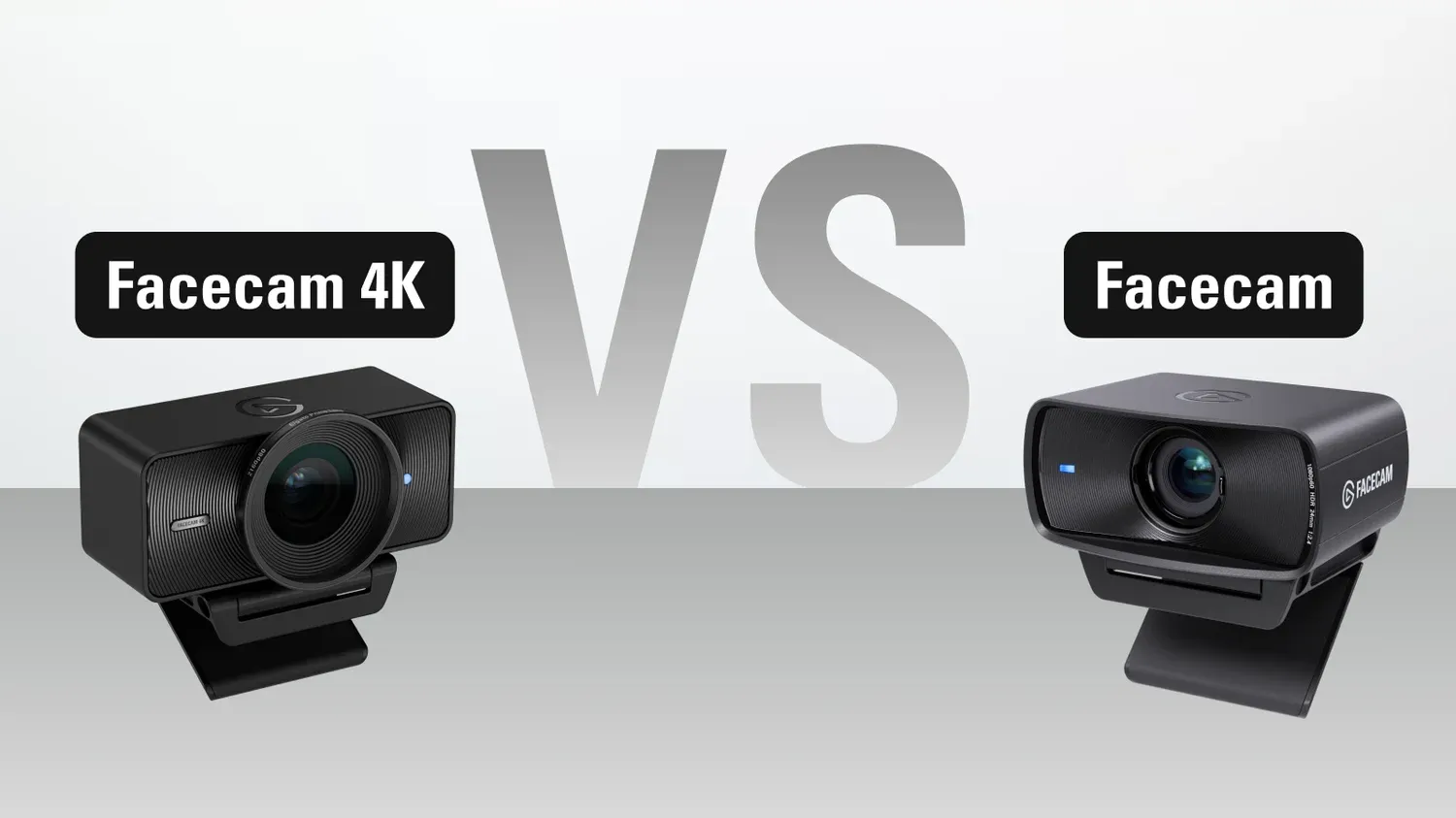
Looking to upgrade your webcam? Find out the differences between Facecam 4K and Facecam.
shrewd patrol
gray tinsel
Try capping your framerate in the game or disabling any effects you have on. Th...
don't have any effects besides the zoom and panning, I'll try capping the fps/tweaking graphics options to see if it makes a difference
gray tinsel
I've seen a scattered report too that removing the NVidia video effects SDK from your system if you have it and restarting Camera Hub then may help in some cases too
If it's installed it might be linked up even if not in use
(I've yet to verify that as my current build is AMD and can't run the SDK anyway)
shrewd patrol
according to camera hub i don't have it installed at all 😅
i just played another round of cod with the fps limited and graphics tweaked, it seemed kinda stable in game but went right back to doing it mostly when things were loading (like into a match or going back into the lobby)
gray tinsel
Hm, I'd probably reach out to #official-tech-support - that's not normal behaviour for it, but I can't say I've seen it so far outside the effects engine related delay
Though if it does need capping some games may not enforce their FPS caps on loading screens.
if you're just previewing the camera, not recording it, do you get the same delay? Or if you preview it in another app like Camera Hub?
. . .actually no camera hub would use the raw feed. Maybe a different app like Meld?
shrewd patrol
gray tinsel
Though if it does need capping some games may not enforce their FPS caps on load...
I preview it in OBS, haven’t attempted actual recording/streaming since I’ve noticed this issue
It also does it in discord calls too
Strictly with the virtual cam though, the direct feed of the mk2 works fine
gray tinsel
Yeah, I'd still guess there's a bottleneck somewhere where the virtual camera app running in the background is getting throttled. If you check Task Manager are you maxing out either the CPU or GPU? You could maybe try something like adjusting app priority for Camera Hub in Nvidia Control Center or something, but support might also be able to take a look at the logs and give you a more exact idea on what's happening and how to fix it
shrewd patrol
gray tinsel
Yeah, I'd still guess there's a bottleneck somewhere where the virtual camera ap...
mostly maxing out the cpu, I'll reach out to support in a sec. thank you for trying to help though!
urban plinth
gray tinsel
Is there any particular use case for them? If lighting is your main concern, Mk...
At this point, meetings. As soon as I find an appartement for myself (tough here in NL) streaming and video recording included
 lofty jackal
Can you use other filters with Faceman 4K. I have two. Bought both off Amazon. Should I just buy the CPL Lens Filters off the Elgato Site or do I have other options
gray tinsel
lofty jackal
Can you use other filters with Faceman 4K. I have two. Bought both off Amazon. S...
As long as their sized right ( I think 49 mm? I need to double check that) they should be fine
yeah 49mm
filters are pretty standard so any photo ones should work. If looking at third party ones note that different polarizers may affect the amount of light getting through differently
Though ones that let more light through tend to cost more.
 formal cove
hello i have a question, i have a facecam neo, but its at 1080p and i want it to show at 720p on discord i there anyway i can do that ?
final cloak
formal cove
hello i have a question, i have a facecam neo, but its at 1080p and i want it to...
Generally the app calling for the camera feed is what decides the resolution.
So discord will control this.
If it wants 720, that’s what it will get.
formal cove
final cloak
Generally the app calling for the camera feed is what decides the resolution.
S...
so there is no way i can lower the resolution on the Elgato Camera Hub?
final cloak
The control on camera hub is at the bottom left of the picture.
But if you select facecam neo as the camera for discord to use, discord will call for whatever it’s going to call for, from what the camera says it can provide.
May I ask why you’re wanting lower res?
formal cove
final cloak
May I ask why you’re wanting lower res?
because its lagging my game
final cloak
Like, network lag?
formal cove
final cloak
Like, network lag?
just game, its dropping my fps
final cloak
Ok… strongly doubt a few pixels of resolution on a usb 2.0 camera will mean anything to that… is your computer really that much on the edge? Very old equipment?
Actually…. Are you using effects in camera hub?
Like background blur and stuff
formal cove
2080 super, i9 10900k and 32gb ram, wouldnt say if on edge haha, just background blur
final cloak
Ok the effects that use your nvidia GPU is probably what’s doing it.
In that case, you’re using the virtual camera from camera hub, and not the camera directly.
In that case the resolution you set in camera hub might matter.
So I assume you’ve selected elgeto virtual camera hub as the camera for discord to use
formal cove
ive changed the resolution on the camera hub to 720p 60fps but then it changes itself to 1080p
final cloak
They might require 1080 for the effects to work. Might need those pixels to make it look right
Or, as I started with, discord is what’s controlling it
But anyway, the effects are definitely using way more resources than the difference between 1080 and 720
Especially on a 20 series. First gen RTX cores.
formal cove
ive turned the blur off but its still changing itself
final cloak
As I say, discord is what’s controlling it. Ask them to give you the setting, if it’s not there.
gray tinsel
formal cove
ive changed the resolution on the camera hub to 720p 60fps but then it changes i...
Camera hub will set resolution to whatever the app requesting the camera access specifies. All you're changing in camera hub is its preview, and that only works if nothing else is using the camera
formal cove
gray tinsel
Camera hub will set resolution to whatever the app requesting the camera access ...
so there is no way to change it on discord
gray tinsel
No, Discord does its own thing.
Last I checked your couldn't override it
Close Camera hub entirely and use the camera directly in discord and see if you have the same issue
final cloak
Turn those effects off. I think that’s what’s hitting your GPU.
Yeah that will do it. Can’t run effects with the app closed
gray tinsel
Yeah, I've seen some reports of the SDK still running and doing things even when the effects are off. Haven't been able to verify it yet myself, but safest way to check is just remove the whole thing from the equation
mortal phoenix
According to the Cam Link page, the Nikon D5100 is not supported because it can’t do clean HDMI, however I have read that flashing the firmware gives it support for that
Does that mean that I can use the cam link with it?
final cloak
Cam link simply converts hdmi video into data over usb.
Anything that feeds hdmi within the resolution range of cam link should work.
It doesn’t know what you’re connecting to it!
gray tinsel
The Cam Link support page also doesn't tend to account for non-OEM mods like custom firmware (and some of those reports may be out of date anyway)
Looks like that note was also filed by community members rather than Elgato themselves - if you find it works you can reach out to #official-tech-support with details and request it updated
 pale shuttle
Is there going to be a replacement for the facecam pro? I have the original teleprompter and want a good a camera for recording and streaming. Figured it would be nice to stay in the elgato ecosystem
violet hawk
The newest one is the Facecam 4K, same resolution but fixed focus instead
other than that we don't know, and Elgato cannot say if there's a newer Pro model coming
the awesome thing about the Facecam 4K is that it supports actual camera filters ❤️
I waaant :3
pale shuttle
Is that worth it if one is just using it with the prompter?
violet hawk
@sand fossil did you buy the 4K yet or still on the Pro?
pale shuttle
My research has me narrowed down to the 4k and the 1080p facecam. Just debating which one is the best for using with the small teleprompter
Would the Prompter Facecam 4K Backplate prevent using filters ?
I appreciate the feedback and support thank you
urban plinth
violet hawk
the awesome thing about the Facecam 4K is that it supports actual camera filters...
Assumingly you have one, I've read and seen alot of complaints about the visible pixels, do you experience this aswell, and/or could the CPL Lens fix this? - I have literally 0 knowledge with cameras, but my C922 Pro can use an upgrade after some years of using😂
violet hawk
urban plinth
Assumingly you have one, I've read and seen alot of complaints about the visible...
Visible pixels is only an issue with any camera if you don't have enough lighting
Cameras as like eyes, they absorb light to get an image
without enough lighting, any camera will try to use trickery to try to get as good of an image it can, which does introduce artifacting
urban plinth
Fair, how does it work as a 'light reducer' if you know what I mean. There's a very bright light sitting behind me? I know contrast could fix it a bit, but more like out of the box
violet hawk
For bright lights you lower the ISO, making it less sensitive to light and gives a better image overall
I run my Facecam Pro with about 140 ISO, depending on time of day
I have 3 HUUUUGE windows behind me
and a big Keylight in front of me 🙂
urban plinth
Alright, thanks 😄 - guess it's going to be the 4k next month 😄
Time for mic arm and camera upgrade 😂
sand fossil
violet hawk
<@476160810457235466> did you buy the 4K yet or still on the Pro?
Still on the Pro, but I plan to upgrade to the 4K after my 2nd build.
sand fossil
However, faceplates can be made/purchased via 3D printing for the 4k Camera, or there is a shroud included if needed.
final cloak
The promoter is made for using the 4k filters, no?
The polarizing one is perfect since it further reduces reflections
gray tinsel
There's no included backplate for Facecam 4K yet, unless that changed recently. I know they were mentioning the Facecam Pro plate would eventually be swapped out for a 4K one, but unsure if that has started yet.
The universal shroud should work just fine though
 north pier
Can you provide a link to buy a replacement mirror for this product?
gray tinsel
What product?
I'm assuming one of the prompters, but is it prompter or prompter XL? You should be able to find either at https://www.elgato.com/spare-parts but if you have the model I can probably find the direct link

Elgato
Find official Elgato spare parts to keep your gear in top shape. From mounts to cables, shop genuine replacements for your Elgato products.
north pier
Found and purchased thanks.
gray tinsel
Glad you've got it sorted!
 desert wagon
Hello!
I bought Elgato Facecam MK2 some months ago and since the first day I had a blue reflection in my glasses. I thought it was the blue led reflecting in my glasses but no it's not. I have one Elgato Key Light installed in the left side and a cheap ring light on the right side. I did some test with lights but nothing seems to work. Any idea? I have led stripes on the wall but blue reflection is still in my glasses even if I turn them off
 final cloak
desert wagon
Hello!
I bought Elgato Facecam MK2 some months ago and since the first day I ha...
final cloak
desert wagon
Hello!
I bought Elgato Facecam MK2 some months ago and since the first day I ha...
I would guess that is a glare reduction coating on the glasses changing the color of what light makes it though the coating and still reflects.
Usually I’ve seen it have a green hue, but maybe yours are different.
And that’s not knowing what filters or effects you have on there.
desert wagon
I was about to say that it didn't happen with other cam but I had different glasses back then haha My glasses have blue light filter and I dont have any effects in the cam just blur background
final cloak
Ah, blue light filter is interesting. So I suspect they are actually reflecting some of the blue, and letting the rest of the light pass
desert wagon
I supposed that. I was praying it was something else but I'm not that lucky haha thaaaankyou
 blissful ruin
Subject: Feature Request: Transparent Text Overlay / "HUD Mode" for Elgato Prompter
Message:
I am a user of the Elgato Prompter and would like to request a software update for Camera Hub that allows Text Mode content to be overlaid directly on top of Display Mode.
The Problem:
Currently, I have to choose between reading a script (Text Mode) OR seeing my computer screen (Display Mode). For presentations, I need to see my slides in the background to track my visual cues while having my script scrolling in the foreground. Using third-party transparent apps is a clunky workaround for an all-in-one device.
Proposed Solution:
Add an "Overlay Mode" or an "Opacity Slider" to the Text Mode background. This would allow the Prompter to function in Display Mode (showing the desktop/presentation) while the Camera Hub script scrolls on top with a transparent or semi-transparent background.
Use Case:
Presenting Keynote/PowerPoint slides while reading a script.
Monitoring a live video feed or Zoom call while reading notes.
Keeping an eye on presentation animations without looking away from the lens.
gray tinsel
blissful ruin
Subject: Feature Request: Transparent Text Overlay / "HUD Mode" for Elgato Promp...
There's a link in #feature-request for submitting feature requests. This is a community support channel, so usually it's just users and volunteers here, not staff.
 fathom glade
hello went to install Camera Hub 2.2.2 and i get this error. Any suggestions?
 mortal phoenix
Will there ever be a white Facecam besides the Neo?
sand fossil
mortal phoenix
Will there ever be a white Facecam besides the Neo?
elgato can't comment on future products or software.
gray tinsel
fathom glade
hello went to install Camera Hub 2.2.2 and i get this error. Any suggestions?
If you're still hitting that issue, it things the installer is corrupt. Download it again first - maybe try another browser to be safe. If it still doesn't play ball troubleshoot the Windows installer service, or reach out to #official-tech-support
fathom glade
gray tinsel
If you're still hitting that issue, it things the installer is corrupt. Downloa...
thank you!
 ruby peak
why is camera hub so broken? Like ... on my W11 Pro machine, it never auto starts on boot up, even though it is enabled on 'startup apps' menu

It is enabled on the actual app too.
 gray tinsel
Does the process start at all if you check Task Manager after boot up?
If not I'd probably check with #official-tech-support to have a look at the logs and see why it's not starting up or try reinstalling the app.
 uncut depot
Any alternatives for CameraHub software as it won’t install on my machine and need to flip/mirror the prompter display. Most prob a 3rd party tool is required.
 final cloak
uncut depot
Any alternatives for CameraHub software as it won’t install on my machine and ne...
final cloak
uncut depot
Any alternatives for CameraHub software as it won’t install on my machine and ne...
Elgato doesn’t support any alternatives.
Looks like windows 11 to me, so camera hub is compatible.
uncut depot
final cloak
Elgato doesn’t support any alternatives.
Not on Snapdragon processor.
final cloak
Ah, windows on arm.
Well that’s why there are system requirements listings…
gray tinsel
uncut depot
Any alternatives for CameraHub software as it won’t install on my machine and ne...
If you just need to flip it, check the Windows Display settings to see if the GPU on the Snapdragon supports it in the layout options. Prompter should show up a s standard display.
 uncut depot
gray tinsel
If you just need to flip it, check the Windows Display settings to see if the GP...
uncut depot
gray tinsel
If you just need to flip it, check the Windows Display settings to see if the GP...
Unfortunately it needs to be mirrored rather than flipped so that doesn’t work.
sand fossil
uncut depot
Unfortunately it needs to be mirrored rather than flipped so that doesn’t work.
Try this... See if it helps. To flip a second monitor screen in Windows 11 on a Snapdragon device, right-click the desktop, select Display settings, select the 2nd monitor in the diagram, and change the Display orientation to "Landscape (flipped)" or "Portrait (flipped)".
Steps for Orientation Change
Open Display Settings: Right-click on your desktop and select "Display settings".
Select Monitor 2: At the top of the menu, click on the box representing your second monitor (labeled '2').
Change Orientation: Scroll down to the Scale & layout section and find Display orientation.
Choose Flip Option: Click the dropdown to select from the following options:
Landscape (flipped): Flips the screen upside down.
Portrait (flipped): Rotates the screen
.
Confirm: Click "Keep changes" when prompted.
Important Tips
If the options are grayed out, ensure that Rotation Lock is turned off in the same menu.
You can also use the Windows Key + P shortcut to configure how the display is projected (Extend or Duplicate).
 ocean ridge
can someone help me with my problem please ? the new Update doesn´t work ...

 north pier
For the teleprompter app, How do you scroll faster than 100 percent, it's not fast enough, please tell me there's a work around.
 marble parrot
Ciao, sono un nuovo streamer e ho preso molto materiale base di Elgato, vorrei migliorare l'audio e camera. come camera al momento ho una facecam neo e vorrei fare il passo successivo di qualità. cosa mi consigliate? grazie in anticipo
violet hawk
marble parrot
Ciao, sono un nuovo streamer e ho preso molto materiale base di Elgato, vorrei m...
This is an English Discord.
marble parrot
sorry, i traslate..
Hi, I'm a new streamer and I've gotten a lot of basic Elgato gear. I'd like to improve the audio and camera. I currently have a FaceCam Neo camera and would like to take it to the next level. What do you recommend? Thanks in advance.
final cloak
What resolution do you need and do you want to put filters on the lens, is basically what you have to decide to pick out your model.
marble parrot
final cloak
What resolution do you need and do you want to put filters on the lens, is basic...
I know, I don't want to spend a lot, but I understand that resolution is important, so if it's worth it, even around $150/$200 is fine. I'd also like to change the microphone because I'm getting the Go XRL mixer. I'm spending quite a bit, but I'd like to improve my Twitch streams. I saw that Elgato doesn't have any collaborations open at the moment, otherwise I'd get something good.
final cloak
marble parrot
I know, I don't want to spend a lot, but I understand that resolution is importa...
“Collaborations?”
There is an announcement (in the channel) for something new from the audio team soon.
I would say that audio improvement is probably a bigger influence on the quality of a production. Depends how bad your audio is to begin with, I suppose, but I always say do that first. Cheap sounding audio is a dead giveaway to audience.
And for the face cam, is it small in the corner? Then the neo is surely good enough since compression artifacts can’t be seen when it’s that small.
If you full screen the camera then it could be worth going for a camera that doesn’t compress the video, and potentially higher than 1080p resolution.
marble parrot
final cloak
“Collaborations?”
There is an announcement (in the channel) for something new f...
Ok perfect, thank you so much from the bottom of my heart... I'll see what to do then... maybe for the neo I'm fine at the moment, I'll think more about the audio... let's say that now my live shows are going quite well... I just want to improve but I think that if they open something Elgato maybe I'll wait... thank you so much for all the info
 keen zephyr
soo forwhatever reason i can not get my elgato camera hub to open i even deleted it and reinstalled it and nothing is there a fix for this ?
sand fossil
Juat a heads up Y'all with Prompters, Windows or mac OS, make sure you're maintaiing the driver update for DisplayLink. 😉
 raven minnow
the latest camera hub software has a bug, you turn the prompter off and exit program, turn pc off, then when pc comes pack camera hub re enables prompter
 civic turtle
Hi, is this lens compatible with the prompter?
 gray tinsel
It's not listed on the compatibility chart - but a lot aren't based on how many lenses there are out there. What's the ring mount size on it? At 23mm it's probably fine as long as it's compatible with one of the ring mounts in the Prompter Kit.
civic turtle
The lens is the Sigma 23mm f/1.4 DC DN (Sony E) with a 52mm filter thread.
Can you confirm whether it works with the 52mm ring in the Elgato Prompter kit, or if there are known fit/clearance issues? I’m trying to avoid buying and returning if it’s a no.
raven minnow
raven minnow
the latest camera hub software has a bug, you turn the prompter off and exit pro...
anyone have same issue?
 astral arrow
Is anyone using Prompter XL with Speakflow software? Do you have a SD+ setup to control your XL/Speakflow software? How did you set that up?
 thick bane
Hey - does anyone know if we can use a remote to control the prompter? The stream deck pedal is super hard to find and way out of budget.
gray tinsel
thick bane
Hey - does anyone know if we can use a remote to control the prompter? The strea...
Not with the official app - but Stream Deck Mobile works if you have a spare phone or such about.
ruby peak
Any idea on why the stupid camera hub app is so completely broken on Win 11? (Pro 25H2 if that matters)? It randomly crashes silently or doesn't load on PC boot up, and I am sick and tired of this. This problem has been happening for over 6-7 months and I'm tired of it.
sand fossil
ruby peak
Any idea on why the stupid camera hub app is so completely broken on Win 11? (Pr...
I haven't encountered this. Does it just crash, or what is running with it?
Also what are your specs?
ruby peak
sand fossil
I haven't encountered this. Does it just crash, or what is running with it?
I see zero errors so I don't know exactly. I do have a prompter plugged in but it's been doing it since before I got the prompter.
OG 4K cam.
Specs: 5060 ti (16gb); ryzen 7 7800x3d; 32gb ddr5. So I don't think the specs are it
sand fossil
ruby peak
I see zero errors so I don't know exactly. I do have a prompter plugged in but i...
it's just he app crashing though right? Camera and Prompter are still working, or they go dark too?
ruby peak
sand fossil
it's just he app crashing though right? Camera and Prompter are still working, o...
yea the prompter screen and cam work but then I can't adjust things on them, just base
like I have streamerbot hooked up to camera hub and it doesn't do anything if the app's crashed
sand fossil
Maybe I can help after work, but have you tried repairing the install?
sand fossil
ok, another question have you opened a ticket with #official-tech-support and had them check the logs?
there might be a few things we can try...
I'll be free after 5pmCST
ruby peak
I think imade a ticket a while back but never heard anything back
sand fossil
ok, I'll what what I can help with, and we'll go form there.
do you have the previuos tickets?
ruby peak
they no longer show in the portal. checking email
sand fossil
ok
ruby peak
i see a ticket number but it doesn't say what that ticket was for hm
sand fossil
ruby peak
i see a ticket number but it doesn't say what that ticket was for hm
I think I can ask someone to check. I'll reach out after work though. I gotta lock in for now.
ruby peak
no probs. it was a ticket from october 2025. i've had this issue since months before then though
seems to persist thru a full, complete fresh windows install so I dunno
sand fossil
ruby peak
seems to persist thru a full, complete fresh windows install so I dunno
I'm avail.
ruby peak
sand fossil
I'm avail.
live for another hr or so, then I am (no longer on twitch and a relatively new platform so I won't be sharing that link ofc)
sand fossil
ruby peak
live for another hr or so, then I am (no longer on twitch and a relatively new p...
no worries.
 oblique totem
There's no warranties for facecam neo's bought from Amazon right? I bought a new one some months ago cause the connector thing attached to the cable broke, now it broke again
sand fossil
oblique totem
There's no warranties for facecam neo's bought from Amazon right? I bought a new...
contact #official-tech-support and open a ticket with official. If you're within warranty of the product Elgato can probably help you out.
oblique totem
I don't recall seeing anything about warranty on the Amazon page when purchasing. Is it like regular warranty you pay additional for when ordering something or is it the time range of how long ago the product was bought?
If the latter, I purchased it on Oct 24th last year
gray tinsel
oblique totem
I don't recall seeing anything about warranty on the Amazon page when purchasing...
2 years in Elgato products if bought from an authorized reseller, generally. https://help.corsair.com/hc/en-us/articles/360033067832-Warranty-Corsair-Limited-Warranty

Corsair
This warranty applies to all Corsair products except Corsair PC gaming systems. You can find warranties for PC gaming systems on the Corsair Systems Warranty page. If you bought XP Care for a produ...
ruby peak
sand fossil
no worries.
So sorry. I was so tired last night. More than usual. Should be home in a couple hr or so
sand fossil
ruby peak
So sorry. I was so tired last night. More than usual. Should be home in a couple...
I'll be very busy all week, because of a project, but will be free after 7pm CST
possibly, maybe make that 8PM CST
ruby peak
I think that could work. We might watch the new Rookir ep tonight but not sure yet
sand fossil
ruby peak
I think that could work. We might watch the new Rookir ep tonight but not sure y...
Dm me anytime at 8pm between today or through 3/6 because my week is a bit busy
ruby peak
sand fossil
Dm me anytime at 8pm between today or through 3/6 because my week is a bit busy
alright. yea, that crashing silently issue is annoying and I'm not sure how/when it crashes, if an app like obs or streamerbot is triggering it, or what.
 acoustic vale
can someone share a video of them using this prompter
 pseudo rune
Anyone else getting dropped frames on the Facecam after installing the Wave 3 update? Noticed it on stream last night. It's the camera stream, not being caused by OBS or anything else which hasn't changed.
sand fossil
pseudo rune
Anyone else getting dropped frames on the Facecam after installing the Wave 3 up...
No. Did you have any windows updates pending?
pseudo rune
sand fossil
No. Did you have any windows updates pending?
No windows updates that I can see
 fierce fulcrum
Does anyone know if the OG Prompter can go onto the Elgato Desk Stand? I only use the Facecam Pro as my camera
 cold radish
fierce fulcrum
Does anyone know if the OG Prompter can go onto the Elgato Desk Stand? I only us...
cold radish
fierce fulcrum
Does anyone know if the OG Prompter can go onto the Elgato Desk Stand? I only us...
What do you mean by "Elgato Desk Stand?" The Multi-mount system? Or the smaller "Wave Desk Stand?" It works great with the Multi-mount system (I currently have my Multi-mount supporting an OG prompter + a Sony FX30 + 16mm prime lens). The Wave Desk Stand on the other hand is not intended for the kind of weight/size of the prompter.
gray tinsel
cold radish
What do you mean by "Elgato Desk Stand?" The Multi-mount system? Or the smalle...
Prompter and Wave Desk Stand were actually sold together with the discontinued Facecam Pro as part of the Conferencing Kit for a while (https://www.elgato.com/p/conferencing-kit).
But yeah, it requires a suitably light camera to not go over the weight constraint. Prompter already uses 690g of the 1000g weight rating. I also would not recommend it unless you're not using a camera or using something like a Facecam that comes in under 400g.
cold radish
gray tinsel
Prompter and Wave Desk Stand were actually sold together with the discontinued F...
TIL. 🙂
(I was just looking at my wave stand, thinking "there's no way that would work"  )
)
gray tinsel
Yeah, that's completely understandable.
It threw me when I first saw the conferncing kit too and I had to go check the numbers 🙂
That said, I'm definitely a fan of using it with the higher capacity solutions like Master Mount too. My own is mounting off a Solid Arm coming off the Master Mount S on my Ring Light.
cold radish
I've had a multi-mount setup since around the time the system was released, and its one of those things I've had ZERO regrets on purchasing. Its such a great system.
gray tinsel
Yeah, nice solid poles, standard 1/4-20 mounting. It's been great. Though I owned one for over a year before I learned the clamp was actually a ratcheting clamp, which was even better for putting it in close corners
violet hawk
Finite and Arcsane
sand fossil
pseudo rune
No windows updates that I can see
you might need to change some settings, what else are you running?
 vagrant rose
so my question isn't in relation to the prompter, but to the facecam 4k, where does a question about that go?
bc there is no "cameras" chat
nvm, I figured it out
my camera was eternally on for a day and a half now, and it was really unsettling lol
I just restored factory defaults and now it's working lmao
gray tinsel
This is also the cameras chat, but glad you sorted out the issue.
vagrant rose
I don't see that one?
gray tinsel
vagrant rose
I don't see that one?
No, I mean you're in it right now. It's camera-prompter. 🙂
 vagrant rose
gray tinsel
No, I mean you're in it right now. It's camera-prompter. 🙂
vagrant rose
gray tinsel
No, I mean you're in it right now. It's camera-prompter. 🙂
ahh kk
sick tyty
vagrant rose
gray tinsel
This is also the cameras chat, but glad you sorted out the issue.
idk why I read that as "there is also the cameras chat"
and I was like "wait, I don't see that one?!?!?!"
gray tinsel
I mean, close enough 🙂
 dreamy quail
If I buy more than one prompter, can I sync the two I can always see my script between two cameras?
 vernal edge
Does anybody know how to fix windows error "0xa00f4241 camera switch failed 0x80131505" on my facecam 4k? no matter what software, port/cable, or device I plug the camera into, the feed is just blank. the LEDs turn off, and freezes applications temporarily, and camera hub greys out the device info/software updates.
 solar barn
Sorry if asked 100x. Searched. Couldn't find an answer
Shooting on a vertically mounted camera. Prompter hangs on lens fine. Camlink feed. Mac
Text is fine, video feed sideways. No option to rotate video feed
I can send the rotated vertical OBS feed, but it takes up the whole frame and I can't layer teleprompter over.
In 2 years since release, they still never added a rotate video button?
 final cloak
solar barn
Sorry if asked 100x. Searched. Couldn't find an answer
Shooting on a vertically...
final cloak
solar barn
Sorry if asked 100x. Searched. Couldn't find an answer
Shooting on a vertically...
Sorry, I’m confused… how does prompter know how your camera is oriented?
Oh, I was confused. I thought the text was sideways.
I see now. Yeah I’m pretty sure prompter doesn’t have any way to know what orientation the camera is so…
solar barn
final cloak
Sorry, I’m confused… how does prompter know how your camera is oriented?
It doesn’t. I want a button in the UI to let me rotate it just like in OBS
final cloak
So this is for the send preview to prompter function.
I think it would need to be your camera adjusting it or something
solar barn
I primarily shoot for TikTok but this kinda defeats the purpose of seeing myself with the script
Send preview to prompter from obs works for video preview but in that mode I can’t overlay the script
final cloak
solar barn
Send preview to prompter from obs works for video preview but in that mode I can...
Yeah I guess my first thought would be to send a preview projector from OBS to the prompter. Instead of using its built in function.
But have you sent this to #feature-request ?
solar barn
final cloak
Yeah I guess my first thought would be to send a preview projector from OBS to t...
Yeah unfortunately preview projector takes over the whole screen and I don’t think there’s a way to have that behind the text display. One or the other.
I searched and saw the request in there two yrs ago. Somehow, it’s just not a priority.
final cloak
Shame. I guess your camera would have to be the one rotating, then…
 primal needle
Hey guys im a youtuber and streamer and need urgent help, what it is my facecam pro isnt working on obs as in detecting and it goes green then has no light i tried different cables and ports but nothing is working
 near roost
So I use 3 elgato facecams for my dj steaming setup.. I also used snap camera for fun twitch reward redemptions but since I can change the camera names and keep them locked in sometimes the cameras need reset which throws of which camera is designated to the snap camera app. Is there a way to rename them which would affect how other apps read them?
 wintry sierra
hey all just got the 4K cam. does this look right for default format? should it not be 4k?
 gray tinsel
wintry sierra
hey all just got the 4K cam. does this look right for default format? should it ...
gray tinsel
wintry sierra
hey all just got the 4K cam. does this look right for default format? should it ...
If there's an app using it, Camera hub will switch to whatever format is requested.
If it's not in use you can change the preview down in the bottom part of the preview screen to a different res (it is overridden if another app requests a different res though)
It'll default to 1080p60 for the sake of framerate and NV12 iirc, you'll see it switch to MJPG if you flip it to 4K60.
wintry sierra
gray tinsel
If there's an app using it, Camera hub will switch to whatever format is request...
thanks
 broken prism
Camera Hub crashed during stream today, I use it for effects and such within Meld. The program absolutely will not load at all right now. I have yet to try a restart on my computer but it is definitely frustrating
 magic drift
this keeps randomly happening with camera hub when streaming with obs anyone els encountered this issue and found out the cause or fix?
 sand fossil
magic drift
this keeps randomly happening with camera hub when streaming with obs anyone els...
sand fossil
magic drift
this keeps randomly happening with camera hub when streaming with obs anyone els...
it could be the GPU processes might not have enough pwer, or USB Suspend needs to be disabled.
 shadow harness
has anyone else experienced an issue where by plugging in the elgato face cam to a 3.0 usb slot it caused such a bad boot loop crash that i to re install windows 11?
 bold cloud
How come auto white balance goes down to like 2400, but i can't go that low manually? 2400 is too cold, but 2800 is too warm

 warm rover
An issue that is super specific, maybe anyone can help with that.
My situation: I need to connect 4 webcams (I have 4 Elgato Facecam MK.2s lying around atm) to the same PC that is about 40 meters away from the webcams and see them at the same time. I am using an extender-hub (over Cat 6a) that connects 4 USB 3.0-Ports into a single USB 3.0 port (5 Gbit/s, not a shared header with anything else on the mainboard). I can plug in all 4 cams and preview then individually in the Elgato camera hub without any issues. But I cannot use any cam in OBS unless only one is plugged in. I already tried connecting the cams with USB 2-cables to the extender (see picture), but the situation remains the same. I only need 720p60 or 480p60 and the codec doesn't matter. Is there maybe a way to force the cams to use less bandwidth?
 magic drift
sand fossil
it could be the GPU processes might not have enough pwer, or USB Suspend needs t...
magic drift
sand fossil
it could be the GPU processes might not have enough pwer, or USB Suspend needs t...
usb suspend is disabled and gpu shouldnt have any issues
sand fossil
magic drift
usb suspend is disabled and gpu shouldnt have any issues
Are there any pending updates, have you rebooted your PC?
past rock
anyone know if theres any privacy covers for the facecam 4k that i dont have to take it off every time?
final cloak
warm rover
An issue that is super specific, maybe anyone can help with that.
My situation: ...
If it can be set to use mjpeg, that’s a compressed format. Just a guess.
magic drift
sand fossil
Are there any pending updates, have you rebooted your PC?
all updates done and pc been rebooted like i said when i first start it works fine then randomly comes up with the message and requires me to close out the hub completely and reopen it
sand fossil
magic drift
all updates done and pc been rebooted like i said when i first start it works fi...
Are there any memory leaks when running camera hub?
magic drift
sand fossil
Are there any memory leaks when running camera hub?
unsure
gray tinsel
warm rover
An issue that is super specific, maybe anyone can help with that.
My situation: ...
If they're set to MJPEG mode they should use notably less bandwidth - but if they're reporting on USB2 they should be doing that automatically. Are 100% sure your extension solution is getting the full 5 Gbps of USB 3.0? If the cameras are running in USB 2.0 at 480 Mbps, and on a separate USB controller on the motherboard, (not just a header you should check with a tool like USB Device Tree Viewer (https://www.uwe-sieber.de/usbtreeview_e.html) that the header goes to a different controller than any other high bandwidth devices).
warm rover
gray tinsel
If they're set to MJPEG mode they should use notably less bandwidth - but if the...
It should, yes. I've now switched to the final PC the cameras will be used with and there Win11 reports that the controller does not have enough recources when I plug in the 2nd camera, even when they are set to MJPEG at 480p60... They are plugged into their very own USB, so that can be ruled out.
But I've also tried to just hook all 4 cameras up to different USB ports (2 in one USB2 header, 2 in one USB3 header) and that works perfectly fine. I'll just use multiple USB2 over Cat5a extenders then, that actually costs the same lol
gray tinsel
If Windows is complaining about not enough resources, it sounds like that header is shared on the USB controller with other devices or otherwise dropping to USB 2.0 connectivity, or the extender itself is limiting things for some reason. But yeah. if multiple extenders are an option here, that's one way to get around it. Good luck!
warm rover
gray tinsel
If Windows is complaining about not enough resources, it sounds like that header...
Thanks. It has to be the extender, I had no other USB devices aside from a mouse plugged in.
 wind wraith
Does anyone have tips on how to position the prompter with the mic arm MK2? It seems that the base of the prompter is almost always rubbing against the edge of the last part of the mic arm. I thought I'd have more flexibility with the arm but it seems that I'm fairly limited.


 dusky vapor
Hi i just got the facecam neo and it say connect a device but I connected it anyone can help pls ?
 sand fossil
dusky vapor
Hi i just got the facecam neo and it say connect a device but I connected it any...
sand fossil
dusky vapor
Hi i just got the facecam neo and it say connect a device but I connected it any...
try a different usb port.
dusky vapor
i dont have another like the neo need 😔
final cloak
dusky vapor
i dont have another like the neo need 😔
The Neo only needs a usb 2.0 port.
If what you connected to isn’t working, it might be wired for power only.
dusky vapor
final cloak
The Neo only needs a usb 2.0 port.
If what you connected to isn’t working, it m...
you know how i can fix that ?
final cloak
Connect it to a usb port on your computer capable of usb 2.0 or faster data speeds.
 brisk crest
i guess it would be in hereso i just bought the Facecam 4K
4K60 Studio Webcam. and i set it up, i dont fully understand eveything but for what i see eveything still looks really grainy, i dont have the best lighting tbh, but this is what i have atm and dont have the ablity to upgrade lighting(no space) can someone either help teach me whats what or help me set it up to look good
final cloak
brisk crest
i guess it would be in hereso i just bought the Facecam 4K
4K60 Studio Webcam. a...
Low light will force any camera to use an ISO setting which will be more grainy.
Improve your light and you improve every camera in the room. There’s no cheat code here.
 austere gyro
brisk crest
i guess it would be in hereso i just bought the Facecam 4K
4K60 Studio Webcam. a...
austere gyro
brisk crest
i guess it would be in hereso i just bought the Facecam 4K
4K60 Studio Webcam. a...
I just got the Elgato Facecam 4k, and also the Logitech Brio 4k, to compare. At first I too was a bit "ehh" about noise in low light, and though Logi felt like it looked better out of the box, comparing now, the Elgato seems to do a much better job at getting a good natural looking image (not digitally enhances like Logi). Once you dial in a good exposure, add a lot of sharpness and noise reduction, and maybe even a nice LUT, and you will like what you see. I don't have any lights, but that would improve things a LOT, obviously.
EDIT: I feel like I'm sticking with Elgato here. It just looks more natural and less processed. The Logitech feels like it's build better, metal and solid, and has a built in "privacy" twist cap - also way better at HDR from what I have found, where I can even see cars outside my window. High DR on Elgato feels less powerful and way more fuzzy in my light at least. Elgato, though it has a bigger sensor and looks natural - it feels cheap, like a big empty plastic box, unfortunatly.
EDIT 2: Interesting that this Discord doesn't have a dedicated webcam section, just noticed that.
 hushed grail
Can the elgato virtual camera cause issues in obs if the facecan mk2 is plugged into a usb 2.0 port (didn't realize it was plugged into a 2.0 port at the time)? because for some reason the virtual camera was breaking my microphone in wave link 3.0
 lilac wolf
hi
 odd pulsar
Does the elgato facecam 4k work with macbook? By work i mean being able to adjust the settings straight from obs, not just plug and play.
final cloak
odd pulsar
Does the elgato facecam 4k work with macbook? By work i mean being able to adjus...
Elgato cameras settings are adjusted using the camera hub app; then the settings can be saved to the hardware and the camera will remember those settings until it is changed again by being connected to a computer and changed with cameras hub.
OBS camera settings dialog might also adjust the settings, but these would be on top of the camera hub setting, and possibly conflict with them.
odd pulsar
final cloak
Elgato cameras settings are adjusted using the camera hub app; then the settings...
So the camera hub app is compatible with mac?
final cloak
Yes
 young sorrel
Hello! I have the Elgato Facecam Neo. It has worked fine since I got it last year. I did a Windows reset, and now it looks like this. No matter what I change in the Elgato Camera Hub or Logi Tune, the picture does not change. I have also tested and it's the same on a different computer. Is my camera fried?

 tardy sail
Hi! Does anyone know how to flip your camera upside down in OBS through using a stream deck? I have the Camera hub plugin, and while it flips the camera upside down in the Camera hub app, it won't apply to OBS. Does anyone have any idea how to do that?
final cloak
tardy sail
Hi! Does anyone know how to flip your camera upside down in OBS through using a ...
To see Image processing done in camera hub I presume you will need to have OBS use the Elgato virtual camera, instead of the raw hardware.
You might do better to set a filter on the video source in OBS and set a hotkey in OBS to toggle that filter.
Then the hotkey action in stream deck to trigger that.
I actually don’t remember if the OBS plugin has an action for toggling individual filters.
So, hotkey action will work
tardy sail
Thank you!
ruby peak
So, camera hub is still extremely unreliable on Windows 11 25H2 Pro (Build 26200). It silently crashes and has been doing so for over 6 months at this point. Yes, I've tried a ticket, but it got nowhere.
It is included in the process exclusions for WMC.

 void helm
I’m using an Elgato facecam with OBS while streaming to twitch and for some reason it freezes every once in a while. Has anyone experienced this before and know a fix?
Thanks
 crude holly
void helm
I’m using an Elgato facecam with OBS while streaming to twitch and for some reas...
crude holly
void helm
I’m using an Elgato facecam with OBS while streaming to twitch and for some reas...
Mine does this often. A few times per stream. I have to unplug it, then plug it in again. It's so frustrating
void helm
crude holly
Mine does this often. A few times per stream. I have to unplug it, then plug it ...
That’s what i’ve been doing, it’s very frustrating haha. Do you have the new facecam or the older one?
crude holly
void helm
That’s what i’ve been doing, it’s very frustrating haha. Do you have the new fac...
I have the older one. It is so annoying, especially when it freezes, you're doing the most stupidest face lol
void helm
crude holly
I have the older one. It is so annoying, especially when it freezes, you're doin...
yeah i’m running the same camera, I wonder if it’s just for all of the older gen’s or maybe some of them are defective?
crude holly
void helm
yeah i’m running the same camera, I wonder if it’s just for all of the older gen...
Possibly
gray tinsel
Is your camera freezing or the Virtual Camera?
Does it do this if you test it with a different app?
void helm
gray tinsel
Is your camera freezing or the Virtual Camera?
Does it do this if you test it wi...
The virtual camera. It will freeze on OBS and Twitch but if I open up the Elgato app while it’s frozen it is still responsive in the Elgato app
ruby peak
ruby peak
So, camera hub is still extremely unreliable on Windows 11 25H2 Pro (Build 26200...
Honestly getting sick and tired of this issue. I've already tried a ticket (and this was months ago, near the start of the issue), but there was no resolution. I'm about to sell my Prompter and elgato facecam if this cannot be solved soon. It gets on my nerves.
Edit: and there's nothing that I can find in windows error logs either.
ruby peak
Anyone? Over 6 months dealing with this. I don't use any third-party AV, I use Windows Defender if that helps
gray tinsel
ruby peak
Anyone? Over 6 months dealing with this. I don't use any third-party AV, I use W...
Only thing I can suggest if the official support can't fix it is that Julian posted the other day that a major update to the app is in the works
sand fossil
gray tinsel
Only thing I can suggest if the official support can't fix it is that Julian pos...
I know, I'm holding off on what I was about to do... cause I want to tinker with this new leak...
 karmic stag
hey! im having a little trouble with the background blur feature, i feel like mine is SUPER blurry even on 0% - anyone able to help?
i just watched the official elgato 4k facecam video to tweak my settings since i feel like my camera has looked a bit funky compared to other people using this one... everyone gets such crisp image and mine is still pretty grainy.
ruby peak
gray tinsel
Only thing I can suggest if the official support can't fix it is that Julian pos...
hopefully soon, otherwise I'll be selling my prompter and facecam, as they randomly crash silently and that gets ... super annoying cause I can no longer do zoom effects.
void helm
void helm
The virtual camera. It will freeze on OBS and Twitch but if I open up the Elgato...
Can anyone help with this? It happens multiple times a stream
sand fossil
void helm
The virtual camera. It will freeze on OBS and Twitch but if I open up the Elgato...
have you disabled usb suspend?
void helm
sand fossil
have you disabled usb suspend?
yes
sand fossil
void helm
yes
have you tried a different port?
void helm
sand fossil
have you tried a different port?
yes
 swift summit
Has anyone tested the Canon RF 24mm F1.8 Macro IS STM on a full-frame Canon body (R8, R6, R5) with the standard Prompter (not XL)?
Specifically wondering if the corners of the prompter housing are visible at the edges of frame on full-frame. Thanks!
 jovial meteor
Anyone have Mac OS / Prompter XL and having the following issue?
- Was working about a month or two ago. I plug it in, and in display mode it will show a desktop for about 30 seconds and then disconnect or if I move my mouse into the desktop it displays it disconnects and then reconnects and loops this.
nvm, updaing from displaylink 14 to 16 fixed it...
final cloak
Was about to ask about display link, which does seem to get updates pretty regularly.
I would expect some part of that is keeping up with macOS.
 devout heart
I use the original with my sony all the time in landscape and portrait. I just quickly unmount the arca plate and spin it to use a side plate and the prompter spins.
I want the XL for the screen size, but thsi switching I do a lot seems like a much bigger deal with the back mount and 2 screws.
Has anyone found a solution for switching landscape to vertical often?
 deft nymph
Anyone having this issue with FaceCam Pro?:
It's been working for year(s)? I haven't changed any ports or settings, and I'm updated to the latest firmware (occured on previous firmware, too).
Just started recently flickering/studdering and it looks like I've turned into Max Headroom (it just skips like crazy). It will do this for a minute and then go back to working ok, then alternates back and forth. Help?
sand fossil
deft nymph
Anyone having this issue with FaceCam Pro?:
It's been working for year(s)? I ha...
unplug for a bit and plug back in. see if the result is the same. if so, try a different port. also make sure usb suspend is off.
 willow panther
anyone know how to fix the background flickering for the elgato facecam 4k?
final cloak
willow panther
anyone know how to fix the background flickering for the elgato facecam 4k?
You’ll have to be more specific. Flickering?
final cloak
I guess that is the good bet. Why just the background, though?
Oh maybe their key lighting is a different frequency and background of the scene has household lights…
 scenic fiber
It could be all surfaces that are affected by the light
willow panther
my shutter speed is 60hz which is correct for my area, and i have flood lights in the background that flicker
like the lights themselves don’t, only in the camera
i also have a key light
that doesn’t flicker tho, just the floodlights
final cloak
then your flood lights must be on a different frequency for some reason. Try changing those lights
scenic fiber
some floodlights have the strobing effect when on lower power too
tawdry elbow
Any idea why mobile device support was discontinued for Elgato Camera Hub? I have the Pro version.
I mainly use the Pro version of CAMO Studio, but that doesn’t always work with multiple cameras. I know CAMO Studio has an “add-on” for multi-camera support, but it can be… interesting at times.
I have an iPhone 7 and iPhone 14 that I use for my cameras.
I may get a USB capture card, but I don’t have the money right now.
gray tinsel
tawdry elbow
Any idea why mobile device support was discontinued for Elgato Camera Hub? I hav...
Mobile Device Support for Camera Hub? Do you mean the old EpocCam app that used to be able to be linked to Camera Hub?
I don't think a public reason for discontinuation was ever given tbh, but if you had the app before you should still be able to grab it form the App Store.
tawdry elbow
Yes, the old EpocCam app that was linked to Camera Hub.
I don’t even think the app is on the app store (Apple) anymore…
gray tinsel
tawdry elbow
I don’t even think the app is on the app store (Apple) anymore…
It's available in your purchased apps if you bought it previously, but it's not available for new sales.
tawdry elbow
Okay, thanks
 stuck estuary
SOOOOOOOOOOOOOOOOOOOOOO, just went to turn on my camera in a call, and just got a big old, NO SIGNAL, even after trying a different USB port on my PC, so it looks like my camera is dead, so what would be a good option for high quality video chatting, preferable 4K capable
stuck estuary
aaaaand, it was just discord freaking out and THINKING i had a different camera...
 lilac crescent
Hi… I have a question, i buy a camera el gato 4k facecam, Unfortunately this product is now damaged, it was left in white led light and does not start, I am trying to contact technical support but I have not received any timely response, could someone help me on this issue any admin in charge?
gray tinsel
What do you mean with "it was left in white led light" here? Something might be getting lost in translation
sand fossil
lilac crescent
Hi… I have a question, i buy a camera el gato 4k facecam, Unfortunately this pro...
unplug it for about 1 min, see if it starts back up.
sand fossil
gray tinsel
What do you mean with "it was left in white led light" here? Something might be...
I think they meant it was stuck on the white led.
sand fossil
stuck estuary
aaaaand, it was just discord freaking out and THINKING i had a different camera....
confused is it working or not?
gray tinsel
sand fossil
I think they meant it was stuck on the white led.
I'd asked them to correct when they came over from general chat, but they never did clarify or ask anything agian, so I'm assuming they sorted it out or heard back from official support.
Was assuming a translation issue since tenses seemed to be off there
stuck estuary
sand fossil
confused is it working or not?
It's working
Tldr is, discord decided to change my camera input to the capture card on its own without telling me
sand fossil
stuck estuary
Tldr is, discord decided to change my camera input to the capture card on its ow...
that's odd, it should have a popup in discord, but glad you found it.
stuck estuary
sand fossil
that's odd, it should have a popup in discord, but glad you found it.
Dunno, discord updated after I installed it, then I went to use my camera in a call and was getting a reversed no signal output, but couldn't read all the details until I went to a different voice chat to test, that's when I saw the backwards elgato logo and realized it
Lol
After spending a while first trying to troubleshoot, then coming to the conclusion my web cam was dead and I needed a new one, lol
Needless to say, im glad I was wrong about it being dead
Even if I do need a good one
Though what I have works well enough for me to chat with friends
sand fossil
stuck estuary
Though what I have works well enough for me to chat with friends
awesome
stuck estuary
Ye
Do want something better, but for now, it's such a low priority it doesn't even register, lol
sand fossil
stuck estuary
Do want something better, but for now, it's such a low priority it doesn't even ...
you can make any camera look good with ideal lighting.
stuck estuary
Lol
 hearty hull
Hello, so i was watching some Videos about the Facecam 4K and saw the focus issues where the background was 10x sharper then the person in main focus set (mostly all review youtube videos from nearly a year ago). Did this got fixed with recent updates or...?
gray tinsel
hearty hull
Hello, so i was watching some Videos about the Facecam 4K and saw the focus issu...
It's a fixed focus camera, there's nothing to really fix. You should generally be in focus as long as you're more than a foot back. Recommended range is 30-120cm range (about 12-47 inches) in 4K mode, an 25 cm or higher in 1080p
 hazy fjord
Camera Hub is only showing a black screen, nothing has changed. Cables are all fine, camera is fine, USB ports are fine, Cam Link 4k is working fine.
The Cam Link 4k is showing my camera feed perfectly fine in every other program I've tested
The Camera Hub even shows the Cam Link 4k and the model of my camera.
I have fresh installed Camera Hub, I fresh installed the drivers for the Cam Link just to be sure.
Nothing else was open that could use my camera, I checked my camera privacy settings and nothing was using it. I went as far as disabling access for anything that wasn't camera hub and it still only shows a black feed.
sand fossil
hazy fjord
Camera Hub is only showing a black screen, nothing has changed. Cables are all f...
try a different port
hazy fjord
sand fossil
try a different port
I have tested all my usb ports, they all work correctly
sand fossil
hazy fjord
I have tested all my usb ports, they all work correctly
and still a black screen?
is the power button off?
hazy fjord
sand fossil
and still a black screen?
The Cam Link is functioning fine, the feed shows in other programs
The Camera Hub is the issue
The feed is black
sand fossil
it might be because the preview is being used elsewhere
hazy fjord
I specified that is not the case, I prevented every program from using my camera except Camera Hub and I closed everything in Task Manager to be sure
When it shows the black screen it is recognising the camera model and if I do load up something else that would use the camera It tells me something else has taken the camera
obviously after re enabling said program in the camera privacy settings
 void condor
hi there i have a issue with my elgato 4K Facecam and when i put it in 4k 60 it delays by 1 second is there a fix for that?
final cloak
void condor
hi there i have a issue with my elgato 4K Facecam and when i put it in 4k 60 it ...
1 second is pretty long. Does it change modes to mjpeg or something?
Are there any effects running?
void condor
final cloak
1 second is pretty long. Does it change modes to mjpeg or something?
Are there a...
yes and no effects are in it
final cloak
Mjpeg is a compressed format that introduces more latency. Shouldn’t be 1 second… but I’m thinking that’s probably an exaggeration.
void condor
but for me its 1 sec delay
iv tried other formats like 2160 30fps and theres no delay
 buoyant cape