#camera-prompter
1 messages · Page 9 of 1
 paper roost
 upper topaz
I do have nitro
there doesn't seem to be any video options in the settings
unlike a share screen
paper roost
u have the $10usd one or the cheaper one?
I ask bec i see the $10 one offers 60fps streaming on discord and allows 4k
upper topaz
virtual camera is second picture, first one MK2 directly


discord's debug doesn't seem to tell me what the resolution is but it looks blurrier on the virtual camera
upper topaz
paper roost
I ask bec i see the $10 one offers 60fps streaming on discord and allows 4k
10$
doesn't seem to be a resolution picker for the actual camera hub virtual cam anywhere i can find, there's a preview drop down but that only seems to affect the preview

 gray tinsel
That's discord being discord. Iirc it opts for highest framerate which on Mk2 drops you to 720p for 120fps mode.
Though I think it's capped at 720 anyway? I have to double check that
gray tinsel
upper topaz
doesn't seem to be a resolution picker for the actual camera hub virtual cam any...
Camera Hub doesn't set the resolution - it sets the resolution to match whatever the app asking for it uses
There's a preview there for testing, but that only works if no other app is currently using the camera
upper topaz
gray tinsel
That's discord being discord. Iirc it opts for highest framerate which on Mk2 d...
maybe that's the case, but why would the virtual camera be lower res/blurrier than native cam
if both are capped at 720
paper roost
when I did my cam discord made it look darker compared to the camera hub preview
gray tinsel
They should wind up being the same. Do you have noise removal turned on?
That can give the false impression of a lower res because of the smoothing at times
gray tinsel
Especailly if it's set medium or high
upper topaz
hmmm doesn't seem to change much
i think it reset itself hold up
hmm it seems to help a little bit but the image looks a bit different
noise is so much more noticable than native
gray tinsel
It should be less, generally. Also how does the image change if you turn off High Dynamic Range?
It's also worth nothing you seem to have that camera plugged into a USB2 port or using a USB 2 cable - that means it's going to be forced to use MJPEG compression which could in theory affect the sharpness a touch
gray tinsel
Is it using the original cable? No hubs or adapters in between?
 gray tinsel
Weird - does it change if you disconnect and reconnect it? I've seen BIOS/UEFI fast boot cause some devices to get stuck in USB 2 mode during bootup
upper topaz

replugged it and its uncompressed now
looks much better
no idea why it was running 2.0
gray tinsel
Yeah - if you get a chance later turn off Fastboot in your BIOS settings, that's what usually causes that
upper topaz
I think I already have that off
gray tinsel
Might be worth double checking if there's been any BIOS updates since you changed it - other than that I'd keep an eye on it, it's possible it was a one off issue
gray tinsel
Depends on the app you're using it with
upper topaz
on discord
gray tinsel
Also if your light is too low the virtual shutter drops speed to compensate to it can take longer impressions to make up for the light
 gray tinsel
upper topaz
on discord
gray tinsel
upper topaz
on discord
Close that first and check it in Camera Hub. If it looks off there too we have a camera issue, if it only looks off in Discord it's likely a config issue or could be Disord doing Discord things.
gray tinsel
Yeah, mine looks a little laggy in Discord too on checking it. Might only be on the preview side though, they might be opting to lower preview perfromance on your own setup for efficency since you dont' need to see yourself as much as others. Can't say for certain though
gray tinsel
It really doesn't. They turn off your own screen sharing preview when you're tabbed out though so I wouldn't be surprised they adjust camera performance for the same reasoning
 halcyon solstice
Is there a way to achieve the "unfocused background" look that most creators get with their DSLR's, using the Elgato Facecam Pro? (Example attached)

 faint trellis
nivida broadcast can do it with software not sure about other ways
 sand fossil
halcyon solstice
Is there a way to achieve the "unfocused background" look that most creators get...
sand fossil
halcyon solstice
Is there a way to achieve the "unfocused background" look that most creators get...
I use the virtual cam for this on Windows, and Apple's naitive on Mac...
 native jackal
halcyon solstice
Is there a way to achieve the "unfocused background" look that most creators get...
native jackal
halcyon solstice
Is there a way to achieve the "unfocused background" look that most creators get...
I think you could use the "Blur" AI background effect in Camera Hub. Once set I believe you have to use Elgato Virtual Camera (as Vic just mentioned) to keep the effect working in your obs source but this may give you the effect youre looking for

Probably the easiest way to achieve what youre lookin for with facecam pro
halcyon solstice
Thank you to all 3 of you. Yeah broadcast doesn’t work to bad with it. However it does have a bit of delay, I’ll give virtual cam a try. See if it’s more responsive.
Yep. Camera Hub is way more responsive. Thank you guys!
native jackal

 bleak raft
Does anyone know when the Bonjour error in windows 11 will be resolved?
 daring arrow
greetings i am using elgato facecam , the camera is connected directly to the motherboard via usb 3.0 , the issue is after some time streaming the camera freezes , what could cause that? camera is running at 1080 p 60 fps , i tried to run both with and without hardware acceleration but problem remains
 wild vessel
eye contact struggles a little bit lol
it's obviously not the best example but it's super unhappy
gray tinsel
Yeah - in my cause it shows eyes right through my glasses frames. Pretty sure Nvidia is going to have that effect left as beta for a while.
bleak raft
wild vessel
it's obviously not the best example but it's super unhappy
How does that work? How do you use it?
wild vessel
gray tinsel
Yeah - in my cause it shows eyes right through my glasses frames. Pretty sure N...
It looked decent on my c920 when I did it as standalone before
wild vessel
bleak raft
How does that work? How do you use it?
It's either part of camera hub or it's part of Nvidia broadcast
bleak raft
Why does changing the font size effect the scroll speed? If I make the font size smaller I then have to play with the scroll speed, that isn't good.
bleak raft
wild vessel
It's either part of camera hub or it's part of Nvidia broadcast
I don't see it in camera hub... must be Nvidia broadcasr
gray tinsel
bleak raft
I don't see it in camera hub... must be Nvidia broadcasr
It's also in Camera Hub under AR effects. It uses the Nvidia Broadcast effects to achieve it though, so it's the same overall tech. If you don't have an NVidia GPU it will not be available.
 bleak raft
gray tinsel
It's also in Camera Hub under AR effects. It uses the Nvidia Broadcast effects ...
bleak raft
gray tinsel
It's also in Camera Hub under AR effects. It uses the Nvidia Broadcast effects ...
Interesting I'll try it out. Have to install the sdk... I wonder with the audio sync on prompter work better?
sand fossil
bleak raft
Interesting I'll try it out. Have to install the sdk... I wonder with the audio ...
yes!!!
 unique granite
gray tinsel
It's also in Camera Hub under AR effects. It uses the Nvidia Broadcast effects ...
unique granite
gray tinsel
It's also in Camera Hub under AR effects. It uses the Nvidia Broadcast effects ...
Or a non compatible nvidia card like a gtx card cuz from what I can remember Nvidia Broadcast is only available to RTX cards like the 3050, 4090, etc
bleak raft
sand fossil
yes!!!
Really? Because out of the box the audio sync kinda sucked.
sand fossil
bleak raft
Really? Because out of the box the audio sync kinda sucked.
I mean mine’s working, I’ve downloaded a few times even for videos that have made for Elgato. Do you have a lot of EQ, VST type settings in the microphone effects. Or how is your audio configured when it comes to voice sync?
bleak raft
sand fossil
I mean mine’s working, I’ve downloaded a few times even for videos that have mad...
No Eqs or VSTs. I just have a blue yeti and that's about it
Mine worked without installing the SDK but it does not work well.
I had this website: https://www.speakflow.com/ running on my 10 year old android phone that worked better than whatever Elgato has on my 3070 computer.

Speakflow is an online teleprompter! Write and save scripts; collaborate with your team; Includes voice-activated scrolling. Works on Windows, Mac, iOS, Android, and more!
bleak raft
sand fossil
I mean mine’s working, I’ve downloaded a few times even for videos that have mad...
But you are saying the SDKs help? So I guess I'll try, though it "worked" without the SDKs
sand fossil
bleak raft
But you are saying the SDKs help? So I guess I'll try, though it "worked" withou...
It should work either way, but it did work for me better.
bleak raft
I'll report back once I've played with it again.
sand fossil
bleak raft
I'll report back once I've played with it again.
hope it works
 glacial breach
Are there any LUTs or any way I can easily make my Facecam mimic the color profile of my a6700 S-Cinetone?
 vague vessel
I'll be reading the backlog in this channel and using the search tool, but currently I can't use the facecam pro in discord.
I'd understand if the full resolution is not available here, but even dropping the output to 720/30, there's no video to discord.

Device: Facecam Pro
Software & Version:Camera Hub 2.0.0 (5721)
Windows/Mac Version: Windows 10 22H2
Question/Issue: No video to discord calls.
It's working now
I literally did nothing to it
lol
bleak raft
sand fossil
hope it works
Ya it seems better now that I have the SDK working btw
wish the application would have told me to install it earlier
How do people here use prompter? Do you create a bunch of chapters or only have one?
sand fossil
bleak raft
How do people here use prompter? Do you create a bunch of chapters or only have ...
I breakdown chapters based off of sections that I need is key points and that’s really what I do with my prompter. As opposed to something super scripted.
I do recommend starting in like a word or text document so you have it as backup and then paste it into prompt her though. At this time, prompter doesn’t have back up for your scripts.
bleak raft
sand fossil
I do recommend starting in like a word or text document so you have it as backup...
Yes I regularly backup the scripts. I really wish they'd do a better job with the software. I really really wish they'd just open source it, or open source a large part of it, so people can make useful modifications. It's missing so much
At least the scripts are in a readable json so easy enough to modify with other software.
does anyone know when using Voice Sync can you have special text in your script that Voice Sync will ignore? Or does it make you read everything?
sand fossil
bleak raft
does anyone know when using `Voice Sync` can you have special text in your scrip...
It would make you read everything and if you missed something, it would basically pause it, and then start back up again once you resumed
sand fossil
bleak raft
At least the scripts are in a readable json so easy enough to modify with other ...
I don’t know if there is an SDK out, but this is a great idea for a #feature-request
bleak raft
You can't post there, you have to fill out a form
hmm voice Sync still seems to miss words I'm reading. Not sure it will work. It often misses the last word in a chapter, not sure why
Seems like the chapters mess it up.
 violet hawk
It is meant to fill out a form yes, not to type in the channel.
bleak raft
think I need one large chapter...
bleak raft
violet hawk
It is meant to fill out a form yes, not to type in the channel.
👍
Ya making it one chapter seems to work better with voice sync
Unfortunately the UI is completely broken when creating one chapter sections 😦
voice sync just doesn't work, even with the new SDK. It's too laggy and still misses words spoken.
bleak raft
https://youtu.be/QUQxInGkVpU?si=-X_r4k52UIzysVUJ&t=357 basically my problems.

I'm showing an unedited live demo of the Elgato Prompter's Voice Sync scrolling option using the Camera Hub software. You can see how this first version works and what can still be improved for future versions.
🖥️ Want to buy a Prompter? You can get an instant 5% rebate at checkout using code ZZ-CatMulvihill https://elgato.sjv.io/4P0vYn
...
vague vessel
Aye, how do I make it so that the camera starts with the setting 1080p60 every time I open the hub?

I won't be using the others as often.
It resets after closing the hub from the taskbar or booting the computer.
Device: Facecam Pro
Software & Version:Camera Hub 2.0.0 (5721)
Windows/Mac Version: Windows 10 22H2
Question/Issue: Setting a different default resolution/refresh rate
gray tinsel
vague vessel
Aye, how do I make it so that the camera starts with the setting 1080p60 every t...
Camera Hub will set the camera to the resolution used by whatever app you have the camera set to. Eg, if you're using OBS and set the resolution there to 1080p, camera hub will give it a 1080p signal. Changing the preview in Camera Hub has no bearing on the final resolution other apps get.
vague vessel
gray tinsel
Camera Hub will set the camera to the resolution used by whatever app you have t...
Thanks, I guess it doesn't matter then.
gray tinsel
Yeah, won't matter much. You don't really use that preview for anything besides setting up the camera
 lost flicker
hey man i m french people my cam is not detect for me application can you help me please thanks you guys have you nice day for you and repeat i m french people i just a little speak english
 gray tinsel
lost flicker
hey man i m french people my cam is not detect for me application can you help m...
gray tinsel
lost flicker
hey man i m french people my cam is not detect for me application can you help m...
What specific camera model are you using with it?
lost flicker
gray tinsel
What specific camera model are you using with it?
FACECAM NEO PRO
lost flicker


 native jackal
lost flicker
native jackal
lost flicker
What/where do you have it plugged into?
Here’s a guide to get you started: https://help.elgato.com/hc/en-us/articles/26043712527629-Elgato-Facecam-Neo-Quick-Start-Guide#01HVVVE63R9FS3KSMMZ7CXMQT2
As long as you’ve got the software and doing this you should be golden:
 lost flicker
Ok
unique granite
Hold up… do you need a dedicated usb c port for the face cam neo?
violet hawk
yes
native jackal
Elgato recommends you plug it into a dedicated usb c port on your computer (not a hub)
unique granite
Does it at least come with an adapter cuz my pc doesn’t have a usb c port
violet hawk
no
native jackal
No and it may not work with one either
unique granite
So no point in getting facecam neo then
What face cams can I get with a usb a connection then
native jackal
I mean there’s point if you wanna look good on camera but if your system doesn’t support it you may need to find a different option
violet hawk
native jackal
No and it may not work with one either
Adapter is fine, hub not 😛
gray tinsel
It'll work with a USB-C to A adapter if it is at least 5 Gbps
native jackal
Ah ok! Well there ya go
unique granite
But is there any cameras with a usb connection then?
violet hawk
an adapter is like 2 dollars on amazon
native jackal
Yeah they’re suggesting you get a usb c to usb a adapter (checking that’s it’s capable of 5Gbps first)
gray tinsel
Facecam Mk2 ships with an USB-C to A cable. As does the original Facecam. Neo and Facecam Pro ship with USB-C
native jackal
Arcsane the Elgato Wiki 
gray tinsel
That said Neo is the only one with an attached cable too. You can swap the whole cable on the other models
unique granite
violet hawk
an adapter is like 2 dollars on amazon
Which is like 20kr (Swedish money)
Bruh my Wi-Fi
violet hawk
yeah, like nothing.
unique granite
 vapid tapir
i need some help with facecam mk2 , can some one help me please?
vapid tapir
i need some help with facecam mk2 , can some one help me please?
What seems to be the problem here
vapid tapir
problem when i stream in obs
Elgato Virtual Camera "Please run Camera Hub to use Elgato Virtual Camera
when the game is running
im live now on twitch with this problem
vapid tapir
unique granite
What seems to be the problem here
do you know what i can do to fix that?
unique granite
So have you tried running camera hub before starting obs?
unique granite
Weird maybe try running camera hub as admin
vapid tapir
unique granite
Weird maybe try running camera hub as admin
same
unique granite
Back up everything and then reinstall camera hub
vapid tapir
ok.,il try now
unique granite
Did it work?
vapid tapir
unique granite
Did it work?
same
can you chek my stream please 1 min so you can make a idea about what happening?
 final cloak
vapid tapir
can you chek my stream please 1 min so you can make a idea about what happenin...
final cloak
vapid tapir
can you chek my stream please 1 min so you can make a idea about what happenin...
Alt tab brings it back?
Is your game running exclusive full screen? Try setting the game to borderless.
Don’t know why that would have any effect on the camera but…if alt tab has something to do with a problem it usually turns out to be the full screen not being in borderless mode and other apps can’t run right.
unique granite
 midnight dew
so I got the elgato stream neo how would i set it up
midnight dew
so I got the elgato stream neo how would i set it up
Do you have the software installed?
Aka camera hub
midnight dew
is there a reason why it wont work for discord
unique granite
midnight dew
how do i make it work
Sorry for late response but is it showing up in camera hub?
vague vessel
unique granite
Hold up… do you need a dedicated usb c port for the face cam neo?
I'm using a third party USB A cable connected to a hub.
vague vessel
violet hawk
Adapter is fine, hub not 😛
I have the facecam pro on a hub, it will work. Now, my hub has its own power supply, maybe that's what makes the difference. If there's too many things plugged in a hub, I guess that at some point there won't be enough energy for the camera but I've had no problem with this setup.
vague vessel
That's the power cable.


This is the power supply.

So it depends on how many devices you have plugged on the hub vs how much energy is available to the hub.
gray tinsel
vague vessel
I'm using a third party USB A cable connected to a hub.
Neo has an integrated cable unlike all the other Facecam models. They would need a USB-C port or an adapter (with a speed of at least 5 Gbps)
Hubs can work but are not recommended as mileage can vary a lot. As you've pointed out inadvertenly though, unpowered hubs are definietly not recommended as Facecam Pro uses almost all the power from a host port on the computer.
vague vessel
gray tinsel
Neo has an integrated cable unlike all the other Facecam models. They would nee...
Yeah, it's not the first time I encounter a device that can't share a hub, I used to run my steam library from an external HDD, it would "disconnect" if anything bigger than a flashdrive was also plugged, this is why I insisted on a powered hub.
I can run two audio interfaces, two SSD, a Wi-Fi antenna and the camera from this.
The point is, "no hubs" isn't an iron rule.
violet hawk
It's easier from a company perspective to say they're not recommended or supported, because if they do work for you, great no complaints, if they don't work, point still stands ^^
sand fossil
vague vessel
The point is, "no hubs" isn't an iron rule.
this right here... hubs can be as long as they are externally powered, and have the proper bandwidth speed, but not all are made equal. just best to have a direct connect to the PC for it.
 vestal silo
Theoretical question here! I currently have an Elgato Facecam and want to get another one to record my desk.. Could I connect the facecam to a basic mic arm? I want to get the Elgato mic arm for my current mic and use my old cheap mic arm to hold the facecam, would that work?
gray tinsel
vestal silo
Theoretical question here! I currently have an Elgato Facecam and want to get an...
As long as the mic arm offers a 1/4"-20 mount, or has an adapter to do so, yes, that should be fine.
vestal silo
awesome thanks!
 fierce iris
Hey gang, quick question.. Got my Webcam mk.2 today, plugged it in and it was hella dark

I know I can boost the ISO and stuff, but just wanted to make sure that this is actually what it's meant to look like
Is it possible this camera just wasn't designed with low lighting conditions in mind?? Cos if I boost the ISO i get a ton of noise which is kinda annoying
gray tinsel
What lighting do you have there? There looks like no front lighting at all - no camera is really meant for that, even higher end DSLRs and Mirrorless will struggle if lighting is too low (though once you start stepping up the price point you might get sensors with less noise til the ISO gets even higher, it'll still be there)
The fact everything is essentially backlight is going to mess with the metering too. You might get better performance if you set the camera to High Dynamic Range mode though using Camera Hub
 meager drift
whats the difference between the face cam pro and the face cam 4k? both seem to be 4k 60fps cameras
 torn obsidian
meager drift
whats the difference between the face cam pro and the face cam 4k? both seem to ...
torn obsidian
meager drift
whats the difference between the face cam pro and the face cam 4k? both seem to ...
pro doesn't have HDR, has autofocus and much brighter lens, no noise reduction algorithms settings
sand fossil
For those looking to use their Elgato Facecams with Nintendo Switch 2, here’s the list of those compatible. https://www.elgato.com/us/en/explorer/products/camera/how-to-use-your-elgato-webcam-with-nintendo-switch-2/ How to Use Elgato Cameras with Nintendo Switch 2 GameChat Video | Elgato
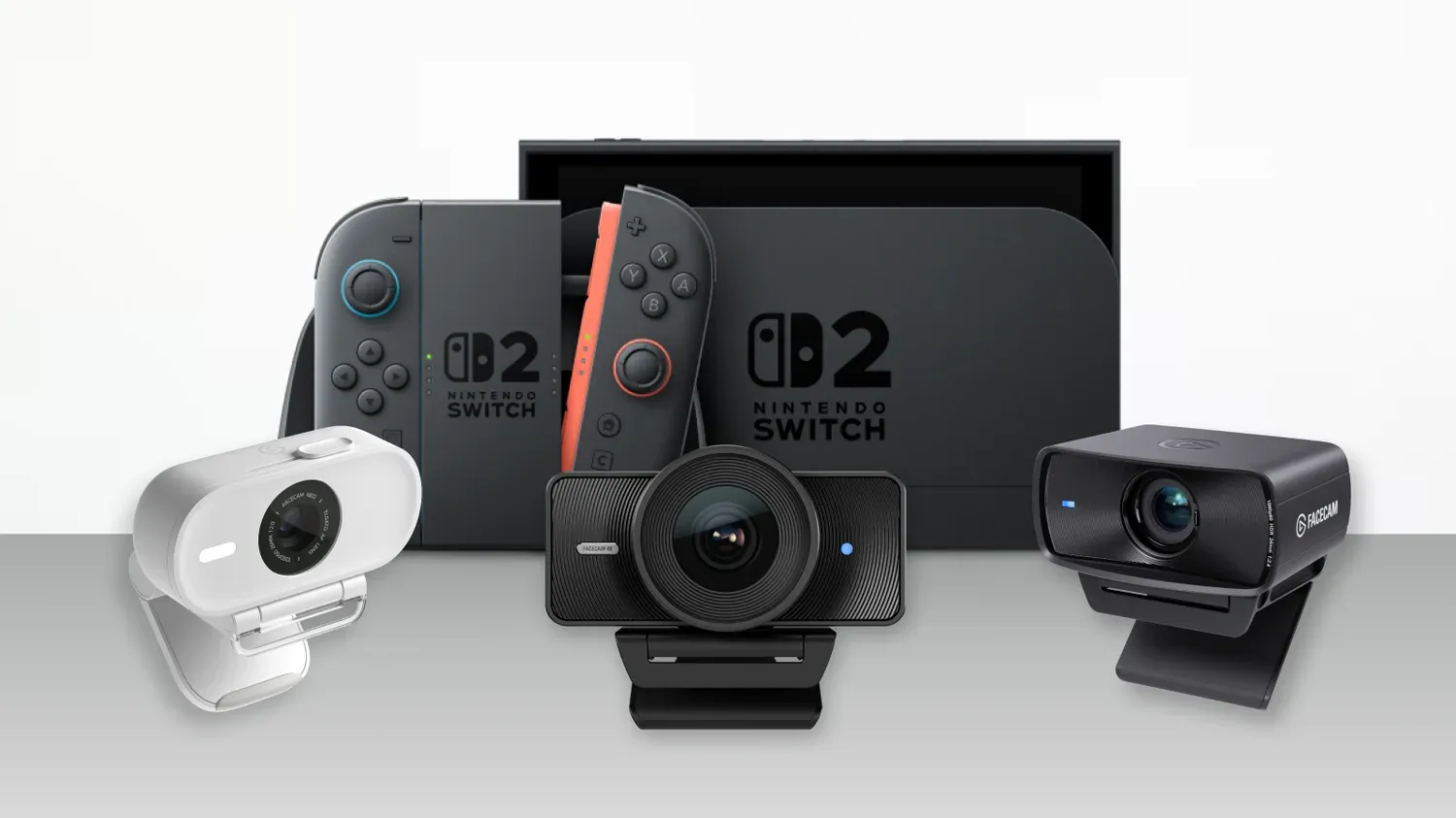
Learn how to use your Elgato Facecam, Neo, MK.2, or 4K with Nintendo Switch 2 GameChat video. Full compatibility guide, setup steps, and customization tips.
 real ledge
Can I remove the background in camera hub as nvidia broadcast can ? Thx
sand fossil
real ledge
Can I remove the background in camera hub as nvidia broadcast can ? Thx
you can do it, but you need to install the nvidia sdk for it.
 real ledge
sand fossil
you can do it, but you need to install the nvidia sdk for it.
real ledge
sand fossil
you can do it, but you need to install the nvidia sdk for it.
Thanks. I did install the SDK what I would like is a full background removal like a chroma key. A bit like a transparent background in PNG files
sand fossil
real ledge
Thanks. I did install the SDK what I would like is a full background removal lik...
you could add this background, and then chroma key in OBS
 real ledge
sand fossil
you could add this background, and then chroma key in OBS
real ledge
sand fossil
you could add this background, and then chroma key in OBS
Thank you so much. It’s a neat trick
sand fossil
real ledge
Thank you so much. It’s a neat trick
You’re welcome
 hard yacht
Hello everyone. I joined this discord hoping someone might have some insight on how to fix an issue i'm having. My Elgato Facecam Mk.2 has stopped working. When connecting or disconnecting it my PC gives the chime. Checking device manager it's listing it under disk drives as GCReader USB Device. I've tried different cables, different USB 3.0 ports, and currently it's plugged into a USB-C port on my PC.
The camera is around 6 months old, and not used often
gray tinsel
hard yacht
Hello everyone. I joined this discord hoping someone might have some insight on ...
Does it also show in Device Manager under Cameras? Does moving it to anther USB port help (would trigger the OS to see it as a new device and reinstall)?
If no to either of those I'd reach out to #official-tech-support as it might have failed. Testing it with another cable or even another computer might help if one is available too.
 pliant jackal
Hey, does anyone knows where the prompter scripts of the elgato camera hub software are stored on my mac? I would like to save, edit or store the scripts. Outside of the elgato prompter camara hub software. Any hints?
sand fossil
pliant jackal
Hey, does anyone knows where the prompter scripts of the elgato camera hub softw...
Any general text file format would work for this, as there is no backup at this time. What I usually do is I use the text app, and then I paste it into the prompter after I’m done editing that script but then I also save that text file as my backup.
 lucid epoch
I have had the same issue for ages with my facecam and annoyed about it.
Every time I start my pc I have to unplug and replug it to work
is there a fix?
gray tinsel
lucid epoch
is there a fix?
Disable Fastboot in BIOS/UEFI. That's the usual hiccup. It can cause devices to get stuck in USB 2.0 mode sometimes when booting up, needing them unplugged and replugged once Windows loads.
hard yacht
gray tinsel
Does it also show in Device Manager under Cameras? Does moving it to anther USB...
I don't have a section called Cameras so i'm gonna guess no? lol
 lucid epoch
gray tinsel
Disable Fastboot in BIOS/UEFI. That's the usual hiccup. It can cause devices t...
lucid epoch
gray tinsel
Disable Fastboot in BIOS/UEFI. That's the usual hiccup. It can cause devices t...
I have done this now, upon start up I did still have to plug and replug.
gray tinsel
If it's still doing it, check for updated drivers for your motherboard / USB Controller, and possibly updated BIOS/UEFI. Doesn't hurt to check in Camera Hub if there's updated camera firmware either
lucid epoch
will do
 cold radish
real ledge
Thanks. I did install the SDK what I would like is a full background removal lik...
cold radish
real ledge
Thanks. I did install the SDK what I would like is a full background removal lik...
You can also use the facecam directly in OBS , and if you have the Nvidia SDKs and an RTX GPU, you can use the Nvidia background removal plugin that comes with OBS.
real ledge
cold radish
You can also use the facecam directly in OBS , and if you have the Nvidia SDKs a...
Thanks a lot ! 🙏
 ashen crest
sand fossil
For those looking to use their Elgato Facecams with Nintendo Switch 2, here’s th...
ashen crest
sand fossil
For those looking to use their Elgato Facecams with Nintendo Switch 2, here’s th...
Really sad the OG Facecam isn't compatible. Upgraded my setup a while back and had it sitting around. Was hoping to find a new use for it
sand fossil
ashen crest
Really sad the OG Facecam isn't compatible. Upgraded my setup a while back and h...
I totally understand. Save for now, and upgrade.
lucid epoch
gray tinsel
If it's still doing it, check for updated drivers for your motherboard / USB Con...
I have done all of this and still no luck
🙁
 red jewel
Hi! question before I buy - which backplate does the new 4k camera use?
Will the pro or ring plate fit? I just hate the cape on the universal honestly
gray tinsel
Universal Shroud for now. Odds are there will eventually be a # printable one up on Marketplace https://marketplace.elgato.com/3d (though there isn't yet). Sometimes you'll find a custom one on sites like Etsy too (especially as there's a blank plate on the Marketplace that folks can edit to print a custom one).
gray tinsel
lucid epoch
I have done all of this and still no luck
If you wnt through all of that and are still hitting the issue, your best bet is to check with #official-tech-support . They may be able to narrow down better what's causing the camera to get stuck in USB 2.0 mode since you've already cleared the usual causes here.
lucid epoch
gray tinsel
If you wnt through all of that and are still hitting the issue, your best bet is...
I fixed it
I had it in the wrong port 😂
had it in 2.0 rather than 3
I am a silly
gray tinsel
Oh, that'd do it too I guess. Surprised it played nice at all. Glad to hear it's working
lucid epoch
Atleast I did a bios update which I needed to do XD
 idle hornet
Please add an option in the camera hub app to change language so I don't have to do this ^^
 gray tinsel
idle hornet
Please add an option in the camera hub app to change language so I don't have to...
gray tinsel
idle hornet
Please add an option in the camera hub app to change language so I don't have to...
This is a community help channel - it's volunteers not staff. If you want to submit a feature request like that to Elgato send it to the link in #feature-request . Good luck
 worn dew
Hello there 🙂 I just get a Cam Link 4K and I want to Connect my Sony ZV-E10 ii with HDMI. In Caméra Hub I see CAM LINK. But no signal. (My Caméra work with HDMI On TV). I am on 1080p on Setting. But nothing. Any Idea where i can find some help ? 🙂 Thank you 🙂
sand fossil
worn dew
Hello there 🙂 I just get a Cam Link 4K and I want to Connect my Sony ZV-E10 ii ...
is it USB 3.0?
sand fossil
worn dew
3.0 ans 3.1 i try
do you have anything else plugged in next to it? also are you using camerahub?
worn dew
No I have nothing. I try to remove all and try (mouse / keyboard …). No caméra hub
sand fossil
worn dew
No I have nothing. I try to remove all and try (mouse / keyboard …). No caméra h...
download and install camera hub. 😉
worn dew
Oh sorry I dont understand. Yes I have this softwares
sand fossil
 worn dew
No signal Show.
sand fossil
worn dew
No signal Show.
is your camera on, and using a dummy battery?
worn dew
I have to disable in ZV E10 ii the way that I can register while in hdmi
Caméra is on and plug with battery on sector alimentation
sand fossil
worn dew
Caméra is on and plug with battery on sector alimentation
in the camera menu, did you sleect USB Streaming?
worn dew
I have this choice only if i plug usb to my computer when I start my caméra
sand fossil
worn dew
I have this choice only if i plug usb to my computer when I start my caméra
see if switching to this mode works please.
worn dew
In Menu Setup > SubMenu 12. I have to set OFF the record when HDMI output
Is if normal ?

If I let it « ON » I have this :
 worn dew
I dont see where sorry
sand fossil
worn dew
I dont see where sorry
I've been reading it's in the camera menu.
worn dew
I see nothing about that in caméra
sand fossil
worn dew
I see nothing about that in caméra
try movie mode
worn dew
I am on 1080p
sand fossil
worn dew
I am on 1080p
change it to 4k
but you need ot be in movie mode
it's the Shoot Mode --> Movie
 rotund path
Hello I recently bought the facecam 4k but realized my PC doesn't have a USB-c port. What is my best option going forward? Will a C to A adaptor work or will I lose quality or can I swap the cord for a C to A cord and be fine?
worn dew
sand fossil
change it to 4k
Same
sand fossil
worn dew
Same
ret a different port. 🙂
worn dew
I try all ^^
sand fossil
worn dew
I try all ^^
I bet, from what I read on reddit, someone had the sme issue, but movie mode fixed it. Might have to open a ticket with #official-tech-support
worn dew
yes I Will try this 🙂 thank you 🙂
sand fossil
worn dew
yes I Will try this 🙂 thank you 🙂
yw! 🙂
sand fossil
rotund path
Hello I recently bought the facecam 4k but realized my PC doesn't have a USB-c p...
you could buy a USB-C to USB-A cable that matches the Elgato specs. Checked the site and 3.0 should be fine. https://help.elgato.com/hc/en-us/articles/37611351550609-Elgato-Facecam-4K-Technical-Specifications
Elgato
These are the technical specifications of Elgato Facecam 4K.. Video Encoding*
YUY2
NV12
MJPG
*When connected by USB 3.0, otherwise MJPEG only Video Resolutions (USB 3)
2160p60 (MJPG only)
2160p30 ...

Elgato
Find official Elgato spare parts to keep your gear in top shape. From mounts to cables, shop genuine replacements for your Elgato products.
rotund path
Thank you very much
 upbeat stratus
Bot got them first 
 weary beacon
Can you record from the Camera hub app?
gray tinsel
No, it's only for setting up the camera for use with other apps (eg effects, tuning, etc) - as well as firmware updates and prompter control
 fathom pollen
Random Question: Is anyone that uses any of the Facecams, newer than the OG Facecam, running into an issue where Camera Hub cranks your ISO to max on start up? This issue doesn't occur in the Elgato Virtual Camera for me but does when I use the Facecam as the source in like OBS or Zoom. Just curious.
vestal silo
I think I have the same problem... I just open the camera hub software when I first boot my PC up and it fixes everything
gray tinsel
Are you two saving your camera hub settings to the device with the save option in the top of the device panel?
fathom pollen
Yes, I am. I even went so far as uninstalling and reinstalling Camera Hub. It shoots ISO to 6400 as soon as I open it and I have to adjust it down.
 robust aurora
Hi there, im new but already have issues id like to present to hopefully solve it ASAP. Ive tried to ask another server about it but no answer so ill copy and paste it to save time
I bought a elgato facecam yesterday and ive had issues since i opened it. Let me go from the start of the opening
I opened the box and set up the camera, after downloading the software, it told me to update the firmware, but it failed 3 times. After the 3rd time of failing, it suddenly stopped working, displaying only a black screen (on the software). After a long time of searching for a solution and some crying, me and my friend came to a conclusion that maybe something could be wrong with the cable that came with the camera.
Now, after 7-8 constant stress and searching, i tried something different. Whenever i point the camera towards a lamp, it shows a vague (not bright at all but still very visible) part of the lamp.
TL;DR I need help with my camera but it only displays my lamp vaguely


Also another thing, whenever i want to increase the vibrancy from 0 to any number, it basically locks itself back to 0
gray tinsel
Try plugging it into a different USB port before doing the update
robust aurora
gray tinsel
Try plugging it into a different USB port before doing the update
i cant do the firmware update anymore, and it says that its on the latest version. whatever i do it goes back to that state in the image above
gray tinsel
robust aurora
i cant do the firmware update anymore, and it says that its on the latest versio...
Hold CTRL while pressing update, then find the firmware file in the Camrea Hub directory
robust aurora
gray tinsel
Hold CTRL while pressing update, then find the firmware file in the Camrea Hub d...
i dont have any firmware files, is there a place i can download one?
gray tinsel
They're always bundled with Camera Hub
robust aurora
there is nothing
 gray tinsel
You're in the pictures folder, look int the installation folder
usually C:\Program Files\Elgato\CameraHub
gray tinsel
Make sure you select the right file for whatever facecam hou have as well. If it's the original it's Facecam Base
robust aurora
its the facecam mk2 i think
gray tinsel
Once you've selected the right file it should flash the firmware without waiting on the version check
Does it look like this?
 robust aurora
yes that correct
gray tinsel
That's mk2 then, yes
robust aurora
and ive finally downloaded the firmware (seen the download actually work)
but its the same issue, dark everything except the bulbs in the lamp and vibrancy is stuck at 0
 gray tinsel
Disable auto exposure on the left and see if anything happens. If not this unit may have a fault and you should exchange it through where you bought it or go through #official-tech-support for exchange.
robust aurora
alright, thanks alot for trying to help! ive literally tried like 5 tech servers, and none even answered.
It seems that nothing works at all so i might as well go there
gray tinsel
A lot of such servers are probably largely asleep this hour on a Saturday. The EU folks might be on the rise, but it's very early in the morning in most of NA.
But yeah, sorry I can't help more with that. Only other thing I can suggest is leaving the camera disconnected overnight or a few hours at least to see if the sensitivity resets once the unit fully discharges
But in this case I have a suspicion it'll come down to a replacement
robust aurora
gray tinsel
But in this case I have a suspicion it'll come down to a replacement
yeah, ill try that, ill try to send it in for replacement by monday but thank either way
unique granite
gray tinsel
A lot of such servers are probably largely asleep this hour on a Saturday. The ...
its 10 am here in sweden
gray tinsel
Yeah, there's a reason I said the EU folks might be on the rise 🙂
Who wants to be up at 10am on a staurday morning doing tech support though?
That said it's 5:42 AM here so maybe my thoughts on that are skewed
fathom pollen
gray tinsel
Are you two saving your camera hub settings to the device with the save option i...
Reaching back out to thank you for helping. This seems to be a Windows specific issue because I installed Camera Hub to my MacBook Pro and I am not having the issue. I am going to reach out to Elgato support.
robust aurora
@gray tinsel sorry for bothering, but would it work if i just did a hard reset of my entire pc to fix this issue? ive had other windows related issues in the meantime and there is no info about that specifit other issue
gray tinsel
robust aurora
<@269997944671830017> sorry for bothering, but would it work if i just did a har...
In theory it's possible, eg if the Windows UVC driver for cameras decided to fail out. In practice I think it's very unlikely though - it looks more like the camera itself can't adjust it's sensitivity up since only the lamp is getting picked up at all.
robust aurora
alright, ive sent out an email to the store i bought it from, ill get an answer on monday and get a replacement asap
gray tinsel
Good luck with it - if there's any issues with swapping it through the store #official-tech-support can likely swap it out on warranty if it was through an authorized reseller
 rugged oyster
Anyone having an issue with the Prompter not displaying Twitch Chat?
Mine connects to the channel but it won't update chat as it comes in.
rugged oyster
I've uninstalled and reinstalled the software.
I've disconnected the channel, reconnected. I've tried other channels as well.
I deleted the settings when uninstalling and started from scratch.
It will not update Twitch Chat. Just says "damiensgaming connected"
"damiensgaming online"
 glacial gazelle
anyone figure out if the firmware crash or whatever has been fixed my camera was working just fine two months ago till I did the firmware update which crashed or whatever and my camera no longer works or can be read mind you Ive never had a problem with it till then but I came back hoping the problem has been fixed or something of the sort???
gray tinsel
glacial gazelle
anyone figure out if the firmware crash or whatever has been fixed my camera was...
If your camera no longer works or even shows up after a firmware flash go through #official-tech-support . If it doesn't show up at all you're not even going to be able to try flashing it again so you pretty much need to look into replacement.
 shadow rune
hi there - anyone with the facecam 4k can confirm that there is a bit of delay when in 4k60?
gray tinsel
It uses MJPEG in 4K60 mode, so there's likely to be a very short delay for compression compared to the uncompressed modes (eg 4K30 NV12, 1080p60 NV12). It should be exteremely short, but you might have to add an audio offset to sync it perfectly
shadow rune
thank you!
glacial gazelle
gray tinsel
If your camera no longer works or even shows up after a firmware flash go throug...
So I’m Screwed because of Firmware update messed my camera up
Well thx for updated me I just wanted to know looks like I’ll be looking into other camera cause I won’t be risking that happening again using There Product
gray tinsel
glacial gazelle
So I’m Screwed because of Firmware update messed my camera up
Is that what official support told you? If so, they'd be the ones who know. Keep in mind this is a community support channel - we don't have the ability to do things like pull and analyze logs from the setup which is why you should contact official support when we can't help
sand fossil
glacial gazelle
Well thx for updated me I just wanted to know looks like I’ll be looking into ot...
hate adding fuel to a fire, but did you try a different USB 3.0 port, or use USB tree and see if there is speed etc... on there.
rugged oyster
rugged oyster
Anyone having an issue with the Prompter not displaying Twitch Chat?
Bumping this message. The prompter will not connect to chat and just sits at "x channel online" "channel connected" but won't display the active chat.
 knotty needle
Hi, i need a longer cable for my Facecam Pro then the original. Is possible to know if third parts cable are working properly or if Elgato produce original cables longer?
gray tinsel
knotty needle
Hi, i need a longer cable for my Facecam Pro then the original. Is possible to k...
Third party cables will work - just make sure they're rated for at least 5 Gbps / USB 3.0 / SuperSpeed or faster. Also note that USB 3.0 cables won't go past 10ft without looking at speciality ones like active cables that have repeaters in side, or sometimes fiber conversion - these can sometimes have compatibility issues, so if you're not sticking to a standard cable under 10ft make sure the cable you get is returnable if it winds up not being compatible.
Any standard USB 3.0 of higher that's 10ft or less should be fine though
gray tinsel
rugged oyster
Bumping this message. The prompter will not connect to chat and just sits at "x ...
Have you already reached out to #official-tech-support on this? It's been 5 days, you'd likely have a reply from them by now.
I've personally never used the feature so can't help much - but check that Camera Hub is up to date to version 2.x . Also make sure the channel name is correct in the channels list in case you rebranded or anything lately.
rugged oyster
gray tinsel
Have you already reached out to <#842491937038925865> on this? It's been 5 days,...
I haven't put a ticket in yet. I put one in for something else and they NEVER got back to me. I'll give it a go and we'll see how it works out.
Yes it is updated to 2.x and no rebranding, etc. Channel name is correct.
I've gone as far as uninstalling the software and reinstalling.
gray tinsel
rugged oyster
I haven't put a ticket in yet. I put one in for something else and they NEVER g...
They're always supposed to get back to you, though it can take a couple days. If that happens again, you can escalate by opening a new ticket referencing the support manager in the issue, and give them your old ticket number that the automated system mails out when you first submit a ticket. They'll track down what happened to not get a reply.
 reef veldt
Hey guys, I need some assistance with el gato Cam link 4k. I have it hooked up to my Panasonic Lumix g7 with the camera in movie mode however, no matter what ive tried, it shows as no video signal on the elgato cam app. Anyone one have any ideas? Ive hooked it up into all different available usb 3.0 ports and that didnt work either.
gray tinsel
reef veldt
Hey guys, I need some assistance with el gato Cam link 4k. I have it hooked up t...
Mac or Windows setup? Does the light on Cam Link 4K light up when in use?
reef veldt
gray tinsel
Mac or Windows setup? Does the light on Cam Link 4K light up when in use?
its windows, when i plug in the cam link 4k, it initially blinks white but then the light does not stay on
gray tinsel
What resolution is the HDMI OUt on the G7 set to? And what frame rate?
reef veldt
gray tinsel
What resolution is the HDMI OUt on the G7 set to? And what frame rate?
im not entirely sure where to see that on the g7
gray tinsel
Of course the manual for it is encoded as a image not text so I can't search it. Gimme a minute let me see if I can find what menu that's in
reef veldt
gray tinsel
Of course the manual for it is encoded as a image not text so I can't search it....
thank you so much, this is so difficult to figure out LOL
gray tinsel
reef veldt
thank you so much, this is so difficult to figure out LOL
So looks like that setting is under general settings, int he TV connection options. (You should also turn off HDMI Info Display in there so the camera HUD doesn't show up on your video output)
In the general settings itself there's also a live view framerate - would be good to know what that's set to
reef veldt
gray tinsel
So looks like that setting is under general settings, int he TV connection optio...
the problem im running into is im not sure where the general settings portion is lol
gray tinsel
It should have a menu button on the camera, then there's a wrench icon on the left side for general settings
reef veldt
gray tinsel
It should have a menu button on the camera, then there's a wrench icon on the le...
are you looking for the rec quality?
it says MP4, 1920x1080, 60p image sensory output 60p28mbps
AAC
gray tinsel
Live preview frame rate, and TV connections resolution
Recording doesn't affect the HDMI output
(which is what Cam Link pulls in)
reef veldt
gray tinsel
Live preview frame rate, and TV connections resolution
ah, it looks like the live view mode is greyed out on the settings but shows 60fps
gray tinsel
Live view options are greyed out? To confirm the camera is connected via HDMI to Cam Link 4K, not going over a USB connection, correct?
(Cam Link itself should be USB, but not the camera)
reef veldt
gray tinsel
Live view options are greyed out? To confirm the camera is connected via HDMI t...
correct
reef veldt
gray tinsel
Live view options are greyed out? To confirm the camera is connected via HDMI t...
im not sure if im locating the settings correctly lol im not seeing either live preview frame rate or tv connections resolution on the menu tab
gray tinsel
Give ma a few minutes, I'm not familiar with the G7, have to look how it gets setup for live view
reef veldt
gray tinsel
Give ma a few minutes, I'm not familiar with the G7, have to look how it gets se...
no prob! another problem im running into now is that my camera hub is showing that my cam link is no longer even connected. states "connect a device" however the cam link light is white
a continuous white light
gray tinsel
huh
reef veldt
im not sure whats happening LOL
gray tinsel
Any chance you plugged it into a USB 2.0 port?
reef veldt
nope, its in a 3.0 lol
gray tinsel
Otherwise I'd restart Camera Hub entirely here (has to be closed from the system tray to close it entirely)

If ti closed correctly then when it comes back up it should say it's initializing the video engine
just right click it there to get the option to close it
reef veldt
upon restart it still states to connect a device with the cam link light remaining on
gray tinsel
Disconnect the Cam Link and try another port to see if it'll pick up
gray tinsel
Unplug the cam link, and restart the compter before trying again. That usually clears out anything that could get stuck there
reef veldt
Will do!
so upon restart, it plugged the cam link back in and its the same issue.. the camera hub says "connect a device" and doesnt display anything and the cam link light is on and white
reef veldt
gray tinsel
Unplug the cam link, and restart the compter before trying again. That usually ...
not sure what i did here lol
gray tinsel
Is the Cam Link right in the port, or using the short little USB dongle it ships with?
reef veldt
gray tinsel
Is the Cam Link right in the port, or using the short little USB dongle it ships...
the short USB dongle it ships with
gray tinsel
If you can remove that and plug it right in, in case there's an issue with the dongle
(also does your USB dongle have a Type A or Type C connection that'll tell me what revision of Cam Link 4K you have)
reef veldt
gray tinsel
(also does your USB dongle have a Type A or Type C connection that'll tell me wh...
plugged it straight in and same issue
its a regular USB dongle on the end of the cam link
gray tinsel
Is the HDMI cable still plugged in? If so disconnect the Cam Link, unplug the HDMI cable and plug it in again - just in case there's some sort of grounding issue or something
reef veldt
gray tinsel
Is the HDMI cable still plugged in? If so disconnect the Cam Link, unplug the H...
so now just the cam link dongle is plugged in and it still shows "Connect a device"
gray tinsel
Sorry - the cam link itself should be plugged in, not hte dongle
We want to bypass the dongle and plug the Cam Link right to the comptuer if possible
reef veldt
gray tinsel
We want to bypass the dongle and plug the Cam Link right to the comptuer if poss...
thats what i meant my bad LOL. the cam link itself is plugged into the pc.
in to a 3.0 port
gray tinsel
If you open Windows Device Manager, does Cam Link 4K show up under the Cameras section?
reef veldt
gray tinsel
If you open Windows Device Manager, does Cam Link 4K show up under the Cameras s...
im not sure where thats located as i dont see a cameras section in my device manager
im not very skilled with tech
gray tinsel
No cameras section like that at all?

That sounds like the PC is no longer seeing the Cam Link correctly which is why the app isn't seeing it
reef veldt
gray tinsel
That sounds like the PC is no longer seeing the Cam Link correctly which is why ...
yea, it looks like i dont even have a camera option
gray tinsel
If moving it to other ports doesn't help and it still doesn'ts give you a cameras section when it's plugged in, there may be an issue with the device. If that's the case you could try exchanging it wherever you purchsed it or go through #official-tech-support to see if there are any other options or get it RMAed.
Does the Device Manager show anything with a yellow exclamation mark or red warning icon anywhere in the list? (it'd be shown right in the main list you wouldn't have to expand anything)
reef veldt
gray tinsel
Does the Device Manager show anything with a yellow exclamation mark or red warn...
there are indeed no red marks or anything on the device manager
its so strange, it was working until i tried to update the camera hub with a certain MCU pack that i saw on reddit to try to fix my camera issue and then it stopped working so i uninstalled the camera hub and reinstalled it but am now getting this issue
gray tinsel
MCU pack?
reef veldt
yes
gray tinsel
Have a link to that?
reef veldt
gray tinsel
Have a link to that?
Reddit
Explore this post and more from the elgato community
however this was on the previous version of the camera hub i was using
i figured uninstalling it would remove that version from my PC but now no versions of this camera hub are viewing it anymore
even after a uninstall and fresh reinstall
gray tinsel
That's a beta firmware version for Cam Link 4K - it may not have been compatible with the revision you have.
reef veldt
gray tinsel
That's a beta firmware version for Cam Link 4K - it may not have been compatible...
I uninstalled my camera hub and reinstalled it tho but now am getting this issue lol
gray tinsel
Did you actually install that file they linked though? That's a firmware version - if it was not compatible with your revision of Cam Link 4K it may have bricked it
reef veldt
gray tinsel
Did you actually install that file they linked though? That's a firmware versio...
oh snap. how do i unbrick it? lol
i did install that file through the method they listed
does uninstalling the camera hub app not fix it?
gray tinsel
Yeah, the reason you have to hold CTRL to install that update is it bypasses version checks. That may have allowed it to install an incompatible firmware. Check with #official-tech-support - I'm not sure if you can roll it back without Camera Hub seeing it, they may have a solution or be able to RMA it though
reef veldt
gray tinsel
Yeah, the reason you have to hold CTRL to install that update is it bypasses ver...
ah so i bricked the ENTIRE cam link device is what ur saying?
gray tinsel
Possibly. There's been a whole new hardware revision to Cam Link 4K since that post 2 years ago. If you have the new version it would not work with the old version's firmware loaded on it
reef veldt
gray tinsel
Possibly. There's been a whole new hardware revision to Cam Link 4K since that ...
rip.. im better off just getting a fresh new cam link at this point and trying again lol
i figured out the settings portion of the camera, it is set to 1080p 30FPS
gray tinsel
That's a 2 year old firmware too - it should already be part of the newer Cam Links
That's a good sign at least
reef veldt
RIP. ok well ill pick up a new cam link and try again tomorrow. will keep you posted if it doesnt work!
thanks for trying to help 🙂
gray tinsel
Yeah, sorry we couldn't get it working. With any luck a new unit will sort it out. Good luck with exchanging it
gray tinsel
reef veldt
ah so i bricked the ENTIRE cam link device is what ur saying?
I should also mention you can tell if it's a new revision - if so it'll have model 20GAM9903 on the bottom
reef veldt
gray tinsel
I should also mention you can tell if it's a new revision - if so it'll have mod...
ah i think i have a REALLY old cam link, because the serial number is like FX09 etc etc
it doesnt even have 20GAM on it
ive had this same cam link + camera set up for like 4-5 yrs
i just recently moved and it stopped working when restarting my pc set up
gray tinsel
Model number should be in the top left of the bottom of it, in small print
reef veldt
gray tinsel
Model number should be in the top left of the bottom of it, in small print
ah mine is 20GAM9901
gray tinsel
Okay, that's revision 1. Sadly I don't know if the firmware you downloaded there was meant for that revision or not. If it rolled back from a newer firmware the device had it could also cause issues. I'd check with support to see if they know how to recover it - but if the unit is already 4-5 years old, all the swapping around and such much night have done it any favors.
It might also be worth letting it rest overnight and try agian in the morning, in case it took a shock or something during allt he moving
reef veldt
gray tinsel
Okay, that's revision 1. Sadly I don't know if the firmware you downloaded ther...
yea haha, i think its time for an update anyway lol
gray tinsel
If you do get a new one, the one with 20GAM9903 now has 4K60 support too. the old ones capped at 4K30.
It added MJPEG compression support to allow for 4K60 which the older ones don't have
reef veldt
gray tinsel
It added MJPEG compression support to allow for 4K60 which the older ones don't ...
might call on you to help set it up tomorrow haha
gray tinsel
No worries, good luck with it!
 silent orbit
rugged oyster
Bumping this message. The prompter will not connect to chat and just sits at "x ...
silent orbit
rugged oyster
Bumping this message. The prompter will not connect to chat and just sits at "x ...
I also had noticed that issue tonight on my broadcast, I had to turn my teleprompter into a mirror instead and use another monitor for the chat. Tried updating the Camera Hub and still no connection. Attempted several restarts of the Hub and Windows.
 halcyon chasm
silent orbit
I also had noticed that issue tonight on my broadcast, I had to turn my teleprom...
halcyon chasm
silent orbit
I also had noticed that issue tonight on my broadcast, I had to turn my teleprom...
Hello my name is InventorBLADES.
May I respectfully tag into this conversation as well? I am experiencing the same exact problem. I even went to the el gato site and downloaded the displaylink and reinstalled the camera hun software itself. Restarted and updated pc and chrome to no avail. I noticed the “chat” for twitch no longer says “beta” so maybe something changed when that did? It was working prior to that change. Also I’m sorry for chiming in and hope it’s ok @rugged oyster & @silent orbit @gray tinsel
reef veldt
gray tinsel
No worries, good luck with it!
update, the new cam link worked! 🙂
gray tinsel
reef veldt
update, the new cam link worked! 🙂
Glad to hear it!
 chilly orbit
Eversince the last update - it is not possible to see my twitch channel chat in the prompter, i've tried to uninstall and reinstall the software but nothing works. Screen and Text modes are ok.
gray tinsel
chilly orbit
Eversince the last update - it is not possible to see my twitch channel chat in ...
Seen a few people mention that this weekend. We don't have an update on what's going on there in the community that I'm aware of - I suggest reaching out to #official-tech-support about that issue.
 ornate brook
Is there any update on that problem with the twitch chat? I got the same issue
gray tinsel
ornate brook
Is there any update on that problem with the twitch chat? I got the same issue
No - it's hasn't even been 12 hours since my last message here on that, and the channel has been dead quiet since. The community support volunteers do not have news on this, or we'd have mentioned it here for the last few folks - check with #official-tech-support for now, to make sure they're aware that there is an issue and see if they have any additional troubleshooting steps to try or potential fixxes. I'm assuming you already tried removing and readding your chat?
gray tinsel
ornate brook
Chill dont be so offensive
Wasn't trying to offend, just assumed you'd missed the timestamp or previous message. Whatever is going on only started getting reported here the weekend so we don't have any updates on what's up.
The rest of it was just a reminder that this channel is not the official support team (as that's a semi-common thing for folks to miss), so you can check with them too as they liekly have more info than we do here
sand fossil
ornate brook
Is there any update on that problem with the twitch chat? I got the same issue
There are work arounds using other ways to display chats until it’s resolved. Please try Display mode, and pop out your Twitch Chat there so you ca view it until elgato has a fix.
ornate brook
Jeeez i just asked, whats wrong with you guys?
You told me no update, fine no problem
gray tinsel
? Vic is just offering a workaround until there is an update. I get that I came across too blunt, but I'm not sure what the issue is with the workaround?
vague vessel

 north pier
I'll ask here. I have the MK2 Facecam. It wanted to do a firmware update which I did. Since the update the minute I open Discord the camera makes the usb connect/disconnect sound non stop. I have to unplug the camera to get it to stop. This is making it impossible to stream with my team in a Discord chat. 🙁
gray tinsel
north pier
I'll ask here. I have the MK2 Facecam. It wanted to do a firmware update which I...
Are you using the camera directly in Discord, or via Elgato Virtual Camera? It might also be worth restarting the system after the update, if you haven't already. if apps are having issues with it.
Are there any errors that pop up with the disconnect noise?
 buoyant cape
🗣️ Our team is aware the Twitch Chat issue in Camera Hub, FYI
rugged oyster
halcyon chasm
Hello my name is InventorBLADES.
May I respectfully tag into this conversation ...
I got an e-mail back from support.
This is a known issue and is being address in an upcoming patch.
Nothing we can do for the time being.
halcyon chasm
Awesome man!!! Thanks for tagging me @rugged oyster dude! Yea I noticed the second it changed from (beta) to chat it wasn’t working so I thought it could only be an update bug. Thanks man! I’m sure they will get it fixed asap. Whoop. Just glad they are on it.
north pier
gray tinsel
Are you using the camera directly in Discord, or via Elgato Virtual Camera? It ...
No, I just open Discord and the USB connect/disconnect sound starts and doesn't stop. So I would unplug something..sound continued. Plug that back in and unplug something else. Eventually figured out it was the camera. Reboot, open Discord, sound started, unplugged camera and it stopped.
unique granite
north pier
No, I just open Discord and the USB connect/disconnect sound starts and doesn't ...
Does it happen when you open Camera Hub?
buoyant cape
buoyant cape
🗣️ Our team is aware the Twitch Chat issue in Camera Hub, FYI
New update is out which should solve this.
Oh yea, it's 2.1.1.6518. So check for updates in your app 🔍
 ocean basalt
Hey I have a question. I recently upgraded to the newest Camera Hub update and ever since I can not get my Twitch chat to work in my prompter? It was working before for a long time and now it has just stopped? When I add my channel it says it is connected and when I go live it says I am online but the chat does not show up. Any suggestions or troubleshooting steps you guys can help with?
gray tinsel
ocean basalt
Hey I have a question. I recently upgraded to the newest Camera Hub update and e...
The newest update came out just a few hours ago to fix that. See Brett's post above.
Once you have version 2.1.1.6518 the chat should work again
ocean basalt
OK great. I will update again tonight. Thanks!
gray tinsel
No problem, good luck with it!
ocean basalt
Guess it pays to read the chat messages before…I’ll do better! 
gray tinsel
All good 🙂
north pier
unique granite
Does it happen when you open Camera Hub?
When I get home I will try. I rarely use the hub since I have to have OBS open when I stream.
sand fossil
ornate brook
Jeeez i just asked, whats wrong with you guys?
what's your problem? you came in here asking, and so the community help. if you don't want people to reply to you, contact #official-tech-support moving forward. good day to you.
north pier
unique granite
Does it happen when you open Camera Hub?
In answer to your question, yes the min I open Discord the sound starts. I opened the Hub the camera turns on, then off makes the sound, turns on again and stops. If I open Discord but do not open the hub the sound doesn't stop. I can't keep the hub open though when I need to use OBS.
 astral jacinth
Hello, can anyone please tell me the distance from the central screw to the edge of the L plate? I would need to use it for my dslr but it looks from photos that there might not be room for the power cable out of the battery compartment. Thanks.
 opal zephyr
I have the Elgato prompter, and it came with the master mount, but even at it's lowest height setting, it's still too high to look at it comfortably, and small for me to see. I really love the colors for the Dreamscape collection, and while it may be a dumb question since it's intended as a mic arm, is the LP mount compatible to mount it lower?
violet hawk
opal zephyr
I have the Elgato prompter, and it came with the master mount, but even at it's ...
Yes, any of the mic arms, desk mount etc works also
opal zephyr
violet hawk
Yes, any of the mic arms, desk mount etc works also
Thank you that's amazing news!
 manic sable
Hello, guys how you guys doing
 exotic galleon
hello
i have a question
which is the difference between facecam pro and the facecam 4K?
are the same? but being the latest with infinite focus?
that is what i understand
don't worry anyways i found the comparison table finally https://www.elgato.com/us/en/explorer/products/camera/difference-between-facecam-4k-and-facecam-pro/
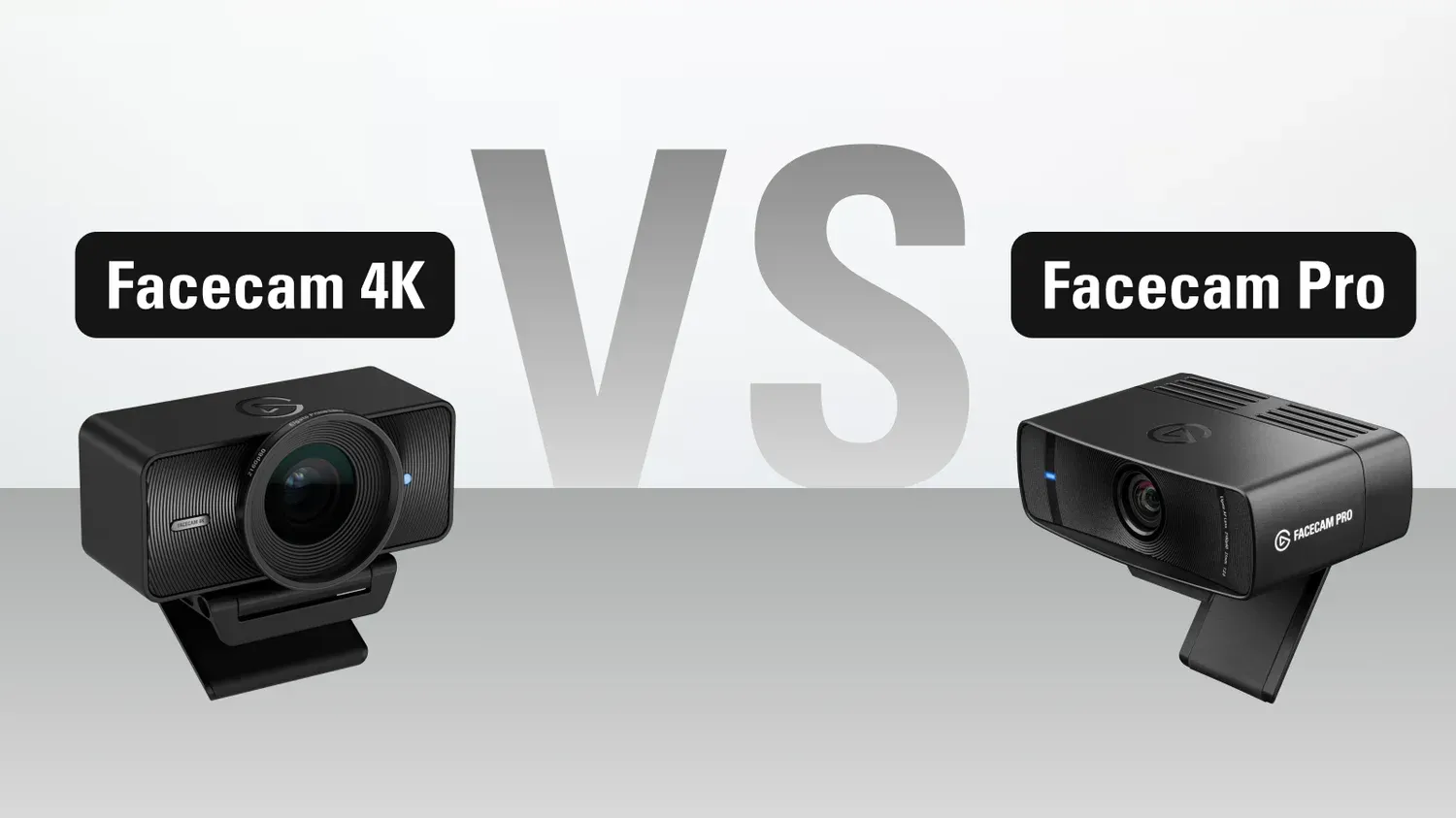
Looking to upgrade your webcam? Find out the differences between Facecam 4K and Facecam Pro.
woa if supossed to be bad to be the aperture f4.0 instead of f2.0? thinking to use a old iphone instead
my Motorola Edge 40 has a badass camera anyway
buoyant cape
exotic galleon
woa if supossed to be bad to be the aperture f4.0 instead of f2.0? thinking to u...
F/4 isn't inherently better or worse in terms of quality. On a technical level, an F/4 lens lets in about 1/4th the light of an F2.0 lens. So you need to set the ISO 4x higher which can lead to more noise.
Facecam 4K needs a lot of light to look its best. If you are in a dim space and don't want a lot of lights on, then it might not be the best choice there.
The F/4 aperture allows Facecam 4K to keep you in focus much more of the time without needing an auto focusing lens.
exotic galleon
buoyant cape
F/4 isn't inherently better or worse in terms of quality. On a technical level, ...
so the aperture setting for the Facecam 4K is just for the focus only. i understand. sad that about the lights. the latest thing i want is noise on the image. i play comp FPS and i dim the monitor brightness and contrast to see better and don't hurt my eyes so i don't want to power straight full up the lights annoying my eyes just to look good. Maybe just Epoccam will be fine. sad. i want the real standalone facecam.
now i don't know if choose it or not
 wide scarab
Hey y'all, is there any plan to update the driver for Elgato Camera Hub?
The new software update looks beautiful, but there's still some serious issues with the Windows 7 driver that's packaged with it.
The driver causes major DPC Routine execution time lag. This is always solved by uninstalling Elgato Camera Hub and restarting.
Having this high DPC Routine execution time causes crackling/popping for audio and microphones.

Just wondering if anyone in the community has figured out a way to fix this
final cloak
Sry, windows 7?
I think I can confidently say without checking first… that Elgato development is not testing against windows 7 for many years now.
You should use software versions contemporary with the os you’re using.
 broken prism
my elgato camera hub keeps crashing on my computer
after the latest update and firmware update
sand fossil
broken prism
after the latest update and firmware update
Try repairing the install and see if that resolves it for you
broken prism
sand fossil
Try repairing the install and see if that resolves it for you
I have and it keeps crashing
trying to see if uninstalling and reinstalling does the trick
nope still doing it, this is getting very annoying
sand fossil
broken prism
nope still doing it, this is getting very annoying
Open a ticket with #official-tech-support
 shrewd blade
Hello, I bought the Elgato Facecam MK2. After connecting it, I immediately got an image in the software preview. Then I was supposed to update the camera. No sooner said than done. However, the update aborted, and I got a message telling me to restart the camera. Since then, I've had a black screen. I've already restarted my computer, tried a different cable, and reinstalled the software. Nothing helped. Has anyone else had this problem?
final cloak
I think firmware aborts are usually fixed by using a different usb port
 final cloak
If you hold ctrl while clicking that, does the firmware update show up?
shrewd blade
Yes, but I can not update because the firmware is up to date, according to the software
final cloak
Well, that’s basically all my tricks so maybe time to contact #official-tech-support
If the firmware .bin is still in your temp files anywhere you could try running it manually again.
Ctrl click the update button should make it ask you for a file.
shrewd blade
i cant find that file. i create a ticket. Thank you
i even tried it on another PC. Same problem there. Seems to be the Camera itself
gray tinsel
shrewd blade
Yes, but I can not update because the firmware is up to date, according to the s...
You can flash it again even if it's up to date to see if tha thelps - hold CTRL again while hitting update, find the firmware file for Mk2 in the Camera Hub installation directory (FW_Facecam_MK2_Base.bin).
I'd try it on another USB port if possible like jnTracks was suggesting if you do that though to see if i improves things
final cloak

 hollow osprey
This is more concerning Elgato Camera Hub. There's an option that currently has an exclamation point advising to download to activate, however, I'm unsure which file to download for an an RTX A6000?
 gray tinsel
I'm not 100% sure, but I'd guess the 30 series, since it shares architecture with those. Might be a question for #official-tech-support or even NVidia support though
final cloak
Is there a separate SDK for the pro series?
Maybe not. Seems they have a SDK manager now, and the download page is segmenting them by architecture, not GeForce vs pro.
gray tinsel
If there is, it's not listed on the NVidia Broadcast site - but it is a Ampere card
hollow osprey
Thanks! I wasn't sure at all. Not real informatiive, their site.
hollow osprey
None of the files work, so I guess I won't be able to take advantage of the face thingy
 gray tinsel
hollow osprey
None of the files work, so I guess I won't be able to take advantage of the face...
gray tinsel
hollow osprey
None of the files work, so I guess I won't be able to take advantage of the face...
I'd check with Nvidia support - since it's their Broadcast API, if it's compatible with the A6000 they should be able to tell you what to use, or even if there's a different download link for the workstation cards
hollow osprey
Thanks
 toxic bridge
Hello i need help/ I buy Elgato Face cam Pro but maximum resolution is 1080 60, why i cant select 4k ?

 knotty needle
toxic bridge
Hello i need help/ I buy Elgato Face cam Pro but maximum resolution is 1080 60, ...
knotty needle
toxic bridge
Hello i need help/ I buy Elgato Face cam Pro but maximum resolution is 1080 60, ...
You need to choose another usb input. Must be fast usb. In normal usb C the resolution will be FullHD
toxic bridge
knotty needle
You need to choose another usb input. Must be fast usb. In normal usb C the reso...
thx ill try this
toxic bridge
knotty needle
You need to choose another usb input. Must be fast usb. In normal usb C the reso...
its only usb с right ?
knotty needle
toxic bridge
its only usb с right ?
Yes but not every usb c port is fast. So you have to choose the faster one. 10Gb i supposed
toxic bridge
knotty needle
Yes but not every usb c port is fast. So you have to choose the faster one. 10Gb...
I only have 1 USB type С on the motherboard, maybe there is some kind of adapter to insert it into USB 3.0 for example?
knotty needle
I don't know if will work
final cloak
toxic bridge
I only have 1 USB type С on the motherboard, maybe there is some kind of adapter...
Usbc is a connector, not a speed. Any of your usb A ports could be fast enough. Look up your motherboard manual to see how fast they are.
Also, could be some other settings in camera hub, like if you have effects running, or some of the cameras reduce if you turn on hdr. I don’t know the details for that exact camera.
toxic bridge
@knotty needle@final cloak I bought a USB 3.0 adapter, usb 30 A male to USB С female = 1080 60. I plugged it into the motherboard, nothing changed, still 1080 60
Isochronous and Bulk modes doesn't help to
final cloak
Check the motherboard manual to confirm what the different ports are capable of for speed. Don’t just assume. Also the adapter might be slower.
Ultimately, download usb free viewer to absolutely verify what speed the camera is connecting at on the different ports and with different adapters.
gray tinsel
toxic bridge
Hello i need help/ I buy Elgato Face cam Pro but maximum resolution is 1080 60, ...
Do you have any effects turned on? The Effects engine from the NVidia Broadcast API will limit you to 1080p mode.
 drifting nexus
Hi all I have an Elgato 4k60 mk2. It was rough trying to get my mirrorless Nikon Z6II connected a couple years ago but once it made the connection with the 4k Capture App it’s worked the last couple years. Well recently I tried to setup a podcast in Riverside and ever since my camera has not been able to make a connection through Capture Card anymore. I’ve spent several hours troubleshooting and trying to get the connection back. If anyone has run into this issue before or can help, would be greatly appreciated. Thanks!
gray tinsel
Does 4KCU at least show a source signal in the top right when the camera is connected?
drifting nexus
So the center of the app says “no signal” but from time to time the top will change the output like 1080p30 to 1080p60. I actually did get it connected once and worked for about 15 minutes in descript then didn’t show in Riverside again. I have tried my ps5 into the capture card and works perfectly. I’ve also plugged my camera into my tv and feeds through to that fine so it seems to be a capture card/elgato app/pc issue talking to my camera?
When I first setup my camera a couple years ago it took several hours as well and then not sure what happened I just turned on the camera once to try it again and it worked with no issues. So I’ve experienced this issue before but hasn’t seemed to be any rhyme or reason for the issue or exactly how to fix
gray tinsel
drifting nexus
When I first setup my camera a couple years ago it took several hours as well an...
Does the camera menu have options for setting the video resolution and framerate for HDMI OUT? I would not expect it to change between 1080p60 and 1080p30 on it's own normally, unless there's an issue with the settings or the cable you're using is impaired
drifting nexus
Yes I’ve always had it set to 2160P30 which is what worked before it stopped working. I’ve tried though adjusting both the hdmi and the and movie options to 1080p and 1080p60 &30 to try to get it to sync up. Different variants of this probably 100 different ways to try to sync it up with the Elgato app. Probably have reinstalled the app too 20 or 30 times as well as the drivers. I’d like to have been able to try to figure it out myself but I’m at the point in starting to pull my hair over it haha
gray tinsel
Is there a monitor in the HDMI out of the card, and if so does the camera show up on that? If there's not try setting the card's input EDID mode to Internal in 4K Capture Utility settings under the device tab
drifting nexus
There is no monitor on the Out. So just the in for my camera. I have tried as well switching the edid mode to internal versus merge or bypass I think the other options were? So I’ve cycled through them quite a bit
drifting nexus
I’m definitely open to there being something I haven’t tried yet but I feel like I’ve exhausted all the troubleshooting. Moved the Card to another slot on my motherboard. Switched out hdmi cords. Tested multiple times it connects to my tv through hdmi. Tested multiple times that my ps5 works on the capture card. Tried several versions of settings in the Capture app and my camera to try to get it all to sync. Redownloaded the app and drivers multiple times. It’d be easy if for some reason I found that my os5 didn’t work through thr capture because then it’s probably a capture card issue. But everything in part seems to work perfectly well. It’s just that final connection between the camera and showing it through the capture card to my pc. I’m just not too sure what options I have. I know people record like this all the time so seems odd I just can’t get it to sync
drifting nexus
Also meant to put this in capture cards accidentally clicked this chat maybe I should be posting over there
toxic bridge
gray tinsel
Do you have any effects turned on? The Effects engine from the NVidia Broadcast...
No effects
gray tinsel
toxic bridge
No effects
Next thing to check - if you're on Win 11 24H2, they added a new feature called multicam that can lock your resolution in. Go to Windows Settings, serach for "Manage Cameras" . Find Facecam Pro and check if the advanced settings option is there. If it is make sure the multi cam option is disabled as it can lock you at 1080p
toxic bridge
gray tinsel
Next thing to check - if you're on Win 11 24H2, they added a new feature called ...
HUGE HUMAN THANKS!!! YOU SAVED ME!!! I ALREADY WANTED TO ISSUE A REFUND, SO I WAITED FOR THE CAMERA AND THE CAMERA FOR SO LONG!!!!
YOU'RE THE BEST! ❤️ 🔥 ❤️ 🔥 ❤️ 🔥 ❤️ 🔥 ❤️
gray tinsel
toxic bridge
HUGE HUMAN THANKS!!! YOU SAVED ME!!! I ALREADY WANTED TO ISSUE A REFUND, SO I WA...
Glad to hear it's sorted - that's a new issue so doesn't come up often. Only got added in the most recent feature update to Win 11 24H2
toxic bridge
gray tinsel
Glad to hear it's sorted - that's a new issue so doesn't come up often. Only go...
It's strange that Elgato themselves don 't mention this anywhere 🤷
gray tinsel
It's come up on the reddit a few times, but it's a very recent issue. It'll likely wind up in the help docs soon enough
toxic bridge
gray tinsel
It's come up on the reddit a few times, but it's a very recent issue. It'll lik...
😅 On Reddit, I often saw the phrase from official account: "We have passed the information to our team and will return with an answer," and no one returned. 😄 😄 😄
gray tinsel
Depending on the issue sometimes those replies get dm'ed - or if they have a ticket in that they're escalating replies happen on that instead. Depends on if that goes to a different team or not. Sometimes it does get missed though, yeah.
Being someone who does support on reddit, it's not 100% reliable for updates either these days. I miss the old days of custom apps that didn't eat my updates or notices 🙁
toxic bridge
gray tinsel
Depending on the issue sometimes those replies get dm'ed - or if they have a tic...
Previously, it was generally better in terms of updates in any direction. Rarely, but with high quality. And now sometimes it's already scary to update your computer or phone so as not to get a brick.
gray tinsel
Yeah, 24H2 in particular has been a bundle of issues over it's lifecycle. when it first came out it broke so many sound thigns
toxic bridge
gray tinsel
Yeah, 24H2 in particular has been a bundle of issues over it's lifecycle. when ...
So I'm not the only one... I'm so tired of re-configuring audio tracks and lines for Voice meter and Vst plug-ins after every single update.
 rancid warren
hi
gray tinsel
Hello
 native palm
Are there any settings that can be adjusted in obs or camera hub to help with the amount of resources obs takes on the camera? I have changed my facecam from 4k to 1080 to avoid obs being overloaded and dropping frames.
final cloak
resolution and frame rate. drop to 30fps and it'll be doing half the work, from 60. If you have any filters on it in OBS that could impact it, though I've never seen any be significant.
native palm
Yeah, dropping from 4k to 1080 did a lot. I would rather keep the 60 fps. Just didnt know about usb setting in camera hub or color space things can help with compression
final cloak
some cameras drop down to lower modes or different compression modes like MJPEG when on slower USB connections.
But that's all automatic based on what it's connected to. Camera hub will show all the options that are available, and I think what happens is the ones you can't use just aren't in the list, if you're on a slower USB port.
For example on my camera if I turn on HDR it will go to 30fps. And then if I turn 60fps back on it will turn off HDR.
 timid cairn
Question, would it be possible to add the Prompter script reading feature to the Corsair - Xeneon Edge without having a prompter?
For my use case, I don't need to be looking at the camera, but could still benefit from a script reading feature. And with the new Xeneon Edge, and having it under your monitor, it'd be pretty useful I'd imagine.
sand fossil
timid cairn
Question, would it be possible to add the Prompter script reading feature to the...
#feature-request this is a great idea!!!
timid cairn
sand fossil
<#878510201173585971> this is a great idea!!!
Glad someone agrees
violet hawk
all the love
timid cairn
Like in theory, it should be easy to do
I mean, all the prompter is is a screen with a camera hole
And a mirror
The software already exists
sand fossil
timid cairn
The software already exists
might also want to suggest to Corsair too... They are the Parent Company of Elgato, and they already have Virtual Stream Deck on it, so it wouldn't surprise me if the devs. collab on this... I would love for it to be a thing, as they already brought Twitch Chat over too it.
timid cairn
Time to pop in their Discord again too 😂
It’s times like these I wish I had a contact like some of the other creators 😂
sand fossil
timid cairn
It’s times like these I wish I had a contact like some of the other creators 😂
IDK what you're talking about! 

it would be cool to be an insider though.
timid cairn
Listen, if you have someone to pitch it to, go for it
I’m slowly but surely getting my setup how I want. I have so much printing and modeling to do it isn’t even funny 😂
sand fossil
timid cairn
I’m slowly but surely getting my setup how I want. I have so much printing and m...
I also fill out the #feature-request for things... IDK if it will ever happen, but it's such a great idea.
sand fossil
timid cairn
I’m slowly but surely getting my setup how I want. I have so much printing and m...
make a power point!!! maybe they will listen. lol
or a video...
how about a 30 sec ptich!
😉
timid cairn
I might just do that once I get my Edge
Like for me, I’m a VTuber. So eye contact isn’t necessarily a thing I have to focus on when looking down. And how I’m doing my Edge it’ll only require me to look down without adjusting my head

 thorny fog
Hi, i have a Facecam 4K but i was wondering if i were to buy a Prompter from Elgato's website as of today, would i be getting the Facecam Pro backplate or the Facecam 4K backplate?
as a purchase for location "Rest of Europe"
i recall seeing somewhere mentioning that all future Prompter purchases would include the Facecam 4K backplate instead, but what's the situation as of right now?
gray tinsel
I'm not sure if they already started that or not - There's a 3D printable backplate if you get one that had Facecam Pro's backplate instead though https://marketplace.elgato.com/product/facecam-4k-backplate-f0a58130-bac3-4da7-a765-b081ee13162b
violet hawk
<@&581565551495741448>
sand fossil
<@&581565551495741448> please check all channels
violet hawk
already tagged em
sand fossil
violet hawk
already tagged em
it's in a few places...
violet hawk
exactly 2 yes.
thorny fog
gray tinsel
I'm not sure if they already started that or not - There's a 3D printable backpl...
oh did didn't know that, thanks
yeah it would be nice to know if it really started or not
gray tinsel
Thing is even if we know it's started, depending on where you order from you could get an older box
thorny fog
that's true yeah
well i would assume buying from the elgato website with location "Rest of Europe" would count
but i have no idea 😅
gray tinsel
Most likely
thorny fog
do you know if the new packplate is the only thing that's different in the new box compared to the old box?
gray tinsel
As far as I know, yes
thorny fog
👍
gray tinsel
Only other thing I could see them changing is replacing the USB cable with a USB-C since they've started that on some products
thorny fog
oh yeah because it originally comes with a USB-A to C cable
oh well i can always get around that if so
well if someone 100% knows the answer if i would be getting the facecam 4k backplate if i order today on the elgato website in europe, please let me know by tagging me
i'll be having a look at that 3d print from the marketplace too
thanks Arcsane for your help 👍
gray tinsel
You might be able to check with customer service too - #official-tech-support has the email form, and there's phone numbers in the top right of the link they send you to there.
They're open 10 AM - 5 PM pacific, so for about another 4.5 hours today
wide scarab
final cloak
I think I can confidently say without checking first… that Elgato development is...
Sorry, understandable why you would think I was on Windows 7.
I'm on Windows 11, but the Elgato Camera HUB is packaged with a Windows 7 driver as you can see from my screenshot.
It's causing insane audio delay and makes my microphone crackle and pop whenever I talk/stop talking.
final cloak
Don’t know, then.
Maybe share a recording?
I will say the ASmedia usb chipsets have been notorious for causing audio problems. Comes up with capture cards a lot lately.
Not to blame a walk away, but I don’t know what else to try as troubleshooting steps besides different ports and would be worth checking if your motherboard has that chipset on some of them.
Often some usb ports are direct to the cpu instead, so trying that might work, if this is the issue.
knotty needle
Hi all, why are some apps, sometimes even games, opening on my prompter screen and not on the primary monitor? This happens randomly and without any apparent reason. This is frustrating because in case of games is impossible to moving between the monitors.
final cloak
Assuming windows here since you didn’t specify…
Win+shift+ right or left arrow to move apps between displays.
Windows will typically open games and apps on the primary display unless it remembers their location from where it was when last opened.
Check your display settings to arrange your displays and assign which one is primary.
 west flame
Hi folks - mind if I ask a teleprompter question?
final cloak
This is the place for it. Volunteers are in and out as they have availability.
 jovial kayak
Hi all,
I updated the Elgato camera firmware and the Camera Hub software, so the latest version is installed. Since I did these updates, the camera randomly freezes and the image stops. Has anyone else experienced this issue? What could be the solution?
 modest jacinth
Hey! Just got the MK2 today! I downloaded the Camera Hub Software to properly just the lightning and such. Now when I want to use it on OBS even via Virtual Camera Property, it kinda doesn't transfer over in the same look. Like it just looks better in the Camera Hub. Any ideas or is OBS ALWAYS gonna look worse for it? Do I maybe gotta Capture the Camera Hub window and do it that?
final cloak
modest jacinth
Hey! Just got the MK2 today! I downloaded the Camera Hub Software to properly ju...
Do you have filters on the video source in OBS?
Camera hub is a controller so it’s showing you what the camera looks like.
modest jacinth
final cloak
Do you have filters on the video source in OBS?
Camera hub is a controller so i...
Yeah Chroma Key
final cloak
modest jacinth
Yeah Chroma Key
well there you go! Turn off all filters on the video source and it will look unchanged.
Chroma key will impact your image so you can tune that to get the key you want with the least change to the source image, but it depends on the look of your shot and usually how well your background is lit as to how good your key can get with minimal impact to the look of the camera.
modest jacinth
Well now I wonder if Elgato sells a stand for their Webcams? Not necessarily boom arm like but rather to just place directly on the table? Like something like this from Logitech?

Or is it compatible?
gray tinsel
Any Elgato Camera can be used with all the multmount stuff, including Desk Stand (and the discontinued Mini Mount as well)

 jolly sundial
 hearty python
what do we think
hearty python
what do we think
That could work really well. You can mount lights to the prompter but they will be slightly offset.
hearty python
jolly sundial
That could work really well. You can mount lights to the prompter but they will ...
I will most likely lowed the mount as low as possible
and use a flex arm
sand fossil
hearty python
what are those softbox grid typa things you got
I hope this helps! https://www.etsy.com/listing/4313547705/elgato-key-light-grid-cover
 verbal storm
Just bought one of these grids what an awesome product I’m excited!
modest jacinth
I got 4 lights and an Elgato Green Screen but I can't for the life of me manage to get a good green screen and camera result in OBS. Either I am flickering or something else is going on. Quality seems mushy and like mentioned when trying to key out the green in Davinci I remain having outlines. Is it really the light? The Camera? The settings?
The lights are rather cheap, two are strong and two are softer. Would 2 Keylights really do the trick?
 scenic fiber
modest jacinth
I got 4 lights and an Elgato Green Screen but I can't for the life of me manage ...
scenic fiber
modest jacinth
I got 4 lights and an Elgato Green Screen but I can't for the life of me manage ...
Do you have a screenshot of your settings / picture of the cam output?
gray tinsel
It would also help to know what your lighting setup is laid out like - usual cause of flilckering chroma key is inconsistent backlighting, resulting in shadows on the green screen that throw it off
modest jacinth
A video test with 2 Softboxes and then 2 Softboxes + 2 Stronger Lights
The setup (no stand yet so makeshift place for the cam and I know the acoustic stuff is barely holding on after 3 years LOL). Also OBS and Elgato Hub settings.


 modest jacinth
I keep trying around and the result is just mushy and bad. Is it really on the camera? Why when I google for Green screen settings for the Cam Hub I find nothing? Is it just not meant to be for that?
gray tinsel
Do you have any lights behind you just for the green screen to prevent shadows? That's a potential risk. Shadows can result in uneven color, which can mess with the Chroma Keying
Camera hub doesn't do Chroma Key on its own, that's something you'd use an OBS filter or other app for
modest jacinth
@gray tinsel Well I'd ideally want to do the Chroma keying afterwards in DaVinci Resolve, as that'll make the background editing easier. As it stands I have the cam, then the lights to the sides in front of it onto me and the greenscreen. You're saying it would be smart to use the two smaller stronger lights to place behind the greenscreen to tackle shadows?
From what I just read it should be one light on me and two lights BEHIND me solely for the greenscreen. Unfortunately I just really don't have much space to fit those lights behind me I fear.
scenic fiber
@modest jacinth so the thing I’m seeing is a 1/13 shutter speed
You should turn off auto exposure, and up the lights
final cloak
The shot look doesn’t….look… like it’s a low shutter speed. But yeah locking that in is totally possible since you have a controlled environment so you may as well.
But a good key setup will have lights on your screen to fill those shadows.
When I was going this I had two soft boxes further out and to the sides, smaller closer lights for me, and then a kicker/hair light on my back.
I like to use different white temps to additionally set off the subject from the background.
The green screen got 6000k while I like closer to 4000k for the subject light.
The kicker could match the background temp, which worked well with a chroma key. Makes a nice edge that helps get less artifacts as the edge of the key.
Or for non green screen shots I go for a very low temp kicker light, which has a nice subtle drama effect. Might also work with a key, I didn’t really try that.
modest jacinth
I been trying around a whole lot more, with both the Elgato cam and my Logitech C920 and it just keeps falling flat. I fear it might really come down to the distance between me, the screen and the cam. Like idk if buying two Keylights would do better than the lights I have right now? I spent hours on various setups and settings idk
gray tinsel
modest jacinth
I been trying around a whole lot more, with both the Elgato cam and my Logitech ...
You might not need multiple lights - depends on the setup and brightness - the main thing is you don't want shadows on the green screen as it disrupts the colour that your chroma key filter of choice will be removing
scenic fiber
You definetly need to adjust exposure manually.
gray tinsel
I'm not quite sure how to tune it for Davinci at the moment as I've only played with the OBS, but more light on it might give you better contrast to separate things at the edges there where you're getting bleed
scenic fiber
thats step 1 imho,
If you cant get a consistent exposure, your key is gonna be off.
 delicate umbra
Good evening, my neo face camera no longer turns on, until now it worked very well but now it no longer gives any sign of life whatever I do, does anyone have any idea?
scenic fiber
does it sound like its still intact from the inside?
delicate umbra
It's fixed high up and it hasn't been hit so I don't see how it could have broken inside. :/
It probably has an internal problem because until now it was working very well, but I don't know how it happened.
gray tinsel
delicate umbra
Good evening, my neo face camera no longer turns on, until now it worked very we...
Does it show up in Windows Device Manager at all, either under cameras or as an unknown device?
Also does moving it to a different USB port do anything?
delicate umbra
It doesn't appear anywhere, it doesn't even seem to be turned on. And I only have one USB-C port on my PC.
gray tinsel
Does anything else work in the port (even if you have to use an adapter)?
It'd be good to know if the issue is the port or camera if we can rule out that the port works with anything else
If you run a USB monitoring tool like USB Tree Viewer https://www.uwe-sieber.de/usbtreeview_e.html , does anything happen when connecting or disconnecting the camera?
delicate umbra
I don't know what I can connect via USB-C to try :/ Usually the USB-C side is for the device and the regular USB side is for the PC
I looked with the tree viewer and nothing changes when I plug in the cable
gray tinsel
delicate umbra
I looked with the tree viewer and nothing changes when I plug in the cable
Might want to reach out to support through #official-tech-support in case the camera died
That said if youre phone has USB-C you could try plugging the camera into that too to see if there's any sign of life (most modern phones have USB on the go support)
modest jacinth
Okay I have been trying around a lot of with various things and come to the conclusion that my space is just too small for a proper Standing Greenscreen set up. Not sure if buying higher quality lights would fix that by any chance, I think the distance to decrease shadows is just too little. With that being said: Is the Camera kinda... crooked? Left is my Logitech C920 on the same spot vs the MK2. Is the lens not "straight"?
 scenic fiber
modest jacinth
Okay I have been trying around a lot of with various things and come to the conc...
scenic fiber
modest jacinth
Okay I have been trying around a lot of with various things and come to the conc...
Could be the lens
modest jacinth
I've done several tests now between the Elgato MK2 and my Logitech C920 and while latter also doesn't look perfect it gets a MUCH better result on the same lighting setups like everytime. I feel like the Elgato just ain't really made for Greenscreening?
scenic fiber
Personally I’d say it’s about image quality
So if you can create a good image with the elgato cam, you can easily greenscreen
modest jacinth
Test I just did. Same setup. MK2 vs C920. Neither is perfect but latter definitely looks much clearer.
scenic fiber
Uh personally the first looks way better
The second has higher contrast and blown out highlights
Are you already manually exposing on the Mk2?
modest jacinth
I have but again I fear it keeps going down to the light setup and given I have 4 to use idk what else I can do at this point other than maybe just get better lights
modest jacinth
I do gotta say that when using a Chroma Key in OBS it looks much better than trying to key it out afterwards in Davinci...
Oh my god... I broke the code? The chroma key option looks good in OBS so I just threw in a VERY Chroma Key background as an Image and THEN keyed out THAT in Davinci and well... Looks much better lmao.
Sooo the Greenscreen might be too washed out from the facts its years old. Its enough to work well with OBS but badly with Davinci, hence I gotta throw in a proper Chroma color background in OBS and then do it in Davinci. Complicated but seems to work
modest jacinth
I've done many many more tests and come to the conclusion... That I think this is not the right cam for me. Both the general picture but especially for green screen usage. Made a poll for my subs as well and the current results are also quite clear so far. Unforunate but it is how it is :/
 scenic fiber
Its a settings thing, but goodluck with your logitech!
sand fossil
modest jacinth
I've done many many more tests and come to the conclusion... That I think this i...
I use a facecam pro, I’ve used a facecam, a facecam MK.2, I know my videos come out, looking like your camera. It’s definitely settings and lighting. Can you give a visual of your set up on your lighting when you’re using the Elgato camera?
final cloak
There’s also a mismatch of expectations. Polling the public is going to get an inexpert opinion.
The blown out, over hyped shot isn’t going to take post processing well.
If you saw any beautiful shot from a movie you love as it looked raw off the camera it will look more like the top image from your share above.
But anyway, yup, this has been answered for you many times so if you still like the other camera for your use then go forth!
The only one you have to convince is yourself! It doesn’t matter what we think.
modest jacinth
Yeah I kept trying around with the settings and ended up with better quality than what you see in that poll screen screen but ultimately with my current not so ideal lights and tight space the Logitech just works better. I fear to really get proper results I need a better set around me. That would be minimum two better key lights and that alongside the 130 for the cam is definitely quite the budget.
 valid summit
I have an Elgato Facecam Neo. I've owned it for almost a year. I also stream using Streamlabs. I notice that sometimes when I open my Streamlabs and go to the scene that shows my facecam, it's not showing anything and just shows a black screen. This prompts me to go to the Camera Hub and make my camera turn on there. So it does fix the issue. But then there are times where I adjust the camera a certain way in the hub (focus, exposure, saturation, etc). But then I open Streamlabs and it doesn't show the exact settings there, and it shows my camera out of focus and blurry. I have tried locking some settings, but it'll still come out blurry on Streamlabs.
Has anyone experienced the same issue?
 quick folio
I had tons of issues with picture quality until the LUTs. Now i am quite happy with how it looks. These cameras do require quite a bit more tinkering to get things right, that's for sure.
final cloak
valid summit
I have an Elgato Facecam Neo. I've owned it for almost a year. I also stream usi...
You need to save your settings to the hardware; a button at the top of camera hub.
Locked or auto, both are settings, and need to be saved or it will reset those to default every time the camera feed is instantiated.
 hot star
Am I the only one that thinks $300 and $600 is overly expensive for the prompters?
quick folio
No. I’m a little upset with the launch week. All of this is either too expensive or leaves out Mac users. This has been a big dud for me
Like they needed to drop prices on the prompter before launching a $600 version.
gray tinsel
Wave Cast has been the only one so far with no macOS support, hasn't it? If it's something you're looking for make sure you've sent them an ask for it to #feature-request so they know enough mac users are interested
quick folio
Yeah. It seems weird with the number of creators using Macs. But again elgato focuses on gamers so pc first isn’t surprising. Still.
 raven minnow
hello, why is it more often then not that my camera hub configurations for my orginal elgato facecam never seem to keep? I have new computers and this still happens. So please don't tell me my usb ports are saturated bla bla. When I reopen the Camera hub the settings have changed. Why?
violet hawk
raven minnow
hello, why is it more often then not that my camera hub configurations for my or...
Make sure to click the Save button after you have adjusted your settings to make the settings save to the Camera itself.
 raven minnow
violet hawk
Make sure to click the Save button after you have adjusted your settings to make...
raven minnow
violet hawk
Make sure to click the Save button after you have adjusted your settings to make...
Thanks I always do
 brazen basin
I just recorded my first YouTube video using the FaceCam 4K. I recorded the video directly into my computer using OBS. I think the video quality looks mostly good, but I can tell it's not quite perfect. Would someone mind taking a look at it and telling me what settings I can change in either the Elgato Camera Hub or the OBS software to improve the video quality? Thanks so much!
Thanks so much
 wild steeple
Any experiences reg. (MAC compatible) docking stations that will provide the 15W for Prompter XL on a USB-C/A port?
Also: I assume due to USB-A 3.0 connector, USB speed required will be 5 Gbps, as no need to check if a specific "USB 3.2 Gen" to be provided.
My Macbook Air M4 powers the XL when directly connected, but two USB-C Hubs [Aukey C8-C68 and Anker 341) (both with attached power supply on PDin ) resulted in flickering XL-display.
[So far I learned that Thunderbolt is defined as having 15W power supply per port. ]
 slim fjord
Is anyone having issues with their encoder being overloaded in OBS when using the facecam 4k and if so how'd you fix it?
final cloak
slim fjord
Is anyone having issues with their encoder being overloaded in OBS when using th...
What’s your encoder setting and what is going on in camera hub with effects?
slim fjord
final cloak
What’s your encoder setting and what is going on in camera hub with effects?
I'm using NVENC H.264 and I have only added a blur in the hub at 30%
final cloak
Ok. Yeah so the encoder overload suggests that the GPU nvenc chip is being asked to do too much. Or the GPU in general, could be. Is this GPU also playing games at the time?
You can get some more info as easily as opening the performance tab of task manager and showing the 3d engine and video encode engine in the GPU tab
slim fjord
As soon as i use any effects it also drops the resolution to 1080p30 ive tried running it in Nvdia broadcast and using their blur and it stays at 4K resolution but then i run into the encoding issue again
 jovial meteor
wild steeple
Any experiences reg. (MAC compatible) docking stations that will provide the 15W...
jovial meteor
wild steeple
Any experiences reg. (MAC compatible) docking stations that will provide the 15W...
I had to directly connect to my macbook pro for it to work, I have two LG Ultrafine monitors with hubs built in and trying to use those resulted in flickering off and on.
final cloak
If it’s a GPU based blur effect, or if the encoder quality setting is too high.
Depends on many things like generation of GPU.
If it’s an old one and you’re asking it to do a multi-pass, for example…
Yeah that’s normal. It can’t maintain 4k and do the effects at the same time
So yeah it sounds like you’re asking this GPU to do too much work at once. It’s run out of headroom and those errors show as dropped encoder frames.
Asking nvidia app to do the effects isn’t going to stress the GPU less, of course. However the work gets done, it needs to be computed.
slim fjord
final cloak
Ok. Yeah so the encoder overload suggests that the GPU nvenc chip is being asked...
Its a 4070ti super and its running my game as well I used to run a 1080p camera with the same blur and had no issues so my guess is the 4K is overdoing it
 vapid oracle
Where do I get information about Prompter XL shipping? Elgato support says "we don't know" and order tracking page has been stuck on "to be processed" for my XL order for a full week now.
jolly sundial
vapid oracle
Where do I get information about Prompter XL shipping? Elgato support says "we d...
If support doesn't know, the information isn't available.
 lavish heath
Hello there! So we have an issue with the Elgato Facecam 4K while using elgato virtual cam in OBS. If there is a game being played like Battlefield 6 or any other GPU intense game the camera start lagging and then ofcourse the camera and sound gets out of sync.
Is this a know issue within the camera hub? And is there a fix for it to prevent it happen.
This issue only occurs when using the virtual cam. The direct source has no issues.
The system has the following specs:
- RTX 5080
- Ryzen 7 9800X3D
- 64 GB DDR5 RAM
gray tinsel
lavish heath
Hello there! So we have an issue with the Elgato Facecam 4K while using elgato v...
Are you using any effects with Virtual Camera? those all run on the Nvidia Broadcast Video Effects API, and can wind up getting starved of GPU if your game uses it all. If that's what's happening best bet is to either cap the game FPS so it doesn't starve out the effects entirely, or just disable the effects
Some folks find using the actual broadcast app for effects may help too as NVidia seems to be able to give it higher GPU priority
jovial meteor
I had the original prompter and I never had issues playing DRM Protected content, now with the Prompter XL, if I try to play DRM Protected content it fails and blacks the video out. If I display the Prompter XL in the Display Link the video works fine.
Mac OS Tahoe.
gray tinsel
jovial meteor
I had the original prompter and I never had issues playing DRM Protected content...
Doesn't look like anyone has advice on that one - I'd check in with #official-tech-support on that if you haven't already. I've not gotten to play with the XL model yet, so I'm unsure what it's HDCP limits are like.
sand fossil
jovial meteor
I had the original prompter and I never had issues playing DRM Protected content...
are you in display mode when doing this?
jovial meteor
sand fossil
are you in display mode when doing this?
Yea
But never had same issue with original prompter
sand fossil
jovial meteor
But never had same issue with original prompter
I wish I had an XL to test it out, but can you show a vid please
 solar barn
I want the size of XL but I like how easy the original was to set up just hang on the lens.
I use my cam for more than just prompting and it looks like the XL would be a bit of work to take off the stand every time.
Has anyone set up the XL with a camera arca quick release or does the support base have to be screwed into the camera?
 wild steeple
jovial meteor
I had to directly connect to my macbook pro for it to work, I have two LG Ultraf...
wild steeple
jovial meteor
I had to directly connect to my macbook pro for it to work, I have two LG Ultraf...
It looks like plenty of Thunderbolt devices / USB 3.2 docks and hubs are not providing
a) the "USB Type-C Default Current" (5V * 3A = 15W) extension.
- or -
b) Have "USB Power Delivery (PD)" on downstream connections (beyond providing PD to the host computer).
Tested with Prompter XL & working:
- ✅ Powered USB Hub 3.2, 10-Port USB3.2/USB C Hub (10Gbps USB-A 3.2 +2 USB-C 3.2 +7 USB 3.0 Ports) (ASIN B0DXF8QVMR)
Tested with Prompter XL & __not __working:
- ⛔ UGREEN Revodok Max 2131
- ⛔ ORICO 60W 12 Port USB 3.0 Hub inkl. 3 BC1.2 Ladeanschluss und 4 Netzschalter LED-Anzeigen (P12-U3) [Old device, still working)
- ⛔ Anker 341 (USB Hub 7-in-1)
- ⛔ Aukey CB C68 (Hub 7-in-1)
Supposed to work (not verified - off GPT-5):
Tech specs indicate max. 15W combined for all downstream USB-ports besides hosts -- MIGHT not work
- StarTech.com 4‑Port USB‑C Hub with 100 W PD Pass‑Through: This hub supports 100 W PD pass-through (to the host) and adds 4 USB ports (2× USB-A, 2× USB-C) at 5 Gbps. Good choice if your laptop is the main thing to power and you also want fast data. 
- Anker 555 USB‑C Hub (8‑in‑1 with 85 W PD): A broader “dock style” with many ports, good PD for the host plus connectivity for peripherals.
- Baseus USB‑C Hub 7‑in‑1 Adapter with 100 W PD + 5 Gbps Data: Another PD-heavy hub, budget-friendly, offering 100 W PD and decent data rate (5 Gbps).
Tech specs indicate more than 15W
- Minisopuru Powered USB‑C Hub with 72 W Power Adapter: This one is interesting because it’s “powered” with its own adapter — meaning it can supply downstream devices more reliably (less dependence on host port power).
Only one port with 20W
- Minisopuru Powered USB‑C Hub 7‑in‑1 10Gbps Data: Focuses on high‐data (10 Gbps) and “powered” hub architecture.
Tech specs look like "won't work"
ORICO Slim 4‑in‑1 PD100W USB‑C Hub: Slim, fewer ports, but still 100 W PD- ~~Satechi USB‑C Pro Hub Slim Adapter: ~~
Lenovo USB‑C Travel Hub
gray tinsel
Anything listed as USB 3.0 is going to cap at 4.5 W (5V, 900mA). For USB 3.x hubs you want one that's explicitly listed with a Quick Charge port of 3 Amps or higher - any basic hub (or even motherboard) that's only offering USB 3.x without specifying quick charge won't power it.
When you start involving USB4 and Thunderbolt 3/4/5 it gets easier. For Thunderbolt, TB3 ports and up should all do at least 15W power from a standard port, though you may need to provide a power supply for some TB hubs to get that high on all ports. Make sure the ports used on any hub are TB and not basic USB ports though, as some TB hubs and docks have mixed ports - their USB 3.x ports will hit the same 4.5 W standard, their TB ports should generally hit 15.
 rigid barn
Kind of wish that the Facecam series had support for Windows Hello... Like, I get why it's not there but yeah, it's a solid camera and there's not a lot of alternatives when considering adding biometrics to a desktop without adding a whole new device generally.
 worn compass
I am considering using a Cayer FA310H tripod (which includes the K10 fluid head) to support my Prompter XL & entire setup consisting of the Sony A6700 mirrorless camera with a SmallRig cage, Viltrox 27 mm f/1.2 lens, and Sony dummy battery.
Does anyone know if this Cayer tripod & head combo would safely & stably support the Prompter XL, especially given its front-weighted design? Looking to keep the tripod budget under $200. Thanks for suggestions.
worn compass
sand fossil
I wish I had an XL to test it out, but can you show a vid please
I have it and tested it but trying to get a tripod that can hold the XL and my rig safely...under $200 cos I blew my budget for the quarter on this darn XL (love it!)
worn compass
jovial meteor
I had the original prompter and I never had issues playing DRM Protected content...
Have you tried it with Windows?
worn compass
wild steeple
Any experiences reg. (MAC compatible) docking stations that will provide the 15W...
elgato technical support hasn't provided many details anywhere. I am getting ready to film a review of the XL alongside (a comparison) the OG prompter and it would be nice to have answers from their tech team.
jovial meteor
worn compass
Have you tried it with Windows?
I don’t have windows lol
wild steeple
I'm currently using the Prompter XL with K&M 23325 Deskstand (https://www.k-m.de/produkte/mikrofonstative/tischstative-tischsprechstellen/23325-tisch-bodenstativ-schwarz) [market price: ~ 32€]. Camera is a (lightweight) Blackmagic Micro Studio Camera 4K G2 and a 14mm (MFT non-zoom lens) .
Due to the 2,5kg of the stand and the missing moveable head the setup is stable. I briefly tested a simple pan-tilt head. However, the lock mechanism was too weak to support the overall weight when tilted even slightly. The tilt requirements lead to increased costs for the head.
Due to the height adjustment option of the stand, I could easily adjust it so that the camera lens is level with my eye while sitting. This allows me to see the entire display in the mirror simultaneously.

König & Meyer
Niedriges Stativ mit platzsparendem Gusssockel. Bestens geeignet als Tischstativ oder zur Mikrofonierung von Amps, Percussion, etc. Die umlaufende trittschalldämpfende Gummieinlage vermeidet…
buoyant cape
worn compass
I am considering using a Cayer FA310H tripod (which includes the K10 fluid head)...
Don't have experience with that model, but I shot much of the B-Roll for our website of PXL on a 14 year old Manfrotto 055XProB with a 701HDV head.
I'd imagine that Cayer would do it fine. Biggest concern is loose tilt or it not resisting the tilt
For betterbalance you can also rig a cheeseplate under it or move the quick release plate back and forward to center the gravity of it
 dull solstice
Hi everyone
I have a Elgato Facecam Mk.2 with its sofware, Camera hub but im having a issue? not sure i dont know.
Basically each time i open the program this shows up asking for an update but when i press to update it
me an error and the light of my facecam goes from blue to yellow, a side with the error i mentioned earlier


on the first screenshot it says there´s an firmware update available and that my version is 1.82.0331 and the new one is 2.00.0350
on the second screenshot it says that the update failed and asks to reboot the webcam and to try again
third screenshot is the software version
ok i did something

now its actually working
Bruh my camera is reddish now

my cam is closed and has these red things
dull solstice
Well after a bit everything seems to be fine again
i had to set it up like i had before
vapid oracle
Is anyone having problems with Prompter XL brightness? Mine is set to 100% and it's considerable dimmer than the old prompter at 100% brightness.
gray tinsel
dull solstice
my cam is closed and has these red things
That's normal if you close the lenscap - it tries to crank the sensitivity to full because it thinks it's dark so you see noise in the image. Glad it sounds like you've got it sorted out though.
 last fable
Does anyone have weird issues with the Prompter + Stream Deck? Sometimes the Stream Deck cannot turn the prompter back on, but I can do it through the DisplayLink app. I get the yellow triangle when I press the button. Every once in a while I need to unplug and re-plug the usb-c cable but rare.
I have high data usb-c cables and a strong powered hub
 quick hinge
is the new facecam 4k better than the facecam pro? the pro is way more expensive but the 4k is newer so im not sure
violet hawk
quick hinge
is the new facecam 4k better than the facecam pro? the pro is way more expensive...
https://www.elgato.com/us/en/explorer/products/camera/difference-between-facecam-4k-and-facecam-pro/
Looking to upgrade your webcam? Find out the differences between Facecam 4K and Facecam Pro.
 compact mantle
hi there,
violet hawk
Personally I really like the variable focus on the Pro
compact mantle
hi there,
I've been having issues with my Facecam mk.2 every time i play a game it just lags and is really delayed I've tired most things to fix this issue but it still has the issues if anyone has a fix please let me know
when im not playing any game its fine and works just right
soon as i load up BF6 or any other game it becomes like that
dull solstice
gray tinsel
That's normal if you close the lenscap - it tries to crank the sensitivity to fu...
well that was new for me, i dont know much but thanks a lot, indeed i managed to get it working 
lavish heath
Okay we have a issue with the Facecam 4K while streaming on Twitch with OBS. Sometimes the cam just starts lagging on the stream. And sometimes it is good on stream but the preview in de camera hub is just lagging.
I know this is not a system issue since we have the latest things possible when we bought it couple of months ago.
We pushed bitrate to 8k on Twitch what is a partner perk. Because we thought that might been have the issue. But even when only streaming the cam these issues occur.
We tried all resolutions and at the moment it is on 1080p 30FPS. But it keeps causing lagg.
So I would like some help here. Because we dont know anymore what to change
And it is not a priority issue for the gpu because only when having the cam running the issue is there
- our connector is a usb c type so it is not the issue that we have plugged it in a wrong usb port
lavish heath
Uhm no cant say that I ve seen this
wild steeple
For me it looks like Bartender (Bartenderapp 6) and Camerahub are a deadly combination. I couldn't close (kill) CameraHub when Bartender was running. This drove up WindowServer & Camerahub up and made the system unusable. There are reports on Bartender alone causing problems, but those seem to be in check with recent updates.
 oblique totem
camera settings aren't specific to the hardware right?
the plug for my facecam neo broke so I bought a new one, so was wondering if the settings I adjusted for my old one on the camera hub app would stay?
gray tinsel
oblique totem
camera settings aren't specific to the hardware right?
Yes, the settings can be saved to the hardware, especially as it's possible for you to have multiple Facecams' connected at the same time that need different settings.
oblique totem
I meant if I use another facecam neo will it have the same settings I set last time? Assuming it's saved to camera hub
gray tinsel
No. The settings can be saved to the camera, but because you can have multiple cameras, even of the same model, it generally won't apply the same settings to a different camera.
oblique totem
I see
last fable
When is XL expected to be restocked?
jolly sundial
last fable
When is XL expected to be restocked?
Unfortunately none of the staff or anyone here knows.
 agile arrow
to those that use the facecam 4k, which do you think is better? 4k60 mjpeg or 1440p60 nv12 raw?
 hushed lynx
agile arrow
to those that use the facecam 4k, which do you think is better? 4k60 mjpeg or 14...
hushed lynx
agile arrow
to those that use the facecam 4k, which do you think is better? 4k60 mjpeg or 14...
you should use 4k or 1080p - 1440p should not be offered as selection
gray tinsel
I think you're thinking of Facecam Pro which doesn't have that - spec sheet for Facecam 4K lists 1440p60.
Personally I'd prefer the NV12 mode for lower latency, especially if you're not streaming or recording in full 4K (or your face is only down the corner of the screen)
 hushed lynx
oh yes, true - sry about that - the pro should not offer 2k
gray tinsel
I had to read it twice myself beacause I made the same mistake 🙂
agile arrow
I stuck with 1440p nv12 raw on the facecam 4k. It’s clean for a 1440p stream
 ruby peak
Just got a Prompter, $65 off thru Best Buy. The default plates should include one for my Facecam Pro (og) right?
gray tinsel
Yeah - they mentioned they're eventually phasing those out for Facecam 4K plates iirc (especially now that Facecam Pro is discontinued), but for now it'll likely have the Facecam Pro plates
ruby peak
so I snagged it just in time. lol
last fable
Anyone have issues with the Prompter? I often get the ⚠️ but can toggle it off/on just fine through the desktop app. I've tested many high speed/data cables
ruby peak
I've noticed lately that when I use a multi-action switch on my Pedal, the "frame preset" for my facecam pro in camera hub is laggy to zoom in and out. otherwise its perfectly smooth 4K60 except for zooming in and out
Apparently I was on 2.1, and never got notified about 2.2
ruby peak
The prompter will arrive while I'm at work.. lol.
Literally between 11:00 and 3:00 and that is exactly the same time as my shift. Hopefully they decide to hide it behind the pillar like I told them too.
ruby peak
When I installed it, I noticed I have some red in my face. There have been zero changes to my camera settings in camera hub, nor on my keylights. Both set to 5600k

Before, there was no red.
unique granite
ruby peak
When I installed it, I noticed I have some red in my face. There have been zero ...
have you checked your face in a mirror?
ruby peak
yep and looks fine to me. same 5600k in mirror light
unique granite
ruby peak
yep and looks fine to me. same 5600k in mirror light
weird but im not that technical about cameras and stuff since i dont have a elgato cam
ruby peak
Is there something in the multi-mount ecosystem that would allow me to attach my Prompter & facecam pro to a vesa mount somehow?
If I moved my upper monitor to lower row, that is?
Like to attach to the top of that bar

or if its not in the multimount system, something else that might?
 timber stump
there actually is but its not from elgato

HumanCentric DSLR Monitor Mount – Monitor Shelf for Desk Camera Mount, Light Webcam and Microphone Camera Shelf for Monitor VESA Arm, Replace Clamp Tripods for Camera Desk Mount, Small
@ruby peak
ruby peak
timber stump
there actually is but its not from elgato
Not sure how well that would work since it would have the display hanging over my monitor, it might block part of the monitor unless I raise the whole setup
timber stump
yeah not too sure but they do exist
paper roost
honestly if I have a choice I rather have my camera on its own sturdy bracket arm then connecting it to my monitor that could make it bump if you hit ur desk. Elgato master mount setup might be ur best bet
 ruby peak
It's on a tripod rn, but it's on right side of desk and there's no way to mount it straight in front without attaching it to the VESA pole
jolly sundial
That mount looks a little thick to attach anything to. I think you'll need a separate mount.
ruby peak
Right now it's on a separate tripod with one of those latches for removal like for cameras
But it can only fit in one spot, right side monitor
 rare parcel
anyone has tips on how to fix flickering lines with the face cam pro
buoyant cape
rare parcel
anyone has tips on how to fix flickering lines with the face cam pro
Got any images or video of what this looks like?

 jaunty silo
buoyant cape
rare parcel
jaunty silo
buoyant cape
rare parcel
This looks like flickering lights in the space. That pattern is good evidence of it. As the sensor scans down, the light is basically blinking really fast.
As you change the shutterspeed, the look should change
last fable
No word on the Prompter XL re-stock?
violet hawk
last fable
No word on the Prompter XL re-stock?
Noone here would know anything about that, there's a Restock role you can get in id:customize
scenic fiber
rare parcel
anyone has tips on how to fix flickering lines with the face cam pro
50 shutterspeed or increments of 50 for EU / 60 for NA
rare parcel
buoyant cape
This looks like flickering lights in the space. That pattern is good evidence of...
stays the same
rare parcel
scenic fiber
50 shutterspeed or increments of 50 for EU / 60 for NA
stays the same no matter the shutter speed
could it be a light issue maybe
scenic fiber
Can be, what light are you using? Dimmable ones?
rare parcel
yeah
I was hoping to have some lower light
but even with 2 lights poiting at me
still have it
just less
scenic fiber
Can you see if the problem persists with the HZ solution and different dimming versions
rare parcel
scenic fiber
Can you see if the problem persists with the HZ solution and different dimming v...
wym wit hz res
the anti flicker ?
rare parcel
EU
scenic fiber
Most EU have 50 Hertz electricity, which is why you should set your camera on similar frequencies
rare parcel
it seems like the option only is there while putting exposure on auto
ruby peak
Is it not possible to have the "preview to prompter" show behind the "Chat" function of prompter? That is, if OBS is open for example.
 random lake
hey i got these grainy staticky effects going on and idk whats causing them


i had these on my old facecam and i thought getting a better facecam would get rid of it but it did not
gray tinsel
Looks like you might need more lighting in the scene. The cameras up sensitivity in low light and it can result in a grainy effect from the electronic noise that comes with the sensitivity
gray tinsel
Ideally you'd want a light in front of you to reduce shadow on your fact - that would likely help more than additional room lighting
Doesn't have to be something fancy - while keylights are solid I've know people to get away with just a desk lamp clamped somewhere in front of them to light up their face
random lake
i find it more noticeable on the green screen since i got that
am i gonna need a light on that or is that a problem with the colour
gray tinsel
Ideally you want a light on any kind of green or blue screen setup to give it more consistent colour for chroma keying
random lake
i originally spotted it on my walls which were red before but i had them painted grey and they are still noticeable there too
gray tinsel
But it varies from setup to setup
random lake
i noticed my camera lags at 4k if the lights are too dim too
lighting is so complicated
why does the dark cause latency
gray tinsel
random lake
why does the dark cause latency
It's not likely latency - if it's too dark the camera has to decrease the shutter speed to give the sensor enough time to collect light for that specific frame of video. If it has to up the shutter speed past 1/60th of a second it can no longer maintain 60 fps video because the frames take too long - if you go above 1/30 same thing, you won't be able to maintain 30 fps either.
random lake
gray tinsel
It's not likely latency - if it's too dark the camera has to decrease the shutte...
Idk why i keep using the word latency when i know its different from lag
gray tinsel
I'm the one that used latency. Lag and latency both mean delay in this context - unless you mean stutter or jitter instead. I'm assuming what you're actually seeing based on context is stutter where the frame rate isn't smooth, instead of a delay (folks would compare that to gaming lag which results in render choppiness while it waits on the network to catch up and tell it where things actually are)
scenic fiber
@random lake it would help if you screenshot the fullscreen camerahub with the imagine enabled
And then describe your lightning setup (bulbs/amount/location)
 nova solar
So why would my promoter stop loading my twitch chat? It'll work for a while & then stop. I have to remove & readd the chat then it'll stop again. Everything's up to date on it as well.
hushed lynx
random lake
hey i got these grainy staticky effects going on and idk whats causing them
insufficient light and wrong light positioning
ruby peak
For some reason, my camera hub software (w11 Pro 24h2) seems to randomly crash. Especially after I wake my PC from sleep. Any idea why?
 thorny iron
random lake
hey i got these grainy staticky effects going on and idk whats causing them
thorny iron
random lake
hey i got these grainy staticky effects going on and idk whats causing them
I have same problem to
why elgato face cam look way better on elgato software but not on OBS?
 magic drift
hoping somone can help me please i have the elgato camera hub open and my camera added into obs it was working fine on stream then all of a sudden it now says please run camera hub to use elgato virtual camera anyone able to help please?
sand fossil
magic drift
hoping somone can help me please i have the elgato camera hub open and my camera...
are you connected via usb 3.0?
sand fossil
ruby peak
For some reason, my camera hub software (w11 Pro 24h2) seems to randomly crash. ...
turn off USB Suspend.
btw I've seen some of your content cause you randomly come up. nice stuff
magic drift
sand fossil
are you connected via usb 3.0?
yea its using usb 3
sand fossil
magic drift
yea its using usb 3
ok, and is USB Suspend off?
magic drift
sand fossil
ok, and is USB Suspend off?
yes that is off, had to double check strange thing is once i closed the camera hub and reopened it, it fixed the issue
sand fossil
magic drift
yes that is off, had to double check strange thing is once i closed the camera h...
that was my next step, but anything else in the port next to it, that might be taking bandwidth via shared usb hub internal?
magic drift
sand fossil
that was my next step, but anything else in the port next to it, that might be t...
no i have my camera, mic, stream deck and streamdeck plus all plugged in direct into the pc
never had the issue before with old camera so ill see if it keeps doing it
sand fossil
magic drift
never had the issue before with old camera so ill see if it keeps doing it
ok, might want to make sure nothing else is right next too it. the other 2 might be ok in another set of ports, but the camera make sure nothing is next to it.
ruby peak
sand fossil
turn off USB Suspend.
ah ok. thanks. it is a somewhat hidden setting IMO
 sand fossil
ruby peak
ah ok. thanks. it is a somewhat hidden setting IMO
sand fossil
ruby peak
ah ok. thanks. it is a somewhat hidden setting IMO
not really, you can google it, and AI will give you steps. they are correct.
ruby peak
and now my facecam pro stopped working even when I restarted Meld and closed my browser 🤔
phantom Meld apparently was running twice somehow
 honest flare
Is there any way to be able to drop the text into the prompter software without the prompter connected?
sand fossil
honest flare
Is there any way to be able to drop the text into the prompter software without ...
like wireless?
honest flare
sand fossil
like wireless?
No, I mean not connected. In order to access the software to put in a script I have to plug in the prompter.
sand fossil
honest flare
No, I mean not connected. In order to access the software to put in a script I h...
You can save a backup in plain text, and when you turn on the prompter load on use. That’s what I do.
honest flare
sand fossil
You can save a backup in plain text, and when you turn on the prompter load on u...
How do you define page breaks?
sand fossil
honest flare
How do you define page breaks?
I usually put a space in between or a double space, but it’s more of a chapter than a page break
honest flare
sand fossil
I usually put a space in between or a double space, but it’s more of a chapter t...
Yes, chapter. Ok, I can try that. Just makes no sense to have that section disabled until the screen is plugged in.
sand fossil
honest flare
Yes, chapter. Ok, I can try that. Just makes no sense to have that section disab...
I think they do it for detection purposes to make sure that you can use that function once it’s connected.
 granite drum
hey -is there a backplate for the regular prompter for the new Facecam 4K ?
gray tinsel
granite drum
hey -is there a backplate for the regular prompter for the new Facecam 4K ?
There's a 3D printable one. https://marketplace.elgato.com/product/facecam-mk2-backplate-e4a65e6b-d7eb-4441-b827-9e70399ee065
You can find similar on sites like Etsy if you can't print it yourself, other than that, you'd have to use the universal shroud.
They've mentioned long term that they'll be replacing the plate for Facecam Pro with one for Facecam 4K, but I don't believe that's happnened yet.

3D-print for Prompter backplate for seamless integration of your Elgato Facecam MK.2.
granite drum
gray tinsel
There's a 3D printable one. https://marketplace.elgato.com/product/facecam-mk2-...
There's no Etsy where I live.
Thanks though. The link you sent is for the mk2. Is there one for the facecam 4k that was recently released?
gray tinsel
granite drum
There's no Etsy where I live.
Thanks though. The link you sent is for the mk2. I...
My bad sorry, copied the wrong one https://marketplace.elgato.com/product/facecam-4k-backplate-f0a58130-bac3-4da7-a765-b081ee13162b

Prompter backplate for seamless integration of Elgato Facecam 4K.
Force of habit since I've got the mk2 myself
granite drum
Ah cool, thank you!

 gray tinsel
 torpid jay
😭
torpid jay
😭
Try it on a different USB port. That triggers Windows to install it as a new device, and sometimes puts it on a different USB controller which can help.
Failing that reboot the computer and try agian.
torpid jay
gray tinsel
Try it on a different USB port. That triggers Windows to install it as a new de...
Did both. Nothing
torpid jay
gray tinsel
Try it on a different USB port. That triggers Windows to install it as a new de...
Fixed it. Uninstalled drivers via Device Manager, reconnected, clicked update and is now updating
magic drift
i duno what is going on with my camera hud on obs its saying please run camera hub to use elgato virtual camera yet my camera hub is open and is showing the camera perfectly fine
im having to close the camera hub and reopen it for it to register it open again
 mellow nebula
heyo, any tips for the teleprompter's chat display?
I like the way it works but the emotes are too small and it doesn't show stuff like hype trains and stuff, wondering what you guys are using
 forest brook
with the Original Prompter, is there a way to record whatever content is on the Prompter in HD?
 simple whale
.
I had a simple question
I didnt realize the 4k camera runs on type c to type c and my only two ports are occupied by other type c. Well my question is can I substitute the type c to type c to a usb3.0 to type c?
gray tinsel
simple whale
.
I had a simple question
I didnt realize the 4k camera runs on type c to typ...
You can substitute it with a Type-A to Type-C cable, as long as it's USB 3.0 / SuperSpeed / 5Gbps or faster. Don't mix the connector up with the revision spec, as Type C covers everything from USB 2.0 through 4 and Thunderbolt, while Standard A goes from USB 1 through USB 3.2. You can't rely on the connector to know the speed, so always check the speed - epecially since most cables out there now are meant for charging and are the slower USB 2.0 type)
simple whale
gray tinsel
You can substitute it with a Type-A to Type-C cable, as long as it's USB 3.0 / S...
So something like these would be ok?
 gray tinsel
Not familiar with the brand, but it's the right spec looking at it
 viscid prism
Hey guys! Is this the channel to get help with the EpocCam app? I don't see a dedicated one, so I guess this is the closest thing...
violet hawk
viscid prism
Hey guys! Is this the channel to get help with the EpocCam app? I don't see a de...
EpocCam was discontinued and End of Life
simple whale
viscid prism
Hey guys! Is this the channel to get help with the EpocCam app? I don't see a de...
Use droidcam its a very solid and reliable replacement
magic drift
this webcam is getting beyond a joke now no matter what i do keep getting the please run camera hub to use elgato virtual camera, works fine for a little while then pops up with that on obs
 bronze chasm
Hello someone knows how to place or what I need to put the telepronter in the ring light? thanks
 noble hazel
Hi, I am thinking of getting the "Facecam 4K" sometime next year, I am moving away from Razer and my current Kiyo Pro camera. I was wondering how much of a change can I expect from the switch?
sand fossil
noble hazel
Hi, I am thinking of getting the "Facecam 4K" sometime next year, I am moving a...
Have you ever played with a DSLR camera?
noble hazel
sand fossil
Have you ever played with a DSLR camera?
No I never have, I'm sure it will be different then what I am used to
sand fossil
noble hazel
No I never have, I'm sure it will be different then what I am used to
That is correct, I would say that in using the Elgato face cam the face cam MK.2, and a face cam pro, they’re very easy to use once you know what you’re doing. And the quality is pretty good. I won’t do a self promo, but I’ll show you a photo of the capability.

So it’s a great camera
noble hazel
sand fossil
So it’s a great camera
Definitely great quality! Much better than what I have currently. Thank you for your honest thoughts
ruby peak
something is very wrong with the camera hub on win 11 pro 24h2. It keeps crashing after my idles overnight. Which means every day I have to keep restarting the app? USB suspend is disabled on windows.
sand fossil
ruby peak
something is very wrong with the camera hub on win 11 pro 24h2. It keeps crashin...
Haw you repaired the install?
ruby peak
how do I do that, is there a option in the software or do I need to rerun the installer?
 karmic stag
hello! my dad just surprised me with the elgato 4k webcam and the quality is… less than stellar - i KNOW this is a good camera, so is it possible i got a faulty one? i dont mean to imply that the product is bad, and i have a bunch of elgato products that i love and haven’t had an issue with. any advice is appreciated!!
gray tinsel
karmic stag
hello! my dad just surprised me with the elgato 4k webcam and the quality is… le...
One of the biggest potential problems is the camera likes a lot of light, as it has a higher aperture than the Facecam Pro. It can get kind of noisy if you don't have a well lit scene. Is it noise you're seeing or some other sort of image issue?
 dense shadow
hello, I just got the prompter and I installed the Camera hub. Everytime I run it, it flashes opne and then closes. I have a Mac, am I missing any settings?
last fable
dense shadow
hello, I just got the prompter and I installed the Camera hub. Everytime I run i...
Use a faster USB port, 100% the issue.
Hey all - I just upgraded to XL and for some reason the image is mirrored. I don't see the settings anywhere to fix - it's gotta be simple.
last fable
last fable
Hey all - I just upgraded to XL and for some reason the image is mirrored. I don...
Ok well upgrading to Camera Hub 2.2 fixed it
 uncut depot
New Microsoft Surface & New Elgato Prompter XL. Camera hub software won’t install as it appears Snapdragon processors are not supported. Anyone got any workarounds? Do I need the camera hub software? Also have a stream deck and Elgato lights.
gray tinsel
uncut depot
New Microsoft Surface & New Elgato Prompter XL. Camera hub software won’t instal...
There may be a DisplayLink driver for Windows ARM so you can use the prompter as a secondary monitor - if so it should just be plug and play. But there's no version of Camera Hub, Stream Deck or Control Center for Windows ARM yet. (though there's mobile versions of Control Center you can control the lights with in a pinch)
To date only Elgato Studio and Wave Link 3 beta have WoA (Windows on Arm) support as those apps are built from the ground up since WoA became a thing.
Not a lot of apps have native Windows on Arm support - while a lot can run under PRISM emulation mode, it doesn't work well if at all for things that deal with hardware level access to connected devices.
You may also run into issues with support for third party tooling using WoA too - eg iirc OBS still doesn't support hardware video encoding on Snapdragon (though software support is fine it puts more load on the system).
They keep a list of what is known to work for it for Elgato products here https://help.elgato.com/hc/en-us/articles/29935411773837-Windows-on-ARM-compatibility (List does't show Wave Link yet, as only the version 3 beta has ARM, the current release version 2 does not).

Elgato
In May 2024, Microsoft introduced Copilot+ PCs, which were launched exclusively on computers featuring a new processor architecture - ARM.ARM is not a new architecture and has been around for many ...
Overall WoA is currently not something I'd recommend for a primary content creation machine - I think the delay son people adopting it because of all the legal issues Qualcomm had with ARM licensing also didn't help as no one wanted to write apps for something that was at a serious risk of being discontinued out the gate. It does really well for a lot of productivity stuff though, as most of that if not native can run under PRISM
The main benefits to it at the moment are probably mobile productivity since the power draw of the CPUs is so relatively low
uncut depot
I have Stream Deck & Control Center installed & working fine. It’s just camera hub. I have 64GB ram and 1TB hard drive and so far things have been working well. I can see the prompter as 2nd monitor although it is back to front so need to find a solution for that too.
gray tinsel
They must have changed something in Control Center recently then that unblocked it. Good to know.
Have you had any luck with hardware encoding your videos on tools like OBS if you're using any? Or are you just defaulting to software via x264? Seems like once the lawsuits with ARM were over, support for WoA started picking up but I still see posts about issues with it, as I checked on the OBS I think we were still on v31, unsure if they made any changes with it on 32 after
uncut depot
I make very few videos but mainly use the gear for zoom presentations. I do use OBS and created videos on my old setup but yet to get things setup.
 long elk
Anyone know why Elgato Virtual Cam just doesn't work? Only the regular Elgato Facecam mk2 is showing me preview/working
uncut depot
Any suggestions on mounting the prompter XL? Mine seems very unstable on my tripod and am looking for a plate to attach to both 1/4” holes and then onto a tripod or desk pole or similar. TIA
rugged oyster
Is there a reason why the chat in the prompter would just stop updating? I have to refresh it by rejoining the channel in the app.
sand fossil
rugged oyster
Is there a reason why the chat in the prompter would just stop updating? I have ...
I do something Different, unless I'm streaming directly to Twitch. it's a great workaround for multichats, and is setup in OBS and streamer.bot using Nutty's widgets on Windows. Don'y get me wrong, i love using the chat feature, but needed more than the app could offer. I use Display mode, and then project to Prompter via OBS.
 odd rose
hello, ive encountered some issues. ive moved some apps to the elgato window but i cant seem to move it back cuz the text is in the way
uncut depot
Any ideas on how to flip the image on the prompter display? My Microsoft Surface (ARM) won’t support Camera Hub software so need an alternative solution.
 near apex
Anyone getting an issue with the blank screen in camera hub for Elgato Facecam Mk2? I bought this camera just over a year ago and now in order to get it to work everytime I wake my computer up from sleep it unplug and plug it in again. Firmware is up to date on cmaera as well as the Camera Hub software
 near apex
sand fossil
is USB Suspend disabled?
near apex
sand fossil
is USB Suspend disabled?
Just checked under power options in control panel and USB suspend is disabled
sand fossil
near apex
Just checked under power options in control panel and USB suspend is disabled
do you have anything in the port next to it, or a hub, that isn't expernal powered?
near apex
sand fossil
do you have anything in the port next to it, or a hub, that isn't expernal power...
The Elgato Prompter is in the port next to it.
sand fossil
near apex
The Elgato Prompter is in the port next to it.
try moving the prompter to a different port. usbs share power and that might cause the issue.
near apex
sand fossil
try moving the prompter to a different port. usbs share power and that might cau...
Looks like that did the trick. Changed cables to less demanding device. So one is the facecam mk2 now next to a lower power consumption device and the Prompter is now on a separate USB row. Thank you 🙂
sand fossil
near apex
Looks like that did the trick. Changed cables to less demanding device. So one i...
you're welcome!
bronze chasm
Hello I’m configuring the telepromter and do not know what happens that in the recording you see reflections, do you know any way to solve it?
There is some video where the promteren set with ring light?
sand fossil
bronze chasm
There is some video where the promteren set with ring light?
it's a tight fit, and you might have some glares. I personally don't have a ring light anymore, but it is possible. there is probably a video or something out there on the web.
 fair leaf
Just out of curiosity, has anyone here used their Prompter with an iPhone 17 or 17 Pro? I saw the website has verified compatibility with up to 15 Pro Max and the universal backplate, so was just curious if anyone's used the new phones haha
sand fossil
fair leaf
Just out of curiosity, has anyone here used their Prompter with an iPhone 17 or ...
someone might make a 3d printer backplate, since the iphone 17 is out. you might want to check the elgato marketplace and see if there's a 3d print avail yet.
fair leaf
I'll have a look (and then figure out where to go to print it, I do think there's access thru my local library lol)
sand fossil
fair leaf
I'll have a look (and then figure out where to go to print it, I do think there'...
lol yeah, there 's gotta be a buddy or store that can do the print.
fair leaf
Doesn't appear to be any phone-related 3d prints thru Marketplace. That's okay, I'll give the universal plate a shot and figure it out haha
sand fossil
fair leaf
Doesn't appear to be any phone-related 3d prints thru Marketplace. That's okay, ...
ok, if not, I've used etsy before for things like this.
fair leaf
Oh, thank you, I'll keep that in mind ❤️
sand fossil
fair leaf
Oh, thank you, I'll keep that in mind ❤️
You’re welcome!
long elk
Does anyone know why some games while OBS is open (even while in Administrator mode), Elgato Virtual Camera lags terribly? I am forced to switch to regular Facecam Mk2 without any effects when playing certain games.
sand fossil
long elk
Does anyone know why some games while OBS is open (even while in Administrator m...
are you on Mac OS?
long elk
sand fossil
are you on Mac OS?
No, Windows 11 latest
sand fossil
long elk
No, Windows 11 latest
What are your pc specs?
long elk
sand fossil
What are your pc specs?
7950x3d, 32gb ram, rtx 4090. Camera plugged into external usb hub and only 2 other usb devices plugged into computer
sand fossil
long elk
7950x3d, 32gb ram, rtx 4090. Camera plugged into external usb hub and only 2 oth...
Is that external USB hub externally powered?
sand fossil
long elk
Yes
Are they 3.0?
long elk
sand fossil
Are they 3.0?
Yeah they are
sand fossil
long elk
Yeah they are
Try directly to the pc. See if the result is the sams
long elk
sand fossil
Try directly to the pc. See if the result is the sams
Unfortunately it is the same result. Even with no effects active it will still be very choppy when playing DX11 or DX12 games
sand fossil
long elk
Unfortunately it is the same result. Even with no effects active it will still b...
I’ll see if there’s anything about that allow me a bit of time to research
long elk
sand fossil
I’ll see if there’s anything about that allow me a bit of time to research
Thank you! Your vids have been helpful btw!
sand fossil
long elk
Thank you! Your vids have been helpful btw!
Awe thanks!
sand fossil
long elk
Thank you! Your vids have been helpful btw!
try this Disable Windows USB Power Throttling
Device Manager → Universal Serial Bus controllers
For every USB Root Hub:
Power Management tab
Uncheck Allow the computer to turn off
Also:
Windows Power Plan
USB selective suspend → Disabled
long elk
sand fossil
try this Disable Windows USB Power Throttling
Device Manager → Universal Serial...
I'll note this down and update you after work if this helps, thank you!
sand fossil
long elk
I'll note this down and update you after work if this helps, thank you!
you're welcome!
sand fossil
long elk
I'll note this down and update you after work if this helps, thank you!
also what is the usb transfer mode on it?
long elk
sand fossil
also what is the usb transfer mode on it?
I'm not 100% sure at the moment, woke up and came straight to work today haha