#camera-prompter
1 messages · Page 6 of 1
 gray tinsel
 lost wraith
gray tinsel
Basically want to start there to make sure it's not just sending the signal the ...
lost wraith
gray tinsel
Basically want to start there to make sure it's not just sending the signal the ...
Let me have a look, but I didn't change anything there
I can't seem to find the setting in my camera 
It's just set to movie mode
And manual exposure
That's it
gray tinsel
Should be in the setup section, just listed as HDMI resolution
lost wraith
My camera does show up in the regular windows camera app but in the elgato app the preview is black
gray tinsel
Oh - if that's the case odds are something else had it hooked when Camera Hub was trying to access it, most likely. Does restarting clear the issue?
lost wraith
HDMI resolution is on 1080p
lost wraith
gray tinsel
Oh - if that's the case odds are something else had it hooked when Camera Hub wa...
No, restarting does not help
And I don't have any other programs open that should be accessing the camera
gray tinsel
We can double check that to be sure - if you go to windows settings, under the privacy and security section for camera, make sure it's set to allow apps to access the camera, then further down that it's set to allow DESKTOP apps to access the camera too. Then furhter down there's a section for recent activity that should show you any apps that have tried to use any camera recently
(Plus we can make sure it's not privacy blocked while checking that)
 gray tinsel
Probably yeah
seems to be this one - https://obsproject.com/forum/resources/3d-effect.1692/
Maybe remove that addon if you're not actually using it in case the recent OBS updates kicked it in
Other than that it probably shouldn't be running if OBS isn't open anyway
Windows Camera App might just be Windows testing it too
Does the camlink work in OBS? or is it out there too?
lost wraith
I haven't been using the add on so I will uninstall it 
lost wraith
gray tinsel
Windows Camera App might just be Windows testing it too
Does the camlink work i...
No, in OBS it says that Camera Hub has no signal
gray tinsel
Is the source setup to use Elgato Virtual Camera or does it use the Cam Link 4K directly?
lost wraith
Virtual Camera
gray tinsel
Do you use any Camera Hub effects with it?
lost wraith
If I use Cam Link directly it works, but then the old issue of the fragmentation returns
lost wraith
gray tinsel
Do you use any Camera Hub effects with it?
No, none at all
gray tinsel
I'm going to be honest, I'd probably uninstall Camera Hub there and reinstall it to be safe. Something isn't working as expected here
lost wraith
It's just very odd to me how it stopped working after my PC crashed after a game of league of legends
It's been doing that a lot lately - When I stream, as I come out of a game, everything freeezes
gray tinsel
That is weird
lost wraith
And I have to force shut down my PC
And now on top of that it seems to mess with my camera
Now it started flickering wtf
Saying it's occupied when it's not

I closed OBS in task manager
gray tinsel
Might have to restart Camera Hub too if it still thinks OBS is using it
gray tinsel
I wonder if that 3D Plugin is causing OBS to hang onto it
gray tinsel
kk, with any luck it might just be because it was loaded into OBS
lost wraith
gray tinsel
kk, with any luck it might just be because it was loaded into OBS
Ok, it took my PC forever to shut down, literally until 10 seconds ago

This can't be right
Camera feed is still black like it was in the screenshots i sent earlier
lost wraith
No, it's been doing that lately
Just taking forever to shut off
But turns on quick
Is somebody mining Bit Coin with my PC or something
gray tinsel
Ah, that can happen if one app isn't playing nice and shutting down. in my setup it's usually excel
lost wraith
But I didn't open anything - so it could only be a startup App?
gray tinsel
If you're worried though you can always get some security software like Bitdefender or something to do a scan.
Yeah, might just be a background service
With that plugin uninstalled now if you switch obs back to the camlink 4k directly are you still getting the black artifacting?
lost wraith
I'm getting so desperate, I'm thinking about just nuking and reinstalling everything..
Yes, still get the artefacts
gray tinsel
Honestly at this point it might be time to contact the support team at http://e.lga.to/help to pull logs and see what's going on there. I can't see why the app can't load the camera if it's running fine in other apps
lost wraith
I'll try reinstalling it for now
gray tinsel
Or just uninstall Camera Hub and install it again. You could try the beta version at https://www.elgato.com/us/en/s/beta too

Elgato
Become a beta tester to try our software before it’s released, and contribute to making it great.
I'd probably schedule reinstalling everything on that PC sometime in the future though, seems it's starting to collect small weird issues
lost wraith
Yea, you're probably right - it's just a hassle setting everything up again, especially when it comes to streaming..
gray tinsel
Yeah, definitely, especially if you've been adding small things over time, to keep track of it.
You can back up some things like OBS configs and Stream Deck Profiles at least, but still a hassle
lost wraith
I uninstalled the 3D Effect version 0.1.0 but it seems to still be accessing my camera?
Do you know of a way to check OBS plugins
So I can make sure it's fully gone
gray tinsel
uh, good question. Give me a minute to see if I can find out
lost wraith
I think I might be able to just delete the file from the plugins folder directly?
gray tinsel
Yeah, that should do it
the OBS log file in the help section should tell you what modules it's loading too
lost wraith
I just reinstalled camera hub but the input is still black
what even is going on
Ok, idk - i restarted again and the camera preview still looks like this

I tried plugging the cam link into different ports, letting it rest, none of it is helping
gray tinsel
Yeah - I'm pretty sure that this point support would need to pull logs to see what's going on there. I'm pretty sure it's going to be a software problem since it worked fine in the Windows Camera Preview.
If you click the little slider bars up there in the device section, there's no updated firmware or anything right?
I think we checked that last time though
lost wraith
Yea, it's up-to-date
This is getting so frustrating
Actually, upon thinking about it; my computer only crashes after a game when I am streaming with cam on, could the camera be the issue here?
Judging by how it stopped working after the crash
gray tinsel
It is possible- might be worth trying the games witht the CamLink out
If it is, definitely reach out to support with the setps in #official-tech-support . If the CamLink itself is causeing the issues, there's a 2 year warranty on them in most regions if you got it from an authorized seller
lost wraith
I've had it for more than 2 years at this point sadly
Also, I am not sure how I would even explain this issue at this point
gray tinsel
They might still be able to see what is goingon with it at least
"CamLink cursed - crashes PC, works in everything but camera hub, has artifacting" (assuming you test later and it is the camera crashing things out
 gray tinsel
It could be issues with the Windows UVC driver too, in theory - but I have no idea how to test that without another UVC device
lost wraith
I appreciate it
gray tinsel
Happen to know anyone nearby with a PC to test that CamLink for you? Might narrow down if the device itself is faulty pretty quick
lost wraith
Mhh, not really sadly
 uneven zenith
An update on my issue from yesterday, today I went out and bought myself a 3.0 USB C to A and plugged it into my PC. And guess what... It works!!!! Yay. BUT, only works when plugged into a 3.0 port that is not next to that USB C port, so my whole issue could be with the controller???? Also when I have the facecam in 4k, it's really delayed, about a whole half second delayed. Ultimately I want to get the USB C working, so does anyone have any ideas to a fix??
 white fractal
Hi,
I have a problem with Elgato Camera Hub. The video quality is worse if I use the Virtual Cam compared to when I directly select the source in OBS. I'm using a Sony a5100 with the Camlink 4k.
 sand fossil
white fractal
Hi,
I have a problem with Elgato Camera Hub. The video quality is worse if I use...
sand fossil
white fractal
Hi,
I have a problem with Elgato Camera Hub. The video quality is worse if I use...
How are you configuring your settings?
 dusty oracle
So whilst I'm waiting for senior support to get back to me about the usb connection with my iPhone. I've noticed during my last couple streams that when connected via wifi, the software will default back to the og settings and refuses to allow me to change them untill I've rebooted the app AND program. Anyone else had anything like this?
 surreal echo
any idea why my camlink 4k is telling me it’s detecting a usb 2.0 port when it’s plugged into a 3.0
surreal echo
surreal echo
any idea why my camlink 4k is telling me it’s detecting a usb 2.0 port when it’s...
I’ve tried every single 3.0 port and it’s telling me the same thing. It worked with no issues last week
white fractal
sand fossil
How are you configuring your settings?
There are only 3 settings for me in Camera Hub.
-Brightness: 50%
-Contrast: 50%
-Saturation: 50%
And my camera settings look like this:
-60fps 50M 1080p
-Shutterspeed 1/125
-F3.5
-ISO 1000
sand fossil
white fractal
There are only 3 settings for me in Camera Hub.
-Brightness: 50%
-Contrast: 50...
On your shutter speed and iso how light or dark is your picture?
 scenic fiber
Can you send a picture maybe, can’t help quality if we don’t see what’s wrong @white fractal
white fractal
scenic fiber
Can you send a picture maybe, can’t help quality if we don’t see what’s wrong <@...
Ignore the messy background...
The blurred one is the virtual cam.

 scenic fiber
I’d say lower your saturation a little bit
Tiny bit
Shutterspeed from 125 to 60 or 120. Or if you’re in Europe. 100/50
And if you feel like blurring, lower f lens does that for you
You probably have a good light sensor, but your iso is criminally high
So with lower shutter, you brighten the image. Then take it down with ISO to reduce any noise you perceive
And if you really want to ball, grab a white a4 and use it to calibrate your white balance
scenic fiber
@white fractal hope it helps bro
Also virtual cam is notorious for being bugged, so I’d suggest not using it
dusty oracle
How long does it normally take for a reply from senior tech? My issue got escalated but it's been a week now since I've heard anything
 glass reef
i have 2 elgato facecam 1 is working fine other one shows black screen
gray tinsel
dusty oracle
How long does it normally take for a reply from senior tech? My issue got escala...
Depends on what team they had to escalate to and how busy the team is. Could be a couple days - I think they usually say up to 4 at peak times. But if the issue actually got escalated to the dev team or something to investigate it could be longer.
You can open another ticket to escalate if it's been more than a few days by going through the process at the end here: https://help.elgato.com/hc/en-us/articles/360028242191-Ticket-Issues-Bugs-Betas-Returns-and-Exchanges-Read-Me
gray tinsel
glass reef
i have 2 elgato facecam 1 is working fine other one shows black screen
If you unplug the first one does the second work? Or if you turn down the resolutions? You might be using too much USB bandwidth if theyr'e both connected to the same USB Controller, because they both send uncompressed 1080p video. Seehttps://help.elgato.com/hc/en-us/articles/360042824631-Two-Elgato-USB-3-0-Devices-on-one-Computer-Two-USB-3-0-Root-Hubs-Needed
If your machine happens to have a second USB controller just moving things to another port to get the cameras on different controllers can work too
glass reef
nevermind the person who uses this camera never reset the settings both are working lol
gray tinsel
heh, that works too. Glad you got it sorted
glass reef
got a other question i used to be in this server but left how could i get beat minesweeper role again?
gray tinsel
I'd probably put that question in general to see if one of the mods sees it
glass reef
sounds good
gray tinsel
Having not had that role I've no idea how anyone gets it in the first place 🙂
sand fossil
glass reef
got a other question i used to be in this server but left how could i get beat m...
@manic frigate 
 manic frigate
glass reef
got a other question i used to be in this server but left how could i get beat m...
manic frigate
glass reef
got a other question i used to be in this server but left how could i get beat m...
Do you have a screenshot of your accomplishment?
glass reef
manic frigate
Do you have a screenshot of your accomplishment?
of course
 manic frigate
glass reef
of course
manic frigate
glass reef
of course
Done!
sand fossil
manic frigate
Do you have a screenshot of your accomplishment?
Thanks! 
 brisk spire
Hi All... I totally missed getting back to you on this...
What I did was to mount the tripod in the camera instead of in the prompter and hang the prompter from the lens (without the support of the bracket on the back). It worked great
 tawny sail
does anyone know why elgato facecam could be stuttering in OBS. It's really bad, looks like a slideshow. Everything else (gameplay and audio) is fine in OBS.
gray tinsel
tawny sail
does anyone know why elgato facecam could be stuttering in OBS. It's really bad...
Does the camera look fine in other apps like Camera Hub? Are there other high bandwidth devices on the same USB controller that are active when OBS is like a capture card?
tawny sail
gray tinsel
Does the camera look fine in other apps like Camera Hub? Are there other high b...
haven't really looked at camera hub for latency, but no other device. I have the camera plugged into usb 3.0 port.
It seems a little better on OBS when I switch to 720p60fps
gray tinsel
tawny sail
haven't really looked at camera hub for latency, but no other device. I have th...
Check it in other apps first. If it stutters there too try changing the USB transfer mode. https://help.elgato.com/hc/en-us/articles/4681224843917-Elgato-Facecam-How-To-Change-USB-Transfer-Mode
If it doesn't we'll need to check the OBS settings to see what's going on. If you're using the Virtual Camera and gaming at the same time, games will sometimes starve the virtual camera of GPU resources that are used for the effects engine - may have to cap a framerate in the game.
 royal quarry
Anyone noticed that Camera Hub holds on to ~1.5GB memory?
 devout leaf
OBS and other programs did not see EpocCam, as it turned out, the computer rebooted, but it did not help

@gray tinsel can u help me plis?


 waxen nebula
Hello, I have a question about the prompter. It often happens that when I start the program, all the text is gone, which is very annoying because the texts have to be reloaded and, even worse, reassigned to the buttons. Since I use multiple texts per stream, how can I prevent this memory loss? Is there a way to bulk import text files directly into the prompter instead of creating, renaming, and filling them in manually each time?
 gilded sonnet
I have the elgato facecam mk 2 and lately its been super stuttering, laggy, kind of slow, i just updated it thinking it'll fix the problem but nope. Is there anything I could try?
 vocal sage
Can anyone point me in the direction for a really long USB TO usb c cable to go with the elgato cam

 jolly sundial
vocal sage
Can anyone point me in the direction for a really long USB TO usb c cable to go ...
jolly sundial
vocal sage
Can anyone point me in the direction for a really long USB TO usb c cable to go ...
I have used these before as extension cables: https://www.amazon.com/Cable-Matters-Extension-Black-Feet/dp/B00C7SA21U/
You don't want to add much more than 10 feet without a repeater of some kind
 gusty oasis
Hey all, wanted to know if the Cam Link Pro shows up in camera hub for the Prompter?
 tepid urchin
gusty oasis
Hey all, wanted to know if the Cam Link Pro shows up in camera hub for the Promp...
tepid urchin
gusty oasis
Hey all, wanted to know if the Cam Link Pro shows up in camera hub for the Promp...
It does not.
Hello Everyone
I have a very unique situation that is making me pull whatever remaining hair I have.
I have an Cam Link Pro installed on my PC. The Cam Link Pro is on a PCIe x16 slot. I have three cameras connected to it. All the cameras are identical, a Sony a6100. Two of the cameras operate in 2160p60 however, the third camera does not. it operates in 2160p29. When I try putting that camera on another slot to verify that camera is not malfuctioning, the camera works just fine. It appears slot 3 and 4 on my cam link pro outputs different resolutions. This is causing some sizing issues in my OBS.
Thoughts, ideas? Anything I can look at?
tepid urchin
^ In the event this happens to anyone else.
- Ensure you have all your CPU drivers (don't ask me, but that fixed it)
Once doing that, all cameras reverted and worked fine.
scenic fiber
tepid urchin
^ In the event this happens to anyone else.
- Ensure you have all your CPU driv...
I love this
Mentioning fixes really helps us out in the case I’m clueless
tepid urchin
Of course. At the end of the day, we all rely sometimes on ourselves to help one another on our problems! Here to help!
 crystal vale
Hello Everyone ! I just bought elgato facecam mark 2 and tried it out. But right from out of the box, i found that this webcam has lots of noise (especially on default setting and no keylight turned on) is this normal ? I tried to set it, follow the tutorial on youtube, but i saw their preview looks nice even in lower light conditions, while mine is worst with noise.
any tips ? thank you !
gray tinsel
crystal vale
Hello Everyone ! I just bought elgato facecam mark 2 and tried it out. But right...
How's your lighting setup? The camera does get fairly noisy if there's not enough light. You can reduce some of it bu using the noise filter in the bottom left of Camera Hub, but good, brighting lighting is the best for any camera to reduce noise
 tribal hedge
Yo anyone here knows how to work with an Sony Alpha 6000 and a cam link pro? I used this cam for a long time but now randomly it looks different and the quality is like 30 fps and way darker with an orange tone. I cant do anything about that. I can show you a clip of it in dms if you need that
scenic fiber
crystal vale
Hello Everyone ! I just bought elgato facecam mark 2 and tried it out. But right...
Can you screenshot me a full picture of camera hub with picture and settings? I’ll sort you out
It does help if you explain your light setup
scenic fiber
tribal hedge
Yo anyone here knows how to work with an Sony Alpha 6000 and a cam link pro? I u...
Cant you change settings on the cam
crystal vale
scenic fiber
Can you screenshot me a full picture of camera hub with picture and settings? I’...
Sure

I even use 2 light here, yet the result is still dark and noisy, everything is set to automatic (out of the box)
I think its not noticable via photos, but if i look directly, this is too dim for 2 lighting
scenic fiber
crystal vale
Sure
Can you screenshot your monitor too?
tribal hedge
scenic fiber
Cant you change settings on the cam
I can, but I dont know what I have to change. I have not changed anything and I have been using the cam for many years, so I dont know why this should have changed randomly.
crystal vale
scenic fiber
Can you screenshot your monitor too?
sure

preview on camera hub, and this is with 2 keylight ON, left and right. All settings reset to default / factory settings
crystal vale
I am based in Indonesia
scenic fiber
crystal vale
I am based in Indonesia
So you want 50 or 100 shutter speed
Lets change that first
And then you can send me an update picture!
 brazen jay
Hey everyone maybe a quick/easy question. I am running a Facecam Pro and a 3090, in camera hub I have installed the requirements for face tracking and it works in the CameraHub preview! However when I use the camera's source in OBS face tracking is not working. Is there something I am missing?
 final cloak
brazen jay
Hey everyone maybe a quick/easy question. I am running a Facecam Pro and a 3090,...
final cloak
brazen jay
Hey everyone maybe a quick/easy question. I am running a Facecam Pro and a 3090,...
Anything added to the camera in hub probably passes to the virtual camera that hub creates. Add that to OBS instead.
brazen jay
ahhh.. ok
thanks but now I remember. In OBS the "Elgato Virtual Camera" is frozen. something must be wrong with my setup
final cloak
Not my answer was right, anyway. I don’t know anything about out the face tracking. But that’s were effects would go
brazen jay
final cloak
Not my answer was right, anyway. I don’t know anything about out the face tracki...
You are 100% correct. thanks for answering my question!
scenic fiber
You could consider the Nvidia Broadcast @brazen jay
brazen jay
Yeah been playing with that too..
 gritty pine
looking for advice on the facecam. Is this better than a logitech and if so why?
 rustic tinsel
Hello Elgato team, today I am installing my Prompter for the first time, I have already followed all the steps and it does not give me an image nor does Cam Hub detect it, I have it connected to a USB 3.2, what do you think is not working ?


 sharp ridge
Ehy there, about prompter too, everytime i wish to use it in chat mode it betrays me standing like this. tryed many things, but it always stays like this.

 late quarry
Is this section only for the prompter? Or Facecam Pro Webcam also by chance? I switched to Isochronus due to freezing when trying to use Discord and my cam. It then wouldn't load the cam at all for like 20 minutes and then poof, it's on and working and still on Isochronus... but now Discord just shows the connecting dots and doesn't show the webcam video. It's working in Elgato Camera Hub.
I've exited and reloaded Discord... Suppose I should just reboot... brb.
I'll crawl back into my corner now... rebooting fixed it, lol.
sand fossil
late quarry
Is this section only for the prompter? Or Facecam Pro Webcam also by chance? I...
all camera, and camera hub stuff so prompter as well
 oblique totem
I bought a USB C adapter to connect my facecam neo with but even after connecting the facecam usb c to the adapter it still doesnt work

I tried reinstalling as well its the same issue
gray tinsel
oblique totem
I bought a USB C adapter to connect my facecam neo with but even after connectin...
Is the adapter rated for 5 Gbps?
You can also try running a tool like USB Tree Viewer (https://www.uwe-sieber.de/usbtreeview_e.html) to make sure the camera is showing up correctly with no errors, and listing all three speeds (port, device and connection) as SuperSpeed or faster.
oblique totem
gray tinsel
Is the adapter rated for 5 Gbps?
You can also try running a tool like USB Tree V...
yeah 5 gbps is mentioned in the item description

Acer USB Hub 4 Ports, Multiple USB 3.0 Hub, USB A Splitter for Laptop with USB C Power Port, USB Extender for A Port Laptop, Windows, Linux, Acer PC and More
gray tinsel
oblique totem
https://www.amazon.com/dp/B0CN3F9Y1Z?ref=ppx_yo2ov_dt_b_fed_asin_title&th=1
That's an unpowered hub, not an adapter. Is there anything else connected to that aside from the camera?
Those are very easy to overload with power loads, especially as a camera will use a decent chunk of power from the perspective of USB 3
oblique totem
gray tinsel
That's an unpowered hub, not an adapter. Is there anything else connected to th...
nah I only bought it for the camera
I have enough usb A ports on my pc just no usb c on it
also wdym by unpowered?
gray tinsel
Unpowered hubs get all their power from the host port. That means if you plug too many devices in it can overload power. Some hubs have dedicated power supplys or can take a USB PD connection for power
What Facecam do you have? You'd only mentioned Facecam I assumed it was the original that should have come with a USB-A cable?
And what did USB Tree Viewer come back with?
oblique totem
gray tinsel
What Facecam do you have? You'd only mentioned Facecam I assumed it was the ori...
I mentioned facecam neo
also I dont really need too much stuff connected for usb A thats not already connected to the slots available on my pc
so I think im only really gonna use it for the facecam neo
cause I dont have a usb c
oblique totem
gray tinsel
And what did USB Tree Viewer come back with?
not sure how to use this
 oblique totem
not sure how to use this
oblique totem
oblique totem
not sure how to use this
Also I think I figured this out

assuming this is the one you were referring to
gray tinsel
oblique totem
Also I think I figured this out
Sorry got called out for work. But yeah, I'm not seeing Neo there at all, unless it's under that hub if you expand it. Does the camerae light up at all?
oblique totem
gray tinsel
Sorry got called out for work. But yeah, I'm not seeing Neo there at all, unles...

all 4 ports say no device is connected
also as far as im aware I didnt notice anything lightning up
idk if the lens/visor is supposed to light up
final cloak
There’s a light to the left of the lens
I bet it’s not getting sufficient power, or maybe the hub is just not compatible.
oblique totem
final cloak
There’s a light to the left of the lens
I tried taking a pic but it doesnt come clearly but I see a red looking circle
on the inside
oblique totem
I was thinking of just buying this since its not a hub
https://www.amazon.com/Female-Adapter-Charger-Airpods-Samsung/dp/B079LYHNSR?source=ps-sl-shoppingads-lpcontext&ref_=fplfs&smid=AX5T5JLFOTX3S&th=1

Basesailor USB to USB C Adapter 2Pack,USBC Female to A Male OTG Charger Type C Converter for Apple Watch Ultra iWatch 7 8 9 10,iPhone 15 16 14 13 Plus Pro Max,AirPods 3,iPad Air,Car,Samsung Galaxy S24
oblique totem
final cloak
There’s a light to the left of the lens
Also by light are you saying this thing needs to glow?
 final cloak
oblique totem
Also by light are you saying this thing needs to glow?
final cloak
oblique totem
Also by light are you saying this thing needs to glow?
Yes that’s the light. It glows when the camera is active. (Not just when it’s connected)
oblique totem
Ah
oblique totem
oblique totem
I was thinking of just buying this since its not a hub
https://www.amazon.com/F...
I didnt read this correctly nvm
oblique totem
gray tinsel
That's an unpowered hub, not an adapter. Is there anything else connected to th...
Just curious if you dont mind my asking. I think this is probably the best one I found would this be a better option than any hubs? has superspeed + over 5 gbps as you mentioned
https://a.co/d/fBBH9Qo

[10Gbps] USB C Female to USB Male Adapter (2-Pack), 3.1 USB A to C Adapter, XAOSUN One-Sided SuperSpeed Data Sync & 100W Fast Charging For iphone 15 Plus Pro Max, Laptop, Charger, Quest Link, etc.
gray tinsel
final cloak
Yes that’s the light. It glows when the camera is active. (Not just when it’s co...
It should light up a brief moment when it first gets connected through iirc - they're not seeing the camera at all in USB Tree Viewer - I'm wondering if it has a bad cable on top of the possibilities you've mentioned.
gray tinsel
oblique totem
Just curious if you dont mind my asking. I think this is probably the best one I...
If it's a hub problem that does look like it meets the spec. But you might also want to start a ticket with #official-tech-support at this point. I don't like the fact your camera doesn't show up as connected at all, even with a hub I'd have expected it to show, just with error (Unless the hub or cable are borked)
oblique totem
I'm not sure what the issue could be cause I connected the usb hub to a USB A on my pc
the hub is working
but for some reason the camera just doesnt work
This is how it's connected and I also don't think there's any notable issues with the cam cable


 oblique totem
gray tinsel
If it's a hub problem that does look like it meets the spec. But you might also...
oblique totem
gray tinsel
If it's a hub problem that does look like it meets the spec. But you might also...
for now I bought the thing, ig I'll see tomorrow if its an issue with the hub or something on my pc
 cyan nova
guys, anyone knows if in the streamdeck is there a button to turn on and off a camera?
oblique totem
cyan nova
guys, anyone knows if in the streamdeck is there a button to turn on and off a c...
 oblique totem
for now I bought the thing, ig I'll see tomorrow if its an issue with the hub or...
oblique totem
oblique totem
for now I bought the thing, ig I'll see tomorrow if its an issue with the hub or...
seems like the issue was the hub the new adapter I bought works
btw
why is it that when I turn off auto and put my iso to 100 the brightness significantly drops?
when I turn iso up I feel like it kinda adds more noise then again its not really specific to that idk if noise is the right term but theres a lot of grain here that I'd like to reduce
 oblique totem
why is it that when I turn off auto and put my iso to 100 the brightness signifi...
oblique totem
oblique totem
why is it that when I turn off auto and put my iso to 100 the brightness signifi...
idk if it adds anything but these are the settings I currently put
 final cloak
oblique totem
when I turn iso up I feel like it kinda adds more noise then again its not reall...
final cloak
oblique totem
when I turn iso up I feel like it kinda adds more noise then again its not reall...
Increasing iso increases noise. That’s how iso works.
Shutter speed is a factor too, of course. And the dynamic range setting and frame rate, to a certain extent.
oblique totem
final cloak
Increasing iso increases noise. That’s how iso works.
Shutter speed is a factor...
I dont think I can do anything about dynamic range as high just doesnt work well and standard is too dark so medium is the only thing I could stick with it seems
the brightness/quality kinda fluctuates a lot one time its noormal and then another it gets dark
facecam is dark vs when its bright


and it only seems to do the latter when I switch dynamic range to high then back to medium. Anyone got any idea how to get it to stay bright?
final cloak
Use a manual setting and lock it there. Changes in Frame rate will impact that since it will change the shutter speed.
oblique totem
final cloak
Use a manual setting and lock it there. Changes in Frame rate will impact that s...
by manual do you mean turn off auto? cause all autos are turned off and my shutter speed is at 1/60s


I tried tweaking with shutter speed
seems like the lower it is the brighter it'll be
oblique totem
final cloak
Increasing iso increases noise. That’s how iso works.
Shutter speed is a factor...
I can't see fps but the frame is set to 1080p30. Aside from that is there anything from the screenshot I sent of my settings I can change to lower the grain/noise a good amount? As I've mentioned I changed my shutter speed (it's now at 1/17s)
final cloak
oblique totem
I can't see fps but the frame is set to 1080p30. Aside from that is there anythi...
The p30 part of that number; that’s the frame rate.
If the shutter speed is slower than the frame rate you won’t get smooth motion. Your camera can’t capture frames without the shutter.
How do you get less grainy? Add more light so you can lower your iso, of course!
oblique totem
final cloak
The p30 part of that number; that’s the frame rate.
If the shutter speed is slo...
My iso is all the way down and keeping shutter speed at 1/60s the camera lighting was still dark so I lowered it
oblique totem
oblique totem
seems like the lower it is the brighter it'll be
^
final cloak
You could google how iso in cameras works. But it’s basically how sensitive it is to light.
Telling the sensor to be more sensitive means a lighter image (more light captured by the sensor) but it will be more grainy.
And a slower shutter speed means the sensor has more time to gather light for each frame, but slower shutter means more motion blur and obviously the shutter has to be at least as fast as the frame rate.
If your image is more grainy than you want, add more light to your scene so the iso can be lowered.
 buoyant olive
hello chat - camera hub not opening for me
whats the fix
its been sitting on this thing for about 10 minutes
 scenic fiber
buoyant olive
hello chat - camera hub not opening for me
whats the fix
its been sitting on thi...
scenic fiber
buoyant olive
hello chat - camera hub not opening for me
whats the fix
its been sitting on thi...
Replug and restart
 molten sonnet
Anyone use the prompter / camera with a a caldigit thunderbolt dock?
 narrow robin
Using OBS with a canvas size of 1080p and a facecam 4k... is there anyway to force the facecam to send a 4k signal to OBS instead of a 1080p signal so I can do zoom ins with OBS? I don't want to redo all my complicated scenes in 4k just to make the new camera work (if I change the canvas to 4k, it sends a 4k signal)
gray tinsel
narrow robin
Using OBS with a canvas size of 1080p and a facecam 4k... is there anyway to for...
Yes just tell your OBS to use resolution 3840x2160
for the properties of the camera
narrow robin
The camera won't allow me to do that. I manually put in the resolution and it refuses to load the image from the camera.
Oh, I can get it to work with the camera but not the elgato virtual camera. So it's a bug with the virtual camera, possibly.. But I'm heavily using the virtual camera. Interesting. I'll file a bug report. Thanks!
gray tinsel
narrow robin
Oh, I can get it to work with the camera but not the elgato virtual camera. So i...
Oh, if you're using some of the effects it'll cap at 1080p iirc, because of the NVidia Video Effects SDK limits
I'ts been a while since I checked, but that used to be how that worked
narrow robin
No effects are on inside of the camera hub software, I only use it as a repeater of the signal for both on device and on network processing. I have a very crazy stream set up, but I can use a different repeater for the time being.
Thanks for your help!
oblique totem
final cloak
You could google how iso in cameras works. But it’s basically how sensitive it i...
how do I add more light? the iso is lowered the most it could be (100) I dont have it at high
so far I increased shutter speed to 1/33
that aside, is there anyway I could change the camera angle to right to left instead of left to right?
final cloak
oblique totem
how do I add more light? the iso is lowered the most it could be (100) I dont ha...
With lights.
Are you talking about mirroring the view? I think there might be a mirror button in camera hub; not sure
oblique totem
final cloak
With lights.
Are you talking about mirroring the view? I think there might be ...
are you talking about lighting (key light, ring light) or are you talking about the settings on camera hub to add more light to the image?
final cloak
Lighting. Actual lights to give the sensor more light to use.
oblique totem
Ah
scenic fiber
oblique totem
how do I add more light? the iso is lowered the most it could be (100) I dont ha...
never go below 50 shutterspeed. It looks ugly
Pref you want to go 50/100 for EU - 60/120 for NA
ISO = noise/Light sensitivty
so the lower the iso, the less noise. But the darker the image
Idk if that colored noise is your screen or if its a neon cam light.
id need to see more pics for that
oblique totem
scenic fiber
ISO = noise/Light sensitivty
It was at 1/60s
but it was just pretty dark
when I lowered it, it started to brighten
this may sound like a pretty dumb thing to do but I had no idea how camera lighting and whatnot works so I just followed this guys settings
https://youtu.be/ooNmNKf1rMc?si=V7JkqVHgdaTu32fW&t=379

Thank you to Elgato for sending over these webcams for me to test! This video isn't sponsored by anyone, so if you'd like to support the channel, click a product link below when purchasing your next upgrades!
Product Links (Affiliate)
Elgato Facecam Mk. 2 - https://amzn.to/460hnap
Elgato Facecam Neo - https://amzn.to/3LfV1Iq
Elgato Facecam Pro ...
scenic fiber
oblique totem
when I lowered it, it started to brighten
Do you have any other lights?
Like physical lights
oblique totem
O
just room lights
otherwise no
also I noticed it kinda looked a little better with sunlight in terms of brightness then it does at night with just the room lights
oblique totem
scenic fiber
Like physical lights
Also a ring light I didnt set up
but even without having some lighting on my face I dont think the camera brightness should be dark
scenic fiber
oblique totem
but even without having some lighting on my face I dont think the camera brightn...
Just turn on some lights in front of you
The guy in the video is also using lights
oblique totem
scenic fiber
The guy in the video is also using lights
yeah he has extra lighting
I turned on camera hub again compared to earlier in the day now everything just looks extremely grainy on my face side
I'm not sure if these images help you tell I kinda see more of it on my hand than the wall side but the grain/noise is insane

 scenic fiber
oblique totem
I'm not sure if these images help you tell I kinda see more of it on my hand tha...
scenic fiber
oblique totem
I'm not sure if these images help you tell I kinda see more of it on my hand tha...
I can’t make judgement if I don’t see the entire camera hub screenshot bro
So if you’d want to send that. Camera hub, lights on like in a stream
And then settings
And if you can tell me if you’re NA or EU that’d be dope too
oblique totem
scenic fiber
I can’t make judgement if I don’t see the entire camera hub screenshot bro
is this enough

I feel like the screenshot of my hand shows a lot of the grain I mean though
oblique totem
scenic fiber
And if you can tell me if you’re NA or EU that’d be dope too
Also NA
scenic fiber
And the settings
oblique totem
 scenic fiber
Contrast is looking fishy
Does that do anything if you change it to 0
And what options are under your Dynamic Range?
Can you show me 1/120 - and 10% contrast
oblique totem
scenic fiber
Does that do anything if you change it to 0
in terms of noise no but it just makes it look brighter
scenic fiber
oblique totem
is this enough
And is this in camera hub or in obs
oblique totem
camera hub

 scenic fiber
Can you screenshot the camera hub boss, feel free to use your hand whatsoever
Just screenshot me the camera hub + the picture
Or send me a dm if you don’t want your face out and about
But if I were to compare, I don’t see a lot change if I see the shutter speed go to double
If any really
oblique totem
 oblique totem
scenic fiber
1/240
oblique totem
scenic fiber
1/240
theres either 1/200 or 1/250
scenic fiber
250 sounds good
oblique totem
 scenic fiber
oblique totem
scenic fiber
oblique totem
Like this one boss
oblique totem
 scenic fiber
Got it. Alright
When you go to Dynamic Range
Is there a way to turn that off
If yes what does it do? If no what are the options
scenic fiber
oblique totem
Feel free to go to 1/60 or 1/120
oblique totem
scenic fiber
If yes what does it do? If no what are the options
standard, wide, high
I chose wide cause that was the one that was working decently when I tried tweaking with settings yesterday
scenic fiber
Can you show me all 3

 scenic fiber
Hey that’s progress
Can you set your camera to 1080p60 at the bottom underneath your hand
Then standard dynamic range
Lower shutter to 1/60
Raise the ISO to like 200 for testing
scenic fiber
oblique totem
Is this with or without ringlight
oblique totem
 oblique totem
scenic fiber
Is this with or without ringlight
oblique totem
scenic fiber
Is this with or without ringlight
nah I didnt set up the ring light
literally the only light I got rn is my room light
scenic fiber
oblique totem
Alright so room light considered
scenic fiber
oblique totem
This top left one looks best if you set up your ring light
The problem was definitely dynamic range messing with multiple exposures while simultaneously not having lights set up
oblique totem
what do I about the grain though
scenic fiber
Add lights
Smiele
You can have a pretty camera but it’ll only be half the work to a good picture
Lightning is essential
oblique totem
so rn what settings should I have
scenic fiber
oblique totem
Can I see 1/60 100?
1/60 100 or 1/120 100
Stay in standard
Most importantly set up your light
oblique totem
 oblique totem
for some reason its dark again now
 scenic fiber
oblique totem
for some reason its dark again now
scenic fiber
oblique totem
for some reason its dark again now
And we didn’t change anything right
Settings still the same
oblique totem
everything is still the same
scenic fiber
That’s strange
scenic fiber
Can you check a couple things for me
Noise reduction on these settings to high?
And a focus preset to near/mid/far for comparison
scenic fiber
And does the focus do anything for you?

 scenic fiber
oblique totem
near is just blurry
scenic fiber
oblique totem
near is just blurry
To me
Mid looks better
What do you think
So for you I’d say
scenic fiber
oblique totem
These settings are imho one of your better ones. Feel free to toy around with the contrast
If you were to set up your light
Your grain is gonna be a lot less
It’s 0400 for me almost
So I’ll call it for now
But if you have issue, ping me. I’ll ping you when I wake up
oblique totem
do I need contrast
scenic fiber
Or you can slide in the dms
oblique totem
or can I leave it at 0
scenic fiber
oblique totem
do I need contrast
It’s up to you werther you think it’s pretty or not
oblique totem
cant tell much
scenic fiber
With the light you might
oblique totem
cause the lighting is still pretty dark
scenic fiber
That’s the issue
scenic fiber
Cause you don’t have your lights set up I’m assuming
oblique totem
scenic fiber
Cause you don’t have your lights set up I’m assuming
yeah but it wouldve been like that from the start
but there was brightness
scenic fiber
Tell you what, set up your lights and then show me how that looks
oblique totem
which for some reason went dark when I left the tab/program for a few mins
scenic fiber
Lets hope that it won’t turn brighter like it was
scenic fiber
oblique totem
This one for sure you best one
Add lights, it’ll be pretty good
If you need me see you tomorrow boss
oblique totem
scenic fiber
This one for sure you best one
After setting up the light I've noticed the cam is a bit blurry
more focus on my hand when its on mid range

kinda blurred on my hand when its on far
 oblique totem
I think for now far looks decent and not having any blur on my face so I might stick with that
then again my lighting was at default setting so maybe I need to adjust it
 delicate marlin
hey does someone know why i need to unplug wait 10 secounds and replug my elgato facecam MK.2 now everytime i restart my pc ?
because since the last update it will not detect my facecam in camerahub and the blue LED is static on as soon as i start my pc and stays on until i unplug and replug it then it gets detected in camerahub but thats super anoying
scenic fiber
oblique totem
more focus on my hand when its on mid range
Try adjusting the focus
Is there an autofocus?
final cloak
oblique totem
I think for now far looks decent and not having any blur on my face so I might s...
This is facecam neo, right?
How does the focus work for you? Does the camera correctly auto focus? And if you set a manual focus and save the settings does it keep that focus when you restart OBS or camera hub?
I’m having trouble with mine. Working with support and they seem confused. I’m on my second unit and this one focuses closer to right but still blurs a little when I restart.
Yesterday support sent me a beta firmware but the bin file wouldn’t work
oblique totem
scenic fiber
Try adjusting the focus
Focus is set to far as I said (200)
scenic fiber
So its gonna focus things far away from you.
oblique totem
yeah but when I tried Mid it had a little less focus on my face
oblique totem
scenic fiber
Is there an autofocus?
auto focus seems decent
scenic fiber
And closer?
oblique totem
final cloak
This is facecam neo, right?
How does the focus work for you? Does the camera cor...
yes the settings stay if I save them on camhub
oblique totem
scenic fiber
And closer?
wdym
scenic fiber
I dont know what other settings there is
final cloak
Thanks.
Mine is iffy, I’m worried about the qc on these, so far. My first unit was far worse but this one still is blurring every time I start it up until I wiggle that control.
Not supposed to happen…
oblique totem
theres only near, mid and far
final cloak
I think near mid far are meant to be ranges the auto will lean towards. But auto should work without those set.
And manual should ignore them and stay fixed
oblique totem
I feel like the setting are really weird
they keep changing everytime im afk from camera hub
auto wasnt blurry earlier but when I turn on the facecam now it just looks blurry so when I turn it off its no longer blurred
oblique totem
scenic fiber
So its gonna focus things far away from you.
Also idk maybe my eyes are just bad but I've kinda been noticing when I put it on far theres a little more focus on my face than a little blur I notice (again maybe im just tripping and my eyes are bad which may be why it seems like that to me) than when I have it on mid where theres kinda a slight blur when focusing on my face
scenic fiber
and what does near do
oblique totem
near is just whole screen blur
scenic fiber
Maybe you just need 2 play with manual focus setting
oblique totem
I just noticed frame rate is at 1080p30
final cloak
If you turn on HDR that only runs at 30fps
oblique totem
which ones hdr
scenic fiber
The standard wide setting we talked about
oblique totem
the dynamic range?
oblique totem
scenic fiber
The standard wide setting we talked about
if so its set to standard

 delicate marlin
hey does someone know why i need to unplug wait 10 secounds and replug my elgato...
delicate marlin
delicate marlin
hey does someone know why i need to unplug wait 10 secounds and replug my elgato...
would be nice if someone knows a fix for it
 meager drift
I currently have the elgato facecam pro. Is there a way to get face filters on the camera hub software? Im currently running camerahub with snap camera and then through obs. When im playing games however, its quite laggy
maybe theres a way to decrease camerahub or snapcamera demand on GPU?
delicate marlin
ok i hope elgato support can help me with the problem since its super annoying
scenic fiber
delicate marlin
ok i hope elgato support can help me with the problem since its super annoying
It could be having something to do with your pc putting the usb to sleep
delicate marlin
scenic fiber
It could be having something to do with your pc putting the usb to sleep
where could i check that since it only happens when i start my pc
scenic fiber

Once you complete these steps, Windows will no longer power off USB devices connected to your computer, which will fix any problem are experiencing as a result of this Windows feature. Windows 10+ includes the USB selective suspend feature that lets you automatically put USB devices in a very low-power state when they’re not actively… Continue r...
@delicate marlin
delicate marlin
scenic fiber
https://streamdecklabs.com/🧯-how-to-disable-windows-10-11s-usb-selective-suspen...
thank you will see then tomorrow if it worked
meager drift
for discord webcam, should i use 1280 x 720 or 1920 x 1080? which one would use more GPU resources ?
final cloak
I think discord seems to call for 720p.
But if you’re using camera hub you’d probably set to whatever the highest resolution you use is, and then let discord and zoom or anything else use virtual camera to get whatever resolution it wants without messing up any other apps.
The difference should be very negligible on the hardware. Unless your GPU is extremely weak.
meager drift
im also using snap camera with my setup
it seems like snap camera uses alot of GPU resources
when i play games with snap camera on, the webcam is super laggy
final cloak
So whatever snap camera is seems to use your GPU cores to render effects or something.
No way around that! Turn off the effects, or move it all to a second pc so the GPU playing your game has the full resources available to it.
oblique totem
How do I get obs to have the same setting I have on camera hub
for example mirror view I set it to right to left
final cloak
oblique totem
for example mirror view I set it to right to left
Add the virtual camera to OBS instead of the camera itself.
oblique totem
final cloak
Add the virtual camera to OBS instead of the camera itself.
nothing appears
what settings should I change it to
 final cloak
Probably not custom
oblique totem
alr I think I got it
delicate marlin
scenic fiber
https://streamdecklabs.com/🧯-how-to-disable-windows-10-11s-usb-selective-suspen...
ok did not fix it
scenic fiber
oblique totem
How do I get obs to have the same setting I have on camera hub
Just flip the source
right click it
scenic fiber
delicate marlin
ok did not fix it
unlucky, maybe support knows
delicate marlin
scenic fiber
unlucky, maybe support knows
yea hope they awnser soon also waiting on corsair support since have also a huge problem with my AIO or better said ICue Link hub since the last hub firmware update too its almost like Corsair / Elgato breaking everything at my pc
 alpine star
my camera says its always disconnected when i start my computer i have to disconnect and recconect it every time is there a way to fix this?
delicate marlin
scenic fiber
unlucky, maybe support knows
found the problem i think it was the stupid cable from Elgato switched it with one from my jbl flip sixes and now it works
final cloak
alpine star
my camera says its always disconnected when i start my computer i have to discon...
Something maybe not right with the usb port you chose.
gray tinsel
 orchid perch
this server screen camera not allowed
orchid perch
this server screen camera not allowed
I don't understand the question. What specifically do you need help with, with your camera?
gray tinsel
alpine star
my camera says its always disconnected when i start my computer i have to discon...
I'd look at what jnTracks suggests. In particular check for BIOS updates and driver updates from your motherboard or PC maker that might affect the USB port.
 neon mason
anyone else noticed latest camera hub update is just leaking memory

 violet hawk
neon mason
anyone else noticed latest camera hub update is just leaking memory
violet hawk
neon mason
anyone else noticed latest camera hub update is just leaking memory
Nope? Running my 4K60 Facecam Pro and Camera Hub is using 260MB memory and 4.6% cpu
Seems like you need to purge the install directory and re-install it
neon mason
possible, if i have the close the app it starts it climb in memory, it like the 9th time i reinstalled to debug my camlink4k
violet hawk
Did you clean out the folder between re-installs?
Incase there's something in it that doesn't get removed and is the issue, logfiles or something
neon mason
nope, cleaning out everything for camera hub on system including the camhub folder in appdata/roaming and the sentry folder, still climbing as soon as the window is closed to taskbar, is weird
but only noticed it happening since latest update
violet hawk
neon mason
but only noticed it happening since latest update
Maybe you're experiencing some special bug because of the Camlink4K itself, I would suggest reaching out to #official-tech-support so they can send you the diagnostic tool and see what's going on
gray tinsel
I've seen a few folks mention seeing memory issues with the app, but haven't been able to reproduce it myself. I wonder if it's related to the NVidia Effects SDK that gets loaded in there
violet hawk
That might be, I've never used the Virtual Camera or effects myself
 granite plinth
Hey, so I’m trying to decide on which face cam to get what’s everyone’s opinions between the Neo and the facecam MK.2 it’s for streaming and content creation
violet hawk
granite plinth
Hey, so I’m trying to decide on which face cam to get what’s everyone’s opinions...
Simple comparison by the various specs; https://help.elgato.com/hc/en-us/articles/10342848394765-Elgato-Facecam-Pro-Facecam-Comparisons
final cloak
I had some issues with my neo focus not working right.
Though just today support sent me a preview firmware that seems to have solved it.
I think it’s a great camera when it saves its settings correctly!
Been using it for about a month for one of my shows.
 halcyon chasm
Hi, I just installed the el gato prompter and connected my twitch chat and was wondering how im able to scroll back up if i miss something on the prompter. Any help would be appreciated and thank you!
sand fossil
halcyon chasm
Hi, I just installed the el gato prompter and connected my twitch chat and was w...
There should be a control option on a stream deck if you use one. I might have to check mine, but it’s like play and pause, and the dial allows me to scroll on my stream deck plus.
gritty pine
Does anybody know why the face cam MK two cable is so thick? Is there an alternative and can I use any USB cable? It’s so stiff that the camera will not stay in place.
 bold bay
The Voice Sync worked just a couple of times on my HP Envy 16 with an RTX 4060. Now I'm getting the Getting Ready message whenever I try to use it. Yes, I already un-installed and reinstalled the Camera Hub software. It would never work with the laptop's built-in microphones, but it did work with the microphone of an external Webcam. I've tried unplugging the Webcam and unplugging the Prompter, but nothing has worked so far.
 acoustic cipher
hello im having trouble getting camera hub to connect to the prompter and have tried everything i can think of and have found on youtube for trouble shooting and all i get is the please connect device screen even tho the prompter is connected any help would be great
sand fossil
bold bay
The Voice Sync worked just a couple of times on my HP Envy 16 with an RTX 4060. ...
How far away are you from the mic?
sand fossil
acoustic cipher
hello im having trouble getting camera hub to connect to the prompter and have t...
You’re connected to a 3.0 port?
acoustic cipher
yes
it reconizies it as a second display but the camera hub is on the screen saying please connect a device
sand fossil
acoustic cipher
it reconizies it as a second display but the camera hub is on the screen saying ...
let me check something
sand fossil
acoustic cipher
it reconizies it as a second display but the camera hub is on the screen saying ...
check all these! Close and restart Camera Hub
Close the Camera Hub by right-clicking it in your system tray or menu bar, then restart your computer
Update DisplayLink driver
Update the DisplayLink driver from Synaptics' website, then restart your computer
Connect to a different USB port
Try connecting the camera hub to a different USB port, such as a USB 3.1 or USB 3.2 port
Create a new account
If you're using Windows, create a new admin user account, install the Camera Hub, and test it in the new account
Update Camera Hub software
Download the latest version of the Camera Hub software from the Elgato website
Check compatibility
Make sure your camera is compatible with the Elgato Prompter
this might help https://help.elgato.com/hc/en-us/articles/20792416143501-Elgato-Prompter-No-Image-or-Display#:~:text=No Image or Display Appearing on Prompter&text=1)%20Close%20Camera%20Hub%20completely,driver%20from%20Synaptics'%20official%20website.&text=3)%20Once%20the%20latest%20driver%20is%20installed%2C%20restart%20your%20computer.
acoustic cipher
i have tried all that thats the same things the website has you try
ive tried all my usb 3 ports it reconizes as a second display but the camera app doesnt reconize it at all i have updated the display drivers like it says still no go i have a dslr camera so it fits fine on the prompter no issues there why would my camera stop the app from reconizing the prompter that makes no sense camera hub is broken
is there any other teleprompter aps that are free and have the same fetures as camera hub
sand fossil
acoustic cipher
is there any other teleprompter aps that are free and have the same fetures as c...
not that I'm aware of, but open a ticket with #official-tech-support and perhaps they can help further.
acoustic cipher
i got it to finally work had to completely uninstall camera hub and the display drivers and reinstall the display drivers shut down the laptop reboot and install the camera hub shut down the laptop again and plug the prompter in and reboot and after reboot and opening camera hub it opened right up
bold bay
sand fossil
How far away are you from the mic?
I'm very close the mic. That's not an issue.
sand fossil
bold bay
I'm very close the mic. That's not an issue.
my concern was if the mic wasn't hearing your voice. if you're close it may be something else. I'd suggest opening a ticket with #official-tech-support maybe there is a bug.
acoustic cipher
vic thank you for your help earlier and im sorry if i sounded rude or anything i was just really frustrated
sand fossil
acoustic cipher
vic thank you for your help earlier and im sorry if i sounded rude or anything i...
I understand, I didn't take it that way at all.
 thin kernel
Heyy, i bought the MK.2 Facecam and got two questions about it:
- my Camera is in discord always very pixelated or stuttering, and its somehow low res.
- with Camera Hub my Nanoleafs in the background are "flickering" without camera hub it doesnt happen. is it normal?
thin kernel
thats how it looks like
 final cloak
Probably the flickering is a refresh rate issue. Try changing the refresh rate and/or shutter speed.
As for discord, do you mean the compressed video others see? That would be your internet
 forest brook
so does the Prompter auto read scroll actually know what im saying before scrolling?
because it seems based on the content I am saying that matches with the prompter... is that actually how it works?
sand fossil
forest brook
because it seems based on the content I am saying that matches with the prompter...
thisis how I have it setup so it doesn't go ahead
 thin kernel
final cloak
Probably the flickering is a refresh rate issue. Try changing the refresh rate a...
thin kernel
final cloak
Probably the flickering is a refresh rate issue. Try changing the refresh rate a...
Found out it had to do with HDF
HDR
 rare parcel
hey
if I wanna use my camera on obs should I change the settings in the hub or obs it self
gray tinsel
Depends on the setting. Resolution and framerate in OBS, but a lot of the other settings aren't available in OBS
rare parcel
gray tinsel
Depends on the setting. Resolution and framerate in OBS, but a lot of the other...
for res and fps 3840 2160 on 60fps
with the facecam pro ?
gray tinsel
No I meant some settings get set in OBS others in Camera Hub
It depends on specifically which setting you'r trying to change
rare parcel
yeah I know but I mean for obs
are those the correct settings for obs
just got the cam
gray tinsel
That should work yes
rare parcel
alright thanks
 glad sedge
Camera HUB has no option to disable the FaceCam MK.2 Status LED.
 still mulch
ASUS Mainboard Z790 Maximus Hero - I9 14900k - Elgato Facecam Pro has ember lightning (yellow/orange) on every start-up and gets not detected. Bios is up to date, windows and drivers too. Only solving problem: replugging and it gets detected.
Is there another solution to this, because I didnt pay that much money to just replug everytime.. ty in advance
still mulch
yo and what the flip is this
 final cloak
still mulch
ASUS Mainboard Z790 Maximus Hero - I9 14900k - Elgato Facecam Pro has ember ligh...
final cloak
still mulch
ASUS Mainboard Z790 Maximus Hero - I9 14900k - Elgato Facecam Pro has ember ligh...
This is almost certainly an issue with your USB port or how the mobo/windows is handling the USB port and it's power. Try different ports, see if there's any bios settings for it, check windows usb settings and disable selective suspend. Stuff like that.
Motherboards often handle USB ports differently. Some have trouble while others don't.
gray tinsel
still mulch
ASUS Mainboard Z790 Maximus Hero - I9 14900k - Elgato Facecam Pro has ember ligh...
Check for chipset driver and BIOS updates, and disable Fastboot in the BIOS (as it can cause connected devices to boot up in the wrong USB mode, which would explain why it' snot switching over til you disconnect and reconnect it once Windows has loaded).
rare parcel
how do you make the pro cam look better in discord
violet hawk
rare parcel
how do you make the pro cam look better in discord
Discord is limited to 720p afaik for webcams, it's on their end
 sweet locust
I was told that I was better asking this in here rather than the capture card area so, The Camera compatibility list on the Elgato website has me nervous. I need to buy a camera to use for Video capture but I'm having a hard time finding a camera under $1000 on that list that is still being made. How accurate is the list?
NEW
@Mark
The Camera compatibility list on the Elgato website has me nervous. I need to buy a camera to use for Video capture but I'm having a hard time finding a camera under $1000 on that list that is still being made. How accurate is the list?
violet hawk
Most Cameras will work, those are just the ones that Steggy himself has tested to work
sweet locust
awesome, Thank You
 exotic galleon
hi i re installed Windows 11, and now i cant open camera hub
lmao
the task process never open
final cloak
Did you reinstall camera hub?
exotic galleon
final cloak
Did you reinstall camera hub?
i just did that
nothing
lmao
also tried repair
i want a new pc so bad:(
i used the latest version
installer
still dont open :C
i dunno why
exotic galleon
lmao was the installer version update
i installed the 1.10.1.3357 and it works. now it opens up. lmao
exotic galleon
re installed windows again and now the latest update installer it works normally lmao
exotic galleon
final cloak
Did you reinstall camera hub?
🙂
 junior ivy
the camera hub is just stuck on this for the mk.2 facecam, and when it does work after a couple of minutes it just freezes on a frame
 sand fossil
junior ivy
the camera hub is just stuck on this for the mk.2 facecam, and when it does work...
sand fossil
junior ivy
the camera hub is just stuck on this for the mk.2 facecam, and when it does work...
try this and reboot, also turn off fast boot in your bios. https://streamdecklabs.com/🧯-how-to-disable-windows-10-11s-usb-selective-suspend-setting/
Once you complete these steps, Windows will no longer power off USB devices connected to your computer, which will fix any problem are experiencing as a result of this Windows feature. Windows 10+ includes the USB selective suspend feature that lets you automatically put USB devices in a very low-power state when they’re not actively… Continue r...
junior ivy
sand fossil
try this and reboot, also turn off fast boot in your bios. https://streamdecklab...
i had done this already and it didnt seem to work, I just changed usb ports and it works better but now when i close any apps that are using the webcam. the webcam just continuously plays the sound as if a usb device is being unplugged and plugged back in then my pc restarts after a couple seconds by itself and a couple of times putting windows in recovery mode? in your opinion could this be caused by having the facecam in a non powered usb hub?
gray tinsel
NVidia Broadcast uses the same effects
Since Camera Hub used the Nvidia Video Effects SDK
rare parcel
gray tinsel
NVidia Broadcast uses the same effects
it does show up in obs as a filter but it only masks me out
instead of blur
gray tinsel
You'd have to use the Virtual camera (either Camera Hub, or NVidia Broadcast depending on what app you're using), it can't be applied with the same effect right in OBS
rare parcel
gray tinsel
You'd have to use the Virtual camera (either Camera Hub, or NVidia Broadcast dep...
do you know how to link the virtual cam with camera hub
gray tinsel
When you add the camera to OBS add the Elgato Virtual Camera, and it'll pull from the Camera Hub virtual camerra
rare parcel
gray tinsel
When you add the camera to OBS add the Elgato Virtual Camera, and it'll pull fro...
and im assuming i have to keep the camera hub on
gray tinsel
No it'll run in the background
You may have to restart it at elast once after retarting the computer though
rare parcel
gray tinsel
When you add the camera to OBS add the Elgato Virtual Camera, and it'll pull fro...
oh I got I tried re use the old source just needed to make a new one
rare parcel
gray tinsel
When you add the camera to OBS add the Elgato Virtual Camera, and it'll pull fro...
also is there any difference between just adding it in as a webcam or using the virtual cam
in terms of quality of what is better
gray tinsel
adding it direct bypasses the effects engine entirely.
They're pretty close in terms of quality, I've never noticed a difference
gray tinsel
It generally runs away iirc. But it's pretty lightweight
Effects will use a bit of your GPU - but doesn't matter if you use it via Camera Hub or OBS, so it'll work about the same
sand fossil
junior ivy
i had done this already and it didnt seem to work, I just changed usb ports and ...
yes this can be the cause. unless you're directly into your pc port
junior ivy
sand fossil
yes this can be the cause. unless you're directly into your pc port
the software just keeps crashing now
sand fossil
junior ivy
the software just keeps crashing now
you might want to check your reliability monitor and see what's actually wrong with the pc. if it's just the app, reach out to #official-tech-support
 mossy mulch
Device: Elgato Facecam
Software & Version: Elgato Camera Hub (1.11.0 (4066) / OBS Studio (30.2.3)
Windows/Mac Version: Windows 11 23H2
Question/Issue: OBS is not recognizing Elgato Virtual Camera.
 jovial pewter
I have a sony 5100 in my prompter. I can use my camera in obs without any problem. But when i try to use it in camera hub i get no picture "just black" and obs is shutoff and all the other software that use the camera. it says SonyILCE-5100 in source but no picture just black. Anyone have a solution for me ?
alpine star
my blue light is on on the camera but it says this on the software it is all plugged in
 gray tinsel
alpine star
my blue light is on on the camera but it says this on the software it is all plu...
gray tinsel
alpine star
my blue light is on on the camera but it says this on the software it is all plu...
Close out of Camera Hub in the task tray down by the clock, or via Task Manager and restart it.
This can happen if the camera gets disconnected and reconnected or moved to a different port somtiems
alpine star
i havent done any of those it happens every time i start my pc
gray tinsel
Does it clear up if you disconnet and reconnect the camera? If so try turning off Fast Boot in BIOS, then check for BIOS or Driver Updates
 blissful orchid
hello i was referred to this discord i have an elgato face cam i think its a mk1 and the noise reduction does not stay saved when i click it and save the settings is there a way to fix this
sand fossil
blissful orchid
hello i was referred to this discord i have an elgato face cam i think its a mk1...
have you updated the firmware?
sand fossil
blissful orchid
<@476160810457235466> first thing I did was make sure everything was up to date
I know some users use to have this issue. Not sure why it's not saving. On this it might be a bug, open a ticket with #official-tech-support
blissful orchid
Where do I open a ticket at
blissful orchid
#official-tech-support hello i was referred to this discord i have an elgato face cam i think its a mk1 and the noise reduction does not stay saved when i click it and save the settings is there a way to fix this
sand fossil
blissful orchid
<#842491937038925865> hello i was referred to this discord i have an elgato face...
no, click on the channel, and the links are there. 🙂
blissful orchid
@sand fossil sorry thank you
sand fossil
blissful orchid
<@476160810457235466> sorry thank you
no worries the world of discord can be a little bit of a learning curve. I remember when I started out.
blissful orchid
I suck with discord lol
sand fossil
blissful orchid
I suck with discord lol
it's ok, my buddies helped me when I first learned it.
 topaz fractal
Hello I have an elgato facecam and I’m wondering what I can do to get the ai backgrounds to actually work and not just crash the app all the time or cause my system to lock up
 agile arrow
Currently using MacBook pro and I'm experiencing to this issue with the elgato facecam MK2. When connected to my gaming Windows PC it works just fine. So I am wondering if anybody has experienced the same issue on Mac OS? Same issue on both Sequoia and the one prior to the update.
I hate Mac. I'm on the verge of getting a windows gaming laptop or desktop for streaming
gilded sonnet
i have issues with my elgato facecam mk 2 for some reason it doesn't turn off on obs, I can see on stream the cam goes away but the light on the camera is still on, idk if its supposed to be like that but i used to have the original facecam and whenever i shut it off on obs the light turned off
its a minor issue but still i would like for it to be off when I turn it off
agile arrow
agile arrow
Currently using MacBook pro and I'm experiencing to this issue with the elgato f...
I think I may have found the issue. It's the USB cable that came with it. But it's odd because it works well on Windows. No problem. As for Mac, I have to use a USBC thunderbolt cable and it works.
sand fossil
agile arrow
I think I may have found the issue. It's the USB cable that came with it. But it...
That's awesome you figured it out. This will help other Mac users.
Perhaps elgato will offer an accessory cable for Mac users knowing this.
agile arrow
sand fossil
Perhaps elgato will offer an accessory cable for Mac users knowing this.
Yeah. It was the same with the prompter. But that may be a multi monitor issue with the Mac based on refresh rates.
I guess Mac isn't the best way 😅
sand fossil
agile arrow
Yeah. It was the same with the prompter. But that may be a multi monitor issue w...
not for gaming. I started on a Mac, and 1 year of boot camp it died.
so I was given a pre-built by an ex, that I recently just sold, after building my first build. So I'm happy with my gaming stuff now.
agile arrow
sand fossil
not for gaming. I started on a Mac, and 1 year of boot camp it died.
I miss bootcamp. That was the best thing to have ever happened for a Mac.
And that's good having that prebuild.
sand fossil
I would make more Mac OS content, but truth most of what I need works on Windows with the exception of a few apps.
final cloak
I suspect this might be a more local issue. As in not all Macs.
There have been times when certain usb things had an issue with particular ports on certain macs over the years.
In those cases things like putting a hub in the chain would fix it. Quirky, uncommon things.
Somehow the particular port isn’t falling back to the right protocol and the hub forces it.
agile arrow
final cloak
I suspect this might be a more local issue. As in not all Macs.
There have been...
I have a thunderbolt 4 monitor with a USB hub built-in. I tried different ports and different cables. The only one that stood out was the thunderbolt cable.
gilded sonnet
gilded sonnet
i have issues with my elgato facecam mk 2 for some reason it doesn't turn off on...
not a single person could help me with this issue?
final cloak
It sounds like it might be the difference between making the source invisible vs turning the source off. These are different things and OBS still loads sources that aren’t disabled but are hidden from the scene. I don’t have that same camera to test.
 kind beacon
Hi I recently got the master mount with a small mount for my Facecam MK2 and a flex mount for an overhead camera. Now my problem is I want to use the EpocCam System with my iPhone for the overhead Camera but it doesn’t connect to my PC anymore. Is there a way to use both cameras in one setup?
gilded sonnet
final cloak
It sounds like it might be the difference between making the source invisible vs...
so what can i do to test this?
final cloak
gilded sonnet
so what can i do to test this?
Click the video source properties and click deactivate
 civic turtle
Hi, one minute my facecam pro is working perfectly, plugged in to its usb c port, and the next minute it’s not…so I plugged it in on a different usb c port. I never touched anything, so why would it stop coming on when plugged in to the first port I had it in?
gray tinsel
Did you restart the app or readd the camera as a source? When you move something to a different port the PC technically sees it as a different version of the same devices. So you may need to restart apps or add it again.
sand fossil
civic turtle
Hi, one minute my facecam pro is working perfectly, plugged in to its usb c port...
is it in isochronous mode?
sand fossil
kind beacon
Hi I recently got the master mount with a small mount for my Facecam MK2 and a f...
do you have itunes installed?
civic turtle
sand fossil
do you have itunes installed?
Actually, I installed the Apple Music desktop app…That’s when it stopped working
civic turtle
sand fossil
is it in isochronous mode?
I’m not sure what that is. I didn’t change any settings prior to it not working. All I did was install the Apple Music desktop app which I mentioned in my previous reply
civic turtle
gray tinsel
Did you restart the app or readd the camera as a source? When you move somethin...
No I did not, but thank you
sand fossil
civic turtle
Actually, I installed the Apple Music desktop app…That’s when it stopped working
It needs iTunes, might want to revert back and see if things work.
civic turtle
sand fossil
It needs iTunes, might want to revert back and see if things work.
It’s working with the Apple Music app installed when plugged in to my 2nd usb c port
sand fossil
civic turtle
It’s working with the Apple Music app installed when plugged in to my 2nd usb c ...
Even better!!!
civic turtle
sand fossil
Even better!!!
Yeah!
kind beacon
sand fossil
do you have itunes installed?
No
But I never had it installed and both cameras worked fine on their own, but now that I want to use them together they don’t
 deft plover
I'm running into a bit of a weird problem; i have the drivers installed for both the AI background and AR effects but for some reason they're alternating back and forth saying they're not compatible with the GPU. This is in fact, not correct, as I've had the right one installed for months. The other day I fixed it by reinstalling camera hub, but it's doing it again. Thoughts on how to fix this?
violet hawk
deft plover
I'm running into a bit of a weird problem; i have the drivers installed for both...
What GPU do you have?
deft plover
violet hawk
What GPU do you have?
NVIDIA 4080 Founders edition
violet hawk
deft plover
NVIDIA 4080 Founders edition
and you have the Nvidia SDK installed with recent drivers?
gray tinsel
That can sometimes happen too if you have the wrong SDK installed since the effects SDK has a 2000, 3000 and 4000 series GPU version. It might be worth double checking which one got installed.
 buoyant cape
New driver updates can actually invalidated a preexisting SDK too. It's happened a few times before. And it's for anything using the SDK, not just Camera Hub.
If you just recently updated the drivers, it's possible that caused it.
deft plover
The only thing I can think of is that I updated a network driver, but that's it
deft plover
gray tinsel
That can sometimes happen too if you have the wrong SDK installed since the effe...
I know for certain it's the right one.
deft plover
violet hawk
and you have the Nvidia SDK installed with recent drivers?
I installed the most recent version of the SDK installed, and I even tried using the original version I downloaded back in April.
The last time all the drivers were updated (minus the network driver, because I was having internet issues streaming) was back in late April
junior ivy
the camera hub keeps opening and after a couple of seconds of me opening it, it just crashes
 north pier
Question - Using the MK2 Facecam, love it! But on my other cams I can open the properties of each camera via OBS and adjust the hue. I am not able to with the Facecam. I can adjust everything but the hue. So I open up the cam software and while there are a lot of adjustments I can make, none for hue.
buoyant cape
north pier
Question - Using the MK2 Facecam, love it! But on my other cams I can open the p...
Hue is a post process effect on basically every camera. If you're using OBS anyways you should be able to add this as a filter on the source. Probably the color correction filter.
Or do you mean white balance or tint?
north pier
buoyant cape
Hue is a post process effect on basically every camera. If you're using OBS anyw...
Hello Crest and thank you! Let me get 2 screen shots for you and perhaps I'm just looking in the wrong spot.
 granite drum
all, for my prompter setup, I need a pole to hold it, I've got a generic one, but the minimum height is 35cm and it's too high
the one from Elgato is too long too:
https://www.elgato.com/ww/en/p/master-mount-l

Elgato
Master Mount L is both a space-saving standalone solution and essential core of Elgato Multi Mount, a modular rigging system for cameras, lights and more. Height adjustable from 55 cm / 22 in up to 125 cm / 49 in, Master Mount L features a ball head, 1/4-
do you have any reference of a 15-20cm one ?
thanks
violet hawk
granite drum
all, for my prompter setup, I need a pole to hold it, I've got a generic one, bu...
How about the new Desk Stand? https://www.elgato.com/cn/en/p/wave-desk-stand

Elgato
Compact and ultra-flexible, Wave Desk Stand makes it easy to mount and maneuver your equipment into the perfect position for podcasting, conferencing—anything.
granite drum
violet hawk
How about the new Desk Stand? https://www.elgato.com/cn/en/p/wave-desk-stand
I'd like something that attaches to the desk, to not waste space
violet hawk
I mean, you could use Mic Arm LP, that bolts to the desk and can be moved however you like, lowest height is 7cm
and be adjusted how high you wanna go

Elgato
A studio-grade boom arm for your premium microphone, Wave Mic Arm LP sits below the shoulder line for an unobstructed view. 360-degree horizontal rotation and 90-degree vertical rotation allow maximum maneuverability. Integrated cable channels with magnet
 tidal bronze
Hi! I’m waiting on my teleprompter to come in. Will it fit on the Elgato ring light?
Tried searching for the answer before asking and didn’t find anything or I missed it
Found the answer. Thank you search feature 🙏🏻
 granite drum
violet hawk
and be adjusted how high you wanna go
granite drum
violet hawk
and be adjusted how high you wanna go
Im annoying but I really want the form factor of a single pole clamped to the desk. Just a shorter one. I can't believe they're all 35cm mini 😒
violet hawk
granite drum
Im annoying but I really want the form factor of a single pole clamped to the de...
Then you probably have to look for some other brand, where I'm completely clueless 😛
granite drum
Im alright with other brands -if that's allowed here. I guess it's alright if Elgato doesnt have what I want 🙂
buoyant cape
granite drum
Im annoying but I really want the form factor of a single pole clamped to the de...
Closest solution from us is using Heavy Clamp or Solid Arm to clamp to the desk and then use some Flex Arm Kits to raise it.
Solid arm is about 20cm tall itself if you clamp it to the desk.
sand fossil
tidal bronze
Found the answer. Thank you search feature 🙏🏻
I'd say see if there is anyone with this and if there is light bleed.
 loud matrix
Why would camera hub be taking nearly 20 gigs of memory when idle in the background and not even being used?
 sand fossil
loud matrix
Why would camera hub be taking nearly 20 gigs of memory when idle in the backgro...
sand fossil
loud matrix
Why would camera hub be taking nearly 20 gigs of memory when idle in the backgro...
Looks like you have a memory leak somewhere you might wanna follow the process for your ram to make sure things are OK
loud matrix
sand fossil
Looks like you have a memory leak somewhere you might wanna follow the process f...
This was right after a boot up of my pc.
gray tinsel
Because Camera Hub runs the effects software and virtual camera, check that your GPU drivers are updated and if you have ever installed it, make sure you have the latest NVidia Video Effects SDK. Beyond that check with #official-tech-support - iirc there's a handful of folks I've seen with memory issues in Camera Hub that I think the support team was looking into.
loud matrix
Ok thanks I will take a look. I know gpu drivers are all updated.
loud matrix
Well that is interesting. After force closing cam hub in task manager, and opening it via the desktop icon, its only at just under a gig of memory. Yeah there does seem to be an issue for sure.
Then when you close it/minimize it to task bar, it just starts running up and up on memory usage.
tidal bronze
For the promoter software chat feature - is there any way or possibility to have a test chat display? This is to check if the font, font size and settings look right on it before using it
Is the chat feature only for Twitch? Anything else has to be done through Display right?
buoyant cape
tidal bronze
Is the chat feature only for Twitch? Anything else has to be done through Displa...
The integrated Chat mode with Camera Hub is only Twitch currently. But in Display mode you can usually just popout chat from sites like YouTube and place them on the display.
buoyant cape
tidal bronze
For the promoter software chat feature - is there any way or possibility to have...
Like a placeholder example chat before you go live? There isn't anything like that currently. For now, you can pick a really big stream running to test it. At conventions we'll usually pick Twitch's chat itself or another big long running stream.
tidal bronze
buoyant cape
Like a placeholder example chat before you go live? There isn't anything like th...
Awesome. Thank you!
 lucid thistle
loud matrix
Well that is interesting. After force closing cam hub in task manager, and openi...
lucid thistle
loud matrix
Well that is interesting. After force closing cam hub in task manager, and openi...
I raised this with Julian Fest on Twitter about a month ago and an Elgato engineer reached out to me for more details. The engineers were aware of it at the time, have a fix deployed in pre-production, and have said that it will be deployed in the next Camera Hub update.
In the meantime, the work around for this that I discovered was opening the Camera Hub software and rather than closing to run as a background process, just minimize the app and leave it running and the leak doesn't occur.
It only seems to be a problem when running as a background process in the system tray.
civic turtle
Is the Sony ZV-E10 compatible with the Elgato Prompter?
tidal bronze
civic turtle
Is the Sony ZV-E10 compatible with the Elgato Prompter?
Yes. I’m using it now
civic turtle
tidal bronze
Yes. I’m using it now
Perfect. Thank you
tidal bronze
About to add a mod to the prompter that’s a complete game changer
Not really…I am about to add a really goofy mod people might enjoy though 😂
 past epoch
So I have a face cam MK2, and when I use it for Zoom, people have told me it’s really dark, but it looks good on my end. Is there a way to fix this? I’ve messed around with the settings, but it’s still pretty dark. I am familiar with using a DSLR, is there a way for me to change settings based on F stop or aperture? Been messing with this for weeks trying to get it right
gray tinsel
past epoch
So I have a face cam MK2, and when I use it for Zoom, people have told me it’s r...
It does not have an adjustable lens so there's no aperture (which is measured in f-stops). The brightness is primarily adjusted by the Exposure section. If it 's giving you trouble try turning off the auto exposire and adjusting based on the shutter speed and ISO.

 past epoch
Perfect, thanks
 normal oak
Just a general cleaning question! It's safe to use microfiber cloth on the prompter right?
granite drum
Apologies if it's been asked before : is it possible to see my face (Webcam mk2) behind the text I'm reading on the prompter? Just wanna make sure I'm constantly in frame
 elder quartz
hi, confused on what this means. well, I know I need a usb 3.0, but I guess I just don't know what that looks like. I spent 30$ on a 3.0 adapter today, but I guess it comes down to the actual cord itself? where can I buy a replacement

This is what i purchased. But I guess I need some sort of different wire? Does a usb to usb-c 3.0 exist?
 gray tinsel
USB 3.0 is essentially a speed spec, USB C is a connector. You can get USB 3.0 (5 Gbps) or faster USB-C to USB-C cables
It's preferred to not use a hub like that if you can
Some have compatibility issues
elder quartz
In general though I just plugged in a USB C cable I had in to my elgato face cam, expecting it to work. I don't recall what happened to my original cord. would you mind linking me something that'd be compatible with the webcam?
gray tinsel
A lot of USB-C cables are only 2.0 speed dive since that can be longer, and cheaper, especially charging cables. Just check that the cable is 5 Gbps or faster and it should be fine. Originals are also available though www.elgato.com/spare-parts
elder quartz
I think I'll go the second route
got a usb-c cable that seemed to be the best from walmart. supposed high speeds and what not. but yeah, didn't work either
gray tinsel
Double check the port you're using too - most PC USB-C ports are 3.0 or faster, but never hurts to check the manual to be safe
gray tinsel
granite drum
Apologies if it's been asked before : is it possible to see my face (Webcam mk2)...
I don't think so with the standard app, but it can be used as a standard screen via DisplayLink so you could probably set something up.
gray tinsel
normal oak
Just a general cleaning question! It's safe to use microfiber cloth on the promp...
As long as it's clean, so there's no dust on it to scratch things up, that's what I'd use
elder quartz
i honestly have no idea the details of my pc, it was given as a gift. From what I know it’s a pretty decent pc though
But can that be the issue?
This is the charger i initially got
 granite drum
gray tinsel
I don't think so with the standard app, but it can be used as a standard screen ...
granite drum
gray tinsel
I don't think so with the standard app, but it can be used as a standard screen ...
How?
gray tinsel
elder quartz
This is the charger i initially got
Yeah, "High Speed" is USB 2.0
So that's a 2.0 cable
3.0 is called SuperSpeed
gray tinsel
granite drum
How?
elder quartz
pft 😭
super speed....
alright well it seems thats the issue
90% sure it's not related to pc hardware
granite drum
gray tinsel
Display Mode https://help.elgato.com/hc/en-us/articles/20722239899789-Elgato-Pro...
I'm not home yet - does it allow to see the text over my face?
gray tinsel
granite drum
I'm not home yet - does it allow to see the text over my face?
It'll let you use it as a screen so you can use other apps with it, if you can find one that does what you want
granite drum
gray tinsel
It'll let you use it as a screen so you can use other apps with it, if you can f...
I'd like it to be within the prompter app. Just change the transparency of the text background so I can put the text on something else
gray tinsel
As I said at the start, not with the standard app.
Display Mode and a third party app are the only way I can think of. You can try submitting it to #feature-request but I don't belive it currently offers that feature
granite drum
I managed to do it with the Elgato app
You can select the transparency behind the text. Reduce it, move the app onto the prompter, et voilà
gray tinsel
Ah good to hear
 stuck latch
Is the ability to toggle display mode off in the latest version of camera hub?
I found a reddit thread from 8 months ago that said it was coming soon. The button is already in stream deck but doesn't do anything, I assume that's because my display section in camera hub doesn't have the power toggle. https://www.reddit.com/r/elgato/comments/18vcitq/solution_how_to_turn_onoff_elgato_prompter_using/


 sand fossil
stuck latch
Is the ability to toggle display mode off in the latest version of camera hub?
I...
sand fossil
stuck latch
Is the ability to toggle display mode off in the latest version of camera hub?
I...
this is the function you're using?

Works like this
Omg I forgot my flash was on! 
stuck latch
Yes @sand fossil , except mine isn't turning it off
theoretically, I should see the display power toggle in camera hub right? Or else, what is the stream deck sending the command to
granite drum
sand fossil
this is the function you're using?
Oh wow do you actually use the two decks? 😊
sand fossil
granite drum
Oh wow do you actually use the two decks? 😊
Yes, I use more if I really need too, but this is what I condensed my workflow too.
sand fossil
stuck latch
theoretically, I should see the display power toggle in camera hub right? Or el...
Have you tried connecting either the prompter to another USB port that means the requirements, or your Stream Deck, or updating the plug-in or making sure the software is up-to-date?
stuck latch
sand fossil
Have you tried connecting either the prompter to another USB port that means the...
The software on the deck and camera hub is up to date. All the other functions work. For example I can toggle between my text, chat, and display using these buttons. In your camera hub, under the Prompter section and display, do you see an option for *power * along with brightness and contrast? If so, can you let me know what version of camera hub you are running?
 sand fossil
stuck latch
The software on the deck and camera hub is up to date. All the other functions ...
sand fossil
stuck latch
The software on the deck and camera hub is up to date. All the other functions ...
The most recent
sand fossil
stuck latch
The software on the deck and camera hub is up to date. All the other functions ...
Not sure if it’s a bug, but open a ticket with #official-tech-support
stuck latch
Will do, at this point it sounds like a bug! Thank you
sand fossil
stuck latch
Will do, at this point it sounds like a bug! Thank you
You’re welcome! 
elder quartz
elder quartz
hi, confused on what this means. well, I know I need a usb 3.0, but I guess I ju...
the cord arrived today... it's still not working :(
doesn't really make sense..
now I could be wrong but doesn't this mean my ports are USB 3?

@gray tinsel i think u were helping me out before hand- do you have any idea why it wouldn't be working here?
oh nvm! yay
there was another usb port that does run at usb3 speeds
problem solved 👍
gray tinsel
Ah, glad you got it sorted. Before I even got back to the PC to get the ping 🙂
 strange hatch
elder quartz
hi, confused on what this means. well, I know I need a usb 3.0, but I guess I ju...
strange hatch
elder quartz
hi, confused on what this means. well, I know I need a usb 3.0, but I guess I ju...
i also have this problem ! the Cam is connect via the orginal USB cable to a 3.0 USB but i got also this window that it is connect to to USB 2.0 is it an Known Issues ?
elder quartz
strange hatch
i also have this problem ! the Cam is connect via the orginal USB cable to a 3.0...
I ended up fixing my problem. If you’re on a PC, try plugging it into different USB ports. Mine worked when I plugged it into a usb that kinda had a blueish tint to it
Not really sure the details but i think you need a “male” usb3 plugged into a “female” usb3
I think it all just comes down to the speeds the port can run at
granite drum
Haha I've just realized for my first use today that there's no record function in the Elgato app 😄
Had to use OBS to get both the mic and the Webcam flows
Is it gonna be included in the software directly eventually?
violet hawk
granite drum
Haha I've just realized for my first use today that there's no record function i...
In Camera Hub?
granite drum
violet hawk
In Camera Hub?
Yeah
violet hawk
I don't see a real reason to be able to record just your webcam, otherwise it would cease being a program to control your Camera and Prompter and become basically a clone of OBS anyhow
granite drum
That would allow to have all of the functionalities the prompter is for in one and only one program
tidal bronze
Prompter needs a ring (Square/rectangle) light that can be mounted from the cold shoe mounts on top
Also, this is so extra but it helps me a little bit. I put some eye stickers in the space below the screen 😂
The idea comes from this story about a professor during the pandemic. I plan to do a better job and change it up but for now it does the trick

This story

 limber night
I just built up the Prompter and tried it on my Macbook. Everything worked immediately, but the displayed image is pretty bad. The font is distorted and difficult to read. I tried all kinds of angles. The display resolution is low but shows everything „sharp“ in contrast to the image shown via the mirror.
I‘ve taken two images to show you the problem. There is some kind of „halo“ effect on anything on the mirror. This cannot be normal?!?

 sand fossil
limber night
sand fossil
limber night
Usually, you can change the size of the font so it’s easier to read, as for sharpness I haven’t seen that issue
limber night
I'm using a 32" display as my main monitor and I have troubles to place the prompter above. It kind of becomes pretty high, how do you guys overcome this issue?
 wide flint
limber night
I'm using a 32" display as my main monitor and I have troubles to place the prom...
wide flint
limber night
I'm using a 32" display as my main monitor and I have troubles to place the prom...
That's not going to be something someone else can answer for you.
Place it where it works for your specific setup. If above does not work well for you then see about mounting it to the left, right, or below.
limber night
wide flint
That's not going to be something someone else can answer for you.
Place it wher...
my main use case is 8h zoom/teams webinars where I use 85% slides and 15% live browser content. looking constantly left or right from my main monitor is kind of hard for a whole day
any of you guys put a smaller display / laptop in front of you just because of that?
sand fossil
limber night
I'm using a 32" display as my main monitor and I have troubles to place the prom...
I angle it 45%

 quasi marsh
Hey everyone, I want to ask if the promoter is compatible with iPhone 16 pro?
Thanks
buoyant cape
quasi marsh
Hey everyone, I want to ask if the promoter is compatible with iPhone 16 pro?
Compatible in what way? You can place an iPhone into prompter and use the iPhone to record yourself talking. As long as you have some sort of phone mount with a 1/4-20 mount.
But connecting prompter's USB connection to the iPhone won't do anything.
 brazen burrow
Hi, i have a question about the telepromter, can i ask trough here???
i dont get it jet
gray tinsel
Yes, this is the palce for Prompter questions
Just drop it in the chat and someone will get back to you if they know the answer. Alternatively you can always ask Elgato directly at #official-tech-support which has their contact info.
gray tinsel
brazen burrow
Hi, i have a question about the telepromter, can i ask trough here???
There's also a live event going on for product questions in the discord right now
 scarlet anchor
For idk which reaosn my mk 2 become freezy buggy when i launch a game if someone have a fix for this
if the game is launch but in background it's perfect , but when he is in front page , it's horrible
gray tinsel
Are you using any effects? Those run through the GPU and games can start them out resuting in video issues.
If that's happening you'll want to either turn the effects off or cap the game's frame rate so it doesn't use all the GPU
brazen burrow
If I place the camera vertically, the edges of the promter are not visible at the top and bottom? since all the examples I have seen are recording in horizontal format
gray tinsel
That's going to depend somewhat on the camera you're using - eg, if it has a wide enough FOV it can catch the edges, but generally it should be fine
brazen burrow
I use a 50mm lens on my camera
 somber stump
Is anybody else having problems with the Camera Hub app. I have called Elgato since the day I brought the Prompter and I have more case numbers than solutions. Here are my problems. I am working from an Apple Mac Mini M1 everything is updated. The speed of my reading in the Prompter is set at 100 and it is slower than molasses at any speed unless I waggle my mouse from side to side. If I stop waggling it is slow once again. Another thing it does, is that it does not save my work most of the time. So I have to rewrite the script all over again. And often when I shut down my Mac and turn it back on every settings I setup in the app are not there and I’ve had to redo them over and over again. And if that was not enough, the Stream Deck app has had me resign several times. And yes I have uninstalled and reinstalled only it have the same result, NOTHING. Like I said, I have called Elgato, they have taken me through every step and given me more case numbers than I care to admit or remember. If anyone out there had something similar and you resolved it, please, please tell me what you did and how you did it. Thank you.
scarlet anchor
that was the elgato camera hujb that causes some problems , i now work with nvidia broadcast and it work perfectly
 nocturne plaza
Hello. I have a shure sm7b plugged into a go xlr. What do I select as my mic input for the voice sync on Elgato promptor
Thanks in advance

 bright tree
 potent vine
Hello I wanted to know if this cable is compatible with the facecam pro camera?
potent vine
Hello I wanted to know if this cable is compatible with the facecam pro camera?
Interesting question
gray tinsel
potent vine
Yes, that cable will work fine. I've used that exact one with my own Facecam Pro, since it's the one that comes with HD60 X and the original Facecam.
Facecam Pro should work fine with any USB-C to A or C to C cable as long as it's rated for 5 Gbps or faster (USB 3.0 or higher).
bright tree
gray tinsel
Yes, that cable will work fine. I've used that exact one with my own Facecam Pr...
thank you
gray tinsel
nocturne plaza
Hello. I have a shure sm7b plugged into a go xlr. What do I select as my mic ...
Genearlly it'd be whatever GoXLR shows up as when you add it to your streaming or recording sources (unless it's mixing in things other than the mic - in which case you'd have to check if it has a dedicated mic only virtual channel, that doesn't have the other sounds that could mess with the sync - I'm not familiar enough with GoXLR to know the input names.
gray tinsel
bright tree
thank you
No problem
bright tree
gray tinsel
No problem
you are goat
quasi marsh
hello elgato 4k capture when i connect my elgato cam link it doesnt show up
i had my elgato for 2 years and thats the first problem i got
 loud matrix
lucid thistle
I raised this with Julian Fest on Twitter about a month ago and an Elgato engine...
loud matrix
lucid thistle
I raised this with Julian Fest on Twitter about a month ago and an Elgato engine...
Yep that is about what I have found also. I am glad to hear its being worked on. Thank you for letting me know. Sorry I did not see this for a good while ha.
sand fossil
nocturne plaza
Thanks in advance
you can use a button or dial to control it as well when you


 nocturne plaza
i figured it out ty for gettimg back to me though !!
 rugged token
Hello All! Was wondering if anyone here uses Elgato Camera Hub + Epoccam on iOS? I started using it and for some odd reason, both USB/Wifi it has a crazy delay and sometimes lags where my movements literally are 3x speed.
sand fossil
rugged token
Hello All! Was wondering if anyone here uses Elgato Camera Hub + Epoccam on iOS?...
anything else on your network that would cause latency, or high bandwidth on internet usage? as for cabled should be normal.
rugged token
sand fossil
anything else on your network that would cause latency, or high bandwidth on int...
I cant really pinpoint the exact issue. I have 3 other roommates, and we have fiber so i dont think that could be an issue. i find it weird with the cable having issues as well.
sand fossil
rugged token
I cant really pinpoint the exact issue. I have 3 other roommates, and we have fi...
yeah, that's not normal, and you have itunes installed right?
rugged token
sand fossil
yeah, that's not normal, and you have itunes installed right?
correct! epoccam wouldnt work unless I open itunes w/ cable
sand fossil
rugged token
correct! epoccam wouldnt work unless I open itunes w/ cable
were there any driver updates?
rugged token
sand fossil
were there any driver updates?
Everything is up to date!
sand fossil
rugged token
Everything is up to date!
do you have nvidia effects on as well?
rugged token
let me check on that
rugged token
sand fossil
do you have nvidia effects on as well?
It is disabled
sand fossil
rugged token
It is disabled
how about any windows updates?
rugged token
sand fossil
how about any windows updates?
Up to date 😭
It works fine at one point, then all of a sudden it lags
if it happens again when I try it out, Ill try to save a clip of the issue
Through phone view on epoccam it looks fine, but whenver it happens, i notice it on my OBS that it lags
sand fossil
rugged token
if it happens again when I try it out, Ill try to save a clip of the issue
have you done a reboot?
rugged token
Yeah I always turn off my pc end of the day. when I stream, its when I barely started up the PC
sand fossil
rugged token
Yeah I always turn off my pc end of the day. when I stream, its when I barely st...
when did the stange occurance start? like randomly, recently only today?
rugged token
sand fossil
when did the stange occurance start? like randomly, recently only today?
Probably happened 3 times on 3 different streams
it would work perfectly for a few hours but then randomly starts to have issues
sand fossil
rugged token
it would work perfectly for a few hours but then randomly starts to have issues
and what is the cable selection?
rugged token
USBC
sand fossil
rugged token
USBC
this is what I mean
 rugged token
Oh let me try connecting
rugged token
sand fossil
this is what I mean
 sand fossil
rugged token
sand fossil
rugged token
hold ctrl + click on the menu next to save.
rugged token
 sand fossil
rugged token
sand fossil
rugged token
odd, maybe it's only a feature for the camera I haven't used Epoc Cam in a while.
sand fossil
cable shouldn't be slow, but are you on wifi or celluar, that's the only other thing i can think of
rugged token
i can probably do a quick recording see if it happens
sand fossil
are you doing 60 or 120, if you're doing higher that 60 it might be an issue
sand fossil
rugged token
1080p60
that's pretty normal.
sand fossil
rugged token
wifi on my phone, but using the usb option for connection
try a different usb port
rugged token
sand fossil
try a different usb port
ill probably have to try this option on my next time streaming. that might help (hopefully)
Like i understood it was lagging on wifi bc someitmes the connection drops, but with usb, i just find it strange
sand fossil
rugged token
Like i understood it was lagging on wifi bc someitmes the connection drops, but ...
agreed it's not normal, but also make sure your usb isn't suspending. you want to disable that.
 strong terrace
Hello I feel like I've tried everything. My phone connects wirelessly to el gato camera hub with ease but when I try to use it in OBS I just get a buffer window.
I've tried minimizing camera hub and using OBS
I've tried closing it and using obs
Installed Itunes
tried a test my camera website no luck
Just not sure what's going on
Everything is up to date
Any help would be awesome!
I also used this website to test it and no luck, so I know it's not OBS causing the issue. There just has to be something I'm missing

 stuck glen
So i recently bought a elgato facecam mk2, how can i get the best quality out of it? Certain lights or settings? Do i use the effects tab?
buoyant cape
strong terrace
I also used this website to test it and no luck, so I know it's not OBS causing ...
Looks like you need to use Elgato Virtual Camera as the device. If you see EpocCam Camera listed, you have the older driver still active.
strong terrace
buoyant cape
Looks like you need to use Elgato Virtual Camera as the device. If you see EpocC...
oh really so where can I delete that at?
I uninstalled camera hub and reinstalled the old epoc cam drivers from your website and now I can get it to work
 lusty stratus
Wondering if anyone has a solution for displaying Discord Stage chats as an overlay on the Prompter, also Youtube Livestream chats..
violet hawk
lusty stratus
Wondering if anyone has a solution for displaying Discord Stage chats as an over...
It works like a monitor so you can drag whatever you like onto it instead of using the chat feature that's currently only for Twitch
lusty stratus
violet hawk
It works like a monitor so you can drag whatever you like onto it instead of usi...
It would be awesome if you could somehow use display mode and also have chat displayed over the top of it..
violet hawk
you can submit #feature-request 🙂
lusty stratus
already did for youtube stream chat.. will submit idea about transparent layer for chat
violet hawk
lusty stratus
already did for youtube stream chat.. will submit idea about transparent layer f...
Peersonally I'd use display mode for Chatterino in the Always On Top feature so I can watch a youtube video or something at the same time while reading chat :3
lusty stratus
ah cool.. I need to find a similar app for services other than twitch
violet hawk
Yeah I only stream on Twitch so I don't have that issue, can't wait to get a Prompter for myself :3
lusty stratus
the voice controlled scrolling is super cool
violet hawk
Oh yeah, they did a really good video showcasing that 
lusty stratus
there is https://www.speechchat.com/ which I've actually used in the past
A web based chat client for Twitch and Youtube with text to speech.
GitHub
🐸💬 A web-based chat client for Twitch, Youtube, and Kick. - Dan-Mizu/PeepoChat
violet hawk
Pretty sure you can use Streamer.Bot for both as well and make seriously wicked features for the StreamDeck and OBS also
lusty stratus
lusty stratus
lusty stratus
https://3dproger.github.io/AxelChat/
unfortunately I primarily use a Mac
violet hawk
sequia or whatever it's called has issues
lusty stratus
sorry yeah Sequoia is what I'm running
violet hawk
Oh, so it works for you? Curious
lusty stratus
I don't have the .1 update installed yet tho
violet hawk
All I've been reading recently has been complaints that nothing works after they install that xD
lusty stratus
luckily my mileage varied 😆
violet hawk
^__^
 woeful fable
Hi quick question, how to I make my elgato facecam mk.2 not freeze while I’m streaming? I’ve seen it lag and be very delayed! I use the elgato camera hub
 remote flare
(Moved From Capture Cards Section )
evening people hope you all well i have a cam link pro and i having trouble with getting my softwear to work properly . I am opening it up it opens up on my main camera but if i click no.3 or no.4 where my go pros are it just frezzes and locks up on my slr can picture anyone else having same problem.
(i have check for updates all ok and i have even deleteed softwear deleted files and re installed a freash copy and still getting the same)
 fading lava
I keep having to add another instance of my chat in prompter to get it to show up again then delete the original one that was there before the reset when i restart my computer anyone know of a fix for this?
 atomic lynx
Hi all,
Long story short - Before I left for vacation (1 1/2 weeks ago), my facecam was perfect! When I came back, my facecam is very grainy / static looking. Anyone know why or has this happened to anyone else in the last two weeks?
Image
 scenic fiber
atomic lynx
Hi all,
Long story short - Before I left for vacation (1 1/2 weeks ago), my fa...
scenic fiber
atomic lynx
Hi all,
Long story short - Before I left for vacation (1 1/2 weeks ago), my fa...
Your iso is on 2400
ISO often induces grain
If you don’t want to change your lightning or iso setup, try checking the noise reduction option
north pier
So my MK2 Face gam turns on but in the Camera Hub Software there is no image. Yes the shutter is open.
I have rebooted 3 times.
 ebon halo
guys i have a elgato 1080@60fps and when i stream with obs i have freezes (explicit in games which take much ressources) should i use another obs settings or what can i do?
ebon halo
woeful fable
Hi quick question, how to I make my elgato facecam mk.2 not freeze while I’m str...
i have the same issue
gray tinsel
Are you using effects on it? If you're gaming on the same PC it's important to note effects rely on the GPU - we see lots of instances where a game will use the whole GPU and starve out the effects resulting in video issues with the Virtual Camera. If that's happening try capping the game framerate lower to see if that improves to confirm if that's the issue.
north pier
Ok after rebooting and only opening the hub and it still did not work. I had to unplug the camera from the computer, replug it in and it worked. 🤷♀️
final cloak
north pier
Ok after rebooting and only opening the hub and it still did not work. I had to ...
USB bus overloaded? Maybe not enough power? Maybe usb selective suspend?
north pier
final cloak
USB bus overloaded? Maybe not enough power? Maybe usb selective suspend?
I am so technical inept as I don't even know what this means 🙂 How would I test this?
final cloak
north pier
I am so technical inept as I don't even know what this means 🙂 How would I tes...
try directly connecting to the computer, not through a hub. Try removing other USB devices which might share a bus, depending on your motherboard.
Google is your friend about finding info about your motherboard and how it divides up the USB ports. And also for finding if it has any power settings for USB ports which can be adjusted.
Google can also help you find the USB selective suspend setting.
 shy horizon
Still having issues with my Elgato Facecam Premium Full HD Webcam (10WAA9901).
Plugged into front I/O (all by itself), and it acts as if it isn't plugged in at all - Elgato Cam Hub sees nothing. Or when it is connected, sometimes disconnects during Zoom meeting.
Going to try to label my cables, since I have too many USB-C cables. 😓
I was using USB-C to USB-C, but I think maybe it's supposed to be USB-C to USB-A 3.0 (aka SS) whatever the blue represents 😝
 hollow pecan
Hi, I've been trying to get EpocCam to work with my computer and, although it functions via WiFi, I connected it with a cable to my pc but it does not register. Any help would be appreciated!
I am using Windows 11 and my phone is an iPhone 11 with iOS 18
Actually I think I may have figured it out. I don't have iTunes downloaded
Figured it out 👍
 celest charm
Recently noticed via EpocCam using an iphone 13 connected via wifi - that it will randomly go to a black screen only for a second. Almost like a blink of an eye. What could be causing this other than blips in my wifi connection?
 pulsar saffron
Anyone having issues with epoccam pro? Im on a mac mini m1, using epocpro on my 15pro while wires into the mac directly. I keep getting glitching and stuttering. Have uninstalled and reinstalled camera hub but issue is ongoing. Any info/input is appreciated.
forest brook
Is there a way to save Camera Preset?
because the Camera Preset is not saving if I hit "Save".... if I click on A/B/C/D then change settings it doesn't keep the letter blue
sand fossil
forest brook
because the Camera Preset is not saving if I hit "Save".... if I click on A/B/C/...
That's not normal, it should save unless it's not an elgato camera.
forest brook
its an Elgato camera... the 4k pro one or whatever
 sand fossil
forest brook
https://i.gyazo.com/aa2d91660821b97c17d72855ce937fd9.gif
sand fossil
forest brook
https://i.gyazo.com/aa2d91660821b97c17d72855ce937fd9.gif
hm... I'll be testing this tomorrow. I'm going to bed.
violet hawk
forest brook
https://i.gyazo.com/aa2d91660821b97c17d72855ce937fd9.gif
Did you try to press-and-hold the Preset button to actually save the preset? The button will change to a arrow-down icon
forest brook
violet hawk
Did you try to press-and-hold the Preset button to actually save the preset? The...
that fixed it
so then what does the "Save" button even do then?
 forest brook
yeah but what exactly does it save?

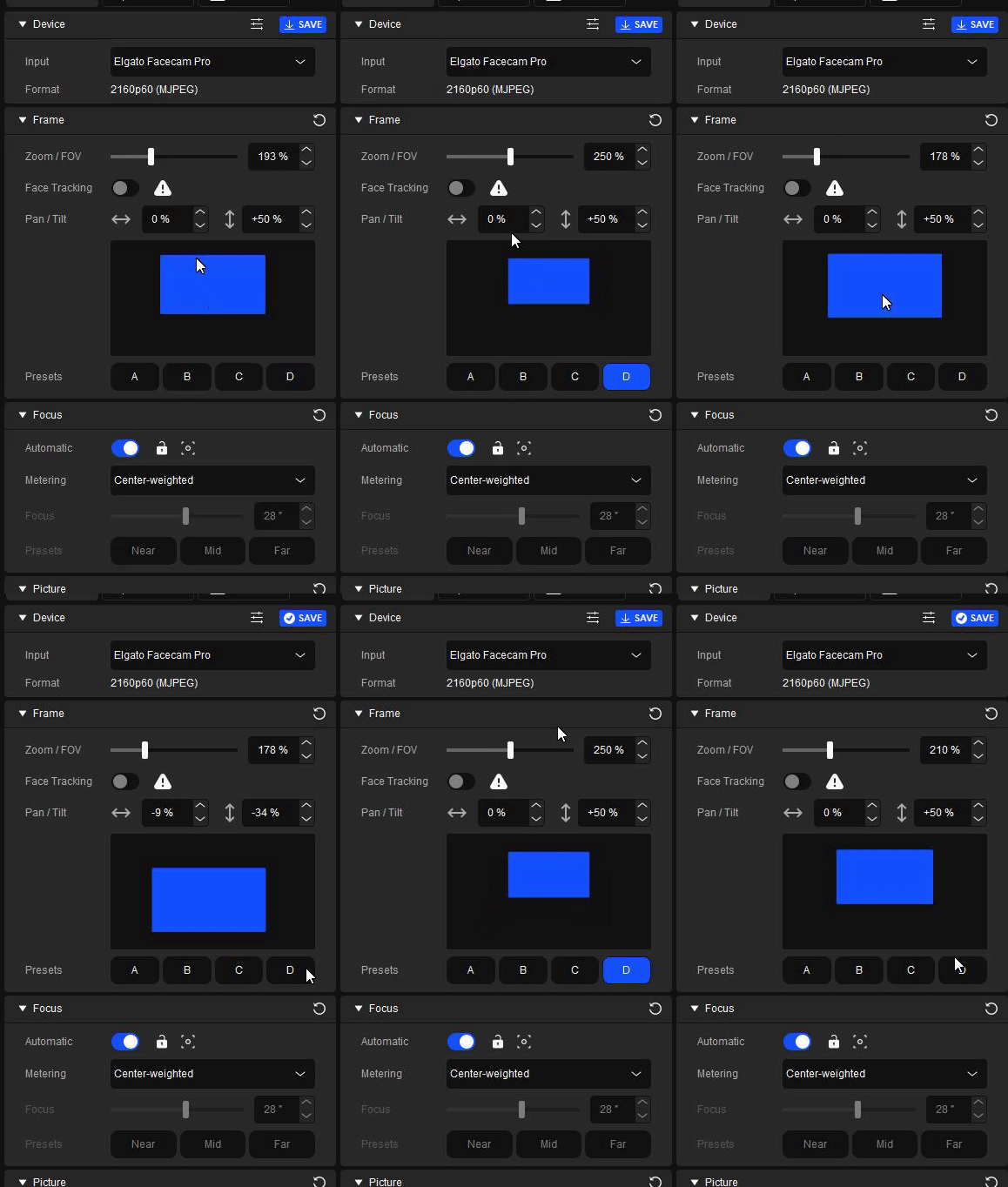
 grim spire
Hi!
Has anyone experienced infinite disk space consuming while running Camera Hub in idle? I have 1.11.0 version and if I keep running this software while turning my Prompter OFF and not using a camera, it slowly but surely consumes all of my remaining disk space which is usually 20-30 gigs. When I close the application I got the space back.
 bold tendon
forest brook
yeah but what exactly does it save?
bold tendon
forest brook
yeah but what exactly does it save?
All of the settings, zoom, focus, etc. it's super helpful if you use the same camera on multiple computers.
sand fossil
grim spire
Hi!
Has anyone experienced infinite disk space consuming while running Camera Hu...
no, but can you post a screenshot.
grim spire
sand fossil
no, but can you post a screenshot.
It's enough to just run the Camera Hub and not doing anything with it. As you can see, it's using the disk continuously, no matter what I am changing in the settings. I also have a Camlink connected to a mirrorless camera which is turned off in this case. Without running the Camera Hub I have never experienced this issue. I started to using this software because I have a prompter now.


However, when I close the Camera Hub but let it run in the background, it's cpu and disk usage increase significantly. I think this is when it consumes all of the free space.

When I open it again from the background, the resource usage drop. I think it's a bug in the software but it needs to be reproduceed by others as well.
Also using 2-3 gigs of RAM is strange as well :/
Ok, now I believe it has memory leak too :).
If you continuously put the program to tray and open it back, the memory usage is just increasing but never decreasing.

 quartz stump
Had anyone experience the camera not showing in OBS? I restarted ny computer earlier to fix something and when I turned back on, my camera didn’t show.

Just this color box.
I’ve done EVERYTHING
gray tinsel
Can we see your sources list? That looks like the camera is just lower on the list than the main screen
OBS will stack elements in order they are on the list
quartz stump
I can tomorrow. Sorry, I just saw this and I went to bed after trying to fix it lol
shy horizon
Not sure which channel to discuss Elgato Mounting accessories. My situation does touch on camera/lighting also.
When I first got the Elgato Multi Frame for Platform:6 I was excited about mounting the Master Mount S to the top of the frame so that I could have an overhead setup. Unfortunately, the Elgato Facecam Premium Full HD Webcam (10WAA9901) doesn't seem to be suitable for the task.
I would like to mimic the Logitech Reach, but on a larger scale.
Currently, my idea doesn't utilize the Elgato Multi Frame at all. I have the Dual Monitor Mount base attached to the lower bar, which can slide side to side. I've attached the Elgato Mount S to the center post of the Dual Monitor Mount base. It can extend back and forth (to a very limited degree) and the mount can also swing side to side. It's just missing up and down.
It's crucial to have up and down adjustments to increase/decrease the field of view. Which of the options are best to achieve this?
🔸 A second Master Mount
🔸 Flex Arm L
🔸 Solid Arm
🔸 Wave Mic Arm (any of them)
shy horizon


 graceful dagger
Can not having enough lighting be an issue to where my Elgato Camera is “grainy”
shy horizon
graceful dagger
Can not having enough lighting be an issue to where my Elgato Camera is “grainy”
I think that's an issue I've noticed with mine also. I am pretty sure it is related to lighting. Some cameras are able to compensate better than others in this regard.
scenic fiber
graceful dagger
Can not having enough lighting be an issue to where my Elgato Camera is “grainy”
Yep! If you need any help with camera settings just send me your settings and light setup here
You’re looking for the ISO values and Shutter Speed to reduce your grain
pulsar saffron
Anyone having an issue with epoccamp pro being completely trash on a mac m1? Constant stuttering no matter how low I drop the resolution for it.
This even normal?
 pulsar saffron
Whelp figured out the stuttering occurs when using the iphone mirroring option and both sources are in OBS. Anyone else dealing with this issue?
final cloak
So you were using iPhone mirroring and EpocCam at the same time?
Camera hub creates a virtual camera so just using that as many times as you need should work; that’s (one of) the point of Elgato virtual camera.
pulsar saffron
final cloak
So you were using iPhone mirroring and EpocCam at the same time?
Yes. Using the new mirroring feature to use the iphone on my main monitor and have that feed go into obs and epoccam for face cam. Anytime both are being used the stuttering happens.
final cloak
pulsar saffron
Yes. Using the new mirroring feature to use the iphone on my main monitor and ha...
Not sure I get this but I bet you can’t get a camera feed from iPhone twice, so I’m saying instead just use EpocCam into camera hub, and then put that virtual camera everywhere you need it.
 stiff sinew
Just wondering if anyone has had an issue with Camera hub not blurring your background? After the last update it just stopped and I can't seem to get it to work again.
I've tried uninstalling and reinstalling, returning Facecam Pro to factory settings, uninstalling and reinstalling Nvidia broadcast app, reinstalling required SDKs. Works on Nvidia Broadcast app but not on Cam hub app. Tried with facecam and facecam pro connected (not at the same time) but still get the same result.
pulsar saffron
final cloak
Not sure I get this but I bet you can’t get a camera feed from iPhone twice, so ...
One iphone is for facecam via epoc cam pro and another iphone is screen mirroring via the mac to show gameplay.
final cloak
pulsar saffron
One iphone is for facecam via epoc cam pro and another iphone is screen mirrorin...
Oh there are two iPhones! I had not understood that.
Well I dunno then. Maybe it’s over taxing the decoding chip in your computer.
final cloak
stiff sinew
Just wondering if anyone has had an issue with Camera hub not blurring your back...
Are you using Elgato virtual camera feed as your source?
stiff sinew
Yeah, but within the actual camera hub it isn't blurring, or the virtual camera feed isn't blurring
pulsar saffron
final cloak
Oh there are two iPhones! I had not understood that.
Well I dunno then. Maybe i...
Yeah no idea. Its only when using new iphone mirroring feature on macs. If thats not running epoc cam is fine. Was just wondering if thats normal or not.
final cloak
I don’t have two iPhones so I can’t test.
final cloak
stiff sinew
Yeah, but within the actual camera hub it isn't blurring, or the virtual camera ...
K I’d say the nvidia stuff is probably not installed right or something. I know you said you messed with that already, but it’s usually the tricky part that gets weird and doesn’t work for people.
I mean, should I ask if you have a supported GPU?
stiff sinew
final cloak
K I’d say the nvidia stuff is probably not installed right or something. I know ...
I've removed and installed it a few times, it worked once then just stopped which was weird. I'm using a 3070 and downloaded the 30 series stuff from the nvidia site
final cloak
Damn, no answers from me, then…
stiff sinew
I'll try going through it again, completely remove and reinstall and see if that helps. thanks though!
 unborn adder
ive got a question reating to my camera settings. i use OBS and i use the cam for facecam content. when i use third party software like slack or photo booth the camera gets picked up from my capture card and not the elgato face cam ~
can anyone assit
gray tinsel
That's generally set in the app in question, Windows doesn't tend to offer a way to set a default camera short of locking down all the other ones.
I'm assuming macOS is the same
From what I can see Photobooth should have a camera menu when it's running that should let you choose the correct device.
I'm unsure of Slack for macOS as I only run that on Linux for work, but there should be a camera option in the settings.
 karmic cipher
Hi there, is there someone who had Prompter with Sony A7 III? It’s for a friend, we don’t find the info 😅
final cloak
gray tinsel
From what I can see Photobooth should have a camera menu when it's running that ...
Yeah that's right, any app that can access a camera has a choice of what camera to use.
hollow pecan
Hi there, I was wondering if the early version of EpocCam (iOS 15) is compatible with the current version of Camera Hub
final cloak
I think that’s gonna be a no.
The early versions didn’t use camera hub but just did all these camera hosting on its own with EpocCam app on the computer.
hollow pecan
interesting.. could I potentially install an earlier version of it on my pc?
actually i think the iOS on the phone is 12.5.7
i'll give it a shot later and see if installing the very first version yeilds results
I shall report back
final cloak
hollow pecan
i'll give it a shot later and see if installing the very first version yeilds re...
On my old Mac I used to get it working with the last EpocCam desktop app version I could find. It complained and said it wasn’t compatible but then it would work anyway.
 sage gale
Despite having a FaceCam Pro I don't know why it's showing me 1080P. and I don't know why it has become blurry


 final cloak
If you didn’t crop these so tight maybe we can see what setting might be wrong?
sage gale
final cloak
If you didn’t crop these so tight maybe we can see what setting might be wrong?
Sure will send an uncropped pic as I just got my FaceCam Pro and was using Stream Deck all Stream Deck Settings are on Default
sage gale
final cloak
If you didn’t crop these so tight maybe we can see what setting might be wrong?
this is my Settings

 final cloak
Hmm yeah so that’s definitely not 1080p.
Could there be something turned on in effects?
Maybe the preview format needs to be toggled to wake it up?
Is the camera feed opened in an app that is asking for a very low resolution mode at this moment?
sage gale
final cloak
Hmm yeah so that’s definitely not 1080p.
Could there be something turned on in ...
I have discord opened and Camera Hub
Should I Unplug and Replug the Camera to see
Or Maybe Restart the system cause I was Testing out the Camera Hub App on my STream Deck XL and FaceCam Pro
violet hawk
Discord only allows 1080p webcams
So might be restricting it because of that
Camera Hub is "smart" so it lowers automagically to whatever app is requesting it
Oh wow just opened the photo bigger, that's like 240p or something
sage gale
And when I am trying to change preview format this happens
sage gale
violet hawk
Oh wow just opened the photo bigger, that's like 240p or something
I don’t know what’s causing it
violet hawk
Overloaded USB Controller perhaps?
sage gale
violet hawk
Overloaded USB Controller perhaps?
Oh no I don’t think so cause I have 2 usb type a one thunderbolt one hdmi
