#capture-cards
1 messages · Page 77 of 1
 lone crypt
 final iris
ok bet thank you for all your help I will look in that and figure it out. my last question is i dont need anymore hardware to make it work?
lone crypt
Shouldn't need any other hardware unless it's something you want. Wave devices are microphones, for example.
but there are free mixer options like voicemeeter, too. Which is what I would suggest looking at if you don't have elgato audio hardware.
Also, wave link 3 is currently in beta, and doesn't require any hardware to authorize it. So you could try out that beta and/or wait for it to go retail release where it will be free to all.
It's just about directing that audio to the capture card.
If you select the capture card as your game PC's audio device, it will send audio there, but you won't also hear it on the headphones. So that's why you need a mixer to send it to both places.
final iris
oo I get it now so i need to source my game two the mixer and then spit it to my headphones and then two the capture card
i apprite all the help
lone crypt
yup!
 flat rock
lone crypt
yup!
flat rock
lone crypt
yup!
if i got a audio mixer like goxlr or anything like that would i be able to do my wave 3 mic and wireless headset or no i just dontknow how that works cause of wired stuff that it shows it compatible with
ik pros that got there dual pc setups couldnt of gone through this chaos of setup
lone crypt
Goxlr is sort of an alternate product to the wave3. (Or really, the wave xlr, since you would need a mic to attach to it)
No, there’s nothing you’re missing… and yes everybody has to hook things up between the two computers.
There’s a certain amount of technical understanding you’ll need to gain for things like multi computer media production setups to feel easy to understand.
Single computer setups are in many ways simpler.
 little jasper
I have the HD60S+ and was trying to stream my game from the switch 2 but I have a low resolution and dont know how to fix this issue

 past basin
little jasper
I have the HD60S+ and was trying to stream my game from the switch 2 but I have ...
past basin
little jasper
I have the HD60S+ and was trying to stream my game from the switch 2 but I have ...
Make sure you're using a HDMI 2.0 rated cable, and that the cable goes direct from the Switch 2 dock to the capture card. Cable issues are the usual reason for it to default to 480p, or if there's some sort of HDMI switch or adapter in there that it's not compatible with
little jasper
Okay I will try thank you
 lone plume
Hey all! I need some help if possible, my setup is:
- M1 MacBook Pro running TikTok Live Studio
- Game Capture Neo connected to PS5
- Razer Seiren Mini
- Logitech Brio 300 webcam
- Turtlebeach Headset to controller (or Corsair HS80 Max to PS5)
When streaming on TikTok people can’t hear my gameplay or party audio as the audio is outputting to my headset not HDMI
The Game Capture Neo doesn’t have Audio jacks, is there anyway to have my party audio come through my stream (I know Chat Link/Pro is an easy solution but not with this capture card)
lone crypt
lone plume
Hey all! I need some help if possible, my setup is:
- M1 MacBook Pro running Ti...
You’ve basically figured it out; I’m just confirming:
game capture Neo is basically the only capture card that can’t be used in this configuration, because it doesn’t have an analog audio input which could be used with a chat link pro cable and a wired headset to the controller.
The wireless headset won’t work with this either, and one more note that, with a chat link pro cable and wired headset, your stream will be able to hear your game a party chat, but not your voice, since it captures what you hear.
You would then need a mic connected to the computer to capture your voice for stream.
lone plume
lone crypt
You’ve basically figured it out; I’m just confirming:
game capture Neo is basica...
So I need a new capture card? Wild that Elgato made a product without that analog audio input
lone plume
lone crypt
You’ve basically figured it out; I’m just confirming:
game capture Neo is basica...
I have a separate mic for the stream
lone crypt
Product segmentation.
It’s a little cheaper for people who don’t need some of the features it leaves out.
past basin
lone plume
So I need a new capture card? Wild that Elgato made a product without that analo...
Most of the external capture cards have a Line In, except for Neo with is targeted mode as a basic card. None of the Internal cards have a Line In though as they expect you to use the Line In on the desktop sound card instead. Instead of a new card you can also supplement a USB audio interface with a Line In Jack. But if you're still within the return window on the card it might be easier to swap it out for a 4K S or 4K X.
lone plume
Fair, that does make sense, I thought it was some new enhancement that only needed HDMI, my mistake
lone plume
past basin
Most of the external capture cards have a Line In, except for Neo with is target...
Appreciate the help, I think you can pick up HD60S quite cheap now, I don’t need 4K for TikTok
lone crypt
Just because your situation of a console and wanting to capture party chat… only one way to do that on PS5.
Sony could also solve this on their end by adding an option to send audio to headset and hdmi at the same time.
For what that’s worth.
lone plume
lone crypt
Just because your situation of a console and wanting to capture party chat… only...
Sony should absolutely do that
past basin
You'd think so - but they also still don't let you hide your name on the Dashboard. They don't seem to care much for streamers who don't use the integrated streaming tool
Xbox is currently the only console with any built in audio splitting - but even that only works for the game audio and official party chat, not the discord or in game voice chats
lone plume
past basin
You'd think so - but they also still don't let you hide your name on the Dashboa...
New capture card and Chat Link Pro it will be
Appreciate all the help
past basin
No worries, good luck with it!
When you get the card you'll need to set it to Analog audio mode in Elgato Studio btw, to use Chat Link. It'll be in the side pullout panel
 lone plume
past basin
No worries, good luck with it!
lone plume
past basin
No worries, good luck with it!
Thanks!
lone crypt
lone plume
Thanks!
Would recommend hd60S+
Because you’re on Mac. Need to plus for native Mac compatibility.
Wait, Arcsane, that still works with arm chips, right?
lone plume
lone crypt
Would recommend hd60S+
Because you’re on Mac. Need to plus for native Mac compat...
Legend! I’ll take a look
past basin
lone crypt
Would recommend hd60S+
Because you’re on Mac. Need to plus for native Mac compat...
Studio or HD60 S+? Both work with the Apple Silicon ARM chips though yes. All the externals since HD60 S+
(except 4K60 S+ the standalone one)
lone crypt
Good
lone plume
HD60 S+ sounds like the best one for my needs
past basin
It's a solid one - it's out of production though. If you have issues finding it, 4K S is the current generation equivalent to it
(and HD60 X is also an updated version of it)
lone plume
past basin
It's a solid one - it's out of production though. If you have issues finding it...
I’ll see what I can find
past basin
Good luck with it!
Oh, actually since you're on PS5, if you need 1440p go with HD60 X, 4K S or 4K X. HD60 S+ doesn't do 1440p
lone plume
Thank you
 timber tartan
I have an odd issue, one portion of the stream looks like 30 Fps instead of 60.
Im streaming from my second pc Nvenc RTX 3080 Ti.
The game I play is constantly at 240+ fps.
The obs stats didnt report issue like frame missed. skipped frames etc..
Have a look at 05h:37m https://www.twitch.tv/videos/2653128673?t=05h37m42s
Why the rest looks clean smooth 60 fps but this part doesnt?
But this isnt limited to streaming, in offline preview and elgato's software I see the feed going from 60 fps to 30.
Everything is set at 60 FPS but the elgato preview or obs preview video looks 30 fps
 void urchin
I’m not seeing any sound enhancements in either tab I’m on windows 10
void urchin
Also it’s already in 2 channel I think
 astral forge
So got back to my PC, I opened up the elgato utility and I'm updating the card.
astral forge
Is it normal for capture card to need so many updates?
I've done 4-5 updates, guessing first owner never bothered to update?
past basin
Uh it should generally do them all in a single go
Admittedly I've not had my hands on that particular model
So it's possible it has stages
astral forge
It says it's 4k60 mk2
past basin
That's good at least - all versions of mk2 have HDR support in the hardware
astral forge
It's not updating, it says theirs a new update, but version doesn't change.
past basin
What's the version?
past basin
What's the MCU version?
astral forge
22.6.9
past basin
Ugh, It took one update and not the other. That could explain some of the hiccups.
Okay, I'd start by disconnecting anything in the HDMI ports of the card, then power off the pc entirely for 30-60 seconds to discharge the card, reboot and try agian
(preferably disconnect power or turn off the power supply while the PC is off in case your motherboard is one of those that keeps PCIe ports powered on)

 astral forge
Yeah, it's the smaller one.
past basin
It's a mk 2 then. The firmware versions match up for Mk2 as well
Odd that the settings don't show it as a Mk2 though. I don't have one on hand to be able to double check what it should show
But that may correct itself after another firmware update anyway.
If it still won't take the firmware update after you have everything powered off and the HDMI cables disconnected, we can try it iwth the newer Elgato Studio app instead
(or the older 4K Capture Utility one - I forget which you're using already)
past basin
MCU: 22.06.09 / FPGA 22.03.24 ?
astral forge
yeah
Will see if EDID settings help with my issues
HDR looks to be working now
Looks to work, but if I turn HDR off, nothing changes
past basin
astral forge
Looks to work, but if I turn HDR off, nothing changes
Are you turning HDR off on the console or the card?
astral forge
On console
past basin
And did you enable HDR recording in the app? By default that card tonemaps HDR to SDR on capture to improve comaptiblility with things like Twitch - so you'd want to turn off HDR tonemapping (and use 4K Capture Utility or another HDR capable app - Studio doesn't currently support HDR recording). for 4K Capture Utulity that's as easy as going to the recording tab in settings and turning on HDR recording.
For third party apps you have to hold down CTRL and open settings to show a hidden option you can turn off on the device tab that enables tonemapping when 4KCU closes
(that's there for safety as HDR often requires extra configuration to use with apps like OBS - so you pretty much have to know how to turn off the tonemapping to be able to use it so it doesn't destory your video contrast)
astral forge
I turned off HDR in settings.
astral forge
On 4k capture app
past basin
With the card updated the video should capture either way - though there's genreally some minor colour shift for the HDR when it kicks over
(especially if the card is tonemapping back to SDR for capture)
astral forge
Now it looks like before, with horrible colors
Weird, my PC crashed. Capture card shows no signal after a bit
Having weird issue, card works until I open 4k capture utility
past basin
Try it with Elgato Studio instead. I know 4KCU is currently hitting some issues with the latest NVidia drivers changing some NVENC stuff
But 4K60 Pro Mk2 should work with Elgato STudio. (or third party apps like OBS or Meld)
astral forge
I think it's just something on my end.
Even with HDR on, it looks normal on TV. On preview it looks different, like HDR is working
past basin
Passthrough to the TV shouldn't be affected by the card - it should be getting the signal as set by the console. The computer version is likely changing a bit because tonemapping is turning on
If you bypass the card and test HDR on and off while connected right to the TV does the picture change that way?
 tame sundial
Morning! I’ve got the HD60X to link with my ps5, do I need the chat link cable if I’m using a wireless ps5 elite headset to record my audio and game play?
past basin
tame sundial
Morning! I’ve got the HD60X to link with my ps5, do I need the chat link cable i...
You cannot generally capture wireless audio from a PS5 because of the way it does one audio stream per user, and wireless audio is a client/host data connection.
Exceptions to this require specific hardware like the Arctis Nova Pro who's wireless base station has a dedicated line out and stream mode. To capture audio from the PS5 Elite you'd have to use it in wired mode with Chat Link.
A partial workaround is to sign in a second controller, and capture audio from that user using Chat Link (or an aux cable), but it has some limits since it's working as a second user).
astral forge
Might have fixed the HDR issue, needed to change setting on TV.
 gleaming dagger
I'm trying to dual PC - not got a huge budget. Will the 4K S cover a 240fps 1080p quality? Using it for games like Fortnite, GTA etc.
lone crypt
gleaming dagger
I'm trying to dual PC - not got a huge budget. Will the 4K S cover a 240fps 1080...
Elgato
This is a comparison chart of features between Elgato game capture devices.
Elgato Game Capture HD60 S
Elgato Game Capture HD60 S+
Elgato Game Capture HD60 X
Elgato Game Capture 4K60 S+
Elgato Ga...
gleaming dagger
lone crypt
https://help.elgato.com/hc/en-us/articles/360041842611-Elgato-Capture-Devices-De...
So it says "record in 240fps" - Currently with a 1 pc setup it'll be recording in 60fps anyway... right?
lone crypt
gleaming dagger
So it says "record in 240fps" - Currently with a 1 pc setup it'll be recording i...
I don’t quite understand what you’re asking
gleaming dagger
lone crypt
I don’t quite understand what you’re asking
So in my current setup, I play 240fps while recording in OBS.
With the capture card am I still gonna capture the same quality ?
 next yacht
Yes if you play in 1080p resolution
next yacht
You need you need usb 3.2 gen 1
gleaming dagger
next yacht
You need you need usb 3.2 gen 1
What's that sorry
next yacht
The usb port on your pc
Check which resolutions and frame rates are supported with 4K S. Includes 4K, ultrawide formats, HDR capture, and high-frame-rate recording.
gleaming dagger
next yacht
The usb port on your pc
Oh, is that the blue one?
next yacht
Blue is 3.0 minimum, if you want to be sure, check the specs of your motherboard if you remember its model
Should be fine though
lone crypt
gleaming dagger
So in my current setup, I play 240fps while recording in OBS.
With the capture...
If by quality you mean resolution and frame rate, that’s set by OBS (or other recording app)
The capture card’s max settings for what it can capture, and what it can passthrough; are on that comparison chart.
And the color of a usb port doesn’t necessarily guarantee what speed it is. The colors are a suggestion but plenty of manufacturers don’t follow them.
gleaming dagger
lone crypt
If by quality you mean resolution and frame rate, that’s set by OBS (or other re...
So i want to stream to twitch at 60fps, 1080p
I want pass through 240fps 1080p
The S will cover right
lone crypt
What does the chart say the 4ks can capture and passthrough?
And consider hdr, if you use that. And vrr
Actually, I don’t think it exactly says about passthrough. Sry, hold on…
4Ks can capture 1080p240 as long as it’s not hdr.
And can passthrough 1080p240.
So yeah it’s able to even capture the 240hz. As long as your res isn’t higher than 1080p
It needs a 5gbps usb port. USB 3.2 gen 1
(I prefer the chart format for comparing product capabilities….
But Elgato is using a side by side on the product page itself now, so I should start linking to that)
past basin
next yacht
Blue is 3.0 minimum, if you want to be sure, check the specs of your motherboard...
3.0 and 3.2 Gen 1 are the same - the USB-IF just shouldn't be allowed to name things (see USB4 Version 2 for more evidence of that). 3.1 Gen 2 / 3.2 Gen 2 is the one to watch for that is 10 Gbps instead of 5.
 violet hemlock
I have a Elgato Game Capture 4K60 Pro MK.2 internal capture card installed in my pc. I have a Switch and PS5 I'd like to stream games on but I'm wondering what other folks with 2 consoles have done when the card only has one input and output?
Hello folks btw 🙂
past basin
I use a HDMI switch. They can sometimes cause issues so aren't officially supported by generally work. Just make sure it's returnable if you have issues with compatibility, and be aware one of the first troubleshooting steps of you get issues with the card will be remove the HDMI switch
violet hemlock
👍
 thorny wigeon
hey yo! Anyone able to provide some aid in helping me get my new 4k X capture card to come through my PC without crackling? I got the video and sound coming through but it is very crackly. I used to have a Razer Ripsaw and the sound and video were seamless. Maybe I am doing something wrong here. Thoughts?
 steady torrent
okay basically i was able to use my capture card 4k s on 240 hz but then the elgato stuido said update it or smth so i did and now I cant use 240 hz. Please hlp me fix
I am using 1080p dont worry
steady torrent
please help me reroll the firmware so that I can use 240hz bc ever since i did some firmware update I can't use 240
 still anvil
I'm absolutely lost on why my 4k S is just not being detected by the Elgato 4K Capture Utility
I've unplugged and re-plugged it a million times with no change. It just continuously tells me "No capture devices found".
past basin
still anvil
I'm absolutely lost on why my 4k S is just not being detected by the Elgato 4K C...
4K S isn't supported on the old 4K Capture Utility app, it uses the new Elgato Studio app instead
still anvil
I see. Is there a download link?
past basin
 still anvil
Problem. I've already downloaded that but couldn't figure it out.
past basin
Couldn't figure it out in what way?
still anvil
I wasn't able to open the file it gave me.
past basin
Are you on Windows 11?
past basin
arm64 is only for Windows on ARM setups like Snapdragon
X64 for the usual intel and AMD setups
still anvil
What should I use to open the x64 file?
past basin
Grab the app installer from the MS Store
It's supposed to be built into Windows 11, but sometimes it's missing or not working
lone crypt
If it’s claiming to be an android installer you have not downloaded the windows version. No idea what you downloaded….
still anvil
Alr deleted what I installed.
I just have no idea what MSIX I need.

Microsoft Store - Download apps, games & more for your Windows PC
Open-source MSIX manager and toolkit. A must-have tool for MSIX developers and system administrators.
Requires Microsoft .NET 6.0. This app does not support Windows 10 S.
This???
still anvil
What did you use to install it?
lone crypt
I’ve never installed it. I use OBS and haven’t ever had to change my card edid or audio setting.
But the installer package from Elgato is just a windows installation package.
It should be native
past basin
You don't have your Win 11 build pinned to a reall old end of life version do you?
It's all up to date? 25H2 or at least 24H2?
still anvil
These are foreign terms to me, friend.
lone crypt
I mean, how could a windows installation not be able to run a windows installer package? I’m smacking my head…. Is Microsoft really like this?
past basin
Press Windows Key + R and type winver in the box that comes up and press OK. What version pops up on the screen?
past basin
lone crypt
I mean, how could a windows installation not be able to run a windows installer...
The MSIX is a new format compared to the older MSI files
Required newer versions of Windows or the app installer if you were on Win 10
still anvil
I'm on Windows 11
past basin
Yes, but what VERSION of Windows 11
still anvil
25H2
lone crypt
That’s astonishing.
But seems like it should be able to update itself,
past basin
Okay, that should be fine then
still anvil
Yeah idk
thorny wigeon
hey yo! Anyone able to provide some aid in helping me get my new 4k X capture card to come through my PC without crackling? I got the video and sound coming through but it is very crackly. I used to have a Razer Ripsaw and the sound and video were seamless. Maybe I am doing something wrong here. Thoughts?
I am sorry, I saw traffic on this and I felt as though my issue was ignored. So I apologize if I am stepping on any toes. Just trying to fix this crackling issue. \
still anvil
Is there a way to see if it'll show on OBS?
thorny wigeon
still anvil
Is there a way to see if it'll show on OBS?
are you asking me?
still anvil
thorny wigeon
I am sorry, I saw traffic on this and I felt as though my issue was ignored. So ...
Wish I could help dude, I'm just as new to this. My 4k S just isn't even being detected.
still anvil
thorny wigeon
are you asking me?
No
thorny wigeon
still anvil
Wish I could help dude, I'm just as new to this. My 4k S just isn't even being d...
oof. that is crazy. You using the Elgato Studio or 4k capture Utility? because I have used both and have had a better time with 4KCU than the Studio
still anvil
Apparently 4k Capture Utility is just outdated and I need to use Studio. Problem is Studio won't even install because I don't have a MSIX installer.
past basin
still anvil
Is there a way to see if it'll show on OBS?
The card should work fin in OBS as a Video Capture Device, yes. I don't like the fact your Windows install has a broken installer though, that's going to give you issues down the road
past basin
thorny wigeon
oof. that is crazy. You using the Elgato Studio or 4k capture Utility? because I...
4KCU won't work with the 4K S
past basin
thorny wigeon
I am sorry, I saw traffic on this and I felt as though my issue was ignored. So ...
No just sick as a dog can't multitask atm
Do you have an audio sample?
Also what motherboard do you have?
still anvil
past basin
The card should work fin in OBS as a Video Capture Device, yes. I don't like th...
I'm trying to stream Mario Odyssey from my Switch 2. If I can use the card in OBS, that works with me.
past basin
There's a known issue with some ASMedia USB controllers (which are also used by AMD), where the 10 Gbps USB ports can have issues with UAC (USB Audio Class) connections until the drivers and firmware/bios are udpated
past basin
still anvil
I'm trying to stream Mario Odyssey from my Switch 2. If I can use the card in OB...
It sets up the same way HD60 X does so you can follow this guide https://www.youtube.com/watch?v=27fYbUln-Vg

In this video we show you how to set up your Game Capture HD60 X with OBS Studio on Windows and macOS.
▼ Click "Show More" for details and features.
▼ HD60 X Highlights:
► 4K60 HDR10, 1440p120, 1080p120, 1080p240, VRR passthrough.
► High resolution 4K30 or 1080p60 HDR10 capture.
► No watermarks, no time limits, no subscriptions...
still anvil
past basin
It sets up the same way HD60 X does so you can follow this guide https://www.you...
I would love to watch this but my PC is now refusing to let me use my speakers as they won't disconnect from the "Elgato Sound Capture"
past basin
😐 Just run Elgato Sound Capture and set it to OFF and that should take care of that
I take it you tried installing the even older Game Capture HD app?
still anvil
past basin
😐 Just run Elgato Sound Capture and set it to OFF and that should take care of...
I perhaps maybe per chance deleted said application
Do I need to re-install it and then turn it off...
past basin
Likely
Did you delete it or uninstall it?
The latter should have removed Sound Capture
still anvil
removed the application, emptied it out of my recycling bin, issue is still here...
past basin
And you set it to OFF before removing it right?
still anvil
No. You see I suffer from the chronic disease known as "being a massive idiot"
past basin
Reinstall it from https://help.elgato.com/hc/en-us/articles/360027964072-Elgato-Game-Capture-HD-Software-Release-Notes-Windows then run sound capture and set it to OFF, then remove it and see if it clears up
still anvil
Got it, thank you so much! Let me watch the video.
still anvil
past basin
Reinstall it from https://help.elgato.com/hc/en-us/articles/360027964072-Elgato-...
Ok, I've got it set up in OBS just fine minus one issue. The audio is being captured and stream can hear it, the problem however is I now can't hear that audio.
Like while I'm playing I'm just not hearing anything.
past basin
still anvil
Ok, I've got it set up in OBS just fine minus one issue. The audio is being capt...
In the advanced audio settings, the gear icon on the audio panel, set your capture card audio monitor option to monitor and output
still anvil
How do I find the advanced audio settings? Is it in properties of the Capture Card?
past basin
It's the gear icon on the audio panel
still anvil
thanks a million! Everything is working A-Ok now!
past basin
Glad to hear you were able to sort it out
still anvil
Is there a way to hot key scene switches?
past basin
Probably? I don't know it off hand if there is this
still anvil
I found it
past basin
That works
 pulsar yew
Hey guys I got a question I’m trying to get my microphone audio from Xbox to stream lab but I’m only getting game sound. I’m using the arctis nova pro and have tried connecting the line out to the elgato, connecting my headset to my laptop, Bluetooth with the headset and I’m getting nothing but the game audio
past basin
pulsar yew
Hey guys I got a question I’m trying to get my microphone audio from Xbox to str...
Did you remember to set Line Out mode on the DAC to Stream? When you press in the dial again to show the mini mixer for what goes to Line Out, is the mic turned up?
If you're using the Line Out you generally don't need to doubel up with Bluetooth unless you want to hear the audio from the laptop too, but you can run that back in thorugh Line In to keep things consistent
past basin
steady torrent
please help me reroll the firmware so that I can use 240hz bc ever since i did s...
The firmware update probably reset the input EDID settings. try setting your input EDID more to internal using Elgato STudio
pulsar yew
past basin
Did you remember to set Line Out mode on the DAC to Stream? When you press in t...
Sorry it’s my first day with this thing what’s the DAC?
past basin
The base station for hte headset
pulsar yew
Yes line out is set to stream I checked all the things for audio and it said it was 100%
I’m trying to get it to work in streamlab
I have it going from line out on the base station to the jack in the elgato
past basin
You set the capture card to use Analog audio mode, correct?
pulsar yew
past basin
You set the capture card to use Analog audio mode, correct?
I changed that back to HDMI audio before I switched it to line in the DAC
I can get my audio now but does being in analog affect the game volume from coming through?
past basin
it needs to be in analog to get the audio going to the headset's line out. In HDMI mode you're getting HDMI audio from the console only - if you're using Xbox you might get game audio that way but you won't get most voice chats outside the official one, or the headset mic
pulsar yew
Ahhh okay is there any way to 100% get game audio while also having a headset connected
Or is that where an external microphone connected to my laptop would come in handy
past basin
It should be going to the headset too, yes
pulsar yew
I can hear the game audio in the headset but I’m looking at the streamlabs audio bar and not getting anything like I was before
Also I do appreciate the help so thank you
past basin
If you're hearing it in the headset and had main audio turned up on the mini mixer on the base station it should be going to the Line Out and from there to the analog port on the capture card. Do you get the audio if you test with something like Elgato Studio instead of Streamlabs?
pulsar yew
Okay just tested it and looks like I’m getting it in elgato it’s just super quiet
past basin
Yeah, line out on the nova pro is kinda quiet. I usually use the advanced audio settings and set it up to like 150%. You could likely apply a gain filter too to do the same thing
pulsar yew
past basin
Yeah, line out on the nova pro is kinda quiet. I usually use the advanced audi...
Advanced audio settings?
In elgato studios?
past basin
In OBS
Studio won't let you go above 100%
er STreamlabs in this case
same options
Sorry, I'm sick as a dog with the annual cold that visiting family bought in, I'm a little out of it
pulsar yew
Haha I appreciate it I might have to try out OBS
I’ll probably end up swapping to a different microphone that connects straight to my laptop anyway because I was messing with the gain and filters and noticed I was getting some popping or buzzing even with noise suppression and things too
past basin
Yeah, dedicated mics usually wind up higher quality audio wise than headset ones anyway. Fairly common to use the headset with the console but a dedicated one with the PC
pulsar yew
Might be a stupid question but would party chat come through the elgato normally if I have a dedicated mic?
 frosty badge
Hello guys. I'm not receiving a signal from my HD60 X.
 past basin
pulsar yew
Might be a stupid question but would party chat come through the elgato normally...
past basin
pulsar yew
Might be a stupid question but would party chat come through the elgato normally...
You'd still want to use the nova pros base station, just turn the mic off in the mini mixer
past basin
frosty badge
Hello guys. I'm not receiving a signal from my HD60 X.
What color is the light on the card itself?
frosty badge
past basin
What color is the light on the card itself?
I think pink
past basin
What are you trying to capture and has this worked before or is it a new setup?
frosty badge
past basin
What are you trying to capture and has this worked before or is it a new setup?
I was live streaming before. I ended the stream for a meal break, and this happened when I tried to rejoin the stream.
past basin
Have you tried restarting the card? Just unplug the USB and let it sit like 30 seconds and reconnect
Pink is an unusual error state, it should generally be red, blue or white. So I'd start by restarting it
frosty badge
past basin
Have you tried restarting the card? Just unplug the USB and let it sit like 30 ...
I'm trying this right now.
I just wanted to take a break for lunch. 🙂
ooh! Done. Thank you so much @past basin 👍
 past basin
Nice, glad you got it sorted
 shrewd glacier
I'm thinking about swapping out the USB cable that came with my HD60X for a USB C to USB C so I can use one of the Thunderbolt ports on my Mac instead of one of the few USB ports. Is that a terrible idea or should it work okay?
past basin
It'll work fine, just make sure the cable is at least 5 Gbps / SuperSpeed / USB 3.0 or faster
 lime spire
hey i have the elgato capture 4k s i also got the stream labs installed i get sound sometimes and most of the time no sound i tried everything from disconnecting all links restarting pc xbox series s changing the output even starting the wave link mixer app and nothing
my headphones cause no sound to come through
 edgy grove
Hello, I have a HD60X i don't have a usb 3.0 ports, i was doing okay on my 2.0 but since I updated the HD60X base it not working anymore someone can help ? I have a ps5
Can i maybe downgrade the hd60x
 vapid lynx
can someone help me set up 4k X?
cant get it to pick up screen fully
its showing on 2nd pc but it just shows start up bar and home screen of main pc
and if i open google it doesnt pop up on obs it just shows the same screen but if i move app in start bar it shows it move??? im so confused
someone please help
okay i figured it out
i had to duplicate monitor in settings
 golden terrace
I recently got a 4k s and am wondering why games on my ps3 and xbox series s aren't showing up
could it an issue with my pc or obs?
vapid lynx
golden terrace
could it an issue with my pc or obs?
maybe
idk much about pc to console
i do pc to pc but im sure its similar
edgy grove
Can an admin send me a old firmware for the hd60x
golden terrace
for some reason both consoles show up in obs with a cheap 720p capture card I bought from amazon a few years back
past basin
edgy grove
Hello, I have a HD60X i don't have a usb 3.0 ports, i was doing okay on my 2.0 b...
HD60 X cannot work on USB 2.0, at all. Not enough data bandwidth. Are you mixing up the USB spec with the connectors like Type C and Standard A?
edgy grove
past basin
HD60 X cannot work on USB 2.0, at all. Not enough data bandwidth. Are you mixi...
no no
past basin
lime spire
my headphones cause no sound to come through
Are your headphones connected to the console? If so that's going to mute the HDMI audio so there won't be anything for the capture card to get.
edgy grove
I swear all I said is correct that’s the point
past basin
Then you don't have a HD60 X. HD60 X has never supported USB 2.0. It requires 5 Gbps USB 3.0 because it works with uncompressed NV12 video format
edgy grove
I don’t have any 3.0 on this computer and it was working before the firmware update
past basin
USB 2.0 is only 480 Mbps
edgy grove
Idk bro
past basin
. . . what computer do you have that doesn't have USB 3.0 in 2025? I could see not having 3.2 or USB4, but USB 3.0 is pretty standard unless you're running something like a Chromebook
edgy grove
past basin
. . . what computer do you have that doesn't have USB 3.0 in 2025? I could see ...
oh wait
Arn’t usb 3.0 supposed to be blue ?
Bc i just checked my device setting it say it’s all 3.0
Si it’s a false positive from somewhere
So*

 past basin
edgy grove
Arn’t usb 3.0 supposed to be blue ?
past basin
edgy grove
Arn’t usb 3.0 supposed to be blue ?
The colour coding is optional, not all OEMs use it. For example almost all Razer's are green. A lot of laptops will use black
Are you using the original cable that came with the card?
edgy grove
Yessir
past basin
Did you restart the card after updating it?
edgy grove
Restarted everything once or twice but i can try one more
past basin
Just the card - unplug it 15-20 seconds then reconnect it
edgy grove
I really think it’s the firmware update i did in « elgato studio » who broke it
I found someone saying the same on the support forum and an admin answering that these are false 2.0 positive and to downgrade but he don’t give any .bin file
past basin
I've seen Studio report false positive 2.0, but not 4K Capture Utility
But that was a bug in previous versions of Studio
edgy grove
It was you lol

Yes bro i just downloaded studio to Check it out and did the update inside
past basin
https://www.uwe-sieber.de/usbtreeview_e.html Run USB Device Tree Viewer and select the card. Check the summaries on the right side. You want to make sure that all three speeds for port, device and connection are reproting SuperSpeed
edgy grove
Ok i do this
past basin
edgy grove
Yeah, that was back during the beta - the cards still worked, Studio was just throwing the error incorrectly
Is what it should look like roughly

I've actually got to stick my head out quickly before the stores close, but I'll check back when I can
edgy grove

Np bro take your time lol
I unpluged the HD60X so it's not showing it's normal *
and look like this when plugged in

For now i just tried to delete studio and keep only 4k game capture, and I solved one issue, the led dot don't turn red on the hd60x but still no signal
oh i guess it’s all good
Just had to delete studio
Still have a little issue with the colors rending but at least it's working
past basin
edgy grove
and look like this when plugged in
That's about right, but when you click on the top copy of the HD60 X you should get a summary of the right. You want to check the three speeds I've got highlighted in the screenshot of my HD60 S+
But if it's working alls well I guess
What sort of issue are you hitting with the color?
golden terrace
how might I bypass hdcp, because apparently that is built in on ps3
past basin
edgy grove
Just less vibrant colors
Is your source set to use HDR? You might be running into HDR tonemapping. The other common hiccup is if the HDMI colour range isn't detecting on auto you might manually have to set that to match
past basin
golden terrace
how might I bypass hdcp, because apparently that is built in on ps3
The admins have asked us not to discuss that on this discord, it makes legal not happy since it's an official brand discord and HDCP bypass is illegal in many parts of the world where they do business. (eg, in the US under the DMCA).
The original way to record PS3 though was to use component cables with the original Game Capture HD device, as there's no HDCP on analog video.
Beyond that you'll have to find the answers in another location sorry
golden terrace
past basin
The admins have asked us not to discuss that on this discord, it makes legal not...
ok
past basin
Good luck with it
 shadow turtle
Hello all can someone help here I had an issue I just have the elgato 4K X and I wanted to use it on my Xbox series I connect everything the way they should be the Xbox screen even appears on my obs page however when I was about to lunch the the game I got a black screen with a message that says 2k NOT SUPPORT I tried everything nothing work but I tried with my ps5 everything went perfect I didn’t have any issue with my ps5 my streaming went flawless on ps5. How I can fix that issue on Xbox
gleaming dagger
Ok i’m an idiot and I really need help, Is the 4K S suitable for 240fps pass through and stream to twitch at 1080p 60fps
On dual pc
lone crypt
shadow turtle
Hello all can someone help here I had an issue I just have the elgato 4K X and I...
Sounds like you’re trying to send to high a resolution and frame rate for how your capture card is connected might be the usb port is too slow so it’s lowering the available resolutions
lone crypt
gleaming dagger
Ok i’m an idiot and I really need help, Is the 4K S suitable for 240fps pass thr...
4Ks can do 240hz as long as resolution isn’t higher than 1080p
gleaming dagger
lone crypt
4Ks can do 240hz as long as resolution isn’t higher than 1080p

Gpt said this
lone crypt
You should stop asking ai questions and look on the product page.
past basin
Huh, actually the product page is listing 144 too. That doesn't seem right, HD60 X could do 240 iirc
Though I would also recommend against relying on AI answers for techincal questions like this - historically they do a very poor job telling the models of cards apart
I know it wouldn't be able to do it with HDR enabled as that would go over HDMI 2.0 but 1080p240 SDR is fine
Oh wait, I'm up late and full of flu meds. That's 2560x1080
Yes, it'll do 1080p240

Check which resolutions and frame rates are supported with 4K S. Includes 4K, ultrawide formats, HDR capture, and high-frame-rate recording.
 past basin
Yeah, I 'd just tried to see where they were finding that image they threw up. I'll take your word for it that it came from an AI check, since I don't use that stuff very often and what I do use it for is mostly coding syntax checks
Sadly I'm sick as a dog and can't READ the documentation right myself atm
lone crypt
User said the answer was from gpt. Not surprising. 😎
past basin
Yeah, part of the not reading at the moment, missed that entirely
Just waiting on the medicine to kick in again now and soon back to sleep to try and sleep out the bug
 kindred owl
Hey guys, so I’m using a canon eos rebel t4i and I’m trying to connect it to my cam link 4K, but when I see it on video capture, the output looks stretched out and low quality. The wierd thing is I had the exact same setup a year ago but for some reason then it was working perfectly. Clear image and everything.
shadow turtle
lone crypt
Sounds like you’re trying to send to high a resolution and frame rate for how yo...
Ok how do I fix that?
 drowsy ferry
lone crypt
shadow turtle
Ok how do I fix that?
drowsy ferry
lone crypt
shadow turtle
Ok how do I fix that?
Resolution of the source device
lone crypt
kindred owl
Hey guys, so I’m using a canon eos rebel t4i and I’m trying to connect it to my ...
Sounds like the resolution in your capture app is not set the same as what the camera is sending to hdmi; not even the same aspect ratio.
 lethal vessel
4k60pro is causing mic to sound static when streaming to twitch.
I have all audio sources set to 48k 16/24bit at bare minimum..
lone crypt
lethal vessel
4k60pro is causing mic to sound static when streaming to twitch.
Can you explain a little more how the capture card has anything to do with your mic?
lethal vessel
@lone crypt sorry. Ill correct my last. All the audio goes static on the stream pc
lone crypt
Ah ok. Check that both ends are 48khz and the same bit depth, that they are stereo, and windows audio enhancements and special effects are disabled.
The capturing app, try a different one, OBS if you’ve only used Elgato Studio, or 4k capture utility… if you’re already using OBS, try one of the others, or try muting the audio on the video capture source and adding an audio capture source and select the capture card to pull audio in that way.
lethal vessel
Audio enhancements all disabled, only run OBS to stream on twitch.
I pull audio through the 4k60pro via wave link
So split video and audio on obs or the stream pc itself?
Happens at the 1.5hr mark as well
lethal vessel
lone crypt
Ah ok. Check that both ends are 48khz and the same bit depth, that they are ster...
So an Audio Capture source on each Scene?
lone crypt
Yeah like your video and audio are separate sources, now. Wherever scenes you use it. That sometimes helps get the audio through to OBS when it doesn’t otherwise.
lone crypt
lethal vessel
Happens at the 1.5hr mark as well
Ih but what? This happens not all the time but after a delay?!
You didn’t mention that
lethal vessel
This happens 60% of the time 100% of the time usually after an hour.
lethal vessel
Ive seen this issue come up often in here and on reddit. Still no 100% fix for it that is clearly one that solves the problem. Just random solutions with some working and some not for others.
past basin
That's because there's multiple different issues that sound the same, many of which aren't even related to the hardware but the Windows audio system or whatever hodgepodge of audio apps installs with your system.
Which is also why the fixes are so vastly different
Windows Audio Enhancements is a common fix because a lot of third party audio apps that apply unexpected effects use that to do so - remove the enchancements and you remove the default Windows effects, as well as a large chunk of stuff that third party apps might be applying, for example
That said, you said 48 kHz, 16/24 bit at bare minimum. That should also be your maximum. Mixing 48 nad 96 kHz doesn't always play nice either for example. Similarly it's best to match bit depth when you can as well
Different PC sounds setups are more tolerance to changes than others though
That said I can't say I've ever seen this particular issue come up before, especially not partly intermittently. How did you narrow it down to the 4K60 Pro, and not something else like a software bug?
Knowing that might give some insight into potential causes
lone crypt
The delay in the problem has me thinking software is likely.
past basin
Yeah. I know there's a lot of potential hiccups with OBS audio that can crop up over time. Eg, the gradual audio drift issues that sometimes his the card if you pull the audio thorugh the video, instead of it's own audio source. Though depending on the sound setup I've also seen that also result in cracking, instant multi second delay, etc
edgy grove
Hey sup
I have the same error again ..
and i really don't get why yesterday all was working and now it identify as a 2.1
 lone crypt
edgy grove
and i really don't get why yesterday all was working and now it identify as a 2....
lone crypt
edgy grove
and i really don't get why yesterday all was working and now it identify as a 2....
That indicates something is making the connection fail down to the lower speed.
Bad or dirty cable or connector, stuff like that
edgy grove
On both of my pc it tell me the same error, and the câble is really really clean and was working yesterday
edgy grove
lone crypt
That indicates something is making the connection fail down to the lower speed. ...
I really don’t understand
lone crypt
It’s not connecting at the right speed. So either it’s broken, or the port isn’t running at full speed for some reason.
Try ports try removing other devices, try different cables.
Try to Verify the cable is good by testing it with another device where you can get it to show the right speed
edgy grove
lone crypt
It’s not connecting at the right speed. So either it’s broken, or the port isn’t...
I did nothing just unplugged and plugged once more and it worked again 🤔
Same than yesterday I did nothing and it came back working
Cable is maybe not working great but it’s so new it wasn’t and option at first
lone crypt
That could suggest funny connector or cable. But also check that usb selective suspend is disabled and fast boot is disabled. Those can mess with usb ports and sometimes it fixes when you just reconnect.
edgy grove
Thx i’ll Check this later
 median coral
Hi. Can someone help me with audio issues, I have a brand new Elgato Neo that I’ve hooked up to my Xbox series x.. we’ve tried absolutely everything on YouTube and Google, but there’s zero audio being picked up on streamlabs, one, or the 4k capture utility.. I also don’t have an option under the device settings for any audio
past basin
median coral
Hi. Can someone help me with audio issues, I have a brand new Elgato Neo that I’...
Do you have a headset connected to the XBox? By default Xbox mutes speaker audio when you connect a headset, so that option needs to be turned off on the console.
That said that only works for game audio. You can also set the Xbox official party chat to go to headset and speakers at the same time, but for other voice chats like in game prox, lobby, or even console Discord you need an external solution to split the audio like Chat Link Pro or a MixAmp
median coral
past basin
Do you have a headset connected to the XBox? By default Xbox mutes speaker audi...
Un check this?

I have zero game audio
past basin
Yes - that's only if you're using a Headset though
You also need to make sure the audio format for speakers is Stereo Uncompressed on the screen above that one in the menus
median coral
I do use a headset and that fixed the game audio
Audio format is on stereo uncompressed
So I can’t use discord or game chat without the Chat Link??
past basin
Or something liek a mixamp, yeah. Xbox doesn't split all the audio. Most consoles don't split any of it at all, Xbox at least lets you get the main game audio and official party chat
median coral
How do I make sure it picks up the official Xbox party chat??
past basin
Om that menu on your screenshot, see the party chat output section? Set that to headset & speakers
median coral
Okay cool thank you!
past basin
No worries, that trips a lot of folks up. Good luck with it!
median coral
past basin
No worries, that trips a lot of folks up. Good luck with it!
Another question if that’s okay
Will this work with the Neo??
 past basin
Not with Neo directly, no. Neo doesn't have the Analog Audio Input jack - if your PC has a Stereo Line In on the sound card you can use it that way though
(though you'll need an app like OBS or Meld that you can record with and add in the other audio source)
past basin
It'd probably just be called line in
Streamlabs wll work for adding it as an audio source though
One thing to note with Chat Link though, is that it only splits the audio coming out of the console, not the headset's mic (since that runs at a different voltage and requires a powered amp)_
median coral
Cool thank you so much!!
past basin
No worries. Any chance you've got a post up on the reddit too? I'm seeing another Game Capture Neo / Series X post there
 left birch
Hi.
I need help with choosing the right capture card. The purpose is to capture 3440x1440 resolution, HDR p010 format, at least 60 fps, OBS or native app. I have some troubles in understanding Detailed Capture Specifications. Info for 16:9 is straight forward. But for 21:9 it's some sort of mystery. The only thing I found is "We're still in the process of verifying ultra-wide resolution. We'll update this article once we have more information to share" for Elgato 4k Pro and "With Firmware 1.7.13, Ultra Wide Support was added. The following resolutions are now supported. 3440x1440 2560x1080" for Elgato 4K X. My guess is that 3440x1440 is smaller than 4k and bigger then 16:9 1440p and in theory it should be doable for 4kpro and 4k X card. But I'd really appreciate 100% confirmation before I purchase 1 of them. The reason I'm asking for confirmation is that a lot of cards are capable to capture even up to 8K in 16:9 but their ultrawide support is very poor. In most case it's just 1080p ultrawide. And ultra wide 4K support is non-existent.
My plan is to connect my main monitor to 1 DP/HDMI and capture card to 2nd HDMI. Without using passthrough.
Some specific questions.
-
According to specifications (https://help.elgato.com/hc/en-us/articles/23479175821069-Elgato-Game-Capture-4K-X-Supported-Resolutions-and-Frame-Rates)4k X supports capture HDR 30 FPS in standard 2160p and 60 fps for standard 1440p HDR. Will OBS manage to capture ultrawide 1440p 60 fps HDR with this card?
-
4k Pro card supports capture HDR 60 FPS in standard 2160p and 60/120/144 FPS for standard 1440p in HDR (https://help.elgato.com/hc/en-us/articles/23479165158029-Elgato-Game-Capture-4K-Pro-Supported-Resolutions-and-Frame-Rates). Will OBS manage to capture ultrawide 3440x1440 60 fps HDR?
-
I have Nvidia 2060 card and Intel i5-10400k CPU in my 2nd PC for streaming/recording. Will it be enough to capture ultrawide 3440x1440 60fps HDR in OBS?
past basin
left birch
Hi.
I need help with choosing the right capture card. The purpose is to capture...
There is no 100% confirmation on it at this time, especially since many monitors use things like DSC to achieve higher refresh rates at those resolutions which prevents capture. 4K Pro is the most likely to work, as historically the PCIe cards usually have the best results when testing unsupported resolutions, and it supports HDR on all resolutions and refresh rates it can capture, but there's no guarantee unless you can find someone who has the exact same setup and can confirm it works.
Cloned setup like you're going at at least gets around the DSC limit. 3440x1440 should be fine with it. 5120x1440 or higher may not
left birch
Thanks. Appreciate the answer.
there's no guarantee unless you can find someone who has the exact same setup and can confirm it works
This is exactly why I asked here. My hope was that someone tried it and have the answer. Ok then. Looks like 200$ gambling for me😁 .
past basin
I think odds are good with a cloned setup - you might try using something like Custom Resolution Utility to copy the EDID off your monitor (connected as HDMI, you don't want to copy the DP EDID), and load it into the card as a custome EDID if it'll take it - that may help improve the chances
median coral
past basin
No worries. Any chance you've got a post up on the reddit too? I'm seeing anot...
Yes haha
I deleted it though thank you!
past basin
Sounds good, was just checking if it was someone else I had to answer. Good luck with the setup
 radiant trail
Any one know why when I have my hd60 x external card plugged in everything runs fine but when I try to use the 4k pro internal card my entire pc freezes when trying to stream?
Tried upgrading the motherboard but I’m having the same issue any help is appreciated
past basin
Does it happen no matter what app you test with?
left birch
past basin
I think odds are good with a cloned setup - you might try using something like C...
didn't know about that. thanks.
radiant trail
past basin
Does it happen no matter what app you test with?
It’s happening on my streaming pc so obs the only thing I really run on it.
If I leave the pc idle with the internal card in on obs I’ll come back to it with the entire pc frozen
past basin
Makev sure your BIOS and motherboard drivers are up to date, and test it with another app so we can help narrow down the actual trigger
If it's hairdos happening while OBS is idle, even just a recording app like Elgato Studio that will let you preview that card is a good idea, but if you want to test it with something more full featured try Meld Studio
radiant trail
Ok thanks I’ll try to test it out in the morning
Hopefully it works!
I also been thinking it might just be obs so if the other apps don’t crash I think I’ll do a full reinstall and see how that works
 small zenith
Have a question that hopefully someone can answer for me. I use the 4k 60 pro Mk2, and recording and such is perfect, however I've noticed that the audio and video are off. While I try to edit a clip that i've taken using the flashback recording feature, my live commentary audio and the game audio is never inline with the video. For example if I fire a shot in the video the audio would be just a little off, whats really interesting is when i put the files into a editing software (I use davinci resolve) the audio files don't even line up. My live commentary file will be longer than the game commentary file, how's that make sense. I am using a dual pc setup using Voicemeeter and its VBAN to send audio over to my other computer (both connected via ethernet on a fiber optic network) Since all audio is routing through the same software shouldn't the audio sync? I was using the included HDMI but just now switched to one of my 4k UHD HDMIs thinking maybe it would help something. Regardless, does anyone know how to fix that audio offsync and or also have the same problem because I can't find anything online and I can't for the life of me fix it and trying to post and or make content is becoming tedious because I have to sync the audio manually each time.
timber tartan
I have reinstalled my nvidia driver, I cant clone my primary display with elgato...
Fixed, I clone with a my other monitor, then I cloned my primary monitor with those 2 clones, then I disabled my other monitor leaving my primary with elgato in clone, then I enabled my second monitor back.
past basin
small zenith
Have a question that hopefully someone can answer for me. I use the 4k 60 pro Mk...
This can happen sometimes with the old 4K Capture Utility app based on the PC audio settings and such. I've also heard reports that it may happen to some users when recording 59.94 NTSC framerates instead of even 60.
4K Capture Utility is being replaced with Elgato Studio so you might want to test it with that. Though Elgato Studio is a new app on a new engine and currently lacks some features like Flashback - if you need something for clippinbg maybe OBS with Reply Buffer or Meld Studio with clipping.
Aside from that you might also try changing yoru video encoder settings
(If you're on an NVidia card though don't update to the nesst drivers if you want to use the GPU encoder, it breaks 4K Capture Utility becaues they changes some old NVENC settings)
small zenith
past basin
This can happen sometimes with the old 4K Capture Utility app based on the PC au...
Unfortunate. Do we have any timeline on Elgato Studio getting flashback? I normally have the 4k utility up in the background whilst gaming and if a moment arises then I’ll utilize that feature.
Change the video encoder settings where? Within the capture utility or OBS
past basin
small zenith
Unfortunate. Do we have any timeline on Elgato Studio getting flashback? I norma...
No timeline - I think a large amount of dev work is focused on Wave Link 3 atm so probably not until that goes to final release if I were to guess. But even then that's just a guess on the earliest. It took 4K Capture Utility a while to get it too, when Game Capture HD had had it for a while.
4K Capture Utility is where you could try the other encoder settings
If you're using OBS or some such you have far more options for encoders and such
small zenith
I didn’t even know I could change my encoder settings on the capture utility tbh, where abouts would I do that?
Within OBS I have my encoding pretty dialed in for streaming.
Really the only feature I like about the 4k mk2 is the flashback, I don’t want to have to constantly record but I also don’t want to be limited to a certain amount of clip time like 30 seconds, if that makes sense
past basin
It'll be in settings under the recording tab. You'll probably only have choices for the GPU encoder or software encoder
But yeah, I think Flashback is something a lot of folks are looking forward to coming to Studio
small zenith
Dang I must be blind, never noticed I could change encoders. I’ll have a look next time I’m at my rig.
Hopefully they push that out quickly.
Any suggestions to fix the sync issues before then? It also occurs whilst streaming but within OBS I can offset that but again if I can eliminate it then that would be better
past basin
It might be because the card is being controlled by two apps at a time - while that normally works fine, I've seen it sometimes do really weird things. Especially if the updated Windows 11 multi app support is turned on, on top of hte driverse. I'd probably do a quick test with just one of the two apps to see if anything changes. But honestly I've not got a solid fix on this since it doesn't pop up too often (often enough you'll find some reasults on reddit and the like just from the sheer number cards out there though).
What's the source device you're recording? If it's a Dual PC setup you could try forcing the source to 60 Hz even to see if that improves anything (assuminig it's hooked up in a cloned display setup, not passthrough, which lets the GPU run things at different refresh rates. ) Not really as easy an option with a console though, they tend to go by whatever the monitor or TV on the HDMI out passes through as supported without override options usually
You could also check in with the #official-tech-support team with a ticket - they might be able to see something in the logs
I'd also try the latest driver fromhttps://help.elgato.com/hc/en-us/articles/360027961152-Elgato-Hardware-Drivers for the card

Elgato
Elgato Hardware Drivers - Windows 10/11A UVC (USB Video Class) device is plug-and-play hardware that uses built-in Windows drivers, eliminating the need for proprietary installations. Devices like ...
And likely check that 4K Capture Utility or Studio show it on the latest firmware (in 4KCU if there's a newer firmware there will be an update button on the device tab)
small zenith
It’ll more than likely help if I explain my dual setup. Capture card is in my streaming pc with an hdmi cable wired into the IN port of the card which goes into my 3080 on my gaming rig. All audio is then routed to voice meter on my main rig which is then sent to the elgato again via the hdmi.
The issue persists regardless of OBS and 4k capture utility open or not. I do also know my drivers are up to date etc
Also the source device runs at 1440p 240 hz but the pass through allows 1440p at 60hz.
I swear this wasn’t an issue a couple years ago so I wonder if it’s because I save those recordings on a HDD rather than a dedicated SSD but even so that doesn’t make much sense since if that was the case it would be more random rather than an easily replicable issue
lone crypt
OBS can be made to behave like flashback recording, too.
A few plugins out there can make it work better with one key press dump the buffer to a file and naming settings and stuff.
 mortal arch
Good morning, I'm hoping someone would be able to help me. Starting last week whenever I used my HD60 S to capture my switch 2 through OBS my whole computer freezes. I have done several PC based fixes, but I am able to perfectly capture and play without issue any game directly on my PC. I've made sure my capture card driver and software are up to date. My capture card is roughly four years old, I am willing to replace it or try new cords (on the note of cords I tried it in a different port on my PC and the problem still persisted). The only thing I haven't tried yet is capturing a different console. Any advice or thoughts?
Edit: it also froze while capturing my Wii u
lone crypt
mortal arch
Good morning, I'm hoping someone would be able to help me. Starting last week wh...
Test a different app like 4k capture utility or elgeto studio.
If those work then the problem must be in OBS, if those freeze the computer that tells us something, too.
mortal arch
lone crypt
Test a different app like 4k capture utility or elgeto studio.
If those work t...
Okay, I will try that after work. Thank you
edgy grove
Hey i have another issue never 2 without 3
Now it detect in super speed, all is good but it still no signal. I tried everything
lone crypt
edgy grove
Now it detect in super speed, all is good but it still no signal. I tried every...
More details; “tried everything” doesn’t help anybody doing tech support.
Does it show a black screen or does it show a screen that says “no signal”?
What is the indicator led on the capture card doing?
What is the source device and have you tested that it’s sending a signal to a display?
Tried different resolutions on the source device?
edgy grove
lone crypt
More details; “tried everything” doesn’t help anybody doing tech support.
Does...
On 4k capture I have no signal from my ps5, i don’t see my game on my tv. LED is White. I tried to use another hdmi, plug unplug and still nothing
lone crypt
You’re leaving out specific answers to some questions.
Does your tv get signal if you go directly to the tv, not through the capture card?
edgy grove
Yes if I don’t use the elgato I can see my ps5 on my tv
lone crypt
Ok still unclear about a few of the questions I asked,
But first thing is check that HDCP is disabled on the console.
edgy grove
Yes it is
I was streaming yesterday with everything working, I just restarted my computer after sleep and now I have this
lone crypt
Alright.
But I am still not sure about a few answers to questions I asked above.
And what model is the capture card?
edgy grove
Hd60x sir
lone crypt
White is not listed as on the status led chart for hd60x
So I’m not sure what to do with that.
Be specific: what do you see on the screen? Black, or a screen that says no signal
edgy grove
Maybe purple ? It’s not blue or red it’s a différent one
On 4k capture it say no signal and black screen on tv
lone crypt
 edgy grove
That’s not one of them 🤔🤔🤔
It’s all good for me, unpluged it one more time and suddenly working again
After one hour of unplugging
lone crypt
For many of the cards, white means power is on but it's not getting any signal or doing anything. Sort of a "I'm on but nothing is happening including no errors" message
edgy grove
Yes I guess it was just a bad contact
lone crypt
Ok good. Yeah devices might mess up the HDMI handshake depending on what order they are powered up in, and connected in. So it might just need to be re-plugged and resynced
edgy grove
Yep this time I connected the ps5 hdmi last and it worked so thx help
lone crypt
Great! And sorry for so many questions, just gotta get specific or we might miss something.... in case it wasn't this simple
lone crypt
Sounds like a discord issue, don't you think? Depending on your connection to the discord voice servers, and the connection the others in the channel have, this will impact quality and smoothness.
If your own capture software and stream are working fine then it's all working well enough right up through your internet connection. Problem happens after that; best assumption right now.
 karmic locust
Sorry for the question, but i have a Elgato 4k S and i am a Small Streamer in Germany and the game sound comes to late.
i Stream whit OBS
lone crypt
karmic locust
Sorry for the question, but i have a Elgato 4k S and i am a Small Streamer in Ge...
Try muting the audio on the video capture source, and then add an audio input capture source, selecting the capture card. See if that audio is timed more correctly
karmic locust
So i add a extra sound source in obs with the capture card?
Sorry for my bad english
lone crypt
yes, but mute the audio included on your current video capture source, so there isn't two copies of the audio.
Adding the capture card separataly as an audio input capture sometimes works more accurately.
lone crypt
Sure you can. Click the plus button at the bottom of the sources panel.
karmic locust
than i click on Audio Output Capture but there is not the Capture card
lone crypt
great!
 dense coral
Good evening,
I'm having a bit of an issue configuring my Elgato 4K Pro. After about ten minutes, the entire screen shifts/offsets (as you can see in the screenshot). I've been trying everything since yesterday to get it to work, but nothing is helping.
I'm using a dual-PC setup for my streams, and this is the first time I've used an internal capture card,
My streaming PC build is normally compatible with the 4K Pro. My gaming PC has a 3080 Ti with two 1080p Asus ProArt monitors, and one 4K 60Hz Asus ProArt monitor which is my main display for gaming and streaming
 lone crypt
My instinct is driver/firmware funny business, but I wonder if you’ve verified that the pcie slot you’re using is configured for at least 4 lanes of pcie 2.0 or higher?
dense coral
Yep, I've checked several times and i'm definitely on a x4 pcie slot that supports pcie 2.0 and above. My motherboard is an Asus TUF Gaming B550-Plus, is that helps
lone crypt
The ideal setup is to connect a display to the hdmi out port on your capture card.
This will passthrough the video feed from your source device with less than 1 frame of latency. Much better than even fast capture cards + computer setup since it takes some time for the card and software to deal with the video data.
😎
I mean… it doesn’t hurt anything
But it doesn’t…do… anything, either
Your computer doesn’t have hdmi input ports. That’s why you need a capture card in the first place; this is what a capture card is!
Yup
We have fun here
past basin
lone crypt
I mean… it doesn’t hurt anything
It actually can with some of the cards. I've seen some of them fail to get an EDID if they think there's something connected there. Doesn't do long term damage though
lone crypt
You know, I almost swung back and mentioned something something edid, haha! Just seemed possible. But since I think it was solved. Might well have been the issue!
past basin
Hopefully that's all, yeah
mortal arch
lone crypt
Test a different app like 4k capture utility or elgeto studio.
If those work t...
I captured my switch through the 4k capture utility with no issues. What would be the problem in OBS? Or even how would I look to find it?
lone crypt
Check the encoder settings. See if they are different from capture utility. But it’s weird that you said it doesn’t happen when you record from the computer in OBS.
What is different, any different sources other than the capture card?
 high flicker
so i have a 4k s capture card but it is really choppy after like 1 hour why is that
past basin
high flicker
so i have a 4k s capture card but it is really choppy after like 1 hour why is t...
Try it with another app like Meld Studio or OBS. I've seen a handful of people who've had issues with Elgato Studio after a long period of time - would be good to see if your setup has an issue with the app.
high flicker
past basin
Try it with another app like Meld Studio or OBS. I've seen a handful of people ...
well it is only choppy when i do 4k so im guessing it is either ps5 cant handle it or my pc cant handle it
 vagrant pebble
is HD 60 okay tro use for switch 2? or does it have issues i know i have to lower the output to 60hz and aHDR off but besdie sthat any downside?
 round kayak
Hey there! I have an HD60X and I woke up yesterday to an issue:
Moniter is displaying the gameplay, but my pc isn’t registering the card
I have tried:
Swapping to every 3.0 port on my computer, tested if other devices work in them and they do but the card doesn’t
I plugged into info a regular usb port and it register it but wouldn’t display it.
I think went into device manager while it was plugged into the regular usb port and uninstalled it
I went and bought a different cable
During the entire process I monitored the light on the box and it always returned to a blue light.
Updated all firmware and software that I could find
Any help would be greatly appreciated
lone crypt
round kayak
Hey there! I have an HD60X and I woke up yesterday to an issue:
Moniter is disp...
Download usb tree viewer and see what the connection to the card says in that.
Removing it from device manager will probably need to be reversed. Hopefully it will just reinstall when you reconnect it
round kayak
lone crypt
Download usb tree viewer and see what the connection to the card says in that.
...
3.0 port vs regular port

 lone crypt
Click the capture card in the tree to show its details.
 lone crypt
We’re trying to see the details in tree viewer, so we can see what speed it’s connected at
 lone crypt
Close.
Click where it says port 5
The actual device on the usb port, not it’s individual components
round kayak
 lone crypt
There we go
Port is capable of 3.0 but it’s only connecting at 2.0 speed.
It shows 2.1 in that case. Indicating the cable or connector could be broken or not getting a good connection on some pins,
I assume you made sure this cable is actually 3.0 speed and not just a data cable
round kayak
ive only used the 1 out of the box up until this point the one I got from best buy was a 3.2 to usb c insignia cable
lone crypt
Broken or not connecting fully. That’s what this tells us.
(And usbc is a connector shape, not a speed)
round kayak
this is what i bought an hour ago
if I need to buy a specific cable id love a amazon link
because frankly I don't know a ton about what im doing
lone crypt
Yeah that’s twice as fast as it needs to be.
But the connection in this pic is failing back down to 2.0 speed.
So the pins aren’t getting a solid connection or something is broken.
Any usb c connectors try turning them over. In case the pins on the other side work better
round kayak
I tried that flipped the cable over and plugged it back in and nothing changed
Can you please recommend a cable that I can purchase if this one is too fast?
lone crypt
Too fast isn’t a problem.
If the brand new one didn’t work then that suggests that cable wasn’t the problem.
round kayak
Well I’m at a point where I’m ready to throw my hands up and buy a new one because this is kinda insane
Like it worked fine earlier this week now between they, and my facecam only working on my front usb 3.0 ports I’m getting frustrated
lone crypt
Connector could be dirty or broken. At either end.
If that was the issue then all cables would fail like this
So other devices are having problems with your rear ports as well?
That would suggest the usb ports are the issue.
Have you restarted the computer?
Check if usb selective suspend and fast boot are disabled.
Normally issues with those would resolve just by unplugging and replugging the cable. But worth checking
round kayak
The only things that are having issues oddly enough are elgato products. My facecam mk2 and my capture card. My wave xlr is working fine and my usb hub is working fine plugged into the back and no before you ask my camera and card have not been plugged into the hub
I have restarted my pc over 10 times in the last 24 hours
lone crypt
The problem items are the only things on the list that need faster than 2.0 speed
So that makes sense
It seems like maybe that whole controller or hub is failing back to 2.0 speed.
Anyway, that’s where I would look.
Maybe check bios if the ports got set to usb 2.0 some how.
Stuff like that.
Or, again, this can happen with dirty pins.
round kayak
I went all the way into the bios, which is super scary I might add, and everything that I can find shows they’re set for 3.0 speeds. I made sure the usb ports weren’t dirty to my knowledge. I don’t know what else to do
It’s very odd that this just magically started happening
 balmy patrol
Hello
whats the best way to route audio using dual PC setup with Elgato 4K Pro along with bluetooth headphones
I can confirm my streaming rig detects capture card & input signal from the gaming RIG (project mode from OBS) but no audio is getting transfer from gaming PC to streaming PC
can also confirm from gaming PC that OBS audio advance playback device elgato 4K pro NVIDIA high definition audio has been selected to force send audio from gaming RIG to streaming RIG but without success
again, image & capture card is being correctly detected however audio transmission failure & I don´t understand why, if the capture card detects proper image when I project from gaming rig to streaming rig, howcome the audio is not transmitted but the image gets correctly sended from source?
cheers for your answers..
lone crypt
balmy patrol
Hello
whats the best way to route audio using dual PC setup with Elgato 4K Pro a...
You need some mixer software to send a mix of sounds on the game pc to the capture card output and your headphones at the same time.
Like wave link.
balmy patrol
lone crypt
You need some mixer software to send a mix of sounds on the game pc to the captu...
Check
Wave Cast
I am buying it now to see how it works
cheers 🫡
EDIT my issue got resolved after I bought the software, works FLAWLESS!!
lone crypt
balmy patrol
Check
Wave Cast
I am buying it now to see how it works
cheers 🫡
EDIT my issue g...
Well… wave link.
Wave cast is not a mixer but a bi directional audio feed over network.
Your capture card can already send audio on the hdmi; you just need a mixer to mix the audio to the headphones and capture card hdmi
Though… wave cast might do the job if all you need is game audio; nothing mixed together
mortal arch
lone crypt
Check the encoder settings. See if they are different from capture utility. But ...
No, I only have the one capture card. I went into the OBS discord and they were saying there were issues with the drivers that were causing this issue for other people as well. I've gone into my NVIDIA app and restored and reverted my OBS settings back to factory and then optimized them again, so hopefully that helps. I have no warnings or criticals on my OBS logs so I really don't know what's causing this other than possibly the driver
lone plume
Thanks to everyone that helped with my query regarding audio on the Game Capture Neo, ended up ordering a HD60 S instead and a Chat Link Pro, seems to be much simpler for what I’m trying to do with party audio
past basin
mortal arch
No, I only have the one capture card. I went into the OBS discord and they were ...
What driver were they talking about? The NVidia one? I know that's caused a number of issues since 591.44 with several capture apps because they removed support for some older NVENC presets and rate controls and such. HD60 S has a driver too - but that shouldn't have had any changes in years.
 nova hazel
I think My Elgato HD60x is causing my Streaming PC to freeze completely. I run two profiles in my OBS. One for game and one for music. The only differences between the two profiles is the game profile outputs at 936p (Canvas 1440p) and the music stream has a canvas of 1080p and outputs at 1080p. The game profile uses the HD60x and the music channel uses NDI.
I moved my OBS to my game PC and I am able to stream with zero freezes and I asked the question in the OBS groups and was told there is no way that OBS can cause a complete system freeze.
I ran DDU and completely removed all Video drivers and downgraded my Nvidia driver to the 2024 version of the Studio driver and that seemed to stop the freezing for awhile but I did some elgato updates and the random freezing came back.
Has anyone encountered a similar issue? Do I have a defective HD60x?
past basin
OBS CAN cause a system freeze, but not usually directly. Depedning on the state of the system pretty Usually it'd be related to something like a driver failure on the video encoding or something (since the GPU drivers get some lower level hardware access).
I can't say I've seen HD60 X cause a freeze on it's own though. Did you actually update the card's firmware? updating the app wouldn't do anything if you're running OBS instead, since HD60 X uses the UVC driver from the OS, not anything specific to the card.
nova hazel
I did not update the firmware.
My next troubleshooting step is to disconnect the HD60x and try using NDI for video between the two PCs and see if that works.
past basin
You may also want to check for any updated USB/motherboard chipset drivers or BIOS for the machine as well, in case the issue is coming from the use of high transfer rates from USB
nova hazel
Ive already done all that in my initial troubleshooting but thank you.
 restive blade
Yesterday Thoughts (Copy & Paste) Hey I'm trying to Record or do Private Live Stream on my Nintendo Switch connected to my Elgato 4K X Capture Card through my PC and TV Screen but everything is still making a Buzzing Sound even with my Elgato Chat Link Pro disconnected. At the moment and time of day which is about to be Midnight I can't get a Headphone Headset. So what should I do and should I get a Wired Headset? I only have a JBL Bluetooth Headphones and Headphones is uncomfortable for my ears and head but if I have to get a Headset for my Nintendo Switch setup then I will.
 wicked lily
So I have a problem with my capture card. After a period of time of not restarting my PC apparently when going into OBS my computer will blue screen when attempting to use my 4K 60FPS MK. 2 Capture Card. I am unsure if this is a driver issue or a OBS issue.
 digital harbor
I have an elgato 4ks that captures perfectly trough elgato studio but in obs has 0 audio output does anybody know how to fix this
lone crypt
digital harbor
I have an elgato 4ks that captures perfectly trough elgato studio but in obs has...
Usually just adding a separate audio input capture source will get the audio just fine.
That’s a (somewhat common) quirk of OBS and capture cards.
digital harbor
lone crypt
Usually just adding a separate audio input capture source will get the audio jus...
i did that and its reading the same audio levels as the video capture but no audio feed through the desktop audio levels
lone crypt
digital harbor
i did that and its reading the same audio levels as the video capture but no aud...
Oh I thought OBS was getting no audio.
You’re saying it’s not monitoring that audio out of the speakers!
Monitoring wouldn’t be enabled by default.
You’ll need to set your monitor device in OBS settings > audio.
Then open the advanced audio panel with any cog in the audio mixer, and enable monitoring and output on the source your want to hear.
 worn narwhal
So... I don't know how to ask this but I'll do my best: Any people here that use a PCIE card like the 4K Pro with a mATX motherboard? If so, what motherboard, GPU and case are you using it with? I'm building a new PC (yes, in this economy lol) but due to space constraints I can't go with a full tower so I'm trying to assess my options in regards to choose compatible components.
lone crypt
worn narwhal
So... I don't know how to ask this but I'll do my best: Any people here that use...
You’ll need the pcie slot it’s in to be providing 4 lanes of at least pcie 2.0
I think That is the only concern. Besides physical space.
 pseudo portal
Can anyone help me out? Im a trying/beginner streamer want to update my stream and also have more options and controls bt still enjoy my big tv and series x/ps5 currently stream from xbox but now debating getting the 4k x to run stream from mac and just play how i usually bt my main questions is dont want to diminish quality and audio? Like will i need extra stuff sorry if alot can message me as well
worn narwhal
lone crypt
You’ll need the pcie slot it’s in to be providing 4 lanes of at least pcie 2.0
...
I mean my concern is the physical space inside the PC. Like I know I'll probably have to go with a 2 slot GPU but I always see people that use a PCIE card with full ATX towers which I cannot use in my space.
lone crypt
pseudo portal
Can anyone help me out? Im a trying/beginner streamer want to update my stream a...
There is no quality issue, it's just a matter of capturing all you want to capture.
if you want stream to hear your voice, you'll need a mic connected to the computer.
If you use a headset connected to the controller, then the only other thing you need is a chatlink pro cable, which splits the audio going to your headset and makes a copy of that for the stream. Then you're all set.
 sly dragon
Can anyone help with an obs settings/elgato issue?
Why when I talk into my mic it shows that I’m talking on screen but not picking it up? Picks up all other audio just fine
pseudo portal
lone crypt
There is no quality issue, it's just a matter of capturing all you want to captu...
Thanks appreciate it.. how about if im using a wireless mic how would i get that audio & would that be in addition to mic on computer for stream voice
lone crypt
pseudo portal
Thanks appreciate it.. how about if im using a wireless mic how would i get that...
Wireless headsets are not really compatible with streaming, unless the headset hardware itself has an analog input to the mix amp. Some do. The nova 7 I think?
pseudo portal
Would work just for gaming aspect? I was gonna get a separate mic to connect to macbook for stream voice audio
lone crypt
Yes, you can use any mic that connects to your computer to get you voice on the stream. It just won't also connect to the console.
Does that answer the question? I'm sort of guessing a bit what you have and what you're trying to accomplish.
pseudo portal
lone crypt
Yes, you can use any mic that connects to your computer to get you voice on the ...
Prettt much bt where im kinda stuck is game/game chat audio if there is any... for example i plan on running a webcam connected to app and a standalone mic for stream audio and i assume game audio goes through hdmi bt do i need a wired headset and that chatline to get game chat audio rn mostly game on series x
lone crypt
pseudo portal
Prettt much bt where im kinda stuck is game/game chat audio if there is any... ...
Xbox has an option to send sound to both the hdmi and your headset at the same time. So that would work as is.
PS does not have this option so the only way to have game chat and game sound is with a chat link pro cable and a wired headset attached to the controller.
 celest current
Anybody know how to solve this issue I put my hd60x and it says invalid resolution but I did everything right it’s in a 3.0 usb in the front and ps5 has hdcp off everything.
 thick lodge
Good morning 🙋🏼♂️
I have a question for anyone who can answer.
So I own the legacy Elgato HD60, I have it plugged into a Windows 10 laptop and my Samsung monitor. I also own 2nd/3rd Gen Astro A50s that require the optical audio cable. I acquired an HDMI splitter with an audio extractor.
My question is how do I make it possible for me to use my Astro A50s as an Xbox mic on top of a stream/recording mic at the same time or just not possible?
lone crypt
celest current
Anybody know how to solve this issue I put my hd60x and it says invalid resoluti...
You didn’t say what resolution the console output is.
But a lot of these issues turn out to be usb problems. The connection might be failing back to a slower speed.
lone crypt
thick lodge
Good morning 🙋🏼♂️
I have a question for anyone who can answer.
So I own th...
Unless the headset can send its mic audio to two different devices, this isn’t possible.
thick lodge
lone crypt
Unless the headset can send its mic audio to two different devices, this isn’t p...
Someone on Reddit said “it’s possible to connect an Audio cable from the Base of the Astro Headset (Analog out) and connect it to the Elgato HD60 Audio Port” but they never tested that option.
Do you think this could be a solution?
lone crypt
thick lodge
Someone on Reddit said “it’s possible to connect an Audio cable from the Base of...
That won’t work. But it wouldn’t do what you were asking for even if it did.
The audio port on a capture card is an alternate audio path, not an additional audio path. In other words capture cards audio capture source can be either the hdmi audio or the analog audio; not both at the same time.
If you want your headset mic to be captured by the console and by the computer at the same time, you would need a headset that can send an output to the console and and output to the computer at the same time.
This would need to be a hardware capability of the headset. A developer would have to build a headset with this ability.
thick lodge
lone crypt
That won’t work. But it wouldn’t do what you were asking for even if it did.
Th...
Ah okay now that makes sense.
The Base of the headset has a USB port, Optical out/in, aux and a Switch for Xbox/PC.
Could it be possible to connect the base to my laptop via the USB Port as a source to capture my voice?
lone crypt
thick lodge
Ah okay now that makes sense.
The Base of the headset has a USB port, Optical ...
That’s up to the headphones design.
If they can send output to two devices at the same time…
thick lodge
lone crypt
That’s up to the headphones design.
If they can send output to two devices at ...
So apparently it is possible to connect the A50 headset base to the computer via AUX because the AUX is also a Mic Out but doesn’t specifically say so on the base.
I had to search for the manual book online. I will give it a shot and confirm my findings. I am sure this will be helpful for others.
lone crypt
thick lodge
So apparently it is possible to connect the A50 headset base to the computer via...
And how does it connect to the console?
Is it with usb, or a second analog connection?
thick lodge
lone crypt
And how does it connect to the console?
Is it with usb, or a second analog conne...
USB
For me to use this headset with the Series X and Run the HD60 requires 4 HDMI cables, Optical Audi cable, HDMI Splitter with integrated Audio Extractor. One hell of a rats nest in cables 😂
lone crypt
The console needs to be able to send audio to the usb audio and the hdmi at the same time.
I know Xbox can send audio to the controller analog port at the same time as hdmi, but not sure if it can do so with usb
And I don’t know why you need the splitter and stuff.
But anyway. Go forth and test it
Or is the splitter doing that?
Anyway.
thick lodge
lone crypt
And I don’t know why you need the splitter and stuff.
The headset won’t work as intended without the Optical Audio Cable. I can’t access Dolby Atmos on the Series X without the optical. But the new A50s they phased out the Optical cable i believe an everything runs through the USB.
lone crypt
Streaming (capture cards) is not compatible with surround formats
thick lodge
Hence why i need the splitter because the series x doesn’t have an optical port anymore
thick lodge
lone crypt
Streaming (capture cards) is not compatible with surround formats
I can stream fine at 1080/60fps, zero issues. I’ve just been doing it without a mic for years.
I have been trying to solve this mystery for a while. I know it’s possible because I used to watch a streamer who had the same setup as I do, and he talks through his old A50s both in Xbox and live stream.
And he showed his setup live because I called him out on having a secondary microphone somewhere, and he was pretty happy to prove me wrong.
But he was not really forthcoming about how he became to doing it 🙄, and so I’ve been trying to figure it out ever since.
lone crypt
You’ve been streaming with the console set to a surround audio format?
Does your splitter downmix the audio as well?
That’s a lot to go through. Most people set this up much simpler but glad you figured it out?
mortal arch
nova hazel
I think My Elgato HD60x is causing my Streaming PC to freeze completely. I run t...
Have you figured out a solution? I've been dealing with this for two weeks now and I can't figure it out. I've done so much trouble shooting and I even updated my capture card cause the one I had before was old/outdated.
 old tapir
Hello! I have an Elgato 4K S and I am trying to figure out something. When I just have the capture card plugged into my PC and HDMI in, it outputs in 4K, but as soon as I connect it to my TV it goes down to 1080p. Is there any way to bypass this? My TV is not 4K and I would prefer to not have to buy a new TV. Trying to capture 4K Gameplay. Tldr can I trick my console into recognizing the non-4k tv as 4k?
 warped ledge
old tapir
Hello! I have an Elgato 4K S and I am trying to figure out something. When I jus...
warped ledge
old tapir
Hello! I have an Elgato 4K S and I am trying to figure out something. When I jus...
it will match your tv in passthrough.
warped ledge
old tapir
Like an HDMI splitter or something
not that I'm aware of.
try chagning the the EDID to Internal. let me know what that does for you
lone crypt
Yeah that’s EDID. For sure.
The tv is forcing it down.
I thought Usually display or merged are the correct EDID setting with a passthrough display connected.
warped ledge
lone crypt
Yeah that’s EDID. For sure.
The tv is forcing it down.
I thought Usually disp...
agreed. What I'm worried about is if the picture is going to be on the fritz
I don't usually experiment that way cause I want stability on my image
old tapir
How do I change the edid? Sorry I'm not good at this sort of stuff
lone crypt
old tapir
How do I change the edid? Sorry I'm not good at this sort of stuff
Capture card settings: expand the right side panel in Elgato studio.
Button next to the settings cog in top right.
nova hazel
mortal arch
Have you figured out a solution? I've been dealing with this for two weeks now a...
I wish. I am a tech and have been for 34 years and this stumps me. Its random freezes and it can go several streams without doing it and then do it for back to back streams.
This weekend I am gonna test NDI Video vs the capture card and see what happens. If it continues to freeze I might pickup an off brand card to further troubleshoot.
It annoys me cause on the profile I don't use the capture card (Its still plugged in) it has never frozen the PC.
mortal arch
nova hazel
I wish. I am a tech and have been for 34 years and this stumps me. Its random fr...
I've had no issues for four years and suddenly two weeks ago only using my capture card in OBS crashes my pc. I can play through the 4k utility or the elgato studios for hours using the capture card no issue, but this is a new issue. If the switch 2 (what I have plugged in) isn't on I can stream just fine, nothing else affects my pc like this. I've done so much troubleshooting and I've learned so much about my PC these last two weeks and I actively hate it.
nova hazel
mortal arch
I've had no issues for four years and suddenly two weeks ago only using my captu...
Its been doing it for a few weeks lately. It happened before but went away for a bit. The Complete system freezes are random and nothing specific seems to trigger it.
Steps I did:
- Updated my BIOS
- Updated all drivers
- Changed my Nvidia 3070ti Driver from a Game Ready Driver to a Studio Driver
- Downgraded the Studio Driver to a 2024 stable version
- Ran DDU (Display Driver Uninstaller) and then reinstalled Video Driver
- Changed my game stream from 936p output to 1440p (2k Streaming)
- Updated OBS to latest
- Turned off all non essential background tasks
- Went to OBS forums, explained issue and was told since OBS runs in a sperate user space there was no way it can cause a total system freeze. They suggested a Hardware issue.
Since the Elgato HD60x is a Hardware device and is only in use during game streams I am thinking something with the HD60x is causing a total system freeze.
The one or two times I had a error show before freeze it was indicating a stuck CPU command which again points to hardware or faulty CPU. Since the PC has zero issue except on the Games Profile it is definitely not a CPU or overheating issue.
past basin
nova hazel
Its been doing it for a few weeks lately. It happened before but went away for a...
Have you rolled BACK the drivers yet? I've seen folks reporting issues with the more recent NVidia drivers. Alternatively have you tried using x264 software encoding instead to rule out encoder problems entirely?
OBS could in theory trigger a system freeze if its' pulling on a driver that is actually causing the freeze (but as they say that could also be a hardware issue crashing out the driver).
If you suspect issues related to the HD60 X note that HD60 X uses UVC drivers provided by the OBS. When you check for updated drivers make sure you're checking for motherboard chipset ones. And possibly other firmware updartes for the USB controller if available. You might also try moving HD60 X so it's on a different port - eg, if it's on a 10 Gbps port now move it to a 5 Gbps port which would be on a different USB host controller in the PC.
warped ledge
old tapir
Everything seems ok with the quality too on the capture card. Thanks
that's good news.
warped ledge
nova hazel
I wish. I am a tech and have been for 34 years and this stumps me. Its random fr...
have you turned off usb suspend, and tried a different port that isn't sharing power with another device next too it?
warped ledge
nova hazel
Its been doing it for a few weeks lately. It happened before but went away for a...
your Ram, curious... you're not using more than 1 kit?
 elfin ruin
hello not sure if this is the exact channel to ask this but it is regarding the the hd60s.
I am currently using a macbook. I have the mokin extension thing that has 3 usb ports (two being 3.0) and two hdmi slots. I am trying to be able to stream using obs studio by streaming my switch screen.
I was trying to connect a monitor and the switch stuff together and tried everything and made sure all the ports and connections were in the right places, but i could never pull up the capture card on obs. The switch works fine thru the normal hdmi and displays fine on the monitor, but i couldnt pull up the screen thru my obs on my macbook and not sure why. Ive tried searching a ton of YT videos but cant seem to find this exact problem.
if anyone can help me or has experience with why i cant get obs to pull up the capture card lmk!
mortal arch
nova hazel
Its been doing it for a few weeks lately. It happened before but went away for a...
I will try downgrading my Nvidia driver. I had the HD60S and just upgraded to the 4k s and it took a lot longer to freeze, but it did still cause a full pc freeze after about two hours of capturing my switch 2. This is just such a strange sudden issue and I'm very much over it
 half coral
Just got my hands on a 4K S capture card. Hooked up to my PC from an Radeon RX 9060 XT to my monitor that does 1080p144.
The 4KS is hooked up to my Mac Air M2 directly, but in Elgato Studio I can only get 1080p60 out, and my Monitor Settings displays nothing more than 60Hz as the max refresh. I've tried to find the EDID setting but it doesn't seem to exist on Elgato Studio itself. Any ideas?
(I have the same resulting issue when connected directly to my PC into a dedicated USB-C port as well)
lone crypt
half coral
Just got my hands on a 4K S capture card. Hooked up to my PC from an Radeon RX 9...
Capture card setting like Edid are in the right side panel. Button next to the settings cog in the top right.
 topaz nimbus
How can I increase the Output Recording Format
I set it to 2160p
 lone crypt
topaz nimbus
How can I increase the Output Recording Format
I set it to 2160p
lone crypt
topaz nimbus
How can I increase the Output Recording Format
I set it to 2160p
The source appears to be 1080p60. the card won't supersample the video.
If that doesn't answer your question, please provide more details about the setup
topaz nimbus
lone crypt
The source appears to be 1080p60. the card won't supersample the video.
If that...
Wym by super sample
Like it won’t show 1080p60
lone crypt
topaz nimbus
Wym by super sample
Like it won’t show 1080p60
Super sample would mean recording more resolution than was being fed in.
You showed a screen shot that said the source was lower res than what you were asking to record.
So what are you trying to do and what isn’t working. Let’s get the question clear.
topaz nimbus
I want to increase the res
At least the output is 1080p60
lone crypt
And what is your source resolution?
The screen shot appeared to say 1080p
lone crypt
What app are you using?
topaz nimbus
Elgato studio
lone crypt
Should be right up there at the top where you showed the screen shot before.
 astral orbit
Hey, my brand new HD 60 S has a little delay in Audio, using it with my iPad, can anybody help? (Software OBS)
lone crypt
astral orbit
Hey, my brand new HD 60 S has a little delay in Audio, using it with my iPad, ca...
There is always some audio delay if you’re monitoring audio through software instead of direct off the hardware.
However, try muting the audio channel from the video capture source and adding an audio input capture source > select the capture card.
That might work better.
astral orbit
thanks i'll try, cuz its currently like 3-4 seconds and thats a bit too much i think...
nova hazel
mortal arch
I will try downgrading my Nvidia driver. I had the HD60S and just upgraded to th...
As I said above I downgraded the driver to a stable 2024 version and also to the Studio Driver.
nova hazel
warped ledge
your Ram, curious... you're not using more than 1 kit?
Only 1 Kit (2x16gb 3200 DDR4)
nova hazel
warped ledge
have you turned off usb suspend, and tried a different port that isn't sharing p...
USB Suspend is off as well as allowing the hub to turn off to save power. I have tried the USB C Port, USB 3.2 Port and a USB 3 Port.
warped ledge
nova hazel
USB Suspend is off as well as allowing the hub to turn off to save power. I have...
Is it the usb in the mobo or a usb hub? If it’s a hub, is it external powered?
astral orbit
lone crypt
There is always some audio delay if you’re monitoring audio through software ins...
There seems to be a loose USB connection on my Elgato HD60 S. so no fix for Audio & visuality problems
 pastel vigil
Hello. I just picked up an OLED monitor, but I lose HDR when I plug in my Elgato 4K X external card. Does it not support HDR?
 hearty herald
I am trying to set up my elgato 4 ks capture card, I have everything connected but it still says "no capture device found" any help please
 prisma quest
Is vic on here?
lone crypt
pastel vigil
Hello. I just picked up an OLED monitor, but I lose HDR when I plug in my Elgat...
It does, up to 1080p120, 1440p60, and 2160p30
lone crypt
hearty herald
I am trying to set up my elgato 4 ks capture card, I have everything connected b...
That would be a usb 3.0 connection needed. 5GB/s or faster.
past basin
hearty herald
I am trying to set up my elgato 4 ks capture card, I have everything connected b...
Make sure you're using that with Elgato Studio, not the older 4K Capture Utility. 4KCU won't detect 4K S as it was discontinued before 4K S launched
past basin
pastel vigil
Hello. I just picked up an OLED monitor, but I lose HDR when I plug in my Elgat...
It supports it in many modes, but depending on what you're connecting with it there may be additional config.
Is the OLED connected directly to the HDMI OUT of the capture card? What sort of console is the card capturing?
 scarlet bison
i have hd60x, i cant record game and party sound and hear all of that on my headphones without chat link pro?
I need to buy chat link pro to do that?
lone crypt
Along with a wired headset connected to the controller. Yes.
 mellow sluice
Pour one out for my 4kpro mk2. I upgraded video cards from a 3070ti fe (2 slot) to a 5070 (2.5 slot) and had to remove my cap card to fit it into the microatx case/mobo. Falling back to using my backup Neo capture though for now.
nova hazel
warped ledge
Is it the usb in the mobo or a usb hub? If it’s a hub, is it external powered?
Mobo Only. I run no hubs
 halcyon urchin
ok so I recently got an 4k x and I am trying to run my switch with it, it was fine the first two days then all day today my computer has not recognized that the card is plugged in, then if it does find it plugged in it says no input signal, or if it all works and I get it to show up in elgato studio it freezes after 2 sec of running
lone crypt
halcyon urchin
ok so I recently got an 4k x and I am trying to run my switch with it, it was fi...
Not detecting sounds like a usb issue.
pastel vigil
past basin
It supports it in many modes, but depending on what you're connecting with it th...
I tried plugging my monitor into the Displayport and plugging the Elgato into the HDMI out on the video card, I tried going HDMI in on the Elgato and plugging my monitor into the HDMI out. No change, no matter what way I introduce my 4K X it disables HDR. As soon as it's unplugged I instantly get HDR back.
lone crypt
pastel vigil
I tried plugging my monitor into the Displayport and plugging the Elgato into th...
Ah so the source device is a computer.
We can’t help without details like this.
Windows will not do hdr while duplicating displays.
So in order to use hdr with a capture card you will need to either connect it between the computer and display in passthrough mode (like a console), or in windows set the display that is the capture card to extend desktop mode (instead of duplicate display)
And then use an instance of OBS with a display capture source, and start a full screen preview projector to the capture card.
pastel vigil
lone crypt
Ah so the source device is a computer.
We can’t help without details like this...
I didn't see any passthrough mode in the app anywhere?
lone crypt
Passthrough is when you connect the display to the hdmi output of the capture card.
So it’s in between
But I’d recommend the second method, with OBS projector.
So your stream pc doesn’t have to be turned on, powering the capture card, to get signal to the display.
But passthrough isn’t a setting it’s just a way capture cards work. Kind of as an interposer, copying the signal while passing it on.
pastel vigil
lone crypt
Ah so the source device is a computer.
We can’t help without details like this...
But software isn't turning off HDR? As soon as I plug in the Elgato 4K X, HDR is gone, as soon as I unplug it, HDR is there. You can see it instantly change on my screen (Windows desktop)
I've tried passthrough as well. I am guessing this does not support HDR in a computer setup, only consoles?
lone crypt
I don’t have personal experience with this since I don’t use hdr.
I just know it’s a fact that windows will not use hdr when a display is being duplicated to a capture card.
The OBS projector method is how people use hdr with a capture card on pc.
I don’t know why it wouldn’t work in passthrough. Since the computer would only have one display, not duplicated.
Maybe the EDID setting on the card is wrong?
With a passthrough display connected, the correct EDID mode is usually display or merged.
pastel vigil
lone crypt
With a passthrough display connected, the correct EDID mode is usually display o...
Ok, I'll have to check that out when I get home. Thanks for the tips
lone crypt
Without a passthrough display, internal works best. (Since there is no display edid to forward on)
lone crypt
That doesn’t matter to what the card does.
pastel vigil
I meant that's why I can't go internal
lone crypt
No I was saying the edid setting “internal” is correct for when there is no passthrough display connected
So it just uses its own capabilities in the signal
pastel vigil
I may just ditch a steaming computer at this point, my Gaming PC can handle both tasks with ease.
lone crypt
Shrug…
Solution is pretty easy if you want it.
pastel vigil
lone crypt
Shrug…
Solution is pretty easy if you want it.
But doesn't using OBS projector also mean I don't need the Elgato 4K X anyway?
IS it the same as NDI?
lone crypt
It’s more like ndi. Well, the neo plugin for OBS . The one that doesn’t do any encoding.
The game computer doesn’t do any encoding just puts up a full screen projector.
It uses less than 1% cpu on my 5700x3d
Stream computer with the capture card does all the scene compositing and encoding so that’s where the load is
I play vr games so I need every % of GPU
And I will tell you this instance of OBS doing a projector is effectively zero resources.
pastel vigil
Ah. I am running a i7 11th gen, and 3080. Most games I play don't tax anything on my system
Everything running off fast NVMe's as well
lone crypt
I mean, if you’re not needing to offload the encoding and scene compositing… then a second computer is a big expense and complication.
But if you want dual pc you should not be scared of OBS preview. It solves a lot of problems. OBS can scale the screen easily, and solves the duplicate monitor turning off hdr.
pastel vigil
I may check it out. does OBS projector do audio as well do you know?
They said NDI can, but it works like 10% of the time
lone crypt
I don’t think so.
You’ll still need to route the mix to the capture card, with wave link or something similar just as before
The NDI plugin always worked fine for me, but I had a capture card so didn’t need the network stress or possible failure point.
Ndi desktop tools does the encoding on the source computer, so there’s no point to that. Doesn’t offload the work
pastel vigil
So I am just researching at work, my monitor offers passthrough from it's USBC port, I could probably get a ISBC to HDMI into the Elgato
pastel vigil
I'll try that when I get home, I have a few USB c hubs with HDMI
lone crypt
From the computer’s perspective, that should appear the same as just connecting a display.
But you said your monitor has a specific port for passthrough…. Again, my presumption is that would be a data passthrough.
Unless the display has the ability to duplicate itself, and why exactly would it have that ability?
I think that’s probably doing to work like daisy chain thunderbolt displays.
pastel vigil
user manual says it's for video passthrough
Regardless, unless I have some sort of miracle on my gaming PC that the EDID is incorrect, I don't think I can use my Elgato 4k X
lone crypt
I think they probably mean for a second display; not for repeating the same display onto another.
If it’s a usb c connector, it might be thunderbolt.
That’s one of the main features of thunderbolt is chaining devices. So you can have 4 displays or something all attached in a chain to a single port on the computer
pastel vigil
lone crypt
If it’s a usb c connector, it might be thunderbolt.
That’s one of the main feat...
It's labeled as DisplayPort Alt Mode (DP Alt Mode)
lone crypt
Ah ok yup. That’s just display port over usb c
It’s a data connection that can pass DisplayPort.
If you connect a display to that, the computer will see it as a second display
Chaining
pastel vigil
So technically that should work? I will keep HDR since only one cable going from my 3080 to my monitor, and then my monitor will send the same signal to my 4K X?
lone crypt
I’m not sure.
I think windows will see this as a second display, no different from if you connected that display directly to the GPU.
My understanding is that what makes windows turn off hdr is having a second output set to be a duplicate of the display using hdr.
That’s why we set them to extend desktop (instead of duplicate)
Then windows will let one of them be hdr.
Then OBS does a display capture, and projects that to the capture card display (which is in extend mode, not duplicate.
But passthrough method should work also, since consoles can use hdr just fine
The only downside with passthrough is the capture card has to be powered for the display to work. So the second computer would have to be on, or at least powering the usb port with the capture card.
pastel vigil
Yeah that's fine. Since the streaming Mac mini handles everything, audio etc, my gaming PC only plays games, nothing else, no other software installed
I think I did try extended mode, but same thing, HDR became disabled
lone crypt
There might be an order of operations to it.
But I know this method is a solution hdr folks use.
@warped ledge
past basin
pastel vigil
I think I did try extended mode, but same thing, HDR became disabled
Windows only disables HDR when you clone/duplicate a display - this is a Windows limit. If you explictely setup in extended mode and still see it getting disabled you may have configured the input EDID mode on your capture card incorrectly and are listing it as HDR not available - this would not affect the primary display though.
pastel vigil
Ok, my mistake. Using extend display allows me to keep HDR on my OLED monitor
lone crypt
(what I've been saying all day....) Glad you got it working!
pastel vigil
So now what trickery do I need for the 4K X to show my OLED HDR display and not the extended display?
lone crypt
Described the process this morning. OBS, display capture source, full screen preview projector > select the capture card
pastel vigil
ok
pastel vigil
lol, after all that, no options like that in OBS for mac
warped ledge
lone crypt
<@476160810457235466>
You had the right idea.
pastel vigil
Right clicking on my scene, or my video capture, no option for Full Screen Projector
ok so I unplugged my Display Port cable from my monitor. If I use HDMI from my 4K X to HDMI on my monitor, HDR works, I get 240 Hz, and my capture shows fine on my streaming side.
 raw bobcat
just got the 4k s, how do i stream to discord with it picking up audio?
lone crypt
pastel vigil
Right clicking on my scene, or my video capture, no option for Full Screen Proje...
Right click on the preview window. Not the scene or source list.
 zealous pollen
I have an avermedia live gamer 4k 2.1 capture card and im trying to set up dual pcs for streaming, what is the best way to route audio to get the lowest possible latency while still keeping my mic and headset connected to the gaming pc
lone crypt
I suppose I never tried it on mac, but don’t know why it would work differently
lone crypt
zealous pollen
I have an avermedia live gamer 4k 2.1 capture card and im trying to set up dual ...
Elgato wave link.
lone crypt
raw bobcat
just got the 4k s, how do i stream to discord with it picking up audio?
Set up your stream in OBS and then start the OBS virtual camera. Use that as the source in discord
pastel vigil
lone crypt
Right click on the preview window. Not the scene or source list.
Tried both option wasn't there.
But moot point now anyway. After I unplugged my Display Port cable and just used the HDMI from the 4K X all is working as it should. HDR is on
lone crypt
ok so you're doing passthrough. All good?
That'll work so long as the capture card has power
something on google suggests that you might need the OBS interface to be in studio mode for projector to be available on mac. I can't verify that.
raw bobcat
lone crypt
Set up your stream in OBS and then start the OBS virtual camera. Use that as the...
didnt work
i have audio for myself but other people cant hear it
lone crypt
if obs virtual camera is the camera being streamed by discord, then they will see and hear whatever you added to the obs scene.
halcyon urchin
lone crypt
Not detecting sounds like a usb issue.
I got it to work today but it froze after 5 sec
 wicked kestrel
I got a new LG OLED monitor, using the 4K pro pcie capture card with my PS5, 2.1 Hdmi cables. Everytime I wake my pc from Sleep or shutdown the capture card will not engage until I unplug the Hdmi and plug back into the capture card. Anybody have this issue before and know of any solutions to fix this? Thanks
lone crypt
wicked kestrel
I got a new LG OLED monitor, using the 4K pro pcie capture card with my PS5, 2.1...
First thought is a power plan thing.
USB ports power state changing or just not coming out of the sleep state correctly.
Or since the change in display seems like the trigger There is always the EDID setting on the capture card. Usually display or merged are the correct setting when using a passthrough display.
wicked kestrel
lone crypt
First thought is a power plan thing.
USB ports power state changing or just not...
I did try changing the EDID and I am still having the same issue, also read something about quick boot in windows settings and that didn't fix it either.
lone crypt
Fast boot being disabled. Yup.
USB selective suspend, is a thing that sometimes does this.
And then I mean… while it’s interesting that it starts happening when you get a different monitor…
Sleep state is really buddy on x86 platforms. Always has been.
Personally I don’t use it on any of my x86 computers. Just messes with peripherals in a way I don’t want to deal with.
You might test:
when this happens you replug an hdmi and it does the handshake and works.
If you replug the usb instead does that wake it up also?
Not sure if this really would change anything but maybe it’s a clue.
Maybe it’s a power state of the display. That would make sense…
 thorn prism
Why nothing showing my capture card isnt showing anything
But everything is plug in


HELP ME
wicked kestrel
lone crypt
You might test:
when this happens you replug an hdmi and it does the handshake a...
Ya if I replug it in the back of the capture card it will notify me on the monitor of the new input and will allow me to switch. This seems to be the only way I can get it to work atm.
lone crypt
thorn prism
What capture card is it?
Might require a faster usb port than the one you connected to.
thorn prism
lone crypt
What capture card is it?
Might require a faster usb port than the one you connec...
Its a 4k S
lone crypt
thorn prism
Its a 4k S
Oh, 4ks came out after 4k capture utility was end of life.
You need the Elgato studio app to change settings or record.
(Or just OBS on its own, of course)
lone crypt
Either Elgato studio or OBS can use the card
Or there are other apps like meld or streamlabs, if you have preferences.
It’s just not compatible with 4k capture utility
thorn prism
lone crypt
Or there are other apps like meld or streamlabs, if you have preferences.
I tried obs but nothing comes up i even try restarting my mini pc
lone crypt
Was any other app open at the time?
Card can only be addressed by one app at a time.
Or do you not find it in the list of devices?
 lone crypt
I don’t really know what that means.
Click properties of the video capture source and you can set the resolution.
But it should default to whatever resolution your source device is sending.
 regal monolith
hello i bought a hd60pro but ther quality when i stream to twitch is bad
thorn prism
How can i make this less gray
 lone crypt
the dynamic range is mismatched. Limited or full, change it from whichever it's set to , to the other
thorn prism
How can i change that
lone crypt
depends which app you're recording with
thorn prism
Obs
lone crypt
properties of your video capture source
thorn prism
Then what
lone crypt
then change the range
you may need to use custom settings if you're not on that already
 lone crypt
? that is not anything to do with what you want
click your capture card video capture source in the sorces panel of OBS. then click properties
that's the screen
thorn prism
Oh sorry then what next
lone crypt
that's it, change the settings on that properties page
lone crypt
Then what?
Change the setting, then click ok or save or whatever it says
zealous pollen
lone crypt
Elgato wave link.
I have elgato wave link and also paid for wave cast but I can't figure out what to route to where, and do i need anything other than my 2 pcs and the capture card for wave link to work? Ive watched many videos but none of them are keeping the mic and headset on the gaming pc
warped ledge
zealous pollen
I have elgato wave link and also paid for wave cast but I can't figure out what ...
I don't use wave cast sicne I have a Gaming rig windows, and streaming rig mac os, and route the audio using wave link 3.0 and keep my mic on my gaming rig
soon I can test out wavecast
but setup a submix and route that to your capture card.
I'll see if I can find video for you
lone crypt
zealous pollen
I have elgato wave link and also paid for wave cast but I can't figure out what ...
Simply select your capture card hdmi output as the device for the stream mix at the bottom of wave link.
Leaving wavelink on the game pc is easier and better in my opinion.
zealous pollen
warped ledge
but setup a submix and route that to your capture card.
I would appreciate that, and what is a gaming rig windows?
zealous pollen
lone crypt
Simply select your capture card hdmi output as the device for the stream mix at ...
Can you elaborate more? This is very confusing for me. Also im using wave link 3.0
lone crypt
Wave link 3 is beta, and in some ways more complicated since it’s customizable, but doesn’t start with anything set up. You must build all your mixes.
I would suggest unless you have a good understanding of audio routing, streaming, etc…. Leave the beta testing to others.
warped ledge
For a dual PC setup with a capture card, Elgato Wave Cast is software that simplifies routing audio between your gaming PC (where the capture card sends video) and your streaming PC (where you manage the stream), letting you send game audio/mic to the stream PC and vice versa over your network. You'll use a capture card to send the gaming PC's video signal to the streaming PC, while Wave Cast handles the low-latency audio, creating a smooth, professional setup for gaming and streaming.
How it Works
Video: Game footage from your Gaming PC goes via HDMI to the Capture Card's HDMI IN, and the card's HDMI OUT goes to your monitor.
Audio (Wave Cast):
Install Wave Cast on both PCs.
On the Gaming PC, you select which app audio (game, Discord, etc.) to send to the Streaming PC via your network.
You can also send your microphone audio from the Streaming PC back to the Gaming PC so you can talk to friends while playing.
Streaming Software (OBS/Wave Link): On your Streaming PC, you add the capture card as a video source and Wave Cast as an audio source (desktop or app audio) in your streaming software (like OBS) for full control. https://youtu.be/yX-sPyTbexU?si=yRQQ-XVK-qi1953K
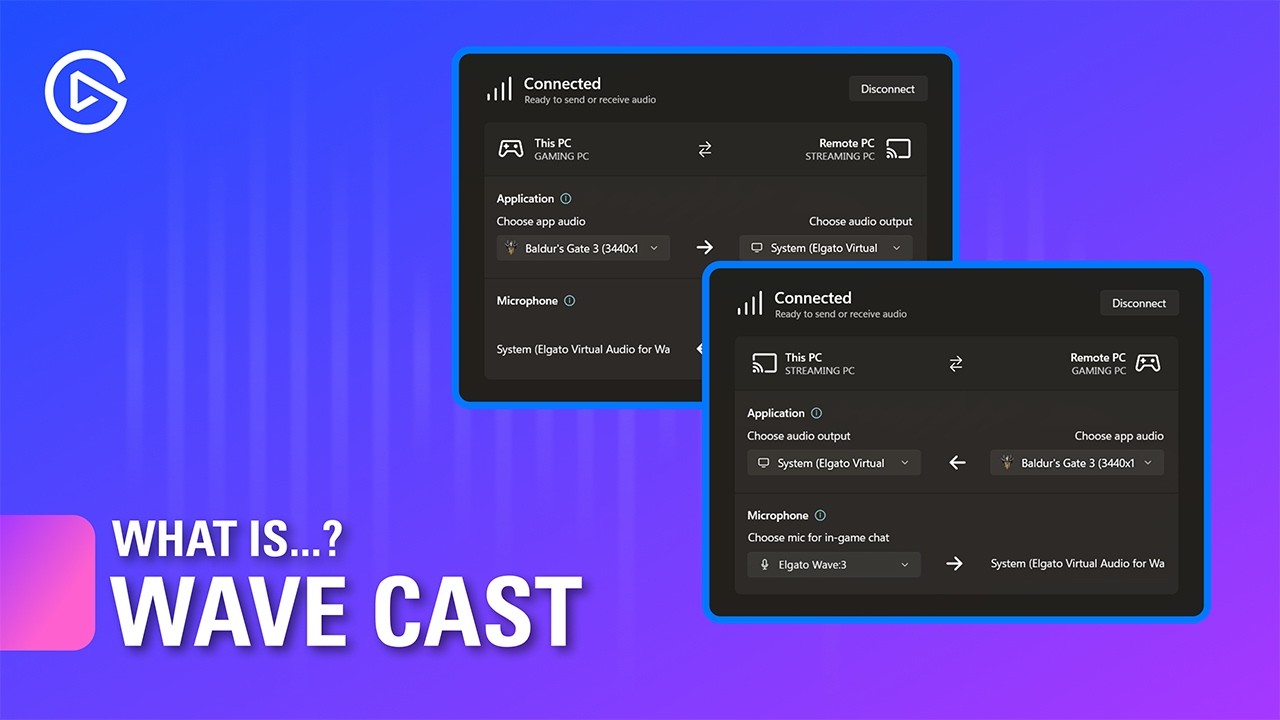
Wave Cast is an audio software designed specifically for dual PC streaming. Whether you're a professional streamer, gamer, or content creator, Wave Cast offers a seamless and simple audio solution that allows you to easily send audio between two PCs.
🡆 Download Wave Cast: https://marketplace.elgato.com/product/wave-cast-ee4238e9-abbe-446c-b...
lone crypt
I made a couple very detailed videos explaining wave link to total beginners, so they could understand it deeply enough to do their own setups and fix problems when they occur.
Shared in #1291136160676188172
They are for wave link 2, since I won’t be updating any content for 3 until its out of beta (at least)
But for wave link 2, what I said is the whole thing. That’s your stream audio over to the game pc, just by setting stream mix to the capture card.
Done
zealous pollen
lone crypt
I made a couple very detailed videos explaining wave link to total beginners, so...
Unfortunately I don't not own an elgato device capable of allowing me access to wave link 2 which is why I have wave link 3 because it allows the use of any products
lone crypt
Ok.
Well (besides allowing for some beta funnybusiness that you may or may not encounter)
One extra step, create an output mix and call it stream mix.
Set the capture card as the hardware output for that mix.
And that’s it!
Oh and make sure to add all the inputs you want to include in that stream mix to it.
They would default to being turned up back on wl2.
Now you click to include each input in each mix.
zealous pollen
lone crypt
Oh and make sure to add all the inputs you want to include in that stream mix to...
I will give it a try, and I appreciate your help sincerely
 gaunt timber
Hey, so I have a problem that I wanted to ask since it’s been a blaring problem when I stream.
I currently use a genki shadowcast 2 and Im playing a game using in game chat (ARC Raiders). Unfortunately, game chat doesn’t get recorded. I do know that this is fixable by the chat link pro but I was wondering if I can use the chat link pro without using an elgato cap card? Is there any way I can do this or do I have to invest in an elgato cap card?
Probably another thing to note is Im playing on an Xbox series x
lone crypt
gaunt timber
Hey, so I have a problem that I wanted to ask since it’s been a blaring problem ...
Chat link pro is simply a 3.5mm audio splitter cable (with a built-in ground loop isolator)
It will work with any capture card that has an analog audio input jack. When console is sending audio to the analog headset jack on the controller.
gaunt timber
Yeahhhh ok
gaunt timber
Yeah I did hear about that
That’s what I also wanted to confirm
Wait hold up would I be able to plug the audio straight into my laptop? And just use the capture card for the video?
lone crypt
gaunt timber
Wait hold up would I be able to plug the audio straight into my laptop? And just...
Yes. If your computer has a line in port, this works fine. Just add the audio input capture source to OBS. Since it won’t be part of the video capture source.
lone plume
gaunt timber
Hey, so I have a problem that I wanted to ask since it’s been a blaring problem ...
Same reason I had to change my capture card, I had Game Capture Neo which doesn’t have an audio jack so had to get a HD60 X
lone crypt
lone plume
Same reason I had to change my capture card, I had Game Capture Neo which doesn’...
If you were satisfied with the video capabilities of the Neo you could have added an audio line input to the computer.
lone plume
lone crypt
If you were satisfied with the video capabilities of the Neo you could have adde...
Streaming from a MacBook Pro bud, no audio in, just can’t find it in me to use Windows
lone crypt
I’m saying they are cheap to add
lone plume
Oh apologies, I misunderstood
lone crypt
There are good reasons to want one hardware that has all the features you want.
But you have options!
lone plume
lone crypt
There are good reasons to want one hardware that has all the features you want.
...
Much appreciated
 old pumice
hey does anyone know why my 4ks lags on the elgato studio when just capturing my gameplay? i have a good pc and everything so super confused why its lagging
i play and it stutters sometimes and quality drop etc.
also got good internet all connected by ethernet too
like dont make sense
past basin
Internet an network wouldn't matter for local recording anyway. Might be the app - do you have similar performance issues if you use something like Meld Studio or OBS Studio to record instead?
old pumice
past basin
Internet an network wouldn't matter for local recording anyway. Might be the a...
no not tried them, just thought the elgato studio was the way forward
as i need the sound and stuff to come through
past basin
The sound stuff will come through in other apps too
old pumice
hmm lemme check obs
past basin
Some like OBS you need to turn Audio Monitoring on for the card though in the advanced audio settings
old pumice
past basin
Some like OBS you need to turn Audio Monitoring on for the card though in the ad...
urmm let me check how to do this
past basin
Hit the gear in the audio panel in OBS, set the monitor option on the capture card to Monitor & Output
old pumice
 old pumice
past basin
Hit the gear in the audio panel in OBS, set the monitor option on the capture ca...
old pumice
past basin
Hit the gear in the audio panel in OBS, set the monitor option on the capture ca...

ahh like this
old pumice
okay so if i do this right and then, how would i go about setting up the like mic and everything as i know i cant hear party chat from playstation as
i need the chatlink pro or something
in terms of just recording and streaming from my pc do u have advice for how to set that up?
past basin
Generally you need a mic on the comptuer anyway (even with Chat Link Pro)
If you have one you can either add it in as an Audio Input Capture in OBS, or in the main OBS settings set it up as a mic/aux channel in the audio section
Either way works
old pumice
yeah i have another external mic but that does not have noise cancelling 🙁 just a normal studio mic
past basin
Noise cancelling is generally done in software anyway. If you don't have soemthing like an Elgato mic that unlocks Voice Focus, you can use an app like NVidia Broadcast (if you have an NVidia RTX GPU) to setup a virtual mic with noise cancelling on it, using your current mic
old pumice
wait my headset mic has noise cancelling (Audeze maxwells)
but the external studio mic doesnt i guess i can add noise cancelling on that
so would the setup be I use the headset to connect to the ps5 and use that for audio and party chat and then use the studio mic for the stream on the pc to hear me?
but then i think another issue is how would i then get the stream/recording to hear the party chat?
past basin
old pumice
so would the setup be I use the headset to connect to the ps5 and use that for a...
You'll need an external solultion to the capture card to capture the party/voice chat
Something like Chat Link - which only works if you're using a 3.5mm headset
You could use something liek a mixer or mixamp as welll
old pumice
past basin
Something like Chat Link - which only works if you're using a 3.5mm headset
yeah my headset is wireles but i can connect it via a cable
i guess wireless headset is not the one i assume
past basin
Pretty much the only wireless headset I know that you can capture is the Arctis Nova Pro, because it has a stream mode and the base station has a wired 3.5mm out
The A50 X can get some audio - though not party chat bceause it does that over USB
For everything else you pretty much need to run it in cabled mode
 edgy glen
Looking for some help, I may be misunderstanding something. I've got the Elgato 4KS hooked up with my nintendo switch OLED, and it seems to working, but the image being captured isn't being displayed on the Elgato studio window?
In the bottom left you can see the last snapshot I took, so it is in fact able to capture, but the image won't display. Any ideas?
 lone crypt
edgy glen
In the bottom left you can see the last snapshot I took, so it is in fact able t...
lone crypt
edgy glen
In the bottom left you can see the last snapshot I took, so it is in fact able t...
Was the card opened in a different app at the same time?
Is OS privacy settings set to allow use of cameras?
Is HDCP disabled on the console?
edgy glen
First time hooking up the Card, first time launching Elgato Studio, updated Studio.
Checking Privacy settings, though i've used a camera before so i'm sure it is enabled.
where do I find the HDCP on the Switch?
Privacy settings does allow apps and devices to use my camera.
The Switch is off by default unless it launches a streaming app
It seems closing and relaunching Elgato Studio has solved my issue for now.
Thank you,
 spiral spoke
So I have a pretty unique situation I think?
I got an Elgato to stream my Switch 2 to my friends on Discord. The idea is that I'll play while watching and listening to my TV, but I'll also have my headset on to chat and listen to the banter. I can stream Elgato Studio to Discord, and everything works fine.
The problem comes from the sound playing both on my TV and on Elgato Studio in my headset. I tried muting Elgato Studio, but then it won't stream the audio. I then I tried ignoring my TV and just playing through Elgato Studio, but then there's a small but noticeable input and audio delay, not to mention lower image quality.
Is there maybe a way to prevent Elgato Studio from sending sound to my headset, but still broadcast the audio to the Discord stream? I know this is very convoluted, but I'm open to ideas and suggestions.
lone crypt
spiral spoke
So I have a pretty unique situation I think?
I got an Elgato to stream my Switc...
Use OBS instead of Elgato studio.
Simply don’t monitor the audio. Set the audio to be output only.
Start the virtual camera and use that as your streaming source.
spiral spoke
OBS is confusing. I managed to make the Virtual Camera work, then streaming that on Discord, but I couldn't get any sound to go through.
Thanks for the help though! I'm sure that I'm doing something wrong, but not sure what.
lone crypt
spiral spoke
OBS is confusing. I managed to make the Virtual Camera work, then streaming that...
Hmm, seems like OBS should send sound with the virtual camera… is there sound in it on the meter?
Maybe discord is doing something weird?
spiral spoke
This is what I'm getting. If I set up Desktop Audio, I can hear it on my end, but my friends can't hear it on their end regardless.

Sound works fine through Elgato Studio, but yeah that has its own problem.
 eternal dawn
quick ask, how do i seperate pc audio and capture audio i forgot since i reinstalled obs and my saved scenes was before i bought the elgato
lowering the capture audio lowers pc audio and vice versa

if anything looks wrong here let me know
 lone crypt
spiral spoke
This is what I'm getting. If I set up Desktop Audio, I can hear it on my end, bu...
lone crypt
spiral spoke
This is what I'm getting. If I set up Desktop Audio, I can hear it on my end, bu...
Must be a difference in how discord is reviving it…
gaunt timber
lone crypt
Yes. If your computer has a line in port, this works fine. Just add the audio in...
Hey so how do I set this up?
I actually have the cable now
And im not getting the Im game chat up
gaunt timber
nvm figured it out
 burnt fiber
Hello all!
Hoping I can get some help with this odd issue. I just got my 4k s yesterday. When I first fire my PS5 Pro up, everything looks great. Then, when I launch a game, everything turns fuzzy/grainy in Elgato Studio and/or OBS. Everything is still fine on my monitor though.
It seems like when the PS5 switches over to 120Hz for gameplay, this happens. Funny thing, when I close the game and the PS5 goes back to 60Hz, it stays fuzzy/grainy. I've tried changing the EDID to monitor but the cuts out the signal completely. If I switch it to Internal, the signal comes back but it seems like it wants to be in 2160P that way and my monitor is only 1440P.
I've unplugged/replugged everything, tried different HDMI cables, differnt USB C cables, and restarted macbook.
Here's what I'm working with:
2021 MacBook M1 Pro
Samsung G61 SD OLED Odyssey G6 monitor - 1440p, 240Hz
Sorry for the screen recording quality. Had to export it to 480P to get it under 100mb.
Log FIles:
past basin
burnt fiber
Hello all!
Hoping I can get some help with this odd issue. I just got my 4k s y...
This is an issue specific to the newest firmware on 4K S, when used with 1440p at 120 Hz. For now either change the refresh to 60, or change the resolution, until the next firmware update is out. You could also check with #official-tech-support to see if the firmware can be rolled back
lone crypt
gaunt timber
nvm figured it out
Good!
Yeah it’s not too complicated
gaunt timber
Yep! Just did a full 2 hours of a stream and it works extremely well! Just needed to set the analog input for the in-line to mic in and it works as intended.
I shall definitely be using this for the future
pseudo portal
Currently having an issue with my 4k x and series X screen keeps going in and out when i start game like flikering black and saying no signal
past basin
pseudo portal
Currently having an issue with my 4k x and series X screen keeps going in and ou...
That's normal if the game changes any display mode (eg turns on HDR, 120 Hz, VRR, etc), because it changes the signal and the card needs to resync
pseudo portal
It keeps doing it though not juat a change
burnt fiber
past basin
This is an issue specific to the newest firmware on 4K S, when used with 1440p a...
Thanks for that info!
past basin
pseudo portal
It keeps doing it though not juat a change
As in the screen keeps going to black? Does it get both the video capture and the screen in the HDMI OUT of the card or only one of the two? I'd also test with VRR off on whatever you're capturing if it's supported
 frozen pollen
is it advised to turn off amd freesync premium to avoid stutters with elgato 4k x?
golden terrace
How do I fix the weird color issue on 4k s?

apparently was a weird issue with 4k output in hdr
 tulip shore
anybody have any idea my ps5 is no signl on computer montior i have hdmi switch on av matrix to capture card 4k 60 pro mk2 it is a 2x5 matrix it works on tv but not on computer monitor
frosty badge
Hello everyone. I'm using an Elgato 4K Pro.I deeply regret buying this card. To make matters worse, I bought two! One hasn't even been opened yet. I want to return it.
burnt fiber
Huge bummer that I have to play in 60Hz to use my 4K S. Hopefully they release a new firmware soon. Tech support hasn't been any help yet. I just keep getting email replies from thier AI assistant....
vagrant pebble
hi guys just picked up a 2nd hand elgato HD60 and on 4K capture utility it’s saying please re-connect game capture hd60s to a usb 3.0 port and on my motherboard it’s connected to a 3.2 port (blue) not sure what’s going on
 tender pasture
Help, HD 60 S just stopped working mid-stream, it just cut out to black. I tried replugging it and nothing
passthrough works but no capture
Update: ended stream
Edit: here's when it died
https://www.twitch.tv/videos/2664115422

Twitch
citrusthings went live on Twitch. Catch up on their Kirby's Return to Dream Land Deluxe VOD now.
 stark depot
hiiiii, i just got my elgato capture card s for christmas and like, no matter how much i unplug or replug it in, it wont turn on at all. am i missing something?
like lowkey it wont light up or anything
stark depot
its fixed! apologies
turns out the provided usb c was faulty
or usb. whatever ahaha
 limber mist
burnt fiber
Huge bummer that I have to play in 60Hz to use my 4K S. Hopefully they release a...
limber mist
burnt fiber
Huge bummer that I have to play in 60Hz to use my 4K S. Hopefully they release a...
we're sorry but 4k60 is the max the device supports:
 limber mist
vagrant pebble
hi guys just picked up a 2nd hand elgato HD60 and on 4K capture utility it’s say...
limber mist
vagrant pebble
hi guys just picked up a 2nd hand elgato HD60 and on 4K capture utility it’s say...
not a good sign for a second hand one... try another cable, even c-type doesn't mean usb 3
limber mist
tulip shore
anybody have any idea my ps5 is no signl on computer montior i have hdmi switch ...
is hdcp turned off?
limber mist
tender pasture
Help, HD 60 S just stopped working mid-stream, it just cut out to black. I tried...
is the device still detected in the software?
past basin
limber mist
we're sorry but 4k60 is the max the device supports:
They're hitting that artifacting that happens on 1440p120 in the latest firmware. They're playing on 60 Hz because the artifacting stops on pretty much any other setting than 1440p120
limber mist
ok not 4k120, what source?
past basin
PS5 Pro iirc
limber mist
but with hdr?
past basin
Thye linked a video of it up https://discordapp.com/channels/581549424518365226/1080643455799279697/1458334309730484247
limber mist
thx
past basin
1440p120 HDR should outright fail on 4K S for going above HDMI 2.0 bandwidth generally, shouldn't it?
But yeah, it's off in their video
limber mist
hdr can only get passed through with 2k120, capture in 2k120 tonemapped or 1080p60 hdr, the video quality is very very bad... 480p, that "could" be chroma but hard to tell - will have a look myself next week
past basin
Been seeing that exact pattern of Artifacting they had in the video for a while - only shows up on 4K S, only on the latest firmware and only at 1440p120 afaik. I keep meaning to see if I can roll the firmware back on my own (since it's a two part firmware I'm unsure about rollback order), but generally have been referring folks to support after having it confirmed as an issue.
As for 1440p120 HDR the usual bandwidth calculator I use shows that just very slightly pushed it into HDMI 2.1 territory. I had to check it before as it's the only mode Switch 2 can't run through 4K S (since the switch 2 uses that weird HDMI 2.1 half rate port to go above HDMI 2.0).
But James was the one who mentioned it's only seeming to hit 1440p120 mode specifically when I asked about the issue so I'm assuming it'll get a firmware fix soon enough since it seems the team is aware of it
limber mist
maybe i'm just not yet aware, but can't keep track of everything unfortunately
@burnt fiber can you try again with that edid?
past basin
Maybe. Though do you happen to know the order one would downgrade the firmware with? eg MCU then Base, or vice versa? Both updated with 4K S, so I've been hestitant to try reverting
limber mist
not specified, i usually start with the base and follow with the mcu if needed but in total we made more mcu updates than base, so both must work independently. unplug hdmi when you do it.
and DON'T unplug usb until you're sure the process is done
limber mist
stark depot
turns out the provided usb c was faulty
pls open up a ticket at help.elgato.com to get a new cable, we provide some of the best and most expensive ones you can get
past basin
limber mist
not specified, i usually start with the base and follow with the mcu if needed b...
Much appreciated - when I have a moment I'm going to test that rollback on my own 4K S before I go suggesting anyone try it.
burnt fiber
limber mist
we're sorry but 4k60 is the max the device supports:
I'm not running 4k. I'm running 1440p.
burnt fiber
limber mist
maybe i'm just not yet aware, but can't keep track of everything unfortunately
Yes, I will give this a shot later this evening. Thank you!
burnt fiber
limber mist
but with hdr?
HDR is off.
vagrant pebble
limber mist
not a good sign for a second hand one... try another cable, even c-type doesn't ...
got it to work after purchasing a 3.0 cable!
tender pasture
limber mist
is the device still detected in the software?
OBS still lists it
past basin
tender pasture
OBS still lists it
If you load it up with 4K Capture Utility, does that utility detect any errors?
burnt fiber
limber mist
<@355481532481273867> can you try again with that edid?
This edid works! Can launch game at 1440p 120Hz with no issues, so far. Thank you!
past basin
What do you mean "spoofer"? What are you trying to get it to do.
 spring cove
Not sure if this is the right place, but I recently purchased a 4k pro capture card and can't get any 4k passthrough above 120hz to work. Even when a display isn't connected to the "out" port on the capture card the preview will flash between "no signal" and one or two frames of my comptuer every few seconds.
lone crypt
spring cove
Not sure if this is the right place, but I recently purchased a 4k pro capture c...
Passthrough refers to having a display connected to the out port. For capture, I think it only goes up to 60hz at 4k
Maybe I’m not understanding
I must be misunderstanding.
Passthrough should go up to 144 with a hdmi 2.1 cable
spring cove
Gotcha, I currently have the included 8k hdmi cable from my main pc to my capture card, then I have another 8k hdmi cable going from my capture card to my main monitor. Here is what I see in both applicaitons:


I don't have an option to increase to 144, even though when I have my monitor plugged straight into my pc I can.
 rustic haven
Just a quick question: I stream using a dual-PC setup - capture card Elgato HD60X with EDID Display / EDID (Internal): Default and I set the "monitor" of the capture card to 1440p120 and my main monitor to 1440p 480hz but suddenly the capture card switches from 1440p120 to 1440p40 in 4K Utility. Also I didn’t have screen tearing before and now I have. I also feel that streaming with the EDID Display is smoother compared to the Internal EDID, despite these small issues that I’d like to resolve. I’ve updated everything, including the graphics card drivers, but nothing seems to fix these minor problems.
warped ledge
rustic haven
Just a quick question: I stream using a dual-PC setup - capture card Elgato HD60...
the card alone can only do 120
as for dual pc display def. comes in handy on the EDID
rustic haven
warped ledge
the card alone can only do 120
Yes, I know that and the capture card is set to 120, but where it says ‘Source:’ in the 4K Utility information it changes from ‘1440p120’ to ‘1440p40’. That’s what worries me and it’s probably what’s causing the tearing I’m experiencing right now which didn’t happen before. What I wanted was to get an opinion on how this might be resolved… I’ve updated all the drivers, etc.
rustic haven
warped ledge
as for dual pc display def. comes in handy on the EDID
Yeah I think it’s a good option the Display EDID.
lone crypt
Is it VRR?
limber mist
rustic haven
Yes, I know that and the capture card is set to 120, but where it says ‘Source:’...
thats vrr/freesync/g-sync, its made to prevent tearing - but since you're most liekly cloning another display it doens't work as intended... that's never a good idea, even without a capture card, resident evil e.g. will change resolution or framerate, frostbite engine games like black flag will have flying npcs... use the devices passthrough, the same resolution and framerate, turn off g-sync/freesync/vrr and test what happens (might get worse) or preview your game in obs and use the preview projector to the cc
rustic haven
Okay I’ll look into that. Another question is… I also tried the EDID Internal. With the EDID Internal the tearing continues until the moment I change the monitor’s refresh rate to 240 Hz, and then it stops. When I switch the monitor back to 480 Hz the tearing doesn’t come back either… it’s something strange. Do I always have to change the main monitor’s refresh rate to get rid of the tearing on the capture card? That seems a bit odd to me.
For example yesterday the main monitor was already set to 240 Hz when I turned it on, and when I connect the capture card I see that tearing appears. So it’s not just because it’s at 240 Hz that there’s no tearing — because if everything is powered on already at 240 Hz, the tearing still shows up. I always have to change the monitor’s refresh rate for it to disappear 😅
I have Gsync ON only for fullscreen games I play with Windowed Fullscreen and Vsync off in NVIDIA Panel and in the games
lone crypt
Cloning the display method has quirks that will vary for different systems, drivers, displays, GPUs, etc.
You’ll probably have more reliable results using the capture card set to extend desktop and then using an instance of OBS to project the preview to the capture card.
OBS is magic and can scale a projected display for basically free, and smooths over any resolution or frame rate changes.
rustic haven
I’ve also tried that method of expanding/extending, but everything ends up being very laggy for the stream. It’s strange.
lone crypt
rustic haven
I’ve also tried that method of expanding/extending, but everything ends up being...
Hmm, with OBS? Didn’t start it encoding? You don’t need to encode. Just the preview. It doesn’t use any system resources.
Oh wait! I bet you projected the wrong screen.
I bet you projected over your main display, instead of over the capture card display.
If you do that you would see the visual with a delay since it would loop through OBS display capture before being projected
rustic haven
Hmmm maybe I don’t know bro ahah there’s some video explaining? It would actually be kind of nice if Elgato released a tutorial on their website showing how to use extended displays with those OBS PC Gaming settings for the streaming PC.
I know that I used Display capture in PC Gaming OBS to project to HD60X I don’t know if it’s wrong
lone crypt
rustic haven
Hmmm maybe I don’t know bro ahah there’s some video explaining? It would actuall...
Yeah, I know what you mean.
Once you get it, it’s very simple, but if it’s set wrong at first it’s like… impossible to figure out.
I almost made a video when nvidia drivers started getting all broken last year.
But then the need calmed down.
I think Elgato kind of doesn’t want to suggest that method very hard because they’re rather point people to the absolute most simple method, which is always direct connection with passthrough.
rustic haven
I tryed to put EDID Internal 1440p in 4K Utility and Expand both monitors main with capture card and the tearing exit but sometimes appear a big horizontal tearing thing, that’s because I play Windowed Fullscreen or because I have 480hz on my monitor?