#capture-cards
1 messages · Page 74 of 1
 past basin
 azure mantle
Just to recap..
AUX from Elgato into line out on the DAC (whilst the audio output is set to nova pros)
past basin
Yeah. Dont' forget to set the Line Out mode on the DAC itself to stream mode
otherwise it won't sent the audio over
azure mantle
Ok sure
I’ll let you know how I get on
Thanks for the help! Much appreciated
Just to confirm, the line out from the DAC plugged into the Elgato HD60x capture will then send audio to the capture on my Mac?
past basin
Yeah - you have to set the HD60 X to Analog mode though. Use Elgato Studio or Capture Device Utility to do that - it won't automatically switch
And if you get buzz on the line you'll have to add that ground loop isolator. Fortunately those are cheap, usually less than $10
 sly sail
Hi guys, I have a 4K X Elgato
my switch 2 is connected
theres no audio coming through my obs
any help?
 granite pier
 past basin
sly sail
theres no audio coming through my obs
past basin
sly sail
theres no audio coming through my obs
Is the OBS audio meter moving and you can't hear it, or no audio at all? Is the Switch 2 set to Stereo audio, and is there any headset connected to it?
 glad wind
hey i have a minor issue, have a elgato 4ks, every so often it will kind of hiccup and black out my gaming pc for a few seconds, not sure if it has to do with my streaming or gaming pc or the card itself
past basin
So many things could be going a little off there. First thing I'd try is disabling VRR/G-Sync/FreeSync if it's running in case the range is just occasioanlly getting out of range for either the card or the monitor sometimes.
Then the usual checks - updated GPU drivers, updated firmware on the card, etc
 wanton stone
Hi All using a 4k60 pro in streaming pc... so when I enable hdr in my game pc for my main monitor it's fine but when I clone display I can no longer use hdr is there any reason why?
past basin
wanton stone
Hi All using a 4k60 pro in streaming pc... so when I enable hdr in my game pc fo...
Windows disables HDR on any display you clone, which is what's locking it out there.
Some folks work around it by cloning with Software instead - eg, using OBS, setting up a scene, then leaving the card setup as an exteneded display instead of cloning it and projecting the OBS scene with your game to the capture card's cirtual display (this does require some additional setup to configure OBS for HDR, but gets around the Windows limit)
 cunning jewel
Hi all, im trying to find help for my elgato 4k60 capture card I just bought, I can only get a desktop display of my main pc no windows appear, I can get it to show everything by duplicating displays instead of extending but that makes my monitor feel incredibly slow so... if anyone has any advice or knows someone who might Id really appreciate it.
Have tried new gpu drivers, troubleshooting the EDID modes in capture utility, reseating the capture card and a few other things so kind of at a loss.
past basin
Make sure when you duplicate displays that you duplicate the monitor to the capture card, not the other way around, or you could cap your refresh rate
cunning jewel
past basin
Make sure when you duplicate displays that you duplicate the monitor to the capt...
lol that was so simple I appreciate it, I was duplicating the display while my main was selected just did it with the capture card and its displaying everything now, this doesnt effect effect any delay on the main monitor correct? im running 400hz and It still feels like 400hz so im assuming not but just checking.
thanks very much
past basin
It genreally shouldn't affect it, no. Some GPU driver versions have hit issues with it in the past, but the companies are usually quick on fixes when that happens.
cunning jewel
past basin
It genreally shouldn't affect it, no. Some GPU driver versions have hit issues ...
in nvidia control panel it displays 400hz in my display adapter settings im seeing 240, this is just what the capture card is recieving right they are running different refresh rates ?
 past basin
Down in the bottom right there, is 400 Hz an option?
cunning jewel
nope 240 is max
past basin
400 is also kind of non standard so it may not be defaulting to that. Is the monitor hooked up via DisplayPort or HDMI?
cunning jewel
Displayport, 360 is what I usually run but with duplicated displays that option is gone from nvidia control panel and 400 is the highest 240 2nd highest
 past basin
Check in NVidia Control Panel, right click the display in the layout under multiple display setup and double check which device is your source display (should be the main screen)
cunning jewel
past basin
Check in NVidia Control Panel, right click the display in the layout under multi...
?

 past basin
How is your capture card currently connected here? Straight to a HDMI port?
cunning jewel
yea single hdmi port on 5070 ti into hdmi in on capture card in streaming PC
past basin
Anything in the HDMI OUT of the card?
cunning jewel
no i wasnt aware there needed to be is that smth i gotta do 😭
past basin
No, that's fine - I'm just not sure why the card isn't showing up here
cunning jewel
yeaa
past basin
If that's a laptop with Hybrid graphics it might be connected to the internal iGPU on the HDMI port?
I know on my setup NVidia Control Panel only sees the displays connected to the HDMI or DP ports on the laptop, generally if I run it through the USB ports it gets the intel graphics. But if you're using the HDMI port. .
Do you know if your laptop has any kind of MUX switching?
(lets you disable the internal GPU basically and run everything on the discrete one)
cunning jewel
noo im not on laptop sorry that screenshot is misleading I have a single benq zowie monitor connected to my GPU, the [2] is my capture card running at 4k resolution cus i disabled and enabled it
past basin
Oh. is the card on a HDMI port on the main GPU or on your motherboard?
past basin
On the gaming PC I mean
Which card is this again? 4K60 Pro Mk2, or original 4K60 Pro?
cunning jewel
ah sorry gaming pc has the hdmi port in the only GPU port available
cunning jewel
past basin
Which card is this again? 4K60 Pro Mk2, or original 4K60 Pro?
4k60 pro
past basin
And any chance it's second hand? I'm wondering if it has a custom EDID loaded into memory - if the card is what's showing as the Ditital Display if the EDID isn't the default that could explain the name
cunning jewel
It shouldnt be 2nd hand, purchased and unboxed for first time 2 days ago from amazon straight from elgato store
past basin
Is the capture card what's showing up as Digital display there?
cunning jewel
yes
past basin
Can you check on the streaming PC and run 4K Capture Utility, go to settings under the device tab and check if there's any firmware updates
Also what the Input EDID is set to
Usually the card should show up with mention of the model number, or Elgato
When there's nothing in the HDMI OUT - if there's something in the HDMI OUT it shows up as whatever's plugged in there usually
cunning jewel
past basin
Also what the Input EDID is set to
dont see any firmware updates in device tab, EDID is set to 4kpro 4k240
past basin
Wait, is this a 4K60 Pro , or the newer 4K Pro?
(the newer one drops the 60 from the name since it supports passthrough above 4K60)
past basin
Ah, okay. Is input EDID set to Internal, Display or Merged at the moment?
cunning jewel
Display
past basin
Okay, set that to Internal, and change the 4K240 at the bottom to Default
Display would pass along any EDID for a device connected in the HDMI Out port - since there's nothing there we want to use Internal
cunning jewel
past basin
Okay, set that to Internal, and change the 4K240 at the bottom to Default
okay just did, reset displays to extended so not getting anything aside from desktop again should set to duplicated
and hopefully my hz is there
past basin
Yeah you can set it back now - the name should no longer be Digital Display if it took correctly
cunning jewel
past basin
Yeah you can set it back now - the name should no longer be Digital Display if i...
still appearing as digital display and 240hz max

💔
past basin
any splitters or adapters in there or just card's HDMI in straight to the GPU?
Sometimes you might have to restart both computers to resync things after an EDID change too
cunning jewel
past basin
any splitters or adapters in there or just card's HDMI in straight to the GPU?
Yeah just straight hdmi input
past basin
Rergardless that's not likely the main issue anyway. If yuou right click that graphic with the 1/2 down in the bottom there should be an option for source selection. Make sure the source is set to 1, which is the monitor
 past basin
Nice
cunning jewel
still getting a digital display in nv control panel but I dont think that efffects anything
thanks sm saved me probably another 3 hrs of trouble shooting
past basin
Yeah, that's just the name being off. It might reset to the correct name next reboot anyway
Glad to hear it's sorted out
cunning jewel
sounds good
glad wind
past basin
So many things could be going a little off there. First thing I'd try is disabl...
ok thank you ill try it
its like every hour or so not a huge deal but i play competitive games so
sly sail
past basin
Is the OBS audio meter moving and you can't hear it, or no audio at all? Is the...
no headset connected the obs audio meter goes up and down regardless if thre is sound or not for some reason
its stereo aduio
audio
past basin
sly sail
no headset connected the obs audio meter goes up and down regardless if thre is ...
Is there sound in your recordings or stream? By default OBS adds new audio sources with audio monitoring disabled, meaning it only goes to stream and recording, not local playback. If you want to hear it too, go to the advanced audio settings (gear on the audio panel, or under the edit menu) and set the card's monitor option to Monitor and Output to enable audio monitoring
 topaz nimbus
New issue: I'm not getting audio after recording a video from Elgato Studios
past basin
Do you hear the audio while recording?
topaz nimbus
past basin
Do you hear the audio while recording?
yes
Weird
So when I upload the mp4 file to Youtube there's audio
But when I go into Media Player there's no audio
 upbeat wigeon
hey guys quick question, my friend streams through obs with her 4kx cap card from her xbox series x but there seem to be a couple seconds of sound delay after every 20-30 minutes of her streaming which causes her to have to reset her game every now and again! anyone have any ideas as to what this could be and how to fix that?
topaz nimbus
past basin
Do you hear the audio while recording?
could the reason be that I'm using Chat Link?
past basin
topaz nimbus
Weird
So when I upload the mp4 file to Youtube there's audio
But when I go into ...
Try it with another media player like VLC player. That sounds like some sort of playback issue rather than recording
past basin
upbeat wigeon
hey guys quick question, my friend streams through obs with her 4kx cap card fro...
Try muting the card and adding it again as an audio input capture so it can pull the audio from the audio interface instead of through the video. OBS seems to have some issues pulling through the video sometimes where the sample rate can get stuck at 44.1kHz leading to drift
upbeat wigeon
past basin
Try muting the card and adding it again as an audio input capture so it can pull...
i will absolutely give that a crack as soon as she's off stream!!! thank youuu
topaz nimbus
past basin
Try it with another media player like VLC player. That sounds like some sort of...
Seems like I can use the desktop audio and headset at the same time when trying to playback
upbeat wigeon
past basin
Try muting the card and adding it again as an audio input capture so it can pull...
so a little follow up! that actually seems to have done the trick! thanks legend
 frosty breach
Hi, I'm having audio delay issues on my HD60X recording my Wii U. Here's a video for reference of my issue. (attached are screenshots of my settings). Any suggestions on how to fix this issue?https://drive.google.com/file/d/1vklw2zmYzD41Y_h5g4L1VeaxX7ciIVsA/view?usp=sharing

 past basin
topaz nimbus
Seems like I can use the desktop audio and headset at the same time when trying ...
past basin
topaz nimbus
Seems like I can use the desktop audio and headset at the same time when trying ...
I'm not quite sure I follow that sorry - you mean you can't use the headset to hear the desktop audio feed? Or something else?
past basin
upbeat wigeon
so a little follow up! that actually seems to have done the trick! thanks legend
Glad to hear it's working!
topaz nimbus
past basin
I'm not quite sure I follow that sorry - you mean you can't use the headset to h...
Yes
Meant to say can’t
 lone lake
hiii. so I got a 4k X
and i want to use with OBS to record 4kp120
it records all fine with the elgato studio app (though this app is limited in the settings I can pick)
with OBS i can get a smooth recording if i do 1080p/default
but as soon as I set it to 4k/120 i get stutters and lag from the capture device
,, anyone know the best way?

 lone crypt
topaz nimbus
Yes
Meant to say can’t
lone crypt
topaz nimbus
Yes
Meant to say can’t
You need a mixer of some kind to combine the audio sources into your output device.
lone crypt
lone lake
hiii. so I got a 4k X
and i want to use with OBS to record 4kp120
it records all...
Could be your computer can’t keep up.
What does the OBS stats dock say? Shows dropping frames?
lone lake
lone crypt
Could be your computer can’t keep up.
What does the OBS stats dock say? Shows d...
I don't think so .. I don't get overloaded message? I've tried a 7950x3d 5080 and a 5950xb5080 two pcs.. elgato studio does 4k 120 fine but obs& streamlabs choppy when I select 4k at all in capture device properties.. 4k capture utility doesn't record above 60
Even 60 4k looks choppy in OBS/STreamlabs
But i can do a 4k canvas and output in OBS with 1080p in capture properties and it's smooth as butter
It's on 10gbps USB c or elgato studio wouldn't work fine
lone crypt
Can depend on encoder settings, too.
Buffering turned on?
I would show that stats dock, as I suggested. OBS might be dropping frames and that tells you what part of the process.
And if it’s not, that’s also a clue about what to do next.
past basin
It would also be good to know if the video is choppy in the OBS preview or just recordings and stream.
lone lake
so default is fine, it defaults to 1080p.. smooth video
but obviously I want 4k
 lone lake
lone crypt
Buffering turned on?
lone lake
lone crypt
Buffering turned on?
if you mean in video capture device properties? i've tried auto, disable, enable same
lone lake
past basin
It would also be good to know if the video is choppy in the OBS preview or just ...
preview seems choppy too
past basin
I'd check what jnTracks was suggesting then. Change your buffering option. It defaults to automatic but so try each manual option to see if either works ebtter
 lone lake
i've tried all 3 options, same
past basin
Is the main OBS canvas already set to 120fps?
lone lake
yeah
4k 60 on OBS isn't great either, but i can record my desktop with same output encoder settings fine, 4k canvas, 120 .. etc
i can upload a video of the choppyness maybe that'd help?
i don't see anything much of note in log file unless there's some other log I need to look at?
lone crypt
The stats dock is much easier to see if anything is dropping frames. Seems like that would be difficult for such a powerful system but we never know.
More likely it’s a frame timing thing,
If you want to tease out the info from the log, use the analyze option, so that it uploads the log to the interpreter tool.
past basin
I'd also check a test recording if you haven't already - if OBS is having a resource constraint it will nuke preview performance for the sake of recordings
lone lake
 past basin
I'll have a look at that log too when I have a moment, but have to take care of something for work atm
I would suggest in the meantime checking if the card is connected at SuperSpeed or SuperSpeedPlus using a tool like USB Tree viewerhttps://www.uwe-sieber.de/usbtreeview_e.html
lone crypt
Stats looks good, and expectedly low frame time.
lone lake
https://obsproject.com/tools/analyzer this for log analyze?
OBS (Open Broadcaster Software) is free and open source software for video recording and live streaming. Stream to Twitch, YouTube and many other providers or record your own videos with high quality H264 / AAC encoding.
so I think it's some framerate or frame pacing issue or something between the capture device and/or OBS usage of the capture device, but for the life of me.. there's no other settings or anything wrong with the settings that I can see
elgato studio records 120,60 4k all just fine,
4k capture utility only does up to 60 but seemed ok i think,
obs/streamland obs seems to not like the card or something
i've tried use hardware decoding when available too


USB Version : 3.2 Gen 2 (aka USB 3.1 - 10 Gbit/s)
which makes sense since Elgato Studio can record fine
past basin
4K120 can run over MJPEG on USB 3.0 too, but I wasn't sure if it might be a contributing factor.
lone lake
I see...
I was thinking of downgrading OBS, I'm using the latest version, I don't know if that should matter though
past basin
What if you try another third party app first like Meld Studio?
lone lake
I can look in to Meld Studio
streamland OBS has the same issue as OBS though
past basin
actaully give me a second, it occurs to me I don't know if meld can do high framerate recording
lone lake

maybe it can't

elgato studio smooth as butter (just not enough options to configure and such)
https://www.reddit.com/r/elgato/comments/1ca1ifw/comment/l1083q0/?force-legacy-sct=1
i am getting dupe frames yeah if i press E i can tell
but again elgato studio is fine, so its not the hw but an OBS/ffmpeg/capture specific, so elgato studio somehow gets it working
same if i select 60 or 120 too

 maiden belfry
can someone help i got a 4k s i got it capturing to elgatos app but it wont capture to my obs studios
 fading latch
curious to know as to why it seems Elgato Studio is limited to 1440p to record/screenshot but Game Capture 4K isn't limited to 1440 and can do 4K video and screenshots.
it's not my laptop that is the problem from the looks of it either


both of my laptops can do it in 4K (mainly screenshots that is)
past basin
fading latch
curious to know as to why it seems Elgato Studio is limited to 1440p to record/s...
There is a setting under the device properties in Studio to cap the resolution for recording that's probably been set
fading latch
i have it set at 4k
past basin
maiden belfry
can someone help i got a 4k s i got it capturing to elgatos app but it wont capt...
Make sure you don't open OBS while Elgato Studio is still open - only one app at a time can use the card generally
maiden belfry
past basin
Make sure you don't open OBS while Elgato Studio is still open - only one app at...
THIS WHY YOU GOT MEMBER OF THE YEAR YOU GOAT

 past basin
fading latch
past basin
fading latch
If recording format is set to allow up to 4K, check that your source signal is actually 2160p. I've seen 4K Capture Utility bug in the past and report incorrectly. When you mouse over the actual resoultion in the top lfet what does it show for the whole chain?
past basin
maiden belfry
THIS WHY YOU GOT MEMBER OF THE YEAR YOU GOAT
Glad to hear it sounds like it's sorted out!
fading latch
 maiden belfry
past basin
Glad to hear it sounds like it's sorted out!
maiden belfry
past basin
Glad to hear it sounds like it's sorted out!
just gotta figure out the no audio
past basin
fading latch
Hm. It's probably tripping up trying ot favour frame rate over refresh rate (since HD 60 X can only do 4K Capture at 4K 30). 4K Capture Utility used to do the same thing but you could SET the frame rate in taht one. Studio doesn't support that yet
I'll have to spin mine up later to see if I can duplicate that
fading latch
interesting
past basin
maiden belfry
just gotta figure out the no audio
If you had audio in the other app you may have audio in OBS and just not have audio monitoring on (OBS Defaults it to off). Open the advanced audio settings (Gear icon on the audio panel), and set the monitor option to the card to Monitor and Output and see if that sorts it out
fading latch
ES is nice to use but this is a annoyance to have. still have 4KGC on both my laptops when i want to take screenshots in 4K and even record (though don't do that much as takes up too much space) and recording at 1080P still works fine in HD Game Capture too
can 4K game capture have any more updates or is Elgato done with it?
past basin
Pretty sure they've mentioned being done with it, or intending to be done with it. The most recent card, 4K S doesn't work with it at all
maiden belfry
past basin
If you had audio in the other app you may have audio in OBS and just not have au...
well that didnt quite work ill text in a bit going to best buy to buy a headset that has a 3.5mm jack for the chat link
past basin
Can use a third party app like Meld though, if Studio doesn't fit the bill
fading latch
good to know. is there going to be a turn off preview for ES? kinda like how HD Game Capture could turn off the preview to tone down the CPU use while using it? that'd be nice to have again
past basin
maiden belfry
well that didnt quite work ill text in a bit going to best buy to buy a headset ...
When you set the Chat Link up, don't forget to set your capture card to analog audio using Studio (pull out the side menu next to the gear at the top). Once you set that you can close studio and go back to OBS, it'll save it on the card
past basin
fading latch
good to know. is there going to be a turn off preview for ES? kinda like how HD ...
Not at the moment, but they've mentioned it's not feature complete yet with the old 4K Capture Utliity or the old Game Capture HD apps. It'll be getting features back over time to be comparable - you could suggest that to #feature-request in th meantime
maiden belfry
past basin
When you set the Chat Link up, don't forget to set your capture card to analog a...
might that be why i waas getting no auidio?
past basin
Not if you don't hjave a Chat Link already
maiden belfry
i had one plugged in already
past basin
But if you need a Chat Link I'm assuming you're using a headset with the console - that'll mute the HDMI audio which is why the headset is needed
Oh, if you already had a Chat Link then probably, yes
the card won't switch over automatically
fading latch
past basin
Not at the moment, but they've mentioned it's not feature complete yet with the ...
i will. the option for that would be nice to have and cut down on CPU use as well.
 near scarab
I just got an Elgato 4k S to stream my switch 2 to discord for friends. I have a dual monitor setup but my monitors only have 1 HDMI port. I cannot hear the Elgato through my second monitor. I also cannot figure out how to stream it. Can anyone help?
Im getting rerally confused with all this so i just need some help, i cant find anything online.
near scarab
im also getting a choppy stream in the studio app
if i use OBS i cant hear anything.
 sick otter
hi everyone! I was hoping I might be able to get a little advice on my new capture card? I've followed all the instructions but I'm not able to get the card working. I have the elgato 4k s (im also trying to get help from the helpline atm)
***Issue was solved by customer service helpline 😄
 lime patrol
@past basin I ended up calling elgato tech support and was on the phone for about an hour going through all these back doors trying to find the solution only to find out it was the most simple solution! Now I'm able to capture audio on OBS and Meld!
maiden belfry
ok my obs is getting no audio at all no mic or console sound
 lyric parrot
Hi all. I've got a problem with Elgato Studio.
I recently got a 4k Pro (pcie connection) and downloaded the Elgato Studio app. Its working well except for when I try to stream to discord, as the preview completely breaks and does this randomised repeating tile effect. No idea what's causing this?
This is it doing it right now. It changes each time I interact with the stream functions. Never had an issue like this with the old game capture app but obv cant use that now

the monitor pass through works perfectly fine, only the app preview breaks
past basin
lyric parrot
This is it doing it right now. It changes each time I interact with the stream f...
This sort of effect usually comes from some sort of timing mismatch. If it wasn't a Switch I'd have suggested VRR as that's the usual culprit. Ohter things to check are the cable, and to try changing the input EDID mode in Elgato Studio for the card to Internal to see if that clears it up. You will likely have to restart the console or even power cycle the dock in some cases after the EDID change.
past basin
lime patrol
<@269997944671830017> I ended up calling elgato tech support and was on the phon...
Glad to hear you got it sorted!
past basin
near scarab
I just got an Elgato 4k S to stream my switch 2 to discord for friends. I have a...
To stream it you'll need to use a third party app like OBS studio or Meld. Elgato Studio is only for recording.
When you say you can't hear it thorugh your second monitor is that the monitor the console is attached to via passthrough or the one that's running your computer connection?
When using OBS if YOU want to hear it instead of just having audio go to the stream or recording you have to turn on audio monitoring. Go to the advanced audio settings in the edit menu and set the card to Monitor and Output in the monitor option.
lyric parrot
past basin
This sort of effect usually comes from some sort of timing mismatch. If it wasn...
Tried changing EDID to internal and full restarted it all but still breaks :/
past basin
lyric parrot
Tried changing EDID to internal and full restarted it all but still breaks :/
Is there a monitor in the HDMI OUT from the card?
If so does removing it and rebooting the console clear that up?
If not try swapping the HDMI cable if you have a spare on hand
lyric parrot
past basin
Is there a monitor in the HDMI OUT from the card?
yes
let me try remove and reboot
tried that plus swapping cables still same effect
past basin
Is it showing any firmware updates if you go into the device properties in Studio?
Also what happens if you set Input EDID to internal then select custom EDID and choose your resolution in the list
lyric parrot
still breaks after doing all
Firmware and software are up to date
past basin
I don't understand how you're getting that sort of issue from a Switch of all things. That's almost always some sort of timing issue, but the Switch and Switch 2 both lack dock VRR and we've already swapped the EDID. 😐
Try powercycling the console dock - remove the console, then remove power to the dock for 30 seconds
past basin
If that doesn't help it might be time to check in with #official-tech-support as there could be something going on with that particular card
lyric parrot
ok thank youi for the help
 royal stratus
Hi, I have the Elgato 4K S and am trying to play the Switch 2 at 1440p 120Hz. However, the switch treats the display as 4k and limits it to 60Hz. Is there a way to change the EDID, since 4K Capture Utility doesn’t work with it?
past basin
royal stratus
Hi, I have the Elgato 4K S and am trying to play the Switch 2 at 1440p 120Hz. Ho...
Elgato Studio is the app that will let you adjust settings like that for 4K S. Though you should also be able to just set the resolution in the Switch's TV settings - 1440p should be available under the default EDID on the device as an option.
royal stratus
past basin
Elgato Studio is the app that will let you adjust settings like that for 4K S. ...
Thank you, I found the settings in Elgato Studio, I was looking for them in the wrong spot before 
 idle pine
hey, Im using elgato 4k S and cant get my PS5 to run at 120 Hz now, i dont know what to do. i feel like i have tried so many things. are there any settings that are needed that i might not have done? can someone help!
in my ps5 settings it all of a sudden says 120Hz isnt supported but if i connect directly to monitor from ps5, it runs at 120Hz. Why is this happening?
lone crypt
idle pine
in my ps5 settings it all of a sudden says 120Hz isnt supported but if i connect...
Probably a disagreement with the EDID setting on the capture card.
Open Elgato studio, find the card settings by opening the right side panel with the button near the top right.
Set the EDID to display, or merged. Be sure to restart and reconnect all the devices after changing this setting because sometimes it takes a restart to make them all sync again.
idle pine
ok will try now thank you
its currently o merged, i'll change to display
what about all the other settings? on elgato and ps5 or even on my computer. any other things u might think of?
lone crypt
Ok.
Edid is a bit of computer code that devices send to each other to signal what resolutions and frame rates they can use, so that everything can sync up.
Capture cards need to sometimes send their own version of this, and other times pass on what the passthrough display is broadcasting. In order for it all to work.
Edid is the first thing to check.
After that I’d be asking about resolution… are you trying to run 4k?
That capture card can only do 120hz up to 1440p
Are the hdmi cables all 2.0 or better?
idle pine
yes the hdmis are 2.0 or better. i changed the resolution on elgato to 1080 120
 stark hatch
Hello guys, i need help with my Elgato HD60 Pro. Can i post question here?
idle pine
omg it worked!
thank u so much man!
changing it to display and ressetting
thats what worked
lone crypt
idle pine
yes the hdmis are 2.0 or better. i changed the resolution on elgato to 1080 120
Ah so you were trying to use 4k?
You can use up to 1440p120
If you go higher res to 4k, it will drop down to 60hz
Ok good
idle pine
1440 says its not supported unfortunately on my pss5
stark hatch
@lone crypt Hi, can you help me 🙁
lone crypt
Only if you ask a question I happen to know
stark hatch
Ok, so i have android tablet with 144hz 90 Hz and 60 Hz capabilities, and my capture card is the old Elgato HD60 Pro. And my monitor only have 60 hz and 75 hz.
Everytime i connect my tablet to my Elgato, my tablet screen ref rate down and locked on 60 Hz 🙁
So whats is wrong? My monitor or my HD60 Pro?
lone crypt
The max supported input for hd60 pro is 1080p60
stark hatch
Oh so i need better card that can pass thro high ref rate...
But sometimes my tablet can run above 60 hz and capped on 75hz
lone crypt
The capture card can’t use input higher than 1080p60. HDMI device talk to each other with EDID — broadcasting what input signals they can use— so everything syncs.
Connecting to a capture card is like connecting to a display that can use whatever formats the card is capable of
Many newer cards can actually accept formats higher than they can capture, and they will pass those on to the output display, while capturing some lower format that they are capable of capturing.
This is why cards will have a set of formats they can “passthrough” which is different from what they can capture.
But that doesn’t seem to be true for hd60 pro, which is a quite old capture card.
Here’s a helpful chart for working out what capture card will fit your needs, once you decide what video format you want to use and capture.
https://help.elgato.com/hc/en-us/articles/360041842611-Elgato-Capture-Devices-Device-comparison
Elgato
This is a comparison chart of features between Elgato game capture devices.
Elgato Game Capture HD60 S
Elgato Game Capture HD60 S+
Elgato Game Capture HD60 X
Elgato Game Capture 4K60 S+
Elgato Ga...
 toxic lotus
Okay, everyone. I have a problem and I hope someone here will be able to help me. I have two Elgato HD60S+ and HD60X cards. Both are plugged into my computer, one is responsible for capturing the signal from Nintendo Switch 2 (HD60S+) and the other for Playstation 5 (HD60X). Both cards are plugged into 10Gbps USB ports. And here's the problem: on one card, the sound is crackling (regardless of whether I'm using OBS or Elgato 4K Capture Utility), while on the other, the sound is terribly delayed. I reset both cards to factory settings by changing the options in the Elgato program to default, but it didn't help. As I said, while there are no issues with the image, there are serious problems with the sound.
stark hatch
@lone crypt Thank you sir for the answer 🙂
toxic lotus
toxic lotus
Okay, everyone. I have a problem and I hope someone here will be able to help me...
i just add some info : i already trying swap usb ports for 40Gbps but this one not help at all
lone crypt
toxic lotus
Okay, everyone. I have a problem and I hope someone here will be able to help me...
Are you using them at the same time?
Are they connected to the same usb controller?
And is that usb controller an ASMedia chipset?
Crackly audio is a common issue from ps5 with the asmedia controllers…
I think you should download the usb tree viewer tool
https://www.uwe-sieber.de/usbtreeview_e.html
and use that to see where your devices are connected, and verify the chipset they are using, if they are trying to share bandwidth, and verify the connection speed.
lone crypt
toxic lotus
i just add some info : i already trying swap usb ports for 40Gbps but this one n...
Yeah they don’t need 40, but they do need 10
toxic lotus
lone crypt
Yeah they don’t need 40, but they do need 10
so even if i connect them to 10Gbps USb port they still showing 5gbps like on screenshot , both are connected to that same motherboard but i not using them together

 lone crypt
Sorry, that’s right these cards both require usb 3.0, which is 5gb
So that’s correct
The crop on the image, I can’t see what the host controller is for the first one as it’s above the image, but the second one seems to be AMD controller, meaning it’s on the cpu so… I think that means it’s a direct to cpu usb controller and doesn’t use the chipset on the motherboard.
I think
This does show their connections are fast enough so the cables and ports are all working right.
Might need more detail than I know about here.
@past basin might be able to see something here right away
toxic lotus
lone crypt
The crop on the image, I can’t see what the host controller is for the first one...
Here you have both. Also thanks for time and effort trying help me with it.


both are AMD controller
past basin
Yeah, you're right, HD60 S+ is 5 Gbps, not 10. Having them on a 10 controller reduces the risk of overload though from multiple cards no the same controller.
At least one of these is on an AMD USB controller by the look of it - those us ASMeida designs, which have some potential USB audio hiccups if they're not fully updated. Check for udpated BIOS/UEFI and motherboard chipset drivers.
Also if you're recording in OBS, mute the card and add it again as an Audio Input Capture - there's some known hiccups with OBS when it pulls the audio through the video (eg sample rate locking, drift)
 lusty bolt
Hello friends. I was hoping to pick up a capture card for my switch 2 after the one i bought today doesn't work because i didnt know about usb-c alt type shenanigans.
Looking into it a lot of capture cards overall have a hard time with it though. I was looking at the Elgato HD60 X. Is that a good choice for switch 2 nowadays? I am looking for something i can plug into the pc to with either usb-a or display port.
I saw it had issues 6 months ago but idk if those are resolved or if others are a better idea. I got a budget of about 150 euros
past basin
What do you mean alt type shennanigans specifically?
Generally you should be able to convert between A and C by replacing the cable (or in some cases adapters)
lusty bolt
Turns out for the capture card i bought to work (not elgato) it needs to plug into a alt type/thunderbolt type-c port which i dont have.
I tried an adapter to type-a and it didnt work either.
so my plan was to return it and get an elgato instead
past basin
Oh. Something like the AVerMedia Bolt that uses Thunderbolt. Okay, I was thinking converting between connectors not standards
lusty bolt
it is indeed an avermedia and i am quite done with this stuff because i thought a port was a port QQ I didnt know t here were hidden differences
past basin
HD60 X is a solid card for Switch 2. It is HDMI 2.0 so covers every mode it supports except 1440p120 w/HDR (SDR is still fine). Though if you want to record HDR not just pass it through, not that it only records HDR at 60 FPS (30 at 4K), and that bceause it's a 5 Gbps USB 3.0 link, it caps 4K recording at 30 fps (though it can still pass through 4K60 to the HDMI OUT port)
toxic lotus
past basin
HD60 X is a solid card for Switch 2. It is HDMI 2.0 so covers every mode it sup...
i just wait when Elgato release ultimate capture card 😄 Last Aver Media GC575 is a sick capture card but i dont need another software on my PC 🤣
lusty bolt
im looking to stream from it primarily, both privately on discord and on twitch. So with that in mind would you say its a good pick-up or would you recommend a different model?
Apologies for the clueless response. My last capture card i owned still had av cables so i am very out of the loop
past basin
HD60 X or what's effectively the newer version 4K S, both work pretty solid for Switch 2. They cover almost all possible display modes, and are UVC based cards so no needed drivers, just a standard 5 Gbps USB 3.0 or faster port.
4K X would be the next step up if you want to future proof things, as it supports HDMI 2.1 (so has enough bandwidth for that 1440p120 HDR mode on passthrough too)
lusty bolt
nodnod i see i see
past basin
But HD60 X does the job. Very few Switch 2 games even support 120fps anyway, so that one 1440p120 HDR mode is unlikely to be an issue
I used HD60 X myself for years before I moved to the newer 4K X
lusty bolt
ah yeah looking at 4K X that is a t ad out of my price range right this moment since im saving for a move to canada. I'll give the hd60 x a go then. Glad to hear it works ok now. It was my original target but i saw it had a lot of issues with switch 2 early on so i wanted to double check. especially after fighting the current card ibought for 5 hours haha.
Thanks for the info arcsane. Very informative and professional. I appreciate it.
past basin
No worries, good luck with it
 granite crypt
Hey Guys...
Anybody can help me? I got a Switch 2 but my Elgato HD60S+ doesnt show anything when i plug the Switch2 in
past basin
What app are you using it with, and macOS or Windows? Also has this card previously worked with other consoles here, and what resolution is your Switch 2 set to?
granite crypt
past basin
What app are you using it with, and macOS or Windows? Also has this card previo...
I use OBS on Windows
i used it for consoles before like Switch 1; Ps4 or Ps5
i tried a bunch of selection on the switch
TV Resolution set to 720 or 1080 or auto
RGB auto or full
120 Hz on and off
i disbaled ALLM
HDR off or only on compatible software
past basin
You'll want both HDR and 120Hz off for HD60 S+. It won't support 120 Hz at all, and HDR it only supports on YUV420 - I'm not sure Switch 2 will run that mode or try to force the now more common YUV422. Likewise HD60 S+ won't do 1440p, but 1080p and 720p should be fine.
Does the card still work with other consoles now? It'd help to narrow down if this is something Switch 2 specific or if something with Windows update or other such updates has tripped something up
granite crypt
Handheld settings:
HDR Handheld mode ON
TV 1080p
RGB FULL
120 HZ OFF
ALLM ON
HDR OFF
OBS Config:
custom
1920x1080
max FPS

could it be the new cable from the Switch 2?
nvm i think the card broke ... tried my oled switch didnt work either
past basin
granite crypt
nvm i think the card broke ... tried my oled switch didnt work either
Probably recent Windows changes then.
First thing to check will be Windows Privacy Settings. Go to Windows Settings, and under privacy and security go into Camera (capture cards count as a camera here). Make sure that the two options for allowing apps and allowing Desktop apps to use cameras are enabled, or else any app will get a black screen. You also want to check the recent activity section in case any unexpected apps are hogging the the capture card as their default camera (since only one app at a time can use the card) - if you find any expected apps in the list check their settings and make sure the card isn't set to your HD60 S+.
While you're in settings, if you're on the most recent versions of Windows 11, you should also go to the settings search and look up "Manage Cameras". Find HD60 S+ in the manage cameras section and check if it has the new advanced options button. If it does, turn off multi app support in there - it doesn't play nice with many cards.
If you haven't used the card in a while, consider removing and readding it to OBS as well, or at least selecting something else in the properties for it and switch it back to make sure it's synced up. Some changes like moving to a different USB port can result it needing to be setup again as Windows may see it as a different device. I'd probably also test it with 4K Capture Utility or Elgato Studio as those can diagnose some errors that OBS cannot
granite crypt
past basin
Probably recent Windows changes then.
First thing to check will be Windows Priva...
so i checked in security section for activity and allowed apps and it all fine there. OBS has the power to use it and used it when i tried no other app
Multi App und standard cam is off
i did leave it for a while but i always do new source (cam -> capture card
Tried 3 USB Ports before asking because i had issues before cause of the port but no other port works (but a normal cam like Logitech C920 works)
I have the Capture Utility and there i also didnt get a signal ... but no error shown
past basin
When using 4K Capture Utility did you get any source listed in the top right? Even if it says No Signal that might just mean incompatible signal, in which case it will usually list a soruce up top
granite crypt
past basin
When using 4K Capture Utility did you get any source listed in the top right? E...
top right shows this
settings -> device second pic


 stone terrace
can the 4K PRO pass through a 5120 x 2160 signal?
past basin
granite crypt
top right shows this
settings -> device second pic
Sorry had to step out for work there a bit. But the fact the card is seeing a signal at all is a good sign. You say it's not working with the Switch OLED that it worked with before right? I'd power off the computer, and disconnect the capture card form the USB for 15-20 seconds to powercycle it, then restart and reconnect everything and see if anything changes.
Take not of the light on top of the card - ideally that should flash white twice and turn off. If it's still not playing nice set the EDID input mode to "Internal" there in the 4K Capture Utility settings and restart the Switch or Switch 2 (whichever you connect - I suggest starting with the original since you know that originally worked)
 warped ledge
past basin
Sorry had to step out for work there a bit. But the fact the card is seeing a s...
warped ledge
past basin
Sorry had to step out for work there a bit. But the fact the card is seeing a s...
I'm here, I can help for a bit.
warped ledge
stone terrace
can the 4K PRO pass through a 5120 x 2160 signal?
the 4K X, can do 21:9, 4K Pro you can try too, but even I can't get 32:9 without it having a smoosh effect. I hope for the future a card that can do UW, it would save me some moneys, but for now, no.
stone terrace
warped ledge
the 4K X, can do 21:9, 4K Pro you can try too, but even I can't get 32:9 withou...
My plan was to kinda crop it in OBS, I just wanted toi make sure that my game would still be able to play at 5120x2160 instead of being capped at 4960x2160 or whatever it is
warped ledge
stone terrace
My plan was to kinda crop it in OBS, I just wanted toi make sure that my game wo...
you could do a custom EDID... However, Arcsane would have more data on that, never a gaurtee it's ideal though.
I use OBS to screen record my 32:9 for now.
vs using my capture card for UW content.
stone terrace
yeah i tried that also since my 4k60 pro wont pass my native res, and the problem is that 5120x2160 is pretty taxing while im playing so i drop frames
warped ledge
stone terrace
yeah i tried that also since my 4k60 pro wont pass my native res, and the proble...
yeah, I can relate, but I lowered my quality to p5, and it does the trick nice! What game?
Also what GPU?
stone terrace
im playing battlefield 6 and i have a 5080
warped ledge
stone terrace
im playing battlefield 6 and i have a 5080
are you running it ultra/epic as well?
warped ledge
stone terrace
but pushing that resolution at above 165hz is taxing
let me see what I can find on this...
For 5120x2160 streaming at the same time as gaming on one PC, you will need to significantly lower your in-game graphics settings to maintain a stable frame rate, use a high-performance encoding method in OBS, and set a lower output resolution in OBS to reduce the strain on your PC. In-game, lower settings like effects, shadows, and reflections, while using DLSS or FSR and a frame rate limiter. In OBS, set your output resolution to 1080p, use a x264 encoder with a fast preset, and a bitrate of around 6,000-9,000 kbps.
In-game settings
Graphics Quality: Custom, but lower overall settings like Effects, Shadows, and Reflections to low or medium.
Upscaling: Enable DLSS (for NVIDIA) or FSR (for AMD) and set it to "Quality" or "Balanced".
NVIDIA Reflex: Enable if available, and set to "Enabled + Boost" if you have a low-powered CPU.
Frame Rate Limiter: Set this slightly below your average frame rate to ensure stability.
Motion Blur and Camera Shake: Turn these down to zero or the lowest possible setting. OBS settings
Output Mode: Advanced.
Encoder: If your GPU is powerful enough, use NVENC. Otherwise, use the CPU with the x264 encoder and a fast preset.
Bitrate: 6,000–9,000 kbps for 1080p 60fps streaming.
Output (Scaled) Resolution: 1920x1080.
Keyframe Interval: 2 seconds.
CPU Priority: "Above normal".
see if that helps.
stone terrace
this would be for a 2 pc setup
warped ledge
ty was missing that
stone terrace
i just need to pass my native res to my stream pc
warped ledge
but the capture card might not be able to, but maybe 4k...
5120x2160 gameplay using a dual PC setup and an Elgato 4K Pro capture card, you'll need to downscale the video signal to a standard streaming resolution (like 1080p or 1440p), as streaming platforms do not widely support the 21:9 ultrawide aspect ratio. This approach ensures compatibility and efficient encoding for platforms like Twitch or YouTube.
stone terrace
yeah i can change my native res to 4k and it works with what i have now but that isnt what i want. I want to play at native res and stream at 1080p
warped ledge
downscaling will do that for you though.
there are some things you might be able to do, but it's experimental.
via custom edid
stone terrace
i tried making one with the res at 5120x2160 but it still would only do 3840x2160
warped ledge
stone terrace
i tried making one with the res at 5120x2160 but it still would only do 3840x216...
yeah, that cause the card itself does 4k max on output
stone terrace
warped ledge
yeah, that cause the card itself does 4k max on output
yeah that is why i was wondering about the 4k pro with the 8k pass through
warped ledge
stone terrace
yeah that is why i was wondering about the 4k pro with the 8k pass through
it's passthrough like a console. I'm guessing you're not using the output correct?
stone terrace
warped ledge
it's passthrough like a console. I'm guessing you're not using the output correc...
no i just go from my gaming pc gpu into the cap card
then take into obs
warped ledge
stone terrace
then take into obs
you could try to project, from the gaming pc, and see if that might work...
stone terrace
warped ledge
you could try to project, from the gaming pc, and see if that might work...
i did same deal as using distroav it just drops frames
warped ledge
stone terrace
i did same deal as using distroav it just drops frames
@past basin I know you're out and about. maybe you might have some ideas... I'm out of them via OBS project was my last thoguhts on this.
when you're back and free
stone terrace
warped ledge
<@269997944671830017> I know you're out and about. maybe you might have some ide...
Thanks for the ideas!
maiden belfry
hey can anyone help out my capture card wont get audio to my obs i have the capture card showing display and have the audio to monitor and output still nothing

 vestal cairn
Is there anyone here, that has experiance with elgato 4kpro and has knowledge about 2 pc setup. I am struggling with making my "desktop", look crisp. My game looks fairly decent but there is still blurrs on writings.
maiden belfry
stone terrace
is this a 2 pc setup?
no its not and my monitor has no speakers so idk i might not understand what you mean by sudio with the hdmi output
is this what u mean
 stone terrace
so you should be able to click the speaker icon in the bottom right of your taskbar and select where you want the audio playing on your computer to output.
 maiden belfry
stone terrace
so you should be able to click the speaker icon in the bottom right of your task...
maiden belfry
stone terrace
so you should be able to click the speaker icon in the bottom right of your task...
'ok its catching my desktop audiop not my capture card or my mic tho
maiden belfry
im using a arctis nova pro i think
im using the chat link pro plugged into my pc then my headset then controller for my ps5
maiden belfry
stone terrace
XLR usb?
nope 3.5mm jack i think
i got the fix i had the jack into my pc not the capture card
stone terrace
maiden belfry
i got the fix i had the jack into my pc not the capture card
Nice glad its all working!!
maiden belfry
stone terrace
Nice glad its all working!!
only thing is my mic wont capture now lmao
im not tech friendly i guess its going faster than i know
stone terrace
your going to have to figure out a way to route your mic audio to the cap card
 smoky bridge
i have been recording and uploading to youtube for 3 days straight now. i havent changed 1 single setting!!! NOT 1 setting! i go to record today but now my product is all messed up! what do i do! i got no idea! i was able to record succesfully no issues, for 3 day straight. i was able to save the videos, even edit and upload to youtube. but today for some reason it doesn't work! what is going on! do i have to go for a refund!? cause this software is not compatible? I need help!

it says' select the item' but what item is it talking about!? i haven't recorded the bloody recording yet!!!!
so frustrating!
I have the Elgato 4K X
running on xbox series x
transmitting the video capture through Elgato Studio on my Mac M4 Pro
any Help would be appreicated otherwise im asking for a refund
i'll give this 24 hours otherwise im asking for refund and just gonna give a bad review
lone crypt
smoky bridge
i have been recording and uploading to youtube for 3 days straight now. i havent...
This is not a capture card issue, the permissions in question are file system permissions. Check the drive/folder you’re trying to record to.
smoky bridge
lone crypt
This is not a capture card issue, the permissions in question are file system pe...
like i said in my message mate. nothing changed. I have saved multiple videos already to the same folder. literally nothing has changed except I went to sleep one night and then woke up and cannot record anymore.. please ready my message and see that I have successfully been recording prior
lone crypt
I read your message, mate
smoky bridge
then how is this not a capture card issue when i literally did nothing except for turn off my equipment and turn it on after a night of sleep?
lone crypt
The software is telling you the file system is not giving permission to save files. That’s all the info.
smoky bridge
what's most annoying. is that it started working now. after a few hours of not working. it all of a sudden started working. which makes zero sense!
lone crypt
Just because you didn’t flip a switch doesn’t mean one wasn’t flipped. I’m just telling you where to look based on the error message. This message is from your OS. Not Elgato
smoky bridge
I changed no settings whatsoverwer
well then what can i do. i got a brand new mac m4 pro. latest of latest. if its not that, then it has to be elgato
and me going to apple will never fix anything with elgato, lets be real here
lone crypt
Just giving some insight into what the error means, man. File system permissions are a thing.
I don’t think you should need to go to Apple about it. Type the error into Google would be my first step if I didn’t understand what it was meaning.
Elgato has a help line and they are very nice, if you aren’t the type to want to work on it on your own.
smoky bridge
im a software engineer myself and i think i got a good grasp of the concepts of permissions and privacy. and I have allowed permissions when I first installed, which has enabled me to already capture my xbox in 4k 60 frames with no worries at all... but like i said. after one night of going to sleep. and waking up. boom nothing works anymore
i've also researched on google and so many pages... but no answers so i came to discord
lone crypt
The permissions you allow when the software first runs are likely privacy allowance for use of cameras/screen recording. Which is not the same.
smoky bridge
it still doesn't explain why i could capture my game footage for the last few days with no issues. to all of a sudden lose permissions?
do you work for elgato?
lone crypt
Something changed, or at least made the system think something changed.
No, this is a user help discord. We are volunteers
smoky bridge
ah okay
so they dont have an actual company helpline?
they just rely on volunteers?
lone crypt
Yes…
smoky bridge
i see
lone crypt
Is this your first Mac?
smoky bridge
i don't know if it was my machine or their software
nah mate its my 3rd
also professionally develop on mac for 10 years nwo too. im not a noobie with macs
lone crypt
Well maybe you haven’t seen it before but this error means the file system is denying the software permission to save files in the location it’s trying to save them.
smoky bridge
so either mac software or elgato software is messing up
yeh so someone flipped the switch
then flipped it back
without my knowledge
sounds about 2025 tech doesn't it?
is that what you should expect when buying tech in 2025?
that switches just get flipped?
one of these software messed up
cause i just went to sleep
and why would i lie and make a bloody fuss here
its either apple messed up or elgato
simple as that
lone crypt
Wise edit
 waxen eagle
Please do not type in ways to get around filters
lone crypt
I’ve given you the info that could lead you to a cause for this error
I’m about done with this interaction
waxen eagle
No we have filters for a reason.
smoky bridge
yes nothing i didnt know mate. i already know that info. i came for extra help but you giving me stuff i alredy know
lone crypt
If you knew… you wouldn’t blame the Elgato device, but the file system permissions
Ok. I have a turkey to cook. Good luck with your permissions.
smoky bridge
ok appreciate your help mate. but i'm tellin you my system permissions were correct. I was already using the device correctly.
and then it only broke for a few hours for no reason at all
to then work again
apple will never help me
so i guess i'll leave it at that
mystery of bugs to appear and dissapear
waxen eagle
I would recommend opening a ticket with Elgato for official support. They may want to check and see if it matches any know bugs. You can open a ticket with them using the information in #official-tech-support (note holiday weekend so not sure when they will respond)
smoky bridge
thanks @waxen eagle , if I experience this again, I will go down that avenue. much appreicated. sorry for all the stress guys. have a happy thanksgiving
waxen eagle
No problem have a good day / thanksgiving
 sullen gull
I am getting a 2 pc setup (finally), should I get an internal or external capture card?
Also Happy thanksgiving
warped ledge
sullen gull
Also Happy thanksgiving
It depends on what you wanna do with the capture card, and if you’re wanting to capture a 4K 60, 4K 144, etc. I would do a comparison between the 4K X and the 4K pro
sullen gull
warped ledge
It depends on what you wanna do with the capture card, and if you’re wanting to ...
Mostly for live streaming to Twitch, TikTok and YouTube
sullen gull
warped ledge
It depends on what you wanna do with the capture card, and if you’re wanting to ...
Got the 4K X 🙏
warped ledge
sullen gull
Got the 4K X 🙏
That’s a great choice!!!
past basin
vestal cairn
Is there anyone here, that has experiance with elgato 4kpro and has knowledge ab...
Are you seeing chroma subsampling (colour blur basically), like described here? https://help.elgato.com/hc/en-us/articles/360027950532-Chroma-Subsampling-on-HDMI-Passthrough
If you're capturing in a 4:2:0 or 4:2:2 video format you might see some colour muddiness on high contrast edges on things like text or HUD elements. 4K Pro does support 4:4:4 without sampling on some modes though.
The other hiccup you might run into here is if you run your refresh rate at say 240hz, 4K Pro will have to step down the capture resolution which can have quality impact on elements like text.

Elgato
Chroma Subsampling is the process of selectively lowering the resolution of certain color channels to reduce the bandwidth required for an image or video. Chroma refers to Color, Subsampling refers...
past basin
stone terrace
can the 4K PRO pass through a 5120 x 2160 signal?
It might, since the PCIe cards are usually capped by the bandwidth rather than fixed resolutions like the externals, but I'm not 100% confident in that. You would likely see the refresh rate drop. (4K UHD is actually 3840x2160 in comparison, it's rounded up to 4K). You can use the calculator here https://linustechtips.com/main/topic/729232-guide-to-display-cables-adapters-v2/?section=calc to see what you can fit into the HDMI 2.1 bandwidth for the card - you may wind up needing to setup a custom EDID though, (or clone and possibly modify your monitor's EDID using a tool like CRU (custom resolution utility). That's not a guarantee though, as sometimes those weird resolutions may use things like Display Stream Compression or other tricks that can result in problems with capture. If you already have the card it's worth a shot, but I'm not confident enough that it can to suggest getting the card for that reason.
That said I know some folks also work around werid resolutions like this by using OBS projector. Eg you setup a copy of OBS on the gaming PC that doesn't do any encoding, just display or game capture, and you crop that to the standard 16:9. Setup the capture card as an extended display (conneted by itself to the GPU, the monitor also goes connected to the GPU in this setup not the card, like a cloned display setup) and project the OBS scene to it to crop the image. That way you can play in your native resolution but capture a 16:9 crop of it for recording or streaming (some folks I know do this anyway to do things like hide in game chats to the side out of the cropped section so they don't wind up on the stream)

Linus Tech Tips
Display Cables and Adapters Guide Glenwing’s Guide to Display Cables / Adapters This is a guide intended to assist with the selection of cables and adapters. It covers the different types of DisplayPort, HDMI, DVI, VGA, and USB-C cables, as well as every possible combination of adapters between t...
past basin
maiden belfry
im using a arctis nova pro i think
If you're using the Arctis Nova Pro, you don't technically need Chat Link Pro. Though you can use it in place of an aux cable and ground loop isolator.
On it's own Chat Link Pro also doesn't split the headset mic, but the Nova Pro's DAC can do that.
General hookup for that owuld be Nova Pro to your console (or gaming PC) via USB. Set the Line Out mode on the DAS to Stream, run your Chat Link pro (or an aux cable and ground loop isolator) from the Line Out on the back of the DAC to Line in on either the capture card or PC (if you're using the capture card Line In don't forget to change the audio mode to Analog using Elgato Studio or 4K Capture Utility depending on what card you have).
Using the Line Out on the Nova Pro DAC will let you mix in the mic - using Chat Link Pro by itself from the controller will not.
If you need PC in the headset at the same time run another aux cable from PC Speaker out to the Line In on the back of the DAC
maiden belfry
past basin
If you're using the Arctis Nova Pro, you don't technically need Chat Link Pro. ...
Well I ordered another 3.mm jack is there anyway I can get my mic audio without the gamedac for now?
past basin
maiden belfry
Well I ordered another 3.mm jack is there anyway I can get my mic audio without ...
Plug the Nova Pros into the PC via USB for now, and listen to the audio over the captured video feed. There will be some added latency that way, but it'll get things working til the cable is in so you can run it the other way
 nimble breach
hey guys, i'm using an elgato 4k pro & i'm having an issue where my stream's FPS will drop to 30 and cause some screen tear for my viewers (nothing on my angle)
would anyone know what would be causing this? here's a clip for an idea of how it looks - https://www.twitch.tv/tarik/clip/VibrantMushyPotatoKlappa-VRYsQKEttmbg671l?filter=clips&range=30d&sort=time
 stone terrace
past basin
It might, since the PCIe cards are usually capped by the bandwidth rather than f...
stone terrace
past basin
It might, since the PCIe cards are usually capped by the bandwidth rather than f...
Thanks for the reply. I may grab one and see if it works.
also according to that calculator HDMI 2.1 should be able to carry 41.89 Gbit/s and at the res of 5120x2160 @60hz it should only be 16.64 Gbit/s so should have more then enough bandwidth
past basin
Yeah, there's some other things to factor in like the EDID and pixel clock, as well as whether or not the display forces DSC at that resolution though. Math wise it's probably fine for passthrough.
stone terrace
yeah true, i tried to make a new EDID and the CRU app wouldnt even let me set 5120 as a horizonal resolution. Im hoping that the new card will just work
past basin
Might want to try cloning the monitor EDID for that one. It's a bit of an oddball resolution
stone terrace
Yeah i exported a copy already so when i get the new card ill try it
glad wind
hey @past basin not sure if you remember me mentioning a “hiccup” using the 4ks that would black out my screen for a second, swapped hdmi cord to a newer one that came with the card, seemed to fix the problem
past basin
Good to know, thanks for sharing
glad wind
also reseated the ram a couple times, not sure if that pertains to it but yeah, wouldnt be a card issue but figured id mention it
thx for all your help i appreciate it
 weak hearth
Has anyone had issues with the 4k Pro not getting a signal? I think my HDMI splitter/audio extractor is bricking my capture cards because I've had to return two due to the same issue.
past basin
weak hearth
Has anyone had issues with the 4k Pro not getting a signal? I think my HDMI spli...
You should always remove any kind of adapter or splitter when you're troubleshooting. Especially if there's a chance it doesn't match the same HDMI spec - is your splitter/extractor rated for HDMI 2.1? Most are not, but some are. It may list something like 8K60 instead of HDMI 2.1 depending on the model.
Aside from that, what are you actually trying to capture with the card? Does the Elgato Studio or 4K Capture Utility app show an actual soruce signal spec even when reporting no signal? Are you getting the actual Elgato No Signal screen, or just a black screen?
weak hearth
past basin
Aside from that, what are you actually trying to capture with the card? Does th...
Both OBS and the 4k Capture Utility show a no signal screen. I tried without the HDMI splitter and it's still the same issue again. Maybe it's somehow damaging the cards?
past basin
weak hearth
Both OBS and the 4k Capture Utility show a no signal screen. I tried without the...
It's possible, but splitters can also interfere with EDID mode detection.
What are you capturing with the card, and did you restart it after removing the splitter to get things to resync?
Is there a display in the HDMI OUT of the capture card and if so does that get a signal?
weak hearth
past basin
It's possible, but splitters can also interfere with EDID mode detection.
What a...
I tried connecting a PS3, PS5, Xbox Series X, and Nintendo Switch. None of them worked unfortunately and I'm also not getting an HDMI OUT signal.
past basin
Make sure the splitter is removed, don't test with the PS3 for now since that'll get HDCP blocked. Switch is probably the easiest to setup for testing, but really any of the other consoles should work.
Once the splitter is removed I'd restart both the console and the PC to resync everyhing. Have you changed any of the Input EDID settings so far on the card?
Also 4K Pro can throw no signal errors in some cases when it doesn't get enough PCIe bandwidth. Have you tried it with Elgato Studio? Studio will check to make sure the card is getting enough PCIe bandwidth and throw an error if it's not.
nimble breach
does anyone have experience with using a capture card on a 500 hz monitor using the obs projection method? my viewers are getting stream tear, but i don't see anything on my end.
weak hearth
past basin
Make sure the splitter is removed, don't test with the PS3 for now since that'll...
Yep, the splitter is removed. So far I've only changed the EDID setting from Internal to Merged. And Elgato Studio gives me the same No Input Signal error.
weak hearth
past basin
Make sure the splitter is removed, don't test with the PS3 for now since that'll...
Something I forgot mention is that I have a Cam Link 4k and that works fine in 4k Capture Utility.
past basin
weak hearth
Yep, the splitter is removed. So far I've only changed the EDID setting from Int...
No PCIe warning across the top though? That's good. If you go into the device properties are there any firmware updates available for it?
 last nacelle
nimble breach
does anyone have experience with using a capture card on a 500 hz monitor using ...
last nacelle
nimble breach
does anyone have experience with using a capture card on a 500 hz monitor using ...
Yes i've been having the same issue with Overwatch. If the game is running uncapped at 500 FPS on a 500 Hz monitor, but OBS/your capture card is locked to 60–144 FPS output, tearing is almost guaranteed. Enabling V-Sync or capping your game FPS closer to the capture card’s max supported frame rate can help, what helped me without reducing FPS was enbaling V-Sync in OBS.
nimble breach
i don't wanna cap my FPS tho, i have a 500 hz monitor, will putting vsync on obs be enough?
past basin
nimble breach
does anyone have experience with using a capture card on a 500 hz monitor using ...
At 500 Hz you're running high enough you might get tear regardless depending on how the GPU and OBS are handling the feed. Like Johnv3 was suggesting sync options like V-Sync might help. I'd also try to turn off G-Sync or VRR if that's running as that's historically been quirky with setups like cloned and projected displays.
It might be enough - 500Hz is pretty niche so the quirks you run into can vary between setups - only way to be sure is to test it out
In some cases trying different versions of your GPU driver can help too, though that's more common with direct cloning instead of projecting.
weak hearth
past basin
No PCIe warning across the top though? That's good. If you go into the device ...
Nope, it says it's up to date
nimble breach
would enabling vsync for obs be a workaround?
 brave crypt
anyone know why my 4k s isnt working with my series x or streamlabs obs?
 stable night
hey arcasane its possible 4k60 165hz??
past basin
4K60 means 4K @ 60 Hz. If you mean the 4K60 Pro or 4K60 Pro Mk2 cards, both are HDMI 2.0, and cannot passthrough 4K165
past basin
The limit of the Mk2 at 4K is 60
HDMI 2.0 caps 4K at 60 Hz
If you're working with lower resolution that goes up
But it depends on WHAT resolution
eg, it should be able to to 1080p at up to 240
 keen owl
past basin
eg, it should be able to to 1080p at up to 240
keen owl
past basin
eg, it should be able to to 1080p at up to 240
Can the HD 60 X do 1080p 240?
stone terrace
keen owl
Can the HD 60 X do 1080p 240?
CAPTURE RESOLUTIONS
2160p30, 1440p60, 1080p60, 1080p30, 1080i, 720p60, 576p, 480p
OUTPUT
HDMI (lag-free passthrough) up to 2160p60, 1440p120, 1080p240, VRR, HDR
past basin
There's a list of supported modes here https://e.lga.to/HD60X_Resolution
Elgato
This is a list of supported Passthrough and Capture Resolutions. For each input resolution, the supported capture resolution is shown supported by HD60 X hardware.These resolutions and frame rates ...
keen owl
Okay how would the output work. I'm getting a PC for dedicated gaming so I can use a separate PC for streaming and work.
Passthrough I mean*
past basin
Passthrough literally just passes through teh card, from the HDMI IN por to the HDMI Out. It's like having a splitter built into the card
 shrewd nova
is it still that "clone" = input delay my game ?
lone crypt
shrewd nova
is it still that "clone" = input delay my game ?
Clone?
You mean duplicating the display? (I assume, since we are in capture cards)
Duplicate display or cloning the display on a pc doesn’t cause any delay; never did, so there is no “…still…” either.
Or did I wrongly assume what you’re talking about?
shrewd nova
lone crypt
Clone?
You mean duplicating the display? (I assume, since we are in capture card...
i mean, "clone" monitor 1 and monitor 2 (elgato capture card)
i have: Elgato Game Capture 4K60 Pro MK.2
lone crypt
Yup, I assumed right
stable night
past basin
eg, it should be able to to 1080p at up to 240
Can you help me i using 1080
lone crypt
There is not, and has never been, any delay when duplicating a display on pc
stable night
past basin
If you're working with lower resolution that goes up
The only method to 240 Hz is the obs in gaming pc ?
lusty bolt
past basin
No worries, good luck with it
Heyho! The hd60x arrived and works like a charm. Thank you for the recommendation<3
past basin
shrewd nova
is it still that "clone" = input delay my game ?
Depends on your GPU driver and what settings you're using a bit. That's also more likely something you'd hit in older games that don't support DirectX 12 (similar to how some older games had performance differences between Windowed and Fullscreen). Generally for a modern game, I would not expect additional latency on screen cloning - just make sure you clone your main monitor the card and not the card to the monitor or it could affect available refresh rates.
past basin
lusty bolt
Heyho! The hd60x arrived and works like a charm. Thank you for the recommendatio...
Glad to hear it!
shrewd nova
past basin
Depends on your GPU driver and what settings you're using a bit. That's also m...
yea i juse main monitor clone with monitor (elgato card)
shrewd nova
past basin
Depends on your GPU driver and what settings you're using a bit. That's also m...
i play cs2 / valorant with 400hz monitor 4070 ti nvidia gpu
past basin
stable night
The only method to 240 Hz is the obs in gaming pc ?
How do you have the card connected? Is it passthrough (where the GPU goes to the HDMI IN, and the HDMI OUT goes to the monitor), or cloned/extended (where the monitor and card both plug directly into the GPU and the HDMI OUT is empty)? Or is there a monitor in the HDMI OUT at all?
At 1080p you should be able to set the gaming PC up to send to HD60 X at 240 Hz in the advanced display settings if there's nothing in the HDMI out, or if you're using a cloned or extended setup.
past basin
shrewd nova
yea i juse main monitor clone with monitor (elgato card)
Yeah, the order you clone them in is a potential issue though - eg if you clone the card to the monitor instead of the monitor to the card, things will look the same, but the refresh rate will get capped to the card's not the monitors. I usually try to set it up with NVidia control panel since they give you the option to specifically specify which one is the source. I mention it mostly since in many games your input is tied to the refresh rate, so we can to be sure you don't run into that.
Neither of those games are DX12 titles though so you may wind up having to test it out yourself to be able to tell if it throws things off or not
I'd suggest trying it in both borderless windowed and exclusive fullscreen as well to see if you notice more or less input latency either way
stable night
past basin
How do you have the card connected? Is it passthrough (where the GPU goes to th...
i use display port to monitor and hdmi to capture card
cloned
 stuck thicket
Does anyone know why the audio is all messed out?
https://www.youtube.com/live/sFWb8HWuQ4Y?si=a4zG333Png1amtOq

Testing audio and video details. Proper stream testing will happen later.
The machine speakers are working perfectly fine but with the elgato, its all messed up
past basin
Could be a few things - what app are you recording with?
past basin
The capture card is running at 48? So it was already added as an independent audio input capture?
Is the audio messed up in the preview/monitoring too?
Actually related to that I should ask what specific card you're using
There's some differences between the PCIe and USB ones that could come into play
stuck thicket
Elgato 4k S
Analog audio
Audio is indeed messed up in the preview as well (elgato software thingy)
And im using the usb c that came with my elgato 4k s
 wild grotto
weak hearth
Both OBS and the 4k Capture Utility show a no signal screen. I tried without the...
wild grotto
weak hearth
Both OBS and the 4k Capture Utility show a no signal screen. I tried without the...
So I updated my 4K Capture Utility to the latest and it totally broke 3440X1440 input resolution. The latest version of the utility installs a new driver that seems a bit busticated. If your issue happened after you updated the 4K capture utility to version 1.7.16 try to manually re-install the driver for the 4K pro. You will get a message that you are installing an older driver but do so anyway. You can still keep using the the latest 4K capture utility with the older driver. (maybe it will help your issue) : https://help.elgato.com/hc/en-us/articles/360027961152-Elgato-Hardware-Drivers
Elgato
Elgato Hardware Drivers - Windows 10/11A UVC (USB Video Class) device is plug-and-play hardware that uses built-in Windows drivers, eliminating the need for proprietary installations. Devices like ...
past basin
Note that Elgato Studio is also the replacement for 4K Capture Utility going forth, and future updates to drivers and firmware will be part of that
past basin
stuck thicket
And im using the usb c that came with my elgato 4k s
So it's broken in multiple apps? That rules out a few things. Does it also have the same problem when you use it with HDMI audio as when you use it with Chat Link? Also does your PC happen to have a Line In jack you can plug Chat Link into for testing?
One thing I would suggest is disabling Windows Audio Enhancements if they're enabled.
Windows Audio Enchancements can be located in one of two places depending on your version and build of Windows.
First, you can check if enhancements are on by going into Windows Settings and checking under System > Sound and find your capture card. Go into it, and check at the bottom for any mention of audio enhancements or spatial audio (usually towards the bottom) and turn them off.
If neither are there, check the old Windows Sound Settings instead. Press Windows Key + R, type mmsys.cpl in the box that comes up and press OK. Go to the recording tab, find the capture card then go to properties. Check for any enhancement or spatial audio tabs and disable anything in there, and check the advanced tab to see if there's any enhancements or spatial audio options to turn off there as well.
Based on your audio hardware, software and Windows version and updates, enhancements could be in either of these locations, both or none. If they're not in any of them, you can assume enhancements are off
It might also be useful to check for updates chipset drivers and BIOS/UEFI updates for your motherboard - there's some USB controllers out there that may not work correctly with UAC audio without updates
stuck thicket
past basin
So it's broken in multiple apps? That rules out a few things. Does it also hav...
-
I dont have any extra HDMI cables to test it.
-
I will try disabling WAE if it is enabled
past basin
stuck thicket
1. I dont have any extra HDMI cables to test it.
2. I will try disabling WAE if...
I meant more with the cable you'ore already using. Just disconnect the Chat Link and switch to HDMI audio
stuck thicket
Its a windows 10 embedded system so I cant really do anything OS side on the machine
stuck thicket
past basin
I meant more with the cable you'ore already using. Just disconnect the Chat Lin...
Wdym chat link?
Since im using USB C to plug into my laptop, HDMI audio gives me nothing
This is the current setup LOL
 past basin
stuck thicket
Wdym chat link?
Since im using USB C to plug into my laptop, HDMI audio gives m...
past basin
stuck thicket
Wdym chat link?
Since im using USB C to plug into my laptop, HDMI audio gives m...
You said you had it set to analog audio?
past basin
That usually implies a chat link run from the console to split the audio.
What is the other end of that cable connected to?
stuck thicket
Main audio cable goes into a y splitter and that goes into the sound card.
Other end is connected with a male to male jack, then a ground loop isolator, then finally into the elgato 4k s
past basin
Wait, is this a single PC setup?
as in you're only trying to capture the PC you're on?
stuck thicket
Wdym single pc setup?
past basin
As in what are you capturing with the capture card
Like a console like a PS5, Xbox, etc, a secondary PC, or just the one single PC that you're using for both gaming and recording?
past basin
Yeah, that would be dual PC. Okay, that's fine
When you were trying to send the audio over the HDMI connection how were you trying to route the audio? Using something like Wave Link so you could split the audio and hear it on both the gaming PC and streaming PC at the same time?
 old orbit
Idk which chat would be the correct one for this type of question, but does anyone know how long until a PC with a 1060 6gb VRAM, AMD Ryzen 5 3600 6-Core processor is no longer compatible with the Elgato HD60X? Or is that an elgato capture card that will always be compatible with those specs?
stuck thicket
past basin
When you were trying to send the audio over the HDMI connection how were you try...
I have no clue, im just splitting the audio/ speaker cables so one goes back into the main pc and the other goes into the elgato
 night verge
for a 4kx for nintendo switch 2
Why is capture via the Elgato Studio program so choppy?
Is there a way to fix it?
past basin
stuck thicket
I have no clue, im just splitting the audio/ speaker cables so one goes back int...
If you weren't splitting the audio that's probably why it didn't work over HDMI before.
Aside from that I'm assuming Audio Enchancements being disabled didn't help?
Do you know what motherboard you have and if there were any updates for it after? I know the AMD and ASMedia USB chips in particular often need updates (usually manually downloaded ones since the Windows Auto Update versions are the ones that don't usually work as expected)
past basin
night verge
Why is capture via the Elgato Studio program so choppy?
What sort of computer are you using it with? Is the preview choppy too or just the recording? Do you have the same issue with other apps like Meld Studio or OBS with it?
stuck thicket
past basin
If you weren't splitting the audio that's probably why it didn't work over HDMI ...
I have no clue what specs this machine uses sorry.
I just remember it being an ASUS machine but that could just be for the monitor
past basin
stuck thicket
I have no clue what specs this machine uses sorry.
I just remember it being an A...
Oh the spec question was for the other user there
oh wiat the motherboar dright
night verge
past basin
What sort of computer are you using it with? Is the preview choppy too or just ...
4070 Super, amd ryzen 7 7800x3d
note my partner has a similar level of machine and also gets the same stutters when using Elgato Studio, but there are no frame dips in OBS proper
past basin
https://www.uwe-sieber.de/usbtreeview_e.html If you run this, it'll tell you what sort of USB controller you're using (the green cards)
night verge
and the preview choppy yes
past basin
night verge
4070 Super, amd ryzen 7 7800x3d
note my partner has a similar level of machine ...
If the card is working fine with OBS and not Studio, odds are it's a software issue you'll probably have to bring up with #official-tech-support . In some cases GPU drivers can play a role, but there's not much genreal info on troubleshooting Studio since there's not many options to set
past basin
stuck thicket
I have no clue what specs this machine uses sorry.
I just remember it being an A...
I realized I didn't tag you on that one sorry - but try running https://www.uwe-sieber.de/usbtreeview_e.html and it'll tell you what sort of USB controller you're using (the green cards)
You can also check the motherboard by pressing Windows Key + R and typing msinfo32 and pressing OK. Then find the baseboard product on the screen that comes up
stuck thicket
past basin
I realized I didn't tag you on that one sorry - but try running https://www.uwe-...
I do this on my laptop right?
Gotta do it maybe tmr since it ran out of battery lol
past basin
stuck thicket
I do this on my laptop right?
Yeah, on the laptop. It'll probably get us the model of the laptop - from there we can find the support site where you can also check for new drivers.
stuck thicket
Ah alr
maiden belfry
past basin
If you're using the Arctis Nova Pro, you don't technically need Chat Link Pro. ...
quick question so i gotta buy a ground isolator now?
i have the 2 aux cables
past basin
Only if you're getting a buzz on the audio line. But with that setup a ground loop is pretty common
Fortunately they're cheap
maiden belfry
ok imma try and get this working now
 bright whale
I have a chat link cable do I have to get the the pro cable from Elgato for it to work properly??
past basin
For what? Pro only adds a built in ground loop isolator, and braided cable for more durability
You can add a third party ground loop isolator to the original if that's all you need
bright whale
im jus not hearing game audio and I have to choose between the lobby hearing me and the stream hearing me....
past basin
Note that BOTH Chat Links do not split your mic. They only split audio out from the console. Generally the Chat Link end with mic (TRRS plug, that has 3 black bands) should be going to the console and you add your own voice back in on the computer with a dedicated streaming mic
Mics run at a different voltage, so trying to split them with a passive (unpowered) solution like a Chat Link doesn't work well because they can't amp it to split. If you need to use the headset mic you want a powered mixer or mixamp instead
bright whale
So my chat link cable jus needs help from a software and I dont have to buy the Elgato Pro chat link cable??
maiden belfry
past basin
Only if you're getting a buzz on the audio line. But with that setup a ground lo...
ok i plugged it all in and hear a buzz so buy a groud islator?
past basin
Yeaah, like 9/10 times ground loop isolator will fix that
past basin
bright whale
So my chat link cable jus needs help from a software and I dont have to buy the ...
You shouldn't need one no. You MAY need a ground loop isolator like xzilo that did though if you get a buzz on the audio
THough again you need to mix your own voice in with a different mic
maiden belfry
ok cool ill order one for next day and ill have my mother board cpu amd psu to install
past basin
Nice. Good luck with the new rig
maiden belfry
past basin
Nice. Good luck with the new rig
would an isolator for a car work?
 past basin
Yeah, that's the exact same one I use actually
maiden belfry
oh shi ok lol
bright whale
maiden belfry
would an isolator for a car work?
so basically.. the chat link pro has one built in...
maiden belfry
bright whale
so basically.. the chat link pro has one built in...
Yes it does but my audio has a buzz so I gotta get an isolator
 past basin
It's mostly needed if you're plugging in whatever you pull audio from while you're using it (eg, charging a controller, using a mixamp)
If you use it with a wireless controller you probably don't need it
bright whale
past basin
If you use it with a wireless controller you probably don't need it
u mean wireless headset?
past basin
No, Chat Link won't work with a wireless headset
The reason you need a ground loop isolator on some setups is because both your console and computer ground out to the same power circuit. When you link them via audio cable that has a ground it can create a loop that generates up electrical noise from any power differential they're grounding out. So the problem is that you've got things grounding out to the same point twice, creating a ground loop. If the controller is unplugged from charging, it's only grounded to one point, so no loop
bright whale
oh although my controller is wireless I dont risk having it die on me mid fight so I keep it plugged in lol
maiden belfry
well i cant buy my isolator now

amazon thinks i stole my card cause ive been spending so much
past basin
YEah, I'm expecting the bank to not be happy with me the next couple days too
past basin
bright whale
oh although my controller is wireless I dont risk having it die on me mid fight ...
Yeah, grab a ground loop isotlator then, or a Chat Link Pro - whichever is cheaper or easier to get ahold of
bright whale
past basin
Yeah, grab a ground loop isotlator then, or a Chat Link Pro - whichever is cheap...
ngl it's more cost efficient to get the chat link pro cable
stuck thicket
ok from what other people are telling me, it could just me me splitting only 1 part of the speakers that dowes all the low pitches.
gunna do some more testing and if its elgato's problems, ill ask again here
🫡
 slow galleon
hi, i recently purchased a 4K S capture card for use with some of my consoles, particularly been wanting to use it with a PS3
when i hook it up to my PS3 using an hdmi splitter it works fine for a few moments, but then sometimes will just intermittenly cut out, show the "incompatible resolution" screen, or do whatever the hell this is
I tried it with a switch 2 it works completely fine. even tried an xbox 360 which is the same gen as the PS3, that works fine too. even updated the card's firmware, no dice
is this a problem with my PS3, the splitter, or the capture card just not understanding what the PS3 is throwing at it? (I know the card isn't faulty)

 twilit nymph
can someone help me with elgato hd 60x
 placid mica
twilit nymph
can someone help me with elgato hd 60x
placid mica
twilit nymph
can someone help me with elgato hd 60x
If you can write out what issues you are having and what kind of help you are looking for, someone versed in capture cards will be able to help you.
twilit nymph
placid mica
If you can write out what issues you are having and what kind of help you are lo...
I did everything on tiktok studio and everything is perfect but the game sound or any sound is not going to the stream
i have 2 different pcs ( one for streaming and the other one for gaming)
i dont know how to do the settings
 tribal rain
hello, i just got my elgato game capture hd today and everything works fine, but the recordings are stuttering
i tried using both obs and the official software but both stutter
tribal rain
tribal rain
hello, i just got my elgato game capture hd today and everything works fine, but...
im recording my ps3 btw
 crimson marten
Hello
I've got a question
Recently moved to linux
I have a two pc setup
I'm interested in the neo capture card
Can I use it like this?
One HDMI to the capture card
One displayport to my main monitor
And not using the passthrough
That's what I used to do with my avermedia ward (who doesn't work on linux unfortunately)
Thanks 🤘🤘🤘
tribal rain
tribal rain
hello, i just got my elgato game capture hd today and everything works fine, but...
here's a demonstration https://streamable.com/vcsnpt
 lone crypt
slow galleon
hi, i recently purchased a 4K S capture card for use with some of my consoles, p...
lone crypt
slow galleon
hi, i recently purchased a 4K S capture card for use with some of my consoles, p...
Splitters are a big complication. Much of the time they will cause capture setups to fail, or reduce how many resolutions they are stable with.
Remove the splitter and hook things up direct to confirm if that’s the issue or if that’s one of multiple issues.
lone crypt
crimson marten
Hello
I've got a question
Recently moved to linux
I have a two pc setup
I'm i...
Yes you can duplicate your main display when the source is a PC.
But elgato products don’t have any official support for Linux. If the stream computer is the one using Linux.
crimson marten
lone crypt
But elgato products don’t have any official support for Linux. If the stream com...
Thanks
Good to know
As I know the elgato neo and some other avec UVC drivers so should be fine
I have a camlink 4k (uvc driver) and it works perfectly
lone crypt
Yup, UVC (and UVA) are great for what they are!
But no official support so your mileage may vary
slow galleon
lone crypt
Splitters are a big complication. Much of the time they will cause capture setup...
can't necessarily do that because PS3 has enforced HDCP on its output, you have to use a splitter to get any sort of video out onto a capture card
lone crypt
Might be a EDID struggle then.
slow galleon
is there anything i can do about it on my computer?
lone crypt
slow galleon
is there anything i can do about it on my computer?
The only thing is some splitters work while some don’t. We don’t know which.
The thing that will probably help is make sure the splitter is capable of using all the video formats that the devices connected to it. Include hdr, vrr, frame rates.
Hopefully that’s easy in the same of ps3
After that, you can change the EDID setting using the elgeto studio app. Open the capture card settings by expanding the right side bar with the button at the top right.
Usually “display” or “merged” will be the right setting for consoles, so try each of those to see if either allow the setup to sync picture.
And when changing the setting, it’s often necessary to reboot and reconnect all the devices in the setup before you conclude that a setting isn’t working.
It might just come on and work, but it might not with changing this setting, and unfortunately it might not work with any setting if this splitter just isn’t going to play nice with it all.
 grand totem
hi
i recently bought the 4K S capture card and have that running perfectly, but i got a chat link pro today and have tried everything i can think of to search google for help with but no joy
the issue is that my headset is not being picked up by the capture card, its plugged in the right way as shown but nothings coming through ( i have a steel series arctic nova 7 for xbox) and im on a series x
past basin
grand totem
hi
i recently bought the 4K S capture card and have that running perfectly, but ...
Do you mean the headset's MIC isn't getting picked up? Chat Link only splits the audio comiung out of the console, not the headset. Most folks mix their own voice back in with a dedicated streaming mic
grand totem
yeah, ahh i thought the mic would be caught in the audio
past basin
Yeah, it's a somewhat common mistake. But Chat Link is a passive, unpowered cable. It can't amp the mic up to line level to mix it in, and trying to split it without that could distort it or give the console mic volume issues. If you need to split the headset mic you want something like a mixer or MixAmp
grand totem
right, gotcha thanks
grand totem
past basin
Yeah, it's a somewhat common mistake. But Chat Link is a passive, unpowered cab...
would getting a proper mic as well help with that? or will i still need to get a mixer?
past basin
grand totem
would getting a proper mic as well help with that? or will i still need to get a...
The headset mic will still work with the console through Chat Link - having a dedicate mic on the PC will let you mix your voice back into the stream or recording if you're using apps like OBS or Wave Link to manage your audio though.
You only need a MixAmp or mixer if you need to use the one mic (headset mic) with both PC and console, so having a dedicate PC mic eliminates needing a mixer
grand totem
right, thanks
 shell solar
Hi, my capture-card dropping the audio from the stream. How do I fix this? I'm streaming PS5 and all my outputs are fine at 48 kHz.
past basin
What do you mean by dropping audio exactly? All audio cuts out? Some things are missing? Are you still getting the audio on the local setup?
slow galleon
lone crypt
The only thing is some splitters work while some don’t. We don’t know which.
Th...
is there a splitter you could recommend then? one that works reliably with capture cards
lone crypt
slow galleon
is there a splitter you could recommend then? one that works reliably with captu...
No experience with them besides seeing that they are often the source off an issue, when somebody has one in their setup
past basin
The admins have asked us not to talk about splitters for HDCP bypass here on the servers anyway (something something official brand server and liability). Depending on where you are in the world a lot of places like the US are cracking down on letting ones that do HDCP bypass through import anyway, esepcially after the whole HDFury lawsuit a few years back so a lot of them that might once have done that no longer do because they want to keep selling them.
 ruby cosmos
Need help getting audio to my headset using a chat link pro with ps5. I have the 4KS. My headset mic works but Streamlabs and headset are silent in regards to game audio
past basin
ruby cosmos
Need help getting audio to my headset using a chat link pro with ps5. I have the...
Make sure you set the 4K S to Analog audio using the Elgato Studio app. It's in the pullout side panel when you click the icon for the side panel up by the gear
ruby cosmos
past basin
Make sure you set the 4K S to Analog audio using the Elgato Studio app. It's in...
Thank you so much. Life saver 🩵
 winged dragon
Hi, does anyone have 4K X and record 4K 120FPS or higher?
I connected it to USB-C 3.2 20Gbps port and the system identifies connection as operating at SuperSpeedPlus or higher
but I can only record max 1440p 120FPS or 4K 60FPS in OBS
even though my source is 4K 120FPS as well as the output
I also tried modifying all settings and still can't get 4K 120FPS recording, it'll automatically goes to 60FPS in OBS.
latest firmware
winged dragon
lone lake
hiii. so I got a 4k X
and i want to use with OBS to record 4kp120
it records all...
I can show you how to fix that but the problem is you won't get the real 120FPS in 4K
at least in my case testing with 2 PCs and changing ports, etc.
winged dragon
and I'm using 20Gbps port
 past basin
winged dragon
Hi, does anyone have 4K X and record 4K 120FPS or higher?
I connected it to USB-...
past basin
winged dragon
Hi, does anyone have 4K X and record 4K 120FPS or higher?
I connected it to USB-...
If you're trying to go above 4K60 and are manually setting the video settings in OBS for the video capture device, make sure you're setting the video format to MJPEG
winged dragon
past basin
If you're trying to go above 4K60 and are manually setting the video settings in...
I did that too still not 120FPS
 fickle dragon
winged dragon
I did that too still not 120FPS
fickle dragon
winged dragon
I did that too still not 120FPS
Post the OBS log if it's still switching to 60fps.
There is some nuance to 120fps at 4K with MJPEG in almost any app. And that is the normal MJPEG decoder in Windows hits a critical performance point where even on a high end CPU, performance will falter when ingesting or playing back 4K at 120fps in MJPEG. The hardware is working, 4K X will send all those frames just fine, but OBS can't keep up. 1440p120 may work better with OBS Studio possibly. Remember that every source (video, images, capture cards) send data that has to be decoded, scaled/blended/filtered into the scene, and then re-rendered into a new frame and encoded again.
I think there's some progress on higher performance MJPEG decoding in some modern Windows apps.
 fickle sorrel
Hello, i have a big problem, i wan to do double stream pc, but in my laptop, the output sound recives the sound like, 3 or 4 times, i already search in youtube , guides, everything but i can't fix it, anyone knows how to fix it? (Its a HD60 S)
lone crypt
fickle sorrel
Hello, i have a big problem, i wan to do double stream pc, but in my laptop, the...
Your streaming app must be monitoring the sound back out to your default audio device… which must be being captured as an audio source by the streaming app
fickle sorrel
lone crypt
Your streaming app must be monitoring the sound back out to your default audio d...
Can you give me an example? Please
lone crypt
What’s your streaming app?
lone crypt
a common culprit is the global audio sources. They often populate by default and use your desktop audio device.
In OBS setting > audio. Turn off any of the global devices, probably.
There you will also find the monitor device setting. (Though that’s probably right)
fickle sorrel
This is the way I have it @lone crypt

i restarted the obs to change the language and it now dosen't sound double .-.
i did the same and now is double again
nvm, now i have the audio trought the obs right, but the obs dosent detect it
lone crypt
Let’s look at the advanced audio window in the mixer.
Click the cog on any of the channels
 lone crypt
fickle sorrel
lone crypt
fickle sorrel
And all of them are monitor off.
Ok I’m a little lost:
what is the problem at this point? The echo is gone but now where are we?
This all seems right from what I can see
fickle sorrel
lone crypt
And all of them are monitor off.
Ok I’m a little lost:
what is the problem at ...
The echo is not gone and the obs is not taking the audio, btw, i have open the sound capture software in the main pc
lone crypt
So what computer are your headphones connected to? Where do you hear the echo?
At first I thought it was the stream/recording… but I think I had that wrong
fickle sorrel
lone crypt
So what computer are your headphones connected to? Where do you hear the echo?
...
The Headphones are in my main pc, the echo is in my laptop, the one i want to use to stream, by bluethoot are the headphones
lone crypt
So how are you hearing the echo, if your headphones are connected to the game pc?
And I see the top audio source is an application audio capture, what is that for?
fickle sorrel
lone crypt
So how are you hearing the echo, if your headphones are connected to the game pc...
The echo is in my laptop, for testing i have the sound a liitle up, so i can hear it in the headphones with out wearing it
fickle sorrel
lone crypt
And I see the top audio source is an application audio capture, what is that for...
it's for games (this is because i export my profile of the obs from my pc to my laptop)
lone crypt
Ok you should disable or remove all the audio sources you’re not using.
Audio from the game pc should be coming from the capture card.
You shouldn’t need any other audio sources other than that, and alerts (stuff that is generated on the stream pc)
fickle sorrel
lone crypt
Ok you should disable or remove all the audio sources you’re not using.
Audio f...
so, in the stream pc i only need alerts, music and the audio from the capture
lone crypt
Yup so remove the rest. I think the echo could be one of the others capturing audio which is already being captured by another source.
fickle sorrel
lone crypt
Yup so remove the rest. I think the echo could be one of the others capturing au...
okey
wait me a second
fickle sorrel
So, i remove all the ineccesray ones, and close the sound capture aplicaction, but it dosen't change anything @lone crypt
should I deleted the app or something?
lone crypt
To be clear, are you meaning you listen to the headphones on the laptop and hear the audio in them, and then hear it repeat?
Is that what we are talking about?
fickle sorrel
lone crypt
To be clear, are you meaning you listen to the headphones on the laptop and hear...
No, i mean, i hear my headphones in my pc normally, but in the laptop is the issue with the speakers of the laptop, that the audio is double
lone crypt
fickle sorrel
No, i mean, i hear my headphones in my pc normally, but in the laptop is the iss...
Let’s do a quick check:
when OBS is closed, does the audio still echo?
fickle sorrel
let me chec
fickle sorrel
lone crypt
Let’s do a quick check:
when OBS is closed, does the audio still echo?
i don't understand something, now i dont have echo in anyway, but the obs dosent recognize the sound (and no, the echo is not when the obs is closed)
lone crypt
fickle sorrel
i don't understand something, now i dont have echo in anyway, but the obs dosent...
Ah, so if the echo is only present when OBS is open, then OBS must be where the echo is happening.
But in the screen shot above, all your audio devices were set to monitor off. So they can’t be playing back any sound.
Do you have any plugins or anything in OBS that monitor sound? Do you have any alerts in OBS you need to hear?
fickle sorrel
lone crypt
Ah, so if the echo is only present when OBS is open, then OBS must be where the ...
TTS command yes, and in plugins i think no, let me check
lone crypt
So how do you hear them since all your sources are set to monitor off?
 uncut cape
i just got an elgato videogame capture hd and im trying to use it in obs and it says no signal but in the game capture software its there albeit with some stutters
fickle sorrel
lone crypt
So how do you hear them since all your sources are set to monitor off?
I don't know how i got the sound in my laptop, in my gaming pc i dont have any trouble
uncut cape
uncut cape
i just got an elgato videogame capture hd and im trying to use it in obs and it ...
this is it in obs and in the elgato game capture software and i tried it without them both being opened and this is the result if I do have them both opened it says device is in use by another application


 vital junco
Hey everyone! I got a new 4K X device today and I noticed that the output to my monitor has a weird "ghosting" color effect on objects that move quickly. I am replacing an HD60 X, which does not have the same issue - even when using the same cords (the ones provided with the 4K X)
I have a post here with more details and example vid/photos, can anyone assist? I am hoping it's just a quick setting that I am ignorant to..
winged dragon
fickle dragon
Post the OBS log if it's still switching to 60fps.
here's the log file
no drops in recording or problems


it is set to 120 but it's sending 60FPS when I do frame-by-frame checks
unless I set it to 1440p
in HD60X for 120FPS it would happen if VRR was enabled, but with 4K X I tried VRR off as well yet it didn't fix
sly sail
past basin
Is there sound in your recordings or stream? By default OBS adds new audio sour...
here?

still doesnt work
shell solar
past basin
What do you mean by dropping audio exactly? All audio cuts out? Some things are...
The audio stream starts with a slight delay.
toxic lotus
@lone crypt @past basin i return with few details about my problem what i described here #capture-cards message
All the problems I had were caused by AMD USB ports. I replaced the cables with USB C - USB C 3.2 Gen 2x2 and connected them to USB C ports controlled by AsMedia, and the problem disappeared. The only problem I have is that sometimes the image on the OBS preview jerks for literally 0.3 seconds, and that's basically it. I would like to take this opportunity to thank you very much for your help and attention. By the way, I would like to add that if anyone has a problem with HDMI cables/USB ports on their computer, I ordered these USB C and HDMI cables and everything works as it should.

 lone crypt
uncut cape
this is it in obs and in the elgato game capture software and i tried it without...
lone crypt
uncut cape
this is it in obs and in the elgato game capture software and i tried it without...
That card is not UVC. Did you install the driver?
lone crypt
fickle sorrel
I don't know how i got the sound in my laptop, in my gaming pc i dont have any ...
You need some mixer on the game pc to copy the game audio and anything else like mic audio to the hdmi feed going to the capture card.
uncut cape
lone crypt
That card is not UVC. Did you install the driver?
Yes
lone crypt
uncut cape
Yes
Sometimes the check on device being used in another app could get stuck, so have you rebooted the computer?
Also, could possibly be a OS privacy settings issue, if the OBS app isn’t allowed to use cameras.
uncut cape
lone crypt
Sometimes the check on device being used in another app could get stuck, so have...
I don't think it's that as if it's being used by another app is says so specifically and I have another capture card that works so it's not the camera aspect
lone crypt
¯(°_o)/¯
I gave you things to check. Up to you if you want to check them, I suppose.
uncut cape
lone crypt
¯\(°_o)/¯
I gave you things to check. Up to you if you want to check them, I su...
Sorry I was trying these things last night because I couldn't get it working
lone crypt
Ok good.
Well, not good that it’s not working… you know what I mean.
So OBS gets a black screen but it has privacy permissions. And you’ve restarted and launched only OBS and it still is black.
Tried reconnecting hdmi cables?
Next I would delete the video capture source from the OBS scene and add a new one; let it use the default settings.
uncut cape
lone crypt
Ok good.
Well, not good that it’s not working… you know what I mean.
So OBS ...
Obs doesnt get a black screen it gets the elgato no signal but when I open it up in the elgato software the image is there
lone crypt
Oh! …well… I don’t know what to say to that… haha
uncut cape
uncut cape
this is it in obs and in the elgato game capture software and i tried it without...
^
lone crypt
Sorry I had you chasing the wrong things there for a sec. Thought it was black screen
uncut cape
lone crypt
Sorry I had you chasing the wrong things there for a sec. Thought it was black s...
It's fine thanks for the help, I was in the obs discord last night and one person thinks it could be an issue with my capture card itself but I'm not sure
lone crypt
That’s a very old card, makes me think there might me something specific to it that’s needed, in order for it to show in OBS, but I don’t know it
uncut cape
lone crypt
That’s a very old card, makes me think there might me something specific to it t...
Yeahhh ik I got it because I wanted to record gameplay off my gamecube
fickle sorrel
lone crypt
You need some mixer on the game pc to copy the game audio and anything else like...
The mixer of the gato can work?
I have the stream deck that is compatible with that
lone crypt
Wave link. Yes.
Get your audio mixed there, set the monitor mix to your headphones so you hear that,
Set the stream mix to the capture card.
lone crypt
fickle sorrel
The mixer of the gato can work?
Forgot to ping ^
fickle sorrel
lone crypt
Wave link. Yes.
Get your audio mixed there, set the monitor mix to your headpho...
Okey, I will tried it In the afternoon when I arrived at home
 bronze bison
Heyo!
Recently got myself a G-sync compatible monitor and a 4K X capture card. I'm operating within limits (4K120Hz, fps limit set to 117). G-sync works great. However, I am noticing occasional frame loss on the streaming PC's OBS. It's not significant, but it's there.
When I use V-sync in games, it smooths right out. Perfect and silky smooth on the streaming PC. But I got my G-Sync monitor so I can eliminate screen tearing without adding input lag.
Any thoughts? Again, it's nothing significant -- but it's less smooth on the streaming PC using G-Sync than using V-Sync.
Thanks!
lone crypt
bronze bison
Heyo!
Recently got myself a G-sync compatible monitor and a 4K X capture card. ...
When you say frame loss.
Sounds like you’re seeing dropped frames on the stats dock. Right?
Which part is dropping frames?
bronze bison
I have zero lost encoding or rendering frames :). The video just seems to stutter ever so slightly when I'm running or doing smooth motion. I'm not sure if the audience sees it, but as the creator it's something I cannot unsee, haha.
It's only when g-sync is enabled and I'm not using V-Sync. It's an interesting issue
lone crypt
Ok gotcha.
So the preview isn’t always frame accurate to the recording/stream. the preview will get deprioritized.
So it’s worth checking a recording to see if it matches what you see.
But presuming that’s the same, if the stream computer has plenty of headroom… yeah it sounds like a frame timing issue.
I think 4k120 needs to use mjpeg video mode, which is more encoding/decoding work for everything involved.
I guess you might check 1440p120, which should be able to use normal video modes.
Assuming that works better, then the mjpeg is likely to blame. So 1440p120 or 4k60 capture would work smoother.
bronze bison
Can I change the capture resolution without changing my monitor from 4K? Is that something I can do on the streaming PC side? :)
This is good info -- appreciate the feedback!
lone crypt
Yeah so the card can pass through higher res than it can capture
So are you capturing a pc?
bronze bison
And yes, I've done test recordings and watched them back -- very slight stutter compared to using V-Sync
lone crypt
Maybe you said that
bronze bison
Yes -- I'm capturing a PC. Dual PC streaming setup
lone crypt
Ok. Yeah I think only the highest model pcie capture card can do 4k120 without resorting to mjpeg. But I’d have to refresh myself at the spec chart. It’s a usb bandwidth issue.
Anyway, so instead of duplicating your monitor, which will cause things like vrr and hdr to be picky or not work right… try setting this up as a passthrough, like you were capturing a console.
Run your primary display hdmi into the card and then output from card to the display.
Then you can feed it 4k120 vrr, which it can passthrough. but on the stream pc set OBS to capture 1440p120 or 4k60
bronze bison
Oh yeah :D I have it working as a passthrough as opposed to duplicating the monitor.
I'll try adjusting the OBS resolution/framerate to 4K60 and 1440p120 respectfully, and see if that reduces the slight stutter issue I'm noticing, and try moving away from MPJEG
lone crypt
If you’re hitting solid 120fps, it will be able to take every other frame.
I’m actually not super confident how it will be handled if it’s less than 120 but I would hope it takes only full frames.
Honestly, if you’re not always producing 120 it might look better to capture 60
bronze bison
Capturing 60 would probably work better. Maybe. If I have to bring my monitor down to 1440p to get those higher frame rates I'll do that... I have to limit my FPS to 117 because my monitor maxes out at 120hz before g-sync craps itself lol
lone crypt
No you should still be able to play at 4k120
Just set the capture card in OBS to the capture res.
The cards can passthrough higher than they can capture
Or are you talking about the gameplay. Anyway. You get the picture
bronze bison
Yeah I think so :) this is my first introduction to dual PC streaming so I'm learning a lot of the "isms" associated with it lol. Still a huge net positive tho
But yeah, I have some sciencing to do when I get home. Appreciate the ideas!
 steel radish
I want to get a 4k 240hz monitor to game at 4k 240hz , I have a elgato 4k pro , is it possible to play at 4k 240hz on my gaming pc with the monitor connected to display port 1.4 on my gaming pc gpu and dsc is on and have the 4k pro connected to streaming pc and have the hdmi output on my gaming pc connected to the input of the 4k pro on my streaming pc and leave the output with nothing connected , and on my gaming pc duplicate the 4k pro with the 4k 240hz monitor , will this work for me to play at 4k 240hz and stream at 1080?
lone crypt
steel radish
I want to get a 4k 240hz monitor to game at 4k 240hz , I have a elgato 4k pro , ...
Duplicate display is sometimes a little picky, and can be less than stable with vrr, doesn’t work at all with hdr…
But it might be fine, reliant on your GPU driver and what it can do as far as scaling the duplicate.
Arcsane is answering.
I was about to say I think that’s too high a refresh for passthrough.
So if your GPU isn’t able to stably scale the duplicate… then you can run an OBS instance on the game pc, capture the screen and send full screen preview to the capture card. It’ll flawlessly scale with absolutely no issues because OBS is amazing.
past basin
Should ge generally fine. Might disable your VRR. Will disable HDR in the normal setup as Windows disables HDR on cloned displays (though you can work around that by cloning with OBS and it's projector instead if you need to). Since the HDMI feed to the card doesn't use the same GPU port as the monitor, DSC won't be an issue, only the monitor connection will have that on.
I would suggest you set the virtual display for your 4K Pro on the gaming PC to 60 Hz for best quality though, as above 4K60 4K Pro will downscale. You'll get better downscaling if you capture at 4K60 (this doesn't affect the monitor's 4K240), and downscale it with OBS since youc an use scaling filters like Lanczos
bronze bison
Does the 4K X have a virtual display? How does one do that? :D
lone crypt
bronze bison
Does the 4K X have a virtual display? How does one do that? :D
OBS can create a virtual camera. Is that what you mean?
bronze bison
lone crypt
OBS can create a virtual camera. Is that what you mean?
Can this work without the HDMI out passthrough? Is this where you'd duplicate your display to the 4K X?

A picture is a lot easier than describing it lol
lone crypt
Yeah that’s the arrangement when you duplicate the display.
So the capture card appears to your gaming pc as a second display, you set that to be a duplicate of your main display.
So long as the card and the monitor are happy with the same video format, that’s it.
bronze bison
Seems easy enough. Is there any benefit to doing it that way as opposed to the method I currently use in this image?

And are there any performance hits when using OBS on the gaming PC for strictly sending over the projection?
lone crypt
Sometimes duplicate display is picky.
Read the response to the user just above your question.
bronze bison
Ah yeah fair enough
lone crypt
OBS uses effectively zero resources when all it’s doing is a display capture and a preview projector.
I set mine up this way as an easy way to scale the video down to what my capture card is happy with, and I play VR games so every % of resources counts.
OBS is amazing
It only uses resources when it starts encoding, or if you have a lot of other sources like browser sources and effects layered in.
Display capture and a scaling filter is nothing.
bronze bison
I'll give that a try then. So, in theory... I can play with 4K240 and send a projection to my 4K X capture card running on, say, 1080p60
past basin
bronze bison
Does the 4K X have a virtual display? How does one do that? :D
When you plug the capture card in by itself (nothing in the HDMI OUT) it shows up as a monitor. I tend to refer to it as a virtual display since there's no actual display showing what goes to the capture card's "screen"
bronze bison
past basin
When you plug the capture card in by itself (nothing in the HDMI OUT) it shows u...
This makes a ton of sense. Science!!
past basin
bronze bison
And are there any performance hits when using OBS on the gaming PC for strictly ...
Some, but minimal since you're not actually encoding the video on that setup.
like you'd have to go looking for it to notice
bronze bison
I guess one final thing...
I have recently discovered HDR. If I project the gaming monitor to the virtual display, will it send an SDR image? this is preferred as I can never quite nail down tone mapping
lone crypt
Yes. The projector is far as I know, the only way to play hdr main monitor on a duplicate display setup.
bronze bison
Good to know... this is all very interesting information <3
lone crypt
Or, doesn’t the card do the tone mapping?
I don’t use hdr but I know OBS projector is what you use if you want to play HDR without sending it to your capture card via passthrough.
bronze bison
The 4K X does ... limited tone mapping. It still looks washed out in comparison to native SDR video
at least, in my experience. I've watched way too many videos on this hahah
past basin
bronze bison
I guess one final thing...
I have recently discovered HDR. If I project the gam...
You have to configure your OBS for HDR, but yes you can do that. It will default to SDR if you don't configure OBS for HDR first
lone crypt
Ok so it needs some tweaks
bronze bison
ohhhh okay
past basin
EposVox has some guides on setting it up for HDR for recording an streaming - you can just skip the output parts of those and configure the main video/canvas for HDR when setting up the projection https://www.youtube.com/watch?v=2A7beDFV5H0&list=PLzo7l8HTJNK_HIUFhcIqOKSmlz0u0VJpB
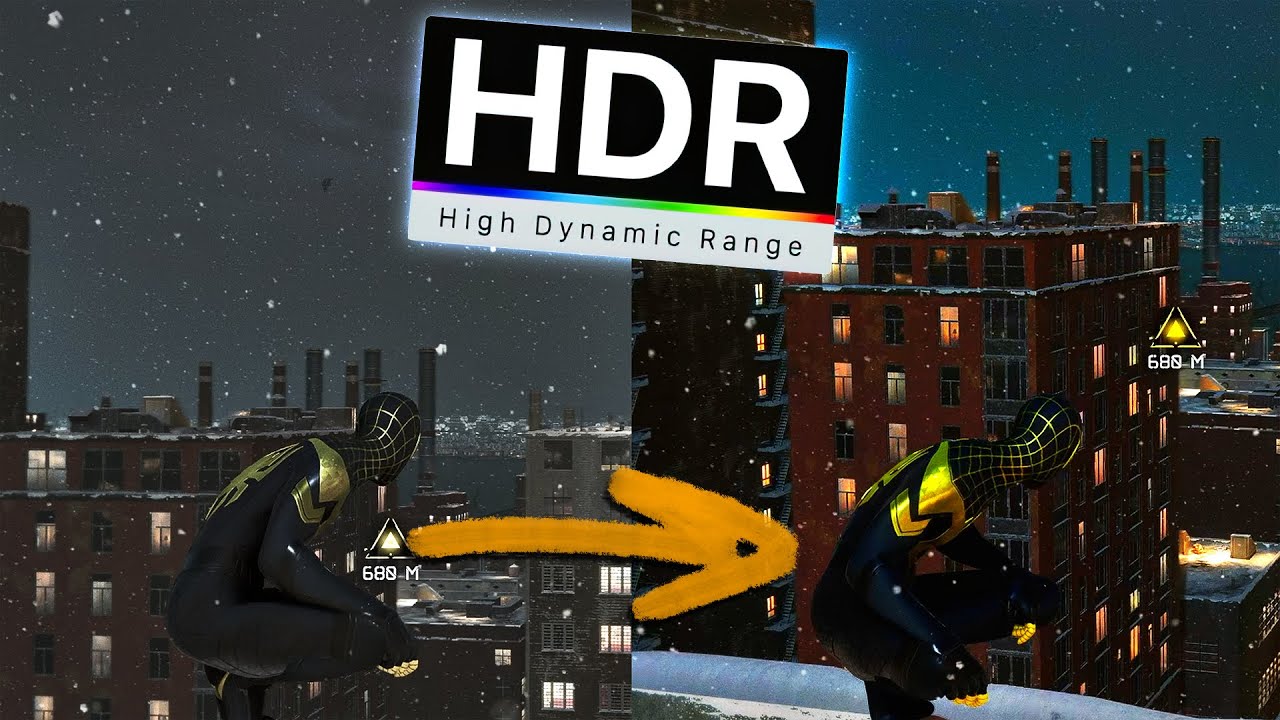
⭐ Watch this video ad-free on Nebula: https://nebula.app/videos/eposvox-how-to-stream-in-hdr-to-youtube-with-obs-studio-complete-workflow-guide
📹 Support my work AND get exclusive content with Nebula, bundled with Curiosity Stream for under $15/year at https://go.nebula.tv/eposvox 📼
Today we're looking at how you can stream in HDR to You...
When it gets to recording in HDR on the streaming machine you could follow this guide too https://www.elgato.com/us/en/explorer/products/capture/record-hdr-gameplay-with-obs-studio-and-elgato/
Step‑by‑step guide to capturing 10‑bit HDR footage from PlayStation 5, Xbox Series X, or Switch 2 with OBS Studio and an Elgato capture card
bronze bison
I'll have to try the main OBS settings method. When I set up my HDR captured source settings to tone map to SDR, it was ... "meh". Lol. I'll definitely give this a try
past basin
Both OBS and the capture card offer tonemapping to SDR if you're planning to stream to something that doesn't do HDR like Twitch though. (OBS it more flexible with it)
Yeah, tonemapping cna have some colour casts and other issues since you're trying to map 10 bit colour with a different gamma curve to 8 bit SDR. Folks sometimes add extra filters like LUTs to correct color when tonemapping
bronze bison
Yeah I'll have to do more experimenting with that. I got pretty close to a good image but it required adjustments as I played. A whack a mole situation haha
steel radish
How would I go about doing it that way and will I still be able to use hdr and not disable vrr?
past basin
toxic lotus
<@628587626479484928> <@269997944671830017> i return with few details about my p...
Good to know - but yeah, there's some AMD and ASMedia chipsets with know audio issues when they use the drivers included Windows and/or the stock firmware. Some of them have updated drivers and or firmware/UEFI/BIOS updates to help. I had an ASmedia card I put in my old desktop that had the same issue, needed both new drivers and new firmware before it cleared up
Most of the affected ones are 10 Gbps
past basin
sly sail
here?
Monitor is off there for the things I see - did you set the capture card to monitor and output? You may also need to go into the main OBS settings and check in the audio section, under the advanced header to see what your output device is set to (if you need to change it, restart OBS to get it to pick up)
steel radish
Which is a good 4k 240hz monitor to get between the ASUS PG27UCDM and XG32UCWMG? And how will I do the obs instance on gaming pc and capture and send preview to streaming pc ? Will that let me still play at 4k 240hz in hdr with vrr
 quasi kayak
Hello all, today i've upgraded from a HD60X to a 4K Pro, unfortunately i'm running into major clogging/lagging of my PC after running it for 10-30 minutes. After a lot of hours of troubleshooting, researching and testing i've come to the conclusion it is due to the PCIe lanes being controlled by the chipset instead of the CPU. But alot of motherboards have all of their x4 lanes controlled by the chipset. I am on an Aorus Elite X870 motherboard, which only has 1 CPU-controlled lane, which is for my GPU. I already made a ticket at Elgato, but maybe someone here ran into the same issue before.
bronze bison
Since I'll just be using the 4K X as a virtual monitor at 1080p60, a standard Displayport to HDMI cable would suffice, yeah?
lol

Because my gaming PC only has one HDMI port. I have to convert one of my DP's to HDMI
-# and my monitor only supports VRR and high refresh rates with HDMI
nvm, turns out elgato 4k X and my graphics card can handle this sort of thing. :D should be gucci
steel radish
@past basin how do I create a virtual display ? Do I put the 4k pro on the gaming pc ?
fickle sorrel
lone crypt
Forgot to ping ^
som the capture card should be elgato (nvidia high... (
 lone crypt
Yes. That is routing the stream mix to the capture card instead of the stream mix virtual device.
fickle sorrel
lone crypt
Yes. That is routing the stream mix to the capture card instead of the stream mi...
quick question, it needs to be in the streaming one, or in the gaming
lone crypt
Youre running wave link on the game pc, so it can recieve you mic audio, game audio, whatever else. And then point the stream mix to the capture card (hdmi output)
fickle sorrel
Okey, so, with out the sound capture software it works, but the same problem in the streaming one
lone crypt
in this picture your game audio is not in the mixer
fickle sorrel
lone crypt
in this picture your game audio is not in the mixer
sorry, i'm new with this, in the streaming one, what setting do i need to change?
i was thinking, maybe i need to connect the other hdmi to one of my monitors to make it work? because i think in my laptop the only ones i see are the Game Capture HD60 S (Game Capture HD60 S) Game Capture HD60 S (2) and Linea (Elgato Sound Capture)
lone crypt
on the game PC, If you're duplicating your main display to the capture card. (hdmi from GPU is connected to capture card input, so the PC sees it as a second monitor. Set that to be a duplicate of your main display)
And set your sound mix this way in wave link.
On your stream PC, the capture card is connected by USB. So in OBS you add a video capture source, and select the capture card. That's it.
Audio and video should appear on that source.
Some rare times, audio doesn't automatically work on that video capture source, if your wave link is sending audio to the capture card via stream mix and you see the meters moving in there but don't see any meters moving over in OBS on the stream PC, First in wave link, try toggling the stream mix back to aditional output, and then back to the capture card. If that doesn't work go to the stream PC obs and you can try creating an audio input capture source, and select the capture card again for that one. This sometimes fixes it.
fickle sorrel
lone crypt
on the game PC, If you're duplicating your main display to the capture card. (hd...
well, is not like duplacating, i have a splitter because I used my gaming for render to, so i dont want to turn on the streaming pc, then, my gpu dosent detect the capture like a duplicate thing, my gpu detech my first and second monitor normally
lone crypt
HDMI splitters will often not work with capture cards.
fickle sorrel
lone crypt
HDMI splitters will often not work with capture cards.
oh okay, but, the only problem that i have is the audio jaja, the image is god, everything good except the audio thing, simply the obs dosent want to recognize
maybe is something in the setting of the device? because it appers in the recording table
lone crypt
By default the capture cards are set to digital audio (audio over hdmi) but in their settings they could be changed to analog, for using the 3.5mm audio port
The settings can be changed using the Elgato studio app. Expand the right side bar with the button at the top right of the app.
fickle sorrel
lone crypt
By default the capture cards are set to digital audio (audio over hdmi) but in t...
i will give it a tried
lone crypt
But if your splitter is still in the way it could be the problem
past basin
steel radish
<@269997944671830017> how do I create a virtual display ? Do I put the 4k pro on...
You just connect your GPU to the capture card, and it will show up as a display. Leave the card in the streaming PC
steel radish
@past basin so I have obs on the gaming pc as well to do the projecting thing so on the streaming pc I can find it ?
past basin
quasi kayak
Hello all, today i've upgraded from a HD60X to a 4K Pro, unfortunately i'm runni...
What app are you using it with? I've occasionally seen people run into this only for it to be a software problem (in particular with Studio where it's new).
Also do you see the stutter in the preview too, or just recordings/streams?
past basin
steel radish
<@269997944671830017> so I have obs on the gaming pc as well to do the projecti...
Yes. You setup OBS on the gaming PC, setup your scene, and if need be set it up for HDR, then project it to the "monitor" that has the capture card name, generally using fullscreen projector (right click the preview and you'll see Open Projector options)
quasi kayak
past basin
What app are you using it with? I've occasionally seen people run into this onl...
The stutter is pc-wide, when checking the eventlog at the same time the realtek nic gets i/o errors. Seems to be bandwidth problem on the chipset. Weird thing is, i know users with the same motherboard and cap card, they have no issues.
I really have to power down the pc to fix it
So at this point i think its either a faulty card or faulty motherboard
past basin
Could be either, yeah, if something is flooding the PCIe bus like that.
I'm assuming you already checked for motherboard chipset drivers and BIOS/UEFI updates and the like?
quasi kayak
Yep. There was a recent update for the bios (20 nov), which i installed
Forced the lane on gen2, and it seemed to last, but after 45 minutes it broke down again
steel radish
@past basin thank you , what settings do I set up on obs on gaming pc and obs on streaming pc for the stream to be smooth and no screen tearing on the stream
quasi kayak
It’s just reaching it’s limit, starts to retrain or something, causing the chipset to be too busy to handle the rest
Both my GPU and only M2 are on the CPU controlled lanes, so the cap card is only sharing it with the other motherboard features
past basin
steel radish
<@269997944671830017> thank you , what settings do I set up on obs on gaming pc ...
Framerate is the biggest one - assuming you're recording or streaming in 60 FPS, have the frame rate and refresh rates be multiples of 60 (eg, 60, 120, 240 etc) to reduce risk of tearing (tearing happens when you get a new frame in the middle of a refresh cycle, so you want them to be divisible by whole numbers to prevent that
quasi kayak
@past basin do you happen to own both the 4K X and the 4K Pro? (I was looking at your roles)
past basin
quasi kayak
<@269997944671830017> do you happen to own both the 4K X and the 4K Pro? (I was ...
I do, but my 4K Pro is on an intel setup, and much older hardware than that
(Hopefully after I get through the holiday sales I can fix that though)
quasi kayak
past basin
I do, but my 4K Pro is on an intel setup, and much older hardware than that
Shouldn’t affect the latency though, how do they compare on the latency?
steel radish
@past basin how do you have it be multiple of 60, 120, 240?
past basin
quasi kayak
Shouldn’t affect the latency though, how do they compare on the latency?
I've never noticed a difference tbh. I know EposVox tested them at one point and they were both in the low 30ms, so neck and neck.
past basin
steel radish
<@269997944671830017> how do you have it be multiple of 60, 120, 240?
Change the refresh rate in Windows display settings (or your game if you're doing fullscren instead of borderless)
quasi kayak
past basin
I've never noticed a difference tbh. I know EposVox tested them at one point an...
Thanks, i got a 4K X coming in today, so i might just return the 4K Pro and be done with it
Wasted a full workday yesterday on meddling with the 4K Pro issues🥲
past basin
Such is life. Happens sometimes when the system doesn't want to play nice. When my main rig suffered a failure last month I wasted a whole weekend sorting out USB issues to get my cards working on the old tower (the addin card had an ASMedia chipset and needed both new firmware and drivers to behave correctly for both video and audio capture). I definitely didn't expect to lose the weekend sorting out cards that worked fine on the other hardware
steel radish
@past basin so 4k 240 hz ?
past basin
steel radish
<@269997944671830017> so 4k 240 hz ?
If you're doing 4K K, I suggest 60Hz. Because above that 4K Pro has to step down the resoltuion on the capture feed.
quasi kayak
past basin
Such is life. Happens sometimes when the system doesn't want to play nice. Whe...
Yup, oh well. Learned lots of new stuff along the way.
Thanks for your replies!
steel radish
@past basin so how do I set it to play 4k 240hz and stream in lower resolution , I’m confused lol
past basin
quasi kayak
Thanks for your replies!
Yeah, good luck with the setup!
quasi kayak
Thank you!
past basin
steel radish
<@269997944671830017> so how do I set it to play 4k 240hz and stream in lower re...
You downscale with OBS on the streaming PC like normal - leave the canvas set to 1080p, set the capture card source up in your scene, then apply a scaling filter.
When you set the card's virtual screen to 4K @ 60 Hz on the gaming PC, you're not changing your main display
The GPU and OBS can sort out the card running at a different refresh rate. If you do get tearing, then try to also set your main display refresh rate to 120 or 240 or such, but for most GPUs that shouldn't be needed
steel radish
@past basin okay so what scaling filter is good to use ?
So how do I set the cards virtual screen on the gaming pc?
past basin
You set it up in display settings for the refresh rate. Then you project to it with OBS
Filters are a matter of choice. Lanczos is usually preferred but takes the most resources too - if your streaming rig is powerful enough that's not an issue though
steel radish
@past basin okay will try it out , on the streaming pc obs downscale filter is saying “[resolutions match, no downscaling required]”
But under output and streaming it has the rescale output which I can set to Lanczos , but I’ve always used lanczos , will bicubic or another filter be better for smoother stream ?
past basin
scaling filter won't generally affect how smooth it is, it handles making sure the image being scaled down from 4K to 1080p looks right and helps keep it from losing finer details and such
steel radish
@past basin so when you say to set the cards virtual screen to 4k 60hz on the gaming pc , do I go to obs on gaming pc and video and set base canvas resolution and output scaled resolution to 3840x2160 ? And set the common gps value to 60 ?
past basin
steel radish
<@269997944671830017> so when you say to set the cards virtual screen to 4k 60hz...
No, you go to display settings
The actual Windows Display Settings. Or your GPU app. Whichever you prefer
You can just hit reply on a comment in Discord when you mouseover it and it'll ping me too btw, you don't have to manually tag me each time.
I've got to run out there now and drop off the car for service before I head to work, so I won't be back until later.
 vast fossil
what is a capture card?
past basin
vast fossil
what is a capture card?
It provides a HDMI input so you can capture and record video from things like cameras and game consoles.
vast fossil
ahh
 grizzled fog
So I need some info when you stream from your Playstation to pc thu the capture card. Do the game need to be digital or can i use disc games
past basin
grizzled fog
So I need some info when you stream from your Playstation to pc thu the capture ...
Makes no difference. Main thing is remember to turn off HDCP on the playstation
grizzled fog
So just to be 100% i understand. I can stream a disc game when useing capture card
warped ledge
grizzled fog
So just to be 100% i understand. I can stream a disc game when useing capture ca...
Correct as long as HDCP is off
 limber ledge
Anyone that could help me out with dual setup with clone monitor?
grizzled fog
warped ledge
Correct as long as HDCP is off
Thank you both @past basin @warped ledge
limber ledge
Noeone?
past basin
limber ledge
Noeone?
I'm currently tied up on something at work - but check in your GPU app under your multi monitor setup to make sure your main monitor is the source, and not the capture card, for the duplication
eg, if NVidia Control Panel if you go to the mulitple display section right click the monitor in the layout at the bottom and you can set which ones is the source
limber ledge
Its cloned monitor 1 to 3 (capture card) but it gets stuck at 144hz
while monitor is 144p 360
past basin
And if you check in the GPU app, it's correctly showing Monitor 1 a source?
To confirm there's nothing in the HDMI OUT of the capture card either, correct?
steel radish
past basin
You can just hit reply on a comment in Discord when you mouseover it and it'll p...
Sorry I didn’t know
steel radish
past basin
Yes. You setup OBS on the gaming PC, setup your scene, and if need be set it up...
How do you setup up for hdr ?
past basin
I linked that back earlier. EposVox has some guides on setting it up #capture-cards message
limber ledge
yes nothing out of hdmi out
 jaunty loom
Does anyone have any idea why my recording has low framerate?
I'm capturing Switch 2 from 4K Pro, 1440p from HDMI (HDR) but framerate on the file is 30,8 FPS
Mmmh, it doesn't link bad once I import it iin DaVinci Resolve
From Elgato Studio I don't see a way to force o prefer a framerate
past basin
jaunty loom
From Elgato Studio I don't see a way to force o prefer a framerate
It doesn't yet have that feature and should currently just default to source frame rate, or as close as it can get. You can try something else like OBS though, if you need more control.
past basin
limber ledge
yes nothing out of hdmi out
You said there's three monitors here? What sort of card and monitor resolutions are you hitting? There's a chance just having the capture card connected and showing as a third screen could be maxing out the GPU's output and capping refresh rate, if you're using something like a high refresh rate 4K screen in there or something.
If that's happening, easiest way to tell would be unplug the monitor that's not part of the cloned setup and see if it lets you set the refresh rate up
lone lake
doez anyone get audio crackling with their audio on the 4k x some times? I have to unplug the USB c and back to fix.. its not tje output from the pc because pass-through is fine and it happens with obs and elgato software
past basin
lone lake
doez anyone get audio crackling with their audio on the 4k x some times? I have ...
What motherboard do you have? And are your USB chipset drivers and BIOS/UEFI fully updated? There's some 10 Gbps Chipsets out there from ASmedia (and AMD who uses their designs), that have known issues with UAC audio devices like capture cards and DACs. In many cases driver updates for the USB controllers and BIOS for the motherboard they're on, are available for the issue.
lone lake
past basin
What motherboard do you have? And are your USB chipset drivers and BIOS/UEFI fu...
hmm one moment
jaunty loom
past basin
It doesn't yet have that feature and should currently just default to source fra...
My problem is that I want to record clean gameplay and stream at the same time
I thought I could record from Elgato Studio and just stream from OBS
past basin
You could try it with somethign like the OBS Source Record plugin https://obsproject.com/forum/resources/source-record.1285/
OBS Forums
Warning: This plugin is not official part of OBS, the part "obs-" in the repository name is only to keep the repositories organized, not to identify this plugin as part of OBS.
The name of the plugin, the module name and project name all don't...
Then you can do both from the one app
past basin
lone lake
https://www.asrock.com/mb/AMD/B550%20Steel%20Legend/
A B550 chipset. Yeah, check if there are any driver updates for that motherboard on the site, as well as any BIOS or firmware updates
jaunty loom
I initially thought the write (on nVME Gen 3) could cause the problem, then I've set the recording to the other drive but it doesn't really change anything. The CPU should be more then enough to decode/encode everything AMD R7 5800X3D given I'm not doing anything else
lone lake
I dont see any download for any USB related firmware on the page..
In my experience upgrading bios never ever fixed any issue i ever had
past basin
lone lake
In my experience upgrading bios never ever fixed any issue i ever had
There's both BIOS updates there and AMD chipset driverse.
past basin
This is an issue with 10 Gbps ASMedia designs generally (and the AMD chipsets that also u se them)
Try the generic B550 chipset driver then https://www.amd.com/en/support/downloads/drivers.html/chipsets/am4/b550.html
It's 4 years newer than what ASRock has there
lone lake
yeah I installed latest from amd
past basin
Quick way to confirm if that's the problem is plug the card into a 5 Gbps USB port instead - that'll be on a different controller. If the problem stops, it's the USB controller
You'll usually need to swap the C to C cable for a USB 3.0 or faster C to A cable for that test though
lone lake
Well I can fet it to work fine if I unplug once or twice and then it doesn't crackle
but then if I leave it.. or earlier even I had to unplug again and it fixed
I dont have a problem with other USB 10gbps devices
past basin
Yeah, it usually only gets UAC audio stuff. I know for a while Creative was just saying not to use their DACs on an ASMedia/AMD USB controller at all
I had a PCIe addin card with a . . . AS3242 chip I think it was? Had to have both firmware updates and drivers before the audio would play nice
It gets to be a real issue in the offchance the OEM for a board doesn't put out udpates (or if a given chipset doesn't have relevant updates to begin with)
Fortunately it doesn't come up too often since it seems the audio issue is pretty much only on the 10 Gbps controlelrs, the 5 Gbps, and 20 Gbps ones are fine.
But it could be somethign else too
I'd suggest turning off Windows Audio Enhancements on the card as well if you haven't don that already (in windows settings under sound, under the card it's usually at the bottom - though in some cases it may be in the old mmsys.cpl control panel for sound, instead - if it's in neither under the card you can assume it's off)
jaunty loom
past basin
You could try it with somethign like the OBS Source Record plugin https://obspro...
Mmmmh, it works way better
Thank you, I had the plugin saved as an option but I thought that maybe the dual software option would have been better, as being independent
past basin
I'm more used to the plugin since not all the cards work with more than one app at a time (4K Pro is the only current one that does). The app can work, you could also try it with 4K Capture Utility which does have frame rate options (but only up to 60 fps).
Otherwise Studio will be getting more features over time, and I wouldn't be surprised to see this one show up in it
 trim pollen
HELP
I downloaded the elgato capture utility app and its telling me no capture card found.. but on the elgato studio app its showing and its also showing on obs.. I just bought the chat link pro and i cant change the audio setting without it showing. please can someone help or point me in the right direction?
lone crypt
trim pollen
*HELP*
I downloaded the elgato capture utility app and its telling me no capture...
Some recent cards were made after Elgato studio, so they never got added to the old app, which is EOL.
Buuuuuut, you can just change the settings in Elgato studio, of course.
(Open the right side panel with the button at top right)
trim pollen
lone crypt
Some recent cards were made after Elgato studio, so they never got added to the ...
it doesnt allow me to chnage the audio settings
lone crypt
Can you show a screenshot of this?


 lone crypt
again, 4ks came out after support of 4kCU was already stopped.
Go back to elgato studio, and open the card settings, not the app settings. As I directed above.
trim pollen
lone crypt
Can you show a screenshot of this?
ahhh i love you thank you
lone crypt

steel radish
@past basin so now I’m having issues with my camera having a bit like artifacts and on stream it becomes like blurry on and off , it’s connected through a cam link in the streaming pc
What should I do ? Its a expensive camera and I can’t return it cause I got it for a while and been having this issue
past basin
Is it ONLY happening on the stream? Does the game get blurry at the same time?
Streaming usually uses constant bitrate encoding so things like high motion in a game can result in the whole view getting kinda pixellated depending on the settings for example
 flat lantern
HELLO Everyone, to sum up my problem lol. i installed the software, got my video to show, and then it said i need to update to the new software.... Updated it and now its not showing my video anymore
it says "NO INPUT SIGNAL" so im just a little confused on whats going on lol and im reaching out for help cause im kinda lost on what i did wrong
lone crypt
Details would help.
What does “the software” mean?
What capture card?
What source device?
…what basic troubleshooting have you done like restart, reconnect cables, reinstall software?
flat lantern
Okay my bad.
So the software is version 1.0.3 (877)
4K S
Source device would be PS5
i restarted the console
Unplugged the wires
reinstalled the software
past basin
Was the card itself restarted too? As in given like 30 seconds unplugged from the USB to reset it after the update?
flat lantern
Negative .. i just unplugged it till the update was finished 😅. Am i cooked?
I didnt know that was needed
past basin
It was on some of the older cards. I know 4K X likes to be reset after a firmware update. But you can try it there now to see if it helps or not
flat lantern
Same message😅
 past basin
What light is on the front of hte card?
flat lantern
White
past basin
hm. Does restarting the PS5 in safe mode get it to show up? https://www.playstation.com/en-us/support/hardware/safe-mode-playstation/
Learn how and when to access Safe Mode, a troubleshooting tool designed to help resolve data and display issues on PlayStation®5 consoles and PlayStation®4 consoles.
flat lantern
😅 havent used that in years lol
hard reset basically
Ooo wait… this makes my ps5 naked again right?
okay i restarted my ps5 from safe mode
Yeaa its still not working
past basin
Okay, lets roll back the firmware
Grab Studio 1.0.1 installer from here https://help.elgato.com/hc/en-us/articles/37618531304721-Elgato-Studio-1-0-1-Release-Notes
You can use an app like 7-Zip to open it, and there's a firmware folder in there, that has the launch firmware for 4K S.
Elgato
Release Date: 22 July 2025💻 Download LinksmacOSElgato Studio 1.0.1Windows
Elgato Studio 1.0.1 (x64)
Elgato Studio 1.0.1 (arm64)
🆕 Introducing Game Capture 4K S - Cinematic 4K60 captureElgato Studi...
From there in Studio (the version you have installed) hold CTRL when you open the device properties, then it should show the update firmware button even if there's no update. hold CTRL again when you hit the update and you can select a firmware file. Use the old firmware file you pull out of the old version
Two files for it, base and MCU
You could also install the old version of the app, hold CTRL for the first step of opening properties, and then run the regular update and it'd probably auto install the two old ones
flat lantern
Okay idk what i did lol. Maybe it just had to sit and load… but it works now😭
past basin
That's even better 😄
past basin
No problem, good luck with it!
 sand stone
Hi, I ordered an Elgato Game Capture Neo to capture my Switch 2 gameplay on my PC. What's the main difference between 4K CAPTURE UTILITY and ELGATO STUDIO? My goal is not to stream to any streaming platform, just to display the gameplay to my PC so I can have a tab with the game. Is either of these options good, or should I opt for something like OBS? Thanks!
past basin
sand stone
Hi, I ordered an **Elgato Game Capture Neo** to capture my Switch 2 gameplay on ...
Elgato Studio is newer, lower video latency on the preview and can do high refresh rate capture (not applicable to Neo). It's missing some features from the older 4K Capture Utility though, like the Flashback recording - though we've been told they'll get added with time.
If you're just viewing the game through it go with Studio for the lower preview latency
sand stone
Thanks for the breakdown, that's good to know. Where does OBS fall into this? Is it the same, better or worse than Studio?
 rigid topaz
I have my game consoles routed into the 4K60 Pro Mk.2. and then out of the PC into my TV. If I shut down the PC, I can not see it on the TV. Does anyone know the fix for this or is it just part of the card features.
past basin
rigid topaz
I have my game consoles routed into the 4K60 Pro Mk.2. and then out of the PC in...
That's a limit of the card - passthrough only works while the card has power.
iirc some (but not all) boards may leave the PCIe power on in some states like sleep, but if there's no power, there's no passthrough. Been a long times since I looked into that though.
 austere wind
Hi everyone, since yesterday i have the Elgato HD60 X, does someone know good 3,5mm jack cables and good 3,5mm ground loop isolator. Since i want to connect my MixAmp Pro with those cables to the Elgato HD60 X
Or will the Elgato ChatLink pro cable be usefull for this and for the grounding part as well?
past basin
Chatlink pro works yes. Just don't plug anything in the headset input on it and it's basically an aux cable with an isolator
I've used my own to go from my SteelSeries mixamp to a HD60 X before
austere wind
past basin
Chatlink pro works yes. Just don't plug anything in the headset input on it and...
So i can just use the Chatlink pro instead of a 3,5mm aux cable + ground loop isolator?
past basin
Yep
 distant geyser
,y elgato 60hdx is no blue light i need help
distant geyser
past basin
Okay, lets roll back the firmware
i tryed tgat now but its sems worsed necause now it dont shows it anymore
distant geyser
I install k think the wrong firmware now my device is not recognised by my pc what can i do?
smoky bridge
anyone else experiencing terrible quality capture for the elgato 4k x / xbox series x -> macos elgato studio capture for 4k and 120hz on the xbox setting?
i can only do 60hz capture with good quality. otherwise if i set my xbox higher than 60hz, it looks terrible in the capture! my passthrough is absolutely fine. its just the capture video quality which is trash when i go above 60hz! but it says its rated for 4k 144hz? so im confused! do i need a refund? i've already put a support ticket in. but i been dealing with this for weeks now!
i also have a 2025 macbook pro m4 Pro! so i doubt it has anything to do with outdated ports or whatever
warped ledge
smoky bridge
anyone else experiencing terrible quality capture for the elgato 4k x / xbox ser...
I use OBS vs Elgato Studio on Mac OS, and get clean results. You could put in a #feature-request for encoder options.
Meld Studio also I use for Streaming on Mac OS, or OBS, but both work well for recording.
Primarily OBS though…
past basin
smoky bridge
anyone else experiencing terrible quality capture for the elgato 4k x / xbox ser...
Did you ever set your 4K X to 10 Gbps mode using the Capture Device Utility (and holding down option while it's open)? It's not automatic on the mac to maintain compatibility to macs that are running software older than 14.4
past basin
distant geyser
i tryed tgat now but its sems worsed necause now it dont shows it anymore
Those instructions were for 4K S for someone who's issues started with an update. Firmware updates are usually a last step but a first one - if you somehow managed to force the wrong firmware into the card, you'll have to go though #official-tech-support , and may have to hope it's under warranty. Does it show up to your app at all in its current state?
 inland forum
why my obs is conflicting with the capture card? It's working fine at elgato studio
put at obs gives me a black screen
distant geyser
past basin
Those instructions were for 4K S for someone who's issues started with an update...
Oh… 😭
 wild granite
Yooo i have a a question
i got the elgato hd60x and a ps5 with a wireless steel series
im trying to see
can I use my external mic to capture my audio and somehow have the gameplay audio go to the capture card without needing to have the controller plugged into the elgato via chat link
so have all gameplay audio recorded and just let me use the wireless headset so i can hear the gameplay thru the headset
or does a headset NEED to be connected to the elgato to have the gameplay audio recorded
sand stone
Hi, my NEO arrived. I'm not sure how to get it working. I plugged in everything and turned on the console but it doesnt seem to work

 jolly tulip
Hi friends! I’m having an issue where my 4k x capture card is being seen as a second monitor and it keeps working me to play through capture card display.
In-depth info: I have a dual of set up 😃 and my gaming pc monitor is 2560x 1440 240hz
lone crypt
wild granite
so have all gameplay audio recorded and just let me use the wireless headset so ...
PlayStation doesn’t allow audio to be sent to a wireless headset and the hdmi at the same time.
You’ll need to use hdmi audio,
…or a wired headset connected to the controller, and a chat link pro cable to split the audio.
lone crypt
jolly tulip
Hi friends! I’m having an issue where my 4k x capture card is being seen as a se...
Capture cards always appear a second monitor (unless you connect them as a passthrough setup, the way a console would)
Make sure you set your displays up so the capture card “monitor” is a duplicate of the main display. (Not the other way around)
lone crypt
sand stone
Hi, my NEO arrived. I'm not sure how to get it working. I plugged in everything ...
Depends on the console, but HDCP could be causing this, if you forgot to turn that off.
sand stone
I'm not sure what HDCP is tbh, this is my first capture card so ill look that up. Console is a docked Switch 2
jolly tulip
lone crypt
Capture cards always appear a second monitor (unless you connect them as a passt...
Got it.
It’s working fine via my streaming pc but on my gaming pc when playing valorant it’s forcing me to play on the capture cards resolution. I’ve tried forcing it to stay on my main display but it always reverts back.
lone crypt
jolly tulip
Got it.
It’s working fine via my streaming pc but on my gaming pc when playing ...
You might have duplicated it backwards.
Or you might be playing at a resolution the capture card isn’t capable of using, if your GPU is not scaling that duplicate display for you.
Nvidia GPU can scale the duplicate display to almost anything you want, in nvidia control panel. (If the driver bugs don’t get you; don’t know what that status is right now)
AMD is not so good at this so we just use an instance of OBS to send a full screen projector to the capture card instead and have no problems.
sand stone
sand stone
I'm not sure what HDCP is tbh, this is my first capture card so ill look that up...
Uh, I do hear audio now but it's very low quality
distant geyser
Hey guys, what can i do for my capture card the ELGATO60x HD if its not recognised anymore
inland forum
man, I'm very frustrated with this capture card... not being able to figure it out at all why it work at elgato studio, but not on obs
lone crypt
inland forum
man, I'm very frustrated with this capture card... not being able to figure it o...
You can’t use two apps at the same time.
 opal ledge
Getting a buzzing with my 4k X and chat link pro cable, I changed to a new headset and its still there.
warped ledge
lone crypt
You can’t use two apps at the same time.
correct, there is a bug with multi-app use age for the pcie card too, but that's the only one that allows multi-app usage, external cards don't
opal ledge
opal ledge
Getting a buzzing with my 4k X and chat link pro cable, I changed to a new heads...
I swapped the ends and the buzzing got louder
old orbit
How do I setup my Elgato HD60 X to where it can capture my PS4 display gameplay?
opal ledge
opal ledge
I swapped the ends and the buzzing got louder
Nevermind, its because I had my controller plugged in
 buoyant terrace
hi could i ask for help with an audio problem
 south niche
Is there a Stream Deck plugin that will "activate/deactivate" the capture card in OBS? Not "show/hide". I added a toggle switch between 2 consoles, and OBS will not actively switch back and forth...you have to deactivate one, switch, activate the source again in OBS.