#capture-cards
1 messages · Page 61 of 1
 eager haven
but then I see that OBS can recognize it
What gives?
omg it requires windows 11
nvm..
what are they smoking? most people are still on 10
 past basin
eager haven
what are they smoking? most people are still on 10
past basin
eager haven
what are they smoking? most people are still on 10
It'll usually stil work on 10. That warning is mostly in, in advance, since Windows 10 is officially end of life in 4 months
Once it's end of life most apps will have that warning because devs won't be able to get support from MS if there are any issues or changes and such. Some features especially audio may hit issues over time with changes though - Windows 10 already has some changes between old versions of it and 11 that affect some audio apps
eager haven
Well I don't understand why OBS can see my capture card and not the Elgato software

 past basin
eager haven
past basin
eager haven
That's not 4K Capture Utility, that's Game Capture HD. That was discontinued back in 2020 and won't recognize the 4K X that came out in 2024.
eager haven
I've tried both
past basin
Use 4K Capture Utility from https://www.elgato.com/downloads or Elgato Studio Beta from https://www.elgato.com/s/beta


Elgato
Become a beta tester to try our software before it’s released, and contribute to making it great.
eager haven
I just downloaded this one to see if it works
past basin
Also make sure you don't have OBS still open when using 4KCU (and make sure it's the latest version of 4KCU - if you got an older version, some of those won't recognize 4K X for the same reason)
eager haven
Do you recommend Studio?
past basin
It's still in testing, but it's decent so far. Depends on what you need it for - it doesn't have Flashback Recording like 4KCU so if you need that stick with 4KCU
eager haven
So I should preface, all I want to do is play my Switch 2 on my PC with as little lag as possible
and stream it to friends on discord
I am not streaming on twitch or anything
past basin
Use studio instead of 4KCU then - newer engine underneath it. For Discord just use the discord screen share capture device option
eager haven
Okay let me try studio
My Elgato 4K X is plugged into an HDMI 2.1 port, and USBC 3.2
Studio can see it
Anything I can do to reduce the small delay?
 next wadi
hey u still busy?
eager haven
past basin
Use studio instead of 4KCU then - newer engine underneath it. For Discord just ...
Dumb question, is it better to plug the 4K X HDMI Out into the PC or into my Monitor?
past basin
next wadi
hey u still busy?
Still not able to watch a video, but otherwise I'm in and out.
past basin
eager haven
Dumb question, is it better to plug the 4K X HDMI Out into the PC or into my Mon...
it should never go plugged into the PC. the PC's HDMI is also an out
eager haven
oh derp
i mean it did work but
ill try plugging into my monitor instead
how are you supposed to get audio if you plug into your monitor?
past basin
eager haven
how are you supposed to get audio if you plug into your monitor?
audio should still go through the card - note the HDMI OUT is optional if you're not actually planning to use the passthrough to play on a second screen
eager haven
past basin
audio should still go through the card - note the HDMI OUT is optional if you're...
After plugging into my monitor i no longer have audio
next wadi
ok
past basin
eager haven
After plugging into my monitor i no longer have audio
Make sure whatever console you're using it with is set to stero. Some monitors do Dolby Digital - that'll not get picked up by a capture card
console sorry, not monitor. Edited it
eager haven
oh
I was gunna say
My Monitor shouldnt have anything to do with this right?

still not hearing anything
when I plugged the HDMI into my graphics card's HDMI, sound worked
but there was a delay
past basin
That's likely because it would ignore anything from the GPU HDMI port since it's an output
Delay could be a couple things, especially with OBS and Streamlabs
If you're not using the HDMI Out to drive a second monitor it TV, you can try just leaving it empty to see what happens
eager haven
well
unless this is placebo
when i swapped the HDMI out from plugging into my PC, to instead my monitor
it feels like the delay doesnt exist now
but now i have no audio
past basin
Wait, was the video delayed or the audio delayed before?
But try it with the port empty to see if the audio comes back
eager haven
video
past basin
It might be an issue with the EDID from the monitor and whatever format it expects
eager haven
if this matters
alienware 2725df
this is my monitor
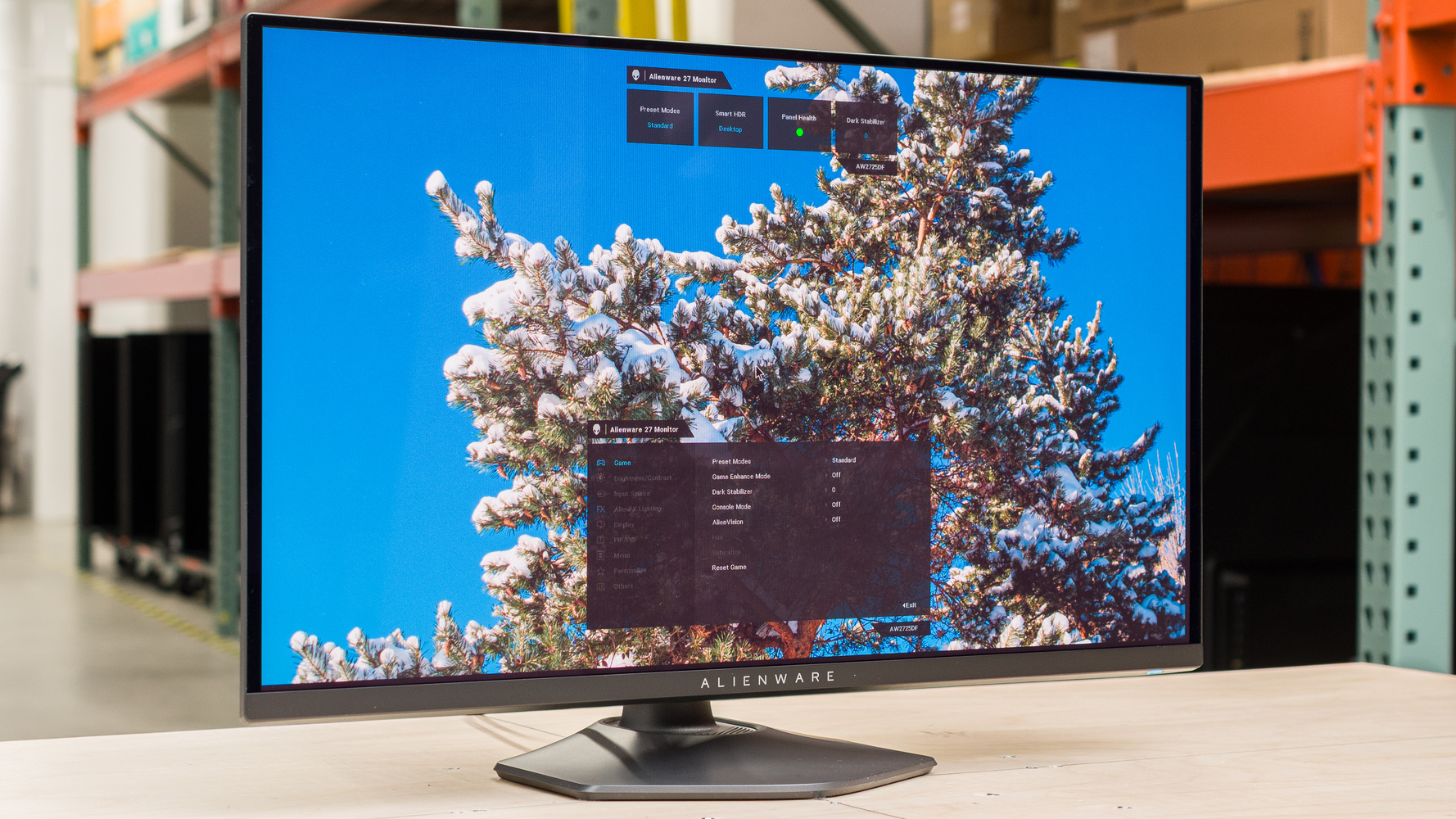
RTINGS.com
The Dell AW2725DF is a 27-inch 1440p premium gaming monitor with a QD-OLED display. It's one of several new QD-OLEDS of this size that are entering the market in...

oh is this why?
audio input: HDMI audio

@ROG
ROG Strix B450-F Gaming II ATX motherboard features a robust power delivery, optimal cooling controls, AI Noise-Canceling Microphone, AI Networking and cyberpunk-inspired aesthetics.
This is also my motherboard if that helps
past basin
eager haven
alienware 2725df
I have seen that monitor hit th esame issue on the reddit this week too and haven't seen a fix yet - I've no idea why that monitor is affecting audio
past basin
eager haven
audio input: HDMI audio
Unless you're using something like a Chat Link, it should generally be on HDMI
 sullen swan
is there a way I can force remove all files pertaining to the 4k capture utility? Im having the issue where my capture the 4k utility was showing a black screen when connected to my switch 2 now its doing it to my xbox one and it hasnt done that before.
past basin
sullen swan
is there a way I can force remove all files pertaining to the 4k capture utility...
Unninstall it, then remove or rename the 4K Capture Utility folder under %appdata%\Elgato
That should purge it all
sullen swan
I cant just plug and play into the capture card all of a sudden, Im now having to find work arounds and it is starting to get annoying
sullen swan
past basin
Unninstall it, then remove or rename the 4K Capture Utility folder under %appdat...
thanks ill try this
eager haven
I think the USB-C port is gen 1, not gen 2
not sure how big of a deal that makes
i have no clue why this isnt working :\
sullen swan
my internal 4k capture card is still showing a black screen when try to play a console ( xbox one S or Nintendo Switch 2) I just did a clean install of th 4k capture utility and its showing black. Could there be something on microsoft side keeping the image from showin in the 4k utility. I can see it fine if I check my streamlabs source but the 4k utility wont show and im so confused, I haven been able to find a fix since the switch 2 dropped
past basin
sullen swan
thanks ill try this
If you're having issues with the basic capture you can try Elgato Studio beta from https://www.elgato.com/s/beta as well to see if it's a app specific issue.
There's a recent update in Windows 11 24H2 that also turns on a camera setting called multi-app that you may need to turn off too - because the capture card shows up as a camera, it can get applied there but can wind up breaking capture in other apps. It'll be under bluetooth and devices, under cameras - check under the card for advanced options and if it is there (it's only on the newest Win 11 builds), turn it off
past basin
eager haven
I think the USB-C port is gen 1, not gen 2
It shoudln't affect sound but will affect some video modes being available or not, since Gen 2 is 10 Gbps, but Gen 1 is only 5
eager haven
Okay as long as it doesn't affect sound I can rule it out
eager haven
past basin
It shoudln't affect sound but will affect some video modes being available or no...
Hypothetically, should I be able to hear audio if there's no HDMI out plugged in?
All I would have is the USBC into my PC, and the HDMI IN from the switch 2 to the capture card
past basin
eager haven
Hypothetically, should I be able to hear audio if there's no HDMI out plugged in...
Yes
eager haven
wtf
i hear audio now
i just plugged the USBC out and in again
HUH
okay
it works??
wtf
sullen swan
past basin
If you're having issues with the basic capture you can try Elgato Studio beta fr...
i checked the settings ands both options are off already
 eager haven

I want to do 2K 120FPS, but i dont see it as an option
is that because of the HDMI cable I am using?
next wadi
yea im back i tried more troubleshooting im lost
past basin
eager haven
It's because whatever you're capturing is sending 4K60 signal. Set that to 1440p and you should be able to do 1440p
4K60 can be reduced to 1440p60 but it can't ust make new frames
next wadi
this is annoying honestly ill explain it without u watchn vid
this is the splitter im using
 next wadi
the audio side is plugged into a trs cable going into line in part of my pc and the mic side another trs cable going into the mic and the trrs going into the remote
past basin
next wadi
the audio side is plugged into a trs cable going into line in part of my pc and ...
So the mic, is that monitor only or is it being used to get audio from the PC as well? If you're using a monitor jack on a Shure mic to get the TRS plug into that cable setup, you need to make sure it's only sending your mic to the sound card on the mic
next wadi
its monitor off i use it to talk to my stream
and now was planning on using it for gamechat
past basin
next wadi
its monitor off i use it to talk to my stream
What do you mean it's monitor off? How are you getting audio from the mic to the Xbox if you're not using mic moitoring to drive audio to the TRS jack on the mic?
That port on most mics is either monitoring the mic, or outright sound output for the PC. If you're getting everything going back to the console, you need to make sure that port is mic monitoring only
 past basin
How is the mic's TRS port configured, not OBS
next wadi
i have nothing plugged to the chat link or elgato
past basin
There's a Chat Link?
This is going to have to wait til I can get back to the PC to see what you've got setup in the video
next wadi
this is how my mic is plugged
thts the fmale microphone side and i have a trs plugged into that then into mic
past basin
You have that going to your headset side of that splitter, not the mic side. It's going to go to the wrong pins in the controller
Also that output is a technically a sound card. Is the mic only setup to use it for mic monitoring, or are you running PC audio to it somewhere
next wadi
dosent the trrs go into remote?
if its audio goin to it then its accidently i have a headset so there is no reason for audio to go to it
all my pc audio should be goin to my headset
past basin
next wadi
Yes, but the end of the splitter has one side marked for mic and the other marked for headphone
the mic needs to go into the mic side or it's going to wind up on the pins meant for headphone on the TRRS plug instead of the ones meant for mic
next wadi
the mic side for the splitter is plugged into the mic side of the mic heres another photo pf nthe back of my mic
past basin
Oh I see, I was looking at that first picture wrong, I thought tat was two ends of a short aux
Since you had the headphone out icon on the splitter in the picutre I assumed that's what was going to the mic
Didn't want the headphoen out on the mic paired to teh headphone out on the splitter afterall
I still don't see the mic side of the splitter in there though, just the one with the headphone icon?
next wadi
yea the mic side
is going into my pc in the line in
or mic in
idk which is better
its in mic in right now
past basin
. . . These are plugged into the controller, and you're using an adapter. Headphone side of the splitter is an OUT and needs to go to an IN. Mic side is an input and needs to go to an output.
don't match the headphone side to the headphone jack on the mic, those are both meant to be headphone outputs, and it'll mix the pinout
next wadi
ok so reverse them
past basin
Yeah
next wadi
ur saying
past basin
the side of the splitter with the mic icon needs to go the mic itself
next wadi
ahh ok headphone logo go into mic in and the mic symbol goes into my actual mic
yea ok switchn them
ok
i switched them
past basin
give it a test with that and see if that prvents the audio from looping back to the console
next wadi
well i joined and xbox party
to see if i could speak into the mic and its unresponsive now
the other way around i could speak
i wonder why its doin this
past basin
You said there's a chat link setup here too, right? Does your splitter go right into the console controller? Where does the Chat Link get hooked up in your setup?
next wadi
ok so with the splitter i plugged the trrs from the chat link into headset and then i plugged the single side jack into the elgato and then the female port of the chat link i plugged either the mic or headphones in there and that's it so the trrs form the splitter isn't getting used and one o f the female ports form the splitter
past basin
The headset has a TRRS plug? I think I've missed something here. What specific headset are you working with? I thought you had that hooked to the PC via wireless dongle only
next wadi
yes
wireles
headpohne icon
i meant in earlier text
form the splitter
my headset has no jack port
past basin
Okay - so the TRRS plug from the headset splitter is going to the female port on the Chat Link Pro? And the TRRS from the Chat Link Pro should be going to the controller? Then the TRS side of Chat Link Pro should be going to whatever you're capturing with (PC or capture card in this case)
next wadi
ok i just did that i put the trrs form splitter into the female port of the chat link
and yes the chat link trrs is in remote
and the trs side of the chat link is in elgato
past basin
Any change?
next wadi
i still cant talk into mic
should i keep it in mic in or line in\
in the back of my pc
past basin
Is the mic monitoring on the MV6 turned on if you check inside Motiv Mix?
past basin
Only for checking the settings - we want to be sure that mic is outputting the mic and the mic only. Whem mic monitoring is on, only the mic audio should be going to the output on back of the MV6. Youre headset adapter should then take that on the mic channel, send it to the mic pins on the TRRS plug, which should pass through the TRRS line in Chat Link Pro to the TRRS plug on the end going into the controller (Chat Link will only send it to the TRRS end so we shouldn't be getting it echoing back on the PC). Keep in mind that in a correct setup you will not hear yourself in the party chat (unless mic monitoring on the Xbox is turned up), as chat link only splits the audio out not the mic going in.
past basin
kk, on the monitor mix here we want it set 100% mic, 0% PC

That should get you mic only audio out of the back of the mic throught he monitor/headphone port
past basin
As far as I recall, yes, but I haven't used it in a while since I've got a Wave XLR and DX using Wave Link these days
next wadi
yea i need that setup
past basin
So as I mentioned you're not going to hear yourself in the Xbox with mic monitoring off (since the xbox doesn't normally send your voice back). So you're likely going to need to turn that up to test unless you've got someone in the party chat to tell you if they can hear you or not
past basin
That's what I'm talking about, on Xbox. You need the Xbox Mic Monitoring turned on to hear yourself - by default you cannot get your own voice back from the Xbox Party Chat.
So with mic monitoring on you'll at least hear it a bit
We're not worried about the PC's mic setup at the moment, I've assumed that was already working in OBS and such
next wadi
ok the monitor is all the way up
past basin
(unless someone is in the party chat to actually test with you if they can hear you)
Can you hear yourself now when talking to the
Xbox
past basin
If you're feeding audio into the capture card via Chat Link, that shoud be on Analog uet
*yes
past basin
Is the Ground Loop Isolator turned on, on Chat Link Pro?
next wadi
yes
past basin
You may need an additional isolator on the mic line as well since the PC and console are likely on the same ground in your home wiring
Do you hear your voice with the static or just the static?
And is the gain on the mic turned up enough?
past basin
So static increased with the gain going up?
Mic still working okay on the PC side? Motiv didn't affet that did it?
Check the Motiv Mute didn't get hit either, that might still let preamp noise through which would sound like static
next wadi
sorry i had to do sumn rq
nah its not muted
yes mic is working
i just did out on mic to make sure its clear
past basin
Have a wired headset you can plug into the jack on the mic to make sure we're getting clear voice out of that?
next wadi
ok ok
past basin
?
next wadi
my boy
joined party
i hear just his audio
on xbox
no game
no static
no me
which is great
but the problem is no him
i mean me
past basin
So he cannot hear you either?
past basin
Okay, if you have speakers or headphones on a 3.5mm jack you can plug into the back of the mic to test the output I'd try that (preferably headphones so we don't get the mic picking up feedback, but whatever you can test it with)
next wadi
u talkn bout switch the jacks we switched earlier
past basin
Kinda - I'm hoping to plug something right into that jack on the mic and make sure the audio is coming our right there
next wadi
ok ill switch them
past basin
Not switching things we want to test what's coming out of the mic with something else
past basin
Plug a wired set of headphones or speakers into the mic's headphone port where we have the cable right now if you have some on hand
next wadi
i have skull candy earbuds
past basin
Those will do
next wadi
ill try those
past basin
YOu should be able to hear the mic itself in them
next wadi
i plugged into both ends no sound from skull candy the side with the headset i plugged it into and the side with the mic and i got nun
past basin
next wadi
i plugged into both ends no sound from skull candy the side with the headset i p...
To confirm, when plugged right into the microphone's headphone out jack the Skullcandy do not get audio? You cannot hear the mic in them?
past basin
no the actual mix
mic
I want to make sure that's setup to do audio out correctly first
next wadi
u wanted me to plug the skulls to the back of my shure mic
past basin
yes
next wadi
ok
past basin
Then see if you can hear the mic through it
past basin
When you say everything, you mean just the audio the mic hears, not the audio from the comptuer right?
gain is probablby a bit high if you're getting too much noise
past basin
Ok. So Shure headphone jack goes to the mic in jack on the splitter. The splitter goes to the Chat Link Pro input, and the TRRS side of Chat Link pro (the long cable segment, with the ground loop isolator block on it) goes intot he Xbox controller right?
And there's no other headset going to the Xbox right - the USB dongle for the wireless headset was removed from it?
next wadi
the trrs of the chat link is in my remote and the long iso side is in my elgato
and no other headset is to xbox
i nvr conncted this headset to my xbox
since i bought it
then the female splitter of the chat link is plugged to a trrs of the splitter
and the headset side is plugged to a trs cable going to the back of my pc and the mic side to my shure
past basin
next wadi
the trrs of the chat link is in my remote and the long iso side is in my elgato
That SOUNDS like it's wired up for the mic to go through correctly. If you remove chat link and plug the splitter right into the Xbox controller, can people hear you in party chat then?
I suspect there might be a problem with either the splitter or the Chat link on the mic wire, that'll help narrow down if it's the case or not
next wadi
ok ill plug just the splitter in
nothing gets plugged to my elagto then
elgato
ok
its not picking up me at all
just static
even when i blow into the mic
it picks up bangn on my table me clapping
but its still all static
its so wild cause when i switch them around mic with mic and headset with headset i can talk but cant hear then literally the opposite when i switch
cant catch a break
past basin
And you had this checked in Xbox party chat right? nothing is going to the capture card so the PC won't hear it here
next wadi
yea thats how check to see if my mic is working
past basin
If it was checked against the Xbox party chat, odds are the splitter has a problem with the mic wiring specifically
next wadi
it shows on xbox
next wadi
not the way we have it now
i would have to match the splitter icons
so headset with my shure mic
and the mic with the pc
then i can talk
but cant hear
past basin
You can try flipping it back to see if theres' an issue with the splitter - maybe the icons are on the wrong sides
next wadi
so the way i orginally had it when i can just talk\but not hear
past basin
To see if it works like that yeah
Something is wrong here - I suspect one of the cables is problematic
past basin
Yeah - as far as I'm aware that shouldn't let you tank on the Xbox either. I suspect that splitter has issues, but it's really hard to test that without another one on hand
next wadi
if i could keep it this way that would be fine too
i just need to hear my opp now
but also i hear myself and everything im doin cause i have the audio in obs on monitor and output
past basin
Yeah I'm at a loss here - if I understand the setup right that shouldn't be working that way unless there's a wire shorted somewhere or something similar. I'm not sure how to get the console audio though the same setup. Especially since you shouldn't be able to hear yourself normally without the fairly quiet mic monitoring on the console
sullen swan
Question, Is there a way to get the EDID bin file from the elgato studio app to use on the 4k capture utility? My screen shows black on the 4k capture but on the elgato studio app the switch 2 feed shows but I get no sound. Apparently If the display EDID has defines resolution or frame rate not supported by the capture card, the capture device signal may appear incorrect or not at all.
past basin
sullen swan
Question, Is there a way to get the EDID bin file from the elgato studio app to ...
The EDID files aren't part of the app itself. They should be in the installation directory, but once set are loaded into the card itself. Note that Display mode used the EDID from the display instead, and Internal, default, should use hte EDID built into the card. Only when using custom EDID or a specific Internal EDID would you be loading in one from the app generally.
 tribal vapor
Has anyone had any luck getting the meta data to pass from the capture card to Madvr?
 royal junco
@past basin hey sorry to disturb you. i now have this issue where audio just randomly cuts off using voicemeter banana. would you have any clue as to why?
past basin
Not of top of my head. I think the app still has volume meters, are they still moving?
royal junco
past basin
Not of top of my head. I think the app still has volume meters, are they still ...
they werent nope
 warped ledge

warped ledge
royal junco
<@269997944671830017> hey sorry to disturb you. i now have this issue where audi...
have you tried Wave cast yet?
via Dual PC?
warped ledge

Find Stream Deck plugins, graphics, video, and audio products for Elgato apps. Enhance streaming with our digital marketplace.
WaveCastBeta2025
if you're rocking a dual PC this is very simple
doesn't work on Mac OS
I gotta go for a walk cause I need to stay active, but I'll be back.
 willow tendon
Can someone please help? My PS5 Pro isn't passing through the Elgato 4K Pro even though I have HDCP turned off. It works perfectly fine with my Switch 2 so my cables seem fine. But it's strictly the PS5 where I'm getting No Signal.
warped ledge
royal junco
not 2
Oh, why voicemeeter then?
If you’re using a capture card, you probably wouldn’t need to use voice meter I can see the need for voice meter if you were trying to route it over to another PC, but if it’s just a capture card, it should be somewhat plug-in play and you would just use that particular input from the capture card
royal junco
warped ledge
Oh, why voicemeeter then?
i have a bunch of very complicated audio wsawys haha
i use obs for mic filter
and i need nintendo switch audio to go to my headphones
and i have a audio interface
warped ledge
royal junco
and i have a audio interface
OK, that’s understandable. Usually if you’re splitting audio like that, I can understand using voice meter
royal junco
warped ledge
OK, that’s understandable. Usually if you’re splitting audio like that, I can un...
yeahh
 hollow nebula
Hi, I'm trying to get my HD60S capture card running on my laptop with my Switch, but the capture card flashes red once when I plug it in and I get nothing. It was working only a few weeks ago.

wait nevermind I got it, it was because I wasn't using a 3.0 cable
 full jewel
Anybody get audio working on switch 2? Got it working ONCE one night, and ever since it has not worked. Not even inconsistent at this point. I’m using a 4KX.
warped ledge
hollow nebula
Hi, I'm trying to get my HD60S capture card running on my laptop with my Switch,...
Are you charging your laptop when doing this or are you doing this without any charging?
warped ledge
full jewel
Anybody get audio working on switch 2? Got it working ONCE one night, and ever s...
Yeah, I can get it to work on the external capture card as well as the PCI internal. First question are you connected to a USB 3.2 port?
hollow nebula
warped ledge
Are you charging your laptop when doing this or are you doing this without any c...
Charging
warped ledge
hollow nebula
Charging
And support you’re connected to as a 3.0?
 balmy idol
I got a cracking audio sound on my Elgato HD60X and I have tried so many things to fix it and nothing is working :S
 toxic scaffold
It appears that my "blood moon" red tint issue has disappeared. AVerMedia support suggested rolling back the capture card's firmware to version 1.0.7.7 or 1.0.7.10 to see if the issue went away. After rolling back to both versions and updating back to the current version of 1.0.8.1, the gremlin haunting my capture has been evicted. You can read more and see screenshots here.
I am not sure how I would have rolledback the firmware on the Elgato 4K X if I still had it or it was my only HDMI 2.1 capable capture card.
While I am relieved that the issue appears to be gone, I still have lingering doubt. We still do not know what caused the issue to begin with. I can't be sure it won't pop up again. Some factors have changed since it all started: The Switch 2 received a nondescript firmware update; I integrated the dbrand Killswitch 2 case and dock adapter; I found a more optimal cable flow in my capture setup.
My theory is that there was a major whiff of an EDID handshake that jacked up the USB-C video signal in the capture cards caused by the Nintendo Switch 2. This issue only appeared once it entered the setup, and for a time, disappeared when the dock was disconnected from The Apparatus™. I can't know though and that is going to have to be enough for me.
 trim hearth
Noticed that ElgatoStudio (beta) 1.0.0 on macOS with Apple Silicon M1 MAX can't keep up with the 4k 120p recording, it previews the input in a relatively smooth way but the in the recording it speeds up and slows down, it's like there is not enough buffer?
Tried with OBS and it's rather smooth at 4k 60p. The SSD on the mac is very fast so it's a bit of a surprise. I remember there is an option on Windows to reduce the preview frame rate during recording, maybe this would help if introduced in macOS version?
past basin
trim hearth
Noticed that ElgatoStudio (beta) 1.0.0 on macOS with Apple Silicon M1 MAX can't ...
That's more something you should bring up in the Beta Megathread at https://www.reddit.com/r/elgato/comments/1kygglp/beta_megathread_elgato_studio_easy_high_quality/ - this is a community channel so it's mostly voluneteers
That said, I'm unsure if the M1 generations hardware encoder can handle live 4K120 or not - best google answer I'm getting on that is a combo of maybe or it depends. You mentioned OBS does 4K60 fine - does OBS also handle 4k120 when setup that way?
past basin
toxic scaffold
It appears that my "blood moon" red tint issue has disappeared. AVerMedia suppor...
Glad to hear you've gotten it sorted, though the fact a firmware update helped is absolutely throwing me there - that really shouldn't be something that would persist across multiple cards from two entirely different vendors 😐
Firmware rollback with an Elgato card would require either involvling support to get the older firmware file, or rolling back your entire version of 4K Capture Utility since the firmware updates are bundled into the app.
toxic scaffold
That’s why I think it was some horrible EDID handshake that “infected” everything. I can’t think of any other cause. It truly is baffling.
 drowsy mortar
Would I be best buying a chat link pro for my audio to work in my obs to get my party chat working
 vapid osprey
question, i just got a 4k x but i don't have audio in 4k capture, instead a new microphone device appears and it's the audio from 4k x
vapid osprey
i fix it, it was an intel device
 keen crater
drowsy mortar
Would I be best buying a chat link pro for my audio to work in my obs to get my ...
keen crater
drowsy mortar
Would I be best buying a chat link pro for my audio to work in my obs to get my ...
yes as its the most straight forward .
drowsy mortar
keen crater
yes as its the most straight forward .
Okay thanks is there videos on how to set it up and if so could u send me them please
 rocky basin
need a little help with HDR color fixing on a ps5, im streaming through an M2 macbook air, using OBS version 30.0.3, and im using an hd60 s+, is there any way to get the true color from my tv to display through the capture card so the colors show up correctly on my stream to twitch? ive heard twitch cant stream HDR but i at least want to get the colors/brightness issues fixed because my tv is showing colors much brighter than through OBS, ive already gone to obs for support and all they could recommend was doing HDR tone mapping
past basin
rocky basin
need a little help with HDR color fixing on a ps5, im streaming through an M2 ma...
No - the macOS UVC driver used to drive the capture cards doesn't support P010, so it's not cable of live HDR capture from a UVC source. Essentially the mac will not be able to capture in HDR, it will have to rely on the card to convert to SDR for capture, if the source is HDR. That's why the card's resolution and mode sheets not HDR capture is supported for Windows only - though this will be true for any UVC based card, not just Elgato's.
vapid osprey
Question about 4kcu, i'm using w11 btw
If i have hdr activated on my console and have hdr recording activated in 4kcu, i can't record in 4k, but if i deactivate hdr recording and my console is in hdr, 4kcu breaks and doesn't show an image...
The only way to record in 4k is if i deactivate hdr on my console and deactivate hdr recording on 4kcu, but i lose hdr on my monitor/tv
Is this as intended or am i doing something wrong???
If this is the case i guess i'll have to continue using obs to record
past basin
What capture card are you using with it? Keep in mind the external cards can only record in HDR at 4K at up to 30 fps. If you're hitting that change your format to 2160p30 on the recording tab
vapid osprey
i'm using 4k x, and it doesn't matter what res i use, everytime it records in 1080p 60fps...
the only way to record in 4k is if i turn off hdr on my console and turn off hdr recording on 4kcu...
i mean if i use 2160p 30fps, it will record 1080p 30fps instead
past basin
And the source is listed in the top right as 2160p? But it won't record at 2160p 30 even?
Are you on the latest Win 11 build? If so check in your Windows settings, under bluetooth and devices, under cameras and find your 4K X. If there's a section for advanced settings check if multi-app support is enabeld - if so turn it off, it'll lock in your resolution settings to 1080p
This only came out in a recent Windows update
vapid osprey
everything is up to date, and like i said i can record in 2160p 60fps, but to do that i need to turn off hdr on my console and deactivate hdr recording on 4kcu
and if my source is in hdr and i turn off hdr recording
well this happens lol
 past basin
And you can't record in 2160p30 with HDR either, correct? That means somethign external is interfering with the resolutoin settings, as 4K X can do HDR recording in 2160p at 30 fps (but at 60 fps needs to drop it to 1440p60 HDr or 1080p60 HDR on the recording).
The other possibility is you're not using a 10 Gbps USB port which may affect what modes are available for recording
Alternatively test it with the Elgato Studio Beta at https://www.elgato.com/s/beta
vapid osprey
lol that was it, i connected it to the 3.1 and not 3.2 , thanks
past basin
Ah, glad you've got it figured out!
 patent jasper
im using the elgato studio and am trying to figure out a way to have it borderless but fullscreen so when im streaming on discord they dont see the extra stuff around the edges but still able to use my moniter
 midnight lantern
Will the HD60x capture card still work with the switch 2?
keen crater
drowsy mortar
Okay thanks is there videos on how to set it up and if so could u send me them p...

The Elgato Chat Link Pro cable is here! This video overviews the features of the cable, how to set it up with your PS5, PS4, Xbox, Switch, and what reasons you may have to need this cable.
Pick up the cable using my affiliate link ad: https://www.amazon.com/dp/B09DVMW6GS/
Affiliate Links!
TECH ➤...
warped ledge
midnight lantern
Will the HD60x capture card still work with the switch 2?
Yes, it works with the Switch 2.
warped ledge
patent jasper
im using the elgato studio and am trying to figure out a way to have it borderle...
Studio is purely for recording. If you’re wanting to share your capture card over streaming in discord, you can actually just select the capture device, and then use pass-through on your gaming monitor or TV.
The capture card only works in one instance at a time so if you’re using studio, it’s not going to let you stream the device to discord. If you stream it through the application for preview mode, it’s gonna show what the application is.
balmy idol
midnight lantern
Will the HD60x capture card still work with the switch 2?
for me I been having issues with making it work thinking of returning mine since I don't know how to fix the issue with it aka the HD60x
the sound acts up for me and I have tried all the fixes I could but it just doesn't go away
past basin
balmy idol
the sound acts up for me and I have tried all the fixes I could but it just does...
Have you already reached out to #official-tech-support about it? If the fixes from resources like the Eglato Switch 2 reddit megathread aren't helping, you should reach out with a support ticket to investigate other causes.
 wild basalt
Hey everyone, i've been trying to setup my HD60X to stream along with my ps5 with OBS, the thing is when i'm adding a source, i keep getting this black screen and this red icon on the top left corner.... Can anyone help me solve the issue pls ? Thanks
past basin
wild basalt
Hey everyone, i've been trying to setup my HD60X to stream along with my ps5 wit...
Did you disable HDCP on the PS5 video settings? That's the usual cause of black screen. The red dot I'm unsure of, but looks like an out of frame OBS element. Try pressing ctrl-f to snap whatever it is to the full OBS canvas - it's possible your PS5 video is already there but got bumped off the main canvas somehow
wild basalt
I did disable HDCP, the monitor that im using for my PS5 is showing the game correctly, disabled HDR too to make sure
balmy idol
past basin
Have you already reached out to <#842491937038925865> about it? If the fixes fr...
I reached out on the website but didn't really help
past basin
balmy idol
I reached out on the website but didn't really help
Are they still working on your ticket? If they weren't able to resolve the issue I'd have expected them to RMA the card or something to be safe
past basin
wild basalt
I did disable HDCP, the monitor that im using for my PS5 is showing the game cor...
Oh, it's workingon the monitor in the HDMI OUT? That changes some things. Most likely culprit is an EDID problem where the console has selected a mode or timing that's compatible with that display but not with the card. Given the monitor is what's working and not the card, I'd suggest changing the Input EDID Mode on the settings under the display tab, to "Internal", then disconnect and reconnect the PS5 (or run 1440p test mode if you're using a 1440p display) for a moment to get it to resync to the new display mode and see if that changes anything. You may have to manually set the PS5 resolution to match the monitor this way
balmy idol
past basin
Are they still working on your ticket? If they weren't able to resolve the issu...
haven't heard back thinking of just going and getting a refund and try and find something else
oh email just came in xD
past basin
balmy idol
haven't heard back thinking of just going and getting a refund and try and find ...
Ah - it can be like 2-3 delays on response there when they're busy, and I know the Switch 2 launch definitely left the support team busy.
What issues weer you hitting with your sound an HD60 x anyway?
ah
timing 🙂
balmy idol
ehh it the AI that reached out which has said the same thing as before
balmy idol
past basin
Ah - it can be like 2-3 delays on response there when they're busy, and I know t...
the sound is static like and crackling
I have tried everything to fix it but nothing worked
and ontop the program for it having issues with the USB saying to plug it into a 3.0 port when it already in a 3.2 port
past basin
balmy idol
ehh it the AI that reached out which has said the same thing as before
Ah, just the ticketing system letting you know they haven't forgotten you? How long ago did you put the ticket in?
balmy idol
past basin
Ah, just the ticketing system letting you know they haven't forgotten you? How ...
I can't even remember I know it was today haha
past basin
If you're using the Elgato Studio Beta with it, that was giving false positives on USB 3.0 detection. If it was 4K Capture Utility the errror is probably correct, but if it was studio and you were getting video you can ignore that
past basin
balmy idol
I can't even remember I know it was today haha
Ah, you should get support by the end of the week at the latest then. We're aware from Switch 2 launch week, so probably sooner
balmy idol
was on 4k Capture Utility
past basin
Safe to assume you only have the console hooked up via HDMI, nd there's no chat link or anything there?
balmy idol
I was using the 3.2 port with the cable that came with the capture card
nah I don't have a chat link
past basin
balmy idol
I was using the 3.2 port with the cable that came with the capture card
Yeah, but which app were you using it with. If it's the new Studio beta, just ignore that warning if you're getting video, it's a bug.
balmy idol
was using 4k Capture Utility where I had it appearing
balmy idol
I have tried 4k Capture Utility, the Studio and OBS
all 3 had the audio issue
and also had a weird issue with the screen as well
past basin
I know there's some chipsets like ASMedia 10 gbps ones that don't work well with the built in windows drivers, resulting in USB audio problems. Know what motherboard you have offhand?
Also if you check with USB Tree Viewer - https://www.uwe-sieber.de/usbtreeview_e.html - what is your USB controller (the green cards on the left). If you have more than one try moving HD60 X to another port until your card moves to a different controller, as it'll help rule out issues with the controller itself and with potential interference from other devices
balmy idol
B650M GAMING X AX (AM5) is my motherboard
my picture looked like this one as well I fixed the issue but yeah
just been very annoying that I have had multiple issues with it
past basin
Yeah. a B650 would have an ASMedia designed 10 Gbps USB controller - that could in theory cause audio issues, but if that's the cause it should go away if you use a USB 3.0 5 Gbps port on the board instead. (AMD uses ASMedia designs in their own controllers, they're basically rebadged ASMedia ones)
(or if you can get the USB controller driver to update to the non-Microsoft one, I'm told - I've yet to verify that one though)
The video issue you're seeing is usually HDR issues. If you turn off HDR on the console (or turn it on if it's already off), does the videio quality change?
balmy idol
I fixed it once and didn't see it again but if I need to mess with the motherboard for it to work just seems like I would have to waste a alot of money to make it work
past basin
I woudln't exactly call moving the USB cable to another port, messing with the motherboard. Though updating your USB controller driver and possibly UEFI/BIOS might be if you have to go that far (though that's more messing with software). If the issue is one of those ASMedia chipsets it gets a lot of audio gear, like DACs too
 night orbit
Guys I’ve got a HD60 S and I’m having connection issues
I’ve bought a usb c to usb a adapter
I’ve also bought a new usb c cable direct from elgato
Followed all the troubleshoot instructions and still can’t get it to connect any help please
 lone crypt
night orbit
Guys I’ve got a HD60 S and I’m having connection issues
I’ve bought a usb c to...
lone crypt
night orbit
Guys I’ve got a HD60 S and I’m having connection issues
I’ve bought a usb c to...
Assuming the cable is usb3.0 or faster, that should work.
Different ports on the computer?
What app are you using and message do you see? Does the device appear in device manager?
Have you checked the privacy settings to make sure apps are allowed to use it; the OS will see it as a camera?
night orbit
Assuming the cable is usb3.0 or faster, that should work.
Different ports on the computer?
What app are you using and message do you see? Does the device appear in device manager?
Yes to all of these
Have you checked the privacy settings to make sure apps are allowed to use it; the OS will see it as a camera?
No to this
ive tried looking through privacy settings but cannont find anything
past basin
Capture cards will classed as camera for Privacy Settings
Check under there
That said what app are you trying to use the card with too? That'll play a role in the error you'd see that Jn was asking about
night orbit
Ive tried using Elgato 4k Capture and stream labs
past basin
What does 4KCU say when you're trying to connect it?
night orbit

its showing 2.1 speed with 3.0

my pc is outdated but still runs to the spec it needs to run it
i cant find the camera privacy issue
anything here i should click on ?
 lone crypt
Yeah. It’s the port, not privacy in this case.
It’s being limited to 2.0 in that port on that controller
lone crypt
2.1 indicates that something is limiting it. That controller is capable of 3.0.
Could be dirty or damaged connector, could be some other device interfering…
night orbit
ready to just buy a new pc to get it to work lol
night orbit
lone crypt
2.1 indicates that something is limiting it. That controller is capable of 3.0. ...
i unplugged everything even mnk still nothing
past basin
night orbit
its showing 2.1 speed with 3.0
You said you had an adpater here -did you make sure that was rated for 5 Gbps speed?
If the adapter isn't rated for SuperSpeed / 5 Gbps, it'll bottleneck your connection
night orbit
past basin
If the adapter isn't rated for SuperSpeed / 5 Gbps, it'll bottleneck your connec...
it still says same thing with and without adapter
past basin
You bought a cable right from Elgato you say? Which cable did you buy
lone crypt
Oh I misread that as something you tried but then got an all new cable…
night orbit
let me get it up
past basin
They've got number of products like the Stream Decks and Mics that only use USB 2.0 cables
night orbit

Elgato
USB Type-C To Type-A Cable (250 cm / 98.4 in, black, fabric)
night orbit
past basin
They've got number of products like the Stream Decks and Mics that only use USB ...
probably got wrong one maybe

USB-C to USB 3.1 Gen2
The Cable That's Yours For Life
Faster and safer charging with our advanced technology
20 million+ happy users and counting
Transfer data up to 10Gbps (an HD movie or over 100 music albums in as little as 3 seconds). Or send audio and video signal directly be...
ive been recomeded this
past basin
Yeah, that's a 3.1 Gen 2 cable, should work fine since it's rated for 10 Gbps
past basin
The Amazon one
night orbit
ill give it a go
past basin
The Elgato one linked doesn'lt have a speed listed.
night orbit
past basin
The Elgato one linked doesn'lt have a speed listed.
yeahh i noticed that
past basin
And the Elgato one that's rated as USB 3.0 is out of stock in NA
night orbit
ill get the amazon and hope for the best
night orbit
past basin
And the Elgato one that's rated as USB 3.0 is out of stock in NA
im in london
came from amsterdam
past basin
Hopefully that's all it is - the USB Tree Viewer there does look like a cable or adapter issue
past basin
No problem, good luck with it!
 gusty junco
hi, i recently bought a elgato 4k pro PCIE, when i cast my iphone 15 pro max it looks washed out, how to fix this?
 obsidian fable
Hello, I currently am running into an issue where the official support doesn’t know how to fix so I thought to ask the community. Currently have an elgato 4K x and it supposed to save the recordings in my video folder in a folder called 4KCapture. However the videos aren’t saving there at all - The folder is completely empty. It definitely saving somewhere cause memory on my computer reduced with each recording I did to test fixes. So far I tried changing the destination of the recordings to another folder but no luck. I created another user on my computer tried to save it on their account but nothing appeared again.
Has anyone run into this issue and know of a solution? This is with the 4K Capture software
past basin
Try a tool like WinDirStat to find where the space is going. My first guess is you have something like OneDrive running that's taking over your user data directory and you'll find it under there in your user folder instead.
 copper parcel
Hello! I have an HD60s+ that I am going to use for a new two pc setup. I have it installed on my stream PC plugged into usb 3.0. It loads fine capturing from the game pc. It works anywhere from 1 to 2 minutes then freezes the whole computer. After 30 seconds or more the computer responds again and the process starts over. I have updated drivers, change cords, used different ports and even tested another capture card. Same issue. Any help would be appreciated. 🙂
lone crypt
obsidian fable
Hello, I currently am running into an issue where the official support doesn’t k...
I wonder if there could be a folder permissions issue. Is your os user an admin? Check the permissions of the folder to make sure it’s not read only for your user. Try running as admin, though I would check the other thing first.
lone crypt
copper parcel
Hello! I have an HD60s+ that I am going to use for a new two pc setup. I have it...
Hmm… happens with more than one card? Then it’s not this capture card… drive speed issue, maybe?
 dull cave
Hey i was wondering why when i stream i have a delay on obs
And when im not in obs just audio in general just for a second but i can still tell
 delicate skiff
Really frustrated and hoping someone here has seen this before.
Just installed a brand new Elgato 4K Pro yesterday, and already running into a major issue:
Every time I shut down my PC, the card seems to lose its drivers. When I boot up and open the 4K Utility app, it says: "No capture card found."
This has now happened twice today. The only way to fix it is to reinstall both the drivers and the Elgato software from scratch. That’s not a sustainable workaround.
To rule things out:
This is a fresh Windows install
On a brand new motherboard
Card is in the correct PCIe slot
Everything else in the system is running perfectly
It really seems like a driver or software issue, but I’d love to know if anyone else has dealt with this — and if so, did you find a real fix?
Appreciate any help or insight.
obsidian fable
past basin
Try a tool like WinDirStat to find where the space is going. My first guess is ...
It’s not in one drive. Those folders are empty cause I have one drive disabled
obsidian fable
lone crypt
I wonder if there could be a folder permissions issue. Is your os user an admin?...
It’s my desktop so yeah I’m an admin lol. How would I check permissions of a folder for windows? How do you open a folder as an admin
past basin
obsidian fable
It’s not in one drive. Those folders are empty cause I have one drive disabled
Did yours do the thing mine did though and route your Video folder shortcut in the sidebar to the One Drive one (which would correclty be empty while your video folder in the user directory fills up)? If so that'd likely show up using WinDirStat since video files will be fairly large usually, you'll likely be able to find a cluster of them in the map at the bottom and it'll show you where they are.
I wound up with so many issues after I disabled One Drive it took me like 6 months before everything was correctly going where it should
obsidian fable
past basin
Did yours do the thing mine did though and route your Video folder shortcut in t...
What am I looking for in windirstat
past basin
In the map at the button look for larger files of the same color. You're trying to find the missing videos so we know where they went, then we can work backwards to see why they're not going to the right spot
 keen meteor
Hello I just got a new 4k60 pro and I have it installed and it does pick up my gaming pc and do t have any issues there but my gaming pc the monitor its connected to keeps flicking back and forth constantly
Can any one help me
delicate skiff
keen meteor
Can any one help me
what the heck is going on I just got 1 too and mine cant keep the driver installed
keen meteor
where did you find the drivers
keen meteor
but would the drivers affect the gaming pc i have it connected to my streaming pc
delicate skiff
you need the drivers for the card to work I'm a single PC user and every time I install the utility it doesn't see the drivers because the driver gets uninstalled
keen meteor
ah ok i am doing my gaming pc to my streaming pc
delicate skiff
keen meteor
ah ok i am doing my gaming pc to my streaming pc
I just installed mine yesterday and everything worked then I went to bed turned it back on and the program couldn't see the driver said no driver was found I got to work for my stream today and I decided to test it again now it refuses to keep the driver installed
I even deleted my antivirus just to see if that was the culprit and its not
keen meteor
yeah i was streaming battlefield 2042 with no issue now nothing works
well its jsut the screen flickering
Also gaming pc has only ever done this since I plugged it into the cap card
delicate skiff
is it in the 4x slot
keen meteor
Its in the slot that was suggested for my motherboard
delicate skiff
tried a didnt hdmi cable?
keen meteor
Yep
delicate skiff
dude wow am not sure its been a fight with the product
keen meteor
So far its doing ok since I restarted my pc
Just went live so gonna see how well it does
delicate skiff
keen meteor
Just went live so gonna see how well it does
i just got mine to finally work after 8-10 restarts its not going to last
 keen meteor
nice
past basin
delicate skiff
Really frustrated and hoping someone here has seen this before.
Just installed ...
When you say correct slot, the slot shows x4 or higher in the manual right, not just that it's physically large enough? Some of those slots are x1 but desinged so they can hold larger cards if needed but 4K Pro will behave unusually if it doesn't get the required 4 lanes. Might also be worth checking if there's no overlapping m.2 slot sharing lanes, or if the slot can be set to a specific PCIe revision in BIOS instead of Auto as I've seen that help with PCIe problems too. You should also check that the motherboard is up to date for UEFI/BIOS updates too if you haven't already.
Does the card still show in device manager on reboot and the app just can't access it, or is it gone there too?
past basin
keen meteor
Hello I just got a new 4k60 pro and I have it installed and it does pick up my g...
This is usually an EDID issue (the data that tells the connected system what video timings and options are available). Are you hooked up with the card in passthrough (monitor to the HDMI OUT), or cloned/duplicated (card to one GPU slot, monitor to another, cloned screen in Windows)?
keen meteor
what i did is i did a hdmi to the Cap Card and then and thats all
and i have the cap card as the same as my monitor so in dislapy settings is 1/2
past basin
keen meteor
and i have the cap card as the same as my monitor so in dislapy settings is 1/2
So a cloned setup then? Huh, it's unusual for the monitor to flicker in that setup. Any chance you've got an NVidia GPU? I'd like to check if your monitor or the capture card is set as the source in NVidia Control Panel if you do
past basin
So the in NVidia Control Panel, it confirms display 2, the capture card (usually) is source? (It's incredibly annoying to try and figure it out in windows but if you cloned the card to the monitor instead I could see it causing this issue due to timing issues with the EDID
If you can hook it up in passthrough mode, where the monitor goes into the card instead of to the GPU, it could help us narrow down where this issue is coming from.
If you cannot switch it over (eg DP only monitor), you can also try changing the Input EDID mode for the card in 4K Capture Utility, if you go to settings, under device, make sure it's set to internal. It may also help to set it to the resolution of the monitor as the bottom option, though I suggest testing it with default first.
Failing that I've also seen this when g-sync of freesync between the card and monitor don't agree on a range, so you might want to try turning that off to see if that's happening here
keen meteor
yeha you lost me lol
past basin
For the Control Panel bit, check the multiple displays setup - make sure the clone source is the monitor not the capture card or that could cause the issue you're seeing (mine is greyed out as this PC isn't currently cloning anything).

For the EDID in 4K Capture Utility go to settings, under device, and set the Input EDID Mode to Internal.
keen meteor
do i do that on the gaming pc ?
delicate skiff
past basin
When you say correct slot, the slot shows x4 or higher in the manual right, not ...
Yes, I'm using a 4x lane slot, and I've already contacted Elgato. They refused to help since the device is out of warranty. I’m really frustrated because I’m only asking for one simple thing — just a little help here. After waiting and getting nowhere, I went ahead and replaced my 4K60 Pro with the 4K Pro. But now, even after installing the drivers multiple times, the device still shows as not detected. I tried everything: unplugging and plugging back in, restarting, reinstalling — nothing worked. On Attempt #8, I finally got it to show up, but I can already tell it’s not going to last. Once I shut down the PC for the night, it’ll probably vanish again like before.
This isn’t a Windows issue — this is a brand new build with a clean install. I just need reliable capture hardware that works like it’s supposed to. Any advice or real help would be appreciated.
past basin
delicate skiff
Yes, I'm using a 4x lane slot, and I've already contacted Elgato. They refused t...
Out of warranty? 4K Pro is less than 2 years old, was it bought used or something? the 4K60 Pro I could see being out of warranty
past basin
keen meteor
do i still run the set up in the 4k utility
4K Capture Utility has some settings you can't set with other apps that will save on the card like EDID, so yes, in this case set it up with 4KCU, then you can close it out and reopen Streamlabs
But yeah, it sounds like a PCIe issue at first. Check for UEFI/BIOS updates first, then check the BIOS settings and try setting the lane to a specific PCIe version (preferably 2 or 3), if it'll allow you instead of Auto. I've seen auto fail to detect cards correctly at times or cause odd behaviour
keen meteor
ahh ok awesome hopefully this fixed everyting
past basin
These issues would persist between Windows installs if they're affecting the cards
keen meteor
so far it hasnt flickered since i restarted my pc
delicate skiff
past basin
Out of warranty? 4K Pro is less than 2 years old, was it bought used or somethi...
the 4k pro 60 they didnt want to help in good faith They wouldn't let me try the new card to see if it work now that I bought the card I'm having issues with it on day two
past basin
Can I get the ticket number on that? There's usually at least some limited support for the out of warranty gear, and the 4K Pro should have been in warranty by default if it came from an authorized seller. You can DM me if you like. I know someone over there in support who would likely want to take a look into what happened there. In the meantime I'd open a new ticket for the 4K Pro as well - if the issue is perisent between cards it at least rules out a few potential issues.
When the serial is put into the new ticket it should automatically flag the warranty status as valid for the new ticket
Or at least flag for proof of purchase or something
past basin
keen meteor
so far it hasnt flickered since i restarted my pc
That's a good sign - hopefully that's all that was up was a little timing mismatch because of the settings
keen meteor
ok question i am using stream labs how do i get it so i am streaming at 60fps with my capture card
i think i foudn it
past basin
For Streamlabs it'll be the main video settings first, make sure they're set to 60 fps and whatever resolution you need for the canvas, then check that the settings for your source (the capture card) match, ideally
(if they don't you can apply a scaling filter to make reduce issues from it not being a perfect match)
keen meteor
can my gamming monit be set to the 165 hrz or will that mess up the cap cared
past basin
keen meteor
can my gamming monit be set to the 165 hrz or will that mess up the cap cared
It should work and the GPU should sort the difference, but 165hz won't divide evenly to 60hz and you might get a bit of screen tear. I'd suggest trying 120 first
balmy idol
past basin
I woudln't exactly call moving the USB cable to another port, messing with the m...
I only have 3.2 and 2.0 ports
past basin
Youv'e got a B650 board, it's going to have an ASMedia based USB controller. The ASmedia based 10 Gbps controllers have known issues with some audio setups unless you replace the MS provided driver, which is why I suggested trying another port, specifically any 5 Gbps port (SS instead of SS+). There's a chance the noise is coming from the USB port you're using (and it's related driver). It's not a high chance, but it's a quick check
balmy idol
past basin
Youv'e got a B650 board, it's going to have an ASMedia based USB controller. Th...
I have changed to all 3.2 ports and the issue won't go away and I haven't heard back from support only the AI sent me a email of stuff I have already tried
past basin
Are they 3.2 Gen 2 or Gen 1?
You want to be trying this in a 5 Gbps port, so you need 3.2 Gen 1, 3.1 Gen 1 or 3.0
past basin
If you still have the audio issues in the Gen 1 ports, then you can rule that out as the root cause.
balmy idol
 past basin
oh. available on the header - those would be the front ports then if they're wired up at all
two on the back though too
any of them labelled with SS or 5 Gbps? Or a difference colour than the rest?
past basin
Try the blue one if you haven't already
past basin
Bah, not likely the ASmedia related issues then. Did you already check if Windows Audio Enchancements were on in the card (in both the new and old setttings, since MS devided it was a good idea to have them move based on your Windows build)
balmy idol
I turned that off like the website said
and didn't fix it
there been so many things I have tried but haven't worked
past basin
Do you already have a support ticket in through the email form or phone at http://e.lga.to/help ? This might wind up being something where they have to look at the logs.
also I forget if you've tired the Elgato Studio beta at https://www.elgato.com/s/beta or done a firmware update on the card sorry
balmy idol
yeah I had the AI send me back a email haven't had a real person reply back
and I already tried Elgato Studio as well and still audio issue
past basin
Have a clip of the noise? Some of the issues can have distinct patterns
balmy idol
nah I haven't was too busy trying to make it work I didn't think to clip it
it like a static mix with crackling
past basin
You're using just HDMI not something like Chat Link, right?
balmy idol
past basin
You're using just HDMI not something like Chat Link, right?
yeah just using the HDMI I don't have Chat Link
past basin
And whatever you're capturing is set for Stereo audio (Linear PCM on a playstation), not something like Dolby Digital or ProLogic, right?
balmy idol
past basin
And whatever you're capturing is set for Stereo audio (Linear PCM on a playstati...
only tried using the capture card on my switch 2
and I have changed the audio to Stereo like the page said but that didn't work
balmy idol
I don't have it connected to a TV
past basin
Any chance you've got anything other than the switch 2 to test this with? A Switch 1, camcorder, etc? I'd like to see if it's a Switch 2 compatbility problem with your setup specifically here, or with everything. That'll narrow down some possibilities
balmy idol
I got alot of consoles but only like 5 of them can be tested the rest can't since no HDMI on them haha
past basin
Should only need 1. Switch 2 is proving to have some quirks with EDIDs in rare cases, so it'd be good to make sure we're at least looking at the right part of the setup for the issue
balmy idol
past basin
Should only need 1. Switch 2 is proving to have some quirks with EDIDs in rare ...
will test the Switch 1 if it the same thing then will fully write it down as faulty
nope it there for Switch 1
i'ma just put my Elgato down as faulty
 jagged harbor
So if I am on ps5 and in discord on a laptop and they’re both connected to a capture card with chatlink can I plug my headphone in the capture card to hear both my console gameplay and laptop discord?
balmy idol
@past basin
past basin
jagged harbor
So if I am on ps5 and in discord on a laptop and they’re both connected to a cap...
No, Chat Link only splits audio out of a console, it won't help get PC audio. You'd likely want something like a MixAmp or full on mixer for that so you can mix two feeds together for one headset.
past basin
balmy idol
<@269997944671830017>
That oddly sounds like a sample rate mismatch. There's not other audio software like Nahimic or Sonar running here is there?
balmy idol
past basin
That oddly sounds like a sample rate mismatch. There's not other audio software...
nope
Switch 2 @past basin as you can hear the same thing
I am just thinking of just going to refund it
past basin
What's the firmware version on that card when you check it in 4K Capture Utility under the device tab in settings?
jagged harbor
past basin
No, Chat Link only splits audio out of a console, it won't help get PC audio. Y...

Darn
jagged harbor
past basin
No, Chat Link only splits audio out of a console, it won't help get PC audio. Y...
Alr how exactly would I set that up. Plug the mixamp into ps5 and laptop?
past basin
Depends on the specific gear. Something like the Astro MixAmp Pro TR for example has one USB connection and one Aux port for input and one TRS stream out port. So USB to PS5, aux should have a aux cable and ground loop isolator from the PC Line OUt / speaker / headphone, and Stream Out would use another aux cable and ground loop isolator to go from mixamp to either capture card or PC line in, depending on what card you're using
some have dual usb setups instead (Eg a Rodecaster)
Some might be all analog audio connectors
jagged harbor
past basin
Depends on the specific gear. Something like the Astro MixAmp Pro TR for exampl...
Can’t I just use a splitter instead
balmy idol
past basin
What's the firmware version on that card when you check it in 4K Capture Utility...

 past basin
jagged harbor
Can’t I just use a splitter instead
past basin
jagged harbor
Can’t I just use a splitter instead
What do you mean? A splitter splits an output into two outputs, you're trying to merge two feeds together, while also splitting off a copy to capture, which would become a proper rats nest of cables and such if you tried to do it with splitters.
Additionally if you have a headset involved you're working with 4 wire TRRS connections instead of stereo TRS ones, so you'd need specialty splitters and you'd risk mic distortion since mic runs at a lower voltage and generally should be amped before splitting (once of the nice things with a mixamp is they can do this).
In theory you could do it, but you risk distortion and other audio problems, and in theory (though very unlikely) gear damage from running two outputs on the same wire. I don't recommend it just beause that sort of setup is a nighermare to troubleshoot (less so if it's only headphones not a headset, but even then it can be a mess).
jagged harbor
past basin
What do you mean? A splitter splits an output into two outputs, you're trying t...
Ahhhh, ok, It may be time to just get a pc 🦦 and a skip all this stuff. Paying for subscription is booty anyways
past basin
balmy idol
Wait, 25.02.12? This is a HD60 X right?
balmy idol
past basin
Wait, 25.02.12? This is a HD60 X right?
yep
past basin
I've never seen a HD60 X with a firmware newer than 23.04.26. I was not aware they'd released a 25 one. Did that update with the Studio beta do you recall, or with 4K Capture Utility?
balmy idol
past basin
I've never seen a HD60 X with a firmware newer than 23.04.26. I was not aware t...
when I checked if it needed an update it said it didn't so it been on it the whole time
past basin
Ah, new from factory then. Well crap I was hoping to try a firmware check to see if that as affecting the audio but I'm not sure if 25.xx.xx is safe to roll back or not, especially since it has an updated MCU firmware too. 😐
balmy idol
past basin
Ah, new from factory then. Well crap I was hoping to try a firmware check to se...
I bought it on monday so yeah very new

I have also sent the clips to myself to show the store to refund it if I can't fix it
past basin
Yeah, sometimes a firmware update (or rollback) can affect audio on some setups - but I wouldn't try it here without checking with support. They'll probably be a day or two before they can get back to you on your ticket. If you can exchange it a the local store you can likely rule out a one off defective unit at least
balmy idol
yeah my old Capture Card I will use till the support runs out this year
which is in a few months
past basin
If you're not in a terrible rush, I'd check with support first on that card - they might be able to see something in the logs we're missing or know if there's any compatibility hiccups with that firmware or anything.
If you are in a rush, I'd exchange it.
That said keep in mind that if your current card works, it's unlikely to outright stop just because the support window is closed. Elgato's original Game Capture HD still works on Win 11 if you've got the right drivers for example and that's been EOL for a decade
balmy idol
my current one is the original Ripsaw
so I if I get my refund on the ElGato I may look into the ElGato stuff more or keep the money aside when a sale appears or something idk
my chair looks worse then anything else tbh xD
ty for trying to help anyways @past basin
past basin
balmy idol
so I if I get my refund on the ElGato I may look into the ElGato stuff more or k...
That's an idea - keep in mind they usually have some stuff on sale during Prime days at Amazon and the like. Can't guanrtee what would be on sale, but might be worth checking
Good luck with it though, sorry we weren't able to sort the audio hiccups there today
balmy idol
all good
 empty nymph
For whatever reason, my Elgato 4K X which is connected to my motherboards 10GBps USB-C port, seems to occasionally change or get redetected in Device Manager as a different device on a different "port" or something like that, which results in me needing to reselect a different device in OBS (or whatever) software.
Is anyone familiar with this type of behavior? The card works great aside from this, and it seems to happen inconsistently between reboots. It's never really a problem with something like Elgato Studio because it always just detects the card and works auto-magically, but for OBS or anything else that's configured to point to a particular device I have to deal with this 😦
Thanks in advance 🙂


How it looks in Device Manager after showing Hidden Devices
 past basin
Any chance you updated the firmware? I've only ever seen that if the card actually moves ports, is on a hub that got moved, or if it gets the firmware updated in which case Windows may see it as a new device
empty nymph
I did actually, using Elgato Studio. Current FW is 25.2.10 which I believe is the latest, it shipped with a different firmware I think maybe 1 or 2 versions behind.

But the change is happening inconsistently across reboots that's the problem, I made this firmware update a few days ago, but each day I continue to power up my device, and the Elgato seems to be detected differently than last time in Windows (not moving ports, it remains connected to the same USB-C port on my MSI B550-A Pro motherboard)
If this helps any as well.
 jagged harbor
Sorry if this is out of place but does anyone know servers for pc’s trying to see if this prebuilt is good for streaming and playing games
 unreal radish
Brains of the stream world. Please help.
I have a HD60x and I would like to Dual PC stream. I think I have the video situation sorted however what is the best plan for the Mic, Headphones, Stream Deck and Lighting?
I have a spare output on my GPU and I dont really like the idea of making one of the screens unusable because its "duplicated". Can I just run HDMI out on the GPU to HDMI In on the capture card then duplicate "Screen 1" and HD60X together without actually seeing the HD60x anywhere but the stream PC?
Like many others, Gaming PC for Gaming and Stream PC for Streaming.
lone crypt
unreal radish
Brains of the stream world. Please help.
I have a HD60x and I would like to Du...
Yes that’s exactly how you duplicate to the capture card.
Connect your GPU hdmi port to the capture card, and assign that display to be a duplicate of your main display where the game is seen.
For audio, Elgato audio products (usb mic or xlr interface) come with wave link for mixing all your audio for monitor mix and stream mix, and sending the stream mix to the capture card directly.
Plug your headphones right into that device.
Or assign the monitor mix to some other device if you want to use wireless.
unreal radish
@lone crypt awesome. Thanks for that.
 swift sky
Hello, I am using an Elgato HD60S+, and I have 2 problems while using this with my switch 2 :
- the colors seems to be different from when i play on my monitor directly, they seems to be less colored
- there is an input lag
do you have settings to have the same colors as on a real tv, and also settings to reduce input lag please? tysm
(i am using 4k capture utility)
i read that there is a "passthrough" mode, but i am unsure how to enable it
for anyone reading this : i fixed both my problems by plugging the out hdmi to my monitor rather than graphic card, and used obs
tribal vapor
So no one wants to assist me with this?
I just want my 4k x to pass HDR metadata to Madvr. Like the guide says.
next wadi
hey my chat link isnt working in gamecaht i can hear my opp and i can talk but my stream cant hear them
i bought a new wired headset to make sure everything is hooked up right
lone crypt
next wadi
hey my chat link isnt working in gamecaht i can hear my opp and i can talk but m...
chat link captures what you hear and passes it to the analog input on the capture card. Make sure you've told the card to use it's analog input and then it will hear exaclty what you're hearing in your headset. (which means it doesn't include your voice, of course)
lone crypt
next wadi
how do i do that in 4k cap ult?
Ok capture utility card settings. Audio set to analog
 gritty forge
How can i fix audio crackling on an HD 60X? im capturing my Switch 2 and notice subtle cracking/popping from time to time
night orbit
Guys so I managed to get the elgato working with the new cable, but I have a new issue
I can’t get any sound going through the elgato
I’ve tried following steps to get it working but not helpful at all
I have a Hyper x wireless headset that’s usb plugged into the ps5
I cannot get game audio or party audio working through the elgato
tribal vapor
Have you thought about using a rode streamerx?
night orbit
no i havent actualy
i just ordered a new headset
i have a wireless currently but was told only A50 work as they have mixamp
lone crypt
night orbit
Guys so I managed to get the elgato working with the new cable, but I have a new...
If you send sound to a headset PS does not also send sound to the hdmi. There is no way to use a wireless headset and capture audio at the same time on this console.
You will need to switch to a wired headset and get a chat link pro cable, then the capture card can receive the same audio you hear in your wired headset, and you then need to add a mic to the PC so the stream can hear your voice.
tribal vapor
I would just use the streamer x as it can take chat and video
The streamer x will give you more control over how to route the audio.
night orbit
lone crypt
If you send sound to a headset PS does not also send sound to the hdmi. There is...
So even when I connect my new headset I still need another mic even though my headset has a mic ?
tribal vapor
Yes, he is saying to get a wired headset.
But you're still not going to have all the audio control by using the elgato over the rodestreamer x
With the streamer x you can add an EQ to a headset.
So if you learn how to eq you can take a $20-50 headset and make it sound really good.
tribal vapor
night orbit
So even when I connect my new headset I still need another mic even though my he...
I'll mail you an XLR microphone to use with the streamer x
past basin
night orbit
i have a wireless currently but was told only A50 work as they have mixamp
A40 has a mixamp (in most bundles, it's also available standalone), A50 is another wireless one - the newest get is entirely USB based even, so there's not even analog audio to work with for capture.
The only Wireless one I know of that gets you fill audio like you're looking for is Arctis Nova Pro because it has a dedicated stream port you can setup to send all audio to a Line In jack.
tribal vapor
Just cover the shipping
 past basin
night orbit
So even when I connect my new headset I still need another mic even though my he...
past basin
night orbit
So even when I connect my new headset I still need another mic even though my he...
This depends on the setup - a dedicated device like a Astro MixAmp Pro TR, or Arctis Nova Pro, or Rodecaster Duo can split a headset mic. A passive cable like Chat Link will not.
past basin
night orbit
I was told one of these will make the Audio work
Those are designed to convert the HDMI audio into something you can feed back into the Astros iirc. I don't think they even work with the newest gen A50 since they dropped the optical port
If the headset you're getting has optical you can set this up so you can feed HDMI audio into the A50's optical port while still getting USB audio from the console for voice chat - this lets you pass HDMI audio through so the capture card can get it - but you won't be able to get voice chat that way, and would nee a Gen 4 or earlier A50
night orbit

A50 LIGHTSPEED Wireless + Base Station is made to play. With PLAYSYNC AUDIO, you can connect and quickly switch between 3 gaming systems including Xbox Series X|S, PS5, Nintendo Switch, PC and more, all from a single button on the headset. PRO-G GRAPHENE audio drivers achieve unprecedented clarit...
So is there no point me getting these
What would you recommend to get ?
past basin
Those are the Gen 5 - they're USB only unlike the earlier generations

Do you need wireless?
past basin
If so the only one I know of that you can link right to the console (and use the mic with both console and PC), is the Arctis Nova Pro Wireless. It has an analog Line In and Line out on the back. Idea is USB to console, then you need a pair of aux cables, and a pair of ground loop isolators (to prevent line buzz). Run Line Out to your capture card (if external) or PC Line In, set capture card to analog audio mode, set Line Out mode on the base station to Stream mode. You should now have the ability to get all audio going to the headset into the capture card or line in jack.
If you want PC audio run PC Line out / speaker into the Line In jack at the same time with the other aux and ground loop isolator. Then you have console and PC both in the same headset and the mic gets used by both.
Only issue I've found is it's a bit quiet so I have to crank it up to 150% in OBS
past basin
night orbit
Would you say her a40 ?
The mixamp that comes with some versions of the A40 is also available separately. MixAmp Pro TR iirc. It has a stream output similar to the Nova Pros
So you can really use it iwith pretty much any 3.5 mm headset
and feed it into your caputure card from the stream port
 past basin
That's the wired version, but yes GameDAC Gen 2 that's included with those has the same outputs as the wired one. Just keep in mind you'll want 2 aux cables and 2 ground loop isolators if you want both console and PC audio at the same time (since the USB and Line In can be used together, but the dual USBs only let you use one USB at a time).
Also as mentioned you might havt to turn it up above 100% or boost with software sicne the signal may be a bit quiet
I'm using the wireless version of them in my own setup
night orbit
Ok perfect thank you will give it a go
night orbit
past basin
That's the wired version, but yes GameDAC Gen 2 that's included with those has t...
Would the elgato chat link work for this
past basin
Not needed for it, the GameDAC does the splitting, but if you have a Chat Link Pro you can use it as an aux cable with its built in ground loop isolator
night orbit
past basin
Not needed for it, the GameDAC does the splitting, but if you have a Chat Link P...
Would I still need 2 as you stated earlier I need 2 of each
Just figuring what to order
past basin
You only need two if you want PC audio in the headset at the same time. Standard aux cable paired with a ground loop isolator works too
past basin
No problem, good luck with the setup
night orbit
Ordered the nova pros and I’ll use my chat link pro to split it hope it works
empty nymph
empty nymph
If this helps any as well.
Happened again today, just reporting it in-case there's anything that can be identified to help resolve. You can see the Elgato listed in my Device Manage is actually the bottom one, compared to what it was listed as previously in the middle.


 pseudo pollen
Okay weird question. I've been rocking the HD60Pro with no issues for a few years. I use a 2 PC setup, Samsung primary monitor cloned to the elgato "monitor". My secondary is an HP monitor. Up until today I've had no issues but suddenly it stopped cloning. I cannot think of any software changes I could have made between last night and today. When I try to clone the monitor to the hd60pro, it briefly works (from what I can see in my capture on the secondary PC) but then quickly reverts to extended.
Is something weird happening or did I mess something up that I'm just not seeing. Let me know if any other info is needed
I was able to get a capture of how it looks from the capture card's perspective. it blacks out which is expected when display settings are changed, then it briefly shows the cloned monitor, goes blurry and does the thing windows does when you alt-tab out of a fullscreen game, then reverts to extended
(i'm making the changes via the nvidia control panel, also)
 dawn kelp
Anyone else had the issue with the latest windows update, my capture card cant be duplicated for the main monitor anymore. Its worked for years and today it just reverts after 1 second of duplication.
Ive checked settings in nvidia control panel and the app and I have no idea what the problem is. Its nothing to do with scaling and I cannot find whatever it is thats overriding it.
Especially since everything was working fine just yesterday.
pseudo pollen
dawn kelp
Anyone else had the issue with the latest windows update, my capture card cant b...
Okay so it isn't just me lol
dawn kelp
pseudo pollen
Okay so it isn't just me lol
Right just saw your thing, looks to be the same
Super annoying
I guess Im sending in a support ticket then
pseudo pollen
I've been doing some testing and it looks like I'm unable to clone display 1 to any other display. I unplugged my normal primary monitor to force my secondary to be 1 and it wouldn't clone either. Plugging back in primary monitor to put it back at display 1 then allows me to clone my secondary monitor (display 2) to my card. Wtf windows
past basin
Yeah, I've been seeing a couple posts that the latest Windows update may have done a number on the display cloning feature 😐
Sadly none of what I'vre read so far has a real fix short of rolling back the last update
pseudo pollen
Yeah I'm trying a few things before I try to rollback
but its looking like that's gonna be the trick
dawn kelp
I cant rollback which is weird, I can clone other displays that isnt number 1 weirdly enough.
pseudo pollen
Yup it looks like only display 1 can't be cloned
I tried forcing my other monitor to be display 1 but nothing seems to work since it's hdmi and my primary is displayport. looks like dp always has priority, even with registry sillyness
night orbit
@past basin So Nova pro headset is here, still not being able to get sound through to elgato 🤨
pseudo pollen
current workaround is OBS projector to the capture card's "monitor" and then everything normal from second pc
past basin
night orbit
<@269997944671830017> So Nova pro headset is here, still not being able to get s...
Make sure you use 4K Capture Utility to set the card to Analog audio mode, and you need to set the GameDAC to Stream mode
(on the Line in settings)
night orbit
When i go through game dac theres only line out setting i cant find line in unless im blind
dawn kelp
pseudo pollen
current workaround is OBS projector to the capture card's "monitor" and then eve...
Please explain what this means, this seems like it saves me redoing OBS for the main pc
past basin
night orbit
When i go through game dac theres only line out setting i cant find line in unle...
Press in the dial to select that when you're on it
pseudo pollen
dawn kelp
Please explain what this means, this seems like it saves me redoing OBS for the ...
Install OBS on gaming PC. Create display capture and capture primary monitor. Right click in the middle of the screen and "fullscreen projector" and choose your capture card
night orbit
past basin
Press in the dial to select that when you're on it
Yeah when i press dial it only shows line out
pseudo pollen
make sure the
 dawn kelp
pseudo pollen
Install OBS on gaming PC. Create display capture and capture primary monitor. Ri...
dawn kelp
pseudo pollen
Install OBS on gaming PC. Create display capture and capture primary monitor. Ri...
Dang thats brilliant and janky af. Thanks for the tip thats what Im doing until they fix it!
pseudo pollen
dawn kelp
Dang thats brilliant and janky af. Thanks for the tip thats what Im doing until ...
Hella janky but keeps our heads above water in the interim
past basin
night orbit
Yeah when i press dial it only shows line out
It should take you here when you click on one the line in mode, then the dial let's you go better the two modes
 night orbit
past basin
It should take you here when you click on one the line in mode, then the dial le...
night orbit
past basin
It should take you here when you click on one the line in mode, then the dial le...
there isnt line in mode
past basin
no it's line out
Because it's comng out from the base station, not into it.
If I said in somewhere that was an error
past basin
YEah, go to Line Out on the DAC, press in the dial, set it to Stream, then pres sback
night orbit
past basin
That mixer you saw there also lets you tell it what goes into the Line Out for capture - it lets you do main (ps5 audio if you set it up the way I think), aux (PC uadio - you might actually want to turn that one off), and mic (so you can turn off the mic if you have a different mic you want to use)
night orbit
Don’t have a new mic yet it’s on the way
I don’t have other cable In pc yet shouldn’t interfere
Anything there setup wrong you think
Ima kiss you when this works 🤣
past basin
The analog mode needs to be set in 4K Capture Utility or Elgato Studio - but once set it'll save on the card so you can use it with OBS
 past basin
kk
past basin
night orbit
Turn off custom audio device there btw
past basin
It might
we might also have to check that your PS5 is correctly set to send the audio to the USB headset output
 past basin
night orbit
past basin
night orbit
That looks right for 4K Capture Utility. The Custom Audio device thing was back in the OBS Soruce, sorry
night orbit
past basin
That looks right for 4K Capture Utility. The Custom Audio device thing was back...
I’m too slow 🤣
past basin
I might not be the most clear on it at th emoment - tabbing in and out or a work thing at the same time sorry
night orbit
Appreciate the help
Do I just do sound through the capture card setting or have the audio input capture setup ?
past basin
night orbit
Do I just do sound through the capture card setting or have the audio input capt...
Either should work - I usually do Audio Input Capture though, as my setup doesn't like running it just through the capture (I get audio drift)
night orbit
Ok
Would it not be working as I’m just using a normal aux cable ?
Waiting for Amazon to drop the elgato chat cable
past basin
Normal aux cable should work
Try turning the card back to HDMI and thenn back to Analog in case it didn't take right
Make sure the PS5 is set to Linear PCM For audio, and the output is USB headset too
pseudo pollen
dawn kelp
I cant rollback which is weird, I can clone other displays that isnt number 1 we...
looks like rollback isn't an option, trying a repair install because why not
dism and sfc didn't fix it
night orbit
past basin
Make sure the PS5 is set to Linear PCM For audio, and the output is USB headset ...
On what the ps5 ?

Is that correct


Still nothing @past basin
 past basin
night orbit
past basin
night orbit
Is it set to USB headset there at the top? It moved too quick for me to see
night orbit
night orbit
.
past basin
night orbit
.
That's the heaphone output selection, not the audio output selection
iirc, the actual audio output device is on the same page as the Linear PCM option, up at the top
night orbit
 past basin
Perfect
night orbit
Keep as usb yeh
past basin
To confirm the Line OUT on the back of the gameDAC is what's going to the capture card, right? There's two line jacks there, and out is what has the stream feed
 past basin
good. Can you hear the audio in the headset?
past basin
Can you hear the audio if you close Streamlabs and open 4K Capture UTility instead?
night orbit
Let me try
past basin
(will likely be quiet in that since you can't turn that up over 100%)
night orbit
Nothing
 past basin
night orbit
Nothing
past basin
night orbit
Nothing
And you set the card back to HDMI and then back to Analog after to make sure hte setting took right?
If so, next potiential headache is Windows audio. Lets make sure it didn't turn down or mute the card when we swithed modes. Press Windows Key + R and type mmsys.cpl in the box that comes up and press OK. Go to the recording tab, find the card and go to properties. Check and make sure it's still turned up and not muted on the Levels tab. Also if you see any enhancement tab, or enhancements are on, on the Advanced tab, turn those off
night orbit
 dawn kelp
pseudo pollen
looks like rollback isn't an option, trying a repair install because why not
dis...
dawn kelp
pseudo pollen
looks like rollback isn't an option, trying a repair install because why not
dis...
Repair install didnt work for me
pseudo pollen
dawn kelp
Repair install didnt work for me
Damn, well, I'm in the reboot phase so it's too late to back out now lol
past basin
night orbit
Does the volume indicator move back on the main mmsys.cpl page?
night orbit
 night orbit
past basin
Does the volume indicator move back on the main mmsys.cpl page?
night orbit
past basin
Does the volume indicator move back on the main mmsys.cpl page?
Nothing moves
past basin
Can you plug the headset into the line out jack on the GameDAC for a moment? We should confirm audio is coming out of the DAC before spending too long on the PC
past basin
Hm. I'd reboot the PC if you haven't already, in case somsething else is interfering with the capture card audio
night orbit
Ok
past basin
if it still doesn't work check in the new Windwow Settungs, under system>sound and find the card, and make sure any anhancements are turned off
night orbit
 night orbit
past basin
if it still doesn't work check in the new Windwow Settungs, under system>sound a...
night orbit
past basin
if it still doesn't work check in the new Windwow Settungs, under system>sound a...
Okkk

 past basin
Oh, Windows 10. Layout might be a bit different. Not looking for the mixer like the first one there though
Any mention of enhancements down bottom in the second?
I'm honestly not sure where the option is in 10
night orbit
Trying to google it
past basin
The other potential issue is if there's other audio software on the PC locking out the card - we might need to go back to mmsys.cpl and in the card's properties turn off the option for apps to take exclusive control of it in the Advanced tab
night orbit
past basin
The other potential issue is if there's other audio software on the PC locking o...
I just turned this off
Still no sound going through it
past basin
Do we know for sure that the aux cable you're using there is good? have anything else you could test it with?
past basin
Doesn't mean it's not a DOA though
past basin
Dead on Arrival.
or OBF, Out of Box Failure
Trying to think what else could trip this up. But the fact the GameDAC is getting audio you can hear on the headset rules out a lot of things
past basin
If the aux cable works it shouldn't matter (though without a ground loop isolator on it the line will likely buzz)
past basin
Any chance your motherboard has a line in jack?
past basin
Should be Cyan/light blue
Can try running the aux able to that and add it to Streamlabs as an audio input capture
 past basin
yeah
night orbit
Change to line in ?

 past basin
Working like that? Good to hear
Not sure why the Line In on the HD60 X wasn't cooperating though - you might want to touch in with #official-tech-support on that
night orbit
past basin
Not sure why the Line In on the HD60 X wasn't cooperating though - you might wan...
Yeahh I will
Would you recommend setting chat link up when it comes today
In case it buzzes
past basin
yeah - if you don't have a ground loop isolator for your aux cable, switch to the Chat Link for it and turn on it's isolator (and just leave the headset jack on the Chat Link empty)
night orbit
So get rid of the aux cable and use chat link like I am now
past basin
Pretty much - you're bascially using the Chat Link as an aux cable with a loop isolator in that setup
instead of like a chat link.. But it works
It's what I do with my own usually tbh
Since the GameDAC replaces the splitting function
night orbit
Yeahh perfect
Appreciate all your help bro much appreciated for real your the goat very smart
past basin
No worries, I had to go through it all myself to get a similar setup a while back 🙂
Glad you got it working
If you need to turn the audio up past 100% btw, use the advanced audio in the edit menu
Unsure if the Wired Nova Pros have the same low audio on the stream port as the wireless ones, since they have slightly different DAC setups
night orbit
past basin
Unsure if the Wired Nova Pros have the same low audio on the stream port as the ...
It asked if I was from EU as it would be restricted audio I said no
night orbit
past basin
Glad you got it working
Your a legend bro
night orbit
@past basin
Dont hate me but i got another question
Am i able to use my speakers whilst having it all setup ?
Audio plays through stream from pc but i cant hear it through the speakers
past basin
What specific audio are you trying to get through the speakers? Game audio, alerts? etc
past basin
But that would be the output and monitor option you're looking for in most cases, if you want it in the speakers too
night orbit
I just want to hear youtube etc
past basin
If you want YouTube on the speakers that should be fine - we didn't run a line in from PC to dac yet afaik
Did you hook the headset to the PC with USB too though? Might just have to set windows back to your speakers
 royal crag
yo guys can you help me out with this issue I got with my game capture neo
warped ledge
royal crag
yo guys can you help me out with this issue I got with my game capture neo
what's the issue?
night orbit
past basin
Did you hook the headset to the PC with USB too though? Might just have to set ...
Would this stop the sound going through to elgato
royal crag
I plugged it in and followed instruction's, inclusing using that ai chat thing in the elgato page, used chat gbt as well and nothing is working bro. Im new to having a pc but i tried my best with everything. I plugged the capture card cable to my pc where the blue ports are at, the hdmis are in there respective port in input from the ps5 and output to mt gaming monitor. But no capture cideo is showing up in either streamlabs, obs, or game capture hd by elgato. I even tried making a source with video captrue and not game capture and all it shows is elgato no signal, I also checked with device manager and the capture card appears under audi and video. But yet still nothing. The LED light from the actually capture card is just flashing back in forth with grey and white colors. Idk whats wrong and i spent like more than an hour trying to figure this out, I even switched out the input hdi cable with an expensive one i purchase and meant to return later to the store I bought it at
warped ledge
royal crag
I plugged it in and followed instruction's, inclusing using that ai chat thing i...
did you turn HDCP off?
via your console?
warped ledge
royal crag
im actually gonna cry lol
in about 30 mins I can vc
royal crag
okay okay thx so much
sense Im new to having a pc, I can also send a pic of the back of my pc. I believ Im putting the port in the right place but still if you need to look at it
warped ledge
royal crag
sense Im new to having a pc, I can also send a pic of the back of my pc. I belie...
sure you don't have to do all that, I read the the post. however, we chat chat in vc in a little bit
royal crag
okay okay bet thanks
past basin
night orbit
Would this stop the sound going through to elgato
You're not running any sound thorugh the capture card at this point, it's all going through the GameDAC to the PC Line IN
If the speakers are connected to the PC there shouldn't be any issues tehre
night orbit
Ok thank you
warped ledge
royal crag
okay okay bet thanks
issue resolved! Happy gaming & streaming!
 frosty marten
I need help, My capture card wont show on my monitor for the switch 2
It shows in obs but I cant use it on my second monitor
its a HD60x
royal crag
warped ledge
issue resolved! Happy gaming & streaming!
Thank you so much rly!!!
warped ledge
royal crag
Thank you so much rly!!!
you're very welcome!
frosty marten
okay yeah doing a bit of testing for 2 hrs its the passthrough that isnt working
 karmic thistle
my elgato HD60X is not sharing the audio from my ps5 to obs.... it was working fine before and it just randomly stopped for some reason, i have no idea why
can someone help me pls?🙏
keen crater
karmic thistle
my elgato HD60X is not sharing the audio from my ps5 to obs.... it was working f...
make sure obs has the capture card for the audio, check that by checking the audio device in obs for the cap card. Make sure your ps5 didnt change to an audio source that isnt hdmi.
make sure you dont have hdcp on in the ps5
karmic thistle
hdcp is off on my console
im kinda new to pc so im learning as i go but im positive i do have the capture card for the audio in obs
im honestly not sure.....
i also have my chatlink pro set up as well
 cunning pendant
Hey, I might need some help. Is there any way to factory reset the HD60 X? I was following the AI support on the website—it had me update the firmware, and now Elgato Studio doesn’t work anymore. 😦
past basin
cunning pendant
Hey, I might need some help. Is there any way to factory reset the HD60 X? I was...
Restart the PC if you haven't already. Card may also need to be discharged. Unplug all cables and let it rest 20 seconds before reconnecting
cunning pendant
past basin
Restart the PC if you haven't already. Card may also need to be discharged. Un...
Ty for the reply mate, i already did that, no luck :/

(the device its with the blue light)
Also, i can see the HD at the devices here

and at Utility, always showing no signal (since the firmware update)
 past basin
cunning pendant
and at Utility, always showing no signal (since the firmware update)
past basin
cunning pendant
and at Utility, always showing no signal (since the firmware update)
What does the device tab show there in 4K Capture Utility
cunning pendant
cunning pendant
and at Utility, always showing no signal (since the firmware update)
@past basin you mean this? just that
past basin
You need to let the "One moment please" message clear in 4KCU before loading settings to see all of it
Faiing that try loading it up holding down CTRL when you hit settings
cunning pendant
past basin
You need to let the "One moment please" message clear in 4KCU before loading set...
it goes black screen after that message
it doesn't failed per-se :S
past basin
opening it while holding CTRL Didn't change anything?

 past basin
Give me a second, need to figure out where Studio saves it's firmware files
In the meantime hold CTRL when you hit the firmware update button in 4KCU
cunning pendant
past basin
In the meantime hold CTRL when you hit the firmware update button in 4KCU
same message of "non selected"
past basin
Even when you hold CTRL down when you click update firmware? That should bring up manual firmware selection
cunning pendant
yep, same issue
past basin
Hit reset defaults, close the app, disconnect the card from USB and restart the PC
cunning pendant
already did that too (found someone on reddit saying these steps)
already disconnect all hdmi port and tried and also disconnect usbc, wait 30seconds, tried withj only usbc too
The light with only USBC = white, when connecting the HDMI = Blue and it shows to me the another device connected,
however it doesnt show on Obs/any other software
past basin
You might need to hit up #official-tech-support on this one. if Studio isn't recongizing the card we can't use it for Firmware flashing, and 4KCU isn't letting us do it 😐
Does the card at least still show up as a camera in Device Manager, or work with Windows Camera?
You might also want to try connecting the card's USB only once Studio is already open
cunning pendant
past basin
Does the card at least still show up as a camera in Device Manager, or work with...
yes
cunning pendant
past basin
You might also want to try connecting the card's USB only once Studio is already...
black screen but yes
past basin
Yeah, I'd want to reflash firmware on that card, but I'm not sure if that's possible with the apps not behaving as expected. But I'm unfamiliar with if there are any overrides for it in Studio
cunning pendant
past basin
Yeah, I'd want to reflash firmware on that card, but I'm not sure if that's poss...
crossing my fingers to have a way yo unbrick, and thank you for all the help mate, have a great day
past basin
Yeah, if I find out anything new on it i'll let you know
 torpid grove
Hey, I was referred here by OBS, I have a ElGato Capture Card HD60 S and i am trying to connect it from my ps5 and TV to my pc and monitor but it is getting no video signal
pseudo pollen
for ya'll 2 pc'ers running into The Issue: did some more testing on the whole "can't clone display 1" issue with windows right now. i'm using the following workaround:
obs on gaming PC, set video settings like in screenshot (use whatever you would send over your capture card natively), obs scene/projector like in second screenshot (choose your elgato device's "monitor" for the projector)
a/b testing: cloning, projector 30fps, projector 60fps https://www.youtube.com/watch?v=G59aYjr7UNs (no audio because it's not relevant) didn't notice any performance hits when using the obs projector


(i did forget to set the scaling in obs in my a/b testing to 1920x1080 but otherwise it looks good)
 marsh inlet
Do you think there will be a firmware update for full switch 2 support for the HD60X
balmy idol
gritty forge
How can i fix audio crackling on an HD 60X? im capturing my Switch 2 and notice ...
I been having the same issue and haven't been able to find a fix for it tbh :\
marsh inlet
marsh inlet
Do you think there will be a firmware update for full switch 2 support for the H...
im hoping to screenshare mario kart but i heard a lot of issues right now capturing switch 2
 midnight beacon
Upgraded from 4K 60 MK2 to 4K PRO and edid 4K 240 doesn't work, shows no signal, default doesn't work either, only 2k and 3440x1440 so I cannot use the capture card in 3840 x 2160 at all, I am running Z790 AORUS ELITE AX ICE. The capture card is in the 3rd slot of pcie and went into bios verified it's gen 3 and x4 settings is on. Switched back to 4K 60 MK2 for now to be able to use it in 3440x1440. If someone could help me out I would be the happiest man alive
karmic thistle
my elgato HD60X is not sharing the audio from my ps5 to obs.... it was working fine before and it just randomly stopped for some reason, i have no idea why
can someone help me pls?🙏
past basin
midnight beacon
Upgraded from 4K 60 MK2 to 4K PRO and edid 4K 240 doesn't work, shows no signal,...
What specifically do you mean when it doesn't work? What kind of error or problem are you seeing?
midnight beacon
past basin
What specifically do you mean when it doesn't work? What kind of error or probl...
no signal
past basin
karmic thistle
my elgato HD60X is not sharing the audio from my ps5 to obs.... it was working f...
Make sure the audio on the PS5 is still set for Linear PCM and that no headsets or headset dongles are connected to it (unless you're using a solution like Chat Link or a MixAmp in which case we need to know the full audio setup)
Also what app are you using?
marsh inlet
Is it worth upgrading from an hd60x to the 4kx
past basin
midnight beacon
no signal
Does the gaming PC see the 4K240 option when setting up the GPU?
karmic thistle
past basin
Make sure the audio on the PS5 is still set for Linear PCM and that no headsets ...
I’m using a chat link pro an I’m using OBS
past basin
karmic thistle
I’m using a chat link pro an I’m using OBS
Okay, audio should still be set to Linear PCM. But if you've lost audio on a chat link things change a bit - do you still hear the audio in the headset jack of the Chat Link? IS the capture card still set to Analog audio mode if you check with 4K Capture Utility in the settings (or do you use a PC Line in jack instead)
midnight beacon
past basin
Does the gaming PC see the 4K240 option when setting up the GPU?
no, it doesn't see the card, unless I use 1440P for example which ones, then it shows up, or 1080P
past basin
midnight beacon
no, it doesn't see the card, unless I use 1440P for example which ones, then it ...
The GPU on the gaming PC doesn't see the card at all? Is this a cloned (monitor and capture card in different ports on the GPU) setup or passthrough setup (HDMI Out from GPU To capture card, then from capture card HDMI OUT to monitor)
past basin
marsh inlet
Is it worth upgrading from an hd60x to the 4kx
That depends a lot on what you need - the main difference is HDMI 2.1 support, so needing higher resolutions or refresh rates would be the biggest reason to upgrade
midnight beacon
past basin
The GPU on the gaming PC doesn't see the card at all? Is this a cloned (monitor...
I have my 4090 from my gaming pc, hdmi from that to the in slot of the capture card in the streaming pc, and the monitor from the streaming pc into the 4070 card which I have on my streaming pc
midnight beacon
past basin
The GPU on the gaming PC doesn't see the card at all? Is this a cloned (monitor...
I don't have it anymore in the pc to check,but I remember it had a generic name, like it was seeing the hdmi cable name or something like that instead of the card, but once I switch the EDID to something that works and sends signal, then it sees the card
past basin
midnight beacon
I don't have it anymore in the pc to check,but I remember it had a generic name,...
If you're setting an internal EDID you'll get s name like Elgato <resolution of EDID>. THat's expected since you're changing the ID as part of the EDID
So there's no monitor on the gaming PC?
Or at least none that's being gamed on?
midnight beacon
I have a 4k 160hz monitor on the gaming pc
marsh inlet
past basin
That depends a lot on what you need - the main difference is HDMI 2.1 support, s...
I see, I was thinking cause my switch 2 is in a 2k 180hz monitor i might need a better capture
past basin
midnight beacon
I have a 4k 160hz monitor on the gaming pc
But you're not gaming on it or usnig it in any way that interacts with the capture card, based on the setup you described, right?
past basin
marsh inlet
I see, I was thinking cause my switch 2 is in a 2k 180hz monitor i might need a ...
Switch 2 doesn't go above 120Hz - if you're gaming in SDR, HD60 X will be able to handle 1440p120 SDR input (captured at 1440p60).
midnight beacon
I game on my gaming pc, and the streaming pc is just for obs with the capture card in it, and I record the footage basically
past basin
midnight beacon
I game on my gaming pc, and the streaming pc is just for obs with the capture ca...
Okay - so is that monitor on the gaming PC and the capture card setup as cloned or passthrough?
midnight beacon
at the moment passthrough, but either of them are fine if they would work to be honest, I've used both in the past, now I kept passthrough
past basin
midnight beacon
at the moment passthrough, but either of them are fine if they would work to be ...
If you have a 4K160 Hz monitor setup in passthrough, trying to use 4K240 is going to result in signal problems because that specific EDID forces 240Hz as the only available option.
There's also a risk that many monitors use DSC at high refresh rate 4K woudl would render the signal uncaptureable when used in passthrough.
I suggest switching to a cloned setup here first so we can rule out the monitor interfering with trying to set higher refresh rates and resolutions
marsh inlet
Oh what about hdr
past basin
marsh inlet
Oh what about hdr
You'd only be able to capture at 60 fps if HDR is on - I think it'll still passthrough 1440p120 but it'll depend on what HDR format the Swtich 2 uses since some variants of 1440p120 HDR can go over HDMI 2.0 Spec (but the console only uses HDR 2.0 so it's probably fine).
marsh inlet
Thanks for the notes, will try it out tomorrow though i did hear issues with switch 2 capturing atm
Hoping there might be a firmware update for that
past basin
marsh inlet
Thanks for the notes, will try it out tomorrow though i did hear issues with swi...
That's more on the Switch 2 being really picky with EDID's I think than anything else based on a lot of what I'm seeing so far. It's getting other brands cards too, so I don't know if a firmware update would have any effect.
Only time will tell though
midnight beacon
past basin
If you have a 4K160 Hz monitor setup in passthrough, trying to use 4K240 is goin...
cloned setup means when the monitor and card are combined into one, right?
past basin
Means you run the monitor directly to the GPU, and the card to another port of the GPU (leave HDMI OUT on the card empty). Then you use Windows Settings (or your GPU app) to clone/duplicate your monitor to the capture card.
midnight beacon
past basin
Means you run the monitor directly to the GPU, and the card to another port of t...
well, the 4k pro comes with hdmi to hdmi, right? cannot leave hdmi out empty
I have hdmi from 4090 on gaming pc to hdmi in into the 4k pro on the streaming pc
past basin
HDMI OUT is an output - do not run that to anotuer HDMI OUT on your streaming GPU. It's only meant to go to inputs like a monitor or TV, and is optional
If you've run it to another HDMI output like that on your streaming GPU, you can have issues
The point of the capture card is to work as a HDMI input - it converts the video and sends it over PCIe to your app in this case
midnight beacon
correct, from 4090 on the gaming pc, it comes into the IN in the capture card 4k pro in the streaming pc, not OUT
past basin
Okay, yes. so leav ethe HDMI OUT of the capture card empty
midnight beacon
yes, that one is empty
past basin
okay, you tripped me up there saying you couldn't leave hdmi out empty. Maybe I should have specified I was talking about the card