#capture-cards
1 messages · Page 37 of 1
 brave radish
oki doki
 past basin
We just want to make sure the issue here isn't a monitor limit before we start poking too far into why the card is only seeing 60 as an option
brave radish
okay screen is plugged
past basin
Excellent - check if you can see 1440p 120 as an option now that it's hooked up directly with HDMI
brave radish
5120x1440 59,98 hz
past basin
what about 2560x1440
 past basin
Good, we at least know the monitor will take the signal we want to send. Not to poke at it and find out why it's not playing nice through the capture card
Yeah, DP tends to be a faster interface, more bandwidth so it can drive higher modes.
That's why we had to check that it could at least do 120Hz over HDMI instead of DP
brave radish
it's driving me crazy been trying to understand since yesterday's night
past basin
Yeah, PC captuer gets picky somtimes - it's not nearly as standard with signals as a console
Lets just try forcing NVidia Control Panel to use a custom resolution here since we know the monitor supports 120Hz
before you switch things back go into Nvidia Control Panel and on the resolution list lcik the custom button
brave radish
back to this ?
past basin
not yet
We're going to get the exact settings you monitor uses in 120 Hz mode first
Bascially go into the Resolution list, hit custom, and we're going to go through and check waht it uses here in the top section


 brave radish
okay here i am so far
 past basin
should be a customize button right below the resolutions list
brave radish
past basin
should be a customize button right below the resolutions list
got it aye
past basin
Perfect just go in there and go to create custom resolution and screen shot whatever is up there in case we need it after
We're basically going to hook things back up with the capture card after this and manually tell it to use these setttings you see here
brave radish
past basin
Perfect just go in there and go to create custom resolution and screen shot what...
 past basin
perfect. Now you can close that all out and go back to this setup:
gpu hdmi > capture card (streaming pc)
hdmi out capture card > monitor (hdmi)
brave radish
okay going
past basin
Then when we're back to that we'll go back in here and set a custom resolution using those settings since we know the monitor support sthem
If the card won't work nice when we're asking it for 120, we'll tell it to use 120 anyway
 past basin
Yeah, give that a shot
brave radish
guess it worked
 past basin
Excellent - now as long as you can still see the screen, tiem to check the capture software on the streaming PC

 past basin
Oh, that's the preview window. I was picturing the wrong spot there.
I'm guessing you previously setup the scene while it was in Ultrawide. If you cluick the capture card in your sources list and hit CTRL-F it should stap it to full size of your canvas
brave radish
rofl i deleted it cause i couldn't manage it , added it back and now it goes green screen
 past basin
Usually indicates bandwidth issues or that the card is already in use. I'd close 4K capture if it's still open and add the source again
If that doesn't work reboot then add it again
 meager viper
Hi everyone new here. Looking for some help and figured this is the place to come. Been a streamer for nearly 4 years and just ran into an issue with my 4k60 pro and ps5. Is this where I ask questions and get help?
brave radish
past basin
Usually indicates bandwidth issues or that the card is already in use. I'd clos...
worked like a charm
past basin
Excellent
brave radish
meager viper
Hi everyone new here. Looking for some help and figured this is the place to com...
good luck there Arcsane just solved my problem he's a boss he'll probably help you out
past basin
meager viper
Hi everyone new here. Looking for some help and figured this is the place to com...
Yeah, this is the communit help channel for stuff like that
brave radish
past basin
Excellent
You're a genius thanks a bunch i just have to work on the color space / range / saturation now to reproduce a good visual
past basin
brave radish
You're a genius thanks a bunch i just have to work on the color space / range /...
Yeah, if you're working with HDR don't forget to set the format to P010 so you get HDR10 too
Since otherwise OBS just auto tonemaps your HDR to SDR
meager viper
Awesome ok soooo... this just started happening. When I connect the ps5 to the capture card input I get horrible flickering. But it's fine when connected directly to a monitor. Hdmi being bad ruled out. Gaming pc connected to the capture card works fine.
Any ideas?
past basin
brave radish
You're a genius thanks a bunch i just have to work on the color space / range /...
Oh wait, if you're captring HDR in OBS there's an extra step once you have OBS Setp. In 4K Capture Utility hold CTRL and open settings to see hidden options. Go the the device tab and turn off the option that enabled HDR tonemapping when the app closes
Otherwise 4K Pro will auto-convert it all to SDR for OBS and when you set OBS to SDR the contrast will look a messs
brave radish
past basin
Oh wait, if you're captring HDR in OBS there's an extra step once you have OBS S...
okay control does nothing but i'll use the wheel cog
past basin
brave radish
okay control does nothing but i'll use the wheel cog
hold CTRL whlie you open the wheel cog sorry
brave radish
yeah it took me to device
past basin
You're looking for the second last option there. It's hidden if you don't hold CTRL when you open it
 meager viper
By the way everything worked fine a few days ago and no setting were changed?
brave radish
 past basin
meager viper
past basin
meager viper
That looks like some sort of timing issue. And it works fine on the monitor? Cold reboot the PC to reset the card, give it 30 seconds fully powered off before you restart it. Disconnect and reconnect both ends of the cable while it's powered down to be safe. That's how I'd start there
brave radish
past basin
That looks like some sort of timing issue. And it works fine on the monitor? C...
do i need to set up more steps on obs about SDR ? after tone mapping ?
past basin
brave radish
YEah - that converts the HDR to SDR when 4K Capture is closed. So turn that off, then setup OBS For HDR colour spaces and formats
yes, EposVox has some guides on it, give me a sec
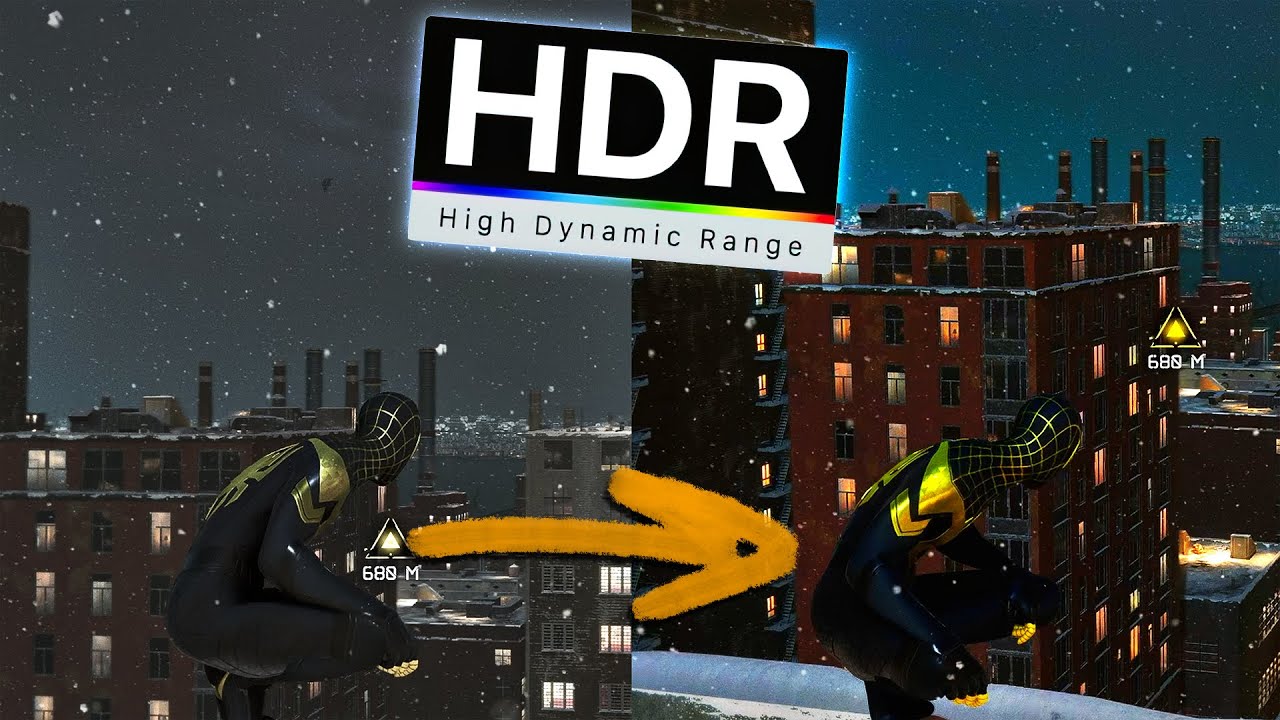
⭐ Watch this video ad-free on Nebula: https://nebula.app/videos/eposvox-how-to-stream-in-hdr-to-youtube-with-obs-studio-complete-workflow-guide
📹 Support my work AND get exclusive content with Nebula, bundled with Curiosity Stream for under $15/year at https://go.nebula.tv/eposvox 📼
Today we're looking at how you can stream in HDR to YouTube wit...
meager viper
past basin
That looks like some sort of timing issue. And it works fine on the monitor? C...
But it works fine when I hook up the gaming pc to the same card?
brave radish
past basin
https://www.youtube.com/watch?v=2A7beDFV5H0&list=PLzo7l8HTJNK_HIUFhcIqOKSmlz0u0V...
is this for me ? 🙂
past basin
yes
brave radish
thanks for eevrything you've done now i just need for a better elgato card that captures 5120x1440 hdr passtrough 240 hz 😄
without passing by my gaming pc of course 😄
one last question before i attack the guide people without HDR won't notice the difference on their own but those with HDR will ?
past basin
meager viper
But it works fine when I hook up the gaming pc to the same card?
Did you change any EDID settings? If it's all on defaults then the best thing is to cold reboot first. You don't want to spend hours working on it to realize it just needed a restart after. Beyond that I'd suggest turning off VRR on the PS5 to test that
past basin
brave radish
one last question before i attack the guide people without HDR won't notice the ...
Are you streaming or recording? If you're streamign only YouTube currently supports HDR - they will transcode the video when they get it to make an SDR copy too for users that don't have HDR support
 past basin
Yeah sometimes NVRAM can hold onto setttings if somethign goes wrong - cold reboot (or often even a warm one) can tirgger the settings to clear and reload from scratch
meager viper
That one worried me lol. Thank you for the help
past basin
No worries - I'd keep an eye out for it, if it keeps happening check for firmware updates and reach out to support at #official-tech-support , but stuff like that is usually a one off issue, unless you have driver or BIOS issues
brave radish
past basin
Are you streaming or recording? If you're streamign only YouTube currently supp...
streaming purpose
brave radish
past basin
Are you streaming or recording? If you're streamign only YouTube currently supp...
so i'll just check on your guide now to get best results and thanks for noticing me they include an hdr on and off but only on youtube yet 🙂
past basin
brave radish
so i'll just check on your guide now to get best results and thanks for noticing...
No worries good luck with it!
brave radish
thanks a lot for the workaround really appreciate all you've done for me , thanks a bunch there god bless you
oh and 2560x1440 240 hz ? is that even imagineable ? 😄 🤣 poor Arcsane i'm not leaving you alone 😄
past basin
brave radish
oh and 2560x1440 240 hz ? is that even imagineable ? 😄 🤣 poor Arcsane i'm not...
If you want it with HDR, right now you'd need to run OBS on the gaming PC too (though you wouldn't be doign video encoding so it wouldn't hit it as hard as the streaming PC)
Or you can play at 2560x1440 and capture at 720p240 and keep HDR that way too
Otherise you'd probably have to wait for new cards in a couple years (since we only just got HDMI 2.1 ones in February)
past basin
If you were okay with 1440p60 HDR capture from a 1440p240 HDR source, the 4K X card can do that though
brave radish
when you say you need obs on the gaming pc does it requires to hold all scenes and so on ?
past basin
Nah, just needs a basic one for your games
You're only using it for the Projector mode which lets you show what it's capturing on another screen
brave radish
so it wouldn't really hit much my 13900k so
past basin
Yeah, it would have some impact but it should be very light
brave radish
let me see actually because i thought you had to hold all scenes and heavy animations
past basin
Ah, yeah. You only need the game in a basic scene, nothing else
(though if you're workign with HDR don't forget to set things up for HDR in OBS)
brave radish
do you actually mind telling me how to step this up with obs so i try it out to see ? cause actually obs is taking 0% so ..
if i can play in 5120x1440 240 hz and show others 2560x1440 why not
past basin
To do this setup you need to set the card up lilke it was before:
GPU HDMI > Capture card HDMI IN
GPU DP to monitor.
5120x1440 might be a hiccup since you're dealign with a different aspect ratio there thoguh
Anyhow once the card is setup the toerh way again, just start OBS. Add a Game Capture source, with your game. Right click the source, set Fullscreen projector, and send it to the capture card. That should be about it
Because the card does support some higher refresh rates, you MAY have to use the GPU software to set the refresh rate for the card down (on the gaming PC)
brave radish
oh god i'm getting the DP cable back again that i sorted in the garage lol
leave me a minute to put the dp again
okay settoed now i put 5120x1440 240 hz ?
brave radish
i have to remove the duplicate right ?
past basin
Yes, needs to be in extended mode
brave radish
2560x1440 120 is okay doesn't show 240
somehow i cannot go above 60hz in 5120x1440
allright i got 5120x1440 240 hz
past basin
Sounds good - is it able to take that in on the card?
I wasn't sure the card would take 5120 horizontal
brave radish
i got it in extended mode but the card
cannot go to 5120x1440
so i'm trying 2560x1440 240 hz
launching the gale in 2560 to add the game capture now and i'll tell you if this works
might not work my screen is stretched thought i could adapt the ultra wide
2560x1440 is stretched to 5120x1440
past basin
brave radish
might not work my screen is stretched thought i could adapt the ultra wide
Check the scaling options for it in NVidia Control panel
set the display to no scaling here

shoudl stop it from stetching the 2560 signal to 5120
brave radish
oh dude that's a genius move
and now what shall we do ?
what about my other obs ?
past basin
On the streaming PC or the gaming PC?
Sorry, I'm tabbing in and out of work stuff while I wait on servers to finish buliding something so I've lost track
past basin
If you've got the OBS on both setup and running and the FullScreen Projector is going it shoud be - only way is to check the streaming PC and make sure you can set it all
brave radish
past basin
Sorry, I'm tabbing in and out of work stuff while I wait on servers to finish bu...
Uf good luck on finding that back
past basin
brave radish
Uf good luck on finding that back
No I meant I lost track of what step you were on here sorry 🙂
brave radish
dunno how but the game appears to be on the streaming computer
past basin
That's the projector setup then, that's good.
In extended mode your capture card shows up as a second screen to the gaming comptuer now, and OBS is just showing it there - you can actually move the mouse off one side now and you'll see it over there on the other screen (because it's actually on the capture card's virtual display)
So it looks like it's working as expected then?
brave radish
i've to set this back up everyday or any time the PC boots it's automaticly set up?
brave radish
okay so only right click projector to the gaming screen should be fine
well at long least you saved the day 😄
past basin
Send it to the capture card, not hte gaming screen, but yes
brave radish
video decoder needs anything or default ?
brave radish
past basin
Send it to the capture card, not hte gaming screen, but yes
anyways i think i have this working operatly because of you so i'm very glad i found someone else like you today ❤️
past basin
brave radish
video decoder needs anything or default ?
On the gamign PC leave it at deafault since you're not using the encoder at all. On the streamign PC whatever you normally use should be fine
No worries, glad you were able to get it setup
brave radish
yeah such a mess to setup ultrawide but i learnt 5120x1440 isn't possible yet at least need something that can deal with 5120x1440 and i guess it's really uncommon
past basin
Yeah, they can be picky - and sometimes even if the capture card plays nice the gaming PC's GPU won't like the double setup, or will need custom EDIDs.
I imagine next gen cards will have better support. 4K X did just get fimrware udpates for some ultrawides, but 5210x1440 wasn't one of them
It might even be possiuble now with some custom settings, but I haven't got an ultrawide on hand to confirm and test myself
brave radish
gotta hope 4k pro get it sooner or later 🙂
 balmy patrol
Hello
I need to understand, capture card 4K 60 pro MK2
I don´t understand the reason for HDMI OUT port?
IN port is connected from GPU to capture card (dual PC setup) main monitor is 165 HZ 5K resolution capture card is limited to 1440P (3440x1440P) I cannot select 5K resolution within 4K capture software, dublicate vs extend functionality I need to understand what to choose all the encoding is done on separate streaming client, if I would connect a 2nd monitor & choose extend & install OBS on my gaming machine to "mirror" from OBS to 2nd monitor & then inport the capture card on OBS on streaming client? I don´t understand
When I only have HDMI connection to IN port & choose dublicate then import capture card?
I am lost here.. basically the main problem is I cannot get my native 5K resolution when I choose dublicate, the capture card is limited... right?
answer from third party vendor, I quote
I understand you are inquiring about a custom EDID for 5120x1440p. I would be more than happy to assist.
I reached out to my Advanced Support Team to see if a Custom EDID can be provided.
They did mention that we could not guarantee a 5120x1440p resolution would work at 165Hz with a Custom EDID.
They also mentioned that the max refresh rate would likely only be 60Hz if it does work
Our newer HDMI 2.1 capture cards such as the 4K Pro and 4K X do support Ultrawide resolutions, but our Development Team is still in the process of verifying which ultrawide resolutions are supported.
At this time, we do not have an estimated time for when we expected the resolutions to be verified.
brave radish
balmy patrol
Hello
I need to understand, capture card 4K 60 pro MK2
I don´t understand the r...
if you have time check our conversation between me and Arcsane he helped me do my G9 with 4k pro elgato , on my side i'm gone to bed i've worked on this enough lol 😄
past basin
balmy patrol
Hello
I need to understand, capture card 4K 60 pro MK2
I don´t understand the r...
The HDMI out port is for passthough. It works like a splitter so you can connect something to both the capture card and a display at the same time.
5120x1440 is not 5K resolution, it's an Ultrawide Format. 5K is a 16:9 (usually something like 5120 × 2880). But the 4K Capture Utility is only setting your recording settings - outside EDID settings it does not affect the resolution the card can handle.
I don't understand what you're talking about with a separate streaming client through? The streaming client would generally be the streaming PC you have the capture card installed in.
What support is trying to tell you tiere is it might work at 5120x1440 but they cannot promise it as they card hasn't been officially tested for full support of it yet. If you have a request in for a custom EDID those tend to take time as they get handed to another team, iirc.
balmy patrol
Check
Yeah exactly I have the capture card installed into streaming client & using duplicate mode via HDMI IN port from GPU to capture card & via 4K software I can only select 1440P
But the problem is I cannot select my native main screen resolution & I don't understand why
See attatchment


 north nest
I cant hear anything out of 4k utility at all
 tough bluff
Hello, I have a problem with the HD60x card. I get a USB 3.0 cable error. I did the following: I changed USB ports, cables, nothing helps. I'll add that the LED is flashing red. Can you help me?
 past basin
Did you make sure the cables you're using are rated for 5 Gbps? That's by far the most common issue people trip up in. Followed by using hubs or adapters that drop the speed
You can use something like USB Tree Veiwer https://www.uwe-sieber.de/usbtreeview_e.html to check the summary for the card too
It'll list three speeds, port, device and connection that'll help you narrow down what's not at the right speed
 tough bluff
I will check today after work but the cable is not a problem because I changed a few cables and they are 5gb
brave radish
past basin
YEah - that converts the HDR to SDR when 4K Capture is closed. So turn that off...
heyas, t ried the P010 but looks greyish ( did the pa rt when you turn hdr to sdr tonemapping)
past basin
brave radish
heyas, t ried the P010 but looks greyish ( did the pa rt when you turn hdr to sd...
Both the video settings and the capture card settings need to be P010 and using colour space Rec 2100 PQ. If either of those is off, even if the capture card tonemapping is off, OBS will tonemap itself.
I realized the link I gave you earlier for EposVox's guides might have dumped you in his main HDR videos too, not the setup guides - https://www.youtube.com/playlist?list=PLzo7l8HTJNK_HIUFhcIqOKSmlz0u0VJpB this link should have just two videos. One for setting it up for recording one for setting it up for streaming

YouTube
 teal holly
i have a hd60 x in a dual pc setup, i play sound through my headphone out and use the stereo mix to also play it through the capture card but for some reason when having hd60 x output selected now it also plays through my monitor speakers which didnt happen before and i can't seem to fix that
past basin
Turn off the volume on the monitor - if you're sending the audio out over the HDMI to the capture card, the capture card will pass it through to anything else including monitors
teal holly
i no longer have audio options for the monitor because when selecting hd60x it outputs to both the capture card and my monitor
past basin
I mean turn off the monitor's volume from it's built in menus, not via software
brave radish
past basin
Both the video settings and the capture card settings need to be P010 and using ...
yeah had to turn off 2100PQ etc colors were very weird apparently , used those settuings made i look for everyone apprently

that and the saturation was a bit high also apparently
past basin
And it was set in both locations?
teal holly
past basin
I mean turn off the monitor's volume from it's built in menus, not via software
i’ll try this when i wake up, not sure if it has a setting for that but i haven’t looked through the menu much, can ping you if it works or if it doesn’t if that’s okay?
brave radish
past basin
And it was set in both locations?
where and where ? again i did that like 9 hours ago
past basin
teal holly
i’ll try this when i wake up, not sure if it has a setting for that but i haven’...
You can but I'm in and out through the day - it could be a while before I get it
past basin
brave radish
where and where ? again i did that like 9 hours ago
In the main settings under Advanced, then again in the capture card settings


If it's not set in both you'll have issues.
brave radish
oh yeah but i thought those were for youtube only ?
so yeah maybe i should had not touched these at all
past basin
Yeah, it's supported for YouTube only. Otherwise you'd have to set it up to let OBS (or the capture card) do tonemapping to SDR because platforms like Twitch don't support HDR at all yet
Tonemapping 10 bit HDR down to 8 bit SDR can cause colour casts, including saturation shifts though
How off was your display?
tough bluff
hi
I have video on the second computer I don't have an audio capture card hd60x I have two computers
 warped ledge
tough bluff
I have video on the second computer I don't have an audio capture card hd60x I h...
warped ledge
tough bluff
I have video on the second computer I don't have an audio capture card hd60x I h...
Do you have sound capture?
 past basin
tough bluff
now it gives me this error
past basin
tough bluff
now it gives me this error
A1? Are you trying to setup Voicemeeter?
tough bluff
past basin
A1? Are you trying to setup Voicemeeter?
yes, I set up my headphones, A2 I wanted my capture card and I get this error
past basin
So this is on your gaming PC and it's saying A1 isn't available? Did you already try setting up somethign or set windows default audio to the HDMI output?
tough bluff
past basin
So this is on your gaming PC and it's saying A1 isn't available? Did you alread...
yes it is on my game pc,
past basin
First thing I would do is cold reboot - if something previously hooked exclusive control of the capture card as a sound device that will usually release it
If not you may have to either figure out what other app is hooking it or disable the ability for apps to take exclusive control of it
tough bluff
past basin
First thing I would do is cold reboot - if something previously hooked exclusive...
I did nothing, it doesn't work
does anyone have an idea because I don't know what to do anymore..
tough bluff
past basin
First thing I would do is cold reboot - if something previously hooked exclusive...
I fixed
past basin
tough bluff
I fixed
It fixed? Did you have to disable exclusive mode after?
Sorry, been in and out here this afternoon
tough bluff
past basin
It fixed? Did you have to disable exclusive mode after?
I had to update Windows and Device Manager, remove a few things and reinstall them
past basin
Ah, glad to hear you got it sorted out at least!
tough bluff
past basin
Ah, glad to hear you got it sorted out at least!
but I'm still struggling because on streaming pc everything works but pc streaming doesn't capture the sound
tough bluff
past basin
Ah, glad to hear you got it sorted out at least!
i just fixed it toooo omg!!
past basin
So you're using Voicemeeter to split the audio on the gaming PC right? And you setup A1 and A2 for your headphones and the HDMI output tot he capture card?
ah
Good to hear

 sterile vector
 elfin schooner
why is my capture card doing this?
elfin schooner
why is my capture card doing this?
Apparently you hurt it's feelings.
elfin schooner

teal holly
@past basinthat worked, thank you
past basin
Glad you got it sorted
 olive sable
My HD60 X stopped working.
Programs updated. Changed cables
Tried on my laptop also.
Stil nothing 🙈
Looked for support but guess what serial tag died text on the double sided tape .
Any serious opinions ??
Thanks in advanced
past basin
When you changed cables did you make sure the reaplcement USB one was rated for at least 5 Gbps? Most are not
olive sable
3.1 blue one
past basin
Does the card show up in USB Tree Viewer? (https://www.uwe-sieber.de/usbtreeview_e.html)
Also are there any lights on it at all?
olive sable
Light yes led is white
past basin
White is good - means power but no HDMI signal
past basin
\
olive sable
When its white it says connected to pc ?
past basin
What is actually happening when you're trying to use it and what app do you use it with?
olive sable
Black screen in obs with no signal.
When i use the 4K program recorder it says no signal
Tomorrow i.m gone check in the tree if its in there. Then i know if my pc see the card
past basin
If it's saying no signal in OBS your connection to the PC is good. That image comes from the card
olive sable
So its a hdmi issue
past basin
Check the HDMI ports for any signs of dirt or damage, assuming you already swapped the HDMI cable
Yeah
olive sable
On my ps5 i used same hdmi direct to screenm both cables work
Then the capture between it and nothing.
Checked 50 times if i did the in and out good lol
past basin
Make note of the light colour when it's plugged in - white means no signal, red means incompatible signal. Make sure HDCP didn't turn back on, on your console with a system update
olive sable
Aha ok gone check that also tomorrow. Its 2.40 am . Need a sleep first.
Il wil post the answer tomorrow.
Thanksss for now 👍👍👍
past basin
Good luck with it
olive sable
Thanks
olive sable
@past basin i could not sleep of it lol. Laptop on capture card in it. Same cables. Ps5 on. The damn thing turned on the HDCP.
Wasnt me .
Tomorrow pc check..
I can sleep a little 🤪🤣
 ionic hinge
Hey yall, so Im getting my elgato to capture video and audio for obs perfectly fine, but its not letting me hear it in my headphones, any fix for this?
i have the hd60 s+
olive sable
Did you check the audio tab ?
warped ledge
ionic hinge
i have the hd60 s+
Did you monitor and output the audio?
 full trench
@warped ledge hd60s
i actually just got it to connect now im having an issue with it just stuck on 480p59
Got it to connect now that's the next step to figure out
 ionic hinge
warped ledge
Did you monitor and output the audio?
ionic hinge
warped ledge
Did you monitor and output the audio?
in obs? yes
warped ledge
ionic hinge
in obs? yes
And what did you set your monitoring device as?
warped ledge
full trench
Got it to connect now that's the next step to figure out
Checking something
warped ledge
full trench
Got it to connect now that's the next step to figure out
Your card works with game capture hd, not 4k capture utility.
ionic hinge
warped ledge
And what did you set your monitoring device as?
where do i check that?
warped ledge
ionic hinge
where do i check that?
Main obs settings under audio, and advance.
ionic hinge
warped ledge
Main obs settings under audio, and advance.
it is on default
warped ledge
ionic hinge
it is on default
Change it to your headphones if you’re streaming or whatever your preference is. Close obs and relaunch
ionic hinge
Thank you I will try this!
 craggy relic
I’ve been trying to record Mario Kart using a HD60 S and I have my game audio set to around 60 but when I try to start the recording it either goes to 59 or 61.
I want it to stay at 60.
Recording from a Windows 10 computer.
brave radish
heyas, ya Busy ? Mr Arcsane ?
warped ledge
craggy relic
I’ve been trying to record Mario Kart using a HD60 S and I have my game audio se...
Are you referring to fps, if so this is normal for the switch.
warped ledge
brave radish
heyas, ya Busy ? Mr Arcsane ?
If you post the issue, anyone of us can help. 
craggy relic
I wasn’t referring to the FPS.
I was using game capture hd with my HD60 S and I set the game volume to 60 but it would change whenever I tried to start a recording.
I eventually got fed up and used another setup and started a new LP so problems half solved
warped ledge
craggy relic
I wasn’t referring to the FPS.
I was using game capture hd with my HD60 S and I...
Nice, so volume recording vs volume playing would change? Odd, but seems like you got things going.
craggy relic
Yeah it kept on changing.
I eventually used the 4K Capture Utility in conjunction with OBS and that has been working.
Had some input delay but I got that fixed thanks to a friend
I’ve been streaming a Mario Galaxy Deathless run and I’m almost done
108/120 stars
brave radish
warped ledge
If you post the issue, anyone of us can help. <a:dancing:1162009242702717069>
yeah i have an hard time to figure how to deal with the color space
on one screen it's either too green or too yellow , or too bright or too dark so i'm trying to figure how to deal with it, cause i had less struggle with hd60s+ than with my 4k pro
warped ledge
brave radish
on one screen it's either too green or too yellow , or too bright or too dark s...
Are you using HDR?
brave radish
warped ledge
Are you using HDR?
oh my gaming screen aye
the same picture twice hold on 😄


huge difference as you see 😄
olive sable
@past basin SHOUTOUT FOR YOU
I plugged in to the PC and it works.
Al caused by the PS5 update he turned on the HDCP
Again thanksss millionsss
brave radish
warped ledge
Are you using HDR?
forgot to reply to you to update you but answer is just above 🙂
warped ledge
brave radish
But my question is, are you using HDR or not?
If you’re using HDRHDR should be on for both monitors that way the color matches if you’re not using HDR then the color would be identical for both monitors so it looks like maybe the oversaturation is due to HDR tone mapping
tough bluff
Can someone help me set up VBan so I can send alerts to my gaming pc?
brave radish
warped ledge
But my question is, are you using HDR or not?
on my gaming screen yes it has the HDR feature it's an odyssey G9 but Arcsane was telling me only yuoutube could handle HDR ?
warped ledge
brave radish
on my gaming screen yes it has the HDR feature it's an odyssey G9 but Arcsane ...
Correct. So your pictures are different because one is in hdr and the other isn’t
brave radish
yeah but it clearly shows an oversaturation in term of colors no?
so you'd say i'd need to put P010 for color format or i can leave it to default andi need to adjust the saturation ?
warped ledge
brave radish
so you'd say i'd need to put P010 for color format or i can leave it to default...
It’s usually how it goes. However, HDR I would play in it, but never record, as I’d rather use an LUT for color accuracy. Tone mapping isn’t the same for p10 vs the capture card’s colors, and not everyone with HDR has HDR10, some might have 400, or 600. Which tends to look washed out.
brave radish
warped ledge
It’s usually how it goes. However, HDR I would play in it, but never record, as ...
so what should i do ? P010 ? default ?
warped ledge
brave radish
so what should i do ? P010 ? default ?
It depends are you trying to record HDR?
brave radish
warped ledge
It depends are you trying to record HDR?
streaming purpose
warped ledge
I wouldn’t recommend it yet, as HDR isn’t mainstream yet. If so though, P10, and HLG can be ideal depending on the game in Windows. I find HLG to be a bit better on colors, but ideally I do LUT’s for each game as sometimes there are specifics. It can vary.
brave radish
Yeah noticed it's a bit hard to decide i'm trying to have neutral colors that can pass on any game but withe little to no change on saturation
warped ledge
brave radish
Yeah noticed it's a bit hard to decide i'm trying to have neutral colors that ca...
yeah, that's challening which is why i moved away from HDR content, and did LUT's based on whatever game I wanted to play.
 dire dock
Hey guys! I just got a HD 60S+ today and wanted to test it out, what I noticed is that the first seconds when I start OBS Studio with the Capture Card, everything runs smoothly but then it starts to lag, sometimes it works for 10 minutes and then starts to lag again. Does someone know any fix for that? I can send my specs too. The Card is plugged into USB 3.0. I'm trying to capture a XBOX


 brave radish
warped ledge
yeah, that's challening which is why i moved away from HDR content, and did LUT'...
brave radish
warped ledge
yeah, that's challening which is why i moved away from HDR content, and did LUT'...
gets worse as i'm colorblind which is why i'm trying to get something that can be general 😄
warped ledge
brave radish
gets worse as i'm colorblind which is why i'm trying to get something that can b...
I’m not sure there is a setting for colorblind. Safe bet is no HDR.
tough bluff
Elgato HD60x : Black screen when minimizing full screen application
any suggestions
tough bluff
?
past basin
Could use much more info on your setup here - you say you get a black screen when you minimize a full screen app? Is this a dual PC setup and does it autoamtically recover? If so it's because your PC is momentarily changing display modes because you're using fullscreen instead of Windowed Fullscreen/Borderless Windowed. Capture cards tend to take longer to resync than just a monitor because of the way they work so a second or three of black screen when you change display modes like that is pretty much expected
Try borderless windowed - Windows controls the display mode then instead of handing it off to the game so it can skip the sync issue you get from that handoff
 patent fjord
So went out of my way to pay more money than I'd have liked on not just a capture card but also a chat link cable but still no party chat or my chat coming through the headset or to the stream I've watched maybe 50+ videos all useless what's the fix I'm bored of it now honestly elgato supposed to be a big brand easy to work with but it's just not
patent fjord
tough bluff
?
I think it's one of the servers that doesn't offer actual help alot like lightstream
tough bluff
patent fjord
I think it's one of the servers that doesn't offer actual help alot like lightst...
not true many people helped me with my problems
patent fjord
Will see if they can help mine but I highly doubt
tough bluff
past basin
Could use much more info on your setup here - you say you get a black screen whe...
it's a bit of a shame because it's better to play in full screen
 tough bluff
patent fjord
Will see if they can help mine but I highly doubt
tough bluff
patent fjord
Will see if they can help mine but I highly doubt
what's going on with you?
patent fjord
tough bluff
what's going on with you?
So chat link picking up others in party but they sound weird and can't get any sound from my headset even tho that's what the chat link was made for 🤦
tough bluff
patent fjord
So chat link picking up others in party but they sound weird and can't get any s...
but what do you use? describe in more detail
tough bluff
Is your sound coming through the jack input?
past basin
patent fjord
I think it's one of the servers that doesn't offer actual help alot like lightst...
This is community help - a lot of the voluneteers were asleep that early in the morning on a Saturday. I'm jut getting up myself.
past basin
tough bluff
it's a bit of a shame because it's better to play in full screen
If you're playing modern Dx12 based games, that's no longer the case - DX12 games should perform equally as well in either setup. Older games or games stull stuck on DX 11 might have some small perforamance gains in fullscreen though.
past basin
patent fjord
So chat link picking up others in party but they sound weird and can't get any s...
Just to confirm you can't hear anything in your headset when it's plugged into the Chat Link?>
Also can you describe how weird the other players sound wher eyou say it is coming though? also does any of the other game audio sound off or just voices?
patent fjord
I can hear everything except my own voice in stream and they sound robotic but game sounds fine
patent fjord
past basin
This is community help - a lot of the voluneteers were asleep that early in the ...
Even if was usa that would have been midday 😅
tough bluff
@past basin it seems so, but in benchmarks there is a difference plus a delay
past basin
patent fjord
I can hear everything except my own voice in stream and they sound robotic but g...
How are you mixing your voice back in? Chat Link doesn't split headset mic, it only splits audio coming out from the console to make up for the fact the console mutes the HDMI audio when a headset is attached. You'd need to have an additional mic to mix your own voice back in (with the possible exception of using Xbox mic monitoring, but that's hard to control and doesn't get very loud).
Is it only the voices you're hearing that are robotic or game audio too?
patent fjord
Just there voices weird
past basin
Sometimes Windows Audio Enhancments can get incorrectly applied to the capture card too - but you'd hear it in both the game audio and the voces (though maybe differently, most common hiccup is noise cancellation warping your environemental sounds)
past basin
tough bluff
<@269997944671830017> it seems so, but in benchmarks there is a difference plus ...
There shouldn't be unless you'd playing games on older engines (some popular games are still stuck on DX11 like Valorant last I checked)
Unless you've disabled Windows gaming optimizations
past basin
patent fjord
Just there voices weird
Try disabling Windows Audio Enhancements on the capture card to make sure that's not interfering. You can do this by going into Windows Settings and checking under System > Sound and find your capture card. Go into it, and check at the bottom for any mention of audio enhancements or spatial audio (usually towards the bottom) and turn them off.
If neither are there, check the old Windows Sound Settings. Press Windows Key + R, type mmsys.cpl and press ok. Go to the recording tab and find the capture card, then go to properties. Check for any enhancement or spatial audio tabs and disable anything in there, and check the advanced tab to see if there's any enhancements or spatial audio options to turn off there as well.
Windows Audio Enhancements are the bane of my existence lately
past basin
tough bluff
<@269997944671830017> it seems so, but in benchmarks there is a difference plus ...
In either case if you're going with fullscreen you're going to get that momentary blackout. It might perform faster if you hook your monitor ot the HDMI out port on the card instead of a cloned setup where both monitor and capture card are on the same GPU, but you're still liable to see some of it
You can also try to match the settings, resolution, refresh rate, HDR etc with your Windows Display Settings, as close as you can and on some games it might switch faster
warped ledge
past basin
This is community help - a lot of the voluneteers were asleep that early in the ...
Same
warped ledge
patent fjord
I can hear everything except my own voice in stream and they sound robotic but g...
Your voice wont carry over from chatlink, you’d need an addition mic for your pc for your stream to hear you.
warped ledge
past basin
You'd be about right for Eastern though
I’m cst so yeah, and recovering from sickness, so I’m getting up late.
 keen harness
Hello everyone.
I have an Elgato HD60 but its audio doesn't show up as a microphone so I cannot capture sound manually.
Any advice on what I could try?
past basin
It should show up as an audio device but not specifically a mic. Does it show up at all in the Windows Sound Settings (it may just be disabled in there). Press windows key + R, type mmsys.cpl and press ok. Look for Game Capture HD60 on the recording tab
 buoyant bane
Heya, I just got the Elgato Neo capture card and for some reason my iPad looks like this when connecting it to OBS

Its really dark and it gets worse if i open anything like the 4k capture utility
warped ledge
buoyant bane
Its really dark and it gets worse if i open anything like the 4k capture utility
so you're getting black bars?
 humble oriole
good evening I got the elgato hd60x and I've connected all the right cords but for some reason its just blinking red I've tried all the usb ports on my pc and it still does the same thing
warped ledge
buoyant bane
It’s an iPad Pro with M1
are you connected to a usb 3.0?
warped ledge
humble oriole
good evening I got the elgato hd60x and I've connected all the right cords but f...
HDCP is off right?
humble oriole
warped ledge
HDCP is off right?
yes i turned it off before setting it up
 simple sapphire
ive got an hd60s and ive connected it correctly and my monitor keeps flashing black and the hdmi cables are good enough for it because i had this same issue with bad hdmi cables and the new ones did fix it for a few months and now its happening again?
buoyant bane
warped ledge
are you connected to a usb 3.0?
Yes
warped ledge
humble oriole
yes i turned it off before setting it up
Try a different usb port
warped ledge
buoyant bane
Yes
Are you using official cables?
humble oriole
warped ledge
Try a different usb port
I’ve tried all my usb ports it’s still blinking red
warped ledge
humble oriole
I’ve tried all my usb ports it’s still blinking red
Let’s unplug it for 1 min
buoyant bane
warped ledge
Are you using official cables?
I was gonna use the usbc cable it came with but was too short
warped ledge
buoyant bane
I was gonna use the usbc cable it came with but was too short
So you’re using another cable? Does it meet the specs of the official?
buoyant bane
Yeah it’s an anker braided usbc to usb cable and for the HDMI I’m using a switch HDMI cable and got it connected to my apple adapter
humble oriole
warped ledge
Let’s unplug it for 1 min
Its still doing the same thing
tough bluff
what method is best cloning the image or using obs on a gaming pc? i tried to use sending the image from the gaming pc to the capture card but the image would be ugly
keen harness
past basin
It should show up as an audio device but not specifically a mic. Does it show u...
it doesn't show up there, a friend of mine has a HD60S and it shows up for him
brave radish
Hello there, yesterday i tried to put my elgato 4k pro in 1440p but the signal was somehow weird, it was dividing my screen in four ?
example there
 past basin
keen harness
it doesn't show up there, a friend of mine has a HD60S and it shows up for him
past basin
keen harness
it doesn't show up there, a friend of mine has a HD60S and it shows up for him
It's likely stuck partly installed then. Uninstall it from the camera section of Device Manager then physically disconnect and reconnect it.
past basin
brave radish
Hello there, yesterday i tried to put my elgato 4k pro in 1440p but the signal ...
9 out of 10 times this is a VRR/g-sync/freesync issue. I'd suggest turning it off on your source to test
past basin
buoyant bane
Yeah it’s an anker braided usbc to usb cable and for the HDMI I’m using a switch...
What speed is it is the important part. Anker makes both USB 2.0 and 3.x braided cables with USB-C connectors. You need a cable that is at least 5Gbps otherwise you can get all sorts of connection issues if it'll connect at all. If you've got the 5 Gbps or faster one it should be fine
past basin
tough bluff
what method is best cloning the image or using obs on a gaming pc? i tried to us...
Define ugly. There's lot of issues that can come up but troubleshooting them needs specifics.
warped ledge
humble oriole
Its still doing the same thing
Are you using official cables?
warped ledge
past basin
What speed is it is the important part. Anker makes both USB 2.0 and 3.x braide...
Thanks, I went to bed early. Still getting better.
past basin
Yeah, I figured when I saw the multihour gap. Just getting up myself. Hope you're feeling better
warped ledge
past basin
Yeah, I figured when I saw the multihour gap. Just getting up myself. Hope you'...
Thanks! I feel like today is gonna be a good day!!!

humble oriole
warped ledge
Are you using official cables?
yes straight out the box
keen harness
past basin
It's likely stuck partly installed then. Uninstall it from the camera section o...
well it doesn't show up in the camera section of my device manager
warped ledge
humble oriole
yes straight out the box
Are you connected to a usb 3.0?
 past basin
If it shows up there it should show up in the Windows Sound Settings under recording devices
Right click in there and make sure it's set to show disabled devices

 past basin
And you set the thing to show disabled and diconnected device like above right? (you can click any device to do that, not just the one you're looking for)
If Windows thinks it's a sound device in Device Manager it should show up here, unless it's hidden for being disabled or disconnected
keen harness
past basin
And you set the thing to show disabled and diconnected device like above right? ...
Yes but it's not there
not disabled or a disconnected device
it doesn't exist in that list
past basin
Do you have any other sound issues, and have you already tried a cold reboot of the PC? Does this still happen if you move it to a different port. The fact Windows says its a sound device and then doesn't list it as a sound device might also indicate your Windows install isn't working correctly
keen harness
past basin
Do you have any other sound issues, and have you already tried a cold reboot of ...
I tried that and tried a different port, yes.
past basin
Then all I can suggest is removing it from everywhere in Device Manager, make sure you have the latest drivers installed from https://help.elgato.com/hc/en-us/articles/360027961152-Elgato-Gaming-Hardware-Drivers then reboot the PC to it forces the device to reinstall from scratch
keen harness
I did that as well already
you sure my capture card can do that?
iirc it's just a HD60 from 2014?
past basin
Yes even the old Game Capture HD can capture audio
Which is the one that came before that
You mentioned a friend had one? Does your card work as expected on their setup?
keen harness
past basin
You mentioned a friend had one? Does your card work as expected on their setup?
It's just a friend over discord.
past basin
Thing is the fact it shows up as a sound device in Device Manager but not Sound Properties under the recording section implies there's a Windows problem. You have another PC you can use or borrow nearby to test it?
With disabled and disconnected settings enabled in sound properties even devices with issue shoud be showin gup in the list
If you're not seeing Game Capture HD60 there, there's likely a Windows Sound System issue at this point
If it showed up in Camera and not sound controllers it'd be something else -but it correctly sees it as a sound device
Only other thing I can suggest trying beyond troubleshooting Windows is making sure you're using a USB 2.0 cable for it -but if you weren't you shouldn't get video
keen harness
I do get video and audio via obs and the game capture hd software
I am using win11
@past basin See, via the software I do get audio and video
 brave radish
past basin
9 out of 10 times this is a VRR/g-sync/freesync issue. I'd suggest turning it o...
brave radish
past basin
9 out of 10 times this is a VRR/g-sync/freesync issue. I'd suggest turning it o...
removed vrr but yeah i have a& gsync screen
 tough ginkgo
Can someone tell me please if any of the newer capture cards (internal) support 21:9 aspect ratio
warped ledge
tough ginkgo
Can someone tell me please if any of the newer capture cards (internal) support ...
 steel tinsel
Hello! I have the HD60 X and i was wondering if i can record something and it can be saved on the capture card?
tough ginkgo
Okay, seems this is a promising reason to upgrade my 4k60 Pro
 warped ledge
tough ginkgo
Okay, seems this is a promising reason to upgrade my 4k60 Pro
warped ledge
tough ginkgo
Okay, seems this is a promising reason to upgrade my 4k60 Pro
The 4K X also has Ultrawide 
warped ledge
steel tinsel
Hello! I have the HD60 X and i was wondering if i can record something and it ca...
No, it saves to your pc/mac/ipad pro depending on your setup
tough ginkgo
warped ledge
The 4K X also has Ultrawide <a:HeartEyesFrog:1252106199827091468>
Ohhh nice! I like internal Cards so the 4kPro will be awesome!
balmy patrol
Does distroav work with elgato capture cards?
past basin
I didn't realize they'd renamed OBS-NDI. But that'll be up to you OBS - you'd add the capture card to OBS then send it over DistroAV generally, so anything that works with OBS should be fine
tough ginkgo
warped ledge
The 4K X also has Ultrawide <a:HeartEyesFrog:1252106199827091468>
I must be dumb lol. I got the 4k pro and now my game capture look blurry.
warped ledge
tough ginkgo
I must be dumb lol. I got the 4k pro and now my game capture look blurry.
Did you configure obs? And install the drivers?

Configure OBS to get the most quality out of your stream.
tough ginkgo
warped ledge
Did you configure obs? And install the drivers?
Yeah, I did all that. Ultra wide is such a headache lol. I understand how it can be hard to stream it given the aspect ratio. But man I didn’t think it would be this much of a headache. 🤕
 fleet frigate
Hi everyone, so I’m attempting to get my HD60 S to connect two pcs. One is game one is stream. The video and everything is working fine with the capture card but I’m not getting any audio in any software on my stream pc.
 dire dock
Well.. it's not in an usb 3.0 port
past basin
fleet frigate
Hi everyone, so I’m attempting to get my HD60 S to connect two pcs. One is game ...
How are you setting up the audio on your gaming PC? That's what trips up most people. For you to get the audio to the streaming PC you need to send the audio to the HDMI out generally. But if you' listen at the Gaming PC you likely already have it set to something else. That generally meends you need Software like Elgato Sound Capture (part of the Game Capture HD installer), Wave Link (requires a USB Wave Device or Stream Deck+ on the PC you're using it), or third party app like Voicemeeter installed on the gamin PC to split the audio to go to two places at once
past basin
 whole kestrel
can someone help me with this
whole kestrel
can someone help me with this
Try running USB Tree Viewer https://www.uwe-sieber.de/usbtreeview_e.html to see what part of your setup isn't running at USB 3.0 mode. It'll list three speeds, Device (will always be SuperSpeed), Port and connection. They should all be SuperSpeed or faster (or in the case of the port it might list a companion port doing SuperSpeed too which is fine). If the port doesn't mention SuperSpeed at all, odds are you're not in a USB 3.0 Port, or you have BIOS or driver issues with your motherboard.
Most common though is the connection - usually means you're not using a USB 3.0 / 5 Gbps or faster cable (most common issue we see with older cards like HD60 S where people have mixed up the original cable since most cables are only 2.0 speed), or you're passing the connection through a hub or adapter of some kind that is dropping the speed of the connection down.
whole kestrel
past basin
Try running USB Tree Viewer https://www.uwe-sieber.de/usbtreeview_e.html to see ...
i see why your mod of the month
W once i get home i will test it
brave radish
hellos, any clues why my signal is blinking off sometimes ? 🙂
fleet frigate
past basin
How are you setting up the audio on your gaming PC? That's what trips up most p...
Rn I have voice meter sending audio to the capture card and my headset.
 hollow socket
is there any fix for the 4k utilty capture delaYED sound
on my hd60s on the game capture software there wasnt delay
now hd60x and 4k utility is delayed sound
any help?
 main wyvern
Already put in a support ticket and replied with some requested information but also wanted to post here. Having an issue with the 4K Pro where the passthrough output aways shows up as YCC 4:2:0 12bit on the display (AW32 and LG C2) regardless of what the actual input is. RGB 8/10/12, all shows up incorrectly when running through the 4K Pro. Don't have this issue on the avermedia LGU 2.1 or directly connecting the display to the source. Could the 4k pro be really transcoding everything to YCC 420 for passthrough?
warped ledge
hollow socket
now hd60x and 4k utility is delayed sound
What about in obs?
hollow socket
warped ledge
What about in obs?
Dont use Streaming Software
past basin
OBS doesn't have to be used to stream.
I suspect Vic wants to know how the audio is workign outside of Elgato apps
 green glade
Set up my HD60X yesterday. Getting stuttering audio. I did the firmware update with the card that didnt fix it. I have a 20GB usb 3.0 to usb C. HDMI cords are good. Computer and card performance are low when running (under 25%) for a few minutes yesterday it did run smooth for a bit then back to the same stuff inexplicably. Any advice? Havent even added it into OBS yet cause i cant get it to run right in elgato window. New app has been downloaded and updated too.
past basin
green glade
Set up my HD60X yesterday. Getting stuttering audio. I did the firmware update w...
Test it in OBS - specifically add the card, mute it and add it again as an Audio Input Capture which bypasses DirectShow.
green glade
past basin
Test it in OBS - specifically add the card, mute it and add it again as an Audio...
you think itll run smoother when added in? Hadnt attempted that yet
past basin
If that doesn't help try disabling Windows Audio Enchancements as they can sometimes interfere with the card's audio
You can do this by going into Windows Settings and checking under System > Sound and find your capture card. Go into it, and check at the bottom for any mention of audio enhancements or spatial audio (usually towards the bottom) and turn them off.
If neither are there, check the old Windows Sound Settings. Press Windows Key + R, type mmsys.cpl and press ok. Go to the recording tab and find the capture card, then go to properties. Check for any enhancement or spatial audio tabs and disable anything in there, and check the advanced tab to see if there's any enhancements or spatial audio options to turn off there as well.
past basin
green glade
you think itll run smoother when added in? Hadnt attempted that yet
It can , but if nothing else it can reveal some other issues that can crop up, if that method of adding it doesn't work either
green glade
Thank you so much for this help. Ill try! Im tech dumb with computers. Having a smart phone made me stop using em for years lol. TY TY
past basin
It happens. If you don't use it you lose it, and all that. Good luck!
hollow socket
@warped ledge i just use 4kutility for sounds on pc
past basin
That doesn't answer the question - what happens if you try it with something else. Knowing that helps determine if it's an issue with the specific app or not
 unique pond
hey! I am looking at capture cards for my Xbox Series X to my PC. I just upgraded to a 1440p monitor. I've read mixed things online about the passthrough on a HD60S Plus, can this capture card passthrough 1440p and then capture in 1080? If not which card would I need to passthrough 1440p?
warped ledge
hollow socket
<@476160810457235466> i just use 4kutility for sounds on pc
You could do the same with OBS and might fix the issue. Haven’t had 4K Capture Utility desync like that, but not the first time I’m told this. OBS might be your workaround
past basin
unique pond
hey! I am looking at capture cards for my Xbox Series X to my PC. I just upgrade...
Officially no, HD60 S+ has no support for 1440p (even though it has limited 4K support 1440p wasn't common back then and doesn't have an actual broadcast standard so older cards had limited to no support for it). HD60 X which replaced it can do that though (as can 4K X, and the internal cards 4K Pro and 4K60 Pro Mk2).
unique pond
past basin
Officially no, HD60 S+ has no support for 1440p (even though it has limited 4K s...
alright thank you
main wyvern
main wyvern
Already put in a support ticket and replied with some requested information but ...
looks like the 4k pro passthrough just doesnt support 40gbps, 444 10bit always falls back to 420
 shadow turtle
Good morning can anyone here help how to set up my elgato 4k x so I can stream on YouTube all I got was a black screen I was doing it on Xbox
past basin
What app are you trying to use, what sort of computer are you using? What resolution and refresh rate are the Xbox set to, and is there a monitor in the HDMI Out jack o the card?
hollow socket
warped ledge
You could do the same with OBS and might fix the issue. Haven’t had 4K Capture U...
but how can i get the sound from obs
warped ledge
hollow socket
but how can i get the sound from obs
I have a video that can help with the setup. It’s also in #community-resources
(2024 March) Elgato 4K X & 4K Pro Capture Cards
https://youtu.be/MTdkWeFroiw

In this video I go over talking points regarding the newest Elgato Capture Cards the 4K X & the 4K Pro. I also show you in the video how to setup chat link, and chat link pro, while setting up your Capture Card in OBS. Once thing I forgot to mention on capture Cards, IN should connect to your Console/Gaming PC, OUT Connects to you Gaming Monitor...
hollow socket
warped ledge
I have a video that can help with the setup. It’s also in <#837073573981323314>
i got the HD60X
not the 4k
past basin
They set up the same
4K X is the newer version of HD60 X, and the setup process is basically identical
warped ledge
past basin
4K X is the newer version of HD60 X, and the setup process is basically identica...
Thanks. I’m at work, so I missed this!
past basin
Same, in and out though the day.
 real arch
Chat Link Pro isn't working on OBS
it doesn't show up as an option

it's just these
past basin
It woudln't - it's just a passive specialty aux cable. If you plugged it into your HD60 X then use 4K Capture Utility to set your HD60 X to Analog audio mode under settings in the deivce section
(If you're on a mac use Capture Device Utility instead)
Option gets set on the card itself so you can use it in OBS after that
real arch
is 4K Captue Utility a seperate application to obs?
 real arch
ok imma download it now
real arch
past basin
https://www.elgato.com/downloads
thank you so much
past basin
No worries, glad you got it sorted
warped ledge
past basin
Same, in and out though the day.
I try but I work in data& analytics and time is the thing I work with.  so I can’t look away too long
Think of me like “Big Brother” but we have a team that’s on us as well.
past basin
Yeah, I work in software/devops so I mostly check in through the work hours while I'm waiting on deploys and builds 🙂
warped ledge
past basin
Yeah, I work in software/devops so I mostly check in through the work hours whil...
I think you have more flexibility than I do
past basin
Probably - but the flexibility is very prone to moving around
eg, if a build breaks, no one will hear from me til it's fixed
warped ledge
Same we’re a lot of moving pieces!
past basin
which depending on what broke could be a long time
 calm valley
I have an hd60x and need to use it to screen grab images and video of a laptop setup for work. I am capturing an M2 MBA to an M2 MBP. usb-c to hdmi from MBA to card and then the usb cable from card to MBP. I get an error that states "invalid output resolution". I am hoping this can be fixed somehow. The MBA is not setup, I can get it to work on my old hd60s to a windows machine but that will not work for me all the time. Anything I can do?
past basin
calm valley
I have an hd60x and need to use it to screen grab images and video of a laptop s...
How are you connecting it to the MBP? Usual issue when you see that error is you're passing it through a USB 2.0 cable, hub or adapter to fit the MBP USB-C ports
calm valley
past basin
How are you connecting it to the MBP? Usual issue when you see that error is yo...
I am using the cable provided with the card
past basin
The card has a USB-C to USB-A cable though - how are you connecting to the USB-C ports on the MBP?
past basin
Is the converter rated for at least 5 Gbps?
calm valley
does not say on it since it is so small, it came with some samsung phones from my last job
past basin
If not replace it or swap the whole cable for a 5 Gbps or faster USB-C to USB-C
Yeah most phone ones are meant mostly for charging and get limited to USB 2.0 speeds
calm valley
are Macbook charging cables fast enough?
past basin
uh . . I don't actually know. If they're Thunderbolt rated they should be
calm valley
lets hope
past basin
I don't know what the spec is on the one that comes with the MBP, but I do normally suggest avoiding "charging" cables because they usually favour wattage over speed (and one that does both is more expensive). But it's worth trying if you already have them there
calm valley
yeah, same error, I need to see if I have a cable or just buy one
past basin
Look for ones that list "SuperSpeed", SS, USB 3.0/3.1/3.2 or 5 Gbps or faster if you can find any there with labels (or have to buy one)
Thunderbolt 3 and 4 cables will also work since they're cross compatible but are overkill
shadow turtle
past basin
What app are you trying to use, what sort of computer are you using? What resol...
Im using a hp laptop and im using obs
 neat pond
Hey folks! OBS Discord server brought me here since the audio from my capture card isn't working and I've tried a lotta things. I'm happy to send screenshots or logs

I also tried changing the HD60 S to "Monitor and Output," and that has worked in the past, but it's not currently working 😦
 past basin
neat pond
Hey folks! OBS Discord server brought me here since the audio from my capture ca...
past basin
neat pond
Hey folks! OBS Discord server brought me here since the audio from my capture ca...
What are you trying to capture here? Console or PC? And how is the audio connected to the HD60 S, just HDMI or also with a Chat Link?
neat pond
I'm looking to capture the audio and video from the Nintendo Switch.
I'm unfamiliar with Chat Link, so my guess is that the audio is only connected to the HD60 S through the HDMI.
warped ledge
neat pond
I also tried changing the HD60 S to "Monitor and Output," and that has worked in...
Under settings under audio under advanced, what is your monitoring device?
neat pond
warped ledge
Under settings under audio under advanced, what is your monitoring device?
Looks like it's Speakers (Realtek(R) Audio). I might try switching that right now to Default.
 neat pond
Still nothing :\
warped ledge
neat pond
Still nothing :\
I can help via VC
neat pond
warped ledge
I can help via VC
That works!
 thorny wave
Has anyone experienced this ? Red lights and black screen

But the display shows up my second monitor
thorny wave
HD60s +
warped ledge
thorny wave
HD60s +
are you using official elgato cables?
thorny wave
Yes
warped ledge
thorny wave
Yes
are you connected to a usb 3.0 port?
past basin
What resolution? That usually indicates you're using settings the monitor supports but not the card - sometimes you just need to adjust the EDID
It'll happen on HD60 S+ if you're trying to use 1440p for example
thorny wave
1080p 60 frames and I tried messing with every setting in elgato and still nothing
This recently started happening to me , it used to work perfectly fine before
thorny wave
past basin
It'll happen on HD60 S+ if you're trying to use 1440p for example
Fixed . I put it on 1440p and it worked 😭 thank you
steel tinsel
Hello! can i record on OBS and save the record on my capture card?
warped ledge
steel tinsel
Hello! can i record on OBS and save the record on my capture card?
the only capture card that saves anything on the card is actually an sd card vis 4K S+ and that is a legacy product. the card can save things to your pc.
via routing the area you want it stored at.
ex:
 steel tinsel
Ohhh okay, and if i save it to my pc can i connect the card to my pc and put it manual to the card or no
warped ledge
steel tinsel
Ohhh okay, and if i save it to my pc can i connect the card to my pc and put it ...
there is no way to save it to the card.
 mint canopy
I got to enable 1440p 120hz on my ps5 using HD60X and obs finally recognized it, however while playing it shows that 120hz is enabled but it does not actually play as smoothly as 120hz. I made sure that I selected "Highest fps" option for the video capture properties but idk if that helps (the game is MWIII) also used the cable that came with the box, and the ps5's cable too
past basin
mint canopy
I got to enable 1440p 120hz on my ps5 using HD60X and obs finally recognized it,...
What app are you using, and to clarify are you playing in 120 on a monitor in the passthrough (HDMI Out) port or trying to play on the preview video for the capture?
mint canopy
Passthrough, and I am using obs
Does full screen projector count as passthrough?
I don't have much experience with such software as of now
past basin
OBS Projector does not count as passthrough no. Passthrough is a hardware process and uses the HDMI OUT port on the card to connect to another montior bypassing all the video transcoding that has to hapen to convert the HDMI signal into something the computer can use
If you're trying to watch through OBS make sure both the card and the OBS video settings are set for 120
mint canopy
They both are but I suppose I can't see the 120fps in full screen projector then
past basin
I'm honestly not sure - I thought the OBS projector could do 120fps, but that'll also partly depend on the system
warped ledge
are they doing something like this?
 mint canopy
Yes
 cloud gyro
Hello, I bought the 4K X capture box a little while ago but I can't connect it. It tells me that I didn't connect it to a USB 3.0 cable but I connected it to the same usb port of my old capture box which was HD60 S. I've taken some photos if anyone can help me. Maybe an adapter that's not USB 3.0 ?


 past basin
cloud gyro
Hello, I bought the 4K X capture box a little while ago but I can't connect it. ...
past basin
cloud gyro
Hello, I bought the 4K X capture box a little while ago but I can't connect it. ...
Do you still have the HD60 S? Try swapping the cable and use the one from the HD60 S instead of using that adapter in case it's causing an issue (that'll get you a 5 Gbps connection which gets you most of the 4K X modes, you can sort out a 10 Gbps connection once you confirm if that's the issue)
Also make sure you updated 4K Capture Utility - if you're using a version from before Feb 2024 when 4K X launched you'll get errors
 gleaming garnet
When using a capture card to capture a camera for a webcam the hdmi from camera goes into the in for the capture card where does the out go
Back to monitor?
 wild parrot
Anyone know if HDR needs to be turned off while streaming from Xbox Series S to 4K X, like what you need to do with the PS5?
past basin
gleaming garnet
When using a capture card to capture a camera for a webcam the hdmi from camera ...
The HDMI out is optional, in case you did want to watch it on another monitor, yes.
past basin
wild parrot
Anyone know if HDR needs to be turned off while streaming from Xbox Series S to ...
Do you mean HDCP? That's what has to be turned off on the PS5. If so, then no. Xbox only turns it on when you run things like Netflix that need it, so you don't need to normally turn it off.
HDR colour should be fine to leave on with either console in most cases.
wild parrot
past basin
Do you mean HDCP? That's what has to be turned off on the PS5. If so, then no....
Yep, I totally meant HDCP and now I’ve confused myself 
gleaming garnet
past basin
The HDMI out is optional, in case you did want to watch it on another monitor, y...
But it's a dual pc setup for the webcam so how would it get to be on main pc since capture cards on second pc
wild parrot
past basin
Do you mean HDCP? That's what has to be turned off on the PS5. If so, then no....
And thank you 😊
past basin
wild parrot
And thank you 😊
No worries, good luck with it
past basin
gleaming garnet
But it's a dual pc setup for the webcam so how would it get to be on main pc sin...
I'm not sure what you mean here - typically your camera would go connected only to the PC that does the streaming to overlay your video into the scene, it shouldn't need to be on both PCs
Is there a reason you'd need it on the gaming PC instead of the streaming PC? (I'm assuming your streaming PC is the one with the capture card)
past basin
Generally no, but it can depend on who's watching and what the content is. It's more than enough for somthing like watching someone talk, though you probably wouldn't want to record high action sports with it
gleaming garnet
Now all we need is a better elgato internal capture card
past basin
Oh? Are you running into issues with yours?
gleaming garnet
No, it's just the new 4k60 pro is worse in p much very aspect to 4k x
past basin
It offers higher passthrough rates, and more flexibility for odd aspect rations - but if you're looking for 4K Capture, then yes 4K X's ability to use MJPEG compression to allow higher refresh rates is a notable benefit. (and most people don't need 8K passthrough yet)
4K Pro pro also offers HDR capture on all resolutions.
So they both have tradeoffs
gleaming garnet
past basin
4K Pro pro also offers HDR capture on all resolutions.
The issue I only have tbh is the 4k pro can't pass through anything higher then 4k60 and capture it in hdr so if I wanna game at 4k144 or 240 I can't capture 4k60 hdr or even 1440p60hdr
past basin
You should still be able to capture in HDR, but yes you would have to step down the capture resolution past that
gleaming garnet
Wouldnt I need to play at max 4k60 to even capture 4k60
past basin
You'd have to play at 4K60 - above 60 Hz, 4K Pro can't capture in 4K. (Unless you're on 8K60) They have a chart for the modes here: https://e.lga.to/4K_Pro_Resolutions
But yeah, once you get some settings high enough it has to drop resolution and looks like it only drops down to modes that can be divided into whole integer factors
So likely a processing cap on the chipset they're using there
4K X meanwhile has more limited selctions of modes it can actually capture HDR in, rather than passing thorugh HDR and capturing SDR (https://e.lga.to/4K_X_Resolutions)
Personally I don't stream or record in SDR (since only YouTube supports HDR streaming anyway) so I tend to prefer the 4K X myself too
main wyvern
i posted a bit up above, but there is something wrong with the 4k Pro passthrough anyways. But yea if you are playing in 4k120 then you can only capture in 1080p120 and not 4k60
Fairly sure the passthrough on the 4KPro is also limited to 32gbps. You absolutely cannot passthrough 4k/120/444/10bit, it always falls back to 420
past basin
Hm, that's not in the documentation on the site, but it's possible there's an undocumented limit there. I do know it's limited to HDR10 and not some of the other deep HDR stuff
So I wouldn't be surprised if there are some other limits in place
That's a question I'd ask #official-tech-support though
main wyvern
yea its not listed anywhere, i have a ticket open with them already
it seems to be the case though
it can capture those at least though, not using the passthrough and using a splitter instead solves the issue
gleaming garnet
Wait could u split it to only use it for capture and get full frame rate on monitor and still capture 4k60 hdr
Or is that a very bad idea
main wyvern
no
gleaming garnet
main wyvern
it can capture those at least though, not using the passthrough and using a spli...
Wut dis mean
gleaming garnet
Ahhhh
main wyvern
so the input must be 40gbps and the output is 32gbps, somehow
past basin
gleaming garnet
Wait could u split it to only use it for capture and get full frame rate on moni...
The passthrough generally does that anyway for the formats it supports
But a splitter sends the same signal to both sides, so if the card won't take it in passthrought he splitter can't use it either
gleaming garnet
I guess I can just use 4k x for now was gonna use the other brands to record 1440p hdr and pasthrough 4k144 and use elgatos 4k pro for cam webcam
main wyvern
i wonder if the 4kx has the same passthrough limitations
gleaming garnet
Maybe we will see a much better hdmi 2.1 internal card since 2.1 can do far more especially using the pcie lanes
past basin
gleaming garnet
I guess I can just use 4k x for now was gonna use the other brands to record 144...
If it's the other brand I'm thinkgin of double check their matrix too as their cards tend to have similar limits
Their internal might work differently
gleaming garnet
past basin
If it's the other brand I'm thinkgin of double check their matrix too as their ...
I checked it can't record 4k60 like 4k pro in hdr but it can pass-through and record same as usb c 4k x
main wyvern
the avermedia card is identical to the external one, they literally just slapped it on a pcb with a usb controller
gleaming garnet
So I mise will use 4k x so I don't need dual pc setup
If elgato makes a better hdmi 2.1 internal card (which is very much possible with what's avaliable rn) I'll use dual pc also why not make it pcie 3 x4 lol
main wyvern
they all kind of suck tbh
gleaming garnet
Blackmagic 
main wyvern
either limited by 10gbps usb or limited by the scaling technology
gleaming garnet
Well hopefully elgato can make a 4k pro mk.2 that's far superior
As it's possible with tech as is with hdmi 2.1 and pcie 2 x 4 could even switch to 3 x 4 as at this point moat peoples mobos at oldest should have atleast 2 pcie 3 slots
Outta curiosity do people record gaming videos in hdr usually or is it smarter to just use sdr for those
main wyvern
the blackmagic card does all the things but super expensive, and i dont have an 8x slot to spare
warped ledge
gleaming garnet
Outta curiosity do people record gaming videos in hdr usually or is it smarter t...
SDR because not all HDR is the same.
gleaming garnet
main wyvern
the blackmagic card does all the things but super expensive, and i dont have an ...
I might end up dual setup ping with one
Why tense vic 😦
Is it possible to have streams etc auto upload to a Nas using obs
 coarse rune
Is there a limitation that keeps us from using 2 4k signals into the Cam Link Pro? Whenever I try to have two 4k signals, one gets all choppy and cuts in and out.
warped ledge
gleaming garnet
Why tense vic 😦
I'm good. not tense lol I'm just up to shenanigans
 proper rapids
my HD60 X is not working, i have a 1080p240hz image and iwant to recond it to 1080p 60fps, it doesnt want to show up on 4k capture, and neither on obs. Ive set it up properly, ive set up the EDID mode to display and i honestly have 0 clue on why it aint working. But for some reason if i put my monitor to 60hz it works. So what could it be? Thanks!
past basin
proper rapids
my HD60 X is not working, i have a 1080p240hz image and iwant to recond it to 10...
What are you trying to capture? Also make sure HDR is off - the card can't run 1080p240 with HDR on at the same time
proper rapids
my apologies, literally every other hz works except 240hz
proper rapids
past basin
What are you trying to capture? Also make sure HDR is off - the card can't run ...
my gaming pc, to my streaming pc, and yes hdr is off :)
past basin
coarse rune
Is there a limitation that keeps us from using 2 4k signals into the Cam Link Pr...
Make sure the card is installed in a PCIe slot that is actually both wired for x4 lanes, and isn't splitting part of your lanes off for an additional NVMe drive or something
past basin
proper rapids
my apologies, literally every other hz works except 240hz
Do you have a monitor in the HDMI out port, and if so, does it use DSC (Display Stream Compresion) at 240Hz? That's a feature that turns on with some monitors at high resolutions or refresh rates, but can cause it to stop working with the capture card
proper rapids
uhh
yes i have a monitor connected to it
but i dont really know if it does do DSC
all i know is that it worked before and then i disconnected the capture card to use it for a school project and when i plugged it back in, it doesnt work anymore
so im guessing it does have DSC
past basin
huh
if it worked before, I would expect it to work again
If it has more than one HDMI port make sure you'ore using the same one you were before
Does the card work at 1080p240 if you remove the monitor and just have the card connected?
proper rapids
yes it does
proper rapids
past basin
Does the card work at 1080p240 if you remove the monitor and just have the card ...
it works now without the monitor connected
and its runng at 240hz
past basin
Hm. That does make me think of DSC but if it worked before that's less likely.
Try hooking it back up, if it cuts out again go to the 4K Capture Utility and try setting the EDID input mode to "internal" in the settings under device
proper rapids
i mean yeah it works
but i heard that setting that is bad no?
like havini in internalinstead of display is bad
past basin
No, it just changes where the setup gets it's display settings
Default is merged, it pulls the mode list from the monitor and the capture card. DIsplay uses the monitor's modes only and if there isn't enough overlap you can wind up with a working screen and no cpature. Internal is the other way - uses the card's list (or if you set the bottom option an specific EDID), without checking the monitor's one - if there's not enough overlap it can result in the card working and hte monitor not. In your case the merged mode islikely having trouble at 240 hz
If internal is working for both it'll be fine
Display does tend to fix more issues than internal, but it depends on what part of the setup is causing the issue - somtimes Internal will be the better option
past basin
On your specific setup?
If so then, it's not working and isn't an effective solution here
Try setting it back to merged
 supple mural
Good, does anyone know how to solve an error that says when you open the application and the screen says “No signal”? I've tried to connect the HD40X capture in more than one usb port, but it still doesn't let me and it shows that error. I have also verified that the console was turned on, but nothing.
warped ledge
supple mural
Good, does anyone know how to solve an error that says when you open the applica...
is 3.0?
 digital rivet
Hello I have the hd60x connected to my ps5 but whenever I try to play a game the screen splits and glitches anyone know why?
warped ledge
digital rivet
Hello I have the hd60x connected to my ps5 but whenever I try to play a game the...
are you using vrr?
digital rivet
warped ledge
are you using vrr?
I don’t even know what that is so I’d say no
Where would I check/change?
warped ledge
digital rivet
I don’t even know what that is so I’d say no
check your edid in the software
digital rivet
The software of the p5 or downloadable elgato software
coarse rune
past basin
Make sure the card is installed in a PCIe slot that is actually both wired for x...
I have an NVMe drive. Is that the problem?
warped ledge
digital rivet
The software of the p5 or downloadable elgato software
elgato
digital rivet
warped ledge
elgato
Alright I’ll have to check later but should it be on or off
warped ledge
digital rivet
Alright I’ll have to check later but should it be on or off
well it's to see if you have it setup correctly.
digital rivet
warped ledge
well it's to see if you have it setup correctly.
Oh ok thank you very much do yu have a link or something that I could use to double check everything as I’m not by my pc atm
warped ledge
digital rivet
Oh ok thank you very much do yu have a link or something that I could use to dou...
it's via the elgato downloads
digital rivet
Alright thank you for the help your a life saver 🙏🏾🙏🏾
gleaming garnet
warped ledge
SDR because not all HDR is the same.
How so?
Tho I guess most people don't have hdr devices or monitors or watch in hdr so they
warped ledge
gleaming garnet
Tho I guess most people don't have hdr devices or monitors or watch in hdr so th...
HDR, some are 400, 600, but True HDR is actually HDR10.
Not all is equal.
 untold nacelle
Probably not the place for this, but i cant find an answer anywhere else. But im streaming on my xbox with OBS and the capture card, and i cant hear my teammates voice in game or on discord. Idk what to do
 fickle dragon
warped ledge
HDR, some are 400, 600, but True HDR is actually HDR10.
fickle dragon
warped ledge
HDR, some are 400, 600, but True HDR is actually HDR10.
HDR400/HDR600/etc are VESA certifications for displays for how good a display is at producing an HDR experience. Though it's specifically "DisplayHDR"
HDR10 is the video standard/format that is sent to a TV or monitor. I.E. PS5 outputs a 4K60 HDMI signal with HDR10 to a TV rated for DisplayHDR 1000.
warped ledge
fickle dragon
HDR400/HDR600/etc are VESA certifications for displays for how good a display is...
Thanks, I wasn’t trying to be technical, but this is 100% accurate.
supple mural
hi, I'm trying to play FC24 on PS5 using the hd60x capture card, but I notice that it takes a while to respond after hitting the buttons, do you know how I can fix it?
 wooden geode
Hi I’m really hoping someone can help me out, I’m having all sorts of audio problems with the 4K X - as soon as I boot OBS or Streamlabs up I get distortion, crackling and pops on discord, my music input does the same! I’ve narrowed it down and it only happens when the capture card is in use. Any help would be great as it’s driving me insane
warped ledge
supple mural
hi, I'm trying to play FC24 on PS5 using the hd60x capture card, but I notice th...
What are your pc specs?
warped ledge
wooden geode
Hi I’m really hoping someone can help me out, I’m having all sorts of audio prob...
Let’s try a different usb 3.0 port.
wooden geode
Hi Vic, I’ve tried different ports, I do think I’ve sorted. In more sound options in windows elgato 4k x I changed the sample rate in advanced from 16 bit to 24bit 4800hz
It does seem to have stopped the issue.
I haven’t gone live yet so my next stream will tell me if it has worked
supple mural
warped ledge
What are your pc specs?
I solved the problem already, thanks
 digital willow
I am planning on upgrading my laptop that I use to stream. It's just old but gets the job done. I've been looking into purchasing an iPad instead. I already use the Elgato hd60x. I would love to do a duel stream on YouTube horizontal and vertical. Also would like to record while live. Is the iPad powerful enough and able to do this? Thanks so much!
warped ledge
digital willow
I am planning on upgrading my laptop that I use to stream. It's just old but get...
I'm unaware of a compatibility mode at this time. but that's a great #feature-request for the app via iOS.
gleaming garnet
Is there a point to capturing a webcam in hdr
Vs sdr
Cus 4k x could record it in 4k 60 sdr but not hdr (the camera)
warped ledge
gleaming garnet
Is there a point to capturing a webcam in hdr
preferance really.
gleaming garnet
warped ledge
preferance really.
Do u know if streams can auto save to nas when ended same for videos
From obs
warped ledge
gleaming garnet
From obs
That I'm not sure about, but I do know you can route where you want your Recordings saved, I'd think you'd might want to export your VODs to a backup, unless you're streaming and recording at the same time if your GPU can handle that. I would suggest a Dual PC setup if you're PC gaming as a single GPU might not be able to handle all that.
gleaming garnet
That's my plan I just wanna have it auto export to nas so I don't need much storage on second pc
warped ledge
gleaming garnet
That's my plan I just wanna have it auto export to nas so I don't need much stor...
do you have a dual build?
gleaming garnet
Making one soonish once my legs healed n I can work again lol
I wonder wo my main setups monitor layouts gonna be one 32 in middle both sides will have a 27 inch vertical monitor and to form square a 38 inch monitor would adding another 38 above it for streaming pc be too much
warped ledge
gleaming garnet
I wonder wo my main setups monitor layouts gonna be one 32 in middle both sides ...
well maybe... it depends. I think somone had to change things recently to get their ultrawide to work. They had 3 or 4 monitors.
gleaming garnet
Well the gpu only gonna be for main monitors lol that one would be using 8700gs graphics
It's be like 6 feet up (not counting the monitor itself) so prob nah
 paper salmon
Hello. I am having multiple problems with my Elgato 4K60 external capture card. I am trying to use the 4K capture utility to record my PS5, but most of the time it is saying "device is in use by another software". But even I get to work for a couple of seconds, the capture is upside down


 dusk wadi
Hi, sorry this has probably already been asked earlier but I couldn't find my issue when searching, sorry about that.
I have a desktop computer with a 4k60pro mk II inside, it works fine for capturing any of my gaming system so I believe it is configured correctly, the issue I'm having is I'm trying to capture another computer ( it's a laptop that was given by the company I work at, its graphic card is a Quadro P4200 ), when I'm plugging it inside the IN input of my capture card it seems like my laptop isn't detecting that it's plugged inside, is there any way I can fix that? I tried multiple hdmi cable, they all work fine in a more classic setup (e.g simply plugging the laptop to a monitor), tried to update the capture card and it's now up to date, tried to update the gpu's drivers from both computers as well
warped ledge
dusk wadi
Hi, sorry this has probably already been asked earlier but I couldn't find my is...
Try this, minus sound capture unless your work allows that. https://help.elgato.com/hc/en-us/articles/360049800232-PC-Game-Recording-with-Elgato-Game-Capture-4K60-Pro-MK-2-Setup
 knotty yoke
Hey, could anyone help me, I have a 4k60 pro mk2 in my PC and have my xbox series X hooked up to it on in and my Samsung q95c on the out. All 4k compatible.
When I go above 1080p, there is sound but no picture just a black screen.
I've tried going through everything on Google but having no luck. If I change my xbox to 1080 it comes on fine.
When I set it to 4k, I can still see my xbox on the TV just not the capture device.
dusk wadi
warped ledge
Try this, minus sound capture unless your work allows that. https://help.elgato....
I couldn't fix my issue with all of that unfortunately, however I remembered I had a cam link lying around so I'm using that instead and it works really well, thanks for the help anyways! 😁
past basin
knotty yoke
Hey, could anyone help me, I have a 4k60 pro mk2 in my PC and have my xbox seri...
Try going inro 4K Capture Utility and in the settings under device change EDID to Internal and see if anything changes.
knotty yoke
past basin
Try going inro 4K Capture Utility and in the settings under device change EDID t...
Hey, tried that one, no luck
past basin
knotty yoke
Hey, tried that one, no luck
Are you sure the slot on your motherboard is a x4 or more slot? If it doesn't have enough lanes the card will have weird issues above 1080p if it works at all
knotty yoke
In all honesty I've no idea, it was installed by pc specialist when I ordered it
past basin
Happen to know what motherboard you have in the machine?
knotty yoke
Yeah, it's a gigabyte b650 aorus elite ax
past basin
Both the lower slots are x1, only the GPU slot is higher

So that board doesn't meet the system requirements for 4K60 Pro Mk2 which is why it's having issues above 1080p
past basin
It does have a USB 3.2 Gen 2 slot on the back so 4K X is an option if you need 4K though
But yeah, it needs 4 lanes (noted as x4) of PCIe 2.0 or faster (https://help.elgato.com/hc/en-us/articles/360055661032-Elgato-Game-Capture-4K60-Pro-MK-2-System-Requirements )
knotty yoke
I may need to inform pc specialist of that one 😂.. carnt believe a motherboard that expensive dosent work with it.
past basin
It's caught a few people off guard, yeah.
 frank umbra
I just got my 4k x and I seem to run into an issue I’m getting static noise wether using on with a switch or other pc
 storm hill
is there a recommended switch for the hd60s+ so that I can switch back and forth between consoles?
frank umbra
here is the static noise im getting with the 4k x that arrived today what can i do is it defective and i need to return it
frank umbra
It’s connected from hdmi pc to Capture card 4kx and from there with the usb cable to my Mac m3max
No usbhub
past basin
frank umbra
here is the static noise im getting with the 4k x that arrived today what can i ...
I'm not noticing any static in that recording? Do you hear it if you play it back with other apps or on the other computer?
past basin
storm hill
is there a recommended switch for the hd60s+ so that I can switch back and forth...
Officially no, they recommend against them if you can avoid them really because some can cause issues.
Some personally I've used a little Kinvo one though, with my HD60 S+ and it's worked fine. Mileage may vary based on yoru setup though, so keep that in midn.
storm hill
past basin
Officially no, they recommend against them if you can avoid them really because ...
thank you! 🙂
frank umbra
past basin
I'm not noticing any static in that recording? Do you hear it if you play it ba...
Yah even on my phone
U need to turn up volume maybe
its very high pitch
in thebeginning before the actual sound comes
 manic bobcat
hey I've had this issue for months and it's already in the 3.0

sometimes it fixes itself for like a minute at most
past basin
frank umbra
U need to turn up volume maybe
I had to crank the volume to 200% to hear anything at all. If I turn it up any more I'm going to get artificial noise from boosting it too much. Maybe one of the other voluneteers will have better luck hearing what your'e talking about
past basin
manic bobcat
hey I've had this issue for months and it's already in the 3.0
Are you using the original cable? Check it for signs of damage or dirt in the ports. Make sure you're not passing it through any adapters or hubs and are connecting it directly to the PC to rule out anything else slowing the connection.
manic bobcat
past basin
Are you using the original cable? Check it for signs of damage or dirt in the p...
Yep
Directly to the motherboard too
past basin
Try USB Tree Viewer (https://www.uwe-sieber.de/usbtreeview_e.html) - when you click on the card there' a summary section that lists three speeds, port, device and connection, which should help narrow down where the slow down is in the connection.
 rich ibex
hey guys, im trying to use camera hub (using epoccam premium in my IOS phone) and i cant figure out how can i use both video and microphone at same time in obs
when i close the camera hub the microphone in epoccam works fine in my windows and OBS, but if i open the camera hub (to turn video on too) the microphone from epoccam stop working in the same time
im already installed and uninstalled epoccam standalone drivers and wont solved the problem
im trying to do a IRL live in my apartment with my phone using the epoccam camera+microphone, and i bought the premium in the app just to use that but cant figure out how to
if anyone can help me with that im really appreciate
past basin
rich ibex
hey guys, im trying to use camera hub (using epoccam premium in my IOS phone) an...
Camera hub questions generally go over in #camera-prompter
I've not used Epoccam, but if you turn off the preview mode in Camera Hub (eye icon in the bottome right), do you still have this issue?
rich ibex
past basin
Camera hub questions generally go over in <#1080643564616286288>
I've not used ...
thank you, i will gonna transfer the message, tested the hide mode... still wont working
 static axle
anyone know how to capture chat audio with astro a40 using the hdmi extractor on xbox
my friends elgato picks up audio fine but he doesnt use a audio extractor but mine only picks up game audio and i use the extractor
past basin
XBox has built in chat mix though, isn't the Astro HDMI Extractor only for adding chat mix to the PS5?
Do you have the A40 with the mixamp?
static axle
past basin
Do you have the A40 with the mixamp?
this is the weird part, I used to never use a extractor with my mixamp, it worked perfectly fine forever, then one day all of a sudden my mixamp only worked on the dobly mode
I use the start mode on the top of the mixamp but for some reason when i switched to it one day it never changed my audio settings
so games like r6 and cod just sound very bad now unless i use the audio extractor
past basin
Ah, I'd probabl y plug the mixamp into the PC and run the Astro amp to check for updates in that case
beyond that to use it with the extractor, if you're also using the extractor to listen to it, get a headphone splitter or a chat link, and run one end of it (with aux cord if using splitter) into the capture card and set it to Analog Audio mode (assuming an external capture card, this option is in 4K Capture Utility under settings i the device section for newer ones)
static axle
past basin
Ah, I'd probabl y plug the mixamp into the PC and run the Astro amp to check for...
yeah i just tested it without extractor and still has that issue with no different audio, ill check for update but last time there was none
past basin
In theory you should also get HDMI audio, but if the extractor is blocking it put it between the HDMI out of the card and the monitor/TV instead of between the console and the capture card
The capture card should pass it through (though it does not accept Dolby encoded audio)
static axle
yeah thats probably why its not picking up party audio cause thats dolby with my glitch
static axle
so i decided to remove the extractor but i still do not get party audio, I have the elgato plugged in normally and my settings on xbox are uncompressed with headset and speaker output
static axle
Anyone know there is no audio using the stream port, analog audio is turned on the software
past basin
static axle
so i decided to remove the extractor but i still do not get party audio, I have ...
When you say speaker output you mean Speaker & Headset right? Your MixAmp is going to be seen as a headset so if it's set to speaker only it won't get voice chat
 karmic palm
anyone know how to fix my capture cards colour/
its
very blue
here is an example
 static axle
past basin
When you say speaker output you mean Speaker & Headset right? Your MixAmp is go...
static axle
past basin
When you say speaker output you mean Speaker & Headset right? Your MixAmp is go...
yes, both speaker and headset on the xbox is being used
i also connected a aux to my stream port on the mixamp to try and use the analog audio but that wont play any sound on elgato or obs
 quasi fiber
My capture card randomly ended up flashing white twice and red once, and I can't get any signal with my HD60 S
It has worked in the past, flawlessly even! But now it decided to not work and does that as I mentioned.
 past basin
Do you have HDR enabled? That looks like a HDR to SDR tonemapping issue at first glance.
quasi fiber
HDR?
past basin
static axle
i also connected a aux to my stream port on the mixamp to try and use the analog...
Did you se thte capture card to Analog mode with the 4K Capture Utility? You may also need to make sure the stream port output is configured correctly by connecting it to the PC to check settings with their app
past basin
quasi fiber
It has worked in the past, flawlessly even! But now it decided to not work and d...
Two white flashes is normal bootup, the red flash indicates an issue, usually signal (eg, PS5 with HDCP turned back on after system updates). Sometimes if you run 4K Capture Utility instead it can give you a better idea what the error is
quasi fiber
Not really much to go out of there

I plugged a nintendo switch dock to the Capture Card.
karmic palm
karmic palm
Anyone?
past basin
quasi fiber
Not really much to go out of there
That confirms it thinks it's a signal compatibilty issue though, not a USB or other connection issue. I assume the Switch is directly connected to the capture card, no splitters or HDMI switches? Try going into the TV Settings on the Switch and set it manually to 1080p
past basin
karmic palm
Anyone?
Did you see my reply there?
karmic palm
past basin
Did you see my reply there?
Oh I’m sorry no
karmic palm
past basin
Do you have HDR enabled? That looks like a HDR to SDR tonemapping issue at firs...
This?
past basin
Also if you plug a headphone into the Stream jack (or speakers) do you hear audio?
past basin
karmic palm
This?
yes
The new capture cards all convert HDR to SDR unless you turn it off but it can result in colour cast in some cases. So if you're seeing color changes first thing I check is always if HDR is on
karmic palm
Where can I check that?
past basin
karmic palm
Where can I check that?
On your display settings on the gaming PC you're using
quasi fiber
past basin
That confirms it thinks it's a signal compatibilty issue though, not a USB or ot...
Alright
karmic palm
I am using hdr
past basin
karmic palm
I am using hdr
Then you will either have to tune the colour with a lookup table (LUT), disable HDR, or reconfigure the capture card and OBS to record in HDR.
karmic palm
past basin
Then you will either have to tune the colour with a lookup table (LUT), disable ...
Is there a simple way for my monkey brain to do it?
quasi fiber
Actually when I plug in my switch dock when the switch itself is not attached its the same output flash red once n stuff (Also no Switchers or HDMI Splitters)
past basin
karmic palm
Is there a simple way for my monkey brain to do it?
Honestly the simplest way is to just disable HDR in the display settings. That's quick and should at least confirm if it's the issue.
karmic palm
past basin
Honestly the simplest way is to just disable HDR in the display settings. That'...
When I do that it fixes things but also makes everything blindingly bright
past basin
quasi fiber
Actually when I plug in my switch dock when the switch itself is not attached it...
Switch dock doesn't output a signal when the Switch isn't in it, so that makes sense it would give you the no signal flash
past basin
karmic palm
When I do that it fixes things but also makes everything blindingly bright
restart OBS after that and see if that fixes the brightness issue
past basin
quasi fiber
Well when I tried putting it to 1080p it still shows the same effect
Does it still output correctly if you hook it straight up to a TV or monitor? Best to make sure there's no output problems before poking at the card too much
Also is there a display connected to the HDMI OUT of the capture card?
quasi fiber
Like get another HDMI cable to hook up to monitor?
I use the USB to pc thingy
but I'll check
karmic palm
past basin
restart OBS after that and see if that fixes the brightness issue
If I use the elgato recorder will it fix it cause I want hdr
past basin
karmic palm
If I use the elgato recorder will it fix it cause I want hdr
If you set it to record in HDR, in the settings yes. (though preview might still show the colour, I think preview is still SDR even if you're recording HDR there, I'll have to check that)
You can configure the card and OBS for HDR too, it's just a bit more involved.
Keep in mind that if you're streaming, most platforms like Twitch do not support HDR. As far as I know YouTube is the only big one doing HDR at the moment
quasi fiber
//////////////////////////////////////////////////////////////////////////88888
Yeeahh no
quasi fiber
doesn't work when I pluged the other HDMI into my monitor
past basin
quasi fiber
Yeeahh no
Is that hooked straight between the monitor and switch? or is the card still connected
quasi fiber
Card still connected
oh, do I need to just plug in my switch dock to the monitor?
without the card plugged in?
past basin
karmic palm
Don’t even wanna stream
Should be fine then. 4K Capture Utility has a HDR Recording setting in the settings tab, under recording options.
If you want to do it with OBS, setup OBS for it (EposVox has a guide on this here: https://www.youtube.com/playlist?list=PLzo7l8HTJNK_HIUFhcIqOKSmlz0u0VJpB ), then use 4K Capture Utility, hold CTRL To open settings and under the device tab disable the option for HDR tonemapping when the app closes.

YouTube
past basin
quasi fiber
without the card plugged in?
yeah, we want to be sure the Switch dock is outputting correctly
So take the card out of the mix
past basin
Looks that way. Check for dirt or damaged pins
If you can borrow another dock for testing, check that
Swapping the HDMI cable is a good thing to try too, if you didn't already
static axle
past basin
Did you se thte capture card to Analog mode with the 4K Capture Utility? You ma...
yeah i changed the analog on the 4k program and also configured the stream port settings on astro command, im going to try my laptop and see if there is possibly some audio error with my pc
because last night when i first clicked analog, it worked but the audio was very low so i had to disconnect the mixamp to increase the audio on the command center but now it wont work lol
past basin
Yeah, definitely plug something in to the stream out jack on the mixamp and make sure it's actually outputting audio. If it is, try setting the card to HDMI and back to Analog again to make sure the setting took right
static axle
im sorry if this is TOS but i might just k** MS
the aux was not plugged all the way...
it was off by a cm
past basin
Ah, well that'd do it
It's pretty often something simple, which is why is always pays to have someone check the work 🙂
static axle
i have 2 mix amps and one is very old so the ports are lose but the new one i have to actually force the cable in lol
thank you for the help though, i honestly was about to give up and go back to my terrible setup with a second account joining on pc for audio lol
past basin
All good, glad you were able to track down the issue
 viscid heron
The Camera compatibility list on the Elgato website has me nervous. I need to buy a camera to use for Video capture but I'm having a hard time finding a camera under $1000 on that list that is still being made. How accurate is the list?
past basin
viscid heron
The Camera compatibility list on the Elgato website has me nervous. I need to bu...
The list is far from comprehensive. Some of it is verification from users, some from Elgato themselves. Generally you're fine if the camera does standard HD formats like 1080p, has "Clean HDMI Output* so the camera's HUD isn't in the feed, and doesn't have an automatic shut-off.
That said this would be better asked in #camera-prompter
Do note that if you're looking at the Cam Link 4K and want 4K output make sure the camera support 4K 30Hz. For 1080p most should do 1080p 60Hz fine.
viscid heron
past basin
The list is far from comprehensive. Some of it is verification from users, some...
Thank You so much
past basin
That said if you're looking for sub $1000 cameras did you consider the Face Cam line? If you're on a budget you don't have to start with a DSLR or mirrorless
viscid heron
I need the camera for close ups of coins, so I need something that I can manual focus
past basin
Ah, yeah, you'd want something with a macro lens specifically then. Good luck!
viscid heron
TY
paper salmon
Hello. I am having multiple problems with my Elgato 4K60 external capture card. I am trying to use the 4K capture utility to record my PS5, but most of the time it is saying "device is in use by another software". But even I get to work for a couple of seconds, the capture is upside down.


 ivory marsh
Hi i got the 4k60 internal and it works for everything apart from the game i wanna stream “warzone” whenever i tab out of the game it crashes but my screen goes black and all my screens do a strange thing where it zooms out and zooms in (win11)
ivory marsh
Yea it works with borderless but it gives disadvantages hole point in getting the cc
past basin
ivory marsh
Yea it works with borderless but it gives disadvantages hole point in getting th...
What disadvantages does it give you that you'd get a capture card for? Is it not a DX12 game?
If it crashes when you're in fullscreen mode and tab out, you probably want to bring that up with support for the game.
Keep in mind though that half the point of DX12 is it did away with the old performance differences between windowed mode and fullscreen, including fps and input latency changes.
past basin
paper salmon
Hello. I am having multiple problems with my Elgato 4K60 external capture card. ...
Make sure you install the latest drivers from https://help.elgato.com/hc/en-us/articles/360027961152-Elgato-Gaming-Hardware-Drivers
Also please confirm what model card you have - you meantion 4K60 External, is this the 4K60 S+? If so does it record correctly in standalone mode?
Also for the in use issue, OS treats it like a camera. Make sure any apps that use cameras are closed, and check Windows Privacy settings for Camera - it should have a recently used section you can pull down to see what apps are making requests for a camera, check them to make sure they're not defaulting to your capture card.
paper salmon
past basin
Make sure you install the latest drivers from https://help.elgato.com/hc/en-us/a...
Apologies for not clarifying earlier. It is the 4K60 External capture card
past basin
paper salmon
Apologies for not clarifying earlier. It is the 4K60 External capture card
So the 4K60 S+? Or the 4K X?
4K60 S+ is the only external that actually has 4K60 in the name.
But that's the older discontinued one. If it's that one, then install the drivers as above. If it's 4K X, then there's no drivers, and you likely have a different issue
paper salmon
Again, apologies, I'm not 100% familiar with all of this stuff. I just found the box and it's a 4K X
past basin
paper salmon
Again, apologies, I'm not 100% familiar with all of this stuff. I just found the...
No worries, did you find any of the apps that might be using it, and did the Windows privacy settings turn up anything?
 serene grotto
I recently got a 4K pro and the capture always has a blue/green cast to it, especially when in HDR. The passthrough image is fine though. Any ideas?
paper salmon
past basin
No worries, did you find any of the apps that might be using it, and did the Win...
I once again apologize for not getting back to you sooner! I was working a shift and I just got home and on my computer. I just checked my privacy settings and saw a couple of apps that used cameras, so I turned it off on all of those - but I'm not sure how/where to find if my capture card is seen as a camera
warped ledge
serene grotto
I recently got a 4K pro and the capture always has a blue/green cast to it, espe...
do you have the blue light filter on via your pc?
serene grotto
no
past basin
paper salmon
I once again apologize for not getting back to you sooner! I was working a shift...
The card will show up as a camera. Did you check in the recent activity pulldown to see what apps are actually using cameras on your computer? It's just below the main list of apps with individual controls
paper salmon
past basin
The card will show up as a camera. Did you check in the recent activity pulldow...
I'm honestly still not sure where to find that. I've looked around a bit in my settings but I couldn't find exactly that - I'm running on windows 10 if that helps at all
warped ledge
serene grotto
no
the cables are the all the official ones.
 neat trench
Do any of the newer cards support weird wacky SD resolutions?
Cause that'd be useful for gamecube
warped ledge
neat trench
Cause that'd be useful for gamecube
what do you mean weird, do you before the 16:9 like 4:3?
neat trench
yeah
a lot of gamecube games output at non standard resolutions
like super mario sunshine
it runs at 660x488
past basin
paper salmon
I'm honestly still not sure where to find that. I've looked around a bit in my s...
Ah sorry, that option isn't in Win 10 apparently, only 11.
Other quick fix ix sometimes moving it to another port will get other apps to let it go, if you have another USB port open.
 patent sail
Im on a dual pc, i use a hd60 pro graphics card, when I duplicate my monitor to the card, call of duty reverts my resolution to 1080p from 1440p. any ideas?
 stray sigil
Hi folks, newbie streamer( i aint that just a nerd trying to dual pc stream) i have bought the Elgato Neo and i can get the video pass trough to my stream PC but i audio is a different story, i am using Peadalboard 2 to to direct my audio, and when i do the test ping my stream PC register it, but not when i game/yt/whatever, any help would be apriciated
past basin
patent sail
Im on a dual pc, i use a hd60 pro graphics card, when I duplicate my monitor to ...
That's because HD60 Pro caps at 1080p - if you duplicate screens windows matches resolutions. Either upgrade the card, or use OBS to capture what you want, set the card up as an extedned display instead of duplicate and use OBS projector to cast to the card at a different resolution (you're only setting up for projector mode, not actually recording or doing video encoding with this)
past basin
stray sigil
Hi folks, newbie streamer( i aint that just a nerd trying to dual pc stream) i h...
Not familiar with the app - does it let you split the audio to two places on the gaming PC? Are you running the feed through HDMI or an aux cable to get it between systems?
stray sigil
past basin
Not familiar with the app - does it let you split the audio to two places on the...
Yes in theory the app should do that, when i set the output to be elgato, and do a test ping it works, but no audio. And yes I am using the HDMI, no Aux cable available on the capture card
past basin
stray sigil
Yes in theory the app should do that, when i set the output to be elgato, and do...
Standard stereo, no Dolby encoding or anything?
 thorn torrent
So i need to ask again here,
i had the HD60 and have the HD60X.
On both i (and friends) get a picture with to much green. Some Blue Color is too much into green and looks Turquoise. I have tested this on several Xbox Consoles (One X, S/X and Series S). With more than one HDMI Cable and also on more than one Screen.
No i have testet what colors goes out from the Console and how they look on 2 different Laptop Screens via Capture Card and how they look on Screens connected with and without the Card.
So, USB Output to PC/Laptop always has the blue has to much green. direct connection or the output to the Screen (via HDMI Cable form Card) is Ok.
I also seen this on so much Twitch Streams when they use Xbox or PS and an Elgato HD60*.
So what is the Problem here?
past basin
Are you using HDR? The HD60 X by default will take HDR and convert it to SDR for capture (Called HDR tonemapping inside the app), but doing so isn't perfect because you're converting between 10 bit HDR and 8 bit SDR which can result in colour casts and saturation changes.
If that's the issue you either need to disable HDR, set OBS and/or the card to capture in HDR, or use filters or LUTs to adjust the tonemapped colour
thorn torrent
past basin
Are you using HDR? The HD60 X by default will take HDR and convert it to SDR fo...
ok srry, havend added this, no. i tested SDR on SDR Screen Settings. So lets say i tryed to be as original as i can from output to input.
When it goes to HDR this problems gets an extra boost. so games with much blue goes far far away from the real blue it should look.
past basin
thorn torrent
ok srry, havend added this, no. i tested SDR on SDR Screen Settings. So lets say...
Any change if you try limited and full colour profiles? That'd usually affect contrast more than colour cast but if it's washing out the blacks they can show up with casts of blue or green
Also I should ask, is here a monitor in the card's HDMI out during all the testing? If so, does removing the montitor affect the colour on the card?
There may be cases where having an external display attached triggers the Xbox to use a different colour mode
You may also want to check if your HD60 X is on the latest firmware if you haven't as well
thorn torrent
i actual try to get a fix/workaround with filters and settings
i report. i can only say now, this happens on 3 different consoles, series X , series s and one X. Testest as Output from Card (Passt.) to 1 Tv and 2 HDMI Screens. That is all ok.
its only C.Card to Capture device (so USB) and happens to 2 Devices, Laptop and PC. Also had this on HD60 and still on HD60x.
i test around (since hd60 hehe) and will report back
 keen cloud
Hello Elgato I’m JameelPerkins asking I wanna know can elgato hd60x can work on discord mobile iOS yes or no ?
stray sigil
past basin
Standard stereo, no Dolby encoding or anything?
Nope, all standard, if i change the playback device on my gaming laptop to elgato, everything works but i dont have sound on my gaming pc xD its all trough streaming pc, is that how it is supposed to be
keen cloud
Ok I understand
craggy relic
Hey i just bought Elgato hd60 x i want to use it for streaming from pc not to connect to any console or dual pc streaming just my pc to monitor and when i do that my monitor says no signal
patent sail
past basin
That's because HD60 Pro caps at 1080p - if you duplicate screens windows matches...
Appreciate the feedback
warped ledge
craggy relic
Hey i just bought Elgato hd60 x i want to use it for streaming from pc not to co...
which card is it?
 subtle falcon
hi, i am trying to capture video from my Nintendo Switch but my hd60x is not reading any input. 4k capture utility reads the capture card but says no signal, and any time i plug in the capture card to a 3.0 port on my PC, there is a blue flash, two red flashes, then it hold a white color light. What should I do? I have already tried different ports on my computer as well as different HDMI cables
past basin
craggy relic
Hey i just bought Elgato hd60 x i want to use it for streaming from pc not to co...
Before you go too far troubleshooting that - this is a single PC setup? There's no benefit to having a capture card on a single PC setup, over software based capture. It'll only give you a video input, your CPU and GPU still have to do all the heavy lifting for video encoding.
Beyond that how is it connected? Passthrough or cloned setup?
past basin
subtle falcon
hi, i am trying to capture video from my Nintendo Switch but my hd60x is not rea...
White light generally indicates it's not getting signal. White for powered on. Blue for good signal, red for bad.
Did you double check that the Switch dock works connected straight to your display? Do you have any other devices you can test in the capture card to make sure it's working?
subtle falcon
past basin
White light generally indicates it's not getting signal. White for powered on. ...
The dock does work and I do not have any other consoles to test it with
past basin
You double checked you plugged the console in the HDMI In jack adn not the out one right?
If you have a monitor connected in the HDMI out, do you see the video there while the card is connected?
subtle falcon
It is plugged into HDMI in but there is no signal on the monitor while it is connected
past basin
Any change if you remove the monitor?
subtle falcon
No
past basin
It's going to be hard to troubleshoot without something else to test with - your card basically thinks it's not getting a compatible signal.
Do you have a spare HDMI out on the comptuer you can run to it to test with that?
subtle falcon
do you mean to test the dock directly through the monitor instead of through the capture card?
past basin
I meant that originally, but my second ask was testing it thought he HDMI OUT of the capture card.
Right now I mean can your cpature card see your comptuer if you use the HDMI output from that, if it has one?
I'm assuming from your earlier responses that the Switch works direct to monitor, but not when you pass it through the capture card to the monitor, correct?
subtle falcon
Correct
past basin
Does setting the Switch TV Settings to 1080p help? If not your best bet is really to test the card with something else - you need to narrow down if the card has a hardware issue or not
subtle falcon
I just tested it again to make sure the dock works directly and it does, ill ask my friends to see if they have a console I could test it with
past basin
Check the card for signs of dirt or damage in the HDMI slot too.
If you've got workign output its weird the card won't see that with the same HDMI cable
Normally if it thought the signal was bad the light would be red, not white
The fact it's white and that the display passthrough isn't working is unusual
subtle falcon
I don't see anything in the ports, and I initially thought that as well
past basin
Only other thing I can suggest checking is using 4K Capture Utility and going into settings > Device and checking if there's an update to the firmware for it
subtle falcon
just checked, it says its up to date
past basin
Yeah I'd test it with something else if you can borrow it, and if it still isn't playing nice reach out to #official-tech-support and open a ticket
subtle falcon
Sounds good, thank you for the help!
past basin
Yeah, sorry we didn't get it working, but good luck!
keen cloud
Hello Arcsane I’m JameelPerkins asking is its possible to use ELGATO HD60X to capture iMessages to show gameplay inside on iMessage inbox yes or no please help us as gamers out like myself https://support.apple.com/messages?
Learn more about sending and receiving text messages, photos, personal effects and more with the Messages app on your iPhone, iPad, Apple Watch, and Mac.
 sturdy pine
@past basin hey im Kurgo's friend helping him troubleshoot the capture card, we have the exact same one and i just swapped our hardware to test my setup with his capture card and it did not work, im guessing we should open a ticket?
past basin
sturdy pine
<@269997944671830017> hey im Kurgo's friend helping him troubleshoot the capture...
Yeah, if you've swapped the card into a working setup, and it still didn't work, sounds like it's going to need to be replaced
sturdy pine
roger that, thanks for your help again!
past basin
sturdy pine
roger that, thanks for your help again!
No worries, good luck with it.
If the card was bought recently and locally you can probably swap it at the retailer too, btw.
sturdy pine
it was bought back in April, so im assuming we cant do it at the retailer, do you know if they come with a warranty?
past basin
sturdy pine
it was bought back in April, so im assuming we cant do it at the retailer, do yo...
If it was through an authorized reseller the warranty is 2 years in most regions.
sturdy pine
sweet, we'll get it sorted out through elgato then
past basin
Good luck with it
past basin
keen cloud
Hello Arcsane I’m JameelPerkins asking is its possible to use ELGATO HD60X to ca...
I don't understand this question? Are you trying to capture an iPhone or something, and want to be sure it'll show iMessage, or are you trying to embed a video in messages?
keen cloud
I wish to capture it on my iPad 10 from the iMessages?
I meant to say yes please help?
past basin
I can't help with that sorry, I don't use iMessages so I'm not familiar with it.
keen cloud
Ok
warped ledge
keen cloud
I wish to capture it on my iPad 10 from the iMessages?
do you have an adapter that meets the requirements for the capture card?
keen cloud
Not the adapter I won’t haven’t it until next week the adapter please show me a link or just tell me need your help?
warped ledge
keen cloud
Not the adapter I won’t haven’t it until next week the adapter please show me a ...
usually the official apple adapter should meet the requirements. might want to google it
keen cloud
Ok everytime I look it something I can’t never find it
warped ledge
keen cloud
Ok everytime I look it something I can’t never find it
it's directly on apple. https://www.apple.com/shop/product/MW2P3AM/A/lightning-digital-av-adapter

Apple
The Lightning Digital AV Adapter mirrors what you see on your iPad, iPhone, or iPod so you can enjoy it on your widescreen TV or another HDMI-compatible display.
keen cloud
I have a iPad 10
keen cloud
Yes my version is type c hdmi
warped ledge

Apple
USB-C Digital AV Multiport Adapter lets you connect your USB-C or Thunderbolt 3 (USB-C) enabled Mac to a HDMI display, standard USB device, and charging cable. Buy now at apple.com.
hope that helps
keen cloud
 warped ledge
keen cloud
warped ledge
keen cloud
i don't know that brand, nor do i know if it's compatible. I always say use official.
unless that one meets the same specs.
keen cloud

Battony Multiport AV Adapter with 4K HDMI Output USB 3.0 Port & USB-C Fasting Charging Port Compatible for MacBook Pro M1/16-20 Air M1/18-20 Ipad pro iMac and Other usbc Devices
warped ledge
keen cloud
https://www.amazon.com/gp/product/B09KXB839Q/ref=ppx_yo_dt_b_asin_image_o00_s00?...
so cross referance and make sure they meet the same specs. glad we got that sorted out.
keen cloud
Yes it is
warped ledge
keen cloud
Yes it is
good then you should be set
keen cloud
Thank u u are really cute?
warped ledge
keen cloud
Thank u u are really cute?
um... thanks for the compliment. however that comes off kinda creepy.
can we please make sure we don't say stuff like that. thanks
keen cloud
I’m really sorry I was just being nice sorry
warped ledge
Thanks for apologizing as it might come off as harassment. Though I do appriciate the compliment. Have a good day.
keen cloud
Ok
 full leaf
keen cloud
I’m really sorry I was just being nice sorry
full leaf
keen cloud
I’m really sorry I was just being nice sorry
We appreciate you trying to be nice however in other cultures that doesn't mean 'just being nice'
For example, in the United States, that is said a lot in harrassment situations.
If that isn't something we would say to everyone, maybe it isn't something to say here.
paper salmon
past basin
Ah sorry, that option isn't in Win 10 apparently, only 11.
Other quick fix ix so...
I attempted to move it to my other 3.0 port, but it messed with all of my other cords/things I needed plugged in so I had to move it back
 lapis bone
hey recently been wanting to stream i bought an hd60x for my ps5 i also bought a chat link and yet i still can’t hear myself when i record myself is there a way to fix this ?
warped ledge
lapis bone
hey recently been wanting to stream i bought an hd60x for my ps5 i also bought a...
this might help with the setup, and also make sure to monitor and output. #community-resources message
 nimble horizon
i set it up fully and when i fullscreen fortnite it bugs out
screen keeps flashing black for some reason
^ i watched an old video and used the cloning method not sure if thats stull good
warped ledge
nimble horizon
^ i watched an old video and used the cloning method not sure if thats stull goo...
duplicate the display, and also play in boderless, as the fullscree alt-tab is the cause of the black screen change
nimble horizon
warped ledge
duplicate the display, and also play in boderless, as the fullscree alt-tab is t...
i did its super buggy
warped ledge
nimble horizon
i did its super buggy
did you change the edid mode to display?
nimble horizon
warped ledge
did you change the edid mode to display?
yes
warped ledge
nimble horizon
yes
follow this process as I'm thinking you're doing a dual pc setup https://help.elgato.com/hc/en-us/articles/360049800232-PC-Game-Recording-with-Elgato-Game-Capture-4K60-Pro-MK-2-Setup
lapis bone
warped ledge
this might help with the setup, and also make sure to monitor and output. https:...
watched the video did everything and still no audio
i can hear the audio in my headset when i record but when i go to watch the clip there is no audio
 gleaming sparrow
yoo yall know why my monitors colors are hella weird but on OBS it looks fine?
(Ps5)
warped ledge
lapis bone
i can hear the audio in my headset when i record but when i go to watch the clip...
Audio is in analog mode via 4K Capture Utility?
lapis bone
warped ledge
Audio is in analog mode via 4K Capture Utility?
yep
 warped ledge
lapis bone
yep
warped ledge
lapis bone
yep
What does OBS look like?
lapis bone
warped ledge
What does OBS look like?
 warped ledge
lapis bone
warped ledge
lapis bone
Why i see is the audio is picking up, but your recording is not having audio? Can you see what track the audio is on?
lapis bone
warped ledge
Why i see is the audio is picking up, but your recording is not having audio? Ca...
how do you do this sorry i’m new to this
warped ledge
lapis bone
how do you do this sorry i’m new to this
I’ll follow up tomorrow. I’m actually going to bed, and was dealing with trolls on X.

lapis bone
warped ledge
I’ll follow up tomorrow. I’m actually going to bed, and was dealing with trolls ...
it’s okay i appreciate it see ya tmr!


 idle kayak
keen cloud
please answer?
idle kayak
keen cloud
please answer?
Probably not
keen cloud
Ok
 crisp dew
you probably need one of those adapters that has hdmi out https://www.apple.com/us/search/adapter?sel=accessories&src=globalnav&tab=accessories&f=displayadapter&fh=45e0&page=1
Apple Store Search Results
(oh i see you were told this yesterday already)
past basin
As a reminder, since I've pointed it out to you before - iPad 10 is limited to USB 2.0 speeds, it's not fast enough for HD60 X which needs USB 3.0. You'd need one of the iPad models listed here for this to work: https://support.apple.com/en-us/108894
keen cloud
I understood
 last tinsel
Hey so i built a new pc .And for some reason my 4k60 pro isnt registering on my MSI MAH tomahawk x670E .Ive tried to update firmware 5 times but the update never sticks .i have also moved my m.2 to every single drive to avoid the issue of pcie cut outs .Any recomendations cause apparentlt multimple msi mother noards are having this issue
warped ledge
last tinsel
Hey so i built a new pc .And for some reason my 4k60 pro isnt registering on my ...
Did you check your BIOS to make sure the power is correct for that pcie slot?
 foggy sail
4K60 Pro MK.2 Screen tearing, I tried everything that i seen online so far i even got a 8k hdmi 2.1 cord and it still tear, Any advice?