#capture-cards
1 messages · Page 27 of 1
 past basin
You can replace it with any 5Gbps or faster cable (USB 3.0 spec or faster)
Originals are also available at https://www.elgato.com/spare-parts if you don't mind the shipping delay

USB4 and Thunderbolt 3/4 cables should also work if you happen to have any of those on hand
What are you plugging into the card? If it's a PS5, make sure HDCP is off in the settings on the console - that will also cause "no signal" if a capture card is in use.
 next harbor
past basin
You can replace it with any 5Gbps or faster cable (USB 3.0 spec or faster)
next harbor
past basin
You can replace it with any 5Gbps or faster cable (USB 3.0 spec or faster)
I plugged it in with my wave link cable and still not working
I see the issue
going to get a new cable and try it
past basin
next harbor
I plugged it in with my wave link cable and still not working
Wave mics use USB 2.0 cables, so that tracks. Audio doesn't require nearly as much data as video
 modest wedge
past basin
What are you plugging into the card? If it's a PS5, make sure HDCP is off in th...
modest wedge
past basin
What are you plugging into the card? If it's a PS5, make sure HDCP is off in th...
I am using a switch
past basin
When you're hooked up, do you have a monitor in the HDMI out on the card too? If so do you at least get signal on that or no signal on both that and the comptuer?
modest wedge
What's your meaning?
past basin
Do you have a monitor plugged into the HDMI out in the card? Does that get signal?
that's also known as passthrough
modest wedge
I have the monitor plugged into the hdmi out and that's what's not getting a hdmi signal
past basin
oh. So you can get signal on the computer in the capture app but not the monitor?
modest wedge
I can not even see if it's getting a signal in the capture app because I can't see my monitor screen because of the no hdmi
past basin
? Do you not still have your monitor connected to the computer?
modest wedge
I think that might be the problem because my monitor only had one hdmi spot
past basin
Okay, unhook the HDMI out from the card then - that's optional
modest wedge
I just thought of that now
past basin
If you only have the one monitor with the one output, best to leave that for the computer (unless it also has a DisplayPort you can use with the computer)
You can play through the capture app, there's a couple frames of delay but most people won't even notice it unless you're doing something like rhythm games
modest wedge
Oh ok so I don't actually need the hdmi out plugged into the capture card I can just use the app if I have the middle cable plugged in?
modest wedge
Thank you very much
I will see if that works later and if I still have issue I will ask for help
past basin
Good luck with it!
modest wedge
Thank you for the help
next harbor
hey @past basin I have this now
 past basin
Is that with a new USB 3.0 5 GBps cable? Becaus that can also be caused by USB cable problems
next harbor
past basin
Is that with a new USB 3.0 5 GBps cable? Becaus that can also be caused by USB ...
yes
pass through is working fine... just not capturing
past basin
Check with USB Tree Viewer make sure the connection speed is reporting SuperSpeed now
Passthrough will work without data, as long as the card has power
I've got to step out for work at the moment but will check back when I have a moment
next harbor
past basin
Check with USB Tree Viewer make sure the connection speed is reporting SuperSpee...
 next harbor
past basin
Check with USB Tree Viewer make sure the connection speed is reporting SuperSpee...
next harbor
past basin
Check with USB Tree Viewer make sure the connection speed is reporting SuperSpee...
a restart fixed it
I now have a studder issue... ugh
weird it only happens using the 4k software.... using obs it is fine
past basin
next harbor
weird it only happens using the 4k software.... using obs it is fine
There's a few options that can do that, but most likely it's either OBS is buffering it differently or your 4K Capture Utility is set to reduce preview framerate while recording.
next harbor
past basin
There's a few options that can do that, but most likely it's either OBS is buffe...
idk... how do I make it not stutter?
I want to throw this thing out the window
it is freezing and having issues
any time I try to share a screen on discord it freezes and does not work
I have to task manager the window to force quit it and then try again
past basin
How are you trying to share it with Discord? Screen share or using it as a camera?
next harbor
past basin
How are you trying to share it with Discord? Screen share or using it as a came...
screen share on discord
past basin
Personally I use it with Screen Share using an OBS Projector window - Discord doesn't always seem to play nice with 4K Capture for some reason
past basin
Does the app lock up itself, or just the video freeze
next harbor
both
past basin
Also the card is connected straight to the comptuer right, no hubs or adapters?
next harbor
straight the the computer
past basin
Huh, both freezing up is definitely not expected. If the card freezes OBS should just chug long with the image frozen.
Gimme a minute, I haven't tested that setup myself in a while, I'm going to make sure Discord screen share currently works on my own setup (a couple months ago I know they had an update that broke it but I think that was fixed ages ago)
next harbor
as soon as I click share screen it freezes the capture card completely
lol it keeps reseting all my elgato software
wavelink crashes too
past basin
. . . Okay then. Discord screen share just locked up my whole PC :/
next harbor
lol
past basin
Be a few minutes while that reboots, but that's definitely not normal
next harbor
yeah I did a restart too and it is like it's crashing all elgato software when it locks up
past basin
Mine isn't just getting the Elgato apps. That was just an OBS session I was starting with 😦
next harbor
when the hd 60X locks up it is taking my wave link software with it
past basin
Is it locking up outside trying to share it with Discord?
past basin
Bah, I can't get it to crash now. It crashed hard enough I had to reset my USB hubs to recover and now it's playing nice 😐
But in your case I'd start with checking your video card drivers are up to date
Discord sharing can do weird things if the drivers are out of date, and some of the Elgato apps leverage the same drivers
next harbor
I have the most UTD drivers for my GPU
past basin
Discord up to date too I assume? Might be worth checking with #official-tech-support on this one. You've already checked off the usual suspects like hubs, GPU drivers, etc. Check that you've got all the Windows updates maybe. I know Discord tends to prefer NVidia cards too.
I can't replicate it on my own setup to get an idea how to help here sadly.
You could also try turning off hardware acceleration for the encoding in the Discord video settings to see if that improves things
next harbor
on the phone with elgato now
past basin
Hopefully they've got some ideas - good luck!
next harbor
past basin
Hopefully they've got some ideas - good luck!
so to stream to discord.... best way to do it is share it as a capture device
past basin
Most reliable - but that does cause issues trying to share the audio because unless you have something like Wave Link to mix your audio together (or some PCs have a Stereo Mix), it gets to be a problem to mix in your actual mic and the capture card
Since Discord only lets you set one audio source when you use the setup like a camera
next harbor
still got the stutter lol
past basin
There any other devices on that USB bus like a HD camera or anything?
next harbor
no
past basin
Might be worth checking for firmware updates in 4K Capture Utility -

If you hold down CTRL while you open the settings you'll see the update option
It's not recommended unless you are having issues htough as interrupting it can brick the card so if you try updating it be careful not to disconnect things while it's working
next harbor
past basin
Might be worth checking for firmware updates in 4K Capture Utility -
we tried that and also tried an out of date one
discord and 4k utility conflict, but you can stream to discord by using the capture card as a capture device
 modest olive
Why is my hd60s loosing signal mid stream every like 10 mins?
past basin
Hard to say. What app? Is the firmware up to date? Have you already tried swapping the cables? Is anything over heating? What lights are on on your HD60 S when the problem happens. What specifically comes up on the screen? What do you have to do to get it to actually work again?
modest olive
past basin
Hard to say. What app? Is the firmware up to date? Have you already tried swa...
Its every app, yes, yes, no, theres no lights, it goes black, refresh the scene
 warped ledge
modest olive
Its every app, yes, yes, no, theres no lights, it goes black, refresh the scene
warped ledge
modest olive
Its every app, yes, yes, no, theres no lights, it goes black, refresh the scene
Are you plugged into a usb 3.0 port?
modest wedge
past basin
Good luck with it!
ok so I have the cord for HDMI hooked into the input for my switch and then the middle cord plugged right into my pc in the back and the 4k capture utility is saying no signal
past basin
modest wedge
ok so I have the cord for HDMI hooked into the input for my switch and then the ...
Check that the Switch isn't set to a manual resolution, or if it is, it's 1080p.
To confirm HDMI IN on the capture card is what's going to the Switch right?
modest wedge
yes
modest wedge
past basin
Check that the Switch isn't set to a manual resolution, or if it is, it's 1080p....
I did the switch thing and it still says no signal
the HDMI IN is connected into my switch
modest wedge
A white light on the left side
past basin
Can you swap the HDMI cable with the one you're using on the monitor, make sure the cable is good? If the signal is good the light should be blue
So swapping it with the monitor confirms cable is good if it works with the PC and you know that cable is good already
modest wedge
so the current cord that is running from my pc into my monitor?
the HDMI cord isnt even the one that makes that light come on
its just the middle cable that brings that light on
modest wedge
past basin
So swapping it with the monitor confirms cable is good if it works with the PC a...
I am confused on your meaning
past basin
The light is white because it has power. When it gets a good HDMI signal it turns blue
So it's not getting a compatible signal from your Switch for some reason. Easiest test is swap your HDMI cables
modest olive
warped ledge
Are you plugged into a usb 3.0 port?
Yes
modest wedge
I swapped out the cable that came in the box(with the HD60X) with one that I had bought online and I am still not getting the blue light
past basin
Switch works fine when connected straight to your monitor, right?
modest wedge
my monitor gives the same no HDMI signal when I plug it right into the monitor
past basin
So when the Switch itself is plugged right into the monitor there's no signal? Something is most likely wrong with your Switch or Docking station if that's the case
This isn't a Switch Lite is it? Even if you add a dock to a Switch lite it can't do HDMI output

 past basin
Try the other cable, if that doesn't work try the steps here to force reset it - https://en-americas-support.nintendo.com/app/answers/detail/a_id/22502/
Some folks report that leaving the dock with not power connected for a couple minutes can reset the dock as well, if it's not doing HDMI out right
past basin
Right click the video and choose fullscreen if you're using 4K Capture Utility
modest wedge
jeez its laggy
past basin
modest olive
Its every app, yes, yes, no, theres no lights, it goes black, refresh the scene
How are you resetting the scene in 4K Capture Utility? Just restarting the app? When it locks up, ideally 4K should give you some sort of error about no signal or USB issues (where most other apps just give a black screen)
past basin
modest wedge
jeez its laggy
Should only have about a frame or two of delay- most people don't even notice it. Or is your's stuttering instead of delayed?
past basin
Is your USB cable from the card plugged right into the PC, not hubs or adapters?
past basin
Could be if it's fairly old. Do you know what the specs are?
modest wedge
graphics cards and stuff is pretty out of date I think
I got a AMD ryzen 7 1800x 8core processor
I'm not sure of much of where the specs are fully
past basin
That should in theory be fast enough of a CPU, though you'd want to pair it with an NVidia GPU for the actual recording maybe (so it can use the hardware encoder - 4K Capture Utility has limited support for other GPUs)
modest wedge
for recording I was thinking of just using obs
past basin
You could also try OBS Studio to see if that works any better - it sometimes works when a PC just barely doesn't meet the requirements for 4K Capture Utility
Just make sure you add the card to OBS directly
modest wedge
I did
past basin
Oh wait, are you currently using 4K Capture Utility or OBS where you see the slowness?
modest wedge
On the utility
past basin
Try it in OBS if you already have it setup and see hwo it works (close 4K Capture first - only one app can use the card at a time)
past basin
It has a Projector mode
The audio you have to turn on Monitoring in the advanced audio settings
(Set the card to Monitor & Output in there)
To use the fullscreen projector just right click the preview (or one of the sources in the list) and set it to Projector (Fullscreen)
past basin
No, not those sorry. Press the gear icon back on the main audio panel
You'll get a window like this
 modest wedge
The main audio panel?
Found it
Ok set it
I hear it now
Seems to be no lag on obs at all
past basin
Good to hear - OBS is probably using the other buffering mode for it
Or works better with your particular PC hardware
 tender socket
Hey guys, I was using PS5 yesterday and upon re setting up my dual pc right using an elgato 4k60fps it seems the scaling is out of proportion?

Any ideas on a fix? I’ve checked in my 4k utility things seem normal like before, resolution is 1080p too so unsure
warped ledge
tender socket
Any ideas on a fix? I’ve checked in my 4k utility things seem normal like before...
I know this is going to be a basic, but have you rebooted first?
Hi! Was it sorted, or you need help? Sorry I was offline yesterday until 9pm. I’m at work, but can check in between.
tender socket
warped ledge
I know this is going to be a basic, but have you rebooted first?
just did there, still has the slight scaling issue hmmm
I think on both the PC's also
it has a black border, slightly but enough to notice
both resolutions in windows are fine as before
actually it MAY be ok
Yeah nvm it was my monitor setting i believe haha
 fallow nest
quick question, do people have to install the capture card audio drivers first before they can get there capture card audio to work on a 2 pc setup
warped ledge
tender socket
Yeah nvm it was my monitor setting i believe haha
What’s the EDID? Try Internal, or Display.
warped ledge
fallow nest
quick question, do people have to install the capture card audio drivers first b...
It’s ideal to install software/drivers prior to installing the capture card. This way the card can be detected from the PC.
warped ledge
tender socket
Yeah nvm it was my monitor setting i believe haha
So it’s fixed?
 latent ivy
I cant duplicate my display with 4k60 mk.2
warped ledge
latent ivy
I cant duplicate my display with 4k60 mk.2
Are you doing it in nvidia control panel, or windows display?
latent ivy
warped ledge
Are you doing it in nvidia control panel, or windows display?
i tried both
warped ledge
latent ivy
i tried both
What about your monitor settings? Sometimes those things can be a pain.
latent ivy
warped ledge
What about your monitor settings? Sometimes those things can be a pain.
1080p 144gHz
warped ledge
latent ivy
1080p 144gHz
Are both the same?
latent ivy
warped ledge
Are both the same?
Capture card is set to 1080p on 4k capture utility
warped ledge
latent ivy
Capture card is set to 1080p on 4k capture utility
Try default settings for now please.
latent ivy
warped ledge
Try default settings for now please.
all ready tried
warped ledge
latent ivy
all ready tried
What was the result?
warped ledge
latent ivy
or maby its windows 11 issue
Possibly try it from Windows Display.
latent ivy
I was on call with elgato support basicly i think its windows 11 issue
 dull ridge
If anyone happens to run into the same issue I had, a new USB hub fixed this issue. Turns out I was overloading the old one, so I split things off to a new hub. Everything is back to 60 fps buttery smooth.
 sonic mango
anyone able to help on hd60x, invalid output resolution selected, ive tried all theyve told me, (trying to get my xbox series s on my obs)
 craggy relic
Anyone know why my OBS isn't picking up any audio from my Elgato HD60 X? I've tried setting the audio source, installed sound capture, and everything, and had 2 or 3 friends help me who have set one up before, but the audio source shows up but for some reason the audio doesn't play.
craggy relic
craggy relic
Anyone know why my OBS isn't picking up any audio from my Elgato HD60 X? I've tr...
im currently having the exact same issue i have a dual pc setup and also a xbox series x when i swap the hdmi cord from the 2nd pc to the xbox OBS picks up the audio right away but when i switch back to the pc hdmi OBS stops picking up the audio even tho i always get audio on my headset thru the audio extractor
it is driving me crazy
craggy relic
craggy relic
im currently having the exact same issue i have a dual pc setup and also a xbox ...
That's weird.
craggy relic
craggy relic
That's weird.
yeah idk if its maybe within the pc sound format or something the frequency or idfk 
craggy relic
craggy relic
yeah idk if its maybe within the pc sound format or something the frequency or i...
Ugh ok.
 honest pumice
is there a way for in OBS for when im not using the capture card for it not to show a "No Signal" page
warped ledge
craggy relic
Anyone know why my OBS isn't picking up any audio from my Elgato HD60 X? I've tr...
Did you monitor and output?
warped ledge
craggy relic
it is driving me crazy
Did you setup the sound/rec to Listen?
warped ledge
honest pumice
is there a way for in OBS for when im not using the capture card for it not to s...
No, this is standard.
craggy relic
warped ledge
Did you monitor and output?
No I didn’t I don’t think at least.
craggy relic
warped ledge
Did you monitor and output?
I just tried that and still not working even after restarting OBS.
craggy relic
warped ledge
Did you setup the sound/rec to Listen?
no i didnt really mess with that cause as i said when i plug the xbox the sound does go thru but not with the pc so didnt think it would affect
just tried it it still makes no difference no audio at all from the capture card on OBS
warped ledge
craggy relic
just tried it it still makes no difference no audio at all from the capture car...
Have you installed game capture for sound capture on your gaming pc?
craggy relic
i have the 4k utility app i seen in the internet some people mentioning about the sound capture app which i used to have on my old pc but cant seem to find it now on the site in order to download it
 jaunty obsidian
Sound capture is legacy software

Elgato
Below is a list of legacy products that are no longer being updated or manufactured. These products will continue functioning as expected in their specified software and hardware configuration. Fut...
(Aka it’s unsupported and no longer distributed)
warped ledge
jaunty obsidian
(Aka it’s unsupported and no longer distributed)
The good thing is it still work for dual pc’s!
jaunty obsidian
warped ledge
The good thing is it still work for dual pc’s!
My take is it’s a good thing it still works overall! The legacy fact is just to explain why it’s not on the site.
warped ledge
jaunty obsidian
My take is it’s a good thing it still works overall! The legacy fact is just to ...
Most stuff is usually stored in the support pages luckily! 
craggy relic
welp if yall can find a link to the file pls lmk cause i have not been able to find it yet! still struggling with that
past basin
craggy relic
welp if yall can find a link to the file pls lmk cause i have not been able to f...
Sound Capture is only bundled with Game Capture HD, available here https://help.elgato.com/hc/en-us/articles/360027964072-Elgato-Game-Capture-HD-Software-Release-Notes-Windows
Elgato
Below is a comprehensive list of Elgato Game Capture HD software releases.Still using Windows 7? Download Game Capture 3.2 here.Please Note: Elgato Game Capture HD60 S and Elgato Game Capture 4K60 ...
It's also still on the main downloads page, but only if you filter by older products like the original HD60
craggy relic
oh ok im dumb then tyyy
 steel tinsel
warped ledge
Hi! Was it sorted, or you need help? Sorry I was offline yesterday until 9pm. I’...
steel tinsel
warped ledge
Hi! Was it sorted, or you need help? Sorry I was offline yesterday until 9pm. I’...
Hello! Don’t worry! My problem is that sometimes the video capture get frozen. Idk how to fix that
 heady summit
Hello! I did record yesterday normaly all did work etc. But today i started to record and it did started normaly all good but then it started to cut signal and now i dont get any signal. Device: 4k60. Using phone. Tried to reseat, other cable, uninstall software and drivers. Any help? EDIT: Also i did plug switch and nothing.
craggy relic
@craggy relic i was able to get my audio running finally it pops on OBS thru the capture card source, so 1st of all i have an audio extractor from ASTRO to get optical cord for game audio to my ASTRO a40 mixamp, so what i did was unplug all the cords and left just the extractor connected to the pc i changed the frequency on the extractor to 48k studio quality then plugged another hdmi to the extractor followed by the card and then matched the card frequency to 48k studio quality as well as soon as i got that done my streaming pc started picking up audio on OBS, if i have everything plugged together my gaming pc wont read the extractor and thats why i did it one by one, idk if u have an extractor and or if u already tried changing the card frequency but if not then try to do so, also disabled the settings that allow apps to take exclusive control over the device on both the extractor and the capture card so something in between all that helped fix it, if u have an extractor as well try both steps on both devices if not try it on the card and see if that helps u! hopefully it does! i also did a little test stream and it seemed to sound normal no issues at all


 craggy relic
<@456226577798135808> i was able to get my audio running finally it pops on OBS ...
craggy relic
craggy relic
<@456226577798135808> i was able to get my audio running finally it pops on OBS ...
I don’t even see capture card source as an option in the menu you get when clicking the + button in sources.
 mellow rapids
Hello 👋, I’m new here. I had a technical question in regards to the 4K X capture card. Im outputting content from my PC onto my Mac and have gotten the video signal to work just fine. However, I’m having an issue with the audio. I can’t hear anything when monitoring it and it also doesn’t record audio in my test videos. I am using wireless headphones 🎧 on my PC via USB dongle.
Ive downloaded the capture device utility program and am currently running it alongside OBS on my Mac. I have the audio input set to ‘HDMI Audio’.
I guess my question is, do I also need to download software on my PC?
past basin
You'll likely need some software on the PC to split the audio so it can go to your headset and the HDMI audio output at the same time
mellow rapids
past basin
You'll likely need some software on the PC to split the audio so it can go to yo...
Ok makes sense. Is there a program you’d recommend?
past basin
If you just need the main audio (eg, mics and stuff are on the mac), then the old Game Capture HD app includes an bundled app called Sound Capture which is very easy to setup (available here: https://help.elgato.com/hc/en-us/articles/360027964072-Elgato-Game-Capture-HD-Software-Release-Notes-Windows )>
Elgato
Below is a comprehensive list of Elgato Game Capture HD software releases.Still using Windows 7? Download Game Capture 3.2 here.Please Note: Elgato Game Capture HD60 S and Elgato Game Capture 4K60 ...
If you have a Wave mic or Stream Deck+ on the gaming PC, Wave Link also works well and is more customizable (eg you can also mix in your mics)
Otherwise a lot of people use Voicemeeter Banana, a third party donationware app. Flexiible but a bit complex to setup til you get used to it
mellow rapids
past basin
If you just need the main audio (eg, mics and stuff are on the mac), then the ol...
I’m literally just trying to get the game audio. No mics or anything.
past basin
Sound Capture is easiest then
mellow rapids
Awesome, I’ll give it a go now. Thx 🙏
 coral coyote
Hello guys, can the 4k60 pro mk2 capture 4K60 from a mirrorless camera ?
past basin
Sounds good - when you get it instlled (on the gaming PC) just set it to PC Gaming and set your headset to one output and your capture card/HDMI out to another
 past basin
coral coyote
Hello guys, can the 4k60 pro mk2 capture 4K60 from a mirrorless camera ?
past basin
coral coyote
Hello guys, can the 4k60 pro mk2 capture 4K60 from a mirrorless camera ?
As long as it outputs clean HDMI, and doesn't have an auto shutoff, it should be fine
coral coyote
past basin
As long as it outputs clean HDMI, and doesn't have an auto shutoff, it should be...
Why Elgato doesn't make a V2 of the camlink ?
mellow rapids
past basin
Sounds good - when you get it instlled (on the gaming PC) just set it to PC Gami...
🫡
past basin
coral coyote
Why Elgato doesn't make a V2 of the camlink ?
You'd have to ask their product theam, and they don't generally discuss that. But so far we've had Cam Link, Cam Link 4K, and Cam Link Pro - so it's a safe bet that someday we'll see a new one. But given the limits on most cameras for video output, it's not really a large issue so far
coral coyote
past basin
You'd have to ask their product theam, and they don't generally discuss that. B...
Thank you for the answer
 fickle dragon
coral coyote
Why Elgato doesn't make a V2 of the camlink ?
fickle dragon
coral coyote
Why Elgato doesn't make a V2 of the camlink ?
You're not going to believe this
But....!!!!
I'm kidding. No Cam Link 4K v2 planned. There's been small revisions technically under the hood like most products. But they're all basically the same.
Cam Link 4K still serves its purpose very well. 4K60 over USB is also kinda tricky without adding a bit of cost or other compromises.
mellow rapids
past basin
Sounds good - when you get it instlled (on the gaming PC) just set it to PC Gami...
Hmm, so I installed and opened up the software. I see my headphones as an option but not my monitor …
past basin
It may show up as the capture card instead. If there's no HDMI option reinstall your GPU driver and make sure the audio driver part is selected - it's optional in many cases so might not be installed
mellow rapids
past basin
It may show up as the capture card instead. If there's no HDMI option reinstall...
Ok, done. After updating the audio drivers, my headphones don’t connect via usb anymore and elgato is being recognized as the main speaker for the output but it still isn’t popping up in the sound capture software
past basin
It's probably just flipped the default audio device - are the headphones showing up in the Sound capture app at all? If not restart the PC - installing the new audio driver shoudln't have affected them, but when in doubt a restart will reset the Windows sound system
You migh thave to restart sound capture to get the list to refresh now anyway, so restarting the PC will take card of that too
mellow rapids
Yup did that just now but still nothing …
past basin
Does the headset show up under Sound Capture at least?
mellow rapids
Not anymore. Now i only have the option of choosing Windows audio(Realtek HD audio)
past basin
Literally just the one option? That's not normal. Okay, press Windows Key + R and type mmsys.cpl and press OK. That should get you into the Windows Sound Settings. Look for your headset and your HDMI out - see if either are greyed out and if so, if right clicking them gives you the option to enable them
mellow rapids
past basin
Literally just the one option? That's not normal. Okay, press Windows Key + R ...
Ok, headphones are back in business 😎. I also see 4 NVIDIA Output options that are all greyed out because “Not plugged in”
past basin
Is the GPU currently connected to the capture card?
mellow rapids
past basin
Is the GPU currently connected to the capture card?
Oh yea. 100%
past basin
Does the capture card currently have power? (would be from the other computer)
mellow rapids
Yes. Currently lit blue
past basin
That's bizarre. Why wouldn't your GPU see the HDMI connection. I'd try unplugging the HDMI cable and plugging it back in to force it to redetect
coral coyote
fickle dragon
But....!!!!
I'm kidding. No Cam Link 4K v2 planned. There's been small revisio...
Well I mean if I use the 4k60 pro mk2 it will be fine.
mellow rapids
past basin
That's bizarre. Why wouldn't your GPU see the HDMI connection. I'd try unplugg...
Still nothing… 😕
I’m going to revert to an older Nvidia driver
past basin
New plan then - have an aux cable? If so run that from your speaker jack to the capture card and set the capture card to analog mode
mellow rapids
Maybe that’ll help?
past basin
That might work too - just make sure it installed the HDMI driver
mellow rapids
Wait, there’s an HDMI driver?? Or is that the audio driver?
fickle dragon
coral coyote
Well I mean if I use the 4k60 pro mk2 it will be fine.
That's a very good "Cam Link" 
 drowsy mango
Hey,
Here a update on my 4K X problem with high fps with 4K resolution, after taking a usb c headers, the problems still persist and the delay is still there.
I checked with USB Device Tree Viewer and it is at SuperSpeedPlus or Higher.
So for now I'm checking the options on what to do.
mellow rapids
past basin
The HDMI audio driver sorry
Installed older drivers and switched out the HDMI cables for new ones but still nothing 🥲
I’ll have to buy an aux cable and try that as my last resort
past basin
Yeah, I couldn't say why your HDMI isn't showing up as a connected audio device- unless the HDMI cable itself has an issue
mellow rapids
past basin
Yeah, I couldn't say why your HDMI isn't showing up as a connected audio device-...
That’s what I thought too but all 3 cables I tried didn’t change a thing and I’m getting an image so it’s not like all 3 can be defective on the audio side. Super strange tho. Thanks for your help anyhow 🙏
craggy relic
craggy relic
I don’t even see capture card source as an option in the menu you get when click...
try looking for a video capture source then check on the list of devices that such source gives u and see if u can find the card in there!
 faint bridge
I have OBS connected with an el gato HD60 s with my PS5.
Currently the connection is:
PC to HD60. HD60 out to my PS5. HD60 in to the monitor.
I have headphones connected to the PC. Nothing to the PS5 controller. Right now in OBS when I move the PS5 controller I can see it picking up in OBS but I dont have any sound at all. Can someone help?
if I play spotify I can hear that
craggy relic
craggy relic
try looking for a video capture source then check on the list of devices that su...
I also have the video capture source setup for the Elgato in OBS, I tested the audio in windows settings, checked the levels in the properties for the HD60 X and it's NOT muted, the volume % is at 100, and yet still no audio at all is getting detected or played in recordings.
jaunty obsidian
faint bridge
I have OBS connected with an el gato HD60 s with my PS5.
Currently the connecti...
I am also experiencing issues with the same model of Elgato Game Capture, my PS5, and OBS, but without headphones in the mix. I don’t have this issue with Capture Utility or the old Game Capture software, so it’s something OBS related.
past basin
faint bridge
I have OBS connected with an el gato HD60 s with my PS5.
Currently the connecti...
Did you turn on the audio monitoring in OBS, on the Advanced Audio Properties panel (accessible thorugh the menu or the gear on the audio mixer panel). By default OBS adds new devices with audio monitoring off, in case you're already hearing the audio somewhere else. So you'll see the mix moving because it's still goint to output (stream and recording), but not monitor (what you'd listen on yourself). You can set the card to Monitor & Output in the advanced audio properties and you should be able to hear it then
craggy relic
craggy relic
I also have the video capture source setup for the Elgato in OBS, I tested the a...
doesnt seem to be a permanent fix either way after the pc restarts OBS stops getting audio again
craggy relic
craggy relic
doesnt seem to be a permanent fix either way after the pc restarts OBS stops get...
Oh ok.
craggy relic
craggy relic
Oh ok.
gotta redo the whole process again and then it goes back to working but i feel like u shouldnt be having to do all that to have it working, has to be something within the capture card that they gotta fix or something thats what i wanna think at least cause it literally makes no sense that if u plug the console it works right away all the times with no issue but the pc bugs all the time, hopefully they figure it out and address it in an firmware update or something
craggy relic
craggy relic
gotta redo the whole process again and then it goes back to working but i feel l...
Bruh.
mellow rapids
past basin
Yeah, I couldn't say why your HDMI isn't showing up as a connected audio device-...
Hey 👋, so I came across something interesting while doing some research. Apparently elgato devices don’t send a signal if HDCP is engaged or something along those lines?
When I connect my HDMI cable straight to the Mac monitor I’m using, I can see the Nvidia audio output turn on and engage the audio but as soon as I put the elgato CP in between the two, it interrupts the audio from being sent out
jaunty obsidian
I believe that’s known, it’s mentioned in various help articles, such PS4 articles. But yes, your Elgato will not send a proper signal if that’s on.
mellow rapids
jaunty obsidian
I believe that’s known, it’s mentioned in various help articles, such PS4 articl...
Im on PC tho. How do I enable or disable that on PC?
jaunty obsidian
To answer that, I’d like to double check what software/website/other item you’re trying to use it with (like Hulu, Webkinz, Spotify, not what Elgato software).
Or are you just doing your regular desktop?
mellow rapids
I’m not using any of those. I just game on my desktop
jaunty obsidian
If you mean you’re using it with a game, then the answer is what game
mellow rapids
I’ve tried it on 5 different games so far
The last of us part 1, no rest for the wicked, hell blade, dragons dogma
Control
jaunty obsidian
It sounds like it’s not disable-able if you’re using an NVIDIA card and their software based on what I’m finding on their forums, they do not offer a method for that.
mellow rapids
Hmm, yes I just checked the HDCP status in Nvidia control panel and it indeed says that it doesn’t support HDCP
That’s awful. So Nvidia owners can’t use this capture card at all?
jaunty obsidian
I guess not if you’re using NVIDIA software, yeah.
mellow rapids
I refuse to accept that only AMd owners are streaming and recording content. That makes no sense
😅
But that would explain why i only see PS5 owners talk about this capture card on YouTube
jaunty obsidian
If it helps, my laptop seems to have an NVIDIA card and GeForce RTX (it certainly has the sticker), but it is also 4 years old and I don’t use my Elgato device to capture my desktop, only my PS5 where I disabled the setting. Nor do I really keep those drivers up to date.
I don’t know a lot of people who use a capture device to capture their desktop, though, which is probably another reason why you don’t see a lot of people mentioning it. I’m almost certain OBS allows screen and window capture without any external devices.
mellow rapids
jaunty obsidian
I don’t know a lot of people who use a capture device to capture their desktop, ...
Yea definitely. I was liking the idea of Capturing 1440p HDR content at 60fps which was something I couldn’t do in OBS alone. The video looks amazing but it just won’t work without audio 🙁. Guess I’ll just record in SDR with OBS alone
jaunty obsidian
Well, my laptop blue screened opening OBS (I think FFXIV, chrome, and multiple other all at once were too much for it), my laptop can only go 1920x1080 because I don’t have another display currently, but it offers 60 fps in the settings, are your settings not allowing 1440p HDR?
mellow rapids
jaunty obsidian
Well, my laptop blue screened opening OBS (I think FFXIV, chrome, and multiple o...
Nope, OBS alone says it doesn’t support the HDR video formats and as soon as I plugged the capture card on my Mac, it allowed all of the HDR/Pro Res formats
jaunty obsidian
Wait wait, are you on Mac or are you on PC?
mellow rapids
im capturing my PC gameplay on my Mac
jaunty obsidian
Why not just run OBS on your PC?
mellow rapids
Because it doesn’t support HDR recording without a capture card
And I was looking into the PCie version but that one is limited in its quality output
I think it can only do 1080p 60 in HDR
jaunty obsidian
Are you capturing them as a Game Capture or as a Window Capture? Because you can capture as a Game Capture window without an Elgato device.

Reddit
Explore this post and more from the IntelligentGaming2020 community
mellow rapids
Hmm, I believe it’s game capture
jaunty obsidian
I don’t know if this applies to 1440 because my laptop his going through it rn and I can’t get it into performance mode but if it decides to play nice I’ll report back
mellow rapids
jaunty obsidian
I don’t know if this applies to 1440 because my laptop his going through it rn a...
👍
I’ll look into this Reddit post a bit more and see if I find anything that can help me. I appreciate the help
jaunty obsidian
mellow rapids
👍
https://www.reddit.com/r/IntelligentGaming2020/comments/x4s8h4/comment/kt62qzz/ the instructions in the OP’s post plus this if you run into an error seem to be what you need

Reddit
Explore this conversation and more from the IntelligentGaming2020 community
past basin
mellow rapids
Hey 👋, so I came across something interesting while doing some research. Appare...
If it was a HDCP issue you wouldn't get video. for PC HDCP is only enabled dynamically - for example if you open a web browser with Netflix on the contents of that window would be protected by HDCP. So either the window or thw screen would be blocked at that point.
If you're not seeing the audio out connected for the HDMI port connected when using the capture card, but you are seeting it when connected directly to the monitor check that there's no dirt, debris or damage in the HDMI in port of your capture card. It's possible the issue preventing audio mode detection is there. You could try another HDMI device in it if you have one to be sure - but if it does seem like the capture card itself is why audio isn't detecting, I'd contact #official-tech-support
 misty shuttle
I've been streaming soley with PC, but I wanted to get a capture card to stream with my PS5. I can get my audio to go through to Stream Labs but it's my individual audio/party audio that's completely muted and I'm a little confused by the videos I've seen on YouTube. I'm also trying to eliminate the need for a chat link as well. I've got the Arctis Nova Pro Wireless with the little mixer hub and a blue Yeti mic as well (seeing you need 2 mics? if you're doing the HDMI TV method). Just trying to figure out what I need to do to bypass needing the chat link. Not that I'm opposed, but Best Buy doesn't have one so I'm just trying to see if there's a work around.
 dense kraken
@misty shuttle chat link pro is needed and wired headset
Yes 1 mic and one 1 headset set w mic
past basin
misty shuttle
I've been streaming soley with PC, but I wanted to get a capture card to stream ...
If you're currently using a Chat Link it doesn't split your headset mic - only audio coming out of the console. Headset mics aren't amplified and run at a different voltage, so splitting them causes issues with distortion and volume.
If you have Arctis Nova Pro, you don't need Chat Link anyway - USB form that to the console, then two aux cables - line out to the capture card (or PC Line in), and line in to the speaker out of your PC.
(you can use the chat link as an aux cable if you don't have one on hand)
misty shuttle
If you've ever challenged recording gameplay and party chat audio from your PS5, this video will overview 2 methods to make this possible. In addition, both methods showed in this video will allow you to be heard by your PS5 chat and video/stream.
Any questions? Feel free to leave a comment or reach out to my socials linked below!
-----------...
So I guess it’s specially the second method here that I’m inquiring about
Again not that I’m opposed or have anything against the chat link but this looks like a work around and I’m solely basing this on instant gratification because Best Buy/other stores near me don’t have them and I didn’t want to wait to get one in the mail.
dense kraken
Have fun trying to do with out I just went through all of this trying to set up mine
Good luck.
misty shuttle
The only thing I could see that I don’t have to make it work is having a second mic but it doesn’t go into much detail or maybe I just need it explained to me like in five.
dense kraken
Main mic is for game chat and second mic is for your stream so they can here u
past basin
misty shuttle
The only thing I could see that I don’t have to make it work is having a second ...
If you go the Arctis Nova Pro route, you can set the base unit to "stream" mode and it'll split the headset mic there too (thoguh a dedicated mic may sound better to your stream)
misty shuttle
That was my other question because I saw you can do the work around with the astros and the mixer but I didn’t know if that applied with the steel series as well.
past basin
Yeah - only hiccup with the Steelseries is that you can't use both USB inputs a tthe same time - but either USB will run the same time as the two line plugs on the back
that's how I have mine setup
dense kraken
It's took me 8 days to work through all the issues of hooking up capture card
past basin
it also lets you feed the PC into the same base unit. So you can get stream alerts and stuff as well as console audio at the same time
misty shuttle
Good lord 🙈 yeah I was just trying to make it stream line and eliminate cords with the chat link. I hate corded headsets.
past basin
It has stream mode which includes the mic, and speaker mode that gets ride of it.
Yeah - that'd be why you'd generally run the USB to the console and connect the PC with aux - easier to hide the cables from the PC than the console controller
past basin
dense kraken
It's took me 8 days to work through all the issues of hooking up capture card
You got it setup after then? I've been out sick a couple days and haven't had a chance to follow up on the reddit thread
dense kraken
8 days of pain
Setting up no thanks to elgato
Support number refused to help
Will never go elgato again
past basin
What was the issue in the end that was causing the voice chat split?
You'd left off here that you couldn't hear anyone speaking, but were getting game audio
would love to know where the communications breakdown was in the end, based on the troubleshooting we did here the other night
misty shuttle
So long story short just get the chat link? No way around it? Lol
I just wanted to stream tonight that’s the only reason I ask. I’ll bite the bullet and order one if I need it.
past basin
Did you miss the bit about the Arctis Nova Pro I put up above?
misty shuttle
Lemme double check that!
past basin
No worries, can rehash it here
USB to console, Line out from the base station to your capture card or PC line in.
Then you don't need a Chat Link
misty shuttle
So do I need to run ps5 AND pc into the arctis mixer?
past basin
You can also run PC speaker ot the line in on the bass unit to get PC audio at the same time
PC into the mixer is optional. mixer into the capture card or PC is required
So on mine the green cord there goes to the analog jack on my capture card. The black one comes from the PC speaker Jack

And USB would be going to the cosole.
that way I get PC and console at the same time, while being able to capture it all through the capture card's audio jack
(which is something you can't do with Chat Link)
(using the anlog cables works around the fact the wireless base station will only connect to one USB at a time)
misty shuttle
So it sounds like I just need another 3.5mm cord for the line in? (I have one I could use from my speakers) I have mine just connected to my pc via the USB C.
past basin
Yeah - you'll want to moce the USB connection to the PS5 so you don't have to wire your PS5 controller most likely
But if you on care about console capture at the moment a single 3.5mm is enough. If you want ot hear PC at the same time, get 2
misty shuttle
And is it just the arctis mic that’s being used for everything?
past basin
That's optional. You can set the base station line out mode to include the mic or not.
So you can use just the arctis mic in stream mode, or put the line out in speakers mode and use your Yeti on the PC
(that also lets you mute your stream audio (the yeti) independant of the arctis mic for your console chat
misty shuttle
Ahhh ok so that’s basically what I’d like to do. Use the arctis for chat audio and I guess the yeti on the PC.
 misty shuttle
Appreciate your help btw. I’ve been at this for hours now lol
What about the lines in and out etc. with the mixer?
past basin
When you're saying mixer, you're talking the Arctis Pro GameDAC / Base unit right?
past basin
If you have an external capture card, Line Out goes to the analog audio jack on the front of that (and you set it to Analog audio in 4K Capture Utliity - that changes the option on the card so you can use it with other apps)
Line in is optional - that would go to PC speaker out if you want to hear the PC in the headset the same time
misty shuttle
So nothing needs to be plugged into the PS5 in regards to this process?
As far as the arctis base is concerned
past basin
USB from the base to the PS5
That way you don't need to run anything to the controller so you can be wirefree yourself
If you have the regular verison and not the Xbox one like I do you can run the USB to both PS5 and PC and swith between them on the dial if you still want USB on the PC too
(Xbox version the second port becomes Xbox only - though it has limited Windows support)
misty shuttle
Ok so it’s USB from base to PS5, line out into the capture card audio jack and yeti in PC?
past basin
That'd do it, yeah
misty shuttle
So the chat audio will get lumped in with the game play audio coming through the capture card source on stream labs? And the yet will just be its own stand alone audio source?
past basin
Yes - PS5 will send all audio (except your own voice) to the base station for the Arctis. The base will split it to the Line out for the capture card and to the headset at the same time. And Yeti will be it's own thing
misty shuttle
I think I've got it for the most part but now in Stream Labs i'm not getting anything from the yeti which is weird
past basin
Make sure you turn on monitoring for it (in advanced audio setttings, gear down on the audio mixer)
By default OBS adds new audio sources so they only go to stream and recording (output), so if you want to hear it yourself turn on monitor.
(generally monitor & output)
misty shuttle
I've got it turned on but there's no bar for audio below it like there is for the capture card
maybe it's in my pc settings itslef
itself
past basin
How are you adding it to StreamLabs? As an Audio input capture or using the global mic settings in the audio settings?
misty shuttle
I'm not even sure tbh. I had everything set up and fine with my PC streaming. It's just in the mixer portion of Stream Labs. If I just delete it what do I do to add it back
past basin
Give me a sec to fire up my OBS - that's setpu about the same
If it was working before, check your audio settings and see what mic is set to there

If it's default that may have changed when you connected the capture card (windows likes to set default to whatever was connected last) so you can just set it manually to the Yeti
 past basin
I've never seen that before - looks like a globally unique ID code.
Is the Yeti in the dropdown there at all?
misty shuttle
I think that might've done the trick
let me double check
So the yeti audio is coming through fine. I can hear my gameplay through my headset but nothing when I double check myself on twitch but I had it working fine earlier and I see movement on the audio feed in stream labs
past basin
Check the advanced audio properties again and make sure everything is monitor & output and not just monitor
Output is what goes to Twitch and recordings
misty shuttle
Yeah i've got that selected.
past basin
Restart Stream Labs then - I know sometimes switching audio devices in OBS causes weird behaviour until you restart
Since they use the same codebase probably the same issue
misty shuttle
That could be it..one sec
past basin
oh wait the gameplay
misty shuttle
yeah
past basin
You say the capture card shows on the audio mixer and is moving though, right?
misty shuttle

Correct
but on twitch it just sounds like a light buzzing but my yeti audio is fine
warped ledge
misty shuttle
but on twitch it just sounds like a light buzzing but my yeti audio is fine
if there is buzzing, are you using a chat link?
misty shuttle
Before I did any messing around with the arctis base and all that it was working fine through twitch so i'm not sure if it's a setting somewhere be it on my pc, elgato's software, or Stream Labs .
No no chat link
past basin
Hm. I didn't think the Arctis Nova Pro would have a ground loop issue - it's possible though depending on how things are connected. 😐
Desktop audio is muted in your Stream Labs, right?
misty shuttle
it's not muted but ther's nothing coming through the mixer for that
past basin
The audio your monitoring can bleed through and create echo or feedback in some setups, so it's safer to mute it anyway in the StreamLabs sources to be safe
Just to make sure that's not where the buzz is coming from
misty shuttle

well aside from the buzz sadly there's no game audio at all
unfortunately
is there anything on the arctis base I need to do as far as settings goes? Or in my pc itself?
past basin
There IS an option that needs to be set in the capture card id you didn't already change it to Analog audoi
You'll need 4K Capture Utility to change that setting
Basically it won't automatically switch from HDMI to Analog
 warped ledge
past basin
Desktop audio is muted in your Stream Labs, right?
warped ledge
past basin
Desktop audio is muted in your Stream Labs, right?
i wouldn't think it would unless there is some interference.
misty shuttle
I didn't have it set to analog so I'll see if that did anything
past basin
warped ledge
i wouldn't think it would unless there is some interference.
I wouldn't think so - but they're using the same Actis Nova Pro Wireless setup I am there now - want to rule out other interference before we see if a ground loop isolator is needed
misty shuttle
yeah still just a buzzing. It's nothing like insanely major but it is there and still no gameplay audio, but like I menitoned before I did anything with the artic it was working fine I just couldn't hear the chat or myself at that point so it's basically just flip flopped
past basin
That's fine, we'll sort it out. just a matter of figuring out what's gone askew
Just to make sure it's Line OUT on the back of the Arctis that's going to your capture card at the moment, right?
(The one closest to the USB port if it's hard to check)
misty shuttle

Is it any of this?
Correct line out. Does it need to be a special kind of cord? I was just using a male to male 3.5mm jack that you’d use for a headset.
past basin
Shouldn't be if the HD60 X is added direct to StreamLabs. Standard AUX should be fine for this setup
Just make sure it's one of the ones with 3 metal parts on the plug not 4
Using a TRRS one could cause some issues
misty shuttle
 warped ledge
past basin
I wouldn't think so - but they're using the same Actis Nova Pro Wireless setup I...
warped ledge
past basin
I wouldn't think so - but they're using the same Actis Nova Pro Wireless setup I...
sweet carry on! I'm working on wave link dual pc, stuff on the side with someone. it's fun to learn it since I mysefl dont' have a dual setup yet.
past basin
misty shuttle
Ah, that's a TRRS one - I'm honestly not sure how well that will work. Depends on the connector in both the base unit for the headset and the HD60 X
(TRRS ones have an extra contact to carry mic audio - not needed here since the base mixes everything to standard stereo for you)
give me a minute - I think I have a TRRS one here and can test in my own setup
misty shuttle
Wait is there anything supposed to be plugged into my headset?
past basin
Just need to dig through my box o'cables
past basin
misty shuttle
Wait is there anything supposed to be plugged into my headset?
No that should be wirefree
(unless you're trying to use it with a Chat Link - we're using the Base Station so that's fine)
misty shuttle
Ok sounds good. Yeah no chat link
past basin
Actually I'm guessing that's the cable that came with your Arctis Nova Pro for when you want to use it in wired mode so I should have that exact same cable here if I can find it
misty shuttle
I believe it is the cable but I'm not 100% sure
past basin
Okay, I hope it's not since the other end of mine is a 5 contact TRRRS cable. why on earth. . .
Can you check the other end of yours and see how many metal parts there are? Or alternatively how many black separator bands
misty shuttle
3 black bands on each side
past basin
Okay, standard TRRS aux cable then. Give me a few minutes I'm digging up one here to test how that works in my own setup
misty shuttle
Sounds good. Yeah i'm not sure. My gut is telling me it's some kind of setting somewhere because it was working without the addition of the base but i'm no expert, and if it is just a cord issue that would be a quick fix
past basin
Yeah, the line out from the base only works for game audio, or game audio with mic, so I'm leaning towards it not liking that cable at the moment
Found a trrs one, I need to rewire some stuff there now and will let you know
misty shuttle
Sounds good. I don't need anything for the line IN do I?
past basin
Only if you want to hear the PC in the headset at the same time
misty shuttle
Like hear myself speak?
past basin
Like alerts from your StreamLabs and stuff
misty shuttle
Ahhh. Nah I'm not super worried about it atm. At least until I get over this hurdle lol
past basin
Hm. No that seems to work with a TRRS plug.
Bit quieter than I'd have expected
If you check the PS5 settings it is showing that it's outputting everyting to the Arctis Nova Pro Wireless?

(I suspect it is since you heard it in the headset, just want to be sure)
We also can't rule out that the cable itself might not work
misty shuttle
let me double check
Yeah everything seems to be good. I know the cable should work fine because that's the cable I was using for my speakers to my PC and I just took it from the speakers to use with the Arctis

It’s nothing here?
past basin
No, you're pulling in the audio to Stream Labs directly bypassing the Windows Volume Mixer
be back in a min - broke my own audio testnig something
past basin
Okay I think I found the issue. I've been using mine in Stream mode. in speakers mode it mutes the line out when th eheadset is turned on 😐
Set yours to Stream for the Line Out options and see what happens
(You'll have to mute the mic on the output in the Steelseries GG app after)
misty shuttle
ohhhhh on the base itself?
misty shuttle
let me see if that did it
So I can hear some audio but there's that buzzing over it. I found a diffent cable I'm just gonna swap out real quick
Yeah I'm still hearing it hmmm
past basin
Hm
You could try a ground loop isolator if you can get your hands on one
It's possible the PS5 and PC being on the same AC outlet is causing a ground loop
that can make the audio buzz when you're connecting the two of them through the Arctis Nova Base Station (or any other audio device)
Though before that - if you disconnect the USB from the PS5 do you still get the buzz?
misty shuttle
I didn't hear any buzzing and the audio was louder and crystal before I brought the arctis into the equation
past basin
Yeah - that's why I'm worried linking the audio through it might have introduced an electrical grounding loop
I'm not getting it on mine - but I've got my PS5 passing through a UPS which would stop that
misty shuttle
what's a UPS?
past basin
Uninterruptable Power Supply
Battery Backup Basically - but in my case it would likely filter out some ground loop situations
It's the only thing I can think of that would cause your setup to buzz while mine isn't
at least off top of my head
If that's what it is you can stick a ground loop isolator (like this image) on the aux cable and it'll separate the PS5 ground from the PC ground across the audio wire and prevent that

(Chat Link Pro has one built in since it's a semi-common issue when connecting consoles to PC
misty shuttle
Are you still wireless with the chat link pro and the arctis?>
past basin
No Chat Link Pro in my setup - was just referencing that as a demonstration of how common ground loops are
So with just Arctis Nova Pro, I'm using it in wireless mode, yes
past basin
The TRRS cable could be causing the buzz too since that changes the wiring
But I wouldn't expect it
misty shuttle
Maybe I'll try the isolator and see what happens. I'm not sure what the issue is.
past basin
For a buzz my money is on ground loop at this point. But wouldn't hurt to try another aux cable with the standard 3 metal contacts if you can get ahold of one
misty shuttle
Yeah that or I might see if I can just find a chat link locally and see if that does the trick
past basin
If it doesn't it'll double as a aux cable with a ground loop isolator 🙂 (the pro one - the old original doesn't have an isolator)
heady summit
heady summit
Hello! I did record yesterday normaly all did work etc. But today i started to r...
Any ideas?
 violet hemlock
I have a Switch and PS5 in my setup. Can I run them via a hdmi splitter to the capture card?
 drifting lily
while this might not have anything to do with the capture card or it's software, but is there a way to permamently mute the application from having audio each time it launches on Windows? I have another method to hear the audio that comes in. Appreciated.
 green cobalt
i have a weird capture card audio issue
I have my capture card setup as both a source on my OBS Studio and as a source on my Elgato wave link software. when I hear it through OBS i can definitely hear a slight delay of like 1-2secs, but when I hear it through Elgato Wave link software i hear no delay
is that weird
is there anyway to solve that issue
but no matter what I hear it through, Stream still gets the couple second delay on their end
I think i fixed it nevermind
craggy relic
craggy relic
gotta redo the whole process again and then it goes back to working but i feel l...
Is it ok to DM you? A friend of mine seems to have helped me with a permanent fix for our issue.
warped ledge
violet hemlock
I have a Switch and PS5 in my setup. Can I run them via a hdmi splitter to the c...
I use a switcher and it really depends on the switch to play nice with a capture card. do you research.
warped ledge
drifting lily
while this might not have anything to do with the capture card or it's software,...
yeah, you would click mute.
 warped ledge
heady summit
Hello! I did record yesterday normaly all did work etc. But today i started to r...
warped ledge
heady summit
Hello! I did record yesterday normaly all did work etc. But today i started to r...
4k60 mk.2?
heady summit
No it is the previous model. I did also try it on the other computer but also nothing 😢
warped ledge
make sure you installed the drivers https://help.elgato.com/hc/en-us/articles/360027961152-Elgato-Gaming-Hardware-Drivers
Elgato
Elgato Gaming Hardware Drivers - Windows 10/11
When you install Elgato Game Capture HD software for Windows 10/11 or Elgato 4K Capture Utility, the necessary drivers should automatically be i...
heady summit
I did reinstalled 4k program and sametime drivers
drifting lily
warped ledge
yeah, you would click mute.
thanks, will it mute on obs and stuff as well, or nah? Sorry silly questions
heady summit
It is weird that computer detects it but just cant get any more signal
warped ledge
heady summit
It is weird that computer detects it but just cant get any more signal
IN is connected to the console/gaming pc, out to the tv/gaming monitor?
heady summit
I do use just in because i dont need out?
Streaming and recording with obs phone games
warped ledge
heady summit
I do use just in because i dont need out?
let's try out with it to make sure it's working.
heady summit
So i should plug monitor to output? Or phone 😁
heady summit
heady summit
I do use just in because i dont need out?
Or otherwise
warped ledge
heady summit
Or otherwise
to out
heady summit
Wow its working again...
warped ledge
heady summit
Wow its working again...
glad to hear!
heady summit
I honestly dont knoe what happened. It does still lose the signal sometimes
warped ledge
heady summit
I honestly dont knoe what happened. It does still lose the signal sometimes
was there anything updated?
heady summit
Noup
jaunty obsidian
Do I need to have any software open to ensure pass through works with the HD60 S? Or can I close OBS on my laptop (I was using its presence to try and figure out why pass through wasn’t working initially, culprit seems to have been the first cord I was using)
warped ledge
heady summit
Noup
well, windows updated are funny sometimes. I'd always advise a reboot, or check a few things to make sure things are operational. that means hooking everything up. ex: using out
warped ledge
jaunty obsidian
Do I need to have any software open to ensure pass through works with the HD60 S...
the card wont turn on until you use software like a switch for it to work. this also means you must be plugged into to everything via usb 3.0 port, and in/out connected as well.
heady summit
warped ledge
well, windows updated are funny sometimes. I'd always advise a reboot, or check ...
Yep. I thought it wasnt workinh because gpu update but that didnt work first, but lets hope this is working for now on 🤩 Thank you vic 😊
warped ledge
heady summit
Yep. I thought it wasnt workinh because gpu update but that didnt work first, bu...
you're welcome!
jaunty obsidian
warped ledge
the card wont turn on until you use software like a switch for it to work. this ...
So for clarification, I should leave OBS up, correct? (It is the only software I’m currently using with the HD60 S just for the pass through.) Pass through is currently working fine, but I didn’t want to leave software running on my laptop if it was unnecessary.
warped ledge
jaunty obsidian
So for clarification, I should leave OBS up, correct? (It is the only software I...
understood. Yes to your question though.
jaunty obsidian
Thank you!!! I will make peace with my jet engine for now, in that case 
warped ledge
jaunty obsidian
Thank you!!! I will make peace with my jet engine for now, in that case <:zz_fun...
you're welcome!
craggy relic
craggy relic
Is it ok to DM you? A friend of mine seems to have helped me with a permanent fi...
yeah feel free
craggy relic
craggy relic
yeah feel free
Ok.
 vale mantle
Hello, I am currently encountering a problem I need help I received the elgato 4k pro today I play directly with the 4k capture unitiy I see myself with a delay, when I am on it, I made some Warzone games on my live, no problem Do you have the solution to prevent me from having delays directly on the elgato software
 ivory oyster
Hi, im trying to link my Elgato HD60 X from my ps4 to my Obs studio on my laptop for recording and cant figure out how to link it can someone help me please lol
jaunty obsidian
ivory oyster
Hi, im trying to link my Elgato HD60 X from my ps4 to my Obs studio on my laptop...
Did you disable HDCP encoding on your PS4?
Elgato
By default, the PlayStation 4 or PlayStation 4 Pro has HDMI output that is encrypted using HDCP. That means that video capture devices are not able to receive gameplay video from it.Sony has an op...
(I know the article shows a different model but the steps to disable are the same)
ivory oyster
I got it figured out my computer was trippin lol
 cosmic oar
Trying to get my 4k X to allow 2.1 passthrough from my PS5 into OBS Studio
not able to enable the performance mode on Apex Legends at 120 FPS because it seems like the card is blocking something
max video output I am getting is 1920 x 1080 at 60 Hz
it wont seem to allow 1440p output to pass through to my monitor
warped ledge
cosmic oar
it wont seem to allow 1440p output to pass through to my monitor
are you using vrr or 120? i think you have to disable 120
 knotty trellis
Hello, I just got elgato hd60x to use on my ps5 with OBS. Video pops up perfect but no audio is coming through. I have watched so many videos but still no audio....Any help would be amazing!!\
cosmic oar
warped ledge
are you using vrr or 120? i think you have to disable 120
Not that I am aware of. Are you referring to that as a setting on the PS5, Monitor or via capture software?
cosmic oar
warped ledge
are you using vrr or 120? i think you have to disable 120
I am specifically looking to have 120 enabled.
jaunty obsidian
knotty trellis
Hello, I just got elgato hd60x to use on my ps5 with OBS. Video pops up perfect ...
I think it’s an OBS problem, I had the same issue but with my HD60 S. Both Elgato capture softwares give me sound
There’s another person also experiencing this issue too
warped ledge
cosmic oar
I am specifically looking to have 120 enabled.
try disabling VRR and use 120 see if that fixes it.
cosmic oar
knotty trellis
Hello, I just got elgato hd60x to use on my ps5 with OBS. Video pops up perfect ...
Is you audio going through a headset or via the HDMI input
jaunty obsidian
I know mine is going through the HDMI, as I don’t have a headset, if that’s of use
cosmic oar
warped ledge
try disabling VRR and use 120 see if that fixes it.
I believe both those options are greyed out on the PS5 once I connect it to the 4K X
jaunty obsidian
#capture-cards message this is the other variant of this OBS related issue
warped ledge
cosmic oar
I believe both those options are greyed out on the PS5 once I connect it to the ...
automatically? that isn't normal.
cosmic oar
jaunty obsidian
I know mine is going through the HDMI, as I don’t have a headset, if that’s of u...
For audio to be capture by the capture card the audio has to be going out via HDMI and not a headset or other option
knotty trellis
when i stream using obs with capture card my stream is silent. AUdio isnt working at all
warped ledge
knotty trellis
when i stream using obs with capture card my stream is silent. AUdio isnt workin...
did you monitor and output the audio in the OBS mixer?
knotty trellis
cosmic oar
Is you audio going through a headset or via the HDMI input
HDMI
jaunty obsidian
cosmic oar
For audio to be capture by the capture card the audio has to be going out via HD...
But the main question is, why is this happening with OBS but not with 4K Utility or Game Capture
Well, main concern would be a better wording for me to use
knotty trellis
warped ledge
did you monitor and output the audio in the OBS mixer?
Yes
warped ledge
knotty trellis
Yes
i can probably help on a vc if you have time?
knotty trellis
warped ledge
i can probably help on a vc if you have time?
Voice call?
warped ledge
knotty trellis
Voice call?
yes
knotty trellis
sure
 native chasm
greetings everybody, just got my HD60X card today and was trying to record a game. The recording seems a lot laggy, how do we fix this?
 reef remnant
Hello @warped ledge im Ghani we talked about Hd60x few months ago at that time i was using capture card with android device and was facing a delay and sound issues and im using it with iphone 14 pro max and facing quality issues like its not even giving me uhd output with all original products and accessories. Kindly guide me accordingly.
 mystic anchor
i want to stream on my pc with my ipad and i want to know if i only need this https://www.amazon.fr/gp/product/B09V1KJ3J4/ref=ewc_pr_img_1?smid=A1X6FK5RDHNB96&psc=1
violet hemlock
You will need something like the link below too - it has a hdmi connector, plugs into the bottom of the ipad and also allows power to it (NOTE* I only know this cos I did it too 🙂 ) - Good luck! https://www.amazon.co.uk/Adapter-i-Phone-Certified-Converter-Projector/dp/B0CWH4BX1N/ref=sr_1_1_sspa?crid=1IN4NT8A9AX04&dib=eyJ2IjoiMSJ9.Du9TZvpvHsFrUNTWkmoEN6gU6CcIOsXRxn2sZarKrw0jyIj2TGndLMcq9EohM-BJIrSv_c_zrEt6j-P_OMY9LvaxsRMU9Ef_J6ob9DetObVOj_qo312nFr2WBTo75nNPt3KJr4-peW37Lv7RsgZfcvH1e2G8Ud-lvt1rt5mqysz4OraBX_g8M3ohIji8fl4ZJ1h6zUSzdiKraLLkg-9LWd_VRNXHRcN_KLRGVebbK_Q.X_vs1gp9XqCSLhTotWzaofatZ6yhbAlHAWWofI14Ic8&dib_tag=se&keywords=ipad+hdmi+adapter&qid=1715514443&sprefix=ipad+hdmi+%2Caps%2C107&sr=8-1-spons&sp_csd=d2lkZ2V0TmFtZT1zcF9hdGY&psc=1

HDMI Adapter for iPhone and iPad, 1080P @60HZ HDMI Adapter [Apple MFi Certified] Sync Screen Video & Audio Digital AV Converter for iPhone, iPad, iPod on HDTV/Projector/Monitor, No Power Need
ivory oyster
Ok so I want to record my gameplay audio and and party chat at the same time, but don't know what else I need to do it. I have a ps4, Dell pc, an elgato chatlink pro, and the hd60 x capture card. Am I missing something?
warped ledge
ivory oyster
Ok so I want to record my gameplay audio and and party chat at the same time, bu...
there is chat link /pro I have a video demonstrating this #community-resources message
ivory oyster
Send it please, I have my chatlink pro hooked up but it's only recording my voice audio thru the headset but not the game audio@warped ledge
warped ledge
ivory oyster
Send it please, I have my chatlink pro hooked up but it's only recording my voic...
i linked the video from the channel.
ivory oyster
I watched it. You seem to have a completely deferent set up though I got lost once you started opening stuff up
warped ledge
ivory oyster
I watched it. You seem to have a completely deferent set up though I got lost on...
you can pause the video to match, it doesn't matter the capture card, the process is the same one is for external, and one is for internal. there are 2 ways per each card.
ivory oyster
Ok ill watch it again, and that will give me audio from the game and my party chat in the recording
warped ledge
ivory oyster
Ok ill watch it again, and that will give me audio from the game and my party ch...
yes
ivory oyster
@warped ledge I tried watching it again but I'm more of a walk me through the process kinda of person lol. I was having a hard time seeing stuff in the video, my eyes are getting bad
warped ledge
ivory oyster
<@476160810457235466> I tried watching it again but I'm more of a walk me throug...
I do list things via audio step by step. take your time with it. 🙂
ivory oyster
Ok so I want to record my gameplay audio and and party chat at the same time, but don't know what else I need to do it. I have a ps4, Dell pc, an elgato chatlink pro, and the hd60 x capture card. I know there must be a way to do it but I need someone to walk me thru it step by step as most videos I've watch have not been helpful or even prove that the method works before i reconfigure everything. Please be willing to take a moment to walk me through it so I know why it works the videos are killing me...
 icy juniper
hello, been having this issue for about a week now and finally narrowed it down to the capture cards. I have a hd60 S and X and have been getting intermittent stutters from them lately. no matter what usb port or cable i use and changing settings in obs or 4k capture seems to have no effect. just trying to get some assistance as its making the recordings pretty unwatchable. the gameplay pc I'm using is running smoothly with no dips in performance. and my recording laptop shows very little resource load. the stuttering shows in any software i use to view the capture. let me know if more info is needed and i appreciate any help i can get.
past basin
ivory oyster
Ok so I want to record my gameplay audio and and party chat at the same time, bu...
Biggest hiccup you'll hit is that Chat Link Pro does not split the headset mic - only the audio coming from the PS4. Do you have an additional mic for the PC so you can mix your voice back into the stream?
General setup - wired headset goes into Chat Link Pro. Chat Link's shorter end goes into the controller headset jack. Longer end goes into HD60 X. In 4K Capture Utility go to settings, device tab and set the audio to Analog so it uses the 3.5mm jack (this setting stays set on the card so you can use it with other apps after).
<@&581565551495741448>
One slipped through the bot
Ty
past basin
icy juniper
hello, been having this issue for about a week now and finally narrowed it down ...
Anything else running on the USB bus? Things like HD cameras could interfere with the overall bandwidth.
If you're using OBS, for the HD60 X you can also try changing the buffering option in the Source properties.
Does the issue happen both with the preview or is it only recordings/stream? If only the latter, your encoding settings could be an issue. You should also check that your GPU drivers are up to date as if you're using a hardware encoder it will reply on those
icy juniper
past basin
Anything else running on the USB bus? Things like HD cameras could interfere wi...
drivers are up to date. it is in both recording and preview, nothing else plugged in at all, i removed everything else. the issue happens in any program. used https://webcamtests.com and got the same issue there as well
Test your webcam online to check if it is working properly and find out useful information about it
ivory oyster
@past basin I do and can do that if need be for the mic but I how do I get chatlink to pick up my gameplay audio as well? Is that what change to analog will fix?
past basin
ivory oyster
<@269997944671830017> I do and can do that if need be for the mic but I how do I...
Yes - switching it the analog will fix that. The card can't switch between the two audio modes on it's own and the instant something is plugged in the headset jack the PS4 turns off the HDMI audio. So switching the card to Analog mode will switch it to the Chat Link's audio instead.
past basin
icy juniper
drivers are up to date. it is in both recording and preview, nothing else plugg...
Motherboard, BIOS and chipset drivers up to date on the computer you're using? I'd also try the buffer in OBS to see if that resolves the issue - if it's data transfer problems letting it buffer may smooth it out

(I'm back and forth with a project at the moment so replies might be a bit delayed)
icy juniper
past basin
Motherboard, BIOS and chipset drivers up to date on the computer you're using? ...
i have already tried the buffering. 0 change. there are no updates I can find for the motherboard and bios. chipset is up to date
ivory oyster
@past basin I got it working, I thought I would need a second mic to here my voice in the stream. I can hear my voice in the stream so do I still even need a second mic?
past basin
ivory oyster
<@269997944671830017> I got it working, I thought I would need a second mic to h...
That's unexpected - it shouldn't play your own audio back over the Chat Link in most cases, unless it's a dual connection headset or something? But if it's working and you hear it through the stream audio, it should be fine. If it causes issues at least you know what might be the hiccup
past basin
icy juniper
i have already tried the buffering. 0 change. there are no updates I can find fo...
I'd suggest reaching out to #official-tech-support in that case - they might be able to pull logs to see if there's a reason why.
There's no hubs or anything right? Everything is straight into the PC?
icy juniper
i have tried both
past basin
I'd check with support then. I'm assuming your PC meets the rest of the spec for using the cards, so when that happens the issue is USUALLY USB bus related, but support might be able to narrow it down better. Since it's getting both your HD60 S and HD60 X, which use vastly different drivers even (Dedicated vs UVC), odds are there's a compatibility issue or coinflicting software setting that needs to get sorted
icy juniper
will do thank you very much
 gaunt wyvern
icy juniper
will do thank you very much
gaunt wyvern
icy juniper
will do thank you very much
what are ur pc specs? gpu and cpu?
ivory oyster
@past basin so I did a test run with my friend I can hear him and me in the party chat but can't here the gameplay
past basin
ivory oyster
<@269997944671830017> so I did a test run with my friend I can hear him and me i...
This is a wired headset you're using right?
Check in your PS4 sound settings to make sure the audio is going to the "controller headset". I don't have a PS4 on hand to have the exact menu options for that - but if the game audio is going to something else that'll trip it up
(eg if there's a wireless headset dongle plugged in and forgotten about or something)
Though the fact you're hearing yourself is confusing too - I suspect there's a hookup issue here somewhere. How exactly do you have things wired up? Headset to Chat Link, Chat link to the PS4 controller, and to the capture card?
ivory oyster
Yea
 nocturne crest
How can I tell if the capture card driver is updated?? I've installed the latest driver multiple times and this still happens

Looked up the code below before and its specific to the capture card
ivory oyster
@past basin yea, and I don't hear myself in the headset just the recording of it.
past basin
ivory oyster
<@269997944671830017> yea, and I don't hear myself in the headset just the recor...
That's . . . extremely confusing. Chat Link Pro is a passive cable, it can't split any audio. You should only be getting the audio in the capture that you hear in the headset and nothing else.
To confirm you're using the PS4 Party Chat to talk to your friends, right? What specific headset are you using? And are there any mixers or mixamps invovled?
Another issue that sometimes comes up is that some PCs now ship with noise cancellation software preinstalled that will treat your capture card like a mic and filter out anything that isn't voices. Dell does it with a program called MaxxAudio for example - you may need to make sure that's disabled - or disable the Windows Audio Enchancements on your capture card (in Win 11, it's under Windows Settings, System, Sound, and find the capture card in the list - check that Audio Enhancements are disabled (looks like this - https://imgur.com/a/evkPsMP)
 past basin
nocturne crest
How can I tell if the capture card driver is updated?? I've installed the latest...
past basin
nocturne crest
How can I tell if the capture card driver is updated?? I've installed the latest...
This sort of driver crash can also happen is anything affects the card - eg, USB issues. Crashing the connection to the card crashes the driver. I'd try the card in a different port, and if you have a different USB 3.0 (or faster) cable, with that as well. Beyond that if you've already tried the latest driver, check with #official-tech-support and open a ticket to see if they can help.
Why what? It's 7am here, I'm just getting out of bed. What's broken?
Oh, the request. Toys I'm not awake at 4:30 in the morning to accept those.
 ripe spear
is there a way to check the serial number to find out if a capture card is real or fake?
trying to buy one secondhand
icy juniper
gaunt wyvern
what are ur pc specs? gpu and cpu?
core i7-7700hq, and gtx 1070
 serene crystal
Hi,
I recently purchased an Elgato Game Capture Neo with the intention of streaming from my PlayStation to my Mac. I've disabled HDCP, 4K, and 120Hz output settings. However, when I try to use OBS Studio or StreamLabs, it shows "No Signal" even though the device is recognized by both my Mac and OBS.
I would greatly appreciate your assistance with this issue.
Thanks in advance for your help.
Sorry for my bad english im french
past basin
ripe spear
is there a way to check the serial number to find out if a capture card is real ...
Not that I know of - you could try opening a ticket with support if you KNOW the serial number, but other than that, I'd just make sure you're familiar with whatever the model you're looking at is supposed to look like.
past basin
serene crystal
Hi,
I recently purchased an Elgato Game Capture Neo with the intention of strea...
Is there a monitor connected in passthrough (to the HDMI out port), or is this just connceted to the capture card? If there is a monitor do you see signal on that?
ripe spear
its the hd60x, i mean it looks like the real one, he even has the chat cable included
past basin
past basin
Is there a monitor connected in passthrough (to the HDMI out port), or is this j...
If there is a monitor, try changing the EDID input mode of the card in 4K Capture Utility (or Capture Device Utility if you're on a mac). Start with input to see if you get a signal on the card then.
warped ledge
ripe spear
its the hd60x, i mean it looks like the real one, he even has the chat cable inc...
If it’s fake it wouldn’t work with 4K Capture Utility nor register as a capture card in there.
past basin
(Do note when checking it through that depending on the revision it can report as either Elgato HD60 X or Game Capture HD60 X - both of those are valid)
ripe spear
kk, ill keep that in mind
serene crystal
past basin
Is there a monitor connected in passthrough (to the HDMI out port), or is this j...
I have a monitor, and I can see the image my PlayStation is outputting on it. The connection seems fine.
Thanks for your help.
serene crystal
past basin
If there is a monitor, try changing the EDID input mode of the card in 4K Captur...
THANK YOU BRO I LOVE YOU SO MUCH I SPEND 10 HOURS ON THIS PROBLEME GOD BLESS U
past basin
Glad you've got it sorted!
serene crystal

nocturne crest
past basin
This sort of driver crash can also happen is anything affects the card - eg, USB...
I unplugged the usb because last time I tried closing obs it crashed
after unplugging and then closing obs it sitll crashes
reef remnant
reef remnant
Hello <@476160810457235466> im Ghani we talked about Hd60x few months ago at tha...
🥲
nocturne crest
I've tried switching ports before when I was having trouble connecting HD60S on obs in the past but its never made a huge difference from what I recall
 sleek garden
I'm trying to setup my 4k60 pro mk.2 but for some reason the 4k capture utility won't work if my source is 1440p 144 or 165hz it will only work for 60hz. When it is working with 60hz my mouse movement is super slow how can I fix this
warped ledge
sleek garden
I'm trying to setup my 4k60 pro mk.2 but for some reason the 4k capture utility ...
Are you duplicating?
sleek garden
warped ledge
Are you duplicating?
I did but I already talked to customer service and they said my mb is not compatible sadly
warped ledge
sleek garden
I did but I already talked to customer service and they said my mb is not compat...
So the pcie lanes aren’t powered enough?
sleek garden
warped ledge
So the pcie lanes aren’t powered enough?
Yea sadly smh
past basin
sleek garden
I'm trying to setup my 4k60 pro mk.2 but for some reason the 4k capture utility ...
When it's 1440p 165Hz I believe that exceeds the HDMI 2.0 spec that card supports. 144 barely squeaks in under the bandwidth requirement assuming you're using 8 bpc colour (with HDR off). However if your monitor runs with DSC on at higher resolution/refresh combos that could cause it to lock out some modes too. I'd normally check you're not using HDR and on 8bpc colour. However the fact you don't have x4 lanes available on your motherboard is going to limit the bandwidth the card can use even more - if that's the case, you're lucky you can even get it working reliably at 1440p60 if you don't meet the system requirements for the card, some people get capped at 1080p60 if they can get it to run at all.
warped ledge
past basin
When it's 1440p 165Hz I believe that exceeds the HDMI 2.0 spec that card support...
This is very true.
past basin
reef remnant
Hello <@476160810457235466> im Ghani we talked about Hd60x few months ago at tha...
I don't believe there's an adapter for iPhone that'll do 4K UHD over HDMI. Every one I've ever seen, including the official Apple one, that uses the Lightning adapter caps at 1080p. Beyond that we'd need more info on what you're actually running into quality wise. Keep in mind that iPhone and most displays don't match aspect ratios either, so letterboxing is also normal, unless you'd doing something like watching a video where the display on the iphone won't show it and it only goes to the output.
 tall igloo
Or I guess ask here?
, I wanna record for my PS2, (I am very sleep deprived right now) and want it to where i can also stream then from DC (of the PS2) in looking and it says HD60 S or the + model, but also I'd need an adapter? Or does it come with an adapter for the PS2 since it's doesn't have an HDMI port
Like what do I need before the HD60 S ? (And I need this in about uh ~ 4 days
And for like software, if I am just gonna stream through DC and not live stream it like elsewhere, do I need OBS?
@warped ledge I think a while back you told me there was a way to record PS2 stuff since the thing I looked at wasn't made anymore and you told me that there were work around?
What would those work arounds be?

 azure hemlock
Anyhow, you'd need a PS2 to HDMI converter, there's hundreds of them
tall igloo
azure hemlock
Anyhow, you'd need a PS2 to HDMI converter, there's hundreds of them
For recording old tech, I know basically nothing, so do I just need that thing and not a capture?
azure hemlock
you need both
tall igloo
Ok so run me through what I would need? I did online searches and it said the HD60 S is best? But for a PS2 it said oh I need something else and not an Elgato?
azure hemlock
Any capturecard and a PS2->HDMI converter
tall igloo
It said oh I need this and not an Elgato
https://www.amazon.com/gp/product/B07L58VX95/ref=as_li_qf_asin_il_tl?ie=UTF8&tag=diversetec03b-20&creative=9325&linkCode=as2&creativeASIN=B07L58VX95&linkId=2214f07971db65d2ddde5b94a0477cbd
But then also I need

Specifications: 1. 100% Brand New! 2. Dimensions: about 34 * 73 * 14 mm / 1. 34 * 2. 87 * 0. 55 inch 3. Power Consumption: below 1W 4. Supported Video input Mode: 480i, 480p, 576i 5. Supported HDMI output Mode: Outputs pure digital HDMI video/audio signals. 6. Input Connector: PS2 AV Multi Out Pl...
Ok so this would be a PS2 to HDMi, right?
azure hemlock
yes
tall igloo
tall igloo
It said oh I need this and not an Elgato
https://www.amazon.com/gp/product/B07L...
Ok, so plug this into Elgato, and then Elgato into the Laptop?
azure hemlock
Correct
tall igloo
And then to stream off it (like Discord stream, no YT) I don't need OBS or I do?
(I have never used OBS so I don't know what I'd be doing)
azure hemlock
It's always preferable to use OBS so you can arrange your scene, add webcam etc
but if you just wanna stream your gameplay raw then you don't need OBS no.
atleast to discord
tall igloo
I just wanna like stream my game on a VC call if that makes sense,
Nothing with face and stuff
Ok
And does it matter if I do HD60 S or the + model?
azure hemlock
Use whatever you have, if you don't have any, get the new Neo or HD60X or 4K X
azure hemlock
Then I'd suggest the new Game Capture Neo
tall igloo
Ok
azure hemlock

Elgato
4K60 HDR passthrough, Full HD 1080p60 capture. Just connect your gear, select Elgato Game Capture Neo in your favorite app, and hit record. Easy!
No need to buy older versions that are no longer sold new
tall igloo
Ok
And then so I need any extra HDMI cables
Or what comes with that and the PS2 thing will cover? (I have like 8 extra HDMI cables
azure hemlock
It does not come with HDMI cables so you gotta supply your own
tall igloo
Ok thanks
azure hemlock

warped ledge
azure hemlock
Anyhow, you'd need a PS2 to HDMI converter, there's hundreds of them
Thanks sorry. Been at work, still at work, 
 nova kayak
Got the 4K Elgato and the thing has super bad latency problems.
azure hemlock


warped ledge
nova kayak
Got the 4K Elgato and the thing has super bad latency problems.
Which one?
nova kayak
warped ledge
Which one?
4k x
 thorny raft
Device: Elgato HD60 Pro
Software & Version: Game Capture HD Version 3.70.56 (3056) 64-bit
Windows/Mac Version: Windows 11
Console/Dual PC: Single PC
PC/Mac Specs: RX 5700 XT GPU, Ryzen 7 5800X 8-Core CPU, 32gbs ddr4 ram
Question/Issue: How do I use the built-in H.264 encoder on my HD60 Pro? I've heard that apparently the hardware encoder on the card is only accessible through "Elgato's Software" but the 4k Capture Utility doesn't support it on the HD60 Pro, and when I go back to the older Game Capture HD software (latest version of it I could find and checked for an update) I still can't set the encoder to be the HD60 Pro, it only lists various options for my GPU and one "Software (Built-in)" option that I just assume means software encoding, which would be my CPU.
A screenshot of what I see when I try and change which encoder the software uses.
the HD60 Pro itself doesn't seem to show up here, despite this software supposedly being the only way to access it... I'm very lost on what I'm doing wrong.
Edit: for the record, the card and software work, I can record using them, but I notice performance drops when I start recording, which means the built-in encoder isn't handling the load.
 warped ledge
nova kayak
4k x
warped ledge
nova kayak
4k x
how is your setup?
past basin
thorny raft
A screenshot of what I see when I try and change which encoder the software uses...
The HD60 Pro's encoder doesn't work the way you're expecting there - it's not like using a hardware encoder on a GPU. It's basically always on and used by Game Capture HD automatically if you leave it to the defaults and don't add anything else to the scene that would need to be encoded in. Basically it means that with Game Caputure HD you can get pre-encoded H.264 from the card itself, that Game Capture could write to file, not that you can send your video to the card to encode the way you would a GPU one.
Because it's automatic it's not a selectable option - just leave it on Software (Built-In) in Game Capture HD and see how it works. (it does not work with 4K Capture Utility).
past basin
Good luck with it. Sadly I don't have one of those on hand myself to give direct instructions on using and testing it.
thorny raft
it definitely sounds... rather unintuitive
and yeah I know it can't be used as just a standalone encoder, I'm just surprised the software itself doesn't make it obvious that that's how it works
past basin
Artifact of how old it was - we didn't really have many GPU encoders back then, they since became the standard so that's how people expect them to work
Though looking at posts it causes some confusion back then too
nova kayak
warped ledge
how is your setup?
Dual PC setup:
Gaming PC 3090
4k Elgato Capture card USB C to Streaming PC
Streaming PC 2060 super
 livid ferry
Hi, anyone happen to have the Game Capture 4K X on a Mac with Sonoma 14.5 and it working? My video went dark .. audio works
 gleaming pasture
Anyone know what would be causing the video capture software to not show the gameplay preview and time counter but still let me see my game screen.
past basin
What app are you using? 4K Capture Utility? Game Capture HD?
livid ferry
don't know if anyone else will run into it, or it's just my particular configuration with the 4K X, Capture Utility and OBS... but I rolled back to 14.4.1 from 14.5 and everything works as it should
past basin
livid ferry
don't know if anyone else will run into it, or it's just my particular configura...
Are you using the Capture Device Utility v1.3 with the 10 Gbps fix for 4K X on OS X?
Also if you're dropping video but not audio it's often worth checking that your Mac OS privacy settings didn't block the video (they treat capture cards like a camera)
livid ferry
yeah, I'm using the 10Gbps setting and the latest 1.3.# .. and yeah, I nuked OBS several times and double checked all of it's permissions 10 times. I thought maybe the device was faulty and wrote Elgato support about it... then I connected it to my MiniPC (which I should have done way earlier) running Windows 11 and the device worked great. So was hoping something would happen overnight.. but ended up rolling back 14.5 to 14.4.1 and everything works great. That roll back took a few hours and if I didn't have a 40Gbps external SSD it would have been the whole day. Luckily I only had about 300Gb's of data to backup and write. Anyway, wall of text! TL;DR: I think Mac OS 14.5 breaks the video stream and rolled back to 14.4.1 and everything is fine.
past basin
Good to know - I'll have to keep an eye out to see if I see anyone else running into that
ivory oyster
@past basin it's not giving me the option to turn off or on enhanced audio
past basin
ivory oyster
<@269997944671830017> it's not giving me the option to turn off or on enhanced a...
Is the option just not there? That's fine then
ivory oyster
Yea its just not there
past basin
If it's not there there's no enhanced audio on to turn off
If it's a Dell though, make sure MaxxAudio is is also turned off or uninstalled
ivory oyster
This one doesn't seem to have maxxaudio installed
past basin
Windows 10 or 11?
ivory oyster
11
past basin
Still thrown by the fact you're getting your own voice while using a chat link. What's the model of the headset?
ivory oyster
Turtle beach recons I think
past basin
The end going into your capture card - does it have 4 metal contacts or 3 on the plug?
(or 3 black separator bands vs 2)
ivory oyster
I'm using the chatlink pro, the 1 end is plugged into the capture card and the spliced end is going to my headset and controller
ivory oyster
@past basin the chatlink looks like it has 2 black bands
past basin
The end to the PC? That's good. The end with 3 bands would go to the console. Just wanted to be sure they weren't flipped
ivory oyster
The console or the capture card?@past basin
past basin
2 band end to capture card, 3 band end to the controller
ivory oyster
Ok yea thats how its set up
 prime blade
Hi, i have a issue with my hd60 x causing some crackling sounds when recording on ps5
looked on reddit and seen its a common fault
but tried everything there and still the issue is there
 fallen latch
I need help with my frames
After I’m done recording the frames are choppy
Hello…?
Also In capture device it won’t let me change it to “Games capture HD60 X” instead it says “Elgato HD60 X”
past basin
fallen latch
Also In capture device it won’t let me change it to “Games capture HD60 X” inste...
That's fine, just means you have a newer revisio
past basin
fallen latch
After I’m done recording the frames are choppy
If it's only after recording what are the spec of the PC and what is your endoer set to?
fallen latch
past basin
If it's only after recording what are the spec of the PC and what is your endoer...
How do I check the the specs?
past basin
prime blade
looked on reddit and seen its a common fault
Yeah, it's a common issue with most capture cards especially on Windows. What kind of crackling are you getting, do you have a sample? What app are you using the card with? There's a bunch of different settings and issues that could cause crackle. Is is nearly constant or just a pop every now and again?
past basin
fallen latch
How do I check the the specs?
Is it a prebuilt machine or custom?
fallen latch
It’s a laptop connected to ps4
past basin
Do you have the exact model number of the laptop? It should be on a sticker or label on the bottom along with the serial number
fallen latch
This?
 past basin
Huh. Is there any model info on that second sticker that's cut off in the pic?
prime blade
fallen latch
 prime blade
I used obs
fallen latch
past basin
Huh. Is there any model info on that second sticker that's cut off in the pic?
Is there another way to check for the model number
past basin
fallen latch
Is there another way to check for the model number
It changes depending on the laptop. There could be labels in other parts with it as well. Sometimes it'll be listed in software settings on the computer - but sometimes the model there doesn't match up with the model we're looking for
past basin
prime blade
I used obs
First thing to check then, if this is a Windows PC do you get the same issue with 4K Capture Utility? That'll help us narrow down most likely causes - if it's the same on both apps we know it's most likely an OS level sound setting. If not we've just got to adjust your OBS
prime blade
Yeah its the same on 4k utility
fallen latch
past basin
It changes depending on the laptop. There could be labels in other parts with i...
Can you show me an example of model number for a laptop
past basin
For example mine would be GE66 12UGS. A Dell I used to have would be Latitude E6420. It varies a lot.
past basin
prime blade
Yeah its the same on 4k utility
Windows 10 or 11?
 past basin
prime blade
Can share my screen
past basin
prime blade
Can share my screen
I'm on working hours and only checking in between projects at the moment so that's a no go on screen sharing at the moment.
Check in your sound settings to make sure audio enhancements and spatial sound are off (looks like this https://imgur.com/a/audio-enhancements-wave-link-evkPsMP - found in Windows Settings, under System, Sound and then under your specific capture card)
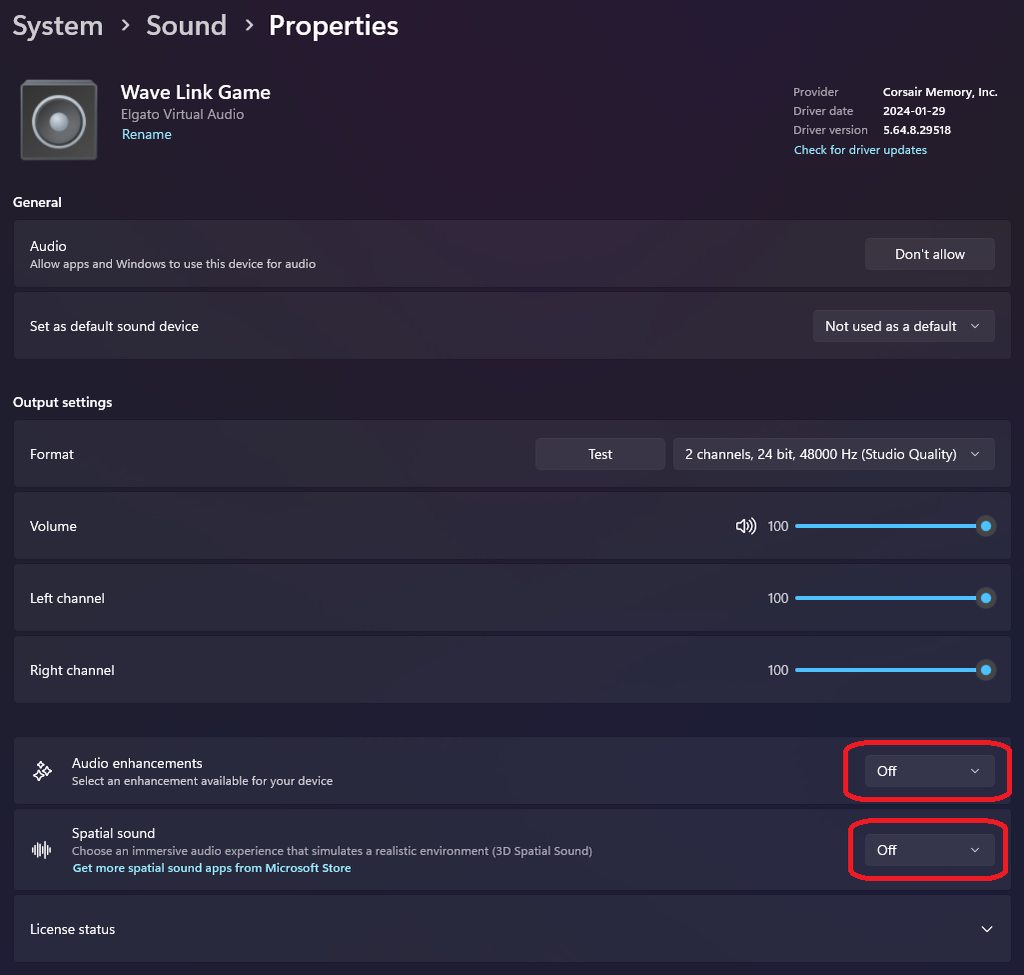 fallen latch
Cool thank you
prime blade
I don't have wave link installed
And checked under the HD 60x option and I don't have these options
past basin
prime blade
I don't have wave link installed
That's just an example of where the options are, Wave Link just happened to be all I had that had them turned in.
ivory oyster
@past basin it's set up how you said. You know anything else it could be
past basin
Next thing to check then is the other Windows Audio settings - press windows Key + R, type mmsys.cpl and press OK. Go into your recording tab, find the capture card, and go to properties. If there's an enhancements tab, make sure anything in there is off, then check the advanced tab and make sure the option allowing applications to take exclusive control is ON.
prime blade
 past basin
ivory oyster
<@269997944671830017> it's set up how you said. You know anything else it could ...
past basin
ivory oyster
<@269997944671830017> it's set up how you said. You know anything else it could ...
Are you still just getting vocals but no game audio? I'm not even sure how you're getting your own voice on that setup.
If you check the PS4's sound settings does it show that your audio is going to controller headset? Do you hear the game in the headset?
past basin
prime blade
Next thing then is mute the card in your OBS, add it again as an Audio Input Capture. Setting it up in OBS as an Audio Input Capture can sometimes fix issues like sample rate mismatch or drift, since it pulls audio directly then instead of through the video feed.
I've also seen some folks have luck trying it in a different USB port
prime blade
 ivory oyster
Yea I hear everything except my voice when I'm playing but when I check the recording on my dell I only hear me and my friends voice and no gameplay audio@past basin
prime blade
for some reason i can't record using the 4k utility
past basin
fallen latch
Cool thank you
That seems like a bit of a lightweight laptop specs wise - there's no dedicated GPU, and some versions of it only use a Celeron CPU. For best resultions 4K Capture Utility recommendeds at least a 6th gen i5 processor, with a dedicated NVidia GPU.
In this case I'd suggest trying OBS Studio for recording instead of 4K Capture Utility and set it up to use the QSV (Quick Sync Video) encoder that is mostly likely bulit into your CPU on that laptop
prime blade
 fallen latch
past basin
That seems like a bit of a lightweight laptop specs wise - there's no dedicated ...
fallen latch
past basin
That seems like a bit of a lightweight laptop specs wise - there's no dedicated ...
I’ve been using obs
prime blade
 fallen latch
past basin
That seems like a bit of a lightweight laptop specs wise - there's no dedicated ...
fallen latch
past basin
That seems like a bit of a lightweight laptop specs wise - there's no dedicated ...
And how do set obs to QSV
past basin
ivory oyster
Yea I hear everything except my voice when I'm playing but when I check the reco...
If you're hearing everything in the headset through the Chat Link, but not getting game audio, then there's noise cancellation software on there most likely. Chat Link is a passive cable - it only carries Left channel, Right channel - Stereo to the PC so it can't filter the audio. Means that the PC would have to be filtering it somewhere. I'm guessing you might sometimes hear ghosts or echoes from the game audio, bit 90+% of it is gone?
prime blade
 past basin
prime blade
for some reason i can't record using the 4k utility
past basin
prime blade
for some reason i can't record using the 4k utility
What is it doing when you actually try to record? Any kind of error?
past basin
fallen latch
And how do set obs to QSV
It's in your settings under either streaming or recording
ivory oyster
@past basin yea sounds like it could have something to do with that I just can't find out what
past basin
Might be best to check with Dell Support to see what sort of audio software they've preloaded on there. MaxxAudio is what they used to use - but I haven't owned a Dell in a couple years now so I'm not sure if they use anything else now.
You've already checked the two most likely spots to see interference from Windows built in audio extensions so now it's the painful process of checking what audio sfotware youv'e got there
ivory oyster
Ok
prime blade
past basin
What is it doing when you actually try to record? Any kind of error?
no error or anything... it record on obs
just not saving on 4k utility...
past basin
Not saving to that folder on D:? Does it save if you try to save it somewhere else - could be a permissions hiccup
fallen latch
past basin
It's in your settings under either streaming or recording
Can you send a pic
past basin
I can send one later when I'm back at the PC. But in your OBS Settings under your output section for streaming is where you'd usually find it.
prime blade
past basin
Not saving to that folder on D:? Does it save if you try to save it somewhere e...
tried C:// and still noo... i see the flashback mp4

 past basin
4K Capture isn't something I use terribly often - might be worth checking with #official-tech-support on that. Though if you turn off the Flashback recording on the recording tab you'll likely just get regular recordings instead.
In the short term I'd test the Audio Input Capture with OBS first
 prime blade
 past basin
Sorry I mixed you up with the other person I was suggesting go to the settings.
prime blade
 past basin
In your case, go back to audio disable the Mic / aux 2 that's currently your HD60X
Then go to the sources list and add it there as an Audio Input Capture instead
fallen latch

 past basin
Change the Video Encoder option - you don't want to be using software encoding with the CPU in that laptop
prime blade
 past basin
prime blade
past basin
prime blade
Perfect. And make sure the video capture device one is muted in your audio mixer so it doesn't double up.
prime blade
 past basin
(and if it does do weirdness also check the properties for the Video Capture source are set at the bottom so the audio is capture only)
prime blade
 past basin
That should do it hopefully. I might mute the Desktop Audio too since the elgato will be playing out of it - you don't want it looping that.
fallen latch
 past basin
fallen latch
past basin
fallen latch
Yeah, try with that - QSV is a dedicated hardware encoder on intel GPUs so hopefully that'll work better than the x264 encoding with the spec on that machine
prime blade
past basin
That should do it hopefully. I might mute the Desktop Audio too since the elgat...
seems to abit better but still popping abit time to time...
past basin
Have another USB port on the system you can try? It's rare, but there are certain USB chipsets that sometimes cause some problems too (related to that it's also a good idea to make sure you're BIOS is up to date, and the motherboard chipset drivers are up to date). You've covered most of the common hiccups so far
(you may have to readd it to OBS after moving it to a different port, as a heads up)
Ideally use a port farther away from where it's too now
prime blade
Ti's meaning?
fallen latch
past basin
Yeah, try with that - QSV is a dedicated hardware encoder on intel GPUs so hopef...
It got a little better but the frames are still choppy
past basin
fallen latch
It got a little better but the frames are still choppy
You could try reducing your OBS canvas to 1280x720. Your specific laptop is pretty underpowered for video capture so you may not be able to get it perfectly smooth
ivory oyster
@past basin it says it's supposed to have wav maxxaudio pro, I'll check again when I get home. Could have un-installed it at some point on accident
past basin
ivory oyster
<@269997944671830017> it says it's supposed to have wav maxxaudio pro, I'll chec...
Hm. Uninstalling it would work here - but it's possible it's also in your control panel or something isntead of showing up as a program in the list
ivory oyster
Hmmm ill check that out
fallen latch
Okay based on the information it the laptop that that’s not good enough
So is there any laptop that can deal with the problem
past basin
Look for one that meets the specs listed here - https://help.elgato.com/hc/en-us/articles/5293623183501-Elgato-Game-Capture-HD60-X-System-Requirements
Elgato
Here are the Elgato Game Capture HD60 X System Requirements.
Using HD60 X in recording and streaming software other than 4K Capture Utility software, such as OBS Studio, XSplit, Streamlabs OBS, a...
 hollow mulch
is it possible for me to lower the device from 4k
even though it says in settings when i open the app and the playstation it says 2160 on the top right
past basin
The capture card typically gets it's source resolution from the connected device. The easier way to adjust it down is to manually set the resolution on your PS5 video settings. You can also set the recording app to record lower than what the actual capture resolution is, if there's no particular reason why you're trying to get it not in 4K
hollow mulch
past basin
The capture card typically gets it's source resolution from the connected device...
ive had a problem where i cant double stream however everyone with my card can and this is the last reason why it may be crashing
past basin
What do you mean by "Double Stream" and what model is the card? Are you trying to stream with two apps at the same time or something, or just single app going to two places?
 atomic cliff
Hello, I have an issue. So I got an elgato HD60x and it’s connected to my computer and ps5 but for some reason at random times my screen goes black. How do I fix that?
gleaming pasture
past basin
What app are you using? 4K Capture Utility? Game Capture HD?
Game capture hd. Have just seen this message
past basin
gleaming pasture
Game capture hd. Have just seen this message
When you're saying you don't see preview our counter, but do see the game screen - what do you mean there? Is the game still visible on an external display?
gleaming pasture
past basin
When you're saying you don't see preview our counter, but do see the game screen...
I can see my gaming screen but in the capture software it won't show the preview or counter
past basin
So the gaming screen is on a different screen? That's what I'm trying to confirm here.
gleaming pasture
Yes.
past basin
Also what capture card are you using?
gleaming pasture
Out from xbox to in on hd60s, out of hd60s into gaming screen
The software recognises the card every time I open it
past basin
HD60 S is also compatible with 4K Capture Utility which might give us some more feedback on what's happening - have you ever tried it using that app?
gleaming pasture
I haven't tried the 4k capture software no
past basin
I'd give that a shot to see if there's any kind of useful error from it, since it's newer than the discontinued Game Capture HD - it's available at https://www.elgato.com/downloads
 gleaming pasture
I didn't know they'd stopped support for capture hd
gleaming pasture
past basin
I'd give that a shot to see if there's any kind of useful error from it, since i...
Thank you for your help with this
past basin
gleaming pasture
I didn't know they'd stopped support for capture hd
Yeah, it ended back in Jan 2020 (the Window Version, macOS one went a bit longer) - it's only still available for the older products on the download site. The new app doesn't do everything the old one did, but works with the newer cards, and a lot of people use third party apps like OBS Studio instead. But it may give us a better idea what's up with your card here at least.
I . . . actually should check that you're trying to use the card with a PC and not a mac
As HD60 S isn't compatible with the new Apple Silicon (M series) CPUs. It'll only work with the older intel ones
past basin
Perfect
gleaming pasture
Does the 4k capture utility start recording when it's opened?
gleaming pasture
Okay. Thanks for the help man
past basin
No worries - if it's still not working, check in later. Myself and other volunteers usually check in through out the day
 vocal cradle
Can we get a USB C cam link at all.
past basin
That'd be a #camera-prompter issue, but more likely #feature-request . The exsiting one will work with a USB-A to USB-C adapter if you need one now though
(if the adapter is rated for USB 3.0 speed)
vocal cradle
past basin
That'd be a <#1080643564616286288> issue, but more likely <#878510201173585971> ...
Thank you.
gleaming pasture
past basin
No worries - if it's still not working, check in later. Myself and other volunt...
Test recording seemed to go well. Forgot to turn on voice capture as well I know for next time
ivory oyster
@past basin ok so dell is nolonger using Maxx audio they are using Cirrus Logic Superior HD Audio now
past basin
ivory oyster
<@269997944671830017> ok so dell is nolonger using Maxx audio they are using Cir...
Ah, good to know. So was that setup on your machine, and any luck with turning it off or adjustng it to leave the capture card audio alone?
ivory oyster
I'm not sure how to check also input says logitech unifying receiver. Could that be effecting anything?
past basin
Unifying receiver is generally for their wireless mice and keyboards. They may have started using it for their wireless headsets too if it's showing up as an audio device.
ivory oyster
Ok wasn't sure if that would cause a problem,@past basin I left the logic speakers on and disabled the logic mic and turned the audio enhancements off. I need to do anything else before I try again?
past basin
I'd give it a shot like that and see - trying to narrow down the audio issues is hard, but if you only change a few things at a time you'll have a better idea what fixed it in case it happens agian
ivory oyster
@past basin Ok ill try it again when I get the time lol
past basin
Good luck!
 raven stirrup
hello im looking for abit of help with my hd 60s+ the audoi keeps cuting out
 slate dirge
Hello, I want to capture a DSLR camera and a console, I was wondering if getting a capture card would work instead of getting a cam link? Or would getting a PCIe (4k60pro or something similar) be better? I am aware that some motherboards slow down PCIe slots because of the GPU so I am not sure if this would affect the capture card. I would not be capturing them at the same time but eventually, I would like to do so. Any recommendations?
warped ledge
slate dirge
Hello, I want to capture a DSLR camera and a console, I was wondering if getting...
Camlink pro could do both. 
slate dirge
warped ledge
Camlink pro could do both. <a:thumbsup:1162009713714663455>
at the same time? :o
warped ledge
However gaming I always suggest the elgato capture. Yes at the same time.
slate dirge
Thank you!
warped ledge
slate dirge
Thank you!
Just research the specs.
 smoky zodiac
my audio thru my capture card has randomly started making popping noises. also its decided not to come thru like obs or its own screen. i have reinstalled 2 times and changed cords around. ive had it awhile and it has worked fine then all the sudden has these 2 issues, any ideas what could be the issue??
past basin
Could be anything from recently installed Windows updates, audio driver update or even other software packages for audio.
What do you mean by it not coming through OBS or it's own Screen? There's a few things to try but I don't understand that part of what you're saying.
smoky zodiac
Where the game is has been a black screen

It finally showed up lol still popping tho 😩
past basin
What model is the capture card?
smoky zodiac
Hd60 s+
past basin
Is the popping a constant crackle, or every few seconds?
smoky zodiac
constant
past basin
Did you install any Windows updates, or new software recently?
smoky zodiac
my pc updated i believe
past basin
Okay, I'd check if Windows Audio Enchancements got turned on then. Press Windows Key + R, type mmsys.cpl and press OK. When windows sounds settings come up, go to recording tab and look for Game Capture HD60 S+ and go to properties. Check if there's an enhancement tab and if there is turn the enhancements off. THen check the advanced tab to see if there's any enhancements there to turn off. While on advanced check to see if "Allow applications to take exclusive control of the device" is enabled - if you're getting popping I suggest making sure it's on. Then press OK close things out and test again.
smoky zodiac
I don't see anything that says enhancements
 past basin
That's fine - depending on your installed software it may or may not be there. Is it on the advanced tab?
smoky zodiac
found it! it was enabled let me test it again
smoky zodiac
its back to black screen lol so cant test the sound :/
past basin
Black screen usually indicates something else is using your card as a camera, since only one app can use it at a time.
Sometimes diconnecting the card will make whatever the other app is let it go
OTher than that check things like Discord, Teams, Nvidia Broadcast - any app you have open that uses a camera to make sure it's not defaulted to your HD60 S+
smoky zodiac
its weird bc the time is goin like its recording or on but its saying no signal. im checkin all the other apps now
misty shuttle
Finally got the chat link pro. I think that’s what the issue was. @past basin
No more buzzing and everything seems to be running smoothly.
past basin
Glad to hear it's sorted out
past basin
smoky zodiac
its weird bc the time is goin like its recording or on but its saying no signal....
Once anything else that's using it is closed out or set not to default to it anymore you'll need to restart the capture software as well - it won't just come back on it's own
 eager wind
I recently bought the 4k Elgato but I'm not sure if it'll work with my setup (TV, chair, no desk). Does anyone else use one with the same setup?
atomic cliff
@past basin hey so I have an Elgato HD60X and everytime I stream on my ps5 and use the elgato my monitor goes black. How do I fix that?
past basin
atomic cliff
<@269997944671830017> hey so I have an Elgato HD60X and everytime I stream on my...
Try changing your EDID Input Mode to Display. That's in 4K Capture Utility settings under Device. (Or capture device utility if you're on macOS)
 sacred iris
It doesnt show up in the task bar. it only shows up in the task manager under background processes. the only option of interaction i really have with it is ending the task.
Ive already restarted the pc after uninstalling and restarted again after reinstalling and ive also deleted the %appdata% files as well already
sacred iris
sacred iris
https://discord.com/channels/581549424518365226/581551338496983041/1240684872599...
@past basin ^
this is the only info i have bc there is no like crash report or anything lol

it just stays like that in background processes forever
past basin
If it's that broken you might need to contact #official-tech-support to investigate what's going on
%appdata% clearing is usually my last resort - if that's not working there might be some sort of compatibility issue
(ideally it should be done while you have the app uninstalled)
sacred iris
uhhgggg this dang software has major issues every couple of months it feels like. but if i must go through support ticket than i shall. Thanks for your help and time though!
past basin
Yeah, if I think of any other things to try I'll let you know, but you've already gone thorugh most of the fixes I know of
sacred iris
past basin
Yeah, if I think of any other things to try I'll let you know, but you've alread...
yeaa ive been searching google results for like 3 hours at this point so i done most already. but thank you
past basin
Only other thing I've seen fix this was downgrading to 1.7.9 for a user who had the issue with 1.7.10 - we're currently on 1.7.11. But in the end they still had to check with support to work out why the new releases weren't working
sacred iris
i didnt tryh 1.79 specifically. I had 1.7.10 before working fine months ago but ill try .9 now just to see what happens
YOOOOO
switching to 1.7.9 worked for some reason
1.7.10 to .12 does not work for me
fallow nest
Hey, how can i get my gaming monitor over to my streaming pc monitor using OBS on my streaming pc
past basin
sacred iris
switching to 1.7.9 worked for some reason
Good to know - though odd. I'd still follow up with support to see if they can work out what's going on there so this doesn't bite you again in the future - but at least it's working for now!
past basin
fallow nest
Hey, how can i get my gaming monitor over to my streaming pc monitor using OBS o...
Do you already have a capture card on the streaming PC? Does your gaming PC connect to the card which conneds to the monitor, or do you connect to the card and clone your monitor with Windows Settings to get the video to the card?
You should just have to add your capture card to OBS as a Video Capture Device in the Sources list.
fallow nest
Arcsane i cloned my monitor
past basin
If you've already cloned to the capture card, then you should just have to add the capture card as a Video Capture Device in the sources list
Depending on which capture card you're using you may have to install a driver first to see it there.
fallow nest
Arcsane i am trying to use display capture on my koorui gaming monitor back on my OBS on my streaming pc, is that poissable
past basin
You cannot use Display Capture on one computer to connect to a monitor on another, no. If you could, you wouldn't need a capture card.
I assume that monitor is not connected to the streaming PC, right?
fallow nest
nope that monitor is not connected to the streaming pc
past basin
Then no - best you can do is clone it to your capture card to send a copy of it over.
"Display Capture" is meant for connecting monitor sthat are attached to the streaming PC. So you'd clone the monitor to your capture card and use Video Device Capture to capture that
fallow nest
Arcsane would i have to hookup my other computer monitor to the capture card out port on my streaming pc to capture it
past basin
Capture Card Out port is not needed if you're cloning the display
The Out port is used for Passthrough instead.
 sweet vessel
Hello guys! am I the only one that cant get the audio for "Elgato Video Capture USB" to not work in OBS?
I just cant get any audio to come through 😦 (Windows 11 och Windows 10 has been tried) at the moment that card is at my friends place since i bought it for him 😦
https://www.elgato.com/us/en/p/video-capture its that one... I can get picure but...

Elgato
Digitize video from a VCR, camcorder and other analog video sources for playback on your Mac, PC and iPad. Transfer video to your Mac or PC from a VCR, DVR, camcorder, or any other analog video device as a high-quality H.264 file. Elgato Video Capture’s e
hollow mulch
past basin
What do you mean by "Double Stream" and what model is the card? Are you trying ...
a single app
i wanna use my 4k capture app to listen and i wanna share that app
but the app just freezes when i try
and the guy that was helping me couldnt figure out why
past basin
Are you trying to share it with something like Discord? Discord really doesn't seem to play nice with 4K Capture sometimes. I work around that by using OBS Studio - I set it to Projector Fullscreen and share that in Discord
hollow mulch
past basin
Are you trying to share it with something like Discord? Discord really doesn't ...
i tried that still doesnt work
and i understand however it works for everyone else but me
if i try obs it also freezes just like the app
its when i share anything while i have the capture card running
past basin
Discord sharing can get really odd sometimes, even depending on what GPU you're using. Try turning off these two options in voice and video settings to see if anything changes. If not also try disabling hardware acceleration

 hollow mulch
i believe i tried that but ill try again
yea still not working
then when i try going back in the app it says 4k capture is still running
i have a b550 tomahawk motherboard and a ryzen 5 cpu do you think that has anything to do with the problem
past basin
If Discord crashes it you may need to finish closing it via Task Manager
hollow mulch
its not discord that crashes its whatever else thats running the capture card
past basin
Yes, but if you have mutiple apps that crash every time you try to share THEM, then odds are it's the app your trying to share FROM.
You've mentioned both 4K Capture and OBS crash out, when you try to share them.
Are your GPU drivers and everything up to date?
hollow mulch
yea everything but the bios i believe
past basin
You could try sharing the capture card directly as a camera instead of app share to see if that works - you'd likely need a virtual audio cable to mix your capture card and mic audio together for the call though
hollow mulch
i tried that aswell brother then it just does the same thing
you think a bios update may fix it
past basin
It might be worth a shot
Something is definitely off there, so having everything updated is usually a good starting point
past basin
sweet vessel
Hello guys! am I the only one that cant get the audio for "Elgato Video Capture...
Not too many of us here have used that product - it might be worth opening a ticket with #official-tech-support if you haven't already. Does the volume slider move in OBS at all? Because by default it adds new devices with audio monitoring (the sound YOU hear) off and only sends audio to recording and stream (Output). If that's what's happening you can hear it by setting the monitoring to Monitor & Output in Advanced Audio Properties of OBS
 hasty ether
Somone help I’m trying to record my Xbox with hd60x through Mac obs and having extreme issues

My monitor is completly glitching
What is should look like on left vs what it does on my monitor
 past basin
Turn off VRR on the Xbox. This is almost always a VRR bug
It should be in video modes under the TV and display settings
hasty ether
Okay that worked with the buggy screen thing