#capture-cards
1 messages · Page 14 of 1
 past basin
Blue is good at least - indicates good HDMI signal. Does 4K Capture show the card if you go into settings, under the Device tab?
 brave bluff
nope
doesnt appear
whats odd too is that when i update the software to the latest version it just wont open
past basin
hm. Less good. Means the card is getting enough power to turn on, but not connecting to the software. Does it show up in Windows Device Manager, under cameras?
brave bluff
lemme see
past basin
brave bluff
whats odd too is that when i update the software to the latest version it just ...
Definitely odd - what sort of setup it this? Windows 10/11?
brave bluff
ye windows 11
brave bluff
past basin
hm. Less good. Means the card is getting enough power to turn on, but not conn...
yep
its there
 past basin
Okay, that's good at least. Next likely thing is Windows Privacy settings is blocking access to it. Give me a sec to dig up the guide on that
past basin
Ah, is discord also still sharing? Only one app can access the capture card at a time - others will just get a black screen or connection issue.
brave bluff
past basin
Ah, is discord also still sharing? Only one app can access the capture card at ...
nah
past basin
ok, what version of 4K capture is currently installed? You mentioned you couldn't update to the newest, so let's see how old it is
past basin
huh, that's just the last one. No error or anything when you upgrade to the newest, just won't open?
brave bluff
nope no errors just wont open
past basin
And this section is just empty on the current version right?
 brave bluff
i tried updating again too see if it would work now and it didnt so i would have to downgrade again to see
past basin
Before that, what happens if you try to run it as Administrator?
brave bluff
still nothing
past basin
Does the process for it show up in Task Manager at all?
brave bluff
nope
past basin
Not going to lie, haven't seen that one before. But yeah, I'd downgrade again, and do a full shut down and power back on before trying again to be safe. Sometimes modern quick restart doesn't probably reset everything.
I'd also check those privacy settings, in case Discord is setup as an allowed app, but nothing else is. Unlikely but worth checking since this is an unusual issue.

 warped ledge
brave bluff
nope
warped ledge
brave bluff
nope
are you connected to a usb 3.0 port? are you using an official elgato cable?
brave bluff
warped ledge
are you connected to a usb 3.0 port? are you using an official elgato cable?
yes i am and yep
past basin
Oh wait, that's showing up as Elgato HD60 X, not Game Capture HD60X in the audio. I bet that card has a v23 firmware which is why it isn't showing to the older version of 4K Capture
Okay
So if that's the case we'll likely have to figure out why 1.7.10 isn't working for you
brave bluff
huh i was thinking it could be something like that
been trying to get the latest version to work
past basin
I'd suggest removing the whole app right now, reboot, reinstall with the latest from scratch, running as Administrator to see if that clears whatever is crashing it
to clarify running the installer as admin
brave bluff
alright
warped ledge
ok I want to to try this, and reboot. unplug everything from the card too. https://streamdecklabs.com/🧯-how-to-disable-windows-10-11s-usb-selective-suspend-setting/

Once you complete these steps, Windows will no longer power off USB devices connected to your computer, which will fix any problem are experiencing as a result of this Windows feature. Windows 10+ includes the USB selective suspend feature that lets you automatically put USB devices in a very low-power state when they’re not actively… Continue r...
warped ledge
past basin
to clarify running the installer as admin
we never do admin stuff unless it asks for it. I always discourage that because it can lead to chaos. 
Still v23 might be the bug

warped ledge
brave bluff
alright
one more thing, make sure your mobo bios/drivers are updated.
past basin
warped ledge
we never do admin stuff unless it asks for it. I always discourage that because ...
I'll make a note of it for the future. I was just hoping Admin mode would blow away whatever setting is keeping 4K capture utility 1.7.10 from loading up even though 1.7.9 was okay.
Since the card is working on Discord, if you just need 4K for recording instead of a setting change, another workaround is to use an app like OBS Studio in the short term.
brave bluff
warped ledge
one more thing, make sure your mobo bios/drivers are updated.
mobo bios/drivers?
motherboard stuff
i lowkey dont know how to do that imma have to search that up
i doubt that could be the issue
warped ledge
brave bluff
i lowkey dont know how to do that imma have to search that up
ok. you’ll have to look that up, system info should tell you.
brave bluff
kk


 warped ledge
brave bluff
or am i wrong again
warped ledge
brave bluff
or am i wrong again
so MSI B550 Pro-VDH
brave bluff
ye
brave bluff
brave bluff
based off this it looks like my bios are pretty old
warped ledge
brave bluff
ye
google it, and go to their support page. drivers/download
brave bluff
warped ledge
google it, and go to their support page. drivers/download
im there
warped ledge
brave bluff
im there
search for your bios/drivers and update. before your do, back everything up.
brave bluff
warped ledge
search for your bios/drivers and update. before your do, back everything up.
wouldnt i need a usb for that?
since i currently dont have any usbs that arent being used for my pc
warped ledge
brave bluff
since i currently dont have any usbs that arent being used for my pc
unplug, and use a thumb drive
brave bluff
dont have any i would have to use one of my hard drives
external*
could that work and if it can would it wipe the data off of it?
warped ledge
 daring chasm
Where are the custom EDID internal files?
daring chasm
Where are the custom EDID internal files?
This would come from #official-tech-support
warped ledge
brave bluff
could that work and if it can would it wipe the data off of it?
Not that I’ aware of, usually a thumb drive is ideal as there is a bios usb port.
brave bluff
warped ledge
Not that I’ aware of, usually a thumb drive is ideal as there is a bios usb port...
huh then idk
how im suppose to update the bios
got any other solutions?
warped ledge
brave bluff
got any other solutions?
you need a usb flash drive.
brave bluff
warped ledge
you need a usb flash drive.
imma have to buy one then
 lapis quartz
hello!!!! i need help with mac!!
elgato is not showing up on game capture
all cables are correct, its showing on my tv its just that on the app, its showing nothing. please help
okay it showed up in OBS, there is just no audio coming through.
past basin
lapis quartz
okay it showed up in OBS, there is just no audio coming through.
On Mac you need to add it again as an audio input capture. If there's still no audio, make sure you set it to "monitor and output" in the advanced audio settings of OBS (output is stream and recording, monitor is for you to hear)
Based on your earlier question, It's also worth noting that Game Capture HD is not compatible with Apple Silicon macs if you're on a newer one, nor is it intended for newer cards like the HD60X. OBS studio is the way for modern mac.
 pliant token
Hi,
My cam link 4K was working last week, then all of a sudden my cam link won’t light up when I plug it in. I tried…
- On multiple computers
- different cables
- updated my computer
- unplugged then plugged in
- usb ports are 3.0
- looked for firmware updates
- restarted computer
Nothing has worked. I bought this in May of last year 2022. I’m hoping it can be replaced with a brand new one.
past basin
If it's down on multiple computers, and you've already checked all that, it might be time to reach out to #official-tech-support
Does it show up on your computers at all? Eg, in device manager under cameras?
lapis quartz
past basin
On Mac you need to add it again as an audio input capture. If there's still no ...
i did
past basin
lapis quartz
i did
What are you trying to connect with it? PS5? Xbox? Switch? Dual PC setup?
This can have some various effects - for example on a PS5 when you plug in a headset, the HDMI audio mutes. You can move the audio back to HDMI (but not the voice), but doing so mutes the audio in the headset. The end result being that if you're using a headset with a PS5 you need to use an extra device like a ChatLink cable, or a headset base station with the ability to split the feed, and capture the audio on the capture card using the Analog jack (which has to be set to Analog mode in the 4K Capture Utility on Windows, and Capture Device Utility on mac).
Similarly Xbox has a setting that needs to be turned off before you can capture HDMI audio while using a headset.
Switch works more closely to the PS5 method.
And Dual PCs - could probably write a thesis on the audio routing options and issues with that.
warped ledge
pliant token
Hi,
My cam link 4K was working last week, then all of a sudden my cam link won’...
ideal to ask in #camera-prompter 
pliant token
past basin
Does it show up on your computers at all? Eg, in device manager under cameras?
Yes it shows up in devices section on my laptop m, but I get “no signal” when I select the camlink.
 stark jetty
I have a colour matching issue between my monitor and my MacBook when using an HD60x. The monitor screen colours on COD are really washed out but it looks fine on the video pass through to the Mac. Any suggestions?
 tame canopy
Hello. I have an HD60 Pro arriving soon. I have the gaming PC with a pcie X1 free (no problems there), but I want to** relay the image to a laptop** to view the video preview (via Elgato Game Capture) on. Is this possible, if so, does anything hacky need to be done in order to do so? Thanks in advance to anyone who can give support with such an issue.
warped ledge
stark jetty
I have a colour matching issue between my monitor and my MacBook when using an H...
Are you playing in HDR?
 gray ember
Okay I feel like this is too good to be true but i got the alt tabbing thing fixed however it involved plugging my hdmi in, into my motherboards 13900k iGPU… will this have an issues? Because its alt tabbing in full screen perfectly rn
Is the 13900k iGPU sufficient for that ?
warped ledge
gray ember
Is the 13900k iGPU sufficient for that ?
hey, if it’s working great. However, you’re not on gpu? You’re on your cpu’s processor via mobo?
gray ember
warped ledge
hey, if it’s working great. However, you’re not on gpu? You’re on your cpu’s pro...
Yea so HDMI in is plugged into 13900k iGPU hdmi
On mobo
For reference
Left should be hdmi in plugged into 4080
right is plugged into mobo
warped ledge
gray ember
right is plugged into mobo
this is interesting. I’m wondering if maybe #official-tech-support can find out that is. Please keep me posted. This is a great fix, however I think they want it connected to gpu vs cpu gpu so you don’t strain your cpu.
gray ember
warped ledge
this is interesting. I’m wondering if maybe <#842491937038925865> can find out t...
I have an open ticket with elgato rn so I’ll mention it next time they reply
 cerulean thicket
I want to use an integrated capture card with multiple monitors all connected to one GPU. I also want to use dual PCs. One gaming, one streaming. If I wanted to stream from the streaming PC, would the monitor that's connected to the capture card still be controlable through my main gaming pc?
warped ledge
cerulean thicket
I want to use an integrated capture card with multiple monitors all connected to...
give me a bit. I’ll make a diagram. 
cerulean thicket
warped ledge
give me a bit. I’ll make a diagram. <a:Thisisfine:916496820857868398>
👍
past basin
tame canopy
Hello. I have an HD60 Pro arriving soon. I have the gaming PC with a pcie X1 fre...
So you're looking to capture the video on a desktop and forward that captured video to a laptop? It's kinda doable - you can use OBS Studio with NDI to transmit the video over the LAN. There'll be an increased delay on the video that way though.
past basin
stark jetty
I have a colour matching issue between my monitor and my MacBook when using an H...
As Vic mentioned earlier, check if HDR is on. The capture card can handle HDR so sometimes a PC or Console connected will send a HDR signal through to it - but the montor on the pass thorugh may not support it. Sending HDR signal to a SDR only monitor results in a very washed our display. The other common cause is differing RGB colour range - Limited vs full. Running Limited colour on a full range display results in washed out look as there's missing black data from wht it expects, while running full on a limited display results in crushed blacks and a dark image. Both HDR and limited vs full colour should be adjustable on your source device.
 spiral summit
Alright I've just received my RMA of the Chat link Pro and I'm having problems again :\
There's no sound again and it's doing the exact same thing
Can anyone please help me out?
tame canopy
past basin
So you're looking to capture the video on a desktop and forward that captured vi...
Hey, thanks for the answer. Could you please expand on the amount of latency? I'm interested in the lowest latency possible for my use case.
past basin
It would depend on the system, and network speed - I've not done it myself, but at a ballpark guess since it's pulling in the HDMI signal, dccoding that on the capture card, then encoding that for tranmission over the LAN and back again I'd be guessing over 200ms-250ms min. Just for all the encoding time and the network latency.
The folks over a the OBS project discord might have a more accurate number for you though.
(as a note all capture cards do still have some latency on the decode for captured video - 30-70ms for most good, modern ones - this does not apply on the HDMI passthrough - HDMI in to HDMI out, feed, which is why that's common on gaming cards).
past basin
spiral summit
There's no sound again and it's doing the exact same thing
What was the issue you were getting with it again?
warped ledge
spiral summit
Can anyone please help me out?
did you put the card into analog audio?
warped ledge
cerulean thicket
👍
alrighty I had time to see what you were asking. sadly no. even using a kvm switch isn't ideal as it will lose signal.
I was working on a diagram, but i was like that doesn't match up.
spiral summit
past basin
What was the issue you were getting with it again?
Analog audio isn't working
spiral summit
warped ledge
did you put the card into analog audio?
Yes
I've sent a video to Elgato support of what I'm facing
warped ledge
spiral summit
I've sent a video to Elgato support of what I'm facing
I can help in VC if you got time
spiral summit
Yeah sure, I've only got 10 minutes. Is that fine with you?
Thanks 👍
dm vc or server vc?
if there is one
warped ledge
spiral summit
if there is one
no, we do it on the side. hence me messaging. 🙂
lapis quartz
past basin
What are you trying to connect with it? PS5? Xbox? Switch? Dual PC setup?
Ps5
lapis quartz
past basin
This can have some various effects - for example on a PS5 when you plug in a hea...
So what do I have to do?
I have the chatlink
I’m using chat link with it, audio is feeding through, it’s audio is just not going through on the capture card
past basin
In the Capture Device Utility the card has to be set to Analog audio if you're using it with a Chat Link (this setting stays set in the card so you can use it with OBS after)
lapis quartz
past basin
In the Capture Device Utility the card has to be set to Analog audio if you're u...
But I did that and no sound :/
past basin
Something I should have tought to confirm - the headset you're using is a wired headset plugged into the ChatLink, right?
I would suggest also removing the audio source in OBS and adding it back again - I've had some lovely issues wit OBS pointing to the wrong card when moved to a different USB slot.
But overall you've got one OBS audio source for the HD60X, one video source for the HD60X. The audio source is set in OBS to "monitor and output", card is in Analog audio mode. Chat link goes from controller, to headset, to the HD60X audio jack, right?
 rain wave
hey all looking for some help, my HD60X is caputuring robtic audio but the game audio is perfectly fine through headset
warped ledge
rain wave
hey all looking for some help, my HD60X is caputuring robtic audio but the game ...
did you set your card in analog using a chatlink/pro?
rain wave
warped ledge
did you set your card in analog using a chatlink/pro?
no it is digitial as i do not use audio jacks
rain wave
warped ledge
did you set your card in analog using a chatlink/pro?
but sounds great through wave link but not obs, altho your 2 year old video helped me set it up fully (wave link)
 rigid agate
hello im trying to connect my laptop to my ps5 using a HD60 s
and it wont show up on obs or the elgato app
warped ledge
rain wave
no it is digitial as i do not use audio jacks
have you updated your firmware? Also are routing it to obs directly, or through wave link?
warped ledge
rigid agate
and it wont show up on obs or the elgato app
is HDCP turned off?
 still charm
While using my cam link I lose signal and have to hit my shutter button on my camera to get the image back. I have a canon m50. Is there a setting I can change to stop losing signal and constantly having to keep hitting my shutter button to reactivate it?
past basin
Looking into it, that Camera is listed as not having unlimited runtime, which it sounds like you're tripping up it. It's basically going to sleep on you. It looks like you might be able to bypass tha by having the EOS Utility running at the same time from a few threads I see.
warped ledge
still charm
While using my cam link I lose signal and have to hit my shutter button on my ca...
please move this to #camera-prompter
 warm summit
Hey there. Having problems with my HD60x displaying 60fps on passthrough.. The capture utility app and obs display 60 but my game doesnt and feels super bad. Any fix?
warped ledge
warm summit
Hey there. Having problems with my HD60x displaying 60fps on passthrough.. The c...
please fill this out
 smoky mantleBOT
Looking for help? Please copy, paste, and fill out this template in order for our community to better help you:
**Device**:
**Software & Version**:
**Windows/Mac Version**:
**Console/Dual PC**: "this line is only for troubles with capture, camera, and lighting"
**Question/Issue**:```
- Note: This is a community tech help channel and **Official Elgato Support does not monitor this channel**. Posting your questions here does not guarantee that you'll receive help. We recommend filing a support ticket at <http://e.lga.to/help>.
- To contact Elgato Support via phone visit <http://help.elgato.com/hc/articles/360028242811-How-do-I-contact-Elgato-support-via-phone>.
- You can browse through our help articles here:
<https://help.elgato.com/>
Please remember that our members who are helping you troubleshoot are taking time out of their day to help and they are not staff. **Any disrespect to them will end up in a warning/ban.** Created by calucifer#0 (218276721516871693)
past basin
warm summit
Hey there. Having problems with my HD60x displaying 60fps on passthrough.. The c...
Created by calucifer#0 (218276721516871693)
past basin
warm summit
Hey there. Having problems with my HD60x displaying 60fps on passthrough.. The c...
The capture card's 60fps capture is based off the 60Hz refresh rate of the HDMI input, not whatever is being output by the game. If the game's FPS is tanking the HD60X will still report 60FPS because it's still capturing frames 60 times a second, it's just that sometimes it's capturing the same frame twice as the source hasn't refreshed the screen with a new frame. A lot more info is needed to assist with this - I'd fill out the form Vic linked. Especially details about whatever you're trying to capture (dual PC, console - and which one, etc).
rain wave
warped ledge
have you updated your firmware? Also are routing it to obs directly, or through ...
i have upto date firmware and it is through wavelink, but sameissue happens when not through wavelink stream
warped ledge
rain wave
i have upto date firmware and it is through wavelink, but sameissue happens when...
I can hop on in a bit
rain wave
warped ledge
I can hop on in a bit
I may have solved the issue and I believe it’s regarding the Astro a50 adapter for PlayStation
rain wave
warped ledge
I can hop on in a bit
ignore that just went live and its doing the robotic thing again
 craggy relic
hey so i got an hd60s got it connected to a PS5 but the only thing im struggling with is that the game sound is not coming through
warped ledge
rain wave
ignore that just went live and its doing the robotic thing again
what firmware version are you on?
rain wave
warped ledge
what firmware version are you on?
22.03.26 (MCU:22.04.08) inwhcih it states is uptodate
rain wave
warped ledge
what firmware version are you on?
to note i use the astro a50 adaptor on the output hdmi, so input is strictly the ps5 and audio gets to my astro a 50s clear as day. but is no robtic over wavelink which it wasnt before
 quaint delta
elgato hd60 sat in drawer for 3 months, now it wont work. it allows for input to display on tv, and computer will detect it for about a minute when plugged in but it only lights up when plugged in and stopps after a few seconds
warped ledge
quaint delta
elgato hd60 sat in drawer for 3 months, now it wont work. it allows for input to...
IN should connect to Console/Gaming PC, OUT connected to TV/Gaming Monitor. USB-C to capture card, and USB-A connected to USB 3.0 port on your Streaming PC.
 rotund shell
anyone ever have issues with an Elgato HD60 card not showing the visual in your streaming software?
Im trying to get mine set back up for streaming as we speak. Even though the red lights have not come on after connecting the USB port and making sure all HDMI cables are routed the right way my game screen will not show on my computer. i checked that HDCP was turned off on my PS4 and have restarted both the gaming console and my PC but i cant seem to get it to work correctly
cerulean thicket
warped ledge
give me a bit. I’ll make a diagram. <a:Thisisfine:916496820857868398>
You ever finish that diagram?
warped ledge
cerulean thicket
You ever finish that diagram?
no because trying the diagram wasn’t matching.
warped ledge
cerulean thicket
You ever finish that diagram?
This was my response.
 cerulean thicket
warped ledge
This was my response.
cerulean thicket
warped ledge
This was my response.
I actually got a different response on Reddit.
 warped ledge
cerulean thicket
I actually got a different response on Reddit.
warped ledge
cerulean thicket
I actually got a different response on Reddit.
right it goes through the signal. however the streaming pc is only capturing it. maybe i misunderstood what you’re trying to do.
cerulean thicket

I want to control the monitor from one GPU from the gaming PC, not the streaming PC.
 obsidian dagger
cerulean thicket
I want to control the monitor from one GPU from the gaming PC, not the streaming...
obsidian dagger
cerulean thicket
I want to control the monitor from one GPU from the gaming PC, not the streaming...
Yes - the capture card has a pass through. You connect your gaming PC HDMI to the IN port on the streaming PC capture card with one HDMI cable. Then the OUT on the streaming PC back to your gaming PC monitor with another HDMI cable. The streaming PC is "invisible" to the gaming PC, it's just capturing the signal going from the gaming PC to the monitor. The monitor behaves exactly as it would if it was directly connected to the gaming PC.
On the streaming PC you get a copy of whatever is showing on the gaming PC monitor to add to your streaming software.
 astral mason
I'm still having stutters on my recordings from the 4k capture utility
lapis quartz
past basin
Something I should have tought to confirm - the headset you're using is a wired ...
Yes it’s a wired headset I’m using chat link with it
 olive furnace
yo i gotta problem with my audio
well this probably a problem with obs rather than the elgato itself but its only recording a very small amount of audio for some reason like this
 tardy crypt
Anyone know how to fix this?
also sorry that the quality is absolute garbage
i had to compress it for discord
cerulean thicket
obsidian dagger
Yes - the capture card has a pass through. You connect your gaming PC HDMI to t...
Thank you. I have another question.
If I wanted to game on console, say the Nintendo Switch, I understand that my main gaming monitor would have a different input, but would the monitor that I plugged the cable into for OBS also have a different input? This is from using an HDMI splitter.
I'm basically using two cables for one monitor. One from the GPU, and one from the switch.
Would I still be able to control that monitor just like the rest? If not, is there a way to get around this? Would both inputs need to use HDMI 2.1 or DP 2.1? Or am I not fully understanding this correctly.
warped ledge
cerulean thicket
Thank you. I have another question.
If I wanted to game on console, say the Nin...
If you’re using a switcher for the HDMI IN, then nothing would change, it should route. Just make sure the switcher works compatibility wise.
cerulean thicket
warped ledge
If you’re using a switcher for the HDMI IN, then nothing would change, it should...
But doesn't the graphics card need the IN? I want to plug the switch into the graphics card and then into the monitor while still being able to control it through one PC. Maybe I'm not understanding since I'm just learning what a switcher is.
Wait
Do you plug the switcher into the PC?
warped ledge
cerulean thicket
Do you plug the switcher into the PC?
so the gpu, think of it like the way the switch works. IN connects to console/gaming pc but not at the same time. So the switcher should connect the gaming pc, and the switch, and then the switcher out to the in on the capture card.
that way you can switch between pc or console.

cerulean thicket
warped ledge
so the gpu, think of it like the way the switch works. IN connects to console/ga...
So is it:
Switch > HMDI in to Capture Card (PC) > HDMI out to Switcher > HDMI in to Monitor?
Or
Switch > HDMI in to Switcher > HDMI in to Capture Card (PC) > HDMI in to Monitor?
cerulean thicket
warped ledge
that way you can switch between pc or console.
I don't want the console to display on that monitor. I want the console to display on OBS on that monitor. That means I'd also have access to the PC and monitor together, while also having OBS open.
Might draw up my own diagram
warped ledge
cerulean thicket
Might draw up my own diagram
the console and gaming pc need to connect to the switcher. the switcher needs to connect to the capture card’s in. hope this makes sense so you can switch between them.
cerulean thicket
Thank you, I understand that part now. But does that mean I would be able to see the game inside OBS while controlling that monitor and OBS from the gaming PC?
obsidian dagger
cerulean thicket
Thank you, I understand that part now. But does that mean I would be able to see...
Thought you had a second streaming PC? This is where the capture card would be installed. To stream the Switch you would not need the gaming PC involved at all - you could leave it turned off if you're playing/streaming Switch. OBS is on your streaming PC. Vic is suggesting an HMDI switcher so you can have the gaming PC and the Switch plugged into the capture card IN and select which one you are gaming on. It saves physical wear and tear of constantly plugging/unplugging HDMI cables. So it would be: Switch & Gaming PC into HDMI switcher > Switcher to Streaming PC Capture Card IN > Capture Card OUT to Monitor
warped ledge
cerulean thicket
Thank you, I understand that part now. But does that mean I would be able to see...
yes
tardy crypt
tardy crypt
Anyone know how to fix this?
also sorry that the quality is absolute garbage
i h...
can someone pls help me with this
warped ledge
tardy crypt
Anyone know how to fix this?
also sorry that the quality is absolute garbage
i h...
ok so I have no idea how your cables are routed, but IN connects to Console/Gaming PC, OUT connects to TV/Gaming Monitor, and the usb-c connects to the capture card, and usb-a connects to the streaming pc’s usb 3.0 port.
 ashen ledge
4K60 Elgato capture card have it ideal at 60hz, should I use more than 60hz on my streaming PC?
I have a 175hz monitor thats why
 tribal ocean
I have a ps5, elgato hd60x and chat link pro and i try to connect de pulse headset to obs. Everything is ok bud i dont hear myself with my microfoon unles i test the mic trough the ps5 then i hear myself correctly what am i doing wrong and how can i fix it
tribal ocean
tribal ocean
I have a ps5, elgato hd60x and chat link pro and i try to connect de pulse heads...
i also set the audio to analog in the elgato hd60 x
ashen ledge
Elgato HD60 X Settings:
While setting the audio to "Analog" might be relevant for capturing audio, it might not directly impact the microphone monitoring issue. Check if there are any additional settings in the Elgato software related to microphone audio input or monitoring.
OBS Monitoring Settings:
Ensure that in OBS, the monitoring settings for the microphone are set to "Monitor and Output" or "Monitor Only" to enable monitoring of the microphone's input.
Audio Monitoring in Advanced Audio Properties:
Double-check the advanced audio properties within OBS for the microphone source. Confirm that the audio monitoring is enabled and set correctly.
Test Different Monitoring Options:
Experiment with different monitoring settings in OBS while adjusting the microphone input levels to see if any specific configuration allows you to hear yourself through the headset.
Elgato Sound Capture Software:
If you're using Elgato Sound Capture software, check its settings. Sometimes, this software can manage audio routing and might have settings that affect microphone monitoring.
PS5 Settings Check:
Ensure that the PS5 settings for the microphone are consistent and allow for monitoring. Check if there are any specific settings within the PS5 audio options related to microphone monitoring.
Check that and see if it works
tribal ocean
thnx for your replay. but the thing is. when i test the microfoon trough te ps5 it works. i hear myself. but when i stop the mic test i only hear the gameplay sound en not my voice anymore
i try to figure out the settings for my microfoon the rest is working fine just the microfoon is not working properly
 lost basalt
can i get some help with my hd60x?
 dim finch
Hey guys, When My Elgato 4k60 pro mk2 is recording fine on their own utility but sometimes stuttering in my OBS capture, is that something I can fix or no? If someone knows Respond with an @ please!
warped ledge
lost basalt
can i get some help with my hd60x?
please fill this out.
smoky mantleBOT
Looking for help? Please copy, paste, and fill out this template in order for our community to better help you:
**Device**:
**Software & Version**:
**Windows/Mac Version**:
**Console/Dual PC**: "this line is only for troubles with capture, camera, and lighting"
**Question/Issue**:```
- Note: This is a community tech help channel and **Official Elgato Support does not monitor this channel**.  Posting your questions here does not guarantee that you'll receive help. We recommend filing a support ticket at <http://e.lga.to/help>.

- To contact Elgato Support via phone visit <http://help.elgato.com/hc/articles/360028242811-How-do-I-contact-Elgato-support-via-phone>.

- You can browse through our help articles here:
<https://help.elgato.com/>

Please remember that our members who are helping you troubleshoot are taking time out of their day to help and they are not staff. **Any disrespect to them will end up in a warning/ban.**please see above and fill out. the more details the better.
dim finch
Pc to PS5 capture
Windows 11, OBS, Elgato 4K capture utility & PS5 all the latest updates (Have this for over a year now)
My Question - Hey guys, When My Elgato 4k60 pro mk2 is recording fine on their own utility but sometimes stuttering in my OBS capture, is that something I can fix or no? If someone knows Respond with an @ please!
lost basalt
PC to PS5
Windows 10, OBS, Elgato HD60X
it still says "Invalid output resolution selected"
one guy said they sent me the wrong version and to get an exchange or contact support to get a fix it file. got an exchange and still doesnt work if someone can help
warped ledge
lost basalt
PC to PS5
Windows 10, OBS, Elgato HD60X
it still says "Invalid output resolution...
v23?
warped ledge
dim finch
Pc to PS5 capture
Windows 11, OBS, Elgato 4K capture utility & PS5 all the lates...
change the edid to display, see if that helps.
lost basalt
warped ledge
v23?
yes something like that, he said that was the problem
warped ledge
lost basalt
yes something like that, he said that was the problem
Ask #official-tech-support for the v22 firmware. Only support can help you downgrade it.
 red knot
It is here
 warped ledge
red knot
It is here
warped ledge
red knot
It is here
Check and see that firmware version. Also congrats!!!!
red knot
?
 harsh dawn
anyone know how to fix audio cutting out every 10-15 seconds
 edgy field
Are any of the External capture cards able to support 1440 at 120 for Xbox?
warped ledge
red knot
?
when you setup
warped ledge
edgy field
Are any of the External capture cards able to support 1440 at 120 for Xbox?
to passthrough, or capture and output?
edgy field
warped ledge
to passthrough, or capture and output?
passthrough.
harsh dawn
harsh dawn
anyone know how to fix audio cutting out every 10-15 seconds
@warped ledge can you help?
warped ledge
edgy field
passthrough.
checking
 warped ledge
harsh dawn
<@476160810457235466> can you help?
warped ledge
harsh dawn
<@476160810457235466> can you help?
maybe, but please don't ping people most help when they can.
warped ledge
harsh dawn
<@476160810457235466> can you help?
please fill this out.
smoky mantleBOT
Looking for help? Please copy, paste, and fill out this template in order for our community to better help you:
**Device**:
**Software & Version**:
**Windows/Mac Version**:
**Console/Dual PC**: "this line is only for troubles with capture, camera, and lighting"
**Question/Issue**:```
- Note: This is a community tech help channel and **Official Elgato Support does not monitor this channel**.  Posting your questions here does not guarantee that you'll receive help. We recommend filing a support ticket at <http://e.lga.to/help>.

- To contact Elgato Support via phone visit <http://help.elgato.com/hc/articles/360028242811-How-do-I-contact-Elgato-support-via-phone>.

- You can browse through our help articles here:
<https://help.elgato.com/>

Please remember that our members who are helping you troubleshoot are taking time out of their day to help and they are not staff. **Any disrespect to them will end up in a warning/ban.**Device: elgato hd60X
Software & Version: I’m using obs and it’s up to date, elgato version and firmware is also up to date.
Windows version: 10
Console: PS5
Question: So when I record on obs, I watch it back and the audio cuts out about every 20 seconds for like 2 seconds then goes back to normal and repeats. I’ve tried the 4K utility software to record and it does the same, I’m using chat link pro but even without that it still does the same.
warped ledge
harsh dawn
Device: elgato hd60X
Software & Version: I’m using obs and it’s up to date, elg...
what firmware version for hd60x?
harsh dawn
warped ledge
what firmware version for hd60x?
23.04.26
warped ledge
harsh dawn
23.04.26
can you vc?
harsh dawn
1 sec
warped ledge
harsh dawn
1 sec
send me a dm when ready
harsh dawn
warped ledge
send me a dm when ready
alright just trying to fix my internet
 zenith warren
I got an hd60 x and I was wondering how I could use it to stream ps2 gameplay
 azure hemlock
zenith warren
I got an hd60 x and I was wondering how I could use it to stream ps2 gameplay
azure hemlock
zenith warren
I got an hd60 x and I was wondering how I could use it to stream ps2 gameplay
You would need a PS2 to HDMI converter
zenith warren
azure hemlock
You would need a PS2 to HDMI converter
if the screen isnt picking it up what do I do
 unique phoenix
hey im sure this has been asked a bunch but i just got my capture card (HD60X) and it can transmit audio to my pc but not video ive tried using different cables and plugging into different usb ports to no success. any way i may be able to fix this?
it is flashing red constantly but when i firsty plug it in it will be solid blue for about 3 seconds
warped ledge
zenith warren
if the screen isnt picking it up what do I do
it may not be compatible.
warped ledge
unique phoenix
it is flashing red constantly but when i firsty plug it in it will be solid blue...
are you connecting to a usb 3.0 port?
unique phoenix
yeah
warped ledge
ok, are you using the official elgato cables?
 devout quartz
Hey, can anyone help me? I'm trying to use a HD60 Pro with a Dual PC stream setup, which also includes a Go XLR. I'm coming across several issues, the first being my gaming monitor is now capped at 60 FPS for some reason
Can anyone help?
warped ledge
unique phoenix
im also testing with other ones but mostly using the one they gave me
please use the one they provided. I’ll post something to help in a bit.
unique phoenix
ok sounds good i will go to sleep now
 scarlet carbon
Just purchased the Elgato 4k60 Pro and I’m getting this? HDMI from Graphics Card to IN - HDMI OUT to Monitor?
 warped ledge
unique phoenix
ok sounds good i will go to sleep now
warped ledge
unique phoenix
ok sounds good i will go to sleep now
try this, and reboot. https://streamdecklabs.com/🧯-how-to-disable-windows-10-11s-usb-selective-suspend-setting/
Once you complete these steps, Windows will no longer power off USB devices connected to your computer, which will fix any problem are experiencing as a result of this Windows feature. Windows 10+ includes the USB selective suspend feature that lets you automatically put USB devices in a very low-power state when they’re not actively… Continue r...
warped ledge
scarlet carbon
Just purchased the Elgato 4k60 Pro and I’m getting this? HDMI from Graphics Card...
Did you install the drivers?
@keen root did you put the card in analog audio?
 keen root
warped ledge
<@380837767464222720> did you put the card in analog audio?
keen root
warped ledge
<@380837767464222720> did you put the card in analog audio?
Yes, Audio is setup as Analog in Capture Device Utility. Audio is fine in both headset and stream. Just the random left thumb stick input that baffles me. Makes it a PITA when driving a vehicle in game.
I think all the chatlink is is just an audio cable, so either its something with the HD60X sending a data transmission through it, or who knows.
I do have the isolator turned on. I can try turning it off next time I log in and see if the issue remains.
dim finch
warped ledge
change the edid to display, see if that helps.
Hi, Yeah so about that, I bought another one a while back but changing EDID is very limited & does not work so ruled that out already...
zenith warren
warped ledge
it may not be compatible.
Tbh I think My avi switch is brokey
warped ledge
dim finch
Hi, Yeah so about that, I bought another one a while back but changing EDID is v...
try internal.
dim finch
warped ledge
try internal.
isn't it either
warped ledge
dim finch
isn't it either
reset to default, lets go from there.
dim finch
warped ledge
reset to default, lets go from there.
what if I told You I have it with 2 different pc's & 2 different CC's
warped ledge
dim finch
what if I told You I have it with 2 different pc's & 2 different CC's
that shouldn’t make a different for the issue.
dim finch
warped ledge
that shouldn’t make a different for the issue.
How? I am sorry to write it like this but a new capture card on a new pc capturing the my ps5 would maybe have caused some different reaction, right? (have tried multiple fixes & calls with elgato over the year & they we're clueless)
warped ledge
dim finch
How? I am sorry to write it like this but a new capture card on a new pc capturi...
give me 30-45 mins we can vc!
dim finch
warped ledge
give me 30-45 mins we can vc!
sure how would you want to contact me?
warped ledge
dim finch
sure how would you want to contact me?
I’ll message shortly
warped ledge
dim finch
sure how would you want to contact me?
ready?
dim finch
warped ledge
ready?
yes sure
keen root
warped ledge
<@380837767464222720> did you put the card in analog audio?
I think turning off isolator may have fixed my issue. Didn’t notice the issue during a 3hr gaming session this evening. I will keep an eye on it though. Would be great to understand why it does it when isolation is turned on though.
 tranquil pawn
Hi, want to know what is the best for stream with obs beetwin add Capture card in source (like webcam) or use 4k capture logiciel and capture the logiciel ?
(sorry for my bad english)
past basin
Add it as a source
tranquil pawn
okay, and for the sound I go in wondows to listen the device ?
past basin
No, you should also get that through OBS as well. If you want to hear it yourself you need to turn on Monitor and Output on the Advanced Audio Properties
If monitor is off it will only go to your stream, and not you
There's a setup video for setting up the HD60X in OBS here, if that helps. https://www.youtube.com/watch?v=27fYbUln-Vg

In this video we show you how to set up your Game Capture HD60 X with OBS Studio on Windows and macOS.
▼ Click "Show More" for details and features.
▼ HD60 X Highlights:
► 4K60 HDR10, 1440p120, 1080p120, 1080p240, VRR passthrough.
► High resolution 4K30 or 1080p60 HDR10 capture.
► No watermarks, no time limits, no subscriptions.
► Play in HD...
tranquil pawn
Oh okay, thanks you very mutch !!
past basin
Good luck with it!
 jolly ocean
Hello, i recently purchased an elgato 4k60 mk2 capture card and mounted it on asus z790 strix e. The passthrough works for the ps5 and macbook but the card itself is not being detected by streamlabs nor obs studio. The elgato 4k capture utility says that the card is being used by another program. the card is also listed on the windows device manager. I am completely stuck and i am not able to find any resources talking this issue
jolly ocean
Solved my problem, cold reboot by unplugging the pc cable, changed the low quality hdmi by a better one
 warped ledge
yeah, been waiting!
 plain canyon
I have a question about the capture cards. Currently I don't have one but I consider buying one. I know the newest Elgato model allows only 4K60 2.0 input, however, I'm wondering if I could overcome this problem by using HDMI 2.1 capable splitter? I would like to know what would happen in this scenario. I'm sending 4K120 2.1 signal from the console to HDMI 2.1 capable splitter. Then one end is connected to HDMI 2.1 monitor, the second one to the Elgato HD 60X which accepts only 4K60. What will happen now?
- Capture card won't work at all?
- Connection between all devices (including 2.1 capable monitor) will be degraded to 2.0?
- Capture Card will work at 4K60 while monitor gets 4K120 signal?
Thanks
warped ledge
plain canyon
I have a question about the capture cards. Currently I don't have one but I cons...
honestly, I would wait a couple of weeks and wait for the newer one to come out.
plain canyon
warped ledge
honestly, I would wait a couple of weeks and wait for the newer one to come out.
I am afraid the new one will be out of my budget anyway
warped ledge
plain canyon
I am afraid the new one will be out of my budget anyway
I have this card, but don’t use a splitter, the signal per helping someone last night will drop down to what ever resolution that will match the frame rate. Ex: VRR 120hz 4k changed to 1440p 120
this is by game
 warped ledge
more than likely passthrough whatever the source is at the time. I’ve ran so much testing on this last night with @harsh dawn to make sure we tried everything to prevent screen jitter.
The source will show 4K60, but the game will drop to 1440p
warped ledge
plain canyon
ok thanks
better to save, and get the new one coming out.
plain canyon
I'm afraid it won't be so easy. My youtube channel is still not that popular to be able to afford that kind of device
warped ledge
plain canyon
I'm afraid it won't be so easy. My youtube channel is still not that popular to ...
I understand.
 warped ledge
 wheat fjord
after i installed the game capture hd60s i have no sound
wheat fjord
after i installed the game capture hd60s i have no sound
are you using the official elgato cable?
craggy relic
my Elgato HD60S is not showing video capture on OBS streaming pc or on elgato utillity app
wheat fjord
so the sound is there but i cant see it?
warped ledge
wheat fjord
so the sound is there but i cant see it?
lets try a different port.
wheat fjord
obs tells me i have sound from elgato but not the software from elgato
 lament obsidian
Hello, I am trying to fix an audio issue with my 4k60 pro/PS5/PC. If I use the 4k capture utility audio it will work just fine for a little while and then it eventually delays for whatever reason. It's a real annoyance when I need to stop and fix it multiple times mid-stream. Is my best option the chatlink pro?
 valid umbra
Hey I have a HD60S capture card and it’s recognized by my PC in obs but I’m not getting any feedback in obs or my monitor any idea what I’m doing?
warped ledge
wheat fjord
obs tells me i have sound from elgato but not the software from elgato
try this and reboot. Also make sure your bios.drivers are updated.https://streamdecklabs.com/🧯-how-to-disable-windows-10-11s-usb-selective-suspend-setting/
Once you complete these steps, Windows will no longer power off USB devices connected to your computer, which will fix any problem are experiencing as a result of this Windows feature. Windows 10+ includes the USB selective suspend feature that lets you automatically put USB devices in a very low-power state when they’re not actively… Continue r...
warped ledge
valid umbra
Hey I have a HD60S capture card and it’s recognized by my PC in obs but I’m not ...
IN connects to Console/Gaming PC. OUT Connects to TV/Gaming Monitor. USC-C connects to the Capture Card. USB-A connects to the Streamin PC's USB 3.0 port. Make sure HDCP is turned off via console.
warped ledge
lament obsidian
Hello, I am trying to fix an audio issue with my 4k60 pro/PS5/PC. If I use the 4...
What I usually do is mute the video source, and create a new audio inpur source, and add the capture card there. you'd have 2 sources.
valid umbra
warped ledge
IN connects to Console/Gaming PC. OUT Connects to TV/Gaming Monitor. USC-C conne...
yep thats they way i have it wired and i even tried different USB ports
warped ledge
valid umbra
yep thats they way i have it wired and i even tried different USB ports
are you using official elgato cables?
valid umbra
warped ledge
are you using official elgato cables?
yes
warped ledge
valid umbra
yes
Also, have you updated your bios/drivers?
valid umbra
warped ledge
Also, have you updated your bios/drivers?
just checked, everything is up to date
warped ledge
valid umbra
just checked, everything is up to date
try this and reboot https://streamdecklabs.com/🧯-how-to-disable-windows-10-11s-usb-selective-suspend-setting/
Once you complete these steps, Windows will no longer power off USB devices connected to your computer, which will fix any problem are experiencing as a result of this Windows feature. Windows 10+ includes the USB selective suspend feature that lets you automatically put USB devices in a very low-power state when they’re not actively… Continue r...
valid umbra
warped ledge
try this and reboot https://streamdecklabs.com/%f0%9f%a7%af-how-to-disable-windo...
still nothing
warped ledge
valid umbra
still nothing
we can try a few things, but I'm waiting for someone who's been waiting since yesterday, after we can VC if it's not too late.
valid umbra
warped ledge
we can try a few things, but I'm waiting for someone who's been waiting since ye...
all good thank you!
craggy relic
Hello! Been streaming for about a year now running a dual pc setup utilizing the Elgato hd60s+. Last month I started suffering severe screen tearing like I hadn’t seen before so I went and researched and did everything possible to try and resolve the issue to no success. I’ve been so frustrated I went and purchased a new hd60x and came home only to find the same issues happening. I’m not sure where to go from here any help would be greatly appreciated.
warped ledge
valid umbra
all good thank you!
ready?
valid umbra
warped ledge
ready?
yes
warped ledge
craggy relic
Hello! Been streaming for about a year now running a dual pc setup utilizing the...
try the EDID in Display mode. 🙂
warped ledge
valid umbra
yes
issue resolved, replugged in cables. 🙂
craggy relic
warped ledge
try the EDID in Display mode. 🙂
I did do that i believe, maybe i did something wrong?
i followed a video
warped ledge
craggy relic
I did do that i believe, maybe i did something wrong?
we can VC i have a few more mins.
craggy relic
warped ledge
we can VC i have a few more mins.
I unfortunately cant for like 30 ish min dont know if thats possible
warped ledge
craggy relic
I unfortunately cant for like 30 ish min dont know if thats possible
ok, when you can it's faster then typing it all out. but first thing, did you duplicate the monitor in the nvidia control panel?
craggy relic
warped ledge
ok, when you can it's faster then typing it all out. but first thing, did you du...
hmmm im not sure i think i stayed in the pc display settings only
warped ledge
craggy relic
hmmm im not sure i think i stayed in the pc display settings only
follow this process -(minus sound capture) https://help.elgato.com/hc/en-us/articles/360049800232-PC-Game-Recording-with-Elgato-Game-Capture-4K60-Pro-MK-2-Setup
craggy relic
warped ledge
follow this process -(minus sound capture) https://help.elgato.com/hc/en-us/arti...
ok will do when i can and get back to you thanks for the quick response
craggy relic
warped ledge
follow this process -(minus sound capture) https://help.elgato.com/hc/en-us/arti...
are you free for vc?
warped ledge
craggy relic
are you free for vc?
sorry missed this, called a night.
craggy relic
warped ledge
sorry missed this, called a night.
np i will reach out to whoever is on tmmr. thnx
 haughty moth
(setting up astro a50x lightspeed with elgato capture 4k with PS5 so i can also use everything when streaming ) i need some help, i got the astros A50X and i setting up with my elgsto 4k m2 with PS5 but im stuck because i need to be able to capture my game play but the head set doc will not work if i do the set up i need on Yt. i looked all over and dont see any why to set it up to make it work proper any tips please ?
past basin
haughty moth
(setting up astro a50x lightspeed with elgato capture 4k with PS5 so i can also ...
You have a link for the setup you're following for the A50X? I'm only mildly familiar with the device, but given that it's only a HDMI audio extractor and Swtich I don't see any reason it shouldn't still work with the capture card. I would imagine it would go Console > A50X > 4K60 Pro Mk2 > Optional display on passthrough. Possibly swapping the A50X and the 4K60 steps since they both have passthrough.
 main ridge
past basin
You have a link for the setup you're following for the A50X? I'm only mildly fa...
main ridge
past basin
You have a link for the setup you're following for the A50X? I'm only mildly fa...
this the one i followed https://www.youtube.com/watch?v=c8SPMGnsF6M . no youtube vids are out showing how to set it up with elgato capcard/ps5 and ps i was over @haughty moth house fixing it for him i was the one that sent the message

This setup video provides step by step instructions on how to setup and get the most out of your A50 X LIGHTSPEED Wireless Gaming Headset with your PlayStation 5 console.
A50 X connects to Xbox, PS5, and PC at once and enables you to tap through all 3 systems with PLAYSYNC for the ultimate multi-platform gaming experience. PRO-G GRAPHENE audio...
past basin
Give me a few mins to go through that and see how things connect there in that video and I'll get back to you
main ridge
past basin
Give me a few mins to go through that and see how things connect there in that v...
also mind you i didnt plug the "ps5 hdmi "into the dock, i did everything with the elgato
past basin
Ah so you plugged the capture card's HDMI out into the A50X's base? Or are you just trying to run it all through the PC?
main ridge
i did monitor to elgato and ps5 to elgato dont have any "ps5 hdmi" hook in the dock only hdmi thats hoold up from the dock, is from dock to monitor if that makes sence
past basin
Oh . . that's going to be a headache, it's using both USB and HDMI audio from the console at the same time? I guess that makes sense since HDMI can't feed back the mic.
Okay, so if I'm understanding how all this works correctly you can hook the A50X up using that guide as is, but run the HDMI out into the Capture Card. Or you can plug the HDMI part into the capture card HDMI out instead of the console. Doesn't matter which is first, video should pass through regardless.
The problem after that is getting the audio - because of the way the A50X auto switches between headset and HDMI audio passthrough, you best bet is to use the A50X with the PC as well, and capture the audio from it's stream port
Which should be configurable in G Hub. You can have that pass thorugh all the audio the A50X base gets from the console to the stream port, and if wanted also include the mic in the mix. Trying to do the audio capture through the capture card would cause you some trouble because of the way the A50X base automatically switches things around, so easier just to grab the audio from the base station.
This may result in audio being a bit off sync, as normally the capture card syncs the audio to the slight delay for the video decoding - if you're using an app like OBS Studio you can apply a "sync offset" in the advanced audio properties that should take care of that (may take a bit of fine tuning to dial it in).
If this DOES cause any issues with the video, that would be a separate issue we'd have to sort out, likely with EDID settings. I wouldn't expect it too, but that is a HDMI 2.1 base and the capture card is a HDMI 2.0 card so I could see it getting tripped up (especially if it's a PS5 - they're a little picky about EDIDs it seems).
main ridge
what i had did to get it up all running, but he had mention to me u only plays story games on his ps5 like spider man and GOW and all that jazz, he didnt need to have the mic input. so at this current moment his set up is as is. us Elgato 4K Capture Utility to hear the ps5 sound when set to PC on the dock playback if fine. but he will never have to swap to PS5 option on the dock. and also text out things on stream it they worked fine. just want to know is there is something better i can do.
i had an extra one of these https://www.amazon.com/gp/product/B074HHSJVN/ref=ppx_yo_dt_b_asin_title_o04_s00?ie=UTF8&th=1 and wanted to see if that will work for with his set up that hes going for. but i know it works with mysetup but im running a goxlr with my XBSS with my elgato 4k camp card.

J-Tech Digital 4K 60HZ HDMI Audio Extractor Converter SPDIF + 3.5MM Output Supports HDMI 2.0, 18Gpbs Bandwidth, HDCP 2.2, Dolby Digital/DTS Passthrough CEC, HDR10 [JTD18G-H5CH]
past basin
Ah so you have the console going to the capture card, and the a50X running to the PC only at the moment, running all the audio through the PC to the headset?
main ridge
past basin
Ah so you have the console going to the capture card, and the a50X running to th...
Yes
past basin
That works - though you'll have a slight audio delay because the capture card's audio input is synced to the video, and the video takes 50-60 ms to decode into something the PC can use.
I'm poking at the A50X manual there now to see if it supports the PC and PS5 options simultaneously
Bleh, of course it doesn't say, and they did away with the old A50's AUX connection that I knew would work at the same time 😦
If you need to hear the PC and the PS5 at the same time, the way you have it setup right now is probably the best.
You COULD use that HDMI audio extractor with an AUX cable and feed it to your PC's Stereo Line in if it has one (blue audio jack), which would get you an audio feed not delayed with the video fixing the main issue with that setup.
But you'd have to resync the video and audio in OBS or whatever you're using for streaming or recording.
 sleek garden
Hi everyone so I have a problem I had brought a elgato 4k60 pro mark 2 to hook up to my Xbox/PC so I can have a better picture when I live stream but when I brought it my setup wasn't capable of 4k but recently I upgraded my whole setup to 4k but now my elgato don't wanna put out a picture for my Xbox which is also 4k you can hear the game sound but you can't see a picture unless I switch back to 1080 which I don't wanna do because why would I do that when now I got a new setup that can do 4k perfectly can anyone help me before I sell this thing?
past basin
Odds are it's a setting mismatch. Is it all hooked up there right now? And does the HDMI out go to a monitor or TV? Or do you just play on the captured video? (can affect settings needed)
sleek garden
@past basin well the crazy part it was working yesterday but only in 1080p and yes I got everything hook up I even went and had brought a brand new high speed 4k HDMI and the HDMI out goes to my monitor
past basin
Does the monitor still work when the capture card isn't showing anything?
sleek garden
Yes everything works perfectly fine but I can hear my Xbox gameplay on my capture card but It doesn't show anything in 4k
past basin
Okay, that's helpful. Means it's probably what we call an EDID mismatch. There's a mode list called an EDID that gets sent by the TV (and by the capture card) to the XBox telling the devcie what display modes are supported. Normally the capture card merges them into one list - something it doesn't work as expected. If you go to settings, Device, in 4K Capture Utility and change the EDID input mode to Internal, does anything change? You might have to restart or disconnect and reconnext the Xbox to sync the video modes again.
Basically right now the Xbox is putting out a signal from the monitor's list that the card doesn't support so if we use only the internal list from the card it should pop up on 4K. If we're very lucky it'll still be compatible with the TV on that setting, if not we'll work on getting that next.
sleek garden
@past basin yes I even changed the edid mode to each selection and restart the app and my Xbox and my PC and right it selected on internal but nothing is happening
past basin
Still a black screen on internal? But getting audio. And it works in 1080p mode, so not likely being controlled by another app or Windows Privacy mode.
sleek garden
Unless I select 1080 right here
 sleek garden
past basin
Still a black screen on internal? But getting audio. And it works in 1080p mod...
sleek garden
past basin
Still a black screen on internal? But getting audio. And it works in 1080p mod...
Yes sadly
past basin
What motherboard do you have in that PC? Last time I saw this the card wasn't being run in a full x4 PCIe lane slot and was basically not running enough bandwidth to do 4K as a result.
We should probably rule that out before we go much futher
Though usually that causes more issues than just not running in 4K
sleek garden
@past basin GIGABYTE B650 AORUS Elite AX (AM5/ LGA 1718/ AMD B650/ ATX/ 5-Year Warranty/ DDR5/ M.2/ PCIe 5.0/
past basin
Give me a few minutes, I'm going to dig up the manual on that
sleek garden
past basin
Give me a few minutes, I'm going to dig up the manual on that
ok thank you
past basin
Yeah, I think that's your issue - looking up the manul I get this basic connectivity diagram:

Both the bottom slots, despite having x16 long slots, are only PCIe 3.0 x1. So that card is getting only a quarter of the required PCIe bandwidth. I'm quite surprised its' been working with no issues in 1080p mode, tbh.
Usually they get a bit flakey without a full x4 lanes available (which is why that's listed as the minimum spec)
But 1080p is about a quater the data bandwifth of 4K in most cases, so it's probably just squeezing that through.
sleek garden
so are you saying i have to get a better mb?
past basin
To get full use of that card, yes. Though with the new cards being teased at Twitchcon if you're willing to wait, it might be more affordable to hold out and get the next 4K X external one when it comes out, so that's another option
You could in theory also swap your GPU to one of the lower slots and put the card in the x16 one, but that could hurt the GPU's performance. Most people prefer to prioritzie the GPU.
past basin
Yeah, it's a pretty common issue these days. Gets fun to figure out since some of those boards also do "bifurcation" where they split the lanes differently depending on what you have installed. For example on some boards a slot will be x4, but if you use the slot below it, the x4 slot shares the lanes and drops to x2. Or if you use a m.2 NVME drive that could take lanes. It's surprisingly easy to trip up in
I miss the days when you could tell how many lanes were in a slot by the connector size.
past basin
Not PCIe 4.0. You need PCIe 2.0 x4. (PCIe 3.0 and 4.0 work but the slot will still run in 2.0 mode because the 4K60 Pro mk2 is a 2.0 card)
the 2.0 would be the version number, the x(number) is the number of lanes available in a slot
More lanes is more bandwidth.
sleek garden
ooo ok
past basin
But yeah, like I said if you're not in a rush, you could wait and see what the new cards are like too - the next external one might do the job without you needing a motherboard upgrade. The new Internal one could also be on a new PCIe version and need less lanes too (though I think there's less chance of that given the upgrade capture fps we're expecting it to support).
sleek garden
@past basin well imma just wait but thank you
past basin
Good luck with it! Sadly not much we can do about not having enough PCIe lanes in the meantime. You can probably still play 4K on passthrough and capture in 1080p - though you'd likely need to be using a different app like OBS. And I can't guarantee how stable it'll be since you don't technically meet the min spec
main ridge
past basin
Okay, that's helpful. Means it's probably what we call an EDID mismatch. There...
this is the settings im using https://gyazo.com/7a12bb3e6a2075fef12e3836e71bdd8a also whats ur monitor /tv specs ?

 shy gale
I currently have the Elgato 4K 60 Pro... just the past couple days, the sound seems to be getting extremely distorted out of no where. I'll give my PC a break and shut it down after everything and it seems to fix it, but at some point during my stream, it will distort again.
Any suggestions or ideas as to why this may be happening?
Or is it one of those things, where I should just cut my losses and buy a new one 😅 Really not looking to do that. But if anyone else has had this issue, and found any solution other than that. Would appreciatea response.
warped ledge
shy gale
Or is it one of those things, where I should just cut my losses and buy a new on...
I can help in a vc in about an hour.
shy gale
Perfect. 5pm est ish?
past basin
main ridge
this is the settings im using https://gyazo.com/7a12bb3e6a2075fef12e3836e71bdd8a...
I think I'd meant that message for Oreo, sorry. The last thing I'd directed your way was the possibility of using the audio extractor I blueve, sorry.
Hence why I was looking to know what display they were using.
main ridge
past basin
Hence why I was looking to know what display they were using.
It sees like they have the setup I myself. So wanted to chime in to help if anything
past basin
Ah. Yeah, in their case root issue is the motherboard didn't have enough PCIe lanes in the slot to run the card at 4K resolution.
shy gale
@warped ledge Ready when you are, if you're still up for the VC
 potent forge
hello, I'm sorry, I have some problem with a cam link 4k and obs. I can manage to see the video but I can't hear the audio from the camera. The camera is a Canon m6 connected with hdmi cable. I changed every possible settings in windows and obs..but nothing seems to work. Any idea?
warped ledge
shy gale
<@476160810457235466> Ready when you are, if you're still up for the VC
ready?
shy gale
Yup yup!
olive furnace
hey can anyone help me as to why my elgato isnt recording any audio from my switch 🙏
like this
warped ledge
olive furnace
like this
we can VC before I go live
 opal loom
Hello , i have a problem with my HD60 X i have a Black screen with my PS5 ( i have disable HDCP )
 opal loom
How to do I only have sound when I turn on my console and i have a black screen ...
warped ledge

opal loom
warped ledge
<a:Knife:916496820836892722>
???
warped ledge
opal loom
???
unrelated
opal loom

warped ledge

opal loom
warped ledge
<a:Lol:916496820472000563>
Do you know the solution ?
warped ledge
opal loom
How to do I only have sound when I turn on my console and i have a black screen ...
try this reboot, and then try a usb 3.0 port https://streamdecklabs.com/🧯-how-to-disable-windows-10-11s-usb-selective-suspend-setting/
Once you complete these steps, Windows will no longer power off USB devices connected to your computer, which will fix any problem are experiencing as a result of this Windows feature. Windows 10+ includes the USB selective suspend feature that lets you automatically put USB devices in a very low-power state when they’re not actively… Continue r...
opal loom
warped ledge
try this reboot, and then try a usb 3.0 port https://streamdecklabs.com/%f0%9f%a...
it doesn't work I just did it...
 olive furnace
warped ledge
we can VC before I go live
olive furnace
warped ledge
we can VC before I go live
im down
warped ledge
opal loom
it doesn't work I just did it...
IN is connected to console, OUT is connected to TV/Gaming Monitor? Also, make sure cables are secure.
opal loom
warped ledge
IN is connected to console, OUT is connected to TV/Gaming Monitor? Also, make su...
Everything is connected correctly and the HD60 has blue lights
 warped ledge
opal loom
Everything is connected correctly and the HD60 has blue lights
warped ledge
opal loom
Everything is connected correctly and the HD60 has blue lights
got a min for a vc?
opal loom
warped ledge
got a min for a vc?
Yes
 royal field
Hi, so I just got a Cam Link 4k for free today and I was trying to figure out how I could record/stream the gameplay from my PS5. I found a couple tutorials to figure it out but none have worked so far. I downloaded OBS studio, CAPTURE DEVICE UTILITY, GAME CAPTURE, and CAMERA HUB. The first one doesn't even show the Cam Link 4K as an option in the dropdown. The other two just show a black screen. I have turned off HDMI HDCP and I even tried turning off HDMI Link but nothing has worked. i am using dock for pass through since my Macbook doesn't have a USB 3.1 port (the dock I am using does and I have it passed through to the USB C port on my Mac). Anything I am doing wrong or should try? Any help is greatly appreciated.

I got it to kinda work but this is what is happening
Any tips?
And now its just gone again when i tried to change fps
Is my Cam Link 4K just broken?
past basin
This looks like the source console has VRR or something on.
The CamLink 4K lacks some of the features of other cards like the HD60X. Turn off 120Hz mode and VRR on the console if they're on and try it again.
warped ledge
royal field
Hi, so I just got a Cam Link 4k for free today and I was trying to figure out ho...
camlink is ideal to ask in #camera-prompter but just know it wont passthrough audio, only the video.
royal field
past basin
This looks like the source console has VRR or something on.
For some reason now its just giving me a black screen again
past basin
What's the Playstation's resolution set to? Does it pick up if you drop the resolution down to 1080p?
past basin
I'm not sure if the CamLink 4K can scale down 4K60 like the HD60S+ and HD60X, since it's not designed with passthrough in mind. But the console won't put out 4K30. So if it's automatically going to 4K, it could be choosing a refresh rate that's too high for the card.
So if you drop it to 1080p, it can handle that at 60fps which might clear up the issue
royal field
I dropped it down to 1080 and kept it at 60fps but still black screening
I might just sell this and get HD60s or something
past basin
As a heads up, the HD60S it an older model - it's been replaced with the HD60S+, which has ALSO been replaced, with the HD60X. So keep that in mind if you do shop around.
royal field
Ah okay, thanks for letting me know
past basin
Only other thing I can think to check are Windows Privacy settings
royal field
Im on Mac
past basin
royal field
I gave it access to everything possible as well lol
royal field
I appreciate the help
But I can tell that this isn't really meant for what I'm going for
past basin
The other common cause of things showing up with a black screen is if the card is already being used by another app - I'm sadly not sure how to check that with MacOS. Eg on my machine I've had MS Teams hijack my HD60S+ even when it wasnt' using it and wouldln't release it to another app
Yeah
That's true. Can sometimes get away with it - but not being meant for it there's no additional options like EDID settings and the like to test
royal field
I tried it with everything closed other than google chrome
I saw that was an issue in one of the tutorials I watched
Not sure was EDID is
past basin
EDIDs are basically lists of display modes the capture card or an attached monitor will send to the console telling it what modes are supported. It's rare but occasionally we have to override it. Not possible with the CamLink though since passthrough isn't invovled there.
royal field
ahhh ok
past basin
You might want to check the firmware on the camlink too - I .. don't know for certain as I don't deal with the CamLinks often, but it is likely possible to check in the Capture Device Utility you can download.
warped ledge
past basin
You might want to check the firmware on the camlink too - I .. don't know for ce...
please move this to #camera-prompter
past basin
Noted. I think we're done with it there now anyway - I'm out of ideas
 north bobcat
@deep yarrow
Someone like @past basin might be better for this but when you plug your gaming PC into your Streaming PC you may need something like Wave Link or Voicemeeter to split the audio between your gaming PC speakers/headphones and your streaming pc capture card. I dont have any experience in this area as a single PC user though.
past basin
Yes, that's one of the biggest nuisances with a Dual PC setup - getting the audio in two places at once, since it's not a feature built into Windows. You generally need one copy sent to the HDMI out to go to your capture card on the streaming PC, and one copy locally to listen to (eg, Headset). There are many other ways to set it up, but one HDMI feed + one local feed is a good starting point.
For a basic setup, the Elgato Sound Capture App works pretty well (bundled with Game Capture and officially supports the HD60X and other newer cards, even though the Game Capture app dones't). It will literally just split ALL audio in PC mode, sending one copy to the capture card one copy to whatever you want to listen on locally.
If you have a Wave:1, Wave:3, Wave XLR or StreamDeck+ you can also do similar with Wave Link, though it requires an additional step. It also allows much finer control of what you send over and allows you to also route an additional input like a mic into the mix.
Another common option is a virtual audio cable like Voicemeeter used to create a virtual splitter cable - gives a bit more control, but more complex to setup. Voicemeeter also allows sending the audio over the network with their VBAN protocol.
After that we also have network transmission using OBS Studio and the NDI protocol. I don't usually recommend this one as it means having a full instance of OBS running on the gaming machine, but it's viable.
Beyond that we have things like dual PC enabled hardware mixers. Or even just splitting your speaker out jack with a splitter cable, and running one end to your headphones another to the streaming PC.
How do you have things setup right now? Just the HDMI from the source/gaming PC to the Streaming one? And what audio specifically are you trying to send over (eg, do you have your mic on the gaming PC or the streaming PC).
 summer sphinx
Hello everyone!, i have a question / issue i hope someone can help with! Basically i've just started streaming using a dual pc setup and i'm using the Elgato HD60s capture card. Whilst streaming last night something felt really off. I mean i'm not a pro at Call of duty by any means but..... LOL. Then when i turned stream off i was hitting everything, felt so smooth / responsive, so i believe i was having input lag issues whilst streaming, i don't use the output port on the capture card just the in. is there something i can do to reduce input lag? thanks in advance
past basin
How do you have this dual PC setup configured? Are you cloning the gaming display to the HD60S? In theory that shouldn't generally result in input latency, but it's not unheard of for some games and video drivers to not play nice with cloned displays, especially in full screen mode. Might be worth trying it in windowed borderless to see if that improved responsiveness, if you've been using actual full screen (On DX12 and newer games, there's no performance difference like there used to be either).
summer sphinx
past basin
How do you have this dual PC setup configured? Are you cloning the gaming displ...
Yeah i’m cloning my main display to the HD60s. It was Warzone that i was playing and in full screen mode. I was also using Gsync… could that be an issue? The input lag was highly noticeable. As soon as stream was off felt so different
past basin
GSync can definitely cause issues as the older HD60S doesn't support any kind of VRR. So that's probably a good place to start.
Cloning games in fullscreen can sometimes cause issues as well, since the game engine takes over output options intead of the default Windows one - and some don't handle it well. So borderless fullscreen / windowed fullscreen might be worth a shot too.
summer sphinx
Thank you so much for your help i’ll give it a try! If all else i’ll be saving for a 4k60
 thick leaf
I havent been home in a few months and not that im back my elgato 4k60 pr mk.2 and my facecam pro are no longer working. Capture card does not give me any display. Cam is saying i need to connect to usb 3.0 but no matter what usb port i use on my PC nothing works. I update my Bios, updated all drivers and still same issue. Everything worked perceftly fine before I left.
warped ledge
thick leaf
I havent been home in a few months and not that im back my elgato 4k60 pr mk.2 a...
make sure your bios/drivers for your mobo is updated
 true loom
So, ever since Discord updated recently, I can't use OBS to stream into my channel anymore. And the video capture of my HD60X isn't giving audio when I do it in Discord now, either. Is there anyway to get OBS to show back up as an application that Discord will let me stream? Or just get the audio to work with my Elgato in general?
Just taking these as an example of what I'm seeing.


I use the Elgato to stream my consoles, but I used OBS to do both the console streaming and the PC screen streaming since it was seamless for me to transition from one to another. Now that OBS doesn't show at all, I'm trying to (at the very least) get the Elgato to stream its contents with audio until I can find another solution for OBS.
thick leaf
warped ledge
make sure your bios/drivers for your mobo is updated
i removed all my USB drivers and restarted/installed. that got the camera to work. no luck with capture card yet. still getting no signal
warped ledge
thick leaf
i removed all my USB drivers and restarted/installed. that got the camera to wor...
external or internal card?
thick leaf
internal
warped ledge
true loom
I use the Elgato to stream my consoles, but I used OBS to do both the console st...
You could just share the device, and it will run the capture card and audio
warped ledge
thick leaf
internal
it’s not sharing power with an NVME drive to that PCE slide is it?
true loom
No. Its the USB3 one.
Sharing the device through Discord doesn't give audio. Only video.
Everything was working fine through OBS.
warped ledge
true loom
Sharing the device through Discord doesn't give audio. Only video.
it should do both, as I was able too.
warped ledge
true loom
Everything was working fine through OBS.
Did you have any recent updates?
true loom
No. All of this started after Discord updated like 2 weeks ago.
thick leaf
let me look into that, what also interesting is i tested a camlink as well and it goes from no signal to black screen over and over. not sure if related but figured i share
true loom
I'm only just now trying to get a solution because I didn't have time.
warped ledge
true loom
No. All of this started after Discord updated like 2 weeks ago.
Is hardware acceleration on?
true loom
I've tried that both on and off.
And Discord's 'experimental capture' for both video and audio. Didn't make a difference.
warped ledge
thick leaf
let me look into that, what also interesting is i tested a camlink as well and i...
honestly some slots may compete for power. Check your bios, make sure the correct voltage/power is going to each lane.
warped ledge
true loom
And Discord's 'experimental capture' for both video and audio. Didn't make a dif...
yikes! Can you try a different usb 3.0 port and see any luck directly from the device for audio/video?
true loom
I'm also in the OBS discord now trying to get this resolved. Because I've been doing it a certain way for over 3 years now, and now all of a sudden it isn't an option anymore.
I've done all of that.
I've got a Switch/PS5/XBSX all here. All of them give audio/video on the TV. All of them (now) only give video into the discord stream via Elgato.
But the audio is there if I open OBS.
warped ledge
true loom
But the audio is there if I open OBS.
that is weird. I get both with mine, however about a month ago I had the issue. I rebooted, and it worked again. Maybe it’s just Discord currently. Reach out to their support. They can maybe roll out an update that fixes this.
true loom
They haven't replied in over 3 days, so I'm still waiting.
I'll fiddle with the OBS discord and see if they've got anything.
warped ledge
true loom
They haven't replied in over 3 days, so I'm still waiting.
Keep me posted, I’m curious!
true loom
No promises, I've got bad memory when I'm overloaded. XD
thick leaf
warped ledge
honestly some slots may compete for power. Check your bios, make sure the correc...
not having any luck on this.
 tawny peak
the audio of my capture is kinda glitchy while it plays music or sounds in general
warped ledge
thick leaf
not having any luck on this.
let’s take one card out for now, and see if we get picture and sound/picture
warped ledge
tawny peak
the audio of my capture is kinda glitchy while it plays music or sounds in gener...
Please fill this out
smoky mantleBOT
Looking for help? Please copy, paste, and fill out this template in order for our community to better help you:
**Device**:
**Software & Version**:
**Windows/Mac Version**:
**Console/Dual PC**: "this line is only for troubles with capture, camera, and lighting"
**Question/Issue**:```
- Note: This is a community tech help channel and **Official Elgato Support does not monitor this channel**.  Posting your questions here does not guarantee that you'll receive help. We recommend filing a support ticket at <http://e.lga.to/help>.

- To contact Elgato Support via phone visit <http://help.elgato.com/hc/articles/360028242811-How-do-I-contact-Elgato-support-via-phone>.

- You can browse through our help articles here:
<https://help.elgato.com/>

Please remember that our members who are helping you troubleshoot are taking time out of their day to help and they are not staff. **Any disrespect to them will end up in a warning/ban.**you mean my capture card right
what do you mean by device my card or pc
where can i see my software and version
warped ledge
tawny peak
where can i see my software and version
settings
tawny peak
at 4k capture utility or where
warped ledge
tawny peak
at 4k capture utility or where
yes
tawny peak
but what software the one from 4k?
thick leaf
warped ledge
let’s take one card out for now, and see if we get picture and sound/picture
Removed the internal card and now pc won’t boot
tawny peak
HD60 S+:
IDK:
Windows:
Capturing my console:
**My audio is glitchy **:
thick leaf
warped ledge
let’s take one card out for now, and see if we get picture and sound/picture
ok i feel dumb, apparently HDCP got re-enabled on my PS5....... thanks for your help today. everything is working now!
wheat fjord
hey how can i use a headset from the ps4 and use the elgato sound
 quartz trellis
my obs is black
I download the elgato capture software and its saying "game capture hd60 S needs o be connected to a usb 3.0 port to function properly."
 slate osprey
I use a dual pc setup, duplicated my screen to the elgato but every time i tab out of games my screen freezes for 5 seconds and I can’t hear anything. Is there any fix?
warped ledge
slate osprey
I use a dual pc setup, duplicated my screen to the elgato but every time i tab o...
this is normal
 prime viper
Anyone know if the CAM LINK PRO Would fit in a 2U Server Chassis case before I buy one?. @ me if ya reply
 pliant dew
prime viper
Anyone know if the CAM LINK PRO Would fit in a 2U Server Chassis case before I b...
pliant dew
prime viper
Anyone know if the CAM LINK PRO Would fit in a 2U Server Chassis case before I b...
CLP is not low profile, it will not fit.
 prime viper
pliant dew
CLP is not low profile, it will not fit.
prime viper
pliant dew
CLP is not low profile, it will not fit.
Thanks
past basin
wheat fjord
hey how can i use a headset from the ps4 and use the elgato sound
Typically this requires using a ChatLink or ChatLink Pro. It's basically a splitter cable that goes into the headset jack, then you plug the headset into that and it has a third end that goes to the stereo Line In jack on either your capture card or PC (may require changing your capture card to Analog audio to pick it up).
past basin
quartz trellis
I download the elgato capture software and its saying "game capture hd60 S needs...
Check that the cable you're using is the original USB 3.0 cable. A LOT of cables out there these days are sold aimed at phones and stuff, and are "charging" cables that support high wattage but only USB 2.0 speeds - it's becoming a bit common for us to see folks who aren't using the original cable run into this because the cable they have isn't rated for USB 3.0 speeds (5Gbps) or faster. Likewise also check that the port is USB 3.0 - often USB 3.0 ports will have a blue plastic instert but you may also also have to consult the manual for the PC or motherboard as the colour insert is an optional thing.
You can also use a program like USB Tree Viewer to get a better look at how your USB devices are connected. - https://www.uwe-sieber.de/usbtreeview_e.html . It'll show the USB root hubs on your motherboard (with green card icons) so you can check and see that the capture card is connected under a 3.0 or faster root hub. If you see a USB 3.x device running in 2.0 mode, it'll show up as USB 2.1 and you'll know something is up, check the cable make sure there are no external hubs or adapters hooked up. (You'll also see a "companion" duplicate port for any of your USB 3.x hub ports for when they're running in 2.0 mode, so don't let that confuse you).
 obsidian cloak
Hello I am new here. I just got my first capture card. Are there any installation guide videos someone can point me to?
quartz trellis
past basin
Check that the cable you're using is the original USB 3.0 cable. A LOT of cable...
Shi, idk where it is right now. Cable salad hehe
Thanks a lot! Imma try finding it after school
past basin
obsidian cloak
Hello I am new here. I just got my first capture card. Are there any installatio...
There are, but we'd need to know what specific card you have, as some of them setup different ways.
quartz trellis
@past basin could it be a problem that i'm using a N64 to HDMI thing?
past basin
That could cause a black screen in OBS but would be very unlikely to cause the USB 3.0 error in the Game Capture app.
obsidian cloak
past basin
There are, but we'd need to know what specific card you have, as some of them se...
4k 60 pro 🙂
past basin
quartz trellis
im just gonna try finding the elgato cable
Not really - if I recall correctly they do use the optional blue insert to identify it as a USB 3.0 cable though. Any 3.0 cable will do really - just need to make sure it's 3.0 or faster (which sadly sometimes takes reading the original package).
past basin
obsidian cloak
4k 60 pro 🙂
If you're looking for the video to set it up including the install: https://www.youtube.com/watch?v=1D7musrwNU4 . If you're looking to set it up in OBS Studio or something: https://www.youtube.com/watch?v=_c0WlDUrKa0
How to install Elgato 4K60 Pro
▼ 4K60 Pro MK.2 Highlights:
The Most Stunning Content on The Planet. Period.
A state of the art capture solution that takes production quality to the extreme, 4K60 Pro supports crystal clear 4K resolution at 60 fps, and vibrant HDR10 imaging.
►Plug and Play: Works out of the box with all streaming software incl...
In this video, we'll walk through setting up Elgato 4K60 Pro MK.2 in OBS Studio. Covering adding it to OBS Studio, configuring its properties, and configuring OBS Studio itself to make sure that you're capturing full 4K at 60fps.
• No Signal Troubleshooting information: https://help.elgato.com/hc/en-us/articles/360041857951
• Written OBS Studio...
They also have videos for how to connect specific consoles
obsidian cloak
my main monitor is dark now even if I plug monitor into gpu
past basin
Like dark too much contrast, or like the brightness was turned down?
obsidian cloak
no like no signal black
past basin
Ah. Wait, even if you plug it into the GPU directly?
past basin
Unplug the power cord if you haven't already - I used to have one that would lock up sometimes changing inputs until I power cycled it
(the monitor cord, not the pc)
obsidian cloak
oh ok i'll try now
past basin
Give it about 20 seconds before you plug it back in
obsidian cloak
will do
past basin
Just to make sure it resets
obsidian cloak
past basin
Just to make sure it resets
should the monitor detect the HDMI cable or do I need to choose something in the settings? Samsung Odyssey G7
Now I a message (still black screen) saying no Display port 2 detected
I only have a hdmi cable plugged into it
past basin
I think you have to trigger it to detect the input - normally it's set manually on most monitors
There should be a input selection button on the screen somewhere
obsidian cloak
physical button?
past basin
Physical or in the on screen display. Trying to find the manual for that screen as I'm not familiar with it, don't know which it uses
obsidian cloak
I'll look for any buttons around the bezel
ok I got the monitor detecting. Thank you
Now I need to figure out the capture card. If I run into any issues I leave a question here. Thank you for your help 🐐
past basin
Sounds good. Check the Elgato YT channel too - there's a lot of setup guides there for it. Good luck!
astral mason
I've been having issues with my captures for a few months now where there is skipping on some of my video files, how do i fix this? I have a 4k60 pro mk2
I think it's not had those issues on my Switch, but when i'm recording on my PS5 and Xbox Series X, that's where the problems start to kick in. Not sure if this is down to 120hz output on both but ive been having problems capturing on those systems
past basin
It's possible. I'm assuming since you're using 120Hz you're recording at 1440p or 1080p? It could also be encoder overload if you're using resolutions higher than what's on the switch for the other consoles. Do you get the same effect if you record with another app like OBS Studio?
Some folks report issues with capture when VRR is on, on the consoles as well. Since it'll prioritize VRR sync with the monitor, and can sometiems result in a stuttery looking recording when the rate changes.
obsidian cloak
past basin
Sounds good. Check the Elgato YT channel too - there's a lot of setup guides th...
👍
quartz trellis
past basin
Not really - if I recall correctly they do use the optional blue insert to ident...
I dont think I have a fast usb 3.0 to usb c
astral mason
past basin
It's possible. I'm assuming since you're using 120Hz you're recording at 1440p ...
1080p120, but I don't have that issue with OBS
I have VRR on with Series X, but PS5 doesn't support it unless you have a 2.1 display which i dont have
past basin
quartz trellis
I dont think I have a fast usb 3.0 to usb c
A USB-C to USB-C cable rated for 3.0 speed or faster will work too if you have one of those around.
past basin
astral mason
I have VRR on with Series X, but PS5 doesn't support it unless you have a 2.1 di...
It can still get activated on a HDMI 2.0 connection, even though officially it's not supported. Checking my own setup it's showing as available even though my connection and capture card are HDMI 2.0 . But if it's not supposed to be on, no harm in turning it off to test.
Issue is only when using 4K Capture though, not OBS? Might be the encoder. What GPU do you have in the PC? Nvidia? AMD? Intel?
 quartz trellis
past basin
A USB-C to USB-C cable rated for 3.0 speed or faster will work too if you have o...
quartz trellis
past basin
A USB-C to USB-C cable rated for 3.0 speed or faster will work too if you have o...
I think I do. I got a really fast charging thing for my phone but I think its the adapter thats fast
but I think my pc only has usb 3.0 square port and the usb c port is 3.1
past basin
quartz trellis
I think I do. I got a really fast charging thing for my phone but I think its th...
Yeah - worth checking. Though it can still do fast charging with USB 2.0
quartz trellis
the case of my pc**
past basin
3.1 will do fine - it's backwards compatible
USB 4 and Thunderbolt 3 & 4 ports usually also work. It just needs to be faster than 3.0. (though TB 3 is sometimes iffy about it, it's usually got a USB mode - TB4 made cross compatibility a requirement)
Assuming the original cable for the HD60S is kicking around there and it uses the same one as the HD60S+ that I have here, it should look like this.


(don't mind the rats nest of cables)
obsidian cloak
Is my main monitor suppose to look like this? I am using a cheap HDMI cable right now. I will go to BestBuy when they open to get a appropriate one.
 past basin
Is this a dual PC setup, or single? But no, it shouldn't be dropping resolution like that
Not unless you're using a REALLY old HDMI cable anyway (and the screen runs at above 1080p)
quartz trellis
past basin
Assuming the original cable for the HD60S is kicking around there and it uses th...
alr imma look for it when im home, tyvm
astral mason
past basin
It can still get activated on a HDMI 2.0 connection, even though officially it's...
sorry for late reply. i have a 3060ti, and the issue only happens with 4k capture utility. streamlabs and obs are fine though
im recording through an external hdd as well, where all my captures get saved
past basin
Huh. I'd been expecting AMD, as 4K is optimized pretty well for NVENC. It could still be encoding related, since it's happening with 4K Capture and not OBS, since they have different levels of configurability. What's your bitrate setting in 4K vs in OBS?

And do you know the transfer rate supported by that external? (if not copying a really big file to it and waiting a bit while it uses up the fast cache to get a read once the speed stadies out will give you an idea)
astral mason
4k capture utility is 26.4 mbps, streamlabs has been set to medium quality with simple settings
past basin
It's also worth noting that if the external is on the same USB root hub on the motherboard as the capture card, they could wind up competing for bandwidth
back in a sec, seeing if I can find the list for simple mode bitrates for OBS
While I'm looking for that, you can try runnning a tool like https://www.uwe-sieber.de/usbtreeview_e.html (USB Tree Viewer) which will show you what's connected to what root hubs (the green cards) on your mainboard. If the capture card and USB external are on the same root hub and you have another available, try moving the external drive til it shows up on one of the others.
It's possible if the bitrate from OBS and 4K are different enough OBS might be using less data and not tripping things up as much
astral mason
I'll be able to give that site a try when i get home, since im on a work pc atm
past basin
Sounds good. Also if you're on simple settings, when you're back check if you're Recording Quality is set to Same as Stream. The Video Bitrate should be listed as the top os Streaming, if so. It doesn't seem to go lower than "high" for recording presets other than that.
astral mason
Sure, thank you so much! I'll let you know how things go when i get back, along with a few recording tests on PS5/XSX
obsidian cloak
Does this look correct?
 past basin
If you're capturing a second PC, that's setup to go to the other monitor at 1440p, then yes
 past basin
Ah. . . You don't actually need a capture card for a single PC. You can certainly use one (though it'll help to have 2 screens, one for your capture software, one for what you're trying to capture), but your video encoding is still done by the same CPU or GPU, so there's not much benefit to using a capture card on a singple PC setup. Works great for bringing in consoles, cameras, a second PC so the second PC doesn't have to handle the load of both gaming and encoding, but for a single PC there are software recording solutions like OBS Studios Game Capture, and Display capture, or things like NVidia Shadowplay.
That said it does look like you've connected it correctly for the setup - though if you want to see the same thing on the capture card as the screen you're gaming on, don't forget to clone the display to the output the capture card is on with windows or your GPU settings. Right now it looks like it's in "extend mode" so is showing a completely empty screen because it's being treated as a full second monitor.


 past basin
Yep, looks like it's setup right for cloning the Samsing screen then.
obsidian cloak
perfect! That you for your help and being patient ❤️
past basin
No worries. Good luck with the setup!
obsidian cloak
past basin
No worries. Good luck with the setup!
✅
astral mason
past basin
While I'm looking for that, you can try runnning a tool like https://www.uwe-sie...
So ive got this showing up with the program you've recommended installing
 past basin
Is the capture card plugged in? Because if it's showing up as Uknown Device there may be other issues
astral mason
it's plugged in on a pcie slot
past basin
oh crap I mixed up the posts, I though you had the USB one.
Still useful to know though
astral mason
yeah, lacie drive (which gets all my gameplay footage in) is connected, superspeed usb capable
past basin
I'd check the encoder settings on OBS when you have a moment to see what it's set to specifically (if it's set to match the stream).
But other than that might be worth turning down the bitrate in 4K Capture to see what happens. What resolution are you capturing at?
I'm not really sure what else besides encoder settings or USB congestion to that external drive would cause the 4K utililty to have FPS issues in recordings but not OBS
astral mason
here's how things look like on obs and 4k capture utility


Gonna test my ps5 and series x and see whats the issue on both
past basin
Yeah. Test the 4K somewhere down around 15k at some point too - 20+ is usually for 1440p and 2610p, unless you want to preserve a LOT of detail
I still can't find what the OBS presets are actully set ti. I might have to run a test recoridng myself when I'm back and check the log / output details.
astral mason
oh yeah my displays are at 1080p so i cant test 1440p/4k yet
some day i'll get a 1440p/4k monitor....
past basin
Yeah, you shold be able to drop down from 26,000 kbps a bit, just to test and see what happens if nothing else.
astral mason
past basin
Yeah, you shold be able to drop down from 26,000 kbps a bit, just to test and se...
Dropped to 20k bitrate and was recording on both streamlabs and 4k utility. Gonna test the PS5 now
astral mason
So im reviewing all the footage and what Streamlabs is doing is dynamically adjusting the bitrate depending on the game
Hi-Fi Rush on Series X was pushing 45mbps, but GT7 on PS5 was 68mbps
there's no stuttering on streamlabs however
 rigid nest
hello I have a question about audio
azure hemlock
rigid nest
hello I have a question about audio
Better to ask the question itself, it's communityserver and people help with what they can 🙂
rigid nest
ok i didn't know I just joined
astral mason
@past basin Found that a couple of games pushing 120hz output all on both consoles are having stutter problems with their clips. When i was running games (specifically Klonoa on PS5) that were limited to 60hz the issue was non-existent.
past basin
When you're recording in 120 does the issue still happen in StreamLabs? And does SL give any kind of indication of encoder overload. Recording in 120 is a bit stressing on encoders depending on settings - though unless you've changed your SL canvas it'll probably cap at 60 anyway.
hm. Yeah I can see some points where something isn't keeping up there
And none of that shows up on passthorugh or anything right? Just the preview and recording?
craggy relic
I nee help i can’t seem to get ps3 to show, either no signal or black screen, is the HD60 S+ compatible?
I have splitter
Forgot to add
past basin
The PS3 has an issue where HDCP is always on. Content protection like that is designed not to work with capture cards. Most splitters are NOT HDCP stripping either as those are generally barred from sale once they get reported. Is your HDMI splitter HDCP Stripping or HDCP Compliant/Compatible?
craggy relic
How do I check that
past basin
The usual suggested work around is using the component cables and a HDMI converter - component can't carry HDCP to start with
past basin
craggy relic
How do I check that
It would generally be listed wherever you bought it from
craggy relic
Let me check
past basin
If you don't know, genrally assume it's compliant as most are these days (they don't want to get reported by groups like the MPAA so stick to the rules)
past basin
Yeah, that trips up a lot of people who don't realize that catch on the splitters
astral mason
past basin
When you're recording in 120 does the issue still happen in StreamLabs? And doe...
Just tried out Burnout paradise on ps5 and even as a 60hz title it still had frame skips. Whereas Streamlabs had no issues
astral mason
Also to add this doesnt happen on preview, just recordings
past basin
craggy relic
Where do I get a compatible one
Couldn't say - they tend to get delisted from online stores as they get popular enough for people to know about them, because groups like the MPAA get them blocked under stuff like the DMCA. I haven't looked in a long time for one tbh
That's why the usual suggestion you'll get from an actual company is the component cables and HDMI converter
Since no DMCA conflicts and stuff.
craggy relic
Aa
past basin
astral mason
Also to add this doesnt happen on preview, just recordings
Yeah, it's likely the encoding settings 4K capture is using then. Sadly I don't know if actually keeps a log when it hits issues- might be time to reach out to #official-tech-support . I'll see if I can dig up anything on my own setup.
If you wanted to try to use SL for the 120 recordings instead don't forget to change the video settings to actually do 120 (should be similar to this way OBS does it).
 astral mason
ahhhh. 4k utility doesnt do 120fps recording ig?
past basin
hm. No it doesn't appear to give me the option to do so
You might also want to give it a shot with HDR off now that I'm thinking about it too. HDR would increase the encoding overhead. I forgot to suggest that as my own card, the HD60X automatically won't do over 60fps if HDR is on because of USB limits. I'm not sure what the limit is o the 4K60 Pro mk2
astral mason
HDR's off as i dont have a HDR display
past basin
You could also try disabling Flashback recording, and selecting the option to redice preview frame rate while recording. Assuming you're not playing through 4K capture itself, that might also resolve whatever it's hitting that's causing that frame skip
 ivory lark
hey ive got an HD60S+ and I cannot get it to be recognised in windows let alone anything else, it should be recognised via just the USB C input right?
astral mason
past basin
You might also want to give it a shot with HDR off now that I'm thinking about i...
Yep, sadly seems to be happening on just the 4K utility
past basin
ivory lark
hey ive got an HD60S+ and I cannot get it to be recognised in windows let alone ...
Yes, though it needs a USB 3.0 / 5Gbps or faster cable (and likewise to be connected to a USB 3.0 or faster port)
The HD60S+ is a UVC card so should show up in device manager under cameras once it's detected
You can also try to look for it in something like USB Tree Viewer - https://www.uwe-sieber.de/usbtreeview_e.html to see if it's being detected at all.
ivory lark
Got it working just now via OBS using direct but originally had it via splitter
i think was the splitter all along
still doesn't show in windows or usb tree at all which is bizzare
but inputs definitely there now
past basin
Well, as long as it's working I guess.
ivory lark
Gotta love technology, I appreciate the help none the less ❤️
past basin
I do know my HD60S+ shows up. If it's going through a Thunderbolt dock, Tree Viewer might not see it though, depending on how the dock is routed
 past basin
ivory lark
Gotta love technology, I appreciate the help none the less ❤️
past basin
ivory lark
Gotta love technology, I appreciate the help none the less ❤️
No worries, glad it's working at least
ivory lark
its just a basic HDMI splitter for it with the HD60S+ connected to 3.1 port direct to motherboard
i assumed thunderbolt dock wouldn't have worked but i stand corrected
past basin
TB3 can sometimes not be compatible, but is usually fine. TB4 requires USB compatibility in the spec. Both of mine are actually on a USB4 dock in that pic above (not the recommended way, but I've got a laptop, and USB4 has enough bandwidth for both, so it works).
As for the spiltter, couldn't say what's up with that. I know because splitters send identical signals to both outputs if it's pairing with a TV or something on the other end, it could get tripped up and the source could run at a mode the card can't support - that's why it's usually suggested to split it with the HDMI passthrough that's built into the card. Though I've also heard tell of some splitters having issues with grounding and stuff, causing problems.
ivory lark
99% sure its just a dodgy splitter, as you said the switch is identical sources but it works for now so ill take it lol
3 days of headaches and i never thought to plug the thing in direct and im supposed to be in tech supprt 😦
i should look for a new job lol
past basin
lol, it happens
Especially once you've stared at something long enough and gotten tunnel vision
quartz trellis
Arcsane I think I found the original cable and it works :)
But I have this weird problem that I had before too: it works for around 5 minutes perfectly and then it suddenly blackscreens and no audio. When I reselect the capture card in the properties of the video source it works again
past basin
Works for around 5 minutes and stops? That's a new one on me. I wonder if the cable has an issue. What app are you using for the capture again? OBS? If you try the Game Capture or 4K Capture HD does that also stop after 5 min?
warped ledge
quartz trellis
But I have this weird problem that I had before too: it works for around 5 minut...
hmm… try this reboot. https://streamdecklabs.com/🧯-how-to-disable-windows-10-11s-usb-selective-suspend-setting/
Once you complete these steps, Windows will no longer power off USB devices connected to your computer, which will fix any problem are experiencing as a result of this Windows feature. Windows 10+ includes the USB selective suspend feature that lets you automatically put USB devices in a very low-power state when they’re not actively… Continue r...
astral mason
@past basin I've found the issue with the 4k60 pro's frame skipping with recordings. It's an I/O issue - my internal SSD records footage like a dream, but my external HDD is the one with frame skips
past basin
Ah, good to know. Sounds like that would have been fun to track down
astral mason
I used GT7 as a test because the same real time conditions could be used, and it's a 120fps title on PS5. The footage on the SSD - no frame skipping, just smooth. The HDD? Saw at least one skipped frame
azure hemlock
External HDD's are usually very slow to meet the powertarget, and USB is such a limited protocol for bandwidth, those two in combination with age of the drive doesn't do for the best performance. External SSD's are fairly cheap now
astral mason
Well that means i'm going to have to buy a USB hub and an External SSD at some point
hopefully next month
azure hemlock
If you have an old nvme drive laying around you can get one of those M.2 Enclosures, cheapest way
past basin
If the NVME has a heatsink, check that it'l fit in the enclousre or can be removed easily though
azure hemlock
I'd get something mid-tier quality, you don't wanna get the cheapest and you don't need the most expensive ASUS one for example
astral mason
The external SSDs look cheaper at first glance but having an NVME enclosure seems much better for speeds overall
azure hemlock
I got my enclosure on a deal and popped in an old Intel drive 256GB, very fast to bring over to a friend with a new anime so we can watch together, enclosure was like 20bucks on a deal 😄
astral mason
I'll definitely give these options a try when i get paid next month. For now I gotta deal with this external HDD
azure hemlock
Also, I would plug in your external HDD to your PC and do a optimize and defrag and check the SMART status to check for errors in sectors and check the driveperformance using CrystalDiskMark
astral mason
I love the 4K60 Pro and how it's been amazing for content creation but it looks like I have to rethink how I record my gameplay, especially through something as slow as a HDD
for what its worth, previews and streaming on YT/Twitch/Discord is totally fine
azure hemlock
A brand new harddrive can write like 220MB/s if it's a 7200rpm drive, external ones rarely go over 5300rpm and once they've been used awhile the speed drops severely
and USB protocol halts it even more
astral mason
SSDs dont have that issue alongside the fact that you can use USB-C
azure hemlock
Yeah, but USB-C has different standards also, could be anywhere from 5-40GBps
astral mason
Thats a wide range. Assuming there's enough bandwidth to power all of those devices
azure hemlock
Depends on the variant of USB they're running and quality of the parts pretty much
astral mason
Ya. I'm glad that i've found the root of the issue though and it's fixable. Thank you both for your help!
rigid nest
is there any way that I can hear my game audio through my USB headset from my 4K60 Mk.2?
 deep yarrow
past basin
Yes, that's one of the biggest nuisances with a Dual PC setup - getting the audi...
deep yarrow
past basin
Yes, that's one of the biggest nuisances with a Dual PC setup - getting the audi...
sorry for the super late reply, had some serious issues come upat home I had to take care of. Right now I have an Elgato HD60X connected to my streaming computer via the USC-c cableand connected to my gaming computer via HDMI In. I use Astro A40's with no mixamp, just have them plugged into the headphone jack on my gaming PC. I would like to know how to get both audio from the headphones and the attached mic to go to my streaming PC but also be used with my headphones like normal (talking with friends over discord while gaming, gamr audio, etc.)
 buoyant orbit
Trying to use my HD60 S+ to record PC gameplay. Video records no problem, live commentary records no problem. But I can't get it to record the actual game audio or discord audio.
The official website refers to Elgato Sound Capture, but I can't find an actual download for it anywhere
It also mentions being incorporated into Elgato Game Capture HD...but not the 4K Game Capture Utility that's currently available...so I'm stuck
warped ledge
buoyant orbit
Trying to use my HD60 S+ to record PC gameplay. Video records no problem, live c...
install Game Capture, and it will install sound capture.
buoyant orbit
warped ledge
install Game Capture, and it will install sound capture.
The current download page didn't really have it though. Only the newest stuff. Including the 4K Game Capture
warped ledge
buoyant orbit
The current download page didn't really have it though. Only the newest stuff. ...
hm… gremlins in the pipeline maybe?
 warped ledge
buoyant orbit
The current download page didn't really have it though. Only the newest stuff. ...
warped ledge
buoyant orbit
The current download page didn't really have it though. Only the newest stuff. ...
 fluid moon
My capture card was working fine. I moved my monitors around last night and now OBS is not detecting it and it is not working in any El Gato Services. It is out putting the video to my xbox to my montor. Is there anything I can do here ? Ive tried taking it out and putting it back in
warped ledge
fluid moon
My capture card was working fine. I moved my monitors around last night and now ...
Can you tell me how your cables are connected?
fluid moon
warped ledge
Can you tell me how your cables are connected?
HDMI
warped ledge
fluid moon
HDMI
more liek what is going where please.
fluid moon
warped ledge
more liek what is going where please.
Im sorry im confused. What exactly are you asking
warped ledge
What is connected to each port on the capture card.
fluid moon
The in and out cable HDMI cables. The Capture card is in my PCIE port
warped ledge
fluid moon
The in and out cable HDMI cables. The Capture card is in my PCIE port
what is In connected too?
fluid moon
warped ledge
what is In connected too?
Xbox (In) & Monior (Out)
warped ledge
fluid moon
Xbox (In) & Monior (Out)
unplug them for a min, and reconnet them securely.
youhaven't changed any settings on your pc hardware sie right?
fluid moon
I have not
warped ledge
fluid moon
I have not
ok, are you on the correct input via OUT?
buoyant orbit
warped ledge
this should help https://help.elgato.com/hc/en-us/articles/360027964072-Elgato-G...
downloaded it. I have "Sound Capture" now. Can't tell if it's working with 4K Capture Utility. I'm not getting any results yet.
And Game Capture HD just says "Not compadable with HD60 S+, please download 4K Capture Utility."
womp womp
warped ledge
buoyant orbit
womp womp
we can vc if you have time
buoyant orbit
sure
warped ledge
give 10 mins I have to reboot
warped ledge
buoyant orbit
sure
ready?
buoyant orbit
yup
buoyant orbit
thanks!
warped ledge
buoyant orbit
thanks!
resolved!
rigid nest
is there any way that I can hear my game audio through my USB headset from my 4K60 Mk.2?
past basin
Yes - you can listen to the captured game audio with the headset. How you set it up depends on what app you're using. You should also be aware that the audio if captured over HDMI will be delayed to sync with the slight delay on captured video (generally around 30-60ms of delay) - some folks won't even notice that, but if you play a low of reaction heavy games like rhythm or fps, you might.
rigid nest
past basin
Yes - you can listen to the captured game audio with the headset. How you set i...
Like, to OBS
past basin
If you're using OBS you need to turn on "monitor" mode in the advavned audio properties (gear in the bottom corner of the audio panel). Monitor is audio monitoring - where you hear the audio. Output is audio output to stream and recording. So you probably want to turn both on.
rigid nest
So, monitor and output on both desktop and elgato
past basin
On the Elgato at least. desktop you shouldn't need monitor on - that's your default system sound. You're probably hearing that direct through the system instead of OBS (which would double it up)
rigid nest
Do I need to download the sound capture?
warped ledge
rigid nest
Do I need to download the sound capture?
it’s not needed unless you’re doing a dual pc setup.
rigid nest
So elgato, Monitor and Output, and leave desktop monitor off
past basin
If you're doing direct capture of the card into OBS yes. It occurs to me I should make sure you' added it as a source in OBS, not trying to capture 4K Capture Utility.
past basin
deep yarrow
sorry for the super late reply, had some serious issues come upat home I had to ...
You're going to need an app to split the audio from the gaming PC so you can listen to it locally, and still send it to the streaming PC. If you're trying to copy over the headset mic, something like Voicemeeter Banana is likely the best bet, as that'll let you mix a mic into the main audio. You can split the audio to over to the local headset and over to the streaming PC over single HDMI or you can use something like VBAN inside of it to send the audio over the network.
If you had a Wave Mic you can mix it together with Wave Link too, but I didn't see one of those mentioned.
rigid nest
past basin
If you're doing direct capture of the card into OBS yes. It occurs to me I shou...
Yes Elgato as "Video Capture Device"
past basin
Perfect, just wanted to be sure. That sounds like the way to setup then
 floral ridge
I got an elgato HD60x and was trying to use it with my ps5 but my ps5 only has one hdmi port... what do I do
past basin
The HD60X has a pass through HDMI port. PS5 goes to HDMI IN on the HD60X, and the HDMI OUT goes to your tv or monitor. Think of it like a built in splitter
floral ridge
So do I need a splitter? @past basin
Coz the hdmi port on my ps5 is being used for my monitor
past basin
No, you shouldn't need an additional splitter. Just run the PS5 to the HD60X, then from the HD60X to the monitor. This does limit things to HDMI 2.0 since the HD60X is a 2.0 card, but that shouldn't cause any issues unless you're using a HDMI 2.1 setup like 4K120.
floral ridge
Okay ty will try it out
past basin
Good luck!
floral ridge
Coz In the YouTube videos I watched they was saying plug it into the ps5
past basin
Probably just a different way of wording it, or they connected things in reverse.
But yeah, HD60X to both PS5 and the Monitor. the HDMI IN goes to the PS5, the HDMI OUT goes to the monitor. That way your PS5 is still connected to the monitor, and you get the captured video split off over the USB cable
 elder chasm
Anyone here got experience with a 4K60 Pro MK2 and stutters?
past basin
elder chasm
Anyone here got experience with a 4K60 Pro MK2 and stutters?
Somewhat, though I've more experience with the external versions. What's happening? And is it affecting your preview too, or just recordings/stream
elder chasm
I'll keep it short, got a dual-pc setup with the obs preview window running on gaming pc. Getting stutters every 15-20 sec on streaming pc preview. Looks normal and smooth for a while, then like 30fps for a couple seconds and smooth again. So on.
 regal grotto
Hi, I'm having issues with the HD60S + when it comes to recording with an iPhone 15 Pro Max and an iPad Pro 2018 - the colors are washed out, not accurate in comparison with an iPhone 13 Pro Max
(1st picture : iPhone 13 Pro Max - 2nd picture : iPhone 15 Pro Max)

 elder chasm
I've tried everything I can find online
past basin
elder chasm
I'll keep it short, got a dual-pc setup with the obs preview window running on g...
Okay, if you do a test recording there, do you also get the stutter in the recording? OBS Preview sometimes gets depriotized for resources when things like the recording or stream are running (or even games). You may also want to do a test run with OBS in admin mode, as that allows it to leverage Hardware Accelerated GPU Scheduling on Win 10 and 11, which can help prevent it from getting staved out by other processes. (running most things as admin isn't advised but for OBS it allows it to take priority in HAGS so other apps like games can't beat it out)
past basin
regal grotto
Hi, I'm having issues with the HD60S + when it comes to recording with an iPhone...
This looks likhe the source recording is likely in HDR formating on the 15, but maybe not on the 13, if I were to guess. By default the HD60S+ has a HDR tonemapper (basically built in lookup table), for converting to SDR, as HDR recording on PC wasn't really around when that was out. macOS and likely iOS as a result, also have some issues actually recording from HDR soruces like external capture cards, and HDR recording is noted by Elgato as not available on macOS yet.
In theory it could also just be a case of limited vs full RGB being a difference between the two devices, but I don't know how to force an iPad into one more or the other to test that.
Tonemapping and lookup tables often have colour drift - ideally you tune your own tables for your specific setup. But that's a rather complicated process that honestly I'm not overly familiar with
Since you're going from 10 bit colour (or higher) to 8, the auto conversion isn't always spot on.
rigid nest
past basin
Perfect, just wanted to be sure. That sounds like the way to setup then
Ok i have it set up but I still can't hear anything. I even have my usb headset as my monitoring device.
elder chasm
past basin
Okay, if you do a test recording there, do you also get the stutter in the recor...
Can I DM you a link if you can take a look? I by no means intend to advertize!
past basin
elder chasm
Can I DM you a link if you can take a look? I by no means intend to advertize!
You can - but I'm mostly checking in here between work errands, so it'll be a bit before I can actually take a look
past basin
rigid nest
Ok i have it set up but I still can't hear anything. I even have my usb headset ...
And the headset works for earing regular audio from the PC right? What's the source/gaming device you're trying to get audio from?
past basin
Is there any kind of headset or even an old headset dongle plugged into the PS5?
Sony does this whole "1 audio stream per player" nonsense that makes capturing problematic if you're using a headset
as it mutes the HDMI audio feed
(headset on the PS5, not the PC one)
rigid nest
no
past basin
okay, give me one sec. Need to check where the PS5 audio settings we need to check are
First off, check that the PS5 Audio Output is HDMI - https://imgur.com/a/ZwZBxYp
Then that the audio format is Linear PCM (basically a fancy word for basic stereo) - https://imgur.com/a/AX6Zq06

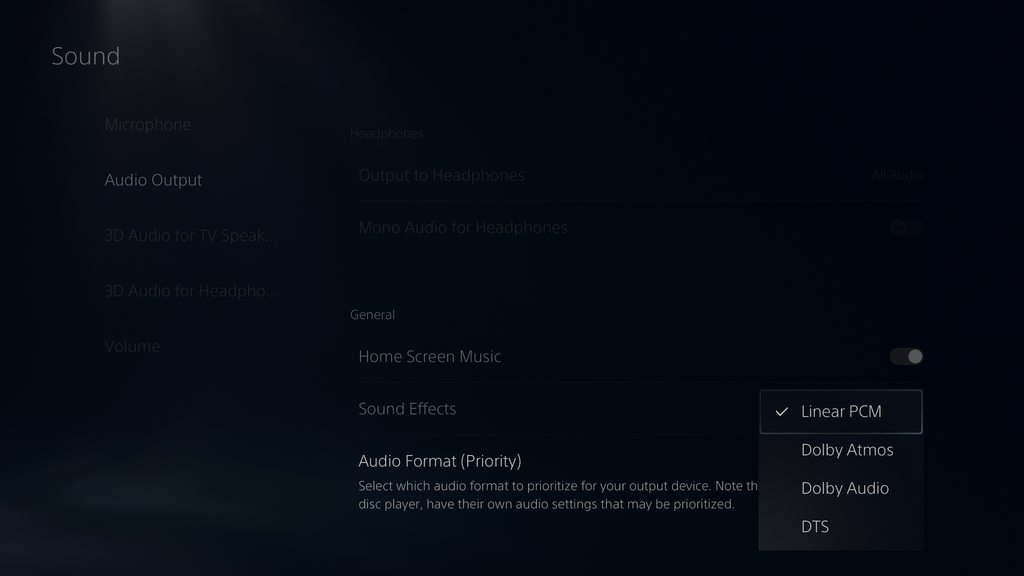
If both of those are set, and it's still being a nusinance, add your 4K60 Pro Mk2 to OBS as an Audio Input Capture as well, to see if that picks up anything.
rigid nest
That's not picking up anything either
past basin
And the PS5 is set to HDMI for the Audio Output?
Okay, next thing to check is that it's not muted in Windows
To do that, press Windows Key + R, and type mmsys.cpl and press OK. Then go to the recording tab and look for the capture card
rigid nest
yes
past basin
Once you find the card right click it and go to properties. Check the "Levels" tab to make sure it's not muted or turned down
eg, on my HD60X looks like this

If that doesn't fix it, next thing I'd suggest is to see if it works in 4K Capture Utility before we go any further. So we can see if it's a software issue, or might be a hardware issue
rigid nest
it works in the capture utility
past basin
Okay, that's good, rules out hardware. Likely the OBS config is missing something
Can you take a screenshot of the Advanced Audio Properties in OBS? (Pressing Alt - Print Screen will capture only the active window for you)

Basically I want to see what that window looks like
rigid nest
 past basin
Okay, can you se the Elgato there back to 0.0 . If that Audio Input Capture is the 4K60 you can remove that again now as well, from your sources list.
And does the VU meter for the Elgato move at all when there SHOULD be sound?
rigid nest
yes the meter moves
past basin
Okay, that's good. That means OBS THINKS it should be hearing something. That's one hurdle down
Try setting your monitoring to something else to see if maybe the config just doesn't like the headset for some reason

Like if you have a set of speakers or something
If that still doesnt' work, try bringing up Xbox Game Bar with Windows Key + G, look for the OBS volume there and make sure OBS itself isn't turned down or muted - should look like this -
 rigid nest
ok for some reason it actually worked.... i just restarted obs and i can now hear it
past basin
Ah. Good to hear.
Maybe we should have started with restarting OBS after making sure the volume sliders were moving
rigid nest
also does the VU meter from the desktop audio supposed to be on with the card? it was set to monitor off
past basin
Actually you should probably change that to not go to output either now that I think abou tit
But even if it's monitor off, like it should be, yes the meter will move if it's hearing sound, unless you mute it
it just won't go anywhere
rigid nest
Change what to not go to output
past basin
Sorry, no I meant put desktop to Monitor Off (which is both Monitor and Output off) - you already had it that way.
rigid nest
Yes I have Elgato on Monitor and Output and desktop Monitor off
past basin
Yeah, that's the way then.
deep yarrow
past basin
You're going to need an app to split the audio from the gaming PC so you can lis...
I don't have a wave mic, and again apologies for the late responses. Fighting fires in a few different areas of life right now so I'm responding whenever I have the chance. Is Voicemeeter free? All i want to do is send all audio from headset and mic to y stream while still functioning as normal
past basin
It's donation ware - it'll ask for an optional donation.
You could also use OBS and NDI to route the audio between systems over the network, but that requires running OBS on the gaming PC too, which is a bit of overhead even if it's not doing any video encoding
I think the Banana version is outright free to use. Potato and up (which has more inputs) asked for donations? It's been a while since I checked tbh
deep yarrow
banana is asking for a donation but I can manage the $10
past basin
Yeah, it is optional though so feel free to test it out and make sure it does what you need before donating though

 azure lichen
Hello everyone! Hope all is well to all. I have a quick question that I’m not really sure has a solution and i might just have bad luck. Im streaming with OBS + XSX and trying the method to capture my party audio where it says to switch output to speakers and headset. The party audio goes through perfectly fine to my stream. However, My problem is that when i switch it to that setting my party audio goes from clear to sounding as if everyone is using mics sitting away from them in my headset; Idk it’s weird to explain it. Has anyone else had this problem and found a solution?
past basin
That's what I was saying - the donation is optional. You shouldn't have had to go through that to get a download link
past basin
azure lichen
Hello everyone! Hope all is well to all. I have a quick question that I’m not re...
Closest I've seen to that was when things weren't setup to use Stereo Uncompressed audio. If you're trying to run spatial audio through a chatlink you're liable to get some distortion like that.
Since you're doing it over HDMI it should only be "Speakers" that needs to be set to Stereo Uncompressed though
But can't hurt to set the headset to it too and see if that clears it up, having both on the same audio type
azure lichen
I don’t have the chat link cable cause i seen the website say you could do without it. I was contemplating purchasing it and trying it out.
past basin
azure lichen
I don’t have the chat link cable cause i seen the website say you could do witho...
You can for Party Chat and Game Audio. In game chats may not offer dual routing like that though, and would be useful to have a ChatLink for
deep yarrow
@past basin may I speak with you on a call and stream my screen so that I can learn how to use voicemeeter?
past basin
deep yarrow
this thing looks very confusing
Yeah, but at least once it's setup you can leave it be. I'm trying to remote into the box I've got it on there now to descibe the basic splitter
deep yarrow
I just don't know how to set it up :p
warped ledge
deep yarrow
I just don't know how to set it up :p
@past basin voice is out.
azure lichen
past basin
You can for Party Chat and Game Audio. In game chats may not offer dual routing...
Ok. Yeah so i only do party chat. My friends voices passes through just fine to my stream. It’s just trying to figure out how to keep it sounding normal and not distorted in my headset when i make that audio output switch. I’ve played around with all settings on the xbox and just can’t figure it out. Starting to think i just got bad luck 😂
deep yarrow
This thing looks crazy
 warped ledge
deep yarrow
This thing looks crazy
warped ledge
deep yarrow
This thing looks crazy
Get a Stream Deck+ you can then use Wave Link!
past basin
Yeah, quickest way, set your default audio to VoiceMeeter Input (VAIO). Then you see you've got Hardware out in the top right? Set one of those to the HDMI output going to the streaming PC, and one going to the headset or whatevr you want to listen on

Then you can add your mic to the mix with Hardware Input 1
deep yarrow
warped ledge
Get a Stream Deck+ you can then use Wave Link!
I have a streamdeck mk.2 but I'm tight on funds and can't just go buy equipment. I live off disability as I'm a right leg below the knee amputee and my left arm is paralyzed
warped ledge
deep yarrow
I have a streamdeck mk.2 but I'm tight on funds and can't just go buy equipment....
no worries something to save for.
past basin
Then on all the inputs you'll see your Hardware Outputs a1, a2, a3 - you set two up earlier so just click both of them on for The Hwardware Input 1 you put the mic on and the VAIO
Then test
If that doesn't work I'll try to hop on a call when I'm free in 30 min or so, but my voice is still shot from the flu so it'll be a bit rough 🙂
deep yarrow
Thank you, do I use voicemeeter or voicemeeter aux? I have those options for headphones and mic

Also for A1 A2 etc I have WDM and MME, what is the difference?
 past basin
Ether one will work. I use VoiceMeeter since it's the first one in the app
But aux will do the same thing
WDM ones are best here if they work - lower latency
deep yarrow
do I have to do the same thing with my mic?
past basin
So that WDM to the HD60X to set A1 to your streaming PC's audio intake. Then set A2 to what you're listening on
Mic will be in a hardware input
For example, when you try to add Hardware Input 1 there's a lit of mics (my test machine onlye has the RTX broadcast virtual one at the moment)

Then once the mic is selected tell it you want to send it both places by clicking both A1 and A2 (then do that for the Voicemeeter AIO input). That should be it
Then basically do what I did forget how you did any of it and never touch it again :p
 past basin
But yeah, you're setting your A1, and A2 to be the HDMI and the headset. Then you're setting up two inputs, the hardware 1 which is the mic, and the VAIO which is the virtual input you set Windows to. And setting both of them to go to A1 and A2
iirc B1 and B2 are virtual ouputs
You can leave them be for the most part - but say you wanted to get all the audio you're routing here into Discord, you'd use B1 as your mic in discord.
Basically these two things:

Safe to ignore entirely in your current setup
deep yarrow
I can hear myself in my headset
past basin
Okay, that's just to make sure things are working. Turn off A2 on the hardware input 1 now
And that should stop. Confirms it's mixed in right though
But it's still going to A1, which means it'll send it to the streaming PC
(over the HDMI)
deep yarrow
will my friends in discord still hear me though?
past basin
Yes, they should still hear you if you're connecting to discord from the gaming PC
deep yarrow
they cannot
Im using my second PC to test this
I have both my discord accounts in a call
my voice is not coming through my mic through my other PC
past basin
Ah, that mic must have exclusive control mode on. Okay turn off B1 on everything except hardware input 1, set your discord mic to Voicemeeter Output.
deep yarrow
that worked
past basin
Perfect. Now you should be getting both mic and all system audio from the gaming PC on the Streaming PC through the HDMI as well
deep yarrow
now I cant hear other people in discord
past basin
(If you're using OBS or something you may have to set it to monitor in the advanced audio properties to hear it - monitor is for you to hear it, output is for stream and recordings to hear it - since you're already hearing it on the gaming PC you probably don't want to LEAVE it on monitor though, just output)
What's your discord output device?
past basin
Is A2 still on for the VAIO input?
 past basin
Yeah, that's the headache

A2 is your local listening device - the headset in this case. So just turn it on there and it should go to both local and over to the streaming machine
past basin
Default is fine, since it's pointing to voicemeeter anyway
If you ONLY want discord locally you can set it to headphones
Then it won't go to the streaming PC
Since Voicemeeter is what's splitting things up to go both places if you want something both places set it to go to Voicemeeter. Anything you want only on the gaming PC set to headphones specifically
If you want to change things up later for example you can set Windows back to your headphones and set specific games and apps to voicemeeter to split only them.
past basin
Did you change your default windows sound earlier?
deep yarrow
yes
past basin
is how that looks in Win 10. If that's set to Voicemeeter VAIO, then default in Discord should ahve worked

 past basin
If the call was active before you switched that for testing it may not have switched as well. Discord audio gets weird when you change things while it's already in a call
But if it works set specifically to Voicemeeter that should be fine too
The only point of doing it in Windows was a quick way to send all of it over to the capture card without setting each app.
deep yarrow
Thank you so much for all your help, seriously!
I could have never figured any of that out
past basin
Yeah, it's a bit confusing to setup at first, but I'm sure you'd have found a guide somewhere. Glad it seems to be working there now though
deep yarrow
My audio is still coming through my other computer though
past basin
Which audio specifically?
past basin
Oh, there's already another mic or something on the streaming PC?
Oh wait are you watching the stream on one of those PCs at the same time?
deep yarrow
Im watching the stream on the same PC im streaming from
past basin
Okay, turn off monitoring on the audio in OBS if you're doing that.
Since you're basically monitoring through the stream
past basin
In the Advanced Audio Propterties there's an option to "Monitor" audio. I'm assuming you currently have this on on the HD60X. When set to Monitor this lets you hear the audio coming through the capture card in real time. When set to Output, it lets stream hear it. So sounds like you have it set to Monitor and Output so you get the monitor feed from OBS and later the stream feed
so just set it to Output
This sort of panel should come up when you click the gear in the audio mixer panel in OBS

You'll see Audio Monitoring there to the right
Set it to output and you'll stop hearing it on the PC, and only hear the copy through the stream.
deep yarrow
I only see monitoring and output, monitor off, and monitor only (mute output)
deep yarrow
my voice is still repeating
 sick bison
Hey, just wanted to ask if the quality of the elgato supposed to be lower quality than the source console, I tested out both and the source console looks leagues better
past basin
deep yarrow
my voice is still repeating
How are you capturing the capture card on the PC? Are you directly capturing it with OBS or through another app, then window capturing it?
deep yarrow
Just OBS
past basin
sick bison
Hey, just wanted to ask if the quality of the elgato supposed to be lower qualit...
Depends on what you set the capture settings to, and what Elgato product you're actually using for capture. Generally the quality should pretty much match spot on though.
past basin
deep yarrow
Just OBS
Is the Desktop default audio feed on OBS muted? If not, mute that
 sick bison
past basin
Depends on what you set the capture settings to, and what Elgato product you're ...
sick bison
past basin
Depends on what you set the capture settings to, and what Elgato product you're ...
I’m using an elgato mk 2 at 4k 60 fps for a ps5
deep yarrow
okay repeating stopped
past basin
Yeah, it looks liek Desktop Audio is active. That's a default OBS audio feed that plays everything you hear on that PC into your stream. Because you have the stream open on that PC it's now also playing the stream back into itself. Mute that (click the volume icon at the end of the slider), then right click it and hide it if you don't want to see that
Ah, already ahead of me
past basin
sick bison
I’m using an elgato mk 2 at 4k 60 fps for a ps5
What sort of quality issues are you seeing?
deep yarrow
You're a beast
sick bison
past basin
What sort of quality issues are you seeing?
Just generally less color and it looking staler and less defined, I don’t know how to put it into technical terms
past basin
Bit washed out maybe?
sick bison
Yes
It may not help to much but I could take a picture of both to see what the full issue is
past basin
I'm going to hazard a guess you have HDR enabled on the PS5? By default most PCs aren't setup to do HDR recording and your capture card is probably still setup to tonemap back to SDR. What app are you trying to record or stream with? (also as a note HDR streaming is only available on YouTube at the moment)
past basin
That's the quickest way to confirm that it's the problem.
If it is, we can also try to set you up for HDR recording, but if you're streaming to something like Twitch it has to be SDR anyway.
The fact most PC uses are still limited to SDR is why it's trying to convert back automatically. You can set it up for local recordings in HDR and YouTube HDR streaming though - just requires extra steps. And if you're streaming to an SDR only platform like twitch, best just to turn HDR off entirely, usually and avoid the colour matching headache.
If that doesn't fix it, there's also limtied and full range color modes, but HDR is the more common issue. If turning it off gets things matching you know HDR is the issue.


 past basin
There will still be some differences between screens if they're not the same model (and in theory sometimes even if they are). But does it look right to your eyes there now?
sick bison
Yup, I appreciate it
past basin
Excellent, glad you've got it sorted out. Good luck with it!
sick bison
Ok so I am back, and I still notice the quality is terrible when playing in game plus now I have input latency, here are my settings


I honestly am beyond confused at this point on why the quality is bad, I have tried everything and looked throughout the internet for help with my specific problem but to no success, is there a problem with my capture card?
cerulean thicket
Does this mean that in order to get passthrough up to 4K144Hz on a streaming monitor, that your main gaming monitor has to be 4K60FPS?
Just trying to understand how passthrough works.
 past basin
sick bison
Ok so I am back, and I still notice the quality is terrible when playing in game...
past basin
sick bison
Ok so I am back, and I still notice the quality is terrible when playing in game...
Okay, first question though is about input latency? Is this a single screen setup? Because ALL captured cards have video decode time, whihc is going to feel like input latency. Basically the card needs time to convert HDMI to a video format the PC can handle - on modern cards it's pretty short, like 30-70 ms, but still there. Comparable to runnig games on a TV not in gaming or low latency mode. The end result feels like input latency because not only are you reacting to something that already happened, the video of your reaction is ALSO delayed. This is why gaming oriented capture cards have a HDMI Passthrough circuit. If you connect your source to the HDMI In, and your monitor to the HDMI out, it works like a splitter, and you get a HDMI to HDMI feed with none of that video conversion delay you get on captured video going over USB or PCIe. So if this is a single screen setup like I suspect you need to be playing it on the HDMI input of the monitor that's connected to the HDMI out of the capture card to avoid the video decode / input latency issue. Playing on the preview video captured through the card is always going to have a short delay - though on newer cards it's low enough to generally be playable, it can still be noticed in some types of gaming.
As for the qility I can't really tell the issue from that picutre. I'm not overly familiar with how Cyberpunk is supposed to look and the photo is a bit blurry. Have another sample?
past basin
cerulean thicket
Does this mean that in order to get passthrough up to 4K144Hz on a streaming mon...
They way they're wording that is you can pass through a signal up to 4K144/4K120 and the card can capture from that signal at 4K60.
Passthrough, aka HDMI passthrough, is basically like a HDMI splitter in your card. It runs to the HDMI output on the card, and doesn't pass through the capture circuit, so gets none of the capture latency and the like (basically allowing HDMI to "pass through" the card without delay or processing).
That also often allows passthrough to support a signal that's higher than what a card can actualy convert video to captured video at. So in this case that card will allow up to 4K120 between a console and the monitor you're playing on, using the passthrough, but because of the limits of the card it can only keep up the capture at a slower 4K60 (either due to interface bandwidth or the chipset in the card). For this reason you'll see that a capture video support spec will always be at, or lower than the supported passthrough. Basically you can pass through a video signal faster than a card can actually capture, but the card can still capture from it (as long as it's within the passthrough spec of the card).
red knot
Does your graphics card dictate how well your computer handles your capture card
Because I was in a Discord call while streaming Bloodborne to my friends and my camera was a bit stuttery
sick bison
past basin
As for the qility I can't really tell the issue from that picutre. I'm not over...
Just now seeing this thx for your help, I can send some more when I have time but that was moreso to demonstrate the settings I use
past basin
red knot
Does your graphics card dictate how well your computer handles your capture card
Largely yes. Though more specifically the encoder on your GPU, than the GPU itself. Discord is known to have a strong favourbility for NVidia encoders. That said Discord isn't always the smoothest of streaming platforms either, there's a lot of factors that come into play there, especially both your Internet upload speed and the download speed of the viewers (and if you have Nitro which unlocks higher quality options)
past basin
Yeah, that's a bit of an older card. 4th or 5th gen NVENC. The 6th Gen ones starting in around the 1660 series and up have noticeable better encoding. I can't say for certain it's the only issue though, or even the primary one. Discord broadcast troubleshooting is a bit rought as it doesn't exactly give us the same level of log detail or control as something like OBS. Even 4K Capture Utility has more options
red knot
My proper GPU is a 3080TI