Recently I've been getting an issue where the game will crash while loading a map, usually the third or fourth, but it's not the map itself that's causing the crash. I was wondering if this could be looked into? I have the latest crash dumps to diagnose.
#Loading multiple maps causing a crash?
29 messages · Page 1 of 1 (latest)
 tawdry dome
 quartz oriole
do u have a billion addons or conflicting addons?
mine take ages to load maps cos im lazy and didnt get rid of bad addons
 crude reef
This used to happen to me on my old computer, since I had a lot of add-ons. it forced more memory on my garrys mod which would crash if 100. I would recommend Uninstalling some add-ons or disabling them. ( I also find switching to 64 bit also helps )
Its also recommend to not have a million fucking apps or tabs open
tawdry dome
Another one. This time I just turned. Is it a memory issue or something else?
tawdry dome
crude reef
This used to happen to me on my old computer, since I had a lot of add-ons. it ...
I'm already on the 64 bit branch. I also went and disabled a few more addons. Though I think, if it's a memory issue, then something I have might have a memory leak somewhere.
Looking at it in Task Manager, I see it's using a lot of system memory. There's no way that it's using up the majority of the 11.2GB of memory being used, though...
 tawdry dome
Got some more maps. Happened during post-loading init on the third map loaded the first two times, then on the second map loaded the third time.
 rigid horizon
I think there may be a regression with last weeks update, if you can get me a way to reproduce the crash, it can be fixed faster.
tawdry dome
I know it doesn't happen when I disable all addons, I'll see about getting a list of enabled addons where it kicks in.
Disabled all my maps and models and it still crashed on loading the third map. This is a preset of the workshop addons I had enabled at the time of the latest crash. There are some non-workshop addons though (particularly some custom non-workshop collections of CS and TF2 custom maps, as well as some maps that were externally overwriting the detailsprites material)
See if it crashes with that preset.
The crash on third map stopped after I disabled my whole "weapons" category, but it still crashed on the fourth map. Further investigation ongoing.
And the dump of the latest crash if it matters.
quartz oriole
verify steam files?
tawdry dome
No, I think it's this particular addon that's causing it: https://steamcommunity.com/sharedfiles/filedetails/?id=3542644649

For reference, the maps I used in testing were gm_flatgrass and offline versions of these three workshop maps:
https://steamcommunity.com/sharedfiles/filedetails/?id=2894345174&searchtext=stratos
https://steamcommunity.com/sharedfiles/filedetails/?id=1710466295&searchtext=stormy
https://steamcommunity.com/sharedfiles/filedetails/?id=1786928211&searchtext=dunes
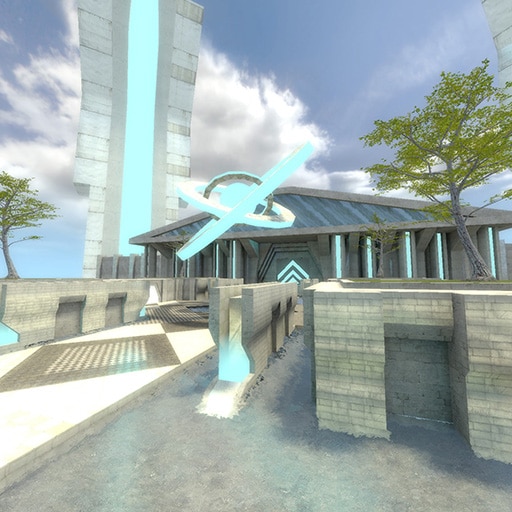
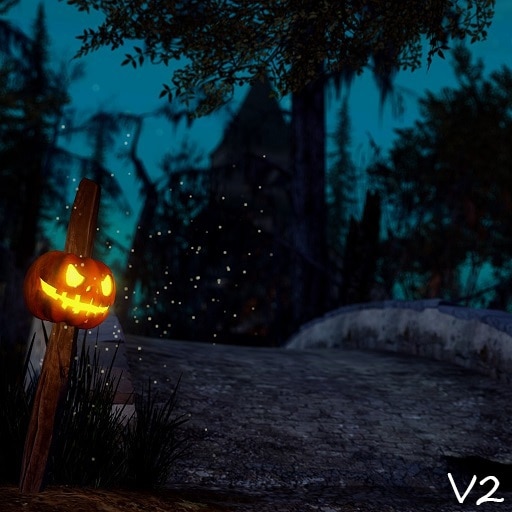
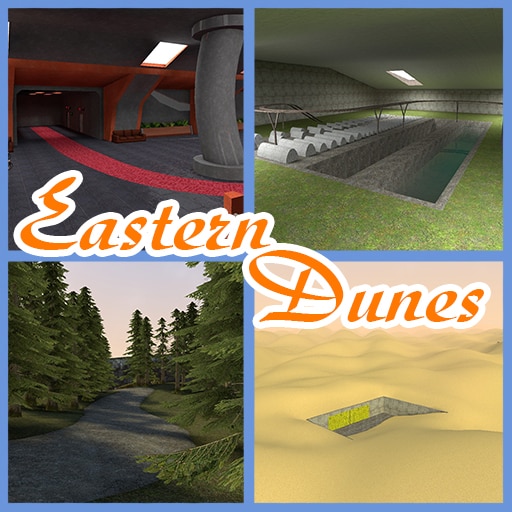 quartz oriole
maybe its incompatible with some other addons
a few ppl complain in the addon comments u might have same addon they have
tawdry dome
If so, it's not anything under Maps, Models, Gamemodes, Weapons, Tools, or NPCs since I disabled all of those except for these three tools and it still happened consistently. I might need to do some more tests.
 tawdry dome
I tried with everything else disabled and it still happened. Which means if it is a conflict, it's with one of these.
 tawdry dome
So it's a conflict with one of these, which is strange, because only Stormy Night has a lua file, and said lua file is a particle loader. That being said, it seems to happen specifically when loading gm_stratos unless it's the first map, so maybe it's something packed into that specific map?

Huh, could it be a conflict with this file perhaps?

Also, I just had the crash occur less than 5 seconds into a TF2 map. A memory leak, perhaps?
rigid horizon
How exactly are you causing the crash?
tawdry dome
It happens when the map finishes loading in some cases, such as gm_stratos. In the case of koth_marine and gm_easterndunes it happens after moving around for a bit, in the latter it happens by looking around the desert. In both cases, another map, such as gm_flatgrass, must be loaded first. It won't crash if the crashing map is the first one loaded in the game session.
rigid horizon
that doesn't appear to do anything in my testing.
rigid horizon
tawdry dome
It happens when the map finishes loading in some cases, such as gm_stratos. In t...
can you test again when the game updates for you? I have rolled back the latest update that I suspect is the cause, but I just need confirmation since the crash does not happen to me at all