#Colored Edge Detection
1 messages · Page 1 of 1 (latest)
 unborn phoenix
 mint raft
What's your goal here?
mint raft
What's your goal here?
Recreating the Halo: ODSTs NightVision system. Mainly, the edges on the map itself.
 unborn phoenix
Oh really?
mint raft
Not ODST-themed, but Sobel
What does Sobel output again?
Is it black along the edges?
unborn phoenix
Ah, fair. I also tried looking into the Sobel vmt file, it's just this in the file itself: "Sobel" { "$fbtexture" "_rt_FullFrameFB" "$threshold" "0.11" } I don't know where the rest is.Like the code that actually does the edge drawing.
mint raft
I mean ignoring the internal mechanism for how it works
unborn phoenix
mint raft
Is it black along the edges?
Pretty much, yeah.
 mint raft
You give it some threshold for what it should consider an edge, right?
unborn phoenix
The edges it highlights is pretty good. Not exactly the same. But close enough. But if only I could recolor them.
unborn phoenix
mint raft
You give it some threshold for what it should consider an edge, right?
I do, yeah. The screenshot is 0.61.
mint raft
I haven't tried this, so it's possible it might not work, but here's what I'm thinking
You take the entire frame and put it into a Render Target
Then you draw a rectangle over the entire Render Target with additive color blending and a color of something like Color( 1, 1, 1 )
If you were looking at a completely dark scene, every pixel would be Color( 0, 0, 0 ) for black, right
Then you add Color( 1, 1, 1 ) to each pixel with the rectangle
Now no pixel is completely black
Then you can apply the Sobel shader and the only pixels which are completely black are the edges
Then you could draw another rectangle with subtractive blending and a color of Color( 254, 254, 254 )
That should give you a Render Target where the edges are the only pixels with a non-black color
That can probably be inverted (Or used as a mask on an all-white rectangle) and then colored and drawn onto the main game view
I don't think this "plan" covers everything, but I think this kind of approach is able to get you the result you want
I definitely had blue-colored edges from the Sobel shader using a similar approach
I don't know where that code is (might've deleted it) but if I can find it I'll send it here
unborn phoenix
Working on trying to implement your idea. But not sure how to do all of that.
mint raft
Unfortunately I think you'll need to make use of https://wiki.facepunch.com/gmod/render.OverrideBlend
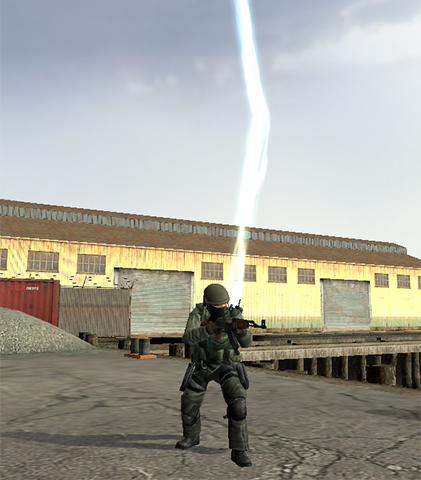
Garry's Mod Wiki
Overrides the way that the final color and alpha is calculated for each pixel affected by upcoming draw operations.
When a draw operation is performed, the rendering system examines each pixel that is affected by the draw operation and determines its new color by combining (or "Blending") the pixel's current color (Called the "Destination" or "D...
I've done some work to rewrite the wiki page for it to be easier to understand, but it's still not as intuitive as I want it to be
unborn phoenix
How would it be Unfortunate? Is it an expensive function to call? Or just poorly documented?
mint raft
It's unfortunate because it's poorly documented
For example, this nightmare is what many people will try to convince you is "easy to understand" and "intuitive"

I hate this image, but some people seem to like it so I haven't removed it
unborn phoenix
Ah, yeah. I'm not entirely sure what's going on.
mint raft
I wrote the wiki page on these functions and I have no idea what it's trying to communicate
Let me try to give a simple explanation for blend overrides
Suppose you have a Render Target that is entirely blue Color( 0, 0, 255 ) and you draw a green Color( 0, 255, 0 ) rectangle on top of it.
There must be some logic in the rendering system that looks at the new color (green) and the old color (blue) of each pixel that the rectangle is going to modify and decide what the final color of those pixels is
You could add them together and get Color( 0, 255, 255 ), for example
Or you could replace the old color with the new color and get Color( 0, 255, 0 )
That's all we're really doing here
Whenever we draw something to a Render Target, it uses the current blend configuration to determine how the old and new color for each pixel get combined together
Because transparency is slightly different from color, it can be configured separately
https://wiki.facepunch.com/gmod/Enums/BLEND This page explains the underlying math for each available option and provides what I hope is an understandable example for each

Garry's Mod Wiki
These enums are used by render. OverrideBlend to determine what the Source and Destination color and alpha channel values for a given pixel will be multiplied by before they are sent to the Blend Function to calculate the pixel's final color during draw operations.
For an interactive demonstration of how these enums behave, see Anders Riggelsen'...
unborn phoenix
Doesn't seem to work... Though, I'm probably doing something wrong here. ```lua
local SobelMaterial = Material("pp/sobel")
SobelMaterial:SetTexture("$fbtexture", render.GetScreenEffectTexture())
local color = Color(255, 255, 255) -- Change color to plain white
local threshold = 0.5
-- Create a render target for Sobel edges
local sobelRT = GetRenderTarget("SobelEffectRT", ScrW(), ScrH())
local sobelRT_MAT = CreateMaterial("SobelEffectRT_MAT", "UnlitGeneric", {
["$basetexture"] = sobelRT:GetName(),
["$model"] = 1,
["$translucent"] = 1,
["$vertexcolor"] = 1,
["$vertexalpha"] = 1,
["$ignorez"] = 1
})
local function DrawSobel()
-- Draw to the render target
render.PushRenderTarget( exampleRT )
cam.Start2D()
-- Draw background
surface.SetDrawColor( 117, 69, 69)
surface.DrawRect( 0, 0, ScrW(), ScrH() )
    -- Draw the Sobel effect
    render.SetMaterial( SobelMaterial )
    render.DrawScreenQuad()

    -- Draw some foreground stuff
    --surface.SetDrawColor( 255, 255, 255)
    --surface.DrawRect( 0, 0, 256, 256 )
cam.End2D()
render.PopRenderTarget()

-- Draw the render target
surface.SetMaterial( sobelRT_MAT )
surface.DrawTexturedRect( 0, 0, ScrW(), ScrH() )
end```
I haven't implemented the BLEND stuff for the Foreground color, so I commented that part out. But I'd still expect to see the Sobel above the Background.
But I'm only seeing the background color.
unborn phoenix
Oh, oops... But, wait a minute, how come I could still see the Background color it was drawing? Or the foreground color if I uncomment that code?
Also, I found this... Do you think this could somehow be useful? https://wiki.facepunch.com/gmod/render.GetResolvedFullFrameDepth

Garry's Mod Wiki
Returns the _rt_ResolvedFullFrameDepth texture for SSAO depth. It will only be updated if GM:NeedsDepthPass returns true.
mint raft
Ah! That reminds me!
I was using sobel on the depth buffer to achieve the effect I was doing before
Unfortunately, because the skybox is infinitely far away it always shows as having an edge wherever the sky visually intersects with anything
unborn phoenix
So basically, a line around the entire skybox?
Where the skybox meets the world, I suppose.
Eh, that's probably a fine trade-off to get the effect.
If I can just get it working at all.
mint raft
unborn phoenix
Oh, oops... But, wait a minute, how come I could still see the Background color ...
Pushing nil pushes the main view render target
unborn phoenix
mint raft
`exampleRT` isn't defined in this code
I changed out example_rt to sobelRT. Still no change.
Oh... Wait... Progress I think!
-- Materials
local mat_color = Material("pp/colour")
local SobelMaterial = Material("pp/sobel")
SobelMaterial:SetTexture("$fbtexture", render.GetScreenEffectTexture())

local color = Color(255, 255, 255) -- Change color to plain white
local threshold = 0.5

-- Create a render target for Sobel edges
local sobelRT = GetRenderTarget("SobelEffectRT", ScrW(), ScrH())

local sobelRT_MAT = CreateMaterial("SobelEffectRT_MAT", "UnlitGeneric", {
    ["$basetexture"] = sobelRT:GetName(),
})

local function DrawSobel()
    -- Draw to the render target
    render.PushRenderTarget( sobelRT )
    cam.Start2D()
        -- Draw background
        surface.SetDrawColor( 117, 69, 69)
        surface.DrawRect( 0, 0, ScrW(), ScrH() )

        -- Draw the Sobel effect
        render.SetMaterial( SobelMaterial )
        render.DrawScreenQuad()

        -- Draw some foreground stuff
        surface.SetDrawColor( 255, 255, 255)
        surface.DrawRect( 0, 0, ScrW() / 2, ScrH() )
    cam.End2D()
    render.PopRenderTarget()

    -- Draw the render target
    surface.SetMaterial( sobelRT_MAT )
    surface.DrawTexturedRect( 0, 0, ScrW(), ScrH() )

    render.PushRenderTarget( nil )

end``` is producing this:
Only making half the screen white for testing. Now I'm gonna try adding the BLEND stuff.

I'm not seeing any edge lines from the Sobel at all tho.
Hol up... I changed the color of the foreground. And it did this.

Those are white lines! 
mint raft
Very nice! I've had to step away and won't be able to look at this in detail for a little while
Sorry about that
unborn phoenix
No worries. I'm just posting my progress as I go along.
I got it working! Just one more issue left.

There's a fade at the bottom around my position.
If I could get rid of that, it'd be golden.
unborn phoenix
It also seems the lines don't get rendered in dark spaces. Ideally, it shouldn't care about lights at all.

So might be another reason to try and go the Depthbuffer route.
mint raft
Oh
I can fix the fade
Or rather tell you how to

Garry's Mod Wiki
Sets the internal parameter INT_RENDERPARM_WRITE_DEPTH_TO_DESTALPHA
Turn this off before you draw everything
I guess Source uses the alpha channel of the main Render Target as the depth buffer, so when you copy it out it can get things messed up
unborn phoenix
Welp... I don't know what happened between then a now. I don't think I changed anything. Except adding those two lines. And now it's still showing this. It's just one singular color now. I did commented out those two lines. Which should hve restored the code back to what it was previously.

It's almost as if there's no DepthBuffer anymore? After I restarted my game. But, I am doing the lua local function MyNeedsDepthPass() return true end -- Add hook so that the _rt_ResolvedFullFrameDepth texture is updated hook.Add( "NeedsDepthPass", ARNV2_HOOK, MyNeedsDepthPass ) So it should be making it?
And I've tried using both render.GetFullScreenDepthTexture() and render.GetResolvedFullFrameDepth() as the fbtexture for the SobelMaterial. Which is what I did before as well.
Garry's Mod Wiki
Returns the _rt_ResolvedFullFrameDepth texture for SSAO depth. It will only be updated if GM:NeedsDepthPass returns true.
-- Materials
local SobelMaterial = Material("pp/sobel")
SobelMaterial:SetTexture("$fbtexture", render.GetFullScreenDepthTexture())

local color = Color(245, 207, 102) -- Change color to plain white
local threshold = 0.61

-- Create a render target for Sobel edges
local sobelRT = GetRenderTarget("SobelEffectRT", ScrW(), ScrH())

local sobelRT_MAT = CreateMaterial("SobelEffectRT_MAT", "UnlitGeneric", {
    ["$basetexture"] = sobelRT:GetName(),
})

local function MyNeedsDepthPass()
    return true
end
-- Add hook so that the _rt_ResolvedFullFrameDepth texture is updated
hook.Add( "NeedsDepthPass", ARNV2_HOOK, MyNeedsDepthPass )

local function DrawSobel()
    -- Draw to the render target
    render.PushRenderTarget(sobelRT)
    cam.Start2D()
        -- Draw background
        surface.SetDrawColor(color)
        surface.DrawRect(0, 0, ScrW(), ScrH())

        -- Override blend mode for Sobel effect
        render.OverrideBlend(true, BLEND_SRC_ALPHA, BLEND_ONE_MINUS_SRC_ALPHA, BLENDFUNC_ADD)
        -- Draw the Sobel effect
        render.SetMaterial(SobelMaterial)
        SobelMaterial:SetFloat("$threshold", threshold)
        render.DrawScreenQuad()
        render.OverrideBlend(false)

        -- Draw some foreground stuff
        surface.SetDrawColor(255, 255, 255)
        --surface.DrawRect(0, 0, ScrW() / 2, ScrH())
    cam.End2D()
    render.PopRenderTarget()

    -- Draw the render target
    surface.SetMaterial(sobelRT_MAT)
    surface.DrawTexturedRect(0, 0, ScrW(), ScrH())

    render.PushRenderTarget(nil)
    render.PopRenderTarget()
end```
This is the code I had. This worked before. But has stopped working now. No idea why. No idea what changed. I can't even Ctrl + Z back any further. I have since closed both Gmod and VSCode, and started both up again as well.

I need another break. Going to bed. This is frustrating. lolWell, this code doesn't seem to be actually calling the DrawSobel() function
mint raft
So I just ran a little test by dumping the sobel render target to a png file
Turns out the sobel shader leaves edges completely transparent, which is just incredibly polite of it

 mint raft
I have a mostly functional version of this now
It just needs some polish
Mainly finding the right hook to draw the results to the screen in
mint raft
@unborn phoenix
-- Create a Render Target and corresponding material for us to "build" our effect on
local textureFlags = bit.bor( 16, 8192, 32768 )
local edgeHighlightRt = GetRenderTargetEx( "EdgeHighlightEffect_RT", ScrW(), ScrH(), RT_SIZE_NO_CHANGE, MATERIAL_RT_DEPTH_SEPARATE, textureFlags, CREATERENDERTARGETFLAGS_AUTOMIPMAP, IMAGE_FORMAT_RGBA8888 )
local edgeHighlightMat = CreateMaterial("EdgeHighlightEffect_MAT", "UnlitGeneric", {
    ["$basetexture"] = edgeHighlightRt:GetName(),
    ["$translucent"] = "1",
})

-- The Sobel shader material we'll use to detect edges
local sobelMaterial = Material("pp/sobel")
sobelMaterial:SetTexture( "$fbtexture", render.GetResolvedFullFrameDepth() )

-- Made into a function just to make it easier to swap out the input texture if needed
-- or if it's necessary to draw the effect multiple times with different parameters
local function DrawSobelEffect( inputRenderTarget, edgeThreshold )
    sobelMaterial:SetTexture( "$fbtexture", inputRenderTarget )
    sobelMaterial:SetFloat("$threshold", edgeThreshold )
    render.SetMaterial( sobelMaterial )
    render.DrawScreenQuad()
end

local sobelEdgeThreshold = 1

-- Draw the effect to our edge highlight effect Render Target
hook.Add(  "PostDrawTranslucentRenderables", "A1_SobelTesting_DrawEffect", function()
    render.PushRenderTarget( edgeHighlightRt )

        -- Clear the Render Target of the previous frame's content
        render.Clear( 0, 0, 0, 0, true, true )

        cam.Start2D()
            -- Draw the Sobel effect using the depth buffer as input
            -- Override color writing because we don't want the depth color, only the alpha that the Sobel shader puts on edges
            render.OverrideColorWriteEnable( true, false )
                DrawSobelEffect( render.GetFullScreenDepthTexture(), sobelEdgeThreshold )
            render.OverrideColorWriteEnable( false, false )

            -- At this point, the effect Render Target contains black pixels with an alpha of 0 or 255 where 0 is the edges.

            -- Any alpha on the effect Render Target will become the highlighting color, so we don't want the depth-
            -- -buffer to be placed into the alpha channel as it normally is
            render.SetWriteDepthToDestAlpha( false )

            -- Draw the edge highlight color on top of the Sobel results
            -- Blend the edge highlight color with the alpha values from the Sobel shader's results so the color is only visible on the edges.
            -- Using BLEND_ONE_MINUS_DST_ALPHA effectively inverts the alpha values so that the color is vibile on alpha 0 pixels (Edges) and invisible on alpha 255 pixels.
            render.OverrideBlend( true, BLEND_ONE_MINUS_DST_ALPHA, BLEND_ZERO, BLENDFUNC_ADD )
                render.SetColorMaterial()
                surface.SetDrawColor( 0, 255, 0, 255 )
                surface.DrawTexturedRect( 0, 0, ScrW(), ScrH() )
            render.OverrideBlend( false )
        cam.End2D()
    render.PopRenderTarget()
end )

-- Draw the finished effect Render Target on top of the main game view
hook.Add( "PreDrawViewModel", "A1_SobelTest_PreviewRenderTarget", function()
    cam.Start2D()
        render.OverrideAlphaWriteEnable( true, false )
        render.SetMaterial( edgeHighlightMat )
        render.DrawScreenQuadEx( 0, 0, ScrW(), ScrH() )
        render.OverrideAlphaWriteEnable( false, false )
    cam.End2D()
end )

-- Ensure that the depth pass is rendered
hook.Add( "NeedsDepthPass", "A1_SobelTesting_DrawDepth", function() return true end )
PreDrawViewModel isn't the right place to be drawing the effect to the screen, but that's easy enough to tweak
 unborn phoenix
So, I implemented your code. And initially, it seemed to work perfectly.
But upon further testing, there is some issues, as shown in this gif.

I have been testing drawing it in other hooks. Still the same result.
mint raft
This is hell
I ran into an issue like this one (Where it stops rendering when you look in certain directions) but I don't remember what it was
Something to do with translucent vs opaque rendering, maybe?
Th e other issue (Spotty outlines) is disconcerting
It might be that the depth buffer just isn't the right answer (Or it's part of the right answer, but isn't enough on its own)
Something I had thought of while making this is that perhaps the result needs to be built up via multiple passes. Perhaps the depth buffer can give you some details, the normal screen buffer can give you other details, etc. that can be combined together to create the final effect
unborn phoenix
mint raft
Something I had thought of while making this is that perhaps the result needs to...
I worry about the FPS impact that might have. And the complexity of it.
I did come across this in Waywo, and asked him about how he did his edge detection. https://discord.com/channels/565105920414318602/1321077350527664211
He said he used a custom shader. And that it can be packed with bsp's now. But aren't bsp map files? So this is all pretty beyond me.
But I did find these functions, render.CapturePixels() and render.ReadPixel()
Thinking maybe it would be possible to use that with render.GetResolvedFullFrameDepth() to get the depth buffer, and from there, if you can read a pixel at a given coordinate, you could use that to perform your own edge detection.
But doing it this way with LUA might be too slow and expensive as compared to actually doing it properly in a shader.
mint raft
unborn phoenix
But I did find these functions, `render.CapturePixels()` and `render.ReadPixel()...
You should assume that render.CapturePixels and render.ReadPixel don't exist for the purposes of edge detection
The performance is far, far too slow for any realtime image processing application
Orders of magnitude too slow
unborn phoenix
Ah, darn.
mint raft
I think the Sobel shader is your best bet
My suspicion is that there's something wrong with my implementation above. I don't know what the issue is, but it definitely shouldn't be doing that flickering
@true rampart About 6 months ago you correctly guessed the cause of a visual effect not rendering when I was looking toward certain quadrants of the map as can be seen in the gif above. I can't find that conversation anymore but I'm hoping you might still remember your answer
It was something to do with water and/or the skybox, I believe
 true rampart
water & 3d skyboxes do add more passes per frame, so your effect code might be running multiple times per frame
the fix is simple is to just prevent it (https://wiki.facepunch.com/gmod/GM:PostDrawTranslucentRenderables check the hook params)
mint raft
That sounds right!
true rampart
to detect water pass I think you could compare the current RT name
mint raft
It has never occurred to me to check the name of the active Render Target
That's an interesting idea
local renderTargets = {}
hook.Add( "PostDrawTranslucentRenderables", "A1_RenderTargetTesting_BuildRenderTargetList", function()
  renderTargets[ render.GetRenderTarget():GetName() ] = true
end )

concommand.Add( "PrintRenderTargets", function()
  PrintTable( table.GetKeys( renderTargets ) )
end )
Not sure if it's the map doing it? Could drawables on entities be calling that hook more often when looking at certain entities? All my entities in the gif draw their screens in a cam.Start3D2D in their ENT.draw hook.
mint raft
Can you test it without other entities?
unborn phoenix
Yeah
mint raft
true rampart
the fix is simple is to just prevent it (https://wiki.facepunch.com/gmod/GM:Post...
Thanks for the help!

[1]    =    _rt_waterrefraction
[2]    =    _rt_waterreflection
This is a totally different thing than we're talking about, but this is real neat
unborn phoenix
ooof...
mint raft
A comparison between normal water, water without refraction, water without reflection, and water with neither reflection nor refraction


 unborn phoenix
Okay, it's the screens. I removed them. And it's fine. However, it's also the toolgun screen.
Whenever I pull out the toolgun, it breaks.
I switch to another weapon, and it's fine.
mint raft
So cam.Start2D and/or cam.End2D is doing something that breaks it?
At least that's a decent place to start for debugging
unborn phoenix
And, it also breaks when I hold C to bring up the context menus.
Also, if it's really using the depth buffer. Should it not also work for the dark areas?
 mint raft
unborn phoenix
Also, if it's really using the depth buffer. Should it not also work for the dar...
mint raft
unborn phoenix
Also, if it's really using the depth buffer. Should it not also work for the dar...
It should, yes
I think one of the two depth render targets is lying about what it contains
unborn phoenix
And it also shouldn't be doing texture details like this?
 unborn phoenix
Could it be possible that Sobel doesn't take the inputted texture into account, and simply fetches the screen render itself?
mint raft
I'm pretty confident that's not true
When you apply the Sobel shader, it re-draws the input texture during the process of drawing the final output
It's not "layering" the edges on top of the Render Target's contents but rather redrawing the entire Render Target with the edges applied
So if it wasn't using the input texture, it wouldn't be able to redraw it
unborn phoenix
Huh... So this is the render.GetFullScreenDepthTexture() texture.

And this is the render.GetResolvedFullFrameDepth() texture.
 unborn phoenix
Huh... So this is the `render.GetFullScreenDepthTexture()` texture.
unborn phoenix
unborn phoenix
Huh... So this is the `render.GetFullScreenDepthTexture()` texture.
This just looks like a lower quality actual game texture. That's why the Sobel still wasn't drawing in dark areas, and drawing on what's essentially flat surfaces.
And switching the Sobel over to the other one. (red & white pic)
The Sobel is only then visible on the border between the red and the white. Otherwise, the gradient depth in the red is too little to produce any results. Unless I jack the Edge waaay up... (Or down?)
But that starts providing other oddities.
 mint raft
unborn phoenix
And this is the `render.GetResolvedFullFrameDepth()` texture.
mint raft
unborn phoenix
And this is the `render.GetResolvedFullFrameDepth()` texture.
That's what it should look like
unborn phoenix
It looks fine in some areas. But pretty terrible in others.
 mint raft
unborn phoenix
And switching the Sobel over to the other one. (red & white pic)
The Sobel is o...
mint raft
unborn phoenix
And switching the Sobel over to the other one. (red & white pic)
The Sobel is o...
I think I mentioned at some point in the past, but this is an issue I ran into myself in the past
unborn phoenix
Like the floor, most notably.
 mint raft
Because the Skybox is infinitely far away, the Sobel shader is going to detect an edge there no matter what
unborn phoenix
I'm fine with the edge, and not having the sobel on the skybox. But having the big blob on the ground, that's what ruins it for me.
And, it doesn't detect edges I'd want it to detect. Like the step from the stone path, to the grass area. That's prime realestate for a edge to be.
I painted my own edges in blue, that I'd want to highlight, but aren't.

Oh... And this is a bad side effect. lol. NPCs are invisible. With just the edge visible.
 mint raft
unborn phoenix
Like the floor, most notably.
mint raft
unborn phoenix
Like the floor, most notably.
This is because of the way the depth texture represents distance. Each pixel gets 8 bits or 255 values to represent the depth of that pixel. There are far more possible distances than the 255 available depth values, so some kind of scheme has to be used to get as much usefulness out of those 255 possible values as we can. In this case, they decided to make the distance scale exponentially with the depth value
So you get a lot of fine, granular depth available close to the camera and much less granularity further from the camera
I believe it's this that causes those solid blobs of "edge" in the distance
mint raft
unborn phoenix
Oh... And this is a bad side effect. lol. NPCs are invisible. With just the edge...
C..Cloaking technology...
Those bastard Covenant are at it again...
unborn phoenix
Dammit Father Gregory. How'd you get your hands on a Covie Cloaking Tech!?
At least it does the outline around the weapon. I kind of wanted that, since that is a thing from the game.
 mint raft
Is that a custom viewmodel? Did you or someone you know make or animate that?
unborn phoenix
mint raft
Is that a custom viewmodel? Did you or someone you know make or animate that?
No idea. It's nothing I've done. It's just one of the multiple Halo weapons on the Workshop. The hands are dictated by the playermodel you're using.
mint raft
Because homie what the fuck is that thumb doing

Get to a doctor ASAP
That is 100% broken
 mint raft
If I'm forced to live with this knowledge, so are you
unborn phoenix
Meh, I'm over it. Nothing else seems to work in this game anyways. Think I'm just gonna give up with this Sobel effect. Maybe some day if we get proper shader support. But I wouldn't hold my breath for it.
mint raft
I was looking at that photo you posted of ODST again and thinking "Man, I just don't know if that's going to be do-able in a way that looks good"
From what I've seen, shaders would be able to help a great deal with this specific problem
But I'm not the guy for that (yet) unfortunately
unborn phoenix
At the very least, I can still highlight players, NPCs and even props.
Which I do already have a system for. But it's using the Halos drawing system. Which I've noticed gets rather laggy when I've enabled it on a server with 20+ players during an event.
So maybe I'll start work on something else to draw the outline.
mint raft
You are entering unexpectedly difficult territory
It turns out that drawing outlines is deceptively difficult
In almost all cases you will find that there is some caveat, drawback, or "gotcha" associated with any way you can find to do it
Objects with thin parts like antennae present issues for a lot of them, for example
Something that comes to mind is lightwarp textures
They control how lighting information is displayed on models
It's a horizontal gradient texture going from the darkest possible lighting value on the left to the lightest possible lighting value on the right. When the game renders a model, it figures out the lighting brightness for a pixel and then uses that brightness as a reference against the lightwarp texture to tell it what color to use in the final image
unborn phoenix
Hmh? So instead of an outline, it'd be an inline?
mint raft
This is the lightwarp texture for the Pyro in TF2

You can see it's biased quite significantly towards creating either light or dark with very little in between those two extremes
This lightwarp texture breaks things down into a series of discrete steps where everything within that step uses the same color

This achieves a cell-shaded look

What I'm wondering (But have not attempted) is if this could be used to create a pseudo-outline by taking a standard lightwarp texture and adding sudden jumps to bright colors at the extreme ends of it

Like this
unborn phoenix
For a static image I think it could maybe work? As you could continually tweak it to get the desired result.
But in a game where the players can move in any manner of unpredictable ways, and play with any number of unpredictable light sources, where the highs and lows of the light spectrum will shine on the object won't be a constant.
 unborn phoenix
Looks funky tho! 😄
Maybe I'll stick with Halos. And instead try and optimize it further.
mint raft
Oh, I do have one recommendation there
@stone iron has made a more optimized version of the Halo effect. It's not identical to the existing Halo effect, but it's similar and performs better
It might be useful to you
 stone iron
it can be found here in a slightly proprietary module format https://github.com/TTT-2/TTT2/pull/1628
GitHub
Its finally here, the rework of the outline library which started because of #1411
Ive spent quite some time on this trying over 50 different approaches, running into various setbacks each time.
So...
i plan to revisit this entirely when shader support hits main though
mint raft
Not even one screenshot of the effect on that page 💀
unborn phoenix
I'm not sure what you mean by this "slightly proprietary module"? I'm not gonna use it if I can't due to licensing or permissions. I'll respect that.
mint raft
It's not a licensing thing so much as a "The code can't just be copy-pasted into your project and be expected to work immediately" thing
stone iron
mint raft
Not even one screenshot of the effect on that page 💀
thats because i spent multiple months in dms with the maintainers finetuning it, and all the discussion also happened here https://github.com/TTT-2/TTT2/issues/1411

GitHub
Your version of TTT2 (mandatory) Leave one of the following: Workshop version from Steam Describe the bug (mandatory) When render.RenderView(...) is called with a non-screen-sized render target (li...
stone iron
mint raft
It's not a licensing thing so much as a "The code can't just be copy-pasted into...
this
unborn phoenix
Would I be allowed to use it, if I got it working in my project? Looking at the file, seems to work pretty similiar to how the Halo module works anyways? Just need to change the function call, and the hook to call it in?
stone iron
you can use it, its based on the following module https://github.com/Facepunch/garrysmod/pull/1590
i fixed issues it had and improved upon it and also documented everything, the project i did it for doesn use the default lua module system so the only thing you really have to do is conver it over to that

GitHub
Maybe you know that standard halo system greatly reduces FPS if called many times for example for other colors on entities, because of blur. And halo looks like glow. I make other system with bette...
unborn phoenix
stone iron
you can use it, its based on the following module https://github.com/Facepunch/g...
In that case, thank you for your service good sir! 
 blazing horizon
Am I stupid and didn't read or what. Why don't you just use the halo function? @unborn phoenix
stone iron
blazing horizon
Am I stupid and didn't read or what. Why don't you just use the halo function? <...
because the peformance is absolutely horrible
blazing horizon
How so?
mint raft
The halo library works by drawing the entire entity multiple times and shifting it around a little bit each time to create the illusion of an outline when all those different renders overlap and are colored
I believe it also runs a blur shader on top of that to smooth the edges of the outline
Every step of that process is quite performance intensive
blazing horizon
I've been using halo for our own VISR system for the past 9 months on no blur and 2 draws and had no issues.
mint raft
Neat!
blazing horizon
I don't think there is any performance issues associated with it though
Unless you do start redrawing 16+ times
stone iron
then i reccomend you look at your fps counter
the halo lib has a horrible perf impact
unborn phoenix
I've had issues with the Halo library when I've enabled it during events with 20+ players, and lot's of actions happening all at once.
It's fine during downtime and when less things are happening with fewer people on. But it can't just keep up when things get too much.
How would I stop rendering the non-visible parts, and non-visible entities? Like, I'm not making a Wallhack here. >_>
I thought maybe changing OUTLINE_MODE_BOTH to OUTLINE_MODE_VISIBLE when calling the outline.Add() would've done it. But that seems to hide all the outlines.
I would assume OUTLINE_MODE_VISIBLE is intended to do what I want it to do. Considering OUTLINE_MODE_NOTVISIBLE does the exact opposite, and it only shows the outlines on entities that's behind something.
 unborn phoenix
Oooh... I broke something. But I entered... A void realm. Ngl, this is pretty cool.
