#[Archive] The Shader Hole
1 messages · Page 5 of 1
 wintry wagon
 hardy acorn
yeah but the blur is only a material, you could replace it with your shader
hardy acorn
yeah but the blur is only a material, you could replace it with your shader
reall good idea
 snow cradle
trying to make paraboloid maps
here fov 120

 turbid crystal
snow cradle
trying to make paraboloid maps
here fov 120
turbid crystal
snow cradle
trying to make paraboloid maps
here fov 120
Hey just curious how do you get stuff like normals from the pixels?
for egsm there was a thing for it but I don't know what the equivalent is in the screenspace_general thing
I'm generally just trying to figure out where I can find all the different variables available to screenspace_general.
wintry wagon
hardy acorn
and the code from rndx looks better in performance than the one i gave you
Have tried it but now my shader is lacking :/ any recommended tools to make making shaders easier?
hardy acorn
have you tried this code ?
local blur = Material("pp/blurscreen") -- replace by your shader

local function DrawBlur(panel, amount)
  local x, y = panel:LocalToScreen(0, 0)
  local scrW, scrH = ScrW(), ScrH()
  surface.SetDrawColor(255, 255, 255)
  surface.SetMaterial(blur)
  for i = 1, 3 do
    blur:SetFloat("$blur", (i / 3) * (amount or 6)) -- replace by your floats
    blur:Recompute()
    render.UpdateScreenEffectTexture()
    surface.DrawTexturedRect(x * -1, y * -1, scrW, scrH)
  end
end
@wintry wagon
 wispy quartz
hardy acorn
have you tried this code ?
```lua
local blur = Material("pp/blurscreen") -- rep...
wispy quartz
hardy acorn
have you tried this code ?
```lua
local blur = Material("pp/blurscreen") -- rep...
That's the default blur snippet for gmod
(It's really shitty by the way)
hardy acorn
wispy quartz
That's the default blur snippet for gmod
yeah but you can replace the blur material by your shader right?
hardy acorn
wispy quartz
(It's really shitty by the way)
ik
but that's a way to do
a shitty way, but a way
wispy quartz
hardy acorn
yeah but you can replace the blur material by your shader right?
Yeah that is what rndx is doing
hardy acorn
yeah but he just said that rndx dosen't work for him right? or I missunderstood maybe?
i'm not english so this is a possibility
wispy quartz
hardy acorn
yeah but he just said that rndx dosen't work for him right? or I missunderstood ...
Well rndx doesn't work for really old gpus (the ones that can't work with directx 9.0c)
I.e the gpus before 2004-2006
That's all
For other cases it works flawlessly, even on linux native builds
(with ToGL layer)
hardy acorn
i thinks it don's work on linux cause he is using ps30
i eard that linux dosen't support ps30
 cosmic perch
hardy acorn
i eard that linux dosen't support ps30
cosmic perch
hardy acorn
i eard that linux dosen't support ps30
it does but not all ps30 features
wispy quartz
togl lacks support for vertex shader texture samples and for something else that i don't remember
none of that was being used on rndx
hardy acorn
cosmic perch
it does but not all ps30 features
oh ok, cause meetric was saying it like it does not work at all
 cosmic perch
no thats incorrect
hardy acorn
if someone want to do a PR

GitHub
The Comprehensive GMod Shader Guide. Contribute to meetric1/gmod_shader_guide development by creating an account on GitHub.
cosmic perch
it just partially works
wispy quartz
hardy acorn
oh ok, cause meetric was saying it like it does not work at all
that's incorrect really
hardy acorn
ok, that's good to hear
wispy quartz
Let me download native linux build
hardy acorn
wispy quartz
i'm a linux user
and i guess that you are using wine or proton to compile your shader ?
wispy quartz
hardy acorn
and i guess that you are using wine or proton to compile your shader ?
yeah
you just need to download original windows's d3dcompiler_XX via winetricks
in order to make ShaderCompile working on wine
since the wine's versions of d3dcompiler just give an error
@cosmic perch is there any example code for rndx?
just to test it working
cosmic perch
local RNDX = include("rndx.lua")
hook.Add("HUDPaint", "RNDX Example", function()
    local flags = RNDX.NO_TL + RNDX.NO_TR + RNDX.SHAPE_IOS
    RNDX.Draw(10, 100, 100, 200, 200, nil, flags + RNDX.BLUR)
    RNDX.Draw(10, 100, 100, 200, 200, Color(255, 0, 0, 150), flags)
    RNDX.DrawOutlined(10, 100, 100, 200, 200, Color(0, 255, 0), 10, flags)
end)
thx
cosmic perch
it works u dont have to test
wispy quartz
cosmic perch
it works u dont have to test
At least for people in this chat
wispy quartz
cosmic perch
```lua
local RNDX = include("rndx.lua")
hook.Add("HUDPaint", "RNDX Example", fun...
 cosmic perch
looks so sweat
cosmic perch
idfk lol
 hardy acorn
so this statement is also wrong ?
 cosmic perch
its half wrong
hardy acorn
is that more correct ?

 wispy quartz
hardy acorn
is that more correct ?
wispy quartz
hardy acorn
is that more correct ?
Partial support is correct
snow cradle
wispy quartz
i'm a linux user
what is your render.GetDXLevel()?
92?
wintry wagon
hardy acorn
yeah but he just said that rndx dosen't work for him right? or I missunderstood ...
You did misunderstand but it's fine. I'm looking for good sources to help me develop the shader i want. Tools that make it easier etc
snow cradle
Does MRT work with MSAA?
My MRT doesn't write COLOR1-3 to targets
hardy acorn
wintry wagon
You did misunderstand but it's fine. I'm looking for good sources to help me dev...
you can dev your shader on shadertoy, this is really quick, all on the navigator, you write your code and you instantly get the result.
Unfortunately shadertoy is on glsl but the convertion in hlsl if you know what your a doing is really really easy
turbid crystal
turbid crystal
I'm generally just trying to figure out where I can find all the different varia...
Does anyone have an answer to this so I know where I can find what pixel stuff like normals and whatnot I have access to in screenspace_general?
snow cradle
turbid crystal
Does anyone have an answer to this so I know where I can find what pixel stuff l...
vmt:
$VERTEXNORMAL 1
for getting float4 vNormal : NORMAL; from vs input
turbid crystal
snow cradle
vmt:
`$VERTEXNORMAL 1`
for getting `float4 vNormal : NORMAL...
Is there anywhere where all this stuff is listed for future reference?
snow cradle
turbid crystal
Is there anywhere where all this stuff is listed for future reference?
What are you trying to do?
turbid crystal
snow cradle
What are you trying to do?
oh no, I just needed to know for later.
wispy quartz
snow cradle
what is your `render.GetDXLevel()`?
[92](https://developer.valvesoftware.com/wik...
Yes
 snow cradle
Cascade data calculation
https://developer.nvidia.com/gpugems/gpugems3/part-ii-light-and-shadows/chapter-10-parallel-split-shadow-maps-programmable-gpus
local n = 100
local f = 10500
local m = 3

local C = {}
C[0] = n
local V = {}
local S = {}
S[0] = 0
local T = {}
local L = {}

for i = 1,m do
  C[i] = n*( (f/n)^(i/m) )
  V[i] = C[i] - C[i-1]
  L[i] = C[i-1]+V[i]*0.5 --dir * L - camera pos
  S[i] = ( 1/math.log(f/n) )*(math.log(C[i]/n))
  T[i] = S[i] - S[i-1]
end

NVIDIA Developer
not it need to calc ortho data w,h for cascade using fog, aspect
snow cradle
snow cradle
Cascade data calculation
https://developer.nvidia.com/gpugems/gpugems3/part-ii-l...
 snow cradle
local shaderName = "CSM"

local n = 100
local f = 10500
local m = 3

local C = {}
C[0] = n
local V = {}
local S = {}
S[0] = 0
local T = {}
local L = {}
local X = {}

local viewSetup = {
    ortho = {},
    angles = angle_zero,
}


hook.Add("PreRender", shaderName, function()
    local ply_viewSetup = render.GetViewSetup()
    local fov = math.rad(ply_viewSetup.fov)
    local aspect = ply_viewSetup.aspect

    for i = 0,m do
        C[i] = n*( (f/n)^(i/m) ) -- zfar and znear for each cascade
        X[i] = C[i]*math.tan(fov*0.5) -- x axis of cascade
        V[i] = C[i] - C[i-1]
        L[i] = C[i-1]+V[i]*0.5 --forward * L[i] - camera pos
        S[i] = ( 1/math.log(f/n) )*(math.log(C[i]/n))
        T[i] = S[i] - S[i-1]
    end

    local pos = EyePos()
    local forward = Vector(0,EyeAngles().y,0):Forward()

    bDrawCSM = true
    render.PushRenderTarget(rt_csm)
        render.Clear(0,0,0,0)

        for i = 1,m do
            local w = X[i]
            local h = w/aspect
            viewSetup.y = S[i-1]*shadowmap_size*m
            viewSetup.ortho.left = -w
            viewSetup.ortho.right = w
            viewSetup.ortho.top = -h
            viewSetup.ortho.bottom = h
            viewSetup.znear = C[i-1]
            viewSetup.zfar = C[i]
            viewSetup.origin = pos + forward * L[i]
            render.RenderView(viewSetup)
        end
    render.PopRenderTarget()
    bDrawCSM = false
end)
/*
-X[i],C[i]     \            / X[i], C[i]
                \          /
                 \        /
                  \      /
                   \    /
    -X[i-1], C[i-1] \__/ X[i-1], C[i-1]
*/
Since the screenspace general only receives 2 matrices for input, you can make cascade lighting from two matrices.
Or somehow get intermediate matrices between the first and last matrix (if possible)
snow cradle
CSM (lua calc part)


 snow cradle
 dusty linden
snow cradle
sun shafts test
dusty linden
snow cradle
sun shafts test
very cool, a bit strong imo but good progress ❤️
 fickle ocean
snow cradle
sun shafts test
fickle ocean
snow cradle
sun shafts test
This is beautiful
 misty surge
Alpha tested? You figured this out? :0
snow cradle
misty surge
Alpha tested? You figured this out? :0
I output rendertargets from the scene. Via MRT.
Proofreading in models/brushes for alpha test causes discard and transparent pixels do not reach the output.
I get all this from the first pass, without calling additional ones. I can also make the necessary targets from any cameras.
struct PS_OUT
{
    float4 color         : COLOR0;
    float4 normal         : COLOR1;
    float4 position     : COLOR2;
    float4 emission     : COLOR3;
    float depth         : SV_Depth;
};

PS_OUT FinalOutput(
    float4 color, float3 normal, float height, float3 position, float depth,
    float emission, float spec, float znear, float zfar)
{
    PS_OUT result;

    result.depth = (1/depth - 1/znear)/(1/zfar - 1/znear);

    result.color.rgb = SRGBOutput(color.rgb * LINEAR_LIGHT_SCALE);
    result.color.a = 1;

    result.normal.rgb = SRGBOutput( normal );
    result.normal.a = height;

    result.position.r = 1/depth-1;
    result.position.gba = SRGBOutput( 1/position );

    result.emission.rgb = SRGBOutput( float3(emission,0,0) );
    result.emission.a = spec;

    return result;
}
You can try to apply a separate render material for obtaining normals, position and depth to the entire world and call stencil, but this is x4 more expensive than the method I am currently using and gives a worse result.
now i need to compare depth for CSM


 lunar sinew
stromfox 3….
snow cradle
Weather can be made if we get together to make a procedural sky
This could be a good place to start. Creating a procedural sky does not require additional buffers.
 wispy birch
snow cradle
Weather can be made if we get together to make a procedural sky
wispy birch
snow cradle
Weather can be made if we get together to make a procedural sky
what are the challenges
snow cradle
wispy birch
what are the challenges
I suggest that we work together to develop a sky shader, since it is easiest for everyone to start developing it.
snow cradle
32 bit depth buffer fix. Thanks @azure prism
IMAGE_FORMAT_R32F =    27 // Single-channel 32-bit floating point

GetRenderTargetEx("_rt_resolvedfullframedepth", ScrW(), ScrH(),
    RT_SIZE_FULL_FRAME_BUFFER,
    MATERIAL_RT_DEPTH_SHARED,
    bit.bor(4, 8, 256, 512, 65536),
    0,
    IMAGE_FORMAT_R32F
)

hook.Add("NeedsDepthPass", "32BitDepth", function()
    return true
end)

@jovial tide @misty surge @wispy quartz @misty surge
@hollow pollen
hardy acorn
snow cradle
32 bit depth buffer fix. Thanks <@1082986672507080764>
```LUA
IMAGE_FORMAT_R32F...
did you just extended the very short range of the depth buffer ?
if so that's really really cool
snow cradle
hardy acorn
did you just extended the very short range of the depth buffer ?
No. I increased the bit depth to R32F for render.GetResolvedFullFrameDepth()

Garry's Mod Wiki
Returns the _rt_ResolvedFullFrameDepth texture for SSAO depth. It will only be updated if GM:NeedsDepthPass returns true.
hardy acorn
so with this technique render.GetResolvedFullFrameDepth() is now more detailed ?
snow cradle
hardy acorn
so with this technique render.GetResolvedFullFrameDepth() is now more detailed ?
Yes
Render target bit depth has become higher
hardy acorn
awsome
snow cradle
u can make ssao
with no artifacts
And reconstruct worldpos using uv, depth, viewproj
If possible
In general, before you had 0. Now you have 1. Work, friends.
snow cradle
D3D9EX = !GetConVar("mat_disable_d3d9ex"):GetBool()

cvars.AddChangeCallback("mat_disable_d3d9ex", function(convar_name, value_old, value_new)
    D3D9EX = !tobool(value_new)
end)
IMAGE_FORMAT_R32F =    27 // Single-channel 32-bit floating point

GetRenderTargetEx("_rt_resolvedfullframedepth", ScrW(), ScrH(),
    RT_SIZE_FULL_FRAME_BUFFER,
    MATERIAL_RT_DEPTH_SHARED,
    bit.bor(4, 8, 256, 512, 65536),
    0,
    D3D9EX and IMAGE_FORMAT_R32F or IMAGE_FORMAT_RGBA16161616F
)

hook.Add("NeedsDepthPass", "32BitDepth", function()
    return true
end)
mb R32F not works without D3D9EX
snow cradle
image formats from 30. but it not works for me
IMAGE_FORMAT_RG1616F = 30
IMAGE_FORMAT_RG3232F = 31
IMAGE_FORMAT_RGBX8888 = 32
IMAGE_FORMAT_NV_NULL = 33
IMAGE_FORMAT_ATI1N = 34
IMAGE_FORMAT_ATI2N = 35
IMAGE_FORMAT_RGBA101002 = 36
IMAGE_FORMAT_RGBA101002 = 37
IMAGE_FORMAT_R16F = 38
IMAGE_FORMAT_D16 = 39
IMAGE_FORMAT_D15S1 = 40
IMAGE_FORMAT_D32 = 41
IMAGE_FORMAT_D24S8 = 42
IMAGE_FORMAT_LINEAR_D24S8 = 43
IMAGE_FORMAT_D24X8 = 44
IMAGE_FORMAT_D24X4S4 = 45
IMAGE_FORMAT_D24FS8 = 46
IMAGE_FORMAT_D16_SHADOW = 47
IMAGE_FORMAT_D24X8_SHADOW = 48
IMAGE_FORMAT_LINEAR_BGRX888 = 49
IMAGE_FORMAT_LINEAR_RGBA8888 = 50
IMAGE_FORMAT_LINEAR_ABGR8888 = 51
IMAGE_FORMAT_LINEAR_ARGB8888 = 52
IMAGE_FORMAT_LINEAR_BGRA8888 = 53
IMAGE_FORMAT_LINEAR_BGR888 = 54
IMAGE_FORMAT_LINEAR_BGR888 = 55
IMAGE_FORMAT_LINEAR_BGRX5551 = 56
IMAGE_FORMAT_LINEAR_I8 = 57
IMAGE_FORMAT_LINEAR_RGBA16161616 = 58
IMAGE_FORMAT_LINEAR_A8 = 59
IMAGE_FORMAT_LINEAR_DXT1 = 60
IMAGE_FORMAT_LINEAR_DXT3 = 61
IMAGE_FORMAT_LINEAR_DXT5 = 62
IMAGE_FORMAT_LE_BGRX8888 = 63
IMAGE_FORMAT_LE_BGRA8888 = 64
IMAGE_FORMAT_DXT1_RUNTIME = 65
IMAGE_FORMAT_DXT5_RUNTIME = 66
IMAGE_FORMAT_INTZ = 67
-- 68 crash
IMAGE_FORMAT_R16F looks interesting
snow cradle
[test] CSM with PCF filtering (2 cascades)
misty surge
snow cradle
32 bit depth buffer fix. Thanks <@1082986672507080764>
```LUA
IMAGE_FORMAT_R32F...
This is amazing, I will update my GitHub with this new adjustment, ty for lmk
snow cradle
lunar sinew
stormfox 3 is coming closer…
wispy quartz
snow cradle
32 bit depth buffer fix. Thanks <@1082986672507080764>
```LUA
IMAGE_FORMAT_R32F...
Weren't that already been done like, months ago in that chat?
wispy quartz
lunar sinew
stormfox 3 is coming closer…
Nah
misty surge
wispy quartz
Weren't that already been done like, months ago in that chat?
It would not work because of the stencil buffer. Now we’re allocating fully the depth with 32bit without any hindering factors.
 timid hedge
snow cradle
32 bit depth buffer fix. Thanks <@1082986672507080764>
```LUA
IMAGE_FORMAT_R32F...
timid hedge
snow cradle
32 bit depth buffer fix. Thanks <@1082986672507080764>
```LUA
IMAGE_FORMAT_R32F...
cool! now maybe my anaglyph 3D shit will work
wispy quartz
misty surge
It would not work because of the stencil buffer. Now we’re allocating fully the ...
Ehm, interesting to see bout that
I've read about mee's examples stuff
he said that for some reason amd gpus won't work with some 3d textures
i'll try to test that with my amd gpu too, but on vulkan/opengl since i don't have directx9 (only gallium nine)
wispy quartz
wispy quartz
i'll try to test that with my amd gpu too, but on vulkan/opengl since i don't ha...
Well, it constantly crashes on my setup
At least on ToGL layer, for some reason
misty surge
Damn, that’s very unfortunate
 placid stream
ToGL is cursed and evil
wispy quartz
misty surge
Damn, that’s very unfortunate
Idk why though, i'm pretty sure that's because of shader_example 1 being ran at default
wispy quartz
wispy quartz
Idk why though, i'm pretty sure that's because of shader_example 1 being ran at ...
I'll try that on dxvk
wispy quartz
placid stream
ToGL is cursed and evil
As far as i remember some dxvk native stuff is exposed into new tf2 sdk
misty surge
Hmm, can you try it this way and confirm for me if it works:
https://github.com/EthanTheGreat/gm_depthwrite/blob/main/cl_depthmap.lua
which is what we started with.

GitHub
Contribute to EthanTheGreat/gm_depthwrite development by creating an account on GitHub.
wispy quartz
Rubat might try to port that stuff into gmod, since it's literally the perf saver
misty surge
If that works, even with 32bit then…. Maybe it’s indeed the hardware limit
I haven’t touched gmod in 3 months but I know there’s always a way to improvise a good balance between nvidia cards and AMD. Obviously Vulkan is best for AMD, yet nvidia for dx9. So perhaps the hardware is not tailored for it.
wispy quartz
misty surge
If that works, even with 32bit then…. Maybe it’s indeed the hardware limit
I installed proton version of gmod
i'll try shader examples first
then i'll switch to native gmod
and test yours
misty surge
Ahhhhh. Then yeah bro, shaders are scuffed very badly
At least with proton on my steam deck, my game flashes
wispy quartz
misty surge
If that works, even with 32bit then…. Maybe it’s indeed the hardware limit
Ah
looks like it was not shader example stuff
gmod was broken because of one of my addons
in workshop
misty surge
I could say building the shaders is the problem but honestly I think it’s broken due to the pixel shader stuff.
 misty surge
It’s only tailored for Windows afaik. There are defaults the shaders refer to when shit breaks, I can only assume those old shaders are broken to begin with.
wispy quartz
misty surge
It’s only tailored for Windows afaik. There are defaults the shaders refer to wh...
well for some reason my dxvk setup just doesn't work for ps30 shaders
i'll try to force dxlevel 95
maybe that will work
misty surge
Right… it’s super weird
Dx9 ps3 was introduced later on, hence why I think there’s no support for AMD cards anymore.
wispy quartz
 wispy quartz
misty surge
Dx9 ps3 was introduced later on, hence why I think there’s no support for AMD ca...
wispy quartz
misty surge
Dx9 ps3 was introduced later on, hence why I think there’s no support for AMD ca...
srlion's stuff was working with my dxvk setup
it was ps3 too
wtf
wispy quartz
 wispy quartz
misty surge
Hmmm… very weird. What proton version you using?
wispy quartz
misty surge
Hmmm… very weird. What proton version you using?
Proton cachyos
based on proton 10
wispy quartz
wispy quartz
Well, 3.0 shaders deffly work for me
misty surge
Hmm, nice! Thats great actually. Forcing dx95?
If that works as a hotfix maybe we should post it somewhere for future reference
wispy quartz
 wispy quartz
misty surge
Hmm, nice! Thats great actually. Forcing dx95?
wispy quartz
misty surge
Hmm, nice! Thats great actually. Forcing dx95?
That worked without forcing dxlevel 95 too
lunar sinew
wispy quartz
Nah
yes…
wispy quartz
wispy quartz
I'll return to native gmod
nah even with addons disabled, that crashes on my native gmod
I'll edit the code so it will load shader only on draw, not on map startup phase
wispy quartz
wispy quartz
I'll edit the code so it will load shader only on draw, not on map startup phase
So, by my testing, what mee's examples work on ToGL
1 works
2 works
3 works
4 works
5 works
6 works
7 works (even whough it doesn't have custom shaders)
MRT does work with ToGL @snow cradle btw (8 works)

9 works
10 works
11 works
12 just crashes my game (on proton + dxvk it works)
13 also works on ToGL

So, 12th example just crashes the game on ToGL
wispy quartz
wispy quartz
So, 12th example just crashes the game on ToGL
It crashes the game the moment it loads the shader itself via material11 = Material('...')
wispy quartz
misty surge
Hmm, can you try it this way and confirm for me if it works:
https://github.com...
So, about your stuff...
wispy quartz
wispy quartz
So, about your stuff...
 wispy quartz
snow cradle
32 bit depth buffer fix. Thanks <@1082986672507080764>
```LUA
IMAGE_FORMAT_R32F...
wispy quartz
snow cradle
32 bit depth buffer fix. Thanks <@1082986672507080764>
```LUA
IMAGE_FORMAT_R32F...
Well, that snippet of yours do not work on ToGL linux build
R32F doesn't work really, but R32G32B32F (29) works
misty surge
Ty for testing again, looks like at least we can account that majority of the time it works. That’s great
snow cradle
wispy quartz
Weren't that already been done like, months ago in that chat?

there are to many ways to get depth buffer
- MRT
- DepthWrite + stencil
- Upgrade 8888 depth buffer
new way is most easier
snow cradle
wispy quartz
R32F doesn't work really, but R32G32B32F (29) works
R32F should make rt as blue color
snow cradle
snow cradle
```LUA
D3D9EX = !GetConVar("mat_disable_d3d9ex"):GetBool()
cvars.AddChangeCallb...
also check D3D9EX @wispy quartz
R32 targets can not works without D3D9EX
snow cradle
wispy quartz
MRT does work with ToGL <@284864428363743233> btw (8 works)
wut is ToGL?
wispy birch
snow cradle
wut is ToGL?
source engine directx shader to opengl translation layer on linux
snow cradle
wispy birch
source engine directx shader to opengl translation layer on linux
is this a dll?
(.so)
for gmod
Good idea to make render.DrawQuad on player's screen. for using MRT.
Btw mrt not works with render.DrawScreenQuad and 2d funcs
also i wanna use IMAGE_FORMAT_NV_NULL = 33. but it not works with MRT - when i render scene on dummy and try to get write depth using MRT to R32F
placid stream
wispy birch
source engine directx shader to opengl translation layer on linux
entire API not just shaders
also ToGL is very hacky and there are bunch of manual hacks and changes in the engine just to hand hold ToGL
wispy birch
placid stream
entire API not just shaders
not really, because they have an interface called the material system to deal with rendering calls, so why'd they translate dx api instead of doing that lol
but shaders - yeah, sure
wispy birch
placid stream
also ToGL is very hacky and there are bunch of manual hacks and changes in the e...
yeah, ive seen that lol
fickle ocean
i love 3d shaders
wispy quartz
snow cradle
also check D3D9EX <@925443852612042774>
There's no such thing as mat_disable_d3d9x on linux
snow cradle
wispy quartz
There's no such thing as mat_disable_d3d9x on linux
can u try also check this?
IMAGE_FORMAT_R16F = 38
mb it will works for u. but it not works for me
snow cradle
@wispy quartz
wispy quartz
snow cradle
can u try also check this?
`IMAGE_FORMAT_R16F = 38`
mb it will works for u. but ...
ShaderAPIDX8::CreateD3DTexture: Invalid color format!
snow cradle
 snow cradle
D3D9EX = !GetConVar("mat_disable_d3d9ex"):GetBool()

cvars.AddChangeCallback("mat_disable_d3d9ex", function(convar_name, value_old, value_new)
    D3D9EX = !tobool(value_new)
end)

IMAGE_FORMAT_R32F = 27 // Single-channel 32-bit floating point
IMAGE_FORMAT_RGBA32323232F = 29

GetRenderTargetEx("_rt_resolvedfullframedepth", ScrW(), ScrH(),
    RT_SIZE_FULL_FRAME_BUFFER,
    MATERIAL_RT_DEPTH_SHARED,
    bit.bor(4, 8, 256, 512, 65536),
    0,
    system.IsLinux() and IMAGE_FORMAT_RGBA32323232F or (D3D9EX and IMAGE_FORMAT_R32F or IMAGE_FORMAT_RGBA16161616F)
)

hook.Add("NeedsDepthPass", "32BitDepth", function()
    return true
end)
or use system.IsLinux() render.GetDXLevel() == 92
D3D9EX = !GetConVar("mat_disable_d3d9ex"):GetBool()

cvars.AddChangeCallback("mat_disable_d3d9ex", function(convar_name, value_old, value_new)
    D3D9EX = !tobool(value_new)
end)

IMAGE_FORMAT_R32F = 27 // Single-channel 32-bit floating point
IMAGE_FORMAT_RGBA32323232F = 29

GetRenderTargetEx("_rt_resolvedfullframedepth", ScrW(), ScrH(),
    RT_SIZE_FULL_FRAME_BUFFER,
    MATERIAL_RT_DEPTH_SHARED,
    bit.bor(4, 8, 256, 512, 65536),
    0,
    render.GetDXLevel() == 92 and IMAGE_FORMAT_RGBA32323232F or (D3D9EX and IMAGE_FORMAT_R32F or IMAGE_FORMAT_RGBA16161616F)
)

hook.Add("NeedsDepthPass", "32BitDepth", function()
    return true
end)
@wispy quartz
But maybe your R32F doesn't work because of your video card, not because of Linux.
wispy quartz
snow cradle
<@925443852612042774>
But maybe your R32F doesn't work because of your video c...
What kind of video card do i need for r32f then
I don't think DXGI texture formats somehow correlate with my video card since ToGL yeah
snow cradle
wispy quartz
What kind of video card do i need for r32f then
Mb, it might not work on AMD or Intel HD? xd
snow cradle
wispy quartz
I don't think DXGI texture formats somehow correlate with my video card since To...
Ok. I just know that some formats only work on their video card vendors.
wispy quartz
snow cradle
Mb, it might not work on AMD or Intel HD? xd
Well i can try that on DXVK
if it is really NVIDIA only stuff, then it shouldn't work on my dxvk setup
wispy quartz
wispy quartz
if it is really NVIDIA only stuff, then it shouldn't work on my dxvk setup
Not working
snow cradle
wispy quartz
Not working
ok
Geometry shader gmod compile code:
LUA_LIB_FUNCTION(shaderlib, CreateGeometryShader2)
{
LUA->CheckType(1, Type::STRING);
unsigned int programLen = 0;
auto program = LUA->GetString(1, &programLen);
GeometryShaderHandle_t hShader = g_pShaderDevice->CreateGeometryShader(program, programLen, "gs_4_0");
g_pShaderDevice->DestroyGeometryShader(hShader);
printf("run CreateGeometryShader2");
return 0;
}
LUA_LIB_FUNCTION(shaderlib, CreateGeometryShader3)
{
auto name = LUA->CheckString(1);
int flags = LUA->CheckNumber(2);
LUA->CheckType(3, Type::STRING);
unsigned int programLen = 0;
auto program = LUA->GetString(3, &programLen);
int lineOffset = 0;
CShaderManager::ShaderLookup_t lookup;
lookup.m_Name = g_pShaderManager->m_ShaderSymbolTable.AddString(name);
lookup.m_nStaticIndex = INT_MIN;
std::vector<D3DXMACRO> macroDefines;
D3DXMACRO SM = D3DXMACRO{ "SHADER_MODEL_GS_4_0", g_sDigits[1] };
macroDefines.push_back(SM);
D3DXMACRO X64 = D3DXMACRO{ "X64", g_sDigits[1] };
macroDefines.push_back(X64);
macroDefines.push_back(D3DXMACRO_NULL);
IShaderBuffer* cs_output = NULL;
if (!CompileShader(program, programLen, "gs_4_0", ¯oDefines.front(), (void**)&cs_output, flags, lineOffset)) {
LUA->ThrowError("Failed to CompileShader!");
}
GeometryShaderHandle_t hShader = g_pShaderDevice->CreateGeometryShader(cs_output);
g_pShaderDevice->DestroyGeometryShader(hShader);
printf("run CreateGeometryShader3");
return 0;
}
Supplement to EGSM
local geometry_shader = [==[
struct GS_INPUT {
    float4 pos : POSITION;
};

struct GS_OUTPUT {
    float4 pos : SV_Position;
};

[maxvertexcount(3)]
void main(triangle GS_INPUT input[3], inout TriangleStream<GS_OUTPUT> stream) {
    for (int i = 0; i < 3; i++) {
        GS_OUTPUT o;
        o.pos = input[i].pos;
        stream.Append(o);
    }
    stream.RestartStrip();
}
]==]

shaderlib.CreateGeometryShader3("test_geomtryshader", 0, geometry_shader)
shaderlib.CreateGeometryShader2(geometry_shader)
shaderlib.CreateGeometryShader3("test_geomtryshader", 123123124512, geometry_shader) - cause error
[shaders] addons/shaders/lua/autorun/client/shader_ssr.lua:278: Failed to CompileShader!
  1. CreateGeometryShader3 - [C]:-1
   2. unknown - addons/shaders/lua/autorun/client/shader_ssr.lua:278
shaderlib.CreateGeometryShader3("test_geomtryshader", 0, geometry_shader) - no error
wispy quartz
snow cradle
ok
Well i've looked up about that shit with r32f
wispy quartz
wispy quartz
Well i've looked up about that shit with r32f
It's available for amd/intel too
for some reason dxvk can't use d3d9ex extension for some reason
misty surge
I think cuz the way vulkan handles the mantle stuff in a direct way that direct x in general lacks.
Direct X is like apple for simplicity, and vulkan is Android with more complexity yet more quality modifications. Somewhere in the vulkan API, it should provide details as to what’s crashing specifically which is why I prefer vulkan over dx9. There should be some error in the system.
Attaching a debugger process should alleviate the mystery
wispy quartz
misty surge
I think cuz the way vulkan handles the mantle stuff in a direct way that direct ...
It doesn't crash for me in dxvk. It crashes only with OpenGL
misty surge
OpenGL was created in 1992. So I can see why.
Vulkan 2016
And Dx9 2006. Hardware has changed so much since, so I would say OpenGL is probably not supported the same way the other APIs are done.
It’s very interesting to me, how we’ve adapted so much. Our GPUs are literally mini computers compared to legacy tower setups lol
wispy birch
misty surge
OpenGL was created in 1992. So I can see why.
Vulkan 2016
And Dx9 2006. Hardwa...
its not opengl being at fault here lol
its the togl translator/api stuff w/ source


 misty surge
wispy birch
its not opengl being at fault here lol
its the togl translator/api stuff w/ sour...
misty surge
wispy birch
its not opengl being at fault here lol
its the togl translator/api stuff w/ sour...
Ahhh! You guys. Thanks for clarifying.
Yesterday I made some small progress on development, trying to pickup where I left off 4 months ago. Wish me luck 🙂
 sonic lynx
Trying and failing to compile the following shader provided by libretro...
- https://github.com/libretro/common-shaders/blob/master/crt/shaders/crt-easymode.cg
I have moved in the required files however when it reachescompat_includes.incit seems to be unable to locate any files located in theincludefolder.
My structure is as follows.
- bin
  - include
    - compat_input_struct.inc
    - ... (etc.)
  - compat_includes.inc
  - process_shaders.ps1
  - process_shaders_single.ps1
  - ShaderCompile.exe
- shaders
- build_single_shader.bat
- crt_easymode_ps3x.cg
The contents of compat_includes.inc is...
#include "include/compat_input_struct.inc"
#include "include/compat_macros.inc"
#include "include/compat_orig_struct.inc"
#include "include/compat_prev_struct.inc"
#include "include/compat_vertex_in_out.inc"
Here is the exact error... (Full Text: https://pastebin.com/FdLfBC8K)
crt_easymode_ps30 1 ERROR(S):
bin/compat_includes.inc(1,10-42): error X1507: failed to open source file: 'include/compat_input_struct.inc'
Sorry about that I accidentally sent my post too early. Updated it. ^^
misty surge
Shaders still working even 4 months later, niceee
 snow cradle
misty surge
Shaders still working even 4 months later, niceee
snow cradle
misty surge
Shaders still working even 4 months later, niceee
Welcome. Again.
fickle ocean
misty surge
Shaders still working even 4 months later, niceee
When did you post this before? It's very cool
snow cradle
I added a depth buffer upgrade to the bottom of the page.
https://wiki.facepunch.com/gmod/render.GetResolvedFullFrameDepth
All found working image formats are added here as undeclared variable:
https://wiki.facepunch.com/gmod/Enums/IMAGE_FORMAT
Garry's Mod Wiki
Returns the _rt_ResolvedFullFrameDepth texture for SSAO depth. It will only be updated if GM:NeedsDepthPass returns true.
Garry's Mod Wiki
Enumerations used by GetRenderTargetEx. Clientside only.
Some additional image formats are accepted by GetRenderTargetEx, but don't currently have enums in Lua and aren't listed here. See VTF Enumerations.
I will try to reconstruct worldpos from the improved depth buffer, uv and ViewProj. If it works, I will make my own lua shader library with all calculated View and ViewProj matrices (ortho, perspective)
Or I'll ask Meetric to add it to his guide
snow cradle
mb like that???
float LinearizeDepth(float depth)
{
    float z = depth;
    return (2.0 * near_plane * far_plane) / (far_plane + near_plane - z * (far_plane - near_plane));
}

float4 main( PS_INPUT i ) : COLOR {
    float2 uv = i.vTexCoord0;
    float depth = tex2D(DepthBuffer,uv).r;

    if (depth >= 1 ) {
        discard;
    }

    depth = GammaToLinear(depth);
    depth = LinearizeDepth(depth);
    depth = depth * 2 - 1;

    float3 ndc = float3(uv * 2 - 1, depth);
    float4 clipPos = float4(ndc.xy, ndc.z, 1);

    float4 projPos = mul(clipPos, g_invViewProjMatrix);

    projPos.xyz /= projPos.w;
    float3 worldpos = projPos.xyz;

    return float4(worldpos.rgb,1);
};
_rt_resolvedfullframedepth length
 snow cradle
some bug wp from depth??
local shaderName = "ReWorldPos"
local re_worldpos = Material("pp/re_worldpos")

hook.Add("RenderScreenspaceEffects", shaderName, function()
    local viewSetup = render.GetViewSetup(false)
    local ViewProj = shaderlib.GetViewProjMatrix(viewSetup)
    ViewProj:Invert()

    re_worldpos:SetMatrix("$INVVIEWPROJMAT", ViewProj)
    re_worldpos:SetFloat("$c0_x", 1/viewSetup.znear)
    re_worldpos:SetFloat("$c0_y", 1/viewSetup.zfar*3)

    render.SetMaterial(re_worldpos)
    render.DrawScreenQuad()
end)
btw buggy too

 short dirge
feathers

always wanted to try this as a material effect, but I don't think I'll get the chance to
if I could probably tie it to frustum somehow that'd be neat
snow cradle
how ti fix curvature

 snow cradle
snow cradle
snow cradle
can it works for us?
// Simple function to test a bitfield
bool HasFlag(uint bitfield, uint flag)
{
    return (bitfield & flag) != 0;
}
 neat terrace
if you're able to do bitwise operations in the shader language, it should work
snow cradle

 zenith bear
snow cradle
zenith bear
snow cradle
This is very impressive, will you release this for the public or will you keep it for private use?
snow cradle
zenith bear
This is very impressive, will you release this for the public or will you keep i...
It will be hard for you to use it. Since I make graphics from scratch. And not a single shader of gmod is supported by my graphics.
I share what I can.
The first step is to improve the depth buffer 
The second step is to reconstruct worldpos
The third step is to reconstruct worldnormals
Once these 3 steps are done, many shaders can be tried to be added on top of the gmod graphics. Your help is needed.
Roughly speaking, I can make a test map. But the shaders from there will not be supported on other maps. This complicates their use.
So when I can, I share my developments with you. But for now, not all of our rendertargets are ready to do ShadowMapping over standard gmod graphics.
wispy quartz
snow cradle
It will be hard for you to use it. Since I make graphics from scratch. And not a...
Worldpos and worldnormals can be reconstructed via depth buffer, i mean that's a common technique which is used mostly by mobile devs
since unity on android/ios has a lot of restrictions regarding those stuff
snow cradle
wispy quartz
Worldpos and worldnormals can be reconstructed via depth buffer, i mean that's a...
We are waiting for Meetric!
lunar sinew
snow cradle
stormfox 3 is coming closer… 🤌
misty surge
Looks like Crysis in gmod. Sheesh
hardy acorn
I can apply my vertex shader to a 3D surface like render.DrawSphere(Vector(), 50, 10, 10) or render.DrawBox(Vector(), Angle(0, 0, 0), Vector(-50, -50, -50), Vector(50, 50, 50))
but when i'm trying to apply it to a flat mesh it does not work at all:
water_mesh:Draw()
the vs i use:
/// Simple "jelly" shader which wiggles vertices

#include "common_vs_fxc.h"

// Our default vertex data input structure
struct VS_INPUT {
    float4 vPos         : POSITION;
    float4 vTexCoord : TEXCOORD0;
};

// A normal vertex data output structure
struct VS_OUTPUT {
    float4 proj_pos : POSITION;        // Screen space position
    float2 uv       : TEXCOORD0;    // UV coordinate we send to the pixel shader
};

float hash(float x) {
    return sin(x * 5.0);
}

// The code below runs for every vertex in the model
VS_OUTPUT main(VS_INPUT vert) {
    float3 world_pos;
    SkinPosition(0, vert.vPos, 0, 0, world_pos);

    // Inside of shader_examples.lua, I am setting the front ambient cube x value to CurTime
    // We can get it like so:
    float curtime = cAmbientCubeX[0].x;

    // Now, animate our vertices
    // world_pos.x += hash(world_pos.x + curtime);
    // world_pos.y += hash(world_pos.y + curtime);
    world_pos.z += hash(world_pos.z + curtime);

    // Finish up our vertex shader
    float4 proj_pos = mul(float4(world_pos, 1), cViewProj);

    VS_OUTPUT output = (VS_OUTPUT)0;
    output.proj_pos = proj_pos;
    output.uv = vert.vTexCoord.xy;

    return output;
};```and here is how i create my mesh:
snow cradle
hardy acorn
I can apply my vertex shader to a 3D surface like `render.DrawSphere(Vector(), 5...
vmt?
hardy acorn
snow cradle
vmt?
screenspace_general
{
$pixshader "example5_ps20b"
$vertexshader "example6_vs20"
$basetexture "models/props_combine/tprings_globe"
$cull 1
}
snow cradle
also try render overridedepth true, true
snow cradle
hardy acorn
screenspace_general
{
$pixshader "example5_ps20b"
$vertexshader "exampl...
u need flags2
hardy acorn
snow cradle
also try `render overridedepth true, true`
thanks, i will
snow cradle
snow cradle
also try `render overridedepth true, true`
and this
hardy acorn
ok, thanks you! i will try
wispy quartz
hardy acorn
I can apply my vertex shader to a 3D surface like `render.DrawSphere(Vector(), 5...
render.SetMaterial?
hardy acorn
wispy quartz
render.SetMaterial?
yeah this is what i'm doing like you can see in the lua code provided, but it worked only for sphere and box and not with my mesh
hardy acorn
snow cradle
and this
ok i changed my vmt and my lua code to add override depth but nothing changed:
hook.Add("PostDrawTranslucentRenderables", "DrawWaterMesh", function()
    if not water_mesh then return end

    render.OverrideDepthEnable(true, true)
    render.SetMaterial(material_water)

    set_vertex_metadata(CurTime(), 0, 0)

    water_mesh:Draw()
    render.OverrideDepthEnable(false, false)
end)
{
    $pixshader "example5_ps20b"
    $vertexshader "example6_vs20"
    $basetexture "models/props_combine/tprings_globe"
    $cull 1
    $fix_flags2 511
    $VERTEXNORMAL 1
    $VERTEXTRANSFORM 1
    $VertexColor 1

    "<dx90"
    {
        $no_draw 1
    }

    Proxies
    {
        Equals
        {
            srcVar1     $fix_flags2
            resultVar   $flags2
        }
    }
}
 snow cradle
hardy acorn
ok i changed my vmt and my lua code to add override depth but nothing changed:
...
snow cradle
hardy acorn
ok i changed my vmt and my lua code to add override depth but nothing changed:
...
its ok without materials?
water_mesh:Draw()
wispy quartz
hardy acorn
yeah this is what i'm doing like you can see in the lua code provided, but it wo...
Ahh i see, the problem you are facing is probably normals you set on mesh
snow cradle
with vertexlitgeneric
wispy quartz
wispy quartz
Ahh i see, the problem you are facing is probably normals you set on mesh
ideally they should be calculated according to clockwise/counterclockwise vertex direction, etc
automatically i mean
maybe cuz of that
hardy acorn
snow cradle
its ok without materials?
what do you mean ?
snow cradle
hardy acorn
what do you mean ?
render.SetMaterial(vertexlit_sample_mat)
hardy acorn
snow cradle
` render.SetMaterial(vertexlit_sample_mat)`
same problem, nothing move and everything is white, the shader is just not applied, the pixel shader isn's execeted as well
{
    $pixshader "example5_ps20b"
    $vertexshader "water_test_vs20"
    $basetexture "models/props_combine/tprings_globe"
    $cull 1
    $fix_flags2 511
    $VERTEXNORMAL 1
    $VERTEXTRANSFORM 1
    $VertexColor 1

    "<dx90"
    {
        $no_draw 1
    }

    Proxies
    {
        Equals
        {
            srcVar1     $fix_flags2
            resultVar   $flags2
        }
    }
}```use default vertexlitgeneric, some default material
https://developer.valvesoftware.com/wiki/VertexLitGeneric
https://developer.valvesoftware.com/wiki/Screenspace_General
snow cradle
hardy acorn
same problem, nothing move and everything is white, the shader is just not appli...
VertexLitGeneric
{
    $basetexture "models/props_combine/tprings_globe"
}
use only this four lines as a vtm to test ?
I just tryed and everything keep white
@snow cradle
VertexLitGeneric
{
    $basetexture "models/props_combine/tprings_globe"
}```
so the problem could be the way i render my mesh ?
hardy acorn
wispy quartz
Ahh i see, the problem you are facing is probably normals you set on mesh
I don's think this prevent the shader to apply but yeah this is a problem
wispy quartz
hardy acorn
I don's think this prevent the shader to apply but yeah this is a problem
?
didn't understand you
hardy acorn
wispy quartz
didn't understand you
you said that my problem is probably the way set normal to my mesh, i said that yeah this is a problem but i dont think this is the reason of why my shader is not applyed at all to my mesh
 hollow pollen
hardy acorn
and here is how i create my mesh:
hollow pollen
hardy acorn
and here is how i create my mesh:
- make sure you spell "example6" correctly
set_vertex_metadatashould be called before doing SetMaterial
hardy acorn
hollow pollen
1. make sure you spell "example6" correctly
2. `set_vertex_metadata` should be c...
omg thanks that was apparently the second point, cause in your repo ou use the set_vertex_metadata after the setMaterial
 hollow pollen
imeshes are different ig
hardy acorn
thanks a lot for your help everyone!
I have started to work on a water shader, i will rework the vs cause for now each waves are only using the x absis, and i will work on the ps tomorrow (i have lot of maths to do 🥲)
(it would to a good flag material btw)
snow cradle
hardy acorn
thanks a lot for your help everyone!
I have started to work on a water shader, ...
nice work
 graceful lynx
hardy acorn
thanks a lot for your help everyone!
I have started to work on a water shader, ...
graceful lynx
hardy acorn
thanks a lot for your help everyone!
I have started to work on a water shader, ...
I bet a shader could be set up to wave like this in the direction and speed of a given wind direction and intensity
Perhaps with some min and max rotation angles to allow for flags close to walls that they shouldn't clip through
hardy acorn
trying to do a color corrector and tone mapper (HDR) shader, i don't know what to think about the result
The first is with Narkowicz ASES and the second with Reinhard Extended
hardy acorn
without vs with

 hardy acorn
i think i should test on other maps than gm_construct
misty surge
When I get to shaders again, you guys can help me catch up. I got like 0 shaders in my game, but hopefully some new tricks I can learn. 🙂
snow cradle
SSAO addon update:
- Fixed optimization
- Added alpha test support
- Added settings SSAO quality
- Improved depth buffer.
Thanks @azure prism
https://steamcommunity.com/sharedfiles/filedetails/?id=3453258660
 snow cradle

 elfin plover
Bloom?
snow cradle
elfin plover
Bloom?
yea. i try to get +- normals mask for bloom
snow cradle
We can upgrade FrameBuffer from 8 to 16 bit.
But the picture becomes faded. I thought texture flags would help, but they didn't help fix the dullness.
TEXTUREFLAGS_PRE_SRGB = 524288
TEXTUREFLAGS_PWL_CORRECTED = 64

GetRenderTargetEx( render.GetScreenEffectTexture():GetName(), ScrW(), ScrH(),
    RT_SIZE_FULL_FRAME_BUFFER,
    MATERIAL_RT_DEPTH_SHARED,
    bit.bor(4, 8, 256, 512, 32768, TEXTUREFLAGS_PRE_SRGB),
    CREATERENDERTARGETFLAGS_HDR,
    IMAGE_FORMAT_RGBA16161616F
)


ah. it was SMAA. Overlaying shaders makes the image look duller

16 bit


mb UpdateScreenEffectTexture broke 16 bit FrameBuffer
32 bit also works

 snow cradle
it works bad with render.DrawScreenQuad()
fickle ocean
What are you trying to make? C:
snow cradle
fickle ocean
What are you trying to make? C:
High frame buffer bit depth will make it easier to get bloom mask. Maybe more colors will appear (less artifacts). I don't know.
 timid pumice
NATIVE HDR
snow cradle
$LINEARWRITE 1 works good with 16 bit FrameBuffer
snow cradle
8 bit FrameBuffer = sRGB
is 16 bit FrameBuffer a scRGB?
snow cradle
a no
we cant make native HDR
only effect (catch colors > 1)
like bloom etc
and make output colors > 1 on monitor (if it can)
❓❓❓
misty surge
@snow cradle Render.SetModelLighting is used for setting numbers to the vertex shader?
misty surge
Also what about alpha testing for depth?
Have you figured out the depth writing issue here? D:
 snow cradle
misty surge
Have you figured out the depth writing issue here? D:
snow cradle
misty surge
Have you figured out the depth writing issue here? D:

Garry's Mod Wiki
Returns the _rt_ResolvedFullFrameDepth texture for SSAO depth. It will only be updated if GM:NeedsDepthPass returns true.
snow cradle
misty surge
<@284864428363743233> Render.SetModelLighting is used for setting numbers to the...
example 6
https://github.com/meetric1/gmod_shader_guide/blob/main/lua/autorun/client/shader_examples.lua

GitHub
The Comprehensive GMod Shader Guide. Contribute to meetric1/gmod_shader_guide development by creating an account on GitHub.
misty surge
Thank you, I appreciate it. I was fumbling around shaders again, 🫠
misty surge
32bit uncapped is epic:
Idk why it's blue tho in red channels?

That's some epic detail guys. Very very impressed
 wispy quartz
misty surge
That's some epic detail guys. Very very impressed
wispy quartz
misty surge
That's some epic detail guys. Very very impressed
yeah but it doesn't work on linux, even for proton for some reason
misty surge
At least 16bit works for linux right?
wispy quartz
misty surge
At least 16bit works for linux right?
yes
wispy quartz
misty surge
Shame, but damn
16 bits with resolved depth buffer (not the linear one that your github stuff was doing) is actually pretty good
Since most of the problem was with depth buffer being bad on stuff that's close to camera
misty surge
Forsure, this solves so much issues, for all my shaders too lol. 4 months ago ;~;
wispy quartz
misty surge
Forsure, this solves so much issues, for all my shaders too lol. 4 months ago ;~...
For some funny reason guys here only do like, post process stuff and etc
I mean for your case (i mean your project) you could use shaders for other stuff
like making grass
look like grass
at least remove tiling
via stochaistic hex stuff
misty surge
I agree, so much with what you just said.
wispy quartz
misty surge
I agree, so much with what you just said.
yeah with most of the pics you were doing the lack of that hex tiling on your grass/concrete/etc was like the most of the problem
apart from the lighting, of course
 misty surge
I was about to snap one for now lol. That's exactly where I left off. wow 🙂
Alpha Testing is still an issue, but these tree models aren't exactly perfect for filling in large areas.
 timid pumice
misty surge
That's some epic detail guys. Very very impressed
timid pumice
misty surge
That's some epic detail guys. Very very impressed
Borderlands vibes
misty surge
lol
short dirge
misty surge
Alpha Testing is still an issue, but these tree models aren't exactly perfect fo...
Oh that’s actually $translucent isn’t it. Not $alphatest?
misty surge
Let's find out
 thick osprey
snow cradle
SSAO addon update:
- Fixed optimization
- Added alpha test support
- Added setti...
thick osprey
snow cradle
SSAO addon update:
- Fixed optimization
- Added alpha test support
- Added setti...
weird bug with SSAO, don't think it was happening before the update (?)

 snow cradle
misty surge
Alpha Testing is still an issue, but these tree models aren't exactly perfect fo...
snow cradle
misty surge
Alpha Testing is still an issue, but these tree models aren't exactly perfect fo...
but this have no problem with alphatest #1324464901401477191 message
try to copy code for make upgrade for depth buffer and use resolvedfullframedepth
snow cradle
thick osprey
weird bug with SSAO, don't think it was happening before the update (?)
for some reason prop not write depth
hook.Add("NeedsDepthPass", "test", function()
DOFModeHack( true )
return true
end)
RunConsoleCommand("r_PhysPropStaticLighting", 0)
mb this can helps. idk
@misty surge

here alphatest support ok
 misty surge
@snow cradle Take a photo of the skybox trees you might see on gm_construct the same ones I posted above, I'm curious how the depth responds to the alpha channel.
Should look like these
 snow cradle
<@183787912310030336>
snow cradle
snow cradle
<@183787912310030336>
@misty surge 3d skybox is not written to this buffer
misty surge
Ah copy
But this is still not within the skybox, do you think you can spawn a "models/props_foliage/tree_deciduous_card_01_skybox.mdl" then and take a picture?
I am using the stock DepthWrite like so:
local dw = CreateMaterial("_DepthWrite"..math.random(1,1000000), "DepthWrite", {
["$no_fullbright"] = "1",
["$color_depth"] = "1",
["$model"] = "1",
})
snow cradle
misty surge
But this is still not within the skybox, do you think you can spawn a "models/pr...
The most reliable way to make depth buffer - output is through MRT, but for this you need your own prop and brush materials with screenspace general shader

but you still have to adapt the output for 3D skybox through calculations
misty surge
Got it
hardy acorn
snow cradle
and make output colors > 1 on monitor (if it can)
no you can't output color with value more than 1 on the screen, you need to use a tone mapper that "convert" HDR colors in LDR before outputing to the screen. There is a lot differents tone mappers that give you differents result, here two exemples:
float3 ReinhardExtendedTonemap(float3 color, float Lwhite)
{
    float3 mapped = color * (1.0 + color / (Lwhite * Lwhite));
    mapped /= (1.0 + color);
    return saturate(mapped);
}

float3 NarkowiczAces(float3 col) {
    col = (col*(2.51*col+0.03))/(col*(2.43*col+0.59)+0.14);

    return saturate(col);
}```
snow cradle

Last week I attended SIGGRAPH 2010, and among the many good presentations, Valve game a talk on the simple water shader they implemented ...
hardy acorn
snow cradle
https://graphicsrunner.blogspot.com/2010/08/water-using-flow-maps.html
this is great for a moving water like a river for exemple but for the sea or a lake a personally prefer the The Sum of Sines thechnique
the most hard thing with The Sum of Sines is to find a trick to avoid tiling but there is somes techniques that already exist
snow cradle
There is similar water in the portal
https://advances.realtimerendering.com/s2010/Vlachos-Waterflow(SIGGRAPH 2010 Advanced RealTime Rendering Course).pdf
 jolly talon
Is it possible to send more than 4 textures to the screenspace_general pixel shader?
 jovial tide
no but you can render 2 overlays to achieve that
snow cradle
jolly talon
Is it possible to send more than 4 textures to the screenspace_general pixel sha...
also u can use atlas
i make atlas for csm, shadowmap
and for paraboloid mapping
also for 4wayblend
xd
or u can split shader
by 2
etc
jolly talon
Is it possible to do UV wrapping in the sample with an atlas without bleeding into the next image
jolly talon
snow cradle
also u can use atlas
Also do you know how to make the shader respect the depth stencil? I am rendering on a terrain mesh and it is drawing through it's self even though I am outputting the depth
struct PS_OUTPUT {
    float4 color : COLOR0;
    float  depth : SV_Depth;
};
And I have this on
                ["$writedepth"] =  1,
                ["$depthtest"] =  1,
it good works for brushes. but remove Writedepth.
but it bad works for models. use render.OverriteDepth(true,true)
or mb ENT.RenderOverride = true
so use override depth before render mesh
and set it to false after rendering mesh
and it should works
snow cradle
some test paraboloid shadows
 jolly talon
How can I get the world position of the vertex in the vertex or pixel shader?
I really do not want to use up 4 of the shader parameters sending model matrix from lua to the material
Ok this seems to work
const float4x3 cModel[53] : register( c58 );

struct VS_INPUT {
    float4 vPos : POSITION;
`...
VS_OUTPUT main( const VS_INPUT v ) {
    VS_OUTPUT output;

    float3 worldPos = mul(v.vPos, cModel[0]);
U can use func SkinPosition
or like u do
but i check cModel matrix. it is identity
like no pos, ang info
jolly talon
Seems to have stuff in its first element that can be used to get the world position like so
jolly talon
How do I specify the vertex format to use for my shader when building an IMesh? Currently I make Mesh() with no provided material, it keeps not getting provided tangents even though my build mesh has tangents added with mesh.UserData and TANGENT is specified in the vertex input structure
wispy quartz
jolly talon
How do I specify the vertex format to use for my shader when building an IMesh? ...
Iirc Mesh's material argument doesn't even do anything
jolly talon
wispy quartz
Iirc Mesh's material argument doesn't even do anything
It definitely does
Setting it to certain materals sometimes either fixes some vertex attributes not being sent, or sometimes makes the thing just not draw at all (invisible)
Setting it to blank works but randomly stopped working today and its sending no tangents to the shader
I managed to get it working by removing some unused vertex attributes and recompiling the vertex shader but im worried it will randomly stop working again in future
wispy quartz
jolly talon
It definitely does
If it is, then it should be dependant of $flag2 attributes
https://developer.valvesoftware.com/wiki/Material_Flags
looks like you need MATERIAL_VAR2_NEEDS_TANGENT_SPACES
jolly talon
Oh right
How do I add that to my mat im confused
Its made like this yk mat = CreateMaterial("vwar_procedural_terrain_"..self.uid, "screenspace_general", properties)
Oh I should literally set $flags to 32
wispy quartz
jolly talon
Oh I should literally set $flags to 32
Well, SetInt('$flags2', bit.bor(32, GetInt('$flags2')))
snow cradle
render.GetResolvedFullFrameDepth() works with treesway
Left: SSAO, SMAA. Right default

 jolly talon
How can I reconstruct the world pos using the depth that is stored in the screen alpha channel, so its projPos.w * OO_DESTALPHA_DEPTH_RANGE
jolly talon
snow cradle
mb like that???
```cpp
float LinearizeDepth(float depth)
{
float z = depth;
...
How did you get g_invViewProjMatrix?
snow cradle
jolly talon
How did you get g_invViewProjMatrix?
I calc it manual on LUA
jolly talon
Ooh okay
Could you help me with the code to make that matrix and the function in the shader to get the world pos from depth?
Im using the depth from the screen alpha
snow cradle
jolly talon
Could you help me with the code to make that matrix and the function in the shad...
@hollow pollen and I have the WorldPos, WorldNormals code ready - HLSL and LUA matrix calculations. I would like Meetric to add these rendertargets to the shaders guide.
Ask him to post the code
jolly talon
@hollow pollen 👉👈
Do you have to use all 16 of the shader parameters to send the matrix or something

 jolly talon
How are u sending the 16 invViewProj values to the shader??
I was gonna put them in a texture but some of them are too big/negative values
graceful lynx
jolly talon
I was gonna put them in a texture but some of them are too big/negative values
Spread the values across multiple pixels?
jolly talon
graceful lynx
Spread the values across multiple pixels?
I cant find a way to draw an exact value into a texture without the engines HDR shit modifying it
Why does the value in the _rt_ResolvedFullFrameDepth reach 1 maximum depth like a few thousand units away, should the max value not be the farz distance? There is like no way to get the pixels full depth distance in a fullscreen shader???
The alpha of the screen texture is even worse and reaches the maximum value like 100 units infront of the player
hollow pollen
jolly talon
Why does the value in the `_rt_ResolvedFullFrameDepth` reach 1 maximum depth lik...
idk u just deal with it
hollow pollen
jolly talon
The alpha of the screen texture is even worse and reaches the maximum value like...
its used for underwater fog afaik
192 units by default or smth
jolly talon
hollow pollen
idk u just deal with it
Is there seriously no way to make it draw to a larger range
I want to make a fog shader thats not limited to that distance
hollow pollen
its hardcoded afaik
jolly talon
hollow pollen
its hardcoded afaik
So is my only option to make a custom depth write shader and draw everything I want to have fog on manually first?
hollow pollen
far as im aware yep
jolly talon
hollow pollen
far as im aware yep
Damn that sucks, I guess its not too bad since this is for a custom area with not many entities
Thanks for the info anyways
I was trying to search for where the SSAO depth range is set in the github but i cant find it lul
hollow pollen
i think its a gmod thing hardcoded within the engine
either way i think there was a way to control the depth with render.fog stuff but i havent really touched it
@snow cradle would know
jolly talon
hollow pollen
either way i think there was a way to control the depth with render.fog stuff bu...
Wdym, changing the range its drawing depth to somewhere?
I tried changing the fog settings and far distance and it wouldnt affect the range of the screen alpha or SSAO depth
hollow pollen
hollow pollen
<@284864428363743233> would know
again
jolly talon
Its based on the fog color w which I assumed would be the fog far distance but I cant seem to get it to change
Ill keep trying some more stuff maybe its possible
I couldnt find where that was set in the source 2013 github either to the shader register
jolly talon
hollow pollen
yeah the ssao depth is hardcoded but the screen alpha maybe can change
Do you know where the code in the SDK github is that sets the shader register for the fog color?
I cant find it for the life of me
hollow pollen
no idea
jolly talon
Isnt it stored in 8 bits anyway? That sounds like not enough precision to represent depth to the farz
Even if u could change it
snow cradle
jolly talon
So is my only option to make a custom depth write shader and draw everything I w...
U can make your own graphics and make your own depth buffer, wp, wn etc using MRT with alphatest support.
This is the only way to get EVERYTHING. But it will cost you.
What we have now with easy efforts is 192 depth buffer in units, 4000 depth buffer in units.
The rest is without alpha test support, but for the entire depth distance.
jolly talon
snow cradle
U can make your own graphics and make your own depth buffer, wp, wn etc using MR...
Do you mean manually rendering every object with a custom shader override to write depth to a texture?
snow cradle
jolly talon
Do you mean manually rendering every object with a custom shader override to wri...
Own shaders on all objects. No vertexlitgeneric. no lightmappedgeneric. Only your shaders + MRT -> Depth, WP WN Spec Height Bumps Emissive etc
Deffered render
jolly talon
Alright makes sense, its a shame because drawing things from lua manually is a lot slower than the engines DrawOpaqueRenderables function
snow cradle
In short, I didn't quite understand what the question was.
The best depth buffer with light effort right now is 4000 units approximately
Anything better requires titanic efforts.
Requires graphics from scratch
Just what is the goal?
We can do (having WP,WN like Meetric):
- SSGI (for what?)
- SSR (without bump, spec support)
And what else?
SSAO and many cosmetic effects will be sufficient with the current buffer depth of 4000 units
What's heavier is graphics from scratch
What is your task? @jolly talon
jolly talon
I am making a fog/sky shader which needs to draw fog on my terrain up to the camera farZ
I want radial fog so I am constructing the world position from the depth buffer, but there is no depth buffer
snow cradle
You know how you need to get rid of the old fog and then add new fog only through post-processing?
jolly talon
It's inside a custom area where I'm displaying infinitely traversible terrain, so default fog will be disabled
snow cradle
jolly talon
I want radial fog so I am constructing the world position from the depth buffer,...
We have a depth buffer
~4000 units
What's beyond 4000 units I don't know
jolly talon
snow cradle
We have a depth buffer
Its not reaching the farZ of the camera though, so I wont be able to render fog beyond 4000 units
That is a shame
snow cradle
Personally, SSAO hits me further than 4000 units
jolly talon
Yea maybe we should ask Rubat to make a way to customize the SSAO depth range
snow cradle
jolly talon
Its not reaching the farZ of the camera though, so I wont be able to render fog ...
Do you know that you will have to adapt rt WP for 3d skybox? Also the current depth buffer does not work for 3d skybox
You have 2 unsolved problems
One is solvable. The other is not.
jolly talon
snow cradle
Do you know that you will have to adapt rt WP for 3d skybox? Also the current de...
The 3d skybox wont be visible from my area im going to render my own skybox on z=1.0
snow cradle
If you make your own depth buffer via DepthWrite, you will lose alpha test support.
The 3D skybox has a different scale
jolly talon
snow cradle
If you make your own depth buffer via DepthWrite, you will lose alpha test suppo...
True, that will be a limitation
snow cradle
This must be taken into account when calculating WorldPos
You also need to take into account the position of the 3D camera in the 3D skybox
That is, you need 2 shaders for WP calculations - for the 3D skybox and for the world
jolly talon
snow cradle
You also need to take into account the position of the 3D camera in the 3D skybo...
There wont be a 3D skybox visible, its a custom area with terrain so ill draw my own skybox manually https://i.gyazo.com/e38b220cf19ae85abadf495afac6d53a.mp4
snow cradle
If we don't take into account the 3d skybox, you can fill everything with fog that goes beyond 4000 units. And render the fog only within 4000 units. But you need rt WorldPos from Meetric
jolly talon
Yea I could but I want a fog end distance beyond 4000 distance
snow cradle
I am for the guide to be supplemented with my matrices and information about WorldPos. I gave my approval
jolly talon
snow cradle
I am for the guide to be supplemented with my matrices and information about Wor...
This is my current function
float3 ReconstructWorldPos(float2 uv, float packedDepth)
{
    float4 CamRight = Constants0;
    float4 CamUp = Constants1;
    float3 CamForward = -cross(CamRight.xyz, CamUp.xyz);
    float3 CamPos = Constants2.xyz;
    float2 BxBy = float2(Constants0.w, Constants1.w);

    // 1) get view-space Z
    float viewZ = packedDepth / depthRange;

    // 2) NDC
    float ndcX = uv.x * 2 - 1;
    float ndcY = 1 - uv.y * 2;

    // 3) view-space X, Y
    float viewX = ndcX * viewZ * BxBy.x;
    float viewY = ndcY * viewZ * BxBy.y;

    return CamPos + viewX * CamRight.xyz
         + viewY * CamUp.xyz
         + viewZ * CamForward.xyz;
}
Then make graphics from scratch
Like me
And then you will have everything you want.
jolly talon
Yea I will have to up to an extent
Constructing the world pos using the cam pos, right and up vectors requires sending less information to the shader than the 4x4 inverse view proj matrix
So im only needing to send 3 vectors
snow cradle
jolly talon
This is my current function
```
float3 ReconstructWorldPos(float2 uv, float pack...
Does it work?
jolly talon
snow cradle
Does it work?
I think so but I need to test with my custom depth texture to check it works properly, I have only tried it with the screen alpha so it only looks right up to 192 units distance
snow cradle
jolly talon
I think so but I need to test with my custom depth texture to check it works pro...
Garry's Mod Wiki
Returns the _rt_ResolvedFullFrameDepth texture for SSAO depth. It will only be updated if GM:NeedsDepthPass returns true.
jolly talon
This is the current lua side of it
function VWAR.Procedural.Terrain.DrawSkyFog(world)
    render.UpdateScreenEffectTexture()

    local camPos = EyePos()
    local camAng = EyeAngles()
    local camUp      = camAng:Up()
    local camRight   = camAng:Right()
    local camForward = camAng:Forward()

    local w, h   = ScrW(), ScrH()
    local aspect = w / h
    local fov    = LocalPlayer():GetFOV() or 75
    local f = 1 / math.tan(math.rad(fov*0.5))

    local Bx, By = aspect / f, 1 / f

    skyfogMaterial:SetFloat("$c0_x", camRight.x)
    skyfogMaterial:SetFloat("$c0_y", camRight.y)
    skyfogMaterial:SetFloat("$c0_z", camRight.z)
    skyfogMaterial:SetFloat("$c0_w", Bx)

    skyfogMaterial:SetFloat("$c1_x", camUp.x)
    skyfogMaterial:SetFloat("$c1_y", camUp.y)
    skyfogMaterial:SetFloat("$c1_z", camUp.z)
    skyfogMaterial:SetFloat("$c1_w", By)

    skyfogMaterial:SetFloat("$c2_x", camPos.x)
    skyfogMaterial:SetFloat("$c2_y", camPos.y)
    skyfogMaterial:SetFloat("$c2_z", camPos.z)

    render.SetMaterial(skyfogMaterial)
    render.DrawScreenQuad()
end
D3D9EX = !GetConVar("mat_disable_d3d9ex"):GetBool()

cvars.AddChangeCallback("mat_disable_d3d9ex", function(convar_name, value_old, value_new)
    D3D9EX = !tobool(value_new)
end)

IMAGE_FORMAT_R32F = 27 // Single-channel 32-bit floating point
IMAGE_FORMAT_RGBA32323232F = 29

GetRenderTargetEx("_rt_resolvedfullframedepth", ScrW(), ScrH(),
    RT_SIZE_FULL_FRAME_BUFFER,
    MATERIAL_RT_DEPTH_SHARED,
    bit.bor(4, 8, 256, 512, 65536),
    0,
    render.GetDXLevel() == 92 and IMAGE_FORMAT_RGBA32323232F or (D3D9EX and IMAGE_FORMAT_R32F or IMAGE_FORMAT_RGBA16161616F)
)

hook.Add("NeedsDepthPass", "32BitDepth", function()
    return true
end)
use it
jolly talon
snow cradle
https://wiki.facepunch.com/gmod/render.GetResolvedFullFrameDepth
Ill try this
jolly talon
snow cradle
```LUA
D3D9EX = !GetConVar("mat_disable_d3d9ex"):GetBool()
cvars.AddChangeCallb...
I like the idea of changing to 32 bit with the convar change
snow cradle
jolly talon
I like the idea of changing to 32 bit with the convar change
This code will work once when the client connects to the server. Changing the image format in real time will work once. Then re-enter the game. Changing the format through "settings" will require a re-enter.
For the depth buffer, either 24 bits or 32 bits are usually used. 24 bits don't work for us. But we have 32. I don't see any point in saving on this It makes sense to save WorldPos in 16161616F, but not the depth buffer
Please note that not every image format works on every system.
render.GetDXLevel() == 92 and IMAGE_FORMAT_RGBA32323232F or (D3D9EX and IMAGE_FORMAT_R32F or IMAGE_FORMAT_RGBA16161616F
Everything is done here so that it works for everyone.
92 dx linux. it not works with IMAGE_FORMAT_R32F. but it need 32 bit buffer. thats why it use IMAGE_FORMAT_RGBA32323232F. It's more expensive, but it works.
32 bit formats do not work without D3D9EX. set 16161616F format. this is an extreme case. just set the best format that will at least work
jolly talon
snow cradle
92 dx linux. it not works with IMAGE_FORMAT_R32F. but it need 32 bit buffer. tha...
Oh that is good to know, more expensive but worth it I think!
jolly talon
snow cradle
Then make graphics from scratch
Do you know why render.MaterialOverride with my shader material causes a normal prop_physics to be invisible when doing ent:DrawModel() ?
Is there some problem with rendering normal entities with the screenspace_general shader?
snow cradle
511 on flags2 using proxy
snow cradle
jolly talon
Do you know why `render.MaterialOverride` with my shader material causes a norma...
    $test_flags2 511 //256 + 128 + 64 + 32 + 16 + 8 + 7 = 511

    Proxies
    {
        Equals {
            srcVar1    $test_flags2
            resultVar    $flags2
        }
    }
Oh wow it works
Its not drawing to the depth buffer though
jolly talon
snow cradle
```
$test_flags2 511 //256 + 128 + 64 + 32 + 16 + 8 + 7 = 511
Proxies
...
Do you know why this only works with a SM2.0b pixel shader, when I use a SM3 pixel and vertex shader its invisible
snow cradle
jolly talon
Do you know why this only works with a SM2.0b pixel shader, when I use a SM3 pix...
restart game
snow cradle
jolly talon
Do you know why this only works with a SM2.0b pixel shader, when I use a SM3 pix...

GitHub
The Comprehensive GMod Shader Guide. Contribute to meetric1/gmod_shader_guide development by creating an account on GitHub.
example 10
jolly talon
snow cradle
https://github.com/meetric1/gmod_shader_guide/tree/main?tab=readme-ov-file#examp...
I understand but nothing renders when I use this
const float4x4 cModelViewProj : register(c4);

struct VS_INPUT {
    float4 pos    : POSITION0;
};

struct VS_OUTPUT {
    float4 projPos : POSITION;
};

VS_OUTPUT main( const VS_INPUT v ) {
    VS_OUTPUT output;

    output.projPos = mul( float4( v.pos.xyz, 1.0f ), cModelViewProj );

    return output;
}
const float4 Constants0 : register( c0 );

struct PS_INPUT {
    float4 projPos : POSITION;
};

struct PS_OUTPUT {
    float4 color : COLOR0;
    float  depth : SV_Depth;
};

PS_OUTPUT main( const PS_INPUT i ) {
    PS_OUTPUT output;

    output.depth = 1.0;

    output.color = float4(0.0, 1.0, 0.0, 1.0);

    return output;
}
It shows the color if I use shader model 2 pixel shader
snow cradle
Everything works for me
jolly talon
Rendering on an entity?
wispy quartz
jolly talon
How are u sending the 16 invViewProj values to the shader??
You can do it via $invviewprojmat material parameter
same with $viewprojmat
wispy quartz
wispy quartz
You can do it via $invviewprojmat material parameter
That's, like up to 24 shader constants you can have right now + cam.PushModelMatrix (16 additional registers) and mee's lighting override with 4 additional registers
44 shader constants you have basically right now
jolly talon
wispy quartz
You can do it via $invviewprojmat material parameter
What register does that go to?
Also where are you finding this
jolly talon
snow cradle
https://github.com/meetric1/gmod_shader_guide/tree/main?tab=readme-ov-file#examp...
I have no idea why my model is not self-occluding https://i.gyazo.com/30d081f77f435459eb0d1ebc55595bce.png

Stuff behind it is occluded but it draws its own vertices in a random order
 snow cradle
jolly talon
I have no idea why my model is not self-occluding https://i.gyazo.com/30d081f77f...
snow cradle
jolly talon
I have no idea why my model is not self-occluding https://i.gyazo.com/30d081f77f...
render RenderOverride true true
$cull 1
man
jolly talon
snow cradle
render RenderOverride true true
wdym? With/Without $cull: https://i.gyazo.com/96d56287c05af74827134b3a351ed7a8.png https://i.gyazo.com/608005d4513bcc9e234e9c1ff20f7152.png
Sure it fixes backfaces but no depth fix

I am also using render.OverrideDepthEnable(true, true)
jolly talon
Ok I did a workaround to blend the MIN depth value in and now I see the correct depth buffer even though depth culling is not working
snow cradle
wispy quartz
That's, like up to 24 shader constants you can have right now + cam.PushModelMat...
does cam.PushModelMatrix write cModel[0]?
jolly talon
Is there a way to get the light color of the currently rendered model in a pixel shader?
wispy quartz
jolly talon
Ok I did a workaround to blend the MIN depth value in and now I see the correct ...
Before you render a model, make render.DepthOverride(true)
And set $writedetph, $depthtest to 1 in material params iirc
wispy quartz
snow cradle
does cam.PushModelMatrix write cModel[0]?
Yeah it should be like that
If you don't plan your model to have diff. scales, you could ditch scale x, scale y, scale z params from that model matrix, for 3 extra registers
wispy quartz
jolly talon
What register does that go to?
const float4x4 g_invViewMatrix : register( c15 );
https://www.youtube.com/watch?v=OAkTJZLV_dM has anyone else here seen this? its like Evgeny's cloud shader

Experiments with procedural sky shaders and dynamic environments in source sdk 2013. Features planned but not yet implemented:
-Aurora borealis
-Upper atmosphere cloud layer
-Separate sun and moon objects
-Storms and precipitation
Currently getting 160 fps on this map with an rtx 2070 super. The sky shader is only partially optimized and could ...
oh I just saw its not Garry's Mod
lunar sinew
we need this for gmod 2
 exotic willow
lunar sinew
we need this for gmod 2
exotic willow
lunar sinew
we need this for gmod 2


 timid pumice
I always wondered how that kind of shadow works when the viewport culling occludes everything that's behind 
Does the rt for the camera always render such geometry?
misty surge
Probably an MRT, when the camera moves, CSM has shimmering which, some devs use sort of a smoothing method and randomized blends to account for the camera moving. CSM can be expensive, so if you notice some games have artifacting due to the complexity of its motion.
timid pumice
Interesting, I kinda knew the concept of a MRT but never went deep into it, I will give it a read as I love this nerdy graphic rendering shit although I don't get it
Dog as always, you are a gem in our community
Bark the cat brother, bark the cat...
misty surge
Ideally though, the best way to optimize is only to use 3 RTs at once, and limit the details on the far distance as much as possible, these rely on ortho matrix (block lighting, like sun, not perspective lighting) so there is a method for calculating the view frustum cascades, so OBB doesn’t rely on angles, rather it’s like Q physics rather perpendicular to world cords… this introduces a new layer of issues.
This means those extra spaces around the camera are processed which in my opinion is a complete waste of performance. Total waste, but say you had all the boxes relative to the camera and the further you go, the more or less you’ll see what I’m talking about.

Ideally these are static but for open world environments they move relative to your camera view frustum.
Then when the camera is far from the ground, these boxes need to touch the ground, so the z size would increase, otherwise you’ll see the shadows disappear. With 32bit depth, this is actually very feasible with limited about of MRTs, this would do fine with 3
graceful lynx
I assume it's difficult to make the shadows correctly touch the objects casting them
 graceful lynx
I believe you, but I don't really understand why a larger ZNear would cause problems if the light source is very far away
It sounds like a numerical precision issue then
snow cradle


 glass bone
First time authoring a shader- made an ENVG-B style nightvision with edge detection
 wispy quartz
timid pumice
I always wondered how that kind of shadow works when the viewport culling occlud...
wispy quartz
timid pumice
I always wondered how that kind of shadow works when the viewport culling occlud...
It just projects pixel's depth to another camera's depth and checks if it's higher or not. If it's higher, then it means pixel is not lit
lunar sinew
snow cradle
will you publish this at one point or is it for a personal project of yours?
🙏
snow cradle
lunar sinew
will you publish this at one point or is it for a personal project of yours?
I will be publish this in the workshop, as this CSM does not require graphics from scratch. But I will need to get permission from @hollow pollen to post it, as I am using his reconstruction of WorldPos and WorldNormals
hollow pollen
go for it, idc
lunar sinew
 snow cradle

WP WN by Meetric, Depth fix make with UnknownDude

 ember geode
snow cradle
https://youtu.be/JKHQn7S7CoA
ember geode
snow cradle
https://youtu.be/JKHQn7S7CoA
All you need is a viewmodel cascade for it to be feature parity with CSGO csm
 icy plume
that would be cool but I cannot imagine it playing nice with custom swepbases and their custom viewmodel stuff
snow cradle
Removed shadows from skybox
float depth = tex2D(DepthBuffer, uv).r;

    if ( depth == 1) {
        discard;
    }
 snow cradle
Alpha test support for dynamics
 lunar sinew
are you able to change the brightness of the sun?
snow cradle
lunar sinew
are you able to change the brightness of the sun?
engine.LightStyle
snow cradle
lunar sinew
are you able to change the brightness of the sun?
This CSM does not multiply the frame buffer, but is overlaid via BlendOverride. It will not be able to change the brightness level much - but it can change the color. The brightness parameters remain behind the garysmod functions
snow cradle
snow cradle
engine.LightStyle
Like this
To make a real change of day and night - you need to make lightmaps + CSM, then multiply this result by FrameBuffer with mat_full_bridge 1, but an additional render from the player's point of view may be required, since we need 2 images:
- Standard FrameBuffer
- Framebuffer without lighting
FPS will be lost here. Therefore, the optimal method is to use render.BlendOverrid - overlaying CSM on top of the current image
lunar sinew
How does it look on gm_bigcity?
snow cradle
lunar sinew
How does it look on gm_bigcity?
I don't know, I haven't watched it.
snow cradle
How to smooth reconstructed normals?
 wispy quartz
snow cradle
How to smooth reconstructed normals?
wispy quartz
snow cradle
How to smooth reconstructed normals?
Blur it with a threshhold, that's how NVidia made their screenspace water stuff
snow cradle
Hello! do u have a link to paper?
wispy quartz
snow cradle
Hello! do u have a link to paper?


The core idea is pretty much the same. The thing is that you do it with a threshhold, ie if depth value of current pixel is way different that a depth value of another pixel, you don't account it to blur
so only pixels with pretty much simmilar depth values get's blurred
It should smoothen out normals for ya
wispy quartz
wispy quartz
Well, that thing was called Bilatered filter

i.e as you see it leaves silhouetes untouched, but removes bumps, etc
snow cradle

Intro In this blog post I am going to describe an alternative tool for the graphics and image processing programmers’ toolbox – guided filtering. Guided filtering is a really handy tool that …
 heavy blade
@snow cradle

ModDB
Browse Half-Life 2 Project Remaster mod for Half-Life 2 images for sweet media. Your eyes will thank you.
think you could make smth of the source code when he releases it?
and I just realised I contacted the wrong guy
ModDB
Browse Half-Life 2: Remake mod for Half-Life 2 images for sweet media. Your eyes will thank you.
snow cradle
heavy blade
think you could make smth of the source code when he releases it?
One of the features of this project is also a modified vrad. I talked to the developer of this mod. I talk to him about shaders, but I have no plans to borrow Rico John's work.
 cerulean dock
snow cradle
Alpha test support for dynamics
cerulean dock
snow cradle
Alpha test support for dynamics
This is super cool
snow cradle
Also i make fix for MW weapons. In next update it must works with depth buffer

 cerulean dock
snow cradle
One of the features of this project is also a modified vrad. I talked to the dev...
cerulean dock
snow cradle
One of the features of this project is also a modified vrad. I talked to the dev...
What did you need to modify? You can disable the sun lighting by default already, or are you doing the CSGO approach of merging both baked and dynamic shadows?
snow cradle
heavy blade
think you could make smth of the source code when he releases it?
@cerulean dock I don't need to change anything. I'm saying that in half life remastered the graphics are built not only on shaders, but also on a modified vrad
cerulean dock
Oh
misty surge
Every time I check this thread, I’m always impressed how far we’ve come with shaders. Nice job guys.
jolly talon
Anyone found a way to get a full range depth buffer to far z yet?
Other than rendering the entire game with a custom shader applied
hollow pollen
@snow cradle found out the depthwrite shader returns values over 1 when allowed
jolly talon
Can we not have the engine populate the SSAO depth buffer with values up to a different range than ~4000 tho?
Manually drawing the game from lua with an applied depth write shader, custom or not, seems to have a bigger performance impact than render.GetResolvedFullFrameDepth() with a depth pass
snow cradle
jolly talon
Can we not have the engine populate the SSAO depth buffer with values up to a di...
The depth buffer was 8 bits, 4000 units. And the last number was one. But after upgrading the buffer to 32 bits, we removed the limitation in writting numbers higher than 1. The numbers 1.2, 1.3 and so on began to be written to the buffer. Now it turns out that 1 = 4000. And so it is unknown up to how much. In this case, the sky is detected by depth == 1, and what is less or further than this number is a 3D scene
So ResolvedFullFrameBuffer on 32 bit is full scene depth. with alphatest and treesway support. but with no 3d sky. now this is best depth buffer in gmod
It is easy to make SSR, Contact Shadows on such a buffer, etc
 iron summit
Hi, I would like to know if this "parallax mapping" shader is still in development? 🙂
snow cradle
iron summit
Hi, I would like to know if this "parallax mapping" shader is still in developme...
Hi. We don't have access to lightmaps. Without them, parallax will be without lighting. I will publish CSM from the nearest developments
Using CSM it would be possible to impose shadows on parallax. But this is only on the outside of buildings
It's not clear yet
 iron summit
snow cradle
Hi. We don't have access to lightmaps. Without them, parallax will be without li...
iron summit
snow cradle
Hi. We don't have access to lightmaps. Without them, parallax will be without li...
Too bad but in my memory I remember an add-on on the workshop which seemed to work with static light but now it doesn't work anymore after I know nothing about it so maybe not the same structure of the code 🙂
snow cradle
iron summit
Too bad but in my memory I remember an add-on on the workshop which seemed to wo...
screenspace general shader has no access to lightmaps
i know how to make parallax and code is ok - HLSL
but we can't link lightmaps to brushes using screenspace general
thats all
iron summit
snow cradle
screenspace general shader has no access to lightmaps
thin
snow cradle
dusty linden
CSM and SSR, now that'd be something.
SSR need bumps,specs to correct SSR effect. its (very) difficult to get it
So far I've only figured out how to make a CSM
iron summit
snow cradle
thats all
Thanks for your reply and good luck with the development of your CSM 🙂👋
hardy acorn
left: no shaders
right: night sky + color correction


you can easly turn any scene or maps into a nigth version
graceful lynx
snow cradle
Hi. We don't have access to lightmaps. Without them, parallax will be without li...
Why don’t you have access to lightmaps? The textures are present in-game if you look for them
snow cradle
graceful lynx
Why don’t you have access to lightmaps? The textures are present in-game if you...
source (default): brush face -> lightmap texture
screenspace general: material -> lightmap texture
you can have 1 mat of bricks and use it on start of map and on end. But lightmap texture u can write only one and only same. U can't link lightmap texture to brushface like in default source shaders
snow cradle
graceful lynx
Why don’t you have access to lightmaps? The textures are present in-game if you...
what we can do with it?
1 face = 1 material = 1 texture?
snow cradle
God rays and CSM


 misty surge
How’s the FPS on this?
snow cradle
misty surge
How’s the FPS on this?
My sun shafts eat a lot of fps. I compiled them for 128 cycles. And in 1:1 screen resolution. They need to be rendered in ~16 cycles + blur + 1:4 screen resolution. I have conditional ultra settings on the screen.
i have GTX 1650
I would make a lot of graphics options so that you can choose optimized settings. Or fierce ultra
wispy quartz
snow cradle
i have GTX 1650
omg that's a shitty card though
suprised it gives good fps with that
snow cradle
Closer to the people
wispy quartz
snow cradle
Closer to the people
Nah the most popular video card right now is 4060, which itself is way more performant than 1650
snow cradle
I would also like to make shadows from the clouds. But I don't know how to do them yet (by including shadowmap in the work)
Volumetric clouds + CSM + god rays
wispy quartz
snow cradle
I would also like to make shadows from the clouds. But I don't know how to do th...
You project volumetric cloud texture to your pixel
wispy quartz
wispy quartz
You project volumetric cloud texture to your pixel
If it's lit with your csm, then make ray marching to the clouds texture (just multiple lookups with simple projection)
With that approach you could make semitransparent shadows from clouds + have different cloud density affecting shadows
Pretty much the same as you do with parralax effect
snow cradle
wispy quartz
If it's lit with your csm, then make ray marching to the clouds texture (just mu...
So I need to somehow calculate a simple algorithm for 3D clouds and project it onto the shadow map?
wispy quartz
snow cradle
So I need to somehow calculate a simple algorithm for 3D clouds and project it o...
Yeah, you would only want to use worldpos for that
Since sun direction is already passed
wispy quartz
wispy quartz
Yeah, you would only want to use worldpos for that
It's literally the same as how you calculate the depth texture lookup from csm
i mean it's uv coordinates
misty surge
snow cradle
i have GTX 1650
Let’s get you a better one, start marketing an idea for some upgrades
That’s like my old tower I have, I think it’s perfect for testing if possible I could send you one, spare I have.
snow cradle
wispy quartz
i mean it's uv coordinates
aaa okey ty
graceful lynx
snow cradle
I would make a lot of graphics options so that you can choose optimized settings...
“Fierce ultra” is a fun phrase
snow cradle
graceful lynx
“Fierce ultra” is a fun phrase
Russian language is rich in combinations of words, seemingly incompatible words. I forget to replace them with simpler analogs of words when I use Google Translate
lunar sinew
whats the ETA on the release of this addon? 😭 🙏
snow cradle
lunar sinew
whats the ETA on the release of this addon? 😭 🙏
idk for now
i wanna to use IMAGE_FORMAT_RG3232F = 31 to make VSM on screen space shadows
but this format not works lol
float4(depth,depth*depth,0,1)
i just need .rg on image format
but not IMAGE_FORMAT_RGBA32323232F = 29
redundant


 jolly talon
snow cradle
The depth buffer was 8 bits, 4000 units. And the last number was one. But after ...
jolly talon
snow cradle
The depth buffer was 8 bits, 4000 units. And the last number was one. But after ...
Is there a way for this to work after user changes their game resolution? Since the render target made to upgrade the depth range is made using the screen width and height at the time of overriding? I think GetRenderTargetEx would return the same original override if you try to recreate it with a new screen dimensions
elfin plover
You'd have to use code that dumps the client's screen resolution into GetRenderTargetEx's name and returns the result
snow cradle
jolly talon
Is there a way for this to work after user changes their game resolution? Since ...
GetRenderTargetEx will be able to overwrite the depth buffer 1 time
jolly talon
I guess lets hope nobody changes their resolution lul
snow cradle
jolly talon
I guess lets hope nobody changes their resolution lul
make notify: restart game pls
For example, when changing the ShadowMap resolution, I will ask the player to restart, although this will not be necessary, but the old texture will remain in the video memory. And it weighs a lot. I recommend restarting
I will create new targets
But I won't be able to edit the old ones.
They will remain like trash
short dirge
jolly talon
I guess lets hope nobody changes their resolution lul
honestly who changes resolution mid game? if you aren't running borderless fullscreen what are you even doing
(this may cause an issue with VRMod now that I think about it)
but rip. sounds unfixable
jolly talon
We should get a way to dispose and recreate of render targets
wispy birch
jolly talon
We should get a way to dispose and recreate of render targets
why, what for?
hollow pollen
jolly talon
We should get a way to dispose and recreate of render targets
function DestroyRendertarget(rt)
LocalPlayer():ConCommand(“retry”)
end
snow cradle
default and 3tap normals reconstruction
https://wickedengine.net/2019/09/improved-normal-reconstruction-from-depth/
ft. @hollow pollen


snow shader using default and 3tap normals reconstruction

 snow cradle
3tap; default
csm

 snow cradle
last: viewNormalAtPixelPosition
https://gist.github.com/bgolus/a07ed65602c009d5e2f753826e8078a0



Gist
Different methods for getting World Normal from Depth Texture, without any external script dependencies. - WorldNormalFromDepthTexture.shader
graceful lynx
Very impressive
snow cradle
little smoothing normals


 wispy quartz
snow cradle
little smoothing normals
wispy quartz
snow cradle
little smoothing normals
So you made blur with bilateral filter?
wispy quartz
snow cradle
Yup i see, you use pretty much simmilar trick
I thought it may not work, glad i was right about that tricky way of bluring stuff actually works
graceful lynx
snow cradle
little smoothing normals
I have a pedantic request to make of you, Evgeny
When you post screenshots, would you please consider posting them with the ugly screenshot first and the pretty screenshot second?
It makes it more fun to reveal the pretty screenshot and it makes it easier to compare them
lunar sinew
what i would do to get a taste of this project
heavy blade
must turn gmod into hla
snow cradle
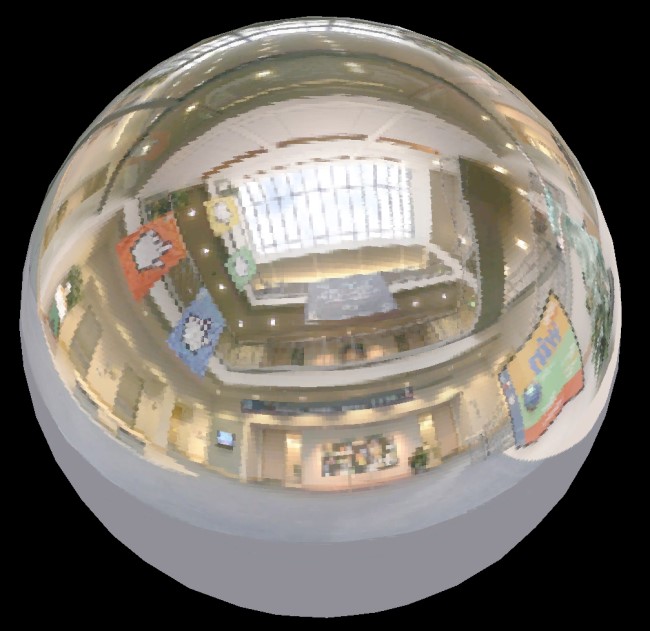
Many rendering techniques benefit from encoding normal (unit) vectors. For example in deferred shading G-buffer space is a limited resource. Additionally it’s nice to be able to encode world …
snow cradle
DrawScreenQuad function with MRT support
ft. @glossy sorrel
local w,h = ScrW(),ScrH()

local verts = {
    Vector(0, 0, 0),
    Vector(w, 0, 0),
    Vector(w, h, 0),
    Vector(0, h, 0)
}

function render.DrawScreenQuadMRT()
    cam.Start2D()
        render.SetWriteDepthToDestAlpha( false )
        cam.IgnoreZ( true )
        render.DrawQuad(
            verts[1],
            verts[2],
            verts[3],
            verts[4]
        )
        cam.IgnoreZ( false )
        render.SetWriteDepthToDestAlpha( true )
    cam.End2D()
end
how to use:
render.PushRenderTarget(rt_WPNDepth)
    render.Clear(0,0,0,0)
render.PopRenderTarget()

render.PushRenderTarget(rt_Normals)
    render.Clear(0,0,0,0)
render.PopRenderTarget()

render.SetRenderTargetEx(0, rt_Normals)
render.SetRenderTargetEx(1, rt_WPNDepth)

render.SetMaterial(mat_worldnormals)
render.DrawScreenQuadMRT()

render.SetRenderTargetEx(0)
render.SetRenderTargetEx(1)
MRT test (trying to get tangets and binormals) - left rt
snow cradle
A blog about game engines, graphics, C++, and more.
snow cradle
Reconstruction of tangents and binormals without UV (used triplanar instead)
snow cradle
right bottom = encoded normals and tangetns
left = decoded

i store normals as .xy and tangets ad .b + sign to .a
so i have in 1 texture Normals and Tangents
snow cradle

(this applies to Shader Model 3 and lower) Hey! I’m still alive! So, imagine you’re writing a shader instancing shader (sounds redundant, but that’s actually what they are) and yo…
wispy quartz
snow cradle
https://theinstructionlimit.com/encoding-boolean-flags-into-a-float-in-hlsl
Why not use also exponent part of a float lol, why only mantissa part
snow cradle
wispy quartz
Why not use also exponent part of a float lol, why only mantissa part
I don't know, I didn't read it carefully
wispy quartz
snow cradle
I don't know, I didn't read it carefully
That means shader paper will encode 23 bools instead of 32 (or 53 instead of 64 if talking about doubles) bits that float uses
wispy quartz
wispy quartz
That means shader paper will encode 23 bools instead of 32 (or 53 instead of 64 ...
Well, the more concept would actually encode more complex stuff such as 8 bit numbers or even 16bit ones into those floats more efficiently
snow cradle
wispy quartz
Well, the more concept would actually encode more complex stuff such as 8 bit nu...
What's the best way to do it?
wispy quartz
snow cradle
What's the best way to do it?
using frexp you can divide mantissa and exponent parts of float
And thus treat them as 2 numbers, one with 23bits, second one with 9 bits and etc
snow cradle

render 2D PP effect using Mesh
local w,h = ScrW(),ScrH()

local verts = {
    {pos = vector_origin, u = 0, v = 0},
    {pos = Vector(w, 0), u = 1, v = 0},
    {pos = Vector(w, h), u = 1, v = 1},

    {pos = vector_origin, u = 0, v = 0},
    {pos = Vector(w, h), u = 1, v = 1},
    {pos = Vector(0, h), u = 0, v = 1}
}

if IsValid(QUAD_MESH) then
    QUAD_MESH:Destroy()
end

QUAD_MESH = Mesh()
QUAD_MESH:BuildFromTriangles( verts )

function render.DrawScreenMesh()
    cam.Start2D()
        render.SetWriteDepthToDestAlpha( false )
        cam.IgnoreZ( true )
        QUAD_MESH:Draw()
        cam.IgnoreZ( false )
        render.SetWriteDepthToDestAlpha( true )
    cam.End2D()
end
but it fix only MRT.

cam start 2D broke eyepos info etc from vertex sahder

render.SetModelLighting etc not works
wispy quartz
snow cradle
`render.SetModelLighting` etc not works
well it shouldn't though
same with eyepos
snow cradle


 wispy quartz
snow cradle
but MRT works for it 🤔
wispy quartz
snow cradle
but MRT works for it 🤔
I was talking about ModelLighting stuff
as well as EyePos stuff
snow cradle
wispy quartz
I was talking about ModelLighting stuff
can we simmulate 3d quad using 3dcam as 2d quad on players screen
snow cradle
I wanna to use D24X8_SHADOWS..........
snow cradle
Normal Mapping Shadows article
snow cradle
@hollow pollen approved me to upload the shader library to the workshop with:
- upgrade depth buffer image format
- matrices
- all reconstructions
- DrawScreenQuadMRT function
- unregistered IMAGE formats
well, I will prepare the options:
- smooth normals (on/off)
- select the type of reconstruction of normals (simple, better, recommended)
- pack normals and tangents (or not pack)
- enable/disable depth buffer (NeedDepthPass hook)
- selecting image format of buffers (need restart - 16161616F/32323232F) for WP/WN
what else to add?
hardy acorn
I started working on grass, the positions are procedurally generated once when the server starts (here I made it follow the base texture of the grass).
The wind animation is really really ugly I made it in 5 minutes, I'll try to replace it with a real noise function. (we cannot give noise texture to vertex shader right ?)
I also need to look into general optimization (at least add some LOD). I made a chunk system that worked well but it’s not enough. I’m only getting 45 FPS with 339,373 grass blades visible on screen (100 per square meter). Obviously, with fewer blades, it runs without any FPS loss.
If you have any advice, don’t hesitate!
snow cradle
hardy acorn
I started working on grass, the positions are procedurally generated once when t...
good job
snow cradle
hardy acorn
I started working on grass, the positions are procedurally generated once when t...
u can combine meshes by parts
dusty linden
hardy acorn
I started working on grass, the positions are procedurally generated once when t...
Grass will need to have random tilt variation to cover top-down ugliness
(Bald spots)
It's also a bit too dense, if you can, try to see (in-game, real time, with a slider) the minimum value at which grass is dense enough to occlude some vision but sparse enough for great fps
It might be better if you had a couple larger meshes instead of individual blades

Like this
hardy acorn
snow cradle
u can combine meshes by parts
Yeah this is what I'm doing here with my chunk system, every chunk is a big mesh containing ≈ 1281 blades of grass
hardy acorn
dusty linden
It might be better if you had a couple larger meshes instead of individual blade...
I'm trying to achieve a result as good as @hollow pollen's.

Like that
 surreal parcel
you guys scare me
hollow pollen
hardy acorn
I started working on grass, the positions are procedurally generated once when t...
ur framerate should be better, I ran a few million blades at 300+ fps
ensure you arent rendering them in the skybox (eg. if youre using a postdraw hook)
- batch as many blades together as possible, 3k per chunk is small
use instancing if possible
hardy acorn
i'm using PostDrawTranslucentRenderables
hollow pollen
throw a if sky3d then return end in there
hardy acorn
hollow pollen
+ batch as many blades together as possible, 3k per chunk is small
i'm limited by the max number of vertex in a single mesh
hardy acorn
hollow pollen
throw a `if sky3d then return end` in there
thx
hardy acorn
hardy acorn
i'm limited by the max number of vertex in a single mesh
so idk if i'm certainly doing something wrong here
hollow pollen
are you double siding your grass?
it should be 1 triangle per blade
atleast thats what I did
oh yeah, youre doing multiple per blade
makes sense
hardy acorn
you only do one triganle ? here is my mesh
 hollow pollen
yeah
you prolly could do that though, it’d look better
I was lazy and did 1 triangle
hardy acorn
thanks i will try righ now
it works ! thanks
now i need to find a good wind noise and to apply it with only math
hollow pollen
i just used like 3 layers of perlin noise
the values between -0.1 and 0.1 represent a gust
jolly talon
hardy acorn
you only do one triganle ? here is my mesh
Use a quad with a texture?
snow cradle
Should I leave the option to enable Encode normals+tangents or disable it?
If I leave the option, it will lead to the fact that addons in the workshop on this library may lose compatibility
I can leave the package in the rendertarget as
.xy Normals, .z Tangetns
This may not please everyone, but I will have to standardize all future developments on this shader library.
Some people will want to have only .xyz normals. But because in the long term, encode will give a huge plus to shader development
snow cradle
@hollow pollen
I'm currently having huge problems with the MW weapon base and VManimp.
There are already problems with the compatibility of the standard depth buffer and the client models that these bases use.
So, to avoid creating even more addon conflicts, I'll keep the layout .XY normals, .Z tangetns, .W sign
snow cradle
 snow cradle
 snow cradle
_rt_WPDepth: .RGB - 1/Worldpos, .A - Depth
_rt_NormalsTangets: .RG - Normals, .B - Tangents, .A - sign
Ok?
decoding normals:
float3 Decode(float2 f)
{
    f = f * 2.0 - 1.0;

    // https://twitter.com/Stubbesaurus/status/937994790553227264
    float3 n = float3(f.x, f.y, 1.0 - abs(f.x) - abs(f.y));
    float t = saturate(-n.z);
    n.xy += n.xy >= 0.0 ? -t : t;
    return normalize(n);
}
decoding tangetns:
float3 decode_tangent(float3 normal, float diamond_tangent)
{
    // As in the encode step, find our canonical tangent basis span(t1, t2)
    float3 t1;
    if (abs(normal.y) > abs(normal.z))
    {
        t1 = float3(normal.y, -normal.x, 0.f);
    }
    else
    {
        t1 = float3(normal.z, 0.f, -normal.x);
    }
    t1 = normalize(t1);

    float3 t2 = cross(t1, normal);

    // Recover the coordinates used with t1 and t2
    float2 packed_tangent = decode_diamond(diamond_tangent);

    return packed_tangent.x * t1 + packed_tangent.y * t2;
}
if u need only normals use:
float3 normals = Decode(tex2D(NormalTangentBuffer,uv).xy);
if u need tangents and normals use:
float4 normals_tangents_sign = tex2D(NormalTangentBuffer,uv);
float3 normals = Decode(normals_tangents_sign.xy);
float3 tangents = decode_tangent(normals, normals_tangents_sign.z);
sing use to bumps if u make parallax etc
...
snow cradle
snow cradle
if u need only normals use:
`float3 normals = Decode(tex2D(NormalTangentBuffer,u...
roger that? I mean the shader library I'm releasing tonight
@hazy pollen @lunar sinew @fickle ocean
snow cradle
snow cradle
decoding normals:
```cpp
float3 Decode(float2 f)
{
f = f * 2.0 - 1.0;
...
It will look something like this. These files will need to be included Octahedron normal vector encoding + Tangent Spaces and Diamond Encoding
fickle ocean
👁️ roger roger
zenith bear
@snow cradle Are you releasing the CSM custom shader tonight? 👀
I'm excited to test it since I've been using my own projectedtexture based fake CSM method for two years now.
snow cradle
zenith bear
<@284864428363743233> Are you releasing the CSM custom shader tonight? 👀
I'm e...
Today I am releasing a shader library on which I make CSM. It contains all my calculated matrices View, ViewProj (ortho/fov), hidden image formats, ugrade depth buffer, etc
This is the basis on which you can make a bunch of shaders
I'll post CSM later
For CSM I need to make a chunk system
lunar sinew
snow cradle
roger that? I mean the shader library I'm releasing tonight
<@617810384937549879...
 zenith bear
snow cradle
Today I am releasing a shader library on which I make CSM. It contains all my ca...
zenith bear
snow cradle
Today I am releasing a shader library on which I make CSM. It contains all my ca...
Oh I see, the library sounds very useful so I'm looking forward to it.
Thank you for making these cool custom shaders 🙏
lunar sinew
snow cradle
For CSM I need to make a chunk system
 snow cradle
GShader Library — a shader library that serves as the foundation for creating Deferred Renderer (shading & lighting) shaders, acting as a convenient tool for creating advanced post-processing effects.
https://steamcommunity.com/sharedfiles/filedetails/?id=3542644649
Thanks:
@hollow pollen
@azure prism
@timber narwhal

 timber narwhal
looks epic
snow cradle
float4 normals_tangets = tex2D(NormalTangentBuffer,uv);
float flipSign = normals_tangets.a;
float3 worldNormal = Decode(normals_tangets.xy);
float3 tangents = decode_tangent(worldNormal, normals_tangets.z);
float3 binormals = normalize(cross(worldNormal,tangents))* flipSign;
float3x3 TBN = float3x3(tangents, binormals, worldNormal);
 civic remnant
Yeah i was v lucky to get them £200 off
snow cradle

GitHub
Description In code there is a second argument for material override which sets the type of override. I don't know what exactly each of these types does, but presumably this can change how dept...
👍 press
 raw sand
civic remnant
raw sand
civic remnant
no thank YOU!!!
civic remnant
snow cradle
👍 press
Done
sonic lynx
snow cradle
Can't tell if shader or picture from outside.
snow cradle
 neat terrace
 keen coral
wip
keen coral
wip
THE HALO 3 BUBBLE SHIELD..........
🙏🙏🙏🙏🙏🙏🙏
keen coral
neat terrace
THE HALO 3 BUBBLE SHIELD..........
🙏🙏🙏🙏🙏🙏🙏
we need to convince Rubat to add inputs for the vertex shader, because it's just hell
hardy acorn
keen coral
wip
amazing !
can you explain how did you done the transmittance of each mesh ? Are you using the Beer's Law model ?
Have you changed something to force the color of a mesh to be yellow when toutching the ground ?
wispy birch
keen coral
we need to convince Rubat to add inputs for the vertex shader, because it's just...
maybe
but imo someone should make a lib to make work with that shit easier
cause we got quite a bit of them inputs there, but they arent accessed uniformly
graceful lynx
keen coral
wip
Very nice. I wonder if you could drive the displacement with a Render Target texture, then draw on the Render Target based on incoming projectiles to make it react to them
keen coral
graceful lynx
Very nice. I wonder if you could drive the displacement with a Render Target te...
Rubat should add direct inputs for vertex shaders, otherwise there is no way
hollow pollen
you cannot sample a texture in the vertex shader
jolly talon
Does anybody know of a way to draw exact values to a render target? I tried sending a list of positions to my shader with a render target but there is nothing I can do to stop the game modifying the value drawn even if I disable the tonemapping whilst its doing it, the value the shader gets is different to the one I wrote unless its exactly 0 or 1
graceful lynx
hollow pollen
you cannot sample a texture in the vertex shader
That's a crazy thing to be true
hollow pollen
jolly talon
Does anybody know of a way to draw exact values to a render target? I tried send...
$linearwrite flag in your material
hollow pollen
graceful lynx
That's a crazy thing to be true
¯_(ツ)_/¯
it was added in sm30 I think but there isn’t a sourceengine interface for it
jolly talon
Oh so I cant even send an array to the vs with a texture lol
wispy birch
jolly talon
Oh so I cant even send an array to the vs with a texture lol
you have a mesh though, you can do whatever you want with it via the apis
hardy acorn
jolly talon
Oh so I cant even send an array to the vs with a texture lol
if you want to send data to your vertex shader check that
https://github.com/meetric1/gmod_shader_guide?tab=readme-ov-file#example-6---vertex-shader-constants

GitHub
The Comprehensive GMod Shader Guide. Contribute to meetric1/gmod_shader_guide development by creating an account on GitHub.
hardy acorn
first try of my shell texturing
 hardy acorn
pretty bad for the moment
 hardy acorn
shell texturing grass + mesh grass combined so i can reduce de density to gain performance
 graceful lynx
hardy acorn
shell texturing grass + mesh grass combined so i can reduce de density to gain p...
graceful lynx
hardy acorn
shell texturing grass + mesh grass combined so i can reduce de density to gain p...
Not sure I understand what you mean by that
hardy acorn
i combined this two types of grass so i can decrease the density of the fist type of grass cause to many is laggy, and thanks to the second type of grass we cant see the ugly default grass texture

 hardy acorn
Idk for the moment
sonic lynx
hardy acorn
i combined this two types of grass so i can decrease the density of the fist typ...
It may be worth somehow replacing the initial grass texture with a simple gradient so that if you look closer instead of seeing the ugly popcorn like texture it looks like there's just more of the nice grass.
 hardy acorn
sonic lynx
It may be worth somehow replacing the initial grass texture with a simple gradie...
hardy acorn
sonic lynx
It may be worth somehow replacing the initial grass texture with a simple gradie...
yeah, lot of people telled me the same thing, so i think i'll do that
snow cradle
#elif defined ( DX_TO_GL_ABSTRACTION )
    // We may want to only do this on the higher-end Mac SKUs, since it's not free...
    pCaps->m_ShadowDepthTextureFormat = IMAGE_FORMAT_NV_DST16; // This format shunts us down the right shader combo path
ShadowDepthTextureFormat = render.GetDXLevel() == 92 and IMAGE_FORMAT_D16_SHADOW or IMAGE_FORMAT_D24X8_SHADOW
🤔🤔
ShadowDepthTextureFormat = render.GetDXLevel() == 92 and IMAGE_FORMAT_D16_SHADOW or (system.GetVendorID() == VENDORID_NVIDIA and IMAGE_FORMAT_INTZ or IMAGE_FORMAT_D24X8_SHADOW)
-tools should try to avable IMAGE_FORMAT_D24X8_SHADOW
bool bToolsMode = IsWindows() && ( CommandLine()->CheckParm( "-tools" ) != NULL );
snow cradle
this formats works but only for .vtf textures
IMAGE_FORMAT_BGR888_BLUESCREEEN     =    9
IMAGE_FORMAT_BGR888_BLUESCREEEN     =    10

IMAGE_FORMAT_DXT1                     =    13
IMAGE_FORMAT_DXT3                     =    14
IMAGE_FORMAT_DXT5                     =    15
IMAGE_FORMAT_DXT1_ONEBITALPHA         =    20
IMAGE_FORMAT_UV88                     =    22
IMAGE_FORMAT_UVWQ8888                 =    23
IMAGE_FORMAT_UVLX8888                 =    26
IMAGE_FORMAT_RGBX8888               =    32
 snow cradle
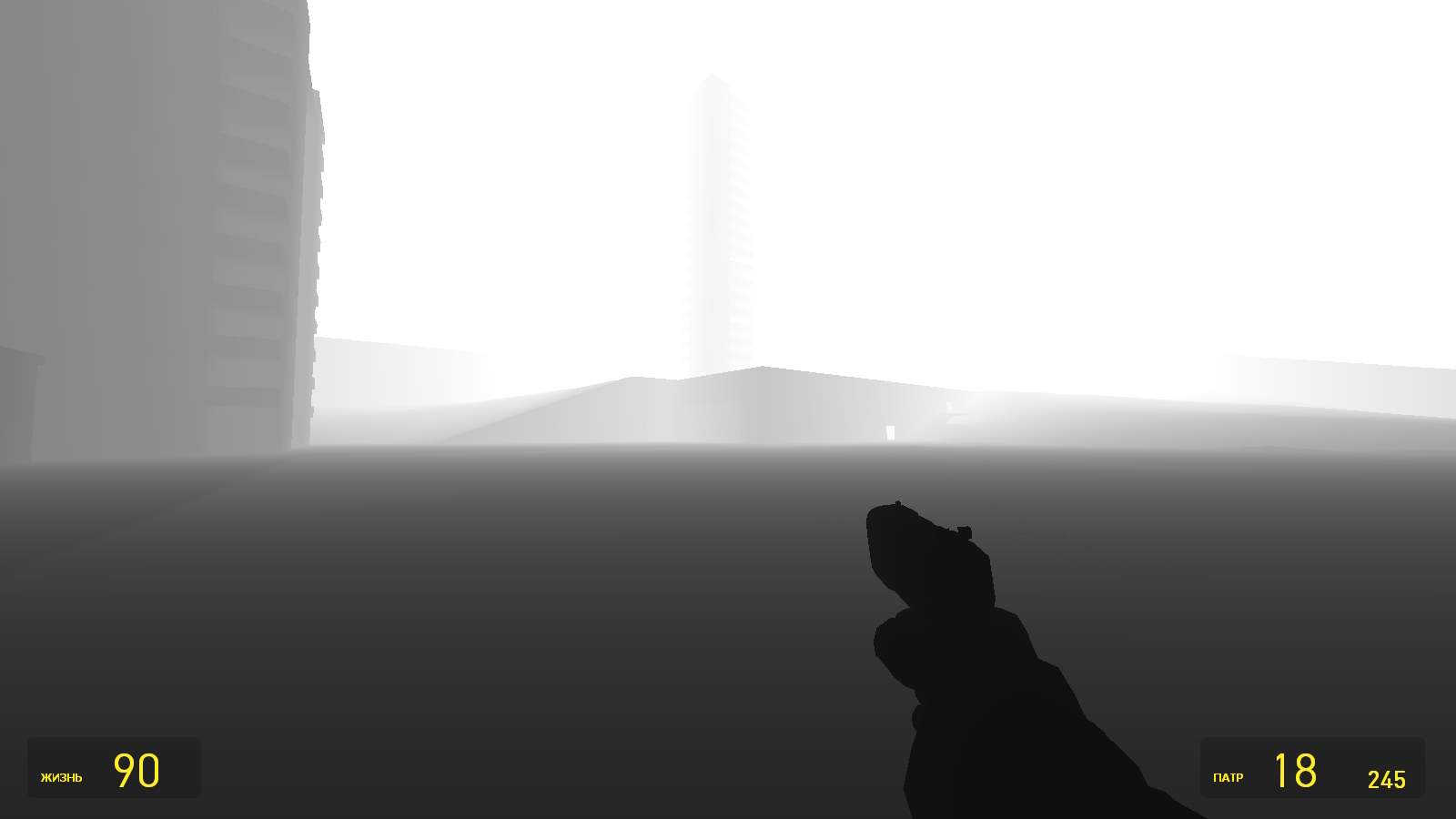
Garry's Mod Wiki
Outputs the $BASETEXTURE of the . a or . r channel, raised to a power for debugging the depth texture.
$BASETEXTURE works only with capital letters. If you enter it in small letters, the texture will not be added to the material. Also, the texture should be entered after creating the material. For the same reason. Use the r_showz_power convar to...


 lunar sinew
holy fuck...
 gilded pagoda
snow cradle
this formats works but only for .vtf textures
```cpp
IMAGE_FORMAT_BGR888_BLUESCR...
gilded pagoda
snow cradle
this formats works but only for .vtf textures
```cpp
IMAGE_FORMAT_BGR888_BLUESCR...
i never understood what the bluescreen and everything that's listed below dxt5 are for lmao
snow cradle
gilded pagoda
i never understood what the bluescreen and everything that's listed below dxt5 a...
Bluescreen should mean transparency, like blue chromakey.
gilded pagoda
Oh so probably for porting from goldsrc pretty much
snow cradle
gilded pagoda
Oh so probably for porting from goldsrc pretty much
I don't know, but BLUESCREEN works fine in gmod, although I just displayed them on the screen, and didn't use them for their intended purpose
100% non-working format is IMAGE_FORMAT_P8
It can only be assembled manually using byte code. And even then it is not a fact that it will work.
hardy acorn
is there a way to draw a pixel with for exemple an alpha of 0.5 ? every time i'm trying to draw a pixel with a alpha greater than 0 but lower than one it looks like it is automaticly turned into 1
timid pumice
By any chance are you writting on a format with not one bit alpha?
snow cradle

This post is a part of the series "Reverse engineering the rendering of The Witcher 3" . In this 20th (wow) post I am going to cover ho...
hollow pollen
hardy acorn
is there a way to draw a pixel with for exemple an alpha of 0.5 ? every time i'm...
with screenspace_general, $alphablend 1 in your vmt. otherwise its $translucent 1
hardy acorn
hollow pollen
with screenspace_general, `$alphablend 1` in your vmt. otherwise its `$transluce...
thanks !
hollow pollen
do note that it causes shader overdraw and is pretty expensive in the context of grass blades
 heavy snow
@snow cradle PM
hardy acorn
hollow pollen
do note that it causes shader overdraw and is pretty expensive in the context of...
that's not for grass shader
wispy quartz
hardy acorn
is there a way to draw a pixel with for exemple an alpha of 0.5 ? every time i'm...
$copyalpha 0 $alpha_blend 1
snow cradle
 snow cradle
Added accurate reconstruction of normals:
https://steamcommunity.com/sharedfiles/filedetails/?id=3542644649
heavy snow
snow cradle
 snow cradle
hardy acorn
snow cradle
hardy acorn
This world does not exist on your CPU 😮
(i ported and adapted an already existing code: https://www.shadertoy.com/view/4ts3z2)
timid pumice
Can anyone link me that guide on github that explained shaders in gmod? I keep forgetting to bookmark it

GitHub
The Comprehensive GMod Shader Guide. Contribute to meetric1/gmod_shader_guide development by creating an account on GitHub.
timid pumice
Well I'm officially a paster, next it's about implementing it RIGHT

It doesn't look much like this, i did some gpt in order to translate it to ps2, my main concern is about how can I make everything else alpha 0, but i'm really sure it's more about me having no idea what the fuck is going on
Also this thing about closing and opening the game sucks so freaking much
timid pumice
Gave up on blur
https://sharex.imgonzo.dev/f/5cUNMgGkff.mp4
Spawnmenu liquid glass coming
dusty linden
Bubbles 🫧
snow cradle
@wispy quartz and what does this mean? campaigns use RGBA32323232F for shadow maps on Linux, instead of R32F?
I would also do VSM for CSM. And I need 2 layers:
- depth
- depth^2
It's a pity that RG3232F doesn't work
snow cradle
NVIDIA Developer
snow cradle
 snow cradle
sonic lynx
timid pumice
Gave up on blur
https://sharex.imgonzo.dev/f/5cUNMgGkff.mp4
snow cradle
sonic lynx
timid pumice
Gave up on blur
https://sharex.imgonzo.dev/f/5cUNMgGkff.mp4
Why are you moving an ice cube on my screen?
misty surge
The only thing I need to see is an ice cube in 32bit depth. That would look amazing with the transparency factor and all.
 timid pumice
sonic lynx
Why are you moving an ice cube on my screen?
timid pumice
sonic lynx
Why are you moving an ice cube on my screen?
IS LIQUID GLASS STOP TROLLING ME
lunar sinew
sonic lynx
Why are you moving an ice cube on my screen?
now that you say it, it does look like an ice cube
fickle ocean
the... rapper?
hardy acorn
timid pumice
Gave up on blur
https://sharex.imgonzo.dev/f/5cUNMgGkff.mp4
The first ever ice cube shader of garry's mod ! We are pioneers !
 zinc sedge
we're getting ice cubes in gmod now? What's next, water?
timid pumice
 im so pissed off
I let gpt do a lot, im really concerned about how to implement it like rndx
But boy, i would totally make it a spawnmenu reskin and call it “Liquid Ice”
graceful lynx
Liquid ice is a very fun name
 stark valve


 snow cradle
snow cradle
snow cradle

A few months ago, while working on an improved version of exponential shadow maps, I stumbled on a new way to derive ESM equations which looks more simple and intuitive than previous attempts. Ther…
snow cradle
Realtime rendering and videogame programming mostly, but I love computer science and visuals in all their forms. This is a notepad of my ideas.
snow cradle

Jonathan Blow is working on stable cascaded shadow maps, and trying to reduce wasted texels due to the way the shadow frustum is set up. Well, as it happens I have my own minor tweak to Valient’s t…
snow cradle
A little over a year ago I was looking to overhaul our shadow rendering at work in order to improve overall quality, as well as simplify the workflow for the lighting artists (tweaking biases all day isn’t fun for anybody). After doing yet another round of research into modern shadow mapping techniques, I decided to do what I usually do and st...