#[Archive] The Shader Hole
1 messages · Page 4 of 1
 timid pumice
i don't understand why did they took away |, like, if you don't understand that's a bit operator you have the big stupid smh 
oh
nvm it's okay
 heavy blade
I don't understand why they didn't just make them use && and ||

 snow cradle
timid pumice
snow cradle
timid pumice
maybe that's not something that would become a thing for realtime, but for scene artists, dude, that's gonna be nuts
 icy plume
for gameplay I'd imagine something like faded cubemap transitions would go hard as fuck, the current rough cubemap transitions are so ugly
timid pumice
Could you theorically increase quality overtime? Or is the RT always static
timid pumice
snow cradle
1 update per 5 frame
iirc that's how racing games does it, i personally don't mind and really helps with perfomance 
snow cradle
timid pumice
iirc that's how racing games does it, i personally don't mind and really helps w...
u can set custom size (and rename rt or use retry)
 short dirge
give weapon_cubemap;use weapon_cubemap?
....yeah, OK you are still just getting the render fleshed out first. I see the gun lose its reflection 1 second in
snow cradle
so i can't set it to $envmap on VertexLitShader. mb it needed custom shader. idk
short dirge
afaik there's no way to access vtf "faces" in gmod yet
timid pumice
Oh yeah definitely
timid pumice
short dirge
afaik there's no way to access vtf "faces" in gmod yet
I thought the issue was writting on them
short dirge
:(


 graceful lynx
snow cradle
so i just put rendertarget in $detail
graceful lynx
snow cradle
so i just put rendertarget in $detail
That's fuckin' cool
 misty surge
snow cradle
so i just put rendertarget in $detail
misty surge
snow cradle
so i just put rendertarget in $detail
Black magic!
icy plume
snow cradle
so i just put rendertarget in $detail
looks absolutely amazing!
timid pumice
snow cradle
we got gmod rtx before gta 6
snow cradle
using:
"$detail" "_rt_RealtimeScope"
"$detailblendmode" "4"
"$detailscale" "1"
"$detailblendfactor" "0.7"
"$envmap" ""
 leaden wasp
shii
 rain marten
hmmm... Mirror... Car... Shaders........
misty surge
Bud did you check your mirrors? Someone almost cut you off.
snow cradle
rain marten
hmmm... Mirror... Car... Shaders........
non shader
 blissful laurel
@snow cradle is there a reason your addons adding and removing hooks when toggling the postprocessing effect? i doubt constant hook with one "if" to disable the effect will affect performance so much, considering vanilla pp always did it like this
vanilla gmod does not have a hook order so all postprocessing effect order is randomized on launch, making it a pain to stack few effects, so i made my own tool that searches all hooks and removes them, adding one hook instead where i can change the order
your shaders making this thing incompatible as is, because it is constantly register and unregister hook on each toggle
another shader addon also registering and unregistering it's hooks on convar change hmmm
 finite quarry
mine does it too
i don't see the problem
i don't want my addons taking up processing power if they're not doing anything, even if a very little amount of proc power
 calm root
get it working before you macro-optimise lol
calm root
it will be with other shader addons/multiple according to that guy
finite quarry
really a non-problem, if one really wants a specific shader stacking order, all my shader effects have their own render functions in the render lib, it's as simple as making a new drawscreenspace hook and drawing them in the order you want
blissful laurel
finite quarry
is my addon broken?
no, but i would need to hook the hook.add function to be able to change the post processing order
as i said there is no such thing as hook order
from the wiki
 finite quarry
and you misunderstood me, for my addon specifically, if you want any of the shaders in a specific order, it's as simple as
hook.Add("RenderScreenspaceEffects", "BlaBla", function()
  render.drawMercBlur(bla, bla)
  render.drawMercPosterize(bla)
  render.drawMercVignette(bla, bla)
end)
unspecific order is really only a problem if you're trying to do it with the post process tab
blissful laurel
yeah i checked the code but i would need to specifically add support for your addon, but i want to make a general system that works as is
blissful laurel
finite quarry
unspecific order is really only a problem if you're trying to do it with the pos...
yeah and that's why i made hooks reorderable
 finite quarry
Feel free to rewrite my addon if you really want it to support your thing. I don't feel like doing that.
All I'd ask for is credit
snow cradle
blissful laurel
<@284864428363743233> is there a reason your addons adding and removing hooks wh...
Optimization. You can write lua code the way you like.
Why should hooks be works if shader is disabled? They need to be removed.
 cosmic perch
blissful laurel
<@284864428363743233> is there a reason your addons adding and removing hooks wh...
cosmic perch
blissful laurel
<@284864428363743233> is there a reason your addons adding and removing hooks wh...
why not just use a hook lib with priorities instead
blissful laurel
cosmic perch
why not just use a hook lib with priorities instead
wdym
cosmic perch
blissful laurel
wdym
blissful laurel
snow cradle
Optimization. You can write lua code the way you like.
Why should hooks be works...
from the vanilla code
hook.Add( "RenderScreenspaceEffects", "RenderColorModify", function()

    if ( !pp_colormod:GetBool() ) then return end
    if ( !GAMEMODE:PostProcessPermitted( "color mod" ) ) then return end

    local tab = {}

    tab[ "$pp_colour_addr" ] = pp_colormod_addr:GetFloat() * 0.02
    tab[ "$pp_colour_addg" ] = pp_colormod_addg:GetFloat() * 0.02
    tab[ "$pp_colour_addb" ] = pp_colormod_addb:GetFloat() * 0.02
    tab[ "$pp_colour_brightness" ] = pp_colormod_brightness:GetFloat()
    tab[ "$pp_colour_contrast" ] = pp_colormod_contrast:GetFloat()
    tab[ "$pp_colour_colour" ] = pp_colormod_color:GetFloat()
    tab[ "$pp_colour_mulr" ] = pp_colormod_mulr:GetFloat() * 0.1
    tab[ "$pp_colour_mulg" ] = pp_colormod_mulg:GetFloat() * 0.1
    tab[ "$pp_colour_mulb" ] = pp_colormod_mulb:GetFloat() * 0.1
    tab[ "$pp_colour_inv" ] = pp_colormod_inv:GetFloat()

    DrawColorModify( tab )

end )
```|
https://github.com/Facepunch/garrysmod/blob/dfdafba0f04e75be122961291a56d9c1714a3d8a/garrysmod/lua/postprocess/color_modify.lua#L35
GitHub
Sandbox mod for the Source Engine. Contribute to Facepunch/garrysmod development by creating an account on GitHub.
blissful laurel
cosmic perch
https://github.com/Srlion/Hook-Library
can hooks be reordered after they have been applied?
cosmic perch
yes, just supply the same stuff but with a diff priority
maybe at some point i can make it easier to change priority without having to supply the function
blissful laurel
i don't think using a hook library necessary for my usecase, since i unhook everything related to RenderScreenspaceEffects and run functions manually with the order i provide
function ppframework.initialize()
    local hooks = hook.GetTable().RenderScreenspaceEffects
    if not hooks then
        return error "No hooks were present"
    end
    local index = 0
    for name, func in pairs(hooks) do
        hook.Remove("RenderScreenspaceEffects", name)
        ppframework.pplist[name] = func
        index = index+1
        ppframework.order[index] = name
    end
    hook.Add("RenderScreenspaceEffects", "ppframework.applypostprocess", ppframework.applypostprocess)
    CreateClientConVar("pp_use_render_screen_quad", "1", false, false)
    CreateClientConVar("pp_debug_drawname", "0", false, false)
    ppframework.initialized = true
end

function ppframework.applypostprocess()
    for key, name in ipairs(ppframework.order) do
        ppframework.pplist[name]()
    end
end
so?
snow cradle
blissful laurel
from the vanilla code
```lua
hook.Add( "RenderScreenspaceEffects", "RenderColor...
You're crap up the client's game
setup sbox gamemode:
100 addons + 100 hooks + 100 if = bad
100 addons + 0 hooks = good
use 1-2-3 shader = + 1-2-3 hooks = nice
blissful laurel
snow cradle
setup sbox gamemode:
100 addons + 100 hooks + 100 if = bad
100 addons + 0 hooks ...
i see where you coming at, but i don't think even a 100 ifs would take longer than 0.01ms
snow cradle
blissful laurel
i see where you coming at, but i don't think even a 100 ifs would take longer th...
Why spoil optimization for no reason. When it can be avoided
blissful laurel
snow cradle
Why spoil optimization for no reason. When it can be avoided

Software Engineering Stack Exchange
A colleague of mine today committed a class called ThreadLocalFormat, which basically moved instances of Java Format classes into a thread local, since they are not thread safe and "relatively expe...
snow cradle
@blissful laurel If you want, write the lua code the way you like. I don't see the point in reworking addons because you decided that hook.Remove isn't worth using.
blissful laurel
snow cradle
<@376319569284825098> If you want, write the lua code the way you like. I don't ...
i just asked is there any specific reason lol
snow cradle
blissful laurel
i just asked is there any specific reason lol
I already named the reason
blissful laurel
snow cradle
I already named the reason
you asked questions and i tried to answer, that's it
and i heard you
blissful laurel


porting my old shader i made for sbox

it also looks pretty when applied on ui
 graceful lynx
blissful laurel
it also looks pretty when applied on ui
graceful lynx
blissful laurel
it also looks pretty when applied on ui
That's a weird effect
Hard to mentally accept that it's an in-game screenshot
blissful laurel
graceful lynx
That's a weird effect
that supposed to be something like VHS but turned out more like general composite video effect, for simplicity i still call it VHS
graceful lynx
Got a real "Don't do drugs" PSA vibe to it
 shadow shuttle
oh very pretty
calm root
blissful laurel
```lua
function ppframework.initialize()
local hooks = hook.GetTable().Rende...
You could detour hook.Add/Remove to detect the new ones, bit of a cludge but it'd work for those dynamic hooks
blissful laurel
calm root
You could detour hook.Add/Remove to detect the new ones, bit of a cludge but it'...
yeah i already said that before
 wispy birch
cosmic perch
https://github.com/Srlion/Hook-Library
wispy birch
cosmic perch
https://github.com/Srlion/Hook-Library
cause not standard
 zenith bear
blissful laurel
that supposed to be something like VHS but turned out more like general composit...
zenith bear
blissful laurel
that supposed to be something like VHS but turned out more like general composit...
That looks very identical to a VHS tape look, would love to use it if you are going to release it at some point
I've been looking to recreate that very video composite effect to my VHS effect but I've only used Lua for this, shaders are still new to me and I haven't looked into them that much yet.
 blissful laurel
zenith bear
That looks very identical to a VHS tape look, would love to use it if you are go...
blissful laurel
zenith bear
That looks very identical to a VHS tape look, would love to use it if you are go...
i plan to release it as soon as i recover glitch effect (snowflakes) and my postprocessing framework would be somewhat ready
maybe even optimize it a bit since this effect is entirely one pass (e. g. this means blur 4 times more expensive)
only upside of doing one pass is that way shader should work using r_screenoverlay on any source game
blissful laurel
blissful laurel
maybe even optimize it a bit since this effect is entirely one pass (e. g. this ...
funnily enough this shader have 0 impact on my fps lol
snow cradle
real time rt scope update: viewid = 3
shadow shuttle
what is an rt scope
 neat terrace
render target scope, typically the picture-in-picture thing you see in swep packs
shadow shuttle
but if ive seen them in swep packs do they not already exist
misty surge
shadow shuttle
but if ive seen them in swep packs do they not already exist
Not always, default source engine uses cubemaps
snow cradle
test shadow mapping ft. @keen coral
 snow cradle
alpha channel support for all models (rt worldpos, worldnormals, depth buffer)
 timid pumice
Anyone did UI shaders or 2d shaders based on screenspace + sectors?
misty surge
Yes, I just remember someone making one for circles, rounded UI, I may have forgot who did.
timid pumice
ethan plox, i'm trying so hard to get your shader compiling tool working 
HOLY CRAP I FINALLY MANAGED TO MAKE IT WORK
timid pumice
@misty surge just to make sure, we cannot build with ps_3 right? I just hit the max instructions (Tried to do a loop)
snow cradle
 misty surge
timid pumice
<@183787912310030336> just to make sure, we cannot build with ps_3 right? I just...
misty surge
timid pumice
<@183787912310030336> just to make sure, we cannot build with ps_3 right? I just...
It should support 3.0 correctly, 2.0 as well. It depends on the name of the file itself
Then I added a txt file with a number to append a new shader each time.
Reset the material and gmod does the rest
It’s not perfect but when it works, it’s basically the only way I can test quickly between each update.
misty surge
misty surge
Yes, I just remember someone making one for circles, rounded UI, I may have forg...
The name I forgot is @cosmic perch
shadow shuttle
Lol Evgeny is doing everything
cosmic perch
misty surge
The name I forgot is <@223217429684289536>
roar
 sacred jackal
can you pass in a rt as a texture in a shader? Left is what i render in the rt, right is a shader thats just returning the texture, and thats black

 snow cradle
sacred jackal
can you pass in a rt as a texture in a shader? Left is what i render in the rt, ...
snow cradle
sacred jackal
can you pass in a rt as a texture in a shader? Left is what i render in the rt, ...
try to use $texture1, remove fix_fb and flags in .vmt
 snow cradle
Sample to use MRT (Multiple Render Targets) using SetRenderTargetEx.
Thanks @hollow pollen
MRT sample in GWater: https://github.com/meetric1/gwater2/blob/40e0935100face4c26ea77071d8a089710c8c109/lua/gwater2_shaders.lua#L128
Other sample:
local normals = GetRenderTarget("normals", ScrW(), ScrH())
local worldpos = GetRenderTarget("worldpos", ScrW(), ScrH())
local depthWriteMat = Material("pp/worldpos_depth")

hook.Add("RenderScene", "MRT", function()
    cam.Start3D( vector_origin, EyeAngles() )
    cam.IgnoreZ(true)
    render.SetMaterial(depthWriteMat)

    render.PushRenderTarget(normals)
        render.SetRenderTargetEx(1, worldpos)
        render.ClearDepth()
            min,max = game.GetWorld():GetModelBounds()
            render.DrawBox( vector_origin, angle_zero, max*5, min*5, color_white )
        render.PopRenderTarget()
    render.SetRenderTargetEx(1, nil)
    cam.IgnoreZ(false)
    cam.End3D()
end)
//pixel shader
struct PS_OUTPUT
{
    float depth         : SV_Depth; //just render order fix
    float4 normals         : COLOR0;
    float4 worldpos     : COLOR1;
};

#define znear float(Constants0.x)
#define zfar float(Constants0.y)

PS_OUTPUT main( PS_INPUT i )
{
    PS_OUTPUT o = ( PS_OUTPUT )0;

    float depth = i.vWorldPos_projPosZ.w;
    float p = LinearToGamma(1/depth);
    float3 worldpos = i.vWorldPos_projPosZ.xyz;

    o.normals = float4(i.Normals,1);
    o.worldpos = float4(worldpos,p);

    float final_depth = (1/depth - 1/znear)/(1/zfar - 1/znear);
    o.depth = final_depth;

    return o;
};

so it 100% works using render.SetMaterial
But I'm not sure about the rest:
    render.WorldMaterialOverride( depthWriteMat )
    render.BrushMaterialOverride( depthWriteMat )
    render.ModelMaterialOverride( depthWriteMat )
    render.MaterialOverride( depthWriteMat )
Second sample with models:
local rt_test_mrt1 = GetRenderTarget("worldnormals", ScrW(), ScrH())
local rt_test_mrt2 = GetRenderTarget("worldpos", ScrW(), ScrH())
local depthWriteMat = Material("pp/worldpos_depth")

local hookName = "MRT"
RunConsoleCommand("r_PhysPropStaticLighting", "0")


hook.Add("PreRender", hookName, function()
    render.PushRenderTarget(rt_test_mrt1)
        render.Clear(0,0,0,0)
    render.PopRenderTarget()

    render.PushRenderTarget(rt_test_mrt2)
        render.Clear(0,0,0,0)
    render.PopRenderTarget()
end)

hook.Add("PostDrawTranslucentRenderables", hookName, function()
    render.ModelMaterialOverride( depthWriteMat )

    render.PushRenderTarget(rt_test_mrt1)
        render.ClearDepth()
        render.SetRenderTargetEx(1, rt_test_mrt2)

        render.OverrideDepthEnable(true, true)
        for k,v in pairs(ents.FindByClass("prop_physics")) do
            v:DrawModel()
        end
        render.OverrideDepthEnable(false, false)

    render.PopRenderTarget()
    render.SetRenderTargetEx(1, nil)

    local view = render.GetViewSetup( true )
    local znear = view.znear
    local zfar = view.zfar

    depthWriteMat:SetFloat("$c0_x", znear)
    depthWriteMat:SetFloat("$c0_y", zfar)
end)

hook.Add("HUDPaint", hookName, function()
    render.DrawTextureToScreenRect(rt_test_mrt1, ScrW()-ScrW()/2,0, ScrW()/2, ScrH()/2)
    render.DrawTextureToScreenRect(rt_test_mrt2,  ScrW()-ScrW()/2,ScrH()/2, ScrW()/2, ScrH()/2)
end)

Third sample MRT (render.RenderView)
local rt_test_mrt1 = GetRenderTarget("worldnormals", ScrW(), ScrH())
local rt_test_mrt2 = GetRenderTarget("worldpos", ScrW(), ScrH())
local depthWriteMat = Material("pp/worldpos_depth")

local hookName = "MRT"
RunConsoleCommand("r_PhysPropStaticLighting", "0")

hook.Add("PreRender", hookName, function()
    render.ModelMaterialOverride( depthWriteMat )
    render.WorldMaterialOverride( depthWriteMat )
    render.BrushMaterialOverride( depthWriteMat )

    render.PushRenderTarget(rt_test_mrt1)
        render.Clear(0,0,0,0)
        render.ClearDepth()
        render.SetRenderTargetEx(1, rt_test_mrt2)

        render.OverrideDepthEnable(true, true)
        render.RenderView()
        render.OverrideDepthEnable(false, false)

    render.PopRenderTarget()
    render.SetRenderTargetEx(1, nil)

    local view = render.GetViewSetup( true )
    local znear = view.znear
    local zfar = view.zfar

    render.ModelMaterialOverride()
    render.WorldMaterialOverride()
    render.BrushMaterialOverride()

    depthWriteMat:SetFloat("$c0_x", znear)
    depthWriteMat:SetFloat("$c0_y", zfar)
end)

hook.Add("PreDrawOpaqueRenderables", hookName, function()
    local rt = render.GetRenderTarget()

    if rt and rt:GetName() == "worldnormals" then
        render.PushRenderTarget(rt_test_mrt2)
            render.Clear(0,0,0,0)
        render.PopRenderTarget()
        render.SetRenderTargetEx(1, rt_test_mrt2)
    end
end)


hook.Add("HUDPaint", hookName, function()
    render.DrawTextureToScreenRect(rt_test_mrt1, ScrW()-ScrW()/2,0, ScrW()/2, ScrH()/2)
    render.DrawTextureToScreenRect(rt_test_mrt2,  ScrW()-ScrW()/2,ScrH()/2, ScrW()/2, ScrH()/2)
end)
 snow cradle
 snow cradle
snow cradle
snow cradle
snow cradle
snow cradle
so i will make rt with tangets
and other
- worldpos + depth
- worldnormals
- world tangets
snow cradle
MRT bug #1:
MRT with render.WorldMaterialOverride( depthWriteMat ) works only with brushes maked on screenspace_general shader
MRT bug #2:
Use this or the game will crash
hook.Add("InitPostEntity", hookName, function()
    timer.Simple(1, function()
        InitMRT()
    end)
end)
fixed bug#1 and bug#2

so i make like that:
local function WriteMRT(rt_index, rt_texture)
  local rt = render.GetRenderTarget()

  if rt and rt:GetName() == "_rt_normals" then
    render.SetRenderTargetEx(rt_index, rt_texture)
  end
end

hook.Add("PreDrawOpaqueRenderables", hookName, function() --add models (and screen space general brushes)
  WriteMRT(1, rt_worldpos)
end)

hook.Add("PreDrawSkyBox", hookName, function() --add brushes (lighmappedgeneric)
  WriteMRT(1, rt_worldpos)
end)

hook.Add("PreDrawViewModel", hookName, function() --add weapon
  WriteMRT(1, rt_worldpos)
end)

 snow cradle
MRT worldpos + worldnormals + bumps&height from Parallax brush shader (once every two frames)

some ghosting
snow cradle
so we can use MRT from world without RenderView
hook.Add("PreDrawOpaqueRenderables", hookName, function() --модели и браши screenspace_general
    if !bDepthPass then
        render.SetRenderTargetEx(1, rt_parallaxheight)
    end

    WriteMRT(1, rt_worldpos)
end)
+- fixed weapon depth

local view_tbl = {
  viewid = 7,
  drawviewmodel = true,
  drawviewer = false,
  znearviewmodel = 15,
  zfarviewmodel = 1000,
  bloomtone = false,
}

hook.Add("PreDrawViewModel", hookName, function(vm,ply,weapon)
  if bDepthPass then
    cam.IgnoreZ(true)
    WriteMRT(1, rt_worldpos)
    cam.IgnoreZ(false)
  end
end)
using PreRender->PostRender fix bugs with delay of weapon
neat terrace
capturing every part of the frame rendered?
what's the point of the bottom rt? the one with the colored quadrants
snow cradle
snow cradle
neat terrace
what's the point of the bottom rt? the one with the colored quadrants
bottom rt - worldPosition(+depth buffer .a channel) it needed for:
- Screen Space Reflections
- Screen Space Shadows
- Screen Space Global Illumination
- Screen Space Shadows
...etc
snow cradle
neat terrace
capturing every part of the frame rendered?
wut
snow cradle
neat terrace
capturing every part of the frame rendered?
i make 1 RenderView and get 2 RenderTartgets using MRT (worldnormals, worldpos + depth buffer, + next rt: world tangents)
Multi render target is a very cool thing, allowing you to get a lot of things with a small amount of rendering.
Also, some RT output does not require additional rendering.
(normals + height from parallax brushes)
snow cradle
$translucent 0

 bitter oriole
@snow cradle Could you put all this on a github repo like how ficool does with his examples?
snow cradle
bitter oriole
<@284864428363743233> Could you put all this on a github repo like how ficool do...
Yes. Once I test everything, I'll make a repository.
bitter oriole
snow cradle
Yes. Once I test everything, I'll make a repository.
Awesome
snow cradle
some props are not rendering. so idk how to fix

and if props is spawned it will works
 snow cradle
some props are not rendering. so idk how to fix
snow cradle
snow cradle
some props are not rendering. so idk how to fix
this is static props. map - Construct remaster
https://steamcommunity.com/sharedfiles/filedetails/?id=3334581973&searchtext=

RunConsoleCommand("r_PhysPropStaticLighting", "0") not helps
 nocturne patio
I finally found that using cam.Start3D2D and cam.End3D2D causes the incorrect render order in render.RenderView (left one: enabled the hook below, right one: without the hook).
One of my SENTs (Decent Vehicle Taxi Station) was using this to display their name and I didn't notice that it was the cause.
hook.Add( "PostDrawOpaqueRenderables", "Using 3D2D", function()
    cam.Start3D2D(Vector(), Angle(), 5)
    draw.SimpleText("Something", "DermaLarge", 0, 0)
    cam.End3D2D()
end )

 wispy birch
nocturne patio
I finally found that using `cam.Start3D2D` and `cam.End3D2D` causes the incorrec...
wispy birch
nocturne patio
I finally found that using `cam.Start3D2D` and `cam.End3D2D` causes the incorrec...
this is not invalid render order
thats the depth buffer being fucked up
nocturne patio
wispy birch
this is not invalid render order
thats the depth buffer being fucked up
is there any way to fix this? I tried render.OverrideDepthEnable(true, false) around the 3D2D operation but it didn't help.
snow cradle
nocturne patio
I finally found that using `cam.Start3D2D` and `cam.End3D2D` causes the incorrec...
--code (ur hook with renderview)
bDrawCustom = true
render.RenderView()
bDrawCustom = false
hook.Add( "PostDrawOpaqueRenderables", "Using 3D2D", function()
if bDrawCustom then return end -- new line
    cam.Start3D2D(Vector(), Angle(), 5)
    draw.SimpleText("Something", "DermaLarge", 0, 0)
    cam.End3D2D()
end )
wouldn't it be better to use vector_origin and angle_zero for that?
snow cradle
nocturne patio
I finally found that using `cam.Start3D2D` and `cam.End3D2D` causes the incorrec...
so this is sample for drawing text on car @heavy blade
just blank
heavy blade
I know, I'm just saying using Vector() and Angle() still creates a new object, which uses the default 0, 0, 0 values
snow cradle
yea its better
heavy blade
but vector_origin and angle_zero are globalized, so these could just be used
snow cradle
but @nocturne patio use it like
car:GetPos() and car:GetAngles() mb
just placeholder
nevermind
nocturne patio
heavy blade
wouldn't it be better to use `vector_origin` and `angle_zero` for that?
Yes, I think it would be better to use them, too, but I like to use Angle() and Vector() for prototyping as they are slightly shorter than angle_zero and vector_origin.
 livid cliff
nocturne patio
Yes, I think it would be better to use them, too, but I like to use `Angle()` an...
livid cliff
nocturne patio
Yes, I think it would be better to use them, too, but I like to use `Angle()` an...
local vZero = Vector()
local aZero = Angle()

nocturne patio
livid cliff
```lua
local vZero = Vector()
local aZero = Angle()
```
<:bigbrain:6914800584008...
local v = Vector()
local a = Angle()

nocturne patio
snow cradle
```LUA
--code (ur hook with renderview)
bDrawCustom = true
render.RenderView()
b...
thank you 😎
 nocturne patio
I use another render target to render the view like this
render.PushRenderTarget(anotherRT)
render.WorldMaterialOverride(mat)
render.ModelMaterialOverride(mat)
render.MaterialOverride(mat)
render.BrushMaterialOverride(mat)
bRenderingRenderView = true
render.RenderView { drawviewmodel = true }
bRenderingRenderView = false
render.WorldMaterialOverride()
render.ModelMaterialOverride()
render.MaterialOverride()
render.BrushMaterialOverride()
render.PopRenderTarget()
then I draw the render target to the screen (both of them run in HUDPaint)
ppcopy:SetTexture("$basetexture", anotherRT)
surface.SetDrawColor( 255, 255, 255, 255 )
surface.SetMaterial(ppcopy)
surface.DrawTexturedRect(32, 32, 1280, 720)
so mat is screen space shader?
nocturne patio
yes
snow cradle
nocturne patio
yes
can u pls test this map
and this bug #1324464901401477191 message
using ur shader
nocturne patio
snow cradle
can u pls test this map
it seems everything is drawing fine. I'm setting $flags2 to 510 (forgot the reason, though).
 snow cradle
nocturne patio
it seems everything is drawing fine. I'm setting `$flags2` to 510 (forgot the ...
snow cradle
nocturne patio
it seems everything is drawing fine. I'm setting `$flags2` to 510 (forgot the ...
lol
can u share vertex shader pls
nocturne patio
snow cradle
can u share vertex shader pls
alright, it contains some garbage but I'm using this
const float4x4 cModelViewProj : register(c4);
const float4x4 cViewProj : register(c8);
const float4 cModelViewProjZ : register(c12);
const float4 cViewProjZ : register(c13);
struct VS_INPUT {
    float4 pos    : POSITION0;
    float4 normal : NORMAL0;
    float2 uv     : TEXCOORD0;
    float2 uv2    : TEXCOORD1;
    float2 uv3    : TEXCOORD2;
    float4 tangent : TANGENT0;
    float4 binormal : BINORMAL0;
};
struct VS_OUTPUT {
    float4 projPos : POSITION;
    float2 uv      : TEXCOORD0;
    float2 uv2     : TEXCOORD1;
    float2 uv3     : TEXCOORD2;
    float4 depth   : TEXCOORD3;
    float4 normal  : TEXCOORD4;
    float4 pos     : TEXCOORD5;
};
VS_OUTPUT main( const VS_INPUT v ) {
    VS_OUTPUT output;
    output.projPos = mul( v.pos, cViewProj );
    output.uv = v.uv.xy;
    output.uv2 = v.uv2.xy;
    output.uv3 = v.uv3.xy;
    output.depth = output.projPos;
    output.normal = abs(v.normal);
    output.pos = v.pos;
    output.pos.w = dot(v.pos, cViewProjZ);
    return output;
}
and the pixel shader is like this
struct PS_INPUT {
    float2 pos    : VPOS;
    float2 uv     : TEXCOORD0;
    float2 uv2    : TEXCOORD1;
    float2 uv3    : TEXCOORD2;
    float4 depth  : TEXCOORD3;
    float4 normal : TEXCOORD4;
    float4 vpos   : TEXCOORD5;
    float  face   : VFACE;
};
struct PS_OUTPUT {
    float  depth : SV_Depth;
    float4 color : COLOR0;
};
const float4 c0 : register( c0 );
PS_OUTPUT main( const PS_INPUT i ) {
    PS_OUTPUT output;
    float depth = i.vpos.w;
    float p = 1 / depth - 1;
    float3 worldPos = i.vpos.xyz;
    output.depth = (depth - c0.x) / (c0.y - c0.x);
    output.color.w = 1 - output.depth;
    output.color.xyz = output.depth;
    return output;
}
 leaden mesa
nocturne patio
thank you 😎
leaden mesa
nocturne patio
thank you 😎
is the 3d skybox supposed to be doing that?
rendering as "close" in the depth buffer
nocturne patio
I didn't notice that but I think it's supposed to be because I think they are drawn in different rendering passes
snow cradle
nocturne patio
it seems everything is drawing fine. I'm setting `$flags2` to 510 (forgot the ...
what is 510 flag2? xd
256+128+64+32+16+8+7?
oh! 511 xdxdxdxdx
nocturne patio
snow cradle
what is 510 flag2? xd
basically it is something like 256 + 128 + 64 + 32 + 16 + 8 + 7 but I'm referring this instead of Valve Developer Community https://github.com/SourceSDK2013Ports/csgo-src/blob/main/src/public/materialsystem/imaterial.h#L402
GitHub
April 22nd, 2020 leak but better. Contribute to SourceSDK2013Ports/csgo-src development by creating an account on GitHub.
interesting thing is the lowest bit seems to be unused
// UNUSED = (1 << 0),
also does u write flags2 as:
$flags2 510
or like:
$test_flags2 510
Proxies
    {
        Equals {
            srcVar1    $test_flags2
            resultVar    $flags2
        }
    }
I'm using the latter one
snow cradle
ok thanks

yea it works. also this flags fix that crutch: RunConsoleCommand("r_PhysPropStaticLighting", "0")
@nocturne patio

 snow cradle
nocturne patio
and the pixel shader is like this
```cpp
struct PS_INPUT {
float2 pos : ...
snow cradle
nocturne patio
and the pixel shader is like this
```cpp
struct PS_INPUT {
float2 pos : ...
u have nice formula of depth!
depth = (depth - c0.x) / (c0.y - c0.x);
1 screen ur
2 screen my - (1/depth - 1/znear)/(1/zfar - 1/znear);


here some little bug
but that better
then my
ah sorry that ok

i just make +5 znear. i will remove it
🔥🔥🔥
 neat terrace
snow cradle
what is 510 flag2? xd
neat terrace
snow cradle
what is 510 flag2? xd
local COL_SET =     Color(0, 196, 0)
local COL_UNSET =   Color(196, 0, 0)

local function FindFlags(inp, enum_name)
    if not isnumber(inp) then return end
    if not isstring(enum_name) then return end
    if #enum_name:Trim() == 0 then return end

    local ENUM = {}
    local largest = 0

    local pattern = string.format("^%s_", string.PatternSafe(enum_name))

    -- populate enum field
    for k,v in next, _G do
        if not isstring(k) then continue end
        if not isnumber(v) then continue end
        if not k:find(pattern) then continue end

        ENUM[k] = v
        ENUM[v] = k

        if v > largest then
            largest = v
        end
    end

    local bits = math.ceil(math.log(largest) / math.log(2))

    -- iterate over enum, checking if our input has the flags
    for i = 0, bits do
        local val = bit.lshift(1, i)

        if bit.band(inp, val) == val then
            MsgC(COL_SET, "█\t")
            print("SET", val, ENUM[val])
        else
            MsgC(COL_UNSET, "█\t")
            print("UNSET", val, ENUM[val])
        end
    end
end

FindFlags(bit.bor(IN_ATTACK, IN_ATTACK2, IN_RELOAD, IN_JUMP), "IN")
for future reference if you find yourself asking the same question
requires the enum to exist in _G for it to work though, but you should be able to define them before checking :D
snow cradle
neat terrace
```lua
local COL_SET = Color(0, 196, 0)
local COL_UNSET = Color(196, 0, 0)...
thanks!
nocturne patio
snow cradle
u have nice formula of depth!
`depth = (depth - c0.x) / (c0.y - c0.x);`
1 scree...
I learned it from a Japanese article that explains how to write Z-buffer (depth value) http://marupeke296.com/DXG_No43_ZBufferTexture.html
It says depth = (cModelViewProj * vertexPos).z / (cModelViewProj * vertexPos).w is the easiest, but I don't test it yet.
snow cradle
😳😳😳
snow cradle
nocturne patio
I learned it from a Japanese article that explains how to write Z-buffer (depth ...
This would be better since we don't use 2 registers in vmt
snow cradle
nocturne patio
I learned it from a Japanese article that explains how to write Z-buffer (depth ...
so this is like float depth = vProjPos.z/vProjPos.w;?
nocturne patio
snow cradle
so this is like `float depth = vProjPos.z/vProjPos.w;`?
yes
snow cradle
nocturne patio
yes
so using cViewProj or cModelViewProj = same result


depth = (depth - c0.x) / (c0.y - c0.x); best formule
nocturne patio
it seems depth = vProjPos.z / zFar does the same job
snow cradle
--ARC9 SUPPORT
local arc9 = weapons.GetStored( "arc9_base" )
ARC9_PreDrawViewModel = ARC9_PreDrawViewModel or arc9.PreDrawViewModel

arc9.PreDrawViewModel = function(self)
    ARC9_PreDrawViewModel(self)
    WriteMRT(1, rt_worldpos)
end


 snow cradle

3D Skybox Depth fix
//pixel shader
#define skybox_scale float(Constants0.z)


//code
float final_skybox_scale = 1/skybox_scale;
float p = LinearToGamma(1/depth / final_skybox_scale);
local function SetMatSkyboxScale(scale)
    depthWriteMat:SetFloat("$c0_z",1 )
    depthWriteMat_sky:SetFloat("$c0_z",scale )
end

hook.Add("SetupSkyboxFog", "MRT", function(scale)
  SetMatSkyboxScale(scale)
  hook.Remove("SetupSkyboxFog", "MRT")
end)
shared
graceful lynx
It wouldn't work in Garry's Mod without an external DLL, but I wonder if—in general—a technique like DLSS could be applied to shadow maps
 keen coral
graceful lynx
It wouldn't work in Garry's Mod without an external DLL, but I wonder if—in gene...
keen coral
graceful lynx
It wouldn't work in Garry's Mod without an external DLL, but I wonder if—in gene...
what wouldn't work?
 hollow arrow
graceful lynx
It wouldn't work in Garry's Mod without an external DLL, but I wonder if—in gene...
hollow arrow
graceful lynx
It wouldn't work in Garry's Mod without an external DLL, but I wonder if—in gene...
Why couldnt it work without dll ?
graceful lynx
If you feel like implementing AI-based image upscaling in pure lua, go right ahead
keen coral
oh, so that's what you're talking about, lol
graceful lynx
What did you think I meant?
timid pumice
Wow cool your beans pipi we are all homies and goldermor
snow cradle
 graceful lynx
timid pumice
Wow cool your beans pipi we are all homies and goldermor
graceful lynx
timid pumice
Wow cool your beans pipi we are all homies and goldermor
I don't think anyone was arguing there. I certainly wasn't
short dirge
graceful lynx
What did you think I meant?
This can be usually seen as instigative tone of voice. I would usually just pass it off as a “yeah [, that’s right/ that’s what I meant]”
Or simply shrug off the condescension from gold.
Hope this helps
(I see this happen in too many dev communities)
graceful lynx
I can understand why that could be the assumed tone, but it was a sincere question
From my perspective, that would have been a very strange point in the conversation for me to be upset or argumentative.
It was a simple misunderstanding that I want to understand the cause of so I can avoid it in the future
wispy birch
nah its okay, maybe it looked possibly a little rude, but people really dont have to assume that here
 graceful lynx
snow cradle
graceful lynx
snow cradle
(I have no idea what this type of image is intending to show me)
snow cradle
graceful lynx
(I have no idea what this type of image is intending to show me)
worldnormals
1/worldpos
mask for stencil (for alpha test support)
snow cradle
💀💀💀💀
 snow cradle
 snow cradle
void SetLIGHTING_PREVIEW( int i ) can make output wp&wn from LightMapped and VertexLitGeneric using MRT:
struct LPREVIEW_PS_OUT
{
    float4 color : COLOR0;
    float4 normal : COLOR1;
    float4 position : COLOR2;
    float4 flags : COLOR3;
};
but idk how to enable lighting preview
how to add alpha test suppot to screen space general?
 snow cradle
$ALPHABLEND 1
 misty surge
That worked??
snow cradle
misty surge
That worked??
no
i use own shaders for models and brushes
and make MRT
worldpos worldnormals
snow cradle
misty surge
That worked??
Stencil is bad idea thats whay he not works with MRT
and it need 2 RenderView's
so MRT not needed RenderViews
0
 snow cradle
so idk but depth fix works on models only using render.OverrideDepthEnable(true, true)


brushes ok
models not ok
snow cradle
 snow cradle


 snow cradle
SSAO
 snow cradle
 snow cradle
heavy blade
```lua
!IsValid(ENT_SKY_CAMERA)
```
snow cradle
heavy blade
```lua
!IsValid(ENT_SKY_CAMERA)
```
IsValid not needed
snow cradle
heavy blade
use it
thanks. no
cosmic perch
heavy blade
it is recommended for entities
IsValid is only needed if u dont know if its gonna be valid or not, hes sure that its valid, so he only checks if the value itself been set or not, not checking the entity state
heavy blade
cosmic perch
IsValid is only needed if u dont know if its gonna be valid or not, hes sure tha...
what if it's removed after that?
cosmic perch
it wont
heavy blade
you never know what devs can do, I don't really know what he's doing, but if it really relies on that entity existing, then IsValid would be better
snow cradle
heavy blade
you never know what devs can do, I don't really know what he's doing, but if it ...
Have you ever deleted the sky_camera entity?
cosmic perch
ofc it relies on it existing, just telling u why he doesnt use isvalid lol
heavy blade
snow cradle
Have you ever deleted the sky_camera entity?
me no, a friend of mine has tho
cosmic perch
he basically gives no shit if it breaks if that entity doesnt exist, because at that time, he doesnt care about the person who removes it
simple as that
snow cradle
heavy blade
me no, a friend of mine has tho
Don't forget to put an IsValid check on game.GetWorld() when you use this function. Otherwise, you never know, this entity will be deleted.
neat terrace
you used to be able to
snow cradle
Can i make Treesway on pixel shader?

GitHub
The 2013 edition of the Source SDK. Contribute to ValveSoftware/source-sdk-2013 development by creating an account on GitHub.
neat terrace
large maybe
snow cradle
Usually, it is done in the vertex shader. But I can't input variables into the vertex shader to make the threesway work.
Therefore, the only option left is to make it in a pixel shader.
snow cradle
So. I can only do something similar to transform textures in pixel shader
Trysway should change worldpos before this line:
float4 vProjPos = mul( float4( worldPos, 1 ), cViewProj );
To make a basic three-way, the vertex shader must have a time parameter.
There's a problem with this
snow cradle
mb i can write some data using cam.PushModelMatrix in vertex shader
nocturne patio
I could convey a scalar value using render.FogStart(0) and render.FogEnd(value) (the vertex shader does input.position + input.normal * the value in this video)
snow cradle
nocturne patio
I could convey a scalar value using `render.FogStart(0)` and `render.FogEnd(valu...
this?
//common_vs_fxc.h
const float4 cFogParams                    : register(c16);
#define cFogEndOverFogRange cFogParams.x
#define cFogOne cFogParams.y
#define cFogMaxDensity cFogParams.z
#define cOOFogRange cFogParams.w
Yes, the cOOFogRange seems to be "one over fog range" which is 1 / (FogEnd - FogStart)
snow cradle
basetexturetransform and shadows
shadow shuttle
im out of the loop what are these videos showing really?
snow cradle
shadow shuttle
im out of the loop what are these videos showing really?
Shadows support the movement of leaves

 snow cradle
The model matrix of the models is standard and does not have data on the rotation of the model.
$VERTEXTRANSFORM 1 does not help
snow cradle
Perhaps the MATERIAL_VAR2_SUPPORTS_HW_SKINNING flag would make the model matrix work, but when it is set, the game crashes
snow cradle
it should works like that (gmod with EGSM)
snow cradle
and this: screenspace_general
//vertex
struct VS_OUTPUT
{
    //code
    float4x3 Model                 : TEXCOORD0;
};

//code
o.Model = cModel[0];
//pixel
struct PS_IN
{
        //code
    float4x4 Model                 : TEXCOORD0;
};

//code
Out.color = float4(Model[0].xyz,1);
I checked the data of some cModel matrices:
cModel[1],2,34 - Depends on the position where the player is (worldpos)
cModel[3] (3-14, 24) -
Depends on the player's camera rotation
cModel[50],44,52 - Black
cModel[25] -
It has both camera rotation and player position.
(in different row)
I didn't find the rotation of the model in these matrices
Also, the cModelViewProj matrix does not have information about the rotation of the model, although it should (in EGSM it has information about the rotation)
snow cradle
I temporarily used the model matrix through lua. But I would like to have a working model matrix from the vertex shader.
local mModel = Matrix()
mModel:Identity()
mModel:Rotate(sticker:GetAngles())
mModel:SetTranslation(sticker:GetPos())
mModel:Invert()
mat:SetMatrix("$INVVIEWPROJMAT",mModel)

 snow cradle
 wispy birch
snow cradle
I checked the data of some cModel matrices:
`cModel[1],2,34` - Depends on the po...
wispy birch
snow cradle
I checked the data of some cModel matrices:
`cModel[1],2,34` - Depends on the po...
you could quite literally just consult the engine's vertex shader code to check where it gets that data from
snow cradle
wispy birch
you could quite literally just consult the engine's vertex shader code to check ...
I just don't understand why the data that should come to the model matrix doesn't come to it. (model rotation, model position).
In fact, it's as if I have the player's camera rotation and the player's position in the model matrix.
snow cradle
How are you doing? Who is doing what on shaders?
 mortal kettle
Anyone make any godrays yet?
snow cradle


 snow cradle
hollow arrow
snow cradle
snow cradle
hollow arrow
snow cradle
That’s crazy work here, I wonder if there is performance downsize and how much does it “cost” in fps to do this
snow cradle
hollow arrow
That’s crazy work here, I wonder if there is performance downsize and how much d...
Thank you. Trees eat more fps than shadows themselves. Shadows don't care how many objects are in the frame.
Without trees I have 100 fps
I also get worldpos and worldnormals via MRT.
That is, I use only 1 RenderView to render the shadow map
That is, I don’t have processes that are not using computer resources efficiently.
You can also adjust the shadow map resolution. 2048x2048 is a good choice.
4096 will be expensive in terms of fps.
In general, shadows will still take away fps due to the call to render.RenderView. This is one of the most power hungry functions.
hollow arrow
snow cradle
Thank you. Trees eat more fps than shadows themselves. Shadows don't care how ma...
Well I would love to try it and see to enter into this shaders world since I wanna get to s&box then and I don’t see a world where I can code something there without shaders 😂
Do you have good resources ? I seen shaders toy etc but I wonder how you deal with shadow and light like is it disabled by the screen space effect or do you like override it ? Cause the screen space effect is the thing I don’t really get
snow cradle
hollow arrow
Do you have good resources ? I seen shaders toy etc but I wonder how you deal wi...
I do lighting with a technology called *Deferred shading".
I calculate all lighting in post processing. Then I pass the final result to the brush and model shader. And multiply (for example, this way i can add support for UnlitGeneric materials).
User can turn off the shadow rendering. Or player can take a "snapshot" and make the shadows static, without wasting resources on rendering the shadow map.
The shadow map can also be rendered every 200 units from the player. This may seem choppy, but it does not cause any loss of fps for weak computers and maintains a good picture.
neat terrace
||me can -> I can||
snow cradle
neat terrace
||me can -> I can||
I don't know English
Thanks
Now I will add support for lights in the world. At least basic. So that they at least provide illumination by normals. Then I will try to make dynamic point lights with shadows, as well as directional light sources.
 bright spade
snow cradle
I do lighting with a technology called *Deferred shading".
I calculate all lig...
bright spade
snow cradle
I do lighting with a technology called *Deferred shading".
I calculate all lig...
is this viable in "large scale" multiplayer you think ?
snow cradle
bright spade
is this viable in "large scale" multiplayer you think ?
Yes, I've run servers with shaders before.
hollow arrow
snow cradle
Now I will add support for lights in the world. At least basic. So that they at ...
I wonder with that would it be possible to do like dynamic light env to do like day / night system but that don’t nuke fps cause we can already change skybox but not light env
snow cradle
hollow arrow
I wonder with that would it be possible to do like dynamic light env to do like ...
++ I would show a completely black picture when there is no light, but apparently the specular brightens the picture. I will share new developments later.


In the shader it will be possible to change the color of shadows and the color of lighting.
hollow arrow
snow cradle
In the shader it will be possible to change the color of shadows and the color o...
Ohh so nice
icy plume
snow cradle
++ I would show a completely black picture when there is no light, but apparentl...
looks great! I was wondering, what are the possibilities for viewmodel self shadowing?
snow cradle
simple point light

without shadows
This is a temporary addition to the sun's lighting. So that the light sources work at least somehow.
snow cradle
icy plume
looks great! I was wondering, what are the possibilities for viewmodel self shad...
It would be good to add screen space shadows to the weapon.
The sun's illumination also works on weapons. I just haven't tested it yet.
graceful lynx
This seems like a group of people who might know the answer to a question: #developer-talk message
rain marten
made this silly thing while I was learning how to make shaders work on individual models
the shader is reading the "animated texture" from $basetexture and applying that filter to it
graceful lynx
Very nice
short dirge
this was already possible as a detail texture, but that's sort of faked. Very nice that you got it to represent the block aliasing accurately.
snow cradle
6 Point light using 1 shader
@keen coral's CalcPixelDiffLight function


 hollow pollen
shadows when
snow cradle
hollow pollen
shadows when
I don't know. I'll try to render 24 lights at once for now.
4 materials * 6 lights = 24 lights
Then I will make env_projectedtexture support with shadows.
Then I'll make a flashlight
And probably only then dynamic point lights.
I don't want to make 6 cameras using 6 RenderViews
hollow pollen
fair
snow cradle
But maybe I'll have to
hollow pollen
could maybe avoid doing renderviews and just render the meshes that you want to cast shadows
would be a tad bit faster
snow cradle
hollow pollen
could maybe avoid doing renderviews and just render the meshes that you want to ...
Yes, that would be cool. Many rendering operations are not needed. Fortunately, you can skip a couple of hooks using:
drawviewmodel = false
viewid = 7,
But this still does not provide a noticeable increase in productivity.
All that remains is to do motion detection in front of the camera. That is, you need to catch the moment when something moves in front of the camera in order to update only it and its shadows.
Or you can make a mode where the camera takes a "shot" only once. And then the shadows will be static.
hollow pollen
from my experimenting viewid does nothing
snow cradle
hollow pollen
from my experimenting `viewid` does nothing
It removes rendering of decals, sprites (possibly effects). This is from my observations.
(some values)
hollow pollen
oh cool
finite quarry
Can also make lights switch to non shadow casting versions at a distance
Being able to have static (“baked” once) lamps by itself is huge though, I really like that. There was a pull request for rubat to add that to the base game projected textures, but that’ll probably never get added
keen coral
pure suffering
 shadow shuttle
oh Picasso i like it
keen coral
 timid pumice
Fucking great
snow cradle
keen coral
||⭐||||⭐||||⭐||||⭐||||⭐||
 errant nacelle
snow cradle
||⭐||||⭐||||⭐||||⭐||||⭐||
errant nacelle
snow cradle
||⭐||||⭐||||⭐||||⭐||||⭐||
never thought I'd be doing scratch off tickets in discord
snow cradle
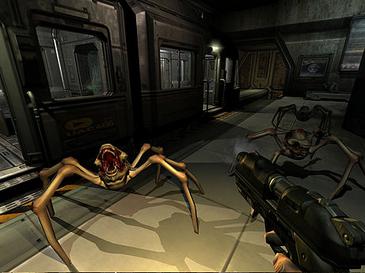
Shadow volume is a technique used in 3D computer graphics to add shadows to a rendered scene. It was first proposed by Frank Crow in 1977 as the geometry describing the 3D shape of the region occluded from a light source. A shadow volume divides the virtual world in two: areas that are in shadow and areas that are not.
The stencil buffer impleme...
 graceful lynx
snow cradle
https://en.wikipedia.org/wiki/Shadow_volume
graceful lynx
snow cradle
https://en.wikipedia.org/wiki/Shadow_volume
Oh I love these shadows! I didn't know this was the name for them
finite quarry
stencil shadows are neat but iirc they get exponentially much more expensive with more polygons
and are also just not really realistic since no shadow is really perfectly sharp
errant nacelle
finite quarry
and are also just not really realistic since no shadow is really perfectly sharp
that's why you use shaders to blur them :^)
snow cradle
finite quarry
but shadowmaps are more performant
I would like to cut render.RenderView and conditionally use only stencils. I don't know if it is possible. I guess it would be a good idea
That's why I don't know if it's possible to achieve optimization and fps boost using stencils by cropping the scene.
finite quarry
yea i'm not sure if stencils stop the actual rendering computation
snow cradle
finite quarry
yea i'm not sure if stencils stop the actual rendering computation
Yeah. I'm not sure either. But I don't deny that it's possible. I hope that you can get a small increase in fps. But this is all guesswork. But the topic is interesting to me.
wispy birch
finite quarry
yea i'm not sure if stencils stop the actual rendering computation
p sure they do
misty surge
Stencils are great for simple meshes; yeah!
Calling the mask and the scene at the same time wastes potentially useful performance. I avoided this, and tried my best to work around that idea.
With proper depth dealings instead of work arounds like renderview, we could load complex meshes with unique shaders just like EGSM with moderate effort it can be done. Hence why I think it’s important to continue to push what we got until it’s no longer discovery, rather useful unique shaders.
As soon as that happens, true geometry shading instead of recomputing the depth over back to 3D would be redundant.
keen coral
yes
 deep ether
finally some good bloom
snow cradle
 snow cradle
raw shadows maked using perspective camera (with fov)


so now i can try to make proj lights, flashlights, point lights
90 fov
 neat terrace
csm......
snow cradle
 snow cradle
 snow cradle
so i need to make cubemap texure or simulate calculation like texCUBE result
If I make a cubemap texture, the point lights will be static
So I would prefer to simulate the result of the cubemap calculation using 2D textures. or mb i will try to make 2 cameras with fov 180°
hollow arrow
snow cradle
please someone give a crown to this man
misty surge
The shader king Forsure. He’s very versed in shaders.
snow cradle

Blender Artists Community
The Problem: Unfortunately blender doesn’t have integrated support for point light shadows. Sometimes, it would be nice to have them, and so we look for ways to fake them. Previous Solutions: The most obvious and most used way is to have a very wide angle spotlight in the roof of the room that should have the point light. A slight improvem...
snow cradle
so
my friend LVutner from stalker shader modding says what i can make atlas
and make point light without cubemaps
shadow shuttle
what is atlas?
snow cradle
 snow cradle
shadow shuttle
what is atlas?
snow cradle
shadow shuttle
what is atlas?

Dear reader, I want to write a bit about PCF filtering for omnidirectional lights (see how i just rephrased the title?) because I think this is a desirable thing to implement for a lot of beginners…
shadow shuttle
okay i see
snow cradle
shadow shuttle
okay i see
so atlas is this

many textures
in 1 texture
This is a solution to create a point light for gmod, since we can't make a cubemap through lua
@shadow shuttle
😎
shadow shuttle
👍 i like it very interesting
snow cradle
how to make sun shafts?
mb like that?
//code
#define step_leight 0.015
#define samples int(6)
//code

float3 eyeVec = (eyePos - worldPos);
float total_shadows = 0;
float3 newPos = worldPos.xyz;

for (int i=0;i<samples;i++) {
    newPos = newPos.xyz + eyeVec * step_leight;
    float4 newShadowCoord = mul(float4(newPos.xyz,1), g_invViewProjMatrix);
    newShadowCoord.xyz/newShadowCoord.w;
    float shadow_depth = tex2D(ShadowMap, (newShadowCoord.xy * 0.5 + 0.5).g;
    float shadows = shadow_depth < newShadowCoord.z : 0 ? 1;
    total_shadows += shadows;
}

return float4(total_shadows.xxx,1);
//code

 snow cradle
bug
shadow shuttle
stuck in the white void forever
snow cradle
just test
This is something like a mask for sun shafts, only I highlighted the shadows. Because I haven't made a test map for sun shafts yet and it's easier for me to monitor the volume of shadows
neat terrace
god rays.....
snow cradle
🤔🤔🤔
 shadow shuttle
something is happening


 jolly talon
Anyone know if I can get the view matrix instead of combined with projection in a vertex shader? Or any other way to know the distance of the vertex from the view origin I am trying to do
snow cradle
jolly talon
Anyone know if I can get the view matrix instead of combined with projection in ...
yea
LUA?
or HLSL
jolly talon
I just realized I am dumb and I passed the vertex pos into PS and could use the EyePosition to do it
my bad
snow cradle
do u need a lua view matrix?
jolly talon
I originally wanted to get the vertex position in view space so i could get the distance from the view origin using it
But u can just pass the pos into the PS and then distance from EyePos and it works fine
jolly talon
Im making one of those LCD screen shaders that like shows RGB pixels when u go near it like a screen
Looks cool what ur doing
Is that with raymarching or something?
snow cradle
jolly talon
Is that with raymarching or something?
I don't know exactly what to call the method I use.
Simply put, I "step" a certain segment in space a certain number of times, checking whether the point (in the air, so to speak) is in the shadow.
jolly talon
Ye thats pretty much raymarching
 jolly talon
Ye lots of stuff does
Just gotta be careful with the loops coz everythings unwrapped in sm3 i think idk
snow cradle
jolly talon
Just gotta be careful with the loops coz everythings unwrapped in sm3 i think id...
I set the cycle to 128 for now xd
jolly talon
Thats gotta be fine lul
snow cradle
jolly talon
Thats gotta be fine lul
I recently played battlefield. I liked lens dirt on the screen.
I understand that this is done through the render target of emissive (using MRT or default ToneMap/Small RT) (bright objects on the screen), then checked for depth distance. And then a mask is created, which part of the lick should be multiplied by 1.
I also thought about implementing this shader in worldpos (when coordinates of lights are passed to the shader), but such an implementation would be much more complicated.
finally


 snow cradle
 neat terrace
jolly talon
I just realized I am dumb and I passed the vertex pos into PS and could use the ...
neat terrace
jolly talon
I just realized I am dumb and I passed the vertex pos into PS and could use the ...
how are you doing that? passing vertex pos into ps?
snow cradle


Cascaded shadow maps (CSMs) are the best way to combat one of the most prevalent errors with shadowing perspective aliasing.
neat terrace
shader csm in gmod 
bitter oriole

snow cradle
so i will send pos and ang of 4 cascades to pixel shader. then i make 4 View matrices, 1 same Proj matrix i make on Lua. next i make 4 ViewProj matrices, also get shadows from 4 cascades and sum it.
also i will write 1 shadowmap cascade to 1 layer in render target (.r - fisrt cascade, .g - second, .b - 3, .a - 4)
the most harder: how to calc cascade pos and ang using lua (for cameras)?
Microsoft suggests making atlases, but I will gain in quality if I just spread the cascades across layers
i can make 1 rt 2048x2048 and get 4 cascades with 2k quality using 1 texture
profit
But there are downsides: cascades will make it more difficult to calculate solar rays (from a performance point of view)
but sun rays can be made by setting a small number of samples
 upbeat kernel
Does anyone know if shader combos are or will be possible soon?
jolly talon
Is it possible to write a pixel shader that inherits the vertexlitgeneric shading with all the lighting and phong and stuff
snow cradle
jolly talon
Is it possible to write a pixel shader that inherits the vertexlitgeneric shadin...
no. unfortunately.
@upbeat kernel same


 snow cradle
ft @keen coral

 shadow shuttle
its so good
snow cradle


 graceful lynx
World's wettest floors
snow cradle
graceful lynx
World's wettest floors
next: bump, heigh, spec support
This will adjust the strength of the reflections.
 zinc sedge
why are the reflections stretched out like that?
 kindred dock
snow cradle
# next: bump, heigh, spec support
kindred dock
snow cradle
# next: bump, heigh, spec support
are it takes envmap's value or own value
looks too wet
snow cradle
kindred dock
are it takes envmap's value or own value
no
snow cradle
kindred dock
looks too wet
Bumps, specs and heights will adjust the strength of the SSR
I haven't entered them into the calculations yet.
snow cradle
zinc sedge
why are the reflections stretched out like that?
I don't know
snow cradle
kindred dock
are it takes envmap's value or own value
Maybe I'll multiply the specular on cubemap parameter and output it via MRT
So you understand, just yesterday afternoon my SSR looked like this. By the evening a normal picture had appeared

What you are worried about is much simpler than the problems I faced and solved.
Before going to bed I decided to share the results.
Since I did SSR that day for about 12 hours
kindred dock
damn thanks for answering tho also one more question are viewmodel shadow is possible
snow cradle
kindred dock
damn thanks for answering tho also one more question are viewmodel shadow is pos...
A good solution for creating shadows on weapons would be to use Screen Space Shadows (and shadows from flashlights).
Well, the weapon, like any model, reacts to shadows from the shadowmap. But at the same time, it does not create these shadows itself.
Because the player's shadow (with his weapon in 3rd person) needs to be rendered from the sun and light sources (And not a first person weapon model).
kindred dock
oh thanks for answering 🙏
snow cradle
zinc sedge
why are the reflections stretched out like that?
Perhaps I made a mistake in calculating the matrices. They differ in many ways from those presented in Microsoft articles and in OpenGL books.
snow cradle
this hidden image format works:
IMAGE_FORMAT_I8 = 5
IMAGE_FORMAT_R32F = 27
IMAGE_FORMAT_RG1616F = 30
IMAGE_FORMAT_RG3232F = 32
IMAGE_FORMAT_RGBA32323232F = 29
not works:
IMAGE_FORMAT_R16F = IMAGE_FORMAT_R16F or 38
IMAGE_FORMAT_D16 = IMAGE_FORMAT_D16 or 39
IMAGE_FORMAT_D32 = IMAGE_FORMAT_D32 or 41
i wanna use it for MRT
/* 28 */ { "RGB323232F", 12, 32, 32, 32, 0, 0, 0, false, true, false }, // IMAGE_FORMAT_RGB323232F
but it now works too
misty surge
Niceee
snow cradle
misty surge
Niceee
This may be useful
D3D9EX = !GetConVar("mat_disable_d3d9ex"):GetBool()

local rt_normals = GetRenderTargetEx("_rt_Normals", SCR_W, SCR_H,
        RT_SIZE_NO_CHANGE,
        MATERIAL_RT_DEPTH_SHARED,
        bit.bor(256, 512),
        0,
        D3D9EX and IMAGE_FORMAT_RGBA32323232F or IMAGE_FORMAT_RGBA16161616F
)
Screen space shadows (good for grass)
Now I need to figure out how to apply them to grass models only.

IMAGE_FORMAT_R32F = 27 good for shadowmap, ssao pass etc (1 layer)


so 4K shadowmap IMAGE_FORMAT_RGBA32323232F = ~260+ megabyte size
IMAGE_FORMAT_R32F = ~60

 zinc sedge
snow cradle
`IMAGE_FORMAT_R32F = 27` good for shadowmap, ssao pass etc (1 layer)
zinc sedge
snow cradle
`IMAGE_FORMAT_R32F = 27` good for shadowmap, ssao pass etc (1 layer)
is this fixable?
 misty surge
zinc sedge
is this fixable?
misty surge
zinc sedge
is this fixable?
Nope, that’s how it’s rendered. Shadow casting uses inverted polys to reduce this behavior— except it generally comes with trade offs.
So ideally he can fix it by inverting the meshes, but it’ll lead to arches being also inaccurate. It happens in a lot of games, some have a good way of hiding it.
snow cradle
zinc sedge
is this fixable?
this is bias. it need to fix shadow acne.
Too much bias will skew the corners too much like result on photo. The magic right value is needed here.
snow cradle
misty surge
So ideally he can fix it by inverting the meshes, but it’ll lead to arches being...
mb like that
render.CullMode(MATERIAL_CULLMODE_CW)
render.RenderView( rtbl )
render.CullMode(MATERIAL_CULLMODE_CCW)
idk


 dusty linden
snow cradle
some SSR test #2
here spec, height support
dusty linden
snow cradle
some SSR test #2
here spec, height support

 lunar folio
looks good
snow cradle
i also make shadows as post process
deferred rendering
And now I have one texture freed up for input into the shaders of models and brushes. This will allow PBR to do, since it has many textures for input, and now I have enough limits
shadow shuttle
it dont even look like gmod anymore 🔥
snow cradle
float FogEnd = 1/( (1/cFogParams.x)/(1/cFogParams.w) );
float FogRange = 1/cFogParams.w;
it works in pixel shader (cFogParams) Vertex shader -> Pixel shader -> make calc
snow cradle
The combined lighting results from static point lights and from a directional light. I also transferred the radial fog shader to .vcs from EGSM .ft @keen coral


 neat terrace
this isn't gmod source, you're lying to me
snow cradle
 misty surge
It’s all fake, the cake is a lie
short dirge
snow cradle
this seems oddly rendered for the time being. Tree lighting looks fine (a bit bright), but I can see the shadow mapping is darkening the lightsource, instead of the other way around where it should only brighten the shadow.
snow cradle
short dirge
this seems oddly rendered for the time being. Tree lighting looks fine (a bit br...
send me the formula
short dirge
snow cradle
send me the formula
shine a flashlight at a shadow when it's daylight out. The daylight doesn't get colored by the flashlight.
snow cradle
short dirge
shine a flashlight at a shadow when it's daylight out. The daylight doesn't get ...
What about the formula?
short dirge
i can't help with that, only pointing out something I found wrong
snow cradle
btw i make (dir_light+point_light)*frame_color
snow cradle
short dirge
shine a flashlight at a shadow when it's daylight out. The daylight doesn't get ...
Depends on how strong the flashlight is
and how strong is the sun
short dirge
I think there is another use for the weird lighting and that is tonemapping specific areas
From a game design standpoint, you can highlight those areas even if the lighting appears wrong.
hollow arrow
snow cradle
Hey brother it look so stunning, is there a public repo to kinda learn and see how you did ?
snow cradle
hollow arrow
Hey brother it look so stunning, is there a public repo to kinda learn and see h...
I can only answer individual questions. I do not leak source files. This is not accepted among shader developers.
I can also help
I will make the map with shaders publicly available
But without source code
hollow arrow
snow cradle
I can only answer individual questions. I do not leak source files. This is not ...
Ofc understandable, i'll shoot you a dm once i finish my gamemode to look a bit more how make vertex and pixel shaders communicate and how you was able to get like all the info we couldnt get in a shaders at first in gmod
snow cradle
Ok


 snow cradle
 wispy birch
snow cradle
I can only answer individual questions. I do not leak source files. This is not ...
wispy birch
snow cradle
I can only answer individual questions. I do not leak source files. This is not ...
thats not true as far as i know lol
people do need examples on this stuff, more even, some may need to make small changes to some shader, and if they dont have the source, they wont be able to do that quickly
snow cradle
wispy birch
thats not true as far as i know lol
people do need examples on this stuff, more ...
Most often, pseudo code is everywhere. That's what it's called.
Or theory. It is rare to find ready-made solutions
snow cradle
wispy birch
thats not true as far as i know lol
people do need examples on this stuff, more ...
I will guide people if they have questions.
Perhaps forced video card recognition will make some NVIDIA image formats work.
-force_vendor_id 0x10DE -force_device_id 0x1088
IMAGE_FORMAT_NV_DST16 =           30
IMAGE_FORMAT_NV_DST24 =           31
IMAGE_FORMAT_NV_INTZ =            32

 snow cradle
MRT works only with 3d functions
like DrawQuadEasy
and not DrawScreenQuad
so we need 3d analog of DrawScreenQuad using DrawQuadEasy or DrawQuad
    render.SetMaterial(SNOW_MAT)
    render.SetRenderTargetEx(1,SNOW_MASK)
    local s = 0.009935
    local dir = EyeAngles():Forward()
    render.DrawQuadEasy( EyePos() + dir*5, Vector( dir.x, dir.y, dir.z ), ScrW()*s, -ScrH()*s, color_white )

idk how to calc it
leaden wasp
2 - 1
snow cradle
What are the options to pass data to the vertex shader?
Like CurTime etc
You can write fog parameters, but I use them not directly for fog
mb we can use cam.PushModelMatrix
idk
misty surge
snow cradle
What are the options to pass data to the vertex shader?
https://wiki.facepunch.com/gmod/Shaders/screenspace_general#VIEWPROJMAT
maybe this? One of the floats?

Garry's Mod Wiki
This shader is a wrapper for providing custom pixel and vertex shaders, while it is named screenspace_general there is nothing inherently screenspace only about this shader, it is merely the name that was chosen before it received extra functionality that allowed it to do more than just screenspace work, as such this is a general shader that can...
I forget if that’s only fragment shader but I’d imagine it would need to be passed thru both?
snow cradle
misty surge
https://wiki.facepunch.com/gmod/Shaders/screenspace_general#VIEWPROJMAT
maybe t...
this is c11 register in pixel shader (or c15).
I also thought that it gives a matrix to the input of the vertex shader, but for some reason valve made it so that it is written to the pixel shader
misty surge
Yikes
snow cradle
misty surge
I forget if that’s only fragment shader but I’d imagine it would need to be pass...
Unlikely, but anything is possible
misty surge
There’s gotta be a way to mess with the vertex shader like that.
snow cradle
In theory, you can sacrifice three fog parameters and use three parameters for your own purposes
But i dont like this
i will try to check pushmodel matrix on EGSM
I'll see if this affects the vertex shader matrices
it will be easier to figure it out
snow cradle
 wispy quartz
mesh.TexCoord
wispy quartz
mesh.TexCoord
Thank you! Can we write only 2 floats into the function? That is, float2 is available for input from potential float4?
also mb COLOR2(?) can be written using https://wiki.facepunch.com/gmod/mesh.Specular
Garry's Mod Wiki
Sets the specular map values.
There is no known use case for this function.
 snow cradle
source sdk:
void TexCoord1f( int stage, float s );
    void TexCoord2f( int stage, float s, float t );
    void TexCoord2fv( int stage, const float *st );
    void TexCoord3f( int stage, float s, float t, float u );
    void TexCoord3fv( int stage, const float *stu );
    void TexCoord4f( int stage, float s, float t, float u, float w );
mb here 5 args: texcoord num, f1, f2, f3, f4
nocturne patio
wispy quartz
mesh.TexCoord
We can use 8 texture coordinates thanks to the stage parameter of mesh.TexCoord. I have confirmed all of them can be used in the vertex shader as long as $TCSIZE𝑛 material parameters are set to 2 (or larger).
snow cradle
nocturne patio
We can use 8 texture coordinates thanks to the `stage` parameter of `mesh.TexCoo...
can we write mesh.TexCoord in 3d hooks to influence the brushes of the world, models?
Or will this only work with meshes using mesh.Begin?
nocturne patio
I think it only works with IMesh created by the mesh library
snow cradle
Well, this can also be used. You can stretch the mesh to the size of the screen and transfer the positions and color of the light sources to it.
snow cradle
nocturne patio
I think it only works with `IMesh` created by the `mesh` library
mesh.Specular( 0,1,0.5,1 )
Have you checked this function?
mb this is COLOR1 or COLOR2
nocturne patio
snow cradle
`mesh.Specular( 0,1,0.5,1 )`
Have you checked this function?
mb this is COLOR1 o...
iirc mesh.Specular and mesh.UserData didn't do anything for me
snow cradle
lol

 timid pumice
Wow is that cyberpunk??
wispy quartz
snow cradle
Thank you! Can we write only 2 floats into the function? That is, float2 is avai...
mesh.TexCoord(0/1/2/3/4/5/6/7, u, v)
TEXCOORD....
snow cradle
wispy quartz
mesh.TexCoord(0/1/2/3/4/5/6/7, u, v)
What about mesh.TexCoord(0/1/2/3/4/5/6/7, s, t, u, w)
like void TexCoord4f( int stage, float s, float t, float u, float w );
wispy quartz
mesh.Color takes only r, g, b, a arguments
snow cradle
wispy quartz
mesh.Color takes only r, g, b, a arguments
Does this only work with meshes? Or is it possible to affect the world's geometry?
wispy quartz
just convert the world geomentry into meshes
snow cradle
wispy quartz
just convert the world geomentry into meshes
Like duplicate it through Nik Naks? (brushes)
wispy quartz
yes
snow cradle
wispy quartz
yes
Garry's Mod Wiki
Returns the physics mesh of the object which is used for physobj-on-physobj collision.
as a possible option
wispy quartz
snow cradle
https://wiki.facepunch.com/gmod/PhysObj:GetMesh
Garry's Mod Wiki
Retrieves vertex, triangle, and bone data for the visual meshes of a given model.
This does not work on brush models (Models with names in the format *number)
snow cradle
It feels like 4 render views are needed for the Paraboloid shadow maps:
Get FrameBuffer (depth) with offset + Render Scene from orig pos (2x) = 4 RenderView
http://www.klayge.org/material/3_12/DPSM/DualParaboloidMappingInTheVertexShader.pdf

It seems easier to make point lights through 6 renderview using the usual method (almost the usual one - without cubemap)
Perhaps this could be done if you pass the required matrix to the vertex shader and calculate everything without rendering.
Probably, it is possible to build a Paraboloid model using meshes, transfer the necessary data to textcords for assembling the matrix directly in the vertex shader.

I'd better go and make point lights through 6 textures. Somehow I'm not mentally ready for this level of mathematics.
A hack for using cFogParams.z as CurTime in a vertex shader.
const float4 cFogParams : register(c16);
Fog parameter is passed to pixel shader (for custom fog)
local hookName = "shaderlib"

Shader = Shader or {}
RegisterMetaTable( "Shader", Shader )
Shader.SetShaderCurTime = Shader.SetShaderCurTime or render.FogMaxDensity

hook.Add("Think", hookName, function()
    --Shader.SetShaderCurTime( 1 - 1/CurTime() )
    Shader.SetShaderCurTime( 1 - 1/ (CurTime() % 1000) )
end)

FOG_MAX_DENSITY = FOG_MAX_DENSITY or 0

function render.FogMaxDensity(maxDensity)
    FOG_MAX_DENSITY = maxDensity
end

function render.GetFogMaxDensity()
    return FOG_MAX_DENSITY
end
Laggy 😧 (Precipitously)
hook.Add("Think", hookName, function()
    Shader.SetShaderCurTime( 1 - 1/ (CurTime() % 1000) )
end)
% removes twitching, but it can cause micro bugs
snow cradle
Hardcoded treesway
#define g_flStartRadius float(0.1)
#define g_flRadius float(300)
#define g_flHeight float(1000)
#define g_flStartHeight float(0.2)
#define g_flSwaySpeed float(2)
#define g_flScrumbleIntensity float(0.1)
#define g_flFastSwaySpeedScale float(1)
#define g_vWindDir float2(1,0)
#define g_flSwayIntensity float(5)
#define g_flSwayFalloffCurve float(1.5)
#define g_flScrumbleWaveCount float(0.1)
#define g_flScrumbleFalloffCurve float(0.1)
#define g_flWindSpeedLerpStart float(3)
#define g_flWindSpeedLerpEnd float(6)
#define g_flScrumbleSpeed float(0.1)
Error: Bitwise operations not supported on target ps_3_0
#define bytes int(Constants1.w)
#define PARALLAX            bool(bytes >> 16)
#define PARALLAXCORRECT     bool(bytes >> 8)
 wispy birch
snow cradle
Error: `Bitwise operations not supported on target ps_3_0`
```cpp
#define bytes...
wispy birch
snow cradle
Error: `Bitwise operations not supported on target ps_3_0`
```cpp
#define bytes...
bytes / 0x10000 % 1
bytes / 0x100 % 1
snow cradle
🤔
Has anyone tried doing displacements? What value is responsible for painting the vertices?
I checked the output:
float4 vColor : COLOR0;
float4 vColor1 : COLOR1;
and cModulationColor
And it's empty there
snow cradle
float4 lightmap = tex2D( LightmapSampler, i.lightmapCoord );
float blendFactor = lightmap.a;
float4 color = 2.0f * lightmap * lerp( base2, base, blendFactor );

GitHub
Modified source engine (2017) developed by valve and leaked in 2020. Not for commercial purporses - nillerusr/source-engine
I don't have a lightmap sampler. 🤔
snow cradle
4 blending textures using photoshop mask
float2 blend_uv = (worldPos.xy+blendOffset)*blendScale;
    float4 blendMask = tex2D(tBlendMask, blend_uv);

    float4 base1 = tex2D(tBaseMap, texCoords);
    float4 base2 = tex2D(tBumps, texCoords);
    float4 base3 = tex2D(tMRAO, texCoords);
    float4 base4 = tex2D(tMRAO, texCoords).bgra;

    float4 color    = lerp( base1, base2, blendMask.r );
    color           = lerp( color, base3, blendMask.g );
    color           = lerp( color, base4, blendMask.b );


so it need mega textures
 snow cradle
lol how to use it
snow cradle
simple example how to use megatextures:
    float2 texCoords = i.vTexCoord.xy;
    texCoords /= 4;

    float2 texCoords_base = abs(texCoords)%1;

    if (texCoords_base.x > 0.5) {
        texCoords_base.x -= 0.5;
    }

    if (texCoords_base.y > 0.5) {
        texCoords_base.y -= 0.5;
    }

    float4 base = tex2D(tBaseMap, texCoords_base);


bug:
 snow cradle
texture blending using mega texture
 dusty linden
snow cradle
texture blending using mega texture
dusty linden
snow cradle
texture blending using mega texture
Could there be a secondary layer akin to $detail to break up (seamless) repeating textures?
snow cradle
dusty linden
Could there be a secondary layer akin to $detail to break up (seamless) repeatin...
This can be done easily
 snow cradle
some parallax effect (using height from megatexture)

 dusty linden
I wonder if true displacement is possible.
I'm not imagining something ultra high res but more like simple meshes.

Sort of like this
Displacement texture comes with the material
Adds a bit of variety to otherwise 'flat' ground surfaces
snow cradle
dusty linden
Displacement mapping, geometry shader, DX10+
dusty linden
snow cradle
Displacement mapping, geometry shader, DX10+
Hm. I saw someone post a video where they were displacing a water (think it was just normal surface, retextured) volume using shaders on CS:S
Lemme find it
Found it
Posted by ficool
Yeah, you're right, true displacement isn't possible. Maybe like a fake. Subdivided meshes, maybe?
snow cradle
dusty linden
Yeah, you're right, true displacement isn't possible. Maybe like a fake. Subdivi...
we can use real groups of meshes - big-medium stones etc (models).
dusty linden
snow cradle
we can use real groups of meshes - big-medium stones etc (models).
Yeah, I agree.
snow cradle
dusty linden
Very nice
snow cradle
Displacement blending & megatexture test: parallax, bumps, spec, ao.
(some bugs - lines)
graceful lynx
Very impressive
shadow shuttle
I agree
graceful lynx
Somehow the resolution of those textures is lower than I think it should be?
snow cradle
graceful lynx
Somehow the resolution of those textures is lower than I think it should be?
original size texture: 4096 (single)
I make megatexture: 4 textures in 1 texture
Maximum sane texture resolution: 4096
So each ground texture became 2048 to fit into the atlas
Without texture size reduction, the mega texture would be 8192 pixels in size. That would be a lot
Using mega textures it will be possible to make a blend of 4 earth textures.
graceful lynx
snow cradle
original size texture: 4096 (single)
I make megatexture: 4 textures in 1 texture...
Ah, I see
snow cradle
But now I have a task: How to use the grass
graceful lynx
How are they compressed to a smaller size?
snow cradle
graceful lynx
How are they compressed to a smaller size?
yea. 4096 -> 2048
graceful lynx
snow cradle
yea. 4096 -> 2048
I mean the scaling function. Nearest neighbor?
snow cradle
graceful lynx
I mean the scaling function. Nearest neighbor?
Sorry. I find it hard to understand what you're saying through Google Translate.
xd
graceful lynx
No problem at all
graceful lynx
snow cradle
Sorry. I find it hard to understand what you're saying through Google Translate....
https://wiki.facepunch.com/gmod/render.PushFilterMin
Which option do you use?
snow cradle
graceful lynx
https://wiki.facepunch.com/gmod/render.PushFilterMin
Which option do you use?
float2 texCoords = i.vTexCoord.xy;
texCoords /= 4;
texCoords = frac(texCoords);
float2 isUVPositive = 1.0 - step(0.0, texCoords);
texCoords = isUVPositive + texCoords;
float2 tc_offest_raw = step(texelSize, texCoords);
float2 tc_offest2_raw = step(texCoords, texelSize);
float2 tc = texCoords;
tc -= tc_offest;
float2 tc2 = texCoords;
tc2.x += (1.0 - tc_offest_raw.x) * texelSize;
tc2.y -= tc_offest.y;
tc = uv of 1 textel
tc2 = uv of 2 textel
graceful lynx
You do this resolution reduction within a shader?
snow cradle
graceful lynx
You do this resolution reduction within a shader?
I don't quite understand what resolution reduction means, but yes. I do all the calculations in the shader. Without lua.
My friend and I managed to get chunks of pixels from a mega texture without using if
graceful lynx
I curse language barriers
snow cradle
graceful lynx
You do this resolution reduction within a shader?
aa so i make 4096 -> 2048 using photoshop
While I'm collecting mega texture
snow cradle
graceful lynx
I curse language barriers
 graceful lynx
snow cradle
aa so i make 4096 -> 2048 using photoshop
graceful lynx
snow cradle
aa so i make 4096 -> 2048 using photoshop
I think the way the texture atlas is sampled in your shader is causing strange aliasing in the final image. If the atlas was made in Photoshop, the texture should be downsampled with high quality and antialiasing. So, if there is aliasing, I believe it is caused by how the shader samples the texture.
snow cradle
graceful lynx
I think the way the texture atlas is sampled in your shader is causing strange a...
here my texture flags


DTX5

mb i need enable Anisotropic?
graceful lynx
Could be
snow cradle
graceful lynx
Could be
Also, the DXT5 format can degrade image quality. But saving 4k texture without compression is expensive in terms of hard drive space and content.
graceful lynx
That could also be a part of what I am seeing. I don't know enough about shaders to know if I am seeing a problem or something normal
Whatever the case, I think you are creating very impressive shaders
snow cradle
Thank you!
I'm currently thinking about how to place grass objects.
To make them shaders using a popular method, you need DX10+
I can use prop_detail. But it can be expensive in terms of entity limit and number of objects.
graceful lynx
You could potentially create a pool of prop_detail that are re-used to avoid an issue with the entity limit
snow cradle
here with Anisotropic 🤔🤔
 snow cradle
graceful lynx
You could potentially create a pool of `prop_detail` that are re-used to avoid a...
snow cradle
graceful lynx
You could potentially create a pool of `prop_detail` that are re-used to avoid a...
mb
graceful lynx
snow cradle
here with `Anisotropic` 🤔🤔
Can you create a direct comparison? Standing in the same place and facing the same direction with Anisotropic enabled and then disabled?
I think the heightmap would look obviously aliased here without Anisotropic enabled


 zinc sedge
snow cradle
Sorry. I find it hard to understand what you're saying through Google Translate....
zinc sedge
snow cradle
Sorry. I find it hard to understand what you're saying through Google Translate....
Maybe https://www.deepl.com/en/translator would be better?
snow cradle
grass in gmod is: prop_detail and prop_detail_sprite
Looks like I'll have to manually put it on the map.
snow cradle
also i wanna make mixing textures using height map as mask
like $blendmodulatetexture
snow cradle
Since I'm doing ground texture blending in Photoshop, I'll have to come up with an algorithm for spawning grass in the world.
I imagine it like this:
- I create a trigger (func_grass), which will need to highlight the places where the grass should appear.
- The grass will spawn along the upper border of the trigger and define the floor via a trace line.
- The grass will most likely be a mesh
- The grass will have its own shader
wispy birch
snow cradle
Since I'm doing ground texture blending in Photoshop, I'll have to come up with ...
i imagine there are ways to make the detection automatic:
simply check for surface materials on brushes/disps against a known whitelist, maybe also a regex (contains "grass"/"dirt", ...)
snow cradle
wispy birch
i imagine there are ways to make the detection automatic:
simply check for surfa...
while creating a mask for mixing displacements in photoshop, i lost the ability to influence the displacement surface
 obsidian merlin
A simple shader idea: nearest neighbor but with mipmapping a la GZDoom
crunchy textures without the bizarre moire effects when textures are far away
obsidian merlin
Yep. That, but not in Counter-Strike: Global Offensive.
 hardy acorn
I've made a blackhole, this is my first test with shaders in gmod
(in the last version the black circle isn't pixelised like that)
do you think shaders is a viable alternative of particules in gmod ?
neat terrace
hardy acorn
do you think shaders is a viable alternative of particules in gmod ?
entirely dependent on a case-by-case basis, but for strong visual effects like that black hole, shaders definitely help
snow cradle
mesh.UserData( mesh_data[i].corner.x, mesh_data[i].corner.y,0,0 )
works
struct VS_INPUT
{
float4 vTangentS                    : TANGENT;
};
mesh.Color( 255,0,0,0 ) works:
struct VS_INPUT
{
    float4 vColor                       : COLOR0;
};
struct VS_OUTPUT
{
    float4 vColor                       : COLOR0;
};
VS_OUTPUT main(const VS_INPUT v)
{
    //code
    o.vColor = v.vColor;
    return o;
}
Someone told me that Garry's Mod shaders don't work on all PCs and can cause crashes due to differences between GPUs. Is that true?
timid pumice
tell us who told that, we gonna kick his ass
hardy acorn
A random guy who asked to ChatGPT and now saying that my shaders will crash players' computers
snow cradle
hardy acorn
Someone told me that Garry's Mod shaders don't work on all PCs and can cause cra...
screenspace_general does not work on Directx 8.1. So shaders really don't work on all pc's.
If your video card is GeForce FX 5800, it's never too late to upgrade.
 hollow pollen
sm30 can technically freeze your gpu with infinite loops
would pretty much be the same as doing while true do end though, I don’t really see any reason to do it other than for difficult to trace crashes intended to cause harm
snow cradle
@nocturne patio For some reason my meshes disappear when I enter $tcsize1 2. Have you had this problem?
nocturne patio
snow cradle
<@400175570937446401> For some reason my meshes disappear when I enter $tcsize1 ...
Props with RenderOverride disappeared with $tcsize1 "2" but IMeshes didn't.
 snow cradle
nocturne patio
Props with RenderOverride disappeared with `$tcsize1 "2"` but IMeshes didn't.
snow cradle
nocturne patio
Props with RenderOverride disappeared with `$tcsize1 "2"` but IMeshes didn't.
By the way, in which hook do you render the mesh? Share the code please.
nocturne patio
snow cradle
By the way, in which hook do you render the mesh? Share the code please.
Very ugly, but this is the code. The only thing to note is passing a random LightmappedGeneric material as the IMesh hint.
https://pastebin.com/iV6Rx3nM
Pastebin
Pastebin.com is the number one paste tool since 2002. Pastebin is a website where you can store text online for a set period of time.
snow cradle
nocturne patio
Very ugly, but this is the code. The only thing to note is passing a random Lig...
can u share your vmt?
I don't quite understand what could cause the mesh to disappear.
nocturne patio
snow cradle
can u share your vmt?
Probably the $flags2 matters, I guess.
screenspace_general
{
    $pixshader "myshader_1_ps30"
    $vertexshader "myshader_1_vs30"
    $basetexture "metal6"
    $texture1 "\[lightmap1]"
    $cull "1"
    $fix_flags2 "510"
    $softwareskin "1"
    $writealpha "1"
    $depthtest "1"
    Proxies
    {
        Equals
        {
            srcVar1   $fix_flags2
            resultVar $flags2
        }
    }
    $tcsize1 "2"
Hi, this is really cool, are you continuing this project ?
I was checking to do the exact same thing into garry's mod, i was checking the glsl code of a minecraft shader called Iteration 3.0 which exactly do that and i discovered that he was using a pre existant and very realistic blackhole code, you can check it out if you are interested or if you want some exemples

I will train myself by doing a night sky like there is in minecraft shaders and after that i will try to port this blackhole into gmod
misty surge
I have been dealing with real life problems. It’s been tough for myself and my wife, so I’ve put a hold on development to develop my life IRL.
If you really have any questions at all, I implore you to ask. It’s been 2 months since I’ve continued work on the shaders and game I was intending to launch this summer but this life changing situation has taken all of my time.
cosmic perch
misty surge
I have been dealing with real life problems. It’s been tough for myself and my w...
Hope things get better for u soon
Just be patient and u will pass through these problems
misty surge
I will bro, thank you. I will hope when I do come back everything should be broken. 🙂
heavy blade
misty surge
I have been dealing with real life problems. It’s been tough for myself and my w...
get better my fellow programming mate
hardy acorn
what is the best way to replace the gmod sky with my shader ?
 snow cradle
can we use tangent using screenspace_general?
float4 vTangentS                    : TANGENT;
float3 vTangentT                    : BINORMAL;
@nocturne patio
Have you tried it?
I just get a black image
And the method of receiving tangents via ddx, ddy is not very good
nocturne patio
snow cradle
Have you tried it?
Tangents are available in screenspace_general but it's required to set $vertexnormal or something similar parameter to 1
snow cradle
nocturne patio
Tangents are available in screenspace_general but it's required to set $vertexno...
Have you tried using tangent?
nocturne patio
snow cradle
Have you tried using tangent?
Yes, I remember I could get tangents and binormals
snow cradle
nocturne patio
Yes, I remember I could get tangents and binormals
This worked for you on models? physics prop?
Have you used the functions below?
    float3 vNormal; float4 vTangent;
    DecompressVertex_NormalTangent(v.vNormal, v.vTangentS, vNormal, vTangent);
    float3 worldNormal, worldPos, worldTangentS, worldTangentT;
    SkinPositionNormalAndTangentSpace(false, v.vPos, vNormal, vTangent, v.vBoneWeights, v.vBoneIndices, worldPos, worldNormal, worldTangentS, worldTangentT);
o
this?
I want to modify the rt of normals using bumps, calculating them with tangents.
And if you get tangents through pixel shader calculations, then the normals will differ in tone depending on their location in the world. Therefore, it is important for me to get tangents from the vertex shader.
//Builds a cotangent frame. Source: http://www.thetenthplanet.de/archives/1180
void build_contangent_frame(float3 position, float3 normal, float2 uv, out float3 tangent, out float3 binormal)
{
    float4 duv = float4(ddx(uv), ddy(uv));
    float3 dp1perp = cross(normal, ddx(position));
    float3 dp2perp = cross(ddy(position), normal);

    tangent = dp2perp * duv.x + dp1perp * duv.z;
    binormal = dp2perp * duv.y + dp1perp * duv.w;

    float invmax = rsqrt(max(dot(tangent, tangent), dot(binormal, binormal)));

    tangent *= invmax;
    binormal *= invmax;
}


I'm also interested in adding MSAA support for deferred rendering:
Goldermore once told me that you can multiply the size of the worldpos and worldnormals targets by the MSAA number. I haven't tried it in practice yet.
hardy acorn
do someone know how to extand the depth buffer of the source engine/garry's mod ?
i'm trying to replace the sky with my shader and to do so i'm trying to check the .w (depth) of the pixel to write only on far pixels, but the depth buffer of the source engine is very (very very) limited
 hardy acorn
nevermind Evgeny Akabenko showed me this:
https://wiki.facepunch.com/gmod/GM:PostDraw2DSkyBox
Garry's Mod Wiki
Called right after the 2D skybox has been drawn - allowing you to draw over it.
This is a rendering hook which provides a 3d rendering context.
graceful lynx
hardy acorn
do someone know how to extand the depth buffer of the source engine/garry's mod ...
If your goal is to completely replace the skybox, you should instead use this hook and its return value to prevent the skybox from drawing at all
https://wiki.facepunch.com/gmod/GM:PreDrawSkyBox
Garry's Mod Wiki
Called before the 3D sky box is drawn. This will not be called for maps with no 3D skybox, or when the 3d skybox is disabled. (r_3dsky 0)
See also GM:PostDrawSkyBox
This is a rendering hook which provides a 3d rendering context.
hardy acorn
thanks ! i will check that right now
hardy acorn
graceful lynx
If your goal is to completely replace the skybox, you should instead use this ho...
thanks it worked !!!
 graceful lynx
I'm glad to hear it!
snow cradle
more parallax samples
 shadow shuttle
hey thats really detailed
 vapid reef
finally, touching grass in gmod
snow cradle
How to use gmod water refraction for water shader?
if i wanna make custom water shader
sampler ReflectSampler : register( s2 );
what rt is water refraction?
livid cliff
snow cradle
what rt is water refraction?
uhhh I think it's _rt_waterrefraction
Completely off the top of my head
snow cradle
hmm ok
graceful lynx
snow cradle
what rt is water refraction?
You can use render.GetRenderTarget() in hooks to get the name of the RTs which call it. I find this very helpful for finding this kind of info out
hook.Add( "PostDrawTranslucentRenderables", "A1_RenderTargetTesting_ClearWaterRenderTargets", function()
    local renderTargetName = render.GetRenderTarget():GetName()
    if renderTargetName == "_rt_waterreflection" or renderTargetName == "_rt_waterrefraction" then
        render.Clear( 0, 0, 0, 255, true, true )
    end
end )
Some code I wrote for testing this earlier. It has the names you need
I’m on mobile so I’m just pasting the whole code. Sorry for the inconvenience


 graceful lynx
snow cradle
bad trip #3
graceful lynx
snow cradle
bad trip #3
What you see 0.01 seconds before impacting the ground after failing a jump in Mirrors Edge
leaden mesa
graceful lynx
What you see 0.01 seconds before impacting the ground after failing a jump in Mi...
peak mentioned
snow cradle
Optimized SSGI using emissive targets (It will look good in combination with Bloom.)
hight params


Medium params


 hardy acorn
is there a linux version of the sdk_screenspace_shader compiler ?
https://github.com/ficool2/sdk_screenspace_shaders
GitHub
Screenspace pixel shader SDK for Source games. Contribute to ficool2/sdk_screenspace_shaders development by creating an account on GitHub.
hardy acorn
th answer is: no
I'll try to do it myself tomorrow and send a pull request
 lime trellis
Hello shader peopels, so ficools shader compiler builds hlsl files into usable fxc shader for the game, but what im wondering is how would I decompile the shaders that are already in gmod into hlsl files?

for example any of these ones
hollow arrow
lime trellis
Hello shader peopels, so ficools shader compiler builds hlsl files into usable f...
snow cradle
shadow shuttle
👍
lime trellis
i love u gng ❤️
hardy acorn
hardy acorn
th answer is: no
I'll try to do it myself tomorrow and send a pull request
update: this is not possible cause ShaderCompiler.exe is made for windows and cannot be compiled on Linux (cause it use DirectX)
the only way is to use the new hlsl compiler of microsoft "dxcompiler" which is open-source and based on LLVM/Clang, but we must write a tool that convert the outpouted dxbc into vsc and for the moment i have no time to do this
wispy birch
hardy acorn
update: this is not possible cause ShaderCompiler.exe is made for windows and ca...
...or you could just make the ShaderCompiler thing reference dxcompiler as its internal compiler
however, keep in mind that ver 2.0 and 3.0 are based on the very old fxc compiler, which uses its own bytecode, not spir-v
 lucid bane
Hey, I have 0 knowledge when it comes to shaders, especially gmod ones with what is capable--was wondering if it's possible to make a shader that would apply some sort of dithered transparency effect to a ragdoll? Like perhaps knowing which ragdoll could be assisted with lua?
Im not too sure what's possible so Id rly appreciate if anyone could point me in the right direction 🫶
lunar folio
Anyone else have issues with shader model 3.0 shaders just not rendering/showing up for some people?
I wrote one using (https://github.com/Srlion/RNDX/ 's templates), it works fine for me and many others as 3.0, but some people just can't see it.
I compiled a 2.0 version too and they see that just fine.

GitHub
Because drawing rounded shapes should be simple, fast, and beautiful. 🎉 - Srlion/RNDX
trying to find if its a specific gmod setting or something
ive tried shader settings already
(the shader just makes it look like an arcade screen, crt-esque)
cosmic perch
lunar folio
Anyone else have issues with shader model 3.0 shaders just not rendering/showing...
ask about their hardware details
there was an issue with intel that was fixed, maybe @jovial tide can have more info about this
lunar folio
seems to be amd gpu's as far as I can tell
vapid reef
lunar folio
Anyone else have issues with shader model 3.0 shaders just not rendering/showing...
if theyre on the linux native version of gmod they wont have sm3 support im pretty sure
cosmic perch
lunar folio
seems to be amd gpu's as far as I can tell
get more details about them pls, like cpu/gpu model and such stuff
misty surge
https://wiki.facepunch.com/gmod/render.SupportsPixelShaders_2_0
if only we had a 3_0 check
Garry's Mod Wiki
Returns if the current settings and the system allow the usage of pixel shaders 2. 0.
Using dx9 libs, that wouldn’t be too hard. That would allow at least some validation.
 placid stream
misty surge
https://wiki.facepunch.com/gmod/render.SupportsPixelShaders_2_0
if only we had a...
placid stream
misty surge
https://wiki.facepunch.com/gmod/render.SupportsPixelShaders_2_0
if only we had a...
maybe submit a request here? https://github.com/Facepunch/garrysmod-requests/
GitHub
Feature requests for Garry's Mod. Contribute to Facepunch/garrysmod-requests development by creating an account on GitHub.
snow cradle
bump
 timid hedge
Is there a shader version of surface.DrawPoly yet?
a (relatively) free performance improvement for that would be incredible
lunar folio
cosmic perch
get more details about them pls, like cpu/gpu model and such stuff

seems pretty typical
(GPU is AMD 7900 XTX Nitro+)
lucid bane
lucid bane
Hey, I have 0 knowledge when it comes to shaders, especially gmod ones with what...
bump? Im poking at it, I don't think it's even possible at all
snow cradle
https://github.com/Facepunch/garrysmod-requests/issues/2768
like it pls 🙏🙏🙏🙏

GitHub
I would like to see a function added that gives information about the video card manufacturer. This would be useful for working with shaders on screenspace_general, since different NVIDIA and AMD h...
shadow shuttle
sir yes sir
wispy quartz
hardy acorn
th answer is: no
I'll try to do it myself tomorrow and send a pull request
Just use wine
wispy quartz
vapid reef
if theyre on the linux native version of gmod they wont have sm3 support im pret...
Nah it worked on my friend's pc
He had intel + native linux
Might be that some people actually use dxlevel 90 or smth like that because of that fps configs etc, which doesn't support 3.0 shaders
 misty surge
placid stream
maybe submit a request here? https://github.com/Facepunch/garrysmod-requests/
misty surge
placid stream
maybe submit a request here? https://github.com/Facepunch/garrysmod-requests/
I will! When I get a chance I’ll submit a request and post it here.
shadow shuttle
hey gmod shadermasters, anyone showcase or talk about pbr stuff lately?
 lunar sinew
shadow shuttle
lunar sinew
shadow shuttle
https://github.com/meetric1/gmod_shader_guide hey this is cool

GitHub
The Comprehensive GMod Shader Guide. Contribute to meetric1/gmod_shader_guide development by creating an account on GitHub.
Evgeny's shader stuff is showed there thats also cool
graceful lynx
Oh hey, this is exactly what I was hoping someone would make
errant nacelle
somebody put that on the wiki
 turbid crystal
Is there a way to check if a pixel is at or off the edge of the screen.
(or to atleast detect if a pixel has a value or not.)
turbid crystal
Was messing with my attempt at a sobel shader and discovered it was probably trying to get nonexistent values at the edge, causing it to stretch.

Not quite sure how to detect the edge pixels because I don't know what values those return.
This also causes it so every time something bright is at the corner of my screen, the it effects the WHOLE screen.
snow cradle
turbid crystal
Was messing with my attempt at a sobel shader and discovered it was probably try...
do u use default vertex shader?
u can use custom pp vertex shader
mb
turbid crystal
snow cradle
do u use default vertex shader?
I think so? I'm not entirely sure, I don't think I do anything relating to vertex shader.
snow cradle
try it
turbid crystal
snow cradle
try it
Do you have the source code for this so I know what's actually going on, also I think I use the ps20 version stuff so I'm not sure how well it'd work
what difference does a custom pp vertex shader make?
snow cradle
snow cradle
turbid crystal
what difference does a custom pp vertex shader make?
no screen bug
turbid crystal
I'm not sure if using that would automatically work with my _ps2 shader stuff?
snow cradle
my friend and my has this bug with default vertex shader

screen bug
I assumed that the problem might be in this. I don't know. I went about my business.
try, maybe it will work. As you wish
turbid crystal
I'll keep it in mind.
turbid crystal
turbid crystal
Was messing with my attempt at a sobel shader and discovered it was probably try...
I discovered partially why my thing was doing this, turns out uv stuff is 0-1 so multiplying my pixel checking thing by texbasesize made it so it wasn't checking off screen lol
 thick osprey
this is a very crude script i'm using to make custom shaders work on any entities. With it you can just apply the material with the material tool and it will work. All you need to do is add a CustomShader {} proxy to your vmt
turbid crystal
Evil gmod (color inversion) and my silly sobel shaders


just uuuh don't look at the sun while you have a sobel filter active
 hardy acorn
I love the final look
turbid crystal
Yeah it's based off of an old egsm shader I had.
It kept being buggy but I eventually figured it out.
snow cradle
@ Phantom
u can start work with shader making Color Correction. it need only FrameBuffer
here download shadersrc
https://github.com/ficool2/sdk_screenspace_shaders
pp_vs30.hlsl - default fixed vertex shader ||(default has bug)||
then try to make output in pixel shader and see difference
 kindred rampart
snow cradle
**@ Phantom**
u can start work with shader making [Color Correction](https://w...
kindred rampart
snow cradle
**@ Phantom**
u can start work with shader making [Color Correction](https://w...
thx


 graceful lynx
snow cradle
graceful lynx
snow cradle
Looks like scorch marks after a bomb exploded
snow cradle
trying to make point light

now i need to get z
for (int face = 0; face < 6; ++face) {
        float4x4 View = lookAtDirection(directions[face], ups[face]);
        float4x4 ViewProj = mul(View,g_ProjMatrix);

        float4 shadowCoord = mul( float4(worldPos,1), ViewProj );
        shadowCoord.xyz /= shadowCoord.w;

        shadowCoord.xy = shadowCoord.xy * 0.5 + 0.5;

        shadowCoord.y = shadowCoord.y * tileHeight + face * tileHeight;
holy shit
6 ViewProj matrix
It's a little more complicated than cascades. In theory.
misty surge
Yikes, that would be expensive. However perhaps a RT generated once should be perfect for static scenes. Forget about updating that every frame lol, I wonder how the performance would be.
snow cradle
misty surge
Yikes, that would be expensive. However perhaps a RT generated once should be pe...
How can I calculate matrices and where?
I could calculate half of the matrices in the vertex shader and pass them to the pixel shader
If there was an option to pass the position of the light source to the vertex shader
struct VS_OUTPUT
{
    float4 projPos                    : POSITION;
    float2 uv                : TEXCOORD0;

    float4x4 View0                : TEXCOORD1;
    //dummy                : TEXCOORD2;
    //dummy                : TEXCOORD3;
    //dummy                : TEXCOORD4;
    float4x4 View1                : TEXCOORD2;
    //dummy                : TEXCOORD3;
    //dummy                : TEXCOORD4;
    //dummy                : TEXCOORD5;
    float4x4 View2                : TEXCOORD6;
    //dummy                : TEXCOORD7;
    //dummy                : TEXCOORD8;
    //dummy                : TEXCOORD9;
    float4x4 View3                : TEXCOORD10;
};


#define FACES 6
#define light_pos??????? float3(0,0,0)

struct struct_mView {
    float4x4 View;
};

VS_OUTPUT main( const VS_INPUT v )
{
    VS_OUTPUT o = ( VS_OUTPUT )0;

    float4 vProjPos = mul(  v.vPos, cViewProj );
    vProjPos.z = dot( v.vPos, cViewProjZ );
    o.projPos = vProjPos;
    o.uv = v.uv;

    struct_mView mViews[FACES];

    for (int face = 0; face < FACES; ++face) {
        float4x4 View = lookAtDirection(directions[face], ups[face]);
        mViews[face].View = View;
    }

    o.View0 = mViews[0].View;
    o.View1 = mViews[1].View;
    o.View2 = mViews[2].View;
    o.View3 = mViews[3].View;

    return o;
}
I don't remember how many tex coordinates can be output from a vertex shader
snow cradle
But of course the best solution would be to make dual parabaloid point lights
But I don't understand how to make them
snow cradle
Anyone want a collaboration with procedural sky?
We could work together to develop a procedural sky
Because it doesn't require any buffers.
We could code right here and send our ideas to the sky
This is my old shader. I didn't know much back then. There may be ineffective moments, inaccuracies.
misty surge
Your work is far from inaccuracies, lol. You’re a shader GOAT ofc
snow cradle
There were times
In short, as far as I know, there are two colors of the sky. The top one is blue. And the bottom one is the color of the sun (it goes like a rim along the bottom)
misty surge
Did we come up with some idea for pushing data to the vertex buffer dynamically? Aside for UV coords? :0
snow cradle
misty surge
Did we come up with some idea for pushing data to the vertex buffer dynamically?...
Yea
render.SuppressEngineLighting(true)
render.SetModelLighting(0, 0, 255, 128)
we can use it before drawing sky sphere
and it must works
render.SetModelLighting(0-5, x, y, z)
18 float to input to vertex shader
but it works only on 3D funcs
lika DrawBox, DrawQuad, DrawSphere, models and meshes (or maby world)
6 sample
https://github.com/meetric1/gmod_shader_guide/blob/main/lua/autorun/client/shader_examples.lua#L73

GitHub
The Comprehensive GMod Shader Guide. Contribute to meetric1/gmod_shader_guide development by creating an account on GitHub.
@kindred rampart
By the way, it would be nice for you to make the sky too, since you don’t need any buffers to develop it.
This would be a good start for you.
- You can make stars in the sky (possibly through 2D perlin noise).
- Northern Lights, but it can be difficult (I know the way through ray marching).
- Rainbow (based on a black and white mask).
the rainbow mask is usually presented in gray tones and through conditions (or equations) each shade is assigned its own color
 misty surge
That’s awesome. The stars is very easy too.

 snow cradle
dual-paraboloid
https://graphicsrunner.blogspot.com/2008/07/dual-paraboloid-reflections.html
https://graphicsrunner.blogspot.com/2008/07/dual-paraboloid-shadow-maps.html

I recently had to investigate dual-paraboloid reflections at work for an unnamed console. What are these you ask? Great question! :) Lets s...

Last time I introduced using dual-paraboloid environment mapping for reflections. Well now we're going to apply the same process to shadows...
hardy acorn
I ported and modified a shader from shadertoy to Garry's Mod
https://cdn.discordapp.com/attachments/723258310559662160/1383956410987188264/2025-06-16_01-40-00.mp4?ex=6850ad59&is=684f5bd9&hm=0bb1862b725dd980719246b88ed0c336a8292fedc93c61a1d0119c458efe8208&
livid cliff
hardy acorn
I ported and modified a shader from shadertoy to Garry's Mod
https://cdn.discord...
Oh wow, that looks really cool. The reflection in the water is also lovely
hardy acorn
livid cliff
Oh wow, that looks really cool. The reflection in the water is also lovely
Thanks, this is just a firt apptempt, i want to have results as good as minecraft shaders
my ultime goal is to reproduce this night sky in gmod
 hardy acorn
misty surge
hardy acorn
hardy acorn
misty surge
hardy acorn
Looks way better than mine, but very nice work dude!
zinc sedge
hardy acorn
how does it look from other angles...
 fickle ocean
Very nice
 wintry wagon
With the new shader advancements etc i'm looking at making my own shader etc. I've managed to get it in the game however because it is required to use _rt_FullFrameFB it always draws full screen. Am i dum dum or is there a fix for this?
hardy acorn
wintry wagon
With the new shader advancements etc i'm looking at making my own shader etc. I'...
what are you trying to do exactly and how a you doing it ?
wintry wagon
hardy acorn
what are you trying to do exactly and how a you doing it ?
So i've followed the post that was recently made about the discovery of being able to make custom shaders.
I've tried creating my own custom shaders which worked (its like an old computer shader thing)
I want to project it onto a 3d2d panel.
Realisticly i can tell you what i'm doing rn but i do not have much experience in this. I do know that regardless of what i do the shader keeps showing to my entire screen instead of a specified panel
wintry wagon
hardy acorn
<@388367536955195393>
Yes, i want to draw it in a vgui if possible.
hardy acorn
wintry wagon
Yes, i want to draw it in a vgui if possible.
your shader is just a materials so i guess you could do this
    surface.SetMaterial(name)
    surface.SetDrawColor(color or color_white)
    surface.DrawTexturedRect(posx, posy, sizex, sizey)
Tried but it didint want to work.. yk ill send the shader tmrrw
hardy acorn
np, see you tmrrw
wintry wagon
cosmic perch
check
https://github.com/meetric1/gmod_shader_guide
&
https://github.com/Srlion/...
It doesn't seem like your libary supports changing material variables? Doing stuff such as material1:SetFloat("$c0_x", CurTime()) has 0 effect.
however if i do this in a HUDPaint and draw the texture manually etc it does work.
cosmic perch
My library not to do ur stuff, just telling u as a ref
Ofc u have to keep running setfloat
Checkout the other thing I linked it has way more details
wintry wagon
cosmic perch
Checkout the other thing I linked it has way more details
have been doing that 
wintry wagon
rn it's just a white screen background
hardy acorn
snow cradle
my friend and my has this bug with default vertex shader
a white screen like this?
wintry wagon
hardy acorn
a white screen like this?

I can draw a panel over it and change the color whilst retaining the effect however it's not possible to make it translucent
hardy acorn
I know that this is possible, for exemple the material pp/blur work perfectly on a vgui, maybe check the vmt file to take an example, or like srlion said check his RNDX repo cause he is using shaders in vgui exactly like you want.
this is how I'm using blur:
local blur = Material("pp/blurscreen")
local function DrawBlur(panel, amount) local x, y = panel:LocalToScreen(0, 0) local scrW, scrH = ScrW(), ScrH() surface.SetDrawColor(255, 255, 255) surface.SetMaterial(blur) for i = 1, 3 do blur:SetFloat("$blur", (i / 3) * (amount or 6)) blur:Recompute() render.UpdateScreenEffectTexture() surface.DrawTexturedRect(x * -1, y * -1, scrW, scrH) end
end ```try to do the same thing with your shader
it should work
@wintry wagon
errant nacelle
just use the blur from rndx tbh it looks so much nicer and it doesn't tank performance
wintry wagon
errant nacelle
just use the blur from rndx tbh it looks so much nicer and it doesn't tank perfo...
The goal is not to do a blur but to do a different shader.