#[Archive] The Shader Hole
1 messages · Page 2 of 1
 jovial tide
 cosmic perch
would that still work for intel tho?
cosmic perch
thats weird, svetov telling me that he had intel gpu working fine with sm 3.0
on linux
jovial tide
thats linux
jovial tide
if you ask rubat nicely he could fix it
it requires 1 line of c++ change and 1 line to edit a .cfg file
cosmic perch
lemme make an issue for it and include a screenshot of what u said
jovial tide
specifically the check for intel to force disable SM3 in CShaderDeviceMgrDx8::ComputeCapsFromD3D needs to be removed
and dxsupport.cfg needs the entry for "Intel Unknown" have its MaxDxLevel changed to 95
cosmic perch
🥹
jovial tide
this has been tested in other source games by patching the check out and sm3 does indeed work on windows intel
its likely a leftover from the 2000s era where intel had bad sm3 support
cosmic perch
do u think i would still need to have a fallback to sm 2?
i have been searching around and most pcs now support sm3
jovial tide
you'll have to conduct an experiment on real servers
query everyone's dxlevel and see how many people are on dx 95
i dont know if u can also check what card they have in lua
cosmic perch
there was a way by reading crash dumps ig
i dont have a server but i can just one of my addons to collect that
i might just do the fallback thing just to be in a safe zone
jovial tide
well until (or if) rubat adds the intel fix, you will need a fallback
 cosmic perch
i forgot that im not using length/fwidth for AA anymore lol, but i cant do blur without sm 3.0
i need i.pos
i will just compile rounded stuff using sm2.0 and blur can be ignored on non sm3.0 targets
cosmic perch
@jovial tide i have updated the process_shaders.ps1 to automate the versioning
you can check it here incase u want to use anything in ur new repo
https://github.com/Srlion/RNDX/blob/master/bin/process_shaders.ps1
GitHub
Because drawing rounded shapes should be simple, fast, and beautiful. 🎉 - Srlion/RNDX
a step i was gonna do is instead of using compile_shader_list.txt to compile list of files, is just have a directory path passed to it and just process all files that have hlsl ext
 cosmic perch
oh thats nice
jovial tide
there is no reliance on the file suffix anymore as well
and the powershell dependency is removed
cosmic perch
jovial tide
there is no reliance on the file suffix anymore as well
how do u detect it tho
cosmic perch
why not just detect the version off the file suffix?
oh nvm
i understand
previously it required both ye
jovial tide
so you dont have to make duplicate files for compiling both ps20 and ps30
 snow cradle
 snow cradle
 zinc sedge
reflectivity?
zinc sedge
reflectivity?
fresnel for SSLR
snow cradle
zinc sedge
you're doing this with the screenspace general shader?
No. I have not yet tried to make shaders for brushes on it.
But it should work
zinc sedge
are compute shaders possible with screenspace general?
snow cradle
zinc sedge
are compute shaders possible with screenspace general?
Maybe. I was able to display world normals in rt. This means that shaders works on both brushes and displacements
 glossy sorrel
zinc sedge
are compute shaders possible with screenspace general?
glossy sorrel
zinc sedge
are compute shaders possible with screenspace general?
Probably.
But data loading and unloading will eat all your CPU resources, since you can't access frame buffer data directly, nor load said data efficiently in said buffer.
You can kinda write data by loading images (png, jpg, etc) as textures, or by generating uncompressed RGBA8888 vtfs and then loading them instead.
Or by directly rendering something in RenderTarget that has point sampling.
To read the data, you'd have to call render.Capture and then waste your resources by decoding png/jpg, or by using render.CapturePixels and render.ReadPixel, which also has really really big performance impact.
Also, you don't have access to the memory synchronisation primitives such as barriers.
And you don't have any way of storing "local" variables per work group.
But it is certainly possible to run RISC-V VM inside of fragment shader.
https://blog.pimaker.at/texts/rvc1/

Linux in a Pixel Shader - A RISC-V Emulator for VRChat
 wispy birch
zinc sedge
are compute shaders possible with screenspace general?
wispy birch
zinc sedge
are compute shaders possible with screenspace general?
mister rubat can we get compute shaders for the next christmas?
pretty please
 misty surge
We can update to the L4D2/CSGO constants support (extra 4 floats) and I’d be happy!
glossy sorrel
We can have EGSM incorporated in Garry's Mod.
Everyone will be happy then!
snow cradle
glossy sorrel
We can have EGSM incorporated in Garry's Mod.
Everyone will be happy then!
Rubat rejected this idea a long time ago
@jovial tide
Could you share the parallax cubemap code?
snow cradle
how to write matrix const float4x4 g_ObbMatrix from lua???

 cosmic perch
no help for u
snow cradle
local function CreateTransformationMatrix(entity)
    local maxs = entity:OBBMaxs()
    local mins = entity:OBBMins()
    local center = entity:OBBCenter()

    --[[local x = Vector(maxs.x - mins.x, maxs.x, 0)
    local y = Vector(0, maxs.y - mins.y, 0)
    local z = Vector(-200, 0, maxs.z - mins.z + 200)]]

    local x = Vector(maxs.x - mins.x, maxs.x, 0)
    local y = Vector(0, maxs.y - mins.y,  maxs.x)
    local z = Vector(mins.z, maxs.z, maxs.z - mins.z)

    x:Normalize()
    y:Normalize()
    z:Normalize()

    local matrix = Matrix()
    matrix:SetForward(x)
    matrix:SetRight(y)
    matrix:SetUp(z)
    matrix:SetTranslation(center)

    matrix:Invert()


    return matrix
end
local pos = Vector(0.0, 0.0, 62.031250)

local function CreateTransformationMatrix(entity)
    local maxs = entity:OBBMaxs()
    local mins = entity:OBBMins()

    local sizeX = (maxs.x - mins.x)*0.5
    local sizeY = (maxs.y - mins.y)*0.5
    local sizeZ = maxs.z - mins.z

    local matrix = Matrix()
    matrix:Identity()
    matrix:Scale(Vector(sizeX, sizeY, sizeZ*0.656))
    matrix:SetTranslation( pos )
    matrix:Invert()

    return matrix
end

float distance = min( furthestPlane.x, min( furthestPlane.y, furthestPlane.z ) );


 misty surge
Garry's Mod Wiki
Returns the position and angle of the entity as a 3x4 matrix (VMatrix is 4x4 so the fourth row goes unused). The first three columns store the angle as a rotation matrix, and the fourth column stores the position vector.
This returns incorrect results for the angular component (columns 1-3) for the local player clientside. Issue Tracker: 2764Thi...
View matrix for the player, with translation. So I assume ViewModel but idk if it’s uh View projection
 cosmic perch
what the fuck
we can reach the moon now
source pls so we can learn how u do this tech
misty surge
Still a lot to fix up. Screenspace doesn’t properly let you do a lot of things. Like passing a fragpos, I have to use an extra texcord. View matrix is fed into the shader instead of using screenspace translations. Maybe when it’s a bit more ready, I don’t see why not.
cosmic perch
leave it on git and let us see how u deal with these issues *-*
im too scared to play with VS_OUTPUT/PS_INPUT
not sure if anything fuckery will happen if i do that
misty surge
Nah, it’s all about being wrong, until you’re right. Spent a week on this, the original method I scrapped due to unrealistic behavior.
cosmic perch
all info we have now will be dead for new people
forums would have been awesome ;-;
misty surge
yup, those days were awesome.
cosmic perch
@raw sand ur done

 raw sand
cosmic perch
raw sand
raw sand
cosmic perch
raw sand
NO MORE PANEL SHADOWS OR ALL THESE HACKS
NO MORE CARING ABOUT IT HEAVY
🔫 🔫 🔫 🔫 🔫 🔫 🔫 🔫 🔫 🔫 🔫 🔫 🔫
snow cradle
😎😎😎😎😎
small success. I've given up on matrices (for now, but I'll still need to adapt the rotations, since this thing only works with 90 degree rooms for now)
cosmic perch
snow cradle
😎😎😎😎😎
small success. I've given up on matrices (for now, but I'll still nee...
mirror room awesome
raw sand
magician
snow cradle
cosmic perch
make a mirror room mate
@snow cradle @snow cradle @snow cradle @snow cradle @snow cradle @snow cradle @snow cradle
raw sand
make sir alonnes arena 🗣️
snow cradle
cosmic perch
make a mirror room mate
ok
 livid cliff
Could these shaders be used to recreate source water fog? I need a way to have moving water that also has reflections and refractions that doesn't require RenderView
snow cradle
livid cliff
Could these shaders be used to recreate source water fog? I need a way to have m...
+++
Yes, you can make a box, put it over the water and give it a material with a haze (water fog) shader
snow cradle
livid cliff
Could these shaders be used to recreate source water fog? I need a way to have m...
refractions = Screen Space Local Reflexions (bad idea for water) or Cubemaps (source default) or Parallax Cubemaps (👍)
then you change texcords for texCUBE of cubemap.
SSLR needs to be combined with other reflections, otherwise the picture will move away.
livid cliff
I have absolutely no idea what this means 
It seems I will have a lot to learn if I want to actually make this
snow cradle
https://github.com/ValveSoftware/source-sdk-2013/blob/0d8dceea4310fde5706b3ce1c70609d72a38efdf/sp/src/materialsystem/stdshaders/lightmappedgeneric_ps2_3_x.h#L81
here default cubmaps code:
specularLighting = ENV_MAP_SCALE * texCUBE( EnvmapSampler, reflectVect );

GitHub
The 2013 edition of the Source SDK. Contribute to ValveSoftware/source-sdk-2013 development by creating an account on GitHub.
snow cradle
livid cliff
I have absolutely no idea what this means <:harold:520033789360078848>
It seems...
Yes, you will have to make a shader from scratch. But at least you can get realistic water.
You can take code from other engines or from training guides.
I noticed that each region has its own special shader guides: the English, the Russians, the Chinese. It's interesting to visit foreign forums once again.
livid cliff
It would need to be a 1:1 (or at least close enough to a 1:1) recreation of "expensive" source water
misty surge
I know the lighting doesn't make any sense but:

Came out pretty nice.
Fixed it

Call it a night, tm probably will work on some other planets perhaps.
Do some basic depth map, shouldn't be too hard.
snow cradle
misty surge
this is shader render only?
100% image?
And do u have custom lua ViewProj?
snow cradle
 snow cradle

 graceful lynx
misty surge
graceful lynx
misty surge
Could you explain this a little?
zinc sedge
snow cradle
are you going to have screen space reflections layered on top of parallax corrected cubemaps?
so like, the screen space reflections take visual priority over the cubemap where possible
and when you're not able to see the windows in screen space then it'll show the cubemap windows
snow cradle
zinc sedge
are you going to have screen space reflections layered on top of parallax correc...
I want to do SSLR. In theory, you can combine it with Paralx cubemaps. But this needs to be seen in action.
misty surge
After my long deserved sleep, here’s how it works:
I calculate the view rays casted by screen space, these would be the edges of the projection matrix. I translate the the rays using a simple Inverse View matrix I made in lua.
Then I bake all of this data into the 3D planets, so they don’t use traditional Verticies, instead they’re generated via the fragment shader. Pure Screenspace shader, no 3.0 here.
The only verts being casted is the 4 edges in the screen quad I draw.
I have access to the planets normals, and stuff as I would had I used the vertex soup from say a sphere itself.
misty surge
Still gotta Smooth step the atmo but this is what I got so far
misty surge
If I had shader 3.0. Oh man, I’d be so happy. Unlocks so much more power.
cosmic perch
misty surge
If I had shader 3.0. Oh man, I’d be so happy. Unlocks so much more power.
what?
we already have sm3?
livid cliff
Isn't it like un-available on x86-64 rn because the changes to the shader were reverted due to Linux crashing or smth
misty surge
Ray marching since 2.0 vs using 3D textures. We’ll see.
misty surge
livid cliff
Isn't it like un-available on x86-64 rn because the changes to the shader were r...
The vertex shader was revoked I think for that reason.
I’m not sure 3.0 was ever supported properly, but again I could be wrong.
snow cradle
Did you know that screen space shaders don't support lightmaps?
We simply will not be able to add their support to shaders for brushes or models
misty surge
I did not! Huh wow
Have you tried looking at the +mat_mat list or w.e. It’s called for the rendertargets?
snow cradle
SSGI + Bilinear Filtering
 snow cradle
misty surge
Have you tried looking at the +mat_mat list or w.e. It’s called for the renderta...
snow cradle
misty surge
Have you tried looking at the +mat_mat list or w.e. It’s called for the renderta...

 misty surge
You think I should put in a request to add 3.0 shaders option into screenspace, it would be lit.
Lmk
Lol
cosmic perch
misty surge
The vertex shader was revoked I think for that reason.
I’m not sure 3.0 was eve...
mate
we have sm3
go on dev branch
it doesnt work on x86-64
check how i do it here, ive taken the thing for vertex shader from this one
thats why we need forums!!!!
 short dirge
what we need is long standing issues forcing people to be on -64 to be resolved
namely, merging 64bit to main
raw sand
i think that servers should start having a popup that says "hey, psa, switch to 64 bit" on join
if enough servers do it
we can annoy people into changing numbas
cosmic perch
rubat wouldnt care lol
64 is more trouble for him and its prob annoying to have to deal with 3 branches
short dirge
i hate having to switch to 64 just for hammer++ to work at all
livid cliff
He has to deal with three branches and the occasional nonsense that comes from Linux lol
cosmic perch
livid cliff
He has to deal with three branches and the occasional nonsense that comes from L...
ye haha
 misty surge
Fog and some clouds using 3D textures. I wanna make em actually 3D.

I stand corrected, 3.0 works
 cosmic perch
is it all math drawn or has textures
misty surge
only 4 textures
cosmic perch
how do u supply them to the shader?
misty surge
I only use 3 actually.
Screenspace
$c0_x,y,z,w.... $c0-3 BUT 4 is only L4D. IDK WHY
& portal 2
Or was it CSGO idk

Per planet
so in theory I can probably get away with having any amount as long as I have a material to back it up.
3.0 needs another compiler flags, but it's worth noting I can push my Parallax mapping up to 128 without issues. Since I got a lot of that working, I'll probably start implementing actual volumetic clouds.
cosmic perch
what other compiler flags, i just pass the -ver as 30
check rndx on how i do it, i made it p easy to compile with multiple versions too
thats what the other empty textures for lol
raw sand
very nice srlion
cosmic perch
raw sand
very nice srlion
shutup
 errant nacelle
why did you hide my pfp on the rndx github page
 errant nacelle
also this is false

you can have over 300 new circles per frame and only lose like 50 fps
errant nacelle
down from 600 :v
errant nacelle
I do if you enable aa in game settings :^)
cosmic perch
currently because i have no way to batch setfloat calls, its as fast as drawing an image
raw sand
errant nacelle
how did they break aa
cosmic perch
thank god
i thought i was fucked in my head
because i was sure that changing AA does affect drawpoly
errant nacelle
it 100% use to
cosmic perch
if u can test it to confirm
because ive tested everything and it doesnt work
im sure because i was checking how drawpoly would look like in high aa
we can still do msaa with shaders lol
errant nacelle
drawpoly definitely has aa
cosmic perch
did u test it
errant nacelle
testing it rn
errant nacelle
they don't have aa 😭
cosmic perch
see
i was going insane, when i was making sam i was checking how it looked with and without
errant nacelle

 cosmic perch
wait they do?
errant nacelle
I'm pretty sure Panel:Paint should have aa but HUDPaint definitely doesn't
cosmic perch
errant nacelle
this is panel paint or hudpaint
errant nacelle
that's in PostRender with cam.Start2D
errant nacelle
PostRenderVGUI has aa too so idk why vgui wouldn't have aa
 snow cradle
misty surge
Where’s the trash can tho?
snow cradle
misty surge
Where’s the trash can tho?
I use a trash can as a computer and make shaders on it.
errant nacelle
pick up the can
graceful lynx
errant nacelle
pick up the can
Okay now what
 obsidian merlin
graceful lynx
Okay now what
obsidian merlin
graceful lynx
Okay now what
standard insertion procedures
 dusty linden


 hollow arrow
Btw sit i was wondering is it costless or not to put all my UI into that ?
cosmic perch
hollow arrow
Btw sit i was wondering is it costless or not to put all my UI into that ?
wdym?
hollow arrow
cosmic perch
wdym?
Like is using that parameter use more perf or something ?
cosmic perch
nope
hollow arrow
Cause all my UI look bad
cosmic perch
that shader is really fast
hollow arrow
Hmm good to know I’ll look at that thanks sir
cosmic perch
counter strike!!
snow cradle
SOURCE
misty surge
@jovial tide How many max samplers can we produce for screenspace? Is it only 4? D:
jovial tide
4 texture samplers
misty surge
sampler3D route then I suppose.
snow cradle
I really want to have at least 5 textures 🤓 and 32 floats
for adding 4x4 matrix + other values
snow cradle
Parallax on PP Snow v2 (+bumps + speculars + ao)
 dusty linden
very nice
snow cradle
Point light shader (start)
 snow cradle
 graceful lynx
How does a point light cast shadows in all directions?
Surely it's not just many spot lights facing in different directions
snow cradle
graceful lynx
How *does* a point light cast shadows in all directions?
2 cameras with 180° fov
or 6 cameras with 60° fov
or 6 ortho cams
i wanna make 2 with 180
idk how better
||1 with 360° ||
 graceful lynx
snow cradle
2 cameras with 180° fov
or 6 cameras with 60° fov
graceful lynx
snow cradle
2 cameras with 180° fov
or 6 cameras with 60° fov
This was the exact solution I was hoping it wasn't!
snow cradle
graceful lynx
This was the exact solution I was hoping it wasn't!
also cameras can be rendered as cubeTexture. but idk how to collect it to 1 texture
is it is 60° cameras
also i think they can use 1 matrix ViewProj. All 6 cameras
graceful lynx
The wider the FOV, the more the image will be distorted around the edges, right?
So more renders with lower FOVs will be better
snow cradle
graceful lynx
The wider the FOV, the more the image will be distorted around the edges, right?
++
snow cradle
graceful lynx
So more renders with lower FOVs will be better
but more cameras -> less fps
🤔
snow cradle
graceful lynx
I have no idea how it can be fixed
- In fact, you can only render the view from the nearest cameras.
- You can only render those cameras that have noticed movement - calculation in LUA
- Cameras can be rendered in turn in their frame. Each fps, different cameras are updated. And so on in turn.
If the camera is not updated, the shadows will remain. New ones simply will not appear.
These methods can be combined.
zinc sedge
snow cradle
2 cameras with 180° fov
or 6 cameras with 60° fov
why 60° and not 90°
snow cradle
zinc sedge
why 60° and not 90°
360°/6 cameras = 60
graceful lynx
snow cradle
360°/6 cameras = 60
Why 6 cameras?
snow cradle
we need to capture exactly 360, no more, no less
snow cradle
graceful lynx
Why 6 cameras?
right, left, top, bot, forward, back
graceful lynx
4 for horizontal, then 1 for up and 1 for down
graceful lynx
Right
No matter from which side you view, it looks like an X of camera frustums pointing out from the center
snow cradle
graceful lynx
No matter from which side you view, it looks like an X of camera frustums pointi...
sounds like the optimal solution
zinc sedge
snow cradle
360°/6 cameras = 60
well, cubemaps are made with 90° fov
I've made a similar thing to a cubemap before with 6 views making up a cube and the fov needed to be 90° to look correct
snow cradle
zinc sedge
I've made a similar thing to a cubemap before with 6 views making up a cube and ...
To render shadows you only need to see the area with the camera. Intersection of the camera fov is not necessary. The main thing is to see all 360°. Cubemap probably just has its own specifics
zinc sedge
are you doing something like this but for some kinda shadow mapping?
 zinc sedge
snow cradle
360°/6 cameras = 60
zinc sedge
snow cradle
360°/6 cameras = 60
I just don't understand this
snow cradle
I will render each camera separately and add up the shadow results
zinc sedge
is it a cube of views at all?
zinc sedge
snow cradle
also cameras can be rendered as cubeTexture. but idk how to collect it to 1 text...
you mentioned "cubeTexture" so I'm curious what this is
snow cradle
zinc sedge
you mentioned "cubeTexture" so I'm curious what this is
the cube will not be assembled. there will be 6 separate shadow map textures. Which will give 6 shadow results.
Or 2 cameras at 180. I don't know yet. Although it is possible to assemble a cube texture. It is difficult to think about this, since the approach changes dramatically depending on the number of cameras.
Especially considering that the VCS has a limit of 4 textures. All this devilry will have to be broken down into several shaders and compiled
cube texure like cubemap
snow cradle
zinc sedge
is it a cube of views at all?
mb
I don't know which approach to choose, how best to implement it
I'll make 2 cameras of 180° and fuck it
zinc sedge
snow cradle
the cube will not be assembled. there will be 6 separate shadow map textures. Wh...
I would think regardless if you assemble it or not, getting 6 different views that would make a cube still needs to have the fov be 90° for each view
since each view is presumably 90° from each other
snow cradle
zinc sedge
I would think regardless if you assemble it or not, getting 6 different views th...
should the camera have the same position in this case?
zinc sedge
every view should have the same position. From my understanding anyways
when I've made a cubemap like thing before, that's how it worked and it looked good
snow cradle
yea it must be 90°. i l read it on forums
snow cradle
@misty surge how to create radial fog
Is Radial Fog a Post Processing?
And then it is worth disabling the old fog, and tying the current functions to the new fog? (rewriting standard functions)
Overall, it would be possible to add even more functions to the fog. But the fog would also have to be created in a 3D skybox.
It would also be possible to add some unique features to the fog shader and make it more beautiful.
Surely a lot of technologies have already been invented before us.
It's worth looking at what's on the internet about shaders and fog effects.
Maybe we can make fog using 3d textures ??
Or make color gradient for fog
Also we can mix fog color and sun color using sun direction
Articles on computer graphics, math and art
Better fog
misty surge
The parallax but again, needs adjusting
Currently went with Ray marching, it's unfortunate that the effect is limited due to how it's being rendered.
I'd add more detail, but eventually my shader won't load.
 wispy quartz
snow cradle
360°/6 cameras = 60
wispy quartz
snow cradle
360°/6 cameras = 60
360/4
the 2 left cameras are up and down ones
snow cradle
 keen coral
PP radial fog base for @snow cradle
 snow cradle


 dusty linden
looks great
snow cradle
snow cradle
misty surge
Which 3D texture did you use?
 misty surge
Nice! Ok. Thank you. Ima look into fixing the clouds when I’m not at work (1:00am - 6am ;-;)
snow cradle
Radial fog shader test ft. @keen coral

 snow cradle
 snow cradle
how to make texured fog? can i use perlin noise?
 errant nacelle
flow field perlin noise would look cool
snow cradle
errant nacelle
flow field perlin noise would look cool
++
idk how to use tex3D perlin noise on fog shader

what is float3 texcoord for tex3D on fog shader
i l try use worldpos as float3 texcoord
and mul result to FogFactor
snow cradle
test render 3d texture
 graceful lynx
snow cradle
graceful lynx
snow cradle
Very nice!
Is there a wind direction built into the Source engine already?
It would be very cool if the direction of movement for these kinds of effects was in sync with other effects like vegetation blowing in the wind
errant nacelle
stormfox support when
graceful lynx
Stormfox does definitely have a wind direction concept
errant nacelle
only reason I suggested a flow field was because of wind
you could add some pretty cool convection currents too
misty surge
Do we have access to the geometry shader? I don’t know if there’s an option, but this would be nice, if we had that on screen space.
misty surge
Apparently not. Dx11 tho
snow cradle
misty surge
Apparently not. Dx11 tho
+++
 heavy blade
hi shader guys

ok, my work here is done, I don't understand shit about shaders, have fun! :D
misty surge
heavy blade
What’s this? Shader replacements? For not just Screenspace?
heavy blade
I have no idea, you can override shaders
 neat terrace
ahuh
misty surge
If there’s a way without using EGSM, I’d like to know asap how.
 elfin plover
That's for when you're compiling the SDK
Don't think it's going to be much help for what's being done here
misty surge
Finally fixed my fog

Looks nicer inside the atmosphere too. More realistic.

Still gotta fixup the parallax and raymarching on the terrain.
 misty surge
Fixed exterior view. Looks epic! 😄
 snow cradle
yoooo
misty surge
snow cradle
yoooo
Ayeeeeee
 leaden wasp
beeee
misty surge
Clouds are so beautiful.
snow cradle
yo
 bronze epoch
Blue marble
misty surge
 graceful lynx
OKAY
Anyone got a good first-time setup guide?
A "Hello World" type shader example?
 vapid reef
https://thebookofshaders.com/ is a amazing learn shaders resource
for the source stuff look at https://github.com/ficool2/sdk_screenspace_shaders

The Book of Shaders
Gentle step-by-step guide through the abstract and complex universe of Fragment Shaders.
GitHub
Screenspace pixel shader SDK for Source games. Contribute to ficool2/sdk_screenspace_shaders development by creating an account on GitHub.
neat terrace
we can now load from the garrysmod/shaders/*.vcs dir
does this change anything in vmts?
 icy plume
I’ve been trying to understand this from an end user perspective. How do these shaders work and how would one apply them? Would it be a master vmt that loads the shader for you to use in other vmts?
vapid reef
look at the resource i sent
they explain everything
for more directed questions you can ask them but for general "how does it all work" those resources suffice
icy plume
Thanks, will do
cosmic perch
u guys can check https://github.com/Srlion/RNDX/tree/master code, i made it simple to compile for sm2 and sm3 and check src/rndx.lua on how i do it

GitHub
Because drawing rounded shapes should be simple, fast, and beautiful. 🎉 - Srlion/RNDX
u need to add what u want to compile in compile_shader_list.txt with the version and define ur stuff in src
jovial tide
incase people dont check #next-update #next-update message
cosmic perch
@jovial tide do i need to worry about the bug for 2d/ui?
neat terrace
what happens with the bug :?
cosmic perch
ok nice as i would hate to rewrite what i wrote
btw i wrote a nice bat file incase u want to check it out https://github.com/Srlion/RNDX/blob/master/build_shaders.bat
GitHub
Because drawing rounded shapes should be simple, fast, and beautiful. 🎉 - Srlion/RNDX
can just do now:
rndx_rounded_1_psxx.hlsl -v-20b -v-30
If you’re using screenspace and you need depth correctly displayed, I believe (might be wrong) the DepthWrite shader will need to include your mesh you’re rendering since screenspace doesn’t have a depth pass.
Or a very non existent one.
@jovial tide When you write out your example, maybe try to also show us how to use DepthWrite as well, since it’s very useful, but not documented.
jovial tide
misty surge
If you’re using screenspace and you need depth correctly displayed, I believe (m...
this is the bug im referring to
you should not be needing depthwrite
neat terrace
oh cool, i should be alright then
im just blending a bunch of textures together :)
misty surge
jovial tide
you should not be needing depthwrite
I agree. Like you said, we gotta have another shader then, because screenspace shouldn’t need it, right?
jovial tide
yes
a generic custom shader would be a lot more powerful
and support 8 textures, lightmaps, hardware skinning... and so on
misty surge
Jeeze my heart stopped after you said that.
Sounds amazing.
Keep up the great work brother. Wouldn’t be here without your help.
 exotic willow
cosmic perch
u guys can check https://github.com/Srlion/RNDX/tree/master code, i made it simp...
exotic willow
cosmic perch
u guys can check https://github.com/Srlion/RNDX/tree/master code, i made it simp...
What if make it part of Garry's mod, an build-in replace of draw.RoundedBox?
errant nacelle
make a new shader.* library that's just surface.* remade with shaders
cosmic perch
exotic willow
What if make it part of Garry's mod, an build-in replace of draw.RoundedBox?
im not sure if rubat would accept it tbh, i could at least make a version for rounded box that is simple implementation
neat terrace
i heard people being limited to a certain number of opcodes/operations in their shaders; does this still happen?
cosmic perch
@agile turret would u accept a replacement for draw.RoundedBox using shaders?
glossy sorrel
neat terrace
i heard people being limited to a certain number of opcodes/operations in their ...
It is, but it isn't.
SM3 has humongous limits.
exotic willow
cosmic perch
im not sure if rubat would accept it tbh, i could at least make a version for ro...
Probably, it can be just in pull requests as is, like outline lib
glossy sorrel
SM2 - meh, but enough.
neat terrace
glossy sorrel
It is, but it isn't.
SM3 has humongous limits.
do you know specifically how much for both sm2 & 3?
cosmic perch
exotic willow
Probably, it can be just in pull requests as is, like outline lib
i dont really want to waste time working on it and then it gets left in the sea really
my lib will literally be just 1 file include, no steps, no anything, just one file include
errant nacelle
do shaders work with stencils
cosmic perch
i wanted to test that really, maybe @jovial tide could tell
every time i would test it, i would be really busy
exotic willow
cosmic perch
i dont really want to waste time working on it and then it gets left in the sea ...
Well, you already ask Rubart, just wait then?
But i guess make simple replacement for draw.RoundedBoxEx probably easy
cosmic perch
its a low chance that he would add it tbh, he doesnt want to deal with any issues for a heavy used function
glossy sorrel
neat terrace
do you know specifically how much for both sm2 & 3?
I can't say precisely.
But for SM2.X it should be somewhere around 1024.
SM3 should have a lot more. Like a lot more.
cosmic perch
he could accept it as a new function, we dont know if shaders will have same behaviour of draw.roundedbox or not, so a weird behaviour that user depends on, will just break
glossy sorrel
Also, SM3 supports loops, so that they do not unroll themselves and do not eat up all your limits.
cosmic perch
if u can wait for me to polish rndx and then u create a simple version out of it, i wouldnt mind
exotic willow
cosmic perch
its a low chance that he would add it tbh, he doesnt want to deal with any issue...
So, replacement for hook lib to be just batch compiled function couldn't accepted. Eh
glossy sorrel
cosmic perch
he could accept it as a new function, we dont know if shaders will have same beh...
Shaders do work with stencils nicely.
cosmic perch
glossy sorrel
Shaders do work with stencils nicely.
well, someone will rage on why his roundedboxes work on stencils lul
glossy sorrel
cosmic perch
well, someone will rage on why his roundedboxes work on stencils lul
LOL, that will be strange.
Literally better behaviour, and raging about it?
exotic willow
cosmic perch
well, someone will rage on why his roundedboxes work on stencils lul
Strange...
Sounds like an old granny's behavior
cosmic perch
u dont want to break old addons just to have fancy smooth/faster drawings tbh
exotic willow
cosmic perch
u dont want to break old addons just to have fancy smooth/faster drawings tbh
How?..
cosmic perch
idk, but u will surely mess up one shitty addon
it wouldnt hurt if u just make a wrapper on top of rndx for ur own server
cosmic perch
exotic willow
How?..
its one of the reasons i try to keep my hook library 1:1 to default hook library
glossy sorrel
exotic willow
How?..
For example, user expects that rounded box will affect whole rectangle when rendering trough stencil.
And now, with shaders, it affects expected region where pixels were actually changed.
exotic willow
cosmic perch
u dont want to break old addons just to have fancy smooth/faster drawings tbh
You about hook's there?
exotic willow
glossy sorrel
For example, user expects that rounded box will affect whole rectangle when rend...
Prob better behaviour
glossy sorrel
exotic willow
Prob better behaviour
¯_(ツ)_/¯
cosmic perch
exotic willow
You about hook's there?
im speaking about trying to keep compatibility is an important thing
unless u have versions locked
thats why i make my libs use a local table, so if someone uses a higher version, it doesnt break ur addon which uses an old version
exotic willow
cosmic perch
unless u have versions locked
Well, we have 
cosmic perch
i can also freely do breaking changes as old scripts will keep functioning
exotic willow
Well, just wait for reply about replacement
cosmic perch
if u have a server, dont wait for it and replace it already
exotic willow
cosmic perch
if u have a server, dont wait for it and replace it already
Probably we do that soon
cosmic perch
just wait for my polish tho, i just need to finish remaking goobie-mysql first 
glossy sorrel
Also, yeah.
Now I can do something like shell texturing. Finally.
exotic willow
glossy sorrel
Also, yeah.
Now I can do something like shell texturing. Finally.
Dithering
glossy sorrel
It still will be rendered using VertexLitGeneric.
But alpha values and multi-texture blending. Oh boy.
exotic willow
cosmic perch
just wait for my polish tho, i just need to finish remaking goobie-mysql first <...
Maybe we just wrap it to draw.RoundedBox and use iVogel or our shader implementation

glossy sorrel
exotic willow
Maybe we just wrap it to draw.RoundedBox and use iVogel or our shader implementa...
Why mine tho? srlion has one implemented already.
exotic willow
glossy sorrel
Why mine tho? srlion has one implemented already.
Single draw with outline?
glossy sorrel
My implementation do not support uv offsetting and scaling.
exotic willow
glossy sorrel
My implementation do not support uv offsetting and scaling.
Eh, ok then
Well, need to replace Glitch effect with shader one, i think?
cosmic perch
where is ur implementation @glossy sorrel betch
glossy sorrel
cosmic perch
where is ur implementation <@164364827106607104> betch
On my drive :(
cosmic perch
see i told ya, a betch
glossy sorrel
9(9(9(((9((((((((99(((9(
cosmic perch
SHARE IT
we need as much shaders out so people can learn
and see different implementations
glossy sorrel
cosmic perch
SHARE IT
I will.
But first I have to settle a business with physics engines and C.
It eats me from within.
cosmic perch
haha
glossy sorrel
luajit is no fun when trying to interface with libraries without adequate C api.
cosmic perch
are u detouring luajit internal functions or just the lua c api
glossy sorrel
cosmic perch
are u detouring luajit internal functions or just the lua c api
Doing basically this.
But this is bad example.

Btw, tcc helps a lot with all of this.
cosmic perch
oh fuck ffi
are u using meta's ffi? last time i tried it, was slow to use
unless using raph's version that compiles with ffi lol
exotic willow
cosmic perch
are u using meta's ffi? last time i tried it, was slow to use
Just luajit ffi, he work outside gmod currently
graceful lynx
errant nacelle
do shaders work with stencils
Should
exotic willow
graceful lynx
Should
it do
graceful lynx
exotic willow
it do
Thank
 restive spade
is there any examples of using screenspace_general with shaders meant to be used on 3d meshes with depth testing?
jovial tide
depth testing is broken, im going to forward a fix
restive spade
alright, awesome!
 bitter oriole
restive spade
is there any examples of using screenspace_general with shaders meant to be used...
bitter oriole
restive spade
is there any examples of using screenspace_general with shaders meant to be used...
After messing with shaders yesterday, I managed to get the wave example working on a displacement lol ( with examples from rndx )
Eagerly waiting for more examples
 shadow shuttle
nice
boy why you so half life water
bitter oriole
shadow shuttle
nice
boy why you so half life water
its actually quake 3 slime 😄
shadow shuttle
oh darn
bitter oriole
shadow shuttle
oh darn
I want to recreate this
@jovial tide will more examples be posted today?
shadow shuttle
the waves go up and down in your shader right
bitter oriole
shadow shuttle
the waves go up and down in your shader right
No, the texture is just being swirled using the wave pixel shader
I need to find an example on how to manipulate the vertexes
shadow shuttle
Ah aight
short dirge
not something I made, but some inspiration for y'all
https://fxtwitter.com/PHRISK3D/status/1897351593684820175

1.5 years into learning Substance Designer
Quoting LYDIA ZANOTTI // PHRISK (@PHRISK3D)
My first two materials in substance designer and my two recent ones. I'm happy with my 2 month progress so far.
misty surge
Still WIP shader stuff.

 sacred jackal
Someone got a example on how to use the shader on a model?
Idk if i did this correct but this is the shader vmt
screenspace_general
{
    $pixshader "example_ascii_ps20"

    $basetexture "loading_test/loading_test/waist_belt_med_ge_mtx75c01_u_d"
    $texture1    ""
    $texture2    ""
    $texture3    ""
 [Striped, nothing changed]
And this the model texture:
"VertexLitGeneric"
{
    $model "1"
    $nocull "1"
    $vertexcolor 1

    $basetexture "effects/shaders/example_ascii"

    $softwareskin 1
    $translucent 1
}

 timid pumice
It doesn't work like that, basetexture takes a texture, not a material as parameter
wispy quartz
sacred jackal
Someone got a example on how to use the shader on a model?
Draw a model with Depthwrite shader first, then draw it with your custom shader right now
sacred jackal
icy plume
would it be useful to have some kind of shader tag for the workshop? 🤔
would make it far easier to find everything shader related on the workshop whenever that time comes
shadow shuttle
that would be helpful really helpful
sacred jackal
wtf, i applied the hearts shader to it
 dreamy grail
💀
sacred jackal
yeah, somehow the shader is only affecting some parts of it ❓
 misty surge
sacred jackal
yeah, somehow the shader is only affecting some parts of it ❓
misty surge
sacred jackal
yeah, somehow the shader is only affecting some parts of it ❓
You’re rendering a screen space shader into a 3D component. The shader doesn’t work like that. It’s specifically screen space related stuff. You can use on a 3D model, but screenspace absolutely uses no depth whatsoever.
Plus, it won’t appear like it would on the screen because of the translations.
sacred jackal
hmm okay
misty surge
What you can do most likely is if you want that texture to work, you may have to try a simple box first, so you can see how it distorts
Basically your UVs may be too small. So having a test box to see what/how it works, is a good start.
bitter oriole
I decided to use imesh to make the "goldsrc water effect" combined with the "wave" pixel shader.

 timid pumice
 heavy blade
bitter oriole
I decided to use imesh to make the "goldsrc water effect" combined with the "wav...
heavy blade
bitter oriole
I decided to use imesh to make the "goldsrc water effect" combined with the "wav...
nostalgic, I remember playing a lot of Zombie Escape and Plague
misty surge
bitter oriole
I decided to use imesh to make the "goldsrc water effect" combined with the "wav...
If you are going a step further, add “refraction” to add realistic light bending.
shadow shuttle
replace the green goop with a normal water texture
graceful lynx
MKA0207: “I faithfully recreated an old effect!”
This chat: “What if you did something completely different?”
shadow shuttle
use the remover tool on this guys house
misty surge
The sun wip

Next is uh... Black holes and I'm done with this for now.
Can start implementing this into the game I have setup finally...
You can barely see these planets, but there's 9 of em. The sun is huge a.f.
 dusty linden
Hmm. Planet LOD?
misty surge
The sun is actually bigger at like earth x 189~ So essentially would take half of the entire render pipeline tbh, but the planet's are actual ratios.
For complex planets, sure like earth, I have a distance check in the shader itself.
As well as front vs back rendering
Like behind screen, don't draw.

At that distance.

Earth uses volumetric clouds. So yeah, it'll be a bit more but I'm sure after I can totally optimize the performance.
Each planet is 8k textures, Depending on what I can do, maybe increasing resolution perhaps may tank performance, but higher detail would look even better.
vapid reef
misty surge
Each planet is 8k textures, Depending on what I can do, maybe increasing resolut...
at that point i would start by using detail textures and bumpmaps to increase the perceived quality instead
misty surge
It does have raymarched and parallax. If I could push an extra buffer (using samplers for: framebuffer, planet color, heightmap, & 3d clouds (limited to 4??? D:<)) but maybe I could throw the bump map into the heightmap and split it up horizontally?
If I could change the $frame and check inside the shader, that would be cool but I don't know how to do that. VTFs with seperate frames may only be material specific.
vapid reef
only way is to provide it as a parameter, consider shaders as pure functions
misty surge
I also have a night texture too on hold which is another buffer I'd like to have. But perhaps I can sprite sheet it, and setup a system at least for earth.
I need at least 2 more texture slots I don't have.
 rain marten
Is there a "correct" way to get a high-precision depth buffer of the player's view?
I initially used the DepthWrite shader alongside the RenderScene and PreDrawSkyBox hooks, but that had issues like: flickering chunks of the map, improper depth on transparent objects, hidden sprites on the "normal" view, etc.
Right now I'm using the _rt_ResolvedFullFrameDepth texture instead. It does work without those issues (as long as I add a NeedsDepthPass hook that simply returns true), but it still feels like I'm just doing a hacky thing, and it still breaks when it comes to grass (like on this video).
 ionic wraith
@misty surge I'm trying to implement ray marching but I can't figure out a way to get the ray direction, how did you do it?
I'm asking you since you seem knowledgeable about the subject
misty surge
Sure, I’m at work. When I get a chance I’ll explain for ya
I may have an example somewhere too.
misty surge
Ok so DepthWrite is an extremely powerful tool for fooling the game that "SCREENSPACE" has depth. IT does not have any depth. Period.
Raycasting is simply just this:
Light from eye to surface.
Meaning there's two levels to this. You'd have to:
- Render new material into a renderTarget (to increase, use 16bit)
- Preload depth in our case.
What is so great about DepthWrite? Well this is when you're able to produce the maximum precision. Lack there of.
When you have depth, raycasting would be simply be super easy. input_UV coords are the clipspace equivilent of ray casting,
After you have clip space position, you must properly multiply this clip and convert it into 3D (worldDir) (rayDir) . Please multiply it into a "VIEWMATRIX".
ViewMatrix will convert into 3D position IF you inverse it to allocate a clip to Real World Position. So inverseViewMatrix. PLEASE do not use Translations because the shader cannot handle improper usage. You need to properly convert them.
With that said, you'd have raycasting from eye to dir. Then raymarching to check the distance (OR DEPTHMAP?!@?#?!@?) so you could just occupy that level of technique.
misty surge
Honestly you could do so much just with this shader alone. It’s a form of illusion of depth. That is the most important tool,
Runtime shader calculations are faster than some silly 2 pass process.
There are trade offs as well. Which follows some basic logic like where it is based on distance
Etc etc. lemme see if I can find my example code
This is my vertex shader for my planets system. Simple stuff. Don't overcomplicate it.

I have issues with the view matrix we're given here, so I actually override my shader with the "VIEW MATRIX" which is literally:
local viewMatrix = Matrix();
viewMatrix:SetAngles(Angle(EyeAngles().y,EyeAngles().0,EyeAngles().p)
-- Don't think your slick you can shortcut by translating before it's decompiled, that's a VERRY hard lesson here, we need a better matrix.

for ....
  Shader:SetFloat() -- Which should be SetFloat4() for performance gains
end
Controlling shader logic via lua > using static view matrix since ScreenSpace is static.
The world should revolve around the camera. Okay I'm done typing, my keyboard is sticking rn.
raymarching is a technique to basically use a shader's until.TraceLine(This Pixel).
RayTracing is like 2 levels of that idea above.
DX11 :V
Anything else is up to you. I wanna potentially release the planet shader. I've never contributed anything at all so maybe this could be my dent. idk
To draw objects in my case I'd have to convert 3D to 2D and layer it, so each shader has a layer being rendered ontop one another. Using FrameBuffers I blend each layer so I can produce a ton of planets. In the order furthest from the camera to the closest because.... IT will then layer the planet's in order of "DEPTH" which I outsource to CPU using lua distance check, and some index table setup I have going on.
If they're close together, you'll notice the depth is "fake" but spaced out it's impossible to tell.
misty surge
GitHub
Contribute to EthanTheGreat/gm_universe development by creating an account on GitHub.
Not my up-to-date code, but this is generally how I'm rendering planets.
ionic wraith
I'll take a look at it after work thanks 👍
vapid reef
rain marten
Is there a "correct" way to get a high-precision depth buffer of the player's vi...
https://wiki.facepunch.com/gmod/GM:NeedsDepthPass
https://wiki.facepunch.com/gmod/render.GetResolvedFullFrameDepth
Garry's Mod Wiki
Returning true in this hook will cause it to render depth buffers defined with render. GetResolvedFullFrameDepth.

Garry's Mod Wiki
Returns the _rt_ResolvedFullFrameDepth texture for SSAO depth. It will only be updated if GM:NeedsDepthPass returns true.
this is The Way™️
internally the result of the depth pass is not copied over unless NeedsDepthPass is set to true, something to do with performance
basically saves you that depth blit if you return false
ideally though you do all the depth stuff realtime since blitting rt's is stinky on that perf
it would be neat if we could get a RT that has more R channel bits
since you know 8 isnt enough for this depth rt
hollow arrow
Would it be possible to get a shader for cubemap parallax ?
misty surge
I think so. But I’m not entirely sure I never tried myself.
vapid reef
^
hollow arrow
Please can you release it 🙏
bitter oriole
shadow shuttle
replace the green goop with a normal water texture
green goop is cool tho
wispy quartz
vapid reef
internally the result of the depth pass is not copied over unless NeedsDepthPass...
It returns you ugly 8 bit depth buffer.
With DepthWrite you can make 16 bit depth buffers basically doubling the precision.
If there vwas Rubat, he could have make the resolved depth rt be R32 (32 bit depth, actually 24 but that's good too) or at least 16 bit one
For 8 bit and 16 bit its 256 depth values vs 65536 depth values is a lot of diff
misty surge
My only gripe with higher res depth, is that obviously can be very expensive in your scene.
shadow shuttle
bitter oriole
green goop is cool tho
now this is what we call getting gooped
graceful lynx
bitter oriole
green goop is cool tho
They're all wrong, this looks tight
It would look especially nice if you found a way to get props like that canister to float in the goo
misty surge
This 100% reminds me of crash bandicoot levels lol
misty surge
I spent the whole night making a new system to copy and paste the shader and generate the vmt without having to restart the game each time. Very useful, 🙂 iterating between shaders makes adjusting so much easier.
Fixed up layer blending with alpha. So much better because now I freed up one of my texture slots for a night-time side to the planet

Looks a lot nicer, and less dilluted like the last few pictures. I don't think anyone would notice unless in-game.
dusty linden
misty surge
Should I post my power shell script here for ppl?
Very helpful, saves me so much time between builds
rain marten
vapid reef
since you know 8 isnt enough for this depth rt
yeah I kinda need that
I've managed to sort out some of the problems with DepthWrite by giving { viewid = 7 } to render.RenderView, but I still have issues with transparent things
 wispy birch
rain marten
yeah I kinda need that
I've managed to sort out some of the problems with DepthW...
wispy birch
rain marten
yeah I kinda need that
I've managed to sort out some of the problems with DepthW...
alphatest
is ur answer im p sure
wispy birch
yeah something of that sort
the reason this shit happens is cause these trees are only alpha transparent, the vertex space is still occupied, and depth is written via that (also the reason why there are two entity passes, opaque and transparent)
do alphatest == 0 and it should be ok
rain marten
aw, I thought there was a way to let the depthwrite shader know to discard those pixels, but I guess not
wispy birch
im not sure that this shader has an idea of alphatest in the first place tbh
hollow arrow
misty surge
Should I post my power shell script here for ppl?
Please do
misty surge
wispy birch
im not sure that this shader has an idea of alphatest in the first place tbh
https://wiki.facepunch.com/gmod/render.OverrideBlend
maybe do the trick.
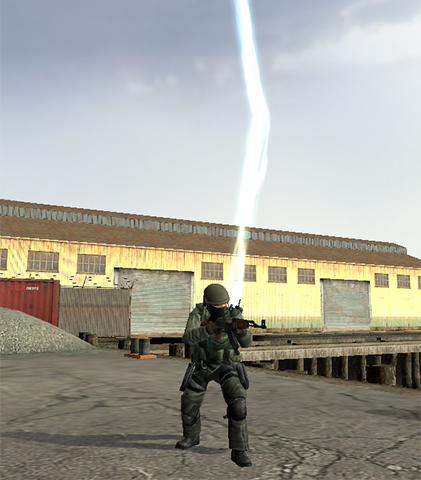
Garry's Mod Wiki
Overrides the way that the final color and alpha is calculated for each pixel affected by upcoming draw operations.
When a draw operation is performed, the rendering system examines each pixel that is affected by the draw operation and determines its new color by combining (or "Blending") the pixel's current color (Called the "Destination" or "D...
wispy birch
nah, thats blending, its not conditional
wispy birch
if you want to use alphatest, you can do alphatest with stencil and THEN DepthWrite
wispy birch
misty surge
Shader DepthWrite needs an upgrade
what for
misty surge
Alpha testing, mainly
wispy birch
stencil gets you covered
misty surge
I see, that makes sense. Hmm haven’t messed around with stencils in a while but they’re pretty useful.
misty surge
hollow arrow
Please do
I’m going to definitely get a more published version, so we can just update shaders while in game. No need to restart. I’ll keep everyone posted!
 sacred jackal
someone got a DepthWrite example? i cant find shit about it 😭
 midnight hatch
misty surge
Saturn
midnight hatch
misty surge
Saturn
Nah you're good as hell
misty surge

GitHub
Allows anyone to hotload shaders using a fix by renaming the contents. - EthanTheGreat/gm_shaderbuild
There, I hope I explained it enough, but ye
cosmic perch
that solution i buggy
i noticed that it works but sometimes it crashed for me or did weird glitches
misty surge
I rewrote it.
cosmic perch
no i didnt use it, i noticed that u can do some magic to reload the shader
misty surge
Yea dude
cosmic perch
found it by luck, worked but sometimes didnt
misty surge
It works a lot better now.
cosmic perch
so i went to stick with just reloading game
misty surge
Yeah, this works 100% of the time.
cosmic perch
even if u change whole code?
misty surge
Yes, the system had some issues. I just worked it out better on my end, it works flawless.
Major improvement.
Instead of keeping it to myself, I implore you to check it out.
works with vertex shaders too, but I haven't tested that too much.
cosmic perch
whats the trick i cant follow in ps1
misty surge
Then when you're ready to publish just use the masic ones.
cosmic perch
does it just replace file contents
misty surge
The order it does it is, compile, finish, update vmt local copy locals to game path, rewrite shader's names to proper new ones, and change the vmt last.
I forgot to include one more file shoot.
cosmic perch
oh ok that works then, new shader basically
rewriting same file name works if everything is just the same but u only change values
misty surge
Yup
cosmic perch
thank god i dont have to touch shaders again 
misty surge
All derrived from the name itself.
So it needs like erm
atmosphere_vs3x or _vs30
so it decides which one it is.
updates the $pixelshader
and $vertexshader
IF setup, I can like literally change 1 number, relax and see the update LIVE
If you wanna publish it, just do it manually when you're ready.
Ideally, what it's doing pretty nicely is it's seperating the local from the exported gmod path. So I can work within a scope outside of the gmod's directory.
If you decide on using it, lmk if you have issues. I'll fix them. I want people to use shaders easily verses manual. This will save everyone time. I hope this helps.
cosmic perch
unforun i dont touch shaders anymore, not sure if anyone else is writing shaders
misty surge
Exactly, hence why I think this idea should really be considered as a standard for gmod shader development. But I think it’s possible to just allow ourselves easier access.
misty surge
For all purposes, this is literally me changing the shader by 1 number each time building and compiling in the background.
4 compiles in like 20 seconds, helps instead of the annoying style we're forced into.
@jovial tide Maybe you can take a look at the repository maybe I'm missing something.
misty surge
Fixed up the readme
misty surge
How it's lookin rn
 misty surge
No models, just shader math
graceful lynx
Neat!
hollow arrow
cosmic perch
unforun i dont touch shaders anymore, not sure if anyone else is writing shaders
Well im kinda interested in, but not sure about the actual use, per exemple i would like to recreate a toon shaders, but how do i change lightning with the screenspace general since it's already have vertexLitGeneric light and shadow ?
Maybe @misty surge can help me
 finite quarry
anyone got an up to date guide on getting shader model 3.0 pixel and vertex shaders compiled and running in the game?
i haven't been here in some time
misty surge
When we attribute the screenspace shader, it lacks depth calling which is important for 3D geometry.
The work around is to cast DepthWrite, and use that to sort of resolve this issue of lacking depth.
Normally in 3D shaders, we have access to more buffers, in this case we’re limited to what we’re offered.
With all this said and done, it is indeed possible to use 3.0 correctly, but again you may need a work around for depth as it currently stands.
misty surge
hollow arrow
Well im kinda interested in, but not sure about the actual use, per exemple i wo...
If you want more lighting techniques, I recommend you use DepthWrite or any depth buffer as it’s required for 3D shading & lighting.
You could use a normal map as well, or other methods specific to light casting
Lighting can use normal mapping, bump mapping or depth mapping and each one has tradeoffs and benefits between each other.
vapid reef
misty surge
When we attribute the screenspace shader, it lacks depth calling which is import...
Have you tried messing around with the WRITEDEPTH DEPTHTEST VERTEXTRANSFORM params yet?
misty surge
Hmm, I don’t think I’ve tried that yet. You got some incite? 😏
finite quarry
Alright thanks for the info
vapid reef
all i know is that when i asked rubat to give me a list of all the shader params is that those were missing from the wiki, it now contains all the shader params the screenspace_general has https://wiki.facepunch.com/gmod/Shaders/screenspace_general

Garry's Mod Wiki
This shader is a wrapper for providing custom pixel and vertex shaders, while it is named screenspace_general there is nothing inherently screenspace only about this shader, it is merely the name that was chosen before it received extra functionality that allowed it to do more than just screenspace work, as such this is a general shader that can...
finite quarry
in any case, even if I can't get vertex shaders working, post process screenspace ones are pretty cool and fun in and of themselves
 vapid reef
all you need should be loading it through VERTEXSHADER and enabling something like $model
misty surge
Wow, that’s amazing dude.
finite quarry
i'll give it a try at some point, i wanna recreate some of the EGSM example shaders
misty surge
Must try it when I get home I can’t believe I missed that.
That’s epic stuff. @vapid reef
Ty
vapid reef
More info here
vapid reef
misty surge
That’s epic stuff. <@730340458647257148>
added https://github.com/EthanTheGreat/gm_shaderbuild to the wiki too, since its handy, im gonna try to keep up adding useful stuff to that page so i dont have to go through the depths of this discord again

GitHub
Allows anyone to hotload shaders using a fix by renaming the contents. - EthanTheGreat/gm_shaderbuild
 vapid reef
i dont see a build deployed yet in the commit channel
finite quarry
yea seems like it isn't
is there anything special to do differently when compiling 3.0 pixel shaders? currently just interested in screenspace 3.0 pixel shaders
2.0b is pretty limiting when it comes to things like sample counts for blurs
jovial tide
finite quarry
is there anything special to do differently when compiling 3.0 pixel shaders? cu...
you must pass a sm3 vertex shader
finite quarry
i see
vapid reef
jovial tide
you must pass a sm3 vertex shader
gonna document that
misty surge
vapid reef
added https://github.com/EthanTheGreat/gm_shaderbuild to the wiki too, since its...
I will be here if anyone got suggestions/improvements to the code so we all can make shading easier for everyone else.
dusty linden
finite quarry
finite quarry
should the pixelshader still have the ps20 prefix even if it's 3.0?
vapid reef
not sure, try both and see what happens, ill update the wiki with the findings
finite quarry
doesn't seem like it
i don't know
my shader doesn't seem to load either way
spits out an error in console that it couldn't load when it's ps20
and i am supposedly giving it a sm30 vertex shader
oh well
someone smarter than me will figure it out
misty surge
I use _ps30/20 and specifically _vs20. What’s the error populating the terminal?
finite quarry
oh no, the shaders compile fine
it's just that they don't load
but idk, i'm trying to do something way out of my scope

ModDB
In this tutorial I will show you (not teach) how to implement basic SSAO shader into Source Engine.
porting this
misty surge
Oh, I see. It’s giving you that red error.
finite quarry
only if it's with the ps20 prefix
ps30 prefix gives no error
but doesn't load either
misty surge
Lemme see when I get home I’ll show you my ssao perhaps.
finite quarry
oh you've already made ssao?
misty surge
Yeah, first thing I did but I don’t remember too much what I did.
finite quarry
that's cool
guess i don't have to bust my ass trying to make it work then
would like to learn from yours tho
just to see how i can get sm3 to work
misty surge
NP, try to figure it out. And when I get home I’ll post it up on GitHub too.
finite quarry
you'll get showered with steam awards if you upload it to the workslop
misty surge
Even if you can’t— it’s better to learn from your own mistakes 🙂
finite quarry
get all the animated anime girl avatars you want
misty surge
finite quarry
you'll get showered with steam awards if you upload it to the workslop
For at least shader stuff, I wanna provide code. Workshop isn’t really meant for code uploading, but alas I got you with a repository as soon as I make it home!
finite quarry
I meant if you package it as a toggleable shader effect in the Post Process tab
misty surge
Oh I see, well that’s pretty simple stuff.
finite quarry
Yea
finite quarry
yayy the fix is in!!
 vapid reef
finite quarry
yayy the fix is in!!
vapid reef
finite quarry
yayy the fix is in!!
Pictured: Average UE5 game
shadow shuttle
lol wat
finite quarry
vapid reef
Pictured: Average UE5 game
nah, not enough TAA ghosting and dithering
graceful lynx
misty surge
Hmm, I don’t think I’ve tried that yet. You got some incite? 😏
*insight
“Incite” means “to provoke”
It’s a silly language with duplicate words
misty surge
Lmao true ;-;
 surreal parcel
conflicting addons
misty surge
Black hole WIP
 misty surge
https://kelvinvanhoorn.com/2021/04/20/supermassive-black-hole-tutorial/
Incase anyone's interested.


Kelvin van Hoorn
Due to the interest in my supermassive black hole (SMBH) shader I’ve decided to write a tutorial on it. Note that it is my first tutorial, and thus the format will be a bit janky as I try to figure out a good way of communicating my process. Also, I’m not a professional when it comes to writing shaders and thus do not take any of this as best pr...
shadow shuttle
thats gemmy 💎
exotic willow
#1327362795616075939 message
It was literally done like 2 months ago.
You masterfully fail to notice the inscription NON DLL
wispy quartz
vapid reef
Have you tried messing around with the WRITEDEPTH DEPTHTEST VERTEXTRANSFORM para...
The irony that those parameters don't work, they are broken as ficool2 staten
exotic willow
The fact that HE ALSO HAS A VANILLA GMOD without any dlls, for example?
wispy quartz
That was vanilla gmod
wispy quartz
finite quarry
https://www.moddb.com/tutorials/source-engine-implementing-simple-ssao-shader-pa...
Won't work, since you only have 8 bit depth buffer.
For somewhat descent ssao you would have to use 16-24 bit deptg buffers
He used the same egsm shader, and then patched it to work with screenspace_general
My friend helped him to do it basically
exotic willow
Okay, it clearly says that this is for the workshop, how do you propose to upload to the workshop what EGSM requires?
Say install dll and violate gmod's TOS?
wispy quartz
Most of the shaders.
The screenspace_general ones lack multiple texture inputs (4 is not enough), proper depth support, only 16 bit depth/normal/worldpos buffers at max (and hacky way too)
So he only made fxaa, and etc to workshop.
The rest of them will be egsm
finite quarry
wispy quartz
Won't work, since you only have 8 bit depth buffer.
For somewhat descent ssao yo...
not like I could get sm3.0 to work anyway
was doomed to make a boom boom in my panties
wispy quartz
finite quarry
not like I could get sm3.0 to work anyway
Make 3.0 vertex shader, and then make 3.0 pixel shader.
Looks like you are building them with default bat ficool2 provided.
You need to edit that bat and change -ver 20b to -ver 30. Same stuff with vertex shaders
finite quarry
i did
wispy quartz
Then tell me the output pls
finite quarry
still didn't work though, i tried just recompiling one of my working 2.0 shaders to 3.0
what output
wispy quartz
....Well, what is resulted?
Shader with ps20 postfix or a 30 shader which is not drawing?
wispy quartz
The problem is that you are probably using ficool's PS_INPUT
You should use the same INPUT as the VS_OUTPUT you've provided
I.e like this.
misty surge
Black hole was the hardest shader so far to get right.
 neat terrace
looks very nice
misty surge
Here, a picture doesn't show the anims
misty surge
Gravity pulls the light around the blackhole, hopefully I can add some layers to it and have different colors.
zinc sedge
"Gravity pulls light around the blackhole"
are you referring to what the accretion disk is?
or just the warping effect
misty surge
I’m still trying to figure it out myself, but the light casted from the sun should technically be pulled into it? Then the Doppler warping ring. There’s so much to this I still don’t quite understand.
zinc sedge
I can try to make it a little less confusing, the accretion disk is just matter from various objects like stars and debris being pulled into the black hole. It glows because it is so hot from all the matter in the disk rubbing and colliding with each other at high speeds as it accelerates into the black hole
at least that's what I can summarize from my understanding
 zinc sedge
some crude drawing to try to illustrate what the light is doing on the far side of the black hole's accretion disk
the gray lines are light from the disk
 misty surge
That’s crazy if you think about how it just sucks up everything like that.
zinc sedge
this section is the bottom of the accretion disk btw

so you're seeing both the top and bottom of the accretion disk
misty surge
Yeah! So that’s what I think I need to fix, mine is very tiny compared to this, the banding too looks to be improved. Thank you for assisting this is helpful
zinc sedge
SpaceEngine has some really nice black hole simulation stuff if you want a real time interactive thing to look at

This is example of a black hole accretion disk on medium quality settigns.
video from when it was being developed
the disk rotates faster as the camera gets closer due to seeing more recent light from the disk, and it moves in reverse because you're seeing older light
this effect is so obvious due to moving faster than the speed of light iirc
graceful lynx
misty surge
That’s crazy if you think about how it just sucks up everything like that.
I really try not to think about it, honestly. Space is cool, but full of danger that we have literally no ability to control. Makes me feel safer to ignore it
errant nacelle
it's stuff like the bootes void that scares me lol
sacred jackal
finite quarry
yayy the fix is in!!
how do you get the lighting data?
finite quarry
i didnt
that's a post process shader using the full depth buffer
i have not gotten (or tried since last time) to get vertex shaders to work for me, and subsequently models for shaders
zinc sedge
graceful lynx
I really try not to think about it, honestly. Space is cool, but full of danger ...
such is life. There's a lot we feel we can control but the reality is your heart could just stop tomorrow from some condition you had no control over nor prior knowledge of etc etc
misty surge
zinc sedge
https://youtu.be/Rx4-XYEq4cM
Yes to this. I can probably do a low quality one easily.
zinc sedge
misty surge
Yes to this. I can probably do a low quality one easily.
you gotta make the light physically warp to get the effect accurately. Your black hole just distorts the disk from what the camera can see. But the light is actually warped in such a way that appears to bend the disk toward the camera
idk if raytracing or something like it would be possible with these shaders. I'm sure you can figure out something convincing!
misty surge
Lol
 wispy birch
it devours
 misty surge
Not really expensive, just very tricky to work with direct x 9 and it's memory limitations. 3.0 does a great job of resolving some issues, even implementing 3D samplers, but realistically, if I went full detail, high res textures, it would be too expensive to play on, but the rendering quality would look amazing.
256x256x256 would need to be a 512x512x512 or runtime generated for the precision to work how you see unreal. But with DX11, they have quite more resources to produce more detail without moderately sized limits.
finite quarry
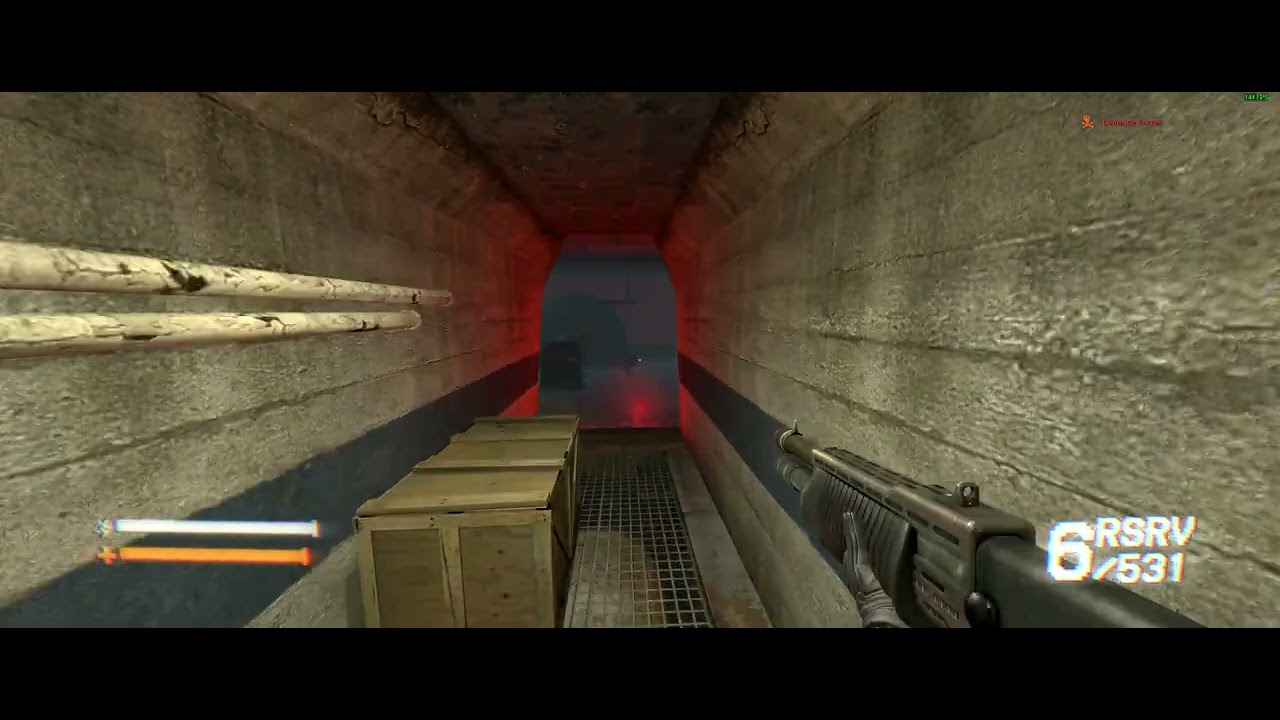
playing around with my shader post processed hud https://youtu.be/BvyE2EdVb9c
 errant nacelle
never thought I'd see chromatic aberration that was good to look at
finite quarry
subtle chromatic aberration on hud elements has always (in my opinion) looked really good
errant nacelle
never even seen it on a hud before
finite quarry
seems to be getting popular these days with games like lethal company and repo
at least i think it's in those
i'm sure i've seen it elsewhere but i can't remember
errant nacelle
never noticed it on lethal company and I haven't played repo yet
finite quarry
not sure about lethal company but repo totally has it, but it looks even more subtle than mine

also has that slight bloom
and i think it's got the fisheye too
 lunar folio
I like the hud & UI in repo, the main menu and typing in chat is so satisfying
finite quarry
yeah it's nice
finite quarry
snapped a pic myself and yeah it definitely has prominent chromatic aberration on the ui

seems to about on par with strength as mine
misty surge
I decided to post a seperate thread on black holes in WAYWO, I think the blackhole thing is basically done (at least for now).
 steep river
anyone know how to implement screenspace ambient occlusion
wispy quartz
steep river
anyone know how to implement screenspace ambient occlusion
Use depth buffer via Ethan's depthwrite method.
Write a shader that makes SSAO using original Crytek's algorithm which used only the depth buffer
 placid stream
¿what does $CULL do (it's off by default)? like I understand the concept of culling it's just that I don't know if it means cull as in stop rendering full stop OR cull as in enable culling outside of view
steep river
wispy quartz
Use depth buffer via Ethan's depthwrite method.
Can you send link to github for that method?
jovial tide
placid stream
¿what does `$CULL` do (it's off by default)? like I understand the concept of cu...
toggle backface culling
 wispy birch
snow cradle
i use `$texture1 "_rt_ResolvedFullFrameDepth"`
wispy birch
snow cradle
i use `$texture1 "_rt_ResolvedFullFrameDepth"`
_rt_ResolvedFullFrameDepth has very little precision
misty surge
Ima work on an example for you guys, with the help of @snow cradle
I’ll publish my SSAO so people can just refer to the example.
I use DepthWrite with 16bit depth, helps a lot.
 misty surge
GitHub
Contribute to EthanTheGreat/gm_depthwrite development by creating an account on GitHub.
This is just for higher depth writing, the SSAO shader I use can work with this quite well but it's not finalized yet, so I'll leave it out for now.
This should allow anyone to downsample, or upgrade their render-targets.


 snow cradle
@misty surge can i upload addon on workshop
And add u to autors

No information given.
 shadow shuttle
hi that ssao is very good nice
snow cradle
https://www.youtube.com/watch?v=vxVll2GSqgI
SSAO test for workshop (ru video)

now i will make video with en lang
graceful lynx
It's completely fucked up that you can just make SSAO and put it on the workshop now
We live in the future
icy plume
its evil almost
next thing you'll tell me is that we'll see pbr on the workshop just like that
most evil of timelines
 shadow shuttle
icy plume
next thing you'll tell me is that we'll see pbr on the workshop just like that
shadow shuttle
icy plume
next thing you'll tell me is that we'll see pbr on the workshop just like that
hey now, dont give me hope like that
snow cradle
 midnight hatch
snow cradle
https://steamcommunity.com/sharedfiles/filedetails/?id=3453258660
midnight hatch
snow cradle
https://steamcommunity.com/sharedfiles/filedetails/?id=3453258660
Thank for the work brother
 raw ferry
snow cradle
https://steamcommunity.com/sharedfiles/filedetails/?id=3453258660
raw ferry
snow cradle
https://steamcommunity.com/sharedfiles/filedetails/?id=3453258660
woah
is it possible to make matcap shader with this custom shader feature? like envmapsphere but not unlit and not broken in dx9
snow cradle
Volumetric clouds (already compiled on .vcs)
it takes 5 min
I will make params into q-menu and then upload it today
snow cradle
 rain marten
misty surge
https://github.com/EthanTheGreat/gm_depthwrite/tree/main
rain marten
misty surge
https://github.com/EthanTheGreat/gm_depthwrite/tree/main
Anyone managed to get that technique working with a orthographic view?
Im trying to do shadowmaps but it looks like DepthWrite does not like to render a ortho view from the light
snow cradle

Hello everyone! In an old video by Mee, he showed volumetric clouds and unintentionally showed code fragments. I rewrote the code shown on pauses. Restored the vertex shader, created 3D textures and restored the functionality of this shader. I also added the dependence of the color of the clouds on the sun.
i will make now video on en language
snow cradle
 rain marten
Im trying to do shadowmaps but it looks like `DepthWrite` does not like to rende...
rain marten
rain marten
Im trying to do shadowmaps but it looks like `DepthWrite` does not like to rende...
like so


it works fine with a perspective view
 misty surge
https://wiki.facepunch.com/gmod/Shaders/screenspace_general#VIEWPROJMAT
idk if this works but maybe this can be changed here.
Garry's Mod Wiki
This shader is a wrapper for providing custom pixel and vertex shaders, while it is named screenspace_general there is nothing inherently screenspace only about this shader, it is merely the name that was chosen before it received extra functionality that allowed it to do more than just screenspace work, as such this is a general shader that can...
rain marten
misty surge
https://wiki.facepunch.com/gmod/Shaders/screenspace_general#VIEWPROJMAT
idk if ...
oh im using the built-in DepthWrite shader, its not a custom screenspace_general one
im basically doing the same thing you did on your gm_depthwrite repo, but modified to render a orthographic view
snow cradle
 steep river
@snow cradle parallax mapping next?
snow cradle
steep river
<@284864428363743233> parallax mapping next?
i wanna it but idk how to add lightmaps support
we have uv for lightmap texture
but idk how to get lightmap texture for mat/brush etc
steep river
snow cradle
i wanna it but idk how to add lightmaps support
I think sdk pbr has lightmap support for parallax maps
maybe you can get a fix from there
snow cradle
we have only: 1. LUA. 2. HLSL
Data in the vertex shader about the lightmap binding comes from C++
Perhaps there is a way to optimally get lightmaps and assign them to each face from scratch. And correctly.
How can I calculate all this so that it is simple and easy at the end. And doesn't affect the fps.
I know how to get _rt lightmap via RenderView, but it's a hit to fps.
But the method is simple
shadow shuttle
Did someone say parallax mapping 👁️
snow cradle
mat_fullbright 2
Replaces all albedos with a grey tone, leaving just lighting information.
idk why it not work on gmod


hmmm
it work on gmod
but it does not work using render.SetLightingMode( 2 )
wispy birch
it uses fullbright directly
 wispy quartz
rain marten
im basically doing the same thing you did on your gm_depthwrite repo, but modifi...
wispy quartz
rain marten
im basically doing the same thing you did on your gm_depthwrite repo, but modifi...
Use WriteZ shader to write depth, and then use custom screenspace_general shader to write depth as a color
graceful lynx
snow cradle
https://steamcommunity.com/sharedfiles/filedetails/?id=3453258660
Put in #addon-releases so everyone sees
 turbid crystal
Just curious does making shaders require any special software or can it mostly be done in like VSC or something.
I've noticed some unfamiliar file types in a shader addon I downloaded to get a rough idea of what a shader addon looks like.
errant nacelle
GitHub
Screenspace pixel shader SDK for Source games. Contribute to ficool2/sdk_screenspace_shaders development by creating an account on GitHub.
turbid crystal
errant nacelle
https://github.com/ficool2/sdk_screenspace_shaders?tab=readme-ov-file#vscode
Ah, I see, cheers!
 timid pumice
Oh My god that looks so freaking cool, good job m8
How is the compiling time or the time it takes to refresh a shader
I'm really tempted into trying to do shaders
snow cradle
idk why but worldnormals and tangent are black (like 0 0 0)
i set normal like float3(0,1,0)
like floor
idk but worldnormals works 4 week ago
mb i need do like this
    vNormal = normalize(mul( v.vNormal, ( float3x3 )cModel[0] ));

    o.vWorldNormal.xyz = vNormal;
or this
bool SKINNING = false;

    float3 vNormal; float4 vTangent;
    DecompressVertex_NormalTangent(v.vNormal, v.vTangentS, vNormal, vTangent);
    float3 worldNormal, worldPos, worldTangentS, worldTangentT;
    SkinPositionNormalAndTangentSpace(SKINNING, v.vPos, vNormal, vTangent, v.vBoneWeights, v.vBoneIndices, worldPos, worldNormal, worldTangentS, worldTangentT);
or bool SKINNING = false;
idk
input:
float4 vNormal : NORMAL;
snow cradle
timid pumice
How is the compiling time or the time it takes to refresh a shader
1-3 sec if int value of cycles are static in code
and >1 min+ if cycles using unroll
and made like $c0x etc
Like my SSAO
steep river
@snow cradle is that a screenspace effect or actually vertex shaders
parallax
damn impressive bro
how did you scale height
u use heightmap or normalmapa?
exotic willow
Via shader, no? Screenspace is screenspace, screenspace doesnt have normals
Also we have forward rendring...
neat terrace
exotic willow
Via shader, no? Screenspace is screenspace, screenspace doesnt have normals
Also...
shaders are both vertex and screenspace
wispy quartz
Just use writeZ......
Literally, in your case you already use lightmap pass, you can already copy it's contents to another RT and just use it's depth and render stuff again
graceful lynx
Sounds like you're writing that normal info to the water reflection Render Target
I haven't done anything with it yet, but I really think some interesting visual effects could be created by intentionally modifying the reflection and refraction Render Targets
wispy quartz
graceful lynx
I haven't done anything with it yet, but I really think some interesting visual ...
..Like disable it meheheheheh
For some strange freaking reason, there is no way to actually know if you draw in water's RT
steep river
anyone got example how to use screenspace_general for vertex shader
wispy quartz
i mean, there is 2 arguments for DrawOpaque/Translucent, one is for depth (shadows, etc), second one is for 3d skybox, but there are no any way to get that
wispy quartz
steep river
anyone got example how to use screenspace_general for vertex shader

GitHub
Because drawing rounded shapes should be simple, fast, and beautiful. 🎉 - Srlion/RNDX
graceful lynx
wispy quartz
..Like disable it meheheheheh
For some strange freaking reason, there is no way ...
How do you mean?
wispy quartz
graceful lynx
How do you mean?
For an example, for blur rt creation, which caches for certain amount of time
And in some cases it will literally cache wrong rt (water one), resulting in broken blur
graceful lynx
render.GetRenderTarget():GetName() will tell you which Render Target is currently being rendered
steep river
wispy quartz
https://github.com/srlion/RNDX
no i mean like putting it on models and worldspawn
instead of the screen
wispy quartz
graceful lynx
`render.GetRenderTarget():GetName()` will tell you which Render Target is curren...
I think it will return nil for both cases, since they are set from engine side