
#[Archive] The Shader Hole
1 messages · Page 1 of 1 (latest)
 graceful lynx
Shaders? In my Garry's Mod?
It's more likely than you think thanks to @jovial tide's neat sdk_screenspace_shaders project available on GitHub Here
There is currently an open request to add official support for loading custom shaders via whitelisting a file path, available Here

GitHub
Screenspace pixel shader SDK for Source games. Contribute to ficool2/sdk_screenspace_shaders development by creating an account on GitHub.

 finite quarry
Anyone got any working on models in GMod? I wanna try making one but that issue that one person has on the github makes me wonder if I should even bother
 snow cradle
i have no idea wtf is going on
graceful lynx
finite quarry
Anyone got any working on models in GMod? I wanna try making one but that issue ...
@warm sparrow Were you working on shaders for models?
 warm sparrow
nope i was doing screenspace
finite quarry
talking bout this

GitHub
I've compiled the shaders and popped them into my game folder (Garry's Mod), and I can get them to show up on screen as an overlay, but not on models. I've tried adding the $softwareski...
finite quarry
simplest of grayscales (i am not a graphics programmer so this is kinda cool for me)
 snow cradle
graceful lynx
Sounds like a good "Hello world" example, honestly
snow cradle
graceful lynx
Sounds like a good "Hello world" example, honestly
you can just return 1 color 3 times
float uv = i.TexCoords;
float4 color = tex2D(FrameBuffer,uv);
return float4(color.rrr,1); //or color.ggg, color.bbb
will do, sec
snow cradle
some ViewProj info:
float4x4 ViewProj = {
    r0,  0,  0,  0,
    0, g1, 0, 0,
    0, 0, b2, 0,
    r3, g3, b3, 1,
}
#include "common.hlsl"

float4 main( PS_INPUT i ) : COLOR
{
    float4 tex = tex2D(TexBase, i.uv.xy);
    float3 greyscale = float3(.5, .5, .5);
    float3 dotty = dot( float3(tex.r, tex.g, tex.b), greyscale );
    float3 clr = float3(dotty.r, dotty.g, dotty.b);

    return float4( clr.r, clr.g, clr.b, tex.a );
}
same thing but lerped with depth

fun to look at
oh man the bitrate does not do it justice
graceful lynx
finite quarry
fun to look at
That's really neat
 obsidian merlin
finite quarry
fun to look at
obsidian merlin
finite quarry
fun to look at
now do it backwards
make everything older as you get near it
finite quarry
admin he's doing it sideways
obsidian merlin
lol, actually you could probably expand that into a cool concept, where things turn more "filmic" and "vintage" as you get closer.
finite quarry
wonder how that would work if it kept track of what's been "touched" already
i guess some rendertargets
graceful lynx
How would you track that with a render target?
finite quarry
it'd be 2d
top down i guess
sample render target
dunno if we can get pixel's world coords
but if so
check if x and y are in area that's white in the rendertarget
set color accordingly
this is all off the top of my head and i am definitely not a programming prodigy so i am not certain how feasible it is
 wispy quartz
graceful lynx
## Shaders? In my Garry's Mod?
It's more likely than you think thanks to <@2194...
wispy quartz
graceful lynx
## Shaders? In my Garry's Mod?
It's more likely than you think thanks to <@2194...
Looks like there is arleady a page about that in gmod wiki. Funny that this page is 2nd in my duck duck go search except github links. (So little info bout that lol)
https://wiki.facepunch.com/gmod/Shaders/screenspace_general

Garry's Mod Wiki
The shader is a wrapper for providing custom pixel (and in some games vector) shaders.
Unfortunately (at the moment of 2024-12-22), the only way for Garry's Mod to find and mount custom . VCS shaders, is to provide them in root garrysmod folder. For other games this is not required, and you can provide . vcs shaders via BSPZIP for an example. Is...
finite quarry
obsidian merlin
now do it backwards
here you go :3
graceful lynx
It would be cool to have that effect radiate outward from an entity/entities
finite quarry
yeah i thought about that as well
can we somehow get an ent's coordinates in the shader?
wispy quartz
finite quarry
here you go :3
You can use SSAO buffer which is 4000 units long btw
finite quarry
yeah i know i just couldn't be bothered
speaking of SSAO, i hope someone way more talented than me makes a basic SSAO shader sometime soon
would love to see all my scenebuilds with at least some semblance of lighting


 snow cradle
SSS on weapon
snow cradle
graceful lynx
It looks a bit grainy/static-y
The grain will need to be removed in some way. Overall, I was counting on TAA.
Perhaps the number of times the loop is called can be increased. Or I'll wash out the shadows separately.

SSGI + SSS

 finite quarry
screenspace shadows?
snow cradle
SSAO + SSS + SSGI
 snow cradle
finite quarry
screenspace shadows?
snow cradle
finite quarry
screenspace shadows?
+++
snow cradle
I just covered myself with shaders
 snow cradle
finite quarry
is this with EGSM or screenspace_general
snow cradle
finite quarry
is this with EGSM or screenspace_general
This is EGSM, but many shaders can be transferred to .vcs, but some can be transferred "at low settings".
SSAO can be maked on vcs on 8 samples (16 default)
graceful lynx
snow cradle
The grain will need to be removed in some way. Overall, I was counting on TAA.
...
Easy fix: Just blur the whole frame 
 graceful lynx
Call it a "stylistic choice"
snow cradle
 snow cradle
finite quarry
for the SSS
snow cradle
finite quarry
for the SSS
I will define the sun as the light source. But if you get bored, you can choose the nearest env_sprite (which is a flash for a light bulb) as a light source.
 raw sand
Sup shader crew
warm sparrow
 finite quarry
raw sand
Sup shader crew
finite quarry
raw sand
Sup shader crew
who up pixelatin they shader
snow cradle


 blazing mason
so is this just for custom postprocessing shaders? or does it also allow for custom per-object shaders that we can reference in .vmts?
 jovial tide
both
the latter is not too practical right now (but will be in the future if rubat accepts an extension)
blazing mason
yeah my thinking behind that question is recreating some functionality from the l4d2 infected shader
jovial tide
stay tuned on that because I want to make a 1:1 recreation of that shader
blazing mason
for me personally it's not about using the l4d2 models ingame, but rather using the functionality of the palette gradients
blazing mason
blazing mason
for me personally it's not about using the l4d2 models ingame, but rather using ...
jovial tide
this should be possible if custom vertex shaders are accepted into gmod
 keen coral
 snow cradle
keen coral
https://media.discordapp.net/attachments/588979185687461908/1137878269849522217/...
snow cradle
keen coral
https://media.discordapp.net/attachments/588979185687461908/1137878269849522217/...
welcome 👋
graceful lynx
@misty surge Post your shader business here
graceful lynx
@warm sparrow You've got an issue on line 17 of your screenspace shader code
currentRT vs CurrentRT
warm sparrow

warm sparrow
graceful lynx
<@95609508096647168> You've got an issue on line 17 of your screenspace shader c...
fixed oops https://pastebin.com/h8jULLaN
Pastebin
Pastebin.com is the number one paste tool since 2002. Pastebin is a website where you can store text online for a set period of time.
I were rendering it outside doing rendertargets
i should PROBABLY have tested that
graceful lynx
Also, you should be caching the mesh
There's no need to recreate it from scratch every frame
warm sparrow
i were too lazy sorry
finite quarry
is that just for drawing a screen sized quad with the shader?
if so you don't need all that
you can just render.DrawQuad it
don't even need to create a material ingame
 icy plume
Garry mod shader revolution is upon us
jovial tide
January 6th, 2025
warm sparrow
finite quarry
you can just render.DrawQuad it
i must've fucked it up first time because it works 
that or i forgot i didnt actually want to pass a color
 finite quarry
lol
happens
i only know because i quickly prototype shit in Starfall and it's texturedrect function draws a quad
 misty surge
The shader hole? Lmaoo
Yep, having issues with the view matrix recompiled. Can someone please help me with my function here:
@jovial tide How does one rebuild the viewmatrix? Here's my code:
float4x4 ComputeViewMatrix(float3 eyePos, float3 eyeDir)
{
    float3 up = float3(0.0, 1.0, 0.0); // World up

    // Ensure eyeDir is normalized
    float3 zAxis = normalize(eyeDir);

    // Handle the case where eyeDir is parallel to up
    if (abs(dot(zAxis, up)) > 0.999f)
    {
        up = float3(1.0, 0.0, 0.0); // Switch to another up vector
    }

    // Compute the right vector
    float3 xAxis = normalize(cross(up, zAxis));

    // Compute the corrected up vector
    float3 yAxis = cross(zAxis, xAxis);

    // Construct the view matrix
    float4x4 viewMatrix = float4x4(
        float4(xAxis.x, yAxis.x, -zAxis.x, 0.0f), // First column
        float4(xAxis.y, yAxis.y, -zAxis.y, 0.0f), // Second column
        float4(xAxis.z, yAxis.z, -zAxis.z, 0.0f), // Third column
        //float4(-dot(xAxis, eyePos), -dot(yAxis, eyePos), dot(zAxis, eyePos), 1.0f) // Fourth column
        float4(0,0,0,1.0f)
    );

    return viewMatrix;
}
All I have included are eyepos and eyedir.
Shader Hole unite!!
jovial tide
i wouldnt bother reconstructing, wait for vertex shader support
misty surge
Ok ;-; let me hold my breathe lol
misty surge
Vertex stuff would be amazing!! It’s the only thing that is bottlenecking me rn. @snow cradle is helping me resolve issues with rebuilding it. 🙂
graceful lynx
misty surge
Vertex stuff would be amazing!! It’s the only thing that is bottlenecking me rn....
What do you mean by “rebuilding it”?
What is your shader intended to do?
misty surge
Nothing crazy, just wanted to obtain a rebuilt Viewmatrix. I think I got it figured out last night. I’ll share tn
misty surge
function GetViewMatrix()
    local ply = LocalPlayer()
    if not IsValid(ply) then return nil end

    -- Get the eye position and view angles
    local eyePos = ply:EyePos()
    local eyeAngles = ply:EyeAngles()

    -- Calculate the forward, right, and up vectors
    local forward = eyeAngles:Forward()
    local right = eyeAngles:Right()
    local up = eyeAngles:Up()

    -- Build the view matrix manually
    local viewMatrix = Matrix()
    viewMatrix:SetForward(forward)
    viewMatrix:SetRight(right)
    viewMatrix:SetUp(up)
    viewMatrix:SetTranslation(-eyePos) -- Translate the camera to origin

    return viewMatrix
end
Incase anyone needed this... Best results are here.
wispy quartz
Hi @jovial tide
Have you tried binding lightmap texture to your's modified screenspace_general shader?
And if it is - does it work well?
jovial tide
yes


 jovial tide

Recently, ficool discovered that the source engine has support for custom pixel shaders. I have used this discovery to recreate a strafe training tool that works in unmodified css/tf2 - the white bar shows how fast you are strafing relative to the optimal turning speed.
Limitations:
- This works in unmodified games, but the command to display...
misty surge
Vertex Shaders ;~;
blazing mason
So with currently known/available methods, we can only use up to 4 textures for custom shaders?
finite quarry
yyea
jovial tide
custom shaders with vertex-lit skinned models, and bumped lightmaps
misty surge
Does the fragment pos ever populate in shader 2.0? I noticed it’s there but it’s not usable.
jovial tide
it only exists in SM3
misty surge
Finally got the matrix math done right. Time to call it a day. All fragment shaders, I used two depths to capture this SSAO.
 graceful lynx
@jovial tide Pack a shader into a map and upload it to the workshop
Be first to market on this
jovial tide
sure
graceful lynx
(Plus I want to see shaders and I haven't done any of the work required to set that up myself yet)
 glossy sorrel
It works, somewhat.
#include "common.hlsl"

#define Color          Constants0
#define Corners        Constants1
#define Width          Constants2.x
#define Height         Constants2.y
#define EdgeBlurSize   Constants2.z
#define BorderWidth    Constants2.w
#define BorderColor    Constants3

static const float4 ZERO   = float4(0.0, 0.0, 0.0, 0.0);
static const float2 CENTER = float2(0.5, 0.5);

float rounded_box_sdf_individual_corners(float2 sample_at, float2 size, float4 radius) {
    radius.xy = (sample_at.x > 0.0) ? radius.xy : radius.zw;
    radius.x  = (sample_at.y > 0.0) ? radius.x  : radius.y;
    float2 q = abs(sample_at) - size + radius.x;
    return min(max(q.x, q.y), 0.0) + length(max(q, 0.0)) - radius.x;
}

float4 main( PS_INPUT i ) : COLOR
{
    float2 size         = float2(Width, Height);
    float  distance     = rounded_box_sdf_individual_corners(i.uv * size - CENTER * size, size / 2, Corners);
    float  rect_alpha   = 1.0 - smoothstep(0.0, EdgeBlurSize, distance);
    float  border_alpha = 1.0 - smoothstep(BorderWidth - EdgeBlurSize, BorderWidth, abs(distance));

    return lerp(ZERO, lerp(Color, BorderColor, border_alpha), rect_alpha);
}
 wispy quartz
glossy sorrel
It works, somewhat.
```hlsl
#include "common.hlsl"
#define Color Const...
wispy quartz
glossy sorrel
It works, somewhat.
```hlsl
#include "common.hlsl"
#define Color Const...
Well, the paint lib guy posted this thing in his tg channel a few minutes before ya
https://github.com/Jaffies/rboxes

GitHub
Rounded boxes via shaders. Contribute to Jaffies/rboxes development by creating an account on GitHub.
glossy sorrel
wispy quartz
Well, the paint lib guy posted this thing in his tg channel a few minutes before...
LOL
wispy quartz
glossy sorrel
LOL
Incredible stuff btw.
Shaders are super
glossy sorrel
wispy quartz
Well, the paint lib guy posted this thing in his tg channel a few minutes before...
His implementation has jagged edges. Probably.
I mean these.
 wispy quartz
glossy sorrel
I mean these.
wispy quartz
glossy sorrel
I mean these.
Lemme check that, wait a sec...
gonna download that and test
glossy sorrel
I don't see smoothing in the shader, at least.
wispy quartz
wispy quartz
gonna download that and test
nah i'll just ask him for screenshots
glossy sorrel
wispy quartz
nah i'll just ask him for screenshots
I would appreciate it too.
wispy quartz
glossy sorrel
I would appreciate it too.
 glossy sorrel
wispy quartz
glossy sorrel
wispy quartz
Yes, he has them. But better than these #1324464901401477191 message but worse than these
 wispy quartz
glossy sorrel
I don't see smoothing in the shader, at least.
wispy quartz
glossy sorrel
I don't see smoothing in the shader, at least.
Ah, he made smoothing via getting 8 samples per pixel
 wispy quartz
glossy sorrel
Yes, he has them. But better than these https://discord.com/channels/56510592041...
wispy quartz
glossy sorrel
Yes, he has them. But better than these https://discord.com/channels/56510592041...
SDF is cool
glossy sorrel
Wait for the MSDF fonts!
glossy sorrel
wispy quartz
Well, the paint lib guy posted this thing in his tg channel a few minutes before...
BTW, nice lib.
glossy sorrel
glossy sorrel
It works, somewhat.
```hlsl
#include "common.hlsl"
#define Color Const...
I'm fucking stupid.
Vertex color.
surface.Draw* function are creating new mesh every time.
And they are setting vertex color from surface.SetDrawColor!
This frees at least one vec4 for another purposes.
wispy quartz
glossy sorrel
I'm fucking stupid.
Vertex color.
surface.Draw* function are creating new mesh e...
Have you tried using mesh.TexCoords(1, u, v)?
glossy sorrel
wispy quartz
Have you tried using mesh.TexCoords(1, u, v)?
Why? :/
You can use these, yes.
 cosmic perch
glossy sorrel
Wait for the MSDF fonts!
cosmic perch
glossy sorrel
Wait for the MSDF fonts!
whats that
glossy sorrel
But sadly you can't use more than one UV channel there.
wispy quartz
Sad
cosmic perch
Mom
glossy sorrel
cosmic perch
whats that
Font rendering technique that allows you to render 16x16 bitmap and scale it infinitely.
wispy quartz
cosmic perch
Mom
Timmy timmy yes papa, eating sugar? No papa
cosmic perch
BETTER FONTS TOO?
glossy sorrel
cosmic perch
whats that

GitHub
Multi-channel signed distance field generator. Contribute to Chlumsky/msdfgen development by creating an account on GitHub.
cosmic perch
🥹
does it support working with any characters
or got the same limit
as source engine one
wispy quartz
cosmic perch
BETTER FONTS TOO?
Not only fonts, but decals, icons, 2d vector sruff
cosmic perch
damn
will be ready to make a textentry/label off it 😋
Web tool for creation of MSDF bitmap font spritesheets and JSON
glossy sorrel
cosmic perch
does it support working with any characters
Well, you'll have to create your own bitmap.
But, 4096x4096 texture covers whooping 65536 characters!
cosmic perch
1,046,528 left to fully support utf8
glossy sorrel
So, probably no surrogate pairs for you.
Probably.
cosmic perch
😋
glossy sorrel
cosmic perch
1,046,528 left to fully support utf8
You can have multiple atlases. At least.
Just like source does.
wispy quartz
cosmic perch
1,046,528 left to fully support utf8
Generate them on runtime
I'm sure you wont use all 65k characters
glossy sorrel
wispy quartz
Generate them on runtime
This is really hard to do using Lua, since there are no libraries written in pure Lua that can help you rasterize fonts in the first place.
wispy quartz
glossy sorrel
This is really hard to do using Lua, since there are no libraries written in pur...
JS can help
glossy sorrel
ASM.js. LOL
Wait. wasm2lua can help too.

GitHub
wasm2lua: converting WASM into Lua. Contribute to SwadicalRag/wasm2lua development by creating an account on GitHub.
cosmic perch
its not complete i think?
glossy sorrel
I dunno. But it works. I have compiled bullet3 once.
cosmic perch
oh nice
cosmic perch
cosmic perch
https://msdf-bmfont.donmccurdy.com/ yummy
time to sniff how this does it
but its slow
wispy quartz
glossy sorrel
ASM.js. LOL

GitHub
Contribute to lightning-js/msdf-generator development by creating an account on GitHub.
cosmic perch

GitHub
Web tool for creation of MSDF bitmap font spritesheets and JSON - donmccurdy/msdf-bmfont-web
wispy quartz
Probably it can be backported from modern Typescript to ancient awesomium JS
glossy sorrel
wispy quartz
[Nah, i meant something like... that](https://github.com/lightning-js/msdf-gener...
Neat.
wispy quartz
cosmic perch
awesomium is just so old
Babel?
glossy sorrel
wispy quartz
Sad
Yeah, but you can make some crutches with a texture that "indexes" another one.
glossy sorrel
cosmic perch
we use rust to wasm to lua
Please, no. It is already slow.
cosmic perch
the generation process?
glossy sorrel
No, I mean, code that is generated by wasm2lua.
cosmic perch
ok another plan
we use js ye
but wasm to js to make sure that it works
as js has too many features polyfing just fails
glossy sorrel
And it will work much better than lua variant :P
glossy sorrel
Also true.
cosmic perch

glossy sorrel
WAIT A SECOND.
Multithreading. Using fucking lua VM witten in js.
 glossy sorrel
It will tell me yes. LuaVM is not that complex.
cosmic perch
depends on what futures of js it uses really
glossy sorrel
cosmic perch
communication with js is fucking trash
JSON's or something like that.
cosmic perch
so many plans 🥹
 weak egret
https://streamable.com/h4vhcn copied something from shadertoy
 cosmic perch
so many plans 🥹
cosmic perch
cosmic perch
so many plans 🥹
Soon™
cosmic perch
weak egret
https://streamable.com/h4vhcn copied something from shadertoy
awesome
glossy sorrel
I'm going to recreate the left one using shaders, someday.
And render it in a single pass, and not like in five passes. Yay!
misty surge
glossy sorrel
I'm going to recreate the left one using shaders, someday.
And render it in a ...
Which blur method you interested in? BoxBlur?
glossy sorrel
misty surge
Which blur method you interested in? BoxBlur?
Simple downsample probably at first.
misty surge
So far this came out pretty solid. Going to work on Normals to correct some of the edge cases.
jovial tide
its Over.
 jovial tide
we're back.

 leaden wasp
graceful lynx
<@219456784773939201> Pack a shader into a map and upload it to the workshop
leaden wasp
graceful lynx
<@219456784773939201> Pack a shader into a map and upload it to the workshop
lol
i already did this last night
however..
its not public and it doesnt work because it says the shader version is wrong
leaden wasp
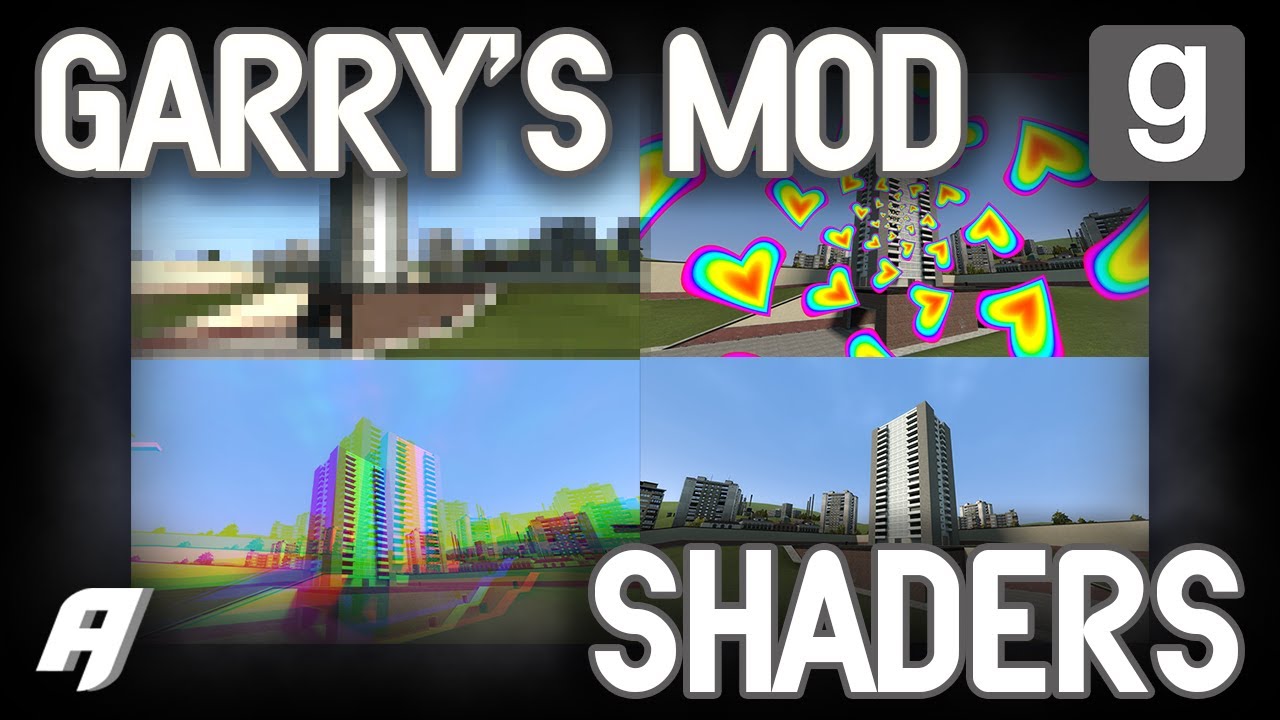
You can now use custom shaders on Garry's mod!
Currently, they can be used to pack into your hammer map and publish to the workshop!
Resources:
Ficool2's Github page: https://github.com/ficool2/sdk_screenspace_shaders
Garry'...
misty surge
jovial tide
we're back.
Is that also Custom vertex shaders? Or is that simply fragment only? Shader 3.0 sounds awesome right about now 🙂
 lavish robin
What's stopping model texture shaders from working in alien swarm+ engine branches? Especially sfm?
Is it possible to fix through the sdk?
I'm also curious about the vertex shader implementation as I couldn't find any examples
jovial tide
lavish robin
What's stopping model texture shaders from working in alien swarm+ engine branch...
you need a custom vertex shader
i have researched it and got it working but havent published it
a problem with the alien swarm branches is lack of texture resolution constants
its not exposed anywhere
so no screen resolution is available
lavish robin
ah, would that be possible to fix through the sdk? wondering if I could patch sfm for that
lavish robin
oh? I had no idea haha
I assumed the screenspace workaround was the only way
jovial tide
i mean why couldnt you since all memory is accessible anyway
lavish robin
true although I am a little worried about the sdk differences and sfm's specific engine branch
I'll definitely check that out though, you mean game_shader_* right?
lavish robin
thank you!
snow cradle
world (brushes) bump render target using nik naks (lua only)

 cunning crow
leaden wasp
https://youtu.be/F3AHgLOjMYs
cunning crow
leaden wasp
https://youtu.be/F3AHgLOjMYs
just got in here after watching this
hello chat
so from what I understand, these shaders won't work on maps uploaded to the workshop until they update the game right?
thought it was just funny effects on screen but the playermodel shaders got me interested
leaden wasp
cunning crow
so from what I understand, these shaders won't work on maps uploaded to the work...
yep
finite quarry
cunning crow
so from what I understand, these shaders won't work on maps uploaded to the work...
They’ll work if players are on the dev branch
cunning crow
yeah that makes sense
misty surge
$vertexshader lets gooo!!
finite quarry
is there an easy way to get screen res for the shader, or should i supply that from lua?
keen coral
finite quarry
is there an easy way to get screen res for the shader, or should i supply that f...
SCR_W
SCR_H
SCR_S```those are just globals i can freely access?
keen coral
finite quarry
those are just globals i can freely access?
maybe, i don't remember exactly
finite quarry
do we have a way to do tex2dlod in sm2, and does the frame buffer even have mipmaps?
keen coral
finite quarry
do we have a way to do tex2dlod in sm2, and does the frame buffer even have mipm...
wha? what do you even mean
finite quarry
doesn't matter anymore
jovial tide
finite quarry
is there an easy way to get screen res for the shader, or should i supply that f...
bind _rt_FullFrameFb as a texture and fetch its size using one of the constants
see common.hlsl
if you are tight on textures then pass it from lua instead
finite quarry
i assume these from the spin shader are it?
 jovial tide
yes
finite quarry
cool thanks
jovial tide
but it depends which texture you bind it frm
theres 4 to choose from
if its $texture3 then you use Tex3Size instead for example
finite quarry
yeah i figured that out but thanks anyway
leaden wasp
so what does the vertex shader allow for?
graceful lynx
leaden wasp
so what does the vertex shader allow for?
Stuff that moves bits of the model around. You could move the leaves of a tree around to make it look like it’s blowing in the wind, for example
jovial tide
its not just moving stuff, you can also pass more data like the ones required for parallax cubemaps
graceful lynx
What about a vertex shader allows for more data to be passed?
jovial tide
for parallax cubemaps you need the direction vector to the pixel from the eye
so in the vertex shader you calculate that then pass it to the pixel shader via an unused register, like texcoords
misty surge
Have you guys tried $vertexshader yet? I'm not sure if we're able to unless I'm doing it completely wrong.
jovial tide
you are very likely doing it wrong
its not the same as pixel shaders when it comes to input/output, you also need different compiler flags
i will update the repo with the correct setup for it
leaden wasp
jovial tide
parallax cubemaps
🥺
 zenith bear
Finally joined here, very passionate about this
I wanted to ask, will something like CSGO's implementation of CSM be possible with vertex shaders?
For example, is it possible to recreate this volumetric fog and sunlight with the shaders?
This one here just uses projectedtextures and that lua based volumetric fog from workshop
 misty surge
In theory, CSM needs to have multiple depth passes, so if you were to use projectedtexture with some tweaking, you can probably get this done.
zenith bear
misty surge
In theory, CSM needs to have multiple depth passes, so if you were to use projec...
Hmm yeah, the only issue with ProjectedTextures is the FPS drop that is caused by the shadows.
Someone did mention it on GitHub that if we were able to change projectedtexture's update rate it would improve performance
Because at the moment it updates every frame and that's one of the main reasons why it causes such a performance hit in the long run.
misty surge
Yeah, it’s very easy to cause fps drops via CSM. Shaders is probably the best way to do it now that we have access. Before this, CSM isn’t as perfected as it can be.
wispy quartz
finite quarry
is there an easy way to get screen res for the shader, or should i supply that f...
If you are using screenspace shader with fullFrameFB, then provide it's size, otherwise use lua for that
finite quarry
wispy quartz
If you are using screenspace shader with fullFrameFB, then provide it's size, ot...
Got an answer by ficool already
wispy quartz
misty surge
So far this came out pretty solid. Going to work on Normals to correct some of t...
Well, after vertex shaders dropped, you could do some trick into writing depth stuff in our RT with several colors, instead of red one
Should increase depth prescision to 16/24/32 bits instead of 8
But therefore the easiest way is for Rubat to make resolved frame depth RT use IMAGE_FORMAT_R32F
finite quarry
Np
glossy sorrel
screenspaceeffect_vs20 was updated.
And it has now slightly different VS_OUTPUT structure. And that means PS_INPUT should be different too.
If I understand it correctly, then vertex shader is not passing zeros and texcoord2 anymore, and color has now TEXCOORD1 slot, rather than TEXCOORD3
 tawdry rose
I wanted to ask, anyone here who is writing shaders?
Im looking for someone who can make a shader for me
graceful lynx
No one here can make a shader for you
They might be able to give you information that you can use to make your own shader
tawdry rose
graceful lynx
No one here can make a shader for you
and why is that?
graceful lynx
Why would they?
tawdry rose
what makes them incapable of making a shader for me?
 livid cliff
It's not that they are incapable, it's that they wish to not spoon feed, no offense
tawdry rose
why would it be spoon feeding? I am willing to pay, within reason
graceful lynx
Offers for paid work are explicitly not allowed here
livid cliff
I think it'd be more beneficial to you if you learnt how to do it yourself. Here, have a look at this: https://github.com/ficool2/sdk_screenspace_shaders
GitHub
Screenspace pixel shader SDK for Source games. Contribute to ficool2/sdk_screenspace_shaders development by creating an account on GitHub.
tawdry rose
I dont have the time, patience or skill with coding to do that
otherwise I wouldn't be asking for someone to make one for me
livid cliff
Well unfortunately this is not the place to ask for paid work
graceful lynx
If you want to offer paid work, use this: https://www.gmodstore.com/jobmarket/jobs/browse
 tawdry rose
livid cliff
Well unfortunately this is not the place to ask for paid work
tawdry rose
livid cliff
Well unfortunately this is not the place to ask for paid work
where should I find someone who knows how to make shaders then? I don't know any coders personally
livid cliff
tawdry rose
where should I find someone who knows how to make shaders then? I don't know any...
No clue, try gmodstore, as A1 suggested
tawdry rose
livid cliff
No clue, try gmodstore, as A1 suggested
Ill have to look elsewhere then, thanks for the reply anyways
livid cliff
👍
wispy quartz
jovial tide
needs another mesh with WriteZ shader for depth though
Does it work with CS GO's screenspace_generic shader?
wispy quartz
jovial tide
you do not need that anymore
I mean i couldn't get it to work with current gmod
wispy quartz
jovial tide
gmod's screenspace has $writedepth 1 now
It, for some reasons, works like it has $ignorez 1 for some reason
wispy quartz
jovial tide
you also need to do depthtest
 jovial tide
jovial tide
$depthtest 1
jovial tide
jovial tide
jovial tide
$depthtest 1
yes you need that
 wispy quartz
jovial tide
yes you need that
wispy quartz
jovial tide
yes you need that
Don't work at all 😦
wispy quartz
jovial tide
see https://developer.valvesoftware.com/wiki/Screenspace_General\
I used that as a reference, couldn't get it to work at any means
Looks like it writes it's depth as 0, making that ignorez or smth like that
wispy quartz
wispy quartz
@agile turret $writedepth with $depthtest is not working pls fix 🙏
jovial tide
dont ping him for this stuff, i'll take a look
wispy quartz
jovial tide
dont ping him for this stuff, i'll take a look
Thanks
misty surge
So hyped, I’m waiting patiently for vertex shader support. As soon as it’s available I’m in it. Finally can obtain fragpos instead of recompiling it.
wispy quartz
misty surge
So hyped, I’m waiting patiently for vertex shader support. As soon as it’s avail...
It's arleady supported
misty surge
Please enlighten me
jovial tide
wispy quartz
misty surge
I meant to say the compiler, is that been updated?
It can arleady be done though
jovial tide
i have to reorganize the repository for verrtex shaders
so it will take a bit longer
wispy quartz
misty surge
I meant to say the compiler, is that been updated?
I have basic common_vs.hlsl
misty surge
Gotcha, I hear ya
wispy quartz
Got can use that
jovial tide
and it will compile as vertex shader if you wanna experiment
misty surge
Copy, and this only works on dev rn?
jovial tide
yes
misty surge
What’s uh, the standard vertex, screenspace_general in source GitHub?
glossy sorrel
misty surge
What’s uh, the standard vertex, screenspace_general in source GitHub?
Nope?
Why it should be there? :/
jovial tide
one secf
misty surge
Maybe, I’ll have to find out myself. I got common_vs from source.
wispy quartz
misty surge
Copy, and this only works on dev rn?
Yes
this is common_vs.hlsl
// common data shared among all screenspace shaders

// up to four textures available for sampling
sampler TexBase : register( s0 ); // $basetexture
sampler Tex1    : register( s1 ); // $texture1
sampler Tex2    : register( s2 ); // $texture2
sampler Tex3    : register( s3 ); // $texture3

// normalized dimensions for each texture above
// (x = 1.0 / width, y = 1.0 / height)

// customizable parameters $c0, $c1, $c2, $c3
const float4 Constants0 : register( c0 );
const float4 Constants1 : register( c1 );
const float4 Constants2 : register( c2 );
const float4 Constants3 : register( c3 );

const float4x4 cModelViewProj            : register(c4);
const float4x4 cViewProj                : register(c8);

// interpolated vertex data from vertex shader, do not change
struct VS_INPUT
{
    float4 pos            : POSITION;
    // texture coordinates
    float2 uv            : TEXCOORD0;
    // vertex color (if mesh has one)
    float4 color        : COLOR0;

    float4 normal       : NORMAL;
};

struct VS_OUTPUT
{
    float4 projPos                    : POSITION;
    float2 uv                : TEXCOORD0;
    float4 color                : TEXCOORD1;
};
This is a simple passthrough shader that works on models, etc
#include "common_vs.hlsl"


VS_OUTPUT main( const VS_INPUT v )
{
    VS_OUTPUT o = ( VS_OUTPUT )0;

    o.projPos.xyzw = mul( float4( v.pos.xyz, 1.0f ), cModelViewProj );
    o.uv = v.uv;
    o.color.rgba = v.color.rgba;

    return o;
}
// Example shader that is a functionally similar to the stock screenspace vertex shader
// Use this if you want SM3 pixel shaders to work

#include "../common.hlsl"

// TODO does this go into common?
struct VS_INPUT
{
    float3 pos        : POSITION;
    float2 uv        : TEXCOORD0;
    float4 color    : COLOR0;
};

struct VS_OUTPUT
{
    float4 pos        : POSITION;
    float2 uv        : TEXCOORD0;
    float4 color    : TEXCOORD3;
};

VS_OUTPUT main( const VS_INPUT v )
{
    VS_OUTPUT o = (VS_OUTPUT)0;

    o.pos = mul(float4(v.pos.xyz, 1.0f), cModelViewProj);
    o.uv = v.uv;
    o.color = v.color;

    return o;
}
Ooo
jovial tide
if you want to get started
misty surge
Love you
jovial tide
use that
misty surge
I will when I arrive home from work. Love you guys.
jovial tide
common.hlsl```js
const float4 cEyePosWaterZ : register(c2);
#define cEyePos cEyePosWaterZ.xyz
const float4x4 cModelViewProj : register(c4);
const float4x4 cViewProj : register(c8);
const float4 cModelViewProjZ : register(c12);
const float4x3 cModel[53] : register(c58);
There is also NORMAL exposed from input, you could use that basically
jovial tide
note this is a mess, i am cleaning it up for the repo n
misty surge
Amazinggggggg
glossy sorrel
Is const float4x3 cModel[53] : register(c58); used for the bones?
misty surge
I’ll see what I can do with it. I appreciate it a lot. Finally depth shading without recomputing lollololol
glossy sorrel
And it seems like a lot of data to be passed.
wispy quartz
misty surge
I’ll see what I can do with it. I appreciate it a lot. Finally depth shading wit...
You will have to, though, use render.RenderView
misty surge
Copy copy
misty surge
Oh man, I’m so hyped lol
jovial tide
i have an example for doing skinned models
wispy quartz
wispy quartz
Yes
this is common_vs.hlsl
```hlsl
// common data shared among all screenspace s...
#include "common_vs.hlsl"


VS_OUTPUT main( const VS_INPUT v )
{
    VS_OUTPUT o = ( VS_OUTPUT )0;

    o.projPos.xyzw = mul( float4( v.pos.xyz, 1.0f ), cModelViewProj );
    o.uv = v.uv;
    o.color.rgba = v.normal;

    return o;
}
This should work for normals, it will write worldspace normals iirc as vertex color.
Note that vertex color is TEXCOORD1 instead of TEXCOORD4 as in ficool2's sdk, since screenspace_generic update
glossy sorrel
jovial tide
yes
<3
glossy sorrel
wispy quartz
```hlsl
#include "common_vs.hlsl"
VS_OUTPUT main( const VS_INPUT v )
{
VS_...
I think you can define your own VS_OUTPUT structure for this, no?
glossy sorrel
jovial tide
so PS_INPUT can now be custom too
How all other 6 uv channels will look in the VS_INPUT? :/
wispy quartz
jovial tide
so PS_INPUT can now be custom too
So, because the vertex shader was 2.0, it's not possible to make it 3.0 as well as pixel shader?
jovial tide
TEXCOORD0 to TEXC0ORD7
jovial tide
wispy quartz
So, because the vertex shader was 2.0, it's not possible to make it 3.0 as well ...
you can compile a vertex shader as vs30
wispy quartz
jovial tide
TEXCOORD0 to TEXC0ORD7
As well as COLOR0 to COLOR7?
jovial tide
then pixel shader will work as sm3
wispy quartz
ah Good
jovial tide
i have not tested COLOR registers past 0
glossy sorrel
jovial tide
TEXCOORD0 to TEXC0ORD7
RIP.
Thanks.
wispy quartz
misty surge
Oh man, I’m so hyped lol
Beware that models will have to be double rendered for some reason. First render will be with DepthWrite shader, second one will be your screenspace_general one
jovial tide
no you shouldnt have to do this
i am investigating it
when i implemented custom screenspace_general, depth writes worked
glossy sorrel
wispy quartz
Beware that models will have to be double rendered for some reason. First render...
I know this is not the same thing, but it works with only single render pass.


I'm currently rendering simple quad inside of 3D2D context.
wispy quartz
glossy sorrel
I know this is not the same thing, but it works with only single render pass.
Use playermodels with this shader
 normal sapphire
I'm starting to try out source shader editor, and my question is, does it work with Gmod?
wispy quartz
It behaves properly with me too, when i disable $writedepth
But it involves into models not writing depth, and behaving like that
 glossy sorrel
wispy quartz
Use playermodels with this shader
glossy sorrel
wispy quartz
Use playermodels with this shader
I've tried it. But SetMaterial simply ignores this material. Somehow.
I know that I have to prepend ! to the name.
wispy quartz
glossy sorrel
I've tried it. But SetMaterial simply ignores this material. Somehow.
I know tha...
Create custom entity with :Draw() function which uses render.MaterialOverride
jovial tide
normal sapphire
I'm starting to try out source shader editor, and my question is, does it work w...
you do not use source shader editor
the name is misleading
its for creating materials
normal sapphire
uhh which channel is it then?
wispy quartz
It's shader hole
glossy sorrel
wispy quartz
Create custom entity with :Draw() function which uses render.MaterialOverride
And it just disappears!
Setting VERTEXTRANSFORM to zero doesn't help.
wispy quartz
glossy sorrel
And it just disappears!
Setting `VERTEXTRANSFORM` to zero doesn't help.
strange, could you send me the code you are doing it with, as well as with shader parameters?
Ahh, did you set $softwareskin 1?
screenspace_general
{
    $pixshader "passthrough3_ps20"
    $vertexshader "passthrough2_vs20"

    $softwareskin 1
    $basetexture "models/props_wasteland/wood_fence01a"
    $texture1    ""
    $texture2    ""
    $texture3    ""

    $x360appchooser 1
    $vertexcolor 1
    $vertextransform 1
    "<dx90"
    {
        $no_draw 1
    }
    $model 0

    $copyalpha                 0
    $alpha_blend_color_overlay 0
    $alpha_blend               0
    $linearwrite               1
    $linearread_basetexture    0
    $linearread_texture1       0
    $linearread_texture2       0
    $linearread_texture3       0
    $CULL 1
    $WRITEALPHA 1
}```That's what i have been having
glossy sorrel
wispy quartz
Ahh, did you set $softwareskin 1?
Nope
wispy quartz
glossy sorrel
Nope
Set it to 1 then, then it should work
glossy sorrel
wispy quartz
```vmt
screenspace_general
{
$pixshader "passthrough3_ps20"
$vertexshade...
Nope, just empty spot.
local material = CreateMaterial("surrogate_rounded_box" .. math.floor(CurTime()), "screenspace_general", util.KeyValuesToTable([[
screenspace_general
{
    $pixshader "surrogate_rounded_rect_sdf_corners_14_ps20"

    $basetexture "plain_texture" // UVs are fuckedup without this? (256x256 texture)

    $VERTEXCOLOR     1
    $VERTEXTRANSFORM 1
    $WRITEALPHA      0
    $ALPHABLEND      1
    $depthtest       1
    $softwareskin    1

    // Corners
    $c0_x     0.0
    $c0_y     0.0
    $c0_z     0.0
    $c0_w     0.0
    // Params
    $c1_x     512.0 // Width
    $c1_y     256.0 // Height
    $c1_z     0.0   // Edge blur
    $c1_w     0.0   // unused
    // unused
    $c2_x     0.0   // Border width
    $c2_y     0.0   // Border blur
    $c2_z     0.0
    $c2_w     0.0
    // Border Color
    $c3_x     0.0
    $c3_y     0.0
    $c3_z     0.0
    $c3_w     0.0
}
]]))

this.RenderOverride = function(self, flags)
    render.MaterialOverride(material)
    self:DrawModel(flags)
    render.MaterialOverride()
end
Wait, you have $model 0
wispy quartz
glossy sorrel
Wait, you have $model 0
Does not work with any way though
glossy sorrel
Funny.
 wispy quartz
local mat = Material('test/vsshader')

local ent = LocalPlayer():GetEyeTrace().Entity

function ent:Draw()
    render.MaterialOverride(mat)
    self:DrawModel()
    render.MaterialOverride(nil)
end
Box is being rendered trough the world, but at the same time, quad that is rendered in the 3D2D context is being rendered correctly.
 wispy quartz
glossy sorrel
Funny.
wispy quartz
glossy sorrel
Funny.
Yeah, as you see, it's the issue it's having without $writedepth
But with $writedepth set to 1, it becomes worse, since it makes them ignore depth
wispy quartz
glossy sorrel
Box is being rendered trough the world, but at the same time, quad that is rende...
$writedepth issue?
glossy sorrel
 glossy sorrel
wispy quartz
$writedepth issue?
glossy sorrel
wispy quartz
$writedepth issue?
No. I have just used your parameters for the shader.
wispy quartz
glossy sorrel
Nope, just empty spot.
```lua
local material = CreateMaterial("surrogate_rounded...
$basetexture "plain_texture" // UVs are fuckedup without this? (256x256 texture)
math.Remap(uvX/uvY, -015625, 1.015625)your UVs in your shaders to remove this issue, and therefore don't load any textures
This is explained here

Garry's Mod Wiki
glossy sorrel
wispy quartz
> $basetexture "plain_texture" // UVs are fuckedup without this? (256x256 textur...
Nice to know.
wispy quartz
Aka anticorrect this by 0.5 / 32 (32 is error texture size)
wispy quartz
glossy sorrel
Nice to know.
👍
glossy sorrel
Two separate shaders then.
Just like with TexturedRect and basic Rect.
wispy quartz
Although, you can basically use mesh library and make your custom quad.
If you draw meshes, it wont fuck up UV for some reasons
wispy quartz
glossy sorrel
Two separate shaders then.
Just like with TexturedRect and basic Rect.
Ahah, like rboxes did basically
In this way, it shoulda be faster than drawing with shader that used textures
glossy sorrel
wispy quartz
Although, you can basically use mesh library and make your custom quad.
If you d...
And then I'll have to offload UV corrections to the GPU.
wispy quartz
glossy sorrel
And then I'll have to offload UV corrections to the GPU.
You can do that in vertex shader, then it will be done 4 times instead of doing that every pixel
glossy sorrel
These two things are basically the same.
 glossy sorrel
wispy quartz
You can do that in vertex shader, then it will be done 4 times instead of doing ...
glossy sorrel
wispy quartz
You can do that in vertex shader, then it will be done 4 times instead of doing ...
True. Now we have them.
Didn't thought about that.
wispy quartz
glossy sorrel
These two things are basically the same.
Try to make SDF circle with sharp corners
wispy quartz
glossy sorrel
True. Now we have them.
Didn't thought about that.
Also there is sm3.0 shaders, meaning fwidth is available
Aka sdf antialiasing is possible
glossy sorrel
wispy quartz
Try to make SDF circle with sharp corners
Sharp corners?


 wispy quartz
glossy sorrel
Sharp corners?
wispy quartz
glossy sorrel
Sharp corners?
I meant that UV corrections break them
If you made UV anticorrections then it's good
glossy sorrel
wispy quartz
I meant that UV corrections break them
If you made UV anticorrections then it's ...
Ah, now I understand what you mean.
No, I don't have one right now.
Yes, I've had the issue that you are describing.
cosmic perch
wispy quartz
I meant that UV corrections break them
If you made UV anticorrections then it's ...
aint the fix for it here?
https://gmodwiki.com/surface.DrawTexturedRectUV
Garry's Mod Wiki
glossy sorrel
cosmic perch
aint the fix for it here?
https://gmodwiki.com/surface.DrawTexturedRectUV
Yes, it is there.
cosmic perch
stupid issue, drawing an image without "no clamp" does that, and clamp for some reasons adds some weird fucking effects
glossy sorrel
cosmic perch
stupid issue, drawing an image without "no clamp" does that, and clamp for some ...
These?
 cosmic perch
is that with noclamp
with noclamp i had like weird small blur that happens, without it it would do some weird stretching
had to apply that uv fix
snow cradle
@jovial tide can i get WorldNormals and WorldPos? (for pp shader)
unique Vertex Shader for Post-processing
const float4x4 cViewProj        : register(c8);
const float4 cViewProjZ       : register(c12);

struct VS_INPUT
{
    float4 vPos            : POSITION;
    float2 uv            : TEXCOORD0;
};

struct VS_OUTPUT
{
    float4 projPos                    : POSITION;
    float2 uv                : TEXCOORD0;
};

VS_OUTPUT main( const VS_INPUT v )
{
    VS_OUTPUT o = ( VS_OUTPUT )0;

    float4 vProjPos = mul(  v.vPos, cViewProj );
    vProjPos.z = dot( v.vPos, cViewProjZ );
    o.projPos = vProjPos;
    o.uv = v.uv;

    return o;
}
Well, this is cursed.
Models with screenspace_general are only rendered when thier bone-cache was invalidated, but only by moving said object, or by changing animation cycles :/
And only when softwareskin is set to 1
No, not even by moving.
But by touching said object when it has disabled motion.
snow cradle
_rt_Normal test (wip)
 snow cradle
how to fix render order?
local world_normals_mat = Material("pp/world_normals")

local function PreDrawEffectsHK()
        render.MaterialOverride( world_normals_mat )
        render.BrushMaterialOverride( world_normals_mat )
        render.WorldMaterialOverride( world_normals_mat )
        render.ModelMaterialOverride( world_normals_mat )

        render.RenderView()

end
hook.Add("RenderScreenspaceEffects", "!!!EGSM_ImTooLazy", function() PreDrawEffectsHK() end)

GitHub
SHADERS FOR EVERYONE!!!! i have no idea wtf is going on - devonium/EGSM
@jovial tide pls help
also depthwrite vs30 woks same
mb i need to change .vmt params? like ignorez etc...
misty surge
Idk why, it looks like depth is reversed, based on what’s served.
wispy quartz
snow cradle
Screenspace_generic doesn't write depth nor do such stuff
snow cradle
wispy quartz
Screenspace_generic doesn't write depth nor do such stuff
And what i need to do?
wispy quartz
snow cradle
And what i need to do?
Have second mesh with write z
glossy sorrel
I have a fucking question.
screenspace_general sets DepthFunc value to SHADER_DEPTHFUNC_ALWAYS when WRITEDEPTH is set to 1.
But should it not be something like SHADER_DEPTHFUNC_NEARER?
Or at least SHADER_DEPTHFUNC_NEAREROREQUAL
jovial tide
yes and it looks like the c++ implementation is incorrect
and i suspect it was also broken in csgo
glossy sorrel
jovial tide
and i suspect it was also broken in csgo
Did the same thing.
That's why I'm saying that c_c
glossy sorrel
jovial tide
and i suspect it was also broken in csgo
Sorry if I'm a bit too harsh here :/
English is not my native language.
glossy sorrel
materialsystem is a spaghetti.
 exotic willow
glossy sorrel
materialsystem is a spaghetti.
exotic willow
glossy sorrel
materialsystem is a spaghetti.
do you want a soup?
glossy sorrel
exotic willow
do you want a soup?
I have vareniki already, thank you very much.
glossy sorrel
glossy sorrel
I have a fucking question.
`screenspace_general` sets `DepthFunc` value to `SHAD...
I think that separate parameter like DEPTHFUNC will be useful here.
Also, probably decouple EnableAlphaBlending values from MATERIAL_VAR_ADDITIVE, MULTIPLYCOLOR and so on.
 wispy birch
glossy sorrel
I have vareniki already, thank you very much.
wispy birch
glossy sorrel
I have vareniki already, thank you very much.
ion like those, pelmeni is better, not all though
wispy quartz
jovial tide
yes and it looks like the c++ implementation is incorrect
So, it's easy so fix then?
jovial tide
yes
glossy sorrel
wispy birch
ion like those, pelmeni is better, not all though
Manti are also really good.
And so are baursaki.
wispy quartz
jovial tide
yes
Good to hear 🙂
What about lightmaps, ambient information and cubemaps then?
Are they easy to fix too?
wispy quartz
glossy sorrel
Manti are also really good.
And so are baursaki.
Голубцы ехуу
jovial tide
im going to propose making a new shader named like CustomGeneric
cus it doesnt make sense to add all these features to a shader named screenspace
glossy sorrel
True.
glossy sorrel
wispy quartz
Голубцы ехуу
Also, true.
exotic willow
jovial tide
cus it doesnt make sense to add all these features to a shader named screenspace
Just fix and made new shader for something more complicant
wispy quartz

GitHub
Details Since _rt_ResolvedFullFrameDepth is IMAGE_FORMAT_RGBA8888 and only using red channel, it has very little precision. Custom shaders were allowed recently, but they still suffer from imprecis...
graceful lynx
wispy quartz
https://github.com/Facepunch/garrysmod-requests/issues/2585
♥️
Having higher quality inputs would make the baseline quality for shaders better
misty surge
The depth being limited to 192 is a shame, I have to set my depth bias to like 0.000001 in order to get any detail from full depth. It would be nice to have more detailed depth maps so I that we can avoid using blurs to accomplish reasonable results.
misty surge
float ComputeNearDepthFar(float2 uv) {
    // Sample the base depth texture (near depth range)
    float nearDepth = tex2D(TexBase, uv).w;

    //// Sample the secondary depth texture (far depth range)
    float transitionThreshold = 0.85;  //Where transition begins
    float farDepth = tex2D(Tex1, uv).r*256.0f;

    // Define a transition range and threshold
    float transitionRange = 0.00001;  //    Range over which transition occurs

    // Normalize the nearDepth value to be in a comparable range
    // Assuming nearDepth is in the [0, 1] range, but this depends on your depth buffer format
    float normalizedNearDepth = saturate(nearDepth);

    // Calculate the blend factor based on the near depth
    // Ensure the blend factor is clamped between 0 and 1 to avoid overshooting
    float blendFactor = saturate((normalizedNearDepth - transitionThreshold) / transitionRange);

    //Blend the two depth values
    float depth = lerp(nearDepth, farDepth, blendFactor);


    //return (tex2D(TexBase, uv).w + (tex2D(Tex1, uv).r - DepthRange));

    return depth;
    //Return the blended depth value

}
What I use to interpolate two depths we have rn.
misty surge
Finally got VertexShader working WOOT
struct VS_OUTPUT
{
    float4 pos                    : POSITION;
    float4 vPos                : TEXCOORD0;
    float2 uv                : TEXCOORD1;

};
Output as texcoord instead of position which is sort of "protected".
misty surge
Anyone interested in improving depth, I implore you to checkout this work around:
https://github.com/devonium/EGSM/blob/061c2b5a36d6b83e34e709f798e2d75d3000c75f/include_files/depthpass.lua#L114
GitHub
SHADERS FOR EVERYONE!!!! i have no idea wtf is going on - devonium/EGSM
glossy sorrel
misty surge
Anyone interested in improving depth, I implore you to checkout this work around...
From Lua we can create only 16/16F RBGA texture.
It was possible to create R32F and RGBA variant from lua.
But now it just says that these are invalid image formats.
misty surge
The solution is clear, for a higher depth, we're going to have to pioneer a way. Shader 3.0 would address the issue I think.
EGSM uses 3.0 shaders.
wispy quartz
misty surge
EGSM uses 3.0 shaders.
EGSM uses 32F depth buffer, therefore it has has higher depth.

 wispy quartz
For a better way to address multiple (normals, worldpos, etc) buffers issue is to make a function to override SSAO depth pass material (internally it uses DepthWrite material with color_depth 1 i think)
With 3.0 shaders you could in theory write information to multiple rendertargets (probably with render.SetRenderTargetEx)
I.e paas depth into depth RT, normals to normals RT, worldpos, tangent space, etc in other RTs. In single pass.
 timid pumice
https://sharex.imgonzo.dev/f/3GnG34tW6KK2XM2YZuo0.mp4
list.Set( "ScreenSpaceShader", "ascii", { Material = "effects/shaders/example_ascii", Icon = "gui/postprocess/colourmod.png" } )

surface.DrawTexturedRectUV( -1, -1, 2, 2, 0, 1, 1, 0 )
I truly have no idea why does that works

I have tried to "Stack" those but i couldn't make it

Btw, we can build custom panels that allows to pass custom settings
graceful lynx
This is good work, Gonzo
I'm glad someone thought to investigate the UI side of things
timid pumice
I'm worried about the language implementation (lang res files) and if rubat and ficool can work to ship those examples
timid pumice
timid pumice
Otherwise if ficool decides to upload those shaders to workshop and use that implementation I would be proud enough at helping without learning hlsl 
snow cradle
timid pumice
https://sharex.imgonzo.dev/f/DNZ6drStWhNANrcl2KrS.png
nice work
misty surge
Say for example, I were to export a brand new vcs with the same name as another one inside the folder (let’s say DepthWrite) is it possible to override the original?
jovial tide
no, gmod searches for custom shaders only if it doesnt find the original
graceful lynx
jovial tide
no, gmod searches for custom shaders only if it doesnt find the original
It seems like it would be preferable to reverse that
 snow cradle
timid pumice
snow cradle
timid pumice
The flowers reminds me to days gone and the liquid to hl alyx 😍
glossy sorrel
Source Engine's software anti aliasing from Engine_Post_dx9 shader using screenspace_general


Somewhat parameterized.


 timid hedge
liquid in bottle shader ala half life alyx when
timid hedge
snow cradle
oh shit!
 short dirge
some jellyfishing
 short dirge
some jellyfishing
short dirge
short dirge
some jellyfishing
 short dirge
graceful lynx
short dirge
short dirge
graceful lynx
short dirge
How’d you achieve that?
short dirge
graceful lynx
How’d you achieve that?
editor/axis_helper gradient & 0.3 pulserate on jellyfish
mostly just walking thru sourceengine.vpk picking out interesting textures
and black basetexture obvs
 dusty linden
graceful lynx
How’d you achieve that?
dusty linden
graceful lynx
How’d you achieve that?
One way it could probably be done is using basic proxies (?)
Not the custom lua ones, the ones that already exist in source.
snow cradle
Which matrix contains information about the rotation of the player's camera?
jovial tide
the right, up and forward vector of the camera are stored in row 0, row 1 and row 2 of the view matrix
glossy sorrel
"Ported" this sky shader
But the limit of 512 instruction slots is a bit restraining.
And this banding is killing me from within.


 jovial tide
glossy sorrel
"Ported" this [sky shader](https://www.shadertoy.com/view/wllyW4)
But the limit ...
jovial tide
glossy sorrel
"Ported" this [sky shader](https://www.shadertoy.com/view/wllyW4)
But the limit ...
did you compile as SM2 or SM3
you can get more instructions out of SM3 because it supports loops unlike SM2
glossy sorrel
jovial tide
did you compile as SM2 or SM3
SM2
weak egret
vertex shader examples when
jovial tide
glossy sorrel
SM2
try porting it under sm3
to compile as SM3 rename the _ps2x to _ps30
you will also need a SM3 vertex shader or it will not display (unless you have an nvidia card)
glossy sorrel
jovial tide
you can get more instructions out of SM3 because it supports loops unlike SM2
I thought SM3 wasn't working with screenspace_general :/
jovial tide
it does because gmod supports custom vertex shaders now
glossy sorrel
jovial tide
it does because gmod supports custom vertex shaders now
SHADER_PARAM( VERTEXSHADER, SHADER_PARAM_TYPE_STRING, "", "Name of the vertex shader to use" )?
I'll try that.
glossy sorrel
jovial tide
you can get more instructions out of SM3 because it supports loops unlike SM2
Yes, that's helped with the instruction limit.
But now it somehow just ignores my UV's that should be passed when DrawTexturedRectUV builds new mesh.
Now it looks much better, thank you ficool2.


 snow cradle
jovial tide
the right, up and forward vector of the camera are stored in row 0, row 1 and ro...
snow cradle
jovial tide
the right, up and forward vector of the camera are stored in row 0, row 1 and ro...
View or ViewProj? idk but i dont find float4x4 View Matrix. Only ViewProj
misty surge
Multiply ViewProj with inverse Proj to get view.
snow cradle
misty surge
Multiply ViewProj with inverse Proj to get view.
but i have only this matrix:
const float4x4 cModelViewProj            : register(c4);
const float4x4 cViewProj                : register(c8);
const float4x4 cViewModel                : register(c17);
float4x4 ExtractViewMatrix(float4x4 viewProjection, float4x4 projection)
{
    // Invert the projection matrix
    float4x4 invProjection = InvertMatrix(projection);

    // Multiply the viewProjection by the inverse of the projection
    float4x4 view = mul(viewProjection, invProjection);

    return view;
}
Recalculate the projection
Think about matrix like addives.
Minus some imprecision perhaps.
snow cradle
misty surge
```
float4x4 ExtractViewMatrix(float4x4 viewProjection, float4x4 projection)
{
...
float4x4 view = mul(cViewProj, inverse(cModelViewProj));
can i get view like this?
finite quarry
@jovial tide wouldn't $mostlyopaque not be needed if the model is drawn through lua with STUDIO_TWOPASS? https://gmodwiki.com/Enums/STUDIO
Garry's Mod Wiki
snow cradle
\
misty surge
snow cradle
`float4x4 view = mul(cViewProj, inverse(cModelViewProj));`
can i get view like t...
Multiply inverse projection to the view projection
snow cradle
graceful lynx
snow cradle
It's extremely strange to see that kind of thing in Garry's Mod
Well done
wispy quartz
@jovial tide Have you tried using 3D textures in shaders?
VTF supports 3D textures iirc.
Good to be noted in your SDK i think, if it does work
jovial tide
no but i dont see any reason why it wouldnt work
ModDB
The reason of writing this article is that there is little to none information about compiling 3D textures for Source on Valve Developer Wiki. The only phrase I could find there about volumetric textures is something like "Usually you don't need them...
snow cradle
tex3D using egsm
i think we also can use tex3D in .vcs
i can share some 3d textures (vtf)
perlin noise etc
wispy quartz
snow cradle
i think we also can use tex3D in .vcs
Hmm, can you try to make some tests?
Like, make a test shader that uses it?
wispy quartz
snow cradle
i can share some 3d textures (vtf)
Yeah, that would be great
snow cradle
ok
wispy quartz
snow cradle
When i was asking about that kind of thing, i was intending to check that in volumetric clouds case
snow cradle
i can share code shader
this is Mee code (gwater founder)
i l write it from youtube video
and write missing code
wispy quartz
snow cradle
i can share code shader
Nah, i would have tried to make it on my own, mostly inspired by Sebastian Lounge
snow cradle
ok
misty surge
Pre-shader improvements, I took out a lot of the night-time functions I used prior to shader discovery, I'm hoping to enhance this scene up a bit, you guys got some ideas, this is indeed before shaders full-bright. Day/night should lower the colors, but maybe I can make some fake lighting a bit easier.
 misty surge
Rightside: Shaders, Left none
 misty surge
Time lapsed

 static wedge
hello ethan
graceful lynx
misty surge
Time lapsed
I think with your draw distances, you might benefit significantly from techniques that reduce the obviousness of texture tiling like hex-tiling
finite quarry
could also perhaps draw the texture larger at a distance
and some fog would help as well
finite quarry
graceful lynx
I think with your draw distances, you might benefit significantly from technique...
also damn that would work wonders for flatgrass
glossy sorrel
misty surge
Time lapsed
Wouldn't it benefit from render.SetLocalModelLights? From a single directional light, I mean.
That is, if you're rendering this yourself as meshes, of course.
finite quarry
yeah lighting is too flat
 snow cradle
Here 3d two textures for using tex3D
https://steamcommunity.com/sharedfiles/filedetails/?id=3409996672


256x256x256 size
snow cradle
Volumetric clouds (Mee code + my recovery)
exotic willow
snow cradle
Volumetric clouds (Mee code + my recovery)
new on shaders or old on egsm?
glossy sorrel
exotic willow
new on shaders or old on egsm?
Both are shaders c_c
snow cradle
exotic willow
new on shaders or old on egsm?
old egsm + fix render priority
||я это перенесу, как глубину пофиксят - на .vcs. меня тот баг сильно парит||
 glossy sorrel
exotic willow
new on shaders or old on egsm?
glossy sorrel
exotic willow
new on shaders or old on egsm?
||ШАВА||
||He has asked for this himself rn.||
exotic willow
||well, need more test)||

 exotic willow
snow cradle
exotic willow
snow cradle
Thats cool, how much perf impact?
snow cradle
exotic willow
Thats cool, how much perf impact?
It greatly affects performance. But you can supply a small number of samples.
That is, the settings need to be set to the optimal value of samples and fps.
samples:
8 - normal
16 - hight
etc
4

8

16 (my options)

32... little effect. better not to use

8-16 cool
misty surge
I wish we had 32bit depth, those SSAOs looks so nice! 🥹
 zinc sedge
when are we getting orthographic projected textures that cast shadows
misty surge
I think ProjectedTextures uses a render target depth buffer, but I’m not sure what that buffer is called.
finite quarry
misty surge
I think ProjectedTextures uses a render target depth buffer, but I’m not sure wh...
I think you can see them in mat_texturelist 1 if there are any active
misty surge
I wanted to, but unforunately I did not see any RT at all
finite quarry
Huh, weird. I could swear they showed up there.
I think there might have been a checkbox you have to click
I’ll check in a bit


 misty surge
Texture: '__rt_supertexture1' RefCount: 2
Texture: '__rt_supertexture2' RefCount: 1
Texture: '__vgui_texture_1' RefCount: 2
Texture: '_dynamic_cimage_0' RefCount: 1
Texture: '_gmod_frameblend' RefCount: 3
Texture: '_rt_camera' RefCount: 1
Texture: '_rt_eyeglint' RefCount: 1
Texture: '_rt_fullframefb' RefCount: 39
Texture: '_rt_fullframefb1' RefCount: 3
Texture: '_rt_fullscreen' RefCount: 2
Texture: '_rt_poweroftwofb' RefCount: 3
Texture: '_rt_resolvedfullframedepth' RefCount: 1
Texture: '_rt_shadowdepthtexture_0' RefCount: 1
Texture: '_rt_shadowdepthtexture_1' RefCount: 1
Texture: '_rt_shadowdepthtexture_2' RefCount: 1
Texture: '_rt_shadowdepthtexture_3' RefCount: 1
Texture: '_rt_shadowdepthtexture_4' RefCount: 1
Texture: '_rt_shadowdepthtexture_5' RefCount: 1
Texture: '_rt_shadowdepthtexture_6' RefCount: 1
Texture: '_rt_shadowdepthtexture_7' RefCount: 1
Texture: '_rt_shadowdummy' RefCount: 1
Texture: '_rt_shadows' RefCount: 1
Texture: '_rt_smallfb0' RefCount: 6
Texture: '_rt_smallfb1' RefCount: 4
Texture: '_rt_spawnicon' RefCount: 2
Texture: '_rt_teenyfb0' RefCount: 1
Texture: '_rt_teenyfb1' RefCount: 1
Texture: '_rt_teenyfb2' RefCount: 1
 misty surge
I had an idea after shutting my PC off. Tm, I’m going to use this:
https://wiki.facepunch.com/gmod/render.WorldMaterialOverride
replace whole map with say flat grey, then add fog for z depth. Capture the frame with the “fake depth” by using fog. Idk if that will work but I’m thinking of a way to work around the depth maps.
Garry's Mod Wiki
This function overrides all map materials for one frame.
misty surge
If I get anywhere first thing I’ll do is share
Working without dlls is tough, I spent hours researching the topic.
Found 2 more shaders that use $pixelshader not documented from that list I posted.
Sample4x4 downscales btw. Kinda cool
wispy quartz
misty surge
I had an idea after shutting my PC off. Tm, I’m going to use this:
https://wiki...
EGSM does pretty the same way, but with a catch:
It uses DepthWrite shader that is being used on SSAO depth pass.
You can basically replicate that, but beware that you need either RGBA161616F or R32F (not available from lua) rendertarget
wispy birch
are you sure that those rendertargets are not available from lua?
i dont see a reason why they would not
raw sand
this is absolutely incredible
static wedge
kinda cursed to see in the source engine for some reason
snow cradle
Decals with parallax
graceful lynx
static wedge
kinda cursed to see in the source engine for some reason
It's extremely cursed
graceful lynx
snow cradle
Parallax mapping
I'd like to see this with the light moving like a pendulum
 snow cradle
graceful lynx
I'd like to see this with the light moving like a pendulum
snow cradle
graceful lynx
I'd like to see this with the light moving like a pendulum
I did not do shading similar to AO or shadows
graceful lynx
So the light wouldn't cast shadows between the bricks?
snow cradle
graceful lynx
So the light wouldn't cast shadows between the bricks?
I need to write code to have shadows between bricks
graceful lynx
I look forward to it! I always enjoy seeing new shader stuff
graceful lynx
snow cradle
4
FYI if you post images like these all in a single message, it's easy to switch between them with the arrow keys for easier comparison
For example


 snow cradle
leaden wasp
can I have it?
snow cradle
leaden wasp
can I have it?
I will upload all shaders to the workshop
When it becomes possible
leaden wasp
snow cradle
When it becomes possible
you can do it through maps right now
snow cradle
leaden wasp
you can do it through maps right now
I'm waiting for the texture render order bug to be fixed so I can create the technical textures required to create shaders.
I found bugs, told about them -> I'm waiting for fixes. I sit quietly and wait.
Until the bugs are fixed and I have the opportunity to create technical textures, I do not compile shaders.
leaden wasp
🥺
misty surge
If we had a custom 3.0 shader to work with, depth would be calculated properly. With screen space, you sort of limit depth when you attribute it to a mesh.
I think with some fog and some trickery I can fake a depth map. Hopefully it’ll be good.
keen coral
static wedge
kinda cursed to see in the source engine for some reason
Cuz no bumps
snow cradle
il just try to make post processing parallax effect on pp snow shader
zinc sedge
this will be garrys mod in 2012
snow cradle
zinc sedge
this will be garrys mod in 2012
wut?
static wedge
this will be garrys mod in 2013
misty surge
Fake Depth WIP RN, already can gain so much detail here
 misty surge
The problem: Zbuffer or depth is also limited via fog. (8bit limits cannot go full detail no matter what).
This does looks a bit nicer butit includes all effects

I just used paint and bucket, as you can see, the depth capturing looks to be good, but 8 bit depth, with some masking.
 wispy quartz
misty surge
I just used paint and bucket, as you can see, the depth capturing looks to be go...
wispy quartz
misty surge
I just used paint and bucket, as you can see, the depth capturing looks to be go...
Use DepthWrite shader with WorldMat override
Then render scene in 16F rendertarget.
It would allow you to double depth prescision (from 256 or 8 bits it will be 65k ir 16 bits)
misty surge
I’ll try that thank you
misty surge
wispy quartz
Use DepthWrite shader with WorldMat override
Then render scene in 16F rendertarg...
DepthWrite using normal source engine DepthWrite? Set all mats to DepthWrite , and 16 bit it?
I am only using new shaders, (no dlls rn)
snow cradle
Screen Space Snow + LightMaps support. @keen coral thanks for help!
zinc sedge
i didn't even think about how cool stormfox could become with custom shaders
zinc sedge
snow cradle
Screen Space Snow + LightMaps support. <@299212893717790720> thanks for help!
@analog hornet
oh and dynamic volumetric clouds that change depending on weather
 bronze epoch
zinc sedge
oh and dynamic volumetric clouds that change depending on weather
bronze epoch
zinc sedge
oh and dynamic volumetric clouds that change depending on weather
Simply very cool
snow cradle
lightmap rendertarget (lua only)


 finite quarry
neat
i assume it's drawn with render.WorldMaterialOverride and render.MaterialOverride?
 analog hornet
Ay nice shader
cosmic perch
analog hornet
Ay nice shader
ur done
analog hornet
cosmic perch
ur done
Nah, I've always supported alternatives to SF, even helped a few. Hope this is the start of an awesome mod 
snow cradle
finite quarry
i assume it's drawn with render.WorldMaterialOverride and render.MaterialOverrid...
I got rt Lightmaps using the functions you listed.
But I did the snow itself in post-processing Shader. It is superimposed, determining the desired normal. It is also rendered in the PostDrawOpaqueRenderables function.
snow cradle
Parallax mapping + Snow shader


 raw sand
im attracted to you personally
snow cradle
 wispy quartz
misty surge
DepthWrite using normal source engine DepthWrite? Set all mats to DepthWrite , a...
wispy quartz
misty surge
DepthWrite using normal source engine DepthWrite? Set all mats to DepthWrite , a...
Yes, use $color_depth parameter too for it
misty surge
wispy quartz
Yes, use $color_depth parameter too for it
I love you
leaden wasp
raw sand
im attracted to you personally
me too
leaden wasp
snow cradle
Parallax mapping + Snow shader
wispy birch
snow cradle
Parallax mapping + Snow shader
add noise to the snow's height
snow cradle
left: Snow
right: SSGI (screen space ray tracing)
short dirge
the snow looks funny to me, because it seems to have an opposite effect.
as a uniformly distributed powder, it would visibly accumulate more on raised surfaces than lowered troughs, especially when those troughs are still somewhat warm.
https://fxtwitter.com/paytonmalonewx/status/1881860133422293164.mp4
it makes sense for troughs of snow to be left behind after the wind has blown & the sun has melted away the top layers.
still, this is probably fine for gameplay or perf reasons.
maybe two variables controlling snow height, a "leader" and "follower."
this matters less as the angle between the world sky and the surface becomes greater, and a different algorithm could be mixed in its placed. (yes, more perf overhead)
that is just one form of snow, though. There are some more that I don't have an example to show for.
snow cradle
short dirge
the snow looks funny to me, because it seems to have an opposite effect.
as a un...
If I can make parallax on Screen Space Snow, then I will make it volume. But I don't fucking know how to do it
texture snow uv = worldpos
parallax uv = cEyePos - worldPos
What the fuck should I do?
short dirge
probably two layers that's assuming you have vertex shading to blow up the surface
though you wouldn't necessarily need to have it volumetric, I think. just a modifier for which height range the snow is drawn instead of the brick
snow cradle
like a shit
wispy quartz
misty surge
I love you
So, how does it look though
misty surge
Good! I’ll share a pic
Problem I have is not the depth, but the ranges it provides. DepthWrite does its job for uh showcasing depth better than FrameBuffer and the SSAO, but the ssao quality I have still suffers from z fighting, which happens when I convert depth back into world coords.
graceful lynx
@jovial tide Is the README on https://github.com/ficool2/sdk_screenspace_shaders?tab=readme-ov-file up to date?
GitHub
Screenspace pixel shader SDK for Source games. Contribute to ficool2/sdk_screenspace_shaders development by creating an account on GitHub.
jovial tide
no
graceful lynx
I'd like to learn the very basics of screenspace and vertex shaders for Garry's Mod so I can later document them on the wiki, but I haven't been keeping track of all the changes that have happened recently
graceful lynx
jovial tide
no
If you find the time to update it, it would be very helpful to me (and others, I'm sure) as I believe you currently have the most up-to-date documentation on custom shaders right now
misty surge
$vertexshader stuff, that’s the only thing I think that’s not documented
jovial tide
some parameters added from csgo are non functional since gmod just copy pasted the code (it was also bugged in csgo)
so i want to forward a fix for that first
snow cradle
Footprints In Snow
https://youtu.be/0eHsz04Z-A4
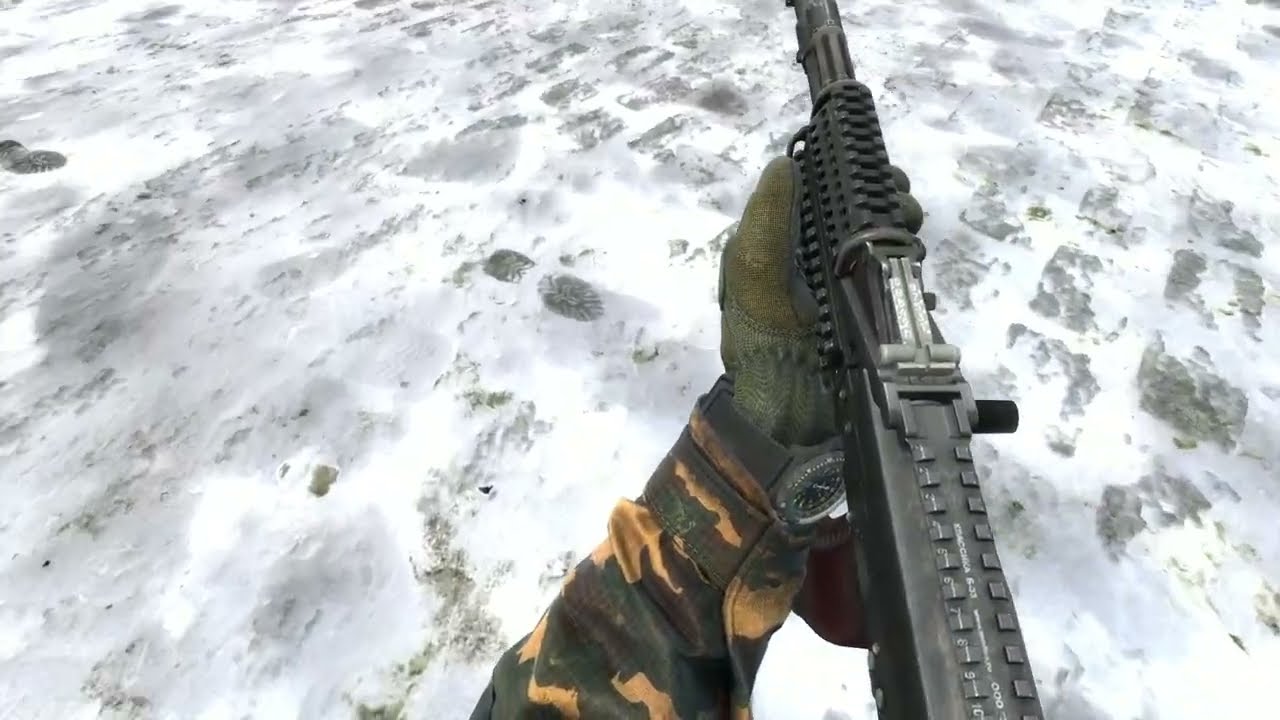 snow cradle
 graceful lynx
snow cradle
Footprints In Snow
https://youtu.be/0eHsz04Z-A4
graceful lynx
snow cradle
Footprints In Snow
https://youtu.be/0eHsz04Z-A4
Please can you explain how you did this? I think it will help me understand more about shaders
snow cradle
graceful lynx
Please can you explain how you did this? I think it will help me understand mor...
Steps decals - invisible decals. they have Height map - i write it in render target. And give it to snow mat as texture. Then i have snow mask.
step_mask = 1 - step_mask;
// just we need black steps and white background. i l write steps as height map. they are white

snow_mask = snow_mask * step_mask;
i use snow mask to lerp framebuffer to snow_color
snow_color = tex2D(SnowTexture, worldpos.xy);
i use wp as texcords because i make shader as pp. i think i have no chance to make it by something other
pp - post processing
also i have parallax. i l write height texture with parallax uv to rt
also i use ut how mask to snow texture
misty surge
SSAO works, but uh...

Not using $texture1 "_rt_ResolvedFullFrameDepth", rather just DepthWrite
local dw = CreateMaterial("DW1323", "DepthWrite", {
    ["$no_fullbright"] = "1",
    ["$color_depth"] = "1",
    ["$alpha_test"] = "1"
})
DepthWrite > _rt_ResolvedFullFrameDepth
 snow cradle
misty surge
snow cradle
misty surge
nice work
misty surge
I cannot convert GetRenderTargetEx to 16bits which is very odd
snow cradle
graceful lynx
Please can you explain how you did this? I think it will help me understand mor...
@keen coral
misty surge
16bit rendertarget! I Got it working!!! YEEE
 keen coral
graceful lynx
Please can you explain how you did this? I think it will help me understand mor...
keen coral
graceful lynx
Please can you explain how you did this? I think it will help me understand mor...
Yea, ask me about shaders, most of these concepts were made by me
snow cradle
test _rt_Normals (.vcs)
misty surge

GitHub
Contribute to EthanTheGreat/gmod_depthmap development by creating an account on GitHub.
Incase someone wanted better DepthMaps without the use of a custom shader.
misty surge
Unforunately you cannot convert into ortho using RenderView D:< DepthWrite does not support Ortho which is kinda lame D:
wispy quartz
misty surge
Incase someone wanted better DepthMaps without the use of a custom shader.
Does 32 bit image format does even work?
snow cradle
local TEXTURE_PAGE_SIZE = 1024
SHADOW_C_RT = GetRenderTargetEx("_rt_Shadows", TEXTURE_PAGE_SIZE, TEXTURE_PAGE_SIZE,
    RT_SIZE_NO_CHANGE, MATERIAL_RT_DEPTH_NONE, 0,
    0, IMAGE_FORMAT_ARGB8888)
rt shadows from shadow_controller. With parameters as in Source SDK
But I can't quite understand what it shows.
I tried clearing it in some hooks. But it just displays squares. And that's not always the case. I don't understand
snow cradle
depth buffer on world from sun (camera) view (non ortro. just test)
 graceful lynx
Orthographic views can be simulated via a narrow FOV from very far away, right?
Not sure what you need orthographic views for, but that's one way to emulate them I think
snow cradle
graceful lynx
Not sure what you need orthographic views for, but that's one way to emulate the...

Garry's Mod Wiki
Table structure used for render. RenderView.
Unless stated otherwise, the default values for all these keys would be inherited from the engine's CViewSetup and do not have static representations.
graceful lynx
I understand what an orthographic view is, and that the depth buffer doesn't get created when using the orthographic view
I just don't know what specific shader application requires an orthographic depth buffer
Realtime sun shadows is my guess
finite quarry
graceful lynx
Orthographic views can be simulated via a narrow FOV from very far away, right?
Yep
And yes, sun shadows, since the sun is so far away and so large, the shadows need to be orthographic
snow cradle
graceful lynx
I understand what an orthographic view is, and that the depth buffer doesn't get...
Come on. We'll cope
graceful lynx
As far as I know, the depth buffer's values are intended to be between the near and far clipping plane, so even if you positioned the camera very far away, you could adjust the near/far clipping planes to still get depth values that are in the same range as an orthographic render would produce
finite quarry
Yeah just gotta raise znear and zfar
snow cradle
 snow cradle
depth -> worldpos -> screen
snow cradle
#1 test directional light shadows
snow cradle
now i will make otho depth from shadow map
misty surge
wispy quartz
Does 32 bit image format does even work?
32bit works great, but the shader starts to drop frames.
DepthWrite doesn’t work with uh Ortho so unfortunately no shadow mapping. I could just use a projections but the lighting pass won’t look correct.
Renderview doesn’t work ortho and DepthWrite I assume because of how it’s written.
misty surge
snow cradle
```LUA
local TEXTURE_PAGE_SIZE = 1024
SHADOW_C_RT = GetRenderTargetEx("_rt_Shado...
This is rendered via the back buffer as far as I’m aware. So it’s near impossible to retrieve the depth data without injecting C++. I could be wrong, but it never displayed depth for me.
wispy quartz
misty surge
32bit works great, but the shader starts to drop frames.
DepthWrite doesn’t wor...
Well, you can try to use custom shaders to write depth!
snow cradle
How to add camera rotate to LUA ViewMatrix?
local viewMatrix = Matrix()
viewMatrix:SetTranslation(pos)
--viewMatrix:Rotate( ang/180*math.pi ); //mb this?
--viewMatrix:Rotate( ang ) // or like that??
viewMatrix:Invert()
marry me
misty surge
Gmod update broke EGSM. They gotta update to new signatures.
bronze epoch
snow cradle
So good
obsidian merlin
all of this stuff makes me want to map again
 mint widget
Hey, I believe I know the answer however how can I upload shaders to the steam workshop?
You can do it by packing it to the map apparently but would that allow me to be able to use the shader material on ANYTHING and is not limited to the overlay entity. Like being able to use the shader on a rect using surface.SetMaterial.
Second question, is it able to update a shader's textures? I am planning to use em as buffers for what I am doing, is it possible?
misty surge
mint widget
Hey, I believe I know the answer however how can I upload shaders to the steam w...
-
Yes, 3.0 shaders need vcses, I think you actually can reference those.
-
Yes
snow cradle
misty surge
Gmod update broke EGSM. They gotta update to new signatures.
its ok

64 bit chromium
works only 64 chrom
raw sand
Gods work
misty surge
Start my 3.0 when I’m done with my 2.0
cosmic perch
how would i draw a PS inside hudpaint? using r_screenoverlay works but trying to draw inside hudpaint does nothing
finite quarry
draw a screen quad with the material
cosmic perch

GitHub
Details Having this function can save performance on really simple shaders by avoiding the round trips between Lua and C++, as it will only be two trip from 8 trips. mat:SetFloat4("$c0", ...
glossy sorrel
cosmic perch
https://github.com/Facepunch/garrysmod-requests/issues/2606
These are separate parameters inside screenspace_general,
but they are loaded as float4 uniforms.
I personally don't think it’s a good idea to treat them as Vector4s, because if you, for example, wanted to set only one field, you’d have to update all four fields at the same time.
cosmic perch
glossy sorrel
These are separate parameters inside `screenspace_general`,
but they are loade...
i understand, but they are always x y z w
SetVector4D with optional param will be nice
glossy sorrel
For example.
I have done this, and I'm not changing every parameter every time.
#define Corners        Constants0
#define Width          Constants1.x
#define Height         Constants1.y
#define EdgeBlurSize   Constants1.z

#define BorderWidth    Constants2.x
#define BorderBlurSize Constants2.y
#define BorderColor    Constants3
For example, EdgeBlurSize which is $c1_z. And I am not changing it that often.
 cosmic perch
the performance hit im having rn is insane
dont get me wrong, its still faster than drawing a rounded image
but the C calls are heavier than the drawing shader itself
glossy sorrel
cosmic perch
but the C calls are heavier than the drawing shader itself
True.
 glossy sorrel
cosmic perch
dont get me wrong, its still faster than drawing a rounded image
glossy sorrel
cosmic perch
dont get me wrong, its still faster than drawing a rounded image
Somewhat trueish.
When comparing with draw.RoundedBox, shader is faster.
Even when changing all needed values every frame.
cosmic perch
yeah, its still gonna be faster
but its insanely faster if we have a way to batch the calls
glossy sorrel
cosmic perch
You can do this inside one shader.
cosmic perch
im using ai with some shader toy code
so i dont want to complicate it anymore lol
it wont matter anyway as the amount of times needed to draw outlines is not a lot
and its still gonna be fast
glossy sorrel
cosmic perch
but its insanely faster if we have a way to batch the calls
Then we need a different structure inside screenspace_general.
This won't break anything in Gmod, thankfully.
At least, until the changes are kept only on the C++ side.
glossy sorrel
cosmic perch
why dont u like SetVector4D?
I don't know :/
Truly.
It will be faster.
cosmic perch
every c call i remove adds like 20% boost lol
1: 3.5318022000001s (Average: 0.0035318057318059ms)
2: 2.5726947000003s (Average: 0.0025726972726976ms)
Difference: 37%
second is shaders
first one is drawing with my png way
glossy sorrel
Yeah, I had the same problem, but not with shaders though.
cosmic perch
with what?
glossy sorrel
Vectors. I have my own implementation.
And as the bonus - I have double precision. LOL
glossy sorrel
And matrices. But not a full implementation. Only a partial one.
cosmic perch
but they cant easily change that
glossy sorrel
cosmic perch
but they cant easily change that
ffi! Pull-style api!
One can only hope. :(
cosmic perch
we both know that can never happen
other methods of changing how vectors work wont work
unless u know when to update to c side
and ofc that cant be changed for compat reasons lol
are u using sm3 or 2?
glossy sorrel
glossy sorrel
For example.
I have done this, and I'm not changing every parameter every time.
...
For this? sm2.
glossy sorrel
cosmic perch
for fwidth
I haven't even considered this thing.
Nice to know. Thanks.
glossy sorrel
cosmic perch
why didnt u switch to sm3?
Mainly because shaders are not my specialty. :/
cosmic perch
nor me i was using ai haha
glossy sorrel
And now we have at least three different implementations of rounded boxes using shaders.
This is acually nice.
cosmic perch
ay i stole some from rboxes
glossy sorrel
But you have modified it to suit your needs.
Such as vertex-colors and uv-mapping.
cosmic perch
eh im using https://www.shadertoy.com/view/tltXDl

with some stuff from rboxes
and some help from svetov
with some help from ai
glossy sorrel
I presume you have encountered a problem with premultiplied alpha and color-darkening?

 cosmic perch
is that blur or AA
glossy sorrel
Neither.
cosmic perch
im confused
wispy birch
glossy sorrel
ffi! Pull-style api!
thing is, you can 100% make ffi stuff secure: enable ffi for secure init to setup api functions, remove ffi afterwards
profit
glossy sorrel
wispy birch
thing is, you can 100% make ffi stuff secure: enable ffi for secure init to setu...
Try to explain this to the Rubat :(
cosmic perch
1 small mistake = $1m profit
snow cradle

 glossy sorrel
cosmic perch
im confused
glossy sorrel
cosmic perch
im confused
This is just a simple smoothstep on the sdf.
Which modifies output alpha value.
cosmic perch
no whats the usecase
glossy sorrel
snow cradle
Clever.
cosmic perch
to do glow
?
glossy sorrel
cosmic perch
to do glow
?
Shadows, edge smoothing. And glow as you have said.
wispy birch
glossy sorrel
Try to explain this to the Rubat :(
he cant be bothered to rewrite the whole api from luac to ffi calls (that would also require actually adding ffi and secure init stuff lol)
and i can understand him
glossy sorrel
cosmic perch
no whats the usecase
For example:
Left is two quads.
Right is one.

 raw sand
i would love to learn to write shaders for gmod but i have no idea where to even begin here
ive only written simple shaders for stuff outside of gmod
cosmic perch
glossy sorrel
For example:
Left is two quads.
Right is one.
damn that is nice
glossy sorrel
Also, I have somehow messed up the border colors, and the border alpha takes precedence over the vertex color.
wispy birch
raw sand
i would love to learn to write shaders for gmod but i have no idea where to even...
go use SHADERed and then port shaders to gmod, simple
glossy sorrel

The Book of Shaders
Gentle step-by-step guide through the abstract and complex universe of Fragment Shaders.

 glossy sorrel
linearwrite?
cosmic perch
linearread_basetexture for textures
man i got used to gmod colors, my eyes cant adapt to the nice colors
wispy birch
source gamma correction is shit
cosmic perch
no wonder i was going insane that different colors are too similar
wispy birch
cosmic perch
no wonder i was going insane that different colors are too similar
esp dark colors, cause iirc gamma correction is pow(color, k), and the lower color values are, the faster theyll decay to zero
cosmic perch
wispy birch
esp dark colors, cause iirc gamma correction is pow(color, k), and the lower col...
As described above, Gamma adjusts digital images to the perception of our eyes. The main benefit of using Gamma is the more natural look of images and the ability to differentiate between dark tones in a darker image
agreed it has no ears now lol
 wispy birch
ah, the other way then, i guess
graceful lynx
cosmic perch
holy moly disabling gamma correction is insane
Could you help me understand what's happening here?
cosmic perch
graceful lynx
Could you help me understand what's happening here?
Gamma on, no earholes
No gamma image looks exactly the same as I have it here in discord
cosmic perch
@jovial tide
for some reason with using
Proxies
    {
        // Updates the framebuffer
        // You only need this if you are going to be *reading* the framebuffer
        // If you aren't using the framebuffer, or are only fetching its dimensions,
        // you DON'T need this and it will save you some performance
        Equals
        {
            srcVar1            $fix_fb
            resultVar        $flags2
        }
    }
does not update the buffer, i have to call
https://gmodwiki.com/render.UpdateScreenEffectTexture
for it to update, am i doing something wrong? using sm3
Garry's Mod Wiki
jovial tide
if you are rendering from lua then just call UpdateScreenEffectTexture, dont use that hack
cosmic perch
i hate calling that as its really heavy
jovial tide
that proxy does the same thing
cosmic perch
ah
snow cradle
Will it be possible to make outputs from pixel shader?
@jovial tide
jovial tide
well you can do that if you allocate a rendertarget and then control rendering order with lua, so later materials can read the rendertarget
snow cradle
jovial tide
well you can do that if you allocate a rendertarget and then control rendering o...
Can I write four outputs from a pixel shader into rendertargets?
wispy birch
snow cradle
Can I write four outputs from a pixel shader into rendertargets?
what do you mean by four outputs?
snow cradle
wispy birch
what do you mean by four outputs?
struct PS_OUT
{
    float4 c0             : COLOR0;
    float4 c1            : COLOR1;
    float4 c2            : COLOR2;
    float4 c3            : COLOR3;
};

PS_OUT main(PS_IN i )
{
    float4 c = tex2D(FrameBuffer, i.vTexCoord);
    PS_OUT l = (PS_OUT)0;
    //c.rgb = (vel/500+0.1)-c.rgb;
    l.c0 = c;
    l.c1 = i.color;
    l.c2 = float4(i.vTexCoord,0,1);
    l.c3 = float4(1/i.wPos,1);
    return l;
};
ah, you tryna do 4 rts?
if source engine itself binds several rts to the shader, this might be possible
Garry's Mod Wiki
Sets the render target with the specified index to the specified rt.
this miiight be it
snow cradle
wispy birch
ah, you tryna do 4 rts?
if source engine itself binds several rts to the shader...
But we don’t have code for make outputs to rendertargets
snow cradle
snow cradle
```cpp
struct PS_OUT
{
float4 c0 : COLOR0;
float4 c1 ...
it just 4 colors .rgba. how to catch it?
we can render only first COLOR0
what about 1-3?
wispy birch

@snow cradle thats just regular rendertargets
so you can simply... use them as is
bind a few rts and ur good to go
snow cradle
wispy birch
bind a few rts and ur good to go
how to bind rt from COLOR0-COLOR3?
а бля
корочн
wispy birch
snow cradle
how to bind rt from COLOR0-COLOR3?
https://wiki.facepunch.com/gmod/render.SetRenderTargetEx
render.SetRenderTargetEx(idx, rt)
Garry's Mod Wiki
Sets the render target with the specified index to the specified rt.
snow cradle
и у нас в рт записывается нужный color?
wispy birch
da
wispy birch
ща в лс кину
snow cradle
graceful lynx
snow cradle
fy_pool_day inbound
bronze epoch
snow cradle
 snow cradle
 snow cradle
Parallax Occlusion Mapping with self-shadowing
A huge distance to the sun, which causes artifacts to appear
snow cradle
 snow cradle
 snow cradle

 surreal parcel
bros be making shit like this then its never seen anywhere ever
leaden wasp
lol
misty surge
Shader stuff in a nut shell.



 snow cradle
jovial tide
snow cradle
jovial tide
@cosmic perch i suggest adding fallbacks for SM2
this is only a problem with people on intel cards because they are forced to sm2
cosmic perch
all intel cards?
jovial tide
yes
cosmic perch
i thought all intel cpus > 2012 have support for sm3
jovial tide
yes but the engine forcefully disables it
rubat could fix this but if he doesnt, you'll need a fallback
cosmic perch
ah shit
jovial tide
but its simple anyway, you just need to hardcode a value for antialiasing
thats the only thing ur missing on sm2, as it has no derivative functions
cosmic perch
yeah i know, but that sucks :(
i was like only linux users will not have it working lol
jovial tide
oh yea since gmod is still togl you'll need a linux fallback
cosmic perch
most of them use wine anyway
jovial tide
this isnt documented but the shader compiler has a SHADER_MODEL_PS_X_X define that you can use
so you can have a #ifdef to avoid duplicating code
// Example shader that shows usage of SM3

#include "../common.hlsl"

float4 main( PS_INPUT i ) : COLOR
{
#ifdef SHADER_MODEL_PS_3_0
    float2 normalized_screen_pos = i.screen_pos * Tex1Size;
    return float4(normalized_screen_pos, 0.0, 1.0);
#else
    return tex2D(TexBase, i.uv);
#endif
}
do i still need to have _ps20 and such for file names? or supplying the version is enough for it to work?