#hugo tardis stuff
1 messages · Page 1 of 1 (latest)
 half nacelle
updated the faked transparent window to reflect phasing progress
like this but from the inside
 main spire
you should add some interpolation of it's position and angles when transitioning to and from the vortex
 summer basalt
I might imagine it's something to tricky considering his trickery, maybe a white flash would make the transition be a bit nicer
half nacelle
what i really lack is a smooth way to apply render:resetmodellighting or whichever one was able to set manually defined lighting
as it works now it's either on or off, but i cant lerp between map lighting and overridden lighting
so i cant have it fade in to match the vortex
main spire
main spire
you should add some interpolation of it's position and angles when transitioning...
i dont know if you've seen this before but i've always liked how this looks
https://www.youtube.com/watch?v=DNEjx6XUbfQ
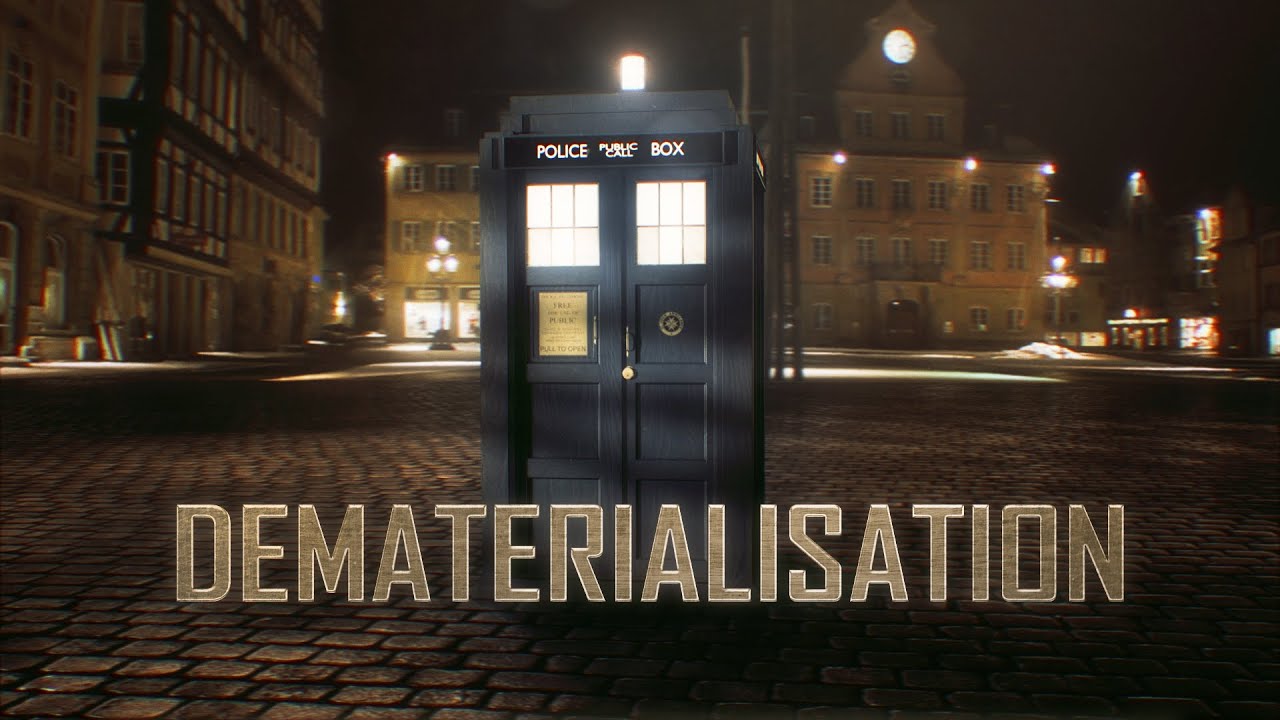
Since the TARDIS' dematerialisation effect has remained largely unchanged for the past fifty years, I thought it might be interesting to try out a new approach. So this is my attempt at capturing what travelling through time and space might look like from the point of view of the TARDIS - from take-off to landing, all in one shot.
You can like ...
half nacelle
main spire
i dont know if you've seen this before but i've always liked how this looks
http...
this is exactly what i based it off of :D
i like that interpretation of "a demat from the tardis' perspective" instead of the usual outside perspective
half nacelle
main spire
you should add some interpolation of it's position and angles when transitioning...
this might not be exactly what you're asking for but what do you think
summer basalt
oooooh that's so cool pipi
main spire
half nacelle
this might not be exactly what you're asking for but what do you think
it wasnt what i was imagining but it does look cool. Is it only for a quick transition?
what i was imagining was the tardis slowly lifting off the ground into the spin in the vortex and then slowly landing as it materializes, rather than snapping
half nacelle
finally figured out a way to get every light source in the interior to affect the viewmodel


now it doesnt look flat anymore and the viewmodel reflects the true interior lighting
and as as a bonus of figuring this out i can now do the same for props, npcs, players, etc


the only unfixable issue preventing it from being a true self contained space is map soundscapes... stupid fucking shit cant be toggled on and off via lua so there is always going to be that annoying construct bird chirping inside
main spire
that is really fantastic
main spire
next you need to cast shadows from the lights heh
in all seriousness though, it looks great right now, but if you could get shadows working it'd basically be perfect
although im sure if you were to try that source would be a massive pain as always
half nacelle
main spire
next you need to cast shadows from the lights heh
yeah about that...
i found a way to get it to work just today
however im not entirely happy with it and wouldnt choose this over the current implementation as it is
the way models are project shadows here is very prone to freak out
and it 'leaks' alot, you can see some of the light getting through solid faces
like right here

in some interiors the light is completely blocked by seeingly invisible faces and i cant figure out whats blocking the projected texture
main spire
could it maybe be a wall right behind the door portal?
idk how your doing all of this so maybe this isn't applicable
half nacelle
ill load it up and post more pics in a sec
half nacelle
ok so the offset was totally fucked so it 'works' now
however at random angles some faces stop casting shadows which fucks everything up
it is already making me pretty angry again so i should stop here
OH YEAH and it just goes straight through the top of the wall and casts light to the ceiling where it shouldnt
fucking piece of shit
this isnt good enough to be a feature
main spire
I think this is not that bad, it may have some problems but what it adds to the visuals is still so much more than whats missing
it's probably better to just not think about it for a bit and come back to it later
and perhaps the tardis interiors can be adapted to the lighting changes
half nacelle
main spire
I think this is not that bad, it may have some problems but what it adds to the ...
i absolutely cannot accept pop in like that
it will literally drive me to stabbing myself it is THAT infuriating
there are so many fucking rendering issues that i cant find fixes for it drives me to psychosis
ugh
main spire
main spire
and perhaps the tardis interiors can be adapted to the lighting changes
^ i think there could be tweaks to the models to fix or mask some of the issues it has, not everything has to work with just code if it just can't yknow
half nacelle
i dont think editing the models is on the table
some of these extensions/addons are years old and not even supported by the creators anymore
main spire
but that shouldn't be your problem
half nacelle
so i think i have to work with them as they are
also theres this cool funny random bug that makes the entire prop lighting system FUCKING USELESS
main spire
what's the bug?
half nacelle
SOME props will just choose to stop having ResetModelLighting() applied to them when they stop moving
but only SOME props
others work 100% of the time
and SOME props also go back to having renderoverride working when the PLAYER moves around and some DONT
main spire
maybe just constantly wake the physics of every prop in a tick hook while inside the tardis
half nacelle
but every prop goes to sleep right??
why do some never have this
ill try it anyway but fuck if it doesnt work then i basically have to trash another feature that could have been great
if there is one thing that's worse than something not functioning at all it's something that works INCONSISTENTLY
maybe i am just extremely ocd brained but i cannot stand it in the slightest
main spire
I feel like most people (and I mean like everyone) who will use the addon will not even care. We are our worst critics and we like to move the goalpost of what's perfect until you just reach a unsatisfying limit. The light flickering is understandably terrible, but other small issues like light leaks are not a big deal imo
i also am very particular about details and things not being perfect. I feel like I can't just accept what I've already made, but your good enough is someone else's (most people, especially garry's mod users) perfection
I've been working on an update for one of my addons on and off for over a year now because I have to keep adding things and perfecting what's there. I've stopped working on it all together now not knowing if I'll ever release it since I struggle to be satisfied with it.
half nacelle
main spire
i also am very particular about details and things not being perfect. I feel lik...
my good enough is just... having it work
if the fake lighting isnt entirely accurate to the outside map lighting then fine, its just an approximation
but major pop in and rendering issues? that's completely nonfunctional to me
it is literally the entire point of the feature, not properly working
main spire
right the light flickering is bad, yeah. It's just the other small issues I don't see a reason to stress over
half nacelle
half nacelle
yeah about that...
these first two videos, its good enough i guess even some of the weird shadows really bother me
but then it means this wont work across the board with all variants so ill have to filter them etc
half nacelle
main spire
maybe just constantly wake the physics of every prop in a tick hook while inside...
that seems to actually fix it so you singlehandedly saved that entire feature

thank you
main spire
im glad it works, hopefully it'll be a little more smooth sailing from here
half nacelle
ill keep trying i guess
ive been on this project for about a year now so thats an indication that i either refuse to give up or am hopelessly addicted
main spire
or you're very passionate and care about the things you make
half nacelle
this is exactly why i cant just half bake it and leave in pop in or flickering
because then you notice that it's wrong
the effect dies
 late palm
Your commitment is incredible, I really hope you see this through, as it will probably be one of the best mods I have ever seen.
main spire
just curious, are you able to get the bounds of the interior door portal?
for instance, the top right corner and bottom left corner. Anything like that?
main spire
width and height may be good enough
are you projecting a light from the outside of the interior some offset away from the door portal to achieve your lighting effect?
main spire


this is very jank... but do you think this could fix the light leakage?

the light leaking onto the ceiling too
 half nacelle
main spire
this is very jank... but do you think this could fix the light leakage?
half nacelle
main spire
this is very jank... but do you think this could fix the light leakage?
so you're using orthogonal lamps here?
oh hey i keep using the wrong word
its orthographic
i considered it before and then canned it because i saw this

non static props would be all physics props and entities... aka everything i need shadows for
half nacelle
main spire
does it just work anyway?
main spire
it would be nice if orthographic mode worked since that's how sunlight behaves, but no
it's much more jank. I'm positioning 4 of those plastic flat building props around where the door is. They have no collision with anything and im making them invisible by setting their materials to wireframe.
(I think this works because the wireframe material im using is not vertexlitgeneric so it just can't render it)
half nacelle
now im more confused, what exactly are you actually doing?
using an orthographic lamp to match the door's dimensions?
and if so how do the shadows actually behave
main spire
main spire
its not the lamp, look at the 4 colored props surrounding the door
that's what's blocking the light
half nacelle
oh so youre just using a regular lamp and using props to define the shape?
main spire
yeah, and it can take any width and height positioned center of the door

 half nacelle
today on trying to achieve the most seamless transition from exterior to interior
finally found a way to fix some of the nearly set in stone portal offsets
half nacelle
making more use of portal manip
this is about the edge of what i can do
any further than this and ill ultrakrill myself
half nacelle
ok so when adding this obviously the question arose "wtf do when player just walk away??? ?"
i guess this is my solution
half nacelle
experimenting with true windows instead of faked ones
 half nacelle
 summer basalt
That's freaking crazy lmao
half nacelle
holy shit this one simple trick made find a fix for potentially all the damn rendering issues of this addon


compared with previously


i doubt this will be too interesting but i may aswell post my findings
it fixed all sorts of interior rendering

the physgun's beam rendering is especially noticeably more reliable


fire encounters no more of this kinda stuff


instead all kinds of particle effects work now


and whatever the fuck this is also got fixed by this
main spire
it's amazing how some of these huge issues can easily be fixed
half nacelle
this was not an easy thing
it took about a year of slowly learning my way through all of this
and i still feel like i only solved it out of luck
main spire
no I mean like the fix itself is simple enough
main spire
half nacelle
I suppose maybe I just don't know what you mean by setting it to rendermode_transcolor
for sure actually figuring out the fix is the hardest part
half nacelle
main spire
I suppose maybe I just don't know what you mean by setting it to rendermode_tran...
thats for the exterior to allow effects and transparent things to render behind it
but that change in rendermode is what made me go back through the other rendering stuff and look at it
and then i swapped some render groups and modes and everything works much better now
summer basalt
half nacelle
I really liked the later method as there's no backface overlapping, but if it fixes MANY issues regarding translucent rendering, it's worthy enough 👍
half nacelle
summer basalt
I really liked the later method as there's no backface overlapping, but if it fi...
huh? i didn't change anything aside from fixing it
half nacelle
you still have me confused on this
 golden flare
I dunno... shouldn't that wall of light be casting shadows of the doors on the outside of the Tardis?

(I'm just popping in to make your life harder)
half nacelle
what exactly do you mean
golden flare
The partially open doors should have shadows because of the light inside of the tardis
The inside lights should cast shadows outside
This, but the doors
 main spire
I think this happens already? I feel like I can remember seeing the light coming out from the tardis years ago
probably since before hugo started working on his stuff, although to be fair idk when that started exactly
I remember thinking it was so cool
half nacelle
golden flare
The partially open doors should have shadows because of the light inside of the ...
yep it already does that and it wasnt my addition
 half nacelle
golden flare
I dunno... shouldn't that wall of light be casting shadows of the doors on the o...
half nacelle
golden flare
I dunno... shouldn't that wall of light be casting shadows of the doors on the o...
although it requires the sorrounding lighting to be darker or else it just wont be visible (like in the image i reply to)
 half nacelle
@golden flare hey do you have anything to notpick about this
 proud gust
looks like your fps drops massively when you exit the little pod
shame you're using construct with it's shitty cubemap/hdr, would look even better on a different map
half nacelle
fps drops because im fast forwarding 10x to make the sequence faster
for the sake of the video
golden flare
half nacelle
<@178588663163256832> hey do you have anything to notpick about this
Interesting
I'm not quite clear on if each interior has its own props or if the props are being migrated between the interiors
half nacelle
each has its own
golden flare
How is that handled?
half nacelle
it writes a file unique to each interior's ID
golden flare
A file? Sounds like the interior decoration is being saved between game launches then
half nacelle
oh you bet
thats like 70% of the whole point
being able to decorate the place and not have it wiped once you despawn it
half nacelle
right now it just saves prop positions and freezes them on spawn
ill have to look into the duplicator library for constraints
golden flare
I would probably think about setting up a whitelist for what gets saved
half nacelle
already have one
golden flare
Great!
half nacelle
i have a whole regular backup system and everything to prevent stuff being lost if the game crashes or similar
i see people putting hours into personalizing interiors with props and that's knowing itll be deleted once they close the game
imagine what theyd do when it actually saves
half nacelle
golden flare
A file? Sounds like the interior decoration is being saved between game launche...
here is a showcase
works so well with map travel
golden flare
Ah, with inter-map travel it makes more sense to store to a file
half nacelle
i also hooked it into the dramatic crash system to wreck it all
really fun to see all the shit i put in falling apart
also there is no consequence to crashing like this
the backup system is smart and doesn't save anything after a crash
so as soon as you repair and reload your vessel everything will be shiny clean again
golden flare
You know, honestly, the thing that I think is currently holding this Tardis back is that key swep
At least its viewmodel and "animations"
They look far, far more amateurish than the rest of the addon does at this point and I think it drags down the overall feeling of quality that the rest of it has
half nacelle
i added it at the very start of this project as just a simple way to spawn it immersively without the spawn menu
i asked a friend if i could use a vm and they had this one ready to go
half nacelle
im not sure if i have access to a better one without making it myself
im not much into texturing and never done animation so it's low priority for me
golden flare
Well, the hands shouldn't matter
You should use the C hands system so that it uses whatever your player model's hands are
The animation rig for that is available on the wiki, and someone was kind enough to post a modified version of it that I'm told is better in some way that I don't know enough about rigging to relay here
Other than the hands, the only other thing is the key, and that's a perfectly fine model as far as I can tell
half nacelle
yeh that friend is a good model/texture artist
i dont think theyve done much animation but they still did it solo
so im not too hard on it
golden flare
I wouldn't necessarily say I'm hard on it so much I'm saying that it's the least well-done part of this package
I suspect that speaks more to how far the Tardis has come than it does about the view model itself
I just don't think I'm capable of putting my hand in this pose
 half nacelle
i can do it but it is very un-ergonomic
i wouldnt hold a key like that now that i think about it
golden flare

This, plus a little twist of the wrist is all it would really take, I think
Maybe twisting in one direction for locked and the opposite direction for unlocked
half nacelle
new disguising mechanic
previously the interior door would remain unchanged and would cause a disconnect with the exterior
main spire
try setting Entity:SetRenderOrigin() to outside the players view to make the shadows not render
when it's invisible
main spire
main spire
try setting `Entity:SetRenderOrigin()` to outside the players view to make the s...
on client
it's how I manage the clients own shadow entity in a mod I'm making
but maybe it wouldn't change much regarding the visuals, it'd just reappear suddenly anyways
half nacelle
oh i hate when one tiny detail i got wrong distracts from the core feature im trying to display
i was going to fix that anyway
main spire
on second thought you probably wouldn't need to set the render origin to get rid of the shadows, you could probably just not render it in the ENT:Draw() function
I need to do it for my mod since I'm managing the shadow rendering in the same frame just at a different time in the rendering
like for it to render in an rt and not anywhere else
golden flare
half nacelle
new disguising mechanic
previously the interior door would remain unchanged and ...
How do you change the interior door? Are the doorways separate models that can be reused for both the interior and exterior?
half nacelle
ye theyre seperate models so you technically have two doors
they have to be lined up very precisely to not make it too obvious that its just a portal with a copy of the door model behind it
main spire
half nacelle
new disguising mechanic
previously the interior door would remain unchanged and ...
could you have it fade out downwards instead?
you probably wouldnt have to worry about shadows if you could do that
 kind axle
I know it's a pretty big WIP, but are these available for download yet?
kind axle
update: got it working
kind axle
This mod is so flipping cool, thank you for doing the things nobody else would do. 🙏
half nacelle
implementing dynamic lighting, able to move in realtime
nothing groundbreaking sure but no one's done it for the tardis before
half nacelle
reworked it a bit
golden flare
Why are the hands blue, though?
Oh, god damnit
It's because you're using a Payday playermodel, isn't it
I just assumed that was a Doctor Who related set of hands that were some deep lore I'm not at all aware of about the Doctor's true form being a member of the Blue Man Group or something
I have been assuming this for months
main spire
half nacelle
reworked it a bit
it looks cool but the projected textures just pop in and out. If you didn't want it to be visible outside of flight you could try fading it in and out with ProjectedTexture:SetBrightness(). Just lerp from 0 to the brightness you want and vice versa
(im assuming it's projected textures)
or math.Remap() it depending on how you have things working
math.Remap() my beloved
kind axle
golden flare
I have been assuming this for months
the guy from payday is actually the doctor
half nacelle
main spire
it looks cool but the projected textures just pop in and out. If you didn't want...
wht??
all of this is intentional behavior
the lights just switch on/off/to a different mode (rotating, static)
they dont have a transition
main spire
i guess it just looks abrupt to me at the end when it lands
kind axle
are we able to suggest ideas? i do have a couple that i think would be neat.
golden flare
The updated effect looks really nice, by the way
proud gust
half nacelle
reworked it a bit
Looks great. I thought you used megamind with the blue hands for ages
half nacelle
golden flare
I dunno... shouldn't that wall of light be casting shadows of the doors on the o...
@golden flare hey i remember you wanted to see this soooo badly :p
i happened to get around to tweaking it today so here is a screenshot

 sturdy ravine
this addon is sick
kind axle
fr i cannot wait for its release
the github hasn't been updated in a while but i be patient 🙏
main spire
main spire
maybe just constantly wake the physics of every prop in a tick hook while inside...
also you could probably do the inverse of this, just wake the tardis interior physics object and it should wake the prop physics. Since moving around inside the tardis wakes the physics of props. Just a minor optimization so you don't have to do that think hook stuff looping through all objects inside
half nacelle
main spire
also you could probably do the inverse of this, just wake the tardis interior ph...
not every entity inside is the main interior object
sometimes due to its massive size the interior can be made up of several different models
plus a prop may be placed on the console, on a chair, or anything else that's not the main interior
so at that point you'd have to loop through every interior entity and now you're looping through more entities than just the props so ye..
main spire
dang...
kind axle
would be really cool if you could make support for infmap
 golden flare
half nacelle
expanding systems and stuff https://youtu.be/heAaQOfAIvQ
golden flare
half nacelle
expanding systems and stuff https://youtu.be/heAaQOfAIvQ
I don't know if your transformation effect is based on something in the lore, so this may be non-negotiable, but you could show the old model disappearing and the new model appearing at the same time instead of showing one disappearing and the other appearing as two discrete steps
late palm
golden flare
I don't know if your transformation effect is based on something in the lore, so...
So what you’re saying is just to reuse the animation for redecorating? Not a bad idea, but again, depends on what hugo is going for.
Also is it currently possible to redecorate while in the tardis?
Similar to day of the doctor
golden flare
I'm saying that the translucent bottom portion of this transformation transition effect could be the bottom of the new model instead of the old one

 uncut eagle
out of curiosity what are you using for the like
bigger on the inside stuff
I never looked at how the original TARDIS did it while not causing things that arent inside it to collide with it(?)
@half nacelle
uncut eagle
half nacelle
i happened to get around to tweaking it today so here is a screenshot
this stuff is insane though holy
half nacelle
oh the tardis uses a lua recreationg of portal's linked_portal_door (basically what everyone has been asking for for like 10 years)
it's an adaptation of world portals
i didnt make it, the addon is like 10 years old at this point
im just adding on to the addon and remaking some systems
uncut eagle
yeah, I remember though a server I'm an admin on removed the TARDIS because of issues with the original doors library
idk if it was just addon incompatibility or what
i think it was general instability ig
half nacelle
far as i know the tardis has incompatabilities with very little things
uncut eagle
I'm more curious about the physics aspect of like, where tf does it even put the "bigger on the inside" thing, but that may be better for me to look into myself since as you said you're just upgrading the addon
half nacelle
99% of the tardis uses entirely local values and systems, even the entity hooks are contained to the tardis instead of using regular entity hooks
uncut eagle
damn
half nacelle
uncut eagle
I'm more curious about the physics aspect of like, where tf does it even put the...
oh its just the simple, "put the interior space in the skybox"
then link up the portal and it looks bigger on the inside while still just using regular map space
half nacelle
uncut eagle
bigger on the inside stuff
I never looked at how the original TARDIS did it whil...
also what do you mean with "not causing things that arent inside it to collide with it"?
uncut eagle
half nacelle
oh its just the simple, "put the interior space in the skybox"
ahhh ok
uncut eagle
half nacelle
also what do you mean with "not causing things that arent inside it to collide w...
I guess I just never experienced it, but like, I never collided with the tardis interior or anything
half nacelle
ohh okay you mean colliding with the interior space somewhere in the skybox
uncut eagle
yeah
half nacelle
it's possible, there is technically no system preventing that
the way the addon locates a place to put it however makes it very unlikely
uncut eagle
ah ok
half nacelle
it always seeks the highest available position, so it's typically placed up against the map ceiling
uncut eagle
I've been looking into how to replicate how Portal's portals do things and I've basically come up with jackshit that would work nicely for that usecase, hence why I asked
honestly considering just learning how to make binary modules and making something hacky as fuck but functional at least
half nacelle
copying or just directly using the tardis' version of portals (which has a standalone addon called 'doors') might be the best or easiest choice
it's entirely open source and free to use i think
uncut eagle
the only issue is you cant disable collision with the world, seamless portals didn't even get around that
half nacelle
collision with the world?
uncut eagle
so if you have a portal on a world/brush wall you cant go thorugh it cause you cant disable player collision with the world
half nacelle
ohh that
uncut eagle
yea
the way seamless portals kind of got around it was by adjusting the player hull to be offset
and also added a slight rim to the edges
half nacelle
uncut eagle
so if you have a portal on a world/brush wall you cant go thorugh it cause you c...
i remember one of the portal gun mods on the workshop actually solved that problem
uncut eagle
which I don't want
uncut eagle
half nacelle
i remember one of the portal gun mods on the workshop actually solved that probl...
hm, I may see how tf they did it then
half nacelle
it did so by disabling player collision with the world and placing a physics prop around the portal hole, so that the player stands on the prop instead of falling through the map
uncut eagle
yeah, I just don't see how you do that former part, disabling player collision with the world
half nacelle
good question, i never thought about it
maybe it's just like setting a vphysics tag on the player
noclip can do it easily
uncut eagle
I see at least for entities on this one its using the ballsocket trick
 uncut eagle
half nacelle
maybe it's just like setting a vphysics tag on the player
uncut eagle
half nacelle
maybe it's just like setting a vphysics tag on the player
I thought maybe something like this too, noclip is an entirely different move type tho
the general consensus I got from asking around was "you'd have to make a custom move type specifically for this"
half nacelle
ohhh yeah you remind me
that portal gun mod did make a custom movetype
because i remember whenever you stand in the portal movement would feel slightly different
acceleration and friction was different, suggesting a movetype change
uncut eagle
wtf
 uncut eagle
half nacelle
acceleration and friction was different, suggesting a movetype change
uncut eagle
half nacelle
acceleration and friction was different, suggesting a movetype change
it disables drag on the player actually i think

the combination of noclip and groundentity is interesting
I wonder if doing this in something that was shared and predicted would fix the issues I personally had with that portal gun (it did not feel seamless at all)
I already was thinking of a way to maybe do shared-triggers with PhysColliders or whatever they're called
half nacelle
ive wanted to add prediction to the tardis entity (to make flight better in multiplayer) but i dont get it at all
uncut eagle
its a bit confusing to me too
yeah ok I just tried the setgroundentity thing, not working at all so idk wtf that was about
or maybe i need to do it per tick or something
yeah the wiki example for https://wiki.facepunch.com/gmod/Entity:SetGroundEntity is really not happy with me
jumps like have a 50% chance of not working
idk wtf he's doing here tbh
half nacelle
ive never used that function before i dont actually know what it does
golden flare
uncut eagle
I've been looking into how to replicate how Portal's portals do things and I've ...
There are quite well made addons that recreate portal behavior that you can use as reference (or just use them directly)
half nacelle
bringing up 'custom' exteriors to full feature parity with 'default' exteriors (those that are built-in to the corresponding interior)


now switching exteriors is entirely seamless and functionally identical to having it built in as the interior's default
half nacelle
finally fixed an issue with the portals that has been bothering me for months
i was using a bugged gmod function (clip 1) which is supposed to snap the player to the floor but instead screws up the player's movement
i replaced it with a traceline based snap to floor function and now portals are very seamless
PSA avoid using DropToFloor() for players and instead use a traceline based implementation, idk what this shit does internally but it fucks up everything with player movement
https://wiki.facepunch.com/gmod/Entity:DropToFloor
Garry's Mod Wiki
Move an entity down until it collides with something.
The entity needs to already have something below it within 256 units.
half nacelle
oh dude... shit feels like movement and not swimming now
uncut eagle
half nacelle
oh dude... shit feels like movement and not swimming now
wtf thats really good
and you're testing all this in a multiplayer server?
half nacelle
uncut eagle
and you're testing all this in a multiplayer server?
nop its singleplayer because i dont understand how to work with prediction
so i cant do much in multiplayer
uncut eagle
sad
half nacelle
it still works in multiplayer but some things are less ideal than singleplayer
flight mode lags behind due to latency and i currently cant get effects to work
(those created by util.effect)
portals are unaffected in multiplayer so thats fortunate
kind axle
window light rays my beloved

 main spire
half nacelle
portals are unaffected in multiplayer so thats fortunate
main spire
half nacelle
portals are unaffected in multiplayer so thats fortunate
should fade in the tardis info at the top left so the barrier between inside and outside is less noticeable
as well as fading it out when exiting
half nacelle
kind axle
window light rays my beloved
i dont have the light rays but i made a version of the glow effect seen during phasing (very visible in image 2)
 prime kindle
I've never been more excited for anything ever in my life
being able to travel between maps with the tardis, thats really all I need. I've been searching for that for like 2 months now. Couldn't do it myself. But then you've got VR support plus all these insane features
My worry is ceasing to exist before these release/fully functional. Are they released? :o
prime kindle
kind axle
update: got it working
Figured it out, had to find the doc's github, hartnell's tardis is missing textures. Am I supposed to have something from the workshop?
No clue what i'm doing, but going to try vr later.... if that does anything.
Works great, interesting to use compared to the Tardis rewrite, its like a 3.0
But i cant seem to get it to transition map to map. (https://pastebin.com/0i5JPnzK) Thats the error.
(It says im missing something vital, but i have everything i know of)
kind axle
I don't know why that would be happening, and unfortunately nor do I know how to help with that. Best guess is that it's out of date. Hope you get that fixed.
kind axle
half nacelle
Really cool actually, Should look into light rays whether or not illumination for the windows are enabled.
But then again, this tardis addon by default isn't meant for scenery. So I think it'd be a bit wack. Not sure really.
prime kindle
kind axle
I don't know why that would be happening, and unfortunately nor do I know how to...
Really disappointing to see the ONE feature that made it "all that" didn't work. Just a simple nothing-burger. Especially for how excited I was lol
No way to know unless the doc themself can help, right now Im just stuck closing my eyes or looking down when i load up a map, then i spawn in a tardis, and walk back out. It's.... something.
kind axle
Again it's a best guess, I wouldn't take my word for it. Haha.
It's still a massive WIP give Hugo some time.
He's a hard working gentlemen.
prime kindle
Agreed, its massively impressive for gmod. But my one dream for technology: To have a tardis. This is as close as im getting, so im not resting until i figure it out
Im wayyyyy too into it
kind axle
In that case, I wish you luck. 👍
prime kindle
Just frustrating that it works perfectly for some people but never myself 😭 😂
Thank you very much! Appreciate the comment on it :D
prime kindle
if i did everything right then i guess its just a bad version. It says im missing something and tons of different types of errors on diff maps.
half nacelle
prime kindle
Figured it out, had to find the doc's github, hartnell's tardis is missing textu...
hggrhhfhhghrg what in the fiddlesticks are you doing
you are probably using it wrong because the github has no documentation
what youre missing is the closed beta server that people interested in the project are invited to
 dusky rapids

help?
Join the Discord! https://discord.gg/6VxrBc2E
guessing whoever posted this already mentioned you, but I found this funny how the tardis just.. ingests the stargate and dies
10/10 accurate fandom collision
kind axle
half nacelle
hggrhhfhhghrg what in the fiddlesticks are you doing

Also I have a pretty big interest in this project. How can one be invited?
kind axle
dusky rapids
https://www.youtube.com/watch?v=Qje6eQaRPlE
Wtf I've never seen this happen to me before.
prime kindle
half nacelle
what youre missing is the closed beta server that people interested in the proje...
How interested do you consider interested
Because I figured I just wasnt allowed to use it 😂
prime kindle
Even without documentation I managed to get it functional to the point its better than the regular tardis rewrite
Those map buttons are frustrating
prime kindle
Is there any way to switch maps with a tardis other than this?
main spire
wait for hugo to finish the mod
prime kindle
main spire
wait for hugo to finish the mod
yeah i am but also waiting and hoping to get lucky. But also I figure there are alternatives. I found a few sudo methods i guess
I just wanna explore places, there are zero games that let you do that in this way. Whatsoever
half nacelle
kind axle
Also I have a pretty big interest in this project. How can one be invited?
ill just
half nacelle
prime kindle
yeah i am but also waiting and hoping to get lucky. But also I figure there are ...
send you two an invite link
the others in the server can probably help out with issues installing it because im kind of exhausted at the moment
 storm quest
Tardis stuff sounds like fun :o
late palm
Is this mod available on the workshop?
If not, could you send me an invite to the server?
 rose cobalt
What if you used that BSP rendering method with another guys "dream" collisions to load other maps so you can travel map to map through the tardis?
late palm
rose cobalt
What if you used that BSP rendering method with another guys "dream" collisions ...
Pretty sure they already added that.
main spire
@half nacelle
local blend = math.Remap(math.sin(CurTime()), -1, 1, 0, 255)

render.SetShadowColor(255, blend, blend)

self:DrawModel()
setting shadow color to 255, 255, 255 makes it invisible
main spire
it's running in ENT:Draw() btw
main spire
golden flare
I was never able to get that working
maybe you were setting it after the model was drawn?
I can test if that makes it not work
golden flare
I don't think I was setting it in ENT:Draw()
main spire
nvm order doesn't matter, just calling that function in ENT:Draw() appears to make it work
here it is in black
I presume 0, 0, 0 is normal shadow color
golden flare
Does this only effect that entity, or others as well?
main spire
ENTITY:GetShadowCastDirection() allows you to modify the direction of the shadow for that specific entity. If only that sort of control could be expanded for shadow color
half nacelle
its been like a billion years but im kind of updating this project again
reworked the vortex lighting to be more believable with specular and shit
looks less flat now


in motion
golden flare
half nacelle
its been like a billion years but im kind of updating this project again
For what it's worth, I just always assume you're working on some minor detail of the Tardis
half nacelle
i dropped it for a long time because i have been ill
late palm
Do you have it publicly available yet?
half nacelle
i fixed my color table to actually use the correct values so now the effect is more stylized than before
also fixed the light origins not matching the two centers of the vortex
 lucid lodge
coolest effect I've ever seen in gmod
half nacelle
lucid lodge
coolest effect I've ever seen in gmod
:D
wait until you see it all fade in and out over the entire map >:3
half nacelle
all these pretty vortex visuals had me thinking... i need an excuse to actually spend time and hang out in the vortex
so i got one of the most fun ideas of the entire project
golden flare
Excellent
late palm
Are we able to use the mod ourselves yet or is it still heavily under development?
half nacelle
 uncut eagle
half nacelle
all these pretty vortex visuals had me thinking... i need an excuse to actually ...
uncut eagle
half nacelle
all these pretty vortex visuals had me thinking... i need an excuse to actually ...
 half nacelle
uncut eagle
https://tenor.com/view/wall-e-floating-space-fire-extinguisher-gif-8058412
half nacelle
uncut eagle
https://tenor.com/view/wall-e-floating-space-fire-extinguisher-gif-8058412
<3
 half nacelle
all these pretty vortex visuals had me thinking... i need an excuse to actually ...
half nacelle
half nacelle
all these pretty vortex visuals had me thinking... i need an excuse to actually ...
@late flower i saw your stuff on artificial space environments #lua-help message and thought it's really similar to what ive been doing in the reply message
if your project ever becomes public i think it would be super neat to integrate it and 'travel' to your space environment on any map, letting the player feel like theyre leaving the earth
 late flower
half nacelle
all these pretty vortex visuals had me thinking... i need an excuse to actually ...
late flower
half nacelle
all these pretty vortex visuals had me thinking... i need an excuse to actually ...
Dude I love the space effect, thats awesome
Im being paid to make my space system, but I intend to release it publicly once they give me the go ahead
half nacelle
my eepy props have come such a long way from being sleepy
only @golden flare will get that reference
golden flare
half nacelle
Irish doctor leaving a trail of breadcrumbs
You should spend a bunch of time learning to do VFX so you can make stuff do a "burning up in the atmosphere" type of effect as they cross the border of the vortex
 half nacelle
i can barely even get z order to work properly ;-;
half nacelle
i really cant figure out how to make any draw/render function only affect the entity i want
golden flare
But it would be neat-o
half nacelle
im trying to call cam.ignorez on the vortex props so they can render over the vortex
because the vortex itself already ignores z
so it can render over the map
but calling cam.ignorez on vortex props makes the tardis exterior itself ignore z ASWELL
and i literally dont understand why this happens
golden flare
Sounds like you might want to clear color and clear the depth buffer, then suppress writing to the depth buffer, draw the vortex, start drawing to the depth buffer again, draw the tardis, then draw the vortex props
or something
main spire
half nacelle
but calling cam.ignorez on vortex props makes the tardis exterior itself ignore ...
are you setting cam.ignorez back to false after rendering the objects?
or how are you doing this in code
half nacelle
main spire
are you setting cam.ignorez back to false after rendering the objects?
oh wow i didnt know i had to do that
it fixed the exterior rendering through everything
the props themselves still show through every wall though but i dont know if i can fix that
main spire
render the interior after the props
I assume thats what you mean by walls
(I hope im not misunderstanding, send screenshots if you can)

 main spire
so like your rendering should have some kinda order like:
first vortex is rendered
then props outside are rendered
finally interior is rendered
it's like layers, what comes after will be rendered on top of what was rendered previously
half nacelle
i have seriously no idea how i could control rendering like that
everything is its own entity with its own render functions
and the interior especially has like 20 different render functions and hooks with a 10 year old codebase at this point
main spire
I kinda wish I could see the code so I know what kinda spaghetti monster we're dealing with here
there's definitely a way for this to work right
main spire
half nacelle
and the interior especially has like 20 different render functions and hooks wit...
are all 20 render functions being called in one function/hook?
half nacelle
nope, it is kind of scattered over different modules
(i dont know how many it actually is, im just saying it is very complex)
main spire

I guess try and figure out where things like the walls are being rendered (specific rendering function/hook) and see if you can render everything outside before the interior is rendered
main spire
half nacelle
this didn't used to be a problem in the base addon I don't think right? with the publicly available vortex effect
main spire
main spire
I guess try and figure out where things like the walls are being rendered (speci...
maybe by means of detouring that original hook/function?
so you can run your custom rendering code before the normal rendering code for the interior gets ran
main spire
main spire
so like your rendering should have some kinda order like:
> first vortex is ren...
btw think of every rendering function like layers
that's why you need to set cam.ignorez back to false after rendering what you need to
otherwise all the layers afterward inherit that ignorez setting
half nacelle
ohhh woah
main spire
(im sure there is a much better way to explain it but hopefully that makes it a bit easier to understand)
golden flare
To reiterate the point:
All rendering operations are done on a Render Target. This could be a custom Render Target you make, or the main game view which is also a Render Target.
Render Targets are a picture that lives in memory. It's a grid of pixels where each pixel usually has a red, green, blue, alpha, stencil, and depth value. (Some are optional)
If you save a Render Target as a .png, it will take the red, green, blue, and alpha values from each pixel and will ignore the stencil and depth values.
When you do a rendering operation, it directly modifies the red, green, blue, alpha, and depth in the Render Target's pixels.
It can be helpful to keep in mind that, ultimately, all of the "channels" of a Render Target (red, green, blue, alpha, depth, and stencil) are just whole integer numbers between 0 and 255
Render operations modify these numbers in various ways. If you render an opaque model somewhere on a Render Target, it simply replaces the current values of those pixels with the new ones created by rendering that model
Translucent models will take the current values of the pixels and the new values from rendering the model and combine them together, using the new alpha values to control how much of the current color values will be in the final pixel colors
The way that new pixel values combine with/replace current pixel values is called "blending" and is what functions like render.GetBlend, render.SetBlend, and render.OverrideBlend allow you to control directly
Ultimately all of this is just simple math (addition, subtraction, negation, etc.) involving numbers between 0 and 255 to produce a new number between 0 and 255
You can control which of these values do and do not get modified by rendering operations using the render library's functions:
render.OverrideAlphaWriteEnable
render.OverrideColorWriteEnable
render.OverrideDepthEnable
render.OverrideBlend
render.OverrideBlendFunc
Do note that when you enable an override, it will remain enabled until something disables it. This means its very important to disable these overrides as soon as you're done with them, otherwise they will affect rendering of things you don't intend them to.
summer basalt
Goddamn aristoka is spitting fire
golden flare
Thanks, bestie. I want people to understand
golden flare
It mostly is
Garry's Mod Wiki
This page is part of the Render Reference, which is a set of pages dedicated to documenting the Render Library.
Other Render References pages include:
Beams
Minification and Magnification Texture Filters
Render Targets
Stencils
A Render Target is..
half nacelle
it is??
golden flare
I wrote several articles about the rendering system's components
My overall goal here is to make the render library and its related components as understandable as I can. If you're finding the existing documentation unhelpful, I would love to know more about where you were looking, what you found/didn't find, and what parts might have been confusing or difficult to understand
half nacelle
golden flare
My overall goal here is to make the `render` library and its related components ...
i didnt find any of it because i didnt know the render reference page existed ;-;
all i ever saw was the function pages themselves
i guess i would have noticed if something like render.setblend had a small note "for more information see render reference" and a link
golden flare
I guess I should probably add a link to them to those function pages
I'd like to create some infographics to help convey these ideas, but I haven't found a good way to create animations and I'm pretty sure animations would be extremely helpful in getting the ideas across
main spire
main spire
btw think of every rendering function like layers
that's why you need to set cam...
definitely flawed explanation
main spire
golden flare
You can control which of these values do and do not get modified by rendering op...
beautiful
thinking of rendering as layers definitely helped me but explaining it in detail is just better
half nacelle
fuck im trying so hard to fix the viewmodel sway being affected by teleports but i just cant find a solution
this feels like a hopeless issue
half nacelle
i need someone smarter than me to figure this out so bad
golden flare
I dunno, could you get the position, angle, velocity, etc of the viewmodel before the teleport and reapply those values after the teleport?
half nacelle
but how do i actually stop the sway movement...
its like some internal value that is lerped over time
all i have to work with is calcviewmodelview
it only gives viewmodel position and angle
right now im just kind of desperately trying to lerp from "before" the teleport to whatever the vm should be "after" the teleport
and i have literally no idea what i am doing.
this is just miserable i dont fucking get it
 half nacelle
fdkjdskjnfdkjnsdfkjfgjkfg
this is "better" i guess???
but its not good enough to be seamless
main spire
is your code on github or something
half nacelle
nop its not good enough for that
main spire
the stuff i write ain't pretty either... It's just hard to get a grasp of the problems you're having when no one can see what's going on under the hood
plus if you're in the prototyping phase with most things then it's understandable if it's a mess. The stuff I'm working on ""right now"" is a complete mess of ideas as i brainstorm and test
also it might be cool if people could make pr's and possibly help you with development
but if you just don't want it public at all then that's also understandable
half nacelle
half nacelle
fdkjdskjnfdkjnsdfkjfgjkfg
i cant recreate it anymore.
main spire
maybe something like this could work
-- get previous pos, ang, and time from before entering tardis
local old_pos = Vector(pos)
local old_ang = Angle(ang)
local old_time = CurTime()

-- somewhere down the line, lerp from old position to current position
local time_diff = CurTime() - old_time
if time_diff <= 0.5 then -- 0.5 is the amount of seconds to lerp
    local frac = math.Remap(time_diff, 0, 0.5, 0, 1)
    return LerpVector(frac, old_pos, pos), LerpAngle(frac, old_ang, ang)
end
btw this is viewmodel pos and ang before viewmodel sway is applied so it is not what you need to use

you need to get the position and angles of the viewmodel from before you've entered/exited the tardis for the lerping to work correctly
 main spire
I assume vmfixenabled marks when you're doing the transition?
local old_pos
local old_ang
local old_time
if !vmfixenabled then
    old_pos = Vector(pos)
    old_ang = Angle(ang)
    old_time = CurTime()
else
    local time_diff = CurTime() - old_time
    if time_diff <= 0.5 then -- 0.5 is the amount of seconds to lerp
        local frac = math.Remap(time_diff, 0, 0.5, 0, 1)
        return LerpVector(frac, old_pos, pos), LerpAngle(frac, old_ang, ang)
    else
        vmfixenabled = false
    end
end
oh shoot
hang on
there
local old_pos
local old_ang
local old_time
have to be outside the CalcViewModelView hook
half nacelle
pos and ang just return whatever values they would be without that addon installed
main spire
viewmodel lagger probably uses CalcViewModelView
half nacelle
thats
what im using
main spire
try directly modifying the pos and ang maybe rather than returning a new pos and ang
-- these are outside CalcViewModelView
local old_pos
local old_ang
local old_time
-- these are outside CalcViewModelView

hook.Add("CalcViewModelView", "swayfixer3", function(wep, vm, oldPos, oldAng, pos, ang)
    if !vmfixenabled then
         -- this is not optimized, you should only really do this once before transitioning
        old_pos = Vector(pos)
        old_ang = Angle(ang)
        old_time = CurTime()
    else
        local time_diff = CurTime() - old_time
        if time_diff <= 0.5 then -- 0.5 is the amount of seconds to lerp
            local frac = math.Clamp(math.Remap(time_diff, 0, 0.5, 0, 1), 0, 1) -- clamping to be safe
            local lerp_vec, lerp_ang = LerpVector(frac, old_pos, pos), LerpAngle(frac, old_ang, ang)

            for i = 1, 3 do
                pos[i] = lerp_vec[i]
                ang[i] = lerp_ang[i]
            end
        else
            vmfixenabled = false
        end
    end
end)
if i just do this. then it basically TURNS OFF the viewmodel lagger addon
 main spire
I think only one hook can have a return value, and your hook happens to be the one returning a pos and ang before the viewmodel lagger can run its hook
perhaps viewmode lagger is not returning a pos and ang but instead modifying the pos and ang for addon compatibility
main spire
main spire
try directly modifying the pos and ang maybe rather than returning a new pos and...
I don't think so(?) I've heard on the MW Sweps addon page (of all places) that you can modify the vector and angles directly for addon compatibility rather than returning a pos and ang

 main spire
no I mean like
pos[1] = 0
pos[2] = 0
pos[3] = 0
it only has oldpos, oldang, and pos, ang
main spire
im going to do a sanity check in gmod real quick
its not you i just think im being stupid
lua_run_cl hook.Add("CalcViewModelView", "test", function(wep, vm, oldPos, oldAng, pos, ang) ang[1] = 0 end)
with sv_cheats 1
main spire
main spire
no I mean like
```lua
pos[1] = 0
pos[2] = 0
pos[3] = 0
```
this works
main spire
main spire
try directly modifying the pos and ang maybe rather than returning a new pos and...
and the way this is coded should work if implemented right
and assuming i coded it correctly
main spire
main spire
this is with viewmodel lagger btw
you can think of vector and angle objects like tables that are indexed from 1 to 3
or x,y,z
so modifying index 1 of a vector object is like directly modifying the x axis of the vector
half nacelle
now it just doesnt do anything anymore
 main spire
im not sure what this math is doing and your replacing the x, y, and z axis of the vector with another vector
since npos and pos are vectors
and you're trying to make the x axis of pos a vector
pos[1] = ((npos[1] * fixfactor) + (pos[1] * unfixfactor))
main spire
half nacelle
now it just doesnt do anything anymore
wait uhg nvm? Although it's not optimal this should have still been working
half nacelle
still nothing...
 main spire
it's probably doing something, but idk how this math works that you're doing
main spire
main spire
try directly modifying the pos and ang maybe rather than returning a new pos and...
have you tried this yet?
be sure to retry in console or remove those other hooks
since they're still running if you are only renaming them and not retrying or removing them
that code is simply to just test and see if we can get something working, but I wouldn't consider it final just cause it's constantly making vector and angle objects when not transitioning
half nacelle
main spire
have you tried this yet?
this makes it disappear
the viewmodel disappears for a second
main spire
OHHH
cause the position of the viewmodel is all the way in some other part of the map
and it lerps to you all the way in the tardis
half nacelle
half nacelle
fdkjdskjnfdkjnsdfkjfgjkfg
please watch the last quarter of this video...
im not imagining this
main spire
I don't know why it worked then and not now. Getting a more robust solution is what im aiming for
main spire
half nacelle
the viewmodel disappears for a second
and you saying this just gave me all the info I needed
maybe try this
-- these are outside CalcViewModelView
local old_pos
local old_ang
local old_time
local transition_time = 0.5
-- these are outside CalcViewModelView

hook.Add("CalcViewModelView", "swayfixer3", function(wep, vm, oldPos, oldAng, pos, ang)
    if !vmfixenabled then
        -- this is not optimized, you should only really do this once before transitioning
        old_pos, old_ang = WorldToLocal(pos, ang, EyePos(), EyeAngles())
        old_time = CurTime()
    else
        local time_diff = CurTime() - old_time
        if time_diff <= transition_time then -- transition_time is the amount of seconds to lerp
            local frac = math.Clamp(math.Remap(time_diff, 0, transition_time, 0, 1), 0, 1) -- clamping to be safe
            local w_pos, w_ang = LocalToWorld(old_pos, old_ang, EyePos(), EyeAngles())
            local lerp_vec, lerp_ang = LerpVector(frac, w_pos, pos), LerpAngle(frac, w_ang, ang)

            for i = 1, 3 do
                pos[i] = lerp_vec[i]
                ang[i] = lerp_ang[i]
            end
        else
            vmfixenabled = false
        end
    end
end)
it shouldn't disappear anymore, but it might transition fairly slowly since it's transitioning in 0.5 seconds
main spire
main spire
I don't know why it worked then and not now. Getting a more robust solution is w...
also im sorry if this came out a bit rude, I'm just trying to say that I don't know why yours isn't working anymore but I have a possible alternative that might work
main spire
I hope you can get some sleep then, it's probably best to just step away from this for now anyway
I get burnt out a lot cause I don't let myself take breaks or rest. In fact I just haven't really been working on any of my stuff cause it always burns me out
and then I usually lose all my passion I had cause of it. As long as you're giving yourself breaks and rest you're doing a lot better than me lol
half nacelle
i still cant recreate it
half nacelle
holy fucking shit
it works and i can REPRODUCE it this time
it survived multiple game restarts
it works only, ONLY WHEN i have TWO hooks running, with the "second" one coming BEFORE the "first" one

THEN i can somehow manage to grab the calculated viewmodel after other addons like viewmodel lagger affect it
i dont fucking know what is going on here, but through literal hours of trial and error i found a way that works
half nacelle
most seamless its been yet
this time i actually dont know what could be improved
it now looks exactly how i always imagined it
late palm
I’m noticing that you can see the interior through the skybox, is there any way to prevent that that doesn’t break the other rendering layers?
golden flare
half nacelle
most seamless its been yet
Very impressive
half nacelle
i am finally realizing the true purpose of the entire project, a fully functional tardis VR experience
late flower
I dont know much about doctor who but that was pretty fucking cool
golden flare
The doors should move a little with the motion, I think
Not enough to open or close, but something to not look like video game doors frozen in place
half nacelle
golden flare
The doors should move a little with the motion, I think
the doors are animated models so i dont think i can close them "a little bit" and then swing them back open
unless you want me to just
toggle the animation twice really quickly
golden flare
That puts you in a really strong position, actually
Animations are extremely valuable for this exact kind of thing
Plus, as a bonus, you don't need to be a world-class animator to get good results
I'll explain a bit more after I get some lunch
I'm realizing mid-thought that I'm real hungry
half nacelle
if youre saying i should animate it myself thats not happening
golden flare
Why not?
half nacelle
unless someone personally teaches me
golden flare
What aspect of it do you find difficult?
half nacelle
all of it
i dont know how to work with rigs or keyframes or whatever you need
blender source tools doesnt even work for me anymore
i cant export models
crowbar also doesnt work so i cant compile
both tools just stopped working and i have no way to figure out how to fix it.
my only shot at this point is to try exporting and compiling on my steam deck because last time i tried that it worked
but that was a year ago so i dont know if it still works
golden flare
As with most things, modeling and animation appear more daunting than they actually are. I assure you that there are many, many people far, far stupider than you who are successfully making models and animations. If they can figure it out, so can you (faster than them, but don't tell them that it'll make them sad)
half nacelle
i tried decompiling and recompiling one of the door models once so i can make a change to the model
after importing it back into the game the animations stopped working
golden flare
On the topic of "rigs or keyframes or whatever you need", that's something you're a couple of 10 minute YouTube videos away from knowing well enough to do what you would need to do
half nacelle
at that point i gave up with anything animation related because decompiling a model just fucks up everything
golden flare
The main issue, as it sounds like you've experienced, is the Source Engine part of the process where 2025 abruptly meets 2004
I'm by no means an expert on any of this, but I've messed around enough with it to have some idea of how it works
Are you familiar with QC files?
half nacelle
vaguely
but none of that matters if i cant even export an smd
this is so fucking annoying because there are no resources, i dont have any lead to fix this
all i get is this and i dont know what it means
 golden flare
I also have no idea what that means but I do have some ideas on what might fix it
I would start by double checking the version of Blender you have and the version of the Source Engine tools addon to make sure that they're explicitly listed as being compatible with each other
The Blender addons are very "fragile" and break easily. It's possible that even a slight change that they aren't expecting (like Blender being a single version more updated than them) might cause them to shit their pants and freak out
golden flare
half nacelle
all i get is this and i dont know what it means
When does this error appear?
half nacelle
the moment i click 'export smd'
this is with the most recent version of blender and the most recent version of blender source tools
however ive verified that the version doesnt matter
i went back to a version of blender i used before, with a version of blender source tools i also used at that time (when it still worked)
and the same setup just didnt work anymore
golden flare
Can you post a screenshot of your Blender Source Tools config panel?
It lives somewhere in the right-hand sidebar
 golden flare
Try filling in that "Engine Pa..." field
I don't trust it being blank
half nacelle
i tried
the internet doesnt even have information on what to put in it
anytime i put anything in it it just went red indicating it's wrong
i tried copying to the gmod exe, to the gmod game info file, whatever else
nothing worked
golden flare

in this video you'll learn how to port models into sfm and blender from one another in only 3 minutes.
SFM: https://store.steampowered.com/app/1840/Source_Filmmaker/
BLENDER: https://store.steampowered.com/app/365670/Blender/
BLENDER SOURCE TOOLS: http://steamreview.org/BlenderSourceTools/
CROWBAR: https://steamcommunity.com/groups/CrowbarTo...
half nacelle
a single reddit post from some time ago told me i should just leave engine path blank
but reddit doesnt know fuckall so i dont trust it
golden flare
Reddit may not be helpful, but the Source Film Maker crowd is constantly producing video tutorials on the topic
I'm pretty sure these tools are only updated and maintained these days because of the Source Film Maker sickos (complimentary)
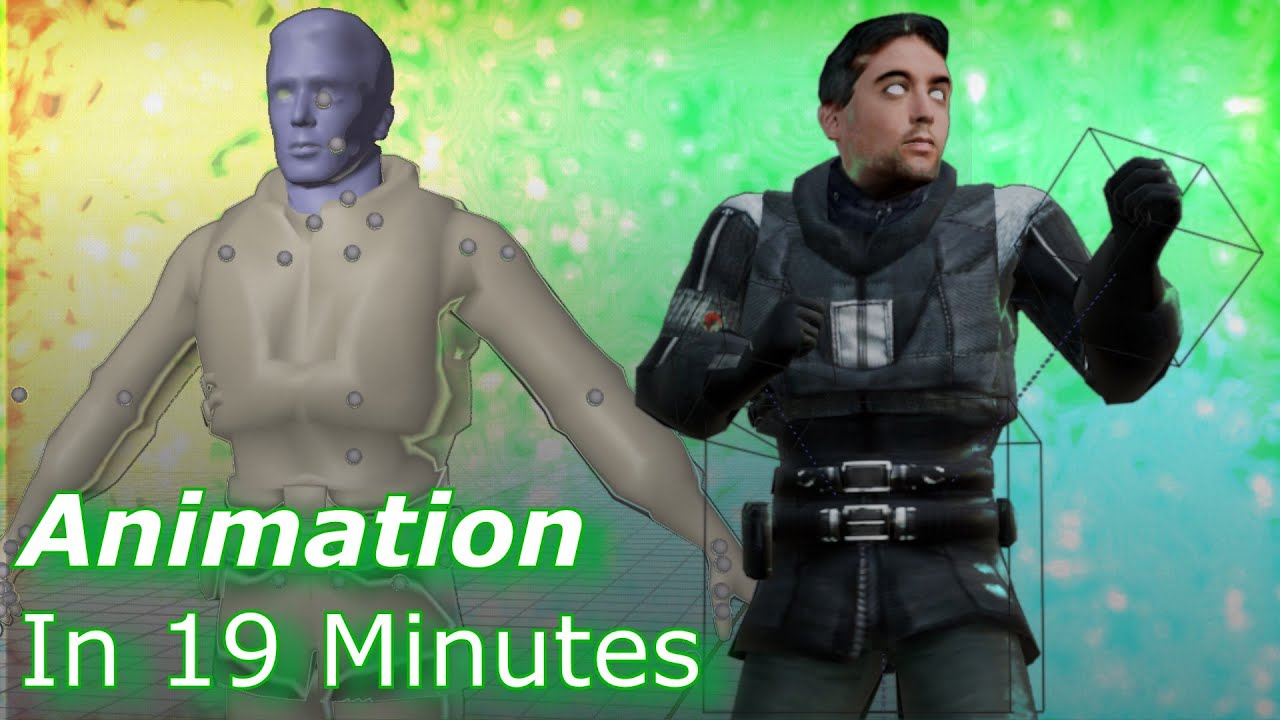
This video is a tutorial on how to set up a Source engine model for animation, the process of animating, and how to export your animation to be compilable into a model. This video also serves as a basic guide on how I animate stuff myself.
Don't take this video as a definitive way of making IK rigs because the way I do it in the video is very g...
late flower
half nacelle
the doors are animated models so i dont think i can close them "a little bit" an...
Bone positions can be modified in Lua if you were wanting an easier way about that
instead of animating, set the door bone angles relative to the pitch of the tardis
Garry's Mod Wiki
Sets custom bone angles.
When used repeatedly serverside, this method is strongly discouraged due to the huge network traffic produced
As of update 2024. 10. 29 this has been resolved. However, network traffic is still generated and should be taken into consideration. Issue Tracker: 5148
golden flare
Oh, of course
You're absolutely right, that's a way simpler solution
I've even done that to animate doors before!
I don't know how I didn't think of it
half nacelle
golden flare
You can control which of these values do and do not get modified by rendering op...
hi i just wanted to thank you for giving me the missing piece to finally fix this lighting bug that i didnt understand for over a year
this has been distracting for so long but i just didnt get what causes it, now i do
half nacelle
just the one single detail of disabling suppressenginelighting after drawing the model

thats all it took to fix it
but i had no idea because i just didnt understand any of these processes
golden flare
I'm quite pleased to hear that
Writing documentation—which that barrage of messages probably counts as—is not something that people frequently provide feedback on, so it's really nice to hear back that it was helpful
and, to be very clear, I would be pleased also (though somewhat less pleased, perhaps) to receive negative feedback about documentation that was incorrect, poorly worded, misleading, incomplete, or in some other way flawed
half nacelle
golden flare
Writing documentation—which that barrage of messages probably counts as—is not s...
yeah i thought it would be a nice gesture
after all the effort you put in i didnt want to just leave it unappreciated
golden flare
Are the Tardis' doors two separate entities, or a single one?
golden flare
half nacelle
the doors are animated models so i dont think i can close them "a little bit" an...
This seems to imply that each door is its own model
half nacelle
i say doors plural because the interior and exterior both have one copy of the entity but no the two panels are not seperate
golden flare
A very slight shame, but not much of one
half nacelle
this is one entity yeh
 golden flare
Are the doors their own entity class, or is it just like a prop_physics that the Tardis entity spawns and parents to itself?
half nacelle
they have a special class labeled as gmod_tardis_part_door
golden flare
I'm basically trying to figure out if those doors have a self:DrawModel() somewhere
half nacelle
yeah they do
golden flare
Excellent
half nacelle
golden flare
Are the doors their own entity class, or is it just like a `prop_physics` that t...
it doesnt parent the doors to itself
as a result it has no collisions with props, only the player
but this is kinda necessary for it to move with the exterior
golden flare
That seems weird to me, but I'm ignoring it for now
half nacelle
there is no way to parent entities without losing collisions
the only alternative would be to setpos() on every tick
i do that with the exterior forcefield so it can block props and projectiles
since i cannot parent it
i wish i had a better way
golden flare
We were talking yesterday or the day before about animating doors
I was reminded of bone manipulation as an alternative, which is a great idea, I think
This is some real barebones, janky code that is definitely broken and in need of fixing BUT it should get the core idea across:
-- Just to try to keep the doors from being exact mirrors of each other
local rightDoorTimeOffset = 0.1

local leftDoorBoneId = 0
local rightDoorBoneId = 1

local minAng = Angle( 0, 0, 0 )
local maxAng = Angle( 0, 100, 0 )

function ENT:Draw()
    local time = CurTime()

    local leftSin = math.Remap( math.sin( time ), -1, 1, 0, 1 )
    local rightSin = math.Remap( math.sin( time + rightDoorTimeOffset ), -1, 1, 0, 1 )

    local leftAng = LerpAngle( leftSin, minAng, maxAng )
    local rightAng = LerpAngle( rightSin, -minAng, -maxAng )

    self:ManipulateBoneAngles( leftDoorBoneId, leftAng )
    self:ManipulateBoneAngles( rightDoorBoneId, rightAng )

    self:DrawModel()
end
I have no way to test it myself, but I've used this exact approach to animate the handle of a prop_door_rotating in what I personally consider to be a very satisfying way
The jiggle of the door handle is entirely done in code with the same basic code as I sent above
main spire
im sure you can do some basic physics simulation for the doors with like an angle limit so it can't flip outside or spin all the way into the wall
with like inertia and maybe even have it bounce when it reaches a limit
could even make it able to close itself if it flips shut if you want to be fancy
half nacelle
there is alot of stuff that will need to be synced
anything that react to the door being open
the portal, the teleporting, sounds and light that move through the doorway
golden flare
If it were me, I would just introduce a very small amount of movement that doesn't require those things to be changed
No sense making lots of work if you can get away with much less
main spire
half nacelle
there is alot of stuff that will need to be synced
i mean if there's too much to sync then letting the doors close themselves might be out of the question. But just having the doors look floppy and move in response to forces like gravity outside and movement of the tardis while open could be cool
half nacelle
small little bonus for spacebuild maps based on the snow matproxy ive been adding
golden flare
Looks nice!
half nacelle
kinda posting this out of order but oh well
since the thing above was just a bonus here is the main feature that this matproxy is actually for
half nacelle
half nacelle
i am finally realizing the true purpose of the entire project, a fully functiona...
as a follow up to this, the rest of the control scheme is now fully functional which means vr players can now travel to any point on any map (previously it was impossible to set a teleport destination)
golden flare
Now put that external view on a monitor inside the Tardis instead of it being a completely separate view mode
 half nacelle
it already has them
 golden flare
Then abolish the third-person camera view and only use the monitors
If that’s a hardship, it’s because the monitors need improvement of some kind
It is, in my opinion, way cooler to do everything that way whenever possible
A separate camera view breaks the “magic” of the fact that the Tardis has been made “real” in all these other ways
half nacelle
half nacelle
i am finally realizing the true purpose of the entire project, a fully functiona...
did you forget this
if you just stand infront of the monitors instead of the doors it works the same way
then it already does what you want
golden flare
You're probably right that it already does what I'm talking about
 grave crown
half nacelle
as a follow up to this, the rest of the control scheme is now fully functional w...
grave crown
half nacelle
as a follow up to this, the rest of the control scheme is now fully functional w...
this is amazing
half nacelle
i recently learned that some people play with HDR disabled for some reason and thats also when i learned that lights/lamps have a different brightness between the two options
now im trying to equalize the brightness to keep interior lighting consistent regardless of option


i dont know the exact values, right now a factor of 0.3 (if HDR is OFF, change all lights to 0.3x brightness) seems pretty close
half nacelle
can also do it the other way around depending on which light style is supposed to be the 'intended' lighting

 half nacelle
made a brand new sound detour method that finally captures npc sounds, gunshots and more
golden flare
First of all, that's very cool
The effect is quite convincing
Second, it makes me wonder why we can't currently use Lua to say "For the purposes of hearing audio, pretend the camera is at this location and orientation"
half nacelle
because stuff like that is up to rubat to add and that means if its not important enough it isnt happening
like how ive been wishing for simple soundscape bindings for a full 1.5 years now
golden flare
half nacelle
because stuff like that is up to rubat to add and that means if its not importan...
I've just created a request for it. Perhaps you could voice your support on the issue https://github.com/Facepunch/garrysmod-requests/issues/2809
GitHub
Details For things like portals, remote cameras, and long-range microphones, it would be nice to be able to override the position of the audio listener using Lua. I believe the override would need ...
half nacelle
there is technically the env_microphone, used for some half life 2 monitors
i dont know if it actually works in gmod
however it only broadcasts sounds to one exact position so it would not be useful for sound detours that need spacial audio
golden flare
Oh, is it deployed by the Combine soldiers?
golden flare
It should use the animation for deploying a manhack
half nacelle
golden flare
It should use the animation for deploying a manhack
yeah about that.
#lua-help message
when i asked about it i was just fucking ignored so i guess its not happening
golden flare
I wouldn’t take that too personally. Not everyone who knows the answers to those things are online at the same time so you may need to ask at different times
half nacelle
this might be my favorite combination
 late palm
Do you have a specific list of interiors/exteriors with compatibility or does it work with any?
half nacelle
finally a way to move large amounts of furniture inside when the doors arent wide enough to fit it :v
golden flare
Hopefully this also works to kidnap players
half nacelle
golden flare
Hopefully this also works to kidnap players
players see this
golden flare
What if they sprint away?
half nacelle
it seamlessly fades between interior/exterior view
golden flare
Very nice
Out of curiosity, how flexible is the "bigger on the inside" code? Could it easily support, as an example, a Tardis with two entrances?
I've been thinking about potential ways that I might implement buildings from Command & Conquer: Renegade as a spawnable Entity and it occurred to me that this is effectively a Tardis of sorts
half nacelle
golden flare
Out of curiosity, how flexible is the "bigger on the inside" code? Could it eas...
it doesn't have built in support for multiple portals because it's never been needed before
however it is possible and someone has once done it for a specialized purpose
the bigger on the inside mechanic is really just enabled by the doors framework which by itself is a generic portal addon that attempts to replicate the portal 1/2 portals in gmod
so it doesn't even need a tardis entity to exist, you can just spawn portals by themselves however you want
half nacelle
trying to replicate the xray effect during dematerialization that was present during the early series of the revived show (about 2005-2010)


original reference
half nacelle
im starting to wonder if it would be possible to have an invisible material that still has phong reflections
that would be truly perfect for this effect
half nacelle
half nacelle
im starting to wonder if it would be possible to have an invisible material that...
i used something approximately like this and i think i got it incredibly close
half nacelle
i wish i could invert the culling on the texture so it only shows on inside faces
enabling nocull makes it show on inside and outside faces
half nacelle
theres also render.cullmode but it inverts the lighting aswell while $nocull does not
so that doesnt work
main spire
you could make an inverted model as annoying as that would be to do
half nacelle
not really feasible for every model thats out there
golden flare
half nacelle
not really feasible for every model thats out there
Uhhhhhhh convert the model to a mesh and invert it yourself
In Lua
They aren’t scary it’s just triangles in a table
You just gotta rearrange the points of each triangle
golden flare
half nacelle
theres also render.cullmode but it inverts the lighting aswell while $nocull doe...
What do you mean by “inverts the lighting”?
half nacelle
golden flare
What do you mean by “inverts the lighting”?
this

instead of just flipping the culling direction, it also flips the face's lighting direction
which means faces will be lit on the opposite side of where the light source is coming from
this might show it a bit more clearly

huh i think it actually works this way with $nocull aswell so it actually looks wrong in both cases
golden flare
The lighting will, as far as I'm aware, always use the visible faces
half nacelle
this might be good enough as it is
this seems to be incredibly close to whatever the vfx crew did in the show (seems like they used a model and then used the top lamp to light the inside faces of the model)
which creates a sort of xray ghost effect as it fades out
but it looks bad when the environment is bright, like under a map lamp or in sunlight
thinking of using render.suppressenginelighting to force it to ignore map lighting and only be lit by the tardis' own lamp
half nacelle
i wish stormfox 2 was easier to work with...
 rough star
actual time travelling is cool! the ability to see through the door is also a nice touch, I like seeing the vortex there
half nacelle
yeah the time travel is cool but it's starting to become my least favorite feature
stormfox is just so awful to work with
the glass windows and vortex fade in on the other hand are some of my absolute favorites
golden flare
half nacelle
stormfox is just so awful to work with
How, specifically?
half nacelle
it has no interface for other addons to work with it, no api functions, so anything i want to do i have to ram into stormfox's code manually
and the code is completely unreadable to me with nearly no comments so i can barely figure out what anything is doing
and due to that lack of functions to work with, i cant really use its built in weather system for time travel
ideally the built in weather system generates a temperature and weather pattern for each point in time for the day, but this completely breaks if you manually change the time (like time traveling)
soooo instead i basically have to manually recreate the calculations it runs to generate a weather pattern for whatever given point in time i travel to
and this is just. fucking atrocious
trying to figure this stuff out is the most painful and unfun experience ive had working on this project
and it still doesnt even work properly
golden flare
Perhaps you could ask Nak to add some of the API functionality you're looking for
golden flare
Well that's not very convenient
Perhaps you'd have better luck creating an issue on the Stormfox 2 GitHub?
https://github.com/Nak2/StormFox2/issues
 half nacelle
its not worth a try, id just feel worse
last time a feature request was addressed was in 2022
every other response was exclusively for game breaking hotfixes like convar removals
and the last of that was in january of this year
i dont think stormfox 2 is an active project anymore
golden flare
Fair enough


 half nacelle
going back through someone's interior and refining the lighting inside as a pet project


as old and outdated as it is i absolutely love phong
just a tiny bit of it can add so much to a scene, like on these cables


always makes me sad when some creators forgo phong entirely
rough star
half nacelle
going back through someone's interior and refining the lighting inside as a pet ...
"someone's interior" his name is John Hurt, not "someone", how disrespectful!!  (good improvement, definitely adds to the atmosphere and depth)
late palm
rough star
"someone's interior" his name is John Hurt, not "someone", how disrespectful!! <...
I think he means the person who made the addon
half nacelle
yeh that ^
half nacelle
overhaul complete, i think it looks better


did i mention that i love proper moody lighting for standby mode

 golden flare
It looks quite a lot better
late palm
That looks amazing
half nacelle
trying out a new style for this interior's danger mode lighting after i got inspired by a spontaneous vision

instead of the usual generic blood red alarm colors, this one takes a blazing hot orange look when at low health
basically wanted to combine hurt's sort of golden-ish theme with the usual alarm color scheme which led to blazing orange
fits his character i think considering it's all about war
golden flare
I really appreciate the dedication to detail you have for this project
late palm
Have there been any updates on this addon?
golden flare
@half nacelle You're now legally required to rework your Tardis effect to use the new cullmode Rubat very politely added
I even recreated it partially
half nacelle
golden flare
<@555464741540200480> You're now legally required to rework your Tardis effect t...
ill try to get to it in a bit
in the meanwhile i made this funny thing that only fans of 10 will get
rough star
*hit me with your rhythm stick 🎵 *
is it going to be used for energy repair? would be cool for immersion
half nacelle
rough star
is it going to be used for energy repair? would be cool for immersion
look at the hud in the top left corner :D
the red number specifically, that's artron (aka just the tardis energy. you cannot take off with less than 8)
rough star
next feature: if the energy is low, any random bride NPCs are teleported into the Tardis
half nacelle
i liked the little joke in the show that whacking it with a hammer makes it run better, so i wanted an excuse to make that an actual gameplay feature
there's also a wrench prop somewhere on the console that does the same thing, but with health instead of energy
basically repairing a building in tf2
rough star
someone needs to commission the Engineer voice actor to record some "deploying a tardis!" "repairing my tardis" "SPY SAPPIN MAH TARDIS!" 
half nacelle
rough star
next feature: if the energy is low, any random bride NPCs are teleported into th...
close enough, welcome back runaway bride
half nacelle
rough star
someone needs to commission the Engineer voice actor to record some "deploying a...
"combahn sappin mah tardis"
rough star
is that a special weapon that could be deployed by any enemy NPC (/player), or is it a scripted thing?
half nacelle
both?
it's an entity that combine soldiers are scripted to deploy if they get close enough to an active tardis
i also tell them via some npc schedules to run in so they can deploy it and after that, shoot it once it's grounded
rough star
that's cool. would it work with multiple tardises? I'm guessing they'd individually go for the closest one and get multiple that way
half nacelle
so far they only target the first player's tardis as i do pretty much all my stuff in singleplayer; it should be simple to make it multiplayer/multiple tardis compatible by looping through all of them and sorting by distance
since i closely control/know when a tardis spawns, i can conveniently make a table of all active tardises to avoid using ents.getall/findbyclass
rough star
what if it's the same tardis but from a later point in time meaning it should have the same entity index, and if an entity is placed in the earlier tardis then the same entity would exist in the later tardis even if it didn't originally, and if the earlier tardis is destroyed then the later tardis couldn't have existed in the first place table of active tardises sounds easier
half nacelle
i see. you just want me to port over 'no time' to glua
rough star
not familiar with that one. I don't really think it'd be viable to do future/past linked tardises without a lot of work and it'd still be subject to paradoxes, especially in multiplayer.
half nacelle
was a little joke; no time is a game someone's making with the most solid time travel mechanics ever programmed so far
it actually handles past/present/future versions of yourself and accounts for changes you make in the timelines aswell as paradoxes
rough star
sounds cool, I'll have to check that out. best I've seen before is the time travel section in Dishonored, and I recall Portal Reloaded's time travel being fun
golden flare
half nacelle
so far they only target the first player's tardis as i do pretty much all my stu...
I beg you not to develop in single player. It’s a prank option that exists only to make you suffer
half nacelle
golden flare
I beg you not to develop in single player. It’s a prank option that exists only ...
the primary reason i dont like multiplayer is that i get lag on the flight controls even when hosting
like its really annoying and in singleplayer the response is instant
golden flare
Sounds like you, my friend, need to learn the dark art of prediction
half nacelle
they always say that and every time i never get anywhere
how do i predict a scripted entity?? its not like the player where i just have my move hook or whatever and do stuff in that
late flower
physics predictions are wack, gotta make your own trace movement to predict effectively imo
half nacelle
so its effectively impossible to do for a regular physics entity?
without restarting it from scratch
that seems like a pretty good reason to just use singleplayer instead
golden flare
half nacelle
so its effectively impossible to do for a regular physics entity?
It shouldn't be too horrible. My experience here is limited, but the core idea is that you need the client to do the movement clientside in the same way that the server does the movement serverside so that your client can "pretend" to do the movement while it waits for the server to do the movement itself and say "yep, you can move there"
The lag is caused by the client not doing the movement clientside and instead just waiting for the server to tell it "yep, you can move there"
I think you can probably accomplish this by making the movement part of the Tardis's code (probably in ENT:Think() I would guess) be executed both on the client and on the server (aka "shared")
half nacelle
golden flare
I think you can probably accomplish this by making the movement part of the Tard...
the movement is done in the physicsupdate hook
so literally just make it shared instead of serveronly and itll work?
half nacelle
im 100% expecting it to change nothing tbh
half nacelle
ill just try it out when i find the time to do it
golden flare
I’m honestly waiting eagerly
half nacelle
turns out it does nothing. idfk physicsupdate just isnt called on client for me
golden flare
This hook won't be called if the Entity's PhysObj goes asleep
This?
half nacelle
i was actively moving it
and it was being called on server
but not the client
i checked if the code was run shared and yep it was
golden flare
Man I just have no idea why that would be
half nacelle
either the wiki is wrong or something about the tardis entity is just weird
can you check if the physicsupdate hook runs on client in any custom entity you know?
golden flare
I'll do what I always do in this situation
Make a shitty little entity and try it there
I cannot recommend this approach enough
I go to this page on the wiki: https://wiki.facepunch.com/gmod/Entity_Creating_Custom_Entities
I scroll down to the "Creating an Entity with a single file" section which I added specifically to facilitate being able to do this (and because it's good to showcase both approaches)
then I make a new addon folder and slap that into the lua/entities folder

Garry's Mod Wiki
Nearly everything you can see and touch in Garry's Mod is an Entity. Any object with a position in the game world is an Entity. The Player is an Entity, props are Entities, even the the Game World itself is an Entity—albiet a special and unique one...
I'm not seeing it get called serverside or clientside
Nevermind, ignore that, I put it in the client-only zone without realizing
It does get called on the server, but only on the server
half nacelle
huh, so i didnt do anything wrong? physicsupdate is not called on client?
golden flare
It really doesn't seem like it's called clientside to me
Or if it is, it needs to be enabled in some way
half nacelle
is it even possible to predict vehicles if their physics are never done on client?
golden flare
It's definitely possible, but I'll admit I'm at a loss for exactly how
half nacelle
i wonder if it was possible at all 10 years ago, when the tardis rewrite first started (and the entity was defined)
golden flare
What exactly is all done in PhysicsUpdate ?
half nacelle
for the tardis specifically? all of the flight movement code
golden flare
What would happen if you put it into ENT:Think() instead?
half nacelle
it receives the player inputs, and then applies force and spin on the tardis every tick
golden flare
That sure sounds like something ENT:Think() could do
half nacelle
i just got timeout'd for forwarding rubat's message in #wiki

the forward feature is straight up not functional here
golden flare
We're not allowed to use the features of the platform, you see
Because we're only allowed to suffer
half nacelle
golden flare
What would happen if you put it into `ENT:Think()` instead?
anyway, this is not going to work in Think or anywhere else
as rubat said the physics object doesnt really exist clientside
even if i run it in think, i will need the physics object to apply force
 half nacelle
yeah clientside entities exist but that sounds like then they only exist clientside
unless they can be completely shared?
golden flare
You just gotta make it initialize physics on the client
half nacelle
golden flare
It's definitely possible, but I'll admit I'm at a loss for exactly how
based on this, i assume there is no guide or resource anywhere on predicting vehicles
it doesn't sound like it's commonly done either
golden flare
None that I wrote, certainly
I just tried initializing physics clientside and it's calling the physicsupdate function now
half nacelle
ohhh
golden flare
@half nacelle I am now pretty confident that it's possible to remove that input delay in multiplayer
@undone flame claims to know more
 undone flame
the only thing stopping anyone from turning any entity predicted is just the server overriding the entity over and over again iirc
like i've physicsinit clientside before one time, i do remember it being choppy and the server basically resetting its pos and angle over and over since the physics were slightly different
half nacelle
man ive lost all interest in this project
the community behind it unironically makes me want to kill myself
theyve sucked every last bit of optimism ive had out of my soul
golden flare
🙁
Have you considered not talking to them?
I really appreciate your dedication to finding minute details that are wrong and throwing yourself into fixing them
One of my personal philosophies is that the best things in life come from a strong imbalance between the effort required to accomplish something and the perceived payoff from doing that thing.
This project is a perfect example of that.
half nacelle
golden flare
Have you considered not talking to them?
idk who im even doing this for if its not for the literal community around the project in question
all theyve done is replace me, show that they dont care a single bit about me, and hate me for who i am
i feel miserable in that community.
like a true, hollowing misery that makes me want to stop being alive
golden flare
I'll let you in on a secret
I've been working nonstop for around 8 months so far on a project that no one wants or cares about
When I told the core audience about it, they told me they already had that and pointed me to a far worse attempt at the same concept I did 8 years ago in college
half nacelle
surely they would appreciate if they got a better verison of what they already have..?
maybe they just dont realize
i hope atleast
golden flare
Well, you'd think so, but the overlap in audience is real slim to begin with
My point is not "woe is me" but rather that I'm not really doing the project because I think it'll be a big hit and everyone will love it
I'm doing it because I want to
It's not always the right mindset, but I think if the people who are most likely to like the project are rejecting it or you for some reason, you would be right to disregard their opinions
If they're unwelcoming of you for who you are or for what you make in your free time, they're probably huge assholes.
I'm not in the business of wasting time listening to huge assholes and you shouldn't be either.
half nacelle
i get this advice alot
i dont know what to make of it
it's in my nature to want to share something i make with others
otherwise it quickly feels meaningless
i dont actually derive much fun from playing with all the stuff ive done in this project
its really all about making it and then sharing it
for some reason i dont feel any joy when i go and play around with my features in game
or well
i do for about an hour, and then it feels empty
golden flare
It's absolutely a lot better when people use what you make and like it
There's no question that that's a great feeling and is definitely a huge amount of why people make things
What I mean is that you should be proud of what you've made because of the quality of the work and the quality of the final product. Some person or people on the internet not appreciating that work and quality has no influence on whether or not you've done a good job
Everyone I've seen in this Discord has been pretty positive about what you've made
Why not believe them?
half nacelle
yeah everyone here in this discord is very nice
but over in the actual gmod tardis community discord, i can literally feel any last happiness being sucked out of my body
i told myself i have to stay in it to atleast keep up with updates to the base addon
but i dont know if it's worth it anymore
that place is so hateful and its just making me want to die
late flower
I make stuff for me and include others
alot of the gmod community discords are filled with lurkers who shitpost
half nacelle
the tardis addon community is just filled with heartless elitists that separate "artists" and "creatives" from those that arent
and see them as lesser or inferior
theyve been crying about wanting my project to be released for months but they treat me as less than worthless because im not "one of them"
rough star
I'm surprised to hear they're giving you hate, I would've expected them to be interested in the cool stuff that you've been able to do. Maybe you should mute it and disconnect from it for a while so it doesn't damage your mental health? Stick to places that appreciate what you've made and can give constructive feedback.
Could always keep up with updates to the base addon via github
half nacelle
rough star
I'm surprised to hear they're giving you hate, I would've expected them to be in...
they kinda are interested in the 'cool stuff' but only that. they couldnt care less about me (well infact they actively hate me)
i wish i could just go to other places for this but there are none
aside from this one little channel here i have nowhere else to post it
main spire
this is one of those channels I hope to see lit up with an unread notification when i come to the discord. It's always disappointing when it isn't you sharing some progress. Not to sound like I'm foaming at the mouth and shaking in anticipation but it's cool to see the kinds of stuff you experiment with
I don't doubt there's some who like what you do but silently appreciate it and appreciate you
I don't know anything about you, but i would find other things beyond the computer to look toward. I don't say this with intent to hurt or put you down but I do hope you know that desiring to end your life because of some careless and/or selfish people online is really not good. Your worth is not decided by random people online
i hope i got that out right
late flower
I lurk in here but I do read your dev posts, idk doctor who from doctor house but its cool to see the progress
late palm
Updates on this mod is probably the only reason that I look at this server, I always get excited when I see an unread message from this chat.

