
#[SOLVED] 500 sever error
51 messages · Page 1 of 1 (latest)
 strong dome
strong dome
strong dome
Most of my appwrite services are running but they are showing unhealthy


 uneven ridge
strong dome
*Appwrite Log*
uneven ridge
strong dome
*Appwrite Log*
you need to set the _APP_DOMAIN variable as a valid "domain", currently its a url
I think ur using coolify to self host? there is a pr there to fix this issue
for now, change _APP=DOMAIN=http://prayerbuddy.185.22.155.207.sslip.io/v1/realtime/v1/realtime to _APP_DOMAIN=prayerbuddy.185.22.155.207.sslip.io
and upvote this pr for it to get merged - https://github.com/coollabsio/coolify/pull/6510
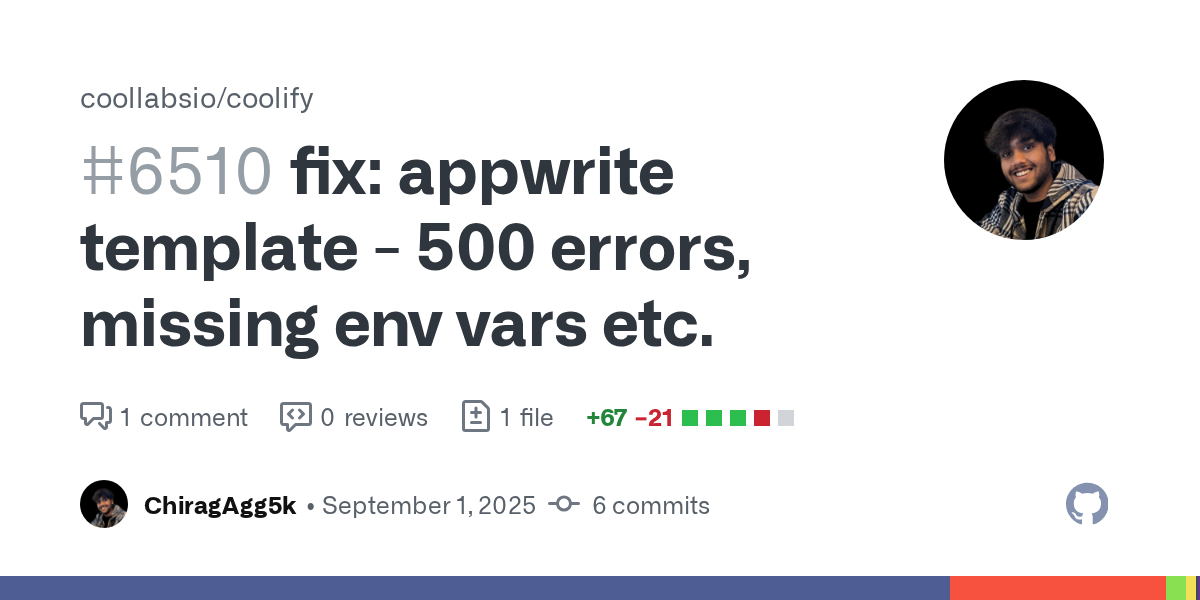
GitHub
Changes
use FQDN instead of URL
add missing environment variables
update versions for console, assistant and executor
Issues
fixes 500 error due to usage of url instead of domain in _APP_DOMAIN:
strong dome
Thank you for your reply @uneven ridge
i have done so, but there is no changes yet.
do i give it some time?

 runic compass
strong dome
i have done so, but there is no changes yet.
do i give it some time?
runic compass
strong dome
i have done so, but there is no changes yet.
do i give it some time?
You'll have to restart Appwrite for that change to take effect
strong dome
issues still persist,
could not change this environmental variable

2025-09-04T02:20:26.696516186Z [Error] Type: Exception
2025-09-04T02:20:26.696524942Z [Error] Message: 'https://cloud.prayerbuddy.me/v1/realtime/v1/realtime' must be a valid domain or hostname
2025-09-04T02:20:26.696533620Z [Error] File: /usr/src/code/vendor/utopia-php/domains/src/Domains/Domain.php
2025-09-04T02:20:26.696542440Z [Error] Line: 69
2025-09-04T02:20:26.845729524Z cloud.prayerbuddy.me is not a main domain. Skipping SSL certificate generation.
2025-09-04T02:20:29.951335232Z [Error] Timestamp: 2025-09-04T02:20:29+00:00```@uneven ridge @runic compass i have followed the instruction, updated the app_domain and restarted the appwrite service, yet issues still persists
runic compass
strong dome
issues still persist,
could not change this environmental variable
I don't know anything about Coolify. Is this container anything to do with Appwrite? If so, which container is it?
uneven ridge
strong dome
issues still persist,
could not change this environmental variable
change all instances where SERVICE_URL_APPWRITE is being used
@strong dome you can click on "edit compose file", and make changes like i did here - https://github.com/coollabsio/coolify/pull/6510/files

GitHub
Changes
use FQDN instead of URL
add missing environment variables
update versions for console, assistant and executor
Issues
fixes 500 error due to usage of url instead of domain in _APP_DOMAIN:
strong dome
thank you @uneven ridge
i followed your instruction, this is what i'm now getting
2025-09-04T08:02:47.190076565Z [Error] Message: This domain cannot be used for security reasons. Please use any subdomain instead
uneven ridge
strong dome
thank you <@743532656767270934>
i followed your instruction, this is what i'm n...
for for _APP_DOMAIN_FUNCTIONS or _APP_DOMAIN_SITES use a different subdomain
make it functions.<your_domain> and sites.<your_domain> respectively

 uneven ridge
strong dome
thank you <@743532656767270934>
i followed your instruction, this is what i'm n...
uneven ridge
strong dome
thank you <@743532656767270934>
i followed your instruction, this is what i'm n...
is this still the error?
can you share the complete error trace?
@strong dome also i am pretty sure you will need to update the docker compose config as well
not just the environment variables
like see here even if you update functions variable, they are directly using the SERVICE_URL

here is a shortcut you can take
delete this instance
go to create new service
click on "empty docker compose conifg"
and copy paste this file there - https://github.com/ChiragAgg5k/coolify/blob/002902492ff3a293d7c8082785f4f6d6dd3a1313/templates/compose/appwrite.yaml

GitHub
An open-source & self-hostable Heroku / Netlify / Vercel alternative. - ChiragAgg5k/coolify
then go to "console" container settings and turn off "strip prefixes option"
strong dome
after changing _APP_DOMAIN_FUNCTIONS to functions.prayerbuddy.me and _APP_DOMAIN_SITES to sites.prayerbuddy.me
i stopped seeing [Error] Message: This domain cannot be used for security reasons. Please use any subdomain instead but now i keep getting Message: 'https://cloud.prayerbuddy.me/v1/realtime/v1/realtime' must be a valid domain or hostname
uneven ridge
same for realtime, go to its container's settings and turn of "strip prefixes"
strong dome
how do i update the docker compose confing please?
uneven ridge
this should help - https://coolify.io/docs/knowledge-base/docker/compose

Self hosting with superpowers: An open-source & self-hostable Heroku / Netlify / Vercel alternative.
strong dome
okay, let me go through the link you shared
@uneven ridge do i need to access the docker compose via ssh or via the coolify dashboard?
uneven ridge
strong dome
<@743532656767270934> do i need to access the docker compose via ssh or via the ...
via dashboard
there should be option on top navigation bar in your service page
"edit docker compose file"
like this ^
strong dome
this is how my dashboard its
 uneven ridge
strong dome
this is how my dashboard its
uneven ridge
strong dome
this is how my dashboard its
yeah go to projects, and then appwrite service
in there it should be
 strong dome
@uneven ridge Thank you very much, it's working now
 uneven ridge
strong dome
<@743532656767270934> Thank you very much, it's working now
uneven ridge
strong dome
<@743532656767270934> Thank you very much, it's working now
letsss gooo! 
strong dome
[SOLVED] 500 sever error