
#appwrite on windows sever
12 messages · Page 1 of 1 (latest)
 brisk token
 pallid ridge
As @brisk token mentioned, WSL2 is required to install doceker on windows machine, attaching link here: https://docs.docker.com/desktop/install/windows-install/
 torpid field
brisk token
Install docker desktop
Set it to work with WSL2 (suppose to be the default)
Then...
torpid field
brisk token
Install docker desktop
Set it to work with WSL2 (suppose to be the default)
Then...
Is there a way to do this with Windows Server 2019 which do not have WSL2 Support?
 neat gorge
torpid field
Is there a way to do this with Windows Server 2019 which do not have WSL2 Suppor...
neat gorge
torpid field
Is there a way to do this with Windows Server 2019 which do not have WSL2 Suppor...
It's best to create a new post instead of posting in an old thread by someone else
 grim briar
torpid field
Is there a way to do this with Windows Server 2019 which do not have WSL2 Suppor...
grim briar
torpid field
Is there a way to do this with Windows Server 2019 which do not have WSL2 Suppor...
Docker Desktop would not be possible on Windows Server 2019, but you can install the Docker Engine and use it
https://learn.microsoft.com/en-us/virtualization/windowscontainers/quick-start/set-up-environment?tabs=dockerce#windows-server-1

Set up Windows or Windows Server for containers, then run your first container image.
torpid field
grim briar
Docker Desktop would not be possible on Windows Server 2019, but you can install...
Yes I did that but then I get the error that there is no windows/arm64 manifest
PS C:\Windows\system32> docker run -it --rm `
>>     --volume /var/run/docker.sock:/var/run/docker.sock `
>>     --volume ${pwd}/appwrite:/usr/src/code/appwrite:rw `
>>     --entrypoint="install" `
>>     appwrite/appwrite:1.3.8
Unable to find image 'appwrite/appwrite:1.3.8' locally
1.3.8: Pulling from appwrite/appwrite
docker: no matching manifest for windows/amd64 10.0.19045 in the manifest list entries.
See 'docker run --help'.
I guess that with docker desktop it uses the underlying wsl2, but even with an ubuntu installed on the machine it does still throw the same error.
torpid field
neat gorge
It's best to create a new post instead of posting in an old thread by someone el...
Will do that 🤝
grim briar
torpid field
I guess that with docker desktop it uses the underlying wsl2, but even with an u...
You'll need to switch to the Linux containers mode
Here's how you can do that
https://computingforgeeks.com/how-to-run-docker-containers-on-windows-server-2019/#:~:text=Step 4%3A Running Linux Containers
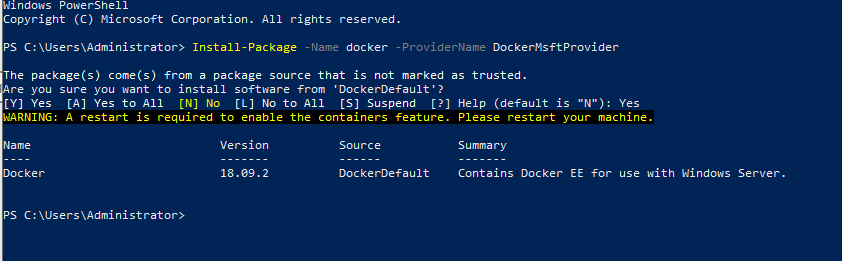
In this tutorial, we will look at how you can configure your Windows server 2019 to run Docker containers. Docker has been a game changer in Applications
torpid field
grim briar
You'll need to switch to the Linux containers mode
Here's how you can do that
h...
I've tried this and screwed my whole docker 😂 I'll try again...
grim briar
torpid field
I've tried this and screwed my whole docker 😂 I'll try again...
Go for it 😆 👍