#ComfyUI for Intel Arc using IPEX
1 messages · Page 12 of 1
 somber trellis
 earnest grotto
yes, the styles it knows seem to have taken a hit, and it outright doesn't do style transfer from a reference image
 loud crescent
are you using the pytorch nightly? if that is the case its probably this:
https://github.com/pytorch/pytorch/issues/162813
you can switch to torch==2.9.0.dev20250821+xpu or set this environment variable:
_ONEDNN_GRAPH_SDPA_FORCE_PRIMITIVE=1

GitHub
🐛 Describe the bug When generating images with ComfyUI, there is a certain probability that the following message will be displayed and the generated image will be completely black. I'm using C...
 vocal swan
loud crescent
are you using the pytorch nightly? if that is the case its probably this:
https:...
vocal swan
loud crescent
are you using the pytorch nightly? if that is the case its probably this:
https:...
the _ONEDNN_GRAPH_SDPA_FORCE_PRIMITIVE=1 env variable does fix it finally, but makes generations slow
I switched using
pip install torch==2.9.0.dev20250821 torchvision torchaudio --index-url https://download.pytorch.org/whl/nightly/xpu
but I get the error in the image. Is the torchvision version wrong? Its torchvision-0.25.0.dev20250926+xpu. Perhaps I will try reinstall using stable again
 earnest grotto
install stable, with --force-reinstall
vocal swan
seems to be working now after a bit of fiddling
edit: nvm, worked for a couple images then back to outputting black
Im on drivers 32.0.101.8132
 somber trellis
suno v5 released
i hope in the future we get comfyui models to match these proprietary models
 zealous atlas
Are you using new TextEncodeQwenImageEditPlus nodes? They work much better than old TextEncodeQwenImageEdit with this 2509 version.
earnest grotto
zealous atlas
Are you using new TextEncodeQwenImageEditPlus nodes? They work much better than ...
The model is worse at doing anything style-related even with the new text encode node, at q6, with no lightning lora, taking the time to do 20 steps with 2.5 cfg
It now has the tendency to not change anything at all sometimes
Other times it will work at least
Kontext had the same issue though it was worse
earnest grotto
For most everything else i've tried though it's better (usually?). Odd that they singled out styles like that
Well, I'm not sure about text yet since it had a worse result with the no book no life / read and find out above, but I'll chalk it up to the lora or prompting, didn't want to wait 10 minutes
zealous atlas
Photo to pixel art
 somber trellis
zealous atlas
Are you using new TextEncodeQwenImageEditPlus nodes? They work much better than ...
somber trellis
zealous atlas
Are you using new TextEncodeQwenImageEditPlus nodes? They work much better than ...
I am.
somber trellis
zealous atlas
Photo to pixel art
Is that with 2509?
Seems you did. checked the embedded workflow that image had.
I don't know why it worked for you. The exact same prompt in that image with the same seed and schedular+sampler doesnt change the style like it does for you.
I wonder if it's the quantization causing this,since you used a non-gguf fp8 quantized model while i am using q8 gguf
Nope. Trying the fp8 changes nothing sadly. Looks like it's not that.
i literally do not know
NOPE I just did a picture of a dog and it worked
It's just deciding not to change certain images.
earnest grotto
somber trellis
*NOPE I just did a picture of a dog and it worked*
Try changing seed. It's just refusing to do things like kontext
I wonder what is in kontext's, and now qwen 2509's datasets
I just can't imagine the model doing this without at least a few pairs of nothing changed whatsoever
earnest grotto
Hmm... I guess prompting does make a pretty big difference
Original
"Upscale this image" ❌
"Transform this image into high quality anime art" ✅

Well, I guess it did remove JPEG artifacts when asked to upscale but that's only half of it
 lunar thicket
earnest grotto
Well, I guess it did remove JPEG artifacts when asked to upscale but that's only...
lunar thicket
earnest grotto
Well, I guess it did remove JPEG artifacts when asked to upscale but that's only...
Qwen edit?
earnest grotto
yes
https://x.com/mokito_ou/status/1971114315676778689 found some sketches I like and am having fun trying to make something more finished out of them.


needs minor fixes, though I find often it's easier and works pretty well to edit the sketch itself. damn that's good
earnest grotto
Not sure if there's a limit to how low res and jpegged the input can be before it can't help it much or if I just need more detailed and clever prompting
Original, with that wacky prompt
Original, x1, with a more detailed prompt describing the white roses and copper metal on the side etc., and x3 (with some cherrypicking)
Better prompting and a better lora could probably get even better quality
Hmm, i think i'll spoiler tag this, though what is depicted in the images doesn't actually happen in silksong. dunno

 dark pasture
Anybody having issue if using batch_size greater than 1 images are different comparing to generation of single image with seed+1?
earnest grotto
dark pasture
Anybody having issue if using batch_size greater than 1 images are different com...
That's not an issue, that's how comfy works
the bigger batch is just a fatter latent with noise from that seed. the noise pytorch decides to give the extra dimensions is not the same as if the seed was +1'd
if you don't want that behaviour, use the add noise node (for every individual latent), batch the latents yourself, and use the advanced ksampler
dark pasture
that's interesting. thanks 🙂
cause i've stumbled upon this PR https://github.com/comfyanonymous/ComfyUI/pull/1454/, but applying it didn't give any result
GitHub
In other UIs, such as Auto WebUI, when you generate with seed=1 and batch size=2, it will generate as a batch 2 images, wherein the first image is equal to seed=1, and the second image is seed=2.
I...
earnest grotto
2023
it may be that whatever this pr changed is not applicable anymore
maybe the code it changes got deprecated. idk
earnest grotto
earnest grotto
<https://x.com/mokito_ou/status/1971114315676778689> found some sketches I like ...
 dark pasture
earnest grotto
2023
dark pasture
earnest grotto
2023
yeah, patch applied well, but had practially no effect 🙂
 iron star
Is this still relevant? I have tried getting A1111 running on my B580 to no luck. Using vino's fork etc but still nothing, this looks interesting but i see the post is rather old and was meant for the A series, Does anyone know the current best option with an API.
iron star
Ive just tried this comfy ui stuff aswell, nothing ever seems to work. Its all cuda this cuda that, pytorch not working here not working there ive tried getting ANY sort of image gen working for like days. id say 6hrs spent straight without any results, can someone help me out?
dark pasture
Windows?
iron star
windows 10
dark pasture
iron star
windows 10
have you tried?
#1193952640225267802 message
iron star
dark pasture
have you tried?
https://discord.com/channels/554824368740630529/1193952640225267...
No, ill give it a shot
iron star
Got it running, model didnt exist so i added the model, now it wont run, I know beggars cant be choosers but i know A1111 is possible and its my main goal
dark pasture
iron star
Got it running, model didnt exist so i added the model, now it wont run, I know ...
what is an actual error you got?
 civic charm
A1111 stopped getting updates more than a year ago, it doesn't support new GPUs including new Nvidia CUDA ones
Use SD.Next or ComfyUI
earnest grotto
iron star
Got it running, model didnt exist so i added the model, now it wont run, I know ...
whoever told you to use A1111, stop listening to them
If you want a ui like a1111, there's sdnext
Generally, if you're listening to people on the stable diffusion subreddit... don't
iron star
Alright same issue again, seems sdnext is not using my gpu, i thought i read from the documentation it would auto detect but reading the documentation you can also point it toward ipex which i did but then when running i get this error
AssertionError: Torch not compiled with XPU enabled
I also get a bunch of python syntax errors
earnest grotto
iron star
Alright same issue again, seems sdnext is not using my gpu, i thought i read fro...
--use-ipex --reinstall
iron star
earnest grotto
--use-ipex --reinstall
Thank you, finally got it working, i reinstalled python and reinstalled as you said now its running on my gpu, however i have one final question, what should be put in the "negative prompt" section or is it self explanitory, like stuff you dont want in the image?
earnest grotto
What model are you using and what are you trying to do
Anime art? Realistic stuff?
iron star
i mean anything, i have a juggernautXL something something (more realistic stuff from what i have seen) i found on civit, and im testing out the prompting but im unsure of what the negative prompt is for
earnest grotto
The negative prompt is not literally negative. The intended usage is to leave it blank, models are trained to still work with a blank prompt. If the model understands, you can add "low quality, worst quality" or such to it, this is usually present for anime finetunes however, not for more realistic models like juggernaut. The model is ran twice, once for the positive and once for the "negative", and the difference is used to continue denoising. If there is something you don't want in the image, prompting for it in the negative prompt can help, however it's not magic. No model exists that knows what "bad hands" are for example, so adding bad hands to the negative is pointless.
iron star
Alright, thank you for the help
earnest grotto
iron star
Alright same issue again, seems sdnext is not using my gpu, i thought i read fro...
@civic charm The windows autodetects seem to need the basekit, i wouldn't get autodetected if not for the oneapi folder in C:/Program Files (x86)/Intel/oneAPI i have which is practically empty (for some reason there's a few leftover files), I definitely don't have the others like sycl-ls or oneAPI directly in C, some possible alternatives for autodetecting intel on windows:
check if "C:\\Program Files\\Intel\\Intel Graphics Software\\IntelGraphicsSoftware.exe" exists (control panel app that comes packaged with drivers, you can choose to not install it but this seems like a good idea for a simple check)
subprocess.check_output(["C:\\Windows\\System32\\WindowsPowerShell\\v1.0\\powershell.exe", "(Get-WmiObject Win32_VideoController).DriverVersion"]) this command might give a few lines, Intel drivers are 32.0.101.number, I imagine number>5000 is gonna be a good filter for outdated iGPUs, latest is 8132 https://www.intel.com/content/www/us/en/download/785597/intel-arc-graphics-windows.html
Example output:
PS C:\Users\Vikto> (Get-WmiObject Win32_VideoController).DriverVersion
15.39.56.845
32.0.101.6989
(First one is virtual desktop)
Alternatively you can look for .Name and see if it starts with "Intel (R)" but doing that might hit old igpus? not sure if those are Intel HD (R) or such
listdir C:\\Windows\\System32\\DriverStore\\FileRepository, search for something starting with iigd_dch (iigd_dch.inf_... is integrated, iigd_dch_d.inf_... is discrete)
civic charm
earnest grotto
<@323514682155466753> The windows autodetects seem to need the basekit, i wouldn...
added os.path.exists("C:/Program Files/Intel/Intel Graphics Software") to autodetect
 royal sparrow
so after using my divine intellect google ai overview, the black output is caused by Not-a-number (NaN) values being introduced during generation (ksampler or whatever) and makes the output black in the end. this can be seen with --preview-method auto
to prevent this there is a custom node, Interrupt on NaN, that replaces these invalid NaN values with zero and prevents the output from becoming corrupted and giving a black output. clone the repository into your custom node directory, add the node to your workflow and it should prevent black outputs.
git clone https://github.com/Extraltodeus/Uncond-Zero-for-ComfyUI
there have been some hiccups here and there but no way near to how it was before. i am using the stable release of pytorch if that helps, it should work with nightly if you're using that. hopefully this issue is fixed in future releases.
earnest grotto
i have a strong feeling this is not gonna have the effect you think it will
like making patches of or the whole image undenoised or fried
earnest grotto
vocal swan
Im on drivers 32.0.101.8132
run furmark or timespy or something else
try older drivers, like something before 7000
 earnest grotto

@somber trellis Highly relevant comparison. I was right
The old lora is so much worse
Transform this image into an anime style
Wonder how much better it is at upscaling too
 woeful sable
anyone got a simple step by step guide, pdf, google doc, whatever, on how to install comfyui on B580?
lunar thicket
Check the pins for Vik's script, I think he has made it pretty seamless
if you are on Windows you can literally just install AIPlayground, run it, and it installs ComfyUI for you. Then there is a "launch ComfyUI" button in the app.
woeful sable
lunar thicket
Check the pins for Vik's script, I think he has made it pretty seamless
did that, but didnt seem to work for me.
Prestartup times for custom nodes:
0.0 seconds: C:\Users\Porkey\Desktop\AI\Comfy\Comfy_Intel\ComfyUI\custom_nodes\rgthree-comfy
Traceback (most recent call last):
File "C:\Users\Porkey\Desktop\AI\Comfy\Comfy_Intel\ComfyUI\main.py", line 147, in <module>
import comfy.utils
File "C:\Users\Porkey\Desktop\AI\Comfy\Comfy_Intel\ComfyUI\comfy\utils.py", line 20, in <module>
import torch
File "C:\Users\Porkey\Desktop\AI\Comfy\Comfy_Intel\cenv\lib\site-packages\torch_init_.py", line 282, in <module>
load_dll_libraries()
File "C:\Users\Porkey\Desktop\AI\Comfy\Comfy_Intel\cenv\lib\site-packages\torch_init.py", line 265, in _load_dll_libraries
raise err
OSError: [WinError 127] The specified procedure could not be found. Error loading "C:\Users\Porkey\Desktop\AI\Comfy\Comfy_Intel\cenv\lib\site-packages\torch\lib\c10_xpu.dll" or one of its dependencies.
earnest grotto
woeful sable
did that, but didnt seem to work for me.
Prestartup times for custom nodes:
0...
what pytorch version did you pick
woeful sable
earnest grotto
what pytorch version did you pick
nightly.
earnest grotto
woeful sable
nightly.
run the script again, select stable, try again and say what happens
woeful sable
Prestartup times for custom nodes:
0.0 seconds: C:\Users\Porkey\Desktop\AI\Comfy\Comfy_Intel\ComfyUI\custom_nodes\rgthree-comfy
Traceback (most recent call last):
File "C:\Users\Porkey\Desktop\AI\Comfy\Comfy_Intel\ComfyUI\main.py", line 147, in <module>
import comfy.utils
File "C:\Users\Porkey\Desktop\AI\Comfy\Comfy_Intel\ComfyUI\comfy\utils.py", line 20, in <module>
import torch
File "C:\Users\Porkey\Desktop\AI\Comfy\Comfy_Intel\cenv\lib\site-packages\torch_init_.py", line 281, in <module>
load_dll_libraries()
File "C:\Users\Porkey\Desktop\AI\Comfy\Comfy_Intel\cenv\lib\site-packages\torch_init.py", line 264, in _load_dll_libraries
raise err
OSError: [WinError 127] The specified procedure could not be found. Error loading "C:\Users\Porkey\Desktop\AI\Comfy\Comfy_Intel\cenv\lib\site-packages\torch\lib\c10_xpu.dll" or one of its dependencies.
with stable one
earnest grotto
woeful sable
Prestartup times for custom nodes:
0.0 seconds: C:\Users\Porkey\Desktop\AI\Co...
Delete the folder the script creates, try again and say what happens
woeful sable
like the comfy_Intel one? would that do anything? as i deleted it before i did the stable one, and script hasnt changed so not sure what it would do. or what folder do i need to delete and run the script again or just try launching it again? im confused
earnest grotto
The script creates a folder, named Comfy_Intel. You delete that folder.
Yes, nothing is changed about the script, because this issue does not come (strictly) from the script and people have been having it with AIPG as well and I'd like to see what might fix it
Ah, how about this: After it finishes, if it still gives the same error, would you like to zip the Comfy_Intel folder, upload it somewhere and send it to me?
It's sizeable, ~2-3GB I think
Personally I use mega.nz
woeful sable
think about 5 but can zip compress it.
earnest grotto
I can't reproduce the issue with the same comfy you sent me. Just a lot of windows defender notifications. So probably a driver problem 🤔
@woeful sable What driver version are you using, and do you want to DDU and try an older one?
somber trellis
@earnest grotto
Saw that the lightning lora got updated, now I can't seem to run anything.
ipex_to_cuda being funny
earnest grotto
yes
somber trellis
I actually just realized I already deleted it.
It's already using the pip installed package
Also, I did rerun the script.
I'm on 2.9.0+xpu stable.
rerunning it again
woops
fed the ipex_to_cuda repo and model_management.py into ai studio and got a fix
prompt: remove the sword


works again on my end
 earnest grotto
I can't replicate whatever issue you were having on a fresh install
earnest grotto
It's possible an update broke the patching the script does to model_management and the script couldn't recover it afterwards, since I've had that kind of issue when manually screwing things up but no idea how that would happen with the script
somber trellis
🤷♂️ No clue either. I'm just happy Gemini fixed it.
No OOMs.
Outputs are working as expected.
Slower, because I'm on 2.9 but still
current 2.10 nightly has dynamic link mismatch with torchvision
because it doesn't have a matching version

Also with 2509 the pixel art lora from civitai works

 placid violet
anyone got some ideas why comfy running my CPU to the max after update
I was using 0.3.42(or smth) then updated to the latest 0.3.64 using Vik's script
 earnest grotto
placid violet
anyone got some ideas why comfy running my CPU to the max after update
I was usi...
earnest grotto
placid violet
anyone got some ideas why comfy running my CPU to the max after update
I was usi...
Show workflow
 tough wharf
earnest grotto
Show workflow
tough wharf
earnest grotto
Show workflow
it wasnt like this before update
but ive been using this workflow since and it doesnt really throttle my cpu
https://civitai.com/models/741620?modelVersionId=2283356
earnest grotto
tough wharf
it wasnt like this before update
but ive been using this workflow since and it d...
Show the workflow that you're having high CPU usage with
tough wharf
earnest grotto
Show the workflow that you're having high CPU usage with
yes, that was the workflow that I use
 earnest grotto
Show everything the command prompt says when you launch comfy
up to when it finishes loading
lunar thicket
holy crap thats a lot of nodes lol
tough wharf
lunar thicket
holy crap thats a lot of nodes lol
ive seen more
tough wharf
earnest grotto
Show everything the command prompt says when you launch comfy
Here when its first time launch and when it run a single time
earnest grotto
tough wharf
it wasnt like this before update
but ive been using this workflow since and it d...
This is the workflow from the screenshot you sent but you say it doesn't have higher CPU usage than before
earnest grotto
lunar thicket
holy crap thats a lot of nodes lol
Needlessly complex and pretty pointless. Basically ~5 upscales and segments chained together with their controls scattered everywhere
Segmenting and upscaling isn't really much better than just upscaling the whole image, especially for a portrait. If it wasn't a portrait, different prompts for different parts of the image could help to e.g. steer the model towards a more coherent background and make sure it doesn't generate tiny verions of the character, but no one does that
tough wharf
earnest grotto
This is the workflow from the screenshot you sent but you say it doesn't have hi...
yes
earnest grotto
placid violet
anyone got some ideas why comfy running my CPU to the max after update
I was usi...
Is this ^ your alt account?
tough wharf
earnest grotto
Is this ^ your alt account?
yes, sorry 😅
I forgot to switch over before askijn
earnest grotto
Please show the workflow that you believe had unusually high CPU usage
Not the one that you say "fixed" it afterwards
tough wharf
earnest grotto
Not the one that you say "fixed" it afterwards
wait, I didnt say it fixed
its it wasnt like this before
tough wharf
tough wharf
its this one
earnest grotto
Yes, you said "it doesnt really throttle my cpu"
Which is not very correct, but I take it to mean the issue doesn't happen anymore, it's "fixed"
earnest grotto
tough wharf
its this one
The image, and the workflow you linked, are the same
earnest grotto
earnest grotto
Yes, you said "it doesnt really throttle my cpu"
[Thermal] Throttling means that your CPU overheated and started running slower. Which would be an issue of your cpu fan not working
Having 100% CPU usage is not throttling
It can be an issue, if something that should run on the GPU doesn't. It can also be normal
lunar thicket
earnest grotto
Needlessly complex and pretty pointless. Basically ~5 upscales and segments chai...
I saw a back to back upscaling and detailers and was wondering how much all that is truly beneficial 🤔
I do think I need to explore a detailer or upscaling node of some kind for my workflow
earnest grotto
"detailer" is just sgemented upscale
lunar thicket
You can see some eye funkyness over here #1245461701667848352 message
earnest grotto
Is that qwen/flux or an anime sdxl finetune
lunar thicket
and thats hard to avoid with just straight up generation so i think i could benefit from something
earnest grotto
the style gives me qwen/flux vibes
lunar thicket
earnest grotto
Is that qwen/flux or an anime sdxl finetune
The latter, its illustrious
earnest grotto
Any upscaling (with the sdxl finetune) will fix the eyes
lunar thicket
Then i do need an upscale added to my process 👍 👍
The style is probably throwing you off due to being intentionally Disney styled, particularly in the second two images
tough wharf
earnest grotto
[Thermal] Throttling means that your CPU overheated and started running slower. ...
oh yea, my apologies I shouldve rephrased it better
tough wharf
earnest grotto
It can be an issue, if something that should run on the GPU doesn't. It can also...
yea, this is what I wanted to say
tough wharf
earnest grotto
Needlessly complex and pretty pointless. Basically ~5 upscales and segments chai...
Maybe, still pretty fun to use with all the options already available in a single workflow
earnest grotto
tough wharf
yea, this is what I wanted to say
show the workflow where it's not working the way you think it should be
earnest grotto
tough wharf
it wasnt like this before update
but ive been using this workflow since and it d...
you say using a different workflow made you not have the issue
tough wharf
earnest grotto
show the workflow where it's not working the way you think it should be
im not really sure how to desribe it since I really only noticed it earlier today
let me try on a different workflow
tough wharf
earnest grotto
show the workflow where it's not working the way you think it should be
Ill say maybe during this part of the image where it loads the Clip/Text it uses too much of the CPU process, I think?
like theres a lag between it (im not sure what im saying at this point 😅 )
 earnest grotto
You noticed how it has always worked
This hasn't really changed
This is due to --lowvram. text encoding is done on the CPU. For every model up till now - except for qwen edit, the text encoders are fast enough that doing them on the CPU is a negligible performance difference, for the benefit of having a bit more free vram so you can do larger batch sizes or upscales or whatever
tough wharf
earnest grotto
This is due to --lowvram. text encoding is done on the CPU. For every model up t...
well ig this really explains it, thank you
I wasnt able to make a backup of comfyui when I updated it earlier so I couldnt make a comparison
woeful sable
@Vik, i got latest drivers, not sure how to DDU it. sry for late reply.
earnest grotto
woeful sable
@Vik, i got latest drivers, not sure how to DDU it. sry for late reply.

Wagnardsoft
Download Display Driver Uninstaller (DDU) free from Wagnardsoft, the official source. Remove NVIDIA, AMD, Intel drivers cleanly.
earnest grotto
Download older driver (let's say older than 7000), run this in safe mode, restart, install older driver, restart. Say if the issue persists after doing that... I got no idea
somber trellis
@earnest grotto the LLM model im using (gemini 2.5 pro) fixed it for me fixing the logic between ipex_to_cuda and is_intel_xpu arguments in the model_management.py

This piece of code is all it actually added. Two at around lines 202 and 1160.
something to do with how ipex_to_cuda passes itself off as cuda:0
and native torch.xpu library doesnt understand this
at least thats what it says
Oh, and this one too.

around line 1250
only mentioning this all over again because i reran the comfyui setup script to install the latest pytorch nightly
 reef ivy
I feel so behind now, I think its been over 3 months since I have messed with anything ai related. Is the new pytorch fixed and still faster on intel?
earnest grotto
what is broken to be fixed
reef ivy
I remember hearing about black image outputs or something with the latest nightlies
But also speed increases
earnest grotto
reef ivy
I remember hearing about black image outputs or something with the latest nightl...
That's more specific than just newer pytorch. It might also be battlemage only and specific drivers only. The person kinda left so who knows
I am not getting any black images
somber trellis
earnest grotto
So it happens on a clean install with the nightly?
I haven't tested this. This is probably very likely something I did.

But at least I can make pixel art with 2509 now.

 grim wyvern
I apologize if this is something obvious. I'm somewhat new to all of this.
I've tried the installation procedure above and, when I type the command "python main.py --bf16-unet", I get an attempt to complete the installation by it starts going wrong with a message "Disabling PyTorch because PyTorch >= 2.1 is required but found 2.1.0a0+git70bcf7da", says "torchaudio is missing", and finally errors out with a message "No module named 'av'"
Any help on fixing this would be greatly appreciated. Thanks.
earnest grotto
@grim wyvern Install using my script ^
lunar thicket
earnest grotto
What does this mean, what is implicit casting?
earnest grotto
In terms of nodes, this would be not needing to insert a conversion node every time you want to convert something to another type
it gets converted (cast) implicitly, rather than you explicitly needing nodes
can connect to an image, mask and float input simultaneously without having to spam convert nodes everywhere
though the ability to convert an image to a single element is usually not present in nodal editors i think. it's certainly nowhere to be seen in either base comfy or blender's compositor
blender has a lot of automatic conversion which is one of the many UI/UX things it has over comfy
grim wyvern
earnest grotto
<@701924126012473424> Install using my script ^
That did it. That script is an amazing piece of work. Thanks for it and the help.
lunar thicket
earnest grotto
In terms of nodes, this would be not needing to insert a conversion node every t...
So like the Encode/Decode nodes, right?
earnest grotto
lunar thicket
So like the Encode/Decode nodes, right?
You mean VAE encode/decode? no
lunar thicket
I don't have my desktop operational to look at my workflows, so im kind of guessing at what nodes youre no longer needing lol
earnest grotto
Moreso the convert mask to image and image to mask nodes; the primitive node as well, since it's kinda... iffy sometimes and needs to be plugged into a chain of nodes sometimes to work
VAE encoding/decoding depends on a specific VAE. Usually people only use 1 VAE but there are cases where you might want to use multiple
e.g. comboing some sdxl finetune with more modern models, to get either the better understanding of composition of newer models or the better details, depends on situation a bit
The multiple ways to convert rgb into a mask don't matter, averaging it out is the best
and in cases where you want a specific channel, you can split the rgb
if you want to skip on plugging VAEs around, you probably want this https://github.com/chrisgoringe/cg-use-everywhere
GitHub
Contribute to chrisgoringe/cg-use-everywhere development by creating an account on GitHub.
Also I've messed around a bit with interpreting things as latents directly, not super tested yet but it could be useful. comfy has no node to tell it that an image should now be a latent, without conversion, or nodes for doing any sort of math with latents
lunar thicket
I had to RMA my RAM so I'm offline for a week or so
grim wyvern
There is one minor thing after using Vik's script. It drops the non-critical message that
"EnvironmentLocationNotFound: Not a conda environment: C:\Users\qohel\OneDrive\Desktop\Comfy_Intel\cenv"
I wasn't using conda before, so I think I may have missed setting up the cenv at that point.
I assume I'd just have to set that up, and might be able to figure out just how with the message content, but I'm wondering if anyone can help me "skip to the end."
earnest grotto
grim wyvern
There is one minor thing after using Vik's script. It drops the non-critical mes...
are you launching with the shortcuts or are you doing something else
did you move any of the folders around
grim wyvern
earnest grotto
are you launching with the shortcuts or are you doing something else
did you mov...
I am launching from the shortcuts and I didn't move any of the folders.
reef ivy
Man, ddr4 sure did shoot up in price lol.
grim wyvern
earnest grotto
<@701924126012473424>
Inside the ComfyUI folder on the desktop:
start_lowervram.bat
start_lowvram.bat
a ComfyUI folder (do you want to know what's in that?)
earnest grotto
grim wyvern
Inside the ComfyUI folder on the desktop:
start_lowervram.bat
start_lowvram.bat
...
Delete everything (keep your extra_model_paths if you changed it, i guess. I also suggest moving your models out of comfy in general and changing the extra_model_paths if you did download them in comfy. all the various webuis can use the same models). Right click the background of where the script is. python ./setup_comfy_intel.py > log.txt 2>&1
You might not see anything in the console, so, just press enter a few times. That picks the default options (set up comfy, regular pytorch, no custom nodes).
Keep the log.txt file around. After the script runs, show a screenshot of the resulting folder. You can take a cropped screenshot with winkey+shift+s. If there is a cenv folder in there, run comfy, say if it runs fine.
grim wyvern
earnest grotto
Delete everything (keep your extra_model_paths if you changed it, i guess. I als...
I'm not sure I understand exactly what you mean by "delete everything". If I do that, how will I find the setup_comfy_intel.py script? Along those same lines, I do have a ComfyUI_Intel.py script. Was that what you meant?
Finally, good call on putting the models in an external path and using extra_model_paths. I'll definitely do that.
earnest grotto
The script is here ^
grim wyvern
earnest grotto
The script is here ^
Got it. And I think I may have discovered the problem right there:
It begins with a line
condapath = "replace this text with your conda directory"
I hadn't changed that to the actual conda directory [major embarrassment].
I'll do that and run the revised version.
earnest grotto
You don't need to edit anything in the script.
That line is in case conda can't be automatically detected; if the script can't detect it, it will tell you, and won't run
Run the script from the command line
python ./setup_comfy_intel.py > log.txt 2>&1
Show a screenshot of what's inside the folder it makes. Run comfy. And so on
grim wyvern
earnest grotto
You don't need to edit anything in the script.
Will do. (In fact, am doing it right now.)
grim wyvern
grim wyvern
Got it. And I think I may have discovered the problem right there:
It begins wit...
Did it. Same results. Here's the log.txt file:
somber trellis
grim wyvern
Did it. Same results. Here's the log.txt file:
    conda tos accept --override-channels --channel https://repo.anaconda.com/pkgs/r
conda tos accept --override-channels --channel https://repo.anaconda.com/pkgs/msys2```Enter each of these lines seperately, then re-run.
The reason this isn't working is because you haven't accepted these. It won't create a cenv until you do.
earnest grotto
Updated the script, hopefully that should not be necessary now, but you can also do the above too
grim wyvern
somber trellis
```conda tos accept --override-channels --channel https://repo.anaconda.com/pkgs...
"conda" seems to be the problem.
I get a 'conda is not recognized as an internal or external command' message.
I have miniconda installed in ProgramData/miniconda3.
I see a _conda.exe in the main folder of miniconda3, but no conda command file.
Also, the path didn't include ProgramData/miniconda3, but I fixed that.
I was able to type in the commands by using the Anaconda Prompt app in Windows 11.
grim wyvern
grim wyvern
"conda" seems to be the problem.
I get a 'conda is not recognized as an internal...
I seem to have messed it up even further. Before it would still run, just not in the conda environment.
Now I get: EnvironmentLocationNotFound: Not a conda environment: C:\Comfy_Intel\cenv
Failed to run 'conda activate ./cenv'.
Traceback (most recent call last):
File "C:\Comfy_Intel\ComfyUI\main.py", line 14, in <module>
from comfy_execution.progress import get_progress_state
File "C:\Comfy_Intel\ComfyUI\comfy_execution\progress.py", line 5, in <module>
from PIL import Image
ModuleNotFoundError: No module named 'PIL'
(base) C:\Comfy_Intel\ComfyUI>
So it appears that it's getting into the conda prompt now and erroring out after that.
grim wyvern
grim wyvern
I seem to have messed it up even further. Before it would still run, just not in...
So, in the time-honored trope of "Have you tried turning it off and then on again?", now that the conda prompt would load, I deleted everything and ran the Vik's updated script.
It worked.
So, also, in the time-honored trope of "I really don't know exactly what was wrong, but it appears to be working now.", I'm going to call it a win.
Thanks for all your help on this Vik and Dan. You're credits to the community.
 bold owl
This has been such a cool tool to have lately because there is a new AGPL 3.0-licensed RAW image editor out, RapidRaw, that will integrate with locally-run ComfyUI.
 honest hull
https://github.com/Comfy-Org/comfy-cli/pull/319
I made an update to comfy-cli for the Intel Arc installation... using comfy-cli to setup ComfyUI is straight forward too

GitHub
update installation for Intel Arc GPUs utilizing upstream torch xpu.
comfyanonymous/ComfyUI#7767
conda create -n comfy python=3.12
conda activate comfy
pip install comfy-cli
comfy install --fast-deps
then follow the instructions in the prompt
bold owl
For the script installation, I am getting a new error message when I start comfyui start_lowvram.bat:
"ConnectionResetError: [WinError 10054] An existing connection was forcibly closed by the remote host
Exception in callback _ProactorBasePipeTransport._call_connection_lost(None)
handle: <Handle _ProactorBasePipeTransport._call_connection_lost(None)>
Traceback (most recent call last):
File "C:\Users\jmchi\Documents\Comfy_Intel\cenv\lib\asyncio\events.py", line 80, in _run
self._context.run(self._callback, *self._args)
File "C:\Users\jmchi\Documents\Comfy_Intel\cenv\lib\asyncio\proactor_events.py", line 165, in _call_connection_lost
self._sock.shutdown(socket.SHUT_RDWR)"
Any thoughts? I'm also running llama.cpp and OpenWebUI (the latter with Docker), and this is a new error but I haven't changed anything that I can think of.
I mean, it runs. Like, ComfyUI is running and I can still generate images, but this error message keeps repeating itself every like 30 seconds or so.
earnest grotto
you can ignore this error, any errors about bitsandbytes, and an error complaining about stuff along the lines of 127.0.0.1 != mhkmfkgkmkdfm
earnest grotto
this one. warning i guess, still ignorable
 dark pasture
seems like some browser extension name ^_^
bold owl
earnest grotto
you can ignore this error, any errors about bitsandbytes, and an error complaini...
Thanks!
 hollow cradle
I'm going to cry 😭.. Thank you, you are an amazing person.. I was going crazy, I don't know English, no one in my country teaches how to do the installation.. I had already given up.. Thank you ❤️
 brave stirrup
after the last command python main.py , i dont get any ip adress for comfyui
python main.py - after this i dont get any ip address
 brave stirrup
python main.py - after this i dont get any ip address
brave stirrup
brave stirrup
python main.py - after this i dont get any ip address
someone pls help
brave stirrup
brave stirrup
python main.py - after this i dont get any ip address
it says no module named 'av'
earnest grotto
@brave stirrup Install ComfyUI using my script ^, or using the script linked a few messages above you
earnest grotto
honest hull
https://github.com/Comfy-Org/comfy-cli/pull/319
I made an update to comfy-cli f...
.
brave stirrup
earnest grotto
<@935213569375617156> Install ComfyUI using my script ^, or using the script lin...
i dont have arc, using igpu...your script says incorrect gpu
earnest grotto
Show a screenshot of what's in task manager's 2nd (performance) tab
 earnest grotto
Show it without cropping and show what the CPU is.
 earnest grotto
brave stirrup
i dont have arc, using igpu...your script says incorrect gpu
earnest grotto
brave stirrup
i dont have arc, using igpu...your script says incorrect gpu
Show me exactly what the script said
brave stirrup
earnest grotto
Show me exactly what the script said
 earnest grotto
brave stirrup
earnest grotto
brave stirrup
When was the last time you updated your graphics drivers?
brave stirrup
2 days back its upto date bro
earnest grotto
Download the script again, I've updated it, run it again
 brave stirrup
earnest grotto
Download the script again, I've updated it, run it again
brave stirrup
earnest grotto
Download the script again, I've updated it, run it again
ok let me try
same issue ..i think i need to have some gpu
brave stirrup
earnest grotto
Download the script again, I've updated it, run it again
its same issue bro
thanks anyway
earnest grotto
Show a screenshot of what the script says
brave stirrup
brave stirrup
same
earnest grotto
If it is the same then you did not redownload the script
brave stirrup
earnest grotto
<@935213569375617156> Install ComfyUI using my script ^, or using the script lin...
is it like updated link somewhere else, i again downloaded the script and right click save
earnest grotto
Show what it says.
brave stirrup
earnest grotto
Show what it says.
 earnest grotto
Yes, you're running the old version
Delete the old version. Refresh the webpage. Download it again.
brave stirrup
earnest grotto
Delete the old version. Refresh the webpage. Download it again.
maybe ill wait for sometime ,,i closed the browser deleted old one again redownloaded ,,but still same
earnest grotto
If it says 0.2.4, it's old. It should say 0.2.4.1
brave stirrup
can you send me the link
earnest grotto
brave stirrup
thank you
earnest grotto
 brave stirrup
earnest grotto
https://raw.githubusercontent.com/a-One-Fan/ComfyUI-Intel-Installer-Script/refs/...
brave stirrup
earnest grotto
https://raw.githubusercontent.com/a-One-Fan/ComfyUI-Intel-Installer-Script/refs/...
its crazy your link says version = "0.2.4.1p" when i download and save ...i opened with notepad to crosscheck it says version = "0.2.4p"
earnest grotto
I have no idea why that would happen. At best, delete it and then download again
earnest grotto
honest hull
https://github.com/Comfy-Org/comfy-cli/pull/319
I made an update to comfy-cli f...
If you can't figure out why you can't download it, you can try this ^ or use AI Playground https://game.intel.com/us/stories/introducing-ai-playground/ which is not comfy
brave stirrup
earnest grotto
I have no idea why that would happen. At best, delete it and then download again
can i just put it in anaconda folder?
 earnest grotto
Do what the script says.
brave stirrup
also do i need change the username lol
earnest grotto
Either install conda, to the default location in C, or find where you installed it and put that in the path at the top of the script
earnest grotto
yes. don't use the experimental option
 brave stirrup
earnest grotto
yes. don't use the experimental option
brave stirrup
earnest grotto
yes. don't use the experimental option
this what is says now

i think its done
earnest grotto
 brave stirrup
lol ok thanks
earnest grotto
Sometimes Intel's servers also don't work, so you might need to try again
brave stirrup
earnest grotto
Sometimes Intel's servers also don't work, so you might need to try again
i dont know that ,,,but thanks a lot man , you gave me hope ...will upate later
earnest grotto
And which version of pytorch did you pick
And, running the script again will be faster since most things are already downloaded
brave stirrup
earnest grotto
And which version of pytorch did you pick
not sure i dont think it asked me that , i just did no for EXPERIMENTAL thingy
brave stirrup
earnest grotto
https://raw.githubusercontent.com/a-One-Fan/ComfyUI-Intel-Installer-Script/refs/...
does having latest python matter or specific version ?
earnest grotto
doesn't matter
It still can't install it?
open the script in a text editor, search for COUNTRY = "us" #if chosen_ipex < 2 else "cn", remove that first #
brave stirrup
earnest grotto
It still can't install it?
yes just now edited and running it ... selected STABLE pytorch
brave stirrup
earnest grotto
It still can't install it?
is this done
there are 2 comfy ui which one to run
brave stirrup
earnest grotto
It still can't install it?
how to change low vram to normal vram
earnest grotto
There is no point in not using lowvram with the majority of models
and the models where it did make sense (qwen edit), want the bigger vram usage reductions because they're too fat, and their text encode node while it was very slow if ran on the cpu, is not actually necessary to encode the images with so even that issue is a mostly non-issue
brave stirrup
earnest grotto
and the models where it did make sense (qwen edit), want the bigger vram usage r...
ok thanks but it says set to : LOW VRAM - can this be changed to NORMAL VRAM?
 earnest grotto
There is no point in not using lowvram with the majority of models
earnest grotto
earnest grotto
There is no point in not using lowvram with the majority of models
@brave stirrup ^
lowvram means the text encoders are ran on the CPU instead of the GPU.
That's it. They are very fast and running them on one or the other doesn't matter much.
If you don't want that to happen, you can open the lowvram batch file and delete that argument.
brave stirrup
thanks a lot .. i keep forgetting that i can edit or im scared ill screw it up..😆
royal sparrow
been getting this warning since installing and updating comfyui through the script, mostly curious about what it is, is it worth being concerned over, is there a fix?
I've been ignoring it and comfyui has been performing to my liking so i dont really have an issue with it. it only appears once when running a workflow for the first time then never again
Comfy_Intel\cenv\lib\site-packages\ipex_to_cuda\attention.py:123: UserWarning: SDPA Flash Attention backend is not supported on XPU, falling back to OVERRIDEABLE backend. (Triggered internally at C:\actions-runner_work\pytorch\pytorch\pytorch\aten\src\ATen\native\mkldnn\xpu\Attention.cpp:147.)
hidden_states = sdpa_pre_dyanmic_atten(query, key, value, attn_mask=attn_mask, dropout_p=dropout_p, is_causal=is_causal, scale=scale, **kwargs)
 cobalt radish
Hello guys, I'm new to this idea of installing comfy UI on intel GPUs. I have ARC A770 and I plan to use QWEN Image editor and Wan 2.2. I'm thinking to follow this tutorial: https://www.youtube.com/watch?v=fQKOJVVi44E
Is it worth trying to set this up or it's just easier to use NVidia instead? Is this tutorial enough? What's your experience? Be honest please 🙂
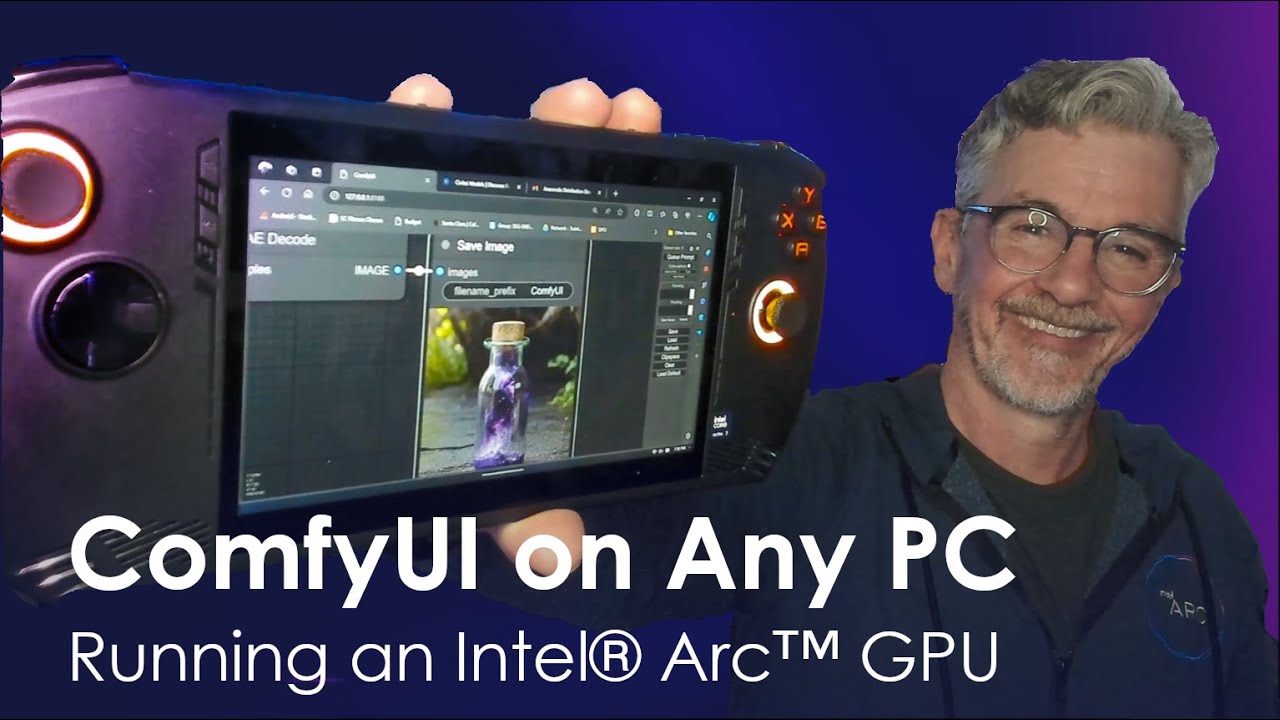
In this Tech Craft Video Bob shows us how to install and run ComfyUI locally on a range of PCs with Intel Arc GPUs, from the MSI Claw handheld gaming PC, and more. Along the way learn tips for improving speed, quality, and control of your AI image generation.
Installation Instructions:
First join the Intel Insiders Discord, here: http://disco...
lunar thicket
cobalt radish
Hello guys, I'm new to this idea of installing comfy UI on intel GPUs. I have AR...
Thats Bob Duffy he is the resident AIPlayground guy.
I haven't watched this video but he is the one that posts updates to AIPlayground in #1243956384052285560
I mention this because thats a windows installation in the video. But AIPlayground will literally just install comfyui for you
You just download it and run and it installs auto-magically.
Latest release is here: #1245461432141873245 message
My experience is I have installed and used comfyui via this and it works great. I have a B580.
earnest grotto
royal sparrow
been getting this warning since installing and updating comfyui through the scri...
You can ignore that. If anything, seeing this should remind you that Disty's hijacks are working, and you want them to be working so that the various custom nodes that do not use ComfyUI's built-in device getters and hardcode "cuda" will work anyways (e.g. ultimate SD upscale, or some of the ones my script installs).
earnest grotto
cobalt radish
Hello guys, I'm new to this idea of installing comfy UI on intel GPUs. I have AR...
What do you mean easier to use Nvidia... You're gonna sell your GPU? I think that's a bit hasty
AIPG is very easy to set up. There's other options if you want just Comfy as well
In general, there is no Nvidia offering that has that 16gb the a770 has anywhere near the a770's price. Closest would probably be a 3060 12gb, if you can find one? Which is not much better, might even perform worse, certainly performs waaaaay worse than the b580. The 5060ti 16GB is actually better, but it also costs 2x as much usually
royal sparrow
earnest grotto
You can ignore that. If anything, seeing this should remind you that Disty's hij...
thanks for the clarification! 
somber trellis
earnest grotto
In general, there is no Nvidia offering that has that 16gb the a770 has anywhere...
There are some specific examples that I've seen with Nvidia that do just beat us performance wise.
I blame cudagraphs. Someone can run Chatterbox 3x faster than me on a 3060 because I can't get torch.compile to work with it.
Lmao
reef ivy
New LTXV is "out" not open source yet though I don't believe. Looks pretty good, hopefully it's not huge and slow like the last one released. Quality looks worse than wan but fine tunes could fix that, also has built in audio which is cool.
somber trellis
reef ivy
New LTXV is "out" not open source yet though I don't believe. Looks pretty good...
Mattvidpro discord has a few gens from ltxv2, and it's trained on some weird stuff.
Unprompted, it gave someone Garfield gens.
earnest grotto
reef ivy
New LTXV is "out" not open source yet though I don't believe. Looks pretty good...
who's gonna finetune a video model
finetunes pretty much stopped happening since flux
Quality does look better than wan 2.2 to me though, at least cherrypicked
cobalt radish
lunar thicket
Thats Bob Duffy he is the resident AIPlayground guy.
I haven't watched this vi...
Thanks for helping Grok, that was clean. Appreciate it!
lunar thicket
cobalt radish
Thanks for helping Grok, that was clean. Appreciate it!
My pleasure!
reef ivy
earnest grotto
who's gonna finetune a video model
There have been plenty fine tunes of wan so far
earnest grotto
i'm probably no-true-scotsmaning a bit but, there aren't really any finetunes with significant amount of training, besides chroma, neta lumina and now pony v7
most of what isn't those 3 might as well just be a lora
and those 3 are... iffy IMO
chroma is the least iffy, looks to be fine if you want realistic stuff, but I still don't quite like it
neta is undertrained and might have some other issue understanding styles and other things, pony v7 looks to be fried
 young talon
this is my first video i generated today. big shout out to Mr. Bob Duffy for creating the Video on MSI Claw 7. Using a distilled version of LTXV within my anaconda environment. Thanks. My results aren't much but here is my progress. Anyone else feel free to message me too. I'd like to learn more.
young talon
6 seconds long
 formal tusk
What kind of generation rates are you all getting w/ Wan 2.2?
I've been having a lot of trouble with slow generations - i.e. around 30-45 min for a low resolution 5second video w/ a model that has lightning or a similar accelerator LORA baked in.
10700k, 64gb ram, A770 16gb vram
lunar thicket
Vik- Your script is OS agnostic right (works for windows and linux)?
earnest grotto
yes
 late glen
earnest grotto
Highly dependant on resolution and framecount
late glen
earnest grotto
Highly dependant on resolution and framecount
Yes, wondering if I need to do a fresh install now.
earnest grotto
earnest grotto
Did you install with my script?
You mean yes for this?
late glen
Yes.
earnest grotto
For bigger models/more vram usage like this, launch with the lowervram shortcut/batch file
What framecount and resolution
Also, I take it, Bryce is your alt?
late glen
cd /D "%~dp0"
call conda activate ./cenv
:: xpu does not need forced slicing
:: No additional environment settings needed for Windows
cd ./ComfyUI
python ./main.py --bf16-unet --lowvram ```


560x720 @ 81 frames

Yes, my professional account. Lot of unrelated stuff I try to keep separate. Hoping to get wan running at decent speeds, then use wan animate for educational media esp. sign language for developmentally delayed kiddos650*720 is ~0.4mp. I recommend first starting off with 61 frames and 0.3mp (for your AR, about 480x620), to nail down a prompt or first/last frame or whatever, then increasing it back to 81 and 0.4mp or slightly more. Either way, the script you link is the lowvram one, use the lowervram script (which adds --reserve-vram 11).
--reserve-vram 11 means that in a perfect world, 11gb of vram would be free for your OS or other things to use. but this is not a perfect world (on windows), so, it's more like 6gb free. If you want even faster, you can lower it from 11 to 7. --reserve-vram 6 is kinda the cutoff point where if you have anything else running, you will start to run out of vram and have issues
late glen
earnest grotto
--reserve-vram 11 means that in a perfect world, 11gb of vram would be free for ...
Thank you. I'll give it a go.
earnest grotto
earnest grotto
650*720 is ~0.4mp. I recommend first starting off with 61 frames and 0.3mp (for ...
After the first run, this should be close to 1-2 minutes per video
late glen
FP8 or a quant like Q5?
earnest grotto
I use Q8 high Q4 low
Refer to the 4 videos here ^
You can also use fp8 for the high instead of q8
I have only 48gb of ram and even still, q8+q4 is kinda cutting it close on ram usage (i needed to crank up swap/pagefile a lot, it's 50gb now). You might be able to get away with both being fp8 with 64? not sure
late glen
Tried lowervram with the lower frame rates and it worked as you suggested.
late glen
earnest grotto
I have only 48gb of ram and even still, q8+q4 is kinda cutting it close on ram u...
both as 14gb models FP8
Was thinking before I asked that low and high loaded in vram independently and the goal was to load each fully, without swapping w/ ram. Finding a smaller model was tough!
reef ivy
formal tusk
What kind of generation rates are you all getting w/ Wan 2.2?
I've been having...
If you are using gguf make sure you use the --reserve-vram argument. Block swap with kijai's nodes might help as well but never tried (also last I checked you had to edit a few lines of code to get his nodes to work with intel arc)
earnest grotto
No
Use reserve-vram if you're running out of vram (which you are with an fp8/q8 wan model)
It doesn't have much to do with gguf and will kill performance when you're not running out
Block swapping most likely performs much better, but I haven't tried that node either
reef ivy
It speeds up gguf in native, if block swapping exists in native though it is probably better.
lunar thicket
@earnest grotto got an interesting error, running your script in kubuntu. Seems to be failing on ID'ing my GPU, maybe.
 lunar thicket
earnest grotto
ok, dm it i guess
lunar thicket
earnest grotto
ok, dm it i guess
DM what?
earnest grotto
Some messages are automatically deleted, most likely to get rid of the scam bots
If you didn't notice, your message got deleted.
earnest grotto
Odd that it didn't even detect the cpu as a cl device
Either way, the script checks for your GPU through clinfo. If you yourself can't see the GPU in clinfo then you have some issue with the drivers that needs sorting out
you can do clinfo | grep name if you don't wanna scroll through it though with 0 devices i guess there wasn't much to scroll
civic charm
clinfo requires manual installation
it isn't required or comes with anything by default
disty:~ $ cat /sys/class/drm/card0/device/device
0x56a0
disty:~ $ cat /sys/class/drm/card0/device/subsystem_vendor
0x8086
8086 is intel
56a0 is the id for A770
earnest grotto
The script pokes the user to install it if it's not present
In this case it just flat out returned 0 CL devices which seems problematic to me
Though actual GPU detection might be pretty pointless at this point, and conda. I only used them for the older pytorches that were way more convenient to install with conda, and had specific versions for specific GPUs, now newer ones are simple to install and faster so there's no point in using the old ones
I might keep it around moreso to make sure the user's drivers all work?
earnest grotto
earnest grotto
I might keep it around moreso to make sure the user's drivers all work?
Since if not even the CPU is detected as a CL device, that seems very broken to me
lunar thicket
Vik helped me progress via DMs and I was able to run the script and install comfy. Passed the clinfo error.
but i ran into further trouble later, actually launching comfy. I forget the errors now, but I think I need to wipe out my drivers and do a fresh install. It was something about no xpu device, which doesn't make sense after all that.
But i read some folks having errors like that when they had a disjointed driver install like i apparently did
civic charm
earnest grotto
Since if not even the CPU is detected as a CL device, that seems very broken to ...
Clinfo can't detect my CPU and AMD GPU either
Only A770 is detected
OpenCL is on its way out. Using /sys/class/drm or lspci will be more reliable
earnest grotto
civic charm
Clinfo can't detect my CPU and AMD GPU either
Damn, alright then
And yeah, opencl is indeed on its way out
earnest grotto
Chrono edit is usable in comfy right off the bat. Needs prompt rewriting though
IMO, worse than qwen edit
That 2B model could be interesting though
If it's still good, would be amazing for something most people can actually train
formal tusk
Anyone else using Qwen3-VL for prompt generation? I have a modified version of the node that works with intel hardware if anyone is interested.
earnest grotto
Was wondering why comfy sometimes gets completely stuck when I'm doing large qwen edit images with long prompts(?). Well...
33223 is a prime and find_split_size looks for a number that the [in this case head size] is divisible by. so, 1
(ipex_to_cuda)


 solid helm
hi, I'm just now installing openvino and comfyui and Stable Diffusion, and Grok's tellin' me to convert fp32 to fp16 since the fp16 installationdoesn't exist in stable diffusion's own dowloads page. is this something I should do? using a B580 btw
the command it game me:
from openvino.tools import mo
mo.convert_model('models/checkpoints/sd3.5_large.safetensors', --data_type FP16, --output_dir models/openvino/)
honestly I'm completely stuck with this installation
earnest grotto
Don't listen to LLMs
There's a custom node that does whatever conversion
Why do you want to use SD 3.5
solid helm
It's the newest (:
earnest grotto
No?
solid helm
oh
earnest grotto
Even if recency meant it's good, which it doesn't, qwen image is far more recent
earnest grotto
solid helm
It's the newest (:
Did you ask grok for this too?
solid helm
I came across the videos on intel graphics youtube with A1111 and stable diffusion and wanted to try it out, but I read here A1111 has lost support or something
earnest grotto
A1111 has not been updated in more than a year
solid helm
earnest grotto
Did you ask grok for this too?
I just read that stable diffusion is the best at prompt interpretation somewhere
earnest grotto
If you want something that's like a1111, use sdnext
earnest grotto

GitHub
SD.Next: All-in-one WebUI for AI generative image and video creation - vladmandic/sdnext
earnest grotto
solid helm
should I not use it
Do you want to make realistic images or anime art
solid helm
realistic I guess
earnest grotto
qwen image then
earnest grotto
earnest grotto
qwen image then
@solid helm You can download it from inside sdnext. You should be able to compile with openvino as well, go into the settings and see
solid helm
alright, thanks a lot
earnest grotto
solid helm
alright, thanks a lot
Actually, how much ram do you have, what GPU
somber trellis
DyPE works in comfyui (Flux node that lets you generate much higher resolutions)
 civic charm
torch 2.9 has the same speed as openvino, why do you want to use openvino instead of pytorch?
openvino is really good for onnx and captioners but dynamic things like stable diffusion doesn't really fit openvino
solid helm
earnest grotto
Actually, how much ram do you have, what GPU
B580 but only 16gb of RAM
earnest grotto
solid helm
B580 but only 16gb of RAM
16gb is too low for... most things
even for gaming it's too low
solid helm
Been more than ok for gaming at 1440p so far lol
earnest grotto
I can game at 8k with my a770 with a specific choice of game
solid helm
Cyberpunk, RE8, Doom, CoD, etc. still fine for me. Also with current ram prices I'm not even gonna think about upgrading
earnest grotto
16gb definitely won't be enough for qwen image, flux, sd 3.5 large. probably won't be enough for sd 3.5 medium. what you can do with only 16 is sdxl
solid helm
I don't need like a batch of 50. I just want to do it as a hobby. batch of 1 works for me
earnest grotto
this has nothing to do with batching, these models are literally too big to fit in your ram even if we ignore that windows itself probably always uses up ~4gb
solid helm
I see
earnest grotto
juggernaut xl v9 is a realistic sdxl model you can check out
earnest grotto
civic charm
torch 2.9 has the same speed as openvino, why do you want to use openvino instea...
and, this
I assumed openvino has some benefit but I guess not
solid helm
I thought it was the best option for arc specifically
civic charm
earnest grotto
16gb definitely won't be enough for qwen image, flux, sd 3.5 large. probably won...
even sdxl is cutting it short with 16gb
you simply can't run openvino with 16gb
it needs 32-48gb ram to convert sdxl
earnest grotto
yeah
on the bright side, we know the b580 has pretty good sdxl performance (without openvino, compile, whatever), so you can have fun with that
3090 speeds?
I'd also suggest checking out the sdxl inpainting model. you can make up for what sdxl models can't understand super well in prompts, with inpainting
earnest grotto
Hmm, you might be able to barely fit sd 3.5 medium in 16gb of ram. you'll have to test and see, most likely will need to at least quantize the t5 which sdnext should be able to do
reef ivy
Man I wish I had upgraded my ram earlier this year, price is insane now. 40$ kit is now over 100$ smh
lunar thicket
reef ivy
Man I wish I had upgraded my ram earlier this year, price is insane now. 40$ ki...
My ram was $200 last December and now its $500. Insanity
solid helm
earnest grotto
Hmm, you might be able to barely fit sd 3.5 medium in 16gb of ram. you'll have t...
If you're curious, tried sd 3.5 medium (fp16) on comfyUI with openvino enabled, and it gave an error saying the VRAM ran out when the negative prompt was highlighted.
Then I ran this and it worked: "python main.py --disable-ipex-optimize --lowvram --force-fp16 --cpu-vae --reserve-vram 2"

I'm not even sure if I did the installation and everything correctly I think there's still a few missing files and stuff but I got it to generate finally lol
 earnest grotto
solid helm
earnest grotto
solid helm
Get the fp8 t5xxl
somber trellis
earnest grotto
Get the fp8 t5xxl
gguf q8 is better for T5

DyPE flux is pretty detailed
 earnest grotto
somber trellis
DyPE flux is pretty detailed
earnest grotto
somber trellis
DyPE flux is pretty detailed
How long did this take
Are the images you're sending the originals?
The images you've uploaded look to be compressed webps
I've had very few issues with cranking up Qwen Edit's resolution, worked well up to 8mp (~15 minutes), gave a sorta bad result at 16mp though it might've been a bad seed and that took an hour so I don't wanna try again
somber trellis
earnest grotto
How long did this take
20s/it, 8 steps
These are both 2048x2048.
It can do 4096x4096, but it will take 93s/it.
Well, I did initially get 4096x4096 to work. Now my PC is imploding.
I will say, it's got issues.

I do also use qwen-image though
somber trellis
increasing to 16step seems to help
 somber trellis
@earnest grotto What loras would you use with Qwen-image to achieve a realistic look? So far I've used flymy realism and a samsung lora.
Also looked at boreal portraits.
Right now I'm using flymy and samsung together with the 8step lora
 earnest grotto
I got nothing other than wishing qwen edit had more loras sorry
somber trellis
earnest grotto
I got nothing other than wishing qwen edit had more loras sorry
thats kinda why i liked dype, because it's flux-based
qwen image got like 8 realism loras
🤷♂️
DyPE again
 earnest grotto
somber trellis
qwen image got like 8 realism loras
earnest grotto
somber trellis
qwen image got like 8 realism loras
qwen edit got like 8 useful loras total, and that's probably including the ones that don't work well like the upscale ones
ticks me off so much
damn 20b model
was hoping that maybe that pruned version of it people made that gets it down to 13b would be nice, nope, it fries most things and text is so, so broken
so sad since it's so good
somber trellis
earnest grotto
qwen edit got like 8 useful loras total, and that's probably including the ones ...
for upscaling just use seedvr2
it's pretty good to be honest
I'm using the Q8 gguf versions of them

ignore the K_M
it's how they have the naming scheme done
^ upscaled

v original

original is a 250x326 image
I genuinely dont know of a better upscaler than that, it's pretty decent for details.
earnest grotto
Sure but I want something better than upscaling
I want a model that fixes fingers, a model that deblurs (especially when people already tried training loras for this for kontext, or defluxing), a model that delights or gives a UV pass or so much more
Even saw someone on the subreddit with ambitions to try training a delighting lora for kontext
RIP any of that
soon after kontext came out, someone trained a lora that made kontext colorize better. nsfw, but i'm pretty sure it helped in general
no such thing for qwen edit even after 2 months
now, qwen can colorize better than kontext with or without the lora but why not push it just that bit further
or why not train it so it can actually colorize with hints inside of the image itself instead of describing every single thing and hoping it gets it right, because it sometimes doesn't; or colorize with a reference
earnest grotto
somber trellis
<@311915623179485186> What loras would you use with Qwen-image to achieve a real...
Oh, I guess I can link you this one https://civitai.com/models/1927710/qwen-image-boreal-boring-reality-lora-for-qwen
Decided to browse the loras again just to get ticked off
Civitai still haven't added separation between qwen image and qwen image edit for some reason

 earnest grotto
somber trellis
^ upscaled
earnest grotto
somber trellis
^ upscaled
Qwen Edit with a more recent upscale lora.
4 steps, 1 step.

 earnest grotto
now, qwen can colorize better than kontext with or without the lora but why not ...
earnest grotto
earnest grotto
now, qwen can colorize better than kontext with or without the lora but why not ...
holy speak of the devil https://www.reddit.com/r/StableDiffusion/comments/1os7ut5/lora_panelpainter_manga_panel_coloring_qwen_image/
Reddit
Explore this post and more from the StableDiffusion community
literally 44 minutes ago
somber trellis
earnest grotto
Qwen Edit with a more recent upscale lora.
4 steps, 1 step.
Seedvr2 definitely wins here imo, as the eye color and skintones are changed
Not bad tho
earnest grotto
I don't think they were?
somber trellis
It made the eyecolor more brown.
earnest grotto
Either way, Qwen can be prompted to also have a specific eye color, and can give different eye colors with different seeds so that's not much of an issue
somber trellis
earnest grotto
Either way, Qwen can be prompted to also have a specific eye color, and can give...
ofc, but

i insta noticed the eye

lol
earnest grotto
I don't remember how vsauce m. here's eyes looked
earnest grotto
nah, plausible with glasses
 earnest grotto
and the stuff you're pointing out is with the 4 step result
somber trellis

 earnest grotto
which i... don't quite like
I guess just not denoising the rest of the way produces better looking skin
wild to think about
somber trellis
earnest grotto
and the stuff you're pointing out is with the 4 step result
ye, 4step isnt ever enough UNLESS you do a second pass
what im doing rn is dype with two passes, one at 1024 and the second at 2048


alongside NAG too* so I can use negative prompts at CFG1.
somber trellis

 marsh bison
hi, can someone please help me? I recently reinstalled torch to try and fix slower gens and now im getting this error
 earnest grotto
ah, a comfy update literally a week or so ago broke that
i expected they'll fix it, i guess they didn't
I'll update my script to fix it
or i'll do a 1 line pr
marsh bison
is there a way for me to do a rollback then?
earnest grotto
Open ComfyUI/comfy/model_management.py
Navigate to line 1106
def pin_memory(tensor):
    global TOTAL_PINNED_MEMORY
    if MAX_PINNED_MEMORY <= 0:
        return False
add
    if is_intel_xpu():
        return False
after the block of code I pasted, while keeping the indentation intact
scroll down a few lines to def unpin_memory, do the same
marsh bison
ok that seems to have done it. thanks alot
while im here do you have any tips for getting faster gens?
earnest grotto
Depends on model
Only thing that will give you a definite speed boost in any scenario is getting the nightly pytorch, which will be ~10% faster than the stable one
marsh bison
i tried both the stable and nightly pytorchs they just give me black outputs
im on 2.5
earnest grotto
2.5 is massively slower
what gpu, what black outputs, what driver version, what model
marsh bison
arc b580; .8247,8136, and .6989 drivers; and it was an illustrious model
somber trellis
So Compass.1 Flux lora (a spatial enhancer lora for flux) doesn't work with dype. It messes up a lot.
earnest grotto
earnest grotto
or i'll do a 1 line pr
GitHub
AFAIK, Intel currently has no equivalent for cudaHostUn/Register. Even if it does, there is no .cuda.cudart().cudaHostUn/Register and it errors out, so this is good enough to at least make ComfyUI ...
hmm
earnest grotto
marsh bison
arc b580; .8247,8136, and .6989 drivers; and it was an illustrious model
reinstall comfy with my script / redo your venv, try again
marsh bison
ok
earnest grotto
earnest grotto
Open ComfyUI/comfy/model_management.py
Navigate to line 1106
```py
def pin_memor...
If you do it right now, you will also need to do this ^ again
marsh bison
this is probably a dumb question but all i have to do is run the Setup_ComfyUI_Intel.py again right?
earnest grotto
marsh bison
this is probably a dumb question but all i have to do is run the Setup_ComfyUI_I...
run it in a different location
if it doesn't work out, you can just delete the comfy it creates
everything it does is stored in the Comfy_Intel folder it makes
earnest grotto
Ok, if you redownload the script now you won't need to edit those 2 lines manually anymore.
It's updated
marsh bison
sorry i took so long to get back. But yea im still getting black outputs i tried 4 different models (3 illustrious and 1 noobai)
 neon tapir
the black output thing was an issue for me too instead of using option 3 when using the script hit 2 for the ipex version
somber trellis
qwen-image-lightning, 16 steps (NAG)


 earnest grotto
neon tapir
the black output thing was an issue for me too instead of using option 3 when us...
earnest grotto
neon tapir
the black output thing was an issue for me too instead of using option 3 when us...
That's some sort of driver/pytorch bug and should not be happening
it doesn't happen for other b580 users
somber trellis
 lunar thicket
I recognize XPU as Intel devices, but I was under the impression that basic 'normal' pytorch now fully supported Intel GPUs
IE, pytorch 2.9 would 'just work' for Intel
so is it the case that pytorch 2.9+xpu is a separate package they made for Intel devices? Makes sense. I did preface this may be foolish
i see now on their site they even have multiple packages just for different CUDA versions.
😅
reef ivy
They also have Cuda pytorch versions as well, so not really sure but I always use the xpu
lunar thicket
@earnest grotto I could not for the life of me figure out why comfyui wasnt working in kubuntu. Except... i was on 25.04 plucky. Which may be the culprit.
My solution: i updates to quokka lol 25.10. Deleted the comfy intel folder and ran script again, now it works
I am getting some intermittent black images though. Someone else was complaining about that in here. I wonder if that is a pytorch version problem. May try to downgrade to 2.8
earnest grotto
I have absolutely no idea why b580s are getting black images and I wish I did
If you downgrade to 2.5 you're leaving huge performance gains on the table
If you downgrade to 2.8... I don't know if that will fix it. Performance will be only very slightly slower than 2.10
lunar thicket
All I know is I had zero issues with 2.8... in Windows. So I know it is kind of apples and oranges. But still worth a try.
neon tapir
oh nvm i didnt see your message sorry
i would love to have the performance upgrades but almost always either with the first ksampler or when it upscales and goes into the second ksampler it blacks out, im getting decent speeds but it sucks that i cant have the best version, also i cant for the life of me get qwen to run without crashing my comfy
lunar thicket
neon tapir
i would love to have the performance upgrades but almost always either with the ...
what version of pytorch you running?
B580 user?
2.5+ipex?
i am gonna try installing 2.8 which worked fine for me in windows
neon tapir
b580 and yes the 2.5+ipex
 cursive sable
im getting this error
 earnest grotto
@cursive sable Install comfy with my script ^
lunar thicket

GitHub
🐛 Describe the bug When generating images with ComfyUI, there is a certain probability that the following message will be displayed and the generated image will be completely black. I'm using C...
fyi for folks
Versions
2.10.0.dev20250910+xpuBy the way, this also occurs with 2.9.0.dev20250909+xpu
seems like the 2.9 issue all 4 B580 owners are having is acknowledged
GitHub
Hello, I recently got an Intel Arc B580 and have encountered an issue that I would like to explain. Likely it's an issue specific to the Intel UPX Pytorch 2.9.x but maybe either there is an eas...
somber trellis
I got qwen image nailed now. Two loras and a different vae encode/decode (wan 2.1 vae upscale 2x imgeonly real)
 somber trellis
 cursive sable
can flux work with intel arc?
earnest grotto
yes
 somber trellis
cursive sable
can flux work with intel arc?
somber trellis
cursive sable
can flux work with intel arc?
Any unet model compatible with native ComfyUI should work. If it's from a custom node it would depend.
So flux, sdxl, sd3.5, qwen, lumina, chroma, ltx, wan
aka most models work
[Nano Banana 2 released. Got someone to gen this.]
 earnest grotto
an actually interesting gen rather than 'here is an image of the original spyro. regurgitate your dataset and generate an image from toys for bob's remake'
cursive sable
earnest grotto
tysm ill try that right now
cursive sable
i installed my comfyui with cmd only and its working perfectly fine with other models but whenever i load flux 1 schnell fp8 model it crashes without any error
earnest grotto
it's not, yes
16gb is low in general
my script can also download the Q4 model for you
cursive sable
earnest grotto
16gb is low in general
i see
tysm for the link ill try downloading with the link since scripts and all that seems very complicated to me 😭 im new to these stuffs
earnest grotto
windows usually takes up something like 4-7gb
fp8 flux is 11gb
you are on the brink of running out already
fp8 t5 to encode the prompt is ~5gb IIRC
then there's the VAE and the image latents which combined are probably ~0.5-1gb. and if you have lots of browser tabs open, that's using up RAM
cursive sable
i see
should i download the encoders aswell of gguf?
or will it work with fp8 t5 which is already installed?
earnest grotto
q4 flux is roughly half the size (a bit more) of fp8 flux
you should have barely enough
cursive sable
does anyone know what im doing wrong here?
 earnest grotto
iirc it needs clip to also be gguf
neon tapir
when i use the installer script for option 2 to get the 2.5+ipex (since its the one that works without blacking out my images) it errors here and times out, is the package not available anymore?
 earnest grotto
neon tapir
when i use the installer script for option 2 to get the 2.5+ipex (since its the ...
earnest grotto
neon tapir
when i use the installer script for option 2 to get the 2.5+ipex (since its the ...
Stuff like this happens sometimes. No idea why. Part of the reason why I made the script keep trying to download.
Open the script in a text editor, search for COUNTRY = "us", replace us with cn, and run it again
say if it works
neon tapir
ill try that right now
neon tapir
earnest grotto
Stuff like this happens sometimes. No idea why. Part of the reason why I made th...
unfortunately it errored out again
earnest grotto
hmm
ok, i can fix it this time i guess
@neon tapir New script version, 0.2.4.3p
Download, delete old one
neon tapir
thank you very much for the quick work, your the only reason i can keep generating on my new card reliably and it means alot
earnest grotto
You can keep an eye on this issue https://github.com/pytorch/pytorch/issues/162813 for progress on the black images bug

GitHub
🐛 Describe the bug When generating images with ComfyUI, there is a certain probability that the following message will be displayed and the generated image will be completely black. I'm using C...
lunar thicket
neon tapir
when i use the installer script for option 2 to get the 2.5+ipex (since its the ...
When is the last time you tried the Nightly?
re: the issue above, it is possibly fixed. I installed the nightly in a new location two days ago based on this but i haven't been on my desktop again to actually test.
lunar thicket
well decided to go check: can confirm it is not fixed in 2.10.0.dev20251116+xpu
lunar thicket
I see actually they added a comment since i was on there that indicates theyre holding off on the update
we found several issues in OneDNN v3.10-rc branch acceptance test. Issues have been reported to OneDNN and we are waiting for their fix so that we can upgrade to v3.10 formally
lunar thicket
i will say the nightly build seems to produce less black images. I ran a test, 8 runs of 10 images, using 2.10.0.dev and 2.9.1
2.10 produced 16/80 black images (0.2)
2.9 produced 23/80 black images (0.2875)
same workflow, prompt, settings.
i closed the browser between runs. reopened for the fresh second run.
 deft bloom
hello everyone!
I've been trying to install and use ComfyUI for the past several days and now I think I've got closer than ever to punching a hole in my monitor. When I'm trying to launch Comfy, that's what pops up:
`## ComfyUI-Manager: installing dependencies done.
** ComfyUI startup time: 2025-11-19 23:41:59.316
** Platform: Windows
** Python version: 3.10.11 (tags/v3.10.11:7d4cc5a, Apr 5 2023, 00:38:17) [MSC v.1929 64 bit (AMD64)]
** Python executable: D:\Comfyui\ComfyUi\venv\Scripts\python.exe
** ComfyUI Path: D:\Comfyui\ComfyUI
** ComfyUI Base Folder Path: D:\Comfyui\ComfyUI
** User directory: D:\Comfyui\ComfyUI\user
** ComfyUI-Manager config path: D:\Comfyui\ComfyUI\user\default\ComfyUI-Manager\config.ini
** Log path: D:\Comfyui\ComfyUI\user\comfyui.log
[notice] A new release of pip is available: 23.0.1 -> 25.3
[notice] To update, run: python.exe -m pip install --upgrade pip
[notice] A new release of pip is available: 23.0.1 -> 25.3
[notice] To update, run: python.exe -m pip install --upgrade pip
Prestartup times for custom nodes:
4.7 seconds: D:\Comfyui\ComfyUI\custom_nodes\ComfyUI-Manager
Traceback (most recent call last):
File "D:\Comfyui\ComfyUI\main.py", line 147, in <module>
import comfy.utils
File "D:\Comfyui\ComfyUI\comfy\utils.py", line 20, in <module>
import torch
File "D:\Comfyui\ComfyUi\venv\lib\site-packages\torch_init_.py", line 262, in <module>
load_dll_libraries()
File "D:\Comfyui\ComfyUi\venv\lib\site-packages\torch_init.py", line 258, in _load_dll_libraries
raise err
OSError: [WinError 1920] Доступ к этому файлу из системы отсутствует. Error loading "D:\Comfyui\ComfyUi\venv\lib\site-packages\torch\lib\aoti_custom_ops.dll" or one of its dependencies.`
What I've tried:
Installing, repairing and reinstalling Microsoft VC Redistributable (newest and older versions)
installing OneAPI toolkit (however no guides told me to use it at the end of the day)
installing different versions of python
doing all of the above, while remaking the venv for 20 times.
what could be the other issue that stops me from using Comfy?
deft bloom
also, is the process of installing comfyUI for Arc Battlemage series any different to installation for Arc Alchemist?
nevermind; I've remade the whole installation process using conda and now it works 😉
earnest grotto
@deft bloom you should install comfy using my script
for the time being you should also use pytorch 2.5 not 2.9 (current stable) or 2.10 (current nightly)
you do not need the basekit
^
earnest grotto
Anyone else getting device lost very commonly? Even had llama cpp crashing, probably due to the same issue. I'll try older drivers
lunar thicket
Why not include a pytorch 2.8 option in your script @earnest grotto ?
earnest grotto
lunar thicket
Why not include a pytorch 2.8 option in your script <@311915623179485186> ?
why yes include a 2.8 option
does it not have the blackscreening?
deft bloom
earnest grotto
<@411923573880520704> you should install comfy using my script
for the time bein...
where can I find your script?
deft bloom
ty
lunar thicket
earnest grotto
why yes include a 2.8 option
does it not have the blackscreening?
Nope it does not. Seems to have surfaced in 2.9.
I know keeping a menu option for each version isn't really sustainable, or reasonable. And having user input complicates + opens an avenue for user error.
But iirc we were doing testing in here months ago and 2.8 was leagues above 2.5 in performance.
earnest grotto
yes i'll add it, it's not a big deal
deft bloom
@earnest grotto when I'm trying to run the script, I get this error on line 259:
line 259, in get_gpu videocontroller = subprocess.check_output([POWERSHELL, "(Get-WmiObject Win32_VideoController).Name"]).decode(TEXT_ENCODING, errors='replace') LookupError: unknown encoding: 65001
I tried to google and asked GPT, couldn't find a proper solution...
earnest grotto
In general, if you have spaces in your username or are using a non-english language for windows (not just as an input method), some things will break. I'm pretty sure conda breaks (or used to break recently enough) if you have spaces in your username on at least 1 OS
The error you're getting is due to the non-english language. I'll ponder what caused that specific error
deft bloom
Okay
earnest grotto
@lunar thicket @deft bloom New script version, 2.5
redownload, delete old one
has pytorch 2.8
hopefully fixes the text encoding bug above
lunar thicket
Im gonna compare its speed using the same workflow i did with 2.9 and 2.10dev
if it is close, but generates 0 black images, it'll be a win for sure
deft bloom
earnest grotto
<@197710242551824384> <@411923573880520704> New script version, 2.5
redownload, ...
hey, the encoding bug is fixed. I still have one issue left (it says TorchCompileDiffusionOpenVINO and TorchCompileVAEOpenVINO nodes are missing), but I'm pretty sure I can just find these nodes separately
earnest grotto
deft bloom
hey, the encoding bug is fixed. I still have one issue left (it says TorchCompil...
there is no point in using openvino to compile
and the normal torch compiling is not included in the windows pytorch, it needs the oneapi base toolkit and even then i think they've misconfigured something.
it works on linux for non-sdxl models.
deft bloom
okay, if there's no practical assistance in using openvino here, I'll just ignore it
lunar thicket
lunar thicket
i will say the nightly build seems to produce *less* black images. I ran a test,...
Yeah so I ran 2.8 for 80 images using the same prompt and etc. 0/80 were black images.
earnest grotto
current 2.10 nightly is still slower than 2.8+ipex at training a lumina 2 lora
hopefully this time the base model netayume 3.0 is actually decent enough for my lora to be usable...
earnest grotto
earnest grotto
current 2.10 nightly is still slower than 2.8+ipex at training a lumina 2 lora
12.17s/it vs 9.60s/it at step 50
lunar thicket
significant slowdown
in my testing of simple SDXL runs I found 2.8, 2.9, and 2.10(from a few days ago) all within a very small margin
earnest grotto
the only case so far where using ipex actually speeds things up, ipex drastically slows down everything else i've tried
2.8 ipex makes both sdxl lora training and inference decently slower
lunar thicket
What makes you curious about IPEX testing still?
earnest grotto
i just want to try and squeeze something out of lumina 2
neta lumina, and netayume, a finetune of it, have been the only notable new anime models since illustrious/noobai
onoma (illustrious) were training a lumina finetune and cagliostro (animagine) were going to release an sd3.5 anime finetune in "Q1 to Q2" of this year IIRC, aka april to september, and... september passed...
i really want netayume to work but the results I'm getting are just worse than with the random noobai vpred finetune i'm using
worse at styles, worse character knowledge, anatomy as bad or worse. understanding more complex prompts like "left is white right is black" is cool but i feel it's kinda pointless when the model is worse at more fundamental things
i know from my past training attempts ipex was faster at lumina 2 and kontext lora training
hopefully cagliostro didn't decide to give up training their model or something. lumina 2 lacking CLIP might be a pretty massive architectural flaw
tried to mess around with the conditioning from the llm, or even the features lumina 2 makes out of them that it then inserts in its fat vector of text+image features, and i couldn't get anything close to how you can just make sdxl/1.5 listen to a token more
only less, or frying the model
and iirc clip still giving useful conditioning even if not as complex was part of the reason why sai and bfl still used it in sd3 or flux
 slender zodiac
Happy Sailor Moon is the goal 🤖
earnest grotto
netayume should be able to make good looking happy sailor moon
well, I won't test now cuz lora training and I'll be off my pc
slender zodiac
 earnest grotto
damn, 2 new local video gen models in 1 day
and apparently after the meme 80b model, now hunyuan are releasing a distilled model as well right off the bat
earnest grotto
noo, discord killed it
i guess i might need lower lr for lumina

Half resolution, a bit harder to make out how the neta results are soft
0 570 1140...4560 steps
Netayume 3.0
Noobai Vpred 1.0 with the EQ VAE
slender zodiac
It looks like someone has mixed Sailor Moon and the Powerpuff Girls 🤖
earnest grotto
The style I'm trying to replicate can be similar to powerpuff girls i guess, but a bit more pointy rather than rounded

Also this image isn't in my dataset or if it is i upscaled it, don't recall
I'll leave it to cook again but this time I won't bother with overtraining it past 2000 steps i guess
earnest grotto


Here's 3 more styles + that style again
I must've missed something with the top left, issue with removing alpha
but, fixable
retraining bottom left to see if different captions make better results, or if I can squeeze something out of netayume
I can whip out even more. Been training quite a few styles
slender zodiac
Looks like Mikoto cameo in Witchcraft Works 🤖
I'm looking at training one for a character I play. Any recommendations or things I should know?
earnest grotto
slender zodiac
I'm looking at training one for a character I play. Any recommendations or thi...
Besides installing comfy, my script can also set up kohya_ss for you for easy training (though i haven't tested this much recently, I rarely update my kohya, either way it should work)
You will also find this https://github.com/jhc13/taggui pretty useful for managing your images and their captions
training sdxl's text encoder is kinda pointless
Pick a model suited for what you want to do (anime model if you want to do anime art, ...)
Caption the way the model is prompted. anime models are prompted with booru tags, taggui has autotaggers. they work ok but can sometimes produce garbage. captioning very incorrectly (e.g. image with black background captioned "white background") will break the lora, though autotaggers generally don't caption THAT bad.
Loss as displayed in the trainer is meaningless. I bothered making some much better loss visualization myself, you will not see anything too informative or surprising if you had the best truest loss shown to you
Usually training for 2000 steps is enough per subject/style for the model to learn it, if it's nothing too alien. I trained Kumo a while ago but don't remember now if i needed to train that for longer
if your dataset is not diverse, the model will pick up on that. E.g. all in-game screenshots -> strong in-game screenshot style, dataset has mostly the same poses -> model will make those poses.
<10 images, you will fry the model to where it's almost unusable. ~20 images, low but lora can be usable. ~50 is a good amount.
I don't think flipping your images will save you from frying the model but it's something good you should do after reaching the above count just to get a bit more images for free
If you have some specific issue with training feel free to poke me or post in the kohya thread i guess, though it's basically just me and disty there (or here)
earnest grotto
With Qwen Edit now a thing, you can use it to buff up your dataset like removing text or HUD in case your game doesn't let you do that (deliberate HUD removal might be a bit harder though)
I don't know if anime-ifying your dataset with Qwen/Kontext would be good for an anime model 🤔


Training on video game screenshots works, but I would not recommend it for anime if you can avoid it, like in the above ^ case (there was and is lots of katress art). In your case though, it might be good enough. Not sure how visible it is in the 2nd image but the lack of unique katress poses is very strong in the lora
Tagging every single screenshot as "video game screenshot" and "3d" likely helped. This is what happens when prompting with those 2 captions instead of putting them in the negative...

might be a tad overtrained, don't membe anymore
earnest grotto
earnest grotto
Training on video game screenshots *works*, but I would not recommend it for ani...
This being said, I've also had some success in doing this to a real-life monument with an anime model in order to anime-ify it before kontext/qwen edit. It... sorta worked
lunar thicket
earnest grotto
Besides installing comfy, my script can also set up kohya_ss for you for easy tr...
50 images is a good dataset for lora training, did I understand that right? I would have guessed more
Are there diminishing returns that you're aware of after a certain quantity?
earnest grotto
lunar thicket
50 images is a good dataset for lora training, did I understand that right? I wo...
More is better, I have just not bothered to specifically test 20, 30, 50, 100, 300, 1000 etc. images all with the same dataset for a specific concept the model doesn't already know. Gathering 50 screenshots is pretty feasible, getting more screenshots that are meaningfully unique gets a bit tedious. If you're scraping boorus though, or right clicking on twitter or whatever, sure
With less images you will start to overfit sooner and more disastrously, and more images are the opposite.
Anecdotally, loras with more images combine with other loras better, that's likely down to more diverse dataset
Since usually 2000-ish steps are enough, though you can train more for a stronger effect, going over 2000 images for a single concept the model already understands is kinda pointless
If you're training truly outlandish stuff then you will need more. However you probably will need far more than even 10000 steps or images, so
E.g. rewriting the model's understanding of language, adapting it to some vae, doing architectural changes, teaching an anime model about real stuff proper
best comparison i can give you is, 30 images vs.... ~200 but it's not exactly 1:1 since a good amount of the images i added also include another character and i don't think these 2 match the step counts 1:1
you can see how with more it's not breaking with further training

 earnest grotto
comfy has no support for reserve-vram with hunyuan video models
so 16gb are just barely not enough with the default sittings with the 720p model
at 0.4mp, fp8 scaled, 81 frames and the cfg-distilled model, i'm getting a blazing fast 60s/it
make that 59s/it
(not running out of vram, ~14.8gb used)
slender zodiac
That 16GB on the LE is working out well. No way I would have got the 8GB version
16GB or . . . lool
earnest grotto
hunyuan 1.5 vs wan 2.2
maybe with a 4step lora and working reserve vram it might be good. some of the reddit results i've seen looked alright
but damn...
reef ivy
Wan is king atm
earnest grotto
lunar thicket
50 images is a good dataset for lora training, did I understand that right? I wo...
I should probably also mention, doing masks (if what you're training is maskable) is generally good
earnest grotto
When training kumo (a spider), no masks often introduced too many limbs (like in the above monstrosity, and that's humanoid!), doing masks helped massively, it still got them wrong often but much less so
earnest grotto
And Qwen was already pretty damn big...
Jesus
Flux 2 is 32B with a 24B text encoder
And once again dev has the bad license and the distilled model they'll be releasing later that I have a strong suspicion will be fairly bad, is the one with an apache license
 indigo urchin
Are there any downsides to accessing Comfy via the workflow button on ai playground as opposed to just installing comfy by itself via your script @earnest grotto ... I built a new pc and currently my comfy is having some issues like no manager button and custom nodes not showing up when everything was working on my previous build(with same GPU).
Just wondering if it wouldn't be easier to uninstall ai playground/comfy and just install with your script. I don't use playground except to access comfy
earnest grotto
indigo urchin
Are there any downsides to accessing Comfy via the workflow button on ai playgro...
What this script does is give you the ability to pick pytorch version, install a bunch of good custom nodes, and installs disty's hijacks so that custom nodes and a few other things work
newer pytorches are a bit faster. they also break with battlemage
you can also more easily manage your comfy this way (everything is contained within the Comfy_Intel folder this script creates, managing the conda environment should be easier, etc.)
aipg has its own monkey patching but I don't think it's as extensive as what disty did. i don't know for certain
indigo urchin
earnest grotto
What this script does is give you the ability to pick pytorch version, install a...
by "break with battlemage" what do you mean. I'm using a b580.
Sounds like I'll delete comfy and playground this evening and just install your script and hopefully be back up and running
earnest grotto
pytorch 2.9 and the current 2.10 nightlies will sometimes produce black images
aipg might be sticking with 2.8 due to this
2.10 has a ~10% performance boost over 2.8
indigo urchin
So just so I'm understanding right(sorry I'm new), I should be fine following your script? Or it will more than likely cause issues?
with my b580
earnest grotto
You should not have any issues with aipg
if you follow the defaults with my script you should also not have any issues
indigo urchin
earnest grotto
You should not have any issues with aipg
if you follow the defaults with my scri...
Thanks for your help!
lunar thicket
indigo urchin
Thanks for your help!
Can confirm that 2.9 and 2.10 on battlemage produce black images roughly 20% of the time (i too have B580)
Vik in his awesomeness produced a 2.8 pytorch option in his script for this reason
it is worth it to go 2.8 because yes the others are a couple seconds faster per generation but losing 20% of your outputs easily eats up that speed difference
earnest grotto
Someone made GGUFs for the flux 2 base model. now to wait for the text encoder
actually, now to wait for the smaller model and/or ltx loras. 1 minute on a 4090 is not good
reef ivy
is the black output b series only or does it also happen on alchemist?
civic charm
I get random black images on A770 with loras too
earnest grotto
any model? sdxl? i have not had any black images with the gguf quantization so something in sdnq must be triggering it
i wanted to try sdnq with lumina dimoo but it ended up using massive vram anyways and I think that might've been dimoo's fault. needing a 40gb gpu for an 8b model certainly makes me raise an eyebrow 🤨
civic charm
sdxl
lunar thicket
civic charm
I get random black images on A770 with loras too
does 2.8 alleviate the issue for you too?
civic charm
2.8 straight up segfaults with triton / torch.compile
so it doesn't start / run at all
deft bloom
these generation speeds seem to be very slow for fp8 quantized models. I assume there's insane cpu offloading, but does anyone know how to avoid such huge offloads and load models fully on arc's b580 VRAM so that it flies and not drags me into buying subscriptions?

371.9 sec per step is insanely slow
earnest grotto
yes, you ran out of vram
flux (and flux krea) are a bit more than 11B, which is a bit more than 11GB at fp8
and windows uses a little extra
launch comfy with --reserve-vram 7
if you're using my script, that's what the lowvram shortcut is for
deft bloom
yeah, I'm using your script and by default it's set as low vram mode; you want me to use lower vram script?
earnest grotto
The script creates 2 shortcuts. One titled "ComfyUI", and one titled "ComfyUI_Lowervram". Use the lowervram shortcut.
deft bloom
okay, I'll try
isn't it going to offload even more to my RAM and make it slower?
or proper offloading actually benefits to performance
earnest grotto
deft bloom
or proper offloading actually benefits to performance
.
lunar thicket
civic charm
2.8 straight up segfaults with triton / torch.compile
suboptimal
deft bloom
yeah, I'll have to still learn a lot about running ai models locally...
deft bloom
I dived a bit deeper, turns out that Comfyui installation on HDD is a huge no-no. I think that the bottleneck doesn't even happen because of my gpu, but because of the installation location of Comfy. Potentially, I can speed up the loading process for up to 10x
earnest grotto
hdd is an upside only for small models, like if you have tons of loras
otherwise you are going to be waiting quite a while for models to load
deft bloom
that (and the fact that the gpu load rallies like a saw waveform) explains 500s diffusion model load
deft bloom
earnest grotto
hdd is an upside only for small models, like if you have tons of loras
I'll get to loras a bit later, firstly I need to master generic workflows 🙂
earnest grotto
do you want to make realistic stuff or anime art
deft bloom
earnest grotto
do you want to make realistic stuff or anime art
primarily realistic stuff, I'm thinking of trying to do ai promotional videos
I know that 12gb of vram is a hell of a choice for it, but I couldn't afford more atm
 lunar thicket

somber trellis
nobody has a gguf quant of the mistral 3 flux2 encoder yet
earnest grotto
the person who did the base model quant said he will quant the text encoder later
somber trellis
earnest grotto
the person who did the base model quant said he will quant the text encoder late...
Yeah, I read that.
Honestly not sure why I'm downloading base flux.
With a model this big I should just wait for the gguf quant of the schnell version of flux2
earnest grotto
no schnell
earnest grotto
klein means small. they're distilling the model into a smaller one of a currently unknown size
and i don't think they've said when, either
could be a few days. could be a month.
somber trellis
Big-ass model with big-ass requirements.
earnest grotto
holidays are nearing. kinda doubt they're rushing to release a smaller model now
somber trellis
Also, in your testing is Hunyuanvideo 1.5 worse than Wan A14B 2.2?
earnest grotto
It's possible it fries hard outside of its intended resolution. even if that's the case, at the time i tested it, reserve-vram was broken for it and it was still crazy slow even at the smaller resolution when not running out of vram
20 minutes for that video
4-step loras and fixed reserve-vram might save it. the videos i've seen on reddit seem... comparable to wan. sometimes better. however those aren't here now
somber trellis
Wan 2.2 already being very flexible on resolutions, I think I'll keep that downloaded for now.
0k, what.
earnest grotto
yeah, i like to be able to make a video in under a minute to preview how the model understands my prompt
earnest grotto
somber trellis
And I'm getting 20s/it?
possibly normal. I've seen someone claim ~6-7s/it on 3080ti
earnest grotto
somber trellis
Flux2 is multiple times bigger.
wdym?
 earnest grotto
well, yes
11b vs 32b
somber trellis
I would've expected the time to be much longer given it's FP8 size is 30 gigabytes.
earnest grotto
slow offloading and slow gguf is less impactful for a model that is naturally fat and slow
somber trellis
fat and slow + fat and slow = somewhat less fat and slow
Yeah, it's down to 12s/it on 1024x1024.
earnest grotto
not bad
somber trellis
Alright, it's dipping at 11.6 to 11.7s/it
Generation successful.

5 minutes per gen
I'm fine with that, given the size.
earnest grotto
god i hate that sloppy anime style
civic charm
earnest grotto
possibly normal. I've seen someone claim ~6-7s/it on 3080ti
I get 8 s/it on A770 and 5.5 s/it RX 7900 XTX
earnest grotto
damn, that's sad for the 3080 user
civic charm
RX 7900 XTX drops to 4.2 s/it with INT8 matmul
earnest grotto
pretty good numbers though
somber trellis
civic charm
I get 8 s/it on A770 and 5.5 s/it RX 7900 XTX
I'm getting 11s with reserve vram set to 8
Windows 11 🤷♂️
civic charm
I was using diffusers with SDNQ tho
earnest grotto
comfy and the gguf custom node are less optimized
earnest grotto
and sdnq is better than gguf
somber trellis
Your SDNQ implementation is the only reason I got vibevoice working.
earnest grotto
linux vs windows performance now should be near identical generally
somber trellis
earnest grotto
linux vs windows performance now should be near identical generally
SDNQ Comfyui Node?
 earnest grotto
i'll try it again, however that'll be only for 8 bit int, no 7-bit/6-bit/4-bit etc., since those are for diffusers only
somber trellis
int8 would be fine
earnest grotto
and no fp8 either
civic charm
uint4 is better than int4
Also svd quantization has much better quality
But slower speed
somber trellis
does flux2 fit in 16gb of ram at uint4?
civic charm
No
earnest grotto
somber trellis
does flux2 fit in 16gb of ram at uint4?
it's 32b (rounded down i'd assume)
exactly 4 bit quantization would mean 16gb
somber trellis
multiplicative quantization be like
earnest grotto
somber trellis
nobody has a gguf quant of the mistral 3 flux2 encoder yet
oh yeah, sdnq does the text encoder too
somber trellis
I kinda do wish we just had a node that we could pass any model through for sdnq quant
🤷♂️
But I got a gguf quantized version for now
ittl do
i clearly need to read more into how quantization works
linear and zeropoint quantization 

Cool first image.
earnest grotto
somber trellis
i clearly need to read more into how quantization works
that doesn't matter, what's stopping sdnq in comfy is that comfy has its own custom separate from diffusers inference, and that the inplace quantization (8 bit only) need(ed?) a bit more stuff added to work
or you can just use sdnext directly
i'm gonna curse the eu hard if that klein model turns out to be bad, bigger than 12B, or worse yet both at the same time
need to check if the eu is giving money to bfl like the us is to closedai
lunar thicket
Lol closedAI
earnest grotto
for a company named "open" AI they don't release open models very often
pretty sure meta has released more than them
they used to, but not now
somber trellis
sam cultman

Testing 2048x2048 now.
40s/it atm. Expected slower, but not too bad considering it's 4x the pixels.
earnest grotto
will be interesting to see the comparisons with qwen edit 2511
somber trellis
2511 got me excited
earnest grotto
somber trellis
also, dunno if you've seen this but it's probably worth noting, they might have explicitly trained it with json prompts and color codes
which is good https://docs.bfl.ai/guides/prompting_guide_flux2

Black Forest Labs
Master FLUX.2 prompting with structured JSON, hex colors, and multi-reference techniques
somber trellis
I'll take that, throw it into gemini with my current prompt and make it output it in this format
reef ivy
deft bloom
371.9 sec per step is insanely slow
Torch.compile and teacache used to help me with flux. I used the q4 models though on a750. Also reserve-vram * edit also turbo loras
earnest grotto
torch compile doesn't work on windows out of the box and intel may have broken something in newer pytorches, pointing to the various C/++ compilers in the basekit doesn't work and each one breaks in unique ways
somber trellis
 earnest grotto
works at q4
wonder if i should make some image to taunt the subreddit that it works on intel
looks to have the same discoloration and shifting present in qwen edit
lunar thicket
Holy shit json prompting sounds dope
earnest grotto
hmm
getting a strong feeling now that flux2 might have been trained on genshin
or some anime-style game

(other models do not retain the video game odd shadow burn mark on that wall, my bad, flux turning into a bad shadow was its own creation)
also i guess worth mentioning if you're seeing me use that image for the first time, those dudes are wearing caps, not weird cap-shaped haircuts


JESUS
nope this is cooked with text qwen beats it 1000%
literally as bad as the 13.7b pruned qwen edit model with the lightning lora and that lora wasn't even trained for the pruned model nor did the pruned model itself get any further finetuning
1 more try just in case
it's cooked
deep fried butter, deep fried ice cream
that's how cooked it is
2 original images (I don't remember which I used when, imagine this is just 1 image)
flux 2
13b pruned qwen edit 2509, without lightning lora
random qwen edit 2509 and original qwen edit gens, probably with lora

the chatgpt looking one is from the initial, not 2509 model
oops actually it might be a different prompt
the 13b pruned model was fast and all (at least, faster than regular qwen edit) but to me it degraded too much so i chose to not mention it here. well, evidently flux is worse
flux looks to be a bit more responsive to "enhance/upscale the image" stuff though
at a glance, not noticeably better at colorization than qwen, just on par
deft bloom
deft bloom
I dived a bit deeper, turns out that Comfyui installation on HDD is a huge no-no...
jic if someone wondering: after changing the directory to my SATA SSD from HDD, the diffusion load, DualCLIP load and CLIP text encode went down enormously (i.e. diffusion loader went from 560s to 30 seconds!)
civic charm
HDDs are as slow as a Gigabit internet connection
You are better off downloading the models from huggingface every time than using a HDD if you have a gigabit internet
reef ivy
earnest grotto
torch compile doesn't work on windows out of the box and intel may have broken s...
Really? I heard that newer pytorch was faster is that compared to with or without torch.compile?
earnest grotto
it's faster compared to old pytorch
reef ivy
I mean compared to old pytorch using torch.compile or without?
If not then might not be worth it to upgrade tbh.
I think i last I used was nightly 2.7
earnest grotto
I don't use torch compile on windows
 earnest grotto
...every model can do pixel art
i wouldn't be surprised if cosxl or instruct pix2pix could turn an image into pixel art
and for a 32b model this is not nice at all, it has the typical not-quite-grid-aligned errors
with the json prompts though, i wonder if you can specify an exact limited color palette
seems kinda out of scope. the vibes i'm getting is they intended this to be a model for autogenerating massive amounts of product images with some text around
somber trellis
that image above has a lut and betterfilmgrain applied, this is the original

but yeah, im not entirely agreeing that every model can do it. Image edit 2507 really hated it.
As for grid-aligned issues, I could just use a pix2pix downscaler

 earnest grotto
yes, 6b
 earnest grotto
close to sdxl speeds
comfy says it's based on lumina. lumina had a pretty massive boost from torch compile, from ~1.6s/it to 1s/it. dammit. really don't wanna reinstall the basekit again and test out every compiler included just to see how each has different broken include directories passed to it...