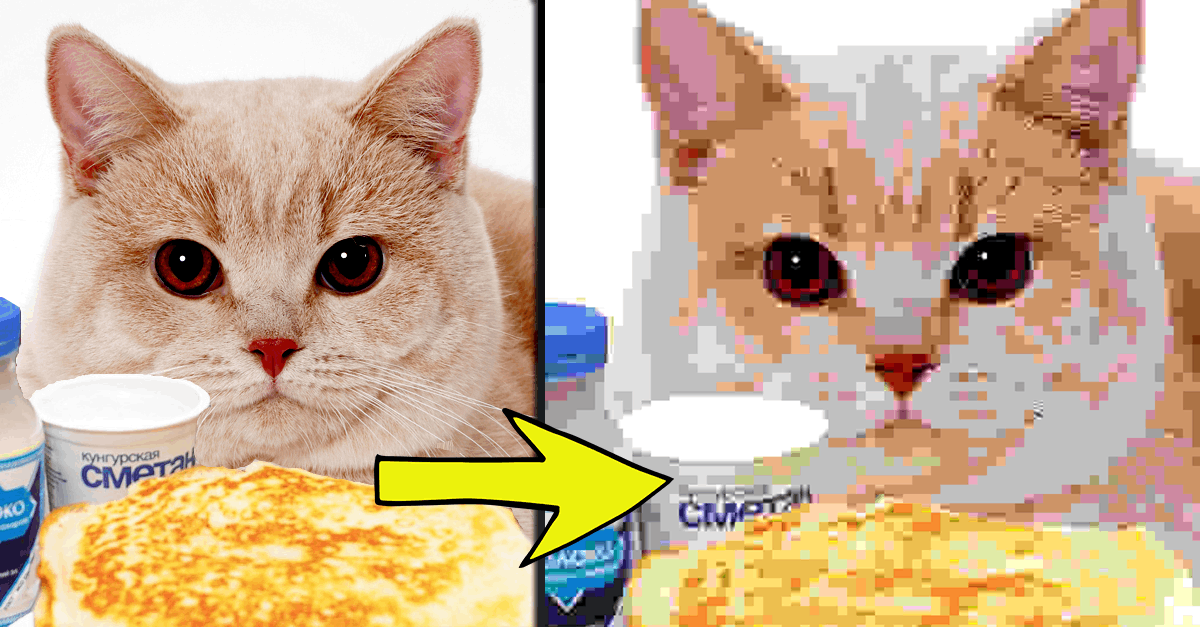
#Creating "Displacement"
15 messages · Page 1 of 1 (latest)


 fervent coral
I guess that you already tried distort>displace?
 polar jay
fervent coral
I guess that you already tried distort>displace?
polar jay
fervent coral
I guess that you already tried distort>displace?
I'm sorry, I am new to photoshop. Every time I click on it, it gives me a "displace file", and i don't know what that means. Can you elaborate?
fervent coral
Hi, indeed, you load a PSD file that will be used to displace the main document : https://www.thegoldenmean.com/technique/displace1.html
https://www.adobe.com/products/photoshop/displacement-map.html
This tutorial is an in depth examination of the Photoshop Displace distortion filter.

Learn how to make a displacement map and add graphics, text, or logos that match the texture and contours of your image.

Photoshop CC tutorial showing how to use the displace filter in Photoshop.
If you have any questions please leave them below
or head over to this tutorial's page on our website:
https://photoshoptrainingchannel.com/compositing/
Subscribe + Like + Share + Comment = More Video Tutorials!
Thank you for watching!
===============================...
Search online for “Photoshop displacement map download.”
Try to look in these folders for Photoshop:
C:\Program Files\Adobe\Photoshop [version]\Presets\Textures
C:\Program Files\Adobe\Photoshop [version]\Required\Plug-Ins\Displacement Maps
polar jay
fervent coral
Try to look in these folders for Photoshop:
C:\Program Files\Adobe\Photoshop [v...
This is almost what I am looking for. It does create a sense of "displacement", but as you can see in the reference photo, it creates an almost grainy, shaky texture. Like the compression artifacts of a VHS.
fervent coral
Yes, peruse the golden mean site, try to create a grainy displacement map, do it on the whole image, then mask it and reveal it only in some areas, like in your example
polar jay
fervent coral
Yes, peruse the golden mean site, try to create a grainy displacement map, do it...
thanks alot!
 open valeBOT
Gave +1 Creative Carma to @fervent coral (current: #12 - 356)
fervent coral
What have you done so far?
polar jay
fervent coral
What have you done so far?
Ironically, it looked better if I just used a 5x5 displacement map and then a 10x10. Creates a similar effect, but more mellow.
fervent coral
For a nerdy answer, have you considered 16x16 and 8x8?
See effects on this page:
https://en.wikipedia.org/wiki/JPEG

JPEG ( JAY-peg, short for Joint Photographic Experts Group and sometimes retroactively referred to as JPEG 1) is a commonly used method of lossy compression for digital images, particularly for those images produced by digital photography. The degree of compression can be adjusted, allowing a selectable trade off between storage size and image q...