#✂challenges-feedback
1 messages · Page 121 of 1
 sudden mango
 nimble shardBOT
Gave +1 Creative Carma to @spark saddle
 versed gale
I`m still happy with it 🙂

 rugged prism
Not sure much but i tried

 hollow yarrow
Ooh! I found this old Post created last year for an other PSDCC... I just wanted to share with you folks!😉

 rigid wolf
#7 RetroComicGraphics

 frail ice
Thanks Sam!
nimble shardBOT
Gave +1 Creative Carma to @bleak fossil
rugged prism
Portrait Retouching Task Done

 lean harbor
😱 life is busy am so behind. People you are doing good job! All of you!
like this one better, nicer balance in colors
hollow yarrow
lean harbor
like this one better, nicer balance in colors
Yep! Me too! Thanks!
nimble shardBOT
Gave +1 Creative Carma to @lean harbor
hollow yarrow
rugged prism
Portrait Retouching Task Done
Well done! I like how you preserved the natural skin grain. 👍
 halcyon current
Thank you @vagrant rapids 🥰
nimble shardBOT
Gave +1 Creative Carma to @vagrant rapids
 tacit condor
7 Retro Comic Graphics
 halcyon current
Thank you once again @vagrant rapids 🥰
Thank you @bleak fossil for your kind words. I'm having a lot of fun!
rugged prism
hollow yarrow
Well done! I like how you preserved the natural skin grain. 👍
Thanks i tried to preserve natural skin grain
nimble shardBOT
Gave +1 Creative Carma to @hollow yarrow
 dusky wave
My result for PS DCC #08 Alien Landscape also used my alien from DCC #04 trying to tie the two together.

 bleak fossil
Today's challenge, Day 8 Alien Landscape!
I know this can be a fairly advanced challenge, but keep it as simple as you need to and just test out the Landscape Mixer, Harmonization, masking, and adjustment layers. Have fun with it.

 wet karma
#comic

 untold valleyBOT

 CathyCsix
Adobe's Discord Leaderboard
The listed users are the ones that have highest experience points across Adobe's product servers.
──────────
• 1st. halfahelix
>> Level :: 34 - 30,750 EXP
• 2nd. wertos
>> Level :: 26 - 18,300 EXP
• 3rd. Jeffersonian
>> Level :: 25 - 17,060 EXP
• 4th. Kevin be.net/_khs (DE)
>> Level :: 23 - 14,220 EXP
• 5th. naphz
>> Level :: 21 - 12,110 EXP
• 6th. CptFuzzball
>> Level :: 20 - 11,520 EXP
• 7th. Gary!
>> Level :: 20 - 11,320 EXP
• 8th. Ted B
>> Level :: 20 - 10,720 EXP
• 9th. Kajrov
>> Level :: 20 - 10,640 EXP
• 10th. Hype Dragon | Justin Roy
>> Level :: 18 - 8,940 EXP
──────────
(1/10)
 copper moss
Alien land. I used 3D to add some interest. It was not easy to add texture to the surfaces of the cube. I added only to 2 checkerboard texture. To balance night seen I used gradient B/W in soft-light blend. Then balanced the image by color balance and brightness -contrast. Added lines to have light reflecting edges to the cube. Used for the big planet 2 blend modes: 1 planet dissolved and 2 duplicated planet screen.

 hearty gale
Challenge 5: Still lots to learn for me to get better at colorization. I like the Adobe Neural Filter better.

 wary swan
Ps Dcc 2022-2 Challenge #8 Alien Landscape Composite 2-10-22
3 diffrent photos from Moab Utah 2006. From Arches NP Utah, and Fishers Towers Trial point Utah

 digital pike
😀

 plain sable
Here is a couple more challenges, not sure I got the color mix right on my purple dino and the background 😦


 vital iris
Had to jump in a bit later, but finally getting into the challenges 🙂

Here is challenge #1...Not very drastic but felt like it was more realistic than running him across the page. Really cool effect though and would like to try it in a more surreal setting or pic!

An Attempt at challenge #2...wasn't crazy about the skyline on mine, but finished it through with this color scheme anyway

 cunning radish
 sudden mango
Challenge Day 8, Alien Landscape

 gentle pasture
I could not figure out the stars bit! Hopefully, it's ok to mess with Sams rendering of an alien head?

 eternal mica
@rugged prism Cool interpretation of the Alien design, adding the "before" model. Nice work with the liquify, especially around the eyes. Cool work with the coloration and the shadows. I might have liked to see the skin blend more with the scaly texture, as opposed to a hard line, as if its an object sitting on the head.
@rocky kite Nice retro vibe to your design. The colors work well together. The crumpled paper texture looks good. I might suggest you could add the same painted overlay layer on the text to give it the same muted vibe of the rest of the design.
@quiet fern Nice monster design. The coloration is consistent and cohesive. The blue strokes add good interest. The eye and tooth add pop.
@gentle pasture Bright colorful Retro design. I like the action lines you added. The swirl pattern adds good sense of motion. It would be nice to see the halftone filter added to the swirl. Nice job.
@digital pike Very nice Retro design. I think you covered all of Sam's steps except the crumpled paper. Your gradients look great.
@dusky wave I like your subtle pastel themed Retro design. The color palette looks great. The gradients and halftones work. It looks like theres a faint touch of the crumpled paper texture. I had to really increase the B&W contrast before I could get the texture to really show through.
 hearty hatch
My composite. Can't wait to practice this more. I can forsee a lot of good uses.
 eternal mica
@last mica In addition to Sam's comment on your Retro design, I would give the lightening bolt a yellow fill for more cohesion in the design.
@topaz vine Cool monster design. I like the contrast of your color palette. I might suggest a bit more toning on the monster to highlight some of the different skin areas, but thats just my personal preference.
halcyon current
Challenge #8 - Alien Landscape Composite - Had a lot of fun with this one. I used all the included images in the starterfile except Landscape 03 and the sky. I also added a photo from Adobe Stock Free.
 frail ice
Ps Dcc 2022-2 Challenge #8 Alien Landscape Composite. Learned several techniques that I hadn't tried before. This is actually 3 different landscapes harmonized. I was trying to make it look like the moon was lighting up the background with orange glow and the foreground was then cast in blue shadow on the front rocks.
 eternal mica
@onyx field Yup thats the stream i was telling you about. Its all different techniques to accomplish similar results. Nice work with the Retouching. You revisions look natural and smooth. Very hard to see you even made the adjustments.
halcyon current
A mix of them both for me... The word "Good" from V1 together with the rest from V2... If I have to choose it will be V2. Very nice job on them both @hollow yarrow
eternal mica
@sudden mango A little bit of a belated Welcome to the Ps DCC Discord chat. Its cool you decided to join. If you want to go back and start the series from the beginning, you have until 02/25 to complete all the exercises. The Welcome stream is located in the pinned files. Any questions, just give a shout.
@tropic garnet Very well done retouching exercise. Your adjustments are subtle and almost indistinguishable from the original. The skin tone looks very natural. Good work with a difficult asset.
@onyx field I love your text choice. I never heard it before. Did you make it up? Your color palette is loud vivacious. The halftones look solid. The action lines work well.
@runic gust Very lively Retro design. The colors are all over the place. They create a real comic book vibe. The gradient is powerful. The halftones in the center shape look good.
@versed gale Welcome to the Ps DCC Discord chat. If youre interested in completing the earlier challenges, you can find the Welcome stream in the pinned files above. If you have any questions, give a holler. Nice work with your Monster. The coloration looks great. The brush strokes you added are solid. The highlights and shadows work well.
 tropic garnet
eternal mica
<@!819647311528460300> Very well done retouching exercise. Your adjustments are...
tropic garnet
eternal mica
<@!819647311528460300> Very well done retouching exercise. Your adjustments are...
Thanks!
nimble shardBOT
Gave +1 Creative Carma to @eternal mica
eternal mica
@rugged prism "Trying" is all thats required here. With your monster, try using a soft edge brush on a medium opacity to mask in the colors you want to add. That will allow you to blend the change from one color to another. Then do the same with a solid color layer to create some shadows. Its not much harder than what you've already accomplished. if you need more direction, just ask.
@hollow yarrow I remember those designs from last year!!!
@rigid wolf Good work with your Retro design. The variable halftone filters add good interest. The text gradient and the gradient shape fill work well together. Your action lines look great.
@rugged prism Your portrait retouching is very well done. You created a smooth clear skin surface, kept the skin tone natural, and did not hide all the natural skin colorations. All of the changes are done in such a way as to hardly be noticeable.
tropic garnet
sudden mango
Challenge Day 8, Alien Landscape
Wow!!!
eternal mica
@tacit condor is that a word you made up??? Awesome work on the Retro design. The variable halftones all look great. The central gradient looks solid. The crumpled paper texture works. How about trying the technique Sam used to paint overt the layers to give it more of an aged look?? Just a suggestion. (What are those icons in the lower left?)
gentle pasture
last one!
 eternal mica
@dusky wave Awesome idea to bring in Alien #4!!! I think I'm going to "borrow" (maybe "steal" is a better word) your idea to see if I can make it work in my design. Concept is awesome. Execution is spot on. The coloration is fantastic. The compositing is superb. Excellent effort by you. I might make one tiny tiny nit pick. I might blur the smaller alien and some of the rear images just a drop to add more depth and perspective to the design. 💯
dusky wave
eternal mica
<@!738100192875905095> Awesome idea to bring in Alien #4!!! I think I'm going to...
Thanks for the feedback
nimble shardBOT
Gave +1 Creative Carma to @eternal mica
eternal mica
@wet karma Solid effort with the Retro design. The halftones look great. The action lines work well. The color palette works nicely. The faded colors give the design a real old fashioned vibe.
@copper moss Super effort for the Alien Landscape. The concept is very creative. The compositing is excellent. I might make one tweak, by having some of the bright light source on your planet and some of the planet's glow reflect off the darker planet below.
@hearty gale Your monster is a good start. Practice is what the challenges are all about. And which technique you prefer is totally up to you. If you one find that your more comfortable with, go with it.
@wary swan So cool that youre able to use your own photos for this challenge. Nice work composting them. Im not sure if you intended for them to have the halo around the edges to enhance the "alien" vibe, or not. If you want, you can eliminate that by expanding your mask a few pixels.
@digital pike You always work so quickly. Im amazed. I love the Red Planet you created. The concept design is well done. The compositing is well done. The color overlay looks awesome, Very well done.
@plain sable Your Retro design is so cool. I love the color palette. The gradients all look super. The halftone BG looks great, as do the action lines. Im not sure which exercise the dino design is for. Please fill me in.
digital pike
@eternal mica Thanks. I didn't like the crumpled paper effect on the design.
nimble shardBOT
Gave +1 Creative Carma to @eternal mica
eternal mica
digital pike
<@!688853114035634184> Thanks. I didn't like the crumpled paper effect on the de...
Thats totally fine. I just mentioned it in passing. I had trouble working it in as well.
digital pike
@eternal mica Thanks. This one just flowed together. I'm just trying to keep up. 😀
nimble shardBOT
Gave +1 Creative Carma to @eternal mica
eternal mica
@vital iris Welcome to the Ps DCC Discord group. You can find the Welcome stream in the pinned files above. If you have any questions, just reach out. You have until 02/25 to complete this series, so take your time. Your Cover is awesome. Great color palette. Really good use of the shapes and "shadow" shapes. Interesting interpretation of the Speed Blur. I think that part of the design works. I might suggest blurring the people in the BG as they distract from the focal point of the design. Nice work with your Lighting Effects. I like the soft orange tint on the left of the model. I think the blue on the right could be softened, as there really isnt that strong a light source on that side of the image. The tint on the clothes looks good. You might want to lower the highlight in the white shirt to better fit the lighting in the overall image. I look forward to seeing your future posts.
@cunning radish I like your Retro design a lot!!! The color palette is lovely, and definitely has an old comic book vibe. The varying halftone filters add interest. The action lines work great. Very well done.
@sudden mango Awesome Alien Landscape design. Great concept. Great execution. The compositing is spot on. The depth and perspective in the design is impressive. The coloration is excellent. Super work by you. 💯
@gentle pasture LOL, i love it!!! Such a creative approach to the challenge. Cool work compositing everything. The colors work all across the design. Having the design in that frame is terrific touch. It looks like a cartoon. Awesome.
Good work on the Alien Landscape. You did a good job compositing everything. You might better sell the overall design if there was more consistency on the lighting /coloration of the landscape. But seeing as its an Alien planet, maybe not.
gentle pasture
@eternal mica I think yesterday's task crossed over, and I agree it has a retro comic vibe thanks for the kind words and support. It is weird how some tasks are challenging to overcome, and some fall into place.
nimble shardBOT
Gave +1 Creative Carma to @eternal mica
eternal mica
@halcyon current OK, I REMEMBER: DARK IMAGES!!!!!!! This definitely fits in with your series theme. Very well done compositing all the elements. The color palette is so solid and consistent. Very well done. I like the soft hint of orange you added to create some glow from the planet. You might wat to add a bit of it to the side of the Astronaut as well. (something we learned in challenge 2!!)
 onyx field
eternal mica
<@!758481533681532958> I love your text choice. I never heard it before. Did y...
onyx field
eternal mica
<@!758481533681532958> I love your text choice. I never heard it before. Did y...
Hi Ted : i searched on the name of the one Sam used .. had to check 'history' as another one turned up : this is the one i uploaded into Fonts https://www.fontspace.com/comic-shark-font-f51062

fontspace
Free download of Comic Shark Font. Released in 2020 by Joe Letter and licensed for personal and commercial-use. Click now to create a custom image with your own words that you can download.
plain sable
@eternal mica the dino was the 'Color a Painting ' challenge, here are my assets... the pic is from my hike on Tuesday 🙂

 eternal mica
onyx field
Hi Ted : i searched on the name of the one Sam used .. had to check 'history' as...
eternal mica
onyx field
Hi Ted : i searched on the name of the one Sam used .. had to check 'history' as...
I apologize. My comment was not clear. I meant I never heard of the word you used, BAZUMP. I was not meaning to suggest I didn't know the font name.
dusky wave
@eternal mica - I may add to the alien landscape plus add the DCC #05 .
tacit condor
eternal mica
<@!579447149603848210> is that a word you made up??? Awesome work on the Retro d...
that is the sound for when wolverine's claws come out the icons are the current challenge the robot is my icon i try to put on my work
cunning radish
Catching up on the Alien Landscape

 quiet ridge
Todays challenge & the assets I used to make it ( Yellowstone around 1973 )


this is the other image I used

 livid bough
DCC 8: I tried to do the star sky but was unable to figure it out

 queen aspen
Challenge 6 - Frequency separation ( 1 - FS, 2 - Spot healing brush + Neural filters - Skin smoothing)


Also, I used some help from this:

 copper moss
eternal mica
<@!778334358833856513> Super effort for the Alien Landscape. The concept is very...
copper moss
eternal mica
<@!778334358833856513> Super effort for the Alien Landscape. The concept is very...
Alien Land. Improved version. Thanks, Ted for your apt advice.
 quiet ridge
Made some tweaks
 eternal mica
Ps DCC 22-02 08 Alien Landscape Composite I posted two versions. I loved @dusky wave idea of adding our Alien # 4 so I tried one with my Alien. He was sorta already harmonized and everything, so I said, what the heck. What do you think. With Alien or Without Alien. Assets also attached.


 tropic garnet
Challenge Seven

 clever whale

 sudden mango
eternal mica
<@!743984883201998929> Awesome Alien Landscape design. Great concept. Great ex...
sudden mango
eternal mica
<@!743984883201998929> Awesome Alien Landscape design. Great concept. Great ex...
Thanks! Couldn't find a place to put the stars, but I loved the challenge
nimble shardBOT
Gave +1 Creative Carma to @eternal mica
 candid cape
Challenge 6

 hearty quiver
Challenge 8 Alien world


 toxic patio
Here is my comic challenge for photoshop. my word is from Scooby Doo....

 last mica
Thanks, Sam. I think the hard edges resulted from my gradient fill. I'll look into them this weekend.
nimble shardBOT
Gave +1 Creative Carma to @bleak fossil
last mica
eternal mica
<@!821710283444715601> In addition to Sam's comment on your Retro design, I woul...
Thanks Ted. I'll repost after practicing halftone textures.
quiet ridge
Version 2 of todays challenge. I had trouble downloading the starter files. I am blaming it on crappy rural internet service
 halcyon current
eternal mica
Ps DCC 22-02 08 Alien Landscape Composite I posted two versions. I loved <@!73...
halcyon current
eternal mica
Ps DCC 22-02 08 Alien Landscape Composite I posted two versions. I loved <@!73...
I like both your versions @eternal mica but if I have to choose it's the one without the alien mostly because of the green colors that I don't like that much. I can't explain why it's more a feeling. The landscape composite is good and the colors works together very well. Good job!
bleak fossil
@candid cape Very nice work! The skin texture is looking good and very natural. All these edits have a convincing look to them, and the added color in the lips is a nice touch. Great job with this technique.
@clever whale Looking good! Very nice work with all the retouching, the skin texture and coloration looks great and very natural. Very nice editing with this image.
@tropic garnet Ooh, this is looking great! Really liking all the texture to this Day 7 design. The style of the splatter graphic with the stroke and halftone texture works really well. I like the sort of painted graffiti look this has. Really cool design!
tropic garnet
bleak fossil
<@!819647311528460300> Ooh, this is looking great! Really liking all the texture...
Thanks Sam! This set of challenges has been phenomenal.
nimble shardBOT
Gave +1 Creative Carma to @bleak fossil
bleak fossil
@quiet ridge Nice job with all the layering in this design! The coloration fits together quite nicely, and the sky fits with the landscape as well. I like the addition of the spaceship and planets too. 👍
@toxic patio Hah, recognized that as Scooby Doo right away. Cool addition with the 3D styled text. Nice job with the background graphic and gradients. The gradients in the action lines are a nice touch!
halcyon current
eternal mica
<@!848944727331045487> OK, I REMEMBER: DARK IMAGES!!!!!!! This definitely fits ...
@eternal mica LOL... and that wasn't something I had in mind while I made this one, it just happened 😂 I'm like that I live day by day and doesn't think too much. I had to check up on Challenge 2 to see and you're right. I should probably have thought of that. Will correct on the one I upload to Behance in the weekend. Thank you for all the great feedback you give us. It means a lot.
nimble shardBOT
Gave +1 Creative Carma to @eternal mica
bleak fossil
@clever whale Love it, you nailed the bold comic book feel of this design. Really nice job with the halftone textures, I like the boldness of it on the text. The action lines and colors are looking great as well. Nice job!
@hearty quiver Ooh, interesting effects in this day 8 challenge! It kind of looks like a volcano is erupting or something like that. If I had any suggestions it would be to decrease the contrast of the red planet, and increase it on the background mountains to balance them out a bit more. Nice work
@eternal mica Very cool, I like the icy planet idea, and it fits well with your alien. I also like the color contrast the warm tones in the sky has against the blue landscape. Nicely done!
@copper moss Nice job, is that box a 3D asset you used? The fiery planet in the background is a neat contrast to the snowy landscape. Currently, the lava/fire on the planet is the highest point of contrast which makes it act as a focal point, perhaps if you brightened up the glow of the edge of the box, and maybe even make it a bit bigger it could become the dominant read of the design. Just a thought of course, looks good!
@queen aspen This looks great! Both the coloration and texture are looking really nice and have a natural look to them. You nailed this technique, well done!
@livid bough This looks great, very solid work! All these landscape elements are composited together very well. Sorry I wasn't able to show that last step. Essentially I selected a gradient tool and under the Basics gradient present there's one that is titled "Foreground to transparent". If you select a dark purple color it will automatically use that color for the gradient, and draw the gradient out in the sky so the purple only shows at the top. I think clip the Star image to that gradient layer, and set the star layer to Soft Light. Not sure if that makes sense but hopefully that helps. Nice work!
candid cape
Thanks Sam! I do a lot or retouching, and its always good to learn new ways to improve my skills.
queen aspen
bleak fossil
<@!689532608899711140> This looks great! Both the coloration and texture are loo...
Thank you, @bleak fossil
nimble shardBOT
Gave +1 Creative Carma to @bleak fossil
copper moss
bleak fossil
<@!778334358833856513> Nice job, is that box a 3D asset you used? The fiery plan...
Thanks, Sam! I will take into consideration all your advice. I will make the 3D shape bigger and balance the lights on the huge planet resonant with the landscape. And sure I am working on the version look like yours. I will train it again, because yours is so harmonic.
nimble shardBOT
Gave +1 Creative Carma to @bleak fossil
onyx field
eternal mica
I apologize. My comment was not clear. I meant I never heard of the word you use...
😂 apologies my end too
 jade imp
Challenge 8 - Alien Landscape Composite. Soooo many layers 🙂 . Really interesting to find out about the neural filters and see the effect they have. Also gave it a "Mars-ish (Red) feel. I did struggle using the quick selection tool to eliminate the sky from the ground parts, but the easy thing to do is just do it best as possible and then use black on the mask to fine tune.
 rigid wolf
A little extra for fun: connecting vector drawing in Illustrator and mockup design in Photoshop. Many thanks to all - whether mentor or presenter - for the round-the-clock effort.
 onyx field
not exactly what i set out to acheive
 wary swan
eternal mica
<@!637347217773953055> So cool that youre able to use your own photos for this c...
wary swan
eternal mica
<@!637347217773953055> So cool that youre able to use your own photos for this c...
Thanks for the feedback, the halo make a little alien effect so I let it be.
nimble shardBOT
Gave +1 Creative Carma to @eternal mica
eternal mica
bleak fossil
<@!688853114035634184> Very cool, I like the icy planet idea, and it fits well w...
Thank you Sam. I remembered the SML rule you taught me a while back.
nimble shardBOT
Gave +1 Creative Carma to @bleak fossil
eternal mica
@plain sable Very cute concept for the Color Painting. Did you composite the dino-egg image? I guess its a baby Barney!! Nice work colorizing it. i might brighten the area around the eyes to let more of the detail show.
dusky wave
Took a challenge to I hope, another level incorporate other elements from @bleak fossil DCC
 eternal mica
@cunning radish Very well done Alien Landscape. Your compositing is well done. The harmonization is well done, creating a very warm consistency to the color palette. The sky looks warm and fits the design. Having the planet off the canvas is a good touch. Good work.
eternal mica
@jade imp Super effort with the Alien Landscape. The variations in the monochromatic Mars-scape are beautiful. The compositing looks awesome. My one suggestion is I would think the red horizon glow might impact the view of the planet, and vice versa.
@onyx field Wow, a California Wild Fire look to this Alien Landscape design. Very powerful image. I really like the landscape you created. I might suggest the people in front might blend in more with the design with a stronger reddish color overlay.
@dusky wave 💯
gentle pasture
eternal mica
Good work on the Alien Landscape. You did a good job compositing everything. Y...
Sorry, who sent this message pls?
eternal mica
gentle pasture
Sorry, who sent this message pls?
I did
gentle pasture
yes, I just realised that...i was confused as you left two separate messages for the same design.
vital iris
eternal mica
<@!939216328986861659> I like your Retro design a lot!!! The color palette is l...
Fantastic! Thanks for the detailed feedback! I hadn't thought of getting the BG people a little blur as well. It was really bothering me how the BG and foreground were fighting for attention and couldn't quite get an idea to help it! Absolutely agree on on the highlights needing a little pullback. Found myself really teetering back and forth on the blue trying to find an effect that wasn't too muted, but still fir the realistic light. Love the balance challenge of it.
nimble shardBOT
Gave +1 Creative Carma to @eternal mica
eternal mica
gentle pasture
yes, I just realised that...i was confused as you left two separate messages for...
It was actually two comments for two different designs but dont sweat it.
jade imp
eternal mica
<@!938208607000997888> Super effort with the Alien Landscape. The variations in...
Thanks @eternal mica . I think I got carried away by the red 😆.
nimble shardBOT
Gave +1 Creative Carma to @eternal mica
 gaunt veldt
Better late then never, here is my attempt at CC 1.. its okay... the blur runs off the edge on art board but not on a cropped photo

and here is my attempt at CC2 the lighting effect
 rugged prism
Retro Comic Graphics Challenge done
 bleak fossil
Here's the final challenge: Dissolving Portrait!
I spent a bit more time on this version. Used a bit bigger of a brush for the larger particle look, and added a little motion blur (masking it where I wanted it) to the main figure as well to give everything a bit more of a dynamic look.
 gaunt veldt
bleak fossil
**Here's the final challenge: Dissolving Portrait!**
I spent a bit more time on...
gaunt veldt
bleak fossil
**Here's the final challenge: Dissolving Portrait!**
I spent a bit more time on...
Ohh, I like it
bleak fossil
Here's the difference between the stream version and the one I put a little more time into for reference. The way you paint in the mask and particles along with the motion blur can really make a big difference.
 jade imp
Challenge 9 - Dissolving Portrait. This was fun to do. The concept of two layers (Base and Liquify) worked well. I am sure many people may use "The Avengers" for inspiration 😉. Thank you @bleak fossil 👏 for all the demonstrations you provided and feedback along with @eternal mica 👏 .
 eternal mica
bleak fossil
**Here's the final challenge: Dissolving Portrait!**
I spent a bit more time on...
eternal mica
bleak fossil
**Here's the final challenge: Dissolving Portrait!**
I spent a bit more time on...
Great effect!!! I cant wait to try it out. Thank you for an awesome series of challenges. You were terrific!!
nimble shardBOT
Gave +1 Creative Carma to @bleak fossil
dusky wave
result for PSDCC #09 Dissolving Portrait

 slow estuary
Day 7 - Haven't done a challenge in awhile. Accidentally grabbed a flower and did a little tribute to allergy season.
 cunning radish

 native folio
slow estuary
Day 7 - Haven't done a challenge in awhile. Accidentally grabbed a flower and d...
native folio
slow estuary
Day 7 - Haven't done a challenge in awhile. Accidentally grabbed a flower and d...
Those colors are so pretty!
Challenge #9 my first one in the PS discord. This was super fun! Thanks @bleak fossil !
 nimble shardBOT
Gave +1 Creative Carma to @bleak fossil
 vagrant rapids
native folio
Challenge #9 my first one in the PS discord. This was super fun! Thanks <@967246...
vagrant rapids
native folio
Challenge #9 my first one in the PS discord. This was super fun! Thanks <@967246...
@native folio this is an amazing first Ps Discord Challenge. I love the picture you chose, it fits perfectly with the topic, and the dissolving effect is great 👍
livid bough
DCC 9
 native folio
vagrant rapids
<@!941384903776432209> this is an amazing first Ps Discord Challenge. I love the...
native folio
vagrant rapids
<@!941384903776432209> this is an amazing first Ps Discord Challenge. I love the...
Thanks so much, Christelle! Can't wait to learn more! 😊
nimble shardBOT
Gave +1 Creative Carma to @vagrant rapids
vagrant rapids
native folio
Thanks so much, Christelle! Can't wait to learn more! 😊
You're in the best place to learn more 🙂
native folio
vagrant rapids
You're in the best place to learn more 🙂
That's a fact! Lol. I also did my first AI DCC yesterday and it was so fun. I'm super happy I joined in on the Adobe communities! ❤️
hearty quiver

 gentle pasture
 lean harbor
Alien landscape
 hearty gale
Day 7 Challenge
 lean harbor
challenge #6

 quiet ridge
Added todays challenge to yesterdays lol 🥳
 digital pike
😀
 candid cape
Alien Landscape
 quiet ridge
Had to make a couple of tweaks
 candid cape
Dissolving Portrait

 tropic knoll
bleak fossil
Here's the difference between the stream version and the one I put a little more...
tropic knoll
bleak fossil
Here's the difference between the stream version and the one I put a little more...
Yes, the difference is very noticeable. Was a great! two weeks! My posts are forthcoming. I work slowly but diligently. Thanks for everything, Sam!
nimble shardBOT
Gave +1 Creative Carma to @bleak fossil
hearty gale
Day 6 Challenge Retouch A Portrait


 junior ibex
Challenge Day 8 Alien Landscape
 rigid wolf
#8 alien landscape
 toxic patio
this is a combination of what @bleak fossil and @brittle slate taught me this week. I think this weekend I will send it to Aero and see how it will turn out. Photoshop has always been a challenge for me so I don't use it if I don't have to. I would love to see how to send and package a design. As Paul pointed out today; I have to make duplicate layers, I did not know that. Thanks everyone!!!
 nimble shardBOT
Gave +1 Creative Carma to @bleak fossil
gaunt veldt
Challenge 3: smoking text. the original photo is pretty grainy but I think it added to the effect

Original
 onyx field
Not that my own head isn't exploding with all this new info ! Thanks heaps Sam
 copper moss
Dissolving Effect: Seagull fly. I did 2 versions. Many thanks to Sam for his valuable techniques I have learned.
 halcyon current
Challenge #9 - Dissolving Portrait - I combined this challenge with Challenge #1 - Super Speed Blur. I'm attaching the assets too. The skijumper image credit to Todd Trapani via Pexels. Added info: I realized that the face color was a bit too saturated. I lowered the saturation in the file for upload to my Behance-project.

Here are the assets. I forgot to resize the them.

 last mica
candid cape
Dissolving Portrait
last mica
candid cape
Dissolving Portrait
Lovely concept 🙂 I'll give it a try as well.
 dusky swallow
Day 08

 gentle pasture
 last mica
Challenge-9 New file with corrections

 naive mulch
Retrowave Lockup
Clip, mask and resize images to create a dynamic lockup. Then, use custom gradients to apply a retrowave effect.
 plain sable
Challenge #8... Not sure I'm calling this one done just yet.

 last mica
Challenge 8 - Used Color layers for harmonization. Couldn't get my sky to look blue. Query - How do you manage large files. This one - with everything as a smart object - got stuck. I had to rasterize all images. Still, how do you work with large files? Thanks.
 lean harbor
dissolving portrait #9
 last mica
Edited to correct the halftone texture issue. Thanks Sam! Thanks Ted! 😁
 hearty gale
Day 8 Alien Landscape Composite
 last mica
Hey Sam! I reduced the opacity of the trailing figures, and removed all form of blurring from the top one. Thanks 🙂
 nimble shardBOT
Gave +1 Creative Carma to @bleak fossil
halcyon current
I had to do another one for the 9th challenge - a dark one to match most of my challenge results this time 😉 This one is also a mix between challenge 1 and 9.

 lean harbor
POP design #7

 tired turret
Alien world.... more Mars less Scifi I think

 tropic moat
Could anyone help me turn 2 gifs into a seemingless forever loop? please dm
 visual pelican
This is my first time posting the challenge. (I'm new to Photoshop) Alien Landscape Composite
 tired turret
Comic Graphics.... before aging and after.

 wary swan
Ps DCC 2022-2 Challenge #2 Dissolving Portrait 2-11-2022

 nova scaffold
wary swan
Ps DCC 2022-2 Challenge #2 Dissolving Portrait 2-11-2022
nova scaffold
wary swan
Ps DCC 2022-2 Challenge #2 Dissolving Portrait 2-11-2022
what?
 halcyon current
Here is my finished Behance-project for this series of challenges with @bleak fossil
https://www.behance.net/gallery/136260411/Photoshop-Daily-Creative-Challenge
 dusky swallow
Fantastic DCC @bleak fossil I really have enjoyed it 🙃
 copper moss
nova scaffold
what?
copper moss
nova scaffold
what?
I guess the white bg is not separated from the subject.
rigid wolf
#9 DISSOLVING
It was really fun to be involved here, Sam.

 modest talon
Thanks Ted, I updated my profile on discard and I'm not sure if the update syncs to Ps server automatically or if I should take any action.
I see all my old messages in Ps server updated to the new profile
nimble shardBOT
Gave +1 Creative Carma to @eternal mica
eternal mica
@modest talon Yes, you're fine now. Your name and the missing posts appear now. I'll take a look at them in my next sit down.
modest talon
#challenge 9 - Dissolving Portrait

 echo lintel
plain sable
Challenge #8... Not sure I'm calling this one done just yet.
echo lintel
plain sable
Challenge #8... Not sure I'm calling this one done just yet.
Maybe some more global shadows and color balance
eternal mica
Ps DCC 22-02 09 Dissolving Portrait

 hearty gale
rigid wolf
#9 DISSOLVING
It was really fun to be involved here, Sam.
hearty gale
rigid wolf
#9 DISSOLVING
It was really fun to be involved here, Sam.
Mona Lisa?
hollow yarrow
lean harbor
dissolving portrait #9
So great! Love your dissolving effect! Nicely done!🤩
rigid wolf
hearty gale
Mona Lisa?
👍
copper moss
This is version 2 for dissolving. Can this be considered artistic way of approach to dissolving? Thanks.
 quiet ridge
Dissolving Portrait 2 Challenge 9

@eternal mica this image I just posted, it is pretty much the same as the one Ps Discord will not let me post, Rather than me dissolving I had another image of my hands around my image ( I have posted the image on my Discord server if you want to see it

 eternal mica
quiet ridge
<@!688853114035634184> this image I just posted, it is pretty much the same as t...
eternal mica
quiet ridge
<@!688853114035634184> this image I just posted, it is pretty much the same as t...
Cork, as I said, the Discord bot is not something we have any input to. And it can be pretty weird. You can try making some small tweak to the other image and reposting.
hearty gale
Day 9 Challenge
 quiet ridge
@eternal mica I will call it good on re-posting that image in here. I was just wondering if anyone knew what it was in the image that set the bot off. 🧐
 quiet fern
#challenge - Alien Landscape Composite

 quiet fern
#challenge - Dissolving Portrait
 quiet fern
 tawny badge
Great color combo! 👍🏼😁
 silent portal
Challenge 8
 quiet fern
***** GREAT WORK BY EVERYONE!!! ***** 🥰🥰
lean harbor
hollow yarrow
So great! Love your dissolving effect! Nicely done!🤩
Coming from you means bunch. Thanks Franck
nimble shardBOT
Gave +1 Creative Carma to @hollow yarrow
tropic garnet
Challenge Eight. There is more that I want to do, but in the interest of time I'm going to call this one good for today
 rigid wolf
Second try: challenge8 landscape & challenge9 dissolving portrait

 gaunt veldt
CC4? ooph this is tricky @eternal mica
 candid cape
Super Speed Blur
 candid cape
Color A Painting
 tropic garnet
I uploaded the wrong one. This is final version of Challenge Nine
 gentle pasture
Dissolve technique round one.
 hollow yarrow
lean harbor
Coming from you means bunch. Thanks Franck
hollow yarrow
lean harbor
Coming from you means bunch. Thanks Franck
You're too kind Katarina ☺️
 nimble summit

 static stag
#📣creative-challenges Super Speed Blur
 eternal mica
@gaunt veldt OK, there's a whole bunch of images here. Lets go one by one. Speed Blur: Good work with the sky replacement. I might suggest you add abit of that orange tint to the tall buildings as well. I think the blurs are out of whack. Assuming the traffic were moving to the left (if it were moving at all, LOL) The left edge of each object should be clear. I believe the truck is the only object that looks like that. The white blue and black cars, e.g., look like they went in reverse. If the red car had a clear top central image, it might look like it was moving forward. The Lighting Effect looks good. I do not see the assets so I cant evaluate it too carefully, but all the elements have a consistent color palette.
@gaunt veldt On the Smoking Text, you did a good job retrieving the very dark asset photo. That was a challenge in and of itself!! The smoke looks solid; very wispy and floating in thin air. I wouldnt think that little candle could generate that much smoke, but what do I know. Id lessen the blur on the actual text to make the word more legible. Im not sure what the text says. Very creative approach to the Alien Skin exercise. Thank you for posting your assets. Good work with the liquify on the baby (poor kid). I would push the liquify on the woman's face a bit more. There are some hard edges where the skin could be faded into the natural skin more gradually, especially along the left of the woman's face, and around the baby's cheeks. Good efforts by you, stretching your creativity, and going the extra mile. Keep it up.
nimble shardBOT
Gave +1 Creative Carma to @gaunt veldt
gaunt veldt
eternal mica
<@!870389820487258182> OK, there's a whole bunch of images here. Lets go one by...
Thank you very much for taking the time to respond to my attempts. I do have some objectives i have to do but then I will try to follow your guidance. I did felt like i was really struggling with the motion blur. Do you mind if later I dm you!
nimble shardBOT
Gave +1 Creative Carma to @eternal mica
gaunt veldt
eternal mica
<@!870389820487258182> On the Smoking Text, you did a good job retrieving the ve...
Can I report you for being awesome? Thank you once again! Solid advice and direction
eternal mica
gaunt veldt
Thank you very much for taking the time to respond to my attempts. I do have som...
@rugged prism Very cool Retro design. The color palette looks terrific. The varying halftone sizes give good interest. The gradients work well together. The splat, action lines, and paper texture all add to the impact of the design. Nice job by you.
eternal mica
gaunt veldt
Thank you very much for taking the time to respond to my attempts. I do have som...
Id be happy to work with you and add my 2¢. DM me and lets see if we can find a time that works for both of us.
Please "report" me!!! I need a few gold stars on my report card. There's a new sheriff in town since Gus left. I need to build up brownie points!! 😜 😜 😜
halcyon current
quiet fern
#challenge - Dissolving Portrait
This one is absolutely gorgeous @quiet fern 🤩
halcyon current
quiet fern
#challenge - Alien Landscape Composite
Great job on this one too @quiet fern
quiet fern
halcyon current
This one is absolutely gorgeous <@!889930195975409674> 🤩
Merci Beaucoup!!! I’m going to try to time it so I can be in the chat with everyone during a challenge sometime 🥰
halcyon current
quiet fern
Merci Beaucoup!!! I’m going to try to time it so I can be in the chat with every...
Yes that would be fun - The chat is really fun 🥰
eternal mica
@jade imp First, thank you for your kind words. Your Dissolving Portrait is cool. I like the gradient you added. Interesting, I tried to add a gradient to my design, but I didnt think it worked so I went with white. Yours looks good. The dissolving part of your image looks good. The top white looks the best. You added a good blur effect to it. I would fade out the blue and lower white areas a lot more as you move away from the body, and add blur to them.
nimble shardBOT
Gave +1 Creative Carma to @jade imp
plain sable
Second pass at challenge #8...

 halcyon current
lean harbor
dissolving portrait #9
halcyon current
lean harbor
dissolving portrait #9
What a lovely result on this @lean harbor 🥰
eternal mica
@dusky wave Cool effort on the Dissolving Portrait. Your design is subtle. You might want to try adding more of the effect to see how you like it.
halcyon current
eternal mica
Ps DCC 22-02 09 Dissolving Portrait
Very nice results on this @eternal mica. The second one is so plain but yet very powerful. Great job!
halcyon current
modest talon
#challenge 9 - Dissolving Portrait
I really like this one @modest talon
eternal mica
@slow estuary I tried to search your name in the chat and it didnt come up. You might want to check that youre registered in the Ps Discord group. Very nice pastel interpretation to the Retro design. The color palette is beautiful. Good use of the gradients. The action lines and star shapes add good sense of motion.
halcyon current
quiet ridge
Had to make a couple of tweaks
Really fun idea @quiet ridge
eternal mica
@cunning radish Cool use of the retro design in your Dissolve Portrait design. I would suggest you mask out the edges of that design to take away the pasted on look. You did a fine job with the dissolve. You faded the dissolve nicely, and added good blur. I might mask out the edge of the model a bit more to take away the hard edge of his head and face. Good work.
eternal mica
@native folio Welcome. Now that you've taken the plunge, why not go back and do the other challenges from this series. The videos are running in replay all this week and next. Very nice work on the Dissolve challenge. You faded and blurred the top of the model nicely. My one tweak would be that you created a real sense of motion that was not intended initially. I'd like to see that extended to some other leading edges of the design. (Your image would be a good asset for the Speed Blur challenge, which was the initial challenge in this series.)
@livid bough Well done Dissolving design. I like the way you mixed up all the particles showing blue/white all over the place. You faded the effect nicely as you moved away from the core asset. You blurred out the edge of the model nicely. Good effort all around.
eternal mica
vagrant rapids
You're in the best place to learn more 🙂
I could not agree with you more!!! This is such a terrific place to learn, grow, meet the friendliest people, and have fun!!!
@hearty quiver I like the color of the T shirt in the Dissolve design. It creates good contrast with the BG, and adds to the interest of the dissolve. You did a good job creating all the different colored particle sin your dissolve. I would suggest two tweaks: I would blur out the edge of the model's face and head more to take away the hard edge, and I would increase the fade out of the particles far from the model to enhance the sense of motion. Solid effort by you.
quiet ridge
@halcyon current Thank you and i see you are posting some great works yourself
nimble shardBOT
Gave +1 Creative Carma to @halcyon current
eternal mica
@gentle pasture Youre loving this Alien Landscape. All the interpretations are really good. Keep pumping them out!!
silent portal
Challenge 9
 eternal mica
@lean harbor Lots of good work here. The Alien landscape is awesome. Id love to see the assets you used for your composite. The lighting effect you applied is so spooky. Did you turn it into a B&W/Color combination image? One tweak I'd make. You have a very strong light source coming in from the left side. It might add to the design to show a brighter sky on that side rather than the dark sky you now have. Your Retouching is very well done. The model's skin is clear, clean and very naturally toned. Your touch ups are not visible at all. Cool idea on the Dissolve. You masked out the model nicely. The lower half could use more of the particles where you masked out a lot of the dress. The Retro design is cool. The color palette works. The halftones look good. The action lines add good interest. Nice work throughout the series.
gentle pasture
 gentle pasture
eternal mica
<@!719442085543018530> Youre loving this Alien Landscape. All the interpretatio...
gentle pasture
eternal mica
<@!719442085543018530> Youre loving this Alien Landscape. All the interpretatio...
Trying to make it more like an Alien scene as you suggested I'm done now though as I have been working on the dissolve project. As always I took on, what your creative direction has advised and the spacescape imagery improve massively thanks so much for all your hard work.
nimble shardBOT
Gave +1 Creative Carma to @eternal mica
eternal mica
@hearty gale Nice series of posts. Retro: Very strong color palette. Good work with the halftones. The action lines look great, as does the paper texture. I might suggest brightening up the whole image a bit to add more pop. Retouching: You di a great job here. The model's skin looks clear, smooth, natural. The skin tone is right on, with the retouching looking natural, without impacting the natural skin tones. Alien Landscape: Very nice composite work. The overall lighting is consistent and convincing. The lighting from the sky blends well with the rest of the design. Dissolve: Very nicely done. Solid work blurring out the model. I might go harder on masking in particles, but thats really just personal preference. All in all you did wonderful work in this series. Looking forward to seeing more of your designs in the future.
eternal mica
gentle pasture
Trying to make it more like an Alien scene as you suggested I'm done now though ...
Thank you for being so receptive to my ideas and suggestions. I enjoy your creativity and our interplay.
nimble shardBOT
Gave +1 Creative Carma to @gentle pasture
lean harbor
@eternal mica Thanks for your comments Ted, I appreciate your thought. I will sure apply suggestions.
 nimble shardBOT
Gave +1 Creative Carma to @eternal mica
eternal mica
quiet ridge
Added todays challenge to yesterdays lol 🥳
Hey Cork, one day I think youre going to make one combined design of all 9 challenges!!!
@digital pike Good effort on the Dissolve. You blurred out the model beautifully. You faded and blurred the particles very nicely. If I had to nit pick one thing, I would have liked to see your liquify layer mix up the colors more to create a more haphazard spreading of the particles rather than the solid bands.
quiet ridge
@eternal mica You must be reading my mind lol
hearty gale
eternal mica
<@!781614334342070293> Nice series of posts. Retro: Very strong color palette. ...
Thank you for your comments. I have been happy with the results considering these have been my first photoshop outputs. It is really helpful seeing everyone else's work and going through the challenges is making Photoshop seem not so overwhelming as well as trying to understand how can use all the tools together.
nimble shardBOT
Gave +1 Creative Carma to @eternal mica
eternal mica
quiet ridge
<@!688853114035634184> You must be reading my mind lol
HAHA, your mind is definitely a space Id rather not go!!! 😜 🤣 😜 🤣
eternal mica
hearty gale
Thank you for your comments. I have been happy with the results considering thes...
From my own experience, I can tell you, if you stick with the DCC series, you will enhance your Ps skill level in leaps and bounds. My recipe is simple: Post my designs. Be open to the critiques. Learn from what others have posted. Ask lots of questions. I hope you decide to stick with the group.
quiet ridge
@eternal mica I completely understand. Sometimes I would like to trade it in on a better one but you make due with what you got I guess lol 🥳 🥂 🤣 🤪
eternal mica
quiet ridge
<@!688853114035634184> I completely understand. Sometimes I would like to trade...
Thanks for the huge belly laugh. You made my day.
nimble shardBOT
Gave +1 Creative Carma to @quiet ridge
quiet ridge
@eternal mica Thank you for all your input & help,
nimble shardBOT
Gave +1 Creative Carma to @eternal mica
eternal mica
@candid cape Youve posted a series of designs. I'll go over them in the sequence of the challenges. Speed Blur: Very well done. The asset is perfect for this exercise. Your blurs and fades work very well. The design has a real sense of motion. Color a Painting: Your monster looks great. The color palette is very realistic. The shadows you added in the darker green work well. The added tones to the spots on the head look great. Alien Landscape: Very interesting composite, very well done. You might want to watch the stream from earlier in this series, "Portrait Lighting Effects". Sam demonstrated how to get all the elements in a design to have a cohesive overall lighting. Your design could use more consistency in the overall lighting. Some areas are in nighttime lighting while others are in daylight mode. Dissolving Portrait: Interesting interpretation. I would suggest that you could sell the concept more if you blended the butterflies more gradually out of the body into full form. Nice work all around. Thank you for posting.
nimble shardBOT
Gave +1 Creative Carma to @candid cape
eternal mica
@junior ibex Beautiful work on the Alien Landscape. The compositing is well done. The overall lighting is consistent. The sky replacement looks good. The blurred masking of the planet adds a real sense of depth. Good work.
native folio
eternal mica
<@!941384903776432209> Welcome. Now that you've taken the plunge, why not go ba...
Thanks so much Ted! I'll definitely play around with it some more and do the other challenges! Ive been catching up in the AI challenge series lol.
nimble shardBOT
Gave +1 Creative Carma to @eternal mica
eternal mica
@rigid wolf Very creative efforts. Adding the Alien to the Alien Landscape is cool. Your compositing is well done. I would suggest this appears to be more a "nighttime" image. Im thinking a color overlay would work to take away the bright highlights and would really make the image pop. You might even want to use the coloration from the large planet to color the rest of the design. The Dissolving portrait is awesome. You handled the particles well, in masking the original image, and in creating the particles. The fade and blur on the particles looks solid.
@toxic patio I guess this design would be for the Alien Landscape. Nice work compositing all these elements. I might suggest brightening up the lower right of the design to allow for more detail to show.
@onyx field Very well done Dissolving design. You masked out the right edge of the model. Your particles are blurred and faded. The particles further from the body are softer and more washed out. Good work.
halcyon current
@eternal mica The seagull isn’t mine and that’s probably why it isn’t dark 😉 but the ski jumper is so thanks for the feedback 🙂
nimble shardBOT
Gave +1 Creative Carma to @eternal mica
eternal mica
halcyon current
<@!688853114035634184> The seagull isn’t mine and that’s probably why it isn’t d...
@dusky swallow Awesome work on the Alien Landscape. Your compositing looks great. The sky replacement is solid. The coloration of the entire image is very consistent. I might suggest a bit of blurring on the far away layers to increase the depth perception. Your Dissolve design is very well done. It has a real sense of the body exploding. The scattering of the particles is well done , as is the blur. im not sure the BG adds to the design, but thats just my personal preference.
eternal mica
halcyon current
<@!688853114035634184> The seagull isn’t mine and that’s probably why it isn’t d...
OOPs my mistake. Sorry about that.
candid cape
eternal mica
<@!658788253515776039> Youve posted a series of designs. I'll go over them in t...
Thanks very much for your comments and suggestions, @eternal mica . I'll try blending those butterflies, and watch the Portrait Lighting Effects again.
nimble shardBOT
Gave +1 Creative Carma to @eternal mica
eternal mica
@halcyon current I really like your ski jumper. The combined concept of speed blur and dissolve creates a solid sense of motion. Good job.
@copper moss Your seagull is so subtle. The image is so soft and faded, it blends right into the areas you applied the dissolve. The particles are faded and blurred nicely.
halcyon current
eternal mica
OOPs my mistake. Sorry about that.
Don’t be too hard on yourself. Mistakes happens to us all 🤗
eternal mica
halcyon current
Don’t be too hard on yourself. Mistakes happens to us all 🤗
@last mica Interesting effort for the Dissolve. I think in order to appreciate the effect of this technique, there needs to be a simple stark BG to create the contrast the technique requires. The combination of the Dissolve and your busy BG make it difficult to see the effect. But thats just my personal preference. Your Design. Your Decision.
eternal mica
halcyon current
Don’t be too hard on yourself. Mistakes happens to us all 🤗
I own more erasers than you can count!!!
copper moss
eternal mica
<@!778334358833856513> Your seagull is so subtle. The image is so soft and fade...
Thanks, Ted! That was a bit different try. I have done 3 of them for myself. Many thanks to Sam for full of tricks and methods shown. Great pool!
nimble shardBOT
Gave +1 Creative Carma to @eternal mica
eternal mica
@naive mulch Whoa, you threw me back in time to VDV's series!! The top three images have a consistent interesting color scheme. I think the bottom one is a bit out of synch. The font and fill you selected is difficult to read against the dark BG. I might suggest using one of the brighter colors from your retro theme, and increasing the spacing of the text, to enhance the legibility.
@plain sable Beautiful color palette for your Alien Landscape. I think Ive seen you use those trees before!!! The compositing is well done. The sky replacement is well done, especially in picking up the coloration onto the landscape. The shadows on the back mountains is good touch.
modest talon
halcyon current
I really like this one <@!786327310311751731>
Thanks, 😀
nimble shardBOT
Gave +1 Creative Carma to @halcyon current
eternal mica
@last mica Very nice effort on the Alien Landscape. Getting the sky to look blue is all a matter of layer order and Blend Modes. When you have a large file, save the psd, then when you save the file as jpg or png, cut down the size of the file, or lower the quality. You can also try saving the larger jpg then using an app (Windows Paint) to shrink the file size.
@halcyon current The dancer looks great.
jade imp
eternal mica
<@!938208607000997888> First, thank you for your kind words. Your Dissolving Po...
Thank you again for the feedback @eternal mica . Your feedback to all is fantastic. Hopefully everyone appreciates it.
nimble shardBOT
Gave +1 Creative Carma to @eternal mica
eternal mica
@tired turret Very well done Alien Landscape. (It would be awesome to see the assets you used for your composite.) Having the glow from the moon reflect on the right side of your design is a great look. Your Retro design is solid, especially the aged version. The gradient halftone BG gives a sense of explosion to the design. The action lines work well.
 lost helm
Catching up challenge #8 and orginal files

 eternal mica
@visual pelican Welcome. Great that you decided to join the party. You can go back to the beginning of this challenge series and try your hand at all the other exercises. The Welcome stream is pinned in the files above. If you have any questions, give a holler. Just a suggestion, when you a create a composite like this, it helps to also post the assets you used. That will allow all the viewers to better understand your work. In the second stream in this series, Sam demonstrated how to create consistent lighting on images with different coloration. You might want to watch that. It will show you how you can coordinate the lighting from these different images into a cohesive look.
@wary swan hey Robert, cool work on your Dissolve design. You did a good job masking out the side of the model and the hard edges of his body and face. I might suggest you fade out the liquify layer as you move further from the model so as to lessen the intensity of the particles. And maybe lower the blur to give some of the particles a more distinct look.
 obtuse arch
 eternal mica
@nova scaffold Welcome to Ps DCC. You joined us just as we were completing the live portion of this series. You can watch the series on replay and complete all the other challenges. Interesting interpretation of the Dissolve exercise. A couple of tweaks: You might want to lower the level of the blur to allow the particles to have a more distinct look. Try fading the particles as you move further away from the body of the model. Mix up the colors more on your liquify layer, the colors wont be in band, but more mixed up. Of course, these are personal preferences. Your design. Your decision.
@halcyon current Thank you for posting your Behance Portfolio. Adding your thinking for each design is a beautiful personalization for the project. Your works look great together. Very well done.
nimble shardBOT
Gave +1 Creative Carma to @halcyon current

 hollow yarrow
Day 9 - Disolving effect
Sorry @bleak fossil I'm a bit off topic I didn't use a portrait.😉
 plain sable
Challenge #9 using the same flower I used in #1 & #3... not sure I'm done just yet & I can't decide black & white or color...

 digital pike
@eternal mica 😀

 deep mango
Catching up with the challenges, here's my retro comic graphic for Day 7 🙂
 eternal mica
digital pike
<@!688853114035634184> 😀
eternal mica
digital pike
<@!688853114035634184> 😀
Wow, IMHO, much better. What do you think? Now mask in this area (consistent with the area around it) where you created a total blank space, and you've got it!!!
 nimble shardBOT
Gave +1 Creative Carma to @eternal mica
tired turret
eternal mica
<@!516325509097848854> Very well done Alien Landscape. (It would be awesome to s...
Thanks as always! I completely forgot my assets. More coming…
digital pike
@eternal mica 😀
 dusky swallow
eternal mica
<@!760907049444835428> Awesome work on the Alien Landscape. Your compositing lo...
dusky swallow
eternal mica
<@!760907049444835428> Awesome work on the Alien Landscape. Your compositing lo...
Thank you for the feedback Ted, I really appreciate it. The background of the dissolving image is actually part of the original photography and I guess thought of leaving the body in context but you maybe right, I may try to go further in editing it.
nimble shardBOT
Gave +1 Creative Carma to @eternal mica
tired turret
eternal mica
<@!516325509097848854> Very well done Alien Landscape. (It would be awesome to s...
So looking back at the assets I used for this makes me rather proud of how far I've come 😊 I have used a lot of filters and blends and masking that I never would have known about had it not been for these awesome tutorials. Thank you to you all Ted and @bleak fossil and everyone else for being here for all the tweaks, breakthroughs and even the questionable art that I've created with y'all.

 nimble shardBOT
Gave +1 Creative Carma to @eternal mica
eternal mica
@modest talon Interesting image to use for the Dissolving Portrait. I think you did a fine job creating the particle look, but there is no contrast between them and the BG, so they dont show up. Perhaps if you mixed up the colors more on your liquify layer, more color would show up when you worked the masks.
eternal mica
@tawny badge Really good work on your latest posts. The Retro image is super. The color palette works. your work with the halftones gives good contrast. The bold stroke you used looks great. The paper texture also looks good. The only tiny tweak I'd suggest is to add the soft color overlay that Sam suggested to give the image more of an aged look. It looks like you used the same color palette for your Alien Landscape!! LOL. The compositing looks good. The sky replacement is well done. My suggestion would be to give the mountains in the foreground a more subtle muted lighting to blend with the mountains in the BG.
@quiet fern Beautiful work on the Alien Landscape. The compositing is well done. The overall color palette is spot on. The sky replacement with the stars is well done. The Dissolving Portrait is also well done. You masked out the back of the model nicely. The varying colors you created in the particles look good. You faded them out nicely as you moved further from the model. Good work by you.
@silent portal Beautiful Alien Landscape. The color palette is consistent and cohesive. The compositing is well done. The planet and sky blend nicely. Your Dissolve design looks solid. You masked out the model's edges nicely. The particles are faded and blurred . Personal preference, I would have liked to see you mask in more of the particles, but thats just my taste.
@tropic garnet WOW, super ambitious attempt at Alien Landscape, but you nailed it. Youre teasing us by not posting the assets. This design probably deserves a process GIF. I love the addition of the shadow figure alien. My only tweak is the lighting could use more attention. Im not sure where its coming from or what it should be. The Dissolve looks a bit gory, but I guess it works. You did a nice job blurring the particles and giving them a sense of motion. You faded them out in a natural looking pattern. Really good work on both designs.
@nimble summit Hello faddy, welcome to the Ps DCC Discord chat. You got here just in time. We've just finished the live stream. But the next two weeks will be reruns, allowing you to follow all 9 challenges. If you'd like to give them a try, start by watching the Welcome stream, pinned in the files above. If you have any questions give a shout. Nice work with Smoking Text design. The smoke looks thick and realistic. You warped the text nicely. Good work.
Welcome to you as well. You can read the post just above for my welcome remarks and advice. Your Speed Blur is well done. You did nice work creating the layers and the blur effect.
@plain sable Really well done tweak to Alien Landscape. The lighting looks a lot better. I'll wait to comment on the flower until you post your final, but its looking good already.
tropic garnet
eternal mica
<@!819647311528460300> WOW, super ambitious attempt at Alien Landscape, but you ...
Thanks. Yeah, the second one certainly is a little disturbing.
The lighting is definitely something that I wanted to work on in eight, but out off in the interest of time. I think might do that tonight
nimble shardBOT
Gave +1 Creative Carma to @eternal mica
eternal mica
@lost helm Excellent work on the Alien Landscape, especially since we can see how creatively you handled all those assets. The cohesive coloration is beautiful. The blue/orange tint throughout is spot on. The masking is very well done. The lighting seems to be very strong from the front left. Although it can be an off screen light source, I might suggest you add at least part of a light source to that portion of the sky to make the light direction more realistic. Super effort.
@obtuse arch Is your design a submission for the DCC?
quiet fern
eternal mica
<@!889930195975409674> Beautiful work on the Alien Landscape. The compositing i...
Thank youuuuuuu! I want to try another one of those dissolving portraits using a square brush but scatter the size and tossing around and see how that comes out 🥰
nimble shardBOT
Gave +1 Creative Carma to @eternal mica
eternal mica
quiet fern
Thank youuuuuuu! I want to try another one of those dissolving portraits using a...
haha, I did two of them also!!!
@marble umbra Really awesome Alien Skin design. I told Sam, I dont think Ive ever seen a response to a challenge like he got for that stream. I love the coloration of your design. The liquify is well done. The blending of the alien skin is seamless. The texture you added to the shirt is a cool touch. And the blue aura throughout gives it a really out of this world vibe. Solid effort by you.
@hollow yarrow That looks like a Dissolving Cirque D Soleil acrobat from north of the border!!! The design is a wonderful combination of the Speed Blur (below the model) and the Dissolve effect (above the model).
Beautiful coloration. The gradients blend perfectly with the shape of the model to create a palpable sense of motion of the model jumping into the air and then exploding. Even the sparkles you added to the BG seem to be emanating off the model's exploding body!!! Awesome effort. 💯
@deep mango Your Retro design is awesome. The color palette and shading give it an aged look. The paper texture adds to that vibe. The halftones are well done, and add good interest. The action lines work well. Good effort by you.
tired turret
Dissolving portrait and asset. I added a filter for a more stormy look and added a few leaves. The motion blur on these keeps making it look like water so I did very little blur. Thoughts? I think i want to do a Beam me up Scotty version 😂

 eternal mica
tired turret
So looking back at the assets I used for this makes me rather proud of how far I...
eternal mica
tired turret
So looking back at the assets I used for this makes me rather proud of how far I...
Thanks for the assets. Thats what makes this chat so enjoyable, seeing the growth and appreciation from so many of us as we all work together, helping each other to learn, to have fun. It is somewhat amazing how we can now routinely do things that only a short while ago, we never imagined doing.
nimble shardBOT
Gave +1 Creative Carma to @tired turret
eternal mica
@tired turret This really rocks. The sky replacement fits better than the original image!! The Dissolve works!! Its as if there are versions of the man blowing into the wind. Love it.
tired turret
eternal mica
<@!516325509097848854> This really rocks. The sky replacement fits better than ...
Thanks! I really love how this one turned out although... dude I did it backwards the first time and couldn't understand why it looked funny! Redoing it made it even better but i was really mad at myself for thinking backwards
nimble shardBOT
Gave +1 Creative Carma to @eternal mica
eternal mica
tired turret
Thanks! I really love how this one turned out although... dude I did it backward...
A number of folks had a bit of difficulty bc of that in the Speed Blur. They had difficulty visualizing which images should be on top.
tired turret
eternal mica
A number of folks had a bit of difficulty bc of that in the Speed Blur. They ha...
I wont say I am one of those people but... I did have to label my top layer TOP so I wouldn't loose it. I just knew it was a possibility. My friend Kyd started this month and it's been laughs and frustrations galore.
tired turret
Portrait Day 2. This is most likely my weakest skill in PS up to the level I'm at. Though beauty is in the eye of the beholder so... behold and let me know what you think.... thanks all!

 gaunt veldt
Challenge 5: colour a painting. This one felt a bit more in my zone
 lost helm
eternal mica
<@!709089455457173547> Excellent work on the Alien Landscape, especially since w...
lost helm
eternal mica
<@!709089455457173547> Excellent work on the Alien Landscape, especially since w...
thank you @eternal mica i will give it a look again 😊
nimble shardBOT
Gave +1 Creative Carma to @eternal mica
silent portal
eternal mica
<@!508582229363130378> Beautiful Alien Landscape. The color palette is consiste...
Thanks, Ted! ☺️
nimble shardBOT
Gave +1 Creative Carma to @eternal mica
nimble summit
Retouch Portrait
 nimble summit
 rigid wolf
eternal mica
<@!538488772703027200> Very creative efforts. Adding the Alien to the Alien Lan...
rigid wolf
eternal mica
<@!538488772703027200> Very creative efforts. Adding the Alien to the Alien Lan...
Alien in an alien landscape – 2nd try 😉
Ted, thank you so much for your great inspiration 👍
 nimble shardBOT
Gave +1 Creative Carma to @eternal mica
rigid wolf
Here you can find my Behance portfolio with the whole PhotoShop Challenge: shorturl.at/fqB09
last mica
eternal mica
<@!821710283444715601> Interesting effort for the Dissolve. I think in order to...
Point taken, Ted! I did spend a considerable time looking for a background of my choice.
tropic garnet
Hey @eternal mica. Here is a link to the assets I used for Challenge Eight https://www.dropbox.com/s/p3msm2o0lrj3el9/`Assets - Challenge Eight.png?dl=0
 naive mulch
eternal mica
<@!806934429380771901> Whoa, you threw me back in time to VDV's series!! The to...
naive mulch
eternal mica
<@!806934429380771901> Whoa, you threw me back in time to VDV's series!! The to...
CHALLENGE: Clip, mask and resize images to create a dynamic lockup. Then, use custom gradients to apply a retrowave effect.
 last mica
eternal mica
<@!821710283444715601> Very nice effort on the Alien Landscape. Getting the sky...
last mica
eternal mica
<@!821710283444715601> Very nice effort on the Alien Landscape. Getting the sky...
My issue is with the PSD itself. I think, it occurs mostly with finals that I run through camera raw.
hollow yarrow
eternal mica
<@!698155393649475695> That looks like a Dissolving Cirque D Soleil acrobat from...
Thanks Ted!
nimble shardBOT
Gave +1 Creative Carma to @eternal mica
tropic garnet
Updated Challenge Eight
 wary swan
eternal mica
<@!637347217773953055> hey Robert, cool work on your Dissolve design. You did a...
wary swan
eternal mica
<@!637347217773953055> hey Robert, cool work on your Dissolve design. You did a...
Thanks for the feedback Ted, I will see what I can do.
nimble shardBOT
Gave +1 Creative Carma to @eternal mica
deep mango
Here's my alien landscape for Day 8 and photo references 🙂

 wary swan
Ps DCC 2022-2 Challenge #2 Dissolving Portrait 2-11-2022 Version 2
 toxic patio
@tired turret you have done a very nice job..i love the railroad tracks
tired turret
toxic patio
<@!516325509097848854> you have done a very nice job..i love the railroad tracks
Thanks!
nimble shardBOT
Gave +1 Creative Carma to @toxic patio
toxic patio
@deep mangoI loves purple and to see it like this is beautiful. I also like the moon in the background. when you first see it; you think, you are actually in space. great job!
deep mango
Thank you @toxic patio
nimble shardBOT
Gave +1 Creative Carma to @toxic patio
plain sable
played around a little more, I think I'm done now unless you mentors make some suggestions... 🙂


 limber thistle
Thank you to Voodoo Val for this project, It was interesting and I have discovered new techniques, and thank you to the mentor on Discord for the reviews and the feedback, so here my Behance project from last month https://www.behance.net/gallery/136025487/PSDCC-JVR-2022-POST-(ER)-A-DAY
 lost helm
I made it. Challenge #9 🙂 happy to finish. 😄

 marble umbra
Having fun going back over @charred jayeterson Challenge # 1
 eternal mica
@tired turret Thanks for posting the assets for you Lighting Effects design. The compositing of the model looks good. I might suggest the tinting on the model is a bit too overdone on his left side. Although there is a light source there, its not that close, or that strong.
nimble shardBOT
Gave +1 Creative Carma to @tired turret
eternal mica
@gaunt veldt Nice work on the Color A Painting. The colors look good together. The blending is nicely done. The purple dress gives the image a focal point, and you gave the highlights nice pop. Good job.
@nimble summit Good job on the Retouching exercise. The skin looks smooth, clear, clean. Youve added some nice highlights, and the lipstick is a good touch. It would have been nice to see some of the original natural skin tones, but thats really personal preference. Good work on your Dissolve. You masked away the right edge of the model nicely. The particles have a good sense of motion. The one tweak Id suggest is to increase the fade on the particles as they move further from the source object.
@rigid wolf Solid tweak with the Alien Landscape. Good work by you.
@tropic garnet Thanks for the assets. The repost looks awesome. Great tweak by you.
nimble shardBOT
Gave +1 Creative Carma to @tropic garnet
eternal mica
@naive mulch Very well done tweak.
@deep mango Beautiful work on the Alien Landscape. The compositing looks great. Theres a cool cohesive coloration to the design. My one tweak would be to increase the purple tinting and decrease the lighting on the huge rock and the tree. They both seem apart from the main image.
@wary swan Good work on the tweak of the Dissolve. One last suggestion. Mask out more and more of the particles as they move further from the source (the model's body)
tropic garnet
eternal mica
<@!819647311528460300> Thanks for the assets. The repost looks awesome. Great ...
Thanks Ted! Your feedback is always helpful. 🙂
nimble shardBOT
Gave +1 Creative Carma to @eternal mica
tired turret
eternal mica
<@!516325509097848854> Thanks for posting the assets for you Lighting Effects de...
Awesome! Thanks Ted I’ll dim it down. See how it looks!
nimble shardBOT
Gave +1 Creative Carma to @eternal mica
eternal mica
@plain sable Your dissolve looks absolutely electric. The unblurred flower looks awesome. The particles look magical as they float away, they have a very liquidy (is that a word) vibe. My one tiny tiny nit pick would be to mask away more of the core image on the left side. The right side masking shows a lot more of the petals faded away, and I like that look better. Of course, they dont have to match. I just like that look better. Great work.
@limber thistle Very well done Behance portfolio. Lovely aggregation of designs. Clean crisp presentation. Good work.
@lost helm Good for you. Its wonderful when you can complete all 9 and look back at all you've learned, all you've accomplished. Nice design for the Dissolve. The BG coloration looks cohesive with the model. The fade and blur look great. You did a nice job mixing up the colors. One tweak Id add has nothing to do with this exercise. Id add some shadows to give my Image more realism.
lost helm
eternal mica
<@!709089455457173547> Good for you. Its wonderful when you can complete all 9 ...
Thanks @eternal mica that is actually really good suggestion 🙂
nimble shardBOT
Gave +1 Creative Carma to @eternal mica
eternal mica
@marble umbra Good job on the Speed Blur. The fades look solid. If you want to enhance the idea Sam presented of alternate realities, you can make the top layer image on the left and right less blurry. That will give them the sense of being in the same space and time as the core image. Of course, that may not be what you want. Just a suggestion.
eternal mica
lost helm
Thanks <@!688853114035634184> that is actually really good suggestion 🙂
Every once in a while, a good suggestion pops out of this old brain of mine!!! 😜 😜
deep mango
Here's my dissolving portrait for Day 9 🙂
 lost helm
My Behance project for Sam February challenge 😄 https://www.behance.net/gallery/137485831/PS-DCC-in-February-2022

Behance
Photoshop Daily Creative Challenge, February 2020. Hosted by Sam Peterson
deep mango
Thanks @eternal mica you mean something like this? 🙂
 nimble shardBOT
Gave +1 Creative Carma to @eternal mica
marble umbra
Thanks Sam for a great & fun couple of weeks...
 eternal mica
deep mango
Thanks <@!688853114035634184> you mean something like this? 🙂
eternal mica
deep mango
Thanks <@!688853114035634184> you mean something like this? 🙂
Wow. Great tweak. You nailed it
deep mango
I actually tweaked the tints a little bit more @eternal mica 🙂
 eternal mica
deep mango
I actually tweaked the tints a little bit more <@!688853114035634184> 🙂
eternal mica
deep mango
I actually tweaked the tints a little bit more <@!688853114035634184> 🙂
I guess you like that look!!!
deep mango
eternal mica
I guess you like that look!!!
It's kind of hard to decide but I think I'll revert back tho the previous tweak 😄
eternal mica
The second one is a bit too bright. I like your first tweak
deep mango
eternal mica
The second one is a bit too bright. I like your first tweak
Gotcha, the previous one it is then 🙂
deep mango
And here's the completed project:
https://www.behance.net/gallery/137488923/Photoshop-creative-challenge_February

 paper shadow
#5PSChall-Color a Painting
 wary swan
Ps DCC 2022-2 Cover Image BE
 eternal mica
I skipped this exercise when it first streamed. At the time, I didnt have the time to really work on it slowly and carefully. Im glad I waited.

 hearty quiver
eternal mica
I skipped this exercise when it first streamed. At the time, I didnt have the t...
hearty quiver
eternal mica
I skipped this exercise when it first streamed. At the time, I didnt have the t...
Ted, thanks for all your constructive criticism. I am just getting caught up. I have updated 2 as per your suggestion.
nimble shardBOT
Gave +1 Creative Carma to @eternal mica
 bleak gorge
i am bad in photosop
hearty quiver
eternal mica
I skipped this exercise when it first streamed. At the time, I didnt have the t...
Hi Ted, you said, Cover: I love the design, the colors, the watercolor painted vibe, the stark white BG with black highlighted text. My one tweak is Id scale up the design by a lot. The canvas can hold it. here is the updated version


 hearty quiver
eternal mica
I skipped this exercise when it first streamed. At the time, I didnt have the t...
hearty quiver
eternal mica
I skipped this exercise when it first streamed. At the time, I didnt have the t...
Hi Ted you said - . 2. Speed Blur: Nice work. Im not sure if you intended the middle image or the right image to be your core image. They both look about the same. the left image fades nicely. Id suggest you fade out the right one a bit more and move it behind the middle one to make the distinction clearer. here is the updated version

 visual pelican
Day 5 Challenge Color a Painting My friend helped me since I'm new to PS. I chose a picture that wasn't a horse or wolf to expand my comfort zone.
 tired turret
Day 5: Color a Painting My friend and I decided to do this one together. I wanted to do skulls she wanted roses.... so roses. Little light on the grayscale but she's new and I've done this type before so we went with this asset and this is what came of it. I get so into painting that i forget I'm in photoshop. Pic 1 w/gradient Pic 2 w/o one. Finished and asset coming


Finished product and the asset chosen

 hollow yarrow
Day8 - Landscape Composite
(stock images used)

Day8 - Landscape Composite
V1 - Martian Color grading

V2 - Faded Color grading

V3 - "Retrowave' vibe Color grading

V1, V2 or V3? Which one is your favorite?
tired turret
Day 5 again because I had to. I am a horror buff from way back and this is my go to thing. Couldn't resist and I have to say I have never had a gradient map work so well in my life. Here are the finished product and the asset.

 hollow yarrow
tired turret
Day 5 again because I had to. I am a horror buff from way back and this is my go...
hollow yarrow
tired turret
Day 5 again because I had to. I am a horror buff from way back and this is my go...
Wow! Colorized only with the Gradient map? Amazing work!
tired turret
hollow yarrow
Wow! Colorized only with the Gradient map? Amazing work!
I did some shading and background shading but ya... i messed with that gradient for awhile lol
gaunt veldt
Creative challenge 6. I really liked Sam Petersons workflow on editing portraits with the whole separating colours from textures . I did find that I needed to reply the part where you "select texture->Image->apply Image" and I needed my scale value at 2 and my offset at 128 to achieve that grey look as I was receiving a screen of black with shallow lines of white .
 wary swan
Ps DCC 2022-2 Project is now posted on Bëhance
https://www.behance.net/gallery/137512141/Photoshop-DCC-2022-2-Jan-31-Feb-25-Host-Sam-Peterson

Behance
Photoshop DCC 2022-2 Jan. 31- Feb 25 Host Sam Peterson
limber thistle
hollow yarrow
V1, V2 or V3? Which one is your favorite?
All of them are good, but I like V3 more
wary swan
Post this in #design-feedback for get feedback this channel is for Ps DCC challenges
gaunt veldt
hollow yarrow
Day8 - Landscape Composite
(stock images used)
Ooph! I usually favour red but the purple is BEA-U-tiful
plain sable
Thanks @eternal mica I'll have a look at the right side after I finish my digital painting homework 🙂
nimble shardBOT
Gave +1 Creative Carma to @eternal mica
hollow yarrow
thanks for you comments @limber thistle and @gaunt veldt
nimble shardBOT
Gave +1 Creative Carma to @limber thistle
eternal mica
gaunt veldt
Creative challenge 6. I really liked Sam Petersons workflow on editing portraits...
I think Sam forgot to mention that setting. A number of folks were tripped up by that. I've lost my way enough times to know when I get stuck, check every setting on the dropdown the leader has on screen. I realized he had those settings and my default was different. When I switched mine, everything worked perfectly.
eternal mica
plain sable
Thanks <@!688853114035634184> I'll have a look at the right side after I finish ...
Ugh, such an orderly disciplined organized person. When I grow up I want to be like you.
eternal mica
@deep mango Very nice work on the Dissolve. You masked the edges of the model nicely. The particles you created are faded/blurred well. I would make on tiny tweak. On the liquify layer, I would mix up the colors more so there is more of a haphazard look to the particles on the top layer.
@lost helm Awesome Behance portfolio. Did you create the layout in Ai? It flows beautifully. The shapes you used create a cool sense of motion. The color palette is a very February/Valentine's Day vibe. Very well done.
@marble umbra Interesting cover design. Nice work with the layer styles, texture, and font fills. I might suggest using one or two less fonts. The cohesion will be improved. Try it. See if you like it.
@deep mango Beautiful Behance portfolio. Your works look great together. Everything is laid out neatly, clearly, precisely. Very well done. I look forward to seeing you in the coming DCCs.
deep mango
Thanks @eternal mica I'm looking forward to it too
nimble shardBOT
Gave +1 Creative Carma to @eternal mica
eternal mica
@paper shadow Good job on your monster. You added some cool looking highlights and shadows. The magenta around the neck could use a blend mode to allow the underlying skin to show through better.
@wary swan Nice job on your cover. The fonts, fills, and layer styles look good. The shapes add interest. Im not sure what the hard horizontal line across the bottom third does for the design that a soft transition wouldnt do better.


 eternal mica
@visual pelican Cool work with the Color A Portrait. Did you do this with a pen or a mouse? Getting advice from @tired turret is a good idea. She knows what she's doing. The color palette works well. Tell her to teach you how to use a clipping mask to keep the painting within the boundaries of the design.
@tired turret Thanks for bringing your friend along. We're always happy to have new people join the party. Did you make each petal a separate layer to add a separate gradient? The final looks lovely. Well done.
nimble shardBOT
Gave +1 Creative Carma to @tired turret
tired turret
eternal mica
<@!516325509097848854> Thanks for bringing your friend along. We're always happ...
I wish I had. Actually it’s a single surface picture with layered colors. No edges to clip on to. But a great lesson and practice for today!
eternal mica
@hollow yarrow Super work on the Alien Landscape. Thanks for sharing your assets. Its always a teaching moment to see how you developed your designs. All three look great. I think the depth perception on the faded color grading for some reason looks best. It may be my eyes playing tricks on me, but the planets and rear mountains seem to be blurred a bit better. It might just be the effect of the lower intensity.
nimble shardBOT
Gave +1 Creative Carma to @hollow yarrow
eternal mica
@tired turret The skeleton looks great. Showing the gradient is a nice touch. Id love to see that on an other than white BG. It would probably jump off the screen!!!
tired turret
eternal mica
<@!516325509097848854> The skeleton looks great. Showing the gradient is a nice...
I know right! But what background… I’m looking. I’m thinking Smokey some edges of flame… 😂 suggestions are most welcome
eternal mica
@gaunt veldt I think your version of the Portrait Retouching is truer to the original photo, but I like the skin tones and look of the Sam version better. The original is more washed out. The Sam version has richer skin tones. You did a fine job with the touchups. There is hardly any sign that the skin has been altered.
@wary swan I love the mint green style and soft blue text fill you selected for your Behance portfolio. They work great together, and blend nicely with so many of the designs. Your presentation is clean, crisp, smooth. Very well done.
gaunt veldt
eternal mica
<@!870389820487258182> I think your version of the Portrait Retouching is truer ...
Right! I really enjoy learning new ways of "touch ups" for portraits. I will absolutely be keeping this way (Sam Peterson's) in my tool box for future adventures
eternal mica
@obtuse arch Hello. You submitted a design before. I didnt know what it was for, so I wasnt able to comment. If you'd like to tell me what it was for, I'll retrace and get back to you. Nice work on the Smoking Text designs. They each have an interesting vibe. The smoke above the text has a wispy realistic look to it. Your warping of the text looks good, even though that is counterbalanced a bit by the stroke you added to the neon versions. I like the stroke on the neon colors. But I like the blurred B&W text best of all.
eternal mica
tired turret
I know right! But what background… I’m looking. I’m thinking Smokey some edges o...
 tired turret
eternal mica
tired turret
eternal mica
Ohhhhh beautiful. Thank you!!
nimble shardBOT
Gave +1 Creative Carma to @eternal mica
eternal mica
tired turret
Ohhhhh beautiful. Thank you!!
Used Blend If to eliminate the white.
 visual pelican
eternal mica
<@!817064525051199498> Cool work with the Color A Portrait. Did you do this wit...
visual pelican
eternal mica
<@!817064525051199498> Cool work with the Color A Portrait. Did you do this wit...
I used a mouse. I'll talk to her and we will work on doing a clipping mask on a different type of picture. Thank you for your feedback.
nimble shardBOT
Gave +1 Creative Carma to @eternal mica
eternal mica
Luminosity BM
 tired turret
Dude you are killing me with love here! This is soooo Awesome!!
eternal mica
Its replay week, so there wont be a lot of new posts today. You said this is your "go to" type design, so I just thought we'd play with it.
Blend Modes are an incredible tool. I used to be intimidated by them. Now Im totally addicted to them. They create image looks I never would have dreamt of myself.
halcyon current
eternal mica
<@!848944727331045487> Thank you for posting your Behance Portfolio. Adding you...
Thank you so much for your feedback @eternal mica It's very much appreciated.
nimble shardBOT
Gave +1 Creative Carma to @eternal mica
tired turret
eternal mica
Its replay week, so there wont be a lot of new posts today. You said this is yo...
Blend modes and inverting are amazing tools. I’m an addict as well. Couple that with adjustments and I could play all day. 😂 which I do sometimes 😳 ☺️
halcyon current
tired turret
Day 5 again because I had to. I am a horror buff from way back and this is my go...
Wow these are soo cool @tired turret and I love the effect they got with @eternal mica s background.
halcyon current
hollow yarrow
V1, V2 or V3? Which one is your favorite?
I'd say that v3 is my favourite mostly because of that I think of space as a cold place and the colors are colder in v3. With that said I think that all of them are great. Well done!
halcyon current
lost helm
I made it. Challenge #9 🙂 happy to finish. 😄
I think you did great @lost helm
I wanted to make another Dissolved Portrait and yet another time it's combined with challenge 1.
 lean harbor
Wrapped this one up 🙂 Thanks @bleak fossilfor hosting and @eternal mica for the commentary https://www.behance.net/gallery/137566551/PSDCC-February-1-11
 nimble shardBOT
Gave +1 Creative Carma to @bleak fossil
lost helm
eternal mica
<@!709089455457173547> Awesome Behance portfolio. Did you create the layout in ...
Thank you @eternal mica Indeed I made it in Illustrator, More easy for my to make it there.
nimble shardBOT
Gave +1 Creative Carma to @eternal mica
lost helm
halcyon current
I think you did great <@!709089455457173547>
Thanks @halcyon current happy that you like it!!
plain sable
funny @eternal mica ...
visual pelican
Day 5: Color a Painting Did a different picture and on my own (mostly) this time. Used gradient map layer then used mouse and pen to add the colors (many layers). Should have merged the 2 halves before coloring but live and learn things the hard way sometimes. lol

 eternal mica
I really enjoyed this DCC series. Being a mentor and a participant means I get to experience the challenges from two sides of the coin. Working as a mentor for@bleak fossil is a privilege and an honor. His work this series was over the moon. If possible, he gets better and better with each series he presents. As a mentor, I have the privilege of reviewing each and every one your submissions. The designs that were submitted by each of you were amazing. The number, quality, creativity of the designs was inspiring. Believe me, I learned more from you than I gave.
As a participant, I post designs just as you do. I look forward to the comments from Sam and from each of you. In line with that, I have prepared my Behance portfolio. Please stop by and take a look. Any and all comments will be welcome.
I look forward to working with you again on the next series. https://www.behance.net/gallery/137495195/Photoshop-DCC-Ja-31-Fe-25-2022-Sam-Peterson

Behance
Photoshop DCC Ja 31 - Fe 25, 2022 Sam Peterson
 sand sand
My playful take on the first challenge - Super Speed Blur

 tired turret
Day 5 Color and painting again. Took the skull from before, the background that @eternal mica found for me (thank you so very much) and a picture of Jensen because it's what the skull screamed at me 😂 and made this! I turned the photo into a sketch, thank you previous tutorials and applied some adjustments and a blending - luminosity and boom! The horror in and out!


 nimble shardBOT
Gave +1 Creative Carma to @eternal mica
bleak fossil
@eternal mica Thanks so much Ted, that means a lot, I appreciate all the kind words. It's always great to see you tackling all these challenges and putting these projects together. I also really appreciate all the mentoring you do.
Really nice work on the Dissolving Portrait challenge, I'm just seeing that one now for the first time. The textured brush masking and blur are working really well on this one. The shadow breaking up in the text is a really nice touch too. I also like the text based design for that challenge, that's a clever concept for it. It's always nice to see you trying out challenge techniques on various images. I think your Retro Comic Graphics design is one of my favorites from this Behance project, great work on all of these!
nimble shardBOT
Gave +1 Creative Carma to @eternal mica
bleak fossil
@visual pelican Hah, sometimes the hard learned lessons are the ones that stick the most. Really nice job with this! I like the smooth gradients you created in the brown fur, and the contrast between the brown, blue, and red in this design works well and creates some nice contrast. Good work!
@lean harbor Awesome, very nice job with all of these. I missed a few of these designs so it's great to see them all together. I really like the sort of cohesive style you have with all of them, they fit together nicely. The variation to the Smoking Text Effect design is really cool, I love that sort of blue/black version, kind of a black magic spell effect look to it which is really neat. The Retro Comic Graphics design looks great, and I especially like how the Dissolving Portrait design turned out. Very nice work!
visual pelican
bleak fossil
<@!817064525051199498> Hah, sometimes the hard learned lessons are the ones that...
Thank you. I had fun.
nimble shardBOT
Gave +1 Creative Carma to @bleak fossil
bleak fossil
@halcyon current Excellent work with all of these! I love the style on your alien design and the neon bands you added around the sleeves and head. The Alien Landscape design turned out great as well, everything fits together really nicely and the color grading is on point. The orange of the planet in the background creates some really nice contrast. It's also really nice to see all the Dissolving Portrait variations you created, great job exploring this technique, I especially like the latest one you posted, it has a really interesting texture and feel to it. Nicely done!
@obtuse arch Very cool variations on the smoking text design! Really interesting sort of neon/magic look to them, though I think the black and white version is my favorite. I really like the softness of the text and all the thin wispy background smoke. Great job!
@wary swan Very nice work on this Behance project! Really nice job with all these different techniques, I especially like the colors on the Alien Landscape composite. One suggestion I might have would be for the Alien Skin design, it might help to use a mask to soften/blend the transition between the green skin and blue scales, currently it sort of looks like some kind of alien clothing, though that's a cool effect too if that's what you were going for. Nice work!
@gaunt veldt Ahh yes, my mistake, I should have made that more clear when covering that step for Challenge 6, thanks for the heads up! Very nice work on this! It's nice to see you trying different methods with it as well. Both are looking great and have a nice, natural look to them.
nimble shardBOT
Gave +1 Creative Carma to @gaunt veldt
bleak fossil
@tired turret That's great to hear the Gradient Map worked well for you! Really cool to see this coloration applied to a more graphic image like this, I really like how you masked out the areas of the skull, it adds some nice contrast. Very cool!
@hollow yarrow Stellar (see what I did there?) work Franck! You always manage to impress and go above and beyond with these challenges. These are great base images to work with and I really like the depth of field you got with the background being out of focus. I especially like the V3 version, though I'm a sucker for some good cool/warm contrast and that one works great. Super cool!
tired turret
bleak fossil
<@!516325509097848854> That's great to hear the Gradient Map worked well for you...
Thanks Sam! This has been one my favorite set of tutorials since I began them. The comic text and this one especially. Thanks for doing them!
nimble shardBOT
Gave +1 Creative Carma to @bleak fossil
sand sand
Portrait Lighting Effects Challenge - learned a lot in this one
 eternal mica
@everyone During the last series, a number of people were interested in how @bleak fossil created the drawing of the monster used as an asset in challenge # 5, Color A Painting. It was too complex for Sam to address it during the two week live stream period. He has graciously agreed to give a supplemental tutorial tomorrow, Thursday February 17, at Noon PST, 3:00PM EST, showing how he developed the model. The stream will be available on Sam's Behance page. This is the link. It should be fascinating.
https://www.behance.net/sampetersonart
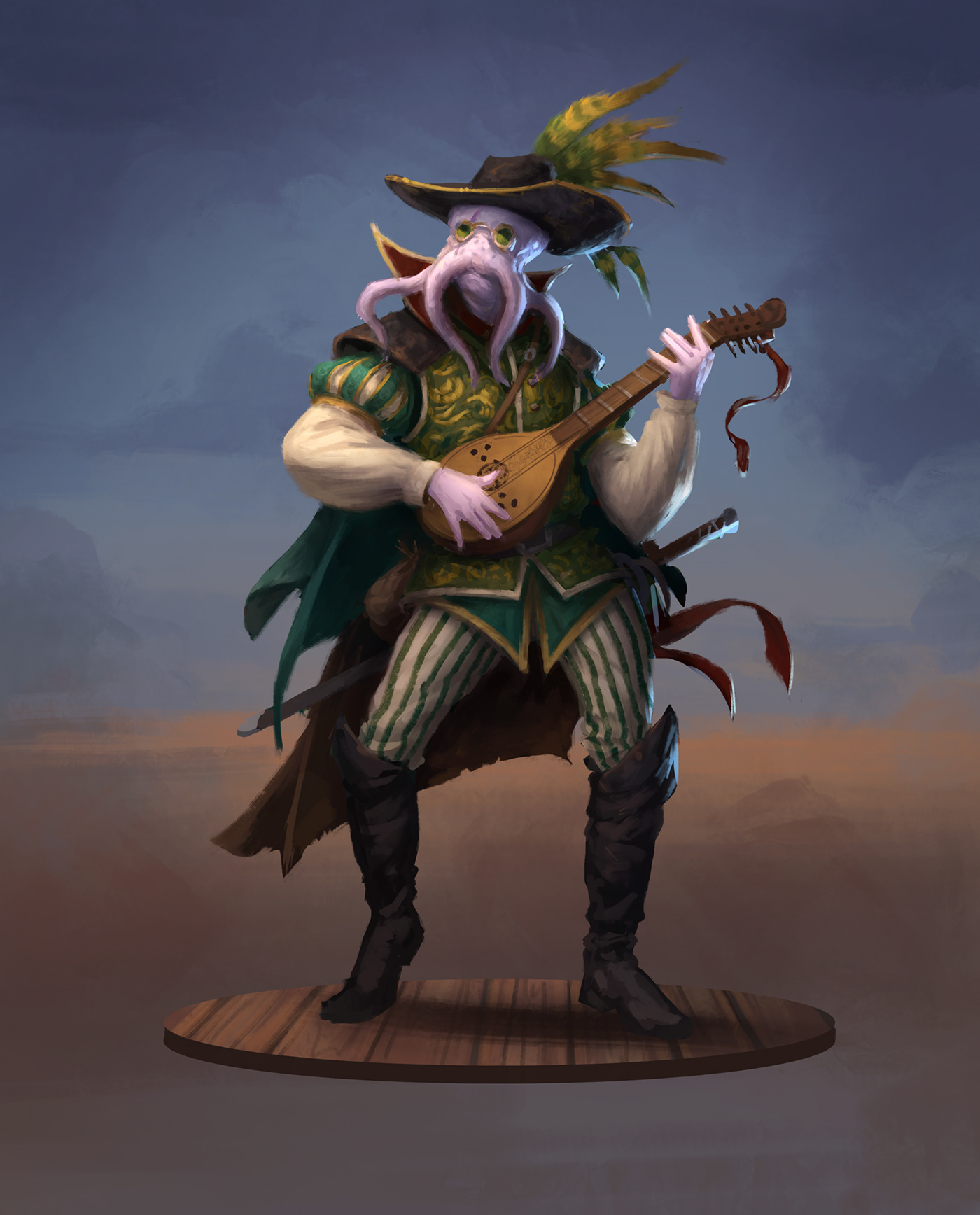
Behance
hollow yarrow
halcyon current
I'd say that v3 is my favourite mostly because of that I think of space as a col...
Thanks for your comment! I appreciate!
nimble shardBOT
Gave +1 Creative Carma to @halcyon current
hollow yarrow
bleak fossil
<@!698155393649475695> Stellar (see what I did there?) work Franck! You always m...
Thanks for your kind comments... I always try to push my limits (with sometimes more or less success)... Easy to stay inspired with your sessions and I have to confess I love sharing my work here... Great community, mentors... A really great place to learn, share and improve our photshop skills safely. You and all the PS Discord's team are doing a great and amazing job!👌
nimble shardBOT
Gave +1 Creative Carma to @bleak fossil
hollow yarrow
eternal mica
@everyone During the last series, a number of people were interested in how <@!9...
Thanks for the info Ted!
hollow yarrow
eternal mica
<@!698155393649475695> Super work on the Alien Landscape. Thanks for sharing yo...
Thanks for your comments Ted! As each of these pictures has something I like I shared them and my question was tricky 😇
I will keep a couple of my secrets but all threes are exactly the same picture with a different color lookup table applied on the top of my layers pile.(No image editing).
Thanks again for your time and your great mentoring work... Really appreciated!👍
nimble shardBOT
Gave +1 Creative Carma to @eternal mica
gaunt veldt
bleak fossil
<@!870389820487258182> Ahh yes, my mistake, I should have made that more clear w...
I didnt think you made a mistake, i think you were very clear on the step to take. I just added the values on those two options as i was just trying to help. Thank you for everything! You're fantastic
nimble shardBOT
Gave +1 Creative Carma to @bleak fossil
onyx field
obtuse arch
well you've scared me !!! 😂 super stuff
onyx field
tired turret
Day 5 again because I had to. I am a horror buff from way back and this is my go...
haha i'm the opposite ( from a horror buff ) but they're great .. Sam's cc with the alien reminded me when i was scared of them and hid in the inner city so they couldn't touch me ! great graphics @tired turret
tired turret
onyx field
haha i'm the opposite ( from a horror buff ) but they're great .. Sam's cc with ...
Thanks! Ya I worried about posting as some people just can't take horror but i'm hoping no one is too traumatized.
nimble shardBOT
Gave +1 Creative Carma to @onyx field
onyx field
tired turret
Thanks! Ya I worried about posting as some people just can't take horror but i'm...
yeah it was probably high time i got over my fear of aliens lol
deep mango
I've added some variation in the Liquify layer @eternal mica thanks for the suggestion 🙂
 nimble shardBOT
Gave +1 Creative Carma to @eternal mica
naive mulch
Photoshop Daily Creative Challenge - Floating Archway
 wary swan
bleak fossil
<@!637347217773953055> Very nice work on this Behance project! Really nice job w...
wary swan
bleak fossil
<@!637347217773953055> Very nice work on this Behance project! Really nice job w...
Thanks for you feedback Sam, you will never be to old to learn something new. Look at me, for each challeng I learn something new each host have they way to approach each tools and share there best tips and tricks. Thanks for this 9 challengs. Next challenge can you give a shout for the spreadsheet that is pinned in #💎past-challenge , I have listed nearly all challenges from 2018 and forward there I have found a link to, both on Behands and YouTube or only YouTube, I update this list for each new challenge. This can you find for both AI and XD to in respective channel.
nimble shardBOT
Gave +1 Creative Carma to @bleak fossil
 dusk delta
 wary swan
eternal mica
<@!637347217773953055> I love the mint green style and soft blue text fill you s...
wary swan
eternal mica
<@!637347217773953055> I love the mint green style and soft blue text fill you s...
Thanks Ted, for the feedback. I look forward to next weeks challenge's.
nimble shardBOT
Gave +1 Creative Carma to @eternal mica
 young karma
Day 1 - Super Speed Blur

 spark saddle
tired turret
Day 5 Color and painting again. Took the skull from before, the background that ...
spark saddle
tired turret
Day 5 Color and painting again. Took the skull from before, the background that ...
nice work
plain sable
Okay @eternal mica I played a little more with challenge #9... Fun challenge @bleak fossil

 eternal mica
REMINDER TO EVERYONE: Sam Peterson will be doing a special stream for those who want to learn how he created the greyscale monster we used in Challenge # 5, Color A Portrait, in the last DCC series. The stream will be on Sam's Behance page at 12:00 Noon PST 3:00 PM EST 20:00 GMT. The link to Sam's Behance page: https://www.behance.net/sampetersonart Join us. It should be awesome.
Behance
bleak fossil
Thanks @eternal mica !
Should be fun, if anyone is interested in my drawing and painting process definitely stop by! I'm not sure how long it will be, anywhere from 30 minutes to 1 hour is the goal. But it will be saved and recorded in case anyone ever wants to watch it after the stream.
nimble shardBOT
Gave +1 Creative Carma to @eternal mica
bleak fossil
Here's the sheet of "notes" I'll be covering in case anyone wanted them.
 frail ice
DCC#9 - I am so thrilled to learn this technique. Very Fun to do as well. I love the effect and all the possibilities! Thank you @bleak fossil for another step by step tutorial!
 nimble shardBOT
Gave +1 Creative Carma to @bleak fossil
frail ice
frail ice
DCC#9 - I am so thrilled to learn this technique. Very Fun to do as well. I lov...
Original Image - Much more interesting with dissolve technique
 quiet ridge
Thank you @bleak fossil for the notes it will be very helpful
nimble shardBOT
Gave +1 Creative Carma to @bleak fossil
eternal mica
Sams live stream will start in a few minutes.
tropic knoll
eternal mica
REMINDER TO EVERYONE: Sam Peterson will be doing a special stream for those who...
I'm not able to find the stream with Sam's link. What to do, please.
bleak fossil
Results from the demo I did during my bonus stream on my own channel explaining my process from Challenge 5. Might refine the painting further in the coming days if I feel compelled.
 tired turret
bleak fossil
Here's the sheet of "notes" I'll be covering in case anyone wanted them.
tired turret
bleak fossil
Here's the sheet of "notes" I'll be covering in case anyone wanted them.
The notes on the sheet reminds me of one of my past DCCs.
eternal mica
@bleak fossil Thank you so much for the bonus stream. It was fascinating. And so many people joined in. Great job by you.
nimble shardBOT
Gave +1 Creative Carma to @bleak fossil
bleak fossil
@frail ice Ooh, cool image for this challenge! I really like how the particles appear to get smaller the further away they are, it adds some nice depth. The blur looks great and adds a nice sense of motion, this came out well!
@eternal mica Thanks Ted! Appreciate that, it's always fun to talk about drawing and painting.
nimble shardBOT
Gave +1 Creative Carma to @eternal mica
bleak fossil
@plain sable This is looking neat, I really like the direction of the particles breaking outward and up, it has a nice flow to it. The variety of colors from the petals adds some nice interest as well. Nice job with the texture and motion blur in this!
@young karma Cool image for this challenge. I like the subtlety of this effect and how you can mostly see it in the arms, and especially in the foot. Looks good!
@dusk delta Really cool image! Is this for Challenge 2: Portrait Lighting Effects? Really nice job with making the lighting fit the subject, and even appears to be casting light around him on the ground which is neat. With how bright the light is on head head/shoulders I feel like you could probably even give the orb a bit of a brighter glow. I often like to use a Color Dodge layer for that sort of effect, but that's really just personal preference. Nice job!
native folio
Catching up on the challenges from the last 2 weeks. Here's my #1. Super fun! Thanks for the easy to follow tutorial, @bleak fossil !
 nimble shardBOT
Gave +1 Creative Carma to @bleak fossil
bleak fossil
@wary swan Thanks so much for doing that, that's a lot of work and is very appreciated. I'll make a point to do that next time. I can also mention it to the next DCC host.
nimble shardBOT
Gave +1 Creative Carma to @wary swan
bleak fossil
@naive mulch Very cool, nice job with all these shapes! The layering is looking good and it adds some nice depth with them all overlapping at various levels. Nicely done.
@deep mango The dissolving portrait effect is looking really nice, good job with the texture and particle effect, the addition of the Dissolve brush helps give it that sort of dusty look too. Also your smoking text challenge looks excellent. I really like the warping of the letters you created with the smudge tool, and the way they flow off towards the top came out really well.
Great job with this Behance project, I missed some of these designs initially. Really solid work with the alien landscape and the retro comic graphics, those are a couple of my favorite. 👍
@sand sand Awesome, that's great to hear. This turned out well. The color from the clouds reflected in the light is looking good. If I had any suggestion it might be to mask off the pink light a little on the center part of the forehead area, and maybe a little more around the jaw and neck to give it a more even look as if its coming from the left. Just a suggestion of course. Very nice work!
native folio
And this is the final #9, which I did first lol. I'm looking forward to trying this effect again!
 hollow yarrow
bleak fossil
Results from the demo I did during my bonus stream on my own channel explaining ...
hollow yarrow
bleak fossil
Results from the demo I did during my bonus stream on my own channel explaining ...
I missed your live stream but caught replay.
1h45 for a less than 1 hour stream is not bad😉 . It was a "Bonus++" stream!
Thanks for sharing so many info with us...It's really appreciated!
nimble shardBOT
Gave +1 Creative Carma to @bleak fossil
eternal mica
hollow yarrow
I missed your live stream but caught replay.
1h45 for a less than 1 hour stream...
@bleak fossil was on a roll. He said he was ready to wrap up so many times, but then said oh one more thing ..... He was having more fun drawing and exhibiting than we were having watching.
candid cape
My 2nd attempt at challenge # 9. Thanks for your suggestion, @eternal mica . It does look better like this..
 nimble shardBOT
Gave +1 Creative Carma to @eternal mica
last mica
@bleak fossil Super Super Thank you for yesterday's live stream. To be true, I cannot express the gratitude I am feeling with just messages. And, I am sorry that I missed the live stream. I still don't know how to turn on advanced email notifications of your livestreams.
nimble shardBOT
Gave +1 Creative Carma to @bleak fossil
nimble summit
eternal mica
<@!942760317253984296> Good job on the Retouching exercise. The skin looks smoo...
Thanks for your suggestions
nimble shardBOT
Gave +1 Creative Carma to @eternal mica
deep mango
Thank you so much @bleak fossil and thanks for the awesome challenges you gave us 🙂
nimble shardBOT
Gave +1 Creative Carma to @bleak fossil
 lethal prism
 hearty quiver
bleak fossil
<@!806934429380771901> Very cool, nice job with all these shapes! The layering i...
hearty quiver
bleak fossil
<@!806934429380771901> Very cool, nice job with all these shapes! The layering i...
Hi Sam Peterson. you had said Ooh, interesting effects in this day 8 challenge! It kind of looks like a volcano is erupting or something like that. If I had any suggestions it would be to decrease the contrast of the red planet, and increase it on the background mountains to balance them out a bit more. Nice work - I worked on the suggestions and here is the update

 plain sable
Thanks @bleak fossil you provided lots of good fun this DCC!
nimble shardBOT
Gave +1 Creative Carma to @bleak fossil
native folio
Hey yall, I'm trying to upload my challenge #2 and I'm getting a message saying it cant be sent due to the robots deeming it explicit. It's definitely not explicit, but I am using a photo of a woman who's shoulders are bare. lol. Could that be why? Any help would be appreciated.
eternal mica
@native folio Unfortunately, we have no control or input over the Discord Bots. The bare shoulders are definitely not the problem. The decisions can be very arbitrary. I suggest you modify your image slightly and try to resubmit.
native folio
Hmm...odd. Ok maybe it is because I was including the original of the photo of the woman, I'll try again with just my final edited image and see if thats ok. Thanks @eternal mica
nimble shardBOT
Gave +1 Creative Carma to @eternal mica
eternal mica
native folio
Hmm...odd. Ok maybe it is because I was including the original of the photo of t...
Dont waste your energy trying to figure it out. Its senseless. Just modify the image slightly and resubmit.
native folio
Im not sure how to modify it though lol. What would you suggest?
eternal mica
native folio
Im not sure how to modify it though lol. What would you suggest?
Modify the crop: change the lighting; add an object. anything really.
native folio
Aww man, changing the lighting will ruin the whole effect as it's the lighting challenge lol. I'll mess with the crop etc and see what I can do. Thanks again!
eternal mica
native folio
Aww man, changing the lighting will ruin the whole effect as it's the lighting c...
Than just add an object somewhere
native folio
Trying once more.....

@eternal mica it worked! lol Looks like it was her shoulders after all. wow
^^^ Challenge #2 done! (NOTE: The extra city image at the bottom is not part of this photo, I only added it there as Discord would not allow me to upload the original photo due to it being deemed "explicit". So just disregard that lol) I obsessed with this one for hours lol. It was difficult, but I think I did a decent job! Thanks so much for this @bleak fossil !! You took me outside of my comfort zone and I'm learning so much. You're a great teacher!
nimble shardBOT
Gave +1 Creative Carma to @bleak fossil
tired turret
Color and painting. I love doing little pieces of art just for fun. layers, little blending and brushes.
 native folio
I lowered the green lighting on the right side of her (her left) since the light is coming from the other direction. I think it looks a bit better this way 🙂
 naive mulch
Photoshop Daily Creative Challenge - Dissolving Portrait
 quiet ridge
KissMyCreative — Today at 12:06 PM
Hey yall, I'm trying to upload my challenge #2 and I'm getting a message saying it cant be sent due to the robots deeming it explicit. It's definitely not explicit, but I am using a photo of a woman who's shoulders are bare. lol. Could that be why? Any help would be appreciated.
I had that problem with an image I made the other day & the only thing I could come up with is over 60% of the image was skin lol
naive mulch
Photoshop Daily Creative Challenge - Portrait Lighting Effects
 native folio
quiet ridge
KissMyCreative — Today at 12:06 PM
Hey yall, I'm trying to upload my challenge #...
native folio
quiet ridge
KissMyCreative — Today at 12:06 PM
Hey yall, I'm trying to upload my challenge #...
Ya I think the bot sees skin and gets scared LOL. My next challenge has skin as well, let's see if it accepts it...
Challenge #3 done. Suuuuper cool technique. I definitely have to use this one again and I can't wait to try it in other colors. Thanks @bleak fossil !!
 nimble shardBOT
Gave +1 Creative Carma to @bleak fossil
quiet ridge
Finally got to watch Sam's stream today on Drawing & Painting. I gave it a try using a galaxy note pro 12 to make the line drawing with and Photoshop to do the painting . It still need a lot of work but not that bad for my first real try.
 gentle pasture
My 1st effort at trying to follow Sam Petersons, Painting class. It started with some promise then went drastically pear-shaped, but I learned t a lot. Now, I need a lesson on which brushes and how to use them.
 young karma
naive mulch
Photoshop Daily Creative Challenge - Portrait Lighting Effects
young karma
naive mulch
Photoshop Daily Creative Challenge - Portrait Lighting Effects
great, I would have used some curves btw
young karma
gentle pasture
My 1st effort at trying to follow Sam Petersons, Painting class. It started with...
awesome!
gentle pasture
Just for kicks
 native folio
Challenge #4 done. This was my absolute favorite so far! I love making aliens!!! lol. Thanks @bleak fossil ! Great tutorial.
 nimble shardBOT
Gave +1 Creative Carma to @bleak fossil
nimble shardBOT
Gave +1 Creative Carma to @bleak fossil
sand sand
This one was a lot of fun too. I really like the tricks I'm learning from Sam.
 native folio
Challenge #5 done. I didnt have a full grayscale painting so I tried the same techniques with an old sketch of mine and made it a lil spooky lol. I think it still worked pretty decent! Definitely gonna try this on a proper painting soon. Thanks @bleak fossil ! Loving these tutorials.
 nimble shardBOT
Gave +1 Creative Carma to @bleak fossil
native folio
sand sand
This one was a lot of fun too. I really like the tricks I'm learning from Sam.
This is awsome!
sand sand
i don't know how i feel about this one tho
 native folio
sand sand
i don't know how i feel about this one tho
native folio
sand sand
i don't know how i feel about this one tho
Looks like the letters are containers and the smoke is starting to seep/pour out of them. Like you're about to cast a spell lol. Cool!
sand sand
i added some green but i think its just to much all together
 quiet ridge
Made a few tweaks to the monster I made after watching Sam's Drawing and Painting stream
 nimble shardBOT
Gave +1 Creative Carma to @bleak fossil
native folio
Ok so I actually used to think I was fairly decent at photo editing with the clone stamp tool, but boy was I wrong! The techniques you shared in this one, @bleak fossil , are amazing and kinda blew my mind lol. Thanks so much!
 nimble shardBOT
Gave +1 Creative Carma to @bleak fossil
lethal prism
 modest talon
native folio
Ok so I actually used to think I was fairly decent at photo editing with the clo...
modest talon
native folio
Ok so I actually used to think I was fairly decent at photo editing with the clo...
wow.. Great job, I like it a lot ❤️
native folio
modest talon
wow.. Great job, I like it a lot ❤️
Thanks so much! 🙂
nimble shardBOT
Gave +1 Creative Carma to @modest talon
obtuse arch
 native folio
Chellenge #7 done. This was a fun one! 💥
 queen aspen
Retro Comic Graphics
 queen aspen
Alien Landscape:

I also used the technique shown by Jesus Ramirez: https://youtu.be/mqpACr1Kak4

In this Photoshop tutorial, you will learn how to create a perspective-bending effect. The resulting cube Earth will be a similar effect to the photo manipulations that you have seen in the movie Inception and Dr. Strange.
The Perspective photo manipulation effect in this video can be replicated with almost any landscape photo where the horizon...
 bold scaffold
queen aspen
Alien Landscape:
bold scaffold
queen aspen
Alien Landscape:
Is that a mc world
native folio
Challenge #8 done. I had a great time doing this set of challenges! Looking forward to the next one!

And here is my final behance project with all 9 together. https://www.behance.net/gallery/137652357/PS-DCCs-Feb-1st-11th-Hosted-by-Sam-Peterson Thanks again for everything @bleak fossil !!

Behance
9 daily challenges exploring tools and techniques within Adobe Photoshop
nimble shardBOT
Gave +1 Creative Carma to @bleak fossil
hollow yarrow
native folio
And here is my final behance project with all 9 together. https://www.behance.ne...
Great project! I like the concept of slides for each challenge. Well done!👍
native folio
hollow yarrow
Great project! I like the concept of slides for each challenge. Well done!👍
Thanks so much! I just checked out some of your past challenges and they're amazing! 🔥
nimble shardBOT
Gave +1 Creative Carma to @hollow yarrow
hollow yarrow
native folio
Thanks so much! I just checked out some of your past challenges and they're amaz...
Thanks for your comment. I appreciate!
nimble shardBOT
Gave +1 Creative Carma to @native folio
 frozen sky
A little late on the challenges but decided to put a motion speed blur on one of my favorite NFL players Lamar Jackson
 naive mulch
Photoshop Daily Creative Challenge - Smoking Text Effects
 eternal mica
@lean harbor Your Behance is awesome. Besides the works being so creative, your presentation is super. The stark B&W with the interesting font you used gives the whole portfolio a "gallery" feel. One thing I've always debated myself is whether to put descriptions above or below the art work. As a personal preference, in Behance, since the images dont fit on a screen, I felt the description works better before rather than after. Just a thought. What do you think?
@sand sand Nice work with the Speed Blur. You worked the fades and blurs well. on the Boxer image. The poster design is also very well done. I like how you kept the center of the core design clear, and blurred the exterior portions. That especially would be perfectly suited to the multiple reality concept Sam exhibited, in case you wanted to give it a try. Cool work with the Smoking Text. I like all 3 variations. The soft red stroke added a nice sense of "heat" to the B&W version. And the last one has cool effect of the green stroke burning off into the smoke. Good work by you.
@plain sable Your tweaked flower dissolve came out super. It really is a stunning design. Awesome work by you.
@frail ice I wanted to follow up on @bleak fossil comment on your Disslove. The flower dissolve looks like the pollen is blowing off the flower into the wind. Great concept. Great execution. Good work by you.
@naive mulch I really like your Dissolve design. The idea of the liquify added on the back end of the dissolve works really well. Cool concept by you.
eternal mica
@native folio What a beautiful collection of works. The consistency of theme running through all of them is excellent. The subtle shadow image on each slide is awesome. One suggestion I'd make is to create a Behance cover slide to introduce your portfolio. It goes a long way in drawing the attention of people who scan the Behance pages. Speed Blur: perfect image for this exercise. The coloration of the slide is spot on. The blurring and fading is very well done. Portrait Lighting: I like the integration of the soft green throughout the image. One tweak Id suggest is to ease up a bit on the pink skin tone on the face, unless you specifically wanted that look. Smoking Text: For consistency sake, this is the only slide without any effect added to the BG. Perhaps you might want to add one. The image definitely conveys the feeling of "never mind". Nice work blurring the text and creating the wispy smoke. i like the way the smoke interweaves with the straggly hair.
@native folio Alien Skin: This may be my favorite of all. Your liquify is awesome. The blending of the skin looks great. The coloration is super. The way you handled the BG image gives off the look that it could be some sort of crown around the face. I love it. Color A painting: Definitely a Hepburn Breakfast At Tiffany's vibe!! I wish you used the Tiffany color for this one. The color palette is so soft and cohesive. Its elegant. Retouching: Your work here is IMHO the best of all. And thats why I want to compliment you here for always including your asset images. The difference between your Before and After is terrific. The After skin is smooth, clear, and has a beautiful rich skin tone. There is not a trace of the work you did. Great!!
native folio
eternal mica
<@!941384903776432209> What a beautiful collection of works. The consistency of...
Thanks sooooo much Ted! Really appreciate that. I totally agree with the cover slide. I thought the project covers I made were enough, but as I'm learning Behance, I realize that cuz I chose a different cover, sharing the project to someone takes them right into it and they don't see the cover at all. I'll add a starter slide for sure! For the portrait lighting, I kinda wanted a futuristic look where the surrounding colors made her look that way, but as I look at it again, I could definitely change that to soften that pink a bit. The smokey text, I have the same girl faded in the background in the right hand side of the slide...maybe it's too faded. I'll check that and make it more noticable. Thanks so much again! I really appreciate the feedback. U don't know how much it means to me! 🙌🏽
nimble shardBOT
Gave +1 Creative Carma to @eternal mica
native folio
eternal mica
<@!941384903776432209> Alien Skin: This may be my favorite of all. Your liquify...
Awww man, thanks again Ted! I totally saw the alien bg being some kind of thing growing out the back of her head lolll. I didn't even think of Tiffany's for the colored photo! This is why I love sharing art, u get to see so many perspectives. That's awesome 😊 and the skin, honestly, I shocked myself! Lol. The techniques Sam showed have changed the whole game for me! Amazing tutorial. Thanks again and again Ted. Soooo appreciated ❤️
eternal mica
@native folio Very cool how you created the integration of the designs with the varied rectangle shapes. Your fading of the designs gives a solid aged look. The halftones looks solid. The action lines breaking all the boundaries look super. Alien Landscape: The composites are very well done. The coloration is beautiful. The work on the sky is especially good. I might blur some of the mountains to cerate more depth and perspective. Dissolve: I commented on that when you first posted it.
One last thing: Next series, PLEASE do these one at a time so we can take the time to examine them and enjoy them individually!!!! 😜 😜 😜 Thank you for posting all of them. i look forward to you joining us AT ThE START of the next series.
nimble shardBOT
Gave +1 Creative Carma to @native folio
eternal mica
native folio
Thanks sooooo much Ted! Really appreciate that. I totally agree with the cover ...
My pleasure. You presented beautiful projects. Maybe its my screen, but I cant see anything on the Smoking Text BG.
native folio
eternal mica
My pleasure. You presented beautiful projects. Maybe its my screen, but I cant...
Ohhhh! I just realized the one I shared in here didn't have it. You're totally right. I added it on the final Behance slide though 😊
eternal mica
@native folio Im not sure youre aware of this, when you create your Behance, you can click Settings, which will allow you to add an image to be displayed as the Cover Image. This is what people see displayed in the Behance Gallery. The perfect size for this image is 808X632 pxls. If you have any questions, give a shout.
native folio
eternal mica
<@!941384903776432209> Very cool how you created the integration of the designs ...
Thankssss! I agree on the mountains. I'm gonna fix that. And ya, I was so late on this one lol. Newbie here. But I'm SO ready for next week! I'm gonna try get both the PS and AI challenges done on the day of. Appreciate you, Ted! 😊
eternal mica
native folio
Awww man, thanks again Ted! I totally saw the alien bg being some kind of thing ...
@bleak fossil is super. If you stick with us, you'll find ALL of the leaders are incredible talents and have tremendous ability to teach Ps. You will learn something literally every day.
native folio
eternal mica
<@!96724675886850048> is super. If you stick with us, you'll find ALL of the le...
I'm excited to learn from allllll the leaders! Lol. I went back to watch some older challenges and everyone is so amazing ❤️
native folio
eternal mica
<@!941384903776432209> Im not sure youre aware of this, when you create your Beh...
Ya I have cover images for both my projects. But it seems because I didn't choose one of my actual project images, it doesn't show up if u click the direct link to my project. It just goes right into it. But if u go to my main Behance page, there are covers there. I guess I should make it an image that is in my project?
Meaning I should make the cover image also display as the first image in my project, right?
eternal mica
native folio
Ya I have cover images for both my projects. But it seems because I didn't choos...
Not exactly. Go to your project: edit project>settings>edit cover image. Whatever image you select here will be displayed as your cover. Again, remember 808X632 canvas size. Here is where you add the #psdailychallenge tag so your portfolio will be seen by the reviewers. Im absolutely certain they will spotlight your portfolio.
native folio
eternal mica
Not exactly. Go to your project: edit project>settings>edit cover image. Whate...
I'm not sure I understand, so sorry. I do have a cover photo for my projects. Lemme know if u see them here ... https://www.behance.net/kissmycreative
Behance

It doesn't show when I share the project link though
eternal mica
native folio
I'm not sure I understand, so sorry. I do have a cover photo for my projects. Le...
Yes the covers are displayed on your Behance page. What you should do is add the cover image to your project as the first image. Then it will be displayed as the first image people see when they click your thumbnail in your home page.
native folio
eternal mica
Yes the covers are displayed on your Behance page. What you should do is add th...
Ok got it! I'll do that. Thanks so much! I also just realized I put the AI tags in the PS project 🤦🏽♀️ lol. Just fixed those.
nimble shardBOT
Gave +1 Creative Carma to @eternal mica
eternal mica
native folio
Ok got it! I'll do that. Thanks so much! I also just realized I put the AI tags ...
One last suggestion. You can work on developing your portfolio while the DCC is ongoing. But most experienced users will tell you to save it as DRAFT until its complete.
Do not publish it until it is FINAL FINAL FINAL.
native folio
eternal mica
One last suggestion. You can work on developing your portfolio while the DCC is...
Totally makes sense! I had a draft going and added each one as I completed them before posting the final. I should have thought about the top cover image beforehand! . Thanks again for the suggestion. I've added one to the project. And next time I'll wait for all the feedback before publishing l. 😊 https://www.behance.net/gallery/137652357/PS-DCCs-Feb-1st-11th-Hosted-by-Sam-Peterson
Behance
9 daily challenges exploring tools and techniques within Adobe Photoshop
nimble shardBOT
Gave +1 Creative Carma to @eternal mica
native folio
Yes it still shows the other image lol. Hmm.
eternal mica
@tired turret Beautiful Color A Painting. I would suggest softening the edges of the black center shapes.
@naive mulch George, on your Lighting Effect, the effect would work better if you panned out from the close crop, then perhaps bring in some more of the tint from the BG image on to the stronger tints of the jacket and shirt to lower their saturation.
@quiet ridge Thats a super first try. Im still debating if I can get up the nerve to give it a try from scratch.
@obtuse arch is that for the Dissolve challenge?
quiet ridge
@eternal mica I am sure you will have much more success then I did. I am having trouble getting the hang of drawing on a tablet
eternal mica
@queen aspen Awesome work on the Retro design. Your coloration, gradients, and shading all work cohesively to create a solid aged effect. The halftones are very well done. The variations in size and texture make them very interesting. Your Alien Landscape is awesome. Ive never seen that effect before. Thank you for posting JR's video. Im going to give that a try somewhere along the way. It definitely works in your Alien Landscape. Balancing the Sun on the tip of the break looks great. Your coloration works beautifully with the design. Very well done. 💯
nimble shardBOT
Gave +1 Creative Carma to @queen aspen
eternal mica
@frozen sky Its never too late (well, almost never. You have until the end of this week to post designs for this challenge.) Nice work on your Speed Blur. Did you intend to combine it with the Smoking text design? It looks like you did!! On the blur, I would suggest you unblur the top layer of the ball and maybe the right foot. It will add to the sense realism matching the face.
@naive mulch Good effort with the Smoking Text. I like the blur on the text. The wispy smoke below the text looks good. The liquify on the letters is a cool touch. I would blur out the stacks of smoke to make them less constrained. Smoke doesnt normally rise in such a neat straight column.
@gentle pasture Great effort by you to create a Sam Monster. I think youre drawing is terrific for a first attempt.
queen aspen
eternal mica
<@!689532608899711140> Awesome work on the Retro design. Your coloration, gradie...
Thank you, @eternal mica
nimble shardBOT
Gave +1 Creative Carma to @eternal mica


 plain sable
Thanks @eternal mica
nimble shardBOT
Gave +1 Creative Carma to @eternal mica
frail ice
eternal mica
<@!688768114917376066> I wanted to follow up on <@!96724675886850048> comment on...
thank you!
nimble shardBOT
Gave +1 Creative Carma to @eternal mica
frail ice
DCC #2 - This was quite a challenge for me. I tried a couple different ways, a couple times. My goal was to have the laptop light up her face, and show shadows beneath the laptop and on the shoulders. The original image is shown in the left lower corner for comparison.
 frail ice
DCC#4 - Alien Skin - I went with a baby alien. Very Fun to learn to liquify and warp an image. Original image in the upper right. I'm not into science fiction imagery, but this was really fun and definitely stretched my creativity - Thanks Sam for the inspiration!
 eternal mica
@visual pelican Interesting effort with the Speed Blur. The image you selected works well for this exercise. Good work masking it out. A few suggestions, since the horse is the focal point of the image, why not scale it up and let it be the prominent part of your design? I would suggest not blurring the top layer as completely as you did. That layer should be pretty clear, as thats the actual horse. You might fade the stages out more to increase the look that its not just a shadow. Last, the overall lighting of the image is intensely blue. You might want to watch the stream on Portrait Lighting Effects and bring all that blue to bear on the horse. Good work on the Smoking Text design. Very nice work blurring the text, and creating wispy smoke on the top of the canvas and heavy smoke on bottom. Here, again, Id suggest giving your text a more prominent space in the design. But thats just personal preference.
@frail ice Cool concept. I dont know if you participated in this stream last year, but coincidentally Sam did one in June where he applied similar concepts to what you want to do. You might want to watch it. I think your design could work. I'd suggest you lower the highlight on the model to create more of the night vibe from the BG. That will also allow you to increase the effect of the computer screen on her. https://www.behance.net/live/videos/11683/Photoshop-Daily-Creative-Challenge-Light-Shadow
Challenge: Add light and shadow to a scene using Blending Modes. Then, try using Lightroom to edit contrast, color or exposure.Get the starter file here: https://bit.ly/psdcc5-24-6Join your host each morning at 9:00am PT to learn how to approach each challenge using Photoshop. Complete 9 challenges by Friday, June 4th and you’ll be on your way t...
frail ice
eternal mica
<@!688768114917376066> Cool concept. I dont know if you participated in this st...
Will do! Thank You!
nimble shardBOT
Gave +1 Creative Carma to @eternal mica
visual pelican
@eternal mica Thank you for the suggestions. I did the Speed Blur before I watched the Portrait Lighting Effects. I know I have a problem with placement and will work on it.
nimble shardBOT
Gave +1 Creative Carma to @eternal mica
eternal mica
@frail ice Hahah, I dig it. Nice interpretation of the Alien Skin, but the poor baby!!! Very good work with the liquify, especially on the face. Good job blending the texture into the head and face. You might want to add a bit of a warp to the edge of the clothing to give it a more realistic look, less of a pasted on look. (I watched the video a few weeks ago. I cant remember. I think Sam did some of that in this exercise, didnt he?) Cool idea for the BG.
frail ice
eternal mica
<@!688768114917376066> Hahah, I dig it. Nice interpretation of the Alien Skin, ...
Thank You Ted! Sam did do a change the fabric class last Fall - I used the same baby.
 nimble shardBOT
Gave +1 Creative Carma to @eternal mica
eternal mica
I remember that. And when you tweaked it you added some nice shadows.
@frail ice Check out how Sam adjusted the shirt color at the 8:00 mark of the Dissolving Portrait stream (#9). That should work for you here.
queen aspen
Challenge 9: Dissolving Portrait


 frail ice
DCC #6 - I wish is was this easy to get rid of acne, age marks and wrinkles in real life! I appreciate this challenge - more tools in the toolbox! Thanks Sam!
 frail ice
eternal mica
I remember that. And when you tweaked it you added some nice shadows.
frail ice
eternal mica
I remember that. And when you tweaked it you added some nice shadows.
OMG! I'm so impressed you remember I added shadows. I uploaded the wrong image! This was one of my first attempts at the Daily Creative Challenges. I bet I can do a better job at the shadows now. Thanks again for your advice Ted - I'll check out Sam's Dissolving Portrait to adjust the shirt color.
 nimble shardBOT
Gave +1 Creative Carma to @eternal mica
eternal mica
frail ice
OMG! I'm so impressed you remember I added shadows. I uploaded the wrong image...
Thats the problem I give myself by looking back at my works. I want to go back and redo everything, adding all the experience I gained since that time. But I know thats not the correct perspective. I should look at those works and understand how much Ive learned since then and look forward to improving that much going forward.

 tropic knoll
Alien CountrySide. This composite employs four of my own images. Montana and our Moon. I enjoyed acquainting myself with the different neural filters. Thank you for this opportunity! Was loads of fun!

These are the four images used to create the Alien CountrySide composite. Thank you the teachings!
 queen aspen
The whole project: https://www.behance.net/gallery/136362873/Special-Effects
 naive mulch
CHALLENGE: Create a smoking text effect by using masking, type tools, and compositing techniques.
 frail ice
eternal mica
Thats the problem I give myself by looking back at my works. I want to go back ...
frail ice
eternal mica
Thats the problem I give myself by looking back at my works. I want to go back ...
Ted B - Thank you so much! I needed to hear that today! I’m learning so much here every day. I appreciate your encouragement!
nimble shardBOT
Gave +1 Creative Carma to @eternal mica
 molten token
@naive mulch smoke challenge
 naive mulch
molten token
<@!806934429380771901> smoke challenge
naive mulch
molten token
<@!806934429380771901> smoke challenge
Fantastic and I'm revisiting so that I can come up with the final updated challenge.
sand sand
eternal mica
<@!922430228838641754> Nice work with the Speed Blur. You worked the fades and ...
Thanks so much for the great feedback. It is appreciated!
nimble shardBOT
Gave +1 Creative Carma to @eternal mica
naive mulch
CHALLENGE: Create a smoking text effect by using masking, type tools, and compositing techniques.
 modest talon
#challenge 8 - Alien Landscape Composite - Composite of 6 landscape photos and graphics
 frail ice
One more try DCC#2
 obtuse arch
 nimble shardBOT
Gave +1 Creative Carma to @bleak fossil
hollow yarrow
Just published my PSDCC Behance project.
Thanks for checking it out...
First time including source files for those interested in...
Any comment would be appreciated.
Thanks again @bleak fossil for this great series and @eternal mica for your mentoring!
You guys rock!
https://www.behance.net/gallery/137576571/PSDCC-Feb2022

 round talon
molten token
<@!806934429380771901> smoke challenge
round talon
molten token
<@!806934429380771901> smoke challenge
How can I add the smoke effect?
 distant needle
Alien Challenge...it's been a busy month...hoping to get them all finished!
 naive mulch
 eternal mica
I had no intention whatsoever of ever trying a drawing like this from scratch. But after watching @bleak fossil great 15 minute tutorial (that lasted 90 mins, cause Sam was having so much fun 🤣 ) and seeing some of you attempt it, I was motivated to give it a try and say what the heck!!! Anyway, here's my monster Sampy. I hope you like him.
 wary swan
Ps Dcc 2022-2 Challenge #8 Alien Landscape Composite 2-10-22 Extrem 7 photos

 grand marten
Hi everyone. I just found out about this challenges recently and thought that I should give it a try. I'm still a beginner at photoshop and I feel nervous to share stuff that I made.
DCC#1

And than I got carried away...
 obtuse arch
 eternal mica
naive mulch
eternal mica
naive mulch
George, I apologize. You do these in random order. Which is this for?
@tropic knoll Very creative interpretation of the Alien landscape. I love all the colors and lines. The image has a beautiful cohesive look. The one tweak Id suggest is the orange reflection in the lower left. I cant find the source of that object.
@queen aspen Awesome Behance portfolio. The personalization of all the images is so interesting. The way you added the explanations as to how you created some of the complex objects is very well done. And, of course, the images themselves are great. 💯
@naive mulch I like the last two of your Smoking Text images, and especially the last one.
@modest talon Very creative approach to the Alien Landscape. You did a solid job compositing all the images. The coloration is consistent. Good work by you.
@frail ice Solid tweaks!!!
modest talon
Thanks @bleak fossil for amazing challenges and @eternal mica for the clear and useful feedbacks
 nimble shardBOT
Gave +1 Creative Carma to @bleak fossil
eternal mica
@obtuse arch Cool consolidation of the Lighting Effects and Smoking text challenges. The compositing looks great. The highlights and rim lighting on your model are very well done. The blurred sky writing is a cool effect. Good work!
@hollow yarrow I will be studying this portfolio for a loooong time. Besides your normal creativity and execution, adding the source files is a tremendous gift to those of us who marvel at your final designs. Thank you for sharing that with the chat. It is incredibly gracious of you. Oh, lest I forget, the images are mind blowing!!! 💯 💯 💯
nimble shardBOT
Gave +1 Creative Carma to @hollow yarrow
eternal mica
@round talon Welcome to the Ps DCC Discord Chat. Youre in the perfect place to build your Ps skills, no matter what level youre starting from. Have you watched any of the Challenge videos? This series of challenges ends on Sunday. A new series will begin on Monday. You can start right away and get done whatever you'd like. If you'd like further instruction, give me a shout.
@distant needle Hurry Up!!!! We're almost out of time!!! (Just Kidding) . Good work with the liquify. The changes in many cases are subtle but effective. The pointy head came out great. Good work with the cohesive coloration. My one suggestion would be to give the T shirt some of the purple glow from all that purple around it.
@wary swan That is one dark intimidating foreboding Alien Landscape. I cannot clearly see the details of all the composites, but the parts I can make out look good. I would think you could ease up on the dark tones a litle bit to allow better appreciation of the elements in the design without losing the effect youre driving for. But thats just my opinion. Im sure you thought about that while you were working on this.
@grand marten Well, its never too late. Welcome. The Ps DCC Discord Chat is the perfect place to build your Ps skills, no matter what level youre starting from. This series of challenges ends on Sunday. A new series will begin on Monday. You can complete as many challenges as you'd like by Monday and post your product here.
Starting Monday, post them in the past challenges tab. Start posting your designs for the new challenge here. This is a very safe friendly supportive environment.
When each of us started out, we felt nervous about posting our work. You'll find it to be a terrific experience. If you have any questions, just ask. We're here to help. Nice work on your Speed Blur. The fade/blurring is well done. Your asset image works well. You did nice work spreading the neon glow onto the model. Id make one suggestion. Id scale up the model quite a bit to fill up more of the canvas. Thats your focal point.
@obtuse arch Cool idea to turn a monster into an alien!!! Good work with the liquify. Good job re-sizing the T shirt. The skin texture you added looks good. You might want to eliminate it from the lips, and warp it around the head and neck to give it more realism. Maybe think about giving the alien more of a reflective glow from all that bright overpowering BG. good work.
@modest talon Nice fantasy image. You like combining exercises!! I would suggest to add more cohesion to the design by adding a color overlay to the model to take away some the bright highlight and give him more of the tint from the rest of the design. One other thought ... How about playing with the scale of the images viewed through the bubble?
frail ice
Another try at the Alien Skin. Used a little puppet warp on the fingers
 frail ice
Another try at the Alien Skin. Used a little puppet warp on the fingers
frail ice
frail ice
Another try at the Alien Skin. Used a little puppet warp on the fingers
Adobe Stock Assets used:


It's been a great month! Thanks to Sam for breaking it down. Thanks to Ted B. for all the encouragement and mentoring!
https://www.behance.net/gallery/138170135/Month-Two-Photoshop-Daily-Creative-Challenge-2022

Behance
Month Two; Photoshop Daily Creative Challenge 2022
hollow yarrow
eternal mica
<@!698155393649475695> I will be studying this portfolio for a loooong time. Be...
Thanks for your good words!
nimble shardBOT
Gave +1 Creative Carma to @eternal mica
tropic knoll
eternal mica
<@!684856370432049252> Very creative interpretation of the Alien landscape. I lo...
Hi Ted. Very good eye! Thank you! I'll change that to reflect more blues, pinks and reds from the planets. My original alien destination has more orange and brown hues. I decided to create something more vibrant and magical. I appreciate your comments!
nimble shardBOT
Gave +1 Creative Carma to @eternal mica
distant needle
Challenge Day 5
 bleak fossil
@frail ice Woo, glad to hear that! This project is looking great. It's nice to see all the challenges together and I like how you included the source photos too. I missed some of these so I'm glad to be able to see them now, very nice work with all these techniques. I especially like your design for the cover image and the Smoking Text Effect challenge. Very nice work!
@modest talon Oooh, really cool design. I like the sense of depth and perspective you got with the bubble/lens shapes going off into the distance, and the motion blur is a nice touch. My only suggestion is that perhaps the figure could have a slight cooling color grading or photo filter so the light isn't quite so warm and feels like it fits into the night scene a bit more. Nice job!
@distant needle Looks good! I like the addition of the background color and pattern, the overall yellow/purple color scheme works well and makes for a nice contrast. Nice job with the color variation throughout the creature too!
@obtuse arch Oh wow, you did all of that face with the liquify tool? Very nice job, the proportions have been completely altered but in a very clean and controlled looking way. Very much looks like a space orc now, hah. Nice job with the texture, the only minor suggestion I might make is that you could clean up the mask for it on the arms a little where it overlaps the shirt. Great work!
@grand marten That's great to hear, welcome in! Don't feel nervous, these challenges have people of all skill levels, and are largely geared towards beginners. Really nice work with the blur effect, it's looking solid. The glowing ring and color grading looks nice. If I had any suggestion it might be to brighten up the area around his face and the tops of his arms a bit to look a little more like some of the light from the ring is falling on him, and give the face area a bit more contrast. Well done!
@wary swan Very interesting, has a sort of fiery look to it. Also really cool to see all the source photos you used to create it. Nice job!
@eternal mica So cool! Really neat to see you take this challenge to next level by drawing it yourself. Did you draw it digitally with a tablet? Really liking the texture you got in this, it definitely adds a lot to make it look like a creature. The color variation is looking solid too. Nicely done!
grand marten
eternal mica
<@!715161107320406127> Well, its never too late. Welcome. The Ps DCC Discord C...
Thank you so much! I will not have time to do all of them, but I have the weekend off so I will try to do at least few more and then join the next round.
nimble shardBOT
Gave +1 Creative Carma to @eternal mica
grand marten
bleak fossil
<@!715161107320406127> That's great to hear, welcome in! Don't feel nervous, the...
Thank you! I always worry of going too dark and loosing details in the photo, and I didn't even think about trying to brighten some parts for contrast.
nimble shardBOT
Gave +1 Creative Carma to @bleak fossil
naive mulch
Photoshop Daily Creative Challenge - Color A Painting
 queen aspen
eternal mica
<@!689532608899711140> Awesome Behance portfolio. The personalization of all th...
queen aspen
eternal mica
<@!689532608899711140> Awesome Behance portfolio. The personalization of all th...
Thank you, @eternal mica
nimble shardBOT
Gave +1 Creative Carma to @eternal mica
wary swan
Ps Dcc 2022-2 Challenge #8 Alien Landscape Composite 2-10-22 Extrem 7 photos version2
 wary swan
bleak fossil
<@!637347217773953055> Very interesting, has a sort of fiery look to it. Also re...
wary swan
bleak fossil
<@!637347217773953055> Very interesting, has a sort of fiery look to it. Also re...
Thanks for the feedback
nimble shardBOT
Gave +1 Creative Carma to @bleak fossil
wary swan
eternal mica
<@!637347217773953055> That is one dark intimidating foreboding Alien Landscape....
Thanks for the feedback Ted, this some of my images from Utah Arches NP
nimble shardBOT
Gave +1 Creative Carma to @eternal mica
eternal mica
bleak fossil
<@!688853114035634184> So cool! Really neat to see you take this challenge to ne...
Hey Sam, tablet, whats a tablet??? 🤣 😜 🤣 😜 . I drew it all with my mouse. Thank you for your critique. It really means a lot especially on this design, which is a serious challenge for me. Which brings me to the next point. I dont own a tablet. I looked on line and found a Wacom for about $300-$400. The specs say Ps works on it. Do you know anything about that?
nimble shardBOT
Gave +1 Creative Carma to @bleak fossil
grand marten
DCC#2
 frail ice
bleak fossil
<@!688768114917376066> Woo, glad to hear that! This project is looking great. It...
frail ice
bleak fossil
<@!688768114917376066> Woo, glad to hear that! This project is looking great. It...
thank you again Sam!
nimble shardBOT
Gave +1 Creative Carma to @bleak fossil
lethal prism
 eternal mica
@frail ice Really solid Behance portfolio. The presentation is crisp clean clear. The images look great together. You did fine work this series. I look forward to seeing your posts moving forward.
@distant needle Your monster looks terrific. It has a 3D look to it. I love the BG. The matching of the gradient BG with the light hitting the head, really work well together.
@naive mulch Very good work on your monster. The subtle coloration gives a nice vibe to the design. The BG enhances the overall feel.
@grand marten Good work on the Lighting Effect design. The model fits in nicely into the BG. The tinting you added to the face (both sides) looks good. I would suggest you try toning down the brightness of the shirt by adding some tinting the the model's clothes.
@lethal prism Nice job with your Dissolve design. You masked out the edge of the model very nicely. Your liquify scattered the particle in a believable haphazard way. And you faded the particles as they move away from the model. All done very nicely. Good work.
grand marten
eternal mica
<@!715161107320406127> Good work on the Lighting Effect design. The model fits ...
Thank you so much. I added a little bit of orange tint to the shirt and made it a little bit darker, hope that it's blended better with the colors now.
 nimble shardBOT
Gave +1 Creative Carma to @eternal mica
 fickle creek
motion blur challenge
 limber thistle
hi, here my challenge 2

challenge 3

challenge 5

challenge 6 before (on the left) and after (on the right)

challenge 7

challenge 8. Feel free to give feedback and review for theses challenges.

 late gazelle
eternal mica
Hey Sam, tablet, whats a tablet??? 🤣 😜 🤣 😜 . I drew it all with my mouse. ...
late gazelle
eternal mica
Hey Sam, tablet, whats a tablet??? 🤣 😜 🤣 😜 . I drew it all with my mouse. ...
Wacom tablets are very good, I own a Wacom Intuos, and the software + hardware are on another level. Highly recommend. Also, you don't need expensive ones! My friend has the £400 one and it's barely different to my £70 one! Link: https://estore.wacom.com/en-GB/wacom-intuos-small-black-ctl-4100k-s.html

Easy to set up and use, Wacom Intuos is designed for those keen to follow their passion. Perfect for anyone drawing, painting or photo editing with their Mac or PC for the first time, it comes with three unique creative applications to help get you started.
A pen tablet designed entirely around your passion, Wacom Intuos gives you all the tools ...
late gazelle
limber thistle
challenge 6 before (on the left) and after (on the right)
Very well done!
bleak fossil
@eternal mica Wacom tablets will work on both PC and Macs. I have a Wacom Intuos Medium (not the pro version). Huion is another brand that's a popular alternative to Wacom that I think is a bit cheaper. They make drawing and painting free hand about 1000 times easier.
@limber thistle Great job with all of these! Excellent job controlling the contrast in the Day 8 challenge, all those elements fit together very nicely. The retouches in challenge 6 came out really well, the texture looks really natural and those edits make a huge difference. The only real suggestion I have would be to brighten up Challenge 7 a bit. It has a great aged look but looks a bit dark overall. Very nice job!
@fickle creek Very nice work on the motion blur challenge! The background is a really cool addition. This has a nice sense of motion to it, my only suggestion might be to apply a bit more blur to the furthest out figures and/or lower the opacity slightly to give it more of a "ghosted" look. Just an idea of course. Looks good!
@grand marten Really cool use of colors in this design! I think the colors work, it just gives me the impression he's outside an area with warm lighting since he's well lit with a warm light, but I think the overall figure fits in well with the scene. Nicely done!
@lethal prism This is looking good, the effect came out really well and the contrast of the image reads nicely against the white background. I think it looks solid, but if I had any suggestion I'd say you could even push the motion blur a bit further to give the particles even more of a sense of motion. Nice job!
@naive mulch Cool coloration to this challenge! The pale pinkish look is an interesting direction for this image. My only minor suggestion might be to use a larger soft brush for a more gradual gradient with the pink tones, and maybe a lower flow for more gradual coloration. Nice work!
distant needle
Challenge 6


 inland sand
 inland sand
 grand marten
DCC#5 I really wanted to do this one before we start the next round
 grand marten
bleak fossil
<@!715161107320406127> Really cool use of colors in this design! I think the col...
grand marten
bleak fossil
<@!715161107320406127> Really cool use of colors in this design! I think the col...
Thank you! Originally I started with cooler tones and the glow was blue, but I wanted to force myself to go against the "dark cool night" look that I would normally do.
nimble shardBOT
Gave +1 Creative Carma to @bleak fossil
lethal prism
Challenge 7
 lethal prism
Challenge 8

 dawn cosmos
distant needle
Challenge 6
dawn cosmos
distant needle
Challenge 6
is it just me or does it look a bit unrealistic?
 distant needle
dawn cosmos
is it just me or does it look a bit unrealistic?
distant needle
dawn cosmos
is it just me or does it look a bit unrealistic?
What looks unrealistic about it? Can you elaborate so I can make adjustments going forward?
dawn cosmos
its a bit unrealisticly fair? idk
dawn cosmos
limber thistle
challenge 6 before (on the left) and after (on the right)
this one is smoot
lethal prism
 naive mulch
bleak fossil
<@!806934429380771901> Cool coloration to this challenge! The pale pinkish look ...
naive mulch
bleak fossil
<@!806934429380771901> Cool coloration to this challenge! The pale pinkish look ...
 sand sand
my try at the recolor challenge. I like it
 tropic knoll
Hi. I've been studying the perspectives of face drawings (I want to draw Sam's character) and also trying to comprehend how lighting effects the shadows. This is my first ever attempt at drawing a sphere. Thank you for this opportunity!

 gritty cobalt
Anyone need a small challenge ? 🙂 I need something designed in Arma III, a Logo on a vest
 burnt pike
Challenge 6: I may have gone overboard with the freckle removal - I was trying to see how much was possible

 wooden bloom
Challenge 9 Dissolving Portrait. It took me a while to do this. So many new skills acquired.
 eternal mica
@limber thistle Awesome dump of designs. Good work on your Lighting Effects. You might want to soften the tint on the sides face and increase the gradating fade . Also, add an overlay to the shirt to take away the highlight. Smoking text looks good. I love your monster. Great color palette and coloration of monster as well as BG. Retouching is very well done. Skin tone is clean clear natural. Good work all around.
eternal mica
late gazelle
Wacom tablets are very good, I own a Wacom Intuos, and the software + hardware a...
Thank you for the feedback and advice.
nimble shardBOT
Gave +1 Creative Carma to @late gazelle
eternal mica
bleak fossil
<@!688853114035634184> Wacom tablets will work on both PC and Macs. I have a Wac...
Thanks Sam. Im seriously considering getting the Intuos Medium.
@distant needle Very well done Retouching. IMHO it looks very realistic. You did a solid job eliminating the imperfections while leaving the natural skin tone in place. The retouched is clean clear smooth, natural looking. Only looking at the after, its hard to see any of the work you did. Good job by you.
@inland sand Welcome to the Ps DCC Discord chat. You got in just under the wire. We begin a new series tomorrow at noon EST. Your two designs are cool. The Speed Blur looks great. You blurred/faded the rider very nicely. I might make one tiny tweak of completely unblurring the head of the rider to make that your clear focal point. Your Lighting Effect has some nice coloration.
@grand marten Well you made it just under the wire!!! Your monster looks great. Th color palette of the design works so well. The coloration of especially the neck area is very well done. It has tough leatherly vibe. The areas on the head have a 3D look. Very well done.
@lethal prism I love these two designs. The halftone effect you applied really looks great. Te color palette for the design is great. The drop shadow adds a lot to the overall vibe. The Alien Landscape is beautiful. Adding the Aurora Borealis is a great idea. The sky replacement is spot on. The coloration of the design reflects the sky tinting very nicely. My only suggestion would be to play with the lighting to create some depth in the image.
sand sand
I'm pretty new to all of this but I put all of the pictures together and played with it to make it look like it all went together. I think it looks good but am I just thinking it does or does it look right to other people? I guess any feedback would be cool to see if its just my new eyes to this.
 eternal mica
@sand sand Nice work with your monster. The coloration looks great. I like the spots of red you added. The neck looks great. Nice work on the spots all around. They have a nice textured vibe.
sand sand
eternal mica
<@!922430228838641754> Nice work with your monster. The coloration looks great....
thanks yea i liked how it came out too
nimble shardBOT
Gave +1 Creative Carma to @eternal mica
eternal mica
@tropic knoll Good effort. Did you do this with a mouse or a tablet? The one suggestion Id add is to pay attention to the part of Sam's stream at about 30:00 regarding "terminator" shadow. I think yours could use a bit more of one. In any event, really good job.
@burnt pike Thats up to you. If you want no freckles, thats fine. Your After looks bright, natural, smooth, clean. Very well done.
burnt pike
Thanks!
eternal mica
@wooden bloom Interesting application of the Dissolve. You did nice job creating particle. I might blur more of the edge of the model to make that area fade completely, as you did in the arm area. I might also ease up on the heavy blur in those areas you added it.
@sand sand The Alien Landscape looks fine. The overall lighting fits the planet and the sky replacement you did. One general suggestion Id make is to take into account perspective when you create a composite. You have blurred areas in some places that dont make sense (the front rock) and could use blur in other areas where there is none (the very front rocks and rear mountains).
distant needle
eternal mica
<@!897892216389927013> Very well done Retouching. IMHO it looks very realistic....
Thanks, @eternal mica!
nimble shardBOT
Gave +1 Creative Carma to @eternal mica
sand sand
eternal mica
<@!922430228838641754> The Alien Landscape looks fine. The overall lighting fit...
I get it. Thank you so much for the honesty I'm gonna play with it see what I come up with. Thank you again
nimble shardBOT
Gave +1 Creative Carma to @eternal mica
eternal mica
sand sand
I get it. Thank you so much for the honesty I'm gonna play with it see what I co...
Honesty?? Its just my opinion. We're here to work together to improve our skills. If Im able to help you enhance your design and improve your skills in any way, than Im happy to do it. Thats how I learned pretty much everything I know about Ps.
grand marten
eternal mica
<@!715161107320406127> Well you made it just under the wire!!! Your monster look...
Thank you very much! I really enjoy coloring b&w photos, but it was the first time that I colored an illustration. I had a lot of fun working on it.
nimble shardBOT
Gave +1 Creative Carma to @eternal mica
young karma
Day 3 challenge done 😊
 distant needle
Day 7. I enjoyed this one. Now I can make the decorations for my kids' birthday party instead of buying them! Thanks, Sam!
 wooden bloom
eternal mica
<@!922430228838641754> The Alien Landscape looks fine. The overall lighting fit...
wooden bloom
eternal mica
<@!922430228838641754> The Alien Landscape looks fine. The overall lighting fit...
Thanks Ted B I enjoy your improvements
nimble shardBOT
Gave +1 Creative Carma to @eternal mica
native folio
Excited for the new set of challenges tomorrow! 🥳 Who will be hosting them?
tropic knoll
eternal mica
<@!684856370432049252> Good effort. Did you do this with a mouse or a tablet? T...
Ok, thanks! I'll check it out! Thanks, Ted!!
nimble shardBOT
Gave +1 Creative Carma to @eternal mica
tropic knoll
DCC 5. Sam's Troll Monster. This was a fun! Thanks for sharing your monster with us, Sam! I tried several different colors and liked these the best. As always, Thank you! for this opportunity to hone my skills! I really appreciate it!
 limber thistle
native folio
Excited for the new set of challenges tomorrow! 🥳 Who will be hosting them?
limber thistle
native folio
Excited for the new set of challenges tomorrow! 🥳 Who will be hosting them?
Voodoo Val for Photoshop challenges and Andrew Hochradel for Illustrator challenges
native folio
limber thistle
Voodoo Val for Photoshop challenges and Andrew Hochradel for Illustrator challen...
Ok awesome 😊
distant needle
Day 8. Currently living in a winter wonderland. Thought it would be fitting to have this reflect my surroundings..
 tropic knoll
DCC7. I was thinking of making a .gif. There are so many colors and variations to choose from. I enjoyed creating this. Thank you for this opportunity! I see spots before my eyes! 🙂
 lethal prism
eternal mica
<@!900077162021937235> I love these two designs. The halftone effect you applie...
lethal prism
eternal mica
<@!900077162021937235> I love these two designs. The halftone effect you applie...
I actually did try to play with the depth in it. It was more difficult than I had expected it to be...


 glass flume
I love that last one
tropic knoll
DCC 7. I hope this image appears to be more of a cartoon. Thank you once again for this opportunity!
 distant needle
Challenge 9! Finished all the challenges by the skin of my teeth!
 bleak fossil
@distant needle Hah, very cool. Nice job with the particle effect and the motion blur as well. It might help to blur the liquify effect a bit so as to soften those hard seams between the different colored areas, but that really depends on the look you're going for. Looks good!
@tropic knoll Definitely getting a strong cartoon feel to this Day 7 design! The bright colors work great for that look, and the halftone pattern adds a cool comic book styling to it. The gradients and strokes are working well too, nicely done!
@limber thistle These are looking really solid, nice job! The motion blur on the Day 9 challenge is looking great and gives it a nice sense of motion. The liquify effect came out really well on the Day 4 design, and the blur effect works really well on the Day 1 challenge. The faded opacity really helps push that ghosted look, I also like the color grading you added. Feels very cinematic. Very nice work on these!
@distant needle Loving this Day 8 design! Really cool to see someone go the ice planet direction with this challenge. This is all fitting together nicely, and the planets and starry sky really set the "alien planet" feel. Very nice!
@tropic knoll Awesome, glad to hear it, the Day 5 challenge looks really good. I like the color contrast between the monster and the background. Nice work with getting a mix of cooler and warmer colors too, I also like the subtle coloration in the lip and eye. Looks good!
@distant needle Awesome, glad to hear it, hah. It definitely has a sort of celebratory birthday card kind of feel with the bright, bold colors. The orange/blue color scheme works well for that, and the halftone patterns add a nice comic vibe to it. Nice job with the gradients too!
@young karma Really nice job with the softness on this text, it really helps push that smoky transparent feel. It blends nicely into the background smoke texture as well. My only suggestion is there seems to be a hard edge on the smoke right above the "O" in or, softening that edge with a soft round brush might help give it a more natural transition. Well done!
@sand sand I think you did a really nice job on this alien landscape design! This can definitely be a bit more of an advanced one compared to all the other challenges these past 2 weeks, but I think you did a really good job of blending them. My only critique might be that if you masked the foreground center rock with a harder edge it might look more realistic than the soft edge it currently has. Very nice job with the colors and layering/masking all these different elements 👍
@wooden bloom Glad to hear you're picking up some new skills with this Day 9 challenge, nice work! It's neat to see you incorporating some different images into this design too. My only suggestion might be to give the particles/masking where it meets the person a little motion blur so those edges don't look so hard and crisp. Might give it a more realistic sense of motion that way. Nice job!
distant needle
bleak fossil
<@!897892216389927013> Awesome, glad to hear it, hah. It definitely has a sort o...
Thanks! I checked in with my husband, who is a life long comic reader, to make sure it was comic book-y enough.
nimble shardBOT
Gave +1 Creative Carma to @bleak fossil
inland sand
Photoshop Daily Creative Challenge - Smoking Text Effects

 blissful glen
inland sand
Photoshop Daily Creative Challenge - Smoking Text Effects
blissful glen
inland sand
Photoshop Daily Creative Challenge - Smoking Text Effects
Where is the tutorial for this?
 graceful arch
blissful glen
Where is the tutorial for this?
graceful arch
blissful glen
Where is the tutorial for this?
CHALLENGE: Create a smoking text effect by using masking, type tools, and compositing techniques.Get your starter files here: https://adobe.ly/33u2pxcJoin your host Sam Peterson each morning at 9:00am PT to learn how to approach each challenge using Photoshop. Complete 9 challenges by Friday, February 11th, and you’ll be on your way to sharpenin...
young karma
bleak fossil
<@456226577798135808> Really nice job with the softness on this text, it really ...
Thanks Sam 😊
nimble shardBOT
Gave +1 Creative Carma to @bleak fossil
eternal mica
@inland sand all of the Ps DCC tutorials can be found on the Behance landing page. You can scroll down and see all of the streams for the past year or so. https://www.behance.net/challenge/photoshop

Daily Creative Challenge
@inland sand A brand new series of challenges will be starting in just two hours. Join us for the livestream and chat.
@inland sand Very nice work with the Smoking Text design. The blurring of the letters has just the right amount of legibility vs wispyness. The colored smoke looks realistic. Having the smoke surround the text while leaving black areas is another good touch. Good work.
tropic knoll
@eternal mica Regarding my sphere, thanks for your insight! After watching Sam's stream again, rewinding and reviewing again, I feel I am able to say - I 'see'. Now to create a sphere (my goal is to create a necklace of pearls) that looks real. I'm using my tablet. Thanks, Ted!
nimble shardBOT
Gave +1 Creative Carma to @eternal mica
eternal mica
tropic knoll
<@!688853114035634184> Regarding my sphere, thanks for your insight! After watch...
Have fun. Good luck. I know you'll master the task
native folio
Hey yall, do you guys know how to access the chat on behance for the live vid?
I don't see it on my screen
 coral stone
native folio
Hey yall, do you guys know how to access the chat on behance for the live vid?
coral stone
native folio
Hey yall, do you guys know how to access the chat on behance for the live vid?

Join us right now to get inspired by leading creatives. Get your questions answered and share your work with the community.
native folio
Thanks!
coral stone
My pleasure! 🙂
 eternal mica
@lethal prism Wow, Speedy Gonzalez!!! Where's the Red D???
lethal prism
Lol. Im watching on my IPad and have my work on my pc going at the same time. I try not to add the "D" on the challenge stuff. Lol Thanks though
 coral stone
That was fast @lethal prism haha! Awesome start! Feel free to test it with different color palettes and combinations. Looks really great! 💯
last mica
Day 0.
 eternal mica
lethal prism
eternal mica
lethal prism
That way I know its really you and not some stranger stealing your ipad!!!
coral stone
last mica
Day 0.
Great start @last mica! Loved the ellipses interacting with each other and the way that you made the texture visible at the same time as it contrasts with the background color. Nicely done!
wary swan
Ps DCC 2022-3 Challenge #1 Top 5 Photoshop Tips 2-28-2022
 livid bough
DCC Day 1:
 coral stone
wary swan
Ps DCC 2022-3 Challenge #1 Top 5 Photoshop Tips 2-28-2022
coral stone
wary swan
Ps DCC 2022-3 Challenge #1 Top 5 Photoshop Tips 2-28-2022
Beautiful color palette, @wary swan! Loved the textures and the organic shapes you made inside the squares. I also like how harmonic the colors are with each other. Well done my friend!
coral stone
livid bough
DCC Day 1:
This turned out super cool @livid bough! Great idea using the lightest color to create a metallic shine in the triangles, it adds a nice sense of depth in the image. Great job!
frail ice
 wary swan
coral stone
Beautiful color palette, <@!637347217773953055>! Loved the textures and the orga...
wary swan
coral stone
Beautiful color palette, <@!637347217773953055>! Loved the textures and the orga...
Thanks for the feedback Valdair, I really appreciate it
nimble shardBOT
Gave +1 Creative Carma to @coral stone
 jolly quest
Hey hey folks! Here are my Ps Foundations from today!


I hope everyone enjoyed my Top 5 Photoshop tips today! Please let me know if I can help anyone with anything
Also, All of our challenges for this set are going to be fun and colorful like this! If you're working along with me, feel free to use my colors, choose your own or have different colors every project!
Today during the stream we had a question about changing the measurement units for the alignment tools. YOU CAN. If you go to Edit > Preferences > Units & Rulers, you can change "Pixels" to "Inches" or any of the other options!
 onyx field
cool : forgot to lock transparency on bottom square but learnt about it ! ta
 wary swan
Ps DCC 2022-3 Challenge #1 Top 5 Photoshop Tips 2-28-2022 version 2
add a discreet shadow
 jolly quest
@onyx field NICE!
@wary swan OH I didn't even think about adding a shadow but that looks nice!
jolly quest
wary swan
Ps DCC 2022-3 Challenge #1 Top 5 Photoshop Tips 2-28-2022 version 2
add a discre...
I really love that your shadow color is not a true black but a dark shade that works really well with your color set!
inland sand
eternal mica
<@!920424804782329946> Very nice work with the Smoking Text design. The blurrin...
Thank you for your honest opinion and encouragement. I just started learning more about my software's and my journey to certification
nimble shardBOT
Gave +1 Creative Carma to @eternal mica
eternal mica
Ps DCC 22-03 01 Ps Top Tips

@lethal prism Nick, the way you mixed the gradient color sequences and stacked the shapes gives the design a really nice vibe, and good contrast from shape to shape.
@last mica Nice color palette. Good work on the dissolve brush strokes. I might suggest, for a little variation, there be a shape or two not completely covered with dissolve. But thats really just personal preference.
hearty gale
PHOTOSHOP CHALLENGE #01 2022-02-28: Colour my green life
 eternal mica
@wary swan Haha Robert, @coral stone was tricked into commenting on your first design!!! I know better than that. I know there are variations on the way!!! I love the color palette. I like the drop shadow. One tweak you might consider is creating some contrast between the BG color and the right most swatch, especially because its on the end of the row.
wary swan
jolly quest
I really love that your shadow color is not a true black but a dark shade that w...
Thanks for the feedback Val
nimble shardBOT
Gave +1 Creative Carma to @jolly quest
eternal mica
@onyx field Nice how you tracked all the tips and tricks VDV went through in the stream. I hope some of those steps were new to you. Nice effort playing with the color palette in the shapes, and showing the grey scale contrast.
onyx field
eternal mica
<@!758481533681532958> Nice how you tracked all the tips and tricks VDV went thr...
thanks Ted and yes they were !
nimble shardBOT
Gave +1 Creative Carma to @eternal mica
eternal mica
@hearty gale Im not sure I should say this 😜 😜 , but I was flipping between VDV's design and yours, and I think I like yours better!!! I think that big broad gradient across the top is a really good touch, especially since the gradients mirror the swatches on the bottom. That gives the design a real good cohesive vibe. Good work by you.
 silent perch
 coral stone
Loved the colors you chose @silent perch! The textures also worked out great! The only suggestion I’d have would be to use a dark shade of blue instead of the black and a light shade of blue instead of the full white, this way the shapes will look even more consistent. Great job!
eternal mica
@silent perch Following on what @coral stone suggested, did you try using the View>Proof Setup>Custom screen to evaluate the contrast and cohesion in your design? Its a great tool to help see those aspects.


 coral stone
I’m in love with this palette @quiet fern! Excellent choice of colors, great job managing the contrast as well! Very well done!
grand marten
I'm not sure if I like the sandy color or not.


I also made this one with the original color pallet.
 coral stone
I like the sandy color @grand marten! I think it goes very well with the blue tones and kind of breaks the monochromatic look. So why not keeping both? Haha. Great job with the circles 💯
eternal mica
coral stone
I’m in love with this palette <@!889930195975409674>! Excellent choice of colors...
@coral stone LOL why am I not surprised you like the purple/green color palette!!! But you're right, @quiet fern put together a beautiful design, with very nice use of the dissolve BM on the brush strokes.
coral stone
eternal mica
<@552334681631227914> LOL why am I not surprised you like the purple/green color...
Hahah I KNEW you were going to catch that hahah. @quiet fern nailed it 😊
 compact pecan
OK, so I went a little crazy with it. But I liked the color pallette.

 simple idol
Attempting Quiet - here is my color palette
 inland sand
Alien Landscape Composite. This is a 6 image composite with landscape filters, masking, Gradient overlay and color correction
 bleak fossil
@simple idol Color palette is looking great! Everything fits together nicely and the cooler tones add a nice balance. Cool composition to this whole design too, nice work!
@compact pecan Really cool use of texture! I really like the subtle gradients and color shifting going on in this design. The pop of red definitely makes for a nice accent with all the green tones. Looks great.
@grand marten I always personally like a bit of warm/cool color contrast so the sandy color looks good to me, but really just depends on what you're going for. Very nice job with the gradients and color palette, but the geometric designs in these are also really cool. Especially the last design with all the circles, really neat!
@quiet fern Nice job, the gradients and texture turned out well on this. I also like how you included a grayscale one to really focus on values which is always important when dealing with color. 👍
@silent perch Nice job with the texture and gradient effects in this design. I like how the dark area on the leftmost rectangle kind of gives it the illusion of being overlapped by the square. It adds some nice depth!