
#✂challenges-feedback
1 messages · Page 109 of 1
 obtuse cobalt
 eternal mica
@dusky pulsar Several options, but basically, layer layers layers. Either each letter on its own layer, or a new layer with an additional letter on each one. A lot of detail work, but not difficult to effectuate.
obtuse cobalt
A bit change in color @eternal mica

 quiet ridge
I think I got it this time
eternal mica
@south minnow Nice effort with the cover design. The gradient of the pattern works well. The logo in the center is interesting. It may be just me, but I dont see what the effect is you have on some of the large text letters. In my view, the text would look better clean. But thats just personal preference. The mood board is really well organized and presented. It has a very cohesive look to it. The layout is clear and clean. The fonts are legible. Good start to your series. Have fun the rest of the way.
@obtuse cobalt Very well done Poster design. It has a 3D look to it. The blob shapes are very interesting, as are the color gradations. You captured the shadow/glow effect just as VDV presented it. Your brush stroke enhancements work really well. Good work.
 dusky pulsar
Poster Design _ Aug 2 Challenge
 eternal mica
@quiet ridge Yesterday there was another post where someone showed us how a design evolves. Seeing yours evolve is fun. I think you did nail it with the last update. Good work.
quiet ridge
Thank you Ted B
dusky pulsar
eternal mica
<@874774602163818566> Several options, but basically, layer layers layers. Eithe...
Thanks! I was going to try that, but I thought maybe there was an easier way.
 nimble shardBOT
Gave +1 Creative Carma to @eternal mica
eternal mica
quiet ridge
Thank you Ted B
Someone may have a different solution. Thats just what I would try.
eternal mica
dusky pulsar
Poster Design _ Aug 2 Challenge
Is this design for InfoPromo or Poster? It seems its the former.
 bright quail
Challenge #1-- Moodboard
 eternal mica
@bright quail Good effort with your mood board. A few suggestions. To be consistent with the other three artboards, the top left panel has no shape/title. The two images in the lower left overlap each other, and the panel title. To be consistent with the other tiles in this section, I would resize them, and if necessary move them behind the shape/title. Perhaps center the color tiles in the panel to give more balance.
nimble shardBOT
Gave +1 Creative Carma to @eternal mica
 young karma
Thank you @eternal mica for all your feed backs. I've changed my IG template as you told me. Is it better ? I've also adjust my Behance project 🙂
 nimble shardBOT
Gave +1 Creative Carma to @eternal mica
eternal mica
young karma
Thank you <@!688853114035634184> for all your feed backs. I've changed my IG tem...
Very good tweaks.
 tropic knoll
@young junco Hi. Personally, I like the image with the white gradient. You are on the right track. There is a story waiting to be told. Is the white light a submarine? Photographer? Sunken Boat? Abyss? IF you are wanting for the light to be the sun, there is a special trick. Check out Sam Peterson's DCC. He's a master at Light and Shadows. https://www.behance.net/live/videos/11683/Photoshop-Daily-Creative-Challenge-Light-Shadow. Anyways, great art. Thanks for sharing.
Challenge: Add light and shadow to a scene using Blending Modes. Then, try using Lightroom to edit contrast, color or exposure.Get the starter file here: https://bit.ly/psdcc5-24-6Join your host each morning at 9:00am PT to learn how to approach each challenge using Photoshop. Complete 9 challenges by Friday, June 4th and you’ll be on your way t...
nimble shardBOT
Gave +1 Creative Carma to @young junco
 simple idol
Hello designers. Here is Day 2. All feedback welcome. Thanks!
 dusky pulsar
eternal mica
Is this design for InfoPromo or Poster? It seems its the former.
dusky pulsar
eternal mica
Is this design for InfoPromo or Poster? It seems its the former.
Oh, I guess it could be for either one... If they are the same shape I guess it's more of an Info Promo.
eternal mica
@dusky pulsar Im not sure what you mean "the same shape". The exercises were very different. This image, in my view, fits the InfoPromo. So I'll use that as my guide. The image is powerful and sends a strong message. The title text bevel looks great. The stripe adds importance, and the orange color is complimentary to the overall blue palette. The turtle image is placed nicely. I'd have one small nit pick, in that the body text is a bit small for such an important message. Maybe try using more of the canvas to enlarge the text and see if you like it better.
dusky pulsar
Made a few adjustments as suggested, what do you think?
 obtuse cobalt
eternal mica
<@!829445245871456326> Very well done Poster design. It has a 3D look to it. T...
obtuse cobalt
eternal mica
<@!829445245871456326> Very well done Poster design. It has a 3D look to it. T...
Thanks a lot😀
nimble shardBOT
Gave +1 Creative Carma to @eternal mica
eternal mica
dusky pulsar
Made a few adjustments as suggested, what do you think?
The legibility is much better. What I think is much less important than what you think. Do you like it better?
 muted quail
Hi, Here's what I have for challenge 5

Here's challenge 6

I removed the stroke from the sea creatures

and here's what I have for challenge 8
 eternal mica
@muted quail Your Poster design is really well done. The blob shapes you created are interesting. The shadows/glows on the shapes create a nice 3D look. The textures and additional shapes all enhance the interest without overdoing it. For your Gradients, I guess the final image is the upper left? The Brush image looks great. I would suggest you use a BM to adjust the texture over the brush. The Pixel Art is well done. Your IG Template looks great. You took a creative approach to the 3 panel challenge, and your solution works. The text gives a nice flow from screen to screen. The texture and red brush shape give cohesion. Well done all around.
dusky pulsar
eternal mica
The legibility is much better. What I think is much less important than what you...
Yes. Thanks for the feedback!
nimble shardBOT
Gave +1 Creative Carma to @eternal mica
dusky pulsar
I created two sea creatures. Had fun with the symmetry tool, but was a little disappointed that certain tools did not work with it.

 quiet ridge
I couldn't figure out how to make a GIF file in Ps so I put this together in An

I had to scale it down to get it small enough to post on Discord
 bleak fossil
@quiet ridge Were you trying to export it as a GIF, or go to export and do Render Video like Val did in the challenge? Either way, really nice job with the designs and animation here. I like the way the fish change direction as they go back out to sea. Nice job!
@dusky pulsar Super cool! Really great shape and textures in these designs. I really like the paper cut-out look to the background waves with the shadow you added. The overlapping shapes of the octopus tentacles and the waves add some really nice depth. Well done!
@muted quail These are all looking really good! I love the illustrated quality of Challenge 5 and how well balanced all the shapes and silhouette are, and the size variation of the fish pattern is looking really good and adds some nice interest. Really liking the sort of aged/retro look of Challenge 8 too. Nicely done!
quiet ridge
Thank you Sam when i tried to save as a GIF I got an GIF file that had no motion. I made the video version of this challenge
bleak fossil
@simple idol This looks great! Really nice compositional balance between the photo and text in this one. I also really like how well the text color fits with the color scheme of the photo. Nice work!
@eternal mica Hah, thanks Ted, happy to help! Really cool to see you complete another project, I really like the presentation of this one. The light blue/white color scheme works really well for this theme too. The animation came out nicely too, the fade and font style are looking solid. Really nice variety between all the designs. I think the cover and Poster Design challenge might be my two favorites. 👍
nimble shardBOT
Gave +1 Creative Carma to @eternal mica
bleak fossil
@young karma I like the way you balanced the layout of the IG template challenge. The center shape/turtle image makes for a nice focal point. Nice work!
simple idol
bleak fossil
<@!723678249728737313> This looks great! Really nice compositional balance betwe...
Thank you so much @bleak fossil !
nimble shardBOT
Gave +1 Creative Carma to @bleak fossil
eternal mica
bleak fossil
<@!688853114035634184> Hah, thanks Ted, happy to help! Really cool to see you co...
Sam, thank you so much. Im sure you know how much I value your opinion. You have been one of the main pillars of my Ps journey. Im extremely happy with the Behance presentation, and obviously of the underlying designs. I was sharing with Valdair earlier today, how in the past I never would have had the confidence to post a simple clean crisp design like that. Its the enhanced skills and confidence Ive gained over time from the DCC process that is what created that.
nimble shardBOT
Gave +1 Creative Carma to @bleak fossil
 lean grotto
Hey all! I'm a bit late to the game but I finally have started to work my way through the videos and work on the challenges. This is my first DCC and I'm super nervous but yeah! 😅 I wasn't 100% sure about what to do for the Mood Board, as it was the first video I watched and I didn't want to go leap ahead and mess up the process. The white jellyfish for the titles were done by me 😄 Let me know if you have any feedback! Edit: When it comes to designs, I am pretty simplistic so I struggled to add more to this.

Ah yeah, I doodled up a lil cover photo to go with it, because VDV was going through ones that people had worked on! I'm not sure if there was an email that explained the project before the 26th so, apologies if it's a little different. 😄

 young junco
lean grotto
Ah yeah, I doodled up a lil cover photo to go with it, because VDV was going thr...
young junco
lean grotto
Ah yeah, I doodled up a lil cover photo to go with it, because VDV was going thr...
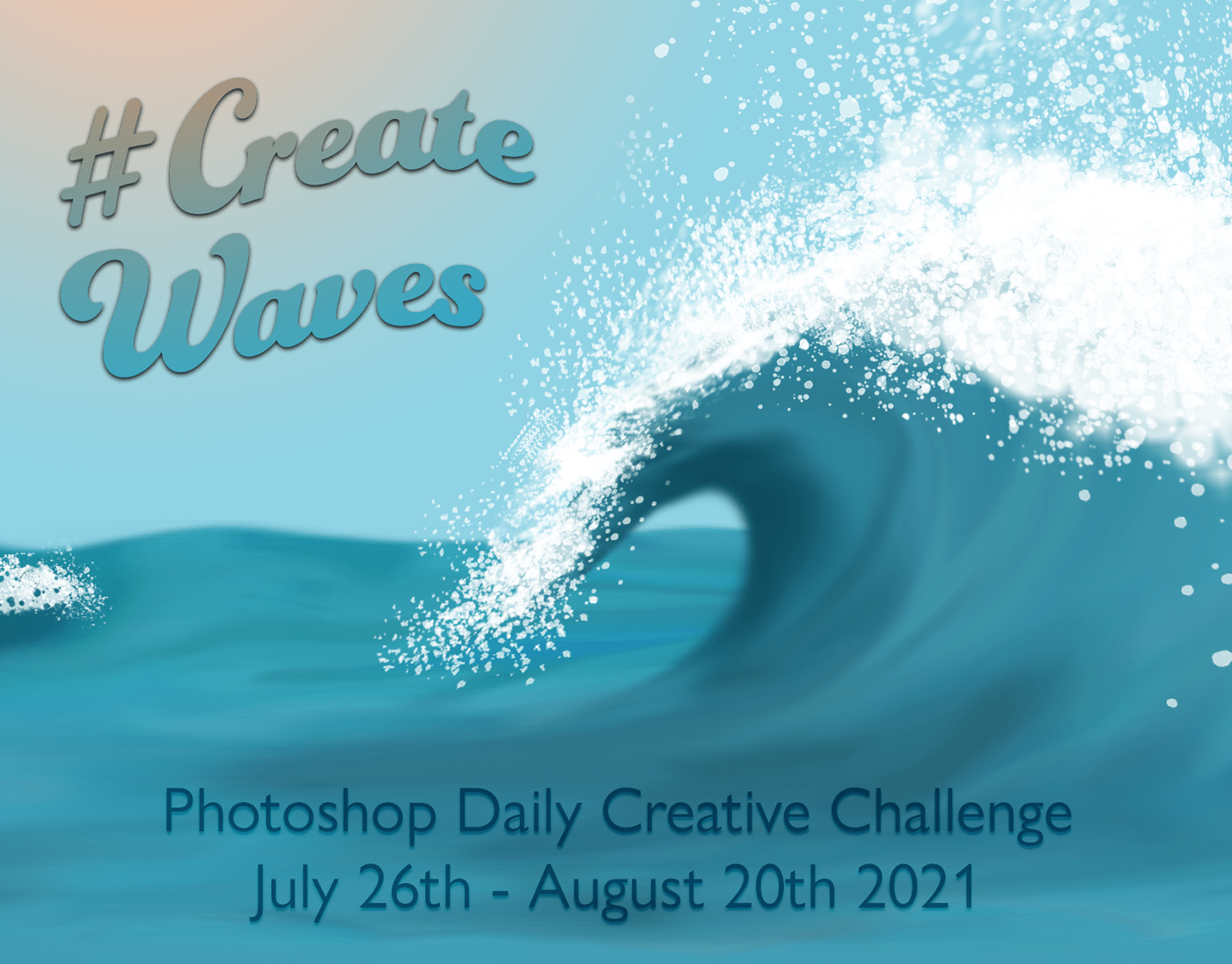
It is so much fun to create large waves
 dull lava
Combined some newly learned skills from this last photoshop challenge. Thank you @jolly quest for showing us these new skills. Created this for my portfolio so I can apply this job that I really want to apply for.
 nimble shardBOT
Gave +1 Creative Carma to @jolly quest
eternal mica
@lean grotto Welcome. Youre not late. This DCC series is running through 08/20, so you have plenty of time. I suggest you watch the Welcome video. A link to it is pinned in the Pin files in the ribbon bar above. Just scroll down a bit and you'll find it. (You'll get introduced to the cover image there.) There are very few rules. Be courteous, family friendly, respectful, have fun. You neednt be nervous or worry about messing anything up. This is a safe friendly creative space for you to enhance your Ps skills, no matter what level you currently are, create, meet other creatives from around the world, and have fun. If you have any questions at all or need help with anything, just ask. We're here to help. One last point. Take advantage of all the posts from this series. Scroll through everything everyone has shared. I believe, you'll be motivated and inspired.
Your cover image has a really nice feel to it. My one suggestion would be to work on the text. Try enhancing the impact of the main text by increasing the contrast between it and the BG. The legibility of the secondary text might look better with any/all of larger font size/drop shadow/stroke/bold. You decide. If you decide to modify your design, feel free to repost. Your Mood Board is a wonderful initial effort. The jellyfish logo is really cool, especially with the warped text. The bubble color palette also adds interest. Good work. I look forward to your future posts.
eternal mica
young junco
It is so much fun to create large waves
Charles is for sure the Aquaman of this series!!! The King of the Waves!!!
 buoyant nova
Day 7 - Pixel Art

 last mica
Thank you, Sam.
nimble shardBOT
Gave +1 Creative Carma to @bleak fossil
last mica
Hi Ted, Thank you for giving so much time to my posts. After looking at VDV's illustrated creature, I was a little shy about posting mine, I'll use her's as a reference and try again. [I hope I am allowed to re-post here]. About the poster, I had trouble finding good brushes and stencils that I could use. I'll definitely reword the design, and a BG.
nimble shardBOT
Gave +1 Creative Carma to @eternal mica
muted quail
eternal mica
<@!797622210680061963> Your Poster design is really well done. The blob shapes ...
thank you so much!
nimble shardBOT
Gave +1 Creative Carma to @eternal mica
muted quail
bleak fossil
<@!797622210680061963> These are all looking really good! I love the illustrated...
thank you!
simple idol
Day 3. So elated I was able to illustrate these, OMG! All pointers and feedback welcome!
 young junco
Create Waves Challenge:
Underwater ocean reef scene with overhead sunlight made from radial gradient, elongated and moved to the top of the view, a generic Photoshop hybrid whale shaded darker on bottom, and various schools and groups of Photoshop created fish.

 frank trellis
challenge 3: illustrated sea creature - here i experimented with color dynamics on a hard round brush and painted using the radial symmetry option. it was super quick to make several iterations and some of them were stacked and blended to help get this result 🌊⭐
 last mica
#createwaves
 eternal mica
last mica
Hi Ted, Thank you for giving so much time to my posts. After looking at VDV's il...
eternal mica
last mica
Hi Ted, Thank you for giving so much time to my posts. After looking at VDV's il...
For sure repost. I think the second post is free!!!!! 🤣 🤣 🤣
last mica
#createwaves
 frank trellis
challenge 6: gradients and textures - i made a fish brush with simple shapes and played with liquefy filters to get the water background. i also used simple shapes to make the fish scale pattern and applied it to just a few of the fish

 sweet cedar
really stoked on how this one came out
 eternal mica
@buoyant nova Vey well done Pixel Art exercise. I think all 3 variations are well done, especially the pointillise. On the color halftone, I might ease up on the pixels size just a bit so the original fish shows through more. The BG is a very nice addition. Good work.
@simple idol Really fun Illustrated Creature design. The color palette explodes off the screen. The BG adds a lot to the overall look. Im not sure what you used as a BM, but it seems as if the octopus is transparent. Did you intend that?
@young junco It didnt take you long to get the hang of overhead light effect. Its great in this image. The reef looks terrific. Another beautiful effort.
nimble shardBOT
Gave +1 Creative Carma to @eternal mica
eternal mica
@frank trellis Very interesting interpretation to the Illustrated Creature challenge. The result of all your design blends creates real interest. The BG adds additional interest. I think some occlusion and cast shadow would make the design look realistic. Your Brush design is well done, The different types of fsh you turned your brush into is cool. The varying sizes gives a sense of motion and depth. Very nice work.
@frank trellis Very creative interpretation to the Illustrated Creature challenge. The result is awesome. I think the design could really pop if you added some shadow to the design, occlusion and cast. The BG fits perfectly.
simple idol
Is this better @eternal mica? I changed the colors a bit but playing around to see which works best. Thanks for your feedback
 nimble shardBOT
Gave +1 Creative Carma to @eternal mica
eternal mica
@last mica In the future, it would be helpful if you noted which exercise each design is for. The Brush design has a good sense of motion and depth. The swirl look cool. The liquify BG adds to the effect. Your pixel art looks like you piggybacked the design onto a brush design. Very cool. The effect is applied just the right amount. The contrast between the black and blue overall palette is powerful. Nice work.
@sweet cedar You took the challenge to the next level. Really powerful design. The blob shapes are great. The shadows/glows add real depth and 3D look. Need I say the colors are electric. Even the squiggles on the BG look great. Super job. 💯
eternal mica
simple idol
Is this better <@!688853114035634184>? I changed the colors a bit but playing ar...
The orange looks great, as did the blue. I didnt mean for you to necessarily change the blue. I only asked you to check on the BM. But both designs are super.
simple idol
Thanks @eternal mica I sent N explanation but I guess the plural of octopus isn’t allowed on discord so it got deleted. I think I like the orange better! 💐
nimble shardBOT
Gave +1 Creative Carma to @eternal mica
 glacial minnow
Cover Page - I feel the pen tool and I need some more bonding.
 lean grotto
Changed the base font from Franklin Gothic to Gill Sans, made it a lil larger, darker and with some drop shadow. Then had a lil fun with the title xD I'm liking this better than the version I uploaded yesterday!

Pen tool is a lil more frustrating than the pen tool I'm used to in Illustrator xD But, I made a face! Anyway! Here is my take on the informational poster. It was inspired by the really cool photos people take, including myself and my husband, while at Aquariums looking at Jellyfish. Because I was focused on what people look like while admiring the Jellies, I decided to focus mostly on just what they look like and their bodies 🙂 I'm working on figuring out how I can reduce the amount of copy on the post but I figured I would poster it here in the meantime for feedback! Thank you all 💙
 buoyant nova
Thanks @eternal mica I changed the pixels on the halftone and you are right, it does look better. I was going to use the fish brush that I made but even though I saved the two brushes, they seemed to have disappeared off my Photoshop. Will do them again when I have some time
 nimble shardBOT
Gave +1 Creative Carma to @eternal mica
buoyant nova
Fabulous drawings @simple idol I like the blue octopus
simple idol
Thank you @buoyant nova
nimble shardBOT
Gave +1 Creative Carma to @buoyant nova
young junco
eternal mica
<@!350764343815831562> It didnt take you long to get the hang of overhead light ...
Thanks TedB. I worried all night that the fish were going to look the wrong size this morning or there wasn't enough of them or too many and that it would look obvious to everyone but me.
nimble shardBOT
Gave +1 Creative Carma to @eternal mica
eternal mica
young junco
Thanks TedB. I worried all night that the fish were going to look the wrong size...
Aha, The Goldilocks Syndrome!!! I haven't counted the fish yet (😂😊😂) but they seen just right!!! Just keep doing what you're doing. Your work is awesome.
 void hornet
@lean grotto I absolutely love your design! It really reminds me of when I go to the aquarium and see people just admiring/gazing at the aquatic creatures. You hit that perfect spot of reality in my opinion. As to your worry about the copy content, I find it is a good idea to stand back and find those phrases (usually 3-4 words) that make the impact of your story. Bold those words because people will look at them first and then read the whole infograph. You are really doing a wonderful job and I'd post that to Behance!
eternal mica
@lean grotto Nice tweaks to the cover. I agree with you. Your interpretation of the InfoPromo is very interesting. The story you added sells the image. I was trying to think how I would have gotten that story without your explanation. Perhaps add a window type frame around the part of the image that is supposed to be the aquarium window?? Just a thought. I think the verbiage is not overdone, though if you want, you can shrink it down a bit in size. One tweak Id make is to highlight the black "did you know text" a bit more to enhance the contrast and legibility. Nice work.
dusky pulsar
bleak fossil
<@!874774602163818566> Super cool! Really great shape and textures in these desi...
Thank you for your kind words! 😀
nimble shardBOT
Gave +1 Creative Carma to @bleak fossil
lean grotto
@eternal mica Thank you for all your help so far! I definitely wanted to figure out how to give off the aquarium vibe a little more so I will give that a shot when I get to my computer 💜
@void hornet Thank you for your kind words and help as well! 🥰 As far as Behance goes, I've just started but I have been uploading them as I finish. So later in the evening when I have my own time, I'll work on #3 and get that up! I'm working with my vocational counselor to get my portfolio cleaned up and such as well and this has been a fun help so far 🥰 https://www.behance.net/gallery/125237771/Photoshop-Daily-Creative-Challenge?tracking_source=for_you_feed_user_published
 nimble shardBOT
Gave +1 Creative Carma to @eternal mica
eternal mica
@young karma No matter what skill level you are, you can enhance your skills dramatically by participating in the Daily Creative Challenge/Discord program. We are at the final week of the current series, but that still leaves you time to join in. You can get an idea of the nature of what gets produced by scrolling up through this thread and seeing the works the participants have posted. If you are interested, click on the pin icon on the ribbon menu above and scroll down in the files listed to the WELCOME stream. Watch the stream. Then you can go to https://www.behance.net/challenge/photoshop for the Behance PS DCC landing page. You will find 9 challenge videos with 9 sets of work files. Do any/all that you desire. Each is independent so its not necessary to watch them in order, though they do increase a bit in technical skill level as the series goes on. if you have any questions, feel free to ask. We'd love to have you join us.

Daily Creative Challenge
For those of you working on Behance portfolios, here's a quick guide I prepared to help you along. If you have any questions, just ask.
obtuse cobalt
#challenge 6 tried to play with brushes would love to get some feedback..thanks!!
 glacial minnow
Day #2
 bright quail
Challenge #2
 bright quail
I teach 7th grade ELA. I’d love if you could DM me the file!
eternal mica
 drowsy field
hi
drowsy field
hi
Just scroll up a couple of posts. You'll see my text to Otto. That should answer all your questions.
 forest aspen
@eternal mica I'm not sure an Instagram story can be displayed that way either, but I built it with a1:3 ratio for easier display here and on Behance. I'm still struggling on how to do an insta post with hashtags, and @'s and getting the right image out of my camera roll. So far I can only manage two of the three at a time. Drat. Thank you for pointing out the void. I had guides for placements, and didn't turn them off, so I never noticed it. I think this one is better.
 nimble shardBOT
Gave +1 Creative Carma to @eternal mica
 compact pecan
Photoshop won't render my video because of "a problem with Adobe Media Encoder." So, here's what it would look like, and I'm sure you can imagine how epic the animation was.
 simple idol
Hello Designers. Here is my Day 4 Challenge. Ocean Depth. All feedback welcome. Thank you
 glacial minnow
Cover Page version #2. Had another go at the pen tool and changed a couple of things
 eternal mica
@obtuse cobalt I think the Brush tool exercise is a really good effort. The varied color, size, position of the fish gives a good sense of motion and depth. The wave and BG give a good sense of the ocean and sky. I like the sailboats. One tweak I'd try is to mask the sailboat bottoms a bit to give them more of a sense they are actually in the water.
@glacial minnow Your InfoPromo looks solid. I like the fun font you used for the title. It gives a light feel to an informational piece. The layout is crisp, clean. The text has good legibility. I like your cover page tweaks also.
@bright quail Good effort with the InfoPromo. The octopus drawing is so cool. The color palette works well. Highlighting the text with the sidebar is a good touch. I might try increasing the text font a bit to see how it looks.
@simple idol Nice fun design for the Color & Depth exercise. I might suggest that you add a layer above the sunlight zone to make the message the image is trying to send a bit more clear.
simple idol
Will do @eternal mica Great idea! Thanks
nimble shardBOT
Gave +1 Creative Carma to @eternal mica

 compact pecan
 thorny spruce
Daily Creative Challenge #4
thorny spruce
Daily Creative Challenge #4
Your cut-out masking looks really good. I also like the colors and pattern on the stingray.
void hornet
Challenge 5: Poster Design using shapes, shadows, and negative spaces. To continue my otter story of infographics I'm focusing on the symbiosis of kelp forests and otters. I hope everyone enjoys these Otterly interesting factoids! 🤪
 thorny spruce
compact pecan
Your cut-out masking looks really good. I also like the colors and pattern on t...
thorny spruce
compact pecan
Your cut-out masking looks really good. I also like the colors and pattern on t...
thanks so much for your feedback!
nimble shardBOT
Gave +1 Creative Carma to @compact pecan
thorny spruce
void hornet
Challenge 5: Poster Design using shapes, shadows, and negative spaces. To contin...
I like your choices for the layout and the "Otterly Symbiotic" font. Also really like the gradient in the background.
thorny spruce
glacial minnow
Cover Page version #2. Had another go at the pen tool and changed a couple of th...
This looks really cool, I like those stripes on the wave!
glacial minnow
thorny spruce
This looks really cool, I like those stripes on the wave!
Thanks jenni
nimble shardBOT
Gave +1 Creative Carma to @thorny spruce
young junco
Happy National Stingray Day
 glacial minnow
My completed Behance project https://www.behance.net/gallery/125435577/Create-Waves
 forest aspen
Day 9: Animated Sea Life - Ocean dive. This is a quick video (16 seconds) depicting a diver sinking into the ocean. Each time we see a new creature, we know the diver is going deeper and deeper until at last he/she is near the bottom.Yes, the diver stops in place for a moment to have a stare-off with the octopus. This video was animated in Photoshop. The images are a mix of stock from Pixabay, PixelSquid and Adobe. https://bit.ly/Ocean-Dive

This is a quick video (16 seconds) depicting a diver sinking into the ocean. Each time we see a new creature, we know the diver is going deeper and deeper un...
dull lava
young junco
Happy National Stingray Day
Cute stingray., great design., your use of darker and light colors of the same hue puts the stingray into a perspective of 3D from a 2D design.
dull lava
last mica
#createwaves
Kind of reminds me of an ocean themed version of Edvard Munch" The Scream" painting with the colors blending like they are, but you sill have a very clear subject of stingrays or manta-rays ( Sorry I don't know the different between the two.) Which makes the ocean seam more realistic and moving as the stingrays moves and having little fish in and around like a society does.
young junco
dull lava
Kind of reminds me of an ocean themed version of Edvard Munch" The Scream" paint...
Thanks. I did the underneath side since they look sort of like they are smiling.
nimble shardBOT
Gave +1 Creative Carma to @dull lava
young junco
glacial minnow
My completed Behance project https://www.behance.net/gallery/125435577/Create-Wa...
Excellent
dull lava
#createwaves - really loved learning these new skills all of you. Understanding how Photoshop is amazing and the different things you can create.

 south minnow
I rewatched Week 1 and began again. Excited for tomorrow and Week 2!

DCC 1 - Mood Board

DCC 2 - Informational Promo

DCC 3 - Illustrated Creature

DCC 4 - -Colors & Depth
 eternal mica
@thorny spruce Nice work with the challenge 3 and 4. Your ray drawing has beautiful 3D look to it. Your work with the tones and edges is very good. The one suggestion Id make is to work on the tail. It looks like its a just straight line attached to the back of the drawing without the character and depth of the rest of the image. Your Color & Depth image looks solid. The color gradations work well. The image is clean and crisp. The texture you added to the "land' is a plus, as are the creatures. One suggestion I would make about your labels is to have the top level be the "sky" with no level, and start the levels where the land starts to drop off into the "sea". Good work.
@void hornet Your Otter theme is holding up well though the different challenges. Your Poster design has good work around the edge of the large otter figure. And it generates a lot of interest with all objects and shapes you inserted into that large design. It would have been interesting for you to carry the shadow/glow into that large shape with other blob shapes, applying the same technique, to create more depth in the image.
@glacial minnow your Behance portfolio is well done. It has a beautiful consistency to it. Nice clean simple straight forward presentation style. Good job throughout the DCC and into the portfolio.
@forest aspen Nice work on the animation. My one suggestion would be to add some horizontal movement to the creatures as they make their way up the screen vertically.
@dull lava beautiful design combining elements from a number of the DCC exercises.
 limber thistle
I already uploaded challenge 1 and 2, but this my versions modified so here my challenge 1

and challenge 2 (modified)

And, here my challenge 3

my challenge 4

here my challenge 6, the gradient background + liquify effect

challenge 6 the "fish brush"

so here my challenge 6

And challenge 8
 eternal mica
@south minnow Obvioulsy there is a wonderful themed consistency to the new efforts. The cover image has a nice gradient BG that adds interest, bold clean crisp font style, with hint of drop shadow for contrast. The mood board keeps the theme going. I would have preferred the textures not have the white backgrounds, and if the colors had a consistent swatch shape. The InfoPromo is a strong piece. Clear presentation of facts. Nice placement of the creature. Perhaps a more straightforward title font would work better. Not sure. You decide. The Illustrated Creature is well done. The spackled white tail is especially realistic. The sun adds a good touch of color to the design. Did you try a gradient on the ocean blue also? I think it might enhance the interest even more, feeding into the gradient of the sky. Nice work on the different textures and coloration in the Color & Depth design. The labels are clear and legible. The creatures add interest. Very nice group of submissions.
@limber thistle Good work with your tweaks of designs 1 & 2. I think both are improved. The Illustrated Creatures selection of rays is interesting and well presented. The BG adds good contrast for your drawings. The Color & depth design has nice texture in the land and good color contrast for the ocean. The labels are clear and informative. The creature shapes add interest to the design. The liquify Poster design has a cool underwater look to it. The combined Brush and Poster design is very interesting. The swarm of fish looks great. Your IG template is very well done. Theres a nice seamless flow from screen to screen. The images are eye catching. I might have spaced out the text differently, but thats just personal preference. Your work for this series has a beautiful cohesive look. I hope youre planning on putting it together into a Behance portfolio.
dull lava
limber thistle
I already uploaded challenge 1 and 2, but this my versions modified so here my c...
Great designs, in. your challenge 2, I like the use of colors to contrast different areas of information and topics. Your Challenge 6 is neat as well. the second one with color in it looks very realistic in terms of movement with the ocean.
south minnow
eternal mica
<@!775066413526286377> Obvioulsy there is a wonderful themed consistency to the ...
Thanks Ted for the GREAT feedback! I completely agree with the font change for the InfoPromo! Done. My illuistration did have a slight gradiant in the ocean; not sure if I turned it off it was just too subtle. I cranked it up a bit . . .
 nimble shardBOT
Gave +1 Creative Carma to @eternal mica
south minnow
@eternal mica
 eternal mica
south minnow
<@!688853114035634184>
eternal mica
south minnow
<@!688853114035634184>
Im surprised how much the gradient added. The way the light sky and the light ocean meet I think adds a real sense of dawn rising. Im happy you thought of it!!!
eternal mica
@glacial minnow @plain sable @dusky swallow Congrats!!! Your Behance portfolios were selected and highlighted on the Behance.net gallery page. Check it out!!! 💥 💥 💥
 dusky swallow
eternal mica
<@!700835033337823233> <@!598529429148532736> <@!760907049444835428> Congrats!!!...
dusky swallow
eternal mica
<@!700835033337823233> <@!598529429148532736> <@!760907049444835428> Congrats!!!...
Thank you
nimble shardBOT
Gave +1 Creative Carma to @eternal mica
eternal mica
bright quail
I teach 7th grade ELA. I’d love if you could DM me the file!
This is a link to the Ai file image I exported and posted. Let me know if this meets your needs. If you want the actual files, I would have to send you the individual slide files. BTW, the project was selected and highlighted in the Behance.net gallery. What does ELA stand for? https://1drv.ms/u/s!AuyL-ykZbl8igtBRhr7qBIpDjfmiZA?e=B9DDOj

PNG Image
glacial minnow
eternal mica
<@!700835033337823233> <@!598529429148532736> <@!760907049444835428> Congrats!!!...
Thank you from me
nimble shardBOT
Gave +1 Creative Carma to @eternal mica
eternal mica
Each year, Adobe holds an event called Adobe MAX to highlight new Adobe software releases for design and advertising professionals. Adobe MAX is normally an in-person event, but as with the 2020 event, the 2021 Adobe MAX presentation will again be digital.
Adobe MAX 2021 is set to take place from Tuesday, October 26 to Thursday, October 28, and it will be a free event for all who want to attend. Registration for Adobe MAX is open as of today, and those interested in signing up can do so on the Adobe website.
The event will feature more than 400 sessions, keynotes, MAX Sneaks labs, and workshops, with talks from creative luminaries, product experts, speakers, and more.
Adobe plans to host collaborative art projects and community challenges, plus there will be learning sessions appropriate for all skill levels and virtual networking opportunities for creatives worldwide.
south minnow
#CreateWaves DDC_5 Poster Challenge

 novel mica
Colors & Depth

 dark grail
on my way to complete my challenge #4, I saw this case study but its hard for me to create an illustration, I have bad skill in drawing, moreover using mouse to draw made it very difficult, so I ended up using real picture to finish this case study, so guys!! What do you think? any suggestions to improve my drawing skills or any opinion on the outcome of this picture?
 simple idol
Hello designers. Not quite sure I got this right but here is my Day 5 attempt. Thanks
 dark grail
on my way to complete my challenge #4, I saw this case study but its hard for me...
dark grail
dark grail
on my way to complete my challenge #4, I saw this case study but its hard for me...
I made a changes , can you see the different? is it better?

 hollow yarrow
south minnow
#CreateWaves DDC_5 Poster Challenge
hollow yarrow
south minnow
#CreateWaves DDC_5 Poster Challenge
Love the concept! Using liquify on pattern to mimic waves is a great idea and your minimalist stylized whale turned out great! (light and shadow added give a nice sense of depth) Great job!
@dark grail : yes I think your second version looks fine. Gray used for "#createwaves" fits better with the overall color scheme. Great layout!👍
hollow yarrow
Day 5 - Poster Design.
I just realize I posted it on my Instagram account but not here... Now it's fixed 😉
 dark grail
hollow yarrow
<@!861830958801485884> : yes I think your second version looks fine. Gray used f...
dark grail
hollow yarrow
<@!861830958801485884> : yes I think your second version looks fine. Gray used f...
thank you 👍
nimble shardBOT
Gave +1 Creative Carma to @hollow yarrow
young karma
Can someone delete this please, I think it’s a scam!! @uncut ginkgo @glacial path
south minnow
hollow yarrow
Love the concept! Using liquify on pattern to mimic waves is a great idea and yo...
Thank you, Franck. I got a little fancier with the whale, practicing the techniques Val demonstrated, but ultimately backed out. Felt less was more;-)
nimble shardBOT
Gave +1 Creative Carma to @hollow yarrow
buoyant nova
Day 8 - Instagram Template
 bleak fossil
@buoyant nova Very nice work on the wave shape, and the color scheme is looking really good! I like the texture you added on the wave shape and the sort of double exposure of the shark and jellyfish shapes. The only suggestion I might have would be to use a jellyfish picture with more bright jellyfish, or increase the brightness of that image a bit so it reads a bit more against the darker background like the shark does. Well done!
@hollow yarrow Hah, I hadn't seen this one on my IG feed yet, this came out great! Love the variation in shape size between the big body shape, the smaller fin shapes, and the interior design. Great contrast against the simple, light background, and really cool illustrated scene inside! The texture and wavy shapes within the text add some really nice interest as well.
If you all don't follow Franck on Instagram, I'd definitely recommend it! Well done!
@dark grail Nicely done! I really like how you broke the frames a bit with the Guitarfish and Eagle Ray. The shapes are looking good and I like how you varied the image and text placement between the frames. Looking good!
@simple idol Super cool! The shapes and layering look good, especially on the yellow fish. It has a really convincing paper cut-out effect with that drop shadow, and the texture adds to that look even more. The layered fish shape in the background came out nicely, but it could be nice to see a little bit more of that same effect with the layers in that one to have it closer match the look and style of the yellow fish. Though I do think it's a good idea to not have it quite as contrasty as the yellow fish to keep that sense of background depth it currently has. Nice work!
buoyant nova
bleak fossil
<@!552565862301958166> Very nice work on the wave shape, and the color scheme is...
Thanks Sam for your kind comments. I will alter the jellyfish
nimble shardBOT
Gave +1 Creative Carma to @bleak fossil
buoyant nova
@bleak fossil - A lighter jellyfish
 hollow yarrow
bleak fossil
<@!698155393649475695> Hah, I hadn't seen this one on my IG feed yet, this came ...
hollow yarrow
bleak fossil
<@!698155393649475695> Hah, I hadn't seen this one on my IG feed yet, this came ...
Thanks for your comments an for the shout out! I appreciate.
nimble shardBOT
Gave +1 Creative Carma to @bleak fossil
dark grail
bleak fossil
<@!861830958801485884> Nicely done! I really like how you broke the frames a bit...
thank you @bleak fossil , it nice to get your feedback on my work 😃 👏 🙏
nimble shardBOT
Gave +1 Creative Carma to @bleak fossil
 deep river
Wow! Thanks so much for your feedback! Sorry it took forever for me to learn my way around Discord and have been really busy with work. I definitely want to up my skills and feel I have come to the right place. Not sure if the challenge is still going on, but I think I am going to still finish the challenges 🙂 This was really fun. Looking forward to the October Adobe Max and will be working on joining more with the Adobe community. ~ Mary
nimble shardBOT
Gave +1 Creative Carma to @eternal mica
eternal mica
@deep river Have you watched the Welcome video? You can use the rest of this week to submit challenges. The next series starts on Monday. I suggest you start today and submit whatever you can get done by then.
young junco
Teach Me About Clownfish
Creatures of the Ocean: An Introduction For Children

Teach Me About Stingrays
Creatures of the Ocean: An Introduction For Children
 limber thistle
Hi, here my challenge 8 modified (I wasn't really convinced buy the first version so here the second) and following Ted B's advice. Is it better like that ?

here my challenge 5 version 1

challenge 5 version 2

here challenge 7 version color halftone filter

and here challenge 7 version mosaic filter

and last challenge 9
 glossy oar
hi, just a little better after covid, feed back appreciated 😀
 simple idol
Hello Designers. Here is my Day 6 challenge.
 bleak fossil
@buoyant nova Looks great! Really very clearly now.
buoyant nova
Thanks @bleak fossil
nimble shardBOT
Gave +1 Creative Carma to @bleak fossil
eternal mica
@young junco Solid job for your children's InfoPromo. I would suggest you use a larger more spread out font to make it more legible for children's audience. There is plenty of space in that area of the canvas to accommodate it. Also, maybe increase the contrast to the BG just a tad. Grammatically, I wouldnt capitalize Algae or Plankton.
@young junco On the sting ray design grammatically it reads as if the tail grows to several feet in width.
eternal mica
limber thistle
Hi, here my challenge 8 modified (I wasn't really convinced buy the first versio...
Solid tweaks. I think the flow of the text really works nicely. Good going!!
@limber thistle Beautiful work on all of the Poster designs. You created real interest with the blob designs, nice depth with the shadows/glows, and the drawings also add interest. The collage of designs is a great idea well executed. I really like your halftone Pixel Art. Every one of the creatures has a good amount of filter applied to it. Im not sure the mosaic filter worked as well. You might have better success by lowering the mount of filter you add to each creature. Your Animated Sea Life is cool. Two tweaks Id suggest. Give the fish swimming up a bit more time, perhaps until the waves turn downwards. They switch too quickly in the reverse. Second, I would move the text "Project by" above the starfish that is hiding the P.
Your work throughout this DCC has been great. Thanks for posting. I hope you choose to create a portfolio on Behance.
nimble shardBOT
Gave +1 Creative Carma to @limber thistle
eternal mica
@glossy oar Ugh, sorry to hear the virus impacted you. But happy to hear youre on the mend and focused enough to get back to your series. Your brush design has a nice strong underwater feel. I like the various shades of color you applied to the fish. I would suggest two tweaks. I would vary the size of the fish to create a greater sense of depth, maybe add some much larger fish in the foreground. And I would enhance the circular motion of the brush strokes to create a sense of swirling to the swarm.
@simple idol Nice liquify effect for the Gradients challenge. I might try modifying the size of some of the fish, and adding the shadow/glow effect to several of the yellow fish to add more interest to the design. Good effort.
simple idol
Thanks Ted! I'll try that for sure!
glossy oar
eternal mica
<@!496164836716183554> Ugh, sorry to hear the virus impacted you. But happy to ...
Thanks ted! Appreciate your feedback.
nimble shardBOT
Gave +1 Creative Carma to @eternal mica
eternal mica
glossy oar
Thanks ted! Appreciate your feedback.
My pleasure. How are you feeling? I hope you werent hit with too severe a case.
glossy oar
eternal mica
My pleasure. How are you feeling? I hope you werent hit with too severe a case...
Yes, thankfully, I have no serious symptoms just minor body aches and weakness, maybe due to the fact the I got partially vaccinated on 2 August.
 blissful wolf
Day 4 - Going slow but getting there...

 rigid raven
A good challenge suggestion would be how to make a designer's resume, Cover letter, and portfolio.
bright quail
Challenge #3
 bright quail
eternal mica
This is a link to the Ai file image I exported and posted. Let me know if this ...
bright quail
eternal mica
This is a link to the Ai file image I exported and posted. Let me know if this ...
Thanks so much this is great!
nimble shardBOT
Gave +1 Creative Carma to @eternal mica
young junco
Teach Me About Ocean Creatures: Starfish for the Photoshop Daily Creative Challenge - Instagram Template
Thanks to @eternal mica for suggestions to improve my stingray and clownfish which I corrected and reworded.
 nimble shardBOT
Gave +1 Creative Carma to @eternal mica
compact pecan
simple idol
Hello designers. Not quite sure I got this right but here is my Day 5 attempt. T...
Wow, I really like how you used shadows and texture on the yellow fish. It really looks like several pieces of paper stacked together to form the shape! I also like how your seaweed kind of “starts” the larger fish shape from the bottom.
young junco
Mood Board Challenge
Teach Me About Ocean Creatures
Creatures of the Ocean: An Introduction For Children
 eternal mica
@young junco I really like the IG Template design. The colors blend beautifully together. The subtle frame around the top portion looks great. The overall message is clear crisp concise. Pardon for me making you work harder, but I was wondering how it would look if you took the title text (Creatures of the Ocean/An Introduction for Children) and ran it on top of the dark blue wavy path of the 3 screens? Just a thought.
young junco
eternal mica
<@!350764343815831562> I really like the IG Template design. The colors blend b...
I tried that. The space between the artboards covers up lettering in the text. So I stuck the text on an arch warp to match the wave curve in artboard2
Text on an arch warp to match the wave curve in artboard2
 young karma
rigid raven
A good challenge suggestion would be how to make a designer's resume, Cover lett...
young karma
rigid raven
A good challenge suggestion would be how to make a designer's resume, Cover lett...
I agree! It's hard to know the best way to "reach out" to prospective employers or mentors.
bright quail
Challenge#5ths -- The Poster
 eternal mica
young junco
Text on an arch warp to match the wave curve in artboard2
eternal mica
young junco
Text on an arch warp to match the wave curve in artboard2
Align the text in screen 1 & 3 and youre good to go.
void hornet
Challenge 6: Create nature inspired textures and surfaces using gradients, brushes, and blending. This time I decided to focus on our friend the river otter. I actually took the time to draw out the otters and then create them into a brush stroke I used in the background. I used Liquify to create the background.
 limber thistle
here my challenge 7 modified version 1 color halftone

here my challenge 7 modified version 2 mosaic

and challenge 9 modified
bright quail
Challenge #6 -- Gradients and fish brush.

 cobalt spire
The Octopus. No challenge. Just sharing.
 buoyant nova
Here is my recent project on Behance - https://www.behance.net/gallery/125760527/DCC-with-Voodoo-Val-26-July-6-August-2021?
 eternal mica
@blissful wolf Very good work on Color & Depth design. The design is clear and concise. The gradients on land and sea work well. Your text is solid. The creatures add a good bit of interest to the design. Nice work. Just a tip, the new challenge starts Monday. Post what you can by then here. Once new posts start hitting, post your designs to past-challenges.
@bright quail Very nice group of posts. Your shark drawing for the Illustrated Creature is really powerful. Your attention to detail is excellent. I especially like the way you handled the teeth. The BG gives good contrast, although there a few spots where the dark BG and dark shark image could use a bit more variation. Your Poster design is fun, bright, interesting interpretation to the exercise. I think the shadow/glow effect works well where youve applied it. The 3D look would be enhanced with more stacked layers rather than side by side. Very well done Gradient/Brush design. The color palette is terrific. The gold fish really stand out. The liquify BG looks great. The whole design has a deep dark underwater feel as if a ray of light is somehow shining through. Nice job.
@young junco Nice work with the mood board. Its interesting that you went back to create this after you created all the great designs youve already posted. I have two tweaks I'd suggest. Id have all the color swatches be consistent, with spaces or without spaces (I prefer no spaces.) And I would make the blob shapes and the font sizes all consistent. The one on the lower left is really cramped and the text smaller than other titles. The shape on top left might also be smaller, tho that could be an optical illusion.
@void hornet Your otter story still works. Real nice job on creating layers and gradients in the otters. The BG design is cool also. You might try a 1 pixel white stroke around the smaller text to give it increased contrast, brighten it up, and to make it more cohesive with the white text you highlighted.
@limber thistle Great tweaks added to these versions. The mosaics version really looks improved. You might try to eliminate the uneven edges of the creatures by using the clipping mask technique VDV demonstrated.
@limber thistle I left off, youre animation tweak to the fish is also much better. Good job.
@cobalt spire Cool image. What brought you to submit it?
@buoyant nova Really well done portfolio. Solid cohesive look to it. Thank you for posting it.
nimble shardBOT
Gave +1 Creative Carma to @buoyant nova
buoyant nova
Thanks @eternal mica
nimble shardBOT
Gave +1 Creative Carma to @eternal mica
obtuse cobalt
Day 7 Pixel Art
 eternal mica
@obtuse cobalt Beautiful work with the pixel art. The creatures have just the right amount of filter to create a cool look yet still recognize the creature. You did a good job clipping the creatures to keep their edges nice and smooth. good work.
blissful wolf
@eternal mica , thank you very much for yor feedback...
nimble shardBOT
Gave +1 Creative Carma to @eternal mica
limber thistle
Thank you to @eternal mica for the advices and feedback and thank you to Voodoo Val for this interesting month's challenges. Here my Behance project complete https://www.behance.net/gallery/125641563/PSDCC-AOUT-2021-CREATEWAVES
 nimble shardBOT
Gave +1 Creative Carma to @eternal mica
young junco
Teach Me About Ocean Creatures: An Introduction For Children https://www.behance.net/gallery/125764237/Teach-Me-About-Creatures-of-the-Ocean
 buoyant nova
Looks great @young junco
south minnow
buoyant nova
Here is my recent project on Behance - https://www.behance.net/gallery/125760527...
It looks really nice!! Congrats:)
buoyant nova
Thanks @south minnow 🙂
nimble shardBOT
Gave +1 Creative Carma to @south minnow
 buoyant talon
@frosty current looks like another spam/bot
 weak yarrow
Hi guys @everyone please suggest me some tutorial videos for advanced learning of premium pro, if possible
eternal mica
@weak yarrow Please DM me
eternal mica
@limber thistle Beautiful seamless portfolio in Behance. Your font choice is bold and fits the works. Very cohesive look to all the designs. Good job all the way through. Thank you for posting
nimble shardBOT
Gave +1 Creative Carma to @limber thistle
eternal mica
@young junco Very well done Behance portfolio. Youv done a wonderful job all series through. Just a suggestion, reorder the designs so that the mood board is first. The portfolio will have a more logical flow to it. The rest of your designs can be in pretty much any order you choose. Thank you for posting.
nimble shardBOT
Gave +1 Creative Carma to @young junco
blissful wolf
Day 5 - Poster
 eternal mica
If anyone missed the Welcome stream with Howard, or wants to rewatch it, here is the link. I'll also pin it up in the pinned files above. https://www.behance.net/live/videos/12859/Photoshop-Daily-Creative-Challenge-Welcome?tracking_source=to_replay&from_row=Adobe_Live_Schedule
Join your host Howard Pinsky each morning at 9:00am PT to learn how to approach each challenge using Photoshop. Complete 9 challenges by Friday, September 3rd and you’ll be on your way to sharpening your skills. Get your questions answered, see what the community is creating and get feedback on your work!To sign up and get started, go to: https:...
eternal mica
eternal mica
If anyone missed the Welcome stream with Howard, or wants to rewatch it, here is...
 dusky wave
My Behance header for the current PS DCC
 buoyant nova
I think the Sky Replacement is great. Certainly made a difference to my photo I took in Thailand with a not so good sky to one that looks really interesting

 young junco
buoyant nova
young junco
buoyant nova
It darkened the water very accurately. That's the power of ai
quiet ridge
Before

After Neural Filters Happiness @ 50%

The image is of my dad after his 92ed birthday party
obtuse cobalt
blissful wolf
<@688853114035634184> , thank you very much for yor feedback...
Thanks a lot
nimble shardBOT
Gave +1 Creative Carma to @blissful wolf


 flat echo
dusky swallow
Sky Replacement Wellcoming Challenge
flat echo
dusky swallow
Sky Replacement Wellcoming Challenge
Well done : )
 queen geode


 hearty quiver
Sky replacement. After the sky replacement I had to spend time to brighten the face. For this I had to isolate the young man and work on levels and put him before the sky replacement

For this I chose a picture taken in the early 1900's when people never smiled. Made her smile and look young. I am surprised it looks so natural


 buoyant nova
young junco
It darkened the water very accurately. That's the power of ai
buoyant nova
young junco
It darkened the water very accurately. That's the power of ai
It so did. Amazing how the AI changed things to make the overall image so much better
buoyant nova
@eternal mica have sent you a message
 radiant kite

 young junco
For Howard Pinsky's Intro Challenge August 23, 2021
Before and after using Sky Replacement for a much different sky.
Steamer Natchez at New Orleans Waterfront

 rose robin
so i was watching the Daily Challenge by Howard and got distracted by the neural filters.... just had some fun doing this

 winter root
hey all, i couldnt watch the last photoshop challenge but ive been seeing that it was about replacing the sky in a photograph. the funny thing is, i actually practiced that a little bit even well before this challenge.
so the first image is a photo of high park in toronto near where i live. the second version is the same photo edited to include a more cloudy sky. (also idk why its so bright, it didnt look that way before i exported it)
theres also a third version here. that image is a little bonus version of the second photo that i attempted to edit to make it look more like an anime background.


 pliant comet
PsDCC with Howard Pinsky - Day 1 - Select and Mask
Howard said "cats" so, here are some cats.

 cyan elbow


 copper moss
Challenge #01: Select and mask. Then gave some polka dot texture to the sleeve to have some pull. Two versions of the sleeves.


 split pier
Combination of sky replacement, neural filters, select and mask, from the idea of yesterday and today's challenge.

 safe ledge
masking challenge, used three of my own photos (butterfly, bridge and sky) and combined them. I had to draw the butterfly nozzle back on (I don't think there is a good way to mask small insect parts, is there??)


original butterfly

actual photo of sky (used as background)
 hollow yarrow
pliant comet
PsDCC with Howard Pinsky - Day 1 - Select and Mask
Howard said "cats" so, here ...
hollow yarrow
pliant comet
PsDCC with Howard Pinsky - Day 1 - Select and Mask
Howard said "cats" so, here ...
Ready for an other volley ball game?... Well done!

 dusky wave
My simple select & mask attempt
 dusky swallow
Select and mask

 inland zodiac
 eternal mica
@pliant comet Haha, starting with cats right out of the box, I see!!! Its really hard to get the masking of cats right, with the soft hair and whiskers. You did a fine job. The cat on the left is really well done. The whiskers and fur really stand out. Good work.
@cyan elbow Good try with the masking. Thumbs up came out cleanest. The man also came out well, though you could use a bit more of the hair refinement brush on his head. The scissor is a bit more difficult. Howard didnt exhibit it in the stream, but you can use CtrlQ when masking a subject to get a better feel of how the edges are going to look. I find it helps, especially with a subject like the scissors, where the edges might not be as defined as in your other images.
@copper moss Well done. And the variations look cool. Your mask is crisp and neat. You did a good job with the details.
@split pier Very creative approach to the design, incorporating so many elements. It would be cool for you to post an asset sheet so we can appreciate all the elements you used to make this. It has a bit of an ocean look like it could be a holdover from VDV's last DCC!
@safe ledge Nice work!!! Very interesting composite, masked very nicely. Theres one small area on the left at the bottom of the bridge that could be masked in that I believe you could add. Id say "cool job" but the picture's ablaze with fire!!!
safe ledge
@inner pollenb. I remember a challenge (a while back) with Paul T. which involved a similar image set. That's actually the sky near my home in Texas. It looks like lava.
eternal mica
@safe ledge Yup, we've done a few sky replacement exercises since the technique was unveiled about 9 months ago ( I think). It can be a great tool. Your sky photo looks great in the composite. I got the sense of one of these epic adventure movies final scene where the hero needs to cross the burning bridge to save the world.
@dusky wave Well done mask. The butterflies are really sharp and clean, even the antennae. Good work. Most of the creature is really well done. The head could use a bit more of hair refinement, and theres just a bit of masking to clean up under the feet.
@dusky swallow Super Job. That is not an easy set of assets to work with. The edges all around look great. The butterflies fit beautifully.
@inland zodiac Fun design. Good job with all the liquify effects. I would suggest one tweak. I would blur the square shirt bottom into the green blob below it. Just an idea.
copper moss
eternal mica
<@!778334358833856513> Well done. And the variations look cool. Your mask is cr...
☺️ !
 lost helm
Challenge #1 with Pinsky. Had fun with that one 🙂 First assets used second Select and Mask.

 compact pecan
Day 1 Select and Mask. I practiced masking using only the iPad for this one. 3 images - helmet, person, and background. I have some yellow bleed-over that refine mask didn’t pick up on his arms.
 compact pecan
The little bit of yellow was driving me nuts, so I created a new layer, clipped it to the layer with the person, and then painted from outside-in with the sampled colors from the skin and the t-shirt to cover-up the halo-ing.
 young junco
The Cat From Next Door
My Best Buddy
Photoshop Daily Creative Challenge - Select & Mask
Challenge: Extract reusable components from a photograph using selections and masks.
 bleak fossil
@compact pecan Good eye! The cleaning up of the yellow around the arm definitely helps. A lot of times the little halo around selections is the tricky detail that can keep them from looking seamless. Nicely done!
@lost helm These selections are looking really nice and clean! Well done, I feel like good selections are a huge part of the battle with most composites and photo edits. If I had to nitpick I'd say I see a little area between the shoes and the white space between his back and the top of the rocket that could be masked out, but of course that's an easy fix. Looks good!
@inland zodiac I really like what you did with all these different elements, very clever! The masking is looking really solid and I like the depth you added with blurring the overlapping scissors as well as the background texture and sort of warped reflection on the bottom. The only nitpick I might have is the hair looks a bit jagged, but the Refine Edge Brush tool Howard mentioned can be great for soft edges like fur and hair. Well done!
lost helm
Thanks @bleak fossil I will look at that better!
nimble shardBOT
Gave +1 Creative Carma to @bleak fossil
bleak fossil
@dusky swallow Ooh, well done! This is definitely a tricky image with all the different detailed shapes around the silhouette of these flowers and butterflies. Great clean selections, nice job!
@dusky wave Very nice, these are looking good! The selections are looking clean and the fur on the groundhog came out really well too. 👍
@safe ledge Very nice! Great to see you using your own images in this challenge too. So It looks like using the Select Subject button at the top (when you have the quick selection tool selected gets you decent results, but then clicking Select and Mask at the top and using the Refine Edge Brush tool can often clean up small gaps like between the antennae. For things like the legs that are being more difficult (possibly partially because of how pixelated they are) I just use manual selection tools like the lasso tool, quick selection tool, or pen tool to select around the legs more precisely.
 inland zodiac
eternal mica
<@!417531792124542996> Fun design. Good job with all the liquify effects. I wo...
inland zodiac
eternal mica
<@!417531792124542996> Fun design. Good job with all the liquify effects. I wo...
Thanks man I appreciate it
nimble shardBOT
Gave +1 Creative Carma to @eternal mica
inland zodiac
bleak fossil
<@!417531792124542996> I really like what you did with all these different eleme...
Thank you man, will fix when I get home. I appreciate it
bleak fossil
@young junco Great work Charles! Fur can be really tricky but this selection is looking really clean, excellent job on the soft edges. If I wanted to seek out something to nitpick I'd say that I often like to use a color layer (clipped to the cat's layer) and a soft round brush to paint over colored edges like we see with the green around the cat's ear on the right hand side to get rid of color spilling like that from the previous background. Looks great!
@eternal mica Love it, great idea for a selection challenge with all the overlapping shapes and opportunities for masking you created. Really nice idea with the map and all the wild pointing hands. My main suggestion might be to try and get a more clean consistent curve on some of the masking where it looks like you might have just been manually masking things out by hand with the brush tool. I would probably use the quick selection tool to select the smooth curve of the arm that will be on top and use that clean/smooth selection to mask out the other arm passing behind it. And invert the selection whenever you need to if you need to mask out the opposite area. And in other areas perhaps using the pen tool to make a curved smooth selection. You could always lower the opacity of the overlapping image if you ever need to clearly see both images when making the selection. Just some ideas that come to mind if that makes sense. Nice work!

@split pier So cool! Great to see you combining all these different techniques and the final result looks excellent! I really like the clean, simple color scheme, and the bubble effect turned out great. The images rising up out of the book are an excellent touch as well. Nice work!
 night maple
I The pup is mine, Bella 🥰, the other photos, are from unsplash. I used select and mask, with liberal use of the refine edge brush. I loaded the grass photo into replace sky for a dreamier look to the photos, I edited the sky mask a bit and toned up the colors to achieve the look I wanted.

 young karma
can someone make a photo of scooby doo with a russian hat on please?
bleak fossil
@young karma This is more of a community to learn how to use Photoshop rather than request images to be made. Though if you like certain users work you could always message them and see if they're taking commissions. And of course if you need help designing that yourself we're always here to help. You'd really just need to get an image of both of those things, mask them out, and put them together with some general adjustments to match the color and lighting.
bleak fossil
@copper moss Very cool idea for this challenge, I like the two different versions you did! If you wanted to push it even further you could offset the pattern for each section of the arm (and even warp it to fit the cylindrical shape of the arm) so they don't align so perfectly between each segment for more realism. Nicely done!
@night maple Looks great! I really like the bright/colorful look you gave to each image to make them fit together. The masking on your dog is looking really nice too, though it looks like some of the edges around the underside of the head were lost. Did you use the Refine Edge brush for those areas of fur? I often have good luck with that tool for that purpose. Nice work!
@cyan elbow What tool did you use to remove the background on the scissors? Howard went over a few different tools on today's challenge, but for the scissors I think the quick selection tool could select it quickly and cleanly for any fine tuning needed after the Object Selection tool or the Select Subject button. The Pen tool could also be useful for manual selecting on an object like that with such smooth curves. The other images are looking great though, especially nice job on the hair of the guy with the binoculars!
@pliant comet Hah, these are so good, I especially like the leftmost one of that midair hop. Animals are always a great masking challenge due to the complex soft edges of the fur. The Refine Edge Brush tool is always my best friend with fur and hair. Really nice job on all three of these, and of course super cute cats. Nice job!
@winter root Cool to see you did a similar edit to the challenge! What technique did you use to mask out the sky, was it the newer Sky Replacement feature or something else? Nice effects 👍
@rose robin Hah, that's always good to let yourself get carried away when you're having fun with it, cool effects! I feel like toning down the saturation of the green background a touch might allow the portrait to stand out a bit more as the focal point and balance the image. Very cool!
@radiant kite Ooh, that's an interesting test for Sky Replacement, it's always cool to see how it handles things like that. It definitely changes the look and feel of the image, very nice!
night maple
Thank-you @bleak fossil I used refine edge brush a lot, but it was time to walk away, it was going awry. That happens sometimes, I will go back to it in a day or so and see if I can get something better when I am not as frustrated.
bleak fossil
@night maple I totally know what you mean, been there! It's always good to know when to call and image or take a break, but that's great, that's the whole point of these challenges, to get that practice in over time. It turned out really nicely!
@young junco That certainly changes the mood of the image, and the reflection of the orange clouds in the water really helps sell the effect too. Nice work!
@blissful wolf The cover is looking good! I like the sort of illustrated effect and the little pops of color. The warm/cool balance between the blues and oranges work very well too. 👍
@hearty quiver Really nice work on both of these designs! Neural filters is always really interesting to see how it affects different images. Excellent work on the Sky Replacement image, it totally transforms the look and feel of the image, and great work on brightening the face so we can see it better, but in a natural looking way. That's great attention to detail and focus in this image. Well done!
blissful wolf
@bleak fossil, thank you very much!!!
nimble shardBOT
Gave +1 Creative Carma to @bleak fossil
 crisp arrow
My appreciation for Paralympic athlete. I think I need to adding shadow and tweak the color for the guy.
 crisp arrow
pliant comet
PsDCC with Howard Pinsky - Day 1 - Select and Mask
Howard said "cats" so, here ...
crisp arrow
pliant comet
PsDCC with Howard Pinsky - Day 1 - Select and Mask
Howard said "cats" so, here ...
He's actually allergic to cat.
winter root
bleak fossil
<@!499270477794246656> Cool to see you did a similar edit to the challenge! What...
no, what i did was use the colour range tool to select the sky, then i masked it out and then i placed the new sky in a separate layer behind the main photo
and thanks!
hearty quiver
Thank you for your critique, helps a lot. I am stuck on select and mask. When I click on select and mask, the mask looks grey instead of black in the layer. I do not know what I am doing wrong. If you can suggest what I should do it would be great. Thanks umr
 oak stratus
I had fun with this one - decided to put some of the carpet that was in the photo underneath so the cat wasn't in the air.

 normal gale
Day 01 - Masking | Had fun experimenting with a few stock photos. It's faster than a speeding bullet. It can leap over tall buildings. It's Super Dogg!!
 split pier
eternal mica
<@!650938405802344458> Very creative approach to the design, incorporating so ma...
split pier
eternal mica
<@!650938405802344458> Very creative approach to the design, incorporating so ma...
@eternal mica. Thank you for the feedback. I was a little too busy to post on the ocean theme but love ocean creatures, whales, dolphins, seal otters, etc.. I worked on a mood board and gathered assets...., I will use some of those ideas for these challenges because I still want to post those items on my Behance profile.
nimble shardBOT
Gave +1 Creative Carma to @eternal mica
split pier
bleak fossil
<@!650938405802344458> So cool! Great to see you combining all these different t...
@charred jayersonArt. Thank you for the feedback. My dream creation will be pages turning (something I guess I can do in/with a combination of AfterEffects, PremierePro and Photoshop) and as the pages turn the images can lift off the page and float up. Anyway, I have to keep practicing... thanks again!
nimble shardBOT
Gave +1 Creative Carma to @bleak fossil
 gaunt veldt
babies in space!

 acoustic heron
Removed the background from the person and added new background

having trouble with the file size darn it. going to bed now.
 graceful arch
acoustic heron
having trouble with the file size darn it. going to bed now.
graceful arch
acoustic heron
having trouble with the file size darn it. going to bed now.
use png
 chilly hawk
Select and Mask Challenge

 twilit anvil
My first attempt in any PS challenge
 young karma
For the select and mask challenge
 young karma

 rose robin
bleak fossil
<@!547912900358963200> Hah, that's always good to let yourself get carried away...
rose robin
bleak fossil
<@!547912900358963200> Hah, that's always good to let yourself get carried away...
slight tweak

 lunar copper
Some blue sky butterflies. Playing around with Select & Mask, refine edge brush, Magic Wand, and directly painting mask layers. I think the orange one is the most successful.

Hmm, trying as a smaller file.
 graceful arch
lunar copper
Hmm, trying as a smaller file.
graceful arch
lunar copper
Hmm, trying as a smaller file.
export to png

 wary swan
PS DCC 2021-9 Challenge #9 Select & Mask 8-24-2021
 young junco
bleak fossil
<@!350764343815831562> Great work Charles! Fur can be really tricky but this sel...
young junco
bleak fossil
<@!350764343815831562> Great work Charles! Fur can be really tricky but this sel...
Thanks as always for your great tips. With a fresh set of eyes this morning, I went back and improved the mask. When I zoomed in, it became obvious that the green bleed was coming from green grass in the background around that ear in between cat hair and fuzz. I also found several other artifacts to mask out. I think I have most of it solved. I will continue to examine and improve. I am noticing more about my subject so that next time I take in image, I can avoid pitfalls. Still not ready for final cut.
nimble shardBOT
Gave +1 Creative Carma to @bleak fossil
acoustic heron
Still having problems with file size. Tried to export as PNG 8
hearty quiver
Select and mask

 tribal scarab
uhhh
copper moss
bleak fossil
<@!778334358833856513> Very cool idea for this challenge, I like the two differe...
Do you mean that I would choose two shapes on the sleeve? I do not know how to offset the pattern. Maybe I will find out how. Thanks, Sam!
nimble shardBOT
Gave +1 Creative Carma to @bleak fossil
safe ledge
@bleak fossil thank you for the tip.
nimble shardBOT
Gave +1 Creative Carma to @bleak fossil
 iron estuary
A bit late, but I finished yesterday's challenge. 😄
 pliant comet
bleak fossil
<@!664897716173668363> Hah, these are so good, I especially like the leftmost on...
pliant comet
bleak fossil
<@!664897716173668363> Hah, these are so good, I especially like the leftmost on...
Thank you, Sam! I actually considered tagging you on the post, but then thought, "Sam has seen a thousand iterations of my cats through the last year of DCCs." At least weekly, I'm sure! 😉
nimble shardBOT
Gave +1 Creative Carma to @bleak fossil
acoustic heron
PS daily challenge for Select & Mask
 buoyant nova
Day 1 - Select and Mask
 hollow yarrow
iron estuary
A bit late, but I finished yesterday's challenge. 😄
hollow yarrow
iron estuary
A bit late, but I finished yesterday's challenge. 😄
Great job on selecting objects!
I like how you placed the different elements it adds some dynamism!👍
eternal mica
@bleak fossil Ps DCC 2021-09 02 Glow Effects
 eternal mica
bleak fossil
<@!688853114035634184> Love it, great idea for a selection challenge with all th...
eternal mica
bleak fossil
<@!688853114035634184> Love it, great idea for a selection challenge with all th...
Thank you for the advice @bleak fossil . I think youre ideas as to how to mask this would have made it much easier for me. If only I knew what I wanted when I started!!! As always, I appreciate your guidance.
nimble shardBOT
Gave +1 Creative Carma to @bleak fossil
bleak fossil
@copper moss Basically the idea is that each section of the sleeve (as indicated by the separate colors) would have a separate copy of the pattern applied to it so that the pattern isn't perfectly lined up across the overlapping shapes. That way you could arrange the pattern around and even warp it for each section for a more realistic look. Of course that's a lot more work, but was just throwing it out there for future reference if you ever wanted to do it.

@eternal mica Very nice, I like the different shapes and colors you added to this one! I wonder if masking the left side of the pink shape so it gets masked off behind the neck area might make the depth look a bit more realistic. Just a thought. Could also be interesting to see a version with a slightly darker background to see if it makes the neon shapes pop even more. Looking good!
copper moss
Thanks, Sam! Got your brilliant idea 🧠!
bleak fossil
@buoyant nova The masking is looking really clean, nice job! I like the addition of the gradient background, and the clipping mask with the rope shapes looks good. 👍
copper moss
Challenge #02: Glow effect. Bears are stepping on the land of butterflies. Mother bear:"Do not be afraid, they are just our friends!". They are Siberian bears. Strange, but actually bears can be afraid of even cats.
 bleak fossil
@copper moss I like how the bear cub seems to be looking at the butterflies, clever placement to make that work. Really nice depth with the big bear stepping through the butterfly shape, the glow/gradient helps it read as an opening. Nice work!
copper moss
Thanks, again!
bleak fossil
@acoustic heron Really cool use of the sky replacement technique, and the masking on these different objects is looking good! Only thing that catches my eye is the bit of white around the left most plant, though I think the magic wand tool could grab that pretty easily. The image has an interesting sense of depth with those images in the background, very cool!
eternal mica
bleak fossil
<@!688853114035634184> Very nice, I like the different shapes and colors you add...
@bleak fossil Thanks for those two points. Good catch on the triangle shape. It definitely needs to be behind. How do you like the B&W BG??
 nimble shardBOT
Gave +1 Creative Carma to @bleak fossil
dusky swallow
bleak fossil
<@!760907049444835428> Ooh, well done! This is definitely a tricky image with al...
Thank you Sam, I didn´t use multiple and color dodge to give volume though.... I honestly thought about it but decided to leave it flat.....
nimble shardBOT
Gave +1 Creative Carma to @bleak fossil
eternal mica
@crisp arrow Good job masking your athlete. I think youre right. Adding shadows will definitely add to the realism of your image.
 dawn umbra
 eternal mica
@oak stratus Cute design. Cats are a tough mask. Especially fluffy ones. Two suggestions. It would help to add a BG to your design so that the text would contrast against it. You might want to use the hair refinement brush around the edge of the cat and the carpet.
@normal gale Cute design. Nice work with the masking. I like the blur effect you added. One point, the tail should probably be hidden by the cape.
@gaunt veldt babies and pets are taking over the chat!!! Good job on your mask. I might add a bit of a shadow around the babies face to give more of the impression that its inside the helmet. And I would blur the edge of the comet to give it more of a sense of motion.
buoyant nova
Thanks @bleak fossil
nimble shardBOT
Gave +1 Creative Carma to @bleak fossil
normal gale
eternal mica
<@!344890930462982152> Cute design. Nice work with the masking. I like the blu...
HAAA yes you are totally right about the tail. It makes no sense.
eternal mica
@twilit anvil Hello Azra. Welcome to the DCC Discord group. If you need help finding your way around, just give a shout out. We're here to help. Nice work with your Select & Mask. One suggestion, when posting an image like this, it sometimes helps to post the assets you used so we can better evaluate your effort.
eternal mica
normal gale
HAAA yes you are totally right about the tail. It makes no sense.
I just made the same perspective mistake in my image for today's design, and Sam corrected me!!!!!🤷♂️ 🤷♂️
@young karma Nice work masking the dog and those butterflies. I cant tell if you used the hair refinement brush along the dog's back or not. It might capture some more of the fur. The realism would be helped if you added some shadows to the objects. Is that a shiba? My son has one.
@young karma I apologize. For some reason your image isnt opening up. Its too small for me to see your work.
@lunar copper Very well done masking of the butterflies. Its a bit hard to discern where the butterfly wings end. I might use a bit brighter BG to create more contrast between it and the butterflies.
@wary swan Walter didnt cover it in his stream, but I know you know it. The images you masked into your composite could all be more realistic if you added shadows to the composite, especially the girl and the still.
@hearty quiver Good work on your Select & Mask. Did you intend the arm to stick out of the porthole window? I might think about giving the virus image a bit of a shadow to give it more depth and contrast.
@iron estuary Wow, lots of difficult masks in this design. Nice work putting them all together. The text and BG also look good.
last mica
Tried to make the person-to-neon connections a bit natural 😦 but I ain't there yet. 😭
 eternal mica
@dawn umbra Your glow effect looks fine. I might suggest making the shape smaller and bringing it in closer to the subject so that you can add some glow effect onto the subject.
dawn umbra
eternal mica
<@!848920331959009300> Your glow effect looks fine. I might suggest making the ...
Thank you so much!
nimble shardBOT
Gave +1 Creative Carma to @eternal mica
dusky swallow
Glow Effect

 queen dew
PSDCC #1 playing and having fun with select & mask, original is shadows on a wall, added shapes, blend mode and brushes. Any suggestions are welcome👍

 hearty quiver
eternal mica
<@!870040418723713115> Good work on your Select & Mask. Did you intend the arm ...
hearty quiver
eternal mica
<@!870040418723713115> Good work on your Select & Mask. Did you intend the arm ...
Thanks. improved upon taking your suggestions. Thanks
 nimble shardBOT
Gave +1 Creative Carma to @eternal mica
 high mesa
Day 1 Masking Challenge - Its been a while, but I just wanted to try a few photoshop challenges to get up to speed with all the recent changes; used two images of an old Victorian doorway and Hilary Swank in the future

 west herald
Day 1 Select and Mask Challenge - I have been using photoshop for a few months now and thought it was a good time to jump into the challenges!


 eternal mica
@last mica Nice effort with the Glow Effects. I like the overlapping shapes. A few suggested tweaks: How about making the dancer more a part of the design by brightening him up and creating some good contrast between him and the BG? Check you masking of the lines as they touch other parts of the design. Theres some bleed there you can eliminate by sharper masking. You can sell the glow even more if you change the stroke color inside each shape to match the glow color you added.
@dusky swallow Nice job masking the shape, though I dont know how happy your model is with a laser through the chest!!! 🤣 🤣 I suggest you mask the model and the shape out of this BG , as the dark side is so dark as to hide the glow entirely. Creating a different BG with much more contrast could really make the image pop. Or maybe go with a much lighter color glow. That might also work. I like the glow you added to the neck, Nice touch.

 eternal mica
@queen dew Interesting design. Very art deco feel to the shapes and overall design. The textures you added give a good bit of interest. It would be cool to see the elements you used to put together this design.
 compact snow
eternal mica
<@!870389820487258182> babies and pets are taking over the chat!!! Good job on ...
compact snow
eternal mica
<@!870389820487258182> babies and pets are taking over the chat!!! Good job on ...
Yes Ted B!! I will do that! Thanks a bunch!
nimble shardBOT
Gave +1 Creative Carma to @eternal mica
eternal mica
@high mesa real good work using the select & mask and the neural filter. I like the color shading you used here. One tweak Id suggest is to blur the image in the doorway to give some depth perception to that and some contrast to HS, the focal point of the design..
inland zodiac
darker version
 eternal mica
@west herald Welcome. Great that you decided to join the group. If you need any help or have any questions, feel free to ask. We're here to help. Good effort with selecting & masking the pooch. A few suggestions: I would use the hair refinement brush on the edges of the dog, to pick up more of the fur look, even though on this dog, there isnt very much. There is quite a bit of shadow in the original woman image, which you did a great job eliminating, and in the dog image. Recreating that shadow on the surfboard will go a long way to eliminating the "digital" look of the dog looking like its just pasted on the surfboard and selling the realism of the design.
west herald
eternal mica
<@!816723285156036628> Welcome. Great that you decided to join the group. If y...
Thank you for the suggestions! I’m looking for ways to improve. The shadow was a major struggle for me. I started so do a very light shadow but it wasn’t looking natural. If anyone has tips on how they recreate shadows I’d love to hear them!
nimble shardBOT
Gave +1 Creative Carma to @eternal mica
eternal mica
@inland zodiac Really good job selecting the skateboarder out of the image. Earlier, for my own design, @bleak fossil pointed out to me how much better a dark BG works for this technique. I think your design is another good example of that. Having said that, you need to be carful that the skateboard doesnt get lost in the BG. (How about creating a glow around it?). The rings you created look good. I would tweak them and increase the glow around them to make the effect even stronger. And lastly, I would suggest you add some reflective glow to the body of the skateboarder, especially where the rings cross in front of him. Good work.
@west herald We're all looking for ways to improve. Thats why we're here!!! 😂 😂 😂 . Shadows can be difficult. But they truly are where the rubber meets the road in composites. Here is a terrific stream @bleak fossil has on shadows. We've all referenced it tons of times. https://www.behance.net/videos/48e9e392-eadc-4c68-aaa6-712852ccae32/Photoshop-Mentor-Session-Shadows . And heres one by Jesus Ramirez, with a much quicker, less detailed approach. https://www.youtube.com/watch?v=5-OnDAUB2gU

This was a recording from a Discord live stream I did in the Photoshop Discord on June 30th 2020 on the subject of shadows. I discuss how I use drop shadows, cast shadows, and generally how I use multiply layers to achieve shadow effects in photo compositing as well as painting. If you are unfamiliar with the Photoshop Discord or Daily Creative ...

Learn this amazing trick to interactively create long shadows in Photoshop!
Let me know in the comments what you think about this technique.
🎯 SUBSCRIBE to get more amazing Photoshop tutorials!
► https://www.youtube.com/user/photoshoptrainingch?sub_confirmation=1
📘 INDEX - Create Long Shadows in Photoshop
00:00 - Introduction
00:06 - Document...
hollow yarrow
Stock used for Day1... Sorry I can not post the final image 'cause Discord BOTs found it too explicit... But I swear there is nothing explicit in my composite... Look my IG story if you don't trust me

 grave moss
I had a little trouble with the neon effect, but this was fun!

 eternal mica
inland zodiac
aded on
eternal mica
inland zodiac
aded on
Nice tweaks
eternal mica
inland zodiac
aded on
Do you like it better?
eternal mica
hollow yarrow
Stock used for Day1... Sorry I can not post the final image 'cause Discord BOTs ...
When @hollow yarrow gets blocked, we're all in deep trouble!!! 🤪 🤪 🤪
inland zodiac
eternal mica
Do you like it better?
Yeah I do. It's a little more subtle, brings some life
eternal mica
inland zodiac
Yeah I do. It's a little more subtle, brings some life
The glow you added to skateboarder adds good realism. I would even push skateboard glow further
inland zodiac
eternal mica
The glow you added to skateboarder adds good realism. I would even push skateboa...
Ok. Thank you man
nimble shardBOT
Gave +1 Creative Carma to @eternal mica
eternal mica
@bleak fossil Sam, can you clear up whatever is blocking @hollow yarrow image from being posted here?
bleak fossil
Yeah, I got the same error. Let me see if we have any control over this
eternal mica
@bleak fossil You're blocked too??? So the two best folks here are blocked!!! 😂😂😂
tropic knoll
Tyrannosaurs-Rex. Enter the Pacific Ocean with caution! or not! The ocean image is mine. Techniques taught today will take some getting used to. I decided to grab some images and play and learn. Thank you for this opportunity!
 bleak fossil
@eternal mica I think Discord's inappropriate content filter is being triggered when it shouldn't be. I imagine it's an AI driven filter that is either on or off and nothing can be done to let a single image pass, but I'm asking to make sure.
It does say "mostly accurate robots" hah.
 eternal mica
bleak fossil
It does say "mostly accurate robots" hah.
eternal mica
bleak fossil
It does say "mostly accurate robots" hah.
What does that even mean??😜😜😜😜
quiet ridge
It must be powered by FaceBooks fact checker
 shrewd pond
can someone help me?
eternal mica
@shrewd pond with???
 hollow yarrow
@bleak fossil and @eternal mica I think I know why, but I swear I hadn't even thought about it. Robots have more misplaced ideas than mine ... I never thought of tying a knot with mine 😂 ...
quiet ridge
Made an icon for a Discord server for a game I play using today DCC

attempt number 2
 buoyant talon
Neon stuff is fun!
 young karma
eternal mica
<@456226577798135808> Nice work masking the dog and those butterflies. I cant t...
young karma
eternal mica
<@456226577798135808> Nice work masking the dog and those butterflies. I cant t...
Thank you so much for your feedback. And yeah, it is a shiba
nimble shardBOT
Gave +1 Creative Carma to @eternal mica
grave moss
A day late, Late-Stage Arkadia. Day 1 Challenge.
 hearty quiver
Glow effect
 quiet ridge
Put my dad on the moon. Both images are taken with my Galaxy S20
 normal gale
Day 2 | Neon Effects
 lunar copper
 young karma
made this a while back
 chilly hawk
Glow effect challenge

 stiff bough
Glow Effect

 tropic garnet
Challenge One, lol


 young karma
 buoyant nova
Did this masking a while ago on another challenge

 slate niche
My PS Challenge 2 Aug 21 result. Think it is not too much.
 wary swan
eternal mica
<@!637347217773953055> Walter didnt cover it in his stream, but I know you know ...
wary swan
eternal mica
<@!637347217773953055> Walter didnt cover it in his stream, but I know you know ...
Thanks for the feedback Ted, I have a discrete shadow on all components , original have discrete shadows bye it self.
nimble shardBOT
Gave +1 Creative Carma to @eternal mica
lunar copper
eternal mica
<@!868935439304773703> Very well done masking of the butterflies. Its a bit har...
I tried played around with the background, and also gave them just a tiny warm glow. I think it helps, thanks!
 nimble shardBOT
Gave +1 Creative Carma to @eternal mica
eternal mica
lunar copper
I tried played around with the background, and also gave them just a tiny warm g...
Great tweak. Dramatic improvement.
eternal mica
buoyant nova
Did this masking a while ago on another challenge
Oh man, I remember that. Puppet Warp with PT, right??? I had so much trouble aligning the hands (paws) on mine.
buoyant nova
eternal mica
Oh man, I remember that. Puppet Warp with PT, right??? I had so much trouble al...
Yes. It was a difficult challenge but really pleased when I had finished it
 lament plaza
 young junco
Dark Desert Highway Vacancy sign for August 25, 2021
Photoshop Daily Creative Challenge - Glow Effects
Challenge: Add neon lighting to a photograph using glow effects.
 young karma
Day 1 - Select and Mask


 eternal mica
@grave moss Nice effort with the Glow Effect. Like Howard pointed out, a busy BG like this makes the effect less powerful. As you can see, your pentagon changes its look as the BG behind it changes. The elliptical on the carpet works better, because of the consistent BG. There is a check box on the Layer Style screen you can check to have the layer mask hide any style effects. Try that on your elliptical and see how it impacts the legs of the chair, e.g.
dusky wave
Playing a little catch up my work for Glowing Effects

Here is today's PS DCC - photo healing
 eternal mica
@tropic knoll There's a "wildlife" sign like that on my beach, but I dont think they had this in mind!!! Creative approach to the design. Nice work with the Glow Effect. Id love to see some reflective green glow on parts of the TRex. Also some shadows to give him/her more depth contrast realism.
@quiet ridge I like the second one. Which do you like? I'd spread out the SLAYER text. Its a bit too scrunched up for easy legibility. But that may just be personal preference.
@buoyant talon Beautiful Glow Effect design. I think the broad spread of the glow adds a lot of power to the design. I like the cohesion of the top and bottom blue. The reflective glow on the creature is well done. One tiny tiny nit pick, Im not sure the corners of the blue triangle are rounded out or not. Id round out the corners of a bit more just to make sure theyre not sharp edged.
quiet ridge
@eternal mica I like the second one better too, but the other members on the server voted the neon frame out lol
eternal mica
quiet ridge
<@!688853114035634184> I like the second one better too, but the other members o...
Haha, once again, goes to show what I know!!! Not Much. I think a different more powerful neon shape would have impressed them more. Majority rules!!!
@grave moss Cool Select & Mask Design. Id love to see you increase the interest of the objects you masked in by increasing their size a tad, and adding shadows to give them more contrast, depth, and realism.
@hearty quiver Cool design concept for the Glow Effect. You did a terrific job highlighting the guitar and the logo. Id suggest you add significant reflective glow all along the neon you created , especially because its bright colors against the very dark BG of the musician. You might also add some to his hair from the golden arc.
@quiet ridge Surely Dad deserves a more prominent throne. my suggestion: since its such a fantasy design, really pop dad out to a much more prominent size. He's the focal point of your design.
@normal gale Really powerful Glow effect design. All the shapes add interest. The reflective glow you added to each shape works well, especially the way you added it to the musician. You did a good job masking the triangle behind/in front of the musician. Good work.
@lunar copper Very interesting choice of subject for the Glow Effect, and nicely executed. You did a fine job creating reflective green glow, even on the rock at bottom and rhino's foot. I might make one tweak: I might change the white to a color with a bit of green tint to better sell the green glow. Nice work.
@chilly hawk Very good job masking out the stallion. The glow shapes you added are very interesting, especially the interplay of the ellipticals around the horse. I would suggest, to really make the design pop, since the white horse is so stark against the colors, add some broad reflective glow where the shapes intersect with the horse. I would also try against the black BG, but Im not sure it would show up.
@stiff bough Oooohh so nice!!! Well executed interesting design concept. The way you worked the reflective glow is really well done. One small nit pick. In the stream, someone pointed out that neons dont have square edges, so the triangle corners might be better rounded a bit. But Im not even sure that applies to you shape, as yours is so ethereal. Well Done.
stiff bough
eternal mica
<@!555425499044773900> Oooohh so nice!!! Well executed interesting design conce...
Thanks! 🙏 Yeah I tried to make it more rounded, but I liked more squared, thank you!
eternal mica
@tropic garnet Good work selecting and masking the bucket. Interesting presentation. The fluorescent palette looks cool.
tropic garnet
eternal mica
<@!819647311528460300> Good work selecting and masking the bucket. Interesting ...
Thanks. I spent quite a bit of time on it. Lots of small adjustments to the mask
eternal mica
@slate niche Very well done Select & Mask. I really like the splash of pink you added to the design. Your selections are sharp and crisp. Really nice work all around.
eternal mica
tropic garnet
Thanks. I spent quite a bit of time on it. Lots of small adjustments to the mask
Im not sure if you created it in that dark design, or if you added the colors afterwards. If you did the former, that is indeed a difficult chore.
@slate niche Thank you for posting your assets. Thats always a plus when we're do composite design work.
nimble shardBOT
Gave +1 Creative Carma to @slate niche
queen dew
#2PSdcc Glow effect, me playing bass guitar
 tropic garnet
eternal mica
Im not sure if you created it in that dark design, or if you added the colors af...
tropic garnet
eternal mica
Im not sure if you created it in that dark design, or if you added the colors af...
It is from a photograph I took a couple weeks ago (posted below). It was a probably not the best photo to use, lol. But challenge one was relatively easy on its face and I like to push myself a bit just to see if I can pull something off or what I need to improve on.
 eternal mica
@young karma Well done mask of the pooch!! I would tweak the edges of the triangle to see if I could get them closer to the dog. And I would suggest you add some reflective glow to the dog where it intersects with the shape. Maybe add some interest to the shape by bringing down the lower leg of the triangle below the tongue and masking it in front of the dog. Just a thought.
@slate niche Interesting interpretation of the Glow Effect. Id suggest you add some reflective glow to the musicians head, where it is close to your neon arc, and to the guitar along the neon you added.
eternal mica
tropic garnet
It is from a photograph I took a couple weeks ago (posted below). It was a proba...
Great Photo. Very tough Select & Mask. Kudos to you

 eternal mica
@lament plaza Haha, cool presentation. I would suggest you add more reflective glow to enhance the effect of the white on black.
lament plaza
thank you
eternal mica
@young junco Did you draw the highway? If so, cool job. Nice work with the neon. I might try scaling it back a bit on the vacancy text to increase legibility. I drive real fast, and I might not be able to read it!!!
@young karma Beautiful job selecting and masking the Pegasus. Good job adding the shadows. (To really make the image pop, try adding some rim light to the creature.) Very well done.
@vast tide How did you post these two exercises before the stream even happened? Awesome job on the beach scene. The sand and water tones are perfect. The street scene is also super. Great job all around.
lament plaza
ted b are you only criticizing on this channel the reason i am asking is because i think people need your opinions (me too 🤭 )
eternal mica
@lament plaza Thats very nice of you to say. I hope I'm not "criticizing" anyone. Im serving as a mentor on the Ps chat to discuss people's posts, give them my opinions, answer questions, help out wherever I can be of help. If you'd like to DM for other posts, youre free to try that.
lament plaza
eternal mica
<@!438354957016629259> Thats very nice of you to say. I hope I'm not "criticizi...
sorry about choosing words 😄
lament plaza
eternal mica
<@!438354957016629259> Thats very nice of you to say. I hope I'm not "criticizi...
thanks my mentor
nimble shardBOT
Gave +1 Creative Carma to @eternal mica
 vast tide
eternal mica
<@!197809215505432577> How did you post these two exercises before the stream ev...
vast tide
eternal mica
<@!197809215505432577> How did you post these two exercises before the stream ev...
Thank you! I just like the challenge to go without the stream (even though it gives a lot of good tips). I was having a bit of trouble getting the tree out of the street scenes to be honest though 😊
nimble shardBOT
Gave +1 Creative Carma to @eternal mica
eternal mica
lament plaza
sorry about choosing words 😄
All good. I know what you meant. Again, youre very kind. Thank you.
nimble shardBOT
Gave +1 Creative Carma to @lament plaza
eternal mica
@dusky wave Cool Glow Effect. I like the masked image and the subtle glow you added. Theres some nice reflective glow added to the bodies, where appropriate. I might suggest a bit more around the heads. And you might want to clean up the shape where it intersects with the waists. Super job on the Photo Editing. The water and sand look great. That ship better turn around real fast!!!
eternal mica
vast tide
Thank you! I just like the challenge to go without the stream (even though it gi...
Very impressive job. I still dont know how you knew what Howard was going to do before he told us!!! 😜 😜 😜
last mica
eternal mica
<@!821710283444715601> Nice effort with the Glow Effects. I like the overlappin...
Thanks for the feedback, Ted. I'll need more time to figure out how to implement your suggestions. I hope it's easier than learning to find the messages sent to me on discord. 😆
nimble shardBOT
Gave +1 Creative Carma to @eternal mica
vast tide
eternal mica
Very impressive job. I still dont know how you knew what Howard was going to do...
Haha oh, that was pure luck then! 😅😃
eternal mica
last mica
Thanks for the feedback, Ted. I'll need more time to figure out how to implement...
I hope I didnt intimidate you with my suggestions. If you need any more detailed explanation, DM me and we can go over it.
quiet ridge
@eternal mica I gave your sugestion a try what do you think of this one
 eternal mica
quiet ridge
<@!688853114035634184> I gave your sugestion a try what do you think of this one
eternal mica
quiet ridge
<@!688853114035634184> I gave your sugestion a try what do you think of this one
Dad looks much better!!! 😂😂😂


 silent cosmos


 eternal mica
@grave moss Excellent work. It is impossible to see that new image is anything but a photo. 💯
@silent cosmos If you dont mind, please explain what the three images you posted are. Do they relate to the current DCC?
grave moss
I played with shadow and blending. Version 2.


 young karma
eternal mica
<@456226577798135808> Beautiful job selecting and masking the Pegasus. Good job...
young karma
eternal mica
<@456226577798135808> Beautiful job selecting and masking the Pegasus. Good job...
@eternal mica Thank you for your review! It is a horse with swan wings. I add some rim light, how is it?
 nimble shardBOT
Gave +1 Creative Carma to @eternal mica
night maple
Day 3 challenge 8.26.21. Went to visit my niece in Colorado Springs back in January, snapped a pic of this little guy in the garden of the gods.

Original
 tribal scarab
young karma
tribal scarab
young karma
Classic
 dim grove
First Daily Challenge complete! Photo editing of Downtown NYC @ Sunset.
 slate niche
eternal mica
<@!879140694835478539> Interesting interpretation of the Glow Effect. Id sugges...
slate niche
eternal mica
<@!879140694835478539> Interesting interpretation of the Glow Effect. Id sugges...
Thanks for the feedback. Agree with you, too much of a hurry, should have walked away and comeback to have another look at it. It is very obvious now that I should have added the glow as you suggest.
nimble shardBOT
Gave +1 Creative Carma to @eternal mica
 bronze bluff
young karma
<@!688853114035634184> Thank you for your review! It is a horse with swan wings....
bronze bluff
young karma
<@!688853114035634184> Thank you for your review! It is a horse with swan wings....
I liked the wings on the horse there.
eternal mica
slate niche
Thanks for the feedback. Agree with you, too much of a hurry, should have walked...
Im happy I was able to help you out. If everyone posts perfect designs, I lose my job as mentor!!! 😢 😭 😢 😭
young karma
Day 2 - Glow effect


 blissful wolf
Hello! Here is my day 1
 night maple
Updated a previous Illustrator challenge with glow effects.
 normal gale
Day 3 | Photo Healing - cleaning the beach.


 wary swan
PSDCC 2021-9 Challenge #2 Glow Effect 8-25-2021 + Sky replacement
ad vertical motion blur to lighting and horizontal blur to the rock
Arches NP Moab Utah 2006 Photo Me
 chilly hawk
Glow Effect Challenge
 wary swan
chilly hawk
Glow Effect Challenge
wary swan
chilly hawk
Glow Effect Challenge
Love What you done a hula hoping horse well done
young karma
chilly hawk
Glow Effect Challenge
can i do it
graceful arch
young karma
can i do it
wary swan
young karma
Great composition maybe a little motion blur on the jumpers
young karma
ho's it?
 young karma
ho's it?
young karma
young karma
ho's it?
added glow on horse
wary swan
young karma
Day 1 - Select and Mask
Great composition love how you emphasize the mystery of the image by blurring the pegas.
young karma
lunar copper
Spaced out this group of school kids.
how'd you do that ig with clone stamp?
lunar copper
young karma
how'd you do that ig with clone stamp?
I had to clone stamp a lot of the plants to build up the leafy texture because there just wasn’t much there to work with! Then used healing/spot healing to make it less repetitive. Patch worked great on the brick path.
young karma
lunar copper
I had to clone stamp a lot of the plants to build up the leafy texture because t...
thanks for sharing
nimble shardBOT
Gave +1 Creative Carma to @lunar copper
copper moss
Challenge #03: Photo Editing. I did this beach in black and white. The reason why black and white was I did not get even surface on the colorful image. And I will blend later. Here draw some colorful elements and add type banner to make it attractive.

 agile jacinth
Challenge 01- Select and Mask
My very first attempt in this challenge and doing photo manipulation...
Idrk how I did cuz I never did photo manipulation before...
I hope I can get feedback on how can I improve it :)
Thank you!!! :D
 young karma
wary swan
Great composition love how you emphasize the mystery of the image by blurring th...
young karma
wary swan
Great composition love how you emphasize the mystery of the image by blurring th...
Thanks!! 😀
nimble shardBOT
Gave +1 Creative Carma to @wary swan
 minor junco
h
stiff bough
Photoshop Daily Creative Challenge Day 3 - Photo Editing
My gf at the Anfiteatro romano di Pompei
 hollow yarrow
lunar copper
Spaced out this group of school kids.
hollow yarrow
lunar copper
Spaced out this group of school kids.
Awesome social distencing job! I like how your patched areas look seamless. Impressive work 👍
 pliant depot
agile jacinth
Challenge 01- Select and Mask
My very first attempt in this challenge and doing ...
pliant depot
agile jacinth
Challenge 01- Select and Mask
My very first attempt in this challenge and doing ...
It looks good, but there is too much Red for me personally.
hollow yarrow
OMG @eternal mica you love challenges!
You made a great job but try to recreate large areas with patch tool and Stamp tool is almost impossible (some seams and blurs appear).
I would never have tried on an image like this ... Too difficult🥵 ... Your bravery is impressive🎖️
@night maple : your day 3 is awesome! Great use of tools. I love how you have put emphasis on the subject removing some distracting branches and leaving fews to keep a realistic result. Great job!
wary swan
PSDCC 2021-9 Challenge #3 Photo Editing 8-26-2021
Photo 1 was difficult to do, it is not 100%, Photo 2 OK, the orignal is right corner on both last image is a bonus


Dead Horse Pointh SP Moab Utah 2006 A photo of my friends daughter, this is a orignal photo about 1,5 m (5 feet) behind the girl is it a free fall 610 m or 2001 feet


 agile jacinth
pliant depot
It looks good, but there is too much Red for me personally.
agile jacinth
pliant depot
It looks good, but there is too much Red for me personally.
Ohh okk, well just wanna ask this if you see any difference in color from ur phone or pc/laptop
I have been facing color issues, like on my laptop the colors are kinda light and on my phone they are darker
Btw thanks for the feedback :)
nimble shardBOT
Gave +1 Creative Carma to @pliant depot
eternal mica
hollow yarrow
OMG <@!688853114035634184> you love challenges!
You made a great job but try to...
As always, thank you for your encouragement. Brave or dumb, Im not sure which. I in no way think the correction is very good quality yet. The challenge to get rid of such large areas, with almost no reference space to work off is way above my pay grade. However, this is a very special photograph from a very special evening with a very special story. Correcting it has always been a dream of mine. The result is far far better than how it started. Im going to continue to tinker with it. For this image, Progress not Perfection is my motto.
nimble shardBOT
Gave +1 Creative Carma to @hollow yarrow
lunar copper
hollow yarrow
Awesome social distencing job! I like how your patched areas look seamless. Impr...
Thank you! 😊
nimble shardBOT
Gave +1 Creative Carma to @hollow yarrow
buoyant nova
Day 2 - Glow Effects
 pliant depot
agile jacinth
Ohh okk, well just wanna ask this if you see any difference in color from ur pho...
pliant depot
agile jacinth
Ohh okk, well just wanna ask this if you see any difference in color from ur pho...
Im on vacation so the only device is phone at the moment, sorry 😂 But otherwise the image is really good!
agile jacinth
pliant depot
Im on vacation so the only device is phone at the moment, sorry 😂 But otherwise...
Ohh haha well thanks for ur feedback, appreciated it :)
And hope u r enjoying ur vacation!
nimble shardBOT
Gave +1 Creative Carma to @pliant depot
young junco
August 26, 2021
Photo Editing
Declutter a photograph by removing unwanted objects with the Clone Stamp and Healing Brush tools.
 tropic knoll
Tyrannosaurs-Rex-Re-DO. Thank you, @eternal mica, for the insights and encouragement. I appreciate it! Did I accomplish a more realistic image?
 nimble shardBOT
Gave +1 Creative Carma to @eternal mica
night maple
hollow yarrow
<@!316978490912276480> : your day 3 is awesome! Great use of tools. I love how y...
Thank-you ☺️
high mesa
Trying to catch up, here is my glow project
 tropic knoll
Thank you, @eternal mica!!
nimble shardBOT
Gave +1 Creative Carma to @eternal mica
tropic knoll
!!
eternal mica
@tropic knoll Did you see the shout out from Howard on the stream for your design?
tropic knoll
Yes! I was quite surprised!
eternal mica
@tropic knoll I think your tweaks really worked. You did a solid job with them. Do you like the design better?
tropic knoll
Yes. When I look at the before and after, I can see the realism. Thank you very much!
 lucid plover
DCC,Stylized text
 hollow yarrow
Stylized Text... I used SAMPLE to make the Style and when I try with my name it turns out weird. I can't change my name so I post this one 😉

 eternal mica
@bronze bluff I guess I can this a "cool" design!! Nice job with your select & mask design. My one suggestion is to work on coordinating the conflicting light directions in the composite so that there can be more cohesion to the shadow directions. The snowman shadow is on the right, with the light source is on the left; for the rest of the image its the reverse.
@night maple Beautiful Photo Editing image. You did a solid job removing the branches from the tree. Its hardly noticeable. Good work.
night maple
eternal mica
<@!316978490912276480> Beautiful Photo Editing image. You did a solid job remov...
❤️ Thank-you
eternal mica
@dim grove Welcome to the Ps DCC and to the Discord chat group. We're happy you decided to participate with us. If you have any questions, or need help finding your way around, just let us know. We're here to help. Did you use sky replacement on your image? It would be awesome to see the assets you used to create your composite. Two tweaks I might suggest: theres a bit of imbalance on the sunlight between the right and left side of you image despite the sun being pretty much in the center; you might want to enhance the realism by adding a stronger cast shadow effect onto the water.
@young karma Good work with the Glow Effect design. You created good reflective glow with both blue and red onto the model. One tweak Id suggest is to intensify the color inside the light saber and the glow from it. I mean, its a weapon!!! Go For It!!! 😜 😜
@blissful wolf Good work selecting the model and adding him into this BG. The images in the binoculars look great. I like the beveled edges on the images you scattered about. I think the realism and depth could be ramped up by adding some shadows to the model. Also, I would suggest removing the image coming out of the model's head. Its a bit weird and doesnt add to the message of the image.
@night maple really nice art deco feel to the Glow Effect design. I like the way you worked in the glow for certain objects but not others. I think the design could handle a more emphatic glow. I would love to see you try to ratchet up the intensity and opacity of the glows. And add some reflective glow where appropriate. Nice work.
@normal gale Very well done Phot Editing. Its very difficult to pick out the areas you touched up. The water looks especially good. Theres one little area across the center of the beach where you can erase a shadow of a line. Well done
@lunar copper Really strong work on the Photo Editing. The objects you removed show barely a trace. You did a great job with curb stones and the bushes. Theres a little blur you can clean up on the pavers in each gap you created, but thats a really small nit pick by me.
grave moss
Gave it a shot!


 eternal mica
young karma
ho's it?
eternal mica
young karma
ho's it?
Nice work with the Glow effect. I like the reflective glows you created on the horse. To create more pop, you might want to pick brighter more "electric" colors to be in the shapes. I think there could be more consistency to the design if you followed through on the glows, and didnt change where the shapes intersect. . For example, changing the square from blue to green to pink might look better all blue.
bronze bluff
eternal mica
<@!537336006811320321> I guess I can this a "cool" design!! Nice job with your ...
I was think just that as soon as I posted it. I might need to look at some tutorials or something on how to do that.
eternal mica
@copper moss Very interesting approach (as you always do) to the Photo Editing challenge. Your editing is seamless. Adding the splash of pink works well. The subtle polka dot BG is good touch. My only tweak would be to suggest anchoring down the parachute strings to something. Floating in mid air is a bit distracting.
eternal mica
bronze bluff
I was think just that as soon as I posted it. I might need to look at some tutor...
Scroll up here to earlier in the week. I posted a couple of streams on shadows. The one by @bleak fossil is really great.
@agile jacinth Welcome. We're happy to have you join us in the Ps DCC and Discord chat. If you have any questions, give a holler. We're here to help. I think the Select & Mask looks good. Theres a bit of misdirected light on the object, as the light in the BG is from the rear, and the light on Spidey is from the right. I think using a blur effect on the BG to add depth and realism would be a plus. Last, I think you can increase the contrast between Spidey and the BG to keep the focus on the focal point of your image. But this is a good effort.
@stiff bough Very well done Photo Editing. You even got every one of the little people all the way in the back, and all of the cast shadows throughout. I zoomed in really close, and still cant see the work you did. Really nice. 💯
stiff bough
eternal mica
<@!555425499044773900> Very well done Photo Editing. You even got every one of ...
Thank you! 🙏
lunar copper
hollow yarrow
Awesome social distencing job! I like how your patched areas look seamless. Impr...
Wow, thank you!
nimble shardBOT
Gave +1 Creative Carma to @hollow yarrow
lunar copper
eternal mica
<@!868935439304773703> Really strong work on the Photo Editing. The objects you...
Thanks for catching that! Now that you point it out, I do see the little ghost feet.
eternal mica
@wary swan Your second Photo Editing is really well done. The touch up looks seamless. The girl on the cliff edge could use a little touch up underneath her where her dads leg still shows. The third image is also very well done. It looks like you had an amazing trip through the parks. The scenery really is breathtaking.
@blissful wolf Honestly, I can barely tell the difference between #1 and # 2. I like the reflective glow you created, the blue and the red. You did a good job creating glow from the shapes. Nice work.
@buoyant nova Solid effort with the Glow Effect. The glow you added to each symbol is a neat effect. I like the way you masked the triangle, and used it to create reflective glow on the model. Good work.
 eternal mica
@young junco I'll bet youre just kidding us, and this is just another of your awesome beach photos. You just want us to THINK you removed a lot of unwanted objects!!! Otherwise, you would have posted the original untouched photo so we could see what you removed!! 😜 🤣 😜 🤣
@high mesa Good idea with the Glow Effect. The shapes pick up the color in the window nicely to create some nice cohesion in the design. There a number of spots you could mask the shape closer to the model to eliminate the gaps. And you can create some more reflective glow on the model, where she is up against the glowing shape (her hair on top left e.g.).
@lucid plover I love that font. Whats it called? Very nice job creating a sleek modern hi tech stylized text. The touch of orange adds good interest. And the Silver/Black contrast works so well. 👍
blissful wolf
@eternal mica. Thank you for the feedback... I'll make the changes....
nimble shardBOT
Gave +1 Creative Carma to @eternal mica
blissful wolf
@eternal mica. Thank you very much! Only difference is that you can see the neon across the head.
eternal mica
@hollow yarrow Its good you explained that. I was starting to think your name was SAMPLE. I love the work you do with shadow text. Its always so effective. All the layers you created work well together. The gradient BG gives the design a nice glow. What would you say to spreading out the text out a few pixels to give the text just a bit more room to breathe? (especially the M and P). The gap between the S and A looks more comfortable. What do you think?
@night maple You posted some really good work today!!! The Stylized Text is lovely. Your name looks like its floating above the water. The highlights and bevel are very well done. The slight arc in the alignment really works to add a sense of motion. And you have nice contrast to the water below. Good work.
agile jacinth
eternal mica
<@!532493206063939594> Welcome. We're happy to have you join us in the Ps DCC a...
Tysm for ur feedback!!! I will make sure to do what u said :)
eternal mica
@copper moss Really creative approach to the Stylized Text. Good work on the layer effects to the font. I like the look of the two different fonts. Maybe that shape you added to the model's head is a bit much. Or maybe move it behind his head. Im not sure. Just thinking out loud.
@grave moss Strong design with a clear message. The font work looks cool. My only tweak would be the font is squished in the syringe. Give it some room to breathe.
@young karma I think, for now, #1 is clearer. I like the multiple blurred layers you created. The design has a shaky jello feel to it. The second needs more contrast on the M to make the design work. Also, how about maybe masking the letters as if exploding into pieces? Just a thought.
@frank plaza Welcome. This is your first submission. We're happy you decided to join the Ps DCC / Discord chat. If you have any questions, or need help finding your way around, please feel free to ask. We're here to help. Yes, its good!!! Beautiful Stylized text design. The offset of the planet, and the space BG really work well. I might make a few suggestions. The blues are a little off. I would pick up the blue from the planet as the text fill color, to make the design more cohesive. And I might try to to give the shadow texts a small offset from the top text. It might enhance the 3D look of the text. OTOH, it may not. Just a thought, if you want to give it a try. I look forward to your future posts.
copper moss
eternal mica
<@!778334358833856513> Very interesting approach (as you always do) to the Photo...
Hi, Ted! Do you mean I will somehow loosen the line strings? Would it be some distortion or liquify as if they are intertwine? They are tense. I will test which one would best. What would be your suggestion? I will discord the result bit later. It is below now.
 frank plaza
@eternal mica thanks for the feedback I will try out your suggestion tomorrow because it's rather late in my country good night
nimble shardBOT
Gave +1 Creative Carma to @eternal mica
copper moss
Hi, Ted! I loosened the tense strings of the parachute´s ropes. What would be more realistic method?
 quiet ridge
Todays challenge
 hearty quiver
photohealing
 copper moss
Challenge #04: Stylized Type.
 copper moss
eternal mica
<@!778334358833856513> Really creative approach to the Stylized Text. Good work...
copper moss
eternal mica
<@!778334358833856513> Really creative approach to the Stylized Text. Good work...
I deleted it. Yes, shapes on the head were too much. I altered them as background element. Thank you, Ted. That was excellent point of view.
nimble shardBOT
Gave +1 Creative Carma to @eternal mica
eternal mica
@copper moss I apologize for not being clear in my suggestion. I think the lines should be tight as you had them. I meant that there should be something in the middle to weigh down the parachute
 copper moss
eternal mica
<@!778334358833856513> I apologize for not being clear in my suggestion. I thin...
copper moss
eternal mica
<@!778334358833856513> I apologize for not being clear in my suggestion. I thin...
Ok, That is quite easy. I will add some connecting part.
eternal mica
copper moss
I deleted it. Yes, shapes on the head were too much. I altered them as backgroun...
Oh WOW, I love the revision. I have no idea what the text means, but I love the design. Great work. Its admirable that youre so willing to accept critique and make the changes. Kudos to you.
copper moss
eternal mica
Oh WOW, I love the revision. I have no idea what the text means, but I love the...
Objective and building critique is fine. Ted, I like all people here. The type means through hardships to the stars. But I left only the word "to the stars" in Russian. I speak 4 languages.
eternal mica
The people in this chat are amazing. So friendly. So helpful. So patient. So creative. I love this group.
Thats a wonderful message. And yes, your design conveys that message.
nimble shardBOT
Gave +1 Creative Carma to @eternal mica
inland zodiac
What do i do if the file size is too big?
high mesa
eternal mica
<@353794772999340032> I love that font. Whats it called? Very nice job creatin...
Thanks for the feedback, I made the colored shapes in the window to have a stained glass effect to work with the glow. I have found the brush work challenging. I also picked up your feedback on challenge 1, thanks for that too.👍 😄
nimble shardBOT
Gave +1 Creative Carma to @eternal mica
eternal mica
@inland zodiac Discord has a 8MB file limit. Try saving as a PNG. Or use Export As and control the file size in that window.
inland zodiac
eternal mica
<@!417531792124542996> Discord has a 8MB file limit. Try saving as a PNG. Or u...
Ok
eternal mica
@bleak fossil Ps DCC 2021-04 Stylized Text
 buoyant nova
eternal mica
<@!552565862301958166> Solid effort with the Glow Effect. The glow you added to...
buoyant nova
eternal mica
<@!552565862301958166> Solid effort with the Glow Effect. The glow you added to...
Thanks Ted. Enjoyed this challenge
nimble shardBOT
Gave +1 Creative Carma to @eternal mica
night maple
eternal mica
<@!316978490912276480> really nice art deco feel to the Glow Effect design. I l...
Thanks, I enjoyed the original project and I was trying to use just illustrator on the iPad so there was not as much embellishment. I think I will definitely play with it some more. I really liked the way the steam ended up. I am looking forward to each addition to the iPad versions because when my laptop eventually dies I want to get a iPad Pro 12.9 to be my main mobile setup, and not carry a iPad and laptop.
nimble shardBOT
Gave +1 Creative Carma to @eternal mica
night maple
eternal mica
<@!316978490912276480> You posted some really good work today!!! The Stylized T...
Thanks again 😁, I tried really hard at first to make it look like it was just under the surface of the water, but was not achieving the look I wanted, so I switched directions. Then I was happy 😊
nimble shardBOT
Gave +1 Creative Carma to @eternal mica
 buoyant gale
This is my first time sharing as part of a daily challenge. I was inspired by the return of my favorite drink at Starbucks this week! ☕

 hybrid grove
eternal mica
<@!96724675886850048> Ps DCC 2021-04 Stylized Text
hybrid grove
eternal mica
<@!96724675886850048> Ps DCC 2021-04 Stylized Text
it good
hybrid grove
buoyant gale
This is my first time sharing as part of a daily challenge. I was inspired by th...
it also good
hollow yarrow
eternal mica
<@!698155393649475695> Its good you explained that. I was starting to think you...
You're definitely right I will try to make a better job on my next attempt. I will try with a different font and text! (... if I find something cool to wright)! To be continue...
hearty quiver
stylized text
 lucid plover
eternal mica
<@353794772999340032> I love that font. Whats it called? Very nice job creatin...
lucid plover
eternal mica
<@353794772999340032> I love that font. Whats it called? Very nice job creatin...
it
it's called optima @eternal mica
young karma
hi, this is my first day using Photoshop. I just watched the Text Stylize live stream and followed along 🙂
I am still learning
 gaunt veldt
Challenge 3 healing... oh thank you for showing new techniques! I would have just cloned my way through the wire fence but the new way shown I was done in 3 minutes!
 bleak fossil
@eternal mica I can feel the heat! I really like that clear, metallic outline around the letters, it contrasts the soft colorful strokes nicely. The colors have a nice harmony as well. Looks good!
@copper moss The masking on the Day 4 challenge is looking good! Nice job with the masking on the portrait and the background shapes. The stylized text came out well. I like the gradient and dimension you got with the bevel/emboss effect. Nicely done!
@buoyant gale Very cool! I like the sort of metallic hint in the reflection of this bevel/emboss effect. The pumpkin having the same effect applied to it works really well, and the overlapping of the text on the pumpkin looks really nice. Well done!
@gaunt veldt That's great to hear! It definitely helps to have different tools that can do similar things for different situations. It might also be nice to attach the original image too to see the changes that were made. Nice work!
@young karma Awesome, welcome in! Glad you joined us. This is looking great, I really like the colorful gradient you added, and the more neutral color background really helps it stand out. The drop shadow also adds some great depth. Looking good!
@hearty quiver Well done! The text is looking good and has some nice dimension. The text wave effect came out well and adds some nice interest too. Really liking the colors in this photo too, the blue stands out nicely against the yellow/green. 👍
@quiet ridge Nice job of the text challenge! The stroke around the text has an interesting sense of depth, and I like the neon look of the border you added around it.
@frank plaza I like the subtle glow on the text, and the drop shape gives it a really nice sense of 3D depth. The colors in the planet have a really cool effect and I like how some of the color of the text is mirrored in there as well to tie it all together.
@young karma Very cool! I really like the variety and style difference between these two designs. They're both nice, but I really love the texture, color, and dynamic feel of the second "Boom" image. The only thing is the M is a bit lost, and is lacking that shadow behind the letter than the others have that really allows it to read clearly. Great work!
@grave moss The text has some nice depth to it! I also really like how you created a sort of logo around it and how the background has a similar effect with the bevel/emboss look. Nicely done!
stiff bough
Day 4 Challenge - I'm not so sure about the drop shadows, but I like the writing
 copper moss
bleak fossil
<@!778334358833856513> The masking on the Day 4 challenge is looking good! Nice ...
copper moss
bleak fossil
<@!778334358833856513> The masking on the Day 4 challenge is looking good! Nice ...
Thanks a lot, Sam! The shapes are not ideal I did it on the spot. I have around me here professional mentors. This pool is super great.
nimble shardBOT
Gave +1 Creative Carma to @bleak fossil
 sharp yacht
I did the challenge of photo editing


And this is the original
I used sky replacement, and increased saturation on a color mask of yellow
and I also deleted some imperfections
 oblique coral
Day 04 - Stylized Text challenge
 young junco
August 26, 2021
Photoshop Daily Creative Challenge Photo Editing
Declutter a photograph by removing unwanted objects with the Clone Stamp and Healing Brush tools.
Before: original with subject removed for privacy
After: Background of removed subject blended, camera tilt removed to level horizon, footprints and tracks removed, patterns left by receding waves adjusted for unifiormity across the beach near water’s edge, color aesthtically adjusted.
 queen dew
PSdcc #3 Flower Power, painting with clone stamp tool, brushes and colour look up

original photo

PSdcc #3 Work in Progress

original photo
 inland zodiac
yesterdays challenge

 meager mauve
challenge 1
 quiet ridge
Playing around with the text challenge
 agile jacinth
Just wanted to share this piece again from Ps Challenge 01- Select and Mask
I edited it, just like @eternal mica told
Hope I did it kinda good atleast lol
Thank you :)
 nimble shardBOT
Gave +1 Creative Carma to @eternal mica
dusky swallow
03 Photo healing.
 dusky swallow
04 Stylized Text
 chilly hawk
Stylist Text Challenge
 eternal mica
@buoyant gale @bleak fossil already commented on your work. I just wanted to welcome you to the Ps DCC/ Discord group. If you need any help finding your way around, or if you have any questions, fell free to reach out. We're here to help. We look forward you your future posts.
@stiff bough Nice work on the stylized text. The colorful gradient fill looks cool. The drop shadow looks fine. You might try flipping the gradient colors so that the magenta moves away from the outside and increases the contrast between the text and the BG.
@sharp yacht The sky replacement and photo editing work nicely. The enhanced yellow color gives the image real pop. My only suggestion would be to eliminate the yellow tinge from the brick work. Perhaps even use a color layer to enhance the color of that in the natural brown tone.
@oblique coral Very light airy fun design for the stylized text. The gradient BG and fill color both work, and its cool that theyre slightly different , which creates some contrast. You did a good job with the shadow layers.
@young junco Thank you. Now we all can appreciate the quality of of your photo editing work. And, as I expected, its top quality. Your removal of the subject and working of the wave lines is right on. The footprints disappeared. The added coloration was a nice touch. Very well done.
nimble shardBOT
Gave +1 Creative Carma to @young junco
eternal mica
@queen dew Very nice work with the 2 Photo Editing designs. The Flower Power is well done. The additional flowers fit into the design nicely. You might want to look at some of the BMs you used, which are making some of the flowers transparent where they shoudnt be. Also for some reason, theres a lot more blur in the new image. Not sure why. Your second effort is a real tough piece to work with and you did a nice job. The shadows and blur are still there where you did your editing. Perhaps use the reflective light from the lamp and the building to help eliminate them. Nice effort.
@inland zodiac Bright lively effort with the stylized text exercise. I like your font and the layer styles you created around it. I think I would put more emphasis on the text as the focal point by using a more bold fill color, and by lowering the intensity of the BG designs you created. But that may just be my personal preference. Your design/Your choices.
@meager mauve Oh wow, I remember that asset from a PT DCC last year. I was pretty new with Ps DCC at the time. It was one of the first designs I created where I said afterwards "I can do this". I had a lot of fun with it. I would love for you to post the original so we can evaluate your selecting and masking.
@quiet ridge Very nice stylized text design. I like the consistent treatment of the layer styles around all the main text. The colored hearts add a splash of color and pop. One small tweak I'd suggest is to move the two words at the bottom up just a bit so they fit into the same layer style bubble as the text above them.
@agile jacinth You nailed it. Very well done tweaks. The rim light around Spidey is awesome. (I'd extend it down his left side, tho not as intensely). The BG blur works.
How do you like the enhancements?
@dusky swallow Really well done work on eliminating all those "little people" in your Photo Editing design. Both the ocean and the sand look great. The water color lines are seamless. The sand has a continuous flow to it. The stylized text is bright and airy and cheerful. The gradient fill works well. The textures you added also look cool. The text has a nice bevel to it. Well done.
@chilly hawk Very pretty stylized text design. I like the limited gradient you applied to the text. The butterfly images and shapes add interest and depth to the design. Theres a nice bevel to the text that gives it a soft highlight. The drop shadow shows nicely, especially over the butterfly shape in the lower right. Nice effort.
inland zodiac
eternal mica
<@!417531792124542996> Bright lively effort with the stylized text exercise. I ...
Thanks for the ideas. I'll try a light gaussian blur or a curve
nimble shardBOT
Gave +1 Creative Carma to @eternal mica
eternal mica
@hollow yarrow How am I doing? I like this a lot better than where I started. Progress not Perfection!!!

 winter root
stylized text challenge
 eternal mica
@winter root Nice work on the stylized text. The colors you used work well together. The gradient fill added nice highlights. The layer styles you chose work. The beveled BG is a good touch. Good job all around.
chilly hawk
Stylist Text Challenge
 stiff bough
eternal mica
<@!555425499044773900> Nice work on the stylized text. The colorful gradient fi...
stiff bough
eternal mica
<@!555425499044773900> Nice work on the stylized text. The colorful gradient fi...
Thank you! 😄
oblique coral
eternal mica
<@!880854006367408159> Very light airy fun design for the stylized text. The gr...
Thanks for the appreciation Ted
nimble shardBOT
Gave +1 Creative Carma to @eternal mica
sharp yacht
eternal mica
<@!490334246746193932> The sky replacement and photo editing work nicely. The e...
True, I added a lot of saturation, a bit more than necessary
 haughty gale
Hi - Have loved doing these challenges so far - thanks Howard.

Loved doing this.

Not exactly what I had in mind as for some reason my brush settings were stuck on a manga brush even though I asked it for soft general brush

Loved having fun with this. Looking forward to the next challenges. Thank you for your clear and easy to understand lessons.
 wary swan
PS DCC 2021-9 Challenge #4 Stylized Text 8-27-2021
I have used 2 different Satin pattern, one on background and one on the letters. Satin can be a fabric or in a paint.
In regular weaving, the weaver just put one thread under another one but in the case of satin, it is complex. Satin is a warp-dominated weaving technique that forms a minimum number of interlacing's in a fabric. It has a lustrous surface and dull back. see fig. below
Satin paint has some sheen to it, and is an excellent choice for hardworking rooms, like kitchens and bathrooms.
It stands up exceptionally well to scrubbing and regular cleaning.
However, its glossiness highlights wall imperfections like cracks, divots or poorly patched areas.
In paint technology, the sheen is the glossiness of a paint finish. Glossy and flat (or ... Full Gloss: 70–90%; Semi-Gloss: 41–69%; Satin: 26–40%; Sheen: 15–25% ; Eggshell 10-15%; Matte <10%.
https://en.wikipedia.org/wiki/Paint_sheen


In paint technology, the sheen is the glossiness of a paint finish. Glossy and flat (or matte) are typical extreme levels of glossiness of a finish. Glossy paints are shiny and reflect most light in the specular (mirror-like) direction, while on flat paints most of the light diffuses in a range of angles. The gloss level of paint can also aff...


 agile jacinth
eternal mica
<@!532493206063939594> You nailed it. Very well done tweaks. The rim light aro...
agile jacinth
eternal mica
<@!532493206063939594> You nailed it. Very well done tweaks. The rim light aro...
Yeah they are super great!!! Thank u for ur advice! I'm super happy how it turned out :)
nimble shardBOT
Gave +1 Creative Carma to @eternal mica

 queen dew
eternal mica
<@!699584917964849172> Very nice work with the 2 Photo Editing designs. The Flo...
queen dew
eternal mica
<@!699584917964849172> Very nice work with the 2 Photo Editing designs. The Flo...
Thanks for the feedback, much appreciated, need more time with Clone stamp tool and find out about the blur.
nimble shardBOT
Gave +1 Creative Carma to @eternal mica
queen dew
#4 PSdcc Stylized Fonts, lol... I know way too much but fun though
 young junco
eternal mica
<@!350764343815831562> Thank you. Now we all can appreciate the quality of of y...
young junco
eternal mica
<@!350764343815831562> Thank you. Now we all can appreciate the quality of of y...
Thanks Ted B
nimble shardBOT
Gave +1 Creative Carma to @eternal mica
winter root
@eternal mica thank you!
nimble shardBOT
Gave +1 Creative Carma to @eternal mica
young junco
chilly hawk
Stylist Text Challenge
I love how everything worked together to tell a story from caterpillars to butterflies and all their color. They look very happy. Gradient in the text flows well. The paper cutouts in the background add a professional artist touch.
eternal mica
@chilly hawk Very nice job with Stylized Text. The design is bright and fun. The contrast between the text and the BG helps the gradient fill pop even more. Theres a nice shadow bevel and interesting texture to the text. Good job.
eternal mica
@haughty gale Nice group of posts. I think I can figure out what goes where. Select & Mask: You did a good job with two tough objects. You did a fine job using the hair refinement brush to capture the fuzzy edges of the birds. To add more realism I might suggest you work on the shadows. The cast shadows dont seem to be in synch and the front bird could use an occlusion shadow at the feet. You also might want to enhance the contrast and focus on the birds with a curves adjustment layer to brighten them up. Glow Effect: Creative approach to the exercise. You can touch up the intersection of the frame and the cat's ears a bit. You also might want to add more reflective glow to the cat, especially in the areas where the shape is on top of the fur. Photo Editing: A nice interpretation of the asset photo, but not really by using the "declutter" tools of the stream. Stylized Text: Good job creating the layer styles. I like the color choices. In order to enhance the focus on the text I might give a blur to the BG image. Good job all around.
@wary swan Really well done stylized text. You created an interesting and creative design with a pretty basic font. The colors blend beautifully throughout. The style layers are well thought out. They give the text a nice vibrancy and almost a sense of motion. Blurring the BG is a great way to enhance the viewers attention on your focal point, the text. 👏
@glossy oar Cool idea with the Select & Mask. To really sell the design and eliminate the "pasted on digital" look, check the cast shadow on your asset image and the cast shadows of the objects in your design (even the cast shadow of the cup on the saucer).
eternal mica
@buoyant nova Great photo!! Did you stay at that hotel?? It looks mind blowing. Super job with all the enhancements to the original photo to make it really pop, in addition to the terrific job of decluttering you did. The pool edits are seamless. Now I "challenge" you to go above and beyond and get rid of the safety barrier!! It wont be easy. Stretch your limits and go for it!!!
buoyant nova
eternal mica
<@!552565862301958166> Great photo!! Did you stay at that hotel?? It looks min...
Yes we stayed at the Hotel, it was absolutely amazing. Remove the safety barrier? - I have just polished it 🤣
eternal mica
@queen dew WHOA, I had to fasten my seat belt for this one!!! A while back I used the phrase "threw the kitchen sink at it" and had to explain to some of foreign creatives what the phrase meant. You definitely gave the Layer Styles panel a work out. Normally I would say you're way over the top. But that may not be true. If you wanted to create a wild eclectic motion filled design, you nailed it. I would make one suggestion though. In any design, dont lose sight of what your purpose is. If you wanted to convey a message with this design, did you achieve that goal?
eternal mica
buoyant nova
Yes we stayed at the Hotel, it was absolutely amazing. Remove the safety barrie...
You know Im a pain in the neck!!!!
glossy oar
eternal mica
<@!496164836716183554> Cool idea with the Select & Mask. To really sell the des...
Thanks ted!
nimble shardBOT
Gave +1 Creative Carma to @eternal mica
 small mantle
where is the challenge set?
eternal mica
@small mantle The Welcome stream is pinned in the files on the menu bar above. The challenges and asset files can be found on the Behance landing page https://www.behance.net/challenge/photoshop

Daily Creative Challenge
copper moss
That is for challenge #03: Photo Editing. The image in question is in black and white. I updated my work with weight in the joint parts of parachute´s ropes. And also altered parachute´s shape. I did here decoration shape to my photo healing to have additional attraction. Somebody suggested to fix weight.
 small mantle
Cool,thanks
wary swan
eternal mica
<@!637347217773953055> Really well done stylized text. You created an interesti...
Thanks for the feedback Ted, the blurring effect is a result of Satin effect in Layer Style combine with 3 gradient overlay in different direction's I have only use Layer Styles and Fonts, and Rectangle smart object, to this work. That shows the powers of Layer Style do you agree to that, Ted. 🙋♂️
nimble shardBOT
Gave +1 Creative Carma to @eternal mica
eternal mica
@wary swan Absolutely. I think the message of Howard's sessions so far is the deeper one dives into the simple drop down menus, the more creative the result. It is so easy to apply an effect and say "I'm done". But by adding multiple layers of the same effect, so many wondrous results are achievable. Your design is an example of that.
 placid spoke
@nimble talon ban him
 lunar schooner
I just started so I am a bit behind, but here is Photoshop Daily Creative Challenge Day 1 - Select & Mask. On the left are the assets I used and on the right is the finished product
 hollow yarrow
eternal mica
<@!698155393649475695> How am I doing? I like this a lot better than where I sta...
hollow yarrow
eternal mica
<@!698155393649475695> How am I doing? I like this a lot better than where I sta...
Yep! Vignetting is a great idea!👍
dusky wave
For PS DCC #04 - Stylized Text
 haughty gale
@inner pollenB - thank you. A lot to work on.
nimble shardBOT
Gave +1 Creative Carma to @inner pollen
eternal mica
haughty gale
<@608019674818543636>B - thank you. A lot to work on.
A lot submitted!!! Your work is very good. You can do it. If you need help, give me a shout. We can go over it.
@lunar schooner Thank you so much for posting your assets. It makes your design that much more enjoyable for everyone who wants to see your journey from concept through execution. Really super concept and execution. Your asset selections were awesome to convey the message you finally created. Your selections were done perfectly. They combine together into a terrific composite image. The way you blended the fence and brick wall is awesome. If I had to nit pick anything, and its a tiny tiny nit pick, I would scale down the hands a bit to get the fingers away from touching the paint bottle, and the bottom of thr palm away from the handle of the brush. The brush especially looks distracting as it makes the hand look like its on an ice cream stick. Like I said really tiny tiny nit pick. Great job. 💯
nimble shardBOT
Gave +1 Creative Carma to @lunar schooner
lunar schooner
eternal mica
<@!881415675984367717> Thank you so much for posting your assets. It makes your...
Thanks!
nimble shardBOT
Gave +1 Creative Carma to @eternal mica
eternal mica
@dusky wave Nice job with the Stylized text. You got good effect out of the emboss, stroke, and shadow layers. The orange font fill against the blue BG gives solid contrast and compatibility. Im not sure why you selected the name to be in a less prominent color than the second line text. The font size and position say line 1 should be at least as prominent as line 2.
lunar schooner
Here is my Photoshop Daily Creative Challenge Day 2 - Glow Effects. Left side is the original and the right side is my creation.
 eternal mica
@lunar schooner I see you like difficult designs!!! Good effort with the Glow Effect. You created interesting glowing objects. A few suggestions. 1. I would make the stroke fill of the shapes more towards the color glow youre trying to create rather than white. 2. The green glow works well. The blue and red glows could be much brighter shades so that they contrast against the black BG. 3. By changing the color of the object to be blue/red from grey/pink, you lost the possibility of having reflective glow from the neon shapes on the object. Im not sure thats all clear. If you'd like further explanation, just reach out.
lunar schooner
(Going a little out of order here) Photoshop Daily Creative Challenge Day 4 - Stylized Text
 queen dew
eternal mica
<@!699584917964849172> WHOA, I had to fasten my seat belt for this one!!! A whi...
queen dew
eternal mica
<@!699584917964849172> WHOA, I had to fasten my seat belt for this one!!! A whi...
Thanks Ted, main goal so far is to play, have fun and experiment with PS 😉 It's going to be a present for a badass musician/DJ , a large print on canvas.
nimble shardBOT
Gave +1 Creative Carma to @eternal mica
high mesa
Started this thinking it would go quickly but it took a while removing all the cables
 hollow yarrow
high mesa
Started this thinking it would go quickly but it took a while removing all the c...
hollow yarrow
high mesa
Started this thinking it would go quickly but it took a while removing all the c...
Great job!👍
hollow yarrow
lunar schooner
(Going a little out of order here) Photoshop Daily Creative Challenge Day 4 - St...
Your banner turned out great! Rainbow overlay colors of your text match with the colored clouds on background. The white separation help to keep your text legible. White stroke on date line do the same. Well done!
hollow yarrow
buoyant nova
Impressive cleanup work Susan! And I like how you improved colors and contrast of the original shot.👍
buoyant nova
hollow yarrow
Impressive cleanup work Susan! And I like how you improved colors and contrast o...
Thanks @hollow yarrow I used the Camera Raw Filter first before removing the objects 🙂
nimble shardBOT
Gave +1 Creative Carma to @hollow yarrow
eternal mica
queen dew
Thanks Ted, main goal so far is to play, have fun and experiment with PS 😉 It'...
If it works for you, it works for me. I might still enhance the legibility.
lunar copper

 round pendant
Stylized Text Chalenge
 graceful arch
an attempt on a 'hot rod' look
 hollow yarrow
round pendant
Stylized Text Chalenge
hollow yarrow
round pendant
Stylized Text Chalenge
Soft and cute! Love your rounded bevel eand emboss effect. Gradient overlay adds a nice touch and your multiple drop shadow effect turned out great. Really neat!👍
hollow yarrow
graceful arch
an attempt on a 'hot rod' look
Really 'hot road' and your background fits well with the theme. Love hilights on the edges. 3D effect looks fine. My only nitpick comment would be: try to fix blury grey halo around your letters maybe change the blending mode or reduce opacity. I think it goes against 3d effect (But it's just my nitpick point of view). Anyway you did a great job👍
graceful arch
hollow yarrow
Really 'hot road' and your background fits well with the theme. Love hilights o...
I see, thanks a lot!
nimble shardBOT
Gave +1 Creative Carma to @hollow yarrow
blissful wolf
Day 3 - This is one of the things that really bothers me in a photo: wires! Most times I leave them if they aren't too much, but for this challenge, I've decided to try and get read of them...

Day 3 Final
 hollow yarrow
blissful wolf
Day 3 Final
hollow yarrow
blissful wolf
Day 3 Final
Great work!👍
blissful wolf
hollow yarrow
Great work!👍
Thank you!
nimble shardBOT
Gave +1 Creative Carma to @hollow yarrow
dusky wave
Is there not a challenge for today?
stiff bough

Challenge: Use Liquify to add humorous edits to a photograph or image.Get the starter file here: https://bit.ly/psdcc8-23-5Join your host Howard Pinsky each morning at 9:00am PT to learn how to approach each challenge using Photoshop. Complete 9 challenges by Friday, September 3rd and you’ll be on your way to sharpening your skills. Get your que...
hollow yarrow
Day 4 - Stylized Text
Why "Marvin"? Just because it's the name of the Adobe font used😉

Variation with my name

And an other one... Cheers!
 round pendant
Hi everyone 🙂 I wanted to make my apartment more cozy with the Glow Effects tutorial
 dusky swallow
eternal mica
<@!760907049444835428> Really well done work on eliminating all those "little p...
dusky swallow
eternal mica
<@!760907049444835428> Really well done work on eliminating all those "little p...
Thank you
nimble shardBOT
Gave +1 Creative Carma to @eternal mica
sharp yacht
 high mesa
hollow yarrow
Great job!👍
high mesa
hollow yarrow
Great job!👍
Thank u
nimble shardBOT
Gave +1 Creative Carma to @hollow yarrow
lunar copper
This is fun! Our next family photo is going to be epic.
 young junco
Sky Writing
August 27, 2021
Photoshop Daily Creative Challenge - Stylized Text
Challenge: Design a stylized title graphic using Layer Styles and textures.
 agile jacinth
My attempt on PS Challenge 02- Glow Effects
I kinda struggled drawing the lightning, I don't really know how I did, so if you guys got any advice I would appreciate it and also I would love to get more information on how can I draw these lightning strokes better
Thank you :)
 lament plaza
agile jacinth
My attempt on PS Challenge 02- Glow Effects
I kinda struggled drawing the lightn...
lament plaza
agile jacinth
My attempt on PS Challenge 02- Glow Effects
I kinda struggled drawing the lightn...
i suggest you to not draw all the lightning
you can blend some images and drawings
hollow yarrow
 deft cedar
<@698155393649475695> Great job with the stylized text👏
deft cedar
<@698155393649475695> Great job with the stylized text👏
Thanksa lot, I appreciate!
 raven meadow

 bronze bluff
Challenge 2 glow effect
 dusky wave
PS DCC #05 Liquify
 copper moss
Challenge #05: Liquify. Snailman. I did half tone version to see the effect of this tool on black and white.


 grave moss
Death of Venus (due to ocean pollution).

Botticelli's Original.

Alien Wine Blur

Original (sorry for sideways)

Lots of filters - Girl on Fire.

Original.

Last one - Vineyard Demon.

Original
 bronze bluff
challenge 3 photo edit
 quiet ridge
Before

After

I added age and thinned my hair. I know you can't really tell I added to my age or removed hair, so I had to add on some weight with the bloat tool lol
hearty quiver
I am traveling and was able to do this on my iPad, but I had to use photoshop express

 blissful wolf
Day 4
 high mesa
Used an image from this weekend, it was festival time in Manchester

 spare flicker
grave moss
Death of Venus (due to ocean pollution).
spare flicker
grave moss
Death of Venus (due to ocean pollution).
LOL this make me remember the first Illustrator that I ever used more than 20 years ago
 blissful wolf
Day 5


 young karma
Day 1 of the kena sumpah
 bleak fossil
@young karma Really nice job with all the object removal techniques! The beach image is looking really good. The only suggestion I might have for the image of the stairs would be to clean up the fuzzy steps (mainly the third from the top) by clone stamping some of the untouched steps, such as the second step from the bottom. Nice work!
@blissful wolf Very nice, the big eyes definitely stand out. I like the added background gradient and how it reflects the lipstick color. The Day 4 challenge looks great too, nice dimension in the text and it contrasts well with the background. Nicely done!
@high mesa The text is looking really good! I like the contrast between the green and pink in this design. The stroke and drop shadow really give it some nice depth and dimension. I also like how the background gradient fades into the grayscale image. Well done!
@hearty quiver Really cool to see a challenge done on the iPad! This certainly transformed the portrait, I especially like how the hair/hairline changed so drastically. Nice job!
@quiet ridge Hah, liquify is always fun to play with. This looks good! My only suggestion would be to have the original image underneath, and mask out the pole and background near the stomach on the edited image for a more realistic look. Nice work!
the steps. 👍
@bronze bluff Really nice job on Challenge 3! The edits are looking good on all of the steps. 👍
@grave moss Very cool to see you playing with all these different images and variation! Nice work with the liquify challenges, it has a realistic look to the edits. Nicely done!
quiet ridge
@bleak fossil I didn't even notice the pole lol thank you man
nimble shardBOT
Gave +1 Creative Carma to @bleak fossil

 hearty quiver
bleak fossil
<@!870040418723713115> Really cool to see a challenge done on the iPad! This cer...
hearty quiver
bleak fossil
<@!870040418723713115> Really cool to see a challenge done on the iPad! This cer...
I had tough time trying to find the liquify tool in photoshop of iPad. After doing some research I was happy to find this function moved to photoshop express .
eternal mica
@bleak fossil Ps DCC 22021-09 05 Liquify & Asset (Griffin Wooldridge / Unsplash.com)

@bleak fossil Ps DCC 2021-09 05 Liquify / Neural Filter
 blissful wolf
@bleak fossil, thank you!!!
nimble shardBOT
Gave +1 Creative Carma to @bleak fossil

 bleak fossil
@raven meadow Great image for this challenge! I really like how seamless and clean the liquify edits are, the large head really gives it a strong caricature feel too. The color stylization in the second image is a really cool effect too. Nice job!
@eternal mica Very nice! The liquify and neural filters are looking good. I like the colorful border effect as well, perhaps softening the inner edge by masking it with a soft round brush could make it a more natural transition. Nice job!
@hollow yarrow Loving the glow effect! Really nice job with the added light shining on him from both colored light sources. The masking is looking good and adds some great depth, and the background change really helps the neon shape pop. The light and shadow from the foot on the floor is an excellent touch!
bleak fossil
@copper moss Very cool stylization for this Day 5 challenge! I like what you did with the liquify tool, and the filter/style on the left really unifies all the elements nicely. I like the graphic look of it. Looks good!
@dusky wave Nice job, the neural filter effects are looking good. If I had to nitpick, I think you could mask out the ghosted edge around the jaw on the right hand side a touch, but it's looking really good, especially with the hair effects. 👍
@bronze bluff Challenge is looking good! The glow has a nice strong contrast on the dark background, and the lighting on the neck and face match the ring very well. The masking came out nicely as well!
@agile jacinth Very cool! I think the lighting falling on his face and body is working quite well. I also really like the glow around the hammer and hand. My only suggestion would be that lightning typically has sharper edges to it with a glow around those sharp edges, rather than being totally soft overall. Referencing some images of lighting or electricity could help show what I mean a bit more. Nice work!
@young junco Cool idea! I like the addition of making those colors trailing from the planes. It could even be interesting to see the edges of some of the first letters softened a bit as if the sky writing is starting to fade a touch, but of course it depends on what you're going for since that's a bit of a different effect. The colorful text stands out nicely against the clouds. Well done!
@lunar copper Hah, that would be great for a family photo. I like how you completely changed the shape of the head in a believable way in addition to changing the size of the eyes. Very nice work on these edits!
@sharp yacht These liquify effects work really well with the feathers of this bird! I especially like the unique face you created with it, it makes it look like a new type of create. Very cool!
@hollow yarrow You really knocked it out of the park with all these Day 4 designs! I love the style, and they have such a great sense of depth, they feel like you could touch or pick them up. Great color contrast too!
@round pendant Great color effect on the text! It read really well and the glow adds a nice warm contrast to the image. Nice call on darkening down the image to really help it pop. 👍
@blissful wolf Really nice job removing the wires! It's looking really natural. The only suggestion I might have would be to touch it up in the tree too where it's still a bit visible. Perhaps the clone stamp could help with that. Nicely done!
lunar schooner
blissful wolf
Day 3 Final
Such a good idea and something I think most people wouldn't have thought of right away
split pier
Using neon and liquify (gently on text)
 deep river
eternal mica
<@673599923681361942> Have you watched the Welcome video? You can use the rest o...
deep river
eternal mica
<@673599923681361942> Have you watched the Welcome video? You can use the rest o...
Seems I have been having trouble navigating discord to find my messages and replies! Sorry I had missed this to my previous reply Ted. How often is there a photoshop challenge going on? My computer is finally fixed and I have been working on a game build in unreal engine. Been busy, but I really want to carve out time for practicing my skills in photoshop. Incorporating my own artwork and originals is important for my game development and I feel that these challenges get me working on something daily. Anyways, thanks for replying before 🙂
nimble shardBOT
Gave +1 Creative Carma to @eternal mica
chilly hawk
Liquify challenge
chilly hawk
Liquify challenge
 buoyant nova
high mesa
Used an image from this weekend, it was festival time in Manchester
buoyant nova
high mesa
Used an image from this weekend, it was festival time in Manchester
Great place, I am from Manchester!
copper moss
bleak fossil
<@!778334358833856513> Very cool stylization for this Day 5 challenge! I like wh...
Sam, thanks a lot! Glad 🌼
nimble shardBOT
Gave +1 Creative Carma to @bleak fossil


 weak rivet
 deft cedar
Day 4 challenge - Stylized text
 hollow yarrow
Thanks @bleak fossil for your comments!
nimble shardBOT
Gave +1 Creative Carma to @bleak fossil
high mesa
bleak fossil
<@456226577798135808> Really nice job with all the object removal techniques! Th...
Thank u for your comments, really appreciated
nimble shardBOT
Gave +1 Creative Carma to @bleak fossil
 grand crane
Before using healing on my own photo #DCC3
 agile jacinth
lament plaza
i suggest you to not draw all the lightning
agile jacinth
lament plaza
i suggest you to not draw all the lightning
okk yeah that's actually a cool idea! thanks 😄
nimble shardBOT
Gave +1 Creative Carma to @lament plaza
grand crane
After using healing, love the spot healing for these straws and algae 🥰 Also removed a fish since I found it a bit too crowded. What do you think?
 agile jacinth
bleak fossil
<@!532493206063939594> Very cool! I think the lighting falling on his face and b...
agile jacinth
bleak fossil
<@!532493206063939594> Very cool! I think the lighting falling on his face and b...
thank you for your advice! will surely work on that!
eternal mica
@lunar copper Beautiful work on the stylized text. The bevel and emboss gives a great highlight look to the text. The drop shadows and strokes create a very real 3D effect. The blurred layers add a mysterious feel. The color gradients work great. Well done all around.
@graceful arch Very sleek 1950s look to the Stylized Text. It could very easily be a name plate on a vintage car. The highlights really make the image pop. Very well done.
lament plaza
agile jacinth
okk yeah that's actually a cool idea! thanks 😄
You're welcome
deft cedar
Day 2 Challenge - Glow effect
 eternal mica
@split pier Very well done Glow Effect. One tweak I would suggest is to create some reflective glow on the whale and the ocean where the neon touches those objects. You also might want to use the photo editing to eliminate the line across the center of the BG, unless of course, you want it there.
eternal mica
deep river
Seems I have been having trouble navigating discord to find my messages and repl...
The same instruction I gave previously applies today. There is a Welcome stream link pinned in the pin tab above. I suggest you watch it for the answer to all your questions. There is a new challenge today at 9:00 AM PDT. You can get the asset and the watch the stream at https://www.behance.net/challenge/photoshop . If you still have questions after that, DM me.

Daily Creative Challenge
@chilly hawk Super effort with your liquify. I actually like your image more than the original!!! The way you presented the before and after sells your version even more. I love it. 💯
@buoyant nova Beautiful job on the Stylized Text. The layer styles have a really nice transition from the highlights on top to the dark bottom. The BG adds a lot to the design. I might brighten up the bottom of the text just a bit to make the layer work on the bottom easier to see, but that might be just the difference between computer screens. Solid effort.
@young karma Greta choice for an asset for the liquify. At first I thought that was your design!!! Your result definitely gets the point across. Did you intend to blur the left side of the mouth and not the right side? Thats the only tweak I would suggest. I would stick with the right side effect.
@weak rivet Which challenge is this for?
@deft cedar Nice work with the Stylized Text. Once effects are added to script fonts, the kerning between the letters can be a problem. Sometimes the letters need to be adjusted individually. In your design, "ed" blend seamlessly. However the y i and z need a bit of maneuvering. I like the interest added by the shapes at top and bottom.
@grand crane Very well done photo editing, not only for the editing, but for the overall image enhancements. The image really pops. You did a super job with the decluttering.
young junco
bleak fossil
<@!350764343815831562> Cool idea! I like the addition of making those colors tra...
thank you
nimble shardBOT
Gave +1 Creative Carma to @bleak fossil
eternal mica
@deft cedar Very cool interpretation of the Glow Effect. I like the stroke you used. I might suggest you try increasing the reflective glow especially on the top left, similar to what you did on the right shoulder and the side of the face.
buoyant nova
Does that look better @eternal mica?
 eternal mica
@buoyant nova I think it does. What do you think?
 craggy lake
 buoyant nova
eternal mica
<@!552565862301958166> I think it does. What do you think?
buoyant nova
eternal mica
<@!552565862301958166> I think it does. What do you think?
Yes, certainly looks better, thanks
nimble shardBOT
Gave +1 Creative Carma to @eternal mica
young junco
Discombobulated by the waves.
My best Gumby impersonation.
August 30, 2021 Photoshop Daily Creative Challenge - Liquify
Challenge: Use Liquify to add humorous edits to a photograph or image.
 wary swan
PS DCC 2021-9 Challenge #5 Liquify 8-30-2021
 high mesa
This is alarming what has happened to my son?
