#✂challenges-feedback
1 messages · Page 87 of 1
 naive steppe
 simple dagger
First time out here, started 2 days late and catching up. Ethereal challenge from day 1. Going to conjure up a crystal ball now...
 eternal mica
@oak mist Suggestion: lower the brightness / increase the contrast on the object in crystal ball so it stands out more. It seems to me not to have any definition.
@sweet fern Tres spoooooky!!!!
 neat shale
need some feedback on this before i upload. i used a bubble for crystal ball and switched the color to black and white
 sacred field
Crystal Ball.
 simple idol
Hocus Pocus, here's my potion. Thank you.
 jolly pond
Day 3 Crystal Ball.
 thorn geyser
Day 3 Crystal Ball 🔮
 left abyss
@coral stone Thank you so very much! 😊
 nimble shardBOT
Gave +1 Creative Carma to @coral stone
 fallow bough
Decided to reposition background and remove a bit more of the subject's color.
Globe content lost to size so cropped tighter. Unless Sam or Valdair come back with some suggested major tweaks, I'm done. Spent hours on this.
 digital pike
Crystal Ball
 sweet fern
A couple of subtle changes to the ball.
 safe linden
Still Catching up day 2 Magical Potion
 stone wigeon
Crystal ball 🔮 👻 🛤️
 little silo
Day 3 crystal ball
 queen aspen
Challenge #3: Cristal Ball
 tropic knoll
Crystal Ball. Does this work? Skully comes home after a day in the Fast Lane. Love Boulevard awaits him. Thank you!
 arctic rover
The In-laws just love her.
safe linden
And day 3 the Crystal Ball
 elfin thorn
 coral stone
@minor ferry super cool! I like how the motion blur turned out in your image! My only thought would be that, if you want, you might darken the areas around her, so the blue tones might stand out a little more and enhance that creepy mood of the image. Well done!
Hey, @quick wolf this is looking amazing. I like that you added a shadow from the crystal ball to the palm of the hand. The way that you flipped the image not only vertically, but horizontally added some cool visual interest for the image. Though I love the colors of your image, if you what to add some spooky vibes, I’d suggest you play with a Color Lookup adjustment layer and choose presets as FuturistcBleak, HorrorBlue, and Foggynight, you can always play with the blend modes and opacity if you see that it’s too intense. Excellent job, Kim!
@eternal mica This is looking very cool, Ted! I like the noisy textures around the subject. The lighting on the crystal ball was a nice addition to the scene. This is totally optional but if you want to enhance that magical look of the crystal ball, you might add an Outer Glow layer style just to apply some white glow around the edges and soften by increasing the Size slider just a bit. Just an idea. Very nice work!
@queen aspen you got some great works, Pankratt! I loved the stylized font of your cover and the way that you managed the contrast without making it lose the fire fill of it. Also, the distortions guide the eye straight to the middle very nicely.
Day 1 turned out super cool! My suggestion would be to increase the subject’s contrast just a touch, so it won’t blend with the distortions, especially on the left area, and will match the contrast of the background image as well. The colors are looking great!
I loved the variations from day 2, I would say that it’s magic haha, but I think I can see some difference in the scale on the jar, maybe that’s the reason it looks a little bit different. I like how on version 1 the sparkles have some nice movement adding that magical feel to the composition. The colors of the liquid on the glass version are looking amazing, I like how it stands out from the low saturated colors of the objects nearby.
The hand that you chose for the crystal ball challenge, it feels super creepy. Great job!
Loved the fantasy look of your image, @loud mist! Especially how you created a contrast between the forest inside the crystal ball and the tones from the background. The blur that you added looks very interesting and I like that you played with the scale of the ballerinas to create the I impression that they are gradually moving away from the viewer. This is just a personal suggestion, but I wonder if you could position them following the road with the same scale that you applied, and maybe increase the scale of the one from the crystal ball just to enhance the focal point on it. Again, totally personal preference. Excellent work!
@oak mist this is super cool! I loved how powerful your crystal ball looks! I also like the brightness that you added to the palm of the hand and the glow and smoke. My only suggestion would be that, as Ted pointed out, if the original asset allows, you might decrease the brightness of the subject inside the ball, just to recover some details. You can use a levels adjustment layer and drag the first slider to the right, you can also use the middle slider in case you want to fine-tune the midtones. Awesome work!
@inland kiln great colors, Pat! I loved how you blended everything together, the leopard on top adds that angry mood to the composition, and the red tones really enhances that. The cyan on the motion blur was a nice decision to break that monochromatic look of the overall image, adding a cool contrast. Great job!
The image is really great, @naive steppe haha! I loved the colors that you applied to the liquid, they really have that magical look. My only suggestion would be to darken the base of the glass, because since it’s placed where a shadow is hitting, it wouldn’t look very bright. You can adjust that very easily with a levels adjustment layer using the layer mask to limit the edit just for the base. Well done, Tasha! 🙂
 oak mist
Thank you @eternal mica and @coral stone! I decided to rework it with a different image anyway because I wasn't loving it. hopefully this one isn't as bright
nimble shardBOT
Gave +1 Creative Carma to @eternal mica
coral stone
@simple dagger woow this is very cool! I like how you played not only with the distortions, but the scales of them. I think it really enhances that panic and fear look of the subject’s face. The dark atmosphere also enhances these interpretations as well. Nicely done!
@oak mist awesomeee! Loved the new green tones that you added. The brightness of the image inside is looking very on point, I can see that it enhanced the highlights of the crystal ball as well. 💯
eternal mica
@coral stone Thank you for that advice. I added the outer glow with some noise, and I added a very thin colored inner glow as well. I like your enhancements a lot.
nimble shardBOT
Gave +1 Creative Carma to @coral stone
coral stone
Great job on day 3, @neat shale! I like the way that you created kind of a contrast between the image on the background and the one inside the crystal ball. The tones on the hands are looking super cool, my only thought on this would be that since the crystal ball is the source of the light and there are some lights on the sky as well, you might brighten the hand a bit more and add more of the pink tones to the midtones of it, especially for the thumb, letting the green ones only for the very dark shadows on the left. You can do that with a color balance adjustment layer, with it, you can add/subtract colors from the highlights, midtones, and shadows, and limit the edit using the layer mask. There is also a cool trick to add colors, that you might try first, which is with a new layer on Color Dodge, and paint using the brush with a pink tone sampled from the glow. If it's too intense make sure you reduce the fill slider on the layers panel, so it will reduce the spread of the lights. Super cool work!
 calm jay
pretty
coral stone
@sacred field very nice work, Marc! The crystal ball’s highlights and brightness really help it to stand out among the fog on the background. The eye on the hand looking at the ball was a nice way to direct the viewer's attention. My only suggestion on it would be to reduce its contrast, so it will blend even more to the hand. For that you might create a levels adjustment layer clipped on the eye's layer and bring the two sliders 👇 on the bottom closer to each other. You can use the lights present on the hand as a guide, drag the white point to the right until you see they have a similar tone of the surface of the hand. Also, if you want, you might add a little bit of noise to the hand as well, so it will match with the ones on the background image. Excellent job, Marc!
@simple idol I loved the Halloween vibes from your image, Biola! I like those small eyes that you placed on the background and on the smoke. The blending of the transparent areas of the glass worked out great, especially how you preserved the lights from both sides. My only suggestion would be to mask the shadows from the top area of the pumpkin since there’s no surface there, or you can turn it into a glow since there is some light coming from it. Just an idea haha. You might also mask that small part of the Skeleton's shadow that is in from of the right side of the pumpkin. 😉 Great work!
Nice work, @jolly pond! I loved how you added some movement to the image inside the crystal ball, did you used motion blur? It looks great! I also like how it contrasts really well with the low saturated background. My only thought would be to add some noise to the crystal ball and the hand as well, so it will match the ones present on the background, helping you to unify all the assets even more. Well done!
This is very cool, @thorn geyser! The warps turned out great with the vertical lines present on the castle, I loved how the colors on the background are looking. My suggestion would be to increase the hands contrast just a bit more and add some brighter areas to create the effect that the crystal ball is a light source. If you want to take a step further, you might also add some rim light to the right thumb since it is blocking the light since it's in front of the crystal ball. You can easily do that with a new layer clipped to the hands, and with the brush in a bright color, start to paint over the edge of the thumb to remove the shadows and create the new lights. Let me know if you need any help. Great job!
The effort was totally worth it, @fallow bough! I loved the way that you blended all the assets to the scene, maintaining the edits very consistent. The grain totally matches the night scene and the lighting on the Statue of Liberty was a great idea for enhancing the visual interest of the composition. This is only a minor detail, but you might consider adding some smoothness to the girl’s edges, not all of them, just on the shoulder areas and the right arm. You can try to fine-tune with the Smooth slider from the select & mask workspace, but if it messes up the hair areas, an alternative way is to use the Blur Tool with a small-sized brush, and with the layer, mask selected just paint on the sharp areas. It’s very easy to overdo, so I suggest you use something like 25% of Strength on the top bar and paint very carefully. Cropping the image was a nice idea as well, I like how it brings more attention and how the subject isn’t positioned in the very middle, if you want, you might consider extending it to the left, so the lightning that is hitting on the ground and its reflection might appear on the scene as well. Amazing job, Ken!
Oh that cat look is really terrifying, @digital pike! I like the way that you blend it into the crystal ball. The highlights and the flipped image are looking very on point as well. Also, the grain that you applied was a very nice touch for the overall composition. Well done!
I loved how day 3 turned out, @sweet fern! Especially how you integrated the Skull and the Dragon to make it look like it's really inside the Crystal Ball. The subject with the face in the shadows and the saturated red from the cape also adds a nice context to the scene, especially because it matches the same color as the dragon making me wonder if they are from the same side 🤔 hah Nicely done, Ron!
sacred field
Thanks @coral stone! 👍
nimble shardBOT
Gave +1 Creative Carma to @coral stone
coral stone
The textures on the potion are looking really good, @safe linden! I like that you combined some assets to build a context to the composition. My only suggestion would be that you might add some highlights to the top part of the glass and play with the refine edge tool to bring some transparent areas from the middle and the bottom of the glass. To add the highlights, you can use the Inner Shadow technique that Val showed us on today's stream, or you might play with a white soft round brush with a low amount of flow. Great job!
You did a very awesome job with the Crystal Ball, @stone wigeon! Everything came out together really great. The warped image and the highlights really add that magical look. I like the Slenderman addition as well, I think that the crystal ball could be used to identify some spirits haha. Excellent work!
@little silo this is very nice! I like the way that you added some distortions to the image inside the crystal ball and made some color edits on it. My only nitpick would be to mask these parts of the distortion that is placed outside the crystal ball, so the effect might look even more consistent. Well done!
Super cool results, @plain sable! I like the high contrast edit you made to the image, and the effect on the edges of the crystal ball feels very interesting, especially because it has a nice 3D style. Great work with the warp as well, I like how it follows the sphere shape of the crystal ball. Well done!
 plain sable
Thanks @coral stone
nimble shardBOT
Gave +1 Creative Carma to @coral stone
plain sable
@coral stone have to work on homework now the crystal ball was more fun...
It's loads of fun 8 grayscale thumbnails on asymmetrical balance
@coral stone fyi the effect on the edges was just a cloud brush with a bevel and embossed cranked up 🙂
 zenith mulch
 zenith hornet
My first Creative Challenge ever post. All tips and critics are welcome. Shalom
coral stone
That is a challenge as well @plain sable hah.
Awesome combination between the clouds and the Bevel & Emboss.
 eager shale
Challenge Number 3-Crystal Ball
 vague swift
I can't seem to be able to upload images.... any thoughts?
tropic knoll
what is the error message @vague swift
tropic knoll
@vague swift make sure it is a .jpg under 8mg. I usually upload a .jpg between 1 and 2 mb.
i mean 8mb
vague swift
all spec's are good... i'm guess its my amazing internet 🙂
tropic knoll
good luck with that
vague swift
lol thank you...
 spare badge
crystal ball - learning and exploring ..
 quick wolf
@coral stone Thanks so much for your feedback! I didn't even know about the color lookup presets! I did use two of them to kinda work in a more darker/spooky feel! And I feel like I really captured what I wanted with it! So thank you so much for the advice!
nimble shardBOT
Gave +1 Creative Carma to @coral stone
 pliant comet
PSDCC Day 3 with VooDoo Val - Crystal Ball
This kitty was trying to divine whether or not there were fish in the river. She's in luck!
(And, wow, the grain is out of control when the image enlarges... maybe I made it too small?)
 young karma
Daily Challenge 201001 - Crystal Ball
IMAGES USED:
Monster arm: Adobe Stock
Wine glass: Previous starter file
Bottles and castle background: from DollarPhotoClub
 winter tinsel
Challenge #3 Crystal Ball 🔮 (Photos by Tortagle on Diviant Art, Victor Hughes and Hannah Jacobson on UnSplash.) Is my image inside the crystal ball too busy?
 coral cloak
Day 3 - Crystal Ball
 dense slate
Challenge #3 - Crystal Ball. Sometimes, it's not such a good idea to get a glimpse of what's coming up in your immediate future.
The offscreen Necromancer here, peering into her Crystal Ball, has about :03 seconds to decide what's worse: being there, right now, and dealing with all THAT ...
... or making a run for it, and figuring out how to put the fire and lightening storm out that's in geosynchronous orbit around her head.
Oops! Time's up!
 nimble tusk
Challenge in October 2020 #1 - Ethereal Objects & #3 - Crystal Ball.
Used sphere shape from @jolly quest downloadable file for the challenge.
Both image of the people are from police record of bodies in water.
The background is from Río Secreto caves.
The hands are clipartkey.com and called 'Giving Hands.'
I wanted to have a narrative with it. Having male hands holding the ball under water and seeing his future of drowning. It does sound a bit dark, but as a scuba diver it is a very large risk with underwater caves.
 hollow yarrow
Day 3 - Crystal Ball
Stock used:
Sphere shape from the starter file (thanks @jolly quest ) with some modifications
Photo by Luca Nardone from Pexels https://www.pexels.com/photo/person-holding-white-light-bulb-3651820/
Personnal creation recycled https://www.behance.net/gallery/11629661/Haunted-House
Day 3 - Crystal Ball
neat shale
@coral stone thank you! the highlights part i was struggling with especially with what blend mode to use so i just left it on linear light and put opacity and fill down lol but yeah i like that about fill because it's very different from opacity! i was really lazy and just selected parts of the hand using color range and instead of painting in the colors i filled the selection in with one color 😂 so im gonna have to start over on that!
nimble shardBOT
Gave +1 Creative Carma to @coral stone
 zealous iron
Mysterio vibes!
fallow bough
@coral stone Thanks for the feedback. I tried painting along the edges in the mask with a soft brush to remove the hard edges but it wasn't much help. For the heck of it, I tried a small Gaussian blur (3.0) on the mask and got what I think works pretty well.
nimble shardBOT
Gave +1 Creative Carma to @coral stone
queen aspen
Thanks to @coral stone for great feedback!
nimble shardBOT
Gave +1 Creative Carma to @coral stone
 bleak fossil
@hollow yarrow You really nailed this one, excellent work! The sphere effect came out really well, and I especially like how you made it the highest point of contrast with the bright areas. Really nice job giving everything a consistent color scheme as well. Impressive work!
@zealous iron Really cool effect! The orb separates from the background really nicely in this image. I love how clean and simple the read of all the shapes are. The colors all match very nicely!
@dense slate Super creepy! I really like all the elements you added together in this. My only suggestion is that the top area of the crawling figure appears to be cut off a bit. I’m not sure if that’s a selection issue or if it’s supposed to be smoke/steam rising up off the figure. If it’s the latter then I think softening the transition between the smoke and figure would help sell that effect. Nice job!
@fallow bough Really nice job on the orb effect! It has a really great contrast with the rest of the image. The masking on the pinky finger is a nice attention to detail. Looks good!
@coral cloak Very nice! Really cool coloration in this image, I like the sort of glow effect the orb has around it. The light all fits together quite nicely. The only suggestion I would have would be to clean up the left edge of the arm where it seems a bit jagged. I often have good luck with the quick selection tool and the Refine Edge Brush tool. Well done!
@winter tinsel Very cool and very creepy! I really like the contrast within the orb, it makes for a really strong focal point. I feel like it could look good to add a little bit more glow on the edge of the hand/fingers closest to the orb. Really nice work!
@young karma Really cool to see how you composited all these images together! I really like the glowing magic type effect in the background. It's looking really solid and the orb effect came out well!
@pliant comet Really cool effect in this design! I like how the orange colors of the fish create a really nice contrast and focal point against the rest of the image. Nice job on the orb effect! Though I think brightening up the cat paw, and increasing the overall contrast so the darks of the paw match the contrast of the darks of the background might help it look a bit more natural. Nicely done!
 ruby panther
Challenge 3.
left abyss
Crystal Ball
 rain agate
Challenge #3 Crystal Ball! This was a lot of fun!
young karma
@young karma Really cool to see how you composited all these images together! I really like the glowing magic type effect in the background. It's looking really solid and the orb effect came out well! -- @bleak fossil -- Thanks
 formal jacinth
Challenge 3
dense slate
@frigid mirage I bow down to your shining wisdom! I'm not worthy!
formal jacinth
lol
 wheat coyote
Challenge 3, Crystal ball, Used an old picture i took in Sweden
Challenge 3, Crystal Ball, Wanted to make it more Halloween themed and used and old picture i had from a pumpkin patch
eternal mica
@vague swift I dont know if you solved your upload issue. That happens to me often. Just close down Discord and reopen it and the problem should be solved.
young karma
day 3 challenge - crystal ball🔮
sacred field
@coral stone v.2
coral stone
Loved the update @sacred field! The light values on the eye are matching the ones from the hand very nicely. Great job!
sacred field
Thanks, @coral stone !!
nimble shardBOT
Gave +1 Creative Carma to @coral stone
arctic rover
I wasn't happy with the composition layout so I 'futzed' around a bit more this morning. Still feeling bad for that bride, though.
winter tinsel
@bleak fossil Thank you for your suggestions, I’m going to add some “glow” to the hand for sure. Also, what would you suggest to help make the hand look more like it’s not Photoshopped in? Is it just a matter of adding more shading around the edges? I color matched it, which helped but still needs something....🤔
nimble shardBOT
Gave +1 Creative Carma to @bleak fossil
coral stone
Very cool job @shy bobcat! I loved how the magic potion challenge tells a story, making me wonder that the subject had a rough path to find the potion haha. The blending is looking nice! I like how the textures create the illusion that the background is blurred on the liquid areas. The high contrast of the overall image also adds that dramatic mood. About day 3, I loved the colors that you used, orange and the dark blue tones were a great combination. The highlights on the crystal ball help it to have a cool 3D look as well. Great works!
simple idol
Updated Potion. thank you
 fluid wharf
 wet thistle
coral stone
wet thistle
coral stone
This turned out very nice, @ruby panther! The subtle edits you made to the hand makes the crystal ball to act like a subtle light source, which makes the composition feel very balanced. The highlights and the inner shadow also helps the crystal ball to be separated from the background. Great work!
ruby panther
Thank you @coral stone Not sure if it worked.
nimble shardBOT
Gave +1 Creative Carma to @coral stone
 fallen talon
Challenge 3_Crystal Ball_V1
coral stone
That looks very scary @left abyss haha! I like the way that you made the crystal ball transparent with some faded tones from the background. If you want to enhance the effect that the spider is really inside it, you might create a levels adjustment layer and drag the black point, from the two sliders on the bottom, more to the right. This will fade the spider, creating the effect that there is a surface between it and the viewer. Nicely done!
@rain agate super cool! I like how you managed the colors inside creating a nice contrast between the images and allowing the crystal ball to stand out from the background. The glow on the hand edges is suggesting some kind of power which is really helpful for the magical context. Very well done!
@formal jacinth that is super cool! I like the way that you added the flare giving the overall image that magical look. I wonder if applying the same highlight effects to the hand would make it look even more consistent compared to the ones from the crystal ball. Maybe brightening the stroke would already give that look, and make it stand out from the dark areas from the forest. Great job!
 loud mist
@bleak fossil Thanks for the feedback about increasing the sphere and aligning the ballerinas with the road - I also kept some flying up into the trees-
nimble shardBOT
Gave +1 Creative Carma to @bleak fossil
spare badge
@bleak fossil @coral stone hello!, My day 2 n day 3 challenge hasn't been reviewed yet. Please need a feedback. I am learning and exploring Photoshop. So, a feedback matters to me. Thank you!
nimble shardBOT
Gave +1 Creative Carma to @bleak fossil
bleak fossil
@spare badge For sure, I'll check that out and get back to you soon!
spare badge
Thank you very much!! @bleak fossil
 lucid plover
thank you for the feedback @bleak fossil this is a fixed version
nimble shardBOT
Gave +1 Creative Carma to @bleak fossil
 little creek
A little bit late, but here is my work! I really enjoy the process!
 tacit condor
PS DCC #3 Crystal Ball
lucid plover
Smoke Text Overlay,DCC Day 4
 bold valley
Day 4 Spooky text. How does this strike you?
naive steppe
updated the one for ethereal
 whole flame
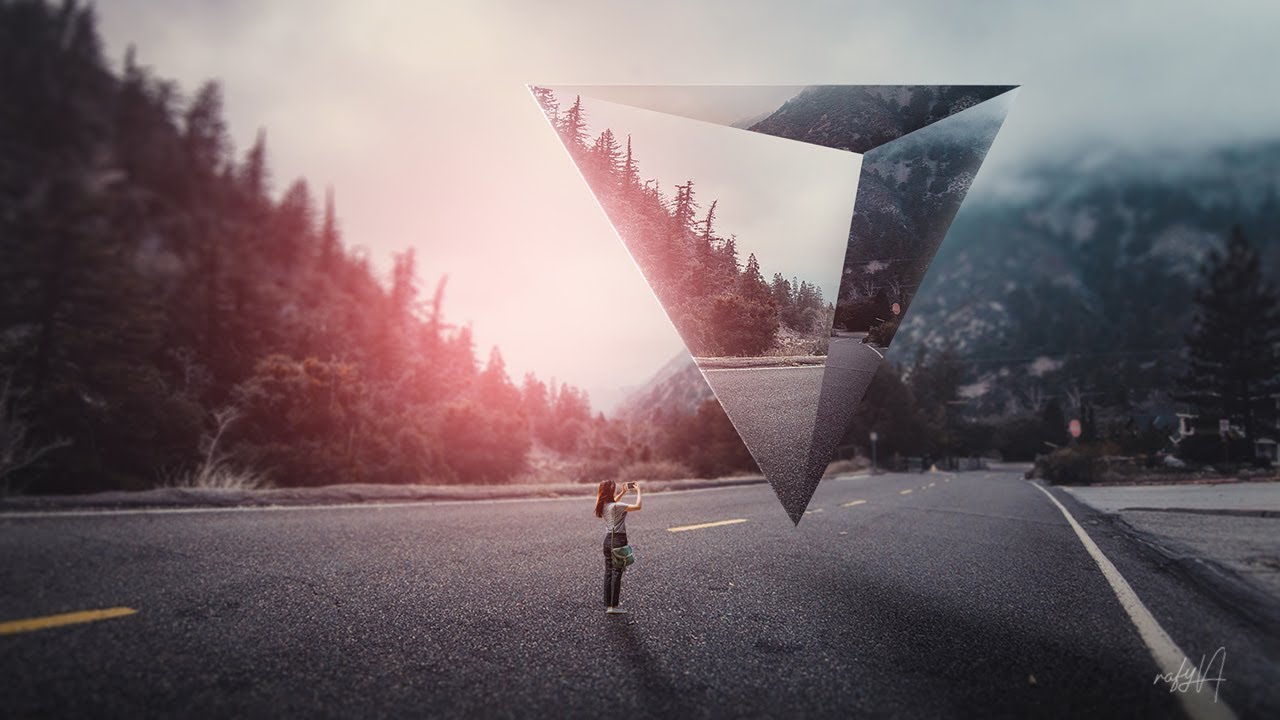
SUBSCRIBE for Photoshop Tutorials► http://bit.ly/rafy-A
making of surreal geometric landscape photo manipulation scene effect in photoshop.
I hope you enjoy my video & don't forget to hit that LIKE button :)
STOCKS download► http://www.rafy-a.com/2019/05/surreal-landscape-geo...
whole flame
yeah I have a problem, I confuse the prisms and the spheres
 drifting heath
Trying to quickly learn and keep up! I am learning so much though! Thanks!!
drifting heath
Potion! I had such big dreams for this, but with time constraints, this is what I came up with.
 whole tangle
day 2 potion challenge. I noodled with this one a lot.
 mortal crescent
Challenge 3 - I thought this would be hard but it wasn't so bad 😀
coral cloak
@bleak fossil Appreciate the feedback. I got lazy with the arm selection, the jagged edge is from the hair on my arm. I really need to sit down and master the refine edge brush. Thanks again!!
nimble shardBOT
Gave +1 Creative Carma to @bleak fossil
 deep mango
Slowly catching up with the challenges, here's my ethereal image for Day 1 🙂
And this is the original image
dense slate
Thanks @bleak fossil ! Might have been a bit misleading in what I was trying to do there ... there is a big gargoyle behind the crawling guy, in the dark, and, in amongst the smoke ... and the smoke was meant to separate them a bit (behind the crawling guy, in front of the gargoyle)!
nimble shardBOT
Gave +1 Creative Carma to @old hound
sacred field
Spooky.
 modern bear
fallow bough
sacred field
modern bear
fallow bough
sacred field
Eye will watch over you ...
oak mist
Look out behind you....
simple idol
Here is Day 3
spare badge
DAY 4
 chilly hawk
Ethereal Objects Challenge
mortal crescent
zenith mulch
loud mist
Fun challenge
sweet fern
I think most boys my age dreamt of Jeannie!
 dusky wave
Photoshop DCC #04 - Spooky Words my interpretation @jolly quest
queen aspen
Challenge #4: Smoke text.
simple idol
Spookorama
fallow bough
Did a bit more work on the text and added a color wash
queen aspen
Assets I used
safe linden
Day 4 Smokey type, where there's smoke, there's fire.
 forest aspen
Day 2: Magical potion. I don't know where the time goes! to much trying to figure out XD, maybe? The background is from Pixabay, as are the tiny bubbles. The big bubbles are AdobeStock. The Canadian whiskey sniffer and table are from PixelSquid.
coral stone
Thank you @coral stone Not sure if it worked.
@ruby panther you might try to add some more warps to the image just to enhance that sphere shape. Maybe this can help 🙂
Very nice atmosphere, @wheat coyote. Awesome pictures as well, I like how you adjusted the colors and lights of the hand to make it look like it really belongs on the scene. The second version is looking very nice as well. I like how the distortions on the image turned out, and how the pumpkins stand out among the greens. Nicely done!
@young karma great balance on day 3, Ellezz! I loved the dark atmosphere and how the teal tones help to build that spooky feel. The flare was a very nice touch to bring that powerful, magical context to the scene. If you want, you might position the crystal ball a little lower so the flare would look like it's being generated because the hand is touching the surface of the crystal ball, just an idea 😄 Well done!
haha @arctic rover I loved it! Great job preserving the crystal ball's highlights, and the subtle distortions really give that spherical shape without making the subject inside to look distorted. I like that you brought back more guests to the scene so the crystal ball could be positioned on an area where doesn't cover any of the faces. Keep it up!
Loved the update, @simple idol! I like that you faded the subject inside the potion to give that effect that it's inside the glass. Well done!
@fluid wharf I loved the vibrant colors of the image that you chose. The lights on the crystal ball are looking super cool as well. My only suggestion would be to brighten the hand just a bit, so it will match the bright sunny day from the background image and stand out a little more. Great job!
simple idol
Thank you so much @coral stone!
nimble shardBOT
Gave +1 Creative Carma to @coral stone
coral stone
@wet thistle, I loved the movie poster vibes from your composition. The blood splatters and the position of the elements like the crystal ball and that geometric pattern on the background adds an awesome suspense context to the scene. Excellent work!
@fallen talon this is looking super cool, Eric! The contrast between the black & white image on the background and the colorful shapes are looking very interesting. I also like the textures that you applied to the crystal ball and the movement that the shapes add to the composition. Nicely done!
@spare badge Great job with the crystal ball glow, Daxa! I loved the hazy look that you added to the background, it really creates that mysterious mood to the composition. My only suggestion would be to replace the hand, maybe adding an image instead of shape would help to sell the effect even more, especially because of the textures and the number of details. You can use a Levels adjustment layer to match the contrast and light values. The potion challenge worked out amazing! I loved the yellow from the liquid contrasting to the high contrasted blacks and whites from the background and the table. The perspective also looks very neat. Excellent works, Daxa!
Edit: Just saw day 4, you did a super cool job with the colors, the white tones from the text really helps it to stand out from the smoke colors.
Happy Friday @young karma! Loved the textures on the flowers and the subject, my only suggestion would be that if you want to enhance the blending or making the elements on the neck and the fish stand out a little more, you might duplicate the layer. If it's too intense, you can fine-tune the opacity slider. All personal preference, of course! Great job!
@little creek this turned out really great, Andrea! Glad you enjoyed making it. The distortions on the image from inside are looking very on point. This is just a personal preference, but if you want, you might replace the shadow of the crystal ball for a white glow, just to bring that magical context to the scene. If that is your goal, of course. 😉 Awesome work!
Very nice colors @tacit condor! I loved the way that you added a glow around the crystal ball and the hand, bringing some kind of superpower context to the image. The highlights and the distortions worked out really nice too. Well done!
@lucid plover super cool results, Fery! I loved the way that the edges of the text are looking, I can see that you duplicated the smoke, making it look like a double vision effect. This is totally optional, but you might consider adding a background and maybe playing with some textures, just to enhance the context of the composition. Great job!
@bold valley Great job with the font and the distortions! I like the way that you kept the readability of the text but you were still able to stylize it. The colors are looking very on point as well, the blue tones on the background really help the smoke and the text color stand out. Awesome work!
@naive steppe Nice improvement, Tasha! I like that you recovered some contrast for the scene allowing it to have that mysterious atmosphere, especially when combined with the colors. I also like how the subject looks brighter and faded, giving that ghost vibes. Very well done!
No problem, @whole flame haha. That's a very cool approach to the challenge. My only suggestion would be to position the images of the prism or even the prism itself more to the bright areas, so it will be easier for you to apply the edits for the shadows and highlights, making each side stand out according to the light values, without making them blend with each other. Loved the atmosphere of your image. Great job!
@drifting heath both images are looking awesome! Feel free to always tag me if you need any help or have any questions. Loved how bright the word is looking. Creating a contrast between the bright areas without making it blend, could be a little tricky but you managed it very nicely, making the colors of Spooky stand out from the smoke. The magic potion worked out super cool as well. Especially the textures of the liquid and the perspective of its surface. Keep it up!
bold valley
@coral stone Thanks for the nice compliments.
nimble shardBOT
Gave +1 Creative Carma to @coral stone
coral stone
Very nice work @whole tangle! I like the way that you kept the orange tones consistent. My only suggestion would be to reduce the opacity of the shadows just a touch, making it look less strong. If you see that the object is no fitting on the scene, you might consider then applying an occlusion shadow which is the shadow created by the contact between the glass base the table’s surface. It is very small, sharper than the others, and stronger. Here's a cool video where Aaron creates shadows from scratch, the creation of the occlusion starts at around 4:30 https://www.youtube.com/watch?v=med_7bUSHpo Let me know if you have any questions. Nicely done!

I Guarantee I Can Teach You to Master Photoshop. Learn How: https://phlearn.com/aaronwillteachyou
How to Create Perfect Shadows in Photoshop
A shadow helps any subject look grounded in its background. This tutorial makes creating the perfect shadow easy and fun!
Shadows are...
Loved the colors that you chose for day 3 @mortal crescent! The highlights help the crystal ball to have a nice sense of depth. My only suggestion would be to brighten the hand just a touch and with a color balance adjustment layer, add more magenta tones to the shadows, so it will match more the magenta smoke around the ball and the shadows from the background image. You might also make some subtle tweaks on the midtones as well. Well done!
@deep mango Great job changing the atmosphere of your image to create some spooky vibes, especially by introducing more dark tones and allowing the cyans from the ethereal effect to stand out. The motion blur and the distortions are looking very on point as well. Great job and great to see you’re back. 😀
zenith hornet
The potion in motion. All tips and critics welcome! Im learning a well. VOO DOO VAL is a great instructor. Shalom!
whole tangle
@coral stone Thanks, Valdair! Yes, I wasn’t happy with the shadow, will try to fix it. Thanks for the video link too!
nimble shardBOT
Gave +1 Creative Carma to @coral stone
coral stone
I love that you placed the two Os in front of the skull’s eyes, @sacred field, it was a great way to add visual interest to the composition. I also like the smoke from the candle going straight to the nose of the skull. Awesome work, Marc!
@modern bear this is looking great! I like the neon look from the text. The blue tones from the smoke and the dark background helps it to stand out very nicely as well. Nicely done!
sacred field
Thanks @coral stone!! Have a great weekend! 👍
nimble shardBOT
Gave +1 Creative Carma to @coral stone
coral stone
Thanks @sacred field! You too 🙂
nimble shardBOT
Gave +1 Creative Carma to @sacred field
coral stone
Great job unifying the colors @fallow bough! I like how in version two the blues and whites allow the orange tones from the fire to stand out. Also, the way that you blended the text with the smoke creating some overlaps adds a nice depth to the scene. 💯
This turned out great @digital pike! I loved how the edits are looking on the text, especially on the edges. The brightness is looking very on point too, I like how the smokes don’t compete with the text. The eyes in the second version are looking very scary. Awesome job!
 modern halo
My First Take At Challenge 4
chilly hawk
Hello, Magical Potion Challenge
left abyss
Crystal Ball with adjustments, it does look more like the tarantula is actually inside it. Added a little more sphere glow which I think made it look more like an orb. Thank you @coral stone
nimble shardBOT
Gave +1 Creative Carma to @coral stone
spare badge
@coral stone Thank you very much for your feedback! Really appreciated. Will work on your suggestion 👍
nimble shardBOT
Gave +1 Creative Carma to @coral stone
bleak fossil
@lucid plover The edit is looking excellent, very nice!
 cold oyster
Crystal Ball
vague swift
day three
oak mist
Amazing @cold oyster!!!
vague swift
I give up 🙂 day two is bugged out , haunted..... its a glass with liquid in it. Done!
oak mist
Maybe the image is too large?
vague swift
nah, its getting smaller and smaller .
oak mist
Oh geez :/. Wish we could have seen it! Sorry it's not working
lucid plover
Thank you @coral stone
nimble shardBOT
Gave +1 Creative Carma to @coral stone
vague swift
@oak mist thank you, its all good.
nimble shardBOT
Gave +1 Creative Carma to @oak mist
lucid plover
Thank you @bleak fossil
young karma
@vague swift --Uploaded for Janet-- I opened the original and reduced the resolution and dimensions.
vague swift
@young karma thanks 🙂 superstar is there a dimension limit?
nimble shardBOT
Gave +1 Creative Carma to @warm oasis
bleak fossil
@nimble tusk Very creepy concept and premise to this one. Really great job on matching the coloring and lighting of all the images. I really like how the images within the crystal ball have the greatest contrast. Nice work 👍
@spare badge The Day 3 crystal ball image is looking great! Really nice job giving the background more of a faded look in terms of contrast to really like the eye/crystal ball stand out. My only suggestion is that it might look good to give the hand a slight gradient so it gets a little darker towards the wrist away from the light. It might just give it a bit more dimension to match the more realistic style of the rest of the image.
Day 2 is looking nice as well. Really liking the texture and bold color contrast of this potion design!
@sweet fern Looking good, great effect! I remember watching that show a bit on Nick at Night when I was younger, hah. Really liking the consistent color scheme in this. It's a minor suggestion, but I feel like giving the text a bit of an inner or outer glow to separate it more from the background wispy effect might give it a slightly stronger read at a glance. Nicely done!
@whole tangle Great design! Really excellent contrast in this image, it gives the glass a strong focal point. Excellent work on the lighting and texture of the liquid, everything is reading very well. Great color scheme too!
@mortal crescent Challenge 3 is looking great! I like the clear focus and contrast on the cat face. The purple and green color scheme gives the whole design a nice cohesive look and spooky feel. My only minor suggestion is I feel like the hand could have a little more brightness in the palm given the brightness of the orb above it. Not much is needed, but a small boost might help them fit together a bit more. A mask levels adjustment, color dodge layer, or screen layer with a soft round brush could all work nicely for this effect. Well done!
@drifting heath This is looking excellent! Really nice contrast and color to this design. The text has a great smokey/wispy look to it but still reads very clearly. Nice work!
@young karma Really cool image! I really like the face paint effect on the side of the head. The painted texture effect adds a really interesting look to it as well 👍
@little creek Really nice job with the sphere effect, it's looking really nice and contrasts well against the background! My only small suggestion is I think the hand could use a little more contrast, both by boosting the dark and light tones. Currently the background image seems to have more contrast which makes the hand seem slightly out of place and not quite fit the lighting of the background. Looking good!
@tacit condor Really cool effect! I like the idea of the sort of spiraling magic around the crystal ball. Though I think it might help to brighten up the crystal ball to give it a bit more strength as a focal point since the color contrast of the magic is currently overpowering it a bit. For magic effects it also helps to have the center be the brightest. I usually do this by creating a shape with a nearly white center, and then choosing an outer glow layer effect that is more of the color I want it to be. Nice work!
@lucid plover Really cool look with the wispy effect on this Day 4 design! It could help push that magic-like effect if you gave the whole thing a little bit of a glow. Nice job!
whole tangle
@bleak fossil Thank you, Sam! I appreciate your feedback.
nimble shardBOT
Gave +1 Creative Carma to @bleak fossil
lucid plover
Thank you for the suggestion and the feedback @bleak fossil
nimble shardBOT
Gave +1 Creative Carma to @bleak fossil
spare badge
Thank you for your feedback !! Really appreciate @bleak fossil
nimble shardBOT
Gave +1 Creative Carma to @bleak fossil
 half glen
The ideas in these videos and the designs submitted provide so much potential. What a pleasure to wander through these stunning designs. Thank you all for sharing. I combined the first three tutorials in one.
quick wolf
DCC #4: Smoky Words. I guess it ended up looking more firey? I went with an orange-y smoke and I liked the look. My biggest worry is that you won't be able to read the words, I did try to mess with the words a lot to try to get it to emulate what the smoke is doing. I like the challenge, but I'm not sure if I achieved the smoky look.
Image credits:
Smoke - Chuttersnap on Unsplash
Background - Andy Li on Unsplash
 wheat briar
Images were from Pixabay or Pexels.
Smoke from www.deviantart.com/fmstock
IMAGE DETAILS
young karma
Daily Challenge 201002 - Smoke Text
elfin thorn
DCC day-4 Smoky Lettering
young karma
@young karma thanks 🙂 superstar is there a dimension limit?
@vague swift -- They say the size limit is 8 mb but my guess is when Discord is under high usage it may be quite lower. Yours was almost 6 mb when I downloaded the original.
spare badge
@bleak fossil @coral stone updated version based on both of your suggestions. how about now?
tropic knoll
Smokey Text. This has approx. 15 images in it. For me the pie was the hardest. I hope the worms are visible. The kitty is tapping on the Orb. Does that come through ok? Thank you!
chilly hawk
Crystal Ball Challenge
 near glacier
Just found this - first time here. Excited to try a challenge!
wet thistle
@coral stone Thank you! I addition I applied a Motion Blur filter to the blood to match it better with the background and I made the text less prominent.
nimble shardBOT
Gave +1 Creative Carma to @coral stone
near glacier
My first challenge.
bleak fossil
@spare badge That's great Daxa! It fits with the scene really nicely now. The lighting on the hand is looking really good too 👍
@bold valley Great colors on this, and really nice value contrast between the 3 different layers. The wispy effect and lighting is looking really cool. I think brightening up the text a touch to give it more contrast and giving it a slight glow could be a nice effect, but of course that's totally personal preference. Looking good!
@deep mango Really cool use for this photo! The dark background makes for some really nice contrast with this effect. The effect is looking good! The wispy edges and doubled effect give it a nice look. My only suggestion is it could look good to mask out some of the areas of the darkened background to brighten it up closer to the original in the sky a bit, and maybe around the ground and tree in the foreground. Brightening those areas up might help give it a more natural look but also make it appear as though the ghost is casting a bit of light on the environment. Nicely done!
@sacred field Really cool image with the skull, hah. The candle feeding up into the text smoke is a nice effect. The warping on the text is looking really good. I could see this being an animated intro with the candle being blown out for some show about spooky stories. Very nice!
@modern bear The wispy effect and text is looking really nice! I feel like you could probably go even a touch lighter in the text but that's just personal preference. Nicely done!
@fallow bough Really liking all the smoky and wispy texture in this design! The blend between the smoke and fire came out nicely. My only suggestion would be to mask out the smoke on the very left side behind the text just a little bit with a large soft round brush to give it a bit more of a faded look. I think that would help the text contrast against the dark background a bit more and give it a slightly stronger read. But maybe just ever so slightly if you're going for the effect as if the text it formed out of the smoke. Very cool!
@digital pike Cool effect on the text here! I really like the ghostly glow the text has. Really nice job warping it and giving it a creepy texture. Great contrast and read to this image, very nice!
@oak mist I really like how the text seems to be rising out of the trail of smoke at the bottom. I also like how it's kind of a subdued contrast, which almost seems like the visual equivalent of a whisper which gives this whole design an interesting feel. Though I feel like the text is almost too clean and modern of a font for this kind of effect, perhaps pushing the warping a bit further might give it more of a wispy effect to fit with the smoke? Looks great!
@near glacier Awesome, glad you joined us for this! I think the smoke effect and distortion on the text is looking really cool. Because the text is so small/thin I think it could help to brighten it up a touch to give it a stronger read. Or even just a bit of an overall brightness boost with a levels adjustment. Really nice work!
@dusky swallow These edits are looking very nice for Day 1! Kind of like an effect of a spirit rising from the grave? The wispy ghostly effect is looking good. 👍
@tropic knoll Oooh, creepy. Really cool to see how you fit so many images into one design! The warped crystal ball effect is really neat. I think having the texture inside of it kind of gives it a more magical energy type of feel rather than a solid orb, but it really just depends on what you were going for. Really nice job with all these elements!
@stone wigeon Really nice job compositing all these images together! I like how the faces on both sides seem to be emerging from the darkness. The wispy/smoky effect looks great! This is just a suggestion, but it might look nice to further separate the text from the background smoke by giving the smoky layer a slight blue tint like we see in the top of the candle. Looking good!
@chilly hawk Really nice, the crystal ball is looking great! Really cool scene inside of it and it has some nice contrast with the dark background. My only suggestion is it seems like the hand should be overall darker and maybe have a slightly bluer tint to it to fit the lighting and color of the rest of the scene. It might also help to make the lighting coming from the top a bit more. I often like to use color dodge layers for lighting and multiply layers for shadows. Maybe something like this?
 shy bobcat
Day 4 - Smokey Words
 ember crown
used this for the eyes
Challenge Spooky Text--Text from the title of the song I'm listening while creating this.
ruby panther
Challenge 4. I'd run.
 dusky swallow
@dusky swallow These edits are looking very nice for Day 1! Kind of like an effect of a spirit rising from the grave? The wispy ghostly effect is looking good. 👍
@bleak fossil Thanks, I know I am late, but I live in India now and we are working for the hospital here, so days are busy. Although I really want to try to do this challenge as it will give me a break from my routine ....
young karma
@coral stone thanks much for the suggestion!😆 I really needed that~
nimble shardBOT
Gave +1 Creative Carma to @coral stone
shy bobcat
Day 4 - Smoky Words. Wasn't happy with the way the text was hard to read so I tweaked the opacity
fluid wharf
day4
spare badge
@bleak fossil Thank you for your guidance. 🙂
nimble shardBOT
Gave +1 Creative Carma to @bleak fossil
 outer vector
Hello everyone, I have completed till day 3. Still working on the Smoky Words.
But here's what I have created till now.
https://www.behance.net/gallery/105398137/Photoshop-Daily-Creative-Challenge-September-28 😅 😄

Behance
Photoshop Daily Creative Challenge September 28
nimble shardBOT
Gave +1 Creative Carma to @bleak fossil
sacred field
Thanks, @bleak fossil!! 👍
thorn geyser
Day 4 Smoky Words
tropic knoll
Hi @bleak fossil! First of all, it's always a pleaure to read your insightful feedback. I must have something right, you never mentioned anything about Shadows. I worked really hard to get the shadows in. I am wondering, do you feel I need to add a shadow or possibly darken the pie a bit? TIA!
young karma
Day 4 challenge_spooky text
think I gotta learn how to wrap text properly, first trial
fallen talon
@fallen talon this is looking super cool, Eric! The contrast between the black & white image on the background and the colorful shapes are looking very interesting. I also like the textures that you applied to the crystal ball and the movement that the shapes add to the composition. Nicely done!
@coral stone Thanks!
coral stone
@eternal mica super cool work, Ted! You got some very interesting results with the blendings, especially how the red and blue smoke creates a third color when they overlap. My only suggestion would be to adjust the right side of the composition where there are some vertical edge, for that, you might consider scaling up the smoke layer or create a clipped levels adjustment layer and dark the image until the areas start to blend with the black background (that if you used the Screen blend mode). Well done!
@mortal crescent This is looking great, Key! I loved how you managed the text distortions and its contrast against the smokes on the background. The subtle black corners add a cool focal point for the composition as well. Excellent work.
Loved your color choice, @zenith mulch! I like how everything came together really nicely with the text distortion and the smokes. The pumpkins around were a great touch as well. Great job.
zenith mulch
@coral stone thank you very much for the feedback; I appreciate it
nimble shardBOT
Gave +1 Creative Carma to @coral stone
eternal mica
@coral stone Thank you for your critique. I thought I caught all of the edges. I missed that one. I'll correct it.
nimble shardBOT
Gave +1 Creative Carma to @coral stone
coral stone
Loved the dark atmosphere of your image, @shy bobcat! Especially the way that you made the words and the smoke brighter than the background, allowing them to have a nice contrast and increasing the readability of the text. The distortions and the glow worked out really well too!
 mortal moss
So much great work I look forward to viewing more closely later! Here's my Creative Challenge #2 for this week.
[References I used.] Thanks to Rafael Silva & Ash Edmonds from Unsplash for the files!
mortal crescent
Revised Challenge 3 - I've lightened up the hand, added more magenta to the shadows and made an adjustment to the midtones. Does this look better?
plain sable
Challenge #4
cold oyster
Original Image from Deviant Art https://www.deviantart.com/removale/art/Witch-s-brew-815793393
Spooky Letters
 neat sparrow
simple dagger
cold oyster
neat sparrow
simple dagger
cold oyster
Thank you @oak mist
nimble shardBOT
Gave +1 Creative Carma to @oak mist
rain agate
Challenge #4 a lot of fun! I def need to practice but I’ve always wanted to know how to do this!
 untold crown
This is my first photoshop challenge so I just followed the tutorial without adding much of my own creativity.
chilly hawk
Crystal Ball darken the hand a little. Thank you, I really appreciate your help.
 spark ledge
Here is my ethereal challenge. First I tried to follow along what @jolly quest did, then added the beam of aqua light, a few options.
I ran into a problem with the last one- where I applied a dissolve blending mode to the aqua light beam. On my screen in PS it looked quite spotty with a spatter effect that I liked. When I saved as a JPG (with a high quality 5MB) that effect seemed to disappear and flatten out. Please see this attached image showing my PS screen file on the left and the resulting JPG on the right. Is there something I am missing here as to why this is changing? Any tips appreciated. Thanks!
 fringe sun
Working on catching up on all sorts of things this weekend. Here is the latest Behance link.
 deep mango
I got what you mean @bleak fossil, I added some blue light around with a lower opacity 🙂
loud mist
Added some creepy eyes
plain sable
Challenge #4 V2 Tried to brighten up the text...
shy bobcat
@coral stone thank you for all your feedbacks, you give me confidence to experiment more, and see things that I do not really understand.
nimble shardBOT
Gave +1 Creative Carma to @coral stone
coral stone
When exporting in JPEG even with the highest quality, a compression occours and the image loses some of the details even when it’s not noticeable. Try to export it as .png-24 using the save for web workspace (File > Export > Save for Web). @spark ledge
Thanks for the kind words @shy bobcat. It means a lot! 🙂
nimble shardBOT
Gave +1 Creative Carma to @shy bobcat
untold crown
Here's my potion for challenge #2. I'm excited I was able to do this!
 livid badger
Spooky Challenge start. I have lurked in these challenges for long enough. It is time I attempted one. I want to add this owl to a spooky tree background. I made him B&W and masked his eye as orange. But when I move it into the other image as a smart object, the eyes are not orange. What am I doing wrong?
 compact pecan
Catching up... Day 3: a "spooky" crystal ball
fringe sun
Challenge #9 from previous challenge... Symmetry with Paul Trani
oak mist
THAT is SO lovely, @fringe sun!!!
 nimble shardBOT
Gave +1 Creative Carma to @oak mist
 twilit marsh
@arctic rover I like the "Coven Tonight" design, but the building that you masked in, should, in my opinion, be brightness matched just a tad more.
 bronze bluff
smokey words
dense slate
PS DCC: Spooky Text! Yikes ... two choices, no waiting!
pliant comet
PSDCC Day 4 with VooDoo Val - Smoky words
There's a furry critter in the smoke!
eager shale
Challenge 4- Smokey Words.
chilly hawk
Hi! Smokey words challenge
 torpid frigate
Challenge 4 - Smokey words
wheat coyote
Challenge 4, Smokey words
simple dagger
The face is my first attempt. The building is my second with technique suggestions from @coral stone . Thanks for the help!
nimble shardBOT
Gave +1 Creative Carma to @coral stone
simple dagger
nimble shardBOT
Gave +1 Creative Carma to @coral stone
thorn geyser
@coral stone Thank you for the feedback! I have made some changes now and added more glow to the hands, and a rim light to the thumb
 covert loom
Day-1 Ethereal Objects
fallen talon
Challenge 4 - Think I kind of got away from the smoke, but I like the way the image turned out
whole tangle
Here is my day 3, crystal ball challenge.
 calm river
@whole tangle how can I submit my work from pc
mortal moss
@calm river -- click the + sign to the left where you type messages.
calm river
@mortal moss just I msged through my mobile not my PC, same things can't show in my pc
spark ledge
When exporting in JPEG even with the highest quality, a compression occours and the image loses some of the details even when it’s not noticeable. Try to export it as .png-24 using the save for web workspace (File > Export > Save for Web). @spark ledge
@coral stone Yes, noted and thanks for the suggestion. I tried this and it didn't seem to change my issue. However, then I did some googling and found this thread, which provided my solution.
https://community.adobe.com/t5/photoshop/flattening-image-changes-it/td-p/9021449?page=1
It seems that my issue is I was viewing my PS file at 33% (working on a small laptop) and the noise effect particularly looked very sharp and contrasted in the PS view. When I flattened or saved as JPG or PNG the effect softened VERY noticeably. However, once I set my PS view to 100% I saw that there actually was no change!!! The effect at 100% in PS looked significantly different than at 33% view in PS. In this chat linked above they mention that this change will be more noticeable with certain effects, so it seems that in all my years using PS this is the first time it has really registered for me. Anyway, very good to know this and wanted to share in case this can help anyone else with a similar issue.
https://community.adobe.com
Hi all. I dont remember ever seeing this before but am today. I have an image with over a dozen adjustment layers. When I flatten the image, it changes. Specifically it gets a little darker. What am I missing? Thanks
whole tangle
@calm river There should be a + space at the bottom of your screen.
spark ledge
So also, for Ethereal Effects after trying to practice what @jolly quest did on the starter file, then I tried my own. I attempted a few different compositions but couldn't quite find the right images to combine, and was struggling. In the end though I think this one worked out well and I am particularly happy with how the sky turned out. Open to any suggestions too.
calm river
@whole tangle in space at the bottom of my screen showing error symbol and not permission to acess to file uploading
whole tangle
@calm river I’m sorry you’re having trouble. I am not a PC person and I’m not terribly tech savvy either. You might want to reach out on the ask-a-question section. I’m sure someone will be able to help.
calm river
@whole tangle thanks
nimble shardBOT
Gave +1 Creative Carma to @whole tangle
whole tangle
@calm river Good luck! I hope you find answers. 🙂
forest aspen
Day 3: Crystal ball. Autumn woods image and highlights on crystal ball from Pixabay. The hand is from AdobeStock.
 rocky kite
PS challenge - Spooky smoke
 blissful geyser
Spooky
forest aspen
Day 4: smoky letters. Smoke from Unsplash and Pngimg; font is Chantal
bleak fossil
@blissful geyser Very nice work with the distorted text and wispy smoke in the background! I like how the smoke seems to be both behind and in front of the text in different areas. It makes them feel integrated together. A small nitpick is the background shapes on the bottom and right kind of make it feel like an odd crop job. I think keeping them separate diagonal shapes like we see on the left side would look more intentional. Just a thought. Looking good!
@rocky kite Cool color contrast with the orange text against the blue background! The wispy and textured effect of the smoke and text is looking really good. I feel like perhaps the text could use a little boost to the brightness to help it pop a bit more. I like the lighting effects too!
@shy bobcat The wispy effect within the text is looking great! Really excellent contrast between the text and background as well. The background image is a nice choice, I like how it's darkened down enough that it still reads clearly but doesn't distract from the text. Nice work!
@ember crown The text warping effect is looking good! The wispy smoke in the background is looking good as well, and I like the color gradient that you added. My only suggestion might be to brighten up the text a bit so it has a bit of a stronger read against the dark background. Nice job!
@elfin thorn Cool texture in this Day 4 design! Really nice work with the wispy smoke effect and warping the letters to fit with it. 👍
@young karma Really nice composition in this image! The wispy smoke effect is looking great and I like how made the color of it fit in so well with the background image. My only thought is the text is a touch hard to read at a glance. If you want to keep the effect I think even brightening it up just a touch might help it pop and read a bit easier, as well as strengthen it as a focal point. Really nice work!
@wheat briar Really cool effects in this image! The way the crystal ball overlaps the face gives the whole image some really nice depth. I really like the fire and texture effects within the ball, nice job!
@forest aspen Looking good! Nice job with the text warp effect. I think softening up the edges of the text so they don't look quite so sharp and crisp might help push the smoky effect. I like the color choice 👍
@quick wolf I really like the fiery take on this Day 4 challenge! I think giving the text a bit more brightness like it has more of a white hot center could be an easy way to give it a stronger read at a glance. Nice work!
@half glen Really glad you're enjoying these! I like the texture you're getting in this design a lot. The smoky effect adds nicely to that ghost-like feel. The bold contrast works well too!
vague swift
this was a fun PDC
young karma
Daily Challenge 201002 - Smoke Text Version 2 with suggestion from Sam Peterson with was: The text is a touch hard to read at a glance. If you want to keep the effect I think even brightening it up just a touch might help it pop and read a bit easier, as well as strengthen it as a focal point. Really nice work!
@bleak fossil -- Thanks
nimble shardBOT
Gave +1 Creative Carma to @bleak fossil
winter tinsel
Challenge #4 Smokey Words. (Photos used are by Abdulaijd Sanusi, Kristoffer Jensen, Huzeyfe Turan on UnSplash.) How’s my composition? Should I crop some of the bottom?
stone wigeon
@bleak fossil Thanks for the suggestion! 😀
nimble shardBOT
Gave +1 Creative Carma to @bleak fossil
covert loom
Magical Potion (Day # 02)
coral cloak
Day 4 - Spooky Text
chilly hawk
smoky words
covert loom
Crystal Ball (Day # 03)
bleak fossil
@covert loom Looking good! I really like how the strongest point of contrast is in the crystal ball. The lighting and colors fit together very nicely. The Day 2 challenge looking good too!
@chilly hawk Nice use of color in this design, looking good! The text warp and blur effect is working nicely with the smoky effect. Putting the house in front of the smoke effect adds some nice depth and clarity too. Nice work!
@coral cloak This Day 4 challenge is looking really cool! I really like the stark glowing contrast of the text and wispy effect against the black background. It really gives the effect that a hard light is hitting is. I like how much it looks like the smoke is coming off the text too. Nicely done!
@winter tinsel Really cool idea! The effect of the text coming out of the smoke is working really well. I think the composition is working nicely, though a little more room at the top and right might not be a bad idea. It might make the text become a bit more of the focal point and give it a little extra breathing room. Looking good!
coral cloak
@bleak fossil thanks Sam, as always the critique is greatly appreciated. I plan on being around for awhile, so feel free to go a little harder on the criticism if need be. I’m striving to get better. 👍
nimble shardBOT
Gave +1 Creative Carma to @bleak fossil
covert loom
Thanks @bleak fossil
nimble shardBOT
Gave +1 Creative Carma to @bleak fossil
 pliant forum
This is my Ethereal Object, but somehow didn't get the wave right...
...from the original
 tardy ridge
This is my version of the day 1 challenge least week
young karma
Day 3 _ Crystal Ball
dusky swallow
Challenge day 2
coral stone
This is looking very nice, @pliant forum! I like the colors that you chose, especially how the background seems to make the subject stand out more. About the wave effect, try to decrease the Number of Generators and then decrease the Wavelength sliders, this will give you fewer waves and more space between them. Let me know if you need any help. Great job!
@tardy ridge Super cool color choice! I loved the way that the subjects and distortions are looking balanced, allowing a nice focal point for the composition. I like how you made the effect to look like that some glitch is happening. Excellent work!
@young karma The crystal ball and the background play very well together in your composition! I like how the highlights allow it to stand out without being strong, and the small flare was a very nice idea, if you want, you might position it over the crystal ball’s highlights, just to create the effect that it’s the light reflected on it. The warp also worked out really great. Awesome work, Mina!
elfin thorn
This is Rev. A
coral stone
@dusky swallow I loved the textures and how you preserved the glass highlights on the empty area on the top. The high contrast among the liquid’s surface and the inner part helps it to stand out really nicely. My only suggestion would be to try to give some blur to the middle and base area of the glass, to match the blurred top and the resolution of the background image. It doesn’t need to be a lot, just a touch will be great, so it won’t lose its details. Well done!
@covert loom very nice Mahedi! I like how in version two the text is easier to read allowing the smoke to be a second element for the scene. The blur and the distortions worked out really nice as well. Super cool work!
@elfin thorn wow, I loved the symmetrical look of your image! The way that you positioned the text following the smoke directions made it achieve a nice visual balance, especially because it helps to guide the eyes to the skull in the middle. My only minor nitpick is that it looks like there is a T instead of a D on the word COVID. The colors are looking great, and I like the fire particles that you added. Nicely done!
covert loom
Thanks Boss @coral stone
nimble shardBOT
Gave +1 Creative Carma to @coral stone
outer vector
This is what I made for Day 4
 gleaming tundra
This is my really first challenge with you, i know it's not original but i find it nice 🙂
 tiny nest
my smoky words
tacit condor
PS DCC #4 Smoky Words
hollow yarrow
Almost late! Very busy week-end
arctic rover
@arctic rover I like the "Coven Tonight" design, but the building that you masked in, should, in my opinion, be brightness matched just a tad more.
@twilit marsh Thank you for the feedback!! I've been playing around with it and will repost when (and if) I'm happy with it. Again thank you!
neat shale
Finally catching up, I was lazy this weekend. I changed the highlights on the hand and added more glow to the bubble. https://www.behance.net/gallery/105521131/10120-Photoshop-Daily-Creative-Challenge-Day-3

Behance
Day 3 - Crystal Ball. Design a crystal ball that contains a mysterious scene using Transform and Warp.
 heady bronze
#✂challenges-feedback This was a fun project. I added a glow to the palm of the hand for a reflection of the glass ball look.
pliant comet
PSDCC Day 4 with VooDoo Val - Smoky Words
I went back and tried to make the word a little easier to read. Hopefully I didn't lose the critter!
whole flame
pliant comet
@jolly quest ☺️ Thank you!
nimble shardBOT
Gave +1 Creative Carma to @jolly quest
spark ledge
Magical Potions Challenge. I used a bit of grain/blur to soften the glass to match better with the scene photo, but it still seemed to stand out too much. Then I added a warming photo filter in peach color to the glass and I think it integrates better. What do you think?
neat shale
@spark ledge the potion looks so real! for the cup try putting multiple layers on multiply for shadows and overlay and soft light for highlights!
spark ledge
@neat shale Thank you for the feedback! Do you mean that you would duplicate the wine glass layer and make one of them blend mode multiply, one overlay, and one soft light? What bothered me about the first image was that the glass seemed too much cool toned, while the background image had a warm glow, which I think the filter helped.. but I am not sure how to adjust the lighting of glass.
nimble shardBOT
Gave +1 Creative Carma to @neat shale
neat shale
@spark ledge yeah! so just duplicate them. also using "match color" on the cup using the background layer should help
 onyx cypress
 jolly quest

Silhouette. Download this photo by Rainier Ridao on Unsplash
 dawn shuttle
bold valley
dawn shuttle
bold valley
My Hose on Halloween. Did you find the cats?
mortal crescent
pliant comet
@bold valley I found the cat! 🙂
 slow stirrup
Day 4
lucid plover
DCC Day 5,Watcher in the Window
 lime zealot
Hello! First time here and catching up with Day 1! Greetings from Argentina
modern bear
pliant comet
PSDCC Day 5 with VooDoo Val - Watcher in the Window
How many cats can you find in this picture?
bleak fossil
@spark ledge I think the warm tint definitely helps set it in the scene more. Things like glass or white fabric often take on a lot of the color of the environment so that's a great edit. If you wanted to push it any further a little bit of glare/reflection on the glass could help. I googled "wine glass outside" and got a lot of good reference examples. Sometimes I like using Multiply layers for shadow and Color Dodge or Screen with a soft round brush for lighting effects. Either way I think it's looking really solid, nicely done!
@onyx cypress This is looking great! Really nice sense of depth with the layered tape and the varying levels of focus. I really like the stark red you used for everything, and the wine glass still works nicely as a focal point with its strong texture and contrast against the background. Nice work!
@dawn shuttle This smoky text effect came out really well! I like how the wispy smoke seems to be coming directly off the text in a lot of places. The brighter value of the text does a great job of helping it read clearly at a glance. Very nice!
@bold valley Hah, very nice! It took me a bit before I saw the cat face. Nice job adding these different elements. I think giving the red background a bit more brightness and/or a bit of a glow could do a nice job of making the effect a bit stronger a more dramatic depending on what you're going for. Looks good!
@slow stirrup Cool effect! The intense green glow definitely makes for a strong visual impact. The green is a nice choice too, very creepy. Nice work with the glow effect 👍
The Day 4 text is looking really nice too!
slow stirrup
Thanks, @bleak fossil. I wasn't sure about Day 4, so I'm gonna take your work for it.
bleak fossil
@mortal crescent I like the silhouette image for this one! Nice work on the sort of purple glow/tint coming out the window. My only suggestion is I think you could go a bit brighter on the purple glow in the window. It's hard to see the silhouette at a glance and with how much purple glow is seeping out the window there would likely be a brighter light inside the house. It might give the whole design a bit more visual impact too. Nice work!
nimble shardBOT
Gave +1 Creative Carma to @bleak fossil
bleak fossil
@slow stirrup If you're unsure of it and want to push it further you could always try playing around with lighting a bit. With a green light that bright you might even see a slightly green tint on the ground and wood fence out front. Even a subtle cool colored lighting effect on the roof and ground to simulate a touch of moonlight could look good. Just some ideas that may make all the lighting seem a touch more realistic.
@lucid plover Nice job with the glowing and lighting effects on this Day 5 design! The red window gives the image a dramatic look and the lighting on the ground in front of the pumpkin turned out very nicely. Really cool creepy background image too. Though I wonder if a little more lighting in the background image might look a bit more realistic. Maybe a slight gradient in the sky, or a touch more brightness in the center of the image, or on the roof/ground like there's a touch of moonlight coming from above. Just a thought. Really nicely done!
lucid plover
thank you for the feedback @bleak fossil
nimble shardBOT
Gave +1 Creative Carma to @bleak fossil
lucid plover
let me try it
slow stirrup
@bleak fossil, ho, I was referring to the smoky text, but I'll give it a try...
fallow bough
Not sure which house I like better
Added reflections from original window to give the window glass a more realistic look.
bleak fossil
@slow stirrup Ahh, gotcha. I think it's looking solid as is really, I just know sometimes people aren't always satisfied with an image so those were some possible options to explore. 👍
lucid plover
Revised
blissful geyser
Kerri looking thru window to the other side.
bleak fossil
@lucid plover I like it! Very cool, the lighting feels a bit more natural I think and centers the focus nicely.
hollow yarrow
Day 5 - Watcher in the Window
lucid plover
Thank you very much @bleak fossil
nimble shardBOT
Gave +1 Creative Carma to @bleak fossil
bleak fossil
@whole flame Very cool! I like how the text is almost a touch difficult to read... it kind of adds an air of creepiness to it. Though I wonder if the smoke/clouds having a tint of blue/green might fit the mood of the image a bit more and contrast the red of the text nicely. Looks good!
@lime zealot Awesome, glad you're joining us, welcome in! Really loving the background in this design, the color and softness of the edges really add a mysterious and creepy feel. The ghost effect is looking really good, but I wonder if duplicating one of the layer and changing the blending mode to something more solid might help the mid section of the body show up a bit more. Currently we mostly see the glow of the head and feet but the dark section of the body somewhat disappears. Of course it just depends what you're going for. Really nice work!
@modern bear Very cool! The figure makes for a really dramatic look in that window against the bold red color. I think the background image does look a touch bright for what I assume is supposed to be a night scene. I think you could darken it down even a little more for a more realistic look. Nice job with the glow effect as well. 👍
@pliant comet Really nice job with the masking and light effect! The glowing red looks really natural and super creepy. Makes me think of Hereditary. I spot 11 kitties, did I miss any? Hah, really nice work on this! (The Meow smoke effect is great too xD )
@heady bronze The crystal ball effect is looking great! Really nice contrast to it, especially around the edges, that really helps the effect I think. My only small suggestion is I think you could increase the contrast in the hand, specifically the dark tones. The contrast and dark tones of the background image seem to be quite a bit more than the hand. That might help them fit together a bit more. Looking good!
@fallow bough Hmm, really interesting. Personally I think I might like the first one a bit more. I like the dramatic angle and wider window set. Though the second one is creepy in the sense that we're seeing it from a bit further away which almost makes it a bit more mysterious. Nice job on the color grading and red glows on both of these!
modern bear
@bleak fossil I was trying to darken it more but I had a hard time getting to look right.
bleak fossil
@blissful geyser Really cool effect! I like how the figure almost seems like a gaseous or spirit-like creature. My only suggestion would be to soften the edges of the face/eye peeking out so it looks more realistically like it's a window within this sort of wispy spirit. Really liking the colors in this effect 👍
@modern bear What were you using to darken it?
modern bear
@bleak fossil I was trying to adjust the gradient and use the tools that @jolly quest used. I had a hard time getting it dark to look right with my house though.
sacred field
Challenge 5. Window Dressing.
bleak fossil
@modern bear Ahh, I see. I often like to use the lower set of sliders on a levels adjustment layer (and mask out the areas I don't want affected as much with a soft brush)
fallow bough
After seeing some other submissions decided green is creepier than red.
bleak fossil
@modern bear Or alternatively using a multiply layer with a sort of desaturated blueish color and again masking out the areas I don't want affected.
@hollow yarrow I love this design! I really like the way you applied blur to the areas not pressed right up against the window. It adds a nice realistic sense of depth. The color contrast in the orange face makes for some really nice focus. The radiating lines of light coming from the window add a really nice sense of action too. If I had to nitpick anything I think the hard line on the right side of the face and the shoulder could be softened up juuuust a touch, even though they’re pressed up against the glass I think maybe they’d be a little less crisp than they are. Really well done!
@sacred field Very creepy. Not sure if you ever saw the show Haunting of Hill House bit it reminds me of that. Nice work with the contrast on the figure in the window, it fits in with the scene very well!
sacred field
Thanks, @bleak fossil!! Yes, I’ve seen it! 😉
nimble shardBOT
Gave +1 Creative Carma to @bleak fossil
modern bear
@bleak fossil I tweaked it a little!
bleak fossil
@modern bear Oooh, very nice! Definitely pushes that night feeling a lot more now.
eternal mica
@bold valley , how many cat images are there?
dusky wave
PS DCC #5 - Watcher in the Window - 2nd try
PS DCC #5 - watcher in the window - following along
sweet fern
Watcher in the Window Challenge
hollow yarrow
@bleak fossil : thanks for your feedback, I will give a try... Later 😉
nimble shardBOT
Gave +1 Creative Carma to @bleak fossil
dense slate
Watcher in the Window Photoshop DCC! Perhaps, many watchers .... mwa-hahahahah!
winter tinsel
Challenge #5 Watcher in the Car Window. (Photos used are credited to C. Drying, Amin Mashrefi and Robert Hrovat on UnSplash.)
I’m feeling like I need more lighting behind my “watcher” maybe? If I look at it at 100%, I like it but smaller versions are missing the dark figure completely.
 uncut forge
dense slate
uncut forge
dense slate
@winter tinsel Yes I think just a touch more illumination on the watcher! It's a tad dark even at full size. Judging any entry at the smallest size here (thumbnails) is a terrible idea, half the time it seems like the brights are too wild and the darks are just muted.
digital pike
@bleak fossil Thanks
nimble shardBOT
Gave +1 Creative Carma to @bleak fossil
spare badge
watcher in the window
heady bronze
@bleak fossil Thank you for the advice! I enjoy getting feedback.
nimble shardBOT
Gave +1 Creative Carma to @bleak fossil
thorn geyser
Day 5 Watcher in the Window
forest aspen
Day 5: Watcher at the window. Stock images by Pixabay.
eager shale
Day 5 Watcher in the Window
digital pike
zenith mulch
Photo by Vlad Chețan from Pexels
compact pecan
Day 4: Spooky Words. I figured I'd re-visit my Day 1 spooky house for this one.
jolly pond
Watcher in the Window challenge.
Original. House Image by Merrill Lyew from Pixabay
Woman Photo by Konstantin Kopachinsky on Unsplash
 ember island
I couldn't really get it to fit as well as I liked in the scene. Ideas accepted 🙂
I tried those edit suggestions @bleak fossil . The color is still off a bit but better thanks.
nimble shardBOT
Gave +1 Creative Carma to @bleak fossil
ember island
I made a few versions of this idea and this one looked most like a glass ball, lol. Lots of fun though!
compact pecan
For Day 5, I figured why not combine this with Day 4?
arctic rover
 cerulean steppe
My attempt with a Modern house🎃
bleak fossil
@cerulean steppe Cool idea to see this on a house this looks more modern and less classically spooky! I also like the sort of disorienting effect of the body being positioned in different areas like that. My only suggestion would be to crop out the parts of the window overlapping the balcony. I also think it could help to brighten up the windows a bit more to really push the effect that a light is turned on. Nice job!
@oak mist That looks great! I love the effect of the hands in addition to the silhouette. Really great idea with the animation too, that came out really well. The red color and the creepy background image give this image a really strong mood. Very nice work!
@queen aspen The glow effect is looking really good! Nice job with the masking as well, really spooky feel to this design 👍
@loud mist I really like the sort of blue/purple tint you gave this whole image. That along with the heavy cloud/fog effect gives it a really spooky look. The silhouette and glow in the window are looking solid as well!
@spare badge The window glow is looking really nice! I especially like that sort of green tint you gave the background image. It gives the whole thing even more of an eerie look to it. Nice job!
@thorn geyser Very cool! I like how far you pushed the light spill from the window and lighting/shadow on the ground. Really nice touch. If you want, I think airbrushing a little of that orange light around the bottom of the silhouette might push that effect that a really intense light is spilling around the sides of the figure. Might give it a slightly more realistic effect. Excellent work!
@arctic rover Ooh, I like it. The red window and glow is looking good. Very nice work on the masking. It definitely has a bold and creepy look to it, really interesting image too. Kind of adds an extra bizarre feel to the whole thing. 👍
@compact pecan Great idea. The window and smoke effect are both looking really solid. I like the strong blue tint and heavy fog of the background. These effects have a nice contrast against the rest of the image, nice work!
pliant comet
@bleak fossil Thank you! And there are actually 12 kitties hiding. Two smoke cats, three silhouette cats, and seven bright eyed cats. 🙂
nimble shardBOT
Gave +1 Creative Carma to @bleak fossil
bleak fossil
@ember island I love the focus and clarity in the crystal ball. It creates a really nice focal point. The image, color and texture within the ball is looking really good too. Really nice visual impact to this design!
@jolly pond Really cool effect here! Nice job turning this source image into a night scene. The masking and glow effect is looking good. Has a really strong and spooky read at a glance, nice job!
@zenith mulch Really nice job with the masking and glow effect here! I like how you did more than one window. My only suggestion would be to fade off some of the fog on the tree to the left. Usually foreground objects have more contrast and deep darks since they're the least affected by atmospheric perspective and fog. Really creepy feel to the whole design!
@digital pike Really nice job on this effect! The bold red and dark background really makes for some strong contrast and creates a really strong and creepy focal point 👍
@plain sable Looking good! Really cool glow effect behind the figure in this design. One small suggestion would be to extend the bottom of the torso down to meet the bottom edge of the window so the torso doesn't look like it's cut off and floating. It might also help to apply a bit of grain to the figure in the window and the moon to match the level of quality and grain that the rest of the image has.
coral stone
Very nice job @dusky wave! I like how on the first version you made the watcher a little blurred, enhancing the effect that there is a window in there. Version 2 Is looking great! My only minor detail would be to place the moon more to the sky area instead of the trees, just to sell even more the effect, and if you want to take a further step, you might create an overlap with the house adding some depth to the composition. The overlays were a super cool idea, I think they really enhance that creepy atmosphere from both images. Well done!
That looks pretty scary @sweet fern! You achieved some great results with the silhouette and the masking. The color grading is looking very on point as well and I like how you managed the effect on the left window making it look like there is some white curtain there. Great job!
zenith mulch
@bleak fossil thanks for the recommendation I will do it
nimble shardBOT
Gave +1 Creative Carma to @bleak fossil
coral stone
@eternal mica Super cool work, Ted! I like how the house kind of reminds me of that Haunted House from the windows screensaver hah. You got some really interesting results, especially how the greens work really well with the purple tones to create that magical and mysterious atmosphere. Turning the house image into a night scene is a real challenge especially because of the hard shadows and the direct lights. If you want to push it more to a realistic side, you might reverse the gradient map, (there is a Reverse checkbox in the properties panel), so the brighter area receives the brighter color, and vice versa, then between the gradient map and the house layer add a Color Lookup with the Nightfromday preset. This can also darken a bit more of your image, allowing the glows to stand out even more. If it's too intense you might fine tune the opacity slider. Just some ideas. Well done!
@dense slate wow this gives me chills haha! The watchers are looking really cool. The smoke really enhances that mysterious and creepy atmosphere. The color grading is looking very interesting as well, though I wonder if darkening the overall image a bit more, would make the smokes and the glows stand out a little more. Nicely done!
@winter tinsel I loved the way that you changed the day to night, it feels very realistic. I do think that brightening the subject would make him stand out a little more, it doesn’t need to be very much, so it won’t lose that dark atmosphere. I don’t want to be the person he is waiting for. 😂 Great job!
@queen aspen super cool work with the silhouette! I loved how the glow fits very well with the scene. You managed the lights in a very nice way, I like how you made the areas around the house darker, allowing the eyes to go straight to the glow, then at the house, and lastly for the nearby areas. This is just a personal preference, but if you want the colors to be a little more consistent, you might bring some of the dark blue tones more to the trees and to the sky. Very nice job!
oak mist
Thank you @bleak fossil!!
nimble shardBOT
Gave +1 Creative Carma to @bleak fossil
coral stone
@oak mist this is amazing! Loved that you built an animation of the watcher, how did you made it? The color grading is looking awesome as well, I like how the colors and the lights of the image allows the glow to stand out very nicely. Excellent work!
@uncut forge very nice atmosphere, Brock! Loved the way that the glow turned out in your image and the color grading is looking very cohesive as well. My only suggestion is actually a teeny tiny nitpick hah, it would be the pole on the left, you might remove it by cropping the image using the crop tool, so there won’t be any distractions on the scene, especially on the lower area where it’s brighter. 😉 Great work!
eternal mica
@coral stone Thank you Valdair. I'll play with the image more tonight or tomorrow morning. (NYYankees playoff game tonight 😊😊😊)
nimble shardBOT
Gave +1 Creative Carma to @coral stone
oak mist
Thank you so much, @coral stone! I used Photoshop's Timeline feature to create a scene where I had the house and a smart object of the ghostly woman and hands including the glow I had built earlier. I animated the opacity to go from 0 to 100% after a few seconds to get the effect :). Thanks so much again!
nimble shardBOT
Gave +1 Creative Carma to @coral stone
coral stone
@loud mist wow super creepy! Loved how the trees, the lighting, and the fog helps the composition to build that mysterious context. I wonder that if decreasing the overall brightness just a touch and adding the pink glow on the surrounding areas of the window might make it stand out a little more. Very well done, Stephanie!
@spare badge very interesting colors, Daxa! I really like how the green tones added that mysterious atmosphere, allowing the orange and red color to stand out. This is just something that you might try to see if you like, but I wonder if positioning the eyes and the orange glow from the left, on the lower area of the window and creating an overlap with the fence would feel a little more natural and spooky adding “hidden in the shadows” effect 😄 Well done, Daxa!
@thorn geyser this turned out amazing! I loved the way that you created the light coming from the window and the subject's shadow on the grass. It really makes everything look super creepy. The masking is looking very solid and the colors are great, I like how they contrast really well to the cool tones from the background image. My only nitpick would be to make the rays of light that are closer to the window a little sharper and as they move away, they gradually become a little blurred. To create this effect you can take advantage of the Blur effects as field blur or even the tilt-shift. Let me know if you have any questions. Amazing work!
Very cool effect, @forest aspen! I like how the subject on the window looks very balanced when compared to the other elements on the scene. The masking and the lights are very on point as well. Nicely done!
This feels very spooky @eager shale! Loved how you added more elements to the scene and created a reflection on the water. The subtle red glow is looking nice as well, if you want, you might add a little bit more around the window, and make it fading gradually as it moves away from the light source. You can experiment layers in Color Dodge blending mode and control the spread with the fill slider on the layer’s panel. Well done!
Loved the way you changed the whole atmosphere of your image, @plain sable The masking of the moon and the trees are looking great, it really helps to sell the effect. My only thought would be to fine-tune the subject on the window, maybe scaling down and positioning her a bit lower so she could fit on the window a little more, without having the curtain bar overlapping her head. You might also play with some glow levels, making her background a little brighter and the top area on the window a bit darker, and finally add some light invasion around because of the glow. Just some ideas. Well done!
@digital pike The glow is working really well in your compositions, Gerard! I like how it is subtle but it still helps the subject stand out. Very good job!
plain sable
Thanks @bleak fossil , good call with the grain on the figure and moon, the original photo was really grainy. I thin I messed up with the mask on the figure, will futz with this a little more...
nimble shardBOT
Gave +1 Creative Carma to @bleak fossil
calm jay
fly guy
coral stone
@zenith mulch you did a great job color grading the image! The masking is looking very on point as well. In addition to Sam’s feedback, my only suggestion would be to remove the shadow of the subject on the lower window, since he is placed more to the inside area, there wouldn't be a cast shadow on the house’s an outside wall. The smoke that you added to the chimney is a super cool touch. 🙂
sweet fern
Thank you @coral stone . I appreciate your help and support.
nimble shardBOT
Gave +1 Creative Carma to @coral stone
coral stone
Awesome job combining the challenges @compact pecan! I also like the way that you managed the smoke and the word distortions. I have two nitpicks haha, one it would be to make the smoke’s noise monochromatic so it will match more the ones present in the sky areas, you can also add to the red window as well, just to unify all the elements. The other would be to mask this area on the window, 👇so the silhouette might appear a little bit more on the scene, and the window’s edges might look even more natural. Great work with the color grading, Hugh!
 sterile bane
@coral stone @bleak fossil awesome feedback, you two!
quick wolf
DCC#5: Used a different image and silhouette! Had a lot of fun with this one!
Image Credits:
House - Josh Hild on Unsplash
Person - Alex Iby on Unsplash
Texture - Altınay Dinç on Unsplash
DCC#4: Did some revisions as suggested by @bleak fossil I definitely was scared to use white, but I think it does stand out a lot more and is more readable did two versions one where it's blending with the fire/smoke and another where it's more clearer to read! Thank you so much for your feedback!
nimble shardBOT
Gave +1 Creative Carma to @bleak fossil
quick wolf
vague swift
spare badge
Thank you for your feedback! @bleak fossil
nimble shardBOT
Gave +1 Creative Carma to @bleak fossil
bold valley
@bleak fossil Thanks for the input.
nimble shardBOT
Gave +1 Creative Carma to @bleak fossil
bold valley
@eternal mica Two. A cat face on the house and a hairless cat in the bush to the left of the stairs.
nimble shardBOT
Gave +1 Creative Carma to @coral stone
spare badge
Thank you for the suggestion! @coral stone that's great idea. Will do it definitely.
eternal mica
@bold valley I saw the one on the house. Nice job
pliant forum
This was more difficult than I thought. Could make it "melt" more with the stone.
...meant "couldn't make it melt..."
winter tinsel
Challenge #5 Watcher in the Car Window-Revised. Thank you @coral stone for your advice. I brightened the taillights just a bit. Any better?
nimble shardBOT
Gave +1 Creative Carma to @coral stone
 strong lake
coral stone
strong lake
coral stone
Super cool update @winter tinsel. The silhouette of axe is totally well defined now, I think you might brighten the areas around his head, so they can make his shape stand out a little bit more. 🙂
winter tinsel
@coral stone Does this help anything with a different crop?
coral stone
It really does! Great idea! The zoom really helps to identify the watcher better. I like the cropped car as well. @winter tinsel
young karma
Daily Challenge 201005 - Watcher in the Window
spare badge
@coral stone thank you for the suggestion! I changed eyes position. how about now? Tough to see the eyes I guess.
nimble shardBOT
Gave +1 Creative Carma to @coral stone
queen aspen
Thanks to @coral stone. I added some fog at the bottom to silhouette project, but you're right about the colors - I will try to change it.
nimble shardBOT
Gave +1 Creative Carma to @coral stone
coral cloak
Day 5 - Watcher in the window
chilly hawk
Watcher in the Window challenge
ruby panther
Challenge 5. Not quite just watching.
coral stone
@spare badge I loved the effect that it seems to be hidden waiting for someone haha. About their visibility, you might try to position it a little bit to the left, so its pupils will appear a little more through the gaps, and then fine-tune with the scale. 🙂
dusky swallow
@dusky swallow I loved the textures and how you preserved the glass highlights on the empty area on the top. The high contrast among the liquid’s surface and the inner part helps it to stand out really nicely. My only suggestion would be to try to give some blur to the middle and base area of the glass, to match the blurred top and the resolution of the background image. It doesn’t need to be a lot, just a touch will be great, so it won’t lose its details. Well done!
@coral stone Thank you fo the feedback, I had already added some blur to the cup, to all of it but it really needs littel more at the base area, here I post the new version see how it looks like
@coral stone
mortal crescent
Thanks for your comments @bleak fossil. I've brightened up the purple in the window, does this look better - you can definitely see the figure at the window more clearly?
nimble shardBOT
Gave +1 Creative Carma to @bleak fossil
 autumn pasture
Challenge_5
elfin thorn
 mild spruce
my challage ,need compents and tips to improve
spare badge
@coral stone Thank you for your feedback. Will adjust accordingly.👍
nimble shardBOT
Gave +1 Creative Carma to @coral stone
deep mango
Going in a random order with the challenges, here's Day 5's spooky watcher in the window 🙂
 naive bear
Here's my belated attempt at the first challenge
 tranquil quarry
Fun, and only indigenous ghosts were highlighted
deep mango
It seemed a bit light to me so I've darkened the image to put a bit more emphasis on the silhouette in the window 🙂
cold oyster
Watcher in the Window. Original house image from https://pixabay.com/photos/lost-places-heiligendam-villa-ruin-2759275/
eternal mica
@eternal mica Super cool work, Ted! I like how the house kind of reminds me of that Haunted House from the windows screensaver hah. You got some really interesting results, especially how the greens work really well with the purple tones to create that magical and mysterious atmosphere. Turning the house image into a night scene is a real challenge especially because of the hard shadows and the direct lights. If you want to push it more to a realistic side, you might reverse the gradient map, (there is a Reverse checkbox in the properties panel), so the brighter area receives the brighter color, and vice versa, then between the gradient map and the house layer add a Color Lookup with the Nightfromday preset. This can also darken a bit more of your image, allowing the glows to stand out even more. If it's too intense you might fine tune the opacity slider. Just some ideas. Well done!
@coral stone Valdair, I reversed the gradient map, and I like the effect it had. The image now is definitely more consistent between the light and dark areas. However, in trying the Color Lookup, it turned the image almost black. I would have to reduce the opacity to virtually 0% to get a positive result. I left that off.
coral stone
No problem @eternal mica! The color lookup would be mostly for enhancing that night atmosphere, but the Gradient Map already gave this result. Excellent update! 🙂
hollow yarrow
@mortal crescent : great improvment on your second shot. If you want you could choose a lighter purple on a seperate layer with Linear Dodge blending mode to enhance more the glowing effect. Just a suggestion... Nicely Done!!!
coral stone
@stone wigeon - Alejandro Wow this turned out amazing! Loved the night from day changes, the fog and the colors help to unify the composition and build that spooky mood. The watcher is looking great as well, making his eyes visible was a great idea to pass that creepy vibes. Fantastic work!
@pliant forum Very nice work, Joachim! The angle of the liquid looks very on point, and I like the way that you managed the masking of the transparent areas. The textures and the colors worked out very nicely as well. 👍
@strong lake Loved how the green tones are standing out, especially on the metallic surface on the right, this helps to sell the effect in a great way. Excellent job!
@young karma loved how the assets came out together, especially how you managed the details like the rim light on the wolf and the cat, helping them to stand out from the darks of the surrounding areas. The trees and the big moon also helps to build that mysterious atmosphere. Also, the glow and the watcher are looking very solid as well. Awesome job!
@coral cloak, really great work with the angle, It helps the overall scene to tell a story adding a cool visual interest between the watcher and the dog! The reds from the window are very nice, and I like the way that you added a subtle glow around it. The warm rim light on the dog's head is looking very on nice as well. Nicely done!
@chilly hawk Super cool work, Cecilia! It kind of makes me want to shout don't go in there haha. I like the way that you managed the glow of the watcher and the lamp on the subject. Well done!
young karma
@young karma loved how the assets came out together, especially how you managed the details like the rim light on the wolf and the cat, helping them to stand out from the darks of the surrounding areas. The trees and the big moon also helps to build that mysterious atmosphere. Also, the glow and the watcher are looking very solid as well. Awesome job!
@coral stone -- Thanks
coral stone
@ruby panther He seems to be busy, I come back later for the feedback hahaha just kidding. You did an amazing job with the watcher! I like how the red is not very saturated and when combine with the texture, adds a nice balance for the composition establishing a great focal point. The fog on the lower area is looking great as well, my only minor nitpick would be to apply some of the blue tones on it as well just to match more the ones from the house and the sky. Great job, Shawn!
@autumn pasture this is looking very cool, Chema! I like the way that you added the glow to the other windows as well. My only suggestion would be to darken the image just a bit more. This way, the night atmosphere will be enhanced and the glows will stand out a little bit more. You can easily do that by fine-tuning the gradient map or simply with a levels adjustment layer. Let me know if you need any help. Well done! 🙂
@elfin thorn I like how the glow on the lower area of the window suggest kind of a fog. The way that you managed the light on the window is very nice as well, especially how you didn't blend it with the low saturated yellow from the curtain. The day from night worked out great as well. Nice job!
ruby panther
Thank you @coral stone Yes, you are right again! I'm on it! 😃
nimble shardBOT
Gave +1 Creative Carma to @coral stone
coral stone
@mild spruce The typeface that you chose works very well with the context of the image, the contrast of the colors also looks great. My only suggestion would be that you might brighten the background just a bit more, so it will recover some details without making the red glow to lose its focus. You can do that by creating a levels adjustment layer and dragging the third slider to the left just a touch. Great work, Israr!
@deep mango this is very cool! I like the way that you managed the glow on the window, it builds that realistic look to the composition. My suggestion would be to decrease the saturation of the blue sky on the left (you can do that by using a Hue/Saturation adjustment layer > choose the Blues and Cyans on the drop down menu then just fine-tune the saturation slider), just to enhance that night atmosphere. Well done, Dorina! 🙂
@naive bear that looks super scary! Loved how the black & white enhances that mysterious and spooky atmosphere of the image. Also, I like the way that she is almost blending with the shadows. Great job!
@tranquil quarry super cool work! The combination with the Oil Paint filter resulted in a very interesting effect! I like the way that you managed the ghosts as well and added some subtle red tones to the sky. Well done!
@cold oyster this turned out great! Loved how the textures are looking, especially on the red glow and the outside wall. The dark atmosphere worked out amazing as well, and I like the way that the clouds are still visible even though the sky is darker. My only minor nitpick would be to darken that light halo on the top edges of the trees, just to feel more consistent with the sky and enhance the focal point straight to the house, a very subtle soft round brush paint on a multiply layer might be enough already. 😉 Excellent work!
wheat briar
Image by Thomas Wolter from Pixabay-reaper
House-stock from pixabay
deep mango
@coral stone here's the updated spooky house 🙂
plain sable
Thanks @bleak fossil I did some futzing around with this thanks for the suggestions
nimble shardBOT
Gave +1 Creative Carma to @bleak fossil
arctic rover
@bleak fossil Thank you for the support! I'm not happy with the silhouette - too vague but I think that's because I hit a stumbling block. I don't know how Val got the window selection to come back. I tried Command Option Control...none of them brought back the window selection (its at about the the 21:50 spot on the video). What am I doing wrong? (That image is from a castle in Umbria where we hosted a most Fellini event!)
nimble shardBOT
Gave +1 Creative Carma to @bleak fossil
nimble shardBOT
Gave +1 Creative Carma to @bleak fossil
thorn geyser
@bleak fossil @coral stone Thanks for the feedback! Here is version 2 with the changes! 😄
bold valley
@eternal mica Thanks.
nimble shardBOT
Gave +1 Creative Carma to @eternal mica
hollow yarrow
@bleak fossil :Hey Sam, as suggested I softened the edges of the face and shoulder. I couldn't resist so I also intensified the glow effect a bit. What do you think? Thank you again for your feedback 🧐 I like when you nitpick ...😉
nimble shardBOT
Gave +1 Creative Carma to @bleak fossil
naive bear
Still on catch up 😀
young karma
Day 4
coral cloak
@coral stone thank you for the feedback, much appreciated.
nimble shardBOT
Gave +1 Creative Carma to @coral stone
covert loom
Watcher in the Window (Day # 05)
hollow yarrow
This is amazing!
@jolly quest :Thanks!
mortal moss
Thanks, @jolly quest for your informative and entertaining demos. Been chasing ghosts in the machine (laptop GPU gremlins) this week and I'm looking forward to continuing the challenges.
fluid wharf
day 5
nimble shardBOT
Gave +1 Creative Carma to @jolly quest
oak mist
Well, seems I incidentally did some of the flickering lights challenge yesterday, so I've decided to add a bit more to today's challenge to make up for it!
hollow yarrow
Awesome @oak mist!
@oak mist LCould you make the shadow go back and forth? It will be more realistic! Great shot!!!!
oak mist
Thank you @hollow yarrow! And that's a smart idea! Let me try that 😉
nimble shardBOT
Gave +1 Creative Carma to @hollow yarrow
pliant comet
PSDCC Day 6 with VooDoo Val - Flickering Lights
Here is the one I made from today's tutorial.... (but wait, there's more!)
This is one I made last night using Photoshop video animation..
oak mist
Take 2!
hollow yarrow
@oak mist : Great update!👍
oak mist
Thank you again for the idea @hollow yarrow!
nimble shardBOT
Gave +1 Creative Carma to @hollow yarrow
hollow yarrow
@oak mist : my ppleasure to help!😉
lucid plover
@jolly quest
may I create a flickering light effect to the pumpkin halloween lantern?
whole tangle
Day 4 spooky type here, sorry so slow!
slow stirrup
Day 6
fallow bough
Used video timeline and animated opacity so I could tweak timings easily
slow stirrup
@fallow bough, Dr. Frankenstein's lab, for sure!!!
fallow bough
@slow stirrup Thanks
nimble shardBOT
Gave +1 Creative Carma to @slow stirrup
uncut forge
Blinking lights. Very cool project!!!
lucid plover
DCC Day 6,Flickering lights,I know it is not a haunted house,but I still use a technique that @jolly quest gave in her stream to create this Lantern
slow stirrup
@lucid plover, I think it's great!!
lucid plover
thank you @slow stirrup
nimble shardBOT
Gave +1 Creative Carma to @slow stirrup
hollow yarrow
@lucid plover the house is not mandatory🙂 just the flickering effect😉 Great one!👍
mild spruce
@coral stone thank uuu uuuuuuuuuu
lucid plover
thank you @hollow yarrow
fallow bough
@lucid plover Loved the detail of also animating the reflected light.
nimble shardBOT
Gave +1 Creative Carma to @coral stone
lucid plover
Thank you @fallow bough
hollow yarrow
Day 6 - Flickering lights
simple dagger
Watcher.
bleak fossil
@hollow yarrow That's looking great now, much more natural in my opinion!
sacred field
Window Animation. Challenge 6.
eternal mica
DCC15 06 201006 Flickering Lights
nimble shardBOT
Gave +1 Creative Carma to @hollow yarrow
eternal mica
I made 2 versions, not sure which I prefer. Comments?
@hollow yarrow That's looking great now, much more natural in my opinion!
@bleak fossil Is anything in this DCC "natural"?? 🤣 🤣 🤣
mortal crescent
Revision of Challenge 5 😀 👍
bleak fossil
@eternal mica Hah, much more supernatural I should say xD
eternal mica
👌👌👌
hollow yarrow
@mortal crescent : Nothing to add! Awesome! Now it's really glowing!!!👍
@eternal mica : I prefer the second one because of progressive light dimming ... Your style on this one is really original and slightly different than others pieces... Great take!👍
eternal mica
@hollow yarrow Oh wow Franck, thank you. I sincerely appreciate your comment. I agree the second works better because of the progression. Im going to try to play with the first one a bit more to see if I can make smoother better transitions. Again, thank you.
nimble shardBOT
Gave +1 Creative Carma to @hollow yarrow
queen aspen
Flickering Lights
bleak fossil
@naive bear Really cool! I like the effect of the multicolored smoke. The glow within the pumpkin is looking good. I think it might look good to brighten up whatever elements you want to be the focal point of the image, whether that's the wine glass/smoke or the text. It might give the image a bit more pop and balance out the contrast of the pumpkin in the corner. Nice job!
@young karma The stark red color in the window is looking really good! Though I think the image might be a bit dark overall, even for a night scene. Even just putting a little more brightness in the sky and the ground/roof to simulate some subtle moonlight might balance the image a bit more. It might help to look up night photos of houses if need be. Really nice effect, the silhouette looks good!
@covert loom Very cool, the red window effect is looking good. Nice job with the silhouette as well. The masking job around the window and railing came out nicely. 👍
@fluid wharf Really cool to see you adding a glow to all the windows! It gives the whole house a really creepy/possessed look. The multiple silhouettes are a nice touch too. Looking good!
@oak mist Very nice, that looks great! The animation of the silhouette came out really well and the pulsating light adds a lot of interest. Well done!
@whole tangle The smoky effect is looking good for the Day 4 challenge! I really like how much you softened the bottom tail end of some of the letters. It really pushes that effect like they're dissipating into the smoke. I like how you connected the smoke and pumpkin as well, nice work!
@slow stirrup Very nice! I really like how the brightest point of intensity seems to be on the wire inside the lightbulb. The effect makes for some nice warm color contrast against the blue environment too 👍
thorn geyser
Day 6 Flickering Light
bleak fossil
@fallow bough Looks good! I like how well this animation loops. The glow is looking good, kind of like something is summoned suddenly, then disappears after a couple seconds. The timing on the window light looks really nice too!
@uncut forge Nice job with the animation! The pulsating light effect came out well and makes for a really strong visual impact. 👍
@lucid plover Really cool! The glow is looking really good and the lighting on the floor really adds to the realism. I think pushing the brightness even further on the glow and maybe even holding the brightest point for an extra frame or so might look good. But that's a really just up to personal preference. This came out nicely!
mild spruce
@coral stone did i got right this time
eternal mica
@slow stirrup I like your setting and your concept. I would suggest one thing. The light in the windows drops off too sharply. The bottom 2 panes seem to stay black. Shouldnt they brighten up a little bit with the increased intensity of the bulb?
slow stirrup
@eternal mica, you think the light circle should be larger?
sweet fern
What's Halloween without a Jack O'Lantern?
coral stone
@mild spruce very nice! I can see that the areas have more details now because of the brightness edits. The subject is standing out a little more too. 🙂
eternal mica
@slow stirrup maybe have the middle panes of glass fade from lt gray to the black in the lower third panes.
@sweet fern nice. maybe have the glow hit the table as it intensifies.
mild spruce
@coral stone thank uuuu
nimble shardBOT
Gave +1 Creative Carma to @coral stone
loud mist
Fun stuff!
lucid plover
Thank you @bleak fossil
nimble shardBOT
Gave +1 Creative Carma to @bleak fossil
jolly quest
@lucid plover YES PLEASE DO
whole tangle
@bleak fossil Thank you for the feedback! It really helps me to improve. 🙂
nimble shardBOT
Gave +1 Creative Carma to @bleak fossil
fluid wharf
day 6
queen aspen
I made a correction...
forest aspen
Day 6: flickering lights. I used the video timeline -- lots fewer layers 🙂
deep mango
Here's my flickering lights for Day 6 🙂
jolly pond
Flickering Lights challenge.
hollow yarrow
Does anyone know a good electrician? I think there's is lot of work for him🤪 🥳
 hollow yarrow
@fluid wharf : Great animation! To be nitpick and more realistic I think you should shrink the bottom of the red lights and match them to the bottom of the windows.
Nothing more to add except: Well done!👍
winter tinsel
Challenge #6 Flickering Lights...which in my case it's "Flickering Lightening". (Photo credit goes to Gerson Repreza, Mohammad Dadsetan and Sean McAuliffe on UnSplash.) 🌩️
hollow yarrow
@winter tinsel : Awesome effect! I particularly like the character disappearance effect! Very impressive work!👌
@forest aspen : I hope your photographer has spare batteries 🤪 Awesome work! 👍
@loud mist : Great bunch of cool effects. The green radial one is really nice and looks like a flickering bulb. To be nitpick: you could try to achieve the same glowing effect than the purple window (soft brush + blending mode). I particularly like the glow that seams to pass trough the railing. Great work!👍
simple dagger
Somehow I messed up the order of the layers, but I repositioned the 2 brightest side by side and at least it works 🙂
hollow yarrow
@sacred field : Great window Animation 👍 ... But I'm not scared... It's a fake hanged man because I'm pretty sure that his feet are touching the floor 😉.
queen aspen
Ufff, the third attempt - I saw some kind of line on the previous image 😅
compact pecan
Well, I feel like there's a village somewhere that is missing their idiot, and they keep calling me and calling me to come home because the Village Idiot is me! I struggled and struggled with this one, messing up the order of the "hit control and then move the rest above that layer," then I'm ready to FINALLY finish it. And now my hamburger menu isn't even the same as Val's. None of the menu options are the same, yet I went back and forth in the video probably 15 times to make sure I did everything right. So, if you have any idea why I'm not getting the right menu, I'm all ears. And for today's challenge, please pretend that the red light in the window is getting brighter then getting darker over and over again.
coral stone
@compact pecan try to click on the Create Frame Animation button to add the first frame, and then access the hamburger menu. The options should be there. 🙂
quick wolf
DCC#6 - Flicking Light: Decided to do the frame animation for the crystal ball I did for the Crystal Ball Challenge (3). I think working with timeline is fun, until you realize you're missing something midway through. So if you're like me I end up deleting all the frames and starting over! But I'm pretty happy with how this came out.
Image Credits: (See Day 3)
Flame - Prithvi Kolambkar on Unsplash
arctic rover
These are some seriously spooky animations! People are doing some amazing work!
eternal mica
@arctic rover I knew someone would bring up Bates Motel.. I said in the Behance chat this morning.!!
coral stone
Very nice job on day 6, @thorn geyser! The light coming from the window and the watcher appearing makes it look super creepy. Great update as well, I loved the way that the light spread is looking even more natural now. Nicely done!
@sweet fern this turned out really awesome, Ron! I like how you managed the light intensity making the inner area of the pumpkin white and gradually becoming yellow. It might look even cooler if you added some lights to the table as well, just to create that light spread coming from the pumpkin. For that, you can easily play with the brush tool on a Color Dodge layer. The Fill slider on the layer's panel might help you to control the spread in case you see that it's too intense. Well done!
@loud mist this is looking great! The flickering lights are looking very nice, especially how you managed the glow on the nearby areas as well. The window on the right suggests the impression of someone lighting a match or even a candle, maybe some creature is cutting the lights off 😱 ahah. Excellent job!
@digital pike the animation is looking very consistent! The watcher addition on version two reminds me of that moment in horror movies where the person looks at the mirror and some creature appears reflected on it haha. My only suggestion would be to add some glow to the animation as well, just to enhance that red light coming from the window, especially on the fence. Just an idea. Nicely done!
@fluid wharf super cool animation, Abudalla! It feels very consistent throughout the frames, and the masking is looking really solid. It looks like there is some red line on the left window when the lines are turned off, this is just a nitpick of course, but if you want to remove it, you can easily select it and fill with the window color when the lines are turned off. 🙂 Nicely done!
You know what they say @queen aspen, third time is a charm haha! Excellent job with the animations, I like that you gave each window a time space allowing the eyes to travel among them as they get lighter. The silhouettes and the masking worked out really great, so I can say that the effort was totally worth it! 💯
@forest aspen This is great, Marie! I loved the way that the flickering light effect turned out in your image, it reminds me of the wiggle expression in After Effects. The rim light that you added to the subject is really interesting, I like that even though it’s subtle, it helps him to fit in the scene a little more. Great job!
Wow @deep mango this turned out really cool! The animation is looking very smooth allowing the image to build that mysterious atmosphere. I like how the subject’s hand is positioned, it makes me wonder if he is asking for help or is just a trick that my eyes are playing because of the fear hah. Nicely done!
@jolly pond It’s looking very good, Amber! I like the way that you added some variation to the animation, making the subject appear and then it cuts to the yellow light. The masking is looking very solid and bringing the motion blur and the blue tones to the subject to create that creepy mood was a great idea. Well done!
This is incredible @winter tinsel! I absolutely loved the way that you created the animation with the subject appearing disappearing between the lightenings. The lights animations also turned out great. Amazing work!
@simple dagger I like the mysterious look of your composition, especially the way that the greens stand out among the cool tones. The animation of the glow is looking great as well, I like how it’s subtle but still noticeable. Very good job!
Loved the way that you built the animation @quick wolf, especially that you made the power coming from the hand and going to the crystal ball. The subtle glow happening on it just before the power involves it was a great touch to bring that magical atmosphere. Excellent work!
@arctic rover yeeees Loved that you brought Bates Motel, it really matches the context of the challenges and was a very nice fit for the glow animation. The variations among the animations really bring that visual interest for the sign. This is totally optional, but if you want, you might add some subtle glow animation as well just to enhance that neon sign effect. Great job!
coral cloak
Day 6 _ Flickering Lights
coral stone
If I’m walking on the street and look at this window I will run like there’s no tomorrow, @mortal crescent! Haha great job! I loved that you brought a text, it really adds that creepy look for the scene when combined with the watcher. The font was a nice choice as well, I like that on the E’s base it look that is a bit melted, maybe is it blood?🤔 hah Nicely done!
Very cool animations, @sacred field! I like that you preserved the curtain color, making the yellow tone a little less saturated. The silhouette is looking very good as well, and I like how the mask is consistent. Well done!
sacred field
Thanks, @coral stone!! 👍
nimble shardBOT
Gave +1 Creative Carma to @coral stone
coral stone
Very nice animations, @eternal mica! I like how version 2, the glows are a bit more consistent. The time spacing between the animations also helps to guide the viewer's eyes. On version 1 the house moved just a bit, it could be just a layer transformation in one frame since it relies on the layer visibility and state (position, opacity..) to create the animation. If you want to adjust that, just select the frame where the house has moved and then delete it or just adjust the position. Well done, Ted!
strong lake
@coral stone i really appreciate the feedback thank u
nimble shardBOT
Gave +1 Creative Carma to @coral stone
calm jay
simple dagger
@compact pecan I had the same problem earlier - I only figured it out because my finger slipped and hit the frame animation button by accident! Grace, extend yourself some grace, there's a bunch of us newbies here 🙂 Also,great color in your windows - when you get it working it will be fantastic!
eternal mica
@coral stone Thank you. I'll fix that layer. I fixed it in V2 but forgot to go back to V1
nimble shardBOT
Gave +1 Creative Carma to @coral stone
fluid wharf
thank you sam and colby for feedback
strong lake
elfin thorn
zenith mulch
compact pecan
Thanks @simple dagger
nimble shardBOT
Gave +1 Creative Carma to @simple dagger
untold crown
This is my watcher in the window. I haven't tried the animation effect yet. I'm a little intimidated.
stone wigeon
Flickering lights 🔅 👻 🪟 🔆
untold crown
I decided I could add a simple blink.
chilly hawk
Flickering Lights Challenge
dusky swallow
Challenge 3
queen aspen
Thank you, @coral stone for your feedback. It was the hard third time, indeed. Because I had to make all the layers again - I was merged them, so they weren't editable. But the practice is the best teacher.
nimble shardBOT
Gave +1 Creative Carma to @coral stone
bleak fossil
@sweet fern Really excellent work with the glow effect! The animation is looking good too with the pulsating light. If you wanted to push it even further it could be cool to see the surface it's on brighten up along with the jack-o-lantern a bit. Looking good!
@deep mango Very cool! I like how the silhouette appears along with the bright light. Though I think having a more soft edged radial glow with less defined edges might make for a more natural window glow effect. The animation is looking good!
@zenith mulch Really nice job with all these different animated elements! I like the quick flash of the silhouettes, it gives it a very horror movie type of feel. Nice work!
@elfin thorn The animation is looking good! The masking around the railing is looking really solid. The way you kept the eyes of the cat glowing when the windows fade to black is a really nice touch 👍
@strong lake Really nice idea for using a subway window for this challenge! The flickering and glow effect is looking really good. The timing and animation of the flickering light has a nice believable look. Nicely done!
@calm jay Really nice job with the surreal portrait. The shadow effect is working really well to give it some believable depth. The backing shape is looking great to really sell that 3d effect. Looks good!
@eager shale Nice job on the day 6 design! I really like the bold colors in this image, it almost has a sort of black light effect to it. Kind of a stylized, almost cartoon like look to the colors which is really cool. Nice work on the animation, I like the addition of the different faces. Well done!
@coral cloak Really nice job with the animation and lighting effects! If you wanted to push it even further it could be really neat to give the left side of the dog a slight glow when the windows on the left side turn red. Looks good!
@dusky swallow The crystal ball effect is looking really good! Nice clear contrast against the background. 👍
@chilly hawk Ooh, I like the quick frame with the ghost, hah. Caught me off guard. The glow effect is looking really nice as well, nice job with the masking. 👍
pliant forum
Used a different back ground, but couldn't figure out how to bend the mountain peaks inside the crystal ball a little bit more.
...plus, have to play around to get a 3-D effect for the crystal ball. I think it looks too flat.
coral cloak
Thanks @bleak fossil I'll give that a try.
nimble shardBOT
Gave +1 Creative Carma to @bleak fossil
left abyss
Smoky words- my intention was to have each word look like a separate puff with some increasing dissipation. (or rather decreasing?)
ruby panther
Challenge 6.
pliant forum
Played around for some time...ended up as if the characters illuminate the smoke.
covert loom
Thanks @bleak fossil
nimble shardBOT
Gave +1 Creative Carma to @bleak fossil
 glacial minnow
Day #1 - Sorry I am behind but my computer has been broken down for a week. Sad days😭
 sand lichen
Challange #3 loved this challenge. This whole series by Val really fun and excellent for learning skills - thanks Val
jolly quest
@sand lichen Ah thank you so much!! So glad you are enjoying these challenges!!!
nimble shardBOT
Gave +1 Creative Carma to @sand lichen
jolly quest
@glacial minnow oh no!! I know how that feels. And no worries! Go at your own pace! This is a fabulous entry. Very well executed and I love the images you used!
@glacial minnow thank you for participating!
@pliant forum nice!! Thank you for sharing! I think it looks awesome! If you want it to look more like the text is made of smoke, you could use the Free Transform > Warp OR Liquify filter to push and pull either the text or the smoke around. Aligning the curves of some of the letters with the shape of the curls in the smoke will make them seem more like they are one with each other!
nimble shardBOT
Gave +1 Creative Carma to @pliant forum
jolly quest
@ruby panther WOW this is very cool, thanks! Love the images you have chosen here. Also, having that silhouette in the window with the glow is an awesome touch!
ruby panther
Thank you @jolly quest Had a few issues but worked them out.
nimble shardBOT
Gave +1 Creative Carma to @jolly quest
jolly quest
@left abyss Oooooh!!! I see what you mean! This is a great idea! I think you could improve it if you brightened the areas where the bottom of each letter/word meets the puff of smoke! That would suggest more that they are connected to each other! Well done!!
@ruby panther oh I’ll bet! It’s not easy making such a nice looking gif with so many colors!
You did well!!
ruby panther
Thank you again. @jolly quest
nimble shardBOT
Gave +1 Creative Carma to @jolly quest
jolly quest
My pleasure! Keep up the great work!
@pliant forum for the crystal ball, keep in mind that when you use the warp feature you can also select and warp the image by clicking and pulling from the center too. My image called for me to just pull from the edges mostly but since we are using different images, you do not have to do it exactly like I did! Feel free to experiment until you get the right effect for yourself!
mortal crescent
I enjoyed this challenge so much that I've had a second attempt 😆
young karma
Day 4 challenge - Watcher
Would like to have some feedback for improvement ☺️ thanks guys
eager shale
Thanks @bleak fossil
nimble shardBOT
Gave +1 Creative Carma to @bleak fossil
sterile bane
hey @young karma ! I really like the composition you have here. the diagonal line of the roof helps to break up the foreground and background. For the window, it looks more like a glow and less like there's a light on in the room. if you want the light-on effect, you can use an 100% opacity bright color (like the lime green) to fill in the window panes, and then keep the glow that you have to signify that light is escaping the window and shining on the building outside of the window. hope that helps!
arctic rover
@coral stone Good call...fooled around with the glow aspect. Totally addictive!
coral stone
@mortal crescent ahah the flickering lights turned out really cool in your composition. I like that you played with different intensities of the light, and the way that the text appears only where it reaches the big light spread was a very nice touch for the scene and the spooky context. Nicely done! 🙂
Very nice job color correcting the hand @sand lichen! I like the way that the highlights of the crystal ball are looking especially how it helps to define the spherical shape when combined with the subtle distortions. The contrast is very consistent through the elements as well. Great job!
young karma
hey @young karma ! I really like the composition you have here. the diagonal line of the roof helps to break up the foreground and background. For the window, it looks more like a glow and less like there's a light on in the room. if you want the light-on effect, you can use an 100% opacity bright color (like the lime green) to fill in the window panes, and then keep the glow that you have to signify that light is escaping the window and shining on the building outside of the window. hope that helps!
@sterile bane Thank you Kathleen!! It just feels like sth is not right after I finished, your feedback really helps a lot 🥰 thank you!!
cold oyster
Flickering Lights
Thanks @coral stone I think I have it fixed in the flickering lights one.
nimble shardBOT
Gave +1 Creative Carma to @coral stone
fallen talon
Watcher in Window
outer vector
Thank you for the feedback on Smoky Words, @jolly quest ! I didn't get a chance to watch the live so watched the replay now. Really appreciate it! Hope to catch up and complete the challenges soon. 🤩 👻
nimble shardBOT
Gave +1 Creative Carma to @jolly quest
neat shale
i know im days behind but i need some feedback on this first. i used displace for the smoke effect
sweet fern
I added the glow effects.
lucid plover
DCC Day 7,Tombstone
slow stirrup
@lucid plover, you rock!
lucid plover
Thank you @slow stirrup
nimble shardBOT
Gave +1 Creative Carma to @slow stirrup
eternal mica
@sweet fern looks great now!!! good job
sweet fern
Thanks @eternal mica. it took longer than I thought to get the glows working to my satisfaction!
nimble shardBOT
Gave +1 Creative Carma to @eternal mica
eternal mica
@sweet fern The devil (no pun intended) is in the details, but thats what sets your work apart. Well worth it
bleak fossil
@sweet fern Oooh very nice addition, really helps sell the effect. Looks great!
bleak fossil
@neat shale Very cool, I like how the wispy effect is passing over the text so the text really appears to be part of it. If I had any suggestions it would be to maybe brighten up the text a bit to be at least as bright as the brightest area of the wispy smoke like we see under the "a" in away. Also when warping the text it might be better to use a larger soft brush since the sharp areas cutting into the text seem a bit too crisp for smoke. Just some ideas, this is looking really nice! I like the subtle color to it, it adds nicely to that creepy feel.
@fallen talon Really cool colors in this Watcher in Window design! The red window and silhouette stand out really nicely too. I like the sort of old western town theme on this one. Very cool!
dusky wave
PS DCC #7 - Tombstones -
slow stirrup
Day 7
ember island
Watcher in the window.
Smoky Text. Since I'm a retired nurse, I thought this would be how I migt feel if I was still working right now!
neat shale
@bleak fossil Thank you for the feedback! I'm going to put the opacity back up on the text layer and I put a clipping mask of the smoke above it using difference for the blend mode! I didn't use any warping on the font using a brush, just the warping that's part of the text tool and I used a rising at a small amount. The crisp lines are because of the displace map that I used. Do you think adding some sort of blur will make it look okay? Because I don't want to blur the text too much but yeah getting rid of the crisp lines will probably make it look more realistic.
nimble shardBOT
Gave +1 Creative Carma to @bleak fossil
whole tangle
Here's my day 5, watcher in the window challenge. Not sure I picked a good photo, but here's what I have for now.
ember island
Assests and links for my image. Thanks Unsplash!
 static valley
Someone posted an illustration that I can't find anymore, it was of cute one-eyed aliens! No idea which challenge it was related to as I didn't get that close a look... But whoever it was, loved the design and the color palette used! 🙌
slow stirrup
@hollow yarrow, you buried YOURSELF??? 😱
hollow yarrow
@slow stirrup :better than burying someone else... I'm not superstitious😜
slow stirrup
@hollow yarrow , me neither. And at least you did it with style. Nice work!
hollow yarrow
Thanks @slow stirrup
nimble shardBOT
Gave +1 Creative Carma to @slow stirrup
fallow bough
Used shape tool to draw and added Ps Shapes to decorate tombstone. Edges seem too sharp. Suggestions? Soften, roughen?
bleak fossil
@lucid plover Looking really good! The texture and bevel effect with the text is looking really solid. My only small suggestion is that on the right side of the corner area we see the top of the tombstone with that 3D effect but we don't see it on the left corner even though it should be visible due to the camera angle. Very nice work on this!
@cold oyster Loving the slow build up of the glow followed by the strong flashes! It gives it a nice dynamic feel and works really well with the silhouettes. Really cool to see you doing it with multiple windows too. Looks like a set piece I could picture seeing at a haunted house set up somewhere. Nice job!
@arctic rover Really cool idea for this glowing challenge! If you wanted to I think you could even push the brightness up higher to really sell that glowing light effect. Very nice work on the animation!
@young karma Very nice, I like how subtle the figure in the window is. Kind of gives it an additional layer of creepiness that you don't see at first glance. If I had any suggestion it might be to be careful about the green fog effect, the way it washes out the bushes on the left of the house looks a bit unnatural. I'd try to control the effect a bit more deliberately depending on what you're going for, whether that's a layer of fog on the ground floor, or specifically fog coming from the window or something. Even getting some stock images of clouds/smoke/fog and colorizing it and masking it out in a controlled way might give a nice effect as well. Really nice work in this image, great creepy look to the whole thing!
@mortal crescent Really nice job with glow effect and animation! It has a nice pulsating look to it which works really well. I like the alternating silhouette ideas, looks good!
@sand lichen Looking good! Nice job compositing these images together and matching the colors of everything. Though I think the hand may be a touch too yellow for an outdoor environment like that. It might also help to give the crystal ball more contrast with a levels or curves adjustment in both the darks and lights to really help strengthen it as the focal point over the background. Nicely done!
@glacial minnow The ghostly effect is looking excellent here! The glow and faint additional figures are looking really good. If I had any suggestion I think maybe a slight brightness on the ghost might look good to give the image a little more pop overall. Nice work!
simple dagger
@whole tangle I like the building you chose - I think it's scarier because that's not the stereotypical place you'd expect someone to be lurking😬
whole tangle
@simple dagger Thanks! I wasn’t sure about the building. I’m glad you like it!🙂
nimble shardBOT
Gave +1 Creative Carma to @simple dagger
eternal mica
DCC15 07 201007 Tombstone
naive bear
My Crystal Ball attempt
bleak fossil
@dusky wave Really cool! I like the sort of blurry look of the silhouettes in the window, it gives them a mysterious feel. The faint wispy smoke texture of the image gives the whole thing an interesting look and feel too. My only suggestion would be that making the glow gradient around the window a bit more gradual so it fades out more naturally. Looks good!
@slow stirrup Very nice! I love the addition of the background. The 3D effect of the tombstone is looking really good, especially with the darker color. I like how you gave the text a bit of a brighter color to make it more readable, and all the colors fit together nicely in this scene. Well done!
@ember island Really nice color contrast in the Watcher in the Window image, it makes for a really strong focal point. The smoky texture effect looks excellent, the wispy part of the smoke seems to connect convincingly with the text and look like it's all part of the same smoke. Nice work!
@whole tangle I think these photos work really well for this challenge! The red window and silhouette have a really strong visual impact, and the glow from the window on the roof is looking excellent. Very nice!
@safe linden This is looking really good! Very nice work changing the image from a day scene into night, the sky replacement helps a lot with that effect. Great job on the window glow, it stands out very well and gives the image some really nice color contrast. My only suggestion might be to brighten up the moon a touch, it looks a bit unnaturally dark at the moment. Very nice work!
@hollow yarrow Really nicely done! Great to see the stock image breakdown. Really great sense of depth and composition with the arrangement of these tombstones. Really impressive work with adding a sense of 3D form to these 2D tombstone graphics. Great color contrast too. The beveled effect is also looking really good, nice work!
whole tangle
@bleak fossil Thank you very much for your feed back! I’m happy to hear the photo choice works.
nimble shardBOT
Gave +1 Creative Carma to @bleak fossil
spare badge
Day 7 -Tombstone
sand lichen
@sand lichen Looking good! Nice job compositing these images together and matching the colors of everything. Though I think the hand may be a touch too yellow for an outdoor environment like that. It might also help to give the crystal ball more contrast with a levels or curves adjustment in both the darks and lights to really help strengthen it as the focal point over the background. Nicely done!
@bleak fossil Thanks Sam - I deliberately made the hand a yellow from the scene intending to make it creepy....
safe linden
Flickering lights PSDCC Day 6
 torpid jungle
Im new to photoshop discord well and photoshop///
day 1 shoutout to pixabay/unsplash/ pexels i cant remember which one but found the pic on one of them/
fallow bough
Roughened edge using clone brush and Dissolve blend. Only time I've found Dissolve to be of any use. Also changed shape blends a bit.
dusky wave
PS - DCC #07 Tombstone 2nd attempt @jolly quest
slow stirrup
@safe linden, is that a weeping angel??
untold crown
Tombstone - 1st attempt
simple dagger
Simple enough in theory, took some time to execute. @jolly quest you make it look easy!
thorn geyser
Day 7 Tombstones!
nimble shardBOT
Gave +1 Creative Carma to @bleak fossil
glacial minnow
@bleak fossil thanks for your comments. Funny you should say to lighten the subject as I spent ages trying to make her not look so white. 😁 learning all the time
zenith mulch
 burnt marten
My gravestone challenge. I'm having trouble making the tombstone stand out from the background but still look blended together. Hmm......blended......that might be the trick! @jolly quest
quick wolf
DCC#7: Tombstone Challenge. This is just the first version with no background, I made another version with it resized somewhere in a forest. For the second version I tried to draw a color from the background to make the tombstone feel more a part of it rather than stick out as a sore thumb. I think the only thing I struggle with is getting the text right.
Image credits:
Concrete - Justus Menke
Forest - Dan Burton
lucid plover
Thank you @bleak fossil
nimble shardBOT
Gave +1 Creative Carma to @bleak fossil
sweet fern
I'm hoping it ends next January.
slow stirrup
@sweet fern, me too!
lucid plover
@sweet fern great concept and theme,but I would suggest to add texture on the side and also match the perspective a bit,because the perspective looks off and also it has no texture on the side of the tombstone,but otherwise,good work
@analog breach I really love the texture of it and I can see a dimension or a 3d feel to it and the crack on the texture makes it more spooky feel to it,but one thing that I suggest,I think it can makes it more realistic,you can add that same texture like you did at the tombstone to the text to make it looks like it carved on that stone,but maybe that is my preference,but you welcome to try it if you want,otherwise,awesome awesome work,Great Job
sweet fern
Added some texture to the side and changed perspective.
digital pike
deep mango
I give you my magical potion for Day 2 🙂
safe linden
PSDCC Day 7 Tombstone
@safe linden, is that a weeping angel??
@slow stirrup just don't blink
slow stirrup
@safe linden 😳
arctic rover
Used shape tool to draw and added Ps Shapes to decorate tombstone. Edges seem too sharp. Suggestions? Soften, roughen?
@fallow bough Could not agree more with the sentiment! But, I think you meant to say They Chose...not choose It looks very real, and if democracy dies in November, then the headstone would look this sharp & clear.
fluid wharf
day 7
arctic rover
forest aspen
Day 7: Tombstone
 fresh swallow
A little bit behind...been working on other projects. Here's my Spooky dude on the subway:
calm jay
fallow bough
@arctic rover Thanks. Missed the verb tense error completely
nimble shardBOT
Gave +1 Creative Carma to @arctic rover
shy bobcat
Day 5 - Watcher in the Window
coral stone
@eternal mica The perspective of the text looks very good on the tombstone, Ted! My only suggestion would be to fine-tune the leaves and flowers that are placed in front of the tombstone, at the moment they look a bit transparent. If you used a blend mode, you might try changing it back to normal, and if you see that it’s blocking the text and catching a lot of attention, you can remove one of them or just fine-tune with the scale and maybe position each one more to each corner. Just some ideas. The sky matches really well the context of the text, and I loved how the colors and the textures turned out on the scene. Well done!
@naive bear Awesome job with the crystal ball challenge, Dominic! I loved that you added some fire inside and blended really well with the other elements preserving the highlights of the crystal ball. The green fog also suggests some power/magical context for the scene. My only nitpick would be to add a subtle rim light using the inner glow technique, so the crystal ball might stand out a bit more. Great job!
Really nice composition, @spare badge! I like the position that you chose for the tombstone, allowing it to have a great focal point. If you want to enhance the blending of the text, you might play with the fill slider on the layers panel, this way the text will look like it was debossed on the tombstone. Just an idea, well done!
That is super scary @safe linden! The animation and the masking are looking very consistent. I like that the angel's hand is revealed when the glow reaches the most intense level, creating that spooky look for the composition. Day 7 worked out really nicely, I loved the way that you blended the tombstone, the typeface also matches the context of the scene, my only suggestion would be to increase the contrast of the tombstone, and maybe from the ground nearby just a bit more, this will help you to balance the composition and bring more attention to the tombstone instead of the background.. Since it’s closer to the viewer, naturally it would have more contrast. Great job!
Hey, @torpid jungle welcome! Glad you joined us! The composition is looking very solid and I like how the blur created a halo around her. This is just an optional step, but I wonder if bringing back the original background or even playing with a new one, would add more context to the scene. Depending on which that you choose you might play with some glows and more spooky elements, if that is the effect you're aiming for, of course. Nicely done and welcome again!
@fallow bough the edges adjustments really helped the tombstone to fit in the scene a little more. I like the way that the graphics are blending to the surface preserving the highlights on the right. This is just an optional step that you might play, but you want to create some grass overlaps on the base of the tombstone, you might restore the legacy brushes (Click on the hamburger menu on the Brushes Panel and choose Legacy Brushes) and under the special effects brushes, find the grass brush and use it to mask the bottom area. It might help to disable the Color Dynamics option under the Brush Settings. It's a subtle edit but it really helps to sell the effect. Great work, Ken!
nimble shardBOT
Gave +1 Creative Carma to @coral stone
coral stone
This is looking super cool @dusky wave! I like that you added some textures to the window suggests that there is a glass surface between the subject and the outside area. The blur that you applied to the watcher also enhances that glass effect. My minor nitpick would be to apply these textures to the other windows as well, so the effects might look even more consistent throughout the scene, and maybe adding a subtle glow around the window also might help to enhance the focal point. Very nice job!
eternal mica
@coral stone I just got censored for using a bad word. I think it was w e e d LOL
coral stone
Very interesting font choice for the tombstone @oak mist I like how you made the text darker creating the effect that the light doesn’t seem to hit that much, but you were still able to bring a nice amount of contrast for it helping with the readability. The textures and the blending are looking good as well, especially how you added that highlight gradually becoming darker on the top area, suggesting a light source. Great job!
eternal mica
@coral stone As usual, you hit the nail right on the head. I realized the leaves were a bit too transparent. I tried a number of things unsuccessfully. I think I'll have to change that image for one that blends better.
coral stone
@fringe sun awesome works, Macmat!
- The crystal ball is looking very solid, I like that you added some light to the palm of the hand, suggesting some light reflection because of the ball. My only suggestion would be to brighten the overall hand just a bit more, so the highlight might have a gradual transition. The grain was a very good touch to unify all the elements together.
-Smoky words are looking great as well, I loved the way that you added some smoke overlapping the M. The distortions are looking very solid as well, especially because they don’t make the text hard to read.
-Watcher challenge turned out really cool especially the way that his/her hands are positioned, it makes me wonder if it is a prisoner, a hostage, or even a supernatural creature. The glow and the masking are looking awesome as well. Keep it up!
spare badge
@coral stone thank you for your feedback and suggestion! I know basics of the Photoshop.. need to learn more in detail. So, trying ...And will definitely work on the suggestions.
nimble shardBOT
Gave +1 Creative Carma to @coral stone
coral stone
My pleasure @spare badge! Feel free to always ask me if you need any help. 🙂
@untold crown this is looking really great, Terri! I loved the way that you managed the textures over the tombstone. The carving effect is looking really on point as well. My only suggestion would be to add some depth by brightening the top right area just a bit, you can use a layer on screen or color dodge and with a white soft round brush with a low flow start painting to create a gradual transition. Let me know if you need any help. Great job!
spare badge
@coral stone Sure. Thank you very much for encouragement!
coral stone
Hey, @simple dagger Very nice work! I like the textures and the colors that you added to the tombstone. If you want to enhance the text blending, a cool trick is that if you used a layer style you might reduce the fill slider under the layers panel, this will reduce the fill of the text preserving the effects and allowing the textures to appear a little more. You can choose the amount until you find a result that you like the most. Also, since the text is facing the light area you might consider brightening it up just a bit more, you can do that with a levels or curves adjustment layer clipped to the text layer, that if didn’t use the layer styles. If you did, you can use the colors of the own effect to fine-tune the brightness. Let me know if you have any help. Well done!
@thorn geyser this turned out amazing! I loved the font that you chose for the tombstone, the irregular edges also enhances that carving effect. The textures and the lights worked out very nice as well. The only nitpick I have, would be to soften the edges of the ground just a bit, so the cross and the tombstone would blend a little more naturally to the ground. It doesn’t need to be very much, just a touch I believe it would already help. Awesome work!
Let me know when it comes back so I’ll try to run away, @zenith mulch haha! The red fill for the texts is looking very interesting especially with the bevel & emboss. My only suggestion would be that if you want to blend the hands a little bit more on the composition, you might soften the bottom edges just a bit, so it will blend more to the scene and enhance the effect that it’s really coming from the ground. If you want to get fancy, you might add some cracks and even some pieces of soil around the arm, to look like it has cracked the surface. Nicely done!
Very nice job @burnt marten! I like the way that you managed tombstones. About the blending, I wrote Ken Cawley a technique about blending the tombstone to the grass surface using the grass brush and a layer mask. It might help you to blend even more the elements to the scene. Also, if you want the textures to appear a little more, you might consider brightening up the text a bit. You might also consider decreasing the contrast of the statue on the right using the lights and darks from the grass and the trees as a reference, and with a levels adjustment layer, bring the sliders of the lower part a little closer. Jesús showed this technique on today’s Adobe Live using a check layer, here’s the link for the replay in case you want to check. (I already added the minute in the link where he starts showing the technique) https://youtu.be/4wAxJkDCc6c?t=1620 Let me know if you need any help.

"Re-Work It!" with Kladi from Printmysoul and Jesús Ramirez from the Photoshop Training Channel. The duo will re-imagine YOUR submitted designs while sharing professional time-saving tips and techniques. Join them live to elevate your design skills and discover new possibiliti...
Nice blending @analog breach! I like that you brought some warm tones to the tombstone and broke it on the top left area. If you want it to blend a little more on the scene, you might consider increasing its contrast a touch. For that, you might create a levels adjustment layer and bring the first and third slider a bit closer. Well done!
zenith mulch
@coral stone thanks for the suggestion I will do it.
nimble shardBOT
Gave +1 Creative Carma to @coral stone
coral stone
@queen aspen this is really cool, the carving worked out awesome, and I like the way that you added some colors to the cat’s eyes. The textures are looking great as well. 💯
Nice update, @sweet fern! I like the angle that you gave to the tombstone and the perspective correction made it feel very consistent. My only suggestion would be to bring some texture to the texts and the cross as well, just to enhance that carving effect. Super cool work!
Loved that you added a context to the tombstone, and made everything come together with the color edits, @digital pike! Combining the challenges was a very nice idea. The typeface that you chose really matches the mysterious and spooky context as well. Good job!
Wooow this is looking pretty awesome, @deep mango! It makes me thirsty. 😄 Great job managing the transparency and the highlights. The background also gives that magical context for the scene and the lighting really helps to direct the viewer’s eyes to the glass. Excellent work!
Hey @vague shuttle! No problem, great to see you’re back! Loved how the potion challenge cam out in your composition, the texture really adds that liquid style My only suggestion would be that, if the background image allows, you might brighten up the surface where the glass is on, just to make it fit a little more on the scene. If that’s not possible, maybe darkening the base area of the glass will help you with the blending as well. Great job!
@fluid wharf very nice, Abudalla! I like the way that you blended the tombstone to the scene. My only suggestion would be to adjust the perspective of the RIP by skewing it a little bit more, following the same direction suggested by the shape, you might also play with some layer styles just to bring some textures to the word as well. Let me know if you need any help. Well done!