#✂challenges-feedback
1 messages · Page 80 of 1
 bleak fossil
@lucid plover Really nice job of both of the design mock ups for these, they're looking really good! I love the texture of the cover, but I love the pop of color from the interior design. I wonder if changing the background color of the cover design image to be a color different than the cover itself might give it a bit more pop. Nice work!
@safe linden The zine spread image came out really well! I really like how the background image matches the content of the design, and the pop of color gives it some really nice contrast. Nice job with the curvature of the design!
@lucid plover Really nice job of both of the design mock ups for these, they're looking really good! I love the texture of the cover, but I love the pop of color from the interior design. I wonder if changing the background color of the cover design image to be a color different than the cover itself might give it a bit more pop. Nice work!
@safe linden The zine spread image came out really well! I really like how the background image matches the content of the design, and the pop of color gives it some really nice contrast. Nice job with the curvature of the design!
@south adder Really nice work with the masking and matching the designs to the mock up image! My only suggestion is using another blending mode like Multiply would help maintain the realistic lighting of the mock up image, such as the light falling across the top, and the soft shadow under the thumb. Looking good!
 lucid plover
thank you for your suggestion @bleak fossil
 nimble shardBOT
Gave +1 Creative Carma to @bleak fossil
bleak fossil
@fringe sun Nice job, really cool to see these in mockup form! My only suggestion is the images appear a bit dark overall, but a simple levels adjustment could help give them a bit more brightness and vibrancy. Nicely done!
@pliant comet Very cool, welcome in! These came out great. I like how the cat head is popping into the light on the cover mockup, and the seam going down the center of the interior mockup gives it a really convincing look. Nice work!
@buoyant nova Really nice use of this technique! Was it used to add some blur to the little waterfalls? I also like how you chose colors from the design for the text/graphic element. Very nice!
@primal fulcrum Really cool use for this challenge effect! It definitely gives the clock a sense of motion of spinning out of control which is really cool. It gives the image some nice contrast!
@untold iron The lighting on this cover is looking great! Really great application of the designs on these mockups. The curvature on the spread mockup is looking really solid!
@wary hazel Awesome, welcome on in! The zine template should be on the challenges page under “Get Started” for Day 1. Here is the direct link though. https://www.dropbox.com/sh/ppcbtc7ahin33kd/AAC17eKj84Rz38yFmF_dC02Ea?dl=0
I really like the colors of this design! The tree makes for a nice graphic shape against the background, and I like how the triangles of the background sort of mirror the sharp shapes of the leaves. Looks good!
@fallow bough Nice job Ken! The curvature on the mockup image is looking really solid. I wonder if separating the design from the background a bit more might help create a nice focal point on the mock up spread. Maybe by darkening down the background a touch and boosting the lights for the mockup? Or perhaps even giving the background design a slight blur to appear less in focus? Just some ideas. Nice work!
@sweet fern This design looks great with this particular mockup! The texture of the paper seems to suit the look and feel of the design nicely. Nice job maintaining the lighting from the mockup image. My only nitpick is that the mask around the thumb could be cleaned up just a touch, maybe with the Refine Edge Brush tool if you’re having issues with the small areas. Looking good!
@cold oyster These are looking really nice! I feel like the background texture of the mockup images works well with the texture of the cover image. The interior images are looking solid as well. Nice job with the masking in all of these 👍
@chilly hawk Really cool effect with the direction of the motion blur in this design! It pulls some really nice focus towards the center butterfly. Looking good!
@young karma Great work on these mockup application images! I really love how you themed the background of both of these images to match your design, but they still contrast really well with the backgrounds. The way you applied another image to the second page of the interior mockup is a great touch. Very nice!
@forest aspen I really love all the texture on your mockup cover! I think the natural texture of the paper on this mockup works really well with the subject matter and tear design of your cover image. I really like how you colored the background too to really tie the look together. Nice job!
@gaunt wagon I really like the color schemes throughout these designs, there's a nice cohesiveness to them! These all came out really well, nice work!
@oblique anvil This is a great photo for this Day 6 effect! The motion blur gives the dancer a nice sense of movement. The text colors mirroring the colors from the photo give it a nice unity. Nice work!
@eternal mica Nice job Ted, this design is looking good! I think it could help to clean up the mask a bit, particularly around the thumb. There also seems to be a bit of a cloudy grey smudge in that area? If you're having trouble with refining the mask with the Quick Selection Tool the Refine Edge Brush tool is often great at refining those edges. It also might be nice to use a blend mode like Multiply or Linear Burn to keep that texture and lighting from the mock up. It could even be nice to tweak the background color to contrast your cover's color and make it pop a bit more. Just some ideas, looking good!
@sturdy edge Nicely done! The mask is looking good, though I think the top edge could be cleaned up just a touch. It looks like there's a bit of a textured edge breaking the frame of the top edge a bit. I really like how your background color contrasts the color of the cover but mirror the pop of color from the text. Well done!
 warm plume
Challenge submission for day 6. Used path blur and made it focused using the mask.
warm plume
Finally complete! Yay. Thank you @sterile bane This was so fun to do. Still gotta finish the mockups though.
nimble shardBOT
Gave +1 Creative Carma to @sterile bane
 fair berry
Finally finished! Had a lot of fun doing this. 😀
Day 8 Mockup Application
Day 7 Mockup Prep
 sweet fern
Reposting after refining the mask at the thumb.
 buoyant nova
Hi @bleak fossil yes it was the little waterfalls that I put the blur on. This is the original photograph. Thanks
nimble shardBOT
Gave +1 Creative Carma to @bleak fossil
 coral stone
Your zine is looking so beautiful @warm plume! Loved the consistency created with the shapes. The colors and fonts worked out great as well!
 iron flicker
@coral stone thanks for your feedback! Appreciate you 🙂
nimble shardBOT
Gave +1 Creative Carma to @coral stone
warm plume
@coral stone Thank you so much 😊 Will be sharing the mock up version soon
nimble shardBOT
Gave +1 Creative Carma to @coral stone
coral stone
Great mockups @shy bobcat! The background color on the cover matches really well the context of your zine, I like how you preserved the textures on it! Nicely done!
Wooow @fair berry! Amazing work! I like how you added context with a graphic element on the spread application and how you managed its subtlety very well. 💯
Great improvement @sweet fern! The mask is looking very on point. Well done! 🙂
I loved the color grading on your mockups @ruby panther! The maps, the camera and the other elements helps to add a context to your zine's theme. Great job!
 ruby panther
Thank you @coral stone That's what I was going for!
nimble shardBOT
Gave +1 Creative Carma to @coral stone
 young karma
Thx-- @bleak fossil
 neat shale
@coral stone thank you so much!
 gilded flame
Thank you @bleak fossil for your feedback
neat shale
@bleak fossil thank you for the feedback!
 simple idol
Here is my front page.
neat shale
I put days 7 & 8 together in one. This is sooooooooo poorly edited I know I was rushing 😅 https://www.behance.net/gallery/102452081/812-813-Photoshop-Daily-Creative-Challenge-Days-7-8

Behance
Photoshop Daily Creative Challenge - Mockup Prep and Mockup Application
simple idol
Spread mockup
 primal fulcrum
got this part done at least.
I printed it out and found the CR filter lost some details I hadn't noticed so have to go back in and add some masks and tone it down in some spots.
 arctic rover
 fallow bough
@bleak fossil Thanks for the suggestion. Missed that the template had a warming filter over the background that made it and the background about the same luma level. Backed off a bit to get separate out the zine.
nimble shardBOT
Gave +1 Creative Carma to @bleak fossil
 deep mango
Slowly catching up with the challenges, here's my Day 5 pop up effect 🙂
simple idol
Reduced the intensity of the green a bit on the left side
 exotic berry
😀
 pure hornet
really dope work just trying to catch up ...you guys have me in awe
 tacit condor
PS DCC #9 Mockup Animation
 fringe sun
Well, ZINE is completed. I didn't know that Photoshop had the Video/Animation capabilities/Interface. Very exciting. Thanks @sterile bane for this fun DCC!
nimble shardBOT
Gave +1 Creative Carma to @sterile bane
 untold iron
Day 9 Challenge
 compact pecan
A quick one during a break at work. The smart object didn't quite go like Kathleen's. I still had to transform my photo inside the smart object. 🤷
 eternal mica
@untold iron Thank you
nimble shardBOT
Gave +1 Creative Carma to @untold iron
untold iron
You are welcome!
eternal mica

MP4 File
 cold oyster
Animated
 plain sable
Thanks @eternal mica
nimble shardBOT
Gave +1 Creative Carma to @eternal mica
cold oyster
 eternal mica
@plain sable 👍 👍 👍
plain sable
Day 9 Mockup Animation
 eternal mica
@sterile bane Thank you for a really fun and "mystery filled" challenge. As I said before, I had no idea where you were taking us, but I followed. And slowly I got sucked in. I created things I never knew existed. I enjoyed it. @bleak fossil @coral stone, as always, you guys teach so much in just a few words of encouragement and advice. Thank you. To all the regulars who Ive become friends with here, thanks for your posts. Youre amazing. So talented. I watch what you do and dream of what is possible. To the newcomers, join the party. Its so much fun.
nimble shardBOT
Gave +1 Creative Carma to @sterile bane
eternal mica

Behance
Photoshop DCC XI August 3 - 14, 2020 Kathleen Martin
 flint lintel
I really liked this frame by frame animation method @sterile bane . It's simple and keeps the file size nice and small! Thanks for a great 2 weeks, learned a bunch of new things. ✌️
nimble shardBOT
Gave +1 Creative Carma to @sterile bane
 forest aspen
@sterile bane As usual, a well done challenge with clear explanations. I really like challenges with a theme. It lets me think ahead a bit and gives me a cohesive project. My fave was the book covers 🙂 Thank you.
nimble shardBOT
Gave +1 Creative Carma to @sterile bane
sweet fern
Thanks for a great two weeks! Quite a challenge.
forest aspen
Day 9 - mockup animation. Some day when I have time and patience, I want to do a video that makes it look like the pages are turning. There must be an app for that 😉
 loud mist
Thanks for a great 2 weeks. Learned a lot of useful techniques.
 safe linden
finally got the motion done for #psdcc day 9
plain sable

Behance
Photoshop Zine Daily Creative Challenge Aug4th-14th
compact pecan
I took my own photo and "tried" to get my images on the pages. The warp tool is great - but for this kind of work, it drives me nuts!!! I find it so hard to get the curvatures necessary for book pages. Has there ever been a DCC for the warp tool "advanced" like that? If not, I think it's a great one to do.
 dapper basin
Day 3 - psdailychallenge. Grayscale and Color. ☺️
coral stone
@untold iron super cool challenge! Loved how the animation turned out in your zine! My only suggestion would be that, since you have some texts through the pages, you might give a little extra time for the frames transitions, this way the viewers will be able to see more of the pages. For that, you can select all of the frames with shift-click, and click on the time below the thumbnail, Ps will apply the time that you chose to all the frames. Well done! 🙂
untold iron
thanks ok i'll try that 🙂
coral stone
I'm sorry for that, @compact pecan, let me know if I can help you. You did an amazing job with the masking, I like how the edges and the lighting on the spine are looking. If the original image had some texture, you might try a blend mode as Linear Burn or even Multiply to see if it might pop a little more from it.
The effort with the warp was totally worth it! The pages are looking very realistic. Great suggestion about the tool. It was used in a DCC with Kladi last year where we made a pillow mockup. Here's the link in case you want to check https://www.behance.net/live/videos/3307/Photoshop-Daily-Creative-Challenge-Mock-Up

Challenge: Showcase your artwork by creating a realistic mockup using transform tools and smart objects.Get the starter file here: http://bit.ly/psdcc9-16-7https://www.behance.net/challenge/photoshopJoin your host each morning at 9:00am PT to learn how to approach each challen...
@cold oyster Super cool project! Really like the cohesiveness of all the spreads and how they came together on the project. Awesome work and awesome challenge! 🙂
Great job @plain sable! I like how the background image adds a super cool context to the animation. 💯
Thank you so much for the kind words and for participating in the challenges @eternal mica! I like the speed that you chose for the animation, giving the viewers enough time to see the pages without having to wait for it to start all over again. Well done!
nimble shardBOT
Gave +1 Creative Carma to @eternal mica
coral stone
This turned out really great @flint lintel! I loved the way that you made the zine still when showing the spreads. The hand holding the cover adds even more realism to the composition. Nicely done!
Beautiful project and animation, @loud mist! I like the masking on the mockups, especially how the textures were preserved. 💯
eternal mica
@coral stone Thank you. I used 2 seconds. Appreciated as always.
nimble shardBOT
Gave +1 Creative Carma to @coral stone
coral stone
@sweet fern yaaay! Awesome gif, Ron! Loved how your zine came together! Each page makes me curious to see what picture is on the other spread, the same curiosity I had through each day. 😄 Great challenge!
eternal mica
@safe linden I enjoyed your project from the opening image. Every day was right on point and well done. Thanks for posting.
nimble shardBOT
Gave +1 Creative Carma to @safe linden
loud mist
@coral stone thanks so much for your helpful feedback these past 2 weeks!
nimble shardBOT
Gave +1 Creative Carma to @coral stone
coral stone
My pleasure @loud mist 🙂 Have a great weekend!
untold iron
Time updated
coral stone
Lovely work @forest aspen! I know that @fallow bough created an animation like that using PowerPoint, you can also use the CC Page Turn effect in After Effects. Here's a link for a tutorial in case you want to try https://www.youtube.com/watch?v=uHC66unfaz4 🙂

⭐ Magazine Promo Template ➨ http://bit.ly/Magazinefpfx
⭐Learn How to Create BETTER and MORE ENGAGING Videos With VIDEO EFFECTS ➨ https://www.flatpackfx.com/products/motionfx-pro-after-effects-video-effects-course ⭐
LOVE FLAT PACK FX AND WANT TO MAKE BETTER EFFECTS? HERE ARE...
eternal mica
@plain sable Your Behance portfolio is special. Very well done. You put in an extraordinary amount of effort into this challenge. Bravo.
coral stone
You did a great job with the colors and the grayscale @dapper basin! I loved the effect on the pictures, and the way that you played with the leaves. Nicely done!
plain sable
Thanks @eternal mica I'll be starting a zine tomorrow for the 'Wish Project', it will be about the project and something we can show the doctors & nurses. Wanted to make sure I knew the limits...
nimble shardBOT
Gave +1 Creative Carma to @eternal mica
coral stone
Super cool animation @fringe sun! I like the way that the animation enhanced the playful and joyful feeling of your zine, like a slideshow. Awesome job!
Awesome job during the 9 days @tacit condor! Your animation is looking super cool!
eternal mica
@plain sable "limits" ??? you have no limits!!!
coral stone
@simple idol nice job with the mockup, Biola! Really like the way that you blended the graphics to the image. My only suggestion would be to adjust the left page corners. Since the right page has rounded corners, you might make the left the same. I believe that just refining the layer mask or even using clipping masks will be great. Let me know if you need any help 🙂
Great job during these two weeks @safe linden! The animation and the pages are looking fantastic!
Pretty cool job @deep mango! I like the way that the spread is looking balanced with the graphics and the texts. Nicely done!
Nice improvement @untold iron! I like how there is enough time to read the texts, like a slideshow. This can be used to show in depth the content of your zine. You can keep the previous one as well to act as a quick look 😉
untold iron
ok great will do. Thanks again 🙂
coral stone
Awesome context for the cover @arctic rover! You did a great job with the layer mask, I like the way that the edges are looking as well!
 vagrant rapids
Hi everyone, this is my yesterday challenge!
eternal mica
@sweet fern loved your project. Great job brining it together.
compact pecan
My mockup book.
vagrant rapids
Yesterday challenge with the Ps mockup ... I love it!
compact pecan
@coral stone my biggest struggle with the warp tool is warping the pages that have a “steep curve” and disappear (like the left page of my image). Otherwise I am fairly comfortable with it.
 shy bobcat
Day 9 - Mockup Animation, I hope it works
forest aspen
@coral stone Thanks for the suggestions for page flipping animations. I hadn’t thought about After Effects. I will need the tutorial as I haven’t even opened AE yet.
nimble shardBOT
Gave +1 Creative Carma to @coral stone
 vernal ice
First time posting this round, not at the animation stage yet. Fun, but stressful in a good way. Too many ideas for fun zines, landed on a serious one. I needed all the design challenges before figuring out which one went where. Any thoughts? Too busy.. Not legible... etc..
Pages 1 & 2
Pages 3 & 4
Pages 5 & 6
eternal mica
@vernal ice I'm sure you're passionate about your subject, but I think you're way too heavy with text. Each panel in the zine is only about 2.5"x4" (there are 8 panels on an 8.5"x11" sheet.) I suggest you take that into account in laying out your design between images and text. But it's your call.
vernal ice
@eternal mica And that even with pairing it down a bit. Thanks! I’ll print it and see if everything is legible.
nimble shardBOT
Gave +1 Creative Carma to @eternal mica
eternal mica
@vernal ice in addition to legible, is your user going to spend that time to read all that. Look at the zines that have been posted. In the animated format, the image is on screen for 1-2 seconds.
vernal ice
@eternal mica Thanks! I haven’t gotten to the last few challenges yet, didn’t know that would be an issue... maybe a paired down version for that.
nimble shardBOT
Gave +1 Creative Carma to @eternal mica
eternal mica
@vernal ice many have posted final projects. Use them for guidance. Read the comments Valdair and Sam have given. Theres a ton of examples here in Discord.
 sweet arch
I am trying to download the get started file for the animation lesson and the link isn't working. Any ideas?
vernal ice
@eternal mica Thanks! When I get to the animated day, I’ll look for those.
nimble shardBOT
Gave +1 Creative Carma to @eternal mica
sweet arch
link works now, thanks to whoever fixed it.
plain sable
@vernal ice My vote zine was heavy with text I found that 10 pt text worked out good if you are going to print it out. Changing the text to 10 pt made me rethink how I worded each page. But if your going to go the digital route, (not planning on printing it on an 8 1/2 X 11) your good to go.
vernal ice
@plain sable Thanks! I’ve been rewording everything trying to fit it all in. They’re at 20 pt right now, so there’s a lot of wiggle room to scale it down.
nimble shardBOT
Gave +1 Creative Carma to @plain sable
bleak fossil
@tacit condor The mockups are looking great! I like how you made the backgrounds fit with the sort of neon colors of the designs. Though I think the background of the interior spread might look nice to be a bit brighter overall to better contrast the design itself. Nicely done!
@gilded flame Nice work on the mockups! Both of these are looking really nice, and the lighting effect on the cover is looking good. That paper texture of the cover works really nicely with the watercolor effect you have in the design. Nice job with the coloration of the backgrounds on these mockups too!
@simple idol Very nice! This is looking really nice in mock up form. The colors pop out nicely from the more neutral gray background. My only suggestion is I think you could scale up the design a bit more so it covers the white areas of the cover on the top and right side near the corner. Just to tighten up that masked area to be a bit more seamless, though that's a fairly minor nitpick. The design is looking great!
@neat shale This is a really nice image for a mockup! I like seeing both of them together with the cover and interior spread. Giving the background a rose colored look to fit the look and theme of the designs is a nice touch. My only thought is the cover seems a bit dark. Boosting the light tones with a levels adjustment might help and also give it a bit more pop against the background since currently they're a very similar value. These came out great!
@oblique anvil Really nice work with these mockups and all the masking! It's really nice to see all these designs mocked up together and finished. Really nice work with these, the style and colors work really well together 👍
@primal fulcrum Great work, I really like the bold color contrast between your cover design and the background, really nice image for a mockup! The contrast in texture adds a lot of interest too.
@arctic rover Really nice image for a mockup! I like how the design and background seem to share a color scheme as well. This is a super minor nitpick, but the masking around the bottom right of the cover seems a bit jagged and rough. If the quick selection tool was having issues with this area I think even using something like the Polygonal Lasso Tool for something with such sharp edges might work. Nice work!
@deep mango Nice job Dorina, the pop out effect makes for some nice graphic shapes here. I think the shadow shape here is looking pretty good, but I feel like if you went even darker in the shadows it might really push that sense of depth and dimension. Nice work on this design!
@loud mist Nice job on the masking and formatting of these mock ups! I like the consistent color of the background which makes these fit together nicely. The background colors also do a nice job of contrasting the designs. My only suggestion is that I feel like maybe the cover could use a levels adjustment to boost the brightness up ever so slightly to really help it pop. Looking good!
Edit: I saw your animation, and the brightness looks really nice in that! 👍
@fringe sun Really nice job with the animation! It's great to see these designs all put together in a presentation like this. These came out very nicely 👍
@untold iron Really nice job with the animation, this project turned out really well!
@compact pecan This is looking good, there's a nice pop of color with this design against the rest of the image. My only thought is all the text on the right side seems a bit cramped against the edge of the frame. I feel like a little more breathing room might give it a better balance. The way the lighting on the spine area of the book is maintained really helps sell the effect, nice job!
@eternal mica Really nice job putting all these designs together! It's nice to see them all in context like this, well done!
@cold oyster Nicely done! I feel like the lighting and background of these mockup images fits the look and feel of your zine quite well. Nice job with the animation!
@plain sable Really nice job putting this final all together! It's always cool to see these in physical form. Nice work with the final animation!
@flint lintel Really cool! I love how cohesive all these designs turned out together. Seeing it in animation form really helps see that unified look in context. Great designs and animation!
@sweet fern Looking good! The natural look of the paper background in a lot of these designs seems to fit with the wood table background quite nicely. The animation came out really well too!
@forest aspen The animation came out really well! I love the blue background color choice to contrast the warm pinks of your design. The texture all works really well together too!
@safe linden Really nice work putting all these together! All the designs have a really nice unity in their design in both color and texture. The only thing I notice is all the shadows in the mockup images seem to be flat colors that lost any of the texture of the wood beneath them. I'm not sure how that happened exactly but keeping that texture showing through would give it a more natural look. Not sure if that was just a quirk with the GIF settings. Either way really nice work on the designs and animation!
gilded flame
@bleak fossil Thank you
nimble shardBOT
Gave +1 Creative Carma to @bleak fossil
gilded flame
Day 9 Challenge
neat shale
@bleak fossil thank you! and omg i didn't even think of that, i darkened the light pages but didn't lighten the dark cover thank you for pointing that out!!! 😂
nimble shardBOT
Gave +1 Creative Carma to @bleak fossil
flint lintel
@bleak fossil Thanks for all the advice and encouragement these past 2 weeks! 😊
nimble shardBOT
Gave +1 Creative Carma to @bleak fossil
young karma
Daily Challenge 200814 Zine-Animation - Lost some of the vibrant colors..
compact pecan
Warp tool got a little easier this time, but I still need a bit of practice!
compact pecan
my very first GIF.
plain sable
@vernal ice I look forward to seeing the end result 🙂
plain sable
Thanks @bleak fossil
nimble shardBOT
Gave +1 Creative Carma to @bleak fossil
sweet arch
Safe at home
primal fulcrum
Got it all done! @bleak fossil I ended up changing the gold font. It was too hard to read when printed and also in the ani.
ok that is weird. My shadow is blue on one frame. hmmm
 tropic haven
young karma
tropic haven
young karma
Zine Behance Project: https://www.behance.net/gallery/102513953/Photoshop-DCC-August-4-14-2020
 primal fulcrum
@bleak fossil @sterile bane @coral stone why does my animation look weird? It plays fine in Chrome.
 hollow stirrup
day 1
 gaunt wagon
Mockup Animation
warm plume
Mocked up the cover for the Zine. Feels so good to do this. I'm excited now to really try and get it printed out.
 slow stirrup
My finished project.
 void ermine
Hey! I think I need some help on the animation...I cannot click anything on the timeline. @sterile bane do u know why?
 peak sentinel
Hello, @void ermine click on create video timeline
challenge 4
challenge 5
challenge 7
spread
challenge 8
peak sentinel
coral stone
Hi @primal fulcrum. Can you send a screenshot of the Save For Web dialogue box for me to take a look?
eternal mica
@void ermine just click the create animation drop down and then click create frame animation
@void ermine Open Timeline window, then click the dropdown in the middle of the timeline panel and select create frame animation
@slow stirrup Very professional presentation. It came together beautifully.
void ermine
@void ermine Open Timeline window, then click the dropdown in the middle of the timeline panel and select create frame animation
@eternal mica I did already but still cannot click anything else after that. When I try I get this prohibited sign from the mouse...
@eternal mica OK, I got it now! I had to click double on the create frame animation! Thx!!!
eternal mica
@void ermine AHA!!!! The old double click!!!! good luck, have fun. BTW, if you want to see the video time line animation, look back to Paul Trani 06/05 session. The last thing he does is the video animation.
coral stone
Beautiful pages @peak sentinel! Loved the torn paper shapes that you used to place the text. Great job!
I agree with @eternal mica, @slow stirrup! The presentation is looking great. I like how the font, colors and textures came together, bringing a nice consistency to the whole zine. Awesome work!
Lovely shapes @hollow stirrup! Just keep in mind that the right side is going to be the front cover and the left, the back cover, that if you're using the template. You might place the title and the important information more to the cover area, so the viewers will be able to understand the theme just by looking at the cover, without having to flip it 😉
primal fulcrum
Hey! I think I need some help on the animation...I cannot click anything on the timeline. @sterile bane do u know why?
@void ermine where it says click on video timeline to create - drop down to create frame animation.
peak sentinel
thank you @coral stone
nimble shardBOT
Gave +1 Creative Carma to @coral stone
peak sentinel
 primal fulcrum
Hi @primal fulcrum. Can you send a screenshot of the Save For Web dialogue box for me to take a look?
@coral stone ok, but it saved fine since if I go to explorer and right click/open in Chrome. The browser plays it just fine. It is only on discord that it looks funky.
simple idol
My gif...Needs some work...
coral stone
I believe that some compression might be occuring here in Discord, @primal fulcrum. Try to increase the Dither option to 100% to see if we have any luck
untold iron
thanks 🙂 @bleak fossil
nimble shardBOT
Gave +1 Creative Carma to @bleak fossil
simple idol
@slow stirrup love the dark one but that’s just me.
slow stirrup
@simple idolthanks. Do you think the pictures are clear enough?
simple idol
@slow stirrup very much
peak sentinel
Nice work @slow stirrup
 agile bronze
 marsh tusk
Front and Back for my Welcome to Balvan (my Animal Crossing Island) Brochure.
vagrant rapids
Hi everyone, this is my Zine gif!
I enjoyed the whole ZINE challenge 🥰 , thanks @sterile bane !
nimble shardBOT
Gave +1 Creative Carma to @sterile bane
eternal mica
@peak sentinel Really good project. The quotes are excellent, the images are beautiful, the layout works well. Your Behance presentation is wonderful. One question, did you make an animation. I may have missed it.
slow stirrup
My complete project on Behance:
https://www.behance.net/gallery/102528791/Photoshop-Creative-Challenge-ZINE
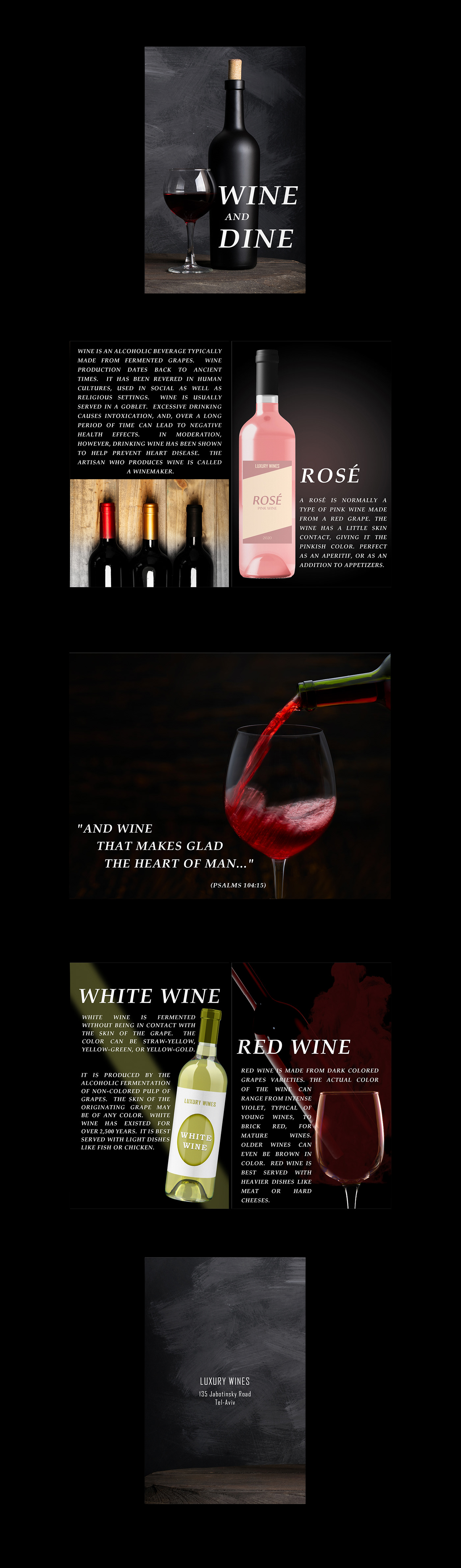 peak sentinel
thank you @eternal mica
nimble shardBOT
Gave +1 Creative Carma to @eternal mica
peak sentinel
am almost done with the animation
slow stirrup
Hey, @peak sentinel, do you think my gif is too big? (on Behance)
peak sentinel
yeah its big, everything doesn't fit into frame. i have to sometimes scroll either up or down to see everything
slow stirrup
@peak sentinel, ok, I changed it now. Thanks for the help.
nimble shardBOT
Gave +1 Creative Carma to @peak sentinel
fringe sun

 rocky reef
Zine Complete 😎 *open Original for better quality
eternal mica
@rocky reef Did you try your zine at 2 seconds? For me, its scrolling too quickly to read any of the text
 oblique anvil
 bleak fossil
Really excellent work throughout these past 2 weeks everyone!
.
@compact pecan Really cool to see you using your own photos for these! I think this photo definitely seems trickier than some since it’s not nearly as straight on and at a more extreme angle, but I think you did really nicely! If I had to nitpick I think maybe the center of the right hand side of the left page bows a little too much outward? But this came out really well, nice job 👍
@dapper basin Really nice combination of textures and shapes with the Day 3 challenge! The halftone texture adds a nice element to the color shifting effect. I really like the compositional effect and color shifting on the leaf elements too!
@peak sentinel Looking good Drew! The animation came out nicely, nice work on all these designs and putting them all together!
@fluid wharf I really like how nicely the front and back covers work together with this! They have a nice continuation while the front cover definitely grabs the most attention. The spread is looking nice as well!
 bronze bluff
challenge 6
warm plume
Completed my first ever Photoshop DCC with this Zine animation. Thanks @sterile bane and all the mentors
nimble shardBOT
Gave +1 Creative Carma to @sterile bane
peak sentinel
Thank you @keen lynx
nimble shardBOT
Gave +1 Creative Carma to @keen lynx
peak sentinel
Nice animation @fluid wharf
 fluid wharf
Thank you Drew
deep mango
@bleak fossil Thanks for the tip, I've darkened the shadow on my cutouts on the spread for Day 5 🙂
nimble shardBOT
Gave +1 Creative Carma to @bleak fossil
cold oyster
Thank you @eternal mica
nimble shardBOT
Gave +1 Creative Carma to @eternal mica
oblique anvil
@sterile bane @bleak fossil @coral stone Thank you for your guidance and feedback. I really enjoyed the zine challenge.
nimble shardBOT
Gave +1 Creative Carma to @sterile bane
 untold crown
hello
coral stone
Hey @untold crown 👋
untold crown
This is my starting with this platform. so please give me a feedback and suggestion. Thankq🙂
eternal mica
@warm plume Congrats, thats exciting
rocky reef
@eternal mica Didnt really think about it. Those haiku poems make no sense anyways lol
eternal mica
I agree with the haiku part. I dont get them at all, but who am I to say.
dapper basin
@dapper basin Really nice combination of textures and shapes with the Day 3 challenge! The halftone texture adds a nice element to the color shifting effect. I really like the compositional effect and color shifting on the leaf elements too!
@bleak fossil Thanks!
forest aspen
<@&548221569533476888> The link given in the Creative-Challenge Channel for VooDoo Val's Welcome video takes me right to Hand Lettering with Rhianna Marie Chan . 😫
coral stone
Hi @forest aspen! Due to technical issues, the welcome stream was skipped
forest aspen
@coral stone Thanks for getting back so quickly!
 lime meadow
Ad movement
warm plume
@eternal mica Thank you 😀
nimble shardBOT
Gave +1 Creative Carma to @eternal mica
 glacial minnow
Thanks to @coral stone I was finally able to get this finished. My first time doing a timeline. I know it needs some more working for it to be more realistic but overall I'm happy with the end result. I have thoroughly enjoyed this challenge thanks to @sterile bane
nimble shardBOT
Gave +1 Creative Carma to @coral stone
coral stone
Yaay! This turned out great, @glacial minnow! My only suggestion would be to give a little bit more time for each frame, so the animation might be easier for the viewers to identify what's on each spread. For that, you can shift-click all the frames to select all of them on the timeline, and on the drop-down below the frames choose kind of 0.5s to 1s, the one you like the most. 🙂
Nice sense of movement, @lime meadow! Loved the background color that you chose for the composition. Great job!
glacial minnow
@coral stone this is already set at 0.5s, I will try maybe 1s
coral stone
Great mockup and cover @untold crown! I really like how the image is fiting very well on the mockup. My only advice would be to add a safety margin to the texts near the edge, especially this one on the left. So when printed, there won't be any cut 🙂
glacial minnow
Trying the 1s frames
coral stone
Great improvement @glacial minnow! 💯
eternal mica
@glacial minnow following up on what @coral stone suggested, I would even try 1.5s or even 2s. Give people a chance to see the imagery, read the text. There's nothing sacred about 1s.
Having no idea where we'll be going with VDV, I just figured I'd make up something and see how it fits after the fact.
 urban berry
Hello everyone, here is my Day 5 challenge. Any feedback is welcome.
here is my Day 6 challenge. Any feedback is welcome.
bleak fossil
@urban berry Looking good! Really nice job on all of these challenges. For the Day 5 challenge it could look nice to go a touch darker on the shadows of the pop-out effect to really push the depth. Though I like how you made the shaper darker overall. It could also be need to see the cover in the animated mockup. I think the image with the origami boat is the cover? But using the cover mockup image instead of a spread might make that more clear. Really nice designs these past 2 weeks!
@glacial minnow This came out great Sue! Really nice job on the animation. I love the texture and delicate designs of all these challenges. They fit together very well stylistically. The slowing down of the animation is a nice change as well!
@lime meadow Very nice Fani! I really like the flipping effect with this. I like how you duplicated it to add to the motion blur, but it could be nice to have the top image retain a little blur even if most of it is in focus, like on the back of the head for example. It might also be nice to boost the brightness of the whole design overall with a levels adjustment as it appears a little dark at the moment. Nice work on this, really cool effect!
@untold crown Really nice work with this! The mock up images came out really well, it's great to see it in the content of a magazin spread interior. The whole cover has a nice cohesive style with the black bar shapes at the bottom and behind the text. The only small suggestion I have is it feel like the background image behind the headphones could be a bit brighter overall to really pop the headphones and text out more. You often see a lot of "glows" and contrast in things like gaming products, so giving it more contrast overall seems like it would suit the product. Nice job!
glacial minnow
Thanks @bleak fossil and @eternal mica I have slowed it down even more and it is better still.
nimble shardBOT
Gave +1 Creative Carma to @bleak fossil
urban berry
Thanks @bleak fossil
nimble shardBOT
Gave +1 Creative Carma to @bleak fossil
 high mesa
@sterile bane - thanks for the link re:brushes, appreciated.
nimble shardBOT
Gave +1 Creative Carma to @sterile bane
 wet bane
I try colour guide
cold oyster
Mood Board
young karma
This challenge is difficult 😦
I mean this superhero moodboard ^
Also i feel like we didnt receive any insights on how to create, other than the colors and the artboard introductions. Sorry i know this might be the wrong channel to express my self
am i the only person feeling this way?
coral stone
Hey @young karma sorry for that! You are totally free to choose a different theme for the challenge, the one that you like the best. And don't forget we're here to help you 🙂
young karma
@coral stone thank you for the swift response 🙂 its not about theme, its bout how to get started, how we are supposed to approach the challenge. I know that we are supposed to work on our creativity, but I think perhaps I was expecting some inspiration..
nimble shardBOT
Gave +1 Creative Carma to @coral stone
coral stone
I see. I posted a link on #🔨resources for the Adobe Color website where you can browse it to help with some color inspiration. Pinterest, Behance might be nice sources as well. The moodboard will be helpful through all the challenge days that are coming. @young karma 🙂
young karma
@coral stone it's not about the colours. I dont think i am into moodboards, don't really know how they are supposed to be. but okay.. Thank you for your response 🙂
nimble shardBOT
Gave +1 Creative Carma to @coral stone
 spare tiger
Am I too late for this challenge?
 sacred field
Day 1, Art Board.
spare tiger
So if I've understood the challenge, the left artboard is the villain's name, then the middle one is the villain's colors, and the right artboard is the villain, right? @coral stone
young karma
okay i guess it makes more sense now
spare tiger
Idk if I'm right, @young karma
That's what I've understood from the posted artboards
young karma
I think you are right ^ 🤔
coral stone
Hi @spare tiger the first artboard is for the fonts, the second for the colors and the third one for reference images. The moodboard will serve as a guide for you to create the other works of the upcoming days. I'll give you the link for the starter file that might help you as well :)
https://bit.ly/psdcc8-17-1
 spare tiger
It doesn't have to be a villain that already exists, right?
And you don't have to see them completely?
coral stone
You can create your own villain @spare tiger. Today's challenge is just, let's say, a look and feel for the upcoming days. 😉
spare tiger
oki cool. thanks 🙂
 little root
 fast herald
 glad oxide
80's style 😜
forest aspen
Day 1 Moodboard - in pieces because I didn't find a way to put all the artboards in one file 😉
eternal mica
For those of us less creative participants, Trust VooDooVal. She is a very good mentor. Her challenges come together as days go by. I also dont really grasp the concept, but I'll make a submission and if necessary tweak it in the coming days as required, as the Challenge goal comes more into focus.
young karma
Ted B, no doubt VooDooVal is very talented.. but I didn’t feel that I got enough info on how to go about 🙂 but never mind this, I’ll skip the first challenge n hope I can join you on the challenge tomorrow? 🎊
simple idol
PS Daily Challenge_Moodboard
slow stirrup
Yes, @young karma, you can post your work whenever you want. Maybe, in a few of days from now, you'll have a clearer view
arctic rover
A screenshot of my mood board. And I reserve the right to change my mood at any time , without prior notice.
@young karma Were you able to download the starter file? That might help you get started...or get in the mood. Think of it as a little bulletin board for a story you want to create. That's the fun part...the real work part is learning how to use artboards. Stick with it and have some fun. My villians will not be what you expect!
sweet fern
Heroes from my youth!
young karma
@arctic rover I did download the starterfile. Yea.. i might think of something during the upcoming days. People made awesome art boards n that is very inspiring to me.. 💕
plain sable
I'm going to create a fantasy world I think we will see how it goes with the daily challenges
 somber token
Back after a small break, here is my challenge 1
@plain sable I love your idea of a fantasy world, and your color palette! Your font choices are amazing, and the references you picked are beautiful! I'm excited to see what you end up with.
@arctic rover I love your font choices, and I love how you set up you color palette with textures instead of flat shapes.
plain sable
Thanks @somber token
nimble shardBOT
Gave +1 Creative Carma to @somber token
coral stone
Very nice colors @lucid plover! I like how you chose some different colors to demonstrate the Horror mood. Looking forward to seeing your next creations with them 🙂
@cold oyster wooow this is going to be great! I really like the stylized fonts that you chose for the moodboard. The colors are looking great as well, the red and dark blue tones were nice choices for the villains. Nicely done!
These colors are looking awesome @sacred field! I like how you created a transition with the saturation of the color tones. Can't wait to see your works for the next days 🙂
Loved the way that you presented your work @little root, the shapes you used to show the colors are awesome. My only suggestion would be to increase the size of the elements so they can be read a bit better, especially the font part. Well done!
The moodboard turned out really great @fast herald! Loved how it has a great visual balance and the font, colors and the reference images seem to be part of the same context 💯
sweet arch
maybe a little more about the why of a moodboard and is a moodboard and artboard the same thing? Does it have a goal?
untold iron
Decided to do heroes only
coral stone
Love the 80’s moodboard @glad oxide! The vibrant colors really enhanced the style you were searching for. I also like the contrast of the fonts that you chose, especially between the Gill Sans and Miriam Fixed. Looking forward to seeing your next works 🙂
eternal mica
DCC12 01 200817 I have no idea yet where Im going. But I'll get there soon enough 😊
coral stone
Hi @sweet arch The moodboard is helpful to give a look and feel for the works, it is mostly used to give the clients and the designer guidance through fonts, colors, reference images, and even videos related to the work that was asked, to help them in achieving the goal.
Moodboards and artboards aren’t the same things. The artboard tool in Photoshop gives you a specific canvas size to work with, you can use multiple artboards inside a file. I’ll give you a link for the Helpx description which shows in-depth the tool and its purpose 🙂
https://helpx.adobe.com/photoshop/using/artboards.html
Learn how to use artboards in Adobe Photoshop to lay out designs for different devices and screens. Choose from a wide variety of preset sizes or define your own custom artboard size.
eternal mica
DCC12 01 200817 slight tweak to layout
coral stone
No problem @forest aspen! Really like how you added some textures to play with. Nice job with the color choices as well, the variations in saturation will give you even more flexibility for the next works. Well done!
@simple idol very interesting color choice, Biola! I like how the reference image adds a nice context to them. Nicely done!
simple idol
Thank you @coral stone We shall see where it lands!
nimble shardBOT
Gave +1 Creative Carma to @coral stone
coral stone
@elder basin I like the variety of color tones that you chose for the moodboard. The stylized fonts add a great personality for it as well. Good job!
lucid plover
Thank you @coral stone
nimble shardBOT
Gave +1 Creative Carma to @coral stone
 elder basin
@coral stone thank you
nimble shardBOT
Gave +1 Creative Carma to @coral stone
sweet arch
sorry to be remedial. Why wouldn't you just put this in a folder in a library to use in a document or project? or is an artboard open when you do a project? Do you have to click between your work and an artboard to get your colors?
spare tiger
when is the challenge due?
eternal mica
@young karma There is no RIGHT answer. The only good answer for you is your own answer. And its Photoshop/Discord. You can erase and start all over at any time in the two weeks. Like @arctic rover said earlier, you have the right to change at any time without notice.
sweet arch
the color website is cool!
coral stone
There's no right or wrong @sweet arch, you can create it according to what fits best for your workflow. 😉 I'm pretty sure that the moodboard will be helpful for the next challenge days 🙂 Let me know if you need any help
@spare tiger you can do the challenges in your own time. A new one will begin in two weeks, but you can still use Discord to share your works 🙂
spare tiger
what happens at the end?
coral stone
You can publish your work on Behance, make sure to use the PSdailychallenge tag to have the chance to be featured on the Curated Gallery 🙂 @spare tiger
spare tiger
Im still allowed to post it on my insta, right
coral stone
Of course @spare tiger 🙂
spare tiger
A'ight sick
Only just got done with the villains head
Was worried about the deadline
coral stone
Don't worry @spare tiger, there's no deadline for the challenges, feel free to work on them at your own time 🙂
spare tiger
naisu
coral stone
Yeeees @arctic rover! Haha Great moodboard! I loved the shapes that you used to show the color palette! Nicely done! 💯
Nice job with the fonts @sweet fern I like how they match the cartoon style of the reference images. Also, the vibrant colors were a nice touch to express the context. 👍
eternal mica
More tweaks
coral stone
Great theme @plain sable! I like how the colors and the fonts match really well the fantasy world style! Can’t wait to see the next works!
Loved the color combinations @Josh Swanson. Their tonal values are looking very consistent as well. Great to see you’re back 🙂
@untold iron great job with the variety of colors, Jae! They will be very helpful throughout the challenges. I like the way that you positioned all the reference images as well.
Very nice colors @eternal mica! I like the contrast between the colors in the background. Great job with the font choice as well!
eternal mica
@spare tiger For this set of challenges, there will be a new challenge each weekday from today through Friday 8/28. VDV will divulge the new challenge in the video each day. You can complete your challenges at anytime in the next two weeks and post them here in current challenge for critiques. Once the new DCC begins on 08/31, you then post work in past-challenge tab.
spare tiger
and I post my work here?
eternal mica
@coral stone Thanks. I wasnt sure I had enough contrast in the fonts. Im hoping to see it be emphasized more as we play this out.
nimble shardBOT
Gave +1 Creative Carma to @coral stone
eternal mica
@spare tiger Yes, if youd like to have the mentors evaluate your work, and give you critiques and tips. And you can create a portfolio in Behance to aggregate your whole project. VDV will explain it in more detail in the opening minutes of each days video.
eternal mica
@spare tiger to get a better idea, scroll up to the end of last week. You'll see many of us posted Behance links for our portfolios from the last DCC. Some are really terrific.
spare tiger
what's the use of the portfolio?
 tropic knoll
Zine Challenge. Cover Page. Since day 1 of the Zine challenges, I was excited to do a Zine. I've never heard of a zine before. However, my skill is such that it has taken me the full two weeks plus to get pages 1 thru 5 done. I applaud the artists who shined! Thanks again for these challenges. They, to me, are Challenges! (big smile)
Zine Challenge. Page 2 and 3.
Zine Challenge. Page 4 and 5. Thanks again to all for the opportunities!
I am still working on the last two folds. Will post eventually when I have them complete. Sure appreciate all of the support! Thank you!
sacred field
@coral stone Thanks, Valdair! I really appreciate it! ✌️
nimble shardBOT
Gave +1 Creative Carma to @coral stone
plain sable
thanks @coral stone
nimble shardBOT
Gave +1 Creative Carma to @coral stone
urban berry
Hello everyone, here is my Day 1 challenge.
fringe sun
Mood Board Screen Shot
 blissful wolf
Here is my Day 1
untold iron
thanks @coral stone
nimble shardBOT
Gave +1 Creative Carma to @coral stone
tacit condor
PS DCC #1 Moodboard
compact pecan
I honestly have no idea where I want to go with this moodboard, but here is something to get started. BTW, I may have missed Val mentioning it, but what is the best way to export this? I ended up "merging layers" so I could export as a .jpg. Is there a different/better way?
bleak fossil
@lucid plover Nice job Fery, it's always good to get a good idea of the colors and mood you're going for in an image. Is there a specific theme or feel you're going for? Nice work 👍
@cold oyster I like the stylization of the fonts to match the characters! It's always nice to have references for color palettes like that, nice work with these!
lucid plover
thank you for the appreciation @bleak fossil
nimble shardBOT
Gave +1 Creative Carma to @bleak fossil
lucid plover
I have a specific theme for each of the colors,but to be honest I can't explain it,unless I made it,and also the color based on my available artwork and also the movies
bleak fossil
Ahh, gotcha!
@young karma @spare tiger It's definitely pretty open ended depending on what the mood board is for, but essentially you can choose a color palette to sort of represent the looks and feel of the theme you're going for. In this instance that might be what the hero or villain would wear, or what you imagine their costume might consist of. You can often create mood boards based on other images too that convey a certain feeling you're shooting for. Calm sunset, dark abandoned building, various characters/costumes, etc. But for this one it's mostly working out a general color palette for that mood. I think a big part of it is learning to use the artboards, and the design might relate to our next challenges, though you could get a sort of hero/villain collage going if that helps establish a mood/style/color scheme too.
simple idol
Updated and cleaned up
bleak fossil
@little root Nice cohesive color palette here Aisha! Both sets of colors are looking really good together. Nice work with the font exploration too!
@fast herald Really nice breakdown of Loki's colors! I like how you added cinematic shots and materials too, that really helps push the feel of it all. 👍
@glad oxide Ooh, great idea! Those colors definitely have a bit more of a retro comic feel which is great. Really nice work getting all those references to find the color palette and style, the font choices work perfectly for that theme too. Very nice!
@forest aspen I really like the variation of these font styles, I am definitely getting a bit of that comic vibe and styling from them. The color watches are looking good, I really like that deep red and purple for the villain. The textures are a nice touch too!
@simple idol Cool idea! Very strong simple color palette for the hero here, I like it. The villain color palette is not what I would usually think of with the lighter colors, which will be really cool to see how that turns out. Looking good!
@elder basin Really cool idea to base the color palette off a movie like that! The orange definitely makes for a strong focal point among all the other colors. Nice work!
@sacred field Very nice Marc, I like the harmony of the colors for these. I definitely get a brighter/happier feel for the hero colors. Nice job!
@compact pecan I just exported it the same way you seemed to, just by saving it as a basic JPEG, though I don't believe Val recommended any specific way. Nice color palette here! It might be nice to throw in a more neutral color to balance the reds. Something like the dark grey/dark blue color or more subdued green we're seeing in those images. Nice job!
 vague swift
curious, when you save the artboards as a jpeg it flattens into one board - can you keep separate?
simple idol
Thank you @bleak fossil Trying to break the mode re:villain. We shall see!
nimble shardBOT
Gave +1 Creative Carma to @bleak fossil
sacred field
@bleak fossil Thanks, Sam! I hadn't thought of it that way! I sampled those colors from a Color Graded photo! 👍
nimble shardBOT
Gave +1 Creative Carma to @bleak fossil
vague swift
going the Vills
bleak fossil
@vague swift You should be able to go to Export-Export As and select something like JPEG which will then export 3 separate images, or however many artboards you have. You'll be able to see them on the left side of the export window to make sure they're all checked. If that's what you're going for at least. But your image looks great presented in that format in my opinion.
@vague swift Also I love this villain mood board mash up! Definitely cool to see a lot of those repeating colors in various iconic characters. Gives a great look a feed for the mood. 👍
@tacit condor Really cool approach to the color palette here with the sort of gradient effect of the colors! The Blambot front is really nice too, definitely has a bit of that comic feel.
vague swift
Thanks @bleak fossil will give it a go!
nimble shardBOT
Gave +1 Creative Carma to @bleak fossil
young karma
Daily Challenge 200818 - Moodboard
bleak fossil
@blissful wolf These character lineups are great to get a good look and feel for a lot of different heroes and villains! It might be nice to see that deeper red in the villains we often see, more of a burgundy or almost sort of deep red-purple, of course that's totally personal preference. Really nice job!
@fringe sun Really nice breakdown of the colors for both the heroes and environment! The mood board for all the characters definitely gives a good feel for the vibrant color palette. Really nice presentation as well!
@urban berry Looks good Cindy! I like the mash up of the super heroes along with some anime. I definitely watched a lot of DBZ back in the day, hah. Nice mix of warm and cool tones too!
@tropic knoll These are great! I love the soft colors and textures throughout these designs. They all fit extremely well together, and the bits of texture give it a nice paper-like feel. The soft contrast really allows the shapes of focal areas to shine. I wonder if darkening down the shadow of the pop-out effect might help push that cut out look a bit more and add some depth. It seems like the key to that effect is going dark enough with the shadow, though I understand if you don't want to create too much bold contrast with these softer designs. Really nice job!
@eternal mica Great retro look and feel Ted! The color palette definitely works with the look of those classic comics. The bold contrast of the background colors gives it a lot of punch too. Though if anything, I think tweaking the background red's saturation down ever so slightly might give it a less intense read and more of that retro feel, though that's really just personal preference. 👍
@untold iron I love the moodboard/image collage of all the characters and heroes/villains! It definitely makes for a good feel of the direction you're headed. Is the color palette for any specific characters, or just an overall range of colors? I sometimes find that too many color options can make it hard to nail down a solid look/feel, but it just depends what you're going for. Really nice work, I definitely get a bit of a Batman vibe from that ATF Poster Gothic Bold, hah.
@somber token Really cool Josh! Did you have anything specific in mind for this color palette? I was just thinking it might be nice to have a bit of a warmer color to balance out the cools of the purples and blues. Even if that is just one of the purples or blues being shifted into the warmer register of red-purple or green-blue. It might give it a nice balance. Either way nice job!
@plain sable Very nice, I'll be really interested to see where you go with this! Definitely a big fantasy fan myself, hah. The color palette definitely has an earthy feel to it which very much suits this mood board of rock formations. I like the balance of cool and warm tones!
 livid badger
@bleak fossil I see that you seem to be helping people. I am completely new to Discord. How do I insert or link to the JPG of my Moodboard?
bleak fossil
@livid badger You just need to click the little + icon in the chat bar and that should give you an opportunity to attach a file from your computer. So if you saved your design out as a JPEG you should be able to select and upload that.
@sweet fern Love it! Definitely digging the more retro color palette. I think grabbing that deeper purple for Underdog from his cape and the more neutral blackish tone of Might Mouse's ears/head might be a nice way to balance both color palettes. Looking good!
@arctic rover Hah, very nice work! Really liking the contrast in color palettes between the images. The lighting and colors really do a lot to get that mood and feel across. Nice job 😄
@young karma Great to see you joining us again! The fonts are looking good and I'm really liking the balance between your colors. There's a nice harmony to them and balance of cool vs warm. Nice work!
plain sable
Thanks @bleak fossil I really don't know where this will take me but it will be fun or give me a headache 🙂
nimble shardBOT
Gave +1 Creative Carma to @bleak fossil
bleak fossil
Hah, looking forward to seeing it either way!
livid badger
Daily Creative Challenge: Moodboard
I am totally new to this creating process. I am loving the process of starting with a Moodboard to line up my thought.
@bleak fossil Thank you for your help.
nimble shardBOT
Gave +1 Creative Carma to @bleak fossil
bleak fossil
@livid badger Awesome! Welcome in, glad to have you joining us! Definitely, it's always great to have a mood board or collage of references before starting a project to really nail down the look and feel you're going for. I like the contrast in colors between the villain and hero palette. It seems to fit those moods nicely. And no problem, happy to help!
plain sable
Welcome @vague swift you will have lots of learning fun here!
blissful wolf
@bleak fossil , thank you very much! I will try that
nimble shardBOT
Gave +1 Creative Carma to @bleak fossil
 vague folio
PS DCC#1 Mood board -Villainous
bleak fossil
@vague folio Great collage of reference images here! I like the sort of wild west theming of this one, that's a really fun direction to go with it. I feel like a fairly saturated orange/red you see in the desert sand/Incredibles villain/rooster might be a nice addition to your color palette to give it a bit of that warmth and bold color that we see in your collage. Really nice job!
 chilly hawk
Moodboard
shy bobcat
Day 1 - Moodboard
 vital sigil
Day 1 - Moodboard (My first challenge)
untold crown
salute of real life heroes. police , doctor, nurses... is heroes and corona is villian of the whole word
 mortal crescent
My first time doing the Photoshop Daily Challenge, and last time I used Photoshop was over 10 years ago so am very rusty. Apologies, I couldn't get Ps to export artboards as one file
slow stirrup
@untold crown I love it!!
coral stone
@chilly hawk nice colors, Cecilia! I also like the Barbiari font tha you chose, the non-geometric edges add a cool personality to it. Nicely done!
Interesting choice of colors @ruby panther! The saturated colors for the Villains worked out really great, if you want, you may vary them with some brightness, adding some dark tones to the palette, especially for the villains. I believe you missed an "e" between the o and s of the word heroes. 🙂
@shy bobcat cool moodboard, Pam! I like the way that you distributed the elements. Also, great job adding textures on it.
Welcome to the community @vital sigil! Your moodboard turned out really cool. I like that you added a gradient swatch for the hero colors. Great job!
ruby panther
😖 Thanks @coral stone Got me again...
nimble shardBOT
Gave +1 Creative Carma to @coral stone
vague folio
@bleak fossil Thanks for the feedback. Good advice on the color palette. I will add some warmer tones to help tie it up to the westerny theme.
nimble shardBOT
Gave +1 Creative Carma to @bleak fossil
 long pine
Challenge #1 - Moodboard
compact pecan
Maybe THIS is closer to the intention of a moodboard and this challenge? I've never done a moodboard before, so I hope I'm catching-on.
eternal mica
@slow stirrup I really like your choice of Talon font. Ive never seen it before. Its interesting.
slow stirrup
@eternal mica, here- https://fonts.adobe.com/fonts/talon
A decorative typeface with 1 style, available from Adobe Fonts for sync and web use. Adobe Fonts is the easiest way to bring great type into your workflow, wherever you are.
eternal mica
@bleak fossil Thanks for the advice Sam. I'll definitely do that as I move forward in the challenge.
nimble shardBOT
Gave +1 Creative Carma to @bleak fossil
coral stone
Nice approach @untold crown! I like the dark colors that you chose to represent the villains. I believe you missed an e between the O and S of the word heroes. My nitpick would be to align the squares from the color palette. For that, you can select the square layers and with the move tool selected click on this icon 👇 from the top bar 🙂
eternal mica
@bleak fossil I toned down the red. It made the text a lot more readable. Did I do it enough?
coral stone
@slow stirrup I like that you went for a monochromatic colors! The font choice also worked out really nice. Well done!
ruby panther
Ver 2. Spell check and slight color change.
 winter tinsel
Challenge #1 Villains Art boards.
sweet fern
@bleak fossil Thanks for the suggestions. I will follow through.
nimble shardBOT
Gave +1 Creative Carma to @bleak fossil
little root
Loved the way that you presented your work @little root, the shapes you used to show the colors are awesome. My only suggestion would be to increase the size of the elements so they can be read a bit better, especially the font part. Well done!
@coral stone Thank you for your comments. To post here I minimized the size of the Moodboard. Trying to create my first Behance project. Hopefully, it should look better there. I have no idea how to post smaller artboards here. I love this concept... tried for the first time. loved doing my Moodboard.
@little root Nice cohesive color palette here Aisha! Both sets of colors are looking really good together. Nice work with the font exploration too!
@bleak fossil Thank you so much for your motivating comments.... Means a lot
 inland kiln
Art board for the week Villains, should be fun
spare tiger
what are the colors supposed to be for tho?
slow stirrup
@spare tiger, whatever you choose.
winter tinsel
Challenge #1 Hero Art Boards
 polar sentinel
Here’s my mood board for Day 1
lucid plover
DCC Day 2
young karma
I'm focusing on the female villain!
tropic knoll
Thank you @bleak fossil! I appreciate your critiques and kind comments! When I placed the two images side-by-side, first one and corrected one, the cutout in the corrected image actually appeared as a cutout. Thank you for your keen eye!
nimble shardBOT
Gave +1 Creative Carma to @bleak fossil
little root
this is just a screenshot
eternal mica
DCC12 02 200819 Brainiac Shield using the colors from the moodboard villians' palette
fringe sun
Day Two Challenge. Super Hero Emblem!
plain sable
@spare tiger the colors are your color pallet for the challenge
safe linden
Day 1 #PSDCC
forest aspen
Day 2 Emblem: Texture from Flypaper taster pack, carbon fiber texture from Adobe Stock, logo from a Ai challenge last December. Colors from yesterday's moodboard.
sweet fern
Not sure who this belongs to. Maybe Atomic Burn.
safe linden
The Norseman's shield - PSDCC #2
chilly hawk
Hero emblem challenge_name Z Three
sacred field
Day 2, Emblem.
slow stirrup
long pine
Day 2
winter tinsel
Challenge #2 Emblem Designs for my Hero and Villain.
young karma
Daily Challenge 200819 - Emblem
 flat echo
yaw
eternal mica
@winter tinsel nice job
vague swift
Hello, quick question - when i hit the link it keeps directing me to Moodboard challenge instead of Emblem
Missed the live stream? Check out the replay here: https://www.behance.net/challenge/photoshop

Daily Creative Challenge
eternal mica
@vague swift If i click on that link, it takes me to Behance photoshop challenege landing page, then you scroll down to today's challenge and click blue watch video button
ahha youre right, the wrong video is linked there.
vague swift
🙂
winter tinsel
@eternal mica Thank you 😊
nimble shardBOT
Gave +1 Creative Carma to @eternal mica
eternal mica
report it in the ask-a-question tab. I dont know if they can fix today. its only 3:30PM in CA. They might
vague swift
thanks for trying though @eternal mica
nimble shardBOT
Gave +1 Creative Carma to @eternal mica
young karma
Amazing artwork people have posted in here!! I think this is my first time joining the photoshop challenges... I think I lack creativity probably so I came up with my own idea of heros, please bear with me for not making it as fancy as it should be 😄 ... feel free to comment... 🙈
vague swift
all good, thanks
eternal mica
@vague swift it wasnt a very complicated technical challenge. Basically make up a shield or logo for one of the characters (hero/villian) on your moodboard. Use shape, layers and a real object if you can. You can get the gist by checking out whats already been posted.
VDV and Adobe not having a good technological week so far.
BTW everyone, I received a new Ps update last night, version 21.2.2. It replaces the faulty 21.2.1. The bugs that I knew about in the earlier version are all corrected. Update your versions if you havent already.
coral stone
Thanks for letting us know @vague swift @eternal mica . I already told the team about the link 🙂
For now you can use this link to watch the Day 2 replay 🙂
https://www.behance.net/live/videos/7775/Photoshop-Daily-Creative-Challenge-Emblem-Design?tracking_source=from_replay_to_replay&from_row=Photography
Challenge: Design an emblem for a superhero or supervillain using Shapes and Layer Styles.Get the starter file here: https://bit.ly/psdcc8-17-2Join your host each morning at 9:00am PT to learn how to approach each challenge using Photoshop. Complete 9 challenges by Friday, Aug...
nimble shardBOT
Gave +1 Creative Carma to @vague swift
eternal mica
@young karma That looks delicious!!! 2 comments: heroes has an "e" in it; the two salads look like heroes. Is there a "villain food for your moodboard?
young karma
@eternal mica Thank you so much ❤️ 🌻 yup that mus have been a typo 🤔 ops. yeah I was thinking of making a villain food moodboard as well, but I had to list too many* items, and all being items that I actually (LOVE TO) eat 🙈
nimble shardBOT
Gave +1 Creative Carma to @eternal mica
vague swift
Thank you @coral stone
nimble shardBOT
Gave +1 Creative Carma to @coral stone
coral stone
@long pine great job, Eddy! I loved how you positioned the images, without covering any important pieces of information and the color palette also looks very cohesive to them. Great job on day 2 as well! I like the stylized font and the effects that you applied making it look like it is silver. Nicely done!
@winter tinsel awesome colors! Loved that orange tone, it will combine really well the dark ones. You achieved great results creating the moodboard for the villains The texture and the font are looking great as well! The saturated tones for the Hero moodboard worked out really nice, I like the rounded corner font that you chose, it creates a good mood for the whole image. Day 2 is looking great as well! Loved the texture on the M. The effects on the A emblem are looking very cohesive, I like how all the elements unify themselves. 🙂 Super cool job!
@inland kiln great atmosphere in your moodboard, Pat! Loved the way that you presented the color palette. Also, the frames separating the imagers add a nice visual balance for the overall composition. Keep creating! 💯
@polar sentinel Cool moodboard, Aryanna! I like how the Folk Rough font matches really well the reference images. My only suggestion would be to add some darker tones from the reference images to the color palette, just to enhance the dark theme for the villains. Nicely done! 😉
@lucid plover the textures worked out really great, Fery! I can see that you used the type on a path option (or warp) for the word Navy and applied a subtle distortion on it as well, I like how these effects created a movement for the emblem. It would be nice to see it replicated on the word Seals from the bottom, just to add more balance. Well done!
Oh this is super cool @young karma! I like how you went from dark tones to pastel and finished with a neon green color. I also liked the font that you chose, the Oblique one will be very useful when you want to add movement to the composition. Nicely done! 💯
Great colors @eternal mica! I like how the cyan produced kind of a neon look for the emblem and the text. How did you achieve the effect inside the B? It looks very interesting. This is a totally personal preference, but if you want, you might send the brainiac graphic behind the emblem and increase its scale, it make the focal point to be straight to the emblem. Also, the scale edits will be helpful in case you want to make Brainiac subtle, but still noticeable since the emblem won’t be covering all the areas. Again, just a personal preference that you might try to see if you like. Great job!
Awesome graphic @fringe sun! Really like how the background image creates a nice sense of movement to the composition. The textures and the highlights of the emblem are looking very on point. Nicely done!
Very nice moodboard @safe linden! I like the rectangular shapes of the font that you chose. This is totally personal preference but if you want, you might add some images related to the work that you are going for, this will help you to establish a direction throughout the next challenge days. 😀
Lovely emblem @forest aspen! I love the debossed effect on the circular pattern in the background. The colors were a great choice to make it stand out. Great job!
Loved the name @sweet fern haha! The 3D style worked out really great on your emblem, I like how you applied to the atom as well. 👍
Woow @chilly hawk loved how the emblem and the background image are matching! You did a spectacular job with the contrast as well. The edges are looking very on point. Nicely done.
I like the monochromatic look of your emblem @sacred field! I can see that the Bevel & Emboss produced some details on the P edges. If you want to remove them, you just need to change increase the Soften slider on the Bevel & Emboss dialogue box, if it’s not enough you might experiment choosing it to Smooth or Chisel Hard on the technique drop-down menu, if that's the effect you're going for, of course. Awesome work with the distortions 💯 🙂
@slow stirrup these colors are beautiful! Loved how it contrasts really well against the black background. My only suggestion would be to darken the area behind the word “The” so it might be read a little better. Nicely done!
Nice work @young karma! I like how the drop shadow separated the emblem from the background. The colors and the subtle stroke adds a nice personality to the lighting. Good job!
eternal mica
@coral stone Thank you. Im so happy I stumped you!! I used color burn BM on the B overlayed on the brain image which has a gradient clipping mask inside the image of the brain, which I then Ctrl J'd a copy on top so the brain lines would show through. Is this what you mean by move the image to the back? I didnt like this initially because I felt the Brainiac image was too concealed and you cant really tell what it is.
nimble shardBOT
Gave +1 Creative Carma to @coral stone
coral stone
@young karma great to see you taking the challenge! You did a pretty cool job presenting the color palette in those shapes. Keep creating, you’re doing an awesome work!
@eternal mica no problem, Ted. That's true, I thought that by increasing the scale the symbol on his forehead would make him recognizable. I really like how the brain, the arrows and the B are looking now, maybe positioning Brainiac a little higher and this time decreasing the scale making the symbol and the eyes visible on the composition might give a cool result. 🙂
eternal mica
@coral stone I'll play a bit more with it
young karma
@coral stone thank you so much. 💐 yea tbh I figured I should complete the first challenge and only this way I could proceed to the next as they are all somewhat related. Again thank you for your encouraging words! 🙏
nimble shardBOT
Gave +1 Creative Carma to @coral stone
untold iron
Day 3 Challenge - Emblem Design
 knotty matrix
Hi everyone ! First time that I post something here 🙈
Here I a go :
DCC - DAY 1 / Moodboard / Both, superheroes and villains
sacred field
@coral stone Yeah, I wasn't real happy with it, so I’ll try to clean it up! I’m kind of making it up as I go along. I had to make my character first and then threw the emblem together! 😉 👍
fast herald
 wooden pebble
Hero or villain? Not quite sure yet...
@fast herald Super cool! Love how you used shapes to suggest continuity while also conveying depth. I also love how your design features bold contrast - Loki would be pleased.
eternal mica
@coral stone How about this?
arctic rover
Shero Shield
 neat sparrow
coral stone
neat sparrow
coral stone
Awesome @eternal mica 💯 I like how Brainiac is visible and still the emblem has a great focal point now!
eternal mica
@coral stone Thank you. I love this version. Its very powerful. Once again, your advice pointed me in the right direction.
nimble shardBOT
Gave +1 Creative Carma to @coral stone
polar sentinel
@coral stone thank you, I definitely will!
nimble shardBOT
Gave +1 Creative Carma to @coral stone
plain sable
Challenge #2 Emblem Design
 kindred trellis
Hero Mood Board 🙂
eternal mica
@plain sable are you drawing these rock formations? If so, this is really cool.
shy bobcat
Day 2 - Emblem Design
lucid plover
Thank you @coral stone
nimble shardBOT
Gave +1 Creative Carma to @coral stone
plain sable
Yes @eternal mica they are starting out in my sketch book🙂
bleak fossil
@winter tinsel The color palette is looking good! I like the deep subdued colors of these tones, definitely seems like it has some good villain potential. The images are great too, really reinforces that feel. The textures are a nice touch!
Edit: Just saw the hero board, that’s looking good too!
@inland kiln Really nice villain mood board! The colors and images are working well to get that mood across. The darker tones add to the more sinister feel, nice work!
@polar sentinel Really nice look and feel with the images in the mood board! I like that look of the dark images with a pop of bold color. I feel like that along with the “Folk Rough” font definitely give me a sort of Suicide Squad vibe which i really cool. Nice work with these!
@lucid plover Nice job Fery, really liking the texture on this logo! The way the highlight shifts into a warmer color looks really good too 👍
@young karma Really cool combination of images here! I like the mix of the lighting and colors in them. The red and green make for an interesting look too. Nice job!
@eternal mica Ooh, very cool, I definitely like those colors for this design. The red is a really nice contrast, and the more teal color pops out nicely from the darker blue. Odd nitpick, but the H in shield looks strangely large, not sure if that’s just the font or an intentional change? Either way the design is looking good!
@fringe sun Really cool texture! I like it, sort of a blue marble texture. It contrasts very nicely against the background. The highlights are a nice touch as well!
lucid plover
Thank you @bleak fossil
nimble shardBOT
Gave +1 Creative Carma to @bleak fossil
spare tiger
@bleak fossil?
do you know how I can move an artboard? I'm still at day 1. have been busy
oh nvm
my photoshop was just bugging
bleak fossil
@spare tiger Yeah, you should be able to just click the artboard title, then drag it around. Glad it's working now 👍
@safe linden Nice, the color palette has a nice range of cool to warm, and dark to light, makes for a good looking balance! These fonts are looking good too!
@forest aspen Really nice job! That red/yellow color scheme makes for a really neat bold look. The textures are looking great as well! I wonder if making the background slightly lighter to separate it from the logo might help it contrast and pop a bit more might help. Though it really depends on the look you’re going for. Nice work with these shapes too!
@sweet fern Hah, I definitely get that Atomic feeling from the logo. The red gives it an almost dangerous feeling too. Nice sense of dimension in this! This is really just personal preference but I almost feel like it could be cool to see a slight gradient on the yellow shape in the center to darken down the bottom a bit with a more orange tone, and give the top center look a bit of a highlight on the top left side. Just a thought. I really like the visual balance of these shapes together 👍
@safe linden The shield is looking good! I like the simple color palette you have here. The highlights/shadow of the engraved designs within it add some nice dimension!
@chilly hawk Really nice styling to this logo! The sharp edges and lightning in the background definitely gives me a villainous vibe. Really nice color contrast in this one, very cool!
@sacred field Nice job Marc! I think on this one it might be nice to get a little more contrast between the shield shape and the text, just to separate them and make them a bit more readable. I think doing this either through color or brightness could both work. And a bit more contrast overall might give the badge a more metallic look. Nicely done 👍
@slow stirrup Oooh great design for Day 2! I love the texture on the cauldron, it adds a lot of dimension. Both colors work really well, though I wonder if the text of the purple version being a bit brighter might help. Really nice work!
@long pine Really cool effects Eddy! I especially like the orange skull on the left side with the textured, rustic feel. Looks good!
@winter tinsel Very nice job on these badges! I especially like the lighting and texture on the second M badge. Really nice sense of dimension!
@young karma Really cool combination of shapes here! Based off the symbols in the logo I'd be curious to hear the name of the hero/villain. The lightning color adds a strong focal point. Nice work!
@young karma Glad you're joining us! And you're totally welcome to take these challenges and make them your own, I think that in and of itself takes some creativity. There's a nice cohesiveness to the colors you chose, looks good!
@shy bobcat Really cool colors on this emblem design! They definitely have a bright and upbeat feeling. Nice work with the lighting and dimension of the shapes as well. I wonder if giving the blue back part of the badge a slight shadow behind it might help separate it (specifically the areas with the highlights) from the background a bit more. Nicely done!
@kindred trellis Very cool! This color palette definitely seems to reflect that bright and colorful look of the image. There's a nice mix between warm and cool tones to give it a good balance. Looks good!
@plain sable Really cool effect with the Day 2 design! I like the beveled breakup of each of the graphic shapes/sections of color. The lack of texture in the text gives it a nice contrast too. Overall I feel like it might help to give the whole design a bit more contrast by boosting the lights and darks just a touch? Nice job!
@neat sparrow Great styling to this design! The texture of these shapes with the shadows and highlights give it a lot of interesting dimension. I think all that information could easily get kind of busy and be hard to read but the bold contrasting colors do a great job of preventing that. Very cool!
@arctic rover I really like the colors and textures in this design! It almost has a ghostly feel to it with the bright white design and background. I think that's a really cool look but perhaps a bit of a drop shadow behind it would help separate it from the background a bit more. Alternatively it might be nice to see how the background looks if it was much darker. Really nice job with this design!
spare tiger
@bleak fossil Do I have to use different fonts?
bleak fossil
@spare tiger You don't have to no, you're free to take these challenges in the direction you like! The fonts are really just about testing out different styles and looks. Since mood boards are generally about trying to find the look and feel of a project, pairing different fonts with it can be a way to help with that. But you don't need multiple fonts if you have just one you're interested in.
nimble shardBOT
Gave +1 Creative Carma to @bleak fossil
ruby panther
Challenge 2. Not sure if this works for me.
 neat sable
Hello guys.... Longtime no see. here is my day1st participation. Moodboard.
and 2nd. Tried to make it realistic material. dont know if this one makes any sense.
spare tiger
@eternal mica Much better
long pine
@coral stone Thank you very much for your feedback!😁
nimble shardBOT
Gave +1 Creative Carma to @coral stone
long pine
And also @bleak fossil 🤗
vital sigil
Day 2 Challenge. I found this really interesting and challenging to do as I have never really done designs like this
coral stone
Somebody help
Hi @spare tiger! What do you need help with?
spare tiger
my artboard is so small compared to others
coral stone
You can extend them by using the artboard tool (click and hold on the Move tool icon from the tool bar) and adjusting the values from the top bar or using the handles on the canvas 🙂 @spare tiger
spare tiger
then i'd have to reposition every picture, right
coral stone
Yes
coral stone
@ruby panther awesome work, Shawn! I like the textures that you used and how the shapes fit very well together, especially by the effect of the right area. Well done!
Hey @neat sable! Welcome back! I like the palette that you used from the moodboard, it's very cohesive with the reference images. Day 2 is looking very nice as well. My only suggestion would be to apply the image just on the fill of the emblem, so the silver stroke might pop a little more, especially on the bottom area 😉
@spare tiger great job overlapping the B and M. The font was a very good choice to represent the comic book style of your moodboard. Nicely done!
lucid plover
emblem from DCC day 2 (fixed)
coral stone
@vital sigil this is looking super cool! I like how you achieve a great balance among the elements inside. This is totally an optional step, just something that you can try to see if you like 🙂 If you want to enhance the metallic look of your emblem, you can add a Levels adjustment layer and increase the contrast a bit, by moving the first and the third sliders a little closer to each other. Here's a quick example to show what I mean 🙂 Awesome work!
ruby panther
Thank you @coral stone No spelling errors today!😋
nimble shardBOT
Gave +1 Creative Carma to @coral stone
vital sigil
@coral stone Oh thank you! that is exactly what I was trying to do.
thanks for taking the time to not only provide feedback but give me the example! I'll be updating it for sure.
nimble shardBOT
Gave +1 Creative Carma to @coral stone
slow stirrup
@long pine, I really like your gold emblem!
sacred field
@bleak fossil Here you go, Sam! Much more legible!
long pine
Thanks, @slow stirrup!!😄
nimble shardBOT
Gave +1 Creative Carma to @slow stirrup
spare tiger
Made some tweaks to make it more comicy
compact pecan
Not done yet, but I have to go to work....
spare tiger
@compact pecan I think you should use the same wings on both sides
To establish symmetry
compact pecan
@spare tiger thanks! Why didn’t I think of that??!!
nimble shardBOT
Gave +1 Creative Carma to @spare tiger
spare tiger
Hehe it happens to all of us
winter tinsel
Challenge #2 (Revised)...I wasn’t happy with my first attempt so here’s my second for my Hero character.
eternal mica
@bleak fossil Thanks for the critique. I assume the first half of your comment is related to the Day 1 artboard and the second half to the Day 2 shield. I lowered the saturation of the Red at your suggestion. I really didnt focus that much on the size of the B (not H). It sort of just fit the space. Of course I can Transform it down a bit. I'll play with that and see how it looks.
nimble shardBOT
Gave +1 Creative Carma to @bleak fossil
compact pecan
used the same wings on both sides. looks better I think
eternal mica
@spare tiger thank you
nimble shardBOT
Gave +1 Creative Carma to @spare tiger
 muted valley
This was really fun 😄
 hollow yarrow
Day 2 - Emblem Design
Duckman Emblem
vague folio
PS Daily Challenge 2, Villain Sheriff Badge
eternal mica
@hollow yarrow your attention to detail never ceases to amaze me.
hollow yarrow
@hollow yarrow your attention to detail never ceases to amaze me.
@eternal mica Thank you... As we say "Quality is in details" so I always try to do my best 😉
I really appreciate! Nice job too!👍
eternal mica
@hollow yarrow Thank you, I sincerely appreciate hearing that.
nimble shardBOT
Gave +1 Creative Carma to @hollow yarrow
hollow yarrow
PS Daily Challenge 2, Villain Sheriff Badge
Great job @vague folio. Love the texture added... Just a point: maybe you could change the white color of highlights for a light red. It should fit better with your background. Well done!
spare tiger
Beaume, how do you even do that
 rocky kite
catching up with PS challenge 1
buoyant nova
Day 2 - Emblem Design
hollow yarrow
Beaume, how do you even do that
@spare tiger : just follow the stream, add some different textures (metal for emblem, Broken concrete for background), gradient with blending mode on background and some overall adjustment layers (color lookup,levels,curve)... Thanks for the comment!👍
nimble shardBOT
Gave +1 Creative Carma to @spare tiger
hollow yarrow
@fast herald : Nice emblem. You maybe could add some texture (metalic) to enhance it. Awesome job!👍
Day 2 - Emblem Design
@buoyant nova : Great layer effect... Just a point Now your emblem deserves a background 😉
Well done!
buoyant nova
@hollow yarrow Thanks Franck, just working on the background lol
nimble shardBOT
Gave +1 Creative Carma to @hollow yarrow
spare tiger
hmmm yeah
My friends told me the idea about Bad Man. Thought it was hilarious so I made it
@coral stone the mockup link on the website is wrong
spare tiger
that's one cool emblem
coral stone
Thanks @spare tiger. I'll report it to the team 🙂
nimble shardBOT
Gave +1 Creative Carma to @spare tiger
simple idol
Day 2 Challenge_Emblem. Feedback appreciated. I struggled with this one
 bold valley
Day 2 Sheild Still thinking. Just a work in progress.
buoyant nova
Day 2 - Emblem Design - have added a background
vague folio
@hollow yarrow Thanks! Good advice. Makes sense to have the red pulled in. I will tweak it. Great job @vague folio. Love the texture added... Just a point: maybe you could change the white color of highlights for a light red. It should fit better with your background. Well done!
@hollow yarrow
nimble shardBOT
Gave +1 Creative Carma to @hollow yarrow
tropic knoll
Challenge 2. HEROS. Creating a badge is a Challenge! Thank you for this opportunity!
vague folio
@hollow yarrow Love the Duckman!
Day 2 - Emblem Design
Duckman Emblem
@hollow yarrow
young karma
🐢
inland kiln
Challenge No2 super villain emblem
 gusty urchin
Just made that
lucid plover
DCC day 3,Mockups
bold valley
Day 3 Mask with spider. Still thinking
young karma
@young karma Really cool combination of shapes here! Based off the symbols in the logo I'd be curious to hear the name of the hero/villain. The lightning color adds a strong focal point. Nice work!
@bleak fossil - I think it will be RAMONA which is a girl's name of Spanish origin meaning "wise protector".
spare tiger
can y'all get into the mockup page?
I keep getting moodboard when I press watch video
cold oyster
Mask
spare tiger
@coral stone do we have to use the mask?
Like can I make a whole figure if I wanted to?
 celest nebula
please submit your designs here for feedback @abstract parcel
young karma
I finally finished my female supervillain emblem!
fringe sun
Challenge Day 3. Star Flight Mask.
gusty urchin
Nice one ! Mine looks like that
untold iron
Day 3 - Mockup
spare tiger
how'd you make those eyebrows, Jae?
 abstract parcel
My work
sacred field
There are a lot of great looking masks, and then there's mine :-} I still don't know what I'm making!
abstract parcel
What if mythological creature such as vampire having many power with her necklace to command with her power? As a superhero!!!🧛♀️🦹
It is a suggestion
hollow yarrow
I finally finished my female supervillain emblem!
@young karma Very nice. I love colors and texture... Looks very very supervillain👍
hollow yarrow
Nice one ! Mine looks like that
@gusty urchin Great idea to add pattern on your mask. Love it!👍
slow stirrup
@sacred field, what it "Pelosi"?
gusty urchin
I guess we can post our super heroe's production on Behance and try to be featured ?
coral stone
Hi @spare tiger. You can customize the challenge work as much as you want 🙂
yes @gusty urchin 🙂 Make sure to add the PSdailychallenge tag when you publish the project, so you'll have the chance to be featured 😉
 teal lynx
Day 2 Submission
sweet fern
I think Atomic Burn is going to be Mighty Mouse and Underdog's evil nemesis! BTW, I am blown away by some of the creations I see!
mortal crescent
Challenge 2 - emblems for villains Deception and Rhapsody
sacred field
@slow stirrup Nancy Pelosi is the Speaker of the House of Representatives and a staunch opponent of Donald Trump. She is the hero in my project! 😁
slow stirrup
@sacred field, yea. You've shared your opinions with me, before...😁
sacred field
@slow stirrup Yes, something people say you shouldn't do... Discuss politics or religion ✌️
slow stirrup
@sacred field, at least, not in public... 😉
sacred field
You are so right! 🙂
sweet fern
I got to thinking that any good villain needs a utility belt to hang his props on, so here it is.
forest aspen
Day 3: Clothing. I've done two - masculine and feminine, sort of, just playing around. I've added a flare to each logo. Any ideas on which I should go with?
simple idol
young karma
Ninja Turtles Emblem - pizza-like but old. Splinter found this on a forest, where he found the prophecy about some green warriors, who will love to eat this triangle food and fight against the evil. 🐢
untold iron
I decided to give my emblem a background
fringe sun
Added a Jersey to Star Flights outfit
gusty urchin
Added a spaceship for my supervillain (full project on behance of course)
plain sable
Challenge #3 Mockup
somber token
My day 2 challenge... being wheelchaired confined I thought it would be fun to make my hero use a mechanized wheelchair to save the world.
gusty urchin
ahah this one is very funny
arctic rover
I confess. I have a thing for sunglasses. My Shero sunglasses!
coral stone
Super cool work @plain sable! I like how the graphic is blending to the fabric. I can see some subtle distortions, did you use the displacement map for it? Awesome work! 🙂
That’s an incredible job @somber token really great approach for the challenge! The colors and the textures are looking very very nice. I like the subtlety of the Bevel and Emboss, and the 3D look that the effect created. Well done!
@cold oyster haha super cool work! Loved how you created the shapes on the emblem, the lines and the skewed T adds a great sense of movement.
@simple idol that's a super cool emblem, Biola! I really like the textures that you applied to it. The colors are looking very on point as well. If you want, you might align the vertical line that is crossing the emblem's edges to the very center (the tip), so it won't be creating a tension point on these areas 🙂
Just saw the updated version! Loved how the gradient created a shiny for the pattern fill. Well done 🙂
simple idol
So appreciative of your feedback. Thank you so much @coral stone! I will align!
coral stone
Very nice work @gusty urchin! Loved how you're keeping consistency with the background and the colors. If you want, it might be nice to add some textures and even apply some highlights to the spaceship, the same way that you did with the mask, so it will have even more depth to the drawing 🙂
gusty urchin
Yes nice idea I do that rn !
coral stone
@fringe sun woow this turned out really awesome! I loved the textures and the colors that you applied to! Great job with consistency throughout the days. 💯
Very nice @untold iron! Loved the way that the background doesn't compete with the emblem for attention. I also like the highlights and the depth that you achieved on the mockup. Nicely done!
untold iron
thanks @coral stone 🙂
nimble shardBOT
Gave +1 Creative Carma to @coral stone
coral stone
Great story @young karma! The textures are looking very good. My only nitpick would be to align the circles to the centers, right now they look a little bit to the left. Loved the colors that you used 🙂
 hot thicket
Day 2 Emblem design
gusty urchin
I hope that better ahah
coral stone
@forest aspen loved that you applied the emblem to the entire equipment! I also like the way that you positioned all the elements, giving a nice balance for the presentation. My only suggestion would be to position the flare to the top area of the logo, so the elements from the middle might be more recognizable by the viewers. Well done
@slow stirrup I can't decide which one is my favorite, you did a great choice keeping both hah. I like how the textures turned out in the book. The text has a nice amount of contrast and it's very readable as well. Nicely done!
This is looking great @sweet fern! I like how the emblem colors pop from the utility belt and the mask. Great job!
This is looking very cool @mortal crescent! I like the stripes that you added to the D. This is totally an optional step that you can try to see if you like: you might add some texture on the Rhapsody emblem, just to create more consistency among the background and the Deception emblem. Excellent work 🙂
Very nice moodboard @fresh swallow! I like how the fonts match really well the villain theme of your moodboard. Good job!
This turned out super cool @teal lynx! Loved the warm gradient that you chose for the fill and the textures that you applied to the stroke and the lighting symbol. If you want, you might add some very subtle texture on the gradient fill as well, just to unify the look, without making the lighting icon lose contrast 😉 Great job!
haha that a super cool mask @sacred field! I like how the P looks brighter than the other areas of the mask, giving kind of a metallic look! I also like the way that you played with the texts' position. Well done!
 fresh swallow
@coral stone Thank you!
nimble shardBOT
Gave +1 Creative Carma to @coral stone
sacred field
@coral stone Thanks, Valdair! 😀
nimble shardBOT
Gave +1 Creative Carma to @coral stone
coral stone
That looks fancy @abstract parcel! Did you use Dimension for the scene? If you want you might add some transparency to the splashes from the top, just to enhance the refreshed look of the composition. 🙂
tacit condor
PS DCC #3 Mockup
coral stone
Woow that's an awesome emblem @young karma! Loved the black and red combination. My only suggestion would be to increase the brightness of that very dark areas just a bit, especially the ones from the top. Awesome work! 🙂
eternal mica
DCC12 03 200820 Mockup
coral stone
That's a super cool mask @bold valley! I loved the way that you played with the red tones. The subtle texture also adds a nice personality to it. Well done
Very nice @lucid plover! I like how you kept all the colors cohesive. My only suggestion would be do darken the area behind the emblem, so it might be able to stand out a little more 😉
These colors are beautiful @inland kiln! I really like the subtle glow that you added to the circular shape. Also, the textures and the highlights are looking very on point. Nicely done!
Loved the silver look of your emblem @tropic knoll! I believe you missed a E between the O and S, unless that's the name of your hero 😉 The details on the edges are looking very nice. Great work! 👍
Beautiful details @buoyant nova! I really like the 3D look that the bevel & embross created. The new background was a great choice to add more context to the emblem. Nicely done!
arctic rover
Collecting accessories for my Sheroes & Bad Sweeties
buoyant nova
Thanks @coral stone very much appreciated 🙂
nimble shardBOT
Gave +1 Creative Carma to @coral stone
plain sable
Thanks @coral stone but I can't take credit for the distortions, just the artwork, it was an adobe template 🙂 Started a design class at the local JC this week and today I was DCC lazy 😦
nimble shardBOT
Gave +1 Creative Carma to @coral stone
simple idol
Okay, I think it's aligned @coral stone. I'm a little lopsided
fresh swallow
@eternal mica That freaking rocks! I LOVE that color scheme!
lucid plover
Thank you @coral stone
nimble shardBOT
Gave +1 Creative Carma to @coral stone
eternal mica
@fresh swallow Thank you
nimble shardBOT
Gave +1 Creative Carma to @fresh swallow
coral stone
Awesome improvement @simple idol! If you want more balance you can duplicate the lines layer and flip it horizontally, then position it to the left side. This will give the emblem a symmetrical look 🙂
simple idol
@coral stone Ah! 😍 will do! Thank you!
chilly hawk
Emblem_Villain
compact pecan
Nobody will be able to tell it's ME who turns into Super Dad because I'll be wearing this shirt and this mask.
neat sparrow
Super Glamour Hero Mask)
bleak fossil
@bold valley Really cool effect with the lighting. I like the sort of scale mail this texture creates! The reddish rustic tones of the symbol and border make for a really nice contrast with it 👍
@buoyant nova Great contrast between the emblem and background! The shape is looking really nice as well, I like how the hilt of the sword transitions into the circle shape. Great texture on this!
@tropic knoll Ooh, great metallic look within the shapes on the badge! It reminds me of that coin challenge with Jesús. This is really just personal preference, but it could be nice to give the text a sort of fill to separate it from the rest of the design elements and pop a bit more. Maybe something a bit darker, or even the blue color from the outside border to tie the whole design together? Looking good!
@young karma Awesome! Great to see someone doing a TMNT based one, hah, I grew up on that show. The color palettes are looking good and have a distinct feel from each other, nice work!
@inland kiln This looks great! Really nice variety and balance in the shapes, and the colors have a really nice contrast as well. I love the look of that turquoise/yellow combination. The gradients and textures add a really nice sense of depth and believability as well!
@gusty urchin Looking good! Really great contrast in color and texture on this, it gives it a really strong read. The gradients across both parts looks really natural and gives it a nice sense of depth. This is a tiny nitpick, but I feel like a soft, subtle drop shadow on the V to create a little shadow on the green area might help it look a bit more real, since the raised V would likely cast a bit of a shadow, even if very subtle. This came out really great, loving the shapes!
@lucid plover Really cool idea for the mockup! I really like the texture in the helmet, and the reflection on the ground plane is a nice touch. Though I wonder if another blend mode, or even stacking a couple blend modes and adjusting opacities might help give it a more uniform look across the helmet. The way it's highlighted at the bottom of the logo but the top right is really faint seems a bit off. Just a thought, nice work 👍
@bold valley Ooh, great mask, I like the stark red! The texture and spider graphic is really cool, both the texture and color create a really dangerous look to it.
@cold oyster I love the clean graphic elements on this mask! The lighting and shadow is working very nicely as well, great work!
@untold iron Very nice theming with the mask! The yellow and green works really well and creates some great contrast. I also love the eyebrow shapes that mimic that owl look. Very cool!
@young karma Love it! The shape is really interesting and has a nice balance to it, and that red and black color scheme with that texture definitely add to that villainous vibe 👍
@fringe sun I really love the asymmetrical design that goes across the eye, really strong shapes for a mask! The color scheme creates a lot of great contrast as well, as do the textures. Really liking the colorful blurred background, it adds a lot of energy!
@gusty urchin Nice application of the logo on this one. I really like the subtle pattern on the mask and the gradient shift in the purple/blue colors makes for a really cool look!
@sacred field Hah, sometimes designing on the fly like that can be a lot of fun. I like the perspective of this mask! I think giving the center P a little curvature to fit the form of the mask could be a nice touch, but it might help if the file is a bit higher resolution so you have more pixels and definition to work with. Nice job!
@teal lynx Great colors on this! I really like the gradient within the shield shape. The lighting and gradient kind of gives it that glowing hot metal effect which is great for this sort of lava theme. The texture and darker color of the border and logo give it a really nice contrast and read. Nicely done 😄
@sweet fern I really like the emblem against the stark black of the mask. The white background helps to amplify that too. Really dramatic look to this design. The utility belt is a nice addition. Though giving the black shape a bit of a gradient and adjusting the perspective of the logo to match the slightly tilted angle of the front of the belt might give the whole thing a more natural and realistic look. Nice job!
@mortal crescent These are looking really nice! It's great to see the two designs side by side and see the contrast in shapes and color. My only suggestion is it might be nice to separate the color/value of the D from the background circle. Separating them a bit might give it a stronger read at a glance like the R emblem has. Just a thought. Nice work!
@neat sparrow Great to see your design applied to the mask mockup! I really like the way the circle works on the mask, and the tilt to the lettering is a great touch,. Looking good!
@compact pecan Hah, it's looking good! The red and black definitely has a strong dramatic look to it. I like the graphic lines too! Though I'd be curious to see how they look underneath the other graphic shapes as opposed to on top just to see the difference. Very nice to see the shirt mockup too!
@urban berry Really cool! I like how you have a couple variations of this design. I really like the second one, but would be curious to see the first one with the gradient if it was applied in a way that retained the lighting information of the original mask to keep that depth and dimension. Without that it can get a bit flat. Nice work!
wooden pebble
young karma
Daily Challeng 200820 - Mask Mockup
sacred field
@bleak fossil Thanks, Sam! The image I sent in is just a screenshot so I can probably do that! It was about 400% actual size. My doc is 300ppi. I appreciate the advice! 👍
nimble shardBOT
Gave +1 Creative Carma to @bleak fossil
untold iron
thanks @bleak fossil 🙂
nimble shardBOT
Gave +1 Creative Carma to @bleak fossil
winter tinsel
Challenge #3 Hero and 🦹♀️ Villain masks.
glacial minnow
@inland kiln that's what I want my fire to look like, having lots of trouble with this challenge. I guess it doesn't help when you have never used the pen tool before😭
bleak fossil
@wooden pebble Really great presentation for this emblem! The texture and emblem are looking really nice together. The light and shadow on the emblem really make for a nice clear engraved look, and the ring was a nice touch!
@winter tinsel These are looking really good! I really like the bold contrast of the of the orange and blue design, the texture adds a really nice element to it too. I feel like perhaps the contrast of the black/red mask could be improved a bit? Currently it's both a dark mask and pretty dark background. It might help to make the back part of the mask even darker and lighten up the background overall so the shape has a stronger read. Even lightening up the background and giving it a bit of a creepy bluish green tint could add to that villainous feel while also adding a complementary color scheme to add more contrast like the hero mask has. Just some ideas. Nice work, really liking the designs on each of the masks!
@young karma Really great idea for a mock up, it’s great to see this actually worn. I like the color scheme on this, and the book pattern is a nice touch. My only suggestion would be to maybe use a multiply layer or even just add a drop shadow to the mask to add a hint of ambient occlusion shadow under the mask onto the face. I think even a subtle shadow can sell the realism of it. Maybe something like this? It's a subtle change but I think it helps, especially around the eyes. Really nice work!
neat sparrow
@neat sparrow Great to see your design applied to the mask mockup! I really like the way the circle works on the mask, and the tilt to the lettering is a great touch,. Looking good!
@bleak fossil Thanks!☺️
shy bobcat
Day 3 - Mockup
slow stirrup
@hot thicket, your emblem is very interesting. What's your super-character?
buoyant nova
Thanks @bleak fossil really appreciate your comments 🙂
nimble shardBOT
Gave +1 Creative Carma to @bleak fossil
ruby panther
Challenge 3. Wear your mask!
ruby panther
Challenge 3. For the Villain.
slow stirrup
@ruby panther, this is HYSTERICAL!!! I see a lot of love for your president, among the designer, here...
mortal crescent
Thanks @coral stone and @bleak fossil for your feedback. Here is my revised version of Challenge 2 with the edits suggested. Looking much better overall 😀
nimble shardBOT
Gave +1 Creative Carma to @coral stone
 edgy sierra
Yay! I'm so glad I caught up. This soo much fun. Thank you!
long pine
Mockup from scratch, day 3 challenge, it's so addictive!! 😄
slow stirrup
@long pine, it's amazing!!
ruby panther
Thanks @slow stirrup but no love here. 😄
nimble shardBOT
Gave +1 Creative Carma to @slow stirrup
slow stirrup
@ruby panther, I know, I was being sarcastic..
mortal crescent
Challenge 3 masks for Rhapsody and Deception 😀
coral stone
Very nice work @long pine! Really like the resultas that the bevel and emboss gave. My only suggestion would be to lighten ithe whole mockup just a bit, so the textures and the skull will be able to stand you a little more 🙂
Beautiful mockups @mortal crescent ! Loved how you kept the stripes of the D consistent by applying to the mask. The textures turned out really great as well!
Hey, @edgy sierra great job adding the textures and the highlights. Loved how shining the mask looks, giving a nice metallic feel on it. Well done
Cool works @abstract parcel! I like how the edges of the N are looking with the Bevel and Emboss. I wonder if you could brighten the mask just a bit, to make it pop a little more from the dark background. Nicely done! 👍
No problem @edgy sierra!, that's a super cool emblem! I like how the red texture combines really well with the black emblem. The moodboards fonts are looking very nice, the movement of the first on and the details on the A and N of the third one adds a nice personality touch for it. Well done!
abstract parcel
Thanks @coral stone
nimble shardBOT
Gave +1 Creative Carma to @coral stone
edgy sierra
Thank you @coral stone
nimble shardBOT
Gave +1 Creative Carma to @coral stone
buoyant nova
Day 3 - Mock Up
coral stone
Super cool mockup @shy bobcat! My only suggestion would be to apply a blend mode like Multiply or even play with the opacity of the emblem. So the fabric textures will be able to pop up and increase the realistic look of the mockup. I like that you applied a shadow to the mask making it look like that the subject is really wearing it. Well done!
Awesome masks @chilly hawk! Loved the lighting image that you applied to the second version and how the red emblem contrasts really well against it. Great job!
young karma
Daily Challeng 200820 - Mask Mockup (2) - @bleak fossil - thanks for your GIF, I actually tried the shadow on the original post but wasn't happy with how it looked. For some reason it did not look natural.
nimble shardBOT
Gave +1 Creative Carma to @bleak fossil
coral stone
Really like how the textures are popping on the layer mask, @ruby panther! The vignette was a very good choice for establishing a focal point. If you want to increase the effect that the emblem is applied to the mask, you might hide the areas that are placed over the folds to make it look like the graphic was folded, so when the person uses it, the emblem expands with the mask showing all the areas as a whole.
ruby panther
@coral stone Thanks. I didn't think of that. The graphic expanding. Great idea!
nimble shardBOT
Gave +1 Creative Carma to @coral stone
ruby panther
Weird. @coral stone You sent that to the wrong Shawn. Wondered why I didn't get a notice. 😂
edgy sierra
Cool Mock Up of the mask @buoyant nova I love the texture in the eyes
inland kiln
Challenge No 3 the mask
buoyant nova
@edgy sierra Thanks very much 🙂
nimble shardBOT
Gave +1 Creative Carma to @edgy sierra
shy bobcat
@coral stone Thank you for your suggestion. I tried to carry it out but I don't think I made much difference.
nimble shardBOT
Gave +1 Creative Carma to @coral stone
long pine
Thanks, @slow stirrup !!
nimble shardBOT
Gave +1 Creative Carma to @slow stirrup
long pine
Thanks for your feedback, @coral stone! I'll consider your advice 🤗
winter tinsel
Challenge #3 (Revised) Villain Mask. @bleak fossil was this background more what you were describing? The contrasting colors definitely make the mask stand out!
teal lynx
Day 3 submission on Lava theme
cold oyster
Thanks @bleak fossil, here is the mask applied to the inspiration to this challenge's theme.
nimble shardBOT
Gave +1 Creative Carma to @bleak fossil
slow stirrup
@cold oyster, that's cute!
winter tinsel
Challenge #3 Villain Mask.(Revised-Version 2)...I can’t decide which one I like better...?
slow stirrup
@winter tinsel, I vote for the second one. I just don't understand, how they can see anything through it...😉
winter tinsel
@slow stirrup I used to wonder the same thing about Darth Vader. 😎
coral stone
Hi @shy bobcat the texture appear a little more through it. If you want, you might test the Linear Burn blend mode which offers a stronger effect. If you see it's too much you can lower the opacity a bit 🙂
Thanks for letting me know @ruby panther haha. I updated the comment 😄
nimble shardBOT
Gave +1 Creative Carma to @ruby panther
gusty urchin
Ok there it is !
bold valley
@bleak fossil Thanks for the comments on my sheild
nimble shardBOT
Gave +1 Creative Carma to @bleak fossil
 zinc elbow
DAYS 1-3. I've been thinking of doing a Bond Film poster for ages and this is giving me the opportunity to do a spoof.
bold valley
@bleak fossil Thanks for your comments on the mask
@coral stone Thanks for the comment on my mask.
young karma
wanted to make an iconic dress, but had issues with finding the clothing that i wanted. So I sketched out a dress here. The blending is a little strange, but you get the idea.
abstract parcel
my second mask
bleak fossil
@eternal mica I like it! I really like the color and design of this one. I think it could help to choose a different hue for the background to better contrast and show off the mask design. Currently the same color makes them blend together a bit, maybe something noticeably warmer or cooler to separate it? You could even go a touch darker and/or give the background a really subtle blur so the texture doesn't distract from the main design. These are just a few different ideas to play with according to your preferences of course.
I think the current geometric graphic you have for the mask is really cool, though it kind of has a bit of a emblem/badge effect with the hard edge shapes. The starter file for the challenge has a more realistic curved shape with some nice lighting information that could look good too, but again that is just up to personal preference. It could even be nice to scale up the brain graphic so we see the edge of it around each eye to make it a bit more clear what it is. Just some things to think about, this is looking really cool!
abstract parcel
Are you talking about my work
eternal mica
@atomic echo Thank you Sam. My problem is I make something up to start not knowing how Im going to use it down the road.
Then I feel locked into what I started with. Using the polygon shape limited me in having the brain image show up. I had to insert a mini image on the bridge. Going forward, maybe I'll break up the image into its components.
nimble shardBOT
Gave +1 Creative Carma to @atomic echo
eternal mica
@bleak fossil I changed the BM, does it make the background work better?
plain sable
Had some extra time so I revisited yesterday's challenge, made my own tee shirt mockup instead of using a Adobe template.
Tee shirt asset
 magic wagon
Hello. this is my first challenge. day 3 - create a Superhero Mask Mock Up. on the left of the layout are the images used to make it! thanks  👀
👀
tacit condor
PS DCC #4 Photo Compositing
untold iron
Day 4 - DCC - Composite
lucid plover
DCC day 4
compact pecan
I can't really get this to look as realistic as I want - even tried a displacement map (took me forever to remember how to do that), and still I think the mask looks fake.
simple idol
Hi all, a little behind. Here is my mask
 jagged falcon
Challenge #3 - Bacteria, the villain.
simple idol
The emblem reimagined based on @coral stone's suggestion. Thank you.
nimble shardBOT
Gave +1 Creative Carma to @coral stone
magic wagon
Challenge Day 4. Composite photo! Lets hope my son don't get mad at me.😂 didn't have much time to do a great composition and to be clear... i'm newbie on composite photos. 🙈
sacred field
Thanks, Val! I learned some nice techniques! 🙂
 gaunt knoll
My attempt at photo composition. Villain cat. Day 4 challenge. I know the cheese at the foreground looks very photoshoped, I don't know how to blend it into the image.
fresh swallow
Villain Emblem...Sludge!
I was initially going to build out the pieces in blender (the S, the disc) and color them, bevel and deform, and then render out an image to manipulate in photoshop. Instead I decided to try doing the editing / building in photoshop only. Not entirely happy with the overall results, so I'll probably go back to my original idea of building the design in blender and rendering it there and touching up in photoshop.
tropic knoll
Hi @coral stone. How embarrassing! Does this mean I have to give back my Spelling Bee trophy? Thank you for bringing the E in Heroes to my attention. @bleak fossil. Thank you for the idea to colorize the text. I went into Illustrator to make the Chrome text. There is a gradient in there called Fruits and Vegetables. funny!
nimble shardBOT
Gave +1 Creative Carma to @coral stone
sweet fern
Day 4 Challenge.
coral stone
Don’t worry @tropic knoll 😀 sometimes our eyes get used to the elements, especially the text. Nice job 👍🏻
eternal mica
DCC12 04 200821 Photo Compositing
 safe flint
Okay. It took me so long just to make a mood board. Part of it is, I like to play with character designing already and was doodling a villain just a few days ago. Libra does exist as a villain in Marvel so I was researching the existing character while finding inspiration, font and color. I stuck with Lady Justice (she has been in comics too ). Im hoping I can make this enough of my own.
coral stone
@plain sable I loved the way that the emblem is blending to the shirt, the effect on the word "never" helps to sell even more. I wonder if you could brighten it a bit more might help to look even more cohesive to the brightness values from the overall shirt and the background.
plain sable
I'll play with that see if I can improve it, I was playing with blending moves to better reveal the folds, made it darker
cold oyster
Thank you @slow stirrup 😊
nimble shardBOT
Gave +1 Creative Carma to @slow stirrup